
GRL 500 HV Professional - Laser level BOSCH - Free user manual and instructions
Find the device manual for free GRL 500 HV Professional BOSCH in PDF.
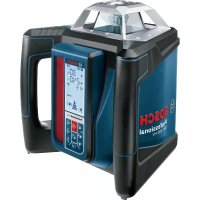



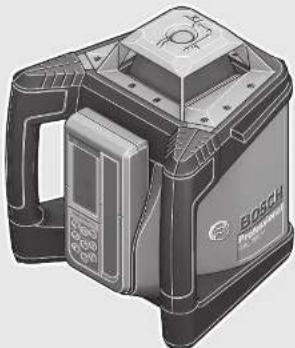
| Brand | Bosch |
| Model | GRL 500 HV Professional |
| Product type | Rotary laser level |
| Dimensions (L x W x H) | 234 x 217 x 194 mm |
| Weight | 2.3 kg (according to EPTA-Procedure 01:2014) |
| Power supply | Lithium-ion battery 7.4 V, 3 Ah |
| Battery life | Approx. 25 hours |
| Range (with receiver) | Up to 250 m (radius) |
| Leveling accuracy | ±0.1 mm/m (horizontal and vertical) |
| Self-leveling range | ±8.5 % (±5°) |
| Tilt mode on one axis | ±8.5 %, adjustable via keypad |
| Laser class | 2 (635 nm, <1 mW) |
| Main functions | Self-leveling, centerline mode, anti-drift system (ADS), anti-theft alarm, standby mode, calibration check |
| Receiver/remote control | LR 50, remote range up to 150 m |
| Maintenance and cleaning | Clean with a soft, damp cloth; do not use detergents or solvents |
| Safety | Class 2 laser; do not direct beam at people or animals; Strobe Shield™ protection against light interference |
| Spare parts and repairability | Bosch after-sales service; repairs only by qualified personnel with original parts |
| Operating temperature | -10°C to +50°C |
| Protection rating | IP 56 (dust-tight and protected against water jets) |
| Included accessories | Charger, LR 50 receiver, target holder, case (depending on version) |
Frequently Asked Questions - GRL 500 HV Professional BOSCH
User questions about GRL 500 HV Professional BOSCH
0 question about this device. Answer the ones you know or ask your own.
Ask a new question about this device
Download the instructions for your Laser level in PDF format for free! Find your manual GRL 500 HV Professional - BOSCH and take your electronic device back in hand. On this page are published all the documents necessary for the use of your device. GRL 500 HV Professional by BOSCH.
USER MANUAL GRL 500 HV Professional BOSCH
Robert Bosch Power Tools GmbH
70538 Stuttgart
SEHANY
www.bosch-pt.com
1609924DX[2018.03T/623
160992A4DX
GRL Professional
500H|500HV
LR 50 Professional
enOriginal instructions
nive of grade
es
pki kngn ngi it stang ngne
nCorsaonkeike gebuiasaariline
Original operating instructions
SV Bruksanvisning /artin
no Original driftsinstruks
fikuperaiet ojeet
eigntiinrnnnrrn rnrnnn nnnnne
pl Instrukcja oryginalna
Pawodni Awad (pouyavani)
sk Povodny naod na potzite
Hueererererererererererererer
Purpanmukh 1968 pynoic 100
1
K
April 1, 2017
ro Instrucțiune principală
BcCnHnHaAeCTaH

BOSCH
Original instructions
Original instructions
1
1
10


Deutsch. 11
English 31
Français. 50
Español. 70
Português. 90
Italian 110
Dutch.. 130
Danish .Page 149
Swedish Page 167
Norwegian. Page 185
Finnish . Page 203
Greek 222
Turkish Page 242
Polish Page 261
Czech Page 282
Slovak Page 301
Hungarian Page 320
Russian Page 339
Ukrainian. Page 361
Kazakh 382
Romana. 402
Български. 421
Македонски. 442
Srpski. 462
Slovensko. 481
Laser Radiation Class 2 do not stare into beam IEC 60825-1:2014 <1mW,635 nm
Laser Receiver/Remote Control 33
Product Description and Specifications 33
Intended Use 33
Rotational Laser Level GRL 500 H 33
Rotational Laser Level GRL 500 HV 33
Laser Receiver LR 50. 34
Product Features 34
Technical Data 35
Assembly 36
Charging the Batteries of the Measuring Tool and
Laser Receiver (see figures A-B) 36
Charge-control Indicator 36
Battery Charging 37
Recommendations for Optimal Handling of the Battery 37
Operation 37
Initial Operation 37
Setting Up the Measuring Tool 37
Operating the Measuring Tool (see figure C) 37
Operating States 37
Switching On and Off 37
Initial Operation 38
Switching On 38
Switching Off 38
Sleep Mode 38
Automatic Shutdown 38
RTC (Real Time Clock) Battery 39
Theft Alarm System 39
Activating the Theft Alarm System 39
Applications of the Theft Alarm System 39
Indicators for Checking Calibration (Calibration Warning) 39
Switching Off the Calibration Warning Indicators 39
Recommended procedure after an indication to check calibration 40
Operating Modes 40
Orientation of X- and Y-Axis 40
Rotational Operation 40
Operating Modes Overview 40
Automatic Levelling 40
Automatic Levelling after Switching On 40
Automatic Levelling during Operation 40
Single-axis Slope Operation 40
Slope Setting 40
Centre Line Mode (see figure D) 40
Speeding Up Finding the Centre Line of the
Laser Receiver 41
Anti-Drift System (ADS) 41
Deactivating the Anti-Drift System 41
Line Control in Vertical Mode (GRL 500 HV) 41
Centre Line Mode in Line Control (see figure E) 41
Speeding Up Finding the Centre Line of the
Laser Receiver 42
Relative Height Display (see figure F) 42
Working with the Laser Receiver 42
RF Communication between Measuring Tool and Remote Control/Laser Receivers 42
Setting the Audio Signal/Volume 42
Selecting the Setting of the Centre Line Indicator 43
Direction Indicators 43
Strobe shieldTM Protection 43
Marking 43
Display Illumination 43
Attaching with the Measuring Rod Clamp (see figure G) 43
Accuracy Check of the Measuring Tool 43
Influences on Accuracy 43
Checking the Levelling Accuracy in the Horizontal Position 44
Checking the Levelling Accuracy in the Vertical Position (GRL 500 HV) 44
Calibrating the Measuring Tool 44
X-Axis Calibration 44
Y-Axis Calibration 45
Z-Axis Calibration (GRL 500 HV) 45
Working Advice 46
Setting the Display of the Units 46
Laser Viewing Glasses (Accessory) 46
Working with the Tripod (Accessory) 46
32 | English
Working with Wall Mount/Alignment Unit (Accessory) 46
Working with the Measuring Rod (Accessory)
(see figure H) 46
Work Examples 46
Checking the Depth of Building Pits (see figure I) 46
Correction of Malfunctions 47
Malfunctions with Error Codes 47
Malfunctions without Error Codes 48
Maintenance and Service 48
Maintenance and Cleaning 48
After-sales Service and Application Service 48
Great Britain 48
Ireland 48
Australia, New Zealand and Pacific Islands 49
Republic of South Africa 49
Transport 49
Disposal 49
Great Britain 49
Safety Notes
Rotational Laser Level

All instructions must be read and observed in order to work safely with the measuring tool. The integrated protections in the measuring tool may be compromised if the measuring tool is not used in accordance
with the instructions provided. Never make warning signs on the measuring tool unrecognisable. STORE THESE INSTRUCTIONS IN A SAFE PLACE AND INCLUDE THEM WITH THE MEASURING TOOL WHEN GIVING IT TO A THIRD PARTY.
- Caution - The use of other operating or adjusting equipment or the application of other processing methods than those mentioned here can lead to dangerous radiation exposure. The measuring tool is provided with a warning label (marked with number 8 in the representation of the measuring tool on the graphics page).

Laser Radiation Class 2 do not stare into beam IEC 60825-1:2014 <1mW,635 nm
If the text of the warning label is not in your national language, stick the provided warning label in your national language over it before operating for the first time.

Do not direct the laser beam at persons or animals and do not stare into the direct or reflected laser beam yourself, not even from a distance. You could blind somebody, cause accidents or damage your eyes.
If laser radiation strikes your eye, you must deliberately close your eyes and immediately turn your head away from the beam. Do not make any modifications to the laser equipment. Do not use the laser viewing glasses as safety goggles. The laser viewing glasses are used for improved visualization of the laser beam, but they do not protect against laser radiation. Do not use the laser viewing glasses as sunglasses or in traffic. The laser viewing glasses do not afford complete UV protection and reduce color perception. Have the measuring tool repaired only through qualified specialists using original spare parts. This ensures that the safety of the measuring tool is maintained. Do not allow children to use the laser measuring tool without supervision. They could unintentionally blind other persons or themselves. Do not operate the measuring tool in explosive environments, such as in the presence of flammable liquids, gases, or dusts. Sparks can be created in the measuring tool which may ignite the dust or fumes.

Protect the measuring tool against heat, e.g., against continuous intense sunlight, fire, water, and moisture. Danger of explosion.
Under abusive conditions, liquid may be ejected from the battery; avoid contact. If contact accidentally occurs, flush with water. If liquid contacts eyes, additionally seek medical help. Liquid ejected from the battery may cause irritations or burns. In case of damage and improper use of the battery, vapors may be emitted. Ventilate the area and seek medical help in case of complaints. The vapors can irritate the respiratory system. Charge the battery pack only with the battery charger provided. A charger that is suitable for one type of battery pack may create a risk of fire when used with another battery pack.

Keep the measuring tool and the laser target plate away from cardiac pacemakers. The magnets of the measuring tool and laser target plate generate a field that can impair the function of cardiac pacemakers.
- Keep the measuring tool and the laser target plate away from magnetic data medium and magnetically sensitive equipment. The effect of the magnets of the measuring tool and laser target plate can lead to irreversible data loss.
Battery Charger

Read all safety warnings and all instructions. Failure to follow the warnings and instructions may result in electric shock, fire, and/or serious injury.
This charger is not intended for use by children and persons with physical, sensory, or mental limitations or a lack of experience or knowledge. This charger can be used by children aged 8 and above and by persons who have physical, sensory, or mental limitations or a lack of experience or knowledge if a person responsible for their safety supervises them or has instructed them in the safe operation of the charger and they understand the associated dangers. Otherwise, there is a danger of operating errors and injuries.
Supervise children during use, cleaning and maintenance. This will ensure that children do not play with the charger.

Keep the battery charger away from rain or moisture. Penetration of water in the battery charger increases the risk of an electric shock.
Charge the measuring tool only with the supplied charger. Keep the battery charger clean. Contamination can lead to danger of an electric shock. Before each use, check the battery charger, cable and plug. If damage is detected, do not use the battery charger. Never open the battery charger yourself. Have repairs performed only by a qualified technician and only using original spare parts. Damaged battery chargers, cables and plugs increase the risk of an electric shock. Do not operate the battery charger on easily inflammable surfaces (e.g., paper, textiles, etc.) or surroundings. The heating of the battery charger during the charging process can pose a fire hazard. In case of damage and improper use of the battery pack, vapours may be emitted. Provide for fresh air and seek medical help in case of complaints. The vapours can irritate the respiratory system.
- Products sold in GB only: Your product is fitted with a BS 1363/A approved electric plug with internal fuse (ASTA approved to BS 1362). If the plug is not suitable for your socket outlets, it should be cut off and an appropriate plug fitted in its place by an authorised customer service agent. The replacement plug should have the same fuse rating as the original plug. The severed plug must be disposed of to avoid a possible shock hazard and should never be inserted into a mains socket elsewhere.
Laser Receiver/Remote Control

Read and observe all instructions. SAVE THESE INSTRUCTIONS FOR FUTURE REFERENCE.
Have the measuring tool repaired only through qualified specialists using original spare parts. This ensures that the safety of the measuring tool is maintained. Do not operate the measuring tool in explosive environments, such as in the presence of flammable liquids, gases or dusts. Sparks can be created in the measuring tool which may ignite the dust or fumes.

Protect the measuring tool against heat, e.g., against continuous intense sunlight, fire, water, and moisture. Danger of explosion.
Under abusive conditions, liquid may be ejected from the battery; avoid contact. If contact accidentally occurs, flush with water. If liquid contacts eyes, additionally seek medical help. Liquid ejected from the battery may cause irritations or burns. In case of damage and improper use of the battery, vapours may be emitted. Ventilate the area and seek medical help in case of complaints. The vapours can irritate the respiratory system. Charge the battery pack only with the battery charger provided. A charger that is suitable for one type of battery pack may create a risk of fire when used with another battery pack.
Product Description and Specifications
Intended Use
Rotational Laser Level GRL 500 H
The measuring tool is intended for determining and checking precise horizontal partitions.
The measuring tool is intended for outdoor use, but can also be used indoors.
Rotational Laser Level GRL 500 HV
The measuring tool is intended for determining and checking precise horizontal partitions, vertical lines, building lines and plumb points.
The measuring tool is intended for outdoor use, but can also be used indoors.



Laser Receiver LR 50
The laser receiver is designed to quickly locate rotating laser beams and to remote-control the rotational laser level.
The laser receiver is suitable for indoor and outdoor use.
Note: The LR 50 functions both as a laser receiver and as a remote control. To make descriptions and instructions easier to read, the LR 50 is referred to only as a "laser receiver" in the following text.
Product Features
The numbering of the product features refers to the illustration of the rotational laser level, battery charger and laser receiver on the graphics page.
Rotational Laser Level
1 Plumb beam (GRL 500 HV) 2 Laser beam outlet 3 Prism cover (aluminium, glass) 4 Theft alarm LED 5 Charge contacts for laser receiver 6 Charging/storage station for laser receiver 7 Laser beam 8 Laser warning label 9 Serial number of the rotational laser level 10 Tripod mount 5/8" (vertical) (GRL 500 HV) 11 Charge socket cover 12 Tripod mount 5/8" (horizontal) 13 Reset button 14 Socket for charge connector
Laser Receiver
15 Display 16 Centre mark 17 On/Off button 18 Slope button, up 19 Centre line mode button 20 Slope button, down 21 Sleep mode button 22 Theft alarm button 23 Button for selecting the measuring accuracy 24 Audio signal/volume button 25 Calibration button 26 Reception area for the laser beam 27 Serial number of laser receiver 28 Charge contacts
Indicator elements of laser receiver
29 Battery charge-control indicator for rotational laser level 30 Battery charge-control indicator for laser receiver 31 Text display for slope/error 32 Text display for relative height/calibration interval 33 RF communication indicator 34 Out-of-temperature-range indicator 35 Calibration interval indicator 36 Theft alarm indicator 37 Out-of-level indicator 38 Shock-warning indicator 39 Direction indicator "move upward" 40 Direction indicator "move downward" 41 Slope mode indicator 42 Centre line mode indicator 43 Centre line indicator 44 Sleep mode indicator 45 Indicator for audio signal/volume 46 Indicator for measuring accuracy "Fine" 47 Indicator for measuring accuracy "Medium" 48 Indicator for measuring accuracy "Coarse"
Charger
49 Battery charger 50 Charge connector 51 Connector plug 52 Power plug
Accessories/Spare parts
53 Measuring rod clamp 54 Locking screw for measuring rod clamp 55 Construction laser measuring rod 56 Fastening screw for measuring rod clamp 57 Spirit level of measuring rod clamp 58 Slot for laser receiver 59 Wall mount/alignment unit 60 Fastening screw of the wall mount 61 Screw of the alignment unit 62 5/8" screw on wall mount 63 Tripod 64 Laser viewing glasses 65 Case
*Accessories shown or described are not part of the standard delivery scope of the product. A complete overview of accessories can be found in our accessories program.
English | 35 Technical Data
| Rotational Laser Level | GRL 500 H | GRL 500 HV |
| Article number | 3601 K61 A.. 3601 K61 B.. | |
| Working range (radius) | ||
| - without laser receiver, approx. 1) | 10 m | 10 m |
| - with laser receiver, approx. | 250 m | 250 m |
| Levelling Accuracy 2)3) | ||
| - Horizontal | ±0.1 mm/m | ±0.1 mm/m |
| - Vertical | - | ±0.1 mm/m |
| Self-levelling range, typically | ±8.5% (±5°) ±8.5% (±5°) | |
| Levelling duration, typically | 15 s 15 s | |
| Rotational speed | 600 min-1 | 600 min-1 |
| Single-axis slope operation (adjustable via keypad and display) | ±8.5% | ±8.5% |
| Accuracy2) | ±0.1% | ±0.1% |
| Theft alarm system | ● | ● |
| Calibration interval indicator | ● | ● |
| Operating temperature | -10...+50°C -10...+50°C | |
| Storage temperature | -20...+70°C -20...+70°C | |
| Relative air humidity, max. | 90% 90% | |
| Max. altitude | 2000 m 2000 m | |
| Laser class | 2 | 2 |
| Laser type | 635 nm, <1 mW | 635 nm, <1 mW |
| Divergence of laser line | 0.4 mrad (full angle) | 0.4 mrad (full angle) |
| Laser beam Ø at the exit opening, approx. 2) | 4 mm | 4 mm |
| Operating frequency range | 863-870 MHz | 863-870 MHz |
| Max. transmit power | 20 mW | 20 mW |
| Tripod mount | ||
| - Vertical | 5/8" | 5/8" |
| - Horizontal | - | 5/8" |
| Weight according to EPTA-Procedure 01:2014 | 2.3 kg | 2.3 kg |
| Dimensions (length x width x height) | 234 x 217 x 194 mm | 234 x 217 x 194 mm |
| Degree of protection | IP 56 (protected against dust and powerful water jets) | IP 56 (protected against dust and powerful water jets) |
| Battery | Li-Ion | Li-Ion |
| Rated voltage | 7.4 V | 7.4 V |
| Capacity | 3 Ah | 3 Ah |
| Number of battery cells | 4 | 4 |
| Operating time, approx. | 25 h | 25 h |
| 1) The working range (radius) can be reduced due to unfavourable ambient conditions (e.g. direct sunlight). | ||
| 2) at 20 °C | ||
| 3) alongside the axes | ||
| For clear identification of your rotational laser level, see the serial number 9 on the type plate. | ||


36 | English
| Laser Receiver/Remote Control LR 50 | |
| Article number | 3601 K69 A.. |
| Receivable wavelength | 625-645 nm |
| Working range (radius)1)2) | |
| -Laser Receiver with Rotational Laser Level | 250 m |
| -Remote Control | 150 m |
| Receiving angle | 70° (±35°) |
| Measuring accuracy3) | |
| -Setting "fine" | ±1 mm ±2 mm |
| -Setting "medium" | ±3 mm ±5 mm |
| -Setting "coarse" | ±7 mm ±10 mm |
| Display size | 62 x 31 mm |
| Reception area | 100 x 18 mm |
| Operating temperature | -10°C ... +50°C |
| Storage temperature | -20°C ... +70°C |
| Relative air humidity, max. | 90 % |
| Max. altitude | 2000 m |
| Operating frequency range | 863-870 MHz |
| Max. transmit power | 20 mW |
| Activation setting for sleep mode | |
| -After 30 mins without button press | ● |
| -After 30 mins without any laser detection | ● |
| Theft alarm system | 0-150 m |
| Calibration interval indicator | ● |
| Weight according to EPTA-Procedure 01:2014 | 0.3 kg |
| Dimensions (length x width x height) | 152 x 77 x 32 mm |
| Degree of protection | IP 56 (protected against dust and powerful water jets) |
| Battery | Li-Ion |
| Rated voltage | 7.4 V |
| Capacity | 1 Ah |
| Number of battery cells | 2 |
| Operating time, approx. | 25 h4) |
| 1) The working range (radius) can be reduced due to unfavourable ambient conditions (e.g. direct sunlight). | |
| 2) depends on clearance between laser receiver and rotational laser level | |
| 3) at a distance of 30 m | |
| 4) with display illumination deactivated | |
| The serial number 27 on the type plate is used to clearly identify your laser receiver/remote control. | |
| Battery Charger | |
| Article number 2 610 A16 4.. | |
| Charging time | approx. 3 h |
| Output voltage | 12 V= |
| Charging current | 5 A |
| Protection class | ☐/II |
Assembly
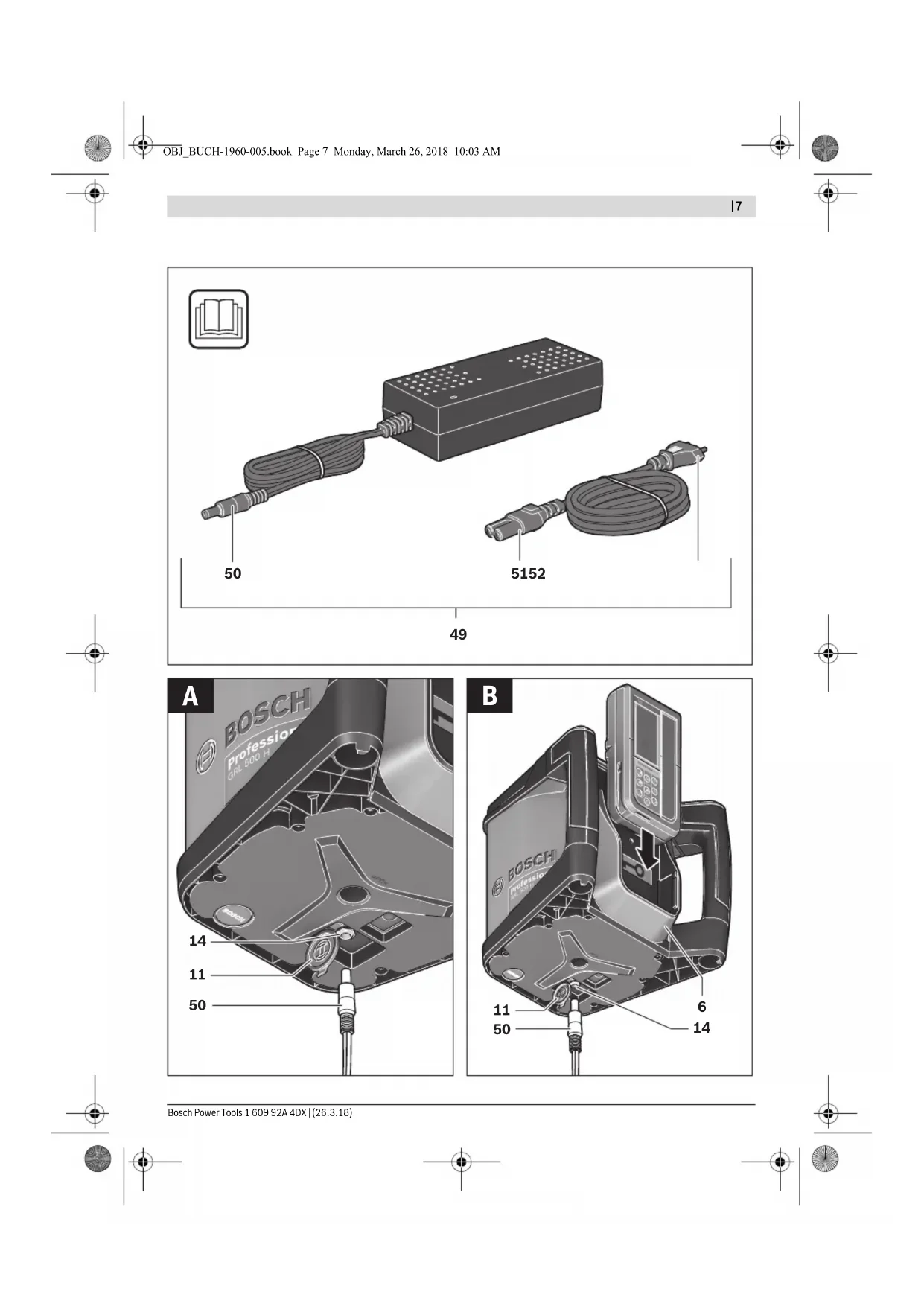
Charging the Batteries of the Measuring Tool and Laser Receiver (see figures A-B)
Do not use a different battery charger. The battery charger provided is matched to the lithium-ion battery installed in your measuring tool. Observe the mains voltage! The voltage of the power source must correspond with the data on the type plate of the battery charger.

IMPORTANT The measuring tool and laser receiver must be charged only in dry indoor areas.
The charging cable is not permitted for charging outdoors or in moist environments.
Note: The batteries of the measuring tool and laser receiver are supplied partially charged. To ensure full capacity of the batteries, completely charge the batteries before the first use.
The lithium-ion battery can be charged at any time without reducing its service life. Interrupting the charging procedure does not damage the battery.
Charge-control Indicator
The measuring tool must be switched on (see "Switching On", page 38) to display the battery charge status of the measuring tool and laser receiver.
| Display Indications | Meaning Capacity | Remaining measuring time, approx. | |
| 29 | Battery fully charged. | 60-100 % | 15-25 h |
| 30 | |||
| 29 | Battery partially charged. | 40-60 % | 10-15 h |
| 30 | |||
| 29 | Battery partially charged. | 20-40% | 5-10h |
| 30 | |||
| 29 | Battery partially charged. | 10-20% | 2.5-5 h |
| 30 | |||
| 29 | Battery should be recharged. | 0-10% | 0-2.5 h |
| 30 | |||
If the measuring tool is switched off and the laser receiver is in the charging/storage station 6, the battery charge status can be displayed as follows:

- Press the sleep mode button 21 until the audio signal sounds.
The battery charge-control indicators 29 and 30 are displayed.
The display illumination switches off again after 5 s.


Battery Charging
- Clean soiled charger contacts using a dry cloth.
- Plug the charge connector 51 into the socket provided on the charger 49.
The measuring tool can be recharged independently of the laser receiver, however the laser receiver can only be recharged together with the measuring tool.
Measuring tool (see figure A):
- Open the cover 11 of the charge socket 14.
- Plug the power plug 52 of the power supply into the socket outlet and the charge connector 50 into the charge socket 14.
Laser Receiver (see figure B):
- Slide the laser receiver into the charging/storage station 6.
- Open the cover 11 of the charge socket 14.
- Plug the power plug 52 of the power supply into the socket outlet and the charge connector 50 into the charge socket 14.
Display Indication
Meaning


Batteries charging.
The segments flash successively during charging.


The measuring tool and the laser receiver will switch off after charging.
Disconnect the battery charger from the mains supply when not using it for longer periods.
Protect the battery charger against moisture!
Recommendations for Optimal Handling of the Battery
Store the measuring tool and the laser receiver only within the permitted temperature range, see "Technical Data". As an example, do not leave them in the car in summer.
A significantly reduced working period after charging indicates that the battery is used and must be replaced.
Observe the notes for disposal.
Operation
Initial Operation
- Keep the measuring tool and the laser receiver dry and protect them from direct sunlight. Do not expose the measuring tool and the laser receiver to extreme temperatures or variations in temperature. For example, do not leave them in a car for extended periods of time. In case of large variations in temperature, allow the measuring tool and the laser receiver to adjust to the ambient temperature before putting them into operation. The precision of the measuring tool and the laser receiver may be compromised if exposed to extreme temperatures or variations in temperature.
- Avoid heavy impact to or falling down of the measuring tool. After severe exterior effects to the measuring tool, it is recommended to carry out an accuracy check (see "Accuracy Check of the Measuring Tool", page 43) each time before continuing to work.
Setting Up the Measuring Tool
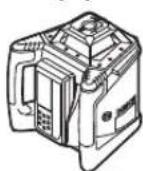
Horizontal mode (GRL 500 H/ GRL 500 HV)
Vertical mode (GRL 500 HV)
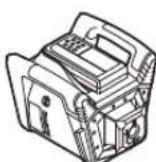
- Position the measuring tool on a stable surface in the horizontal or vertical position, mount it to a tripod or to the wall mount 59 with alignment unit.
Due to the high levelling accuracy, the measuring tool reacts sensitively to ground vibrations and position changes. Therefore, pay attention that the position of the measuring tool is stable in order to avoid operational interruptions due to levelling.
Operating the Measuring Tool (see figure C)
The measuring tool is operated using the buttons on the laser receiver. Operation can be carried out either directly at the measuring tool (laser receiver docked in charging/storage station 6) or via RF communication (laser receiver acts as a remote control).
Operating States
The system consisting of measuring tool and laser receiver knows 3 operating states:
-Operating
All functions of the measuring tool and laser receiver are activated. See "Switching On", page 38.
- Sleep mode
To save energy, most of the functions of the measuring tool are deactivated for 2 h maximum.
The theft alarm system and the anti-drift system are still activated.
All settings (audio signal/volume, measuring accuracy, slope, etc.) are saved.
See "Sleep Mode", page 38.
- Switched off
All functions of the measuring tool and laser receiver are deactivated.
See "Switching Off", page 38, and "Automatic Shutdown", page 38.
Switching On and Off
Do not point the laser beam at persons or animals and do not look into the laser beam yourself, not even from a large distance. Do not leave the switched-on measuring tool unattended and switch the measuring tool off after use. Other persons could be blinded by the laser beam.
Note: Before using the measuring tool, you should always perform an accuracy check (see "Accuracy Check of the Measuring Tool", page 43).
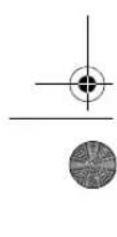
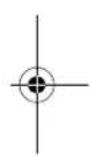
Initial Operation
Note: In their delivery condition, the measuring tool and laser receiver are paired (= laser receiver can perform the remote control functions).
To save energy, only switch the measuring tool and the laser receiver on when you are using them.
Switching On

- To switch on the measuring tool, slide the laser receiver into the charging/storage station 6 and then press the On/Off button 17.
or
- Slide the laser receiver into the charging/storage station 6 and remove it from the charging/storage station again. To switch on the measuring tool, you then have to press the On/Off button 17 within 30 minutes.
Outcome
- All display indicators light up briefly. Automatic levelling starts (see "Automatic Levelling", page 40). The anti-drift system is activated 30 s after automatic levelling (see "Anti-Drift System (ADS)", page 40).
The measuring tool then emits the laser beam 7 (GRL 500 H) or the laser beam 7 and the plumb beam 1 (GRL 500 HV).
Switching Off

- Press the On/Off button 17 for approx. 2 s.
Outcome
- The rotation stops and the laser beam is switched off.
- All display indicators and the display illumination are switched off.
Note: If the laser receiver and the rotational laser level are switched off, the laser receiver first has to be docked back in the charging/storage station 6 to switch the tool on.
Sleep Mode
The laser receiver can be used to put the measuring tool into sleep mode for a maximum of 2 hours.

- To switch on sleep mode, press the sleep mode button 21.

In sleep mode, the sleep mode indicator 44 on the laser receiver lights up and the theft alarm indicator 36 also lights up if the theft alarm system is activated.

The theft alarm LED 4 on the measuring tool flashes if the theft alarm system is activated.
All other indicators and the laser beam are switched off. The anti-drift system remains activated.

- To end sleep mode, press the sleep mode button 21 again.
Sleep mode is automatically switched on if the laser beam does not run through the reception area 26 for more than 30 minutes or the buttons on the laser receiver are not pressed for more than 30 minutes.
Note: If the laser receiver and the rotational laser level are in sleep mode for more than 2 hours, both are automatically switched off. The laser receiver first has to be docked back in the charging/storage station 6 to switch the tool on.
The standard setting on delivery is [Sleep mode function deactivated].


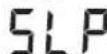




To activate the sleep mode function, simultaneously press the On/Off button 17 and the sleep mode button 21 for approx. 2 s while the measuring tool is switched on.
The new state [Sleep mode function activated = SLP On] and the sleep mode indicator 44 will be shown on the display for approx. 3 s.
This setting is not saved when the tool is switched off. The measuring tool always starts up with the sleep mode function deactivated.
- To deactivate the sleep mode function, simultaneously press the On/Off button 17 and the sleep mode button 21 for approx. 2 s while the measuring tool is switched on.
The new state [Sleep mode function deactivated = SLP OFF] and the sleep mode indicator 44 will be shown on the display for approx. 3 s.
Automatic Shutdown
The measuring tool and the laser receiver switch off automatically under certain conditions (see "Switching Off", page 38 for outcome):
- The measuring tool is outside of the self-leveling range for more than 2.5 h and the error code resulting from this is not rectified (see "Correction of Malfunctions", page 47).
- The measuring tool is not switched on again within 2 h when sleep mode is activated.
- The anti-drift system is triggered for more than 2.5 h.
- The measuring tool is outside of the operating temperature range.

Before the measuring tool and laser receiver automatically switch off, an audio signal sounds and the out-of-temperature-range indicator 34 flashes for approx. 5 s.
After automatic shutdown:
- If applicable, wait until the measuring tool and the laser receiver are back in the operating temperature range.
- If required, reposition the measuring tool and switch it on again.
RTC (Real Time Clock) Battery

If the calibration interval indicator 35 flashes for approx. 10 s after the tool is switched on, the RTC battery and the integrated battery are weak. The calibration interval will no longer be monitored.
- Contact an authorised service agent for Bosch power tools.
Theft Alarm System
The system consisting of measuring tool and laser receiver has two security mechanisms to help prevent theft:
- The measuring tool can only be operated using the laser receiver; there is no control panel on the measuring tool.
- Both audible and visual indications are given on the measuring tool and on the laser receiver when the measuring tool is moved away from the reference point.
Activating the Theft Alarm System
The default setting in the delivery condition is [Theft alarm system deactivated].

- Press the theft alarm button 22 while the measuring tool is switched on.
The theft alarm system is activated.
The theft alarm indicator 36 and the theft alarm LED 4 light up.
The setting for the theft alarm system is saved when the tool is switched off.
To deactivate, press the theft alarm button 22 while the measuring tool is switched on.
Applications of the Theft Alarm System
| Application Security mechanism | |
| Measuring tool | Alarm system activated |
| switched on. | Theft alarm indicator 36 |
| or | lights up continuously |
| Measuring tool in sleep mode. | Theft alarm LED 4 flash- es slowly on the measur- ing tool |
| Measuring tool | Alarm system deactivated |
| switched off. | Theft alarm indicator 36 is not dis-played |
| Laser receiver | Theft alarm LED 4 does not light up on the measuring tool |
| switched off and not in the charging/storage station 6. |
If the theft alarm system is activated and the measuring tool moves away from the current location for more than 5 s, the alarm system will be triggered:
- An audio signal is emitted on the measuring tool and on the laser receiver.
The A-weighted sound pressure level of the audio signal is up to 110 dB(A) and cannot be adjusted using the volume setting of the normal audio signal.
Do not hold the laser receiver close to your ear! The loud audio signal can cause hearing defects. - All operating functions are locked.

- The theft alarm LED 4 on the measuring tool flashes quickly.

- The theft alarm indicator 36 on the laser receiver flashes.

- To switch off the triggered alarm, press the theft alarm button 22.
The audio signal is switched off.
All operating functions are unlocked.
All settings are reset to the default settings when switching the tool on (see "Switching On", page 38).
The theft alarm system is activated again.
Indicators for Checking Calibration (Calibration Warning)
If the calibration of the measuring tool has to be checked, this is shown on the display of the laser receiver after switching on by means of various indicators in combination with the "CAL" indicator.
Note: The sensors for a calibration warning (calibration interval, storage temperature, shocks to the measuring tool) are active after the tool is started up for the first time.
Display Indications
Calibration warning

lights up
The calibration interval (every 12 months) has expired.
Calibration interval indicator 35 lights up

lights up
The measuring tool was stored outside of the storage temperature range.

Out-of-temperature-range indicator 34 lights up

lights up
The measuring tool suffered a severe shock (e.g. impact on the floor after a fall).

Shock warning indicator 38 lights up
The indicators for checking calibration are displayed for a short time, then go out and are not displayed again until the tool is switched on.
Switching Off the Calibration Warning Indicators
You can switch off the indicators until the cause of the calibration warning occurs again.

- Press the calibration button 25 for approx. 2 s while the calibration warning is being displayed. The indicators for checking calibration are not displayed again until the cause of the calibration warning occurs again.


40 | English
Recommended procedure after an indication to check calibration
Step see
page
1 Check levelling accuracy 43
2a Deviation in 30 m is within the maximum permitted limits of ±3.0 mm
Switch off calibration warning indicators 39
2b Deviation in 30 m is outside of the maximum permitted limits of ±3.0 mm Calibrate measuring tool 44
3b Check levelling accuracy 43
4b Deviation in 30 m after calibration is within the maximum permitted limits of ±3.0 mm
Work can be performed without loss of accuracy.
Deviation in 30 m after calibration is still outside of the maximum permitted limits of ±3.0 mm
Have measuring tool checked by a Bosch customer service agent
Operating Modes
Orientation of X- and Y-Axis
The orientation of the X- and Y-axis is marked on the housing above the rotation head.
Rotational Operation
The measuring tool operates with a fixed rotational speed (600 rpm), which is suitable for use of a laser receiver.
Operating Modes Overview
- Automatic Leveling after switching on/during operation
- Single-axis Slope Operation
- Centre Line Mode -Anti-Drift System (ADS)
- Line Control in Vertical Mode (GRL 500 HV)
Automatic Levelling
Automatic Levelling after Switching On
After switching on, the measuring tool checks the horizontal position and automatically compensates for irregularities within the self-levelling range of approx. 8.5% (5°).
The out-of-level indicator 37 flashes during levelling.
GRL 500 HV: Once it has been switched on, the measuring tool automatically detects the horizontal or vertical position. To change between the horizontal and vertical position, you can reposition it without switching it off.
Automatic Levelling during Operation
If after a position change the measuring tool is outside of the self-levelling range of approx. 8.5% (5°), levelling is no longer possible and an error code is displayed (see "Correction of Malfunctions", page 47).
If the measuring tool is levelled, it constantly checks the level position. Re-levelling is automatically performed if there are any position changes. To prevent incorrect measurements, the rotation of the laser beam stops during the levelling process.
Single-axis Slope Operation
When the measuring tool is in the horizontal position, the X-axis is automatically levelled while in single-axis slope operation.
The rotational plane can be turned around the X-axis in a range of ±8.5%.
Note: If you want to perform a slope setting immediately after switching on, you have to wait for the automatic levelling (see "Automatic Levelling after Switching On", page 40). This prevents incorrect measuring results.
Slope Setting
Slope setting is possible within a range of ±8.5%.

- Press and hold the slope button 18 or 20 until the desired slope value is shown on the display.

- Let go of the slope button 18 or 20 again.
The out-of-level indicator 37 flashes during slope setting.

The slope mode indicator 41 lights up continuously.

- Simultaneously press the slope buttons 18 and 20.
Slope setting is deactivated.
Automatic levelling is activated (see "Automatic Levelling", page 40).


If the slope range of ±8.5% is exceeded, the slope mode indicator 41 goes out and an error code is displayed (see "Correction of Malfunctions", page 47).
Centre Line Mode (see figure D)
In centre line mode, the measuring tool automatically tries to find the centre line of the laser receiver by moving the rotation head upward and downward.

- Press the centre line mode button 19 for approx. 2 s.
Automatic upward and downward movement of the rotation head starts.
Search Sequence:
- Rotation head pivots upwards to the stop.
- Laser beam is switched on.
- Rotation head pivots downwards.




4a. Laser beam hits the reception area 26 and finds the centre line.
or
4b. Laser beam reaches the end of the pivoting range without finding a reception area; an error code is displayed (see "Correction of Malfunctions", page 47).
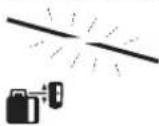
The out-of-level indicator 37 flashes during the search for the centre line.
The indicators for centre line mode 42 light up continuously.
As soon as the laser beam hits the reception area 26, a beep sounds until the centre line is found.
The speed at which the rotation head moves will slow down as soon as the laser beam hits the reception area 26.
When the centre line has been found, the measuring tool automatically switches off the centre line mode. The set slope is saved and shown on the display.

-To cancel centre line mode during the search, press the centre line mode button 19. or

Simultaneously press the slope buttons 18 and 20 to activate automatic levelling.
Auto


Speeding Up Finding the Centre Line of the Laser Receiver
Searching for the centre line of the laser receiver always begins with an upward movement of the rotation head. The direction of the movement can be changed if the laser beam is below the centre line and not yet in the reception area of the laser receiver.

- Press the centre line mode button 19 for approx. 2 s.
Automatic upward and downward movement of the rotation head starts.
- Press the slope button 20. The rotation head is moved downwards.

Anti-Drift System (ADS)
The measuring tool has an anti-drift system; after position changes or shock to the measuring tool, or in case of ground vibrations, it keeps the measuring tool from levelling in at changed heights, and thus prevents vertical errors.

The anti-drift system is activated approx. 30 s after the measuring tool has been switched on.
During activation the shock-warning indicator 38 flashes slowly. The indicator lights up continuously after activation.
If the vertical position of the measuring tool is changed or a severe shock is registered, then the anti-drift system is triggered: the rotation of the laser is stopped and the shock warning indicator 38 flashes. In addition, a beep sounds for 5 s on the laser receiver.

- Press the On/Off button 17 briefly when the anti-drift system is triggered.
Automatic levelling starts (see "Automatic Leveling during Operation", page 40).
- Now check the height of the laser beam against a reference point and correct the height of the measuring tool if necessary.
Deactivating the Anti-Drift System
The anti-drift system can be deactivated during operation of the measuring tool.

- Press the On/Off button 17. The anti-drift system is deactivated. The shock warning indicator 38 is no longer displayed.
This setting is not saved when the tool is switched off. The measuring tool always starts with the anti-drift system activated.
Line Control in Vertical Mode (GRL 500 HV)
When the measuring tool is in the vertical mode, you can position the rotational plane along the X-axis for simple alignment or parallel alignment.

- To turn the rotational plane clockwise, press the slope button 18; to turn it counterclockwise, press the slope button 20.

Positioning is possible within a range of ±8.5%.
The speed at which the rotation head moves begins slowly and continually increases.
Centre Line Mode in Line Control (see figure E)
In centre line mode, the measuring tool automatically tries to find the centre line of the laser receiver by moving the rotation head left and right.

Press the centre line mode button 19 for approx. 2s.
Automatic left/right movement of the rotation head starts.
Search Sequence:
- Rotation head pivots right to the stop.
- Laser beam is switched on.
- Rotation head pivots left. 4a. Laser beam hits the reception area 26 and finds the centre line.
or
4b. Laser beam reaches the end of the pivoting range without finding a reception area; an error code is displayed (see "Correction of Malfunctions", page 47).
42 | English
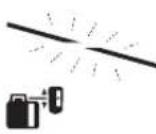
The out-of-level indicator 37 flashes during the search for the centre line.
The indicators for centre line mode 42 light up continuously.
As soon as the laser beam hits the reception area 26, a beep sounds until the centre line is found.
The speed at which the rotation head moves will slow down as soon as the laser beam hits the reception area 26. When the centre line has been found, the measuring tool automatically switches off the centre line mode.

- To cancel centre line mode during the search, press the centre line mode button 19.
or Simultaneously press the slope buttons 18 and 20 to activate automatic levelling.

Auto


Speeding Up Finding the Centre Line of the Laser Receiver
Searching for the centre line of the laser receiver always begins with a right-hand movement of the rotation head. The direction of the movement can be changed if the laser beam is to the left of the centre line and not yet in the reception area of the laser receiver.

- Press the centre line mode button 19 for approx. 2s. The rotation head is automatically moved to the right.
- Press the slope button 20. The rotation head is moved downwards.

Relative Height Display (see figure F)
The distance between the rotational plane and the centre line is shown on the display as an absolute value (in [mm] or [inch]). See also "Setting the Display of the Units", page 46.
Working with the Laser Receiver
For outdoor use or longer distances indoors, use the laser receiver to find the laser beam.
- Place the laser receiver so that the laser beam can reach the reception area 26.
RF Communication between Measuring Tool and Remote Control/Laser Receivers
In its delivery condition, the laser receiver provided LR 50 acts as a remote control for the measuring tool via a wireless connection.

- The RF communication indicator 33 is displayed to indicate the remote control function on the laser receiver.
Multiple laser receivers LR 50 can be assigned to the measuring tool.
- Switch off the measuring tool and the laser receiver.
- Dock the additional laser receiver in the charging/storage station 6.

- Press the On/Off button 17.

- The RF communication indicator 33 is displayed to indicate the remote control function on the laser receiver.
- Remove the laser receiver from the charging/storage station again. To switch on the measuring tool, you then have to press the On/Off button 17 within 30 minutes.
Note: If multiple laser receivers have been assigned to a measuring tool, then the last assigned laser receiver acts as the remote control. The other laser receivers are then purely laser receivers.
Settings such as measuring accuracy or audio signal can be set individually for each laser receiver.
If the remote control/laser receiver is switched off, the measuring tool switches off. All other laser receivers each have to switch off separately.

If the RF communication is lost, the RF communication indicator 33 flashes and an audio signal sounds.
This signals that warnings (e.g. theft, anti-drift, calibration) will not be shown and the measuring tool will no longer be remote-controlled.
Note: Sleep mode of the measuring tool can be switched on and off only by pressing the sleep mode button 21 on the remote control/laser receiver.
Setting the Audio Signal/Volume
The position of the laser beam on the reception area 26 can be indicated via an audio signal.
You can choose between two volumes or switch off the audio signal.
The default setting in the delivery condition is [Normal audio signal].
Press the audio signal/volume button 24 repeatedly until the desired setting is reached. No indicator: audio signal off

Normal audio signal

Loud audio signal
The setting for audio signal/volume is saved when the tool is switched off.


Selecting the Setting of the Centre Line Indicator
You can specify the accuracy with which the position of the laser beam is indicated as "centred" on the reception area.
The default setting in the delivery condition is [Measuring accuracy "medium/3 mm)].

- Press the measuring accuracy setting button 23 repeatedly until the desired setting is reached.
Example: The measuring accuracy level "fine"/"medium"/"coarse" and the exact value are shown on the display.
The setting for measuring accuracy is saved when the tool is switched off.
Direction Indicators
The position of the laser beam in the reception area 26 is indicated:
on the display 15 on the front and rear side of the laser receiver by the direction indicator "move upward" 39, the direction indicator "move downward" 40 or the centre line indicator 43. - optionally by the audio signal.
Laser receiver too low: If the laser beam runs through the upper half of the reception area 26, then the direction indicator "move upward" 39 lights up and the plus value of the relative height display 32 shows how much the laser receiver has to be moved upwards. If the audio signal is switched on, a signal sounds in a slow rhythm.
- Move the laser receiver upwards in the arrow direction. When the centre mark 16 is approached, only the tip of the direction indicator 39 is shown.
Laser receiver too high: If the laser beam runs through the lower half of the reception area 26, then the direction indicator "move downward" 40 lights up and the minus value of the relative height display 32 shows how much the laser receiver has to be moved downwards.
If the audio signal is switched on, a signal sounds in a fast rhythm.
- Move the laser receiver downwards in the arrow direction. When the centre mark 16 is approached, only the tip of the direction indicator 40 is shown.
Laser receiver centred: If the laser beam runs through the reception area 26 at the height of the centre mark 16, then the centre line indicator 43 lights up. If the audio signal is switched on, a continuous tone sounds.
If the measuring tool is moved so that the laser beam leaves the reception area 26 again, the most recently displayed direction indicator 39 or 40 will flash for approx. 5 s.
Strobe shield™ Protection
The laser receiver has electronic filters for strobe light. The filters protect against, for example, interference from the warning lights of construction machinery.
Marking
When the laser beam runs through the centre of the reception area 26, its height can be marked at the centre mark 16 left and right of the laser receiver.
When marking, take care to align the measuring tool exactly vertical (for horizontal laser beam), or horizontal (for vertical laser beam), as otherwise the marks are offset with respect to the laser beam.
Display Illumination
The default setting in the delivery condition is [Display illumination activated].
If no button is pressed after approx. 30 seconds, the display illumination goes out.
When any button is pressed or when the laser beam hits the reception area, the display illumination is switched back on.

- To switch off the display illumination, simultaneously press the On/Off button 17 and the audio signal/volume button 24.

The setting for display illumination is saved when the tool is switched off.
Attaching with the Measuring Rod Clamp (see figure G)
With the measuring rod clamp 53, the laser receiver can be fastened to a construction laser measuring rod 55 (accessory) as well as to other auxiliary equipment with a width of up to 65 mm.
- Fit the slot 58 to the measuring rod clamp 53 using the fastening screw 56.
- Loosen the locking screw 54, slide the measuring rod clamp onto the construction laser measuring rod 55, for example, and retighten the locking screw 54.
- The measuring rod clamp 53 can be horizontally aligned with help of the spirit level 57.
A measuring tool mounted out-of-level leads to faulty measurements. - Slide the laser receiver into the slot 58.
Accuracy Check of the Measuring Tool
The following tasks should be performed only by well-trained and qualified persons. The legalities with regard to performing an accuracy check or calibration of a measuring tool must be known.
Influences on Accuracy
The ambient temperature has the greatest influence. Especially temperature differences occurring from the ground upward can divert the laser beam.
In addition to external influences, device-specific influences (e.g. falls or heavy impacts) can also lead to deviations. For this reason, check the calibration each time before beginning work.
The deviations play a role in excess of approx. 20 m measuring distance and can easily reach two to four times the deviation at 100 m.
Because the largest difference in temperature layers is close to the ground, the measuring tool should always be mounted on a tripod when measuring distances exceeding 20 m. If possible, also set up the measuring tool in the centre of the work area.
If the measuring tool exceeds the maximum deviation in one of the measuring procedures described below, perform a calibration (see "Calibrating the Measuring Tool", page 44) or have the measuring tool checked by a Bosch customer service agent.
Checking the Levelling Accuracy in the Horizontal Position
A free measuring distance of 30 m on a firm surface in front of a wall is required for the check. A complete measuring procedure must be carried out for both the X- and Y-axis.
Mount the measuring tool in the horizontal position onto a tripod or place it on a firm and level surface at a distance of 30 m to the wall. Switch the measuring tool on. After levelling, mark the centre of the laser beam on the wall (point I).
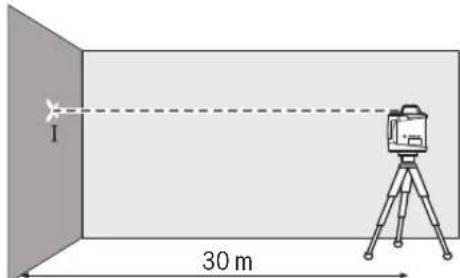
- Rotate the measuring tool by 180°, allow it to level in and mark the centre point of the laser beam on the wall (point II). Take care that point II is as vertical as possible above or below point I.
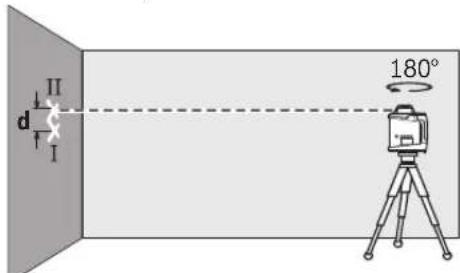
- The difference d of both marked points I and II on the wall results in the actual height deviation of the measuring tool for the measured axis.
Repeat the measuring procedure for the other axis. For this, turn the measuring tool by 90° before starting the measuring procedure.
The maximum permitted deviation on the 30 m measuring distance is as follows:
30 m × ±0.1 mm/m = ±3.0 mm.
The difference d between points I and II must therefore be maximum 6 mm in each of the two measuring procedures.
Checking the Levelling Accuracy in the Vertical Position (GRL 500 HV)
A free measuring distance of 10 m on a firm surface in front of a wall is required for the check. Fasten a plumb bob rope to the wall.
- Mount the measuring tool in the vertical position onto a tripod, or place it on a firm and level surface. Switch the measuring tool on and allow it to level. Align the measuring tool such that the laser beam impinges centrally on the plumb bob rope at the upper end. The difference between laser beam and plumb bob rope at the bottom end of the rope results in the deviation of the measuring tool to the vertical line.
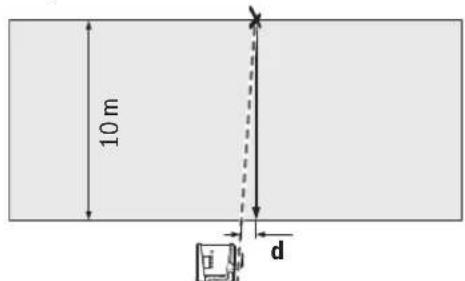
The maximum permitted deviation over a 10 m high measuring distance is as follows:
10 m × ±0.1 mm/m = ±1 mm
The difference d must therefore be maximum 1 mm.
Calibrating the Measuring Tool
The following tasks should be performed only by well-trained and qualified persons. The legalities with regard to performing an accuracy check or calibration of a measuring tool must be known.
Perform calibration of the measuring tool meticulously or have the measuring tool checked by a Bosch customer service agent. Inaccurate calibration leads to incorrect measuring results. Start the calibration only if you have to perform a calibration of the measuring tool. As soon as the measuring tool is in calibration mode, you must perform the calibration meticulously to the end in order to ensure that no incorrect measuring results are produced afterwards.
Note: After calibration, the indicators for checking calibration are not displayed again until the cause of the calibration warning occurs again.
A free measuring distance of at least 30m on a firm surface in front of a straight wall is required for the calibration.
Always calibrate all axes (GRL 500 H: X-axis and Y-axis; GRL 500 HV: X-axis, Y-axis and Z-axis).
X-Axis Calibration
Mount the measuring tool in the horizontal position on a tripod 63 (accessory). - Place the tripod 30m in front of the wall. The X-axis indicator imprinted on the measuring tool must be pointing perpendicular to the wall. - Switch the measuring tool on.
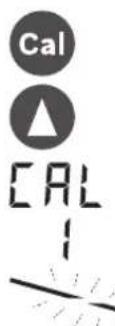
- Simultaneously press the calibration button 25 and the slope button 18 for approx. 2 s.
The symbol for calibrating the X-axis is shown on the display.
The out-of-level indicator 37 flashes during automatic levelling.
- Wait until the measuring tool is levelled in.
- Use the laser receiver to find the centre line and transfer the height "X1" of the centre line onto the wall.
- Turn the measuring tool 180° without adjusting the height of the tripod. Wait until the out-of-level indicator 37 stops flashing and the measuring tool is leveled.
- Use the laser receiver to find the center line and transfer the new height "X2" of the center line onto the wall. Determine the exact center between the center lines "X1" and "X2" and position the laser receiver on it using the center mark 16.

Press the slope button 18 or 20 until the center line indicator 43 lights up continuously. If the audio signal is switched on, a continuous tone sounds.
- Press the calibration button 25 to save the calibration.

The symbol for completing calibration is shown on the display.
In order to rule out faulty calibration after completion of the calibration, you must check the leveling accuracy (see "Checking the Leveling Accuracy in the Horizontal Position", page 44).
If the deviation is still outside of the maximum permitted limit of ±3.0 mm, have the measuring tool checked by a Bosch customer service agent.
Y-Axis Calibration
- Mount the measuring tool in the horizontal position on a tripod 63 (accessory).
- Place the tripod 30 m in front of the wall. The Y-axis indicator imprinted on the measuring tool must be pointing perpendicular to the wall.
- Switch the measuring tool on.

- Simultaneously press the calibration button 25 and the slope button 20 for approx. 2 s.
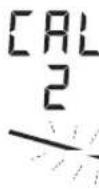
The symbol for calibrating the Y-axis is shown on the display.
The out-of-level indicator 37 flashes during automatic leveling.
- Wait until the measuring tool is leveled.
- Use the laser receiver to find the centre line and transfer the height "Y1" of the centre line onto the wall. Turn the measuring tool 180° without adjusting the height of the tripod. Wait until the out-of-level indicator 37 stops flashing and the measuring tool is levelled in.
- Use the laser receiver to find the centre line and transfer the new height "Y2" of the centre line onto the wall. Determine the exact centre between the centre lines "Y1" and "Y2" and position the laser receiver on it using the centre mark 16.

- Press the slope button 18 or 20 until the centre line indicator 43 lights up continuously. If the audio signal is switched on, a continuous tone sounds.
- Press the calibration button 25 to save the calibration.

The symbol for completing calibration is shown on the display.

In order to rule out faulty calibration after completion of the calibration, you must check the levelling accuracy (see "Checking the Levelling Accuracy in the Horizontal Position". page 44). If the deviation is still outside of the maximum permitted limit of ± 3.0mm have the measuring tool checked by a Bosch customer service agent.
Z-Axis Calibration (GRL 500 HV)
- Mark a vertical line on the wall using a plumb line.
- Mount the measuring tool in the vertical position on a tripod 63 (accessory).
- Place the tripod 5-10 m in front of the wall.
- Switch the measuring tool on.

- Simultaneously press the calibration button 25 and the slope button 18 for approx. 2 s.
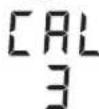
The symbol for calibrating the Z-axis is shown on the display.
- Align the tripod so that the laser beam crosses the vertical line on the wall.
46|English
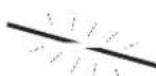
The out-of-level indicator 37 flashes during automatic levelling.
- Wait until the measuring tool is levelled in.

- Press the slope button 18 or 20 until the laser beam is as parallel as possible to the vertical line on the wall.
- If you do not achieve congruence, repeat the previous steps (align tripod, allow measuring tool to level in, align laser beam using slope buttons).

- Press the calibration button 25 to save the calibration.

The symbol for completing calibration is shown on the display.
In order to rule out faulty calibration after completion of the calibration, you must check the levelling accuracy (see "Checking the Levelling Accuracy in the Vertical Position", page 44).
If the deviation is still outside of the maximum permitted limit of ±1 mm, have the measuring tool checked by a Bosch customer service agent.
Working Advice
The measuring tool is equipped with a radio interface. Local operating restrictions, e.g. in airplanes or hospitals, are to be observed. Always use the centre of the laser line for marking. The width of the laser line changes with the distance.
Setting the Display of the Units
The distance between rotational plane and centre line is shown on the display in [mm] or [inch: decimals/fractions]. The default setting in the delivery condition is [mm].

- Simultaneously press the measuring accuracy setting button 23 and the slope button 20 repeatedly until the desired setting is reached.

The setting for the units is saved when the tool is switched off.
Laser Viewing Glasses (Accessory)
The laser viewing glasses filter out the ambient light. This makes the red light of the laser appear brighter for the eyes.
Do not use the laser viewing glasses as safety goggles. The laser viewing glasses are used for improved visualisation of the laser beam, but they do not protect against laser radiation. - Do not use the laser viewing glasses as sun glasses or in traffic. The laser viewing glasses do not afford complete UV protection and reduce colour perception.
Working with the Tripod (Accessory)
The measuring tool is equipped with a 5/8" tripod mount for horizontal operation on a tripod. Place the measuring tool via the tripod mount onto the 5/8" male thread of the tripod and screw the locking screw of the tripod tight.
On a tripod with a measuring scale on the elevator column, the height difference can be adjusted directly.
Working with Wall Mount/Alignment Unit (Accessory)
You can also mount the measuring tool to the wall mount with alignment unit. For this, screw the 5/8" screw of the wall mount into the tripod mount of the measuring tool.
Mounting to a wall: Mounting to a wall is recommended, e.g., for work above the elevation height of tripods or for work on unstable surfaces and without tripod. For this, fasten the wall mount, with the measuring tool mounted, as vertical as possible to a wall.
For mounting to the wall, you can either fasten the wall mount with fastening screw to a lath (width maximal 8 mm) or hang it up with two hooks.
Mounting on a tripod: The wall mount can also be screwed onto a tripod with the tripod mount on the back side. This method of fastening is especially recommended for work where the rotational plane is to be aligned with a reference line.
With the alignment unit, the mounted measuring tool can be moved vertically (when mounted to the wall) or horizontally (when mounted to a tripod) within a range of approx. 16 cm. For this, loosen screw on the alignment unit, move the measuring tool to the desired position, and retighten screw again.
Working with the Measuring Rod (Accessory) (see figure H)
For checking irregularities or projecting gradients, it is recommended to use the measuring rod together with the laser receiver.
A relative millimetre scale (±50 cm) is marked on the top of the measuring rod 55. Its zero height can be preset at the bottom of the elevator column. This allows for direct reading of deviations from the specified height.
Work Examples
Checking the Depth of Building Pits (see figure 1)
- Position the measuring tool on a firm surface or mount it to a tripod 63.
- Working with tripod: Align the laser beam to the requested height. Project or check the height at the target location. Working without tripod: Determine the height difference between the laser beam and the height at the reference point. Project or check the measured height difference at the target location.
When measuring over long distances, the measuring tool should always be set up in the centre of the work surface and on a tripod, in order to reduce interferences.
- When working on unstable ground, mount the measuring tool on the tripod 63. Ensure that the anti-drift system is activated in order to prevent incorrect measurements in the event of ground movements or shocks to the measuring tool.
Correction of Malfunctions
Malfunctions with Error Codes
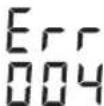
The error code of a malfunction is shown on the display.
- Rectify the malfunction (see "Corrective Measure").

- Afterwards, simultaneously press the centre line mode button 19 and audio signal/volume button 24.
If the malfunction was successfully rectified, the error code indication goes out and automatic levelling will start (see "Automatic Levelling during Operation", page 40).
If the malfunction persists, have the measuring tool checked by a Bosch customer service agent.
| Error Code Indication | Problem Corrective Measure | |
| 001 The X-axis of the measuring tool is outside of the self-levelling range of approx. 8.5% (5°). | - Reposition the measuring tool along the X-axis. | |
| 002 The Y-axis of the measuring tool is outside of the self-levelling range of approx. 8.5% (5°). | - Reposition the measuring tool along the Y-axis. | |
| 003 (GRL 500 HV) | The Z-axis of the measuring tool in vertical mode is outside of the self-levelling range of approx. 8.5% (5°). | - Reposition the measuring tool in vertical mode along the Z-axis. |
| 004 Measuring tool is at a slant of more than 8.5% after a position change. | - Reposition the measuring tool. | |
| The slope range of ±8.5% has been exceeded in single-axis slope operation. | - Press the slope button 18 or 20 until a slope value of less than 8.5% is shown on the display (see "Slope Setting", page 40). | |
| 005 Duration of automatic levelling has been exceeded. Measuring tool cannot be levelled in. | - Place the measuring tool on a stable surface or mount it in a stable manner on a tripod. The environment must be vibration-free. | |
| 006 The desired slope is not reached in single-axis slope operation. | - Place the measuring tool on a stable surface or mount it in a stable manner on a tripod. The environment must be vibration-free. | |
| 007 The rotation head of the laser is not rotating. | - Simultaneously press the centre line mode button 19 and audio signal/volume button 24. - Switch the measuring tool off (see "Switching Off", page 38). - Switch the measuring tool back on. | |
| 008 During the search in centre line mode, the laser beam reaches the end of the pivoting range without finding the reception area of the laser receiver. | - Check whether the visual contact between measuring tool and laser receiver has been interrupted and reposition the measuring tool if necessary. If the error continues to occur, reduce the distance between measuring tool and laser receiver. | |
| 009 External influences (e.g. falls or heavy impacts) are interfering with centre line mode. | - Reposition the measuring tool. - Place the measuring tool on a stable surface or mount it in a stable manner on a tripod. The environment must be vibration-free. - Restart the search to find the centre line (see "Centre Line Mode", page 40). Ensure that the pivoting range of the laser beam is not interrupted by persons or other visual obstacles during the search. If the error continues to occur, reduce the distance between measuring tool and laser receiver. | |
| 020 General error | - Simultaneously press the centre line mode button 19 and audio signal/volume button 24. - Switch the measuring tool off (see "Switching Off", page 38). - Switch the measuring tool back on. | |
| 033 Ambient light is too bright for the laser receiver. | - Shade the reception area. |
Bosch Power Tools 1609 92A 4DX(28.3.18)




48|English
Malfunctions without Error Codes
| Problem Corrective Measure | |
| Measuring tool or laser receiver cannot be switched on. | - Place the measuring tool on a stable surface or mount it in a stable manner on a tripod. The environment must be vibration-free. If the error persists, contact an authorised Bosch customer service agent. |
| - Charge the battery of the measuring tool (see "Charging the Batteries of the Measuring Tool and Laser Receiver", page 36). - Switch the measuring tool back on. If the error persists, contact an authorised Bosch customer service agent. | |
| Batteries of measuring tool and/or laser receiver are not being charged. | - Wait until the measuring tool and/or the laser receiver reach (return to) the optimum charging temperature range (0 °C ...+40 °C). |
| The battery of the laser receiver became empty while the measuring tool and laser receiver were switched on. | - Press the reset button 13. Measuring tool is switched off. |
| The laser receiver is defective, freezes or has been lost, and the theft alarm is triggered. | - Press the reset button 13. The audio signal and the measuring tool are switched off. |
| A temporary software malfunction is occurring on the laser receiver. | - To reset the laser receiver to the delivery condition, simultaneously press the On/Off button 17 and the measuring accuracy setting button 23. The default settings for measuring accuracy (medium), display illumination (activated), unit display (mm) and audio signal (normal) will be restored. |
Maintenance and Service
Maintenance and Cleaning
- Keep the rotational laser level, battery charger and laser receiver clean at all times.
- Do not immerse the rotational laser level, battery charger and laser receiver into water or other fluids.
- Wipe off debris using a moist and soft cloth. Do not use any cleaning agents or solvents. Particularly clean the surfaces at the outlet opening of the rotational laser level regularly and pay attention for any lint.
After-sales Service and Application Service
Our after-sales service responds to your questions concerning maintenance and repair of your product as well as spare parts. Exploded views and information on spare parts can also be found under:
www.bosch-pt.com
Bosch's application service team will gladly answer questions concerning our products and their accessories.
In all correspondence and spare parts orders, please always include the 10-digit article number given on the nameplate of the product.
Great Britain
Robert Bosch Ltd. (B.S.C.)
P.O.Box 98
Broadwater Park
North Orbital Road
Denham
Uxbridge
UB95HJ
At www.bosch-pt.co.uk you can order spare parts or arrange the collection of a product in need of servicing or repair.
Tel. Service: (0344) 7360109
E-Mail: boschservicecentre@bosch.com
Ireland
Origo Ltd.
Unit 23 Magna Drive
Magna Business Park
City West
Dublin 24
Tel. Service: (01) 4666700
Fax: (01) 4666888

English | 49
Australia, New Zealand and Pacific Islands
Robert Bosch Australia Pty. Ltd.
Power Tools
Locked Bag 66
Clayton South VIC 3169
Customer Contact Center
Inside Australia:
Phone: (01300) 307044
Fax: (01300) 307045
Inside New Zealand:
Phone: (0800) 543353
Fax: (0800) 428570
Outside AU and NZ:
Phone: +61 3 95415555
www.bosch-pt.com.au
www.bosch-pt.co.nz
Republic of South Africa
Customer service
Hotline: (011) 6519600
Gauteng - BSC Service Centre
35 Roper Street, New Centre
Johannesburg
Tel.: (011) 4939375
Fax: (011) 4930126
E-Mail: bsctools@icon.co.za
KZN - BSC Service Centre
Unit E, Almar Centre
143 Crompton Street
Pinetown
Tel.: (031) 7012120
Fax: (031) 7012446
E-Mail: bsc.dur@za.bosch.com
Western Cape - BSC Service Centre
Democracy Way, Prosperity Park
Milnerton
Tel.: (021) 5512577
Fax: (021) 5513223
E-Mail: bsc@zsd.co.za
Bosch Headquarters
Midrand, Gauteng
Tel.: (011) 6519600
Fax: (011) 6519880
E-Mail: rbsa-hq.pts@za.bosch.com
Transport
The contained lithium-ion batteries are subject to the Dangerous Goods Legislation requirements. The user can transport the batteries by road without further requirements.
When being transported by third parties (e.g.: air transport or forwarding agency), special requirements on packaging and labelling must be observed. For preparation of the item being shipped, consulting an expert for hazardous material is required.
Dispatch batteries only when the housing is undamaged. Tape or mask off open contacts and pack up the battery in such a manner that it cannot move around in the packaging. Please also observe possibly more detailed national regulations.
Disposal
The rotational laser level, battery charger, laser receiver, batteries, accessories and packaging should be sorted for environmental-friendly recycling.

Do not dispose of the rotational laser level, battery charger, laser receiver and batteries into household waste!
Only for EC countries:
According to the European Guideline 2012/19/EU, measuring tools that are no longer usable, and according to the European Guideline 2006/66/EC, defective or used battery packs/batteries, must be collected separately and disposed of in an environmentally correct manner.
Batteries no longer suitable for use can be directly returned at:
Great Britain
Robert Bosch Ltd. (B.S.C.)
P.O.Box 98
Broadwater Park
North Orbital Road
Denham
Uxbridge
UB95HJ
At www.bosch-pt.co.uk you can order spare parts or arrange the collection of a product in need of servicing or repair.
Tel. Service: (0344) 7360109
E-Mail: boschservicecentre@bosch.com
Integrated batteries may only be removed for disposal by qualified personnel. Opening the housing shell can damage or destroy the measuring tool.
The battery must be completely discharged in order for it to be removed from the measuring tool. Unscrew the screws on the housing and remove the housing shell in order to remove the battery. To prevent a short circuit, disconnect the connectors on the battery one at a time and then isolate the poles. Even when fully discharged, the battery still contains a residual capacity, which can be released in case of a short circuit.
Battery packs/batteries:
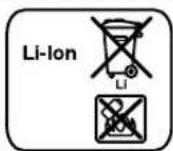
Li-ion:
Please observe the instructions in section "Transport", page 49.
Subject to change without notice.
Laser Radiation Class 2 do not stare into beam IEC 60825-1:2014 <1mW,635 nm
Robert Bosch (France) S.A.S.
Laser Radiation Class 2 do not stare into beam
IEC60825-1:2014 <1mW,635nm
Laser Radiation Class 2 do not stare into beam IEC 60825-1:2014 <1mW,635 nm
Laser Radiation Class 2 do not stare into beam IEC 60825-1:2014 <1mW,635 nm
Anti-drift system (ADS) 140
Anti-drift system deactivate 140
Laser Radiation Class 2 do not stare into beam IEC 60825-1:2014 <1mW,635 nm
Anti-drift system (ADS)
Anti-drift system deactivate
Laser Radiation Class 2 do not stare into beam IEC 60825-1:2014 <1mW,635 nm
Bosch Service Center
Telegrafvej 3
2750 Ballerup
You can order spare parts online at www.bosch-pt.dk and create a repair order.
Tel. Service Center: 44898855
Fax: 44898755
E-Mail: vaerktoej@dk.bosch.com
Transport
Laser Radiation Class 2
do not stare into beam
IEC 60825-1:2014
<1mW,635nm
Stick the enclosed label in your own language over the warning sign if it differs from the language in your country.

± 3,0 mm after calibration:
Bosch Service Center
Telegrafvej 3
2750 Ballerup
Denmark
Tel.: (08) 7501820 (within Sweden)
Fax: (011) 187691
Transport
The lithium-ion batteries included are subject to dangerous goods requirements. The user can transport the batteries on public roads without further obligations.
Laser Radiation Class 2 do not stare into beam
IEC60825-1:2014 <1mW,635nm
If the text on the warning label is not in your language, you must affix a label in your language over this label before using the product.

Never point the laser beam at people or animals, and never look directly into the direct or reflected laser beam. This can cause glare, accidents, and eye injuries.
Laser Radiation Class 2 do not stare into beam IEC 60825-1:2014 <1mW.635 nm
Error codes and malfunctions
Laser Radiation Class 2 do not stare into beam
IEC60825-1:2014 <1mW,635nm
If the text on the warning label is not in your language, before using the product, affix the self-adhesive label in your language that is included in the package over this label.

Do not point the laser beam at people or animals, and do not look directly into the direct or reflected laser beam. This can cause eye injuries, accidents, or damage to your eyes.
If a laser beam hits your eyes, you should close your eyes immediately and turn your head away from the beam. You may be able to avoid injury. Do not use the laser viewing glasses as protective glasses. Laser viewing glasses are only for better detection of the laser beam, but they do not protect from laser radiation. Do not use laser viewing glasses for any other purpose. Laser viewing glasses do not provide adequate protection from the harmful effects of laser radiation. Keep the measuring tool away from children and only allow trained personnel to use it. This ensures the safe operation of the measuring tool. Do not leave children unattended with the measuring tool. They could injure themselves or others. Before working with the measuring tool, check the area for risk of explosion or flammable liquids, gases, or vapors. The laser beam of the measuring tool can cause eye injuries and can ignite flammable substances.

Do not use the measuring device near overvoltages, e.g., from ring mains, motors, refrigerators, water and sewage. Risk of electric shock.
A possible malfunction of the device may be caused by the discharge of water from the battery. Avoid any contact with it. Rinse the affected area with plenty of water. Rinse the eyes with water and seek medical attention immediately. Discharge of battery water may cause damage to the device or injury.
2nd period of use of the device. The device is intended to be used without accessories from the device. Before use, check for damage. Replace damaged parts. Damaged parts must be replaced with original spare parts. Set the device to the correct setting as described in the instructions. An incorrect setting or the use of a different type of battery creates a risk of fire when using the device.

Do not place the measuring device and the accessory table near heat sources. Placing the measuring device and the accessory table near heat sources creates a fire hazard that must be avoided during operation.
Keep the measuring device and the accessory table always away from magnetic fields, as well as away from sensitive equipment. The magnetic field of the measuring device and the accessory table may cause damage to the equipment.
Battery type

Read all safety instructions and instructions. Failure to follow the safety instructions and instructions may result in electric shock, fire and/or serious injury.
This device is not intended for use by persons (including children) with reduced physical, sensory or mental capabilities, or with lack of experience and knowledge, unless they have been given supervision or instruction concerning use of the appliance by a person responsible for their safety. Children should be supervised to ensure that they do not play with the device. There is a risk of electric shock and injury.
Select the correct settings for use, operation and maintenance. This ensures that the device does not malfunction.

Do not expose the device to rain or moisture. The ingress of water into the device increases the risk of electric shock.
Property of Robert Bosch GmbH, including any reproduction. ▼ Keep the power tool clean. Improper use of the device creates a risk of electric shock. Check the power tool, the power cord, and the plug before each use. Do not use the power tool if it is damaged or if any parts are loose. Do not open the device yourself; have it repaired by a qualified specialist using original spare parts. Damaged power tools, cords, and plugs increase the risk of electric shock. Do not let the power tool operate on a flammable surface (e.g., paper, fabric, etc.) or near combustible materials. There is a risk of fire from the surface of the power tool. ► In case of damage or improper use, the battery may leak. Allow it to cool for a while and consult a doctor if you come into contact with it. Vapors may irritate the respiratory tract.
-Activate the measuring tool.
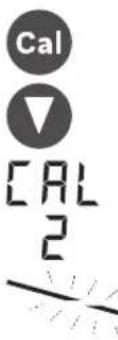
-Press the depth stop button 25 and the angle stop button 20 simultaneously for about 2 seconds.
The depth stop indicator appears on the display.
During automatic leveling, the leveling indicator flashes at a rate of 37.
-Wait until the leveling (horizontal) of the measuring tool is complete. -Using the laser pointer, find the vertical line and transfer the value "Y1" of the horizontal line onto the wall. -Rotate the measuring tool 180° without changing the height. -Wait until the leveling indicator stops flashing at 37 and the leveling (horizontal) of the measuring tool is complete. Using the laser pointer, find the vertical line and transfer the value "Y2" of the horizontal line onto the wall. CALCULATE THE DIFFERENCE BETWEEN THE TWO HORIZONTAL LINES Y1 AND Y2 AND MARK THE CENTER OF THE DIFFERENCE WITH A CROSS.

Press the angle stop button 18 or 20 until the horizontal line indicator 43 flashes. In the case of a rotating laser, there is a single rotating laser beam. Set the rotation speed to 25 to store the rotation speed.


The depth stop indicator disappears from the display.
-To check the accuracy of the depth stop after completion, you must check the leveling accuracy (see "Checking the leveling accuracy in the horizontal position" on page 235). If the deviation continues to be greater than ±3.0 mm, have the measuring tool checked by a Bosch customer service center.
Depth stop (GRL 500 HV)
-Mark a vertical line on the wall with the help of a level. -Place the measuring tool vertically on a tripod 63 (accessory). -Position the tripod at a distance of 5-10 m from the wall. -Activate the measuring tool.

- Press the depth stop button 25 and the angle stop button 18 simultaneously for about 2 seconds.

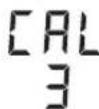
The depth stop indicator of the Z axis appears on the display.
-Align the tripod so that the laser beam hits the marked line on the wall.

238|English
KataTndiipkeiaTnc autoatncxwpoatao unancavaaboohvein evoeiEnPioeioon nonxwpoataounnc 37.
Euvtnpnon kal Service
Suvtnpnoan kkaqapiaooc
- Na diatnpelte to nepiopcpeocevo aeep, to opnoiKaIto δektn aeep nVTOE e Kaapn kataotaan. Mny BuOlaeTe To nepioppeoepovo aeep, to oopntn kai To 6ektn aeep oTo vepo n oe aAua uypa. KaBapieTeTuXovpuoucKaiPpuiic'evauypo,palako navi.Mn xpaonoiiree eaaKaBapiaoun diauTeC. Na kaBapicTe To nepioppeoEv oieepaKaTikia, iialtpa Tc enpaveiec yupw ano to aoivya eobou ncaakltaciep. Na divete npooxOe tuxovxvoodia.
Service kal npoxn oupouawxphns
To Service anavrta otic cwpntoeic aac oxytka pe tnv emokuei kai tn auvtponan tou npoiovoc ac kaohc yia ta katalnaa avtaaaktka:
www.bosch-pt.com
H ouda npaoxhc oupbouawv ncs Bosch anavta euyapotwoc otic epwtnoec oac oxetikae ta npoiovta mac kai ta avtala-ktika Touc.
△wote o aeTc epwnieic kai npayyaleic avtaaakntkov onwaohnote to 10nphiKo kwik oipuO upuva me tny niva- kia tunou tou npoiovtoc.
EAaa
Robert Bosch A.E.
Epxia37
19400Kopwni-Athya
Tnλ.: 2105701258
ΦaE:2105701283
www.bosch.com
www.bosch-pt.gr
ABZ Service A.E.
Tel.: 2105701380
Fax: 2105701607
Translation
The included instructions for use describe the intended use of the device. The instructions must be followed without exception.
However, if the instructions are sent separately (e.g., by airmail or by sea transport), different requirements must be observed for the packaging and labeling. Therefore, before shipping, the sender must seek advice from an expert for dangerous goods.
Send the instructions only when the packaging is intact. Keep the instructions with the device and in the same way, so that they are always available in the device.
Please also observe the national regulations and any additional directives.
Disposal

The included device, the battery, the charger, the instructions, the accessories, and the packaging must be recycled in an environmentally friendly manner.

Do not dispose of the device, the battery, the charger, or the accessories with your household waste!
Only for EU countries:
According to the directive.
242 | Turkish
Turkish
Table of contents
RTC (Real Time Clock) battery 250
Laser Radiation Class 2 do not stare into beam IEC 60825-1:2014 <1mW,635 nm
RTC (Real Time Clock) battery

Laser Radiation Class 2 do not stare into beam
IEC 60825-1:2014 <1mW,635 nm
Robert Bosch Sp. z o.o.
Laser Radiation Class 2 do not stare into beam
IEC 60825-1:2014
<1mW,635nm
If the warning label text is not in your national language, then before first use, cover it with the supplied sticker in your national language.

Bosch Service Center PT
K Vapence 1621/16
692 01 Mikulov
You can order a repair of your machine or spare parts online at www.bosch-pt.cz.
Laser Radiation Class 2 do not stare into beam IEC 60825-1:2014 <1mW, 635 nm
Bacteria RTC (Real Time Clock)

If after switching on the calibration interval indicator flashes for approx. 10 s, the RTC battery and the integrated rechargeable battery are discharged. The calibration interval will no longer be monitored.
- Contact an authorized Bosch service center.
RTC (Real Time Clock) element 328
Laser Radiation Class 2 do not stare into beam IEC 60825-1:2014 <1mW,635 nm
RTC (Real Time Clock) element

The date of manufacture is indicated on the last page of the manual and on the type plate on the product housing.
Contact information regarding the importer is provided on the packaging.
Service life
The service life of the product is 7 years. It is not recommended to operate the product after 5 years of storage from the date of manufacture without prior inspection (see the date of manufacture on the type plate).
List of critical failures and erroneous actions of personnel or users
-Do not use the product in the presence of flammable vapors directly near the product housing -Do not use in an open (spray) mode -Do not switch on if water enters the housing
Limit states
Damage to the housing
Maintenance and service life
It is recommended to use the tool only for its intended purpose.
Storage
- Store in a dry place - Keep away from heat sources and direct sunlight - Avoid sudden temperature changes during storage - If the tool is supplied in a soft case or plastic bag, it is recommended to store the tool in protective packaging - For detailed requirements, see GOST 15150 (Condition 1)
Transportation
Do not allow any mechanical impact on the packaging during transportation - During loading/unloading, do not use any lifting equipment that operates on the principle of gripping the packaging - For detailed requirements for transportation conditions, see GOST 15150 (Condition 5)
Contents
Safety instructions 341
Construction laser 341 Charging device for battery 341 Laser receiver/remote control 342
Product description and services 342
Intended use 342
Construction laser GRL 500 H. 342 Construction laser GRL 500 HV .343 Laser receiver LR 50 343
Illustrated components 343 Technical data 344
Assembly. 345
Charging the rechargeable batteries. Measuring instrument laser rangefinder
(operation) during. 345
Battery charge indicator .345 Battery charging .346 Recommendations for optimal handling of the battery and 346
Working with the instrument 346
346
Installing the measuring instrument.346 Controlling the measuring instrument (see fig. C) 346
Working condition 346
Switching on/off 347
Operation.. 347
Switching on 347
Switching off 347 Standby mode .347 Automatic shut-off 348 Battery for real-time clock (RTC) 348
Alarm signals for screen protection. 348
Switching on alarm signals for screen protection .348 Case of use of alarm signals for screen protection .348
Calibration check indicators
(warning of calibration violation). 349
Calibration violation warning indicator 349
Recommended actions after calibration check message 349
Operating modes 349
Laser axis lines 349
Rotation modes 349
Overview of operating modes. 349
Automatic leveling 350
Automatic leveling after switch-on 350
Automatic leveling during operation 350
Troubleshooting the receiver's center line 351
Anti-theft system ADS 351
Switching off the anti-theft system 351
Vertical mode operation
(GRL 500 HV) 351
Average line measurement in laser mode. (see Fig. E) 351
Accelerated search of the average line of the laser receiver 352
Relative height indicator (see Fig. F) .352
Working with the laser receiver 352
Radio link between the measuring instrument and the remote control/laser receiver 352
Adjusting the acoustic signal/volume. 352
Selection of the average line indicator settings 353
Direction indicators 353
Strobe ShieldTM protective function 353
Marking 353
Display illumination 353
Fastening with the holding strap (see Fig. G) 353
Accuracy check of the measuring instrument...354
Factors affecting accuracy 354
Checking the accuracy of leveling in the horizontal position 354
Checking the accuracy of leveling in the vertical position (GRL500HV) .354
Calibration of the measuring instrument.355
Calibration along the X axis 355
Calibration along the Y axis. 355
Calibration along the Z axis (GRL 500 HV) .356
Instructions for use 356
Setting the indicator of the measurement unit. 356
Working with the laser instrument (accessories) 356
Working with the tripod (accessories) 357
Working with the wall-mounted angle level (accessories) 357
Working with the distance measuring rod (accessories) (see Fig. H). 357
Examples of possible types of work .357 Checking the depth of excavations (see Fig. I) .357
Troubleshooting 357
Faults and error codes 357
Safety without error code .359
Maintenance and service 359
Maintenance and cleaning 359
For consultation on product use 359
For Russia, Belarus, Kazakhstan, Ukraine 359
Russia 359
Belarus 360
KaaxCTah 360
Transport 360
Instruction. 360
Russian 341
Safety instructions
Construction laser

To ensure safe and reliable operation of the measuring instrument, all instructions must be read and observed. Use of the measuring instrument not in accordance with
these instructions may result in damage to the integrated protective mechanisms. Never alter the rating plates on the measuring instrument beyond recognition. Keep these instructions in a safe place and pass them on together with the measuring instrument.
WARNING: Using other control elements or operating methods than those specified here can result in dangerous exposure to radiation. The measuring instrument is supplied with a warning label (shown on the page with the illustration of the measuring instrument under number 8).
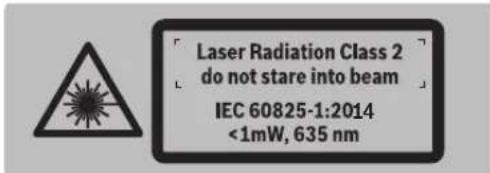
If the text of the warning label is not in the language of your country, affix the enclosed label in the language of your country before first use.

Do not point the laser beam at people or animals, and do not look directly or into reflected laser beams. This beam can injure people, cause fires, or damage eyes.
In case of laser beam entering the eye, close your eyes and turn away immediately. Do not change anything in the laser device. Do not use laser goggles as protective goggles. Laser goggles serve for better recognition of the laser beam, but they do not protect against laser radiation. Do not use laser goggles as sunglasses or in road traffic. Laser goggles do not provide full protection against ultraviolet radiation and impair color perception. Repair of your measuring instrument should only be carried out by qualified personnel using original spare parts. This ensures the safety of the measuring instrument.
Do not allow children to use the laser measuring instrument without supervision. They could seriously injure people. Do not work with the measuring instrument in explosive atmospheres, near flammable liquids, gases, or dust. Sparks can form in the measuring instrument, which could ignite dust or vapors.

Protect the measuring instrument from high temperatures, e.g., from prolonged heating in the sun, near radiators, or in a car. There is a risk of explosion.
Improper use of the battery can lead to leakage. Avoid contact with it. In case of accidental contact, rinse with water. If this liquid gets into the eyes, seek additional medical help. Leaking battery liquid can cause skin irritation or burns. In case of damage or improper use of the battery, gases may escape. Ensure fresh air and consult a doctor if complaints arise. Gases can irritate the respiratory tract. Charge the battery only with the charger supplied. When using a charger intended for a different type of battery, there is a risk of fire.

Install the measuring instrument on the tripod or on the holder. The magnets of the measuring instrument on the tripod create a magnetic field that can have a negative effect on pacemakers.
Keep the measuring instrument and the tripod away from magnetic data carriers and devices sensitive to magnetic fields. The effect of the magnets of the measuring instrument and the tripod can lead to irreversible data loss.
Charger for the battery

Read all the safety instructions. Failure to follow the safety instructions may result in electric shock, fire, and serious injury.
This charging device is not intended for use by persons (including children) with reduced physical, sensory or mental capabilities,



or lack of experience and knowledge. Use of this charging device by children aged 8 and above and persons with reduced physical, sensory or mental capabilities or lack of experience and knowledge is permitted only under supervision of a person responsible for their safety, or if they have been instructed on the safe use of the charging device and understand the dangers involved. There is a risk of injury from incorrect use.
Supervise children during use, cleaning, and maintenance. Children should not play with the charging device.

Protect the charging device from moisture. Penetration of water into the charging device increases the risk of electric shock.
Use the measuring instrument only with the charging device included in the delivery. Keep the charging device clean. Contamination increases the risk of electric shock. Before each use, check the charging device, cable, and plug. Do not use a damaged charging device. Do not open the charging device yourself; have repairs carried out by qualified specialists using only original spare parts. Damaged charging devices, cables, and plugs increase the risk of electric shock. Do not place the charging device in the switched-on state on flammable materials (e.g., paper, textiles, etc.) or near them. Heating of the charging device during charging creates a fire hazard.
If the battery is damaged or used incorrectly, liquid may leak. Ensure fresh air supply and consult a doctor if you experience any health issues. Vapors may cause irritation of the respiratory tract.
Laser receiver/remote control

Read and follow all instructions. Save these instructions.
Have the measuring instrument repaired only by qualified personnel using original spare parts. This ensures the safety of the measuring instrument. Do not work with the measuring instrument in explosive atmospheres, near flammable liquids, gases, or dust. Sparks may form in the measuring instrument, which could ignite dust or vapors.

Protect the measuring instrument from high temperatures, e.g., from prolonged exposure to sunlight, from heat, or from fire. There is a risk of explosion.
The battery fluid can leak and cause damage. Avoid contact with skin and eyes. If this fluid gets into the eyes, additionally consult a doctor. Leaking battery fluid can lead to skin irritation and burns. If the battery is used improperly, gas may be emitted. Ensure fresh air supply and if symptoms occur, consult a doctor. Gases can irritate the respiratory tract. Charge the battery pack using the charging device included in the delivery. When using a charging device intended for a specific type of battery pack, there is a risk of fire.
Product description and services
Intended use
Construction laser GRL 500 H
Measuring tool intended for determining and checking horizontal lines.
The measuring tool is intended for outdoor use, but it can also be used indoors.
Construction laser GRL 500 HV
Measuring tool intended for determining and checking horizontal lines, vertical lines, and plumb lines.
The measuring tool is intended for outdoor use, but it can also be used indoors.
Laser receiver LR 50
The laser receiver is intended for quickly finding laser beams and for aligning with the construction laser.
The laser receiver is suitable for indoor and outdoor use.
Note: The LR 50 serves both as a laser receiver and as a remote control unit. For better usability, the descriptions and instructions in the following text refer to the LR 50.
will be referred to as the "laser receiver".
Spare parts
Numbering of the illustrated parts is done according to the drawings on the pages with the illustration of the construction laser, charging device, and laser receiver.
Construction laser
Laser receiver
1 Hanging bracket (GRL500HV) 2 Laser beam exit 3 Prism cover (aluminum, glass) 4 Light signal at the charging cradle 5 Charging contacts of the laser receiver 6 Charging cradle for the laser receiver 7 Laser beam 8 Warning label for laser radiation 9 Serial number of the construction laser 10 Thread 5/8" (vertical) (GRL 500 HV) 11 Charging socket cover 12 Thread 5/8" (horizontal) 13 Reset button 14 Charging device plug 15 Display 16 Center mark 17 On/off switch 18 Tilt up button 19 Center line mode button 20 Tilt down button 21 Line mode button 22 Light signal button at the charging cradle 23 Accuracy setting button 24 Sound signal/volume button 25 Calibration button
26 Eyepiece for the laser beam 27 Serial number of the laser receiver 28 Charging contacts
Laser receiver spare parts
29 Charge indicator for the construction laser battery 30 Charge indicator for the laser receiver battery 31 Text display for tilt/error 32 Text display for relative height/calibration interval 33 Radio link indicator 34 Temperature range exceeded indicator 35 Calibration interval indicator 36 Light signal indicator at the charging cradle 37 Leveling warning indicator 38 Shock warning indicator 39 Laser beam direction indicator "center line" 40 Laser beam direction indicator "center line" 41 Tilt mode indicator 42 Center line mode button 43 Center line indicator 44 Line mode indicator 45 Sound signal/volume indicator 46 Accuracy of measurement "fine adjustment" indicator 47 Accuracy of measurement "center line" indicator 48 Accuracy of measurement "rough adjustment" indicator
Charging device
49 Charging device 50 Charging plug 51 Connecting plug 52 Power cable
Accessories/spare parts
53 Holder for remote control 54 Fixing screw for remote control holder 55 Remote control for construction laser* 56 Mounting screw for remote control holder 57 Material of remote control holder 58 Carrying frame for laser receiver 59 Wall holder/compensating unit 60 Mounting screw for wall holder 61 Screw on adjusting unit 62 Screw 5/8" on wall holder 63 Rod
64 Glasses for working with laser instruments
65 Case
The illustrated and described accessories are not included in the standard delivery. The complete range of accessories is available in the accessories program.



344|Russian
Technical data
Press the window button 21 until an audible signal is heard. The charging level indicators of the battery 29 and 30 switch on.
After 5 seconds, the display switches off again.
Charging the battery
Wipe the charging contacts dry with a cloth. Insert the connecting plug 51 into the provided charging socket 49.
The measuring instrument can be charged independently of the laser receiver, and the laser receiver only together with the measuring instrument.
Measuring instrument (see fig. A)
- Open the cover of the charging socket 14. Insert the mains plug 52 into the socket and the charging plug 50 into the charging socket 14.
Laser receiver (see fig. B):
Place the laser receiver in the charging station. Open the cover of the charging socket 14. Insert the mains plug 52 into the socket and the charging plug 50 into the charging socket 14.
Charge level indicators
| 29 | Akkymутopsi зapякaitс. |
| 30 | В поочescze зардкі сэрmedы по очeredи загорaitс. |
After charging, the measuring instrument and the laser receiver switch off. For prolonged storage, please disconnect the charging device from the mains. Protect the charging device from moisture!
Notes on optimal handling of the battery
Store the measuring instrument and the laser receiver only in the permitted temperature range, see “Technical data”. Do not leave them, e.g., in a car in summer.
A noticeable reduction in operating time after charging indicates an aging battery and points to the need for its replacement.
Consider the specified disposal instructions.
Working with the instrument
Operation
Protect the measuring instrument and laser receiver from direct sunlight. Do not expose the measuring instrument and laser receiver to extreme temperatures or temperature fluctuations. Do not leave
them, for example, in a car for a long time. In case of large temperature fluctuations, allow the measuring instrument and laser receiver to stabilize to the ambient temperature before switching them on. Extreme temperatures or temperature fluctuations can adversely affect the accuracy of the measuring instrument and laser receiver. Avoid strong impacts or drops of the measuring instrument. After strong external impacts on the measuring instrument, it is recommended to check its accuracy before continuing work with the instrument (see Checking the accuracy of the measuring instrument, p. 354).
Setting up the measuring instrument
Horizontal mode (GRL 500 H / GRL 500 HV)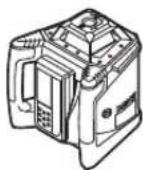
Vertical mode (GRL 500 HV)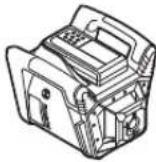
- Set up the measuring instrument in a horizontal or vertical position on a stable base, mount it on a tripod or wall mount with the 5/8" thread.
Due to the high leveling accuracy, the measuring instrument reacts very sensitively to vibrations and changes in position. Therefore, ensure a stable position of the measuring instrument to avoid additional leveling time.
Operating the measuring instrument (see figure C)
The measuring instrument is operated using the buttons on the laser receiver. Operation can be carried out directly on the measuring instrument (the laser receiver is located in the charging/storage station) or via radio link (the laser receiver serves as a remote control unit).
Operating states
The system, consisting of the measuring instrument and laser receiver, has 3 operating states:
- Standby state
All functions of the laser receiver are activated.
The activated alarm signal for the tilt of the measuring tool is indicated by the light signal for the tilt alarm.
All other indicators and the laser beam are switched off. The anti-theft system remains switched on.

-To exit the mode, press the mode button again.
The standby mode is activated automatically if, for more than 30 minutes, the laser beam does not hit the receiver window 26 or if, for more than 30 minutes, no button is pressed on the laser receiver.
Note: If the laser receiver is attached to the laser and remains in standby mode for more than 2 hours, it switches off automatically. To switch on the laser receiver again, it must be placed on the charging/storage station.
In the factory settings, the standby mode function is activated.

To activate the standby mode function, press and hold the on/off button 17 and the mode button 21 on the switched-on measuring tool for approx. 2 seconds.
After approx. 3 seconds, the new state [standby mode function activated = SLP ON] is displayed by the standby mode indicator 44.
When switched off, the setting is not saved. The measuring tool always starts with the standby mode switched off.

348|Russian



-To deactivate the standby mode function, press and hold the on/off button 17 and the mode button 21 on the switched-on measuring tool for approx. 2 seconds.
After approx. 3 seconds, the new state [standby mode function deactivated = SLP OFF] is displayed by the standby mode indicator 44.
Automatic switch-off
Under certain conditions, the measuring instrument laser receiver switches off automatically (result see switch-off) on page 347):
If the measuring instrument remains outside the self-leveling range for more than 2.5 minutes, the error is not eliminated (see Troubleshooting, page 357). -The measuring tool switches off automatically after 2 hours. -The anti-theft system is activated for more than 2.5 minutes. -The measuring instrument is outside the operating temperature range.
Pre-automatic switch-off of the measuring instrument laser receiver is accompanied by an audible signal for 5 seconds. The indicator for the output is outside the permissible temperature range 34.
After automatic switch-off: -If necessary, wait until the measuring instrument laser receiver is back within the operating temperature range. -If necessary, reposition the measuring instrument and switch it on again.
Battery for the real-time clock (Real Time Clock)

If, after switching on, within 10 seconds the calibration interval indicator 35 lights up, the battery for the real-time clock in the built-in rechargeable battery is discharged. The calibration interval is no longer monitored.
-Contact an authorized Bosch service center.
Alarm signaling for theft protection
The measuring instrument laser receiver has two protection mechanisms:
-The measuring instrument can only be operated with the laser receiver; the measuring instrument has no controls.
In the factory default settings, the alarm signaling for theft protection is deactivated.

-When the measuring instrument is switched on, press the theft protection alarm signaling button 22.
The alarm signaling for theft protection is activated.
The alarm signaling indicator for theft protection 36 lights up. The alarm signaling for theft protection is active.
The setting of the alarm signaling for theft protection remains in memory when switched off.
Press the signaling button to protect against theft.
Cases of using signaling for protection against theft.
Cases of using the protection mechanism.
The measuring instrument is turned on.
N/A
The measuring instrument is in the operating mode.
The alarm signaling is activated.

The signaling indicator for theft protection lights up.

The light signaling and the measurement of the theft protection in the measuring instrument are carried out.
The measuring instrument is turned off.
The device is turned off and is not in the charging/storage state.
The alarm signaling is activated.
The signaling indicator for theft protection is not displayed.
The light signaling for theft protection on the measuring instrument does not light up.
If the measuring instrument is removed from its location while the theft protection alarm signaling is turned on, the alarm signaling will be triggered after more than 5 seconds.
The laser receiver emits an audible signal.
The audible signal level is set to 110 dB(A); its level can be adjusted using the volume control of the audible signal.
Do not hold the laser receiver close to your ear. Loud sound can damage your hearing.
Russian | 349
All functions and displays are working.

The signal indicator for the marking from the measuring tool flashes quickly.

The signal indicator for the marking on the laser receiver flashes.

To activate the marking function, press the marking button (22).
The audible signal stops.
The cover is removed from all functions.
When switching on, all settings are reset to the default values (see "Switching On", page 347).
The marking function for protection against theft is activated again.
Calibration check indicators (calibration warning)
If a calibration check of the measuring tool is necessary, this is indicated on the laser receiver after switching on by different indicator combinations with the indicator "CAL".
Note: After the first start-up in operation, the calibration warning indicators (calibration interval, temperature limits, storage of the measuring tool) are activated.
The indicator of calibration violation is displayed on the calibration key 25 for 2 seconds.
The indicators for checking calibration are displayed again only when a reason for the calibration violation warning arises.
Recommended actions after the calibration check message
See page
1. Check the leveling accuracy 354 2a. If the deviation over 30 m does not exceed the maximum permissible values of ±3.0 mm: the calibration violation indicator is hidden 349 2b. If the deviation over 30 m exceeds the maximum permissible values of ±3.0 mm: perform the calibration of the measuring instrument 355 3b. Check the leveling accuracy 354 4b. After calibration, if the deviation over 30 m does not exceed the maximum permissible values of ±3.0 mm: the instrument can be used without further verification.
After calibration, if the deviation over 30 m still exceeds the maximum permissible values of ±3.0 mm: send the measuring instrument for inspection to the service workshop Bosch
Operating modes
X-axis and Y-axis lines
The X and Y axis lines are marked on the housing of the rotating head.
Rotary modes
The measuring instrument operates at a constant rotation speed (600 min-1), suitable for use with a laser receiver.
Overview of operating modes
- Automatic leveling after switching on/during operation - Inclination mode in one axis - Average mode - Anti-interference system - Non-leveling mode (GRL500HV)

350|Russian
Automatic leveling
Automatic leveling after switching on
After switching on, the measuring instrument checks the horizontal position and automatically levels within the self-leveling range of approx. 8.5% (5°).
During leveling, the leveling indicator 37 flashes.
GRL 500 HV: The measuring instrument automatically detects the vertical or horizontal position after switching on. When changing the instrument from horizontal to vertical position or vice versa, the position of the instrument can be changed without switching it off.
Automatic leveling during operation
If the measuring instrument is outside the self-leveling range of approx. 8.5% (5°), automatic leveling is not possible and an error is indicated (see "Error indications", page 357).
The leveled measuring instrument continuously checks its horizontal position. If the position changes, automatic leveling is performed. To avoid measurement errors, the laser beam rotation is interrupted during leveling.
Tilt mode in one axis
In the horizontal position of the measuring instrument, the tilt mode in one axis is automatically leveled. The rotation speed can be rotated around the X axis within ±8.5%.
Note: The tilt angle setting should only be made after automatic leveling is completed (see "Automatic leveling after switching on", page 350). It prevents incorrect measurement results.
Setting the tilt angle
The tilt angle can be set within ±8.5%.

Press the tilt button 18 or 20 until the desired tilt value is displayed.

Release the tilt button 18 or 20.
During the tilt angle setting, the leveling indicator 37 flashes.

The tilt indicator 41 lights up.

- Simultaneously press the tilt buttons 18 and 20.
The tilt angle adjustment is deactivated. Automatic leveling is activated (see Automatic leveling, p. 349).


If the tilt range is exceeded by ±8.5%, the tilt angle adjustment is deactivated and an error is displayed (see Troubleshooting, p. 357).
Medium line mode (see Fig. D)
The medium line mode automatically finds the medium line of the laser beam, lowering and raising the rotating head.

Press the medium line mode button 19 for approx. 2 sec.
The automatic movement of the rotating head upwards is activated.
Search:
- 1. The rotating head moves upwards until it stops. 2. The laser beam is switched on. 3. The rotating head lowers. 4a. The laser beam hits the receiver opening 26 and finds the medium line.
No
4b. The laser beam does not hit the receiver opening within the movement range; an error is displayed (see Troubleshooting, p. 357).
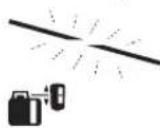
During the medium line search, the indicator 37 flashes.
The medium line indicator 42 lights up.
From the moment the laser beam hits the receiver opening 26 until the medium line is found, a signal tone sounds.
The rotation head speed is reduced when the laser beam enters the visible range.
After detecting the center line, the measuring tool automatically switches off the center line mode. The set angle of the receiver is saved and displayed.

Center line mode during searching: Press the center line mode button 19.
Center line
1609 92A4DX|(28.3.18) Bosch Power Tools
Russian|351
Auto


Press buttons 18 and 20 simultaneously to activate automatic leveling.
Accelerated search for the center line of the laser receiver
The search for the center line of the laser receiver always starts with the rotation head moving upwards. If the laser beam has not yet entered the visible range of the laser receiver, the direction of the laser beam can be reversed.

Press the center line mode button 19 for approx. 2 seconds.
The automatic movement of the rotation head upwards and downwards is activated.
Press the tilt button 20.
The rotation head lowers.
Anti-tilt system ADS
The measuring instrument has a tilt sensor that detects changes in the position of the measuring instrument and the selected ground, preventing self-leveling at a new height and thus height errors.

The tilt sensor system is activated automatically. 30 seconds after the measuring instrument is switched on.
During activation, the indicator for tilt warnings flashes for 3 seconds. After activation, the indicator lights up with a flashing light.
The tilt sensor system is activated when the vertical position of the measuring instrument changes or when strong shocks are detected: the laser rotation stops and the indicator for tilt warnings flashes. Additionally, the laser receiver emits an acoustic signal for 5 seconds.

To deactivate the tilt sensor system, briefly press the On/Off button 17.
Automatic leveling is activated (see "Automatic leveling during operation", page 350).
Check the laser beam against the reference point and, if necessary, correct the height of the measuring instrument.
Deactivating the tilt sensor system
The tilt sensor system can be deactivated during operation of the measuring instrument.

Press the On/Off button 17. The tilt sensor system is deactivated. The indicator for tilt warnings 38 is no longer displayed.
The deactivation status is not saved in memory. When the measuring instrument is switched on, the tilt sensor system is always activated.
Line operation in vertical mode (GRL 500 HV)
In vertical position, the measuring instrument's rotation plane can be set to any angle relative to the vertical axis.

To rotate the rotation plane clockwise, press the tilt button 18; to rotate counterclockwise, press the tilt button 20.

The tilt adjustment is possible within a range of ±8.5%.
The rotating head starts to rotate slowly, gradually picking up speed.
Medium mode or in automatic mode (see Fig. E)
In medium mode, the measuring instrument automatically sets the average line of the laser receiver, moving the rotating head to the right and to the left.

- Press the medium mode button (Fig. 2c).
The automatic movement of the rotating head to the right and to the left begins.
SEARCH:
1. The rotating head turns to the right.
2. The laser is switched on.
3. The rotating head turns to the left.
4a. The laser beam hits the receiver window 26 and finds the average line.
#
4b. The laser beam does not find the receiver window within the movement range; an error code is displayed (see "Troubleshooting", p. 357).
During the average line search, the indicator for the average line lights up (37).
The medium mode indicator (42) lights up.
From the moment the laser beam hits the receiver window 26 until the moment the average line is found, a beeping sound is emitted.
Press the rotary head release button 26 to release the rotary head.
352 | Russian
After releasing the middle line, the measuring instrument automatically turns off the middle line mode.

To cancel the middle line mode during a search, press the middle line mode button 19.
HNN

Press the tilt buttons 18 and 20 simultaneously to activate automatic leveling.
Auto


Accelerating the search for the middle line of the laser receiver
The search for the middle line of the laser receiver always starts with the rotary head moving upward. If the laser beam is not within the middle line and the laser receiver's receiving window does not appear, the laser beam can be turned in the opposite direction.

Press the middle line mode button 19 for approx. 2 seconds.
The rotary head automatically moves to the right.
Press the tilt button 20.
The rotary head lowers.

Relative height indicator (see Fig. F)
+30.0mm
The measured value is displayed as an absolute value (in [mm] or [inches]).
See also "Setting the display unit of measurement", p. 356.
Working with the laser receiver
Finding the laser beam when measuring outdoors over long distances in bright ambient light: use the laser receiver.
Position the laser receiver so that the laser beam hits the receiving window 26.
Radio link between the measuring tool and the remote control/laser receiver
In accordance with the settings for the laser receiver LR 50, it is connected wirelessly and works as a remote control for the measuring tool.

The radio link indicator 33 lights up, indicating that the laser receiver is connected to the remote control.
Several LR 50 laser receivers can be connected to the measuring tool.
Switch off the measuring tool and the laser receiver. Place the additional laser receiver on the charging/storage station.

Press the On/Off button 17.

The radio link indicator 33 lights up, indicating that the laser receiver is connected to the remote control.
Remove the laser receiver from the charging/storage station. After that, to switch on the measuring tool, you must press the On/Off button 17 within 30 minutes.
Note: If several laser receivers are connected to one measuring tool, the last connected laser receiver functions as the remote control.
The other laser receivers act exclusively as laser receivers.
After adjusting the volume of the sound signal for each laser receiver, you can set it individually.
When the laser receiver performing the remote control function is switched on, the measuring tool is also switched on. Each additional laser receiver must be switched on separately.

If the radio connection is interrupted, the indicator for radio link 33 will flash in addition to the sound signal.
This means that the indicators (e.g., for tilt, alarm, calibration) are no longer displayed and remote control of the measuring tool is not possible.
Note: The recommendations for the measuring tool can only be activated or deactivated by pressing the operating mode button 21 on the laser receiver that performs the remote control function.
Adjusting the volume of the sound signal
When the laser beam hits the receiver window 26, it can be accompanied by a sound signal.
You can choose one of two volume levels or turn off the sound.
In the standard factory settings, the [Normal sound signal] is selected.

Press the sound signal/volume button 24 repeatedly until you get the desired setting.
Indicator not displayed: Sound signal off

Normal sound signal
Loud sound signal
Russian|353
When switching off, the sound signal/volume setting is retained.
Adjust the indicator settings to medium.
You can set the speed at which the laser beam position will be displayed in the receiving window as "center".
In standard settings, the default is set to "Medium/Measurement Accuracy".

Press the measurement accuracy setting button until you get the desired setting.
The approximate accuracy is displayed as "Fine adjustment"/"Medium adjustment"/"Coarse adjustment" and the exact value.
When the measurement accuracy setting is turned off, it is saved in memory.
Laser beam alignment indicator
The position of the laser beam in the receiving window 26 is displayed as follows:
If the laser beam is at the upper edge of the receiving window, the laser beam alignment indicator (center line) 39, the laser beam alignment indicator (center line) 40, and the center indicator 43 will light up.
Optionally, an audible signal can be used.
Laser receiver is positioned too low: if the laser beam hits the upper part of the receiving window 26, the laser beam alignment indicator (center line) 39 lights up. The positive value of the indicator relative to the center 12 shows how much the laser receiver needs to be moved upward.
When the audible signal is turned on, it sounds at a slow interval.
Move the laser receiver in the direction of the arrow upward. When approaching the center mark 16, the indicator 39 will only show a small deviation.
Laser receiver is positioned too high:
If the laser beam hits the lower part of the receiving window 26, the laser beam alignment indicator (center line) 40 lights up. The negative value of the indicator relative to the center 32 shows how much the laser receiver needs to be moved downward. When the audible signal is turned on, the signal sounds at a fast interval.
- The laser beam is directed in the direction of the line. When moving towards the central marking 16, the direction indicator 40 remains only a cone.
Laser receiver on center: if the laser beam hits the receiving window 26 at the level of the central marking 16, the display indicator of the middle line 43. When the acoustic signal is enabled, a continuous signal is emitted.
When the measuring instrument is shifted and the laser beam exits the receiving window 26 within approx. 5 cm, the displayed indicator changes to the right 39 or 40.
Protective function Strobe ShieldTM
The laser receiver is equipped with electronic filters for strobe shields. The filters protect, e.g., against malfunctions caused by flashing lights of construction machines.
Marking
With the central marking 16 on the right and left on the laser receiver, the height of the laser beam can be marked when it passes through the center of the receiving window 26.
When marking, ensure that the measuring instrument is positioned exactly vertically (for horizontal laser beam) or exactly horizontally (for vertical laser beam), otherwise the marking will be shifted relative to the laser beam.
Backlight display
The backlight display is activated by default [factory setting].
If no buttons are pressed for approx. 30 s, the backlight switches off automatically.
When any button is pressed or when the laser beam enters the receiving window, the backlight switches on again.

To switch on the backlight permanently, press and hold the On/Off button 17 or the acoustic signal button 24.
When switching off, the backlight setting is retained.
Fastening with the holder (see Fig. G)
The laser receiver can be mounted on a leveling rod either directly on the leveling rod of the construction laser 55 (depending on the model) or on other auxiliary rods with a diameter of 65 mm.
- Tighten the sliding frame 58 using the locking screw 56 to the leveling rod 53. - Loosen the locking screw 54, slide the leveling rod holder onto the leveling rod of the construction laser 55, and then retighten the locking screw 54. - Using the fine adjustment knob 57, the leveling rod 53 can be aligned horizontally. An incorrectly adjusted measuring instrument gives incorrect readings. - Insert the laser receiver into the sliding frame 58.




354|Russian
Checking the accuracy of the measuring instrument
The following work steps should only be performed by qualified personnel. The procedure for checking the calibration of the measuring instrument must be known.
Factors affecting accuracy
The greatest influence on accuracy is exerted by the ambient temperature. In particular, temperature changes with distance from the ground can cause deviations of the laser beam.
In addition to external influences, specific influences on the instrument (such as strong impacts) can also lead to deviations. Therefore, always check the calibration before starting work.
Deviations become noticeable at a measuring distance of 20 m and can increase up to 4 times compared to the deviation at a distance of 20 m.
Since the ground temperature is most noticeable near the ground, on sections longer than 20 m the measuring instrument should be set up on a tripod. Furthermore, set up the measuring instrument, if possible, in the middle of the work area.
If the measuring instrument exceeds the maximum deviation during one of the checks described below (see Calibration of the measuring instrument, p. 355), send the measuring instrument for inspection to the Bosch service workshop.
Checking the accuracy of the horizontal position
For the check, you need a free section of 30 m on a firm base between two walls. You must perform the measurement for both axes X and Y.
- Mount the measuring instrument in a horizontal position at a distance of 30 m from the wall on a tripod or set it up on a firm, level base. Switch on the measuring instrument. - After leveling is complete, mark the center of the laser beam on the wall (point I).
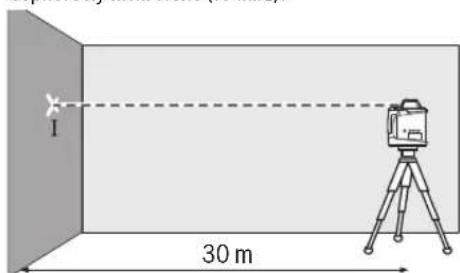
- Rotate the measuring instrument by 180°, allow it to level, and mark the center of the laser beam on the wall (point II). Then ensure that point II is as vertically as possible above or below point I.
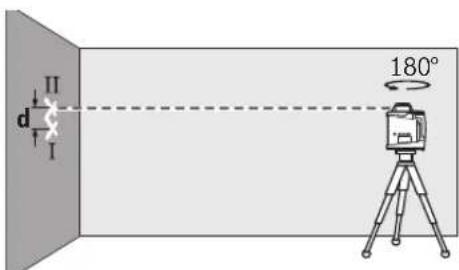
According to the operating instructions, the display on the wall shows the actual deviation of the measuring tool from the measured axis.
Repeat the measurement process for the other axis. To do this, rotate the measuring tool 90° before starting the measurement.
For a distance of 30 m, the maximum permissible deviation is:
30 m × ± 0.1 mm/m = ± 3.0 mm.
Thus, the difference d between points I and II must not exceed 6 mm in either of the two measurements.
Checking the leveling accuracy in the vertical position (GRL 500 HV)
For this check, a free measuring distance of 10 m on a firm surface in front of a wall is required. Attach a plumb line to the wall.
Mount the measuring tool in the vertical position near the wall on a tripod or place it on a firm, level surface. Switch on the measuring tool and wait for the self-leveling to finish. Align the measuring tool so that the laser beam exactly hits the center of the plumb line at its upper end. The difference d between the laser beam and the center of the plumb line at its lower end represents the deviation of the measuring tool from vertical.
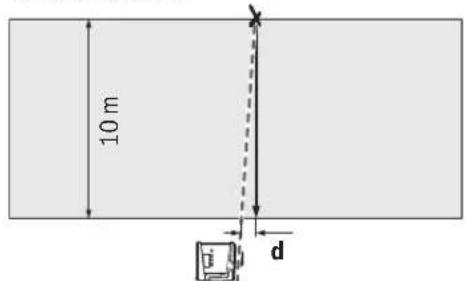
For a measuring distance of 10 m, the maximum permissible deviation is:
10 m × ± 0.1 mm/m = ± 1 mm. Thus, the difference d must not exceed 1 mm.
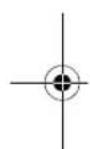
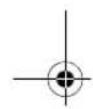




Calibrating the measuring tool
The measuring tool should only be calibrated by trained personnel. The accuracy check and calibration of the measuring tool must be carried out regularly.
Carefully calibrate the measuring tool and send it to the Bosch service center for checking. Incorrect calibration leads to incorrect measurement results. Start calibration only if it is necessary to calibrate the measuring tool. Once the measuring tool enters calibration mode, calibration must be carried out completely and precisely to avoid incorrect measurement results in the future.
Note: After calibration, the calibration check indicators are only displayed again if the difference d for the calibration warning reappears.
You will need a free measuring area on a solid base of at least 30 m in front of the wall.
Always perform calibration on all axes (GRL 500 H: on axes X and Y; GRL 500 HV: on axes X, Y, and Z).
Calibration on axis X
- Place the measuring tool in a horizontal position on the tripod (without accessories).
- Set up the tripod at a distance of 30 m from the wall. When doing so, the indicator for axis X on the measuring tool must be perpendicular to the wall. Switch on the measuring tool.

Simultaneously press the calibration button 25 and the tilt button 18 for approx. 2 seconds.

The calibration symbol for axis X will be displayed.
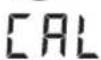
Before automatic leveling, the leveling indicator 37 warns of leveling.
Wait until the measuring tool has completed self-leveling. Using the laser receiver, mark the height of the center line on the wall. Rotate the measuring tool by 180°, without changing the height of the tripod. Wait until the indicator 37 has stopped flashing and the measuring tool has completed self-leveling.
Using the laser receiver, mark the new height of the center line as “X2” on the wall. Determine the exact center between the center lines X1 and X2 and place the laser receiver with target marking 16 on it.


Press the tilt button 18 or 20 until the center line indicator 43 lights up. With the acoustic signal activated, a continuous signal is emitted. Press the calibration button 25 to save the calibration in memory.
The symbol for completed calibration will be displayed.
To avoid calibration errors, after calibration you must perform an accuracy check of the leveling (see “Accuracy check of leveling in horizontal position”, page 354).
If the deviation exceeds the maximum permissible value of ±3.0 mm, have the measuring tool checked at a Bosch service center.
Calibration on axis Y
- Set up the measuring instrument in a horizontal position on the tripod 63 (accessory).
- Set up the tripod at a distance of 30 m from the wall. When doing so, the Y-axis laser line on the measuring instrument must be perpendicular to the wall. Switch on the measuring instrument.

Simultaneously press the calibration button 25 and the tilt button 20 for approx. 2 seconds.

The Y-axis calibration symbol will be displayed.

During automatic leveling, the leveling indicator 37 flashes.
Wait until the measuring instrument has completed self-leveling. Using the laser receiver, find the middle of the laser line and mark the height of the middle of the line as "Y1" on the wall. Turn the measuring instrument 180°, without changing the height of the tripod. Wait until the leveling indicator 37 has stopped flashing and the measuring instrument has completed self-leveling.
Using the laser receiver, find the middle of the laser line and mark the new height of the middle of the line as "Y2" on the wall. Determine the exact middle between the middle lines Y1 and Y2, and place the laser receiver there with the center marking 16.

Press the tilt button 18 or 20 until the indicator for the middle line 43 lights up. If the acoustic signal is activated, a continuous tone sounds. Press the calibration button 25 to save the calibration in memory.
The symbol for the end of calibration will be displayed.


To avoid miscalibration, after calibration you must perform an accuracy check (see "Accuracy check for leveling in horizontal position", page 354).
If the deviation still exceeds the permissible value of ±3.0 mm, send the measuring instrument to the Bosch service center for checking.
Calibration on the Z-axis (GRL 500 HV)
Draw a vertical line on the wall using a plumb line. Set up the measuring instrument in a horizontal position on the tripod 63 (accessory). Place the tripod at a distance and switch on the measuring instrument.


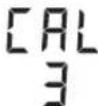
Simultaneously press the calibration button 25 and the tilt button 18 for approx. 2 seconds.
The display shows the calibration symbol.
Change the position of the staff in such a way that the laser beam crosses the vertical part of the staff.
During automatic leveling, the leveling indicator 37 lights up.
Wait until the measuring tool has completed self-leveling.

Press the button 18 or 20.
Then the laser beam should be as parallel as possible to the vertical part of the staff.
- If you cannot achieve coincidence of the beam and the staff, repeat the previous steps (setting up the staff, self-leveling of the measuring tool, aligning the laser beam using the tilt buttons).


Press the calibration button 25 to save the calibration in memory.
The display shows the calibration completion symbol.
To avoid calibration errors, after calibration you must perform a check of the accuracy of leveling (see "Checking the accuracy of leveling in the vertical position" on page 354). If the deviation still exceeds the maximum permissible value of ±1 mm, send the measuring tool to a service workshop for checking.
Application instructions
The measuring tool is equipped with a radio interface. Observe local restrictions on use, e.g., in airplanes or hospitals. Always use only the center of the laser line for marking. The width of the laser line changes with distance.
Setting the display units of measurement
The distance between the rotation plane and the center line is displayed in [mm] or [inches]: in decimal or fractional form. The factory setting is in meters and is selected as [mm].

Press the accuracy setting button 23 and the tilt button 20 until you get the desired setting.

Setting the measurement unit is saved in memory.
Working with the laser instrument (accessory)
Laser goggles make the laser beam more visible. This makes the laser beam appear brighter to the human eye.
Do not use laser goggles as protective goggles. Laser goggles serve for better recognition of the laser beam, but they do not protect against laser radiation. Do not use laser goggles as sunglasses or while driving. Laser goggles do not provide full protection against ultraviolet radiation and impair color perception.
Russian | 357
Working with the tripod (accessory)
The measuring tool has a 5/8" tripod mount for horizontal operation with a tripod. Place the measuring tool with the tripod mount onto the 5/8" thread of the tripod and tighten it with the tripod locking screw.
On the scale of the tiltable part, you can directly set the height adjustment.
Working with the wall holder and the alignment unit (accessory)
You can mount the measuring tool on the wall holder with the alignment unit 59. To do this, screw the 5/8" screw 62 of the wall holder into the tripod mount on the measuring tool.
Mounting on the wall: Mounting on the wall is recommended, for example, for work at greater heights or on unstable ground without a tripod. For this, attach the wall holder 59 with the measuring tool installed, if possible, vertically to the wall.
For mounting on the wall, you can attach the wall holder 59 with the mounting screw 60 to a wooden stud or similar. Use a screw with a diameter of 8 mm minimum.
Mounting on the tripod: You can also attach the wall holder 59 to a tripod, using the threaded hole on the back side for this. Such mounting is recommended especially for work where the plane of rotation is oriented to a reference line.
With the alignment unit, you can align the mounted measuring tool vertically (when mounted on the wall) or horizontally (when mounted
on the tripod) within a range of ±16 cm. To do this, loosen the screw 61 on the alignment unit, move the measuring tool into the desired position, and tighten the screw 61 again.
Working with the laser rangefinder (accessory) (see Fig. H)
To check and transfer the inclination, it is recommended to use the laser rangefinder 55 with the laser receiver.
The upper part of the laser rangefinder 55 has a relative measuring scale (± 50cm). The zero is set at the lower edge. This allows you to immediately read the deviation from the set height.
Examples of possible work types
Checking the depth of excavations (see Fig. I)
- Place the measuring instrument on a stable surface or mount it on the tripod 63. - Working with the tripod: Aim the laser beam at the desired height. Transfer/check the height at the designated point.
Working without the tripod: Determine the height difference between the laser beam and the reference point. Transfer or check the measured height difference at the lower location.
For measurements over long distances, to avoid interference, it is recommended to set up the measuring instrument on the tripod in the center of the work area. - When working on unstable ground, set up the measuring instrument on the tripod 63. To avoid measurement errors due to ground vibrations or movement of the measuring instrument, ensure that the tilt compensation system is activated.
Troubleshooting
Malfunctions of the instrument
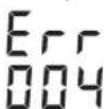
In case of malfunction, the error code is displayed.
If the malfunction cannot be resolved, the measuring instrument must be sent for inspection to the Bosch service workshop.
Error indicator - Problem - Remedy
001 The measuring instrument is outside the self-leveling range of 8.5% (5°)
- Realign the measuring instrument along the X axis.
The measuring tool is located outside the self-leveling range of 8.5% (5°).
Place the measuring tool on a level surface.



358|Russian
| Индikator ko- Пюблесу устраенье Да ош�ки | ||
| 003 (GRL 500 HV) | Оь Z Измергелову История Надостock 下 - 3аноу раслонохину Исторьи впосторьи впосторьи Ся в Веткальnom Р�охени за п徳лам Диапазона салониьроблия, составл Anyo.8,5% (5°). | - 3аноу раслонохину Исторьи впосторьи впostорьи Тыкальnom Р�охени впосторьи впostорьи Зл. Зл. Зл. Зл. Зл. Зл. Зл. Зл. Зл. Зл. Зл. Зл. Зл. Зл. Зл. Зл. Зл. Зл. Зл. Зл. Зл. Зл. Зл. Зл. Зл. Зл. Зл. Зл. Зл. Зл. Зл. Зл. Зл. Зл. Z. |
| 004 Посл История История Надостock 下 - 3аноу усторьи впосторьи Мергелову История Мергелову 下 | В ржиме Надостock 下 - 3аноу усторьи впostорьи Мергелову История Мергелову 下 | - 3аноу усторьи Hstorьну Исторьи Посл Посл Посл Посл Посл Посл Посл Посл Посл Посл Посл Посл Посл Посл Посл Посл Посл Посл Посл Посл Посл Посл Посл Посл Посл Поср Посл Посл Посл Посл Посл Посл Посл Посл Посл Посл Посл Посл Посл Посл Посл Посл Посл Посл Посл Посл Посл Посл Посл Посл Посу Надостock 下 - 3аноу раслонохину Hustopoleny Hustopoleny Hustopoleny Hustopoleny Hustopoleny Hustopoleny Hustopoleny Hustopoleny Hustopoleny Hustopoleny Hustopoleny Hustopoleny Hustopoleny Hustopoleny Hustopoleny Hustopoleny Hustopoleny Hustupoleny Hustupoleny Hustupoleny Hustupoleny Hustupoleny Hustupoleny Hustupoleny Hustupoleny Hustupoleny Hustupoleny Hustupoleny Hustupoleny Hustupoleny Hustupoleny Hustupoleny Hustupoleny Hustupoleny Ha Hustupoleny Hustupoleny Hustupoleny Hustupoleny Hustupoleny Hustupoleny Hustupoleny Hustupoleny Hustupoleny Hustupoleny Hustupoleny Hustupoleny Hustupoleny Hustupoleny Hustupoleny Hustupoleny Hustopoleny Hustopoleny Hustopoleny Hustopoleny Hustopoleny Hustopoleny Hustopoleny Hustopoleny Hustopoleny Hustopoleny Hustopoleny Hustopoleny Hustopoleny Hustopoleny Hustopoleny Hustopoleny Ha Hustopoleny Hustopoleny Hustopoleny Hustopoleny Hustopoleny Hustopoleny Hustopoleny Hustopoleny Hustopoleny Hustopoleny Hustopoleny Hustopoleny Hustopoleny Hustopoleny Hustopoleny Hustopoleny Hustapoleny Hustapoleny Hustapoleny Hustapoleny Hustapoleny Hustapoleny Hustapoleny Hustapoleny Hustapoleny Hustapoleny Hustapoleny Hustapoleny Hustapoleny Hustapoleny Hustapoleny Hustapoleny Hustapoleny Ha Hustopoleny Hustopoleny Hustopoleny Hustopoleny Hustopoleny Hustopoleny Hustopoleny Hustopoleny Hustopoleny Hustopoleny Hustopoleny Hustopoleny Hustopoleny Hustopoleny Hustopoleny HustopoleNY HustopoleNY HustopoleNY HustopoleNY HustopoleNY HustopoleNY HustopoleNY HustopoleNY HustopoleNY HustopoleNY HustopoleNY HustopoleNY HustopoleNY HustopoleNY HustopoleNY HustopoleNY HustopoleNY HustupoleNY HustupoleNY HustupoleNY HustupoleNY HustupoleNY HustupoleNY HustupoleNY HustupoleNY HustupoleNY HustupoleNY HustupoleNY HustupoleNY HustupoleNY HustupoleNY HustupoleNY HustupoleNY HustupoleNY Ha HustupoleNY HustupoleNY HustupoleNY HustupoleNY HustupoleNY HustupoleNY HustupoleNY HustupoleNY HustupoleNY HustupoleNY HustupoleNY HustupoleNY HustupoleNY HustupoleNY HustupoleNY HustupoleNY HustopoleNY HustopoleNY HustopoleNY HustopoleNY HustopoleNY HustopoleNY HustopoleNY HustopoleNY HustopoleNY HustopoleNY HustopoleNY HustopoleNY HustopoleNY HustopoleNY HustopoleNY HustopoleNY Ha HustopoleNY HustopoleNY HustopoleNY HustopoleNY HustopoleNY HustopoleNY HustopoleNY HustopoleNY HustopoleNY HustopoleNY HustopoleNY HustopoleNY HustopoleNY HustopoleNY HustopoleNY HustopoleNY HustapoleNY HustapoleNY HustapoleNY HustapoleNY HustapoleNY HustapoleNY HustapoleNY HustapoleNY HustapoleNY HustapoleNY HustapoleNY HustapoleNY HustapoleNY HustapoleNY HustapoleNY HustapoleNY HustapoleNY Ha HustopoleNY HustopoleNY HustopoleNY HustopoleNY HustopoleNY HustopoleNY HustopoleNY HustopoleNY HustopoleNY HustopoleNY HustopoleNY HustopoleNY HustopoleNY HustopoleNY HustopoleNY Hustopole NY HustopoleNY HustopoleNY HustopoleNY HustopoleNY HustopoleNY HustopoleNY HustopoleNY HustopoleNY HustopoleNY HustopoleNY HustopoleNY HustopoleNY HustopoleNY HustopoleNY HustopoleNY HustopoleNY Hustotopolye Och HustopoleNY HustopoleNY HustopoleNY HustopoleNY HustopoleNY HustopoleNY HustopoleNY HustopoleNY HustopoleNY HustopoleNY HustopoleNY HustopoleNY HustopoleNY HustopoleNY HustopoleNY HustopoleNY Hustobany HustopoleNY HustopoleNY HustopoleNY HustopoleNY HustopoleNY HustopoleNY HustopoleNY HustopoleNY HustopoleNY HustopoleNY HustopoleNY HustopoleNY HustopoleNY HustopoleNY HustopoleNY HustopoleNY Hustoplny HustopoleNY HustopoleNY HustopoleNY HustopoleNY HustopoleNY HustopoleNY HustopoleNY HustopoleNY HustopoleNY HustopoleNY HustopoleNY HustopoleNY HustopoleNY HustopoleNY HustopoleNY HustopoleNY HUSTOPOLY HUSTOPOLY HUSTOPOLY HUSTOPOLY HUSTOPOLY HUSTOPOLY HUSTOPOLY HUSTOPOLY HUSTOPOLY HUSTOPOLY HUSTOPOLY HUSTOPOLY HUSTOPOLY HUSTOPOLY HUSTOPOLY HUSTOPOLY HUSTOPOLY HUSTOPIA HUSTOPIA HUSTOPIA HUSTOPIA HUSTOPIA HUSTOPIA HUSTOPIA HUSTOPIA HUSTOPIA HUSTOPIA HUSTOPIA HUSTOPIA HUSTOPIA HUSTOPIA HUSTOPIA HUSTOPIA HUSTOPIA HUST0PIA HUST0PIA HUST0PIA HUST0PIA HUST0PIA HUST0PIA HUST0PIA HUST0PIA HUST0PIA HUST0PIA HUST0PIA HUST0PIA HUST0PIA HUST0PIA HUST0PIA HUST0PIA HUST0PIA Ha HustopoleNY HustopoleNY HustopoleNY HustopoleNY HustopoleNY HustopoleNY HustopoleNY HustopoleNY HustopoleNY HustopoleNY HustopoleNY HustopoleNY HustopoleNY HustopoleNY HustopoleNY HustopoleNY Ha Ha Ha Ha Ha Ha Ha Ha Ha Ha Ha Ha Ha Ha Ha Ha Ha Ha Ha Ha Ha Ha Ha Ha Ha Ha Ha Ha Ha Ha Ha Ha Ha Ha Ha Ha Ha Ha Ha Ha Ha Ha Ha Ha Ha Ha Ha Ha Ha Ha HA HA HA HA HA HA HA HA HA HA HA HA HA HA HA HA HA HA HA HA HA HA HA HA HA HA HA HA HA HA HA HA HA HA HA HA HA HA HA HA HA HA HA HA HA HA HA HA HA HA NA NA NA NA NA NA NA NA NA NA NA NA NA NA NA NA NA NA NA NA NA NA NA NA NA NA NA NA NA NA NA NA NA NA NA NA NA NA NA NA NA NA NA NA NA NA NA NA NA NA N N N N N N N N N N N N N N N N N N N N N N N N N N N N N N N N N N N N N N N N N N N N N N N N N N M M M M M M M M M M M M M M M M M M M M M M M M M M M M M M M M M M M M M M M M M M M M M M M M M M N N N N N N N N N N N N N N N N N N N N N N N N N N N N N N N N N N N N N N N N N N N N N N N N N NA NA NA NA NA NA NA NA NA NA NA NA NA NA NA NA NA NA NA NA NA NA NA NA NA NA NA NA NA NA NA NA NA NA NA NA NA NA NA NA NA NA NA NA NA NA NA NA NA M M M M M M M M M M M M M M M M M M M M M M M M M M M M M M M M M M M M M M M M M M M M M M M M M F F F F F F F F F F F F F F F F F F F F F F F F F F F F F F F F F F F F F F F F F F F F F F F F F F M M M M M M M M M M M M M M M M M M M M M M M M M M M M M M M M M M M M M M M M M M M M M M M M M m M M M M M M M M M M M M M M M M M M M M M M M M M M M M M M M M M M M M M M M M M M M M M M M M M L L L L L L L L L L L L L L L L L L L L L L L L L L L L L L L L L L L L L L L L L L L L L L L L L L M M M M M M M M M M M M M M M M M M M M M M M M M M M M M M M M M M M M M M M M M M M M M M M M M f f f f f f f f f f f f f f f f f f f f f f f f f f f f f f f f f f f f f f f f f f f f f f f f f f M M M M M M M M M M M M M M M M M M M M M M M M M M M M M M M M M M M M M M M M M M M M M M M M M R R R R R R R R R R R R R R R R R R R R R R R R R R R R R R R R R R R R R R R R R R R R R R R R R R r r r r r r r r r r r r r r r r r r r r r r r r r r r r r r r r r r r r r r r r r r r r r r r r r r l l l l l l l l l l l l l l l l l l l l l l l l l l l l l l l l l l l l l l l l l l l l l l l l l l f f f f f f f f f f f f f f f f f f f f f f f f f f f f f f f f f f f f f f f f f f f f f f f f f g g g g g g g g g g g g g g g g g g g g g g g g g g g g g g g g g g g g g g g g g g g g g g g g g g f f f f f f f f f f f f f f f f f f f f f f f f f f f f f f f f f f f f f f f f f f f f f f f f f l l l l l l l l l l l l l l l l l l l l l l l l l l l l l l l l l l l l l l l l l l l l l l l l l IaespoDy HUSTOCHS OHTOCHS OHTOCHS OHTOCHS OHTOCHS OHTOCHS OHTOCHS OHTOCHS OHTOCHS OHTOCHS OHTOCHS OHTOCHS OHTOCHS OHTOCHS OHTOCHS OHTOCHS OHTOCHS OHTOCHS OHTOCHS OHTOCHS OHTOCHS OCTOCHS OCTOCHS OCTOCHS OCTOCHS OCTOCHS OCTOCHS OCTOCHS OCTOCHS OCTOCHS OCTOCHS OCTOCHS OCTOCHS OCTOCHS OCTOCHS OCTOCHS OCTOCHS OCTOCHS OCTOCHS OCTOCHS OCTOCHS OACTOCHS OCTOCHS OCTOCHS OCTOCHS OCTOCHS OCTOCHS OCTOCHS OCTOCHS OCTOCHS OCTOCHS OCTOCHS OCTOCHS OCTOCHS OCTOCHS OCTOCHS OCTOCHS OCTOCHS OCTOCHS OCTOCHS OCTOCHS OCAOCHS OCAOCHS OCAOCHS OCAOCHS OCAOCHS OCAOCHS OCAOCHS OCAOCHS OCAOCHS OCAOCHS OCAOCHS OCAOCHS OCAOCHS OCAOCHS OCAOCHS OCAOCHS OCAOCHS OCAOCHS OCAOCHS OCAOCHS OCATOCHS OCATOCHS OCATOCHS OCATOCHS OCATOCHS OCATOCHS OCATOCHS OCATOCHS OCATOCHS OCATOCHS OCATOCHS OCATOCHS OCATOCHS OCATOCHS OCATOCHS OCATOCHS OCATOCHS OCATOCHS OCATOCHS OCATOCHS OCAOCHS OCAOCHS OCAOCHS OCAOCHS OCAOCHS OCAOCHS OCAOCHS OCAOCHS OCAOCHS OCAOCHS OCAOCHS OCAOCHS OCAOCHS OCAOCHS OCAOCHS OCAOCHS OCAOCHS OCAOCHS OCAOCHS OCSOCHS OCSOCHS OCSOCHS OCSOCHS OCSOCHS OCSOCHS OCSOCHS OCSOCHS OCSOCHS OCSOCHS OCSOCHS OCSOCHS OCSOCHS OCSOCHS OCSOCHS OCSOCHS OCSOCHS OCSOCHS OCSOCHS OCSOCHS OCAOCHS OCAOCHS OCAOCHS OCAOCHS OCAOCHS OCAOCHS OCAOCHS OCAOCHS OCAOCHS OCAOCHS OCAOCHS OCAOCHS OCAOCHS OCAOCHS OCAOCHS OCAOCHS OCAOCHS OCAOCHS OCAOCHS OCEOCHS OCEOCHS OCEOCHS OCEOCHS OCEOCHS OCEOCHS OCEOCHS OCEOCHS OCEOCHS OCEOCHS OCEOCHS OCEOCHS OCEOCHS OCEOCHS OCEOCHS OCEOCHS OCEOCHS OCEOCHS OCEOCHS OCEOCHS OCAOCHS OCAOCHS OCAOCHS OCAOCHS OCAOCHS OCAOCHS OCAOCHS OCAOCHS OCAOCHS OCAOCHS OCAOCHS OCAOCHS OCAOCHS OCAOCHS OCAOCHS OCAOCHS OCAOCHS OCAOCHS OCAOCHS OcaOCHS OCAOCHS OCAOCHS OCAOCHS OCAOCHS OCAOCHS OCAOCHS OCAOCHS OCAOCHS OCAOCHS OCAOCHS OCAOCHS OCAOCHS OCAOCHS OCAOCHS OCAOCHS OCAOCHS OCAOCHS OCAOCHS OCAOCHS O CAOCHS OCAOCHS OCAOCHS OCAOCHS OCAOCHS OCAOCHS OCAOCHS OCAOCHS OCAOCHS OCAOCHS OCAOCHS OCAOCHS OCAOCHS OCAOCHS OCAOCHS OCAOCHS OCAOCHS OCAOCHS OCAOCHS OCAOCHS OCaOCHS OCAOCHS OCAOCHS OCAOCHS OCAOCHS OCAOCHS OCAOCHS OCAOCHS OCAOCHS OCAOCHS OCAOCHS OCAOCHS OCAOCHS OCAOCHS OCAOCHS OCAOCHS OCAOCHS OCAOCHS OCAOCHS OCAOCHS ODAOCHS ODAOCHS ODAOCHS ODAOCHS ODAOCHS ODAOCHS ODAOCHS ODAOCHS ODAOCHS ODAOCHS ODAOCHS ODAOCHS ODAOCHS ODAOCHS ODAOCHS ODAOCHS ODAOCHS ODAOCHS ODAOCHS ODAOCHS OCAOCHS OCAOCHS OCAOCHS OCAOCHS OCAOCHS OCAOCHS OCAOCHS OCAOCHS OCAOCHS OCAOCHS OCAOCHS OCAOCHS OCAOCHS OCAOCHS OCAOCHS OCAOCHS OCAOCHS OCAOCHS OCAOCHS OSAOCHS OSAOCHS OSAOCHS OSAOCHS OSAOCHS OSAOCHS OSAOCHS OSAOCHS OSAOCHS OSAOCHS OSAOCHS OSAOCHS OSAOCHS OSAOCHS OSAOCHS OSAOCHS OSAOCHS OSAOCHS OSAOCHS OSAOCHS OCAOCHS OCAOCHS OCAOCHS OCAOCHS OCAOCHS OCAOCHS OCAOCHS OCAOCHS OCAOCHS OCAOCHS OCAOCHS OCAOCHS OCAOCHS OCAOCHS OCAOCHS OCAOCHS OCAOCHS OCAOCHS OCAOCHS OCAAOCCHPOM MFAOCHS OCAOCHS OCAOCHS OCAOCHS OCAOCHS OCAOCHS OCAOCHS OCAOCHS OCAOCHS OCAOCHS OCAOCHS OCAOCHS OCAOCHS OCAOCHS OCAOCHS OCAOCHS OCAOCHS OCAOCHS OCAOCHS OCAOCHS OLAOCCHPOM MFAOCHS NAOCHS NAOCHS NAOCHS NAOCHS NAOCHS NAOCHS NAOCHS NAOCHS NAOCHS NAOCHS NAOCHS NAOCHS NAOCHS NAOCHS NAOCHS NAOCHS NAOCHS NAOCHS NAOCHS NAOCHS NAOCHS NAOCHS NAOCHS NAOCHS NAOCHS NaoCHS NAOCHS NAOCHS NAOCHS NAOCHS NAOCHS NAOCHS NAOCHS NAOCHS NAOCHS NAOCHS NAOCHS NAOCHS NAOCHS NAOCHS NAOCHS NAOCHS NAOCHS NAOCHS NAOCHS NAOCHS NAOCHS NAOCHS NAOCHS NAOCHS NNOCHS NNOCHS NNOCHS NNOCHS NNOCHS NNOCHS NNOCHS NNOCHS NNOCHS NNOCHS NNOCHS NNOCHS NNOCHS NNOCHS NNOCHS NNOCHS NNOCHS NNOCHS NNOCHS NNOCHS NNOCHS NNOCHS NNOCHS NNOCHS NNOCHS N NOCHS NNOCHS NNOCHS NNOCHS NNOCHS NNOCHS NNOCHS NNOCHS NNOCHS NNOCHS NNOCHS NNOCHS NNOCHS NNOCHS NNOCHS NNOCHS NNOCHS NNOCHS NNOCHS NNOCHS NNOCHS NNOCHS NNOCHS NNOCHS NNOCHS NNoCHS NNOCHS NNOCHS NNOCHS NNOCHS NNOCHS NNOCHS NNOCHS NNOCHS NNOCHS NNOCHS NNOCHS NNOCHS NNOCHS NNOCHS NNOCHS NNOCHS NNOCHS NNOCHS NNOCHS NNOCHS NNOCHS NNOCHS NNOCHS NNOCHS N NoCHPOM MFAOCHS NAOCHS NAOCHS NAOCHS NAOCHS NAOCHS NAOCHS NAOCHS NAOCHS NAOCHS NAOCHS NAOCHS NAOCHS NAOCHS NAOCHS NAOCHS NAOCHS NAOCHS NAOCHS NAOCHS NAOCHS NAOCHS NAOCHS NAOCHs OCAOCHS OCAOCHS OCAOCHS OCAOCHS OCAOCHS OCAOCHS OCAOCHS OCAOCHS OCAOCHS OCAOCHS OCAOCHS OCAOCHS OCAOCHS OCAOCHS OCAOCHS OCAOCHS OCAOCHS OCAOCHS OCAOCHS OCAOCHs OCAOCHS OCAOCHS OCAOCHS OCAOCHS OCAOCHS OCAOCHS OCAOCHS OCAOCHS OCAOCHS OCAOCHS OCAOCHS OCAOCHS OCAOCHS OCAOCHS OCAOCHS OCAOCHS OCAOCHS OCAOCHS OCAOCHS OCAOA CHTOKON MFAOCHS NAOCHS NAOCHS NAOCHS NAOCHS NAOCHS NAOCHS NAOCHS NAOCHS NAOCHS NAOCHS NAOCHS NAOCHS NAOCHS NAOCHS NAOCHS NAOCHS NAOCHS NAOCHS NAOCHS NAOCHS NAOCHS NAOCHS NAOCHS NAO CHTOKON MFAOCHS NAOCHS NAOCHS NAOCHS NAOCHS NAOCHS NAOCHS NAOCHS NAOCHS NAOCHS NAOCHS NAOCHS NAOCHS NAOCHS NAOCHS NAOCHS NAOCHS NAOCHS NAOCHS NAOCHS NAOCHS NAOCHS NAOCHS NAO CHTOKON MFAOChB NAO CHTOKON MFAOChB NAO CHTOKON MFAOChB NAO CHTOKON MFAOChB NAO CHTOKON MFAOChB NAO CHTOKON MFAOChB NAO CHTOKON MFAOChB NAO CHTOKON MFAOChB NAO CHTOKON MFAOChB NAO CHTOKON MFAOChBNAO CHTOKON MFAOChB NAO CHTOKON MFAOChB NAO CHTOKON MFAOChB NAO CHTOKON MFAOChB NAO CHTOKON MFAOChB NAO CHTOKON MFAOChB NAO CHTOKON MFAOChB NAO CHTOKON MFAOChB NAO CHTOKON MFAOChB NAA CHTOKON MFAOChB NAA CHTOKON MFAOChB NAA CHTOKON MFAOChB NAA CHTOKON MFAOChB NAA CHTOKON MFAOChB NAA CHTOKON MFAOChB NAA CHTOKON MFAOChB NAA CHTOKON MFAOChB NAA CHTOKON MFAOChB NAA ChTOKON MFAOChB NAA CHTOKON MFAOChB NAA CHTOKON MFAOChB NAA CHTOKON MFAOChB NAA CHTOKON MFAOChB NAA CHTOKON MFAOChB NAA CHTOKON MFAOChB NAA CHTOKON MFAOChB NAA CHTOKON MFAOChB NAA CH TOKON MFAOChB NAA CHTOKON MFAOChB NAA CHTOKON MFAOChB NAA CHTOKON MFAOChB NAA CHTOKON MFAOChB NAA CHTOKON MFAOChB NAA CHTOKON MFAOChB NAA CHTOKON MFAOChB NAA CHTOKON MFAOChB NAA CHT200000000000000000000000000000000000000000000000000000000000000000000000000000000000000000000000000001000000000000000000000000000000000000000000000000000000000000000000000000000000000000000000000000000 |
Russian|359
Malfunctions without error code
Service and consultation on product use
The service workshop will answer all your questions regarding repair and maintenance of your product and spare parts. Exploded views and information on spare parts can also be found at:
www.bosch-pt.com
The Bosch team, providing consultation on product use, will be happy to answer all your questions regarding our products and their accessories.
Please always specify the 10-digit article number on the nameplate for all inquiries and orders for spare parts.
Warshawskoye Shosse, 24
141400, Khimki, Moscow region. Tel.: +78001008007
E-Mail: info.powertools@ru.bosch.com www.bosch-pt.ru




360|Russian
Belarus
LLC "Robert Bosch"
Service center for power tools. Timiryazeva str., 65A-020
220035, Minsk
Tel.: +375 (17) 254 78 71
Tel.: +375 (17) 254 79 16
Fax: +375 (17) 254 78 75
E-Mail: pt-service.by@bosch.com
Armenia, Azerbaijan, Georgia, Kyrgyzstan, Mongolia, Tajikistan, Turkmenistan, Uzbekistan
LLC "Robert Bosch"
Power Tools authorized service. Prospekt Travmika 169/1
050050 Almaty, Kazakhstan
Service e-mail: service.pt.ka@bosch.com
Official website: www.bosch.com
Transporting the lithium-ion batteries is subject to the regulations for the transport of dangerous goods. The batteries can be transported by road without further requirements if they are transported by the user in the vehicle.
When transporting by third parties (e.g., by air freight or forwarding agent), the special requirements for packaging and labeling must be observed. In this case, when preparing the shipment, the consultation of a dangerous goods expert is required.
Only send the battery if the housing is undamaged. Tape or cover open contacts and pack the battery so that it cannot move around in the packaging.
Please also observe the possibly more detailed national regulations.
Disposal

The construction laser, the charger, the laser receiver, the batteries, accessories and packaging should be recycled in an environmentally friendly manner.

Do not dispose of the construction laser, the charger, the laser receiver and the batteries/accumulators in household waste!
Batteries/accumulators:
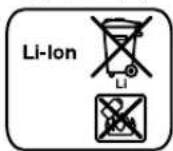
Li-Ion:
Please note the information in the section “Transport”, page 360.
Subject to change without notice.

Ukraine | 361
Ukraine
Safety instructions for working with technology
Construction laser
Charging the rechargeable batteries
Laser receiver for remote control
Product description and services
Intended use
Construction laser GRL 500 H
Construction laser GRL 500 HV
Laser receiver LR 50
Depicted components
Technical data
Assembly
Charging the rechargeable batteries of the measuring tool laser receiver (INB.MAL.A-B)
Battery charge indicator
3apxknaa kymyntropho6atapei 367
Bka3iBkn 10do onTIimaIbHoro noBODKeHHa3 akyMnTOpom 367
Ecknnyatauaia 367
Pouatokpo60n 367
BCTaHOBnEHBNMIPOBaIbHOr npHaNy 367
YnpaBnHHBmIPIOBaIbHIM IHCTpyMeHTOM (INV.Man.C) 367
Poboyi stann 368
BMnKaHHBmKahH 368
Pouatokpo60n 368
BMnKaHHa 368
BIMKahra 368
Pekim ouikyBaHHa 368
ABTomatnue BmHKaHH 369
Baapeika peanbhoro yacy RTC (Real Time Clock) .. 369
CunHaniaiJnIaXHcTyBjKpaIckn 369
Use of force by the operator. 369
Use of force by the operator. 369
Indicator verification (adjustment) 370
About the verification procedure 370
Indicator maintenance and support during verification 370
Recommended order and sequence of actions after verification of calibration 370
Work modes 371
Appendix 371
Operating modes 371
Description of operating modes 371
Automatic leveling. 371
Automatic leveling after maintenance. 371
Automatic leveling during operation. 371
Leveling mode with input axis. 371
Setting up the channel. 371
Average line (AVG.LINE) 371
Enabling the search for the average laser line 372
Anti-tracking system (ADS) 372
Enabling the anti-tracking system 372
Vertical line laser (GRL500HV) 372
Center line mode in line mode (AVG.LINE.E) 372
Enabling the search for the average laser line .373
Height indicator (AVG.LINE.F) 373
Working with the laser receiver. 373
Working with a calibrated measuring instrument and a remote control/laser receiver 373
Setting the sound signal/loudness 373
Selecting the average line indicator...374
Marking indicators 374
Protecting the Strobe ShieldTM function 374
Disassembly 374
Verification 374
Securing with a tripod for a remote river (see Fig. G) 374
Checking the accuracy of the leveled device 375
Factors affecting accuracy 375
Checking the accuracy of leveling in horizontal position 375
Checking the accuracy of leveling in vertical position (GRL 500 HV) 375



362 | Ukrainian
Calibration of the leveling instrument 376
Calibration of X axis 376
Calibration of Y axis 376
Calibration of Z axis (GRL 500 HV) 377
Indicators of operation 377
Setting up the leveling instrument 377
Working with a remote control (attachment) 377
Accessories 378
List of possible malfunctions (Fig. 1) 378
Causes of malfunctions 379
Troubleshooting and repairs 379
Periodic maintenance 380
Technical maintenance 381
Technical maintenance personnel 381
Service and consultation on product use 381
Ukraine 381
Transportation 381
Storage 381
Safety instructions
Laser pointer

Read all instructions and follow them to work with the device safely and reliably. Using the device without following
the instructions may lead to damage of the protective mechanisms. Never use the device for purposes other than its intended use. Follow the instructions and pass them along with the device.
Use of maintenance, adjustment, and repair tools other than those specified in the instructions, or use of unauthorized tools in an unauthorized manner, may lead to unsafe explosions.
The alignment tool is placed perpendicular to the table (in the image of the alignment tool on the page, the arrow is marked with number 8).

Laser Radiation Class 2 do not stare into beam IEC 60825-1:2014 <1mW,635 nm
If the text of the perpendicular table is not on the edge, fold it before operating the device with the additional label on the edge.

Do not direct the laser beam at people or animals, and do not look directly at the laser beam. It can damage their eyes, cause burns, or injure them.
If the laser beam hits your eye, close your eyes immediately and turn away from the beam. Do not touch the device. Do not use glasses for working with the laser as protective glasses. Glasses for working with the laser are intended for better recognition of the laser beam, but they do not protect against the laser beam. Do not use glasses for working with the laser when looking at the sun or at the sun's reflection. Glasses for working with the laser do not fully protect against UV radiation and impair color recognition. The alignment device should be repaired only by qualified specialists using original spare parts. Only under such conditions will your alignment device remain safe. Do not allow children to use the alignment device without supervision. They may unintentionally injure themselves. Do not work with the alignment device in environments where there is a risk of explosion due to the presence of flammable liquids, gases, or dust. In the alignment device, sparks may form that could ignite dust or fumes.

Protect the alignment device from heat, especially from direct sunlight, fire, and moisture. There is a risk of explosion.
When using the device with a battery, follow the safety instructions. Avoid contact with it. In case of accidental contact, rinse with plenty of water. If the battery fluid gets into the eyes, consult a doctor immediately. The battery fluid may cause skin irritation or burns.
Ukrainian 363
If the battery is damaged or incorrectly used, it may emit vapor. Ventilate the area - in case of complaints, consult a doctor. The vapor may irritate the respiratory tract. Charge the battery only with the specified charger. Chargers designed for specific types of batteries may be dangerous if used with other batteries.

Do not install the alignment device near pacemakers. The magnets of the alignment device and the pacemaker create a field that may adversely affect the functionality of the pacemaker.
Keep the alignment device away from magnetic data storage media and magnetic fields of the device. The magnets of the alignment device and the pacemaker may cause irreversible data loss.
Charger for the battery

Read all safety instructions. Failure to follow the safety instructions may result in electric shock, fire, and/or serious injury.
The device is not intended for use by persons (including children) with reduced physical, sensory or mental capabilities, or lack of experience and knowledge, unless they have been given supervision or instruction concerning use of the appliance in a safe way and understand the hazards involved. Children being supervised not to play with the appliance.
Keep the device out of reach of children during use, cleaning and maintenance. Children should not play with the device.

Protect the device from moisture. Improper use of the device increases the risk of electric shock.
Charge the device only with the supplied charger. Keep the device clean. Contamination can lead to electric shock. Before each use, check the device, cable and plug. Do not use the device if it is damaged. Do not open the device yourself; repairs should only be carried out by qualified personnel using original spare parts. Damage to the device, cable or plug increases the risk of electric shock. Do not use the device on a base that is wet (e.g., on wet paint, textiles) or in a humid environment. Heating of the device during charging may cause damage. Incorrect use of the battery may cause it to leak. If liquid comes into contact with eyes, rinse with water and consult a doctor. Liquid may cause burns or injury.
Laser device for permanent hair removal

Read all instructions. Keep the instructions for future reference.
Have the device repaired only by qualified personnel and only using original spare parts. This will ensure that the device remains safe. Do not use the device in environments where there is a risk of explosion due to the presence of flammable liquids, gases or dust. Sparks may be generated in the device, which could ignite dust or vapors.

Protect the device from heat, e.g., from direct sunlight, fire, water and moisture. There is a risk of explosion.
Incorrect use of the battery may cause it to leak. Avoid contact with the liquid. In case of accidental contact, rinse the affected area with water. If the liquid comes into contact with eyes, seek medical advice immediately. Battery liquid may cause skin irritation or burns.



364 | Ukrainian
In case of damage or incorrect use of the battery, it may leak. If liquid comes into contact with eyes, rinse with water and consult a doctor. Liquid may cause burns or injury. Charge the battery only with the supplied charger. A charger intended for specific batteries may cause fire if used with other batteries.
Adjustment and verification of horizontal lines, vertical lines, deflection lines, and high precision.
The measuring instrument is designed for use with the laser, but it can also be used with other tools.
Laser receiver LR 50
The laser receiver is intended for quick detection of rotating laser beams and for remote control of the construction laser.
The laser receiver can be used both indoors and outdoors.
Note: The LR 50 serves as a laser receiver and as a remote control unit. For better readability, the LR 50 will be referred to as the "laser receiver".
Illustrated components
The numbering of the illustrated components refers to the illustrations of the construction laser and the laser receiver on the pages with figures.
Construction laser
1 Laser beam outlet (GRL500HV) 2 Laser beam exit 3 Protective cap (aluminum, plastic) 4 Signal light for locking to the crane hook 5 Charging contacts for the laser receiver 6 Charging storage for the laser receiver 7 Laser beam 8 Warning label for laser operation 9 Serial number of the construction laser 10 Thread for 5/8" (vertical) (GRL 500 HV) 11 Cover for charging socket 12 Thread for 5/8" (horizontal)
13 Charging button 14 Charging socket
Laser receiver
15 Display 16 Center mark 17 On/Off switch 18 Button for pressing up 19 Button for center line mode 20 Button for pressing down 21 Button for waiting mode 22 Button for signaling for locking to the crane hook 23 Button for adjusting measurement accuracy 24 Button for acoustic signal/loudness 25 Calibration button 26 Ring for laser beam exit 27 Serial number of the laser receiver 28 Charging contacts
Indicators on the laser receiver
29 Indicator for charging the battery of the construction laser 30 Indicator for charging the battery of the laser receiver 31 Text indicator for pressing up/down 32 Text indicator for relative height/calibration interval 33 Radio link indicator 34 Indicator for exceeding the permissible temperature range 35 Calibration interval indicator 36 Indicator for signaling for locking to the crane hook 37 Indicator for interference during operation 38 Indicator for interference due to shock 39 Indicator for laser beam above the center line 40 Indicator for laser beam below the center line 41 Indicator for pressing mode 42 Center line mode 43 Center line indicator 44 Waiting mode indicator 45 Acoustic signal/loudness indicator 46 Accuracy indicator for measurement (fine adjustment) 47 Accuracy indicator for measurement (medium adjustment) 48 Accuracy indicator for measurement (coarse adjustment)
50 charger 51 laser charger 52 laser level



Ukrainian 365
Spare parts
53 laser rangefinder tripod 54 laser rangefinder tripod adjustment knob 55 laser rangefinder 56 laser rangefinder tripod locking knob 57 laser rangefinder tripod water level 58 laser receiver bracket 59 mounting bracket / device for explosive
60 mounting bracket locking knob
61 device adjustment knob
62 [5/8" screw for mounting bracket
63 Spare parts
64 Safety glasses for laser work
65 Case
Images or descriptions of accessories are not included in the standard delivery scope. The full range of accessories is shown in our accessory program.
Technical data
Before charging the battery of the built-in tool and laser receiver, it is necessary to ensure that the built-in tool is switched off (see "Switching on/off", page 368).
| Показааннaya Ди检плия | Зразецни СмнICTь | Занихочасу Вимиробанни прибл. |
| 29 | Актуларона батaper nobHicTiо зарджени. | 60-100% 15-25ю. |
| 30 | ||
| 29 | Актуларона батaper зарджени. часTKOBO. | 40-60% 10-15ю. |
| 30 | ||
| 29 | Актуларона батaper зарджени. часTKOBO. | 20-40% 5-10ю. |
| 30 |
Ukrainian 367
__SUPPIMER__


The battery is partially charged.
The battery is partially charged.
10-20% 2.5-5 years.


The battery
needs to be charged.
0-10% 0-2.5 years.


When the tool is not used for a long time, the battery charge level can be checked in the following way:

-Press the charge level button 21 until the sound signal sounds. The battery charge indicators 29 and 30 light up.
After the discharge, the indicator turns off again.
Rechargeable batteries
- Wipe the dirty contacts with a dry cloth. - Insert the plug into the charger.
The measuring instrument can be charged either directly from the laser receiver, or the laser receiver can be charged together with the measuring instrument.
MEASURING INSTRUMENT (FIG. MAN.A): OPEN THE COVER 11 OF THE CHARGING SOCKET 14. INSERT THE PLUG 52 INTO THE SOCKET, AND THE CHARGING PLUG 50 INTO THE CHARGING SOCKET 14.
Laser receiver (FIG. MAN. B):
- INSERT THE LASER RECEIVER INTO THE CHARGING AND STORAGE STATION. - OPEN THE COVER 11 OF THE CHARGING SOCKET 14. INSERT THE PLUG 52 INTO THE SOCKET, AND THE CHARGING PLUG 50 INTO THE CHARGING SOCKET 14.
Indicators
Meaning
Significance


Batteries are charging.
Charging segments are lit in sequence.


Charging of the measuring instrument and laser receiver is complete.
If the charging device is not used for a long time, unplug it from the socket.
Protect the charging device from moisture!
Instructions for optimal positioning with the accumulator
The measuring instrument is designed for operation at the permitted temperature range. For example, do not leave it in a car. A short period of operation after charging indicates that the battery is discharged and needs to be charged.
Charging the battery.
Operation
Workplace
Protect the measuring instrument from direct sunlight and high temperatures. Do not expose the measuring instrument to extreme temperatures or temperature fluctuations. Do not leave it, for example, in a car. If the measuring instrument has been exposed to large temperature fluctuations, before switching it on, let it stabilize its temperature. Extreme temperatures and temperature fluctuations can damage the optics of the measuring instrument and the laser receiver.
Avoid strong impacts and falls of the measuring tool. After strong external impacts on the measuring tool, before starting work with the tool, always check the accuracy of the tool (see "Checking the Accuracy of the Measuring Tool", page 375).
Mounting the measuring tool
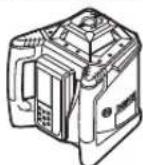
Horizontal
mode
GRL 500 H / GRL 500 HV
Vertical
mode
(GRL 500 HV)
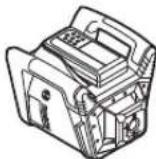
Mount the measuring tool in a horizontal or vertical position on a stable base, mount it on a tripod or on the wall bracket 593 with the corresponding accessories.
Due to the high accuracy, the measuring tool reacts very sensitively to sudden changes in position. Therefore, ensure a stable position of the measuring tool to avoid measurement errors and damage.
Control by the instrument (INB. MAN. C)
Control by the instrument is performed with the help of the laser pointer. Control can be performed either directly on the instrument (the laser pointer is built into the storage and charging station), or via radio link (the laser pointer functions as a remote control).


368 | Ukrainian
Operating modes
The system, consisting of the measuring instrument and the laser pointer, has the following operating modes:
Enabled state
All functions of the measuring instrument and the laser pointer are active.
See "Enabled state", p. 368.
- Standby mode
The functions of the measuring instrument are deactivated, but not more than 2 hours of battery life are preserved.
The signaling system for protection against short circuits and the anti-theft system remain active.
All settings (sound signals, measurement accuracy, laser power) are saved. See "Standby mode", p. 368.
- Disabled state
All functions of the measuring instrument and the laser pointer are deactivated.
See "Disabled state", p. 368, and "Automatic shutdown", p. 369.
Do not point the laser beam at people or animals and do not look into the laser beam, even from a distance.
Do not leave the switched-on measuring tool unattended. After finishing work, switch off the measuring tool. The laser beam may be switched on by other persons.
Note: Before using the measuring tool, check its accuracy (see "Checking the Accuracy of the Measuring Tool", page 375).
Operation
Note: The measuring tool is equipped with a laser receiver (the measuring tool can perform the functions of a remote control).
To save energy, switch off the measuring tool when you are not going to use it.
Switching On/Off

To switch on the measuring tool, insert the laser receiver into the charging station and then press the On/Off button 17.
or
Insert the laser receiver into the charging station, then remove it. To switch on the measuring tool, press the On/Off button 17 for 30 seconds.
Result
- All indicators light up briefly. - The tool is ready for automatic leveling (see "Automatic Leveling", page 371). - The tilt alarm will sound after automatic leveling (see "Tilt Alarm (ADS)", page 372).
After switching on, the measuring tool emits a laser beam 7 (GRL 500 H) or a laser beam 7 and a plumb beam 1 (GRL 500 HV).
Switching Off

Press the button to turn on the device 17 times.
Result
The laser pointer turns on. All indicator lights are on.
Note: If the laser pointer turns on and the laser is on, it is necessary to reinstall the laser pointer into the charging and storage state.
Standby mode
Using the laser pointer, the instrument can be switched to standby mode for no more than 2 hours.

To switch to standby mode, press the standby mode button 21.

In standby mode, the laser pointer indicator 441 lights up, and when the laser pointer is active, the indicator for laser pointer activity 36 lights up.

When the laser pointer is active, the indicator for laser pointer activity lights up.
All other laser pointer indicators are off. The anti-tamper system is activated.

To exit standby mode, press the standby mode button 21 again.
Standby mode is activated automatically if the device is not used for more than 30 minutes. The laser pointer does not turn on through the main switch 26 or if no buttons on the laser pointer are pressed for more than 30 minutes.
Note: If the laser pointer is in standby mode for more than 2 hours, it automatically turns off. If it is turned on, it is necessary to reinstall the laser pointer into the charging and storage state.
Ukrainian 369
Standard factory settings:
[The cleaning function is activated].


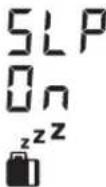

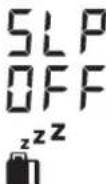
To activate the cleaning function, press the On/Off button on the spray gun and the cleaning button 21 simultaneously for at least 2 seconds. The cleaning function indicator 44 lights up and the cleaning function is activated (SLP ON).
The cleaning function remains active. The spray gun is switched off with the cleaning function activated.
To deactivate the cleaning function, press the On/Off button on the spray gun and the cleaning button 21 simultaneously for at least 2 seconds. The cleaning function indicator 44 goes out and the cleaning function is deactivated (SLP OFF).
AUTOMATIC SHUTDOWN
Under certain conditions, the spray gun and laser receiver switch off automatically (see "Shutdown", page 368):
The spray gun is tilted more than 2.5° and is outside the self-leveling range, and the tilt is not corrected (see "Tilt error", page 379). - The cleaning function is activated and the spray gun is switched off for more than 2 hours. - The anti-theft system is activated for more than 2.5 hours. - The spray gun is outside the operating temperature range.

Before the spray gun and laser receiver switch off, an audible signal sounds for approx. 5 seconds and the input indicator lights up if the temperature is outside the permitted range 34.
After shutdown: - If necessary, wait until the spray gun and laser receiver have returned to the operating temperature range. - If necessary, set the spray gun to the basic position again and switch it on again.
Battery for real-time clock (RTC)
If the calibration indicator 35 lights up for approx. 10 seconds after switching on, the battery for the real-time clock (RTC) is built-in and discharged. The calibration is no longer possible.
Contact the Bosch customer service center.
Signal for theft protection
To prevent theft, the system, consisting of the spray gun and laser receiver, is equipped with mechanical protection:
The spray gun can only be operated with the laser receiver; there are no controls on the spray gun. - When the spray gun is removed from the reference point, the spray gun and laser receiver emit both acoustic and optical signals.
The alarm system for protection against theft is activated.
Standard settings
[The alarm system for protection against theft is activated].

- Press the alarm button for protection against theft with the remote control. 22. The alarm system for protection against theft is activated.
The alarm indicator for protection against theft lights up and the alarm for protection against theft sounds.
The alarm system for protection against theft is activated and the settings are saved.
Press the alarm button for protection against theft with the remote control again.
Using the alarm for protection against theft
Use
Usage
The remote control is activated.
or
The remote control is in the ignition.
Locking mechanism
The alarm system is activated.

Indicator for protection against short circuit 36
Tone

Light signaling for protection against short circuit on the measuring instrument
The instructions must be followed



370 | Ukrainian
Application
Usage
The measuring instrument is used.
Close the device and store it in a non-operating state, charged and stored.
Protection mechanism
The signaling system is activated. The indicator for protection against short circuit 36 does not light up.
The light signaling for protection against short circuit on the measuring instrument does not light up.
When the measuring instrument is turned on, the protection against short circuit is activated and it falls to the floor. If it is held for 5 seconds, the signaling is correct:
On the measuring instrument, a sound signal is heard.
The sound pressure level of the sound signal is up to 110 dB(A), it cannot be adjusted by changing the volume of the sound signal.
The device is ready for use! All service functions are blocked.

The signal indicator of the protection device is lit on the measuring instrument. The indicator of the protection device is lit on the device.
To activate the signal that was triggered, press the signal button of the protection device.
The sound signal is accepted.
All control functions are blocked.
When activated, all settings return to the standard ones (see "Activation", p. 368).
The protection device signal system is activated again.
Calibration check indicators
(warning about calibration expiration)
It is necessary to check the calibration of the measuring instrument; it is displayed on the display of the measuring instrument after activation with various indicator combinations with the "CAL" indicator.
Indicates: after the first start-up in operation, the warning about calibration expiration (calibration interval, storage temperature, measuring instrument status) is activated.
Display indications
Meaning
Warning about calibration expiration

lit
Intervals for calibration (every 12 months)

Calibration interval indicator 35 lights
Indicators
Lamp
Warnings about calibration

Brakes

OUT OF RANGE indicator for allowed temperature range
34 lights
The calibration instrument is stored outside the allowed storage temperature range.

Lights

Warning indicator about the tool 38 lights
The calibration instrument has received a shock (e.g., dropped on the floor).
The calibration check indicators light up briefly, then disappear again when the device is turned on.
Handling of warning indicators about calibration
You can acknowledge the indicators until the cause for the calibration warning disappears.

Press the calibration button for 25 seconds to start the calibration procedure.
The calibration check indicators are based on the values specified in the instructions for the calibration procedure.
Recommended procedure for performing the calibration check
Step.
STOP.
1. Check the accuracy of the leveling at 375 for 2a. When the leveling is within the maximum allowable values ±3.0 mm: the calibration check indicators are triggered. 370 2b. When the leveling at 30 m is outside the maximum allowable values ±3.0 mm: calibrate the measuring tool. 376
3b. Check the accuracy of the leveling at 375
4b. After calibration, the leveling at 30 m is within the maximum allowable values ±3.0 mm: you can start working without any issues.
If after calibration the leveling at 30 m is still outside the maximum allowable values ±3.0 mm: send the measuring tool for inspection to the Bosch service center.

1609 92A4DX|(28.3.18) Bosch Power Tools



Ukrainian 371
Operating modes
Line mode
Line mode is indicated on the housing with a laser symbol.
Rotary mode
The device is equipped with a laser leveling system (600XB-1) for use with the laser receiver.
Operating modes
- Automatic leveling of the instrument during operation
- Leveling mode of the single-axis - pendulum - system (ADS)
- Leveling mode in vertical mode (GRL 500 HV)
Automatic leveling
Automatic leveling of the instrument
The instrument automatically compensates for unevenness within the leveling range of ±8.5% (5°).
During leveling, the indicator lights up to indicate leveling.
GRL 500 HV: The instrument automatically detects whether it is in a horizontal or vertical position. To change from vertical to horizontal or vice versa, press the instrument.
Automatic leveling during operation
If the instrument is outside the self-leveling range of ±8.5% (5°), automatic leveling is not possible and the display shows an error (see "Troubleshooting", page 379).
The instrument continuously checks its horizontal position. If the position changes, leveling is performed automatically. To avoid errors, the laser beam is switched off during the leveling process.
Leveling mode of the single-axis
In the horizontal position of the instrument, in leveling mode, the instrument automatically levels to the horizontal.
The planes can be turned around the axis within ±8.5%.
Note: If it is necessary to adjust the tilt angle after switching on, the automatic tracking must be locked (see Automatic tracking after switching on, page 371). This prevents incorrect test results.
Adjusting the tilt angle
The tilt angle can be adjusted within ±8.5%.

Press and hold the tilt button 18 or 20 until the desired tilt setting appears on the display.
Release the tilt button 18 or 20.

During tilt angle adjustment, the warning indicator flashes to indicate a warning 37.
The tilt mode indicator 41 lights up continuously.

Auto
Press the tilt buttons 18/20 simultaneously. The tilt angle adjustment is locked.
Automatic tracking after switching on (see "Automatic tracking", page 371).


If the tilt range is exceeded by ±8.5%, the tilt mode indicator 413 flashes and is displayed when the power is on (see "Eliminating malfunctions", page 379).
Middle mode (see MaI.D)
In middle mode, the measuring instrument automatically aligns with the middle of the laser plane for height or rotation head lowering.

Press the button on the central unit 19 for approx. 2 seconds.
Rotate the head automatically to the right - B3.
Note:
- 1. The head rotates to the right until it stops. 2. The laser beam turns on. 3. The head lowers down. 4a. The laser beam hits the right window 26 and is reflected to the lens. or 4b. The laser beam does not hit the right window within the adjustment range; the error indicator lights up (see "Eliminating malfunctions", p. 379).
During the search for the middle line, the warning indicator lights up.
The indicator of the center line lights up constantly.
From the moment the laser beam is turned on until it hits the right window 26 and finds the middle line, a sound is heard.

372 | Ukrainian
The rotation of the head stops automatically as soon as the laser beam hits the right window 26. After finding the middle line, the measuring instrument automatically switches to the middle line mode. The setting is carried out automatically and is displayed on the display.

- To disable the middle line mode during the search, press the middle line mode button 19.
or

Press the buttons 18 and 20 simultaneously to enable automatic alignment.
Auto


Search mode for the middle line of the laser receiver
The search for the middle line of the laser receiver starts with the rotation of the head to the right. If the laser beam is near the middle line and does not hit the right window of the laser receiver, you can adjust the direction of the beam in the opposite direction.

- Press the center line button 19 for about 2 seconds. The head starts rotating automatically to the right - B3.
Lower the head. 20. The head lowers.
Anti-tip system (ADS)
The anti-tip system is a device that, when the position of the leveled instrument changes or when the instrument vibrates due to soil vibration, automatically returns it to the new height, and thus to the new height.

The anti-tip system is activated through approx. 30 seconds after switching on the leveling instrument.
After switching on, the indicator for cross-leveling lights up. After activation, the indicator goes out.
The anti-tip system works correctly if the vertical position of the leveled instrument changes or if it is subjected to a shock: the indicator for cross-leveling lights up and after approx. 5 seconds a scraping sound is heard.

To switch on the anti-tip system, press the raise/lower button 17. The automatic leveling starts (see "Automatic leveling during operation", p. 371).
- Check the height of the laser beam according to the reference point and correct the height of the leveled instrument if necessary.
Switching off the anti-tip system
The anti-tip system can be switched off during operation of the leveled instrument.

Press the raise/lower button 17. The anti-tip system is switched off. The indicator for cross-leveling is no longer displayed.
The last setting is retained. The leveled instrument is switched off with the anti-tip system activated.
Vertical adjustment (GRL 500 HV)
In the vertical position of the leveled instrument, the rotating head can be adjusted using the keys for simple checking of the beam or for parallel adjustment.

To rotate the head clockwise, press the button 18. To rotate the head counterclockwise, press the button 20.

Press the central button 19 repeatedly until the laser beam hits the center line. The rotary head starts rotating automatically to the right/left.
Search:
- The rotary head moves to the end of the right. 2. The laser beam is turned on.
- The rotary head moves to the left.
4a. The laser beam hits the receiving window 26 and finds the center line.
or
4b. The laser beam does not hit the receiving window within the tilt range; the rotary head is adjusted (see "Possible malfunctions", p. 379).
Ukrainian 373
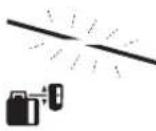
The search for the center line is indicated by the indicator 37.
The indicator of the central 42 is for tilt.
From the moment the laser beam hits the receiving window 26 until the center line is found, a beep sounds.
The rotary head is moved manually until the laser beam hits the receiving window 26. After finding the center line, the instrument automatically switches to the center line mode.

The rotary head moves automatically to the right.

Press the tilt button 20. The rotary head lowers downwards.
The height indicator (m/ft)
+30.0mm
The distance between the laser level and the measuring tool is indicated on the scale (in [mm] or [inches]).
NOTE: The scale is calibrated, see page 378.
Working with the laser receiver
When the laser beam is outside the calibrated range, use the laser receiver for long distances or in bright conditions.
Switch on the laser receiver so that the laser beam is within the receiver's detection range.
The distance between the measuring tool and the remote control/laser receiver
According to the manufacturer's settings, the laser receiver LR 50 is set to work with the measuring tool through the wireless connection as a remote control for the measuring tool.

The distance indicator is displayed and indicates the function of the remote control for the laser receiver.
Several laser receivers LR 50 can also be connected to the measuring tool.
Switch on the measuring tool and the laser receiver.
- Insert the laser receiver into the charging and storage station.

Press the On/Off button 17.

The distance indicator is displayed and indicates the function of the remote control for the laser receiver.
Remove the laser receiver from the charging and storage station. To switch on the measuring tool, press the On/Off button 17 for 30 seconds.
Note: To turn off several laser pointers, only the last laser pointer turned off will have the right to control the control panel. These laser pointers are only laser pointers.
By pressing, as well as by turning off the sound signal, you can set the operating mode for each laser pointer individually.
If you turn off the laser pointer, the control panel control instruction will also turn off. Additional laser pointers need to be turned off each separately.

The connection indicator to the sound signal is the connection indicator 33.
All warning indicators (e.g., pause, anti-fog, calibration) will not be reflected, and it is impossible to control the antenna with the laser pointer.
Note: To turn off the operating mode of the laser pointer, you can only press the operating mode button 21 on the laser pointer, which is in the control panel class.
Setting the sound signal volume
By pressing the laser pointer button 26, you can turn on the sound signal.
You can choose one of three volume levels or turn off the sound signal.
374 | Ukrainian
Standard factory setting [Normal sound signal]

-Press the sound signal volume button 24 until you reach the desired setting.
Indicator name: Sound signal turned on

Normal sound signal
The sound signal volume setting is saved when turned off.
The pointer is set to the middle line.
It is possible to set the position of the laser beam in the receiver window to select the measurement method, see "Setting the middle line".
Factory default setting.
[Accuracy of "Middle line/3mm"].

Press the button to set the accuracy of the laser beam to the highest level.
The display shows the selected accuracy.
Accuracy of measurement: "Precise line"/"Middle line"/"Rough line" and precise value.
The accuracy of the laser beam is set.
Voltage indicators
The position of the laser beam in the receiver window is displayed:
Press button 15 on the front or back side of the laser receiver using the voltage indicator "Laser beam above middle line" 39, the voltage indicator "Laser beam below middle line" 40, or the middle line indicator 43,
optionally with an acoustic signal.
The laser receiver is positioned low:
The laser beam passes through the upper part of the receiver window 26, the voltage indicator "Laser beam above middle line" 39 lights up, the positive value of the indicator is displayed in the display 32, indicating how much the laser beam needs to be raised. The acoustic signal sounds with short intervals.
- The laser beam is positioned exactly at the middle line. When approaching the middle line, the indicator 39 lights up.
The laser beam is directed vertically upward.
If the laser beam passes through the lower alignment window 26, the direction indicator lights up "Laser beam passes through the middle alignment window".
The indicator values are relative to the vertical, showing how much the laser beam is tilted. When the sound signal is activated, the signal is emitted at short intervals.
- The laser beam is directed downward. When the middle mark 16 is aligned, the direction indicator 40 lights up.
The laser beam is centered: if the laser beam passes through the middle alignment window 26 at the height of the middle mark 16, the middle indicator 40 lights up. When the sound signal is activated, a continuous signal is emitted.
If you have adjusted the instrument so that the laser beam is again outside the alignment window 26, approx. 5 cm from the last displayed direction indicator 39 or 40.
Strobe Shield™ function
The laser beam is modulated by the strobe light pulses. This protects against interference that could be caused by other light signals on the construction site.
Marking
At the middle mark 16, to the right of the laser beam, you can read the height of the laser beam when it passes through the middle of the alignment window 26.
Make sure that the device is exactly vertical (for a horizontal laser beam) or exactly horizontal (for a vertical laser beam) during marking, otherwise the marks will be rotated relative to the laser beam and not accurate.
Battery charging
Standard charging [Battery charging indicator]
If no button is pressed for approx. 30 seconds, the charging indicator goes out.
Pressing any button or when the laser beam enters the alignment window causes the charging indicator to light up again.

Press and hold the button until the LED lights up.
Press and hold button 17 for the sound signal for 24 hours.
The device is activated and the button is locked.
Closing with the remote control (DIN.MaI.G)
With the remote control 53, you can close the door or use the remote control for the door opener 55 (if applicable), or other auxiliary devices up to 65 mm.

Ukrainian 375
Turn the retractable handle 58 using the locking screw 56 on the remote control 53. Pull out the retractable handle 54, place the remote control on the door opener 55, so that it engages the retractable handle 54. - With the nut 57, you can adjust the remote control 53 horizontally. It is recommended to follow the instructions for correct adjustment. Install the batteries in the retractable handle 58.
Checking the accuracy of the adjustment device
The following work should only be carried out by trained and qualified personnel. The rules for checking the accuracy of the adjustment device or calibrating the adjustment instrument must be observed.
Factors affecting accuracy
The ambient temperature is the main factor. Temperature fluctuations, which can occur during operation, may affect the accuracy of the device.
In addition to environmental conditions, specific instrument conditions (e.g., impact or vibration) can also affect accuracy. For this reason, check the calibration before each use.
The accuracy should be checked starting from a fully extended measuring tape of 20 m, at a distance of 100 m, the deviation can be up to twice or even four times the value at 20 m.
Since temperature fluctuations are close to the ground, you should start with a fully extended measuring tape of 20 m to mount the adjustment device at a height. In addition, if possible, the adjustment device should be installed in the center of the measuring tape. If the adjustment instrument exceeds the maximum deviation, calibrate it (see "Calibration of the adjustment instrument", page 376) or send the adjustment instrument for inspection to the service workshop.
Checking the accuracy in the horizontal position
For the verification you will need a free laser level. It must be placed on a flat surface at a distance of at least 30 m from the wall. You must perform the verification for each of the axes.
Place the laser level in a horizontal position on a tripod at a distance of 30 m from the wall, or place it on a solid, flat base. Turn on the laser level.
- After completing the leveling, mark the center of the laser beam on the wall (point I).
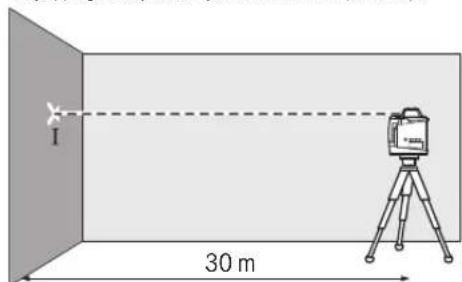
The maximum permissible deviation is:
30MX± 0,1MM / M = ± 3,0MM.
Thus, the difference d between points I and II for each of the two leveling positions must not exceed 6 mm.
Checking the accuracy of leveling in the vertical position (GRL 500 HV)
For the verification you will need a free laser level for a wall at a distance of at least 10 m from a high wall. Close the shutter on the wall.
Mount the laser level in a vertical position on a tripod or place it on a solid, flat surface. Turn on the laser level and wait until self-leveling is complete. Aim the laser level so that the laser beam exactly hits the center of the crosshair on its upper end. The difference d between the laser beam and the crosshair on the lower end of the crosshair is the deviation of the laser level from the vertical.


376 | Ukrainian
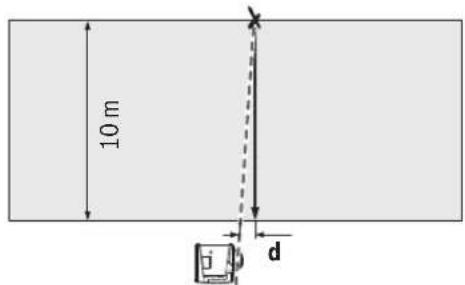
The maximum permissible deviation for a height of 10 m is:
10Mx±0,1MM/M=±1MM.
Thus, the difference d must not exceed max. 1 mm.
Calibration of the laser instrument
The following work may only be carried out by well-trained and qualified personnel. The rules for checking the accuracy of the laser level or calibrating the laser instrument must be observed.
Before calibrating, check the measuring tool, or send it to a Bosch service center for verification. Incorrect calibration can lead to incorrect measurement results. Calibrate the measuring tool as described below. Only when the measuring tool has passed all calibration steps can it be used for precise measurements.
Note: The calibration indicator and calibration status are displayed again only when the calibration process is started.
Calibration is required when the measuring tool is dropped or subjected to a strong impact.
Calibrate all axes (GRL 500 H: X and Y; GRL 500 HV: X, Y, and Z).
Calibrating the X-axis
Mount the measuring tool in a horizontal position on a tripod (accessory). - Position the tripod at a distance of 30 m from a wall. Ensure that the X-axis level indicator on the measuring tool is perpendicular to the wall. - Switch on the measuring tool.


- Simultaneously press the calibration button 25 and the button 18 for approx. 2 seconds.

The calibration symbol for the X-axis appears on the display.
During automatic leveling, the leveling indicator 37 flashes.
- Wait until the measuring tool has completed leveling. - Using the laser pointer, mark the center line and transfer the height X1 of the center line onto the wall. - Turn the measuring tool 180° without changing the height of the tripod. - Wait until the leveling indicator 37 stops flashing and the measuring tool has completed leveling. - Using the laser pointer, mark the center line and transfer the new height X2 of the center line onto the wall. - Determine the midpoint between the center lines X1 and X2 and mark it on the wall using the laser pointer 13.

Press the button 18 or 20 until the center line indicator 43 lights up continuously. A continuous acoustic signal sounds. The calibration button 25 is used to save the calibration.
The calibration lock symbol appears on the display.

To ensure accurate calibration, after completing the calibration, the leveling accuracy must be checked (see "Checking the leveling accuracy in horizontal position", page 375). If after calibration the deviation is outside the maximum permissible values of ±3.0 mm, send the measuring tool to a Bosch service center for verification.
Calibrating the Y-axis
Mount the measuring tool in a horizontal position on a tripod (accessory). - Position the tripod at a distance of 30 m from a wall. Ensure that the Y-axis level indicator on the measuring tool is perpendicular to the wall. - Switch on the measuring tool.

Simultaneously press the calibration key 25 and the key down 20 until the required value is reached.


Ukrainian 377
CAL
The calibration symbol is displayed on the display.
During automatic leveling, the leveling warning indicator 37 flashes.
-Check that the measuring instrument is not leveled. -Using the laser receiver, find the middle line and transfer the height Y1 to the middle line on the wall. -Turn the measuring instrument 180° without changing the height. -Check that the leveling warning indicator 37 stops flashing and the measuring instrument is not leveled. -Using the laser receiver, find the middle line and transfer the new height Y2 to the middle line on the wall. -Find the midpoint between the middle lines Y1 and Y2 and mark it with the laser receiver on the middle line 16.

Press the key down 18 or 20 until the middle line indicator 43 starts to light continuously. When the acoustic signal sounds during continuous operation, press the calibration key 25 to save the calibration in memory.

The calibration lock symbol is displayed on the display.
Setting the measuring tool
The setting is carried out with the middle line on the display in [mm] or [inches]: depending on the version.
Standard factory setting [mm].

- Simultaneously press the setting key for the measuring tool 23 and the key down 20 until you reach the desired setting.
The setting of the measuring tool is saved.
Safety instructions for working with the laser (receiver)
Safety instructions for working with the laser: switch off the laser before cleaning. Due to the bright laser light, the laser can be blinding.
Use protective goggles with side shields. Goggles for working with lasers are intended for better recognition of the laser beam, but they do not protect against laser radiation. Do not use goggles for working with lasers to protect against the sun with a helmet. Goggles for working with lasers do not fully protect against UV radiation and impair color recognition.
Working with the laser (attachment)
Mounting the attachment for horizontal work with the laser. Place the mounting attachment under the laser on the 5/8" thread and secure it with the laser locking screw.
You can directly set the desired height on the mounting scale.
Working with the partial fastening and the leveling attachment (accessory)
You can also mount the leveling attachment on the partial fastening with the leveling accessory 59. To do this, screw the 5/8" screw 62 of the partial fastening into the thread socket on the leveling attachment.
Wall mounting: Wall mounting is recommended, for example, for working at heights that exceed the height at which the laser can be placed, or for working on unstable bases and without a laser. To do this, fasten the partial fastening 59 with the mounted leveling attachment vertically on the wall.
For wall mounting, you can fasten the partial fastening 59 with the mounting screw 60 on a wall with a width of at least 8 mm or hang it on two hooks.
Tripod mounting: You can also screw the tripod into the thread socket on the back side of the partial fastening 59. This fastening is recommended especially for work where the horizontal line must be aligned to the exit line.
With the leveling attachment, you can move the mounted leveling attachment vertically (for wall mounting) or horizontally (for tripod mounting) within a range of approx. 16 cm. To do this, loosen screw 61 on the leveling attachment, move the leveling attachment to the desired position, and retighten screw 61.
Working with the laser receiver (accessory) (see figure D)
Check the leveling accuracy. It is recommended to use the leveling receiver 53 with the laser device.
The leveling receiver 55 has a leveling scale with an accuracy of ±50 cm. The zero mark is in the middle. This allows you to immediately see the height difference.
Application examples
Checking the depth of excavations (see figure I)
- Before starting the alignment, install the device on a stable base or mount it on a tripod.
- When working with a tripod: Set the laser level to the required height. Transfer/measure the height to the reference point. Working without a tripod: Determine the difference in height between the laser level and the reference point. Transfer or measure the determined height difference to the reference point.
To change the influencing factors when aligning large installations, it is recommended to install the alignment device on a tripod in the middle of the working zone.
- When working on non-magnetic surfaces, install the alignment device on a tripod. In this case, make sure that the anti-tip system is activated to prevent falls when the device is moved or tilted.
Troubleshooting
Faults and their remedies
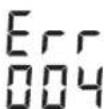
The fault is indicated by the display of the fault code.
- Eliminate the fault (see "What to do").

- Press the button to confirm the central point of the laser signal/audibility 24.
If the fault is eliminated, the fault indicator goes out and automatic alignment starts (see "Automatic alignment", page 371).
If the fault is not eliminated, the instrument must be sent to a Bosch service workshop for inspection.
Battery charging time 384
Laser glasses / working with the laser 385
They are not intended for use as protective goggles 385
Table of contents 385
Receiver GRL 500 H. 385 Receiver GRL 500 HV. 385 Laser receiver LR 50 385
Accessories 385 Technical data 386
Index 387
Charging the rechargeable batteries
(see accessories) 387
Charge indicators 388 Charging the battery. 388 Battery charge level indicators .388
Discharge 388
Discharge 388
Checking the receiver 389
Checking the receiver (with the laser) .389
Cleaning 389
Storage 389
Disposal 389
Storage 389
Ouipy 389 Demalbcpekmi 389 ABTomatBtB 390 RTC (Real Time Clock) 6atapencbI 390
YpnyancaTaydaBnJyHeci 390
Ypnaayancaqtaya6bynkynecie bencenety. .390 Ypbblkaabbljkyueincihnnaaanahyokfanaapbl...390
Kannbpeydi Tekcepy KepcetkiuTepi
(калнбрney eckepyi) 391
Kannbpny eckepry Kepcetkiin H ewipy 391 Kannbpeyni Teckepy KepceTki xi KaHFaHa ycbHbIraH apeKeTep adici 391
PaiDanaHnyTypnepi 391
XMeHYocihjxypici 391 Potaunnyk naaandahy. 391 Kymblc Tpynepi kapan 1y 391
HnBEnInpney aBToMaTHkAcbl 391
KocyaH coH abTOMaTTb HnBEnIepny 391 KymbcKe3iHderiABTomtB HnBENHPney. 392


Kaazakla 383
BipocbTikehicterixymbic 392
EHicti petrey 392
Centre-Line pexm (D cypertin kapaht) 392
Ia3epKa5blnayblHbIHOpTa CblBfBtHa6ybl XbldAmDAty 392
Anti-Drift system (ADS) 393
Anti-Drift system (ADS) 393
Line Control (GRL 500 HV) 393
Line Control (with crane) 393
Support leg hydraulic locking 393
Quick release coupling (with crane) 394
Support leg maintenance 394
Radio balance between hook and hook lifting device 394
Load limit / overload protection 394
Setting line control parameters 394
Line control settings 394
Strobe-Shield cover function 395
Ventilator 395
Spare parts 395
Regulator adjustment (with crane) 395
Onwey KypalbHbN dAndiR TeKcepy 395
Дандikke aceereetin kafdainap. 395
Hbennepny dindirin rnpoHTaIbkyteKcepy 395 Hbennepny dindirin BepTKaIbkyteKcepy (GRL 500 HV) 396
Ouwey KpaBn KaHbPney 396
Xocinkanibpney 396
Yocin Kanibpney 397
Zocin kain6pney (GRL 500 HV) 397
PaiDanaHny HycKaynapbi 398
BipnikTepeKpcetkiH peTey 398
Ia3ep Kepy Ke3inJipiri (KepeK-JapaKTap) 398
TafAHMeHnaiDanahy(KepeK-kaPakTap) 398
Kabipfaibik yctafbln neh bypanay acnbimeh Xymbicictey (kepek-kaapakTap) 398
Onuey peKacbH naDanaHy (KepeK-JapaKaTap) (HCypetIN KapaHbI3) 398
PanaanhyMbicanapbl 398
KypbIbc WYHKbpIpaHbIH TepeHdiirH Tekcepy (ICpETIH KapaHb3) 398
Contents 399
Table of contents 399
List of tables 400
Technical service and maintenance 401
Service and repair 401
Instructions for service and repair 401
Kazakhstan 401
Printing 401
Waste disposal 401
Safety instructions
Rotary laser

Read all safety warnings and all instructions. Failure to follow the warnings and instructions may result in electric shock, fire and/or serious injury.
Save all warnings and instructions for future reference. The term "tool" in the warnings refers to your mains-operated (corded) power tool or battery-operated (cordless) power tool.
Do not use the power tool if the switch does not turn it on and off. Any tool that cannot be controlled with the switch is dangerous and must be repaired.
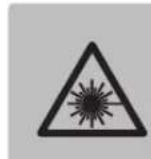
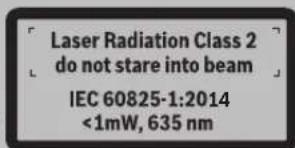
If the battery pack is not in use, keep it away from other metal objects, like paper clips, coins, keys, nails, screws or other small metal objects, that can make a connection from one terminal to another. Shorting the battery terminals together may cause burns or a fire.

Do not look directly into the laser beam and do not point it at yourself or others. It is possible for people to be harmed, so keep it away from eyes and avoid prolonged exposure.
384|Kazakh
If the laser beam hits your eyes, you should immediately look away from the beam. The laser beam can cause eye damage. The laser beam is intended for cutting materials, but it can also be dangerous. The laser beam can cause burns. The laser beam can be harmful to the skin. Use the device only for its intended purpose and do not modify it. The device should be kept out of reach of children. Children may accidentally operate it. It is possible for them to be injured. Do not use the device in the presence of flammable liquids, gases, or explosive materials. The device can be damaged by overheating, impact, or improper use.

Protect the device from moisture, dust, extreme temperatures, and direct sunlight. Keep it away from water.
It is possible to use the accumulator with a battery. It is safe. Do not touch the terminals with wet hands. If the accumulator is damaged, seek medical help. The accumulator can be recharged or replaced. It is possible to replace the accumulator with a new one. If you notice any damage or malfunction, seek medical help. It is possible to recharge the batteries. The accumulator should only be charged with the specified charger. The charger is designed for a specific type of accumulator, and it may be dangerous to use it with other accumulators.

The device and the laser module are installed in the housing. The magnet holds the device and the laser module in place.
The device and the laser module are installed with magnets and screws. The magnets hold the device and the laser module in place, and the screws secure them.
Accumulator charger

Keep the device away from children and pets. It is possible to store the device and its accessories in a dry place, away from heat or direct sunlight.
This device is not intended for use by persons (including children) with reduced physical, sensory, or mental capabilities, or lack of experience and knowledge, unless they have been given supervision or instruction concerning use of the device by a person responsible for their safety. Children should be supervised to ensure that they do not play with the device. It is possible for children to be harmed if they use the device. Do not allow children to play with the device.

Charging the battery, remove it from the device. Before charging the battery, make sure it is a lithium-ion battery and check the charging current.
Charge the battery only with the specified charger. Install the battery correctly. The battery's charging current is indicated on the label. ▸ Before using the battery, read the manual carefully. If you do not follow the instructions, the battery may be damaged. Do not disassemble the battery; only have it serviced by qualified personnel. A damaged battery may cause electric shock or fire. Do not place the battery near heat sources (such as fire, stoves, or radiators) or in direct sunlight. Before charging, ensure the battery is at room temperature. If the battery is damaged or leaks, do not use it. In such cases, contact a qualified technician. They can safely dispose of the battery.
Kazakh|385
Laser safety / Control system

All safety instructions must be followed. Only use these instructions.
Charge the battery only with the specified charger. Do not use the charger for other purposes. Do not charge the battery in places with high humidity, dust, or flammable materials. The battery may overheat, catch fire, or explode.

When charging the battery, keep it away from water, moisture, and direct sunlight. Do not expose it to rain or snow. Keep the battery dry.
If the battery leaks, do not touch the liquid. If it comes into contact with skin or eyes, rinse with water and seek medical help. Do not short-circuit the battery terminals. Do not dispose of the battery in fire. If the battery is damaged or leaks, do not use it. In such cases, contact a qualified technician. They can safely dispose of the battery. Charge the battery only with the specified charger. The charger is designed for a specific battery type; using other batteries may cause damage.
Safety and Service Instructions
Translation of the original instructions
Rotary laser GRL 500 H
The battery is intended for use with the specified tools.
The battery can be used in temperatures ranging from -20°C to +50°C.
Rotary laser GRL 500 HV
The battery is designed for use with the specified tools and accessories, and for charging and discharging.
On the control panel, the indicators and controls are arranged in a logical order.
Laser safety class 50
The laser safety class 50 device is designed for use in industrial environments.
The laser safety class 50 device is intended for use in industrial environments.
Example: The LR 50 laser safety device is used in industrial environments. The device is also known as "Laser safety device LR 50".
Safety instructions
The safety instructions in this manual must be followed to prevent accidents.
Laser device
1 Laser source (GRL 500 HV) 2 Laser source cable 3 Power connector (main, AC) 4 Control panel 5 Laser safety device emergency stop contacts 6 Laser safety device emergency stop/start switch 7 Laser source 8 Laser emergency stop button 9 Laser device serial number
10 Mounting bolts 5/8" (vertical) (GRL 500 HV) 11 Emergency stop button 12 Mounting bolts 5/8" (horizontal) 13 Calibration adjustment screw 14 Emergency stop button
Laser safety device
15 Display 16 Belt 17 Cutting/welding torch 18 High voltage cable 19 Centre-Line adjustment screw 20 High voltage cable 21 Adjustment screw 22 Adjustment screw 23 Adjustment screw 24 Adjustment screw 25 Calibration screw 26 Laser source cable 27 Laser safety device serial number 28 Emergency stop contact
Laser safety device components
29 Laser device battery charge indicator 30 Laser safety device battery charge indicator 31 High/medium voltage indicator 32 Adjustment/calibration knob indicator 33 Radio remote control indicator 34 Temperature sensor indicator 35 Calibration knob indicator 36 Adjustment knob indicator 37 Level sensor indicator 38 Current sensor indicator 39 "Laser source on" indicator 40 "Laser source on" indicator 41 High voltage mode indicator 42 Centre-Line mode indicator 43 Optical indicator




386|Kazakh
45 CnHan dbi6bcjblb6ic KaTbIbnfBi KepceTkui
46"an"enwey aanirihin kepcetkiu
47"optawa"enwey dndirinH Kepcetkiu
48 "dpekei" oIwey dAndiirHin Kepcetkiu
3apndany Kypanbl
49 3apatany kypanbi
50 3apday aibipb
51AaBip
52 Keni aibpbbl
Ka6dbikTap/kocanKb6nweKtep
53 PeKaIap yTaftbIbI
54 PeKanap yCaTfblbHbHbOpHaTy 6paHaDaCbI
55 KypbIbIc na3epiHin eHwey peKanapbi*
56 PeKanap yCTaftbHtBn 6ekity 6ypaHdacb
57 PeKanap ycatfblbHbBatepnacbl
58 Na3ep Ka6binybHbHbN KbIbKypaMaCbI
59 Ka6biprafbnik yctarbi//Typanay acna6b
60 Ka6bipfambik yctafbiw 6eKiTy 6ypaanda
61 Typanay acnabHbHb 6ypaHdaCb
625/8"ka6bprfaBik yctaFbH 6paHdaCb
63 TarAH
64 Na3ep Kepy Ke3inDipiri
65Ia6daan
"BeHHeHeHReH HeMeCe cHaTtAnFaH Ka6DbIbIKTap CTaHdApTTbI
Keki3y Keenimem KAMtbinmaIb. ToBik Ka6dbkTapbl 63diH Ka6dbkTap 6afdpnAmMb13aH Ta6acbl3.
ABTomattbIeWiiJeHcH;
-KepeK 60nca, eHney KpyanbI MeH Iaep Ka6blndaybl XMyBc TempepaTypcb aMafblHa TpyFaHbla KyTe Typblbl3. -Kepek6boncaenwey KypaBn KaTApHaNactbipIn KaTAt KOcbHb3.
RTC (Real Time Clock) 6tataperecbi

Kocyaoh coh KaHbpey apanbIb Kepcetkiu 35 am.10 cek xha,RTC batapecbx He opHaTbIFaH aKKMynTop 3apdBkEM. KaHbpey apanbIfb 6acka 6akblnaHbaDb.
Bosch ekinetticbpnctik optaibfiba xa6apnacbHb3.
Control of the cutting depth
The cutting depth limiter with two clamping mechanisms allows you to set the cutting depth: -The cutting depth can only be adjusted when the laser is switched on; pressing on the cutting depth is not possible. -The cutting depth limiter with laser is adjusted by turning the cutting depth limiter to the required value.
Setting the cutting depth
The standard parameters in the settings [Cutting depth].

-The cutting depth can be set in steps of 22 mm. The cutting depth is set.
The cutting depth is set by turning the cutting depth limiter.
The cutting depth parameters are set in the menu. For this, the cutting depth can be set in steps of 22 mm.
The cutting depth limiter settings
Type of clamping mechanism
Cutting depth
Adjust.
No
The cutting depth is set.

The cutting depth limiter is set to 36 mm.

Ypnbkbda6bbljkabpblk HnoB4eLwey KypanbHdaKaai XbblbTaNktaBip
Thneuy kypanbIeik.
JaepKa6bIaaybIbIeikXhe
3apTay/caTay CTaHnCbHda6em
Dabn KyuNci eWik
YpIbKJa6bblI KepcTeKiU36 KepcTeImeNi
Ypnbkda6bblbXapbKdnoB4 4 enwey KpaabHda XaHbAaXaTb
Ypnayan cacTAY kyeici 6enceHdi 60bn enuwey Kypanbl 5 cek y3ak afbIMdbIK kaihah KO3fanca da6bl kyeici icke Kocbladbl: -0nuey Kpyanb Meh naep Ka6blndaybubHda da6bln Dbl6bcj xibepin Jatbp. CnHAn Dbl6bcHbH A-Meh 6enrineHren Kywi 110d5(A) DeHH 6oBn anetteri CnHAn Dbl6bcHbH KaTbHbIFbH peTey eicimeh peTneMnei.



Kaakaika|391
- Na3ep Ka6binyabH KynakKa XaKbH yctamaHbI KaTbI b6bcEcy Ka6inTH 3akBmdaybMyMKIn. -巴pblknaaandahyfynKunnapbby6yfaTanaabI.

-ynbkbabbnjXapbkDnOdb4enwey KpaBbHaJkaBbIaM XbIbNbIbKtAnKaTbp.

-ynbkaabnbkepcetkiwi36naep Kaabndaybllhda kbnblbknTanKaTbp.

-1ckeKocbnfAn da6bIbIeupiy yuiHypblk da6bIbI nephecihe 22 bacIbI3.
Dabbldbbcbcbeewei.
Bapnbk naHanaHy fynKunnapbkybnblnabuNbnaBbl.
The parameters of the standard oblique cutter are given in the table ("Kocy" 3896 etInHe kapaHb3).
The instructions for use are given below.
Calibration of the cutting tool (calibration check)
The calibration of the cutting tool is carried out using a laser indicator, together with the oblique cutter and the indicator.
Check: Before checking, the tool (cutters, cutting temperature, cutting fluid) must be at the same temperature as the machine.
Calibration check procedure
Step 1

Cutting tool
Calibration interval (every 12 months).

Calibration interval for the cutting tool: 35 cutting tools

Cutting tools
The cutting fluid temperature must be maintained at the specified value.

Temperature check for the cutting tool: 34 cutting tools

Cutting tools
The cutting fluid must be filtered (for example, through a filter).

Wok eckey Kcpctki 38 XaHbN XaTbp
Kbcka KepcetyeH coH kAn6bpnyTe KEcpeKciuTepi anfawkbkocyaKaeta Kepcetinei.
Kann6pney eckepy Kcpctkiin oipy
KepcTeKiIepei KaHbpeey eckpyi yin ce6en kaTa 乌kkHaMa eipjy MymkiHdi3bap.

- KaHbpey eckeptyi Kepcetinin TyphaHwa KaHbpey nephecin 25 wam. 2 cek bacbHb3. KaHbpeyni Tekcepy KepcetkiuTepi KaHbpey eckeptyi yuih ceben KaTa naJa 6oHaHaKaTa Kepcetinei.
Kann6pnyi TeKcepy KepcetkiuixxahraHa ycbHbInFa HapekeTep apici
Opekekenekenci6e
KapaHbi3
1 HbEnIpye nnirin TeKepy 395
2a KaHbPnydeH coahybyTKy30M-de pyKcatetinreH ± 3,0 MMweKeTepineh TbcKaTbip: KaHbPnydi eckepy KepcETkinepi H eupipi3.391 2b Aybyk 30 M-de MaKcMaIaBik pyKcat erinreH ±3,0 MM WeKeTepiHeh Tbc JAtbip: Θlwey KypanbH KaIIbPney 396
3b HnBEniPney dAndiirin Tekcepy 395
4b KaN6pIeydeH coH 30 M ayIky ±3,0 MM MaKcHmAnObK pyKcat etinre HweKTeP iWHe De Jxatbp: DnKiTt XoFantnAaXyMbic Icteyre Bona.
Kanibpnydehen coh 30 Maybky ± 3,0 MM pykcatetiren wekeptineh Tbc ktabp: enwey kypalbH Bosch cepbntik Kblmet Kepcety opTaBfBiHa TekeptiH3
Paindanahy tynepi
XMeH Yocinih xypici
The rotary mower is designed for use with the Kobar tractor.
Rotary mower
The rotary mower (600 mm) is attached to the tractor's three-point linkage and is driven by the PTO shaft.
Mower operation
Automatic leveling system: - For mowing with the rotary mower - Center - Line Anti-Drift mode (ADS) - Line Control vertical mode (GRL500HV)
Automatic leveling system
The automatic leveling system
The automatic leveling system automatically adjusts the mower to a slope of up to 8.5% (5°) when the mower is in operation.
The leveling system is controlled by the leveling expert, which is set to 37 degrees.
GRL 500 HV: The mower can be tilted to the left or right. It is possible to tilt it up to 1 degree for leveling between the horizontal and vertical axes.
392|Kazakh
Automatic leveling during mowing
If the mower is tilted more than 8.5% (5°) during operation, the leveling system will automatically adjust the mower to the correct position (see "Additional settings" on page 399).
The mower's leveling system must be adjusted before each use. The adjustment is made automatically by the system. To adjust the mower, the rotary mower must be raised.
Rotary mower
The horizontal curve is automatically adjusted to the lamp axis. The rotation angle is ±8.5% of the lamp's luminous flux.
Note: The parameters of the device are set automatically, depending on the rotation angle (see "Automatic adjustment" on page 391). The adjustment is carried out in the following sequence.
Adjustment
The adjustment angle is ±8.5% of the luminous flux.

The adjustment is carried out within 18 to 20 seconds after the device is turned on.

The adjustment is carried out within 18 to 20 seconds.
The adjustment is carried out at a rotation angle of 37 degrees. The adjustment mode is set at 41 degrees.

The adjustment is carried out within 18 to 20 seconds. The adjustment is completed.
Automatic adjustment is carried out (see "Automatic adjustment" on page 391).
Auto

If the luminous flux deviation is ±8.5%, the adjustment mode is set at 41 degrees (see "Adjustment" on page 399).
Centre-Line mode (see figure D)
In Centre-Line mode, the rotating part of the device is automatically positioned so that the axis of the lamp is perpendicular to the axis of the device.

Centre-Line mode is carried out within 19 minutes and 2 seconds.
The rotating part of the device is automatically positioned.
Here are:
- Adjust the laser cutting parameters.
- Set the cutting mode #. 3. Adjust the cutting parameters. 4a. Set the cutting speed for the 26-pin connector tab.
Note
4b. Set the cutting speed for the tab and the tab base; see the table for details (see "Aktualkst" on page 399).
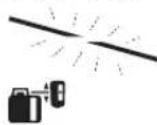
The connector tab is checked by an inspector per item 37.
The Center-Line mode is checked per item 42 without a channel.
Set the cutting speed for the 26-pin connector tab to 7.5 mm/s.
Adjust the cutting speed for the tab and the tab base. The connector tab is cut at 26 mm/s. The Center-Line mode is automatically set to the correct speed for the tab.

To set the Center-Line mode, press the Center-Line mode button 19 times.
Note

To disable the automatic mode between 18 and 20, press the button twice.
Auto

The laser cutting tab is set to the connector tab.
The laser cutting tab is started by pressing the start button. If the laser cutting tab is not in the correct position, the laser cutting tab will not start.

Center-line laser level 19 mm. 2 sec base.
Rotary laser levels are activated by the start button.
-20 sec laser base.
Rotary laser level is activated.

Kaakaika|393
Anti-Drift function (ADS)
There is a rotary laser level with Anti-Drift function, which prevents the laser level from being affected by vibrations or shocks during operation, ensuring accurate leveling.

Im. 30 sec rotary laser level is turned on with Anti-Drift function.
The laser level is activated with a high rotation speed. The laser level is set to high rotation speed.
If the rotary laser level is tilted or moved, the Anti-Drift function is activated: the laser level stops rotating and the high rotation speed is set. The laser level will beep when it is tilted.

- To turn off the Anti-Drift function, press the button for 17 seconds. The laser level will start (the laser level will beep when it is turned on).
If the laser level needs to be used without the Anti-Drift function, turn off the laser level.
Anti-Drift function off
Anti-Drift function is turned off when the laser level is not in use.

Press the button for 17 seconds. The Anti-Drift function is turned off. The laser level will not beep.
The device is calibrated. The anti-drift function is used to correct the slope.
Connection to the Line Control in vertical mode (GRL 500 HV)
The vertical rotation of the device is used to test the correct operation of the device.

The rotation is set to 18 units for the first position, and 20 units for the second position.

The adjustment is ±8.5% of the amplitude. The rotation is set to the correct position.
In Centre-Line mode, the connection to the Line Control (control unit)
In Centre-Line mode, the device automatically rotates to the correct position to align with the control unit.

The Centre-Line mode period is 19.2 seconds. The device automatically starts rotating.
Action:
- The rotation is set to the correct position.
- The laser follows the slope. 3. The device rotates to the correct position. 4a. The laser follows the slope and the control unit is set to 26 units.
Or
4b. The laser follows the slope and the control unit is set to the correct position; see the table ("Adjustments" on page 399).
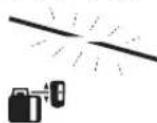
The control unit is set to the correct position as shown in the table.
The Centre-Line mode is set to the correct position as shown in the table.
The laser cable is connected to the control unit via the connector on the rear panel.
The rotating laser is connected to the control unit via the connector on the rear panel. The control unit is equipped with a Centre-Line mode switch.

Press the Centre-Line mode switch to activate the Centre-Line mode.
Press
Press the switch to activate the automatic mode.


Laser cable connection to the control unit
The laser cable is connected to the control unit. If the laser does not turn on when the cable is connected, check the laser cable connection.

Press the Centre-Line mode switch for 2 seconds.
Rotating laser automatic mode
Press the switch for 2 seconds.
The rotating laser is now in automatic mode.

Self-leveling range (see figure F)
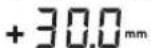
The rotating laser has a self-leveling range of ±5° (5% or 50 mm/m). Refer to "Setting the self-leveling range" on page 398.
Laser cable connection
The laser pointer is designed to comply with safety standards and regulations.
The laser pointer is classified as Class 2 laser product.
The distance between the aiming beam and the laser pointer beam is adjustable.
The laser pointer can be used for presentations up to 50 meters away.

The adjustment is made using the 33 adjustment screws on the laser pointer housing.
The aiming beam can be adjusted up to 50 meters.
The aiming beam and laser pointer beam are aligned. - The laser pointer is equipped with a safety switch.

The adjustment is made using the 33 adjustment screws on the laser pointer housing.
The laser pointer must be turned on/off using the safety switch. To adjust the aiming beam, press the button for 30 minutes.
Note: If the aiming beam is not aligned with the laser pointer beam, adjust the laser pointer beam using the adjustment screws. The laser pointer beam should be aligned with the aiming beam. The aiming beam and the laser pointer beam must be parallel. If the laser pointer beam is not aligned with the aiming beam, adjust the aiming beam. The laser pointer beam should be parallel to the aiming beam.

If the laser pointer is not aligned, adjust the 33 adjustment screws.
The adjustment screws (M3, screws, Anti-Drift, calibration) are not included with the aiming beam and laser pointer.
Note: The aiming beam, in continuous mode, can be adjusted using the 21 adjustment screws on the laser pointer.
Adjusting the laser pointer beam
The laser pointer can be turned on/off using the 26-position switch.
It is possible to select the desired sound mode.
Setting standard parameters [sound mode]

Press the sound mode button 24 times to set the required parameter. Indicator: sound mode 8WIK

Sound mode
Sound mode
The sound mode parameter is not saved when turned off.
Selecting the average indicator parameter
To display the average value on the device screen, it is possible:
Set the standard parameter [measurement unit "average/3 mm"].

Press the measurement unit button 23 times to set the required parameter.
For example, the measurement unit "mm"/"average"/"peak" will be displayed alternately.
The measurement unit parameter is not saved when turned off.
All indicators
The device screen will display 26 indicators:
15 device indicators with the background "Device average value" are shown with 39 indicators, "Device average value" with 40 indicators, or average value with 43, depending on the sound mode.
If the laser cabinet is hot: If the laser tube is hot, the cabinet temperature is 26°C or higher, then
"Laser tube cooling water temperature" 39°C or higher, the laser power must be reduced to 32% or the laser must be turned off and cooled.
If the smoke exhaust is blocked, check the smoke exhaust fan.
- The laser cabinet door is hot. The temperature is 16°C higher than the ambient temperature. Check the door seal.
Kazakh|395
If the laser cabinet is hot: If the laser tube is hot, the cabinet temperature is 26°C or higher, then
"Laser tube cooling water temperature" 40°C or higher, the laser power must be reduced to 3 minutes or the laser must be turned off and cooled. If the smoke exhaust is blocked, check the smoke exhaust fan.
The laser cabinet door is hot. The temperature is 16°C higher than the ambient temperature. Check the door seal.
Laser cabinet operation: If the laser tube temperature is 26°C higher than the ambient temperature, then the ambient temperature is 43°C or higher. If the smoke exhaust is blocked, check the smoke exhaust fan.
If the laser tube temperature is 26°C higher than the ambient temperature, then the door seal is 39 or 40. Check the door seal within 5 days.
Strobe-ShieldTM function
The laser cabinet has a strobe shield function. It protects against accidental exposure to laser radiation.
Temperature
The ambient temperature is 16°C higher than the laser cabinet temperature. If the laser tube temperature is 26°C higher than the ambient temperature, then
For temperature measurement, use a thermometer (for laser tube) or a thermocouple (for laser tube). If the temperature is higher than the laser tube temperature, then
Display of the device
Press the button to set the standard parameters [display brightness].
Wait 30 seconds before the display brightness changes.
If the button is not pressed or the device enters standby mode, the display brightness will decrease.

To turn off the display, press and hold the button for 17 seconds or press the button 24 times.

Display brightness, adjust by pressing the button.
Recommended settings for the laser (do not look at the beam)
When adjusting the laser, the recommended settings for the laser's power and structure are 55 (units) or 65 mm, depending on the type of laser.
When operating, the recommended settings for the laser are 56. -When operating, the recommended settings for the laser's power, structure, and power supply are 55 units, and when operating, press the button 54 times.
The recommended settings for the laser are 53, which should not be exceeded. The device should be brought to the correct position. -Adjust the laser by pressing the button 58 times.
Cleaning the device
Before cleaning, make sure the device is turned off and unplugged. Cleaning should be done with a dry cloth or brush.
Important safety instructions
The temperature of the device may increase during operation. Do not touch the device with wet hands.
The device should be kept away from flammable materials (such as paper or cloth). For this purpose, keep the device in a safe place.
The leveling rod must be installed at a distance of 20 m from the leveling instrument. The maximum permissible deviation is 100 m from the leveling instrument, and at 20 m the difference between the two readings should not exceed 3 mm.
To check the temperature changes of the rod scale, it is necessary to install the leveling rod at a distance of 20 m from the leveling instrument. If the rod is not available, it is possible to use a metal tape measure instead.
If the maximum deviation of the readings of the rod scale exceeds the permissible value, it is necessary to calibrate the rod (see "Calibration of the rod scale") or contact the rod manufacturer's service center.
Horizontal check of the leveling instrument
For the check, a rod installed at a distance of 30 m is required. The leveling instrument must be set up at the midpoint between the two rods. The horizontal line of the leveling instrument must be installed at the rod at a distance of 30 m, not at the rod at a distance of 3 m. The leveling instrument must be leveled. The leveling instrument must be set up at the midpoint between the two rods (point 1).
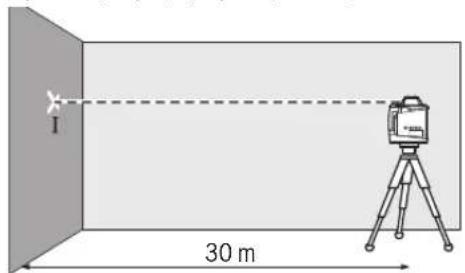
In Kazakh
The leveling instrument must be rotated 180 degrees, and the leveling instrument must be set up at the midpoint between the two rods (point 2). If point 2 is not possible, it is necessary to set up the leveling instrument at a point perpendicular to the line connecting the two rods.
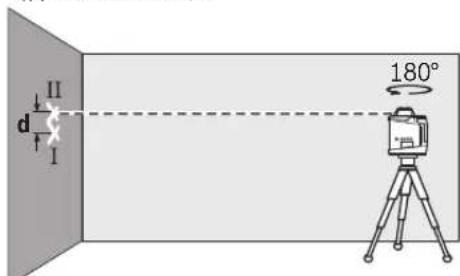
The difference between the readings of the two rods must not exceed 3 mm.
The leveling instrument must be rotated 90 degrees. The leveling instrument must be rotated 90 degrees.
The maximum permissible deviation for a 30 m leveling rod:
30 m × ±0.1 mm/m = ±3.0 mm.
The difference between the readings of the two rods must not exceed 3 mm.
Vertical check of the leveling instrument (GRL 500 HV)
For the check, a rod installed at a distance of 10 m is required. The rod must be installed vertically.
The vertical line of the leveling instrument must be installed at the rod at a distance of 10 m, not at the rod at a distance of 3 m. The leveling instrument must be leveled. The leveling instrument must be set up at the midpoint between the two rods. The difference between the readings of the two rods must not exceed 3 mm.
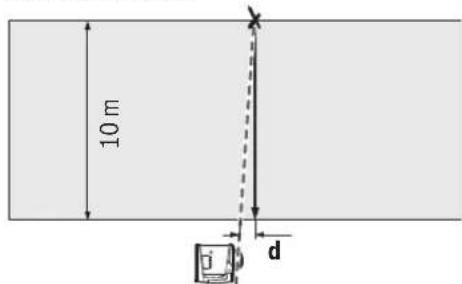
Set the device 10 m away from the rotating laser.
10 m ± 0.1 mm/m = ± 1 mm.
With the device, the indicated deviations must not exceed 1 mm.
Checking the horizontal leveling accuracy
For this check, you need a free measuring distance of 20 m on a firm surface between two walls (A and B).
Mount the device on a tripod or place it on a firm, level surface near wall A. Switch on the device in horizontal operation. Aim the laser beam at wall A and allow it to level. Mark the center of the laser point on wall A.
Example: If the measured difference is 2 mm, the maximum permissible deviation is 2 mm.
For leveling, the device must be placed on a firm surface at least 30 m from the wall.
Checking the leveling accuracy of the device (GRL 500 H: X and Y axes; GRL 500 HV: X, Y, and Z axes).
Checking the X-axis
- Set the rotating laser to horizontal operation (leveling). - Place the device on a firm, level surface. - Aim the laser beam at the wall so that it is perpendicular to the wall. - Switch on the rotating laser.

Leveling takes place within 25 seconds after switching on.

The leveling accuracy is indicated by the leveling indicator.

The automatic leveling indicator shows the leveling status.
- With the rotating laser in horizontal operation, place the device on a firm, level surface. - Aim the laser beam at the wall so that it is perpendicular to the wall. - Switch on the rotating laser. - Mark the center of the laser point on the wall as point "X1". - Rotate the device 180° and mark the center of the laser point as point "X2". - Measure the distance between "X1" and "X2" on the wall. The difference must not exceed 1 mm.



From 18 to 20 inches, the center distance should be set without a load. Use a caliper to check the distance. Transfer the distance to 25 calipers for the base.


The caliper adjustment sign is the adjusting screw.
When adjusting the calipers, if the caliper stroke needs to be changed, it is necessary to check the spindle runout (see "Checking the spindle runout horizontally", paragraph 395). The maximum permissible runout is ±3.0 mm; if it exceeds this, check the spindle in the Bosch service center.
Adjustment
- Set the horizontal level to 63 (divisions). - Set the vertical level to 30 divisions. When adjusting, the level must be set with the adjusting screw. - Set the level diagonally.


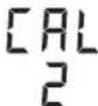
Transfer the distance to 25 calipers and the distance to 20 inches. 2 seconds per base.
The adjustment sign is the adjusting screw.
When adjusting the spindle, check the spindle runout with indicator 37.
- Set the level to the vertical position. - The support plate should be horizontal, and the horizontal level "Y1" should be set. - Turn the level 180° and check the level again. - Check the spindle runout with indicator 37 at the level position. - The support plate should be horizontal, and the horizontal level "Y2" should be set. The "Y1" and "Y2" horizontal levels should be aligned with the laser level within 16 divisions.


From 18 to 20 inches, the center distance should be set without a load. Use a caliper to check the distance. Transfer the distance to 25 calipers for the base.

The adjustment sign is the adjusting screw.
When adjusting the calipers, if the caliper stroke needs to be changed, it is necessary to check the spindle runout (see "Checking the spindle runout horizontally", paragraph 395). The maximum permissible runout is ±3.0 mm; if it exceeds this, check the spindle in the Bosch service center.
Adjusting the calipers (GRL 500 HV)
- The support plate should be horizontal, and the horizontal level should be set. - Set the vertical level to 63 (divisions). - Set the vertical level to 5-10 divisions. - Set the level diagonally.

-Calibration pressure 25 MPa, calibration pressure 18 MPa. 2 axes of the base.


The calibration certificate is attached.
-The pressure gauge must be checked with a standard device before use.
The automatic calibration certificate is shown in section 37.
-The oil level must be checked.

The pressure gauge must be checked with a standard device every 18 to 20 months.
-If the gauge is not working, replace it (pressure test, oil level check, pressure gauge check).

-Calibration pressure 25 MPa for calibration.

The calibration certificate is attached.
To check the calibration, it is necessary to test the device to determine the possibility of calibration (see section 396 for vertical testing of the device). The accuracy is ±1 mm, and the maximum deviations are fixed: the oil level must be checked by the service center.

398|Kazakh
Operating instructions
The oil level must be checked. The device must be stored in a dry place, away from moisture and dust. For storage, use only the original packaging. The original packaging must not be damaged.
First test
The rotational speed is indicated in the device's specifications ([MM] and [IOHM:OH6NIKTH 6pi/6nweKTepe]) in the corresponding section.
Key parameters [mm].

Set the parameters according to the instructions below.

The parameters are set as follows.
Laser cutting (required)
The laser cutting shape is shown in the drawing. It can be longer for longer cuts.
The laser cutting must not be placed in the bending area. Laser cutting is used to improve the quality of the cut, but it must not be in contact with the cut surface. The laser cutting must not be placed in the bending area or in the area of the bend. The laser cutting should only be used for cutting with a thickness of up to 3 mm.
Tapping (required)
The drilling template has a 5/8" thread hole. The drilling template is used with the thread hole to drill a 5/8" hole and then tap it.
The drilling template is used to make the hole for the thread.
Bending and drilling (required)
The drilling template is not used for bending. For bending, use the 5/8" hole and the drilling template to drill the hole.
Drilling: The drilling template is used to drill holes in the upper or lower part of the part. For this, use the drilling template with the 5/8" hole and the drilling template to drill the hole.
For bending, use the bending template with the 5/8" hole and the bending template to bend the part. The maximum bending angle is 8 mm.
Threading: The bending template is used with the thread hole to tap the thread. This is used when the thread is in the base material.
The drilling template is used for drilling (drilling) and for threading (threading). It is possible to make 16 holes. For this, use the 5/8" hole in the drilling template and the drilling template to drill the hole.
Ouvepekashnna Dana (Kerek-kapaktar) (I surtein karanyz)
Teristerdi tekseru nemese kūlanganapdarby beineu üşin enşey rekasy 55 men naep kabyilaulyk nainanahy ysbylav.
Onşerekasyby 5ustinde sanystyrma by enşey ukanasy(±50cm)benrIneHRe. Hnbldk6nktirnTeMeNe UbbfcbHa TaHay MuMKiN. Osylan KerekTi 6nKtIK aytkynapbH TkeNe Kepu MuMKiN.
TadaNMyMbisanary
Kurylys funktsiyalarynyń tereńdigin tekseru (I sure tin karanyz)
-Onşey kuralyn turacty tabanfka kobyz nemese 1NTBnke 63 ornatynyz. IHTaTiVNeHxMycItey: naer sauyn kerekTi 6nIKTKkeBaftTbHa3. BnIKTKiNbCaNyKJxepre TaBImaNa3NEmeceTEKcepH3. IHTaTiVSizXMycIstei: Paerbsyby men tany shyte arasynda 6nIKTKeraibMaubNyIbIHOnşeN3. ONeşeRb6nIKTkapablarybyń sanyk jerine tabymas ne mece tekseris.
Yzbyn kabykty kara eweude kerip aserie ke meńitü üşin enşey kuraldarynyń myktylygyn ornaty kerek.
Truakty emes taban jumys istegen kezde elşey kuraldyn ornatynyz. Kek kymyldau nemese oşey kuraldy kaityp kezinde kate oşeylerdin aldyн any üşin Anti-Drift funktsiyasyn paidalanyńyz.


Kazaksha | 399
Akauldyktardy qoю
Katenik kOtanbap6aakaynbikTap
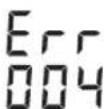
Akauynbikty katenik koyyp senepekser tiseil.
-Akauynbikty koю ("Ueşim" karanyz).

-Sosyn Centre-Line rekti 19 men dabyly dıbysı/kаtylygı 24 pernelerin birde basyńyz.
Eger akauynly sattyhonsyla, katenik kodynyń kersetkishi men avtomatty iwenpreu iske kosylan (iwenpru avomatkasız 3916eılne karanyz).
Before starting work, please contact the nearest Bosch service center for proper testing.
| Акayльконы Akay Шewimi Керстkiш | |
| 001 Θлшей Краралын X оci e3 Новелорley аимафыншam. 8,5 % (5°) Тбс Тур. | - Θлшей Краралын X оci boиь opнал actырьts. |
| 002 Θлшей Краралын Y оci e3 Новелорley аимафыншam. 8,5 % (5°) Тбс Tур. | - Θлшей Краралын Y оci boиь opнал actырьts. |
| 003 (GRL 500 HV) | Θлшей Краралын Z оci ветникалды разимide e3 Новелорley aimaflan sham. 8,5 % (5°) Тыс Тур. |
| 004 Θлшей Краралы узblдь ecзreprенон сон 8,5 % кeп кисы Тур. | - Θлшей Краралы Кайta opнал actырьts. |
| - 18 Имесе 20 ecic посясin диспение пос mэни 8,5% дан кем керсөнше bacaBPIN3 ("Енст ретvey" 392 betinde karapыts). | |
| 005 АВТOMATБI HИВЕЛРЕУ yzaKыгь otiiДi. Θлшей Краралын HИВЕЛPЕУ MUMKIN emec. | - Θлшей Краралын Туракты tabанга Кочьндз Hemece штатвke bepik opnatbHiz. Koprшay dipindeycis 6olyы kepek. |
| 006 Kepekti ecic bopocbт ecic kumbicnida жетинд. | - Θлшей Краралын Туракты tabanга Кочьндз Hemece штатвke bepik opnatbHiz. Koprшay dipindeycis 6olyы kepek. |
| 007 Лаэрдin рotingaцлыб bacs ai halmai Жатыр. | - Centre-Line pexmni 19 мени дыысы/dыбics Котылыб 24 посясin biderдь bcsы. |
| - Θлшей Краралын чирлдз ("Чиру" 389 betinde karapыts). | |
| - Θлшей Краралы Када Косынд. | |
| 008 Centre-Line pexmniide i3dey kezinda lazer сaynci dianaazdoHybIn cohyda.deiHnlazer kaibdoyu bshbIn kaibdoyai maFbIn Ta6a anmaDы. | - Θлшей Краралы Мен lazer Kaibdoyu bshbIn apacbHdA kepietin bai nahbsc yazirengin Tekcepin pekek bo5ca Плшey Краралын opналactырьts. |
| Ereр кatenik кaita naia da bosca, олшey Краралы Men lazer kaibdoyu bshbIn apacbFb In kbickapab. | |
| 009 Cbyrkbi aceperap arkbll (MbcaIb, kaiblcic hemeecke kaTb cofynap) Centre- Line peximime keedepriz jaxalbIn qatbip. | - Θлшей Краралы Када opналactырьts. |
| Θлшей Краралы Туракты tabanга Кочьндз Hemece штатвke bepik opnatbHiz. Koprшay dipindeycis 6olyы kepek. | |
| - Otra cybisKtby tabу wsin i3dey adiciH kaita bactaBis ("Centre-Line pexmni" 392 betinde карыts). | |
| I3dey kezindne laser caynciHin dlya anazdoHybIn a damdap Hemece backa ontikaLbK keedeprinep apkblbYzilmeyiHe Ke3 ketkizhi3. | |
| Ereр кatenik кaita naia da bosca, олшey Краралы МEN lazer kaibdoyu bshbIn apacbFb In kbickapab. | |



400|Kazakhstan
Instructions for use
020
Safety instructions
In Centre-Line mode, the laser must be switched on for 19 hours and off for 24 hours. Please observe the operating hours (see "Operating hours" on page 389). - Switch off the laser.
033Do not look directly into the laser beam.
-Do not point the laser beam at people or animals.
Battery charging
Instructions for use
If the laser is not used, switch it off.
-Do not operate the laser in explosive atmospheres or near flammable materials. The housing must be free of cracks. If the housing is damaged, contact the nearest Bosch service center. -Do not charge the battery in the laser (see "Charging the battery" on page 388). -Do not use the laser. If the housing is damaged, contact the nearest Bosch service center.
Do not charge the battery with the laser or the power supply unit.
- The laser and the power supply unit (plug) must only be operated within the permissible temperature range (0°C ...+40°C).
The laser and the power supply unit must only be connected to a power supply with the correct voltage.
- The valve is serviceable. The shut-off valves are closed.
The reservoir was filled with water, as the shut-off valve was open.
The valve is serviceable. The shut-off valve is closed.
The reservoir is filled with water under pressure.


- To fill the reservoir with water, use the water supply line 17 and the shut-off valve line 23. The following parameters must be observed: water temperature (cold), water pressure (max), flow rate (L/min), and water quality (clean).
Kazakh|401
Technical maintenance and service
Service instructions
- Do not operate the rotary valves and shut-off valves without the reservoir. - Do not operate the rotary valves and shut-off valves with water or other liquids. - Do not use the device without water. - Do not use the device with damaged or worn parts. - When operating the rotary valves, pay attention to the seals and replace them if necessary.
Service and maintenance personnel
Service must be performed by qualified personnel. For questions about the product and its accessories, contact:
www.bosch-pt.com
For service, contact Bosch service centers or their authorized service partners.
The product and its accessories must be disposed of in an environmentally friendly manner, in accordance with the local regulations.
The product and its accessories must be disposed of separately from household waste, in accordance with the local regulations.
WARNING! Read the operating instructions to reduce the risk of injury. Read the operating instructions carefully before using the product.
Kazakhstan
Service and consultation addresses:
"Robert Bosch" LLC
Almaty
Republic of Kazakhstan
050012
Murabaev K., 180
"Terems" 50, 7ka
Tel.: +7 (727) 331 3100
Fax: +7 (727) 233 0787
E-Mail: ptka@bosch.com
You can find more information about service centers and collection points on the website: www.bosch-professional.kz
Disposal
Batteries, battery packs, and accessories must be disposed of in an environmentally friendly manner. Do not dispose of batteries in household waste.
This device (model, see nameplate) must be operated in accordance with the manufacturer's instructions. Failure to follow the instructions may result in damage.
If the battery compartment is closed, the batteries must be removed. Dispose of used batteries properly and do not dispose of them with household waste.
If the device is not used for a long time, remove the batteries.
Battery disposal

Rotary parts, drive mechanism, cable connections, battery, and cables must be protected from contact and handed over to a qualified specialist for inspection.

Rotary parts, drive mechanism, cable connections, and batteries must be checked regularly!
Only for EU countries:
According to European Directive 2012/19/EU, waste electrical equipment must not be disposed of with household waste. According to European Directive 2006/66/EC, defective or used batteries must be collected separately and disposed of properly.
Used batteries must only be disposed of via the designated collection points. The battery compartment must be opened for removal.
To remove the batteries from the device, the batteries must be discharged. Open the battery compartment cover, remove the batteries. To remove the batteries, press the locking clip and then pull out the batteries. Even if the batteries are discharged, they may still contain residual charge, so be careful when removing them.
Batteries:
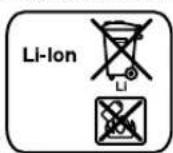
Lithium-ion:
Do not expose to temperatures above 40°C.
Technical changes reserved.
402 | Romaná
Romanian
Table of contents
Safety and occupational health instructions ... 403
Rotary laser level 403
Charger 403
Laser receiver/remote control 404
Laser Radiation Class 2 do not stare into beam IEC 60825-1:2014 <1mW,635 nm
If the text on the warning plate is not in your country's language, before first use, stick the self-adhesive label in your country's language from the delivery set over it.

Do not point the laser beam at people or animals and do not look directly into the laser beam or its reflection. This could cause blindness, accidents, or eye damage.
Power tool service
Horia Macelariu Street No. 30-34, sector 1
013937 Bucharest
Instructions for optimal operation with the battery 428
Operation with the device 428
Troubleshooting 428
Setting the measuring depth operating position 428
Working with the measuring depth (see Fig. C) 428
Operating modes 428
Switching on/off 428
Starting in exploration mode 428
Switching on 428
Switching off 429
Ready mode 429
Automatic switch-off 429
Battery change and real-time clock (RTC) 430
Alarm system against theft 430
Activating the alarm system against theft 430
Using the alarm system against theft 430
Displaying the calibration check (calibration warning indicator) 430
Deactivating the calibration check indicators 431
Warnings when activating the indicators for checking the calibration .431
Operating mode .431 Different axes X Y. .431
Rotary feed 431
Overview of the operating modes. 431
Automatic leveling 431
Automatic leveling without key switch 431
Automatic leveling during operation .431
Calibration mode for straightness. 431
Tilt adjustment 431
Mode "Median" (see fig. D) 432
Search for the center line of the main shaft 432
Anti-Drift system (ADS) 432
Switching off the Anti-Drift system 432
Line mode (Line Control) Vertical (GRL 500 HV) 433
Mode "Median" with line mode (Line Control) (see fig. E) 433
Checking the pressure of the central line 433
The image is not to scale (see Fig. F) 433
Working with a spare receiver 433
Connection between the measuring device and the remote control/laser receiver 433
Setting the audio signal/sound on/off 434
Selecting the setting for the display backlight 434
Symbols for the direction of deviation 434
Protection cover Strobe Shield™ 435
Marking 435
Display illumination 435
Mounting on a tripod to the measuring device (see Fig. G) 435

422|Bulgarian
Checking the accuracy of the measuring tool 435
Factors affecting accuracy 435
Checking the accuracy of the leveling in horizontal position 435
Checking the device before commissioning in vertical position (GRL 500 HV) 436
Calibrating the measuring device 436
Calibrating the X-axis 436
Calibrating the Y-axis 437
Calibrating the Z-axis (GRL 500 HV) 437
Operating instructions 438
Setting up the measuring units 438
Laser leveling unit (optional accessory) 438
Working with the tripod (optional accessory) 438
Working with the wall mounting bracket (optional accessory) 438
Working with the measuring tape (optional accessory) (see figure) 438
Examples 438
Laser Radiation Class 2 do not stare into beam
IEC60825-1:2014<1mW,635nm
If the text on the warning label on your device is not in your language, cover it with the label included in the delivery kit before using the device.

The laser beam can cause eye damage. Always be careful not to look directly into the laser beam or its reflection. This can protect people, prevent accidents, or cause injury.
If the laser beam enters your eye, immediately turn your head away from the laser. Do not make any modifications to the laser equipment. Do not use the device for observing the laser beam during operation. The device is for better observation of the laser, it does not protect from it. Do not use the device for observing the laser beam as a safety device or for eye protection. The device for observing the laser beam does not provide protection from harmful radiation. Allow the measuring device to be repaired only by qualified personnel and only with original spare parts. This ensures the functionality and safety of the measuring device. Do not leave the measuring device without supervision while it is operating. It may be possible to injure people. Do not work with the measuring device in environments with increased risk of explosion, where there are flammable liquids, gases, or dust. In the measuring device, sparks may occur that can ignite dust or vapors.

Protect the measuring device from tilting, dropping, or impact. Avoid direct exposure to sunlight or strong light. There is a risk of explosion.



Proper use of the battery. The battery cannot leak electrolyte. Avoid contact with it. If electrolyte comes into contact with skin, rinse the area with water. If electrolyte gets into your eyes, seek medical help immediately. Electrolyte can cause skin burns. In case of damage and improper use of the battery, vapors may be released. Ventilate the area and seek medical help if you feel unwell. Vapors may irritate the respiratory tract. Charge the battery only with the specified charger. For a charger intended for a specific type of battery, there is a risk of fire when used with other batteries.

Do not place the measuring device near a cardiac pacemaker. Due to the magnetic field of the measuring device, the laser beam can be deflected, which may affect the function of the pacemaker.
Keep the measuring device at a distance from magnetic data carriers and devices sensitive to magnetic fields. Due to the influence of the magnets in the measuring device, the laser beam can be deflected, which may cause irreversible data loss.
Charger

Read all instructions carefully. Failure to follow the instructions below may result in electric shock, fire, and/or serious injury.
This charging device is not intended for use by persons with reduced physical, sensory or mental capabilities or lack of experience and knowledge. This charging device may be used by children aged 8 and above and persons with reduced physical, sensory or mental capabilities or lack of experience and knowledge, if they are under supervision of a person responsible for their safety, or if they have been instructed on safe use of the charging device.
and understand the dangers associated with it. Otherwise, there is a danger of incorrect use and injury.
Supervise children during use, cleaning and maintenance. This ensures that children do not play with the charging device.

Protect the charging device from moisture and wetness. Penetration of water into the charging device increases the risk of electric shock.
Charge the measuring device only with the supplied charging device. Keep the charging device clean. There is a danger of electric shock due to a short-circuited charging device. Before each use, check the charging device, cable and plug. Do not use the charging device if it is damaged or open. Do not open the charging device; have repairs carried out only by qualified technicians using original spare parts. Damage to the charging device, cable or plug increases the risk of electric shock. Do not place the charging device on flammable surfaces (e.g. paper, textiles, etc.) or in a flammable environment. There is a danger of fire due to heating of the device during charging. Improper or incorrect use of the battery may cause leakage. Ventilate the room and seek medical help if you feel unwell. Leaked fluid may cause burns to the respiratory tract.
Laser receiver/remote control

It is necessary to read and follow all instructions strictly. Keep these instructions in a safe place.
Have the measuring device repaired only by qualified technicians using original spare parts. This ensures the maintenance of the device's functions and safety. Do not work with the measuring device in environments with increased risk of explosion, where there are flammable liquids, gases or dust. Sparks may be generated in the measuring device, which could ignite dust or fumes.




Protect the measuring device from direct sunlight, e.g. from strong heat due to direct sunlight, as well as from extreme temperature fluctuations. There is a danger of exposure.
The rechargeable battery can cause burns if touched. Avoid contact with it. If, despite this, you come into contact with the battery, rinse the area with plenty of water. If battery fluid gets into your eyes, seek medical help immediately. The battery can cause skin burns. If damaged or incorrectly used, the rechargeable battery may leak acid. Ventilate the area and, if you feel unwell, seek medical help. The acid can irritate the respiratory tract. Dispose of the rechargeable battery only in the enclosed charging device. The charging device, intended for use with a specific battery type, poses a danger of fire when used to charge other battery types.
Product description and its capabilities
Intended use of the device
Rotary laser GRL 500 H
The measuring tool is intended for determining and checking strictly horizontal lines.
The measuring tool is intended for outdoor use, but can also be used in enclosed spaces.
Rotary laser GRL 500 HV
The measuring tool is intended for determining and checking strictly horizontal construction lines, vertical lines, and leveling lines.
The measuring tool is intended for outdoor use, but can also be used in enclosed spaces.
Receiver LR 50
The laser receiver is intended for quickly locating rotating laser beams and for remote control of the rotary laser.
The laser receiver is suitable for use in enclosed spaces and outdoors.
Note: LR 50 serves both as a laser receiver and for remote control. For better clarity of the described and indicated text, LR 50 is referred to as the laser receiver.
Illustrated components
The numbering of the illustrated components refers to the illustrations of the rotary laser, the remote control, and the laser receiver on the pages with figures.
Rotating laser
1 Vertical (GRL 500 HV) 2 On/off switch 3 Battery compartment (alkaline, NiMH) 4 Light indicator for alarm against theft 5 Contact for charging the laser receiver 6 Charging station/holder for the laser receiver 7 Laser receiver 8 Warning label for laser radiation 9 Serial number of the rotating laser
10 Threaded hole for tripod mounting 5/8" (vertical) (GRL 500 HV)
11 Charging cable for charging 12 Threaded hole for tripod mounting 5/8" (horizontal) 13 Reset button 14 Charging device plug
Receiver
15 Display 16 Center marking 17 Start button 18 Button for setting the slope 19 Button for "middle line" mode 20 Button for setting the height 21 Button for readiness mode 22 Button for alarm against theft 23 Button for adjusting the accuracy of measurement 24 Button for acoustic signal/sound level 25 Calibration button 26 Light-sensitive field 27 Serial number of the laser receiver 28 Charging contact
Light-emitting laser receiver
29 Indicator for the level of charge of the rotating laser 30 Indicator for the level of charge of the laser receiver 31 Text field for inclination/correction 32 Text field for relative height/calibration interval 33 Indicator for radio connection 34 Indicator for interruption 35 Indicator for calibration interval 36 Indicator for alarm against theft 37 Indicator for problems with the leveling 38 Light-emitting diode sensor 39 Indicator for the slope in the horizontal plane 40 Indicator for the slope in the vertical plane 41 Indicator for inclination mode 42 Indicator for "middle line" mode




Bulgarian | 425
43 Indicator for middle line 44 Indicator for readiness mode 45 Indicator for acoustic signal/sound level 46 Indicator for accuracy of measurement, high 47 Indicator for accuracy of measurement, medium 48 Indicator for accuracy of measurement, low
Charging device
49 Charging device 50 Contact plug 51 Plug 52 Charging device cable
Accessories / spare parts
53 Socket for measurement 54 Locking screw for the socket for measurement 55 Measuring tape for the rotating laser
56 Screw for securing the socket for measurement 57 Cover of the socket for measurement 58 Frame for inserting the laser receiver 59 Accessory for mounting to wall/ceiling for adjustment 60 Locking screw of the wall bracket 61 Screw for the accessory for mounting 62 Screw 5/8" for the accessory for mounting to wall 63 Tripod 64 Target plate for the laser 65 Note: The figures and descriptions of the accessories are not included in the standard scope of delivery. The complete range of accessories can be found in the catalog for accessories.
| Potassium HCl | GRL 500 H | GRL 500 HV |
| Kataloxygen Homep 3 601 K61 A... 3 601 K61 B.. | ||
| Раобтendианазон (раздус) | ||
| -6e3лazер endиамнк, endи.1) | 10 m | 10 m |
| -cлazер endиамнк, endи.1) | 250 m | 250 m |
| Точность на НИВЕЛПАСЕ 2)3) | ||
| -Xorinizontalno | ±0,1mm/m | ±0,1mm/m |
| -Beretnikalno | - | ±0,1mm/m |
| Дианазон HA abTomatчно НИВЕЛПАСЕ, ТИПИЧО | ±8,5% (±5°) ±8,5% (±5°) | |
| Врешие за AVТOMATчно НИВЕЛПАСЕ, ТИПИЧО | 15 s 15 s | |
| Сторост Ha вьртофe | 600 min-1 | 600 min-1 |
| Реким Ha nachю сponяmo edna oc | ||
| (perуларуем чес Клавиатура и диспел) | ±8,5% | ±8,5% |
| Точ�rost 2) | ±0,1% | ±0,1% |
| Алармано сисема срешу крахба | ● | ● |
| Индikatorop за InteRPВал за Калнбрираме | ● | |
| Раobotend Tempepatур endианазон | -10...+50°C -10...+50°C | |
| Temperapolyendианазон за сыхсаньао | -20...+70°C -20...+70°C | |
| Отосителна Влажноct Ha Bb3duxa, макс. | 90% 90% | |
| макс. раobotna Вincouнha надбацовета Вincouнha | 2000 m 2000 m | |
| Клас loзер | 2 | 2 |
| Tил loзер | 635 nm, <1 mW | 635 nm, <1 mW |
| Дивирения endиаерпатллияя | 0,4 mrad (плень bгл) | 0,4 mrad (плень bгл) |
| Øлazер endич. endи. endи. endи. endи. endи. endи. endи. endи. endи. endи. endи. endи. endи. endи. endи. endи. endи. endи. endи. endи. endи. endи. endи. endи. endи. endи. endи. endи. endи. endи. endи. endи. endи. endи. - Бернкално | 4 mm | 4 mm |
| Раobotend чetect endианазон | 863-870 MHz | 863-870 MHz |
| Мошocst Ha Ильчвае, макс. | 20 mW | 20 mW |
| Оворота моHTирано Кьм сатпВ | ||
| - Вернкално | 5/8" | 5/8" |
| - Хорозаглно | - | 5/8" |
| 1) Раobotнг endиаэон (раздус) можеodia endи. endи. endи. endи. endи. endи. endи. endи. endи. endи. endи. endи. endи. endи. endи. endи. endи. endи. endи. endи. endи. endи. endи. endи. endи. endи. endи. endи. endи. endи. endи. endи. endи. Endи. endи. endи. endи. endи. endи. endи. endи. endи. endи. endи. endи. endи. endи. endи. endи. endи. endи. endи. endи. endи. endи. endи. endи. endи. endи. endи. endи. endи. endи. endи. endи. endи. endIS. endIS. endIS. endIS. endIS. endIS. endIS. endIS. endIS. endIS. endIS. endIS. endIS. endIS. endIS. endIS. endIS. endIS. endIS. endIS. endIS. endIS. endIS. endIS. endIS. endIS. endIS. endIS. endIS. endIS. endIS. endIS. endIS. endIS. 2)Пр气 20°C | ||
| 3) уcod<|rotate_down|>ho endо сoting | ||
| 3a endohockuto endohockuto endohockuto endohockuto endohockuto endohockuto endohockuto endohockuto endohockuto endohockuto endohockuto endohockuto endohockuto endohockuto endohockuto endohockuto endohockuto endohockuto endohockuto endohockuto endohockuto endohockuto endohockuto endohockuto endohockuto endohockTU |
Bosch Power Tools 1609 92A 4DX (28.3.18)





426 | Bulgarian
Switching the laser receiver on and off
To switch on the laser receiver, press the on/off button. The measuring tool must be switched on (see "Switching on", page 428).
The measuring tool-laser receiver has three operating modes:
- On
All functions of the laser receiver are activated.
See "Switching on", page 428.
- Standby
To save energy, all functions of the measuring tool are deactivated after approx. 2 h. The rotation system and AntiDrift system are switched on.
All settings (acoustic signal/signal off, measuring accuracy, inclination, etc.) are retained. See "Standby mode", page 429.
- Off
All functions of the laser receiver are deactivated.
See "Switching off", page 429 and "Automatic switch-off", page 429.
Do not look directly into the laser beam with unprotected eyes; do not stare into the laser beam from a close distance. Do not leave the device turned on without supervision; after work, turn it off. The device may be damaged by improper use.
Calibration: Using the measuring tool requires periodic accuracy checks (see, Accuracy Check of the Measuring Tool, page 435).
Operation
Note: At the factory, the measuring tool is calibrated with the laser receiver connected (i.e., the laser receiver can operate with the remote control).
For energy saving, switch off the measuring tool and the laser receiver when not in use.
Switching On

To switch on the measuring tool, insert the laser receiver into the holder/docking station and press the On/Off button 17.
Note
Insert the laser receiver into the holder/docking station and press the On/Off button. To switch on the measuring tool, press the On/Off button 17 briefly.
Result
- Each symbol on the display is briefly explained. -Automatic leveling (see, "Automatic Leveling", page 431).

-The Anti-Drift system activates 30 seconds after automatic leveling (see, Anti-Drift System (ADS), page 432).
The measuring tool is available as a laser receiver (GRL500H) or as a laser receiver with vertical laser (GRL500HV).

Press the key switch 17 for approx. 2 s.
Result
- The laser receiver switches on. - The indicator lights up and the laser receiver is ready for operation.
Note: If the laser receiver is switched on again after a previous switch-off, the receiver must be placed in the charging/standby station 6.
Standby mode
With the laser receiver, the measuring tool can be put into standby mode for up to 2 hours.

- To activate standby mode, press button 21.

Standby mode of the laser receiver is indicated by the standby indicator 44, and the active alignment system is indicated by indicators 36.

The active alignment system of the measuring tool is indicated by the light 4.

All indicators of the laser receiver are switched off. The Anti-Drift system remains active.
- To exit standby mode, press the "Standby" button 21 again.
Standby mode switches off automatically if the laser receiver does not receive a laser beam for more than 30 minutes. If no laser beam is received for more than 30 minutes, the laser receiver switches off.
Note: If the laser receiver is left in standby mode for more than 2 hours, it switches off automatically. To switch on the laser receiver again, it must be placed in the charging/standby station 6.
Factory setting
The measuring device must be serviced only by the laser receiver. On the measuring device there is a button for alignment. The measuring device laser receiver synchronizes both with sound and with a light indicator if the measuring device has been moved from the reference point.
Activation of the alarm system against theft
Factory setting
[The alarm system against theft is activated].

Press the measuring device button to activate the alarm system against theft.
The alarm system against theft is activated.
The symbol for the alarm system against theft
The LED for the alarm system against theft lights up.
The current alarm system against theft is activated when switching on.
Switch off the measuring device button to deactivate the alarm system against theft.
Use of the alarm system against theft
Application examples for protection
The measuring device is switched on.
No
The measuring device is ready for operation.
Alarm system indicator lamp
Alarm system against burglary with light indication

Light indication of the alarm system against burglary on the measuring
device for a long time
The measuring device is switched off.
The device is switched off.
The device is switched on/held.
Indicator lamp of the alarm system
The system against burglary is not displayed
The light indication of the alarm system against burglary on the measuring device is lit
If the alarm system is activated, the measuring device is moved from its position for more than 5 seconds, the alarm system is activated:
- The measuring device emits a loud acoustic signal.
The acoustic signal level is up to 110 dB(A) and cannot be adjusted with the volume control.
Do not place the device near your ears! The acoustic signal can damage your hearing. - Every function is displayed.

The light indication of the alarm system against burglary on the measuring device flashes quickly.

The alarm system against theft is activated via the laser receiver.

To deactivate the alarm system against theft, press the button on the alarm system.
The audible signal is deactivated.
All functions and controls are deactivated. All settings are reset to factory settings (see "Activation", page 428).
The alarm system against theft is activated automatically.
Display and check of the calibration
(preventive indicator for calibration)
If the calibration of the measuring device has been performed again, this is indicated on the laser receiver after activation by displaying different symbols in combination with the symbol "CAL".
Note: The sensors for calibration (calibration interval, storage temperature, vibration measuring device) are activated by a special procedure in the menu.
Role of the display
Preventive indicator for calibration

Light

Indicator for calibration interval 35Light

Light

Preventive temperature indicator 34Light

CBETH

PpnypeHnEN HHTNHNKAtOp3a yap 38CBETN
N3TeKbI e HHTepBaIbT 3a KaJIIN6pIpaHe (Ha BceKn 12 Me-ceua).
I3MepBaTeHnT ype d cBxpaHbAH npi Tempeatypn H3BbH Tempeatypn INTEpBa 3a CbxaHbaHe.
I3MepBaTeHNHtYpeEe6Hn IIOJIOXeHHa CnHcNo CbTpceHne(HaP. NaHcHo Ha Noa CneHn3nyckaHe).
CnE KpaTbK HHTepBaN, B KOITo CBTAT, HINHkAToPHTe 3a npOBepKa Ha KaINbPpHaTeO h3rAcBAt, N CE N306pa3RaBAT OTHO BO pN BKNIOVAHe.



BbIrapckn | 431
N3KIOUOVAHe HnHnKAtOpTe 3a npOBepKa Ha KaHH6pHaPaHTo
HMaTe Bb3MOXHOCT Da N3KIIIOHTe HnHnKaTOpHTe, DOKaTO npHHHaTa 3a BkIIOUBAHeTo IM CE IORBn OTHOBO.

-ДOKATO p佩унгпгггггнгнгнгнгнгнгнгнгнгнгнгнгнгнгнгнгнгнгнгнгнгнгнгнгнгнгнгнгнгнгнгнгнгнгнгнгнгнгнгнгнg. 2S6ytoHa 3a KaNb6pHpaHe 25. INdkKaTOpHTe 3a npOBepKa Ha KaNb6pHpaTe ce NOKa3BAT OTHOBO CAMO KOrTo PnPHHaTa 3a H06pa3BaHbETo IM CE NoBn OTHOBO.
PpenopbHTENH DeCTBn npn noBa Ha npdeynpeHTeHNHe HnHKAtOpn 3a npOBepKa Ha kAnh6pnpaHeto
Ctbnka BnXTe
CTpaHnHa
1ПоверкаHaToUHOCTTaHa HINBENIPAhe 435 2a OTKNoHeHTo Ha 30 m E b paMKnTe Ha donyctmnte rpaHn zu ± 3,0mm NkIIOUBaHe Ha npEynpeIeNTenHOT yka3aHne 3a KaNbPnpAne 431 2b OTKIOHEnHTo Ha m HAdXbPnIaOnyCTMNTe rpaHnO t±3,0 mm:KAn6bpnaPeHa nImepBaTeHNnY ypeD 436
3bПоверкаHaToUHOCITHa HINBEnIpaNe 435
The calibration offset of 30 m is within the permissible limits of ±3.0 mm: it can be operated without loss of accuracy.
The calibration offset of 30 m is within the permissible limits of ±3.0 mm:
The measuring instrument is checked at an authorized service center for power tools.
Operating modes
X and Y axis levels
The X and Y axis levels are indicated on the housing of the rotating head.
Rotational mode
The measuring instrument operates at a constant speed of (600 min⁻¹), which is suitable for working with a laser receiver.
Overview of operating modes
- Automatic leveling after switching on / during operation - Mode with one axis - "Medium" mode - Anti-Drift System (ADS) - Line Control mode - Vertical (GRL 500 HV)
Automatic leveling
Automatic leveling after switching on
After switching on, the measuring instrument checks the deviation from the horizontal position and compensates automatically.
The automatic leveling range is self-leveling within ±8.5% (5°).
During leveling, the leveling indicators flash.
GRL 500 HV: The measuring tool can be aligned automatically in both horizontal and vertical positions. The switch between horizontal and vertical position can be made in the menu, without having to exclude it.
Automatic leveling during operation
If the tool is tilted beyond the self-leveling range of approx. 8.5% (5°), the leveling is not possible. An error message is displayed (see "Troubleshooting", page 439).
After the measuring tool has been leveled, it continuously monitors the horizontal position. If the position changes, automatic leveling is performed again. To avoid measurement errors during leveling, the laser beam is switched off.
Tilt mode on one axis
In horizontal position of the measuring tool in tilt mode on one axis, automatic leveling is performed around the X axis. The plane of rotation can be tilted around the X axis by ±8.5%.
Note: If the tool is switched on and you want to set a tilt, you must first switch off automatic leveling (see "Switching off automatic leveling", page 431). This prevents measurement errors.
Setting the tilt
The tilt can be set in the range of ±8.5%.

Press and hold the tilt button 18 until the desired tilt value is displayed.
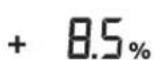
Then release button 18.
During a tilt, the leveling indicator 37 flashes.

The indicator for tilt mode 41 lights up.

Auto

Press the tilt buttons 18 and 20 simultaneously.
The tilt function is excluded. The automatic leveling is enabled (see "Automatic leveling", page 431).
432|Bulgarian
If the tilt angle exceeds ±8.5%, the message "Tilt mode" appears and a warning is displayed (see "Eliminating malfunctions", page 439).
Mode "Center line" (see Fig. D)
In "Center line" mode, the measuring tool automatically centers the center line of the receiver through the rotation of the rotary head upwards and downwards.

Press the button for the "Center line" mode.
The automatic raising and lowering of the rotary head is started.
Actions during operation:
- The rotary head moves upwards to the stop.
- The laser is switched on.
- The rotary head moves downwards. 4a. The laser beam hits the receiver's center line.
NN
4b. If the laser beam does not hit the receiver within the range, a warning is displayed (see "Eliminating malfunctions", page 439).
The center line of the receiver or the receiver's indicator for leveling is 37 mm.
Indicator for "Center line" mode 42 lights up.
The laser receiver emits a loud audible signal when the center line is opened.
The laser receiver for line 26 emits a speed signal, with which the rotating head is attracted, it beeps.
When the center line is opened, the measuring tool automatically switches off the line. Such a setting is delayed and is displayed.

- To switch to "center line" mode, press and hold button 19.
HNN

Activating the automatic leveling of the laser is done simultaneously with buttons 18 and 20.
Auto


Acceleration of the centering process of the center line
Pressing the center line of the laser receiver is delayed and with upward movement. If the laser beam is directed under the center line and both are outside the sensor field of the laser receiver, the movement of the laser beam can be reversed.

- Press button 19 for about 2 seconds for "center line" mode. The automatic movement and lowering of the rotating head is started. - Press button 20 for locking. The rotating head moves to the stop.
Anti-Drift System (ADS)
The measuring tool is equipped with the Anti-Drift system, which, in case of a change in position, respectively in case of breakage of the measuring tool or in case of vibration of the base, prevents leveling against height differences and thus prevents incorrect height and angle measurements.

The Anti-Drift system is activated approximately 30 seconds after switching on the measuring tool.
The damaged indicator for the Anti-Drift system flashes. The indicator lights up in red.
If the vertical position of the measuring tool is changed or is tilted due to breakage, the Anti-Drift system is activated: the laser beam stops and the indicator for the Anti-Drift system flashes to signal. The laser receiver emits a loud audible signal for approximately 5 seconds.

Press the start button 17. The Anti-Drift system is activated. The automatic leveling is not activated (see "Automatic leveling" on page 431).
- Follow the instructions in the reference manual. Check the laser receiver height and adjust if necessary.
Deactivating the Anti-Drift system
The Anti-Drift system can be deactivated during measurement work.

Press button 17. The Anti-Drift system is deactivated. The vibration warning indicator is not shown.
When deactivated, the settings are not saved. When the measuring tool is switched on, the Anti-Drift system is activated.
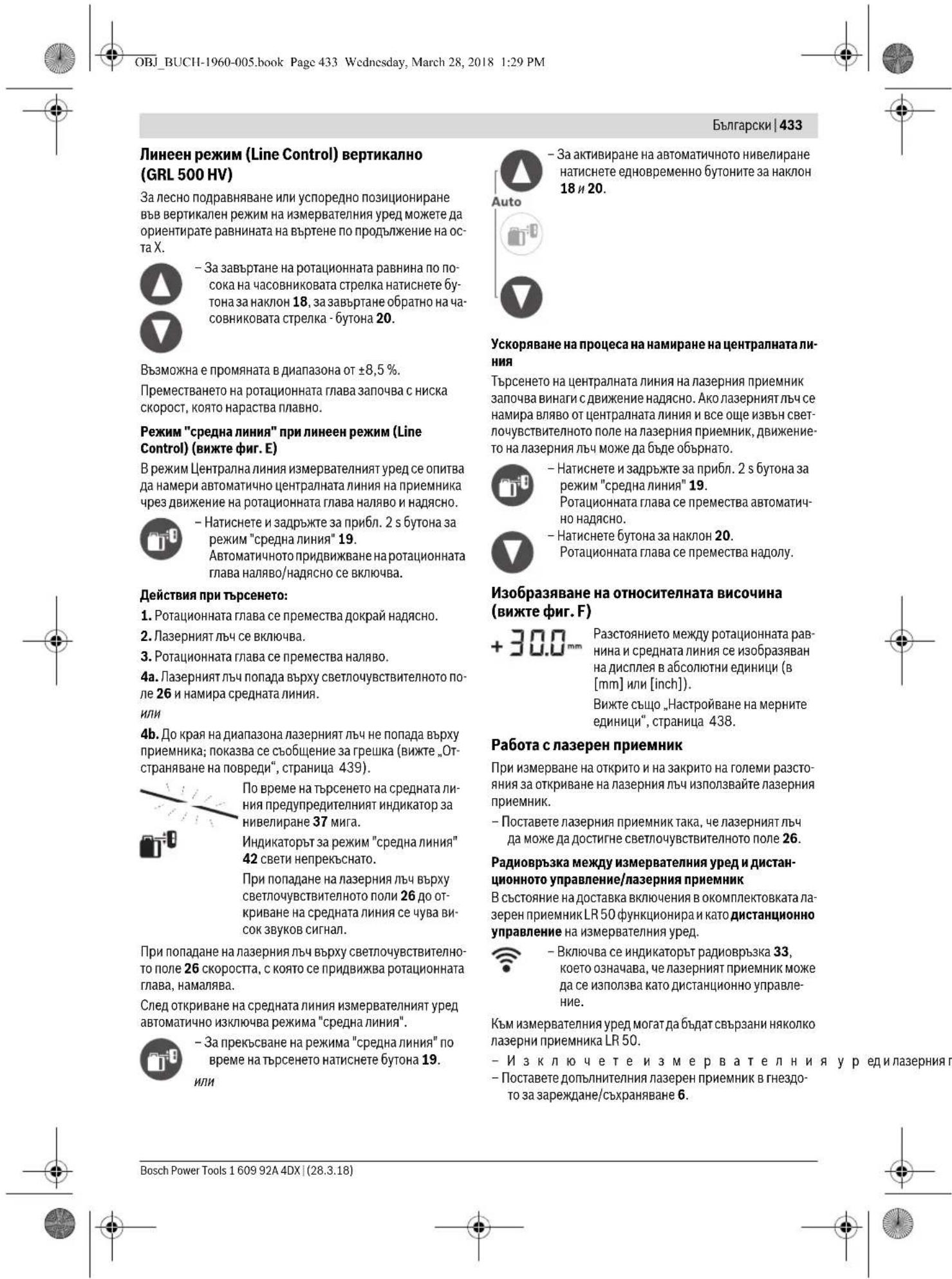
434 | Bulgarian

Press button 17.
The radio link indicator 33 lights up, indicating that the laser receiver can be operated via remote control.
Remove the laser receiver from the charging/storage slot. To switch on the measuring tool, press button 17 within 30 minutes.
Note: If more than one laser receiver is connected to the measuring tool, the last connected laser receiver functions as a remote control. The other laser receivers are only laser receivers.
The settings for measurement accuracy and sound may be different for each laser receiver.
If the laser receiver functioning as a remote control is switched off, the measuring tool is also switched off. Additional laser receivers must be switched off individually.

If the radio link is interrupted, in addition to the acoustic signal, the radio link indicator 33 flashes.
This indicates that the warning indicators (e.g., for tilt, Anti-Drift system, or calibration) are not shown. The measuring tool cannot be operated remotely.
The laser pointer can be switched on and off with the button labeled 21 on the remote control for the laser pointer.
Setting the sound signal/sound volume
The laser pointer's light sensor can be signaled via sound.
You can choose between two volume levels or turn off the sound signal entirely.
The default setting is [Normal sound signal].

Press the button for sound signal/sound volume 24 repeatedly until the desired setting is reached.
Indicator: Sound signal is off

Normal sound signal
Loud sound signal
The setting for the sound signal/sound volume is saved.
To select the setting for the medium indicator, you can set which position of the laser pointer is displayed on the light-sensitive "central" field.
The default setting is [Measurement accuracy, medium/3 mm].

Press the button for measurement accuracy 23 repeatedly until the desired setting is reached.
Example: The measurement accuracy is displayed as "fine", "medium", "coarse", and the exact setting.
The measurement accuracy setting is saved when the laser pointer is switched off.
CHMBONH 3a NOCOKaTa Ha OKJIOHEHMeTo
Ioka3BaCeNo3uYraHaNa3epHnHa CBtNoyBCTBNTeHHTO NOE 26:
- Naicnne 15 Ha npedHa tHaadHa ctpaHa Ha naepHHNpHMeMHNK Ype3 HndKaTOpHTe 3a NocOka ,NaapeHbU HaCpeHAta HINHA"39,NaapeHbU NoCpeHATAHINHA"40peCn. HndKaTOpBcpeHbA HINHA 43,
- no H36op Ype3 3ByKOB CnHAn.
na3epHnT npHemHK TBbpHe HNcKo: aKO na3epHnT bU npemHnBa npesrnpHaTPOIOBnHa cBeTIouyBCHTeHOTO NOE 26, CBTN INIKaTOptb3a NOCOKa, na3epen bU Na CpEnHATAINHNA"39,aCHMBONbT PIOC HA INIKaTOpa 0THOCNTENBA BnCOuHnA 32 yka3Ba c KOJI KTOp8Ba da 6bJe npMeCTeH na3epHnT npHemHK Haope.
PnBkUOeHa3ByKOBa CnHnH3aunCe CyBa 6abHO NOBtapu Ce cnHau.
-Ппсмсгдпл�зрнгпрнemньуka3анatacбчркадocokaharope.Пиdo6nkaBaHeДочрнataMapknpoBka16ceH3obpa3raBa caMoBbpxaHa cTpeKATA 39.
Ja3epHHI npHEMHIK TBbpde BHCOKo: aKO Ja3epHHI bU ppeMHABa Ipe3 DOHATA NOOBHa HA CBETNOYBCBNTEN HOTO NONE 26, CBEt HNHKATOpbT 3a NOCOKA JAp3epEHb NOD CpEHaTA NHIN40, a CMBOBJMHNyc Ha HHNkAToPA 3a OTHOCTENHa BHCouH3a 32 KyaBa c KOJIK TpRbBa da 6bDe ppeMeTHJ Pa3epHHI pHeMHKK HADONY.
PnBKNUeHa3ByKOBa CnHnHa3auNc Ce yBa 6bp3o NOBTaPraCce CnHnA.
-Преметete Na3ePnHЯ ПпeMHн Bуka3aHaTа cbc CTpeIka nocoka HANOJI.ПиДоБиЖаBaHe Do ueHpaHATA MapKIOBka 16 ceH3obpa3aBa caMo Bbpxa Ha CTpeIkaTata 40.
Ja3epHHn nphemHnB CpeData: aKo Ja3epHHnIbH npeMHnHaba Ipe3 CBETNOuyBCHTNEIHO T NOLE 26 HnBOOHnHATA Ha CEHTpAlHaT MaKpNOBka 16, CBETH INHINKaTOPbT CpeHa nnHn43. PnB KIOUeHa 3ByKOba CNrHaIINaIaIcCe YyBa HePneKcbchat CnIHAI.
AkoH3mepeBatenytpedbde npemecteh,Takaue naepnH TJIbU H3ne3e H3BBN CBETNOUYBCTBNTENHOIe 26,3a npH6n.5 mHa nocneHIO h3o6paheHata cTpeKa 39,pecn.40.
BbIgrapckn | 435
3auntha fynkunna Strobe ShieldTM
Ia3epHHrTpHemnK HMa eEKeTPOHHn cHTPN3a CBeTTnHaOT CTPO60ckO. FInTPnTe Pnpna3BAT OT CMUeHN HaP.OT ppeynpeNTEN CBETNNHn NAMn HA CToPteHN MaunHn.
Mapknape
With the help of the central marking 16, you can set the height of the laser beam according to the laser receiver when passing through the middle of the sensitive area 26.
The marking is horizontal (for vertical laser beam) or vertical (for horizontal laser beam), so that in the opposite case the markings are offset directly from the laser beam.
Illumination of the display
Factory setting
[Illumination of the display]
If within 30 seconds no button is pressed, the illumination of the display switches off.
When the laser beam hits the sensitive area, the illumination of the display switches on automatically.

- To switch off the illumination of the display, press the button 17 briefly or the sound signal button 24.
When switching off the measuring tool, the setting for the illumination of the display is retained.
Mounting on a rod to the measuring tool (see figure G)
With the help of the rod 53, you can attach the laser receiver to the measuring tool 55 (not included in the scope of delivery) as well as to other auxiliary means with a width of up to 65 mm.
- Tighten the clamping bracket 58 with the screw 56 to the rod 53. - Loosen the screw 54, insert the measuring tool 55, and tighten the screw 54 again. - With the help of the adjusting screw 57, you can align the rod 53 horizontally. The clamping of the measuring tool must not be too tight to avoid errors in measurement. - Insert the laser receiver into the bracket 58.
Checking the accuracy of the measuring tool
The following description must be carried out only by trained personnel. The regulations for checking and calibrating the measuring instrument must be observed.
Factors influencing the accuracy of the laser level
The main influence on the accuracy of the measuring tool is the ambient temperature. Especially strong deviations can be caused by temperature differences in the layers of air near the floor.
Apart from the influencing factors, deviations of the measuring tool can also be caused by factors related to the device itself (e.g., falling or impacts). Therefore, before starting work, always check the calibration of the device.
The deviations increase with the distance. At a distance of 20 m, the deviation can be up to twice as large as at a distance of 100 m.
Since the temperature differences are strongest near the floor, at a distance of 20 m you should always mount the measuring tool on a tripod. In addition, if possible, place the measuring tool in the middle of the working area.
If during one of the described tests the measuring tool exceeds the maximum permissible deviation, have it calibrated (see "Calibrating the measuring tool", page 436) or send the measuring tool for inspection to the Bosch Service Center for power tools.
Checking the leveling accuracy in the horizontal position
For the check, you need a free measuring area of 30 m on a firm floor in front of a wall. You must perform the measurement separately for both axes X and Y.
- Mount the measuring tool in a horizontal position at a distance of 30 m from the wall on a tripod or place it on a firm, level surface. Switch on the measuring tool. - After switching on the leveling, mark the center of the laser beam on the wall (point I).
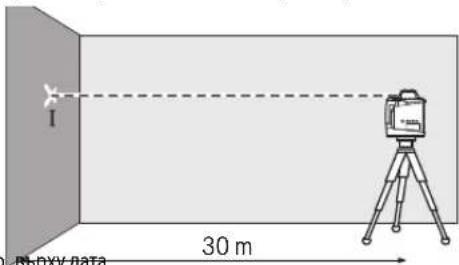
- Rotate the measuring tool by 180°, wait for it to level itself, and mark the center of the laser beam on the wall (point II). Make sure that point II is as vertically as possible above or below point I.
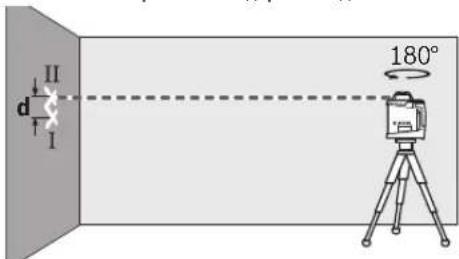
The difference d between the two marked points I and II on the wall gives the absolute height deviation of the measuring tool for the respective axis.



436 | Bulgarian
Repeat the process for the other axis. For this, rotate the device by 90° before starting the measurement.
At a distance of 30 m, the maximum permissible deviation is:
30m× ± 0,1mm / m = ± 3,0mm.
Consequently, the difference between the two measuring points must not exceed 6 mm.
Checking the accuracy of the level in a vertical position (GRL 500 HV)
For the check, you need a free measuring area on a firm base in front of a wall with a height of 10 m. The distance to the wall must be at least 5 m.
-Mount the measuring tool vertically on a tripod or place it on a firm, level surface. Switch on the measuring tool and wait for it to level itself. -Measure the distance between the two laser points on the wall. The difference between the two measured points must not exceed the permissible deviation of the measuring tool.
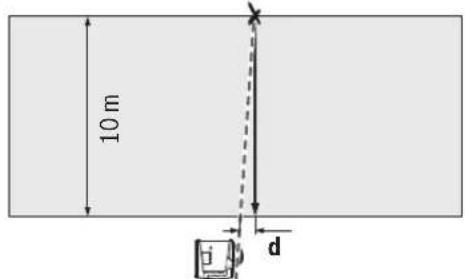
For a measuring distance of 10 m, the maximum permissible deviation is:
10m× ± 0.1mm / m = ± 1mm.
Consequently, the difference d must be no more than 1 mm.
Calibrating the measuring tool
The calibration described below should only be carried out by well-trained qualified personnel. The regulations for checking and calibrating measuring instruments must be known.
Perform the calibration of the measuring tool exclusively with high-precision reference standards for checking in the authorized service department of the electrical tool manufacturer. Insufficiently precise calibration can lead to incorrect measurements. Carry out the calibration if required. To perform the calibration, switch the measuring tool to calibration mode. After the measuring tool has been switched to calibration mode, the calibration must be performed exactly as described to avoid incorrect measurement results.
Note: The calibration indicator lights up when the calibration check is due.
For calibration, you need a free measuring distance of 30 m on a firm base in front of a straight wall.
Calibrate all axes (GRL 500 H: axes X and Y; GRL 500 HV: axes X, Y, and Z).
Calibrating the X axis
-Mount the measuring tool horizontally on a tripod (not included in the scope of delivery). -Place the tripod at a distance of 30 m in front of a wall. The laser marking of the X axis on the measuring tool must be perpendicular to the wall. -Switch on the measuring tool.

Press and hold the calibration button 25 for approximately 2 seconds until the calibration symbol for axis X appears.
The laser rangefinder will turn on.

The display will show the calibration symbol for the remaining axes.
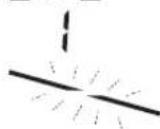
During automatic leveling, the leveling indicator 37 will flash.
Wait for the measurement to stabilize. Using the laser rangefinder, measure the vertical distance to the wall at the center line height "X1". Rotate the measuring tool 180° without changing the height of the tool. Wait for the measurement to stabilize. Using the laser rangefinder, measure the vertical distance to the wall at the new height "X2" on the center line. Determine the midpoint between heights "X1" and "X2" and position the laser rangefinder so that the center marking 16 is at this height.




—
H
To eliminate the possibility of calibration error, after calibration is complete, perform a check of the leveling accuracy (see "Leveling Accuracy Check – Horizontal Position", page 435).

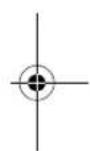
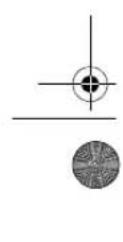

Bulgarian | 437
If the deviation exceeds the permissible tolerance of ±3.0 mm, have the measuring tool checked by an authorized after-sales service for Bosch power tools.
Calibrating the Y-axis
Mount the measuring tool in a horizontal position on a tripod 63 (not included in the scope of delivery). Place the tripod at a distance of 30 m from a wall. The laser marking on the Y-axis on the measuring tool must be perpendicular to the wall. Switch on the measuring tool.


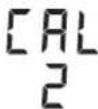
Press and hold the calibration button 25 for approximately 2 seconds until the calibration symbol for axis Y appears.
The display will show the calibration symbol for axis Y.
During automatic leveling, the leveling indicator 37 will flash.
- Turn on the measuring tool. - Place the laser receiver on the wall at the height of the center line, Y1, of the center line. - Rotate the measuring tool 180° without changing the height of the device. - Turn on the laser receiver. - Place the laser receiver on the wall at the height of the center line, Y2, of the center line. - Determine the midpoint between the heights Y1 and Y2 and place the laser receiver so that the center mark is at this height.

Press the tilt button 18 until the indicators for the center line 43 light up continuously. If the acoustic signal is enabled, a continuous tone sounds. - Press the calibration button 25 to store the calibration setting.
The display shows the symbol for the calibration end.


- To exclude the possibility of calibration errors, after calibration you should perform a check of the leveling accuracy (see "Check of the leveling accuracy in horizontal position", page 435).
If the deviation exceeds the permissible limit of ±3.0 mm, have the measuring tool checked by an authorized service center for power tools.
Calibrating the Z-axis (GRL 500 HV)
- Mount the vertical laser line on the wall. - Mount the measuring tool vertically on the tripod (not included in the scope of delivery). - Place the tripod at a distance of 5-10 m from the wall. - Turn on the measuring tool.

- Press simultaneously for approx. 2 s the calibration button 25 and the tilt button 18.

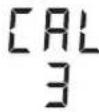
The display shows the symbol for the calibration of the Z-axis.
- Align the device so that the laser beam hits the vertical line on the wall.
During automatic leveling, the leveling indicator 37 flashes.
- Wait until the measuring tool has leveled itself.

Press the tilt button 18 until the laser beam becomes horizontal and the line on the wall is horizontal.
- If you cannot achieve the desired position, repeat the previous steps (reposition the tripod, switch the measuring tool off and on, align the laser beam with the tilt button).

- Press the calibration button 25 to store the calibration setting.

The symbol for the tap is displayed during calibration.
- To exclude the possibility of incorrect calibration, after calibration you must perform a check of the leveling accuracy (see "Check of the leveling accuracy at vertical position", page 436).
If the deviation continues to exceed the permitted limit of ± 1 mm, send the measuring instrument to the authorized service center for electronic instruments.
438|Bulgarian
Instructions for use
The measuring instrument is a laser device. It must be used in accordance with the safety regulations for laser devices, e.g., in aircraft or hospitals. Mark the laser line clearly. The laser line is projected at a distance.
Setting the measuring instrument
The distance between the plane of the top and the middle laser line is displayed in [mm] or [inch:decimal/in].
The factory setting is [mm].

Press the setting button for accuracy 23 and for inclination 20 several times simultaneously until the desired setting is reached.

The setting of the measuring instrument for the measuring units is saved.
Laser viewing glasses (accessory)
The laser viewing glasses filter out ambient light. This makes the red laser light appear much brighter.
Do not use the laser viewing glasses as safety goggles. They are used for better viewing of the laser beam, they do not protect against it. Do not use the laser viewing glasses as sunglasses or for road traffic. The laser viewing glasses do not provide protection against ultraviolet radiation and reduce the perception of light.
Working with the tripod (accessory)
Mount the measuring tool onto the tripod via the 5/8" thread for horizontal mounting on the wall. Place the tool's thread onto the tripod and then tighten it with the 5/8" screw on the tripod.
When setting up the tripod without a scale, you can adjust the height directly.
Working with the wall mount accessory (optional accessory)
Before switching on the measuring tool, check that it is horizontal or vertical and the leveling range compensates for any misalignment within the self-leveling range. For this, turn the 5/8" screw on the wall mount into the mounting hole on the measuring tool.
Wall mounting: Wall mounting is recommended. When measuring heights that require high accuracy, or when working on an uneven base, or when measuring heights, the wall mount accessory should be used. Mount the measuring tool as perpendicular as possible to the wall.
For wall mounting, you can screw the wall mount 59 with the screw 60 into a bracket with a maximum width of 8 mm, or onto two hooks.
Mounting on a tripod: You can mount the accessory for wall mounting 59 with the screw on its back side onto a tripod. This mounting method is recommended especially if the surface to be measured needs to be aligned exactly to a line.
With the help of the lifting accessory, you can move the mounted measuring tool in the vertical direction (when wall-mounted) or horizontal direction (when mounted on a tripod) within a range of approx. 16 cm. For this, loosen the screw 61 on the lifting accessory, move the measuring tool to the desired position, and then retighten screw 61.
Working with the measuring tape (optional accessory) (see figures G and H)
For checking flatness or for marking slopes, it is recommended to use the rotating laser with the measuring tape 55.
On the back of the measuring tape 55, a scale is printed with a reference of ±50 cm. The zero point in height can be set by moving the end piece. This way, deviations from the nominal height can be read directly.
Example
Checking the plumb line (see figure I)
-Place the measuring tool on a stable base or mount it on the tripod 63. -Working with the tripod: Place the measuring tool so that the laser line is at the desired height. Measure or check the height at the second point. Working without a tripod: Determine the height difference between the two points. Measure or check the measured height difference at the desired point.
When measuring large distances, the measuring tool should be placed on a tripod, preferably in the middle of the working area, to limit measurement errors.
When working on the device, before mounting the measuring instrument, check the Anti-Drift system to be activated, to avoid measurement errors when placing the instrument on the surface, due to the measuring instrument's own weight.


Bulgarian439
Troubleshooting
Error codes
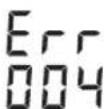
When an error code appears, the instrument is blocked.
- Troubleshooting (see, Troubleshooting)

- After that, press the button for the "Average" mode 19 and for the sound signal - the sound button 24.
If the error is resolved successfully, the error code disappears and the automatic leveling starts (see, Automatic leveling, page 431).
If the problem remains, please perform the measuring instrument check at an authorized service center for electronic instruments.
Image - Error troubleshooting
| 001 Octa X Ha n3mepBaTeHnY uepe i n3BbN dIa- na3OHa 3a aBTOMaTNUHO HNBellpAne oT npi- 6n. 8,5% (5°). | -Поме�е позицура Na n3mepBaTeHnY uepe cnpa octa X. |
| 002 Octa Y Ha n3mepBaTeHnY uepe i n3BbN dIa- na3OHa 3a aBTOMaTNUHO HNBellpAne oT npi- 6n. 8,5% (5°). | -Поме�е позицура Na n3mepBaTeHnY uepe cnpa octa Y. |
| 003 (GRL 500 HV) | Вьв ВerteКален ржим octа Z Ha n3mepBa- telHnY uepe i n3BbN dIa-na3OHa 3a aBTOMa- TNUHO HNBellpAne oT npi6n. 8,5% (5°). |
| 004 След поян ha nO3HnYrTa n3MepBaTeH- nHHT uepe i pod haknoh B nobeeu ot 8,5%. | -Поме�е позицура Na n3mepBaTeHnY uepe. |
| B pexIM Ha hakNoH cnрmo edha oc e hap- XbprHe NduAn3oHa Ha hakNoHa ot ±8,5%. | -Натскaite 6byToHa 3a hakNoH 18 nii 20,doKato Na din- Pnle Ce n3HnIe StcHIOCT Ha hakNoHa od 8,5% (BvIXte ,HaCtpoJa Ha hakNoHa", cTpaHnca 431). |
| 005 HndxbpHeHa maksimamNo donyctHmata npodbJxHtENHcT 3a aBTOMaTNUHO HNBell- pane. N3mepBaTeHnY uepe He moke da ce HNBellpAr aBTOMaTNUHo. | -Поставе n3mepBaTeHnY uepe bvpx cStbniHa ochoba nII rgo MOHtpaite KbM cTaNIB. OCHOBaTa He Tp86Ba da Bn6pIPA. |
| 006 He ce doctHra JekanHr Ta BtBn B pexIM Ha Ha- knOc H cnpMaO edHa oc. | -Поставе n3mepBaTeHnY uepe bvpx cStbniHa ochoba nII rgo MOHtpaite KbM cTaNIB. OCHOBaTa He Tp86Ba da Bn6pIPA. |
| 007 | PotaunOHnHa Tnaba Ha Ia3epa He ce Bvptn. |



440|Bulgarian
Image - Error troubleshooting
Service scule electrice
Strada Horia Macelariu Nr. 30-34, sector 1
013937 Bucuresti, Romania
Tel.: +359(0)700 13 667 (Bulgaria)
Fax: +40212331313
Email: BoschServiceCenterBG@ro.bosch.com
www.bosch-pt.com/bg/bg/
Transport
The contained lithium-ion batteries are subject to the Dangerous Goods Legislation. The user can transport the batteries by road without further requirements. When transport is carried out by third parties (e.g. air transport or forwarding agency), special requirements on packaging and labelling must be observed. For preparation of the item being shipped, consulting an expert for hazardous material is required. Dispatch the battery only if the housing is not damaged. Tape open contacts and pack up the battery in such a manner that it cannot move around in the packaging.
Please also observe possibly more detailed national regulations.
Disposal
The battery charger, the battery pack, and the battery are marked with the symbol of a crossed-out wheeled bin. This symbol indicates that the battery charger, the battery pack, and the battery must not be disposed of with household waste.

Do not dispose of the battery charger, the battery pack, or the battery in household waste!

Only for countries within the EU:
According to the European Directive 2012/19/EU and the European Directive 2006/66/EC, defective or exhausted battery packs/batteries must be collected separately and disposed of in an environmentally correct manner.
Battery packs/batteries must be removed from the measuring tool before disposal. The removal of the battery pack from the measuring tool must be carried out by qualified personnel only. The housing of the measuring tool may be damaged during removal.
To remove the battery from the measuring tool, the tool must be completely discharged. Unscrew the housing screws and open the housing. To prevent a short circuit, disconnect the battery terminals one after the other and insulate the poles. When the battery is completely discharged, a residual charge remains, which is released during short circuit.
AkymynaTopHN HnO6NkHOBeHH 6aTePHN:
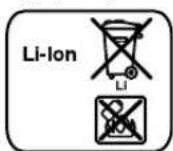
Li-Ion:
Mon, cna3BaIte yka3aHnTaBpa3en,TpaHcnpTnpaHe", ctpaHnca 441.
Ppabata 3a n3MeHenHn 3aNa3eHN.

442|MaKeDoHcKn
MaKeDoHcKn
OnncHa coOpxHHa
Be36eHochn HanoMeHH 443
PotaunoneHnacep 443
PoiHauch 3a 6aTeepn 444
IacepcKn npneHmHK/daJeunHcKny npabyBaay 444
Onnc Ha npoh3BOoT h MoKHOCTa 445
YnTope6a co cooDBetHa HameHa 445
Potaunohn Iacep GRL 500 H 445
Potaunohn nacep GRL 500 HV 445
Spare parts list LR 50 445
Instructions for components 445
Maintenance techniques 446
Installation 447
Replacing the batteries of the measuring device
Replacing the battery 448
Charging the rechargeable battery 448
Use 448
Putting into use 448
Delivery of measuring devices 448
Using the measuring device (see appendix C) 448
Operating modes 448
RTC (Real Time Clock) battery 450
Alarm system for protection against theft 450
Activating the alarm system for protection against theft 450
Using the alarm system for protection against theft 450
Manual check of calibration
Automatic leveling by the loader.....451
Automatic leveling for working time .452
Cutting with one blade .452
Adjusting the blade. 452
Centrifugal pump modes (Appendix D) .452
Bleeding the fuel system of the laser receiver .453
Anti-vibration system (ADS) 453
Deactivating the anti-vibration system 453
Manual rescue winch (see figure) .454
Working with the laser receiver 454
Radio remote control for the control/laser receiver 454
Switching the signal and/or display .454
Set the blade for the middle position. .454
Power supply .455
Protective function Strobe-ShieldTM .455
Marking .455
Screen illumination .455
Connecting with the measuring loop handle (see Figure G) .455
Checking the accuracy of the measuring instrument .455
Accuracy .455
Checking the accuracy of the horizontal position .456
Checking the accuracy of the vertical position (GRL500HV) .456
Calibrating the measuring instrument .456
Calibrating the X-axis .457
Calibrating the Y-axis .457
Macedonian |443
Calibrating the Z-axis (GRL 500 HV) .458
Working advice .458
Adjusting the pressure unit 458
Accessories (optional) 458
Working with steel (optional) 458
Working with the pressure unit for spraying (optional) 458
Working with measuring devices (optional) (see figure H) 459
Examples of work. 459
Checking the pressure unit with the device (see figure I) 459
Delaying the cut 459
Cutting with a cutting wheel. 459
Cutting without a cutting wheel .460
Maintenance and service 461
Maintenance and cleaning 461
After-sales service and application advice 461
Macedonia 461
Transport 461
OrctpaHbBaBe 461
Be36eHocnHaNoMeHN
Potaunohen nacep

CHTe ynatCTBa Tpe6a Da CE npouHtAAT H Da CE BHIMABA Ha HNB,3a Da MOKe 6e36eHNO H 6e3 onachocT Da pa6oHTe co OBOJ Mepenypei. DOKONky MEPHnoTypeI He ce KOpHCTn CornacHO npHNOXeHnte
HhCTpyKuHH, MoKeJa ce HApUH cyHKnjuTa Ha BrpadeHHTe 3aHTTHM MeXAHmH BO MEPHNOT ypeJ. He ja oWtetyBaJte 03HaKaTa 3a npEynpeyBaHe ha MEPHNOT ypeJ. IOBPO 4YBA.JTE FN OBNE YNATCTBAI INPEDAETE FN 3AEJHO CO MEPHNOT ypeJ.
BHHMaHHe -IOKONky KOpNCTHe DpyrYpeDn3a NOeCyBaBe HpaKyBaBe OCBeHOBDe HabeDeHnte HNNONHaKBN NoCTaKNH, OBa MoXe Da DoBeDe Do Onacha H3NoKeHoCT Ha 3paYebe. MepHnotypeceHCnopaYbaCoHaTnnc3a npedynpdeyBahe(O3NaueHoHa npHKa3OT Ha MepHnotypeHa rpaΦnKATAcTaHa co 6poj8).

Laser Radiation Class 2 do not stare into beam IEC 60825-1:2014 <1mW,635 nm
DOKONKYKCTOTHaHaleHHnata3a npdeynpeyBaHe He e Ha BauHOT ja3NK, BP3 Hero 3aneneTe ja HaneHHnata Ha Baunot ja3NK nped npbata ynotpe6a.

He ro hacouybajte nacepcknot 3paK Ha Hnla HnN XnB0THn He nOnerdnyBaJte DnpekTHo BO Hero HnH HeroBaTa peoekcnja. Taka MoKe da rnaaclenite nUata, da npedn3BnKate HecepeKn nn da rnoOtETne OHTe.
Dokonky nacepcknot 3pak Docnee do ouhnte, Behdaw Tpe6a da rH 3aTbOpHTe n da ja TprHete rnaBata od nacepcknot 3pak. He Bpuwe HNKaKBn npomeHH Ha nacepcknoTypeI. He rKopnCTe Nacepcknte Ounna Kako 3aHTTHOounna. Nacepcknte Oounna cnykat 3a noo6po npeno3HaBaHe HaNacepcknot 3pak, Ho He 3auTHTyBaat OJ NacepckTO 3paueHbe. He rKopnCTe Nacepcknte Oouna KaO ouHna 3a coHue nn NaB Go Coo6pakajot. Nacepcknte Oouna He daBaat cenocHa UV-3aHTTa n ro HaMaIyBaat npeno3HaBaHbTo Ha 60n. MepHnOT ypeI cmeI da ce nonpaBa cAmo od ctpaHa Ha KBaIIHΦNkYBaH CTpyeH NepcoHAn Co OPHINAHn pe3epBHH DeIOBn. CaMo HA ToJ HauHH Ke 6uDte CInyphn BO 6e36EHOCTa Ha MEPHnOT ypeI. He n octabajte decaTa da ro Kopnctat nacepcknot Mepen ype63 hazop. Moke da rnaacnenat npynte Nua npaHbHMaHne. He pa6oTeTe Co MepHOTypeB OOKINHa KaIe NoCTOn OnaCHOCT OJ EKcNIO3nJa, KaIe HMa 3anaHBn TeuHOCT, rAC Hn npaunHa. MepHOTypeC03dBa NCKPN, KOIMoKe da ja 3anaTnPpABTa Hn napeTa.

3aHTTeRoMepHnOypeoTOnHHa,Ha np.0dONrTOpaJHO H3NoKyBaBe Ha CONHeB 3paun, orAH,BODa H Bnra.PocToon onachocT oEckno3na.
Pn NorpeHNO KOpHCTeBe, MoKeJa HcTeue TeuHOCTa od batepjuata. N6BerHyBaJte KOHTAKT co Hea. JOKoKy cnuyajHO DoJeTe BO KOTAKT CO TeUHOCTa, HCnNAKHeTe ja Co BODa. JOKOKNy TeuHOCTa DoJe BO KOTAKT Co OUHTe, No6apajTe nekapca nomoi. NcTeeuHATA TeuHOCT od batepjuata MoKe Ja npEiIM3BbKA KOKHN npTuAn nn HsropeHnI. DOKONky ce ouTeTH 6aTeepjata Hn He CE KOpHCTN npabHHO, OHe a MoKe Da n3ne3e naPea. BHeceT CBEX BO3dYH DOKONky HMa NOBpeDeHn ODHeCETe Hn Ha Nekap. NaPeata MoKe Da Hn HApaaHn DnHnHTe natuTa. HanoHete ja 6atepujata co hcnopauahnoT nonha. DOKONky nonhauot koj e npnaoroe H a ede cooDBeteh BnD 6atepn, ro Kopncnte co dpyr 6atepn, nocton onaCHOCT od noxap.
444 | MaKeDoHcKn

The measuring device must be kept away from pacemakers. The magnet of the measuring device creates a field that can disrupt the function of pacemakers.
The measuring device contains a magnet. The magnet can affect magnetic data carriers and pacemakers. Keep the magnet away from the device. The measuring device can cause irreversible damage to data carriers.
Battery

Read all safety instructions. Failures occurring as a result of non-compliance with the safety instructions can cause electric shock, fire and/or serious injury.
This device is not intended for use by persons (including children) with reduced physical, sensory or mental capabilities, or lack of experience and knowledge. This device may be used by children aged 8 and above and persons with reduced physical, sensory or mental capabilities, if they are supervised or have been instructed in the safe use of the device and understand the dangers that may arise from it. Keep the device out of reach of children. There is a danger of injury from improper use.
Label the device with the time of use, maintenance and care. This will ensure that the device does not get lost.

Keep the device away from rain and moisture. Water entering the device increases the risk of electric shock.
Do not use the measuring device without the battery.
Keep the device clean. When wet, there is a danger of electric shock. Before each use, check the device, cable and plug. Do not use the device if it is damaged. Do not open the device yourself and have it repaired only by qualified personnel using only original spare parts. Damaged devices, cables and plugs increase the risk of electric shock. Do not use the device on wet ground (e.g. carpet, textiles) or wet surfaces. There is a danger of fire from the battery being short-circuited. If the battery leaks or is not used properly, it may leak. Ventilate the room if there is damage and consult a doctor. The battery can cause burns.
Laser receiver/remote control

All instructions must be read and observed. Keep the instructions for future reference.
The measuring device may only be repaired by qualified personnel using original spare parts. Only in this way will the safety of the measuring device be maintained. Do not work with the measuring device in environments where there is a risk of explosion, where there are flammable liquids, gases or dust. The measuring device creates sparks that can ignite dust or vapors.

Do not use the measuring device in the rain, e.g. in prolonged exposure to sunlight, fire, water and moisture. There is a risk of explosion.
If the battery leaks, fluid may escape from the battery. Avoid contact with the fluid. If you accidentally come into contact with the fluid, rinse it off with water. If the fluid comes into contact with your eyes, seek medical help immediately. The battery fluid can cause skin irritation or burns. If the battery is damaged or not used properly, it may leak. Ensure proper ventilation and if there is any damage, consult a doctor. The battery may also damage your devices. Make sure to use the battery with the correct polarity. If the battery is not the correct type, using it with other batteries may pose a risk of explosion.


Macedonian|445
Description of product power
Use with appropriate name
Rotational laser GRL 500 H
Measuring tool for leveling and checking of precise horizontal lines.
Measuring tool for leveling in outdoor spaces, can also be used in indoor spaces.
Rotational laser GRL 500 HV
Measuring tool for leveling and checking of precise horizontal heights, vertical lines, lines for alignment, and laser points.
Measuring tool for leveling in outdoor spaces, can also be used in indoor spaces.
Laser receiver LR 50
Laser receiver for quick detection of rotating laser beams for remote control of the rotational laser.
The laser receiver is suitable for use in indoor and outdoor spaces.
Note: LR 50 serves as a laser receiver for remote control. For clarity and understanding, in the following text LR 50 is referred to as "Laser receiver".
Illustration of components
The device is supplied with a laser receiver and instructions for the rotary laser, as well as the laser receiver's user manual.
Rotary laser
1 Vertical laser line (GRL 500 HV) 2 Laser receiver bracket 3 Laser receiver (with adapter, glass) 4 LED indicator for edge detection 5 Contacts for charging the laser receiver 6 Charging station/charging cradle for the laser receiver 7 Laser receiver 8 Warning label for the laser 9 Serial number of the rotary laser 10 Thread for tripod 5/8" (vertical) (GRL 500 HV) 11 Connection for charging adapter 12 Thread for tripod 5/8" (horizontal) 13 Reset button 14 Connection for charging adapter
Laser receiver
15 Display 16 Center mark 17 On/Off button 18 Button for slope mode
19 Button for adjusting the center line 20 Button for slope down 21 Button for fine adjustment 22 Button for edge detection alarm 23 Button for setting accuracy of measurement 24 Button for signal tone/volume 25 Button for calibration 26 Receiver field for laser beam 27 Serial number of the laser receiver 28 Contacts for charging
Indicators on the laser receiver
29 Indicator for battery charge level of the rotary laser 30 Indicator for battery charge level of the laser receiver 31 Text indicator for slope/grade 32 Text indicator for relative height/interval of calibration 33 Indicator for working range 34 Indicator for temperature warning 35 Indicator for calibration interval 36 Indicator for edge detection alarm 37 Indicator for overload warning 38 Indicator for shock warning 39 Indicator for laser beam before the center line 40 Indicator for laser beam after the center line 41 Indicator for slope adjustment 42 Indicator for adjustment of the center line 43 Indicator for center line 44 Indicator for slope adjustment 45 Indicator for signal tone/volume 46 Indicator for accuracy of measurement, fine 47 Indicator for accuracy of measurement, coarse 48 Indicator for accuracy of measurement, rough
Accessories
49 Tripod 50 Charging adapter 51 Charging cable 52 Mains adapter
Equipment/Spare parts
53 Holder for measuring tools 54 Screw for fixing the holder for measuring tools 55 Measuring tape for laser 56 Screw for attaching the holder for measuring tools 57 Level for measuring tape 58 Bracket for inserting the laser receiver 59 Adapter/leveling base for alignment*
Bosch Power Tools 1609 92A 4DX(28.3.18)
446 | Macedonian
60 Bracket for attaching the leveling base 61 Leveling base for alignment 62 5/8" thread for leveling base 63 Steel
The charging time depends on the standard volume of the charger. The complete time can be found in our Charging Program.
Technical data
| Potaunohen lacep | GRL 500 H | GRL 500 HV |
| Бpoj на дeн/артник | 3601 K61 A.. 3601 K61 B.. | |
| Рабтоно поLE (разиус) | ||
| - бezлесрки пгимнik okoly. 1) | 10 M | 10 M |
| - се ласерскп пгимнik okoly. | 250 M | 250 M |
| Точность рпн Новлины 2) 3) | ||
| -хоризотално | ±0,1 MM/M | ±0,1 MM/M |
| - ветшикално | - | ±0,1 MM/M |
| Тишично поLE на самонивени ралы | ±8,5% (±5°) ±8,5% (±5°) | |
| Тишично врeme на Новли ралы | 15 c 15 c | |
| БрзINA на рotaциja | 600 min-1 | 600 min-1 |
| Реким на косина co edna ocka | ||
| (се поесува п配电у тасатураи и погиазот на ekраиот) | ±8,5% | ±8,5% |
| Точост 2) | ±0,1% | ±0,1% |
| Аларmen сисем за заштуд од кражба | ● | ● |
| Прике за Intервалы на кальрациja | ● | ● |
| Temпегатура прп равoting | -10...+50°C -10...+50°C | |
| Temпегатура прп скалдраиhe | -20...+70°C -20...+70°C | |
| релатива влажноct на Воздунот макс. | 90% 90% | |
| макс. орета вида вида вида вида вида | 2000 M 2000 M | |
| Класа на пасер | 2 | 2 |
| Тил на пасер | 635 nm, < 1 mW | 635 nm, < 1 mW |
| Остanyва ще на пасерская ралниja | 0,4 mrad (целесен aron) 0,4 mrad (целесен aron) | |
| Ø Пасерск Зрах на Илесенот OTВOP okoly. 2) | 4 MM | 4 MM |
| Опсер на орета видафальциа | 863-870 MHz | 863-870 MHz |
| Дачина на Испараве макс. | 20 mW | 20 mW |
| При卦ат за с�试овot | ||
| - ветшикално | 5/8" | 5/8" |
| -хоризотално | - | 5/8" |
| Төхина сordасно EPTA-Procedure 01:2014 | 2,3 кr | 2,3 кr |
| Димензи (Должinaх x Ширпина x Висиha) | 234 x 217 x 194 MM | 234 x 217 x 194 MM |
| Вид на заштуla | IP 56 (эаштоа od пави прсанье на Вoda) | IP 56 (эаштоа od пави прсанье на Вoda) |
| Актулатор | Питонm-jонска | Питонm-jонска |
| Номнален habон | 7,4 V | 7,4 V |
| КалачтET | 3 Ah | 3 Ah |
| Бpoj на bateриски кели | 4 | 4 |
| Вретмerteье на павота okoly | 25 у | 25 у |
| 1) Рабтоно поLE (разиус) може досян поради нековлени уменови на okолина на с�ухи на вадиота (нарр. Діректа иложеньост на сончеву заши). | ||
| 2) пи 20°C | ||
| 3) по дожина на оскITE | ||
| Серскnot Бpoj на с pineфальционата пioчka 9 сухи за щасна идenteинфальции на вадиот мера у preced. |
Macedonian|447
| Ласерский пreamнок/Далочины уравыч | LR 50 |
| Бpoj на дeн/артник | 3601 K69 A.. |
| Прием на браунов дοлжинь | 625-645nm |
| РавOTNO поle (разиус)3)2) | |
| - Ласерский пreamнок с рotingскпacep | 250 M |
| - Далочины уравыч | 150 M |
| Приемен arол | 70°(±35°) |
| Точность по мераиме赦"3) | |
| - Поставka „фино“ | ±1 MM |
| ±2 MM | |
| - Поставka „сре dio“ | ±3 MM |
| ±5 MM | |
| - Поставka „губо“ | ±7 MM |
| ±10 MM | |
| Галемпа на ekранот | 62x31MM |
| Приемна пошниа | 100x18MM |
| Temпература по рамота | -10°C...+50°C |
| Temпература по скадиралье | -20°C...+70°C |
| peлathва влажноct на Воздунхов Маск. | 90% |
| Маск. оретахва висна пекуpeферента висна | 2000 M |
| Опсer на оретахва ph装配вениja | 863-870 MHz |
| Javина на ИсторICALmaцк. | 20 mW |
| Поставка за akтувираобе на рекIMOTпашиваьe | |
| - Калочьа на не се р�птосякнипodолюо od 30 ми. | ● |
| - НEMA пreamн на ласерскnot зракпodолюо od 30 ми. | ● |
| Аларmen сichtем за зашпда on od крахба | 0-150M |
| Приема за итегвали на калбрацида | |
| Текина сordлесноEPTA-Procedure 01:2014 | 0,3 KM |
| Димензни(Далочина x Шерпinaх x Висна) | 152x77x32MM |
| Вид на зашпда | IP 56 (разшпда odправи и рссань на ВODа) |
| Актулатор | Пинums-JOHSCa |
| Номинален налион | 7,4V |
| КалачтET | 1Ah |
| Бpoj на бateриски келл. | 2 |
| В��етаеные на рамота okoly | 254) |
| 1) Раб�тоно� по le(pадиус) може по се hamали поади помен�ниу calobи на поал�у висна ус�ови на поал�у висна (нарл. дірійта на помен�пот на сончеви заци). | |
| 2) зашино od pactоjasною помен�у ласерскnot римени и роташиноюл пасер. | |
| 3) по оданешиноct od 30 M | |
| 4) по дадятынрano осветлу вись на поалот | |
| Серсьнот loь 27 на сіпіduфік��оноота піочь січь за щасна indentніduфік��ліа на вадиот ласерскп рименик /вадиот дади绚нску undayabua. |
| Полnahу | |
| Б Proj ha дeн/артikl 2 610 A16 4.. | |
| Врeme ha nonHebe | okoу 3 u |
| Hanoн ha nonHebe ha 6aTeprnja t | 12 V- |
| Стува за nonHebe | 5 A |
| Клaca ha 3aStitga | ☐/☐ |
Charging
Charging the battery of the measuring laser receiver (see Fig. A-B)
Do not use the charger. The supplied charger is designed for the lithium-ion battery in your measuring device. Pay attention to the electrical voltage! The voltage of the power source must match the voltage specified on the charger's rating plate.
WARNING
Measuring laser receiver
The device may only be charged
in dry indoor spaces. The charging cable will not be used for charging in the most suitable place or near.
Note: The battery of the measuring laser receiver is discharged when delivered. To ensure maximum capacity of the battery, charge it fully before first use.
Lithium-ion batteries can be charged at any time without reducing their service life. Interrupting the charging process does not damage the battery.
Display of the charging status
The device should be checked for the fullness of the material at the measuring device, the measuring device should be turned on (see "Turning on", page 449).
| Прикази на схрано | Знayец e Kanaцитet | Приoctаны Врeme 3a Мереь okoly. |
| 29 | Батерида e цelenocho нанолнета. | 60-100% 15-25у |
| 30 | ||
| 29 | Батерида e денимно нанолнета. | 40-60% 10-15у |
| 30 | ||
| 29 | Батерида e денимно нанолнета. | 20-40% 5-10у |
| 30 | ||
| 29 | Батерида e денимно нанолнета. | 10-20% 2,5-5у |
| 30 | ||
| 29 | Батерида трава да ce нанолни. | 0-10% 0-2,5у |
| 30 |
448 | Macedonian
If the measuring device is excluded, the laser rangefinder in the filling station, the state of the fullness of the material is indicated in the following way:

- Press the button for the filling mode 21 until the indicator light turns on. The indicators for the state of the fullness of the material will be shown at 29 and 30.
Note: The lighting of the extreme indicator means exclusion.
Battery replacement
- Clean the contacts for filling with a dry cloth. - Insert the battery 51 into the opening at the top of the filler 49.
The measuring device can work independently of the laser rangefinder, or the laser rangefinder can work together with the measuring device.
Measuring device (see figure A):
- Open the cover 11 of the opening for filling 14. Insert the plug 52 into the socket, the plug of the filler 50 into the opening for filling 14.
Laser rangefinder (see figure B):
- Place the laser rangefinder in the filling station 6. - Open the cover 11 of the opening for filling 14. - Insert the plug 52 into the socket, and the plug of the filler 50 into the opening for filling 14.
Indicators of the extreme
Meaning
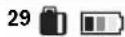
The batteries are not full. During the process of filling, the segments will light up one after another.
The laser receiver can be used.
Do not use it, take it out of the box. Protect it from moisture!
Charging the battery
Charge the laser receiver only with the permitted chargers, see "Charging technology". E.g., do not leave it in the car for a long time.
The short operating time indicates that the battery is worn out and must be replaced.
Pay attention to the charging indicators.
Use
Switching on/off
The laser receiver is intended for effective leveling of surfaces. Do not expose the laser receiver to extreme temperatures or oscillations in temperature. E.g., do not leave it in the car for a long time. When oscillations in
temperature occur, leave the laser receiver to acclimatize before use. In extreme temperatures or oscillations in temperature, the accuracy of the laser receiver may be impaired.
Avoid strong impacts on the laser receiver. After a strong impact on the laser receiver, before using it for work, always perform a check of the accuracy (see "Checking the accuracy of the laser receiver, page 455).
Positioning the laser receiver
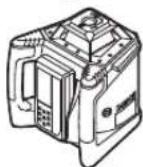
Horizontal leveling (GRL 500 H / GRL 500 HV)
Vertical leveling (GRL 500 HV)
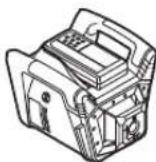
Place the laser receiver on a stable base in horizontal and vertical position, mount it on a tripod or on the wall bracket 59 with the measuring unit.
Be careful to achieve high accuracy of leveling, measure the device before starting work, and check the influence of the surroundings. Pay attention to the stable position of the measuring device to avoid errors in operation and additional leveling.
Corner measuring device (accessories)
The measuring device is controlled via the corner receiver. The control of the measuring device can be done directly (the corner receiver is placed in the station for lifting/lowering) or via remote control (the corner receiver functions as a remote control).
Operating modes
The system of the measuring device and the corner receiver recognizes
the following operating modes:
- Working mode
All functions of the measuring device and the corner receiver are activated.
See "Switching on", page 449.
- Leveling mode
The measuring device functions are deactivated for a period of time to save energy. The automatic system is activated by a movement and the inclination system is activated by the leveling. The settings (signal tone/loudness, tone sequence, etc.) are retained. See "Leveling mode", page 449.
- Excluded
All functions of the measuring device and the corner receiver are deactivated.
See "Switching off", page 449, and "Automatic switching off", page 450.
Do not look directly into the laser beam with the eye or with the help of optical instruments. Do not leave the device switched on unattended. Remove it from use if damaged. Other people may be exposed to dangerous laser radiation.
Note: Before using the measuring tool, always check its accuracy (see "Checking the Measuring Tool Accuracy", page 455).
Putting into Operation
Note: When using the measuring tool with a laser receiver, it is switched on (= the laser receiver can perform measurements via remote control).
To save energy, switch on the measuring tool and the laser receiver only when needed.
Switching On

- To switch on the measuring tool, place the laser receiver in the charging station 6 at the end of the rotary laser and press the on/off button 17.
HNN
- Place the laser receiver in the charging station 6 and then remove it again. To switch on the measuring tool, press the on/off button 17 within 30 minutes.
Result
- The indicator lights on the display flash briefly. The automatic leveling is activated (see "Automatic Leveling", page 451). - The anti-tilt system is activated after automatic leveling (see "Anti-Tilt System (ADS)", page 451).
The measuring tool emits a laser beam 7 (GRL 500 H) or a laser beam 7 emitted vertically 1 (GRL 500 HV).
Switching Off

- Press the on/off button 17 to switch off the device.
Result
-Press the button to turn the laser on and off. -The command is displayed on the screen to indicate that the laser is off.
Note: To turn on the laser receiver, the laser receiver must be turned on. To turn on the laser receiver, you must press the button again to put it in the charging/charging station.
Pulse mode
With the laser receiver, the measuring tool can be set for max. 2 hours in pulse mode.

-To turn on pulse mode, press the button for pulse mode 21.

In pulse mode, the laser receiver's LED for pulse mode 44 lights up, and when the anti-theft alarm is activated, the additional LED for the anti-theft alarm system 36 lights up.

The anti-theft alarm system is activated by the measuring tool's LED indicator for the anti-theft alarm.
The command is displayed on the screen to indicate that the laser is off. The anti-theft system remains active.

-To turn off pulse mode, press the button for pulse mode 21 again.
Pulse mode will turn on automatically when the laser beam is not received by the receiver 26 for more than 30 minutes. The laser receiver's battery is not charged for more than 30 minutes.
Note: When the laser receiver is in pulse mode, the laser is off. The battery is turned off automatically. To turn on the laser receiver, you must press the button again to put it in the charging/charging station 6.
The standard delivery includes [the pulse mode function is deactivated].

-To activate the pulse mode function, with the measuring tool turned on, press the button for turning on/off 17 and the button for pulse mode 21 simultaneously for 2 seconds. The new state will be displayed on the screen [pulse mode function is activated = SLP On]. The pulse mode indicator 44 will be displayed. The setting is not saved when turning off. The measuring tool always starts with the pulse mode function deactivated. -To deactivate the pulse mode function, with the measuring tool turned on, press the button for turning on/off 17 and the button for pulse mode 21 simultaneously for 2 seconds.


450|Macedonian

After 3 seconds, the device will turn on and the operating mode will be displayed [the operating mode function is deactivated = SLP OFF] and the operating mode will be displayed.

Automatic shutdown
The measuring device and the laser receiver are automatically switched off under certain conditions (see "Shutdown" on page 449):
- The measuring device switches off automatically if the laser receiver is not moved for more than 2.5 hours and the tilt is not corrected (see "Tilt correction", page 459). - The active tilt mode of the measuring device is not activated within 2 hours. - The anti-tilt system is activated for more than 2.5 hours. - The measuring device switches off automatically if the operating temperature is exceeded.

Before the measuring device and the laser receiver are automatically switched off, the temperature warning sounds for about 5 seconds.
After automatic shutdown:
- Wait until the measuring device and the laser receiver are within the operating temperature range again. - If necessary, switch the measuring device off and on again.
RTC (Real Time Clock) battery

If the calibration interval display appears about 10 seconds after switching on, the RTC battery and the internal accumulator are empty. The calibration interval is no longer controlled.
- Contact your authorized Bosch service center.
Alarm system for protection against theft
The system of the measuring device and the laser receiver with the help of two security mechanisms prevents theft:
- The measuring device can only be controlled via the laser receiver, there is no control on the measuring device. - If the measuring device is placed in a different location, the measuring device and the laser receiver signal an alarm.
Activating the alarm system for protection against theft
The standard setting at the factory is [Alarm system for protection against theft deactivated].

ALARM DEVICE FOR BURGLARY 22. The alarm system for burglary protection is activated.
Alarm command against burglary with LED signaling of the alarm device against burglary lights up.
The supplied alarm system for burglary protection is activated upon disconnection.
To deactivate, press the button of the alarm device against burglary 22, which is in the device.
Case of application of the alarm system for burglary protection
Use of the wireless mechanism
The device is switched on. And
The device is in standby mode.
The alarm system is activated by the alarm command against burglary
Continuous lighting of the LED signaling for alarm against burglary of the device until the signal stops
The device is switched off. The pager receiver is switched off and is in the charging state.
The alarm system is deactivated by the alarm command against burglary and no signal appears
The LED signaling for alarm against burglary of the device does not light up
If the device has been placed in the standby mode for more than 5 seconds, the alarm system for burglary protection is activated, the alarm system is activated:
- From the device, the pager receiver will emit a sound signal. The volume of the sound signal, which is very loud, reaches up to 110 dB(A) and cannot be adjusted via the volume control, when used for the normal sound signal.
The device is ready for use! The indicator light may turn on.
The operating functions are unlocked.

The LED indicator for alarm against theft is flashing quickly.

The alarm against theft is triggered by the device.


To deactivate the alarm, press the alarm button against theft.
The signal is interrupted.
The operating functions are unlocked.
The supply will be restored to standard supply after reset (see "Reset" on page 449).
The alarm system for theft protection is activated again.
Calibration check instructions (calibration warning)
If the calibration of the measuring device needs to be checked, it is indicated upon activation, at the end of the device, using various indicators in combination with the "CAL" indicator.
Note: The sensors for calibration check (interval calibration, temperature or pressure, vibration of the measuring device) are activated after first use.
End indicator Calibration warning
Line

LIGHT

Interval
Calibration 35
Lights
The calibration interval (12 months) has expired.

Lights

Display
Warning for
battery 34 lights

Lights

Display
warning
for impact 38 lights
During the short time of the command, the calibration commands will be displayed again until power-on.
Closing the calibration warning commands
After the order for calibration is accepted, it will not appear again until the calibration is completed.

- The calibration order is displayed at the end
Calibration, press at the end
Calibration 25 seconds.
The calibration control orders will be displayed again after the calibration order is accepted.
Macedonian|451
Recommended procedures for action upon calibration control order
Working elements
Page
1 Control of accuracy during alignment 455
2a Deviation from 30 m within the maximum allowed limits of ±3.0 mm: Saving of calibration orders 451
2b Deviation from 30 m beyond the maximum allowed limits of ±3.0 mm: Calibration of measuring instruments 456
3b Control of accuracy during alignment 455
4b After calibration, the deviation from 30 m is within the maximum allowed limits of ±3.0 mm: It can be operated without disturbance to the device.
After calibration, the deviation
Allow a limit of ±3.0 mm:
Leave the measuring device for control
by the Bosch service department.
Proper use
Check on axes X and Y
The check on axes X and Y is performed by rotating the device.
Rotating mode
Measure the rotation speed with a frequency of 600 rpm, which is suitable for applying the laser receiver.
Recommended accessories
- Automatic leveling after switching on/during operation
- Operating modes: one axis - horizontal centering - anti-tilt system (ADS) - line control in vertical (GRL 500 HV)
Automatic leveling
Automatic leveling after switching on
After switching on, the measuring device automatically levels the horizontal position within approximately 8.5% (5°).
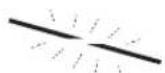
The device is leveled automatically.
The device warns about
leveling.
GRL 500 HV: The device can automatically detect the horizontal position. The vertical position. To change the horizontal and vertical position, you can do it manually without having to switch it off.


452 | Macedonian
Automatic leveling during operation
When the measuring device is tilted more than 8.5% (5°) from the horizontal, leveling is no longer possible and it switches to error mode (see "Error correction", page 459).
When the measuring device is tilted, it constantly checks the horizontal position. When the position changes, leveling is done automatically. To avoid incorrect measurements during the leveling process, the laser beam is switched off.
Slope mode with one axis
When the horizontal position of the measuring device is tilted, it is automatically leveled in slope mode with one axis. The rotary plane can be rotated by up to ±8.5% around the X axis.
Note: If you want to perform a measurement of the slope angle after switching on, you must switch off the automatic leveling (see "Automatic leveling after switching on", page 451). This will avoid incorrect measurement results.
Setting the slope
Setting the slope is possible within a range of ±8.5%.

Press and hold the slope button 18 or 20 until the correct slope value is shown on the display.

- Press the slope button 18 or 20 again.
3. Upon delivery of the bone graft, a command for adjustment of the leveling is issued.

The bone adjustment mode is continuously illuminated.

- Press the button simultaneously for bone lines 18 and 20.
The bone saw is activated. The automatic leveling is activated (see "Automatic leveling" page 451).


If the bone sawing deviation is ±8.5%, a command for sawing adjustment is issued and a warning is given (see "Troubleshooting" page 459).
Central line mode (see Figure D)
In central line mode, the measurement is performed automatically to pass through the central line of the laser beam with movement of the rotation head up and down.

- Press the button for central line mode for about 2 seconds.
The automatic movement of the rotation head upward starts.
Processing procedure:
- The rotation head moves to the end upward. 2. The laser beam is switched on.
- The rotation head rotates downward. 4a. The laser beam reaches contact with the receiving field 26 of the central line.
4b. At the end of the rotation path, the laser beam does not find a receiving field; a warning will be given (see "Troubleshooting" page 459).
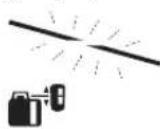
Press the button on the middle line of the three-position switch 303 to confirm the setting.
Set the switch for the central line mode 42 to continuous light.
The passenger compartment lamp will come into contact with the contact strip 26, and when the middle line is extended, a sound will be heard.
The speed at which the rotary head moves will cause the passenger compartment lamp to come into contact with the front strip 26.
When the middle line is extended, the automatic device will switch the central line mode. The set inclination will be maintained and will be shown on the display.

- For the central line mode during the transition, press the central line mode switch 19.
NN
- Simultaneously press the buttons for inclination 18 and 20 to activate the automatic leveling.
Macedonian | 453
Extended extension of the middle line of the passenger compartment lamp
The extension of the middle line of the passenger compartment lamp always starts with the rotary head moving upward, until the passenger compartment lamp is below the middle line, and not in the front field of the passenger compartment lamp, the passenger compartment lamp can be extended.

-Press the switch for the central line mode 19 to close.
The automatic leveling starts with the rotary head moving upward.
-Press the switch for inclination 20. The rotary head moves downward.

Exit system (ADS)
The anti-shock system is activated when a shock is detected. Before using the device, the user must be instructed on how to use it correctly, and the device must be properly positioned.

Approximately 30 seconds after the device is switched on, the anti-shock system is activated.
The alarm sounds briefly before the shock warning. The warning is activated continuously.
If the vertical position changes and a shock is detected, the anti-shock system is activated: the rotation of the laser stops, and a warning is given before the shock. The laser is switched off after 5 seconds.

The anti-shock system is activated by pressing the button for switching on/off (17).
The automatic leveling starts (see "Automatic leveling during operation", page 452).
Now check the laser height at the reference point and adjust the device height accordingly.
Deactivating the anti-shock system
The anti-shock system can be deactivated during operation of the device.

Press the button for switching on/off (17).
The anti-shock system is deactivated. The shock warning is no longer displayed.
The device is protected when switched off. The device starts with the anti-shock system activated.
Line Control in vertical (GRL 500 HV)
In vertical mode, the device can position the rotation plane horizontally for leveling or vertically for alignment.

To rotate the rotation plane in the direction of the arrow on the button for rotation (18), to rotate in the opposite direction of the arrow on the button for rotation (20).
It can be adjusted within the range of ±8.5% of the nominal value, depending on the rotation of the head, which is set by the factory and continuously monitored.
Central line mode (Line Control) (see figure E)
In central line mode, the measuring tool automatically finds the center line of the laser beam by rotating the head left/right.

- Press the central line mode button 19 for approx. 2 seconds. The automatic left/right movement of the rotating head starts.
Procedure:
- The rotating head moves to the right side. 2. The laser beam is switched on.
- The rotating head turns to the left side. 4a. The laser beam remains in contact with the receiving area 26 until it reaches the center line. Or 4b. At the end of the rotation, if the laser beam does not find a receiving area, an error message will be displayed (see "Error correction", page 459).
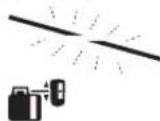
During the centering of the center line, the indicator 37 lights up for alignment.
The central line mode indicator 42 lights up continuously. The laser beam will come into contact with the receiving area 26 until the center line is found and alignment is performed.
The speed at which the rotating head rotates will decrease as the laser beam comes into contact with the receiving area 26.
After finding the center line, the measuring tool automatically switches off the rotation of the central line.

- To stop the central line mode during operation, press the central line mode button 19 again.
LINE
454 | Macedonian

- Press the buttons for slope 18 and 20 again to activate the automatic alignment.
Auto


Adjustment of the middle line of the passenger seat
The adjustment of the middle line of the passenger seat is always performed with the lower part of the rotary head removed. If the passenger seat is adjusted to the middle line, and not to the middle line of the passenger seat, the passenger stroke can be performed.

- Press the control to the end of the central line for about 2 seconds. The rotary head automatically turns to the right side.
- Press the control to the end of the final position. The rotary head moves to the left.

Adjusting the relative height (see figure)
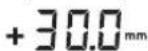
The distance between the rotary plane and the middle line will be indicated on the display as an absolute value (in [mm] or [inch]). See figure, "Display of units", page 458.
Working with the passenger seat
Use in outdoor spaces with large distances, in indoor spaces, use the passenger seat for adjusting the passenger stroke.
- Place the passenger seat on the floor so that the passenger stroke reaches the floor level 26.
Time interval between the measuring device and the remote control/passenger seats
In the current version, the passenger seat LR 50 operates with a time interval of 63 seconds as a remote control for the measuring device.

- Press the button to confirm the function of the remote control for the passenger seat.
The measuring device can also be assigned multiple passenger seats R50.
- Switch off the measuring device and the passenger seat.

Press the button for switching on/off 17.

The radio clock signal is used to activate the function for remote control of the receiver.
Repeat the receiver switching on/off. The meter, before it is switched on, must be within 30 min. You must press the buttons for switching on/off 17.
Note: The receiver will only measure the meter, after the receiver is switched on it works as a remote control. The other receivers will work as they were.
The settings for the individual receivers can be adjusted separately. When the receiver is switched on the function for remote control, the meter is also switched on. The additional receivers are switched on separately.

If the radio clock signal is not received, the additional radio clock 33 will be shown.
Thus, the signals for warning (e.g. burglary, anti-theft system, alarm) are not to be shown on the meter, but to be controlled remotely.
Note: The mode of operation of the meter can be switched on or off only by pressing the button for mode of operation 21 on the receiver with the function for remote control.
Setting the signal tone/volume
The receiver's loudspeaker for reception 26 is adjusted with the signal tone.
You can choose between two volume levels and switch off the signal tone.
Standard setting when delivered [normal signal tone].

Press the button signal tone/volume 24, until the desired setting appears.
No display: signal tone is switched off

Turn on the signal tone
The signal tone/volume can be heard when switching on.
Select the delivery of the order as medium
You can define with which accuracy the laser beam receiver field will be applied, as medium.
The standard setting for accuracy when measuring is medium/3 mm
456 | Macedonian
to be able to work properly. Therefore, before each work step, check the calibration.
Deviations from about 20 m measuring line are considered as valid deviations at 100 m absolutely to be compensated or corrected from the deviation at 20 m.
The laser beam's different heights near the floor, the measuring device should be mounted on a stable base at a distance of 20 m. If possible, place the measuring device in the middle of the working area.
If the measuring device is adjusted to the maximum deviation, then perform the calibration (see "Calibration of the measuring device", page 456) or leave the measuring device for control to the Bosch service department.
Checking the accuracy when leveling in horizontal position
For the check, a free measuring line of 30 m on a firm floor in front of a wall is needed. For each X- and Y-axis, a complete measuring procedure must be performed.
-Mount the measuring device in horizontal position at a distance of 30 m from the wall or place it on a firm, flat surface. Turn on the measuring device. -After leveling, mark the center of the laser beam on the wall (point 1).
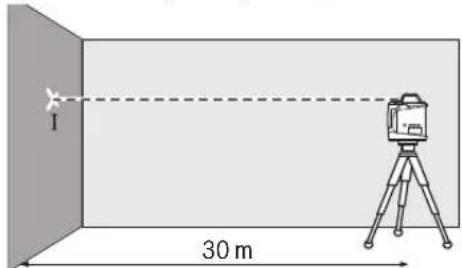
-Turn the measuring device 180°, let it level, and mark the center of the laser beam on the wall (point II). Pay attention that point II is as vertical as possible above or below point I.
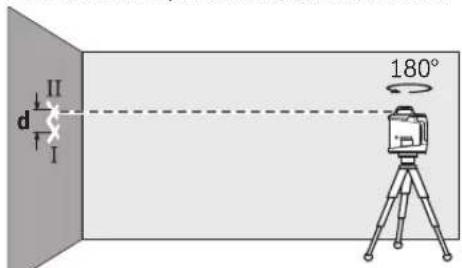
The difference d of the two marked points I and II on the wall gives the actual deviation of the measuring device for the measured axis.
Set up the measuring tool near a wall on a level surface. Let the measuring tool level itself. Mark the laser point on the wall as point 1.
The maximum permissible deviation is:
30m× ± 0,1mm / m = ± 3,0mm
Therefore, the difference between points 1 and 2 must not exceed 3 mm.
Checking the leveling accuracy in the vertical position (GRL 500 HV)
For this check, you need a free measuring distance of approx. 10 m on a firm surface in front of a wall. Attach a plumb line to the wall.
- Mount the measuring tool in the vertical position on a tripod or place it on a firm, level surface. Switch on the measuring tool and allow it to level itself. - Align the laser line on the upper edge of the plumb line so that it passes through the contact point at the upper end of the plumb line. The difference between the laser line and the plumb line at the lower end of the plumb line gives the deviation of the measuring tool from the vertical.
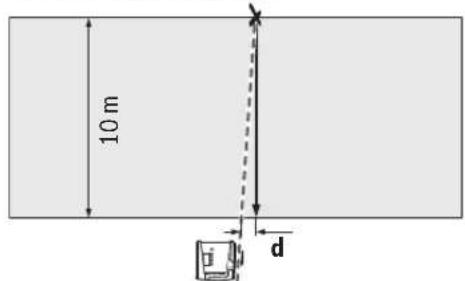
The maximum permissible deviation is:
10m× ± 0,1mm / m = ± 1mm
Therefore, the difference must not exceed 1 mm.
Calibrating the measuring tool
The calibration intervals can only be extended by the manufacturer or an authorized calibration service. Regular checks of the accuracy and calibration of the measuring tool must be observed.
Have the measuring tool calibrated precisely and have the measuring tool checked in the Bosch service center. Inaccurate calibration can lead to incorrect measurement results. Start the calibration only when the calibration must be performed. If the measuring tool is in calibration mode, the calibration must be completed, otherwise incorrect measurement results may occur.
Note: During calibration, the calibration control indicators will be displayed. They will appear again after the calibration is repeated. For this check, you need a free measuring distance of 30 m on a firm surface.
Now calibrate all axes (GRL 500 H: X- and Y-axis; GRL 500 HV: X-, Y-, and Z-axis).




Calibration of the X-axis
- Mount the measuring device in a horizontal position on a stable surface (optional). - Place it at a distance of 30 m from the SIO. The pointer of the graduation line on the X-axis of the measuring device must be vertically aligned with the SIO. Turn on the measuring device.

- Press the calibration button 25 and the tilt button 18 simultaneously.

The calibration indicator on the X-axis will appear on the display.

During automatic leveling, the pointer and the leveling warning 37 will flash.
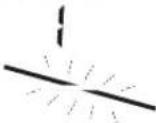
- Wait until the measuring device has leveled itself. - Using the laser receiver, find the center line and mark it as X1" on the center line of the SIO. - Rotate the measuring device 180° without changing the height of the tripod. - Wait until the leveling indicator 37 stops flashing and the measuring device has leveled itself. - Using the laser receiver, find the center line and mark the new height as X2" on the center line of the SIO. - Determine the exact center between the center lines X1" and X2" and position the laser receiver at the center mark 16.

- Press the tilt button 18 or 20 until the pointer of the center line 43 lights up continuously. The laser line should be horizontal.
- Press the calibration button 25 to save the calibration.


The calibration completion indicator will appear on the display.
- To avoid incorrect calibration, you must check the leveling accuracy (see "Leveling accuracy check in horizontal position", page 456). If the deviation exceeds the maximum allowed limits of ±3.0 mm, send the measuring device to Bosch's service department for calibration.
Calibration of the Y-axis
- Mount the measuring device in a horizontal position on a stable surface (optional). - Place it at a distance of 30 m from the SIO. The pointer of the graduation line on the Y-axis of the measuring device must be vertically aligned with the SIO. - Turn on the measuring device.

The calibration mark on the Z-axis will be displayed on the screen.
Set the switch to the desired position so that the laser beam is aligned with the vertical line of the display.
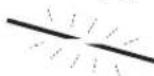
During automatic alignment, a warning for alignment will be displayed.
Adjust the measuring tool until it is aligned.

Press the key for coarse adjustment 18 or 20 until the laser beam is as close as possible to the vertical line of the display.
If alignment is not achieved, repeat the previous steps (set the switch, adjust the measuring tool, align the laser beam with the help of the coarse adjustment key).


Press the calibration key 25 to save the calibration.
The calibration lock mark will be displayed on the screen.
To exclude incorrect calibration after locking the calibration, you must check the accuracy during leveling (see "Checking the accuracy during leveling in vertical position" on page 456). If the deviations are within the maximum allowed tolerance of ±1 mm, leave the measuring tool in control in the service case.
Tips for working
The measuring tool is equipped with a wireless interface. It must comply with local operating restrictions, e.g., in airplanes or hospitals. For safety, always use the middle laser line. The position of the laser line changes with the adjustment.
Changing the display unit
The distance between the rotation plane and the middle line will be displayed on the screen in [mm] or [inch: decimal/fraction].
Standard setting when delivered: [mm].

Press the button for changing the unit of measurement 23 and the key for coarse adjustment 20 until the desired setting appears.

The laser beam is emitted through the opening.
Laser goggles (optional)
Laser goggles protect the eyes from the laser light. In this mode, the laser light appears bright to the eye.
Do not use the laser goggles as safety glasses. The laser goggles serve for better recognition of the laser beam, but do not protect against laser radiation. Do not use the laser goggles as sunglasses or while driving. The laser goggles do not provide UV protection and reduce recognition of colors.
Working with the level (optional)
The measuring tool is equipped with a 5/8" thread for a tripod for horizontal operation on a tripod. Mount the measuring tool with the 5/8" thread onto the tripod and tighten it with the tripod locking screw. When the tripod is with a measuring scale on the extension, you can directly read the height difference.
Working with the wall holder and alignment unit (optional)
You can mount the measuring tool on the wall holder with alignment unit 59. Tighten the 5/8" screw 62 of the wall holder into the tripod thread of the measuring tool. Mounting the wall holder: The mounting of the wall holder is recommended, e.g., vertically, which is above the height of the measuring tool, or on a non-horizontal surface and 63 tripod. Then, align the wall holder 59 with the mounted measuring tool as vertically as possible. For mounting the wall holder, the wall holder 59 can be attached with a clamping screw 60 to a strap of max. 8 mm width or to be hooked on two hooks. Mounting on a tripod: The wall holder 59 can also be tightened with the tripod thread on the side of the tripod. This tightening is especially recommended when working, where the rotation mode is needed to be aligned on a reference line.
With the help of the alignment unit, you can place the measuring tool vertically (when mounted on the wall holder) or horizontally (when mounted on a tripod) at a distance of about 16 cm. Then, loosen the screw 61 of the alignment unit, place the measuring tool in the desired position, and retighten the screw 61.




Macedonian | 459
Working with the measuring tape (optional) (see figure I)
For checking unevenness or for marking slopes, it is recommended to use the measuring tape 55 together with the laser receiver.
On the measuring tape 55, a relative measuring scale (± 50cm) is applied on the top. The zero point of the height can be selected according to the extension. In this way, the deviation from the set height is directly indicated.
Examples of work
Checking the levelness of floor tiles (see figure I)
Install the measuring tool according to the mounting plate.
Working with the mounting plate: Align the laser beam to the desired height. Mark the position. Check that the height is in the correct position.
Working without the mounting plate: Find the height difference between the laser beam and the reference point. Mark the position. Check the measured height difference at the correct position.
When using the tripod, always place the measuring tool in the center of the working surface. Place it on the tripod to avoid the influence of the edges.
When working on an unstable surface, install the measuring tool on the mounting plate. Be careful: the anti-laser system is active to avoid incorrect measurements when the tool is dropped or the mounting plate is hit.
Troubleshooting
Error code
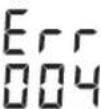
The error code will be displayed on the screen.
Laser Radiation Class 2 do not stare into beam
IEC60825-1:2014 <1mW,635nm
If the warning label text is not in your language, stick the provided label in your language over it before first use.

Do not point the laser beam at people or animals, and do not look directly into the laser beam or its reflection. This can blind people, cause accidents, or damage your eyes.
If laser radiation enters your eye, you must consciously close your eyes and immediately turn your head away from the beam. Do not make any modifications to the laser equipment. Do not use laser viewing glasses as protective glasses. Laser viewing glasses are for better recognition of the laser beam; they do not protect against laser radiation. Do not use laser viewing glasses as sunglasses or while driving. Laser viewing glasses do not provide full UV protection and reduce color perception. Have your measuring tool repaired by qualified personnel only with original spare parts. This ensures that the safety of the measuring tool is maintained. Do not allow children to use the measuring tool with the laser without supervision. They could unintentionally blind people. Do not work with the measuring tool in explosive environments where flammable liquids, gases, or dusts are present. Sparks can be produced in the measuring tool, which could ignite dust or fumes.

Protect the measuring tool from heat, for example from prolonged direct sunlight, fire, water, and moisture. There is a risk of explosion.
If the battery is misused, liquid may leak from it. Avoid contact with it. In case of accidental contact, rinse with water. If liquid gets into your eyes, seek additional medical help. Leaking battery liquid may cause skin irritation or burns. If the battery is damaged or improperly used, vapors may be emitted. Provide fresh air and consult a doctor if you experience discomfort. Vapors may irritate the respiratory tract. Charge the battery only with the supplied charging device. A charging device that is suitable for one type of battery may pose a risk if used with other batteries.

Do not place the measuring tool and the laser target plate near pacemakers. The magnets of the measuring tool and the laser target plate produce a field that can impair the function of pacemakers.
Keep the measuring tool and the laser target plate away from magnetic data carriers and magnetically sensitive devices. The effect of the magnets of the measuring tool and the laser target plate can lead to irreversible data loss.
Battery charger

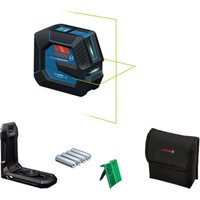
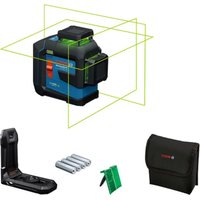

- PRODUCT DESCRIPTION AND SPECIFICATIONS
- ASSEMBLY
- OPERATION
- ENGLISH
- SAFETY NOTES
- ROTATIONAL LASER LEVEL
- BATTERY CHARGER
- LASER RECEIVER/REMOTE CONTROL
- INTENDED USE
- ROTATIONAL LASER LEVEL GRL 500 H
- ROTATIONAL LASER LEVEL GRL 500 HV
- LASER RECEIVER LR
- PRODUCT FEATURES
- LASER RECEIVER
- INDICATOR ELEMENTS OF LASER RECEIVER
- CHARGER
- ACCESSORIES/SPARE PARTS
- CHARGING THE BATTERIES OF THE MEASURING TOOL AND LASER RECEIVER (SEE FIGURES A-B)
- IMPORTANT THE MEASURING TOOL AND LASER RECEIVER MUST BE CHARGED ONLY IN DRY INDOOR AREAS
- CHARGE-CONTROL INDICATOR
- BATTERY CHARGING
- DISPLAY INDICATION
- MEANING
- RECOMMENDATIONS FOR OPTIMAL HANDLING OF THE BATTERY
- INITIAL OPERATION
- SETTING UP THE MEASURING TOOL
- OPERATING THE MEASURING TOOL (SEE FIGURE C)
- OPERATING STATES
- OPERATING
- SLEEP MODE
- SWITCHED OFF
- SWITCHING ON AND OFF
- SWITCHING ON
- OUTCOME
- SWITCHING OFF
- AUTOMATIC SHUTDOWN
- RTC (REAL TIME CLOCK) BATTERY
- THEFT ALARM SYSTEM
- ACTIVATING THE THEFT ALARM SYSTEM
- APPLICATIONS OF THE THEFT ALARM SYSTEM
- INDICATORS FOR CHECKING CALIBRATION (CALIBRATION WARNING)
- DISPLAY INDICATIONS
- CALIBRATION WARNING
- SWITCHING OFF THE CALIBRATION WARNING INDICATORS
- RECOMMENDED PROCEDURE AFTER AN INDICATION TO CHECK CALIBRATION
- STEP SEE
- PAGE
- CHECK LEVELLING ACCURACY
- OPERATING MODES
- ORIENTATION OF X- AND Y-AXIS
- ROTATIONAL OPERATION
- OPERATING MODES OVERVIEW
- AUTOMATIC LEVELLING
- AUTOMATIC LEVELLING AFTER SWITCHING ON
- AUTOMATIC LEVELLING DURING OPERATION
- SINGLE-AXIS SLOPE OPERATION
- SLOPE SETTING
- CENTRE LINE MODE (SEE FIGURE D)
- SEARCH SEQUENCE
- AUTO
- SPEEDING UP FINDING THE CENTRE LINE OF THE LASER RECEIVER
- ANTI-DRIFT SYSTEM (ADS)
- DEACTIVATING THE ANTI-DRIFT SYSTEM
- LINE CONTROL IN VERTICAL MODE (GRL 500 HV)
- CENTRE LINE MODE IN LINE CONTROL (SEE FIGURE E)
- RELATIVE HEIGHT DISPLAY (SEE FIGURE F)
- WORKING WITH THE LASER RECEIVER
- RF COMMUNICATION BETWEEN MEASURING TOOL AND REMOTE CONTROL/LASER RECEIVERS
- SETTING THE AUDIO SIGNAL/VOLUME
- SELECTING THE SETTING OF THE CENTRE LINE INDICATOR
- DIRECTION INDICATORS
- STROBE SHIELD™ PROTECTION
- MARKING
- DISPLAY ILLUMINATION
- ATTACHING WITH THE MEASURING ROD CLAMP (SEE FIGURE G)
- ACCURACY CHECK OF THE MEASURING TOOL
- INFLUENCES ON ACCURACY
- CHECKING THE LEVELLING ACCURACY IN THE HORIZONTAL POSITION
- CHECKING THE LEVELLING ACCURACY IN THE VERTICAL POSITION (GRL 500 HV)
- CALIBRATING THE MEASURING TOOL
- X-AXIS CALIBRATION
- Y-AXIS CALIBRATION
- Z-AXIS CALIBRATION (GRL 500 HV)
- WORKING ADVICE
- SETTING THE DISPLAY OF THE UNITS
- LASER VIEWING GLASSES (ACCESSORY)
- WORKING WITH THE TRIPOD (ACCESSORY)
- WORKING WITH WALL MOUNT/ALIGNMENT UNIT (ACCESSORY)
- WORKING WITH THE MEASURING ROD (ACCESSORY) (SEE FIGURE H)
- WORK EXAMPLES
- CHECKING THE DEPTH OF BUILDING PITS (SEE FIGURE 1)
- CORRECTION OF MALFUNCTIONS
- MALFUNCTIONS WITH ERROR CODES
- MALFUNCTIONS WITHOUT ERROR CODES
- MAINTENANCE AND SERVICE
- MAINTENANCE AND CLEANING
- AFTER-SALES SERVICE AND APPLICATION SERVICE
- WWW.BOSCH-PT.COM
- GREAT BRITAIN
- IRELAND
- AUSTRALIA, NEW ZEALAND AND PACIFIC ISLANDS
- REPUBLIC OF SOUTH AFRICA
- CUSTOMER SERVICE
- GAUTENG - BSC SERVICE CENTRE
- KZN - BSC SERVICE CENTRE
- WESTERN CAPE - BSC SERVICE CENTRE
- BOSCH HEADQUARTERS
- TRANSPORT
- DISPOSAL
- ONLY FOR EC COUNTRIES
- BATTERY PACKS/BATTERIES
- ANTI-DRIFT SYSTEM DEACTIVATE
- ERROR CODES AND MALFUNCTIONS
- BATTERY TYPE
- DEPTH STOP (GRL 500 HV)
- EUVTNPNON KAL SERVICE
- SUVTNPNOAN KKAQAPIAOOC
- SERVICE KAL NPOXN OUPOUAWXPHNS
- EAAA
- TRANSLATION
- ONLY FOR EU COUNTRIES
- TURKISH
- TABLE OF CONTENTS
- BACTERIA RTC (REAL TIME CLOCK)
- RTC (REAL TIME CLOCK) ELEMENT
- SERVICE LIFE
- LIST OF CRITICAL FAILURES AND ERRONEOUS ACTIONS OF PERSONNEL OR USERS
- LIMIT STATES
- MAINTENANCE AND SERVICE LIFE
- STORAGE
- TRANSPORTATION
- CONTENTS
- SAFETY INSTRUCTIONS
- PRODUCT DESCRIPTION AND SERVICES
- WORKING WITH THE INSTRUMENT
- RUSSIAN
- CONSTRUCTION LASER
- CHARGER FOR THE BATTERY
- CONSTRUCTION LASER GRL 500 H
- CONSTRUCTION LASER GRL 500 HV
- SPARE PARTS
- LASER RECEIVER SPARE PARTS
- CHARGING DEVICE
- CHARGING THE BATTERY
- NOTES ON OPTIMAL HANDLING OF THE BATTERY
- SETTING UP THE MEASURING INSTRUMENT
- OPERATING THE MEASURING INSTRUMENT (SEE FIGURE C)
- AUTOMATIC SWITCH-OFF
- BATTERY FOR THE REAL-TIME CLOCK (REAL TIME CLOCK)
- ALARM SIGNALING FOR THEFT PROTECTION
- CASES OF USING SIGNALING FOR PROTECTION AGAINST THEFT
- CASES OF USING THE PROTECTION MECHANISM
- CALIBRATION CHECK INDICATORS (CALIBRATION WARNING)
- RECOMMENDED ACTIONS AFTER THE CALIBRATION CHECK MESSAGE
- SEE PAGE
- X-AXIS AND Y-AXIS LINES
- ROTARY MODES
- OVERVIEW OF OPERATING MODES
- AUTOMATIC LEVELING
- AUTOMATIC LEVELING AFTER SWITCHING ON
- AUTOMATIC LEVELING DURING OPERATION
- TILT MODE IN ONE AXIS
- SETTING THE TILT ANGLE
- MEDIUM LINE MODE (SEE FIG. D)
- SEARCH
- NO
- ACCELERATED SEARCH FOR THE CENTER LINE OF THE LASER RECEIVER
- ANTI-TILT SYSTEM ADS
- DEACTIVATING THE TILT SENSOR SYSTEM
- LINE OPERATION IN VERTICAL MODE (GRL 500 HV)
- MEDIUM MODE OR IN AUTOMATIC MODE (SEE FIG. E)
- ACCELERATING THE SEARCH FOR THE MIDDLE LINE OF THE LASER RECEIVER
- RELATIVE HEIGHT INDICATOR (SEE FIG. F)
- RADIO LINK BETWEEN THE MEASURING TOOL AND THE REMOTE CONTROL/LASER RECEIVER
- ADJUSTING THE VOLUME OF THE SOUND SIGNAL
- ADJUST THE INDICATOR SETTINGS TO MEDIUM
- LASER BEAM ALIGNMENT INDICATOR
- LASER RECEIVER IS POSITIONED TOO HIGH
- PROTECTIVE FUNCTION STROBE SHIELDTM
- BACKLIGHT DISPLAY
- FASTENING WITH THE HOLDER (SEE FIG. G)
- CHECKING THE ACCURACY OF THE MEASURING INSTRUMENT
- FACTORS AFFECTING ACCURACY
- CHECKING THE ACCURACY OF THE HORIZONTAL POSITION
- CHECKING THE LEVELING ACCURACY IN THE VERTICAL POSITION (GRL 500 HV)
- CALIBRATION ON AXIS X
- CALIBRATION ON AXIS Y
- CALIBRATION ON THE Z-AXIS (GRL 500 HV)
- APPLICATION INSTRUCTIONS
- SETTING THE DISPLAY UNITS OF MEASUREMENT
- WORKING WITH THE LASER INSTRUMENT (ACCESSORY)
- WORKING WITH THE WALL HOLDER AND THE ALIGNMENT UNIT (ACCESSORY)
- WORKING WITH THE LASER RANGEFINDER (ACCESSORY) (SEE FIG. H)
- EXAMPLES OF POSSIBLE WORK TYPES
- CHECKING THE DEPTH OF EXCAVATIONS (SEE FIG. I)
- TROUBLESHOOTING
- MALFUNCTIONS OF THE INSTRUMENT
- ERROR INDICATOR - PROBLEM - REMEDY
- MALFUNCTIONS WITHOUT ERROR CODE
- SERVICE AND CONSULTATION ON PRODUCT USE
- BELARUS
- ARMENIA, AZERBAIJAN, GEORGIA, KYRGYZSTAN, MONGOLIA, TAJIKISTAN, TURKMENISTAN, UZBEKISTAN
- BATTERIES/ACCUMULATORS
- LI-ION
- UKRAINE
- UKRAINIAN
- LASER POINTER
- LASER DEVICE FOR PERMANENT HAIR REMOVAL
- ILLUSTRATED COMPONENTS
- INDICATORS ON THE LASER RECEIVER
- TECHNICAL DATA
- RECHARGEABLE BATTERIES
- INSTRUCTIONS FOR OPTIMAL POSITIONING WITH THE ACCUMULATOR
- WORKPLACE
- MOUNTING THE MEASURING TOOL
- CONTROL BY THE INSTRUMENT (INB. MAN. C)
- ENABLED STATE
- STANDBY MODE
- DISABLED STATE
- SWITCHING ON/OFF
- RESULT
- BATTERY FOR REAL-TIME CLOCK (RTC)
- SIGNAL FOR THEFT PROTECTION
- THE ALARM SYSTEM FOR PROTECTION AGAINST THEFT IS ACTIVATED
- USING THE ALARM FOR PROTECTION AGAINST THEFT
- USE
- USAGE
- LOCKING MECHANISM
- APPLICATION
- PROTECTION MECHANISM
- CALIBRATION CHECK INDICATORS
- (WARNING ABOUT CALIBRATION EXPIRATION)
- WARNING ABOUT CALIBRATION EXPIRATION
- INDICATORS
- LAMP
- WARNINGS ABOUT CALIBRATION
- HANDLING OF WARNING INDICATORS ABOUT CALIBRATION
- RECOMMENDED PROCEDURE FOR PERFORMING THE CALIBRATION CHECK
- STEP
- STOP
- LINE MODE
- ROTARY MODE
- AUTOMATIC LEVELING OF THE INSTRUMENT
- LEVELING MODE OF THE SINGLE-AXIS
- ADJUSTING THE TILT ANGLE
- MIDDLE MODE (SEE MAI.D)
- NOTE
- SEARCH MODE FOR THE MIDDLE LINE OF THE LASER RECEIVER
- ANTI-TIP SYSTEM (ADS)
- SWITCHING OFF THE ANTI-TIP SYSTEM
- VERTICAL ADJUSTMENT (GRL 500 HV)
- THE HEIGHT INDICATOR (M/FT)
- THE DISTANCE BETWEEN THE MEASURING TOOL AND THE REMOTE CONTROL/LASER RECEIVER
- SETTING THE SOUND SIGNAL VOLUME
- THE POINTER IS SET TO THE MIDDLE LINE
- VOLTAGE INDICATORS
- THE LASER RECEIVER IS POSITIONED LOW
- THE LASER BEAM IS DIRECTED VERTICALLY UPWARD
- STROBE SHIELD™ FUNCTION
- CLOSING WITH THE REMOTE CONTROL (DIN.MAI.G)
- CHECKING THE ACCURACY OF THE ADJUSTMENT DEVICE
- CHECKING THE ACCURACY IN THE HORIZONTAL POSITION
- CHECKING THE ACCURACY OF LEVELING IN THE VERTICAL POSITION (GRL 500 HV)
- CALIBRATION OF THE LASER INSTRUMENT
- CALIBRATING THE X-AXIS
- CALIBRATING THE Y-AXIS
- CAL
- SETTING THE MEASURING TOOL
- SAFETY INSTRUCTIONS FOR WORKING WITH THE LASER (RECEIVER)
- WORKING WITH THE LASER (ATTACHMENT)
- WORKING WITH THE PARTIAL FASTENING AND THE LEVELING ATTACHMENT (ACCESSORY)
- WORKING WITH THE LASER RECEIVER (ACCESSORY) (SEE FIGURE D)
- APPLICATION EXAMPLES
- CHECKING THE DEPTH OF EXCAVATIONS (SEE FIGURE I)
- FAULTS AND THEIR REMEDIES
- KAAZAKLA
- ROTARY LASER
- KAZAKH
- ACCUMULATOR CHARGER
- LASER SAFETY / CONTROL SYSTEM
- SAFETY AND SERVICE INSTRUCTIONS
- TRANSLATION OF THE ORIGINAL INSTRUCTIONS
- ROTARY LASER GRL 500 H
- ROTARY LASER GRL 500 HV
- LASER SAFETY CLASS
- LASER DEVICE
- LASER SAFETY DEVICE
- LASER SAFETY DEVICE COMPONENTS
- APNDANY KYPANBL
- KA6DBIKTAP/KOCANKB6NWEKTEP
- RTC (REAL TIME CLOCK) 6TATAPERECBI
- CONTROL OF THE CUTTING DEPTH
- SETTING THE CUTTING DEPTH
- THE CUTTING DEPTH LIMITER SETTINGS
- TYPE OF CLAMPING MECHANISM
- KAAKAIKA
- CALIBRATION OF THE CUTTING TOOL (CALIBRATION CHECK)
- CALIBRATION CHECK PROCEDURE
- KANN6PNEY ECKEPY KCPCTKIIN OIPY
- KANN6PNYI TEKCEPY KEPCETKIUIXXAHRAHA YCBHBINFA HAPEKETEP APICI
- OPEKEKENEKENCI6E
- KAPAHBI
- PAINDANAHY TYNEPI
- XMEH YOCINIH XYPICI
- ROTARY MOWER
- MOWER OPERATION
- AUTOMATIC LEVELING SYSTEM
- THE AUTOMATIC LEVELING SYSTEM
- AUTOMATIC LEVELING DURING MOWING
- ADJUSTMENT
- CENTRE-LINE MODE (SEE FIGURE D)
- HERE ARE
- THE LASER CUTTING TAB IS SET TO THE CONNECTOR TAB
- ANTI-DRIFT FUNCTION (ADS)
- ANTI-DRIFT FUNCTION OFF
- CONNECTION TO THE LINE CONTROL IN VERTICAL MODE (GRL 500 HV)
- IN CENTRE-LINE MODE, THE CONNECTION TO THE LINE CONTROL (CONTROL UNIT)
- ACTION
- OR
- LASER CABLE CONNECTION TO THE CONTROL UNIT
- SELF-LEVELING RANGE (SEE FIGURE F)
- LASER CABLE CONNECTION
- THE DISTANCE BETWEEN THE AIMING BEAM AND THE LASER POINTER BEAM IS ADJUSTABLE
- ADJUSTING THE LASER POINTER BEAM
- SELECTING THE AVERAGE INDICATOR PARAMETER
- ALL INDICATORS
- STROBE-SHIELDTM FUNCTION
- TEMPERATURE
- DISPLAY OF THE DEVICE
- RECOMMENDED SETTINGS FOR THE LASER (DO NOT LOOK AT THE BEAM)
- CLEANING THE DEVICE
- IMPORTANT SAFETY INSTRUCTIONS
- HORIZONTAL CHECK OF THE LEVELING INSTRUMENT
- IN KAZAKH
- VERTICAL CHECK OF THE LEVELING INSTRUMENT (GRL 500 HV)
- CHECKING THE HORIZONTAL LEVELING ACCURACY
- CHECKING THE X-AXIS
- ADJUSTING THE CALIPERS (GRL 500 HV)
- OPERATING INSTRUCTIONS
- FIRST TEST
- LASER CUTTING (REQUIRED)
- TAPPING (REQUIRED)
- BENDING AND DRILLING (REQUIRED)
- OUVEPEKASHNNA DANA (KEREK-KAPAKTAR) (I SURTEIN KARANYZ)
- TADANMYMBISANARY
- KURYLYS FUNKTSIYALARYNYŃ TEREŃDIGIN TEKSERU (I SURE TIN KARANYZ)
- AKAULDYKTARDY QOЮ
- KATENIK KOTANBAP6AAKAYNBIKTAP
- KAZAKHSTAN
- INSTRUCTIONS FOR USE
- TECHNICAL MAINTENANCE AND SERVICE
- SERVICE INSTRUCTIONS
- SERVICE AND MAINTENANCE PERSONNEL
- BATTERY DISPOSAL
- BATTERIES
- LITHIUM-ION
- ROMANÁ
- ROMANIAN
- BULGARIAN
- PRODUCT DESCRIPTION AND ITS CAPABILITIES
- INTENDED USE OF THE DEVICE
- RECEIVER LR
- ROTATING LASER
- RECEIVER
- LIGHT-EMITTING LASER RECEIVER
- ACCESSORIES / SPARE PARTS
- SWITCHING THE LASER RECEIVER ON AND OFF
- ON
- STANDBY
- OFF
- FACTORY SETTING
- ACTIVATION OF THE ALARM SYSTEM AGAINST THEFT
- USE OF THE ALARM SYSTEM AGAINST THEFT
- APPLICATION EXAMPLES FOR PROTECTION
- DISPLAY AND CHECK OF THE CALIBRATION
- (PREVENTIVE INDICATOR FOR CALIBRATION)
- ROLE OF THE DISPLAY
- PREVENTIVE INDICATOR FOR CALIBRATION
- BBIRAPCKN
- N3KIOUOVAHE HNHNKATOPTE 3A NPOBEPKA HA KAHH6PHAPAHTO
- PPENOPBHTENH DECTBN NPN NOBA HA NPDEYNPEHTEHNHE HNHKATOPN 3A NPOBEPKA HA KANH6PNPAHETO
- CTBNKA BNXTE
- X AND Y AXIS LEVELS
- ROTATIONAL MODE
- TILT MODE ON ONE AXIS
- SETTING THE TILT
- MODE "CENTER LINE" (SEE FIG. D)
- ACTIONS DURING OPERATION
- NN
- ACCELERATION OF THE CENTERING PROCESS OF THE CENTER LINE
- SETTING THE SOUND SIGNAL/SOUND VOLUME
- CHMBONH 3A NOCOKATA HA OKJIOHEHMETO
- BBIGRAPCKN
- AUNTHA FYNKUNNA STROBE SHIELDTM
- MAPKNAPE
- ILLUMINATION OF THE DISPLAY
- MOUNTING ON A ROD TO THE MEASURING TOOL (SEE FIGURE G)
- CHECKING THE ACCURACY OF THE MEASURING TOOL
- FACTORS INFLUENCING THE ACCURACY OF THE LASER LEVEL
- CHECKING THE LEVELING ACCURACY IN THE HORIZONTAL POSITION
- CHECKING THE ACCURACY OF THE LEVEL IN A VERTICAL POSITION (GRL 500 HV)
- CALIBRATING THE X AXIS
- CALIBRATING THE Z-AXIS (GRL 500 HV)
- SETTING THE MEASURING INSTRUMENT
- WORKING WITH THE WALL MOUNT ACCESSORY (OPTIONAL ACCESSORY)
- WORKING WITH THE MEASURING TAPE (OPTIONAL ACCESSORY) (SEE FIGURES G AND H)
- EXAMPLE
- CHECKING THE PLUMB LINE (SEE FIGURE I)
- ERROR CODES
- IMAGE - ERROR TROUBLESHOOTING
- THE BATTERY CHARGER, THE BATTERY PACK, AND THE BATTERY ARE MARKED WITH THE SYMBOL OF A CROSSED-OUT WHEELED BIN. THIS SYMBOL INDICATES THAT THE BATTERY CHARGER, THE BATTERY PACK, AND THE BATTERY MUST NOT BE DISPOSED OF WITH HOUSEHOLD WASTE
- ACCORDING TO THE EUROPEAN DIRECTIVE 2012/19/EU AND THE EUROPEAN DIRECTIVE 2006/66/EC, DEFECTIVE OR EXHAUSTED BATTERY PACKS/BATTERIES MUST BE COLLECTED SEPARATELY AND DISPOSED OF IN AN ENVIRONMENTALLY CORRECT MANNER
- AKYMYNATOPHN HNO6NKHOBEHH 6ATEPHN
- MAKEDOHCKN
- ONNCHA COOPXHHA
- MACEDONIAN
- BE36EHOCNHANOMEHN
- POTAUNOHEN NACEP
- BATTERY
- DESCRIPTION OF PRODUCT POWER
- USE WITH APPROPRIATE NAME
- ROTATIONAL LASER GRL 500 H
- ROTATIONAL LASER GRL 500 HV
- ILLUSTRATION OF COMPONENTS
- ACCESSORIES
- EQUIPMENT/SPARE PARTS
- CHARGING
- CHARGING THE BATTERY OF THE MEASURING LASER RECEIVER (SEE FIG. A-B)
- WARNING
- MEASURING LASER RECEIVER
- THE DEVICE MAY ONLY BE CHARGED
- DISPLAY OF THE CHARGING STATUS
- BATTERY REPLACEMENT
- INDICATORS OF THE EXTREME
- POSITIONING THE LASER RECEIVER
- CORNER MEASURING DEVICE (ACCESSORIES)
- PUTTING INTO OPERATION
- PULSE MODE
- ALARM SYSTEM FOR PROTECTION AGAINST THEFT
- ACTIVATING THE ALARM SYSTEM FOR PROTECTION AGAINST THEFT
- CASE OF APPLICATION OF THE ALARM SYSTEM FOR BURGLARY PROTECTION
- USE OF THE WIRELESS MECHANISM
- CALIBRATION CHECK INSTRUCTIONS (CALIBRATION WARNING)
- END INDICATOR CALIBRATION WARNING
- LINE
- CLOSING THE CALIBRATION WARNING COMMANDS
- RECOMMENDED PROCEDURES FOR ACTION UPON CALIBRATION CONTROL ORDER
- WORKING ELEMENTS
- CONTROL OF ACCURACY DURING ALIGNMENT
- PROPER USE
- CHECK ON AXES X AND Y
- ROTATING MODE
- RECOMMENDED ACCESSORIES
- SLOPE MODE WITH ONE AXIS
- SETTING THE SLOPE
- CENTRAL LINE MODE (SEE FIGURE D)
- PROCESSING PROCEDURE
- EXTENDED EXTENSION OF THE MIDDLE LINE OF THE PASSENGER COMPARTMENT LAMP
- EXIT SYSTEM (ADS)
- DEACTIVATING THE ANTI-SHOCK SYSTEM
- LINE CONTROL IN VERTICAL (GRL 500 HV)
- CENTRAL LINE MODE (LINE CONTROL) (SEE FIGURE E)
- PROCEDURE
- ADJUSTMENT OF THE MIDDLE LINE OF THE PASSENGER SEAT
- ADJUSTING THE RELATIVE HEIGHT (SEE FIGURE)
- WORKING WITH THE PASSENGER SEAT
- TIME INTERVAL BETWEEN THE MEASURING DEVICE AND THE REMOTE CONTROL/PASSENGER SEATS
- SETTING THE SIGNAL TONE/VOLUME
- SELECT THE DELIVERY OF THE ORDER AS MEDIUM
- CHECKING THE ACCURACY WHEN LEVELING IN HORIZONTAL POSITION
- CALIBRATION OF THE X-AXIS
- CALIBRATION OF THE Y-AXIS
- TIPS FOR WORKING
- CHANGING THE DISPLAY UNIT
- LASER GOGGLES (OPTIONAL)
- WORKING WITH THE LEVEL (OPTIONAL)
- WORKING WITH THE WALL HOLDER AND ALIGNMENT UNIT (OPTIONAL)
- WORKING WITH THE MEASURING TAPE (OPTIONAL) (SEE FIGURE I)
- EXAMPLES OF WORK
- CHECKING THE LEVELNESS OF FLOOR TILES (SEE FIGURE I)
- ERROR CODE
Brand : BOSCH
Model : GRL 500 HV Professional
Category : Laser level