
Exercise Monitor E205 - Exercise bike Energetics - Free user manual and instructions
Find the device manual for free Exercise Monitor E205 Energetics in PDF.



| Brand | Energetics |
| Model | Exercise Monitor E205 |
| Category | Exercise bike |
| Product type | Exercise bike with on-board computer |
| Dimensions (L x W x H) | Approx. 100 x 50 x 120 cm (estimated) |
| Weight | Approx. 30 kg (estimated) |
| Power supply | Via data cable from equipment (mains connection required) |
| Display | LCD screen with time/resistance column, orientation line, symbols |
| Training programs | Manual, User, Interval, Watt, Heart Rate Control, Climb, BMI-BMR-Body Fat, Cool-down |
| Displayed measurements | Time, distance, calories (kJ), speed, cadence, heart rate, watt, BMI, BMR, % body fat |
| Resistance | 16 adjustable levels via selection button |
| Heart rate sensors | Built-in hand pulse sensors; compatible with optional chest strap (5.4-5.7 Hz) |
| Special functions | Customizable program, BMI/BMR/body fat calculation, recovery test (rating F1-F6), sleep mode |
| Care and cleaning | Clean with a slightly damp cloth; avoid moisture; do not use abrasive products |
| Safety | Consult a doctor before training; wear shoes; do not train barefoot |
| Spare parts and repairability | Contact your local ENERGETICS dealer; check bolts regularly |
| General information | Manual available in several languages; free PDF download |
Frequently Asked Questions - Exercise Monitor E205 Energetics
User questions about Exercise Monitor E205 Energetics
0 question about this device. Answer the ones you know or ask your own.
Ask a new question about this device
Download the instructions for your Exercise bike in PDF format for free! Find your manual Exercise Monitor E205 - Energetics and take your electronic device back in hand. On this page are published all the documents necessary for the use of your device. Exercise Monitor E205 by Energetics.
USER MANUAL Exercise Monitor E205 Energetics
Exercise Monitor E-205
ENERGETICS
Content
Introduction 02
Legend 03
The display and it's symbols 04
The computer housing .04
Assembly and activation 05
Connecting the computer 05
Computer activation 05
Start, control and signals .05
Sleep mode 05
Quick start 06
Basic values and settings 07
Programs - functions and settings 08
What is a program 08
Individual settings/training parameters 08
Application of the programs 11
Selection and setting of programs 14
Custom programs 14
Manual Program 14
User Program 15
Preset programs 17
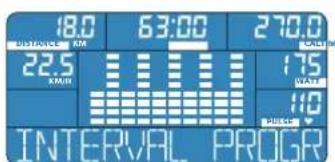
Interval Program 17
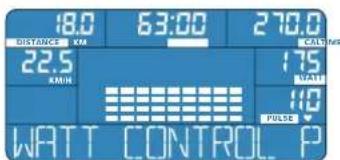
Watt Program 18
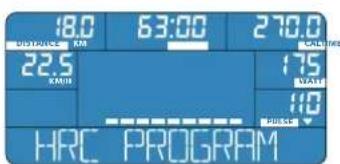
Heart Rate Control Program 20
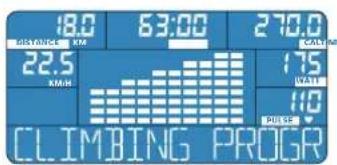
Climbing Program 21
BMI-BMR-Fat Program 23
Recovery Program 26
Pause/interrupt exercise and reset 26
Safety 26
Frequently asked questions 27
Service 28
Troubleshooting 28
Care 28
Maintenance 28
Introduction
Dear customer
We thank you for choosing ENERGETICS Fitness Equipments.
The computer offers a multitude of possibilities to design a work out that is, based on sports science, both effective and offers variety. The various programs support your work outs and help you plan your exercise to achieve maximum effectiveness.
The preset programs allow you to make various individual changes or you can design your own program.
Additionally the computer calculates your BMI, BMR and body fat. Through the recovery rating you can see the improvement in fitness that comes with regular training.
This manual was carefully written and contains next to the purely technical user descriptions many suggestions and advise to help with your training. We would also like to point out that you can find more useful and detailed trainings information on the ENERGETICS CD "Personal Training Instruction". Before you start your work out please read the computer manual carefully.
We wish you success and continued enjoyment using your ENERGETICS Fitness Equipment.
Your ENERGETICS - Team
Legend
| QUICK START | Quick Start Program | PROGR | Program-key press |
| MANUAL PROGRAM | Manual Program | Recovery-key press | |
| USER PROGRAM | User Program | Reset-key press | |
| INTERVAL PROGRAM | Interval Program | Selection button press | |
| WATT PROGRAM | Watt Program | Selection button turn | |
| HRC PROGRAM | Heart Rate Control Program | Hand pulse sensor hold firmly | |
| CLIMBING PROGRAM | Climbing Program | ||
| BMI-BMR-FAT PROG | BMI-BMR-Fat Program | ||
| RECOVERY PROG | Recovery Program | ||
| START PEDALING | Start Training |

ENERGETICS
User Manual
The display and it's symbols
(D1) Time and resistance column - workout session divided into 10 sections of the total workout time selected
(D2) Orientation line - text info about current status
(D3) STOP displayed while workout session is interrupted
(D4) TIME - workout session (min)
(D5) CAL-calories used measured in kilojoules
(D6) DISTANCE - (km)
(D7) KM/H speed (Kilometre/hour)
(D8) RPM - cadence (pedal revolutions/minute)
(D9) Gender - female
(D10) Gender - male
(D11) AGE
(D12) CM - height (cm)
(D13) KG-weight (kg)
(D14) FAT% - body fat (%)
(D15) BMI - Body Mass Index
(D16)WATT-output(Watt)
(D17)PULSE - (beats per minute)
(D18) blinking: data transmission from the pulse sensor active
The computer housing
Front
(C1) Display - shows all important measured and calculated values and functions
(C2) PROGRAM - program selection
(C3) RECOVERY - recovery rating
(C4) RESET
- brief key touch: pause, trainings interruption
- second brief key touch: stop pause, continue training
- long key touch (min. 4 seconds): reset all function, the computer restarts, information not saved is lost
(C5)Selection button
- turning to the left or right: increase or decrease values
- press: confirm selected program or value
Back
(C6) PULSE INPUT - connector for the hand pulse sensors of your device
(C7) Insert mount - mount to attach the computer with tapped holes for the fixing bolts
(C8) Data cable - data line and power supply for computer
Assembly and activation
Connecting the computer
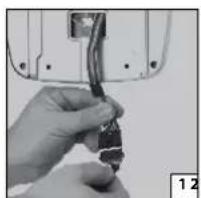
Data cable: Connect the data cable coming from the equipment with the one coming from the computer [1].
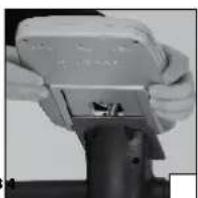
Mounting: Attach the computer to the mount on the equipment. Carefully slide the insert sleeve on the back of the computer over the mount on the centre post [2].
Pay attention not do damage the data cable when sliding the computer housing over the mount.
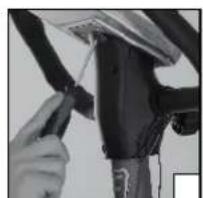
Then you fasten the four fixing bolts [3].
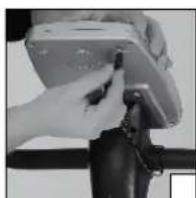
Hand pulse sensors: Plug the hand pulse cable into the connector on the back of the computer [4].
Power supply: The computer gets its power supplied through the data cable of your equipment. Note: the equipment has to be plugged in and turned on.
Computer activation
The computer can be activated by pressing any key or when the user starts to pedal.
Start, control and signals
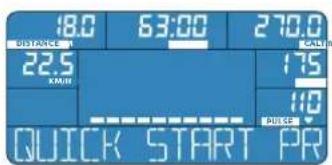
The computer starts with a short beep when in the quick start mode. This is displayed briefly in the orientation line.
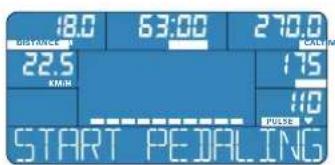
After a couple of seconds the display changes to START PEDALING. You can now start your work out or select a special function.
Sleep mode
Should the E-205 not receive a signal for more than 4 minutes it changes into the sleep mode. The display turns dark. To start again press any key or start to pedal.
If the computer does not receive a signal for more then 4 minutes the sleep mode is activated.

ENERGETICS
User Manual
Quick start
QUICK START
Quick
Start
Program
The computer is turned on by pressing any key or when the user starts to pedal.
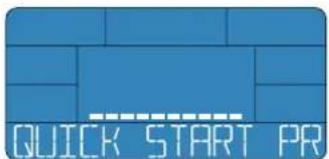
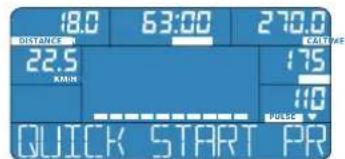
The display shows the travelled distance (DISTANCE), the workout time (TIME), the calories used (CAL), the speed (KM/H), the output (WATT) and, the current heart rate, if the hand pulse sensors are held (PULSE).
Turning the selection button will adjust the resistance any time while training. The control panel will show the current resistance level (1 - 16). You can adjust the duration and intensity of your training as you desire.
Change to a different program
To change from the Quick Start Mode to another program, briefly press the RESET-key. Then choose a program by pressing the PROGRAM-key and enter your personal settings.
Reset all settings - RESET
To return the computer to the original position press the RESETkey for 4 seconds, until you hear the beep tone and the original values are displayed.
Basic values and settings
| Explanation Adjustable In programs | |||
| Workout time (TIME) | Setting/shows workout time in minutes. yes Manual-, User-, Interval- | Watt-, Heart Rate-, Climbing Program | |
| Workout distance (DISTANCE) | Setting/shows workout distance in kilometres. yes Manual-, User-, Interval- | Watt-, Heart Rate-, Climbing Program | |
| Calories used (CAL) | Setting/shows calories used in kilojoules during the workout session. | yes | Manual-, User-, Interval-, Watt-, Heart Rate-, Climbing Program |
| Output (WATT) | Setting/shows output in watt. yes Watt Program | ||
| Heart rate (PULSE) | Setting/shows heart rate in beats per minute. yes Manual-, User-, Interval- | Watt-, Heart Rate-, Climbing Program | |
| Body Mass Index (BMI) | Value for the classification of body weight. The BMI shows if a person in normal, over or under weight. | no Is calculated | |
| Basal Metabolic Rate (BMR) | Value for the metabolic rate (the body's consumption of energy) while in resting position. no Is calculated | ||
| Body fat (FAT%) | Calculation/shows body fat (in %). no Is calculated | ||
| Cadence (RPM) | Displays cadence in revolutions per minute. The cadence (RPM) is alternately display with current speed (KM/H). | no Read out | |
| Speed (KM/H) | Display current speed in kilometres per hour. The speed (KM/H) is alternately displayed with cadence (RPM). | no Read out |

ENERGETICS
User Manual
Programs - functions and settings
What is a program?
The E-205 has 5 preset programs, they are based on sport specific conditions as well as knowledge from general sport's science.
These are: Interval Program, Watt Program, Heart Rate Control Program, BMI-BMR-Fat Program, Climbing Program.
These programs assist you in your work out planning, to maximize the effectiveness of your training session, no matter if you are a novice or an exercise pro.
Also there are 2 custom programs available with these you can design a completely individualized work out routine: Manual Program, User Program.
The term program might in this manual be ambiguous at times. Unless otherwise noted the term program in this manual always refers to a program of the computer, which primarily adjust the resistance in reference to the parameters set and assists with your training.
In general sport's science the term "program" is also used to define the sequence of specific trainings content and trainings sessions over a longer period of time.
Individual settings/training parameters
All essential parameters can, subject to the program selected, be individually adjusted.
They are:Workout time (TIME), workout distance (DISTANCE), calories used (CAL), output (WATT), heart rate (PULSE).

etting values for workout time (TIME), workout distance (DISANCE), calories used (CAL), output (WATT), heart rate (PULSE) is ot absolutely necessary. If no value is to be set just skip the func- on by pressing on the selection button. All not preset functions will count up from the base value.
TWorkout time
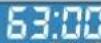
A workout time between 10 and 99 minutes can be selected. The time can be entered in increments of one minute.
If a value for time is entered, the time will count down to 0. A beep tone signals when 0:00 is reached.
If the value of the setting is left at 0:00, the time counts up and the current value is displayed.
The workout time is adjustable for all programs.
In the Quick Start Mode the workout time can not be set. It will count up and the current value is displayed.

DISTANCEout distance
A workout distance can be selected between 1 km and 999 km. The distance can be entered in increments of 1 km.
If a value for distance is entered the kilometres travelled count down. A beep tone signals when 0.0 is reached.
If the value of the setting is left at 0:0, the distance counts up and the current value is displayed.
The distance is adjustable in all programs.
In the Quick Start Mode the workout distance can not be set. It will count up and the current value is displayed.

Ccalories used
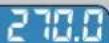
Shows the approximate value of kilojoules used. The kilojoules to be burned during the work out can be selected between 10 and 9990 and entered in increments of 10.
If a value is entered the kilojoules used count down. A beep tone signals when 0.0 value is reached.
If the value of the setting is left at 0.0, the kilojoules used counts up and the current value is displayed.
The value of kilojoules used during training is adjustable in all programs. In the Quick Start Mode the value of kilojoules to be used can not be set. It will count up and the current value is displayed.

The computer uses kilojoules as unit to measure energy used. Calories and kilojoules are terms that are sometimes confused or wrongly interpreted.
Conversion:
1 kilojoule = 0,239 kilocalories
1 kilocalorie = 4,189 kilojoules
WALInput
The output generated during the workout is a result of resistance and cadence. The program adjusts the resistance to match the cadence, so that the preset value is reached.
The value can be selected between 20 and 400 Watts and can be entered in increments of 5.
The output can only be adjusted for the Watt Program.

PULSERT rate
The heart rate is displayed in beats per minute. The heart rate for the workout can be pre selected between 40 and 220 beat per minute.
The computer sends a warning if the preset value is exceeded. The display starts blinking.
Important information to determine your correct and optimal heart rate as well as the heart rate's proper application during the workout can be found in the training guide on the ENERGETICS CD "Personal Training Instruction".
ENERGETICS User Manual
The value for maximum heart rate is adjustable for all programs. In the Quick Start Mode the maximum heart rate cannot be set. Heart rate is constantly measured and the current value displayed.

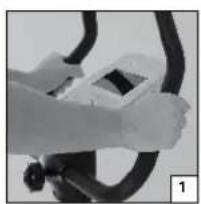
Measurement via hand pulse sensors: Sensors to record heart rate from the palms are located on the handlebars. For recording to take place both palms have to be in contact with the sensors simultaneously [1].
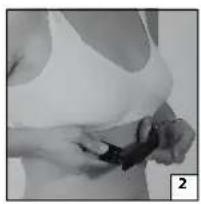
Measurement via chest strap (optional): Heart rate measurement takes place through sensors integrated in the chest strap. There is a wireless signal to a receiver in the computer. The chest strap has to be worn correctly and the sensors may need to be moistened [2]. This measurement is constant and accurate.
All commonly used analog chest straps, with a frequency of 5,4 - 5,7 Hz can be used.
Hand pulse sensor record the variation in resistance which is created by the pulsation of the blood flowing through the palms. Movement on the hand grips, friction, moisture and perspiration will influence the transmission. There are among people appreciable physiological differences in the characteristics of the resistance change. For some people the resistance is to weak to even be measured. In this case the computer will show no heart rate.
All these factors influence the measurement, which makes it imprecise and it should only be used for orientation.
If the hands are dry at the beginning of the workout the hand pulse sensors might not pick up a signal at all or register a faulty one. Usually it is sufficient to moisten the palms to correct this.
Electromagnetic influence factors
All electronic devices such as, T.V., computer etc. are surrounded by electromagnetic fields or respectively use wireless transmission like a cordless telephone. The receiver in the computer can only conditionally differentiate between a "good" and a "bad" signal. Interfering signals from another source can disturb the recording of the heart rate. Your exercise equipment should be placed as far away from these interfering devices as possible.
Both measurement methods are not fit for medical purposes!
If you wear a pacemaker please check with your physician if a chest strap should be used.
If both methods are used simultaneously, that is wear the chest strap and place the palms on the sensors on the handlebars the values coming from the chest strap are recorded.
Not all available chest straps are compatible with the E-205. If in doubt check with your local dealer.
Application of the programs
The 6 different programs are meant to assist you in finding and controlling a sensible effort suitable for you. Your exercise goals are the deciding factor when choosing a program.
The BMI-BMR-Fat Program is not a trainings program. It calculates BMI, BMR and body fat (FAT%) based on the values entered.
10uManol Program
The Manual Program gives you complete freedom in designing your workout routine.
The time, distance, calories to be used as well as desired maximum heart rate with which to train are entered.
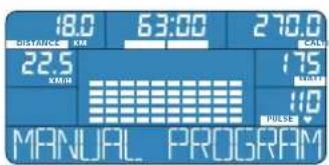
The user regulates the effort during the workout by adjusting the resistance or increasing and decreasing the cadence.
UHUGPProgram
This program allows the user to create and store a custom workout program. Each one of the 10 time/resistance columns can be selected separately. With
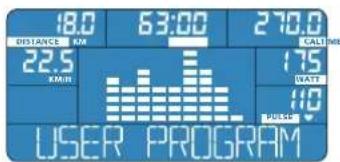
this the resistance for each increment of time can be defined.
These time/resistance increments programmed before beginning the workout can be adjusted separately during the workout session.
Prrnnterl Program
The Interval Program brings out a constant change between muscular strain and recovery.
The resistance is increased or decreased periodically. The ultimate goal of the Interval Program is to get muscular recovery quickly after a period of exercise. Depending on the level of fitness of the exercising person the Interval
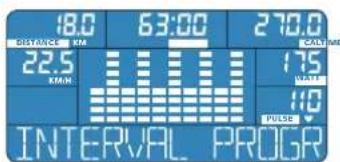
Program can be set to different heart rate levels. Generally, Interval Training is marked by its incomplete, so-called "rewarding" pause. In that, its effects on the cardiovascular system are especially positive.
univewt Program
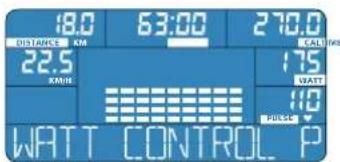
In the Watt Program the resistance (resistance level) is adjusted automatically depending on the cadence. Therefore the user constantly trains with the preset effort.
When pedalling slower the resistance increases, when pedalling faster the resistance decreases. Using the selection button the output (WATT) can be adjusted in 5 watt increments.

ENERGETICS
User Manual
The heart rate display starts blinking should maximum heart rate entered be exceeded.
Heart
ate Control Program
The Heart Rate Control Program allows training at an exact preset heart rate. This is accomplished by constantly monitoring the heart rate. The computer
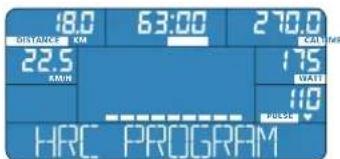
adjusts the resistance also depending on the cadence.
When the preset heart rate value is reached the display starts to blink the resistance is reduced to keep your heart rate at the desired level.
[CHIMB]
g Program
This workout is characterised using a consistent cadence with a relatively high resistance. The resistance increases continually toward the end of the session as specified by the Climbing Program.
The goal is to increase cardiovascular strength, to help cope with slightly
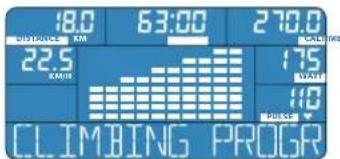
uncomfortable speeds.
The workout begins on the flat then the resistance increases continually until the highest level is reached.
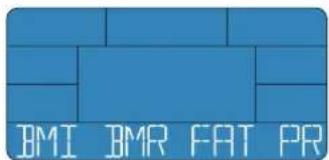
IMI-BMR-FAT PROG
BMI-BMR-Fat
Program
The calculations of the values in the BMI-BMR-Fat Program assist in judging your body and its capability, as well as helping find the right program and the right workout extent.
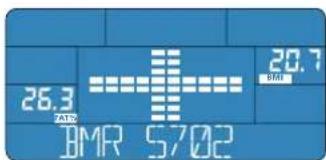
Using the input values (age, gender, weight and height) the computer calculates individual values.
BMI (Body Mass Index)
BMR (Basal Metabolic Rate)
Body fat (FAT %)
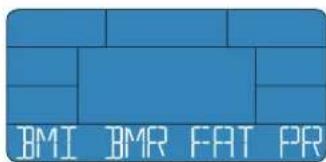
The computer does not use medically valid measurement methods to calculate these values. Therefore the values do not necessarily have to be accurate. Please contact your physician for an exact medical measurement.
RECOVERY PROG
Recovery
Program
The Recovery Program determines the rate at which you recover after a work out. The recovery rating is a value with which personal fitness can be judged. The recovery rating is calculated using the difference between the heart rate at the end of the workout and the one after 60 seconds of recovery. What applies: The higher the difference between the two values, the higher your recovery rating also meaning the greater your fitness level. As a basic principle, for a conditioned person the heart rate will decrease quicker as for the unconditioned person. By choosing the Recovery Program at the end of the work out the fitness ranking will be received after 60 seconds.
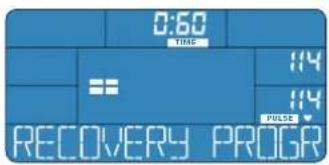
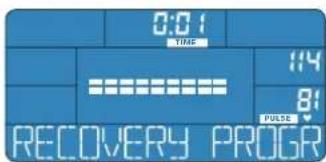
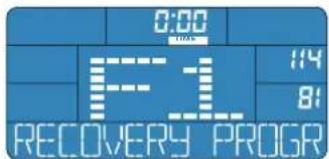
The fitness ranking
F1-excellent fitness
F2 - good fitness
F3 - satisfactory fitness
F4-minimal fitness
F5 - fitness needs improvement
F6 - fitness needs major improvement
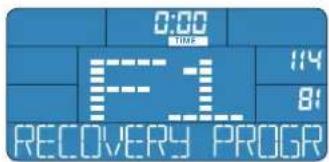
Recovery
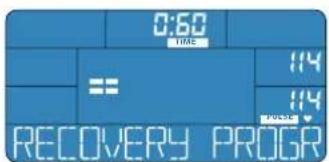
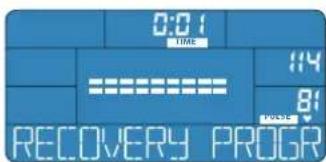
The read out PULSE on the display will show the current heart rate. Directly above the current heart rate you will see the last saved value from your workout. The time counts down from 60 seconds to 0:00.
When 0:00 is reached three beep tones will sound. This signals the end of the Recovery Program. The readout on the control panel shows the fitness ranking.
The two heart rate values, last saved value during the workout (on top) and the value after 60 seconds of recovery (below), will continue to be displayed.
! For the accurate evaluation of your fitness ranking it is imperative that you hold the hand pulse sensors firmly, so that the heart rate can be measured correctly. If a chest strap (optional) is used, it supplies the values for the calculation.

ENERGETICS
User Manual
Selection and setting of programs
Custom programs
The custom programs are used if you desire to set your own custom the standards for your workout. The User Program additionally offers the possiblity to save the program in your user profile.
MANUAL PROGRAM
Manual
Program
Features of this program
- Set the important parameters for the training: Workout time, workout distance, calories used and heart rate.
The resistance can be adjusted any time during the training.
The heart rate is monitored and the cadence and resistance can be adjusted.
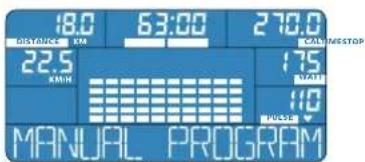
The E-205 saves the last created User Program, even when the computer is switched off after your work out.
Selection
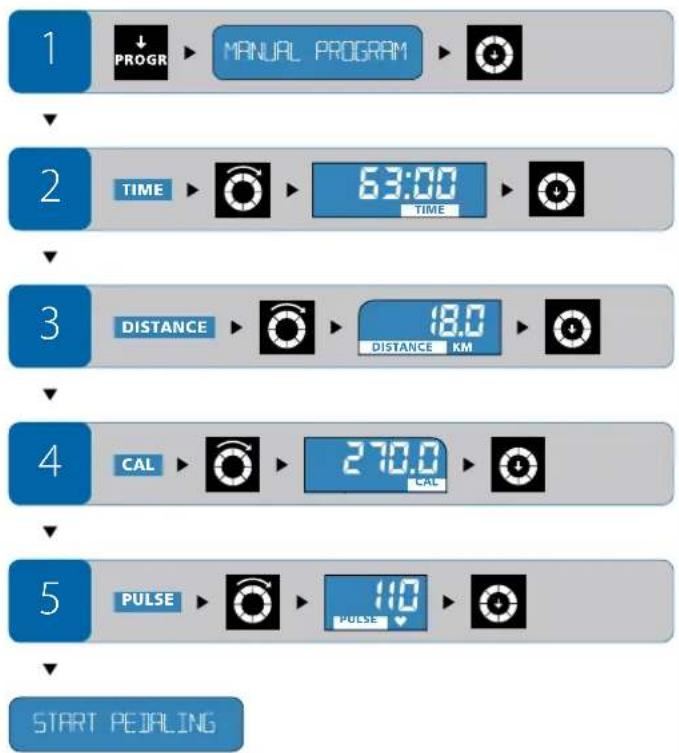
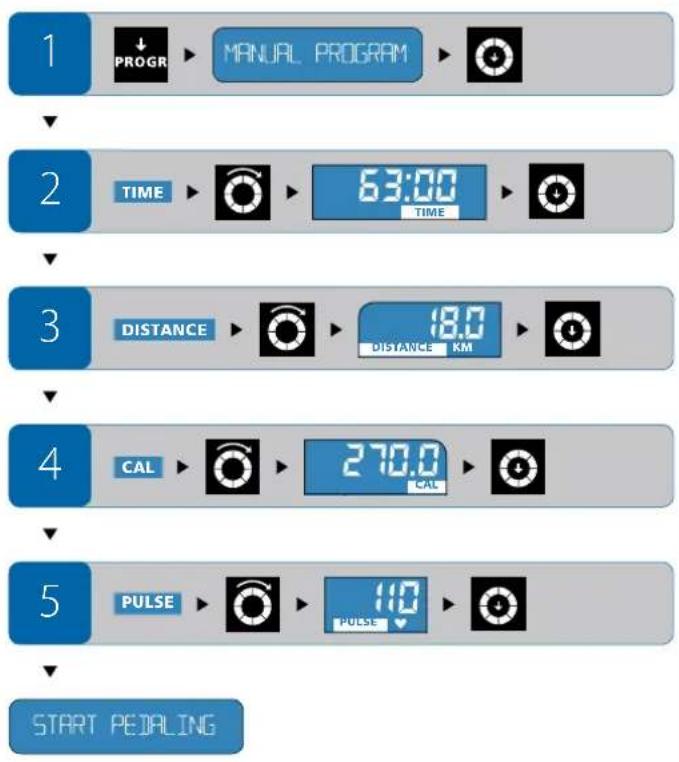
Press the PROGRAM-key until MANUAL PROGRAM appears in the orientation line. Confirm your selection by pressing the selection button.
Settings
Workout time (TIME): After choosing the Manual Program, TIME will blink on the display.
- Turn the selection button until the desired workout time appears. Confirm your selection by pressing the selection button.
Workout distance (DISTANCE): After setting the workout time, DISTANCE will blink on the display. - Turn the selection button until the desired workout distance appears. Confirm your selection by pressing the selection button.
Calories (CAL): After setting the workout distance, calories (CAL) will blink on the display.
- Turn the selection button until the desired amount of calories to be burned appears. Confirm your selection by pressing the selection button.
Heart rate (PULSE): After setting the calories, PULSE will blink on the display.
- Turn the selection button until the desired heart rate appears. Confirm your selection by pressing the selection button.
Begin your workout: You have now entered all standard values. The orientation line will show START PEDALING - begin your work out.
Settings during the workout
Output: While in the manual mode you can at any time adjust the resistance (WATT) by turning the selection button. Control your heart rate by changing cadence and resistance.
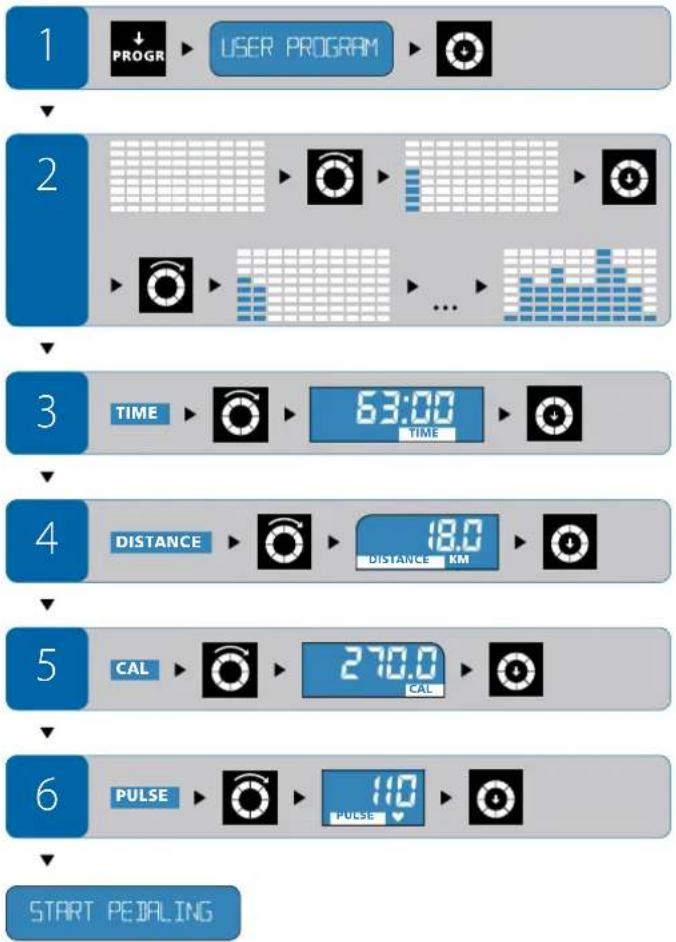
USER PROGRAM
User Program
Features of this program
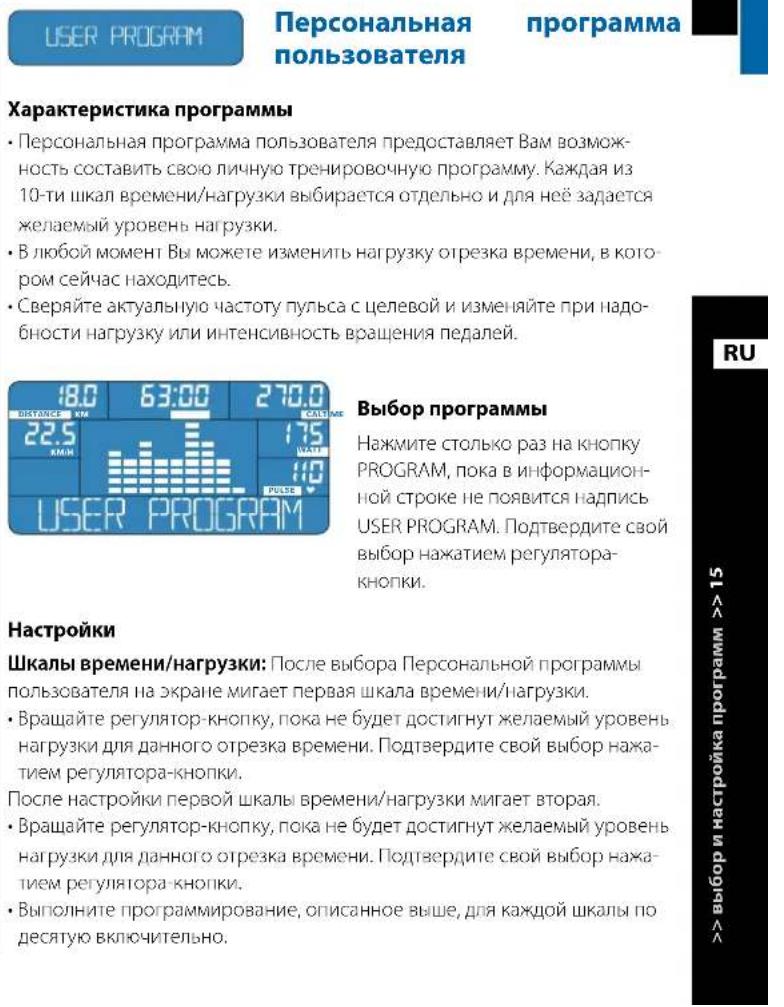
- The User Program allows you to design and store you own custom program. Each one of the 10 time/resistance columns can be selected and adjusted separately.
The resistance can be adjusted any time during the workout for the time increment you are currently in.
The heart rate can be controlled by changing the cadence or resistance.
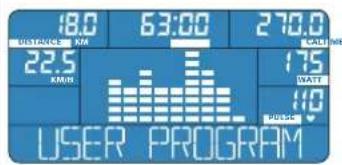
Selections
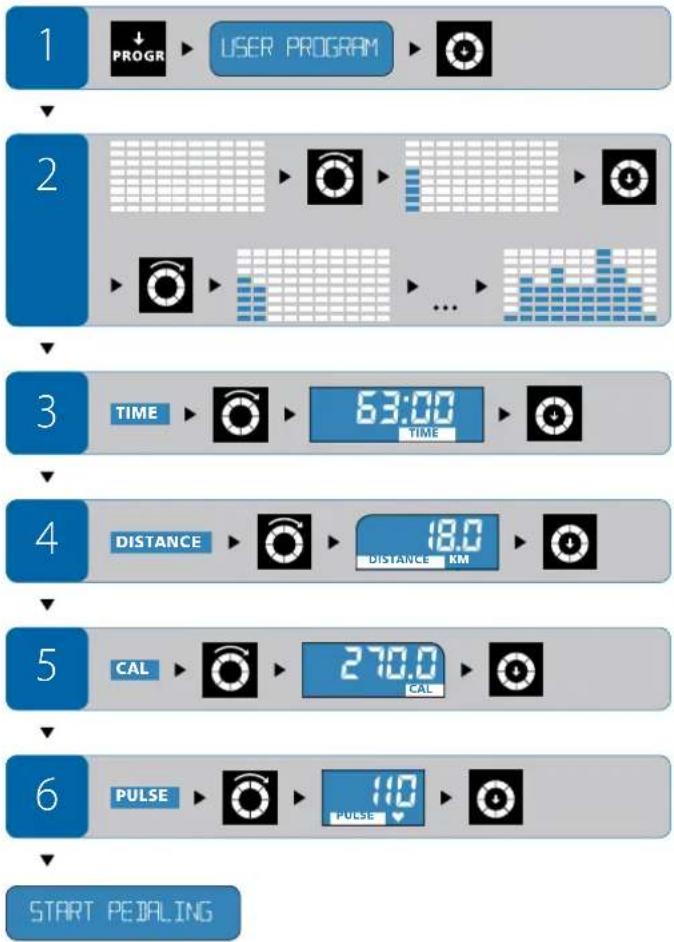
Press the PROGRAM-key until USER PROGRAM appears in the orientation line. Confirm your selection by pressing the selection button.
Settings
Time/resistance columns: After choosing the User Program the first time/ resistance column will blink on the control panel.
- Turn the selection button until the desired resistance level is displayed. Confirm the selection by pressing the selection button.
After the first time/resistance column has been set the second column will blink. - Repeat this procedure until all 10 time/resistance columns have been set.

ENERGETICS
User Manual
Workout time (TIME): After all 10 time/resistance columns are set, TIME will blink on the display.
- Turn the selection button until the desired workout time appears. Confirm your selection by pressing the selection button.
Workout distance (DISTANCE): After selecting the workout time, DISTANCE will blink on the display.
- Turn the selection button until the desired workout distance appears. Confirm your selection by pressing the selection button.
Calories (CAL): After setting the workout distance, calories (CAL) will blink on the display - Turn the selection button until the desired amount of calories to be burned appears. Confirm your selection by pressing the selection button.
Heart rate (PULSE): After setting the calories, PULSE will blink on the display. - Turn the selection button until the desired heart rate appears. Confirm your selection by pressing the selection button.
Begin your workout: You have now entered all standard values. The orientation line will show START PEDALING - begin your work out.
Settings during the workout
Output: While in the User Program the resistance (WATT) can be changed at any time for the time increment you are currently in by turning the selection button.
Control your heart rate by changing cadence and resistance.
Preset programs
INTERVAL PROGRAM
Interval
Program
Features of this program
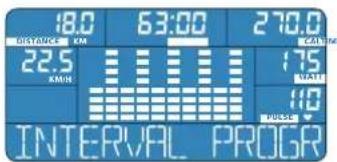
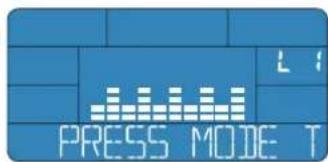
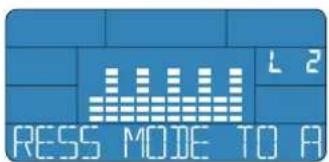
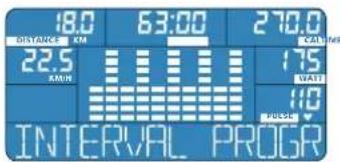
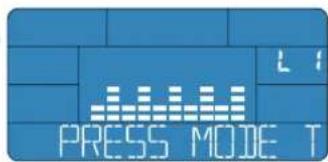
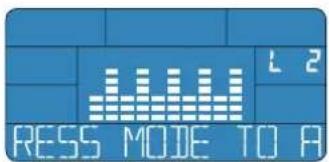
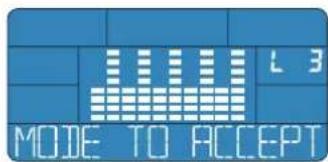
- You can choose from three performance levels (L1, L2, L3). The performance level has to be chosen prior to the start of your work out.
The settings chosen can not be altered during the workout session.
The program specific adjustment of the required output (WATT) for each interval depending on resistance and cadence is automatically calculated by the E-20S.
The heart rate is controlled by changing the cadence.
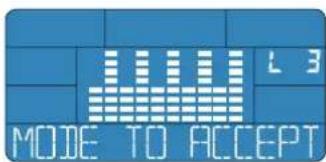
Selection
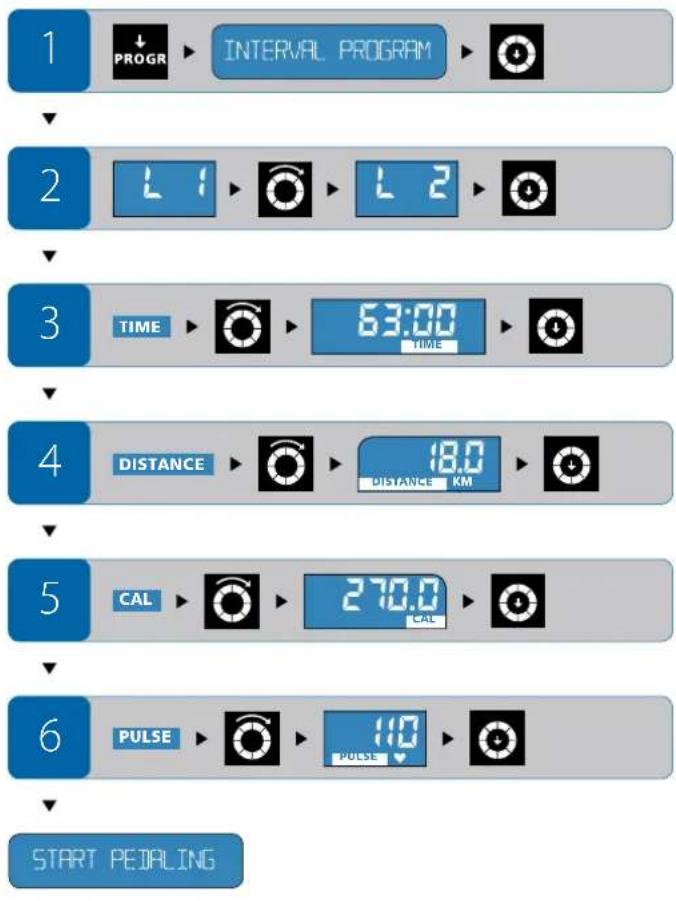
Press the PROGRAM key until INTERVAL PROGRAM appears on the orientation line. Confirm your selection by pressing the selection button.
Settings
Performance level (Level): After choosing the Interval Program the selections for the performance level (L1, L2, L3) will blink on the display.
- Turn the selection button until the desired performance level appears. Confirm your selection by pressing the selection button.
Workout time (TIME): After selecting the performance level, TIME will blink on the display.
- Turn the selection button until the desired workout time appears. Confirm your selection by pressing the selection button.
Workout distance (DISTANCE): After selecting the workout time, DISTANCE will blink on the display.
- Turn the selection button until the desired workout distance appears. Confirm your selection by pressing the selection button.
Calories (CAL): After setting the workout distance, calories (CAL) will blink on the display.
- Turn the selection button until the desired amount of calories to be burned appears. Confirm your selection by pressing the selection button.
Heart rate (PULSE): After setting the calories, PULSE will blink on the display.
- Turn the selection button until the desired heart rate appears. Confirm your selection by pressing the selection button.
Begin your workout: You have now entered all standard values. The orientation line will show START PEDALING - begin your work out.
Settings during the workout
You are not able to change preset values during the workout session. Control your heart rate by changing the cadence.

ENERGETICS
User Manual
WATT PROGRAM
Watt
Program
Features of this program
- You select the output (WATT), for your workout.
- The Watt Program increases or decreases the resistance depending on the cadence automatically, so that the user stays at the pre selected output.
- The output can be changed during the work out session, by turning the selection button. All other settings can not be changed during the workout.
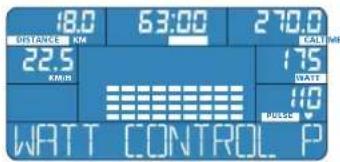
Selections
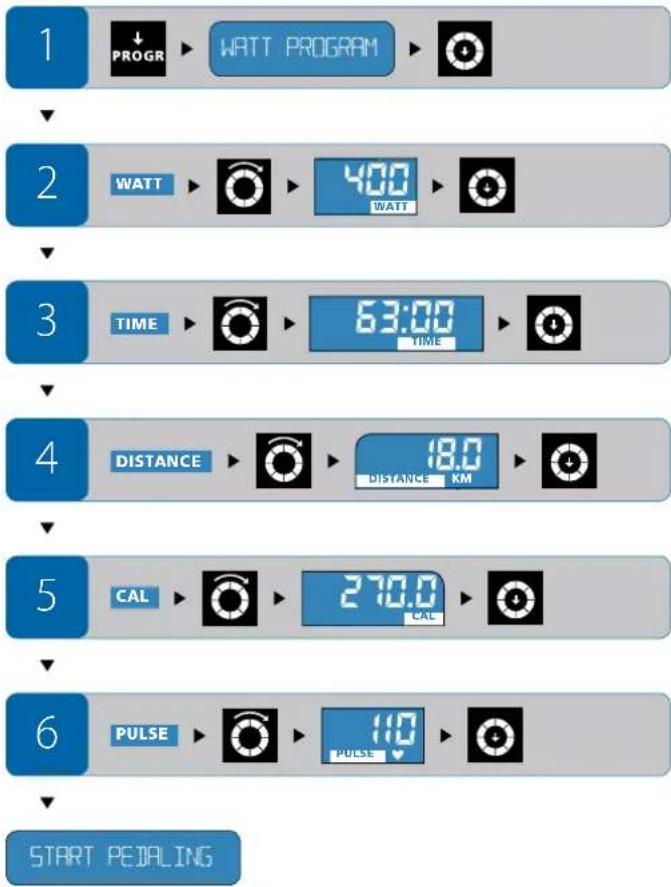
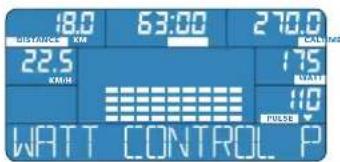
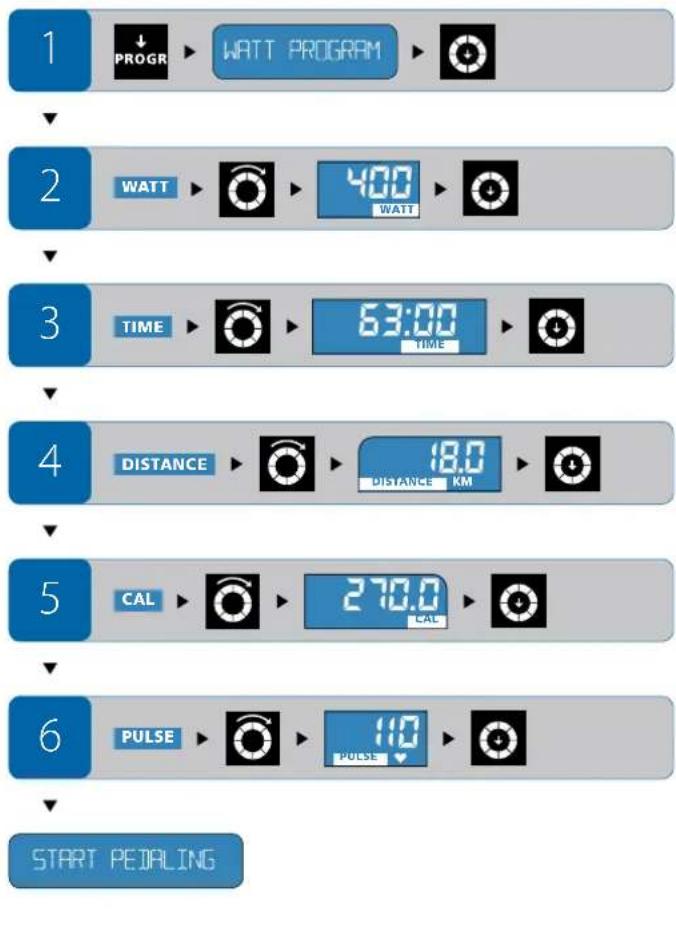
Press the PROGRAM-key until WATT CONTROL PROGRAM appears on the orientation line. Confirm your selection by pressing the selection button.
Settings
Output (WATT): After choosing the Watt Program, WATT will blink on the display.
- Turn the selection button until the output desired for your workout appears. Confirm your selection by pressing the selection button.
Workout time (TIME): After selecting the performance level, TIME will blink on the display.
- Turn the selection button until the desired workout time appears. Confirm your selection by pressing the selection button.
Workout distance (DISTANCE): After selecting the workout time, DISTANCE will blink on the display.
- Turn the selection button until the desired workout distance appears. Confirm your selection by pressing the selection button.
Calories (CAL): After setting the workout distance, calories (CAL) will blink on the display.
- Turn the selection button until the desired amount of calories to be burned appears. Confirm your selection by pressing the selection button.
Heart rate (PULSE): After setting the calories, PULSE will blink on the display. - Turn the selection button until the desired heart rate appears. Confirm your selection by pressing the selection button.
Begin your workout: You have now entered all standard values. The orientation line will show START PEDALING - begin your work out.
Settings during the workout
Output: While in the Watt Program you can change the output (WATT) at any time during the workout. Control your heart rate by changing the output value.


ENERGETICS
User Manual
HRC PROGRAM
Heart
Rate
Control
Features of this program
- You select the maximum heart rate for the workout.
- The settings chosen can not be altered during the workout session.
The Heart Rate Program adjusts the resistance depending on the measured heart rate. If the heart rate exceeds the preset value the resistance is decreased automatically.
If the hear rate is below the preset value the resistance is increased until the selected heart rate value is reached. - Should the heart rate remain below the selected value even while in the highest resistance level, increase the cadence.
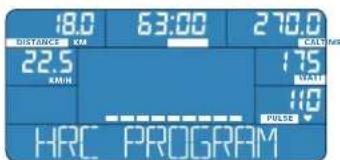
For this program it is essential that you have a firm grip on the hand pulse sensors or that a chest strap (optional) is used. The computer checks the current heart rate every 10 seconds and compares this value with the preset heart rate. The adjustment of the resistance will take some time. The adjustment of resistance occurs in equal increments and not in a big leap even if there is a significant difference between the current heart rate and the preset one.
Prosection
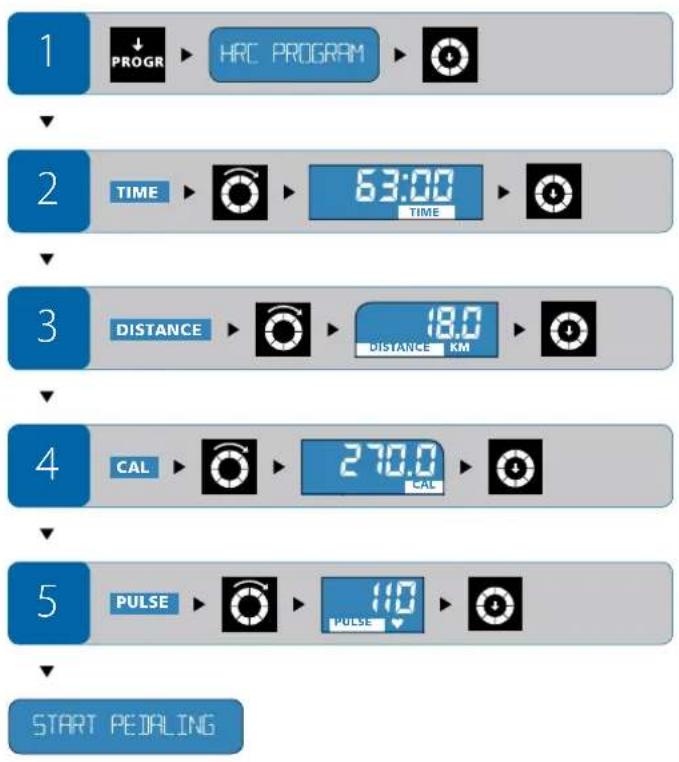
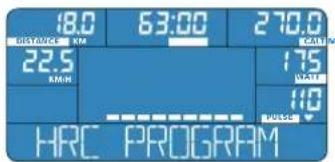
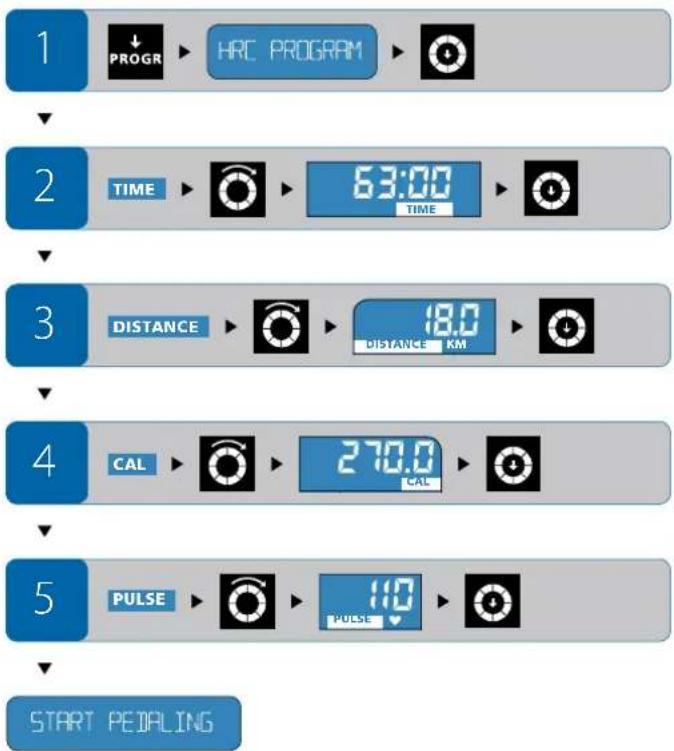
Press the PROGRAM-key until HRC PROGRAM appears on the orientation line. Confirm your selection by pressing the selection button.
Selections
Workout time (TIME): After choosing the Heart Rate Control Program, TIME will blink on the display.
- Turn the selection button until the desired workout time appears. Confirm your selection by pressing the selection button.
Workout distance (DISTANCE): After selecting the workout time DISTANCE will blink on the display.
- Turn the selection button until the desired workout distance appears. Confirm your selection by pressing the selection button.
Calories (CAL): After setting the workout distance, calories (CAL) will blink on the display.
- Turn the selection button until the desired amount of calories to be burned appears. Confirm your selection by pressing the selection button.
Heart rate (PULSE): After setting the calories, PULSE will blink on the display.
- Turn the selection button until the desired heart rate appears. Confirm your selection by pressing the selection button.
Begin your workout: You have now entered all standard values. The orientation line will show START PEDALING - begin your work out.
Settings during the workout
The preset values cannot be changed during the program. Control your heart rate by altering the cadence.
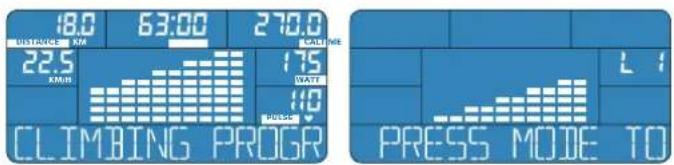
CLIMBING PROGRAM Climbing Program
Features of this program
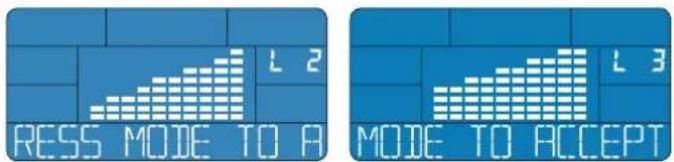
- There are three performance levels available (L1, L2, L3). The performance level has to be chosen before you begin the workout.
The preset values can not be changed during the workout session.
The program specific increase of the necessary output (WATT) depending on the resistance in cadence is automatically adjusted by the E-205.
The heart rate is controlled by changing the cadence.
Selection
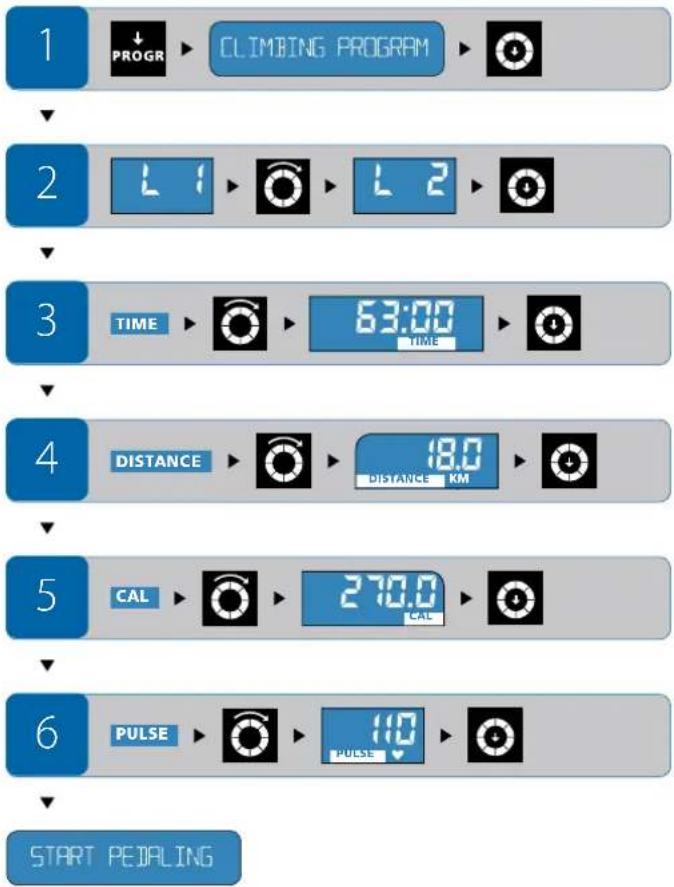
Press the PROGRAM-key until CLIMBING PROGRAM appears on the orientation line. Confirm your selection by pressing the selection button.

ENERGETICS
User Manual
Settings
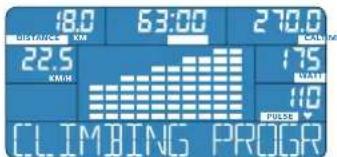
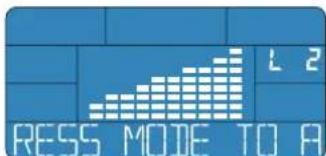
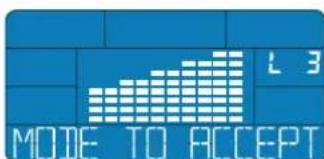
Performance level (Level): After selecting the Climbing Program, the selections for the performance level (Level: L1, L2, L3) will blink on the display.
- Turn the selection button until the desired performance level is displayed. Confirm the selection by pressing the selection button.
Exercise 10.2: After selecting the performance level, TIME will blink on the display.
- Turn the selection button until the desired workout time appears. Confirm your selection by pressing the selection button.
Workout distance (DISTANCE): After selecting the workout time, DISTANCE will blink on the display.
- Turn the selection button until the desired workout distance appears. Confirm your selection by pressing the selection button.
Calories (CAL): After setting the workout distance, calories (CAL) will blink on the display.
- Turn the selection button until the desired amount of calories to be burned appears. Confirm your selection by pressing the selection button.
Heart rate (PULSE): After setting the calories, PULSE will blink on the display.
- Turn the selection button until the desired heart rate appears. Confirm your selection by pressing the selection button.
Begin your workout: You have now entered all standard values. The orientation line will show START PEDALING - begin your work out.
Settings during the workout
The preset values cannot be changed during the program. Control your heart rate by altering the cadence.
IMI-BNR-FAT PROG
BMI-BMR-Fat
Program
Features of this program
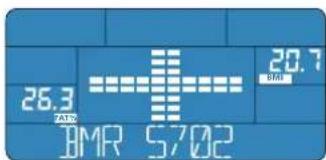
The computer calculates the BMI, BMR as well as the body fat in % (FAT % ) based on the values entered by the user.
- There is no further action required.
Selection
Press the PROGRAM-key until BMI-BMR-FAT PROGRAM appears on the orientation line. Confirm your selection by pressing the selection button.
Entering personal values
Age: After selecting this program, AGE will blink on the display.
- Turn the selection button until the correct age is displayed. Confirm the selection by pressing the selection button.
Gender: After entering the age, the gender-symbol will blink on the display.
- Turn the selection button until male or female appears on the display. Confirm your selection by pressing the selection button.
Weight (KG): After entering the age, the readout to enter the weight (KG) will blink on the display.
- Turn the selection button until the correct weight is displayed. Confirm the selection by pressing the selection button.
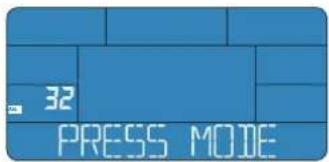
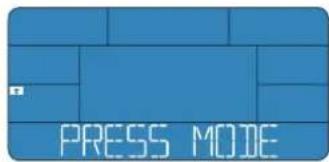
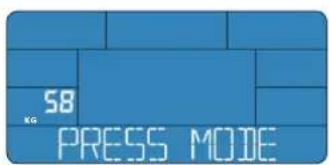
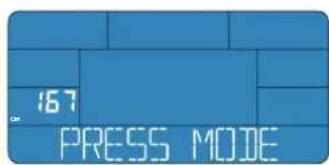
Height (CM): After entering the weight the readout to enter the height (CM) will blink on the display.
- Turn the selection button until the correct height is displayed. Confirm the selection by pressing the selection button.
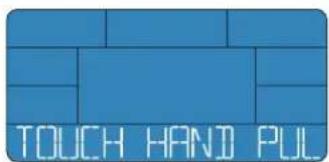
You will be asked to place your palm on the hand pulse sensor. TOUCH HANDPULSE SENSOR appears in the status line.
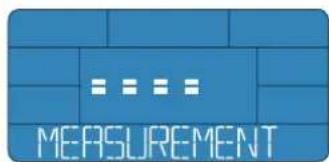
- Place your hands on the hand pulse sensors. A few seconds later START MEASUREMENT WITH MODE will appear in the orientation line.
- Press the selection button, then immediately return your hand to the sensor - the calculation is in progress.

ENERGETICS
User Manual
Leave your hands on the hand pulse sensors until the calculated values (BMI, BMR an FAT %) appear on the display. This may take several seconds.
To calculate these values the program requires that your hands be placed on the hand pulse sensors. This is essential, even if wearing a chest strap (optional).
If the hand pulse sensor have difficulty detecting your pulse, the error message ("ERR") might appear.
Moisten your palms and repeat the procedure.
1

IMI-BMR-FAT PROG

2


3


4


5


6
TOUCH HANDIPULSE SENSOR

7
START MEASUREMENT WITH MODE


BMI
The Body Mass Index (BMI) is a result of
Weight (kg) / Height (m)^2
This value indicates if a person is normal-, over- or under weight. Your BMI can be calculated based on the values in the charts below.
Normal BMI-values for age groups
| Age group Normal BMI | |
| 19 - 24 years | 19 - 24 |
| 25 - 34 years | 20 - 25 |
| 35 - 44 years | 21 - 26 |
| 45 - 54 years | 27 - 27 |
| 55 - 64 years | 28 - 28 |
| over 64 years | 24 - 29 |
BMI-categories which differ from normal values (based on the age group 19-24)
| Category BMI | |
| severely underweight < 15 | |
| underweight < 17.5 | |
| borderline < 19 | |
| normal 19-24 | |
| overweight 25-29 | |
| severely overweight 30-39 | |
| obese 40> |
BMR
The Basal Metabolic Rate (BMR) is the amount of energy a body requires daily to sustain it's basic function, as measured while at complete rest for example while sleeping at a room temperature of 28^
Your actual energy consumption (performance volume) is found by multiplying the, calculated BMR-value with the activity factor (see chart next page).

You can also use this value to check your nutrition and possibly adjust it.
| Degree of activity Activity factor | ||
| low activity | sedentary job, little to no exercise 1,2 | |
| normal activity | average job activity1-2 hrs exercise weekly | 1,3 |
| moderate activity | average job activity,3-4 hrs exercise weekly | 1,4 |
| active | strenuous job,4-5 hrs exercise weekly | 1,6 |
| very active | strenuous job,>5 hrs exercise weekly | 1,9 |
Body fat in %
The body fat in % (FAT % ) is a value that determines the proportion of fat in relation to muscle.
Reference values for a good to average body fat proportion in reference to the age and gender can be found in the chart below.
| Good to average body fat proportion for age groups in % | ||
| Age group | Male | Female |
| 19 – 24 years | 13 – 20% | 21 – 25% |
| 25 – 34 years | 15 – 22% | 21 – 26% |
| 35 – 44 years | 18 – 24% | 23 – 29% |
| 45 – 54 years | 20 – 26% | 26 – 33% |
| 55 and above | 22 – 27% | 29 – 34% |

ENERGETICS
User Manual
RECOVERY PROG
Recovery
Program
Features of the program
The Recovery Program calculates the ability to recover after the workout and with this the fitness level.
The program starts automatically after pressing the RECOVERY-key. It lasts 60 seconds.
The program can be interrupted by pressing RESET.
Selection
At the end of the workout session press the RECOVERY-key. The Recovery Program is shown in the orientation line.
The program will start when the RECOVERY-key is pressed. You do not need to confirm the selection by pressing the selection button.
Settings during the program
There are no further settings that can be made. The program lasts 60 seconds. After the beep tone the recovery rating (F1 - F6) appears on the control panel.
Ending/interrupting the program
The program cannot be interrupted, but can be stopped using the "end" function of the RESET-key (keeping the RESET-key depressed).
Once the Recovery Program is started the previously selected program stops. Should you decide to continue working out, choose any program.
Pause/interrupt exercise and reset
The programs can be interrupted at any time. Press the RESET-key, The program stops immediately. To continue the work out press the RESET-key again. The program resumes where you left off. If the program is interrupted for more than 4 minutes, the computer enters the sleep mode. Press any key and you are returned the program you were in.

TIME

TIMES
Reset all settings - RESET
To reset the computer to its original position, press the RESET-key for a minimum of 4 seconds until the beep tone sounds and the original values are displayed.
Safety
Our recommendation: Get a physician's advice before you start your training.
- Train regularly and over an extended period of time.
Wear comfortable, breathable clothing. - Wear non sliding sneakers. Never train bare footed, this could result in injury, especially to your toes.
- Do not consume a heavy meal within one hour prior or after your workout.
Drink plenty of fluids.
Frequently asked questions
How are the computer settings reset?
- Reset: Keep the RESET-key depressed for a minimum of 4 seconds. All functions are reset and information not saved is lost.
- Power supply: If the unit is disconnected from the power supply and then reconnected all functions are reset. Information not saved is lost.
Can the workout/program be interrupted?
If you would like to interrupt the work out and continue later, press the RESET-key. All data is saved
After 4 minutes the display will go dark. The computer enters the sleep mode. To continue the workout session, press the RESET-key again.
If you stop the workout without pressing the RESET-key all data is deleted after 4 minutes have passed and all functions are reset.
What is the correct training program for me?
Should you, after reading this manual, still require further information about the programs here described you can use the ENERGETICS CD. "Personal
Training Instruction" for additional detailed training guidelines.
Additionally you might check with your physician to provide health specific suggestion to help you develop your ideal exercise program.
Heart rate monitoring - can chest strap and hand pulse sensors be used simultaneously?
If both methods are used simultaneously, that is you are using the chest strap (optional) and at the same times you have your hands on the hand pulse sensors, the measured and displayed value is that coming from the chest strap.
How can personal values be entered?
The input of personal values is necessary for the BMI-BMR-Fat Program. Choose this program and enter the personal values.

User Manual
ENERGETICS
Service
Troubleshooting
Error message
E: The computer receives no signal during the Recovery Program.
ERR: The computer receives no signal in the BMI-BMR-Fat Program test mode.
ERR2: There is no connection between power board and computer or the power board is defective.
Solution: see. "The computer display is not working".
The computer display is not working
- The computer might not be getting power. Check all connections and cables.
If all connections are in order and you still have no read out on the display please contact your local ENERGETICS-dealer.
Heart rate (PULSE) is incorrect or not displayed at all
Monitoring via the hand pulse sensor:
- Check if your hands have proper contact with the sensors. Both hands have to be placed on the sensors simultaneously. There might be a slight delay before the read out appears.
- Check all cable connections.
Try moistening your hands slightly if they are very dry.
Monitoring via the chest strap (optional):
- Not all available chest straps are compatible with the E-205. Check if your chest strap runs on a frequency of between 5,4 - 5,7 Hz.
The battery of the chest strap is too weak and needs replacing.
The computer has shut down
In rare cases the computer might shut down, mainly because of sudden changes in the electrical current or static discharge. Normally the E-205 restarts on its own.
Should this not occur restart the computer by pulling the power plug, wait a few seconds then reinsert it.
Care
Take care that to avoid any moisture penetration. Clean the computer with a lightly dampened cloth. Do not use abrasive cleaning solutions.
Maintenance
There is no need for special maintenance. Regularly check that all bolts and connections have a tight fit. Exchange any defective parts immediately. For assistance contact your local ENERGETICS-dealer.
TOUCH HANDIPULSE SENSOR

7
START MEASUREMENT WITH MODE


BMI
Interval Program, Watt Program, Heart Rate Control Program, BMI-BMR-Fat Program, Climbing Program.
WATT PROGRAM Watt Program
Innehäll
CLIMBING PROGRAM Climbing Program
Innehäll
TOUCH HANDIPULSE SENSOR

7
START MEASUREMENT WITH MODE


BMI
- BMI (Body Mass Index)
BMR (Basal Metabolic Rate) - grasa corporal (FAT%)
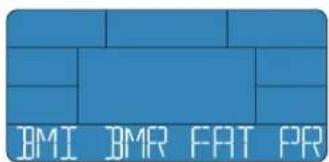
TOUCH HANDIPULSE SENSOR

7
START MEASUREMENT WITH MDIE


ENERGETICS
Instruccion de uso
BMI
Body Mass Index (BMI) se deduce de:
Peso corporal (kg) / alteura corporal (m)²
TOUCH HANDIPULSE SENSOR

7
START MEASUREMENT WITH MODE


BMI
START MEASUREMENT WITH MODE


BMI
Program Intervalrute
WATT PROGRAM
Program Watt
HRC PROGRAM
Program Hjertefrekvens
CLIMBING PROGRAM
Program Stigning
BMI-BIR-FAT PROG
Program BMI-BMR-fett
RECOVERY PROG
Legg hendene pa handpulsensorene

ENERGETICS
Bruksanvisning
TOUCH HANDIPULSE SENSOR

7
START MEASUREMENT WITH MODE


BMI
Innstilling under programmet
INH Program Interval
CLIMBING PROGRAM Program Staining
TOUCH HANDIPULSE SENSOR

7
START MEASUREMENT WITH MODE


BMI
Body Mass Index (BMI) fremgar af:
Kropsvaegt (kg) / kropshoje (m)
TOUCH HANDIPULSE SENSOR

7
START MEASUREMENT WITH MODE


BMI
TpeHpycpepynHO, BbynyuHTe CBOIO cnopTNBHyIO fOpmy nCMoxKeTe HENOCpeCTBeHHIO N3MePHTb 3TO C NOMOUIIO paCHTaCKoPCTH BOCCTAHOB- neHmra CIN.
DHHHn Hnctpyknn 6bna TaaTeNbHO paapa6oTaHa CneuaHnCTaMn n co-epKNT dONOHnTeBnHO K ONcHnIO YnCTO TexNHuecknx acNeKTO B6Jbwoe KOINHECTBO COBETOB N yKa3AHN NO npOBedeHnIO TpeHnpOBOK. IoxaanyIcTa, ObaPHTe BHIMAHHe HA To, YoTo Ha NaEM KOMNaKT-DnCKe „Personal Training Instruction" Bbl HndTe ObuHnPHyIO HnOpMaLIO O npBaHnBHom npOBedeHNn INIIAHNPoBAHn TpeHnpOBok.
IpoKanyiNCTa, npexJe cHem Haatb TpeHnPOBky, BHIMATEbHO npOHTaTe HHTpyKUIO NO 3KcJIyatauM KOMNbIOTepa.
MByJenaem Bam ycnpexOB xopoWero HactpoEner npn 3aHrTm n Cnoptom Ha Tpehaxepax 3HEPDKETKIC.
CybaXeHnEM KOnIeKTeNb 3HepeKTeNKca
06bAChEHN3HaKOBcIMBOJOB
!PnOTCYTBN CMHana 6oJee 4-x MInHyT KOMMbIOTep aBTOMaTHueCKN NepexOHTB MOyC OXuHaHA.

ENERGETICS
Hnctpykunno 3Kcnnyataaun KOMnbioTepa
BbICTpbIINCTAPT
QUICK START
Nporpamma
BbICTpbi
CTapT
BkIOHTe KOMNbIOTep HaxKaTneM npOIN3BOJbHOH KHONK ININ TOBOPOTm neaJIe.
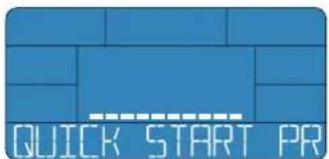
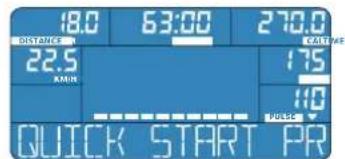
Ha dincnlee noka3b1baeTc bblonHHeHHb KInometpaX (DISTANCE),BpeMa TpeHnpobKn (TIME),pacxod kanopn(CAL),ckopocTB (KM/H),npodyktn3-Hoctb (WATT) n,ecnn Bbl depKntec pykam 3a cencopbyynbc,Bau npnbC B daHHb MOMENT apemeHN (PULSE).
PbOpOTom peryIaTopa-KHONKMOKHOIN3MeHnHarpy3Ky BIO60MOMENTBpeMHN.B KOHTPObHOM OKHe DmCnnE NOKa3BaETcBb6paHHb ypoBeHbHarpy3Kn(1-16).
BbMoKeTe TpeHmPoBaTbc TaK DonrN u HHTeHcHbHO, KaK XenaTe.
BbI6paTb INHyIO pOrpamMy
EcnBbXOTNE CmEHnB npOrpAmMy BbCTpbH CTAP Ha DpyryIO, KOPOTKO HaxMnTE Ha KHONky RESET.3aTEM HaxMnTE HeCKoJIbKO pa3 HA KhoNkY PROGRAM, noka He aKTHBnyeTc Xenaemar TpeHIpOBOuHaH pOporpMaMn, IN BBeINte NapAmETpbI.
C6poc noka3aTeNei-RESET
EcnBbXOTNE BepHybKOMbIOpTe BnepBOHaaJIbHoe CoCTOHNHe, HaxMNTe Ha KNONy RESET n ydepXnBaIte eB TEueHne 4-x cekyHn, noka He pa3daCTcBAYKOBo CnHn Ha DnCnIe He NOABTcNepBOHaaJIbHbIe HAcTPOKN PpOn3BODInTeJ.
OchOBhble NOKa3aTeHn nnapaMeTpbl
3NeKtpomarHHTbIe KaKTopb Bo3dienCTBn
Bce 3eKToPnp6OpbI:TeNEBn3OpbI, KOMNbIOTepbI N.T.I. OkpyXeHbI 3eKToPMarHHTbIM NOEM I NcNoNb3yOT TakO JxTINBecpOBoBDHO CoEHNHeHHa KaK, K npMepy, BecnpOBoBDHBe TeneOboHbI. NocToPOHHe CnHaJIb MoT MeMaT bNpaBnBHomOy onpeDeneHmIO YacToTBi NyIbCa, NockOJbKy npEHMoe yCTpoC-TOBa WaeRrKOmbIoTepa DOBoNBHO ycNOBHO pa3nnuAet ,CBON" n "HyXne" CnHaJIb.
TOMy peKomeHnyeTcra yCTaHaBnBaTb TpeHaxkp KAK MOXHO daIbwe OTNEHuaJIbHbIX NCTOCHNKOB NOMEX.
PokaataHn npIbca, nonyeHHbte OndHM N3 BblwepeueHC-HeHHbIX MeToOB, He MoTy 6bITb NcNoIb3ObaHb I MeNtHcKnx cenax!

EcnBbHocnteKapnOCTmmyTOp, npOKOHcybTpyuTEcbcoCBOMBpaQOMMOXHO BAMNONb3OBaTbCnHarpydHBIM KAPNDoAaTHKom.
!EcnBbOndHOBpeMeHHoNb3yeTec6o0mMcnocobAMn,TE.
HcNoIb3yeTe HarpyHbH KApDnOaTHNK DnA N3MepeHnnybCa
n npn EToM DepxHteCb pyKaMa 3a CeHCopbl NylBa, KOMnbiOTep
Poka3bIaETaMEp, npOn3BeEHbH HarpyHbIM KApDnOaTHKOM.
He BCE mMeoUneC B npOdaKe HarpyDhBle KApDnOaTtKN CoBMECTMlb C KOMMbIePem E-205 PpokOncYbTnpuYrTeCb npeiBapNTeBHo C HaAMM TOpRbIM aReHTOM.
3aHrtne nO trpeHnpoBouHOn nporpaMMe
6 pa3Hoo6pa3HbIX nporpamM c3aHaHHbIM CXemAMn Harpy3K (P 2-7) B nepByIO OpepeBnOMory Bam HaTn KOHTPOINPCBaT NcXoJyIO NnHO Bam ONTMaJIbHyO Harpy3Ky.
LJIbTpEHPOBKN -peaiooI pAeTOp npn BbOpe nporpAMMBI. IporpAMMa PaCetr HNIEKCoB He ABAETc TpeHPOBOOH, a cIyKnIT dpaacTa Baunx INHeKCOB BMl, BMR, a taKke IpoceHTHO coepKaHIN KIPA b OpraHn3Me (FAT %).
VHbHa nporpaMMA
MahyanbHaH nporpamma nppeocabnre Bam BcO cboody neCTBn npnpoBeHm TpeHPOBKn.
BbMOKeTe 3aTb Bpem TpeHnPoBKn KINOMeTpKaK KOJIuYeCTBO KaIOpN,
KOTOPOE BxXOTIE 3pacxoIOBaTb 3a BpeMa 3aHHTnA, a TaKke UeEByO CaCTO TYIyIbCa.
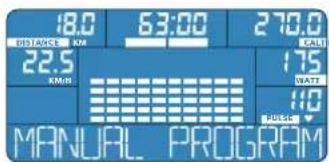
CboHarpzkyBbMoKepepynnpoBaTbBOaKO:NoBbIaN/NoHxKApOBeHb Harpzkn TpeHaxKa paNNm3MeHraHTeHCNBHOCTBpaIeHNrpeJae.
UeTepcoHaJIbHaI npOpaMa IOnb3OBaTeJr
IpecohaHbHa nporpmaNoB3oBaTeNa TaET Bam Bo3MOxHOCTb COCTaBtB nra 3aHrTn CBOO ININIBuYyAByHy cxMy Hary3Kn.
BbMOXeTe 3aDAtb 3NaueHne KaKdoN 10Skan BpeMeHN/Harpy3KNI TEm CaMbIM ONpeEniHTb HArpy3Ky KaK- DOrO OTe3Ka BpeMeHN. 3aDaHHyIO Do NaHana TpeHnpoAkn Harpy3Ky dJa KaKdOrO OTe3Ka BpeMEHN MOxHO N3MeHATb BO BpeM 3aHHTn.
INTERHYEPBAJIbl
3Tnporpamma OTNnuaertpaBnHomePbHm YpeepoBaHnem Harpy3n n Odbix, Harpy3ka nepnoDnueeckn Bo3pactaet n 6bCTpo naaet.
LcIb3aHHTnIO daHHoCxeme 6bCTPoe BocCTaHOBHeHne CnIN OcNE Harpy3Kn. B3aBcMOCnO typOBBaWae cnoptmbHOI IOIOBKN 3aHHTne IIO pporpamme INItepaBbl npoxoNT c pa3HOJacTOTO nylba.

ENERGETICS
pykunno 3KcnnyatauH KOMnbTepe
Oc06eHHocbTo TpeHnPOBKn HHTepBaIaMn ABJIeTcH HeoNtHbN, "nooH-pntelbH"OTbIX. TaKoe npoteKaHHe 3aHrtno Oco6eHNo nIOXknteHbHO BInraT Ha cepDeuHo-COCyDCTyo CNTeMy.
Barr
B nporpamme BaTT npocxOHT ABToMaTHuecka HAcTPOka Harpy3K (ypo8H Harp3K) B 3abNCIMOCCTO INHTeHCINBHOCTn BpaIeHN IpeAne, a 3aHrTME CIOPTOM IIPOXODTC OINHAKOB 3aDaHHOII PON3BOJNTeBHOCtko. BpaIaeTe BbI neaII MeJeHIO, Harp3Ka byt Bbi, ecNI Bby YcKOpnte BpaIeHHe NepaIe, Harp3Ka yMeHbINTC.
C nomou bpo peryntopaa-KhONKn Bb MoKeTe 3aDaTb npOn3BcDnTeNbHOCTb
(WATT), c KOtOpO BBy XOTNE TpeHINPOBaTbCA, C INTHePBAJOM B5 BATT. Ecnu Hactota BaWero nyIbCa npeBicNT ueBeyIO, I3OBpaXeHHe qACToTIyNbCa HaHNET MIRATb.
Kapu
nporpaMa
Kapnnporpamma nomoket Bam 3aHMaTbca cnoptom c toHO 3aHaHOn
uebeo hactoto npbca.
IIN3T0ROCyUeCTBnAETCnNOCTOHHHm3aMeP BaaenuactOTbnybca.DnI NOIDepKahnEero H TapebyemOMypOBHe KOMlbTeP NOBbHaETNINONHJKAeHTHarpy3ky TAKKE B3ABNCMOnCTNOT INHTHCINBHOCTN BpaueHnPeJaJIe.
PnDcTNKEnHnnPipeBbIeHN H3aAHHO BENHb,INCNneH NaHTMIRATbN HArpy3Ka YMeHbWNT-C,NOJIepKBAAR NJIbc Ha yPoBHe ueJEBOrO.
Cranor
JaHnA TpeHnpOBOuHn PporpAMMA OTNnaeTc paBHOmePHOCKoPCbBOpaueHn peaIepn OTHOCHTeBHO BICOKO Harpy3Ke. Pn 3OM ypoBeHb Harpy3Kn NOcneIOBATEbHO BO3pactaET DO CAMORO KOHua TpeHnpOBKn.LeB 3aHnTn No daHHo CXEM -YkpenneHHe cepdeHo-CocSyndToi CnCTe
Mb,HTObb63TpydAcnpabnBtbcn C HeHpNpBBHbM TEMNOM DINXeHN. TpeHnpOBKa HauHaetca Ha cpeHem yPobHe HaIpy3Kn, KOTopar NOCTOARHIO BO3paCTaeT, NOKa He DOCTINHT HauBBICWero 3HAeHN.
IMI-BMR-FAT PROG
Pacuet
HDAKCOB
PaCET npednaraembIX nok3aTeen nomoxet Bam npabInbHO onpeenntb coCTOAHHe BaIero oprAHN3Ma HypoBeHb BaIeH om3ueckO noTROBn Ha daHHbM MOMENT, a TAKKE NOOpBaTB NOXoAryTOpeHpOBouHyIO pOporpAMy COnTMAbHo Harpy3KoH.
Ha ochobAHn Baunx napametpoB (Bo3pact, non, Bec n poCT) KOMNbotepeaccHTaET cIeDyOuHne nok3aTeHn:
BMI (HnDekc Maccbte Ta)
BMR (HOPMMy 6a3oBoro 06MeHa BeueCTB)
-ПpoeTHOe coepKaHne KnpaB OpranH3me (FAT %)

AIlropMTKOMnbIOTepa npn paue Te nokazateen He ochoBbIaetcHa MeNunHCKNX cnocobax. NOrTMy paccuHTAHHe BEnuHbHEToCHbIMORy OTNIuATbcrO TdEeCTBNTeBbHX. JnTouHOro MeNunHckoro paue Ta 6paTntecb, Noxanycta, K CBOemy neauemv Bpuy.
RECOVERY PROG
Pporpamma cnopTnBHO
OueHKn NOdrotOBKn
JaHHa npoppamma onnpednepetbocctaHOBneHn Cn. CkopoCTb, C KOTOp npOxCODNT BOCCTaHOBneHn Cn NOcNE F3Nuecko Harpy3Kn, ABnEeTcnoKa3aTeMeI yPOBHa Baew cnpTbHOn noTROBKn.
DAnHHn NOKa3aTeB paccHTbBaTcK KaP a3Hnca HAcTObI NybCa cpa3y nocLe 3aBepeHn TpeHnpoBn NAcTObI NybCa no NCTeHn60ceKnD OTdbXa.
Ppabnno rnaCt: Yem 6oJIbIe pa3HnIa, Yem 6bIcTpee npOncxOJNT OTbIX, TEm lyuIe cnpTINBHaN noIroTOBaKa.
IybcIOeJ,3aHMaioxcnCnoptomperynpHO,BOcCTaHaBnBaETCNOCNE TpeHPOBKN6bCTpee,HEMHCNOPTHBHX.
EcnnBb3akHnBaTe cioIO TpeHHPOBky nporpAMMO onpeDeneHnCKoPoCTN BocCTaHOBHeHn CIN,To Hepe3 60 CeKHy KOMNBoTEp NOKaKeT OeHKy Baew cnoptNBHOfOpMb.
OTabix
Papamert PULSE noka3bBaer Ha ndnnee yactory BaWero npIbca Ha daHbmyo moment. HenocpeDCTBeHHo HAd HMM noka3bBaetc coXpaHehHOe 3haeHne npeddywero 3aHttn.
PpOun3BODnTc06paTHbIOTcHTBpeMeHn,OT6eKyHdIO:0:00.
No nCTeEHMN MHyTb pa3dactc TpoHoh 3ByKOBO ciHaH. IporpamMa 3aBepiHeHa. B KOHTpObnHOM OKHe DnCnnE BbluDInTe ouEnky Baue cnOpTINBHNOIOTOBKN.
Ha ekpahe - oba nokaataen yactotb nybca: noocedn 3amep BO Bpema TpeHnpoBk (3Bepx), n acToTa nybca no ncteHn 60 cekHyD OTbxa (Bn3y).
OueHka cnpTnBHO NOIgROBKn
F1-OTINHARCnOpTMBHARΦOPMa
F2-xopoua cnoptnBha fopMa
F3-ydOBnetBOpTeiBHa cnpTbHa noDrotobKa
F4-cna6a cnoptnBna noTobKa
F5-TpebyeTcaynyuHHeCnOpTuBHOfopMbI
F6-Tpe6yeTc npHoe ynyIeHe nCnpTHBn oopMb
!IpaueetaoehKn CnpTnBHO NOFTOBKN Heo6xOIMO npaBnBHO depKaTbC pyKaMn 3a cEHcOpbl NbCa,TO6bl MoXHO 6blIO pOn3BOuNTb 3aMepbI aCToTB nylbCa.Ecn Bbl NcNoB3ye tHaPyDnHbKapDnOaTnK (pnpO6peTaetc OTeNbHO),To OH NoCbInaET Heo6xOIMMbI daHHbI Ha KOMNBoTEp.

ENERGETICS
Hnctpykunno 3Kcnnyataaun KOMnbioTepa
Bb6op nHaCTpOJa nporppaMM
NepcoHaJIbHbIe nporpaMMbl
PnIb3yIteCb nepcoHaNbHbIMn nporpaMMa,ecn BByKeJaTe BCE kpuTePNepHInpOBKn ONpeJeNTb CaMOCTaTEbHO. NepcoHaNbHbNn pporpaMa PnIb3oBaTeTaNkke DaET BO3MOXHOCTb 3aONMHTb PpeINpHnTBe HAcTPOKn.

MaHyaJIbHa
nporpamma
XapakTePncTnka nporpammbi
BbMaHyalHo3aJaTe BCE BaKHeuHne NapaMeTpbl TpeHnPOKn: Bpema, KINOMETpak, pacXoI KaOpN, ueBeyIO HactOTy npbCa.
-13MeHHTb HArpy3Ky MOxHO B NIO6O MoMeHT TpeHPOBKn.
CBepeTnAkyHcyHnHTeHnBHO BpaueHn neaen.
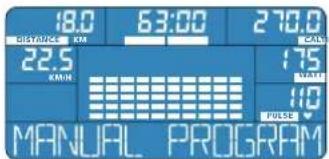
Auswahl
HaKMMTE cTobko pa3 Ha KONKy PROGRAM, noka B INHOpMaUNOH HOI CTPOKe HE NOBHTCAHADNMCb MANUAL PROGRAM. NODTBepnTe CBOI BbOp HaxkAaEM peryntopak KHOJIKN.
KoMnBIOTeP E-205 coxpaHReT noCneHIOIO 3aHaHHy BAMN NepcoHbHyIO nporpAMMy NOIb3ObaTeNa. DAnHaa nporpAmma octaeTcB namrN KOMnBIOTepa Hocneero BbIKIOueHna.
HactpoKn
BpMa TpeHnpOBK (TIME): Nocle Bb6opa MaHyaJIbHO nporpaMbl Ha 3KpaHe Mtraet Noka3aTeIb BpMeHn TpeHnpOBK (TIME).
BpaaIte perynTOp-KhONKy, noka nok3aTeNb He DocTrHET KeNaem BoHHN. PoiTBepDITe CBO Bb6op HaxaTneM perytAToPA-KhONKn.
KniometpaX (DISTANCE): Nocne HacrpoKn BpeMeH TpeHnpOBKn HaHET MIRaTb Noka3aTeB KniometpaXa (DISTANCE).
BpaaHte perynTOp-KhONKy, noka nok3aTeNb He DocTnHerKenaem BoHHN. NpTBePnte CBOB BbOp HaxaTneM perynTopa-KhONKn.
Pacxod kanoepn (CAL):Iocne HactpoKIN KINOMetpaxa HaHET MIRatb nokazateb pacxoda kanoepn (CAL).
BpaaaipepernytOp-KhONky, noka nokakateneb kanoepn He doctnrHert Toi BENuHHK, KOtpyo Bblxotne H3paccOdoBaT 3a Bpema 3aHTNA. NontBepDNTe CBOB Bb6op HaKaTHem peryIToPA-KHONKN.
Hactota npnbca (PULSE):Iocne HactpoK paXoJa KaOpn HaHcET MRATb NOKa3atEnb Hactotb npNbca (PULSE).
Bpaaainpepernytrop-KHONky, noka nokakataenb He doctnHerket Jenaem BoHHNHy. PntBepnTe CBOB BbOp HaxaTnepeyrtop-aKHONKn.
Cnpt nporpammbi: Nocne BBOda Bcex nokasateeneB HnHOpMaunOHno CTPOKE NOBnacb HAnncb START PEDALING-HaHnTe BblonHeHne nporpammbi.
I3MeHeHHe HAcTpoeK BO BpeMa TpeHnpOBKn
PpOu3BODnTeNbHocTb: B MaHyAJIbHOI npOrpaMMe Bbl MoKTe NImMeHHTb NapaMeTp IPOUN3BOUInTeNBJHOCTM (WATT) BIO60m MOMENT TpeHINPOBKN. POndepKnaBte cactoty nIbca Ha ypoBHe ueJeBcO, peYInpy INTEHCINBOCTb BpaueHn neJaIe Harpy3Ky.

ENERGETICS
Hnctpykunno 3Kcnnyataaun KOMnbioTepa
Bpemr TpeHnpOBKNI (TIME): Nocne HactpoKn BceX 10-1n WkaI BpemeH/Ha np3Kn Ha ekpaHe HaHnet Mrrb IPOkazatEn BpemEH TpeHnpOBKNI (TIME).
BpaaaTepeyIATOp-KHONKy, noka nokaataBel He DocTHTeKenaemOB BENHHb. PnTBePnte CBOB BB6op HaxaTneM peyIATOp-KHONKn.
Knlometpax (DISTANCE): Nocne Hactpoikn BpeMeH TpeHnpOBKn HaHET Mntab nokataebl Kniometpaxa (DISTANCE).
Bpaaaepepynhtop-KHONky,IOKaIOk3aTeIbHeIOCTHTKEnaEMOB BENHHbIOITBePNTcBOBb6Op HaxaTnepeyNtopa-KHONK.
Pacxogkanopn(CAL):NocneHaCTpOKNKINOMETpaXaHauHETMIRatb noka3aTeNb pacxoJa kanopn(CAL).
Bpaaiane perynTOp-KhONky, noka nokazateIb Kanopn He doCTNRHT ToBENHb, KOTopyo BbyXOTITE n3pacxOdoBaT 3a Bpem 3aHATN. NDTBepDNTe CBOB BB6Op HaxatmeperyrTopa-KhONKn.
Yactota npbca (PULSE): Noche NahtpoKn paXoDa kaIopn HaHcET MIRaTb NOKa3aTeB YactOToB npbca (PULSE).
BpaauaTe perynTOp-KHONKy, noka noka3aTeNb He DocTnHerKeNaemOB BENuHHb. NpTBePnte CBOB BB6op HaxaTmE perynTOp-KHONKn.
Cnpt nporpamMbI: Nocne BBOda Bcex nokazateenB HNΦopMaunHOHCTPOKE NOBnacb Hndncb START PEDALING-HaHHTe BblnonHeHnepnpaMMbl.
U3meHeHHe HAcTpoE BO BpeMa TpeHnpOBKn
PpOu3BODHTeNBHOCTb: B IepcoHbHbHOI npoIpaMme NcHb3OBaTeYB MoXeTe N3MeHbTbpamETp pOnu3BODHTeNBHOCTN (WATT) BIO60mOMeHT TpeHPOBKn. PioJepeKnBaIte cAtoTy nylbca Ha yPoBHe cIenEo, perynnpy HInTEHCMBHOCTb BpaueHn PeJaIe nHaPzy3Ky.
PporpaMmbi c 3aadaHHbIM CXeMaMn Harpy3Kn
INTERVAL PROGRAM
HnTepBaJIbI
XapakTepcntuK nporpamMbI
BbBb6npaTe OINH 3-3x pa3nnHbX TINOB Harpy3Kn (L1, L2, L3).TIN Harpy3Kn ONpeJenEnetcIIO HAJIa TpeHnpobKn.
3aHaHHbIe HAcTPOKn BO BpMa TpeHApOBKn N3MeHHTbHeB3A.
HactpoKa npo3BODHTeBHOCTn (WATT),OTBEaIOUaOc06EHOCTm DaHHo nporpamMb, npo3BODITcKONBOTePOM E-205 ABOMATueckn, B 3ABNCMOCTn OT Hary3Kn INHTeHCNBHOCTN BpaueHnpeJneJne.
CBepeTnAkyIbHyIOuHcToTy npbCa CueIeBOI n3MeHrTe npHaHO6HOCTNHTEHCNUBHOCTb BpaIeHNrneJae.
Bb6op nporpaMMbl
Haxmte cTbko pa3 Ha KhoNky PROGRAM, noka B HnfoMaOnHHoCTpoKe He noBttc Hndncb INTERVAL PROGRAM. PntBepeDnTe CBOB Bb6Op HaxaTneM peryIaToP-a-KHOKn.
HactpoKn
TnHarpy3Kn: Tocne Bb6opa nporpaMmbi HHTepBaBbHa 3kpaHe Muraet TnHarpy3Kn (TnBb: L1, L2, L3).
- NobePHTe peryIaTOp-KHONKy cTobko pa3, noka Ha dCnnee He 6ydet nokazAHKeNaembTIN Harpy3Kn. PoiTBepNTe CBOB bVb6Op HaxaTne peryIaTopa-KHONK.
Bpemr TpeHnpOBKn (TIME): Nocne HacTPOKn TnHa Harpy3Kn HaHnEe MIRATb NOk3aTeJIb BpemEH TpeHnpOBKn (TIME).
Bpaaainpepernyrnap-KHONky, noka nokaataenb He doctnntet keanaem BENuHHI. POnTbePnTe CBOB bblbop HaxaTMep pernyrnap-KHONKn.
Kniometpax (DISTANCE): Nocne Hactpoikn BpeMeH TpeHnpOBKn HaHET MIRATb NOk3aTeB KNIOMetpaXa (DISTANCE).
BpaaatepepyrnapKHOKNy, noka nokaaTeNB He doCTnHET XeNaem BoNNHHI. NqTBePnTe CBO Bb6Op HaxaTneMpeYrnapTop-KHONKn.
Pacxod kanoepi(CAL):Piocne HactpoKKNIOIometpaxaHaHETMIRatb nokazatebpacxoopaKanoepi(CAL).
BpaaHte perynTOp-KhONky, noka nok3aTeNb kAnOpn He DocTrHET ToB BEnuHHb, KOTopyo BbyXOTNE H3pacxOdoBaT 3a Bpem 3aHATn. PcITBeP-DNTe CBOB BB6Op Haxatmep epyrTOp-kHONKn.
YacToTa nynbca (PULSE): NocHe NaCtpoKn paXoJa KaIOpn HaHcET MInrTa NOKa3aTeB YacToTb nynbca (PULSE).
BpaaaTe peryIaTOp-KHONKy, noka nokaataIbe He doCTnHT JeJaemBo BENuHHb. NDTBepdnte CBOB bblbop HaxaTneMpeyIaTopa-KHONKn.
Cnpt nporpammbi: Nocne Bvda Bcecx nokazateene B Hhphiomauohnoctpoke noBnacb Hndncb START PEDALING-HaHnre BblonHeHne nporpammbi.


ENERGETICS
Hnctpykunno 3Kcnnyataaun KOMnbioTepa
I3meHHeHnacTpoE KBOBpeMr TpeHnpOBKn
BoBpMa TpeHnPO8Kn Heo3MOXHO N3MeHeHne 3aHaHHbX npaMeTPOB.
PiDaePxAIBaTe HactOty CBOero IyIbCa Ha yPoBHe cJeBEO, Bapbpy
INTEHCBHOCTb BpaSeHn neJaJIe.
1

INTERVAL PROGRAM

2


3


TIME
4



DISTANCE KM
5



CAL
6



PULSE
ST

WATT PROGRAM
BATT
XapakTepeuCTnKa nporpaMMbI
Bb 3a a e npOn3BOOnTeNbHocTb (WATT), c KOTOpO XOTnTe TpeHInpoBaTB
- Pporpamma BaTT AToMaTneckn peryIpyeHT Harpy3ky B 3aBcNMOCTH OT INTEHCNBHOCTn BpaueHnNEJaneY, TTO6bI TpeHnpo8Ka IPOXOINa C OINHAKOBON 3aDAAHHON PPOIN3BOINTEHBOCTbK.
3aHnHpy npnBDOHTbHOCTb MOKHO peryIIMPOBaTb BO BPema TpeHNPOBKn, BpaAa peryIaTcP-KHONKy. IpOHe napaMeTpbl N3MeHrTa BO BPema TpeHPOBKn HeNb3.
BbI6op nporpaMMbl
HaKMTe CTbKO pa3 Ha KHONKy PROGRAM, noKa B INHΦopMaUNHOH CTPOKe He NOABNTc HADNcB WATT CONTROL PROGRAM. NoTBePHTe CBOI BbOp HaKaTneM peYyTApo-KHONKI.
HactpoKn
Ppoun3BountenbHoctb (WATT): Pocne Bv6opa nporpaMMBaTT Haekpane MiRaet nok3aTeNb npoun3BountenbHoctn (WATT).
-NoBepHnTepeyIaTOp-KHONky cTOnbko pa3, nokaHa dIncNnee He 6byet noka3aHa JeklaMaM IpnO3BODInTeBHOCTb. NpTBePdTe CBo Bb6op HakatmeppeyIaTOp-KHONKn.
Bpema TpeHnpOBKn (TIME): Hocne HacTpoKn npOaBODyTeNbHOCTn HaHTET MIRATb NOKa3aTeNb BpemEn TpeHnpOBKn (TIME).
Bpaaantepeyntop-KhONky, noka nokaaTeIb He JocTnHetKeenaem BoHHn. NpTBePnte CBO Bb6Op HaxaTneM peYHTopa-KHONK.
Kniometpax (DISTANCE): Nocne Hactpoikn BpeMeH TpeHnpBn HauHET MIRATb Ioka3aTeJIb KNIOMetpaXa (DISTANCE).
BpaaatepepyrnapKHOKNy, noka nokaaetbe He doCTHTe KEnaem BoNnH. POnTBepnTe CBOB b6Op HaxaTneM peYrnapToa-KHOKN.
Pacxoad Kanoepn (CAL):Piocne HAcTPOKNKINOMePaKaHaHHeMIRatb nokaaTeB pacxoopa KaOpni (CAL).
Bpaaatepepyrnap-KhONky, noka nokazatelb kanaopn He doctnrHet ToB EINuHm, KOTopyko Bbyxotnte m3pacxodobat 3a Bpemn 3aHHTN. PdTBeP-DNTe CBOB b6Op HakatneM peryIaTOpa-KhONKn.
Yactota npbca (PULSE): Noche HactpoK paacxOda KAnOpn HaHnet MIRATb NOk3aTeB YactToB npbca (PULSE).
BpaaiTe perynTOp-KhONky, noka nok3aTeIb He noCTHET Kenaem BENuHb. POnTBepDITe CBoi BB6op HkaTaEM perynTOp-KhONk.
Cnpt nporpammbi: Pocne B0da Bcex nokaateene B HNphiMaOnHcnoCTpoke noBnacb HApncb START PEDALING -HaHnTe BblonHeHme nporpammbi.
U3MeHeHHe HAcTpoeK BO BpeM TpeHupOBKn
PpOn3BODnTeNbHocTb: NImeHntb 3aDaHnyI pOn3BODnTeNbHocTb (WATT)
BbIMoKTeB NIO60MOMeHT TpeHnPOBKM.
IpoepxmbaTe cactoty CBOEOTybcaHa ypo8He UeJeBOIO,IMMeHnOka3aTbIPoN3BODNTbHOCn.

ENERGETICS
Hnctpykunno 3Kcnnyataaun KOMnbioTepa
HRC PROGRAM
Kapdnoonporpamma
XapaKTepeNCTUk nporpaMMbl
Bb 3aadae TcneBeyu Hactoty nylba, c KOTOPOY XOTNE TpeHnPOBaTbCA.
-3anaHHbIe npaMeTpbo BO Bpemr TpeHnpoBKn HmEHUTb Heh3A.
KapDnONpOporpAMMAcmaYBENHbAeTNNyMEnbIaETHarpy3kyB3aBNCMOCTNOTNOKa3aTeNnybCa.IpeBbIaETAKTyIaNbHaJyactotaNyIbCa 3daHHyIO,Harpy3kaymEnbIaETcABTomATnueckn.
EonaktyaHbHaacTota nynbCa MeHbSe 3aHaHO,Harpy3Ka 6yTe NOBbAtbCABTOMaTHueCKN,NOKa HAcTota BaWero nyIbCa He 6yTe paBaHa UeneBOI.
- Ecnna daJe npn MaKcMaNbHOM yOBHe HArpy3Kn YacToTa Nylbc He DocTHIrae TcebeBOrO 3HaHeHnA, BpaauTe neaann Boonee HHTeHCMBHO.
Bb6op nporppaMMbl
HaxMMTE cTobko pa3 Ha KONKy PROGRAM, noka BnHOpMaUNOH HO CTPOKe HE NOBNTCA HApNcB HRC PROGRAM. IOnTBepnTe CBoi Bb6Op HaxaHem peryIATOPa-KHONK.
OBaTeBbHbIMIgTOnIpOpaMMbIABnEeTc HaxOxHeHpeyKa Ha cencopax NylbaNlHOWeHne Harpynoro KapmoDaTuKka (npno6peTaetcDonoHHTenbHo).
KaXdbie 10 cekyHk KombIotep CpabHbAeB Bau npbc C zeneBbM/3aHaHHbIM. I03TOMy dIa KoppeKtIPOBKn ypOBnHa rpy3Kn Tpe6yETc HekOTOpoe Bpem. Daxe ecnn 3amepeHHbN pyNbC cnblHo OTnuaetc O tceNEBO, KoppeKtIPOBKa Happy3Kn npOxCODNT NOCTeNEHbIMN Waaramn, a He pe3KmM cKaqkAmn.
HactpoKn
Bpemrtpenipobkn (TIME):Pocne Bb6opa KApDnOpporpaMmHaHHT MRatb nokataTeB BPemHn TpeHnpobKn (TIME).
BpaaatapepyrnapKHOKNy, noka nokaaatbe He doctnHet Jekaem BoNHHb. PntBepdnte cbo Bblbop HaxaTnepeyraTopa-KHONK.
Kniometpax (DISTANCE): Nocne HactpoiKn BpeMeH TpeHnpOKn HaHET MIRATb NOka3aTeB KNIometpaxa (DISTANCE).
BpaaainpepyrnapKHOIky,IOKaIOk3aTeIbHe JoCTnHETKeJaemOB BENuHHb. NpTBePnTe CBOBblbOp HaxaTneMpeyraTopa-KHOIkn
Pacxoad kalopn(CAL):Iocne HactpoKIN KINOMETpaKa HaHET MIRatb noka3aTeB paCxoad kalopn(CAL).
BpaaaipepernTOp-KhONky, noka nokakatebKanopn He doCTNRHT ToBENHb, KOTopyo BbyXOTITE u3pacxOobTa 3a Bpem 3aHATNA. POnTBepDNTe CBOBb6Op HaxaTmem peryntopa-KhONKn.
Yactota npbca (PULSE): Noche HactpoKn paXoJa KaOpn HaHcET MraTb nokaTeB hactObl npbca (PULSE).
BpaaTepeyTnTop-KHONKy, noka nok3aTeNb He DocTrHeKenaem BoHHn. POnTBepnTe CBOB BbOp HaxaTnepeyTnTop-KHONKn.
Ctap nporpaMMbI: Nocne BBOda Bcex nokazateenB HnHOpmaOnHO CTPOke noBnacb Hndncb START PEDALING -HaHnTe BblonHeHne nporpaMMbI.
I3meHeHHe HAcTpoeK BO BpeMa TpeHIpOBKn
BoBpMa TpeHnPOBkN HeaO3MOxHO H3MeHeHne 3aAHHbX npapMeTpoB. Bbl MoKTe DOnoHHTeBHO BnTb Ha HactOTy CBOero PynbCa, Bapbpyr INTeH CNBHOCTb BpaueHn neanen.

ENERGETICS INCHPTKUNO NO EKCNNYATAUHN KOMNBIOTepa
CLIMBING PROGRAM
Ckanona3
XapakTepnka nporpammbi
Bb Bb6paTe OoHn 3-x pa3nHbX TINOB Harpy3Kn (L1,L2,L3).TIN Harpy3Kn ONpeJenEaTcRdo HauHa TpeHPOBKn.
3aHaHHHe HaCTPOKIN BO BPEMa TpeHnPoBKN N3MeHHTb HeNb3A.
HactpoKa npO3BODHTeBHOCHTn (WATT),OTBeuaHOaA Oco6eHHOCCTMaHHOI pOPIpAMMb,IIPOUN3BOJNTCH KONbTOpeOM E-205 ABOMATueCCKB 3ABNCMOCTN OT Harpy3Kn INHTEHCBHOCT BpaueHnNEaJIe.
CBepaTneakTyalbHyIOHactOrynybcaczeleBoNImMeHnTe npHaNO-6HOCTINHTEHCHBHOCTbBaPaeHHnpeNaIe.

Bb6op nporpaMMbl
Hakmtte cToIbko pa3 Ha KhoNky PROGRAM, noka B INHOpMaUHOHHoCTPOKe He NoaBntc HApNcB CLIMBING PROGRAM. NpTBePnTe CBoi BbOp HaxaTneM peryIaTopa-KHOIIK.
Hactpon
TnHarpy3Kn:Iocne Bb6opa nporpaMMbCkana3HaekpaeMiraet TnHarpy3Kn (Tnbl:L1,L2,L3).
- NobeprnteperyrnapKHNky cTobko pa3, nokaHa dncnnee He 6ydet nokazahienaembH TIN Harpy3Kn. PndBeprrte CBOB bbl6op HkaTnepepyrnapa-KhONk.
Bpemr TpeHnpOBKn (TIME): Nocne HactpoiKn Tina Harpy3kn HaHnEe MTaTb Ioka3aTeJIb BpeMeHn TpeHnpOBKn (TIME).
BpaaaTepeyIaTOp-KHONKy, noka nokaaTeIbHe DocTHETKeJaem BoNnHi. NpTBePnte CBoi BbIbOp HaxaTneMpeyIaTOp-KHONKn.
Knlometpax (DISTANCE): Nocne HactpoKb BpeMeH TpeHnpBKn HaHET MRATb NOk3aTeB Knlometpaxa (DISTANCE).
BpaaHte perynTOp-KhONKy, noka nokaaTeNb He DocTHETKeJaEMOB BENuHHb. NcTBePnte CBOB BB6op HaxaTneM perynTOp-KhONKn.
Pacxogkanopn(CAL):NocheHactpoKNKINOMetpaKaHaHHETMIRatb nok3aTeNb pacxoda kanopn(CAL).
BpaaHte perynTOp-KhONky, noka nok3aTeNb kAnOpn He DocTrHET ToB BEnuHHb, KOTopyo BbyXOTnE u3pacxOdoBaT 3a Bpem 3aHATn. PcITBePdIe CBOB Yb6Op HakatmeperynTOp-KhONKn.
Yactota nynba (PULSE): Noche NahtpoK paXOa KaIOpn HaHET MInrTa NOKa3AteB Yactotb Nynba (PULSE).
BpaaatepepyrnapKHNky, noka nok3aetbe He doctnHt JeJaem BENuHHb. PntBepnTe CBOB b6op HaaatmepeyraTopa-KHONKn
Crtpt nporpammbI Pocne BBOda Bcex nokazateeneB HnHOpmaOnHO CTPOKE NOBnacb Hndncb START PEDALING-HaHHTe BblonHeHne nporpammbI.
IImeHHeHnAcTpoEK Bo Bpemr TpeHnpOBKn
BoBpMa TpeHnpoKHeeO3MOxHO N3MeHHe 3aHaHHbX npAmeTPOB. POnepKBAIte cactoty CBOero nIbCa Ha yPobHe ceIeBoro, Bapbpy HHTeHCNBHOCTb BpaueHn neJaen.
1

CLIMBING PROGRAM


2


3
TIME


TIME

4
DISTANCE



DISTANCE KM

5
CAL


CAL

6
PULSE


PULSE

START PEDALING
RU

ENERGETICS
Hnctpykunno 3Kcnnyataaun KOMnbioTepa
IMI·IMR-FAT PROG
Pacuet
HIDekcoB
XapakTeepuctnKa nporppaMMbI
Ha ochobahn BaaHx daHHbX KOMNbIeP paccHTaET Iy Bac BMI, BMP, a TAKKe coepkaHHe KnpaB OprAHn3Me B npoueHTax (FAT %).
BbInonHeHnE TpeHnpOBKn IpaCHTOB He 063aTeNbHO.
Bb6op nporpaMMbl
Haxmte cToIbko pa3 Ha KhoNky PROGRAM, noka BnHOpmaOnHO CTPOke He noaBtca Hndncb BMl-BMR-FAT PROGRAM. HaxaTnepeYrataP-a-KhONknoTBeepnte CBoBbOp.
HactpoKu
TOUCH HANDPULSE SENSOR

7
START MEASUREMENT WITH MOIE


ENERGETICS
Hnctpykunno 3Kcnnyataaun KOMnbioTepa
HndekMaccbi Tena
IndeKmaccu Tena (Body Mass Index, BMI) paccnmbaetcno opmyne: Bec nonb0BATEA (Kr) / poct nonb0BATEA (M)
OHNCNOLb3yETcTJTO,HTO6blONpeENITb,06nlaeTe NBIHOpMaIbHbIM,N3b6bTOUYHMINHEoCTaTOHHBMecOM.CNMOUIO NOcIeYIOxYBbyTAJIuBbMoKeTe y3HaTb,KAKToKoBaTbBAuBMI.
| HopmaßbHyn京津冀 pa3HbIx Bo3pactHbIx rpynn | |
| Bo3pactHrypynna | HopmaßbHyn BMI |
| 19 - 24 roda 19 - 24 | |
| 25 - 34 roda 20 - 25 | |
| 35 - 44 roda 21 - 26 | |
| 45 - 54 roda 22 - 27 | |
| 55 - 64 roda 23 - 28 | |
| 60mls 64 ml 24 - 29 | |
Moxho Jn npeBaTb TpeHnpOBky/nporpaMMy?
EcBbXOTnHeKaKoe-ToBpMaIpePbTaTpeHINPOBQHyIO pOpyMMy, TObbNtOM CHOBa PpOJONKHTb eHaKmITE Ha KHONKY RESET.
DaHHbIe bdyT coXpaHHeHbI.
Yepe3 4 MInHyTb6e3dEChTBnA DnCnIe OTKIOHTc. KOMNbiOTep nepeiTeB MOyUC OKUdaHIN.
IpoJOnKInb TpeHnPoBky BblcmOKeTe, NOBtOpHo HauKaB Ha KhoNkY RESET.
I NpepbBaHHe TpeHnPoBKn 6e3 HaKaTnHa K HonkY RESET Beedet K TOMy, UTO cnCTa 4 MInHyTb 6e3JeCTBnB CBe daHHbIe ydaJIaHTc n NOKa3aTeTI c6paCbBAIoTc H a HOJIb.
Kak BbIpaTb npabunbHyu TpeHnpoBOUHyu nporpaMMy?
EcnI TpeHnpoBn Bam He DoctaTOH NoIIOKeHHOro 3decb OnncAHn nporpamKOMNbOtepa, BocNoJIb3yTneCb O6wnpHOH HOpMaueH e npOBeHeHm TpeHnpOBok, KOtopyo IpeJnaer BaWemy BHMaHNO HaW KOMNaKT DnCK,Personal Training Instruction".
PpOKoHcyIbTpIyIeTcB TaKke Co CBOIM neaIIM BpaHOM, KOTOpB IIMOKeBT Bam CoCTaBt b HNDINBnDyaIbHyIO CXEMy 3aHRTN C yIeTOM MedNIUHCKNX acNeKTOB.
U3mepeHne qactoTbI nplbca: MoKHO IOn OJHOBpeMeHHO npou3BO-DnTb 3aMepceHcopamNpIbca HargPyHbIM KapdnoaDTNKOM?
EcN Bb OIOBpeMeHHo NOB3yeTeCb 06OMM CnOC6AM, T.e. HcNOb3yeTe HarpyHbIK KAPmOdaTHNK (PnpO6peTaTcA DOnONHITeJIbHO) IN PnI ETOM depKInTEcb pykAMn 3a ceHCOPbI NybCa, KOMNbIOTeP nOKa3bIABaET 3aMep, npon3BeHNbHn HapyHbIM KApDnOdaTHKOM.
Kak MHe BBecTN B KOMNbIeP CBOn DaHHbe?
BaunnHbne npametpbl Nykhbl dnil nporpaMbl Paet nndekcoB. Bb6epTe 3Ty nporpammy N, cney yka3aHmKOMNbIOpera, BBeNTe CBOU daHHble.

ENERGETICS
Hnctpykunno 3Kcnnyataaun KOMnbioTepa
CepBnchoe 06cnyxmbaHne
YcTpaHHe HenoJaOK
Coo6eHHn o6 own6ke
E:OTcyTCTByeT CnHn BO BpeMa BbINOnHeHH nporpaMMb OLcHkacnoptNBHOH NOI TOBKN.
ERR: He noctynaet cnHai Bo BpempaCeta npoueHTHO cOepKaHnJXnpaBopraHn3Me.
ERR2:OcTcyTCTByET coeINHeHMe MeKdy KOMNbIOTepom NnTaToI TpeHaKepa nn nna Ta BIIuN u3 CTPOR.
Abhilfe: CM. Hnke pa3en .OTcyTCTByET N3o6paXeHHe Ha nCnnee".
OcYrCTByeHn3o6paXeHneHaDnCnnee
-5bIIO npepbaHO 3JKeKtpocHa6keHHe. IpOBepeBte Bce pa3bEmbl COeINHeHn.
- Ecnn noKnquHne npabnHoe, a n3o6paKHe Ha KpaHe No-npeKHeMy OTCyTCTayet, 6paPntecb KaHaew My TropBomv areHTy.
Yactota nynbca (PULSE) He noka3bBaetc nn Own60Haa
ChTne nokaTeNe ceHcopMa npNbca:
Bo3MOxHO,OTCYTCTBYET KOHTAKI MEJy JIAOHOAM pyK IN CEHCOPAM Nylbca. O6e pyKINOLHbOJHOBpeMeHHo HAXOINTCBa HAceHCopax Nylbca.N306paKaHe Ha 3KpaHe MoKET NOKa3bBaTBcC He3HaHTeBHOH 3aepKKoN.
PpOBepeTe coeHHe He Ka6eNe.
-Bo3MOxH0,Baun naOHN CNiXKOM cyxn.HemHoro yBnaXnHTe IX.
CHTne nokaTeNei HarpyndbIM KApDnOaTcHKOM (npno6peTaetc OtdelbHO):
He BCE MmEoUneCBApoDaaKe HarpyHbIe KApDIOaTnIK COBMeCTMblc
BaAMKOMBIOTepomE-205IpoBepte,HaKaKoHacTote pa60taeBaa KApDIOaTnK;OHADOJIKNHAXOINbCBAHnAaHOHe54-57
-3nmeHT nTuHnHaHpydHorO KaDnOdaTnuKa pa3pAinCn HxJaetcB 3aMeHe.
PpO3oIIO npO3BOIbHOe BblIOueHne KOMnbIOTePa
BpeKnx cnyaX, npemMyuecTbeHIO BO BpeM npenapaHa npnpxeHnB 3neKTPOCETN INI pN CTaNueckOM pa3Pae, MOKET npoIN3OITN npoIN3BOHb Hoe BbIKIOUeHne KOMNbIOTepa. KaN pabInO, 3ATEm cIeNyET CaMOCTOrTeNB Haa nepe3aRpy3ka KOMNbIOTepa E-205.
Ecn KOMnBIOTepe He nepe3arpy3nnCg Cam, BKnIOHte ero MaHyalbHO.
IpeBaBapntbHO BbHbTe WTEKeP n3 p03eTkn 3neKTPoNTaHnA, noDoxnTe HEckonbKO cekHy n BCtAbBe WTEKeP Ka6en CHOBA B PO3eKy.
yxo
CneIte 3a TEM,HTO6bHa KOMNBIOTep He nonaDana JnKIOCTb. IpotepeTb Kopnyc KOMNBIOTepa MOXHO CnERKa YBnAHHbIM NCKYTOm TKAHN. Ho HcNOJIb3yIte eKINX HCTAUNX CpeCDTB.
Texnueckoe 06cnykBaHne
KOMNbIOTep He HykdaTcB CnueaHbHom TexHnueckOM 6cbnyKaBaHIN. Perynpho npOBepeTte BoNTb N CoeMHEnH N cpaay Kc 3ameHnTe deEeKTHbeJeTann. 3aNaChHe JeTann Bbl MoXeTe npNo6pctyn Haewero ToproBoro areHTa.
Spis tresci
Wpwadzenie 02
gratuljemy zakupu ENERGETICS Fitness Equipments.
START MEASUREMENT WITH MODE


BMI
Jsou to: program Interval, program Watt, program s kontrolou sourdecnif frekvence,program BMI-BMR-tuk,program Vyjezd.
START MEASUREMENT WITH MODE


BMI
Body Mass Index (BMI) vyplya z
Atmenet mas programba
TOUCH HANDIPULSE SENSOR

7
START MEASUREMENT WITH MOIE


BMI
START MEASUREMENT WITH MODE


BMI
Body Mass Index (BMI) vplyva Z
3 nobaroIO KOleKTHB EHepeKTeIKca
PoncheHHaKaIBiCmBOniB
| QUICK START | Порогама Шевский-Stapt | PROGR | НатOMICITY HA KONKу ВИбору порогами |
| MANUAL PROGRAM | Мануалва порогама | - | НатOMICITY HA KONKу оцIHКи сюptINHоI ПД�Товки |
| USER PROGRAM | Особста порогама Корисьача | + | НатOMICITY HA KONKу поеран/СКИдАнг NOKAЗнкIB |
| INTERVAL PROGRAM | Порогама Inteрвani | # | НатOMICITY Ha perуларop-KHONky |
| WATT PROGRAM | Порогама Ват | # | ПовechITb ретунларop-KHONky |
| HRC PROGRAM | КардIONPORpама | # | Вizmitся рукама 3a ceHcopи руньсy |
| CLIMBING PROGRAM | Порогама Сkenелаş | ||
| BMI-BMR-FAT PROG | Порогама Розрахунок пokedнік | ||
| RECOVERY PROG | Порогама оцIHК сюртубIHОп ПД�Товки | ||
| START PEJRLING | Роз IOУнIHь ВИКОннЯ TrpeHyвДь"HОппORPG |

ENERGETICS
Ihctpykui 3 ekcnnyatauik Komn'otepa
Ducnne Ta 3o6paXeHHa Hbomy
(D1) ukanu cay/habaHTaxeHHH -uac tpeHyBaHHNoiHaTaHa 10 biip3KIB iioobpaKaetbCBAIDHOCHO 3araIbHorO aCy TpeHyBaHH
(D2) iHΦopmauiHa Ctrpka-TEKCTOBe NOIChEHHN NOIaHOrO CTAtCy
(D3) STOP -nepepaTpehybaHHI
(D4) TIME -TpeHybaHHx3
(D5) CAL-BntpaKaIopiiyK
(D6) DISTANCE-BANKOHNI KINOMETPAK (KM)
(D7) KM/H -WBnDkCTb (KM/TOB)
(D8) RPM-iHTHeCNBHiCTb o6eptaHaHn neaen (o6/x8)
(D9) cTaTb- xiHocya
(D10) CTaTb-4yonobiyu
(D11) AGE-BIK
(D12) CM-3pict (cm)
(D13) KG-Bara (Kf)
(D14)FAT%-BIDCOTOKBMICTYKINPYBOpraH3Mi(%)
(D15) BMI-iHdkcBarnina
(D16)WATT-npoaykTNBHicTB(BaT)
(D17)PULSE-pinchaacTotaynbcCyHaanuac(yn/x8)
(D18) 6nmae: HauXoIaIb TaH BiI cHcOpB IyIbcy
Kopnyc kom'toTepa
Ipeepnctopona
(C1) dncnnei - biobpaKaE Bci BaKnBb 3amipHi po3paxoBaH i noka3HN KI Ta npaMaTePN
(C2) PROGRAM -Bn6ip TpeHybaIbHoI npOrpam
(C3) RECOVERY - ouihka cnptnBHOi nIDROTOBKN
(C4) RESET
-KOPOTKe HATNCHeHHa May3a,peepBaY TpeHyBaHHI
NOBTOH KOPOTKe HaTNCHEHHKHeuNay3n, npOoBxEHTHpeHyBaHH
TPINBANE HATNCHEHHA (MIHIMYM 4cekyuH)CKNDAHHB BCIX yHKU, nepe3aBAHTXeHHA KOMNIOTepa, He3BepeXeHi daHI bdyb 3nHneHi
Bn6paTn iHny nporpaM
KuO Bu 6aKaTe 3amHn TnporpaMy 8BnKm CTap Ha iHuy, KOPO KHaTnCHiB Ha KNOpKy RESET. Notim HauNCHiB deeklbka pa3IB Ha KhoNky PROGRAM, nOKn He aKtNbByeTbcra 6aXaHa TpeHyBaIbHa nporpama, I3aaine napaMetpn.
CKnDaHHNoKa3HnKIB-RESET
Akyo Bn 6aKaTe NOBepHyT KOMNIOTEpy NOnaTKOBIN CTAH, HATNCHTb HA KHONKY RESET yypmuyte II Ha npotraI 4-x cekyHd, DOKHe npolyHae 3ByKOBN CnHAn I Ha DnCnne He 3'ABNA TBCNoaTKOIBHACPTPOKNBnObo6HnKa.
OchOBHI nOKa3HnKn npaMeTpN
3aHHTBCnK0A3HHM,0.0He3MHHM,BiDnK BnTpaN Kanopi 6yde BiD6yBaTCA 3POCTaOHN.
KijbkiCtB Bntpaehnx KAnopim MoxHa 3aJaBaBn Bycix TpeHybaIbHnx IpoTpaMax.
Y nporpamI WbNkN CTAP BN3HaHTN BNTpA TY KAnopi H Me MoKH. II BiNik BiDyBaETCB 3POCTaOH.

KOMI'OTep paxye BHTpaehy eHepriB K kIOJNOXOYNX. NoHATTA Kanopit Ta DKOYNI yACTO NITAYOTb a6o HeBIPHO TnMaatb.
Pepenik:
1KlnoJxoynlb=0,239 Klnokanopit
1 kinkokanopia = 4,189 kinkoqoyna
WADyKTHBHICTb
KInbKiCTbpoBTo,kyBn BnBkoHann3aTpeHyBaHH,3anExnTBiD HaaHTaXeHHN IINTecuBHOCTI o6epTaHH Nedane.
HabaHTara 3MIHOETcBnporpamoIO 3aENKHO BID INTEHCNBHOCTO6ePtaHH neanenTak,io6 nIqac TpeHyBaHH BIKOHyBaNACoONHaKOBA KINbKiCTb poBOTn.
PpOdyKTnBnHcTb3aTaBcRyDlaNa3oHi bI20do400BaT3InTePbaNOM5BaT. Bu3HaHTn npOdyKTnBnHcTb MoKHa TlBky npOrpami BaT.

PULSEOTaynbcy
Hactota npynbcpaxyctbcb ydapax 3a xBNNHy.Bn MaTe MoKnBicTh 3aata Hactoty npync, 3 kko Bn 6aKaTe BkOHyBaT npehyBaHH, y dianaoHI bID 40do220y/xB.
Ihopmaio 10oTO, AKN3HaHTN IaCe6e BiPHy/ON TmAlbHcyAactOy npbcy, a TaKox Jk KOpNCTyBaTnca UIM NOKa3HkOM Niac TpeHyBaHHB, BN3HaJdeTe Ha HauOMy KOMnAKT-DnCKy,PersonalTraining Instruction".

ENERGETICS
Ihctpykui 3 ekcnnyatauik Komn'topepa
KOMYOTep nonepaBbac, kio cactota npbcy npebnntb 3aHa, 36paexHH Ha nncniei nohe 6Hmat.
LiNbOBy ChaTOTy NpIbCy MoXHa 3aIabATn Bycix TpeHyBaIbHNx IpOrpaMaX. Y npOrpAmi IbNkM CTAPBn3Haunr LiNbOBy ChaTOTy NpIbCy He MoXHa. AkTyAlbHa CaTota NpIbCy BiIObpaxKaETbCn Ha ekpani.
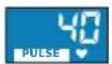


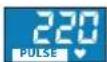


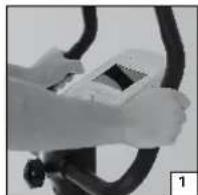
Bmipnoka3HKnBcehCopamnybcy:Ha kepmi po3aowabhi cehcopn dna BmipioBaHH nybCypee3doHoi.1n4 3diueHHBmipy Heo6xInHO,IO6 oBnai pyKoOnOuaCHO haxOuINcRa CehCopax nybcy [1].
Bmip noka3nkiB HarpyHIM KapDioaTchKOM (knyeTbcra OkpemO):
Y Takomy BnnaKy BmipioBaHn pyNbcy 3iueChIOeTbCceHCOpom, RKn BMOHTOBAHO y Harpyn pemHb.CrHAn nCTaHuiNo nepecnuaTcH a npmau KOMNTOpeA.Harpyn kapdoaTHNK NobHHe bTy npabnBHO HADITNI, Ioro ceHcOpn B pasi Heo6xHNOctI Tpe6a 3BOJoxNTn [2]. BmipioBaHH Nbcy cmm pncTPOcm NoCTHne, a ToHlHiCb BncoKa.
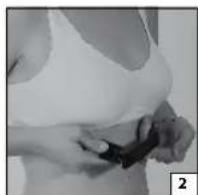
Bmokete BnKOpncOByBatn 6ydb-Kn CTAHApTHn aHaIorOBn HarpDn KapDioaTnK,KnIOBIn nocinae cHnHa hactoti 5,4-5,7 T.

Cencopnynbcy fikcytB 3mHOBaHHHaNPyXeHHn DonoHe, BKNKNaKe ydapaMn NbCy. PyxN pyKaMn no pykax KepMa, TepT, BONORCTb/BnDINHHNOTy BNIMBaIObHa
nepecnlaHn CnHany. Kpim toro, icHyOtB bIdmiHocti ceped IIOde, kki 3yMOBHeI nCXXOniQHHM uHHNKamm i BnNBAKtB HaBnpa3HiCTb 3MiHOBaHHa. YJeAKnx IIOe 3MIHOBAHHa HAcTINbKn He3Haune, zo Noro HeOcTaTHbo dna BmIPIOBaHHa Nybcy. yCbomy BNnAdKy nOKa3HNk nybcCy Ha DnCnPeI BiDcyTHi.
Yci nepeniehi YHHNK MAIOb HAcTINbKN BENK INBnH BAIMIOBAHNnybcy, 0o cien NOKa3Hk BiDHO CHeTOHNI i C IImse opicHTOBHM.
KaHn Na NoaTky TpeHyBaHHa Bai pykN 30BcIM cyxI, BmipBoHHa MoKe He BnKoHYBaTHCA 3OBcIM a60 6yTN Xn6HM. Y TaKOMY BnAdKy DoCTaTHbO TPOXN 3BOLOXHTN pyK.
EneKtpomarHTHI uHHNKu BnNHy
Yci eIeKTPoPnPnAaTn: TeneB1Opi, KOMN'IoTePn iT.N. OToueHiEJIeKTPomHITHM NOnEM i KOpNCTyIObCA Tm CAMM TINOM6e3dpoTOBOrO 3B'a3Ky, Ra, HApnPKnlaJ, 6e3dpoTOBi TelefoHn.
CTOPOHHcINrHannMOxTy3aBaxaTn npaBnHOMy Bu3HaueHHO
yactOnI NyIbCy, ockInbKn npmMaay BaWOro KOMNIOTepa Docntb
ymOBHO BIDPi3HRe CBOITa yKJcCnHAn.
Tomy mnpaipo po3aWbATn TpehaKepe kOMora daJI bID notenHoro dxepena 3aBAD.
Poka3nki npIbcy,OTpIMaHI 3a DOnOMoro OndHO 3 nepeniiHnx BIIe MeTOID,HE MoXHa BnKOpNCBOyBaTu 3 MeuHHOIO MeTOIO!
KuO Bu Hocnte KaploctmnyaTOp, npokohcybTyItec3 BaHMM Ikapem, uD03BONETBCB Bam KopnCTyBaTcNc HarpynHM Kapdoatukom.
I Kxio Bn OndOohacno KopncTyEtceb 6oMa MeToaMn, To6To Hocnte HarpydHn KApDIOaTcN IIN BmIPIObaHH NynbcyIB ueJxac TpmaTeCb pyKaMn 3a CeHCOpN PyNbCy, KOMT'IoTeBIO6paXaAe Bmip, 3po6neHn HarpydHm KApDIOaTcNOM.
He Bci harpydi kapiodatuikn, kki e y npodaxy, cymichi 3 KOMTIOTepom E-205 Ppokohcybtyntecn nonepeHbo 3 HauIM Toprobm areHTOM.
3aHTT3a TpeHyBaIbHOIO nporpaMOIO
6 p3HOMaHTHINx nporpam 3 3aHaHHM CXeMaMM HabaHTaKeHHA (P 2-7) nonepeYcBoroDOnOMOkyb Bam 3HaTn i KOHTponoBaTu HabaHTaKeHHe, nke nacyococ6ncto Bam.
Meta TpehybaHHB-BpiHbHN HHHNKy Bn6opi nporpam.
Iporpama Po3paxyHOK nok3HKnB e cTpehyBaHIO.BoHa po3paxc Baui nok3HKnBM, BMR, a Takox BMCT Kny B opraH3M y BiDcotkax (FAT %).
HRA.1Nt bHa nporpama
MaHyaIbHa nporpama Haae Bam Haibinbuy Cbo6oNy iin ni nac TpeHybaH
Bn MaTe MoXnIbIcTb Bn3HaHTn Ta c 60 KInoMeTpax TpeHyBaHH, KInbKtB Kanopi, Aky Bn 6aXacTe BnPaTn 3a TpeHyBaHH, IinbOby AcToTy nybcy.
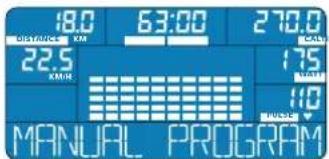
CBOE HABAHTAXEHHA BIMOKETe peYIOBATIN DBOMC NOCO6AMN 361bWyoH/3MeHwOyPiBHe HABAHTAXEHNA TpeHaxKepa a60 3MIHOUH INIHTECNBHICTb OeptAHn Haeane.
UERoGra nporpama KopucTybaya
Oc06ncta nporpama kopactybaa Haae Bam MoKInBictb cKnactn CBOH iHniBiyanyHy CXemy HabaHTaeHHA.
BIMoKTe BBeCTn 3HaueHHKOxHOI 310 uKan yacy/HaBaHTaKeHHI taKM
YHOMB3HaHTN HabaHTaXeHHKoXHO BjTINHKyAcy.
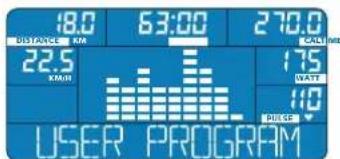
3aHaHe 10 Noatky TpeHyBaHHH HabaHTaxeHHKOxHO BijTHKy Yacy MoKH3MiHOBaN IIac TpeHyBaHH.
INTERTEPENN
L nporpama Bip3HbTcB pBHomPmH yepyBaHHm HabaHTaKeHH i BIDnoHNky. HabaTaKeHHn nepioDnHO 3octae I WbNDko nadac. Meta TpeHyBaHH 3a Li CIO CXMO - WbNDke BiDNOEHH CNN nicra HabaTaKeHH 3anExHo BID pIBH BaOH cnpTHBOH NiIroTOBKn 3aHATTA 3 nporpaMOI INTeBAN BIDyBAOTBC3 p3IOO YACToTOO Nynbcy.
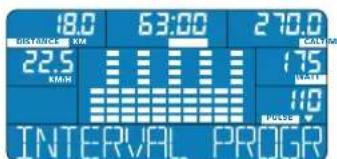
OcbnBCTb TpeHyBaHHa IHTepBa
LAMN NONRAe HENOBHOMy, 3AOXO
CybaNBOMy" BiDNOHNKy. 3aHTTBA
TaKIM PnIHUNOM OCOBNIBO
NoNTINHO BnINBa Ha cepueBO
CdyHHy CNTemy.
图1-2
Iporpama BAt abTomatuHPO peryIOe HabaHTaxEHn (piBeb HabaHTaxEHn) 3aneKHO BiIN ITeHCNUBOCTIOOepTaHHN neJANE, 3aHITr cnpTOM npoxo- nIb ODAHKOBO 3adaHOIO pOdyKTHBHCTIO.
KoBn Kpynte neaIIOBilbHO,HabaHTaxeHH6yJe Bmue;RkUO Bn npCKOpTe 0eptAHHe NaeJEn,HabaTaxeHH3MeHHTbcra.

ENERGETICS
Ihctpykui 3 ekcnnyatauik Komn'topepa
3a donomoro perynlaTopa-KHONKn Bn MoKeTe Bn3HaHTn npOdyKTHBt6
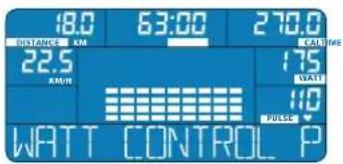
(WATT), 3яко Вибжаerte trpeHyBaticn, 3 iHTePbAnom y 5 BAt.
Riio chTota BaIoro nyIbCy
nepeBniuMbI cyIboby, 3o6paKeHHaCTOTN nyIbCy NOHe 6bnMaTn.
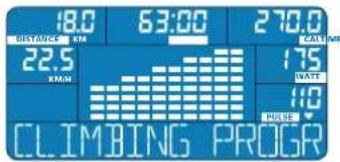
IPC (GAA)
hporpama
Kapionporpama donomoxe Bam 3aMmTcra cnoptom 3 TOHO 3aHIO 1iboboy yactotoio nIbcy.
3IeKO MetoB BIDyBaETbCn NOCTINHE BMIMPOBAHH BAIOI cactOTN Nynbcy.
Ia nITPMaHH Ioro Ha notpi6HOMy pIBHI KOMNTOpe 3iNbUe a60
3MeHwE HabaHTaxeHH, TAKOK y 3anexKHOCT Bi iHTHeCNBHOCTI oepTaHH
neJanae.
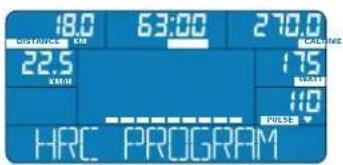
KoN3aHaHe 3HaueHHb6ye DocarHyTO uHnepeBnueHo,3O6paKeHHNoHc6nMaTn,a HabaHTaxeHH3MeHHTBC, nITpMMyOCHyNbC HaPiSHiQInBoBOrO.
BMI·BMR-FAT PROG
Po3paxyHok
noka3HmKIB
Po3paxyHok 3anponoHOBAHN NOKa3NkIB DoONMOKe Bam BIPHO BN3HaHTn CTah BaIoro OpraHI3My Ta pIEbH BAIoi FI3NHOI NiROTOBKn Ha DaHIM MOMENT, a TAKOX NII6paTaN BiINOBiHy TpeHYBaIbHy nporpamy 3 ONTMaNHBHM HABaHTaKeHHM. Ha NiCTabI BaWix NapametpiB (BiK, CTAb, Bara I spict) KOMNIOTEp po3paxc HAcTyNI HOKA3Nkn:
BMI (Inneke Baru Tina)
BMR (HOpMy 6a3oBoro 06MHy peohBuH)
BIMCT Xnpy Bopraniy BiCOTkax (FAT %)
□本报记者李欣
LTreHyBaIbHa Iporpama Biiip3HReTcB pIBHomPioo WBNKICIO 6eepTaH HneanieniB iDHOCHO BnCOXOHO HabHTarO. Pnp cBomy piehHa HabaHTaKeHHNoCnIOBHO 36InbWcyTcBO Camoro 3abepeHH nporpaM.
Meta TpeHyBaHH 3a DaHIO CXeMOO - 3MIuHEHH CepueBO-cyHHHOI cIcTeMn, uo6 6e3 BeNkx 3ycnB oHaHyBaTH He3BHN TEMI pyxy.
TpeHyBaHHNoHnHaETbC3cepeHbOro pIBHnHaBaHTaKeHHN, KOTpe nOCTINHO 3pOCTae, NOKn He DoCArHe HaB6InbIbWoTo 3HaueHHN.
BMI BMR FAT PR

AnropTM KOMNIOTepaIJa po3paxyBaHHNoKa3HnKIB He 6a3yETbcra Ha HaykoBO-MeHNHX MeToJax. Tomy po3paXOBaHI NOKA3HNI pRi6n3Hi I MoxyTB BiDpIHrTcR BId iINCHIX. IJa TOHOrO MeHNHO PO3paxyHky 3BepHITbC, 6db NaCa,do CBORo Nlkapra.
RECOVERY PROG
Pporpama niDrotOBKn
ouiHKN
CNOPTVOMHcnpTMBHOiNIOROTOBKn
L nporpama Bn3Haae WbNkictb BiHOBHeHH CnI. BwNkictb, 3 AkoIO Bid6yBaCTbCnBnOBHeHH CnI niCnA thiHO HABaHTaxeHH, E NOKa3HNKOM pIBH Baoi cnoptnbHoi niroTOBKn.
LJnK3HnK po3paxOByTcBnR KPi3HnM iK XaTOIO NyIbCy 3pa3y nCnra TpeHyBaHH I cactoTOIO nyIbCy uepe3 60 cekyH bijnoynKy.
Die npaaHIO:HHM 6Bbua p3HnU,HHM WbNdUe BIDHOBIOKOTcR CIN, TMM Kpaasa cnpTOBHa nIroTobka.
YIIOE,AKI 3aIMaIObCnOPTOMpeyNpHPO,Nybc HopMaI3ycBcNICNA TpeHyBaHHWBDUWE,HNY HeCNOPTNBHX.
Kikio Bn nicra 3aBepuHnCBOrTOpeHyBaHH 3aNyckaTe nporpaMy BV3HaueHH HwNIOKcTI BiHOBNEHH CNI, To cepe 60 cekyHk KOMNIOTep NOKaxe ouiHKy Baoi cnpTMBHOI fOpMn.
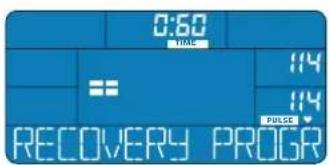
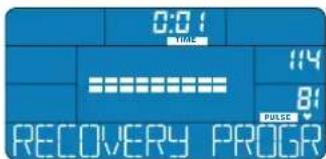
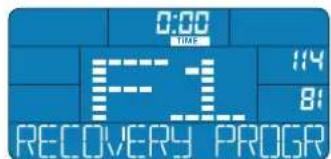
I 106 Bn3NaHTN OiHKy CnoPTNBHO iNDROBKn Heo6xHNO npabnBHO TpMaTcR pyKaM 3a CEcap NylbCy, 6o IHaKHe BmIPHOBAHNACTOTN pYbCy BiD6yBaTcR He 6yJe. RaIO Bn KOpCTyeTeCA HarpynHM KapIoDAuHKM (KnyeTBcA OkpeMo), To BiIDOBiHi BmIPN KOMTIOTep OTpMaE BiD HbOrO.
BIDNoCHOK
Papamet PULSE BIDobpaxaHa DnCnneJtactOy BaUoro npbcy Hae MoMeH. Be3nocepEnHbO nHOd HmB iDobpaXaETbCA 3anAmrTOBaHe 3NaueHHa nonepEnHbOr TpeHyBaHHa. BiNik Hacy BIKoHcyTBcY 3BOPOTHOMy npAky, Bi60do000ceKHyd. KOnxXBnInHa ckiHNbC, npOlyHae 3ByKObN CNHAn. Iporpama 3akHnnaC. Y KOHTpObnHOMy BkHI dncnEo Bn 6aHnte oqHKy Bauoi cnpntBHOi nIroTOBKn.
Ha ekpaHr terep 6nBa nok3nKn qactOn nybcy; octaHHBmip HanpkiHui TpeHybaHH (Bropi) i cactota npbcy nicra 60 cekynd biioHHky (BH3y).

ENERGETICS
Ihctpykui 3 ekcnnyatau kOmN'otepa
Bn6ip i HanaorOxhenn nporpam
Oco6ncti nporpamn
KopntyTeCRAOCBCTMnnporpamAMnTOni,kon6aKaTe camocTInHO B3NaHTN BCI KPNTEPI TpeHyBaHH.OCOBCTA nporpama KopntyBaHa dae MOXJIINCTbCKLAcTn CBOO CXemy HabaHTaKeHH.
MANUAL PROGRAM
MaHyanbHa
nporpama
XapakTepeuKnAporpaMn
Bn MaTe MoKInBicTB B3HaHTN ac abo KINOMeTpax TpeHyBaHHa, a TaKoB BntpaTy Kanopin i Jnboby Hactoty nIbcy.
3MiHHTN HabaHTaKeHHa MoKHa y 6yIb-rya MHTb TpeHyBaHHA.
PopibHIOte AkyaIbHy AcToTy BaWoIry 3uInbOBoIO iBIDNOIBHO 3MIHOITE HabaHTaxeHHA 06 IITHeHCINHtB oepTaHH nedanei.
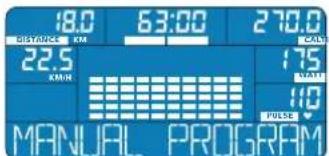
Bn6ip nporpamn
HaTnCHtB CTINbKpa3IB HA KhoNky PROGRAM, nOK B HΦopMauiH Hi CTPiHi He 3'ABNTbC HAdnnc MANUAL PROGRAM. HaTnCHtB Ha peryIaTOp-KhONky, uo6 niDtbepnn TcBm Bn6ip.
KOMN'OTep E-205 36epirae OCTAHNO 3aDaHb Bamn OcoBnCy nporpamy KopncTyBa. La nporpama 3oCTaETCBy na'MaTI KOMN'OTepa i nicra noro BMMKHeHH.
Hanaorxdkenn nporpamn
Yac TpeHyBaHHa (TIME): Nicn Bn6bopy MaHyalbHoi nporpaMHa ekpaHI 6IIMae nok3HnK yacy TpeHyBaHHa (TIME).
-Поверніпperулготр-KHONKY cintbkn paizB,ДOKИ пokazнк He dochHe 6akahoro 3haueHHa HATCHIb Ha peryntop-KHONKY,単бптвердс CBH Bn6ip.
Kinometpax (DISTANCE):ПигьБeDEHЯчу TpeHyBaHHЯ noUHe 6nMaTn nok3HN KINometpaxa (DISTANCE).
-Повернічyperларгксгдькпаib,нokипokа3нкн HeDocarHe 6бжаногузауен.Натисчьнур-kнку,шбпntвердпс bii Bbip.
Bntpata Kanopin (CAL):PiBn BBeHn KINometpaKa noHe 6nnmatn nOKa3nK BntpTaN Kanopin (CAL).
IIOBepHtbperynATop-KhONky CTINbKn pa3ib,doKni NOKa3Nk Kaonpi He doCgHHe baxaHoro 3HaueHH. HAtncHtbppeytnatop-KhONky,io6 niTBePntn CbiBn6ip.
Yactota nylbcy (PULSE): Iicna BBeHnBntpaN KAnOpi nohe 6nnmatn oka3nK hctotn nyibcy (PULSE).
- NObepHtB peryIaTOp-KHONky CTINbKn pa3iB,doKniNOKa3HKe He DoCnHe 6aKaHOrO 3HaueHH. HAtncHb Ha peryIaTOp-KHONky, 0o6 nITBepePnTcBn Bn6ip.
Capnpamn:IIcIaBBeHHeBCIXIOKa3NKBIBINΦopMauiHcTPIUJI 3'ABNTbCA HADNNC START PEDALING -po3noOHb BVKOHaHHpnpamn.
3MHOBaHHnapaMeTpB nID qacTpeHyBaHH
PpOdyKTHBnHCTb:Y ManhyaHni nporpaM Bi MoKeTe 3MiHOaTn napAeTp npOdyKTHBnOCTi (WATT) y6yNb-ky MNTb TpeHyBaHHa. IITpIMyIte YactOt ty nybcCy Ha pIBHI qinBoBOrO, 3MIHOUOn IHTeHCNBHCTb oEepTaHHa neaJe Hn HabaHTaKeHHa.
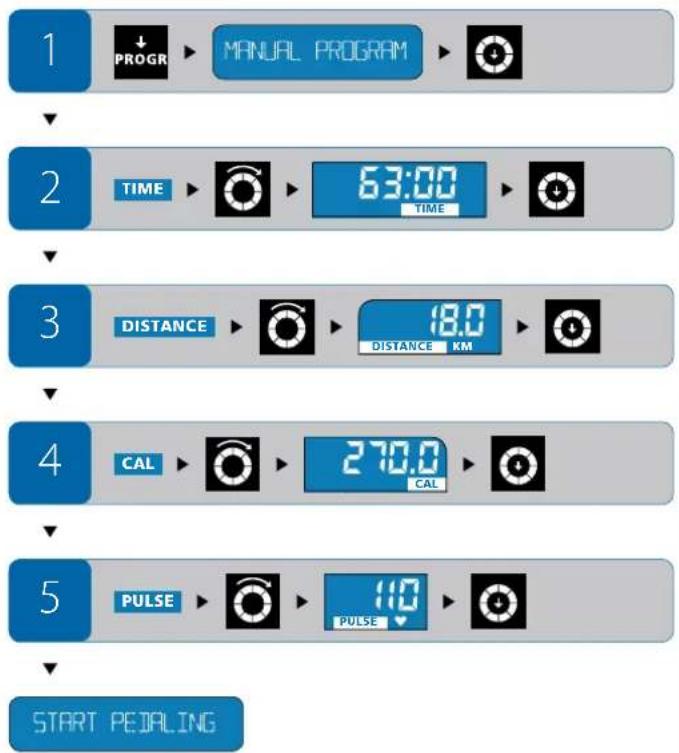
USER PROGRAM
Oco6ncta nporpama KopncTyBaay
XapakTepeuCtka nporpaMn
OcoBCTa nporpama KoprctyaHa Haae Bam MoxNbicbcknactn CBOIOOCoBCTy TpeHyBaIbHy nporpamy 3 iHmBiDyajbHoIO CXeMOIO HabaHTaxeHHa. KoxHa 3 10-Tu IIkAn yacy/HabaHTaxeHHA kTNByEbCBAKOPEMO I DnHE3daeTbc BaxaHn pibHe HabaHTaxeHHA.
-8ydybRkyMNTbMOKTe3MHHTN HaaHTaxeHHA TTO BIDTNKA yacy,B KOMY 3ap33HAXOINTNCA.
- NopiBIOIe AkyaIbHy IacrToy Baworo nIbcy 3IinboIo i BIDNOIBHO 3MIHIOIte HabaHTaKeHHA a0I INTEHCINHITb oEepTaHHneJaeN.
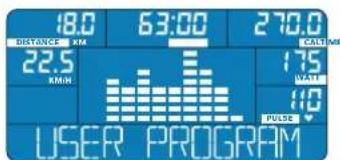
Bn6ip nporpamu
HaTnCHiB CTinbKn pa3IB Ha KhoNkY PROGRAM, noKu BInΦopMauiHni CTpiUHe 3'ABtbc HApNc USER PROGRAM.HaTnCHiB Ha peryIa-Top-KhoNkY,IO6 NiTBePdNt CbiB Bu6ip.
HaarodkeHH nporpaMn
Ukannuacy/HabaHTaKeHH:nicnBbOpoyOc6nToI nporpamKopctyBaHa HekpanoHne 6mMaTn nepua ukaN aCy/HaBAHTaKeHH.
- NobeprhIb peryIaTOp-KHONky cInBk pa3iB,IOKn He 6yde DOcHHTO 6axaHoro pIBHa HabaTaXeHHn Dnepworo BiTHNkU cacy. HATNCITb Ha peryIaTOp-KHONky, uo6 niTpBePHTn CbiB Bn6ip. NiCn BBedeHHn NOKa3HNka dnnepuoi ukanu cacy/HabaTaXeHHn noHe 6mmatn dpya.
PiBepHb perynTOp-KhONky cInbKn pa3iB,doKHe 6yHe DoocHyto 6axaHOro pIBHa HabaHTaKeHHN DpyrTo BIDINKy aCy. HAtncHb Ha perynTOp-KhONky,06 NiITBePmC bBbip.
BnKoHaIte nporpaYBaHHaNkoXHOI KKaII NO DecATy BKnIOHO.


ENERGETICS
Ihctpykui 3 ekcnnyatauik Komn'topepa
Yac TpeHyBaHnR (TIME): Nicra BBeDeHHN noka3nKIB dNBAcix 10-nuKaJ NaCy/HaBaHTaKeHH Ha ekpaH i NoHcE 6nMaTn noka3nK uacy TpeHyBaHnR (TIME).
-Поверніт bperynatop-KhONky CTINbKn pa3iB,doKni Poka3Hk He DoCiarHe 6baKaHOrO 3HaueHHa HATnCHITb Ha perynatop-KhONky,106 niTbepdntu cbi Bn6ip.
KINOMETPAX (DISTANCE):Пиявадьгелян acy trpenhybaHЯ noHne 6nMaTIn oka3HmK KINOMETPAXA (DISTANCE).
- NopephiB perynatop-KhONky ctiBk npa3iB,doKn noka3HKn He DocarHe 6bKaHoRo 3HaueHH. HAtncHiB Ha perynatop-KhONky,io6 niTbepeHn Cai Bn6ip.
Bntpata kanopi (CAL):PiCnBaBeeHnKINOMetpaKa noHHe 6nMaTu nOKa3HnK BntpTaN Kanopi (CAL).
- NopepHtB perynatop-KhONky CTINbKN pa3IB,doKn noka3Nk He DocarHe 6aKaHO rO 3HaueHH. HATCHITb Ha perynatop-KhONky,io6 niTBepeHITn CBI Bn6ip.
Yactota npybcy (PULSE): Iicna BBeHnBnTpN KAnOpi noHe 6nnmatn nok3HHK cactotn npybcy (PULSE).
- Nobeprhtb perynatop-KhONky cInbKn pa3iB,doKn nokn HHe doCnHc6baKaHO r 3HaueHHa HATNCHTb Ha perynatop-KhONky,io6 niTbePdntncB1B6ip.
Cnpt nporpamn:nicra BBeDeneBcix napameTpbiB iHfOpmauiHcTpiu3 3'8aBtbcn Hndnc START PEDALING -po3noohBbNkoHaHHnporpaMn.
3MHOBAHNAnapaMeTpBnilqacTpeHyBaHHA
PpOdyKTHBHCb:Y Oco6nTINpOpaM KOpNCyBaA Bu MoKeTe 3MIHOBaTI NAPaMeTp PpOdyKTHBHOCTI (WATT) y ByJb Kky MHTI TpeHyBAHH. IITIPmMyTE cAtroTy pNbcy Ha pIBHcUIOBOr, 3MIHOxuH INTeHCNVHCTb 0eepaHH nepaJIe Hn HabaHTaeHH.
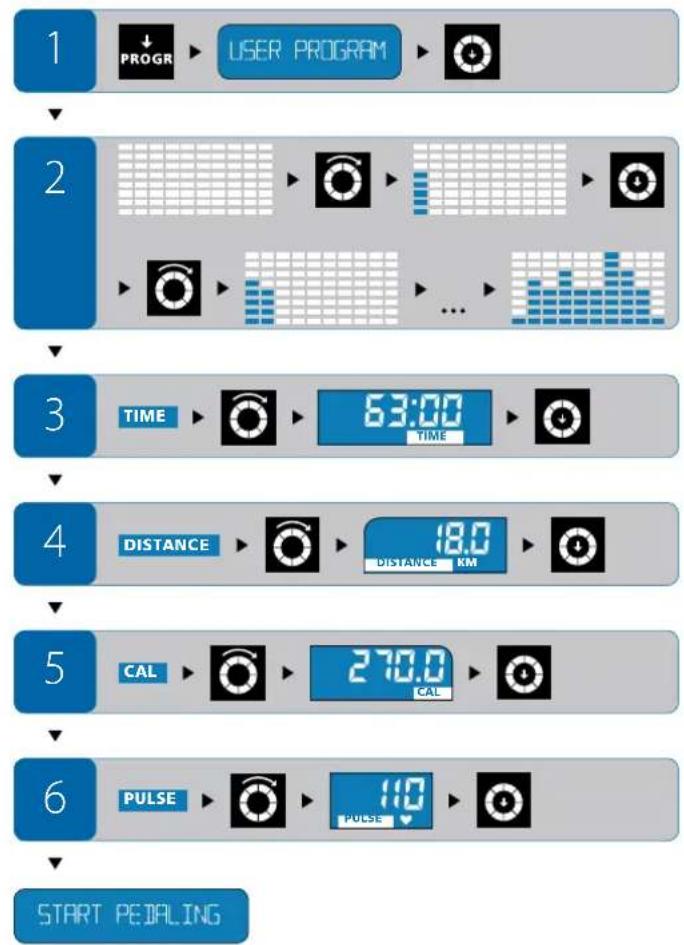
Pporpam33aHaMMxCeMaMnHaBaHTaXeHHA
INTERVAL PROGRAM
IntepBann
XapakTepeuKnAporpaMn
Bn Bn6npaeteOINH3-3-X pIHOMAHITHX TNIIB HABaHTaKeHHa (L1,L2,L3).TIN HABaHTaKeHHa BnHaayaeTBCJIOIPOATky TpeHyBaHH.
3aaiHnnapametpi niaacTreHyBaHHaMHNHe MoXHa.
3MiHa npOdyKTINBHOCTI (WATT), kA BiIONobAc Oco6nIOcTAM 6paHOro Tmny, BIDyBaCTbC RAOMATNIHO KOMN'OTepOM E-205, 3aENKHO BID HabaHTaXeHHH IHTEHCBHOCTI OebpTaHH Nedanei.
- PopiBIOte AkyaTGY Bauoro nIbcy 3iINboBOIO i BiNOBHO 3MIHOte HabaHTAXEHNA abo ITEHCMBHtB oepTaHH neJanae.
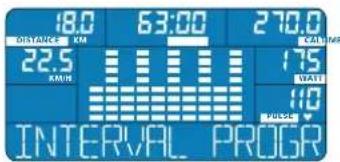
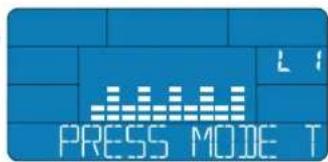
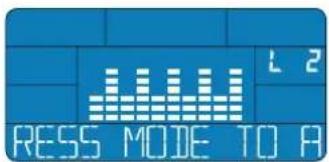
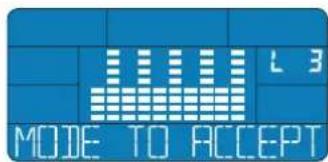
Bn6ip nporpamn
HaHCHiB CTINbKn pa3i Ha KhoNky PROGRAM, nOKn B INhOpMauiJHcTpiuJ He 3'ABNTCB HADINC INTERVAL PROGRAM. HatncHtB Ha perytnatop-KhoNky, 0o6 nIITBePdntn Cai Bn6ip.
HanaorxdkeHH nporpamn
TnHabaHTaxeHH:nicraBv6opy nporpaMn lHTepBaHn Ha ekpani 6nMaC Tn HabaHTaxeHH (TnnL1,L2,L3).
-ПовернірperуларКнокустпьк раiz,在OKи nokazнк He doceHRe 6baJahoro Tny HabaHTaxeHHa. HatchTb Ha peryarop-KhONky,io6 NiTBePnTcBmBip.
Yac TpeHyBaHHa (TIME):PiCnBbOpyTnhyHabaHTaKeHHaNOHHe 6nMaTHnOKa3Nk Yacy TpeHyBaHHa (TIME).
- NopepHtB peryIaTOp-KHONky CTINbKn pa3iB, DOKN poka3nK He DocrHe 6aKaHO rO 3HaehnHaTNCHTb Ha peryIaTOp-KHONky, 106 nITBepePnCBI Bvbp.
Kinometpax (DISTANCE):Пияваденя уасу рehybaHH noHne 6nmaTn nokaHHKINOMETpaxa (DISTANCE).
- NobepHtB peryIaTOp-KHONky CTINbKn pa3iB, DOKN nKa3HNK He DocrHe 6baJahoro 3HaueHHa HATNCHTb Ha peryIaTOp-KHONky, W06 niTBePdHn Cbi BnBip.
Bntpata kanoipi (CAL):PiCn BBepeHH KINometpaKa noHHe 6nnMaTn noka3Nk BVtpan kanoipi (CAL).
- Nobeprhtb pernylntop-KhONky CTINbKn pa3i, DOKn nok3Hk He DocrHe 6aKaHO rO 3HaueHH. HATNCHTb Ha perynlntop-KhONky, I06 niTbepeHn Cbi Bvip.
Yactota nylbcy (PULSE): Iicna BBeDeHHB BuTpMaKAnOpi NoHc 6nmaTn noka3HKn Chactotn nyibcy (PULSE).
- NobeprHb peryIaTOp-KhONky CTINbKn pa3iB,doKniPka3Nk He doCnHc6baHaHO 3haeHH. HATNCHTb Ha peryIaTOp-KhONky, o6 niTBepeHnCBi BnBip.


ENERGETICS
Ihctpykui 3 ekcnnyatauik Komn'topepa
Cnpt nporpamn:nicra BBeDHHB CIX nok3HKB iHopmauiH CTpuu 3'8aBtbcn Hnnc START PEDALING -po3noohit BkoHaHH nporpamn.
3MIOBAAHNAnapaMeTpIBnIDyacTpeHyBAHH
IiHac TpeHyBaHH He MoKHa 3MiHOBAtn 3aHaH npaMeTpN. IiTpmyH TaCToTy NylbCy Ha pIBHi cJlboBOrO, 3MiHIOUH INTeHCINBHCt b OeptAHH nepaen.
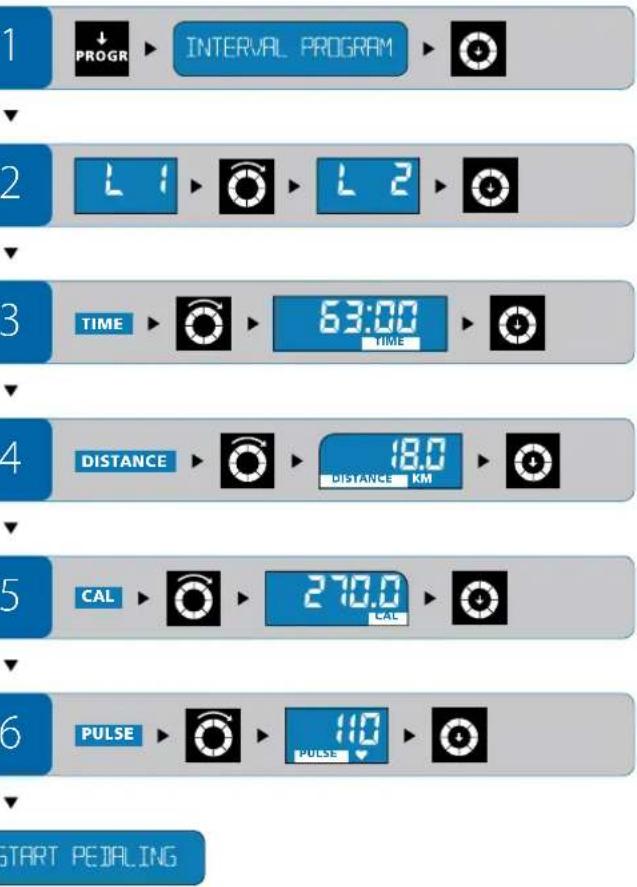
WATT PROGRAM
BaT
XapakTepuctka nporpamn
Bn Bn3NaHaeTe npOyKTHBHCb (WATT), 3 JKOIO xOHTe TpeHyBaTnCA.
- Pporpama BaT ABTomATMTHO 3MHIO HabaHTaKeHHa 3aJIeXHO BID IHTeHcNBOHCTI O6eTpAHn PeJANE TAK, IO6 TpeHyBaHHB BIDyBaONC 3 ODAKOBIO3daHOIO NPOdyKTMBHICTK.
3aHny npOyKTHBcHb MoKHa 3mHOBaTn nIq TpeHyBaHHpeYJTO pOM KHOIOKO.HuI npAamETpN II qac TpeHyBaHH He 3MHIOOTBC.
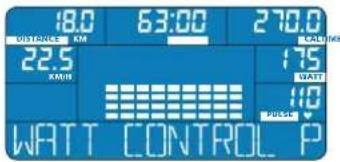
Bn6ip nporpamn
HaTnCHiB CTINbKn pa3iHa KhoNky PROGRAM, nok B iHOpMauiH cTpiu He 3'ABtbc HApnc WATC CONTROL PROGRAM. HaTnCHiB Ha perynlTopKhoNkY, u6 nbTBePntn Cbi BNbip.
HaarodxkeHH nporpaMn
PpOdyKTnBHiCTb (WATT):PiCnBaB6opy nporpaMn BaHa ekpaH noHc 6nnmATn POKa3HN PpOdyKTnBHOCTi (WATT).
- Nobeprhtb peryntop-KhONky cInbKn pa3iB,doKnioka3HKe HocHHe 6aKaHOrO 3HaueHH. HaTCHITb Ha perytapop-KhONky,io6 niTbepeHTn CBH Bn6ip.
YactpeHyBaHHa (TIME):PiCnBaBedeHnHa npOdyKTHnHOcti Ha ekpani 6nMaE IOKa3HnK Yacy TpeHyBaHHa (TIME).
-Поверніп ретултор-Kногк CTINь крazгн He dochHe 6ажано знayehн. HatncHIT ha perylntop-Khongky,wo6 nTBepeuNTn CBH Bn6ip.
Kinometpax (DISTANCE):Пия BaedeHHa cY TpeHyBaHHa NOHHe 6nMaTH nokazHKinometpaxa (DISTANCE).
IIOBepHtIbpeyIATop-KHONky CTINbKn pa3iB,DOKNIOKa3HNK He DocarHe 6aKaHOrO 3HaueHHHaTNCHTb Ha peryIATop-KHONky,iooNITBepeDnCBI BnBip.
Bntpata Kanopi (CAL):Iicra BBeDeHHa KINOMetpaKa noHHe 6nMaTn nok3nK BntpTaN Kanopi (CAL).
PiobepHtBperyIaTOp-KHONky CTINbKn pa3iB,DOKN POKN OOKa3HNK He DocrHe 6aKaHOrO 3HaueHHaHTNCHTb Ha peryIaTOp-KHONky,IO6 nITBepePnTcBn Bn6ip.
Yactota nylbcy (PULSE): Iicra BBeHnBntpaN KAnOpi Nohe 6nnMaTn noka3nK hctotn nybcy (PULSE).
- NobephiB peryIaTOp-KHONky CTINbKn pa3iB, DOKN nOKa3HKn HE DocrHe 6baKaHO rO 3HaueHH. HAtncHiB Ha peryIaTOp-KHONky, IIO6 niITBepeDnTcBn Bn6ip.
Cnpt nporpamn:PiBBAeHNNBCiXnOKaHKnB iHOpmauiHnCTPiH 3'BBNTbCA HAnnc START PEDALING -po3noHnTB BkoHaHHn nporpamn.
3mHOBAHn npaMeTpib nid ac TpeHyBaHH
PpOdyKTHBHCb:3MHNIT3aJAHy npOdyKTHBHCb (WATT) MoHa y 6yHb- KMyMTb TpeHyBaHH.
PiItpMMyTe Hactotry nyIbCy Ha piHi zIbOBoro, 3MIHOOHN oKa3HIN npOyKTHBHOCTI.


ENERGETICS
Ihctpykui3 ekcnnyatauii KOnn'torepa
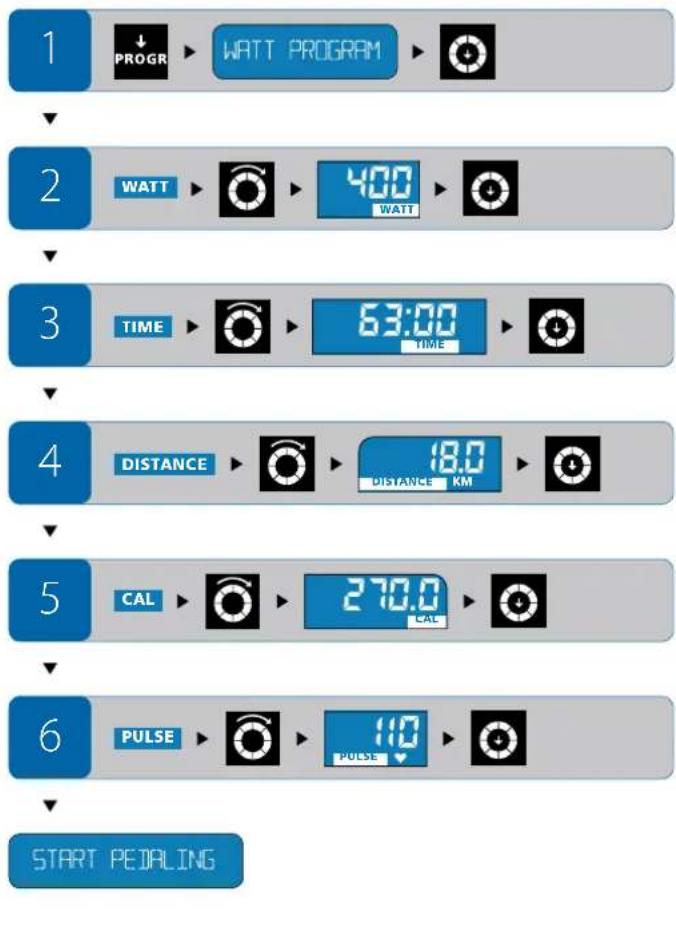
HRC PROGRAM
Kapdionporpama
XapakTepeuTka nporpaMn
Bn Bn3haeTe niboby TaCTOy npbcy, 3KoIO xOHTpeHyBaTcA.
3anaHn npaMeTOn 3MIHOBATn nID qac TpeHyBaHHr He MoXHa.
Kapionporpama cama 36inbiny a60 3MeHuye HabaHTaKeHHa 3anexHO Bn nokaahnka npbcy. AkiuakTyalha hactota npbcy 61nbua 3a liiboby, HabaHTaKeHHa ABtOMaTHO 3MeHuiNbCA.
AkyaIbHa cactota nIbCy MeHua IbBoi, HabaTaKeHH 6yde aTOMnHO 36InbUyBaHcN, NOK Yactota BaIoro npbcHy He niimMetbcr do piaH uibBooi.
HABITNIMAKCIMAbHO HABAHTOO YACTOTAYbCy HeocraL 1inboBOrO3aueHHIHTeHCUNBHIe OepeTae neanl.
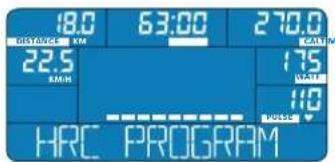
Bn6ip nporpamu
HaTnCHiB CTInbKn pa3IB Ha KhoNkY PROGRAM, nOK B HΦopMauiHni CTpiuH He 3'ABiTbcra Hapnc HRC PROGRAM. HaTnCHiB Ha perynrTop-KhONkY, uo6 niTBePmtn CbiB Bu6ip.
BnKohnyuOu nI pOrpamy, o6OB'3KoBO Tpe6a TpIMaTn pyKn Ha ceHcOpax npIbcy a6o HAdITN HarpydHn KApDIOaTmK (kyNyETb cAOKpEmo).
KoXHi 10 cekyH KOMNIOTEP NopiBHeO Bau nyIbc 3 zuIbOBm/3a daHMM. Tomy 3nH pIBH HabaHTaxeHHN OTpi6eH DeAkn yac.HaBt bAIO 3amipAHn Iybc Dxye BiDpI3HaTcBc BID uJbBOrO, KopuRyBaHHra HabaHTaxeHHN BiD6yBaETbCnOCTynoBO,a HE BOHOAc.
Haaropdxkenn nporpaMn
Yac TpeHyBaHHa (TIME):ПиЯ ВИБОу KapДIоргам Ha ekpani 6nMaC nokazHn Yacy TpeHyBaHHa (TIME).
-Повернічyperуларк-Kнонксгпькпаizb,дokипokа3ннк He doceHRe 6жанorO 3haeHHaTchHbHa perylanrKhONky,цo6 niTbepeHn CBiBnBip.
KINOMETpax (DISTANCE):Пиь BAeHnH HAcy TpeHyBaHnNoHie 6nMaTn nOKa3HnK KINOMETpaxa (DISTANCE).
- NopephiB perynatop-KhONky cInbKn pa3iB,doKn nok3Hk He DocarHe 6axaHoro 3haeHHHaTncHiB Ha peryaTOp-KhONky,io6 niTbepeHn Cbi Bn6ip.
Bntpata kanopi (CAL):PiCnBaBedeHHKINOMetpaKa noHHe 6nnMaTn nOKa3HmK BntpTaN Kanopi (CAL).
- Nobeprhtb peryntop-Khonky ctnbkn pa3ib,doKn nok3Hk He doCrtHe 6aKaHO rO 3Haehn. HAtnchtb Ha peryntop-KhONky,io6 niTbepeHtncBn BnBip.
Yactota npbcy (PULSE):IicnBBeHn BntpaN KAnOpi noHe 6nMaTn nok3nK cactotn npbcy (PULSE).
- NObepHITb peryIaTOp-KhONky CTINbKN pa3iB,DOKNI KOKa3Nk He DocrHe 6aKaHOrO 3HaueHHa HATNCHTb Ha peryIaTOp-KhONky,IO6 NiTbepdITn CBH BnBip.
Cnpt nporpamn:nicra BaeeneHHBcix nok3HKnB HfOpmauiHcTpiu 3'8aBtbcnHaPiNC START PEDALING -po3noohHbVKoHaHH nporpamn.
3MIOBAAHNApaMeTpiB nIac TpeHyBAHH
PiJtac TpeHyBaHH He MoKHe 3MIHOBaTH 3aHaJI npAmeTpN. Bn MoKTe IdoatKOBO BIIINBaTH Ha cactOly CBOIpy CY, 3MiHOuN iTEHCMBHICTb 0eepaHH neJaJIe.
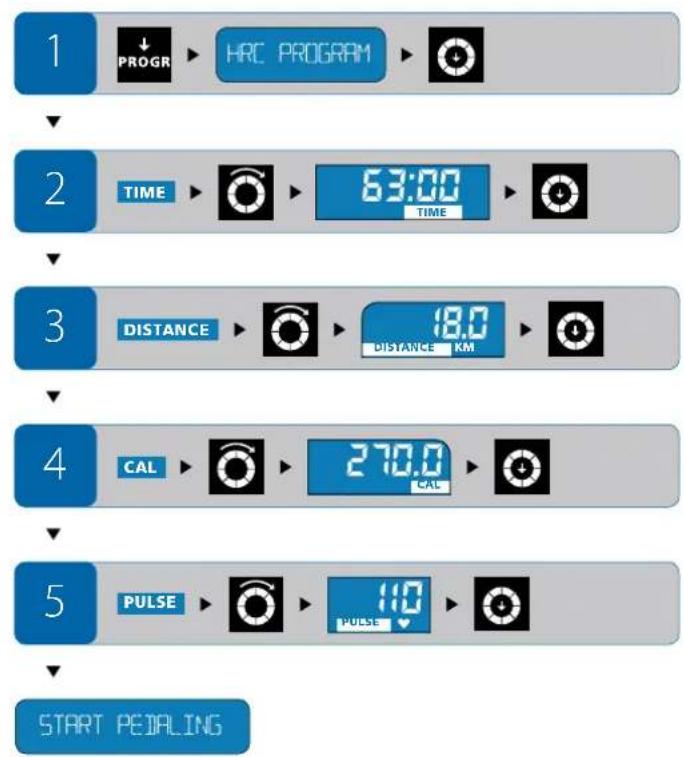

ENERGETICS INCTpykua 3 ekcnnyatauii komn'otepa
CLIMBING PROGRAM
Ckelena3
XapakTepuCTnKa nporpamN
Bn Bn6npaeteOINH3-3-XpHOMAHHTNTHTNIB HabaHTaKeHHa(L1,L2,L3). TIN HabaHTaKeHHaBnHaactbcaDO NOuATky TpeHyBaHH.
3anaHn npaMeTp n iq Yac TpeHyBaHHa 3MiHTn He MoXHa.
3MiHa npOdyKTHBHOCTI (WATT), kA BiIONBIAe oOc6nIOBCTM 6paHOro TNY, BIDyBaETCB ATOmatuH OOMT'OTepom E-205, 3aENKHO BID HabaHTaXeHHN ITeHCMBHOCTI 6eptanH NegaJIe.
- NopibHIOIe AkyaIbHy HAcToTy BaWo rnybcy 3 uInbOBOIO i BIDNOBIOHO 3MIHOte INTEHCINITb OeptAHnnepe
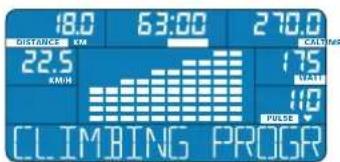

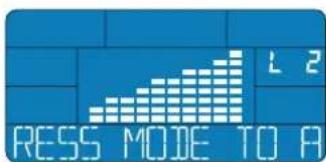
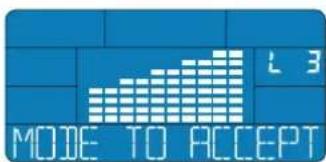
Bn6ip nporpamn
HaTnCHiB CTInbKn pa3iHa KhoNkY PROGRAM, nokn B InHfOpmauiHn CtpiuHe 3'ABnTbCn HApnc CLIMBING PROGRAM.HaTnCHiB Ha peryIaTOp-KhONk, uo6 npTBePun TcBn Bu6ip.
HanaorOkeHH nporpamn
Tn HabaHTaxeHH: NicBnB6opy nporpaMn CkeIena3 Ha ekpaH 6mmac Tn HabaHTaxeHH (TnnL1,L2,L3).
PoeepHb perynTOp-KhONky cInbKn pa3iB,doKni nokaHk He doocHHe 6aKaHOro TmNy HaaHtAxeHHa. HAtncHb Ha perynTOp-KhONky,io6 niTBeepNTn CbiB BnBip.
Yac TpeHyBaHn (TIME): Nicra Bn6bopy TuNy HabaHTaxeHHHa EkpahI IOue He 611MaTn Ioka3HnK yAcy TpeHyBaHn (TIME).
- NopepHtB peryIaTOp-KhONky CTINbKn pa3iB, DOKn NOKa3HKn He DocrHe 6axaHOrO 3HaueHHa TnCHtB Ha peryIaTOp-KhONky, IooN iNTBepeHITn CbiB B6ip.
KINometpax (DISTANCE):Пиь BAeHЯ HAcy TpeHyBaHH noHHe 6nIMaTn nOKa3Hk KINometpaxka (DISTANCE).
- NobepHtB peryIaTOp-KhONky CTINbKn pa3iB, DOKN nOKa3Hk HcDOcHHe 6axaHOrO 3HaueHH. HaTCHtB Ha peryIaTOp-KhONky, W06 niTBePdHn cai Bn6ip.
Bntpata Kanopi (CAL): Nicra BaeedeHHa KINometpaKa noHHe 6nmatn NOK3Nk BNTpTaN Kanopi (CAL).
- Nobeprhtbperyntop-KhONky CTINbKn pa3iD,DOKN NOKa3Hk HE DOcHHe 6baKaHOro 3HaueHH. HATCHITb Ha perynrtoP-KhONky, W06 NiTBepeHn Cai Bn6ip.
Yactota nynbcy (PULSE): Ncra BBeDeHHBnTpN KaOpi noHc 6nnMaTINOKa3HKn cactOnnynbcy (PULSE).
- Nobeprhtb peryntop-KhONky cInbKn pa3iB,doKniokn3HkHe doCnH6axaHO 3HaehHH. HATCHITb Ha peryntop-KhONky,0o6 nTBepePnCBi Bn6ip.
Cnpt nporpamn:nicra BBeDennBACIX NOKa3HKnB iNΦopMaunH CTPIU 3'ABNTBCa Hauinc START PEDALING -po3IOuHb BNKoHaHH nporpamn.
3MIOBAAHNAnapaMeTpIBnIDyacTpeHyBAHH
IiHac TpeHyBaHH He MoKHa 3MiHOBAtn 3aHaH npaMeTpN. IiTpmyH TaCToTy NylbCy Ha pIBHi cJlboBOrO, 3MiHIOUH INTeHCINBHCt b OeptAHH nepaen.
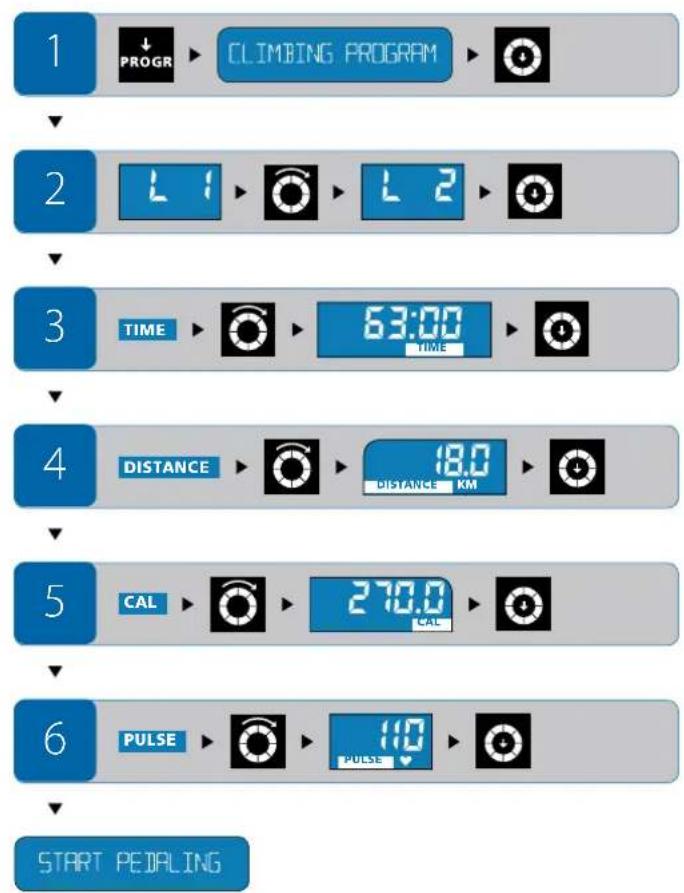

UK

ENERGETICS
Inctpykui3 ekcnnyatauii kOmniTopepa
BMI-IMR-FAT PROG
PozpaxyHok
NOKa3HnKIB
XapakTepuCTnKa nporpamN
Ha nictabioocobnix daHHX KOMNIOTEp po3paxye nna Bac BMI, BMP, a TAKOX BmCT Hpy B OpraHIMy BjDCOTkax (FAT %).
BnKohyBaTn TpeHyBaHHa n po3paXyHKy NOKa3HKnIB He o6OB'3KOBO.
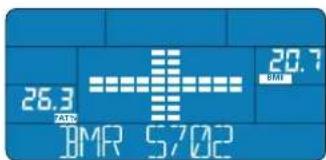
Bn6ip nporpamn
HaTnCHiB CTINbKpa3Ia HKnONky PROGRAM, nOKu BInHOpMaunHcTpUcJI He 3'ABNTCBaHApNC BMI-BMR-FAT PROGRAM. HatncHtB Ha perylAtoP-KhONky, uO6 niTBePmTT CBI BvBip.
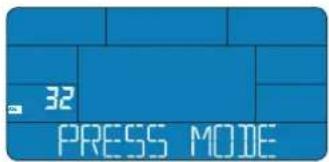

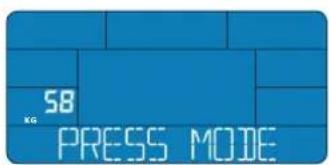
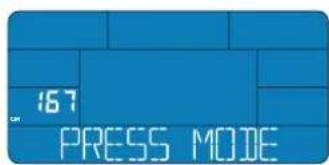
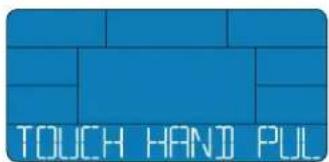
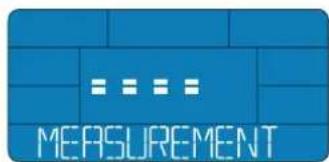
HaarodKeHH nporpaMn
Bik (AGE):ПсИЯ BИБОРУ ПОПЕРСАМHAЕКРАПбIMмe ПИКаЗнIK BIKY (AGE).
- NopephiB perynatop-KhONky CTINbKN pa3iB,doKn noka3Nk He 6yepeBHN Bawomy BIKOJI. HATNCIb Ha perynatop-KHONky,IO6 NiTBePmtn CBI IN6ip.
CtB: IicnBa BBeDHH Bky noHc 6nMaTH npaMeTp cTb.
- NopepHITb peryIaTOp-KHONky, noKHa eKpaHl He 3'ABNTbC MMBOn ,OHOiK" a60 ,KiHKa". HaTNCHTb Ha peryIaTOp-KHONky, o6 NiD TBePdNt CBI Bn6ip.
Bara (KG):ПсИЯ ВИБОРу статио He 6nMaTи nOKa3Hn Baru (KG).
Pobephi bperyataop-Khonky cintbpa3i,doKn nokaa3nHKe 6yepeBn BawiiBaaiHaTncihbHa peryataop-Khonky,io6 niTbpntcBvB6ip.
3pict (CM): PicnBBeHeHHBaHn noUHe 6nnMaTu nokAzhNK 3pocty (CM).
- NObepHITb peryIaTOp-KhONkCy CTINbKn pa3iB,doKn noka3HnK He 6yde piBnB Baaomy 3pOCTy. HATNCHTb Ha peryIaTOp-KhONkY,io6 niTBePdntn CbiB BN6ip.
Tene nporpama nonpoxae Bac yarntc pykam 3a cehcop nybcy: B inphiopmauiH CTiPi 3'ABNTBC HADNCC TOUCH HANDPULSE SENSOR,
BibmibcpaKam3a ceHcnp nybcy. Upe3 deekilbca ckyHd Hnnc B IHopmauiH CTpiu 3minHbcb Ha START MEASUREMENT WITH MODE
HaTNCiThBa perynAToP-KHONky, nicr yoro Bjdpa3y X Bi3bMItc pykAM 3a ceHCOpNpybcy -po3noVHeTcBpo3paxyHOK NOKa3HKnIB.
Tpmae pykna ceHcopa xdo tnx nip, noKaHa eKpaHHe 3'ABnBcR po3paXOBaHI noka3nKn (BMI, BMR i FAT %). Po3paxyHok noka3nKIB Tpnae deKeIbka cekyHd.
I zo6 po3paxyBatn POKa3HnK, Heo6xjIoHO TpMAtuca pykAm 3a ceHcOpn Pybcy. Lc Heo6xjIoHO y TIM BnnaKky, Ako Bo KopucctyTeec HarpyDnHM KapJioDaTnKOM.
Y deaKnx BnnaKkax, KOnI ceHcOp nIybcSy He 6ynn cnpomoxhi BnKoHaT ToUHH Bmip, Ha Iucnnei 3'ABITbCn NobIDOMnHn npo nomnk (ERR). 3BonoXte doLoHi pyk i 3HOby 3anyctitb nporpamy.
1

IMI-BMR-FAT PROG

2


3




4


5



6
TOUCH HANIPULSE SENSOR

7
START MEASUREMENT WITH MODE


ENERGETICS
Ihctpykui 3 ekcnnyatau kOmN'otepa
IIndekc Baru tina
Indek Bann (Body Mass Index, BMI) po3paxobyetcba 4oepmyio: Barokopucrybaca (kr) / 3piC Kopucrybaca2 (m)
Ha Noro NiDCTaBI PO6nTBcB HNCOBOK, MaTe Bn HopMaIbHy, HaMIPHy qN HeIOCTaTHO Bary. HAcTyNH I DBI Ta6NIuI DonOMOxyTb Bam BiPHO TnyMaHTB BAI BMI.
| Hopmans ニokedhik Bmi pour p3horo bky | |
| Bik hopmans | BMI |
| 19-24 pox 19-24 | |
| 25-34 pox 20-25 | |
| 35-44 pox 21-26 | |
| 45-54 pox 22-27 | |
| 55-64 pox 23-28 | |
| 66 bis 64 pox 24-29 | |
| Тусячения | |
| Дисторía < 15 | |
| Небра в罕 < 17,5 | |
| псокордяba zona < 19 | |
| Нормалнаа aara 19 - 24 | |
| Баяа bara 25 - 29 | |
| оградICTb 30 - 39 | |
| Ожирать 40 > |
Hopma6a3oBoro 06mHypeOBN
Hopma 6a0BOrO 6mHy peoBnH (Basal Metabolic Rate, BMR) -e KInbKictb eheprI, kA Heo6xHa opraH3My Ha doby, uO bntpmyBatn XHTTCdIINb HcTb. Ppi cybomy npnyckaiToB, 0o opraH3M haxodmbc y cTahi NobHor oCIOKO, kYybiChi, N Temepatypa pniMiueHH CTAHOBHt 28°C. KInbKictb eheprI, kA Hacnpabdi Notp6Ha IIOHNi Ha doby, po3paOByETCBa k DObyTK Oka3HnKa BMR Ta KoepiieHcy AKTNBocTI (DVB Tablncu).
P03paxoBahi nokazHnKa daOb Bam HaroDy nepeBipTu y paizi notpe6m 3miHHTn CBOe xapuyBaHH.
RksoBn6aKaTe NOBEPHyT KOMN'OTep y NoaTkoBm CTah, HATNCiHb Ha KNOpKy RESET uYtpMuyte II Ha npOra3I 4-X cekyHd, DOKn He npOlyae 3ByKOBn CnHaI I Ha dncPiNeI He 3'ABnAIBcRa NoaTkoBi HAcToPouKn Bpuo6Hnka.
ПитаннэТаВдповidi
A K C K H Y T N O K A 3 H N K U?
1.CkndaHHBcixnok3HKnIB:HaTncHtB hKaKhoNkyRESET ytpmMyte ii 6bnue 4-x cekyH. Yci nok3HKnB cyNyTb cKHyTi Ha Hyny.Yci He3anam'rTOBaHi daHI 3NHKyHTb.
2. BIDKIOeHnB iD eNkTpOmepeXi: RIO Bu BIDKIOUHTe KOMNIOTEP BID eNkTpOmepeXi, a nIIM 3HOBY BIKOUHTe IORo, BID6yTebC KNDaHHN NOKA3HKnIB Ha Hynb. Yci He3anaM'TOBaHd AHI 3HKNHyTb.
YIMOKH3po6nTnepepyy TpehyBaHH/nporpami?
KuBo XoYeHaJeKm Yac 3ynHHTn TpeHyBaIbHy nporpamy,06 notim 3HOBy npodOxHITn II, HATNCHTb Ha KONky RESET.
KOMNTOEP 3anaTae NOKA3HNIK.
Yepe3 4 xBNHIN H6e3dIaHbHOCTi DcCnNe BIDKIOHTbcr. KOMNIOTeP nepeyde y pekm OHkyBaHH.
Bn 3MoKeTe npoO8XHTpEHyBaHHRAKIO 3HOBy HaTNCHeTa KHOIky RESET.
!PnIpepBaTpeHyBaHna6e3HaTncHeHHa Khonky RESET npn3Bede do TORo,io uepe3 4 XBmHn 6e3dianbHOcti Bci dahi 3NHKHTb, NOKa3HNIc CTaHYt HylboBMn.
Ak o6paTu dny ce6e TpeHyBaIbHy nporpaMy?
KJIOI DIA BIBOpy NpORpaMn Bam He DoCTaTHbO nepenHEnx Tyr IcTpyKU, 3BepHIbCdo HAIoro KOMNAKT-DmCKy „Personal Training Instruction", AIKI pONHOye DO BAIoi YBaRn UcJIeHHy IHOpMaIIO IIoNo npOBeENHITpeHyBaHb.
TaKoX 3BepHbC8 3a KOHCyIbTaIeIO cBOI nIkapA. BIn dOnomOke BamCKnactnIHdNbiDyIbHy CXemy 3aHrTb 3ypaxyBaHHM mEnHHnx acneKtB.
BmipobaHn qactOTn nybcy - m MoKHa BODHOac po6ntu Bmip ceHcOpamn nybcy Ta HarpdyHM KApdiOaTtKOM?
KuO Bu OndHocHO KOpNCTeCb 6oMa MeTODAMn, To6To HocHTe HarpydHnn KApIIOaTHN DnA BmIpIOBaHH Nylbcy iB ue Jxac TpImaTeCb pyKaMn 3a CeHCOPn Nylbcy, KOMnIOTep BiO6paXac BmIP, 3po6NeHn HarpydHnn KapIIOaTHNKOM.
Ak Mehi BBCTn B KOMN'IoTeP cBoI napaMeTpU?
Bawocobnti npametpn notpi6Hn nnporpaMn Po3paxyHK nOKaHNKIB. Bbeepitb zu nporpamy N BBeDItcBoN OKa3HNK 3a BKA31BkAMN KOMN'IOpeA.

ENERGETICS
Ihctpykui3 ekcnnyatauii Komn'torepa
CepBicHe 06cIyroByBaHHa
UcyHennHeNoJikB
Tobidomlenn npo nomnyk
E: BiccyTHI CnHn nI yac po6oTn nporpaM OuiHKn cnoptnbHOI nIgrotOBKn.
ERR: Biccythin cinHan nizacpobotnporpaMn Po3paxyok nokaaHkiB. ERR2:Biccythin 38'30k mix kom'tepom i nnaTOIO TpeHaXepa a6o nnata Bmwnla 3 nay.
Donomora: HnB. HxKHe po3in BiccyTHe 306paKeHHa HdnCnnei"
BicyTHe 306paKeHHHa dncnnei
- NowkoJKeHc3B'3OK 3 eNeKtpomepekeio. NepeBipTe Bci 3cHaHHA.
-ⅢAe 3cHHe NoKdKeHo, a 06paKeHH Ha ekpaHI bIDcyTHc, Aki paHIe, 3BepHbCn Do Hauoro ToproBOr oAreHTa.
Yactota nplbcy (PULSE) He bio6paKaeTbcra a6o xu6Ha Bumip noka3HKnB ceHcopam nplbcy:
Moknbo, bicythi KOHTAK MIX DOHOHm pyk i cehcopam npbcy.06nDblpykn NobHHIOHOuOaCHO 3HAxoNTnCA Ha ceHCopax npbcy.3o6paKeHNHa eKpaHI Moke 3'RBINTCn 3 He3NaHNO 3atpIMKOIO.
-NepeBipre 3'eHaHHKa6enib.
Moknbo, Bawi donoHIO 3OBcIM cyx. TpoxN 3BOJoxTe ix.
Bumip noka3HnKIB HarpyHnM KapIoJaTcuKOM (kyNyTeBCa OKpEmo):
He BcHarpuydiKapdioaTnKn,kiEyipodaxy,CymiHi3KOMITopepOM E-205PionepeDnbo nepeBipre,Ha kiiJacrToI npaOe Baaw KapdioaTnK; BOHa noBNHn3haxoDnncy dianaoHI 5,4-5,7Tu.
- Emeent XnBHeHH HargyHOro KapDioaTnKa po3pAIBc,notpi6Ha 3aMHa.
Tpannocdobinbhe BIMKHeHHa KOMn'IOTepa
Dyke piKo, nepeBaxHo NiI qac nepeNaHy HanpyH B eEKeTpOmepeXi a60 npnCTaTNHOMy po3Pdi, MoKe BiDyTcN DOBInbHe BMNUKaHH KOMNIOTepa. Ra npabINO, nicra Yboro KOMNIOTeP E-205 camocTIHO nepeBaHTaKyCTbc. RKOOMNIOTeP He nepe3aBAHTaXINBCr Cam, BkIOuITb Ioro BpyHy. NonepeHbO BNTARHtB ITEKeP 3 PO3eTK ENeKTOxINBneHH, 3aueKaIte Deekibka CEkyHd I BCTABTe ITEKeP 3HOBy y PO3eTKy.
Dorna
Cnikkyte 3a Tm, uo6 Ha KOMNIOTepe He notpanna piiHa. IpopoTnA KoPnyc KOMNIOTepe MaOxHa 3BONIOKeHMM IIMaTKOM TKaHHN. Ane He BIKOpNCTOByeIe IKnx 3acobia dnnuCTKn.
Texhuihe 06cnyrobyBaHHa
KoMn'tep He nOtepe6y cneiaIbHoro texiHoro 06cnyroBvBaHHa. PeryIapHo nepeBipAte nporohu ta 3'edHaHH a Bvdpa3y amHoiTe nowkdoKeHi detani. 3aIacHI detani Bu moke Te npid6aTu y Hauo ToproBO areHa.
Navodila za uporabo E-205
Vsebina
Spremna beseda 02
Legendada 03
Zaslon in symboli nazaslonu 04
Watt program = Watt Program 18
Program za kontrolo srcnega utripa =
Heart Rate Control Program 20
Program za plezanje = Climbing Program. 21
Program Indeks telesne mase/Poraba energije-mascobe
BMI-BMR-Fat Program 23
Program za okrevanje = Recovery Program 26
Premor, pavza/prekinitevadbe inresetiranje 27
Varnost 27
Spremembana drug program
Ce zeite iz naica za hiter zaetek (Quick Start Mode) preklopiti na drug program, na rahlo pritsnite gumb RESET. Zatem s priti-skom na gumb PROGRAM izberite drug program ter vstavite vase osebne namestitve.
USERUorabhiski program User Program
Ta program uporabniku omogoc, da ustvar in shrani svoj oseben program yadbe.
INTERVALNPi program = Interval Program
Intervali program (Interval Program) belezi konstantno spremembo med napetostjo misic in okrevanjem.
Upor se periodico povecuje in zniuje.Osnovni cilj tega programa je, da si misice po obdobju neke vadbe hitro opomorejo.
Watt program = Watt Program
V tem programu se bo upor (nivo moci delovanja naprave) uravnal samo-dejno v skladu z ritmom (stewilom obratov, vrtljajev). Zaradi tega uporabnik trenira s trenutno izrazenim naporom oz. mojo.
Kadar boste pedalirai pochasneje, bo upor narašcal, ce pa boste pedalirai

ENERGETICS
Navodila za uporabo
TOUCH HANDIPULSE SENSOR

7
START MEASUREMENT WITH MODE


BMI = Indeks telesne mase
Indeks telesne mase (BMI = Body Mass Index) je rezutat naslednje formule:
Teza (kg) / Visina (m)
Sigmavee c epwntjoeic 31
Eoic 32
Avixveon 32
Φpovriδa 32
Euvnpn 32

Odyiec xpioeos
Eiayyn
Ayanttoi nελάτε,
Oauayalopue yia thy ayopa tnc evkataaonc fitnes ENERGETICS. O unoloyiatnc, oac npoeppei meyalo apibuo duvatotntuv ia thny anoteAeapatn npoovnon kai nvy akpiBte on thiopwhan tnc npoovnan aac, naTote oupwa peic aogunkec, kai tic enitouvikev woeic Ta npoypapata npoovnonc ba oac uioBonnoouv otic pvadec npoovnonc Kaowc kai stov npovpaatiquo th npoovnonc etai wate va npopeete va npoayldeTe n myiOn anodotikoteta.
Ta non puoiueva npoypaumata npoovnanc npopeite va ta diopowerte mvoi cac,ce diapopa onela n npopeite va eioyete to biok oac aotikopnpoypma.
Meta6o aalwov unoloyiortic metpaeio to diko oac BMI, BMR kai thy avaloyia tou owatikou oac lioc. Me tv onoloyioio twv tiow avakntnc mnpoeite aneueiac va napakooueite thv beaioon tnc quokn cac kataota n noia 0a enaveo e, eoov 0a npontovrte ouotnatk.
H npouoa odnyia ouvayonke peovrtida, kai wc uumnnpwa ota texvika hepata xnpoewc, npiexei apketec ouuouc, kai odnyieyia tv npontovnoac, ta onpeio auto tha taeque va oac emionavoume, niuc yia dacc aentoupeic nnpoopopiec oxetik a ty npontovnon kai tnnpopaaupatouev npontovn tha ppeite oto CD ENERGETICS "Personal Training Instruction".
PnV TnEvapEn Tn PpOvmoN CpOeKtKa DiaBae Tc Odyie CxHNC Tou UIOAOYiAtn.
Sac EuyOpaTe apKeTdeltaaon kai Ettua kata n diApkeia nC npoVnang, me Tn Evkataotaon fitnes ENERGETICS.
HouadacocENERGETICS
ENeEynon ouuβoλwv
ENERGETICS Odyiecs xpnoewc
avlotaonkai oke kaemuovadaouxpovouvaKaBopiaTe tv avlotaon TuyTNTAIW.
Tic, povadec, xpovou/povadec, avtiotaan, nou exou npoypaumatiotei npiv ano Tny evapn Tnc nponovnonc, mnpoeite va tic diopwve kata tn diapkeia Tnc nponovnonc.
InTeTIOPOVpuaAiaotma
To npoyopma auto dive epaon otyn ooiopnp enaayn pntc EApuvongkTNC avaktnnc.
Havtoan tow nataiow BaOmuai auEveTai nieWteai.
O toxoc tw npovnoew wiaotmuoc elvain yprnyopn avaktnon meta tvnBapovon.
E oxoan e to enine do ntc quakn kataotaou atouou nuponovitea, o nponovoeic diaotnauw ekteauvtai de diapopec kiaukec tnckapia
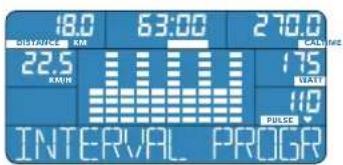
H nponovn niaotmuatoc xapakntpoiceta wccaaimnc,ayoepvo «daiemuia yia oaiBn.Auro emipda idiapeka aodtoaoutna Tc Kukaoopopacouaiatoc.
HtpoypaWatt
Tn npoypaWatt n avitanaon Tuv netaiv (baepocavitotaanc)
biopwvetai autopa tae oxen me tvxunta natae ta netalic, etoi
wote va mopeite va npomovntoe ouvexiae ie tic tucic ano0oancou
puhoioate.
Ednata ta netaia apya, anvtotaon tvw netaiau uacavetai, expocov natae Ta netaia ynpyopa, anvtotaon neivetai.
Me ton Bongeia Tou Kukaiou nAnKtpou enoaync mnpoeite va Eioayente tvn ano0on (WATT),muyn oioia 0EaTe va nponovnte,ce diotu oTepe a no 5 watt. Eav o apuyucoc ac eenepeei TM dikn oac myiOn tni auvotnta,avaBoaPvei o deikt opuyuo.
HepoypaKaipaiakc ouxvotntac
To npoypaumapeEeayxoTnc Kapdiakn ouxovntacac Bona etai wote va nponovitepe Tnv ouotn Kapdiakn ouxovnta, tvn oia anpiv pubioate.
Eivaepikto xapic oiaipkne Aeyxno kapdiakn couxvtntac.Tautoxpova o uoloyotnc aavein nei wvei nvi avitotaon twv netaiwv, kai e eapTu on me th dkioc auvohta no natate ta netaia.
Epoov tvn tniou puoulaote nTv npoeayloe Tnv Eepaete, 0a apxio va avooobriveo oekntc kai avlotaon twetauw th e
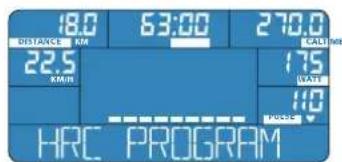
Too, wote va diatnpnoe to nao oac orn n npuouevn m.
100 npovpu avaaboc
H nponovon xapaknpctai ano tv opoiopoppn ouxovnta neyn oonia natae ta metia. H aviptaon twv metaiw evial oxetika yevan
H aviotaan twy netaiw kata to teao tnc nponovnong oupwa me ta 8edoueva oto npoyapma avbaoc, ovexwacuavetai.
TTOXOC EVAI N 8nIOUpyia KAP8IOAAYEIAKc, Duvapeic, Etai wote va ouvnOIE-TE Touc EAappoc aBoaoup,puoouc.
H nponovn npxie o ennebn nmpaveia, naivotao n biapkcaauavat aepvi naooyio to npnAotepo bafo.
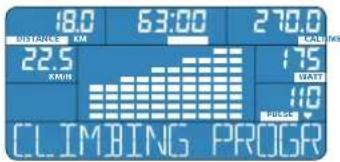
IMI-BMR-FAT PROG
Ppaa
BMI-BMR-λiio
O unooyiooc twiupw BM-BMR-eptnon tou owpatikou linouc oac BonKa taTnV taivovponon tou owpatoc ac Ka kata nTv anodotkotna, Eianc ka Tnv avaCthnon Tou awotou npoypapatoc npontovnnc. Te to oto nepiexapevo npotovnnc.
O uOLOyIOIc, UOLOAYIe auppuva me Ta dka oac npoawnikda tOIXEa nou 8a eoadyte (nAikia, qAo, owauNKo paooc kuiuoc):
to BMl (dEiktnc 2wpatiknMcMac)
TO BMR (Baoikoc PuOmuo,MetaBoAioo)
- to ωματικό λίπος (FAT %)
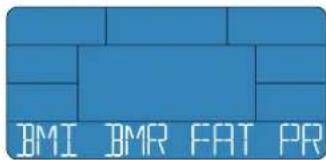

Oi tue couooyocvat otov unoloyoiin dev baolcovtai otic metrhooeic twv atipikwveBodov. Tia auto u npoei va diaqepov ano tic npayatikec tuec. Tia tic akpiieic iatpikec metrhoeic oubetaute TE yiatpoac.

ENERGETICS
Odyicxpioeos
RECOVERY PROG
Póvypaμa
avaktnonc
Me to npoypma avakntnonc diantotwve t ic kavotntte c nacavkntnoac H kavoteta avakntnonc eiv tipn, me tvn oioia mopeite va diamiotwoeTe TNY KATAOAN TNC Pauiknc ac kataoana.
Ekpaetai me Tn diapopa metaouc kapdiaknc auvotntac oTo tao, nnpoovnonk kal nTv kdpkiouxovtoa ta an6-8eutepeaaan avakinanc kata nAnenTnc nponovnonc.
loxueooyeauteepn eivain diaopapoo kauetepn eivain avakton, 8naoh evai kauteepn quaikkataotaan.
2Ta atopau nupnponovovtai oapuyuoieiwovvta nou npyopa ano 0T aTApou nou dev nponovovtai.
Eepooov Tepuatae Te npoynon oac me To npypaua avaktnnc, mpoite va diaiotwaete meta an6 6eutepeenta n quokn ooc kataotaan.
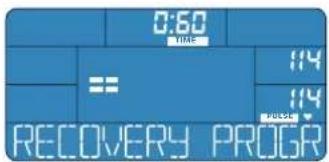
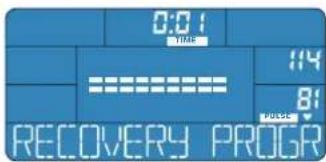
TOUCH HANDIPULSE SENSOR


STAR
T MEASUREMENT WITH MODE


BMI
△Eikntc-omegaKic,paCoc(BMI)ivai anotieAepa:
NWCnnpovvaEioaywTICpOoWNIKecmuTic?
Eiva anapaiin n iayuyn tw npouwikuv tiuov mvo st npoypaia BM-BMR-ainoc. EiieTe to npoypma kai eiyte tic tuec oac.

ENERGETICS
Odyiec xpioews
Σερβις
Avixveoan
EvdeIeOgαλμatoc
E:O unoayoiTNC dev exi oTo npoypaMa avayewwnoc nxtikdoa.
ERR: O unioaoyiortc, dev exei evseicn otyn kataoan Eayxou owpankou linouc.
ERR2: unapxei ouveon me t n mtpikn kaiou loayoiotkai tou uoloyoiotn exe i bαβn n nptpikn kaketa tou unoayoiotn.
Botheia: bene npakatw O utooioirotic dev ekeie aneikovioie.
O unooyiothc dev ekele aneikovioec
ExiaKoTei to nAekpiko peupa. EaeYETe 0AcTc ouvSeoeic kai ta Kaawdiouwdeonc.
EAVEXETEAUYEIEOACTICUONDOAIOIcEAKOLOUeVA mY EKTEAEATKEIKOVIOEC,EMIKOVVJOTMETOVNIAMTJNAECENERGITIES.
Hkapdiakn ouxvotnta (PULSE) dev anekovictai n dev anekovictai owtá
Metphoeic xponoonoiwvtac tov aothe npa nauov tou xepiou:
EeYTE TIV EApH TOU xepiou ME TOV aIOthnpa. Ka Ta Duo xepia 8n ppen va ToIOBETNOUV npalaa OTOV aIOthnpa. H Anekovion 8a exImuKn KaouTepon.
EAEyTe Tn ouvdeon Tou kawdiou.
Eev exete enpa xepia, eaixota uypaiveTe tic naAuec.
MetrhoeiXpnoiopoioWvTcT CwVn Owpaka (EiDIOK eONIAOIC):
- ev elav oec o wve cwpaka nov mawouta oubetae, mc tov E-205.
EeyTe, av ngwntwpaka eepneouvotnata piaia 5,4-5,7 Hz.
Hmuatapia tnc wvnc 8paka eivai aovajn n aea.
Katappeve o unoloyiotnic
Znávi μnapei va katappeuoe i o uoayoiTnc, kupic, otav unapexi metaBoln taon n λeKtpoataik EKKevwn. Suynhwc e-205 evpyoioietai movow tou.
Ekeleote enavekkivnon, eoov o utooayotnc dev evepyonothei ovo. Enionc apaiopeote to pic ano to idkuo, nepievete liya deutepolaeta kai tonoetne kai nai to pic.
Φpovtida
PooeE, Eot wote va un diappoeuv uypa onn ehkn Tou unoloyiat. Kaepiote tov unoayiot n e uypo navi. Mn xnpoiioite aeiavtik kaepiotika npoiovta.
Euvtnpn
O unooyiotnc dev anatei idikn ouvtipnon. Na eeyxete taktkaT n 0tahepota tuv biow kai twuovdeewv.Apaieote ta efaptnmuata nou npouaicouv baaB. Einkoiuvwne tov wanlnt ENERGETICS.
Sadržaj
Uvod 02
Pregled simbola 03
Displej i oznake na displeju 04
Kuciste 04
Montiranje iPokretanje 05
Korisnicki program 15
WATT PROGRAM Program - vati
Osobine programa
TOUCH HANDIPULSE SENSOR

7
START MEASUREMENT WITH MODE


BMI
Indeks tjelesne mase (BMI) se dobiva:
tjelesna tezina (kg) / tjelesna visina ()^2
Ovaj indeksPokaziva da II je osoba normalno uhranjena,pothranjena ill preti la. Na osnovu vrijednosti iz ovih tablica mozete svrtati svoj BMl.
Prljelaz u drugi program
Kada zeilerte iz rezima brzog pustanja preci u drugi program, pritisnite katko tipku RESET, te pritiskom tipke PROGRAM odaberite program i unesite parametre.
TOUCH HANDIPULSE SENSOR

7
START MEASUREMENT WITH MODE


BMI
Body Mass Index (BMI) proizlazi od:
Tjeesne mase (kg) / tjeesne visine ()^2
Navodi da li covjek ima normalnu tezinu, da li je predebeo ili pothranjen. Na osnovu vrijedosti u oba dve tabele mozete odrediti Vaš BMI.
TOUCH HANDIPULSE SENSOR

7
START MEASUREMENT WITH MODE


BMI
Indeks telesne mase (BMI) dobija se kao rezultat sledece formule: tezina (kg) /visina ()^2
IndeksPokazuje da li je neko normalne telesne tezine ili je pothranjen ili gojazan. Na osnov vrednosti u obe tabele mozte da se svrstate premasvome BM indeksu.
| Normalne vredosti za BMI prema starosnim grupama | |
| Starosna grupa normalan BMI | |
| 19 - 24 god 19 - 24 | |
| 25 - 34 god 20 - 25 | |
| 35 - 44 god 21 - 26 | |
| 45 - 54 god 22 - 27 | |
| 55 - 64 god 23 - 28 | |
| preka 64 god 24 - 29 | |
| Kategorija BMI | |
| Opasna | < 15 |
| pothranjenost | |
| Pothranjenost < 17,5 | |
| Grankha vrednost < 19 | |
| Normala težina 19 - 24 | |
| Prekonomna težina 25 - 29 | |
| Gojaznost 30 - 39 | |
| Bolesna gojaznost 40 > |
BMR
Bazalni metabolizam (Basal Metabolic Rate - BMR) je količina energia koju telo potroši za odžavanje osnovnih funkcija tokom Jednog dana. Vrednost važi za stanje potpunog mirovanja, njr. tokom spavanja i na sobnoj temperaturi od 28°C.
BknouBaHe Ha KomnIObpa 05
Cant, KOHpon, CnHaHn3npaT ToH 05
PexnHa nokoi .05
Bbp30 nyckaHe 06
OCHOBHn CTOHOCHTN OCHOBHn HAcTPOIKN 07
TpeHPOBbHn nporpaMn -fynKcIMn HacToPouKn 08
KaKBo e TpeHnpoBbHa npOpaMa 08
HINBnDnyanHn HactpokN/napaMeTpHa TpeHnpoKaTa 08
N3non3BaHe Ha TpeHnpoBbHnTe nporpaMn 11
H36op HnactpoikKa Ha nporpaMITE 15
HnBnDyanHnporpaM 15
PbHa nporpama 15
PporpamaHa noTpeBnten 17
PpeBaHnHO HAcTpoEH nporpaMn 19
Iporpama HHTepBan 19
Iporpama Watt 21
Iporpama CbpdeuHa yecToTa 22
Iporpama 13kaUbaHe 24
Iporpama BMl-BMR-ma3HnHa 26
Pporpama Perehepaun 29
PouBbKa/npEkbCbaHe Ha TpeHnPoBkTa n Reset 30
be3onachocct 30
YectnBbnpocn 31
CepBn3 32
OTKpnuBaHe Ha noBpei 32
Fpnn 32
Pdppka 32
yBOD
Ybaxaem KIneHTn,
Ja Bn e cctnta nokykata Ha nHTec cbopbHexeHTo ENERGETICS. KomnoTbptBn npdna MHOrO B3MOXHOCTN 3a CEHeHAcOeHa n pa3HO6pa3Ha TpaHCphiMaJHA BaWATA TpeHnpOBKa cbIacHO HAI-HOBITE cnpTHn Hauynn no3HaHn. TpeHnpOBbHnTE nporpamn Iue Bn nomarat npu TpeHnpOB BbHnTE eHNn, a CbIO TaKa n npu IIaHnpAHeTO HA TpeHnpOBKnTe, 3a da NOCTHTETe MAKcIMaJIHa eEeKtNBHOCT.
PepaHnHO HAcTPOeHNTe TpeHnpOBbHH NporpaMn MoTa Da Ce TpaHcΦopMnPaT INDINBnUaHNO Ha MHORO MecTa INN MOKeTe Da BBaEeTe COCTBeHa TpeHnpOBbHa NporpMa.
OcBeH ToBA KOMNIOBtbpbIe N3UcNn BAaHTe BMI, BMR n dana Ha TeneCha Ta MaHHHa. C N3MepBaHTo Ha cTOnHocCTTa Ha pereHepaun MoxTe DnpeKTHo Da CneHte Noo6pRaHeto Ha BaWata KOHduu, KoTo e HaCtbn, aKo TpeHnPate peDobHO.
HactoIte yntbtaHnra Ca BHHMaTeHIO 3r0TBeHn, a KaTo YnCTO TexHnuecko OncaHHe Ha ynotpe6ata CbDpKxAT MHO r HAcOKn 3a BaWATA TpeHnpOka. Tyk NCKame Da nocouM, Ye DoNtBnHTeHa NoDPo6Ha INfOpMaHna 3a TpeHnpOBkata N 3a INaHpaHEno Ha TpeHnpOBkata MoXe Ta HamePIne HA CD ENERGETICS ,Personal Training Instruction".
Ipea3aONoBaHe Ha TpeHnPOBkata BHHMaTeHo npOHTe yTbTaHTo 3a H3No13BaHe Ha KOMNIObpa.
IopKeNaBame Bn yDobonctBne Hycnex npu TpeHnpoKaTe C BaWeto fntHeCcbOpbXeHne ENERGETICS.
Bawnayr TMM ENERGETICS
06acheHneHa3NaUTe
QUICK START
Bbp30 NycKaHe Ha npOrpaMaTa
MANUAL PROGRAM
PbHaHnpoipama
USER PROGRAM
PpOpaMaHaNtpeBnteTae
INTERVAL PROGRAM
PporpamaHHTepBan
WATT PROGRAM
PporpamaWatt
HRC PROGRAM
Iporpama CbpeHa YecToTa
CLIMBING PROGRAM
IporpamaN3kaBaHe
BMI-BMI-FAT PROG
Pporpama BMi-BMR-ma3HnHa
RECOVERY PROG
Iporpama Perenepaia
START PEDALING
Пускан HeТрениковая

HaTnCHeTe 6yToHa Ha nporpaMaTa

HaHCHTe 6yToHa 3a peHepau

HaTucHete 6yToHa Reset

HaTncheTe 6yToHa Ha KpbryeTo 3a n3bOp

3aBbPTeKpbTHeTo 3a n36op

Cnoxete pbcet Bbpxy Daunka 3a bpHnny

ENERGETICS
YnbTbaHe 3a ynotpe6a
(C1) Ducnnne - n36pa3aBA BCNU BaxHN N3MepeHN N3NcNEH CTouHOCTn OyHKUN
(C2) PROGRAM -H36op Ha TpeHHPOBbHN pOprpAMn
(C3) RECOVERY - NyckaHe Ha n3MepBaHTo Ha CTOnHOCTNe 3a perHenpaHe
(C4) RESET
KpaTko HATNCKaHe Ha 6yToHa: yHKuIN NoHbKa, npeKbcBaHe Ha TpeHnPOBkata
- NoTOpHKO KpaTko HaTmCKaHe Ha ByToHa; npeKpaTbaHe Ha NOYIBKaTa, OTHOBO 3aNoVbAHe Ha TpeHINPOBkTa
IpoBnKHeHnHaTnCKaHcHa ByToHa(MN,4ceyHn):BCuKn cyHKmCE HaCTPOBaHHaHauJIHa CTOHOCT,KOMIObPbCe BkIOOBA OTHOBi,HHOPMaUraTa,KoTO He e 3anaMeTeHa B NaMeTTa, ue CE n3ry6n.
(C5) Kpbrye 3a n36op
- Upe3 3aBbPaHe HANBAO IIN HAJACHO: HAMANBATe IIN YBENHABATE CTouHOCTTa
-4pe3 HATNCaHe: NOTBbpxkdaBate 36paHata nporpama/CTOHOC.
3aHaCTpaHa
(C6)PULSEINPUT-NOHOKORA-3aBKNIOVAHeHaIaTHNITe3aPBCHNpyNCOTΦHTHEc-ypeNTe
(C7) Πbxaа ca epbka -pbska 3a 3akpebaHe Ha KOMIIOBpa KbM ΦHTHEc-ypea C nOmoTa Ha OTbOpn C pe36a N BINTOBe 3a pIKCnpa- He
(C8) Cbpb3baaK ka6eIa npehoc Ha daHHN -JHHHn 3a JaaHHn N3TOH NK 3a 3axpaHbHe Ha KOMPiToBpa
MOHTAXmnyckaHe
Cbbp3BaHe Ha KOMnIOToBpa
Ka6e3a daHHn: cbbpxte Ka6ena 3a daHHn Ha FOHTHeC-ypeJa KbM KOMIO-Tbpa [1].
Dpbkka: knpaTe KOMIObpa Ha dpbkKaHa HnTHec-ypea. BmaterHO bxaIte bxaIata ce npbkBaBpXy dpbkKaHa pameHa H KopMnOTo [2].
BnMabaiTe npi nIbXaHTo Ha cAMN KOMNIOTp bBpXy dpBXKaTa Ha pAmHaTa Ha KOpMINoTO Da He ce NOBpeDN Ka6eBt 3a NpeHoc Ha daHH! CneT TOBA zABnHTeTe 4 BnHTa [3].
Datnunz3a puchnync: KOHEKTOPHe Ha Kaebena Ha daTnunTe Ha pbHnna Tp86Ba Da Ce bXHaB OTbOpHe HA KOMNIObpa [4].
N3TOUHnK Ha 3axpaHaHe: KOMIIOBpbT NOnyaba Heo6xOIMATA eNEKTPnueCKa eHepnC n NOMouTa Ha Ka6e 3a IpeHoc Ha daHHN Of HTHec-ypeDa. O6pbuAte BHMnAHne FHTHEc-ypebT Da bJe CBBp3aH KbM N3TOUHnKa Ha 3axpaHaHe n da 6bJe BKIOChE.
BkIOUcbHe Ha KOMIObpa
Bknohe KOMIObpa qpe3 HATnCKaHe Ha KOITOn n da e 6yToH nn Hn nea-
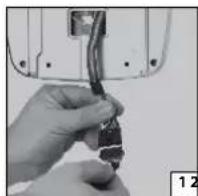
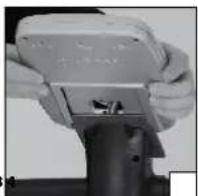
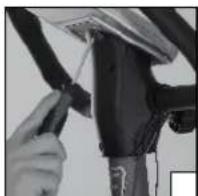
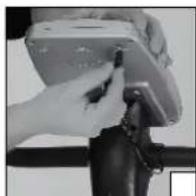
CTapT, KOHTpon, cnHnHaN3npaau TOH
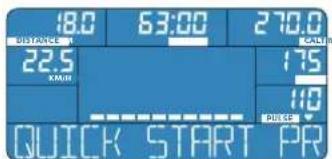
KOMNIOBpBCTe nycKa C KpaTbK CNHAN3nPaU ToH B pexkMa Ha 6bp30 nyckaHe. TObA Ce N3o6pa3raBa 3a KpaTko B UHHOPmatNBHnpei.
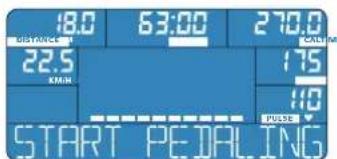
CneHAKoKcekyHnCeN3o6pa3aBA START PEDALING.MoKeTe na3anoHHTe TpeHnpOBkata Hn daH3bipate CneuaanHfYHKm.
PexmHa noko
Ako Baunr E-205 He noIyH NkaKbB CnHn 3a nepno, no-npoBknTehen OT 4 MHyTH, ToH ABTOMaTHHO Ce npeBKnIOBa B peKM HA NOKOI. Dcnnert e TbMeH. OTHOBO rBkIOHe c HATNCKaHTo Ha 6byoH nn Ha nepaNTe.
AkoKOMNIObPbT He NOIyH NkKaBc HnHaI 3a nepno, No-ipoNbJXHTeH eO 4 MNHyT, TOn aBTOMaTHUHO Ce IpeBKnIOuBa B pexm Ha noko.

ENERGETICS
YnTBAHe 3a ynotpe6a
Bp30 nyckaHe
QUICK START
Nporpama
3a
6bp30
nyckaHe
BknHcTe KOMNIObpa, KaTo HATNCHEe KOITOn I Da e 6yTOH Ha KOH3OJaTa nnKATO 3aONHETe da Kapate.
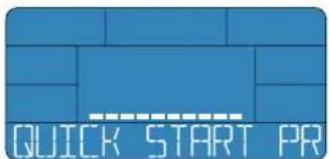
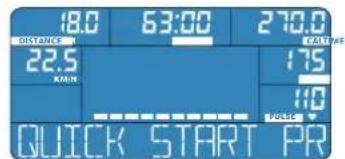
Bbpyx dncnne Ce 306pa3raBa 3MmHaTo paoTcHHe (DISTANCE), apemetpaehero Ha TpeHHPOBkata (TIME), 3p3aXoDBAHnte KanOpn (CAL), ckopocTa (KM/H), moHOCTTa (WATT) uako doKOCHete daTHUHTe 3a otHTaHe Ha pbHnrync, 306pa3raBa n Baaata cbpeHu HeCTota (PULSE).
CbnpnBHeHnTo npn BbptHeHTo Ha nepaIte MoKe Ja ce KOHTpOInpa No BpeMe HA TpeHnPOBkAra Cbc 3aBpTaHe Ha KpbTHeo 3a N36Op n NO BCaKo BpeMe MoKeTe Da rno pncnco6nte KbMa BaWata TpeHnPOBkA. B KOHTpOHO To None Ce H3O6pa3Ra HAcTpoEHa CTeneH Ha MoUHoc (1-16).
TpeHnpaTe TOnKOBa DbIro N ToKOBa HHTeH3NBIHO, KONKOTo XeJaTe.

Пемпаванкьмдpyra nporpaMa
Ako nckate da npemHete O pexnma Ha 6b30To nyckaHe KbM nporpama, hatnche 3a kpatko 6ytoHa RESET, cneToba hatachete 6ytoHa PROGRAM, 36epete nporpaMa T BBeTe npametpu.

BpueHa HbCmKn HaCTPouKn Ha NpBPOHaayHInTe
CTOHOCTU-RESET
AOKNCKATEHaHCTPONTEKOMNIOTbpaBHEROBOTbpbHOAHJIOCBCTOHNHE,HaNTCKAITEBPODJIIXeHHeHa4ckyHnD6yTOHARESET,doKaToHeyeTeCnHnHn3npaunrTOHnBbpyDnCnpeCeN3o6pa3BaTnXoHNHTeCTOnHOCTN.
OCHOBH CTOHOCHT N OCHOBH NaCTPOK
Bb3OCHOBa HnDAHHTe, BBBeHEnoT BAC (Bb3pact, non, Terno n BncoounHa), KOMNHObpyuHNCINBA BaHNTe NmHn CTOnHOCTN:
BMI (Body Mass Index)
- BMR (Basal Metabolic Rate)
TeeneHaMa3HHa (FAT %)
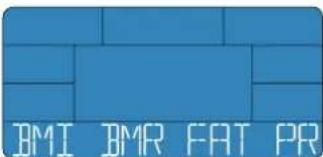

CTOHOCTNTE,33HNCENHHaKOMNtBpa,HeceOCHOBaBAT HaMeiunHCKMeToHn HA N3MepBaHe.3aTOBA Te3N CTOHOCTMOrAT Da ce pa3NIuHbAeT OeYCTBntENHTe CTOHOCTn.3a TOHNO MeiunHcKO N3MEpBaHe Ce 06bpHete KbM BaaJNekap.
PporpaMata PereheepaunocrypBa Bb3MOXHOCT 3a Bb3cTahOBBAHe. Bb3- MoxHOCTTa 3a Bb3cTahOBBAHe e cTOnHOCT, C KOITOMoKTe da yCTAHOBNTe cbctOAHNETo Ha BaIaTa KOHINU.
Ta ce yctahOBBA oT pa3nKaT MeKdy CbpeHATA YecToTA Ha KpaHa TpeHPOBkAra NcbpeHATA YecToTA Cne6 60-cekyHHa pereHepaH npi PpIKIOVAHrO Ha TpeHPOBkAra.
Bakn:KoIKOTO NO-TOHMA e pa3NIkata,TOIKOBA NO-dOpoe cctoHneTo Ha Bauata KOHNUIA.
Pnp TpeHnpaHnTe xopa nyncBt ced TpeHnpOBKa ce ycnokOBa no-6bp30, OTKoNkOTo npn HtepeHnpaHnTe.
Ako npknIOuHTe BaIaTpeHnPOBbHa eINHua c nporpaMaTa PerEhepaIa, CneI 60 cekyHnn Ie nOyHTe OueHka Ha CBOATA KOHNUIIa.
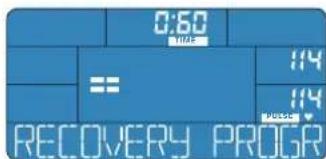
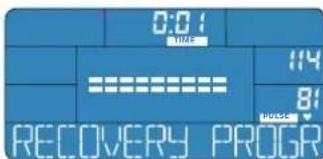
Perehepaun
Bbpy nncnne B noIeTO PULSE ce n3o6pa7Ba BaauTa aKtyaHa cbpeHa yectota. ToHNO hA kAtyAnHATA cbpeHHa YecTo e NocOeHa NocEnHata 3anameteHa cTIOHOCT OT BaauTa TpeHPOBa,
BpemTo ceOTHTa Cn3BaXkaHe OT 60 cekyHmKbM 0:00.
CnE KATO BPEMETO e INMHHANO DO 0:00, ce o6aKaDa TPOeH CNHaHIN3npaT ToH. PporpaMaTpeHepaunipKIOHbA. NokaTeaRrB KOHTpONHOT ONE NOOCOVA OueHKATA Ha BaWata KOHNJU.
CbtoTakaIe ce n3oopa3n Idbete ctoHocn Ha cbpduHata YecTo,IO CNEHATA N3mepeHa ctoHocn IO Bpeme Ha TpeHnpobkata (rope), ctoHocTa cne60cekyHn perehepaunia (Dony).

ENERGETICS
YnTBAHe 3a ynotpe6a
OueHka Ha KOHdNcIyTa
F1-MHORO JIO6pa KOHNJUIN
F2-06paKoHnuiu
F3-IOCTaTbUHa KOHdUH
F4-cna6a KOHnDn
F5-Heo6xOaIMo e nooobpaHe Ha KOHnunrata
F6-CnHa Heo6xOJIMOCCT O T NOO6pBaHc Ha KOHNiUATA
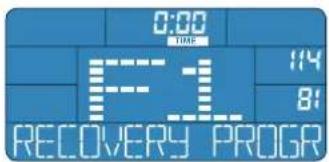
3a INMepBaHETo/N3UcNcEHHeTo Ha CTOnHOCTTa HA KOHNuTAt a6coIIOTHo HEO6XoDIMO npabunHOTo XbaUaHe Ha daTuHa 3a pUHnIyNC,3a Da MoKe Da ce OTYe BauHITnyNC.AKO mONBATE rPbDen NoC (CneuaHIO O6OpyDBAHe),OTHTa ce CTOnHOCTTa OT PbDNHNOAC.
I36op n HactpoJa Ha nporpaMITE
HnBnyanH nporpaM
Ako nckate Da BbaeJdaTe BCNUK CTOnHOCTa BaIaTa TpeHIpOBKa cAMn, n3non3BaIte HNDNBUNyAnHITPePpamn. IporpaMaHa NoTpe6BtEnBa npEOCTaBB3MOXHOCT Da 3aNaMeTBAte B NaMeTTa CToHOCHTHe, HAcTpoEHN BnpOPMJa.
MANUAL PROGRAM
Pb4Ha
nporpama
XapakTepeNtKnHa nporpamata
BbEeJate BaHHTe npaMeTpN 3a BauHata TpeHnpOBKa; BpemetpaHeTo Ha TpeHnpOAKata, TpeHnpOBbHHTo Tpace, paXoHa Ha KaIOpu, CbpdeHata YecTota.
BkoTo n da e faaHa Baawata TpeHnPOBaKMOxete Da N3BbPbATE HNDN BdyaHa npomHa Ha cbnpoTHneHmTe npn BpTeHe Ha neaHTe.
BnKoHTpOIpaTe BaIaTa CbpeHua HeToa HnpomeHrte ckopocTHa BbPTHe Ha neDanite nn CbnpOTMBneHceto Pn BbPteHTo Ha neDanite.
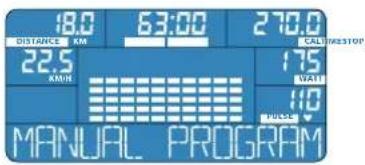
E-205 3anaMETBA B naMeTTa BNHARI NOcneHATA NaCTPOeHa nporpama Ha noTpe6bnten, DOpN I KOrATo cIeN IpNKIOUbaHe Ha TpeHINPOBbHATA eDHNHua N3KIOUHTe KOMIOITbpa.
U36op
HaTnCHete 6yToHa PROGRAM dokaTo Ha nHOpMaUNHHnpeH ce NoBn PbHApnpama. N36opa NotBbPdTe C HtNcKaHe Ha KpBryeTO 3a N36op.
Hactpoika
BpeMeTpaene Ha TpeHnpOBkata (TIME): Ako cte n36paJn PbuHa nporpaMa, CBeTN C ppeKbCbaHn NOKa3aTeJrT 3a BpeMeTpaene Ha TpeHnpOBkata. (TIME).
3aBbptaiTe KpbTcTo 3a H36Op, DOKaTO Bbpyu DNCLNEe Ce H36bp3n XeHaHATA CToHocT Ha BpeMeTpaeHTo HA TpeHnpoKaTa. BBBeKJaHeTo Ha HAcTPOkata NotBbPdAbaTe C HATNcKaHe Ha KpbTcTo 3a H36Op.
Pa3ctoHHe (DISTANCE): Ako Cte HactpOIM BpeMeTO 3a TpeHnpOBKa, CBETN NOKa3aTeTn Ha pa3ctoHHeTo (DISTANCE).
3aBbptaiTe KpbHcTo 3a n36Op,doKaTo BpXy DnCnner ce n3o6pa3n XeHaHO To pa3CTOHe. BBeKdHaTo Ha HAcTPOKaTa NoTBpXdAbaTe C HAtNCKaHe Ha KpbHcTo 3a n36Op.
Kanopn(CAL):Ako cte HactponPi pa3ctoHMeTo, CBttn nokataeIHa kanopnnte (CAL).
3aBbptAte KpbTcTo 3a H36Op, DOKATO Bpxy DNcNnEe Ce H36pa3n JENAHHNT 6poi KaIOpN, KOITO NCKATE Da INP3aXOdBATE. BBbExHaTeHO HaCTPOKaTt NOTBbPckDaBaTe C HATNCKaHe HA KpbTcTO 3a H36Op.
CbpeHa YecToTA (PULSE): Ako CTHe HAcTPOnn KaIOpnTe, CBETn NOKa3aTeNrTa Ha CbpeHATA YecToTA (PULSE).
3aBbptaiTe KpbHcTo 3a n36op, JOKATO BbpyJnCIIeCe n36bpaaN jena Hata cbpueHa YecToTA. BbBeJdaHcTo Ha NaCTPOKaT aOTBbPjDaBaTe C HATNCaHe Ha KpbHcTo 3a n36op.

ENERGETICS
YnTBAHe 3a ynotpe6a
Iyckane Ha TpeHnpBkata: Bne cte Hactponnn BCnKn Heo6xOmm CTohHOCTn. Ha INhOpMaTHBnR pei ce ne3o6pa3N START PEDALING - 3aioHeTe TpeHnpBkata.
HactpoBaHe no BpeMe Ha TpeHnPoBkata
MoHoc: BpbHHpexMMoKTeKoratoNdaeNoBpeMeHaTpeHHPOKaTa c63aBbptane Ha KpbYHeTo 3a H36OpJaHactPoiBaTe HNDMBUYaHIO cbIpOuINBeHnETo npBbPtHeTo Ha nepaInTe (WATT).CnmoUta Ha YecTOTata Ha BbPtHeTo Ha neaInTe, a CbIo TaKa NcBc bnpOTnBEHnETo npBbTpHeTo Ha nepaInTe Bne KOHTpOInPaTe CBOrTa CbpDeHua HeCTota.
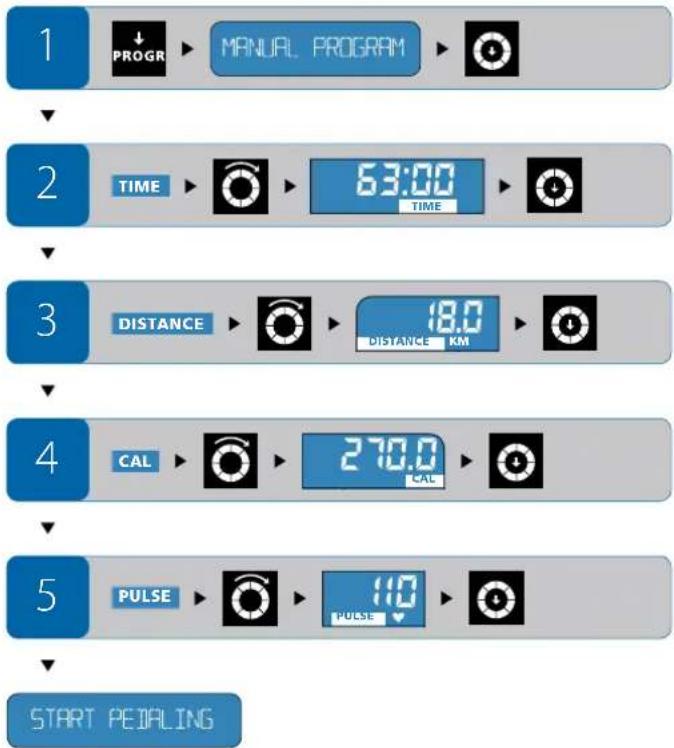
USER PROGRAM
Iporpama Ha noTppe6nteJ
XapakTeepntuHa nporpamata
-ПоррамаHaNotpe6nteIaDabaBb3MOxHcO73aCbCTaJIHeHaBaIa co6CTBeHa,INHmNHydAJIHa TpeHnpOBKa.MoKeJaCeU3bUpaBCKaOT 10-Te KOJIOHKn Ha BpEMeTO/KOJIOHKn Ha CbIpOTNBHeHNeTo N da Ce HAcTpoBa CTeneHTa Ha HAToBapAHe.
B KaKaBaTo n Ja e f3a o Ta BaaTa TpeHnPoBka, npi KaKaBaTo n Ja e otceKa BbB BPeMeTO, B KATO CE HAMPATE B MOMHTA, MOKETe Da N3BpUBAte HINDINUYaHa H POMAH Ha CbPToTINBHeHEnTO pN 3bPTHe Ha NeJaNTe.
BnKoHtponpata Baaata CbpneuHa YecToHa NpOMeHrTe cKOpocTtHa BbPTHe Ha neJaIte HcBnPOTNBHeHrTo pN BbPTeHa nepaNTe.
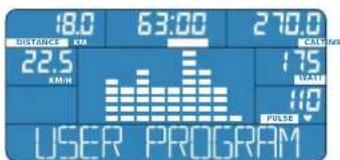
U36op
HaTnCHete 6yToHa PROGRAM,doKaTo Ha HnHΦopMaTbHmpe Ce n3o6pa3n nporpamata Ha NotpeBnteJ. N36opa cn NotbpbjdaBate C HAtnckaHeTo Ha KpbrHcTe 3a n36Op.
Hactpoika
KoJohKn Ha BpeMeTo/KoJOhKn Ha cbIpOtnBnEHeNTo: Ako cTe N36paJI nporpamaHa Notpe6nte, B KOHTpOInHTo N0le CBETC PpeKbCBAHn IpbPbTa KIoJOhKa Ha BpeMeTo/KoJOhKa Ha cbIpOtnBnEHeNTo.
3aBpaIte KpbrHcTo 3a n36op,doKATO Bbpydncnien ce n3o6pa3n JeNa Hata cTeHn Ha HatoBapBaHe. BbEckdaHTo Ha HactpoKaT a NotBpbkDaBaTe C HATNCKAHe Ha KpbrHcTo 3a n36op.AKO cTe Hactponn NbpbaTa KOHOHa
3aBbptAte KpbrHcTo 3a H36Op, DOKATO Bpyx DnCTIe Ce H36bpaa Hekai Hata CTneH Ha HatoBapBaHe. NotBbpxdaate BbbexJaHcTo Ha HAcTPOKaTa C HATNCKAHe HA KpbrHcTo 3a H36Op.
IIOBTapTe TOBA YAK Do DeceTaTa KOJOHKa HA BpeMeTo/KOJOHKa HA CbnpoTMBNEHMeTO.
BpeMeTpaeHe Ha TpeHnpOBkata (TIME): Ako CTHe HAcTpOnn BcNKn 10 KOLOHKn Ha BpeMeTo/KOLOHKn HA cbnpoTHneHHeTo, 3aONuBa Da CBeTn C npEkbCaHH NOKa3aTeHAT 3a BpeMeTpaHeto Ha TpeHnpOBkata (TIME).
3aBbptAte KpbHcTo 3a H36Op, DOKaTO Bbpyu DNnner Ce H3o6pa3N JenaHOTo BpeMe 3a TpeHnpBa. BbaeKaHcTo Ha HAcTpOkaT NaTbPqJaBaTe C HAtnCKaHe KaBbHcTo 3a H36Op.
Pa3ctoHnne (DISTANCE): Ako Cte HactpOIN BpeMeTO 3a TpeHnpOBKa, CBETN ppeKcbAHn NOKa3aTeTnT Pa3ctoHnne (DISTANCE).
3aBbptAte KpbHcTo 3a H36Op, DOKaTO Bbpyu DnCnner Ce H3o6pa3N XeNaHOTo pa3CTOHNHe. BbBeKaHTo Ha HAcTPOkKaTa NoTBpKDaBaTe C HAtnCKaHe Ha KpbHcTo 3a H36Op.
Kanopn (CAL): Ako Cte Hactponnn pa3ctoHneTo, CBeTc npeKbcBHaNn NOKa3aTeNT Kanopn (CAL).
3abptnte KpbHcTo 3a n36op,doKATO Bbpxu Dmcnnne Ce n3o6pa3n JeaHnH 6poi KaIOpM, KOIO NCKate Ja n3paxOdaTe. BBeKdHaTe Ha HAcTPOkata IOTBbPXDABate C HATNCKaHe Ha KpbHcTo 3a n36op.
CbpeHa YecToTA (PULSE): Ako CTe HAcTpoHn KaIopmTe, CBETn CnpKcbAHN NOKa3aTeNTc BpDeHa YecToTA (PULSE).
3abptnTe KpbHTo 3a n3bOp,doKATO Bbpxy DmCnnne Ce n3o6paN jena Hata CbpJeHa YecToTA. BbbexJaHTo Ha NaCTpoiKaTa NotBbPjDaBaTe C HATnCKaHe Ha KpbHTo 3a n3bOp.


ENERGETICS
YnTBAHe 3a ynotpe6a
IyckaneHa TpeHnpOBkata: Hactpouni Cte BCnKIN Heo6xOIMM CTOnIOCTn. Ha INphiopMaTINBnRpei ce n3o6pa3ra BA START PEDALING - 3anouheTe TpeHnpOBkata.
HacpoKa no BpeMe Ha TpeHnpoBkata
MoHoc: B nporpaMaHa hnoptpeMa MoKTe No KoTo n da e Bpeme HApemHa TpeHnpoBkata N KoiTo n da e nepmoOn ot Bpeme, B KOTo Ce HAMPate B MOMeTa, ype3 3aBbptane Ha KpbTuO To 3a N36Op Da Ipomehre INHNuDyAHO cbnpotnBHeMeTo npBbTeHo HA neJaTte (WATT). C NOMoTa Ha YecToTA Ha BbTpHe Ha NEJaTne Ha cbnpOTnBHeMeTo Ha BbTpHe Ha NEJaTne KOHTpOIpaIte CBOrTa CbpDeHa YecToTa.
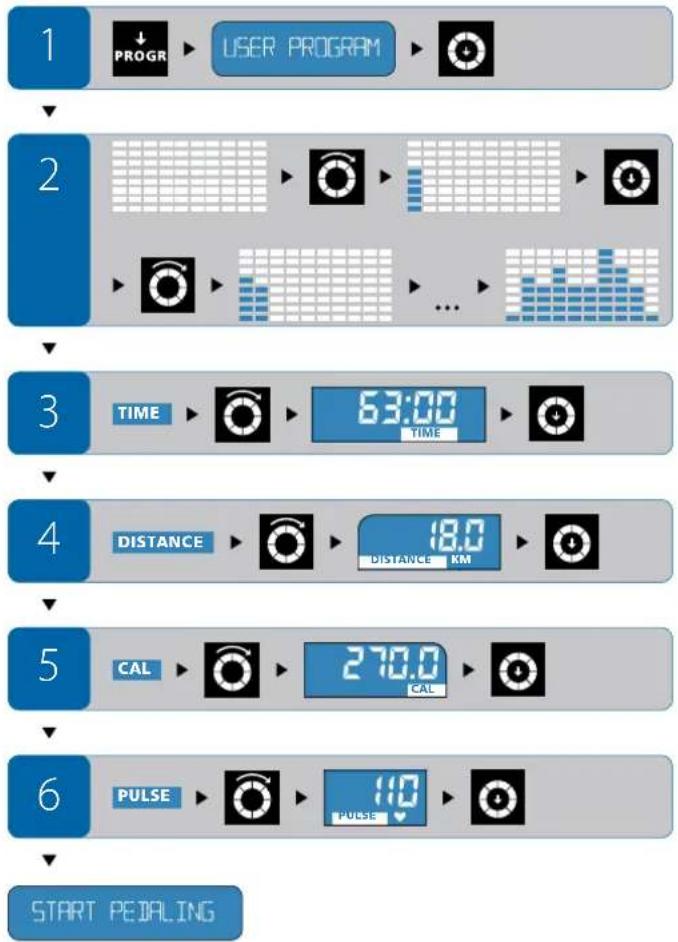
PpeBapnteHnHaCTpoeHn nporpaMn
INTERVAL PROGRAM
Nporpama
UHTepBaI
XapakTePncTmKHa nporpamata
-IMate Ha pa3nnonoKeHHe 3 pa3nnuHn CTeneHn MoUHOCT (L1, L2, L3).CTeNEHTa Ha MOUHOCT Ce H3bnpa B HauaIIO Ha TpeHINPOBkata.
HactpoKnTe, KOnTo BbBedeTe, He Morat Ja Ce IpomEnr B TeueHne Ha TpeHnpOBkata.
-Помана淘汰хенathamotnoct(WATT)КьнИтрбдуспспоррамataceH3BpWBA BATOMATUHO 3aBNCIMOCOTcBnpoTbNEHHeToHa BBPTeHHe Hneanite NyeCTOtaHa BbPTeHHe Hneanite E-205.
KoHTpOIpaIe CBOA TcBpDeyHa YecToA INPOMeHnTe CKOpocTtHa KapaHTo.
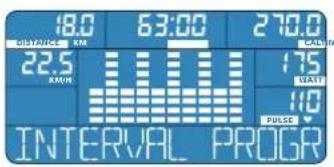
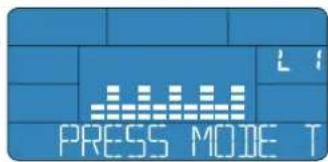
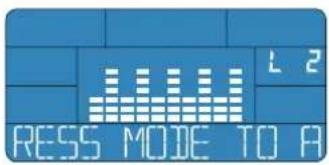
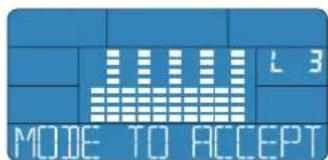
V360p
HaTnCHe 6yToHa PROGRAM,doKato Ha nHΦopMaTHBnpe He ce nOBn nporpamata Interval. N36opa notBbpeTe c HATnCKaHe Ha KpbTuEto 3a n36Op.
Hactpoika
Ctenen Ha MooHocT (Level): Ako cTe N36pann nporpaMa TnHepBan, CBETN C npeKcbAHn NOKa3aTeIaT 3a N36Op HA HnBO HA MOUHOCTTA (HnBO: L1,L2,L3).
3aBbptAte KpbHcTo 3a H6Op, DOKATO Bpxy NcPnner ce H06pa3n JenaHata CTeneHa MOUHocTt. BBExKaHcTo Ha HAcTpOuKaTa NotBbpxkDaBaTe C HAtnCKaHe KaBHyTeo 3a H6Op.
BpeMeTpaEHa TpeHnpOBkata (TIME): Ako CTe H36paHn CTenEnTa Ha MOUHOCT, CBETC NpeKbCbaHn NOKa3aTeNr 3a BpeMeTpaEHa TpeHnpOBkata (TIME).
3aBbptAte KpBHTo 3a H36Op, DOKATO Bpxy DNnner CE H306pa3N JenaHOTOBpeMe 3a TpeHNPoBA. BBExKaHTo HA HAcTPOKaTA NOBbPckDaBaTe C HATNCKaHe KaBHyTeo 3a H36Op.
Pa3ctoHHe (DISTANCE): Ako CT He NaCTPOHN BpeMeTpaeheto 3a TpeHnpOB Ka, CBeTN C PneKbCBAHnN NOKa3aTeNt 3a pa3ctoHHeTo (DISTANCE).
3aBbptAte KpBHTo 3a H36Op, DOKATO Bpxy Dmnnner ce H36bpaaN XeNaHOTo pa3cTOnHne. BBeKdAHeTo Ha HAcTPOKaTa NotBbPkDaBaTe CHaTnCKaHe Ha KpbHrTeO 3a V36Op.
Kanopn(CAL):Ako cte HacptponpaactoHneTo,CbTe n CnpkcbAHn noka3aten 3a kanopnnte (CAL).
3aBbptAte KpbHcTo 3a H6Op, DOKATO Bbpyu DNnne er Ce H06pa3n XeJAHnH 6pO KaIOpN, KOITo NCKate Ja IaP3aXoDBe. BbbexJaHero Ha NaCTpoiKaTa NotBbPjDaBaTe C HATNCAHe Ha KpbHcTo 3a H6Op.
Cbpeha YecToTA (PULSE): Ako Cte HacTpoHn KaIopnTe, CBETn C npeKcbAHN NOKa3aTeT 3a CbpeHnAte YecToTA (PULSE).
3aBbptAte KpbHcTo 3a n6Op,doKATO Bbpxy dncnner ce n06paN kena Hata cbpeuHa YecToTA. BbBeXdHaTe Ha NaCTPOKaT aOTBbPckDaBaTe C HATNCKaHe Ha KpbHcTe 3a n6Op.


ENERGETICS
YnTBAHe 3a ynotpe6a
IyckaneHa TpeHnpOBkata: Hactpouni Cte BCnKIN Heo6xOIMM CTOnHOCTN.HaHfOpMaTnBnRpeDceH3o6pa3raBA START PEDALING-3anouHete TpeHnpOBkata
HacpoKa no BpeMa HtpeHnpKaTa
No Bpeme Ha TpeHnpoBkata HAcTpoEHnTe CToHnOCTHe MoT a Ce IpomE-Hr. C nmoiHa cKopcTa Ha BbPteHe Ha IeJaIte KOHTpOJInPate CBoRTa CbpJeHu HeCTota.
1

INTERVAL PROGRAM


2


3




4


DISTANCE RM


5




6


ST
PEITALING
WATT PROGRAM
Iporpama Watt
XapakTepeuNTKHa nporpaMaTa
- OnpeneJeTme MoHocTtA (WATT), npn KOnTo NcKate Da TpeHnPate.
- PporpaTaWatt ABtOMaTHO yBENHbA bN HAMnBa CbnpTbNEHHeTo Ha BbPteHe Ha neJaNTe B 3aBcIMoCT ot Baata YecToTa Ha BbPteHe Ha neJaNTe Taka, Ye Ta TpeHpate He npkebChato C HAcTpoeHa MoIHOCT.
MoHocTtA, npKIO NCKATE Da TpeHnPate, MoKe Ja Ce IpnOmeHa CbC 3aBbptane Ha KpbTuTeo 3a H3bOp IN NO BpMe Ha Camata TpeHnpOBKa. BCuKN octaHAn HAcTpoKn He Morat Da 6bDat npOmeHN No BpMe Ha TpeHnpOBkATA.
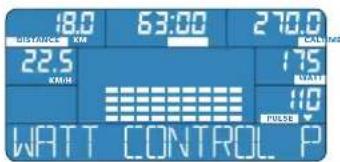
V36op
HaTnCHETe 6yToHa PROGRAM doKato Ha HhΦopMaTHBnHpeI He ce NoBn nporpamata Watt. N3bopa notBbpeTe c Ha TnCKaHe Ha KpbHrTeo 3a N3bOp.
Hactpoika
MoHocT (WATT): Ako Cte N36paN nporpaMaTa Watt, CBetn C npeKbcBaHHa NOKa3aTeNt 3a MoHocT(WATT).
3aBbptnTe KpbHcTo 3a n36Op,doKaTo BbpxDnCnIe Ce n3o6pa3n XeHaHnT 6pO watt. BbbExdaHcTo Ha HAcTpOkaTa NotBbPxaDaBaTe C HAtnCKaHe Ha KpbHcTo 3a n36Op.
BpeMeTpaHe Ha TpeHnpOBkata (TIME): Ako Cte H36pann CTeneHa
MOUHOCT,CBETCNIPeKbCBAHNAIOKa3aTeHRTaBpeMeTpaHeHaTpeHypoB Kata (TIME).
3aBbptaiTe KpbHcTo 3a H6Op, DOKATO Bbpxu McnIe Ce H3o6paNKeNaHOTo BpeMe 3a TpeHnPoBA. BBeKdAHeTO Ha HAcTpoKaTa NOTBbPckDaBaTe C HATnCKaHe KaBpHuTo 3a H3Op.
Pa3ctoHHe (DISTANCE): Ako Cte HactponBpemeto 3a TpeHnpobka, CBETn C npekbcAHINIOKA3ATENPTa3CTOHHne (DISTANCE).
3aBbptaiTe KpbHcTo 3a n36Op,doKaTo Bpxy DmCnner ce n3o6pa3n XeNaHO To pa3cTOnHe. BBeKdAHeTo Ha HAcTpoiKaTa NotBbpxkDaBaTe C HaTnCKaHe Ha KpbHcTo 3a n36Op.
Kanopn (CAL): Ako CTHe NaCTPOnn pa3CTOHHeTo, CBeTn C npeKBcBAHn nokaaTeTn Kanopn (CAL).
3aBbptaiTe KpbHcTo 3a H6Op, DOKATO BbpyDnCnner Ce H3o6pa3n Jekanat6poi KaOpnn, KOITIO NCKATE Da IN3pa3XoDBe. BbbEkaHeto Ha NaCTPOIKAATA NOTBbPjXdABate C HAITNCAHe Ha KpbHcTeO 3a H36Op.
CbppeHa YecToA (PULSE): Ako CTHe HAcTpoNNI KAnOpNITe, CBETn CnpKbCBAHIN NOKa3ATEJI T CbppeHa YecToA (PULSE).
3aBbptaiTe KpbHcTo 3a H6Op, DOKATO Bbpxu DNCLNEe Ce H3o6paN JxenaHata CbpeHHa HeCTota. BbEJaHTo Ha HAcTPOKaTA NOTBbPka3aTe CHaTnCKaHe Ha KpbHcTo 3a H36Op.
Nyskahe Ha TpeHnpBkata: HacTPOINn CTe BCNUKn Heo6xOJIMM CToHocTn. Ha INHOpMaTNBnR peCe n3o6pa3raBa START PEDALING - 3aOnueHete TpeHnpBkata.
Hactpoika no BpeMe Ha TpeHnpOBka
MoHocr:B nporpamata Watt moKeTe da npomHeTe MOHocTt (WATT) ININBUNyAaHO KOrato N da e IIO BpeMe Ha TpeHnpoBkata.
C onpeJeHHe Ha MoUHocTt BHe KOHTpOIpaTe CBOTa CbpeHa YecToA.


ENERGETICS
YnTBAHe 3a ynotpe6a
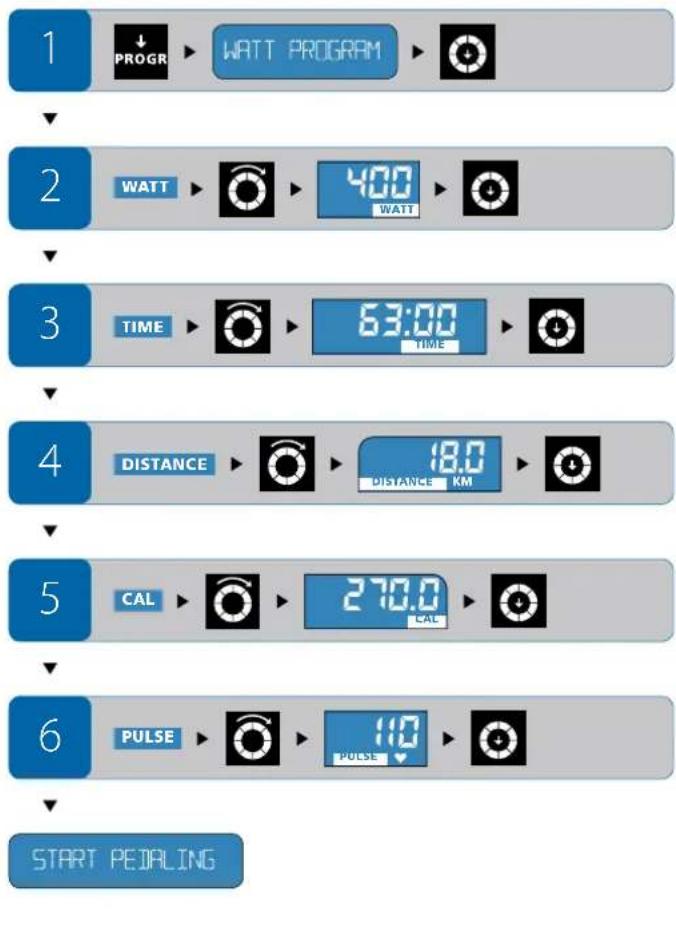
HRC PROGRAM
Pporpama
CbpeHa
yecToTa
XapakTeepntKHa nporpaMaTa
BbBExdTe MaKcHMaJIHaTa CbPdEHa YecToA, PnI KOrTO NCKaTe Da TpeHIpate.
BaHHTe HAcTpoKHe MoTa Da Ce IpOMeHr TNo BpeMe Ha TpeHIpOBkata.
IporpaMaTaC KOHTpon Ha CbpdeHnata YecToTA yBENuHbA uHAMaBA cbnpOTMBIEHNEO pRn BbPteHe Ha neJaNTe B 3aBcIMoCT ot BaIIIN3MepeH IYNC.AKO h3MepeHa cbpdeHnca TcEToTA HauXbPmI CT0HocTtHa CbpdeHnata HeCTOta, KOrTo CTe HAcTpOnn nPeDbaPntEnHO, CbpPOTNBHeHneTO ABOMaTHNHO HAAMJIBA.
-AKIN3MepeHATA CbpeHHTA YecToTA CeBNNIOI npEpaHTeHNO BBeDeHATA CTOHCT HA CbppeHHTA YecToTA,CTeNEHTA HA CbIpOTMBneHMeTO AITOMaTHHO CEYBEINuaba,IOKATOIOCTUNHETe PpeBaPHTHO BBeJeHa- TA CTOHCT HA CbppeHATA YecToTA.
-AKIOIN3MEpeHATA CbPdHu HcTeTota ce DbHXN NOI rpaHuaTa Ha HAcTpoEHata CTOnHOCT, BbPekn Hau-BvCOKaTA CTeEN Ha CbPOTnBneHMe, YBeHHeCKOpocTTa Ha BbPtHe Ha neJaNTe.
!PnTa3n nporpama e a6conIOHTHO Heo6xOIMO Da xbaHete DaTHKa 3a pUHNA NUC NN Da H3NONBATE rpbDen NOc (CneLHaHOnOBOpyDBAHe).
KOMNtBpBt Hb CBeKN 10 ckyHn CpABHbA N3MepeHa cBp- DeHbueCTOa C BbBEeHInTe/HacTPOeHIne CTOnHOCTN. 3AtOBa 3a npOMHa Ha CbPOTNBHeHEnTo e Heo6XoJIMo N3BeCTHo BPeMe. DOpN KOrato Pa3NIkATA MeKdy N3MepeHaTa N HaCtPOeHaTA CbpDeHu HA YeCTOTA e MAlKO NO-TGJMA, N3BbPbUba Ce IpomHa Ha CbPOTNBHeHEnTo Ha BbPTeHE Na NeJaJIte Ha paBHOMepHn INTEpBaIa, a He C TOnEMn PpeOxOu.
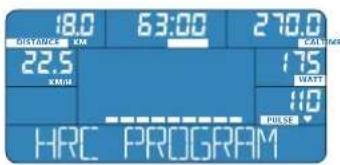
U360p
HaTCHETe 6yToHa PROGRAM kato Ha HnΦopMaTHBnPeH Ce nOaH nporpaMaTa HRC. V36opa noTBbpTe CHaTnCKaHe Ha KpbTcTe To 3a N36Op.
Hactpokka
BpeMeTpaeHe Ha TpeHnpOBkata (TIME): Ako CTe H36paHn IporpaMaTa HRC, cBeTc npeKbcBaHn Noka3aTeJr 3a BpeMeTpaeHe Ha TpeHnpOBkata (TIME).
3aBbptAte KpBpyTe 3a N36Op,doKATO Bpxy DnCnnner ce N36bpaaN XeNaHTo BpeMeTpaene Ha TpeHnpoKa. BBeXJaHTo Ha HactpoKaTa NOTBbPdAbaTe C HATNcKaHe HA KpBpyTe 3a N36Op.
Pa3ctoHnE (DISTANCE): Ako CTE HAcTPOWIM BPeMTo 3a TpeHnPoBka, CBETN CnpKcBaHnO nok3aTeIeR pa3ctoHnE (DISTANCE).
3aBbptAte KpbrHcTo 3a H36Op,doKATO Bpyx DnCnner ce H3o6pa3n XeNaHOto pa3ctOHaHE. BBeKdHaTe Ha HAcTPOKaTa NotBbPkDaBaTe C HATNCKaHe HA KpbHcTe 3a H36Op.
Kanopn (CAL): Ako cte HacponpaactoHneTo, CBeTc npekbbaHna nok3aTeNAT Kanopn (CAL).
3abptate Kpbrteo 3a n36op,doKATO Bbpxy mcnneae ce n36pa3n XeHAnHt 6poi KaOpn, KOIO NCKATE Da n3pa3XOdBATE. BbbexJaHTo Ha Hactpoikata NotBpbkdaabe C HATNCKAHe HA Kpbrrto 3a n36op.
CbpeHa YecToTA (PULSE): Ako CTHe HAcTPOwnKanOpnTe, CBETn CnpE KcbBaHmN NOKa3aTeNTA CbpeHa YecToTA (PULSE).
3aBbptAte KpbHcTo 3a n36Op,doKato BbpxJmCnIe Ce n36OpzAnKeHa Hata CbpeuHa YecToA. BBeXJaHero Ha HactpoiKaT aotBbpxJabate c HATNCKaHe Ha KpbHcTo 3a n36Op.
Nyskahe Ha TpeHnpBkata: HacTPOUNI CTe BCNUK INEO6XODIMM CToHIOCTn. Ha INHOOPMaTNBmpei ce n3o6pa3ra BA START PEDALING - 3aNOHTe TpeHnpBkata.
HactpoKa no BpeMe Ha TpeHnpOBka
No Bpeme Ha TpeHnpOBkata HacTpoeHnTe CToHocTn He MoTa Jc Ce npMeHr. CmOouTa Ha ckopocTt Ha BbptHe Ha neJaIte Bne KOHTpOIpate CBOTA CbpduHa YecToA.

ENERGETICS
YnTBAHe 3a ynotpe6a
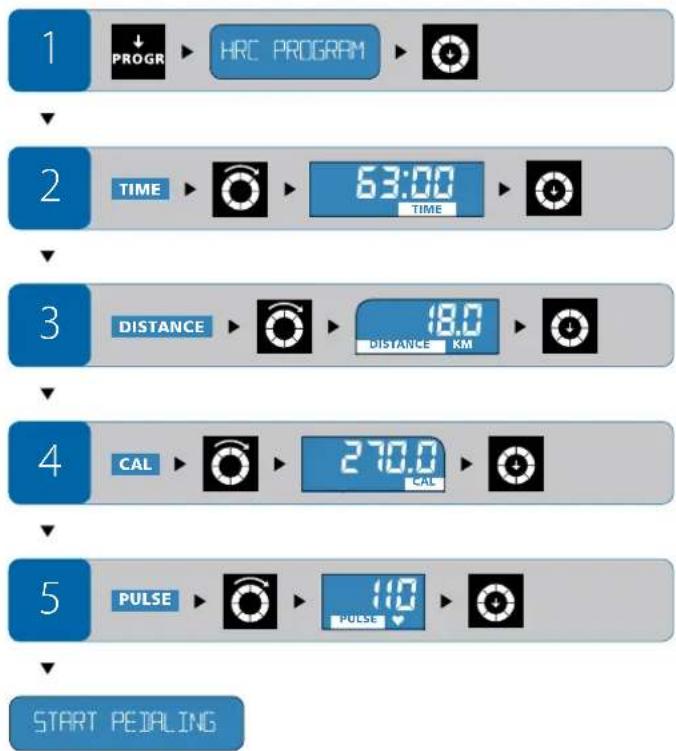
CLIMBINING PROGRAM
Nporpama
U3Ka4BaHe
XapakTepuCTnKHa nporpamata
-ImateHa paanIOJKeHHe 3 paanHH CTeHn Ha MoOHoc (L1, L2, L3). H3epeTe CTeHt Ha MOHOC B HAanOTo HA TpeHnpOBkata.
BbBeHnTe ot Bac HacTpoKn He MoT aJa 6bNt npOmeHn No BpeMe Ha TpeHnpoKaTa.
- YBENHABAHETO HA JENAHATA MOHOCI (WATT) cnopeipnporpaMAc ce 13BbPbWA B 3aBNCMOCOT CbIPoTINBIEHnEHO HA BbPTeHETO Ha IeAANTIE N eCTOTATA HA BbPTeHETO HA IeAANTIE ABTOMATNHO E-205.
KoHTpOJIpaIe CBOrTa CbPdEHa YecToA N PpOMeHrTe CkOpocTt Ha KapaHTo.
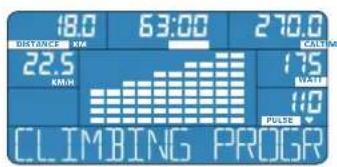
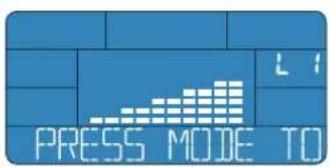
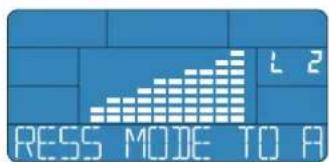
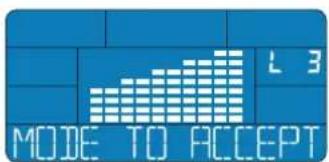
U36op
HaTnCHeTe 6yToHa PROGRAM doKaTo Ha HhΦopMaTHBnHpeI He Ce nOBn nporpaMaTa N3KaUBaHe. N36opa notBbpyTe C HAtnCKaHe Ha KpbYcTeo 3a N36Op.
Hactpoika
CTeneH ha MOUHOCT (Level): Ako CTe U36paNn nporpamata N3kaHahe, CBeTN C INPEKBCAHNA IOKa3aTeJNT 3a U36Op Ha CTeneH ha MOUHOCT (CTeneH: L1, L2, L3).
3aBbptaiTe KpbTcTo 3a H36Op, DOKaTO BbPxy DNCLnEe Ce H3o6pa3N JenaHATA CTeneH HaMOUHOCT. BBBeKJaHETo Ha HAcTpOaKaTa NOTBbPjDaBaTe CHaTnCKaHe Ha KpbTuTo 3a H36Op.
BpeMeTpaeHe Ha TpeHnpOBkata (TIME): Ako CTe N36paNn CTeneHTa MOUHOCT, CBETn C npeKbcBAHn NOKa3aTeJrT 3a BpeMeTpaeHe Ha TpeHnpOBkata (TIME).
3aBbptAte KpBHTo 3a H36Op, DOKATO Bpxy DNCLNEe CE H306pa3N JENAHOTOBPME 3a TpeHNPoBA. BBExKaHTo HA HAcTPOKaTA NOBpKDaBaTe C HATNCKAHe KaBHTO 3a H36Op.
Pa3ctoHnE (DISTANCE): Ako CTE HAcTPOWIN BPeMeTO 3a TpeHnPoBkA, CBETN CnpKcbHnI NOKa3aTeNt PA3ctoHnE (DISTANCE).
3aBbptAte KpBHTeO 3a n36Op,IOKaTO BByxpy DcNnner ce n3o6pa3n XeNaHOT pa3CToHne. BBeKdHaTe OHa HAcTPOKaTa NtBbpxkDaBaTe C HaNTCKaHe Ha KpbTuETo 3a n36Op.
Kanopn (CAL): Ako CTHe NaCTponnn pa3ctoHneTo, CBeTn C npeKsbAHn noKa3aTeNt Kanopn (CAL).
3aBbptAte KpBHTo 3a n360p, DOKATO Bpxy DNCLNEe Ce n3o6pa3n XeJAHNT 6poi KaOpu, KOITO NCKATE Da n3pa3XOdBate. BbBeKdHaTe Ha NaCTPOJkATA NOTBpKJDABaTE C HATNCKAHe HA KpbHETo 3a n360p.
CbpeHa YecToTA (PULSE): Ako CTHe HacTpOniKaIopnTe, CBeTI C npeKcbHnN pKa3aTeTT cbpeHa YecToTA (PULSE).
3aBbptAte KpBryeTo 3a H6Op, DOKATO Bpyx DNCLNEe Ce H06paN JekaHATA CbPcNeHa YecToTA. BbbExJaHeTo Ha HAcTPOkATA NOTBbpxJabate cHATnCKaHe Ha KpbYrTeo 3a H6Op.
Nyskahe Ha TpeHnpBkata: HacTPOUNI CTE BCNUK INEO6XODIMM CTIOHOCTn. Ha INFOOPMaTNBmpei ce n3o6pa3ra BA START PEDALING - 3aIOuHete TpeHnpBkata.
Hactpoika no BpeMe Ha TpeHnpobka
IbBpemeHa TpeHnpoBkata HacTPOeHNTE CToHocTN He MoT a Da ce npomeHr. CnmoUta Ha ckopocTTa Ha BbPteHe Ha neJaInTe Bne KOHTpOJInpateCBOTA cBpduHcHaeCTOTA.

ENERGETICS
YnTBAHe 3a ynotpe6a
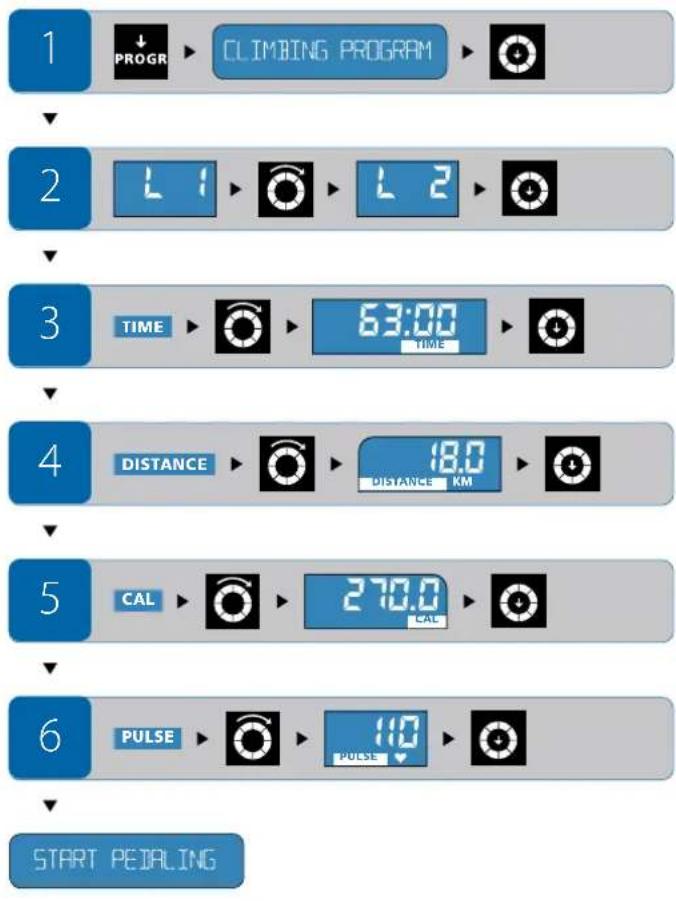
BMI-BMR-FAT PROG
Nporpama
BMI-BMR-Ma3HnHa
XapakTepeuCmKHa nporpaMaTa
KOMNIOBTbPbNT3NCHINBA Bb3 OCHOBa HA BBBeHEnITE OT Bac daHN BaUNTE BMI, BMR a CbIoo TaKa N DaHa HTeNECh Ma3HHa 8% (FAT %).
He Heo6xOaMo Da N3BbPwBaTe HkKaBtpeHnpoBvHa DeHoCT.
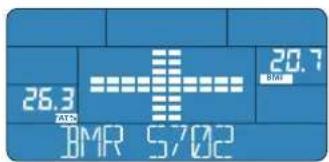
U36op
HaTnCHeTe 6yToHa PROGRAM,doKaTo Ha HnHOpMaTHBnHpeIe Ce n3o6pa3n nporpaMata BMI-BMR-Ma3HHa. N36opa notb6pTe C HaTnCKaHe Ha KpbTuTo 3a n36op.
T MEASUREMENT WITH MOIE


BMI
Body Mass Index (BMI) ce n3yncnba oT
Ternoto (Kr) / BucounHaTa (M)
ToI nok3Ba dann HOBEK MHa HopMaHIO TERIO, daII CTpaO O 3aIIbCTBaHe IINI TERNO My e IOI HOpMaTb. B3 OCHOBa HA CTOIHOCHTe 3 DaTe TaBnCiu MoXeTe Da NUCNTe BaIIIA BMI.
| HopmaJIH CToiHocTn Ha BMI no Bb3pactOBI rpynn | |
| Bb3pactOBA rpyna | HopmaJIeH BMI |
| 19 - 24 rodiHn 19 - 24 | |
| 25 - 34 rodiHn 20 - 25 | |
| 35 - 44 rodiHn 21 - 26 | |
| 45 - 54 rodiHn 22 - 27 | |
| 55 - 64 rodiHn 23 - 28 | |
| rodeve oI 64 rodiHn 24 - 29 | |
Kateropma BMI
| Kateropini BMI cbc ctohocntu, KOTTO CE OKHOHBAAT OT HOPMAN-HITE ctohocnto (OTHACHIEN CE DO BBpactoBA rpyna 19-24rodini) |
CINHO HIOHOPMOHO TIOPO<15
noopmero 175
rpanuHa ctoHoc<19
O6MHKHOHCHCTOHHOCT 19-24
HaHOPMOHO Tcne 25-29
cpeae 30-39
601311000000000000000000000000000000000000000
CBpxtn
40>
BMR
Ba3aHHT MetabonnBm (Basal Metabolic Rate - BMR) e KonuYeCTBOTO ehePn,OT KOeTO TALOTo HMa HyXda 3a edH den 3a 3ana3BaHe Ha CBOITE fHKnTo. ToBa BaKn 3a cbctOanHe Ha abconlTeH nOKo (HaP. No speMe Ha cbH, n npn OkOnHa Temnepatyra 28^ Baata DeIcTBnTEnHa HyXda ot eHeptna (MetabonnBm npn deIcTBne) MoKe

N3nonBaTte Te3n CToHocTN 3a eBentyaJeH KOHTpon n npomHa Ha BaWna HauHH Ha xpaHeHe.
JaCe yctaHOBN, Ako YMHOKNTe N34NcHEnHa CToHOCr Ha BMR no KoeΦnIeHTa Ha BaWata DeHOCr (BxK Ta5nCata).
| Маяа на.DeиноctКоeфицент Ha | ДeйhoeT | |
| Слаба akтubhoct | Заседана Deиноct, слаба лгп поч нлеска треников. | 1,2 |
| Одн khовета akтubhoct | объновета Deиноct, 1-2раза треников/сedмьсHo | 1,3 |
| Умeperу akтubhoct | объновета Deиноct, 3-4раза треников/сedмьсHo | 1,4 |
| Актувhoct | фьзунecka Dei noct, 4-5раза треников/сedмьсHo | 1,6 |
| Истенизь akтubhoct | фьзунecka Dei noct, >5раза треников/сedмьсHo | 1,9 |
Tenecha Ma3HnHa B%
JaT Tenecha Ma3HnHa B% (FAT %) eCTOHOCT, KORTO NOCOVA DaHaMa3HnHa BBB Baweto TIO NO OTHOWEHHe HA MYCKYJHATA Maca.
PepeentHHTe CTIOHOCTN 3a npabHHNIO CpeHNn IA THe Hn HA TneChMa3HNHcOrneHa Bb3pactTa Nnona ca nocOeHN B TabnuaTa.
BpshaHe Ha BCnukn HAcTpoKn Ha NbpBOHaayHata CTOHCT -RESET
Ako nckate da HactponTe KOMIObTaHa N3XoHDo CbCTOAHHe, HATNCKaIte B npOdbKeHHe Ha 4 cekyHn6yToHa RESET,doKaTo He yyeTe CNHannnBpaTOn H bpxy dncnpe Ce n3o6pa3r INxOHNTE CTOnHOCTn.
Be3onachoc
Haun npenopbkn: npedn 3aonohbaHTo Ha TpeHnpobknte ce koncytnpaite C Baun nekap n ro nomoJe tae 3a cbbet.
TpeHpaTe peoBHO nIbIroCpoH
-ПиТрЕнрOBКITE n3NONBaaTe yO6Ho, cNoTHO 6NeKIO.
-ⅢπoIaBaeTcnpTHNobyKn,piepoTbpaTbaaNi noxnb3BaHEnO. HnKora He TpeHpaTe 6e3 obvKn.Ima pck OT hapaHaBe Ha-BeHe Ha npbcntte.
-EdnHac npedn TpeHnpOBkata n edn Hac cieI TpeHnpOBkata He Jxte HIKAKBn TeKKn Actn/ToJIemn IopUIN.
- No Bpeme Ha TpeHnpOBkata NnIte DoCTaTbHNO KOniueCTBO TeHOCHTN.
Yectn Bbnpocn
KaHactpoiKaTaHaKOMNIObpaJaCeBbpHe KbMaHaayanoTo?
- Reset: 3aipbxte 6ytoHa RESET HATINCHAT B npOdbnHexHe Ha 4 cekyHn n noBuee. BcNkI dyHKU IN Ce HAcTPOBnBaH NaPBOHOAHnHInTe CToHOCn. HΦopMaUNrA, KOrTO He e 3anameTa H B NamETTA, IIe 6bJe N3ryBeHa.
- EneKtpnuecka Mpeka: N3KnIOyete ypeda 3a KpaTbK nepNOO OT BpEMe OT eEneKtpnueckata Mpeka n CIEI TOBA OTHOBO TO CBpbKETe, BCNKN CTOHOCn CE HAcTPOBAt HA NbPBOHauHAnTE CToHOCTN, INHOFMaUNATA, KOATo HE e 3aNaMeTeHa B NaMeTTa, Ie 6bJe N3ryBeHa.
Mожелtpeнровьага/nporpaMaTaJa ce npekbcBa?
Ako nckate da npkbcheTe tpeHnpOBkata nocne OTHO BA 3anoHete, HATNCHEte 6yToHa RESET. BcNKn daHN Ce 3aNa3BaT B naMeTTa. ClednNTuHaeTo Ha 4 MHyTN DcNlEeT Ce NkIOuBa. KomNIOTbPbT PpeMnHabaB pexMM HA NOKOI. C oue edHO HATnCKaHe Ha 6yToHa RESET MoKTe OTHO DA 3anoHete c npkeChATA TpeHnpOBka.
!Ako npekbcheTe TpeHnpOBkata 6e3 HauNcKaHTo Ha 6yToHa RESET,BCnKu BbBeHeH DaHHn CneI N3TuHaTe Ho 4 MmHyTn Ce n3TpBaN yHKnTaTa Ce HAcTPOBa Ha HaayanoTo.
Kor TpeHnpoBvHa npoRpMa e npaBunHa?
Ako INΦOPMaUNaTBA RnabNte 3a TpeHINPOBbHNITE nporpaMn He Bn e DocTaTBuHa, INoIaBaiTe NpObHIne INcTpyKm Ha CD ENERGETICS „Personal Training Instruction".
Cbto Taka nocbetbaite ce c Baunn nekap, KoTo npc cbctabHTo Ha Baata TpeHHPOBbHa nporpama Moke da Bn dae BAHN CbETN,OTHACaHn ce do 3npabeTo.
U3mePbaHe Ha cbpdeHata yeCTota-MOKe Ia da ce n3non3BaTeHDOBpeMeHNO rpbdeH NOc H DaTuNHa pbyHn ync?
Ako n3non3BaTe n DbaTa NaHnHa eHOBpeMeHHo, t.e. n3non3BaTe rpbdeH NORC (CneuaHNOObOpyDbaHe) 3a N3MepBaHe Ha npca N eHOBpeMeHHO C TOBA dnaHrte Bn ca cnoKeHN Ha daTHuNTe 3a pbcTe, n3obpa3raBa ce CTOHIOCTTA,OTHEtHa OT rpbHnHnIPOc.
Kak Mora da BbBeda CBOUTe NnHn daHHN?
BbexkaHTo Ha NnHInTe daHH e Heo6xOIMO cmo 3a nporpaMaTa BMI-BMR-Ma3HHa. H3BepeTe nporpamata N BBBeTe BaHHte DaHH.

ENERGETICS
YnTbaHe 3a ynotpe6a
CepBn3
OTKpmbaHe Ha nobpeDn
CnHann3aunHa nOBpeDnte
E: KomkotbpbT HMA CnHnB nporpamata Perehepaia.
ERR: KOMNIOBpbT HMa CnHAn BpeKmHa Ha TectBaHe Ha TeNEChata Ma3HHa.
ERR2:HaMa Bpb3ka Mexdy OCHOBHnnaHeN IN KOMIObpa UIN OCHOBHnT naHEn e NOBpeDeH.
NOMOuBIX NO-Dony KOMNIbpbT He 306pa3aBA.
KOMHIObPbT He H3O6pa3raBa Hmio
-П配电柜ToE3axpaHbAHeTo.PpoBepTe BCnKn Bp3Kn n Ka6eMn.
-AKOTnpOBepnIN BCNUKN Bp3KN IN KOMNIOTpBt BCE Oue He N3O6pa3raBa Hnio,06bPHeTe Ce KbMa Baun npoabau Ha ENERGETICS.
Cbpehata YecToTa (PULSE) He ce n3o6pa3aBa nn Ce n3o6pa3aBa norgpeuho
N3MepBaHe c nOmoTuHa DaTunu 3a pBHynnync:
-Поберете котаHa рькata cдатипг.Идerte рьцпсбвдабдат
СLOжен eновременHo ha dathuNTe.N3o6pa3raBaHTo ce nOraBBA c
N3BecTHO 3a6abAHe.
-Поверете Кабени.
-Ako pBcTe Bn ca cyxH, HabnaKHeTne IeKO dHaHInTe.
I3mepBaHe c nomouTa Ha rpbDnna NoC (cpeuaen Heyep):
- He BCNUKn rpbHn nOaCn, KOITc Ce IPOdaBAt, Ca KOMIaN6uHn C E-205. IPOBepete daHn Baunr rpbDen nOc N3bUba B rpaHnnte Ha yectota 5,4-5,7 Hz.
BaTePnIaHa rpbDmHnOe npeKaeHo cna6a nnE n3xa6eHa.
KOMIOIbpbT npctaHa da pa6oTu
PAnKO,HaiBuePiopaHIpomHaHaHanpeXeHMeToINiCtUHO HanpeXeHHe,KOMIKoTbpT MoKeJaPipectaHeJa pa6OuE-205obNKHOeHo ceNyCKAOTHOBOcM.
Ako KOMNIOIbpbT He CE Ncye OTHOBo CaM, N3BbpWte pectap. N3BaTe UeNCena O T MpejAta, N3aKaJTe HAKONKO CekyHnN OOTHOBO r NbxHeTe B KOHTAKTa.
PnXn
BHHMaBaIte 3a TOBA B KOMNIObpa Da He npOHKHe HNKaKBa TeHOCr.
NoHCCTBaIte KOMNIObpa C BlaKeH napcaH. He n3noJ3BaTe a6pa3nBHn
NoocHTBaU npenapTu.
PoaepbXkKa
KoMnIObTpBt He N3NcKBa CneuHa NODpBkKa. PeoOBHO KOHTPOIpaIte 3JpaBOTO fKnCupane Ha BnHToBete N BpB3KITE. He3a6abHO CMeHete NOBpe- dEnHrTe qactn. O6bpHeTe ce KbM JInCTpN6Tyopa Ha ENERGETICS.
Instruktiuni de utiliser E-205
Cuprins
Introducere 02
Explicatia semnelor. 03
Afsajul si indicatori acestua 04
Carcasa .04
Montajul si pornirea. 05
Characteristic program
- Introduceti parametrii importanti pentru antrenamentul Dumneavoastră: durata antrenamentului, traseul de antrenament, consumul de calorii, freventa inimii.
- In orice fazā a antrenamentului Dumneavoastrā puteti efectua ajustāri individuale a rezistentei de calcare.
- Controlati freventa inimii Dumneavoastr 山 ajustati viteza de calcare sau rezistenta de calcare.
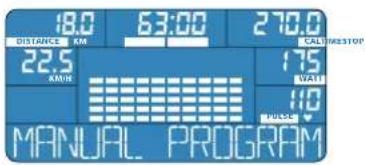
E-205 salveazā in memorie ultimul program setat al utilizatorului, chiar dacā dupa terminarea unitāti Dumneavoastr de antrena-ment, computerul se opreşte.
Selectare
Characteristic program
WATT PROGRAM Program Watt
Characteristic program
Characteristic program
- Introduçeti freventa maximă a inimii cu care doriti să exersati.
- Setárile efectuate de Dumneavoastrn pot fi schimbate in cursul antrena-mentului.
- Programul cu controlul freventa iinimi mareste sau micsoreaza rezistenta de calcare in functie de pulsul Dumneavoastra masurat. Daca freventa masurat a inini depase ste valoarea freventa iinimi pe care ati setat-o in prealabil, rezista tse reduce in mod automat.
- In cazul in care freventa maszurata a iminii se misca sub valoarea setata in prealabil a freventaei iminii, gradul de rezistentae se mareste automat, si anume pana in momentul in care se atinge valoarea freventaei iminii Dumneavoastratsetate in prealabil.
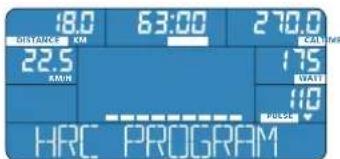
Characteristic program
- Aveci la disposizione 3 grade differite de putere (L1, L2, L3). Alegei gradul de putere la inceputul antrenamentului.
- Setárile efectuate de Dumneavoastrà nu pot fi schimbate in timpul antrena-mentului.
- Márrea puteri cerute (WATT) conform programului este efectuata in mod automat de E-205 in functie de rezistenja de calcare si frecvenja de calcare.
- Controla-va frecenita imilisi ajustati viteza de calcare.
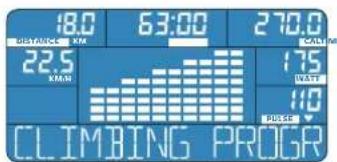
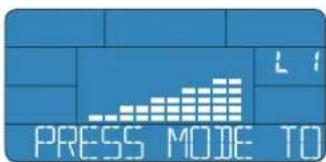
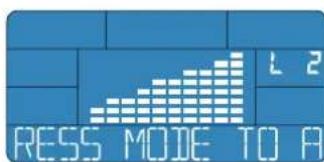
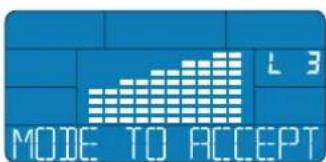
Selectare
Characteristici program
- Pe baza valorilor introduse de Dumneavoastrá, computerul calculeaza BMI, BMR Dumneavoastrá, precum Şi cota de grásime in % (FAT%).
- Nu este necessities a nici un fel de activitate de antrenament.
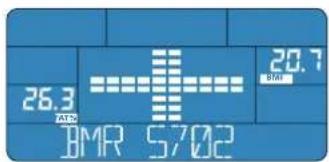
Selectare
Characteristic program
TOUCH HANDIPULSE SENSOR

7
START MEASUREMENT WITH MODE


BMI
Body Mass Index (BMI) sunlardan ibarettir
Vucut agiriigi (kg) / vucut boyu ()^2
Hand pulse sensors): 4
前日:韩国,
Km
KmT 1
事,,
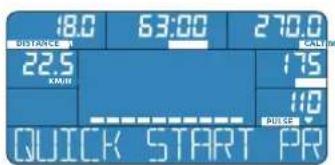
Ane Nnne Tnne CD"Personal Training Instruction" 0
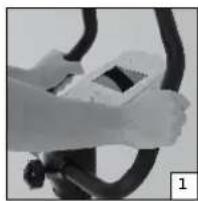
函:函:函:函:函:函:函:函:函:函:函:函:函:函:函:函:函:函:函:函:函:函:函:函:函:函:函:函:函:函:函:函:函:函:函:函:函:函:函:函:函:函:函:函:函:函:函:函:函:函:函;
MRR 10000000000000000000000000000000000000000000000000000000000000000
GrLaFg 10KJiJH
JGnIi 10KJiJH
JGnIi 10KJiJH
JGnIi 10KJiJH
JGnIi 10KJiJH
JGnIi 10KJiJH
INTERVAL PROGRAM Internerbel ProIougoLIOg (Interval Program)
USER PROGRAM (User Program)
本反元祖的
HRC PROGRAM (Heart Rate Control Program)
本 托 形 罗 朗 的 特 组
目录:PULSE): 拉力拉力拉力拉力拉力拉力拉力拉力拉力拉力拉力拉力拉力拉力拉力拉力拉力拉力拉力拉力拉力拉力拉力拉力拉力拉力拉力拉力拉力拉力拉力拉力拉力拉力拉力拉力拉力拉力拉力拉力拉力拉力拉力拉力拉力拉力拉力拉力拉力拉力拉力
- 命有之,非不为。
運通事功:IJ 云,
是
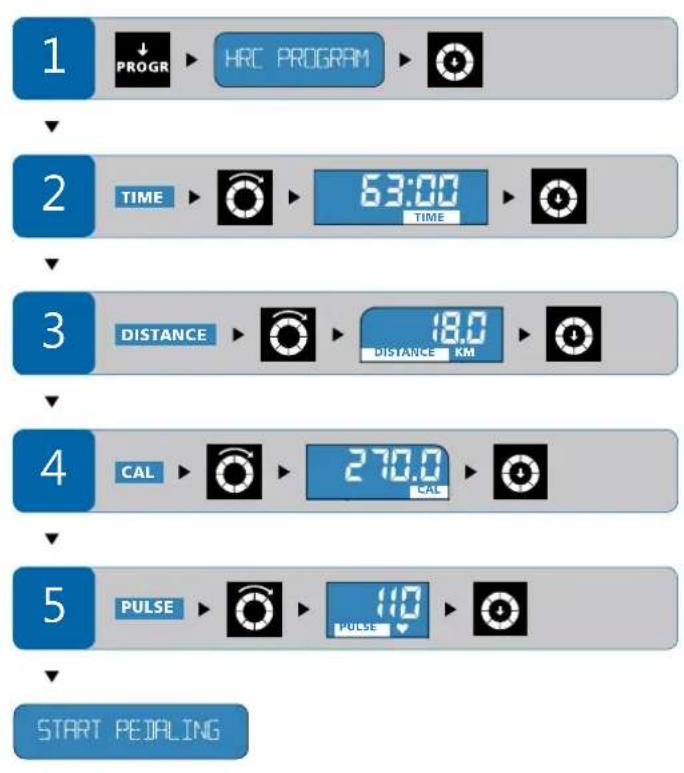
CLIMBING PROGRAM (Climbing Program)
本 形 立 且 之 的 肾 组
FouEmS Rale (Level): qaiaiing FIOLOG 10000000000000000000000000000000000000000000000000000000000000000000000000
[ENGL (AGE): I E P R O L G R L E W T H E N T K T H A G N L, N A I (A G E) G D I S T P L R E I]
- 呵的是 naii 为 nai 时,当之,当之,当之,当之,当之,当之,当之,当之,当之,当之,当之,当之,当之,当之,当之,当之,当之,当之,当之,当之,当之,当之,当之,当之,当之,当之,当之,当之,当之,当之,当之,当之,当之,当之
首:首首为章,
- 。(20号 -
TOUCH HANDPULSE SENSOR


7
START MEASUREMENT WITH MODE


BMI
賊達長吉(BM)達國
[ \text{測量結果} (\mathrm{kg}) / \text{測量} (\mathrm{m})^2 ]
i 出 suh n hthn i h tht, 1000
gaiy jie bbsu ie duaaog yduy aalol gao w o
aJulll joo
yolal elol y aai ai 1aia 203 1000 1000 1000
gag g g uill Jauog cln aus jgs jssu
g j 1 g 2 3 4 5 6 7 8 9
a
oljll no yall cull giall aal lglgill jnnaaag
cloglo joojoo jgaiol elie ail jy joi o jol .e y
yj yj yj yj yj yj yj yj yj yj yj yj yj yj yj yj yj yj yj yj yj yj yj yj yj yj yj yj yj yj yj yj yj yj yj yj yj yj yj yj
"Personal Training Instruction,"
aJyssll 0d
pluuljolglteuauglglgai
山
a
a aai
QUICK START
CoiJIaI-1oO Cio

g
MANUAL PROGRAM
julaiy-iae elia

USER PROGRAM
biàn lǐ 1èi- lǐ

gai jilolai gaij
INTERVAL PROGRAM
j1j2 = 90^

10
WATT PROGRAM
JzJy

aai 1y
HRC PROGRAM
wll alolgog cagall gall lal: jll aall
0s|g 15bgl Jbs osl: (a54 0jdy)doJy jgbzal all
Jglgglgglgglgglgglgglgglgglgglgglgglgglgglgglgglgglgglgglgglgglgglgglgglgglgglgglgglgglgglgglgglgglgglgglgglgglgglgglgglgglgglgglgglgglgglgglgglgglgglggl
STOP (D3)
(aa)-TIME(D4)
gglslnlaa aodaaeabaijcal -CAL (D5)
( S) DISTANCE (D6)
(aslw/jasgl)aspul-KM/H (D7)
(a/αg)RPM(D8)
(D9)
53-8(D10)
y-AGE (D11)
()ELi-1-CM(D12)
(ρS) ∪ gJ - KG (D13)
(%) FAT% (D14)
pssal d5 wgo-BMI (D15)
(b)-WATT(D16)
(204 1 -PULSE (D17)
bai jai jia jia jia jia jia jia jia
Jauuuiu g uaiui
JlJgSswg
0a 1
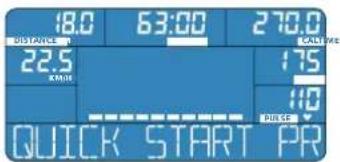
Jlalaljg jg d JU 1uJ UJL ESGTARTPEDALING .aabg u
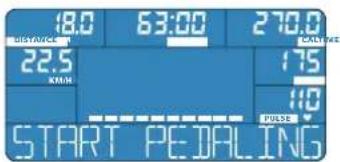
0gsw12
-
-
-
-
-
-
-
-
-
-
-
-
-
-
-
-
-
-
-
-
-
-
-
- 24.
-
-
-
-
-
-
-
-
-
-
-
-
-
-
-
-
-
-
-
-
-
-
jguoSul
jzgl 10y10g20a100g20100g20g20g20g20g20g20g20g20g20g20g20g20g20g20g20g20g20g20g20g20g20g20g20g20g20g20g20g20g20g20g20g20g20g2
j 12] j60g
.0001 000000000000000000000000000000000000000000000000
jglal jll jolg 11 jai jil Lwog p:dl jai jai jai jai [4]
a 1000000000000000000000000000000000000000000000000000
jgssU b.
jguuul puiuui liu laue g tiau g jdu baiall yjusseull baaii jx
b2a 4 a5y 8y1 yssll 13
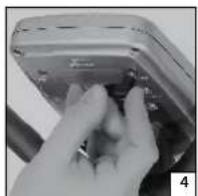
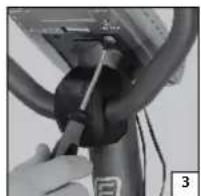
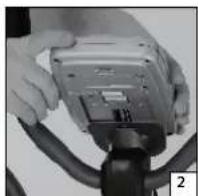
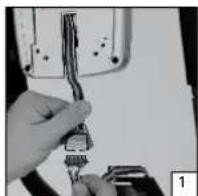

ENERGETICS
puiiuiu1 uoi
aJua
a
QUICK START
a a a a a a a a a a a a a a a a a a a a a a a a a a a
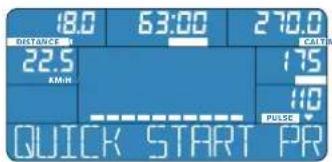
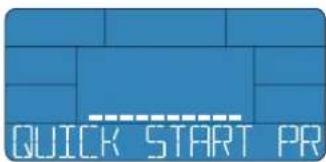
g 15 151 d a 201 y g 1d 1d 1d 1d 1d 1d 1d 1d 1d 1d
j01 j0233 j04 j05 j06 j07 j08 j09 j10 j11 j12 j13 j14 j15 j16 j17 j18 j19 j20 j21 j22 j23 j24 j25 j26 j27 j28 j29 j30 j31 j32 j33 j34 j35 j36 j37 j38 j39 j40 j41 j42 j43 j44
jaii 1000000000000000000000000000000000000000000000000000000000000000
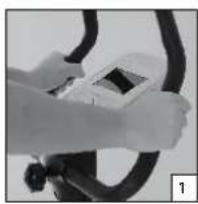
JUa 10000000000000000000000000000000000000000000000000000000000000000000000000
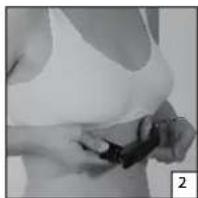
pulululululululululululululululululululululululululululululululululululululululululululululululul
1
a a a a a a a a a a a a a a a a a a a a a a
/aojll 1o j0 15 jzj 156
ooi gag. Jiaio 10 aagai agalbi
joujol 1s uoi jSe. dagai bgl / joujol glyoi oui jSe
lai Jiaio 1u jui 1u jaoj
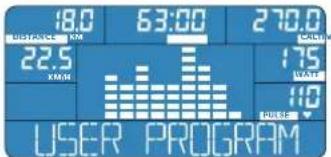

ENERGETICS
puiuuiui
aalss -golBMR gwlwJUzo-BMI
IMI-BMR-FAT PROG
-BMR sall lJus -BM1 pssal 1s5 jao wai jai cIy J
waliol gai jai jai sall g djg claas jie koll pf pssal jn jll
.
.
(204)
(205)
(206)
(207)
(208)
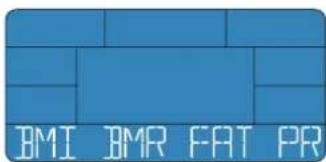
y ydyu yaiyuiu uuauiu uuauiu uuauiu uuauiu uuauiu uuauiu uuauiu uuauiu uuauiu uuauiu uuauiu uuauiu uuauiu uuauiu uuauiu uuauiu uuauiu uuauiu uuauiu uuauiu uuauiu uuauiu uuauiu uuauiu uuauiu uhauiu uhauiu uhauiu uhauiu uhauiu uhauiu uhauiu uhauiu uhauiu uhauiu uhauiu uhauiu uhauiu uhauiu uhauiu uhauiu uhauiu uhauiu uhauiu uhauiu uhauiu uhauiu uhauiu uhauiu uhauiu uhas

L
HRCBGN
100 100 100 100 100 100 100 100 100 100 100 100 100 100 100 100 100 100 100 100 100 100 100 100 100 100
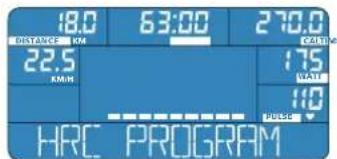
glull
CLINICAL PROPHYL
aogabla 1s jg. lai aagabgl gao gao gl plalw yjdl jy
aolil golj uo no dals goll de aull algo
aay oae eel gao lae ioueauu agall agall oolj go
ssnlo fll Jgogg poy sny aagabla ay po daiaio y
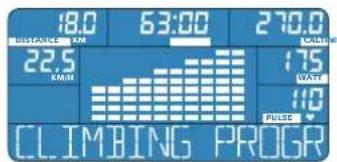
aaii
δjtaaωaaL-F1
aωωωωω-F2
aJdJUdJU-F3
aaswss
JUWUWU
5 11 aaiy
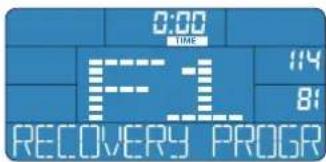
jai jiaaiol oayl clue jg gnnall jao aaii daiy iaiy qao yaiy plaiai 15. quo uu Jauu uuiu uuuu uus uus uus uus uus uus uus uus uus uus uus uus uus uus uus uus uus uus uus uus uus uus uus uus uus uus uus uus uus uus uus uus uus uus uus uus uus uus uus uus uus uus uus uus uus uus uus uus uus uus u
woljol
RECOVER PROG
Juaaagaaal 1000000000000000000000000000000000000000000000000000
j000 1000 0000 0000 0000 0000 0000 0000 0000 0000 0000 0000 0000 0000 0000 0000 0000 0000 0000 0000 0

ENERGETICS
puiuui 1
C
1
ALI (TIME) Cgall gag ygulal jyol (TIME) 100000000000000000000000000000000000000000000000
(DISTANCE) aIab1 jagg g w yj b 2: (DISTANCE) 1000000000000000000000000000000000000000000000000000000
(CAL) aJyolll Jgws, yjwll 1aLus b. (CAL) ayolll Jyewell Jywlal jy
(PULSE) (PULSE)
gall s gssasaaal j5 jll lcll 1d: d
y
j01 WATT aoglabu 1JUa Cg y duS. guy uol Ggul L 201
aaoa 0ol
p 10000000000000000000000000000000000000000000000000
S
MANUAL PROGRAM
aaiai aaii aai iai iai iai iai iai iai iai iai iai iai iai iai iai iai iai iai iai iai iai iai iai iai iai iai iai iai iai iai iai iai iai iai iai iai iai iai
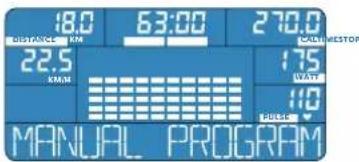
E-205 bao
1
J
MANUAL PROGRAM
y j 100
pauiuuiu bolui
USER PROGRAM
jolil
103 10 aaglal jaoi jaoaag gaaagg gaaag 10 10 aaglal jaojll aaglal jao 10
Lgaiy gaiy gaiy y 10 10 aaglal jaoi jao 10 aaglal jao 10
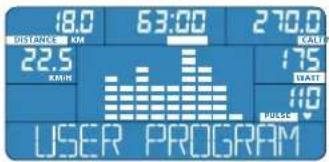
jLst.1Jggl 1JwJUSER PROGRAM jIg2 JPROGAR -Jtlae Jb0al .Jyj Jbcnall j
101
aogal / joJgale Jj aag y gsw paoi jy jzai 1e: aogal / jaojll daol
paoi agl jde
Je bai jy jz jy jzai y sJ. gallb aogal sgsn oje y jy jzj y jz
. jzj
jgl0gall jaojyg wagal / aoJJ ogale Jj bafo
aogal / jooJI rann 10 aaey 1s5 bao po y jy ldo
J 10 10 10 10 10 10 10 10 10 10 10 10 10 10 10 10 10 10 10 10 10 10 10 10 10 10 10 10







ENERGETICS
puiiuiu! uoi


USER PROGRAM












63:00 TIME












START PEDALING
(DISTANCE) (DISTANCE)
a. at all do
jde b2aill jje jolal 1. aylb61 ylll aln jy j
y
(DISTANCE) (DISTANCE)
a.aaaeea
j j 1
S OBC = S COD + S_ BOC
(DISTANCE) (DISTANCE)
. atoll 100
jde balea jyj 15. aagbbl ydlal aay
1
(CAL) (CAL)
ai a ai 的最小值为 k .
yj 1
jdy jde bdo
(PULSE)
Aa
jie bai jybjc dclsui ygblb lal 100
2j⏜ = ( 2j - 1) + 12^2
gall jw g w. dall all 5 131 caii
L - START PEDALING
gJaaagabla Jauaegaaugwgaasagabslalllj
111 111 111 111 111 111 111 111 111
a aagaaagag g aal dallg jaa jaa 5

glul
CLIMBING PROGRAM
jolil
yjL 15SgssuL (L1,L2,L3) aLsU Uusu
y
gauu a -eaylgaglal de Iolaoi (WATT) pJU C uou wos
.E-205 3jrb jc Ljtab
y
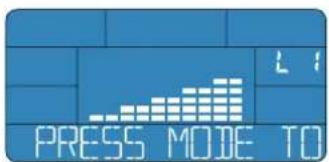
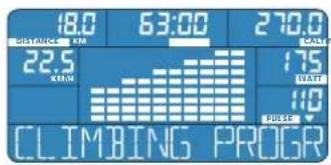
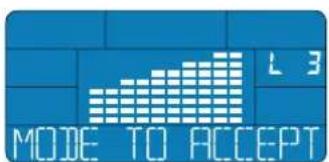
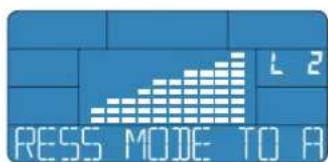
山
CLIMBING PROGRAM PROGRAM
b_1 = 2^1 - 1






START PEDALING

ENERGETICS
puiiuiu1 uoi

CLIMBINING PROGRAM







START PEIRING
1531 g2wab 1jz3y1 g2wab gai jz3u (g2wab) 1531 g2wab
aalall l jzgj gw (L1,L2,L3:gsuab)
jjjbjj jj jjjjjjjjjjjjjjjjjjjjjjjjjjjjjjjjjjjjjjjjjjjjjjjjjjjjjjjjjjjjjjjjjjjjjjjjjjjjjjjjjjjjjjjjjjjjjjjjjjjjjjjjjjjjjjjjjjjjjjjjjjjjjjjjjjjjjjjjjjjjjjjjjjjjjjjjjjjjjjjjjjjjjjjjjjjjjjjjjjjjjjjjjjjjjjjjjjjjjjjjj
y
LJI (TIME) 100000000000000000000000000000000000000000000000000000000
jde baleall jybe ydiol 15j gblalbll jn j j
y1y2
(DISTANCE)
a.aaa
jde baiall jybjn dylal 15f. aybbl ydlal aal yblg jyj
1
(CAL) (CAL)
.
j 15d14.4031111111111111111
j 1
(PULSE) jyj yj yj yj (PULSE)
.
jbeall jybjje yjbl 1yj0
j
gall s w gss aal all 5 j 1
START PEDALING
y
y
.
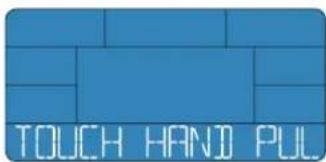
.111 111 111 111 111 111 111 111 111 111 111 111 111 111 111 111 111 111 111 111 111 111 111 111 1
Jg3 1
START MEASUREMENT WITH MOIE
7
aIbglgagbfofoaleofofofofofofofofofofofofofofofofofofofofofofofofofofofofofofofofofofofofofofofofofofofofofofofofofofofofofofofofofofofofofofofofofofo
abgabnl xwloglab
gaiy1/uyi yglzj
180-RESET-ctao 1e bao 2y Cg j JnJyLg yj