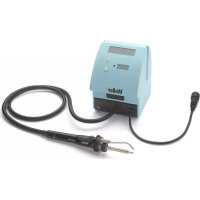
WSF 80 - Welding machine Weller - Free user manual and instructions
Find the device manual for free WSF 80 Weller in PDF.



| Brand | Weller |
| Model | WSF 80 |
| Product type | Soldering station with wire feed system |
| Power supply | 100-240 V ~ 50-60 Hz |
| Rated consumption | 86 W |
| Output voltage | 12 V = 1500 mA |
| Mains voltage (soldering iron) | 24 V AC |
| Temperature range | 100 - 450 °C (200 - 850 °F) |
| Tip type | LT |
| Weight | Approx. 1 kg |
| Protection class (device) | I |
| Protection class (feed unit) | III |
| Soldering functions | Normal mode and pulse mode |
| Wire feed | Automatic, adjustable from 1 to 27.5 mm/s |
| Design | ESD compliant |
| Safety | Protection against electric shock, burns, fire |
| Required protective equipment | Protective gloves and safety glasses |
| Maintenance | Clean thermal transfer surfaces; replace tip when cold |
| Spare parts | Use only original Weller parts |
| Repairs | Reserved for personnel trained by Weller |
| Warranty | 12 months against manufacturing defects |
Frequently Asked Questions - WSF 80 Weller
User questions about WSF 80 Weller
0 question about this device. Answer the ones you know or ask your own.
Ask a new question about this device
Download the instructions for your Welding machine in PDF format for free! Find your manual WSF 80 - Weller and take your electronic device back in hand. On this page are published all the documents necessary for the use of your device. WSF 80 by Weller.
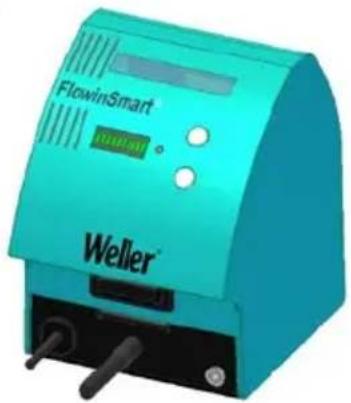
USER MANUAL WSF 80 Weller
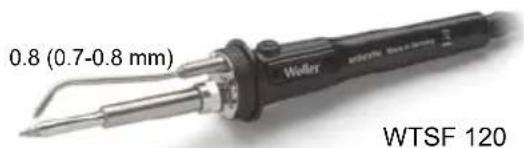
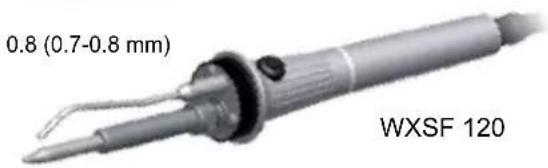
WTSF 80 WTSF 120 WXSF 120
DE Lieferumfang
GB Included in delivery
ES Piezas suministradas
FR Fourniture
IT Dotazione
PT Fornecimento
NL Meegeleverd van de levering
SV Leveransomfattning
DK Leveringsomfang
FI Toimitussisälto
GR YIka TnpaOoNs
TR Teslimat kapsami
CZ Rozsah dodávky
PL Zakres dostawy
HU Szallitasi terjedelem
SK Rozsah dodávky
SL Obseg posiljke
EE Tarnesisu
LV Piegades komplekts
LT Komplektas
BG O6em Ha DocTaBkata
RO Pachetul del livre
HR Popratna oprema
RU KomnneK T NOCTaBKn
CN 供货范围
KO 公国音
JP 納入八夕一内容
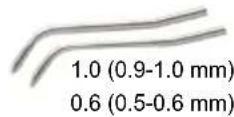
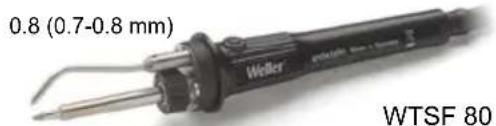
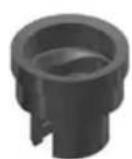
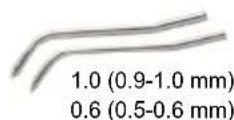
DE Zubehor
GB Accessory
ES Accessorio
FR Accessoires
IT Accessorio
PT Acessório
NL Toebehoren
SV Tillbehör
DK Tilbehør
FI Lisalaite
GR Eεαρτηματα
TR Aksesuar
CZ Prisluşenstvi
PL Wyposazenie
HU Tartozékok
SK Príslušenstvo
SL Oprema
EE Tarvikud
LV Piederumi
LT Priedas
BG PpHaJdJIeXHoCTN
RO Accesorii
HR Pribor
RU Ochactka
CN 配件
KO
JP 4
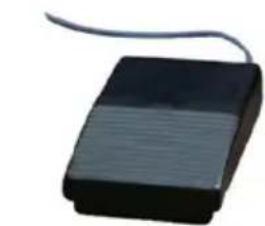
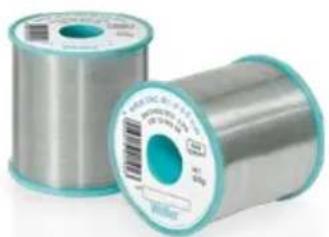
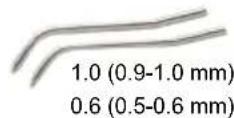
WSW SAC M1 WSW SAC L0 WSW SC L0 WSW SC M1
| Sn3.0Ag0.5Cu | Sn3.0Ag0.5Cu | Sn0.7Cu | Sn0.7Cu | |
| 0,5 mm | T005 13 864 99 | T005 13 870 99 | T005 13 880 99 | T005 13 876 99 |
| 0,8 mm | T005 13 863 99 | T005 13 869 99 | T005 13 879 99 | T005 13 875 99 |
| 1,0 mm | T005 13 862 99 | T005 13 868 99 | T005 13 878 99 | T005 13 874 99 |
| Deutsch | Technische Daten | Sicherheitshinweise | Pflege und Wartung | Garantie | 16 |
| English | Technical Data | Safety information | Care and maintenance | Warranty | 20 |
| Espanol | Datos Técnicos | Advertencias de seguridad | Cuidado y mantenimiento | Garantia | 25 |
| François | Caracteristicques Techniques | Consignes de sécurité | Entretien et maintenance | Garantie | 29 |
| Italiano | Dati Tecnici | Avvertenze per la sicurezza | Cura e manutenzione | Garanzia | 33 |
| Portugues | Característica Técnicas | Indicações decurity | Conservação e manutenção | Garantia | 37 |
| Nederlands | Technische Gegevens | Veiligheidsinstructies | Onderhoven | Garantie | 41 |
| Svenska | Tekniska Data | Säkerhetsanvisningar | Skötesel och unterhalb | Garanti | 45 |
| Dansk | Tekniske Data | Sikkerhedsanvisninger | Pleje og vedligeholdelse | Garanti | 49 |
| Suomi | Tekniset Arvot | Turvallisuusohjeet | Aseman hoito ja houlto | Takuu | 53 |
| Ελληνικα | Τεχνικά στοιχία | Αγποδείξεις ασφαλείας | Φροντίδα και συντήρηση της συοκεύης | Εγγύŋοη | 57 |
| Türkçe | Teknik Veriler | Güvenlik uyarıları | Temizliği ve bakkı | Garanti | 62 |
| Český | Technické udaje | Bezpečnostní poukny | Üdržba a servisi práce ohledné | Záruka | 66 |
| Polski | Dane Techniczne | Wskazówski bezpiecieństwa | Piełęgnacja i konserwacja urzadzenia | Gwarancja | 70 |
| Magyar | Műszaki Adatok | Biztonsági utasítások | Ápolás és karbantartás | Garancia | 74 |
| Slovensky | Technické udaje | Bezpečnostné poukny | Ošetrovanie a údržba | Záruka | 78 |
| Slovenščina | Technični Podatk | Varnostna navodila | Nega in vzdřevanje | Garancija | 82 |
| Eesti | Tehnilised Andmed | Ohutusjuhised | Hooldamine ja teenindamine | Garantiü | 86 |
| Latviski | Tehniskie dati | Droşibas norādes | Apkope un kopšana | Garantija | 90 |
| Lietuviškai | Techninai duomenys | Saugos taisyklems | Iprastiné ir techniné priežiūra | Garantija | 94 |
| Бъларски | Текнистения в данныни | Иструкции за бezоноа са робота |Обларваим и подьржане | Гаранця | 96 |
| Român | Date tehnice | Indicati di de securitate | Ingrijireași intreşinerea curentă | Garantía pentru produs | 102 |
| Hrvatski | Technički podatci | Sigurnosna upozorenja | Njega i servisiranje | Jamstvo | 106 |
| Русский | Текнистения Харазковские | Рекомениции по techниke бezоноа состп | Ухочи ооблужевке | Гарантуя | 110 |
| 中文 | 技术资料 | 安全信息 | 小心维护 | 保修 | 114 |
| 한국어 | 기ophile자료 | 한국상품보 | 关係일용지본수 | 关종 | 118 |
| 日本語 | 技術資料 | 安全に閲る情報 | 保守及びメングテANNUS | 保证規定 | 122 |
WTSF 80
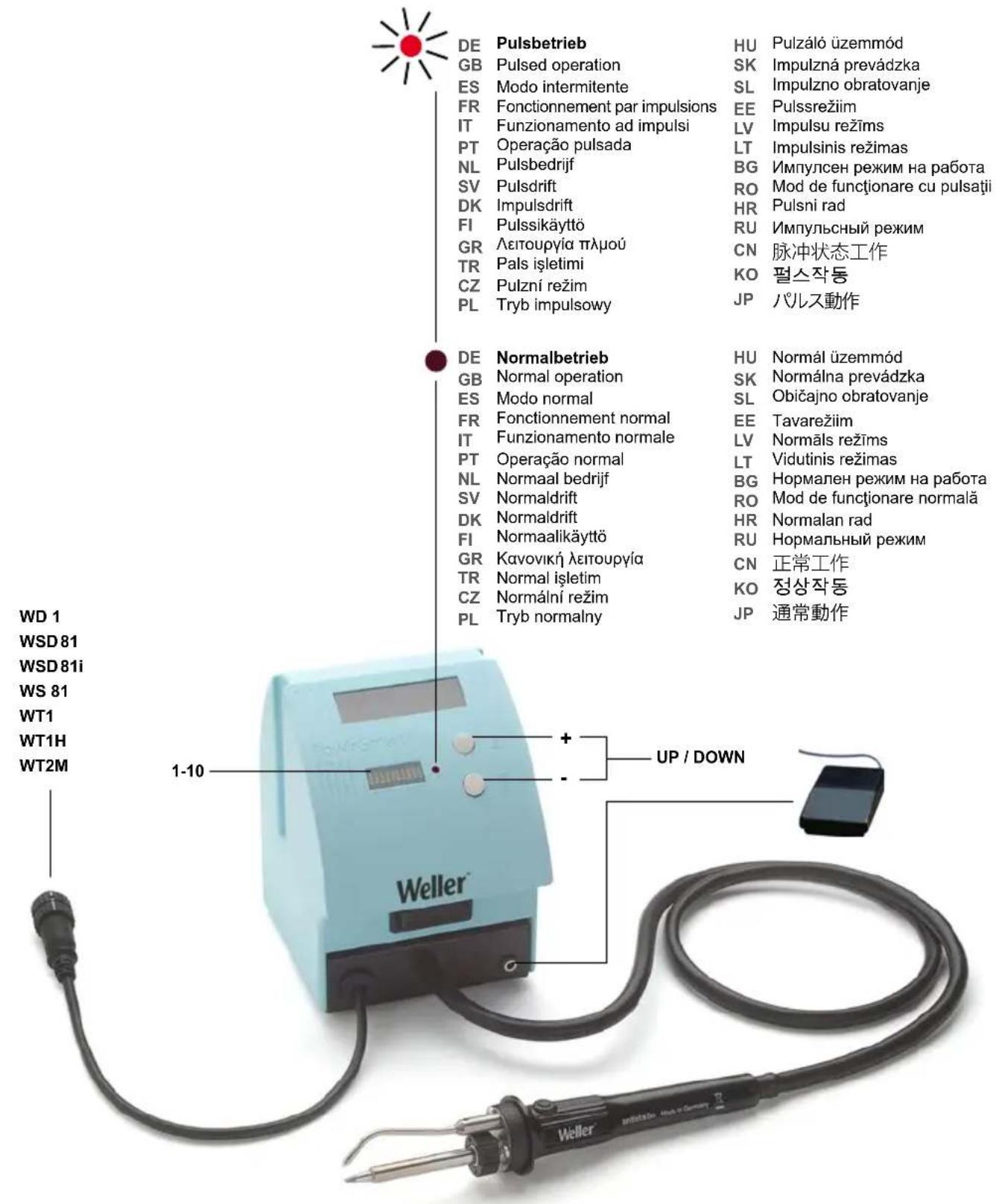
WTSF 120 / WXSF 120
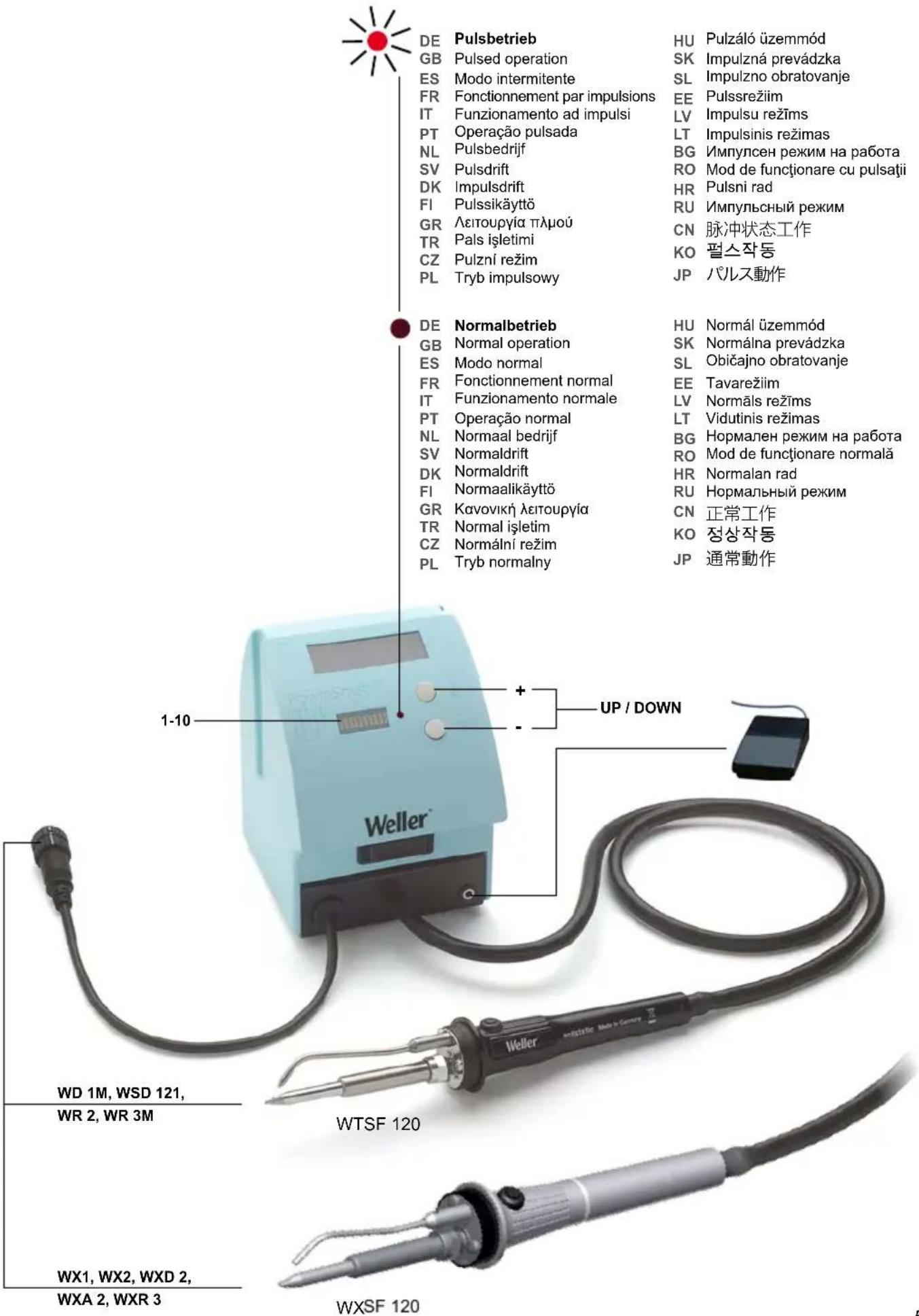
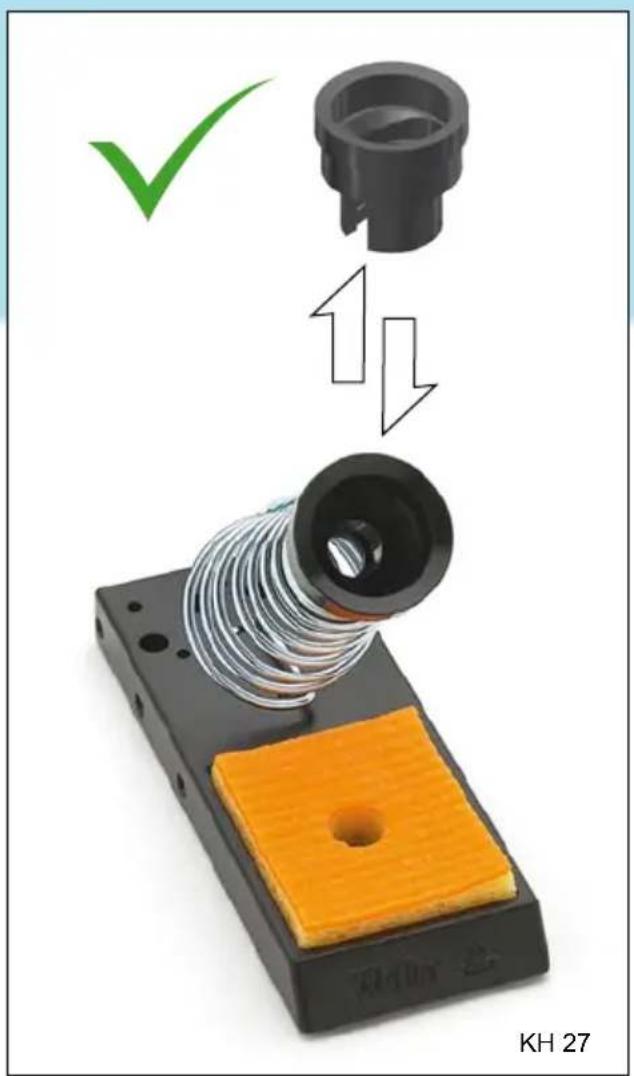
GB Always place the soldering tool in the safety rest while not in use.
Ako He n3no3BaTe noJHHN
BG INHCTpymEnT, BnHaTn TcnaTaIeB npedna3HaTa nOdctabka.
Depuneti intotdeauna scula de lipire
RO metalica pe polita de siguranta in caz de nefolosire a acesteia.
WTSF 80:WTSF 80 + 120
| WD 1 | WT1 | WD 1M | WR 3M |
| WSD81 | WT1H | WSD 121 | WT1H |
| WSD81i | WT2M | WR 2 | WT2M |
WS 81
WXSF 120:
WX1 WXA2
WX2 WXR3
WXD2 WXsmar
Thank you for the confidence you have shown in buying this device.
The device has been manufactured in accordance with the most rigorous quality standards which ensure that it operates perfectly.


Warning!
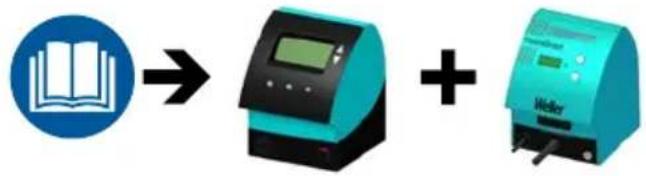
Read these instructions and the accompanying safety information carefully before starting up the device and starting work with the device. Keep these instructions in a place that is accessible to all users.
These instructions contain important information which will help you to start up, operate and service the device safely and correctly as well as to eliminate simple faults and malfunctions yourselves.
The device has been manufactured in accordance with state-of-the-art technology and acknowledged regulations concerning safety.
There is nevertheless the risk of personal injury and damage to property if you fail to observe the safety information set out in the accompanying booklet and the warnings given in these instructions.
Safety information
This appliance can be used by children aged from 8 years and above and persons with reduced physical, sensory or mental capabilities or lack of experience and knowledge if they have been given supervision or instruction
concerning use of the appliance in a safe way and understand the hazards involved.
Children shall not play with the appliance. Cleaning and user maintenance shall not be made by children without supervision.

Warning! Electrical shock
Connecting the control unit incorrectly poses a risk of injury due to electric shock and can damage the device.
Carefully read the attached safety information, the safety information accompanying these operating instructions as well as the operating instructions for your control unit before putting the control unit into operation and observe the safety precautions specified therein.
If the device is faulty, active electrical conductors may be bare or the PE conductor may not be functional.
Repairs must always be referred to a Weller-trained specialist.
If the electrical tool's power supply cord is damaged, this must be replaced with a specially prefabricated power supply cord available through the customer service organisation.

Warning! Risk of burns
The soldering tip becomes very hot during soldering work. There is a risk of burns from touching the tips. Tools may still be hot long after they have been switched off.
Always place the soldering tool in the safety rest while not in use.
Do not touch the hot soldering tips and keep them away from inflammable objects.
Wear appropriate protective clothing to protect yourself against burns. Protect your eyes by wearing eye protectors.

Warning! Fire and explosion hazard! Hot tools represent a fire hazard
Always place the soldering tool in the safety rest while not in use.
- Keep explosive and flammable objects well away from the device.
Do not cover the device.

Warning! Danger of injury
Uncontrolled solder wire feed can cause injury.
Wear protective goggles
Wear gloves!
Only use the solder wires recommended in the operating instructions

Warning! Danger of injury
The device or parts of the device may fall off during transportation.
Specified Conditions Of Use
The solder wire feed system many only be used for the soldering of parts.
Operate the device only in combination with the following supply units:
WTSF 80:WTSF 80 + 120
WD1 WT1 WD1M WR3M
WSD81 WT1H WSD121 WT1H
WSD81i WT2M WR2 WT2M
WS 81
WXSF 120:
WX1 WXA2
WX2 WXR3
WXD2 WXsmar
Only use the device indoors. Protect against moisture and direct sunlight.
Intended use of the soldering station/ desoldering station also includes the requirement that you
adhere to these instructions,
observe all other accompanying documents,
comply with national accident prevention guidelines applicable at the place of use.
The manufacturer will not be liable for unauthorised modifications to the device.
User groups
Due to differing degrees of risk and potential hazards, several work steps may only be performed by trained experts.
| Work step User groups | |
| Maintenance | Specialist personnel with technical training |
| Replacing electrical replacement parts Electricians | |
| Default maintenance intervals Safety expert | |
| Operation Replace solder wire | Non-specialists |
| Operation Maintenance Replace solder wire Replacing electrical replacement parts | Technical trainees under the guidance and supervision of a trained expert |
Starting up the device
Caution!
Please be sure to read and follow the operating instructions for your Weller Supply Unit.
Put the tool into operation as described in the chapter „Placing into operation".
Check to see if the mains voltage matches the ratings on the nameplate.
Care and maintenance

Warning!
Before doing any work on the machine, pull the plug out of the socket.

Warning!
Use original replacement parts only.

Warning! Risk of burns
Only replace solder tips when cold
Only replace the soldering tips when they are cold. The soldering tool must be left switched off in the safety rest for at least 3 minutes until the soldering tip has cooled down. The LED status indicator must be at ,OFF".
Keep the heat transfer surfaces of the soldering tip and heating element clean. The heating element must not come into contact with soldering tin.
Clean the operator panel, if dirty, using a suitable cleaning cloth.
Technical Data
| Solder wire feed system WTSF | 80 WTSF 120 / WXSF 120 | |
| Power supply unit | ||
| Input | 100 - 240 V ~ 50-60 Hz | 100 - 240 V ~ 50-60 Hz |
| Output | 12 V = 1500 mA | 12 V = 1500 mA |
| Rated input 86 W 126 W | ||
| Mains supply voltage 24 V AC | 24 V AC | |
| Weight approx. 1 kg approx. 1 kg | ||
| Safety class | I | I |
| Safety class Feed unit | III | III |
| Temperature range Celsius: 100 - 450°C Fahrenheit: 200 - 850°F | Celsius: 100 - 450°C Fahrenheit: 200 - 850°F | |
| Heat-up time (approx.) in seconds (50°C to 380°C) (120°F to 660°F) | 10 | 14 |
| Tip top condition | LT | XT |
Error messages and error clearance
| Message/symptom Possible cause Remedial measures | ||
| No display function (display OFF) | ■ No mains supply voltage ■ Power supply unit not connected | ■ Check mains supply voltage ■ Connect power supply |
| No wire feed | ■ Driving gear is slipping ■ Solder wire reel is empty ■ Contamination of the tip by flux residues ■ Wire caught while unreeling | ■ Increase pressure on spring-loaded screw ■ Replace solder wire reel ■ Clean tip ■ Replace solder wire reel |
| Solder wire is not melting | ■ Temperature set too low on the soldering unit ■ Heating element faulty | ■ Increase temperature to above the melting point ■ Replace heating element |
Symbols

Caution!

Warning against hand injuries

Read the operating instructions!

Wear gloves!

Wear protective goggles


Before performing work of any kind on the unit, always disconnect the power plug from the socket.

ESD-compatible design and ESD-compatible workstation
Disposal
Waste light sources have to be removed from equipment. Check with your local authority or retailer for recycling advice and collection point. According to local regulations retailers may have an obligation to take back waste electrical and electronic equipment free of charge. Your contribution to re-use and recycling of waste electrical and electronic equipment helps to reduce the demand of raw materials. Waste electrical and electronic equipment contain valuable, recyclable materials, which can adversely impact the environment and the human health, if not disposed of in an environmentally compatible manner. Delete personal data from waste equipment, if any. Contaminated filters must be treated as special waste. Dispose of replaced equipment parts, filters or old devices in accordance with the rules and regulations applicable in your country.

CE mark of conformity

British Conformity Mark
Warranty
Claims by the buyer for physical defects are time-barred after a period of one year from delivery to the buyer. This does not apply to claims by the buyer for indemnification in accordance with §§ 478, 479 BGB (German Federal Law Gazette).
We shall only be liable for claims arising from a warranty furnished by us if the quality or durability warranty has been furnished by use in writing and using the term "Warranty".
The warranty shall be void if damage is due to improper use and if the device has been tampered with by unauthorised persons.
Subject to technical alterations and amendments.
For more information please visit
www.weller-tools.com.
WTSF 80:WTSF 80 + 120
WD1 WT1 WD1M WR3M
WSD81 WT1H WSD121 WT1H
WSD81i WT2M WR2 WT2M
WS81
WXSF 120:
WX1 WXA2
WX2 WXR3
WXD2 WXsmar
WTSF 80: WTSF 80 + 120
WD1 WT1 WD1M WR3M
WSD81 WT1H WSD121 WT1H
WSD81i WT2M WR2 WT2M
WS81
WXSF 120:
WX1 WXA2
WX2 WXR3
WXD2 WXsmar
WTSF 80: WTSF 80 + 120
WD1 WT1 WD1M WR3M
WSD81 WT1H WSD121 WT1H
WSD81i WT2M WR2 WT2M
WS81
WXSF 120:
WX1 WXA2
WX2 WXR3
WXD2 WXsmar
WTSF 80:WTSF 80 + 120
| WD 1 | WT1 | WD 1M | WR 3M |
| WSD 81 | WT1H | WSD 121 | WT1H |
| WSD 81i | WT2M | WR 2 | WT2M |
WS81
WXSF 120:
WX1 WXA2
WX2 WXR3
WXD2 WXsmar
WTSF 80: WTSF 80 + 120
WD1 WT1 WD1M WR3M
WSD81 WT1H WSD121 WT1H
WSD81i WT2M WR2 WT2M
WS81
WXSF 120:
WX1 WXA2
WX2 WXR3
WXD2 WXsmar
∴ m = 3/11
Afvoer
Varning! Risk for brännskador
WTSF 80:WTSF 80 + 120
WD1 WT1 WD1M WR3M
WSD81 WT1H WSD121 WT1H
WSD81i WT2M WR2 WT2MS 81
WXSF 120:
WX1 WXA2
WX2 WXR3
WXD2 WXsmar
Varning! Risk for brännskador
WTSF 80:WTSF 80 + 120
WD1 WT1 WD1M WR3M
WSD81 WT1H WSD121 WT1H
WSD81i WT2M WR2 WT2M
WS 81
WXSF 120:
WX1 WXA2
WX2 WXR3
WXD2 WXsmar
WTSF 80: WTSF 80 + 120:
WD1 WT1 WD1M WR3M
WSD81 WT1H WSD121 WT1H
WSD81i WT2M WR2 WT2M
WS 81
WXSF 120:
WX1 WXA2
WX2 WXR3
WXD2 WXsmar
WTSF 80:WTSF 80 + 120
WD1 WT1 WD1M WR3M
WSD81 WT1H WSD121 WT1H
WSD81i WT2M WR2 WT2M
WS81
WXSF 120:
WX1 WXA2
WX2 WXR3
WXD2 WXsmar
XpnoiIOIEt n oukeun mvo oTov eowteiko
xwo. PpootateeTe Tn ouakeun ano tnv uypaoia kai nTv aepen nlaikn aktivofoia.
H xpnon ouuovva u To oKoTIO TPOOPIou OuaNTepiaaBavei KAI TO YEYOVc,OTI
PnoeioToiOn yia TpaUaTIOuToWxEpiW

AiaβaOTe Tc obnyiecs xepiouou!

WTSF 80:WTSF 80 + 120
WD1 WT1 WD1M WR3M
WSD81 WT1H WSD121 WT1H
WSD81i WT2M WR2 WT2M
WS81
WXSF 120:
WX1 WXA2
WX2 WXR3
WXD2 WXsmar
| Mesaj/Belirti | Olası neden | Yarıdağ ileMLEmleri |
| Ekran fonksiyonu yok (Ekran kapalı) | Şebeke gerilimi yok Akın besleme ünetesi®,®,®,®,®,®,®,®,®,®,®,®,®,®,®,®,®,®,®,®,®,®,®,®,®,®,®,®,®,®,®,®,®,®,®,®,®,®,®,®,®,®,®,®,®,®,®,®,®,®,®,®,®,®,®,®,®,®,®,®,®,®,®,®,®,®,®,®,®,®,®,®,®,®,®,®,®,®,®,®,®,®,®,®,®,®,®,®,®,®,®,®,®,®,®,®,®,®,®,®,® | Şebeke gerilimi kontrol edilmelier Akın beslemesi®,®,®,®,®,®,®,®,®,®,®,®,®,®,®,®,®,®,®,®,®,®,®,®,®,®,®,®,®,®,®,®,®,®,®,®,®,®,®,®,®,®,®,®,®,®,®,®,®,®,®,®,®,®,®,®,®,®,®,®,®,®,®,®,®,®,®,®,®,®,®,®,®,®,®,®,®,®,®,®,®,®,®,®,®,®,®,®,®,®,®,®,®,®,®,®,®,®,® |
| Tel beslemesi:yapımlıyor | Tahrik Çarkı kayıyor Tel rulosu boş Eritici artıkları nedeniyle uzta kırlenme Sarım,açma sirasindo tel takildı | Yaylıvidadaki pres basinci artırilmaldir Tel rulosudehyişirilmelidir Üçtemizlenmelidir Tel rulosudehyişirilmelidir |
| Tel erimiyor | Lehim üntesinde sıçakkıçood,uşkı ayarlandı Isitma elemani arizalı | Sıçakkı erime noktasınin üzerine,isikarlmaldir Isitma elemanidehyişirilmelidir |
Semboller

Dikkat!

WTSF 80:WTSF 80 + 120
WD1 WT1 WD1M WR3M
WSD81 WT1H WSD121 WT1H
WSD81i WT2M WR2 WT2M
WS 81
WXSF 120:
WX1 WXA2
WX2 WXR3
WXD2 WXsmar
WTSF 80:WTSF 80 + 120
WD1 WT1 WD1M WR3M
WSD81 WT1H WSD121 WT1H
WSD81i WT2M WR2 WT2M
WS81
WXSF 120:
WX1 WXA2
WX2 WXR3
WXD2 WXsmar
WTSF 80:WTSF 80 + 120
WD1 WT1
WD 1M
WR 3M
WSD81
WT1H
WSD 121
WT1H
WSD81i
WT2M
WR2
WT2M
WS81
WXSF 120:
WX1 WXA2
WX2 WXR3
WXD2 WXsmar
WTSF 80:WTSF 80 + 120
WD1 WT1 WD1M WR3M
WSD81 WT1H WSD121 WT1H
WSD81i WT2M WR2 WT2M
WS81
WXSF 120:
WX1 WXA2
WX2 WXR3
WXD2 WXsmar
Pristroj použivajte len v interiéri. Chrante predvlhkostou a priamym slnečném ziarenim.
WTSF 80: WTSF 80 + 120:
WD1 WT1 WD1M WR3M
WSD81 WT1H WSD121 WT1H
WSD81i WT2M WR2 WT2M
WS81
WXSF 120:
WX1 WXA2
WX2 WXR3
WXD2 WXsmar
WTSF 80:WTSF 80 + 120
WD1 WT1 WD1M WR3M
WSD81 WT1H WSD121 WT1H
WSD81i WT2M WR2 WT2M
WS 81
WXSF 120:
WX1 WXA2
WX2 WXR3
WXD2 WXsmar
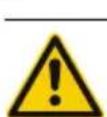
Bridinajums! Traumu risks
Nekontroleta stieples padeve var radit ivainojumus ar lodstiepli.
Laikā izmantojiet aizsargbrilles.
Javalka aizsargcimdi!
Izmantojiet vieni g i lieto sanas pamacibba ieteiktas lodstiepes
Bridinajums! Traumu risks
Transportesanas laikierice var apgazties vai ar var nokrist detalias.
Atbilstoša lietosana
Lodstieples padeves sistemu drikst izmantot vienigi detalu lodesanai.
Izmantojiet ierici tikai ar šadiem barosanas kom- ponentiem:
WTSF 80: WTSF 80 + 120:
WD1 WT1 WD1M WR3M
WSD81 WT1H WSD121 WT1H
WSD81i WT2M WR2 WT2M
WS81
WXSF 120:
WX1 WXA2
WX2 WXR3
WXD2 WXsmar
Izmantojiet ierici tikai iekstelpas. Sargajiet ierici no mitruma un tieSiem saules stariem.
WTSF 80: WTSF 80 + 120:
WD1 WT1 WD1M WR3M
WSD81 WT1H WSD121 WT1H
WSD81i WT2M WR2 WT2M
WS81
WXSF 120:
WX1 WXA2
WX2 WXR3
WXD2 WXsmar
Jrankj naudokite tik vidaus patalpose. Saugokite nuo drégmés ir tiesioginiu saulés spinduliu.
Ha ypeDa n ca pa36paII npOn3TucaaIte BCJeIcTBnE Ha TOBa ONaCHOCTN.
Ieata He Tp6Ba Da nrgaT C ypea. PoucntBaHe i NODbpxaHe He Tp6Ba Da Ce N3BbPwBa OT Deua 6e3 Na6nOnde.

PpeynpexdHe! EneKtpueecknyap
Pn HnpaBnHNO npncbeHNBaHe Ha anapaTa 3a ynpabneHne mHa onaCHOCT OT HapaHbAne nopadn eIeKtpnueckn ydap n ypeT MoKe da ce nobpei.
Ipei 3aOnBaHe Ha pa6oTa npouTeTe DOKpa npINOKeHnTe HnCTpyKuInTe 3a 6e3onacHa pa6oTa B TOBa pkoBOcTBo 3a pa6oTa, a cbTo Taka n pkoBOcTBoTo Ha Baun anapat 3a ynpabJIeHne n Cna3BaIne DaJeHnTe Tam MepKn 3a 6e3onacHOCT.
Pn DepeKeTeH ypeE e Bb3MOxHO aKTUBHn npOBoHNu Da ca OOrJeHn IIN 3aunTHnT npOBoHNk Da He pa6OTn.
Pemontnte Tp6Ba da ce n3BbPWBat ot obyuHn ot Weller nua.
Ako e NOBpeHcBeHNHTNnHa pOBoHNK Ha eNeKTpueckn HnCTpyMeH, TO ToT pr6Ba Da CE CMeHn CbC cneuaHNO nOgroTBeH CbeHNTeHepnoBDnK, KOTo MoKe Da ce NOnyH ot cepBn3HaTa opraHn3aUy.

PpeynpexdHne! Pnck ot n3rapaHna
BbpxbT ha 3anOBaHe cTaBa MHoro ropeuHa NO Bpeme Ha 3anOBaHe pa6Ota. CbuecTByBa onachocT OT n3rapHn O T DOKOCBaHe Ha BbpxOBete. HNCTpyMeHTte MORat BCE oue da 6bDat ropeu Nblro cneI KaTO Te He ca 6nnn N3KnIOUeHN.
Ako He n3no3BaTe noJHnIy HnCTpyMeHT, BnHar n ro cnaaTe B npedna3HaTa noDCTaBka.
He Dokocbaite ropeuinte cBbTe 3a 3anOBahe n da rN dbpKn daJeY ot 3anaHIM npedMeTn.
Ja ce Hocn noxqauo 3aunTHO obneKno, 3a da ce npedna3nte ot n3rapHn. Pa3eTe ouHTe cn OT HOCEHTo Ha npedna3HN CpeCTBa 3a aunTa Ha ouHTe.

PpeynpexkdeHne! ObH n onachoct ot ekcnno3n!
Topeu HnctpymeHTn npedCTaBnBaT onaCHOcOT noXkap
Ako He n3no3BaTe NOJHnI HNCTpyMeHT, BnHaTn FO cnaarTe B npedna3HaTa noDCTaBka.
ДрьжTeВЗрИниЗалIMnпpeMeTnДaNeYeOTyCtpoIcTBOTO.
He nokpmbane Ha yctpojCTBOTO.

PpeynpeXdHne!Ma onaChocT OT HapaHbAHe
HeKoHTpOJIpaHO nOdaBaHe Ha XnUcaTa MoXe Da CTAHe npNHa 3a HapaHbAHn OTe XnUcaTa 3a 3anOraBaHe.

WTSF 80:WTSF 80 + 120
| WD 1 | WT1 | WD 1M | WR 3M |
| WSD81 | WT1H | WSD 121 | WT1H |
| WSD81i | WT2M | WR 2 | WT2M |
WS81
WXSF 120:
WX1 WXA2
WX2 WXR3
WXD2 WXsmar
N3noJ3BaIte yCTpoIcTBOTO cMo B 3aKpNTnOmeUeHna. Da ce Na3n OT Bnara n npraKa CJIbHueBaCBETJInHa.
I3noJ3BaHeTo INo npEHa3HaueHne BKNIOUcBa N
Bne da cna3BaTe TOBa pIbKOBoCTBO,
CnazBaIe BCnUKN DoIbJIHInTeJIHN CbIpOBOuNTeJIHN DOKyMeHTaUN.
Bne da cna3BaTe HaaioHaJIHInTe npabnla 3a TEXnka Ha 6e3oNaCHOCT Ha MrcTOTO Ha paBoTa.
Pon3BOUnteIHT He NOema OTROBOPHOCT 3a Hapabehn CBOEBOJH N3MeHeHH Ha ypeHa.
Iotppe6nteJcKn rpynn
Iopapn pa3nnuHr roJeMHTe pncOBe nnoTeHuaHn OAnchoCTn HAKo pa60THn Oepaun MoT da 6bdaT n3BbPwBaHn cAmO OT KBaHnΦuHpaN uObyeH nepcoHaI.
I3non36aume camo opuzuHaHnpu3ep8Hu yacmu Ha WELLER.

PpeynpeKdHne! Pnck ot n3rapaHHN
Cama 3aMeHn CbBETn CnoKa, KOrato eCTyDEH
Camo 3aMeHn CbBcTHe 3aNoBaHe, KOraTo Te ca CTyDeHn.
HnctpymEnb3a 3anOBaHe Tp6Ba Da ce octaBn
nKIOUeH B OCTaHaJIaTa YAcT Ha 6e3ONaChocCTTa
B npOdbNKeHne Ha Hau-MaJIko 3 MInHyTu, DOKaTO
BbPxbT Ha 3anOBaHe Ce OxJaDn. INHnKaToPbT 3a
LED cTatyc Tp6Ba Da 6bHe Ha-“OFF".
DpbkTe TOnl0o6MeHHnTe NOBbpxHOCTHa BbpxHa 3anOraBaHe n OTonneHHe enEmeHT YnCT. HarpeBaTeJIaT He Tp6Ba Da BnI3aT B KOHTaKT C 3anOraBaHe Kaai.
Pn3aMbpCBAHe NOUHCTeTe NyTAta 3a ynpabJIeHne C NOxOJaKbPna 3a NOuHCTBaHe.
TexHnueckn daHHN
| Систema 3a поаване наЖицата 3a запяванe | WTSF 80 WTSF 120 / WXSF 120 | |
| Мреков захранвацьokВховДзхов | 100 - 240 V ~ 50-60 Hz12 V = 1500 mA | 100 - 240 V ~ 50-60 Hz12 V =1500 mA |
| Номинална консуmpираноМошиноct | 86 W 126 W | |
| Мрековнижени 24 V AC 24 V AC | ||
| Терлл прибл. 1 kg прибл. 1 kg | ||
| Клас на зашитаКлас на зашита падавашюустroduстvo | IIII | IIII |
| Temпегатуpen диапазон Zeел��: 100 - 450°CФаренхайт: 200 - 850°F | Zeел��: 100 - 450°CФаренхайт: 200 - 850°F | |
| Вреема за подраване (прибл.)В секунд.(50°C 380°C) (120°F 660°F) | 10 14 | |
| Първокласно сemeitsво | LT | XT |
Cbo6eHn3 npBHOCTN OTCpaHbAHe
| Съобшени/симпTom | Възможна поочина | Меркь за отстразноае |
| Ди检пльяг.T He paботи (покаме ИЗКЛ) | ■ Ная мржково нарженье ■ Токозхарвашит绛к He eПрисьедиен | ■ Пювэретe мржовто нарженье ■ Рисьединыe Токозхарвашия绛к |
| He ce podава жица | ■ 3адвжвашит кoleло ceПрисьдзва ■ Ролкata жица e празнa ■ 3amьрсаяне на вьрха сoctатуи ot Фли oca ■ жицату рир разввае ceЗakпeeшьa | ■ Увелочete припсканeto на Прухиньябont ■ Сmenete polikata жица ■ Почистete вьрха ■ Сmenete polikata жица |
| Жицата не се топи | ■ 3ададени e много Ниска temпегатура на залорвашия绛к ■ Harpeвателниот elemente e deфект end | ■ Увелочete Temпегатура на Точka差别 на тоне ■ Сmenete harpeвателни elemente t c nob |
CNMBOJIH

BhimaHie!

Ima onaCHOCT OHTapaHBAHe

IpooyetepepbKOBOcTBO 3a ekcnnoataua!

Ja ce HocrT npedna3n pbkauu!

IIN3aHbTIOOOPMJIeHHeToHa pa6oTHOTMOCTOOTROBapraHaESD
OTcTpaHbAne KaTo OTnAbk
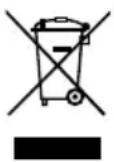
OTnabuNTeOT eNektpuecko n
eNEKTPoHNOOBOpyBaHe Tp6Ba da
ce cbnpaT N3XBbPnT pa3dEnHO.
IpeDn N3XBpLnHETo OTcTpaHBAitTe
JAMnTEOTypeNeTnHΦoPmnpaTe
CEOT MeCTHnTE CnyXbNnOTCB0r
CneuNn3nPaH TbProBeU OTHOCHO
ΦnPmTe 3a peuKnlpAne H MeCTaTa
3a cbnpaHe Ha OTnaDbuN.
B 3aBnCIMoCT OT MeCTHnTE pa3nope6n, TbproBHTe Ha Dpe6Ho MOraT ca 3aDbJIxKeHN Da npEhemat 6e3nnlatHO BbPHTne O6paTHO OTnaDbuOn OT eNEKTPnueCKO n eNEKTPOHNO obOpyDbaHe. DaIte CBOr npHoc 3a HamaJraBaHTo Ha HyXdNtOT cypOBHN Ype3 NOBTOPhATA yNoTppe6a n peUKNipAHeTo HA BaWnte OTnAbuOn OT eNEKTPnueCKO n eNEKTPOHNO obOpyDbaHe. OTnAbuNTe OT eNEKTPnueCKO n eNEKTPOHNO obOpyDbaHe CBdbPxAt CEHN PeUNKnIPAu On Ce MaTePNaNI, KOIO MOrAT Da NobJnayr OTPuaTeJIHO Ha OKONHaTcpeDa N Ha BaWeto 3dPaBe, Ako He Ce I3XBbPnT no EKOJorOCbO6pa3EH NaHN. PpeDN n3XBpJHrE To KATO OTnAbk N3TPnTe OT BaWNr yNtOpe6RaBaN ypeD eBEHTyaHn HO HAIuHNTe B Hrero JInuHN daHH. 3aBpcEHnTe fHnTPn Tpr6Ba Da ce pa3fHexdAT KAto CneuaHn OTnAbuN. OTCTPAHBAaTe CmehEnTe qactn Ha ypeDN, fHnTPN nn CTapu ypeDN B cbOTBETCTBnE C 3aKOHODaTeNCTBOTO Ha BaWata cTpHa.

CE-3NaCu

BpntaHcN 3HaK 3a CbOTBeTCTBnE
Tapaanz
PpeTeHcnte KbM KaeeCTBoto Ha KyuBaHa IMaT DaBHoc EHa rOuHa CNeI dAtaTaHa HdoCTabKa npK KyuBaHa. ToBa He BaXn 3a perpeChn PpeTeHcHn Ha KyuBaHa no 478,479 K
Hne hocm OTROBOPHOCT no dahehata ot Hac rapaunca mo, KOrato rapaunra 3a CBOIcTBata nnn 3a cpoKa Ha roHOCTe daheHa ot Hac B INCMEN BVn I KaTO npu TOBa e N3NOJ3BAHO NOHRTNeTo "rapaHcN."
IrapaunraTay6nCnla npn HnnpaBnHIO n3noJ3BaHe I KORATO HeKbAinDnucpaHn Nnca Ca HnpaBnMaHnpynaqnn.
IpaBTo 3a npaBeHe Ha TexHnueckn n3MeHeHnO octBa 3ana3eHo!
Moln HOpmpaTe ce Ha aDpec www.weller-tools.com.

WTSF 80:WTSF 80 + 120
WD1
WT1
WD 1M
WR 3M
WSD81
WT1H
WSD 121
WT1H
WSD81i
WT2M
WR2
WT2M
WS81
WXSF 120:
WX1
WXA2
WX2
WXR3
WXD2
WXsmar
WTSF 80:WTSF 80 + 120
WD1 WT1 WD1M WR3M
WSD81 WT1H WSD121 WT1H
WSD81i WT2M WR2 WT2M
WS81
WXSF 120:
WX1 WXA2
WX2 WXR3
WXD2 WXsmar
Ure'daj koristiti samo u zatvorenom prostoru.
TeTAM, a TaKKe JIuCAm C
OrpaHnueHHbIMN 0n3nueCKnIMN,
CEHCOPHBIMN IJIY MCTBeHHbIMN
CNoOC6HOCTaM NJIY He
INMeIOUm HEo6XoDnMOrO OnblTa
N/INn 3HaHn 3aPepaetcra
NCNoJb3OBaTb DaHHoe
yCTpOiCTBO 6e3 npncMoTpa
nHCTpykTaJa nO TexHnKe 6e30NaCHOCTn.
He pa3pewaIte DeTm nIgpaTb c yCTPOIcTBOM. 3aIpeuzaeTcra OUHCTKa N ObCnJyKINBaHne yCTPOIcTBa DeTbMn 6e3 npncMOtpa.

BHHMaHHe! Ydap TOKOM
B pe3yIbTaTe HnnpaBnIbHoro NoDcoEduHeHn8 6NoKa ynpaBneHn8 Bo3HnKaet onacHOCTb nopaxeHn8 3JeKtpnueckm TOKOM n NobpeXdHn8 ycTpoiCTBa.
BHNMaTeIbHo npOnHTaIe npInaraeMbIe yka3aHnI NO texHnke 6e3oNaChOCTN, yka3aHnI NO texHnke 6e3oNaChOCTN, coDepeXaUneC8 B daHHOM pyKOBODCTBe NO ekCnPyatauIN, a TaIOKe B pyKOBODCTBe NO 3kCnPyatauIN BaWero 6lOka ynpabJeHnI nepeD BBOOM B 3kCnPyatauIN o Co6IouaIte coDepeXaUneC8 B HIX MepbI ppeIOctOpoxHocTn.
B HenncpabHom yctpoicTbe oroJIeHHbIe npOBA mOryTHaXoIHTbcra NOd HapJxHHeM nn 3auTHbIe npOBA mOryTH He BbINOJIHrTB CBOO OyHKcHIO.
PemOHThbpepaObI DOnKHbBbInOpNHTb CnueuaJIncTb, npoueJeUne oByeHne B KOMtnaHm Weller.
IpnnoBpeKdHnCteBOTo Ka6eJr OH noJIeXHT 3aMeHe Ha cNeuaJIbHO NOIroTOBneHHbIcTeBOI Ka6JIb, KOtOpBI MOxHO noJyHTB OprAHn3aUH, OcyueCTBIAIOUeINocIenpoJaXHoe o6cLyKuBaHne.

BHHMaHHe!OnaCHOCTbOxORA
XaNo BO Bpem npoueccoB naKn cnIbHo HarpEbaeTc. Pnp npNKoCHOBeHn K XaNy BO3Nkae TOnachocb OXora. Nocne OTKnIOUeHn INCTpyMeHTbIMORYT B TeueHne DInTeJbHO BPemEH NoctBaTaBcR ropuHMn.
Ecnn naaHbHn HcTpymEn He nCnoNb3yeTcR, BcERda xpaHnte erO B 6e3OnacHom MecTe.
He npikacaiTecb K ropaHm COBeTb I naKu N depKaTb IerKOBOcPiameHaOuIece npedMeTb Ioanbwe.
Hocntb COOTBETCTBYUO 3aunTHyO OeJy, YTO6bl npeoTbpATnTB OXKOrn. 3aunNTte CBOI rna3a Hocntb 3aunTHoe o6opdyOBaHne dnn 3aunTbI rna3.

BHHMaHHe!OnachocTh noXapa N B3pbBa!
Onachoctb noxapa ot ropnynx HNCTpymENTOB
EcnnnaaHbHnHcTpymEn He nCnoJb3yeTcBcerda xpaHnte ero B 6e3onacHom MeCTe.
WTSF 80:WTSF 80 + 120
WD1 WT1 WD1M WR3M
WSD81 WT1H WSD121 WT1H
WSD81i WT2M WR2 WT2M
WS81
WXSF 120:
WX1 WXA2
WX2 WXR3
WXD2 WXsmar
NcnoB3yIte HnCTpyMeHT TOnbKO B NOMEueHnX. 3aunuaiTe OT Bo3deJeCTBnB BlarN O NT npMOrO COJHeCHoro n3JIyUeHnR.
IcnoJIb3OBAHHe NO Ha3HaueHnIO TaKKe NOpa3yMeBaet, YTO Bbl
co6HdaTe daHHoe pyKOBOCTBO no 3Kcnnyaataun,
coBIOdaeTe BCE DOnONHHTeJIbHbIE COIPOBOIDNTeJIbHbIE DOKYMEnTbI,
co6IIOdaIte HaUHOHaBbHbIe npaBnIa IpeDynpExKeHn HeCuaCTbIX CnyuAeB NO MecTy NCNOJIb3OBAHn.
N3ROTOBNTeJIb He HecET OTBETCTBEHHOCTn 3a CAMOBONbHO BHeCEHne N3MeHeHn B KOHCTpyKUHO yCTPOINCTBa.
PynnbI nonb30BaTeNei
No npuHne BO3NKnHOBeHH na3nHbIX pncOB n NOteHuaJIbHbIX onaCHOcte HeKOTOpBie pa6oHne Oepaun pa3peWaeTc BblONHrToJbKO 6yueHHbIM KBaJIINpOBAHHbIM CNEuaJIvCTam.
Coo6uHnO HeNCpBaBHOCTaX ycTpaHHe HeNCpBaBHOCTeY
PpoHTe pyKOBOCTBO NO 3KcNpyataun!

Haebatb 3aunTHbIe nepuATkn!

Hocnte 3aunthbte OyKn


Ipeep npoBeHemn IIObix pa60T BcERda BbIHMaIte CeTeByIO BUNKy UcTPOINCTBa N3 pO3eTKN.

HuaHpa6oee MeTo BbIIOJIHJOT Tpe6OBaHHa3auNTb1 OT 3JIeKTPoCTaTnueckx pa3pIaOB
yTNn3aun
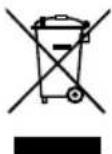
Otpa6oTabuuee 3neKtpnueckoe n 3neKtpoHHoe 0bOpyIOBaHHe DOJXHO 6bIb yTINN3npoBAHO OTJeBHO. Otpa6oTabuue HCTouHKn CBeta HeoXoIMNo PpeBapntEbnHO n3Bnueh n3 06OpyIOBaHn.
3a dononHntelbHOn nHΦopMaueNei NO yTnIN3aUIn n c6Opy o6paTntecb B MeCThie MynIuNtBHeIe OprAhl NnB P03HnHbMara3Hn.HopMaTHNBHe I Tpe6OBAHnB H KEOTOpBx PerHOHx MOrTy 6o3sIBaTB p03HnHbE Mara3HbI 6ecnNaTHO yTnIN3npoBaTb OTPa6oTabWee 3neKTPnueeckoe n 3neKTPoHnOe 6OpdyOBaHne.BaW BKnAd B NOBTOPHOE MCNOJ3BOAHAHE n nepepa6OTkA CTaporo 3neKTPoHnHO n 3neKTPnueeCKOro 6OppyOBaHnO Rn3BOJnET CHN3HT b NOTpe6HoCTb BCIpBeBbIX pecypcax. OTPa6oTabWee 3neKTPoHnOE u 3neKTPnueeckoe 6OppyOBaHnE COePKNT CEHNbIE nepepa6TaBbAemble MaTePnaBl. Ondako npn HeHaJIeKaUeYtINI3aUIn DaHHbIe KOMNoHEtbl MOrTy HaHeCTNu BPeD OKpyKaUoiSe CpeDe n 3dOpOBbU Yo eIIOBeka.YdaJIte KOHΦeHuaNbHyU INΦopMaUIO C 6OppyOBaHn npie ee HAIuNN.

3HaK CE

BpntaHckn 3HaK COOTBETCTBnA
RapaHTnA
TpeaHTnHbIe Tpe6oBaHnN NOKyNaTeJI NCTeKaIOT Yepe3 TODIOcNE DOCTABKN.3TO HE OTHOCNTCR K perpeCCHbIM Tpe6oBaHnM NOKyNaTeJI B COOTBETCBN C 478,479 FKΦPΓ.
Mby6yDem HeCTN OTBETCTBEHHOCb NO npeoctabneHHo HAMn rapaHTn TOJbKO B TOM Clyuae,ecnI rapaHTna KaueCTBa nn DOnroBeHuOCTn 6blNa npedocTabneHa HAMn B INcBMeHHo FOpMe N C nCIOJIb3OBaHHe M TepMaHa ,rapaHTnra
Iapantna aHHynpyetc npn HeHaJnxaUeM NCIOb3OBaHm NnBpeyIbTaTe BMeWataBCTBa, npdnpnrHrTOReKBAHnΦuIpOBAHbIMNlUaMNI.
OcTabJIaRc 3a c6oB npaBO Ha TexHnueckne n3MeHeHnI!
IJIa IOnyuHEnI DOnOJIHNTeIbHOINHOpMaunn 6oBpatNTecb
www.weller-tools.com.
感谢信赖并购买本产品。
WTSF 80:WTSF 80 + 120
| WD 1 | WT1 | WD 1M | WR 3M |
| WSD81 | WT1H | WSD 121 | WT1H |
| WSD81i | WT2M | WR 2 | WT2M |
WS81
WXSF 120:
| WX 1 | WXA 2 |
| WX 2 | WXR 3 |
| WXD 2 | WXsmar |
仅在室内使用装置。避免潮湿和阳光直射。
焊台和拆焊台的预期使用还包括…要求
遵照指示,
遵照所有随付文件,
WTsF 80: WTSF 80 + 120:
WD1 WT1 WD1M WR3M
WSD81 WT1H WSD121 WT1H
WSD81i WT2M WR2 WT2M
WS81
WXSF 120:
WX1 WXA2
WX2 WXR3
WXD2 WXsmar
信内用,
operator panel 官章就到了,我来向您请示,您
持仓豆
导电
牫囀鶴鶴鶴鶴鶴鶴鶴鶴鶴鶴鶴鶴鶴鶴鶴鶴鶴鶴鶴鶴鶴鶴鶴鶴鶴鶴鶴鶴鶴鶴鶴鶴鶴鶴
吉
越原海垣定部是
www.weller-tools.com.
WTSF 80: WTSF 80 + 120
WD1 WT1 WD1M WR3M
WSD81 WT1H WSD121 WT1H
WSD81i WT2M WR2 WT2M
WS 81
WXSF 120:
WX1 WXA2
WX2 WXR3
WXD2 WXsmar
EN EC declaration of conformity
We hereby declare that the products described herein comply with the following guidelines:
Authorised to compile technical documentation.
YIOJHOMOueHHbI Ha COCTaBnEHeNcTexHnueCKNX DOKyMeHTOB.
经授权编制技术文件
戦呂日
技術文書の作成が認可いたします。
Weller Tools GmbH
UK declaration of conformity
We hereby declare that the products described herein comply with the following guidelines:
SI 2016 No.1101, SI 2016 No.1091, SI 2012 No.3032
Besigheim, 2023-06-30
Philippe Buidin
Managing director
Authorised to compile technical documentation.
Apex tool Group (UK Operations) Limited
Piccadilly, Tamworth
Staffordshire B78 2ER
Product Registration
www.weller-tools.com/registration
GERMANY
Weller Tools GmbH
Carl-Benz-Straße 2
74354 Besigheim
Tel: +49 (0) 7143 580-0
CHINA
Apex Tool Group
Room 302A,
NO 177 Bibo Road
Shanghai, 201202
Tel: +86 (21) 60880288
info@weller-tools.com
www.weller-tools.com
THE NETHERLANDS
Apex Tool Group B.V.
Apex Tool Group UK Ltd
Registered in England,
Company Number 14127816
Registered Office:
C/O TMF Group 13th Floor,
One Angel Court, London,
EC2R 7HJ, United Kingdom
Tel: +44 740 8836 404
USA
Apex Tool Group, LLC.
Weller Professional Tools Division
1000 Luffin Road
Apex, NC 27539
Tel: +866-498-0484


- WTSF 80 WTSF 120 WXSF 120
- WTSF 80
- WTSF 120 / WXSF 120
- WTSF 80:WTSF 80 + 120
- WXSF 120
- WARNING
- SAFETY INFORMATION
- WARNING! ELECTRICAL SHOCK
- WARNING! RISK OF BURNS
- WARNING! FIRE AND EXPLOSION HAZARD! HOT TOOLS REPRESENT A FIRE HAZARD
- WARNING! DANGER OF INJURY
- UNCONTROLLED SOLDER WIRE FEED CAN CAUSE INJURY
- SPECIFIED CONDITIONS OF USE
- USER GROUPS
- STARTING UP THE DEVICE
- CAUTION
- CARE AND MAINTENANCE
- TECHNICAL DATA
- ERROR MESSAGES AND ERROR CLEARANCE
- SYMBOLS
- DISPOSAL
- WARRANTY
- WTSF 80: WTSF 80 + 120
- AFVOER
- VARNING! RISK FOR BRÄNNSKADOR
- SEMBOLLER
- BRIDINAJUMS! TRAUMU RISKS
- NEKONTROLETA STIEPLES PADEVE VAR RADIT IVAINOJUMUS AR LODSTIEPLI
- ATBILSTOŠA LIETOSANA
- PPEYNPEXDHE! ENEKTPUEECKNYAP
- PPEYNPEXDHNE! PNCK OT N3RAPAHNA
- PPEYNPEXKDEHNE! OBH N ONACHOCT OT EKCNNO3N
- PPEYNPEXDHNE!MA ONACHOCT OT HAPAHBAHE
- IOTPPE6NTEJCKN RPYNN
- PPEYNPEKDHNE! PNCK OT N3RAPAHHN
- CNMBOJIH
- OTCTPAHBANE KATO OTNABK
- TAPAANZ
- BHHMAHHE! YDAP TOKOM
- BHHMAHHE!ONACHOCTBOXORA
- BHHMAHHE!ONACHOCTH NOXAPA N B3PBBA
- ONACHOCTB NOXAPA OT ROPNYNX HNCTPYMENTOB
- PYNNBI NONB30BATENEI
- COO6UHNO HENCPBABHOCTAX YCTPAHHE HENCPBABHOCTEY
- YTNN3AUN
- RAPAHTNA
- EN EC DECLARATION OF CONFORMITY
- UK DECLARATION OF CONFORMITY
- PRODUCT REGISTRATION
- GERMANY
- CHINA
- THE NETHERLANDS
- USA
Brand : Weller
Model : WSF 80
Category : Welding machine