
Regulus PowerVac 2in1 - Vacuum Cleaner Leifheit - Free user manual and instructions
Find the device manual for free Regulus PowerVac 2in1 Leifheit in PDF.

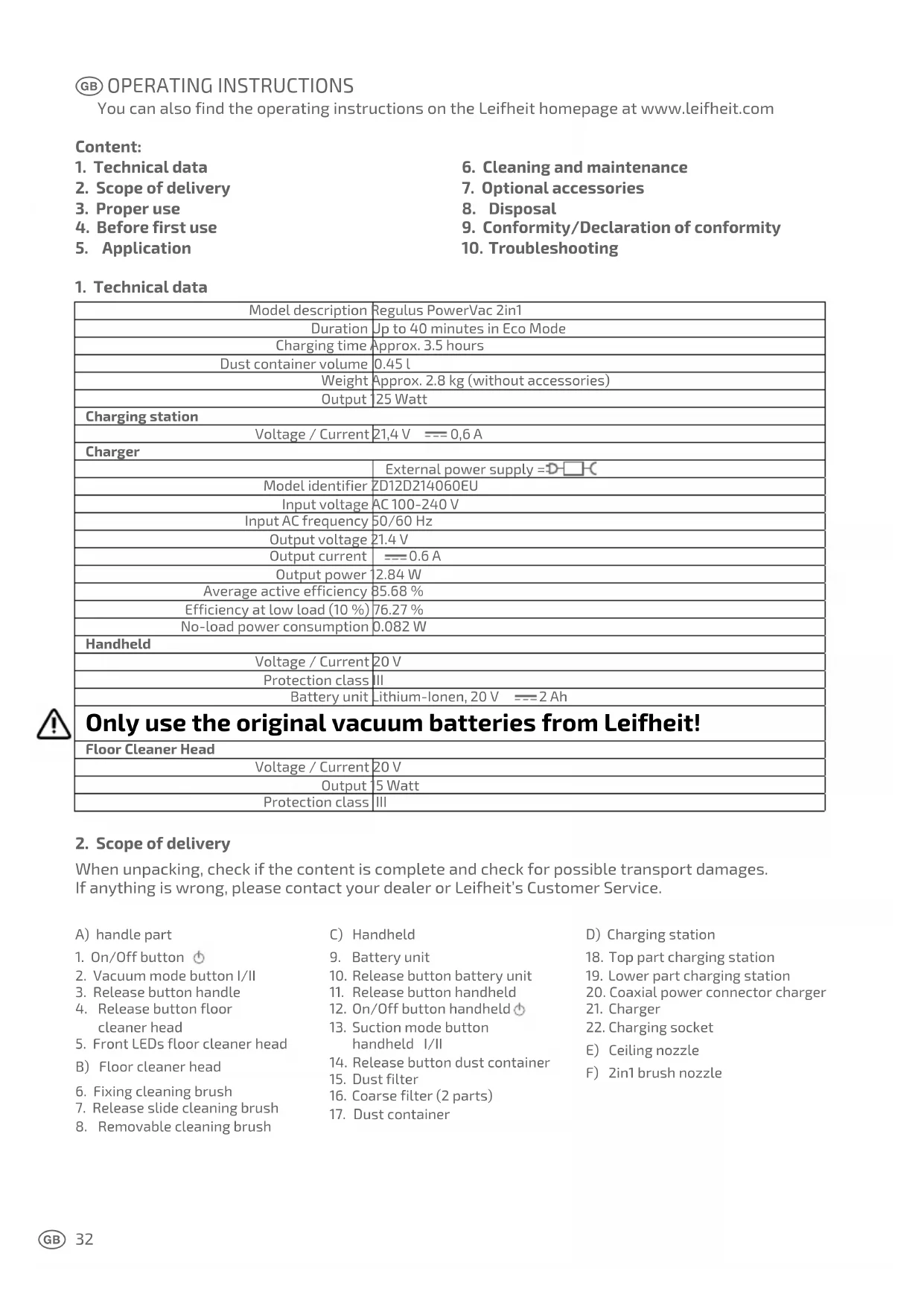


| Product type | 2-in-1 cordless stick vacuum |
| Brand | Leifheit |
| Model | Regulus PowerVac 2in1 |
| Maximum runtime | Up to 40 minutes (eco mode) |
| Charging time | Approximately 3.5 hours |
| Dust container volume | 0.45 L |
| Weight (without accessories) | Approximately 2.8 kg |
| Rated power | 25 W |
| Battery voltage | 20 V (Li-ion, 2 Ah) |
| Charging station power supply | 21.4 V ⎓ 0.6 A |
| Power adapter | Input: AC 100-240 V, 50/60 Hz; Output: 21.4 V ⎓ 0.6 A |
| Suction modes | 2 modes (eco and powerful) |
| Included accessories | Floor nozzle, ceiling nozzle, 2-in-1 brush nozzle, charging station |
| Filter type | Washable dust filter + coarse filter (2 pieces) |
| Maintenance and cleaning | Removable dust container, water-washable filters, removable cleaning brush |
| Safety | Do not vacuum liquids, ash, sharp objects; household use only |
| Usage | Hard floors and carpets (floor nozzle), high surfaces (ceiling nozzle), furniture (brush nozzle) |
| Spare parts and repairability | Removable and replaceable battery, filter and brush available; repairs by authorized technician |
| Manufacturer warranty | Warranty for household use, not for professional use |
| General information | Complies with EU directives (RoHS, REACH); declaration of conformity at leifheit.de |
Frequently Asked Questions - Regulus PowerVac 2in1 Leifheit
User questions about Regulus PowerVac 2in1 Leifheit
0 question about this device. Answer the ones you know or ask your own.
Ask a new question about this device
Download the instructions for your Vacuum Cleaner in PDF format for free! Find your manual Regulus PowerVac 2in1 - Leifheit and take your electronic device back in hand. On this page are published all the documents necessary for the use of your device. Regulus PowerVac 2in1 by Leifheit.
USER MANUAL Regulus PowerVac 2in1 Leifheit
natural_image
Exterior view of a white and black electric vacuum cleaner (no text or symbols visible)REGULUS
POWERVAC 2in1
LEIFHEIT

© SICHERHEITSHINWEISE....6
GB SAFETY INSTRUCTIONS....7
⑤ CONSIGNES DE SÉCURITÉ......8
NL VEILIGHEIDSINSTRUCTIES 9
©CZ BEZPEČNOSTNÍ POKYNY 10
SK BEZPEČNOSTNÉ POKYNY....11
⑤ ADVERTENCIAS DE SEGURIDAD ..... 12
© INSTRUÇÕES DE SEGURANÇA......13
① AVVERTENZE DI SICUREZZA......14
DK SIKKERHEDSANVISNINGER 15
⑤ SÄKERHETSINSTRUKTIONER......16
PL WSKAZÓWKI DOTYCZĄCE
BEZPIECZEŃSTWA....17
RUS УКАЗАНИЯ ПО БЕЗОПАСНОСТИ .....18
RO INSTRUCTIUNI PRIVIND SIGURANTA.....19
LT SAUGAUS NAUDOJIMO NURODYMAI.....20
LV DROŠĪBAS NORĀDĪJUMI 21
EST OHUTUSNÕUDED....22
⑧ BIZTONSÁGI ELŐÍRÁSOK......23
SLO VARNOSTNA NAVODILA....24
BG ИНСТРУКЦИИ ЗА БЕЗОПАСНОСТ ..... 25
TR GÜVENLİK UYARILARI 26
① BEDIENUNGSANLEITUNG......28
GB OPERATING INSTRUCTION 32
© MODE D'EMPLOI 36
NL GEBRUIKSAANWIJZING 40
© CZ NÁVOD K OBSLUZE....44
SK NÁVOD NA OBSLUHU 48
E INSTRUCCIONES....52
P MANUAL DE INSTRUÇÕES 56
① MANUALE DI ISTRUZIONI ....60
(DK) BETJENINGSVEJLEDNING 64
⑤ DRIFTSINSTRUKTIONER 68
PL INSTRUKCJA OBSŁUGI....72
RUS РУКОВОДСТВО ПО
ЭКСПЛУАТАЦИИ....76
RO INSTRUCTIUNI DE UTILIZARE....80
LT NAUDOJIMO INSTRUKCIJOS....84
LV LIETOŠANAS INSTRUKCIJA....88
EST KASUTUSJUHEND....92
⑧ KEZELÉSI ÚTMUTATÓ .....96
SLO NAVODILA ZA UPORABO....100
BG РЪКОВОДСТВО ЗА РАБОТА....104
TR KULLANIM KILAVUZU 108


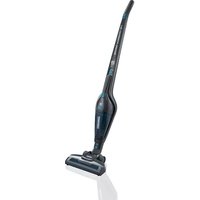
Congratulations on your new cordless vacuum cleaner Regulus PowerVac 2in1! We believe you have made an excellent choice in this purchase and have acquired a high quality product from Leifheit. Please read the operating instructions before using the Regulus PowerVac 2in1 and keep them in a safe place for later use or for subsequent owners. They will help you to use the device sensibly and correctly and to avoid misuse from the start. Pay particular attention to the safety instructions provided in this manual.
We hope that you are more than satisfied with the cordless vacuum cleaner. Simply call us should you have any questions or suggestions about our product. The Leifheit team will be happy to help you.
International PH.: +49 26 04 97 70
Monday to Friday 8.00 to 18.00 CET
If you would like to write to us, there is a contact form available on the Leifheit homepage www.leifheit.de or you can use the post service.
Regards,
Your Leifheit Team
NL Beste klant,
GB SAFETY INSTRUCTIONS
Read the instruction manual fully before using the appliance for the first time. Basic safety measures are always to be observed when using electrical equipment:
- Only use the device as instructed.
- Never use the device if cables, plugs, housing or power supply units are damaged.
- Repairs may only be made by authorised customer service technicians. Never open the basic unit alone. The individual components of the basic unit may not be disassembled, repaired or modified.
- The device may only be charged with the charger included. Ensure that the voltage stated on the power supply unit label corresponds with the supply voltage.
- Ensure that the device and the power supply unit do not get wet. Do not touch the device or power supply unit with damp or wet hands.
- Do not store, charge or use the device outdoors, but always at room temperature in a dry place.
- Do not use the device close to flammable gases.
- Protect the device from intense heat and do not place in direct sunlight.
- This appliance is not intended for use by persons (including children) with reduced physical, sensory or mental capabilities, or lack of experience and knowledge, unless they have been given supervision or instruction concerning use of the appliance by a person responsible for their safety.
- Children should be supervised to ensure that they do not play with the appliance.
- Unplug the equipment from the mains power supply before cleaning or maintenance.
- Do not touch the red brush roll if the device is switched on. Ensure that the running brush roll does not come into contact with the body or items of clothing.
- Keep the device out of reach of children. Do not leave the device unattended if it is switched on.
- Keep packaging material like plastic bags and the like away from children. Risk of suffocation.
SK BEZPEČNOSTNÉ POKYNY
natural_image
Close-up of a hand holding a small object, possibly a tool or device, with no visible text or symbols.
natural_image
Close-up of a mechanical tool or device with a metallic component and a curved handle (no visible text or symbols)
natural_image
Close-up of hands holding a mechanical component with a small inset showing a transformation (no text or symbols visible)
natural_image
Close-up of hands holding a mechanical component, no visible text or symbols
natural_image
Close-up of hands holding a small object, possibly food or electronic components (no visible text or symbols)
natural_image
Close-up of hands holding a thin, elongated object (no visible text or symbols)
8. Entsorgung
You can also find the operating instructions on the Leifheit homepage at www.leifheit.com
Content:
- Technical data
- Scope of delivery
- Proper use
- Before first use
-
Application
-
Cleaning and maintenance
- Optional accessories
- Disposal
- Conformity/Declaration of conformity
- Troubleshooting
1. Technical data
| Model description | Regulus PowerVac 2in1 |
| Duration | Up to 40 minutes in Eco Mode |
| Charging time | Approx. 3.5 hours |
| Dust container volume | 0.45 l |
| Weight | Approx. 2.8 kg (without accessories) |
| Output | 25 Watt |
| Charging station | |
| Voltage / Current | 21,4 V === 0,6 A |
| Charger | |
| External power supply =D-□-C | |
| Model identifier | ZD12D214060EU |
| Input voltage | AC 100-240 V |
| Input AC frequency | 50/60 Hz |
| Output voltage | 21.4 V |
| Output current | === 0.6 A |
| Output power | 2.84 W |
| Average active efficiency | 85.68 % |
| Efficiency at low load (10 %) | 76.27 % |
| No-load power consumption | 0.082 W |
| Handheld | |
| Voltage / Current | 20 V |
| Protection class | III |
| Battery unit | Lithium-Ionen, 20 V === 2 Ah |
| Only use the original vacuum batteries from Leifheit! | |
| Floor Cleaner Head | |
| Voltage / Current | 20 V |
| Output | 5 Watt |
| Protection class | III |

2. Scope of delivery
When unpacking, check if the content is complete and check for possible transport damages. If anything is wrong, please contact your dealer or Leifheit's Customer Service.
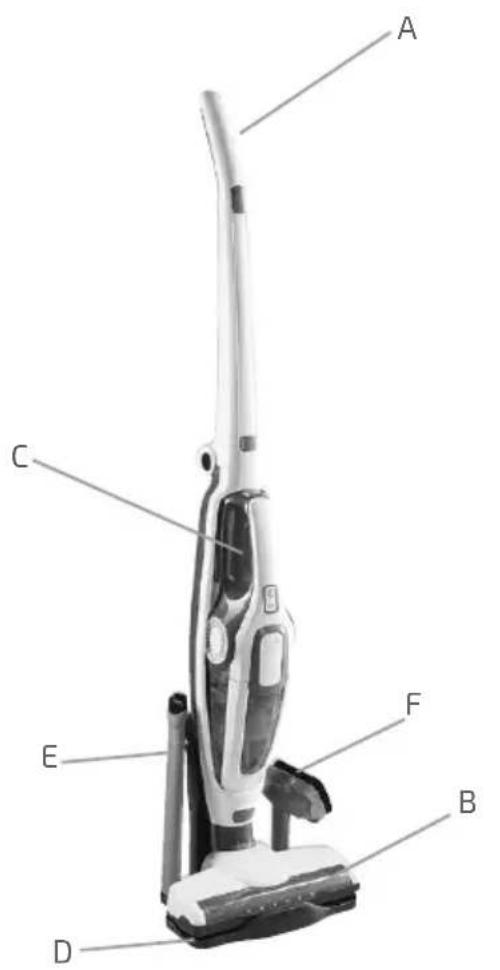
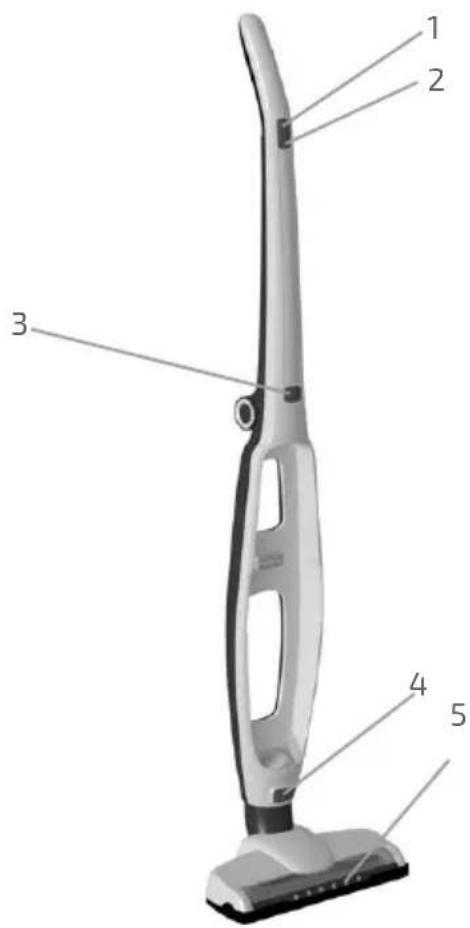
A) handle part
1. On/Off button ⏻
2. Vacuum mode button I/II
3. Release button handle
4. Release button floor cleaner head
5. Front LEDs floor cleaner head
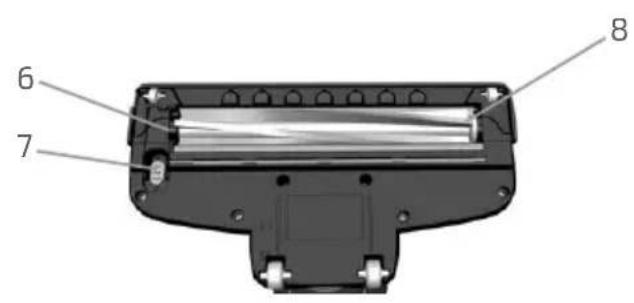
B) Floor cleaner head
6. Fixing cleaning brush
7. Release slide cleaning brush
8. Removable cleaning brush
C) Handheld
9. Battery unit
10. Release button battery unit
11. Release button handheld
12. On/Off button handheld
13. Suction mode button handheld I/II
14. Release button dust container
15. Dust filter
16. Coarse filter (2 parts)
17. Dust container
D) Charging station
18. Top part charging station
19. Lower part charging station
20. Coaxial power connector charger
21. Charger
22. Charging socket
E) Ceiling nozzle
F) 2in1 brush nozzle
3. Proper use
- Please note that this product is only intended for household use. Leifheit provides no manufacturer warranty for commercial use.
- The device is only intended to vacuum dry floors or dry material. Do not use it to vacuum liquids, sharp or pointed objects, hot or cold ashes, burning cigarettes, fine dust (e.g. flour or cement dust).
- The device may not be used to vacuum on people or animals.
- Do not cover air intake or air outlet while using the appliance. Ensure that the openings are not blocked or covered by disruptive objects.
- Only use the device with accessories and spare parts permitted by Leifheit.
Any use going beyond this is considered improper and can cause damage or injury. The manufacturer is not liable for damages resulting from this; the user alone carries the risk for this.
4. Before first use
Setting up/Assembly
Put the upper part of the charger (18) on the lower part (19). Insert the coaxial power connector of the charger (20) into the charging socket (22). Ensure there is sufficient distance from sources of heat and moisture and place the charger on a solid and even surface. Connect the charger (21) to a power outlet. Insert the tube of the floor cleaner head into the tube of the lower part of the device until you hear it lock. Fold up the upper end of the handle of the handle part of the device. Shift the handheld down with the suction opening into the suction opening of the handle part of the device and press the handheld into the handle until it locks.
Charging the battery
The battery must be charged fully before first use.
- Please ensure that the handheld is locked securely into the base attachment and that the device is switched off before you charge the device.
- Insert the device into the charger. The On/Off button on the handheld (12) blinks once a second as long as the device is charging. Once the battery is charged, the button light goes off and subsequently blinks once a minute for 30 minutes.
- Store the device in the charge station if you are not using it.

Note: The battery may only be charged using the charger supplied. The charger is only to be used together with the Leifheit battery vacuum cleaner. The battery unit can be removed/exchanged with the device. Ensure that the battery unit is pushed into the handheld until it locks.
5. Application
Cleaning with the base attachment
- Remove the device before switching on from the charge station.
- The device is started or stopped by pressing the On/Off button. The symbol ⏻ (12) will be green after it is switched on. The vacuum functions starts and the cleaning brushes turn. The front LEDs of the floor cleaner head will be lit when the device is switched on.
- Suction mode 1 is activated automatically when switched on. Use the Suction Mode button (2) to change between suction modes. Use Suction Mode 1 for maximum battery life. Suction Mode 2 is especially well suited for heavier dirt or to vacuum carpets. The symbol I/II (13) will be lit constantly if Suction Mode 2 is selected.
- The Regulus PowerVac 2in1 is equipped with especially soft rolls, making it particularly well suited for sensitive floors. Ensure that no pointed objects get stuck in the brushes or in the wheels, as these could damage the floors.
Cleaning with the handheld
- Remove the handheld from the lower part of the device by pressing the handheld release button (11) and switch the device on using the On/Off button (12). If required, select the suction mode using the suction mode button on the handheld (13).
- Accessories: the cleaning attachments will be inserted into the suction duct of the handheld for use (see fig.1) and can be attached to the charge station for safe storage.
6. Cleaning and maintenance
Emptying the dust container
Press the dust container release button (14) to remove the dust container.
Take the filter unit out of the dust container by holding the two fixing brackets and empty the container into a waste disposal bin (see fig. 2).
Cleaning the filter
Note: Clean the filter regularly to maintain a consistently high cleaning performance.
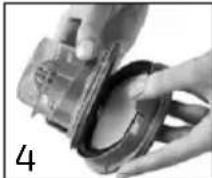
Drain the coarse filter (16). If necessary, the transparent casing can be removed by turning it slightly, the arrow pointing to the open lock (see fig. 3). To clean the dust filter (15), remove the coarse and dust filters by lightly pressing the tab (see fig. 4). Beat the dust filter out until the visible dirt is removed (see fig. 5). The filters can be cleaned under running water. Do not use an additional cleaning agent. Ensure that the filters are completely dried before the filter unit is replaced (see fig. 2).
Cleaning the brushes
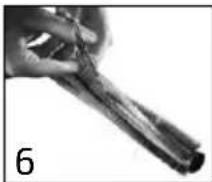
Press the slide switch on the lower side of the floor cleaner head (7) and remove the fixing of the cleaning brushes (6).
Remove the cleaning brush (8) and dispose of loose dirt. Long hair and fibres can be easily removed by cutting the fibres by running the cutting gouge of a pair of scissors along the entire length of the brushes.
Replace the cleaned brushes and the fixing for the brushes and lock them with the slide switch.
Other cleaning
If necessary, remove the floor cleaner head from the device by pressing the release button (4) on the floor cleaner head and remove the disruptive objects from the suction duct.
7. Optional accessories
The battery unit can be removed/exchanged with the device. Only use the device with the original vacuum batteries from Leifheit!
Removing/exchanging the battery unit
Press the release button battery unit (10) and slide the battery unit (9) from the device. Push the battery unit into the handheld until it locks before use.
8. Disposal

The battery unit must be removed before disposing of the device. To do this, disconnect the device from the mains power supply and remove the battery unit from the handheld by pressing the release slide, and then properly removing the battery unit. The symbol on the product or its packaging indicates that this product is not to be treated as normal household waste, but rather has to be given to a collection point for the recycling of electrical and electronic devices. You can find further information about your municipality, communal disposal businesses or the company from which you bought the product.



9. Conformity/Declaration of conformity
Leifheit hereby declares that this device is conformant with the basic requirements and the common relevant provisions of the Directives 2014/30/EU, 2006/95/EG, 2014/35/EU (RoHS) and Regulation 1907/2006/EU (REACH). You can find the EU declaration of conformity at www.leifheit.de.
10. Troubleshooting
| Breakdown Possible cause Solution | ||
| The device does not start | The battery is not charged. Charging the battery. | |
| Cleaning ability weakens | The dust container is full. Empty the dust container. | |
| The filter is clogged/very dirty. Clean the coarse and dust filter. | ||
| The cleaning brush is dirty/blocked. | Remove the cleaning brush and clean it. | |
| Suction duct is blocked. Remove floor cleaner head and remove the disruptive objects. | ||
| The device is switched on, the front LEDs do not light, the brush does not rotate. | The cleaning brush is dirty/blocked. | Remove the cleaning brush and clean it. |
| Low battery life Battery was not fully charged. Charge the battery. | ||
| Battery is no longer at full capacity following long use. | Exchange battery unit if required. | |
| The On/Off symbol blinks | The battery only lasts for approx. 1 minute. | Charge the battery. |
| Dust container cannot be inserted into the handheld. | Filters are not inserted correctly. Insert filters as described in section 6. | |
| On/Off symbol and Suction Mode symbol blink alternately for 15 minutes, then switches off. | If the temperature of the device is too low or too high, this can lead to a short-term malfunction of the device. | Leave the device to stand for a few minutes at room temperature, switched off. |
| The device must be cleaned or maintained. | Release the battery unit and clean the device (see section 6.). Install the battery unit. If the blinking continues, release the battery unit and contact your seller where you purchased the device. | |
| Any other failure Contact your seller where you purchased the device. | ||
F MODE D'EMPLOI
Construction/Montage
natural_image
Close-up of a hand holding a small object, possibly a tool or device, with no visible text or symbols.
natural_image
Close-up of a mechanical tool or device with a metallic component, no visible text or symbols
natural_image
Close-up of hands holding a mechanical component with a small inset showing a transformation (no text or symbols visible)
natural_image
Close-up of hands holding a camera lens and a ring (no visible text or symbols)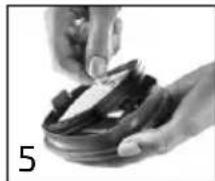
natural_image
Close-up of hands holding a small object with a knife, no visible text or symbols
natural_image
Close-up of hands holding a thin, elongated object (no visible text or symbols)

ÉLÉMENTS D'EMBALLAGE
MODE D'EMPLOI
natural_image
Close-up of a hand holding a small object, possibly a tool or device, with no visible text or symbols.
natural_image
Close-up of a mechanical tool or device with a metallic component, no visible text or symbols
natural_image
Close-up of hands holding a mechanical component with a small inset showing a transformation (no text or symbols visible)
natural_image
Close-up of hands holding a mechanical component, no visible text or symbols
natural_image
Close-up of hands holding a small object, possibly food or electronic components (no visible text or symbols)
natural_image
Close-up of hands holding a thin, elongated object (no visible text or symbols)
natural_image
Close-up of a hand holding a small object, possibly a tool or device, with no visible text or symbols.
natural_image
Close-up of a mechanical tool or device with a metallic component, no visible text or symbols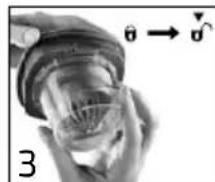
natural_image
Close-up of hands holding a mechanical component with a small inset showing a transformation (no text or symbols visible)
natural_image
Close-up of hands holding a camera lens and a ring (no visible text or symbols)
natural_image
Close-up of hands holding a small object with a knife, no visible text or symbols
natural_image
Close-up of hands holding a thin, elongated object (no visible text or symbols)- Odstraňování závad
natural_image
Close-up of a hand holding a small object, possibly a tool or device, with no visible text or symbols.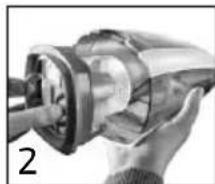
natural_image
Close-up of a mechanical tool or device with a metallic component, no visible text or symbols
natural_image
Close-up of hands holding a mechanical component with a small inset showing a transformation (no text or symbols visible)
natural_image
Close-up of hands holding a mechanical component, no visible text or symbols
natural_image
Close-up of hands holding a small object with a knife, no visible text or symbols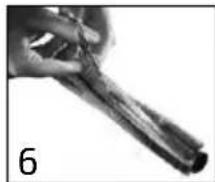
natural_image
Close-up of hands holding a thin, elongated object (no visible text or symbols)
natural_image
Close-up of a hand holding a small object, possibly a tool or device, with no visible text or symbols.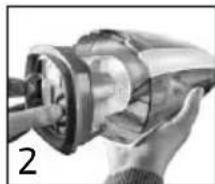
natural_image
Close-up of a mechanical tool or device with a metallic component, no visible text or symbols
natural_image
Close-up of hands holding a mechanical component with a small inset showing a transformation (no text or symbols visible)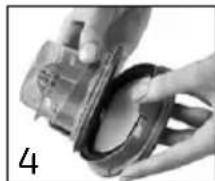
natural_image
Close-up of hands holding a camera lens and a ring (no visible text or symbols)
natural_image
Close-up of hands holding a small object with a knife, no visible text or symbols
natural_image
Close-up of hands holding a thin, elongated object (no visible text or symbols)P MANUAL DE INSTRUÇÕES
natural_image
Close-up of a hand holding a small object, possibly a tool or device, with no visible text or symbols.
natural_image
Close-up of a mechanical tool or device with a metallic component, no visible text or symbols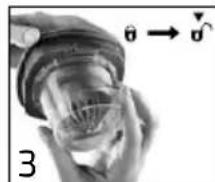
natural_image
Close-up of hands holding a mechanical component with a small inset showing a transformation (no text or symbols visible)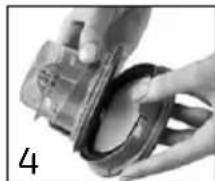
natural_image
Close-up of hands holding a mechanical component, no visible text or symbols
natural_image
Close-up of hands holding a small object, possibly food or electronic components (no visible text or symbols)
natural_image
Close-up of hands holding a thin, elongated object (no visible text or symbols)natural_image
Close-up of a hand holding a small object, possibly a tool or device, with no visible text or symbols.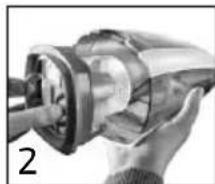
natural_image
Close-up of a mechanical tool or device with a metallic component, no visible text or symbols
natural_image
Close-up of hands holding a mechanical component with a small inset showing a transformation (no text or symbols visible)
natural_image
Close-up of hands holding a mechanical component, no visible text or symbols
natural_image
Close-up of hands holding a small object, possibly food or equipment, with no visible text or symbols.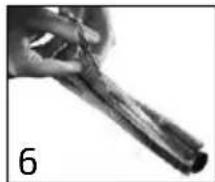
natural_image
Close-up of hands holding a thin, elongated object (no visible text or symbols)natural_image
Close-up of a hand holding a small object, possibly a tool or device, with no visible text or symbols.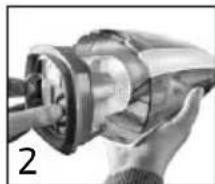
natural_image
Close-up of a mechanical component with a cylindrical shaft and flange (no visible text or symbols)
natural_image
Close-up of hands holding a mechanical component with a small inset showing a transformation (no text or symbols visible)
natural_image
Close-up of hands holding a mechanical component, no visible text or symbols
natural_image
Close-up of hands holding a small object with a knife, no visible text or symbols
natural_image
Close-up of hands holding a thin, elongated object (no visible text or symbols)
10. Fejlafhjælpning
natural_image
Close-up of a hand holding a small object, possibly a tool or device, with no visible text or symbols.
natural_image
Close-up of hands operating a mechanical tool, no visible text or symbols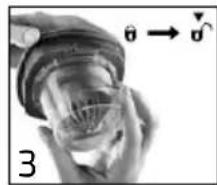
natural_image
Close-up of hands holding a mechanical component with an arrow indicating direction (no text or symbols)
natural_image
Close-up of hands holding a camera lens and a ring (no visible text or symbols)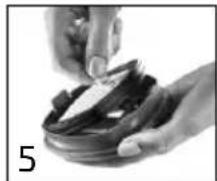
natural_image
Close-up of hands holding a bowl with food items, no visible text or symbols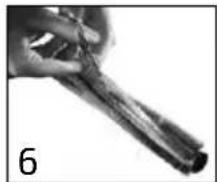
natural_image
Close-up of hands holding a twisted rope or fiber, labeled with number 6 (no text or symbols on the object itself)
- Felsökning
natural_image
Close-up of a hand holding a small object, possibly a tool or device, with no visible text or symbols.
natural_image
Close-up of a mechanical component with a cylindrical shaft and flange (no visible text or symbols)
natural_image
Close-up of hands holding a mechanical component with a small inset showing a transformation (no text or symbols visible)
natural_image
Close-up of hands holding a camera lens and a ring (no visible text or symbols)
natural_image
Close-up of hands holding a small object with a knife, no visible text or symbols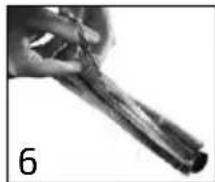
natural_image
Close-up of hands holding a thin, elongated object (no visible text or symbols)natural_image
Close-up of a hand holding a small object, possibly a tool or device, with no visible text or symbols.
natural_image
Close-up of a mechanical component with a cylindrical shaft and flange (no visible text or symbols)
natural_image
Close-up of hands holding a mechanical component with a small inset showing a transformation (no text or symbols visible)
natural_image
Close-up of hands holding a camera lens and a ring (no visible text or symbols)
natural_image
Close-up of hands holding a small object with a knife, no visible text or symbols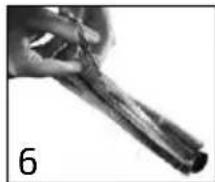
natural_image
Close-up of hands holding a thin, elongated object (no visible text or symbols)8. Утилизация

natural_image
Close-up of a hand holding a small object, possibly a tool or device, with no visible text or symbols.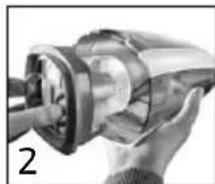
natural_image
Close-up of a mechanical component with a cylindrical shaft and flange (no visible text or symbols)
natural_image
Close-up of hands holding a mechanical component with a small inset showing a transformation (no text or symbols visible)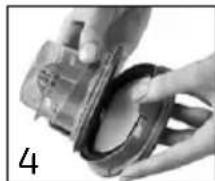
natural_image
Close-up of hands holding a camera lens and a ring (no visible text or symbols)
natural_image
Close-up of hands holding a small object with a knife, no visible text or symbols
natural_image
Close-up of hands holding a thin, elongated object (no visible text or symbols)10. Depanare
natural_image
Close-up of a hand holding a small object, possibly a tool or device, with no visible text or symbols.
natural_image
Close-up of a mechanical component with a cylindrical shaft and flange (no visible text or symbols)
natural_image
Close-up of hands holding a mechanical component with an arrow indicating direction (no text or symbols visible)
natural_image
Close-up of hands holding a small object, possibly a camera lens or sensor, with no visible text or symbols.
natural_image
Close-up of hands holding a small object with a knife, no visible text or symbols
natural_image
Close-up of a hand holding a thin, elongated object with dark bands (no visible text or symbols)
natural_image
Close-up of a hand holding a small object, possibly a tool or device, with no visible text or symbols.
natural_image
Close-up of a mechanical component with a cylindrical shaft and flange (no visible text or symbols)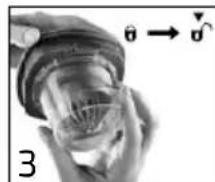
natural_image
Close-up of hands holding a mechanical component with a small inset showing a transformation (no text or symbols visible)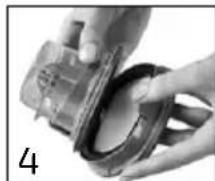
natural_image
Close-up of hands holding a mechanical component, no visible text or symbols
natural_image
Close-up of hands holding a small object with a knife, no visible text or symbols
natural_image
Close-up of hands holding a thin, elongated object (no visible text or symbols)
natural_image
Close-up of a hand holding a small object, possibly a tool or device, with no visible text or symbols.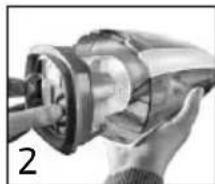
natural_image
Close-up of a mechanical tool or device with a metallic component, no visible text or symbols
natural_image
Close-up of hands holding a mechanical component with a small inset showing a transformation (no text or symbols visible)
natural_image
Close-up of hands holding a camera lens and a ring (no visible text or symbols)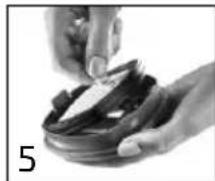
natural_image
Close-up of hands holding a small object, possibly a tool or device, with no visible text or symbols.
natural_image
Close-up of hands holding a thin, elongated object (no visible text or symbols)natural_image
Close-up of a hand holding a small object, possibly a tool or device, with no visible text or symbols.
natural_image
Close-up of a mechanical component with a cylindrical shaft and flange (no visible text or symbols)
natural_image
Close-up of hands holding a mechanical component with a small inset showing a transformation (no text or symbols visible)
natural_image
Close-up of hands holding a mechanical component, no visible text or symbols
natural_image
Close-up of hands holding a small object, possibly food or electronic components (no visible text or symbols)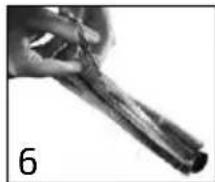
natural_image
Close-up of hands holding a thin, elongated object (no visible text or symbols)
natural_image
Close-up of a hand holding a small object, possibly a tool or device, with no visible text or symbols.
natural_image
Close-up of a mechanical component with a cylindrical shaft and flange (no visible text or symbols)
natural_image
Close-up of hands holding a mechanical component with a small inset showing a transformation (no text or symbols visible)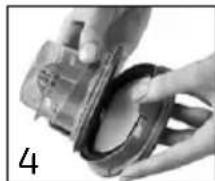
natural_image
Close-up of hands holding a mechanical component, no visible text or symbols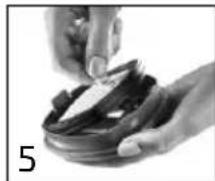
natural_image
Close-up of hands holding a small object with a knife, no visible text or symbols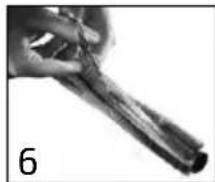
natural_image
Close-up of hands holding a thin, elongated object (no visible text or symbols)
- Pomoč pri motnjah
natural_image
Close-up of a hand holding a small object, possibly a tool or device, with no visible text or symbols.
natural_image
Close-up of a mechanical component with a cylindrical shaft and flange, no visible text or symbols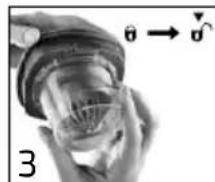
natural_image
Close-up of hands holding a mechanical component with a small inset showing a transformation (no text or symbols visible)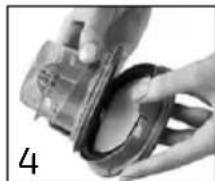
natural_image
Close-up of hands holding a camera lens and a ring (no visible text or symbols)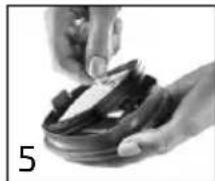
natural_image
Close-up of hands holding a small object with a knife, no visible text or symbols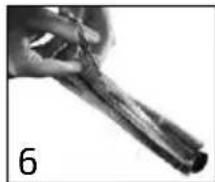
natural_image
Close-up of hands holding a thin, elongated object (no visible text or symbols)natural_image
Close-up of a hand holding a small object, possibly a tool or device, with no visible text or symbols.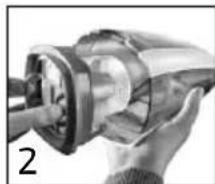
natural_image
Close-up of a mechanical component with a cylindrical shaft and flange (no visible text or symbols)
natural_image
Close-up of hands holding a mechanical component with a small inset showing a transformation (no text or symbols visible)
natural_image
Close-up of hands holding a mechanical component, no visible text or symbols
natural_image
Close-up of hands holding a small object with a knife, no visible text or symbols
natural_image
Close-up of hands holding a thin, elongated object (no visible text or symbols)
- Çözüm bulma
Quality and Design by Leifheit AG
Leifheitstraße 1
D-56377 Nassau/Germany
www.leifheit.com
LEIFHEIT



- NL Beste klant,
- GB SAFETY INSTRUCTIONS
- SK BEZPEČNOSTNÉ POKYNY
- Entsorgung
- Content:
- Technical data
- Scope of delivery
- Proper use
- Before first use
- Setting up/Assembly
- Charging the battery
- Note: The battery may only be charged using the charger supplied. The charger is only to be used together with the Leifheit battery vacuum cleaner. The battery unit can be removed/exchanged with the device. Ensure that the battery unit is pushed into the handheld until it locks.
- Application
- Cleaning with the base attachment
- Cleaning with the handheld
- Cleaning and maintenance
- Emptying the dust container
- Cleaning the filter
- Cleaning the brushes
- Other cleaning
- Optional accessories
- The battery unit can be removed/exchanged with the device. Only use the device with the original vacuum batteries from Leifheit!
- Removing/exchanging the battery unit
- Disposal
- Conformity/Declaration of conformity
- Troubleshooting
- F MODE D'EMPLOI
- Construction/Montage
- P MANUAL DE INSTRUÇÕES
- Fejlafhjælpning
- Утилизация
- Depanare
Brand : Leifheit
Model : Regulus PowerVac 2in1
Category : Vacuum Cleaner