DIT1010SBT - Radio HAMA - Free user manual and instructions
Find the device manual for free DIT1010SBT HAMA in PDF.



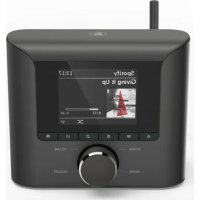
| Product type | Digital radio |
| Brand | Hama |
| Model | DIT1010SBT |
| Tuner | DAB+, FM, Internet radio |
| Audio sources | CD, Bluetooth, AUX, Spotify Connect |
| Network connectivity | Wi-Fi 2.4/5 GHz |
| Bluetooth | Version 4.0 (2.402-2.480 GHz) |
| Maximum RF power | Wi-Fi 2.4 GHz: 17 dBm; 5 GHz: 16.5 dBm; Bluetooth: 4 dBm |
| Power supply | Mains adapter (included), 100-240 V AC |
| Antenna | Telescopic, replaceable (coaxial connector) |
| Remote control | Yes, with AAA batteries (included) |
| Display | LCD screen |
| Audio outputs | Line out (RCA), optical output |
| Special features | Spotify Connect, UNDOK app, 30 presets, alarm, sleep, equalizer |
| Maintenance | Clean with a soft slightly damp cloth, without detergent |
| Safety | Safety instructions included in the manual |
| Spare parts and repairability | Replaceable antenna; for any repairs, contact a qualified technician |
| General information | Complete manual in PDF available at www.hama.com (ref. 00054895) |
Frequently Asked Questions - DIT1010SBT HAMA
User questions about DIT1010SBT HAMA
0 question about this device. Answer the ones you know or ask your own.
Ask a new question about this device
Download the instructions for your Radio in PDF format for free! Find your manual DIT1010SBT - HAMA and take your electronic device back in hand. On this page are published all the documents necessary for the use of your device. DIT1010SBT by HAMA.
USER MANUAL DIT1010SBT HAMA
Further information and features are available on/
GB ListenoutloudwithSpotifyConnect
Use your phone, tablet or computer as a remote control for Spotify. Go to spotify.com/connecttolearnhow.
D HörgenussmitSpotifyConnect
Xpnaiomoine to nIeepwvo, to taanlntn tov unoloyoiotn oou wC tnIeipiotnpio yia to Spotify. Iyaive oTo spotify. com/connectiyavamaOeicpiowc.
PL Radosc sluchania daneki Spotify Connect
S OstortlyssnandemedSpotifyConnect
| B:Rear | ||
| 1 | Mainspowersupply | |
| 2 | Line-outsocket | |
| 3 | Opticaloutput | |
| 4 | Updateport | |
| 5 | Antenna* | |
Remotecnrol
1.[POWER]button
2.[MUTE]button
3.Internetradiomode
4.DAB radio mode
5.FMradiomode
6.AUXmode
7.Backlightlevel
8.Mediaplayermode
9.[MODE]button
10.[EQUALIZER]button
11.[ALARM]button
12.[SLEEP]button
13.[SNOOZE]button
14.[MENU]button
15.[PREVIOUS]button
16.[NEXT]button
- Navigationbuttons
Up
Down
Back
Forward,OK
18.SELECTbutton
19.[REWIND]button
20.[FAST F FORWARD]button
21.[VOLUME]+/-buttons
22. PresetsUp/ D ownbuttons
23.[PLAY/PAUSE]button
24.[BACK]button
25.Presetbuttons(1-10)
26.[PRESETS/FAVORITES]menu
27.[INFO]button
28.CDplaybackmode
29.BTplaybackmode
Note

- This tuner has a changeable antenna. You can use an active or passive antenna equipped with a coaxial connection.
**Turning the controller allows you to change the volume or navigate through themenustructure. Pressing this rotary controller puts the device in standby mode or confirms a selection.
Important information- Q quick-reference guide:

- This quick-reference guide contains the most important basic information, such as safety instructions and the steps necessary to operate the product.
To help protect the environmental and conserve valuable raw materials, Hama does not issue a printed manual and instead makes this available exclusively as P DFdownload.
Thefulltext ofthe manualisavailableatthefollowinginternetaddress: www.hama.com->00054895->Downloads - Savethemanualonyourcomputerforreferenceandprintthemoutifpossible.
1.Explanationof warningsymbolsandnotes
RiskofElectricshock

Thisssymbolindicatesa riskofelectricshockfrom touchingproductpartscarryinghazardousvoltage.
Warning

Thissymbolisusedtoindicatesafetyinstructionso rto draw your attention to specific hazards and risks.
Note

Thissymbolisusedtoindicateadditionalinformationor importantnotes.
2.Packagecontents
DigitaltunerDIT1010BT
- Telescopicantenna
- Powersupplyunit
- StereoCinchL/Routput
- Remotecontrol
- 2 x AAAbatteries
Theseoperatingsinstructions
3.Safetyinstructions
The product is intended for private, non-commercial use only.
- Donotusetheproductinareasinwhichelectronic productsare notpermitted.
- Protect the product from dirt, moisture and overheating anduseitindryroomsonly.
- Aswithallelectricalproducts, thisdevicesshouldbekept outofthereachofchildren.
- Donotdroptheproductanddonotexposeittoany majorshocks.
- Donotoperatetheproductoutsidethepowerlimits specified inthetechnicaldata.
- Keepthepackagingmaterialoutofthereachofchildren duetotheriskofsuffocation.
- Disposeofpackagingmaterialimmediatelyinaccordance withthelocallyapplicable管理条例.
- Do not modify the device in any way. Doing so voids the warranty.
- Use the product only for the intended purpose.
- Donotusetheproductintheimmediatevicinity of heaters,otherheatsourcesorindirectsunlight.
- Do not use the product in a damp environment and avoid splashing water.
-Onlyusetheartcleundermoderateclimaticconditions.
RiskofElectricshock

- Donotopenthedeviceorcontinuetooperateititfit becomesdamaged.
- Donotusetheproductifthe AC adapter, the adapter cable or the mains cable are damaged.
- Donotatempttoserviceorrepairtheproduct yourself. Leave any and all service work to qualified experts.

Warning-Batteries
- When inserting batteries, notethecorrectpolarity(+ and- m arkings)andinsertthebatteriesaccordingly. Failure to do so could result in the batteries leaking or exploding.
Onlyusebatteries(orrechargeablebatteries)that matchthespecifiedtype. - Before you insert the batteries, clean the battery contactsandthepolararcontacts.
- Donotallowchildrentochangebatterieswithout supervision.
- Donotmixoldandnewbatteries,orbatteriesof differenttypesorfromdifferentmanufacturers.
- Remove the batteries from products that are not being used for an extended period (unless these are being kept ready for an emergency).
- Donotshort-circuitbatteries.
- Donotchargebatteries.
- Donotburnbatteries.
- Keepbatteriesoutofthereachofchildren.
- Neveropen,damageorsswallowbatteriesorallow themtoentertheenvironment.Theycancontaintoxic, environmentallyharmfulheavymetals.
- Removespentbatteriesfromtheproductanddisposefthemwithoutdelay.
- Donotstore, chargeorusethedeviceinextreme temperatures.
4.Beforecommissioning

Note
A d etaileddescriptionofthe
UNDOKappandallofits
functionscanbefoundinour
UNDOKguideat:

www.hama.com->00054895->Downloads
Note

The[OK]buttonand onther emotecontrol correspondstothe[ENTER]buttononthefrontofthe tuner.
- The buttonontheremotecontrolcorrespondsto the[BACK]buttononthefrontofthetuner.
- The buttons on the remote control correspond to turningthenavigationcontrollertotheleft and rightonthefrontofthetuner.
Preparingtheremotecontrolforuse
Openthecoveronthebatterycompartment.This can be found on the back of theremotecontrol and can be opened by sliding in the direction indicated. The extentofdelivery include two AA batteries which must be inserted into the battery compartment for the remote controltowork.When inserting the batteries, ensure that they are inserted with the correct polarity. The relevant polarity (+ / -) is marked inside the battery compartment.
Settingupa n etworkconnection WLAN(wirelessnetwork)
- Ensure the router is switched on, is functioning correctly and that there is a connection to the Internet.
- Activate your router's WLAN function.
To ensure the correct functioning of your WLAN connection, follow your router's operating instructions. - Thenproceedasdescribedunderpoint5, "Getting started".
5. Gettingstarted

Note-optimisingreception
ThisproducthasanantennaconNECTIONforexternal antennas with a coaxial connection. A suitable antenna thatallowsDAB,DAB+andFMreceptionisincluded in the extent of delivery. Alternatively, you can use an active orpassiveantennatoimprovetherectionortoadapt ittoyourrequirements.
Pleasednote:
- Always pull the antenna out completely.
- Werecommendyouadjusttheantennavertically to ensure o ptimalreception.
5.1 Generalnotesonuse
5.1.1SwitchOn/0 ff/Standby
- PressPOWER/VOLUME/ENTER/NAVIGATEtoswitch onthetuner.
- PressandholdPOWER/VOLUME/ENTER/NAVIGATE for3 s econdstoswitchthetuneroff(standby).
- Tacompletely switch off the device, disconnect it from the powersupply.
5.1.2Navigationandcontrol
- After pressing a shortcut button, navigate through the menu items using.
- SelecttheindividualmenuitemsbyturningPOWER/VOLUME/ENTER/NAVIGATE.
- Confirm theselectionbypressingPOWER/VOLUME/ENTER/NAVIGATE.
5.1.3Volumeadjustment
Turnthevolumeup(right)ordown(left)byturning POWER/VOLUME/ENTER/NAVIGATEaccordingly.
5.2Switchingon
Warning

- Only operate the product from a socket that has been approvedforthedevicethesocketmustbeinstalled closetotheproductandmustbeeasilyaccessible.
- Disconnect the product from the powersupply using the On/Off switch - if this is not available, unplug the power cord from the socket.
- If using a multi SOCKET power strip, make sure that the totalpowerconsumptionofallconnecteddevicesdoes notexceedthepowerstrip'smaximumthroughput rating.
-
If you will not be using the product for a prolonged period, disconnectitfrommainspower.
-
Connect the powersupply to themains connection (1) on the back of the Tuner.
- Connect the network cable to a properly installed and easily-accessible network socket.
- Waituntilthetunerhasinitialisedfully.
- PressPOWER/VOLUME/ENTER/NAVIGATEtoswitch onthetuner.
Note- s witchingonforthefirsttime

- The Setup Wizard starts up automatically when the radioisturnedonforthefirsttime.
- ThedefaultusedlanguageisEnglish.
- You can skip the Wizard and start it up again later in German.
5.3Language
The firsttimeitisused, thetuner'sdefaultlanguageis English.Tochangetuner'smenulanguage,proceedas follows:
- Press[ ] (6)toaccesstheSettingsmenu.
- UsePOWER/VOLUME/ENTER/NAVIGATEtonavigatetothe"Settings"menuitem.
- Confirm these selection by pressing POWER/VOLUME/ENTER/NAVIGATE.
- UsePOWER/VOLUME/ENTER/NAVIGATEtonavigatetothe"Language"menuitem.ConfirmtheselectionbypressingPOWER/VOLUME/ENTER/NAVIGATE.
- UsePOWER/VOLUME/ENTER/NAVIGATEtoselect yourpreferredsystemlanguage.
The language setting currently selected is marked with an asterisk(*)
Note

The following languages are available: English, German, Danish, Dutch, Finnish, French, Italian, Norwegian, Polish, Portuguese, Spanish, Swedish, Turkish
6 Connections

Note
- Connections that are established by means of an optical signal cable are less affected by electrical or electromagnetic interference than connectionsthat are established via a 3.5mmaudiocable.
6.1ConnectionviaOpticalOUT
You can connect your loudspeaker to the tunerviathe digital audio output,forexample,and playitsaudo signalsviatheloudspeaker.
Note

- Switch the tuner off before connecting a device to it.
- Before connection, remove the safety caps from both endsofttheopticalsignalcable.
-
Donotbendorcrushthecable.
-
For playback via the optical audio connection, connect anopticalsignalcabletothetuner'sopticalaudio output(3)andtheloudspeaker'sopticalaudioinput.
- PressPOWER/VOLUME/ENTER/NAVIGATEtoswitch onthetuner.
- Thetuner'saudiosignalisnowoutputviathe loudspeaker.
You can connect your loudspeaker to the tunerviathe analogue audio output,forexample,and playitsaudio signalsviatheloudspeaker.
Note

- Switch the tuner off before connecting a device to it.
-
Donotbendorcrushthecable.
-
For playback via the analogue audio connection, connect a 3.5mm RCA cable to the tuner's analogue audiooutput(2)andtheloudspeaker'sanalogueaudio input.
- PressPOWER/VOLUME/ENTER/NAVIGATEtoswitch onthetuner.
- Thetuner'saudiosignalisnowoutputviathe loudspeaker.
7.CareandMaintenance
- Only clean this product with a slightly damp, lint-free clothanddonotuseaggressivecleaningagents.
- If you do not plan to use the product for a prolonged period, turn off the device and disconnect it from the power supply. Store it in a clean, dry place away from direct sunlight.
8.WarrantyDisclaimer
Hama GmbH & Co KG assumes no liability and provides no warranty for damagers resulting from improper installation/ mounting, improper use of the product from failure to observethe operating instructions and/or safety notes.
9. Service and Support
PleasecontactHamaProductConsultingifyouhaveany questionsaboutthisproduct.
Hotline: +499091502-115 (German/English)
Furthersupportinformationcanbefoundhere: www.hama.com
Thefulltextofthemanualisavailableatthefollowing internetaddress:
www.hama.com->00054895->Downloads
10.RecyclingInformation Noteonenvironmentalprotection:
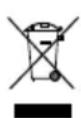
AftertheimplementationoftheEuropean Directives2012/19/EUand2006/66/EUnthe nationallegalsystem,thefollowingapplies: electricalandoelectronicdevicesaswellas
batteriesmustnotbedisposedofwithhouseholdwaste. Consumersareobligebylawtoturrenelectricaland electronicdevicesaswellasbatteryestothesignated publiccollectionpointsortothepointofsaleattheendof theirservicelives.Detailedinformationonthistopicisdefinedinthenationallawsotherespectivecountry.Thispresenceoftheabovesymbolthoneproduct,operating instructionsorpackageindicatessthatheproductiscsubjecttotheseregulations.Byrecycling,reusingthematerialsorotherformsofutilisingolddevices/batteries,youaremakinganimportantcontributionontoprotecting ourenvironment.
11.DeclarationofConformity
HamaGmbH& Co K G h erebydeclaresthatthe radioequipmenttype[00054895]isincompliance withDirective2014/53/EU. T hefulltextoftheEU declaration of conformity is available at the following internetaddress: www.hama.com->00054895->Downloads.
| Frequencyband(s) | Bluetooth:2.402- 2 .480GHz WiFi:2.412- 2 .472GHz WiFi:5.150- 5 .350GHz WiFi:5.470- 5 .725GHz |
| Maximumradiofrequencypowertransmitted | Bluetooth:4dBm(EIRP)WiFi:2.4GHz/ 1 7dBm(EIRP)WiFi:5GHz/ 1 6.5dBm(EIRP) |
RestrictionsorRequirementsin
Belgium, Bulgaria, Czech Republic, Denmark, Germany, Estonia, Ireland, Greece, Spain, France, Croatia, Italy, Cyprus, Latvia, Lithuania, Luxembourg, Hungary, Malta, the Netherlands, Austria, Poland, Portugal, Romania, Slovenia, Slovakia, Finland, Sweden, United Kingdom
Note

If channels36-64 (channeloffrequency 5150 MHz - 5350 MHz) are used, the device may only be used in closed rooms.
4.Avantlamiseenservice

Remarque
Restrictionsouexigencesen
5.1.1.Encendido,apagadoy st and by
PulsePOWER/VOLUME/ENTER/NAVIGATEpara encenderelsintonizador.
- Pulse y mantenga presionado POWER/VOLUME/ENTER/NAVIGATEduranteunostressegundospara a pagarel sintonizador(modostandby).
- Desconecteelaparatodelaalimentaciondecorriente para a pagarlototalmente.
5.1.2Navegación control
- Traspulsarunbotondemarcacionabreviada, navegue porlasopiconedesmenuqueseofrecen.
- GirandoPOWER/VOLUME/ENTER/NAVIGATEpodra seleccionarelementosdemenuconcretos.
PulsandoPOWER/VOLUME/ENTER/NAVIGATEpodra confirmarlaseleccion.
5.1.3Ajustedelvolumen
4.IpeBbOIOB 3 KcnIyatauio
PpMueaHne

Iopnp6hoeoncanHe npJIOXeHnAUNDOKnB cex yHKuIMMOxHOHaNTUB UNDOKguideoccbJIke:

Www.hama.com- >00054895- > Downloads
PpIMeuaHne

KhoKa[OK]HaanyIbTeiNCTaHcNoHHoro ynpabJIeHnIcooTBeTCTByeTKHOKe[ENTER]Ha φpoHTaIbHoINaHeJIITIOHepa.
KHONKa HanyIbTeIDnCTaHcNOHOrOynpaBHeHn COOTBeTCTByeTKHONKe[BACK]HaΦpOHTaJIbHOI NaHeIITIOhepa.
KHONKAM ▲ HanyIbTeiuctaHcIOHOHOrO ynpabJIeHnRACOOBETCTBYOTNOBOPoTBIBJeBOU BnpabOpeKeKNUOaTeJaHaCTpoEKNBaUN, paCNoJIoXeHHOrOHaΦpOHaJIbHoNnaHEJIHTOHepa.
BbD3 KcNpyataunOnyIbTaIcnTaNUnOHnOуnpaBneHn
OtkpoTeKpbIShKyOTceKaJna6aTapeek.OHaHaxoJntc HAObpaTHoNCTOpOHeNyIbTaIcnTahUHOHOr OynpabJIeHn. Ee MoXHo OTKpbITb, CdBnHyB Byka3aHHOM HAnpaBJIeHn.
B K OMNJIeKNTNOCTaKNbXOJrTDbBe6aTaapeKnAAA, KOtOpbIeHeo6xOIMMOBCTaBnTbB O TcEkl7aTaapeekdJI BBOJa NylbTa B 3KcNl7yatauH. Pn BCTaBKe CneIte 3a npabNJbHOINoJrPHocTbIO6aTaapeek.HyXHaNoJrphOCTb (+/-)OTmueHa BOCTe dJIg 6aTaapeek.
YctahOBJIeHneceTeBorOcoeINHeHNA WLAN(6ecnpoBODHaJcTeb)
- Y6eIntecb, yTo Mapwpytn3aTop BKJIOUey, pa6oTaET KOppeKTHO uYCTaHOBJIeHO INHTepHET-CoeJINHeHne.
BkIIOUHTeYHKnUHOWLNaHaMapuTy3aTope.
-ДлякорpeктнйрабовLAN-coeиненяспду TeMHCTpyKcunno3KnJyatauinnMapspTytnaTopa.
JaeepeenDnteKnykTy5"BBoD B3cknnyatauio"
5.BbOaB 3 Kcnnyataaunio

Yka3aHne-onTImaJIbHbI npnem cnHaIOB
TOTnpOdykTmMeETHe3doJnnoKIOueHnBHeuHaHTeHHbIC KOaKcnaJIbHbIMpa3bEmOM.BKOMNKeTenoCTaBKImMeETcC0TBcTByIOuaaHTeHHa,No3BOJIoUoJaIppneMuepe3DAB,DAB+NFM.B K aueCTBeaJIbTePHaTINbIMoxHOncNoJIb3OBaTbAKTNBHyIOJInaccNBHyIOaHTeHHdJI6OJIbWeiMOUHOCHTnpiMaNJNC0BTcTBrNAuBM Tpe6OBaHnM.
BHHMaHHe:
-PacknabibaiBamTeMaHTyaHTaHbIIOJHOCTbIO.
ДляontmamlbHOrOncrHaIaInpnemapeKomeHnyeTcayyCTaHOBNTbAHTeHHyBepTkaJIbHO.
5.106uueyka3aHnnaonncnoJb3oBaHHIO
5.1.1BkIIOueHHe/BBIKIOueHHe/peXIMoXnDaHn
- HaxmtePOWER/VOLUME/ENTER/NAVIGATE, 706bIKJIOHTbTIOHep.
- Haxmte u yepxnbaiTe KhoNky [POWER/VOLUME/ ENTER/NAVIGATE] (9) OK. 3 cekyH, YTO6bI BbIKNoHTb TIOhepeKIMOxuaHnA.
-ДлЯноноговьклоченяOTКлочтepn6opot 3JneKtpoNTaHn.
5.1.2Habiruaun y npaBJeHne
-ⅡIaBb6opaeo6xOdmoHOronyHKTaMeHHOHaXMaIte KHOKNy6bICTporoOBbl6opa.
-ПоворачиваяPOWER/VOLUME/ENTER/NAVIGATE Bb6npaTteOTdJIbHbIeNYKTHbIMHeIO.
-ПодТВерДиТeБыбогнжаТиЕмнaPOWER/VOLUME/ENTER/NAVIGATE.
5.1.3PerynupOBkarpOMKoctn
- He crn6auiTe n He nepexumaiTe Ka6eJIb.
-ДявOCрпоиЗБeDEнHЯчЕрзэHaNoROBыйayДиOBxOД
ПОДКЛIOЧИТЕКабELRCA3,5MMK aHaNoROBOMy
ayДиOBbIXOу (2) TIOHEpa И aHaNoROBOMy ayДиOBxOу
KOJOHOK.
- HaxmTePOWER/VOLUME/ENTER/NAVIGATE, yTO6bIKJIOHTbTIOHEp.
AynocnHaHTHOhepa6yJeTBOCnpoN3BOOnTbcYepe3 KOJONHKU.
7.TexHnueckoeo6cnyKuBaHmEn y xoJ
- YnCTnte n3dene ToIbKO c NOMOu bIO 6e3BOPcBOi, CJIerKabLnaxHoNcaNΦeTKn,HeNCnOJb3yUte arpeccNBbIeHCTaIeNecpeIDCTBa.
-ECINBbHHeNcNoJIb3yeTeu3dJeNBE TeueHne npoJOnXnTeJIbHOrOBpeMeHI,BbIKJIOHTeERON OTcoEduHnTeOTJNeKtPonNTaHH.XpaHnTeU3dJIeNE BY NCTOM,CyXOMMeCTe,3aIuIeHNHomOTnOJaAHnnpraMbIXCOJIHeHbIXNyueH.
8.Ocbo60KdEHHneOTBetCTBeHHoCTn
Hama GmbH & Co. KG He HeceT OTBETCTBeHHOCTn 3a NOBpeKdEHHa, BO3HNKwne B pe3yJbTaTe HeHaJIeXaUeYCTaHOBKN, MOHTaxa N HeHaJIeXaUeRO NCNoJIb3OBAHN N3DeJIINJINHeCO6JIIODeEHrTpe6OBAHmpyKOBOIDCTBaNO 3KcNlPyATAuNNN/NIlyKa3AHnNOTExHKe6e30NaCHOCTN.
9.CepBnchOeo6cnyXuBaHneu n oDpeKka
PnB03HKnHOBeHNHBOponpocOBnon3JeHNO6paaITecb BcLyK6yNoDepKKnHama.
TopyaJnHn: +49 9091 502-115 (HeM./aHrg.)
IOnonHnteNbHaHnHOpMaunrnoTeXnuecko nOndepKke:
www.hama.com
C n OJIhBIMTeKCTOMnOДpo6HOrOpyKOBoIDCTBaNo
3KcPJIyataUIMMOXHOO3HaKOMITbC3IeCb:
www.hama.com->00054895->Downloads
10.Yka3aHnnoyToTnIn3aCnn
PpncnoJb3ObaHnHaHaJb36-64(chaTota
5150-5350mTü)n3dJIeIepea3peeHOpIpmMeHЯTb
TOnbKOB 3akpbItbIXNOMeUHmX.
Elementidicomandoe indicators(Pic.1)
| A: Fronteradio | ||
| 1 | Tasti[ MENU/ SETTINGS] | |
| 2 | M | Tasti[ MODE ] |
| 3 | Tasti[ HOME ] | |
| 4 | Tasti[ BACK ] | |
| 5 | Tasti[ PRESET ] | |
| 6 | Tasti[ INFO ] | |
| 7 | Display | |
| 8 | Ricevitore a in frarossi | |
| 9 | [ POWER/VOLUME/ENTER/NAVIGATE ] | |
Bluetooth:2,402-2,480GHz
Wi-Fi:2,412-2,472GHz
Wi-Fi:5,150-5,350GHz
Wi-Fi:5,470-5,725GHz
Promieniowana
maksymalnamoc
transmisji
Bluetooth:4 d Bm(EIRP)
Wi-Fi:2,4GHz/17dBm(EIRP)
Wi-Fi:5 GHz/16,5dBm(EIRP)
Nahor
Nadol
Back/Spat
Dopredu,OK
18.TlacidloSELECT
19.Tlaucidlo[REWIND]
20.Tlaicidlo[FAST-FORWARD]
21.Tlačidla[VOLUME]+/-
22.TlacidlaPresentsUp/Down
23. TlaCIDlo [PLAY/PAUSE]
24.TlačidloBACK
25.Tlačidlá Preset(1-10)
26.Menu[PRESETS/FAVORITES]
27.Tlaclidlo[INFO]
28.RezimCD-Playback
29.RezimBT-Playback
Upozornenie

- Ürünü, sadece onun icin onaylanmıs bir prize takın. Elektrik prizi ürünün yakıninda ve kolay erisile bilir olmaldir.
- Ürünü, acma/kapama salteriyle elektrik sebekesinden ayirin. Bu mumkün degilse, elektrik kablosunu prisden Çekın.
- Coklu pris kullanirken,®,®,®,®,®,®,®,®,®,®,®,®,®,®,®,®,®,®,®,®,®,®,®,®,®,®,®,®,®,®,®,®,®,®,®,®,®,®,®,®,®,®,®,®,®,®,®,®,®,®,®,®,®,®,®,®,®,®,®,®,®,®,®,®,®,®,®,®,®,®,®,®,®,®,®,®,®,®,®,®,®,®,®,®,®,®,®,®,®,®,®,®,®,®,®,®,®,®,®,®,®.
- Toplamgüctüketiminiasmadigiindaneminolun.
- Urünü uzun sure kullanmadıgünizda elektrik sebekesindenayirin.
Bluetooth:2.402-2 .480GHz
WiFi:2.412-2.472GHz
WiFi:5.150-5.350GHz
WiFi:5.470- 5.725GHz
Putereamaxima
Bluetooth:4 d Bm(EIRP)
WiFi:2.4GHz/17dBm(EIRP)
WiFi: 5 GHz / 16.5 dBm (EIRP)
RestrictiisauCerinte n
Belgia, Bulgaria, Republica Cehă, Danemarca, Germania, Estonia, Irlanda, Grecia, Spania, Franta, Croatia, Italia, Cipru, Letonia, Lithuania, Luxemburg, Ungaria, Malta, Olanda, Austria, Polonia, Portugalia, Romania, Slovenia, Slovakia, Finlanda, Suede, Marea Britanie
Indicatie

Daca este utilizes un canal intre 36-64 (canalele freventei
5.150MHz- 5.350MHz),aparatultrebuieutilizatnumai
inspatiunchise.
Manöverelementochindikeringar(fig.1)
| A:Radionsframsida | ||
| 1 | [MENU/ SETTINGS]-knapp | |
| 2 | M | [MODE]-knapp |
| 3 | [HOME]-knapp | |
| 4 | [BACK]-knapp | |
| 5 | [PRESET]-knapp | |
| 6 | [INFO]-knapp | |
| 7 | Display | |
| 8 | IR-mottagare | |
| 9 | [POWER/VOLUME/ENTER/NAVIGATE] | |
| B:Radionsbaksida | ||
| 1 | Nätkabel | |
| 2 | Line-Out-uttag | |
| 3 | Optiskutgang | |
| 4 | Uppateringsport | |
| 5 | Antenn* | |
Fjarrkontroll
1.[POWER]-knapp
2.[MUTE]-knapp
3.Internetradio-1 age
4.DAB-radio-1äge
5.FM-radio-1 age
6.AUX-1 age
7.Bakgrundsniva
- Media-Player-1 age
9.[MODE]-knapp
10.[EQUALIZER]-knapp
11.[ALARM]-knapp
12.[SLEEP]-knapp
13.[SNOOZE]-knapp
14.[MENU]-knapp
15.[PREVIOUS]-knapp
16.[NEXT]-knapp
17.Navigationsknappar
5.1.1Slapa/ S laav/ St and by
Trykk pa [POWER/VOLUME/ENTER/NAVIGATE] (9) for a sla patuneren.
- Holdogholdinne[POWER/VOLUME/ENTER/NAVIGATE] (9) i ca. 3 sekunder for Å slå av tuneren (standby).
Koble enhances fra strormforsyningen for a sla det helt av.
86652 Monheim/Germany
www.hama.com
The Spotify software is subject to third party licenses found here: www.spotify.com/connect/third-party-licenses
TheBluetooth® word mark and logos are registered trademarks owned by Bluetooth SIG, Inc. and any use of such marks by Hama GmbH & Co KG is under license. Other trademarks and trade names are t hoseoftheirrespectiveowners.
All listed brands are trademarks of the corresponding companies. Errors and omissions excepted, and subject to technical changes. Our general terms of delivery and payment are applied.