
AFG 100 - Air purifier Kärcher - Free user manual and instructions
Find the device manual for free AFG 100 Kärcher in PDF.
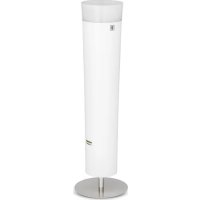



| Product type | Air purifier |
| Brand | Kärcher |
| Model | AFG 100 |
| Dimensions (H × Ø base) | 1120 × 320 mm |
| Weight | 13 kg |
| Power supply | 110-240 V ~ 50/60 Hz |
| Nominal power | < 60 W |
| Standby consumption | < 0.5 W |
| Noise level | 37 - 65 dB(A) |
| Filtration technology | 3-level filter cartridge: prefilter F7, EPA E11 filter, activated carbon filter, plasma catalyst |
| Sensor | VOC sensor (volatile organic compounds) |
| Fan | 5 speeds + automatic mode |
| Timer | 1 to 99 hours |
| LED lighting | 10 colors + automatic change, 10 brightness levels |
| Recommended area | Up to 60 m² |
| Operating temperature | 10 °C to 30 °C |
| Operating humidity | 20% to 80% RH |
| Maintenance | Clean the exterior with a soft cloth; clean/replace prefilter every 3-6 months; replace filter cartridge approximately every 3 years |
| Safety | Automatic shutdown after 10 min if inactive; child protection (≥8 years); shutdown in case of fault |
| Spare parts | Prefilter (ref. 6.640-869.0), 3-level filter cartridge (ref. 6.640-870.0) |
| Warranty | According to conditions in force in the country of purchase (see Kärcher customer service) |
| After-sales service | Contact the local Kärcher subsidiary |
| Certifications | CE (directives 2014/35/EU, 2014/30/EU, 2011/65/EU) |
Frequently Asked Questions - AFG 100 Kärcher
User questions about AFG 100 Kärcher
0 question about this device. Answer the ones you know or ask your own.
Ask a new question about this device
Download the instructions for your Air purifier in PDF format for free! Find your manual AFG 100 - Kärcher and take your electronic device back in hand. On this page are published all the documents necessary for the use of your device. AFG 100 by Kärcher.
USER MANUAL AFG 100 Kärcher
Chairman of the Board of Management

S. Reiser
Director Regulatory Affairs & Certification
Contents
General notes. 13
Device description 15
Initial start-up 15
Initial startup 16
Care and service 18
Troubleshooting guide 19
Accessories and spare parts 20
Technical data 20
EU Declaration of Conformity. 20
General notes


Read these original operating instructions and the safety instructions chapter before using the device for the first time. Proceed accordingly.
Keep them safe for future reference or for future owners.
Scope of delivery
1 x Karcher air purifier AFG 100 - 1 x 3-stage filter cartridge - 2 x Pre-filters - 1 x Stand - 1 x Fastening screw - 1 x Allen key - 1 x Operating manual
Intended use
The device may only be operated under the following prerequisites:
Operation exclusively in living spaces, office spaces and commercial spaces without condensing moisture. Operation exclusively for air purification. Covering the device during operation is prohibited. Persons, including children above the age of 8 years, that are not able to safely operate the unit due to their physical, sensory or mental capabilities are not permitted to use the device without supervision by, or instruction from a responsible person. Children must not play with the device.
Unsupervised children are not permitted to perform cleaning and user maintenance of the device.
Foreseeable incorrect use
Any use other than the specified intended use is regarded as incorrect use.
Alfred Karcher SE & Co. KG accepts no liability of any kind for the consequences of incorrect use.
All warranty claims for damage and deficiencies resulting from a failure to adhere to the instructions in the operating manual are null and void.
Environmental protection

The packing materials can be recycled. Please dispose of packaging in accordance with the environmental regulations.

Electrical and electronic appliances contain valuable, recyclable materials and often components such as batteries, rechargeable batteries or oil, which - if handled or disposed of incorrectly - can
pose a potential threat to human health and the environment. However, these components are required for the correct operation of the appliance. Appliances marked by this symbol are not allowed to be disposed of together with the household rubbish.
Notes on the content materials (REACH)
Current information on content materials can be found
at: www.kaercher.com/REACH
Disposal
- Do not dispose of worn out devices, batteries or rechargeable batteries via the normal household rubbish!
- The packaging, device and accessories are made of recyclable materials and must be disposed of accordingly.
- The packaging material for this product is suitable for recycling and can be re-used.
- Dispose of all materials in accordance with the local regulations.
- Old electrical devices may not be disposed of via the normal household rubbish! Dispose of old devices in an environmentally friendly manner. Old devices contain valuable, recyclable materials that should be recycled.
- Exhausted filter cartridges can be returned to the address specified on the new filter cartridge packaging.
Warranty
The warranty conditions issued by our relevant sales company apply in all countries. We shall remedy possible malfunctions on your device within the warranty period free of cost, provided that a material or manufacturing defect is the cause. In a warranty case, please contact your dealer (with the purchase receipt) or the next authorised customer service site.
Legal notice
All specified data applies only to the product description. These specifications cannot be used to infer specific properties or suitability for a specific purpose of use. The specifications do not exempt the user from the duty of making their own assessments and tests.
Customer Service department
Our local KARCHER branch will be happy to help you if you have any questions or problems with the device.
General safety instructions
DANGER: Only connect the device to alternating current.
The voltage indicated on the type plate must match the voltage of the power source. Never touch the mains plug and socket with wet hands. Risk of asphyxiation. Keep packaging film out of the reach of children. Operation in explosive atmospheres is prohibited.
WARNING: Persons with reduced physical, sensory or mental capabilities, or those with a
lack of experience and knowledge, are only allowed to use the appliance if they are supervised or have been instructed with respect to using the appliance safely, and understand the resultant dangers involved. Children from the age of 8 may use the appliance if they are supervised or have been instructed in its use by a person responsible for their safety, and if they have understood the resultant dangers involved. Children must not play with the appliance. Children must be supervised to prevent them from playing with the appliance. Children may only perform cleaning work and user maintenance under supervision. Check the power supply cable with mains plug for damage before operation each time. Do not put the device into operation with a damaged power supply cable. Have a damaged power supply cable replaced immediately by the authorised customer service / qualified electrician. Switch off the device immediately and remove the mains plug before performing any care and service work.
CAUTION: Do not pull the mains plug out the socket using the power supply cable. Have repair work, installation of spare parts and work on electrical
components carried out by the authorised customer service only. It is prohibited to cover the air inlet and outlet. Switch off the device after each use and remove the mains plug. Do not place the device near a heat source. The device is not a replacement for appropriate ventilation. The device must be placed on an even, firm subsurface. Only use accessories and spare parts which are approved by the manufacturer.
Only original accessories and original spare parts ensure that the appliance will run fault-free and safely. Do not use the device in damp conditions or in rooms with high ambient temperatures, e.g. bathroom, kitchen.
Hazard levels
DANGER
Indication of an imminent threat of danger that will lead to severe injuries or even death.
WARNING
Indication of a potentially dangerous situation that may lead to severe injuries or even death.
CAUTION
Indication of a potentially dangerous situation that may lead to minor injuries.
ATTENTION
Indication of a potentially dangerous situation that may lead to damage to property.
Transport
Where possible, always transport or return the device in the original packaging. Please contact our Service Department if the original packaging is not available.
Device description
For the figures, refer to the graphics page.

① 3-stage filter cartridge ② Pre-filter ③ Stand ④ Timer button ⑤ Fan button ⑥ Brightness button ⑦ Colour button ⑧ Control unit ⑨ Light ring ⑩ Service LED ⑪ On/Off button ⑫ Air quality button/Service button ⑬ "+" button ⑭ "-" button ⑮ Display
Product description
Whether in living spaces, at the workplace, in conference rooms or waiting rooms, the air in our rooms is contaminated with dust and especially with fine dusts that are harmful to health. We are also subjected to heavy pollution from biological and chemical contaminants. This can be caused by construction deficiencies, materials, paint, wood preservatives and so-called volatile organic substances. We want to feel good and full of energy. We want clean air without harmful contaminants, without VOC pollution, unpleasant odours, with less chance of infection through bacteria and viruses, less smell irritation and fewer allergens in children's rooms.
The KARCHER AFG 100 reliably removes fine dusts, allergens, bacteria, odours and VOC from your room air.
Lighting and colour selection
The colour and brightness of the LED ring can be adjusted as desired to provide a pleasing ambience. 10 colours and automatic colour changing can be selected. The colours can be individually adjusted by the user. The automatic colour change cycles gently through all colours.
10 brightness levels are available.
3-stage filter cartridge (PP)
The 3-stage filter cartridge consists of a catalyser filter, an active carbon filter, and an EPA filter. The filter material is polypropylene (PP). The EPA filter E11 ensures that fine dust, allergens, pollen, and dust particles down to a size of 0.3 μm are filtered out of the air.
Plasma electrode
The patented plasma technology catalyses the air to eliminate the smallest gaseous organic carbon compounds, such as odour molecules, viruses, bacteria, and spores in an environmentally-friendly manner. Further decomposition reactions occur in the 3-stage filter. The plasma regenerates the 3-stage filter to provide a very long service life for the 3-stage filter.
VOC sensor
The VOC sensor is a special sensor that automatically measures the degree of contamination in the air.
Fan
The fan can be adjusted over 5 levels or can also be operated in the automatic mode "AU". The automatic mode adjusts the fan level according to the degree of contamination measured by the sensor.
Timer
From 1 to 99 hours can be selected. The device switches off after the configured period of time. Ideal for air purification after leaving the home or office.
Pre-filter
The pre-filter of filter class F7 removes all contaminants, fine dusts, and pollen larger than 3 μm from the intake air and protects the downstream filter. This ensures long-term functionality. The filter material is polypropylene.
Service display and filter replacement
The service LED on the control unit lights up when servicing is required. The service LED flashes when the pre-filter needs to be replaced.
Explanation of terms
VOC (Volatile Organic Compounds) are harmful vapours emitted by products surrounding us indoors in the office or at home.
Examples of VOC sources include aerosol sprays, cleaning agents, disinfectants, furniture, carpets, hobby accessories such as varnish and glue, building materials, paint, solvents, nail polish, pesticides, and even air fresheners.
Initial start-up
Before the first use
The device is thoroughly checked and carefully packed before leaving the factory. - Check the device immediately upon receipt if the packaging is damaged or opened. - Never start up a damaged device. Contact your supplier immediately in case of potential complaint or return of the device. - Read and observe the technical data and all safety instructions before starting up the device for the first time.
Installation
- Remove the air purifier, stand, fastening screw, and Allen key from the packaging.
- Insert the fastening screw through the stand from below.
Note
The mounting hole for the screw is recessed.
- Use the Allen key to screw the stand onto the stand pipe of the air purifier and firmly tighten the screw.
- Position the mounted device upright on the stand.
- Remove the 3-stage filter cartridge from the device and remove the protective foil.
- Remove all transport locks above and below the 3-stage filter cartridge.
- Insert the 3-stage filter cartridge according to the instructions.
See: Inserting the 3-stage filter cartridge
Inserting the 3-stage filter cartridge
- Pull the control unit upwards and out.
- Fold the control unit to the side.
- Remove the transport lock from the 3-stage filter cartridge.
- Insert the 3-stage filter cartridge.
Note
The three spacers must be fitted in the recesses on the device.
The 3-stage filter cartridge can only be inserted in one position.
- Insert the control unit into the top of the device.
Note
The control unit only latches fully in one position.
The device cannot be switched on if the control unit is not fully latched in position.
Erecting the device
- Place the device on a flat, stable surface.
Note
Do not place the device on hot surfaces or in the immediate vicinity of the room heating.
Do not allow any liquids or foreign bodies (e.g. metallic objects) to enter the device.
- Ensure that the air intake (at the bottom) and air exhaust (at the top) are not blocked or impeded.
- Connect the device to the mains socket using the mains cable provided.
- Your Kärcher AFG 100 is now ready for operation.
Note
The first time you use the device, we recommend allowing it to run overnight to perform an initial basic cleaning of your room.
Initial startup
Switching the device on/off
- Plug the mains plug into the mains socket.
- Push the On/Off button to switch on the device.
Note
The device starts up with the last settings.
When fan level "0" is set, the device can be switched off by briefly pressing the On/Off button.
Switching the fan on/off
| Switching the fan on | Press the Fan button twice in succession if the fan is switched off. The fan runs at the last level selected. |
| Switching the fan off | Press the fan button twice in succession. |
Note
In automatic mode, a sensor measures the air quality as soon as the device is switched on. This procedure takes at least 2 minutes.
After measuring the air quality, the fan automation system automatically controls the device.
Setting the fan
- Press the fan button to adjust the fan. The fan button lights up.
Note
The fan automation system first takes effect 2 minutes after switch on at the earliest.
The fan automation system first takes effect 15 minutes after switch on at the latest.
Display
| Display Meaning | |
| 0 Fan level 0 | |
| 1...5 Fan level | 1...5 |
| AU Automatic mode | |
Fan levels
| Fan lev- el | Operating mode | Application example |
| 1 - 2 Quiet | continuousnight time oper- tion | Bedroom |
| 3 Continuous day-time operation | Smaller rooms approx. \( {25}{\mathrm{\;m}}^{2} \) | |
| 4 Continuous day-time operation | Larger rooms approx. 60 \( {\mathrm{m}}^{2} \) | |
| 5 High speed mode For fast air purification or extremely contaminated air. | ||
| AUAutomatic modeThe automatic mode adjust-justs the fan level accord-ing to the degree of con-tamination measured by the sensor. | ||
| Setting the fan level | Press the "+" button to increase the fan level. Hold the "+" button pressed to automatically increase the fan level. Press the "-" button to decrease the fan level. Hold the "-" button pressed to automatically decrease the fan lev- el. |
| Selecting auto- matic mode | Press the "+" button until "AU" is shown in the display to indicate auto- matic mode. |
Setting the colour
- Press the colour button to set the lighting colour. The colour button lights up.
Display
| Display Meaning | |
| 0...10 | Colour 0...10 is set. |
| A1...A9 | Colour change through all colours within X minutes. Example: A3 = colour change through all colours within 3 minutes. |
Colour level assignments (factory setting)
| Colour level | Colour | |
| 0 White Not adjustable | ||
| 1 Red Adjustable | ||
| 2 Green Adjustable | ||
| 3 Blue Adjustable | ||
| 4 Red-yellow Adjustable | ||
| 5 Yellow Adjustable | ||
| 6 Yellow-green Adjustable | ||
| 7 Cyan Adjustable | ||
| 8 Cyan-blue Adjustable | ||
| 9 Magenta | Adjustable | |
| 10 | Magenta-red | Adjustable |
Note
The colours are adjustable when the brightness level is set to "0".
Selecting the colour levels
You can configure up to ten colours and up to nine colour change intervals.
| Selecting colour level 1...10 | Press the "+" button to select the desired colour. Hold the "+" button pressed to automatically change the colour. Press the "-" button to select the desired colour. Hold the "-" button pressed to automatically change the colour. |
| Select colour level 0. | Press the colour button twice in succession to select colour level "0". |
Changing colour levels
You can manually assign any available colour to each of the colour levels 1...10.
1 Press and hold the colour button until it flashes. 2 Press the "+" or "-" button to change the colour of the selected colour level. 3 Press the Colour button again to save the colour under the respective number.
Switching the lighting on/off
| Switching the lighting on | Press the Brightness button twice in succession if the light ring lighting is switched off. ● The lighting is set to the last level selected. |
| Switching the lighting off | Press the brightness button twice in succession. |
Setting the brightness of the light ring
- Press the brightness button to set the brightness of the light ring. The brightness button lights up.
Display Setting the brightness levels
| Display | Meaning |
| 0 | The lighting is switched off. |
| 1...10 | Brightness level 1...10 is set. |
You can set up to ten brightness levels for the light ring.
| Setting the brightness levels | Press the "+" button to increase the brightness level. Hold the "+" button pressed to automatically change the brightness level. Press the "-" button to decrease the brightness level. Hold the "-" button pressed to automatically decrease the brightness level. |
Switching the timer on
- Press the timer button to switch on the timer. The timer button lights up.
Setting the timer
You can set the timer within a range of 1 to 99 hours.
| Setting the remaining run time. | Press the "+" button to increase the remaining run time. Hold the "+" button pressed to automatically increase the remaining run time. Press the "-" button to decrease the remaining run time. Hold the "-" button pressed to automatically decrease the remaining run time. |
Display
The timer allows the device to be operated for a configurable period of time. The device switches off automatically after the configured period of time.
The remaining time in hours is displayed when the timer is selected. The displayed value changes when each full hour expires, i.e. if "3" is displayed then the remaining running time lies between 3.00 hours and 2.01 hours. The display does not change to "2" until the remaining time reaches 2.00 hours.
Resetting the timer
| Display | Meaning |
| 0 | The timer is reset. |
| 1...99 | A remaining run time of 1...99 is set. |
| Resetting the timer | Press the timer button twice in succession to reset the timer to "0". |
Measuring the air quality with the VOC sensor
- Press the Air quality button to measure the air quality with the VOC sensor. The air quality is indicated via the LED ring for approx. 10 seconds. The timer button lights up. The display shows "--" The LED ring lights up red during the air quality sensor warm-up period.
Display
| Display | Meaning |
| Red Poor air | quality |
| Yellow | Medium air quality |
| Green | Good air quality |
Displaying error messages
- Press the service button twice in succession if the service LED is lit.
The error code is shown on the display.
See:
Error code and error description
Filter change service display
- The error E1 on the display provides notification to remind your of the timely ordering and replacement of the 3-stage filter cartridge.
Resetting the "Change pre-filter" service display
- The Service LED flashes periodically when the pre-filter needs to be replaced. The error code F7 is displayed. If you wish to reset the display for a pending pre-filter replacement, press the "-" button while the error message is displayed.
Switching the lighting and display on/off
Switching the lighting and display off
Briefly press the On/Off button to switch off the lighting and the display.
The lighting and display switch off.
Switching on the lighting and display
Briefly press the On/Off button to switch the lighting and the display on again. The lighting and display switch on. Press any button to switch the lighting and display on again. The lighting and display switch on. The button function is simultaneously activated.
Power-saving function
If the device is not performing a function, i.e. the fan and light are switched off, then the device switches off automatically after 10 minutes.
Note
Each press of the button delays the switch-off time by 10 minutes. The device does not switch off when the fan or light is switched on.
Care and service
Cleaning
DANGER
Danger of death from electric shock!
Cleaning work presents a risk of severe injuries or even death. An electric shock can cause severe injuries or even death.
Always pull the mains plug out of the mains socket before performing cleaning and maintenance work.
Never immerse the device or the mains cable in water or clean the device with water.
Air purifier
Clean the case and stand of the air purifier using only a soft cloth and not with abrasive or corrosive commonly available household cleaning agents.
Pre-filter
Clean the pre-filter as necessary, according to the degree of contamination.
You can clean the pre-filter by removing it, carefully beating it out and then vacuuming it.
Maintenance intervals
ATTENTION
Device damage!
Using incompatible spare parts can damage the device.
Only use original spare parts from Karcher.
| Component | Maintenance interval |
| Pre-filter Replace every 3 - 6 months. | |
| 3-stage fil-ter cartridge | Replace every 3 years under medium contamination conditions. The "Service LED" indicates when the fil-ter cartridge needs to be replaced. |
A warning is displayed at approx. 10% of the remaining operating hours of the 3-stage filter cartridge.
See:
Filter change service display
A flashing service LED indicates that the pre-filter needs to be replaced.
Replacing the 3-stage filter cartridge
See Figure 1
1 Pull the control unit upwards and out. 2 Fold the control unit to the side. 3 Pull out the 3-stage filter cartridge using the handle provided.
Inserting the 3-stage filter cartridge
1 Insert the 3-stage filter cartridge.
- The three spacers must be fitted in the recesses on the device.
- The 3-stage filter cartridge can only be inserted in one position.
2 Insert the control unit into the top of the device.
The control unit only latches fully in one position. The device cannot be switched on if the control unit is not fully latched in position.
Replacing the pre-filter
See Figure 2
Two pre-filters are mounted around the foot of the device.
Removing the pre-filter
1 Press both pre-filter clips towards the foot of the device. 2 Pull out the pre-filter downwards.
Inserting the pre-filter
1 Insert the pre-filter into the device from below. 2 Press the pre-filter into the device until it latches into place. The device can only be switched on when the pre-filter is fully latched in place.
Troubleshooting guide Troubleshooting Error code and error description
| Error description Error correction | |
| The device cannot be switched on • | Check the mains voltage. • Check that the control unit is inserted into the device and latched in place. • Check that the 3-stage filter cartridge is inserted. • Check that the pre-filters are inserted. • Send the device for servicing. |
| The service LED lights up • Display | the error message. Displaying error messages Follow the troubleshooting instructions. Error code and error description |
| Error code Error description Error correction | |
| E1 Remaining operating time <220 hours. | Order replacement 3-stage filter cartridges.Replace the 3-stage filter cartridge by the end of the service life at the very latest. |
| E2 Air quality sensor or defective.The device is only capable of restricted operation. | You can no longer use the device in automatic mode.Send the device for servicing. |
| E4 Plasma unit power supply or control electronics defective.The device is only capable of restricted operation. Plasma cleaning does not take place. | If this error occurs seldom at irregular intervals: Switch the device off and then on again after a few seconds.If this error occurs continuously: Send the device for servicing. |
| E5 Service life of the 3-stage filter cartridge expired.The plasma electrode switches off.Plasma cleaning does not take place. | Replace the filter now at the very latest. |
| E6 Calibration of the air quality sensor is faulty. | Send the device for servicing. |
| F2 Fan blocked/defective.The plasma electrode switches off.Plasma cleaning does not take place and the fan is switched off. | Send the device for servicing. |
| F3 3-stage filter cartridge is not detected.The plasma electrode switches off.Plasma cleaning does not take place and the fan is switched off. | Check that the 3-stage filter cartridge is seated correctly.Check that the control unit is seated correctly.If the device does not start, send the device for servicing. |
| F4 Internal communication error.The device switches off. | Switch on the device.If the device does not start, send the device for servicing. |
| F5 Plasma voltage too low.Plasma cleaning does not take place. | Switch the device off and then on again after a few seconds.This error can occur when the device is operated using a heavily fluctuating mains voltage.If the device does not start, send the device for servicing. |
| F6 Plasma voltage is too high.Plasma cleaning does not take place. | Switch the device off and then on again after a few seconds.If the device does not start, send the device for servicing. |
| F7 The pre-filters have filtered the recommended maximum air volume and have reached the end of their service life. | Replace or clean the pre-filter Reset the air volume calculation by pressing the "-" button while the error code F7 is displayed. |
Note
The pre-filter can emit odours under certain operating conditions. Switch the device off and replace the pre-filter if necessary.
Accessories and spare parts
Only use original accessories and original spare parts. They ensure that the appliance will run fault-free and safely. Information on accessories and spare parts can be found at www.kaercher.com.
Order numbers and spare parts
| Article number EAN Article designation | |
| 1.024-800.0 40542783019 | 14 AFG 100 White |
| 1.024-801.0 40542783019 | 21 AFG 100 anthracite |
| 6.640-869.0 40542783167 | 10 Replacement pre-filter AFG 100 |
| 6.640-870.0 40542783167 | 27 Replacement 3-stage filter AFG 100 |
Technical data
| A | ||
| Mains voltage V 110 - 240 | ||
| Power frequency Hz 1 ~ 50/60 | ||
| Power W < 60 | ||
| Standby W < 0.5 | ||
| Sound power level LWA | dB(A) | 37 - 65 |
| Weight kg 13 | ||
| Height | mm | 1120 |
| Footplate diameter | mm | 320 |
| Ambient temperature | °C | 10 - 30 |
| Relative humidity | % | 20 - 80 |
Subject to technical modifications.
EU Declaration of Conformity
We hereby declare that the machine described below complies with the relevant basic safety and health requirements of the EU Directives, both in its basic design and construction as well as in the version put into circulation by us. This declaration shall cease to be valid if the machine is modified without our prior approval.
Product: Air purifier
Type: 1.024-xxx
Currently applicable EU Directives
2014/35/EU
2014/30/EU
2011/65/EU
Harmonised standards used
EN 60335-1
EN 60335-2-65
EN 55014-1: 2006+A1: 2009+A2: 2011
EN 55014-2: 2015
EN 61000-3-2: 2014
EN 61000-3-3:2013
EN 62233: 2008
EN 50581
National standards used
The undersigned act on behalf and under the power of attorney of the company management.
Chairman of the Board of Management
S. Reiser Director Regulatory Affairs & Certification
Documentation supervisor: S. Reiser
Alfred Kärcher SE & Co. KG
Alfred-Karcher-Str. 28 - 40
71364 Winnenden (Germany)
Tel.: +49 7195 14-0
Fax: +49 7195 14-2212
Winnenden, 2018/10/01
Contents
General remarks 21
Chairman of the Board of Management
S. Reiser
Director Regulatory Affairs & Certification
Responsible for documentation: S. Reiser
Alfred Kärcher SE & Co. KG
Alfred-Karcher-Str. 28-40
71364 Winnenden (Germany)
Tel.: +49 7195 14-0
Fax: +49 7195 14-2212
Winnenden, 01/10/2018
Chairman of the Board of Management
S. Reiser, Director Regulatory Affairs & Certification
71364 Winnenden (Germany)
Tel.: +49 7195 14-0
Fax: +49 7195 14-2212
Winnenden, 01/10/2018
Chairman of the Board of Management
Director Regulatory Affairs & Certification
Documentation responsible: S. Reiser
Alfred Kärcher SE & Co. KG
Alfred-Karcher-Str. 28 - 40
71364 Winnenden (Germany)
Tel.: +49 7195 14-0
Fax: +49 7195 14-2212
Winnenden, 1/10/2018
Applicable CE Directives
2014/35/EU
2014/30/EU
2011/65/EU
H. Jenner Chairman of the Board of Management
S. Reiser Director Regulatory Affairs & Certification
71364 Winnenden (Germany)
Tel.: +49 7195 14-0
Fax: +49 7195 14-2212
Winnenden, 01/10/2018
Contents
Chairman of the Board of Management
S. Reiser Director Regulatory Affairs & Certification
71364 Winnenden (Germany)
Tel.: +49 7195 14-0
Fax: +49 7195 14-2212
Winnenden, 2018/10/01
Contents
Chairman of the Board of Management
S. Reiser
Director Regulatory Affairs & Certification
71364 Winnenden (Germany)
Tel.: +49 7195 14-0
Fax: +49 7195 14-2212
Winnenden, 01/10/2018
Table of contents
General safety instructions. 74
Device description 76
Commissioning 76
Operation 77
Maintenance and care 7
Troubleshooting 80
Chairman of the Board of Management
S. Reiser Director Regulatory Affairs & Certification
71364 Winnenden (Germany)
Tel.: +49 7195 14-0
Fax: +49 7195 14-2212
Winnenden, 01.10.2018
Contents
General information 82
Appliance description 84
Chairman of the Board of Management
S. Reiser Director Regulatory Affairs & Certification
Authorized documentation representative: S. Reiser
Alfred Kärcher SE & Co. KG
Alfred-Karcher-Str.28-40
71364 Winnenden (Germany)
Tel.: +49 7195 14-0
Fax: +49 7195 14-2212
Winnenden, 2018/10/01
www.kaercher.com/REACH
Disposal
Chairman of the Board of Management
S. Reiser
Director Regulatory Affairs & Certification
Documentation responsible: S. Reiser
Alfred Kärcher SE & Co. KG
Alfred-Karcher-Str.28-40
71364 Winnenden (Germany)
Tel.: +49 7195 14-0
Fax: +49 7195 14-2212
Winnenden, 2018/10/01
Set the fan
- To set the fan, press the fan button.
The fan button lights up.
Note
The fan automatic adjusts the fan at the latest 2 minutes after switching on.
The fan automatic adjusts the fan optimally at the latest 15 minutes after switching on.
Indicator
| Display Betydning |
| 0 Ventilatortrinn 0 |
| 1...5 Ventilatortrinn 1...5 |
| AU Automatisch drift |
Fan stage
| Ventilat- ortrinn | Driftsmodus Ekse | empel på bruk |
| 1 - 2 Stillegående kon- tinuerlig drift på natten | Soverom | |
| 3 Kontinue lig drift på;dagen | Små rom på ca. 25 m2 | |
| 4 Kontinue lig drift på;dagen | Større rom på opptil ca. 60 m2 | |
| 5 Hurtiggang Hurtig luftrensing | eller ved ekstremt tilsmusset luft. | |
| AU Automatisik drift Den automatiske driften tilpasser ventilatorhastig- heten til luftforurensni- ngssgraden som registre- res av sensoren. | ||
Setting the fan stage
Setting the timer
- To set the timer, press the timer button. The timer button lights up.
Setting the timer
You can set the timer to 1 - 99 hours.
Chairman of the Board of Management
S. Reiser Director Regulatory Affairs & Certification
71364 Winnenden (Germany)
Tel.: +49 7195 14-0
Fax: +49 7195 14-2212
Winnenden, 01.10.2018
Contents
www.kaercher.com/REACH
Disposal
Resetting the timer
| Nulstilling af ti-meren | Tryk på timer-knappen to gange after hinanden for at stille timeren tilbage på "0". |
Measuring air quality with the VOC sensor
- Press the air quality button to measure air quality with the VOC sensor.
- The air quality is indicated for 10 seconds using the LED ring. The timer button lights up.
- The display shows "--".
- The LED ring lights up red during the air quality sensor's warm-up phase.
Visiting
Chairman of the Board of Management
S. Reiser Director Regulatory Affairs & Certification
71364 Winnenden (Germany)
Tel.: +49 7195 14-0
Fax: +49 7195 14-2212
Winnenden, 2018/10/01
Table of contents
Safety instructions. 114
www.kaercher.com/REACH
Use
General safety instructions
Chairman of the Board of Management
Director Regulatory Affairs & Certification
71364 Winnenden (Germany)
Tel.: +49 7195 14-0
Fax: +49 7195 14-2212
Winnenden, 2018/10/01
Relevant EU directives
2014/35/EU
2014/30/EU
2011/65/EU
www.kaercher.com/REACH
Liquid preparation
Chairman of the Board of Management
S. Reiser Director Regulatory Affairs & Certification
Authorized to compile the documentation: Steffen Reiser
Alfred Karcher SE & Co. KG
Alfred-Karcher-Str.28-40
71364 Winnenden (Germany)
Tel.: +49 7195 14-0
Fax: +49 7195 14-2212
Chairman of the Board of Management
S. Reiser
Director Regulatory Affairs & Certification
Documentation officer: S. Reiser
Alfred Kärcher SE & Co. KG
Alfred-Karcher-Str.28-40
71364 Winnenden (Germany)
Tel.: +49 7195 14-0
Fax: +49 7195 14-2212
Winnenden, 2018-10-01
Contents
General instructions. 1 3
Description of the device 140
First commissioning 141
Commissioning 142
Maintenance and servicing. 144
Troubleshooting. 145
Accessories and spare parts. 147
Technical data 147
EC declaration of conformity. 147
General instructions


Before first use of the device, read the original operating instructions and the safety instructions.
Act in accordance with them.
Keep them for future use or for the next owner.
Scope of delivery
1 Air cleaner Karcher AFG 100 1 Filter cartridge, three-stage filter system 2 Pre-filter 1 Foot 1 Mounting kit 1 Screwdriver for hex socket screws 1 Operating instructions
Intended use
The device is approved for operation only under the following conditions:
Operate only in dry, enclosed rooms and in medical practices without condensation of moisture. - Use exclusively for air purification. It is forbidden to cover the device during operation.
Persons, including children over 8 years of age, who due to their physical, sensory or mental abilities, inexperience or ignorance are not in a position to operate the device safely, are prohibited from using the device without supervision or instruction by a responsible person.
Do not allow children to play with the device.
Cleaning and user maintenance must not be performed by children without supervision.
Misuse
Any use other than the intended use is considered misuse.
Alfred Karcher SE & Co. KG is not liable for consequences resulting from misuse. Warranty does not cover damage or defects caused by non-compliance with the operating instructions.
Environmental protection

Packaging materials are suitable for secondary recycling. The packaging must be disposed of without harm to the environment.
Electrical and electronic devices contain valuable materials suitable for secondary recycling, and often also components such as batteries, accumulators, or oil, which, if handled improperly or disposed of incorrectly, can pose a potential danger to health and the environment. Nevertheless, these components are necessary for the proper operation of the device. Devices marked with this symbol are prohibited from being disposed of together with household waste.
Instructions for installers (REACH)
Installing the three-stage water purification filter cartridge
- Remove the control unit upward.
- Tilt the control unit to the side.
- Remove the transport securing device of the three-stage water purification filter cartridge.
- Install the three-stage water purification filter cartridge.
Note
It is necessary to insert three spacers into the device. The three-stage water purification filter cartridge can only be inserted in one position.
5. From above, insert the control unit into the device.
Note
The control unit can only be locked in one position.
If the control unit is not fully locked, the device does not switch on.
Installing the device
- Install the device on a level, stable surface.
Note
Do not place the device on uneven surfaces or near heat sources.
Do not allow liquids or foreign materials (e.g., metal objects) to enter the device.
2. Ensure free air intake (from below) and air outlet (from above). 3. Connect the device to the mains using the existing power cord. 4. Now the Karcher AFG 100 is ready for operation.
Note
We recommend running the device for the first time to thoroughly clean the air in the room.
Commissioning
Switching the device on/off
1. Insert the mains plug into the socket. 2. To switch on the device, press the On/Off button.
Note
The device starts operating with the last setting. If the power level is set to 0 , a sufficiently short press of the On/Off button is enough to switch on the device.
Switching the fan on/off
Setting the power level
The timer can be set to 1-99 hours.
Always unplug the device from the power outlet before servicing.
It is forbidden to immerse the device, the power cord, or the plug in water or to wash it.
Air filter
Clean the upper surface and the housing of the air filter only with a soft cloth without using abrasive or aggressive household cleaning agents.
Pre-filters
The pre-filters should be cleaned as needed and depending on the degree of contamination.
To clean the pre-filters, they can be removed and carefully tapped out or vacuumed.
Maintenance frequency
CAUTION
Device damage!
Using incompatible spare parts may cause damage to the device.
Use only original spare parts
from Kärcher.
- If the control unit is not fully snapped in, the device will not turn on.
Replacing the pre-filters
The device's nozzles are located behind two pre-filters.
Removing the pre-filters
1. Press both pre-filter locks in the direction of the nozzle. 2. Remove the pre-filters by pulling them down.
Installing the pre-filters
1. Insert the pre-filters from below into the device. 2. Insert the pre-filters into the device until they click into place.
- The device may only be operated after the pre-filters have been installed.
Troubleshooting
Troubleshooting
For information on accessories and spare parts, see www.kaercher.com.
Order numbers and spare parts
| HomeraparikulapEAN O6 | O3nauchene aprikulap | |
| 1.024-800.0 40542783019 | 14 AFG 100 White | |
| 1.024-801.0 40542783019 | 21 AFG 100 Anthrazit | |
| 6.640-869.0 40542783167 | 10 3anachno Фильчр пedingарпел | bnoй оочстkn AFG 100 |
| 6.640-870.0 40542783167 | 27 3anachno Фильчр тreamуровов�оь оочстkn AFG 100 |
Technical specifications
Chairman of the Board of Management
S. Reiser Director Regulatory Affairs & Certification
Painep (S. Reiser)
Alfred Karcher SE & Co. KG
Alfred-Karcher-Str. 28 - 40
71364 Winnenden (Germany)
Tel.: +49 7195 14-0
Fax: +49 7195 14-2212
r.BunHHeHdEh,01.10.2018
3mict
3araJIbHi Bka3iBKn. 148
Onnc npncptpo 150
Iepwe BBeDeHHB Eeknnyataio. 151
BbeHeHH B eKcnIyataio 151
Dorla ta texHiue 06cnyroByaHHra. 154
Dionomora B pa3i HecnpaBHOCTeI 154
Ppniladra ta 3anachi deTani 156
TexhiHixapakTepncTNKn 156
Declaration of Conformity with EU Standards 156
General Instructions


Before using the device, please read the original operating instructions and safety instructions carefully. Follow
them accordingly.
Keep them for future use or for the next owner.
Scope of Delivery
1 Air filter Karcher AFG 100 1 Filter cartridge for dry dust 2 Pre-filters 1 Gasket 1 Cover screw 1 Wrench with hexagon socket 1 Operating instructions
Intended Use
The device may only be operated under the following conditions:
Operate the device only in dry, non-condensing rooms, offices, and medical cabinets. Use it only for air purification. Do not cover the device during operation.
Persons, including children over 8 years of age, who due to their physical, sensory, or mental limitations, or lack of experience and knowledge, are unable to safely operate the device, must not use it without supervision or instruction by a responsible person.
Do not allow children to play with the device.
Children must not perform cleaning or maintenance of the device without supervision.
Use of the device for purposes other than intended is prohibited.
Any use other than the intended use is considered misuse.
Alfred Kärcher SE & Co. KG is not liable for damages resulting from misuse.
The warranty does not cover damage or defects caused by failure to follow the operating instructions.
Environmental protection

Packaging materials are recyclable. Please dispose of packaging in an environmentally responsible manner.

Electrical and electronic devices contain valuable recyclable materials and components such as batteries, rechargeable batteries, and oils, which if improperly
handled or disposed of can pose a potential hazard to human health and the environment. These components are necessary for the reliable operation of the device. Devices marked with this symbol must not be disposed of with household waste.
Information on components (REACH)
Current information on components is available at: www.kaercher.com/REACH
Disposal
Do not dispose of used devices, batteries, or rechargeable batteries in household waste! - Packaging, filters, and accessories are made of recyclable materials and must be disposed of accordingly. - Packaging materials are suitable for recycling and can be reused. - Dispose of all materials in accordance with local regulations. Used electrical appliances do not belong in household waste! Dispose of used devices without harming the environment. Used devices contain valuable materials that can be recycled and should be handed in at a collection point for recyclable materials. Used filter cartridges can be returned to the address provided on the packaging of the new filter cartridge.
Warranty
In every country, the warranty terms published by our responsible sales organization apply. We will repair possible malfunctions of the device free of charge during the warranty period, provided that the malfunction is caused by material or manufacturing defects. In the event of a warranty claim during the warranty period, please contact your dealer or the nearest authorized customer service center with the proof of purchase.
Original information
The information provided does not guarantee the reliability of the product or its suitability for a specific purpose of use. The information does not relieve the user from conducting their own tests and trials.
Service department
KARCHER company branches will provide support in case of questions or malfunctions.
General safety instructions
- See: Installing the filter cartridge for the long-life filter
Installing the filter cartridge for the long-life filter
- Pull out the control block.
- Pull the control block to the side.
- Remove the transport securing device of the filter cartridge for the long-life filter.
- Install the filter cartridge for the long-life filter.
Note
It is necessary to insert three spacers into the recesses of the device. The filter cartridge for the long-life filter can only be inserted in one position.
- Turn the control block back into the device.
Note
The control block can only be fully locked in one position.
If the device is not switched on, the device does not turn on.
Installing the device
- Place the device on a level surface.
Note
Do not place the device near heat sources or open flames. Do not allow liquids or foreign objects (e.g., metal objects) to enter the device.
2. Ensure the inlet (bottom) and outlet (top) are unobstructed. 3. Connect the device to the mains using the existing mains cable. 4. Now the Kärcher AFG 100 is ready for operation.
Note
It is recommended to turn on the device for the first time only after carrying out regular cleaning of the device in the room.
PUTTING INTO OPERATION
Turning on the device
- Insert the plug into the socket.
- To turn on the device, press the ON/OFF button.
Indication
The device started working with the last set value. If the power level is set to "0", after a short press of the ON/OFF button, the device will turn on.
Turning on the fan
| УвIMКHeHЯ ВЕТNUЯТopa | За ВIMКHeHOrO BeHTNUЯТopa Дычи ha- нUCHуТи KHonky BeHTNUЯТopa. ВЕТNUЯТOP BCTaHOBЛЮБТьсЯ ha- octaHHI ВИбpaHи pIBeHb. |
| ВIMKHeHЯ ВЕТNUЯТopa | Дычи HaTNUCHyTN KHonky BeHTNUЯТopa. |
When the device is switched on, the air quality sensor starts automatically. The process takes at least 2 minutes. After the air quality check, the automatic fan control system automatically adjusts the device.
Turning on the fan
1. To turn on the fan, press the fan button.
- The fan button will light up.
Note
The automatic fan control system will start adjusting no earlier than 2 minutes after switching on.
The optimal adjustment characteristic is achieved by the automatic fan control system no later than 15 minutes after switching on.
Indication
Display designation
0 P i r e
1-5 Power level 1-5
AU Automatic operating mode
Power levels
Level Operating mode Applicable power
1-2 Without interruption, the robot vacuum cleaner is designed for cleaning rooms up to approximately 25 m², and without interruption, the robot vacuum cleaner is designed for cleaning rooms up to approximately 60 m², and 5 cleaning modes for cleaning floors or in case of heavy floor contamination. In automatic mode, the vacuum cleaner's fan speed is automatically adjusted to the degree of floor contamination, which is determined by the sensor.
Setting the suction power
Select the level by pressing the "+" button to increase the suction power. In case of pressing
and holding the "+" button, the suction power increases automatically.
Press the "-" button to decrease the suction power. In case of holding the "-" button, the suction power decreases automatically.
Select automatic mode by pressing the "+" button until the automatic mode indicator appears.
Setting the color
1. To set the color, press the color button. - The color button lights up.
Indicator
Description
0-10 Color setting 0-10.
A1-A9 Color change over X minutes across all colors.
Example: A3 = color change over 3 minutes across all colors.
Distribution of color levels (factory setting)
| Pibenhko-lbopy | Kolip | ||
| 0 | Блney | He 3MiHIOεTbcra | |
| 1 | H | Чербунni | 3MiHIOεTbcra |
| 2 | Зеленni | 3MiHIOεTbcra | |
| 3 | Сини | 3MiHIOεTbcra | |
| 4 | Червоно-Жовто | 3MiHIOεTbcra | |
| 5 | Жовто | 3MiHIOεTbcra | |
| 6 | Жовто-Зеленni | 3MiHIOεTbcra | |
| 7 | Синbos-Зеленni | 3MiHIOεTbcra | |
| 8 | Зеленувато-блakUTНи | 3MiHIOεTbcra | |
| 9 | Пурпунni | 3MiHIOεTbcra | |
| 10 | Пурпунно-черво-нi | 3MiHIOεTbcra | |
Indicator
The color level can be adjusted when the brightness level is set to "0".
Selecting color levels
You can set up to 10 color levels and 9 intervals of color change.
To select a level, press the + button to choose a color level from 1 to 10. If you hold the + button, the color will change automatically. Press the - button to select a color. If you hold the - button, the color will change automatically.
To select a color level, press the color button, then select the color level 0 .
Changing color levels
You can set color levels 1-10 with any color.
1 Press and hold the color button until it starts blinking. 2 Change the color level by pressing the + or - button. Press the color button again to save the color level with the corresponding number.
Turning on/off
Turning on: Press the power button to turn on the device.
Turning off: The last selected level is restored.
Turning off: Press the power button to turn off the device.
Adjusting the brightness of the display
1. To adjust the brightness of the display, press the brightness button. - The brightness button is located.
Indicator
Press the button.
1-10 Setting the brightness level 1-10.
Setting the brightness
You can set the brightness level for the device operation.
Timer setting
The timer can be set from 1 to 99 hours.
| BCTaHOBNTI 3a- NIIUSKOBNI Yac. |
Press the button + to increase the set time. If you hold the button +, the set time will increase automatically.
Press the button - to decrease the set time. If you hold the button -, the set time will decrease automatically.
Indicator
The timer is used to count down the operating time during the set period. After the set time has elapsed, the device turns off automatically.
When selecting the timer, the set time is displayed in hours. The indicator changes every hour after the full hour has elapsed, so if the number "3" is selected, the set time is from 3:00 to 2:01 hours. After the set time reaches 2:00 hours, the indicator changes to "2".
Timer setting
Timer off.
1-99 Setting the set time from 1 to 99 hours.
Timer setting
| Ск菇аHHЯ таймера |
Press the timer button, reset the timer to "0".
Air quality measurement
- To measure air quality using the LOC, press the air quality button.
- The air quality is calculated in approx. 10 seconds using the light indicator. The timer button lights up. The display shows "-" during the heating phase. The air quality indicator lights up in red.
Indicator
First level: poor air quality
Second level: medium air quality
Third level: good air quality
Display of error messages
- If the service indicator lights up, press the service button. The error code will be displayed.
AUB.:
Error code list
Service indicator "Replace filter"
Error code E1 on the display indicates the need for timely replacement and timely replacement of the filter cartridge of the air purifier.
Indicator of the need to replace the pre-filter
- If it is necessary to replace the pre-filter, the service indicator light will be regulated. It is selected when error F7 occurs. To reset the indicator for the upcoming replacement of the pre-filter, press the "-" button while the error message is displayed.
Turning on the device and the sprayer
Turning on the device and the sprayer
Briefly press the ON/OFF button to turn on the device and the sprayer.
The sprayer starts working.
Turning on the device and the sprayer
Briefly press the ON/OFF button to turn on the device and the sprayer again.
The sprayer starts working. Press any button to turn on the sprayer again. The sprayer starts working. The functions of the buttons are activated.
Auto-off function
If no functions are performed for 10 minutes, i.e., the fan and the sprayer are turned on, the device automatically turns off after 10 minutes.
Indication
Each press of a button extends the operating time by 10 minutes. - If the fan or the sprayer is turned on, the shutdown does not occur.
Care and technical maintenance
Cleaning
Danger! Risk of electric shock!
When performing work with cleaning using an electric shock, it can lead to serious injuries or death. An electric shock can lead to serious injuries or death.
Before connecting and maintenance, disconnect the device from the power supply.
It is forbidden to immerse the device or lay the cable in water or touch it.
Cleaning agent
Clean the outer surface of the device only with a soft cloth without using abrasive or aggressive household cleaning agents.
Pre-filters
Pre-filters should be cleaned as needed and depending on the degree of contamination.
To clean the pre-filters, they can be removed and carefully washed, rinsed.
Maintenance frequency ATTENTION
Device damage!
Using non-original spare parts can lead to device damage.
Use only original spare parts from Karcher.
1 Install the pre-filter for water cleaning.
Do not insert three cartridges into the device. - The filter cartridge for three-stage purification can only be inserted in one position.
Insert the control unit into the upper part of the cartridge.
- The control unit can only be fully fixed in one position.
- If the control unit is not fully fixed, the cartridge will not fit.
Replacement of the pre-filter cartridges
Fig. 2
The device is equipped with two pre-filter cartridges.
Removal of the pre-filter cartridges
1. Press the buttons on the pre-filter cartridges in the direction of the device. 2. Remove the pre-filter cartridges by pulling them downwards.
Insertion of the pre-filter cartridges
1. Insert the pre-filter cartridges from below into the device. 2. Insert the pre-filter cartridges into the device until they click.
- The device can only be operated after the pre-filter cartridges have been fully fixed.
Troubleshooting
Troubleshooting
S. Reiser Director Regulatory Affairs & Certification
Painep (S. Reiser)
Alfred Karcher SE & Co. KG
Alfred-Karcher-Str.28-40
71364 Winnenden (Germany)
Tel.: +49 7195 14-0
Fax: +49 7195 14-2212
M. BiHHeHdEh, 01.10.2018
Spis treści
H.Jenner Chairman of the Board of Management
S. Reiser Director Regulatory Affairs & Certification
Administrator dokumentaci: S. Reiser
Alfred Kärcher SE & Co. KG
Alfred-Karcher-Str.28-40
71364 Winnenden (Germany)
Tel.: +49 7195 14-0
Fax: +49 7195 14-2212
Winnenden, 2018/10/01
Table of Contents
Chairman of the Board of Management
S. Reiser Director Regulatory Affairs & Certification
71364 Winnenden (Germany)
Tel.: +49 7195 14-0
Fax: +49 7195 14-2212
Winnenden, 2018/10/01
Contents
General Instructions 175
Description of the device 177
First commissioning 177
Commissioning 178
Care and maintenance 180
at: www.kaercher.com/REACH
Disposal
Chairman of the Board of Management
S. Reiser Director Regulatory Affairs & Certification
Authorized documentation representative: S. Reiser
Alfred Kärcher SE & Co. KG
Alfred-Karcher-Str. 28 - 40
71364 Winnenden (Germany)
Tel.: +49 7195 14-0
Fax: +49 7195 14-2212
Winnenden, 1.10 2018
Contents
Chairman of the Board of Management
S. Reiser Director Regulatory Affairs & Certification
71364 Winnenden (Germany)
Tel.: +49 7195 14-0
Fax: +49 7195 14-2212
Winnenden, 01.10.2018
Table of Contents
General notes 191
Device description 193
Initial startup 193
Startup 194
www.kaercher.com/REACH
Disposal
Chairman of the Board of Management
S. Reiser
Director Regulatory Affairs & Certification
Person responsible for documentation: S. Reiser
Alfred Kärcher SE & Co. KG
Alfred-Karcher-Str.28-40
71364 Winnenden (Germany)
Tel.: +49 7195 14-0
Fax: +49 7195 14-2212
Winnenden, 01.14.2018
Table of contents
EU directives complied with
2014/35/EU
2014/30/EU
2011/65/EU
Harmonized standards used
EN 60335-1
EN 60335-2-65
EN 55014-1: 2006+A1: 2009+A2: 2011
EN 55014-2: 2015
EN 61000-3-2: 2014
EN 61000-3-3: 2013
EN 62233: 2008
EN 50581
National standards used
The signatories act on behalf of and with the authorization of the company's management.
Chairman of the Board of Management
S. Reiser Director Regulatory Affairs & Certification
Responsible for documentation: S. Reiser
Alfred Karcher SE & Co. KG
Alfred-Karcher-Str. 28 - 40
71364 Winnenden (Germany)
Tel.: +49 7195 14-0
Fax: +49 7195 14-2212
Winnenden, 2018/10/01
Contents
General notes. 2 0
Description of the device 208
www.kaercher.com/REACH
Disposal
H.Jenner Chairman of the Board of Management
S. Reiser Director Regulatory Affairs & Certification
Authorized representative for documentation: S. Reiser
Alfred Kärcher SE & Co. KG
Alfred-Karcher-Str.28-40
71364 Winnenden (Germany)
Tel.: +49 7195 14-0
Fax: +49 7195 14-2212
5 www.kaercher.com/REACH
Disposal
- Do not dispose of used devices, batteries, or rechargeable batteries with household waste!
- Packaging, device, and accessories are made of recyclable materials and must be disposed of properly.
- The packaging of this product is suitable for recycling and can be reused. Dispose of all materials in accordance with local regulations.
- Old electrical devices do not belong in household waste! Dispose of old devices in an environmentally friendly manner. Old devices contain valuable recyclable materials that should be sent for reprocessing.
- You can send used filter cartridges to the address provided on the packaging of new filter cartridges.
Warranty
In every country, the warranty conditions issued by our responsible distribution organization apply. We will rectify any faults on the device free of charge within the warranty period, provided that the cause of the fault is a material or manufacturing defect. In the event of a warranty claim, please contact your dealer or an authorized service center with the receipt.
Legal notices
All data provided applies exclusively to the product description. No statement regarding specific properties or suitability for a particular purpose can be derived from this data. The data does not release the user from their own assessments and checks.
Service
Chairman of the Board of Management
S. Reiser Director Regulatory Affairs & Certification
Authorized documentation representative: S. Reiser
Alfred Kärcher SE & Co. KG
Alfred-Karcher-Str. 28-40
71364 Winnenden (Germany)
Tel.: +49 7195 14-0
Fax: +49 7195 14-2212
Winnenden, 2018/10/01
CbDpXaHne
O6uynka3aHn 223
OncanHe Ha ypea 225
TbpBOHaayalNo nycKaHe Beknloatauia 226
IyckaHe B ekcnloatau. 226
TpIka n IopdpbXka. 228
Pomou npn noBpeu 229
Akecoapn npeepBn qactn 231
TexHHueckn daHHn 231
Declaration of Conformity EC 23
about the instructions


Before first use of the device, read the original operating instructions and the safety instructions. Follow
them accordingly.
Keep the operating instructions for future use or for the next owner.
Scope of delivery
1x air filter Kärcher AFG 100, 1x 3-stage filter cartridge, 2x pre-filters, 1x stand, 1x mounting screw, 1x Allen key, 1x operating instructions
Current information on ingredients can be found at: www.kaercher.com/REACH
Disposal
Do not dispose of the device, batteries, or accumulators with household waste! Packaging, device, and accessories are made of recyclable materials and must be disposed of accordingly. The packaging material of this product is suitable for recycling and can be reused. Dispose of all materials in accordance with local regulations. Old electrical devices are not part of household waste! Dispose of old devices separately according to current requirements. Old devices contain valuable materials that can be recycled and reused. Used filter cartridges are accepted at the point of sale of new filter cartridges or at the address for return shipment.
Warranty
In every country, the authorized distributor grants the warranty conditions.
Accidental damage to your device is repaired free of charge within the warranty period if it is due to material or manufacturing defects. In case of warranty claim, contact your distributor or the nearest authorized service center, presenting the cash receipt.
Adjustments
All data provided is solely for product description. No conclusion can be drawn from this information about specific characteristics or suitability for a particular purpose. The information does not release the user from their own assessment and verification.
Thank you for choosing KARCHER. We are pleased to help you.
Safety instructions
DANGER: Connect the device only to a power supply with the voltage specified on the type plate. Never touch the mains plug and contacts with wet hands. DANGER of suffocation. Keep the packaging film away from children. Operation in areas with explosion hazard is prohibited.
WARNING: Persons with reduced physical, sensory or mental capabilities or lack of experience and knowledge may use the device only if they are supervised or have been instructed in the safe use of the device and understand the hazards involved. Children aged 8 years and above may use the device if they have been instructed in its safe use and are supervised by a responsible person, and if they understand the hazards involved. Children must not play with the device. Children must be supervised to ensure they do not play with the device. Children may perform cleaning and user maintenance only under supervision. Before each use, check the mains connection cable for damage. Do not operate a device with a damaged mains cable. Immediately
have damaged mains cables replaced by an authorized electrician. Before any work on the device, unplug the device and pull out the mains plug.
CAUTION: Do not pull the mains plug out of the socket by the cable. Pull the mains plug out of the socket. Have repairs and maintenance, as well as work on electrical components, carried out only by an authorized service center. The air inlet and outlet must not be covered. Switch off the device and unplug it before cleaning. Do not place the device near heat sources. The device does not replace proper ventilation. The device must stand on a level, stable surface. Use only accessories and spare parts approved by the manufacturer. Original accessories and original spare parts ensure safe and trouble-free operation of the device. Do not use the device in damp or wet environments or in rooms with high humidity, e.g., bathroom; kitchen.
Safety levels
DANGER
Indicates an imminent danger that may lead to serious injuries or death.
WARNING
Indicates a potentially dangerous situation that may lead to serious injuries or death.
CAUTION
Indicates a potentially dangerous situation that may lead to minor injuries.
Warning about a possible dangerous situation that could lead to serious bodily injury.
Warning about a possible dangerous situation that could lead to material damage.
Transport
If possible, transport or ship the device only in its original packaging. If the original packaging is missing, you can use a suitable alternative.
Device description
See the illustrations on the page with graphics.

1 Three-stage filter cartridge 2 Pre-filter 3 Stand 4 Button for timer 5 Button for fan 6 Button for light 7 Button for color 8 Service 9 Light cover 10 Service light 11 Button for on/off 12 Button for air quality/Service 13 Button "+" (14) Button "-" 15 Display
Product description
In our homes and workplaces, in our living spaces and offices, the air in our rooms is polluted with dust, especially with dust that is harmful to health. At the same time, we are increasingly exposed to biological and chemical harmful substances. These can be present in construction, materials, paints, wood protection agents, and so-called volatile organic compounds. We want to feel good and maintain our performance. We want clean air without harmful dust, without exposure to VOCs, unpleasant odors, fewer infections from bacteria and viruses, fewer unpleasant odors, and fewer allergies in the children's room. KARCHER AFG 100 reliably cleans the air in your room from harmful dust, allergens, bacteria, viruses, and VOCs.
Light selection of color
For a pleasant atmosphere, the light brightness and color can be adjusted according to your wishes.
10 colors can be selected, as well as automatic light change. The colors can be adjusted individually by the user. In automatic light change, all colors are presented with a smooth transition from one to another. The modes are 10 levels of brightness.
3-stage filter cartridge (PP)
The 3-stage filter cartridge consists of a catalyst filter, an activated carbon filter, and a HEPA filter. The filter material is polypropylene (PP). The HEPA filter ensures filtration of harmful dust, allergens, pollen, and dust particles with a size up to 0.3 μm.
Electro plasma
The replacement filter is a technology for environmentally friendly removal of dust, gases, organic and volatile compounds, such as aroma molecules, viruses, bacteria, and other particles. The 3-stage filter provides the following reactions to various substances. The replacement filter elements regenerate for the 3-stage filter, which also ensures a long service life of the 3-stage filter.
VOC sensor
The VOC sensor is a specialized sensor that automatically measures the level of air pollution.
Fan
The fan can be adjusted to 5 levels, or it can operate in automatic mode "AUTO". The automatic mode adapts the fan level to the pollution level detected by the sensor.
Timer
You can select 1-99 hours. The device turns off after the set desired time has elapsed. Ideal for airing after cooking or painting.
Pre-filter
The pre-filter is class F7 and captures all pollutants, dust, and particles larger than 3 µm from the intake air and stops the subsequent filters. In this way, long-term
functionality is guaranteed. The filter material is polypropylene.
Service indicator and filter replacement
The service light indicates when maintenance is required. The service light is on when the pre-filter needs to be replaced.
Explanation of terms
VOC (Volatile Organic Compounds) are harmful volatile components of products that are released into indoor air, both in homes and in offices.
Sources of VOC include, for example, aerosols, sprays, cleaning agents, furniture, paints, household chemicals such as varnishes and glues, building materials, oils, solvents, paints for walls, pesticides, and air fresheners.
Replacing the 3-stage filter cartridge
1. Switch off the appliance and unplug it. 2. Open the appliance cover. 3. Remove the transport protective cap from the 3-stage filter cartridge. 4. Insert the 3-stage filter cartridge. Note:
When inserting, ensure that the tabs are aligned with the recesses in the appliance.
The 3-stage filter cartridge can only be inserted in one position.
- Insert the filter cartridge into the appliance.
Note:
The filter cartridge can only be inserted in one position.
If the filter cartridge is not inserted correctly, the appliance cannot be switched on.
Positioning the appliance
- Place the appliance on a flat, stable surface.
Note:
Do not place the appliance on hot surfaces or near heaters.
Do not allow liquids or foreign objects to enter the appliance.
- Ensure that the air inlet (bottom) and the air outlet (top) are not blocked.
- Connect the appliance to the power supply using the power cord.
Instructions
Warning: Follow the rules to leave the device to work indirectly at night, in order to get the basic advantage of your premises in this way.
Starting up
Switching the device on/off
- Insert the mains plug into the socket.
- Press the On/Off button to switch on the device.
Note
The device starts with the last setting.
If the fan stage is set to "0", a brief press of the On/Off button is required to switch off the device.
Switching the fan on/off
The fan speed is regulated automatically and can be switched off.
The fan automatically switches off after a maximum of 15 minutes after switching on.
The fan speed is regulated automatically and can be switched off.
Fan speed setting
| Ди检пел 3начениe |
| 0 Стени на вентilatedopa 0 |
| 1...5 Стени на вентilatedopa 1...5 |
| AU АВТOMатиен рек imm |
Light intensity levels
You can select up to ten levels and set up to ten intervals for changing the light.
Changing the light intensity
| Избор на стени нацbraT 1...10 | Нат生态系统е 6byToHa “+”, за щизберeteцbra.При зальржане на 6byToHa“+”цBEtBJT ce поменя аВТOMATИЧNO.Hat生态系统е 6byToHa “-”, за щизbereteцbra.При зальржане на 6byToHa“-”цBEtBJT ce поменя аВТOMATИЧNO. |
| Изberete стени нацbraT 0. | Нат生态系统е два пьтп постedingовaten-но 6byToHaцbraT, за щизberete стени нацbraT "0". |
You can set the light intensity level 1...10 for each light.
1. Press and hold the light button until it flashes. 2. Change the light intensity by pressing the "+" or "-" button. 3. Press the light button again to save the light under the corresponding number.
Turning the lighting on/off
| Вклочане на осветлениeto | При Изклочец ОСВЕТLENHUE на СВET-пинни Кръг НатиСЧЕТ分解 ПьтNi по-c splededОВЕТELNO 6byToHAЯrkocst. - Oсветлениeto ce настroduва на постедно ИЗбpaHATA CTENEN. |
| Изklочанe на осветлениeto | НатиСЧЕТ分解 ПьтNi по sledовaten-но 6byToHaЯrkocst. |
Setting the brightness of the light ring
- To set the brightness of the light ring, press the brightness button.
- The brightness button lights up.
Display
| Ди检пел 3начениe |
| 0Освettingлениeto e Изк nullочero. |
| 1...10СтениhabярковCT...10e Habстpoeha. |
Setting the brightness levels
You can set up to ten brightness levels for the light ring.
| Hасторьк ha steneи ha яр- хост | Hатунөт e 6утона “+”, за DA уBEL- чinte stөнөт ha яркоct. Пprи здьр- жане ha 6утона “+” STөнөт ha яр- хост ce поменя ABIТOMATUHQ. Hатунөт e 6утона “-”, за DA hamajи- te stөнөт ha яркоct. Пprи здьржа- нe Ha 6утона “-” STөнөт ha яркоct ce поменя ABIТOMATUHQ. |
Turning on the timer
- Press the timer button to switch on the timer.
- The timer button lights up.
Setting the timer
You can set the timer from 1 to 99 hours.
| Hасторika на OCTаващ Вр. me. | Hатунөт e 6утона “+”, за ду уveл-чinate OCTавашоTO Врeme. Пи рздьр-жане на 6утона “+” OCTавашоTO Врeme ce уveлшача вгоматиquHo. |
| Hатунөт e 6утона “-”, за ду hamал-т e OCTавашоTO Врeme. Пи рздьрха-нe Ha 6утона “-” OCTавашоTO Врeme ce hamалява вгоматиquHo. |
Display
The timer counts down to switch on the device at the set time. After the set time has elapsed, the device switches off automatically.
When selecting the timer, the remaining time is shown in hours. The display changes when the remaining time is less than one hour, i.e., when the display shows "3", the remaining time is between 3.00 and 2.01 hours. At 2.00 hours, the display changes to "2".
Interval operation
CAUTION
Damage to the device!
Using incompatible spare parts can lead to damage to the device.
Use only original spare parts from Karcher.
| Комноент | Иntервал на подръжka |
| Прedeрави- теллини Фил- trpn | Смение на вescи 3 - 6 месuya. |
| 3-stelenен фиULTьrene патрон | При среeding замльсанын сementsа на вescи 3 rodini. "С Bretоюндзг За сэрbus" рokedва кora Трава за ce сmedи ФиULTьrene на- атрон. |
When approx. 10% of the remaining operating time of the 3-stage filter cartridge is left, a warning is displayed.
Inlet:
Service indicator
WARNING: Before servicing the device, you must be informed about the necessary replacement of the preliminary filter.
Replacing the 3-stage filter cartridge
See Figure 1
1 Remove the service module cover. 2 Service the module on a flat surface. 3 Remove the 3-stage filter cartridge by turning it counterclockwise for the center of the cover.
Installing the 3-stage filter cartridge
Install the 3-stage filter cartridge.
The three protruding tabs must be inserted into the slots of the cover. The 3-stage filter cartridge can only be installed in one position.
2 Install the service module cover.
- The service module can only be installed in one position. If the service module is not fully closed, the device cannot be turned on.
Replacing the preliminary filters
See Figure 2
At the base of the device, there are two preliminary filters.
Removing the preliminary filters
1 Press the two clips of the preliminary filters in the direction of the base of the device. 2 Remove the preliminary filters upward.
Installing the preliminary filters
1. Remove the pre-filter from the device.
2. Clean the pre-filter under running water, then dry it.
- The device can be switched on again once the pre-filter is completely dry.
Help with malfunctions
Remedying malfunctions
| Описане на грашкata Остразима | He Na грашкata |
| Урémonг не моче за се вklюч. •iprovere te Мраховото наразожения. •Проберete дali obслухвашит мodyл e правлино постavenв В урда и Фн��сан. •Прobерete дali e nostaven 3-stelenеняг Фильberг natpoн. •Прobерete дali ca nostavenу predварiteлнite Фильту. •Пробайte урда на сервиз. | |
| С被告поставл STа сөрвиз CBети | •Оставete дa ce рokastve сыбшени.To 3a грашka. Показане на сыбшени 3a грашки. •С被告поструksдиerte 3a OTстразима на грашкata. КoД на грашka и описане на грашka |
Malfunction and description of malfunction
| Код на грашka Опсане на грашкatingа OTстраньа | Нэ на грашкatinga | |
| E1 Octаваши вор. | me на paбota <220 нaca. | Порьачite 3-стенения Фильberгов ratpoh. Смение 3-стенения Фильberгов ratpoh най-кбcho при источаны на ekслноатцун�ся сорok. |
| E2 Дебектох сениз. | op за качесъю на вьздуха. Уразьт e с орагниши на ekслноа- taционna rondoc't. | Вechе не можete полбате уреда в обторатчев pe- жим. Празады уреда на серви3. |
| E4 3axpanbaанeto | c наразжених лим уразьлвашида[elektroнika на пламзениma мodyл e Deфekturo/a. Уразьт e с орагниши на ekслноа- taционna rondoc't. He ce n3bbyрш- ba пухиствае с пламз. | Ако таши ррашka настьва рядко и позеравиномерни п interегдан: Источе уреда и с重点工作 на яковлкове � Вклочete отоно. Ако таши ррашka настьва постаян: празады уреда ha cepви3. |
| E5Екплоатацио | няот сорok на 3- стенения Фильberгов ratpoh e истекл. Еlekтудьт за пламзma се полбоч- ba. He ce n3bbyршва пухиствае с пламзma и вентлиатърър ил. Клочen. | Сменete Фильberpa най-кбcho в тои мостent. |
| E6 Кал�бриранeto | нас сенизора за ka- чесъю на вьздуха e Нелрарылно. | Празады уреда на серви3. |
| F2 Вентлиаторьт | e бл_OKиран/дeфек- ten. Еlekтудьт за пламзma се полбоч- ba. He ce n3bbyршва пухиствае с пламзma и вентлиатърър ил. Клочen. | Празады уреда на серви3. |
| F3 3-stelenен�а | Фильberн ratpoh нec se разноизав. Еlekтудьт за пламзma се полбоч- ba. He ce n3bbyршва пухиствае с пламзma и вентлиатърър ил. Клочen. | Празеретes 3-stelenенtnia Фильberгов ratpoh за павлино посточе: Празеретes obstnyваши мodyл за павлино поож( нe. Ако урedingу не с相对较да, празадыу не на серви3. |
| F4 Вьтшна ррашka | Комунници- Ята. Уразьт se полбоча. | Вклочete уреда. Ако урedingу не с相对较да, празадыу не на серви3. |
| F5 Тьрдөнско | нразжение на пламз Mata. He ce n3bbyршва пухиствае с пламзma. | Источе уреда и с重点工作 на яковлкове отоно. Таши ррашka можда на посып, а урedingу работи кьм mpexхови наразжение сбс сinglyн кoleбаня. Ако урedingу не с相对较да, празадыу не на серви3. |
| F6 Тьрдөнско | нразжение на пламз Mata. He ce n3bbyршва пухистventa пламзma. | Источе уреда и с重点工作 на яковлкове отоно. Ако урedingу не с相对较да, празадыу не на серви3. |
| F7 Праздарител网 | нразжение на пламз Mata. Фильчariлп reservesьчанOTо мak- симално колочев Вьздухи и са доститгалл Края на ekслноа- ционнca сорok. | Сменete лим поис trade уреда нараз�ени. Hyлрaires lechendeitsToа кolyочев Вьздух, кato побrelу на поочeitsToа по��ашипс Кда на Рец- кata F7 насточе Бутона "-" |
Note
Under special operating conditions, the pre-filter may become clogged. Switch off the device and, if necessary, replace the pre-filter.
Accessories and spare parts
Use only original accessories and original spare parts. This ensures that the device operates safely and without problems.
Information about accessories and spare parts can be found at: www.kaercher.com.
Spare parts catalog numbers
| Homer Na aptnkye EAN 06ozhaueHne Ha aptnkye | |
| 1.024-800.0 40542783019 14 AFG 100 White | |
| 1.024-801.0 40542783019 21 AFG 100 Anthrazit | |
| 6.640-869.0 40542783167 10 Празварителен Фильг, peзерveн AFG 100 | |
| 6.640-870.0 40542783167 27 Фильг, 3-cтенин, peзерveн AFG 100 |
Technical data
Chairman of the Board of Management
S. Reiser
Director Regulatory Affairs & Certification
Product Director
2014/35/EC
2014/30/EC
2011/65/EC
Applied harmonized standards
EN 60335-1
EN 60335-2-65
EN 55014-1: 2006+A1: 2009+A2: 2011
EN 55014-2: 2015
EN 61000-3-2: 2014
EN 61000-3-3: 2013
EN 62233: 2008
EN 50581
Applied national standards
Documentation assistant: S. Reiser
Alfred Kärcher SE & Co. KG
Alfred-Karcher-Str. 28 - 40
71364 Winnenden (Germany)
Tel.: +49 7195 14-0
Fax: +49 7195 14-2212
Winnenden, 2018/10/01
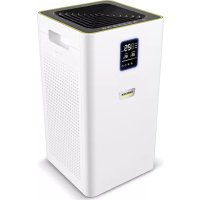
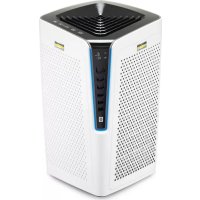
- CONTENTS
- GENERAL NOTES
- SCOPE OF DELIVERY
- INTENDED USE
- FORESEEABLE INCORRECT USE
- ENVIRONMENTAL PROTECTION
- DISPOSAL
- WARRANTY
- LEGAL NOTICE
- CUSTOMER SERVICE DEPARTMENT
- GENERAL SAFETY INSTRUCTIONS
- HAZARD LEVELS
- DANGER
- WARNING
- CAUTION
- ATTENTION
- TRANSPORT
- DEVICE DESCRIPTION
- PRODUCT DESCRIPTION
- LIGHTING AND COLOUR SELECTION
- STAGE FILTER CARTRIDGE (PP)
- PLASMA ELECTRODE
- VOC SENSOR
- FAN
- TIMER
- PRE-FILTER
- SERVICE DISPLAY AND FILTER REPLACEMENT
- EXPLANATION OF TERMS
- INITIAL START-UP
- BEFORE THE FIRST USE
- INSTALLATION
- INSERTING THE 3-STAGE FILTER CARTRIDGE
- NOTE
- ERECTING THE DEVICE
- INITIAL STARTUP
- SWITCHING THE DEVICE ON/OFF
- SWITCHING THE FAN ON/OFF
- SETTING THE FAN
- DISPLAY
- FAN LEVELS
- SETTING THE COLOUR
- SELECTING THE COLOUR LEVELS
- CHANGING COLOUR LEVELS
- SETTING THE BRIGHTNESS OF THE LIGHT RING
- SWITCHING THE TIMER ON
- SETTING THE TIMER
- MEASURING THE AIR QUALITY WITH THE VOC SENSOR
- DISPLAYING ERROR MESSAGES
- FILTER CHANGE SERVICE DISPLAY
- RESETTING THE "CHANGE PRE-FILTER" SERVICE DISPLAY
- SWITCHING THE LIGHTING AND DISPLAY ON/OFF
- SWITCHING THE LIGHTING AND DISPLAY OFF
- SWITCHING ON THE LIGHTING AND DISPLAY
- POWER-SAVING FUNCTION
- CARE AND SERVICE
- CLEANING
- DANGER OF DEATH FROM ELECTRIC SHOCK
- AIR PURIFIER
- MAINTENANCE INTERVALS
- DEVICE DAMAGE
- REPLACING THE 3-STAGE FILTER CARTRIDGE
- SEE FIGURE
- REPLACING THE PRE-FILTER
- REMOVING THE PRE-FILTER
- INSERTING THE PRE-FILTER
- ACCESSORIES AND SPARE PARTS
- EU DECLARATION OF CONFORMITY
- TABLE OF CONTENTS
- SET THE FAN
- INDICATOR
- FAN STAGE
- SETTING THE FAN STAGE
- RESETTING THE TIMER
- MEASURING AIR QUALITY WITH THE VOC SENSOR
- VISITING
- USE
- LIQUID PREPARATION
- GENERAL INSTRUCTIONS
- MISUSE
- INSTALLING THE THREE-STAGE WATER PURIFICATION FILTER CARTRIDGE
- INSTALLING THE DEVICE
- COMMISSIONING
- AIR FILTER
- PRE-FILTERS
- MAINTENANCE FREQUENCY
- FROM KÄRCHER
- REPLACING THE PRE-FILTERS
- REMOVING THE PRE-FILTERS
- INSTALLING THE PRE-FILTERS
- TROUBLESHOOTING
- MICT
- USE OF THE DEVICE FOR PURPOSES OTHER THAN INTENDED IS PROHIBITED
- CURRENT INFORMATION ON COMPONENTS IS AVAILABLE AT: WWW.KAERCHER.COM/REACH
- DO NOT DISPOSE OF USED DEVICES, BATTERIES, OR RECHARGEABLE BATTERIES IN HOUSEHOLD WASTE! - PACKAGING, FILTERS, AND ACCESSORIES ARE MADE OF RECYCLABLE MATERIALS AND MUST BE DISPOSED OF ACCORDINGLY. - PACKAGING MATERIALS ARE SUITABLE FOR RECYCLING AND CAN BE REUSED. - DISPOSE OF ALL MATERIALS IN ACCORDANCE WITH LOCAL REGULATIONS. USED ELECTRICAL APPLIANCES DO NOT BELONG IN HOUSEHOLD WASTE! DISPOSE OF USED DEVICES WITHOUT HARMING THE ENVIRONMENT. USED DEVICES CONTAIN VALUABLE MATERIALS THAT CAN BE RECYCLED AND SHOULD BE HANDED IN AT A COLLECTION POINT FOR RECYCLABLE MATERIALS. USED FILTER CARTRIDGES CAN BE RETURNED TO THE ADDRESS PROVIDED ON THE PACKAGING OF THE NEW FILTER CARTRIDGE
- IN EVERY COUNTRY, THE WARRANTY TERMS PUBLISHED BY OUR RESPONSIBLE SALES ORGANIZATION APPLY. WE WILL REPAIR POSSIBLE MALFUNCTIONS OF THE DEVICE FREE OF CHARGE DURING THE WARRANTY PERIOD, PROVIDED THAT THE MALFUNCTION IS CAUSED BY MATERIAL OR MANUFACTURING DEFECTS. IN THE EVENT OF A WARRANTY CLAIM DURING THE WARRANTY PERIOD, PLEASE CONTACT YOUR DEALER OR THE NEAREST AUTHORIZED CUSTOMER SERVICE CENTER WITH THE PROOF OF PURCHASE
- SERVICE DEPARTMENT
- INSTALLING THE FILTER CARTRIDGE FOR THE LONG-LIFE FILTER
- PUTTING INTO OPERATION
- TURNING ON THE DEVICE
- INDICATION
- TURNING ON THE FAN
- DISPLAY DESIGNATION
- POWER LEVELS
- SETTING THE SUCTION POWER
- SETTING THE COLOR
- DESCRIPTION
- DISTRIBUTION OF COLOR LEVELS (FACTORY SETTING)
- SELECTING COLOR LEVELS
- CHANGING COLOR LEVELS
- TURNING ON/OFF
- ADJUSTING THE BRIGHTNESS OF THE DISPLAY
- SETTING THE BRIGHTNESS
- TIMER SETTING
- AIR QUALITY MEASUREMENT
- DISPLAY OF ERROR MESSAGES
- SERVICE INDICATOR "REPLACE FILTER
- INDICATOR OF THE NEED TO REPLACE THE PRE-FILTER
- TURNING ON THE DEVICE AND THE SPRAYER
- AUTO-OFF FUNCTION
- CARE AND TECHNICAL MAINTENANCE
- CLEANING AGENT
- MAINTENANCE FREQUENCY ATTENTION
- REPLACEMENT OF THE PRE-FILTER CARTRIDGES
- FIG
- REMOVAL OF THE PRE-FILTER CARTRIDGES
- INSERTION OF THE PRE-FILTER CARTRIDGES
- SPIS TREŚCI
- NATIONAL STANDARDS USED
- LEGAL NOTICES
- SERVICE
- CBDPXAHNE
- ABOUT THE INSTRUCTIONS
- ADJUSTMENTS
- SAFETY INSTRUCTIONS
- INDICATES AN IMMINENT DANGER THAT MAY LEAD TO SERIOUS INJURIES OR DEATH
- INDICATES A POTENTIALLY DANGEROUS SITUATION THAT MAY LEAD TO SERIOUS INJURIES OR DEATH
- INDICATES A POTENTIALLY DANGEROUS SITUATION THAT MAY LEAD TO MINOR INJURIES
- LIGHT SELECTION OF COLOR
- ELECTRO PLASMA
- SERVICE INDICATOR AND FILTER REPLACEMENT
- POSITIONING THE APPLIANCE
- INSTRUCTIONS
- STARTING UP
- THE FAN SPEED IS REGULATED AUTOMATICALLY AND CAN BE SWITCHED OFF
- SETTING THE BRIGHTNESS LEVELS
- TURNING ON THE TIMER
- INTERVAL OPERATION
- DAMAGE TO THE DEVICE
- INSTALLING THE 3-STAGE FILTER CARTRIDGE
- REPLACING THE PRELIMINARY FILTERS
- REMOVING THE PRELIMINARY FILTERS
- INSTALLING THE PRELIMINARY FILTERS
- HELP WITH MALFUNCTIONS
- REMEDYING MALFUNCTIONS
Brand : Kärcher
Model : AFG 100
Category : Air purifier