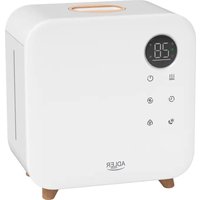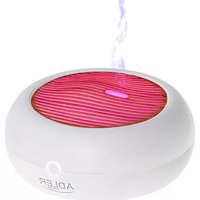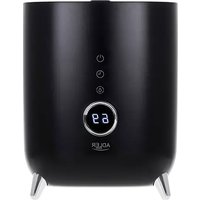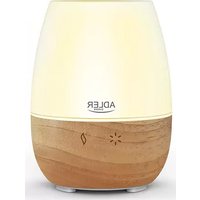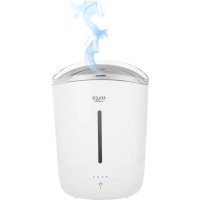
AD 7971 - Humidifier ADLER - Free user manual and instructions
Find the device manual for free AD 7971 ADLER in PDF.
 FR
FR
 AZ
AZ
 BG
BG
 CS
CS
 DA
DA
 DE
DE
 EL
EL
 EN
EN
 ES
ES
 ET
ET
 FI
FI
 HU
HU
 IT
IT
 KA
KA
 LT
LT
 LV
LV
 MK
MK
 NL
NL
 PL
PL
 PT
PT
 RO
RO
 RU
RU
 SK
SK
 SL
SL
 SQ
SQ
 SR
SR
 SV
SV
 UK
UK
| Brand | ADLER |
| Model | AD 7971 |
| Type | Ultrasonic humidifier |
| Power supply | 220-240 V ~ 50/60 Hz |
| Power | 30 W |
| Water tank capacity | 5 liters |
| Water shortage protection | Automatic shut-off |
| Steam flow adjustment | 5 levels (by successive pressing) |
| Audible signal | Yes, can be disabled (press and hold 3-4 s) |
| Intended use | Domestic use only |
| Minimum distance from walls | 30 cm |
| Maximum water temperature | 40 °C |
| Recommended water | Distilled or filtered water |
| Cleaning frequency | Every 3 days |
| Descaling the transducer | With citric acid solution |
| Filter included | Yes |
| Water level indicator | Yes |
| Additives (essential oils, etc.) | Not allowed |
| Tilting during operation | Not allowed |
| Immersion in water | Not allowed (cable, plug, device) |
Frequently Asked Questions - AD 7971 ADLER
User questions about AD 7971 ADLER
0 question about this device. Answer the ones you know or ask your own.
Ask a new question about this device
Download the instructions for your Humidifier in PDF format for free! Find your manual AD 7971 - ADLER and take your electronic device back in hand. On this page are published all the documents necessary for the use of your device. AD 7971 by ADLER.
USER MANUAL AD 7971 ADLER
natural_image
White ADLER water purifier device with lid and control panel (no visible text or symbols)| AD 7971 | |||||
| EN | User Manual 4 | PL | Instrukcja obsługi 97 | ||
| DE | Bedienungsanleitung 9 | IT | Manuale d'uso 104 | ||
| FR | Mode d'emploi 16 | SV | Bruksanvisning 110 | ||
| ES | Manual de usuario 22 | BG | Ръководство за употреба 115 | ||
| PT | Manual de Instruções 28 | DA | Brugsanvisning 122 | ||
| LT | Naudojimo instrukcija 34 | SK | Používatel'ská príručka 127 | ||
| LV | Lietošanas instrukcija 39 | BS | Korisnički priručnik 133 | ||
| ET | Kasutusjuhend 45 | MK | Упатство за употреба 138 | ||
| HU | Használati útmutató | 50 | HR | Korisnički priručnik 144 | |
| RO | Manual de utilizare | 56 | UK | Керівництво користувача | 150 |
| CS | Návod k použití | 62 | SR | Упутство за употребу 156 | |
| RU | Руководство пользователя | 67 | AR | دليل المستخدم | 162 |
| EL | Еүхειρίδιο хрήσης | 74 | AZ | İstifadəçi tõlimatı | 167 |
| NL | Gebruikershandleiding | 80 | SQ | Manuali i përdorimit | 172 |
| SL | Navodila za uporabo | 87 | KA | Общегудار | 178 |
| FI | Käyttöohje | 92 | |||

text_image
72h| GB | Clean the water tank every 3 days. |
| DE | Reinigen Sie den Wassertank alle 3 Tage. |
| FR | Nettoyez le réservoir d'eau tous les 3 jours. |
| ES | Limpie el tanque de agua cada 3 días. |
| PT | Limpe o reservatório de água a cada 3 dias. |
| LT | Vandens baką valykite kas 3 dienas. |
| LV | Iztīriet ūdens tvertni ik pēc 3 dienām. |
| EST | Puhastage veepaaki iga 3 päeva järel. |
| HU | Tisztítsa meg a víztartályt 3 naponta. |
| BS | Očistite rezervoar za vodu svaka 3 dana. |
| RO | Curățați rezervorul de apă la fiecare 3 zile. |
| CZ | Nádrž na vodu čistěte každé 3 dny. |
| RU | Очищайте резервуар для воды каждые 3 дня. |
| GR | Καθαρίζετε τη δεξαμενή νερού κάθε 3 ημέρες. |
| MK | Чистете го резервоарот за вода на секон 3 дена. |
| NL | Reinig het waterreservoir om de 3 dagen. |
| SL | Rezervoar za vodo očistite vsake 3 dni. |
| FI | Puhdista vesisäiliö 3 päivän välein. |
| PL | Czyść zbiornik na wodę co 3 dni. |
| IT | Pulire il serbatoio dell'acqua ogni 3 giorni. |
| HR | Očistite spremnik za vodu svaka 3 dana. |
| SV | Rengör vattentanken var tredje dag. |
| DK | Rengør vandbeholderen hver 3. dag. |
| UA | Очищайте резервуар для води кожні 3 dnі. |
| SR | Очистите резервоар за воду свака 3 дана. |
| SK | Nádrž na vodu čistite každé 3 dni. |
| AR | نظف خزان国会ك 3 أيام. |
| BG | Почиствайте резервоара за вода на всеки 3 дни. |
| AZ | Su çanini hər 3 gündə təmizləyin. |
| ALB | Pastroni rezervuarin e ujit çdo 3 ditë. |
| KA | ßұқұмә ʒɜːbo ʒʌʃdɒbɔŋɔn ұңʒɔːm 3 ɑːɡɡðo. |
1

text_image
Exploded view diagram of a smart water heater with numbered parts for identification2

natural_image
Interior view of a cylindrical industrial vessel with a central circular component and two small spherical holes (no visible text or symbols)3
flowchart
graph LR
    A["Raw Material"] --> B["Add Cover"]
    B --> C["Packaging with lid"]
    C --> D["Product with lid"]
    D --> E["Final Product"]
User Manual (EN)
GENERAL SAFETY CONDITIONS
IMPORTANT SAFETY INSTRUCTIONS FOR USE
READ CAREFULLY AND KEEP FOR FUTURE REFERENCE
- Before using the device, read the user manual and follow the instructions contained therein. The manufacturer is not responsible for damage caused by using the device contrary to its intended use or improper operation.
- The device is for home use only. Do not use for other purposes than its intended use.
- The device should be connected only to a 220-240V\~50/60Hz socket. In order to increase the safety of use, do not connect multiple electrical devices to one circuit at the same time.
- To provide additional protection, it is advisable to install a residual current device (RCD) in the electrical circuit with a rated residual current not exceeding 30 mA. In this regard, contact a specialist electrician.
- Be especially careful when using the device when children are nearby. Do not allow children to play with the device. Do not allow children or people who are not familiar with the device to use it.
-
WARNING: This equipment may be used by children over 8 years of age and by persons with limited physical, sensory or mental capabilities, or persons who have no experience or knowledge of the equipment, if this is done under the supervision of a person responsible for their safety or if they have been given instructions on how to use the device safely and are aware of the dangers associated with its use. Children should not play with the equipment. Cleaning and maintenance of the device should not be performed by children, unless they are over 8 years of age and these activities are performed under supervision.
-
WARNING: Do not leave the appliance plugged in unattended.
-
WARNING: Keep the device out of the reach of children.
-
WARNING: Improper use of the device may result in injuries such as cuts, abrasions or electric shock.
-
WARNING: Always remove the plug from the power socket after use by holding the socket with your hand. DO NOT pull on the power cord.
-
WARNING: Do not use the device near flammable materials.
-
WARNING: Before cleaning and washing the appliance, unplug the power cord from the socket.
-
WARNING: Before filling the appliance with water, disconnect it from the power supply.
-
WARNING: Always unplug the humidifier if it is left unattended and before assembling, disassembling or cleaning.
-
WARNING: Do not move the device while it is in operation.
-
Do not immerse the cable, plug or the entire device in water or any other liquid. Do not expose the device to weather conditions (rain, sun, etc.) or use in conditions of increased humidity (bathrooms, damp camping houses).
-
Periodically check the condition of the power cord. If the power cord is damaged, it should be replaced by a specialist repair shop in order to avoid a hazard.
-
Do not use the device with a damaged power cord or if it has been dropped or damaged in any other way or does not work properly. Do not repair the device yourself, as this may cause electric shock. Return the damaged device to an appropriate service center for examination or repair. All repairs may only be performed by authorized service centers. Improperly performed repairs may cause serious danger to the user.
-
Place the device on a cool, stable, even surface, away from hot kitchen appliances such as: electric stove, gas burner, etc.
-
Do not use the device near flammable materials.
-
The power cord must not hang over the edge of a table or touch hot surfaces.
-
Do not leave the device or the power supply plugged in while it is switched on unattended.
- Do not allow the motor part of the appliance to get wet.
- It is forbidden to insert fingers or any other objects into the grilles in the device housing.
- Do not cover the outlet opening.
- After use, before storing the device, empty it of water by unscrewing the plug located on the bottom of the base.
- If the device will not be used for a long time, disconnect it from the mains.
- Always replace exhausted batteries in the remote control (if the device is equipped with a remote control transmitter) with new ones.
- Do not move the device when there is water in the internal tank.
- Do not place any objects on the device.
- The device may only be used with properly functioning ventilation.
- Please note that high humidity levels can promote the growth of biological organisms in the environment.
- Do not allow the area around the humidifier to become damp or wet. If moisture does occur, reduce (reduce) the humidifier's output.
- Do not allow absorbent materials such as carpets, curtains, tablecloths to get wet.
- When filling and cleaning, disconnect the appliance from the mains.
- Never leave water in the tank when the appliance is not in use.
- Before storing the device, empty the water tank and clean the humidifier.
- Clean the humidifier and water tank before next use.
- WARNING: If the water is not changed and the tank is not properly cleaned every 3 days, microorganisms that may be present in the water or in the environment where the device is used or stored may grow in the water tank and be blown into the
environment. This can cause a very serious health risk.
- WARNING: Every three days, empty the water tank and refill with clean water. Before refilling, clean the tank with fresh tap water or detergents. Remove any scale, deposits or film that has formed on the sides of the tank and on the interior surfaces. After washing, wipe all surfaces dry.
The ultrasonic humidifier uses the principle of high-frequency ultrasonic oscillation, the water is atomized into ultrafine particles of 1-5 microns, and then the water mist is dispersed in the air by the pneumatic device, so as to achieve the purpose of evenly humidifying the air, refreshing the air, moisturizing the skin and improving health.
Description of the device (Fig. 1): Ultrasonic humidifier
- Water tank cover 2. Handle
- Spray nozzle 4. Water tank
- Water level indicator 6. Floater
- Mist on/off button 8. Diodes indicating steam output power
- Base 10. Air outlet
- Spray transducer 12. Filter
- Power cord
BEFORE FIRST USE
- Remove all packaging materials, including foils and foam, from the device. Be sure to pay special attention to the foam located beneath the floater (6).
- Clean the device according to the CLEANING AND MAINTENANCE section.
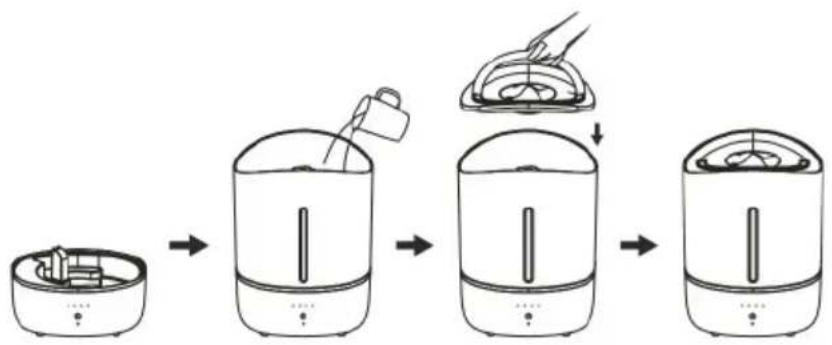
- Install the supplied filter in the water tank (4) (Fig.2)
FILLING WITH WATER (Fig. 3)
-
Place the device on a stable, flat, water-resistant surface. Do not place on carpets. The device may not operate properly if placed on an uneven surface. Position the humidifier so that the electrical cord and humidifier do not pose a tripping hazard. To ensure adequate ventilation, make sure all sides and top of the humidifier are at least 30cm away from walls or other objects.
-
Open the cover (1) of the water tank (4) by pulling the handle upwards (2).
-
Pour cold water into the tank (4). For better results, use distilled or filtered water. Do not pour hot water (over 40^ ) or with chemical additives. Do not pour any liquids other than water. Do not use additives.
Be careful not to exceed the MAX (maximum) water level marked on the inside of the water tank (4).
-
Place the cover (1) on the water tank (4).
-
Connect the device to an appropriate power source.
NOTE: DO NOT add or pour water while the appliance is running. Always turn the appliance off and unplug it from the power source before adding water.
NOTE: DO NOT add water directly to the base (9) of the device.
NOTE: DO NOT turn on the device when the water tank (4) is empty.
- The device has a protection against insufficient water in the tank. When the tank is empty and the water reaches the minimum level, the device will automatically turn off.
- Never immerse the housing in liquid or pour liquid into or onto the housing. This may damage the humidifier.
SERVICE
- Turn on the device by pressing the on/mist adjustment button (7). Each subsequent press of the switch increases the amount of steam extracted. The fifth press in succession will turn the device off. Then all the diodes will turn off and the device will stop working.
- Dry your hands before pressing the switch (7). Otherwise, low sensitivity of the control panel may occur.
- Pressing the switch (7) for a longer period of time (approx. 3-4 seconds) turns the sound signal on or off.
CAUTION: Never tilt or move the appliance while it is in operation or when there is water in the base (9) or the tank (4).
PRECAUTIONS
- If the device will not be used for a long time, pour the water out of the water tank (6) and dry the tank.
- Do not allow water to enter the air outlet base (10).
- If there is water on the housing, wipe the outside of the humidifier with a dry, soft cloth.
- Pour out the water from the tank and base if the ambient temperature is below 0^ C. Avoid freezing the water in the device. This may damage the device.
- When the device is turned on, do not touch the atomizing transducer (11) with your hand to avoid injury.
CLEANING AND MAINTENANCE
NOTE: Every three days, empty the water tank and refill with clean water. Before refilling, clean the tank with detergents. Remove any scale, deposits or film that has formed on the sides of the tank and on the interior surfaces.
After washing, wipe all surfaces dry.
Disconnect power before cleaning or servicing the unit.
- If there is some water left in the water tank (4), pour it out by tilting the water tank (4).
NOTE: It is important to correctly position the water tank (4) when pouring water. The correct position is achieved when the air outlet (10) remains dry and the water jet is directed through the opposite edge of the water tank (4). - Wipe the spray nozzle (3) in the cover and the inside of the water tank (4) with a soft cloth dampened with water.
- After using the device for a period of time, scale is easily deposited and the "white powder" phenomenon is formed, it is attached to the surface of the atomizing transducer (11), which affects the humidification efficiency.
Remove the water tank (4) from the base (9). Wipe the atomizing transducer (11) with a cotton swab soaked in citric acid solution or detergent. - The outer surface of the device housing can be cleaned with a damp cloth, and then wiped dry with a clean cloth. Do not use chemical solvents, gasoline, kerosene or polishing powder to wipe the surface.
- Do not allow water to enter the interior of the case when cleaning to avoid internal components malfunctioning.
- Clean the device before each subsequent use.
PROBLEM SOLVING
If the device does not work properly, check the following possible causes before sending it to the service center to solve the problems yourself.
PROBLEM I: the diodes (8) do not light up.
POSSIBLE CAUSE OF PROBLEM I: The power supply is not connected properly.
PROBLEM SOLUTION I: Connect the power cord and turn on the power.
PROBLEM II: Too little atomization
POSSIBLE CAUSE OF PROBLEM II:
IIa. There is too much white deposit on the atomizing transducer (11)
IIb. The water is too dirty or stored for too long
IIc. The fog volume was set to low
PROBLEM SOLUTION III:
IIIa. clean the white stone on the atomizing transducer (11)
IIIb. Change to clean water
IIIc. Set the fog level to medium or high
PROBLEM III: The peculiar smell of the mist
POSSIBLE CAUSE OF PROBLEM III: The water in the tank is not clean or has been stored for a long time
SOLUTION TO PROBLEM III: Clean the water tank, dry it, then add clean water
In the interest of the environment. Information on used electrical and electronic equipment In accordance with art. 13 sec. 1 and sec. 2 of the Act of 11 September 2015 on used electrical and electronic equipment, we inform you about the correct handling of waste electrical and electronic equipment:
- It is prohibited to place used electrical and electronic equipment together with other waste – this is confirmed by the marking in the form of a "crossed-out bin", which requires selective collection of this type of waste.
- Electrical and electronic devices may contain hazardous substances, mixtures and components which, when released into the environment, may pose a serious threat to the health and life of humans and living organisms. They may lead to numerous health ailments, such as: vision, hearing and speech disorders, and may also damage the kidneys, liver and heart, and cause skin diseases. Harmful substances may also have an adverse effect on the respiratory and reproductive systems and lead to cancerous changes. Consumption of plants growing in contaminated soils, and products made from them, may pose a risk of the above health effects.
- Used electrical and electronic equipment should only be delivered to authorised collection points, a list of which should be available on the website of each Municipal Office.
- The household plays an important role in contributing to the reuse and recovery, including recycling, of used equipment. It also plays a key role in the waste management system for used electrical and electronic equipment due to the possibility of direct transfer to authorized collection points and the elimination of undesirable social habits resulting in leaving waste equipment in places not intended for this purpose.
In addition, Return used electrical and electronic equipment to the place of delivery. The distributor, when delivering equipment intended for households to the purchaser, is obliged to collect used equipment from households free of charge at the place of delivery of such equipment, provided that the used equipment is of the same type and performed the same functions as the equipment delivered.
Cardboard packaging and polyethylene (PE) bags should be disposed of in appropriate containers for selective collection of municipal waste according to their description. If there are batteries in the device, they should be removed and taken to a separate collection and storage point.
Do not throw the device into municipal waste!!
Service If you wish to purchase spare parts or make any complaints, please contact the seller who issued the receipt directly.
MOŽNÁ PRÍCINA PROBLEMU II:
PROBLEEMOPLOSSING III:
IIIa. schone witte steen op vernevelingstransducer (11)
IIIb. Stap over op schoon water
VAŽNE SIGURNOSNE UPUTE ZA UPORABU
PAŽLJIVO PROČITAJTE I SAČUVAJTE ZA BUDUĆU REFERENCU
s36g8s f9y700 (65b. 3)
II 36m8m9d0b 3g1s4cm 3o6g6o:
gān gān gān gān gān gān gān gān gān gān gān gān gān gān gān gān gān gān gān gān gān gān gān gān gān gān gān gān gān gān gān gān gān gān gōngngngngngngngngngngngngngngngngngngngngngngngngngngngngngngngngngngngngngngngngngngngngngngngngngngngngngngngngngngngngngngngngngngngngngngngngngngngngngngngngngngngngngngngngngngngngngngngngngngngngggggggggggggggggggggggggggggggggggggggggggggggggggggggggggggggggggggggggggggggggggggggggggggggggggggggggggggggggggggggggggggggggggggggggggggggggggggggggggggggggggggggggggggggggggggggggggggggggggggggggg