
SG 42 Classic - Steam cleaner Kärcher - Free user manual and instructions
Find the device manual for free SG 42 Classic Kärcher in PDF.
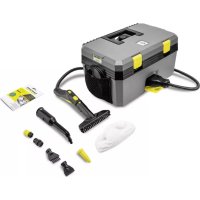



| Product type | Steam cleaner |
| Brand | Kärcher |
| Model | SG 42 Classic |
| Dimensions (L × W × H) | 460 × 298 × 265 mm |
| Typical operating weight | 7.5 kg |
| Power supply | 220-240 V ~ 50 Hz |
| Heating power | 2250 W |
| Pump power | 50 W |
| Water tank capacity | 1.5 liters |
| Boiler capacity | 0.5 liter |
| Maximum working pressure | 0.4 MPa (4.0 bar) |
| Maximum working temperature | 145 °C |
| Heating time | Approx. 3 minutes |
| Max. steam output | 50 g/min |
| Power cord length | 5 m |
| Protection type | IPX4 |
| Protection class | I |
| Main functions | Steam cleaning, VAPOHYDRO mode (hot water jet), automatic safety shut-off, integrated descaling |
| Included accessories | Steam handle, steam hose, pencil jet nozzle, hand sucker, flat nozzle, round brush (small), flat brush, microfibre cover, descaling product (3 sachets) |
| Optional accessories | Extension tube, floor nozzle with lamellas, mop, Power nozzle, large round brush, textile sucker, window nozzle (ref. 2.863-025.0) |
| Maintenance and cleaning | Boiler rinse every 5 fills; descaling every 20 service hours with bio descaling agent RM 511 |
| Safety | Pressure regulator, boiler bottom temperature sensor, safety thermostat, safety closure with valve |
| Spare parts and repairability | Original parts and accessories available via www.kaercher.com; repairs by authorized service center |
| General information | User manual and safety instructions included; professional use; CE certified |
Frequently Asked Questions - SG 42 Classic Kärcher
User questions about SG 42 Classic Kärcher
0 question about this device. Answer the ones you know or ask your own.
Ask a new question about this device
Download the instructions for your Steam cleaner in PDF format for free! Find your manual SG 42 Classic - Kärcher and take your electronic device back in hand. On this page are published all the documents necessary for the use of your device. SG 42 Classic by Kärcher.
USER MANUAL SG 42 Classic Kärcher
H. Jenner, Chairman of the Board of Management
S. Reiser, Director Regulatory Affairs & Certification
71364 Winnenden (Germany)
Tel.: +49 7195 14-0
Fax: +49 7195 14-2212
Winnenden, 2020/10/01
Technical data
Environmental protection. 9
Intended use 9
Symbols on the device 9
Overview of the device 9
Safety devices 10
Cleaning methods 10
Initial startup 10
Operation 10
Using accessories 11
Transport 12
Storage 12
Care and maintenance 12
Troubleshooting guide 12
Warranty 13
Accessories and spare parts 13
Declaration of Conformity 13
Technical data 14
General notes


Read these original instructions and the enclosed safety instructions before using the device for the first time. Act in accordance with them.
Keep both books for future reference or for future owners.
Keep both books for future reference or for future owners.
- If the operating instructions and safety instructions are not observed, the device can be damaged and dangers could arise for users and other persons.
- Notify the dealer immediately in the case of shipping damage.
- Check the package contents when unpacking for missing accessories or for damage.
Environmental protection

The packing materials can be recycled. Please dispose of packaging in accordance with the environmental regulations.

Electrical and electronic appliances contain valuable, recyclable materials and often components such as batteries, rechargeable batteries or oil,
which - if handled or disposed of incorrectly - can
pose a potential threat to human health and the environment. However, these components are required for the correct operation of the appliance. Appliances marked by this symbol are not allowed to be disposed of together with the household rubbish.
Notes on the content materials (REACH)
Current information on content materials can be found at: www.kaercher.com/REACH
Intended use
- The appliance is intended for cleaning with steam and can be used with appropriate accessories as described in these operating instructions. This device is suitable for commercial use. This device is not suitable for industrial use.
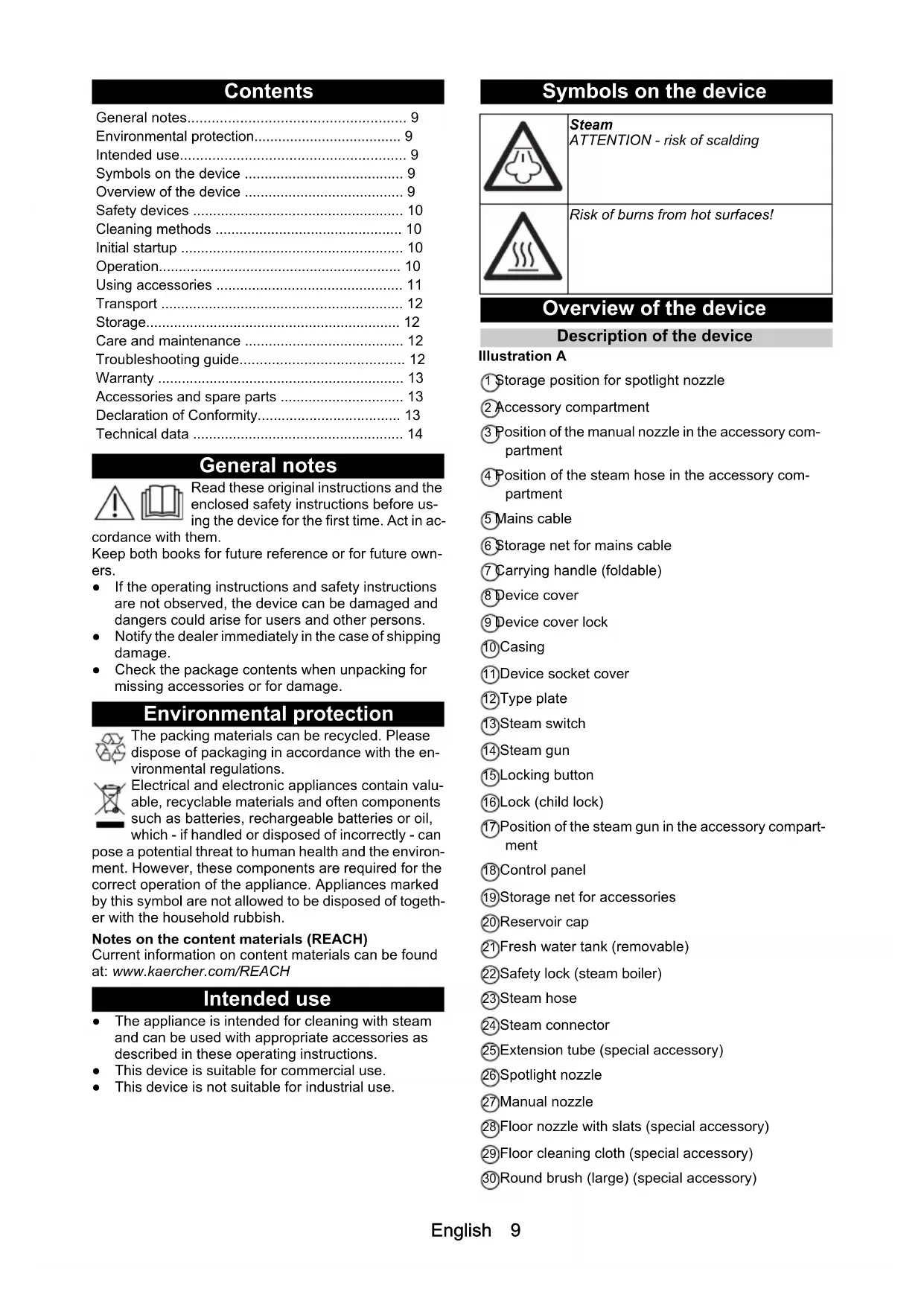
Symbols on the device

Steam ATTENTION - risk of scalding

Risk of burns from hot surfaces!
Overview of the device
Description of the device
Illustration A
1 Storage position for spotlight nozzle 2 Accessory compartment 3 Position of the manual nozzle in the accessory compartment 4 Position of the steam hose in the accessory compartment 5 Mains cable 6 Storage net for mains cable 7 Carrying handle (foldable) 8 Device cover 9 Device cover lock 10 Casing 11 Device socket cover 12 Type plate 13 Steam switch 14 Steam gun 15 Locking button 16 Lock (child lock) 17 Position of the steam gun in the accessory compartment 18 Control panel 19 Storage net for accessories 20 Reservoir cap 21 Fresh water tank (removable) 22 Safety lock (steam boiler) 23 Steam hose 24 Steam connector 25 Extension tube (special accessory) 26 Spotlight nozzle 27 Manual nozzle 28 Floor nozzle with slats (special accessory) 29 Floor cleaning cloth (special accessory) 30 Round brush (large) (special accessory)
31 Flat nozzle 32 Flat brush 33 Power nozzle 34 Round brush (small) 35 Microfibre cover cloth 36 Descaler
Control panel
Illustration B
1 Indicator light - descending (red) 2 Indicator light - heating: Heating process (red), standby (green) 3 Reset button - descending 4 Indicator light - water shortage (red) 5 Switch-mode: Steam operation (above), VAPOHYDRO (below) 6 Switch - heating (on/off)
Safety devices
Safety devices protect the user and may not be disabled or functionally circumvented.
Pressure regulator
The pressure regulator keeps the boiler pressure as constant as possible during operation. The heating is switched off when the maximum operating pressure in the boiler has been reached and switched on again when the pressure in the boiler drops due to steam removal.
Water shortage thermostat
The heating temperature rises when the water in the boiler runs out. The water shortage thermostat switches the heating off and the "Water shortage" indicator light lights up red. The heating cannot be switched on again until the boiler has cooled down or is refilled.
Safety thermostat
- If the water shortage thermostat fails and the device overheats, the safety thermostat switches the device off.
- Before resetting of the safety thermostat, contact the responsible KÄRCHER Customer Service.
Safety lock
- The safety lock seals the steam boiler against the steam pressure present. If the pressure regulator is defective and overpressure occurs in the steam boiler, a pressure relief valve opens in the safety lock and steam escapes through the lock.
- Before re-commissioning the device, contact the responsible KÄRCHER Customer Service.
Cleaning methods
Freshening textiles
Always check the compatibility of the textiles at a concealed point before using the device on textiles: First steam the textile, allow it to dry and then check it for any change in colour or shape.
Cleaning of coated or painted surfaces
Wax, furniture polish, plastic coatings or paint can come off or stains may occur when cleaning painted or plastic-coated surfaces such as e.g. kitchen and living room furniture, doors, parquet or linoleum. To clean these surfaces, steam a cloth briefly and wipe it over the surfaces.
Glass cleaner
Preheat the window pane in seasons with particularly low temperatures. To do this, lightly steam the entire glass surface at a distance of approx. 50 cm. This avoids tension on the surface that can lead to glass breakage.
Initial startup
Installing accessories
- Open the cover of the device socket and plug the steam connector tightly into the device.
- Connect the accessory (floor nozzle, manual nozzle or spotlight nozzle) to the steam gun. Push the parts together until the locking button on the steam gun engages.
- Use extension tubes (special accessories) if necessary. Push the parts together until the respective locking button engages.
- Press the locking button to separate the accessories.
Filling water
Note
Do not fill with pure distilled water! Use a maximum of 50% distilled water mixed with tap water.
- Unlock and open the device cover.
- Check that the safety lock is seated tightly.
- Remove the fresh water tank.
Illustration C
- Open the reservoir cap of the fresh water tank.
- Pour approximately 1.5 litres of tap water into the fresh water tank.
Do not use detergents!
- Close the reservoir cap.
- Fit the fresh water tank.
- Close and lock the device cover.
Operation
Switching on the device
- The heating switches on periodically during use (indicator light lights up red) to maintain the pressure in the boiler.
- If the device is switched on without water, the "Heating" indicator light lights up red until the water shortage thermostat switches the heating off. The "Water shortage" indicator light then lights up red.
- Plug the mains plug into a mains socket.
- Unlock and open the device cover.
Note
The device cover must remain open during operation so that the indicator lights can be seen. 3. Switch on the device with the Heating switch. The indicator light lights up red.
Note
The full heating capacity is only available if the steam connector is connected to the device when it is heating up. The system is ready for operation. When the "Heating" indicator light lights up green.
- Switch off the heating at the switch when transporting the device.
- Press the steam switch, steam comes out. Always point the steam gun at a cloth first until the steam flows out evenly.
VAPOHYDRO
- In wet areas, the dirt can also be washed away instead of being picked up with the cloth. To do this, use the VAPOHYDRO mode to maintain a high level of moisture in the steam jet. A hot water stream is emitted, which has the greatest rinsing effect.
- We recommend using the VAPOHYDRO in conjunction with the spotlight nozzle for cleaning in the bathroom, for example.
- When working with cloths (floor nozzle, manual nozzle), use the steam operation mode to maintain a low level of moisture in the steam jet. This improves the dirt-dissolving power of the steam.
Note
In VAPOHYDRO mode, the boiler empties faster, which means that it can only be used for a short time.
- Switch the VAPOHYDRO on/off with the Mode switch.
Refilling water
Note
The "Water shortage" indicator light lights up red when the water in the fresh water tank is used up.
Note
If the pump does not deliver water despite a full fresh water tank, the boiler must be descaled.
- Remove the fresh water tank.
- Open the reservoir cap of the fresh water tank.
- Pour approximately 1.5 litres of tap water into the fresh water tank.
- Close the reservoir cap.
- Insert the fresh water tank, the "Water shortage" indicator light goes out. The "Heating" indicator light lights up red and after the end of the heating process green, the system is then ready for operation.
Disconnecting accessories
DANGER
Danger from hot water
Risk of scalding
Never disconnect accessories while steam is being released as hot water may drip out. Allow the device to cool down first.
Switching off the device
- Switch off the heater via the Heating switch.
- Close and lock the device cover.
- Fold down the cover of the device socket and pull the steam connector out of the device.
- Pull the mains plug out of the socket.
Storing the device
Note
Always let the brushes cool down to prevent deformation of the bristles.
- Unlock and open the device cover.
- Remove the fresh water tank, open the reservoir cap, pour out the water, close the reservoir cap and reinsert the fresh water tank.
- Latch the spotlight nozzle into the storage position in the device cover.
- Place the steam gun with steam hose, manual nozzle and small parts in the accessory compartment.
- Close and lock the device cover.
- Store the mains cable in the storage net.
Using accessories
Note
Detergent residues or care emulsions on the surface to be cleaned can cause streaks during steam cleaning, but these disappear after repeated use.
Steam gun
Application examples for the steam gun without accessories:
- Eliminate odours and creases from hanging clothes by steaming them at a distance of 10 - 20 cm.
- Damp dusting by briefly steaming a cloth and wiping it over furniture.
Spotlight nozzle
- The cleaning effect increases the closer the nozzle is held to the dirty area, since the temperature and pressure of the steam are greatest at the emission point.
- The spotlight nozzle with the various attachments is suitable for cleaning hard-to-reach areas, such as corners, joints, etc., blinds, central heating, toilets, stainless steel, windows, mirrors, fittings, coated and enamelled surfaces, and for loosening stains.
- The power nozzle increases the speed of the emitted steam. It is therefore well suited for cleaning particularly stubborn dirt, blowing out corners, joints, etc.
Note
The round brush is not suitable for cleaning sensitive surfaces.
Floor nozzle
Floor nozzle with slats (special accessory)
- For hygienic cleaning of smooth surfaces, as the surface temperature is higher.
- For a hygienic cleaning result, steam directly over the hard surface at a working speed of max. 30 cm/second.
Using the floor cleaning cloth (special accessory)
Turn and change the floor cleaning cloth regularly to improve dirt absorption.
- Fasten the floor cleaning cloth to the floor nozzle. To do this, fold the floor cleaning cloth lengthways and place the floor nozzle on it, open the retaining clips, place the ends of the cloth in the openings and stretch tightly, close the retaining clips.
CAUTION
Danger from retaining clips
Risk of crushing
Do not put your fingers between the retaining clips.
Manual nozzle
Suitable for small washable surfaces, shower cubicles, mirrors or furniture fabrics.
- Pull the microfibre cover cloth over the manual nozzle.
Window nozzle (special accessory)
Order number 2.863-025.0
- Steam the glass surface evenly at a distance of approx. 20 cm.
- Switch off the steam supply.
- Pull off the glass surface in strips from top to bottom with the squeegee.
- Wipe the squeegee and the lower edge of the window dry after each run.
Textile care nozzle (special accessory)
Order number 2.863-233.0
For freshening hanging textiles e.g. jackets or curtains with two functions:
- De-linting garments with the thread lifter.
- Steaming and removing creases from textiles (also removes odours).
Note
Steam flows out when the steam switch is activated. Always point the steam gun at a cloth first until the steam flows out evenly.
Transport
CAUTION
Failure to observe the weight
Risk of injury and damage
Be aware of the weight of the device during transportation.
- Carry the device by the carrying handle and extension tube (special accessory).
- When transporting the device in vehicles, secure it to prevent it from slipping or overturning in accordance with the respective valid guidelines.
Storage
CAUTION
Failure to observe the weight
Risk of injury and damage
Be aware of the weight of the device during storage.
The device may only be operated indoors.
Care and maintenance
△DANGER
Danger of electric shock
Injuries due to touching live parts
Switch off the device.
Remove the mains plug.
△DANGER
Danger from hot water, steam and hot surfaces
Risk of scalding and burns
Allow the device to cool down prior to all work on the device.
Rinsing the boiler
Rinse the steam cleaner boiler at the latest after every 5th filling of the boiler.
- Remove the accessories from the accessory compartment.
- Disconnect the steam hose from the device.
- Fill the steam boiler with water and shake it vigorously. Lime residue which has been deposited on the bottom of the steam boiler will be released as a result.
- Pour out the water.
Illustration E
Descaling the boiler
In order to remove lime adhering to the boiler wall, we recommend cleaning the boiler with the KÄRCHER Bio Descaler RM 511. The KÄRCHER Bio Descaler RM 511 is a citric acid-based product that is completely biodegradable.
ATTENTION
Danger from unsuitable descaler
Risk of damage
Only use descalers that have been approved by KARCHER in order to prevent damage to the device. Do not use vinegar or similar agents.
ATTENTION
Danger from descending solution
Risk of damage
Never fill the descending solution into the fresh water tank, as this will damage the pump.
- Pull the mains plug out of the socket.
- Unscrew the safety lock and completely empty the water from the steam boiler.
- Completely dissolve a bag of descaler in 0.5 litres of warm water, stirring constantly.
- Pour the descaling solution into the kettle. Do not screw the safety lock onto the device during the descaling process.
△DANGER
Danger from inhalation of aerosols
Health risk
Do not use the device while descaler is still present in the boiler.
- Let the descaling solution work for approx. 8 hours (overnight).
- Pour out the descaling solution. Rinse the boiler at least two more times with cold water to ensure that there are no more residues in the device. Insert the safety lock.
- Unlock and open the device cover.
- Switch on the device.
- Press the reset button until the "Descaling" indicator light goes out. The device is now ready for use.
Note
After approx. 20 hours of operation, the "Descaling" indicator light indicates the next required descaling.
- Close and lock the device cover.
Troubleshooting guide
△DANGER
Danger of electric shock
Injuries due to touching live parts
Switch off the device.
Remove the mains plug.
△DANGER
Danger from hot water, steam and hot surfaces
Risk of scalding and burns
Allow the device to cool down prior to all work on the device.
△DANGER
Danger from improper repair work
Risk of injury and damage
Have repair work carried out by the authorised customer service only.
The "Water shortage" indicator light lights up red
- Refill water.
The "Descaling" indicator light lights up red
- Descale the device.
Customer Service department
If the malfunction cannot be corrected, the device must be checked by the Customer Service department.
Warranty
The warranty conditions issued by our relevant sales company apply in all countries. We shall remedy possible malfunctions on your appliance within the warranty period free of cost, provided that a material or manufacturing defect is the cause. In a warranty case, please contact your dealer (with the purchase receipt) or the next authorised customer service site. (See overleaf for the address)
Accessories and spare parts
Only use original accessories and original spare parts. They ensure that the appliance will run fault-free and safely.
Information on accessories and spare parts can be found at www.kaercher.com.
Special accessories
Only special accessories approved by the manufacturer may be used.
| Description Order number | |
| Bio descaler RM 511 (3x 100 g pow-der) | 6.295-987.0 |
| Cotton terry cloth kit 6.370-990.0 | |
| Extension tube for floor nozzle (2 pieces required) | 4.127-024.0 |
| Floor nozzle with slats 2.885-465.0 | |
| Textile care nozzle 2.863-233.0 |
Declaration of Conformity
EU Declaration of Conformity
We hereby declare that the machine described below complies with the relevant basic safety and health requirements in the EU Directives, both in its basic design and construction as well as in the version placed in circulation by us. This declaration is invalidated by any changes made to the machine that are not approved by us.
Product: Steam cleaner
Type: 1.092-xxx
Currently applicable EU Directives
2009/125/EC
2014/30/EU
2014/35/EU
Harmonised standards used
EN 55014-1:2017 + A11:2020
EN 55014-2: 2015
EN 60335-1
EN 60335-2-54
EN 61000-3-2: 2014
EN 61000-3-3:2013
EN 62233: 2008
National standards used
TRD 801
The signatories act on behalf of and with the authority of the company management.
H.Jenner
Chairman of the Board of Management
S. Reiser
Director Regulatory Affairs & Certification
Documentation supervisor:
S. Reiser
Alfred Karcher SE & Co. KG
Alfred-Karcher-Str.28-40
71364 Winnenden (Germany)
Ph.: +49 7195 14-0
Fax: +49 7195 14-2212
Winnenden, 2020/10/01
Declaration of Conformity (UK)
We hereby declare that the product described below complies with the relevant provisions of the following UK Regulations, both in its basic design and construction as well as in the version put into circulation by us. This declaration shall cease to be valid if the product is modified without our prior approval.
Product: Steam cleaner
Type:1.092-xxx
Currently applicable UK Regulations
S.I. 2010/2617 (as amended)
S.I. 2016/1091 (as amended)
S.I. 2016/1101 (as amended)
Designated standards used
EN 55014-1:2017 + A11:2020
EN 55014-2: 2015
EN 60335-1
EN 60335-2-54
EN 61000-3-2: 2014
EN 61000-3-3: 2013
EN 62233: 2008
National standards used
TRD 801
The signatories act on behalf of and with the authority of the company management.
H. Jenner
Chairman of the Board of Management
S. Reiser
Director Regulatory Affairs & Certification
Documentation supervisor:
S. Reiser
Alfred Kärcher SE & Co. KG
Alfred-Karcher-Str.28-40
71364 Winnenden (Germany)
Ph.: +49 7195 14-0
Fax: +49 7195 14-2212
Winnenden, 2020/10/01
Technical data
| SG 4/2 Classic | ||
| Electrical connection | ||
| Mains voltage V 220-240 | ||
| Phase ~ 1 | ||
| Power frequency Hz 50 | ||
| Degree of protection IPX4 | ||
| Protection class I | ||
| Heating capacity W 2250 | ||
| Pump power W 50 | ||
| Device performance data | ||
| Tank capacity I | 1,5 | |
| Boiler capacity | I | 0,5 |
| Maximum operating pressure | MPa (bar) | 0,4 (4,0) |
| Maximum working temperature | °C | 145 |
| Heating-up time | min | 3 |
| Steam volume (max.) | g/min | 50 |
| Dimensions and weights | ||
| Typical operating weight | kg | 7,5 |
| Length x width x height | mm | 460 x 298 x 265 |
| Mains cable | ||
| Power cord type | mm² | H05VV-F 3x1,0 |
| Part number (EU) | 6.647-757.0 | |
| Part number (GB) | 6.647-831.0 | |
| Cable length m | 5 | |
Subject to technical modifications.
Content
General remarks. 14
Chairman of the Board of Management
S. Reiser
Director Regulatory Affairs & Certification
Documentation responsible:
S. Reiser
Alfred Karcher SE & Co. KG
Alfred-Karcher-Str.28-40
71364 Winnenden (Germany)
Tel.: +49 7195 14-0
Fax: +49 7195 14-2212
Winnenden, 2020/10/01
Technical specifications
SG 4/2
Classic
H. Jenner, Chairman of the Board of Management
S. Reiser, Director Regulatory Affairs & Certification
71364 Winnenden (Germany)
Tel.: +49 7195 14-0
Fax: +49 7195 14-2212
Winnenden, 2020/10/01
Technical data
SG 4/2
Classic
H. Jenner, Chairman of the Board of Management
S. Reiser, Director Regulatory Affairs & Certification
71364 Winnenden (Germany)
Tel.: +49 7195 14-0
Fax: +49 7195 14-2212
Winnenden, 2020/10/01
Technical data
SG 4/2
Classic
H.Jenner Chairman of the Board of Management
S. Reiser Director Regulatory Affairs & Certification
Documentation responsible:
S. Reiser
Alfred Kärcher SE & Co. KG
Alfred-Karcher-Str.28-40
71364 Winnenden (Germany)
Tel.: +49 7195 14-0
Fax: +49 7195 14-2212
Winnenden, 2020/10/01
Technical data
H. Jenner, Chairman of the Board of Management
S. Reiser, Director Regulatory Affairs & Certification
Winnenden, 2020/10/01
SG 4/2
Classic
H. Jenner, Chairman of the Board of Management
S. Reiser, Director Regulatory Affairs & Certification
71364 Winnenden (Germany)
Tel.: +49 7195 14-0
Fax: +49 7195 14-2212
Winnenden, 2020/10/01
Technical data
SG 4/2
Classic
Electrical connection
steam CAUTION - risk of scalding

Chairman of the Board of Management
S. Reiser
Director Regulatory Affairs & Certification
71364 Winnenden (Germany)
Tel.: +49 7195 14-0
Winnenden, 2020/10/01
Technical data
SG4/2
Classic
H. Jenner Chairman of the Board of Management
S. Reiser Director Regulatory Affairs & Certification
Authorized documentation representative:
S. Reiser
Alfred Karcher SE & Co. KG
Alfred-Karcher-Str. 28 - 40
D-71364 Winnenden (Germany)
Phone: +49 7195 14-0
Fax: +49 7195 14-2212
Winnenden, 2020/10/01
Technical data
H.Jenner Chairman of the Board of Management
S. Reiser Director Regulatory Affairs & Certification
71364 Winnenden (Germany)
Phone: +49 7195 14-0
Winnenden, 2020/10/01
Technical data
SG 4/2
Classic
Sahkoliitanta
Duáxta doi biiaipakia yia meayevotepn xpno n yia tov eioevo idoktntn.
H m npon Twv odnyiwxipnoc, kaoockai twv utoedeewv aopaaiac, mtopei va exei ouventieia β aec otn ouakeun n Kivovoucs yia tov xepiotn naaataqa. - Σε περιπτωπ ζημίας από τη μεταφορά εἰδοτοίησε αμέσως το καταστημα αγορά. Kata to aoivma tsoukeuaoiac, eEyEte To Tepiexóve yia tuxov eAeeiuieic oE eapntmuata Kaohs kai yia znuiε.
PpOoTaOia Tou TepiβaAovToC

Ta uIka oukeuaiae iivai avakukwoiipa.
AnoppittETIc oukeuaoe µ TepiBaAovtikop0pToTIO.

Oi nAekptikec kai nAektpovikec ouokuec Tepieoxuv TOnutima avakukawoiia uikka kai, ouxva, eapntmuata otwus mtatapies atnEs, ETTavaopoptiovec n Aodia, ta ottoiae
TepiTTwAn Aavthetaevns xpno n atoppiu n muopoov va theouov oe kivduo tvn avthetawn uyeia kai to TepiBaalov. Otoo, auta ta ouotatika evai attapaitna yia tn owtn aeitoupyia tnc ouokeunc. OI ouakeues TTou fepouv auto to ouboAo dev eTTPTETAI va atoppitttovta ma zi me ta oikiaka atoppmuata.
YtOeIeIc OxETiKa e OoTAtiKa (REACH)
Evnpwvec pnpopoe c oxetik a t ootatika eivai diaeoiec ot n dieuuvon: www.kaercher.com/ REACH
PpOβλεπóμενη xρόση
H ouakeun npoopiietai yia epyaoiec kaapiooue atuo kai mtopei va xpnaiotointhetai e tov kataaanlo Egoianioo, otwC Tepipapetai otic oyniecs aeitoupyia. H ouokean autn eivai kataaan yia etayeepaatikn xpno.
H ouokun autn 2ev evidekvutai yia biounxavikn xpno.
KivduvoC nAeKToPonAeIaS
Tpaupatiaoio anto tvn vapn µ eapntmuata nou diappoeovra ato pEu
Operating instructions.
Chairman of the Board of Management
S. Reiser
Director Regulatory Affairs & Certification
Technical Director:
S. Reiser
Alfred Kärcher SE & Co. KG
Alfred-Karcher-Str.28-40
71364 Winnenden (Germany)
Tel: +49 7195 14-0
Fax: +49 7195 14-2212
Winnenden, 2020/10/01
Technical data
H. Jenner Chairman of the Board of Management
S. Reiser Director Regulatory Affairs & Certification
Winnenden, 2020/10/01
Technical data
SG 4/2 Classic
Electrical connection
Mains voltage V 220-240
Phase ~ 1
Mains frequency Hz 50
Protection type IPX4
Protection class I
Heating output W 2250 Pump power W 50
Device performance data
Tank capacity 1.5
Boiler capacity 1 0.5
Maximum operating pressure MPa 0.4 (4.0) (bar)
Maximum operating temperature C 145
Minimum steam time 3
Maximum steam output g/min 50
Before using the device, check the fabric's colorfastness on a hidden area: first dampen the fabric, let it dry, then check for any changes in color or shape.
Cleaning surfaces with coating or painted surfaces
When cleaning painted or plastic-coated surfaces, such as furniture, doors, parquet, wax, polish for furniture, plastic coverings, or paint, they may come off or stains may appear. To clean such surfaces, lightly steam a cloth and wipe the surface with it.
Cleaning glass
In seasons with particularly low temperatures, preheat the window glass. To do this, lightly steam the entire surface of the glass from a distance of about 50 cm. This prevents stress on the surface that could lead to cracking of the glass.
Commissioning
Installing accessories
- Open the cover of the device's socket and firmly insert the plug of the steam hose into the device.
- Connect the accessory (floor nozzle, hand nozzle, or steam nozzle) to the steam iron. Insert the parts into each other until the release button on the steam iron engages.
- If necessary, use extension hoses (special accessories). Insert the parts into each other until the corresponding release button engages. 4. To disconnect the accessories, press the release button.
Filling with water
Note
Do not use pure distilled water! Use a mixture of at most 50% distilled water and tap water.
- Open and lift the device cover.
- Check the integrity of the fuse. 3. FILLING THE TANK WITH CLEAN WATER. Figure C
- Open the cover of the clean water tank.
- Fill the clean water tank with approximately 1.5 liters of tap water. Do not use cleaning agents!
- Close the tank cover.
- Insert the clean water tank.
- Close and lock the device cover.
Operation
Turning on the device
During operation, the heater turns on periodically (the control lamp lights up red) to maintain the pressure in the boiler. - When the device is turned on without water, the control lamp "Heating" lights up first, and then the thermostat, protected against lack of water, turns off the heating. Then the control lamp "Lack of water" lights up red. 1. Insert the power plug into the socket. 2. Unlock and open the device cover.
Note
During operation, the device cover must remain open so that the control lamps are visible. 3. Turn on the device using the heating switch. The control lamp lights up red.
Note
Before starting cleaning, disconnect the device from the mains if the cleaning time exceeds the time of connection to the device of the steam iron. If the control lamp "Heating" lights up green, the system is ready for operation. 4. Switch off heating with the switch for transporting the device. 5. Press the steam button, steam comes out of the soleplate. First direct the steam jet at the ironing board until steam comes out evenly.
VAPOHYDRO
In damp rooms, dirt can also be washed off, not just collected with the steam jet. For this, use the VAPOHYDRO mode, which maintains high humidity in the steam jet. In this mode, a jet of water comes out, which ensures maximum washing effect. - For upholstered furniture, it is recommended to use VAPOHYDRO, for example, in combination with the upholstery nozzle. - When working with steam jets (floor nozzle, hand nozzle), use the steam conversion mode of low humidity in the steam jet. This helps to improve the dirt-dissolving ability of the steam.
Note
In VAPOHYDRO mode, the water tank empties faster, which means it can only be used for a short time.
- Switch on/off VAPOHYDRO using the mode switch.
Filling with water
Note
If the water in the tank is used up, the control lamp "No water" lights up red.
Note
If the pump does not supply water despite the tank being full, it is necessary to descale the appliance.
- Remove the water tank from the appliance.
- Open the lid of the water tank.
- Fill the tank with about 1.5 liters of tap water.
- Close the lid of the tank.
- When the water tank is empty, the control lamp "No Water" lights up. The control lamp "Heating" lights up red, and after heating is completed, it lights up green. The system is ready for operation.
Disconnecting the appliance
DANGER
Danger due to hot water
Danger of scalding
It is forbidden to disconnect the appliance while steam is being emitted, as this may cause hot water to splash out. Allow the device to cool down first.
Switching off the device
- Switch off the device using the heating switch.
- Close and lock the lid of the device.
- Fold back the lid of the appliance socket and remove the steam iron plug from the device.
- Remove the mains plug from the socket.
Storing the device
Note
Always store the device so that the soleplate is not deformed.
- Unlock and open the lid of the device.
- Fill the water tank with water, open the lid, pour out the water, close the lid and install the water tank in place.
Figure D
- Install the pointed nozzle in the place for storing it in the device lid.
- Place the steam iron with the steam hose, the round nozzle and other parts in the accessories compartment.
- Close and lock the device lid.
- Pass the steam hose through the storage mesh.
Use of accessories
Note
Residues of cleaning agents or emulsions may remain on the treated surface during processing, which are removed with repeated cleaning.
Steam iron
Examples of using the steam iron without accessories:
- Removing odors from clothes on a hanger when treating with steam from a distance of 10-20 cm.
Wet cleaning of dust by briefly treating the furniture with steam and wiping it.
Pointed nozzle
- The closer the nozzle is to the dirty area, the higher the cleaning effect, since the temperature and pressure are highest directly at the moment of steam exit. The pointed nozzle with various attachments is suitable for cleaning hard-to-reach places, such as corners, joints, etc., radiators, central heating radiators, toilets, stainless steel, windows, mirrors, fittings, painted and enameled surfaces, and dissolving dirt. The nozzle increases the steam output speed. Therefore, it is well suited for cleaning stubborn dirt, blowing out corners, joints, etc.
The round brush is not suitable for cleaning delicate surfaces.
Floor nozzle
Floor nozzle with brush (special accessory)
For gentle cleaning of smooth surfaces thanks to the higher surface temperature. - For gentle cleaning, move the nozzle over the surface at a speed of no more than 30 cm/s.
Using the floor nozzle wipe (special accessory)
Periodically turn the floor nozzle wipe over for better dirt collection.
- Attach the floor nozzle wipe to the nozzle. To do this, fold the wipe in half, place the floor nozzle on it, open the locking clamps, insert the ends of the wipe into the openings, pull them tight, and close the clamps.
CAUTION
Danger due to locking clamps
Danger of pinching. Do not insert fingers between the locking clamps.
Brush nozzle
For cleaning small surfaces, upholstery, mirrors, or furniture fabrics.
- Put the microfiber cover on the brush nozzle.
Window nozzle (special accessory)
- Treat the glass surface evenly with steam from a distance of about 20 cm.
- Turn off the steam.
- Wipe the glass with the rubber squeegee in strips from top to bottom.
- After each strip, dry the rubber edge and the lower edge of the window.
Steam nozzle for fabric care (special accessory)
Refreshing of textile items such as jackets or trousers thanks to two functions
- Removal of lint from clothing with the help of the lint removal device.
- Steaming and removing creases from textiles (also removes odors).
Note
Steam comes out when you press the steam switch. First direct the steam nozzle at the fabric until steam comes out evenly.
Transport
CAUTION
Non-observance of weight
Danger of injury and damage during transport. Take all measures to protect the device.
1. To carry the device, hold it by the handle and the hose (special accessory). 2. When transporting the device in vehicles, secure it against slipping and tipping over in accordance with applicable regulations.
Storage
CAUTION
Improper handling
Danger of injury and damage during storage. Take all measures to protect the device.
The device may only be stored in enclosed spaces.
Care and maintenance
DANGER
Danger of electric shock
Injuries from contact with live parts
Switch off the device.
Remove the battery.
DANGER
Danger due to formation of water and condensation on surfaces
Before starting any new work, allow the device to cool down.
Flushing the boiler
The steam boiler must be flushed no later than after every 5th filling of the boiler.
- Remove the accessories from the boiler.
- Disconnect the power cord from the device.
- Fill the steam boiler with water up to the maximum level and shake it. This is necessary to remove scale residues that have settled on the bottom of the steam reservoir.
- Drain the water. Figure E
Removing scale from the boiler
Switch off the device.
Pull out the mains plug.
DANGER
Danger due to hot water, steam and hot surfaces
Danger of burns
Before starting any new work, allow the device to cool down.
Danger due to improper repair
Health hazard and risk of damage. The appliance must only be repaired by an authorized service technician.
The "Low water" indicator lamp lights up red
1. Fill the body.
The "Descaling" indicator lamp lights up red
- Remove scale from the appliance.
Service
If the malfunction cannot be eliminated, the device must be sent for inspection to the service department.
Warranty
In each country, the corresponding warranty conditions established by the authorized organization for the sale of this product are in effect. We will eliminate possible malfunctions of the device free of charge during the warranty period, if the cause is defects in materials or manufacturing defects. In the event of claims during the warranty period, please contact the trading organization that sold the product or the authorized service center.
(The address is indicated on the back)
The date of manufacture is indicated on the factory plate in a sealed form.
The serial number has the following meaning:
Example: 30190
3 roB BbInycka 0 CToneTne BbInycka 1 DecTnIeTne BbInycka 9 BTOPAIcPMAeCaBbInycka 0 nepBaIuΦpa MeCraa BbInycka
TakIM 06pa3OM, B DaHHOM npMpe KoD 30190 O3Haayet DaTy BbInycka 09/(2)013.
Chairman of the Board of Management
S. Reiser
Director Regulatory Affairs & Certification
Пиц, OTBETCTBeHHoe 3a BeDeHne DOKymeHTaUN:
II. Pau3ep (S. Reiser)
Alfred Kärcher SE & Co. KG
Alfred-Karcher-Str. 28-40
71364 Winnenden (Germany)
Ten.: +49 7195 14-0
aKc: +49719514-2212
Winnenden, 2020/10/01
TexHnueckne XapaKTepncTnKn
SG 4/2
Classic
3NeKtpnueckoe NpKnIoueHne
Winnenden, 2020/10/01
Technical data
SG 4/2
Classic
at: www.kaercher.com/REACH
H.Jenner Chairman of the Board of Management
S. Reiser Director Regulatory Affairs & Certification
Authorized for documentation:
S. Reiser
Alfred Kärcher SE & Co. KG
Alfred-Karcher-Str. 28 - 40
Winnenden, 2020/10/01
Technical data
Table of contents
Danger of scalding and burns
Wait for the device to cool down before starting work.
Rinsing the boiler
Winnenden, 2020/10/01
Technical data
Chairman of the Board of Management
S. Reiser Director Regulatory Affairs & Certification
Documentation administrator:
S. Reiser
Alfred Karcher SE & Co. KG
Alfred-Karcher-Str. 28 - 40
71364 Winnenden (Germany)
Tel.: +49 7195 14-0
Winnenden, 2020/10/01
Technical data
SG4/2
Classic
Relevant EU Directive
2009/125/EC
2014/30/EU
2014/35/EU
Harmonized standards applied
EN 55014-1:2017 + A11:2020
EN 55014-2: 2015
EN 60335-1
EN 60335-2-54
EN 61000-3-2: 2014
EN 61000-3-3: 2013
EN 62233: 2008
National standards applied
TRD 801
H.Jenner Chairman of the Board of Management
S. Reiser Director Regulatory Affairs & Certification
Responsible for documentation:
S. Reiser
Alfred Kärcher SE & Co. KG
Alfred-Karcher-Str. 28 - 40
71364 Winnenden (Germany)
Tel.: +49 7195 14-0
Fax: +49 7195 14-2212
Winnenden, 2020/10/01
Technical data
H.Jenner Chairman of the Board of Management
S. Reiser Director Regulatory Affairs & Certification
71364 Winnenden (Germany)
Tel.: +49 7195 14-0
Fax: +49 7195 14-2212
Winnenden, 2020/10/01
Technical data
Contents
www.kaercher.com/REACH
Intended use
- The device is intended for cleaning with steam and can be used with suitable accessories as described in these operating instructions.
- This device is suitable exclusively for professional use.
- This device is not suitable for industrial use.
Symbols on the device

Steam CAUTION - risk of burns

Risk of burns from hot surfaces!
Device overview
Device description
Sika A
① Narrow nozzle (2) Accessory compartment 3 Position of the hand nozzle in the accessory compartment 4 Position of the steam hose in the accessory compartment (5) Mains cable 6 Storage hook for mains cable (7) Handle (foldable) (8) Device cover ⑨ Cover lock 10 Housing (11) Device socket cover 12 Rating plate (13) Steam switch (14) Steam pistol (15) Lock button 16 Lock (child protection) (17) Position of the steam pistol in the accessory compartment Control panel 19 Storage hook for accessories 20 Tank lock 21 Fresh water tank (removable) 2 Safety cap (steam boiler) (23) Steam hose (24) Steam plug 25 Extension tube (special accessory) 26 Narrow nozzle (27) Hand nozzle 28 Floor nozzle with lamellas (special accessory) (29) Floor cloth (special accessory) 30 Round brush (large) (special accessory) 31 Flat nozzle (32) Flat brush
33 High-performance nozzle 34 Round brush (small) 35 Microfiber cover 36 Descaling agent
Control panel
Sika B
① Control lamp - descaling (red) ② Control lamp - heating: heating process (red), ready for operation (green) 3 Reset button - descaling 4 Control lamp - water shortage (red) 5 Mode switch: Steam mode (up), VAPOHYDRO (down) 6 Heating switch (on/off)
Safety devices
Safety devices serve to protect the user and must not be put out of operation or have their function bypassed.
Pressure regulator
The pressure regulator keeps the pressure in the boiler as constant as possible during operation of the device. When the maximum operating pressure in the boiler is reached, heating is switched off and switched on again when the pressure in the boiler drops due to steam extraction.
Water shortage thermostat
When there is almost no water left in the boiler, the temperature of the heating element rises. The water shortage thermostat switches off the heating, and the "Water shortage" control lamp lights up red. Restarting the heating is prevented until the boiler cools down or is refilled.
Safety thermostat
- If the water shortage thermostat is defective and the device overheats, the safety thermostat switches off the device.
- To reset the safety thermostat, contact the authorized KARCHER service department.
Safety valve
- The safety valve closes the boiler against the existing steam pressure. If the pressure regulator is defective and overpressure occurs in the boiler, the overpressure valve opens in the safety valve and steam escapes through the valve.
- Before switching the device on again, contact the authorized KARCHER service department.
Cleaning methods
Technical data
SG4/2
Classic
H.Jenner Chairman of the Board of Management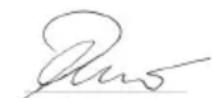
S. Reiser Director Regulatory Affairs & Certification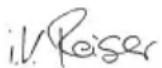
Person authorized for documentation:
S. Reiser
Alfred Karcher SE & Co. KG
Alfred-Karcher-Str. 28 - 40
71364 Winnenden (Germany)
Tel.: +49 7195 14-0
Winnenden, 2020/10/01
Technical data
Instructions
| SG 4/2 Classic | ||
| Elektrichi priključak | ||
| Napon elektrichi ne mreže V 220-240 | ||
| Faza ~ 1 | ||
| Mrežna frekvencija Hz 50 | ||
| Vrsta zašite IPX4 | ||
| Klasa zašite I | ||
| Snaga grejanja | W | 2250 |
| Kapacitet pumpe | W | 50 |
| Podaci o snazi urežaja | ||
| Zapremina rezervaora | I | 1,5 |
| Zapremina kotla | I | 0,5 |
| Maksimalni radni pritisak | MPa(bar) | 0,4 (4,0) |
| Maksimalna radna temperatura | °C | 145 |
| Vreme zagrevanja | min | 3 |
| Količina pare (maks.) | g/min | 50 |
| Dimenzije i težine | ||
| Tipična radna težina | kg | 7,5 |
| Dužina x širina x visina | mm | 460 x298 x265 |
| Mrežni kabl | ||
| Tip mrežnog kabla | mm² | H05VV-F 3x1,0 |
| Broj dela (EU) | 6.647-757.0 | |
| Broj dela (GB) | 6.647-831.0 | |
| Dužina kabla | m | 5 |
Subject to technical changes.
Storage
Instructions 119
Environmental protection 119
Boiler pressure regulator
The boiler pressure regulator controls the boiler pressure. The maximum pressure is maintained continuously during operation. The boiler is switched off when the maximum working pressure is reached and switched on again when the pressure in the boiler drops due to the removal of steam.
Cleaning surfaces with paint or lacquer
When cleaning painted or lacquered surfaces, e.g. kitchen or bathroom furniture, doors, parquet, linoleum, they may become discolored or the color may change due to the wax, polish on the furniture, e.g. lacquer, or stains may form. When cleaning these surfaces, use only a short steam burst and wipe the surfaces with it.
Cleaning glass
When cleaning glass panes with particularly low temperatures, preheat the glass. For this purpose, apply a small amount of steam to the glass surface from a distance of 50 cm. This prevents tension in the glass, which could lead to cracking.
The control lamp "Not empty" lights up in red.
1. Faults.
The control lamp "Removing the boiler scale" lights up in red.
For every device, our authorized distributor provides warranty conditions.
Possible malfunctions caused by transport are repaired free of charge within the warranty period, if they are due to material or manufacturing defects. In case of warranty claims, contact your distributor or our nearest authorized service center, presenting the purchase receipt.
(Address, incl. country)
Accessories and spare parts
Use only original accessories and original spare parts, to ensure the safety and trouble-free operation of the device.
Information about accessories and spare parts can be found at: www.kaercher.com.
Special accessories
Only use special accessories approved by the manufacturer.
H. Jenner Chairman of the Board of Management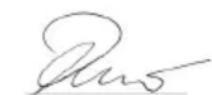
S. Reiser Director Regulatory Affairs & Certification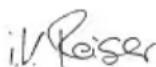
Documentation assistant:
S. Reiser
Alfred Karcher SE & Co. KG
Alfred-Karcher-Str. 28 - 40
71364 Winnenden (Germany)
Tel.: +49 7195 14-0
Fax: +49 7195 14-2212
Winnenden, 2020/10/01
Technical changes reserved.
| SG 4/2 Classic | |
| Еlektrichiеско CBьрзванe | |
| Мразково наразожени V 220-240 | |
| Фаза ~ 1 | |
| Мразкова чECTOTа Hz 50 | |
| Тил зашита IPX4 | |
| Клас зашиURA I | |
| Нагревателна мошноct W 2250 | |
| Мошност на помпата W 50 | |
| Данни за мошноста на урета | |
| Вмостимост на розерboaраа | I 1,5 |
| Вмостимost на кOTеña | I 0,5 |
| Мakсимално павOTно налаяганe | MPa(bar) 0,4 (4,0) |
| Мakсимално павOTно Temпегатура | °C 145 |
| Вре'mе за подраванe | min 3 |
| Колчесъю пара (макс.) | g/min 50 |
| Размери и тergla | |
| Типунно собстveno тerglo | kg 7,5 |
| Дылжинахшиочиных височиha | mm 460 x 298 x 265 |
| Мразков зaxpanваш кабел | |
| Тил megков зхароваш кабел | mm² H05VV-F 3x1,0 |
| Homeр на част (EU) | 6.647-757.0 |
| Homeр на част (GB) | 6.647-831.0 |
| Дылжина на кабел | m 5 |
We reserve the right to make technical changes.
Table of contents
Mounting accessories
H. Jenner Chairman of the Board of Management
S. Reiser Director Regulatory Affairs & Certification
Documentation officer:
S. Reiser
Alfred Karcher SE & Co. KG
Alfred-Karcher-Str.28-40
71364 Winnenden (Germany)
Tel: +49 7195 14-0
Winnenden, 2020/10/01
Technical data
Contents
www.kaearcher.com/REACH
H.Jenner Chairman of the Board of Management
S. Reiser Director Regulatory Affairs & Certification
Authorized to compile documentation:
S. Reiser
Alfred Kärcher SE & Co. KG
Alfred-Karcher-Str.28-40
71364 Winnenden (Germany)
Tel: +49 7195 14-0
Fax: +49 7195 14-2212
Winnenden, 2020/10/01
Technical data
Chairman of the Board of Management
S. Reiser
Director Regulatory Affairs & Certification
Winnenden, 2020/10/01
Technical data 3Mict
Before using the device!
- Close the lid.
- Insert the battery for clean water.
- Close and lock the lid.
Control
Device operation
During use, the heating element heats up (control lamp lights up) to maintain the pressure in the kettle.
- When the device is turned on without water, the control lamp "Heating" lights up first, and then the thermostat switches it off due to lack of water. Then the control lamp "No water" lights up in red.
- Insert the plug into the socket.
- Unfold and open the lid of the device.
Instruction
During operation, the lid of the device must be kept open so that the control lamps are visible. 3. Turn on the device using the switch; the heating control lamp lights up in red.
Instruction
The steam supply function is available only in the case when the steam supply to the device is intended for the steam iron. When the control lamp "Steam" lights up in green, the system is ready for operation. 4. Turn off the heating when transporting the device. 5. Press the steam button; steam comes out of the soleplate. First, direct the steam jet onto the fabric until it is evenly moistened.
VAPOHYDRO
VAPOHYDRO can be used for ironing, not for dry cleaning. For this, use the VAPOHYDRO mode with a high water steam jet. In this mode, a water jet comes out, ensuring maximum rinsing effect. - For ironing, it is recommended to use VAPOHYDRO, for example, with a pointed nozzle. During work with nozzles (brush nozzle, hand nozzle), use the operating mode with a low water steam jet. This better cleans the fabric.
Instruction
In VAPOHYDRO mode, the water consumption is higher, which means it can be used only for a short period of time.
- Turn on/off VAPOHYDRO using the mode switch.
IRONING WITH WATER
Instruction
If the water in the tank is empty, the control lamp "No water" lights up in red.
If the tank is not filled with clean water, the water will not be supplied; it is necessary to fill the tank with clean water.
- Fill the tank with clean water.
- Open the tank cap to fill with clean water.
- Fill the tank with clean water to approximately 1.5 liters of water.
- Close the tank cap.
- Install the tank with clean water; the control lamp "No Water" goes out. The control lamp "Heating" lights up in gray, and after heating is completed - in green color, the system is ready for operation.
Operation of the device
SAFETY
The steam nozzle should not be directed at people or animals.
Nozzle for ironing
Nozzle for ironing with a brush (special accessory)
- For delicate fabrics, because the surface temperature is higher. - To obtain a good result, iron directly on a hard surface with a speed of no more than 30 cm/s.
Using the ironing nozzle (special accessory)
Periodically turn over and shake the nozzle for ironing for better collection of lint.
- Take the rail out of the package and the rail out of the package. For the correct assembly of the rail, insert the rail into the guides and put the rail on the guides, close the latch, put the rail ends into the holes and fully tighten them, close the latch.
DANGER
Danger through the latch
Danger of pinching
Do not put fingers between the latches.
Manual handle
It comes out on small surfaces, which are soft, upholstered cabins, mirrors or furniture fabrics.
- Pull the handle out of the groove with a tool.
Handle for quick installation (special device)
Part number 2.863-025.0
Maintenance
DANGER
Danger of electric shock
Injuries as a result of touching current-carrying parts
Switch off the device.
SAFETY
Safety instructions for operation, maintenance and surface protection
Safety instructions
Before any work, allow the device to cool down.
Regularly
Check the steam boiler for scale deposits no later than after every 5th boiler filling.
- Remove the accessories from the device.
- Disconnect the steam hose from the device.
- Fill the steam boiler with water and energy granules. This makes it possible to loosen scale deposits that have formed on the bottom of the steam reservoir.
- Drain the water. Appliance switch
Removing scale from the boiler
To remove scale that has formed on the boiler walls, we recommend using a descaling agent based on an organic acid, such as KARCHER RM 511. This descaling agent is biodegradable.
CAUTION
Safety instructions regarding descaling agents
Safety device
To fill the device with descaling solution, use only the means recommended by KARCHER. Do not use other or similar means.
WARNING
Safety when using the descaling solution Safety device
Never leave the descaling solution in the boiler for longer than the specified time, as this may cause damage to the pump.
- Pull the mains plug out of the socket.
- Unscrew the safety cap and completely drain the water from the steam boiler. 3. Completely dissolve the descaling agent in 0.5 liters of warm water, stirring thoroughly.
- Pour the descaling solution into the boiler. Do not screw the safety cap on during the descaling process.
△DANGER
Danger of aerosol formation
Danger to health
Do not use the device while the descaling solution is in the boiler.
- Leave the descaling solution to act for approximately 8 hours (overnight).
- Then perform the descaling process. Rinse the boiler at least twice with clean water to ensure that no descaling residues remain. Screw the safety cap back on.
- Disassemble and open the device cover.
- Ybimkhny npncTpni.
- HatncKaTn KhoNky CKnDaHHa, DOKN KOHTpOblHa lamna «BuaaneHHa Hauiny» He 3rache. Pnpctpi 3HOBy roTOBn Do 3actocyBaHHa.
Bka3ieka
Ppu6n3HoYepe320oouhpo6omuKoHmponbHa namna «BudaneHHaHKuny» noka3yE Heo6xidHicmb HacmynHO2o BudaneHHaHKuny.
- 3akpntni 3a6nkyBaTn KpniKny npncTroIO.
Donomora B pa3i HecnpaBHOcte
△HE6E3NEKA
He6e3neka ypaKeHH enekmpuHm cmpymom TpaMu e pezIbmani mopKaHH cmpyMoEdyux yaCmuH
Bumkhymu npucmpiu.
Bumru umencelbny buky.
△HE6E3NEKA
He6e3neka oniky zaparyo odoio,napo ma 06 zapayi noepxhi
He6e3nka onik8
Ipeod nohamkom 6ydb-aykux poibim daume npucmpoio oxonohymu.
△HE6E3NEKA
Safety through unplanned repair work
Safety when troubleshooting
Repair work must be performed only by an authorized service center.
The control lamp "No water" lights up red
1. Turn off the device.
The control lamp "Water supply"
lights up red
- Remove the device from the appliance.
Service center
If faults cannot be eliminated, the device must be checked by a service center.
Warranty
All countries of the EU fully comply with the warranty conditions established by the authorized organization for the products sold in their countries. Possible malfunctions during the warranty period are eliminated free of charge, provided that the malfunction is due to defective materials or manufacturing defects. In case of claims during the warranty period, please contact the trading organization where the product was purchased, or the nearest authorized service center.
(Addresses on the back)
Accessories and spare parts
Use only original accessories and original spare parts, because they guarantee safe and uninterrupted operation of the device.
Information about the device and spare parts can be found at www.kaercher.com.
Only use original accessories approved by the manufacturer.
Special accessories
H. Jenner Chairman of the Board of Management
S. Reiser Director Regulatory Affairs & Certification
Person responsible for documentation:
S. Reiser
Alfred Kärcher SE & Co. KG
Alfred-Karcher-Str. 28-40
71364 Winnenden (Germany)
Tel.: +49 7195 14-0
Fax: +49 7195 14-2212
Winnenden, 2020/10/01
Technical specifications SG 4/2 Classic
Register your product and benefit from many advantages.
www.kaercher.com/welcome


Rate your product and tell us your opinion.
www.kaercher.com/dealersearch
Alfred Kärcher SE & Co. KG
Alfred-Karcher-Str.28-40
71364 Winnenden (Germany)
Tel.: +49 7195 14-0
Fax: +49 7195 14-2212
- TECHNICAL DATA
- GENERAL NOTES
- ENVIRONMENTAL PROTECTION
- NOTES ON THE CONTENT MATERIALS (REACH)
- INTENDED USE
- SYMBOLS ON THE DEVICE
- OVERVIEW OF THE DEVICE
- DESCRIPTION OF THE DEVICE
- ILLUSTRATION A
- CONTROL PANEL
- ILLUSTRATION B
- SAFETY DEVICES
- PRESSURE REGULATOR
- WATER SHORTAGE THERMOSTAT
- SAFETY THERMOSTAT
- SAFETY LOCK
- CLEANING METHODS
- FRESHENING TEXTILES
- CLEANING OF COATED OR PAINTED SURFACES
- GLASS CLEANER
- INITIAL STARTUP
- INSTALLING ACCESSORIES
- FILLING WATER
- NOTE
- ILLUSTRATION C
- DO NOT USE DETERGENTS
- OPERATION
- SWITCHING ON THE DEVICE
- VAPOHYDRO
- REFILLING WATER
- DISCONNECTING ACCESSORIES
- DANGER
- DANGER FROM HOT WATER
- SWITCHING OFF THE DEVICE
- STORING THE DEVICE
- USING ACCESSORIES
- STEAM GUN
- SPOTLIGHT NOZZLE
- FLOOR NOZZLE
- FLOOR NOZZLE WITH SLATS (SPECIAL ACCESSORY)
- USING THE FLOOR CLEANING CLOTH (SPECIAL ACCESSORY)
- CAUTION
- DANGER FROM RETAINING CLIPS
- MANUAL NOZZLE
- WINDOW NOZZLE (SPECIAL ACCESSORY)
- TEXTILE CARE NOZZLE (SPECIAL ACCESSORY)
- TRANSPORT
- STORAGE
- CARE AND MAINTENANCE
- △DANGER
- RINSING THE BOILER
- DESCALING THE BOILER
- ATTENTION
- TROUBLESHOOTING GUIDE
- CUSTOMER SERVICE DEPARTMENT
- WARRANTY
- ACCESSORIES AND SPARE PARTS
- SPECIAL ACCESSORIES
- DECLARATION OF CONFORMITY
- EU DECLARATION OF CONFORMITY
- CURRENTLY APPLICABLE EU DIRECTIVES
- HARMONISED STANDARDS USED
- NATIONAL STANDARDS USED
- DECLARATION OF CONFORMITY (UK)
- CURRENTLY APPLICABLE UK REGULATIONS
- DESIGNATED STANDARDS USED
- CONTENT
- TECHNICAL SPECIFICATIONS
- ELECTRICAL CONNECTION
- PPOOTAOIA TOU TEPIΒAAOVTOC
- YTOEIEIC OXETIKA E OOTATIKA (REACH)
- PPOΒΛΕΠÓΜΕΝΗ XΡΌΣΗ
- DEVICE PERFORMANCE DATA
- CLEANING SURFACES WITH COATING OR PAINTED SURFACES
- CLEANING GLASS
- COMMISSIONING
- FILLING WITH WATER
- TURNING ON THE DEVICE
- DISCONNECTING THE APPLIANCE
- DANGER DUE TO HOT WATER
- FIGURE D
- USE OF ACCESSORIES
- STEAM IRON
- POINTED NOZZLE
- FLOOR NOZZLE WITH BRUSH (SPECIAL ACCESSORY)
- USING THE FLOOR NOZZLE WIPE (SPECIAL ACCESSORY)
- DANGER DUE TO LOCKING CLAMPS
- BRUSH NOZZLE
- STEAM NOZZLE FOR FABRIC CARE (SPECIAL ACCESSORY)
- FLUSHING THE BOILER
- REMOVING SCALE FROM THE BOILER
- SERVICE
- TEXHNUECKNE XAPAKTEPNCTNKN
- RELEVANT EU DIRECTIVE
- HARMONIZED STANDARDS APPLIED
- NATIONAL STANDARDS APPLIED
- DEVICE OVERVIEW
- DEVICE DESCRIPTION
- SIKA A
- SIKA B
- SAFETY VALVE
- BOILER PRESSURE REGULATOR
- CLEANING SURFACES WITH PAINT OR LACQUER
- THE CONTROL LAMP "NOT EMPTY" LIGHTS UP IN RED
- THE CONTROL LAMP "REMOVING THE BOILER SCALE" LIGHTS UP IN RED
- MOUNTING ACCESSORIES
- BEFORE USING THE DEVICE
- CONTROL
- DEVICE OPERATION
- INSTRUCTION
- IRONING WITH WATER
- OPERATION OF THE DEVICE
- SAFETY
- NOZZLE FOR IRONING
- NOZZLE FOR IRONING WITH A BRUSH (SPECIAL ACCESSORY)
- USING THE IRONING NOZZLE (SPECIAL ACCESSORY)
- MANUAL HANDLE
- HANDLE FOR QUICK INSTALLATION (SPECIAL DEVICE)
- MAINTENANCE
- REGULARLY
- WARNING
- BKA3IEKA
- DONOMORA B PA3I HECNPABHOCTE
- △HE6E3NEKA
- SERVICE CENTER
- WWW.KAERCHER.COM/WELCOME
Brand : Kärcher
Model : SG 42 Classic
Category : Steam cleaner