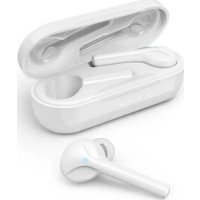
Spirit Go - Bluetooth Headset HAMA - Free user manual and instructions
Find the device manual for free Spirit Go HAMA in PDF.



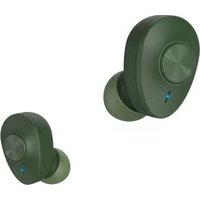
| Product Type | Bluetooth True Wireless Headset |
| Brand | Hama |
| Model | Spirit Go |
| Bluetooth Technology | Bluetooth® v5.0 |
| Supported Profiles | A2DP V1.3, AVRCP V1.6, HFP V1.7, SPP V1.2 |
| Transmission Frequency | 2 402 – 2 480 MHz |
| Range | < 10 m |
| Battery Type (earphones) | Lithium-polymer 3.7 V, 38 mAh |
| Battery Type (case) | Lithium-polymer 3.7 V, 580 mAh |
| Charging Time (earphones) | ~1.5 h |
| Charging Time (case) | ~3 h |
| Standby Time | ~140 days |
| Music Play Time | ~4 h (earphones), ~16 h with case |
| Talk Time | ~3.5 h (earphones), ~14 h with case |
| Weight (earphones) | ~5 g each |
| Weight (case with earphones) | ~50 g |
| Charging Connector | USB-C port |
| Controls | Multifunction touch sensors |
| Main Functions | Play/pause, track skip, hands-free calling, voice assistant (Siri/Google) |
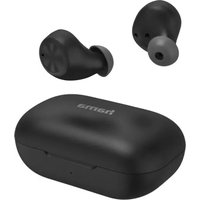
| Package Contents | 1 pair of earphones, 1 charging case, 1 USB-C cable, 3 pairs of ear tips (S/M/L), manuals |
| Care and Cleaning | Slightly damp lint-free cloth, no harsh detergents |
| Safety | Do not use while charging, moderate volume, avoid shocks, keep out of reach of children |
| Repairability | Not user-repairable, entrust to qualified technicians |
Frequently Asked Questions - Spirit Go HAMA
User questions about Spirit Go HAMA
0 question about this device. Answer the ones you know or ask your own.
Ask a new question about this device
Download the instructions for your Bluetooth Headset in PDF format for free! Find your manual Spirit Go - HAMA and take your electronic device back in hand. On this page are published all the documents necessary for the use of your device. Spirit Go by HAMA.
USER MANUAL Spirit Go HAMA
GB Operating Instructions
Thankyouforchoosinga H amaproduct. Takeourtimeandreadthefollowinginstructions andinformationcompletely.Pleasekeepthese instructions in a safe place for future reference.If yousellthedevicepleasepasstheseseoperating instructionsontothewowner.
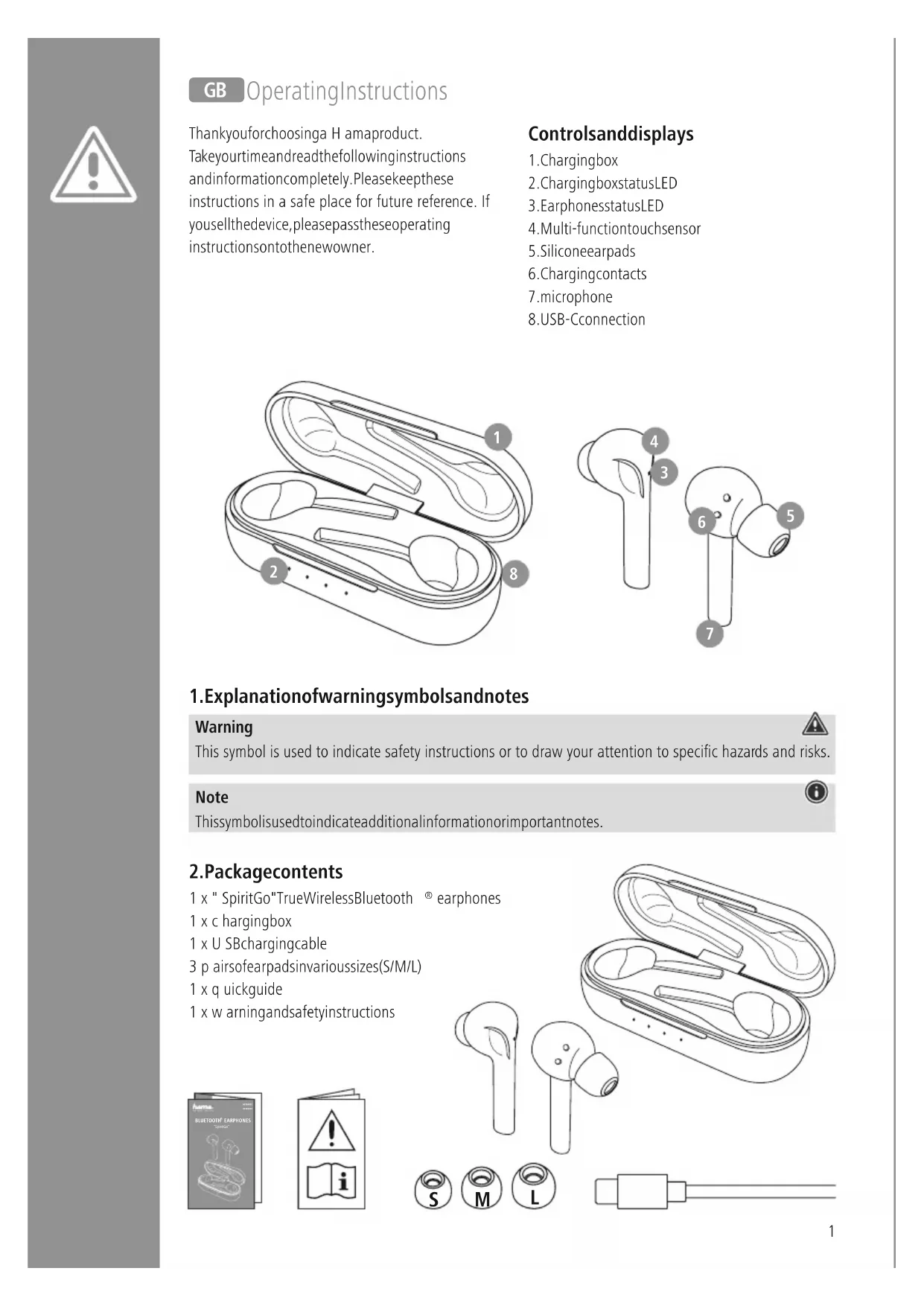
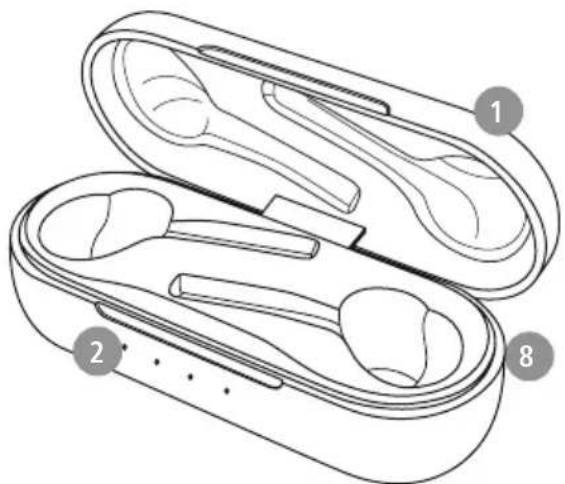
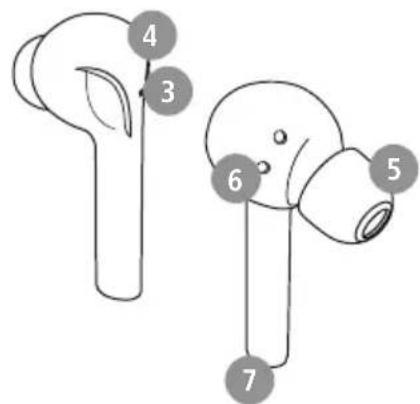
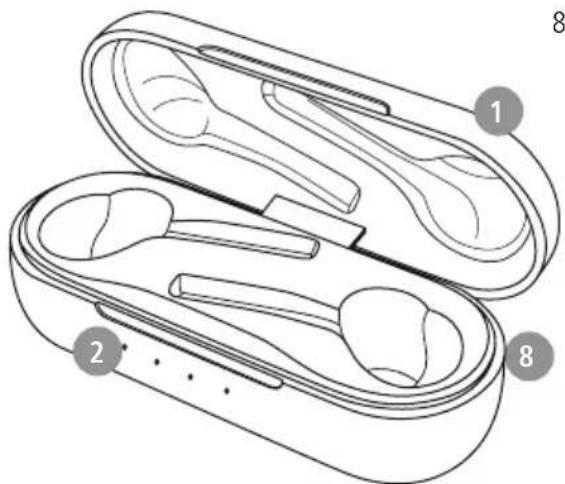
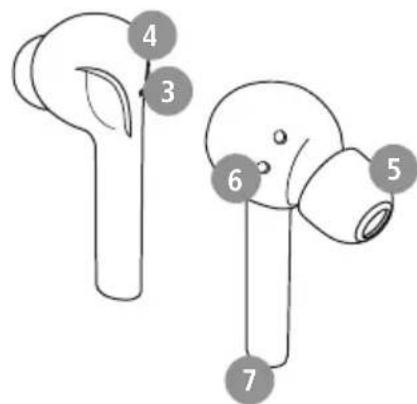
Controlsanddisplays
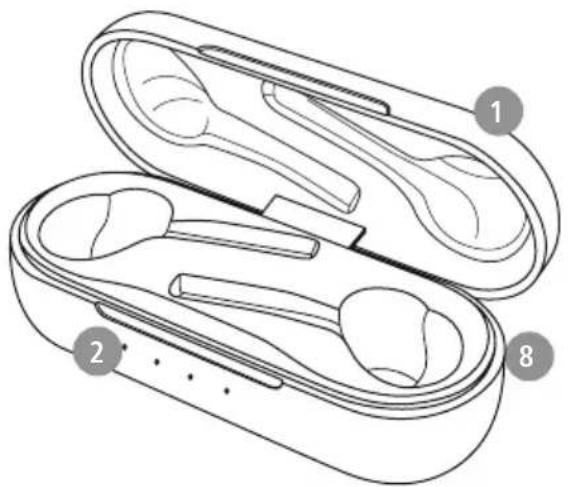
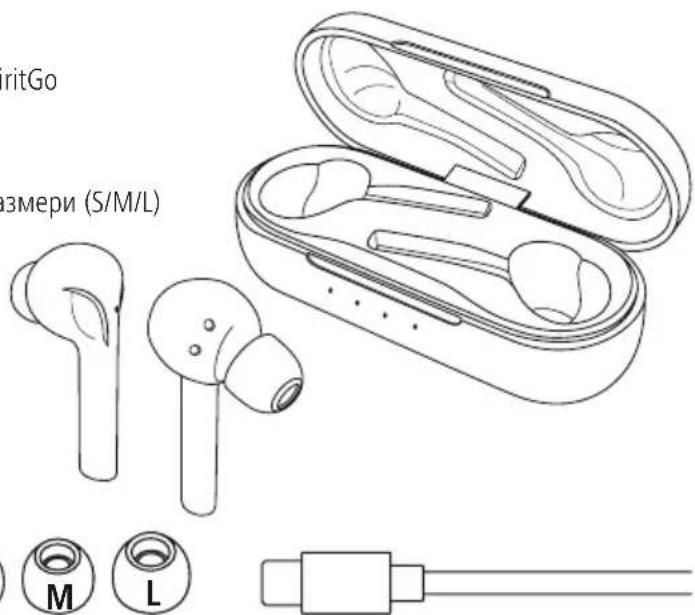
- Chargingbox
- ChargingboxstatusLED
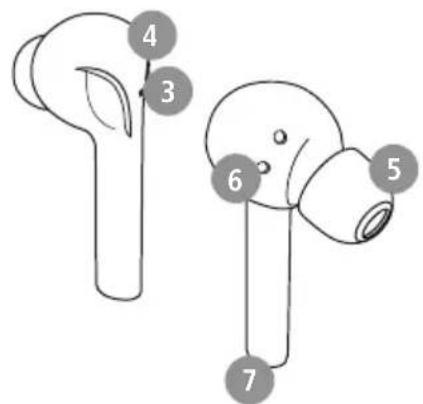
3.EarphonesstatusLED - Multi-functiontouchse
5.Siliconeearpads
6.Chargingcontacts
7.microphone
8.USB-Cconnection
1.Explanationof warningsymbolsandnotes
Warning

This symbol is used to indicate safety instructions or to draw your attention to specific hazards and risks.
Note

This symbolis used to indicate additional information or important notes.
2.Packagecontents
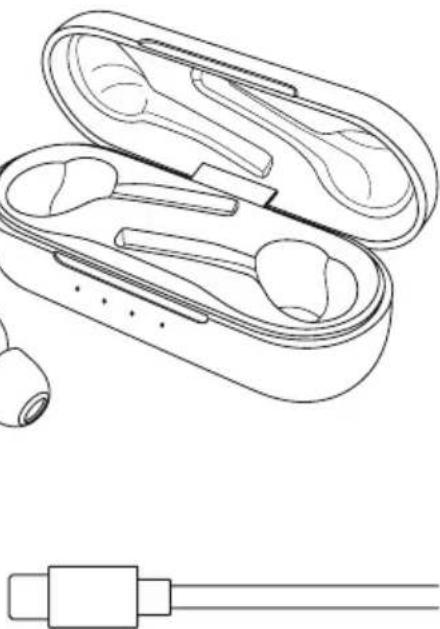
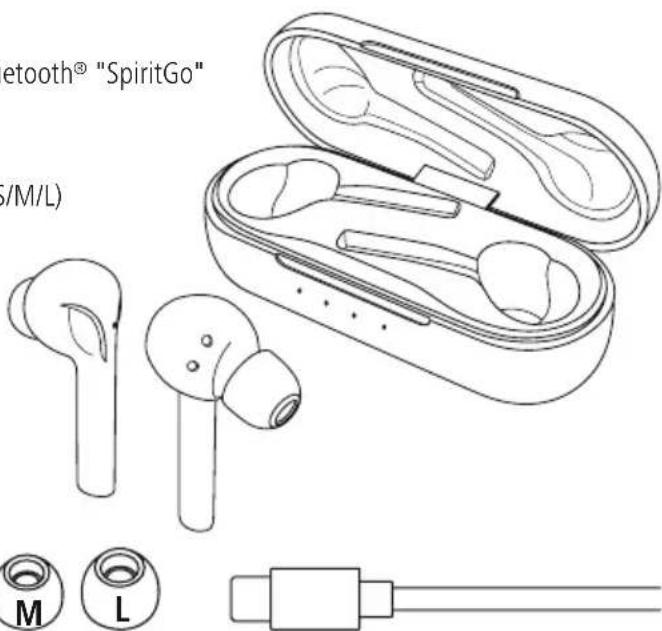
1 x " SpiritGo"TrueWirelessBluetooth ® earphones
1 x c hargingbox
1 x U SBchargingcable
3 p airsofearpadsinvarioussizes(S/M/L)
1 x q uickguide
1 x w arningandsafetyinstructions


3.Safetyinstructions
- The product is intended for private, non-commercial use only.
- U setheproductonlyfortheintendedpurpose.
Children should be supervised to ensure that they donotplaywiththeproduct - D o n otusetheproductinareasinwhich electronicproductsare n otpermitted .
- Donattempttoserviceorrepairtheproduct yourself.Leaveanyandallserviceworkto qualifiedexperts.
- Donotopenthedeviceorcontinuetooperateitif itbecomesdamaged.
- D on otbendorcrushthecable.
- Donotdropheproductanddonotexposeitto anymajorshocks.
- Disposeofpackagingmaterialimmediately inaccordancewiththelocallyapplicable regulations.
- Do not modify the product in any way. Doing so voidsthewarranty.
- Protect the product from dirt, moisture and overheating and use it in dry environments only
- D o n otusetheproductintheimmediatevicinity of heaters,otherheatsourcesorindirectsunlight
- O nlyusethearticleundermoderateclimatic conditions.
- A s w ithallelectricalproducts,thisdevicesshould bekeptoutofthereachofchildren
- D o n otoperatetheproductoutsidethepower limitsspecifiedinthetechnicaldata
- Do not use the product in a damp environment and avoid splashing water
- While driving a car or using sports equipment, do not allow yourself to bedistracted by your product and keep an eye on the traffic situation and your surroundings.
Thebatteryispermanentlyinstalledandcannot beremoved;disposeftheproductasa w holein accordancewiththestatutoryregulations -
Donotincineratethebatteryortheproduct.
-
Donottamperwithordamage/heat/disassemble thebatteries/rechargeablebatteries
- Donotusetheproductduringthecharging process!
Warning - rechargeable battery

-OnlyusesuitablechargingdevicesorUSB connectionstochargetheproduct.
- DonotusedefectivechargersorUSBports anddonotattemptorepairthem.
- Donotovercharge the productor allow the battery to completely discharge.
- Avoidstoring, charging and using in extremetemperaturesandatextremely lowatmosphericpressures(suchasathigh altitudes).
- Chargeregularly(atleastquarterly)during periodsofprolongedstorage.
Warning- m a g n e t s

Thisproductgeneratestmagneticfields. Personswitha cardiapacemakershould consult a doctor before using this product, asthepacemaker'sproperfunctioncouldbe affected.
- Donotstore b ankorsimilarcardswith magneticstripsnearthechargingboxor earphones. Thedataonthecardscouldb edamagedorcompletelydeleted.
Warning- highvolume

Highsoundpressure!
- There is a risk of hearing damage.
- Topreventanylossofhearing,avoidlistening atloudvolumesforprolongedperiods.
- Always keep the volume at a sensible level. Loudvolumes, evenovershortperiods, can cause hearingloss.
Usingthisproductlimitsyourperceptionof ambient noise. For this reason, do not operateanyvehiclesormachines whileusingthisproduct.
4.Switchingon/off

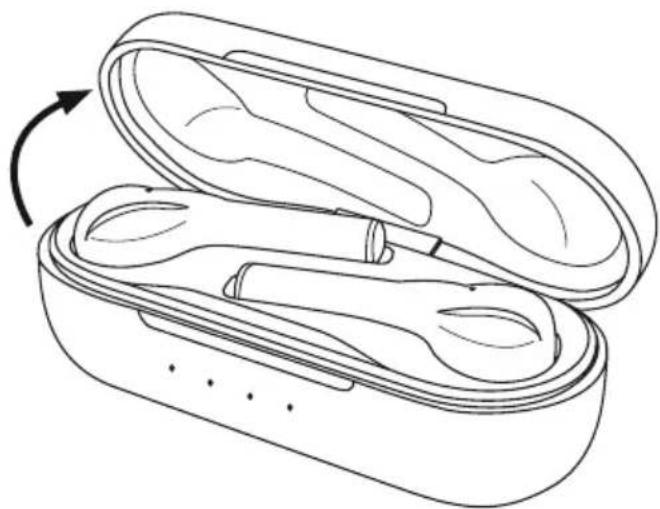
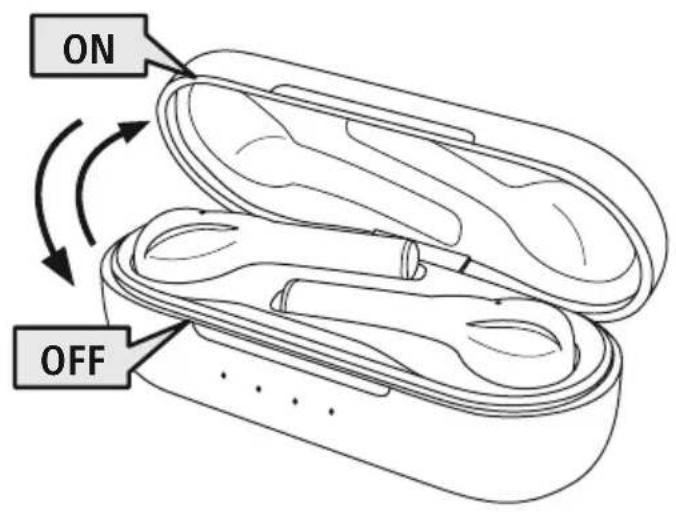
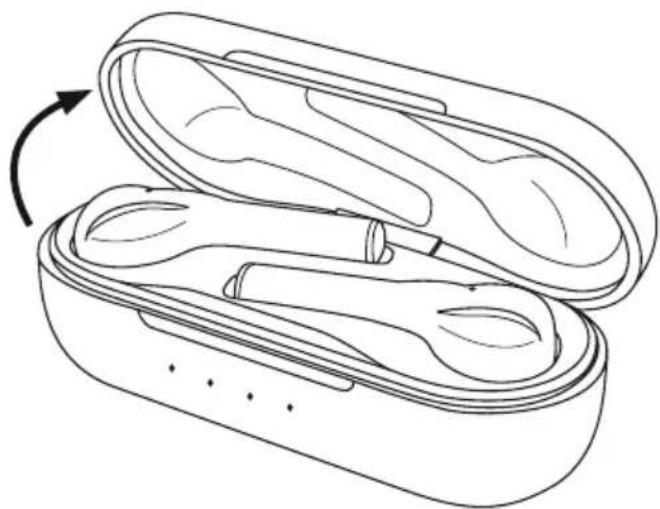
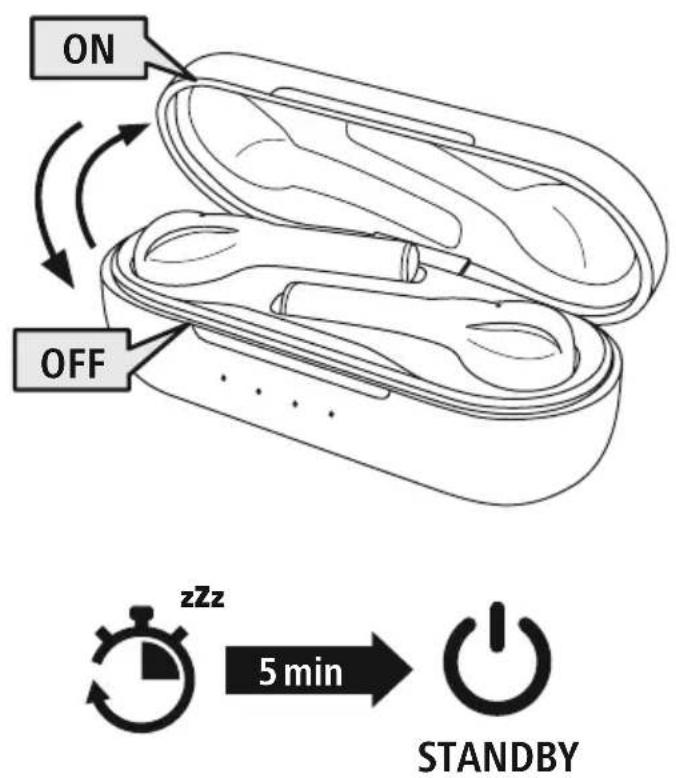
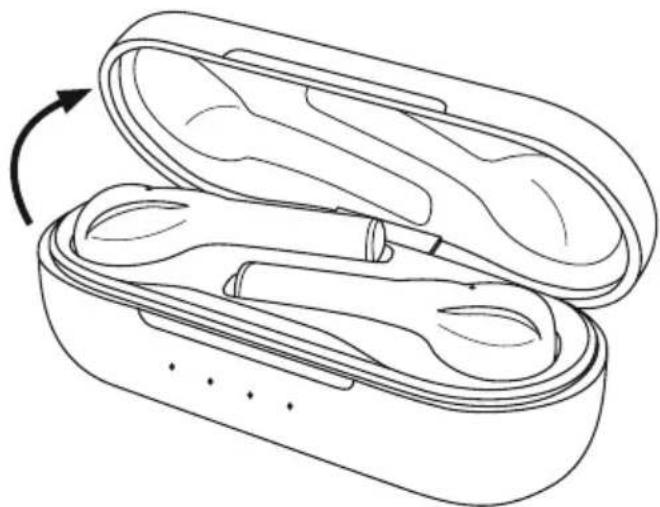
Whenyouopenthechargingbox, theearphonesswitchonauticallyandstartthe pairing process. The announcement "Power on" is heard.

To switch them off, simply place the earphones back in charging box. Ensure that the earphones are inserted into the correct sides, using the L/R markings as a guide. Then close the chargingbox.
Alternative:
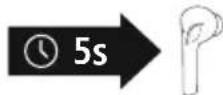
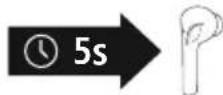
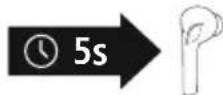
With the earphone switched on, hold them multi-function touch sensor (4) on the left or right earphone down for approx. 5 seconds until you hear the announcement "Poweroff".
Toswitchtheearphonesagain,youmustplacebothearphones backinthechargingbox.Thenclosethechargingboxandcontinue asdescribedunder"ON".
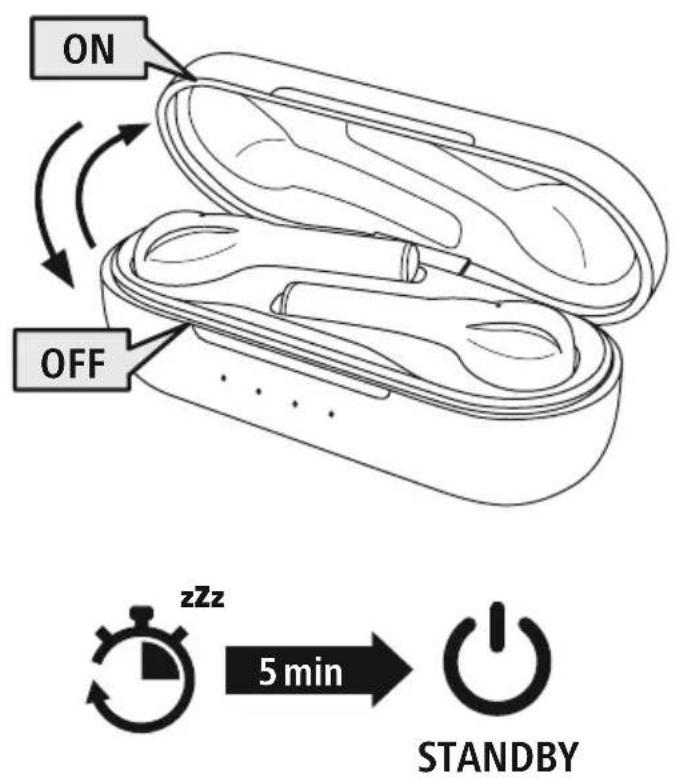
Note-Automaticswitch-offftheearphones

The earphones are equipped with an automatic switch-off mechanism. If there is no connection to your device within 5 minutes, they switch off automatically.
5.Charging
Fully charge the earphones and the charging box once before using them for the first time.
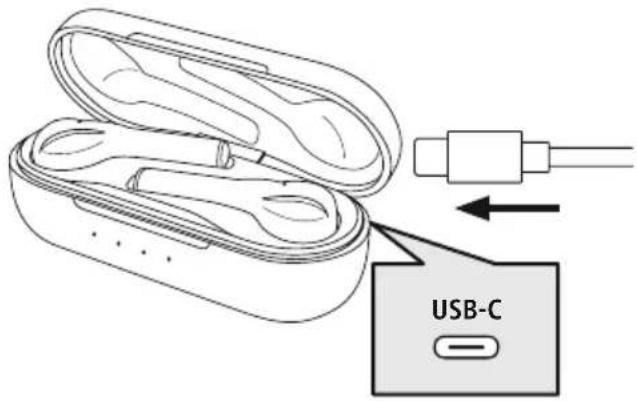
Insertthearphonesandconnecttchechargingbox
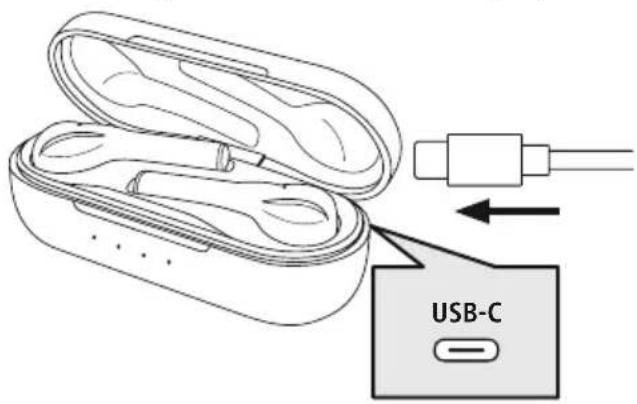
Placethearphonesinthecharging box. Ensure t hattearphones are insertedintothecorrectsides, using theL/Rmarkingsasa g uide.
ConnecttheUSB-Cchargingcable includedtothechargingsocket(8)on thechargingbox.
ConnectthefreeplugontheUSB-C chargingcabletoa s suitable USB charger. Tdothis, consult the operating instructions for the USB chargeryouare u sing.
Chargingprocedureforthecchargingboxandearphones
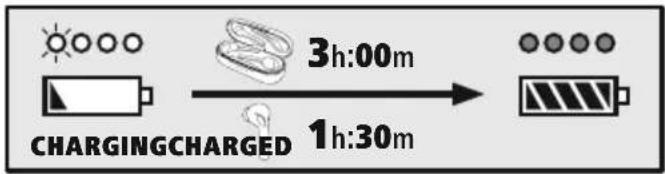
The status LEDs on the charging box (2) flash white. After the charging box is fully charged, the 4 LEDs on the chargingboxlightupsolidwhite.
The earphones are only charged when the charging box is closed.
It can take up to 1.5 hours (earphones) or up to 3 hours (charging box) until the batteries are fully charged.
Batterycapacity
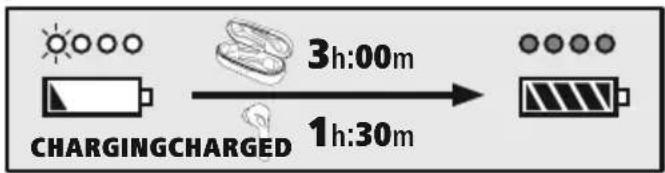
3Chargingbox
| 100% - 75% | 75% - 50% | 50% - 25% | 25% - 0% |
Earphones
When the battery is low (< 25%) , the announcement "Battery low" is heard.
The actual battery lifewill vary depending on how you use the device, the settings and the ambient temperatures (rechargeable batteries have a limited life).
Note

If you have not used the device for a few months, it can take up to 15 - 30 minutes until the statusLED(2)lightsupduringthechargingprocess.
6. Bluetooth® pairing
Note- Pairing
- Makes sure that your Bluetooth ® capable device isswitched on and that Bluetooth ® is activated.
- For more information, please refer to the operating instructions of your device.
The earphones and the device should not be more than 1 metre apart. The shorter the distance, the better.
Ensure that the earphones are switched on.
1 CheckstatusofthestatusLED(3)andtheannouncements
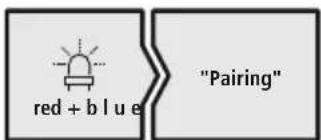
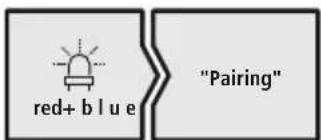
If the status LED(3) of anearphone is flashing alternately and the announcement:
theearphonesaresearchingforablueto connection.
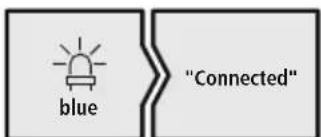
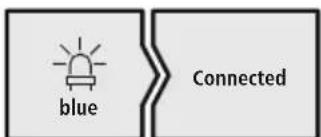
If the status LEDs(3) are flashingslowly and the announcement is:
the earphones are already paired with a Bluetooth device.
2 Searchusingyourdevicefortheearphones(onlyrequiredonthefirstconnection)
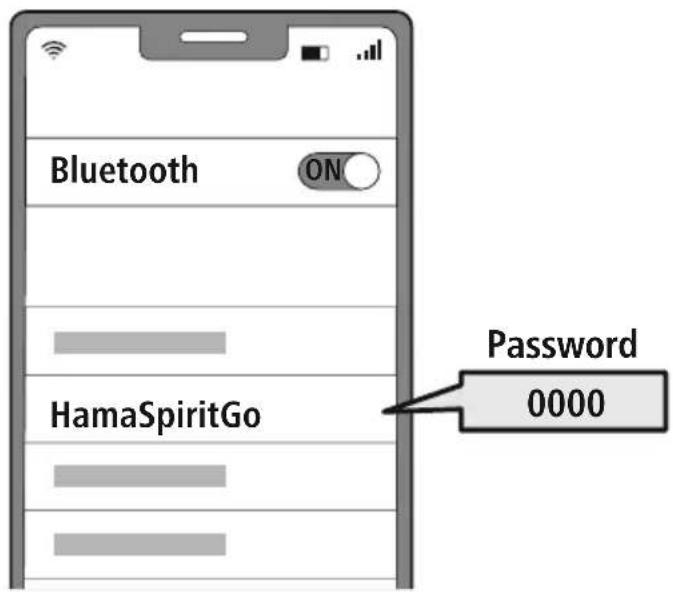
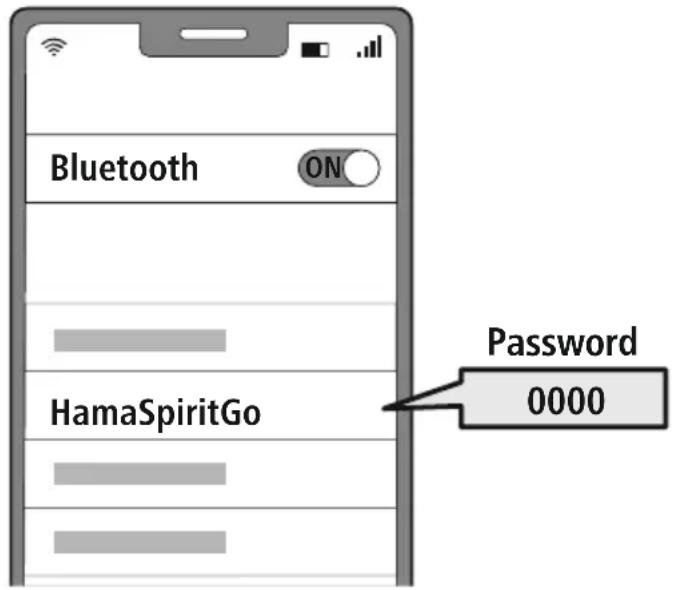
OpentheBluetooth® settingsonyourdeviceandwaituntilthelistoffoundBluetooth® devices shows Hama Spirit Go. The announcement "Pairing" is heard.
Select Hama Spirit Go and wait until the earphones are shown as connected in your device's Bluetooth® settings. The announcement "Connected" is heard.
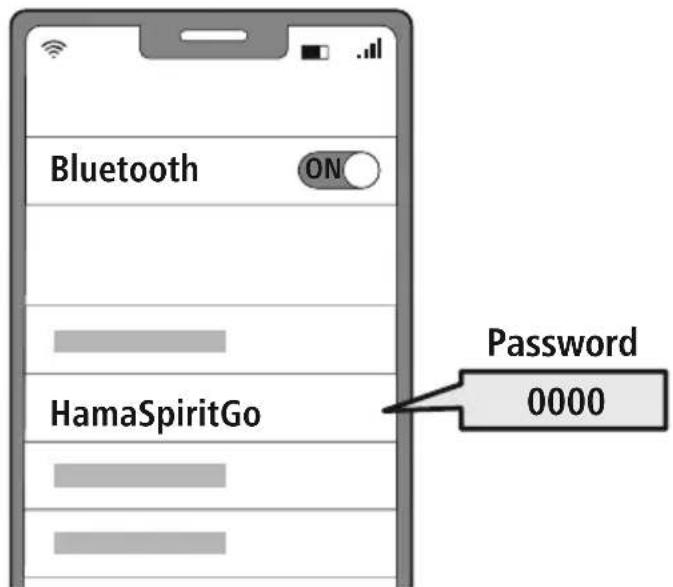
Note- Bl u e t o 8 p a s s w o r d

Some devices require a password in order to connect to another Bluetooth device.
- If your device requests a password to connect to the headphones, enter 0000.
7.Controls
Note
- Please be aware that your terminal device must support some functions if they are to be used.
- For more information, please refer to the operating instructions of your device.

7.1Voiceassistantfunction
Siri/ Google
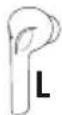
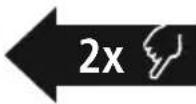
Tap t hemulti-functiontouchsensor(4)ontheleftearphone twiceto startcommunicationwithyourSiriorGoogleAssistant.You will hear a brief signal sound.
Note-Siri
Siri is only available on suitable devices running iOS 5 (iPhone 4s or later) or higher.

Note- G oogleAssistant
- The Google Assistant is only available on suitable devices running Android 5.0 or higher with Google Play Services, >1.5 GB of free memory and a minimum screen resolution of 720P.
- The Google Assistant App must be available on your device and be set as the default voice assistant.

7.2Hands-freefunction
It is possible to use the earphones like a hands-free facility for your device.
Makeacall
Dial the number directly via your device to make a call.
Accepta call

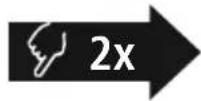
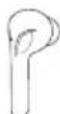
Tap t hemulti-functiontouchsensor(4)ontheleftorright earphonetwicetoacceptanincom ingcall.
3 Rejecta c a l l

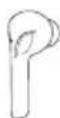
Torejectanincomingcall,tapandholdthemulti-function touchsensor(4)ontheleftorrightearphoneforaround2 seconds.
4 Endacall

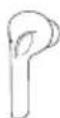
Duringthecall, tapthemulti-functiontouchsensor(4)on theleftorrightearphonetwicetoendthecall.
5 Lastnumberredial
You can redial the last number you called via the voice assistant function (7.1).
7.3Audiplayback
1 Startplaybackonyourdevice.
2 Play/ P a u s e

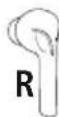
Tap t hemulti-functiontouchsensor(4) ontheright earphonetwicetostartorstopaudiplayback.
3 Nexttrack

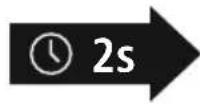
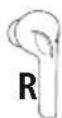
Tap a ndholdthemulti-functiontouchsensor(4)onthe rightearphoneforaround2 s econdstoskiptothenext track.
4 Previoustrack
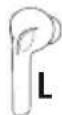
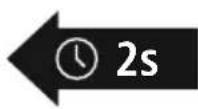
Tap a ndholdthemulti-functiontouchsensor(4)onthe leftearphoneforaround2 s econdstoskiptotheprevious track.
7.4Volumecontrol
Thevolumeiscontrolledbythevoiceassistantfunction(7.1).
Alternatively, you can also control the volume via your device.
8. Technical data
| Bluetooth®earphones | |
| Bluetooth technologyBluetooth | ®v5.0 |
| Profiles supported | A2DP V1.3, AVRCP V1.6, HFP V1.7, SPP V1.2 |
| FrequencyforBluetooth®transmissions | 2402-2 480MHz |
| Range<10m | |
| Rechargeablebattery | |
| Batterype3.7V Lipolymer | |
| Min.capacity Earphones/ c hargingbox | 38mAh/ 5 80 m A h |
| Power consumption | max. 5V=320mA |
| Earphoneschargingtime~1.5h | |
| Chargingboxchargingtime~3h | |
| Standby*~140d | |
| Musictime(chargingbox)* ~4 h (16h) | |
| Talk time (charging box) * | ~3.5h (14h) |
| Weight of earphones | approx. 5g per earphone |
| Weightof chargingbox incl.earphones | approx.50g |
- Oncefullycharged
9.Careandmaintenance
Only clean this product with a slightly damp, lint-free cloth and do not use aggressive cleaning agents.
10.WarrantyDisclaimer
Hama GmbH & Co KG assumes no liability and provides no warranty for damage resulting from improper installation/mounting, improper use of the product or from failure to observe the operating instructions and/or safety notes.
11. Service and Support
PleasecontactHamaProductConsultingifyouhaveanyquestionsaboutthisproduct.
Hotline:+499091502-0(German/English)
Further support information can be found here: www.hama.com
12.Recyclinginformation
Noteonenvironmentalprotection:
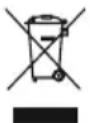
AftertheimplementationoftheEuropeanDirectives2012/19/EUand2006/66/EUnthe nationallegalsystem, the following applies:
Electricalanderelectronicdevicesaswellasbatteriesmustnotbedispersedofwithhousehold waste. Consumers are obliged by law to return electrical and electronic devices as well as
batteries to the designated public collection points or to the point of sale at the end of their service lives. Detailed information on this topic is defined in the national laws of the respective country. This presence oftheabovesymbolontheproduct,operatinginstructionssorpackageindicatesthattheproductis
subject to these regulations. By recycling, reusing the materials or other forms of utilising old devices/ batteries, you are making an important contribution to protecting our environment.
13.DeclarationofConformity
C E Hama GmbH & Co KG hereby declares that the radio equipment type [00184072, 00184073] is in compliance with Directive 2014/53/EU. The full text of the EU declaration of conformity is availableatthefollowinginternetaddress:
www.hama.com->00184072,00184073->Downloads.
Frequencyband(s)2402-2480MHz
Maximumradio-frequencycypowertransmitted2.5mW
Bedienungsanleitung
Hotline: +499091502-0 (Dui/Eng)
Meer support-informatie vindt u hier: www.hama.com
Indicatie- Conectarea(Pairing)

11. Services | support
Vystraha-A kumulator

- Pro n abijenípoužívejtepuozhevodné nabijěčkyneboUSBprípojky.
Defektni nabijeci pristroje nebo USB pripojeni vseobecnjižnepouzivejtea n epokousejtese jeopravovat. - Vyrobekanineprebijeje, anihozcel nevybijeje.
Zabrahte skladovani, nabijeni a pouzivani pri extremnich teplotach a pri extremne nizkem tlakuvzduchu(jakonapr.vevelkychvyskach).
V pripe de delsiho skladovani je pravideln (minimalnejednouzaactvtroku)dobijte.
Varováni-Magnety

JemeHTbIynpaBHeHn HnKaTopbI
1.3apAnHbI60Kc
2. CBeToIIOHbI INHnKaTOp COCTOHN 3apAnHO6OKCa
3. CBeToIIOHbI INHdkaTOp COCTOHN HAYUHKNOB
4.MHOrOfoyHKUHOHaJIbHbIeHCOpHbI BbIKJIOUaTeJIb
5.CnnNKoHOBBieaAM6yUHOpbl
6.3apänHbIeKOHTaKtbl
7.MKpOoh
8.Pa3beMUSB-C
1. Пороченя К п dedурждаюци m 3нakam n yka3aHnЯm
PpeynpeKdHne

Icnoj3yETcIy o6o3haeHn yka3aHn no TexHnke 6e3oNaCHOCTn nn dJa aKUeHTnpOBaHn BHHMaHaHaocO6bIXoNaCHOCTAXn p NCKax.

Yka3aHne
IcnoJIb3yETcIJIaIIOJIHHTeJIbHOro 06O3HaueHnIHΦOpMaun IJIN BaxKbIX yKa3aHn.
2.KomnneKtnoCTaBKn
1cTepeOnayuHnKuTrueWirelessBluetooth 假 SpiritGo
13apnblb60Kc
13apndhblUSB-ka6eb
3napbiam6yshOpOBpa3IuHbIXpa3MepoB(S/M/L)
1KpaTkoepykoBOCTBO
16poHOpac nppeDynpTeIbHbIMn yKa3aHnA MmN y Ka3aHnA MnO texHnKe 6 e30NaCHOCTn



3.Yka3aHnnoTeXnKe6e3oNaCHOCTN
-ⅢdienepedHa3HaueHODJOMaHHeO, HnppomblJeHHOro n pumHeHn
-ИспользуйTeиЗделиenvCKIIOHTeIbHOB npedyCMOTpeHbIXueJx.
-HeNo3B0JIeTeTMyrMaTbC 3DJIeM.
He npmeHnTe n3dneB 3Ohax, rKeNcNoJIb3OBaHnE3NeKtpoHHbIXyCTpOcTB3anpeHo
- HenbTaIeTcBcMoCToTeJIbHOBbIIOHHTb TexHnueCKOeO6CnyXuBaHaHneUIpEMOHTn3dEINr PeMOHTpa3peWaeTcAnpOu3BOaNTbToJbKO KbAInΦuNUPOBaHHOMyepcoHaNy.
HeBCKpbIbAaTe n3dEne HnCNOJIb3yUte erOpnHaJIuHINOBpeKDeHn
-HeCnIbAaTeH n epeXmauTeKa6eB.
- N36eraTe naDeHnna3dEInn He nOdBepraTeeroCnIbHbIMBn6paunM.
Cpaaytunn3npynteynakOBohmMaTeepnaI corglachoJeCTBHyUmmMeCTHbIMnpedncaHnM NOyTuN3aUN.
He BHOcIte B n3dJIne KOHCTpyKTHBbIe n3MeHeHn. B pe3yIbTaTe 3tOrO JIO6bIe rapaHTnHbIeO6a3aTeJIbCTBaTepeRIO T BOIOCNJy
HeonyckaTe3arpa3HEnn3deJna,3aunuaTeeroOTBnInepepeBa.HeCNoJIb3yntE3JeINepNBbICOKOBNAxHOCTN
-HeCnOJIb3yIeN3dJIeNEB H enocpeCTBeHHoH 6JIN3OCTN OT CNTEm OTOnJIeHn,ApYnx NCTOCHNKOBTePJIaJIInIO,I pRMBIM COJIHeHbIMNJyAm.
- NcnoJb3yIte n3dJIeNe TOJIbKO npn PnpemMeBIX KINMaTNUeCKNXCYOBHX
JaHHoe n3dene, KaN Bce 3JIeKTPnueckne npnbopblcndyetbepeybotdete!
-Приисноьзовааннm3дeл�нгонуckaite npeвшеняпpeдамошoctn,yka3ahHOrOB TeXHnuecknxxapakTePcNTkax.
-Heunb3yIeun3dJeBnBnaJxHoiCpe, n36eraIte6pb3r.
BovpemE3bHaAaBTOMo6nEnuH3aHATn aKTHBbIMNBdAmNCnOpTaHeOTBKeKaITecb, aCJeIeTe3aOpOxHOo6CTaHOBkoN OKpykeHneM.
- AkkymyIATOP ABJIETCRAUHOHApHBIM H He IIOJNKeIT DeMOHTaKy, YTNIN3NpyuTe N3dEne UeIKOM B COOTBETCTBn C 3aKOHoDAteNbHbIM INpeDnCAHnAMN.
-He6pocaiTeaakKymyIaTOpHyIO6aTapeHouJIi
N3dJIeNEB O rOHB.
He n3MeHnTe, He deΦopMnpuYte, He HarpBaIe, Hepa3bnpaIteakKymyIaTOpbI/6batapeyn.
-HeuCnoIb3yIteU3dJIeJIeBOBpeMja4JKn!
PpeynpeKdEHNe-aKKymyIaTOp

Pa3pewaaetcIcnoIb30BaTbIa 3apAnTOJbKO COBMeCTnMbIe3apAnHbIeYcTpOietBaIUSBpa3beMbl.
HeCNoB3yIteHEnCnpaBHBie3apnHbIe yctpoiCTBa nIN USB-pa3bEmbl Hne bItaTecb nx peMOHTnpoBaTb.
-HeDonyckaTeu36bIToHouH3apRKn r ly6oko pa3pRKn 3dEJna
He xpaHnTe, He 3apJkaIte n He nCNoB3yIte yCTPOCTBOpnpOueHbHN3KNXn O yeHbBbICOKNX TEMpepatypaxn O yeHbHN3KOMaTMocΦepHOM daBLeHHn (Ha npmep, Ha 6oNbUnx Bicotax).
-ПиДNTeHOM xpaHeHn peYyIpyHO 3apXaIte n3dJIe (He pexe OndHOro pa3a B KBaptan).
PpeynpexKeHne—MaHnHTbl

-3dJIeNEco3daeTMaHHTbIeNoJIpnNCN0Nb3OBaHNKapDIOCTMMyJrTOPOBnpOKOHcYbTupyITecb C BpaOHa npEIMETCOBMECTMIOCTU 3dJIeNJC TAKUMYCTPOINCTBaM
- HexpaHnte6aHKnOBcknHaHaIOnuHbIe KapTbIC M aHHTHOINoIOCoPraDMc 3apJNbMbOkCOMnHayuHKamN .To MOxET npNBecTN K NOBpeKdEHNIO Kap TnYdaJIeHNIOCOxPaHeHNHOHaHNXnHΦopMaun
IpeynpexeHne—BbICOKa rpoMkoCTb

- BbICOKa3ByKOBaHaHarpy3ka!
-CyueCTByeETpnckxydwenHcnyxa
YTO6bIHeDOnyCTnTbNtOpEpcNcyxa,He NCNoJIb3yIteHayuHKnPpNBbICOKMypOBHe rPOMKoCTn B TeueHne JInTeJbHOro BpeMeHN.
-ПодерхиBaTeHOpMaJIbHyIOrpOMKoCTb.Bo3dIeCTBnE rPOMKOrO 3ByKa,ВТ.ч.В TeueHneKopoTKoro BpeMeHn,MOKeT pNBeCTN KNoBpeKdEHIOOPraHOBCJyxa.
BovpeMaKcNlyaTaunn3deJnRCHnxJaTccteHbBOCnpnTnOpyXaUoX3ByKOBuymoB.3anpeaetcnaOpnb0BaTbn3denn
BOBpeMBAQKeHnABTOMO6uJy npabJeHnMaunHaMn.
4.BKJIIOUeHne/BBIKIOUeHne
ON
OTKpoIte 3apAdbn6OKC;HayuHnKn BKNIOaTcABTOMaTHueCKN 3aNyCTT npOceCC conpJxHn. Pa3daTcOnOBeUeHne "Power on" ("Pnp6Op BKnIOueH").
OFF
Дя Вькюецни ростоулwxnte hayшнкиВЗарднб6okc.Cobiodaite npn 3tOM npabnlbHocTB yKladkn HayshNKOB B COOTBeTCTBmC МарkpOBOkON L/R (JIeBsI/NpaBBi). 3akpoTe3apdHbI6OKC.
A subtepHaTbHbIbBapnAnT:
YdepxBaTeMHOrOyHKUHOHaIbHbIceHCOpHbIbIKIOaTeIb (4) neBoro nn npaboro HayuHnKa BO BKIOueHHOM COCToHN B TeueHne npimepHo 5 cekHy, noka He pa3dactc onOBeueHne "Power off" ("Pnp6op BblKIOueH").
YTO6bICHOBAKBIOUHTbHayuHnKn,BCTaBBTeO6aHayuHnKaB 3apAHyIb60Kc.BKnIOUHTe3apAHyIb6OKcN DeCTBynte,KaK ONCbIBaETC BnyHKTe "ON"(BKJI)."
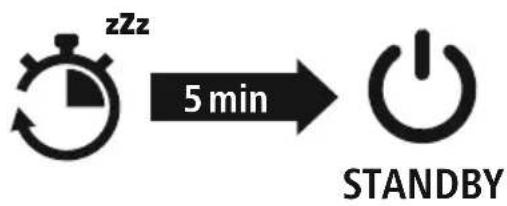
YKa3aHHe—abTOMaTHueCKOeBBbIKJIIOueHHeHayShnKOB

HayuHnKoOchAuHeBcNCTeMoABTomAtueckoro BbIKNoUeHn. EcnB TeueHne 5 MmHyT coeHNHeHc OKoHeHbIM yCTpoiCTBOM OTCyTCTByET, OHn ABtomAtueckn BbIKNoUaTcra.
5.3apянka
Ipeed npBbIM npMHeHem Odn pa3 noNHOCTbO 3apJNTe HayuHKn, a TaKke 3apJHb6OKC.
1 YknaKaHayuHKnOBn n oKluyeHne3apJnHO60ka
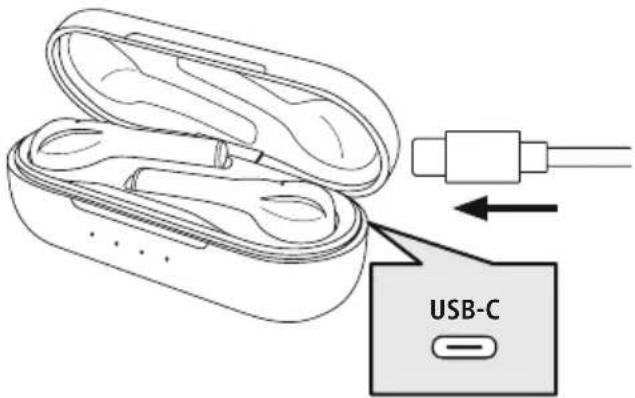
YloXitHe HayuHnKn B 3apAHybI 60Kc. Co6IIOaItePnpTOM npabNbHOCTb yKnaKnHayuHnKOBB C OOTBeTCTBmnc MapKnOpBkoL/R(neBbI/npaBbI).
IopKJIouHTenTpNlaTaeMbI3apAHyB KabeNB USB-C K 3apAnHomy rHe3Ny (8) 3apAnHoro 6 Okca.
IoiKJIIOUHTecBO6OJHbIuTeKepe 3apAnHO r K a6eJrUSB-Ck IooXoJaIeMy3apAnHOMyUcTpoiCTByC USB-nOpToM.C6JIIOaItepyKOBoCTBO I03KcNPyataunncnObl3yeMoTO 3apAnHOrUSB-yctpoiCTBa.
2 PpoeDpya3apAekn3apArdHorO6okcH auyHKnOB
CBeToIIOHbIe HnDnKaTOpbl COCTOHNr 3apAnHO 60Kca (2) MuraOT 6eJIbIM UBeTOM. IocJe IOnHO 3apAnKn 3apAnHO 60Kca 4 OTHOcRluec K HeMy CBeToIOJa HeNpepbIBHO roprt 6eJIbIM UBeTOM.
HayuHnK3apXaOTcTolbKO B 3aKpbITOM 3apIHom 60Kce.
3 EMKoctbakkyMnyTopa
3apdHbI6okc
| 100% - 75% | 75% - 50% | 50% - 25% | 25% - 0% |
Hayushnkn
Ecnn akymyIaTOp pa3pJxH (<25%), noBnIeTcO nobEsHne "Battery Low" ("Hn3Km 3apJd 6atapen").
IpoJIOJIKHTIELBHOCTb pa60tbl aKKyMylrTopa BapbnpyeTcB 3aBNCUMOCTN OT INHTeHCNBHOCTn IcnoJIb3OBAHnI np6opa, HAcTpoE K OKpyXaHouSeI TempepaTypbl (akkymylrTopbl NMeHOT OgrpaHnueHHbICpOKCnyx6bl).
Yka3aHne
EcnBbI HeckoIbKO MecaeB He Nolb3OBaIINc bYCTpOiCTBOM, MoXeT npOHTn 15-30 MmHyT, noka CBETODIOHbI INHdNKATOP COCTOHHa (2) npn 3apAnke 3arOpITc.
6.CoeiHHeHneBluetooth (conpJxKeHne)
Yka3aHHe—conpJKeHne

- Y6eIITecb, yTO OKOHeuHoe yCTpOINCTBO C BO3MOXHOCTbIO COeINHeHnA Yepe3 Bluteoth® BKNIOueHON Bluetooth®-coeINHeHneYcTaHOBNeHo.
CobnDae cooTBeCTByOuNe yKa3aHn pyKOBoCTBa no 3KcNnyataun BaIero OKHeHOrO yctpoiCTBa.
HayuHnK u OKoHeuHoe yCTpOcTBO DOJXHbI HaxOuTbcra Ha paCCToHn He 60JIbSe 1 MeTp a npy r ot dpya. YemMeHbWepcCToHne,TeMnyuWe.
Y6eIHTecb,HTO HayuHnKn BKNIOueHebl.
1 PpOBepbTe cTaTc CBeToMDnHO rHnKaTopa coCToHHr (3) n yCThIe onOBeueHHra.
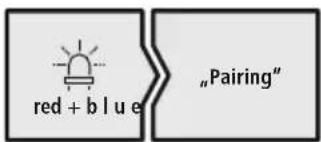
PpunonepeMeHHOMMraHnncBetoNODHOrOHNkAtopa coCToHn (3) Ondoro HayuHnKa n onObeueHn:
HayuHnKn nIbTaHOy yCTaHOBnTb coeDInHeHne Bluetooth
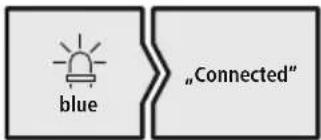
EcIINCBETOIOHbIeHNHdNkATOpbICOCToHHa(3)MeJNeHHOMMraOTn IOABJIeTcROnOBeueHne:
HayshnkyCTaHOBNI COeINHeHne COKOHeuHbIM yCTpONCTBOM Bluetooth®.
2 HauDInTe B OKOHeHOM yCTpoIcTBe HayuHNKn (Tpe6yeTcra TOnbko npn nepBOM coeDInHeHH)
OTkpOteMeHIOHaCTpoekBluetooth Ha BaIeM OKOHeHOM yCTpOiCTBe N NOOxNITe, POKa B CnncKe HauJeHHbIX Bluetooth HeNoBHTcHamaSpiritGo.Pa3daetcnoOBueHne "Pairing" ("ConpJXeHne").
Bb6epTe Hama Spirit Go n noOxDnTe, noka HayuHnKo OTo6pa3rTcB KaueCTBe nokJIIOeHHoro yctpoiCTBa B HAcIPOkax Bluetooth OKoHeHoro y cTpoiCTBa.Pa3daetc r oNoBEseHne "Connected" ("CoeHNHeHne yCTaHOBNeHo").
Yka3aHne—napOblBluetooth

Дя HeKOTOpbIX OKOHeuHbIX yCTpOInCTB npn yCTaHOBHeHm CoeHNHeHn C pyrM Bluetooth®-yCTpOINCTBOMTpe6yETcAnapOnb.
- EcnBaWe OKoHeuHoe yCTpOietBO Tpe6yET erO BBOda, BBeIte IJIra CoeINHeHnC H ayuHNKamnap0b0000.
7.3JIeMeHTbIynpaBJIeHnA
Yka3aHne

- 06paTnTe BHNMaHne,уTo noДepeKka HeKOTopbIX yHKcIy3aBcNt O TBaIeR OKOHeuHOrO yCTpoiCtBa.
- Co6HIOaIe COOTBeTCTBHyOUIne yKa3aHnry pyKOBoDcTBa No 3KcNpyTaunn BaWero OKoHeuHOrO yCtpoiCTBa.
BG Pa6oTHaHnHCTpyKcIy
BlaorapmBn,ueTeu36paJnnpOkyTHa Hama!
OTdJIeTeBpeMe n poTeEn3aJIOcneBaunTe HNCTpyKuNN y Ka3aHn. CNeIToBa3ana3eTe TOBa pkoBOOCTBO 3a ekCnloatauHa cInypho MAcTO, 3a da MoKeTe Da npabNTe cnpaBKn B HeO npHynJa.AKO n poJaTeeypeDa, npedaiTe TOBa pkoBOOCTBO 3a ekCnloatauHa HOBn rCO6CTBeHnK.
Elenentn3aynpabIeHneuHdkaTopn
1.Kytnya3aapejdahe
2. CBeToIIOI 3a cTAtYC "KyTna 3a 3apeXkaHe"
3. CBeToIIOIaCTaTyc "CnyuJIKn"
4.MyIITnФункионаJIeHTouchceH3Op
5.CuNIKOHOBaMeKaTaNa3ayxo
6.KohtakT3a3apejdahe
7.Minkpofoh
8.USB-CBpb3ka
1. 06acheHHe Ha npEynpeDnTeJHn CmBOLn yka3aHna
PpeynpeKdHne

I3noJI3Ba ce, 3a da 06o3Haayaba yka3aHne 3a 6e3OnaCHOCT nIn 3a da HacOuBHNMaHHeTO KbM KOHKpeTHNOAnCHOCTmP NCKOBe.

Yka3aHne
V3no3Ba ce, 3a da o6o3Haayaba DOnbHnTeJHa HOpMaun nn BaxHyka3AHy.
2.CbIbpxHaHneHaOnaKOBkata
1 x cnyuwankaTrueWirelessBluetooth ® SpiritGo
1xKyttna3aapeXdahe
1xUSB3apekka6eJ
3 yinfo mekntan 3a yin c pa3nunnpa3mepn (S/M/L)
1XKpaTkaHnHCTpykCnIa
1xHHCTpyKcun3aInpedynpexdHne H O CnrypBaHeHa6e0naCHOCCTTa

3.Yka3aHn83a6e3oNaCHOCT
- PpOdyKTB e npEeBnIeH 3a IInuHa, HeCTOnaHCKa 6bTuOBaynoTpe6a.
-ИЗнолзВайтпордуктca само 3а пеДвиданота сел. - Deuata Tp86ba da 6bdat noi ha30p, 3a da ce rapaHTnpa, ye Hma Da cn ngpaT c npodykta.
He n3no3BaTe npOdykTa B 30Hn, B KOHTo He ca pa3peSeHneJIeKTpOHHypeNi.
He ce onntBaIte camn da obcnykBaTe nn peMOHTnpaTe npOyKta.OCTaBeTeBCaKaBa texHnueCKanOpndpbXkHaKOMNeTeHTNITcneuaJIInCTn.
He OTBapAitpe npOdykta n npn Nobpea He npoIbJxabaTepaIOn3NoJ3BaTe - He npeyunbaaTe n He npntuCKaTe Ka6ena.
He no3B0JIaIteHa npOdykTa da naI He ro n3JraaiTeHacnHbN6paun
-3XbBpIeToNaKOBbHnMaTeepnaJIbEdHaCbIaCHOJeCTBaUHTeHAMcT O p a3InpoeI6n3aN3XBbPJIHeHaOTnAbu - He npabete npomehn B ypea. Taka 3ary6nte npabOHABCAKBnIrapaHNoHHnIpeTeHcnn
- Na3eTe npOdykTa OT 3aMbpcBaHe, BlaRa IN ppePraBe H ro N3NoJ3BaIte CaMo B CyXn NOMeUeHn.
-Heu3noJ3BaIte npOkyTb H enocpeCTBeHa 6n3oCT do OTOnJInteHn ypei, npTu n3ToUHnCu Ha ToPnHa IIN Ha DnpeKTHa CbHueBa CBETnHa.
-ИЗПОЛЗВайТeнpoДуКТа сamопрунмерени КлиматиHиСLOВь.
-Поюбно на BCNUKNe eJIeKTpNueCKn npOdukTn,TO3n npOdukT He 6bBa Da nonaDa BpbuTe Ha deca!
-Heu3noJ3BaItePOnyKTaN3BbHHeROBtTe rpaHnUHaMoUHocTta,IOcoYeHN BTexHnuecknte DaHHN. - Hen3no3BaItePnykTa B bBbIaxHacpeaIu36raBaiTeBOIDHNpBcN
- Повсpeн ha nbTyBaHTo c MnC nIin cnopteh ypeHepa3peWabAaTea6bJeTeOTKNoHBAHn ot Baun npOdyKT n BHMabaTe 3a noJoxHeNeTo npn DnXeHne n Baata OKoHa cpea.
- Akymylatopnata 6atepe n He noDbNkHo BrpaedHa n He Moke da ce Maxa, n3xBbPte npOyKta KaTo CuIocnped3akOHOBntepa3npe6n
- He XbpynIe 6aTepeyra nn npOyKta B orbH.
He npomehaTe n/nn He deoopmaape/ HarpBaTe/pa3rno6BaTe aKymnaTopnTe
baTeepn/baTeepnte.
He n3noI3BaIte npOdykTa no BpeMe ha 3apeKdaHe!
PpeynpekdeHne-BaTepy

-3a3apejxdaheu3no3BaTecamOnoJXOJaU3apAINHcytpoiCTBaUNUSBn3BOJN.
-ПоприинннннллВаиTepekeTn3apAnHycToiCtBaunlUSBn3BoDnHecOOnTBAWTeDaIINNonpaBATE.
He no3B0JIaIe IpoIyKTa Da ce 3apeJda IOBeYe OT Heo6xOIMOTO Nn Da ce pa3peJdaHaIbIHO.
-368raBcXpaHHe,3apeXdaHen N3NoJ3BaHepnEKeKCTpeMHTeMnpaTpynn N3KIOUHTeJIHOHNCO H aJIraHaHeHb3dYxa (kato Ha npimep Ha roJeMe BvcouHn).
-Прино-проблжителнocьхранене Дзэдддгпсрпоючн(Oневendнхнотрмecua).
PpeynpeKdEHNe-MarHHTN

- PpOdyKbT reHepnpa MaHHTn IonoTa. JIuatacBcBpDeyHnCTmMylaTopnPra6BaJa ceKoHcyUtnpa T cJekapnpEnyNoTpe6aHa npOdykta, Tb' KaTo yHKunrTa Ha CbpDeHnA CTmMylaTOP MoKe da 6bJe HapyuSha.
- EC Илдруги поюбни картус Магншни ЛеHTинебивадаcesьхраняВВБ 6 ЛИЗОТ ДоЗapяндНOTOустpoиCTBOИNCSnyшAJКITE. ДаHHNTeOTKapтатamoratДaбьдAT ПОВpe徳нИлпIN3TpNTI.
PpeynpeKdEHe-eCnneH3ByK

TOnJaMoAkyCtUHOnHaIraHaHe!
- CbueCTbBya onaHocT oYbpeKdane Ha cnlyxa.
3aana6bJepeoTbpaTeHa3ary6aHacnyxa, 36raBaiTeCnyuHaHeTo H a C NJIeH3ByK3aJbIbI nepnoO TBpeMe
-ПодьрхайТecилataHa3BykabHarHa pa3ymHOHBO .TOLЯмТасиlaHa3BykAmOxe -ДориnpnMaIka npoДьnxITeHOCT -Да Дове徳ОуВрexДaHЯнHaClnyxa
- YnOtpe6aTa Ha npOdykTa orpaHnUbaBb3npHemaHeTo B n H a UyMOBeOTOKJHaTacpeDa .3aTOBaNOBpEmeHaYnOtpe6aTaHeynpabIbAaiTeABTOMo6NJIMImaMHN.
4.BKIOUBaHe/U3KIOUBaHe
ON
Otvopete kytnra 3a 3apekdahe, cnlaKnte ce BKIOuBaT aBtOMaTuHO n ce cTapTnpouecbT ha CDBOBAHe. Ip03ByaBa Cb6eHneTo "Power on".
OFF
3a n3KJIIOUbaHe npocTo noCTaBeTe CnyuJaIKte O6paTHo B KyTnraTa 3a 3apeXdaHe. PnTOBa BHIMaBaIe 3a NoCTaBHeTo Ha CnyuJaIKte OT npaBnHaTa CTpHa CBrIacHO mapKnpoBkata L/R.CneI TOBa 3aTBopTe KyTnraTa 3a 3apeXdaHe.
AntepHaTINBHO:
BbB BkHouHe CbCToHHe 3aDpXTe HaTnCHa 3a OK.5ceKHymMyIeYHKUHOHaHnHt outch cEH3Op (4) Ha JIbAta nn DcHata cnUaJka,IOKaTo He yyeTe Cbo6uEHeMeTO Power off.
3aДаВКЛЮЧИТЕ OTOHOBO CNYUANKITE, TPR6BAДА NOCTABNTE И DBeTe obpatHO B KTYNTA 3a 3apeXDAHE. CneI TOBA 3ATBOPeT KTYNTA 3a 3apeXDAHEn pOdoJIxTe, KaKTo e ONnCaHo npn ON.
YKa3aHHe-ABToMaTn4HOn3KNIOUBoHaHeHAcNywaJknte

Cnyuankne pa3nojarat C cyHKnra 3a aBTOMaTHNO nKIOUbaHe. Ako B paMKnte Ha 5 MInHyTn He ce OcbIeCTBn CBbp3BaHe C KpaHOTO yCTPOINCTBO, Cnyuankne aBTOMaTHNO Ce nKIOUBAt.
5.3apexkahe
Ppei npBbata ynoptpe6a 3apeTe HnblHo Cnyuajknte, KaKTo n Kytnra 3a 3apeJdahe.
1 NocTabraHeHacnyuJaIKuTeN C BbP3BaHeHaKyTuTa3a3apeXkaHe
IocTaBcTeCnyuAaKnteB KyTuTAt3 a 3apeXdaHe.IpTuTOBaHmAbaYte 3aIOCTaBnHETo H a C LyuAaKnte OTnpaBnHaTAcTpaaHacbIJaCHO MapKnpoBkataL/R.
BkHouTepePnIIOKeHnIUSB-Cka6eI3a 3apeXdaHeKbMrHe3IoTo3a3apeXdaHe (8)NaKyTnaTa 3 a3apeXdaHe.
CbpxkTeCBO6OndHnuekepHa USB-Cka6eIa3a3apejdaheKbM noDxOJaIOUSB3apAHOCTpoiCTBO. 3aueTc nBaHTeHNCTpyKuYraTa 3 a o6cJyXBAHeHn3no3BaHOToUSB 3apAHOYCTPOICTBO.
2 Ipouecha3apekdaHekytna3apekdaHen c LywaanKu
CBeToIIOIOITE 3a cTAtyc Ha KyTnTa 3a 3apeXdaHe (2) MmAT B 6aJIo. CJeI PbJIHO 3apeXdaHe Ha kyTnTa 3a 3apeXdaHe 4-Te CBeToIOJa Ha kyTnTa 3a 3apeXdaHe CBETBaT 3a NOCTOJHNO B 6aJIo. CnyuAJIKnte ce 3apeXdaT camo npi 3aTBopeHa KyTn 3a 3apeXdaHe.
Mоже да отHEME до 1,5 уас (слшалки) и до 3 уас (кусяза зарожданe), дokato akymyatopніteбатерпесаразгтдан.
3 KanaunTeThaakymylaTopHaTa6aTepe
Kytua3a3apekdahe
| 100% - 75% | 75% - 50% | 50% - 25% | 25% - 0% |
CnywaanKn
При НИСКО HИВО HA akумлалорнite 6atepin (<25%) ce chyBa cboшениTo "Battery Low".ДиICTBNTJIHOTO BpeMe 3a 3apexJaHe Ha 6atepyTa Bapnpa B 3aBnCIMoCT OT yNtpe6bata HaypeDA, HAcTpoIKNITE n TempepaTyPte Ha OKOLHATA cpeDA (6atepynte IMaT orpahnueH NOJe3eH XNBOT).
Yka3aHne

Ako He cTe n3no3BaJn yCTpoiCtBoto B npOdbJxHne Ha HraKoJko Meceua, Moxe da oTheme 15 -30 MnHyTu, DOKATO CBToDIONbT 3a CtaTyc (2) CBETHe npu 3apexJaHe.
6.Bluetooth Bpb3ka(cDBOBAhe)
Yka3aHne3acB0BaHe

- YBepete ce, Ye BaWeto noDlbpxaio Bluetooth® kpaHno yctpoiCTBO e BkIoueHo n Ye Bluetooth® e AKTIBnpan.
- 3a ta3n c9e n C7BaIte yka3aHnraTo aT pbkoBOdCTB0To 3a ynoTe bAwaTe KpaHo yctpoiCtBO.
Cnyuanknte n kpaHOTO yCTPOINCTBO Tp6Ba Da 6bDat Ha pa3CTOHNHe NOp 1 MeTbp. KOKOTO no-MaNKo e ToBa pa3CTOHNHe, ToKOBa No-Do6pe.
YBepTeCe, YecnyIaJIKnTecABKJIIOHeH.
1 IpoBepTe CbCToHHeTo Ha CBeToOnOa 3a CtaTyc (3) n rIacOBnTe Cbo6uHenr
KoratoCBeToNOIObT3aCTaTyc(3)HaedHataoT cnywaIknTe Mna nocneIOBATEJIHO n ce cyBa cbo6ueHne: CnywaJIKNTeTbpCrtBluetooth Bpb3ka.
Korato cBeToaNoTe 3a cTaTyc (3) Mrrat 6abHo n ce cyBa cbo6eHHe: CnyuJaKte Beue ca Cbbp3aHn C kpaHNO yCTpOcTBo C Bluetooth
2 Tbpcete cnyuajnkTe c BaeweTo kpaHNo yctpoiCTBO (Heo6xOIMo e camo npn nbpBo yctaHOBAHeHaBpb3Ka)
OTBOpTeHAcTpoKnTe3aBluetooth Ha BaJeTo KpaHOb yCTpoNcTBO N n3uKaITe, DOKaTO B cnncbKaHaHaMepeHnTeBluTooth yCTpoNcTaBaHeCenokKeHamaSpiritGo.IpO3ByaBa Cbo6eHneTo"Pairing".
H36epe Hama Spirit Go n 3u KaTe, dKaTo CnyaJKeT He Ce nKaXaT KaTo CBp3aHn B h aCtpoNKeTe3aBluetooth HaBaWeTo K paHoycTpoiCTBO.Ipo3ByaBacbO6uHeNeTo
Connected.
Yka3aHne-BluetoOthapona

HЯко Краину устюп CTBA ce hyждят OT napola 3a Habстюкata Ha Bpb3kata C pyro Bluetooth® устюCTBO.
- 3a CBbp3BaHe CbC CnyuJaKite BbBedeTe napoJata 0000, KOrato 6bJeTe NOpKaHeH/a 3a ToBa oTBAweTo K paHoyocptBo.
7.ΕνεmeHTn3aynpaBneHne
Yka3aHne
- 06bphete BHMaHne, Ye noDsbpxaHTo Ha HAKOn OT cyHKunnte 3abncn ot BaSeTo KpaHno yctpoNCTBO.
- 3a ta3n c9e n C7a3BaIe yka3aHnIraT a o pkoBOIDCTB0To 3a ynoTe6a Ha BaJeTO KpaHO yctpoINCTBO.

7.1ФункцязаглacobасTeHT
Siri/ Google
DokocheteBabTmMyItnyHKUohHnHnAotouchceH3Op (4)HaBbataCnyuJka,3aDa cTapTnpate KOMyHnKauncBc Siri nn Google AcnCTeHT. UeYeTeKpaTbK3ByKOBcNHaJ.
Yka3aHne-Siri
Siri ce npednara cmo Ha noDxOJaKpAHHy UcTpoiCTBa ciOS 5 (ot iPhone 4s) nIi no-Bvcoka.

Yka3aHne - Google AcnCTeHT
- Google AcncteHT ce npedna cmo Ha noDxOJaN KpaHn yCTpoiCTBa C Android 5.0 nnnno-BncoKa c YcIytn 3a Google Play, >1,5 GB cbo6oHa namet mMnHmAlHa pa3dEniTehacnoc6hocThaekpHa720P.
- PpInIoXeHneTo Google AcnCTeHT TpIbBa Da e HAnuHo Ha BaWeTo KpaHo yCTpoNCTBO n Da e HAcTpoEHOkatoCTaHdApTeHrIacOBaCnCTeHT.

7.2Функця"свобODирьuce"
CbueCTByBa Bb3MOxHOCTTa Da n3No13BaTe CnyuAankte KaTo yctpoiCTBO "CBO6OHN pue" 3a BaWeTo KpaHoycTPOICTBO.
06aKaDaHe
HahepeHomepa Hapabo OT BaheTo KpaHNo yctpoNcTBO, 3a Da HapabnTe o6aJdahe.
2 PtpnemHaHeHAnOBKBaHe


IokocheteBbTmMyTnΦyHKUHOHaHnAotouchceH3Op (4)HaJIaBATAHnHaJcchataCnyuJaKa,3a Da npneMeTe BXOJrOIOBKNBaHe.
OTka3BaHeHaNoBnKBaHe

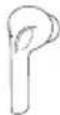
3aOTka3BaHeHaBXOJaIIOJOBnKBaHeIOKOCHeTe 3aIpbXTe MyItniФyHKuHOHaJIHnA touch ceH3Op (4) Ha JIbBATAII INI DcHata CnyUaJIKa 3a OK.2 cekyHn.
PpNKKIOUbaHeHaNOBnKBaHe

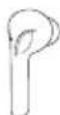
IobpeMeHaapa3roBopaadoKocheTeBaTn MyntuHkuHoaHna touch ceH3op (4) Ha JyBaTa nn Ia ChataCnyuAka,3aDanpknUOHTeOBuKaHeTo.
5 NOBTapaHaHaHa6paHeto
Moxete da n36epete noBtOPO NOcIeHNO HabpaHn Homep Upe3 cyHKuYrTa 3a rnaCob acnCTeHT (7.1).
7.3Bb3npoIN3BexKaHaayydo
1 CtratnpaIteBb3npoIN3BexKdaHeToHaaydnoHaBaSeTOkpaHoycTpoiCTBO.
2 Bb3npOn3BexKdaHe/Naay3a

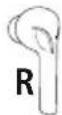
IOKOCHETeBbTmMyTnФyHKUHOHaJIHnraTOUCHceH3Op (4)HaIaChata CnyuAaKa,3a Da CTapTpate Nn Da cnpete Bb3Pon3BexJaHeTo H a a yNo.
3 CnepBa03arnaBne

IokochTeEN 3 aApbXTeMnyTnФyHKuNoHaHnAtoch cehOp (4) Ha Jxchata CnywaJka 3a OKoJ0 2 cekHnn, 3a daMeHNTeKbMCJeDbaUToO3aflaBHe.
4 PpeHnHO3arIaBne

Iokocheten 3 aApbxtemyntuHkuohnahtouch ceh3op (4)Ha JyBaTa CnyuJaKa 3a Okono 2 cekyn,3a da ceBpHeTeKbMnpedHHTO3aIABVE.
7.4PerynnpaHeHacnlaTaHa3Byka
UnpabIeHneTo Ha cInnata Ha 3Byka ce n3BbPwBa Upe3 fynKuTAta 3a rIacOB acntTeHT (7.1).
AInTePHaTnBHO MoKeTe Da ynpabJIaBaTe CnJaTa Ha 3Byka N Upe3 KpaHOTc NyCTpOCTBO.
8.TexHnuecknDaHHN
| Bluetooth®城乡居民 | |
| BluetoothTexhologniaBluetooth | ® v5.0 |
| Повдьрхани пофICIENT | A2DP V1.3, AVRCP V1.6, HFP V1.7, SPP V1.2 |
| ЧебotasотаBluetooth® п配电ьрлика | 2402- 2 480MHz |
| Оьват<10m | |
| Баэрия | |
| Тинбаэрия | 3,7V литnevob-nолимерна |
| Мин.kац捜етСлужалки/ктугязazapexданe | 38mAh/ 5 80 m A h |
| Консу мача на тok | м akc. 5V = 320mA |
| Враемеазарожданescушалки | ~ 1,5h |
| Враемеазарожданeктугязazapexданe | ~ 3 h |
| Сыстаяне на роко* | ~ 140 ди |
| Враемеазашианенamузiku(kтугязazapexданe)* | ~ 4 h (16h) |
| Враемеразаistroвор(ктугязazapexданe)* | ~ 3,5h (14h) |
| Тergл scушалки | ok. 5 g за сныалка |
| Тergл к утигаЗаразжданeВкл.scушалки | ok.50g |
* cneI,IIbJIH03apeJxJaHe
9.TexHnueckoo6cnyXbaHei npdpbXka
IOnuCTBaIte To3n npOyKT cAmO CJIeKO HABJaxHeHa Kbpna 6e3 BJaCInHKn I He N3NoJ3BaIte aRpeCINBHN oOnuCTBaUmpenapatn.
10.N3KJIIOUyBaHeHaOTROBOPHOCT
Hama GmbH & Co KG He noema OTROBOPHOCT uIN rapaHcN 3a NOBpeNi, KOINTO ca pe3yNTAT OTHepaBnHa INCTaJIaCnI, MOHTAX N yNtpe6b Ha pOdyKTA uIN OT HecNa3BaHe Ha pbKOBOdCTBOTO 3aekpIoatauN uINn Ha yKa3aHnraT3a 6e3oNaChOCT.
11.CepBn3n n oDpBxKa
PnBbnpocn OTHOCHO npdykTA,MOJI,OBbpHeTe ce KbM npOyKTOBtKe KOHCytTaHTn Ha Hama.
Topeuia nnHn: +49 9091 502-0 (HeMckn/aHnncn)
2.Περιεχόμενασωκενασίας
1x otepeofwiká akovotka True Wireless Bluetooth® "SpiritGo"
1xotaaoocphiopionc
1xkaalωdiopóptiOncUSB
3 ζευγάρι μαξιλαράκι αε δίαφορα μεγεθη (S/M/L)
1xouvontikóεyεipidio
1xTPOeIbOToIOInoEicKaiU TObEiEicCaOaOaAeIac


- GB Operating Instructions
- Controlsanddisplays
- 1.Explanationof warningsymbolsandnotes
- Warning
- Note
- 2.Packagecontents
- 3.Safetyinstructions
- Warning - rechargeable battery
- Warning- m a g n e t s
- Warning- highvolume
- 4.Switchingon/off
- Alternative:
- Note-Automaticswitch-offftheearphones
- 5.Charging
- Insertthearphonesandconnecttchechargingbox
- Chargingprocedureforthecchargingboxandearphones
- Batterycapacity
- 3Chargingbox
- Earphones
- Bluetooth® pairing
- Note- Pairing
- CheckstatusofthestatusLED(3)andtheannouncements
- Searchusingyourdevicefortheearphones(onlyrequiredonthefirstconnection)
- Note- Bl u e t o 8 p a s s w o r d
- 7.Controls
- 7.1Voiceassistantfunction
- Note-Siri
- Note- G oogleAssistant
- 7.2Hands-freefunction
- Makeacall
- Accepta call
- Rejecta c a l l
- Endacall
- Lastnumberredial
- 7.3Audiplayback
- 7.4Volumecontrol
- Technical data
- 9.Careandmaintenance
- 10.WarrantyDisclaimer
- Service and Support
- 12.Recyclinginformation
- Noteonenvironmentalprotection:
- 13.DeclarationofConformity
- Bedienungsanleitung
- Indicatie- Conectarea(Pairing)
- Services | support
- Vystraha-A kumulator
- Varováni-Magnety
- JemeHTbIynpaBHeHn HnKaTopbI
- Пороченя К п dedурждаюци m 3нakam n yka3aHnЯm
- PpeynpeKdHne
- Yka3aHne
- 2.KomnneKtnoCTaBKn
- 3.Yka3aHnnoTeXnKe6e3oNaCHOCTN
- PpeynpeKdEHNe-aKKymyIaTOp
- PpeynpexKeHne—MaHnHTbl
- IpeynpexeHne—BbICOKa rpoMkoCTb
- 4.BKJIIOUeHne/BBIKIOUeHne
- A subtepHaTbHbIbBapnAnT:
- YKa3aHHe—abTOMaTHueCKOeBBbIKJIIOueHHeHayShnKOB
- 5.3apянka
- YknaKaHayuHKnOBn n oKluyeHne3apJnHO60ka
- PpoeDpya3apAekn3apArdHorO6okcH auyHKnOB
- EMKoctbakkyMnyTopa
- Hayushnkn
- 6.CoeiHHeHneBluetooth (conpJxKeHne)
- Yka3aHHe—conpJKeHne
- HauDInTe B OKOHeHOM yCTpoIcTBe HayuHNKn (Tpe6yeTcra TOnbko npn nepBOM coeDInHeHH)
- Yka3aHne—napOblBluetooth
- 7.3JIeMeHTbIynpaBJIeHnA
- BG Pa6oTHaHnHCTpyKcIy
- Elenentn3aynpabIeHneuHdkaTopn
- 06acheHHe Ha npEynpeDnTeJHn CmBOLn yka3aHna
- 2.CbIbpxHaHneHaOnaKOBkata
- 3.Yka3aHn83a6e3oNaCHOCT
- PpeynpekdeHne-BaTepy
- PpeynpeKdEHNe-MarHHTN
- PpeynpeKdEHe-eCnneH3ByK
- 4.BKIOUBaHe/U3KIOUBaHe
- AntepHaTINBHO:
- YKa3aHHe-ABToMaTn4HOn3KNIOUBoHaHeHAcNywaJknte
- 5.3apexkahe
- NocTabraHeHacnyuJaIKuTeN C BbP3BaHeHaKyTuTa3a3apeXkaHe
- Ipouecha3apekdaHekytna3apekdaHen c LywaanKu
- KanaunTeThaakymylaTopHaTa6aTepe
- CnywaanKn
- 6.Bluetooth Bpb3ka(cDBOBAhe)
- Yka3aHne3acB0BaHe
- IpoBepTe CbCToHHeTo Ha CBeToOnOa 3a CtaTyc (3) n rIacOBnTe Cbo6uHenr
- Tbpcete cnyuajnkTe c BaeweTo kpaHNo yctpoiCTBO (Heo6xOIMo e camo npn nbpBo yctaHOBAHeHaBpb3Ka)
- Connected.
- Yka3aHne-BluetoOthapona
- 7.ΕνεmeHTn3aynpaBneHne
- 7.1ФункцязаглacobасTeHT
- Yka3aHne-Siri
- Yka3aHne - Google AcnCTeHT
- 7.2Функця"свобODирьuce"
- 06aKaDaHe
- PtpnemHaHeHAnOBKBaHe
- OTka3BaHeHaNoBnKBaHe
- PpNKKIOUbaHeHaNOBnKBaHe
- NOBTapaHaHaHa6paHeto
- 7.3Bb3npoIN3BexKaHaayydo
- 7.4PerynnpaHeHacnlaTaHa3Byka
- 8.TexHnuecknDaHHN
- 9.TexHnueckoo6cnyXbaHei npdpbXka
- 10.N3KJIIOUyBaHeHaOTROBOPHOCT
- 11.CepBn3n n oDpBxKa
- 2.Περιεχόμενασωκενασίας
Brand : HAMA
Model : Spirit Go
Category : Bluetooth Headset