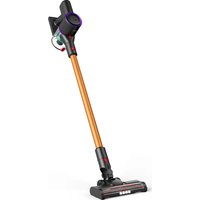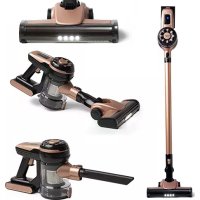
AD 7044 - Vacuum Cleaner ADLER - Free user manual and instructions
Find the device manual for free AD 7044 ADLER in PDF.
 FR
FR
 AZ
AZ
 BG
BG
 CS
CS
 DA
DA
 DE
DE
 EL
EL
 EN
EN
 ES
ES
 ET
ET
 FI
FI
 HU
HU
 IT
IT
 KA
KA
 LT
LT
 LV
LV
 MK
MK
 NL
NL
 PL
PL
 PT
PT
 RO
RO
 RU
RU
 SK
SK
 SL
SL
 SQ
SQ
 SR
SR
 SV
SV
 UK
UK
| Product type | Cordless hand vacuum |
| Brand | Adler |
| Model | AD 7044 |
| Power supply | Lithium-ion battery 22.2 V, 2200 mAh |
| Power adapter | Input 220-240 V~, 50/60 Hz, 0.5 A; Output 26.5 V == 0.5 A |
| Charging time | Approximately 5 hours |
| Rated motor power | 120 W |
| Max motor power | 250 W |
| Dust container capacity | Not specified (estimated ~0.5 L) |
| Filter | Washable, model AD 7044.1 |
| Included accessories | Electric brush, 2-in-1 upholstery brush, long flat brush, wall mount |
| Speeds | 2 speeds (normal and turbo) |
| Runtime | Not specified (estimated ~20-30 min) |
| Noise level | Not specified |
| Weight | Not specified (estimated ~1.5 kg) |
| Dimensions | Not specified |
| Usage | Indoor, domestic |
| Maintenance | Clean dust container after each use; wash filter with water and dry in sun; regularly clean hair from brush |
| Safety | Do not vacuum liquids, sharp objects or flammable materials; do not use without filter; unplug before cleaning |
| Warranty | Contact dealer for claims |
Frequently Asked Questions - AD 7044 ADLER
User questions about AD 7044 ADLER
0 question about this device. Answer the ones you know or ask your own.
Ask a new question about this device
Download the instructions for your Vacuum Cleaner in PDF format for free! Find your manual AD 7044 - ADLER and take your electronic device back in hand. On this page are published all the documents necessary for the use of your device. AD 7044 by ADLER.
USER MANUAL AD 7044 ADLER
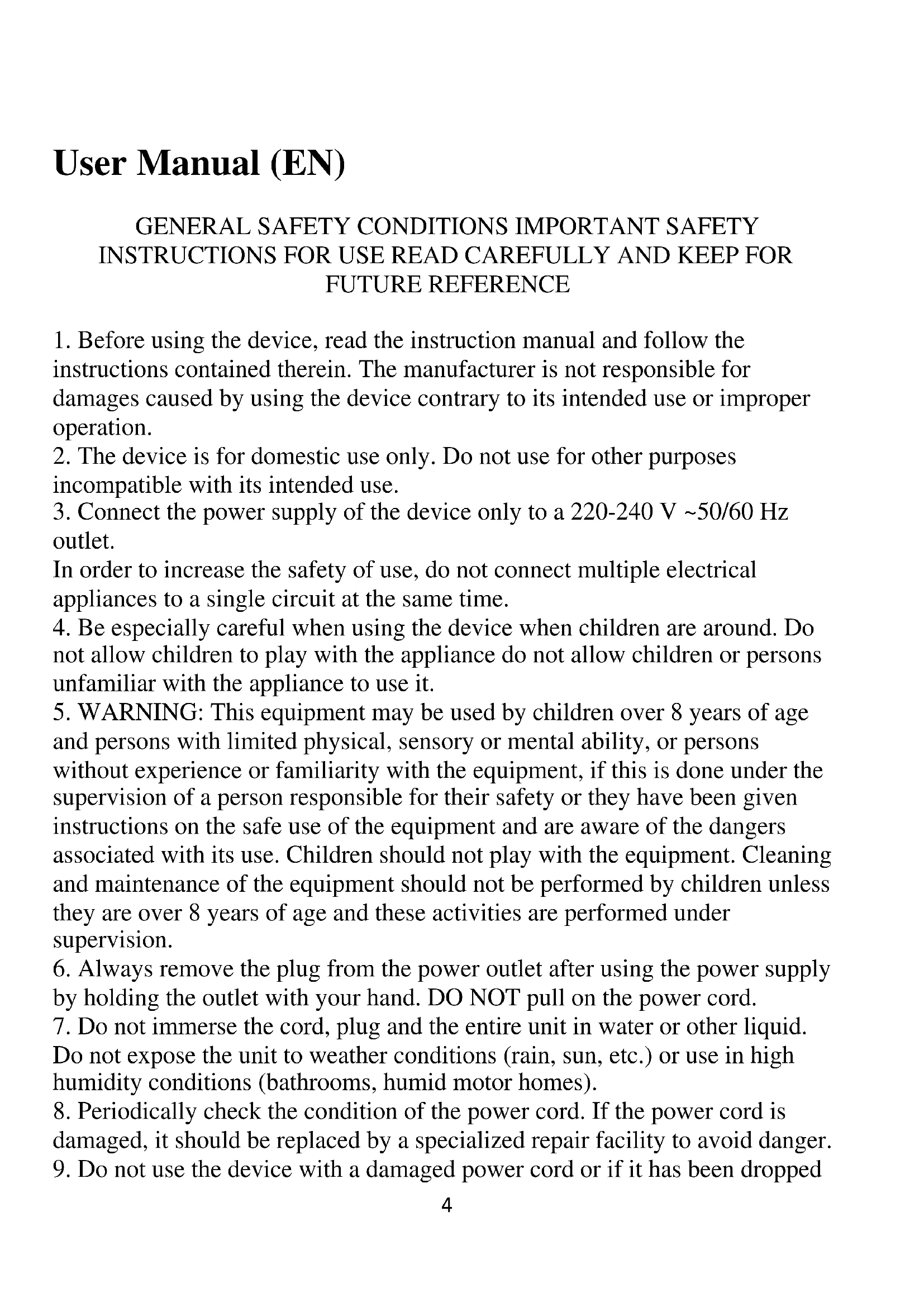
GENERAL SAFETY CONDITIONS IMPORTANT SAFETY INSTRUCTIONS FOR USE READ CAREFULLY AND KEEP FOR FUTURE REFERENCE
- Before using the device, read the instruction manual and follow the instructions contained therein. The manufacturer is not responsible for damages caused by using the device contrary to its intended use or improper operation.
- The device is for domestic use only. Do not use for other purposes incompatible with its intended use.
- Connect the power supply of the device only to a 220 - 240V 50 / 60Hz outlet.
In order to increase the safety of use, do not connect multiple electrical appliances to a single circuit at the same time.
- Be especially careful when using the device when children are around. Do not allow children to play with the appliance do not allow children or persons unfamiliar with the appliance to use it.
- WARNING: This equipment may be used by children over 8 years of age and persons with limited physical, sensory or mental ability, or persons without experience or familiarity with the equipment, if this is done under the supervision of a person responsible for their safety or they have been given instructions on the safe use of the equipment and are aware of the dangers associated with its use. Children should not play with the equipment. Cleaning and maintenance of the equipment should not be performed by children unless they are over 8 years of age and these activities are performed under supervision.
- Always remove the plug from the power outlet after using the power supply by holding the outlet with your hand. DO NOT pull on the power cord.
- Do not immerse the cord, plug and the entire unit in water or other liquid. Do not expose the unit to weather conditions (rain, sun, etc.) or use in high humidity conditions (bathrooms, humid motor homes).
- Periodically check the condition of the power cord. If the power cord is damaged, it should be replaced by a specialized repair facility to avoid danger.
- Do not use the device with a damaged power cord or if it has been dropped
or damaged in any other way or malfunctions. Do not repair the device yourself, as there is a risk of electric shock. Take the damaged device to a competent service center for inspection or repair. All repairs may be carried out only by authorized service centers. Improper repair may cause serious danger to the user.
- Do not use the device near flammable materials.
- The power cord must not touch hot surfaces.
- Do not leave the power supply plugged into an outlet unattended.
- To provide additional protection, it is advisable to install in the electrical circuit, a residual current device (RCD) with a rated residual current of not more than 30mA . In this regard, you should consult a specialist electrician.
- Do not allow the motor part of the device to get wet.
- Use indoors or inside the car.
- Do not use the vacuum cleaner to collect any substances including flammable ones
- Do not vacuum sharp-edged objects (such as glass shards).
- Do not point the suction tube of the vacuum cleaner towards other people or animals.
- Use only accessories designed for this device.
- Be especially careful when vacuuming up stairs, take care of your safety.
- Do not block any ventilation holes of the vacuum cleaner.
- Do not run the vacuum cleaner without the filter in place.
- Do not vacuum dust and construction debris, residue from such debris will immediately void the warranty.
- Do not leave the device unattended during operation.
- Always disconnect the unit from the power supply if left unattended, and before folding, unfolding or cleaning.
- Always turn the device off with the button before unplugging.
- WARNING: if the washing tip is stepped on the power cord from another appliance, there is a danger of damaging the cord and causing a short circuit in the electrical system.
- WARNING: use only the original supplied power adapter with model: YNQX12G265050VL
- WARNING: the unit uses a lithium-ion battery. Use only the original battery pack.
- WARNING: charge the battery pack only with the charger supplied with the product.
- WARNING: keep the battery pack out of the reach of children. The battery
pack should not be heated, opened, punctured, destroyed or thrown into a fire. 32. Old depleted or used batteries should be removed from the device and disposed of or recycled in accordance with national waste disposal regulations.
Device Description: (handheld vacuum cleaner)
-
Battery status
-
Dust cup release button
-
Dust cup
-
Tube release button
-
WAND
-
Electro brush release button
7.Electro brush
-
Turbo button
-
Button ON./OFF.
-
Battery release button
-
Rechargeable battery
-
Button for emptying the dust container
-
2-in-1 upholstery brush
-
Long crevice brush
-
Power adapter
-
Wall bracket
-BATTERY
Insert the battery into the bottom of the device, when correctly installed, you will hear a connection sound. Pay attention to the direction. (FIG. 1)
Folding the dust container
First, insert the lower plastic chip into the hole in the main part, and then lock the upper cover with the upper lock in the main part. (FIG. 2)
CONNECTING THE BRUSH
Connect the upper part of the brush to the suction hole of the vacuum cleaner or pipe when properly installed, you will hear a locking sound. (FIG. 3)
CONNECTION TO THE PIPE
Insert the upper end of the pipe into the main opening of the dust container and you will hear a locking sound (FIG. 4)
Connecting the electric brush and vacuum cleaner
Insert the top of the electric brush into the main opening of the dust container (fig.5)
- Connecting the accessory brushes to the main machine
Insert the accessory brushes into the main opening of the dust container or vacuum cleaner tube (FIGS. 6,7)
LOW SPEED, HIGH SPEED, OFF
Press the On/Off button to turn the unit on/off. (9)
Use the TURBO button (8) to change from low speed to high speed.
Charging the vacuum cleaner
Use only the original charger/Adapter.
Plug in the adapter, when charging, the light will turn red, when the battery is charged, the light will turn blue
Batteries can be charged independently or in the device.
Clean after each use
Press the dust container release button (2) to release the bottom of the dust container (3), then press the bottom button to release the lower dust container cover(FIGS. 9,10). It is recommended to clean the dust container after each use.
Cleaning the dust container
a) Press the button to release the lower dust container cover to eject the dust (FIGS. 9, 10)
(b) Remove the filter, as shown in FIG.14, and clean or replace it. (FIG.11)
(c) Clean the filter under running water and dry it under sunlight. Contact your dealer to purchase a new filter. Filter
Cleaning the electric brush
- Switch the lock on the back of the brush. (FIGS. 12,13)
- Remove the bristles from the brush (not washable).
- After cleaning, reassemble the brush bristles and lock.
Note
After a certain period of use, the brush may become jammed with hair or something similar. You must clean it regularly to keep the machine running efficiently.
Technical data:
Voltage: 22,2 V. Battery type: Li-Ion Battery capacity: 2200mAh
Nom. motor power: 120W
Max. Motor power: 250W
Charging time: about 5 hours
Power supply input: 220 - 240V 50 / 60Hz0.5A
Adapter output: 26.5V = 0.5A
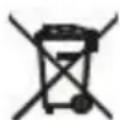
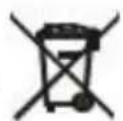
For the sake of the environment. Dispose of cardboard packaging and polyethylene (PE) bags in the appropriate containers for separate collection of municipal waste according to their description. If there are batteries in the device, remove them and separately return them to the collection and storage facility. Return the used device to a suitable collection and storage facility, as the hazardous substances in it may pose a threat to health and the environment. The marking on the product indicates that the device should not be disposed of in the container with municipal waste. Waste electrical equipment, is waste that contains substances harmful to humans, animals and the environment. These substances can lead to contamination of the soil, water or air, and through this they can enter the human body and lead to numerous health ailments, such as vision, hearing, speech disorders, they can also damage the kidneys, liver and heart, and cause skin diseases. Harmful substances can also have adverse effects on the respiratory and reproductive systems and lead to cancerous changes. Consumption of plants growing on the complained of soils, and products made from them may risk the above-mentioned health effects. Do not dispose of the device in the municipal waste container!!!
Service If you wish to purchase spare parts or report any complaints, please contact directly with the seller who issued the receipt.
HN3KARCKOPOCTb,BbICOKARCKOPOCTb,BbIKJIOUeyHO
HaKMHTe KHOITK BY BKIOUcEHn/BBIKIOUcEHn, YTO6bI BKIOHHTb/BBIKIOUHTb yCTpOICTBO. (9)
NcnoJIb3yIte KhoIIky TURBO (8) npepeKIOHc Hn3KoCkOpcTH Ha BbICKOYIO.
3apraKa IIIEcoca
HcnoJb3yIe ToJIbKO opRnHaJIbHOe 3apAnHOe ycTpoHcTBo/aanTep.
IIOKJIOHTe aIaITep, BO Bpem 3apAaHn HnHKaTOp 3aropHTcKaPacHbIM, KOrJa aKKyMyJrTOp 3apAHTcR, HnHKaTOp cTaHET CHHM
AkkMyJITOpbIMOxHO3apKaTb caMOCToTeJIbHO HJH B yctpoNCTBe.
OuHuaTe HocJIe KaKJIOrHOHCIOJB3OBaHHN
HaKMHTe KHOIIky OCBO6KJdeHnKoHTeHepa IJIy IIbIIN (2), YTO6bI OCBO6OHTb IHO KOHTeHepa IJIy IIbIIN (3), 3aTeM HaKMHTe HnKHHIO KHOIIky, YTO6bI OCBO6OHTb HnKHHIO KpbIIIKy KOHTeHepa IJIy IIbIIN (PHC.9,10).
PekomcHcyTcOuHtTaB KOHTeHep IJIa IIbIINIOCJIe KaKJIOrHOHIOJB3OBaHH.
OuHcTKa KOHTHepe IINI HbIIN
a) HaKMHTe KHOITky, YTO6bI OCBO6OINTb HNKHIOK PkHIIKY KOHTeHepa IIN IIbIIN N BbIbPocHTb IIbIb (PNC. 9, 10)
(b) CHHMHTe _HbTp KaK IOKa3aHO Ha PNC. 14, IN OHCTHe HIN 3aMeHHTe erO. (PNC. 11)
c)ПромоиTeФньтпОДпpoToHоВОдиНБычИnte erOПОД coJIHeuHbIMN JIyamn.ДЯ пнобpeTeHHЯ HOBOrФньтpa obpaHTecb K cBoemy dIlepy.MoДьФньтpa:AD 7044.1
OuHcTKa cHIOBOI uETKn
1.Пepeклioчnte 3amok Ha 3aДнeI CTopoHne IETKN.(PNC.12,13)
2. CnHmnte ⅢeTnHy co ⅢeTKN (He MoIrTe).
3. IocJIe OuHcTKn yCTaHOBHTe IIeTHHKn H 3aMOK Ha MecTo.
BHHMaHHe
IocJIe OIIpeJIeJIeHHoro IIepHOJa HcIOJIb3OBaHnI IeTKa MoKET 3aBHTbcra BOJIOcAMn HIN Yem-TO IOIO6HbIM. YTO6bl MaIHHa pa6oTaJa 3ΦΦeKTTHBO, Heo6XoIhMo peYJlrpHO ee UHCTHTb.
TexHHueckne daHHbIe:
HapjkeHne: 22,2 V. TnI aKKMyJITopa: Li-Ion EMKocTB aKKMyJITopa: 2200 mAq
HOMHaJIbHaMoIIOHOCTb DBHrAteJIa: 120 W.
MaKc.MoHIOCTb IBnIaTeJIa:250W.
BpMa 3apJKN: oKOJIO 5
Bxoi3JIeKToPiHTaHn:220-240B\~50/60Γu0,5A.
BbIXoJ aIaIITepa: 26,5 B-, 0,5 A

B ceJax oxpaHbI OKpykaIoSe cpebl. KapToHHyU ynaKOBky n noJIaTnIeHOBbIe (13) naKeTbI cIeDyET Bbl6paCbIBaT B COOTBeCTByIOUSe KOHeHepbl dla pa3dJIbHO rOcbopa 6bITOBbIX OTXODOB V COOTBeCTBm CHX ONICAHMe. EcIn B npi6ope ImEOTc8 bATapeu, ux Heo6xOIMo I3BLeueh N yTNIN3npOBaTB OTJeBHO B nyHKTe c6opa n xpaHEnH.NcNoJIb3OBAHHbI np6Op Heo6xOIMo cdaTb B COOTBeCTByIOUnn pYHKr c6opa n XpaHEnH, TaK Ka CoDEpKaUneC8 B HEm OnaChbIe BeUeCTBa MOyT PpeCTABJIb T yRPO3y DnA 3dOpOBbI IN OKpykaIoSe cpebl. MapKnPobKa Ha n3deHN yKa3bIBaEt HA TO, YTO np6Op HeJIb3BbIbPaCBtB KOHeHep dl6bITOBbIX OTXODOB. OTPa6OtaHHoe 3JIeKTPOO6OpUDOBAHne - 3TO OTXoDbI, CoDEpKaUneBEUcTBa, BpeHbIe DnA YelOBeka, JINBOTbIX N OKpykaIoSe cpebl. 3TN BeUecTBa MOrYT 3aqr3Hr8b NOUY, BOyN IINI BO3dyX, Upe3 KOTOpble OH N MOYr nonactb B opraHn3M qeLObEka I npNBecTI K pry np6Ie Mo C 3dOpOBbeM, TaKx Ka KxyUdSeHne 3peHn, Clyxa, peu, MOrYT TaKxe IOBpeNTb NOUY, neeyb N cepdZe, Bbl3BaTb KOxHbIe 3a6OleBaHHa. BpeHbIe BeUecTBa TAKKe MOrYT OKa3bIBaT HeraTHBHOe BnIAHne Ha DblxATEbHyIO npnpOdyKTUBHYO cnCTMbI IN PnBOIDMbK paKOBbIM I3MeHEHnM. Ynotpe6JIeHne paCTEHN, paCTuix HA nopajKeHHbIX NOvBax, IN pOdyKTOB, I3r0TOBLeHHbIX I3 HNX, MOKeT npNBecTI K BblweynOMaHTbIM NocIeDCTBnAM DnA 3dOpOBbI. He Bbl6paCbIBaTe o6OpUDOBAHne B KOHeHep dl6bITOBbIX OTXODOB!
CepBnC Ecn BbXOTnTe npno6peTn 3aIacHbIe qactn nn y Bac eCTb KaKne-ln6o npeTeH3nn, noKaJyIncTa o6paauTecb HEnocpeDCTBeHHO K npOdaBcy, BbIaBWeMy YeK.
ALHAINEN NOPEUS, KORKEA NOPEUS, POIS PÄLTA
Kytke laite pälle/pois pälä painamalla On/Off-painiketta. (9)
LAG HASTIGHET, HOG HASTIGHET, AV
HNUCKA CKOPOCT, BNCOKA CKOPOCT, H3KJIOUHEHO
HaTnCHHe 6yToHa 3a BKJIOUBAHe/H3KJIOUBAHe, 3a Ja BKJIOUHTe/H3KJIOUHTe ypeJa. (9)
H3IOJI3BaIte 6yToHa TURBO (8), 3a Ia IIpeBkIIIOuHTe OT HnCKa ckopoCT Ha BnCOKa ckopoCT.
3apeKdaHe Ha npaxocmyKaKaTa
H3noJ3BaIte camo opnHHaJIHO 3apJHo yctpoHcTBo/aanTep.
BkIIOueTe aIaItepe, IOKaTO 3apeKdaTe, INIIHKaTOpbT IIe CBETHe B UepBeHo, a KOraTo 6aTePnTa e 3apeJeHa, INIIHKaTOpbT IIe CBETHe B CHHbo
BaTeHnTe MoarI da ce 3apeKdAT caMoCToRteJIHO HIN B yCTpoHCTBOTo.
Почнстваite cIeД BCЯ yIOTpe6a
HaTnCHHe 6yToHa 3a ocBO6oKdAbaHe Ha KOHTeHepa 3a npax (2), 3a da ocBO6OJnte JoJIHaTa Yact Ha KOHTeHepa 3a npax (3), cJeI KoETo HaTHcHeTe JIoHHra 6yToH, 3a da ocBO6OJnte JoIHnra KaIak Ha KOHTeHepa 3a npax (Φnr. 9, 10). IpeOpbYBa ce KOHTeHepbT 3a npax Da ce NocCTBa cJeI BcRA yIOtpe6a.
IIOHCTBaHe Ha KOHTeHepa 3a npax
a) HaTHCHETe 6yToHa 3a OCBO6OJKDaBaHe Ha IOJIHHa KaIaK Ha KOHTeHepa 3a IIpaX, 3a Ia H3XBpJIHTe IIpaXa (ΦHr. 9, 10)
(6) H3BaIeTe ΦHITbpa, KaKTo e IOKa3aHO Ha ΦHr. 14, H rO IIOuHcTe He HIn cMeHeTe. (ΦHr. 11)
B)Почнстeteфнгьра ПОД Teчаша BOДА И Г NOДсушete Ha cJIbHueBa CBetЛиHa. CBbpxeTe ce c BaIIHHa TbproBeII, 3a
Яд зakynITE HOB Фнгьр.МоДeл Ha Фнгьр:AD 7044.1
Почистваима MTOPHaTa YeТа
1.ПпевклioчeteКлioчалkaTaHa rБp6aHaЧeTkata.(ФИГ.12,13)
2.ИЗвадеTe KOCьмчетаТоТЧЕТКАТ(He MoTЯСеMHRT).
3. CJIeI IOUHCTBaHe cTIO6Te OTHOBO YeTHHHTe Ha YeTKaTn KIIIOyAJIkATA.
BHHMaHHe
CneI onpeenien HepnoH na ynoptpe6a cheKata Moke da ce 3aipbctn c KocmHn HHeIO NO6Ho. Tp6Ba Ia IIOHCTBAte peoBHO, 3a Na IOuIbpxkate ekeTNBHa pa60ra Ha MaHHHata.
Texnueckn daHHN:
Hapexen: 22,2 V. Tn6aepra: Li-Ion KanaTet Ha 6aepnra: 2200 mAh
HomHaJIHa MoIOHOC T Ha IBHrAteJIA: 120 W.
MaKc. MoIHHoCT Ha IbHraTeJIa: 250 W.
BpeMe 3a 3apeKdaHe: np6JnH3nteJtno 5 q
BxoJ3a 3axpaHbHe: 220 - 240V 50 / 60Hz0,5A.
H3xoHa aaantepa: 26,5V = ,0.5A
B INHTepec Ha OKoHaTa CpeJa. KapToHeHnTe ONaKOBn I NOnHeTnHeHOBnTe (PE) Top6nck Tp8bGa da ce n3XBpbIaBn B NOxOJaUte KOHeHepn 3a pa3dEJIHO Cb6npaHne Ha 6ntobN OtnaDbuCn CnopeD onncAHneto IM. Ako B ypeJa IMa 6atepn, Te Tp8Ba Da ce n3BaJrT I Da ce n3XbPrlT p3deJHo B cbOpBXeHne 3a Cb6npaHne I CbxpaHne. I3NoI3BaHnT ypeD Tp8Ba Da ce npedeAe B NOxOJaIO cbOpBXeHne 3a Cb6npaHne I CbxpaHne, Tb' KATO CbDbPkaUte Ce B Hero ONaCHN BeueCTBa MoRt da npedCTabJIbAR pNCK 3a 3dpabeTO I OKoHaTA CpeJa. MapKnpoBkATA Bbpxy npOdyKTa NOKa3Ba, ye ypeIbT He Tp8Ba Da ce n3XBpbIa B KOHeHepa 3a 6ntobN OtnaDbuCn. OTnaDbuIte OT eJeKtpuecko o6OpyDaBaHe ca OTnAbu, KOnTO CbDbPjXaT BWeEcTBa, BpeHN 3a Xopata, JINBOTnTE I OKoHaTa CpeJa. Te3n BeueCTBa Morat Da 3AmpcT NoVBata, BoDAta IIN Bb3Dyxa, a Upe3 TOBA Morat Da nonaDnat B OBeWknr OprAn3bM I Da DOBeDat Do peNiua 3dPaBocLOBn IpO6JIemN, KATO HApnpMeR hapuweho 3peHne, cnyx, roBOP, MORAT CbIoo TaKa Da YBpeJrT 6b6peUte, UepHnI dpo6 I CbPcTeO I Da npUnHrt KoxHn 3a6OJIraBaHn. BpeHNrte BeueCTBa MORAT CbIoo TaKa Da IMaT He6laorponrTHo Bb3DeiCTBne Bbpxy DnxATEHLATA n pePNOyKTHBnA tCnstema I Da DOBeDat Do paKOBn I3MeHeHHN. KoHCymaunraHa Ha paCTeHHN, paCTaIe N Bbpxy 3aceRHaTNe IOvBN, I Ha npOdyKTn, npOn3BeDeHn OT TRe, MOKe Da DOBeDe do ropecnomeHaTne nocleDiu 3a 3dpabeTo. He hXbPJIyIe O6OpyDaBaHeTO B KOHeHepa 3a bHTOBN OTnAbu!
CepBn3 Ako JeklaTe Da 3akynTe pe3epBn Yuactn NmN mMaTe HkaKbN OnilaKaBnA, MoJr ce o6bPheT dIpeKTHO KbM TbproBa, KoTo e n3dAn KacOBaTa 6eJxKa.
Brugsanvising (DA)
GENERELLE SIKKERHEDSBETINGELSER VICTIG INSTRUKTIONER FOR SIKKER BRUG LAES OMHYGGELIGT OG OPBEVAR TIL FREMTIDIG REFERENCE
LOW SPEED, HIGH SPEED, OFF
Da biste uključili/isključili urežaj, pritisnite dugme On. / Isklučeno (9)
Koristite TURBO dugme (8) da promenite brzinu sa niske na veliku.
Punjenje usisivaca
KoristiteismooriginalnPunja/adapter.
Ukljucite adapter, prilikom punjenja lampica ce postati crvena, kada se baterija napuni, svjetlo ce postati plavo
Baterije se mogu puniti same ili u uredaju.
Očistite nakon svake upotrebe
Pritisnite dugme za otpušanje kante za prasinu (2) da biste oslobodili dno kante za prasinu (3), zatim pritisnite donje dugme da biste otpustili donjiPoklopac posude za prasinu (SLIKA 9,10).Preporucljivo je ocistiti posudu za prasinu nakon svake upotrebe.
Ciscenje posude za prasinu
a) Pritisnite dugme da otpustite donjiPoklopac posude za prasinu da ispraznite prasinu (Sl. 9, 10)
b) Uklonite filter kao sto je prikazano na slici 14 i očistite ga ili zamenite. (SLIKA 11)
c) Ośistite filter pod tekucom vodom i osušite ga na suncu. Za kupovinu novog filtera, kontaktirajte svog prodavca.
Model filtera: AD 7044.1
Čišćenje elektricne Četke
- Ukljucite bravu na poledini Četke. (SLIKA 12,13)
- Uklonite dlacice sa cetke (ne pere se).
- Nakon ciscenja, ponovo sastavite vlakna Četkice i učvrstite ih na mestreu.
Pažnja
Nakon odreedenog vremena koriistenja, cetka se moze zaglaviti dlakama ili necim slicnim. Morate ga redovno cistiti da bi mašina radila efikasno.
Technicki podaci:
Napon: 22,2 V. Tip baterije: Li-Ion Kapacitet baterije: 2200 mAh
Nom. Snaga motora: 120W
Max. Snaga motora: 250W
Iobp3yBaHBeHa npHpyKHNTe YeTKn co rJaBHata MaHHa
BmTeTe Tn IprHpyKHHTe YeTKN BO rIaBHNOr OTbOp Ha caTOT 3a IIpaB HIN UeBkata 3a IIpaBOcMykaJIka (CJIHKA 6,7)
MAJIA BP3INHA, BHCOKA BP3INHA, ICKJIYUEHO
3a Da ro BKJyHTe/HCKJyHTe ypeIOT, npHTncHeTe ro KOnuTeo BkJyuHc. /NckJyuHc (9)
KopncTeTe ro konueto TURBO (8) 3a da ja npomeHnte 6p3HHata oJ MaJa Ha roJIema.
IoiHeBe Ha npaBocMykaIkaT
KopHeTe Ro cAmO opHnHaJIHHOT NoJHa/ajAnTep.
IpnKJIyYeTe Ro aJaITrepOT, Kora ce IIOJIHN, CBETIOTo Ke cTaHe IepBeHO, Kora Ke ce IIOJIHN batepHjata, CBETIOTo Ke cTaHe CnHO
BaTepeHHTe MoKe Ia ce IIOJIHaT cAmn HIN BO ypeIOT.
HOM. MoKHOCT Ha MOTOPOT: 120 W
MaKc. MoKHoCT Ha MOTopoT: 250 W
BpeMaIOJIHeIe:OKOJy5Yaca
Ble3Ha aIaIep 3a HanojyBaIbe: 220 - 240V 50 / 60Hz0,5A
H3JIe3 Ha aIaIaIITeP: 26,5V -, 0,5A
3a do6poTo Ha JxNBOTHa T CpeHnHa. KapTOHcKaTa aM6aJaxa N noJIeTINHecknte (PE) Kecn Tpe6a da ce 0pIaaT BO COOdBETn KOHTeJHepn HameHETn 3a CeJIeKTHBNO cO6paHbe HA KOMyHaJIHnot OTnAd BO corIaChOCT co HNBnOT OINc. Ako Ima 6bATEPN BO ypeDoT, Tne Tpe6a Da ce OTCTpaHAT n Da ce OJHeCAt BO MeCTo 3a cO6paHBe n cKlaDnPaHBe nOce6Ho. YNoTpe6eHNOT ypeD Tpe6a Da ce BpaTH BO COODBetHO MeCTo 3a cO6paHBe n cKlaDnPaHBe, 6nDejKn OnaCHNTe MaTePN 7to rN CoDPKm MoKe Da npETCTaByBaat 3a KaHa 3a 3dPabJeTo n JxNBOTHaTcpeHnHa. O3HaKaTa Ha npOn3BODoT nOKaKByA Deka ypeDoT He Tpe6a Da ce oPna Co KOMyHaJIHnot OTnAd. OTnAdnata eJIeKTPnHa ONpema e OTnAd KoJ CODPXn CyIcTaHcnn WTeTHn 3a LyfeTo, JxNBOTHHe n JxNBOTHaTcpeHnHa. Obne cyIcTaHcnn MoKe da DOBeDaT Do 3araDuYBaHe Ha NoUBAtA, BOdTa IIN BO3dyXOT, a Co ToA MoKe Da HabIe3aT BO YOBeKOTO
TeLo n Da IOBeaT Do 6pOJHn 3dpaBCTBeHn 3a6OlyBaHa, KaKo 1To Ce: HApUyBaHa Ha BnDoT, CInxOT n RObOpot, a MoKe Da IOBeaT n Do OSteYBaHe Ha 6y6pe3nte, UprHNO dpo6 n CpueTo, n IpeN3BnkyBaat KoxHH 60leCTn. 1TeTHnte MaTePmN, NcTo TaKa, MoKe Da nMaat HeratNBHe eΦeKT Bp3 PecnnpaTopHNOT n pePOnDyKtNBHnOT cNCTem n Da IOBeaT do pAk. NotpoUyBaUkata Ha paCTehnJa Kon PaCTaT Ha 6XkaJIeHNTe NOuBN n PpON3BOAn DObNeHn OD HNB MoKe Da npETCTABBya Pn3NK OJ TpeHaBeDeHNTe 3dpaBCTBeHn eΦeKTn. He 4pIajTe ro ypeDor BO KOHTeJHepn 3a KOMyHaJeH OTna!!. CepBnc Ako caKaTe da Kynite pe3epBn DeIOBn lnn da npNJabNTe KaKBn 6nlo nonlaKn, KOHTaKtnpajTe DInpeKTHo co pOdaBauOT KoJ ja n3DaI cmEtKaTa.
Korisnicki priručnik (HR)
OPCI SIGURNOSNI UVJETI VAZNE SIGURNOSNE UPUTE PAZLJIVO PROCTAJTE I CUVAJTE ZA BUDUCU REFERENCE
- Prije uporabe urežaja pročitajte korisnički prisćnik i slijedite upute sadržane u njemu. Proizvodac ne snosi odgovornost za štetu nastalu korištenjem urežaja protivno namjeni ili nestrćnim radom.
- Urešaj je samo za kućnu upotrebu. Nemojte koristiti u druge svrhe koje nisu u skladu s njegovom namjenom.
- Napajanje uredaja treba biti spojeno samo na uticnicu 220 - 240V 50 / 60~Hz Kako biste povecali radnu sigurnost, nemojte spajati vise elektricnih uredaja na jegan strujni krug u isto vrijeme.
- Budite posebno oprezni kada koristite uredaj kada su u blizini djeca. Djeci se ne smije dopustiti da se igraju s uredajem. Nemojte dopustiti da ga koriste djeca ili osobe koje nisu upoznate s njim.
- UPOZORENJE: Ovu opremu mogu koristiti djeca starija od 8 godina i osobe sa smanjenim fizickim, osjetilnim ili mentalnim sposobnostima, ili osobe koje nemaju dovoljno iskustva ili znanja o opremi, ako su pod nadzorom ili aka su dobili upute o tome kako koristiti opremu, upute o sigurnoj uporabi ureðaja i upoznati su s opasnostima povezanim s njegovom uporabom. Djeca se ne bi trebala igrati s opremom. Čišćenje i odžavanje ureðaja ne smiju obavljati djeca osim ako su starija od 8 godina i te se aktivnosti obavljaju pod nadzorom.
- Kad god zavrsite s koriistenjem napajanja, izvadite utikač iz uticnice držeci uticnicu rukom. NEMOJTE povlačiti kabel za napajanje.
- Nemojte uranjati kabel, utikač ili cijeli urežaj u vodu ili bilo koju drugu tekućinu. Ne izlažite urežaj vremenskim uvjetima (kša, sunce, itd.) niti ga koristite u uvjetima visoke vlažnosti (kupaonice, vlažne kućice za kampiranje). 8. Povremeno provjeravajte stanje kabela za napajanje. Ako je kabel za
micii. He harpiBaIte, He BiIkpNBAIte, He IpoKoJIIOHTe, He pyHnyTe Ta He KndaIte 6aTaapeIO y BOrOHB.
- Ctau p03pIzkeHi a6o BnKOpHcTaHi 6aTapei cJIiB BnHrTn 3 npncToPo Ta yTHJI3yBaTH a6o Ipepeo6HTN BiIOBiiHO Do NaioHaJIbHHx IIpaBNI yTHJIi3auii BiIXOJiB.
OINc IIpHCTpoIO: (pyHHN IINIOOC)
CnoaTky BCTaBTE HnKHeIO IJIaCTHKOBy MIKpOcxemy B OTBip B OCHOBHII YAcTHHI, NOTIM 3aΦiKcyIte BepXHIO KPHIIky BepxHIM 3aMKOM B OCHOBHII YAcTHHI. (MAJI.2)
IIITKOBE 3'CDHAHHN
IIpHnHaIte BepXHIO uactHy IITKN IO BCMOKTyBaJIbHOrO OTBOPy a6o Tpy6N INIOcoca. JKIO BCTaHOBJIeHO IIpaBnJbHo, BN IIouyETc 3Byk 6IOKYBaHHra. (MAJI. 3)
IIJKJIIOUeHHJIO TPYBNI
BcTaBte BepxHn KIneB Tpy6Kn B roJIOBHH OTbip KOHTeHepa IINy, i BN NoOyyeTe 3Byk 6IOKyBaHH (pnc.4).
IIikIIOUeHHeJIeKToPoiTtKN Ta IIIOOCa
BcTaBTe BepxHIO yactHy eJKeKtpHNoI ⅢitKn B roJOBHH O TBip KOHTeHepa IJIy (MaI.5).
IIikJIOeHHI OINOMIXHIX IITOK DO OCHBOI MaHHN
BcTaBTe DoaTKoBI uTKN B rOIOBHH oTBP KOHTeHepa IINIy a60 Tpy6Kn INIOcoCa (MAJI. 6,7)
HN3bKA IIIBNJKICTb, BHCOKA IIIBNJKICTb, BNMK
IIIO6 yBIMKHYTH/BHMKHHT npHCTpiH, HATHCiTB KHOIky VBIMK. / BNMK (9)
BHKOPHCTOBYIte KHOIIKY TURBO (8), 106 3mIHHT HIBKICTB 3 Hn3bKOI Ha BHCOKy.
3apraKaPiIIOcoca
BukopncrobyTe JnIe opHirnaIbHH 3apAHH npncptpi/aanTep.
PiKIOHTb aIaITep, iIac 3apJkaHHa iHnKaTOp 6yJe ropiTH eRBOHM, KOIN akymyTAOp 3apAHTbcra, iHnKaTOp cTaHe cnHIM
AkymyIITopn MoKHa 3apJkaTH caMoCTiINHO a6o B caMOMy IIpHcTpoI.
OuHuaTe nicJkoKHO BHKOpHcTaHH
HaHCHITb KHOIIky BNBiJIbHeHHa KOHTeHepa IINJy (2), 3IO6 3HrTH HNKeHIO qACTHy KOHTeHepa IINJy (3), a
NITIM HAHTCHIb HNXHIO KHOIIKy, II06 3BbHHTN HNXHIO KPNKky KOHTeHepa IINy (MAJI.9,10). PekomeHdyetbcry ONUuATN KOHTeHep IINy IINy IINy KOxHORO BHKOpHCTAHH.
OuHHeHHKoHTeHepaIINJy
a)HaTnCHiB KhoNkU, 3o6 3HHT HxKHIO KPNKU KOHTeHepa IJI INJy, 10
b) 3HIMITb fiIbTp, kN IOKa3aHO Ha MaJI. 14, i OYNCtITb a6o 3amHITb Horo. (MAJI.11)
c) OuHCTIb iJbTp IIpIpoTOHOIO BOIO IO Ta BnCyIIITb HOrO Ha COHAcHOMy CBiTJI. IIO6 IIpHIDaTH HOBNI IJbTp, 3BepHIbca IIO cBOrO dInIepa. MoJeIb iJbTp:a: AD 7044.1
OuHHeHH eJKeTpoiTKn
- IepemKHITb 3aMOK Ha THJIbHIi cTOpOH iIitKN. (PNC. 12,13)
2.3HIMITbIeTHHy 3i IIITKN (He MoKHa MHTN).
3.Пиячшенизову 36epiBtIeTNHy IITKN Ta 3aФikcyiTe II Ha Micii.
YBara
IicJy nepioDy BHKOpHCTAHN MaKc MoKe 3acTprTH BOIOccm a6o IIocb IIOi6He. Noro IOTpi6Ho peryJrphO qHTTN, IO6 MaIIHn IpaIIIOBaJIa eEkeTNBHO.
Texhii dani:
Haipyra: 22,2 B. Tnπ akymyjTopa: Li-Ion cMnicb akymyjTopa: 2200 mAr
Hom. IOTyXHicThb DnHyHa: 120 Bt
MaKc. IOTyXHicTb IBnHyHa: 250 Bt
Yac 3apJIKH:6JIN3bKO5rOHH
BxiI aIaITepa KHBJIeHHN: 220-240 B 50/60 Iu 0,5 A
Buxi aandaTepa:26,5 B-,0,5A

3apadn doBklnna. KapToHny ynaKOBky Ta nonietnleHObi (Ie) naKeTu BnKnDaTu y BiDnOBiDiN KOHTeHepn, npn3NaueHi dIy CeIeKTHBHO 36Opy no6yTOBnx BiXoJIB BiNobIDNo do ix onncy. RaKIoB B npncTpoI e 6aTaapei, iX cnId BnHrTu Ta yTNl3yBaTu OKpeMo Ha nyHKTI 36Opy Ta 36epirAHnn.
BnKOpncTaN npncpti cnid noBepHytn do BiDnOBiDHoro nyHKTy 360py Ta 36epirAHn, ockIbKn Hebe3neuHi peOBNHn, kI biN miCTntb, moKytb cTaHOBNTn 3aRpo3y 3dopob'IO Ta HABKOJIshbOMy cepeoBnuSy. MapkyBaHHa Ha BnObi BkA3yE Ha Te, 10 npncptri He MOxHa BnKDaTn 3 nobYTOBmni BixOamn. BiXODn eJeKtpoo6laHaHHa - ce BiXoOn, kI MiCTaTB WkIdInBi dJa IIODei, TBapNH i HABKOLINHbOrO cepeoBnuSca peOBOHN. Ll peOBOHN MoKytb np3BeCTn Do 3a6pydHeHHa rpyHTy, BOHN qN NobITp, a OTKe, MOKyTB NOTpaNTn B opraHizM liOOnHn Ta np3BeCTn Do YNCLeHHNX 3axBOPOBaHB, TAKNX J: nopuyeHn 30py, Clyxu Ta MOBu, a TAKOX MOKyTB np3BeCTn Do NtPOKdoJHn HnpOK, neiHKn Ta cepz, i Bnklnkaotb wkpH i 3axBOPOBAHn. WkIdInBi peOBOHN TaKoK MoKytb MaTH HeaTNBn BnINb Ha DnxAlbHy Ta pePnoDyKTNBHy CNCTemN Ta np3BOHTn Do paky. CnoKNaHH poClnH, 10 poCTyB Ha OCKapJcHex n rpyhtax, i npodyktB, OTPMaHnx 3 Hx, Moke cTaHOBNTn pN3NK BNIe3a3NaueHx HacIqkIB dIy 3dopOB'. He BnKnaiTe npncptri y MyHicnPabHI KOHTeHepr!!
Cepbic Kxio Bn 6aKaTe npuDbaTn 3anuaCTHn a6o NobiOMTu npo 6yDb-ka Ckapri, 3B'jKITbc8 6e3nocepedHbo 3 npodabcem, kN Bnuabuek.
yntcbo 3a ynoTppe6y (SR)
ОПИITN YCЛOBи BE3БЕДHOCТи BAXHA BE3BEДHOCHA YIYTCTBA ПАЖьИВО ПЮЧNTAJTE И CAчYBAJTE 3A БУДУнE PEФЕРЕНUE
- Пpe уnotpe6e ypehaja, почитajte уntcTBO 3a уnotpe6y И слдпу уNTcTba caPkaHa y HeMy. ПрнЗBohau Hnje OIOBopan 3a IITeTy IIPOy3pOKOBaHy yIOTpe6om ypehaja cyIpOTHO HeEROBJ HaMeHN HJIN HeIIpaBNJIHIM paIOM.
- Ypehaj je camo 3a kyhny yIIOrpe6y. HeMoJTe KOpHCTHTN y 6nIIO Koje Ipyre CBpxe KoJe HNCV y cKJIaDy ca HBeROBOM HAMEHOM.
- Hanajahe ypehaja Tpe6a Ia 6yJe IIprKJbUyeHo cAmo Ha 220-240 B 50 / 60 X3 yTHHnIy.
Да бисте повehали снгурноу paу, НемоJTЕ ИстOBpeMeHO ПОBEЗИВАТН ВИSi eJIeKTpHnX ypehaja Ha jeДHo KoJIo.
4. Bynte noc6Ho onpe3Hn KaJa KOpncHTe ypehaj KaJa cy JeHa y 6JIn3HHn. He 6n Tpe6aIIO IO3BOJInTH IeIa Ce Hrpajy ca ypehajem. HemojTe IO3BOJInTH DeIIN HJN OcO6ama KoJe HNCY YINO3HaTe ca ypehajem.
5. YIIO3OPEHbE: OBy onpemy Mory KOpHCTHTN Dea cTapnja od 8 roJHa H oco6e ca cMaJIbeHIM N3HcKHM, ceH3OpHMM HeJMeHTaJIHMM CIOOC6HOCTHMA, HJIN ocO6e Koje Hemajy NCKycTBa HJIN 3HaBa O OIIpeMn, aKO cy IIOJ HaI3OpOM HJIN cy HM JATA yIYTCBA O TOME KaKO Ja KOpHCTHTe OIIpeMy H YIyTcTBa O 6e36eJHOJ yIIOTp6bN ypehaja H CBecHN OIIacHocTH Koje cy IIOBe3aHe ca HBeROBOM YIIOTp6bOM. JeIa He 6N Tpe6aJIO da ce Igrpajy ca OIIpeMOM.
Ynshhe H oipkaBaHe ypehaja He 6n Tpe6aJIO Ja 0abJbajy DeHa OcHm aKo Hncy cTapna OI 8 rOINHa H OBe aKTHBHOCTN ce 0abJbajy IOD HaI3OpOM.
- KaI rOJ 3aBpIInTe ca KopHIIeHbem HaIajaHa, H3BaIInTe yTnKaU n3 yTHnHnE npKeHN yTHnHnU pykOM. HE ByIInTe ka6JI 3a HaIajaHe.
- He ypaJIaJTe Ka6JI, yTnKaU nJIH IeO ypehaj y BoIy nJIH 6nJIo KoJy IpyTu TeuHocT. He n3JIaJXHTe ypehaj BpeMeHcKHM ycIOBbMa (KNIIa, cyHHe, HTI.) HHTN rA KOpHCTHTe y ycIOBbMa BHCoke BJaJXHOCTH (KynaTHJa, BJaJxHe KaMIOBe).
- Повремно поверайтсаиke ka6la 3a habajbe.Ако je ka6JI 3a habajbe oItehen,Тpe6a ra 3amEnTHy cIeHnjaJIN3OBaHOM cepBnCy KaKO 6N ce H36eJIa OIIacHOCT.
- HemojTe kOpncTHTn ypehaj ako je ka6JI 3a haPiajaHe oIITeHEn, aKO je Iao IIN OIIteHEn Ha 6NIIO KoJn HauHH, IIN aKO He paAn HOpMaJIHO. HemojTe camN IIOIIpaJBbATn ypehaj, jep To MoKe IOBecTHn Do cTrpyjHOr yIapa. ODNecHTe OIITEHEnypehaj y ODIROBapajyHn cepBHCn UeHTap Ha IIpeJIeI INIIN
ПОП paBky. CBe ПОП paBke cMejy Да оБаBJajy caMo OBJaIIHHeHcepBnCn. HeIpaBnJIHo o6aBJbeHe ПОП paBke MOry IpeIcTaBJaTH O36HJbHy IpeTBy 3a KOpHcHnKa.
- He koprncntte ypehaj y 6JIH3HH 3aIIaJbHBHX MaTeprnjaJa.
- Ka6JI 3a HanajaHe He cme Ia IoIpyje Bpyhe IOBpiHHe.
- He ocTaBJbajTe haIajaBe yKJbUyeHo y yTnHnIy 6e3 HaI3opa.
- Да би ce обeзбeДиla ДОДaTHa 3aIITNa, пeпорчьнBo je дa ce y eJIeКтpruHо КОЛу угади 3aIITHTNуpe Haj (PIД) ca Ha3NBHom pe3nДуajHOM cTpyjOM Koja He ПeJa3N 30 mA. Y Tom ПОглeДу, obpaTHTe ce cПeИиJaJINCTHcKOM eJIeKtpruApy.
- He Do3BOJIInTe Ia ce MoToPnI Deo ypehaja NOKBaCn.
- KopnCTHte y 3aTBopeHOM IpoCTOpy HJN y ayTomO6NJy.
- HeMoJTe KOpHCTHTn yCnCnBaU 3a CaKyIJaIbe 6HJIo KaKBHX cyIcTaHIN, yKJbYuJyJhN H 3aIIaJbNBe
- He ycncabajte IpeImTe ca OHTpHm HbHama (Hnp. KpxOTHe cTaKJa).
- He ycmepaBajTe ycncHy IeB ycncBaHa Ka IpyTm JbUIMa HJIN KHBOTHbMa.
- Kopncntte cmo IoataHy onpemy n3ajHnpaHy 3a obaj ypehaj.
- Bydnte Iooce6Ho oInpe3HN KaJa ycHcBaTe cTeIIeHHIe, BoIHTe paUHa o Cbojoj 6e36eIHocTn.
- HemojTe 6JIOKHpTH HnjeHaH OJ OTBopa 3a BeHTNJaIuJy ycncBaaya.
- HemojTe IOKpeTaTH yCnBau 6e3 fNJItepa Ha MeCTy.
- He ycncabajte npaunny n rpaheBnHcke ocTaTke, ocTaun OBe BpcTe KOHTAMHaunje he oDmax IOnHHITn rapaHunjy.
- He octabjaje ypehaj 6e3 haizopa TOKOM paia.
- YBek NCKJbUHTe ypehaj n3 HApajaBa KaJa HeMaTe HaI3Opa I Ipe caCTaBJaBa, paCTaBJaBa nIiN YuIIHeBa.
- Ппс Hero ИTO ИЗБуЧеTe yTHКач ИЗ yTHЧИиe, уВЕК ИСКJBуЧITE ype Hajnomо hy ДуГмета.
- YIIO3OPEHbE: ako Bpx 3a IIpaIbe IIpeHe IIpeKe Ka6JIa 3a HAnajaIbe IpyToI ypeJaja, IocToJn OIIacHocT OJ OIITeHeBa Ka6JIa N H3a3HbAba KpaTKoR cNoja y eJIeKTPnUHOJ HHcTaJIaIuJn.
- YIIO3OPEHBe: KOpHcTHTe cAmO opHrHaJIHN IIpHJIOJKeHH MoJeJI HaJaBa: INHKKC12Γ265050BJI
- YIIO3OPEHbE: Ypehaj KOpNcTn JIITnJyM-jOHcKy 6aTePnJy. KopNcTHTe camo opHnHaJIHy 6aTePnJy.
-
YIIO3OPEHbE: BaTepejy Tpe6a IyHHTN cAmO IyBaueM KoJn je IcIopUyeH ca IIpoH3BODom.
-
YIIO3OPEHbE:ДржITEбаTepyВанДOMaIIajaДeи. HeMoJTe 3aIpeBaTH,OTbapATN,6yIHTN,yHNIITaBArN HJIIN 6aIaTH 6aTepy y BaTpy. 32.Ctape nCTpoIeHe HJIN KOpIiIeHe 6aTepyJe Tpe6a yKJIOnHTn H3 ypeJaja N OJIIOJHTN HJI IN peIHKJIInpaTH y cKJIaIy ca HaIIOHaJIHNm IprOIIncMa O OJIlaRaBy OTIIaJa.
Onncypehaja: (pyuHn ycHcHbU)
YKJIbUHTe aIaITep, KaIa ce IyHn, CBeTIO he IocTaTH UpBeHO, KaIa ce 6aTePHeJa HAnyHn, CBeTIO he IocTaTH IIaBO BatepeJe ce Mory IyHHTn came IIN yypehajy.
OuHCTHTe HAKOH cBAke yIIOtpe6e
IpHTHCHTE DyTMe 3a OTHyTHaBc KaHTe 3a IIpaIIHHy (2) Ia 6hCTe ocJIO6OJIHN IHO KaHTe 3a IIpaIIHHy (3), 3aTNM IIpHTHCHTE IOBc DyTMe Ia 6hCTe OTHyCTUIN IOBn IOKJIOIIa KaHTe 3a IIpaIIHHy (CJIHKA 9,10). IIpeIOppyyJe ce
Ia ouHCTHTe IocuLy 3a IpaunHy hakoH cBaKe ynoTpe6e.
YnHHeIe IocyIe 3a npaunHy
a) IIpHTHCHTE yrme da 6ncte OTNcTHIN DObH NOKIOIau Nocyde 3a npaHHy da 6nCTe Hcnpa3HHIn npaHHy (CJ. 9,10)
6) YKJIOHHTe HITep kao ITO je IIpHKa3aHo Ha cJIIN 14 N OHCTHTe Ra IIIN 3ameHHTe. (CJIINKA 11)
ii) OuHCTHTe HITep IOI TekyhOM BOJOM H OcyiHTe Ra Ha cyHUY. Ja 6HCTe KUHN HOBn HITep, KOHTaKTnpajTe CBOR npOdaIIa. MoJeI HITrep: A7 7044.1
UHHhebe eJKeTpHuHe YeTeK
- YKJbYHTe 6paBy Ha 3aIbOj cTpaHH YeTke. (CJI. 12,13)
- YKIOHHTe YeKNHe ca YeTKe (He MoKe ce npaTH).
- HaKoH YIiHHeBa, IIOHOBO cactaBHTe BJIaKHa YeTKHHe H 3aKJbUyajTe Hx Ha MecTy.
Tajka
HaKoH IepHOda yIOTpe6e, YeTKa ce MoKe 3aJIaBHTN IIaKaMa HIN HeHM cJInHMM. Mopate ra peIOBHO YnCTHTN da 6n MaIIHHa paIIJIa eΦHKacHo.
TexnueKIIoJaauN:
HaON: 22,2 B. TnI 6aTepeJne: JIn-IOH KaNaunTe 6aTepeJne: 2200 mAx
Hom. Chara MoTopa: 120B
MaKc. Chara MoTopa: 250B
BpeMe npbEba: oko 5 catn
Yla3 aIaITepe 3a HanaJaBaC: 220-240B 50/60X3 0.5A
Jillily jlll jlll 2.14
.0J111 J12 1J111 J12 15
Jauuulalalalalalalalalalalalalalalalalalalalalalalalalalalalal
(jlll)aalolgallc
1.28
jgllll lgl aannall cllalbogivul.19
xLw y 1, a 1y 8S all uikally dwl l 120
21
aill So jilll 2g y s d y l kll J 2.2
Jg 2.23
J.24
Aa aaa aaa aaa aaa aa aaa aaa aaa aaa aaa aaa aaa aaa aaa aaa aaa aaa aaa aaa aaa aaa aaa aaa aaa aaa aaa aaa aaa aaa aaa aaa aaa aaa aaa aaa aaa aaa aaa aaa aaa aaa aaa aaa aaa aaa aaa aaa aaa aaa aaa aaa aaa aaa aaa aaa aaaa
J 26
a 27
aJyS11 1
YNQX12G265050VL:J 28
btaa aaiy aaiy baae iiai. 29
jlll 30
7044.1 aaii jaiy jaiy jaiy jaiy jaiy jaiy jaiy jaiy jaiy jaiy jaiy jaiy jaiy jaiy jaiy jaiy jaiy jaiy jaiy jaiy jaiy jaiy jaiy jaiy jaiy jaiy jaiy jaiy jaiy jaiy jaiy jaiy
y
(12.13)
(J)
3
0
sllj jll jie bll pbliy aijl jg lai yy jil
jaii ci jia
2200 2200
120:
250
0.5 60/50\~240-220
0.5 26.5
PPE 10000000000000000000000000000000000000000000000000000000000000000000000000

Battery information (EN)
Important battery safety information
Improper use of the battery can cause electrolyte leakage, overheating or explosion. Released electrolyte is a source of corrosion and can be toxic. It can cause skin and eye burns; it is also harmful if swallowed.
To reduce the risk of injury:
- In the event of a battery leak, avoid contact of the leaking electrolyte with skin or clothing. - If electrolyte from the battery comes into contact with skin or clothing, immediately flush the area with water.
-
Remove old, depleted or used batteries from the device and dispose of or recycle them in accordance with national regulations for waste disposal.
-
Charge only with the charger supplied with the product or one suitable for the type of battery battery.
- Do not heat, open, puncture, destroy or throw batteries into fire.
- Do not touch the battery terminals with metal objects. These items may become hot and cause burns.
CHEMICAL COMPOSITION of the battery or rechargeable battery used: (Li-Ion) lithium-ion.
XIMMUEH CbCTAB Ha n3noJI3BaHaTa 6aTePnI nn akymyNaTOpHa 6aTePnI: (Li-Ion) JInTneBo-NoHa.
Batterioplysninger (DA)
For at reducere risikoen for skader:
a + b = 3.
-2 p 1 j 1 1 1 1 1 1 1 1 1 1 1
-2 1
Sj 11 j 11 j 11 j 11 j 11 j 11 j 11 j
1:Model identifier
2:Input voltage
3:Input AC frequency
4. Output voltage
5:Output current
6:Output power
7:Average active efficiency
8:Efficiency at low load (10%)
9:No-load power consumption
ES
( 0,8,12,16,20,24)
8:000000000000000
000306003863(10%)
9:0030000000000000
amabaaegaa
MK
1:ⅠdentnФнkaTOpHaMoDeNOT
2: HanOH Ha Bne3
3:BnE3HaΦpeKBeHunja Ha Bne3 AC
4:13ne3eH HANO
5:ɪnəeəHa cTpyja
6:13ne3Ha MOKHOCT
7:ПосячнаakTNBha eФИКаСHOCT
8: EΦικαςθος Πρη Σλαδ ΤΟβα (10%)
9:NotpoWyBaUkaHa eHepnja 6e3 onTobayBaHe