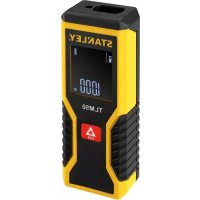
USER MANUAL TLM50 STANLEY
www.StanleyTools.com


Please read these instructions before operating the product
GB
D
F
1
E
PT
NL
DK
SE
FIN
NO
PL
GR
CZ
RU
HU
SK
SI
BG
RO
EE
LV
LT
TR
HR
8


B
natural_image
Technical line drawing of a mechanical component with a black arrow indicating a specific part (no text or symbols present)
1
2
natural_image
Line drawing of a rectangular electronic device with internal components and a central arrow (no text or symbols)
3
E
Contents
- User Safety
- Battery Safety
- Setup (Load Batteries)
- Operation
- Specifications
- Warranty
- Error Codes
Retain all sections of this manual for future reference.
User Safety

WARNING:
Carefully read the Safety Instructions and Product Manual before using this product. The person responsible for the instrument must ensure that all users understand and adhere to these instructions.

WARNING:
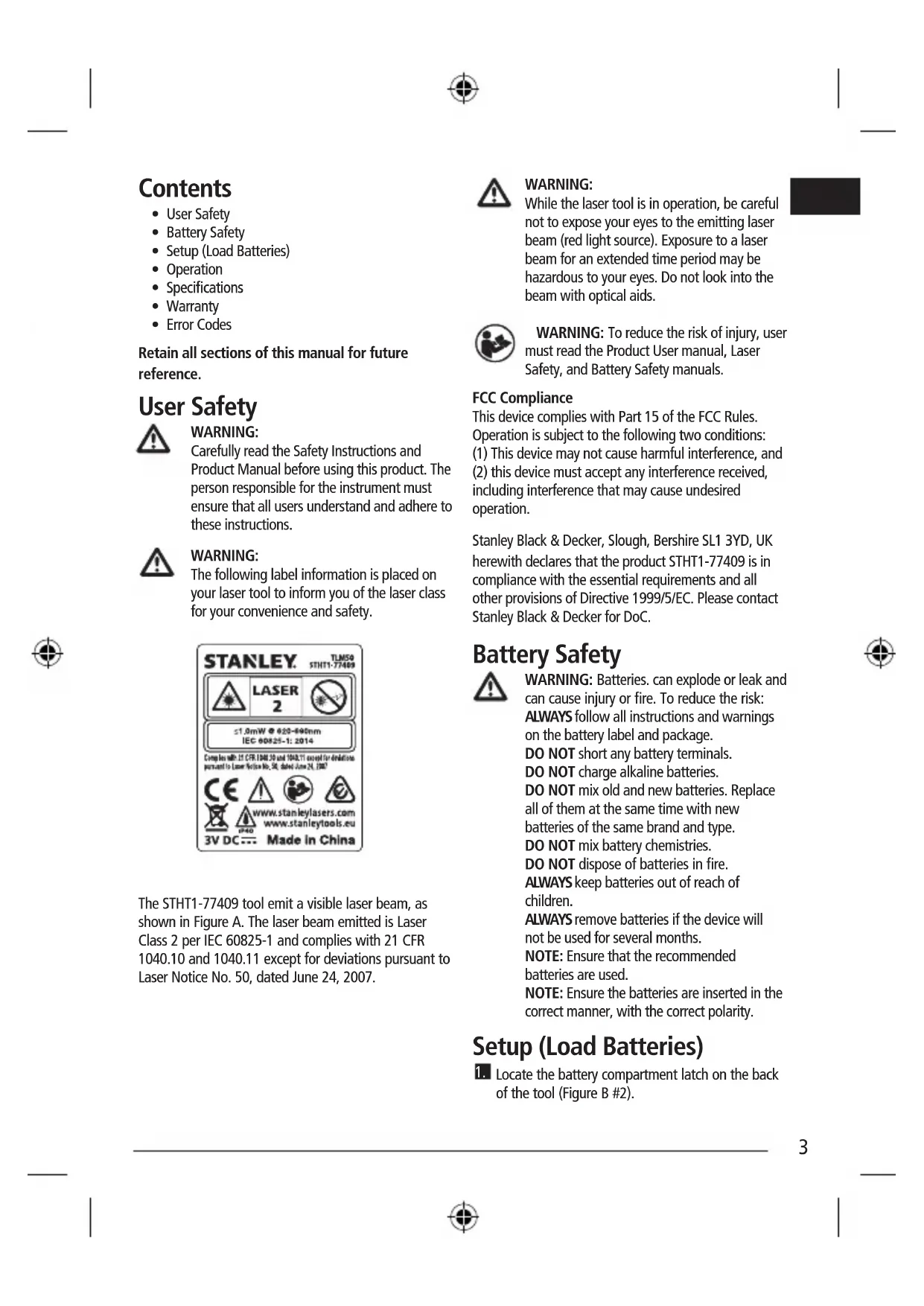
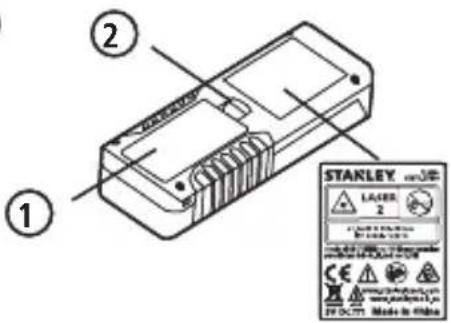
The following label information is placed on your laser tool to inform you of the laser class for your convenience and safety.
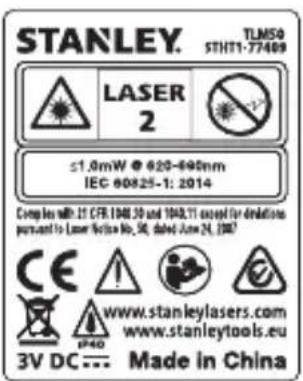
The STHT1-77409 tool emit a visible laser beam, as shown in Figure A. The laser beam emitted is Laser Class 2 per IEC 60825-1 and complies with 21 CFR 1040.10 and 1040.11 except for deviations pursuant to Laser Notice No. 50, dated June 24, 2007.

WARNING:
While the laser tool is in operation, be careful not to expose your eyes to the emitting laser beam (red light source). Exposure to a laser beam for an extended time period may be hazardous to your eyes. Do not look into the beam with optical aids.

WARNING: To reduce the risk of injury, user must read the Product User manual, Laser Safety, and Battery Safety manuals.
FCC Compliance
This device complies with Part 15 of the FCC Rules. Operation is subject to the following two conditions: (1) This device may not cause harmful interference, and (2) this device must accept any interference received, including interference that may cause undesired operation.
Stanley Black & Decker, Slough, Berkshire SL1 3YD, UK herewith declares that the product STHT1-77409 is in compliance with the essential requirements and all other provisions of Directive 1999/5/EC. Please contact Stanley Black & Decker for DoC.
Battery Safety

WARNING: Batteries. can explode or leak and can cause injury or fire. To reduce the risk:
ALWAYS follow all instructions and warnings on the battery label and package.
DO NOT short any battery terminals.
DO NOT charge alkaline batteries.
DO NOT mix old and new batteries. Replace all of them at the same time with new batteries of the same brand and type.
DO NOT mix battery chemistries.
DO NOT dispose of batteries in fire.
ALWAYS keep batteries out of reach of children.
ALWAYS remove batteries if the device will not be used for several months.
NOTE: Ensure that the recommended batteries are used.
NOTE: Ensure the batteries are inserted in the correct manner, with the correct polarity.
Setup (Load Batteries)

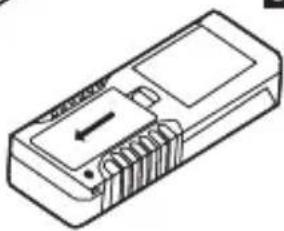
Locate the battery compartment latch on the back of the tool (Figure B #2).
GB
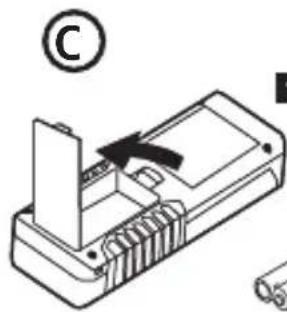
- Using your finger, pull the latch down to unlock and remove the battery door (Figure C #1).
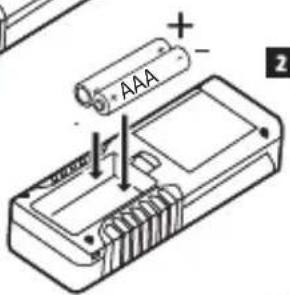
- Insert two AAA batteries, making sure to position the - and + ends of each battery as noted inside the battery compartment (Figure C #2).
- Slide the pins at the bottom of the battery door into the notches in the battery compartment (Figure C #3), and push the door down until it snaps into place.
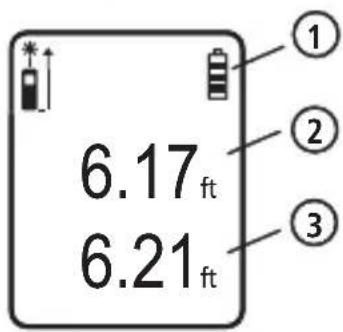
When the tool is ON, the battery level appears in the display window (Figure E #1).
Operation
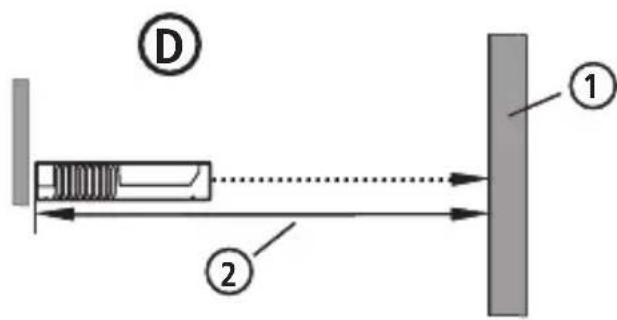
- Point the laser at the top of the tool (Figure A #1) toward the wall whose distance you need to measure (Figure D #1).
- Click ▲ (Figure A #3) to display a laser dot on the wall (Figure D #1) and measure the distance from the bottom of the tool to the wall (Figure D #2).
- At the bottom of the display window (Figure A #2), view the current measurement (Figure E #3), which will keep changing as you move the tool (in Continuous Measure mode).
- When the bottom of the tool is positioned at the correct distance from the wall, click 🔒 to take the current measurement on the display window (Figure E #3).
Changing the Unit of Measure
Once the current measurement is taken, you can change the unit of measure from decimal ft (6.21 ft) to fractional ft (6'02"9/16), fractional ft to meters (1.894 m), meters to inches (74 9/16 in), or inches to decimal ft.
To change the unit of measurement, press and hold until you see the measurement change (2-3 seconds).
NOTE: If you continue to hold ▲ after the measurement changes, the tool will turn off.
Re-measuring
If you need to take a new measurement, click
- The previous measurement (Figure E #2) will appear above the new current measurement (Figure E #3).
- When you are ready to take the new current measurement, click
The tool can be turned off in either of these ways:
- Press and hold 📁 for 4 seconds (until the display window clears).
- If you do not use the tool for 180 seconds, it will automatically turn off.


Specifications
| STHT1-77409 |
| Range 17.5cm to 15m (7in to 50ft) | |
| Measuring Accuracy* Typically ± 3.0mm (± 1/8in)* |
| Resolution 1mm (1/16in) | |
| Laser Class: Class 2 (IEC/EN60825-1: 2014) |
| Laser Wavelength 620-690nm, Power < 1mW |
| Auto Power Switch-off After 180s | |
| Battery Life (2 x AAA) Up to 3000 Measurements |
| Dimension (H x D x W) 115 x 44 x 25mm (4.68 x 1.73 x 1.10in) |
| Weight (with Batteries) | 100g (3.21oz) |
| Storage Temperature Range | -10°C ~ +60°C (14°F ~ 140°F) |
| Operating Temperature Range | 0°C ~ +40°C (32°F ~ 104°F) |
| *Measuring Accuracy depends on the current conditions:Under favorable conditions (good target surface and room temperature) up to 10m (33ft).Under unfavorable conditions (bright sunlight, a very weak reflecting target surface, or large temperature fluctuations), the error can increase by ± 0.25 mm/m (± 0.003 in/ft) for distances over 10m (33ft). |
Warranty
STANLEY warrants this product for a period of (2) years against deficiencies in material and workmanship. This LIMITED WARRANTY does not cover products that are improperly used, abused, altered, or repaired. Please call 866-786-5924 for more information or return instructions. Unless otherwise noted, STANLEY will repair without cost, any STANLEY product found to be defective, including parts and labor charges, or at STANLEY's option, will replace such tools or refund the purchase price, less the amount for depreciation, in exchange for the defective tool. THIS LIMITED WARRANTY EXCLUDES ALL INCIDENTAL OR CONSEQUENTIAL DAMAGES. Some states do not allow the exclusion or limitation of incidental or consequential damages, so these limitations may not apply to you. This LIMITED LIFETIME WARRANTY gives you specific legal rights that may vary from state to state. In addition to the warranty, STANLEY Lasers are covered by: 30-Day Money Back Guarantee. If you are not completely satisfied with the performance of your STANLEY Laser for any reason, you can return it within 30 days from the date of purchase with a receipt for a full refund.
IMPORTANT NOTE: The customer is responsible for the correct use and care of the instrument. Moreover, the customer is completely responsible for periodically checking the accuracy of the laser unit, and therefore for the calibration of the instrument.
Calibration and care are not covered by warranty.
GB Error Codes
| Code | Description Corrective Action | |
| --- | Received Signal Too Weak or Measuring Time Too Long | Use a target plate or change the target surface. |
| --- | Received Signal Too High The target | is too reflective. Use a target plate or change the target surface. |
| --- | Too Much Background Light Reduce | the background light on the target area. |
| --- | Laser Beam Interrupted Remove any | obstacles in the path of the laser beam and repeat the measurement. |
| --- | Insufficient Battery Replace the two AAA batteries. |
| 301 | Temperature Too High | Allow the tool to cool down to a temperature within the specified Operating Temperature Range. |
| Temperature Too Low Allow the | tool to warm up to a temperature within the specified Operating Temperature Range. |
| 401 | Hardware Error Switch the tool on and off several times. If the hardware error still does not clear, return it to a Service Center or distributor. |
Inhalt
© 2016 Stanley Tools
Stanley Europe, Egide Walschaertsstraat 14-16,
2800 Mechelen, Belgium
www.stanleytools.com
Made in China
DOC #72007898
SEPTEMBER 2016
www.stanleytools.com