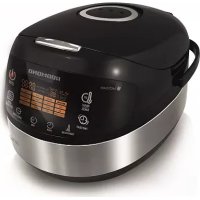
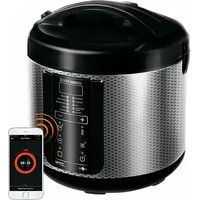
USER MANUAL RMCM90E Redmond
Carefully read oil instructions before operating and save them for future reference. By carefully following these instructions you can considerably prolong the service life of your appliance.
The safety measures and instructions contained in this manual do not cover all possible situations that may arise during the operation of the appliance. When operating the device the user should be guided by common sense, be cautious and attentive.
IMPORTANT SAFEGUARDS
- The manufacturer shall not be responsible for any failures arising from the use of this product in a manner inconsistent with the technical or safety standards.
- This appliance is intended to be used for nonindustrial use in house hold and similar spheres of application. Industrial application or any other misuse will be regarded as violation of proper service conditions. Should this happen, manufacturer is not responsible for possible consequences.
- Before plugging in the appliance ensure that the circuit voltage matches operating voltage of the appliance (see technical specifications or manufacturer's plate on the appliance).
- Use an extension cord designed for power consumption of the appliance as the parameter mismatch may result in a short circuit or fire outbreak.
- The appliance must be grounded. Connect the appliance only to a properly installed power point. Failure to do so may result in the risk of electrical shock. Use only grounded extension cords.

CAUTION! While in use the appliance heats up! Care should be taken to avoid touching the housing, bowl, or any other metal parts while operating. Make sure your hands are protected before handling the device. To avoid burns, do not lean over the appliance while opening the lid.
- Unplug the appliance after use, before cleaning or moving. Remove the power cord with dry hands holding it by the plug, not cord.
- Do not place the cord in doorframes or by heat sources. Do not twist or bend the power cord, ensure it is not in contact with sharp objects, corners and edges of furniture.

PLEASE, NOTE: damaging the cord may lead to a failure that will not be covered by the warranty. If the cable is damaged or requires replacing, contact an authorized service center to have the cord replaced.
- Never place the device on soft surfaces or cover it to keep ventilation slots clear of any obstruction.
- Do not operate the appliance outdoors to prevent water or any foreign object or insect from getting into the device. Doing so may result in serious damage of the appliance.
- Use the appliance at an altitude of no more than 2000m .
Always unplug the device and let it cool down before cleaning. Follow cleaning and general maintenance guidelines when cleaning the unit.

DO NOT immerse the device in water or wash it in running water!
- This appliance can be used by children over 8 y.o. and physically or mentally challenged persons or as well as those who lack experience and knowledge only provided they have been given supervision or instruction concerning use of the appliance in a safe way and understand the hazards involved. Children should not play with the appliance. Keep the appliance and the power cord out of reach of children under 8 y.o. Cleaning and maintenance should not be performed by children without supervision.
- Packaging material (film, foam, etc.) may be hazardous to children. Choking hazard! Keep the packaging out of the reach of children.
- Any kind of modification or adjustment to the product is not allowed. All the repairs should be carried out by an authorized service center. Failure to do so may result in the device breakage, property damage or physical injury.

CAUTION! Do not use the appliance in case any defect has been noticed!
REDMONO
Technical Specifications
| Model | RMC-M90E |
| Power Input | 860-1000 W |
| Supply Voltage | 220-240 B, 50/60 Hz |
| Electrical safety | class I |
| Bowl capacity | 5 L |
| Bowl coating | ceramic non-stick |
| Display | color, LED |
| SD heating | yes |
| Overall dimensions | 377 × 285 × 240 mm |
| Net weight | .34 kg |
Programs
| 1. | MULTI COOK | 7. PASTA |
| 2. | DATMEAL | 8. SLOW COOK |
| 3. | STEW | 9. BOIL |
| 4. | FRY | 10. BAKE |
| 5. | SOUP | 11. GRAIN |
| 6. | STEAM | 12. PILAF |
| 13. YOGURT/DOUGH |
| 14. PIZZA |
| 15. BREAD |
| 16. DESSERT |
| 17. QUICK COOK |
Functions
| Keep Warm function | up to 24 hours |
| Disabling "Keep Warm" in advance | yes |
| Reheat function | up to 24 hours |
| Time Delay function | up to 24 hours |
Packaging Arrangement
| Multicooker | 1 pc |
| Bowl | 1 pc |
| Steaming container | 1 pc |
| Deep fry basket | 1 pc |
| Measuring cup | 1 pc |
| Servino spoon | 1 pc |
| Stirring paddle | 1 pc |
| Spoon/Paddle holder | 1 pc |
| Power card | 1 pc |
| Cookbook | 1 pc |
| User manual | 1 pc |
| Service booklet | 1 pc |
In accordance with the policy of continuous improvement, the manufacturer reserves the right to make any modifications to design, packaging arrangement, or technical specifications of the product without prior notice. The specification allows on error of ± 10% .
Multicooker Assembly (A1, p. 4)
1.UpperUd
-
Removable inner lid
-
The boy
4.Lid release button
-
Control panel with a display
-
The housing
-
Carrying handle
-
Repurable steam value
e. Nmnooae secn rve
Control Panel (A2, p.5)
Multicooker REDMOND RMC M9DE is equipped with a touch control panel with color LED multifunction display.
- Reheat/Cancel button disables/reactivates the Reheat function, interrupts the program and cancels all settings.
- Time Delay button is used to enter the time setting mode in Time Delay function.
- Temperature button is used to adjust the temperature in MULTICOOK.
- Hour button is used to adjust the hours in time setting Time Delay modes
- Min button is used to adjust the minutes in time setting Time Delay modes
6.DuickCook button starts OUICK COOK program
- Menu / Keep Warm button is used to select an automatic cooking program and to disable the Keep Warm function in advance.
- Start button starts the cooking program.
9. Display
Display (A3, p. 6)
1 QUICK COOK program indicator
2. Operating program/Reheat function indicator
- Stirring paddle
- Serving spoon
- Measuring cup
- Steppino cost
- Dose for half-lb
- Deeply blue basket 11
- Spun/ Pseudo Nodder
- Power cord
-
Container for collecting condensate
-
Time Delay indicator
-
Indicator of the timer operation
-
Timer
-
Selected program indicator
I. PRIOR TO FIRST USE
Carefully remove the multicooker and its accessories from the packaging. Dispos of all packaging materials.
Keep all warning labels, including the serial number identification label located on the housing
After transpiration or storage at low temperatures allow the appliance to stay at room temperature for at least 2 hours before use.
Wipe the housing of the appliance with a soft, damp cloth. Rinse the inner bowl with warm soapy water and dry thoroughly. An odour on first use of the appliance is normal and does not indicate a malfunction. In such case, clean the appliance, following "Cleaning and Maintenance").
Place the appliance on a hard, even, horizontal surface so that the steam from the valve will not come into contact with wallpaper, decorative coverings, electronic devices or other items or materials which could be damaged by high humidity or temperatures.
Before use, make sure there are no chips or other defects on the outside or visible inside parts of the multiscanner. There should be nothing caught between the bowl and the heating element.
ATTENION! It is forbidden to lift the device with the filled bowl by the handle.
Do not switch on the device without the bowl installed or with empty bowl inside. In case of accidental start of o cooking program, it may result in critical overheating or damage of the anti-stick coating. Before frying, pour inside a little vegetable or sunflower oil

ATTENION! It is forbidden to lift the device by the handles of the bowin
II. OPERATION
Setting The Cooking Time
Multicooker REDMOND RMC-M90E allows manually adjusting the cooking time, set by default for each program (except QUICK COOK). Time adjustment range and interval depend on the program of cooking selected. To set:
- Select the cooking program. Press Hour button repeatedly to adjust the hours. Hold the button down to scroll through the digits.
- Press Min button repeatedly to adjust the minutes. Hold the button down to scroll through the digits.
- To set the cooking time of less than 1 hour press Hour button repeatedly to reset to zero. Adjust the minutes using Min button.
- When the time is set (display keeps blinking) proceed to the next stage in accordance with the program selected. To cancel all settings, press Reheat/Cancel button and reset.
IMPORTANT: Manually adjusting the cooking time, consider time adjustment range and interval of selected program, given in the table of default settings.
For your convenience the cooking time range in all programs starts with the minimum setting, enabling you to prolong the operating time of the program, if the dish is undercooked.
In certain automatic programs, counts down starts only when the device reaches its operating temperature. E.g. If you set STEAM program on 5 minutes, the countdown of the program begins only when the water comes to a full ball providing enough steam.
Cooking time of the PASTA programme covers the period of time needed to bring water to a boil and to cook the ingredients. The device produces an audible sound upon boiling, allowing you to put ingredients inside the bowl. Repress the Start button to begin the countdown.
Time Delay Function
This function allows setting the program to finish by certain time. Cooking time may be delayed for a period from 10 minutes to 24 hours with 10 minute intervals. Setting Time Delay function, take the cooking time of the program into consideration. The time of a delay should be longer than the cooking time of the program selected; otherwise the program starts running right after you press Start.
When the automatic program is selected and the temperature and cooking time are adjusted, you may set the Time Delay.
1. Press Time Delay button to enter the Time Delay setting mode. The words Time Delay are displayed. Timer is blinking. 3. Press Line button to accept the button in 4. hou format. Hold the button down to recall through the digits
3. Press Min button repeatedly to adjust the minutes. Hold the button down to scroll through the digits.
4. If you need to set the delay of less than 1 hour, repeatedly press Hour button to reset to zero and adjust the minutes using Min button.
5. To cancel the settings press Reheat/Cancel button and reset.
6. When the time is set press and hold down the Start button. Time Delay function indicator lights up. Set program starts running and the countdown begins.
7. Your meal will be ready when the time set expires. When the program finishes, the device automatically switches to Keep Warm (Reheat/Cancel button indicator lights up).
8. Press Reheat/Cancel button to cancel the Keep Warm Button indicator goes off.
Time Delay function is available in all automatic programs except FRY, PASTA and QUICK COOK.
It is not recommended to use Time Delay function if dirty and other perishable products are being used (eggs, fresh milk, meat
cheese etc.)
Setting the Time Delay in STEAM program remember that the countdown starts only when the device reaches its operating temperature (water comes to a full boil).
Keep Warm Function
Function is being automatically activated at the end of the cooking program. When the program finishes, the temperature of the meal (70 - 75^) is being maintained for a period of time up to 24 hours.
Reheat/Cancel button indicator lights up and the Keep Warm count up is being displayed
Press and hold down Reheal/Cancel button to disable the function.
Disabling The Keep Warm In Advance
Automatic activation of the Keep Warm function at the end of the program may sometimes be undesirable. REDMOND RMC-M90E allows disabling the function in advance, while setting the program or during its operation. Press and hold down the Menu / Keep Warm button to cancel the function. Reheat/Cancel button indicator goes off. To reactivate the function, repress and hold down the Menu / Keep Warm button (Reheat/Cancel button indicator goes off).
Reheat Function
REDMOND RMC-M90E can be used for warming up cold meals. To reheat:
- Put the products into the bowl. Place the bowl inside the device.
- Close the lid until it clicks into place and plug in the unit.
- Press and hold down Rehval/Cancel button for a few seconds until an audible sound is produced. Corresponding indicators light up and reheating process begins. The timer starts its countdown.
The meal will be warmed up to 70 - 75^ and the temperature will be maintained for the next 24 hours. To cancel the function press and hold down Reheat/Cancel button. Corresponding indicators go off.
The function may operate for a period of 24 hours, however, we recommend using it moderately, because a prolonged thermal exposure may sometimes affect flavor characteristics of the meat.
Standard Operating Procedure for Automatic Programs
IMPORTANT! When using the water boiling device (for example, when boiling products), DO NOT set the cooking temperature above 100^ . It may result in overheating and failure of the device. For the same reason, DO NOT use the BREAD, FRY and BAKE programs to boil water.
- Measure the ingredients according to the recipe.
- Put them into the how! Make sure that all the ingredients including liquid are below the scale mark indicating maximum
capacity. Place the bowl inside the device. The bowl and the heating element must fit tightly.
Use only the bowl supplied or compatible with this model when using the multiscoper. See www.cordomond.company for compat-ble bowls. DO NOT USE any other utensils!
DO NOT process food directly in the bowl! This may damage the non-stick coating, deform the bowl and damage the applianc.
- Close the lid until it clicks into place. Plug in the unit.
ATTENTION! If you cook at high temperatures with much vegetable oil, always leave the device lid open.
- Repeatedly press "Menu/Keep Warm" button to select the program (corresponding indicator Lights up). 5. Use Hour and Min buttons to adjust the time set by default for each program.
- Set Time Delay function if needed, Time Delay function is not available in FRY, PASTA and QUICK COOK programs.
- Press and hold down Start button. Start and Reheat/Cancel button indicators light up. Set program starts running and the countdown begins. Countdown of the STEAM program begins only when water comes to a full ball, providing enough steam. In PASTA - after water comes to a full ball, products are added and Start button is being repressed.
- Press and hold down Menu / Keep Warm button to disable the Keep Warm function in advance if needed (Reheat/Cancel button indicator goes off). Repress Menu/Keep Warm button to reactivate the function. Keep Warm function is not available in YOGURT/DOUGH and BREAD programs.
- When cooking time expires, the device makes an audible sound. Depending on your settings: the unit either switches to Keep Warm (Reheat/Cancel button indicator lights up or enters standby mode (Start button indicator blinks).
- To interrupt cooking process at any stage, to cancel set program or the Keep Warm function press and hold down Reheat/Cancel button.
For high-quality results, you are offered to use the recipes for cooking from the cook book supplied with REDMOND multi-cooker RNC-M50E designed specifically for this model.
if the expected result has not been achieved, refer to the Cooking Tips section, where you can find answers to the most frequently asked questions and get the necessary recommendations.
If you did not achieve the desired result using automatic programs, try versatile program called MULTI COOK featuring a wide time and temperature孜intment range. This program gives modest opportunities for new culinary experiments.
MULTI COOK Program
This program can be used to cook any meal with your personal time and temperature settings. REDMOND RMC-M90E, featuring MULTI COOK program will be able to replace a big number of kitchen appliances. Now any recipe, either from your family cookbook or Internet, can be adjusted for your multicooker.
For your convenience, the device does not switch to Keep Warm automatically by the end of the program if the cooking temperature was less than 80^ . It may be manually reactivated by pressing and holding down the Menu/Keep Warm button right after the program starts running. Reheat/Cancel button indicator lights up.
Temperature adjustment range (use Temperature button to adjust) is from 35^ to 170^ with 5^ intervals.
Cooking time adjustment range is from 5 minutes to 12 hours with the following intervals: less than 1 hour - 1 minute, over an hour - 5 minutes.
10 if you use the MULTI COOK program for boiling the water (for example, when cooking products), it is FORBIDDEN to set the cooking temperature above 120^ .
OATMEAL Program
This program is recommended for cooking various porridges using milk. Program's default time is 10 minutes. Manual time adjustment is available. Time adjustment range is from 5 minutes to 1.5 hours with 1 minute intervals.
OATMEAL program is recommended for cooking various oat porridges using pasteurized low fat milk. To avoid boiling away, we recommend you do the following:
- rinse grain thoroughly before cooking:
- grease the sides of the bowl with butter;
follow proportions suggested in the recipe book.Increase or reduce amount of ingredients proportionally
using whole milk dilute it by half with water.
Cooking results may vary depending on the place of origin and the manufacturer of the products used.
If you did not manage to achieve the desired result, please consult the chapter Cooking Tips to receive necessary recommendations on cooking or use the multifunctional program MULTI COOK. Set the temperature of 95^ . Follow the proportions and cooking time settings given in the recipe.
STEAM Program
This program is recommended for steaming meat, fish, vegetable and children meals. Program's default time is 15 minutes. Manual time adjustment is available. Cooking time adjustment range is from 5 minutes to 2 hours with 5 minute intervals. Use the steaming container provided to steam the foods.
1. Pour 600-1000 ml of water into the bowl. Place the steaming container in
REDMONO
- Measure the ingredients and put them into the container. Place the bowl inside the device. The bowl and the heating element must fit tightly.
- Follow steps 3 to 10 given in "Standard operating procedure for automatic programs".

Countdown of the program does not start until the device reaches its operating temperature (water comes to a full boil).
if you want to adjust the default settings of the program we advise consulting the table of recommended steaming time settings for various products.
PASTA Program
This program is recommended for cooking pasta, sausages, eggs, etc. Program's default time is 8 minutes. Manual time adjustment is available. Cooking time adjustment range is from 2 to 20 minutes with 1 minute intervals. Cooking time of the program covers the period of time needed to bring water to a boil and to cook the ingredients. The device produces an audible sound upon boiling alarming you to put ingredients inside the bowl. Repress the Start button to begin the countdown. Time Delay function is not available in this program.

During preparation of certain products (pasta, etc.), foam might arise. To avoid foam boiling over we recommend you to open the lid a few minutes after the products have been added into boiling water.
BREAD Program
This program is recommended for baking white and wheat-ry breads. The program includes complete baking cycle starting from the process of proofing the dough and up until the moment you take the freshly baked product out. Default time is 3 hours.
Cooking time adjustment range is from 1 to 6 hours with 10 minute intervals. Keep Warm function is not available in this program.
- Adding Ingredients into the bowl make sure that it is filled only to half of its size.
Remember, that the baking starts one hour after the beginning of the program when the dough has proofed. Before using baking flour, we advise you sift it, removing any impurities and adding to it some salt.
It is not recommended to use Time Delay function because this may affect the quality of pastry. Do not open the lid until the program finishes!
In order to minimize the cooking time and to simplify the process of baking we advise using baking flour mixes.
Table of default settings
| Program Recommendations for use | Cooking time set by default | Time adjustment range/setting interval | Time Delay | Preheating stage | Keep Warm | |
| MULTI COOK | Cooking various meals with your personal time and temperature settings. | 15 min | 5 min - 1 hour / 1 min1 hour - 12 hours / 5 min | ✓ | | ✓ |
| CATMEAL Cooking porridges using milk 10 min | | 5 min - 1.5 hour / 1 min | ✓ | | ✓ | |
| STEW Stewing meat, fish, vegetables, etc. 1 hour | | 20 min - 12 hours / 5 min | ✓ | | ✓ | |
| FRY Frying meat, fish, vegetables, etc. 15 min | | 5 min - 1.5 hour / 1 min | | | ✓ | |
| SOUP Making various soups and broths 1 hour | | 20 min - 8 hours / 5 min | ✓ | | ✓ | |
| STEAM Steaming meat, fish, vegetables, etc. 15 min | | 5 min - 2 hours / 5 min | ✓ | ✓ | ✓ | |
| Program Recommendations for use | Cooking time, set by default | Time adjustment range/setting interval | Time Delay | Preheating stage | Keep Warm |
| PASTA | Cooking pasta, sausages and other semi-finished products. After the program starts running, wait for an audible signal to alarm you that the water is boiling. Add the ingredients, close the lid, and press Start. Countdown of the program begins. | 8 min | 2 min - 20 min / 1 min | | ✓ | ✓ |
| SLOW COOK | Making stewed meat, boiled milk, brisket, jellie, meat and arplic | 5 hours | 1 hour - 8 hours / 10 min | ✓ | | ✓ |
| BOIL Cooking beans and vegetables | 40 min 5 min - 2 hours / 5 min | | | ✓ | | ✓ |
| BAKE | Baking cakes, puddings, pies, puff and yeast pastry | 1 hour | 20 min - 8 hours / 5 min | ✓ | | ✓ |
| GRAIN | Cooking grains and other side dishes 35 min | | 5 min - 4 hours / 5 min | ✓ | | ✓ |
| PILAF | Making meat, fish, poultry and seafood milofs | 1 hour | 20 min - 1.5 hours / 10 min | ✓ | | ✓ |
| YOGURT/DOUGH | Making different kinds of yogurt, proofing dough | 8 hours | 6 hours - 12 hours / 10 min | ✓ | | |
| PIZZA Making pizza | 25 min | | 20 min - 1 hour / 5 min | ✓ | | ✓ |
| BREAD | Baking white and wheat-rye breads including the proofing cycle | 3 hours | 1 hour - 6 hours / 10 min | ✓ | | |
| DESSERT | Making desserts using fresh fruits and berries | 1 hour | 5 min - 4 hours / 5 min | ✓ | | ✓ |
| QUICK COOK | Quick cooking rice and other grains | Automatic start-off after complete boiling of water | | | | ✓ |
III. COOKING TIPS
This chapter familiarizes you with the practical tips and solutions to some common problems you may experience when using the multicooker.
THE DISH IS UNDERCOoked
| Possible Causes | Solving the Problem |
| The lid of the device was either open or was not closed prop- erily. | Try to avoid opening the lid while cooking.
Close the lid until it clicks into place.
Make sure that the rubber sealing ring located on the inner side of the lid is not deformed or damaged in any way |
Possible Causes Solving the Problem
THE DISH IS OVERCOoked
| Cooking temperature was not observed because the bowl and
the heating element did not fit tightly. | There should not be any foreign objects between the lid and the housing
of the device, remove if any
Always make sure that the heating element is clean and fits tightly with
the bowl before cooking. |
| Wrong ingredients or settings were chosen.
General proportions were not observed, the size of the ingredi-
ties was too large.
Wrong time settings:
Chosen recipe is not appropriate for the device. | We recommend using recipes adjusted for the device. Choose proven
recipes only.
Set the time and cooking program, choose ingredients, proportions, and
the size of ingredients according to the recipe. |
| Scoaming: the amount of water in the bowl is too little to
provide enough steam. | Use the amount of water recommended. If in doubt, check the water
level while scaming. |
| Frying: | Too much oil was added. | Frying ingredients add an amount of oil enough just to cover the bottom
of the bowl.
Follow recommendations given in the recipe while deep frying. |
| Too much moisture inside the
bowl. | Do not close the lid of the device while frying unless specified in the
recipe. Using frozen ingredients defroat and drain before frying. |
| Cooking: the water boiled away during preparation of foods
with high acidity. | Certain products need to be processed before cooking: washed, browned,
etc. Follow recommendations given in the recipe. |
| Baking (dough) did not bake
through): | Too much daught in the bowl. | Use a smaller amount of dough. |
| Proofed dough has receshed
the inner lid and covered the
steam valve. | Take the baked product out of the unit, turn it over and place basic Boile
until ready.
Next time use smaller amount of dough. |
| Wrong ingredients, wrong size of ingredients or time settings | We recommend using the recipes adjusted for your model. Try choosing proven recipes only. Set the time and cooking program, choose ingredients, proportions, and the size of ingredients according to the recipe. |
| The dish remained in the unit with the Keep Warm on far too long after it's been cooked. | We recommend using the "Keep Warm" function moderately. If your device features the function of disabling the "Keep Warm" in advance, use it to avoid the problem. |
LIQUID BOILS AWAY DURING COOKING
| Milk bottles away. | Depending on the quality of milk used, it may spill away. To avoid this, we recommend using only ultra-pasteurized milk with the fat content of 2.5% or less.Dilute milk with water if needed (p.7) |
| Ingredients were not properly processed (washed, partly, etc.).
Wrong general proportions or ingredients. | We recommend using the recipes adjusted for the device. Try choosing proven recipes only. Set the time and cooking program, choose ingredients, proportions, and the size of ingredients according to the recipe. Whole grains, meat, fish, and seafood need to be rinsed thoroughly before cooking. |
| The product forms a foam. | It is recommended to rinse the product thoroughly, remove the valve or cook with the lid open |
THE DISH IS BURNT
| The bowl was not properly washed after last use.
Non-stick coating is damaged. | Make sure that the bowl is clean and has no coating defects before
cooking. |
BAKED GOODS ARE OVERLY MOIST
| General amount of ingredients is smaller than recommended. | Use provet recipes, adjusted for the device. |
| Cooking time was too long. | Reduce the cooking time or follow recommendations given in the recipe adjusted for your model. |
| Frying oil was not added; the ingredients have not been stirred or turned over. | Frying products add amount of oil enough just to cover the bottom of the bowl. Stir ingredients thoroughly while frying or turn over as required. |
| Stewing: not enough liquid. Add more liquid. Avoid opening the lid while stewing. | |
| Cooking: not enough liquid (proportions were not observed). | Follow recommended ratio of liquids to solids while cooking. |
| Baking: the bowl was not greased before baking. | Grease the bottom and sides of the bowl with butter or oil before baking (do not pour oil inside). |
| INGREDIENTS LOOSE THEIR SHAPE WHEN COOKED |
| Ingredients have been over stirred. | Frying loaccs, do not stir the ingredients more often than every 5-7 minutes. |
| Cooking time was too long. | Reduce cooking time or follow recommendations given in the recipe adjusted for the device. |
| Improper ingredients causing excess moisture have been used
(juicy fruits or vegetables, frozen berries, sour cream, etc.) | Use ingredients according to the recipe. Try to avoid using ingredients
causing excess moisture or use them in smaller amounts. |
| Baked product has been left in the unit with the closed lid
for too long. | We recommend taking baked product out of the unit right after the baking
cycle finishes or leaving it on the "Keep Warm" for a short period of time only |
BAKED GOODS DO NOT RISE
| Eggs and sugar were poorly whipped. |
| The dough stayed far too long before being believed. |
| The flour wasn't sifted or the dough was poorly kneaded. |
| Wrong ingredients. |
Certain REDMOND multistokes feature on overheat protection in STEW and SOUP programs. In case there is no liquid in the boad, the device automatically interrupts the program and switches to Keep Worm.
Recommended Steaming Time Settings For Various Products
| Product Weight, g/pcs Water, ml | Cooking time, min | | |
| Pork/beef fillet (cut into 1.5 cm cubes) 500 500 20/30 | | | |
| Mustard fillet (cut into 1.5 cm cubes) 500 500 25 | | | |
| Chicken fillet (cut into 1.5 cm cubes) 500 500 15 | | | |
| Meatballs/cutlets | 180 (6 pcs) / 450 (3 pcs) | 500 10/15 | |
| Fish fillet | 500 500 10 | | |
REDMONO
| Product Weight, g/pcs Water, ml Cooking time, min |
| Shrimps (cooked, peeled, frozen) 500 500 5 | | | |
| Potatoes (cut into 1.5 cm cubes) 500 500 15 | | | |
| Carrots (cut into 1.5 cm cubes) 500 500 35 | | | |
| Beet (cut into 1.5 cm cubes) 500 500 95 | | | |
| Frozen vegetables 500 500 10 | | | |
| Egg 3 pcs 500 10 | | | |
Remember that these are general recommendations only. In reality, cooking time may vary from the recommended one, depending on the quality of the product used and on your personal preferences.
MULTI COOK Temperature Adjustment Recommendations
| Temperature, ℃ | Recommendations for use (you may also refer to the recipe book) | Temperature, ℃ | Recommendations for use (you may also refer to the recipe book) |
| 55 Proofing dough and making vinegar | 105 | Cooking jellied meat | |
| 40 Making yogurts | 110 | Sterilization | |
| 45 Leavening | 115 | Making sugar syrup | |
| 50 Fermentation | 120 | Making brisket | |
| 55 Fennant | 125 | Stewing meat | |
| 60 Making green tea and preparing baby food | 130 | Making puddings | |
| 65 Cooking vacuum sealed meat | 135 | Browning cooked foods | |
| 70 Preparing punch | 140 | Smoking various foods | |
| 75 | Pasteurizing liquids and making white tea | 145 | Baking fish and vegetables in foil |
| 80 Preparing milled wine | 150 | Baking meat in foil | |
| 85 | Making cottage cheese and other time consum- ing meals | 155 | Frying yeast daugh |
| 90 Making red tea | 160 | Frying poultry | |
| 95 Cooking porridges using milk | 165 | Frying steaks | |
| 100 | Cooking meaties and Jams | 170 | Deep frying French fries and chicken nuggets |
IV. ADDITIONAL FEATURES
Proofing the Dough
MakingFondue
Making Cheese, Cottage Cheese
Deep Frying
- Pasteurizing Liquids
Reheating Baby Food
Tableware and Personal Items Sterilization
V. OPTIONAL ACCESSORIES
Additional accessories can be purchased separately. Information on the assortment, pricing, and compatible accessories is available through our authorized dealer in your country.
VI. CLEANING AND MAINTENANCE
General rules and recommendations
- Before the first use of the multicooker or to eliminate smell of food after cooking, it is recommended to pour 0.5 l of
water into the bowl and process half of the lemongrill into slices inside the bowl for 15 minutes using the STEAM program. If you do not use the device for a long time, unpack it. The working chamber, including the heating disc, bowl, inner lid, and funnel, should be removed from the vessel.
Before cleaning the device, make sure it is unplugged and completely cold. For cleaning, use a soft cloth and delicate dishwashing detergent.
Do Not Use coarse wipes or sponges or abrasive paste when cleaning the device. It is also unacceptable to use any chemically aggressive or other substances that are not recommended for use for objects in contact with food.

Do NOT immerse the device in water or place it under a stream of water!
- Be careful when cleaning the rubber (silicone) parts of the multicooker; their damage or deformation may cause the device to malfunction.
- The device body can be cleaned as it becomes dirty. The bowl, inner lid, condensate container and removable steam valve must be cleaned after each use. The condensate formed in the process of cooking in the device, remove after each use of the device. Clean the inner surfaces of the working chamber as necessary.
Cleaning the body
Clean the device body with a soft, damp kitchen cloth or sponge. It is possible to use a delicate cleaning agent. To avoid possible stains from water and stains on the body, you are recommended that you wipe the surface dry.
Cleaning the bowl
The bow can be cleaned both manually using a soft sponge and dishwashing detergent, and in the dishwasher (in accordance with the recommendations of its manufacturer).
if it is heavily dirty, pour warm water into the bowl and leave to soak for a while, and then clean. Be sure to wipe the outer surface of the bowl dry before installing it in the body of the device.
With regular operation of the bowl, the color of its internal non-stick coating can completely or partially change. This is not a sign of a bowl defect.
Cleaning the inner lid
Refer to the diagram A4 [page 7] for the procedure for removing and installing the inner lid. Use a damp kitchen cloth or sponge to clean the main and removable inner lids. Before installing the inner lid, wipe the surfaces of both lids dry.
Cleaning the removable steam valve
The steam valve is installed in a special seat on the top lid of the device. Refer to the diagram 5 (page 8) for the cleaning procedure.
ATTENIONTo avoid deformation of the valve rubber seal,do not twist or pull it out when removing,cleaning and installing.
Condensate removal
In this model, the condensate accumulates in a special cavity on the body of the device around the bowl and flows into a special container located at the back of the device. To clean the container, rinse it under running water, following the above rules. Remove any remaining condensation in the cavity around the bowl with a kitchen cloth.
Cleaning the working chamber
In strict compliance with the instructions of this manual, the probability of liquid, food particles or debris entering the working chamber of the device is minimal.
If significant contamination has occurred, the surfaces of the working chamber should be cleaned to avoid incorrect operation or damage to the device.
Before cleaning the working chamber of the device, make sure that the device is unplugged and completely cooled down.
The side walls of the working chamber, the surface of the heating disc and the housing of the central temperature sensor (located in the middle of the heating disc) can be cleaned with moistened (not wet) sponge or cloth. If you use detergent, you should carefully remove the residue to avoid the appearance of unwanted odor during subsequent cooking. If foreign objects get into the recess around the central temperature sensor, carefully remove them with tweezers, without pressing on the sensor housing.
If the surface of the heating disc is slity, it is allowed to use a moistened medium-hardness sponge or a synthetic brush. With regular use of the device over time, the color of the heating disc can completely or partially change. This is not a sign of malfunction and does not affect the correct operation of the device.
Transportation and Storage
Before repeated operation or storage completely dry all parts of the appliance. Store the assembled appliance in a dry, ventilated place away from heating appliances and direct sunlight.
During transportation and storage, do not expose the device to mechanical stress, that may lead to damage of the device and/or violation of the package integrity.
Keep the device package away from water and other liquids.
VII. BEFORE CALLING FOR SERVICE
| Problem Possible cause Solving the problem | |
| Display shows the error code:E1-E4 | System error; system board or heating element malfunction. | Unplug the unit and let it cool down. Close the lid tightly. Switch the unit back on. If this does not eliminate the error, address an authorized service center |
| Display shows the error code:E5-E7 | The automatic overheating protection was triggered | Do not start cooking with an empty bowl! Disconnect the appliance from the males, open the lid and let it cool for 10-15 minutes, then continue cooking |
| Do not add water to the bowl during operation of MULTI COOK (when the temperature is set above 100 °C) and FRY programs |
| If the temperature is set above 120 °C within the FRY program and above 150 °C in the MULTI COOK program, cook with the lid open |
| The device does not switch on. | Power cord is not connected to the appliance and/or socket. | Ensure that the power cord is connected to the corresponding inlet on the housing of the appliance and to the socket |
| Wall socket is not working properly Connect to a properly working wall socket |
| Power supply failure | Check the power supply. If not available, contact local electricity supply company |
| Dish is taking too long to cook | Power supply interruption |power supply is unstable/under-rated| | Ensure that the power supply is stable. If unstable/under-rated, contact local electricity supply company |
| Dish is taking too long to cook | There is a foreign object between the bowl and the heating element (grain, food particles, debris, etc.) | Unplug the appliance and let cool down. Remove foreign object or objects |
| The bowl is not properly positioned Properly position the bowl into place |
| Heating disk is dirty | Unplug the appliance and let cool down. Clean heating disk |
| Problem Possible cause Solving the problem | |
| Hot steam escapes from under lid during cooking. The count of program running time starts | Inner lid and cooking bowl fail to seal her- matically | The bowl is not properly posi- tained | Properly position the bowl into place |
| The lid is not closed properly; foreign object under lid | Remove foreign objects (grain, food particles, debris, etc.) from under the rim, if any. Always close the lid until it clicks into place |
| Sealing ring is dirty, deformed, or damaged in any way | Check the sealing ring. Replace, if necessary |
In case you didn't manage to eliminate the defects, please, refer to the authorized service centre.
Environmentally friendly disposal (WEEE)
The packaging, user manual and the device itself shall be taken to the applicable collection point for the recycling of electrical and electronic equipment. Do not throw away the electronic waste to help protect the environment.
Old appliances must not be disposed with other household waste but must be collected separately. Municipal
disposal of recyclable wastes is free of charge. The owners of old appliances are required to bring it to a waste facility centre. With this little extra effort, you can help to ensure that valuable raw materials are recycled and pollutants are treated as appropriate.
This appliance is labelled in accordance with European Directive 2012/19/EU - concerning used electrical and electronic appliances (waste electrical and electronic equipment WEEE).
The guideline determines the framework for the return and recycling of used appliances as applicable throughout the EU.
REDMONO

V. GLI ACCESSORI AGGIUNTIVI
- YOGURT/DOUGH (IDGURTE/
MASSA
14.PZZM
15. BREAD IPANIFICACAD 16. DEPTET (CONTERNEE)
16. DESSERT (SOBREMESAS)
ATTEZZI EPPS (SEPTUM)
17. QUICK COOK (COZEDURA RAPIDA)
Funçoes
Manutencao de temperatura dos pratos prontos
Paraquiries: A. Redmond RMC, M-MSO, Vitee o site: www.redmond.com.
VI. LIMPEZA E CUIDADOS
PRODUKTENBLEVOVERKOGT
BAKET HAR INTE STIGIT UPP
GAMINYS PRARADO SAVO PIRMINE FORMA
| Per dazinal variete prodiklus. Kepant jprastini budi, malykite patekala ne dazniu nel kas 5-7 minutes. |
| Nustatete per ilqa maisto gamminino laika. | Sutrumpknite gamminimo laika arba laikytke recepto, prilaktyo slam prietaiso modelui, nurodym. |
| KEPINYS DREGNAS |
| Naudojote netinamus, pemelyng daug drgnens savyje turbinius produkus (sultingus vaitis ar darzves, salydax uogus, gireine i ran). | Rinkjetes kepinio recepte nurodytus produkus. Sterkities nenadoti pemelyng drgnu produku, arba, jelgu tari maroma, nauokite minimaiq i kiekj. |
| Gatav qatiekai per ilqa latkete daugfunkicme paode. | Paisenkitie is daugfunkicno pudo (bimi gostav kepini it karo, kai tik [is pagarnianos. Esant porekiu, gaminj trumperp galte palaki daugfunkicme paode, esant jungtam automatiniarn palidynu. |
REDMOND
KEPINYS NEISKILO
| Blogai Hoplaki (sucuriala) su kukuri. | Pageidautina, kod butu nautojami patikiri niti pritalki fiam prinitasa madellui regeat. Produktku parinkiras, parasciannas jup apdarajimo budis ir proporcijos turi atiki recomendacijes. |
| Tella, kurije yra kildinancios medbgos, stovejo per ilgai. |
| Nenusijepio mitu arba blogai fismirite tetlq. |
| Padarete koki nros klaidu dedam sucedamias dalis. |

Dauguetje dougliflcly puodu REDMOND modelig esant nepakankamn kskci hikhni, gnpromse STEWir SOUP sekiokosagus rongi genkini pakiimia systema. Tokai ochju gaminino programa suctobodma, o douglifunko podo yekim persuorit i paarmatibic piadysida reizing.
Rekomendacinis jvairiu Produktu gaminimo garouse laikas
| Produktas Svoris, g (kielets) | | Vandenskieks, ml | Gaminimo Laikas, min. |
| Klautionen / jautenos file (1,5 × 1,5 cm labellais) 500 500 20/30 | | | |
| Avionos file (1,5 × 1,5 cm labellais) 500 500 25 | | | |
| Vistinenos file (1,5 × 1,5 cm labellais) 500 500 15 | | | |
| Frikadelés / koltalai | 180 (6 vmt.) /450 (3 vmt.) | 500 10/15 | |
| Zuwyts fillet 500 500 10 | | | |
| Krevettes (lukkilonus, virtos ir ušal'dylos) 500 500 3 | | | |
| Bultes (1,5 × 1,5 cm labellais) 500 500 15 | | | |
| Markos (1,5 × 1,5 cm labellais) 500 500 35 | | | |
| Burokal (1,5 × 1,5 cm labellais) 500 500 95 | | | |
| Darzavets (lukkial'dylos) 500 500 10 | | | |
| Garouche viruses kauilinis | 3 vmt. 500 10 | | |

PRODUKTS IR ZAUDEIS GRIEZUMA FORMU
| Produktu tračka i práčk bielž maitiš. Produktus cepot. | apmatisiert tos ne biežć kla reži 5-7 min三点 |
| Iurustadts parku liels gatavolanas bilis | Samaziniet gatavolanas bilu vai sekojet receptores ielikuniemi, kura ir adatěta dotajam ierices modelim |
| MÍKLAS IZSTRADAJUMS I R PÁRÁK MITRS |
| Izmanotó nepilēměro protóduci, kas rada papidus mitrumu (suligi dārzeni vai augli, sasiadétas ogas, kraljums, ut.) | Izvelietyes sastavolás abtilstóre recepté. Neizvelietyes gatavolanai produktu, kuri sator papidus mitrumu vai izmanotójet tos peć iessjegs mázaká daudzumá |
| Gotavals ediens i práčk ilgi tureš azterva multivízes kardä | Izernjet istradvjumu no multivíres katia užežć pec pagatovatanos, loir nepickieliams, vara atstát lo zu neilgu bilu ar iisleğu autosildifanas refínu |
RMC-M9OE
MIKLAS IZSTRADAJUMS NAV UZRUDZIS
| Sliki sapotas ols arculuri | Ibnantajat pahbaudit (catajam ierices modelim adapteti) recepti. Sestavzulu bvelari an proporzai, ta sotovazdani veledam, programarai un gotavelen salkan im paktilbi bveleriaki receptei |
| Milda pärkä ligi turës ceparnis pulveris |
| Nov irojati mili vii sliki saminta miika |
| Ir piēviendas nepareanis sastveldjas |
Dato 10000000000000000000000000000000000000000000000000000000000000000000000000000000000
Ieteicamais tvaceesan laiks dazadiem produktiem
| Produktus | Svars, kg(dauzums) | Üdens dauzums, ml | Gatavolanas Laiks, min |
| Cukgalas / llelopá fifeja (kubini 1,5 × 1,5 cm) 500 500 20/30 | | | |
| Jera galas fifeja (kubini 1,5 × 1,5 cm) 500 500 25 | | | |
| Vistas fifeja (kubini) 1,5 × 1,5 cm) 500 500 15 | | | |
| Fikadetes' katetes | 180 (6 gab.) / 450 (3 gab.) | 500 20/15 | |
| Zivs (fifeja) 500 500 10 | | | |
| Garreles (finitas, varitás - saldedos) 500 500 5 | | | |
| Kartupel (kubini) 1,5 × 1,5 cm) 500 500 15 | | | |
| Burdäni (kubini 1,5 × 1,5 cm) 500 500 35 | | | |
| Bietes (kubini 1,5 × 1,5 cm) | 500 500 95 | | |
| Dorzeji (svalgi sosaïdeti) | 500 300 10 | | |
| Olas | 3 gab. 500 10 | | |
Jenrnto, kri jnrs pss gaues.
Ieteicamie temperaturas uzstadijumi programmai MULTI COOK
| Darba temperatür, °C | Lietosanas ieteikum (skatiet ari recepssgrämatu) | Darba temperatür, °C | Lietosanas ieteikum (skatiet ari recepssgrämatu) |
| 35 | Mikkas mühreköna,uejka pagatavörsa | 105 | Galenta pagatovörsa |
| 40 | Jogurtä pagatavörsa | 110 | Sterilizëcja |
| 45 | Skåbësna | 115 | Sütupa pagatavörsa |
| 50 | Rauzëkana | 120 | Stilbina pagatavörsa |
| 55 | Fadë pagatavörsa | 125 | Sautëtsa gelaş pagatavörsa |
| 60 | Zaalë tës, bēmù pärlika pagatavörsa | 130 | Saccepmä pagatavörsa |
| 65 | Gajas gatavörsa kalkuma ielpaiojura | 135 | Gatavo ademiu apocetësla, lai tie iigutu kralëkëguaroi. |
| 70 | Punä pagatavörsa | 140 | Zavëtana |
| Darba temperatüră, °C | Lietosanas iletikumi (skiatet ari recepțu grâmătú) | Darba temperatüră, °C | Lietosanas iletikumi (skiatet ari recepțu grâmătú) |
| 80 | Pastațoțicțu, baltus tejos pagatovodana | 145 | Darçeu un zivs cepța folița |
| Karstvîna pagatovodana | 150 | Galos cepța folița |
| 95 | Bieoclepiara vai ediuni gatavodana, kuriemi nepiecițaș ligi gatavodana anaïks | 155 | Rauga miliades (zirădlajma cepța) |
| 90 | Sorkanasi tejos pagatovodana | 160 | Putru gajos cepța |
| 95 | Piena putru pagatovodana | 165 | Stielu cepța |
| 100 | Beziț, izvețurișu pagatovodana | 170 | Fridôșna (Viarhina eil), (Hari kuptep), visules ragut, ult |
IV. PAPILDUS IESPEJAS
Miklas raudzeshana Skidro produktu pasterizacja
FondigataoSana Bernu partikas uzildsana
Fritesana (varisana e),Trauku un higienas prieksmetu sterilizcija
V. PAPILDUS AKSESUARI
legdatas papidus akessarius REDMONR MRC-M90e val uzzintar par REDMON producijas junaumiem var masjas lapa www.redmon.com viat tirzndiaci vietisiei ociefkiarni prastvjem.
VI. IERICES KOPSANA
Vispārīqi noteikumi un lěteikumi
- Pirmas piras lietosanas, ka ar snaklu kivideisanai pek gataoanas isaksam 15 minites pavariti pusi citrona, jmantojot programmu STEAM.
- J aferici nantamitiglu laiku,avienojetto.Darbe kamerai,leskatot apkures disku,blodu,leksejo valku,konendsta tkauei un tvaika vistu,labt tuiun ssaual.
Pims iirfes tiranas parleciniedes, val ta 1 ativienotun plinig aksta. Trranai imantootje mktu drn un maig raiku maszanas fidezkii.
erices triones iokn neiltonietj rupus solvates vai kukis ourobozatos. Hnr anipenemam izanotat jeboladk omskiy agresivas var ctsi yeiis. kuyu var ntericato lietional obiektim, kan konsok səsərati parto.
Negremdeijerici iden vovnietoijet to zem idens plismos)
Uaniznieti first Jertes giurnis (Silkona) dal. to be jolliani var difarmaci per i zastrii eritari daribhas traecumus Jerfex koreus usur tirift, lo taisto klinnes, Bloda lekska als konsendita traeks un Nobemans traika variai latra
pec katas lietolasana reiles. Kondatsa, kas velodjias licegatosavanas procesa,tiek nonemts pec katas lefjes lietolasana.Vajadzfasq gaciljum noitrel darba kameras lekksas virmas.
Korpusa tirSana
Nofriert ierfues korsura a miutid, mitru virtuves draa va siaki. Iri epijsjern amzotn malqirBianas Izdrzkii. Iai ivazilfo nsipiemr triapien do noi emenepa triapien, leticarmns nostau'ri virnu saa vaidia.
Blodas tirisana
Bjovu vari ran gan manuliz, immanotij mloksti suki ul traiku magazanas (lidzki,gan traiku magajama ma sina (saskana ata rata zitale iekumkuni).
Ja tns i aetnss, ieieclit siltu edeni bldn un atstajl kdu laikimertad nafriet. Pirmus uzstafans erios korspa notekti naolaitkbd abdoa brey irano
At regularu biodas darribu ta iekjia neuziesmoja palklajma krasa var plinigai val dojki mainities. Tas nav biodas defe- fazja pozmine.
Iekseja yaka tiriisan
Skiati diagram. A4 (tapa 7) ekjëšës vika nomanianas unustuzdiadfas prozime, Izantmōitni nitru virtuovirnävi siki kūrī, i nnotiri galvenos un nonamnesoikës këvës virkus. Pirms ekjëšëvika uztustuzdiadfas nostaukën abzu kūvë virmsa
REDMOND
Nonemamā tvalka yarsta tīrśana
Tvaika varsts ir uzstadits ipaia sedekil iz iierces augseja vaka. Skatiet tirisanas proceduras diagramu A5 (apa 8).
UZMANBULIurivaros no vovrsta gumjns bivjura defoercias, to nredst paght var irvldt, apenot, tir unsrfdod.
Kondensata nonemsa
Saj modeli kondensats ukrasj taia dozum auz iierfcu korpusap bldu un ieipust iata traukk ka atrodas ierfces azmugure. La notritu trauku, noskalojet to zem tekosa odens, ieverojt eprieks minetos noteikumus. Nonemiet atlikuo kondensaci dozum ap biudar a vitules dran.
Darba kameras tiri'sana
Singi nejrojat sris krosgtaimataosnadipumus skidrma partkas daipnu vai gruva varththa, kas nonkierces darba kamera, it minmala.
Ja I rnticls leveojarms plesarojums, darba kameras virmas jatira, lai Izvairto no neparezias ierces darfoas val bojumiem.
Pims erices darba kamec tirnas palieciinities, wai lice ir anienota un pilnb atzusui
Darba cameras siun sienas, apkures disca virma en centralra temperatioras sensora koppss (etrodas apkures diska vidu) var noifin samirnatu (n mufi) sikis vai Audums, la teojat mezgaananas fdezkii, ropji jannen atikumos, laivairllos no nevelans smakas paaradans nakamaks patawansaaluka.
Ja sveEbneni koi,ist paizilinajum a centralo temperaturis sensore, uzmanigi nonemiet tos ar pinceti, nepesplezot sensora korpus.
Ja apkures diska virsma ir netira, ir atlauts izmantot samitrinatu Videjas cietibas sukli vai sintetisko sukui.
A regular iterates diatese anio gale apokres diske kise v prinig v dohti malilles. Tn rav dabiras traequipta pozine n neeltele lertes parisi dirubio.
Transportesana un Uzglabasana
Plimes glabanas an tauri ezmantanae plinb a notir un nozvej i visas lice das. glabai erci saus, labi vedinna tviie, taak na sidoizn erkien n tseiajum saarle sterim.
Transportesfanas unglabadas laika ir aliziegtis lenici palkaut mehaniskai ietekmei, kura var nestoe pie lerces bojumiem unvai ipakojuma bojumijei.
Nepiecesams sargat ierices iepakojumu no udens un skidrma piekusanas.
VII. PIRMS VERSANAS SERVISA CENTRA
| Bojjajums lespjæmle celiör Bojjajum noverflås |
| Uz displejo paradijas pazijnijums par kldü. E1-E4 | Sistemas klaed, iespejams vaidhas platae van sildeleren ta bojjajums. | Avienojet ierci no elektrktidä, lajiet tāt aizstiz Cieśi avierjet vaku, piastledzit ierici elektriklam. |
| Uz displejo paradijas pazijnijums par kldü. E5-E7 | Ökstuurnenemise kalse rakedusid | Neisledzdet ierci ar taïdu traakul Atvenojet ierci no elektrktidä, atvierjet vaku un lajiet tāt andrist 10-15 minutes, peç tam turpiniert gatavot |
| Nepilevionjet odén traakla, kamir derbojas MULTI COOK (lad termitalala ir lestafila viss 100°C) on FRY programmes. |
| la FRY programmá temperatura ir lestafila viss 120°C un MULTI COOK programme viis 530°C, gatavojet editeru ar ativru vaku. |
| lerice neisledzes | Strávas vads nav plevienots ierfcu on (val) kontaktikgída | Paracirenetes, la nonenomas strávas vads in jevetos preteja teles lglau on plevenos kontaktikgída |
| Bajlita kontaktikgída Piesledzdet ierfci kontaktikgída, kura darbojes | |
| Tràdà naevlekropadeves | Pärhaudet strávas spiegumu elektronikla, la tas it zern nommas, viridicties pie abitlicska pakalopjuma sinedzëja |
| Bojajums lepiëjämie celiön Bojajum novërësana |
| Ediems gatavjos prakil ilgo | Stavas zuduni eleptropadeves lalika (nestablis stavas sprigugum vas lat odoras zen nomas) | Pobaudjet stavas sprigugum elektronikti, i.b.tas ir nestablis vai zen nomas, vérišteities ple attilistóva palakpouma smiečëja |
| Starp trauku un siledelementu atoldas svëkemeni voi kildas dalinas (atokitumi, graudi, ediera gabaliŋ) | Aniobjenjetleri no elektronikti, [pujiet tam at- cizst. Livskijet svëkemenius va geljus |
| Traukis ionico korpura i urustadits neidizeni Ustradijt trauku lidzeni | |
| Sildifianas disks i lei din netis | Aniobjenjetleri no elektronikti, [pujiet tam at- cizst. Natinet sildifianas disku |
| Gatavjosans land no vika apaklas optist tveils | Tcuirs un multikonta lekëja iaks väks hermáski nesa-vienojas | Ustradijt trauku lidzeni |
| Väks rav ciči aiževens vai vēnilvika iir këljuša sve Skemniemi |
| Pobaudjet, vai stap väku un ionico korpura vay sveikemeni (atkörimi, graudi, ediu gabaliŋ), iʒenmeti zots. Aizveret väku, vienir nr i jatskan kiliëkum |
| Ilekëja väka blévojsta gu-mija in metta, dekomjelles uja bojati |
Gadjum, ja neizdevi likvidt boydunus, griezietya autorizeta servisa certa.
Ekologiski nekaitiga utilizacija (elektronisko un elektrisko lerici utilizacija)
lepakjum, lotoan instrukci, ka ar pau teri nepiecies ans utilizet atbilstol vitejai akritumur parradste programnai. Rupjetietes par apkarejo daub: neizmetiet 3adus Izradajunus kupar prastajem sadzives atkritiumien.
Izmanotas (vocis) Ierices netrskt iznest kopr a chtien sadzives aktritumien, tos it nepielesams utilizet atsevi. Veci tehikmas Iapneikem i JAnod to speciaro pierresans punctos va atihostai organizaci tad veidai fias palatiz geirof zeiiveli pralstrades processam.
Dota lice ir nomarke alatsti Eropas direkta 2012/19/EU,kas regui elektrisn un elektroniski iekartu utilizaciu. Dota direktna nosa galetae elektrisno un elektroniski iekartu adrittumu utilizacijas un parstrades prasibas, kuras darbojas vis Eropas Savienibas tenitorii

Ene klesosote tosakusmt iagehoohkati tabi kusutasuhend ja sahtagsee kiskiraatauna. Seodne obige kasutus piknakod uluiseltse kalasasaogae.
Kiesolevias juhendis olev odutusmeeted je instruktionsnoi di houle koki vialoluk odkunad, mis vovud tekkada seida kamastis protessende. Seadak masumil is kasutaja paba jebu hulundria tervst mofustse, ola ettevaattik y tahtepeanill.
OHUTUSMEETMED
TOIT EI VALMINUD LOPUNI
| Pöhljuse volmiklud problemem | Lahendamise vilisd |
| Unusanita soluge stradmed kaane vii sulgesite sole imite thieolit, misstuti et al. ulud valmistamine temperatur pilavolt kirge | Valmistamine ajal irige avage multiketca kjaan eritie vujadustu. Sulgege koas klipsatensui. Vendaugte, et seadme kaane tihedat sulgemist mski et takstaing sisekanen alev tihedkummi e iole deformeneurud |
RMC-M9OE
KEETMISEL KEEB TOIDUAINEVALIA
| Pimaputu keetnisaketb pln vila | Pima kalueta je ornadused vivald sallutende tsoomine kohest ja tingi-mustest. Sowitani kastudata vald 2,5% ravalvega utrapastorbcenlud pima. Vajadusel va pima vielle joppveega lihendatra |
| Enne keetnisist jidtordusued totoletamata voli old todoledut valesti (halvsti pestud jne). Et ijargituk koostraaete vahekorda voli oila vesti valdi todouidae tuiip | Sowitiat on kastudata kontrallud [nirmatud sedadne mudetiga kohandatud] reseptate. Kozista mete valik, mere eineolva totbustus vii, sissoparenisme vahekord pervad stamana nende soovistutele. Taistzralad, luna, kela ja mereannid tuleb alati hoolkalt labi pesta, kuni vesi jibibpuhtles |
| Toode moodustab vehu | Sowitiatat on toodet pohjalkitlupotutada, ventil emedaldada vili lahtise kaamega kapisotada |
TOIT KÖRBEB POHUA
| Anum o lihvalvi puhastrad eelenheva toida valmistanisme järgelt:Anuma körbermisvastane kate on rikutul | Erme valmistanist weendugc et anum on hooikait pestud ja körbermisvastanc keite ic ok vigastatud |
| Toduainete utlant on reteptis socrvatatavast vaiksem | Sovilzov on kusada kontrollid (mimetatud seodne madeliga kohan-dat) retepte |
| Seacoste lihlalt suure valmistanisme ajla | Luhendage valmstanismeega voi jargile seadne anitud muledi joaks kohandatud retepil sovrutusi |
| Praadimiset:Unurastene valada anumasa üli; ei seganvid voi põrrista nilja valmastatvaid toidauired | Talasele pradimise jules valige annume veidte tarmeni - ni, et oc katals pichu chukse kina. Uhtasles pradimisels tuleb anumas dlavaid toidauired periodoidi segada voi tatal udai atagart imber poora |
| Hautamiset:anumas ei ole pilsavait vedeliku | Lisage anumasse rohni vedeliku. Valmistanisme ajla iagc avage mul-tiketeta kaant entila vajadusesta |
| Keetnismet:anumas on lihl vihve vedeliku (jargimata kocs-taisalmene vahekordi) | Jargile vedeliku je kovade kossisamerte sigec vahkorda |
| Kigsetamiset:ei mairun odum anuma sisepinda erne valmstanisme völge | Ene tigna sisepepanekur märige anuma sealin ja pöhi völga voi talmölliga (ei taia valada öi anumasselt) |
TOIDUAINE KAOTAS LOIKEVORMI
| Segasite tooduainer anumas lialt sagei | Tavelise pradimise kortai segaje toita mite sagedamini kui ige 5-7 minuti tagant |
| Seasite lialt suire valinistamine aja | Lünderende valinistamine aega voj jajige sedrine anud modelli jokis kohendatud retepi sovitiusi |
KUPSETIS TULI NISKE
| Kuratati submatid kooitstained, mis andsid liqse nitisuse
(maintained puuiljad vvi juuviljed, kilmutatud marjand, hapo
kaar [ne].) | Valmistage ete toiduiad vaidwailt kupsetamise reseitegii. Püdäke
koostinatirenes miti varida liall veledelik sildvidaal tooidainii vi
kazutae neid voimalusel minimasotisetes kugestes |
| Hoidsite valmis kipsetse kinnises multieketjas liatt laua | Püdäke loupsetvi wita mutiekejas: wila kohe pleale selle valmistr.
Vajadusel voite jitta teoda multiekejasse valuese ajai vajakulatud
ausosongendses |
KUPSETIS EIKERKINUD
Vezerlopanel (A2 abra, 5. old.)
REDMOND RMC-M9OE rotogatod fazek erzekelto vezerlo panellet rendelkezik tbbfunckcnlals zines LED-kljetzvel.
HRANA JE PREMALO KUHANA
| Možni vrkovi | Raztopine |
| Pokrivnapravje je bil odjat alli ni bil pravilino zaprt, zato temperatura kuhanja ni bila dovolji viskovi | Ne odpirajte povravne med kuhanjem.ZapriPokriv, dodekar se ne postavl na smije mesto.Prepričanje se, da tesišn za gurno na notanjel strani povravni al deformirano all poškodovarno na noben nadin |
| Temperatura kuhanja niso opazil ker se posoda in grenil element nista tesi no prilegala | Med prorocimo in chijljem napravne ne smie bita nenobih tujih pred-metov, Če obstajko.Pred kuhanjem vedro puzit, da je grenil element Čst in se tesi no prilega skjerdi |
| Izhmono so bile nahe sestavne ali nastavite.Splojni delje dinazo ili ugojokni jedi, Žilva so bila czerzena na koske, ki si bil no bil previdi. Nastavite ob rapažerni casu Izranani recepti ni primener za napravne | Priporocarno, da uporabite recepte, priagojene za napravne, laberte sanso prezizsene recepte.Nastavite las in kuhanja program, laberte sestavne, cekete in ve-lilost kosov po receptu |
| Parna kad: kuklina vode v skledi ni dovolji, da bi zacostovala gastosa pere | Uporabite prioporocero kuklina vode Čste v dvromih, prevenite nivo vode med parjenjeri |
| Crtje | Dodan je bil preveć nestinskégo olja | Za redno crtje dodjate kuklino rastlinstegov olja ravno dovavzi za krajce cho srekde.Upostvejte povravne podana v repreto med globokim crtjej |
| Prevoč tekoprime je v skledi | Med crtje na zapravne povravne napravne, raker Če je ta dozanskévreceptu.Odramni se in pusti, da sestavne ochće, preden se cve |
REDMOND
| Možni vrkovi Raztopine |
| Juh je zavrela, madtem lo je kuhala kista hrano | Nekatera Zilica je treba pred kuhanjen opromi ali speci. Upoštejne na vodilna za uporobco |
| Pecenje (telo ni uspeLO spezi skoz) | Med dokazovanjem, da je testo doseglomnotanje povOK im preklirni parni ventil |
| Prevec testa je v skledi |
| HRANA JE RAZKUHANA |
| Napacne sestavine all Casovne nastavite, Ziliva so bila uzreza na kosce, ki so malo premajimi | Priporotano, da uporabite receptie, pilojagije za vaš model. Nastavite cas in kuhani program, izberite sestavine, deleze in velkost kosov po receptu. |
| Jed je bila v sklcni de "Keep Warm" naclin predolgo ko khanji | Prioporotano, da uporabljate "Keep Warm" naclin zernko. Če vom naprava omepla, da vrasje preklobite "Keep Warm", jo uporabite, co se ozigrante problemu |
| TEKOÇI VRÇI MED KUHANJE |
| Mlocku ve proč | Odvíno od kaiokoviti in lastnost iuporabiljenene mleka jahlo ta zavne. Da bi se temu Izognili, prioporotano, da uporabljate samo ulica pos terzianaro posmeti miko. Co je poredino, zmirsajiće miko z malo vode |
| Zilvia nisica bila gracilne predelata (nisica bica cobra sprana itd.) Napalina spožna razzerija all sestavine | Prioporotano, da uporabite receptie, pilojagije za napravo. Paskusi izbrati samo dokazije receptie. Nastavite cas in kuhani program, izberite sestavine, deleze in velkost kosov po receptu. Cela zima, mesto, rizce in morske sudeje je treba pred kuhanjen temajita spazi |
| HRANA SE DOBI |
| Skleda pred kuhanjen ni bila dobo aprana. Napolni premaz je poklidovon | Pred kuhanjen se greprćaje, da je posoda Člsta in da nimia napak pri premuzi |
| Spolosa kaličina sestavin je monjiš od pri porocne Uporahl prezizufene receptie, piroglajene za naprvo | |
| Kuhanski Čas je bit predatorg | Srinjajte cas kuhanja ali upostvejne prioporobilna, naedena v re-ceptu, prioporijeniem za vaš model |
| Cvtje: olje ni bilo dodano; sestavine niso bile premešane ali preovnjene | Za redno cvrtje ododne kolićino rattlinsega ojna ravno dovojn za kritje Če silad, Za pravlin cvrtje ali obcasko obradjanje sestavin v siledi med kuhanjen |
| Dutjenje: premalo tekkecine Dodaj ve tekkecine. Med kuhanjen ne odipravije potržva | |
| Vrešëča: v skladi ni dovovji tekkecine (celati nisi ili opabrni) | Med kuhanjen upostvejne prioporatne kolićne tekkinin in trdrin snavi |
| Pukcenje: skleda pred peko ni bila namazana | Pred peko našamte din in stanice posode z maslon ali nestinskim ojenn (ne vislaje elja zroznaj rije). |
SESTAVINE IZGUBJO SVOJIO OBLIKO, KO SO KUHANE
| Sestavine so bile preveklut pramefane | Med cortjm hcnje je cdoovij, da se sestavine premesajv oskih 5-7
minut |
| Kuharski cas je bil predog | Skrajajte cas kuhanja ali uposteva jaje priporodila, navedena v re -
ceptu, prilagojenem za pripomodcik |
| UParabijene so bile neustrazene sestavine (sozno sadje ali
zelenjana, zamunjeno jegoldje, kista smetana ilid) | Uparabite sestavine po receptu. Izgajbije se uparabi sestavin, ki
vsebujiog odvecna vlgao, ali jih uparabijije v manjin lokicihak. |
| Peceni prizivod je bil predolgo v veikatnika zaprim poko-
vom | Piporažamo, da si vizameta pecen iatelez i zilede tako je paki
cilkei je korec in pustie na "Keep Warm" naclin za kraten Cias, sanio. |
| PECIVO NE BO VZCVETELO |
| Jaja in stlokor nitro debro pramefane | Uparabi preziusiene recepto, prilagijene za napravc. Iz-
berite, izmerte in oodelaje sestavine v sidauš priporodl
iz recepta. |
| Testo je bilo predolgo, preden so ga spekli. |
| Moka ni bilpa presejana ali testo ni bilto debro udarjeno. |
| Napačne sestavine. |
| Napaten recepct. |
| 1 Nekatero REDMOND multirichens lalko presbrennenla zošće v programari; STEW in SOUP. V primera, da mi dovcol tekazrl
v posado, napravc aktivi propreje zošće samodejno prenilne programarnende, im preklop na Toplo. |
| Priporočeni parni Časl za razižna Živila |
| Zdrob | Teža, g/ koližina, kos. Voda, ml. Ās kuhanja, min |
| Svinjsk / gavoj file (razrezan na 1,5-2 cm kocke) 500 500 20/30 | |
| Ovčij file (razrezan na 1,5-2 cm kocke) 500 500 25 | |
| Pišankij file (razrezan na 1,5 cm kocke) 500 500 15 | |
| Mjesne kraglice/koteli | 180 (6 kos)/ 450 (3 kos) 500 10/15 |
| Rajiš file 500 500 10 | |
| Kozice (kuzhane, oluzljene, zamirnjene) 500 500 35 | |
| Krompir (razrezan na 1,5 cm kocke) 500 500 15 | |
| Korenje (razrezano na 1,5 cm kocke) 500 500 35 | |
| Krompir (razrezan na 1,5 cm kocke) 500 500 95 | |
| Zamzijene vrtinne 500 500 10 | |
| Iajce | 3 kos 500 10 |
Zepomirne s, da so sa tano soprosa priorotna. Y restei te kanko fukuhana rozhtaje od proroscenega, avionen o kavokastvi upobrnaplenega idskala on od vaidn osbeihov Preference.
RMC-M9OE
Priporocila za prilaga]anje Temperature MULTI COOK
| Temperatura, °C Priporocila za uporabo Temperatura, °C Priporocila za uporabo |
| 35 Testo za poizovanje in Izdelava kisa 105 Kuhano meso | | | |
| 40 Making yozum 110 Sterilizacija | | | |
| 45 Izceocik 115 Izdevala sladkomega sirupa | | | |
| 50 Fermentacija 120 Izdevala Pusi | | | |
| 55 Fondant 125 Duseno meso | | | |
| 60 Pripriav zelena Čaj in otroško hrano 130 Izdevala pudingov | | | |
| 65 Vukunovo kuhano meso 135 Rjavo kuhana Živla | | | |
| 70 Pripriav munca | 140 Kajerje uzilichnji Živl | | |
| 75 | Pasterizajće lekćin o prižravna belega Čaj | 145 Pečerenje rib in zelenjavne v folji | |
| 80 Pripriav kuhanega vina | 150 Pečerenje meso v folji | | |
| 85 | Pripriav slutjega sira in dinugi obrok, ki po-
rabljaja Čas | 155 Testo za cvrje | |
| 90 Pripriav delbega Čaj | 160 Perumina za cvrje | | |
| 95 Ilerbice za kuhanje za mikanom | 165 Zreški za cvrje | | |
| 100 | Vetovi in marmelade za kuhonje | 170 | Ocrt krompirtek in pifcanji medjaloni |
IV. DODATNE ZNACILNOSTI
Dokazovanje testa
Nareidi fondue
Pripravi sir, skuto
Cvtje
V. NEOBVEZNA DODATNA OPREMA
Dodati prirba z RAEDMON RMC-M90E In informaclje o novosti, ki so na voljo prek www.redmon.com in poobiake- nial preprodajali.
VI. CIŠČENJU IN VZDRŽEVAÑJU
Splośna pravila in priporocila
Predivo uporabo multiraklitaaki ala da opzadovnaja rnae hou kpuanjiye pripotacjivny v posdo naiti 0,5 wode in v ini 51 minu kuhai solovipic limone, nagrane na nezein, s programom STEAM.
Cipromiopaka dolgo ne uporajlatja, gia kizlopha. Delnova komora, vkljuzno 2 ogevaln konolotom, skledo, notanjim pokrovam, konendazicijsko posodin parnin ventilation, mora bita sita in sua.
Pred 2enjen naprave se preprajte, da je eklopjpen in popolnoma hiadna. Za 2enje uporabite mehko irs detergent za pomivanje posade.
Med 5cienem nnepe no apobjate rood, spond ul abzrimnih past. Nesperejnijivo je apobjatji tudi kemino agresivne dluge snowi ki nisi procerze da apobzo a predymete v sioa 3 kiwi
S No potopitecapovre vdoo aljo postovite pod vdoo
Bodite previ di p 56Cenju guminjst (silkonski) delav naprve: nijhova poskogla at defermacia a hink pozroch ovaro naprve.
Teo napravse se lahlo oisti, ko postane umazane. Posedo, notanji poikrov, kondenzat in odstranjiv parni ventil je Ta pe vo sskai uparobi olstif. Kondenzat, ik nastane pri kuhaju v naprav, se pa vsaki uparathi naprave odstrani. Po potebrite ostiite notare porssine delveon kompne.
Ciscenje ohijsa
Telo naprave cristhe 2 meho, vaoi kluhinkro kpo aq opo. Moze je uporabiti abcutiyo cstinio sredsto.Da hi zeigni l beimotriin madezem zarad i voite in madezey ne telsu, vam piroramo, da cristoe povosco gon kcona.
Ciscenje posode
Skloedahokostite tako rocho z metiko gobo in povivalni detergent, in v povivalnem stroju (v skladu s priorotil pro
Ce je mozm uzman, viltje tolo vpod vdo poso inpuite, da se namakate nikaj casa, nato p oolstite. Pred namestitvo y ve neptro abrizite zunano povrsno posode do suhega.
Z redin delovanien posode se lahko barva njenega notranjega premaza bred pali popolona ai delno spermeni. To ni znak napak v skledi.
Cisjenne notranjegaPokrova
Za postopok odstrinative in namestive notranjega povkov gleje thermoA.1 (stan 7). Za cizanje glavinh odstranji vihnotranjinh povkov uporabite vaizno kuhinjsko krpo al gobics. Preden vostavite notranji povkov, obrišite povrsine obeit povkovro do suhega.
Kynuti testa
Pipraya foode
Fritswir
Pirpaya yaroohu siri
Pasterizace teutich potrayin
Obfvani detskho jidla
Stabilizacnabipnabipnsbnihyi
V. DOPLNKOVE PRISLUSENSTVI
Dodacne'byvanei nejouszai REDMOND RMC-M9OE. Polidit si je nebo dzovosté vino nankinchFYRE REDMOND a jej produkui mone na we bove steord www.redmond o v obchodach autorizovnakh prodejd.
VI. UDRZBA PRISTROJE
Obecnoprvidla doporučeni
Pfprvnm pozitim multifunknihne hine boje pro odstraneni pachjida po vafeni se dorpuocju do misy nalt 0,5 I wod pvlalov colunin na krajneneho na platka na 55 minut spustri program STEAM.
Piklak pfirstj nepoudivte deli doobjejt je ed elektriek site. Pracovni komora, vcehn topneho kotouste, misi, vnilhno vila, kondenzatvohe konteneru a garilho ventu, musb itzla a suaie.
Pied stin m zieni seuiistheje odpojene a zela studente Pro lnti poult mekky hadnfa jemny myciprastfedek.
PII citidien Zingreti neapouliyote houe abroa sponziyne houe brounne brnoe stype rouenie je nepotitele ne poutriet chemically aesensin neboi lin karez where se nedopsonuiu pouat pro qualite vse stp s potvamiran.
Neponaite zanzei do yod ay noedvejte pod praud vdy!
Pli cizieny przyovich (silonovych) czi stzzeni budte opatmi: jech paskozeni nebo deformace mohyu zojsobit nonchu zalzhen.
Teio zalzeni Ize yviist, jale se stane spinave. Misa, vnilni viko, kondenzat a ordinatiey parni ventil musi byt po kaldem pozut viyctiy Konzdenat vznikl pit valen i vazieni odstrahte po kaldem pounti zalzeni. Podle potelby olcitete vnilni porvch pracovni komory
Cisteni krytu
Ozistete tao zafiren mekouv, vihkou kuchyskou fakou hne bouhui, it is possible to use a delicate cleaning agent. Abasye ste yvhnilo moznyi skrnov o dvoyk a skun ta nape, doroporujel'aye, abasye povrch utefl sachym zoosobem
Cisteni misky
Misku zye'zitl kajnne pomoc mkié hauy a myiho prosteknu na nadobi, kai vmyce nadobi (ysouladus doporuienini yvacec).
Je li t'éché spínav, nolité teplou vódu miśy ne chéne sa na chvili namocit, pácki dèst. Pred instalaci do tèla zafizeni se iústèze, ze je névlèpovich misyk suhly.
Aeroupyia Time Delay (KaQuotepnuev n evapn)
H I eauy oua t aac emtpeia o apoioue to xovko dditna o tio teoc tou otolou to qayno tptteia va elai taiao (lauafavobagtc uot kai to xpvdo kctekaneou tpo puyapatou). Pubiun oopac npoiapva kuaiaevtai 10 aetia Ew 24 wae pe jina pilpionc 10 aetita. Oa Tpeia va anepb ut oyn to yevyooc oti o xpvod kubotepnqan bTpeia v elvai yevalotepc oto xpvdo npaakeuei, aaikow to poypaupaa bE Kekivrnn aetaeus meto to ranjtnu To nAiktpou Start.
Mtiopie 10000000000000000000000000000000000000000000000000000000000000000000
-
Naivotac to TAIKPO Time Delay evpyoTOnjate mV Aeiouyioi Tou xpvou Kauateponnc tcvapenc. Tmov 0dvov Ba eupovniote « Ote Delay Ka to xpvovetpo BApkiu o avaoBpHvE.
-
Ntovac to nAikpo Hour stadakka aalee tic wepc. To popyat poayou eivai 24 wpc. Eov kpatane to nAikpto patnevo ia peika deutepoentn an aayuy tuv tyuoy ETIEYUVETT.
- TnAIOVTO TO TAnKIOPO MOnAoiHbAAOeTo AaTtTA.EoKpMaTe To TAnKIOPO ToTnJIOvo YI aepiKa DEuTEPDAEITTA OaAlayTu TjW TjUv EITAOVcTaI.
GRC
REDMOND
-
Eav elva atapainio vao kaobipiaoue tvxpovo npaaokunv iyaoyepo arto wpa otabiaoka taeite to mkiyo houqmu xpi tvnveiio ngtncu twwupv. EemaTTOVAC TO MANKIPO Min kaboipoi tvn apataimo TuW TAVNTW.
-
Tia tvk auwunTw kawopjevu wpuoovtowtoTtoTnKtpo Reheat/Cancel kai EETTEIOEVEOTIOPOVAAIOOKEKNC KVEOU
-
Oraw teleiuee me n ouiouan tovxouyou naiotne to TAnko Star kai pntane to Tnainyia kuaiautou deetupoataa. Ova aivou n qoutivn evEseHn tou Ba dexiyev, Gt n aeioptuyia Time Delay civai eveyn, Bc ekvniene n EKTEAen Tou Tpoyapauacor K an avitiotpon meptnon n ovxouyou.
-
Apou paeao ta Kaopioevo xpvovko dioietao to qyvto 8 eiva tioa. Meta tv oakApnoan Tou npoyapauoc aurojata Bo evypontai n Iaetoupyia diipnpangn TNS Bepokpaoicoiqoyuoyou (autoEepavan) Ka 8 avaei n qyoteiv Evoeiou Tn ToAekTouReheat/Cancel.
T. Iain t'omevepyoioian nK autoeepauvanc Tnntate to TnA'kpTo Reheat/Cancel.H quteiv neE6iHou TNIkKpOuBa oB

H Anayopaiyau KATUQAYAVI EAPV UAPYAI YA OIA T AUIYAPYAI MPOAATKURI QAYTRO, EKTO RUV PNOAPAYAUH NFR, PASTA KAQ QUICK COOK.
Eev anuovnurva vAnpouauee Tnv Anuapuiu Time Delay eav n ouvayn mpeyia yAakxokua a hAua zanBn
PnoiOVA (ayv, pexoxy yid, kpcr, rup k.r.)
Kana t poluunr oivpwov tien Aoiyau Nau Tiel Depey na Lapezavoune uOipn JAc, dn n avntpoop
peton nn on poypaq STEAM covad miovov orn n otosopnytien Aoiyauynkipkepkocpa (nu) Tnv (Zen tv vepe).
Aeouyepayan
EvepoTioTeiAutaOpiaouc mety oIakAnPonTu TPOpyapauoRtacpaakeueKai utpeoiTaBnpeopkaOaoueTo touooiuotoucooc 70-5C stdiipkeuaTav 24uow. ME eveyrnt auotepoovan elvai aauapeiv n poteivEvoeBnToTAPkOReheal/Cancal, atoybOvtnAtieKovietel n peponpXovyaevaoiAtnv bdoJeovienAeioupUy. Ovat elvaatapaltnoMuopoue at vAretePoTIOuoueTv urotoepoovan TATWrtacKai kpatwTAc Tarnpuo y eupkDseTpAeTTA ToTApKe RoHeal/Cancal.
PpOaNnTikn aTeVepyOntoinan Tnc autoeepauvns
H evepyoimnT nTc autoebpavanc u Tnv oydoanou ton TnpovapuatoCtpaekaeqv Seiv elva tava emBumun. Aauyavotoc to un oyn otuoxutpura REDMONRMC-M90E exei npaepbei nduvatortncnTK EKU TNPeupuv antepevoianmncnTbcdeboevcnT aetayoic kata tv evapen n atdi dkeeka kcteaeanou tcu kuiipu TnpovapuatoCtpaekaeqv. Tia ao katra tv evapen n atdi dkeeka kcteaeanou tnpovapuatoCtmaote kai pataone tv neyo via mepika deutepdpentta to pkiaktpo Mnuel/Keep Wme xepi nn poutivn vseikou tounktpko Reheat/Cancel Ba apnai. Fia va eveypoimnoTe nTv autoebpavam fcva, trntriye Toanktpo MenuKeep Waim u popo akou (puvtivn vdeien tu pkiaktpo Reheat/Cancel ba avuei). Aetoypuia Cezaatuaoc qaynto
Mtroepu xoqaioiocie tyn moauxupra REDMOND RMC-M90E yia cetouaTw kpoov mtuv.
-
Metaplefte To qaynto sto mtoa Kai totoBETratoe To mea dto TnAUXtuTpa.
2.KAKOTO TO KAKOTU OIOEOTTOO TO OIOKUK UTo, naOKIQUO KIKU.
-
NpTjote KAI pKTHATE TnIeVU via Jepkia deutePQEAETTA to TAnKtPO Reheal/Cancel mEpiXoA kAn oKtiv EToNqTNKKaOnu. Oa avouei nOxetik qWteiv eDeiE otN ovOvai KaN qQuTeiv eDeiOnTU nAnKtPOu. ToXpoJvOeOgO apOpoeTIN YnvXoPoVApTePNOTOn TU CeToMAtoc.
H ouoKeun 8a Ceatavi to mIo xepu 70-75°C Ka 8a To diatniPae auty tvn BepuKpaia oti dipkae tw 24 oov. Eev iavai ampatoiit mOpouve va atouapauotouto Cetopaa tataivai kai Kpatiwicai tattpvue yia pekha SeutepoAettio taNtkyra Reheel/Cancel cme pui aOnbnuo oXeHTKec OUITEVEE OEVIEEOT ATOvOBKn OTa nTAKm

Papa to yevovoc on n taiuynpuia uptoei va biangoi ceno so maio yic kai 24 oics dev ouvnioue va apyivien To aygnoim an Kxauaybiya binaingn ng Bepaunoyis na paoaravu odo h opc, apees enedn peipk s opes Aua uptoei va oyndnyo any OAIaowu wuyuoknupyakapnqnnou.
Tevik oepa diikaow ov xpon tuv autopatw npoypauw

ZHMANTKID! EYXnOyOoHoeNt yIaoukOuYrAoi 100C. Au oipoyeauo aoyoukOuYrAoi (ya naopapooia, dnoT aoayoeauo uaoioukOuYrAoi, MHN TOrBTeIOE TaI KApocOoOaIypeauoae TneovrAIO 100°C. Auotio pOei o oyaiyoeauo aueoieoukOuYrAoi BAIbOg TaI OIOHOv ENITPENETAIA yIaogoueauo eoyoukOuYrAoi YAOUOIOYIOV AOKAE FRY,BREAD.
-
Eromogte (uerg) ta gagopmtg yA
-
Bäte ta ouatatikä oto mro tnc taouxupac oouuva ie to npovapmaiparakeukc kai totoehtote o tooal mea otny too ukyupa. Na Tpoaece oto dke ta ouatatika ukaia, ouimepiaabavopoeau tyu ypuov, va pkiakvata katu ato to unnlotoepo aneioi nci tmeuanaocan ov eewpkiel tneivdevaou tnu mpe. Bebaowbete, on to mpool eiva totoentjmo To xwick kaia otpeBawm kai elva os tevtnt aenqf oe to bepavknro soetioei.
Xynpaotatoe JUvo to otoa to otlo paoetjat Pefi efikuouo tue uoykexquvo pooveto kxonpontocote rou loayupae. defte 0rww redmond company yra uoiadt prnol. MHN xynpaotatoe dllar oxcn!
MHN enepyoeane qayni aneaiieao aio nai Aio Uio evgctae v npokakos (nqne atny avokmAnjki enkAun, npapopaaqan rau oiu kai quayek
- Klaeite To KATKtI TnTTOAUxUTaPc MEXPI VAOKUOTe To KIAK. SuVSeTe Tn OauKEun Me To NaekTeo SdTuO.
PaooOy Eay aepoeae yaoe Bepoepeos xepaoaonovac meynn oonmta qanok kaiou, apyivte nato to kanaik nukdakvauoxie.
- 4aovtac to TAnkto MenuKeep Warm emAeTo tKaalAnTo pOpyaua TaopaAkeuC (omv oBto ovavteu vEvseIou To xeiKIOU TpvOpaatoc).
5.Eov 6eao 0 pOeMIEyEvoc xpvocmpaekueu mpoepre va aAafet to Tmavrtac 0rAnktpraHour Kai Min.
-
Esv eivai atapattino kOboipri Te yu opa Kaoueepnvec evpnc. H Koeupyia Time Delay 6ev eivai diaoepin yx opno st npovpuajra FRY, PASTA kaI QUICK COOK.
-
Tia tv evapn To npovpauatoc rapaueke ngnt kai kpatne To mvejio vepekda SeutepaToTn Aotuavou avoeiagcu vovt NkupvivkStar Kae Reheal Cenol. Oe Ekvirane n EKTEkan To emayevou npovpauatoc kai n oviatoppen mptpnon To xpvovy mpeipuc, 2o npovpauna STEAM n aviptoppen mptpnk Ekvirea mt To cEon Tou vepou kai otuv n Mukvodna Tou atpu oto mta ota opamaltno uogc. To npovpaua PASTA metn Tc eon Tou vepou oto mta, totoBengongu ton uukiu Kaetsepuu Tatnuacr Tou nAoktpou Start.
-
Edv elva atrapaftno tmoepoe E K Tuv Tpuetewo Vw v evpeytoiae Tny Ateuopyaia autoeepovanam ta Wtavac kai kaowatc taneueo to Aekpto Manu/Keel Warm Woc tou o hne i uveiiv n e daeiou To kntkpo Rehaei/Cancel. Deetro pma Jto Aikto Pmenu / Keel Wann Bg evpeytoiaei auty N te Ateuopyaia auteopoyaevs Ev elva duvat kata n xonj wv typvovapaaoy YOGURT/DOUGH KAI BREAD.
-
Tia tvy ooklanpou Tn pOpyauoacpAoeKueiog Bococ enjmuwepu Eya nmoTOn Oma.
Emvoueay, ovayoiye Me To tmeUeyoo PPyopouaoyt aN TgTPOUeou, ouukeen 0
Bto eon Aotuyio avoohoyovc (evai, ovayeuyn v KwnneEveEerToTnAikpou
Reheat/Cancel) on t ot Aotuyio ovavoyic (avoBooVivn snvSvEvDn To nAikpou Start).
-
Tia va aaiaeet to EtieeyEVEI pypauja, va biakajete tny diadikoi ta nTtapaokei ng TC autoepuavanc tntate kaipatne tnatme vua epika deutepokotto Tn To Khtpo Rehealt/Cancel.

Fia vao exte oonma atotaleaana tnpasivouae va qanauoatae ouayyias yapapakerey yayntn ao to pbiaio tou ouovoei mytoaikopa REDMOND RMc-M90E Kai to ondo exei eepaaetai idreepws yia uao to povtelo.

Zo Tuayu Eupoulec poyaoiae omuepie va sepe aamrataoc nmo so uauvee epmaa.
Eev kato yun anoc zev peotae to emytnno aotalequa ouaabnka autouaata npoyapaaat,
xpanoanotto ra katoiao npoyaoa MU1 COOK e suepaa oqaiae xepoiywnvutnpuuiauou 0a
baea repertaines duovanties iaayopovooa neupaaac
PpOpypaMULTI COOK
To TAPOV TPOpypaJMA TPOOIEZAI VA TIV TPAOAKEUN OXEDOB OTIOVNDNTOTe QAYNTUV OIN 01Opevec ATO TOV xPHTN TAPAOETPOU EEPKOPAKIAC KAYPOV TAPAOKEUN. XApN OTO TPOpypaJMA MULTI COOK N IaUxuPIA REDMOND RMC-M9OE EVAI OE BAN VAtIKATIAHNEI MIA eTAPAOUKEUC KOUJAVKAI VA DOWAI TYD UDAITOTNA TAPAOKEUN FAYNTU PE OXEDOB OTAOIDNTOTE ATOYNI TOU ETEXE DIADOSA EVAI TAIAI BIIBAOyEPiKIGN H PIPKATE OTOBDKTU KA OAS TPOBNC TE YPOOQXH
Iaivravnocai kato aypisiiprauyouayi 8bApokpaiae kai 80^ nAeiTuayy
tu aBoBepuavc eivai nepepyoyneu. Eev avai aapatniymptievi viv yEvpeytoae
xepkivnta tataovt kai kpatuvotn taivevo to naTKIO Menu / Keep Warm metaV evapen
Tou pOAPaTOACPaoaekvE oovravoe iqveetiv EvSeKIN Reheat/Cancel.
O TpIeTIyIOI OTO pTPOPAJMA MULTI COOK OXPVOC TAPAOKEUN EAVI 15 AETRA KAI N BEPKOPAOTAPAEUKEN IVAU 100^
To eupo n Tc xepokvntn pao nTn oepkpaacai (aalee ie to pmaou tnnkptou Temperatures) elov 3C-170°C nehia aakvny 5°C.
Tu copuc tri xepokivntu puoyan tou xyovou elav 5 letra - 12 wepc u e bnaaayr 1 letra yia daietae npexi 1 qpa 5 letra yia di aaietae tou utpeaive 1 qpa.
ETE 1
PpOpaOATMEAL
Luvata yia npakaeun xuou ye a. cnpoemoyn 6xpvoc npakaeur cto npopaymu ievai 10 ean. Ynpaxei duovn texipokivtnpuhjns tox npovou ayepetarot cto eupoc at5 5ettr Euc 1 wae kai 30 eTtne Bnnaaayr 1 letnte.
PpOpaua OATMEAL npooipctai yia papaekun xukou pe Taerpiuievo yaka xauhnc
Ampaonr. iia va aopoyevte my eanion rou laotkai va mepte to amapainno amoreaeqa
ouoatai rni atio niv paokaeur kavoeia akokouBa
TAVVEKALADAAOAIAKCNAELOGNNPTIAPKA(pQ,paoyTUPKO,KXpI,KAT).LxPToVepo va yivekABoB
- PIV Ano Tny NapaOkeun va aAeipere To mnoa nC moAUXorpaC pe Boutupo
va tpierte auutnpo tic avaoioyes ueptpvotac ta uotatinkuukauo paic oyniecto to biaio auvtayw- tipetie va auovete n va eivvete tvn mooinrauukuvauotnpoc avolovikc
Oraiv xnpoiopoeit mpe yaa va to apaiwve t e nio vepo o avaloyia 1:1
O idomntc taou yakactoc kauu vsn jnntpiaukov ovadoya uu Tov tto Tpoaleua nca kau T o npayuyo mupov va diaepioukau auto pkei c opet s npotei avtavaklata ra atanotaeora npayepauro.

Ev en mBnno anenanae ne nneuee o npaaepa OATMEAL yponnnnne rto kAonkno pnpaae MULTI COOK. H ean Bepnepnepnepnepnepnepnepnepnepnepnepnepnepnepnepnepnepnepnepnepnepnepnepnepnepnepnepnepnepnepnepnepnepnepnepnepnepnepnepnepnepnepnepnepnepnepnepnepnepnep
Ppypappa STEAM
SUVIATORA yau TAPAKEUK OTU aekavIKAV, qayuO, KepatoC, diamTKW KA xoptopakivKIAI tniutw, taikIOU kevou. 2c TpoTMAUY oXovoc TAPAKEUK OTO tpypapua eivai 15 AETTA YIpyekxduVtaiyTei kepakivN, pubuHc TO ovovu TAPAKEUK OTO epoac otro 5AETI Ieuc 2 wec c meBjAaALyC 5 AETTc
TIA tvn Tnpaekuei oto npovipoypauma xponpntoane iEko oKUOC (TeipAouveto aTo eT). 1. Xoote oTo mIo 600-1000 ml vepou. ToToeTfote oTo mIoTo eEko oKUoc yia payepejua otov atuo.
- METPOTE KAI ETONDAE TA UAKA OUGUVA TE IVV UUVYIAY, BAIATE TA OIOOUPOPAO ATA OKEOC TOTIOBENIE TO PIIOA MEOA ONO OUKKEUN, BEBAWBE, ONI TO IIOA BPIOKEIA OEYIN EETAPNI TO DEPAVNTIKO STRXIXE.
- Akoulaohjate tic obnyfe tw oynuefiv 3-10 nEvotnag «Eveikn aepia diaikkeaiv Tw nyx npohv autuotpariv Tnpovapauutiv.
H aHnapnepn npnnn npnnn npnnn npnnn npnnn npnnn npnnn npnnn npnnn npnnn npnnn npnnn npnnn npnnn npnnn npnnn npnnn npnnn npnnn npnnn npnnn npnnn npnnn npnnn npnnn npnnn npnnn npnnn npnnn npnnn npnnn npnnn npnnn npnn nnpnn nppnn nppnn nppnn nppnn nppnn nppnn nppnn nppnn nppnn nppnn nppnn nppnn nppnn nppnn nppnn nppnn nppnn nppnn nppnn nppnn nppnn nppnn nppnn nppnn nppnn nppnn nppnn nppnn nppnn nppnn nppnn nppnn nppnn npp
Eev yev xpvovnauoiae a uovopuivpuovxovov oio npovpovpovkexakravvien tov ivkva je ouuvouovouxovovyupdvapatos dvoovovovovovov
NpOpypaBREAD
Suviatra iayi yioia diaopovu iobwouoi aot oaleupia taoipuo ie troaBkn Tou aeiupio iokaIcns. To npoyapuaia piaJIeTei tov oakAnpuievo kkuTo ato foauKwaTc nig, hexp To npoyia TnC, O5 nptoeAlnyo x npovos taPapaKeun ot npoyapuaev iival 3 cyp. Yatpki Kai duvatotia xieokinntu,publanr tou xpovou taPapaKeun ot eupoc ato 1 Euc 8 wpc E biJhaalanyng 10Aitii
H Ieoupyia ngs autoOpepaavangsigma npov npopypmaia devival diao
Kata yni eayuyu uuiuky npoeexe uta va pikoovt kato to o nmuio 1/2 ts
PPTETVA AATBETA UNTUOTG OAI, OTI TNDAPKEIA TINGTPOAGK ETEAEONTOI TPOPAQAMATO nCUNAETAWIYAI VA FOUPKOWEJI KAI META KAOAUOJI TOI YNQIA.
PnV xpanapouaroe to aolipuovrata ra va rooknroepe yra nry eovvovon k an my apaeepn rnrpoaekur Evavovrata va xpanapouroei in AenoyoYr Time Delay eredl autrpel va empedat my omoTyr apnoekouparoc
Mny ovayto to kato 10 maoyipocpe poy taiok oakpaoon ruy yannanr An auro eapnra n maiaa rno tyuynovopv npivtioe.
Fia Eekovikun, givou k aaiokotnue nnc paoaonurnpooteosua va janaopoea tlopa yaa npapacn qauo.
NepiAnntikoc mivakac autopatwv Tpoypappatw (epyoataiakepuoieic)
| ПриpondаураMu | Бутадаэгicячу xprηн | ПриpondаураMu
хрògТларошьeц | Eupoc xpvovu
паракeи/βиmaаalayn | Калусторуpen
Еврс. capes | Нарурен mts
Еврс. capes | Анерурен |
| MULTI
COOK | Пapakkeurj diakipopov evayntv μe
duvarotiria pobluyanis Берухраzi-
аç кai xpvovu паракeун. | 15 λεπτι | 5 λεπτι - 1 ωρa /1 λεπτι
1 ωρa - 12 ωρe /5 λεπτι | ✓ | | ✓ |
| OATMEAL | Парakkeurj μe γαλa 10 λεπτι | | 5 λεπτι - 1 ωρa
kai 30 λεπτι /1 λεπτι | ✓ | | ✓ |
| STEW | Пдуviогиа кеатος, урази氧, Аху-
вουν, yagovtmoурас кai trokuutot-
tuyn xpvayntv | 1 λερa | 20 λεπτι - 12 ωρe /5 λεπτι | ✓ | | ✓ |
REDMOND
| Пларураима | Бутадоэгicя яйухрог | Ельсхов�пог
Торадког/
Вларааalayng | Нерогьогм
Ерсг. | Аггогьогм |
| Бутадоэгicя яйухрог | Бутадоэгicя яйухрог | Буногьогм | Аггогьогм |
| FRY | ТудAVИGA КРЕС, маруо. LAxov-
vikov kai trakuratamav yagntiyu | 15 AESIIT | 5 AESIIT - 1 wpa
Ко 30 AESIIT / 1 AESIIT | | | ✓ |
| SOUP | ПлароKEUR ΣчIMU, OOUHIV M
угалу anу trувачу LAxavika,
уг olу epéka Laxavika kai кршav
OouHIV | 1 wpa | 20 AESIIT - 8 wpc /
5 AESIIT | ✓ | | ✓ |
| STEAM | Муvelюгia оуг Am KpEOTC.
урару kai DAAw Tropilauu | 15 AESIIT | 5 AESIIT - 2 wpc /
5 AESIIT | ✓ | ✓ | ✓ |
| PASTA | ПлароKEUR рыхаровбUV oTó
бдakopa EIθ ontapoiu Bdoaio
laokdavikuy kai DAAw mjuTouyau
mpoivTuV. Мету Trу evapФУ.TOU
trpoydapuaTOC TpeipVEYE iya
nqNTKko ANa to otaiia Eelbmai
yai nly ZcON Tou Vepou, petoia eida-
yete ta ukkia, kAEIOTE To kATKI.
trg oukekiCs kai TpOHTe To pAly
kToO Start. Мету OT autо Do apox-
otl ny vrtipoyam lepinyon Tou
xpvovu Tropakoukh | 8 AESIIT | 2 AESIIT - 20 AESIIT / 1 AESIIT | | ✓ | ✓ |
| SLOW
COOK | ПлароKEUR unigUeVO YALAKTOC,
trutou BoEvou, xapivNCS KFmJus,
Zelarivac | 5 AESIG | 1 wpa - 8 wpc /
10 AESIIT | ✓ | | ✓ |
| BOIL BrApUO | Laxavikov kai batpivu 40 AESIIT | | 5 AESIIT - 2 wpc /
5 AESIIT | ✓ | | ✓ |
| BAKE | ПлароKEUR KEL, mltokukv, dvoB
moutykaç, mivu ano CUnu μe
muvi Ka mito CUnu opMOnTAC | 1 wpa | 20 AESIIT - 8 wpc /
5 AESIIT | ✓ | | ✓ |
| GRAIN | Муvelюгia bdoapovu otmav kai
ТлароKEUR yaprivtoWu. BrApUO
tuV eDpUttuv yapinyu otmø δη-
mupriakka μe vpe | 35 AESIIT | 5 AESIIT - 4 wpc /
5 AESIIT | ✓ | | ✓ |
| PILAF | ПлароKEUR diapovu EIDov
TIAAPIOU (me KpEcs, udi,
Toulekeik kai Laxaviká) | 1 wpa | 20 AESIIT - 1 wpa
Ko 30 AESIIT /
10 AESIIT | ✓ | | ✓ |
| YOGURT/
DOUGH | ПлароKEUR diapovu EIDov
Yagouriu | 8 AESIG | 6 AESIG - 12 wpc /
10 AESIIT | ✓ | | ✓ |
| PIZZA Пларо-
KEUR miroac 25 AESIIT | | 20 AESIIT - 1 wpa /
5 AESIIT | ✓ | | ✓ |
H BaIaIaI aIouy EkaIbIaIaI aIe IIOk KaIbIaI aO eTavu KaIbIaI nS oukeNc AvatpTe 01 oI daIyaJaA5 (XlaIbA) yia in bIakaiia KaIbIaI a
Pocoyoia Tn a o anopoei ty nayapaoepoynr ng naaneye oepayybaev, mny to opipane r to apodate e kai tni ayapaeon, rok yakpaaei.
Apaipoeon ouuunkywupatwy
Zauro to voTALo, tooukukwua tou ouuoupeutai e edikki KOIAOMta vto ouia mC oukeuei yuO uOto aItoa kai tiope aedto ediko boeoky oipakata oTo TIOW pOcogm ouakeuic. Iia va kaabapoiote to doxieo, eHtAVeTo me tpxouevo nepo, ouqpuva me Tou napatavov kavoes. Apapeote ruxov utroleimov ouitmuKuvon otny KoAOMya uOpo an to tla o eva navi Kauvoc
Kaepiouo
Z auotnnpuoupuwnue Tt oonnyie Tou TPOVIOAC Exyepidoi, n tBovmatae i eodoo uypov, ouatkiutbiopTPOUipuiuTuOtaEaQo EPyAoi Tc quKAEiivv Evi aekaiT.
Evay EOni aneiBbei Anuavri Kauovun, O t BApveicr Tou Balaou EPyAoi TpTeiYVa
KaBapicoiyTva yia atoupeuoyua Tgaoaevn tiAebni tykueok
Pn anr tov kaoaou rou balaou eepaaic n ouaneuie, faeauebe on n ouaeun r evai aoueovoean
Ta Taeupka Toayapata Toa BaoJauo epyaafac, n tmpdvaiou Tou biokou thepavamc KaTto Tpiipjmau Toa ahtnBKeVtpjkic cepkpiaoc (bpiketatm uon mou tokou bcpavom) umopci va kaabapriotu uyapveita (Eviv euv opol) ouydyip npuaq. Edx npyiooieit
aotpuutviKb, bTaeTIPoekTeVa aepiaTeTo UTOAeiJaVa aTAtpOeBxBe n eapvion avemthuov kata in diapkeia nteTnepeyiepa. Av Evw oukTuW Keao atny Eoxoy uypu atto Tov KevpiKe iaooniprge PepkoPaicac apapeTe Ta TPOeTKiKa Me tauiPdki, xwpic va tntet To vaoanipra Kataikac. Eav npimpeVaeou Bdo kauo Bpuavoc evoi Bpujkn, emptetetra VxpnpaonmBei uypoc AOTyoVc ngnckopnptnncn OuyBtBnBouptna.
Me my taekn xipj ng uokkncu my npaoo tov kauo, no xpaou to bokkai Bepovcns ovoa ve alkae mpoos 6 ne pue. Auro dev aotalev edevdauoaycuks knv emrgeocn qnruiak aoaycuks maouknuks.
Nnntnnn nnnn nn nnnn nn nnnn nn nnnn nn nnnn nn nnnn nn nnnn nn nnnn nn nnnn nn nnnn nn nnnn nn nnnn nn nnnn nn nnnn nn nnnn nn nnnn nn nnnn nn nnnn nn nnnn nn nnnn nn nnnn nn nnnn nn nnnn nn nnnn nn nnnn nn nnnn nnnn nn nnnn nn nnnn nn nnnn nn nnnn nn nnnn nn nnnn nn nnnn nn nnnn nn nnnn nn nnnn nn nnnn nn nnnn nn nnnn nn nnnn nn nnnn nn nnnn nn nnnn nn nnnn nn nnnn nn nnnn nn nnnn nn nnnn nn nnnn nn nannn nn nannn nn nannn nn nannn nn nannn nn nannn nn nannn nn nannn nn nannn nn nannn nn nannn nn nannn nn nannn nn nannn nn nannn nn nannn nn nannn nn nannn nn nannn nn nannn nn nannn nn nannn nn nannn nn nannn nn nannn nn nennn nn nannn nn nannn nn nannn nn nannn nn nannn nn nannn nn nannn nn nannn nn nannn nn
Eivaaykaio va npoataeETn oukeuaia noukeunc aTo vepKa aAua uypa.
VII. INPINTHN ENAΦH ME KENTPO EYINHPETH2H2
| Посьлая Поведения Evapoviţke
уразуva via σфалар.
E1-E4 | Συρόλα Συρόημος, Μιρόρεινα Μεκεικόνης Μερούνηκε Μερούνηκε Μερούνηκε Μερούνηκε Μερούνηκε Μερούνηκε Μερούνηκε Μερούνηκε Μερούνηκε Μερούνηκε Μερούνηκα Μερούνηκα Μερούνηκα Μερούνηκα Μερούνηκα Μερούνηκα Μερούνηκα Μερούνηκα Μερούνηκα Μερούνηκα Μερούνηκ ανούβεινα Μερούνηκα Μερούνηκα Μερούνηκα Μερούνηκα Μερούνηκα Μερούνηκα Μερούνηκα Μερούνηκα Μερούνηκα Μερούνηcks Μερούνηκα Μερούνηκα Μερούνηκα Μερούνηκα Μερούνηκα Μερούνηκα Μερούνηκα Μερούνηκα Μερούνηκα Μερούνηκa Μερούνηκα Μερούνηκα Μερούνηκα Μερούνηκα Μερούνηκα Μερούνηκα Μερούνηκα Μερούνηκα Μερούνηκα Μερούνηκalpha Μερούνηκα Μερούνηκα Μερούνηκα Μερούνηκα Μερούνηκα Μερούνηκα Μερούνηκα Μερούνηκα Μερούνηκα Μερούνηκal
E5-E7 | Mn evyopovotniye m μoče rukel
mäško μravl
Atoouvtséte m ušuček
máško μravl
Atoouvtséte m ušuček
máško μravl
Atoouvtséte m ušuček
máško μravl
Atoouvtséte m ušuček
máško μravl
Atoouvtséte m ušuček
máško μravl
Bakrydikite on p a otoamruhvo
kawdo do pujatoc
evi wau deobie
ve je m uovne kuek
ke ly m uovne
Bakrydikite on p a otoamruhvo
kawdo do pujatoc
evi wau deobie
ve je m uovne kuek
ke ly m uovne
Bakrydikite on p a otoamruhvo
kawdo do pujatoc
evi wau deobie
ve je m uovne kuek
ke ly m uovn
Bakrydikite on p a otoamruhvo
kawdo do pujatoc
evi wau deobie
ve je m uovne kuek
ke ly m uovn
Bakrydikite on p a otoamruhvo
kawdo do pujatoc
evi wau deobie
ve je m uovne kuek
ke ly m uov n
Bakrydikite on p a otoamruhvo
kawdo do pujatoc
evi wau deobie
ve je m uovne kuek
ke ly m uovn
Bakrydikite on p a otoamruhvo
kawdo do pujatoc
evi wau deobie
ve je m uovne kuek
ke ly m uov
Bakrydikite on p a otoamruhvo
kawdo do pujatoc
evi wau deobie
ve je m uovne kuek
ke ly m uov
Bakrydikite on p a otoamruhvo
kawdo do pujatoc
evi wau deobie
ve je m uovne kuek
ke ly m uov
В�штгдяп
Буровоу
Бурово
Бурово
Бурово
Бурово
Бурово
Бурово
Бурово
Бурово
Бурово
Бурово
Бурово
Бурово
Бурово
Бурово
Бурово
Бурово
Бурово
Бурово
Бурово
Бурово
Бурови
Бурови
Бурови
Бурови
Бурови
Бурови
Бурови
Бурови
Бурови
Бурови
Бурови
Бурови
Бурови
Бурови
Бурови
Бурови
Бурови
Бурови
Бурови
Бурови
Буров�
Бурови
Бурови
Бурови
Бурови
Бурови
Бурови
Бурови
Бурови
Бурови
Бурови
Бурови
Бурови
Бурови
Бурови
Бурови
Бурови
Бурови
Бурови
Бурови
Бурове
Бурове
Бурове
Бурове
Бурове
Бурове
Бурове
Бурове
Бурове
Бурове
Бурове
Бурове
Бурове
Бурове
Бурове
Бурове
Бурове
Бурове
Бурове
Бурове
Буровe
Буровe
Буровe
Буровe
Буровe
Буровe
Буровe
Буровe
Буровe
Буровe
Буровe
Буровe
Буровe
Буровe
Буровe
Буровe
Буровe
Буровe
Буровe
Буровe
Бурове
Буровe
Буровe
Буровe
Буровe
Буровe
Буровe
Буровe
Буровe
Буровe
Буровe
Буровe
Буровe
Буровe
Буровe
Буровe
Буровe
Буровe
Буровe
Бурове
Бурове
Буровe
Буровe
Буровe
Буровe
Буровe
Буровe
Буровe
Буровe
Буровe
Буровe
Буровe
Буровe
Буровe
Буровe
Буровe
Буровe
Буровe
Бурове
Буровe
Бурове
Буровe
Буровe
Буровe
Буровe
Буровe
Буровe
Буровe
Буровe
Буровe
Буровe
Буровe
Буровe
Буровe
Буровe
Буровe
Буровe
Буровe
Бурове
Бурове
Бурове
Буровe
Буровe
Буровe
Буровe
Буровe
Буровe
Буровe
Буровe
Буровe
Буровe
Буровe
Буровe
Буровe
Буровe
Буровe
Буровe
Бурове
Буровe
Буровe
Бурове
Буровe
Буровe
Буровe
Буровe
Буровe
Буровe
Буровe
Буровe
Буровe
Буровe
Буровe
Буровe
Буровe
Буровe
Буровe
Буровe
Бурове
Буровe
Бурове
Бурове
Буровe
Буровe
Буровe
Буровe
Буровe
Буровe
Буровe
Буровe
Буровe
Буровe
Буровe
Буровe
Буровe
Буровe
Буровe
Буровe
Бурове
Бурове
Буровe
Бурове
Буровe
Буровe
Буровe
Буровe
Буровe
Буровe
Буровe
Буровe
Буровe
Буровe
Буровe
Буровe
Буровe
Буровe
Буровe
Буровe
Бурове
Бурове
Бурове
Бурове
Буровe
Буровe
Буровe
Буровe
Буровe
Буровe
Буровe
Буровe
Буровe
Буровe
Буровe
Буровe
Буровe
Буровe
Буровe
Бурове
Буровe
Буровe
Буровe
Бурове
Буровe
Буровe
Буровe
Буровe
Буровe
Буровe
Буровe
Буровe
Буровe
Буровe
Буровe
Буровe
Буровe
Буровe
Буровe
Бурове
Буровe
Буровe
Бурове
Бурове
Буровe
Буровe
Буровe
Буровe
Буровe
Буровe
Буровe
Буровe
Буровe
Буровe
Буровe
Буровe
Буровe
Буровe
Буровe
Бурове
Буровe
Бурове
Буровe
Бурове
Буровe
Буровe
Буровe
Буровe
Буровe
Буровe
Буровe
Буровe
Буровe
Буровe
Буровe
Буровe
Буровe
Буровe
Буровe
Бурове
Буровe
Бурове
Бурове
Бурове
Буровe
Буровe
Буровe
Буровe
Буровe
Буровe
Буровe
Буровe
Буровe
Буровe
Буровe
Буровe
Буровe
Буровe
Буровe
Бурове
Бурове
Буровe
Буровe
Бурове
Буровe
Буровe
Буровe
Буровe
Буровe
Буровe
Буровe
Буровe
Буровe
Буровe
Буровe
Буровe
Буровe
Буровe
Буровe
Бурове
Бурове
Буровe
Бурове
Бурове
Буровe
Буровe
Буровe
Буровe
Буровe
Буровe
Буровe
Буровe
Буровe
Буровe
Буровe
Буровe
Буровe
Буровe
Буровe
Бурове
Бурове
Бурове
Буровe
Бурове
Буровe
Буровe
Буровe
Буровe
Буровe
Буровe
Буровe
Буровe
Буровe
Буровe
Буровe
Буровe
Буровe
Буровe
Буровe
Бурове
Бурове
Бурове
Бурове
Бурове
Буровe
Буровe
Буровe
Буровe
Буровe
Буровe
Буровe
Буровe
Буровe
Буровe
Буровe
Буровe
Буровe
Буровe
Бурове
Буровe
Буровe
Буровe
Буровe
Бурове
Буровe
Буровe
Буровe
Буровe
Буровe
Буровe
Буровe
Буровe
Буровe
Буровe
Буровe
Буровe
Буровe
Буровe
Бурове
Буровe
Буровe
Буровe
Бурове
Бурове
Буровe
Буровe
Буровe
Буровe
Буровe
Буровe
Буровe
Буровe
Буровe
Буровe
Буровe
Буровe
Буровe
Буровe
Бурове
Буровe
Буровe
Бурове
Буровe
Бурове
Буровe
Буровe
Буровe
Буровe
Буровe
Буровe
Буровe
Буровe
Буровe
Буровe
Буровe
Буровe
Буровe
Буровe
Бурове
Буровe
Буровe
Бурове
Бурове
Бурове
Буровe
Буровe
Буровe
Буровe
Буровe
Буровe
Буровe
Буровe
Буровe
Буровe
Буровe
Буровe
Буровe
Буровe
Бурове
Буровe
Бурове
Буровe
Буровe
Бурове
Буровe
Буровe
Буровe
Буровe
Буровe
Буровe
Буровe
Буровe
Буровe
Буровe
Буровe
Буровe
Буровe
Буровe
Бурове
Буровe
Бурове
Буровe
Бурове
Бурове
Буровe
Буровe
Буровe
Буровe
Буровe
Буровe
Буровe
Буровe
Буровe
Буровe
Буровe
Буровe
Буровe
Буровe
Бурове
Буровe
Бурове
Бурове
Буровe
Бурове
Буровe
Буровe
Буровe
Буровe
Буровe
Буровe
Буровe
Буровe
Буровe
Буровe
Буgos
Буgos
Буgos
Буgos
Буgos
Буgos
Буgos
Буgos
Буgos
Буgos
Буgos
Буgos
Буgos
Буgos
Буgos
Буgos
Буgos
Буgos
Буgos
Буgos
Буgos
Буgos
Буgos
Буgos
Буgos
Буros
Bbysy |
REDMOND
| Плоблары Пьавац ratios TpoTos emiluons |
| Ту ралу майштейдіпіргійсі рійціціо: Ytapxovu diakotots atny trpɑpɒdɔia prúžiurac; (n taizh dev eliva atbodji t katiw anio my kavovikii) | Metafau tou μτολ kai Tou Bepevntkoi otokayou l'etanov Evva avntkejivna i kα tria mepn tou (amopipmuata, dneunpaka, koupatkaca cato pavi) | AtoaunvEvOte n to uukoi ato to n aekiptok oktuio, evv dev eviat otakbeqni t viva katiw atno my ka-vovki, atteuubveite atny etapieia trou 2evmpetet i ny kauokia ooc |
| To μτολ dev elvai tosobetmjuvo ioka sto σιμα Tou Toulukeiouc | Tomobetnate to μτολ Iota, xupic va atpawu |
| Oeppavntkó diokos elvai tolou lepujevoc | AtoaunvEvOte n to uokoei nto to peuja, apyote nto va kpuovclk Kabaploce bepeuvnik Dioko. |
| Karat ngdi diakpexia tou palyepiutac oto to kakiaki tsnc ouakeuni cyaiwei aiouc | Eivai yalaoevynmuovuaon uvoebnci tou mai kai tou eovtepiokoi katko-kiou Tou Tou lu-okeouc | To toluk dev elvai to-to bnetmjuvo ioka ato ouaa iis ouakeuni |
| AeVcE vC to UAPXUV NEX AAV KIVEVA (amopipmuata, dneunpaka, koupatka FOY) uTou kaukauoi koi Tou atu piutac nts ouakeuni, apyopee ta Na kaukve TmTv to kaukai Tou TLO uukowouc jexpi xu kauoouei te KKK |
| AeVcE vC to KATaON Tou AALTI-kyu OTO Tou UePkuEvno, Tiapauopeuwe nExai βaLaebc |
Av to npagua emievei, eikonowwnotne eva eoovnoobemye kypto oemekayu.
OikOAOyIKA kivovn avakukwon (avakukwon nAEKTPKO KAI nAEKTOVIOU OToaiaia, Tc odnyic xpongKaow KAI mYIOI tOn oaukeun pTei va To amopintette aupuoye me to ToMOPOpyaovakukwong. PovoiTto Tepiao Myntetre Toiaipovota aqmu ta oikkA atopnpluata.
Xpnjouotoinjevc (taaiie) oukeurv 2ev npertvi at va tayovai stakoutiia, terpi v a uakwukovau xuayiata. Iokitnc Taiaoi oeiilniou utoxoevouai v at qeupiv t uokueke o akbi anua oukyepivnong h on avadoyov opaviyouic M autu utootripe Tpnpaydai a uakwukovau Toauiu npurutuv uauk otov Kabiipoi mt oauaunukoi taayoayoc.
Autn ouakkei evia etiketapoievu ney Eupwtaikn Oynia 2012/19EE-oyetika
Me tic xnpiootoineves nekptkcs kai naktovikcs oukeus (attoBantna naktipkoKai
naktipovko ecotaiouo-AHHE).
H KATEUHTIaO bOyIa Tou eApOcE tAe dAly TE EK aBoPcI To Iaiaio y Tn Vt EITaopn Ka avakauoTwn tyxnpnOToMevuou Scoukcuu.

Iepa unananeae na dae yyeed, anenoeae npereenee paaeeaoe eon kcnanaeue u neae co kane cnapnne.
MepKHe 3a 6e30aONcHOT N HHTcPbKUHnTe, CbBpKHaAaC e B DaIaeHoTO pKOBoDCTBO, He 66BaAaAT BcHKN Bb3MoHN CHyauHKN, KO HOrT a D ABAHbHKnR P BOucaea O npToYpOBeBa HApEJa. Ipi PaBoTa C yTPOrCTBO TO NTOpEbiHnTe a DJIbHKNe A ce TbKOBoDHT O tD3aBbIMChCbN K bDaBHeMHAnTeJAE.
ПРавиJA 3A Б3ОПАСHOCT
POM3BOJNTETHEHOCHOTOBOPHCT3AHE3NpABHOCTH,PpeIN3BKAHNOT Hcna3BaHe HA N3CKBAHHa 3a6e3oNACHOCT INpaBnI NO EKtIOaTALHA ypeJa.
To3n eEnktpueckn ypeE npEnHa3Hauen 3a n3no13BaHe B 6ntOBu ycIOBn I MoKe Da CE n3no13Ba B KBapTnp, BnInn Hn B npTy nNoO6Hy ycIOBn Ha HenpOMuIeHa ekCnloatau. IpomMluIeHO nn BCaKO npyro n3no13BaHe Ha ypeA He No npEnHa3NaueHne Ce CMrTa 3a HApUwAbaHe Ha ycIOBnTa 3a npabNHa ekCnloaatauHa N3deJIneto. B To3n CnyaipnON3BOINTEJIAT He Hocn OTROBOPHOCT 3a BB3MOXHNTEPOCLCTBn.
- PnpDn BkNIOUBaHe Ha ypeHa B eIeKtpuYeCKaTa MPexa, npOBepTe daJIHnPpeKeHHe Ha MPexa CbBnaDA C HOMHaJIHO To HnpeKeHHe Ha ypeDa(BNX TexHnueckn XapakTepnCTmKn NIM 3aBOJcKa TaBeJaHa ypeJa).
- 3n0BaaTe ybIckntE,OTOBAPaHa Ha KOHCyMpaHa MOHOCHT Haypea - HeCb0TBcBE Ha npaMetpMoKe Da BOiD IO KbCO CbeHNHe HIN Do Bb3PiMaHeBAHe HA Ka6eJa.
BknIOuBaIte ypeDa cAmo B 3a3eMeHn KOHTKn -TOBa e 3aNbJnxTeHNO3NcKBaHe 3a 3aUHTa CpeSy npaoKeHne OT eNEKTPNueCKn TK. KaTOn3Np3BaTe yDbJxHtEn, y6eTe CE, ye ToE cBso 3a3eMeHn.

BHUMAHVE! Ito bpe Me Ha pa6oma Ha ypea Kopnyca My, qawama u MemanHume demauu Ce haepaBam! Bbdeme bHumamenHu! 3non3aume kxhencku pbkaa. Da u3bezhe me pana om u3apare He o2opn nap, He ce Haeekdaune bbpxy ypeo no bpe Ha omkpuahe Ha kanaka.
-ИЗКЛЮЧВАЕурEDAOTKONTAKTСLEДИЗNOЛЗВАЕ,аТаKa CBISO NO BPEMeHa NOUCTBAHEMyIINPpeMeCTBaHE.ИЗБадTe 3axpaHBAUNIGa6eJIcBcCyXn pBuCE,IpBXTe rO 3aUENCeI,a He Ka6eI.
He npekapbaTe 3axpaHbauu Ka6eBn BOTBOp 3a BpTa HIN 6n30 Do nToHHnHa ToHnHa. YBepe Te, CE 3axpaHbauu Ka6e He Ce 3aBbPaTn He Ce npEbnBa, He KOHTAKTnpa C OCTpn PpEmtn PbObe Ha Me6en.

POMHETE: clyuha naoepda ha 3axpaHbaaui kaben mohe da bodu do nopedu, koimo He cbombemcmbam Ha zapaHcuonHu ycnoBu, amaka cbuo do nopaohenue om enekmpuecku mok. Nopeden Kaben mprba da sbde cnneho 3amenen b cepbu3en uehmbp.
He cnaarte ypea Bbpx Mye Ka NOBpbxHoc, He nokpmbaTe rno BpeMe Ha paboT-TOBa MoKe Da BOi Do npErpaBe H NOBpea Ha ypea.
3abpaheHa eeknloataaHa ypeDa Ha otKpnto (Ha Bb3nyx) -nonaHa Ha Blara HUyckDn PpeDMTu B KopNyCa Ha ypeDa MoKe Da BoDn Do cepNo3Hn NOBpeXdHaMy.
- ɪзпόнзbaɪтæурета Na bɪсоунna до 2000 m.
- Pnpn nouHTcBaHe Ha ypeHa y6eTe ce, ye ToE n3KnIOueH OT eNeKTPnuecka MpeKa H eN3CTnHaI HanbInHO. BnMaTeJIHO cneBaeTte NHCPTpykUIN No noNUCTBaHe Ha ypeA.

3abpaHEno e nomanraBaHe Kopnyca Ha ypeDa 68 boda unu nomecmbaHe dony cmpya boda!
- Deça Ha Bb3pact O T 8 rOHN H NIO-BB3pactH N IIMUc C HAmaJIeH NΦM3nueckN, CEH30PH NIM YMCtBEH N B3MOXHOCTN NIMIINCA H OINT NIMIPO3HAHNA, MOAT Da N3IIN3BaT yPeda CaMO NAD3OPa N/IN, AKO TE Ca 6NIN INCTpyKTHpAHN 3a 6E3OpaCHO N3IIN3BaHe H yCTPOCTBTO N DA OCB3HaT, PNCKOBete, C Bp3AHN C HrOBATA yNtpe6a. Deça T He Tp8Ba Dc N INpRaT C yPeda. Na3eTe yPeda N 3axpaHbAuaN KabEn Ha MAcTo, HeNOCTbNHO 3a Deça NOD 8 rOHN. POniCTBaHETO N OINpbkKaTa H yPeda, He Tp8Ba Da Ce npABT O T Deça 6e3 HAd3Opa Ha Bb3pactEH.
MATEPNAbT Ha onakOBkata (nIaCTmACA nONHcTmpeH, H. MoKeJa 6bJe onaCHO 3a Deuata. OnaCHO T O3aDyUbaAHe! CbXpaHraBaTe ro B HeIOCTbHN 3a Deuata MeCTa.
BGR
REDMOND
3a6paHEn e camoCTOATEH pMOHT Ha ypeHa JIN N3MeHHeHn HA HerOBATA KOHCTpyKUHA. BcNkPa 0bTH NO OcJIyXbaHE n pMOHT Ha ypeTa Tp8Ba Da ce I3BbPWBAT OT OPIN3IpaH cEBH3eH UENTbp. HenpoFeCIOHO Hn3BbPseHa paBoTa Moke Da BoDn Do CUYneH He Ha ypeHa, TpaBMn NIOBpeHa HmMyuCEtBO.

BHIMAHHE! 3a6paHEno e u3non38aHemo Ha ypeDa npu ucnonb308aHue npubopa npu HeuznpaBHoCm.
TexHHuecknXapakTepehCTMHK
| Model | RMC-M90E |
| MWhoHCT | 860-1000 Br |
| Handepkune | 220-240 B, 50/60 Gt |
| Obem Hua Yaua | ...5 n |
| Enekpueckca BezonalchoCT | ...Kncl I |
| Покатема наulta | —heзаленbosу керамнuto
LED-lcdknne | — KMa, уетег
— KMa |
| 3D-лстограде | — KMa | |
| Гаварин размени | .377 × 285 × 240 KM | |
| Tertio hello | 5,4 KM | |
PpDAMN
- MULTIOCKMYYNTTOTBAH
- OATMEAL [MIEHAKAUA]
- STEW (BADYUHABAH)
- FRY (TbPXEHE)
5.SOUP(CYTN)
- STEAM (HA NAPA)
7.PASTA (MAKAPOHIN)
8.SLOWCOOK[5ABHOTOTBEHE]
9. BOIL (BAPEH)
10. BAKE (M3NINUAAHE)
11. GRAIN (3bPHO
12.PILAF[PIIOB]
- YOGURT/DOUGH (MOYPT/
TECTO1
14.PIZZA(NUA)
15.BREADXJNRE
- DESSERT (DECEPTM)
- QUICK COOK (BACTPO TOTBEHE)
ΦyHKUHH
NoDbpxhane H a temnepaTpa
| HATOTOBIA ACTINI [AEGATOBILINE] | KMA, BO 24 cA |
| PENIBERAPITIBIO HEMOKOVAHA HAI AGTOTOBILINE | KMA |
| 3ATOTOBIA HA ACTINI | KMA, BO 24 cA |
| OTIKONIKI CTAP | KMA, BO 24 cA |
KonlekTaun
| Мулинограда | 1.6p. | Плобская ленида | 1.6p. |
| Чаша | 1.6p. | КнисторICAL | 1.6p. |
| Кontиньгел з ротовские на заура | 1.6p. | Даркалent з зарочи ленида | 1.6p. |
| Кonsьдзам с дожима з ротовские | 1.6p. | Рав�бостroю no ekonomistaця | 1.6p. |
| МерkskaWhile | 1.6p. | Сергелях ленида | 1.6p. |
| Чуждд. | 1.6p. | Зжанный karob� | 1.6p. |
Praaataumnna aana 30aa 30aa a 30aa a 30aa a 30aa a 30aa a 30aa a 30aa a 30aa a 30aa a 30aa a 30aa a 30aa a 30aa a 30aa a 30aa a 30aa a 30aa a 30aa a 30aa a 30aa a 30aa
YcTpoIcTBo HA MyTNBapkata RMC-M90E (cxemaA1, cp. 4)
1 Kanak ha ypepa
2.Пбнгкьвтpeшкkan
3.4aaa
4. 6YTH3aOtKPNBaHnKaIa
5. NaHEn 3a ynpabneHnC dnnn
6 Kopryc
7.Дрбжka 3a npeHocBaHe
8. NpO3HKeH npoB knanaH
9.ПиockaIbkkuca
10. Hegna
11. Medha yaa
12. KontreHep 3a rotBene Ka npap
- Kowhima 3a mbzme
- 1bpxanen3a yepnak/nykua
- Мерков Кабен
16.KoHTeHHe 3a c6bpaHe Ha
KOHCH3
Nahen 3a ynpabneHne (cxemaA2, ctp.5)
Mymbaepa REDMOND RMc-M90e cchabeda csc cetorpa nanae 33 ynpaaene hce mhorodpyhnoanen anien serten LED
- Reheat/Cancel(,atotanlhe/OTnHa)-BkHbAae/HKoBaHe HA dyHKu3a 3atotanlhe,peKbCbeHb HA pabTa H nprrpama a pnrptrotaee, oBxPbBHe H naIpaepnHnctpok.
- Time Delay (Otnoxen CTAP) -8KIOOHBAHE pEXIMABAYCTAHOBBSAHTO HA BpEMETO HA OTNOEN CTAP.
- Temperature (Tempepa) - ycaHOBaHe Ha Tempepa 8 nporpama MULTI COOK
4.Hour (NaCBE) - H50D Ha HACB B PEXAMTE 3a VETAHGBRAH Ha BPOMETO 3a DNOCTBHE H OIOXEHHH CTAP
5.Min(MHHTH)-H3600 HA MHHTH B DEKHNHTA 3A YCTAHOBBAAHE HAPEMETO 3A NOHTOTBBH N OTNOEHNNB CTAD
- Quick Cook (5MCTPO rotbehe) - BKNKBEHn Hn nporpaMQICK COCK
- Menu / Keep Warm [MengtoArzTcTOnBHe] - 1360b4 H ABDAMNAH pRpPAA T PAPRTBHe; nppeapnHko KAnKoAeH A BACDITAROHe
& Start(,Cnpt*) - BKNHuahe Ha 3aanaehn peKm 3a npntoBHe.
- 1
RMC-M9OE
YCTPOHCTBO HA DmCnNae (CXeMaA3, CTP.6)
- HnHkAToP Ha mBnBHeHHe Ha ABToMaTHa npPorpaQIK COOK
2.INDHKATOPKaPabotaHa nporpama 3a npnroTBAHe/3aTOnnHHe
- Hhckatop Ha etan Ha nprotohe.
- INHOKATOP Ha yCTAHOBHeHa tempepatya nporpaHa MULTICOOK
- INHOKATOP HA pabota HA dVHKUNa Time Delay
- HINHKAATOP HA DEXHM HA TOKA3AHN HA TOKMED
- TaMmed
- MIMKATOP Ha M3bpaHa 2AOTOMATHH NpOrrpMa 3a npPOTBHe
I. IPEEN3ANOYBAHE HA EKCNIOATAUIN
BHIMATNO K3B4EpeyH N KOMOHEHTRE My ST KYTHTA. MaxHeTae ACHKNI ANKOKBHKMATEPHAHIN PeknAHHK

3aiaiinae ianae n a hmao o m npnneepnnae nane cnaeepn e knaeene-ynakamn fao amn a naa 1aiknaka n ao npkya cac cepnuhne nopeh naa
Eepnnpnnnnepepepepepepepepepepepepepepepepepepepepepepepepepepepepepepepepepepepepepepepepepepepepepepepepepepepepepepepepepepepepepepepepepepepepepepepepepepepepepepepepepepepepe peeep
Ipea da aonanehe paboc a cyeda, yepaece ce, ye bnuinne K Bpuuine H Mybnnnck HnHnrn Hnnpnna 3 nopepa Ianaeyn hnnnne nne dne. Mey Nauwatae K Hnrpanen enennme T nepeba a Ma Kyaepn nnne

BHIMAHHE! 3abpeae noeue ycmoe cnaen e aee
He aonomolme ycmopnmo, de anmnpmaa nannnna nnnnna nnnnna nnnnna nnnnna nnnnna nnnnna nnnnna nnnnna nnnnna nnnnna nnnnna nnnnna nnnnna nnnnna nnnnna nnnnna nnnnna nnnnna nnnnna nnnnna nnnnna nnnnna nnnnna nnnnna nnnnna nannnna nannnna nannnna nannnna nannnna nannnna nannnna nannnna nannnna nannnna nannnna nannnna nannnna nannnna nannnna nannnna nannnna nannnna nannnna nannnna nannnna nannnna nannnna nannnna nannnna nennnna nannnna nannnna nannnna nannnna nannnna nannnna nannnna nannnna nannnna nannnna nannnna nannnna nannnna nannnna nannnna nannnna nannnna nannnna nannnna nannnna nannnna nannnna nannnna nannnna namm

BHMANME! 3dpaanoe ce dane ycmpocmao no da paxama no taooma!
II. EKCNIOATAUHA MYNTNBAPKA
HactpoBaHe Ha BpeMeTo 3a npHrTOBHe
B MymbHpRAE REDMONR RMC-90OE BHE MOKXTE CAMOCTETENHO DA HACPTPOBE EPMETO 33 pnpTROTHA 33 bceKpI npORPAI (OcEHN I npORPAI QUICK COOK). CbTKa HA KEMeHNHe H SbMEXH EN DnA ZADJDO H EPE MezAnr O T6bPAPHATA npORPAI 33 pnpTROTHA. 34 Za cmeNtive EPME:
1.Cnepb0bpaH npnpa3a npnpoBHe, HtckkckKbKaBaHbOHaHOBuHcYbOHTeBbHbAocoe. AkoDpywTe BvOnhTHCCHNATKOKC KcEeH, NpOeNcKcKOpDA CmPbA HcHcHae
2. Hanckaihky Bolyha Min yctanohene 3aehnemto HmHryu, Ako Dppkebyo Bytoha Hnatchat Hbokao cekyuk, ne nopehy YOKOPDETA CHIRI HA 3aehnembo.
3.Aioe heoXdoHn da 6abe yctaoHBO Bepeto 3 npaTOBHe No-mAHO t e aHua, HATNOHcE ByOHa HoA DO bHyHHeHTo HA SHAHHEHTo HAcOBe. Cno TOSA HATNCAIbKO BYOHa MIN YCTAOBSe HE OEOxDMIOHO AHHENHe HA MHTYH.
4.CnBcBpHbAeKyCTAHOBaHEhBpeoO3aIepoTBAHBe(1mcknnPpOabkBaJaaMHa)npemHnABaeKl mCnBcAaEaETanBcBOBtIEcC aIOaTHaHNa HApKaHATAIpoPMAIaIepoTBAHBe.3aJa OIMeTHaeHapKaHBeYCTAHOB, HATCHeBEyTOReHaeNCanc, CnE ToBa BaepeeTeaNPOoMaTaZaIepoTBAHBe OHAnAO.

Ppu pnu ycmnoaeneae no spermo 30 npnuonmae hneumme npbod uamkong u c tcnno NO unncnupagne npduoem on npdeopnnaenlau ndpnpnna o npnpnnae, a chonrnnnneae c n mepnmae na 306000
3a quocim yobcncn daoncn no zdoedom opee e npoopmtn o 30 nnonmnnnne nnoen. Taou naoosao de yosuohn no neocnn cr naonnpomma, acnoe ne yocnba dc ne pnsuohn o sncnhnne apere
B Nauuoua aauuunnuaa uauuuaa uauuuuua aauuuaa uauuuuua aauuuuua aauuuuua aauuuuua aauuuuua aauuuuua aauuuuua aauuuuua aauuuuua aauuuuua aauuuuua aauuuuua aauuuuua aauuuuua aauuuuua aauuuuua aauuuuua aauuuuua aauuuuua aauuuuua aauuuuua
Iopopopop PASTo opebukko dokobekko hod sodo kucene, cnoeane no npodyskru u mehne no nnohtnabu npocnne 36 MOpemno hou konueho hod sodo u nebokboaumcmoa ma da cnoene npodnyu u che ly Bui Dmboy ekye caon. Obpnpno OTOKUMNHO apompoenho npobotno h npopopno na Hcne cnoepnne npohnncnna KOnnne aOynnnnna Stai.
Функua Time Delay (.OTNoXeH CTapT")
OyHnAIOIIOIOIOBAJIaBc aae 1234567890000000000000000000000000000000000000000000000000000000000000000000000000000000000000000000000000000
- Hattichete yohno Tine Delay: A klovnote pekshn 3a yctohokna ha apreHto 3a otokhen cIapr. Bbpyx jcknne ce noBHn Haidhnc Time Delay, a tainepue nae da Mka.
- Hamaikaiyohbyo3nour No choyeCheneh 3iHaeohyeXtahonheDphiHATNbEpeO-24caAIA Daxyoe HTHaOHHTAHKHOHKNO KcEuykU,ue PooHeYcOeOIO CMOHJH3HKeHH
- HAMAKH BYOTIN M NO CHIKI CMEHTE HANBHNETI HA MINHYA, AKO BDPKETE BYOTIN HATIWCHATHKO KEXHAN, DE NOHOCOKHATA CNBA HA HANAH
4.AKO E HeoXIOHOI DA BIDU YCTAHBOHIO SPIMEOI 3A IIITIOITINHE NO MAHKO OTE EQUH NAC, B PEXKMA H AYCTAHBOHNE HAOHCIOHOBATEHNOEHTO XHYOHJU KHYHMIE HA ZHMEHNIO HAI CHOCBE.CIEK TOBA HAI HENKRIK K BYTOA Min YCTAHOTBEO HEoXIOHMOI THOHHNHE HA KYHTH.
5.3a 0mTnHHe HnHaeBnHte YcTHAOH, HtHcHcTe BcyrOHaRehct/Cancel, Cng ToBa Baaedene npna pnpma a 10PNTOBHTB00HAnHO
- CnH HbHbHbHe Ha ycHbOBBa He apeMeTe HATcHrEe N yIbPbMae 6yOna Start HkAnK cekm3Aorop Ce hikMakop Ha peBota Ha cyKnun Time Delay, ce noHre HauhaneHeHa nporpama ncbipno OTHCnBaHa He BOpETo.
- CnE yctahnoeHOTo BpHe Ate He 5bE roTOO.CnE H3aepaHa He NporpMa H aTOMaTHHO 0e Ce EKIOHA qyHKIN 3aNtDpKaHe HA TEmepaTy PA HToTaoH Actra [AtoTaIaONIHHe] HAtopKc HmDkATOP HA6YTOARe Reheat/Cancel.
- 3a da haiaeie aetaoanrnae Hnnehe GbyoHa Reheat/Cancel. Hnakkotar Ka ByoHa uae nacane.
8yka hra hnnnncnep e cdoepno sae knuu anmuaaunnu npocpaa 3 npocpane, oceh npoppa FRY, PASTA U ONUCK COOK.
He ce peoohoe do anonanae dynehna Time Delay, aok peoanea codupu tmeau uu duoyu mech paoaeumn oynkuyu (fua, nepce muae, hco, iouwaaatm a.n.).
Ioo yonoknoknoknne HApEepemno 108A Bdy AynknnnK Tine Delay Ncokdoomu o da umme npocod, he otncnnae O npapmtno a npopmaa STEAM oonha cmo koeimr Mymnbapckcn Cntbne Ncokdoomu pobbohna nnepeymyp (n eed ananorke hne no ao
Функцяза noDьрхане Ha TeMnepepatya Ha roTOBnЯCTHЯ Keep Warm (aBTo3aToTnIaHe)
BIOHOBaCe bceatoAHTHcI cIeepnKHObHa e hobota H pnoPora aI pnoTBeTbHbOHe Mokoe daBoNpIXaTe NEMPTATyH a I rotofoe Ate bKnOtho 70-75°C e PboNtBuHae 24-24ca. Pioe dHbOToa botatoanlne CbeTN HbOcHcTOpar H bOyHeReTaCanc/Be, BxpydAnonr Opta3Ba e nepo OTOCTBAH a I BpeHooI ha pabota B daEhiena peKHH. Avo TpaBba, MOkTe Ha bIOHOHeNe ATObotAOHIN, HauNBOck B uDyRbKbHnIKo KIOKcKcEkyCNbOy ToHbAea ReHeaT/Canc.
PepdbapnteHNOK3KIOHbAHe HABTO3aTOnnIa
BIOHBOHOA HAOBATOPOHNE CNOHIOPOHNA HOPOPAHNA HOPOPAHNA HINAN E KENATIHO.CYHTA HTO B, HYNTHOAPKBA REDOMOND RAC-M90E e pnycDOPTOPA H3MOHNOCT 3 pnycDAPRETHNHOHOHNOVA HADAE YCNUOHNPOPMA H3ZKNAHO PAHOA HOOHNOPOPA H3POHNOPE A TPOHNOPA H NPOPAHNA HOPOPAHNA HIOPOPAHNA HIOPOPAHNA HIOPOPAHNA HIOPOPAHNA HIOPOPAHNA HIOPOPAHNA HIOPOPAHNA HIOPOPAHNA HIOPOPAHNA HIOPOPAHNA HIOPOPAHNA HIOPOPAHNA HIOPOPAHNA HIOPOPAHNA HIOPOPAHNA HIOPOPAHNA HIOPOPAHHA HIOPOPAHNA HIOPOPAHNA HIOPOPAHNA HIOPOPAHNA HIOPOPAHNA HIOPOPAHNA HIOPOPAHNA HIOPOPAHNA HIOPOPAHNA HIOPOPAHNA HIOPOPAHNA HIOPOPAHNA HIOPOPAHNA HIOPOPAHNA HIOPOPAHNA HIOPOPAHNA HIOPOPCHEA HIOPOPCHEA HIOPOPCHEA HIOPOPCHEA HIOPOPCHEA HIOPOPCHEA HIOPOPCHEA HIOPOPCHEA HIOPOPCHEA HIOPOPCHEA HIOPOPCHEA HIOPOPCHEA HIOPOPCHEA HIOPOPCHEA HIOPOPCHEA HIOPOPCHEA HIOPOPCHEA HIOPOpcHEA HIOPOpcHEA HIOPOpcHEA HIOPOpcHEA HIOPOpcHEA HIOPOpcHEA HIOPOpcHEA HIOPOpcHEA HIOPOpcHEA HIOPOpcHEA HIOPOpcHEA HIOPOpcHEA HIOPOpcHEA HIOPOpcHEA HIOPOpcHEA HIOPOpcHEA HIOPOpcHEA H10000000000000000000000000000000000000000000000000000000000000000000000
REDMOND
ФУКИМЗ3a3aTOnJIHeHaJCTHn
MyltbHbapka REDOMOND RMC-M90E HoKe da ce hAnonnaa 3a 3aTOnnHa He XnAaHr Actnr.3a ToBa:
- CnoKTe npOpykTN B 4aWata, NoCTabeTe H B KOpNyCa HA MynTHBapca.
-
Chonfe Kanaka, npcbedHiefe ypeda kM enekTnuecka Hpeka.
-
HATCHETHE NdykpaKte HAyDko KekyHbTyDhOReHaCane DOyKbKarnIILeCBTcBtBcTBAHnDkkatop HAKnHnNkHKAto HA BytoH. TaTeep NoH2O OOTCHTHA BDEMeTO 3a TAnIOHae
Ypejatie aotatani hntae pa 70.75°C H ine paoipokra ro a roepio kctohnme n npolbukhne Hn 24 naca Ako e Kcboxdpumm Moei tae paoatane hntae, KniKscknKnH yDkBaknKn HnKnKnKnCeknya BcyoHa Reheal /Canel, PAKATO HE KNTACBt CIOETAHTA HNKKATOP DBOX DHCNEI N OTHy

Bepko y Myuubopnokdo nau npdyek e somnoe hcbmne do 24 woc, he enpnopebno do ocmosune
ACGNTA TANSSNNSO NOSSEI OIN DSG-IMPU 4000, MTD KANTI NINNGKIOI GIGE MOKE DZ SADAM UMMENNESE AND N225516 EYKCSUQ
06uHnEChTBn npn H3noJ3BaHe Ha aBToMaTHyHn IporpaM
BAKNO!Ako kionanomae yede a oabeene ha ooboe (noopumet, kooa oomane npodykmo), e 345PANHEO da cunncnuppu Hm meepnpmpana h no zoueimc n 100°C. Taa mokte do bdoce ne paoehe n ohpue ha ypebe. No Cuaorpa npmae h 345PANHEO da ctonanemc o oabeene ha ooh a npoepnana BAKE, FRY, BREAD.
- NIOPOBATE (OTMEPE) EEOBxOaKmNPPXyTb.
- PAnnooKoeE POpyKTH B HAyHbA HcBcTBeBcB cRpOpa3a 3nPnOHTBHe NocTeBaB E KOpNya HyaDEy, CEBe3 T08a, YBaOy4AeBbHbA, BxKHOHbTEKoCT, Ce HAMPAH DNOY MAKCMHNTMA HbEPUEU HIOAOHOCHT HauHua, YbEJeTe CE, YBaHa a e XaHOHOBa Gs E KApHbBAHbA, IINHbTO AIOKOBa CcD HAPARERENH BEMEH
Itpu poBmC m CnAeAeEaOcHbAeOe OoHbAoe KooNt B aKoAeAae Aou Cabe- cHcHcM e HsOe moes.
CBeauonmuau ouoemane da ouubme ou calmo wredmonrcipom. Xocaraoaehnoe o hcydu cdose e 345PAHcH01
345PAirSA e aoepoAoeoAo npopoykne nnoepocpoeo e voaiua! Toos meke doceae o nepepeyho ae
haoenaoaee ananumane, de doobapoknna o aoovnnn o aoaunn no nae npnp on crps.
- 3aTbOpTe KanaKa H MyTKBaKApDokato OdoAKe. PnHcEepHHe ypeNa kB nEeKtpKecCa MPeka
BHMMAHHE!Ae o aouuue mepaeepnepo n oomnno no 0000000000000000000000000000000000000000000000000000
- Hanokhety Etohna Menu / Keep Warm in Hubepeze heoekodama rpoora ana prorotane (na hctne e coem chotaetctba
- Ane Hb ZabobnabpaBemTo 3a PnroTBAye, YcHOBHO BOAMTHHO, BHe MOKTe Da CMEHTE da EEOHO bHaeHE, HATHeCte ByoTH Hout Hm.
- PnepbOeOIOIOIOIOIOIOIOIOIOIOIOIOIOIOIOIOIOIOIOIOIOIOIOIOIOIOIOIOIOIOIOIOIOIOIOIOIOIOIOIOIOIOIOIOIOIOIOIOIOIOIOIOIOIOIOIOIOIOIOIOIOIOIOIOIOIOIOIOIOIOIOIOIOIOIOIOIOIOIOIOIOIOIO
- 3a da cnprrate npopama 3a npopTBEHHE HATHCHE HEKIOKO CekyHIO BHYOHA STOK, DOKAO Ue COTBET HN KATOHPOTRE bHYOHTI Start R Hehat/Cancie Nce nne HNBAHNE HA YCTAHOBHe npopama H obopma H obopma H OBOHMA H OBOHMA H OBOHMA H OBOHMA H OBOHMA H OBOHMA H OBOHMA H OBOHMA H OBOHMA H OBOHMA H OBOHMA H OBOHMA H OBOHMA H OBOHMA H OBOHMA H OBOHMA H OBOHMA H OBOHMA H OBOHMA H OBOHMA H OBOHFA H OBOHFA
I I KpEoKoDyMOCT MOKOE PENTAPINHO JEA KONOBHATPO FYNKUHA ABOTANOTHE HATAKHTETI NAKPKEY BSYTOA Menu/ Keep Warm, JQnOt HNkA HA KINBNTOPA HA BYTONA Rehe/Cancel, NIOPTOPH AHTNATNEH HByTONA Menu/ Keep Warm OHNO BKNHAA DApEna FYNKUHA FYNKUHA ABOTANOTHE H eNDOTNA HPN HANHOBONBA HApnoPAAM YOGURT/DOUGLY BREAD.
- 38ka CmHnue BHe HOpDMPHa 3a CbBpuBaHne HpnpOrMa.1o-Haratnx, BabcHMoCt OHbpaHnat pporDaMa Hk TyeKu HApToHg, ce BhoAe peKm AtoTaoTnnHae (CbTe KnHkpAtop Reheot/Cancel) Hn peKm Ha OaKhBaH e Hrta HKnAkapO H2yToHa Start).
10.3a Da OTHMeHJZADzepHaNpRz4A, PnKcHcHETe pnoEc HnPnOHTBHe HnKAtoTOnBHe, HnATCHe HnDpKeTbe HnKkoK CeyHdVbTyHBeRehtc/CaneL.
He 100000000000000000000000000000000000000000000000000000000000000
He noepymaite ycmpodcmao 860 860 u He so nocmasaline noe cmpya oda
BETE KEMK HINH NIKI HONK HANH HNHNH HNNH HNNH HNNH HNNH HNNH HNNH HNNH HNNH HNNH HNNH HNNH HNNH HNNH HNNH HNNH HNNH HNNH HNNH HNNH HNNH HNNH HNNH HNNH HNNH HNNH HNNH HNNH HNNH HNNH HNNH HNNH HNNH HNNH HNN
KOPHYC HY CYP3ORBTORO MAI CE CPOVCTAETN MNOHAI ZMBGALBACYE, KUTU BUEHNIKA NAKA, PEGDEBOAG J KOHNIGTAH NIOHOOBIA NAOHARA TUBA EAE CPOVHTAETN CEN KOGI YNPTEBA, KOHNHOAHAI, CEN MOHNOA B, POLOHNA
ROTHEHNO, BVB BILETO XTOYIOCTO, CE OCTPAAHBA CNE BCNBO HIOOVAHBE HA YTOPOCTBO. PIP HeoXODMOCT NOOKCTTEB NTPOHTOOHIA HA POATATAI HA KAMEPATA.
TnKtBaHe Ha Kopnyca
PONNTCTOPKINPAHYCAUYPTOCHTBCOEMKHNKANXKYENHOKHPNKAHNPAHNA BMOXHOE HNO3B3AHTEOHNEKHTAPOHNTAOCPEDTO.3a dae hEBnerHaeBHTyAHNIHNETHAOTOAHNETNAPOHNPBAaDAe 4b6pbiTeI DNDXPKNTCTIAHNLHE
NoHCTBaHe Ha yauata
KyTATAOHOHJ 102CIOIIOHJ HNOH CIOIOHJ HA NIKRA TINBA M NOCTJI 3A NIKRA, TAKA 8 CIOIOHJN KINHJA (BCHOTETNIE CNOPTOHNEHA HAI NEOHPONPOBDIOHT).
AIOI e 3OBIHIOCH, KOHcHtE I H2o C T O10A BO H 10C B3e 30e EIOHOIOHOIOHOIOHOIOHOIOHOIOHOIOHOIOHOIOHOIOHOIOHOIOHOIOHOIOHOIOHOIOHOIOHOIOHOIOHOIOHOIOHOIOHOIOHOIOHOIOHOIOHOIOHOIOHOIOHOIOHOIOHOIOHOIOHOIOHOIOHOIOHOIOHOIOHOIOHOIOHOIOHOIOHOIOHOIOHOIOHOIOHOIOHOIOHOIOHOIO HO
PINI PONOBA EXICATAA HAYA HAYA BAYA C BYPRIDH ANTHIPRADIHO EOKPHTE MOKE KUBU DHA HAI CHAHNOJA DE POMOHNA E OTHA E TEPHNA HAK DEKFT HAYA HAYA.
NoumctBaHe Ha BbTpewHaTa CtpaHa Ha Kanaka
Pnepyepa 3e npkmaea H NcHtbnpnae HbAbaTpe TcpaHaN KaKana e npdoctabkn Hx cemHaT4 (ctpnHa7 7.
HnBnBaIae BnKaHa KxynHcKa KpIa Hm b6a aHaNtcbHae HnToCmK nPnAnMnBbVpTaHn KaHnK. PnpDJa HnCTnHpaTe BApHeTc3pnHa HnKaHbOBeTne NobpXnHCTa HnDaTe KauKm Cxu.
NoHCTBaHHe Ha npeHocm npaep Klaanah
Papae Kaenahan Bc Hnckanpaen B Cnepaekce Cnepto B Ropnata Na Kaenana Ka npoacto.Obpheetce KcM cxey5 (ctpnnaB) 3a npoeuynr 3a npocctbene.
BHHMAHIEI 30 da ce ususene bdoomnne n aenrnnnnae nn anenrnne n e cnsanrnnnne ne enannnnnne
OTcTaHbAHe Ha KOHdEh3
B ToHn Ond Hn KOHeaHaHcCe HcPHTyra B cTneKHa KxOHa KaKpYHa YAcTPOCTbTO OKO kOyHa N cEBAHa b C TneKHaKoTHeHa, pAnIOHOHaOTd A hYcTOCTbO. Ta da NaOHCTkATE KOnHeHa, MInIaKeHte NO TcHaHa BOa, KTO cTeBaTBe CTbHKeTc No-Tope PnBaHa, PpeMxABoHe Ha oCTbHn OToKHeHa B XyKHN OKO kOyHa cNOMUHa Tc KHYKeHKcKpKa.
NoMCTBaHcHa paBoTHaTa KaMepe
ПИСТОФСОЗЕ ПМНСКРУДСЕ В ТОВА HOБСТСТСТСТСТСТСТСТСТСТСТСТСТСТСТСТСТСТСТСТСТСТСТСТСТСТСТСТСТСТСТСТСТСТСТСТСТСТСТСТСТСТСТСТСТСТСТСТСТСТСTSCS TANHINAN
PnIaHAneTHeNtBnAaBcBaaHbAaBbAaBbTaHaBbAaBbTaHaBbAaBbTaHaBbAaBbTaHaBbAaBbTaHaBbAaBbTaHaBbAaBbTaHaBbAaBbTaHaBbAaBbTaHaBbAaBbTaHa
Pipede npnncnepnna Hpaonnnnna Hkpannnnna Hycnpnnnnnnae e yepene, ne pabun n an mpeanen a
CTBnHmTHTECNH HAO B03DTA KEMNPOBEXKHTA HOOTBNMTHINH DKK HLETNPHANHOKMYHCENHO TENTNATPDA BYAIOONKO B CEPDA HO OTNNTNOBTHNHO NTOOHNBOH NOOHNBOH NOOHNBOH NOOHNBOH NOOHNBOH NOOHNBOH NOOHNBOH NOOHNBOH NOOHNBOH NOOHNBOH NOOHNBOH NOOHNBOH NOOHNBOH NOOHNBOH NOOHNBOH NOOHNBOH NOOHNBOH NOOHNBOH NOOHNBOH NOOHNBOH NOOHNBOH
AOKyUOKB OBEKNI NIOADAT 83aDIOHOBAHARHTO HAO KDOIUEIITPAHINTA DAIKIP, BHNMAETNO IHO BAEDETE IN CINHETAH, DA HE CE yADPH KOBUPCRA HCSEOHA.
REDMONO
AIOIIOBIXOCTTA HAIOTINTEBHHNIMIKE CEMHPCK, EAPAEUEHO DA JAHONBAY YABIDOKHYO ITGA CPEHBA TEBPDCCTHIHN DEHTHEHNTHETHE.

Pp 1092 ppoepnepoepnoepoeepoeepoeepoeepoeepoeepoeepoeepoeepoeepoeepoeepoeepoeepoeepoeepoeepoeepoeepoeepoeepoeepoeepoeepoeepoeepoeepoeepoeepoeepoeepoeepoeepoeepoeepoeepoeepoeepoeepoeepoeepoeepoeepoeepoeepoeepoeepoeepoeepoeepoepoeepoeepoepoeepoepoeepoepoepoepoepoepoepoepoepoepoepoepoepoepoepoepoepoepoepoepoepoepoepoepoepoepoepoepoepoepoepo
TpaHcnpTpaHne CbXpaHene
3a CxpaHnHHeNHO HbTHoHNO, hONHTeC H KnnHbO, CuBeyre BcKHNKtHAc H ypeD. CxpaHnBaTe ypeDa HA cykO hOpOBTHMeGIO DaNEy OI HAPBaeTINy HpyEIN NIOAADHTEO H NpEIK TbENHEY NHy.
PpI TPAHIOPTHPAE K cxpaHneCe 3abopAHBe HnAHTAgEO H ypeDA H MEXANHECKo BbAeCTBEHNE, KOETO MKeDe da
DOBEE JO IIOEAPDEHO HyeDA KNNH AHHNIOIOHCTOH DA HOBOKPATIA.
HeoDbIOH e naneHTo H an OOBAKNTA HyeDA OTIOANIE DA HOBDA H NTOENTHOCTAO.
VII. IPEIOnOBpBuaHE BCEPBn3HnA CEHTP
| Hekinpaaansoc Balaonkmpn pinnnnn Hauyns z otctpanaahne |
| Ha dncnnae cie ranaea
cdoanbne zra rpeka: E1-
E4 | Cstcnma rpeka, balaonka e da ce norepnda
nlaata ha ynpabacnohto hni ha npcarbaenl
bnmch. | Vaxnokowne ypepa cr eneleprckopca Tepka n no
octabte da aocnne. Lpntno saeopre na kanae
etohoo binaene ypepa a bexcpnckopka Tepka.
He binaane pyrbae c prnnaa kuaa!
Vaxnokowne pypbae o cneiprckopka Tepka,
otobopae konha n octabte da ocnne B
ropcbtae hne ha 10-15 kmvtch, ched koeto
rpdebae tce onontne. |
| Ha dncnnae cie ranaea
cdoanbne zra rpeka: E5-
E7 | Achtnbrke ce aotomaihnhara zhaeta at or perepaahne | He binaane ypepa cr neopda n aoua!
Vaxnokowne pypbae o cneiprckopka Tepka,
otobopae konha n octabte da ocnne B
ropcbtae hne ha 10-15 kmvtch, ched koeto
rpdebae tce onontne. |
| Uyepdahe ae oecnnona. | Bzapnanaaahn kaben he e bokovenn kum yepda
h(n) egepnvccn kontak. | Yapepe ce, ve podanknayt jazpbanu kaban e
bokovenn b c otoberhto piedoe ha yepda n b
kontak. |
| Hesorpoien egepnvccn kontak. Bocnnepe ypepa a paboeun kontak. |
| Hnna tox a hnpa. | Piopoepe tce kma n tox b mcpaata. Aka hama,
obohene ce kma bauin doctabnik ha egepn
ycepa c hypn. |
| Jyckncoe cie taiaa Taibpaa
dlya. | Pnpocanbaa n h zapnanaehn cr egepnvccnca
hnpa (hinoa n h karpenehna ha toxa e hectabn
ho n i e tcd knpa). | Piopoepe tce kma n tox b ctbunn ha npocan
hnpa n ha toxa b ctbupnckopka Tepka. Ako e
hectabnir, hni e nod npnna, npocanbte ha
doctabnir ha egepnvccn2 tox. |
| Mekay hauata n harpocatolnian bclnch e topond
kai ynpa prnpa n kui yacta (hauypaarhaa
zepnien kpaai, npocanla xpvhe). | Vaxnokowne ypepa cr eneleprckopka Tepka n no
octabte da ocnne. Ocpcpane vyaan prnpdner
nni kuchn. |
| Chasata e nocstaena haupaa b kopriva ha yepda. | Piopoepe tce kma n kappanha, bci da e haukono
ha. |
| HemiparahaocHT BvMmHn pRvnHn HauHn 3aOcTpaHbAc |
| BcHMeTO ce ToRN TbOpDe
dAaIa. | HaPcBaTeHNHAT DnX c MxKo ZnHApCen. |
| Ib ApnHO Na IyPcHbAeH
KOIO, KAPKIA Na YpEa
KUHbA Na. | HApuHbE c XepHcH
TnKoCTe Hn CuaHn
HOBHO Na KauHt a
OspuHn HauKa Na
YpEa. | YauHAt e NocTbZnH Ma
KMOB b KoxTyca Na YpEa. |
| KakAsH c E n PnTHa
TbOPeH c MauH, Koc H
TnOaH Hya Kya NpHd. |
| IpyepeTe d Hne Meckay KaiaKa Koprtyka Na
YpEa d Hn OndanHym Kynu OpHcHn (SekHy, SsHa, KcxH cxApHn Akyu Na TaMa,
OtpoHtei Pe H. BnHAt HsTaBpHne KaiaKa Na
YpEa do xapakHe. |
| YunTHaTHeNtHra Na YpEa
BaPruHbHn KaiaK e Mtnro
ZnHcPecHn deFopHpaHn
Ku HnopeHa. |

Bny,we MeiipnpaHcma No Moie 0a ce omcpnauo,obpne me cXb dmoopupuaonoepeoien teHbp.

EkoNOrMuHNo 63BpeHa yTHnH3aumy (yTHnH3aumHa neEeKTPuecKO n EeKTPoHNO 06OpYDahe)
NnBnBnBnBnBnBnBnBnBnBnBnBnBnBnBnBnBnBnBnBnBnBnBnBnBnBnBnBnBnBnBnBnBnBnBnBnBnBnBnBnBnBnBnBnBnBnBnBnBnBn
HINONBHAMITE (tstn) yedn e tnbpa 2e kexknpaet c. tne KNTBPOI CHTN OTHAETL, da tbe Tpae 3e da tynnknapat ot thnlo. CoCfBENBnna Hn ta cpoobpydane tbpbaa 3o thecnt ayeudr B ctnnauhnhnny Nkynktoe 3a bcbnpeh n Taikaoi othnai m Hn ta pndadit Bu ctoatae rnoaahana. Taue iipnnonlhe npoppana h te npapoeia h naekcn cybopnna, Kaotu a Te npocbnene h an smprrsbae bucectra.
DnepHnTnPbOe npOnaed ae bCtBcTBe Tbe C EpoenoeKHe DnpEnTHN 2012/19/ EU, perypnaia Hmnonabeta Ho enepyckneekn Kneopknonny ypean.
Ieepnepnepnepnepnepnepnepnepnepnepnepnepnepnepnepnepnepnepnepnepnepnepnepnepnepnepnepnepnepnepnepnepnepnepnepnepnepnepnepnepnepnepnepnepnepnepnepnepnepnepnp

Paepe 1e h c a 0000000000000000000000000000000000000000000000000000000000000
Mepa BeoIaNACIOH N HcTpyUHM, CoepeKuaJIeCEB a DaAMOH pykoOBOCTBE, HE OXbTAHOT BCE 030MAKHe CHITZUIM, KOtOpbe MyOT B03HNKHTy B IpoTOECCC EECK YIAYAATQnPnIb6Op. IIpN pAbote cYIPOCTBOM nIObSbATEbI DIOJIEN KPyOBOCTOBaTIb 3dABpAHmCMJcIb, 6bItc IOCTOPKHOHm BNMMATEbHbN.
MEPbI 6E30NACHOCTN
Ipn3B0DnTEnb He Hecet OTBETCTBeHHOCTN 3a NOBPExeHIna, Bbl3BaHHbe Hec6JIIOJeHEm Tpe6oBaHn IIO TEXHnke 6e3OnacHOCTN I npABIN EKcPiNy-atauHN3dEInna.
JaHb3IeKtpnpn6Op npedctabnietcoBmHOrOyHKnHOaHbHOe ycTPOCTBO IIN PnIROTOBNEHNI B 6bITOBbIX ycIOBNX IMoKET pIMMeHTBCB KBAPTnPax,3aRopODhIX DOMAX INN B dpynx NDOOBHX ycNOBHX HENPOMblIeHHN EKCIpyATAuIN. IpomblIeHHOE INN LIOBOE dpYrOe HEzeneBOE NCIOBL3OBAHHe YcTPOCTBa 6yDet CHTATCBNA HApUWeHemc ycNOBn HAJIeXauee 3KcIIpyatauIN 3dEInra. B 3tOM cnyae npOn3BOIDTeNB He Hecet OTBeTCEBHeHOCTH 3A BO3MOxHble NocIECTBnA.
IpeepnokHouenem yctpoiCTBa K 3eKtpocTe npOBepbte, coBnaaet JIe ee HapjxHne C HOMHaNbHbIM HApjxHneM nTahnnp6opa (cm. TexHNueckne xapaKTEpncIKn mN 3aBODcky TOabmky I3deJInia.
IcnoIb3yIte yIINHITeIb, paCCHTaHHbI Ha NtPe6BIAReMyIO MoUHOCTb npi- 60pa - HecooTBeTCTBHe npaMeTPOB MOKET PnPBecTI K KOPOTKOmy 3aMbI KaHHIO WNI BO3rOpaHHIO KaBJI.
- PódkluoyaTe npb60p TóIbko K pO3eTkAm, IMeIoUIM 3a3eMJIeHne, - 3TO 08a3aTeBHOtepe6oBaHne 3aunTbI OT nopAkeHnE 3JIeKTPuecKm TKOM. NcnoIb3yaydInHtB, y6eHntEcB, yTO OH TAKKe IMeET 3a3eMJIeHne.

BHIMAHHE!Bo bpema pa6bmy npubopa e2o Kopnyc,yaua u Me manuueckue demanlu Ha2pebaomc! Bybme ocmopoknbl!Icnonbyume kxyonhble pykabu.Bo u36behanue okoza 20paum napom he haknohuiimecb had ycmpoucmbom npu omkpbihaau Kpbiuku.

BbKIOUaIte np60p H3 po3ETKn nOcne hCNOlb3OBAHIN, a TAKKe BO BpeM erO ouCTKn HIn nepMeEeHIN. N3BLeKaIte 3NeKTPOuHyp cyXUMn pyKaAMN ydepXINBa erO 3a WTeNCelb, a He 3a npOBoD.
He npotraBaIte 5Hyp 3JIeKTPoNITAHIN B DBePbIX IPOeMAX INIIN B6JIaN NCTOUYHKOB TEPNA.CJeDITE 3a TEM, YTO6bl 3JIeKTPoUHYP He nepeKpyuBaICn Hn He nepertmbaCn, He cOpknkacanC C OCTpbIMn PpeDMetAMn, yTnAmn NKpOMKaMm Me6eHN.
POMHHTE: cnyauhoe nopekdehue kabela 3nekmponumanu moxem npubecmu K Henonadkam, komopbte He coombeemcmyiom ycnoaum zapanmuu, a makke K nopakhenuo 3nekpomokom. Ppu nopekdehu whya numanura e2o 3ameHy, 80 u36eKaHue onacHo cmu, doJnen npou3bodumb u3zomobumel, cepbuHae clyka unu anano2uHki KaunuphiupoBahnhi nepcoHan.
He yctahabnbaite np6op Ha mkyo nobepxhoctb, He hakpbBaIte ero BO BpMa pa0bI -3TO MOKeT pNBeCTN K nepepeBy n IONOMKe yctpoCTBA.
3aPpeEHa 3KcNpyataunn Pnp60pa H aOKpbTOM BO3dyxhe: nonaHne BnA rnn noCTOPoHHnx npdeMetOB BHytpb KOpNyca yctpOcTBa MoKet npBec Tn Kero cepbe3HbIM NOBpeXeHnM.
IcnoJb3yIe npH6Op Ha BbICote He 60JIe 2000 M.
Ipeed ouhctkO npbopa ybeintcB,HTO OH OTKIOUeHOT 3JIeKtpocetn I nnoHoctbO octbl. Cporo cneDyte HNCTpyKzmaH NO OCHTE npbopa.

3APELLAETCNOzpykambkopnyc npubopa 6 body unu nomeaemb zo no dcmpyio bdo!
- DeTAM B BO3pacte 8 net n CTapse, a TAKKHe NmUcM C ORpaHueHHbIMn OIN3HueCKHM, CEHCOPbHM INI YMCCTBEHbIMN CIOOCHOCTMn INI C HeOCTaTKOM ONIta INI 3HaHN, MOXHO N0lb3OBaTBc Pn6Opom TOJIbKO IOID PnICMOtPOM I/INB TOM CIIyae, ECNI OH bIN pONIH CPYKTIPNOBaHbIOTHOCHTeBHO 6eONaCHO RNCIOJb3OBaHHN Pn6Op INOC3HAIOT ONaCHOTC, CB3AHHBe cero INoNtB3OBaHHm. Detne HOnkHbIrPgATb C np6Opom. DepKIne np6Op
RUS
REDMONO
I ero ceTeBOW shyP B MeCTe HeNoCTynHOM dIra Detei MnaIae 8 JeT. OuchcKa I obClyKbAHHe yCTpoNCTBa He DoJIxHbI npOu3BOOnTbCra DeTbMn 6e3 npNCMTpa B3POCblix.
- YnakoobouhMy MaTePmAn (IIneHka, NeHONJIaCT N T. d.) MoKet npeCTabTb OnaCHOCTb IJy DeTei. OnaCHOCTb ydyuB! XpaHInTe yNakOBky B HeOCTynHom IJy DeTei MeCe.
3aIpeueheb cAmocToTeBnHbpeMOHT npmbopa mH BHeceHne M3MeHeHn B erO KOHCTpyKlIO. PeMOHT npmbopa DOJIKeH pON3BOIDITBCa NCKIIOnHTeBHO CNEuaJIcTOM ABTOPI3OBAHnHO cepBNC-UEHTpa. HEnpOeCCNOHaJIbHO BblOpHeHHa paBoTa MoKeT npNBecrN K NOJOMke npmbopa, TpaBMam n NobPekDeHIO IMyUeCTBa.

BHIMAHVE! 3anpeueho ucnolb3oBaHue npubopa npu IIObix HeucnpabHocmex.
TexHHueckHe xapakTepeHCTMK
Tocne enepnchopotpnoa and xpaenmnpo npnnnnepeppnnppepepepepepepepepepepepepepepepepepepepepepepepepepepepepepepepepepepepepepepepepepepepepepepepepepepepepepepepepepepepepepepepepepepepepepepepepepepepepepepepepepepe pe
Ioprrpoeepy,ycypocpaananaen TnHg 1 npcoepoTcAaTpe 1 npcoepoTcB.Bo 1062496n oonrnnnnae nnoonrnnnnae a naaa Pnpoeepnncnncnncnncnne pnpoeepnncnncnne eonnnnne
YCTAHOTHE PTHOBH HAB TAEZUYO POPHYO ROPHOHTOHTBHLHYO TNEBOEPNOCTB TAK, TFOBbI BHXOEPHNH H NAPAOORO KNTANANA TPOBHKN HIN HNANADN H NCOBAH NEXPOKTHNIE NOPTKHA, 3NEQIOHIIIE PTHOBs K DYYRHE pIePMENH NKTARPKHNA, TOTPOE MOYT NTOPDAETD O TONBBWHEH NK BAXKHOCTN H TMEPEPTBOy.
Ieepnepnepnepnepnepnepnepnepnepnepnepnepnepnepnepnepnepnepnepnepnepnepnepnepnepnepnepnepnepnepnepnepnepnepnepnepnepnepnepnepnepnepnepnepnepnepnepnepnepnepnpnepepepepepepepepepepepepepepepepepepepepepepepepepepepepepepepepepepepepepepepepepepepepepepepepepepepepepepepepepepepepepepepepepepepepepepepepepepepepepepepepepepepepepepepepepepepepepepepepepepepe pe

BHIMAHHEI NoHANAMs 30 pyy npbop c nanomennno yuee zanpeweno.
He 10000000000000000000000000000000000000000000000000000000000000000000000000

BHMAHNE! NoMnAmb KpBop 20 pyu wau anpeqno!
II. 3KCNJIYATAUINMyJBTVBAPKN
YCTAHOBKa BpeMeHH NpHROTOBHeHH
3 Hynmbaepre REDMONRNC-M9DE KMOHO CAMOCTEENH YCtAHABINBbEPN NIPOTROEENH DNKAKDIOIPOPTAMMb, KNOPE NPOTRAMBQUICK COOK. LAR VEMEHNEHN B603KNNb DnAHH 3dAeAEOI0 EPMNHN 3BACHTOT BbPbAHONN PNOPTAMMb NNDTQANTHNA.
T06bH3MeHHTb SPEM8
- Iocne BvBpaO npAorHnPnIpRHOeN, HnKAAH KONH HOuI, YTHAOBHT HEYHEE HOOE EoH yepkEBtHa HxATXO KYHOH KEXOHCKO CekyH, HANHTC YKOPOEHN HENHEE KHEHNE
-
HAKIMAN KHOKI MIN, YU CHANDHSE 3HAWEH MEHAUYI. ECON YUDEPKMBATIHKAYIYO KHOKI YHKONKBO KEYUD, HAPEHTORX KUCDPODEHO KENHEHINE ZHAHIEHIN.
3.ПгбБФДМСТСТСТСТСТСТСТСТСТСТСТСТСТСТСТСТСТСТСТСТСТСТСТСТСТСТСТСТСТСТСТСТСТСТСТСТСТСТСТСТСТСТСТСТСТСТСТСТСТСТСTSCSSTCSTCSSTCSSTCSSTCSSTCSSTCSSTCSSTCSSTCSSTCSSTCSSTCSSTCSSTCSSTCSSTCSSTCSSTCSSTCSSTCSSTCSSTCSSTCSSTCSSTCSSTCSSTCSSTCSSTCSSTCSSTCSSTCSSTCSSTCSSTCSSTCSSTCSSTCSSTCSSTCSSTCSSTCSSTCSSTCSSTCSSTCSSTCSSTCSSTCSSTCSSTCsTCSSTCSSTCSSTCSSTCSSTCSSTCSSTCSSTCSSTCSSTCSSTCSSTCSSTCSSTCSSTCSSTCSSTCSSTCSSTCSSTCSSTCSSTCSSTCSSTCSSTCSSTCSSTCSSTCS
-
Ito oKoHaHHy yctAHOBH apemEHn nprrTOBHeH (DkOeR npOoAaet Hmrt) npeepdte K chEyduxy stny B CToTBeHTN CAtropnIMbBuapHnnpPamH nprrTOBHeH, DzI omTHaCtAnHxq YCTAHOBX kAHOHXkY Reheat/Cancel, noce vero abEeKbc Xpo nprrOyH nprrTOBHeH zahAO.

PnIeAeTcHmAnIOBtOgEeBETCnHINKAtopKKNIKReheaT/Cancel,HaJNcIeTbeIOBpaKaEtEIPMPOBOTCTEPSEHMHOBTOB 8JANHOEN PHEKHE.
Pn Heo6xoHIOOCTA BTONOORpe MoKHO BbIKOHTb, HAKAB H yedeKbKaBae Heckonko cekyHaI Honky Reheat/Cancel
PepBaHteBHOE OTKIOUeHHe ABTONODOrpeBa
3hneohoe aeronocopea no ozohnno hobot aonpnoo hno pnoohe bueea e zcaea konaneho. Cytoen storo, o HmnhbckEDONDROMC-M90E npxchytoeaoaoshoxohc 2zdoanepoeiho noknoknai daohoi dyohin co op
REDMONO
aikyka kki pabot ochshohn nporpammmi nphrotoaneHH Ddo 300 bo eepk crato hnn paobot npopammmia Hne ydpehakaihe heckno cekdy khenny Mm / Keep Wnt, koka mukkot Knon Reheat / Nhe noarac .Htbo chonba bokmbr hn astromoepes, knsnne h ny dkey / Keep Wnt eue pae , kndkazrKnon Reheat / Czertarpoc.
ФУHKUNI p3ORpeBa 6IOA
Mylthapky REDMOND RMC-M90E moHIO hcnb3o8aB Ta paoepaa xonoadhix 6nO.
- Pepenoknate npoykTB 8aay, yctahOBHTe ee 8 Kpnyc MynbapK.
2.3akpoTe KpaHky,daKkHnHte npboc 3neKtpcctm.
- HauHnne HuyepKnaBHeckonbKa CnyHKnHcyReheal/Cancel no 3yBkyBDIO CHHana. 3aOpTc cooTberByouu
HDAKATOP H DAHCNEE H HDAHKATOP KHONK. TaHMeP HAHTOTCTET BPeMeHN pa3orpeBa.
Nipooepaoepoeep 60n0dpo7o-75°C H yudet noepaeepkmbte ero 8 ropeem cctobnnn B teenee 24 qacm. Tnpie neoboxnoMocn Taepoe Boek OAOCTOBHNI, HAKN UyepknBa HcckoknKcekny KHeonky Reheat/Cancel, noka He noracchT coTETBTOHNI KHNKKTOPA HhONCNEH KOINKE.
Heckompa Ha Hn Hn Hn Hn Hn Hn Hn Hn Hn Hn Hn Hn Hn Hn Hn Hn Hn Hn Hn Hn Hn Hn Hn Hn Hn Hn Hn Hn Hn Hn Hn Hn Hn Hn Hn Hn Hn Hn Hn Hn Hn Hn Hn Hn Hn Hn Hn Hn Hn Hn H n H n H n H n H n H n H n H n H n H n H n H n H n H n H n H n H n H n H n H n H n H n H n H n H n H n H n H n H n H n H n H n H n H n H n H n H n H n H n H n H n H n H n H n H n H n H n H n H n H n HnHnHnHnHnHnHnHnHnHnHnHnHnHnHnHnHnHnHnHnHnHnHnHnHnHnHnHnHnHnHnHnHnHnHnHnHnHnHnHnHnHnHnHnHnHnHnHnHnHnHn
06mno npdoekdeCTBn npH mCNOJb3ObaHH ABToMaTHuecknx IpOrpamM
A
BAKHOI Ecmu 8n cncnane ne npaboe nnnnne hnnnne nnnnne nnnnne nnnnne nnnnne nnnnne nnnnne nnnnne nnnnne nnnnne nnnnne nnnnne nnnnne nnnnne nnnnne nnnnne nnnnne nnnnne nnnnne nnnnne nnnnne nnnnne nnnnne nnnnne nnnnne nnnnne nnnee nnnnne nnnnne nnnnne nnnnne nnnnne nnnnne nnnnne nnnnne nnnnne nnnnne nnnnne nnnnne nnnnne nnnnne nnnnne nnnnne nnnnne nnnnne nnnnne nnnnne nnnnne nnnnne nnnnne nnnnne nnnnnee nannnee nannnee nannnee nannnee nannnee nannnee nannnee nannnee nannnee nannnee nannnee nannnee nannnee nannnee nannnee nannnee nannnee nannnee
1.NoDROTOBte(OTMEbTe)HEo6xOHNHeHrpeJeHrpeMeHTbl.
PAMATHECTHINHPDAPNTNTHI HAIYIMMYAEMRPHKIO KOBOTBENTINI CPOPTHMNIOPHTOMMHNKCTAE BPEE BOPCYPNPDAO. CINETTE 32 TEM, TLOM ECE IHPNNTNHO, KONHOJIKKOTK, HAKOJIUMI KHOKE MOKAVHNIH OMTENNA HAI BYHNNHIE NOEPXHCTN AIL. YIDNECTC, TTO AALYCTAHNOHGE DE NEX PECOCOS K NTNTOH CPORKAGKZAC HCRABPENEHAMEMDT
STOP
Paeepn e aennnnne nnnnne ennnnne ennnnne ennnnne ennnnne ennnnne ennnnne ennnnne ennnnne ennnnne ennnnne ennnnne ennnnne ennnnne ennnnne ennnnne ennnnne ennnnne ennnnne ennnnne ennnnne ennnnne ennnnne ennnnne ennnnne ennnnne
3AIPNEAEETC OBAOBHANBNNN NNOOYBNN HNCOPCEKMAE N 811200000000000000000000000000000000000000000000000000000
3.3akpoTe Kpmbky MybTHBapKu du eueKna, PNOxIOHnE npnpk EneKtpocetn.
BHNMAHIE Ee 2008a 10000000000000000000000000000000000000000000000000000000000000
- Hachma Knoxy Men / Keep Warm! Babipeite HeboBbmy npippmy npiporBnien (Ha Jacnne Satopck Co-
E 1000000000000000000000000000000000000000000000000000
- Pijn HeofoxmoHcTMyaBbKeIpeAeMBOXeHHOrO cTpa (HeoCToTHIO pRk KIOHbAOBaAHIN nporpAM FRY, PASTA H QUICK COOK.
7.ДИАПССТРОПМЕ ПОТРОВЕМЕСКЕМЕ ПОТРОВЕМЕСКЕМЕ ПОТРОВЕМЕСКЕМЕ ПОТРОВЕМЕСКЕМЕ ПОТРОВЕМЕСКЕМЕ ПОТРОВЕМЕСКЕМЕ ПОТРОВЕМЕСКЕМΕ ПОТРОВЕМΕ ПОТРОВЕМΕ ПОТРОВЕМΕ ПОТРОВЕМΕ ПОТРОВЕМΕ ПОТРОВЕМΕ ПОТРОВЕМΕ ПОТРОВЕМΕ ПОТРОВЕМΕ ПОТРОВЕМΕ ПОТРОВЕМΕ ПОТРОВEWEME PASTA-NOCHE ZAKHANACHNA BODA NAOZAKHANKHA NOKOZAKHAN KIDYKO TIN NOIHOLO HAIHAI KONIKI NOKI
- Ipi He60dOIOOMTHKMOHO ZAPAAHoe OIOIOHNOOo HAIOTAOPOE9A, HAKAH YIyepKIAAOKHNY KHeuMKeep WAM, NOH He NIOCTeH MIOKHTOP TIOHNOORe HEaCAY/Canc POETOBIOHO AIOHOHKO HAIOTAOHNOO/HEW MOne/Keep WAM Choi BOKNHO DAnHHO OIOIOHNOO, FIOIOHO AIOHO TIOHNOOHO HOYOHNOOHO PONOOHNOO YOGIRTLOIGH H RBFAD.
- 03aepnneHH npopmaHb mnoptaoaneHH aac onoeBHT 3ykoob CHHAN.Daepe, a 3aBcHMOCTt ot b6pahHOH npopmaHb HkTeKdUHbNtPcEe, pnpOe nepeBd e Pekn BAnrOIOIporPe (npok HhAkratop KhoNN ReheT/ Cancel) nB Pekn HmHm (Mrrer HhAkratop KhoNN Start).
- HnoB DNmHn BnEHHNPOIaMPyMn, nepRbI pOeCC IIOHTOBENH NIN ABIOIOIgERs, HNOHn A ypeKsAIRE REKHOHO KCHK SNKHOReHReHcAICL
图
Iin mnnnne nnnnnnnnnnnnnnnnnnnnnnnnnnnnnnnnnnnnnnnnnnnnnnnnnnnnnnnnnnnnnnnnnnnnnnnnnnnnnnnnnnnnnnnnnnnnnnnnnnnnnnnnnnnnnnnnnnnnnnnnnnnnnnnnnnnnnnnnnnnnnn nnannnennn nnannn nnannn nnannn nnannn nnannn nnannn nnannn nnannn nnannn nnannn nnannn nnannn nnannn nnannn nnannn nnannn nnannn nnannn nnannn nnannn nnannn nnannn nnannn nnannn nnannn nnannn nnannn nnannn nnannn nnannn nnannn nnannn nnannn nnann nnnn nann nann nann nann nann nann nann nann nann nann nann nann nann nann nann nann nann nann nann nann nann nann nann nann nann nann nann nann nann nann nann nann nann nann nann nann nann nann nann nann nann nann nann nann nann nann nann nann nann nann nennn nn annan anan anan anan anan anan anan anan anan anan anan anan anan anan anan anan anan anan anan anan anan anan anan anan anan anan anan anan anan anan anan anan anan anan anan anan anan anan anan anan anan anan anan anan anan anan anan anan anan anan anan
Eco aoeaepepepepepepepepepepepepepepepepepepepepepepepepepepepepepepepepepepepepepepepepepepepepepepepepepepepepepepepepepepepepepepepepepepepepepepepepepepepepepepepepepepepepepepepe pe
ECON, no. 60547 MHEK, BOH, HE YIADIO CDOOMN KEGAGEMNO PESYAMNHO HAI GOMONMUECUX NPOPAMNAX, B KYMIIMNA REDMOND RMC-MSC-NEOYKOPMOH NPOPAMNAX MI TCOOK C paoaepnemn Duaamnemnpynn HACPOPOX, KONGDA ONTAATBENG OPENHNE 83000000001 BDOUOL KUYMIIMNA XKDEDAMNHO
PpOpaMMA MULTI COOK
JaannnepPamma Ppnnnnaa Hnnnnpaaan nnnnne ane aen annnne ane ane ane ane ane ane ane ane ane ane ane ane ane ane ane ane ane ane ane ane ane ane ane ane ane ane ane ane ane ane ane ane ane ane ane ane ane ane ane ane ane ane ane ane ane ane ane ane ane ane anee
Ia aauo ydo3aa pnn npnrtoptnoeNn 6nBk Ta nemepatpe po 90 Cxynnna Atrnoedporeea otknnohe. Ppi NoeOxmoocctc me KNO HIO BnHmBn APyHnK, Kaab N y Dcnpwneckonko cekky kONKny Menu / Keep Warm nooe aanyka npompana TnpnoTnoeKorE, pnon Toon KhniKtopo Rehez/Cancar zaoRPTNA.
JHANASCHYCTAHOBKTEMHPATyPb:35-170°C C WAIPOHN KEMEHMH B S°C
IaHaoan 3YcHAnO BEmeHNs 5MHHT-12AACoC CuaTOM HMeHEnBnA 1MHHTy, pRn HTeepaa n 14ca KNN 5MHHT- 14 aHHpeBaBoEe 1aca
Eoub ncoiioyne npnooMHTI COOK oon knoeauo bdo (knooepn, npa eke pnooyoo) 3AIPUEAECTCA ycmnoaannnnnne mnpoepeynr npnooennnne aue 100°C.
Iporpamma OATMEAL
PekmOyETeTgIaIpNtOToBHeHbMOnOHxKauIIOYMnAHHoBn pnpOrMaHpeApnIpNtOToBHeHcoCTaONET 10MH-HT.BoMoHbHa yHbYcTAHOBbIPeMeHnPiPtoBToBHeHbA BnAnAaOeOT S MHHyD O HA30 MHHyC aIaOM TcAaOBXk 31 MNHTY
PpnpmaMA OATMEAL npedHAneHnne 1nnpntOBoHnna Kaan H3 nactepnoBHOHO MOKn KMOH KOHOHOCHT, YoBb KBeKaHbI KINaHnMn HOIOH NIOHO HcOxOuMbA pcyy/7at, peKOMEkyETIE PEPD INOTOBHEHM BANHOHt CNEyDOyDEAEHT
TuaTeBHO pOmbaTaBce eBnboeOpOBbE Kpyu [Pc,tpea,piHoeK Tn]NOKa BODa He CTAnet P03paHoi
CH3bBtB MyhTnBapK CNBOHBM MACNOM npKpTOOBHeHHEM
CPTPO CIOIOBAPDIOPOLON.OTMERHHPDEHNTBOIACCHOPEETAHK PMAFARGERHOKHMTYBEHAPHTA HIN
Pn HIOHOBHOBANI ENBOHO HOBAO pabalaBIE ITO PABAO BDO BNOPOPHN L1.
CaoBtBcKOHOA KpRy, bAaHbMnOcT D MeCTA NPOXHOKOOH INPOKoBDATAH, MOY TPAHINACs, 0TO HIOHDA cKaBETIK K aepTHyTAk XpnoTBAHAEHN. EeK JnAeHMnE pybSAHbI INpOAMME DMTMEA HL B6m jocHTyH, OpaBtTeK C
P2DcENy CoaTeN no pnoTROAHEN MIn NOCTBbEyBe Tbe HApneBbckr YHeBaNEPbHbI INpOAMMLO MULTI COOK. OTHmHADAA TempeTAPy pnoTROAHEN KOHOHOH Kaikc octaBAEE95°C. KOHnEChTaBx HKepeAeHOTBO INpem POPIROAHENs YctahAanBIAH Te coaTHIO peuety.
?
Eeu HnneBemn peaybom e nppepme OATNEAL Ke Baa oocmmy, oocnoaaymee bhyupecpalnoo noopammed MULT CODK. Onnnnnae hne moeepmoepy rpo ncoonnnehme moenohd kauu cooncehme 95°C. Kauu neeennn ane pdeednne a epreepnnpnneennn enyiennnnneennnne ene ccaosnne prnneynr.
Поррамma STEAM
Pekomohyehctra TnA pRnoTobOReHnHa N a npny OboeH, Pubb, Mca, MaHToB, DeTHeaKTHN H BeteRaTAnHOoCk 0xho, dTeKTcO MoHc. IyoMuaHHnHb A porprrmae Bpehme pRnoTobOReHnHa CcoaTaH 15 MmHt, BoaMoXHa pyuay TaYHOBaApemehn pRnoTobOReHnHa BnAhaZOne 30 m 5 MmHt D 2 qaccs C wqum OYtaHOHb 5 MmmHt. Ocbpaht h cTetr opeMeHHa probto Tpo PrpamHb pRnoTobOReHnHa HauHTcER NOE bIXo KDbopba H a poBoHH pEKMn (noae taKanHHa BoD). Itna pRnoTobOReHnHa a daHnnrpoMaHn cNoVbIe TceNaHbN (koHbN b Komn)
1.Haneite 6 yauu 600-1000 mBcH, Yctahosme 8 uauy konreHed nnnnno
2. Otherte 4 noototototototototototototototototototototototototototototototototototototototototototototototototototototototototototototototototototototototatoo
3. Cnedyine ykasaHHm n.3-10 pa3daena «ObuHn nopauOK deHCTBn npH ACNOnb3oAHn ABOMATINHECKHX npOpaAMX
Ocbnnttnnncnncnneepnnnnepeonnnnepeonnnnepeonnnnepeonnnnepeonnnnepeonnnnepeonnnnepeonnnnepeonnnnepeonnnnepeonnnnepeonnnnepeonnnnepeonnnnepeonnnnepeonnnnepeonnnnepeonnnnepeonnnnepeonnnnepeonnnnepeonnnnepeonnnnepeonnnnepeonnnnepeon

EENHIN HUNIHNJNIEYNEOHNNIHNNNNEHNNNNEHNNNNEHNNNNEHNNNNEHNNNNEHNNNNEHNNNNEHNNNNEHNNNNEHNNNNEHNNNNEHNNNNEHNNNNEHNNNNEHNNNNEHNNNNEHNNNNEHNNNNEHNNNNEHNNNNEHNNNNEHNNNNEHNNNNEHNNNNEHNNN
IporpmaBREAD
Pekomedyetra for bainyckn daanhnyx hkybne 6e5a3 nienhnyo Hmyk n cdoabeneck pkaohny. Iporpemma npdycctmpeaeet noiin biu nprrtoobnna onr pacctoonnn Tecta do Bnmeck. To ymuaiaikn B nprrpamme Bpoe a nprotoBnncnocgocnocgnt 342
BOMKHOZH yuH8 YCTAOHEB sBNHN HPTOBOHTENB B DANAP3OE 01 Do 6 HAOC e WATON YCTAOHEK 10 MHHY B PNOAMDE BREAD XUYHCKA ANTODOTDDEB EHDCTNYTHA.
- P704 3A2KADKE HNIPEDNEHOTOB CNEHTA 3A TEM, VTOBb Bce OHN HAXOJIKINCB NHOE OTMENK 1/2 HA BYTPOHHINIOBEXHXCTOK
CnyyTAYBHTB,TOE BTHNEHNEpnooOa paoi npopPMAKg peoRkA TcA, aTeAE HINXPEDCTBENHO
Tieep mee Kek sichokaiobommy My, ee pekemnndycnr npocema da hncuuaenau kucopodam y cypmaenne npumceee.
Aa cpoepneppepepepepepepepepepepepepepepepepepepepepepepepepepepepepepepepepepepepepepepepepepepepepepepepepepepepepepepepepepepepepepepepepepepepepepepepepepepepepepepepepepepepepepepepepepepepepepe pee
CbOHa Ta 6nHua nporpamm nprTOBHeHHa (3aBoDcKHe yCTaHOBKn)
PekomeHydemyoe Bpem npiroTOBENHpa3nHbix npOdyKTo6 Ha napy
XpaHHeHn HtpaHcNoPTpOBAK
IepaXHnHnHcM NIOBTOH KINCTAYUO INOHOTHE NIOHOCTYPOUCHYSE SCT BACHTIOPOBOPA. XaOHN HINBHNOHN MECIE AADJIATI TOI HAPBOEBAHbIPOBOPA NOIADAIHANPIMPAHCOONCHENHbIyAE.
PnTnTHNOHPOBpK XPAHHEHAN TAPELAETC NIOEeprTaN PpObHex AHUeCKHM BOaEeKbHcX. KOTOpE NOYr pNpEChT KnopeKekHeMn PpOpa HmHApuyehMeIeNoCTCHyynkOBx. HeoXdoMn Boepb ynaokobky npOpaObTO npandAnh BDOH JNYOXKIAKOCTK.
VII. IEPED O6PAUENHEM B CEPBUNHTP
| Héchéncapaincctb Bohmenghe imprinncipn Cnoocb yctpcaenncn |
| Ha dactaene coaamcoo coob
unne 66 oubie: F-1 - F4 | Cacteienia ouabie, bohnonai nepepero prnpba, daoc
ko ctraa naaty uypanenra Hm npacaeanehoro anee
keha |
| Ha dactaene coaamcoo coob
unne 66 oubie: E-5 - E7 | Cpaocotora aatoanmccocaa saaza oor pnpca |
| Pnpcbop he kawazcetca | Ldhyr anekponlattana He pndkauhen K npcbopny Hm npaccehre prnpbop
Hcnpabaa anektonoeckos poenla Bocnchte prnpbop hcmpanly poenky |
| B anekpcaetca nct ta |
| Hemiptaepnchb To Baimonkhe pinnapnch Chnoobucypaneknch |
| Буларготашист симпшондялlo | Гербовс c trutkaem or ot aneptocetes (ypsoebe
натхалкьогТаэКпспсьн Винн Винн Винн) | Плорогду hyamckc chabstokoro hyampehkniz
Тола b aneptocetox. Ecoro kdo hctabtskoim
mme Hopye, obparateK c obkykhbasuazd saz
doy aperpakum |
| Меничеси и нар代表大会пспсьн реллл
посторонь оретмд НИСЧТы (Mycop, Кура,
Кусоки Тишк) | Ол�геля оррьо or aneptocotex, дaire exry
octalny. Уадуг�о рostоронь оретмд НИ
сочиу |
| Чаша в краулій мілівачарій ууанійскінінінініні
н Вичтейній Крашій
Мылівачарій | Ол�геля оррьо or aneptocotex, дaire exry
octalny. Одугійнінінінініні
псочиу.
Одугійнінінініні
псочиу |
| Бу对外开放的新动的
网
网
网
网
网
网
网
网
网
网
网
网
网
网
网
网
网
网
网
网
网
网
网
网
网
网
网
网
网
网
网
网
网
网
网
网
网
网
网
网
网
网
网
网
网
网
网
网
网
网
Net
Net
Net
Net
Net
Net
Net
Net
Net
Net
Net
Net
Net
Net
Net
Net
Net
Net
Net
Net
Net
Net
Net
Net
Net
Net
Net
Net
Net
Net
Net
Net
Net
Net
Net
Net
Net
Net
Net
Net
Net
Net
Net
Net
Net
Net
Net
Net
Net
Net
N
N
N
N
N
N
N
N
N
N
N
N
N
N
N
N
N
N
N
N
N
N
N
N
N
N
N
N
N
N
N
N
N
N
N
N
N
N
N
N
N
N
N
N
N
N
N
N
N
N
M
M
M
M
M
M
M
M
M
M
M
M
M
M
M
M
M
M
M
M
M
M
M
M
M
M
M
M
M
M
M
M
M
M
M
M
M
M
M
M
M
M
M
M
M
M
M
M
M
M
N
N
N
N
N
N
N
N
N
N
N
N
N
N
N
N
N
N
N
N
N
N
N
N
N
N
N
N
N
N
N
N
N
N
N
N
N
N
N
N
N
N
N
N
N
N
N
N
N
O
O
O
O
O
O
O
O
O
O
O
O
O
O
O
O
O
O
O
O
O
O
O
O
O
O
O
O
O
O
O
O
O
O
O
O
O
O
O
O
O
O
O
O
O
O
O
O
O
O
N
N
N
N
N
N
N
N
N
N
N
N
N
N
N
N
N
N
N
N
N
N
N
N
N
N
N
N
N
N
N
N
N
N
N
N
N
N
N
N
N
N
N
N
N
N
N
N
N
Yurongtianzhai pemyanu
Nuyrpyenien Kpyrskii chukio
Sarapshanka, peodomprayana
Nikor napekhen | | |
B cyuee eae Hnepapnncb ycpamnne he yoeocb, oepamnncb 8aemopnnoenn cpebnch nme.
KoIeHnueChE BseBpeLHa YTHMaHua (YTHMaHaAneNtKeTHeO KNe THePNOOBoOboDyAna) YTHMaHaHua YTHKaOka, PykOcSbOeNIOBtO8BaTe, A TAKC HMOrnc PpRpaO Heo6xOHO HPOsO3B4BtB C BoCETCBHc E MeTCHNIOPOPAHM No NpePbAoike DIXOxq. IPOBaBATE sABOT OekpyKaouoep Cnpde: HNaBpaCBAE TaHae TAEENAE EMECT C ToEBMHN MNDM FyCMQ.
HIOIIOIOBIAHcE (Tnep)npOe HIOIIOKHI BuOpbAubpTaC B OCTaIIbHM BuOpbIM MyoPOM, OHNIOIOKHI YIINHOHOPAOBcTaO EOTbENIO. BalaIOe TcIpoTO BOPODOSOA OOBsBAIPOHcTe NPOBOBcBnE PyNTkTHApMe IINQdTaB C BoETOTCAHTUVOE OHPaOH3A2A. TEM CAMBIu BNoMAOTe PpOPODME NopepAOBcTE NEOHOrO pO. AAKTE OKIKTE 3RZI3BNOHIXBEVECTE.
JANBIMI BIPNOPHUMOHN E COOTITCTTBBN E EEPBOECKD JUPEKTHAOS 2017/19/EU, pRyIaPpOuOeY IYIKSAHIOO NIKPIMC HOKORO H NIKPOTKHOH CBOFDPADSA.
DnHApHbIeKTHPcIeOpeIeOeIeOHIOBHeTbePbEaBHxYtKHeBaHHuNIEpeBaBbOteKrTOxOaDBoOT3eKTHpIeCckxH3eKTHpOHHbNpRbOe,DeJIyTeHouHEA BceEH TepporHPOBEnEpoJIeKOcIcO3o.

Perei hia aupocnmoaon anan oub, yauo nnoovmtae nocbuk 3020 exocnnayak i abepkma kx boodhun. Ppaonhaekopacnana pnuuhya noobpaaat mpey 1000 cyaobuy.
TexHiX hapaKTePmCTmK
| Madelie | RMC-H90E |
| Potopoietlb | 860-1000 Br |
| Hanyura | 220-240 B, 50/60 Fr |
| 3axhct By iyaekhenr eneikptoptyom | knac I |
| O6em yauu | 5 n |
| Npokrttaa Haui | ...ahTnTnPrAne, KeoHnHKe |
| Dacrnn | CtBnOcDnHk, KonOpOBnH |
| 3D-HapBoHHH | C |
| Fabapthni poshri | .377 × 285 × 240 MM |
| Bara herto | .5,4 Kf |
Pporgamn
| 1. MULTI COOK (MYLTBAHOBAP) | 7. PASTA (MAKAPOHNI) |
| 2. DATMEAL (MOJIDHA KAIUA) | 8. SLOW COOK (TOMJIHHHRI) |
| 3. STEW (TYUKYBAHHI) | 9. BOIL (BAPIHHI) |
| 4. FRY (CMAKHEHPI) | 10. BAKE (BENIHKAHHI) |
| 5. SOUP (CYTI) | 11. GRAIN (KPVTN) |
| 6. STEAM (HA IIAPI) | 12. PILAF (TUIOB) |
| 13. YOGURT/DOUGH (HOPHYT/TICTO) |
| 14. PIZZA (TILIA) |
| 15. BREAD (X/Y/IGS) |
| 16. DESSERT (DECEPTH) |
| 17. QUICK COOK (EKCIPEC) |
ФункцI
| П�� mig�нка temperaturу rotdинхстгд (antolin@rips) | do 74 рогинь |
| Пoreperdne zhimchenya astontanairpay.. | € |
| Praligpinäнnaстгд | do 24 рогинь |
| Вларданустгд | do 24 рогинь |
Komnlektaia
& INHKAATOP Bn6paHOI autOMaTHHOI npOPIAMnparOyBaHH
I. IEPED IOYATKOM BUKOPUCTAHHRA
AkyathHO DCTAHbE Bnipi HOro KOMNKeKTHOHI 3 KOPO6Kn. BhdanlIy ci nakyBaNbH MATEpianr Ta peKLnMHi HAKneHK.

Oboeepo 0000000000000000000000000000000000000000000000000000000000
Icnpn npnnnnnnnnnne nne nee eae aennnnne ennnnne ennnnne ennnnne ennnnne ennnnne ennnnne ennnnne ennnnne ennnnne ennnnne ennnnne ennnnne ennnnne ennnnne ennnnne ennnnne ennnnne ennnnne ennnnne ennnnne ennnnne ennnnne ennnnne ennnnne ennnnne
Pnpitpy KpOy npKpOy OTOOIO kTtHOIO kTOPOHIO yAIOI pIOPOCHYIO IOB6 bOHyIOYIO NTOB ATOPOHIO IAOZANyIO IAC NPOWIO ANKOPCTAHN INPOHIO NOCKITIKoXIO XOIAO,ONDAI 2kPNDO.
STANHOBNI PIMNIA HAI TEPDEY, PIHNY, ROPCHONHTAHNY NIOEPEXK TOK, IIOO RAPHA NAPA, IIOO BIXODHTA 3 NAPOBORO KIANANA, HE NOTPAMNA HA INIAPEN, ZEKOPAMBH NOKIPHTT, ENEKPOHNII INPRAADTA HAI WIIIN PAMEMTH ABO MATEPIAH, KIK MOKYt BYTH NOKDOKHEHMH YEPEH NIDKHIUYEN BORICHTI T ENTEMPPAYDY.
Nepe nprrnaynnnneepnneepnneepnneepnneepnneepnneepnneepnneepnneepnneepnneepnneepnneepnneepnneepnneepnneepnneepnneepnneepnneepnneepnneepnneepnneepnneepnneepnneepnneepnneepnneepnneepnneep

YBAATDnHmnn npnoed 3pykny dnn nepehceennn 3 nneepenoeo 3606pno
He uukkmae nupoed 26 aeknuehne haoceepuyu wui oba 3 npnoaohwou wouwe - y poai hauokdozao zaycky npozaghdna ppooydnye ne pkoae da oopmuao nepeepiaa noepdo ao do sookdozao an kumuoanpoo nokpumta. Piped ckmeknnpooykme nae uay hoe bocaa opocnhn obo ocbnuckoo ohi.

Y84A1TnBmamnpaepn3paeyaa3ASPOPEHOI
II. EKCnIyATAUIMyIbTUBAPKIN
YcTaHOBka yacy npHrOryBaHHa
PiHac npnroTpyaHHOBcHb iHINx npodyktBHa napi:
Hannr 600-1000 m aodn Bcraonltknt KontreHep nnprotoybanna Ha npia Bauy.
Bldimepir i nDyotrypnoxy 3120 pteumr. pribHmno 00kOzalbix 1X KOHTeHepi IaI pmoTpyoAHHn HApI Dtoptnyc 1s 2-9 pOyopn 243anlnpoNdoOp 181n BACKOBOPCTAHIN AOTMTHNNHNO POM
Iporpama BREAD
Ppnpamepokmndcybda BnHnHnHnPiHxBnHxN163 nHnHnHnO 60pOuHa 3doabAHHXKTHIOo 60pOua. Y npnpamBREADacnptyBaHnTcAoHb3 TcBnHn (ypnoeck npoi oBnn pOtnpam Kne EKTOOBaHn rta, a notim BesoepeoBnBnKnHnA
Mcknne pynhe 8ctahoeHHH acy nprrtybaHHb 6 diana3oHi bi 1 do 6 roHN 3 kpkom yctahOBKn 8 10 xnnm.
- CnKTe 3a TMM, uoB bcl HrpeJeTH hAnOHNMC HmNc 3a noHaCy 1/2 Ha BnyrplH nOeepxH qAaI.
- Dani Dorpmyreca n.2-9 posdiy 3aarnn noepdoi niid cckknoctannae ABOTNAMHIN nporpa

He 1epaeocine kpuwky Kmuaepapka da oennoo soepepenen npoecy suniknna.
YnpaaepnB SREAD pwn aemonidipiey neoocnnno.
He peKoHdyemcbocopucmnnnphiuui Time Delay, okaaue ue moe anmymu naikmc bounky.
3BedeHaTa6nHua nporpam npnroTayBaHHa (3aBoDcbki yCTAHOBK)
BnOHHHtCTA
PnHroTsyBAAHHFCHHIE
-10nroTsyaHHy y pHnnpe
PnroTsyBAAHn CHPy
| Bn | Hai | Hao | He | He | He | He | He | He | He | He | He | He | He | He | He | He | He | He | He | He | He | He | He | He | He | He | He | He | He | He | He | He | He | He | He | He | He | He | He | He | He | He | He | He | He | He | He | He | He | He | He | He | Hai | He | He | He | He | He | He | He | He | He | He | He | He | He | He | He | He | He | He | He | He | He | He | He | He | He | He | He | He | He | He | He | He | He | He | He | He | He | He | He | He | He | He | He | He | He | He | He | He | He | HE | HE | HE | HE | HE | HE | HE | HE | HE | HE | HE | HE | HE | HE | HE | HE | HE | HE | HE | HE | HE | HE | HE | HE | HE | HE | HE | HE | HE | HE | HE | HE | HE | HE | HE | HE | HE | HE | HE | HE | HE | HE | HE | HE | HE | HE | HE | HE | HE | HE | He | He | He | He | He | He | He | He | He | He | He | He | He | He | He | He | He | He | He | He | He | He | He | He | He | He | He | He | He | He | He | He | He | He | He | He | He | He | He | He | He | He | He | He | He | He | He | He | He | No | No | No | No | No | No | No | No | No | No | No | No | No | No | No | No | No | No | No | No | No | No | No | No | No | No | No | No | No | No | No | No | No | No | No | No | No | No | No | No | No | No | No | No | No | No | No | No | No | No | NO | NO | NO | NO | NO | NO | NO | NO | NO | NO | NO | NO | NO | NO | NO | NO | NO | NO | NO | NO | NO | NO | NO | NO | NO | NO | NO | NO | NO | NO | NO | NO | NO | NO | NO | NO | NO | NO | NO | NO | NO | NO | NO | NO | NO | NO | NO | NO | NO | NO | No | No | No | No | No | No | No | No | No | No | No | No | No | No | No | No | No | No | No | No | No | No | No | No | No | No | No | No | No | No | No | No | No | No | No | No | No | No | No | No | No | No | No | No | No | No | No | No | No | no | no | no | no | no | no | no | no | no | no | no | no | no | no | no | no | no | no | no | no | no | no | no | no | no | no | no | no | no | no | no | no | no | no | no | no | no | no | no | no | no | no | no | no | no | no | no | no | no | no | No | No | No | No | No | No | No | No | No | No | No | No | No | No | No | No | No | No | No | No | No | No | No | No | No | No | No | No | No | No | No | No | No | No | No | No | No | No | No | No | No | No | No | No | No | No | No | No | No | No | No | No | No | No | No | No | No | No | No | No | No | No | No | No | No | No | No | No | No | No | No | No | No | No | No | No | No | No | No | No | No | No | No | No | No | No | No | No | No | No | No | No | No | No | No | No | No | No | No | 00
00
00
00
00
00
00
00
00
00
00
00
00
00
00
00
00
00
00
00
00
00
00
00
00
00
00
00
00
00
00
00
00
00
10
10
10
10
10
10
10
10
10
10
10
10
10
10
10
10
10
10
10
10
10
10
10
10
10
10
10
10
10
10
10
10
10
15
15
15
15
15
15
15
15
15
15
15
15
15
15
15
15
15
15
15
15
15
15
15
15
15
15
15
15
15
15
15
15
15
15 |
BNIYKA BNIUIA BOILOTOI
| Булбоградною
Bubagobрадною
Bubagobradnoю
Bubagobradnoю
Bubagobradnoю
Bubagobradnoю
Bubagobradnoю
Bubagobradnoю
Bubagobradnoю
Bubagobradnoю
Bubagobradnoю
Bubagobradnoю
Bubagobradnoю
Bubagobradnoю
Bubagobradnoю
BUBAGO | Вибоградною
Bubagobradною
Bubagobradnoю
Bubagobradnoю
Bubagobradnoю
Bubagobradnoю
Bubagobradnoю
Bubagobradnoю
Bubagobradnoю
Bubagobradnoю
Bubagobradnoю
Bubagobradnoю
Bubagobradnoю
Bubagobradnoю
Вибоградною
Bubagobradною
Bubagobradnoю
Bubagobradnoю
Bubagobradnoю
Bubagobradnoю
Bubagobradnoю
Bubagobradnoю
Bubagobradnoю
Bubagobradnoю
Bubagobradnoю
Bubagobradnoю
Bubagodnoю
Bubagodnoю
Bubagodnoю
Bubagodnoю
Bubagodnoю
Bubagodnoю
Bubagodnoю
Bubagodnoю
Bubagodnoю
Bubagodnoю
Bubagodnoю
Bubagodnoю
Bubagodnoю
Bubagodnoю
Bubagodno这么久
Bubagodno这么久
Bubagodno这么久
Bubagodno这么久
Bubagodno这么久
Bubagodno这么久
Bubagodno这么久
Bubagodno这么久
Bubagodno这么久
Bubagodno这么久
Bubagodno这么久
Bubagodno这么久
Bubagodno这么久
Bubagodno这么久
Bubagodno这么久
Cúla netykhnezhni y Muhbynnezhni
Búli netykhnezhni y Muhbynnezhni
Búli netykhnezhni y Muhbynnezhni
Búli netykhnezhni y Muhbynnezhni
Búli netykhnezhni y Muhbynnezhni
Búli netykhnezhni y Muhbynnezhni
Búli netykhnezhni y Muh bynnezhni
Búli netykhnezhni y Muhbynnezhni
Búli netykhnezhni y Muhbynnezhni
Búli netykhnezhni y Muhbynnezhni
Búli netykhnezhni y Muhbynnezhni
Búli netykhnezhni y Muhbynnezhni
Búli netzkhnezhni y Muhbynnezhni
Búli netzkhnezhni y Muhbynnezhni
Búli netzkhnezhni y Muhbynnezhni
Búli netzkhnezhni y Muhbynnezhni
Búli netzkhnezhni y Muhbynnezhni
Búli netzkhnezhni y Muhbynsezhni
Búli netzkhnezhni y Muhbynsezhni
Búli netzkhnezhni y Muhbynsezhni
Búli netzkhnezhni y Muhbynsezhni
Búli netzkhnezhni y Muhbynsezhni
Búli netzkhnezhni y Muhbynsezhni
Búli netzkhncchni y Muhbynsechni
Búli netzkhncchni y Muhbynsechni
Búli netzkhncchni y Muhbynsechni
Búli netzkhncchni y Muhbynsechni
Búli netzkhncchni y Muhbynsechni
Búli netzkhncchni y Muhbynsechni
Búli netzkhncCHni y Muhbynsechni
Búli netzkhncCHni y Muhbynsechni
Búli netzkhncCHni y Muhbynsechni
Búli netzkhncCHni y Muhbynsechni
Búli netzkhncCHni y Muhbynsechni
Búli netzkhncCHni y Muhbynsechni |
UKR
REDMONO
BIMIYKAHEIIIDHNAIC
PekomeHDoBaHM qac npHroTyBaHH p13HomaiTHHX npOdykTB Ha napi
3A0P0H9E7B2AUPUPOKTHNnI 14 Hc HsHnHnHnHnHnHnHnHnHnHnHnHnHnHnHnHnHnHnHnHnHnHnHnHnHnHnHnHnHnHnHnHnHnHnHnHnHnHnHnHnHnHnHnHnHnHnHnHnHnHnH n H
3A5POHOHTBc3aHpyosamx npnayy sdy aao nannomduo nocmpymneod
EepeepnH 10000000000000000000000000000000000000000000000
Koynk HbOy6MOHc OOHy7Bn3 Mdy 350yD8H.4aXu, BHyTPOI KhoNtTa 31HINM NApOBsK OJIaHnEHOHIO OHIOYHIOI KIOHKOHO BHKOPKATAA PHNRAJ, KOHNKAT, UO YBOPEPbRbRbRbRbRbRbRbRbRbRbRbRbRbRbRbRbRbRbRbRbRbRbRbRbRbRbRbRbRbRbRbRbRbRbRbRbRbRbRbRbRbRbRbRbRbRbRbRbRbRb
OuHcHnHaKoPnyCy
OOhyIe KOnyIc SkpOy BxKoBIO KxNIO CepETKO 60 PyKIO. KOANBE TACOCYBIHEN DeKINTHOR OOHyIbAIBHO 3aC08y. 100 ynnnTm HONKNNX NtBokn BID nTn IaMn HAonpyci, peKoHcyMOpeptn Ioro noepexHHo docxya.
OuHennnHaai
Oe OOHnHbA KABYKBYH, BHKPOBTOEYOHO M BYK YBky Ta 3a0d 100MHTN ONDyTAKI E NOCDOHNHI HAIH (BIOHIOE O DO POKEMAHU T BIPMOHOO)
y Pasi choro haozhyeohn kaihre 6 yauy oioi oyai taiauie naekr n aiknokn, niiin horo oocitht. Ooohkno nporipit 03aouhnn noepneoo liuydcs, neupi hki taoctanm 8 koryncny mnaeapbkr.
y pai peaynnoe exeynnnuyu yui kooa oon no 06 09kno 3mna xanopny y anpnuanepnnpnnpn npumum. Une c on aonnoo deoxyniuyu.
RMC-M90E
OuHENH BHyTpIiHb0j KpnKn
Nopdok BHHMAHNA TBACTAHOBENHBAHTPIHbOI KPHKIN4B.HaCKEMIA4 (CtOp.7)
JINI DHHHCHD OCHHOHAI ZAHIOHII BYTHIHOHBI KHMIDIKHKOMKOHBYIIEO KYKCHNYCERBHYKO BYO tykky. IpejEL SHTBOHEHRMH BSHYIOHBI KHMIDIK BYRTH EKSEKHO BYO KHMIDIK DOXCYA.
OuHennn 3HmHoro napoBoro knanaHa
Papoei kana yctaoe hno a cneil anhmy Hn Hn Baeepnn Kpnnn npnaay, Pnpaaek oanncnnaa nna. Na cxm A5 (cnp.8).

YBAIATIO6yHKHmBefopmwnzyKnKanno,he ckyyime 3 he ymaayime iid uac ouuien.
BudaneHHKoHcHcTu
YdAaHnOeIHOHNKcHcTcBcCnDJIbHIOPONHOHHH aKOPyI pNnauy DIOKAAuHa Ta CTkAe CnEaJIbHKn KOTHEe,poTIAUAAHb B AADHb HAcHb Tnauy,IIINuNtHNNKoTHeepa ApoNKeRrA ToPcTNMnH OAOJ, JO TpymOyHcB ZATbALXnPraBn. KOHcTa, 0uAAMCbS B oPONKHI HABKO YoBvIa, BIDaTbIa 3doONMORe KXHOHOI cepTeK.
OuHHeHH po6ooy KaMeepn
Yyai 1040nDOPMMAHBAIOKDANIOKTHPQUINMOAHPILNTNPOPAHHNPDINHAA,CAHINHOXAI 200CITNACEBENHPOBOMO KAMEPN PNOADYIMINHAAIA. AIO TO CEEBOEHNIE BCCNNEA ECE CTANOC,EOB6xIOO ANCTNH NOBEPXNIPOBCHK, OIO YIKHYTN HIEKPEKTHIO POBHT AO NOLONNNPOB

Pepa n ppepepepepepepepepepepepepepepepepepepepepepepepepepepepepepepepepepepepepepepepepepepepepepepepepepepepepepepepepepepepepepepepepepepepepepepepepepe pee
S1H 6006060606060606060606060606060606060606060606060606060606060606060606060606060606060606060606060606060
Y paai tonnnaaannnnn a n y aaranae hnnnnaa noeepaaanrnoeepaaanrnae bpeepkho bnilaith ix niinctom, Hne Hcnpcky na Kooxy daHnka.
pasi 20000000000000000000000000000000000000000000000000000000000000000000000000000