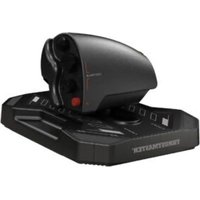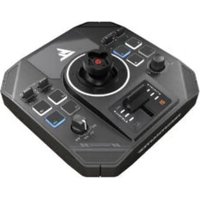
Sol-R 5 Base - Controller THRUSTMASTER - Free user manual and instructions
Find the device manual for free Sol-R 5 Base THRUSTMASTER in PDF.


| Product type | Joystick base for flight simulation |
| Brand | Thrustmaster |
| Model | Sol-R 5 Base |
| Grip compatibility | Sol-R 1 Flightstick, F/A-18C Hornet HOTAS Add-On Grip, Viper Grip, and future grips |
| Connectivity | USB-C (USB-A to USB-C cable included) |
| Power supply | USB port (5V) |
| Built-in controls | Throttle with illuminated indicators, toggle switches (2 positions), backlit buttons, encoder, rotary selector (4 positions) |
| Number of LEDs | 10 customizable LEDs |
| LED customization | RGB, via Windows control panel |
| Left/right-handed modes | LEFT HANDED / RIGHT HANDED selector under the base |
| Mounting on support | M6 screws (max length 15 mm), compatible with TM Flying Clamp, cockpits |
| Included software | PC driver with control panel, advanced T.A.R.G.E.T. software |
| Firmware update | Mandatory, via Thrustmaster website |
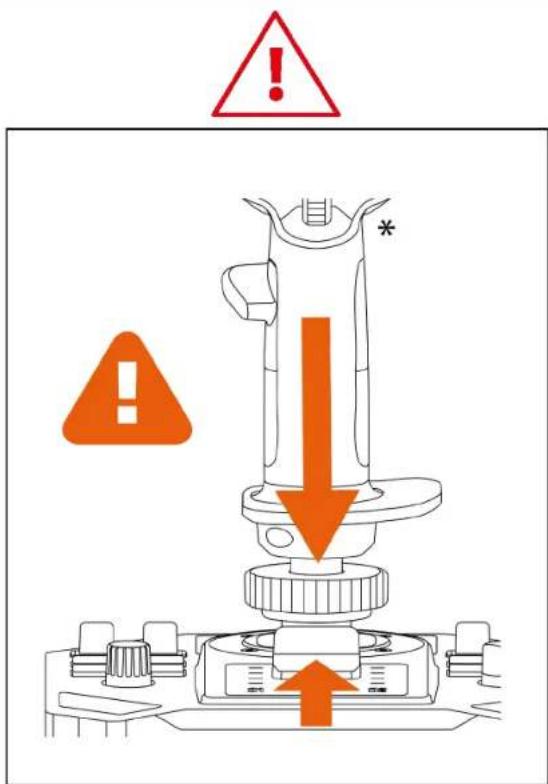
| Safety | Pinch risk: do not place fingers between the base and the grip axis |
| Maintenance and cleaning | Soft dry cloth, do not use harsh products |
| Manufacturer | Thrustmaster (France) |
| Repairability | Spare parts not mentioned, contact technical support |
Frequently Asked Questions - Sol-R 5 Base THRUSTMASTER
User questions about Sol-R 5 Base THRUSTMASTER
0 question about this device. Answer the ones you know or ask your own.
Ask a new question about this device
Download the instructions for your Controller in PDF format for free! Find your manual Sol-R 5 Base - THRUSTMASTER and take your electronic device back in hand. On this page are published all the documents necessary for the use of your device. Sol-R 5 Base by THRUSTMASTER.
USER MANUAL Sol-R 5 Base THRUSTMASTER
PC (Windows® 10/11)
User Manual

Carefully read the instructions provided in this manual before installing the product, before any use of the product and before any maintenance. Be sure to follow the safety instructions. Failure to follow these instructions may result in accidents and/or damage. Keep this manual so that you can refer to the instructions in the future.
TABLE OF CONTENTS
- BOX CONTENTS......6
- TECHNICAL FEATURES ......7
- INFORMATION REGARDING USE 9
- MOUNTING A FLIGHT STICK GRIP* ON THE
BASE 11
- INSTALLATION ON PC 13
Control panel 14
Mapping....18
- INSTALLATION ON A SUPPORT ......21
Installation on a TM Flying Clamp*......22
Installation on a cockpit* or another fixed
support*......23
- FEATURES ......24
Throttle 24
- COMPATIBILITY ......25
Flight stick grips 26
9. T.A.R.G.E.T ADVANCED PROGRAMMING
SOFTWARE 27
Installation....27
Main features 28
10. FAQ AND TECHNICAL SUPPORT ......29
SOL-R5
B A S E
Upgrade your arsenal with the Sol-R 5 base, designed to offer more control in all types of flight simulation.
This manual will help you install and use your Sol-R 5 base in the best possible conditions. Before taking off, be sure to read the instructions and warnings carefully: they will help you get the maximum amount of enjoyment out of your product.

Updating the firmware
In order for the Sol-R 5 base to function properly with video games, it is essential that the firmware be updated.
To carry out the update, visit
https://support.thrustmaster.com/product/sol-r-5-base/
Select Drivers and follow the instructions, including the downloading and installation procedure.
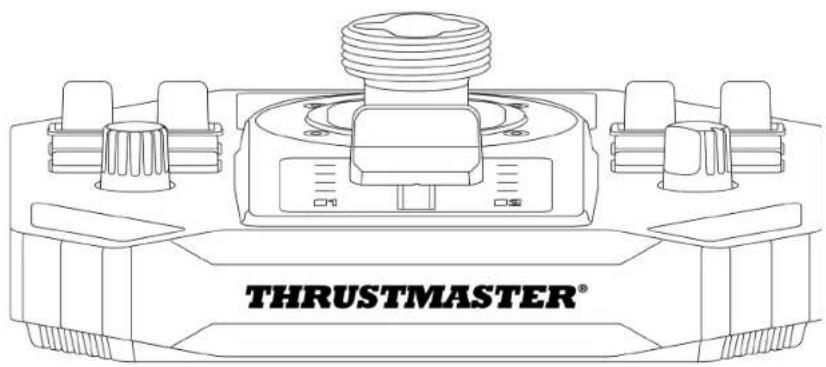
1. Box contents
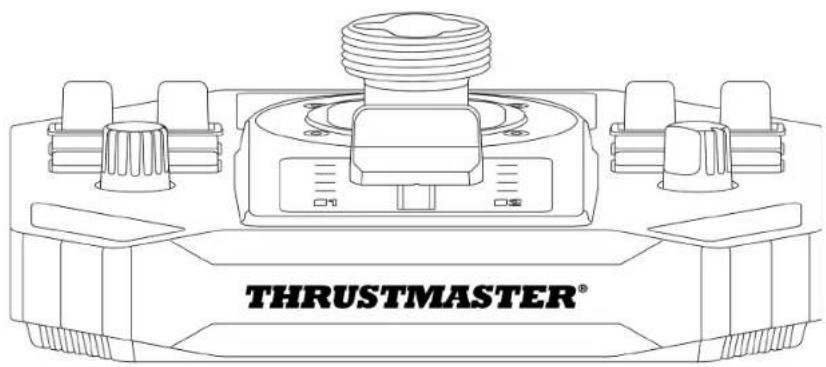
natural_image
Technical line drawing of a thrust master device with no visible text or symbols on the component itself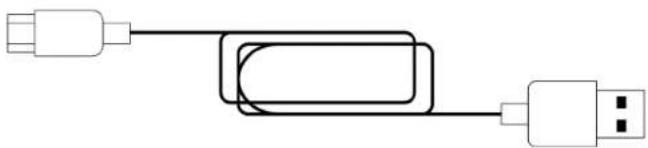
natural_image
Pure electrical circuit lines without any symbols2. Technical features
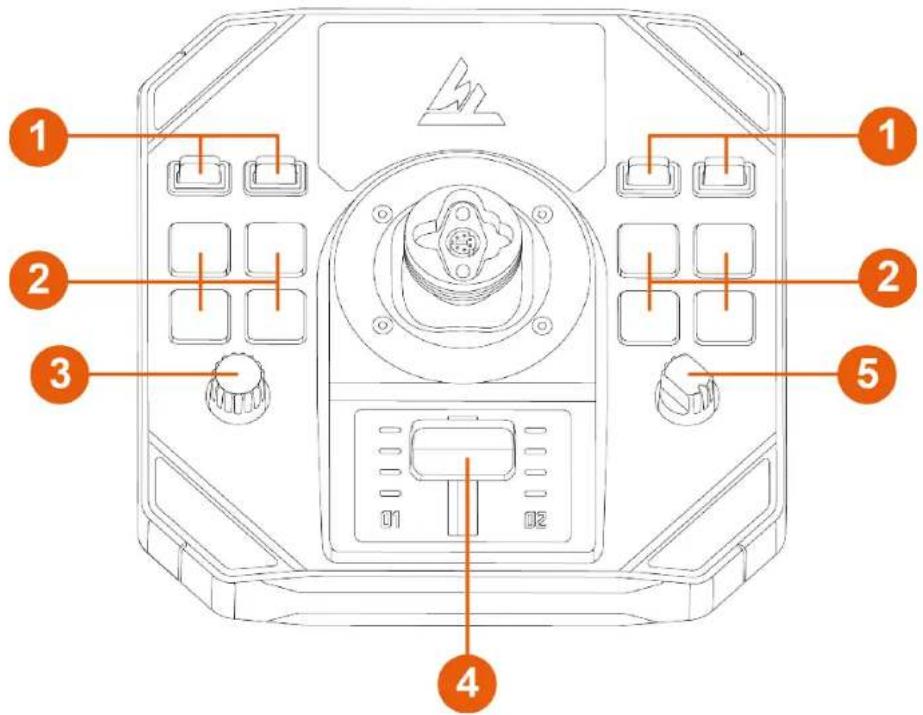
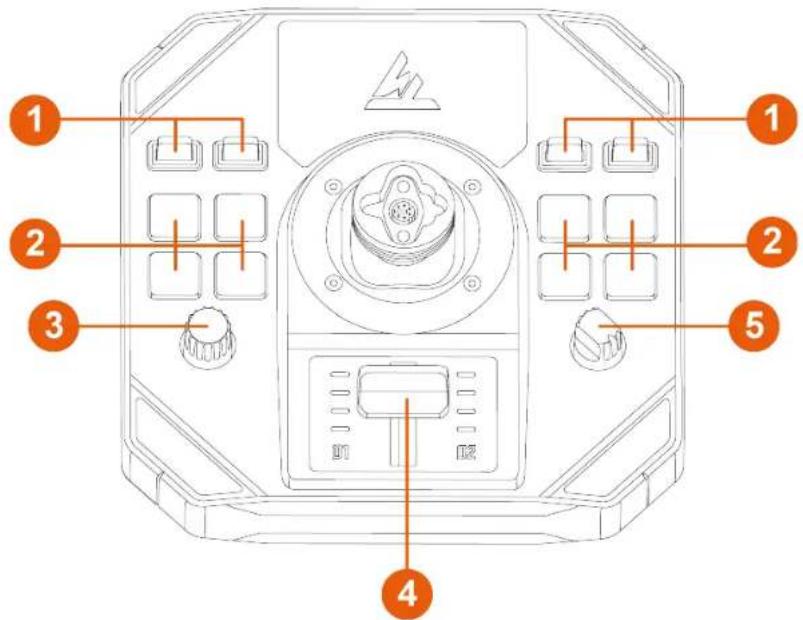
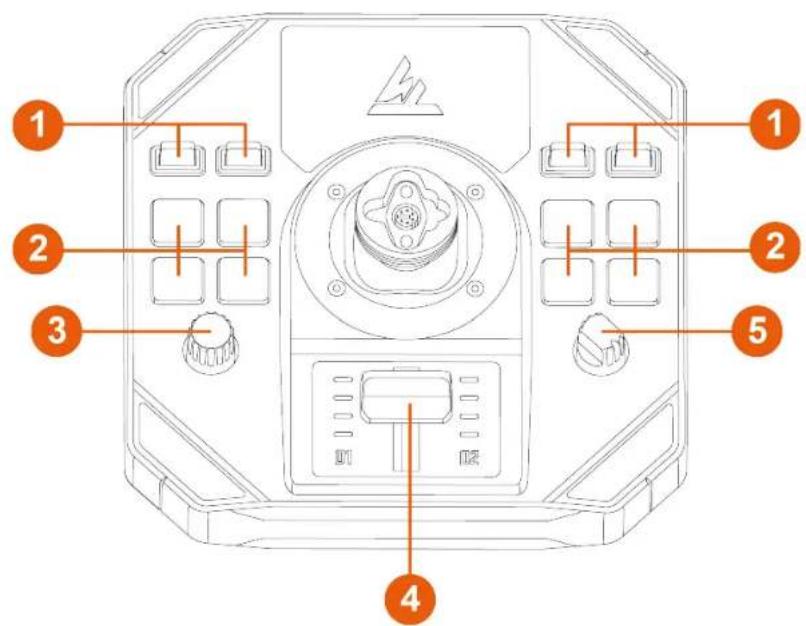
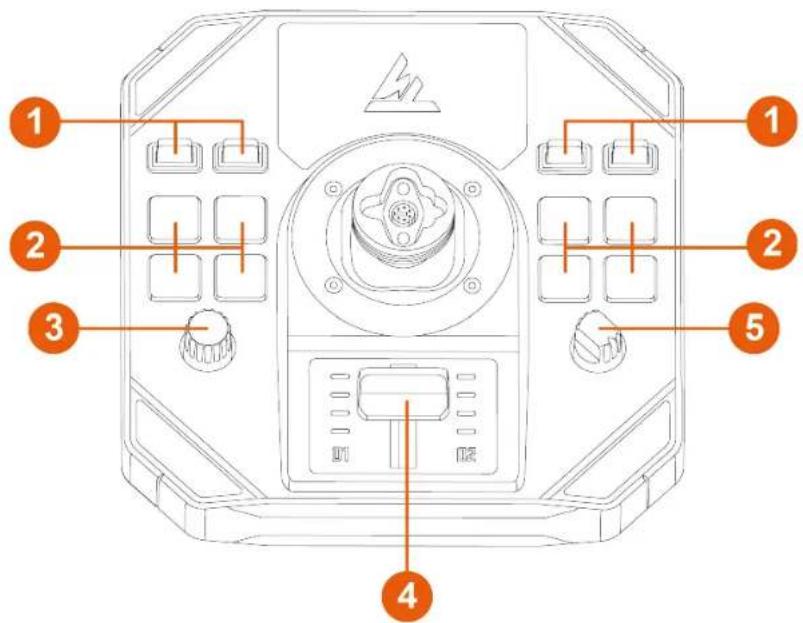
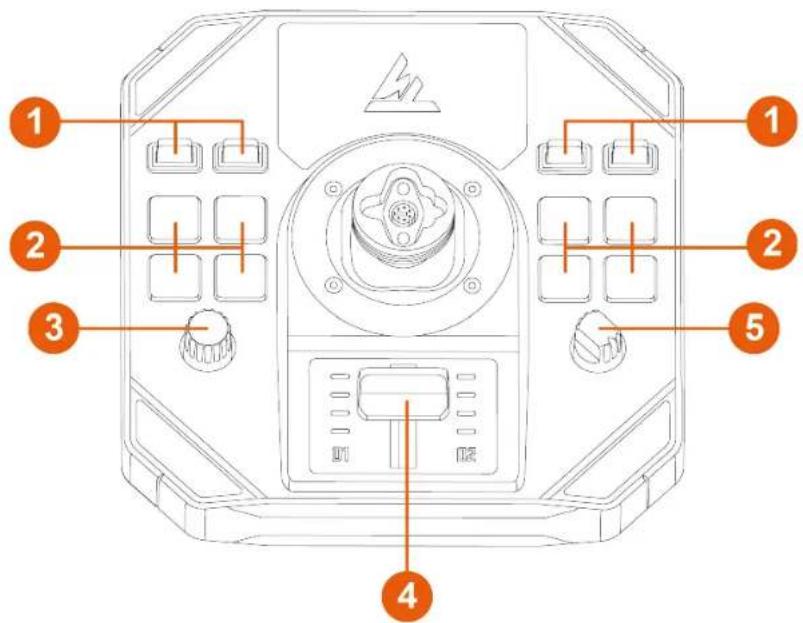
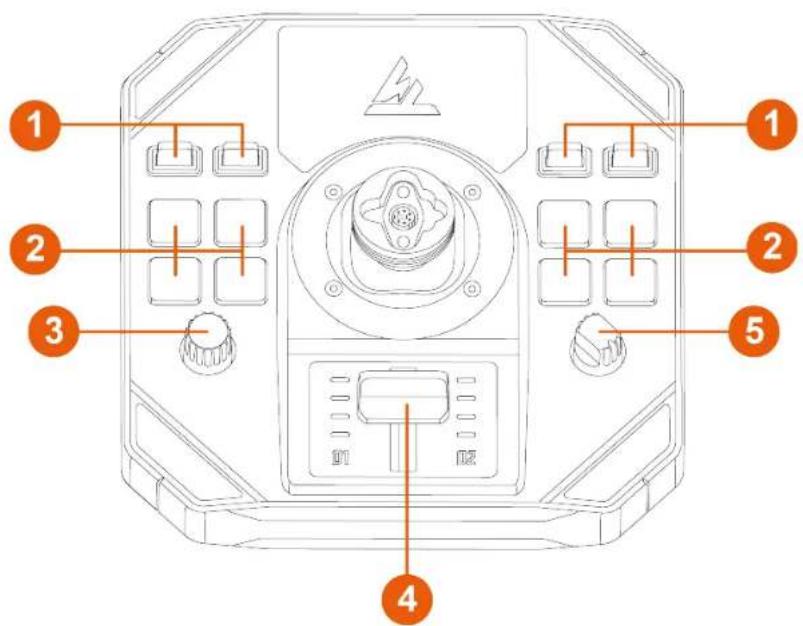
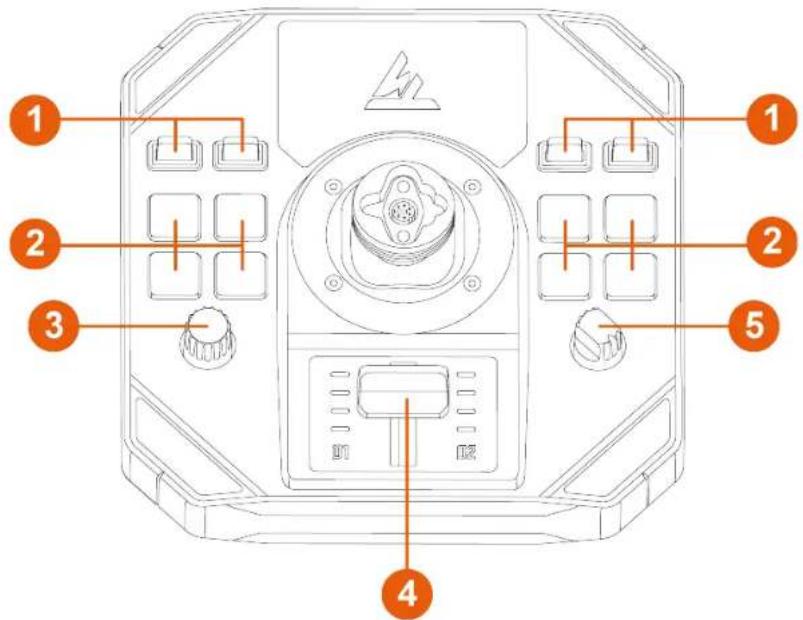
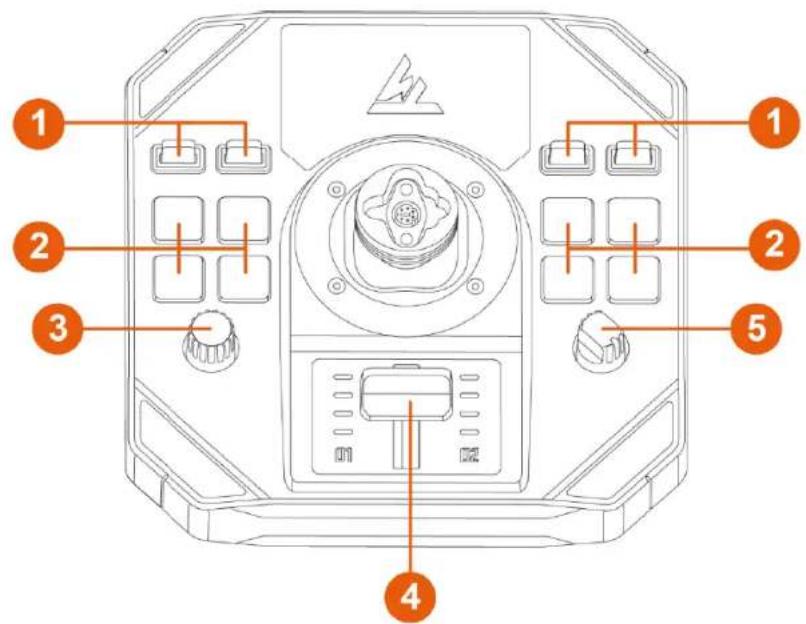
① Toggle switches (two positions)
② Backlit action buttons
3 Encoder
4 Throttle with indicator lights
5 Rotary selector (four positions)
flowchart
graph LR
    A["USB"] --> B["USB"]
    B --> C["USB"]
    C --> D["USB"]
    D --> E["USB"]
    style E fill:#f9f,stroke:#333
    note right of E: 8
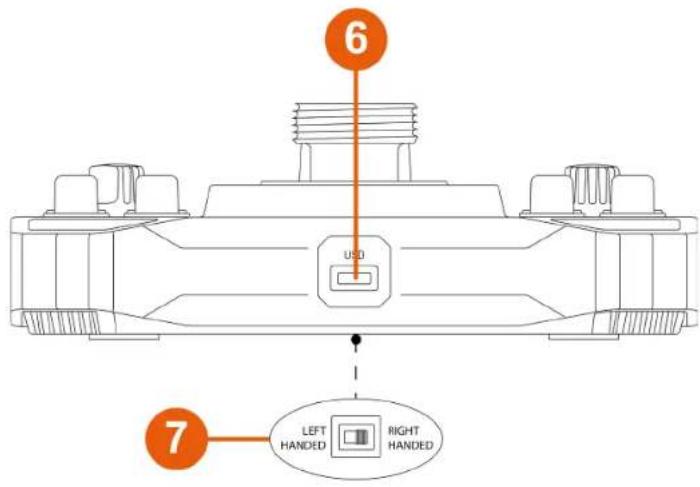
6 USB-C connector
7 Selector switch: LEFT HANDED / RIGHT HANDED
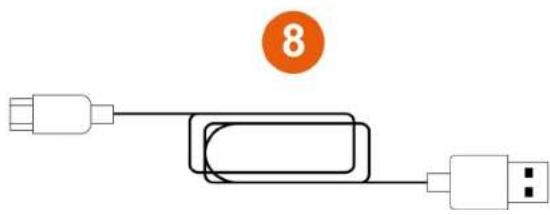
⑧ USB-A – USB-C cable
3. Information regarding use

Documentation
Before using this product, carefully read this documentation again and keep it for future reference.

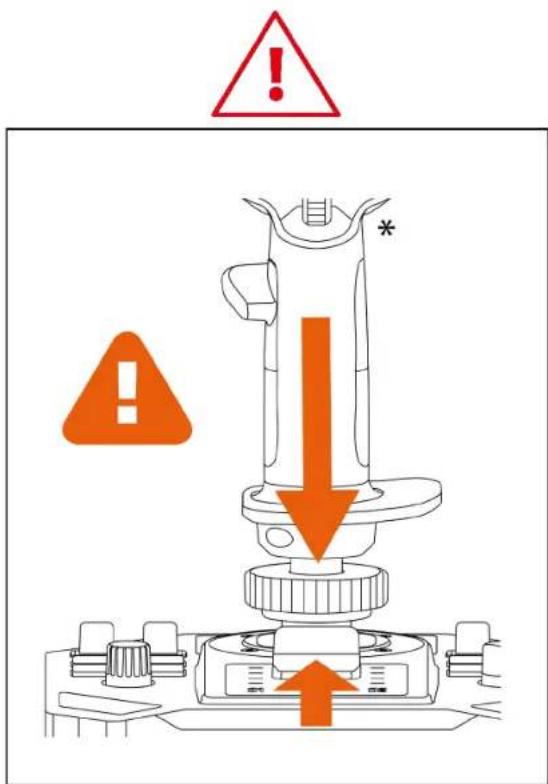
Pinch hazard
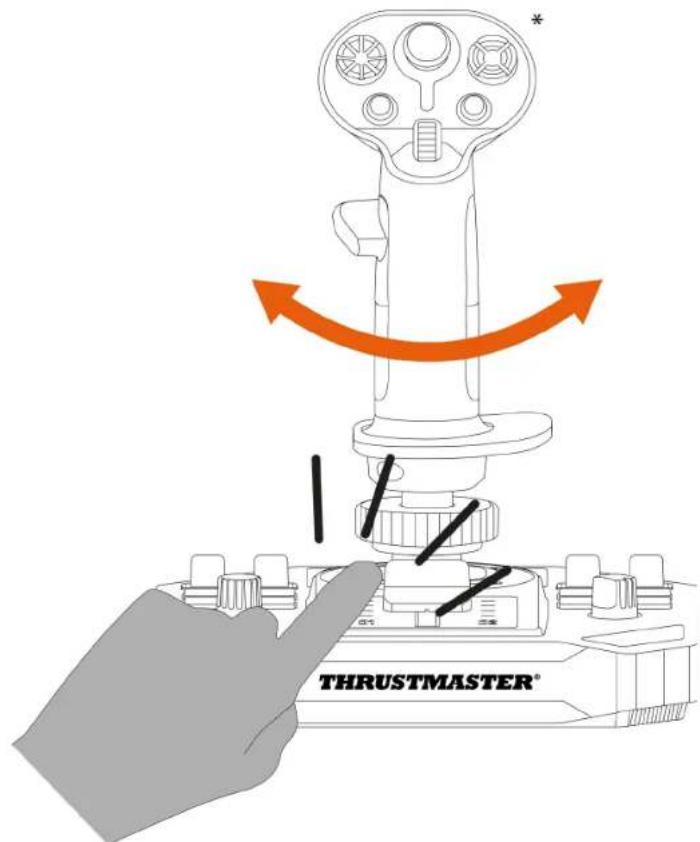
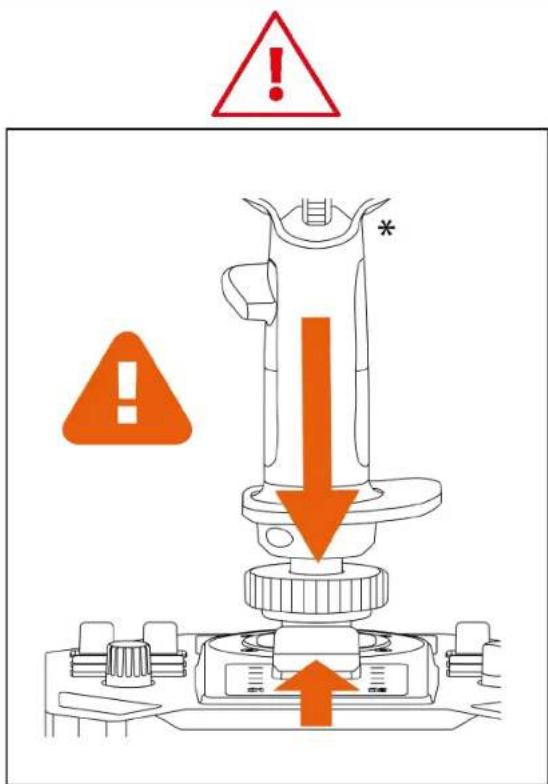
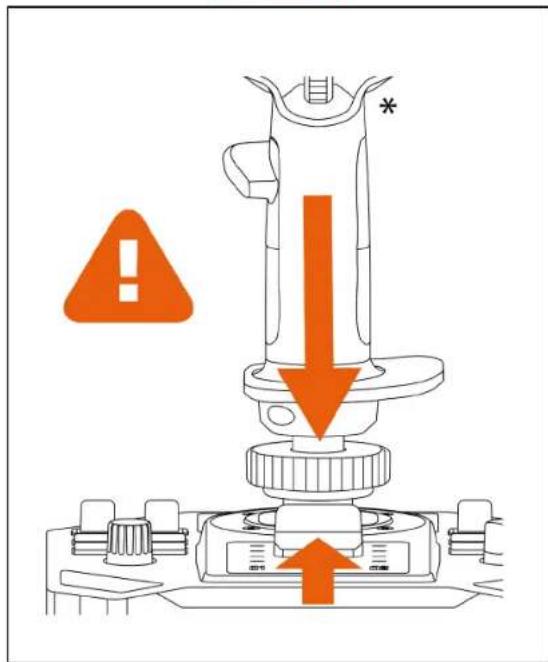
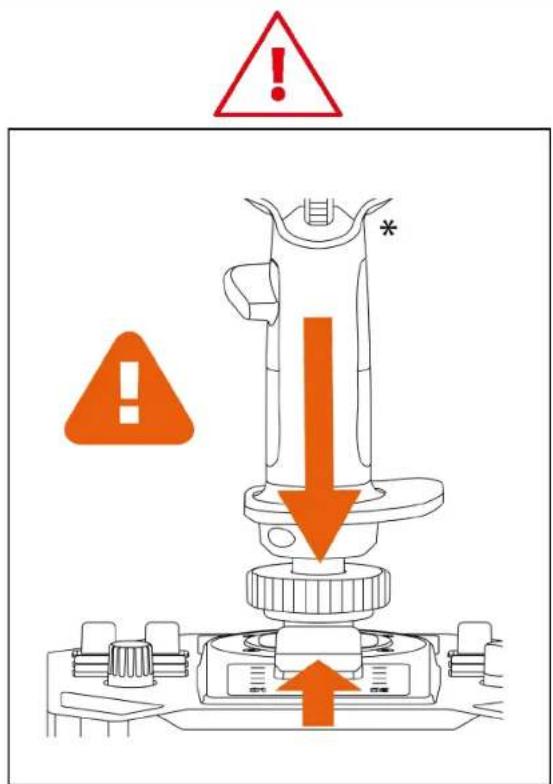
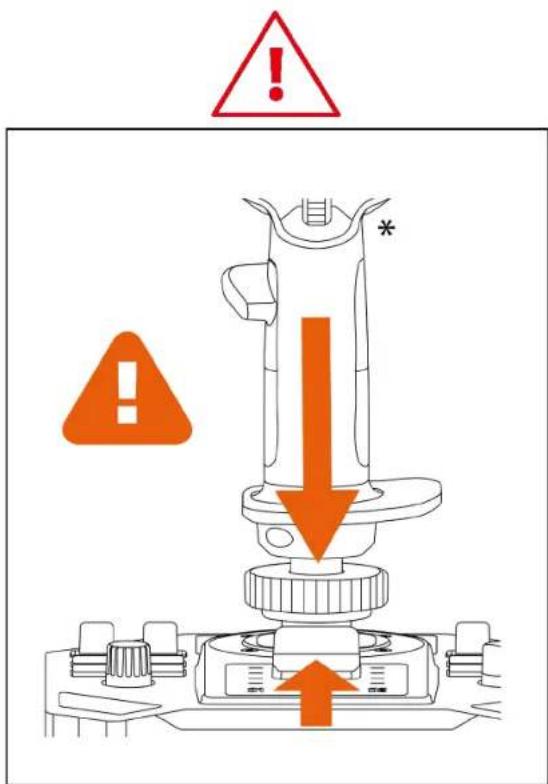
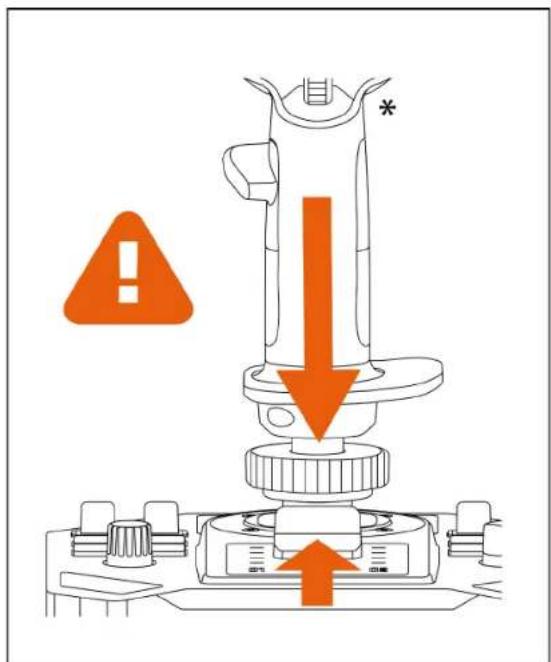
When using the Sol-R 5 base with a flight stick grip*, never place your fingers in the space between the base and the flight stick grip's axis.
4. Mounting a flight stick grip\* on the base

The Sol-R 5 base is compatible with all detachable flight stick grips in the Thrustmaster ecosystem on PC.
-
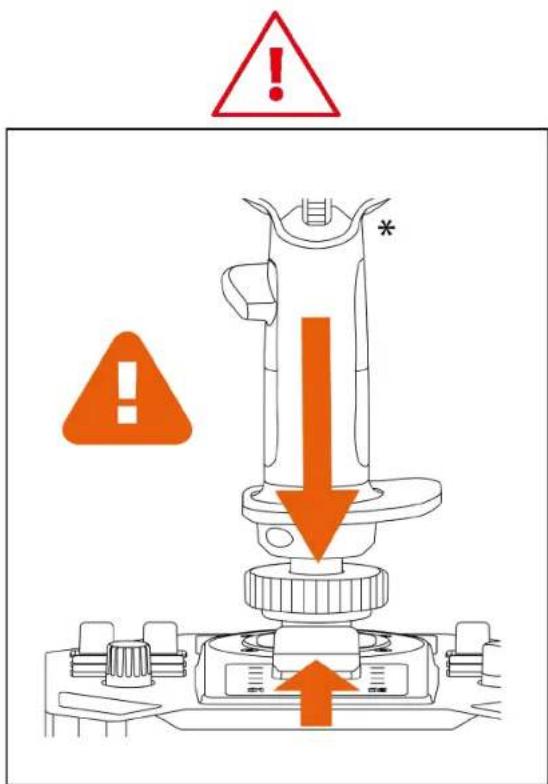
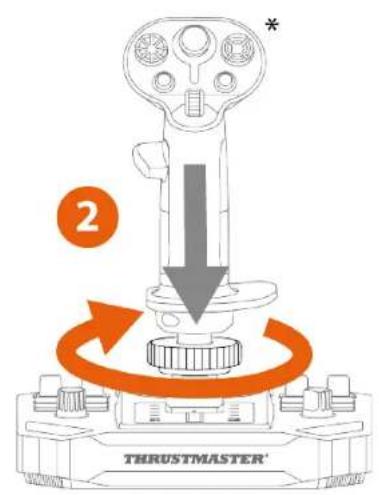
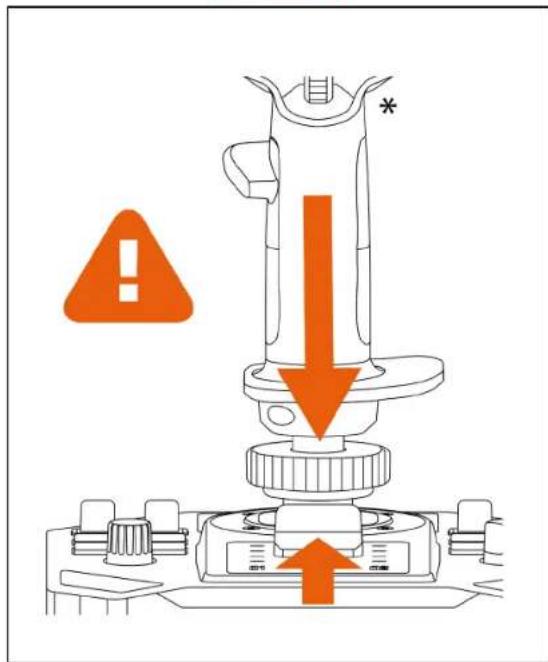
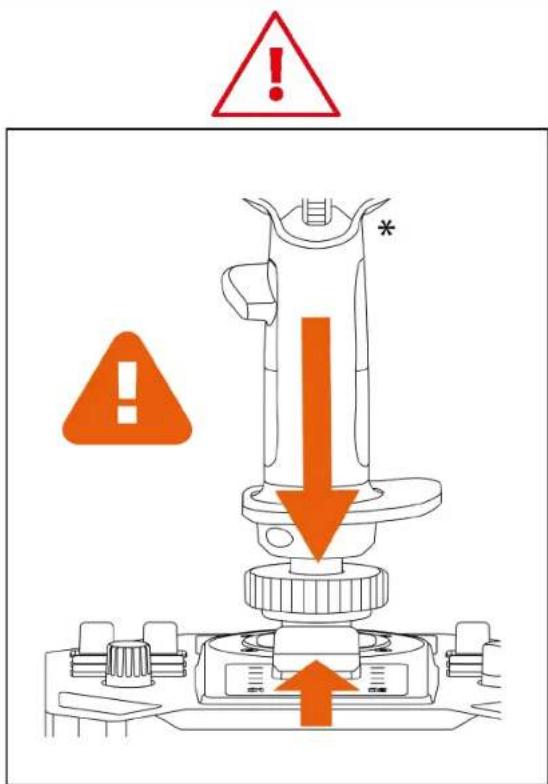
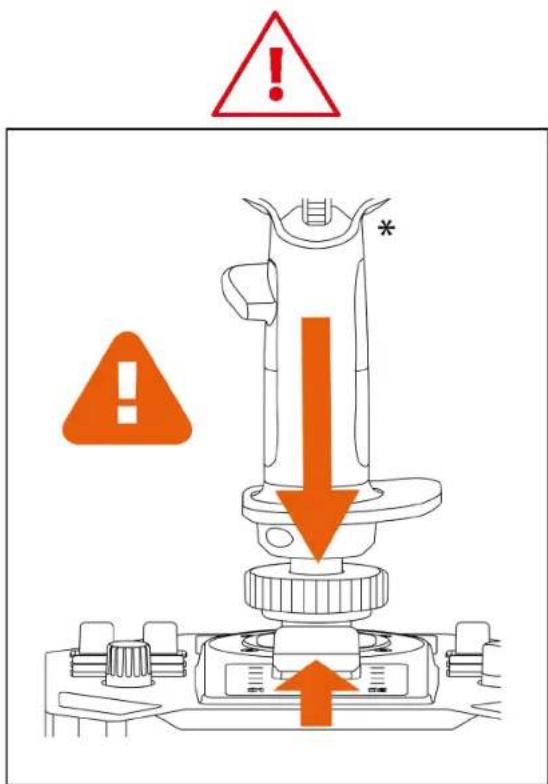
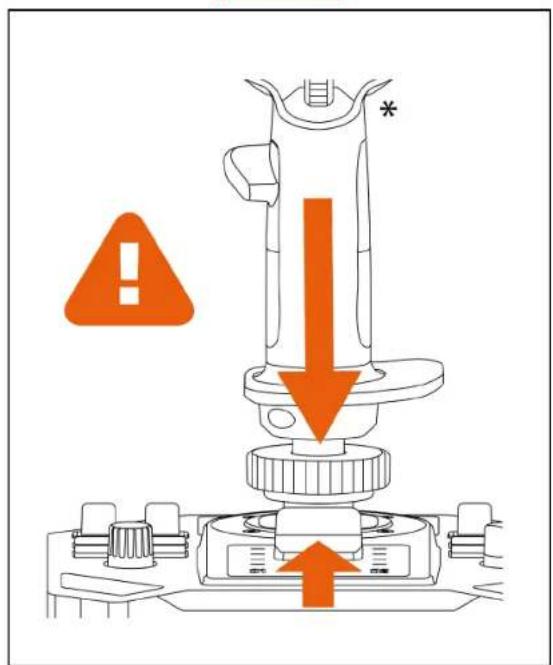
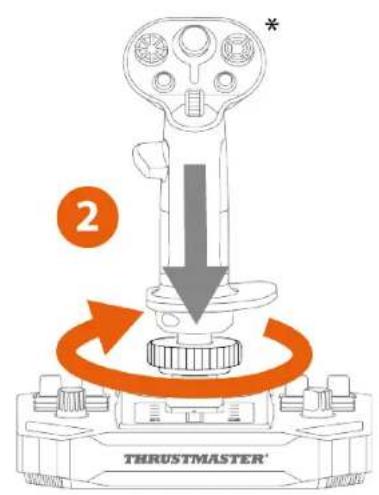
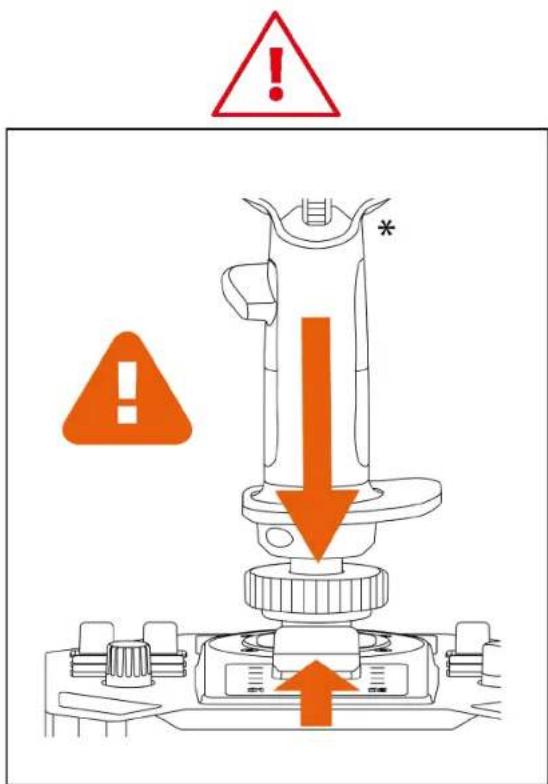
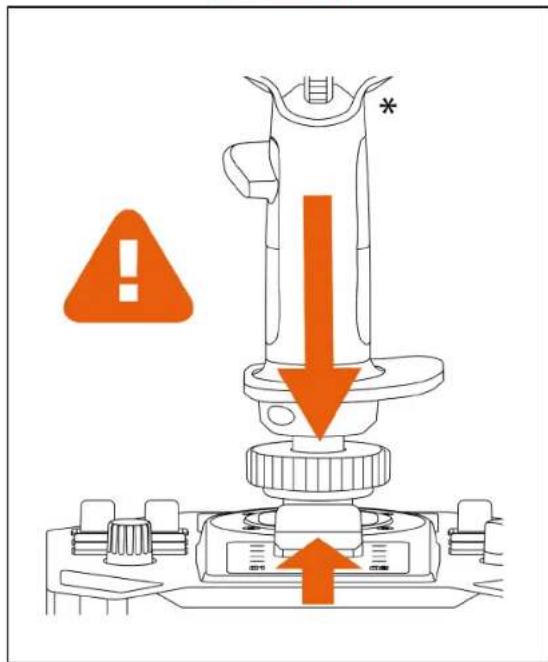
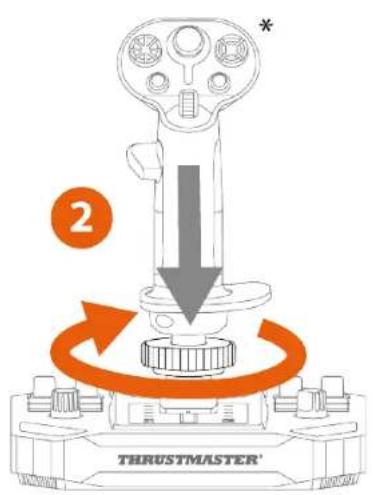
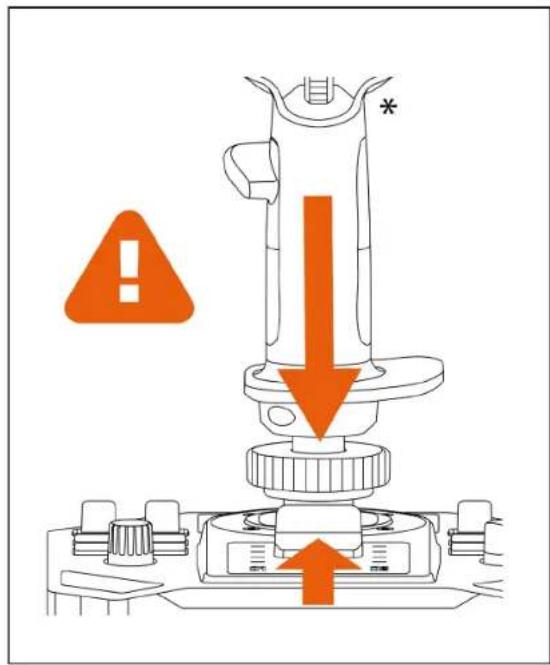
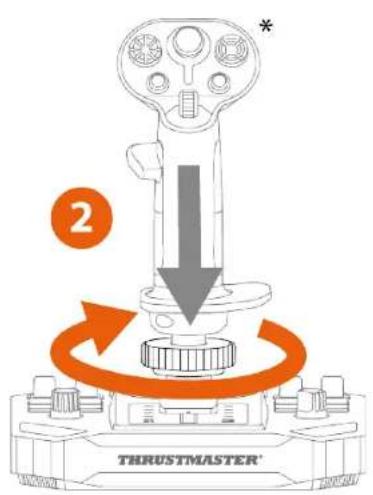
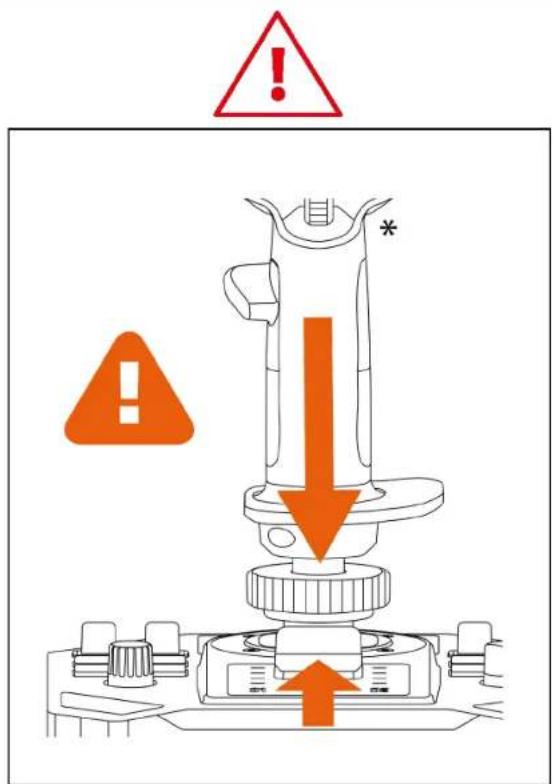
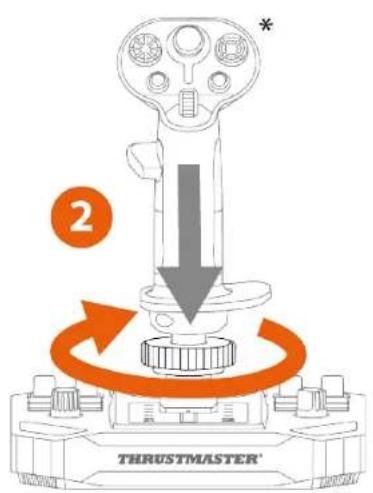
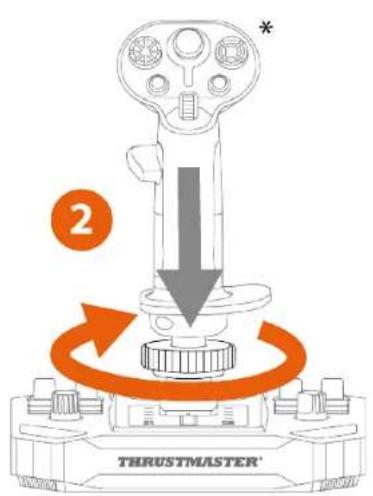
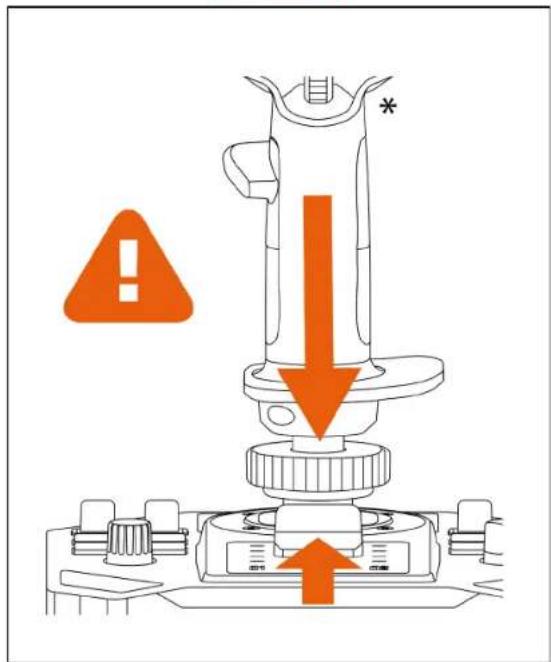
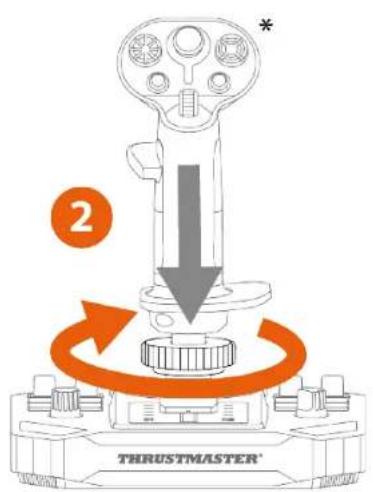
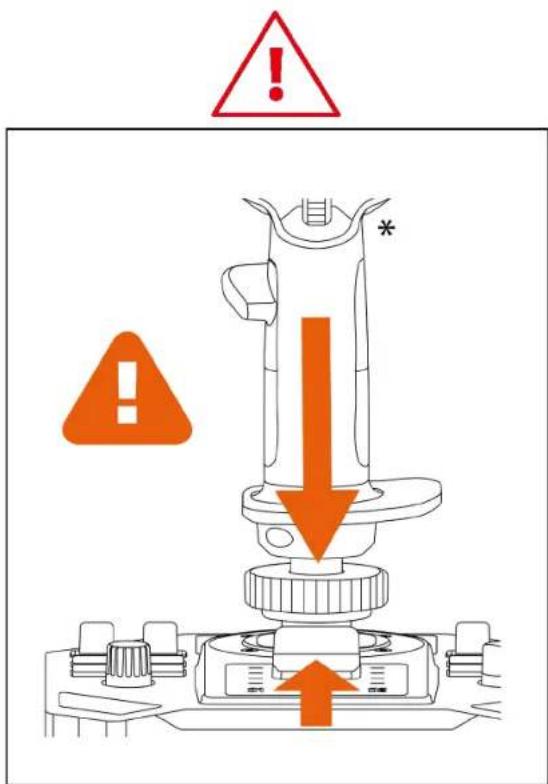
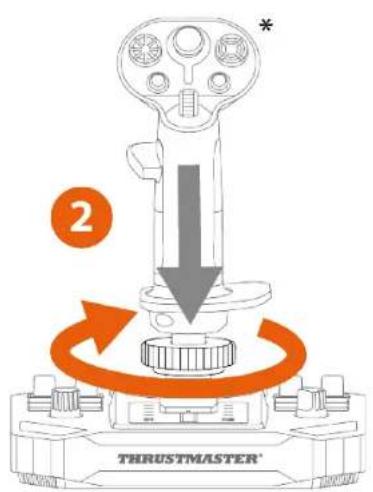
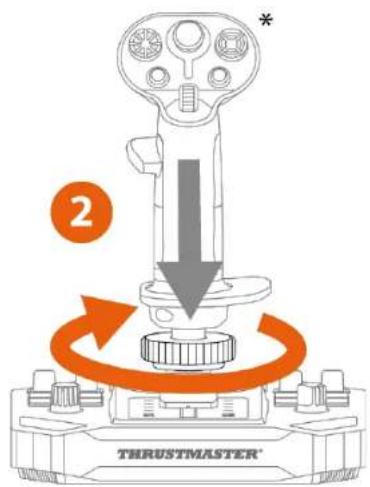
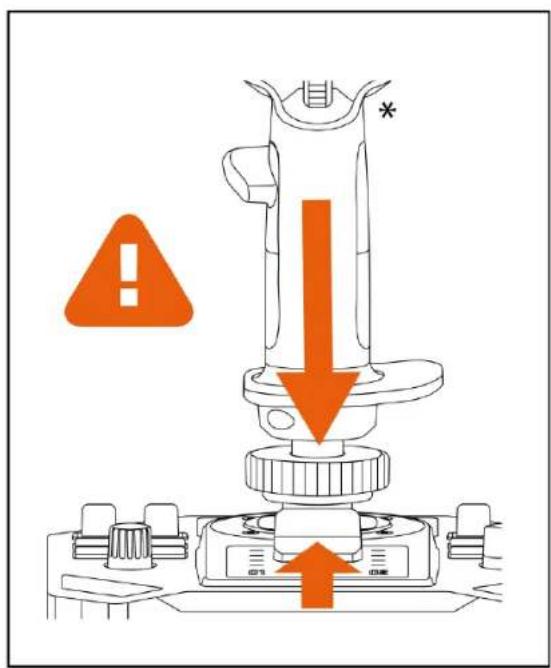
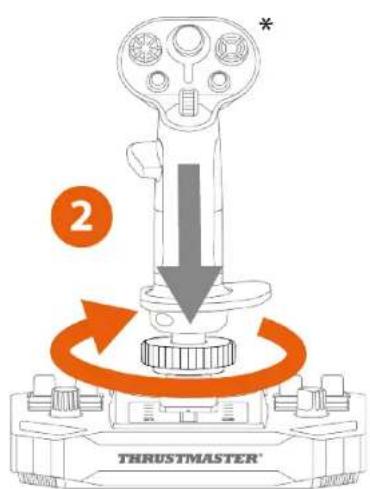
Place the flight stick grip on the base. Make sure that the flight stick grip is properly positioned, as shown in the diagram below.
-
Tighten the clamping ring.
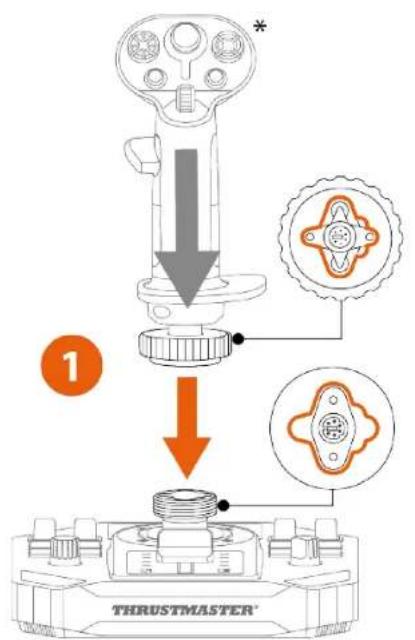
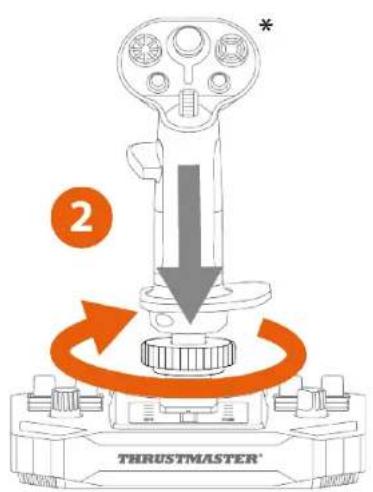
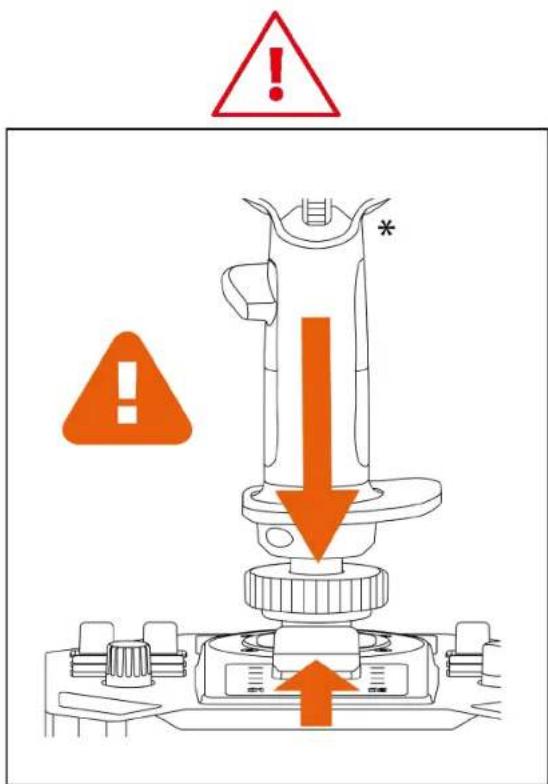
If you feel any resistance, do not force it. Make sure that the connectors for the base and the flight stick grip are properly aligned. Failure to comply with this instruction may result in damage to the products.
5. Installation on PC
- Please visit:
https://support.thrustmaster.com/product/sol-r-5-base/.
-
Download and install the PC driver and its customized interface for the Windows control panel.
-
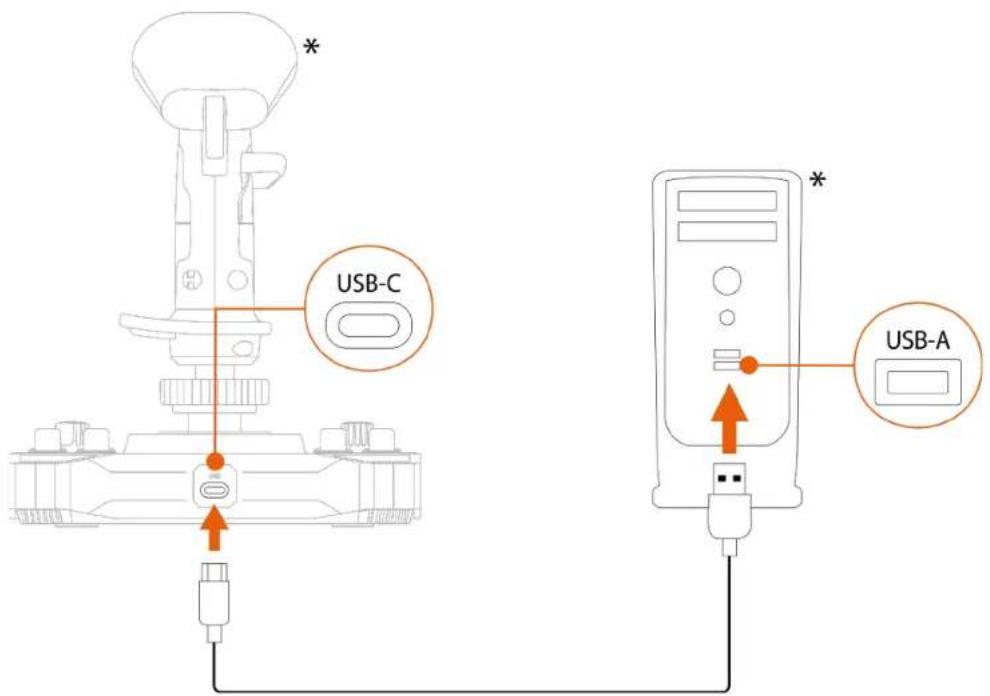
Once the PC driver has been installed, connect the Sol-R 5 base to one of your PC's USB ports, using the USB-A – USB-C cable.
Control panel
To access the control panel, select Start, type Control Panel in the search bar, and then click Control Panel (in Windows® 10/11).
Control Panel
The Game Controllers dialog box is displayed. The accessory appears onscreen with the name Sol-R [R] Viper and OK status.
![Game Controllers These settings help you configure the game controllers installed on your computer. Installed game controllers Controller Status Sol-R [R] Viper OK Advanced... Properties OK](/content/2026/04/740526/images/17f3e222ebc1df0c2be6d696e3b7356c2f926a3c0213bcdbd3897f28a0b29ec9.jpg)
In the Game Controllers dialog box, click Properties to test and view all features.
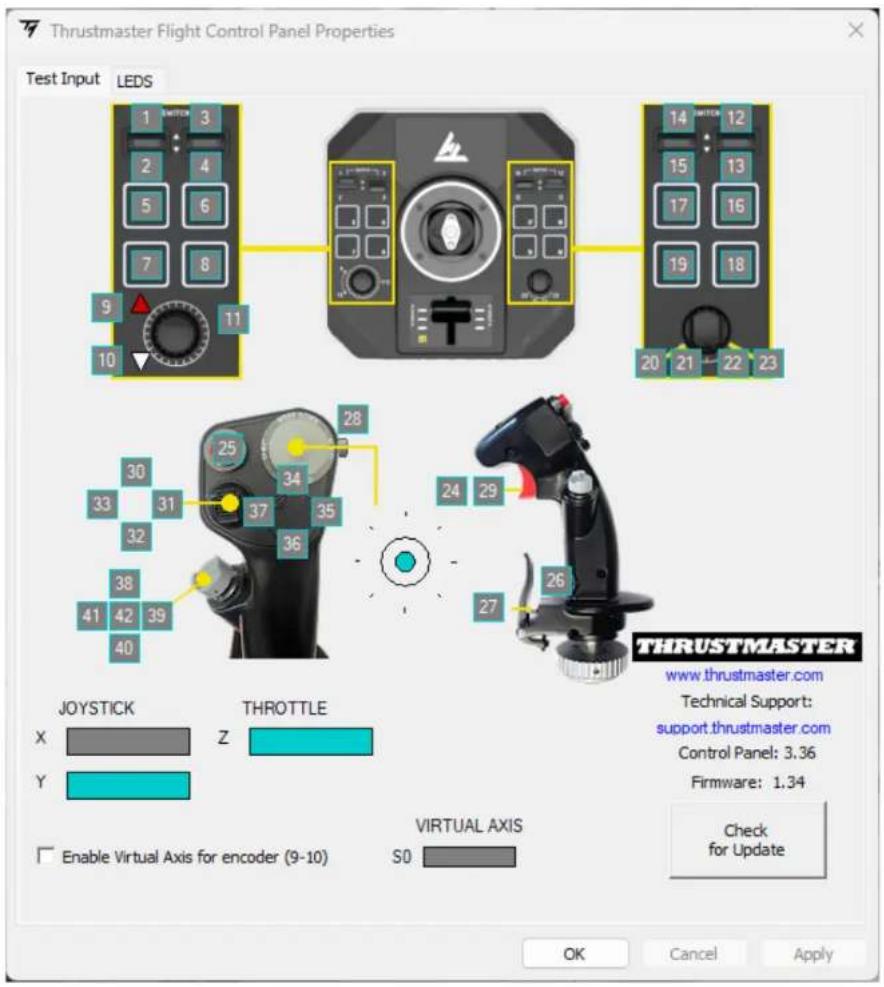
Customizable LEDs
The Sol-R 5 base features ten LEDs that can be customized via the control panel.
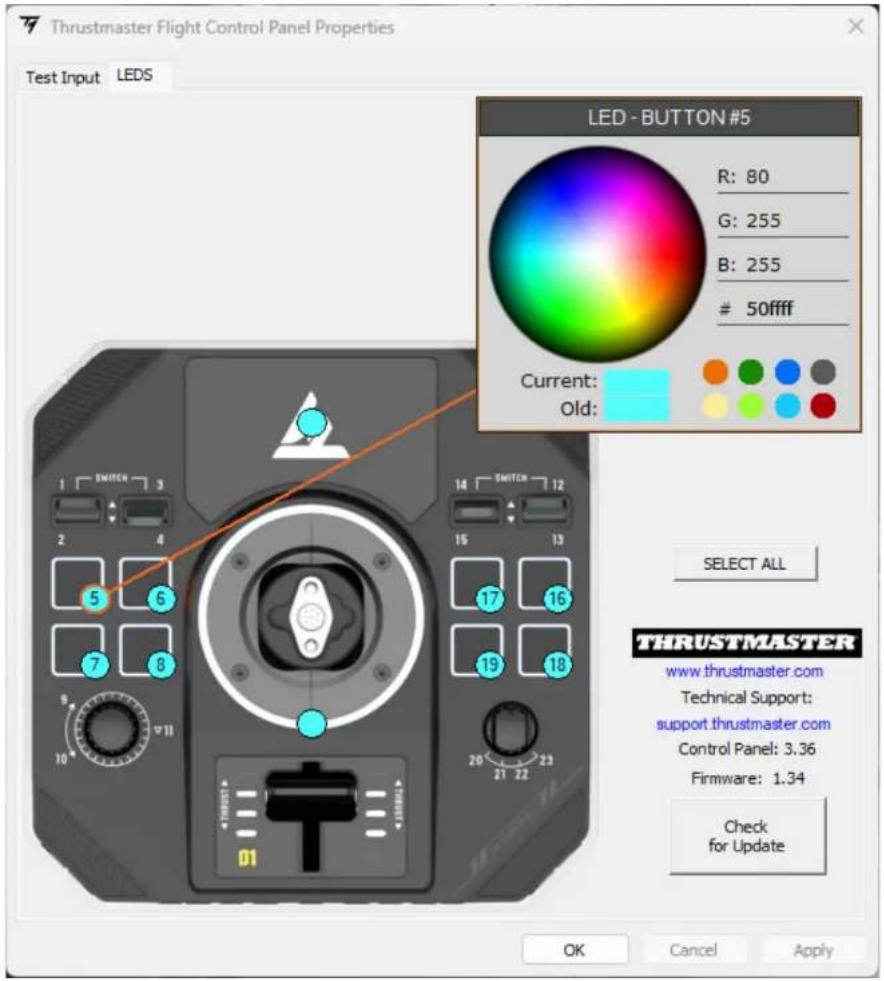

You can assign a different color to each LED.
To change the color of the LEDs:
-
Go to the control panel for the Sol-R 5 base.
-
In the Game Controllers dialog box, click Properties.
-
In the LEDS tab, click on one of the colored circles to select the LED that you want to change.
-
Use the color wheel or the palette of predefined colors, or enter a color code (RGB or HEX) to change the color.
-
Click OK to save the change.
Mapping
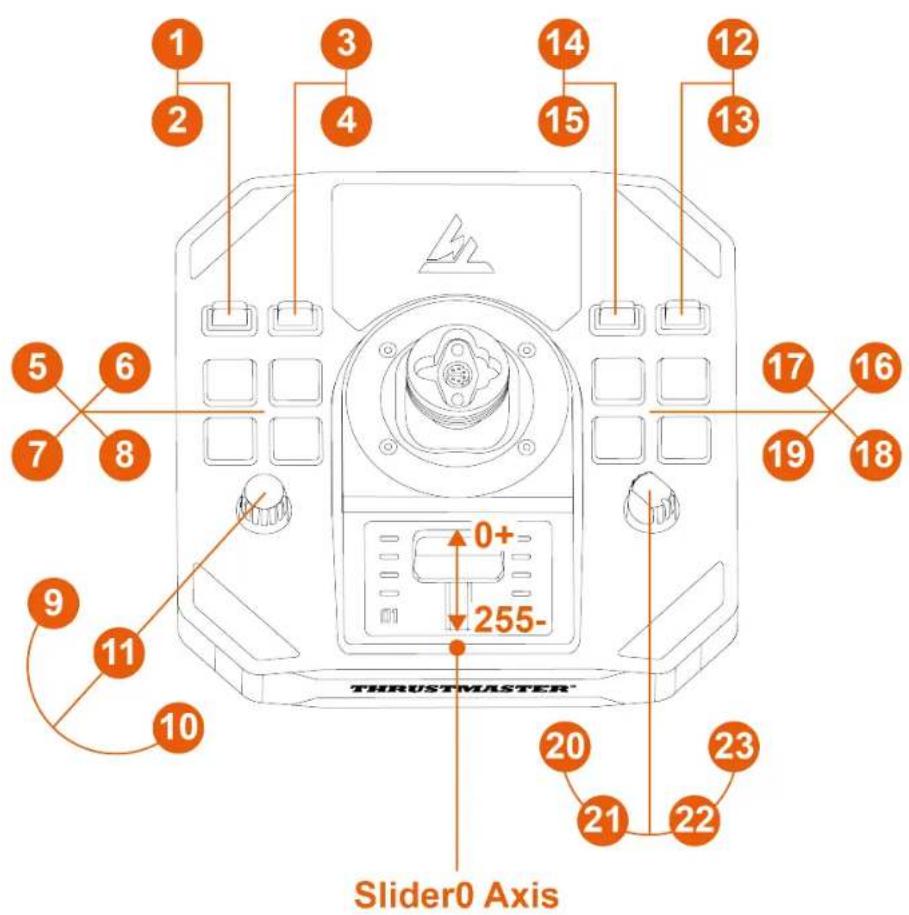
Right-handed or Left-handed mode
To set the joystick to Right-handed or Left-handed mode, simply position the selector switch located on the underside of the base to LEFT HANDED or RIGHT-HANDED.
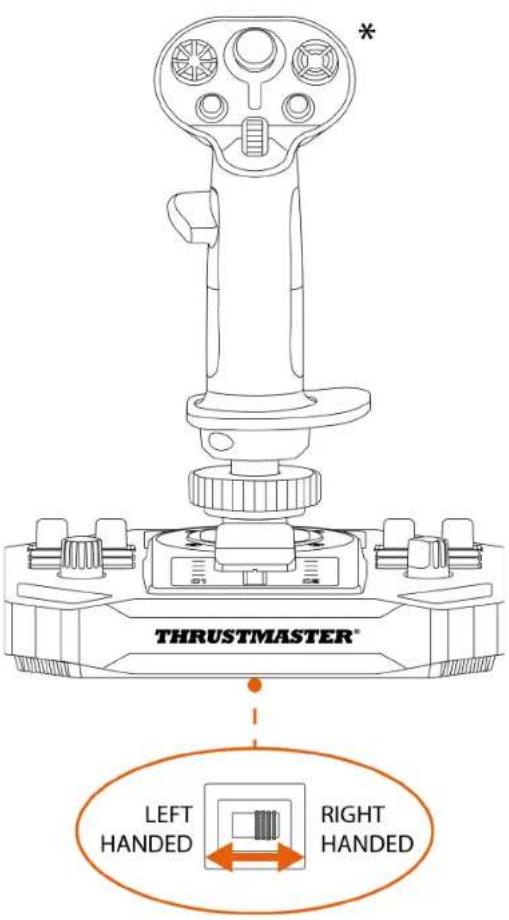

By default, the base is configured in Right-handed mode.
Left-handed mode
Right-handed mode
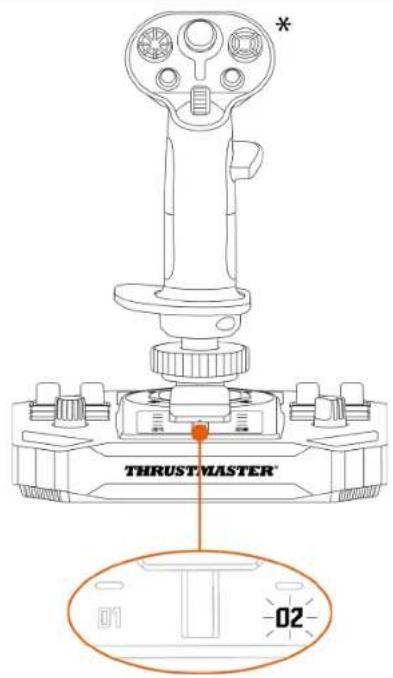
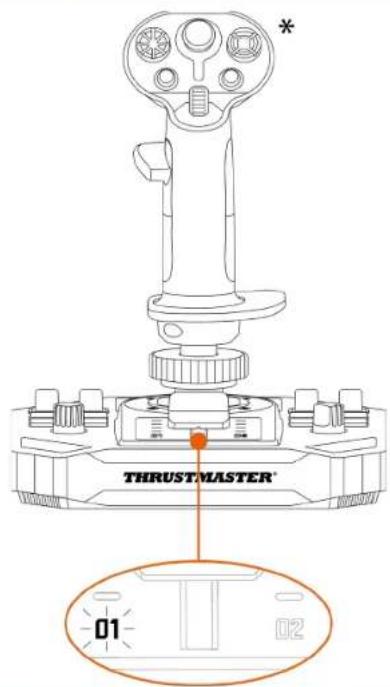

When the Sol-R 5 base is connected, an LED lights up on the throttle to indicate the selected mode:
$$ 0 1 = \text { Right - handed } $$
$$ 0 2 = \text { Left - handed } $$

Carry out the procedure to switch from Right-handed to Left-handed mode (or vice versa) before connecting the base to your PC.
6. Installation on a support
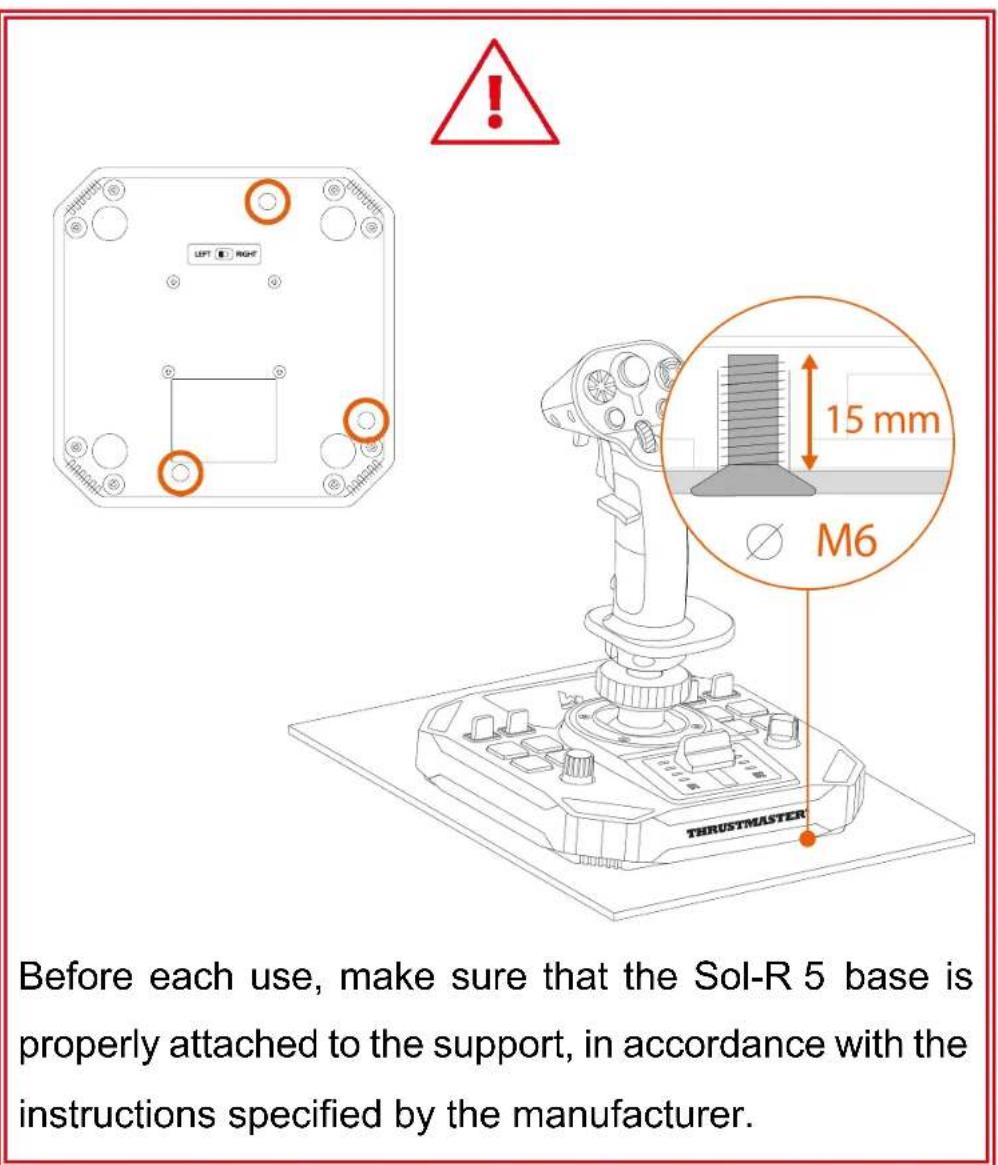
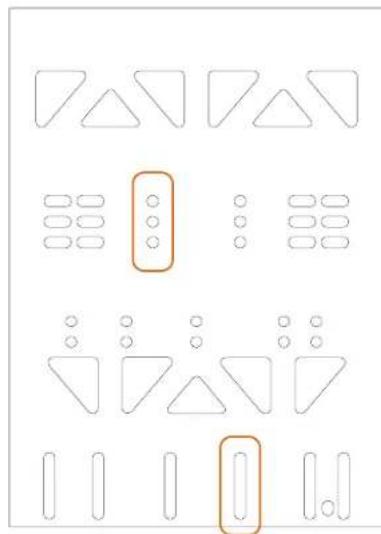
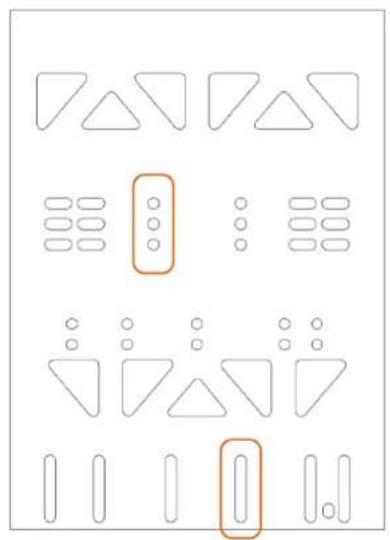
You can install the Sol-R 5 base on different types of supports using M6 screws (not included) and the screw threads located on the underside of the base. Inside the base, the maximum length of the screw must not exceed 15 ~mm .
Installation on a TM Flying Clamp\*
To attach the Sol-R 5 base to the TM Flying Clamp support*, use two M6 screws (not included).
natural_image
Pure geometric shapes with no text, numbers, or symbols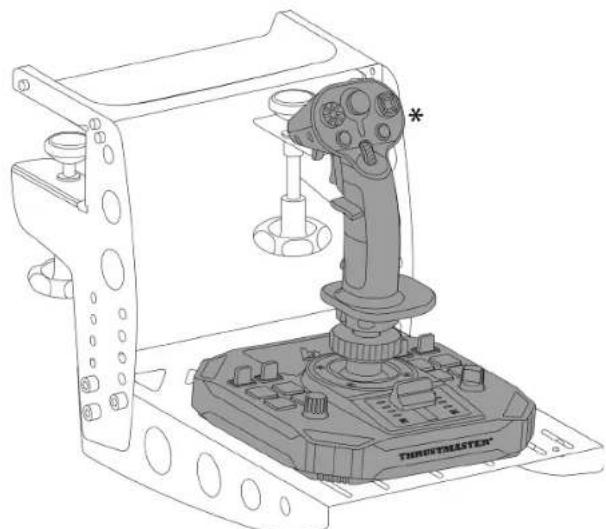
natural_image
Technical line drawing of a Throximate game controller with a targeting device (no text or symbols)Installation on a cockpit\* or another fixed support\*
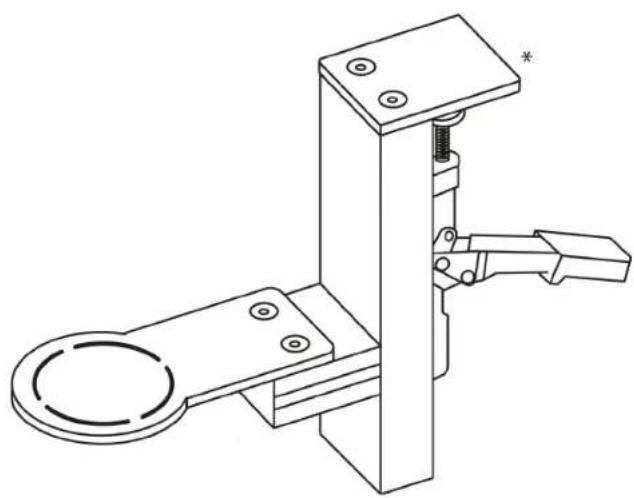
To attach the Sol-R 5 base to a cockpit* or a desk support*, use M6 screws (not included) and the screw threads located on the underside of the base.
natural_image
Technical line drawing of a mechanical clamp or bracket assembly (no text or symbols)
To avoid damaging the Sol-R 5 base, please consult the cockpit manufacturer or technical support in order to determine the cockpit's compatibility with Thrustmaster products.
7. Features
Throttle
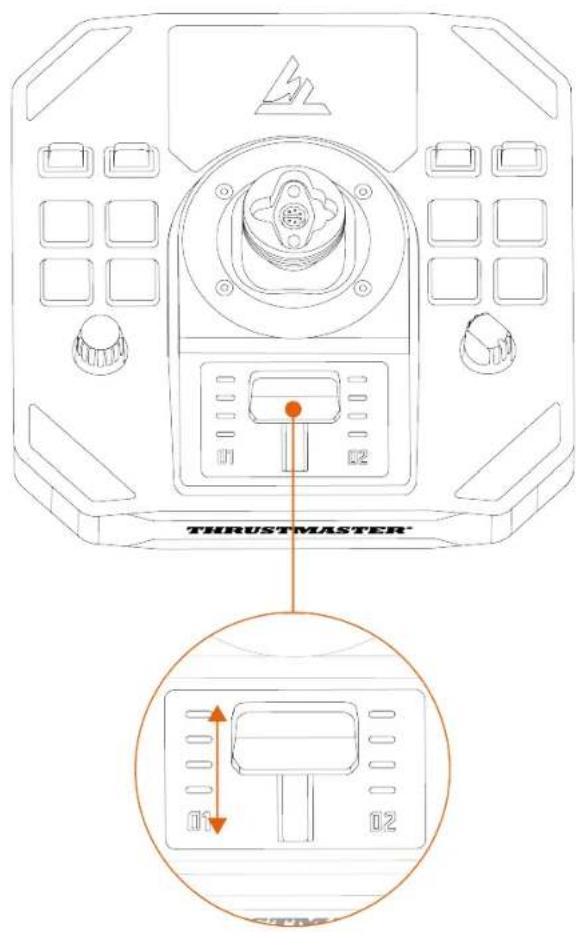
The Sol-R 5 base features a throttle that makes it easy to control your spacecraft engine's thrust. Indicator lights help you to be more precise.
8. Compatibility

Be sure to only use authorized accessories. The use of unauthorized accessories may damage the product and void the warranty.
Flight stick grips
The Sol-R 5 base is compatible with the following flight stick grips and accessories:
- Sol-R 1 Flightstick flight stick grip*;
- F/A-18C Hornet™ HOTAS Add-On Grip flight stick grip*;
- Viper Grip - HOTAS Add-On Grip flight stick grip*;
- AVA Offset Adapter adapter ^* ;
- future Thrustmaster flight stick grips*.
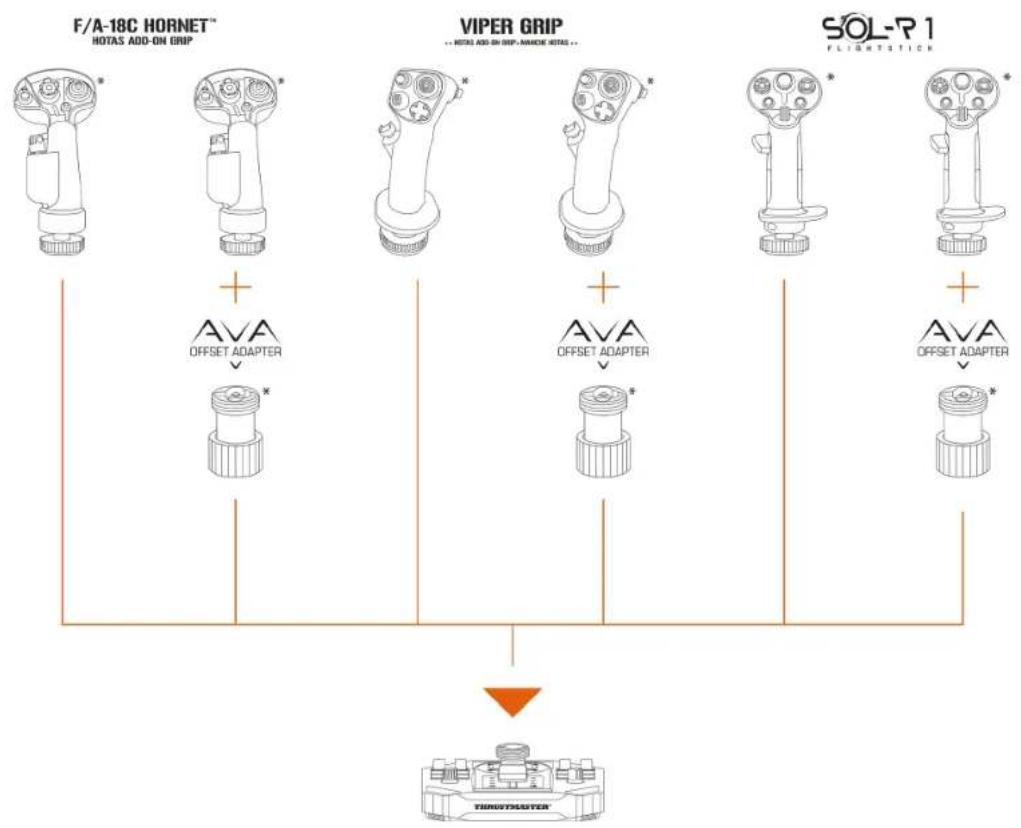
flowchart
graph TD
    A["F/A-18C HORNET\nHOTAS ADD-ON GRIP"] --> B["AVA\nOFFSET ADAPTER"]
    C["VIPER GRIP\n-- NOTES ADD-ON GRIP - NANOSE RETAIL"] --> D["AVA\nOFFSET ADAPTER"]
    E["SOL-R1\nFLIGHTSTICK"] --> F["AVA\nOFFSET ADAPTER"]
    B --> G["TURGTEASTER"]
    D --> G
    F --> G
9. T.A.R.G.E.T
advanced
programming software
T.A.R.G.E.T (Thrustmaster Advanced pRogramming Graphical EdiTor) is an innovative, high-performance software suite allowing for improvements to most Thrustmaster flight controllers, and the sharing of profiles with the Thrustmaster community.
Installation
- Please visit:
https://support.thrustmaster.com/product/sol-r-5-base/
- In the Software section, download and install the T.A.R.G.E.T advanced programming software.
Main features
- Various possible configurations of the axes.
- Multiple programming levels available: Basic, Advanced and Script.
- Use of the Drag and Drop principle.
- Ability to merge the Sol-R 5 base with other Thrustmaster flight simulation accessories (Hotas Cougar*, T.16000M FCS*, TWCS*, TFRP*, MFD Cougar Pack*, TCA range*, VIPER range*, AVA range*, Sol-R range* — all of which are also compatible with T.A.R.G.E.T), allowing for them to be recognized as a single USB device.
- Access to advanced profiles created by the Thrustmaster community.
10. FAQ and technical support
Do you have questions regarding the Sol-R 5 base, or are you experiencing technical problems? If so, visit the Thrustmaster technical support website:
https://support.thrustmaster.com/product/sol-r-5-base/.
1. My joystick equipped with the Sol-R 5 base isn't working properly, or seems to be improperly calibrated
- Power off your PC, disconnect your joystick and then reconnect it, restart your PC and start up your game again.
- When connecting your joystick, be sure to keep the flight stick grip centered and avoid moving it, to avoid any calibration problems.
2. I can't configure my joystick equipped with the Sol-R 5 base
- Access your game's menu and select Options > Controller > Gamepad or Joystick. Then choose the most appropriate configuration, or completely reconfigure the joystick's options.
- For more information, please refer to your game's user manual or online help.
3. My joystick equipped with the Sol-R 5 base is too sensitive, or not sensitive enough
- The joystick automatically self-calibrates after a few movements on the different axes.
- Access your game's menu and select Options > Controller > Gamepad or Joystick. Then adjust your joystick's sensitivity and dead zones if these options are available.
4. My joystick equipped with the Sol-R 5 base isn't working
- In order for the joystick to function properly with video games, it is essential that the firmware be updated.
To carry out the update, visit
https://support.thrustmaster.com/product/sol-r-5-base/.
Select Drivers and follow the instructions, including the downloading and installation procedure.
THRUSTMASTER®

Pour PC (Windows® 10/11)
https://support.thrustmaster.com/product/sol-r-5-base/
natural_image
Technical line drawing of a thrust master device with no visible text or symbols on the component itself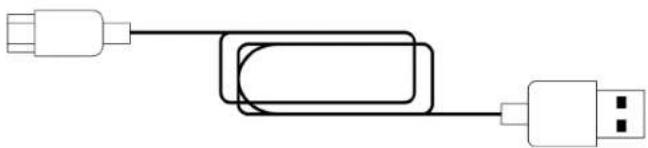
natural_image
Pure electrical circuit lines without any symbols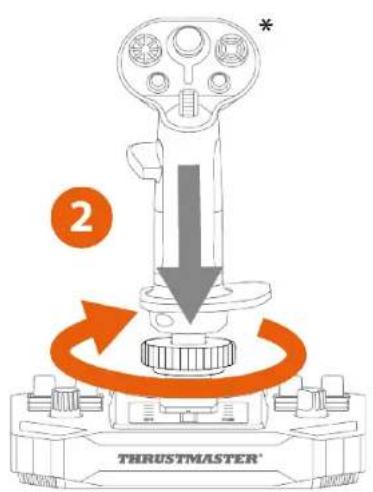
https://support.thrustmaster.com/product/sol-r-5-base/.
natural_image
Pure geometric shapes with no text, numbers, or symbols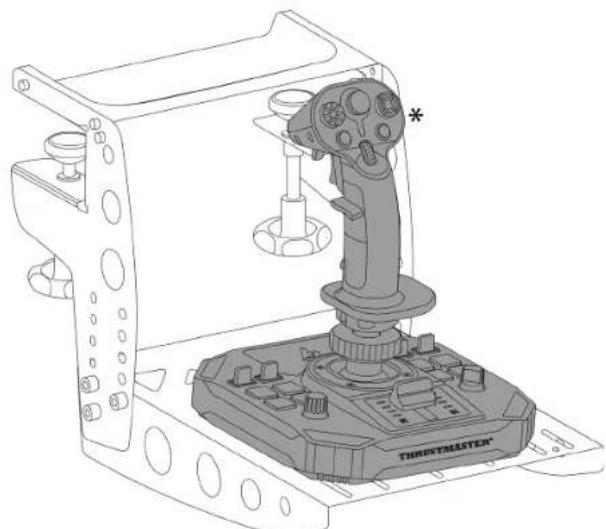
natural_image
Technical line drawing of a Throximate game controller with a targeting device (no text or symbols)natural_image
Technical line drawing of a mechanical clamp or bracket assembly (no text or symbols)
https://support.thrustmaster.com/product/sol-r-5-base/
https://support.thrustmaster.com/product/sol-r-5-base/.
PC (Windows® 10/11)
Benutzerhandbuch

https://support.thrustmaster.com/product/sol-r-5-base/
natural_image
Technical line drawing of a thrust master device with no visible text or symbols on the component itself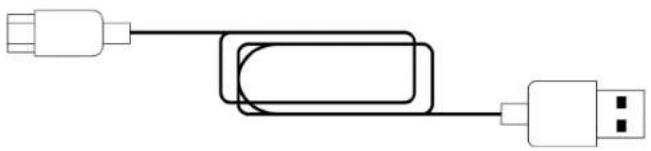
natural_image
Pure electrical circuit lines without any symbols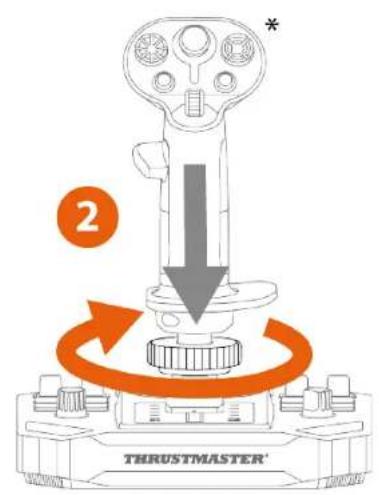
https://support.thrustmaster.com/product/sol-r-5-base/.
natural_image
Pure geometric shapes and dot patterns without any text, numbers, or symbols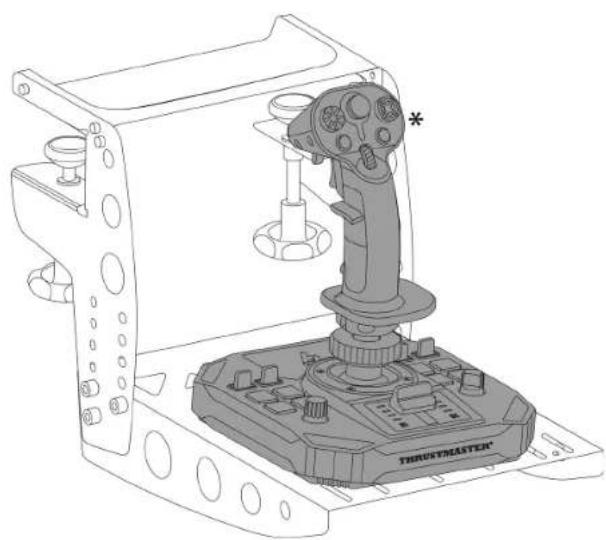
natural_image
Technical line drawing of a Trusystmaster robotic device with labeled components (no text or symbols beyond branding)natural_image
Technical line drawing of a mechanical clamp or bracket assembly (no text or symbols)
https://support.thrustmaster.com/product/sol-r-5-base/
https://support.thrustmaster.com/product/sol-r-5-base/.
PC (Windows® 10/11)
Handleiding

PROGRAMMEERSOFTWARE....27
Installatie....27
https://support.thrustmaster.com/product/sol-r-5-base/
natural_image
Technical line drawing of a thrust master device with no visible text or symbols on the component itself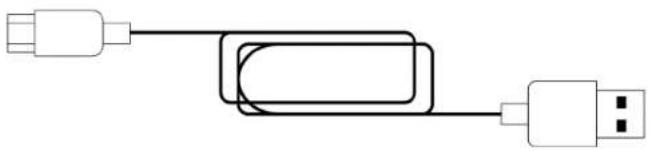
natural_image
Pure electrical circuit lines without any symbols2. Technische specificaties

https://support.thrustmaster.com/product/sol-r-5-base/.
natural_image
Pure geometric shapes and dot patterns without any text, numbers, or symbols
natural_image
Technical line drawing of a Trusstmaster robotic device with no visible text or symbolsnatural_image
Technical line drawing of a mechanical clamp or bracket assembly (no text or symbols)
https://support.thrustmaster.com/product/sol-r-5-base/
https://support.thrustmaster.com/product/sol-r-5-base/.
https://support.thrustmaster.com/product/sol-r-5-base/.
PC (Windows® 10/11)
Manuale d'uso

https://support.thrustmaster.com/product/sol-r-5-base/
natural_image
Technical line drawing of a thrust master device with mounting flanges and central hub (no text or symbols on the diagram itself)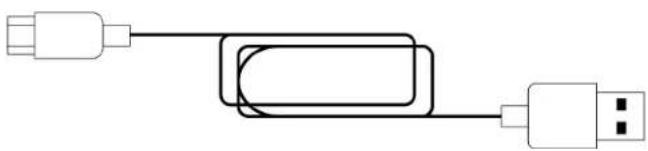
natural_image
Pure electrical circuit lines without any symbols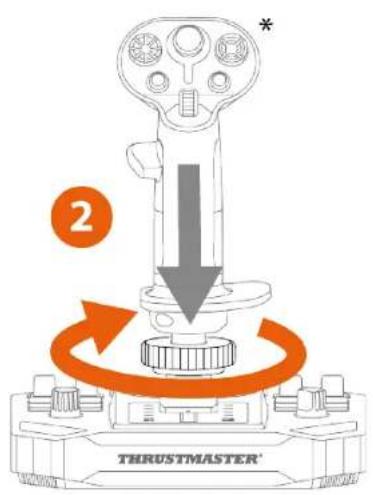
https://support.thrustmaster.com/product/sol-r-5-base/.
natural_image
Pure geometric shapes with no text, numbers, or symbols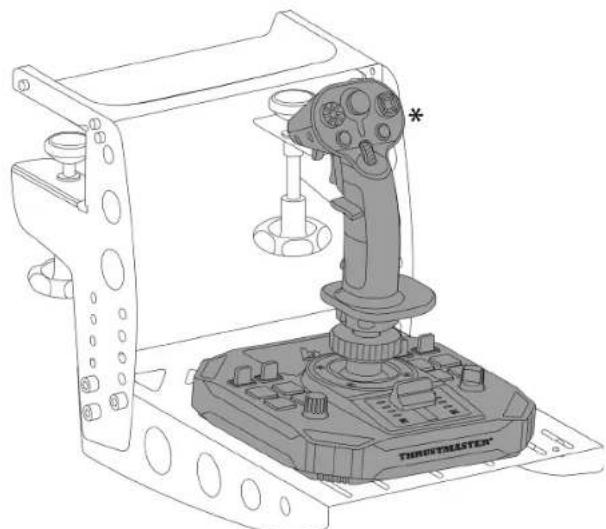
natural_image
Technical line drawing of a Throximate game controller with a targeting device (no text or symbols)natural_image
Technical line drawing of a mechanical clamp or bracket assembly (no text or symbols)
https://support.thrustmaster.com/product/sol-r-5-base/
https://support.thrustmaster.com/product/sol-r-5-base/.
PC (Windows® 10/11)
Manual del usuario

https://support.thrustmaster.com/product/sol-r-5-base/
natural_image
Technical line drawing of a thrust master device with no visible text or symbols on the diagram itself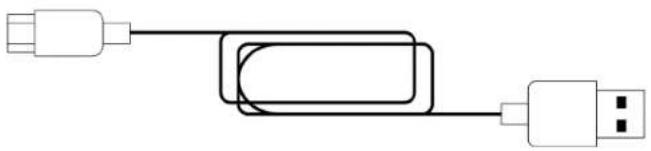
natural_image
Pure electrical circuit lines without any symbols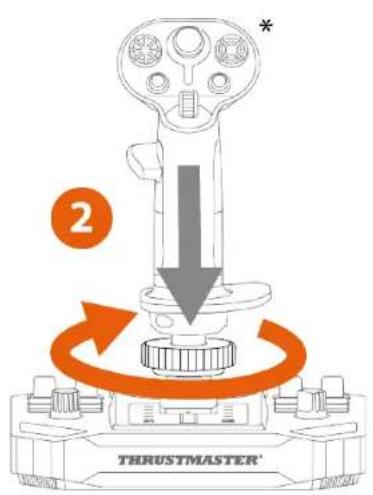
*No se incluye
https://support.thrustmaster.com/product/sol-r-5-base/.
natural_image
Pure electrical circuit lines without any symbols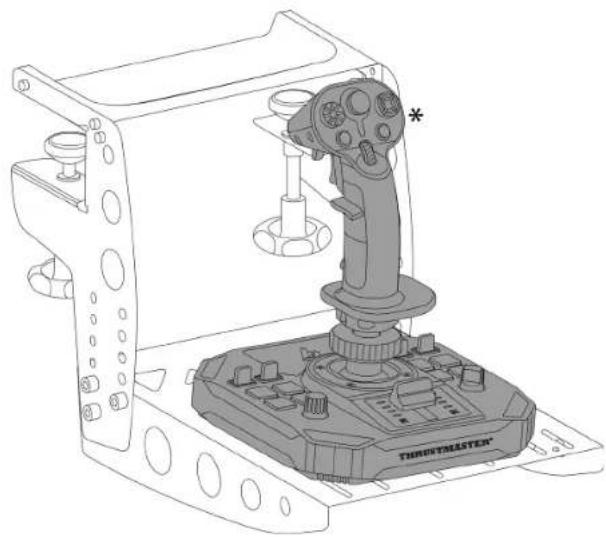
natural_image
Technical line drawing of a Threemaster robotic device with labeled component (no text or symbols beyond branding)natural_image
Technical line drawing of a mechanical clamp or bracket assembly (no text or symbols)
https://support.thrustmaster.com/product/sol-r-5-base/
https://support.thrustmaster.com/product/sol-r-5-base/.
https://support.thrustmaster.com/product/sol-r-5-base/.
https://support.thrustmaster.com/product/sol-r-5-base/.
natural_image
Technical line drawing of a thrust master device with no visible text or symbols on the component itself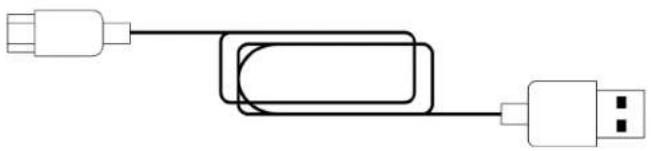
natural_image
Pure electrical circuit lines without any symbols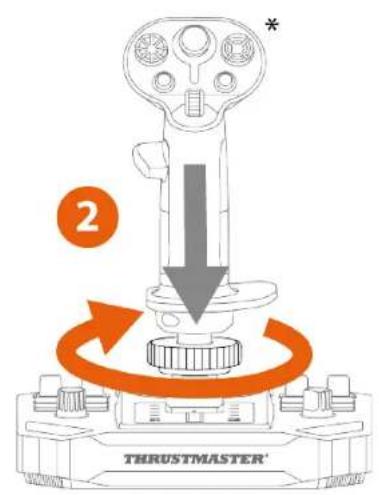
https://support.thrustmaster.com/product/sol-r-5-base/.
natural_image
Pure geometric shapes with no text, numbers, or symbols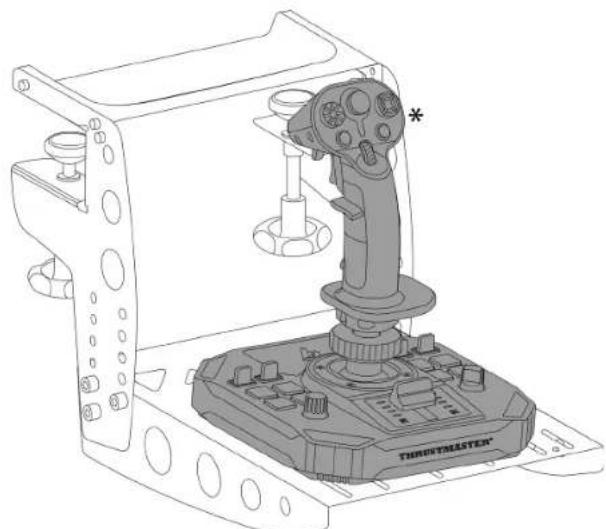
natural_image
Technical line drawing of a Throximate game controller with a targeting device (no text or symbols)natural_image
Technical line drawing of a mechanical clamp or bracket assembly (no text or symbols)
https://support.thrustmaster.com/product/sol-r-5-base/.
https://support.thrustmaster.com/product/sol-r-5-base/.
https://support.thrustmaster.com/product/sol-r-5-base/.
ΠΚ (Windows® 10/11)
natural_image
Technical line drawing of a thrust master device with no visible text or symbols on the component itself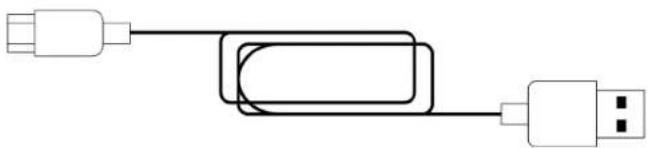
natural_image
Pure electrical circuit lines without any symbols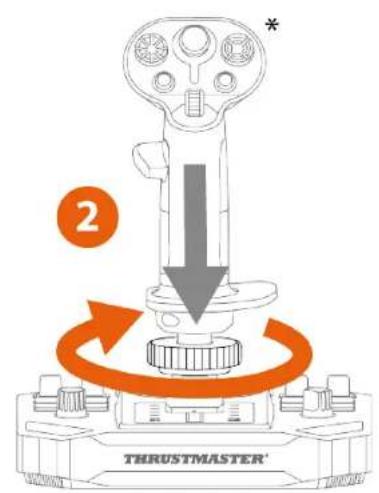

https://support.thrustmaster.com/product/sol-r-5-base/.
natural_image
Pure geometric shapes and dot patterns without any text, numbers, or symbols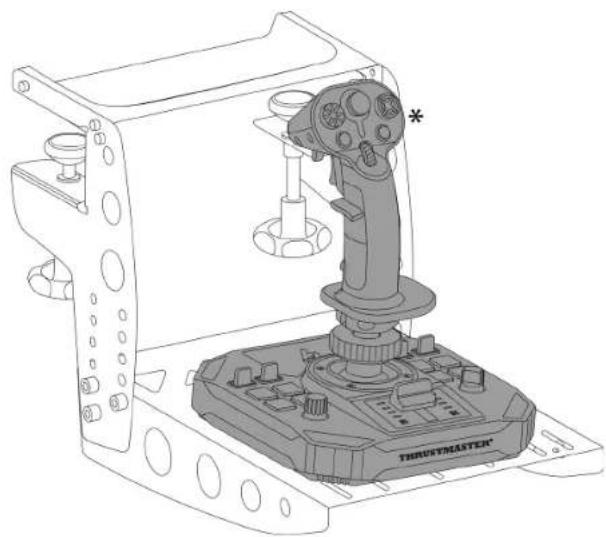
natural_image
Technical line drawing of a Trusstmaster robotic device with no visible text or symbolsnatural_image
Technical line drawing of a mechanical clamp or bracket assembly (no text or symbols)
https://support.thrustmaster.com/product/sol-r-5-base/
https://support.thrustmaster.com/product/sol-r-5-base/.
PC (Windows® 10/11)
Uživatelský Manuál

- INSTALACE NA PC ....13
https://support.thrustmaster.com/product/sol-r-5-base/
natural_image
Technical line drawing of a thrust master device with no visible text or symbols on the component itself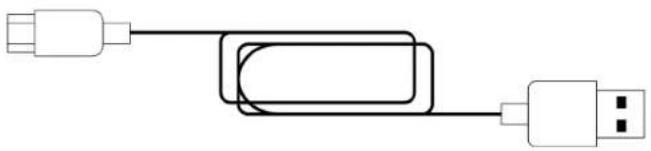
natural_image
Pure electrical circuit lines without any symbolsflowchart
graph LR
    A["USB"] --> B["USB"]
    B --> C["USB"]
    C --> D["USB"]
    style D fill:#fff,stroke:#000
    note right of D: 8
https://support.thrustmaster.com/product/sol-r-5-base/.
natural_image
Pure geometric shapes with no text, numbers, or symbols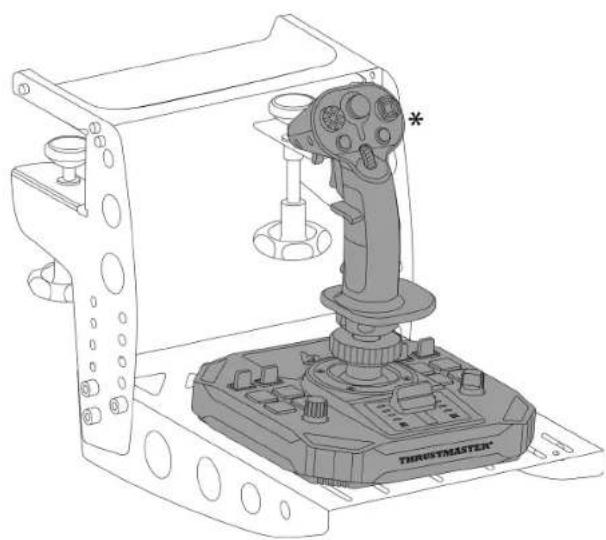
natural_image
Technical line drawing of a Tristmaster jet engine component (no text or symbols on the device itself)*Není součástí
natural_image
Technical line drawing of a mechanical clamp or bracket assembly (no text or symbols)
https://support.thrustmaster.com/product/sol-r-5-base/
https://support.thrustmaster.com/product/sol-r-5-base/.
https://support.thrustmaster.com/product/sol-r-5-base/.
PC (Windows® 10/11)
Kullanıcı Kılavuzu

https://support.thrustmaster.com/product/sol-r-5-base/
natural_image
Technical line drawing of a thrust master device with no visible text or symbols on the component itself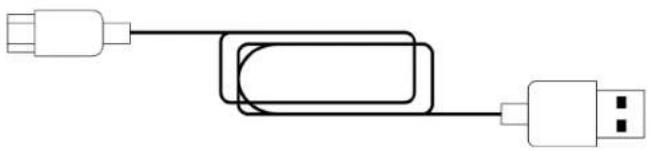
natural_image
Pure electrical circuit lines without any symbols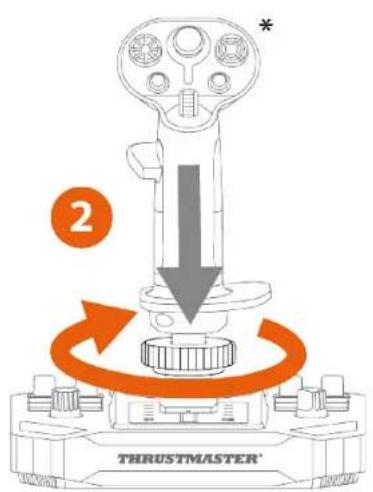

https://support.thrustmaster.com/product/sol-r-5-base/.
natural_image
Pure geometric shapes with no text, numbers, or symbols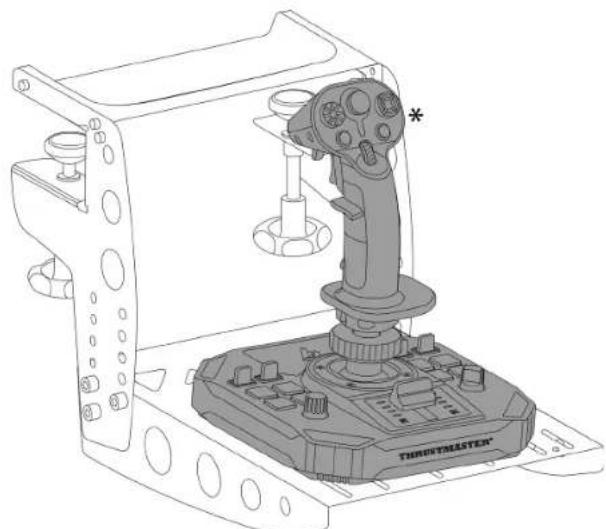
natural_image
Technical line drawing of a Throximate game controller with a targeting device (no text or symbols)natural_image
Technical line drawing of a mechanical clamp or bracket assembly (no text or symbols)
https://support.thrustmaster.com/product/sol-r-5-base/
https://support.thrustmaster.com/product/sol-r-5-base/.
https://support.thrustmaster.com/product/sol-r-5-base/.
9. ZAAWANSOWANA APLIKACJA DO
PROGRAMOWANIA T.A.R.G.E.T....27
Instalacja....27
https://support.thrustmaster.com/product/sol-r-5-base/
natural_image
Technical line drawing of a thrust master device with no visible text or symbols on the component itself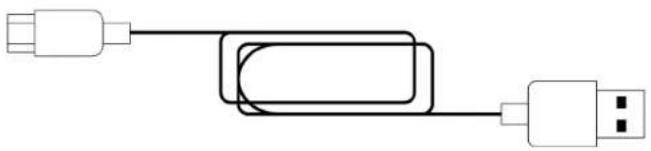
natural_image
Pure electrical circuit lines without any symbols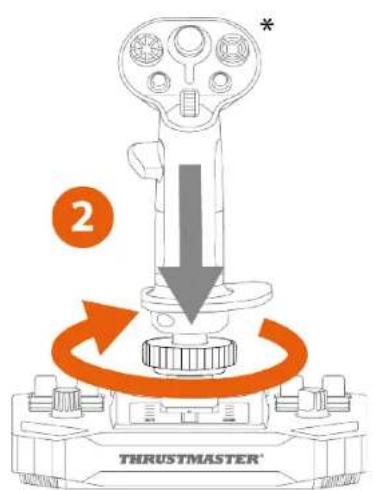
* Do nabycia osobno

https://support.thrustmaster.com/product/sol-r-5-base/.
natural_image
Pure geometric shapes with no text, numbers, or symbols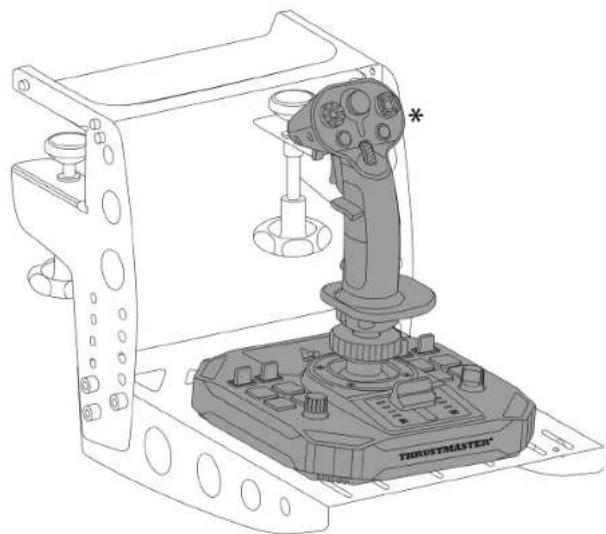
natural_image
Technical line drawing of a robotic control device with labeled components (no readable text or symbols)* Do nabycia osobno
natural_image
Technical line drawing of a mechanical clamp or bracket assembly (no text or symbols)
https://support.thrustmaster.com/product/sol-r-5-base/
https://support.thrustmaster.com/product/sol-r-5-base/.
https://support.thrustmaster.com/product/sol-r-5-base/.
PC (Windows® 10/11)
ユーザーズマニュアル

https://support.thrustmaster.com/product/sol-r-5-base/
natural_image
Technical line drawing of a thrust master device with mounting flanges and central hub (no text or symbols on the diagram itself)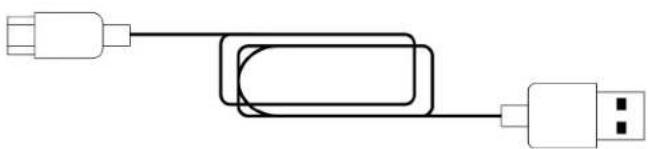
natural_image
Pure electrical circuit lines without any symbols2. 技術仕様
*付属していません

https://support.thrustmaster.com/product/sol-r-5-base/
natural_image
Pure geometric shapes with no text, numbers, or symbols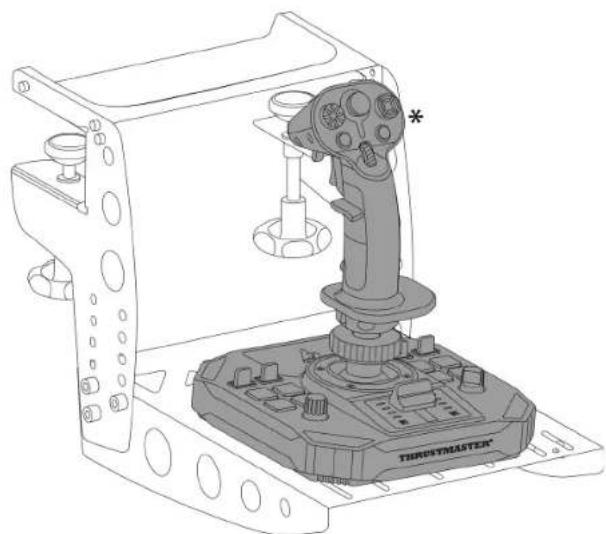
natural_image
Technical line drawing of a handheld industrial control device labeled 'THROSYMASTER' (no readable text or symbols beyond branding)*付属していません
natural_image
Technical line drawing of a mechanical clamp or bracket assembly (no text or symbols)
https://support.thrustmaster.com/product/sol-r-5-base/
https://support.thrustmaster.com/product/sol-r-5-base/
https://support.thrustmaster.com/product/sol-r-5-base/
图马思特 SOL-R 5 飞行摇杆基座
PC (Windows® 10/11)
用户手册

http://support.thrustmaster.cn/product/sol-r-5-base/
natural_image
Technical line drawing of a thrust master device with mounting flanges and central hub (no text or symbols on the diagram itself)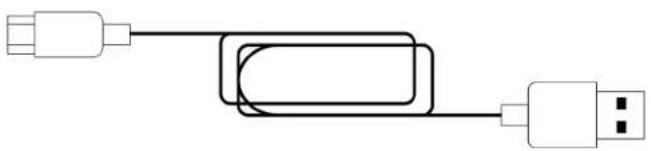
natural_image
Pure electrical circuit lines without any symbols2. 技术特性
* 未提供
4. 将飞行手柄\*安装到底座上

* 未提供
natural_image
Pure electrical circuit lines without any symbols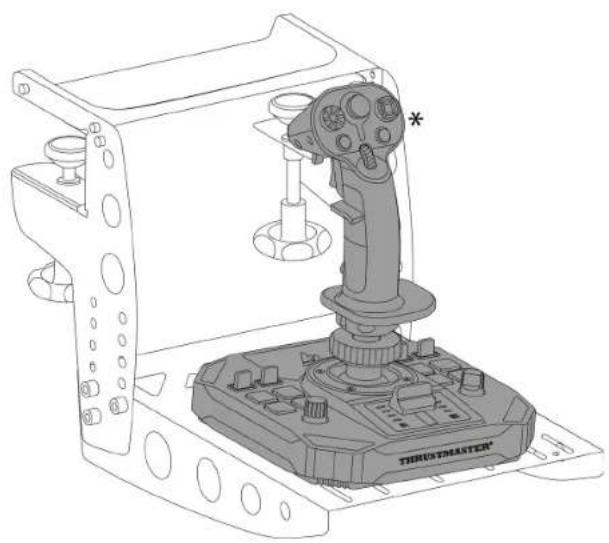
natural_image
Technical line drawing of a thrustMaster control console with lever and base components (no text or symbols)* 未提供
natural_image
Technical line drawing of a mechanical clamp or bracket assembly (no text or symbols)
http://support.thrustmaster.cn/product/sol-r-5-base/
PC (Windows® 10/11)
使用者手册

https://support.thrustmaster.com/product/sol-r-5-base/
natural_image
Technical line drawing of a thrust master device with mounting flanges and central hub (no text or symbols on the diagram itself)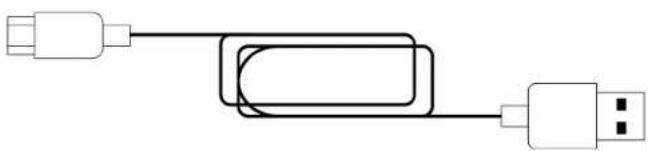
natural_image
Pure electrical circuit lines without any symbols2. 技術特性
* 未提供
4. 將飛行手柄\*安裝到底座上

* 未提供
https://support.thrustmaster.com/product/sol-r-5-base/。
natural_image
Pure geometric shapes with no text, numbers, or symbols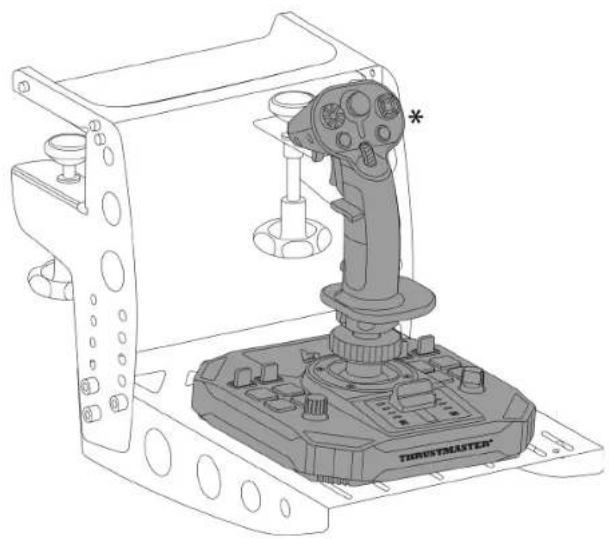
natural_image
Technical line drawing of a Thorustheaster game controller with labeled component (no text or symbols beyond branding)* 未提供
natural_image
Technical line drawing of a mechanical clamp or bracket assembly (no text or symbols)
https://support.thrustmaster.com/product/sol-r-5-base/
https://support.thrustmaster.com/product/sol-r-5-base/。
https://support.thrustmaster.com/product/sol-r-5-base/。
https://support.thrustmaster.com/product/sol-r-5- base/
natural_image
Technical line drawing of a thrust master device with mounting flanges and central hub (no text or symbols on the diagram itself)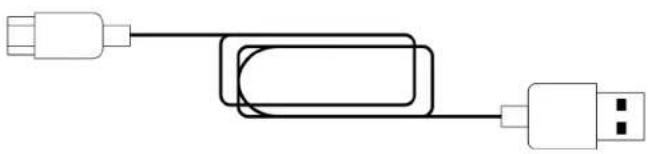
natural_image
Pure electrical circuit lines without any symbols2. 기술적 특징
*미포함
*미포함

https://support.thrustmaster.com/product/sol-r-5-base/.
natural_image
Pure electrical circuit lines without any symbols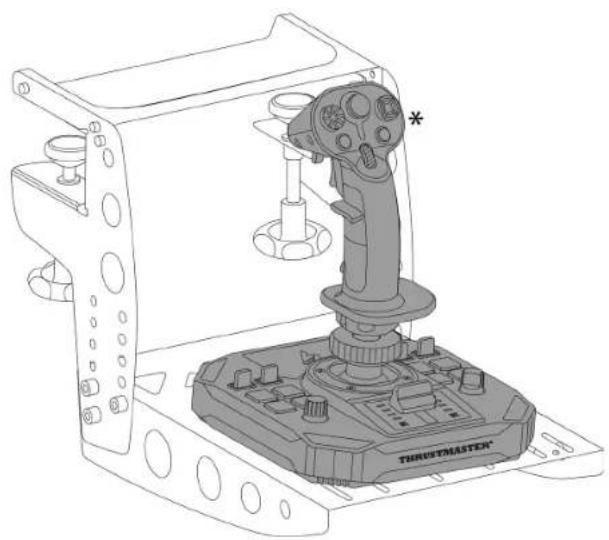
natural_image
Technical line drawing of a mechanical device with a labeled lever and base (no readable text or symbols)*미포함
kø/
natural_image
Technical line drawing of a mechanical clamp or bracket assembly (no text or symbols)
T.A.R.G.E.T(Thrustmaster Advanced pRogramming
https://support.thrustmaster.com/product/sol-r-5-base/
https://support.thrustmaster.com/product/sol-r-5-base/.
https://support.thrustmaster.com/product/sol-r-5-base/.
INNEHÅLLSFÖRTECKNING
- INNEHÅLL I FÖRPACKNINGEN ......6
- TEKNISKA DELAR ....7
- ANVÄNDNINGSINFORMATION....9
- MONTERA ETT FLYGSPAKSHANDTAG* PÅ
BASEN....11
- INSTALLATION PÅ PC ......13
Kontrollpanelen....14
Mappning 18
- INSTALLATION PÅ ETT STÖD......21
Installation på en TM Flying Clamp*......22
https://support.thrustmaster.com/product/sol-r-5-base/
natural_image
Technical line drawing of a thrust master device with no visible text or symbols on the component itself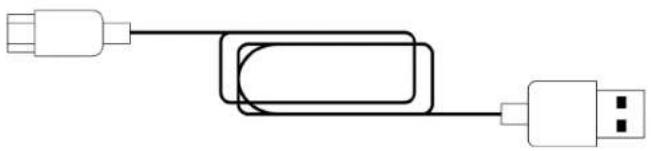
natural_image
Pure electrical circuit lines without any symbols2. Tekniska delar
https://support.thrustmaster.com/product/sol-r-5-base/.
natural_image
Pure geometric shapes with no text, numbers, or symbols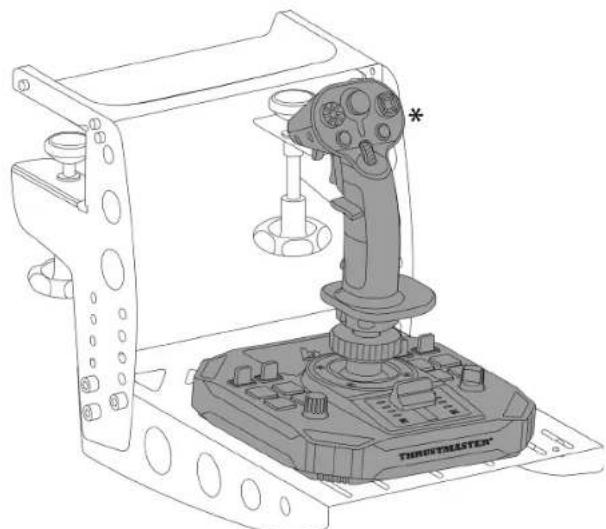
natural_image
Technical line drawing of a Throximate game controller with a targeting device (no text or symbols)natural_image
Technical line drawing of a mechanical clamp or bracket assembly (no text or symbols)
https://support.thrustmaster.com/product/sol-r-5-base/
https://support.thrustmaster.com/product/sol-r-5-base/.
https://support.thrustmaster.com/product/sol-r-5-base/.
PC (Windows® 10/11)
Käyttöohje

- YHTEENSOPIVUUS....25
https://support.thrustmaster.com/product/sol-r-5- base/
natural_image
Technical line drawing of a thrust master device with no visible text or symbols on the component itself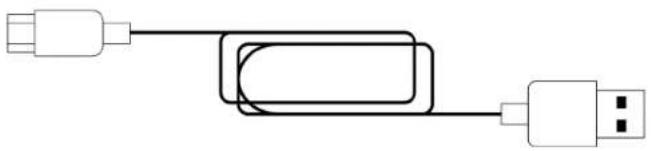
natural_image
Pure electrical circuit lines without any symbols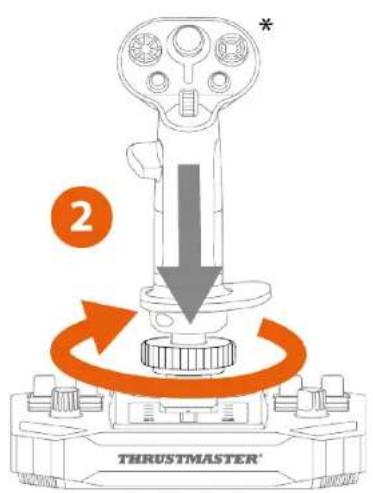
* Ei tule mukana.
https://support.thrustmaster.com/product/sol-r-5-base/.
Napsauta
natural_image
Pure electrical circuit lines without any symbols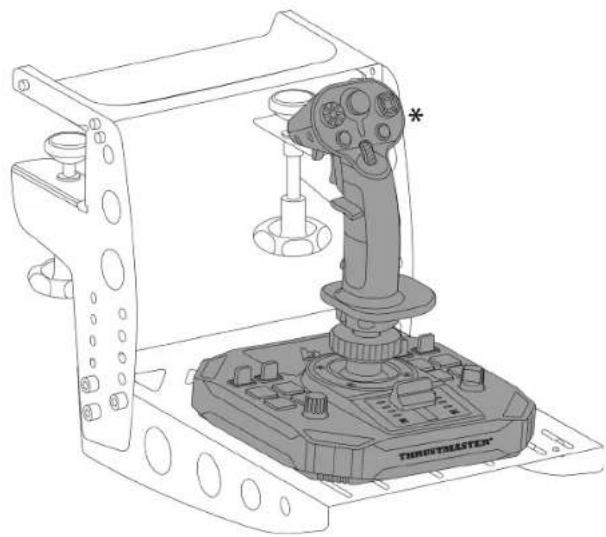
natural_image
Technical line drawing of a Threemaster robotic device with labeled component (no text or symbols beyond branding)natural_image
Technical line drawing of a mechanical clamp or bracket assembly (no text or symbols)
https://support.thrustmaster.com/product/sol-r-5-base/
https://support.thrustmaster.com/product/sol-r-5-base/.
https://support.thrustmaster.com/product/sol-r-5-base/.
PC (Windows® 10/11)
Návod na použitie

https://support.thrustmaster.com/product/sol-r-5-base/
Vyberte položku Drivers (Ovládače) a postupujte podl'a pokynov vrátane postupu st'ahovania a inštalácie.
1. Obsah balenia
natural_image
Technical line drawing of a thrust master device with no visible text or symbols on the component itself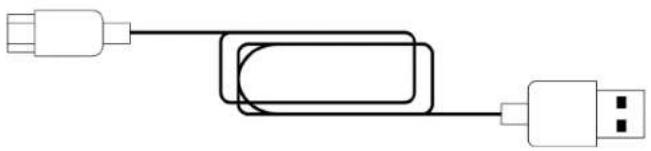
natural_image
Pure electrical circuit lines without any symbols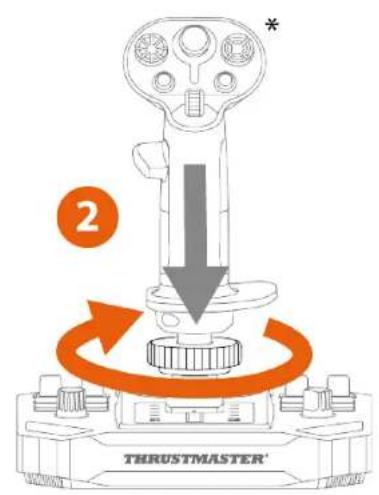
https://support.thrustmaster.com/product/sol-r-5-base/.
natural_image
Pure geometric shapes with no text, numbers, or symbols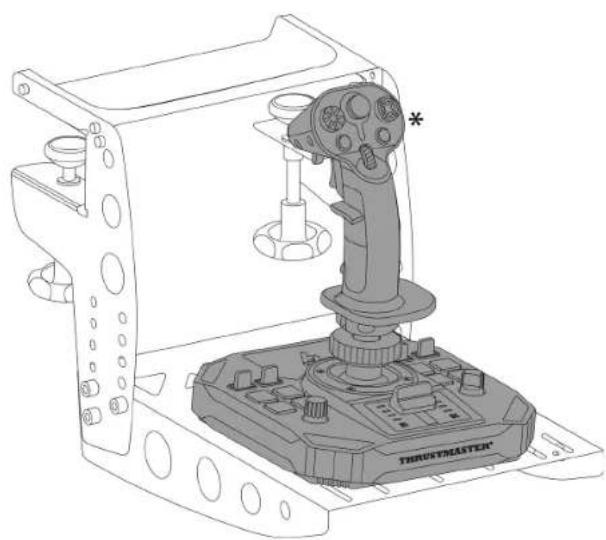
natural_image
Technical line drawing of a TrusystMASTER robotic device with labeled components (no text or symbols beyond branding)natural_image
Technical line drawing of a mechanical clamp or bracket assembly (no text or symbols)
Aby ste predišli poškodeniu základne Sol-R 5, porad'te sa s výrobcom kokpitu alebo technickou podporou, aby ste zistili kompatibilitu kokpitu s produktmi Thrustmaster.
7. Funkcie
Plynová páka
https://support.thrustmaster.com/product/sol-r-5-base/
https://support.thrustmaster.com/product/sol-r-5-base/.
PC (Windows® 10/11)
Használati útmutató

https://support.thrustmaster.com/product/sol-r-5-base/
natural_image
Technical line drawing of a thrust master device with no visible text or symbols on the component itself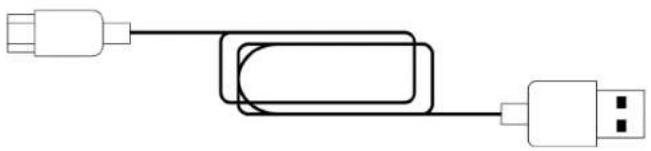
natural_image
Pure electrical circuit lines without any symbolsflowchart
graph LR
    A["USB"] --> B["USB"]
    B --> C["USB"]
    C --> D["USB"]
    style D fill:#fff,stroke:#000
    note right of D: 8
https://support.thrustmaster.com/product/sol-r-5-base/.
natural_image
Pure geometric shapes with no text, numbers, or symbols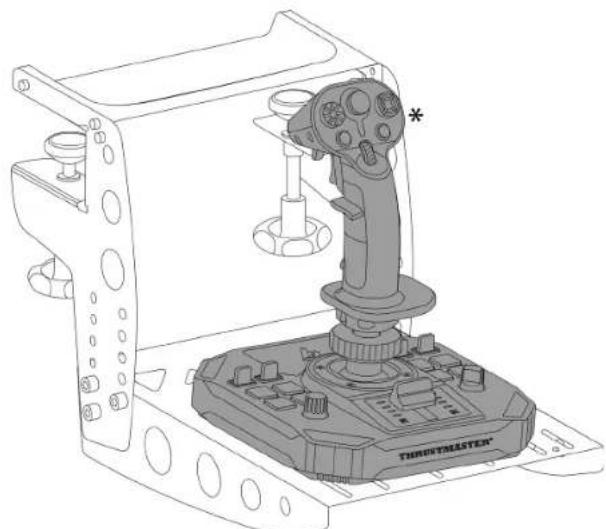
natural_image
Technical line drawing of a Throximate game controller with a targeting device (no text or symbols)natural_image
Technical line drawing of a mechanical clamp or bracket assembly (no text or symbols)
https://support.thrustmaster.com/product/sol-r-5-base/
https://support.thrustmaster.com/product/sol-r-5-base/.
https://support.thrustmaster.com/product/sol-r-5-base/.
22......*TM Flying Clamp
הכלהה *הכלהה
- *הכלה
24......7.
24......
25......8.
https://support.thrustmaster.com/product/sol-r-5-
base/
natural_image
Technical line drawing of a thrust master device with no visible text or symbols on the component itself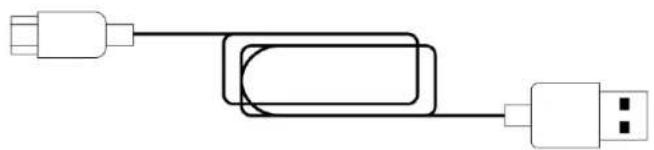
natural_image
Pure electrical circuit lines without any symbols
הכלה.2
① (□)
②
3 TT
4
flowchart
graph TD
    A["USB"] --> B["Device"]
    B --> C["USB"]
    style A fill:#fff,stroke:#000
    style C fill:#fff,stroke:#000
    note right of B: 8
6
הַרְבָאִי*
הכלה 4

הַרְכָה אַל*

https://support.thrustmaster.com/product/sol-r-5-base/.
הכלה PC-7 1700000000000000000000000000000000000000000.2
.הכלההוּרָה,הכלההוּרָה-הכלההוּרָה.2
,*TM Flying Clamp-תַעְרָהַל Sol-R 5-תְרָהַל אִיָהַל (בְרָהַל) M6 הַעְרָהַל אִיָהַל
natural_image
Pure geometric shapes with no text, numbers, or symbols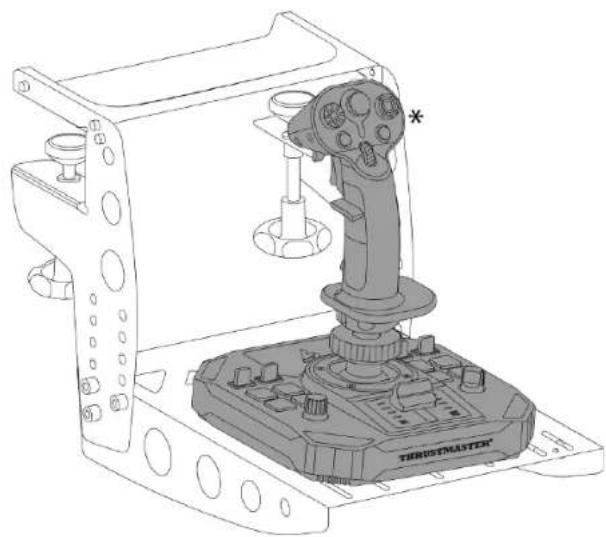
natural_image
Technical line drawing of a robotic control device with labeled components (no readable text or symbols)הַרְכָה אַל*
\*הכלההוּרָהִיַעְבָהִיַעְבָהִיַעְבָהִיַעְבָהִיַעְבָהִיַעְבָהִיַעְבָהִיַעְבָהִיַעְבָה
natural_image
Technical line drawing of a mechanical clamp or bracket assembly (no text or symbols)
Thrustmaster Advanced pRogramming) T.A.R.G.E.T
Graphical EdiTor, n
https://support.thrustmaster.com/product/sol-r-
/5-base
-1 Advanced, Basic: .Script
.יַרְשָׁהִיָהִיָהִיָהִיָהִיָהִיָהִיָהִיָהִיָהִיָהִיָהִיָהִיָהִיָהִיָהִיָהִיָהִם
תְרָהִיָה אַלְבָרָאֶתְעֹן, בְּרָהִיָה אַלְבָרָאֶתְעֹן – הכלה 17 Thrustmasterהוּרָהוּרָהוּרָהוּרָהוּרָהוּרָהוּרָהוּרָהוּרָהוּרָהוּרָהוּרָהוּרָהוּרָהוּרָה ,*TWCS ,*T.16000M FCS ,*Hotas) Cougar
הכלההוּרָהוּרָהוּרָהוּרָהוּרָהוּרָהוּרָהוּרָהוּרָהוּרָהוּרָהוּרָהוּרָהוּרָהוּרָה .Thrustmaster
.10
https://support.thrustmaster.com/product/sol-r-5-
./base
הכלה 1970-1980.
https://support.thrustmaster.com/product/s ./ol-r-5-base
https://support.thrustmaster.com/product/sol-r-5-
base/
natural_image
Technical line drawing of a thrust master device with no visible text or symbols on the component itself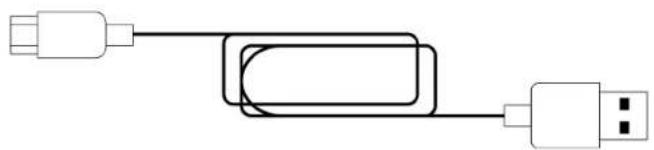
natural_image
Pure electrical circuit lines without any symbols4. retirement impossible عصر الطيران \* على NCAA

* غير متضمن

https://support.thrustmaster.com/product/sol-r-.5-base/
natural_image
Pure geometric shapes with no text, numbers, or symbols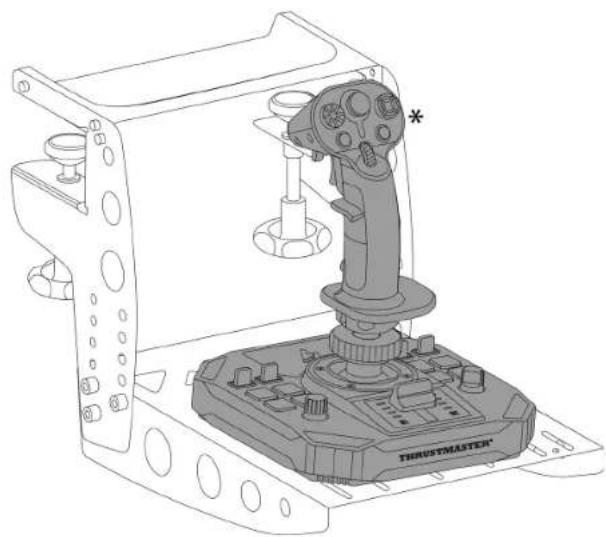
natural_image
Technical line drawing of a Truistmaster robotic device with labeled components (no text or symbols beyond branding)* غير متضمن
natural_image
Technical line drawing of a mechanical clamp or bracket assembly (no text or symbols)
https://support.thrustmaster.com/product/s
/ol-r-5-base
MFD ‘TFRP* ‘TWCS* ‘T.16000M FCS*
,*VIPER مجموعة,*TCA,*Cougar Pack
https://support.thrustmaster.com/product/sol-r-5-/base
https://support.thrustmaster.com/product/sol-r-
./5-base