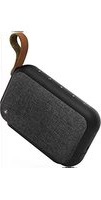
Gentleman-M - Docking station HAMA - Free user manual and instructions
Find the device manual for free Gentleman-M HAMA in PDF.

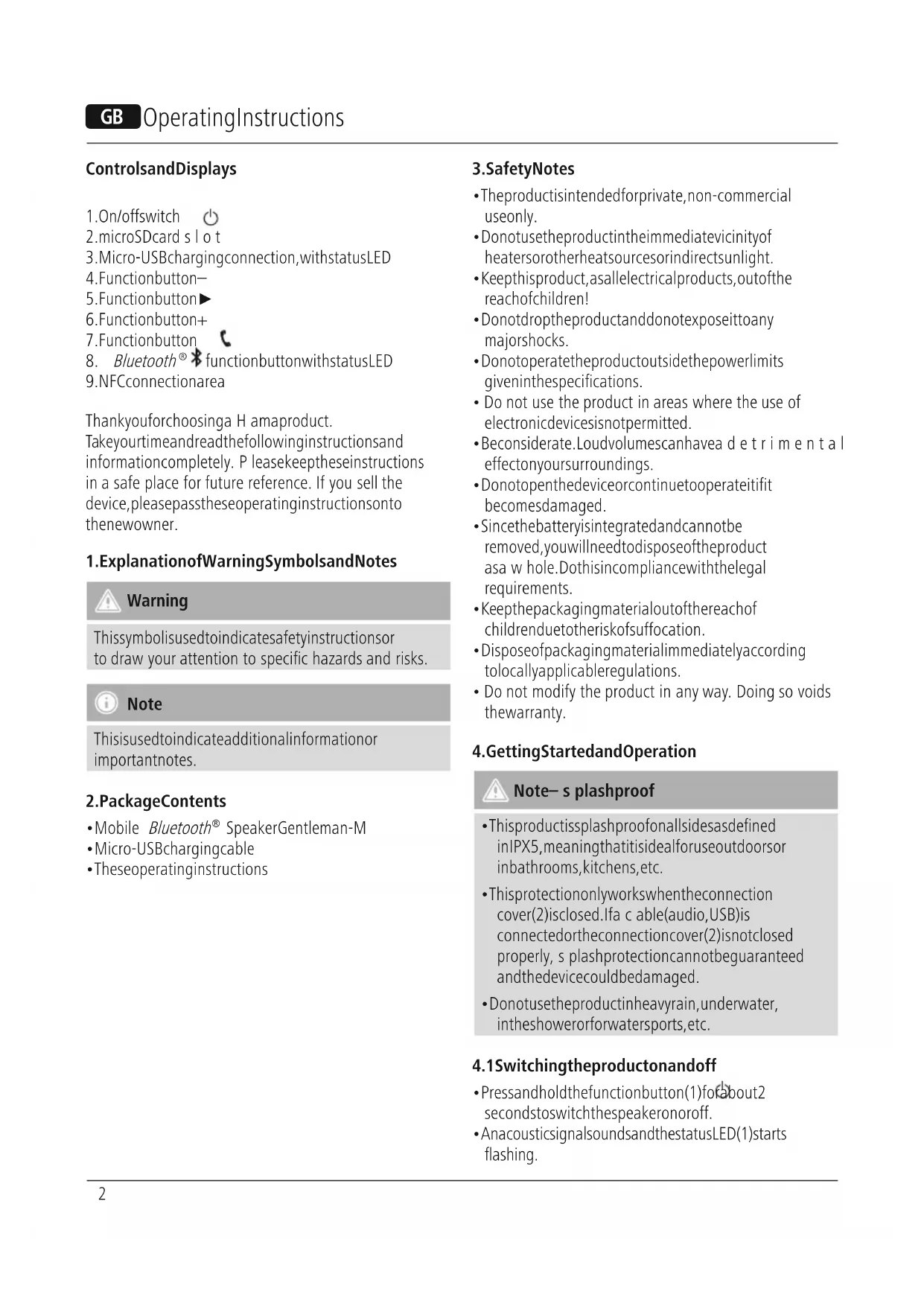


| Product type | Bluetooth docking station (portable speaker) |
| Brand | Hama |
| Model | Gentleman-M |
| Dimensions | 175 x 110 x 45 mm |
| Weight | 550 g |
| Power supply | Lithium-ion battery 3.7 V / 2200 mAh, charging via micro USB (5 V / 1000 mA) |
| Charging time | Approximately 4 hours |
| Battery life | 8-9 h (Bluetooth), 10-12 h (microSD player) |
| Bluetooth technology | Bluetooth® v4.2, profiles A2DP, AVRCP, HFP |
| Bluetooth range | < 10 m |
| Maximum power | 10 W |
| Frequency response | 80 Hz - 20 kHz |
| Impedance | 4 Ω |
| Total Harmonic Distortion (THD) | ≤ 1% |
| Connectors | Micro USB input, microSD slot, NFC |
| Main functions | Hands-free, audio playback, volume control, track skipping, automatic connection |
| Splash-proof protection | IPX5 (only when the connector cover is closed) |
| Maintenance and cleaning | Clean with a slightly damp, lint-free cloth; avoid harsh detergents |
| Safety | Keep out of reach of children, do not expose to heat, do not open |
| Spare parts and repairability | Built-in battery not replaceable, no spare parts available |
| General information | Manufacturer: Hama GmbH & Co KG, Germany. CE Declaration of Conformity available at www.hama.com |
Frequently Asked Questions - Gentleman-M HAMA
User questions about Gentleman-M HAMA
0 question about this device. Answer the ones you know or ask your own.
Ask a new question about this device
Download the instructions for your Docking station in PDF format for free! Find your manual Gentleman-M - HAMA and take your electronic device back in hand. On this page are published all the documents necessary for the use of your device. Gentleman-M by HAMA.
USER MANUAL Gentleman-M HAMA
MobileBluetooth® Speaker
Gentleman-M
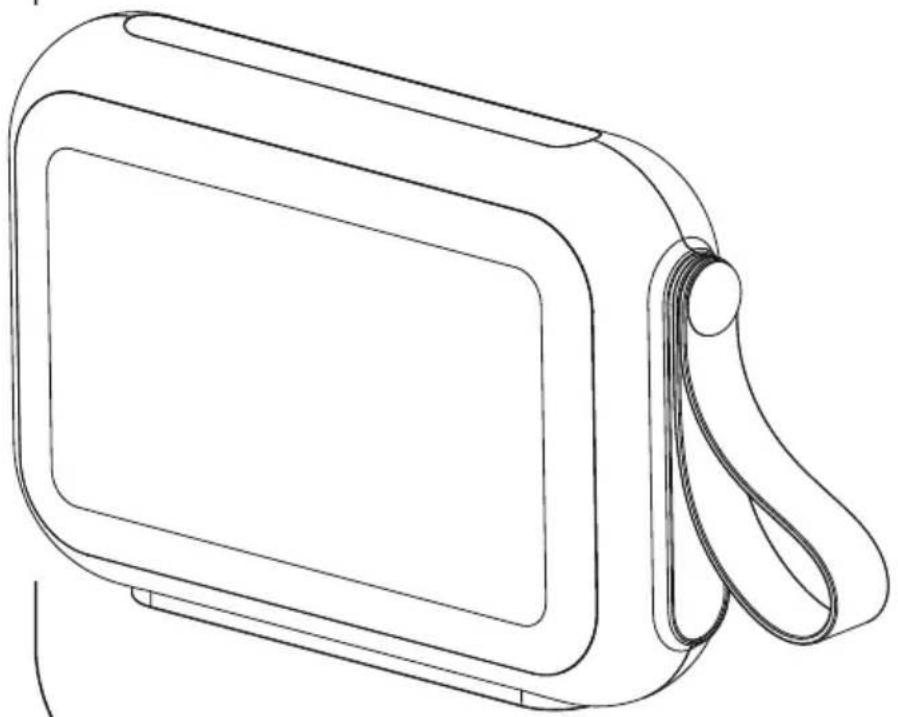
OperatingInstructions
Bedienungsanleitung
Moded'emploi
Instruccionesdeuso
Thankyouforchoosinga H amaproduct.
Takeyourtimeandreadthefollowinginstructionsand informationcompletely. P leasekeeptheseinstructions in a safe place for future reference. If you sell the device,pleasepasstheseoperatinginstructionsonto thenewowner.
1. ExplanationofWarningSymbolsandNotes

Warning
This symbol is used to indicate safety instructions or to draw your attention to specific hazards and risks.

Note
This is used to indicate additional information or important notes.
2.PackageContents
- Mobile Bluetooth® SpeakerGentleman-M
- Micro-USBchargingcable
• Theseoperatinginstructions
3. SafetyNotes
- Theproductisintendedforprivate,non-commercial useonly.
- Donotusetheproductintheimmediatevicinityof heatersorotherheatsourcesorindirectsunlight.
- Keep this product, as all electrical products, out of the reach of children!
- Donotdropheproductanddonotexposeittoany majorshocks.
- Donotoperatetheproductoutsidethepowerlimits giveninthespecifications.
- Do not use the product in areas where the use of electronic devices is not permitted.
- Beconsiderate. Loudvolumescanhavea detrimental effect on your surroundings.
- Donotopenthedeviceorcontinuetooperateitifit becomesdamaged.
- Sincethebatteryisintegratedandcannotbe removed,youwillneedtodisposeoftheproduct asa w hole.Dothisincompliancewiththelegal requirements.
- Keepthepackagingmaterialoutofthereachof childrenduetotheriskofsuffocation.
- Disposeofpackagingmaterialimmediatelyaccording tolocallyapplicableregulations.
- Do not modify the product in any way. Doing so voids the warranty.
4. Getting Started and Operation

Note-s splashproof
- Thisproductissplashproofonallsidesasdefined inIPX5, meaningthatitisidealforuseoutdoorsor inbathrooms, kitchens, etc.
- This protection only works when the connection cover(2) is closed. If a cable (audio, USB) is connected or the connection cover(2) is not closed properly, s plash protection cannot be guaranteed and the device could be damaged.
- Donotusetheproductinheavyrain, underwater, intheshowerorforwatersports, etc.
4.1 Switching the product on and off
- Pressandholdthefunctionbutton(1)forabout2 secondstoswitchthespeakeronoroff.
- AnacousticsignalsoundsandthestatusLED(1)starts flashing.

Note- A utomaticshutdown
Notethatthespeakerwill a utomaticallyswitch ofafter10minuteswithoutaction(noaudio playback/no Bluetooth® function).
4.2 Chargingthebattery

Warning— R echargeablebattery
- Only uses suitable charging devices with USB connections for char ging.
- As a rule, do not use charging devices or USB connectionsthatare d effectiveanddonottryto repairthemyourself.
- Avoidstoring, chargingorusingbatteriesin extremetemperatures.
-
When stored for a long period of time, batteries should be charged regularly (at least every three months).
-
Charge the speaker fully before using it for the first time.
- ConnecttheincludedMicro-USBchargingcableto thespeaker's Micro-USBport(3).
- ConnecttheunusedconnectorontheMicro-USB charging cable to a suitable USB charger. Please refer to the operating instructions for the USB charger used.
- The status LED (3) lights up constantly in red during thechargingprocess.
- If the battery is fully charged, the status LED(3) will go out.

Note- Charging
- It takes approx. 4 hours to completely charge the product.
- The speaker's battery can be charged whether the speakerisonoroff.
- If the battery capacity is less than 10%, the speaker will remitt two acoustic signals. You will only receive this information if the speaker is on.
- The actual battery life varies depending on use of the device, the settings and the ambient conditions (rechargeable batteries have a limited service life).
4.3 Bluetooth® pairing

Note
- Checkwhetheryourmobiledevice(MP3player, mobilephone,etc.)is Bluetooth® capable.
-
Notethatthemaximumrangefor Bluetooth® is 10metreswithoutobstaclessuchaswalls,people, etc.
-
Makesure that your Bluetooth® capable terminal device is on and Bluetooth® is activated.
- Make sure that the speaker is located within the Bluetooth® rangeofmax.10metres.
- Switchonthespeakersasdescribedin 4.1 Switchingtheproductonandoff.
- The statusLED(8)beginstoflash.Thespeaker searchesfora c onnection.
- Openthe Bluetooth® settingsonyourterminaldevice andwaituntilHamaGentleman-Mappearsinthe listof Bluetooth® devicesfound.
- SelectHamaGentleman-Mandwaituntilthe speakerislistedasconnectedinthe Bluetooth® settingsonyourterminaldevice.Anacousticsignal confirmsthatconnectionwassuccessful.
•The *statusLED(8)nowremainsred.

Note- Bluetooth® password
- Some terminal devices require a password in order to connect to another Bluetooth® device.
- If your terminal device requests a password for connectiontothespeaker, enter0000.

Note – Connection to a new device
- If you want to connect a new Bluetooth® terminal device to the speaker, press the Bluetooth® function button (8) until the status LED (8) begin to flash blue and an acoustic signal sounds..
- The current connection is disconnected and the search for new terminal devices starts.
- Thespeakeralwaysstoresthelasteightterminal devicespaired.
- The speaker will automatically connect to the last terminal device paired when it is switched on the next time.
4.4 Automatic Bluetooth® connection(after successful pairing)
- Makesure that your Bluetooth® capable terminal device is on and Bluetooth® is activated.
- Make sure that the speaker is located within the Bluetooth® rangeofmax.10metres.
- Switchonthespeakersasdescribedin 4.1 Switchingtheproductonandoff.
- Aftersuccessful connection, thestatusLED(8)will lightupinblue.Anacousticsignalconfirmsthat connectionwassuccessful.

Note- C onnectionimpaired
- Afterthespeakerandterminaldevicehavebeen paired, a c onnectionisestablishedautomatically. If the Bluetooth® connectionisnotestablished automatically, c heckthefollowing:
- Checkthe Bluetooth® settingsofyourterminal device to see whether HamaGentleman-Mis connected. If not, repeat the steps listed under Bluetooth® pairing.
- Checkwhetheryourterminaldeviceandthe speakerare lessthan10metresapart.Ifnot,move themclosertogether.
- Check whether obstacles are impairing the range. Ifso, movethedevicesclosertogether.
4.5 Audioplayback(via Bluetooth®)
Startandcontrolaudioplaybackontheconnected terminal device accordingly. Alternatively, audio playbackcanalsobecontrolledonthespeaker(ifthe connecteddevicesupportstthisfunction).
- Pressthe▶ functionbutton(5)tostartorpause audioplayback.
- Briefly press the + function button (6) to skip to the nexttrack.
- Briefly press the – function button (4) to go back to the previous track.
- Hold down the + function button (6) to increase the volume.
- Hold down the – function button (4) to reduce the volume.
4.6MP3audioplayback(viamicroSDcardmedia playerconnection)
ThespeakercanalsoplayMP3audiofilesfrommicroSD card s toragemedia.
- Insert a microSD card into the microSD card slot under thecover(2).Thespeakerautomaticallyswitchesto mediaplayermode.
- Pressthe ▶ functionbutton(5)tostartorpause audioplayback.
- If you want to remain them microSDcard, pause playback first; thentake out them microSDcard.
4.7 Hands-freefunction
You can use the speaker as a hands-free set for your mobile phone. For this function, the mobile phone must beconnectedtothespeakervia Bluetooth®.
- Pressthefunctionbutton (7)oncetoansweran incomingcall.
- Pressandholdthefunctionbutton(7)forapprox.2 secondstorejectanincomingcall.
- You can put a call on hold by pressing and holding the function button (7) for approx. 2 seconds.
- Pressandholdthefunctionbutton(7)again to continuethecall.
- During a call, press the function button Ⓤ(7) once to endthecall.

Note- Callquality
To increase the call quality, make sure that you are nearthespeakerwithyourmobilephoneduringthe call.
5. Operation- N FCconnection

Note
- Tobeabletoconnectyourterminaldeviceto thespeakerusingNFC,yourterminaldevice mustbecompatiblewithNFCtechnology. For more information, pleaserefertotheoperating instructionsofyourterminaldevice.
- Notethatthepresenceofmobilephonecases, coversorothermaterialsbetweenthespeakerand thebackofyourterminaldevicecaninterfere with connectionorevenpreventit.
-
Note that NFC has a short transmission range of about10cm.
-
Switchonthespeakerasdescribedin theproductionandoff .
- Make sure that the NFC function on your terminal deviceisturnedonandtheterminaldeviceisnotin lockmode(lockscreen).
- HoldyourterminaldeviceinfrontoftheNFC connectionarea(9),markedbytheNFCsymbol onthespeaker's d evicelabel.
- Placetheconnectedterminaldevicenexttothe speaker.
4.1 Switching

6.CareandMaintenance
- Only clean this product with a slightly damp, lint-free clothanddonotuseaggressivecleaningagents.
7.WarrantyDisclaimer
Hama GmbH & Co KG assumes no liability and provides nowarrantyfordamageresultingfromimproper installation/mounting,improperuseoftheproductor fromfailure t o o bservetheoperatinginstructionsand/orsafetynotes.
8. Service and Support
PleasecontactHamaProductConsultingifyouhave anyquestionsaboutthisproduct.
Hotline:+499091502-115(German/English)
Furthersupportinformationcanbefoundhere:
www.hama.com
9.TechnicalData
Mobile Bluetooth® SpeakerGentleman-M
| Bluetooth® Technology | Bluetooth® v4.2 |
| Supportedprofiles | A2DPV1.2,AVRCPV1.4,HFPV1.5 |
| Frequency80Hz- 2 0 k Hz | |
| Range< 1 0 m | |
| Output10W | |
| ChargingvoltageMax.5V | --- 1000mA |
| SoundSystemStereo | |
| Impedanc4Ω | |
| Distortion(THD)≤1% | |
| Size175x 1 10x45mm | |
| Weight | 550g |
| Connections | MicroSD,Micro U S B |
| Battery | |
| Type | Lithium-Ion,3.7V,2200 mA/8.14Wh |
| Chargingtime | ~ 4 h |
| Playback | Via Bluetooth®: ~ 8 – 9 hViamicroSD:~ 1 0 – 1 2 h(dependingonvolume andaudiocontent) |
10. Recycling Information
Noteonenvironmentalprotection:

AftertheimplementationoftheEuropean Directive2012/19/EUand2006/66/EUinthe nationallegalsystem, the following applies: Electricandelectronicdevicesaswellas batteriesmustnotbedisposedofwithhousehold waste. Consumers are obligedbylawtoreturnelectrical andelectronicdevicesaswell as batteriesattheend oftheirservicelivestothepubliccollectingpointsset upforthispurposeorpointofsale. Detailstothisare definedbythenationallawoftherespectivecountry. Thissymbolontheproduct, theinstructionmanualor the package indicates that a product is subject to these regulations.
Byrecycling, reusing thematerials or other forms of utilising old devices/Batteries, you are m akingan important contribution to protecting ourenvironment.
11. Declaration of Conformity

Hereby, Hama GmbH & Co KG declares that theradioequipmenttype[00173151]isin compliancewithDirective2014/53/EU. The fulltextoftheEUdeclarationofconformity
isavailableatthefollowinginternetaddress: www.hama.com ->00173151 ->Downloads.
| Frequencyband(s) | 2402–2 480MHz |
| Maximumradio-frequencypower transmitted | 7,1dBm |
4.5 Lectureaudio(via Bluetooth®)
4.6 LectureaudioMP3(viacartemicroSD, connexionMediaplayer)
10. Pokynyk likvidaci
www.hama.com ->00173151 ->Downloads.
www.hama.com -> 00173151 -> Downloads.
Hotline:+499091502-115(Alm/Ing)
www.hama.com ->00173151 -> Downloads.
Avertizare – accumulator
Hotline:+499091502-115(ty/eng)
Duhittarmersupport-informationhär:
www.hama.com
9.Tekniskadata
| Bluetooth® Sstereohögtalare G entleman-M | |
| Bluetooth® teknologi | Bluetooth® v4.2 |
| Profilersomstöds | A2DPV1.2,AVRCPV1.4,HFPV1.5 |
| Frekvens80Hz- 2 0 k Hz | |
| Räckvidd< 1 0 m | |
| Max.uppspelningseffekt10W | |
| LaddspänningMax.5V | --- 1000mA |
| LjudsystemStereo | |
| Impedans4Ω | |
| DistorsionTHD≤1% | |
| Mått175x 1 10x45mm | |
| Vikt | 550g |
| Anslutningar | MicroSD,Micro U S B |
86652 Monheim / Germany
www.hama.com
The Bluetooth® word mark and logos are registered trademarks owned by Bluetooth SIG, Inc. and any use of such marks by Hama GmbH & Co KG is under license. Other trademarks and trade names are those of their respective owners.
All listed brands are trademarks of the corresponding companies. Errors and omissions excepted, and subject to technical changes. Our general terms of delivery and payment are applied.
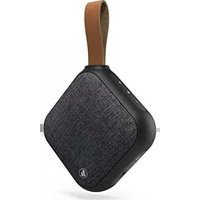
- MOBILEBLUETOOTH® SPEAKER
- GENTLEMAN-M
- EXPLANATIONOFWARNINGSYMBOLSANDNOTES
- WARNING
- NOTE
- 2.PACKAGECONTENTS
- SAFETYNOTES
- GETTING STARTED AND OPERATION
- NOTE-S SPLASHPROOF
- 4.1 SWITCHING THE PRODUCT ON AND OFF
- NOTE- A UTOMATICSHUTDOWN
- 4.2 CHARGINGTHEBATTERY
- WARNING— R ECHARGEABLEBATTERY
- NOTE- CHARGING
- 4.3 BLUETOOTH® PAIRING
- NOTE- BLUETOOTH® PASSWORD
- NOTE – CONNECTION TO A NEW DEVICE
- 4.4 AUTOMATIC BLUETOOTH® CONNECTION(AFTER SUCCESSFUL PAIRING)
- NOTE- C ONNECTIONIMPAIRED
- 4.5 AUDIOPLAYBACK(VIA BLUETOOTH®)
- 4.6MP3AUDIOPLAYBACK(VIAMICROSDCARDMEDIA PLAYERCONNECTION)
- 4.7 HANDS-FREEFUNCTION
- NOTE- CALLQUALITY
- OPERATION- N FCCONNECTION
- 4.1 SWITCHING
- 6.CAREANDMAINTENANCE
- 7.WARRANTYDISCLAIMER
- SERVICE AND SUPPORT
- 9.TECHNICALDATA
- RECYCLING INFORMATION
- NOTEONENVIRONMENTALPROTECTION
- DECLARATION OF CONFORMITY
- 4.5 LECTUREAUDIO(VIA BLUETOOTH®)
- 4.6 LECTUREAUDIOMP3(VIACARTEMICROSD, CONNEXIONMEDIAPLAYER)
- POKYNYK LIKVIDACI
- AVERTIZARE – ACCUMULATOR
Brand : HAMA
Model : Gentleman-M
Category : Docking station