BP 18 Li I - Battery FESTOOL - Free user manual and instructions
Find the device manual for free BP 18 Li I FESTOOL in PDF.



| Product type | Battery for cordless tools |
| Brand | Festool |
| Model | BP 18 Li I (multiple versions: 3.1 Ergo I, 3.1 Cl, 5.2 ASI, 6.2 ASI, 4.0 HPC-ASI) |
| Rated voltage | 18 V |
| Capacity (depending on model) | 3.1 Ah / 4.0 Ah / 5.2 Ah / 6.2 Ah |
| Weight (depending on model) | 0.4 kg to 0.7 kg |
| Technology | Lithium-ion (Li-ion) |
| Main features | Capacity display, Bluetooth® indicator, connection to Festool Work app, automatic start of compatible vacuum cleaner |
| Charging temperature range | 0 °C to +55 °C |
| Operating and storage temperature range | -10 °C to +50 °C |
| Protection | Against heat, fire, water, short circuits, deep discharge |
| Maintenance | Keep contacts clean, clear ventilation openings |
| Compliance | EU, FCC (Class B), ISED Canada |
| Warranty | Consult Festool after-sales service |
| Recycling | Do not dispose of with household waste, deposit at a collection point |
Frequently Asked Questions - BP 18 Li I FESTOOL
User questions about BP 18 Li I FESTOOL
0 question about this device. Answer the ones you know or ask your own.
Ask a new question about this device
Download the instructions for your Battery in PDF format for free! Find your manual BP 18 Li I - FESTOOL and take your electronic device back in hand. On this page are published all the documents necessary for the use of your device. BP 18 Li I by FESTOOL.
USER MANUAL BP 18 Li I FESTOOL
We declare under sole responsibility that this product complies with all the relevant requirements in the following EU Directives, and following standards or normative documents were applied:
Signed on behalf of and in name of/
Head of Product Development
$$ i. u < a _ {2} $$
Christian Bader
Head of Development Functions
Battery Pack Battery Pack
Serial number Serial
(T-Nr.)
BP 18 Li 3,1 Ergo I 10030310
BP 18 Li 5,2 ASI 10031138, 10473577, 10651878
BP 18 Li 6,2 ASI 10028062
BP 18 Li 4,0 HPC-ASI 10220377, 10570666
We as the manufacturer declare under our sole responsibility that the product(s) fulfill(s) all the relevant provisions of the following UK Regulations and are manufactured in accordance with the following designated standards:
S.I. 2017/1206 Radio Equipment Regulations 2017
S.I. 2012/3032 Restriction of the Use of Certain Hazardous Substances in Electrical and Electronic Equipment Regulations 2012
EN 300 328:2019 V2.2.2
EN 301 489-1:2017 V2.1.1
BS EN IEC 62311:2020
BS EN IEC 63000:2018

Signed on behalf of and in name of
Place and date of declaration: Wendlingen, 2022-03-07
text_image
ppa 1382Markus Stark
Head of Product Development
Christian Bader
Head of Development Functions
^1 in the specified serial number range (S-Nr.) from 400000000 - 499999999
10516770_D
Deutsch
1 Symbole





natural_image
Four horizontal bars with icons and a central starburst symbol, no text or labels present70-100%
40-70%
15-40%
< 15% *
text_image
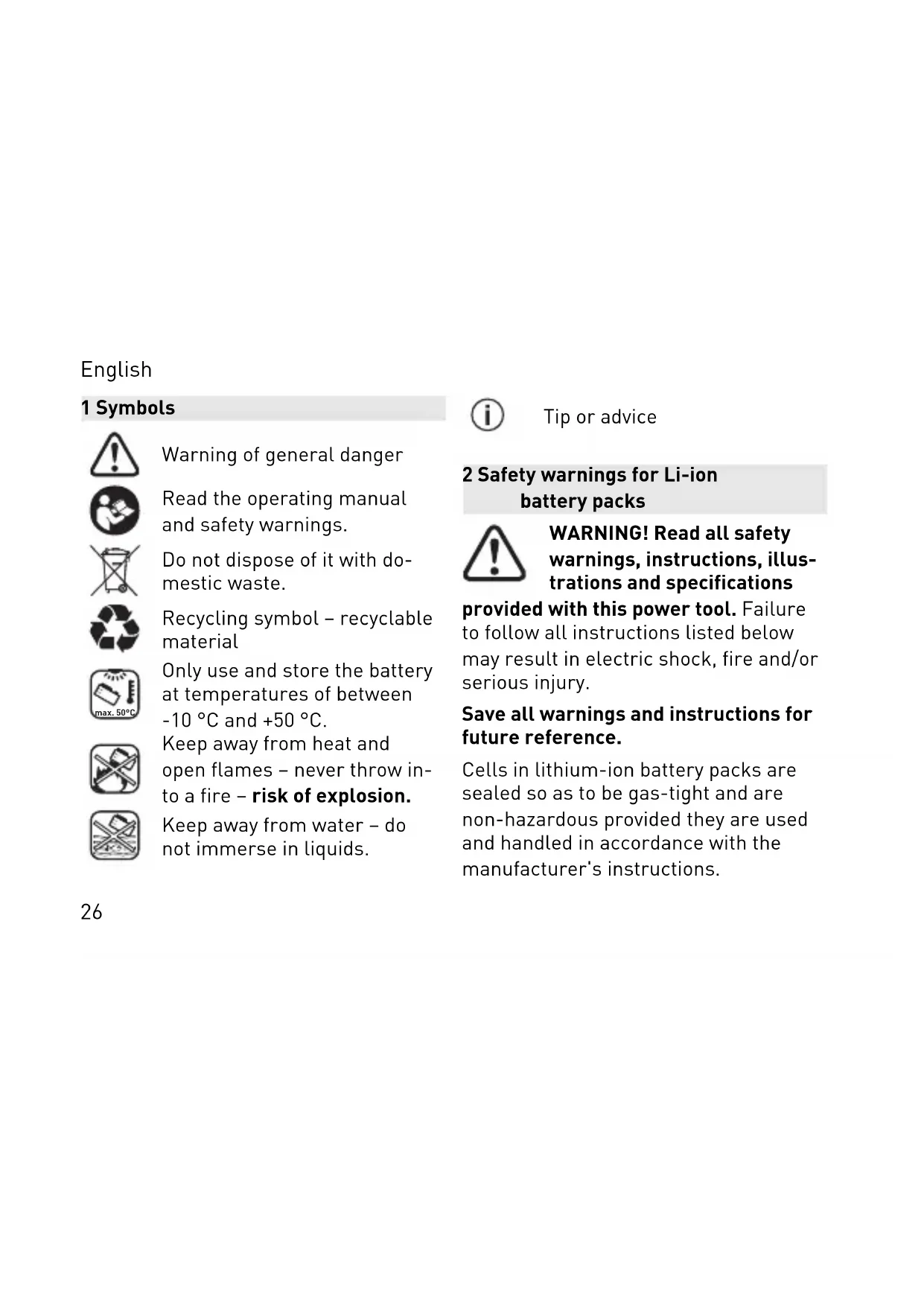
! No. 10 No. 10 No. 10 max. 50°C No. 10 No. 10Warning of general danger
Read the operating manual and safety warnings.
Do not dispose of it with domestic waste.
Recycling symbol – recyclable material
Only use and store the battery at temperatures of between -10 °C and +50 °C.
Keep away from heat and open flames – never throw into a fire – risk of explosion.
Keep away from water – do not immerse in liquids.

Tip or advice
2 Safety warnings for Li-ion battery packs

WARNING! Read all safety warnings, instructions, illustrations and specifications
provided with this power tool. Failure to follow all instructions listed below may result in electric shock, fire and/or serious injury.
Save all warnings and instructions for future reference.
Cells in lithium-ion battery packs are sealed so as to be gas-tight and are non-hazardous provided they are used and handled in accordance with the manufacturer's instructions.
English
- Handle discharged batteries with care. Battery packs represent a safety hazard as they can cause a very high short circuit current. Even if Li-ion battery packs appear to be discharged, they are in fact never fully discharged.
- Make sure that the battery pack is not subjected to physical blows or impacts. Impacts and penetrating objects may damage the batteries. This may lead to leakages, the generation of heat or smoke, or cause the battery pack to ignite or explode.
- Keep the unused battery pack away from metal objects (e.g. nails, screws, keys, paper clips, etc.) as these may cause bridging of the contacts. A short circuit between the bat-
tery contacts poses a risk of burns or fire.
- Protect the battery pack from excessive heat or constant heat sources such as sunlight or naked flames.
Fire and temperatures over 130 °C may cause explosions. - Do not open the battery pack. Opening or modifying the battery pack may damage the protective devices.
This may lead to the generation of heat or smoke, or cause the battery pack to ignite or explode. - Do not immerse the battery pack in liquids such as (salt) water or drinks. Contact with liquids may damage the battery pack. This may lead to the generation of heat or smoke, or cause the battery pack to ignite or explode.
English
Do not continue using the battery pack. Consult an authorised Festool customer service agent.
- Only charge the battery packs in chargers recommended by the manufacturer (see image). There is a risk of fire when using a charger which is meant for a specific type of battery pack with a different battery pack.
- Never use water to extinguish burning Li-ion battery packs! Use sand or a fire blanket.
- There is a risk of vapours being released if the battery pack is damaged or not used correctly. The vapours may irritate your airways. Seek fresh air and consult a doctor if you feel unwell.
- Only use the battery pack in conjunction with your Festool machine. This is the only way to ensure that the battery pack is protected against a dangerous overload. Using a different machine poses a fire hazard and may cause personal injury.
- Fluid may leak out of the battery pack if it is used incorrectly. Avoid contact with the fluid. Rinse with water any areas which accidentally come into contact with the fluid. If fluid gets into the eyes, also consult a doctor. Leaking battery fluid can cause skin irritation or burns.
- Fluid may leak out of a faulty battery pack and contaminate neighbouring objects. Check the parts affected. Clean them by soaking up the fluid
English
using dry kitchen towel and then rinsing with plenty of water. Wear protective gloves to avoid contact with the fluid. Replace the parts if necessary.
- Do not use damaged or modified battery packs. Battery packs which are damaged or which have been modified may exhibit unpredictable behaviour which could lead to fire, explosion or injury.
- Do not use damaged battery packs. Stop using a battery pack immediately if you notice anything unusual such as odour formation, the generation of heat, discolouration or deformation.
If you continue to use the battery pack, it may get hot, emit smoke, ignite or explode.
- Do not open, compress, overheat (above 80 °C) or burn the battery pack. Failure to observe these precautions is a fire hazard and may result in burns. Observe the manufacturer's instructions.
3 Technical data
| Battery pack | BP 18 Li |
| Frequency 2402-2480 Mhz | |
| Equivalent Isotropically Radiated Power (EIRP) | <10 dBm |
English
| Weight | |
| BP 18 Li 3.1 Ergo I 0.4 kg (0.9 lbs) | |
| BP 18 Li 3.1 CI 0.4 kg (0.9 lbs) | |
| BP 18 Li 5.2 ASI 0.7 kg (1.5 lbs) | |
| BP 18 Li 6.2 ASI 0.7 kg (1.5 lbs) | |
| BP 18 Li 4.0 HPC-ASI | 0.6 kg (1.3 lbs) |
For further technical specifications, see the name plate on the battery pack.
4 Intended use
Battery packs are suitable for use with Festool cordless tools and the specified Festool chargers (see image).
The battery pack is suitable for automatically switching the mobile dust extractor on and off.
5 Parts of the machine
[1-1] Capacity indicator button
[1-2] Capacity indicator
[1-3] Bluetooth ^® indicator
[1-4] Vent holes (only BP 18 Li ... ASI)
[1-5] Buttons for releasing the battery pack
The specified illustrations* appear at the beginning of the operating instructions.
* Illustrations may deviate from the original.
English
6 Operation

CAUTION
Risk of injury from the mobile dust extractor starting up unexpectedly
▶ Before performing any work with the mobile dust extractor, check which battery pack is connected to the mobile dust extractor.
6.1 Information for making optimal use of the battery pack

The battery pack is delivered partially charged. To guarantee that the battery pack provides full power, charge it completely in the charger before using it for the first time.
The battery pack can be charged at any time without reducing the battery life. Interrupting the charging process does not damage the battery pack.

After the power tool has switched off automatically, do not press the on/off but-
ton. This could damage the battery pack.
The battery pack is fitted with a temperature sensor, which only permits charging at temperatures of between 0 °C and 55 °C. This ensures a longer battery life.
- The battery pack should ideally be stored in a cool (5 °C to 25 °C) and dry location (air humidity < 80%).
English
- Do not, for instance, leave the battery pack in the car in the summer.
- Significantly shorter operating times after each charge indicate that the battery pack is worn and should be replaced with a new one.
- Observe the information regarding disposal.
6.2 Capacity indicator
When the capacity indicator button [1-1] is pressed, the capacity indicator [1-2] displays the charge status of the battery pack:

bar
| Range | Percentage (%) | |---|---| | 70-100% | 70-100 | | 40-70% | 40-70 | | 15-40% | 15-40 | | < 15%* | < 15%* |* Recommendation: Charge the battery pack before any further use.
6.3 Bluetooth® functions
The Bluetooth ^® indicator [1-3], which indicates the connection status of the battery pack, is located next to the capacity indicator:
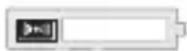
Continuous blue
Cordless power tool starts up and the mobile dust extractor is connected via
English
Bluetooth ^® or the battery pack is connected to a mobile terminal
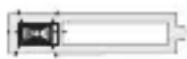
Pulsating blue
The battery pack is ready for connection to the mobile terminal (e.g. for a software update)

The battery pack uses Bluetooth® to automatically switch correspondingly equipped mobile dust extractors when used with a cordless power tool.
Connecting the battery pack to the mobile dust extractor

The mobile dust extractor can only be connected to one cordless power tool at the same time.

If a mobile dust extractor which was initially switched on using the battery pack is switched off using the remote control, the temporary connection between the connected battery pack and the mobile dust extractor will be lost. The battery pack can then be connected again.
▶ Activate the mobile dust extractor's automatic mode (see the operating manual for the mobile dust extractor).
▶ If you have used the cordless power tool already, ensure that the battery pack's capacity indicator has gone out so that you can connect it (in cer-
English
tain cases, this can take a few seconds).
▶ Press the connection button on the mobile dust extractor or on the remote control once.
The LED on the retrofit receiver module slowly flashes blue and the mobile dust extractor is ready for connection for 60 seconds.
▶ Switch on the cordless power tool. The mobile dust extractor starts up and the battery pack is connected until the mobile dust extractor is manually switched off.

If a second battery pack is connected to the mobile dust extractor, the connection to the first battery pack is lost.
Switching the mobile dust extractor on and off
Once you have connected the battery pack with the mobile dust extractor, the mobile dust extractor will start up automatically when the cordless power tool is in use.

After the mobile dust extractor has been switched off via the battery pack, it will continue to run for up to fifteen seconds.
- Press the on/off switch on the cordless power tool to switch on the mobile dust extractor.
▶ Release the on/off switch on the cordless power tool to switch off the mobile dust extractor.
English
Disconnecting the battery pack from the mobile dust extractor
To disconnect the battery pack from the mobile dust extractor, take one of the following steps:
- Disconnect the mobile dust extractor from the power supply
- Put the battery pack on the charger
- Connect another battery pack to the mobile dust extractor
Connecting a mobile terminal
The battery pack can be connected to a mobile terminal (e.g. for a software update) using the Festool Work app.
- Press the capacity indicator button [1-1] until the Bluetooth® indicator [1-3] flashes blue.
The battery pack is ready for connection for 60 seconds.
▶ Follow the instructions provided in the Festool Work app to authorise the secure connection.
7 Service and maintenance
- Keep the connecting contacts on the battery pack clean.
- Keep the vent holes [1-4] on the battery pack open, as failure to do so will limit functionality.
▶ If the battery pack stops working, consult an authorised Festool customer service agent. (www.festool.com/service)
English
8 Transportation
The Li-ion battery packs included are subject to the requirements of the legislation on hazardous goods. The user must familiarise themselves with the local regulations prior to transport. Special requirements apply to shipping via third parties (e.g. air transport or haulage) and these must be observed. When preparing the item to be sent, a dangerous goods expert must be consulted. Only return the battery pack if it is undamaged. Observe local regulations when shipping. Observe any further national regulations.
9 Environment
Used or defective battery packs must only be returned to collection points if discharged, secured against short-circuiting (e.g. by insulating the terminals with adhesive tape) and removed from the old device. The applicable regulations must be observed.
Battery packs will then be recycled.
EU only: In accordance with the European Directive on batteries and accumulators and its implementation in national law, defective and exhausted battery packs/batteries must be collected separately and recycled in an environmentally friendly manner.
English
Information about collection points for correct disposal is available at www.festool.co.uk/recycling.
Information on REACH: www.festool.co.uk/reach
10 General information
Imported into the UK by
Festool UK Ltd
1 Anglo Saxon Way
Bury St Edmunds
IP30 9XH
Great Britain
10.1 Information about Bluetooth®
As soon as the battery pack is connected to the Festool Work app via
Bluetooth ^® and the secure connection has been authorised, the battery pack
will connect automatically to the Festool Work app from this point onwards. The battery pack then regularly sends status information from the tool and battery pack (ID, operating status, etc.) via Bluetooth ^® .
The Bluetooth ^® word mark and the logos are registered trademarks of Bluetooth SIG, Inc.; they are used by TTS Tooltechnic Systems AG & Co. KG, and therefore by Festool, under licence.
10.2 Information on data privacy
The tool contains a chip which automatically stores machine and operating data. The data saved cannot be traced back directly to an individual.
The data can be read in a contactless manner using special devices and shall
English
only be used by Festool for fault diagnosis, repair and warranty processing and for quality improvement or enhancement of the device. The data shall not be used in any other way without the express consent of the customer.
10.3 USA: Federal Communications Commission (FCC) Interference Statement
NOTE: This equipment has been tested and found to comply with the limits for a Class B digital device, pursuant to part 15 of the FCC Rules. These limits are designed to provide reasonable protection against harmful interference in a residential installation. This equipment generates, uses and can radiate radio frequency energy and, if not installed and used in accordance with the instructions, may cause harmful interference to radio communications. However, there is no guarantee that interference will not occur in a particular installation. If this equipment does cause harmful interference to radio or television reception, which can be determined by turning the equipment off and on, the user is encouraged to try to correct the interference by one or more of the following measures:
- Reorient or relocate the receiving antenna.
- Increase the separation between the equipment and receiver.
- Connect the equipment into an outlet on a circuit different from that to which the receiver is connected.
English
- Consult the dealer or an experienced radio/TV technician for help.
NOTE: Any changes or modifications not expressly approved by the party responsible for compliance could void the user's authority to operate the equipment.
10.4 Canada: RSS Compliance Statement
This device complies with Industry Canada's licence-exempt RSSs. Operation is subject to the following two conditions:
(1) This device may not cause interference; and
(2) This device must accept any interference, including interference that may cause undesired operation of the device. This device has been designed and
complies with the safety requirement for RF exposure in accordance with RSS-102, issue 5 for portable conditions.
10.5 Canada: Notes (ISED)
This Class B digital apparatus complies with Canadian ICES-003 and RSS-210. Operation is subject to the following two conditions:
(1) this device may not cause interference
(2) this device must accept any interference, including interference that may cause undesired operation of the device.
English
10.6 Canada: Radio frequency (RF) Exposure Information
The radiated output power of the Wireless Device is below the Innovation, Science and Economic Development (ISED) radio frequency exposure limits. The Wireless Device should be used in such a manner such that the potential for human contact during normal operation is minimized.
Français
1 Symboles

natural_image
Four horizontal bars with black and gray segments, no text or symbols visible70-100%
40-70%
15-40%
< 15 % *
natural_image
Four horizontal bars with black and gray segments, no text or symbols visible70-100%
40-70%
15-40%
< 15 % *
natural_image
Four horizontal bars with black and gray segments, no text or symbols visible70-100%
40-70%
15-40%
< 15% *
| 70-100% | |
| 40-70% | |
| 15-40% | |
| < 15% * |
| 70-100% | |
| 40-70% | |
| 15-40% | |
| < 15% * |
natural_image
Four horizontal bars with battery icons and a central indicator symbol (no text or labels)70-100%
40-70%
15-40%
< 15% *
natural_image
Four horizontal bars with battery icons and a central indicator (no text or symbols)70-100%
40-70%
15-40%
< 15% *
text_image
! No. 10 No. 10 No. 10 max. 50°C No. 10 No. 10Advarsel om generell fare
natural_image
Four horizontal bars with battery icons and a central indicator (no text or symbols)70-100%
40-70%
15-40%
< 15% *
natural_image
Four horizontal bars with icons, no text or symbols present70-100%
40-70%
15-40%
< 15 % *
natural_image
Four horizontal bars with icons and a central starburst symbol, no text or labels present70-100%
40-70%
15-40%
< 15% *
bar
| Range | Percentage | | ----------- | ---------- | | 70-100% | 70-100% | | 40-70% | 40-70% | | 15-40% | 15-40% | | < 15%* | < 15%* |bar
| Range | Percentage | | ----------- | ---------- | | 70-100% | 70-100% | | 40-70% | 40-70% | | 15-40% | 15-40% | | < 15%* | < 15%* |natural_image
Four horizontal bars with small icons and a central starburst, no text or symbols present70-100%
40-70%
15-40%
< 15 % *
natural_image
Four horizontal bars with icons and a central starburst symbol, no text or labels present$$ 70 - 100 \% $$
$$ 40 - 70 \% $$
$$ 15 - 40 \% $$
$$ < 15 \% * $$
natural_image
Four horizontal bars with icons and a central starburst symbol, no text or labels present70-100%
40-70%
15-40%
< 15% *
natural_image
Four horizontal bars with battery icons, no text or symbols present70-100% 40-70% 15-40% < 15%*
natural_image
Four horizontal bars with battery icons and a central starburst symbol, no text or labels present.$$ 70 - 100 \% $$
$$ 40 - 70 \% $$
$$ 15 - 40 \% $$
$$ < 15 \% * $$
| 70-100% | |
| 40-70% | |
| 15-40% | |
| < 15% * |
natural_image
Four horizontal bars with icons and a central starburst, no text or symbols present%70-100
%40-70
%15-40
< %15 *
natural_image
Four horizontal bars with icons and a central starburst symbol, no text or labels present70-100%
40-70%
15-40%
< 15% *
* Preporuka: Napunite baterijsko pakovanje pre daljeg korišćenja.
6.3 Bluetooth® funkciJE
Pored prikaza kapaciteta nalazi se Bluetooth® prikaz [1-3], koji prika-zuje status veze baterijskog pakovanja:
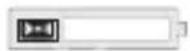
plavo permanentno svet- lo
Baterijski električni alat je aktivan i usisivač je povezan preko Bluetooth® veze ili je baterijsko pakovanje povezano sa mobilnim krajnjim uređajem
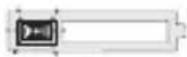
pulsirajuće plavo
Baterijski paket je spreman za povezivanje sa mobilnim krajnjim uređajem (npr. ažuriranje softvera)
Baterijsko pakovanje koristi Bluetooth®, kako bi automatski upravljalo adekvatno opremljenim usisivačima kod korišćenja sa baterijskim električnim alatom.
bar
| Range | Percentage (%) | |---|---| | 70-100% | 70-100 | | 40-70% | 40-70 | | 15-40% | 15-40 | | < 15% * | < 15% |natural_image
Four horizontal bars with battery icons, no text or symbols present70-100%
40-70%
15-40%
< 15% *
natural_image
Recycling symbol composed of three chasing arrows forming a triangle (no text or labels)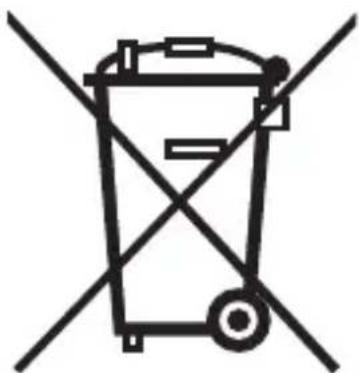
natural_image
Symbol of a trash bin crossed with two diagonal lines, representing waste sorting or restriction (no text present)Li-Ion
www.festool.com
Festool GmbH
Wertstraße 20
D-73240 Wendlingen
www.festool.com/REACH