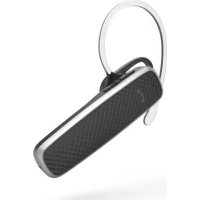
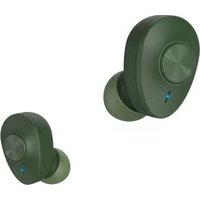
MyVoice700 - Bluetooth Headset HAMA - Free user manual and instructions
Find the device manual for free MyVoice700 HAMA in PDF.



| Product type | Bluetooth headset, single ear (earpiece) |
| Brand | Hama |
| Model | MyVoice700 |
| Bluetooth technology | Bluetooth® v5.0 |
| Supported profiles | A2DP, AVRCP, HFP, SPP |
| Bluetooth frequency | 2 402 - 2 480 MHz |
| Range | < 10 m |
| Battery type | Lithium-polymer 3.7 V |
| Battery capacity | 100 mAh |
| Current consumption | 5 V max. 90 mA |
| Charging time | ~ 2 hours |
| Standby time | ~ 200 hours |
| Music playback time | ~ 6 hours |
| Talk time | ~ 7 hours |
| Weight | Approx. 9 g |
| Control elements | Multifunction button (MFB), + and - buttons, status LED, microphone |
| Main functions | Hands-free, voice assistant (Siri/Google), audio playback, multipoint (2 devices) |
| Care and cleaning | Clean with a slightly damp lint-free cloth; avoid harsh detergents |
| Safety | Follow safety instructions: do not use while driving, avoid excessive volume, keep out of reach of children |
| Spare parts and repairability | Not user-repairable; built-in battery not replaceable |
| General information | Package contents: earpiece, micro-USB cable, ear tip, ear hook, manuals |
Frequently Asked Questions - MyVoice700 HAMA
User questions about MyVoice700 HAMA
0 question about this device. Answer the ones you know or ask your own.
Ask a new question about this device
Download the instructions for your Bluetooth Headset in PDF format for free! Find your manual MyVoice700 - HAMA and take your electronic device back in hand. On this page are published all the documents necessary for the use of your device. MyVoice700 by HAMA.
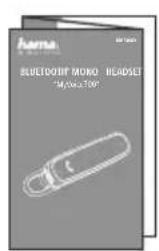
USER MANUAL MyVoice700 HAMA
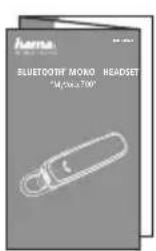
BLUETOOTH® MONO HEADSET
"MyVoice700"
GB Operating Instructions D Bedienungsanleitung F Mode d'emploi E Instruetiones de uso
NL Gebruksaanwijzing I Istruzioni per l'uso PL Instrukcja obslugi H Hasznalati utmutató
RO Manual de'utilizar CZ Navod k pouziti SK Navod na pouzitie P Manual de instruções
S Bruksanvising RUS PykoBoCTBO no 3KcNpyatauIN BG Pa6OTha Hnctpykua
GB Operating Instructions
Thank you for choosing a Hama product.
Take your time and read the following instructions and information completely. Please keep these instructions in a safe place for future reference. If you sell the device, please pass these operating instructions on to the new owner.
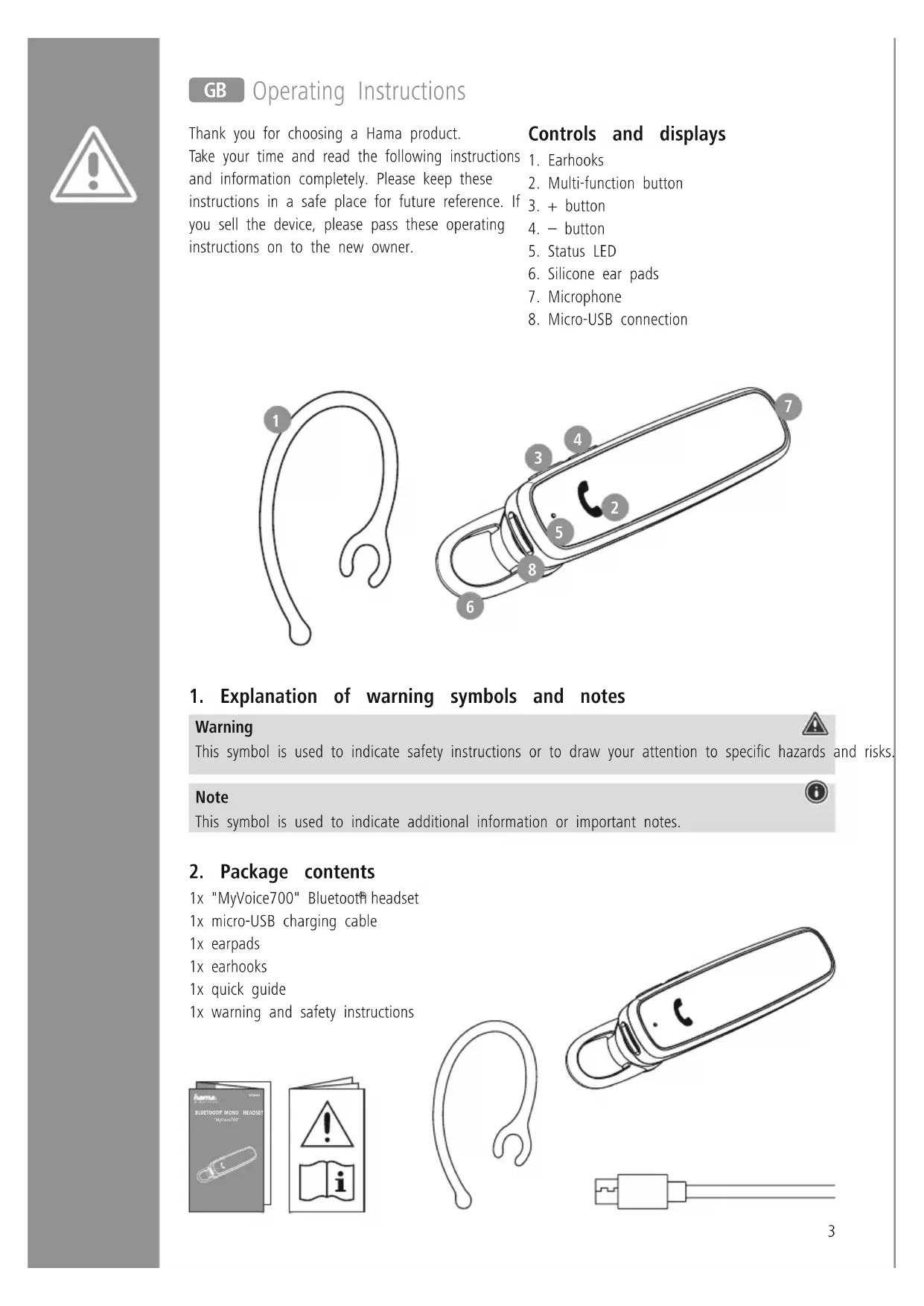
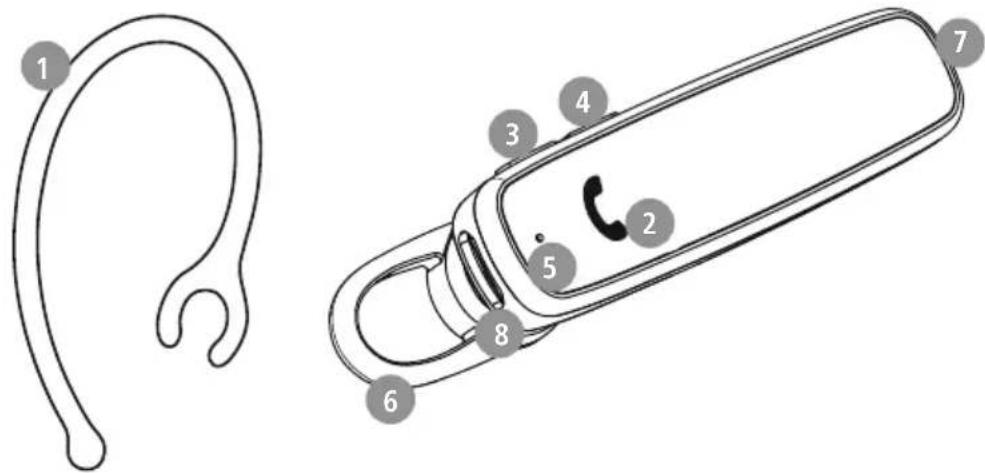
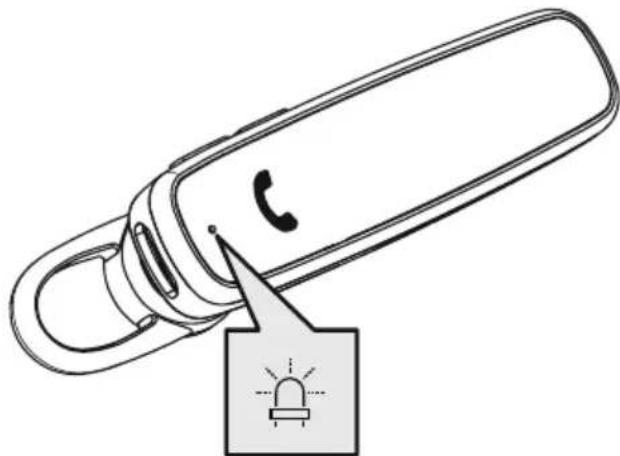
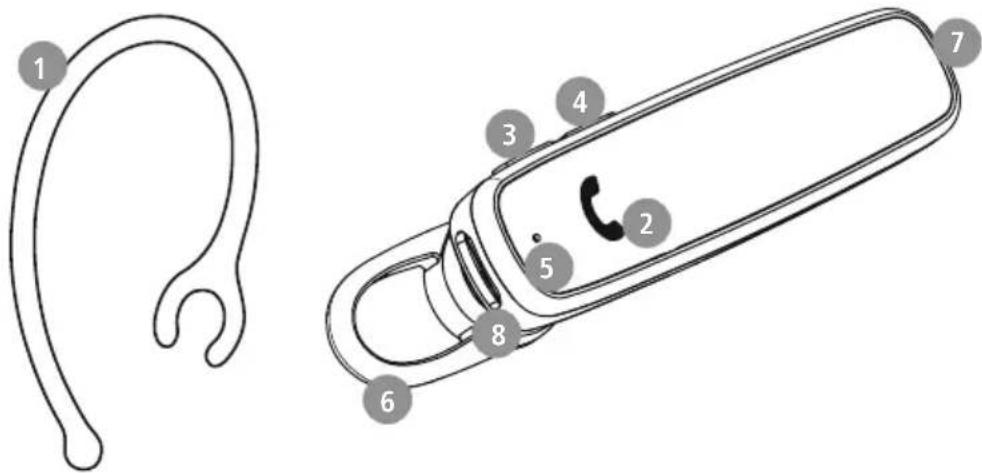
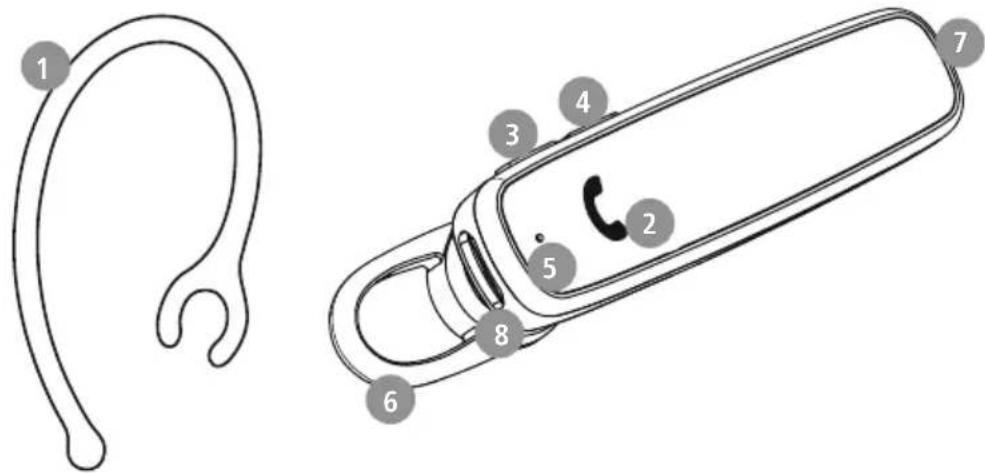
Controls and displays
- Earhooks
- Multi-function button
-
- button
-
- button
- Status LED
- Silicone ear pads
- Microphone
- Micro-USB connection
1. Explanation of warning symbols and notes
Warning

This symbol is used to indicate safety instructions or to draw your attention to specific hazards and risks.
Note

This symbol is used to indicate additional information or important notes.
2. Package contents
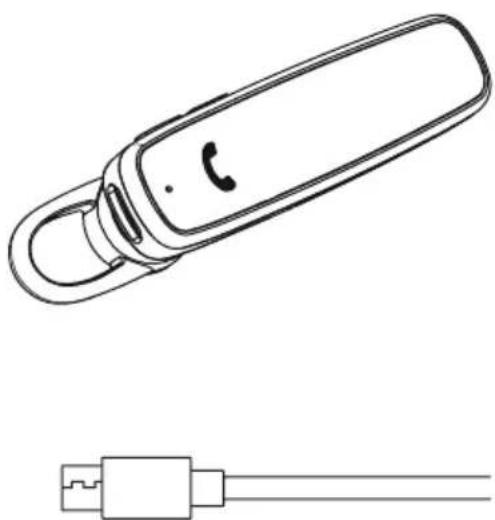
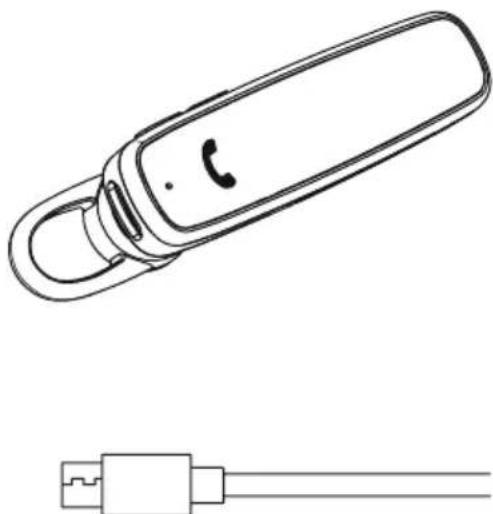
1x "MyVoice700"Bluetooth headset
1x micro-USB charging cable
1x earpads
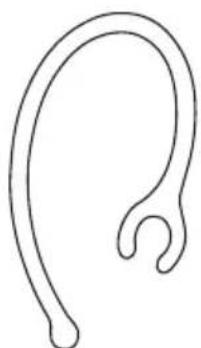
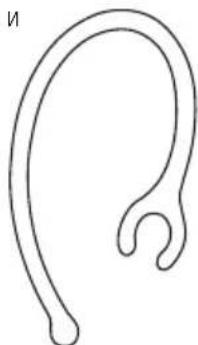
1x earhooks
1x quick guide
1x warning and safety instructions
3. Safety instructions
The product is intended for private, non-commercial use only
- U use the product only for the intended purpose.
Children should be supervised to ensure that they do not play with the product
- Do not use the product in areas in which electronic products are not permitted
- Do not attempt to service or repair the product yourself. Leave any and all service work to qualified experts
- Do not open the device or continue to operate it it becomes damaged
- Do not bend or crush the cable.
- Do not drop the product and do not expose it any major shocks.
- Dispose of packaging material immediately in accordance with the locally applicable regulations.
- Do not modify the product in any way. Doing so voids the warranty
- Protect the product from dirt, moisture and overheating and use it in dry environments only
- D o not use the product in the immediate vicinity of heaters, other heat sources or in direct sunlight
- O nly use the article under moderate climatic conditions.
- As with all electrical products, this device should be kept out of the reach of children
- Do not operate the product outside the power limits specified in the technical data
- Do not use the product in a damp environment and avoid splashing water
- While driving a car or using sports equipment, do not allow yourself to be distracted by your product and keep an eye on the traffic situation and your surroundings.
- The battery is permanently installed and cannot be removed; dispose of the product as a whole in accordance with the statutory regulations
- Do not incinerate the battery or the product.
- Do not tamper with or damage/heat/disassemble the batteries/rechargeable batteries
- Do not use the product during the charging process!
Warning - rechargeable battery
- Only use suitable charging devices or USB connections to charge the product.
- Do not use defective chargers or USB ports and do not attempt to repair them.
- Do not overcharge the product or allow the battery to completely discharge.
- Avoid storing, charging and using in extreme temperatures and at extremely low atmospheric pressures (such as at high altitudes).
Charge regularly (at least quarterly) during periods of prolonged storage.
Warning - magnets
- This product generates magnetic fields. Persons with a cardiac pacemaker should consult a doctor before using this product, as the pacemaker's proper function could be affected.
- Do not store bank or similar cards with magnetic strips near the charging box or earphones. The data on the cards could be damaged or completely deleted.
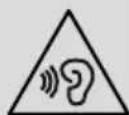
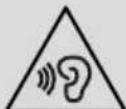
Warning - high volume
High sound pressure!
There is a risk of hearing damage.
- To prevent any loss of hearing, avoid listening at loud volumes for prolonged periods.
Always keep the volume at a sensible level. Loud volumes, even over short periods, can cause hearing loss.
- Using this product limits your perception
of ambient noise. You should therefore not drive or operate machinery while using them.

4. Switching on/off

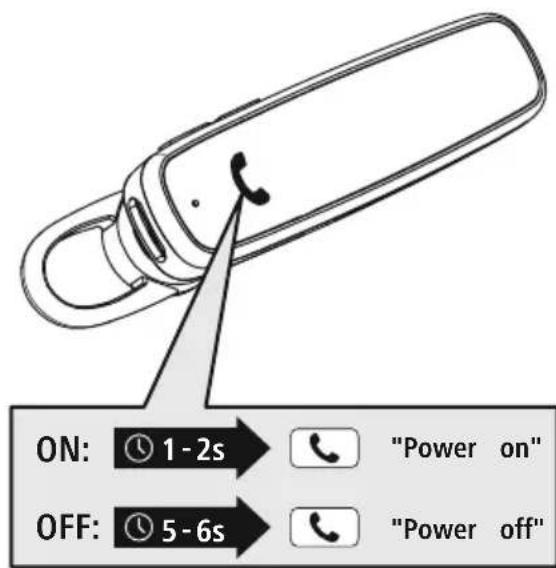
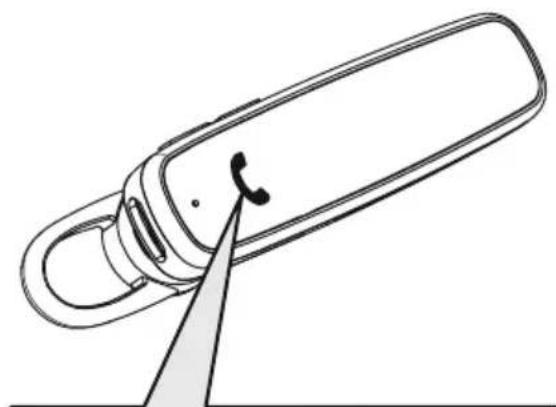
Press the MFB button (2) for approx. 1-2 seconds until the announcement "Power on" is heard and the LED (5) flashes blue three times.

To switch off, press the MFB button (2) for approx. 5-6 seconds until the announcement "Power off" is heard, the LED (5) flashes red three times and then goes out.
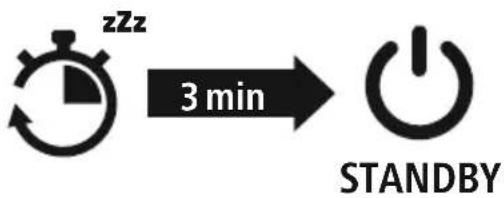
Note - Automatic switch-off of the product

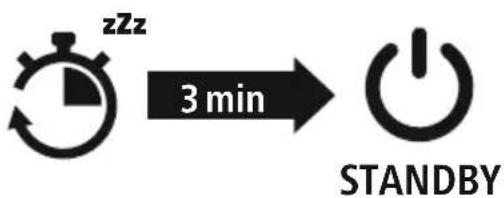
The product is equipped with an automatic switch-off mechanism. If there is no connection to your device within 3 minutes, it switches itself off automatically.

5. Charging
Fully charge the headset once before using it for the first time.
Switch off the headset and connect it
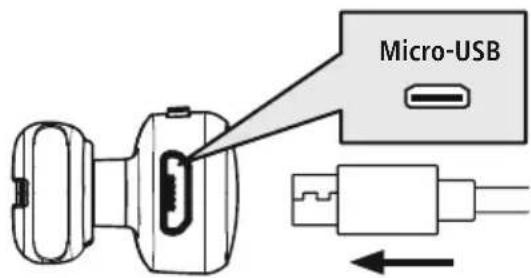
Ensure that the headset is switched off before charging it.
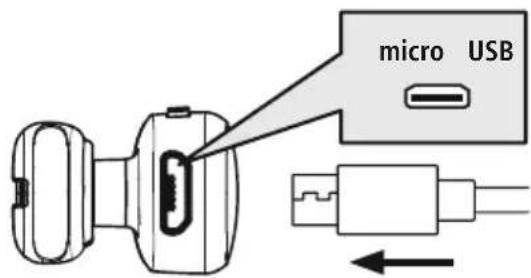
Connect the USB charging cable included to the charging socket (8). Connect the free plug on the micro-USB charging cable to a suitable USB charger. To do this, consult the operating instructions for the USB charger you are using.
2 Headset charging process
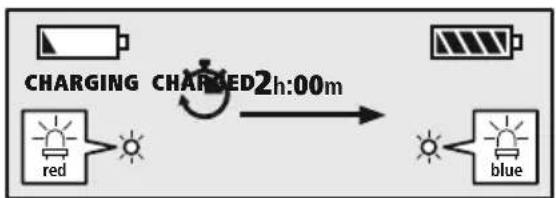
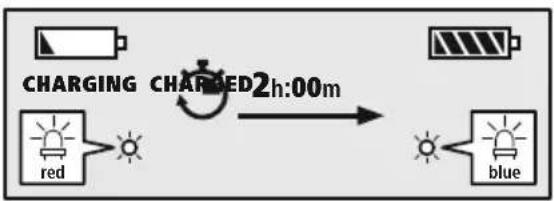
The LED (5) lights up solid red during the charging process. Once the charging process is complete, the LED (5) lights up blue.
It can take up to 2 hours for the battery to be fully charged.
3 Battery capacity
When the headset battery capacity is low, the LED (5) flashes red and the announcement "Battery Low" is heard.
Note

If you have not used the product for a few months, it can take up to 15 - 30 minutes until the status LED (5) lights up red during the charging process.

6. Bluetooth pairing
Note - Pairing

- Make sure that your Bluetoothable device is switched on and that Bluetooth activated.
- For more information, please refer to the operating instructions of your device.
The headset and the device should not be more than 1 metre apart. The shorter the distance, the better. Switch the headset on using the MFB button (2).
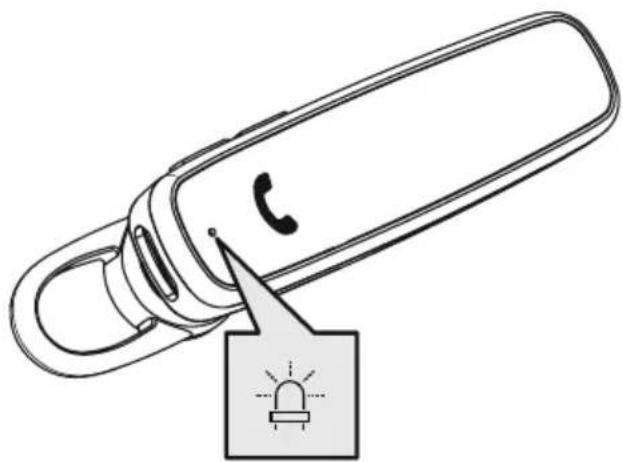
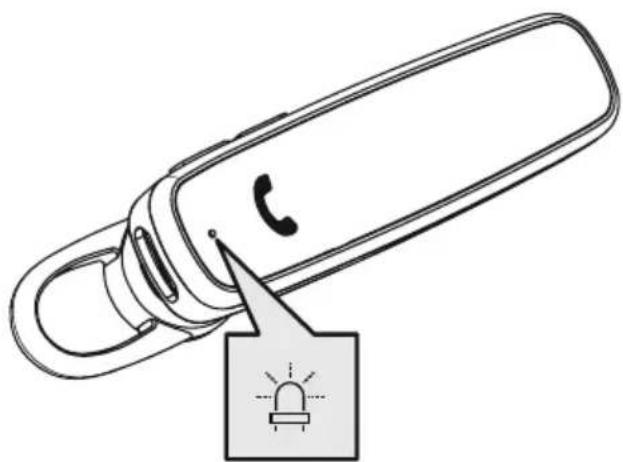
1 Check the status of the status LED (5) and the announcements
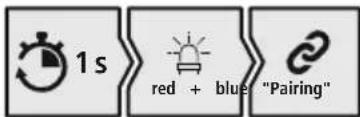
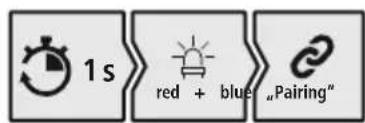
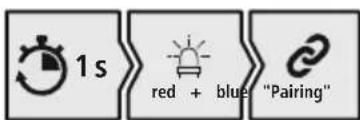
If the LED (5) is flashing alternately and the announcement is:
Headset searching for a Bluetooth connection.
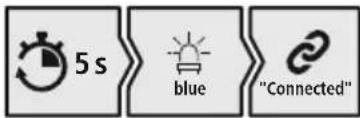
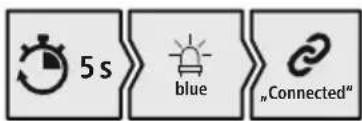
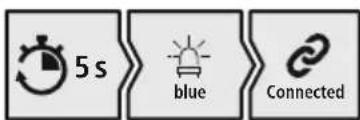
If the LED (5) is flashing and the announcement is: The headset is already paired with a Bluet@device.
Search using your device for the headset (only required on the first connection)
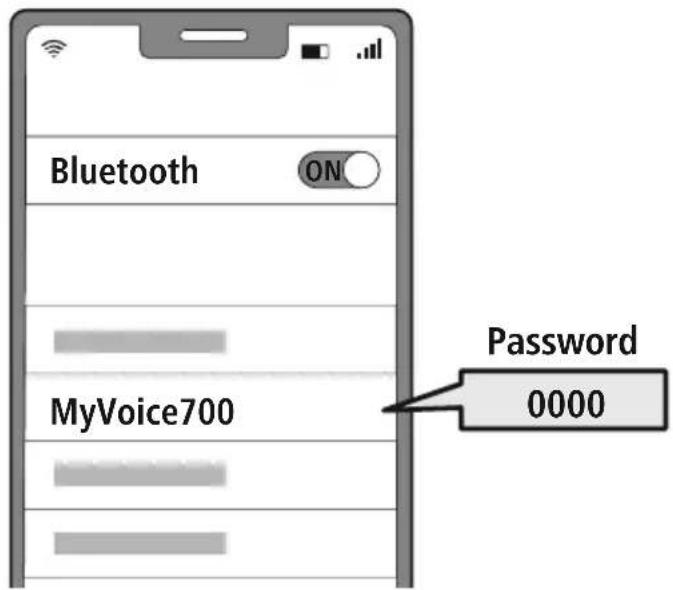
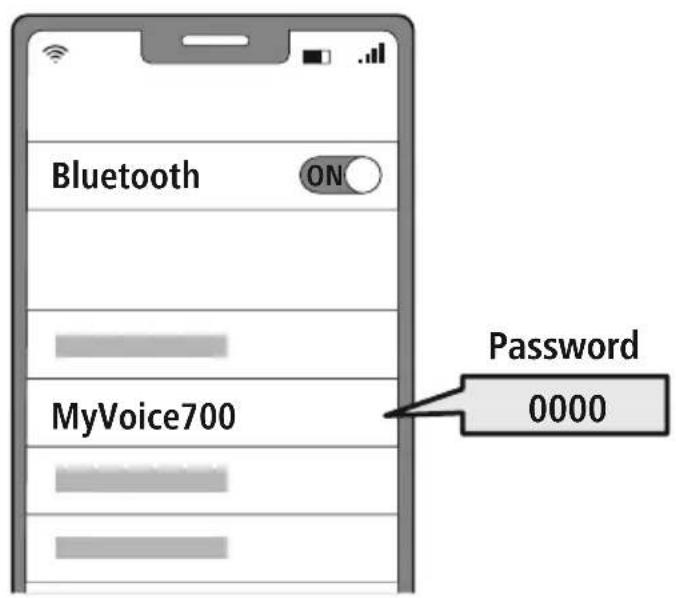
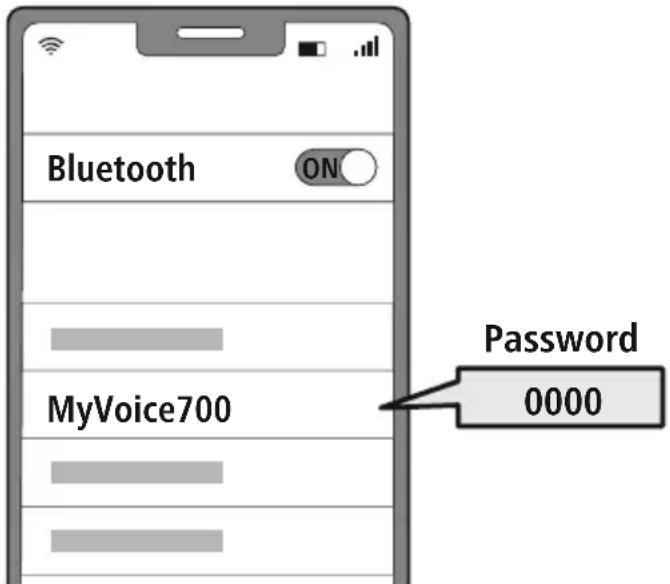
Open the Bluetooth settings on your device and wait until the list of found Bluetooths shows MyVoice700. The announcement "Pairing" is heard.
Select MyVoice700 and wait until headset is listed as connected in the Bluetooths of your device. The announcement "Connected" is heard.
Note - Bluetoothpassword

Some devices require a password in order to connect to another Bluetdevice.
- If your device requests a password to connect to the product, enter 0000.
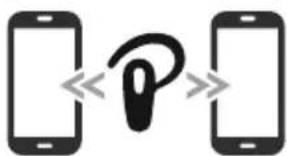
3 Multi-point technology
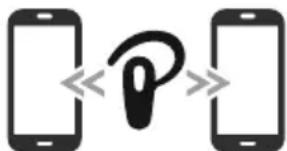
This headset can connect to two Bluetooth-enabled devices simultaneously (multi-point).
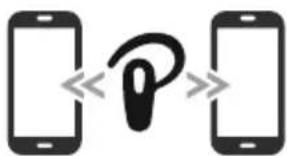
- First connect the first device to the headset.
- Then deactivate the Bluetooth function on this device.
- Then connect the second device to the headset.
- Activate the Bluetooth function on the first device again. The headset then connects to this device too.
7. Controls
Note

- Please be aware that your terminal device must support some functions if they are to be used.
- For more information, please refer to the operating instructions of your device.
7.1 Voice assistant function
Siri/ Google

Press and hold the MFB button (2) for around 1 second to initiate communication with Siri or the Google Assistant.
Note - Siri

Siri is only available on suitable devices running iOS 5 (iPhone 4s or later) or higher.
Note - Google Assistant

- The Google Assistant is only available on suitable devices running Android 5.0 or higher with Google Play Services, >1.5 GB of free memory and a minimum screen resolution of 720P.
- The Google Assistant App must be available on your device and be set as the default voice assistant.
7.2 Hands-free function
It is possible to use the headset like a hands-free facility for your device.
1 Make a call
Dial the number directly via your device to make a call.
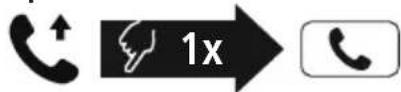
2 Accept a call

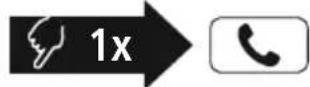
Press the MFB button (2) to accept an incoming call.
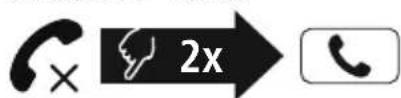
3 Reject a call

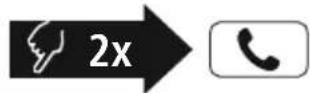
Press and hold the MFB button (2) twice or use your device to reject an incoming call.
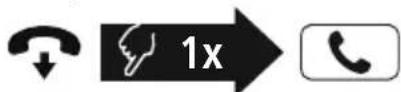
4 End a call

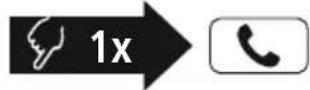
During the call, press the MFB button (2) once to end the call.
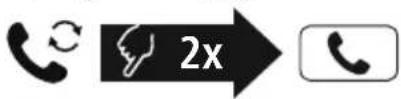
5 Last number redial

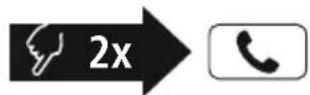
Press the MFB button (2) twice to radial the last number.
Note

The "Last number radial" function is only available for the device which was paired first with the product in a multi-pairing situation.
7.3 Audio playback
1 Start playback on your device.
2 Play / Pause

Press the MFB button (2) once to pause or start audio playback.
3 Next track

Press and hold the + button (3) for around 1 second to skip to the next track.
4 Previous track
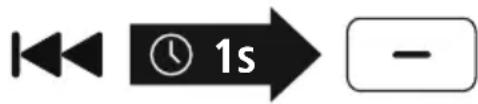
Press and hold the - button (4) for around 1 second to skip to the previous track.
7.4 Volume control
1 Increase volume
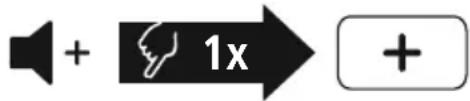
Press the + button (3) once to increase the volume. Once the maximum volume is reached, you will hear "beep".
2 Reduce volume

Press the -button (4) once to reduce the volume. Once the minimum volume is reached, you will hear "beep".
8. Technical data
| Bluetooth® Headset | |
| Bluetooth technology | Bluetooth® v5.0 |
| Profiles supported A2DP, AVRCP, HFP, SPP | |
| Frequency for Bluetooth transmissions | 2402 - 2480 MHz |
| Range < 10 m | |
| Rechargeable battery | |
| Battery type 3.7 V Li polymer | |
| Min. capacity 100 mAh | |
| Power consumption max. 5 V | 90mA --- |
| Charging Time ~ 2 h | |
| Standby * ~ 200 h | |
| Music playing * ~ 6 h | |
| Call time * ~ 7 h | |
| Weight | approx. 9 g |
- Once fully charged
9. Care and maintenance
Only clean this product with a slightly damp, lint-free cloth and do not use aggressive cleaning agents.
10. Warranty disclaimer
Hama GmbH & Co KG assumes no liability and provides no warranty for damage resulting from improper installation/mounting, improper use of the product or from failure to observe the operating instructions and/or safety notes.
11. Service and Support
Please contact Hama Product Consulting if you have any questions about this product.
Hotline: +49 9091 502-0 (German/English)
Further support information can be found here: www.hama.com
12. Recycling information
Note on environmental protection:
Following the implementation of European Directive 2012/19/EU and 2006/66/EU into the national legal systems, the following applies:
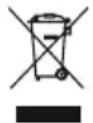
Electrical and electronic devices as well as batteries must not be disposed of with household waste. Consumers are obliged by law to return electrical and electronic devices as well as
batteries to the designated public collection points or to the point of sale at the end of their service lives. Detailed information on this topic is defined in the national laws of the respective country. This presence of the above symbol on the product, operating instructions or package indicates that the product is subject to these regulations. By recycling, reusing the materials or other forms of utilising old devices/batteries, you are making an important contribution to protecting our environment.
13. Declaration of Conformity
CE Hama GmbH & Co KG hereby declares that the radio equipment type [00184069] is in compliance with Directive 2014/53/EU. The full text of the EU declaration of conformity is available at the following Internet address:
www.hama.com->00184069-> Downloads.
Frequency band(s) 2402MHz - 2480MHz
Maximum radio-frequency power transmitted 4 dBm
www.hama.com ->00184069->Downloads.
Remarque - Google Assistant

Nota - Google Assistant
www.hama.com ->00184069->Downloads.
Banda o bandas de Frequencia 2402MHz - 2480 MHz
Avertizare - Accumulator

www.hama.com ->00184069->Downloads.
Kmitoctové pásmo/kmitoctová pásma 2402MHz - 2480 MHz
Maximalí radiofrekvenčí vykon vysilany 4dBm

7.1 Funcão Voice Assistant
Siri/ Google
www.hama.com ->00184069->Downloads.
Ipn Hn3kOM ypOBHe 3apJa aKKymyIaTopa raphNtpyb CBeToDnOd (5) MrrAet KpaChbIM, npa3daetc yCTHoe onOBeueHne "Battery Low".
yKa3aHHe

EcnBHeckoJIbKO MecaeB He noIb3OBAJIncb N3dJIeHem, MoKeT npOHTn 15-30 MInHyT, noka CBToDnOHDhIM HNDKATOP COCTOHHa (5) npn 3apJKe 3arOpITc KpaCHbIM.

6. CoeHHHeHne Bluetooth(conpJxKeHne)
yka3aHne co npjxehne

- Y6eHNTecb, yTO OKOHeuHoe yCTpOINCTBO C BO3MOXHOCTbIO COeHNHeHnY uepe3 Bluetooth® BKNIOueHo n Bluetooth®-coeHNHeHne yCTaHOBNeHo.
Co6IIOaIe COOTBETCTByIOUne yKa3aHnRA pyKOBOcTBa nO EKcIIyatauIN BaIero OKoHeuHOYCTPOIcTBa.
TapHNTypa N OKOHeuHoe yCTpOINCTBO DOJXHbI HAXODITbcra Ha pacCToAHn He 60JIbWe 1 M npy r OT dpyra. Yem MehBwe pacCToAHne, Tem JyUWe.
BkIouHTe raphHtpy haxaTneM KhoNkMFB (2).
1 PpOBepbTe cTatyc CBeToNDHOro HndNKaTopa coCTOHN (5) n yCTHbIe onOBeueHn
Pn nonepeMeHHOM MuraHm CBeToMDoJa (5) n yCTHom onOBeueHN:
raphHnTpya nbItaetc yctahOBntb coeHHeHne Bluteo0h
Pn MrraHn CBeToaNoa (5) n yCTHom onoBeeHHN:
raptntypa yxe yctahOBnla coeHHeHne (cHxpoHn3npoBaHa) c OKOHeHHbIM yCTpOJCTBOM c Bluetooth
2 Hainte Ha Bawem OkoheHOM yctpoNCTBe raphNtpy (Tpe6yETc TolbKO npn nepB coeHNHeHn).
OTKpOte MeHIO HAcTpoEe Bluetooth Ha BaWem OKOHeuHom yCTpoiCTBe N NOOxDiTe, nOKa B cNcKe HauJeHHbIX Bluetooth He NoBnTcMyVoice700. Pa3JaETc ONoBEueHne "Pairing" ("COnpJxHne").
Bb6epTe MyVoice700 n noOxIte, noka rapHntya He oTo6pa3ntcB KaueCTBe noKJIuOeHHoro yctpoIcTba B hAcIpoIkax BluteoBaIero okOHeuHoro yctpoIcTba. Es ertont die Ansage "Connected" (coeDInHeHne yCTaHOBNeHo)
Yka3aHne napoJb Bluetobth

Дя HeKOTOpbIX OKOHeuHbIX yCTpoiCTB npu yCTaHOBNeHm COeINHeHn C dpyrUm Bluteoth yCTpoiCTBOM Tpe6yETc npoJIb.
- Ecnn BaWe OKOHeHoe yCTpOInCTBO Tpe6yEt erO BBoJa, BBeInTe IJIa CoeINHeHnC nI3dennm npoNb 0000.
3 TexHonorma Multipoint
3Ty raphHtpy MoXHO CINHXPOHN3IPOBaTb OJHOBpeMeHHO C DByMRA OKOHeYHBIMN yCTpoiCTBaMn, noIepKmbaIOUmm FyHKuio Bluetooth (TexHolorma Multipoint).
- Chauana CnHxpoHn3npyIe c raphNtypo nepBoe oKoHeuHoe yCTPOINCTBO.
- 3aTeM DeakTbPyTe cyHKuIO BluetooHa 3Tom OKoHeuHOM yCTpoNCTBe.
- Pocne 3TOrO CnHxPoHn3npyuTe C rapHnTypoB BToPoE OkoHeuHoe yCTpoNCTBO.
- Choba akTbnpyTe cyHKcuIO Bluteo0hHa nepBOM OKoHeHOM yCTpOInCTBe. Tepeb raphNtypa CNHXPOHN3npyETcN C 3TNM OKoHeHbIM yCTpOInCTBOM.
7. ΘЯЕМТы ynpabNeHnA
Yka3aHne
- 06patnte BHMaHne, YTO NOdEepKka HeKOTopbIX yHKcN 3aBNCNT OT BaIeO OKHeuHOrO yCTpoiCTBa.
- Co6IIOJaTe COOTBeTCTByUOJIne yKa3aHnRA pyKOBoDCTBa IIO 3KcIIyTauIN BaJero OKOHeuHOYCTPOINCTBA.

7.1Функци ИнтелктуальHorO roJOCOBOro nOMOuHnKa
Siri/ Google
Haxmte u ydepXnBaIte MHorofoyHKuHOHaJIbHyO KhoNky (MFB) (2) Haxatoi OK. 1 cekyHdbI, YTO6bl 3aNyCTnTB CBaBc Siri nn Google Assistant.
Yka3aHne — Siri
CepBnC Siri IocTyneH ToIbKO Ha COOTBeTCTByOuX OKOHeuHbIX yCTpoiCTBax c iOS 5 (HaunHajc iPhone 4s) nnn 6oJee no3dHn BepCneH.

Yka3aHne — Google Assistant
CepBnC Google Assistant DOCTyIeH TOJIbKO Ha COOTBeTCTByIOUx OKOHeuHbIX yCTpoIcTBax C Android 5.0 nnn 6oJee no3dne BepCne C cepBncamn Google Play Services, >1,5 T6 CBO6OHDnI pAMrN mMHmMaJIbHbIM pa3peWeHem 3KpaHa 720 nIKceJe.
- PpIIOXeHne Google Assistant IDONJHO 6bITb DOCTyINHO Ha BaWem OKOHeHOM yCTPOICTBE HAcTPOEHO B KaueCTBe CTAHdAPTHORO rOLOCOBOrO NOMOUIKc.

7.2ФункцягомковCB3N
Bb taKxe moXeTe nCnoIb3OBaTb raphNtpy B KaueCTBe yCTPOINCTBa Inra rPOMKO TeJeFOHHO CBa3n DnA CBOero OKoHeuHOrO yCTPOINCTBa.
1 Cobepwnb Bbl30B
Bb6epnte Hmep HenocpeCTBeHHo Ha OKOHeHOM yCTpoIcTB, YTO6bl COBepuNTb Bbl3OB.
2 PpHraTb Bbl3OB
OndokpatHo haxmte KhoNky MFB (2), yTo6bl npHnTb BXoJaun Bbl0B.
3 OTKJIOHHTb Bbl3OB
ДвждынжмITE KONky MFB (2) ИИ NcnoJb3yIte BaWe OKOHeHoe yCTPOIeCTBO, YTO6bl OTKIOHITb BXODIuN Bbl3OB.
4 3aBepuTb Bbl3OB
Bo Bpempa3roBopa OndokpatHo HaxMITE KhoNky MFB (2), 4TO6bl 3aBepuNTb Bbl3OB.
5 NOBTOHPbI Ha6Op
ДвждынжмITE KhONky MFB (2),Чтоби habpaТь последни habраньи Homep.
Yka3aHne
Функця NOBTOpHOro Habopa DoCTynHa TOnbKOДЯ OKOHeuHOrO yCTpoNCTBa, KOtOpoe 6blno CHaUaJa CnHXPOHn3npOBaHO C n3dJIeM.

7.3 Bocnpo3BepeHne ayno3anncen
BkIIOUHTe BOCpOu3BeDeHne Ha OKOHeuHOM yCTpoIcTBe.
Bocnpon3BeDenHe/nay3a


OndokpatHO HaxMnte KhoNky MFB (2),yTo6bl npnoctaHOBNTb Nn 3aNyCTNTb npOnrpbBaHne My3bIKn.
Cleyuouni TpeK


Haxmte u ydepxmbaTe KhONky "+" (3) B teueHne OK. 1 cekyndbl dny nepexoDa K cneDyioSeMy Tpeky.
4 PpebIyuun TpeK


Haxmte udepXnBaTe KhoNky "-" (4) B TeueHne OK. 1 cekynbl dI npexoDa K npdeblnyeMy Tpeky.
7.4 Perynupobka rpoMkoCTN
UyBeJIuYeHne rPOMKoCTN

Для NOьшенг ромкости Oногкрахно HabKMITE KhoNky + (3).ПрдocTNkeHIM MaKcImaJIbHoi rPOMKOSTn pa3daetcra "beep".
2 yMeHbWeHne rpOMKoCTn

Дя умьшени Грмкгои ODHOKpaTHO Haxmnte KhoNky "-(4).Пи ДOCHTXKeHIM MHHImaJIbHoi Грмкггп pa3daetcra "beep".
8. TexHnueckne daHHbIe
BG Pa60THa NHCTpyKcIa
Blaqapm Bn, ye cTe n3paI npOyKT Ha Hama!
OTdJIeTe BpeMe n npOte N3aJIo CneDbaunTe HnCTpyKuHn yKa3aHn. CJeT OBa 3ana3eTe TOBa pkoBOcTBo 3a ekCnIooatauHa cnHypHO MAcTo, 3a da MoKeTe Da npaBnTe cnpaBKn B HeRo npn Hyka. Ako npoJaTe UpeDa, npedaiTe TOBa pkoBOcTBo 3a ekCnIooatauHa HOBnrc6CTBeHnK.
Elenentn 3a ynpabJeHne n HdkaTopn
- Ckobaa yxo
- MyIITnФункционаJIeH 6yToH
- ByToH +
- ByToH -
- LED 3a cTaTyc
- CnNKoHOBa MeKa Tana 3a yxo
- Minkpooh
- Micro USB nopT
1. 06aIHeHne Ha npEynpeIteJIHH cIMBOJn yka3aHna
PpeynpeKdHne

I3noJI3Ba ce, 3a da o6o3Haayaba yka3aHne 3a 6e3OnaCHOCT nIN 3a da HAcOHN BHHMaHHeTO KbM KOHKpeTHn ONaCHOCTN pUCKOBe.
Yka3aHne

I3noJI3Ba ce, 3a da o6o3Haayaba DonbHHTeHa HhOpaunu nn Baxn yka3aHna.
2. CbDpbXaHne Ha onaKOBkata
1x Bluetooth® cnuwaikaka "MyVoice700"
1x Micro USB ka6eJ 3a 3apeXdahe
1x CUNIKOHOBa TaNa
1x ck06a 3a yxo
1x KpaTka INHCTpyKUIN
1x INCTpykun 3a npdynpejdeHne nocnrypahe Ha 6e3onacHocCTTa
3. Yukazann 3a 6e3onacnoct
- PpOdykTBe npEaBnDcH 3a JInuHa, HeCTOnaHcKa 6bIToBa yIopTe6a
- M3non3BaIte npOyKta cMo 3a npEbnHeHaTa UeJ.
- Deuata Tpa6Ba Da 6bDat noHa3Op, 3a da ce rapaHTnpa, ye HMa Da Cn IrpAeT C npOdykTa
He n3noJ3BaIte npOdykTa B 30Hn, B KOnTO He ca pa3peWeHn eNeKTPoHHn ypeNi
He ce onntbaTe camn da o6cnykBaTe nn peMOHTnpate npoDyKta OCTaBeTe BCKaKaBa texHnuecka nOndpBXka Ha KOMnTeHTHnTe CneuHaNCTn.
He OTBapnTe npOdykTa n npn NobpeHa He npoIbIJIkaBaIte Da ro I3noI3BaTe. - He npeynBaIte n He npTuCKaIte kaIena.
He no3B0JIaBaiTe Ha npOdykTa da naJa n He ro 13naIaraiTe Ha cnJIHn Bn6paun
I3XbPte ONAKOBuHn MaTepnaJI BeHaRa CbIaCHO DeIcTBaUHTe Ha MCTO pa3NopeD6n 3a I3XBbPJIHe Ha OTNaIbU - He npabete npomehn B ypea. Taka ue 3ary6nt npabo Ha BCkaKbN rapaHIOOHn npetehu
Paaete npodykta OT 3aMbpcaBaHe, Bnara n nperepaBae H ro n3no3BaIte cMo B cyxN NOMeueHna.
He n3no3BaTe npOyKaT B HEnOpceIcBeHa 6Jn3OCT Do OTOnJIteJIHn Upei, Dpyr N3TOUHNu Ha TOnJIHa IIN Ha DInpeKTHa CbHueBa CBETnHa - 3n0nl3BaIte npOdykTa cMo npu ymepeHn KJIIMaTnUHn YCNOBnA
- PnOIObHO Ha BCNUKn eJNEKTPNUeCKn npOyKTn,TO3N npOyKT He 6nBa Da nonaDa B pBcTe Ha Deca!
He n3no3BaTe npOyKta 3BbH HeROBITE rpaHnHa MoUHOCTTa, NOCOeHN B TexHueCKNTe daHHN.
He n3noI3BaIte npOyKta BbB BlaXHa cpea n 1368BaIte BOHN p6CKN - IIO Bpeme Ha nbTyBaHTo C MNC nnCnOpTeH ypeI He pa3peuBaAte Na 6bJeTe OTKNoHBAHn OT Baun npOdyKT n BHMaBAte 3a noLoXeHneTO npn DnXeHne n BaWata OkOnHa cpeI
AkyMylatopnata 6atepe n HeNoDbNkHo BrpaedHa HHe MoKeJa Ce Maxa, N3XbPneTe npOyKta KaTo CnopeJ3aKoHOBtpe pa3npoe6n. - He xBbPJIaIe 6aTepeTnI IIN npOdyKTA B OfH.
He npomehne u/nn He deopmnpaTe/ HarpBaTe/pa3rI06BaTe akyMaNaTOpHnTe 6aTeepu/6aTeepuTe.
He n3noI3BaIte npOyKta no BpeMe Ha 3apeXdaHe!
Ppeynpexdene - BaTePn
- 3a 3apexdahe n3noJI3BaIte cAmo nOxOJaIu3apJHn yCTpOcTbA nn USB n3BODn.
IIO npHnH He n3non3BaTe DepeKTHn 3apdHn yctpoiCTBa nn USB n3bOOnn He ce onNTbaTe da rN nonpaBATE.
He no3B0JbAaTe npOyKta da ce 3apeXda nOBuee ot Heo6xOIMOTO nn Da ce pa3peXda HnblHo. - N36raBaiTe cbxpaHHe, 3apexdaHe n N3noJI3BaHe npE kCTpeMHn Tempepatypn N3KIOUHTeHNO HnCKO HaJIraHe Ha Bb3dYxa (KaTO HanpIMep Ha RoJIemn BnCOounHn).
- Pn no-npOdbJnxIeHNo cbXpaHeHne I03apExkaIte nepnoDnHNO (nohe BeHNbX Ha Tpu Meceua).
PpeynpexKeHne - MarHnTm
IpoKyTbT rHeepnpa MarHHTn noIeta. JncaTa Cbc CbpDeuH CTmMyNatOp Tpr6Ba da ce KOHCyTTupat C Jekap npedn ynotpe6a Ha npoKyTA, Tb KaTO cyHKUraHa CbpDeHH CTmMyNatOp MoKe Da 6bJe HApyuSha.
EC nnn npyn noo6n kaptnc MaHHTNn IeHTn He 6nBa da ce cBxpaHbAT B 6n30ct Do 3apAnHOTo yCTpOcTBO nn CnyuAaKnte. NaHHnte ot kaptata Morat da 6bDat NOBpeHn nn N3TpNTn.
PpeynpexdHne - cnEn 3ByK
Tolmyo akcytunHO hanahe!
CbueCTByBa onaCHOCT OYBpeXdaHe Ha cnlyxa.
3a da 6bnde npedotBpateHa 3ary6a Ha cnyxa, n36raBaTe cnUshaHTo Ha CNIeH 3ByK 3a Dblr nepnoD OT BpeMe.
-ПОДьрхаNTe CINaTа Ha 3Byka BInHaN Ha pa3ymHO HnBO. ГлмATA CINa Ha 3Byka MoXe -Дори И пп MaIKA npOДьIxKITeHNoCT -Да IOBende Do yBpeXdAnHЯ NaIyxa.
- YnOtpe6ata Ha npOdykTa orpaHnUaBA Bb3npHemHeTo Bn Ha shyMoBe ot OKoJIHaTa cpeIa. 3aTOBa nO BpEm Ha n3NoJ3BaHeTo
He ynpabnBaIte npeBO3Hn CpeICTBa IJI MaunHn.

4. BkIIOUbaHe/u3KIOUOBAHe

HaTnchete 6yToH MFB (2) 3a okono 1-2 cekyni,doKato yyeTe cbo6eHneTo "Power on" n CBetOndoBt (5) CBetOndoBt npemrHe B CnHbO TpN PbTN.

3a n3KIOUbaHe hATnCHTe 6yToH MFB (2) 3a oKOJIo 5-6 cekyn,doKaTO cyte Cbo6ueHneTo "Power off" n CBTeOIOOBt (5) npemrHne B cepBeHO TpN NbTn NcEe TOBa n3raChe.
ON: 1-2s

Power on
OFF: 5-6s

Power off
yKa3aHHe - aBtOMaTHUHO n3KJIIOuBaHe Ha cIywaJkata

PpOdyKbT pa3noJara c cyHKnna 3a aBtOMaTHNo n3KnIOuBaHe. Ako B pAMKITE Ha 3 MInHyT He ce OcbIeCTBN CBbp3BaHe C KpaHOTo yCTpoINCTBO, PpOdyKbT Ce n3KnIOUBA aBtOMaTHNo.
5. 3apexkdahe
Ipei npbpaTaynoTppe6a 3apeTe HnblnO cnywaKata.
I3KlnOuBaHe n Cbbp3BaHe Ha CnywaJkata
USB3apAIOyCTpOINTO
Ipei 3apejdahe Tpa6Ba Da ce yBepuTe,Ye cnUwankata e N3KluOyeHa.
BkIIOUeTe npJIOXeHnRA USB Ka6eI 3a 3apeKdaHe KbM rHe3dOTo 3a 3apeKdaHe (8). CbbpKeTe cBo6oDnHn UeKepe Ha Micro USB Ka6eHa 3a 3apeKdaHe KbM nOxOJaTO USB 3apJNo yCTpOcTB0. 3a ceTt cna3BaYte HNCTpyKcTnTa 3a 06CnyXbaHe Ha N3noJ3BaHOto
Ipouec Ha 3apekdahe Ha cnyuwaikata
CBeToIIOIbT (5) CBeTn NoCToHNO B UepBeHo N0 BpeMe Ha 3apexJaHeTo. CneI 3aBbPbBaHe Ha 3apeXdaHTo CBeToIOIbT (5) CBeTn B CInHo.
IbHTo 3apeKdaHe Ha akymlyaTophata 6aTepy MoKeJa OTHeme Do 2 Yaca.
KanaunTeHa akymyLatopHata 6aTePnA
Пи НИСКО ИВО HA Зapяда HA akумлалогнATA 6aTeрЯHA CNYшankata CBeToДиOДьT (5) MИRA Bчервени CE ChyBa CbOБшениTo "Battery Low".
Yka3aHne

Ako He cTe n3noJ3BaJn npOyKt a B npOdbJxKeHne Ha hAkoJko Meceua, MoXe da oTheme 15- 30 MInHyTn, DOKaTO CBeToDIOoBt 3a CTAtyC (5) CBeTHe B UepBeHo npi 3apeXkaHe.
6. Bluetooth Bpb3ka (cDBOBAHe)
Yka3aHHe 3a CbBOBaHe

- YBepete ce, Ye BaweTo noDbpxaIo Bluetooth® kpaHNo yCTpOietBO e BKIOUeHO u Ye BluetoTH aKTNBpuH.
- 3a Ta3n c9e n C7BaIte yka3aHnraT aO pBkoBOcTBOTo 3a ynoTpe6a Ha BaIeTo KpaH OyctpOcTB0.
Cnyuankata n KpaHOTO yctpoiCTBO Tp6Ba Da 6bDat Ha pa3cTOnHne p1 MeTbp. KojKToI NO-MaIKo e ToBa pa3cTOnHne, ToJkoBa no-dOpe.
BkJIOUeTe CnyuAikKaTa C 6yToH MFB (2).
1 IpoBepTe cbCToHnETo Ha cBeToaNoDa 3a CtaTyc (5) n rJaCoBnte cbo6uhenr
Korato cBeToaNoobT (5) mra nocJeIOBaTeHNO n ce cyBa cbo6ueHHe:
Cnywaankata Tbpnc Bluetooth Bpb3ka.
Korato cBeToaNoT (5) Mura n ce yBa cbo6eHne:
Cnyuankata Buee e Cbbp3aHa c KpaHNo yCTpOiCTBO C Bluetooth®.
2 TbpcTe cnywaankata c BaaweTo KpaHOb yctpoNCTBO (Heo6xOdImo e camo npn nbpOyCTaHOBAHe Ha Bpb3Ka)
OTbopete NaCTpoKnTe 3a BluteoHa BaWeTo KpaHOb yCTpoIcTBO n N3uKaIe, DOKaTO B cnncbKa Ha HamepeHnTe BluteoHyctpoIcTBA He ce NOKaKe MyVoice700. Ipo3ByaBa Cbo6ueHnTe "Pairing".
I36epeTe MyVoice700 n I3yakaTe,doKaTo CnyaJaKaTa He ce NOKaKe KaTo CBpb3aHa B NaCTpOiknTe 3a Bluetooth Ha BaWeTo KpaHNo yCTpoiCTBO. IpO3ByuBaCbO6uHeNeTo
"Connected".
Yka3aHne - BluetoothnapoA

HЯкои Крайни устюп CTBA ce hyждяг OT napola 3a NaCTpoiKaTа Ha Bpb3KaTа Cpyro Bluetooth® uстюCTBO.
- 3a CBbp3BaHe CbC npOyKTa BbBedeTe napolata 0000, KOrato 6bJeTe nOkaHeH/a 3a TOBa OT BaWeto kpaHNo yctpoiCTBO.
3 TexHojorma Multipoint
Tasn Cnyuza Ka Moxe da ce Cbpxe eHOBpeMeHHo c DBe KpaHn yCTpoiCTBa c Bluetooth (Multipoint).
CbbpxTe npbBOTO kpaHNo yCTpoNCTBO cbc CnywaKkata.
- CnéД TOВa De3aKTbBnPaIe Bluteo0hФyHKcIyraHa TOBa KpaHOr yCTpoIcTBO.
CbpxTe BTOPOTo KpaHNo yCTpoNCTBO CbCcIywaIKAATA.
- AKTINBIPAte OTHOBO BluetoothФункцЯТа Ha nbpBOTo KpaHOnyCTPOINCTBO.Cera cnUshaKata ce Cbbp3Ba n CTOBA KpaHOnyCTPOINCTBO.
7. Elenentn 3a ynpabJeHne
Yka3aHne

- 06bphete BHMaHne, Ye noDtbpxaHTo Ha HAKOn OT cyHKunTe 3abncn OT BaSeTo KpaHoycTPOICTBO.
- 3a ta3n c9e n C7a3BaIe yka3aHnIraT a o p bkoBOdCTB0To 3a ynoTe6a Ha BaSeTo KpaHo yctpoiCTBO.
7.1ФункцяЗаглacob acncteHT
Siri/ Google
HaTnchete n 3aIpbXTe 6yToHa MFB (2) 3a OK. 1 cekyHda, 3a da CTapTpate KOMyHnKaunc Bauu Siri nn Google AcnteHT.
Yka3aHne - Siri

Siri ce npednara cmo ha noDxOJaK paHn ycTpoiCTBa ciOS 5 (ot iPhone 4s) nJn no-BncoKa.
Yka3aHne - Google AcuCTeHT

Google AcnteHT ce npedna caMo Ha noDxOJaN KpaHn ycTpoiCTBa C Android 5.0 nnno-Bucoka c Ycnyr 3a Google Play, >1,5 GB cbo6oHa namet mMmMaHa pa3dienTeHa cnoc6hct Ha ekpHa 720 P.
- PpHIOXeHHeTo Google AcuCTeHT TpA6Ba Da e HAnuHo Ha BaWeTo KpaHOb yCTpoiCTBO n Da e NaCTPOEHO KATO CTaHdApTeH rNaCOB acnCTeHT.
2 HamaJIyBaHe Ha cnJaTa Ha 3ByKa

HaTnCHete BeHbX 6yToH - (4), 3a Da HamaJInte cnJaTa Ha 3Byka. Ppi DoCTnraHe Ha MNHmMaJIHaTa cnJa Ha 3Byka ige yyeTe 3ByKOB CnHaN "beep".

8. TexHnueckn daHHN
| Bluetooth®城乡居民 | |
| Bluetooth® v5.0 | |
| Повдьрхани пофима A2DP, AVRCP, HFP, SPP | |
| Чеб耗费 3aBluetooth п配电ьглика | 2402 - 2480 MHz |
| Оьbat < 10 m | |
| Баэрия | |
| Тилбэрия 3,7 V литnevob-nолимерна | |
| Мин. калачтET 100 mAh | |
| Консу мacea на на тok макс. 5 | V 90mA --- |
| Враеме за заразжданe ~ 2 h | |
| Сыстаяне на покоi * ~ 200 h | |
| Враеме за снышанe на музiku* * | ~ 6 h |
| Враеме за разrobop * ~ 7 h | |
| Терло | ok. 9g |
- cnéi nblho 3apejdahe
9. Texnuecko obcnykbahe n nodpbkk
IOnuCTBaIte T03n npOyKT cAmO C JIeKO HABJaxHeHa Kbpna 6e3 BLnACNHn I He N3noJ3BaIte arpeCunBn NouchTbaa n npenapatn.
10.ИЗКЛЮУBAнеHa OTROBOPHOCT
Hama GmbH & Co KG He noema OTROBOPHOCT uIraHua 3a NOBpeNi, KOITo ca pe3yIiTAT OTHepaBnHa INCTaJIaCnI, MOHTaX I yNtpe6b Ha npOdyKta uIIN OT HcNa3BaHe Ha pbKOBOIDTBOTo 3aekpIoatauia n/IIu Ha yKa3aHnraTa 3a 6e3OnaCHOCT.
11. CepBn3 n noDpBxKa
PnBbnpocn OTHOCHO npOyKTA,MOJI,OBbpHeTe Ce KbM npOyKTOBtKe KOHCytTaHTn Ha Hama.
TopeuJnHn: +49 9091 502-0 (HeMckn/aHrnnckn)
Допьнітелна Информача 3а подрьжкata можete на Намерпіte Тук: www.hama.com
12. yka3aHn8 3a n3XbBpJnHe
Yka3aHne OTHOCHO 3auNTaHa Ha OKoJHaTa CpeJa:
OT MOMENTa Ha npnilaraheTo Ha eBponecknte DnpekTbnu 2012/19/EC n 2006/66/EO B HauNoHaJIHOTO npaBO Ha CbOTBeTHnTe CTpaHn BaXn CneIHOTo: EneKtpnuecknte u neKtpoHHnTe ypeu n batepnte He 6bBa da ce n3xBbpIaT c 6bTOBnTe OTnaDbu. Nopte6nTeJrE t dIbXeH no 3akOH da BbpHe eNeKtpnuecknte u eneKtpoHHnTe
урени ватерпente в Края на Тхни ekслноационе срок на Изграденite 3a цлta obшестveни реламentupaши в З akOHODATEJICTBOTO на СьOTBEHTATA CTpaHa. CIMBOЛТВьрух пodyкta, уьтванeto 3a уnotpe6а пл onakOBkata habocuBa кьm TeЗи pa3nopeби.Чe3 peuzknipaheTo, npepaBOTkaTa ha MaTePnaIte пл дугн Формп Ha onOJ3OTBOPRABaHe Na CTapITE ypeNi/6atepin BVE ДОпринасerte 3a 3auntata Ha haba OKonha cpeDA.
MaKcImaJIHa n3IbYBaTeJIHa MoUHocT 4dBm

GR O8nyiec xpno
Zac euxapiotoupe nou eniieeate eva npoiov tnc Hama!
Apixka, aepwote liyo xpov yia va diaaote tic napakatw odnyiec kai unodeiEic. Tn ouvexia, pfalete to exyepidio odnyiw o aphialec mepoc yia mealovtik npon, av xpeiaotei. Eav dwoe t n oukeun oe altoo, Ta penei va napadwoete to exyepidio odnyiw otov veo idokntn.
Ttoixia xieipou ou kai vdeiEic
- Akyiotpo auio
2.Ππκτρο πολαπλων λειούργιων - +
- -
- Auxvia kataoataoqc LED
6.MaIipakai autuw ano siikovn - Mikofofovo
- Šυνδεση Micro-USB
- BLUETOOTH® MONO HEADSET
- GB Operating Instructions
- Controls and displays
- Explanation of warning symbols and notes
- Warning
- Note
- Package contents
- Safety instructions
- Warning - rechargeable battery
- Warning - magnets
- Warning - high volume
- Switching on/off
- Note - Automatic switch-off of the product
- Charging
- Switch off the headset and connect it
- Headset charging process
- Battery capacity
- Bluetooth pairing
- Note - Pairing
- Check the status of the status LED (5) and the announcements
- Search using your device for the headset (only required on the first connection)
- Note - Bluetoothpassword
- Multi-point technology
- Controls
- Voice assistant function
- Siri/ Google
- Note - Siri
- Note - Google Assistant
- Hands-free function
- Make a call
- Accept a call
- Reject a call
- End a call
- Last number redial
- Audio playback
- Volume control
- Technical data
- Care and maintenance
- Warranty disclaimer
- Service and Support
- Recycling information
- Note on environmental protection:
- Declaration of Conformity
- Remarque - Google Assistant
- Nota - Google Assistant
- Avertizare - Accumulator
- Funcão Voice Assistant
- yKa3aHHe
- CoeHHHeHne Bluetooth(conpJxKeHne)
- yka3aHne co npjxehne
- Hainte Ha Bawem OkoheHOM yctpoNCTBe raphNtpy (Tpe6yETc TolbKO npn nepB coeHNHeHn).
- Yka3aHne napoJb Bluetobth
- TexHonorma Multipoint
- ΘЯЕМТы ynpabNeHnA
- Yka3aHne
- 7.1Функци ИнтелктуальHorO roJOCOBOro nOMOuHnKa
- Yka3aHne — Siri
- Yka3aHne — Google Assistant
- 7.2ФункцягомковCB3N
- Cobepwnb Bbl30B
- PpHraTb Bbl3OB
- OTKJIOHHTb Bbl3OB
- 3aBepuTb Bbl3OB
- NOBTOHPbI Ha6Op
- Bocnpo3BepeHne ayno3anncen
- Perynupobka rpoMkoCTN
- TexHnueckne daHHbIe
- BG Pa60THa NHCTpyKcIa
- Elenentn 3a ynpabJeHne n HdkaTopn
- 06aIHeHne Ha npEynpeIteJIHH cIMBOJn yka3aHna
- PpeynpeKdHne
- CbDpbXaHne Ha onaKOBkata
- Yukazann 3a 6e3onacnoct
- Ppeynpexdene - BaTePn
- PpeynpexKeHne - MarHnTm
- PpeynpexdHne - cnEn 3ByK
- BkIIOUbaHe/u3KIOUOBAHe
- 3apexkdahe
- I3KlnOuBaHe n Cbbp3BaHe Ha CnywaJkata
- Ipouec Ha 3apekdahe Ha cnyuwaikata
- KanaunTeHa akymyLatopHata 6aTePnA
- Bluetooth Bpb3ka (cDBOBAHe)
- Yka3aHHe 3a CbBOBaHe
- TbpcTe cnywaankata c BaaweTo KpaHOb yctpoNCTBO (Heo6xOdImo e camo npn nbpOyCTaHOBAHe Ha Bpb3Ka)
- Yka3aHne - BluetoothnapoA
- TexHojorma Multipoint
- Elenentn 3a ynpabJeHne
- 7.1ФункцяЗаглacob acncteHT
- Yka3aHne - Google AcuCTeHT
- TexHnueckn daHHN
- Texnuecko obcnykbahe n nodpbkk
- 10.ИЗКЛЮУBAнеHa OTROBOPHOCT
- CepBn3 n noDpBxKa
- yka3aHn8 3a n3XbBpJnHe
- Yka3aHne OTHOCHO 3auNTaHa Ha OKoJHaTa CpeJa:
- GR O8nyiec xpno
- Ttoixia xieipou ou kai vdeiEic
Brand : HAMA
Model : MyVoice700
Category : Bluetooth Headset