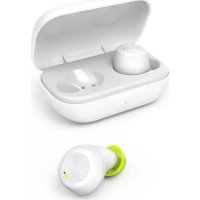
Spirit Chop - Bluetooth Headset HAMA - Free user manual and instructions
Find the device manual for free Spirit Chop HAMA in PDF.



| Product Type | Bluetooth True Wireless Headphones |
| Brand | Hama |
| Model | Spirit Chop |
| Weight of earbuds | Approx. 4 g each |
| Weight of charging case (with earbuds) | Approx. 41 g |
| Power supply | Lithium-polymer battery 3.7 V (earbuds: 43 mAh, case: 390 mAh) |
| Charging | Micro-USB port, 5 V max 200 mA |
| Charging time for earbuds | Approx. 2.5 hours |
| Charging time for case | Approx. 3.5 hours |
| Playback time | Approx. 4 hours |
| Talk time | Approx. 4 hours |
| Standby time | Approx. 150 hours |
| Bluetooth version | Bluetooth 5.0 |
| Bluetooth range | Up to 10 m |
| Supported Bluetooth profiles | A2DP 1.3, AVRCP 1.6, HFP 1.7, SPP 1.2 |
| Transmission frequency | 2,402 - 2,480 MHz |
| Main functions | Play/pause, next/previous track, hands-free calling, voice assistant |
| Control | Multifunction touch sensor |
| Compatible voice assistant | Siri (iOS 5+) and Google Assistant (Android 5.0+) |
| Package contents | Earbuds, charging case, USB cable, 3 pairs of ear tips (S/M/L), manual |
| Care | Clean with a soft dry cloth, avoid harsh detergents |
| Safety | Do not use at high volume for extended periods, avoid moisture, do not open, built-in battery |
| Warranty | Manufacturer Hama (see terms) |
Frequently Asked Questions - Spirit Chop HAMA
User questions about Spirit Chop HAMA
0 question about this device. Answer the ones you know or ask your own.
Ask a new question about this device
Download the instructions for your Bluetooth Headset in PDF format for free! Find your manual Spirit Chop - HAMA and take your electronic device back in hand. On this page are published all the documents necessary for the use of your device. Spirit Chop by HAMA.
USER MANUAL Spirit Chop HAMA
GB Operating Instructions
Thank you for choosing a Hama product. Take your time and read the following in and information completely. Please keep instructions in a safe place for future ref you sell the device, please pass these op instructions on to the new owner.
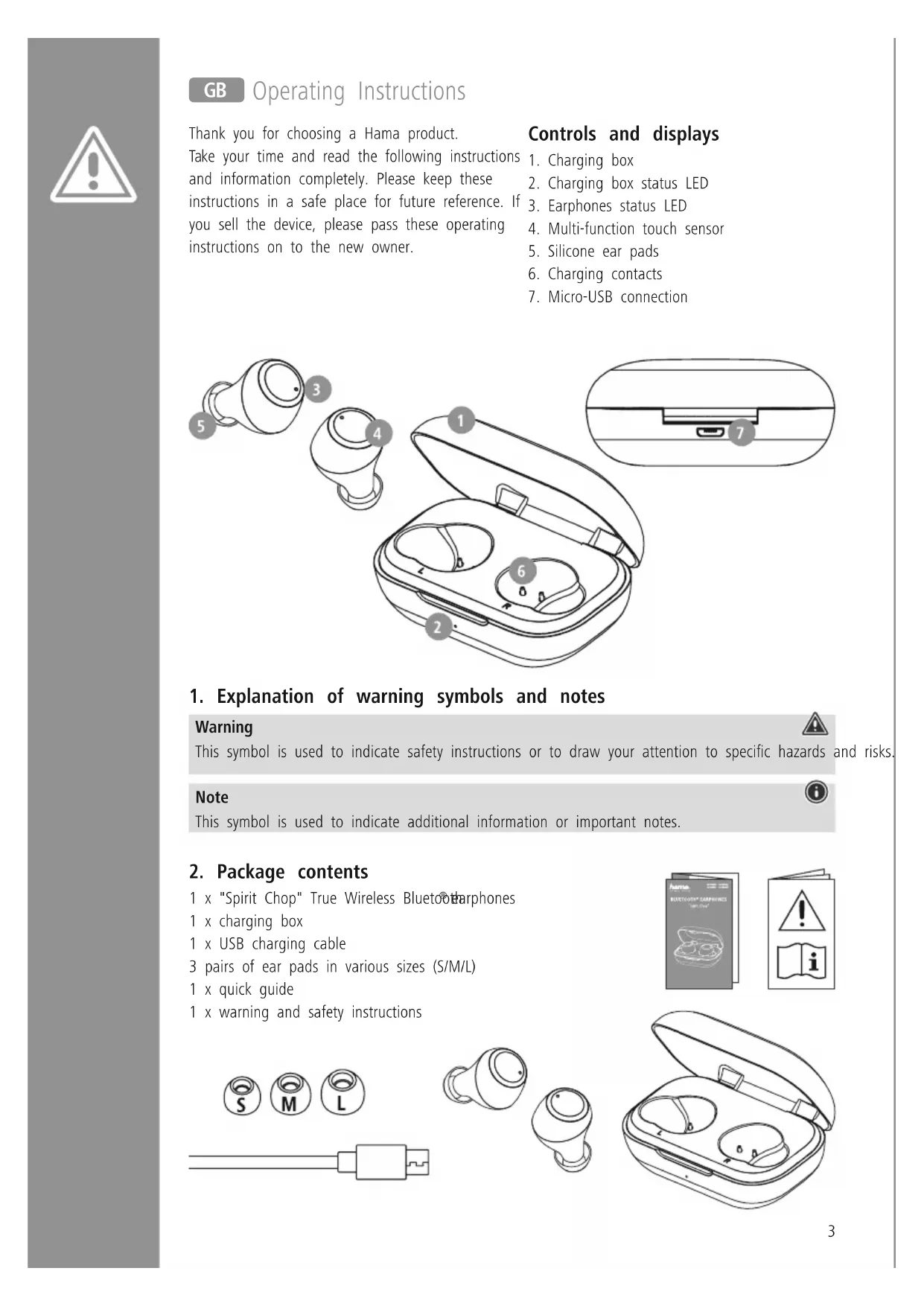
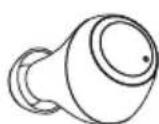
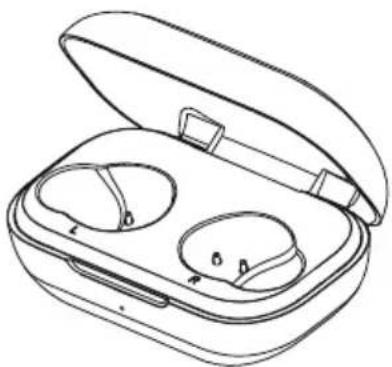
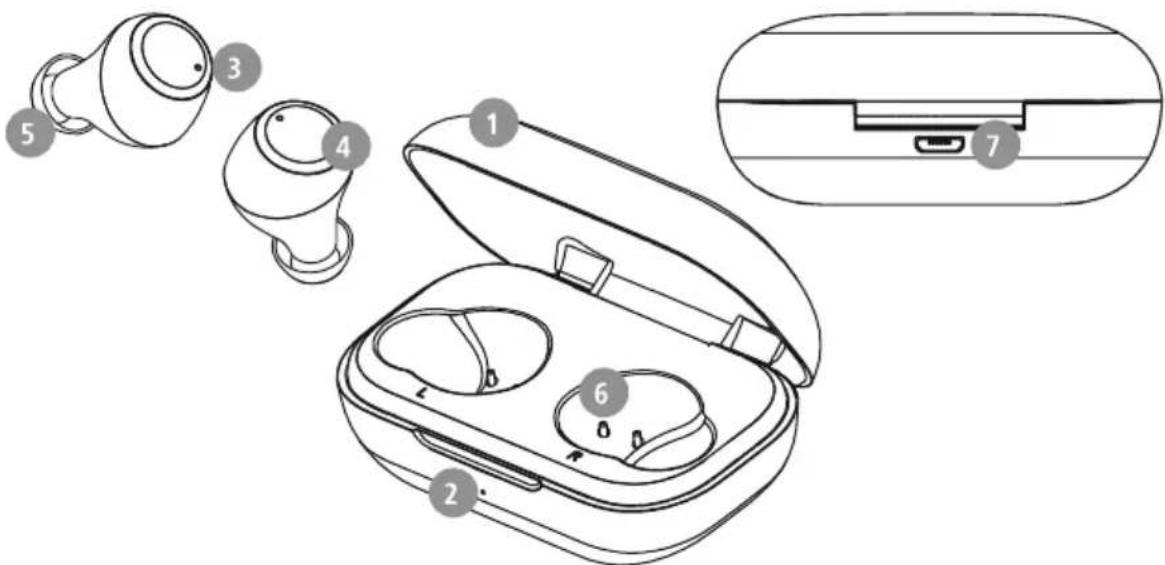
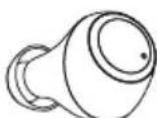
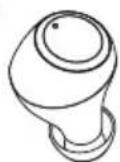
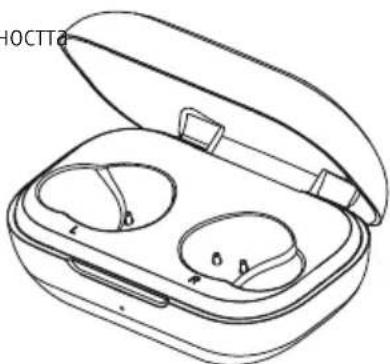
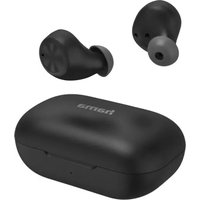
Controls and displays
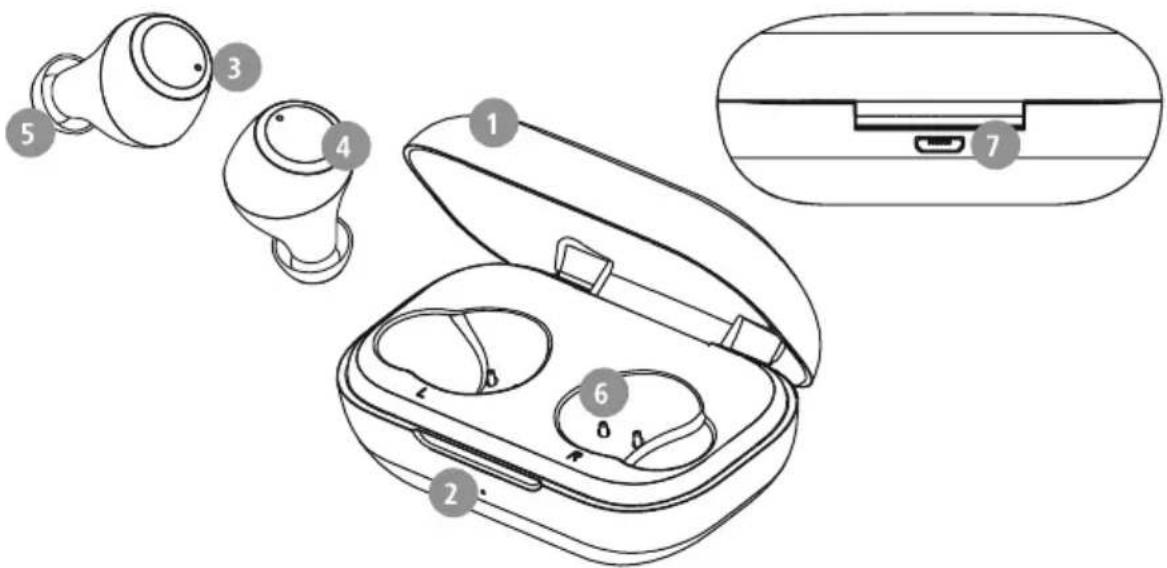
- Charging box
- Charging box status LED
- Earphones status LED
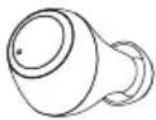
- Multi-function touch sensor
- Silicone ear pads
- Charging contacts
- Micro-USB connection
1. Explanation of warning symbols and notes
Warning

This symbol is used to indicate safety instructions or to draw your attention to specific hazards and risks.
Note

This symbol is used to indicate additional information or important notes.
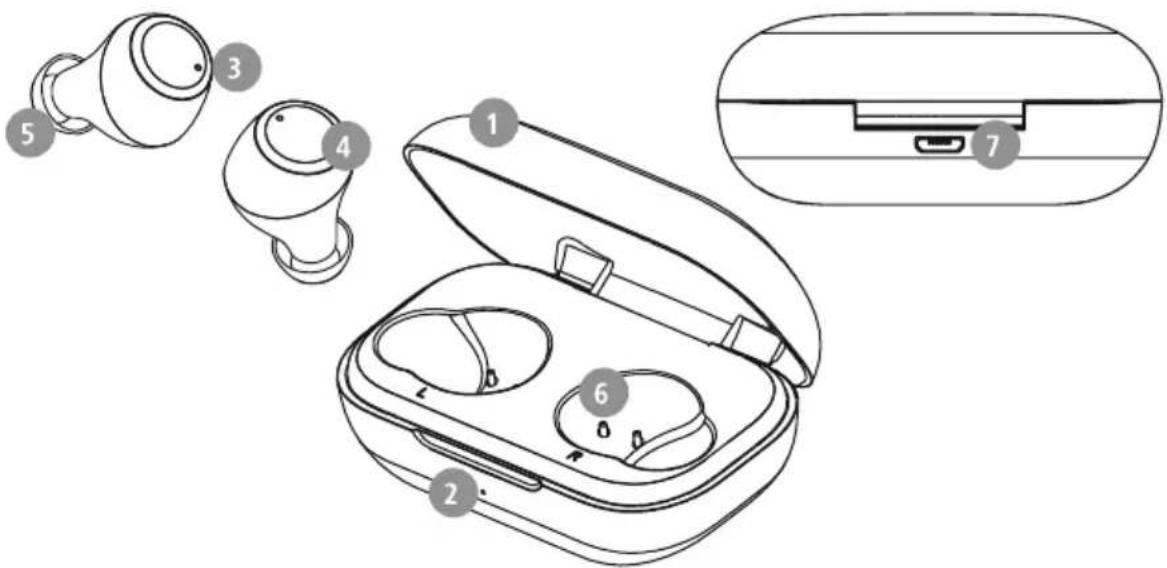
2. Package contents
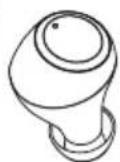
1 x "Spirit Chop" True Wireless Bluetooth earphones
1 x charging box
1 x USB charging cable
3 pairs of ear pads in various sizes (S/M/L)
1 x quick guide
1 x warning and safety instructions



3. Safety instructions
The product is intended for private, non-commercial use only
- U use the product only for the intended purpose.
Children should be supervised to ensure that they do not play with the product
- Do not use the product in areas in which electronic products are not permitted
- Do not attempt to service or repair the product yourself. Leave any and all service work to qualified experts
- Do not open the device or continue to operate it it becomes damaged
- D o not bend or crush the cable.
- Do not drop the product and do not expose it to any major shocks
- Dispose of packaging material immediately in accordance with the locally applicable regulations
- Do not modify the product in any way. Doing so voids the warranty
- Protect the product from dirt, moisture and overheating and use it in dry environments only
- Do not use the product in the immediate vicinity of heaters, other heat sources or in direct sunlight
- O nly use the article under moderate climatic conditions.
- As with all electrical products, this device should be kept out of the reach of children
- Do not operate the product outside the power limits specified in the technical data
- Do not use the product in a damp environment and avoid splashing water
While driving a car or using sports equipment, do not allow yourself to be distracted by your product and keep an eye on the traffic situation and your surroundings.
- The battery is permanently installed and cannot be removed; dispose of the product as a whole in accordance with the statutory regulations
- Do not incinerate the battery or the product.
- Do not tamper with or damage/heat/disassemble the batteries/rechargeable batteries
- Do not use the product during the charging process!
Warning - rechargeable battery

- Only use suitable charging devices or USB connections to charge the product.
- Do not use defective chargers or USB ports and do not attempt to repair them.
- Do not overcharge the product or allow the battery to completely discharge.
Avoid storing, charging and using in extreme temperatures and at extremely low atmospheric pressures (such as at high altitudes). - Charge regularly (at least quarterly) during periods of prolonged storage.
Warning - magnets

- This product generates magnetic fields. Persons with a cardiac pacemaker should consult a doctor before using this product, as the pacemaker's proper function could be affected.
- Do not store bank or similar cards with magnetic strips near the charging box or earphones. The data on the cards could be damaged or completely deleted.
Warning - high volume

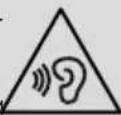
High sound pressure!
- There is a risk of hearing damage.
- To prevent any loss of hearing, avoid listening at loud volumes for prolonged periods.
Always keep the volume at a sensible level. Loud volumes, even over short periods, can cause hearing loss.
- Using this product limits your perception of ambient noise. For this reason, do not operate any vehicles or machines while using this product.

4. Switching on/off

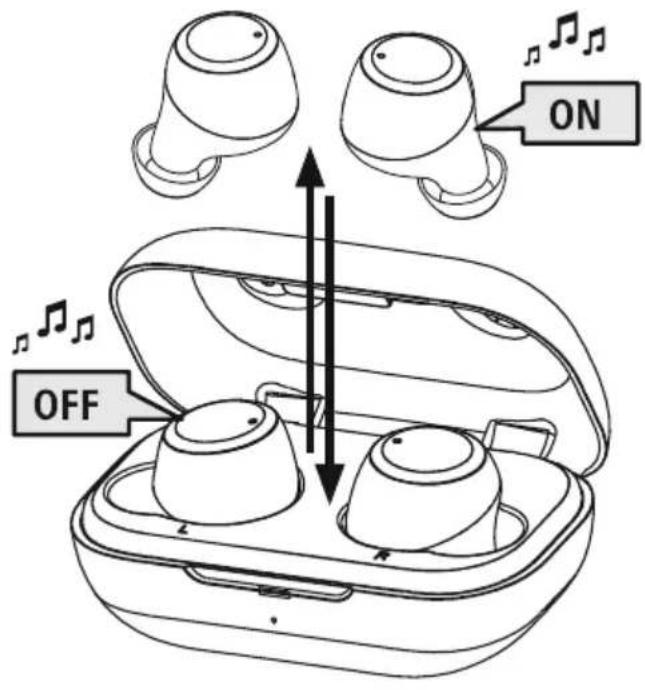
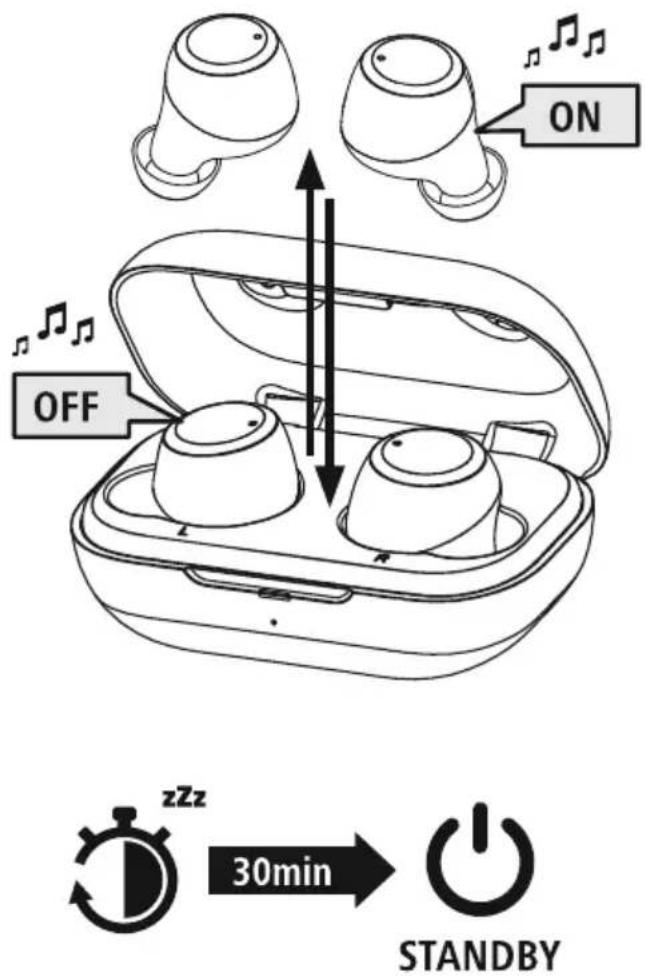
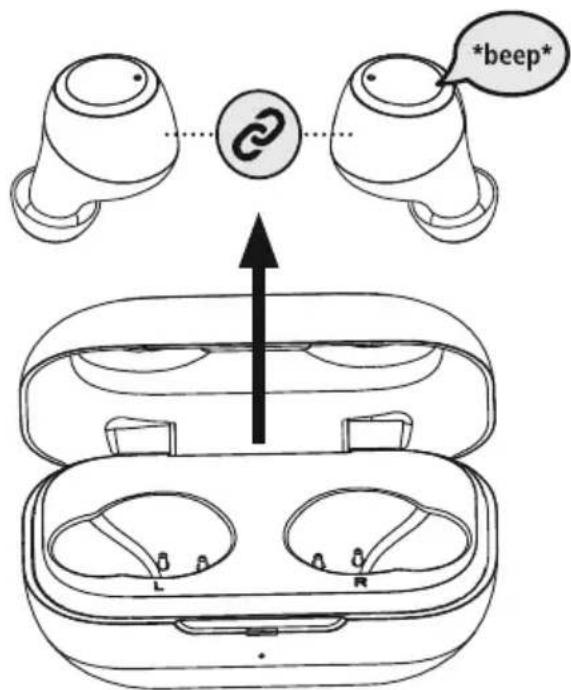
Remove the two headphones simultaneously from the charging box. Both earphones switch on automatically and start the pairing process.
Alternative:
Press the multi-function touch sensor (4) on the left and right earphones for approx. 2-3 seconds until you hear a signal sound.

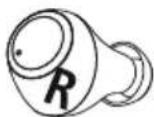
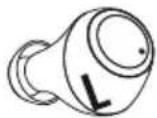
To switch them off, simply place the earphones back in charging box. Ensure that the earphones are inserted into the correct sides, using the L/R markings as a guide.
Alternative:
With the earphones switched on, hold the multi-function touch sensor (4) on the left or right earphone down for approx. 5 seconds until you hear a signal sound.
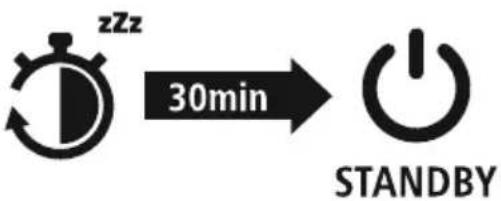
Note - Automatic switch-off of the earphones

The earphones are equipped with an automatic switch-off mechanism. If there is no connection to your device within 30 minutes, they switch off automatically.
5. Charging
Fully charge the earphones and the charging box once before using them for the first time.
1 Insert the earphones and connect the charging box
Place the earphones in the charging box. Ensure that the earphones are inserted into the correct sides, using the L/R markings as a guide.
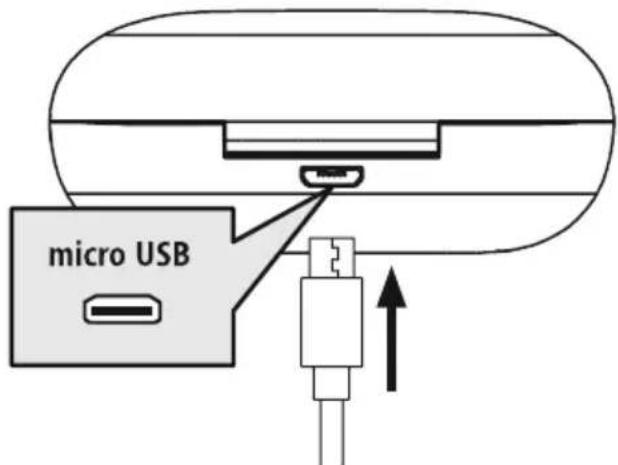
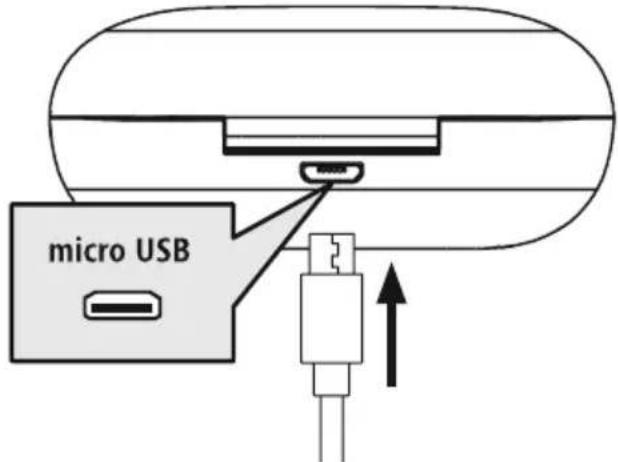
Connect the USB charging cable included to the charging socket (7) on the charging box.
Connect the free plug on the micro-USB charging cable to a suitable USB charger. To do this, consult the operating instructions for the USB charger you are using.
2 Charging procedure for the charging box and earphones
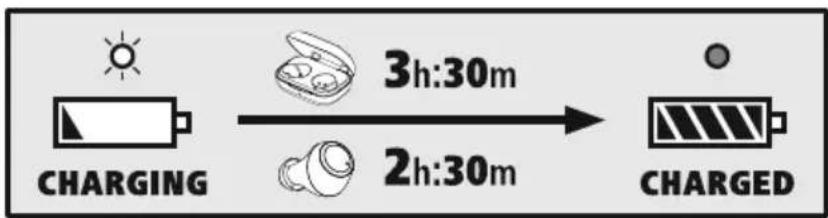
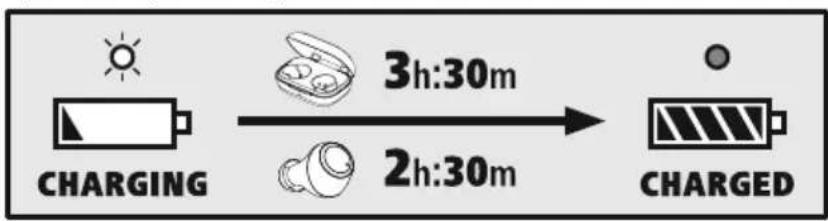
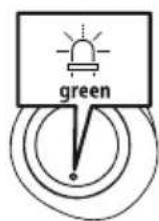
The status LED on the charging box (2) lights up solid red during the charging process. Once the charging box is fully charged, the charging box LED (2) goes green.
The status LEDs on the earphones (3) light up solid red during the charging process. Once the earphones are fully charged, the status LEDs (3) light up green for around 30 seconds and then the status LEDs go out.
It can take up to 2.5 hours (earphones) or up to 3.5 hours (charging box) until the batteries are fully charged.
3 Battery capacity
Charging box
When battery levels are low (< 10%) , the status LED (2) flashes red.
Earphones
When battery levels are low, the status LED (3) flashes red.
The actual battery life will vary depending on how you use the device, the settings and the ambient temperatures (rechargeable batteries have a limited life).
Note
If you have not used the device for a few months, it can take up to 15 - 30 minutes until the status LED (2/3) lights up red during the charging process.

6. Bluetooth pairing
Note - Pairing

- Make sure that your Bluetooth capable device is switched on and that Bluetooth activated.
- For more information, please refer to the operating instructions of your device.
The earphones and the device should not be more than 1 metre apart. The shorter the distance, the better.
Ensure that the earphones are switched on.
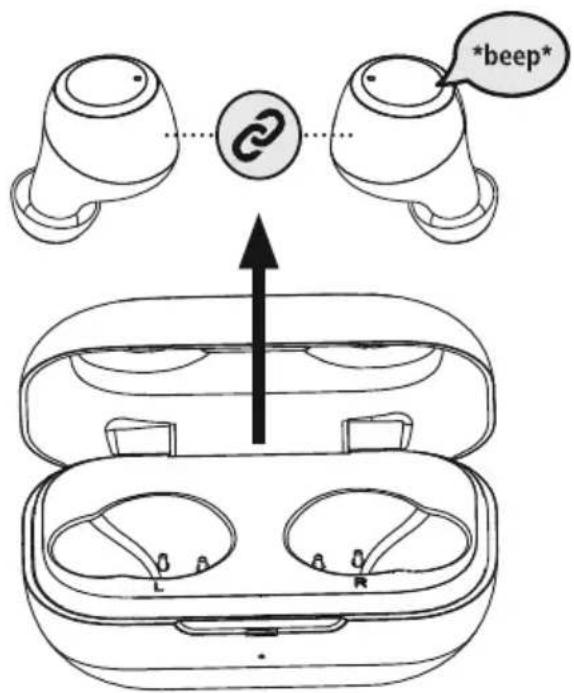
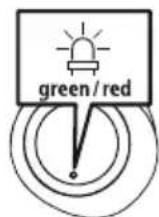
Check the status of the status LED (3)
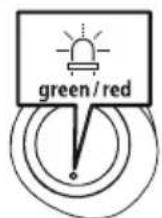
If the status LED (3) on the left earphone flashes alternately:
the earphones are searching for a Bluetooth connection.
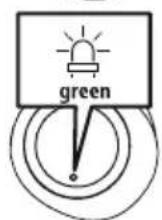
If the status LEDs (3) are flashing and then go out:
the earphones are already paired with a Bluetooth device.
Search using your device for the earphones (only required on the first connection)
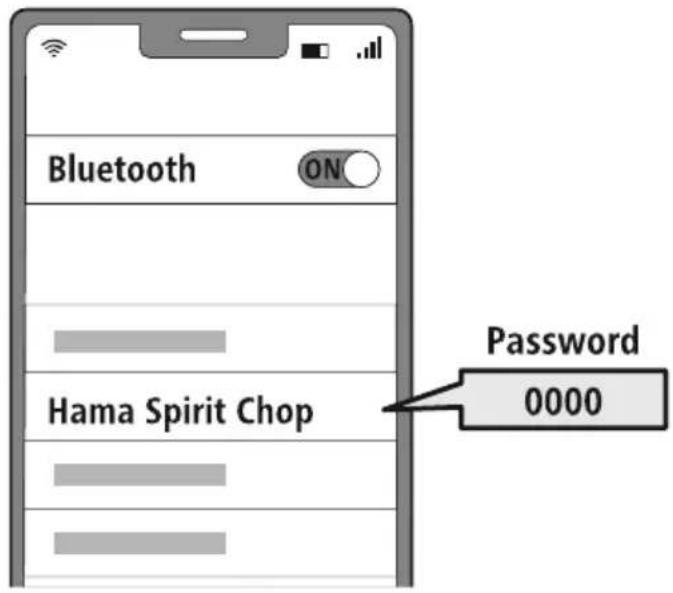
Open the Bluetooth settings on your device and wait until the list of found Bluetooth devices shows Hama Spirit Chop.
Select Hama Spirit Chop and wait until the earphones are shown as connected in your device's Bluetooth® settings. You will hear a brief signal sound.
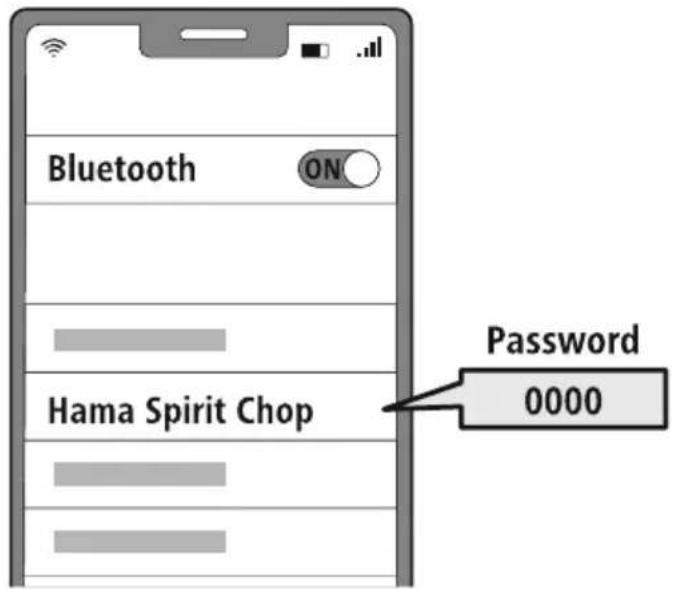
Note - Bluetoothpassword

Some devices require a password in order to connect to another Bluetdevice.
- If your device requests a password to connect to the earphones, enter 0000.
7. Controls
Note

- Please be aware that your terminal device must support some functions if they are to be used.
- For more information, please refer to the operating instructions of your device.
7.1 Voice assistant function
Siri/ Google
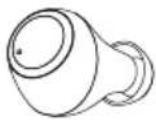
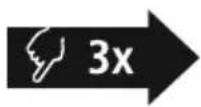
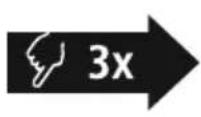
Tap the multi-function touch sensor (4) on the left or right earphone three times to initiate communication with Siri or the Google Assistant.
Note - Siri

Siri is only available on suitable devices running iOS 5 (iPhone 4s or later) or higher.
Note - Google Assistant

- The Google Assistant is only available on suitable devices running Android 5.0 or higher with Google Play Services, >1.5 GB of free memory and a minimum screen resolution of 720P.
- The Google Assistant App must be available on your device and be set as the default voice assistant.
7.2 Hands-free function
It is possible to use the earphones like a hands-free facility for your device.
1 Make a call
Dial the number directly via your device to make a call.
Accept a call

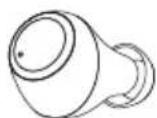
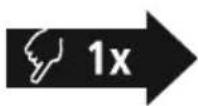
Tap the multi-function touch sensor (4) on the left or right earphone once to accept an incoming call.
3 Reject a call

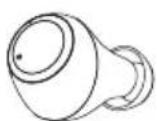
To reject an incoming call, tap and hold the multi-function touch sensor (4) on the left or right earphone for around 1 seconds. You will hear a brief signal sound.
4 End a call

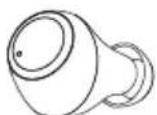
During the call, tap the multi-function touch sensor (4) on the left or right earphone twice to end the call. You will hear a brief signal sound.
5 Last number redial
You can redial the last number you called via the voice assistant function (7.1).

7.3 Audio playback
1 Start playback on your device.
Play/Pause 1x
3 Next track
4 Previous track 2x
Tap the multi-function touch sensor (4) on the left or right earphone once to start or stop audio playback.
Tap the multi-function touch sensor (4) on the right earphone twice to skip to the next track.
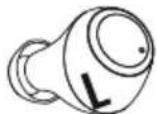
Tap the multi-function touch sensor (4) on the left earphone twice to skip to the previous track.
7.4 Volume control
The volume is controlled by the voice assistant function (7)
Alternatively, you can also control the volume via your smartphone.
8. Technical data
| Bluetooth®earphones | |
| Bluetooth technology Bluetooth®v5.0 | |
| Profiles supported A2DP 1.3 / | AVRCP 1.6 / HFP 1.7 / SPP 1.2 |
| Frequency for Bluetooth transmissions | 2402 - 2480 MHz |
| Range < 10 m | |
| Rechargeable battery | |
| Battery type 3.7 V Li polymer | |
| Min. capacity of earphones charging box | 43mAh / 390 mAh |
| Charging box current consumption | max. 5 €-200mA |
| Earphones charging time ~ 2.5 h | |
| Charging box charging time | ~ 3.5 h |
| Standby * ~ 150 h | |
| Music playing * ~ 4 h | |
| Call time * ~ 4 h | |
| Weight of earphones approx. | 4 g per earphone |
| Weight of charging box incl. earphones | approx. 41 g |
- Once fully charged
9. Care and maintenance
Only clean this product with a slightly damp, lint-free cloth and do not use aggressive cleaning agents.
10. Warranty Disclaimer
Hama GmbH & Co KG assumes no liability and provides no warranty for damage resulting from improper installation/mounting, improper use of the product or from failure to observe the operating instructions and/or safety notes.
11. Service and Support
Please contact Hama Product Consulting if you have any questions about this product.
Hotline: +49 9091 502-0 (German/English)
Further support information can be found here: www.hama.com
12. Recycling information
Note on environmental protection:
After the implementation of the European Directives 2012/19/EU and 2006/66/EU in the national legal system, the following applies:
Electrical and electronic devices as well as batteries must not be disposed of with household waste. Consumers are obliged by law to return electrical and electronic devices as well as
batteries to the designated public collection points or to the point of sale at the end of their service lives. Detailed information on this topic is defined in the national laws of the respective country. This presence of the above symbol on the product, operating instructions or package indicates that the product is subject to these regulations. By recycling, reusing the materials or other forms of utilising old devices/batteries, you are making an important contribution to protecting our environment.
13. Declaration of Conformity

Hama GmbH & Co KG hereby declares that the radio equipment type [00184080, 00184081, 00184082, 00184083] is in compliance with Directive 2014/53/EU. The full text of the EU declaration of conformity is available at the following internet address:
www.hama.com->00184080, 00184081, 00184082, 00184083-> Downloads.
Frequency band(s) 2402 - 2480 MHz
Maximum radio-frequency power transmitted 4 dBm
6. Bluetooth Verbinding (Pairing)
Hinweis - Pairing

Remarque - Google Assistant
Nota - Google Assistant
Wskazowska - Google Assistant
Alternative megoldaskent:
Avertizare - Accumulator

7.1 Funcão Voice Assistant
Siri/ Google
Yka3aHne - Google Assistant

CepBnC Google Assistant IOCTyIeH TOIbKO Ha COOTBeTCTByOuIX OKOHeuHbIX yCTpoIcTBax C Android 5.0 nnn 6oJee no3dne BepCme C cepBncamn Google Play Services, >1,5 T6 CBO6oJHOI nAMrTI MHNMaJIbHbIM pa3peWeHHem ekpHa 720 nIKceJe.
- Пилхене Google Assistant ДОлхно 6ытб дocунho Ha Baшем Okооном усторговп Настpoeно в Качеве CTандарTHORO ГLOCOBOFO NOMOUINka.
7.2ФункцягомковCB3N
Bb taKxMe MoKeTe nCnOJIb3OBAt b HayuHnKu B KaueCTBe yCTpoNCTBa dIa rPOMKO TeNeΦoHHo CBaI Ia CBOero OKoHeuHoro yCTpoNCTBa.
CObepwnBbI3OB
Bb6epnte Hmep HenocpeDCTBeHHo Ha OKOHeHOM yCTpoIcTB, YTO6bl COBepuNTb Bbl3OB.
2 PnHrTb Bbl3OB

Haxmte oun pa3 MHOyHKUHOHaIbHbI ceHCOPHbI BblKIOuATEJIb (4) Ha IeBOM IIN IpaBOM HayHnke,TO6bl PnHrTB BXODaUIM BblO8.
3 OTKIOHnTb Bbl3OB

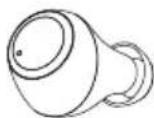
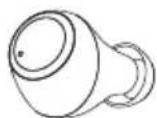
Дя OTKJOHHeH BxOJaIeBO Bb3OBA HaxMnte ydepxnBaTe MHOroQyHKUHOHaJIbHbN CEHCOPHbBbIKIOaTeJIb (4) Ha JBeBOM IIN npabOM HayuHKe HaxaTbIM npImepHo 1 cekyHny. Pa3dactcHepoJOnKInTeJIbHbN 3ByKOBoi CnHaJ.
4 3aBepuTb Bbl3OB

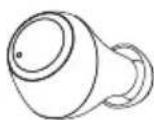
Bo BpeMa pa3roBopa DbaXdbi HaxMnte MHOFOyHKUHOHaJIbHbI CeHCOPHbI BbIKIOuAteIb (4) Ha IeBOM NII npabOM HayuHKe, YTO6bl 3aBepuNTb BbI0B. Pa3dactc HnpoOJXmTeJIbHbI 3ByKOBO CnHaI.
5 NOBTOpHbI Ha6Op
IocneHn HabpaHHbH NHomep MoXHO BbIbpaTb NOBTOPO C NOMOuBo O yHKun HHTeJIeKTuJbHorO rOLOCOBOr OMOUHNka (7.1).
7.3 Bocnpoun3BepeHne aydn03anncen
1 BkIIOUHTe BocnpoIN3BeDeHne Ha OKOHeuHOM yCTpoiCTBE.
2 Bocnpon3BedeHne/nay3a


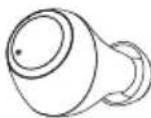
HaXMMTe OIN pa3 MHOFOyHKUHOHaJIbHbI ceHCOPHbI BblKIOuOaTeJIb (4) Ha JEBOM NII npaBOM HayuHnke, YTO6bl 3aNcTb NII OCTaHOBNTb BOCpON3BeDHeHne ayDNO3aNNC.

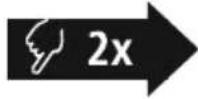
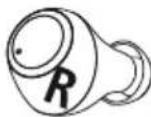
Cleyuouni tpek
ДвждынхмITEMHOROФуHKUHOHaJIbHbIceHCOPHbI BblKlIOuATEJIb (4)Ha npabOM HayHnKe,HTObblpeeITN K CNeDyUoSeMy TpeKy.


Ppebidyu Tpek
Двжды нажмITE MHorOФункциоHAJIbHbIceHCOPHbI BblKlIOuHaTeJb (4)Ha JEBOM HayShnKe,чTo6bl NepeeTN K ppeBldyUSeMy TpeKy.
7.4 Perynnpobka rpomkoctn
UnpaBHeHne rpoMKoCTbIO OcyueCTBnaTcC NOMOu bO cyHKun HHTeJIeKTyajbHOrO rJOCOBORO NOMOuHnKa (7.1).
AJIbTePhaTINBHO MOXHO perynipoBaT rpmKocTb TaKxe Hepe3 cMapTOH.
8. TexHnueckne daHHbIe
BG Pa60THa NHCTpyKcIy
BlaqopnM Bn, ye cTe n36paN npOyKT Ha Hama!
OTdTe BpeMe n npoTe n3aJIo CneBaunTe HnCTpyKuHn yka3aHnCneT OBa 3ana3eToBa pkoBOcTB0 3a ekpnoatauaHa cnypHO MAcTo, 3a da MoKeTe Da npaBte cnpaBKn B Hero npn Hyka. Ako npdaTe ypeDa, npdaTe TOBa pkoBOcTB0 3a ekpnoatauaHa HOBnrc6CTBeHnK.
Elenentn 3a ynpablenne n HdkaTopn
- Kyttna 3a 3apexdahe
- CBeToIIOIo 3a cTaTyc "KyTuIa 3a 3apeKJaHe"
- CbeToIIOID 3a cTatyc "CnyuJIKn"
- MyntuФункционан touch ceH3Op
5.CnIKoHOBaMeKaTana3a yxo - KoHTaKT 3a 3apeXdAHe
- Micro USB nopt
1. 06a3eHne Ha npedynpeDteHNn cIMBOLN yka3aHna
PpeynpeKdHne

I3noJI3Ba ce, 3a da o6o3Haayaba yka3aHne 3a 6e3OnaCHOCT nIN 3a da HAcOHN BHHMaHHeTO KbM KOHKpeTHn ONaCHOCTN pUCKOBe.
Yka3aHne

N3noJ3Ba ce, 3a da o6o3Haayaba dOnbHHTenHa HhOpMaunu nn Baxn yKa3aHna.
2. CbДьрЖане Ha onaKOBkata
1 x cnywana Ka True Wireless Blueto8tHSpirt Chop"
1xKytT3a3apekdahe
1xUSB3apejdau Ka6eI
3 yuΦTa Mekn tanu 3a ywn c pa3nnuHn pa3Mepn (S/M/L)
1XKpaTKa HhCTpyKUIN
1xHCTpykun3a npdynpexKHeHn OcnrypBaHe Ha 6e30NaCHOCTT




3. Yka3aHnna 3a 6e3onachocT
- PpOdykTBe npEaBnDcH 3a JInuHa, HeCTOnaHcKa 6bIToBa yIopTe6a
- M3no3BaIte npOyKta cMo 3a npEbnHeHaTa UeJ.
- Deuata Tp6bA da 6bDat noi Hnd3op, 3a da ce rapaHTnpa, ye HMa da cn nIgpaT c npOdykTa
He n3noJ3BaIte npOdykTa B 30Hn, B KOnTO He ca pa3peWeHn eNeKTPoHHn ypeiN
He ce onntBaTte camn da o6cnykBaTe nn peMOHTnpate npOdykTa OcTabete BCaKaBaTexHnuecka nOdPbXka Ha KOMNeTeHTHInTe CneuAJIncn.
He OTBapnTe npOdykTa n npn NOpeHa He npOdbJIkaBaIe Da rN3noJ3BaTe. - He npeynBaIte n He npTuCKaIte KaIeIa.
He no3B0JBaIte Ha npOdykTa da naJa n He ro 3naIaraiTe Ha cnJIHn Bn6paun
I3XbBpIeTe ONAKOBbHnMaTePnAJI BeHara CbIaCHO DeIcTBaUHTe Ha MCTO pa3Nope6n 3a I3XBbPJIHe Ha OTNaIbU - He npabete npomehn B ypea. Taka ue 3ary6uTe npabo Ha BCkaKbN rapaHIOOHn npetehun
- PanaTe npOyKTo OT 3aMbpcBaHe, Bnara n nperepaBae H ro n3noJ3BaIte cAmo B cyxN NOMeueHn.
He n3noJ3BaIte npOyKaT B HENOCpeICTBeHa 6n3OcT Do OTOnJIteJIHn ypei, Dpyr N3TOHnCn Ha TOnJIHnHa nn Ha dIpuKTHa CJIbHueBa CBETnHa - 3n0n3BaIte npOdykTa cMo npu yMepeH NklmatauH yCIOBua
- PnOIO6Hn Ha BCNUKn eJekTpueckn npOyKTn,TO3n npOyKT He 6bNA da nonaB pBcTe Ha deca!
He n3no3BaTe npOdykTa n3BbH HeROBITE rpaHnHa MoUHocTtA, NOCOeHN B TexHueCKNTe daHHN.
He n3non3BaIte npOykTa BbB BJIaXHa cpeJa n 1368BaIte BOHNn Ppckn
IIO BpeMe Ha NbTyBaHTo C MNC uIN CNopteH ypeH He pa3peuBaAte Da 6bJeTe OTKNoHBAHN ot Baunn npOdyKT n BHmAbaTe 3a noLoXeHneTo npn DnBxHeHn BAwata OkOnHa cpeHa
AkyMylatopnata 6aTepe HneOBHXo BrpaJeHa He MoKeJa Ce maxa, N3XbPnTe npOyKta KaTo Cnpope3aKOHBe pa3npope6n. - He xBpIyTe 6aTepeRyTa nI I npOdyKTA B OYbH.
He npomehnTe n/nn He deopmnpaTe/ HarpBaTe/pa3rno6BaTe akymyIaTopHnTe 6atepn/6atepnTe.
He n3noJ3BaIte npOyKta no BpeMe Ha 3apekdahe!
Ppeynpexdne -BaTepn

- 3a 3apexdahe n3noJI3BaIte cAmo nOxOJaIu3apJHn yCTpOcTbA nn USB n3BODn.
- По пинци He n3noJ3BaIte DepeKTHn 3apdHn yctpoiCTBa nIn USB n3bOdi n He ce onITbaIte da n nonpaBATE.
He no3B0JbAaTe npOyKta da ce 3apeXda nOBeue ot Heo6xOIMOTO nn Da ce pa3peXda HnblHo. - N368raBaiTe CbXpaHeHne, 3apeXdaHe n 3n0JI3BaHe npE kCTpeMn TemnpaTyPi n 3KJIIOHTeHNO HnCKO HaIraHe Ha Bb3dYxa (kato HanpIMep Ha rOIemn BnCOounHn).
- Pn no-npOdbJnxIeHNo cbXpaHeHne I03apExkaIte nepnoDnHNO (nohe BeHNbX Ha Tpu Meceua).
PpeynpexkdeHne - MarHnTu

IpoKyTbT reHepnpa MarHHTn noJeta. Jntata Cbc CbpdeHn CTmMyNatOpn Tp6Ba da ce KOHCyIupat C lekap npedyn ynotpe6a Ha npOdykTA, Tb KaTO cyHKUraTa Ha CbpDeHnA CTmMyNatOp MoKe Da 6bJe HapyuSha.
ECnnn Dpyrnnnoo6Hn KApTn C MaHHTn JIeHTn He 6nBa Da ce CbXpaHraBt B 6n30ct Do 3apAnHOTo yCTpOncTBo nn CnyuAaKnte. NaHHnte OT KapTata Moat da 6bDat NOBpeHn nn N3TpNTn.
PpeynpexKeHne - cInen 3Byk

Tolmo akyctnHo hana rane!
CbueCTByBa onaCHOCT OYBpeXdaHe Ha cnlyxa.
3a da 6bnde npedotBpateHa 3ary6a Ha cnyxa, n36yraBte CnyuHaTo Ha cnIeH 3ByK 3a Dblr nepno ot BpeMe.
-ПОДьрхаNTe CnIaTHa 3ByKa BnHaN Ha pa3ymHO HnBO. TOnMaTa CnIa Ha 3ByKa MoXe -Дори npn MaIka npoJbJxHTeJIHoCT -Да IOBende Do yBpeXdAHn Ha cIyxa.
- YnOtpe6aTa Ha npOdykTa orpaHnUaBa Bb3npHemaHTo Bn Ha 7ymoBe ot OKJHaTa cpea. 3aTOba no Bpeme Ha yNtpe6ata He ynpabnaBaiTe aBTOMO6NJn Nn MaunHn.

4. BkJIOUbaHe/ɪzKJIIOUbaHe

I3BaTe eHOBpemeHHo IBeTe CnyuAaKn OT KyTuT a 3a 3apeXdaHe. IBeTe CnyuAaKn Ce BKluOyBaT ABTOMATNuHO n CTApTnpat npoueca Ha cDBoRABaHe.
AJTepHaTHBHO:
HaTnchTe MyntuynkuohnaHnue touch ceH3Op (4) Ha JIbata N IaChata CnyuaKka 3a OK. 2-3 cekyHnn, dokato yyeTe 3ByKOB cnHnA.

3a n3KlHoyBaHe npocTo noCTaBeTe cIyUaJIknte o6paTHo B KyTnraTa 3a 3apexJaHe. Ppi TOba BHIMaBaiTe 3a NoCTaBHeTo Ha cIyUaJIknte ot npabUNHaTcTpaHa CbIlaCHO MapKnipoBkata L/R.
AJTepHaTHNBHO:
BbB BkIIOueHO CbCToHHe 3aDpBXTe HaTnCHaT 3a OK.5 cekyHm MyIITnOyHKUHOHaHnA touch ceH3Op (4) Ha JIbATA NII Ha IaCHaTcNyUaJIka, DOKaTO He CyYeTe 3ByKOB CnHaJ.
Yka3aHne - ABTomatuHo n3KlnOyBaHe Ha cnywaJknte

Cnyuankne pa3nojarat c yHKnna 3a aBtOMaTHNo nKIOUbaHe. Ako B pAMKeTe Ha 30 MInHyTn He ce OcbueCTBn Cbbp3BaHe C KpaHOTo yCTpOJCTBO, Cnyuankne aBtOMaTHNo Ce nKIOUbaT.
5. 3apexkahe
Ppei npBpBaTa ynoTpe6a 3apeTe HnblHcNywaJKNte, KaKTo n KyTuRtA 3a 3apeKdHe.
1 NocTaBHe Ha cnUshaJknte n Cbbp3BaHe Ha KyTnTa 3a 3apeXdaHe
IocTabete cnyuankte Bkytna 3a 3apexdahe. Pn TOBa BVHmabaiTe 3a NOCTABRHeTo Ha Cnyuankte OT npabunHaTcPana CbflacHO MapKnopBkata L/R
BkIIOUe npINIOXeHn USB ka6en 3a 3apeKdaHe KbM rHe3dOTo 3a 3apeKdaHe (7) Ha kyTnraTa 3a 3apeKdaHe.
CbpxkTe Cboodnna ukeep Ha Micro USB ka6eHa 3a 3apexdahe KbM noDxOJaIO USB 3apdno yctpoCTBO. 3a ceTt a cna3BaIte HNctpyKzmaTa 3a 06cnyXbaHe Ha n3no3BaHO TO USB 3apdno yctpoCTBO.
2 Ipouec Ha 3apeKdahe Kytna 3a 3apeKdaHe n CnyuJaKn
CBeToIIOJbT 3a CtATc H a KyTnTa 3a 3apeXdaHe (2) CBETN NOCTOHNHO B cepBHeo N O BpeMe Ha 3apeXdaHTo. CneI PbIHo 3apeXdaHe Ha KyTnTa 3a 3apeXdaHe CBeToIOJbT Ha KyTnTa 3a 3apeXdaHe (2) CBETBa B 3eJeHo.
CBeToIIOJTe 3a CTatyc Ha Cnyuankite (3) CBETT NOCTOARHNO B UepBHeo N0 BpeMe Ha 3apeXdaHeto. CneI PbIHO 3apeXdaHe Ha Cnyuankite CBeTOIOJTe 3a CTATyc (3) CBETT OK. 30 CEkyHmB 3eJIeHO n CneI TOBa I3rACBat.
Mоже да отHEME до 2,5 уасa (сушалки), сьотв. до 3,5 уасa (kytnя за зapекданe), дokato akymyatopнITE batepin ce zapeягт habлно.
3 KanaunTeHa akymylatopHaTa 6aTePnA
Kyttna 3a 3apekxdane
При НИСКО HИВО на заразда на akумлатогнataбateря (<10%) CBETODIOДТа CTATYC (2) CBETN Bчервен.
Cnywankn
Ipi HnCKO HnBO Ha 3apraHa ha akymylatopHata 6atepna CBeToIONbT 3a CTAtyc (3) CBeTN B UepBeHO. DeiCTBNTeJIHOTo BpeMe 3a 3apeKdahe Ha 6atepnaTb Bapnpa B 3abNCIMoCT OT ynoTpe6bata Ha ypeia, NaCTPOIKNTe I TEMNepaTyPnte Ha OKONHaTa Cpea (6atepInTe IMaT OpaHnueH nOle3eH XNBOT).
Yka3aHne

Ako He cTe n3NoI3BaIIyUcTpoINCTBOTO B npOdbJIkeHne Ha HraKoNko Meceua, MoXe Da OTHeme 15-30 MInHyTN, IOKaTO CBeToDIONbT 3a CTAtyc (2/3) CBETHe B UcpBHeO pnp 3apeJdahe.

6. Bluetooth® Bpb3ka (CDBOBAHe)
Yka3aHne 3a cDBoBaHe

- YBepete ce, Ye BaweTo noDbpxaIo Bluetooth® kpaHNo yCTpOietBO e BKIOUeHO n Ye BluetoTH aKTNBnpan.
- 3a Ta3n c9e n C7BaIte yka3aHnraT aO pBkoBOcTBOTo 3a ynoTpe6a Ha BaIeTo KpaH OyctpOcTB0.
Cnyuankte n KpaHOTO yCTPOIcTBO Tp86Ba Da 6bDaT Ha pa3CToHne Iod 1 MeTbp. KOnKToNo-MaMKe ToBa pa3CToHne, ToJKOBA No-Do6pe.
YBepete ce, ye CnyuAaKnTe ca BKnIOueHn.
1 PpOBepTe cTatyca Ha CBeToOnoJa 3a cTatyc (3)
Ako cBeToIONoIbT 3a cTatyc (3) Ha IyBaTa CnyuAnka Mmra nocJeIOBATEJIHO:
Cnywanknte Tbpctr Bluetooth Bpb3ka.
Korato cBeToaNoDte 3a cTatyc (3) MURAT 6abHO n cJeT TOBa m3racBaT:
Cnyuankte Beue ca Cbbp3aHc KpaHNo yctpoNCTBO c Bluetboth
2 Tbpcete cnyuwaankte c Baaweto kpaHOb yctpoiCTBO (Heo6xOIMo e cAmo npn nbpBo yctaHOBAhe Ha Bpb3ka)
OTbopTe Hactpoiknte 3a Bluetooth Ha Baweto KpaHo yctpoiCTBO N m3uKaIte, DOKATO BCnncbka Ha HamepeHtE BluetoothyctpoiCTBa He ce nokaxe Hama Spirit Chop.
H36epete Hama Spirit Chop n 3uKaTe,doKATO CnyuAaKnTe He ce noKaXaT Kato CBbp3aHn B NaCTPOKnTe 3a BluetoothHa BaWeTo KpaHNo yctpoiCTBO. Ue yyeTe KpaTBk 3BykoB cnHaJI.
Yka3aHne - Bluetooth napola

HЯко Краину устюп CBа ce hyждяг OT napona 3a Habстюкata Ha Bpb3kata C pyro Bluetooth® yстюсв.
- 3a CBbp3BaHe CbC CnyuJaKte BBeJeTe napoJata 0000, KOrato 6bJeTe nOkaHeH/a 3a ToBa OT KpaHOTO yCTPOIcTBQ.
7. Elenentn 3a ynpabJeHne
Yka3aHne

- 06bphete BHMaHne, Ye noDtpxHaTe H Na HAKOn OT cyHKunTe 3abncn ot BaSeTo KpaHoycTPOICTBO.
- 3a ta3n c9e n cna3BaIte yka3aHnraTa o pkbOBOdCTBOTO 3a ynoTpe6a Ha BaWeto KpaHo yctpoiCTBO.
Siri/ Google
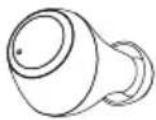
7.1Функцma3a rnaocb acncteHT
HaTnchete BeHbX MyItnuYHKUHOHaHnur touch ceH3Op (4) Ha IaBata CnyuAJaKa nn DacHata CnyuAJaKa, 3a da cTapTnpate KOMyHnKaaunc BauNra Siri nn Google Acnstent.
Yka3aHne - Siri

Siri ce npednara cmo Ha noDxOJaK painH yctpoiCTBa c iOS 5 (ot iPhone 4s) uJn no-BncoKa.
YkaaHne - Google AcnteHT

Google AcnteHT ce npedna cmo Ha noxoadn KpaHn yctpoCTBa C Android 5.0 nnnno-BncoKa c Ycnyn 3a Google Play, >1,5 GB cbo6oHa naMeT mHmMaHa pa3dneiTHeacnoc6hOCT Ha ekpHa 720 P.
- Пилохенeto Google AcnteHT Tp6Ba Da e HaniuHo Ha BaWeTo KpaHo yCTpoIcTBo n Da e NaHCTpoEHO KaTO CTaHdApTeH rIacOB acNTeHT.
7.2Функця"cbo6oHnpbue"
CbIeCTByBa Bb3MOxHOCTTa Da n3NONBATE CnyuAJIKITE KATO yCTPOINCTBO "CBO6OHN pBue" 3a BaIeTo KpaIHO yCTPOINCTBO.
06axdane
HahepeHomepa Hapabo OT BaueTo KpaHOn yctpoNCTBO, 3a Na Hapabnte o6axdahe.
2 PnpemaHe Ha NOBnKBaHe

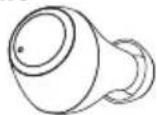
Iokochete eHOKpatoMytHyKuHaJHnA touch ceH3Op (4) Ha JBaTa Hn Ha JChaTa CnyJalKa, 3a da npneMeTe BXoJauO NOBkBaHe.
3 OTKa3BaHe Ha NOBnKBaHe


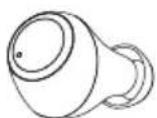
3a OTKa3BaHe Ha BXOJaIIO NOBnKBaHe DOKOChete 3aIpbXkTe MyIINΦyHKUHOHaHnIa touch ceH3Op (4) Ha JIABaTa IIN IaCHaTc CnyuAka 3a OK.1 cekyHda. Ue yyeTe KpaTBK 3ByKOB CnHan.
4 IpnKIOUBaHe Ha NOBnKBaHe

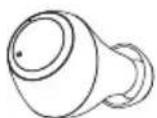
No BpeMe Ha pa3roBopa DoKoCHete DBa NbTn MyntuHkUohnna touch ceh3op (4) Ha JraBata nn DaChata CnywAka, 3a da npNKIOHTe NOBnKBaHeTo. Ue yyeTe KpaTBk 3ByKOB CnHaJ.
5 NobTapAne Ha H6upaHeTo
Moxete da n36epete NOBTOPO NOcneHNO HabpaHn HOMe ppe3 cyHKuYrTa 3a rnaOB acnCTeHT (7.1).
7.3 Bb3npo3Bexkahe Ha aydno
1 CtratnpaTe Bb3npoN3BexKaHeTo Ha aydno Ha BaWeTo KpaHcYCTpoNCTBO.
2 Bb3npo3BexdaHe/Naay3a


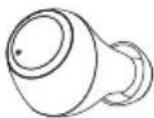
Iokochete eHOKpatoM MyTnOyHKUHOHaHnA touch ceH3Op (4) Ha JABata Nnn DcHata CnyuAnka, 3a Da cTaptnpate nn da CnpTe Bb3npoN3BexKdHeTo Ha ayDno.
3 CnepBaaso 3aRJaBne

Dokochete DbNtMyTNyHKuHaJIHnA touch ceH3Op (4) Ha JIChata CnyJalka, 3a da npemHeTe KbM CneBaUTo 3aflnABe.
4 Pnpdmuho 3aarnabne

HaTnCHete IBa NbTN MyIITnФyHKuHOHaHnA touch ceH3Op (4) Ha JIaBata CnyuAnka, 3a Da npemHeTe KbM npeNiuHOTo 3aIabne.
7.4 PerynnpaHe Ha cnlaTa Ha 3ByKa
UnpaBneHnETo Ha cInIaTa Ha 3ByKa ce n3BbPbBa Ype3 fYHKunra Ta 3a rIacOB acnCTeHT (7.1).
AJItePHaTUBHO MOKeTe Da ynpaBJIbAte CUNlaTa Ha 3Byka N Upe3 cMaprOHa cn.
8. TexHnueckn daHHN
* CnEi nBnHO 3apexKaHaHe
9. TexHnuecko obcnykBaHe n noDpBxKka
IOnuCTBaIte T03n npOyKT cAmO C JIeKO HABJaxHeHa Kbpna 6e3 BLnACNHn I He N3noJ3BaIte arpeCunBn NouchTbaa n npenapatn.
10.ИЗкlioчвано OTROBOPHOCT
Hama GmbH & Co KG He noema OTROBOPHOCT uIraHua 3a NOBpeu, KOITo ca pe3yIaT OTHepaBnHa INCTaJIaUa, MOHTaX uYnoTpe6b Ha npOdyKta uINOT HecNa3BaHe Ha pbKOBOdCTBOTO 3aekpIoatauHa /uHa yKa3aHnTa 3a 6e3OnaCHOCT.
11. CepBn3 n noDnpbXka
PnBbnpocn OTHOCHO npOyKTA,MOJI,OBbpHeTe Ce KbM npOyKTOBtKe KOHCytTaHTn Ha Hama.
TopeuJnHn: +49 9091 502-0 (HeMckn/aHrnnckn)
YeCTOTHaJeHTa/YeCToTHnJeHTN 2402-2480MHz
MaKcMaJIHa 3JIbYBaTeJIHa MoUHocT 4 dBm
GR O8nyiec xpnoan
Zac euxapiotoue nou eiaéate eva npoiov tnc Hama!
Apiká, aphiewte liyo xpov ia va diaafoet tic napakatw odnyiec kal unodseiEiEiEiTn ouvexia, pfaleTe to eyyepidio odnyiw o aeopaLec mecoc yia eAlovnik xpno, av xpeiaotei. Eav dwoTe tn ouokun oe allo atoO, ta npenei va napadwoete to eyyepidio odnyiw stov veo 16ioktntn.
Ttoixia xieipioou kai evdeltaic
- Στaθμος φόρτιασς
- Auxvia kataotaonc LED yia otaofo optionc
- Auxvia katadotaonc LED ia akouotiká
- Aioθηntipac touch noλλαπλωv λειούργιων
5.MaIapakauw ano siikovn - EnaΦες φόρτιος
- Σύνδεση Micro-USB
1x True Wireless Bluetooth Kulaklik "Spirit Chop"
1x sarj kutusu
1x USB sarj kablosu
- GB OPERATING INSTRUCTIONS
- CONTROLS AND DISPLAYS
- EXPLANATION OF WARNING SYMBOLS AND NOTES
- WARNING
- NOTE
- PACKAGE CONTENTS
- SAFETY INSTRUCTIONS
- WARNING - RECHARGEABLE BATTERY
- WARNING - MAGNETS
- WARNING - HIGH VOLUME
- SWITCHING ON/OFF
- ALTERNATIVE
- NOTE - AUTOMATIC SWITCH-OFF OF THE EARPHONES
- CHARGING
- 1 INSERT THE EARPHONES AND CONNECT THE CHARGING BOX
- 2 CHARGING PROCEDURE FOR THE CHARGING BOX AND EARPHONES
- 3 BATTERY CAPACITY
- CHARGING BOX
- EARPHONES
- BLUETOOTH PAIRING
- NOTE - PAIRING
- CHECK THE STATUS OF THE STATUS LED (3)
- SEARCH USING YOUR DEVICE FOR THE EARPHONES (ONLY REQUIRED ON THE FIRST CONNECTION)
- NOTE - BLUETOOTHPASSWORD
- CONTROLS
- 7.1 VOICE ASSISTANT FUNCTION
- SIRI/ GOOGLE
- NOTE - SIRI
- NOTE - GOOGLE ASSISTANT
- 7.2 HANDS-FREE FUNCTION
- 1 MAKE A CALL
- ACCEPT A CALL
- 3 REJECT A CALL
- 4 END A CALL
- 5 LAST NUMBER REDIAL
- 7.3 AUDIO PLAYBACK
- 7.4 VOLUME CONTROL
- TECHNICAL DATA
- CARE AND MAINTENANCE
- WARRANTY DISCLAIMER
- SERVICE AND SUPPORT
- RECYCLING INFORMATION
- NOTE ON ENVIRONMENTAL PROTECTION
- DECLARATION OF CONFORMITY
- BLUETOOTH VERBINDING (PAIRING)
- HINWEIS - PAIRING
- REMARQUE - GOOGLE ASSISTANT
- NOTA - GOOGLE ASSISTANT
- WSKAZOWSKA - GOOGLE ASSISTANT
- ALTERNATIVE MEGOLDASKENT
- AVERTIZARE - ACCUMULATOR
- 7.1 FUNCÃO VOICE ASSISTANT
- YKA3AHNE - GOOGLE ASSISTANT
- 7.2ФУНКЦЯГОМКОВCB3N
- COBEPWNBBI3OB
- 2 PNHRTB BBL3OB
- 3 OTKIOHNTB BBL3OB
- 4 3ABEPUTB BBL3OB
- 5 NOBTOPHBI HA6OP
- 7.3 BOCNPOUN3BEPEHNE AYDN03ANNCEN
- CLEYUOUNI TPEK
- PPEBIDYU TPEK
- 7.4 PERYNNPOBKA RPOMKOCTN
- TEXHNUECKNE DAHHBIE
- BG PA60THA NHCTPYKCIY
- ELENENTN 3A YNPABLENNE N HDKATOPN
- 06A3EHNE HA NPEDYNPEDTEHNN CIMBOLN YKA3AHNA
- PPEYNPEKDHNE
- YKA3AHNE
- CBДЬРЖАНЕ HA ONAKOBKATA
- YKA3AHNNA 3A 6E3ONACHOCT
- PPEYNPEXDNE -BATEPN
- PPEYNPEXKDEHNE - MARHNTU
- PPEYNPEXKEHNE - CINEN 3BYK
- BKJIOUBAHE/ꞮZKJIIOUBAHE
- AJTEPHATHBHO
- AJTEPHATHNBHO
- YKA3AHNE - ABTOMATUHO N3KLNOYBAHE HA CNYWAJKNTE
- 3APEXKAHE
- 1 NOCTABHE HA CNUSHAJKNTE N CBBP3BAHE HA KYTNTA 3A 3APEXDAHE
- 2 IPOUEC HA 3APEKDAHE KYTNA 3A 3APEKDAHE N CNYUJAKN
- 3 KANAUNTEHA AKYMYLATOPHATA 6ATEPNA
- KYTTNA 3A 3APEKXDANE
- CNYWANKN
- BLUETOOTH® BPB3KA (CDBOBAHE)
- YKA3AHNE 3A CDBOBAHE
- 1 PPOBEPTE CTATYCA HA CBETOONOJA 3A CTATYC (3)
- 2 TBPCETE CNYUWAANKTE C BAAWETO KPAHOB YCTPOICTBO (HEO6XOIMO E CAMO NPN NBPBO YCTAHOBAHE HA BPB3KA)
- YKA3AHNE - BLUETOOTH NAPOLA
- ELENENTN 3A YNPABJEHNE
- 7.1ФУНКЦMA3A RNAOCB ACNCTEHT
- YKA3AHNE - SIRI
- YKAAHNE - GOOGLE ACNTEHT
- 7.2ФУНКЦЯ"CBO6OHNPBUE
- 06AXDANE
- 2 PNPEMAHE HA NOBNKBAHE
- 3 OTKA3BAHE HA NOBNKBAHE
- 4 IPNKIOUBAHE HA NOBNKBAHE
- 5 NOBTAPANE HA H6UPAHETO
- 7.3 BB3NPO3BEXKAHE HA AYDNO
- 7.4 PERYNNPAHE HA CNLATA HA 3BYKA
- TEXHNUECKN DAHHN
- TEXHNUECKO OBCNYKBAHE N NODPBXKKA
- 10.ИЗКLIOЧВАНО OTROBOPHOCT
- CEPBN3 N NODNPBXKA
- GR O8NYIEC XPNOAN
- TTOIXIA XIEIPIOOU KAI EVDELTAIC
Brand : HAMA
Model : Spirit Chop
Category : Bluetooth Headset