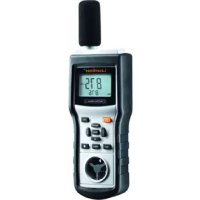
MultiTestMaster - Humidifier Laserliner - Free user manual and instructions
Find the device manual for free MultiTestMaster Laserliner in PDF.



| Product Type | Multifunction environmental measuring instrument |
| Brand | Laserliner |
| Model | MultiTestMaster |
| Dimensions (L x H x D) | 280 x 89 x 50 mm |
| Weight | 430 g |
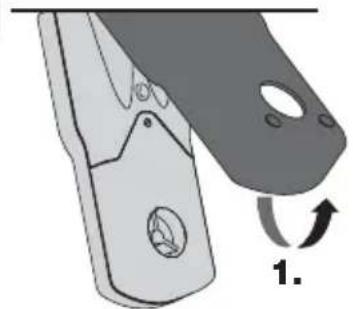
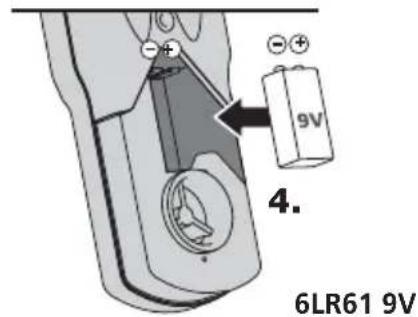
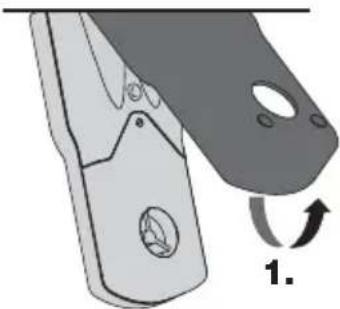
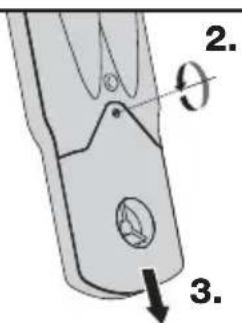
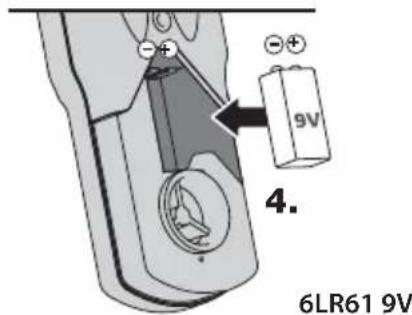
| Power Supply | 1 9V battery (IEC 6F22) |
| Ambient temperature range | -10 °C to 60 °C |
| Temperature accuracy | ± 1.5 °C |
| Relative humidity range | 0 % to 100 % RH |
| Humidity accuracy (20-80 %) | ± 3 % at 25 °C |
| Light intensity range | 0 to 50,000 lux |
| Light accuracy | ± 5 % of reading + 10 digits |
| Sound pressure range | 30 to 130 dB (A) / (C) |
| Sound accuracy | ± 1.5 dB |
| Air velocity range | 0.5 to 20 m/s |
| Air velocity accuracy | ± 3 % of reading + 10 digits |
| Main functions | Temperature, humidity, light, noise, air velocity, airflow measurement |
| Display | LCD screen with backlight |
| Auto power off | After 20 minutes of inactivity (can be disabled) |
| Memory | MIN, MAX, AVG, DIF values and HOLD function |
| Tripod mount | 5/8 inch |
Frequently Asked Questions - MultiTestMaster Laserliner
User questions about MultiTestMaster Laserliner
0 question about this device. Answer the ones you know or ask your own.
Ask a new question about this device
Download the instructions for your Humidifier in PDF format for free! Find your manual MultiTestMaster - Laserliner and take your electronic device back in hand. On this page are published all the documents necessary for the use of your device. MultiTestMaster by Laserliner.
USER MANUAL MultiTestMaster Laserliner
Function/Application
This product is an all-in-one measuring device that allows you to measure all the key quantities associated with environmental measurements in the field of building physics. Within surveying applications, it can be used to measure the following: Ambient temperature (climate, building moisture), relative humidity (climate, building moisture), wind speed/air flow (climate, ventilation, heating), illuminance (illumination), sound pressure level (noise). Consequently, you can use it to determine and assess the impact that general environmental conditions are likely to have on human physiology.


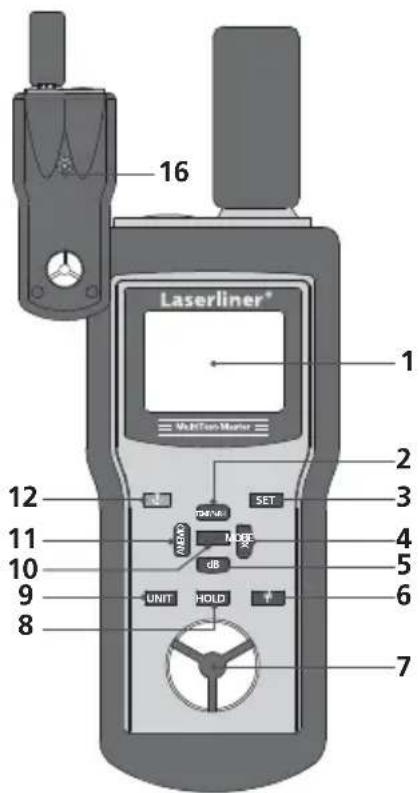
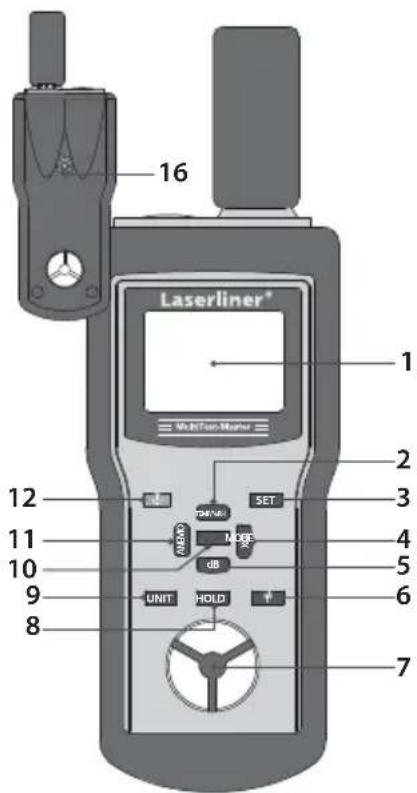
1 LCD display
2 Temperature/Relative humidity
3 Cross sectional area for volumetric flow
4 Illuminance (lux)
5 Sound pressure level (dB)
6 Display illumination
7 Fan wheel
8 Hold current measured value
9 Change unit
10 Min., max., average or difference value
11 Wind speed/Air flow
12 ON/OFF
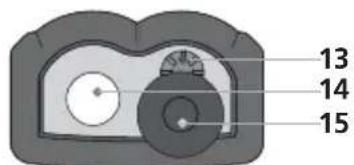
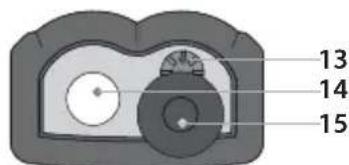
13 Temperature/Humidity sensor
14 Light sensor
15 Microphone/Wind deflector
16 5/8" tripod connection
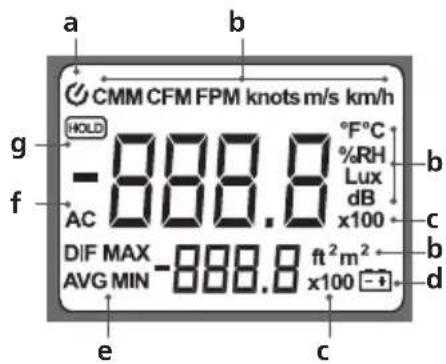
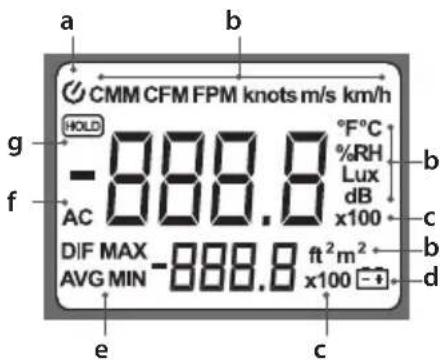
a AUTO OFF function
b Wind speed/Air flow units: Cubic metres per minute, cubic feet per square foot, feet per minute, knots, metres per second, kilometres per hour, Fahrenheit, Celsius, % relative humidity, lux, decibels, square feet, square metres
c Measured value factor: x10; x100
d Low battery charge
e Min., max., average or difference value
fSound pressure dB A, dB C
g Hold current measured value
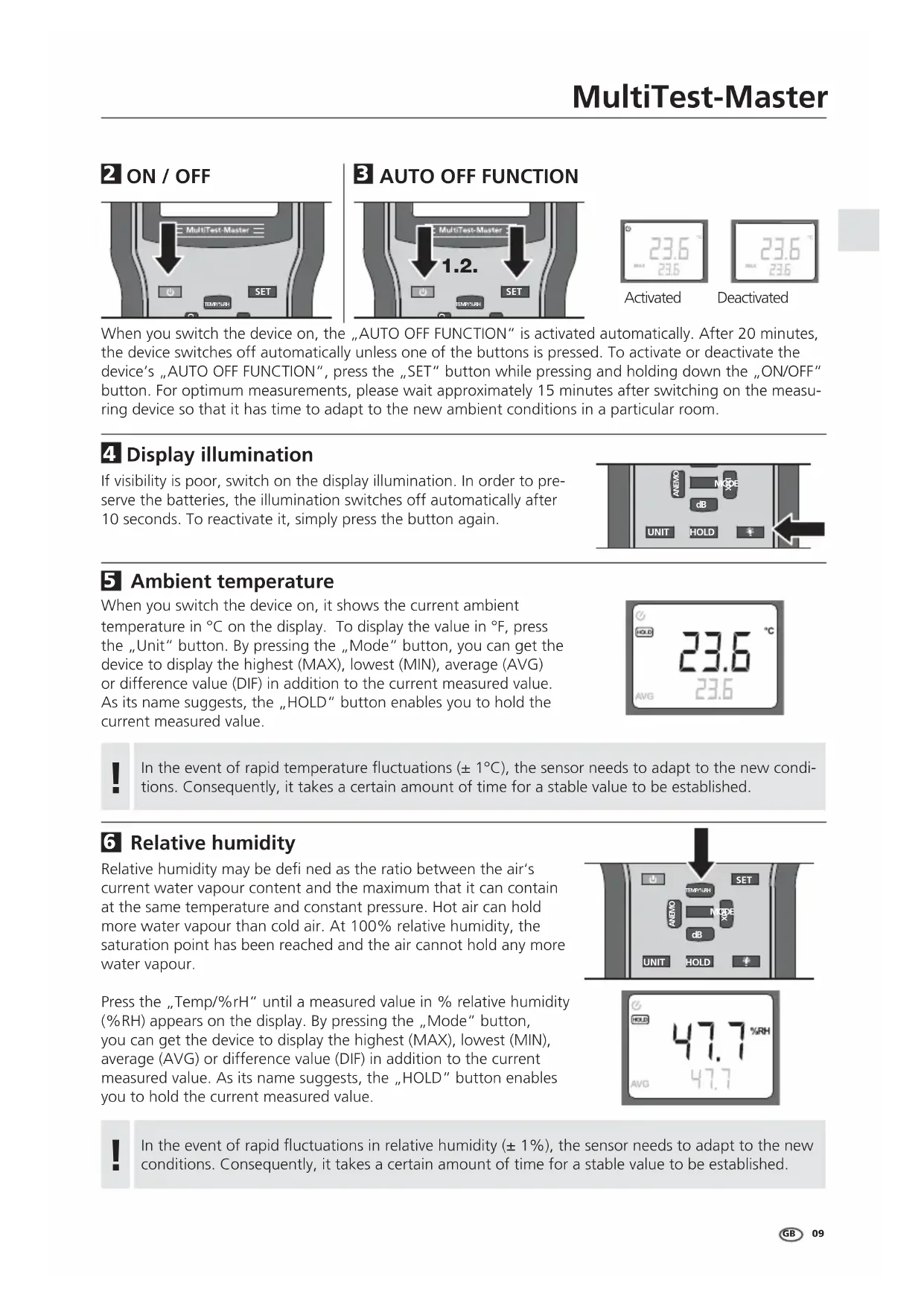
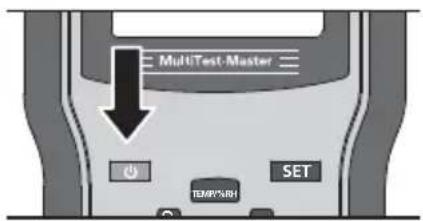
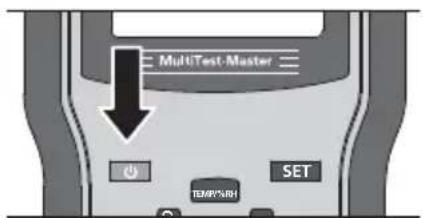
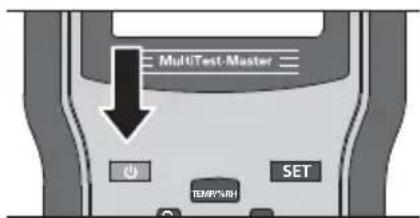
2 ON/OFF
3 AUTO OFF FUNCTION
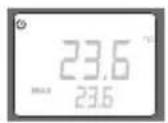
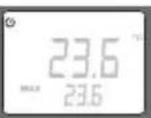
Activated
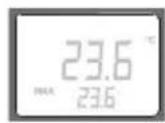
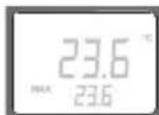
Deactivated
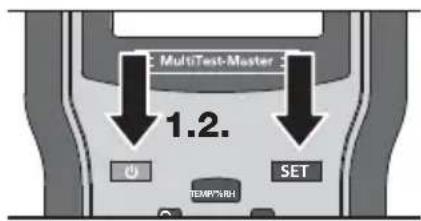
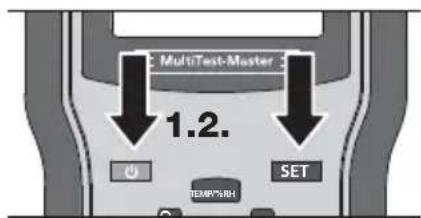
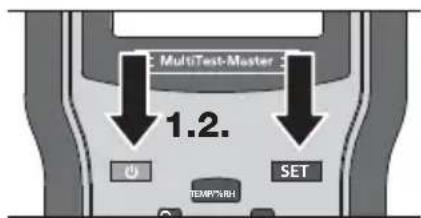
When you switch the device on, the „AUTO OFF FUNCTION“ is activated automatically. After 20 minutes, the device switches off automatically unless one of the buttons is pressed. To activate or deactivate the device's „AUTO OFF FUNCTION“, press the „SET“ button while pressing and holding down the „ON/OFF“ button. For optimum measurements, please wait approximately 15 minutes after switching on the measuring device so that it has time to adapt to the new ambient conditions in a particular room.
4 Display illumination
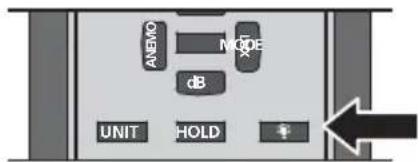
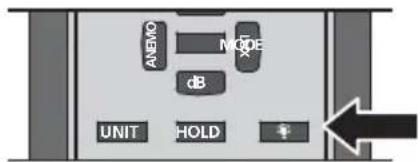
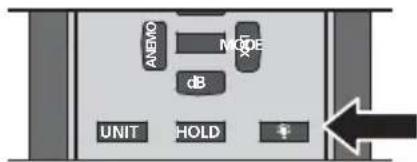
If visibility is poor, switch on the display illumination. In order to preserve the batteries, the illumination switches off automatically after 10 seconds. To reactivate it, simply press the button again.
5 Ambient temperature
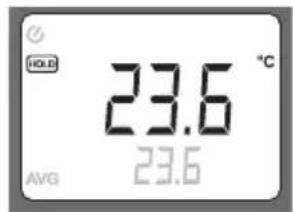
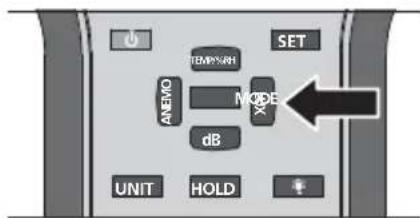
When you switch the device on, it shows the current ambient temperature in ^ C on the display. To display the value in ^ F , press the "Unit" button. By pressing the "Mode" button, you can get the device to display the highest (MAX), lowest (MIN), average (AVG) or difference value (DIF) in addition to the current measured value. As its name suggests, the "HOLD" button enables you to hold the current measured value.
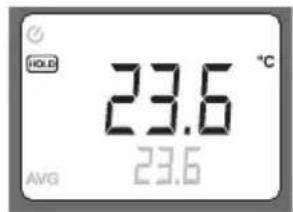
In the event of rapid temperature fluctuations (± 1^) , the sensor needs to adapt to the new conditions. Consequently, it takes a certain amount of time for a stable value to be established.
6 Relative humidity
Relative humidity may be defined as the ratio between the air's current water vapour content and the maximum that it can contain at the same temperature and constant pressure. Hot air can hold more water vapour than cold air. At 100% relative humidity, the saturation point has been reached and the air cannot hold any more water vapour.
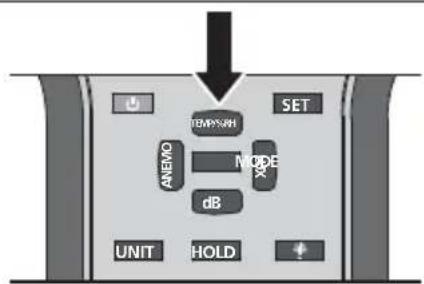
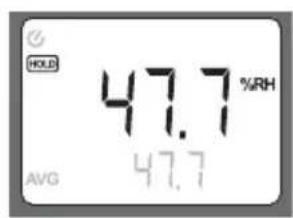
Press the "Temp/%rH" until a measured value in % relative humidity (%RH) appears on the display. By pressing the "Mode" button, you can get the device to display the highest (MAX), lowest (MIN), average (AVG) or difference value (DIF) in addition to the current measured value. As its name suggests, the "HOLD" button enables you to hold the current measured value.
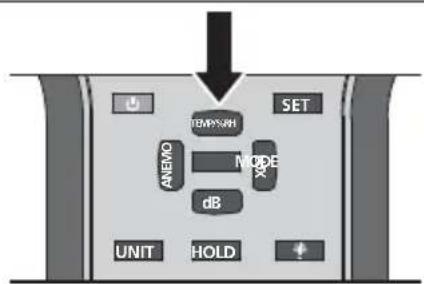
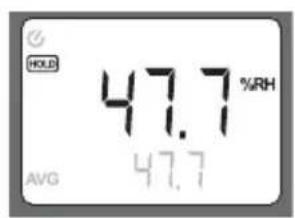
In the event of rapid fluctuations in relative humidity (± 1%) , the sensor needs to adapt to the new conditions. Consequently, it takes a certain amount of time for a stable value to be established.
7 Illuminance (lux)
A photoelectric sensor is used to measure the incident light intensity. This is the power of the radiated light per unit of area. Photometry defi nes light in terms of how it is perceived by the human eye. The sensitivity of the eye also depends on the wavelength or light colour. The measuring unit uses special colour fi I ters on the sensor that adapt to the sensitivity curve (CIE curve).
After switching on the device, press the "Lux" button.
Please observe the following application notices when determining illuminance:
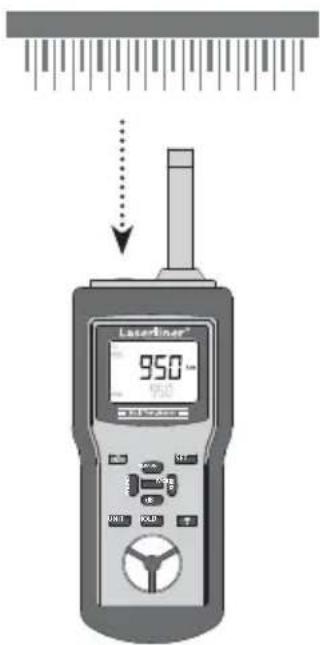
- Align the sensor on the measuring surface so it is perpendicular to the light source
- During measurement, the incidence of light must not be affected by shadows from the operator or other objects not involved in the measurement
- Remove the wind deflector from the microphone
- You can check the measuring device's zero position by covering the sensor completely.
- Discharge, fluorescent or energy-saving lamps should be switched on well in advance of the measurement process (approximately 15 minutes) so that the brightness has time to stabilise
By pressing the "Mode" button, you can get the device to display the highest (MAX), lowest (MIN), average (AVG) or difference value (DIF) in addition to the current measured value. As its name suggests, the "HOLD" button enables you to hold the current measured value.
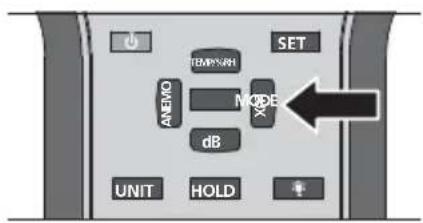
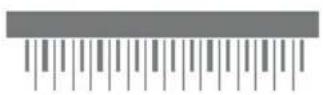
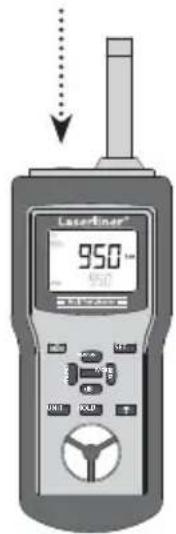

The device measures radiation in the main direction, perpendicular to the sensor plane. Incident light rays at an angle are taken into account by the sensor using an adjustment curve.
Reference values for illuminance in indoor spaces
Practical example Luminous intensity in lux
| Traffic c areas, ancillary rooms 20 | |
| Corridors in buildings used by people 50 | |
| Sanitary facilities, machine rooms, staircases 100 | |
| Regularly occupied work stations within production facilities, canteens 200 | |
| Conference rooms, gyms 300 | |
| Offices, medical facilities (emergency unit) 500 | |
| Design and drawing rooms 750 | |
| Monitoring locations, assembly rooms, test stations 1000 | |
| Assembly rooms for small components 1500 |
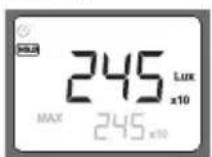
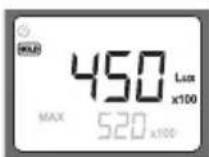
The amount of light available in outdoor spaces is approximately 100 times greater than in indoor spaces. In the event of a high incidence of light, the measured value on the display is reduced by a factor of 10 or a factor of 100.
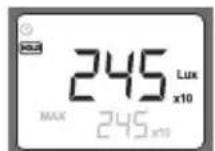
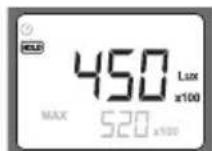
Reference values for illuminance in outdoor spaces
Practical example Luminous intensity in lux
| Sunshine 50,000 – 100,000 | |
| Overcast 2000 – 10,000 | |
| Good street lighting 20 | |
| Full moon 0.01 – 0.1 |
Sound pressure level (dB)
This device registers sound in a similar way to the human ear. The integrated microphone receives the incoming sound waves and converts them into electrical signals. Human hearing involves specific auditory curves. The greater the sound pressure, the louder the sound is perceived to be. The higher the frequency, the higher the pitch of the sound is perceived to be. To ensure that measurements are aurally compensated, this measuring device is fitted with filters. The A-weighting (dB A) replicates the frequency response associated with human hearing and is used for the majority of industrial noise and environmental noise measurements. The C-weighting is used in the case of scientific measurements, for example.
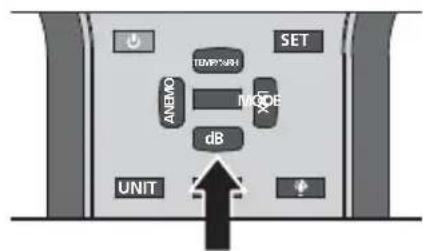
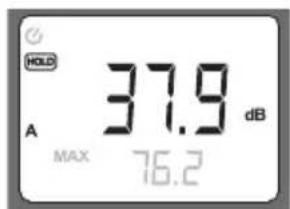
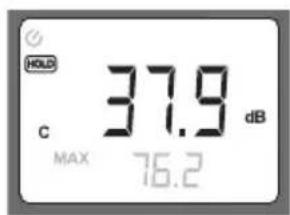
After switching on the device, press the "dB" button. To switch between dB (A) and dB (C), press the "Unit" button. Point the microphone towards the relevant sound source and observe the relevant distance. By pressing the "Mode" button, you can get the device to display the highest (MAX), lowest (MIN), average (AVG) or difference value (DIF) in addition to the current measured value. As its name suggests, the "HOLD" button enables you to hold the current measured value.
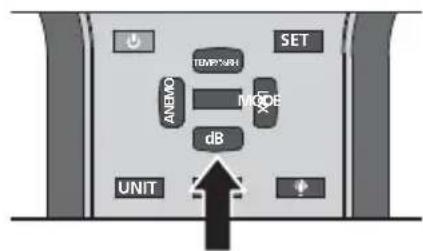
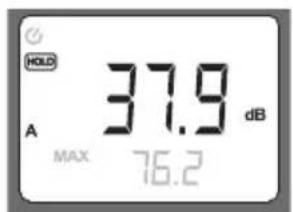
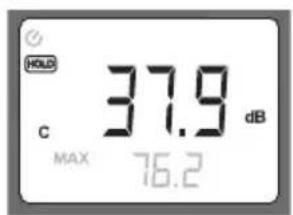

Powerful wind noises (>10m / s) can affect the measured value. In such cases, you should use the wind deflector supplied with the product.
Sound source Sound pressure level in dB (A)
| Auditory threshold 0 | |
| Quiet residential area 30 to 40 | |
| Low-level conversation, quiet off ce 40 to 50 | |
| Normal conversation 50 to 60 | |
| Heavy road traffic c 70 to 80 | |
| Shouting, screaming 80 to 85 | |
| Pneumatic hammer (10 m away) | 90 to 100 |
| Start-up of a jet aircraft (100 m away) | 120 to 130 |
| Pain threshold | 140 |
9 Wind speed/Air flow
The measuring device is capable of measuring wind speed or air flow with the built-in fan wheel. The resulting measurements can be output in various units. On the basis of these quantities, it is also possible to measure volumetric flow.
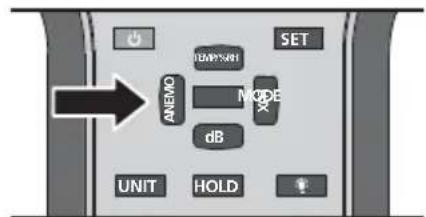
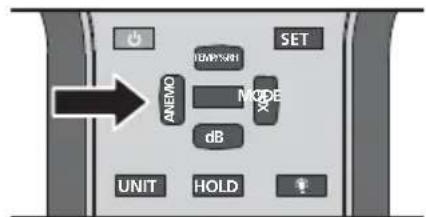
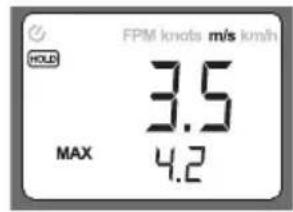
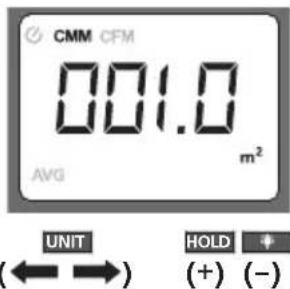
After switching on the device, press the "Anemo" button. Press the "Unit" button repeatedly to change the units: FPM (feet per minute), knots, m/s (metres per second) and km/h (kilometres per hour). Press the "Anemo" button again if you want to determine the volumetric flow. Use the "Unit" button to switch between the units CMM (cubic metres per minute) and CFM (cubic feet per minute). Firstly, measure the flow opening area. Then you can set the measured area by pressing the "Set" button and making the necessary adjustments with the "Unit" (change position of decimal point), "Hold" (+) and "Illumination" (-) buttons. Press the "Set" button to confirm your entry.
Please observe the following application notices when determining wind speed/air flow:
- Avoid direct sunlight during the measurement process
- Place the device as close as possible to the source of the air flow
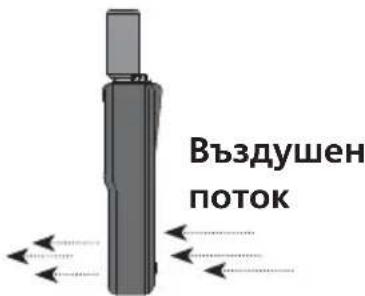
- Position the device parallel to the source of the air flow
- Use the MAX function to determine the point where the air flow is greatest
By pressing the "Mode" button, you can get the device to display the highest (MAX), lowest (MIN), average (AVG) or difference value (DIF) in addition to the current measured value. As its name suggests, the "HOLD" button enables you to hold the current measured value.
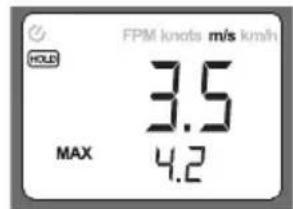
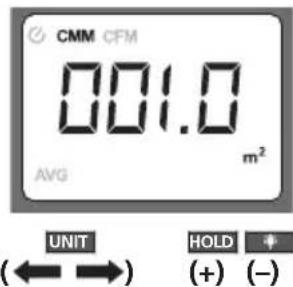
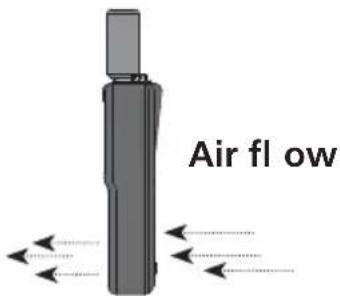
Wind force m/s km/h Knots Description
| 0 0.0 to 0.2 0 0 Calm | |||
| 1 0.3 to 1.5 1 to 5 | 1 to 3 | Light air | |
| 2 | 1.6 to 3.3 | 6 to 11 | 4 to 6 |
| 3 | 3.4 to 5.4 | 12 to 19 | 7 to 10 |
| 4 | 5.5 to 7.9 | 20 to 28 | 11 to 15 |
| 5 | 8.0 to 10.7 | 29 to 38 | 16 to 21 |
| 6 | 10.8 to 13.8 | 39 to 49 | 22 to 27 |
| 7 | 13.9 to 17.1 | 50 to 61 | 28 to 33 |
| 8 | 17.2 to 20.7 62 to 74 | 34 to 40 Fresh gale | |
| 9 | 20.8 to 24.4 | 75 to 88 | 41 to 47 |
| 10 | 24.5 to 28.4 | 89 to 102 | 48 to 55 |
| 11 | 28.5 to 32.6 | 103 to 117 | 56 to 63 |
| 12 | >32.6 | >117 | >63 |
!
Functional and operational reliability are only warranted when the measuring device is operated within the specified climatic conditions and only when used for those purposes for which it is designed. It is the user's responsibility to assess the measurement results and any actions taken as a consequence in accordance with the nature of the task concerned.
Technical data
| Ambient temperature | -10°C to 60°C |
| Resolution | 0.1°C |
| Accuracy | ± 1.5°C |
| Relative humidity | 0% to 100% r.H. |
| Resolution | 0.1% (20 to 80%) |
| Accuracy | ± 3% / 25°C |
| Resolution | 0.1% (< 20% and > 80%) |
| Accuracy | ± 5% / 25°C |
| Sound pressure level 30 to 130dB (A): | |
| Resolution | 0.1% |
| Accuracy | ± 1.5 dB |
| Sound pressure level 30 to 130dB (C): | |
| Resolution | 0.1% |
| Accuracy | ± 1.5 dB |
| Frequency range | 100 to 8000 Hz |
| Test conditions | 94dB, 1 kHz sine curve |
| Illuminance | |
| At a colour temperature of 2856 K, calibrated according to reference incandescent lamp 2856K | 1 lux / ± (5% of measured value + 10 digits) |
| 0 to 2 klx: Resolution / Accuracy | 10 lux / ± (5% of measured value + 10 digits) |
| 0 to 20 klx: Resolution / Accuracy | 100 lux / ± (5% of measured value + 10 digits) |
| 0 to 50 klx: Resolution / Accuracy | |
| Wind speed | |
| 0.5 to 20 m/s: Resolution / Accuracy | 0.1m/s / ± (3% of measured value + 10 digits) |
| 1.8 to 72 km/h: Resolution / Accuracy | 0.1km/h / ± (3% of measured value + 10 digits) |
| 1.6 to 65.7 ft/s: Resolution / Accuracy | 0.1ft/s / ± (3% of measured value + 10 digits) |
| 0.9 to 38.9 knots: Resolution / Accuracy | 0.1 knots / ± (3% of measured value + 10 digits) |
| Air flow | |
| 0 to 999.9 CMM m/s: Accuracy | ± (3% of measured value + 10 digits) |
| 0 to 999.9 CFM ft/s: Accuracy | ± (3% of measured value + 10 digits) |
| Power supply 1 x 9 V IEC 6F22 | |
| Operating temperature 0°C to 60°C | |
| Dimensions (W x H x D) 280 x 89 x 50 mm | |
| Weight 0.430 kg |
Subject to technical changes without notice. 10/10
EU directives and disposal
This device complies with all necessary standards for the free movement of goods within the EU.
This product is an electric device and must be collected separately for disposal according to the European Directive on waste electrical and electronic equipment.
Further safety and supplementary notices at: www.laserliner.com/info

!
Pn6op BbIOJHReT BCE Heo6xoIIMbIe HOpMbI, peIaMeHTnpyUOJIne CBO6OHNbI TOBapoo60pOT Ha TeppITOpIN EC.
b EHHn3aCKOpOCTHa BBTpa/Bb3DyUeH NOTOK: KyBHeH MeTpB MInHyTa, KyBHeH cyT Ha KBaIpaTeH cyT, cyTa B MInHyTa, BB3N, METPN B CekyHda, KINOMETPN B CekyHda, DapehXaIT, LcIeN, % OTHCOTIIH BnaXHOCT Ha Bb3Dyxa, LyKc(OBe), Deu6BEn, KBaIpaTeH cyT, KBaIpaTeH MeTp
C KoepnueHt Ha n3MepBaHaTa CTOnHOCT: x10; x100
d3apeKdaHetaHa6aTePnraTa e HNCKO
eMH.,MaKc.,cpeHa NnINdΦepeHuaJIHa CTOHOCT
fLJyMoBOHaJIraHe dBA,dBC
g 3aIbpxKaHe Ha TeKyUaTa CTOnHOCT OT N3MepBaHe
ON/OFF
3 AUTO OFF" (ABTOM I3KJI)
aKTNbNpah
JaekBipan
CneBVKIOUOVAHToФyHKIITa" AUTO OFF" (ABTOMN3KJI) aBTOMaTHNO ceakTNbnpa. YpeBt ce N3KIOUBA camocToTeJHO CNEI 20 MNHTn, aKO HMA HaNTCKaHe Ha 6yTOH. KaTO ce IbpXn HaTNCaT 6yTOHbT, ON/OFF" (BKJI/ N3KJI) n Ce HATNcKa 6yTOhT, SET", (3AIDABAHE), fYHKIITa 3a ABTOMaTHNO N3KIOUBAHe Ha ypeHa MoKeJa ce AKTINbPa NN DeAKTINbPa. 3a OITIMaIIHO N3MEpBaHe CNEI BKIOUBAHeTo N3aKaJaTe OKo1o 15 MNHTn, DOkato N3MepBaTeJIHHr T ypeI Ce aIANTnpa KbM IpomHeHIne YCIOBna Ha 6KpbXkeHIne To 3a DaJeHO PPOCTpaHCTBO.
4 OcbetJIeHne Ha dncnpey
Pn louyn ycnoBna Ha BnuIMoCT BKIOUeTe OCBteHneTo Ha
Dncnpe.3a da 7aAnnte 6aTeepnnte,ocBeTneHneTo ce N3KIOUba
ABTomatuHNO cJe 10 cekyHn. Ype3 NOBTOpHO HATnCKaHe Ha
6yTOH TO MOKe Da ce BKIOUH OTHOBO.
5 TemnepaTypa Ha 06kpBXKeHneTo
CneB KJIIOUbaHe Ha ypeHa,Ha DCINIIeCe NOKa3Ba MOMHTHaTa TemnepaTpa Ha o6kpbXeHHeTo B °C. Ppi HATNCKaHe Ha 6yToHa „Unit" (EduHnua), CTOHOCTa Ce NOKa3Ba B °F. Ppi HATNCKaHe Ha 6yToHa „Mode" (Pexm), IOnbIHNTEJIHO KbM TEKyuTaTa N3MepeHa CTOHOCCT Ce NOKa3Ba Ha-NBcOKaTa (MAX), NaH-NHcKaTa (MIN), CpeHata (AVG) INI INΦepeHuaHATA CTOHoc (DIF). C NOMOHTa Ha 6yToHa „HOLD" (3AIDbPXAHE) MoKe Da ce 3aDbpxN TEKyuTaCT OINHOC TOT IN3MepBaHeto.

Pn6b3n TemnepaTyprn Kone6aHna (± 1^) , ceh3opbT Tp8Ba da ce aanntpa KbMa daeHOCTnte, taKaYe eEBA CJIeN3BecTHo BpeMe ce DoCTnRa CTa6NJHa cToHOCr.
OTHOCHTHa BnaXHOCT Ha Bb3dYxa
OTHOCHTJIHATA BlaJXHOCT Ha Bb3dYxO3HaHaBa CbOTHOHeHTo Ha MOMEHHTO CTbIbPxAHHe Ha BOHN Iapn BbB Bb3dYx KaM MaKcIMaJIHo Bb3MOKHOTO KOJIHCTBO BOHN Iapn IIpN CbUaTe TEMpeApyi NIOCTOHNO HAJIraHe. ToIIINr Tb3dYx MoKeJa NOeMe NOBeYe BOHN Iapn OTKOJIKOTO CTJeHnT. Iprn 100% OTHCITENHa BlaJXHOCT Ha Bb3dYxa e IOCTINHaTTOChKaTa Ha HAcNtAHe IN Bb3dYxbT He MOKe Da NoeMa NOBeYe BOHN Iapn. HatNcKaIte 6yToHa, Temp/%rH" Dotoraba, JOKato Ha INCIIeCe NOKaKe H3MepeHa CToIHOCCT B% OTHCITENHa BLaJXHOCT (%RH). Iprn HATNcKaHe Ha 6yToHa, Mode"(PexIM) IOnbInHTeJIHO KbM TEKUaTAt N3MepeHa CToIHOCCT Ce NOKa3Ba Hai-BinCokata (MAX), HAI-HNCkata (MIN), cpeHATA (AVG) IIIN dINΦepeHuaHATA CToIHOCCT (DIF). C NOMuTa Ha 6yToHa, "HOLD" (3AДbPXAHE) MoKe Ja ce 3aIbpxKn TEKUaTAt CToIHOCCT OT N3MepeBaHeto.

Pn6b3n npomeHn BOTHOCTeHaTbJaxHoCT HaBb3dyxa (±1 %), cEH3OpbT trpaBa da ce aadantpa KbM daneHOCTte, TaKa Ye eDNa CJIeN 3BeCTHO BpeMe ce IOCTnRa cTa6NJHa cToHocT.
7 OcbeteHoCT (Lux)
CΦOTOENEKTPnueHceH3OpceN3MepBa NHTeH3NTeTbHa NaaTa CBeTINHa, KOETO e MOUHOCTTa Ha CBETNHHOTO O6NbYBaHe 3a EINHnCa nIOu.ΦOTOMETPnraTaeHnHnpa CBeTINHaTApo TOBa KaCbeB3npeMa OT YOBeWKOTO OK. YyBCTBnTEJIHOCTTa Ha OKOTO OCBEH TOBa 3aBnCn OT DblnHaTa Ha BbJIHaTa CbOTBeTHO cBETA Ha CBeTINHaTa. N3MepBaTeHNrT ypeI IN3NOJ3Ba CneuaJIHn CBeTHN fNITPN Ha ceH3Opa, KOnTO CE npIRaxdAT KbM KpNBaTa Ha YyBCTBnTEJIHOCTTa (CIE-KpnBa).
CneBVKJIIOUBAHe Ha ypeHa,HaTnCHTe 6yToHa,Lux".
MojB3eMeTe npEbnCJIeHNTE HNCTpyKcun 3a ynoTpe6a npu yCTaHOBRAHe Ha cnnaTa Ha OCBeTeHOCTTa:
-HaohcTeceH3OpaBbpxyN3MepBaHaTa NOBbpxHOCT nepneHnKnypHO KbM N3TOUHnKa Ha CBeTNIHa
-Паданeto Ha CBetЛинata NO Врeme Ha ИЗмерВанeto He Трава Да ce 3aceHua BTОпетаТора ИлДугИ OБекTN, KONTO He caЧаСТ OT ИЗмерВанeto
-OTCTpaHete npoINBOBraTbPHaTa 3aUHTa Ha MInKpOPOHa
HynBaTnO3nHa Hn3MepBaTeHHype,MOKeJa ce KOHTPOJIpa 4pe3 NbIHO NOKpNBHe Ha CeH3Opa.
-лamn,KoITo ca ra3opapraHn,JyMNHCeHTN nIeHeprocneTBAu,CleBa da ce BKIOUaT NO-ДBJFO BpeMe npedIN3MepBaHeTo (okono 15 MInHyTu),3a da ce ctaBUNImnpa rapKOCTTa.IprHaNTCKaHe Ha 6byToHa „Mode"(Pexm)OCBeH TeKyUaTa N3MepeHa cToHocTe pOKa3Ba Hau-BvCOkata (MAX),Ha-Nckata (MIN),cpeHaTa (AVG) nIi dIepepeHuaHaTa (DIF) cToHoc. C nomOHTa Ha 6byToHa „HOLD" (3AIDbPXAHE) MoKe Da ce 3aIbpxN TeKyUaTa cToHocOT N3MepBaHeTo.
YpeBt N3MepBa IbueHneTo B rnaBHaTa Nocoka, nepEniKyIpaHa Ha paBnHaTa Ha ceH3opa. Koco nadaa CBeTnnHHN IbCu N Ce B3eMaT PpeBnO TceH3opa C KopnnpaKa KpNaBa.
OpneHTnpOBbUHN cToHocTn 3a OCBeTeHOCTTa BbB BbTpEHHO npoctpaHCTBO (nomeueHne)
Ppimep ot npakTKkata CBeTocnla B Lux
| Зони за движени, Второстелени постранства (nomeшиени) 20 | |
| Кордори в сграви заха 50 | |
| Санитарно-TEXNICHESCO оборUDBAнe, машинниnomeшиени, сълбица 100 | |
| разовно заети работни места в поиизwoindстveни сьорьжени, столove (захалене) | 200 |
| Конферентниnomeшиени, сportнихалета 300 | |
| Офиси,mediaцинскп заведени (сpeшна поюс) 500 | |
| Конstрукторски чертохни зали 750 | |
| Места за насылodeени, мontaxни nomeшиени, Изпitaелни станци 1000 | |
| Мontaxниnomeшиени за малки kompoнын 1500 |
IonyuHaHaTa Ha OTKpnto CBeTlnHa e OKOIO 100 nbTu no-BnCoka OTKoJIKOTo BvB BbTpEshN IpocTpaHCTBa (nomeueHna).Ppi CNHa NaDaUa CBeTlnHa CToHOCTa OT n3MepBaHe Ha dncnpe Ce npedctabr c KoePhiuueHrT 10 nnn 100.
OpneHnpOBbUHN CTOnHOCTn 3a OCBeTeHOCTTa HaBbH
PpMep ot npakTKKaTa CBeTocnla B Lux
| Сльнueva с Bretлина 50.000 - 100.000 | |
| Одapeutic 2.000 - 10.000 | |
| Доб再多 удиacyно осветлени 20 | |
| Пълелуни 0,01 - 0,1 |
8 HnBO Ha shymoBTo hanelrahe (dB)
ToBa yCTpoCTBO Bb3npnEma Wyma NOO6HO Ha OBeWKOTO yXo. INTePpAHHrT MmKPOFOH npnEma NDbAunTe 3ByKOBN BblHn I rN ppeO6pa3yBa B eNEKTPueckn CnHaJI. YObeKnIr Cnyx YHKcnoHnpa No N3BecTHN KPNBn HA cNoXOBOTo Bb3npnTne. KoIKOTO NO-BVCOKO e 3ByKOBOTo HAnraHe, ToJIOBA NO-WhMeH TOH ce Bb3npnEma. KoIKOTO NO-BVCOKa eYeCTOTATA, ToJIOBA NO-BVCOK TOH Ce Bb3npnEma. 3a da ce rapaHTnpa DOctOBepHo n3MepBahe cnPRAOM Cnyxa, To3n N3MepBaTehen UpeE o6OpyDbaH c fInTpN.
A-oueHKata (dB A) hanoO6Ba YecToHaTxaPakTeepntka Ha OBEwKna Cnyx n Ce n3NoJ3Ba npn NOBeyeTo pa6OTn I3MepBaHn H3MEpBaHn Ha Wyma B o6KpbXeHneTo. C-oueHKata ce n3NOJ3Ba HAnpIMep npn HayuHN 3MEpBAHn. CneB KJIIOUbaHe Ha ypeDa, HATNCHe 6yToHa .dB". Pn HATNCKaHe Ha 6yToHa .Unit" (EduHua) ce npbKJIIOUba Mexdy dB (A) n dB (C). HacoYeTe MInKPOoHOb KaM CbOTBETNn I3TOUHnK Ha Wym N IOJbPjKaIte CbOTBeTHOto pa3CTOAHne. Pn HATNCKaHe Ha 6yToHa .Mode" (Pexm) dOnbHNtEnHO KbM TeKyuTa I3MEpeHa cToHocT ce NOKa3Ba Hn-BnCOkata (MAX), Hn-HnCKaTa (MIN), cpeHaTa (AVG) nnn nnpepeHuaHaTa cToHocT (DIF). C nomOuTa Ha 6yToHa .HOLD" (3AIIbPXAHE) MoKe Da ce 3aJbpxn TeKyuTa t CTOHOC T OT I3MEpBAHeTo.

CINHeH 1yM OT BAtbP (>10m/Sek.) MoKeJa N3KpNB CToHocTtA OT N3MePBAHeTO. B To3N CnyaH N3NoJ3BaIe DoCTaBeHaTa IpoTnBOB8TbPHa 3aUHTa.
I3ToUHnK Ha Wym HnBO Ha WymBOTo Hnrahe B dB (A)
| Праз на с节目中 вета ратио 0 | |
| Тих и спокoen KBартал 30...40 | |
| Тих пазговор, Тих и спокoen офис 40...50 | |
| Норmaлиен пазговор 50...60 | |
| Интузевно улично двgressе 70...80 | |
| Викawe, кршени 80...85 | |
| Пнебматчени чук (10 m пазстаян) 90...100 | |
| Стар на peakтыben самолет (100 m пазстаян) | 120...130 |
| Гразниza на болka | 140 |
9 CkopoocHa BAreTbpa/Bb3dUweH nOTOK
C BrpaJeHTo BeHTnlaTOpHo KOJIeNo I3MepBaTeHNrT ypeI MoKeJa peNCTpnpa CKOpOCTn Ha BAtbpa CbOTBeTHo Bb3NyUH NnotOuIN Da n3BExJa B pa3NUnH eDInHnC.NOMOuTa Ha Te3N BeInuHINdONbJIHNTeHNO MoKe Da Ce I3Mepn O6emHnrT NOTOK.
Cnei BKNIOUbaHe Ha ypeHa, HATnCHTe 6yToHa „Anemo".
MHOROKpaTHo HaTnCKaHe Ha 6yToHa „Unit" (EduHua) npomeha eDInuIte: FPM (fyaB MmHyta), knots (Bb3nn), m/s (MeTpN B cekynda) n km/h (KINOMetpn B yac). NOBTOpHO HATnCKaHe Ha 6yToHa „Anemo" no3BOJRABa da onpeJeInte obemHna notok. C 6yToHa „Unit" (EduHua) npabNTe cmraHa MexNy edHHuIte CMM (ky6uHcH MeTbpB MmHyTa) n CFM (ky6uHcH cyT ha KBaIpaTe Hpy). PbpBO onpeJeIeTe nloUta Ha OTbopa Ha notoka. Upe3 HATnCKaHe Ha 6yToHa „Set" (YctaHOBraHe) n C nOmoUta Ha 6yToHnTe „Unit" (edHHua) (npomHa Ha DecetuHna pa3pR), "Hold" (3aBpbXaHe) (+) n „Beleuchtung" (OcbetneHne) (-), IMate Bb3MOxHOCt Da Na HAcTpoBnBaTe onpeJeIeHa Ta nIoU. Cnei BbbexJaHe NOTBbPdTe C 6yToHa „Set" (YctaHOBBAHe).
MolB3eMeTe npeDnD, cIeHNHe uHCTpyKcNn 3a yNoTpe6a npu YCTaHOBRABe Ha CKOpOCTTa Ha BRTbpa /Bb3dUshnna Notok:
- N368raIte DnpeKTHO CbHHeBO IbYeHne No BpeMe Ha n3MepBaHeto
- NocTaBeTe ypeDa Bb3MOxHO Ha
-6JIN3O IO N3TOUHNKa Ha Bb3DyUWeH NOTOK
C nOMOHTa Ha cyHKUraTAMAX onpeJeTe MrcToTO c HauINHnB3DyueH NOTOK.
Пи haTnCKaHe Ha 6yToHa „Mode" (Pexm)ДОпьнHTeHNo KbM TeKyuata N3MePbaHa CTоHocCT ce noka3Ba HaN-BnCOKaTa (MAX), HaN-HnCKata (MIN), cpeHaTa (AVG) nIN dInΦepeHuaHnHa TcToHocT (DIF). C nOMOuTa Ha 6yToHa „HOLD" (3AДьPXAHE) MoKe Da ce 3aIbpxN TeKyuata CTоHocT OT N3MePbaHoTe.
Cnna Ha BbTbpam/s km/h Bb3nn HaMmehOBaHne
| 0 0,0...0,2 | 0 0 BezVeТрпe | |||
| 1 0,3...1,5 | 1...5 1...3 Лek ВeТpeц | |||
| 2 1,6...3,3 | 6...11 4...6 | Лек ВЯТьр | ||
| 3 3,4...5,4 | 12...19 | 7...10 | слоб ВЯТьр | |
| 4 5,5...7,9 | 20...28 | 11...15 | сре徳н ВяТьр | |
| 5 | 8,0...10,7 | 29...38 | 16...21 | Сбж ВяТьр |
| 6 | 10,8...13,8 | 39...49 | 22...27 | Си�ен ВяТьр |
| 7 | 13,9...17,1 | 50...61 | 28...33 | разык ВяТьр |
| 8 | 17,2...20,7 | 62...74 | 34...40 | Бурен ВяТьр |
| 9 | 20,8...24,4 | 75...88 | 41...47 | Буря |
| 10 | 24,5...28,4 89... | 102 48...55 | Силиа Буря | |
| 11 | 28,5...32,6 | 103...117 | 56...63 | уразанна Буря |
| 12 > 32,6 | > | 117 >63 | уразан |
Функцяпсигурноа пп работа са rapанлари само когатингпrtпибор paBOTиВ pAMKITE Ha nocoehite KINMaTnHy UcIOBnI KORato ce n3noJ3Ba cAmO 3a ueNITE, 3a KOtO e KOHCTpynpaH. Notpe6nteJIrT HOCn OTROBOPHOCT 3a OueHka Ha pezytATNTe OT N3MepBaHeTo И МерКITE, KONTO npOn3TuHaT OT TIX, CbflacHo CbOTBeTHOTo pa6OTHO 3aJaHne.
TexHHuecknXapaKTepeNCTUK
| Tempepatура на обкравкеато Разршавацаснобост Точист | -10°C...60°C 0.1°C ±1.5°C |
| Оточтелна влажноct на вьздуна Разрспосб Точист Разр Спосб Точист | 0% ... 100% r.H. 0.1% (20...80%) ±3% / 25°C 0.1% (<20% n>80%) ±5% / 25°C |
| НИВО нашиимовOTУнягане 30 ... 130dB (A): Разршавацаснобост Точист НИВО нашиимовOTУнягане 30 ... 130dB (C): РазрСпос Точист Чеботен Диан Усл Н Изпитанne | 0.1% ±1.5 dB 0.1% ±1.5 dB 100 ... 8000 Hz 94dB, 1KHz синусан Крива |
| Освete�数 При temпература 2856К, кал�бриран no peферентна ламма с наженимaxичka 2856К 0...2 KLux: Разр.cпoc / Точист 0...20 KLux: Разр.спoc / Точист 0...50 KLux: Разр.спoc. / Точист | 1 Lux / ± (5% OT ИЗМ. STОДноCT + 10 eдиници) 10 Lux / ± (5% ИЗМ. STОДноCT + 10 eдиници) 100 Lux / ± (5% ИЗМ. STОДноCT + 10 eдиници) |
| Сторост на вьтва 0.5...20 m/s: Разр.cпoc / Точист 1.8...72 km/h: Разр.cпoc / Точист 1.6...65.7 ft/s: Разр.cпoc / Точист 0.9...38.9 Вьзли: Разр.спoc. / Точист | 0.1m/s / ± (3% OT ИЗМ. STОДноCT + 10 eдиници) 0.1km/h / ± (3% OT ИЗМ. STОДноCT + 10 eдиници) 0.1ft/s / ± (3% OT ИЗМ. STОДноCT + 10 eдиници) 0.1 Вьзел / ± (3% OT ИЗМ. STОДноCT + 10 eдиници) |
| Вьздунец 0...999.9 СМ m/s: Точист 0...999.9 CFM ft/s: Точист | ± (3% OT ИЗМ. STОДноCT + 10 eдиници) ± (3% OT ИЗМ. STОДноCT + 10 eдиници) |
| Еlektrобхарвае | 1 x 9V IEC 6F22 |
| Работ halempepatуа | 0°C...60°C |
| Размери (Ш x В x Д) | 280 x 89 x 50 mm |
| Тergо | 0,430kg |
3ana3Ba ce npaBoTo 3a TexHnueckn n3MeHeHH.10.10
EC-pa3npoe6n n n3xBbpnaHe
YpeIbT N3NJIHRA BCNUKHeo6XoDIMn CTaHApTN 3a CBO6OIO DINBXKeHne Ha cTOKN B paMKIne Ha EC.
To3n npoodyKT e enektpnueckn ypei n Tp8Ba Da ce cb6upa n 13Xbpyra CbIaCHO ebponeckata DnpekTnBa OTHOCHO OTNaDbuTe OT enektpnuecko n enektpoHNO obopydBaHe (OEO).
Ouie nHCTpyKun 3a 6e3oNaChOCT N dOnbHLnTeHNyKa3aHnI yKa3aHnI sHe Hamepnte Ha aDpeC:
www.laserliner.com/info
I 1iaaote tic nanepeic odnyiec xeiipioou kai to ouvnmuevo teuxoc, YnoedieEic eyyunongkai npootheec unodieEic". Tnpite tic avapepóuevec odnyiec. Oulaootee me npooyn auta ta eyypapa.
Aetoupyia / Tpóncxρnoc
H napouoa oukeun metponc neipalaabeia ta onnavtkotepa eyeon metpnoc yia ma nepiBaalovtikn metpnon doukicnc oia ouokun. H ouokeun xpoaiuei otn ouvoikn metpnon twv npakatw ueoepuokpaoia nepiaalovtoc (atmuoopaipiko kla, uypaia doukiw toxieivw), oxetikn uypasia aepa (atmuoopaipko kla, uypaia doukiw toxieivw), taxutna avou/poan eepa (atmuoopaipko kla, eepiooc, eepauon), evtaon pwtioou (pwtiooc), otaum nxntiknc pieonc (tOpuc).Kata autov tov tpno evai duvatoc o npoooiopoioc kai n aioynon twv enipaaewv nou exouv otouc avpwnouc oi peipalovtikec ouvnekec avapopika ie tic idiotntec quoioyoiac.
1
108óvn LCD
2 Θερμοκρασία/oxετικήνρασία αερα
3 Kataxwipion enipaveia c yia tv npoxn oykou
4'Evtaon (Lux)
5Teaθμnηntikncπieonc(dB)
6 oOovnC
7 Ptoopa aevmuotnpa
8 Diatnpon npexouac tnc pntponc
9 Metatpoin'ovadac
10 Elaxiotn, meyiotn, eoTti n tiun diapopac
11 Taxutnta aveou /pon aepa
12 ON/OFF
13 Aiothnpac 0epuokpaaic/ uypaiaac
14 Aioθηπrρac φωτιαού
15 MikofoVp / npoataeutko ano aepa
16 Üvδεση τριποδα 5/8"
a Aetoupyia AUTO OFF
b Movadec taxutntac avou /ponc aepa: Kuikia mepa ava IeTTo, kuikia noidia ava Tepaywviko noidi, noidia ava IeTTo, kOBoi, mepa ava DEUTEPOENTTO, xIaiouETpa ava opa, baOoi Daevant, baOoi Kelaiou, % oxetikn Uypaoia aepa,Lux (louE), VTEOIe, Tepaywviko noidi, Tepaywviko mepo
cUvTeAeOtnCtiuCmuTPOnC: x10,x100
dOption matapiaac xan
eEaxiOtn, meyiotn, eon tiun n tiun diapopac
f Hxntikn nieon dB A, dB C
g Diatnpnon Tpexouoc Tiu nC tepnonc
ON/OFF
3 AUTO OFF FUNCTION
Exei aenepepyoioihei
Exei EvpyoTointhetai
Meta nve evpyoioiog neevpyoieiautouata n aeoupyia AUTO OFF FUNKTION". H oukeun anevpyoioietai movn tnc meta ano 20 ept, exoov dev nieotei kanoio nnktpo. Kpatwvtac pieevo to nktpo ON/OFF" kai natwvtac to nnkto po puthetaic, SET", evai duvatn ne evpyoioi on kai n aneevyonoion ntc aeoupyiac yia tnv autopatn anevepyoioiOn nct ooukeunc. Iua ma bxtiotn metpnon nepiivee meta tvn evpyoioi on nep.15 aept, mexvi npooapootei n ouokeun metpnoc otic tponotoiuec nepiaalovtke c ovthkec evoc xwpou.
4Φωτισμός oθόνης
Eav dev unapxei ka n opatotnta, evpyoioinote to owtio o oovnc. Ia tny eioikovouon twv mataipwv, o wtiouoc aenevepyoioiteai autouata meta ano 10 deutepolenta. Ncovtac EaV to nktpo mtopeite va tov evpyoioinoe Eava.
- Function/Application
- ON/OFF
- AUTO OFF FUNCTION
- Display illumination
- Ambient temperature
- Relative humidity
- Illuminance (lux)
- Please observe the following application notices when determining illuminance:
- Reference values for illuminance in indoor spaces
- Reference values for illuminance in outdoor spaces
- Sound pressure level (dB)
- Wind speed/Air flow
- Please observe the following application notices when determining wind speed/air flow:
- EU directives and disposal
- ON/OFF
- AUTO OFF" (ABTOM I3KJI)
- OcbetJIeHne Ha dncnpey
- TemnepaTypa Ha 06kpBXKeHneTo
- OTHOCHTHa BnaXHOCT Ha Bb3dYxa
- OcbeteHoCT (Lux)
- MojB3eMeTe npEbnCJIeHNTE HNCTpyKcun 3a ynoTpe6a npu yCTaHOBRAHe Ha cnnaTa Ha OCBeTeHOCTTa:
- OpneHTnpOBbUHN cToHocTn 3a OCBeTeHOCTTa BbB BbTpEHHO npoctpaHCTBO (nomeueHne)
- OpneHnpOBbUHN CTOnHOCTn 3a OCBeTeHOCTTa HaBbH
- HnBO Ha shymoBTo hanelrahe (dB)
- CkopoocHa BAreTbpa/Bb3dUweH nOTOK
- MolB3eMeTe npeDnD, cIeHNHe uHCTpyKcNn 3a yNoTpe6a npu YCTaHOBRABe Ha CKOpOCTTa Ha BRTbpa /Bb3dUshnna Notok:
- EC-pa3npoe6n n n3xBbpnaHe
- Aetoupyia / Tpóncxρnoc
- 4Φωτισμός oθόνης
Brand : Laserliner
Model : MultiTestMaster
Category : Humidifier