DistanceMaster Compact Plus 50 - Laser pointer Laserliner - Free user manual and instructions
Find the device manual for free DistanceMaster Compact Plus 50 Laserliner in PDF.


| Brand | Laserliner |
| Model | DistanceMaster Compact Plus 50 |
| Product type | Laser rangefinder |
| Category | Laser pointer (rangefinder) |
| Measuring range | Up to 50 meters |
| Measuring accuracy | ± 2 mm |
| Laser class | Class 2 (635 nm, < 1 mW) |
| Measurement units | meters, inches, feet |
| Main functions | Distance, area, volume measurement, addition/subtraction |
| Display | Backlit LCD screen |
| Power supply | 2 AAA batteries (1.5 V) |
| Dimensions (L x W x H) | 100 x 50 x 25 mm |
| Weight | 85 g (with batteries) |
| Housing material | ABS plastic |
| Operating temperature | 0°C to 40°C |
| Storage temperature | -20°C to 60°C |
| Battery life | Approximately 5000 measurements |
| Auto power off | Yes, after 3 minutes of inactivity |
| Maintenance and cleaning | Clean with a soft, dry cloth. Do not use solvents. |
| Safety | Do not look directly into the laser beam. Use standard precautions. |
| Spare parts and repairability | Replacement batteries available. For repairs, contact Laserliner customer service. |
| Warranty | 2 years |
| Included accessories | Batteries, wrist strap, protective case, user manual |
Frequently Asked Questions - DistanceMaster Compact Plus 50 Laserliner
User questions about DistanceMaster Compact Plus 50 Laserliner
0 question about this device. Answer the ones you know or ask your own.
Ask a new question about this device
Download the instructions for your Laser pointer in PDF format for free! Find your manual DistanceMaster Compact Plus 50 - Laserliner and take your electronic device back in hand. On this page are published all the documents necessary for the use of your device. DistanceMaster Compact Plus 50 by Laserliner.
USER MANUAL DistanceMaster Compact Plus 50 Laserliner
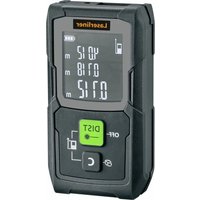
Brand : Laserliner
Model : DistanceMaster Compact Plus 50
Category : Laser pointer