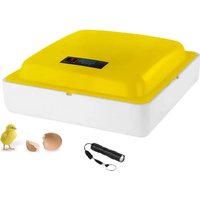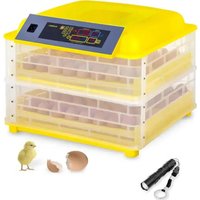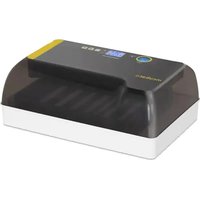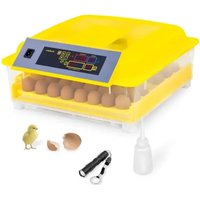
IN-32DDI - Incubator incubato - Free user manual and instructions
Find the device manual for free IN-32DDI incubato in PDF.


User questions about IN-32DDI incubato
0 question about this device. Answer the ones you know or ask your own.
Ask a new question about this device
Download the instructions for your Incubator in PDF format for free! Find your manual IN-32DDI - incubato and take your electronic device back in hand. On this page are published all the documents necessary for the use of your device. IN-32DDI by incubato.
USER MANUAL IN-32DDI incubato
text_image
Diagram of a medical device with numbered labels pointing to its componentsIN-96DDI& IN-112DDI
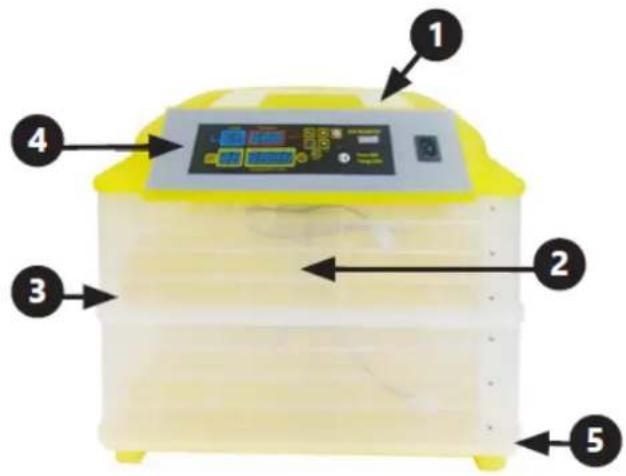
text_image
Labeled diagram of a yellow industrial incubator with numbered components and control panelIN-12DDI
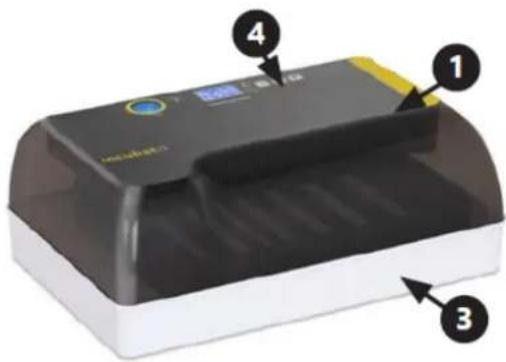
text_image
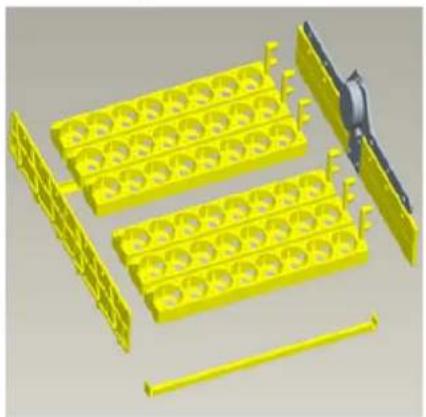
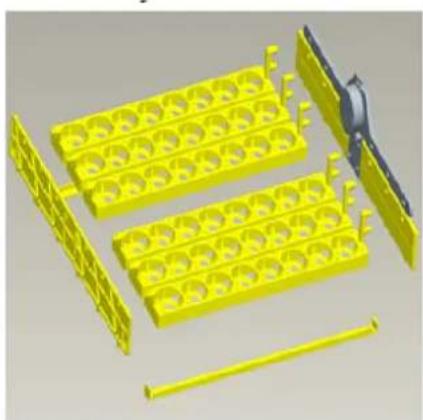
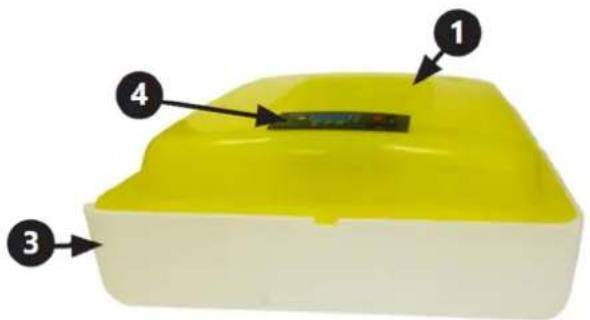
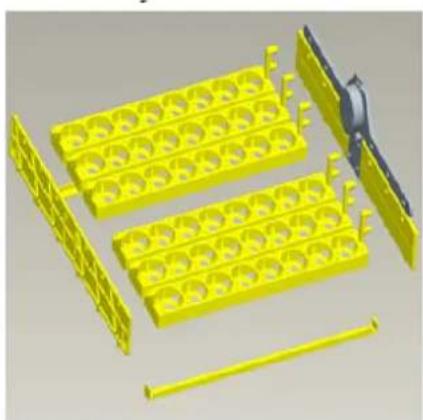
Diagram of a printer with labeled parts including a digital display and numbered annotations 1, 3, and 4.Montage:
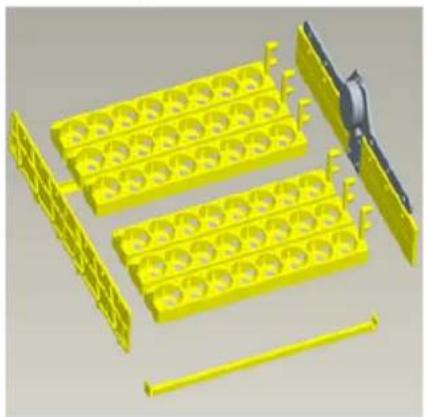
natural_image
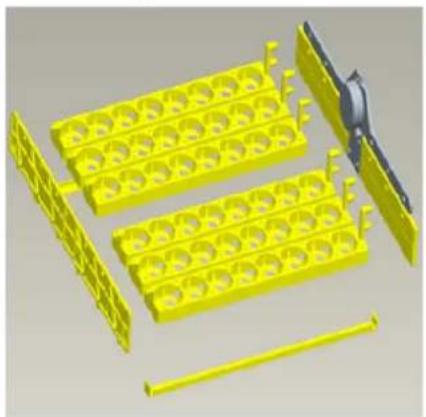
3D rendering of yellow plastic components including trays and rods, with a black tool partially visible (no text or symbols)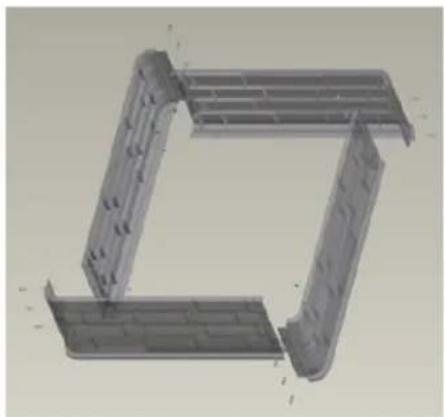
natural_image
3D CAD model of a mechanical bracket assembly (no text or symbols visible)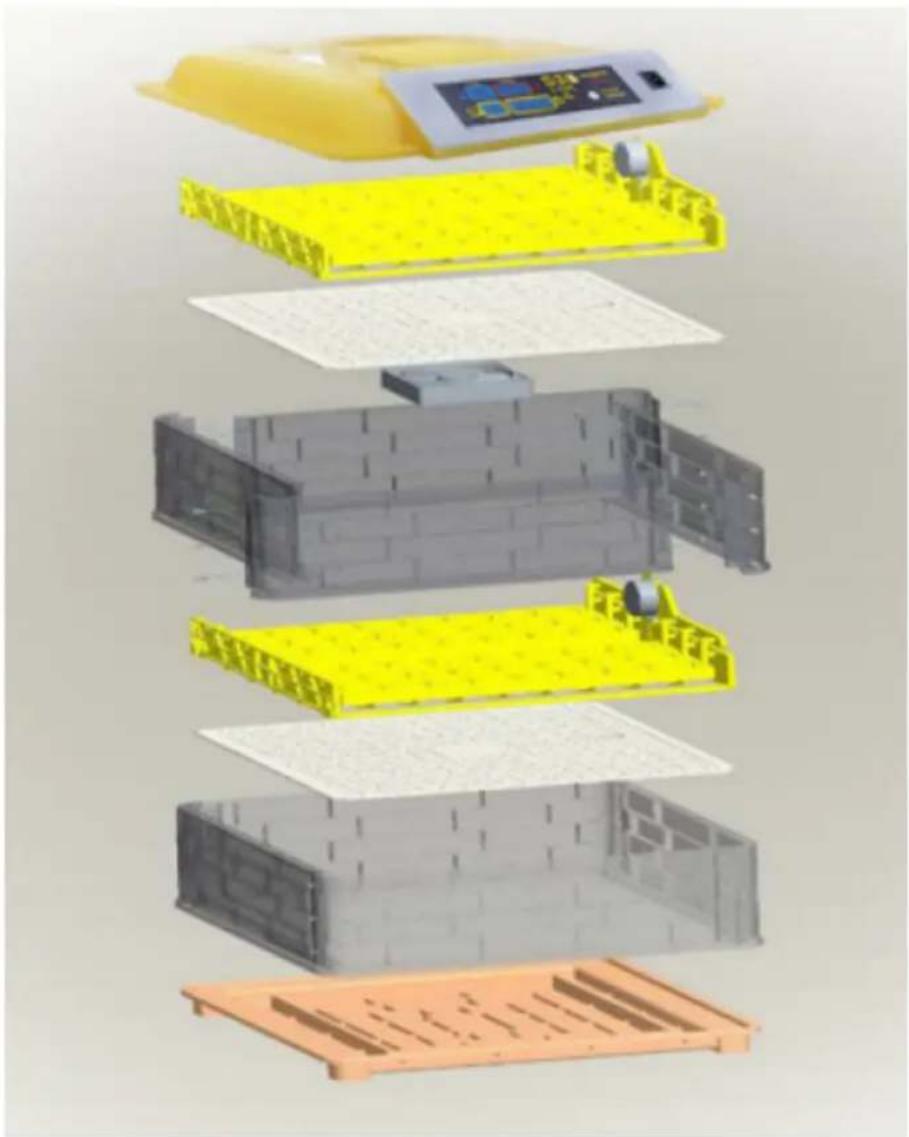
text_image
Exploded view diagram of a battery pack assembly with Chinese text labels indicating components like '电池箱' (battery box) and '电池盖' (capable cover).IN-88DDI
text_image
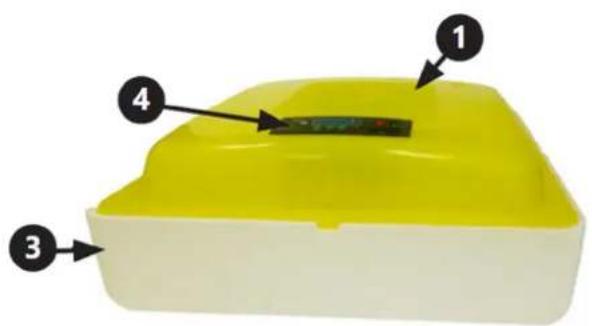
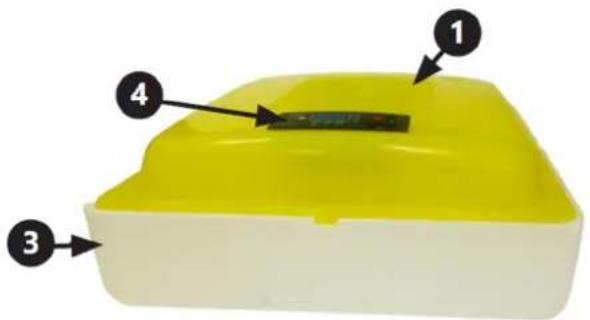
Diagram of a yellow plastic container with four numbered parts labeled 1 to 4text_image
Humidity Temperature Incubato 45 38.0 9 Day 00 01:45 Count down(Par 2 hours)natural_image
Close-up of a black mechanical device with a circular connector and attached cable, labeled with number 1 (no text or symbols on the device itself)text_image
QR code image containing encoded data, no visible human-readable text
https://youtu.be/ie2orwepKVU
natural_image
Line drawing of a two-wheeled rice cooker with multiple circular cavities and a side panel (no text or symbols)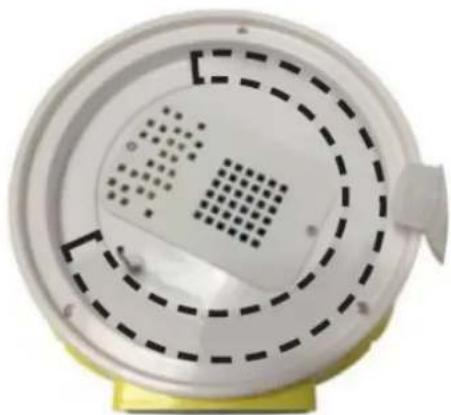
natural_image
Close-up of a white circular device with perforated panel and dashed circular pattern, mounted on a yellow base (no text or symbols visible)natural_image
3D rendering of a water bottle pouring liquid into yellow plastic components (no text or symbols visible)This User Manual has been translated using machine translation. We have made every effort to ensure the translation is accurate, but please note that automated translations are not perfect and are not meant to replace human translators. The official version of the User Manual is in English. Any differences between the translated version and the original English are not legally binding. If you have any questions about the accuracy of the translation, please refer to the English version, which is the official reference. More language versions are available upon request via info@expondo.com.
Technical data
| Parameter description | Parameter value | |||
| Product name Egg incubator | ||||
| Model | IN-7DDI | IN-48DDI | IN-56DDI | IN-96DDI |
| Rated voltage [V~]/Frequency [Hz] | 230/50 | |||
| Rated power [W] | 15 | 90 | 90 | 120 |
| Protection class | II | |||
| Protection rating IP | IPX4 | |||
| Capacity (hens' eggs) [pcs] | 7 | 48 | 56 | 96 |
| Automatic egg rotation Function | -- Yes | |||
| Alarm function -- Yes | ||||
| Fan Yes | ||||
| Egg candler | Accessory powered by 1xAA battery (Battery is not included) | Built-in | Accessory powered by 1xAA battery (Battery is not included) | |
| Dimensions [mm] | 165x165x155 | 495x471x230 | 485x460x210 | 495x477x380 |
| Weight [kg] | 0.4 | 3.1 | 3.5 | 5.5 |
| Parameter description | Parameter value | |||
| Product name Egg incubator | ||||
| Model | IN-88DDI | IN-32DDI | IN-112DDI | IN-12DDI |
| Rated voltage [V~]/Frequency [Hz] | 230/50 | |||
| Rated power [W] | 100 | 90 | 120 | 40 |
| Protection class | II | |||
| Protection rating IP | IPX4 | |||
| Capacity (hens' eggs) [pcs] | 88 | 32 | 112 | 12 |
| Automatic egg rotation Function | -- Yes | |||
| Alarm function | -- | Yes | -- | |
| Fan | Yes | -- | ||
| Egg candler | Accessory powered by 1xAA battery (Battery is not included) | Built-in | Accessory powered by 1xAA battery (Battery is not included) | Built-in |
| Dimensions [mm] | 490x490x180 | 350x460x195 | 495x470x385 | 260x370x170 |
| Weight [kg] | 1.4 | 2.75 | 5.6 | 1 |
1. General description
The user manual is designed to assist in the safe and trouble-free use of the device. The product is designed and manufactured in accordance with strict technical guidelines, using state-of-the-art technologies and components. Additionally, it is produced in compliance with the most stringent quality standards.
DO NOT USE THE DEVICE UNLESS YOU HAVE THOROUGHLY READ AND UNDERSTOOD THIS USER MANUAL.
To increase the product life of the device and to ensure trouble-free operation, use it in accordance with this user manual and regularly perform maintenance tasks. The technical data and specifications in this user manual are up to date. The manufacturer reserves the right to make changes associated with quality improvement. The device is designed to reduce noise emission risks to a minimum, taking into account technological progress and noise reduction opportunities.
Legend

The product satisfies the relevant safety standards.

Read instructions before use.

The product must be recycled.

WARNING! or CAUTION! or REMEMBER! Applicable to the given situation.
(general warning sign)

ATTENTION! Electric shock warning!

Class II protection device with double insulation.

PLEASE NOTE! Drawings in this manual are for illustration purposes only and in some details may differ from the actual product.
2. Usage safety

ATTENTION! Read all safety warnings and all instructions. Failure to follow the warnings and instructions may result in electric shock, fire and/or serious injury or even death.
The terms "device" or "product" are used in the warnings and instructions to refer to:
Egg incubator
2.1. Electrical safety
a) The plug must fit the socket. Do not modify the plug in any way. Using original plugs and matching sockets reduces the risk of electric shock.
b) Avoid touching earthed elements such as pipes, heaters, boilers and refrigerators. There is an increased risk of electric shock if the earthed device is exposed to rain, comes into direct contact with a wet surface or is operating in a damp environment. Water getting into the device increases the risk of damage to the device and of electric shock.
c) Do not touch the device with wet or damp hands.
d) Use the cable only for its designated use. Never use it to carry the device or to pull the plug out of a socket. Keep the cable away from heat sources, oil, sharp edges or moving parts. Damaged or tangled cables increase the risk of electric shock.
e) If using the device in a damp environment cannot be avoided, a residual current device (RCD) should be applied. The use of an RCD reduces the risk of electric shock.
f) Do not use the device if the power cord is damaged or shows obvious signs of wear. A damaged power cord should be replaced by a qualified electrician or the manufacturer's service centre.
g) ATTENTION! DANGER TO LIFE! While cleaning, never immerse the device in water or other liquids.
2.2. Safety in the workplace
a) Make sure the workplace is clean and well lit. A messy or poorly lit workplace may lead to accidents. Try to think ahead, observe what is going on and use common sense when working with the device.
b) Do not use the device in a potentially explosive environment, for example in the presence of flammable liquids, gases or dust. The device generates sparks which may ignite dust or fumes.
c) If you discover damage or irregular operation, immediately switch the device off and report it to a supervisor without delay.
d) If there are any doubts as to the correct operation of the device, contact the manufacturer's support service.
e) Only the manufacturer's service point may repair the device. Do not attempt any repairs independently!
f) In case of fire, use a powder or carbon dioxide (CO2) fire extinguisher (one intended for use on live electrical devices) to put it out.
g) Please keep this manual available for future reference. If this device is passed on to a third party, the manual must be passed on with it.
h) Keep packaging elements and small assembly parts in a place not available to children.
i) Keep the device away from children and animals.

Remember! When using the device, protect children and other bystanders.
2.3. Personal safety
a) Do not use the device when tired, ill or under the influence of alcohol, narcotics or medication which can significantly impair the ability to operate the device.
b) The device can be handled only by physically fit persons who are capable of handling it, properly trained, familiar with this manual and trained within the scope of occupational health and safety.
c) To prevent the device from accidentally switching on, make sure the switch is on the OFF position before connecting to a power source.
d) The device is not a toy. Children must be supervised to ensure that they do not play with the device.
2.4. Safe device use
a) Do not use the device if the ON/OFF switch does not function properly (does not switch the device on and off). Devices which cannot be switched on and off using the ON/OFF switch are hazardous, should not be operated and must be repaired.
b) Disconnect the device from the power supply before commencement of adjustment, cleaning and maintenance. Such a preventive measure reduces the risk of accidental activation.
c) When not in use, store in a safe place, away from children and people not familiar with the device who have not read the user manual. The device may pose a hazard in the hands of inexperienced users.
d) Keep the device in perfect technical condition. Before each use check for general damage and especially check for cracked parts or elements and for any other conditions which may impact the safe operation of the device. If damage is discovered, hand over the device for repair before use.
e) Keep the device out of the reach of children.
f) Device repair or maintenance should be carried out by qualified persons, only using original spare parts. This will ensure safe use.
g) To ensure the operational integrity of the device, do not remove factory-fitted guards and do not loosen any screws.
h) Do not touch articulated parts or accessories unless the device has been disconnected from the power source.
i) Do not move, adjust or rotate the device in the course of work.
j) Clean the device regularly to prevent stubborn grime from accumulating.
k) The device is not a toy. Cleaning and maintenance may not be carried out by children without supervision by an adult person.
I) It is forbidden to interfere with the structure of the device in order to change its parameters or construction.
m) Keep the device away from sources of fire and heat.
n) Before the first use, always verify that the device is complete and that all movable elements that may affect the safety of embryonated eggs or chicks, e.g. the fans, are protected by covers.
o) Do not cover the device when in use.
p) Warning: Risk of fire.
q) Some parts of this appliance can get very hot. To avoid injury, be careful when touching these surfaces.
r) Inspect the water level in the egg incubator regularly. Fill with warm water.
s) Use a measuring cup when filling with water.
t) Always disconnect the egg incubator from power when topping up with water and when not in use.
u) In order to improve incubation, observe generally accepted breeding principles.

ATTENTION! Despite the safe design of the device and its protective features, and despite the use of additional elements protecting the operator, there is still a slight risk of accident or injury when using the device. Stay alert and use common sense when using the device.
3. Use guidelines
The product is designed for incubating fertile avian eggs. The incubator keeps the eggs at the correct temperature and humidity required for the embryo to develop and hatch.
The user is liable for any damage resulting from unintended use of the device.
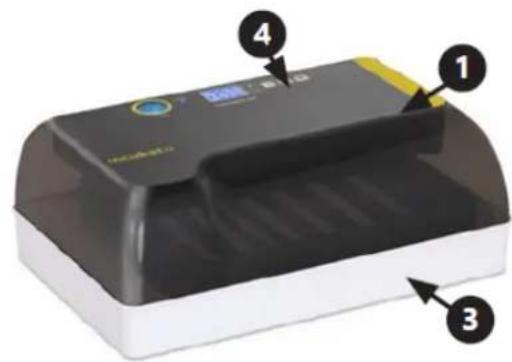
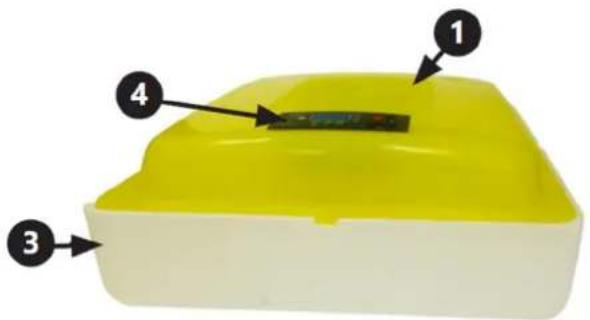
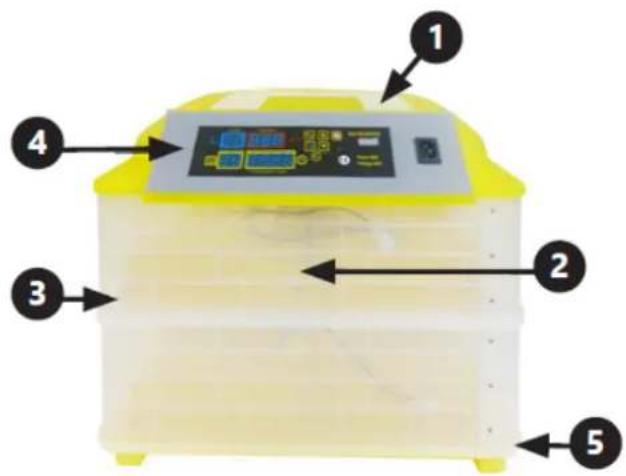
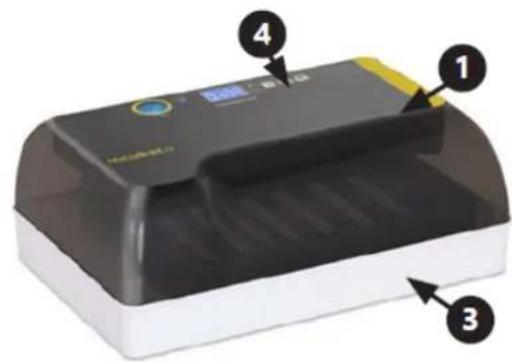
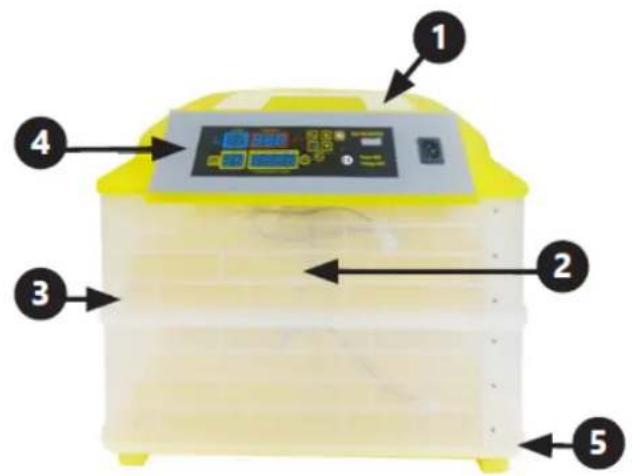
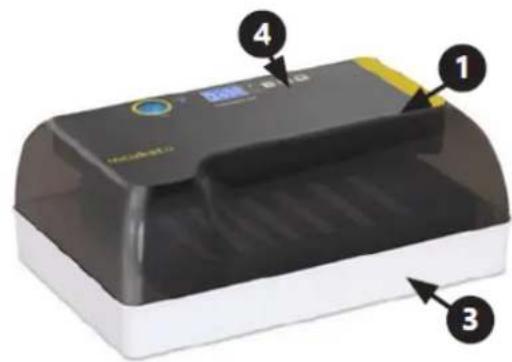
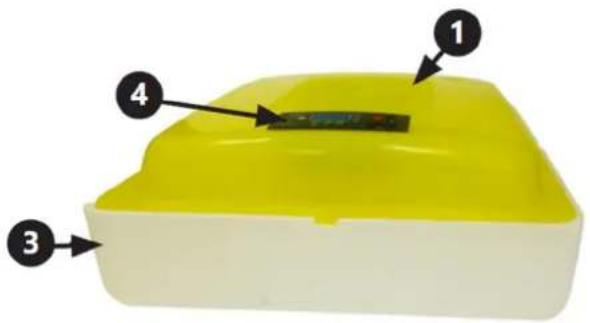
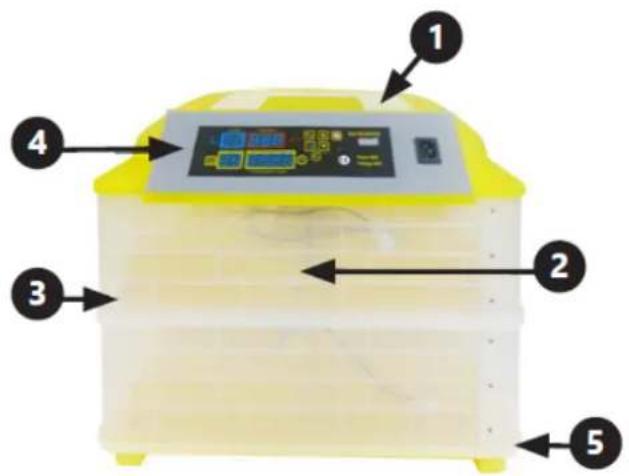
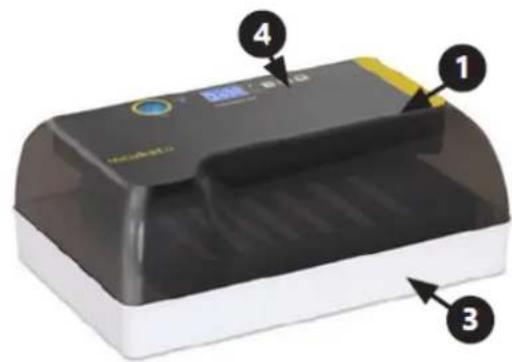
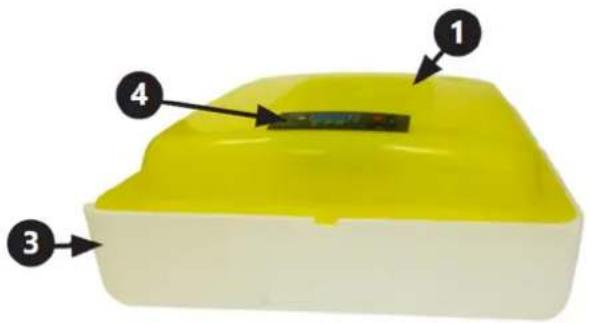
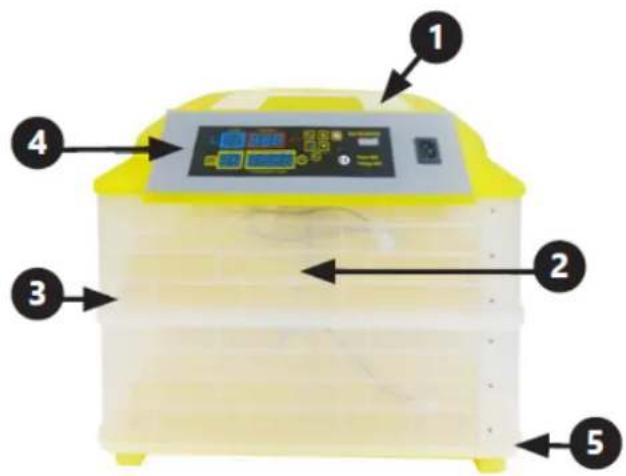
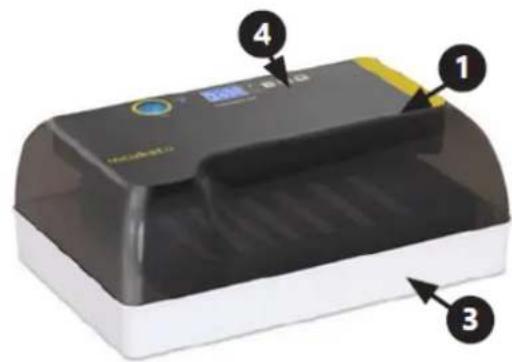
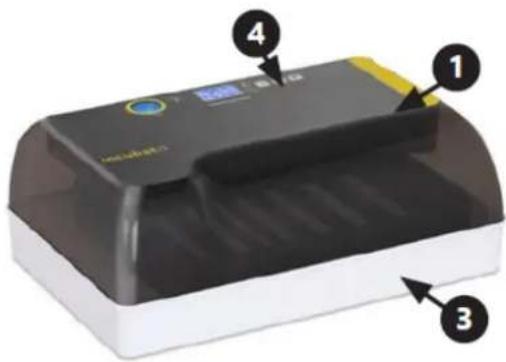
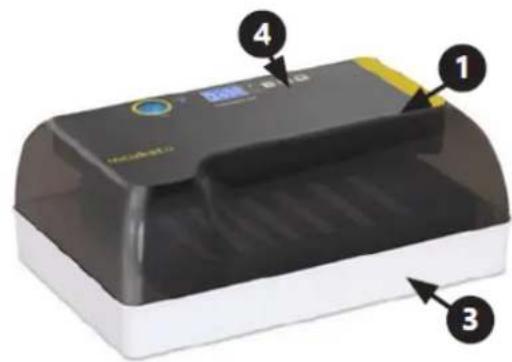
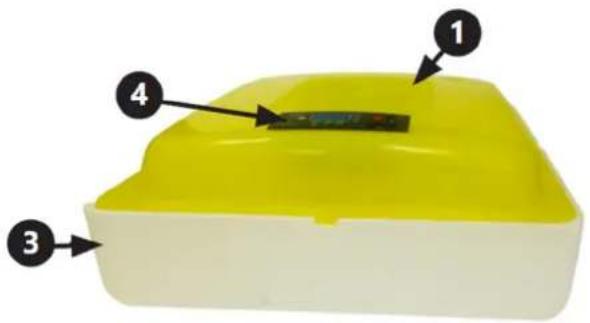
3.1. Device description
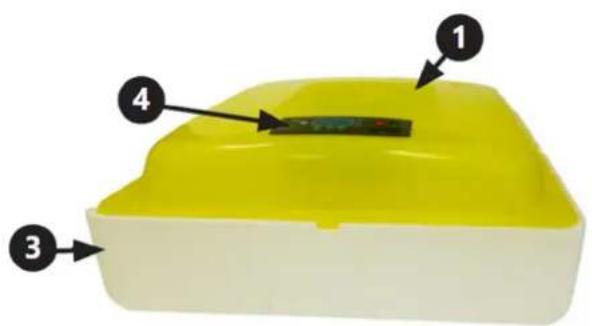
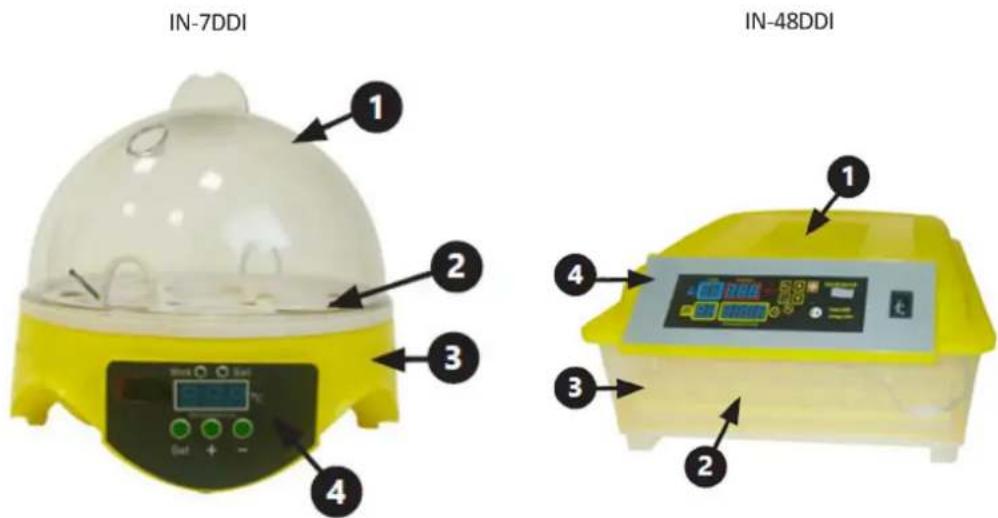
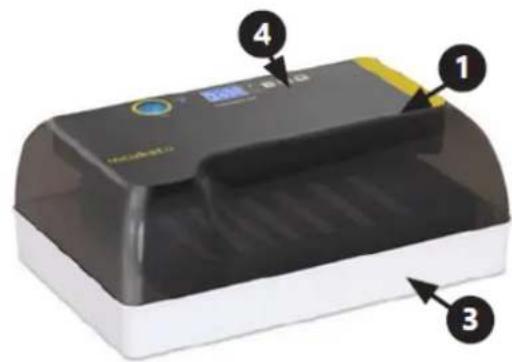
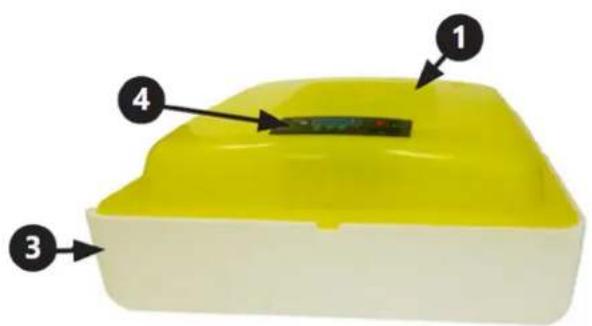
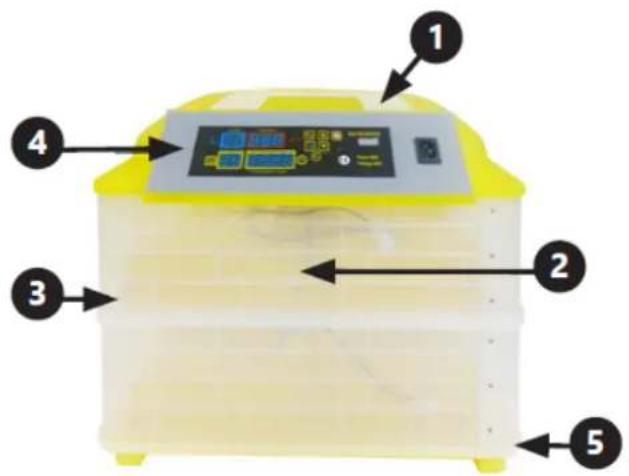
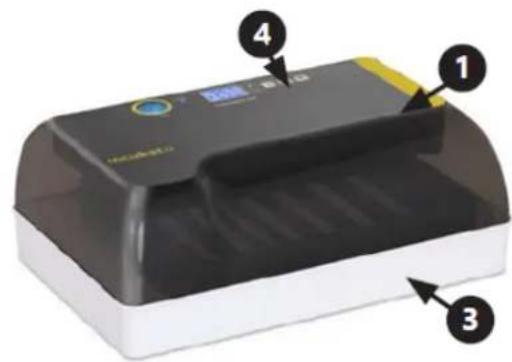
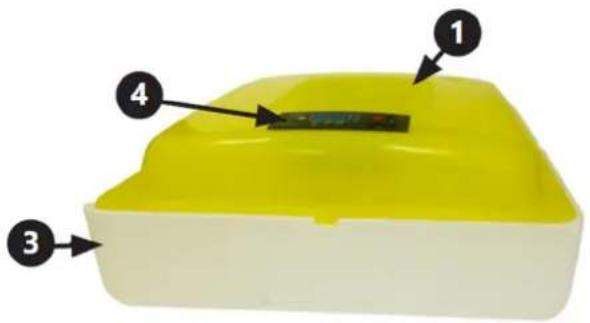
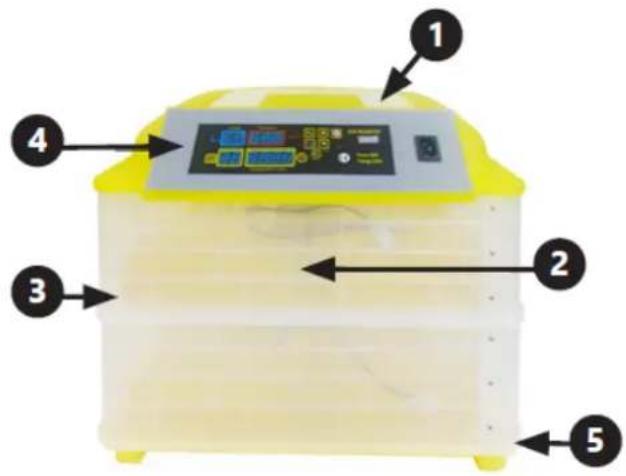
OVERVIEW
text_image
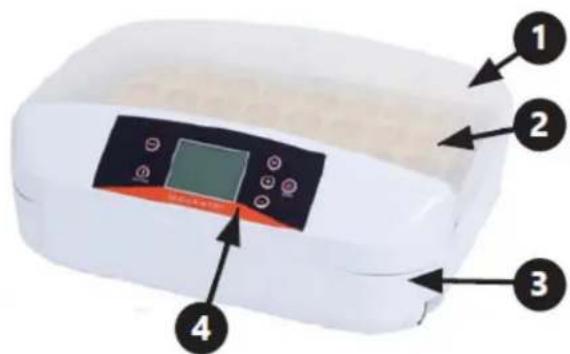
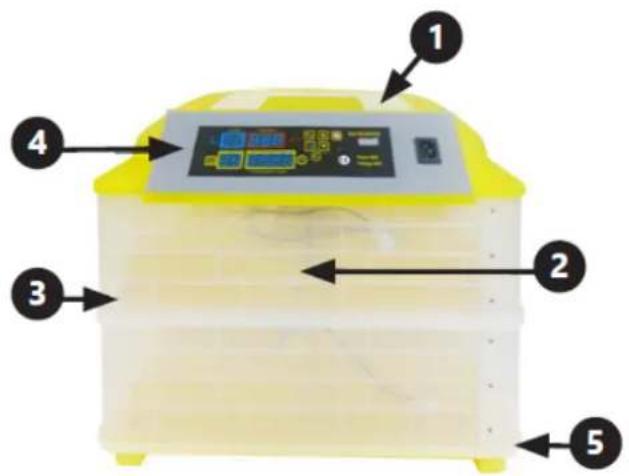
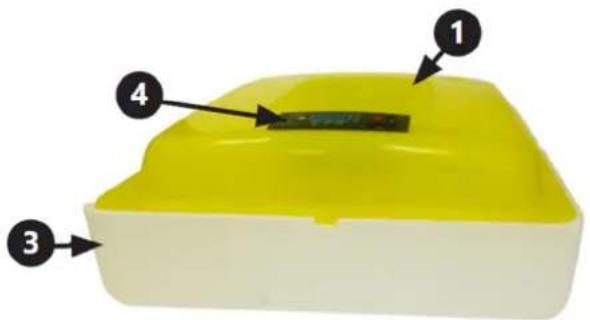
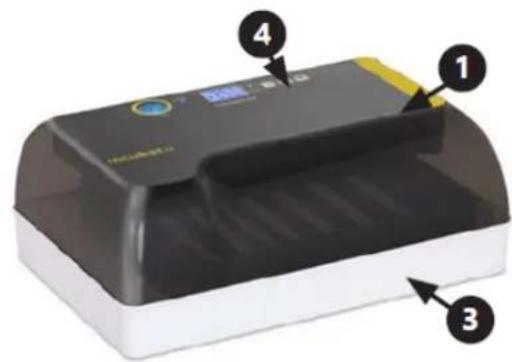
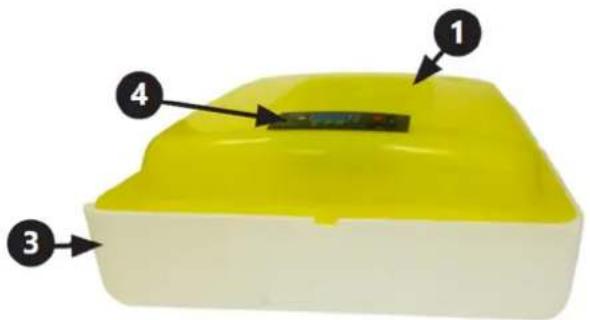
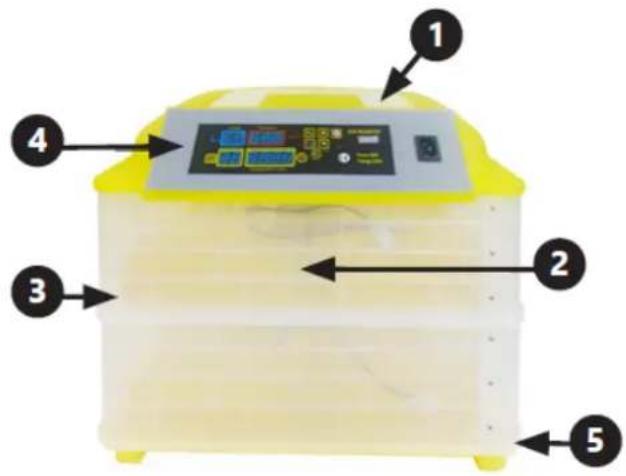
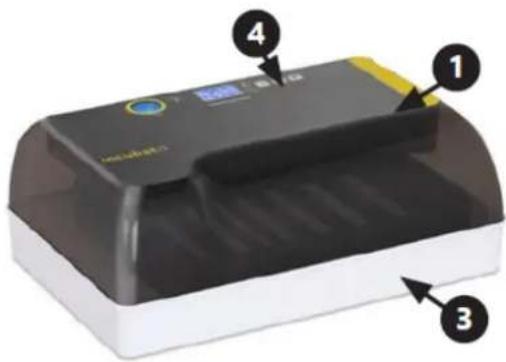
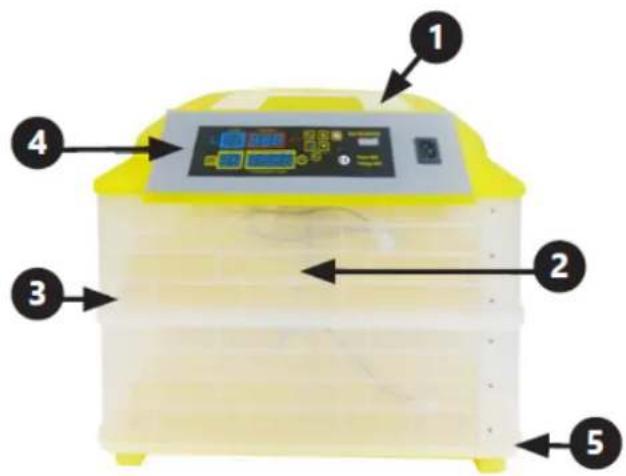
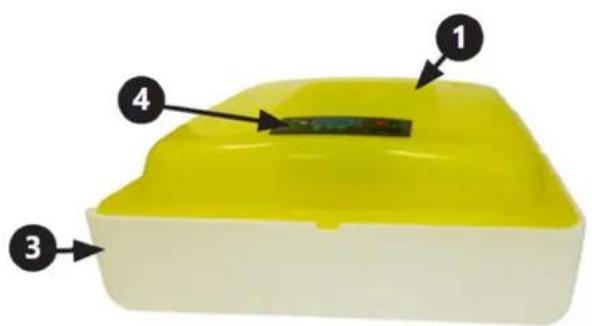
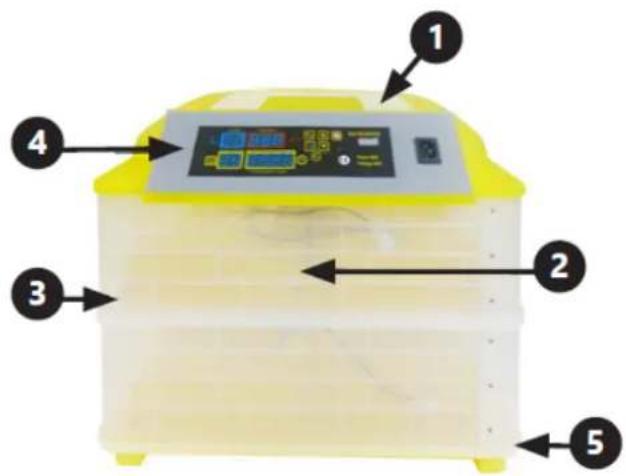
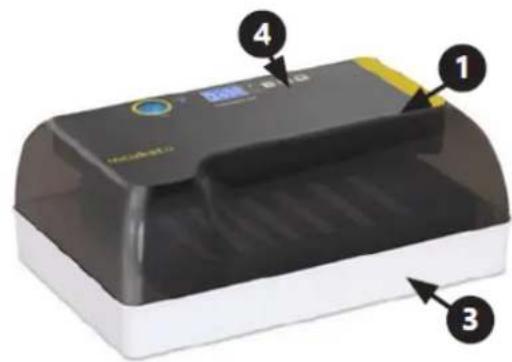
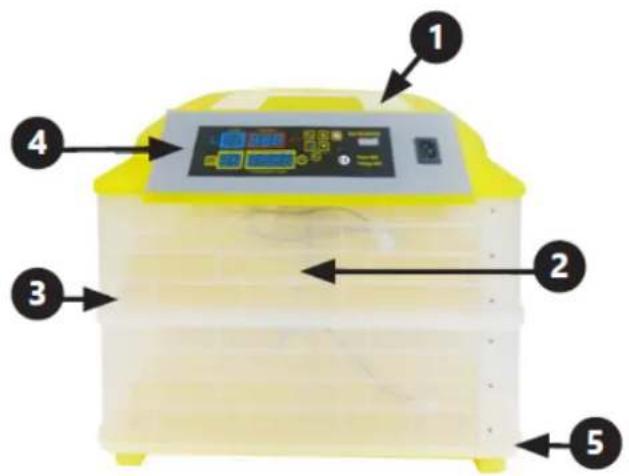
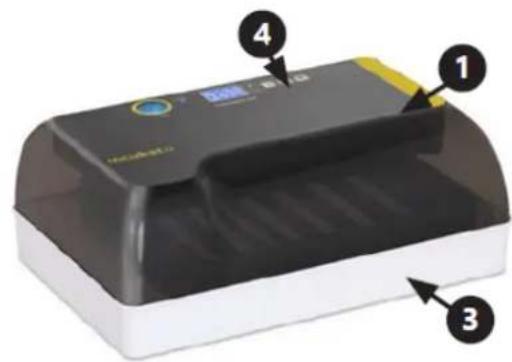
IN-7DDI IN-48DDIIN-56DDI & IN-32DDI
text_image
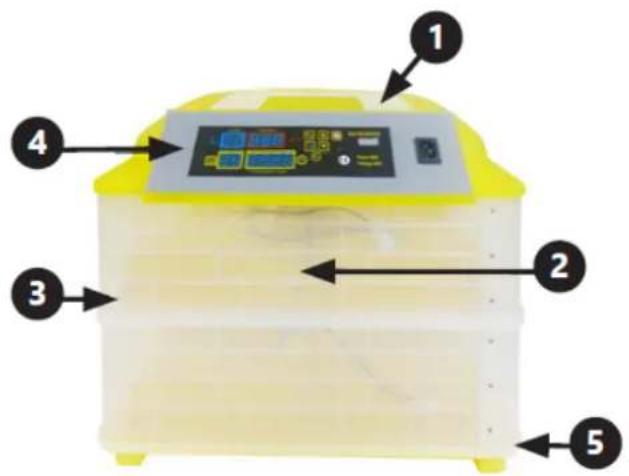
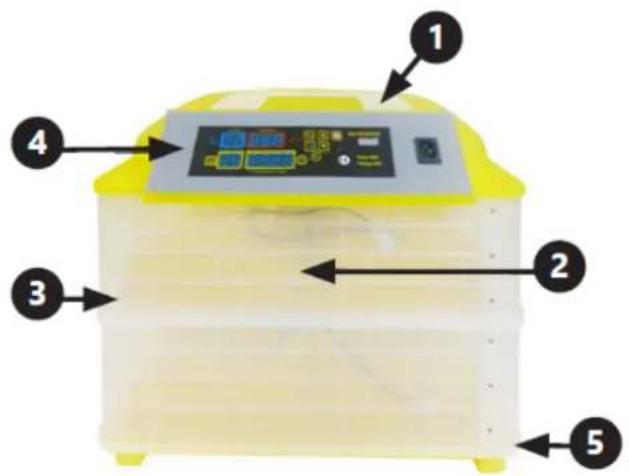
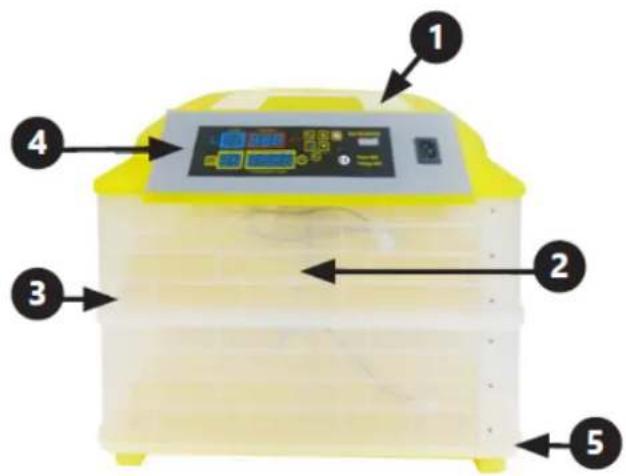
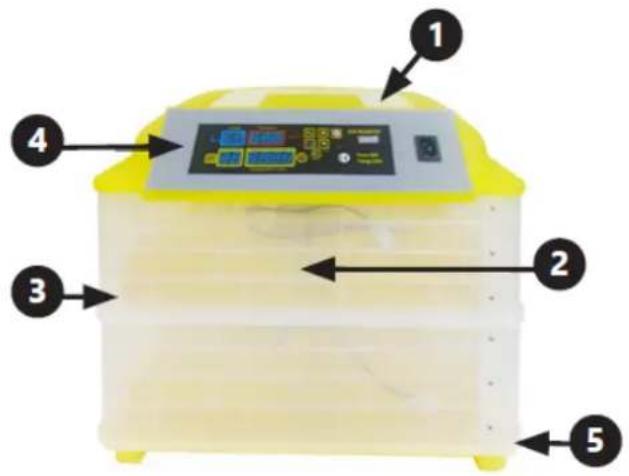
Labeled diagram of a medical or laboratory device with numbered components and a central display screenIN-96DDI& IN-112DDI
text_image
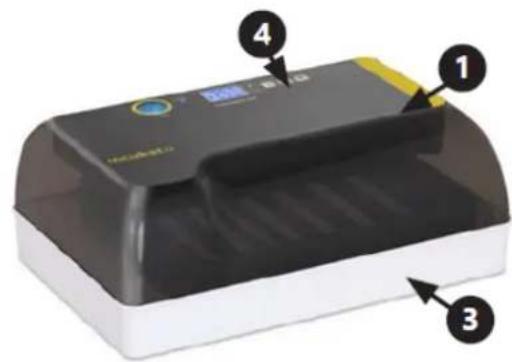
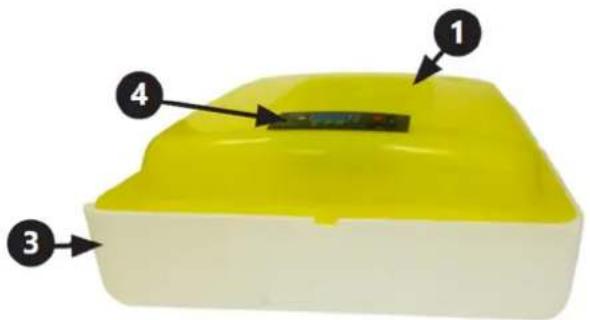
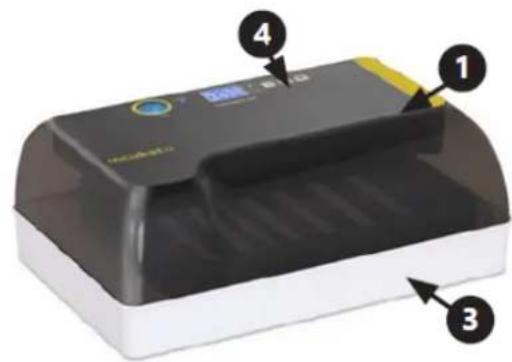
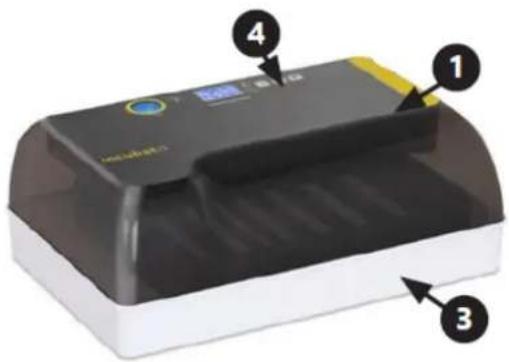
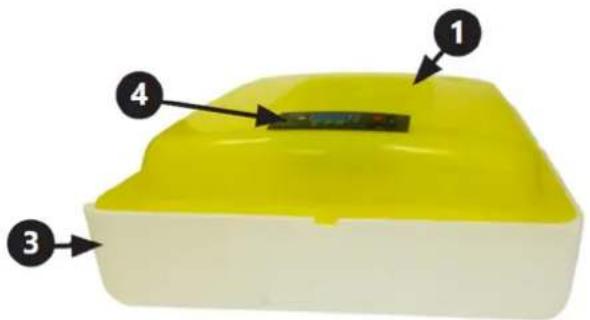
Labeled diagram of a yellow incubator with control panel and buttons, showing numbered parts 1 to 5.IN-12DDI
text_image
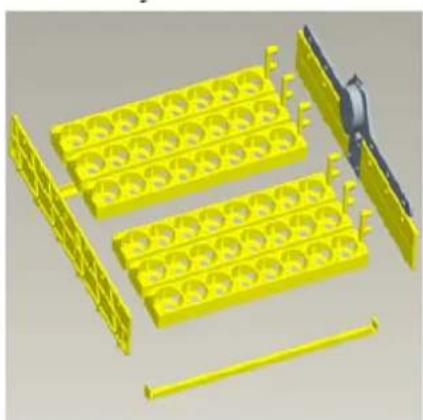
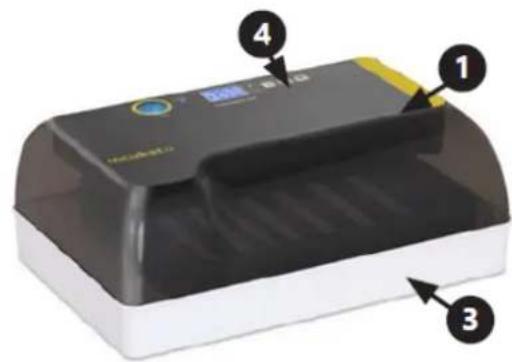
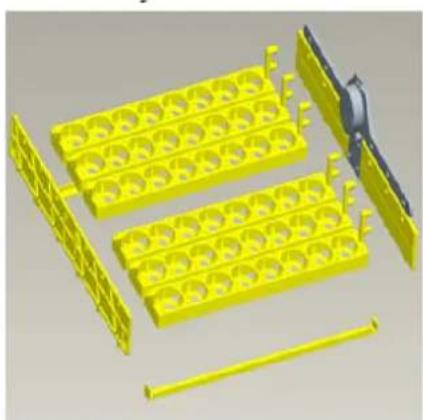
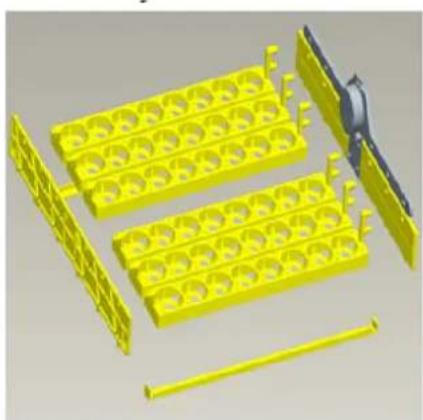
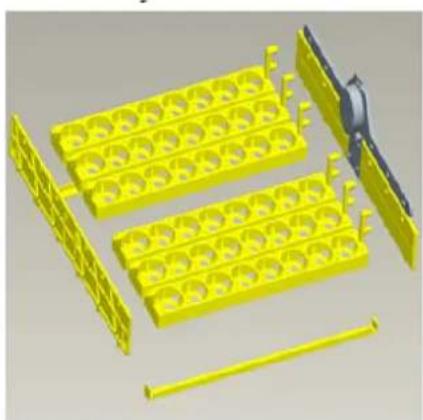
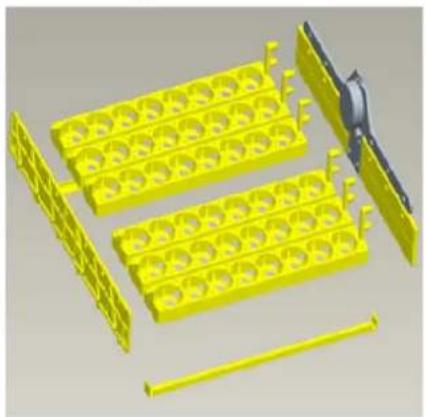
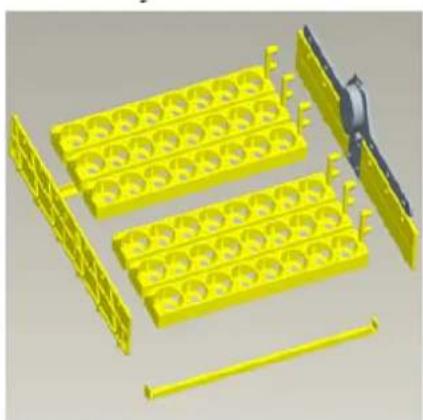
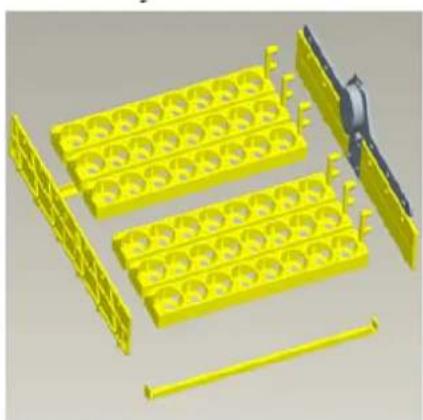
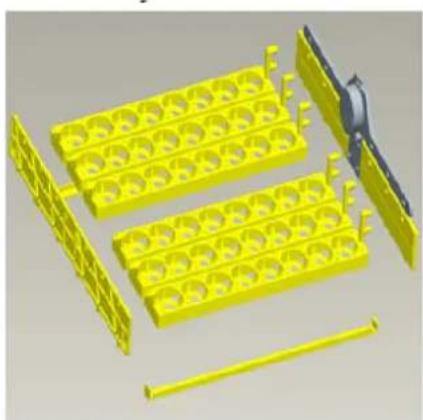
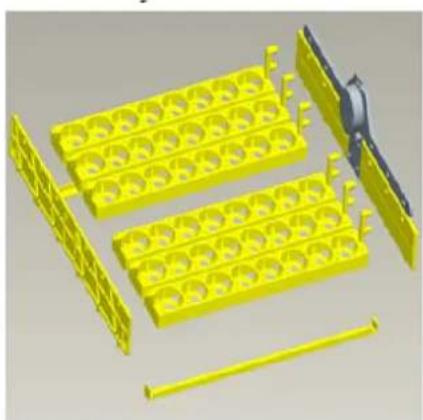
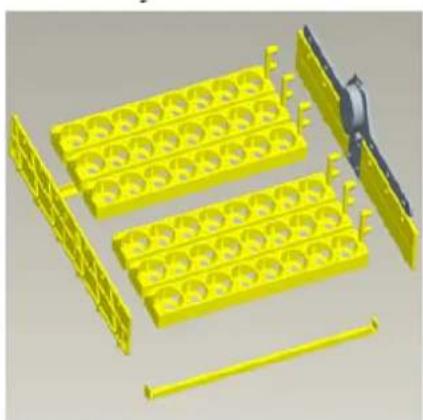
Diagram of a printer with numbered parts labeled 1, 3, and 4 pointing to its cover area.Assembly:
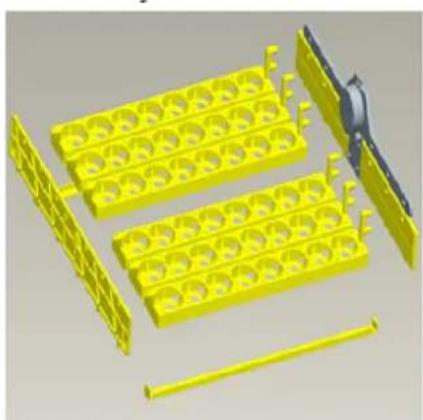
natural_image
3D rendering of yellow plastic components including trays and rods, with no visible text or symbols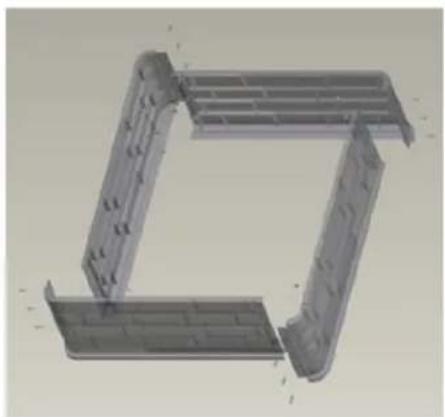
natural_image
3D CAD model of a mechanical bracket or frame structure (no text or symbols visible)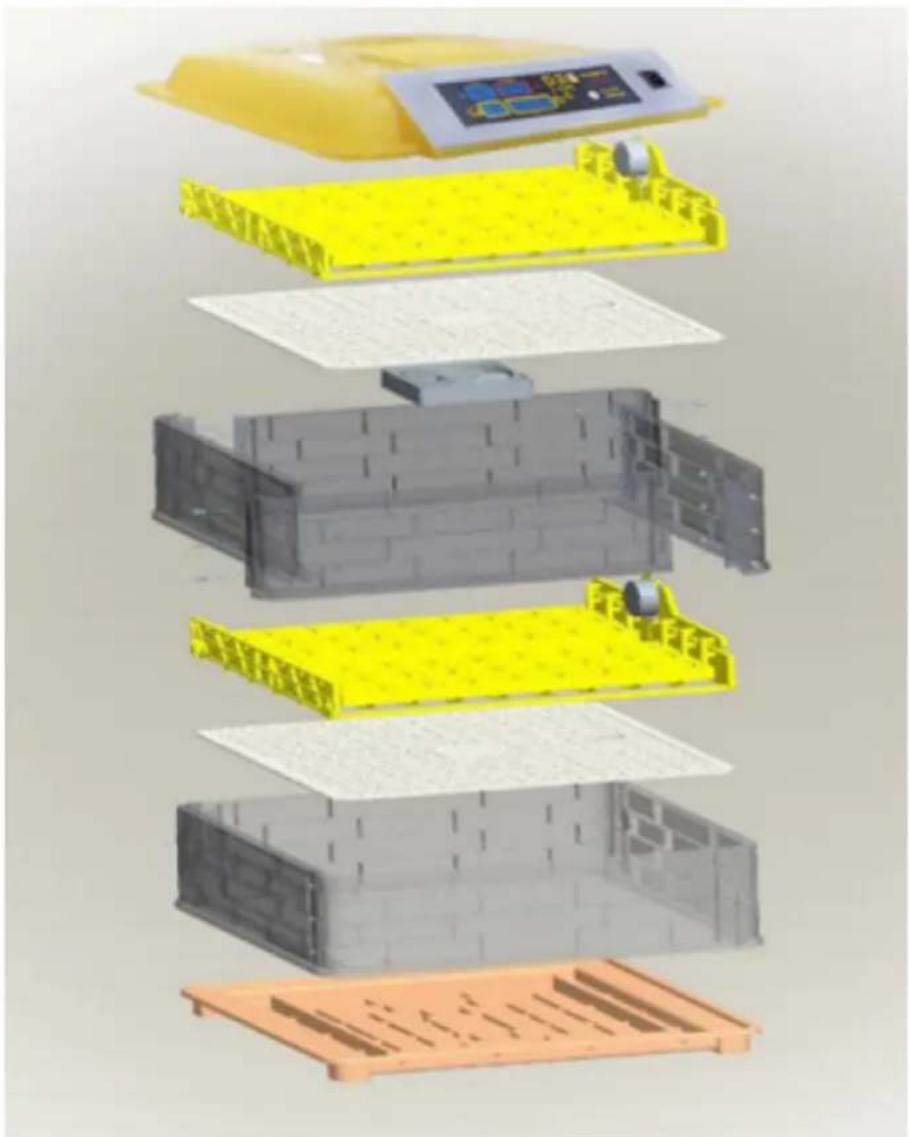
text_image
Exploded view diagram of a battery pack assembly with Chinese labels indicating components like one, two, and three.IN-88DDI
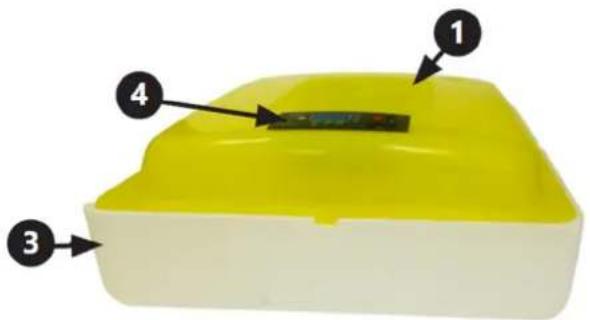
text_image
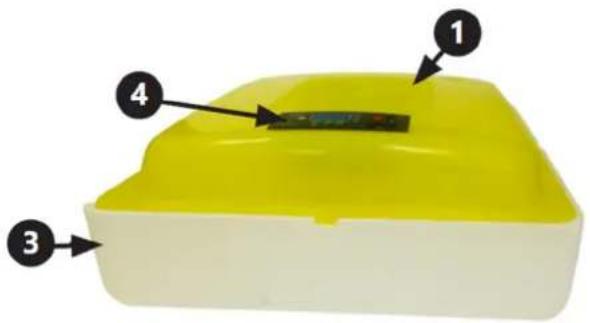
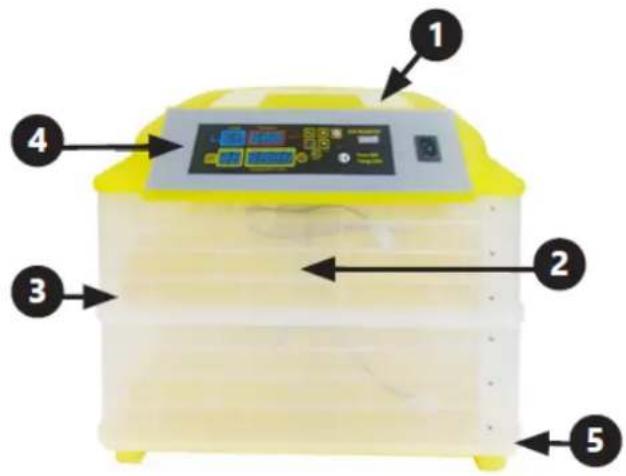
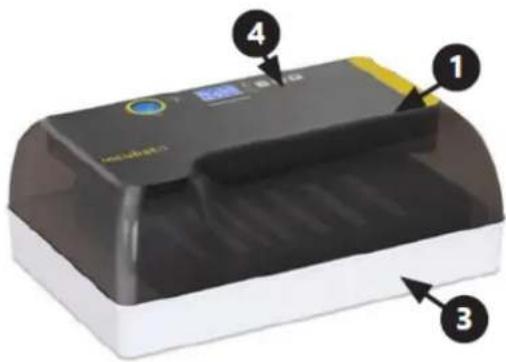
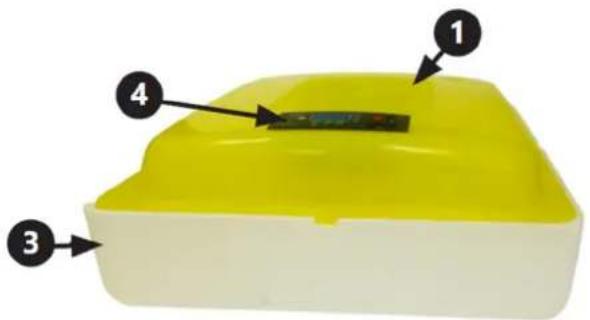
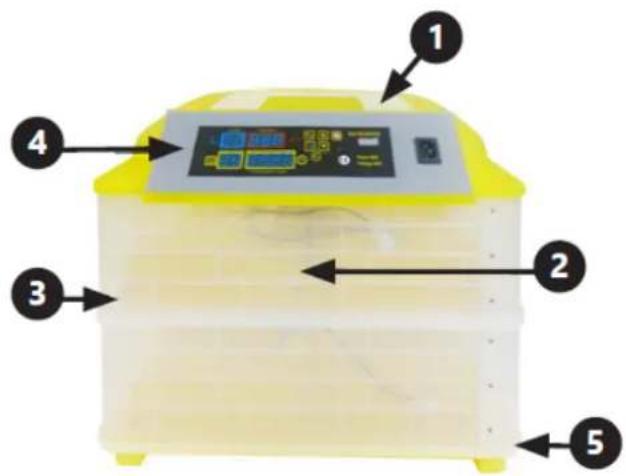
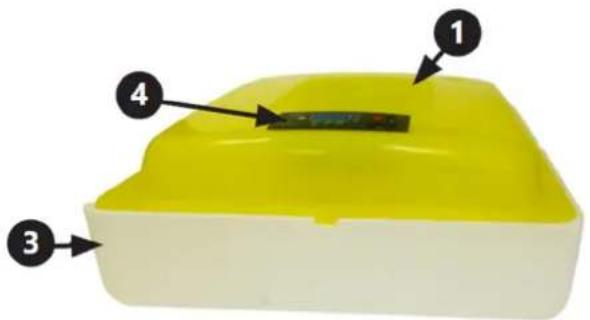
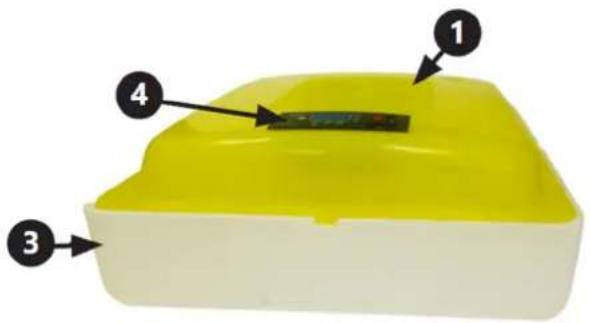
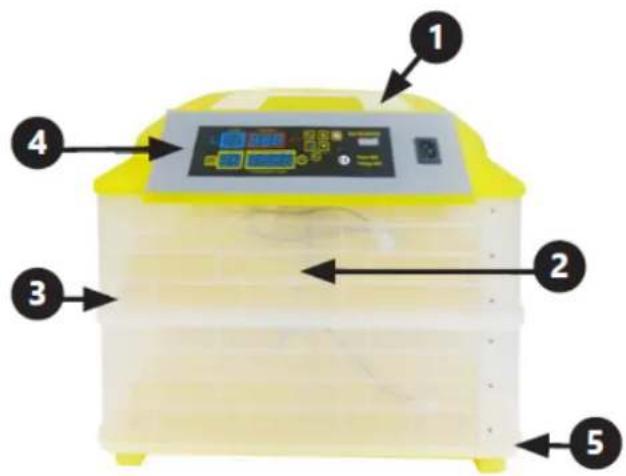
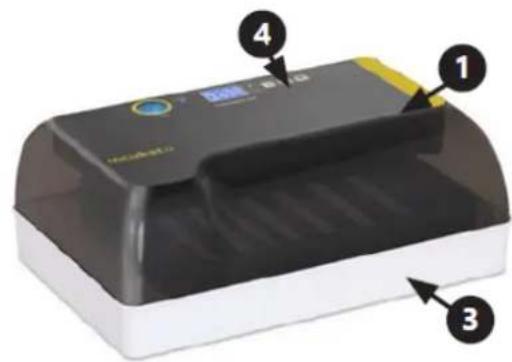
Diagram of a yellow plastic container with four labeled parts, showing internal structure and directional arrows.- Cover
- Egg tray
-
Housing
-
Control panel
5. Water inlets
IN-7DDI, IN-48DDI, IN-96DDI, IN-112DDI, IN-88DDI egg incubators include an egg candler as an additional accessory. Feature a built-in egg candler.
CONTROL PANEL
IN-7DDI, IN-88DDI
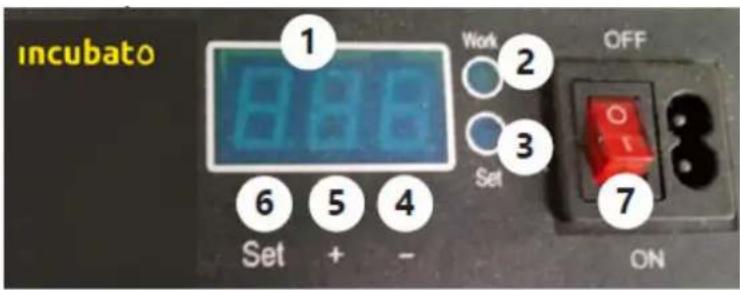
text_image
incubato 1 8.86 Work 2 Set 3 OFF 6 5 4 Set + - 7 ON-
Temperature display
-
"Work" diode
-
"Set" diode
-
Decrease value button
-
Increase value button
-
"Set" button
-
ON/OFF switch (Applies to model IN-88DDI only)
IN-48DDI, IN-96DDI, IN-112DDI
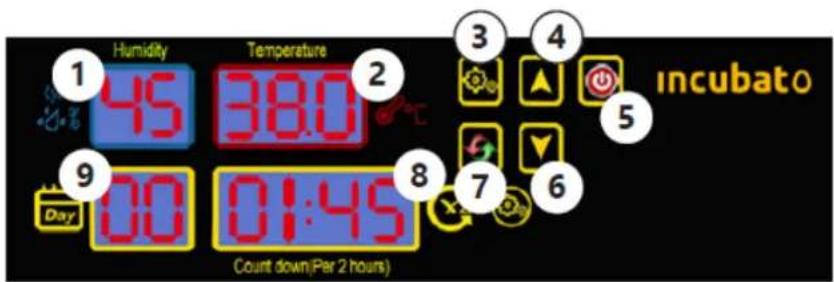
text_image
Humidity Temperature Incubato 45 38.0 9 Day 00 01:45 Count down(Per 2 hours)-
Humidity display
-
Temperature display
-
"Set" button
-
Increase value button
-
ON/OFF switch
-
Decrease value button
-
"Reset" button
-
Display showing time left until next egg rocking
-
Number of incubation days display
IN-56DDI, IN-32DDI
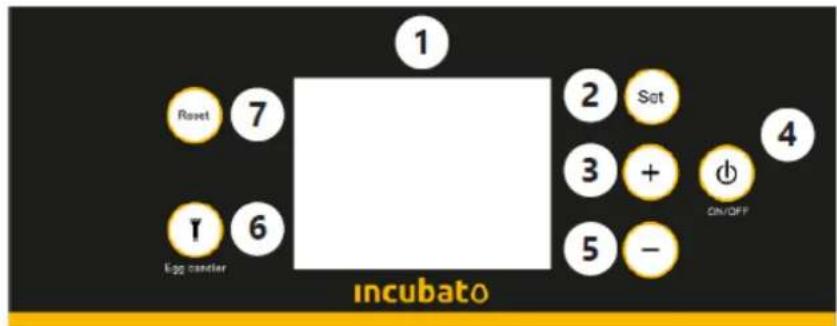
text_image
1 2 Sat 3 + 4 5 - incubato 6 7 Roset I egg candler ON/OFF-
Display
-
"Set" button
-
Increase value button
-
ON/OFF switch
-
Decrease value button
-
Egg candler switch
-
"Reset" button
Display description:
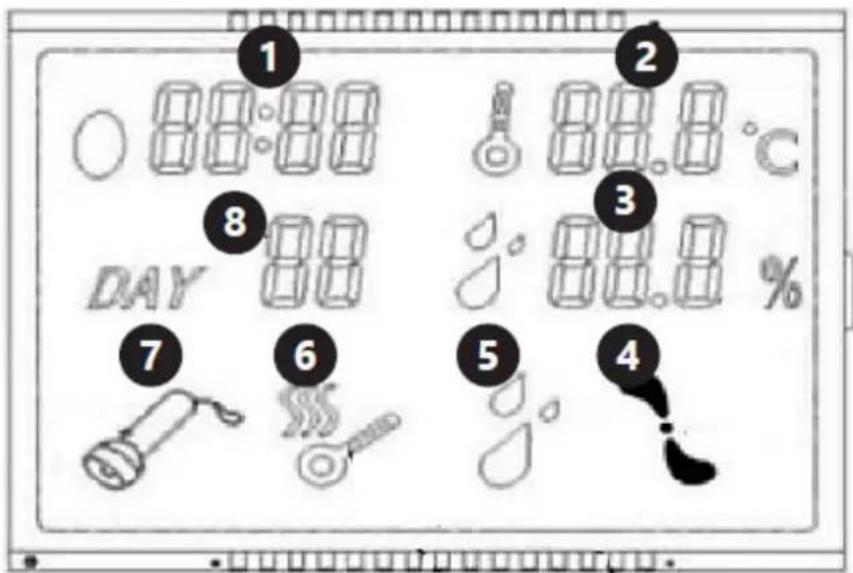
text_image
1 2 8 3 DAY 00 80.0 °C 80.0 % 7 6 5 4-
Time countdown until next egg rocking.
-
Temperature
-
Humidity
-
Fan
-
Low humidity alarm
-
Heating on
-
Egg candler light on
-
Number of incubation days
IN-12DDI
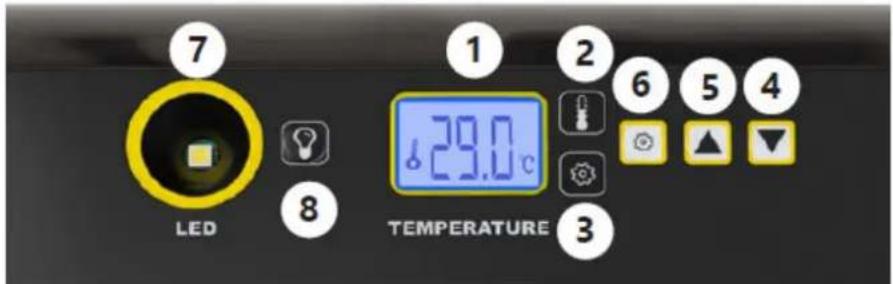
text_image
7 LED 8 1 2 29.0°C 6 5 4 TEMPERATURE 3-
Temperature display
-
"Work" diode
-
"Set" diode
-
Decrease value button
-
Increase value button
-
"Set" button
-
Egg candler
-
Egg candler switch
Egg candler
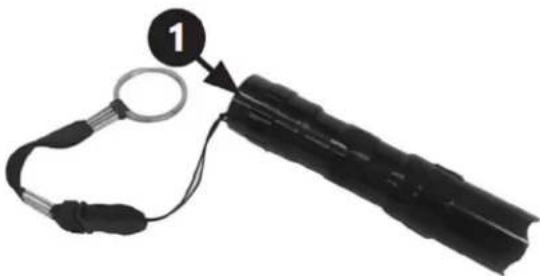
natural_image
Close-up of a black handheld device with a circular connector and cable, labeled with number 1 (no text or symbols on the device itself)- ON/OFF switch
3.2. Preparing for use
APPLIANCE LOCATION
The temperature of environment must not be higher than 40^ C and the relative humidity should be less than 85%. Ensure good ventilation in the room in which the device is being used. There should be at least 10 cm distance between each side of the device and the wall or other objects. The device should always be used when positioned on an even, stable, clean, fireproof and dry surface, and be out of the reach of children and persons with limited mental and sensory functions. Position the device such that you always have access to the power plug. The power cord connected to the appliance must be properly grounded and correspond to the technical details on the product label!
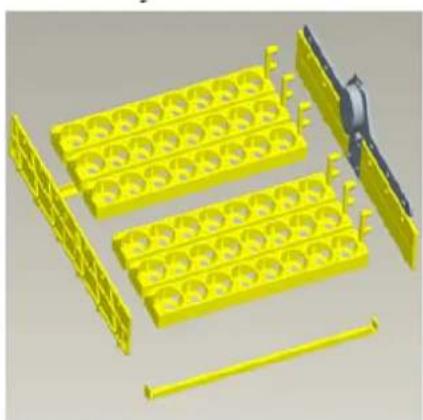
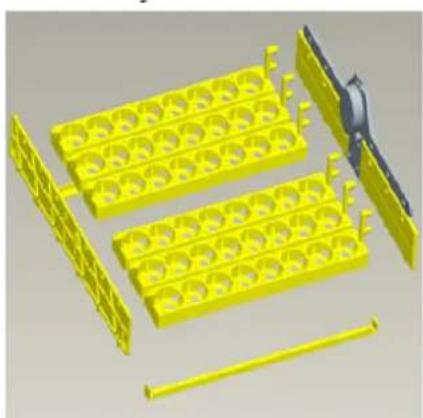
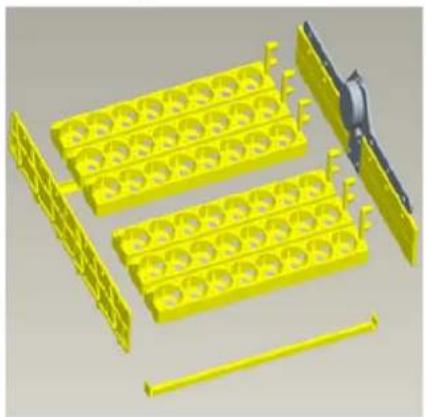
3.3. Assembling the device
An instructional video of the element assembly is available at the link / QR code provided below.

text_image
QR code image containing encoded data, no visible human-readable text
https://youtu.be/ie2orwepKVU
3.4. Device use
The following tables present the summary of how many eggs of a particular type can be incubated simultaneously in the device and how they should be spaced.
| Model | IN-7DDI | IN-48DDI | IN-56DDI | IN-96DDI | IN-12DDI | IN-32DDI | IN-112DDI | IN-88DDI |
| The maximum number of hen eggs. | 7 | 48 | 56 | 96 | 12 | 32 | 112 | 88 |
| The maximum number of pigeons and quail eggs. | 7 | 48 | 56 | 96 | 35 | 32 | 112 | 132 |
| The maximum number of turkey and duck eggs. | 4 | 24 | 28 | 48 | 9 | 16 | 56 | 44 |
| The maximum number of goose eggs. | - | 16 | 18 | 32 | 4 | 10 | 38 | 29 |
| How should hen and pigeon eggs be spaced. | One egg in each egg tray hole. | - | ||||||
| How should turkey and duck eggs be spaced. | Leave one empty space (hole) between the eggs on the tray. | - | ||||||
| How should goose eggs be spaced. | - | Remove the egg tray and place the eggs on the net. | - | |||||
IN-7DDI
- Remove cover and lift egg tray.
- Pour water into the groove around the white mesh as (shown in the picture below). ATTENTION: Do not pour water into the white mesh as that may damage the device!
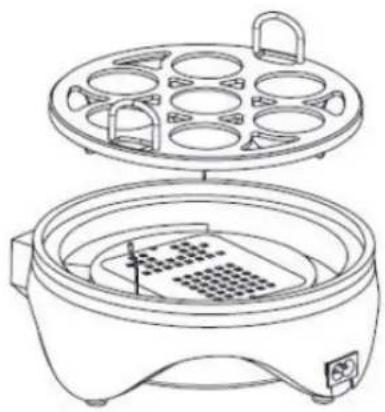
natural_image
Line drawing of a rice cooker with multiple circular cavities and a side panel (no text or symbols)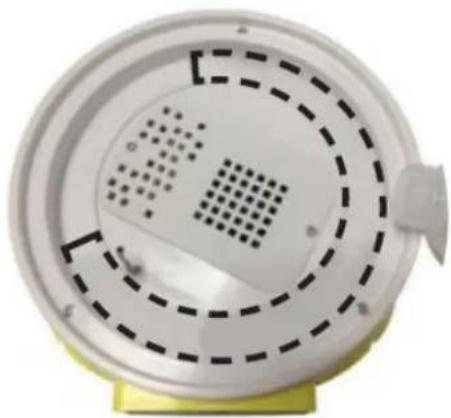
natural_image
Close-up of a white circular device with perforated panel and dashed circular pattern, mounted on a yellow base (no text or symbols visible)- Attach cover.
- Connect the device to a power source.
- Select the required temperature: press the "SET" (6) button. The "set" (3) diode will illuminate, indicating that the device is in settings mode. Use "+" (5) and "-" (4) buttons to select the temperature. Use the "SET" (6) button to confirm. The "Work" (2) diode will come on.
- Wait for the device to warm up (approx. 10-20 min.).
- Gently arrange the eggs on the tray.
- Inspect the water level in the egg incubator regularly.
IN-48DDI, IN-96DDI, IN-112DDI

IMPORTANT! The humidity function will be only measured/ shown but can't be regulated.
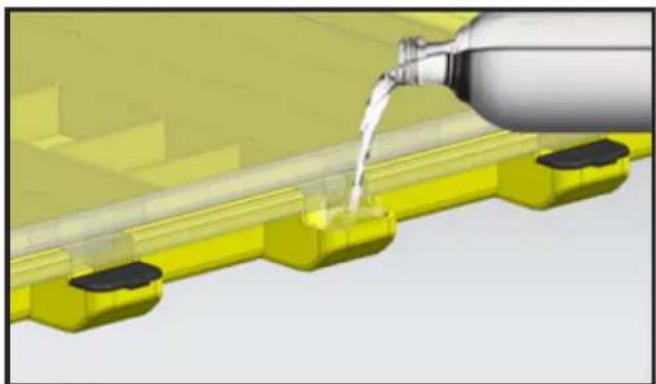
- Open the covers covering the water inlets at the bottom of the device. Pour water into the egg incubator. Make sure the drive mechanism remains dry. Close the covers.
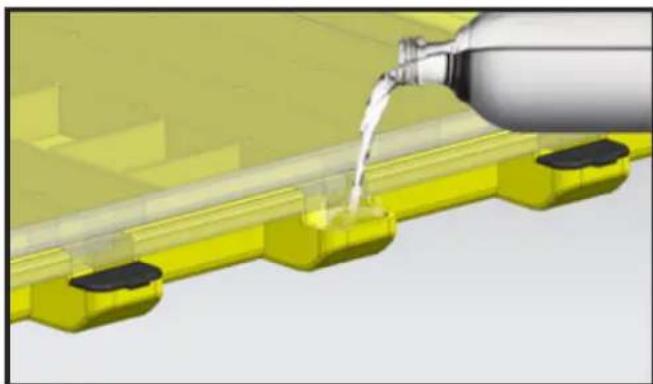
natural_image
3D rendering of a water bottle pouring liquid into yellow plastic components (no text or symbols visible)- Connect the device to a power source.
- Use the On/Off (5) switch to turn the device on.
- An alarm will sound. Disable the alarm by pressing a button on the control panel.
-
The device will automatically rock the eggs every 2 hours. The eggs are rocked to the left and right, up to 45 degrees for 10 seconds. Do not lift the cover during automatic egg turning. Pay particular attention when using the incubator for the first time.
-
Pressing the "reset" button (7) once makes the eggs rock and resets the timer which counts down to the next egg rocking (sets it back to 1:59).
- In order to reset the incubation days counter, press and hold buttons (3) and (4), then disconnect and connect the device to the power supply without releasing the buttons. The device's factory settings will be restored.
-
Setting the temperature:
-
The egg incubator's temperature factory setting is 38°C.
- Press the "Set" (3) button.
- Use buttons (4) and (6) to set the heating temperature.
-
Press the "Set" (3) button to confirm the selection.
-
Setting alarm values and calibration:
• To enter settings mode press and hold the "Set" (3) button for three seconds.
• Use buttons (4) and (6) to switch between the parameters shown in the table below.
| Parameter | Parameter meaning | Factory setting |
| AL | Setting the low temperature alarm. | 1°C |
| AH | Setting the high temperature alarm. | 1°C |
| AS | Setting the low humidity alarm. | 45% |
| CA | Thermometer calibration. 0° | C |
| HS | Setting the upper temperature limit. | 39.5°C |
| LS | Setting the lower temperature limit. | 30°C |
• To enter settings of the selected parameter, press and hold the "Set" (3) button
- Use buttons (4) and (6) to set alarm values. Wait for the device to automatically return to the main menu.
• The alarm emits a sound signal. To disable the alarm, press a button on the control panel.
-
Wait for the device to warm up (approx. 10-20 min.).
-
Gently arrange the eggs on the tray.
-
Inspect the water level in the egg incubator regularly.

IN-56DDI, IN-32DDI
- Remove cover and lift egg tray. Carefully pour water into the groove. Close the cover.
- Connect the device to a power source.
- Use the On/Off (4) switch to turn the device on.
- An alarm will sound. Disable the alarm by pressing a button on the control panel.
-
Setting the temperature:
-
The egg incubator's temperature factory setting is 38°C.
-
Press the "Set" (2) button.
• Use buttons “+” (3) and “-” (5) to set the heating temperature. -
Press the "Set" (2) button to confirm the selection.
- Setting alarm values and calibration – in accordance with operating instructions point 10 for IN-48DDI and IN-50DII.
- Pressing the "reset" button (7) once makes the eggs rock and resets the timer which counts down to the next egg rocking (sets it back to 1:59).
- To reset the egg incubation days counter, press and hold the reset button (7) until the start screen appears. During the resetting procedure, do not release the depressed key after the beep goes off or during the countdown. Only when the start screen appears is the procedure completed correctly and the factory settings restored.
- Wait for the device to warm up (approx. 10-20 min.).
- Gently arrange the eggs on the tray.
- Inspect the water level in the egg incubator regularly.
- Use button (6) to activate the egg candler and check embryo development inside the egg.
IN-88DDI

IMPORTANT! This model does not have a humidity detection function, so the display shows
temperature only.
- Remove cover. Fill with water. Close the cover.
- Connect the device to a power source.
- Use the On/Off (7) switch to turn the device on.
- Select the required temperature: press the "SET" (6) button. The "set" (3) diode will illuminate, indicating that the device is in settings mode. Use "+" (5) and "-" (4) buttons to select the temperature. Use the "SET" (6) button to confirm. The "Work" (2) diode will come on.
- Wait for the device to warm up (approx. 10-20 min.).
- Gently arrange the eggs on the tray.
- Inspect the water level in the egg incubator regularly, to prevent it from drying out completely.
Tips for incubating eggs:
- Before incubating eggs, always check that the incubator is in operational condition and its functions are working correctly.
- For best results, it's better to choose medium- or small-sized eggs for hatching. Fertilized eggs for incubation should be fresh and cleaned of impurities on the shell.
- The proper method of placing eggs for hatching is to arrange them with the wider end upwards and the narrower end downwards, as shown in the figure below.

• To avoid hitting the egg with the lid, place large eggs in the middle of the tray and smaller ones on the sides. Always check that the egg is not too large to avoid accidental damage.
- If the eggs are too large to place on the tray, it is recommended to remove the trays and arrange the fertilised eggs directly on the white grid (not applicable for the IN-7DDI model).
- The water level in the incubator should be constantly monitored to ensure adequate humidity for hatching eggs.
- The IN-88DDI does not have an auto-turn feature, so for the first 18 days, the eggs should be rotated manually 4-6 times a day.
- If the ambient temperature drops below 20 °C, we recommend placing the incubator in a unit made of insulating material, e.g. polystyrene foam, etc. If such insulation is not possible, it is recommended to place the incubator in a heated room or surround it with thick material such as blankets.
• After 19 days of incubation, when the eggshells start to crack, it is recommended to remove the eggs from the egg tray and place them on a white grid to hatch the chicks (does not apply to the IN-7DDI model). - It often happens that some eggs do not completely hatch after 19 days, then you should wait another 2-3 days.
- When a chick gets stuck in the shell, spray the shell with warm water and help by gently pulling off the eggshell.
• After hatching, the chicks should be kept in a warm place and supplied with proper food and water.
IN-12DDI
- Remove cover. Fill with water. Close the cover.
- Connect the device to a power source.
- Select the required temperature: press the "SET" (6) button. The "set" (3) diode will illuminate, indicating that the device is in settings mode. Use "+" (5) and "-" (4) buttons to select the temperature. Use the "SET" (6) button to confirm. The "Work" (2) diode will come on.
- Wait for the device to warm up (approx. 10-20 min.).
- Gently arrange the eggs on the tray.
- Inspect the water level in the egg incubator regularly
- The device will automatically rock the eggs every 2 hours. The eggs are rocked to the left and right for 10 seconds. Do not lift the cover during automatic egg turning. Pay particular attention when using the incubator for the first time.
- Setting alarm values and calibration:
• To enter settings mode press and hold the "Set" (6) button for three seconds.
• Use buttons (4) and (5) to switch between the parameters shown in the table below.
| Parameter | Parameter meaning | Factory setting |
| AL | Setting the low temperature alarm. | 1°C |
| AH | Setting the high temperature alarm. | 1°C |
| CAU | Thermometer calibration. | 0°C |
| HS | Setting the upper temperature limit. | 39.5°C |
| LS | Setting the lower temperature limit. | 30°C |
3.5. Cleaning and maintenance
a) Always unplug the device before cleaning it.
b) Use only non-corrosive cleaners to clean the surface.
c) After cleaning the device, all parts should be dried completely before using it again.
d) Store the unit in a dry, cool place, free from moisture and direct exposure to sunlight.
e) Do not spray the device with a water jet or submerge it in water.
f) Do not allow water to get inside the device through vents in the housing of the device.
g) Clean the vents with a brush and compressed air.
h) The device must be regularly inspected to check its technical efficiency and spot any damage.
i) Use a soft cloth for cleaning.
j) Do not leave the battery in the device if it will not be used for a longer period of time.
k) Disinfect the device after each use.
SAFE REMOVAL OF BATTERIES AND RECHARGEABLE BATTERIES
For IN-7DDI, IN-48DDI, IN-96DDI, IN-112DDI, IN-88DDI
An AA 1.5V battery is installed in the egg candler. Use the On/Off button to turn the candler off before attempting to remove the battery. Unscrew the back of the housing and remove the battery.
Recycle batteries with the appropriate organisation or company.
DISPOSING OF USED DEVICES
Do not dispose of this device in municipal waste systems. Hand it over to an electric and electrical device recycling and collection point. Check the symbol on the product, instruction manual and packaging. The plastics used to construct the device can be recycled in accordance with their markings. By choosing to recycle you are making a significant contribution to the protection of our environment.
Contact local authorities for information on your local recycling facility.

text_image
Labeled diagram of a medical or laboratory device with numbered components and control panelIN-96DDI& IN-112DDI
text_image
Diagram of a yellow incubator with labeled components including control panel, buttons, and display screenIN-12DDI
text_image
Diagram of a printer with numbered parts labeled 1, 3, and 4 pointing to its cover area.Montaż:
natural_image
3D rendering of yellow plastic components including trays and rods, with no visible text or symbols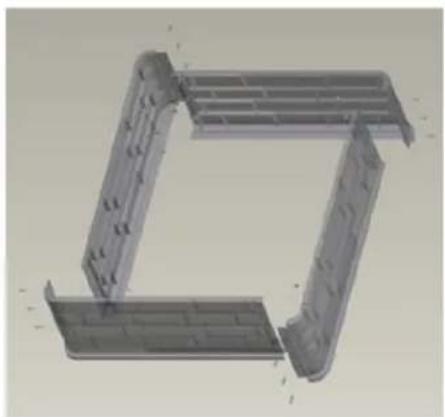
natural_image
3D CAD model of a mechanical bracket or frame structure (no text or symbols visible)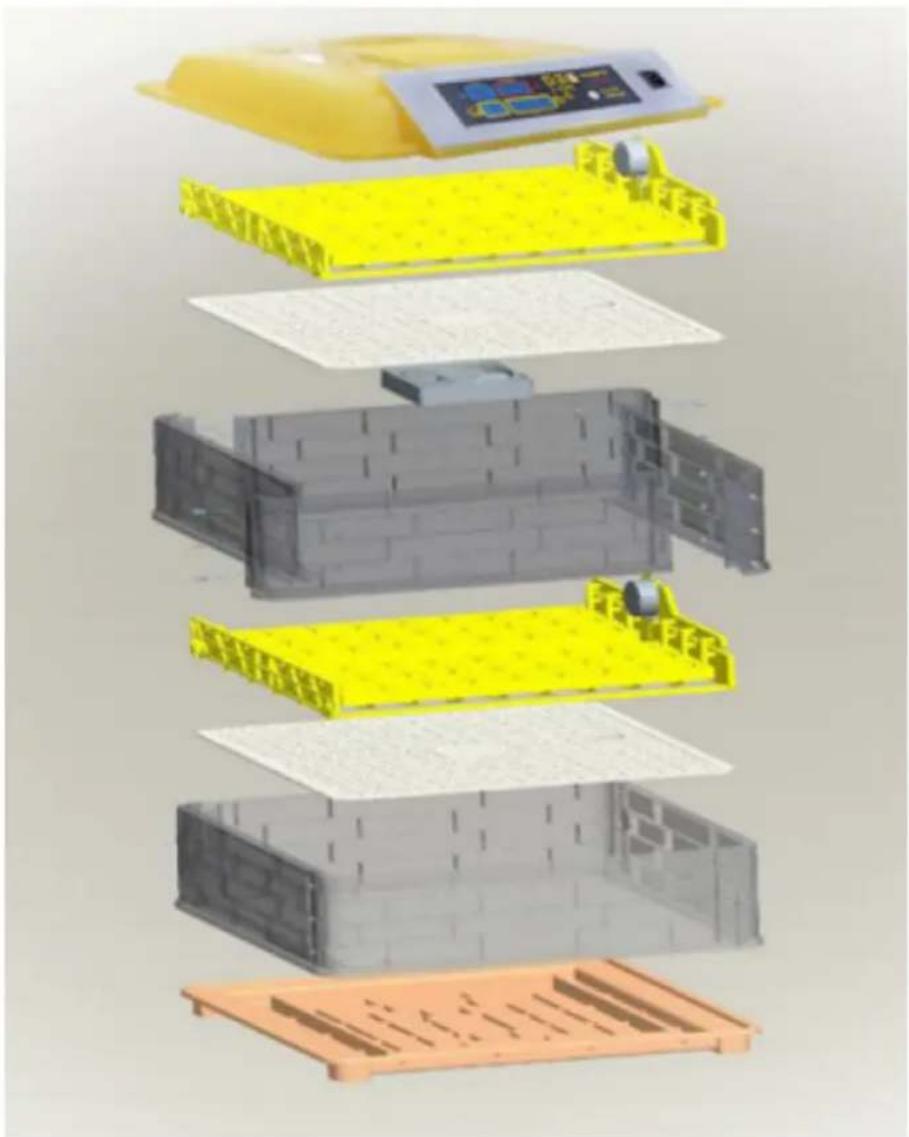
text_image
Exploded view diagram of a battery pack assembly with Chinese labels indicating components like one, two, and three.IN-88DDI
text_image
Diagram of a yellow plastic container with four labeled parts, showing internal structure and directional arrows.text_image
Humidity Temperature Incubato 45 38.0 9 Day 00 01:45 Count down(Per 2 hours)natural_image
Close-up of a black handheld device with a circular connector and cable, labeled with number 1 (no text or symbols on the device itself)text_image
QR code image containing encoded data, no visible human-readable text
https://youtu.be/ie2orwepKVU
natural_image
Line drawing of a two-tier electric cooker with top and side views (no text or symbols)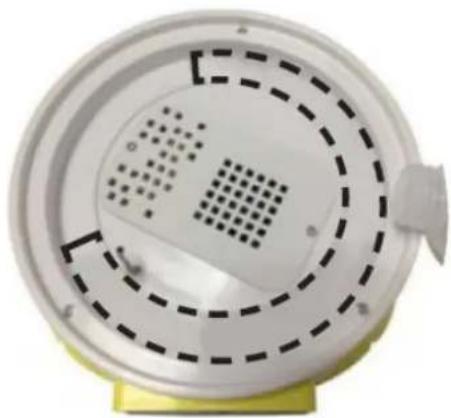
natural_image
Close-up of a white circular device with concentric dashed and dotted patterns, mounted on a yellow base (no text or symbols visible)natural_image
3D rendering of a mechanical assembly with yellow components and a metallic bottle pouring liquid (no text or symbols visible)text_image
Labeled diagram of a medical or laboratory device with numbered components and a central display screenIN-96DDI& IN-112DDI
text_image
Diagram of a yellow incubator with labeled components including control panel, buttons, and display screenIN-12DDI
text_image
Diagram of a printer with numbered parts labeled 1, 3, and 4 pointing to its cover area.Montáž:
natural_image
3D rendering of yellow plastic components including trays and rods, with no visible text or symbols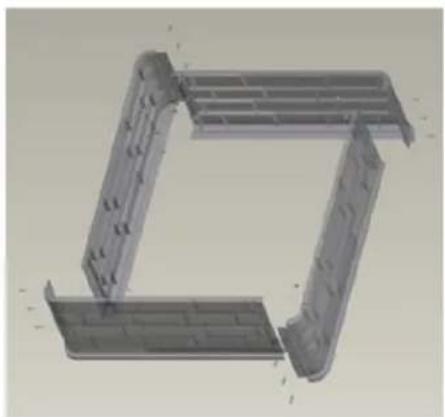
natural_image
3D CAD model of a mechanical bracket or frame structure (no text or symbols visible)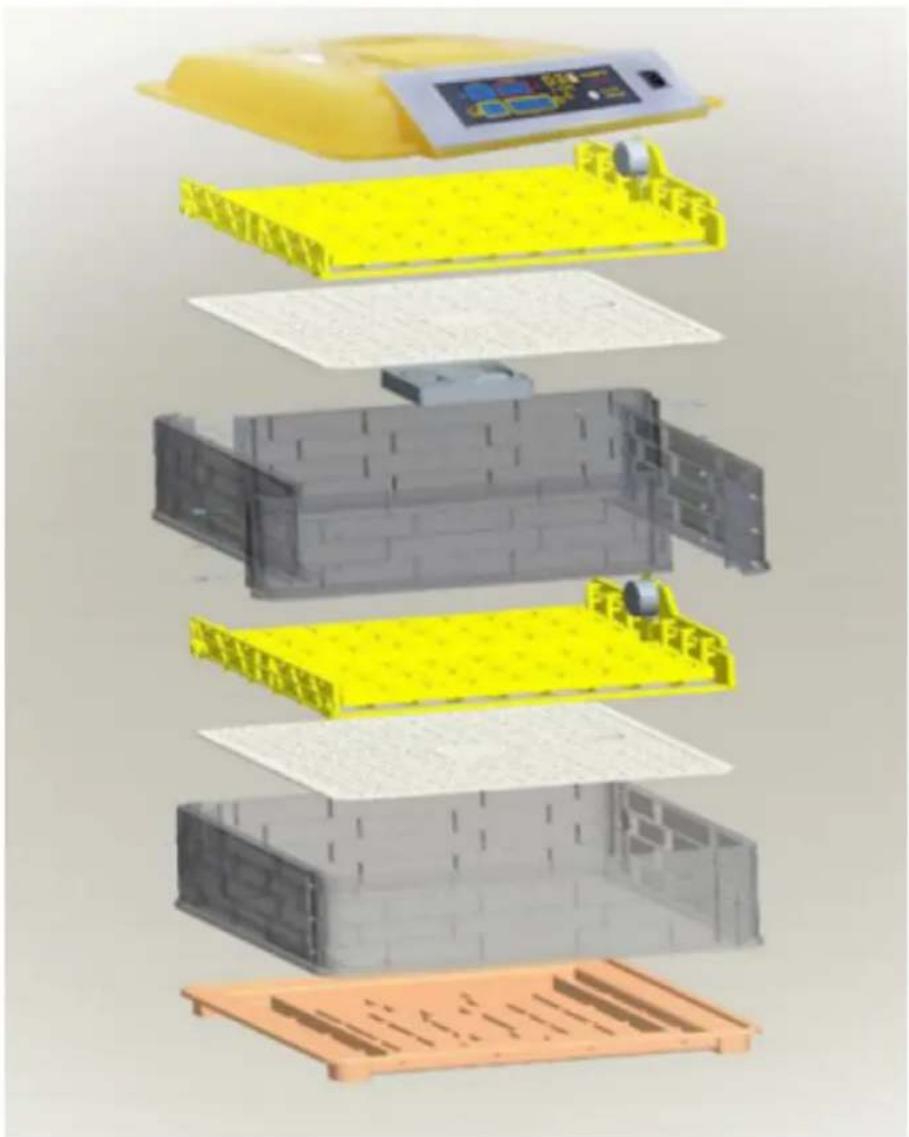
text_image
Exploded view diagram of a battery pack assembly with Chinese labels indicating components like one, two, and three.IN-88DDI
text_image
Diagram of a yellow plastic container with four numbered parts labeled 1 to 4, showing internal components.text_image
Humidity Temperature Incubato 45 38.0 9 Day 00 01:45 Count down(Per 2 hours)natural_image
Close-up of a black handheld device with a circular connector and cable, labeled with number 1 (no text or symbols on the device itself)- Vypínač zapnout/vypnout (ON/OFF)
text_image
QR code image containing encoded data, no visible human-readable text
https://youtu.be/ie2orwepKVU
natural_image
Line drawing of a two-tier electric cooker with top and side views (no text or symbols)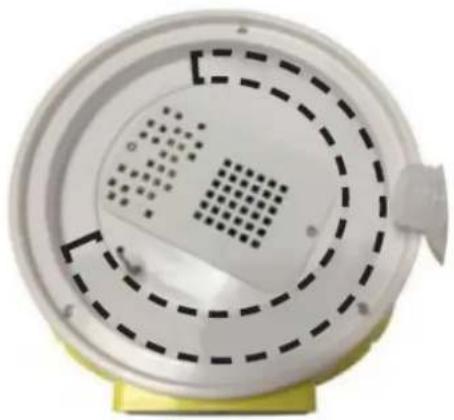
natural_image
Close-up of a white circular device with concentric dashed patterns and a small protrusion on top, mounted on a yellow base (no text or symbols visible)natural_image
3D rendering of a water bottle pouring liquid into yellow plastic components (no text or symbols visible)text_image
Diagram of a medical device with numbered labels pointing to its components, including a screen display and control buttons.IN-96DDI& IN-112DDI
text_image
Labeled diagram of a yellow industrial incubator with numbered components and control panelIN-12DDI
text_image
Diagram of a printer with labeled parts including a digital display and numbered annotations 1, 3, and 4.Installation :
natural_image
3D rendering of yellow plastic components including trays and rods, with a black tool partially visible (no text or symbols)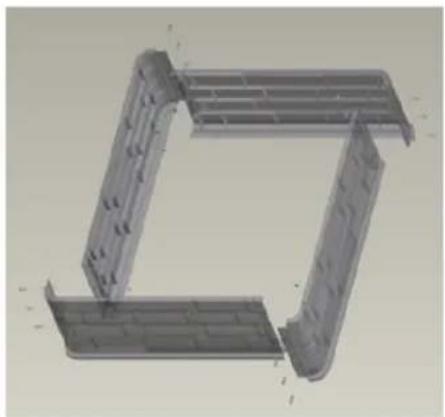
natural_image
3D CAD model of a mechanical bracket assembly (no text or symbols visible)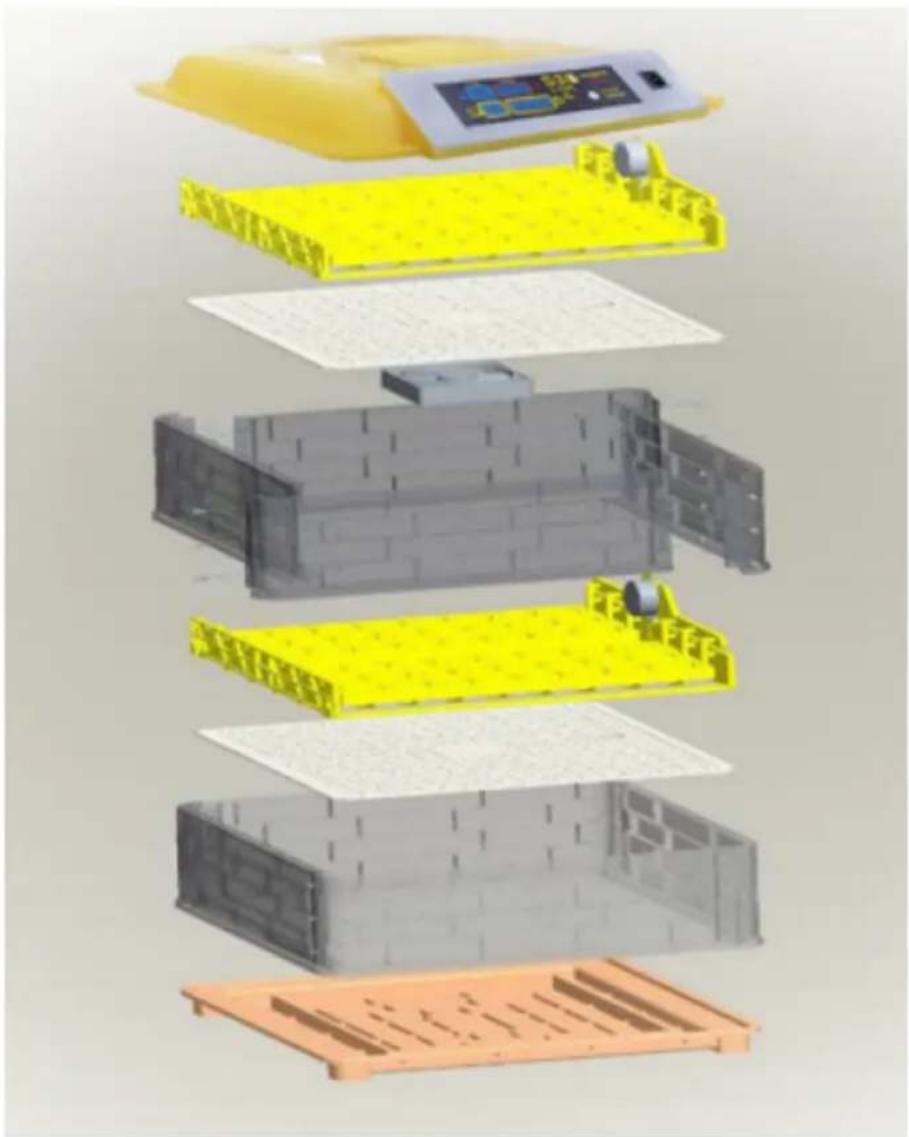
text_image
Exploded view diagram of a battery pack assembly with Chinese text labels indicating components like '电池箱' (battery box) and '电池盖' (capable cover).IN-88DDI
text_image
1 2 3 4text_image
Humidity Temperature Incubato 45 38.0 9 00 01:45 Day Count down(Par 2 hours)natural_image
Close-up of a black mechanical device with a circular connector and attached cable, labeled with number 1 (no text or symbols on the device itself)text_image
QR code image containing encoded data, no visible human-readable text
https://youtu.be/ie2orwepKVU
natural_image
Line drawing of a two-wheeled rice cooker with multiple circular cavities and a side panel (no text or symbols)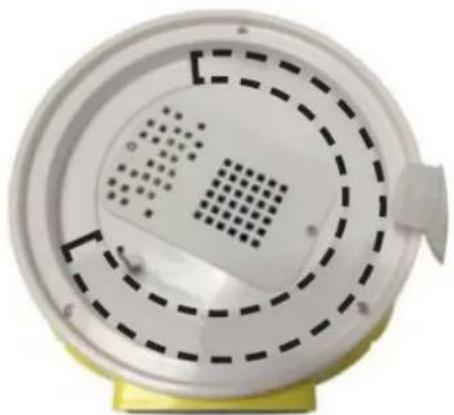
natural_image
Close-up of a white circular device with perforated panel and dashed circular patterns, mounted on a yellow base (no text or symbols visible)natural_image
3D rendering of a mechanical component pouring liquid into yellow blocks (no text or symbols visible)text_image
Diagram of a medical pressure monitor with labeled parts including control panel, display screen, and buttonsIN-96DDI& IN-112DDI
text_image
Diagram of a yellow incubator with labeled components including control panel, buttons, and display screenIN-12DDI
text_image
Diagram of a printer with numbered parts labeled 1, 3, and 4 pointing to its cover area.Montaggio:
natural_image
3D rendering of yellow plastic components including trays and rods, with no visible text or symbols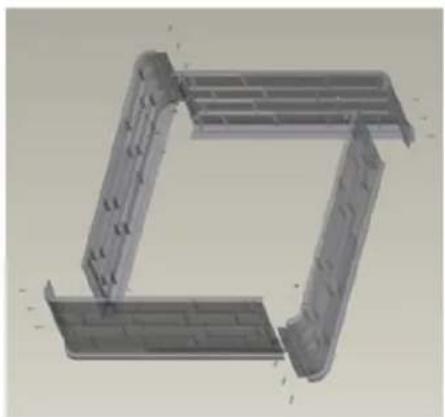
natural_image
3D CAD model of a mechanical bracket or frame structure (no text or symbols visible)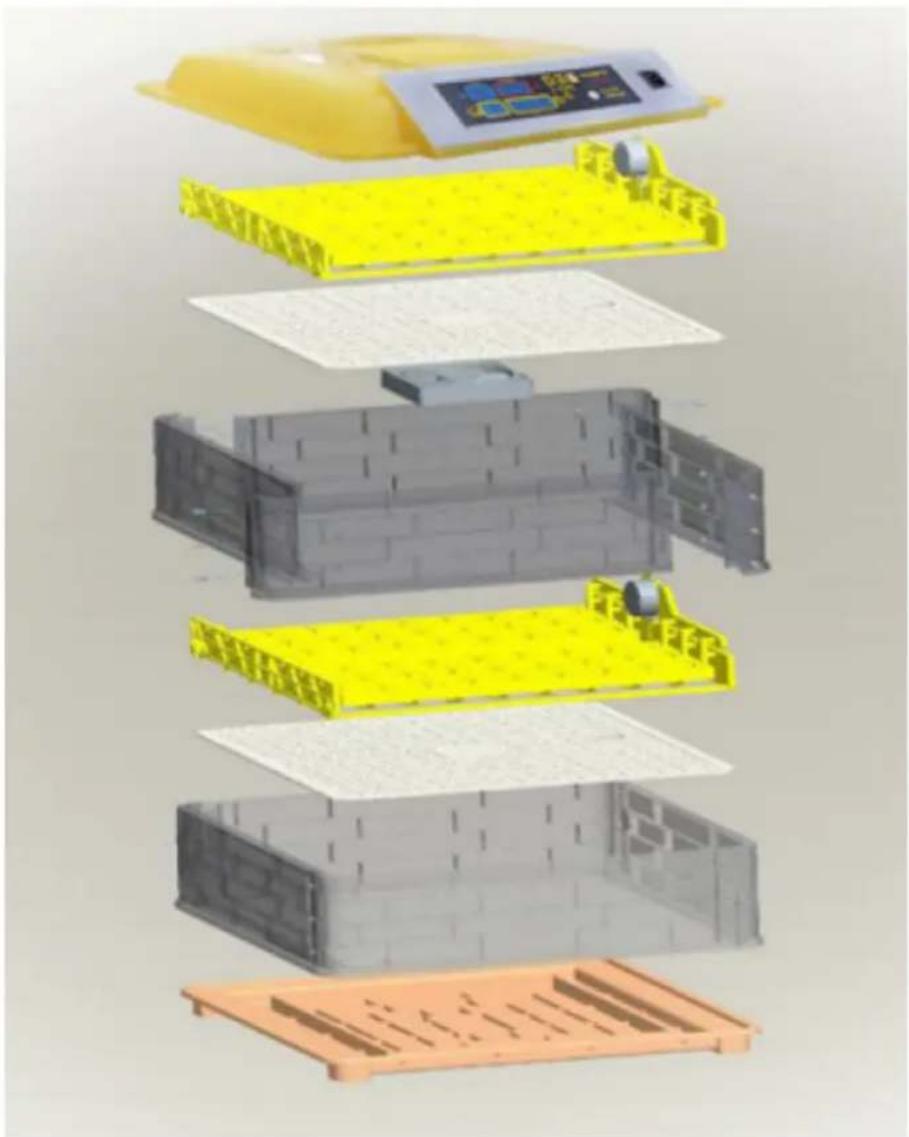
text_image
Exploded view diagram of a battery pack assembly with Chinese labels indicating components like one, two, and three.IN-88DDI
text_image
Diagram of a yellow plastic container with four labeled parts, showing internal structure and directional arrows.text_image
Humidity Temperature Incubato 45 38.0 2 3 4 5 9 Day 00 01:45 Count down(Per 2 hours) 8 7 6natural_image
Close-up of a black handheld device with a circular connector and attached cable, labeled with number 1 (no text or symbols on the device itself)- Interruttore ON/OFF
text_image
QR code image containing encoded data, no visible human-readable text
Italiano: https://youtu.be/ie2orwepKVU
natural_image
Line drawing of a two-wheeled rice cooker with multiple circular cavities and a side panel (no text or symbols)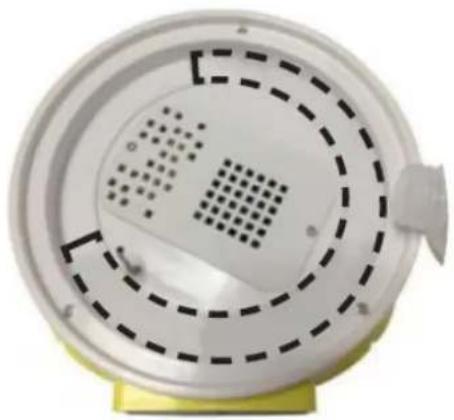
natural_image
Close-up of a white circular device with concentric dashed and dotted patterns, mounted on a yellow base (no text or symbols visible)natural_image
3D rendering of a water bottle pouring liquid into yellow plastic components (no text or symbols visible)text_image
Diagram of a medical device with numbered parts labeled 1 to 4, showing internal components and control buttons.IN-96DDI& IN-112DDI
text_image
Labeled diagram of a yellow incubator with control panel and numbered parts pointing to components 1, 2, 3, and 5.IN-12DDI

text_image
Diagram of a printer with numbered parts labeled 1, 3, and 4 pointing to its cover area.Montaje:

natural_image
3D rendering of yellow plastic components including trays and rods, with no visible text or symbols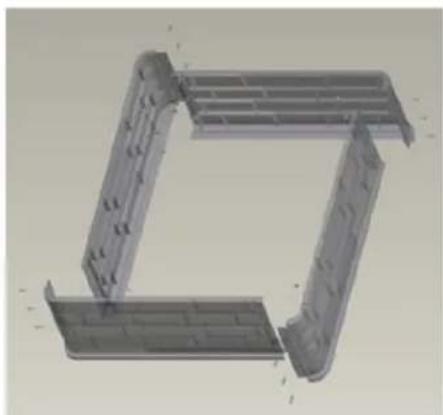
natural_image
3D CAD model of a mechanical bracket or frame structure (no text or symbols visible)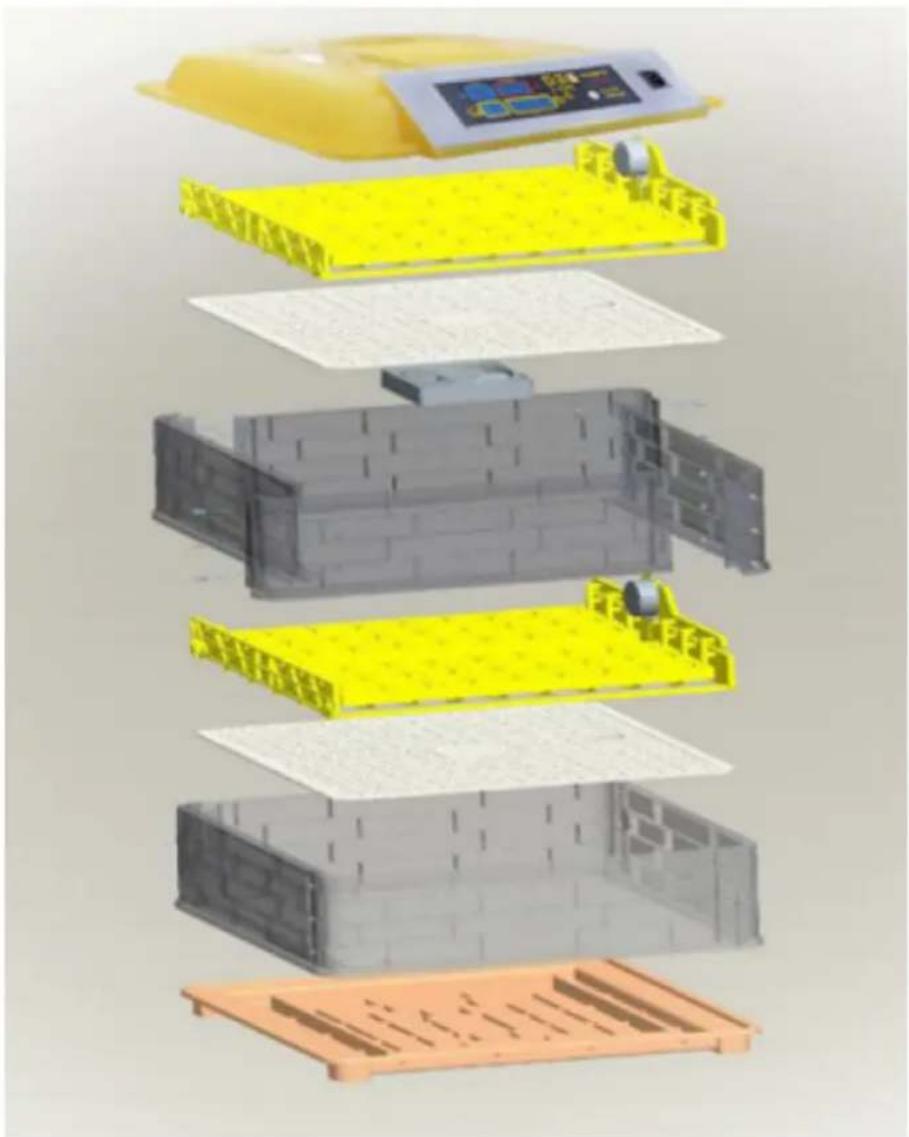
text_image
Exploded view diagram of a battery pack assembly with Chinese labels indicating components like one, two, and three.IN-88DDI
text_image
Diagram of a yellow plastic container with four labeled parts, showing internal structure and directional arrows.text_image
Humidity Temperature Incubato 45 38.0 9 Day 00 01:45 Count down(Per 2 hours)natural_image
Close-up of a black handheld device with a circular connector and cable, labeled with number 1 (no text or symbols on the device itself)- Interruptor activar/desactivar (ON/OFF)
text_image
QR code image containing encoded data, no visible human-readable text
https://youtu.be/ie2orwepKVU
natural_image
Line drawing of a two-wheeled rice cooker with multiple circular cavities and a side panel (no text or symbols)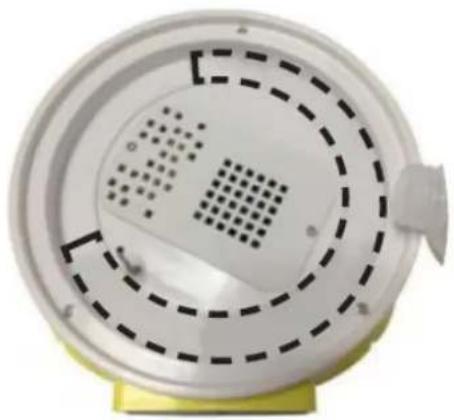
natural_image
Close-up of a white circular device with concentric dashed and dotted patterns, mounted on a yellow base (no text or symbols visible)natural_image
3D rendering of a water bottle pouring liquid into yellow plastic components (no text or symbols visible)text_image
Labeled diagram of a yellow incubator with control panel and numbered parts pointing to components 1, 2, 3, and 5.IN-12DDI
text_image
1 2 3 4Összeszerelés:
natural_image
3D rendering of yellow plastic components including trays and rods, with no visible text or symbols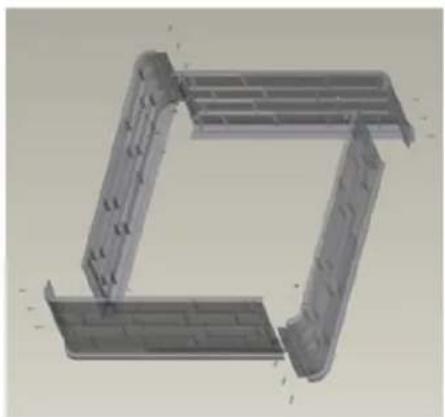
natural_image
3D CAD model of a mechanical bracket or frame structure (no text or symbols visible)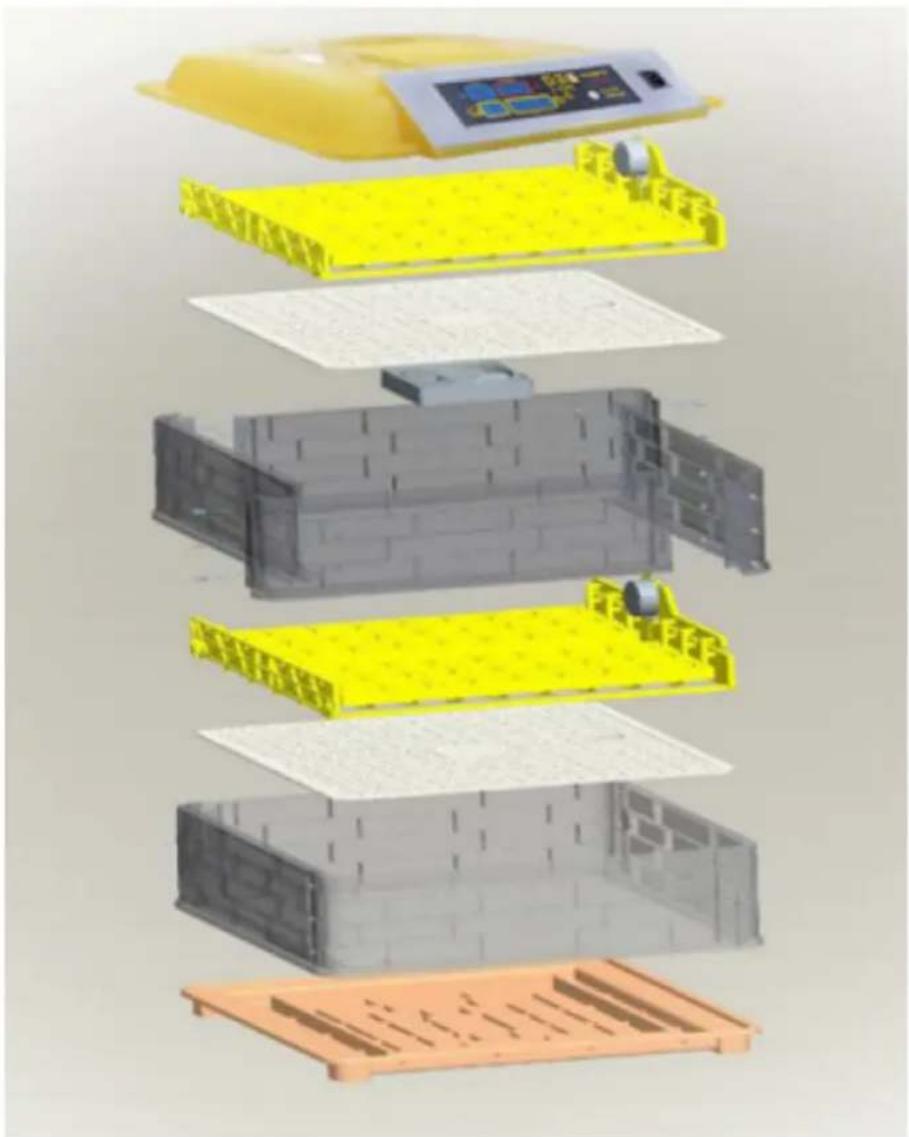
text_image
Exploded view diagram of a battery pack assembly with Chinese labels indicating components like one, two, and three.IN-88DDI
text_image
Diagram of a yellow plastic container with four labeled parts, showing internal structure and directional arrows.text_image
Humidity Temperature Incubato 45 38.0 9 Day 00 01:45 Count down(Per 2 hours)natural_image
Close-up of a black handheld device with a circular connector and cable, labeled with number 1 (no text or symbols on the device itself)text_image
QR code image containing encoded data, no visible human-readable text
https://youtu.be/ie2orwepKVU
natural_image
Line drawing of a two-tier electric cooker with top and side views (no text or symbols)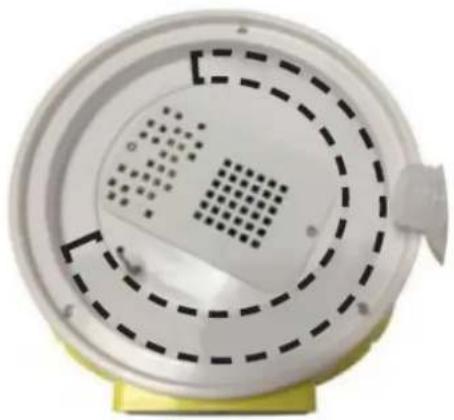
natural_image
Close-up of a white circular device with concentric dashed and dotted patterns, mounted on a yellow base (no text or symbols visible)natural_image
3D rendering of a water bottle pouring liquid into yellow plastic components (no text or symbols visible)text_image
Diagram of a medical or laboratory device with numbered labels pointing to key componentsIN-96DDI& IN-112DDI
text_image
Labeled diagram of a yellow incubator with control panel and numbered parts pointing to components 1, 2, 3, and 5.IN-12DDI
text_image
Diagram of a printer with numbered parts labeled 1, 3, and 4 pointing to its cover area.Montering:
natural_image
3D rendering of yellow plastic components including trays and rods, with no visible text or symbols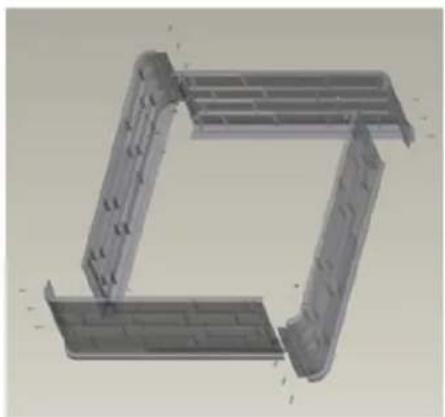
natural_image
3D CAD model of a mechanical bracket or frame structure (no text or symbols visible)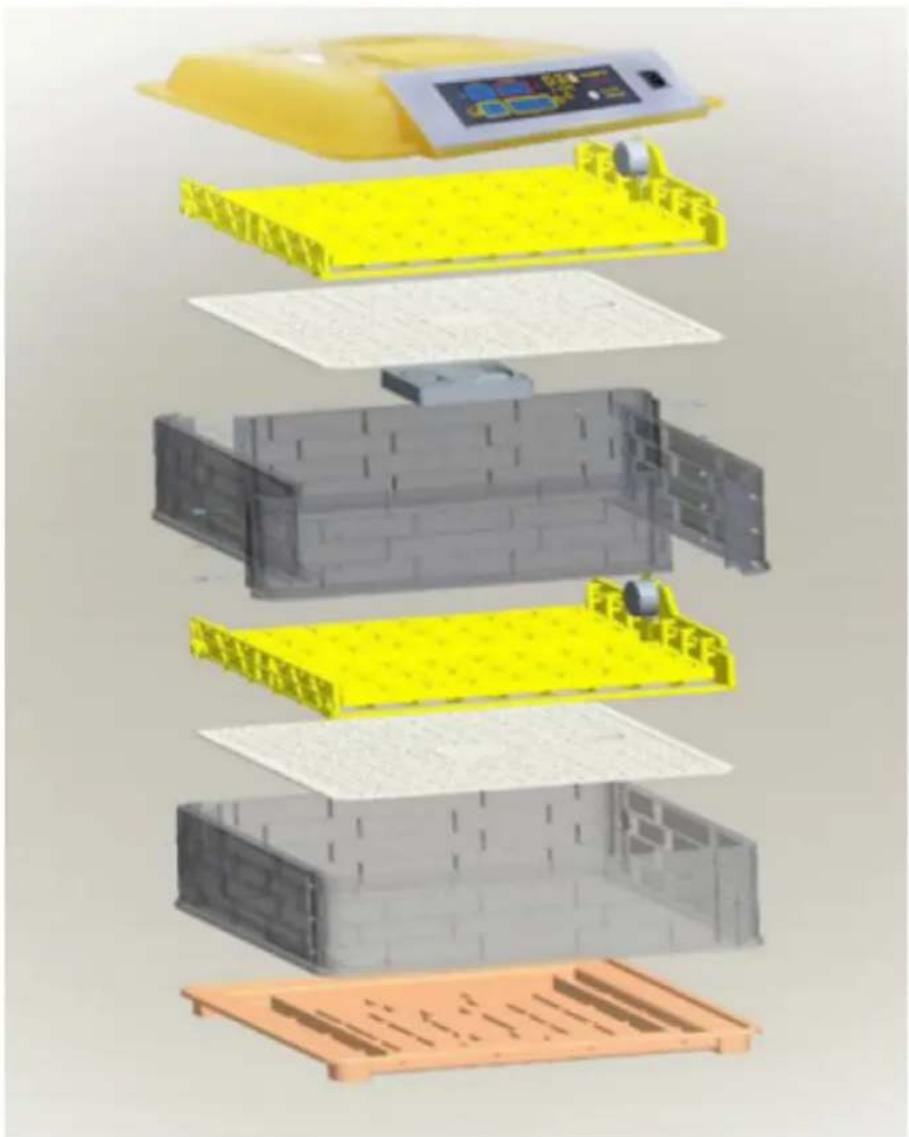
text_image
Exploded view diagram of a battery pack assembly with Chinese labels indicating components like one, two, and three.IN-88DDI
text_image
Diagram of a yellow plastic container with four labeled parts, showing internal structure and directional arrows.text_image
Humidity Temperature Incubato 45 38.0 9 Day 00 01:45 Count down(Per 2 hours)natural_image
Close-up of a black handheld device with a circular connector and cable, labeled with number 1 (no text or symbols on the device itself)APPARATETS PLACERING
text_image
QR code image containing encoded data, no visible human-readable text
https://youtu.be/ie2orwepKVU
3.4. Brug af enhed
natural_image
Line drawing of a two-tier electric cooker with top and side views (no text or symbols)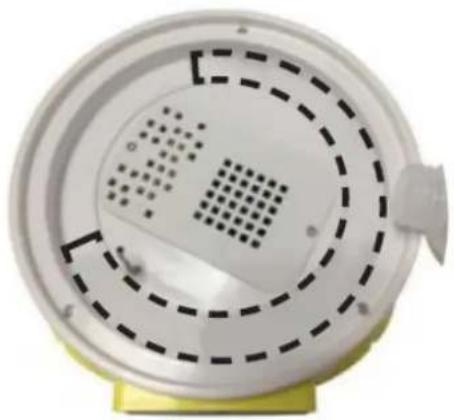
natural_image
Close-up of a white circular device with concentric dashed patterns and a small protrusion on top, mounted on a yellow base (no text or symbols visible)natural_image
3D rendering of a water bottle pouring liquid into yellow plastic components (no text or symbols visible)text_image
Labeled diagram of a medical or laboratory device with numbered components and a central display screenIN-96DDI& IN-112DDI
text_image
Labeled diagram of a yellow incubator with control panel and numbered parts pointing to components 1, 2, 3, and 5.IN-12DDI
text_image
Diagram of a printer with numbered parts labeled 1, 3, and 4 pointing to its cover area.Kokoonpano:
natural_image
3D rendering of yellow plastic components including trays and rods, with no visible text or symbols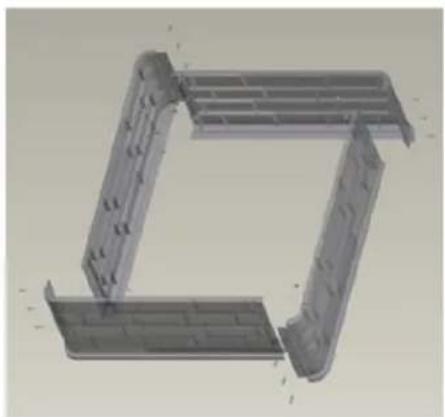
natural_image
3D CAD model of a mechanical bracket or frame structure (no text or symbols visible)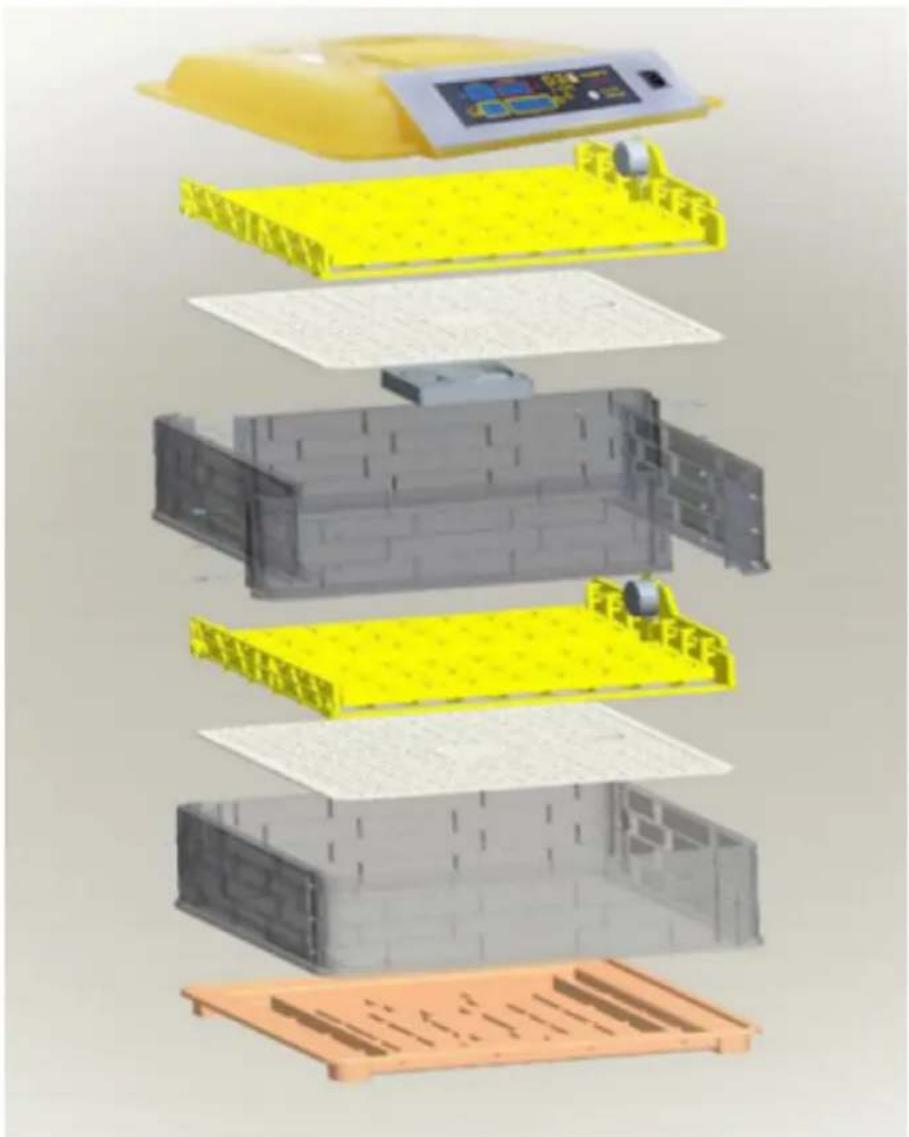
text_image
Exploded view diagram of a battery pack assembly with Chinese labels indicating components like one, two, and three.IN-88DDI
text_image
Diagram of a yellow plastic container with four labeled parts, showing internal structure and directional arrows.text_image
Humidity Temperature Incubato 45 38.0 9 Day 00 01:45 Count down(Per 2 hours)natural_image
Close-up of a black handheld device with a circular connector and cable, labeled with number 1 (no text or symbols on the device itself)- ON/OFF-kytkin
text_image
QR code image containing encoded data, no visible human-readable text
https://youtu.be/ie2orwepKVU
natural_image
Line drawing of a two-tier electric rice cooker with open lid and internal compartments (no text or symbols)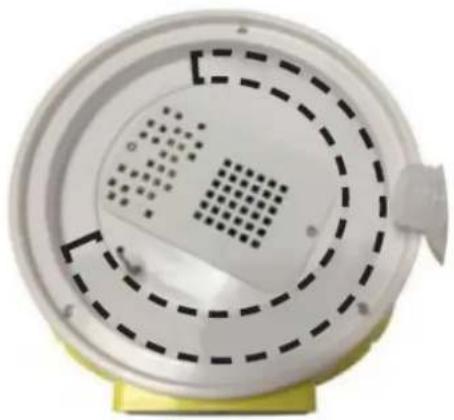
natural_image
Close-up of a white circular device with concentric dashed patterns and a small protrusion on top, mounted on a yellow base (no text or symbols visible)natural_image
3D rendering of a water bottle pouring liquid into yellow plastic components (no text or symbols visible)text_image
Diagram of a medical device with numbered labels pointing to its components, including a screen display and control buttons.IN-96DDI& IN-112DDI
text_image
Labeled diagram of a yellow industrial incubator with numbered components and control panelIN-12DDI
text_image
Diagram of a printer with labeled parts including a digital display and numbered annotations 1, 3, and 4.Montage:
natural_image
3D rendering of yellow plastic components including trays and rods, with a black tool partially visible (no text or symbols)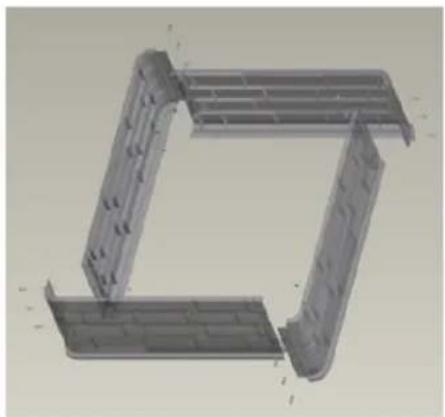
natural_image
3D CAD model of a mechanical bracket assembly (no text or symbols visible)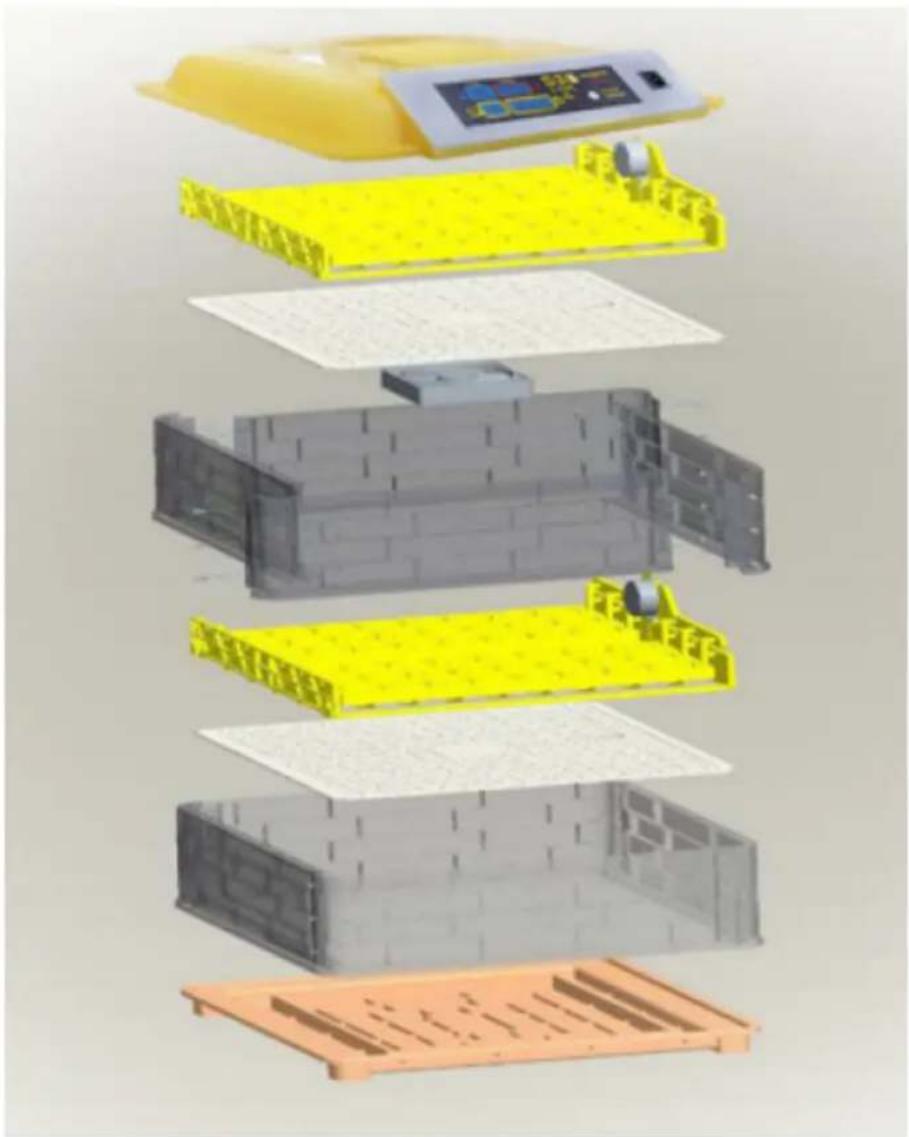
text_image
Exploded view diagram of a battery pack assembly with Chinese text labels indicating components like '电池箱' (battery box) and '电池盖' (capable cover).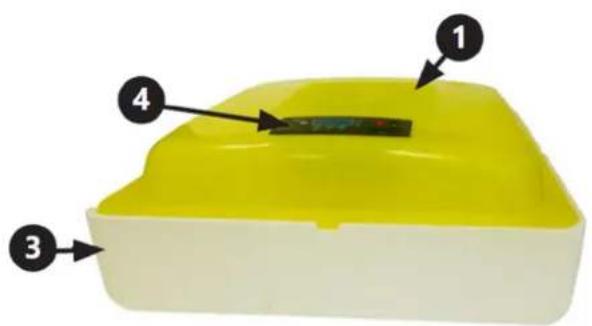
text_image
Diagram of a yellow plastic container with four numbered parts labeled 1 to 4text_image
Humidity Temperature Incubato 45 38.0 9 Day 00 01:45 Count down(Par 2 hours)natural_image
Close-up of a black mechanical component with a circular connector and attached cable, labeled with number 1 (no text or symbols on the object itself)- AAN/UIT-schakelaar
PLAATS VAN HET APPARAAT
text_image
QR code image containing encoded data, no visible human-readable text
https://youtu.be/ie2orwepKVU
natural_image
Line drawing of a portable electric stove with multiple circular cavities and a side-mounted grating (no text or symbols)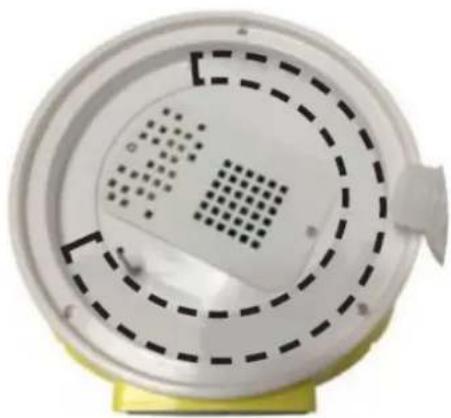
natural_image
Close-up of a white circular device with concentric dashed and dotted patterns, mounted on a yellow base (no text or symbols visible)natural_image
3D rendering of a water bottle pouring liquid into a yellow mechanical component (no text or symbols visible)text_image
Labeled diagram of a medical or laboratory device with numbered components and control panelIN-96DDI& IN-112DDI
text_image
Labeled diagram of a yellow industrial incubator with numbered components and control panelIN-12DDI
text_image
Diagram of a printer with numbered parts labeled 1, 3, and 4 pointing to its cover area.Forsamling:

natural_image
3D rendering of yellow plastic components including trays and rods, with no visible text or symbols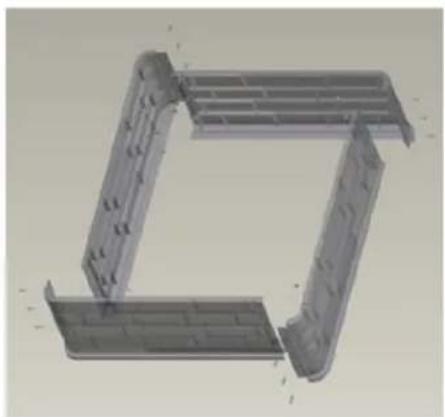
natural_image
3D CAD model of a mechanical bracket or frame structure (no text or symbols visible)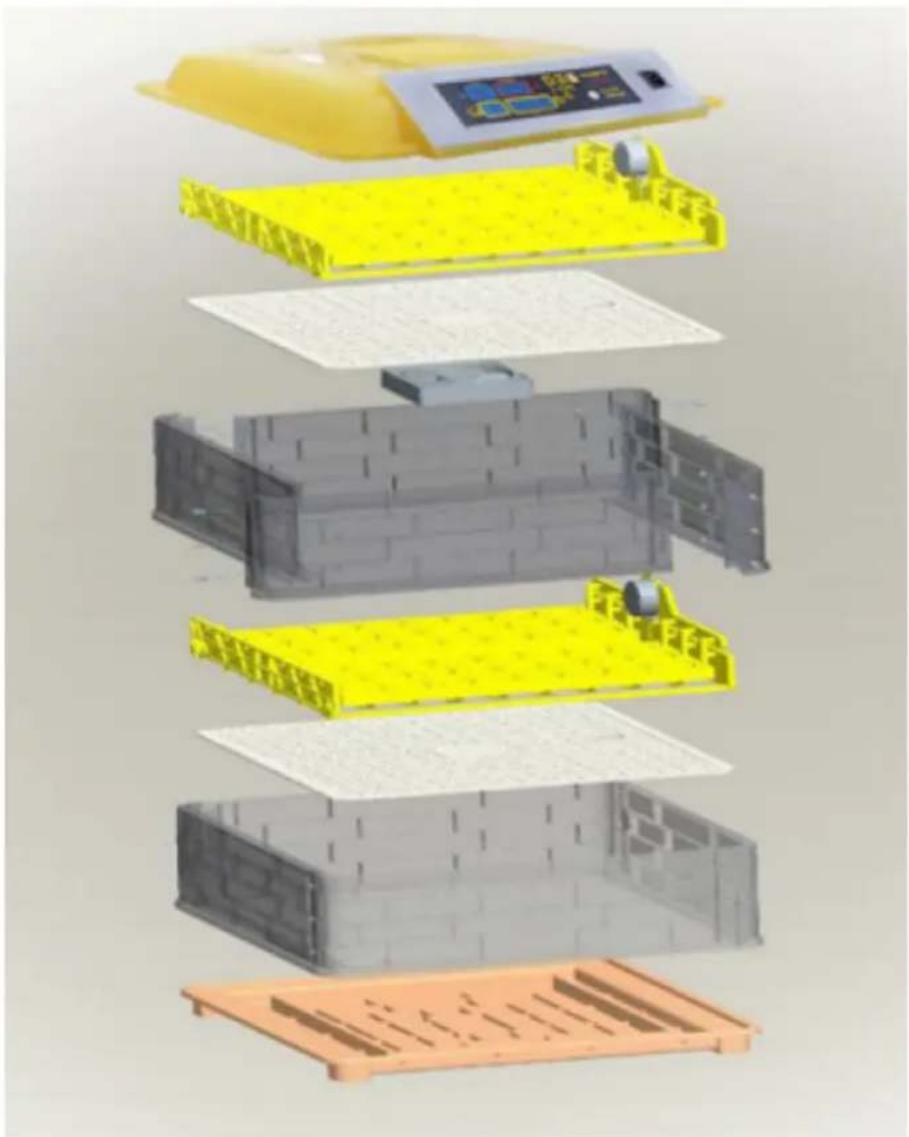
text_image
Exploded view diagram of a battery pack assembly with Chinese labels indicating components like one, two, and three.IN-88DDI
text_image
Diagram of a yellow plastic container with four numbered labels pointing to its interior components.-
Lokk
-
Eggebrett
-
Bolig
-
Styrepanel
5. Vanninntak
IN-7DDI, IN-48DDI, IN-96DDI, IN-112DDI, IN-88DDI eggekubatorer inkluderer en egglys som ekstra
text_image
Humidity Temperature Incubato 45 38.0 9 Day 00 01:45 Count down(Per 2 hours)natural_image
Close-up of a black handheld device with a circular connector and cable, labeled with number 1 (no text or symbols on the device itself)- PÅ/AV bryter
text_image
QR code image containing encoded data, no visible human-readable text
https://youtu.be/ie2orwepKVU
natural_image
Line drawing of a rice cooker with top and side views showing internal compartments (no text or symbols)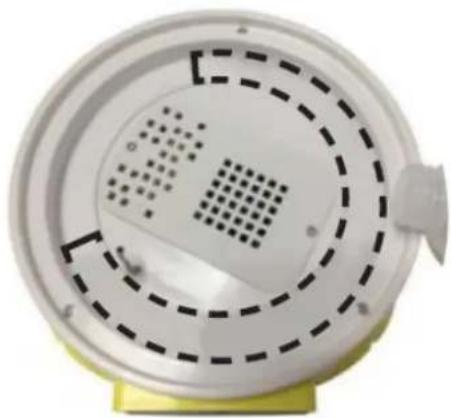
natural_image
Close-up of a white circular device with perforated panel and dashed circular pattern, mounted on a yellow base (no text or symbols visible)natural_image
3D rendering of a water bottle pouring liquid into yellow plastic components (no text or symbols visible)text_image
Diagram of a medical or laboratory device with numbered parts labeled 1 to 4 pointing to different components.IN-96DDI& IN-112DDI
text_image
Diagram of a yellow incubator with labeled components including control panel, buttons, and display screenIN-12DDI
text_image
Diagram of a printer with numbered parts labeled 1, 3, and 4 pointing to its cover area.Montering:
natural_image
3D rendering of yellow plastic components including trays and rods, with no visible text or symbols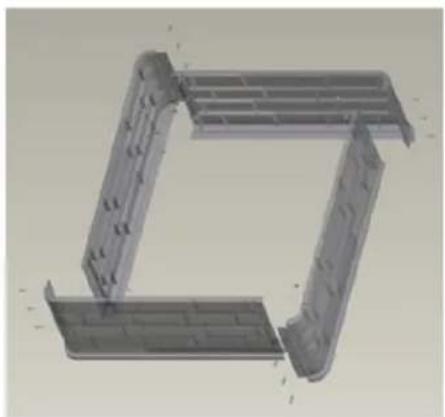
natural_image
3D CAD model of a mechanical bracket or frame structure (no text or symbols visible)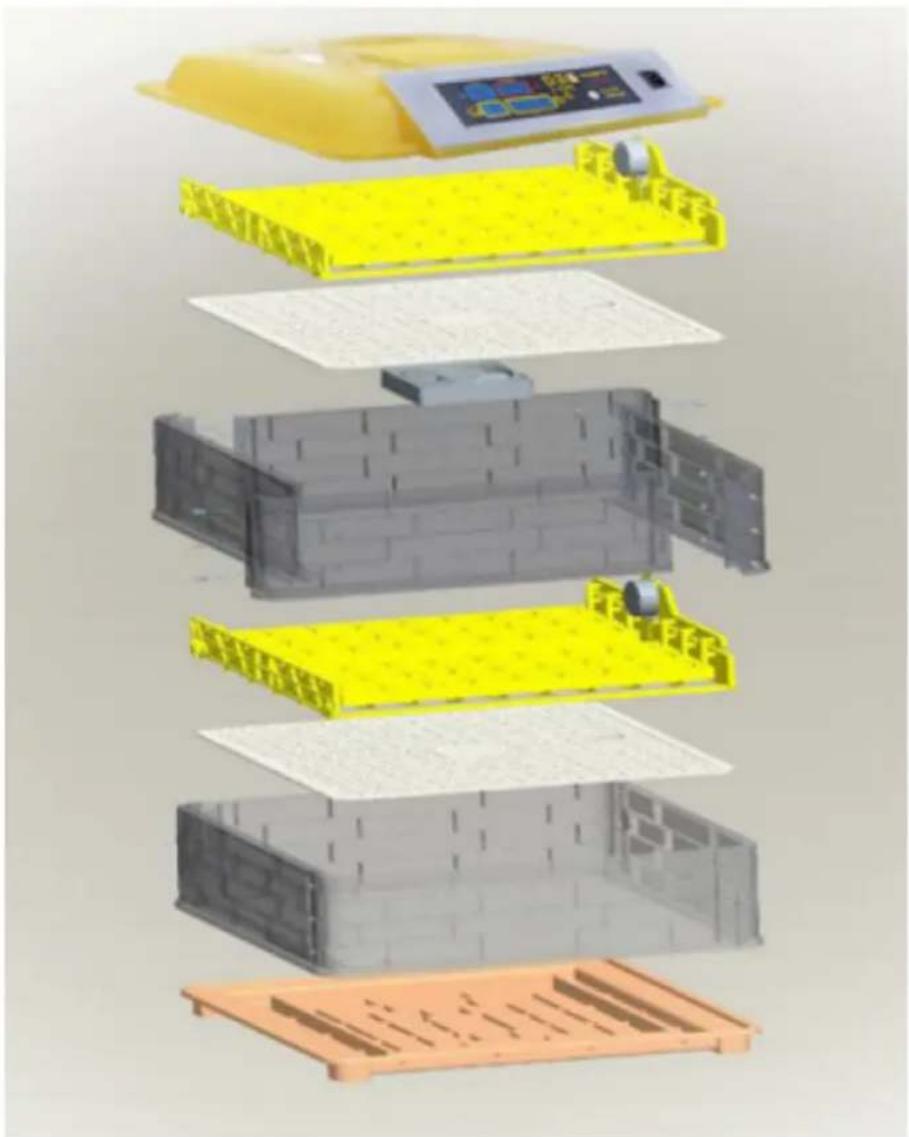
text_image
Exploded view diagram of a battery pack assembly with Chinese labels indicating components like one, two, and three.IN-88DDI
text_image
1 2 3 4-
Lock
-
Äggbricka
-
Hus
-
Kontrollpanel
5. Vattenintag
text_image
Humidity Temperature Incubato 45 38.0 3 4 5 9 Day 00 01:45 Count down(Per 2 hours)natural_image
Close-up of a black handheld device with a circular connector and cable, labeled with number 1 (no text or symbols on the device itself)- ON/OFF-brytare
APPARATENS PLACERING
text_image
QR code image containing encoded data, no visible human-readable text
https://youtu.be/ie2orwepKVU
natural_image
Line drawing of a two-tier electric cooker with open lid and internal compartments (no text or symbols)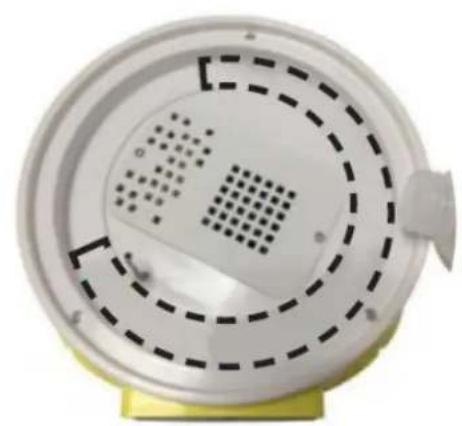
natural_image
Close-up of a white circular device with concentric dashed and dotted patterns, mounted on a yellow base (no text or symbols visible)natural_image
3D rendering of a water bottle pouring liquid into yellow plastic components (no text or symbols visible)text_image
Labeled diagram of a medical or laboratory device with numbered components and control panelIN-96DDI& IN-112DDI
text_image
Labeled diagram of a yellow laboratory incubator with numbered components and control panelIN-12DDI
text_image
Diagram of a printer with numbered parts labeled 1, 3, and 4 pointing to its cover area.Conjunto:
natural_image
3D rendering of yellow plastic components including trays and rods, with no visible text or symbols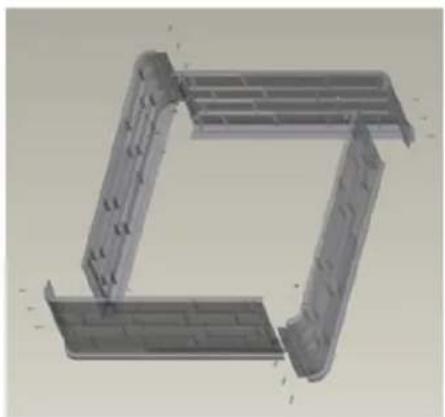
natural_image
3D CAD model of a mechanical bracket or frame structure (no text or symbols visible)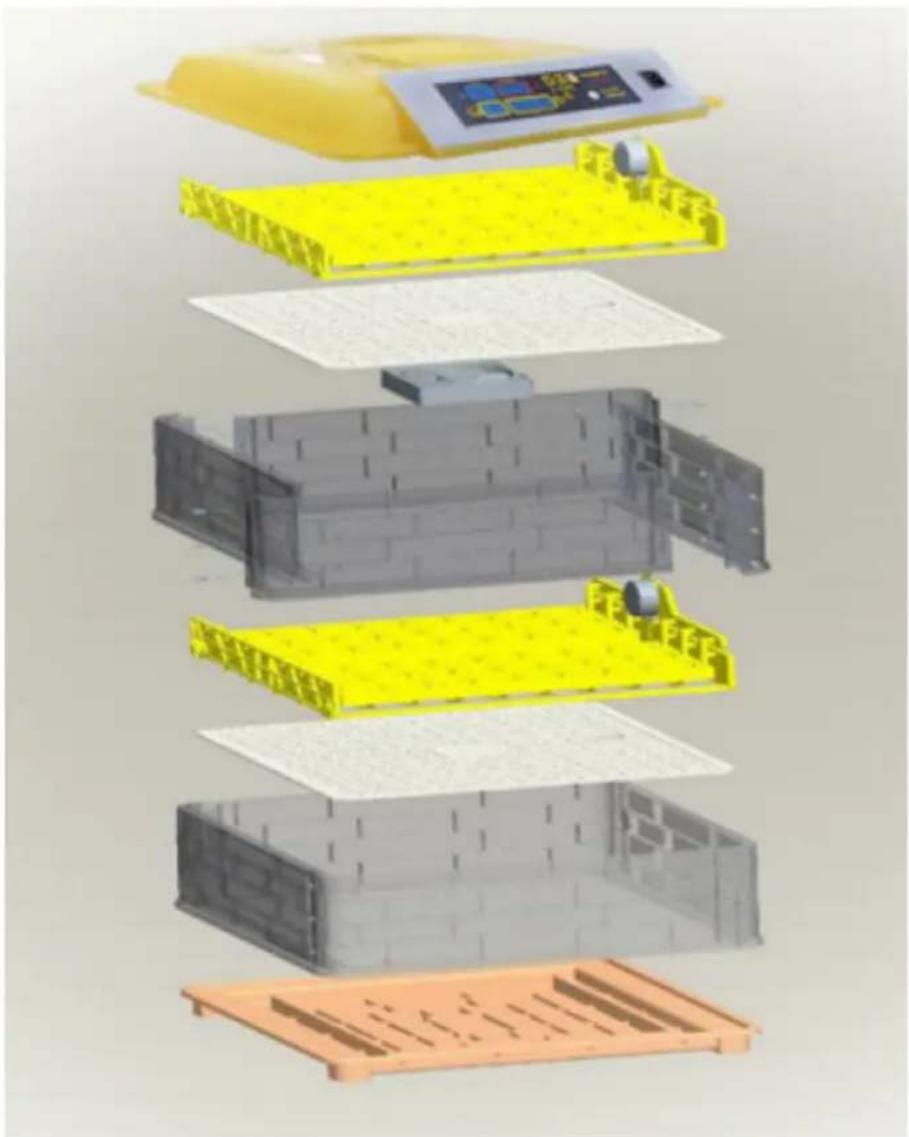
text_image
Exploded view diagram of a battery pack assembly with Chinese labels indicating components like one, two, and three.IN-88DDI
text_image
Diagram of a yellow plastic container with four numbered parts labeled 1 to 4, showing internal components.text_image
Humidity Temperature Incubato 45 38.0 9 Day 00 01:45 Count down(Per 2 hours)natural_image
Close-up of a black handheld device with a circular connector and cable, labeled with number 1 (no text or symbols on the device itself)- Interruptor ON/OFF
text_image
QR code image containing encoded data, no visible human-readable text
https://youtu.be/ie2orwepKVU
natural_image
Line drawing of a two-wheeled rice cooker with multiple circular cavities and a side panel (no text or symbols)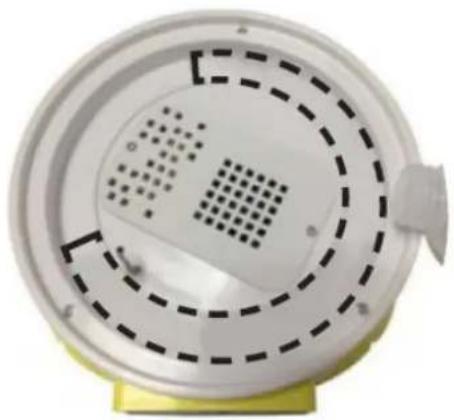
natural_image
Close-up of a white circular device with concentric dashed patterns and a small protrusion, mounted on a yellow base (no text or symbols visible)natural_image
3D rendering of a water bottle pouring liquid into yellow plastic blocks (no text or symbols visible)text_image
Labeled diagram of a medical or laboratory device with numbered components and a central display screenIN-96DDI& IN-112DDI
text_image
Labeled diagram of a yellow laboratory incubator with numbered components and control panelIN-12DDI
text_image
Diagram of a printer with numbered parts labeled 1, 3, and 4 pointing to its cover area.Montáž:
natural_image
3D rendering of yellow plastic grid components with a mechanical assembly (no text or symbols visible)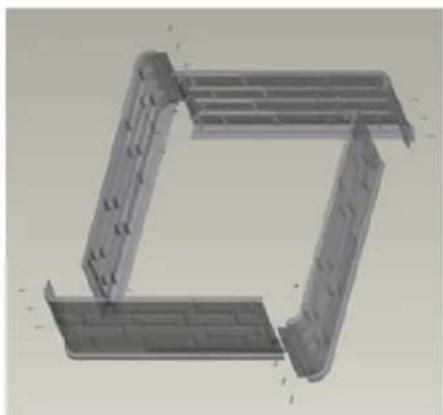
natural_image
3D CAD model of a mechanical bracket or frame structure (no text or symbols visible)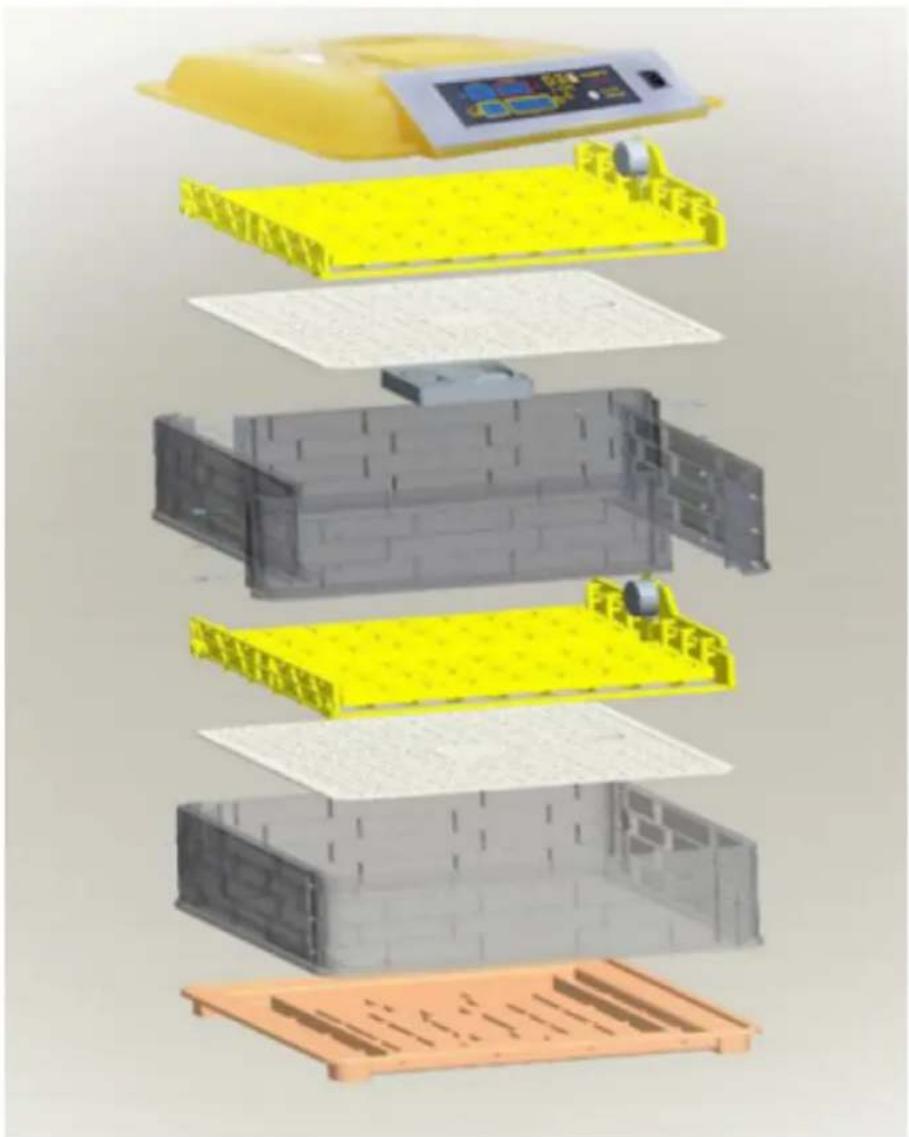
text_image
Exploded view diagram of a battery pack assembly with Chinese labels indicating components like one, two, and three.IN-88DDI
text_image
Diagram of a yellow plastic container with four numbered parts labeled 1 to 4, showing internal components.text_image
Humidity Temperature Incubato 45 38.0 9 Day 00 01:45 Count down(Per 2 hours)natural_image
Close-up of a black handheld device with a circular connector and cable, labeled with number 1 (no text or symbols on the device itself)- vypínač ON/OFF
text_image
QR code image containing encoded data, no visible human-readable text
https://youtu.be/ie2orwepKVU
natural_image
Line drawing of a two-tier electric cooker with top and side views (no text or symbols)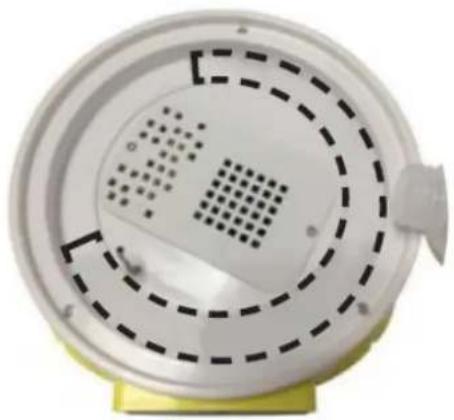
natural_image
Close-up of a white circular device with concentric dashed patterns and a small protrusion on top, mounted on a yellow base (no text or symbols visible)- Pripevnite kryt.
- Pripojte zariadenie k zdroju napájania.
- Zvolte požadovanú teplotu: stlačte tlačidlo „SET“ (6). Dióda „set“ (3) sa rozsvieti, čo znamená, že zariadenie je v režime nastavenia. Pomocou tlačidiel „+“ (5) a „-“ (4) vyberte teplotu. Na potvrdenie použite tlačidlo „SET“ (6). Rozsvieti sa dióda „Práca“ (2).
- Počkajte, kým sa prístroj zahreje (cca 10-20 min.).
- Jemne poukladajte vajíčka na tácku.
- Pravidelne kontrolujte hladinu vody v inkubátore na vajíčka.
IN-48DDI, IN-96DDI, IN-112DDI

natural_image
3D rendering of a water bottle pouring liquid into yellow plastic components (no text or symbols visible)text_image
Diagram of a medical device with numbered labels pointing to its components, including a screen display and control buttons.IN-96DDI& IN-112DDI
text_image
Labeled diagram of a yellow industrial incubator with numbered components and control panelIN-12DDI
text_image
Diagram of a printer with labeled parts including a digital display and numbered annotations 1, 3, and 4.Сглобяване:
natural_image
3D rendering of yellow plastic components including grid-like blocks and a mechanical assembly (no text or symbols visible)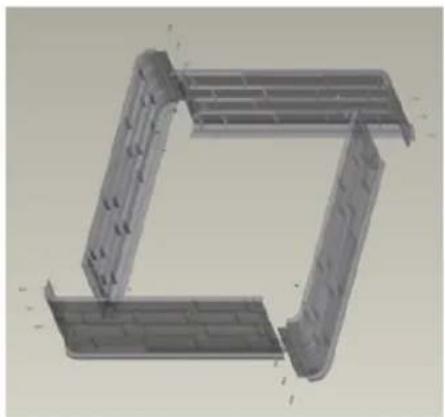
natural_image
3D CAD model of a mechanical bracket assembly (no text or symbols visible)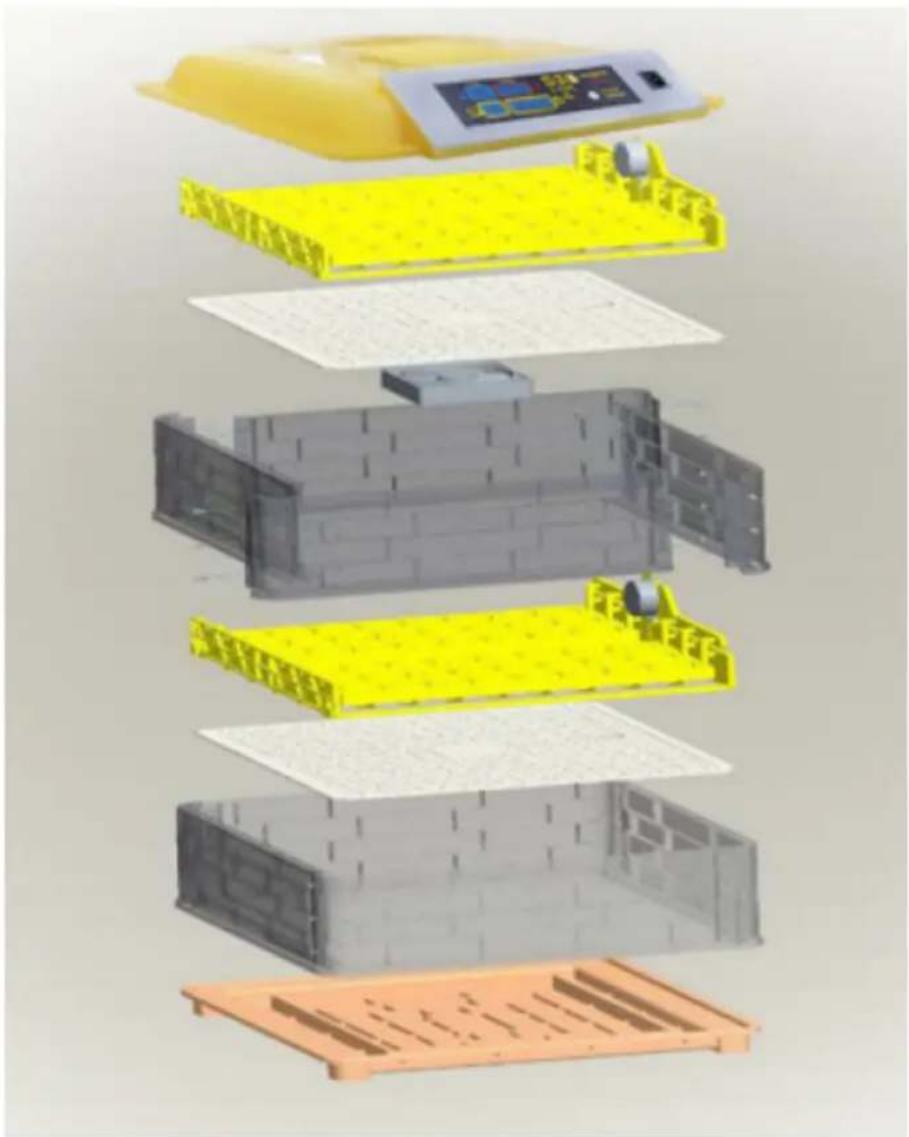
text_image
Exploded view diagram of a battery pack assembly with Chinese text labels indicating components like '电池箱' (battery box) and '电池盖' (capable cover).IN-88DDI
text_image
Diagram of a yellow plastic container with four numbered parts labeled 1 to 4text_image
Humidity Temperature Incubato 45 38.0 9 Day 00 01:45 Count down(Par 2 hours)natural_image
Close-up of a black mechanical device with a circular connector and attached cable, labeled with number 1 (no text or symbols on the device itself)- Ключ ВКЛ./ИЗКЛ
text_image
QR code image containing encoded data, no visible human-readable text
https://youtu.be/ie2orwepKVU
natural_image
Line drawing of a two-wheeled rice cooker with multiple circular cavities and a side-mounted grater (no text or symbols)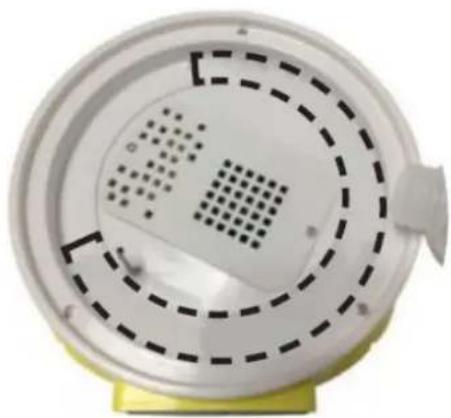
natural_image
Close-up of a white circular device with concentric dashed and dotted patterns, mounted on a yellow base (no text or symbols visible)natural_image
3D rendering of a mechanical assembly with yellow components and a metallic pouring bottle (no text or symbols visible)text_image
Labeled diagram of a medical or laboratory device with numbered components and control panelIN-96DDI& IN-112DDI
text_image
Labeled diagram of a yellow industrial incubator with numbered components and control panelIN-12DDI
text_image
Diagram of a printer with labeled parts including a digital display and numbered annotations 1, 3, and 4.Συνέλευση:
natural_image
3D rendering of yellow plastic components including grid-like blocks and a mechanical assembly (no text or symbols visible)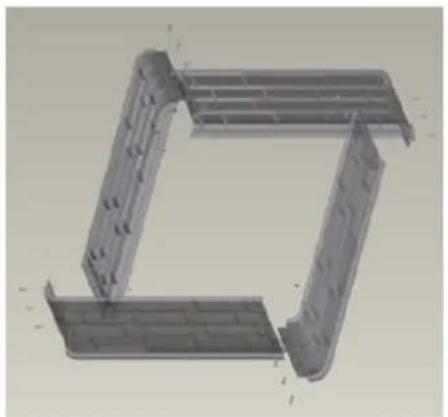
natural_image
3D CAD model of a mechanical bracket assembly (no text or symbols visible)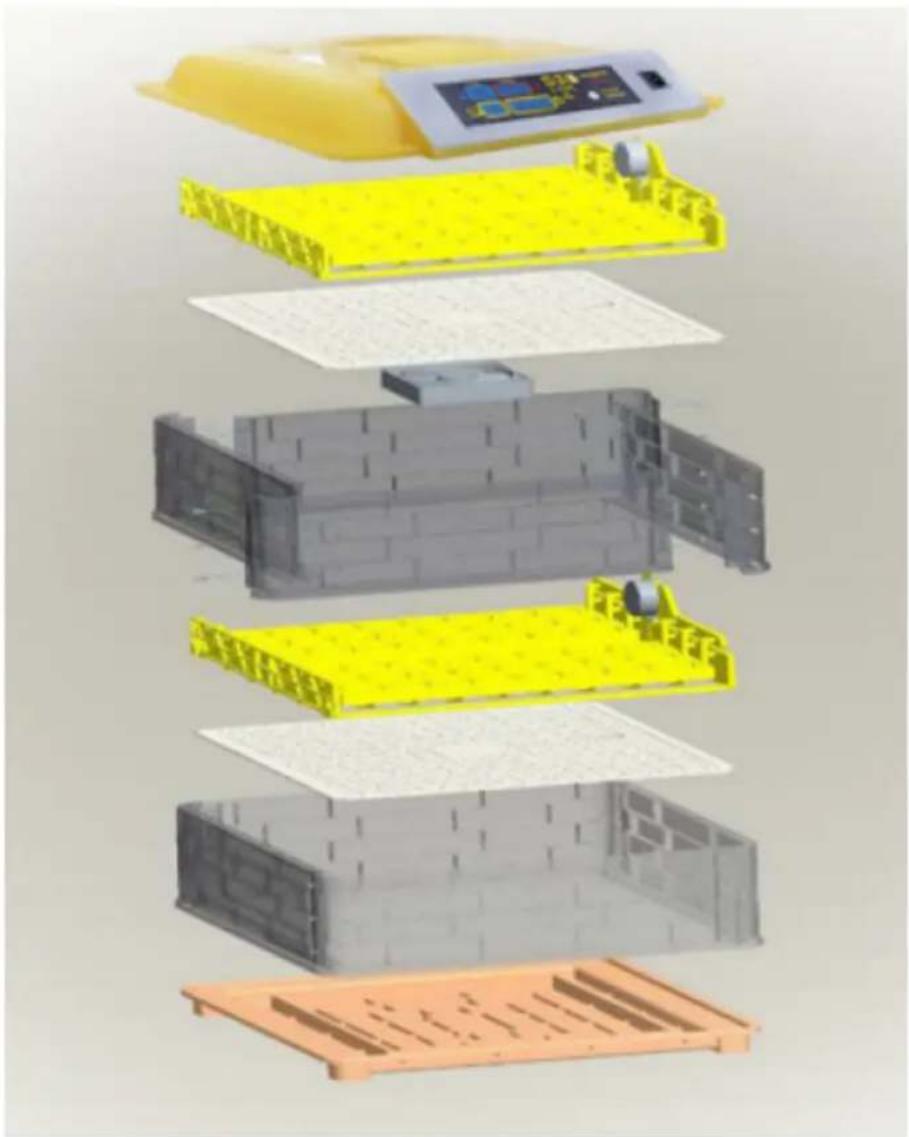
text_image
Exploded view diagram of a battery pack assembly with Chinese text labels indicating components like '电池箱' (battery box) and '电池盖' (capable cover).IN-88DDI
text_image
1 2 3 4text_image
Humidity Temperature Incubato 45 38.0 9 00 01:45 Day Count down(Par 2 hours)natural_image
Close-up of a black mechanical device with a circular connector and attached cable, labeled with number 1 (no text or symbols on the device itself)- Διακόπτης ON/OFF
text_image
QR code image containing encoded data, no visible human-readable text
https://youtu.be/ie2orwepKVU
3.4. Χρήση συσκευής
natural_image
Line drawing of a portable electric stove with multiple circular cavities and a side panel (no text or symbols)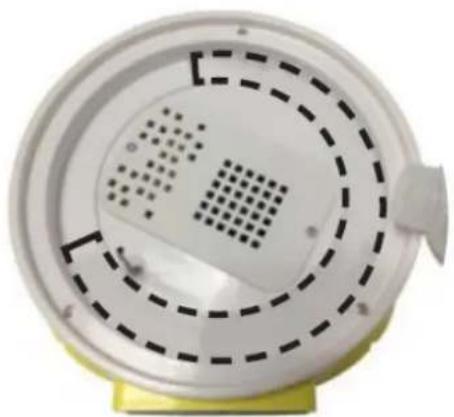
natural_image
Close-up of a white circular device with perforated surface and dashed circular patterns, mounted on a yellow base (no text or symbols visible)natural_image
3D rendering of a water bottle pouring liquid into yellow plastic blocks (no text or symbols visible)text_image
Labeled diagram of a medical device with numbered components and a central display screenIN-96DDI& IN-112DDI
text_image
Labeled diagram of a yellow laboratory incubator with numbered components and control panelIN-12DDI
text_image
Diagram of a printer with numbered parts labeled 1, 3, and 4 pointing to its cover area.Skupština:
natural_image
3D rendering of yellow plastic components including trays and rods, with no visible text or symbols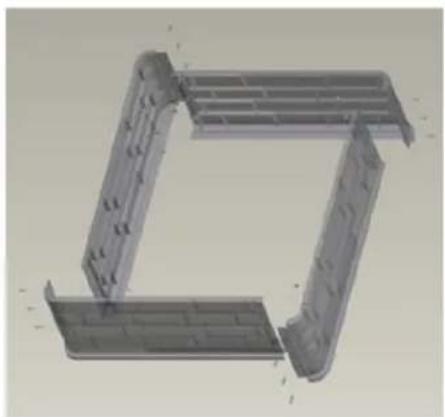
natural_image
3D CAD model of a mechanical bracket or frame structure (no text or symbols visible)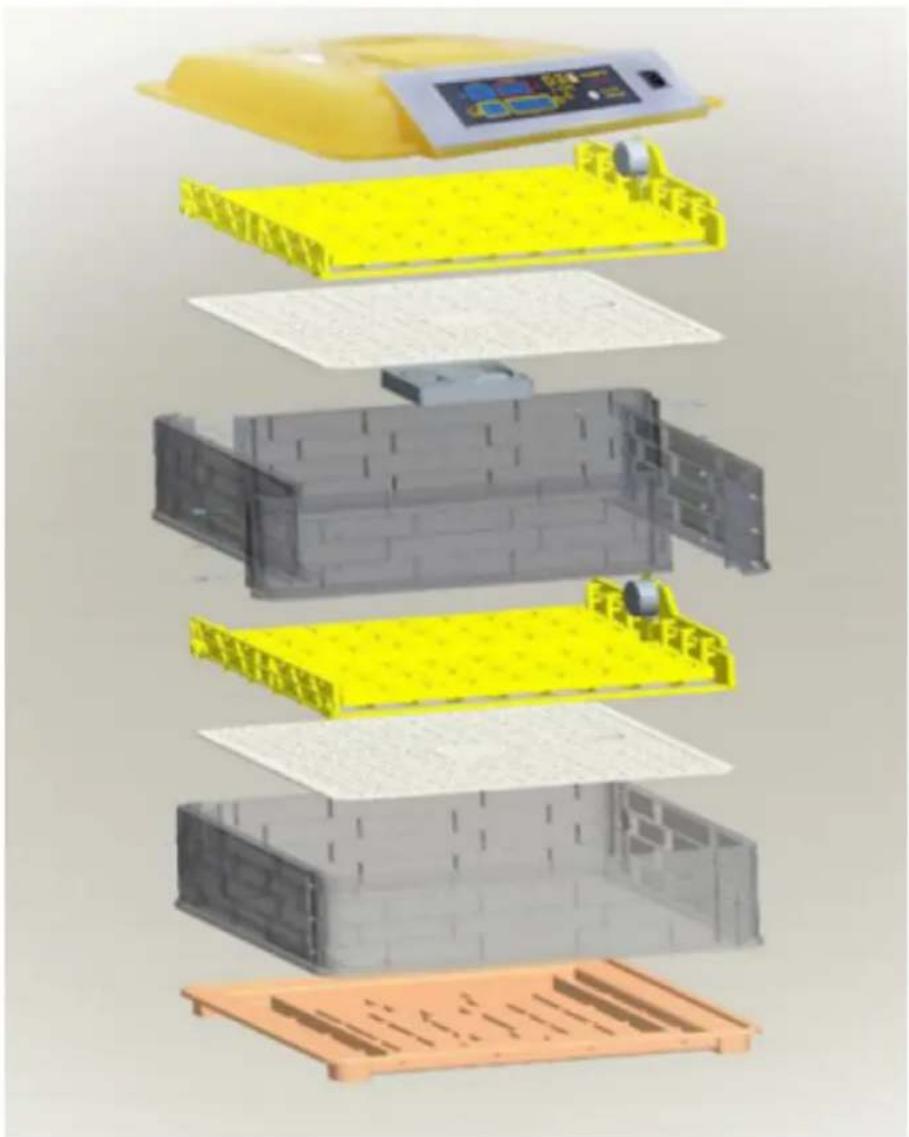
text_image
Exploded view diagram of a battery pack assembly with Chinese labels indicating components like one, two, and three.IN-88DDI
text_image
Diagram of a yellow plastic container with four numbered parts labeled 1, 3, 4, and an internal component.text_image
Humidity Temperature Incubato 45 38.0 9 Day 00 01:45 Count down(Per 2 hours)natural_image
Close-up of a black handheld device with a circular connector and cable, labeled with number 1 (no text or symbols on the device itself)- ON/OFF prekidač
3.2. Priprema za upotrebu
POLOŽAJ APARATA
Temperatura okoline ne smije biti viša od 40°C, a relativna vlažnost zraka manja od 85%. Osigurajte dobru ventilaciju u prostoriji u kojoj se uređaj koristi. Razmak između svake strane uređaja i zida ili drugih predmeta mora biti najmanje 10 cm. Uređaj uvijek treba koristiti postavljen na ravnu, stabilnu, čistu, vatrostalnu i suhu površinu, te biti izvan dohvata djece i osoba s ograničenim mentalnim i osjetilnim funkcijama. Postavite uređaj tako da uvijek imate pristup utikaču. Kabel za napajanje spojen na uređaj mora biti pravilno uzemljen i odgovarati tehničkim podacima na etiketi proizvoda!
3.3. Sastavljanje uređaja
Video s uputama o sastavljanju elementa dostupan je na donjoj poveznici / QR kodu.

text_image
QR code image containing encoded data, no visible human-readable text
https://youtu.be/ie2orwepKVU
natural_image
Line drawing of a two-tier electric cooker with top and side views (no text or symbols)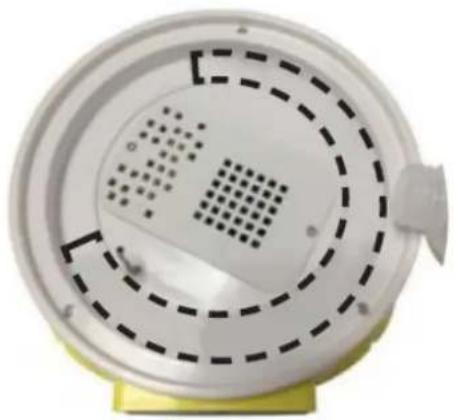
natural_image
Close-up of a white circular device with concentric dashed patterns and a small protrusion on top, mounted on a yellow base (no text or symbols visible)- Pričvrstite poklopac.
- Spojite uređaj na izvor napajanja.
- Odaberite željenu temperaturu: pritisnite tipku "SET" (6). Dioda "set" (3) će zasvijetliti, pokazujući da je uređaj u načinu rada za postavke. Pomoću gumba "+" (5) i "-" (4) odaberite temperaturu. Koristite tipku "SET" (6) za potvrdu. Upalit će se dioda "Rad" (2).
- Pričekajte da se uređaj zagrije (cca. 10-20 min.).
- Lagano rasporedite jaja po plehu.
- Redovito provjeravajte razinu vode u inkubatoru za jaja.
IN-48DDI, IN-96DDI, IN-112DDI

natural_image
3D rendering of a water bottle pouring liquid into yellow plastic components (no text or symbols visible)- Spojite uređaj na izvor napajanja.
- Koristite prekidač za uključivanje/isključivanje (5) za uključivanje uređaja.
- Oglasit će se alarm. Onemogućite alarm pritiskom na gumb na upravljačkoj ploči.
-
Uređaj će automatski protresti jaja svaka 2 sata. Jaja se ljuljaju lijevo-desno, do 45 stupnjeva 10 sekundi. Nemojte podizati poklopac tijekom automatskog okretanja jaja. Obratite posebnu pozornost kada prvi put koristite inkubator.
-
Pritiskom na tipku "reset" (7) jednom se jaja ljuljaju i poništava tajmer koji odbrojava do sljedećeg ljuljanja jaja (vraća ga na 1:59).
- Kako biste resetirali brojač dana inkubacije, pritisnite i držite tipke (3) i (4), zatim isključite i spojite uređaj na napajanje bez otpuštanja tipki. Vratit će se tvorničke postavke uređaja.
- Podešavanje temperature:
• Tvornička postavka temperature inkubatora za jaja je 38°C.
- Pritisnite tipku "Set" (3).
- Tipkama (4) i (6) namjestite temperaturu grijanja.
- Pritisnite tipku "Set" (3) za potvrdu odabira.
-
Postavljanje vrijednosti alarma i kalibracije:
-
Za ulazak u mod postavki pritisnite i držite tipku "Set" (3) tri sekunde.
- Koristite gumbe (4) i (6) za prebacivanje između parametara prikazanih u donjoj tablici.
| Parametar | Značenje parametra | Tvornička postavka |
| AL | Postavljanje alarma niske temperature. | 1°C |
| AH | Postavljanje alarma visoke temperature. | 1°C |
| AS | Postavljanje alarma niske vlažnosti. | 45% |
| CA | Kalibracija termometra. 0° | C |
| HS | Postavljanje gornje granice temperature. | 39,5°C |
| LS | Postavljanje donje granice temperature. | 30°C |
- Za unos postavki odabranog parametra pritisnite i držite tipku "Set" (3).
-
Koristite gumbe (4) i (6) za postavljanje vrijednosti alarma. Pričekajte da se uređaj automatski vrati na glavni izbornik.
• Alarm emitira zvučni signal. Da biste isključili alarm, pritisnite gumb na upravljačkoj ploči. -
Pričekajte da se uređaj zagrije (cca. 10-20 min.).
-
Lagano rasporedite jaja po plehu.
-
Redovito provjeravajte razinu vode u inkubatoru za jaja.

text_image
Labeled diagram of a medical device with numbered components and a central display screenIN-96DDI& IN-112DDI

text_image
Diagram of a yellow incubator with labeled components including control panel, buttons, and display screenIN-12DDI
text_image
Diagram of a printer with numbered parts labeled 1, 3, and 4 pointing to its cover area.Surinkimas:
natural_image
3D rendering of yellow plastic components including trays and rods, with no visible text or symbols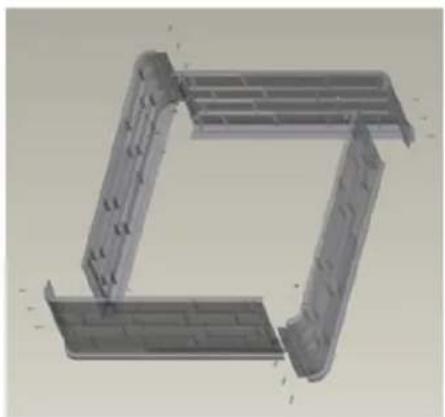
natural_image
3D CAD model of a mechanical bracket or frame structure (no text or symbols visible)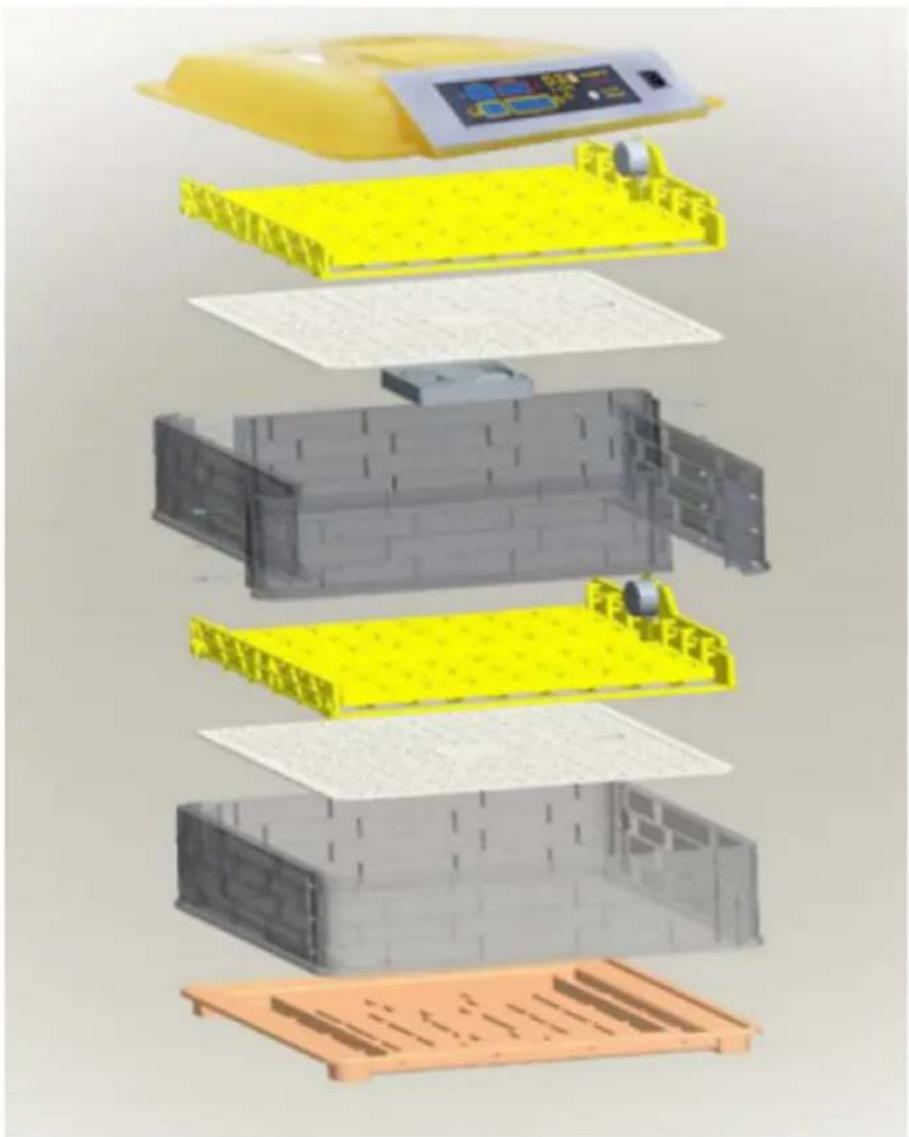
text_image
Exploded view diagram of a battery pack assembly with Chinese labels indicating components like one, two, and three.IN-88DDI
text_image
Diagram of a yellow plastic container with four numbered parts labeled 1 to 4, showing internal components.text_image
Humidity Temperature Incubato 45 38.0 9 Day 00 01:45 Count down(Per 2 hours)natural_image
Close-up of a black handheld device with a circular connector and cable, labeled with number 1 (no text or symbols on the device itself)- ON/OFF jungiklis
text_image
QR code image containing encoded data, no visible human-readable text
https://youtu.be/ie2orwepKVU
natural_image
Line drawing of a two-tier electric cooker with top and side views (no text or symbols)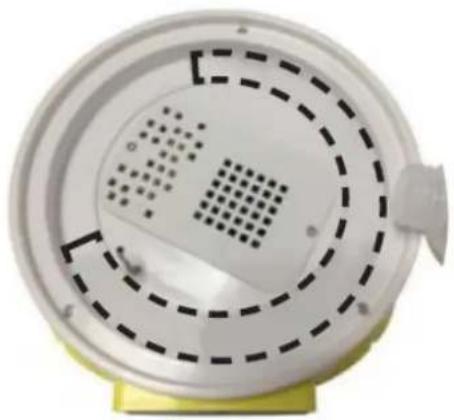
natural_image
Close-up of a white circular device with concentric dashed and dotted patterns, mounted on a yellow base (no text or symbols visible)natural_image
3D rendering of a water bottle pouring liquid into yellow plastic components (no text or symbols visible)text_image
Diagram of a medical device with numbered parts labeled 1 to 4, showing internal components and control buttons.IN-96DDI& IN-112DDI
text_image
Labeled diagram of a yellow laboratory incubator with numbered components and control panelIN-12DDI
text_image
Diagram of a printer with numbered parts labeled 1, 3, and 4 pointing to its cover area.Asamblare:
natural_image
3D rendering of yellow plastic components including trays and rods, with no visible text or symbols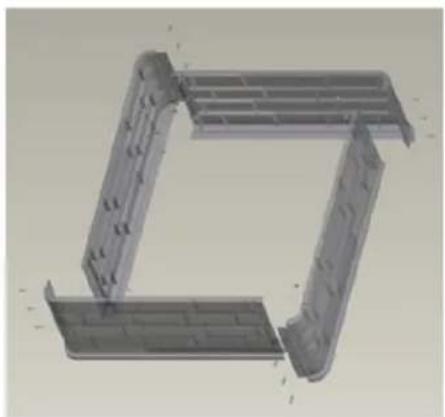
natural_image
3D CAD model of a mechanical bracket or frame structure (no text or symbols visible)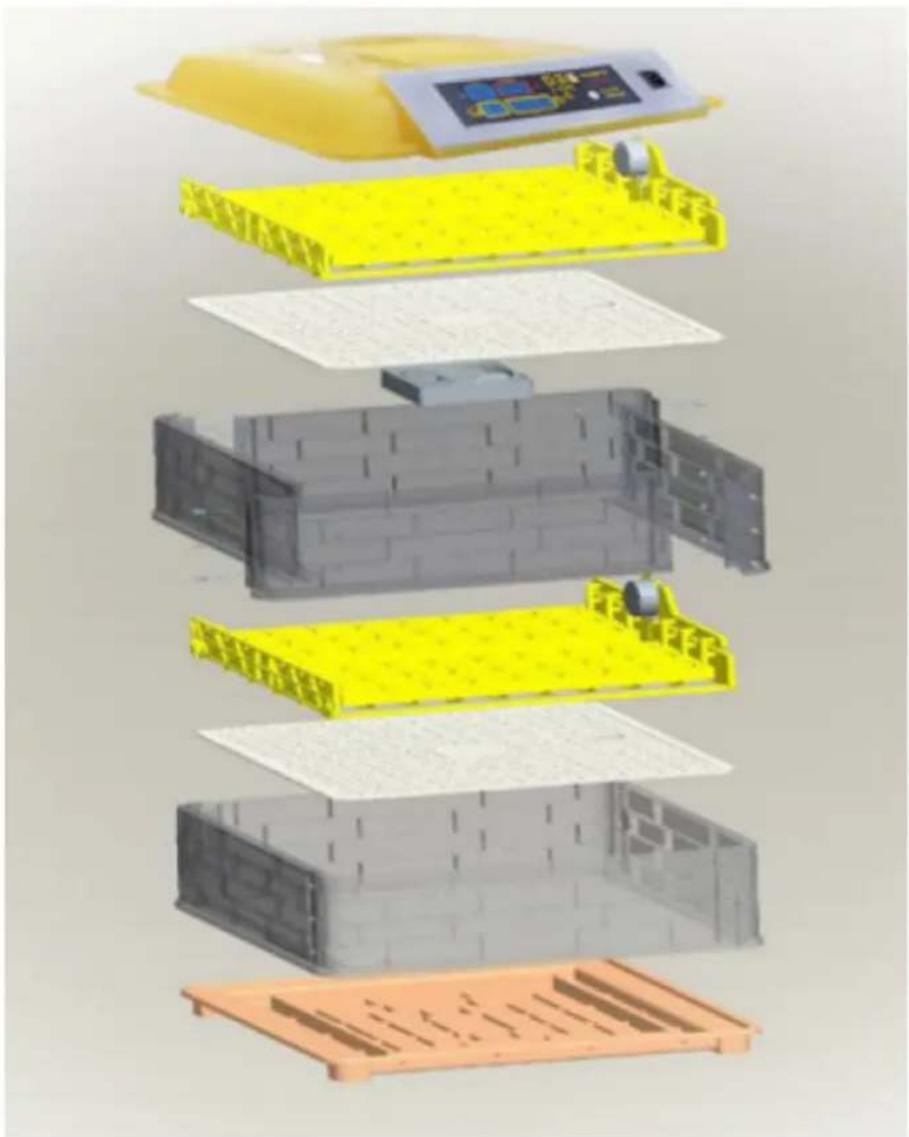
text_image
Exploded view diagram of a battery pack assembly with Chinese labels indicating components like one, two, and three.IN-88DDI
text_image
Diagram of a yellow plastic container with four labeled parts, showing internal structure and directional arrows.text_image
Humidity Temperature Incubato 45 38.0 9 Day 00 01:45 Count down(Per 2 hours)natural_image
Close-up of a black handheld device with a circular connector and cable, labeled with number 1 (no text or symbols on the device itself)- Comutator ON/OFF
text_image
QR code image containing encoded data, no visible human-readable text
https://youtu.be/ie2orwepKVU
natural_image
Line drawing of a two-tier electric cooker with top and side views (no text or symbols)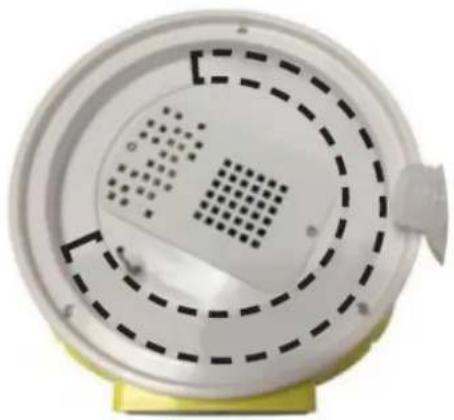
natural_image
Close-up of a white circular device with concentric dashed and dotted patterns, mounted on a yellow base (no text or symbols visible)natural_image
3D rendering of a water bottle pouring liquid into yellow plastic components (no text or symbols visible)text_image
Labeled diagram of a medical device with numbered components and a central display screenIN-96DDI& IN-112DDI
text_image
Diagram of a yellow incubator with labeled components including control panel, buttons, and display screenIN-12DDI
text_image
Diagram of a printer with numbered parts labeled 1, 3, and 4 pointing to its cover area.Montaža:
natural_image
3D rendering of yellow plastic components including trays and rods, with no visible text or symbols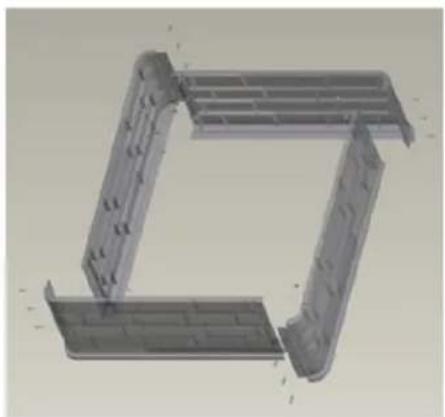
natural_image
3D CAD model of a mechanical bracket or frame structure (no text or symbols visible)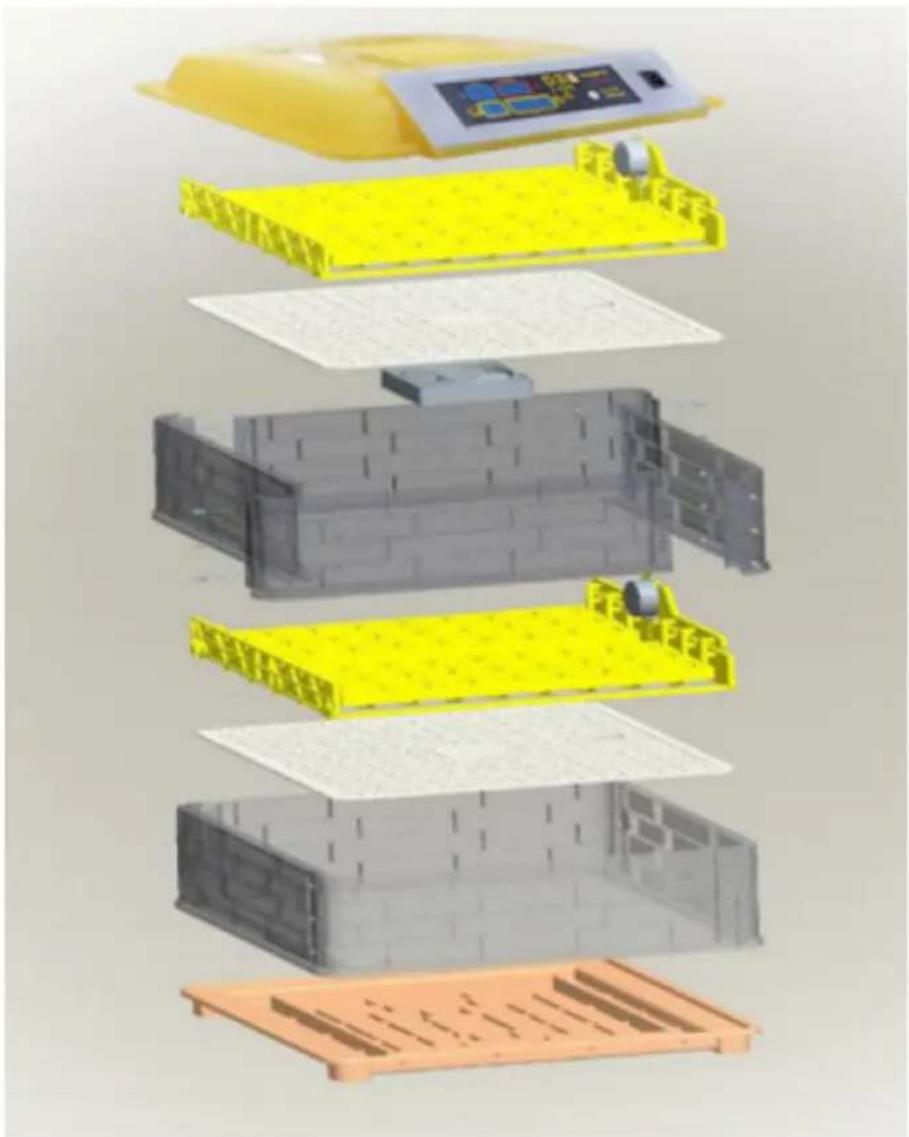
text_image
Exploded view diagram of a battery pack assembly with Chinese labels indicating components like one, two, and three.IN-88DDI
text_image
Diagram of a yellow plastic container with four numbered parts labeled 1 to 4, showing internal components.text_image
Humidity Temperature Incubato 45 38.0 9 Day 00 01:45 Count down(Per 2 hours)natural_image
Close-up of a black handheld device with a circular connector and cable, labeled with number 1 (no text or symbols on the device itself)text_image
QR code image containing encoded data, no visible human-readable text
https://youtu.be/ie2orwepKVU
3.4. Uporaba naprave
natural_image
Line drawing of a rice cooker with top and side views showing internal compartments (no text or symbols)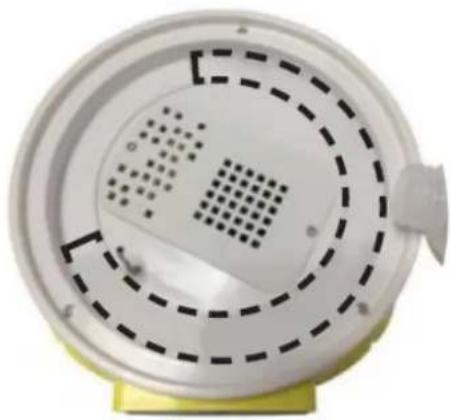
natural_image
Close-up of a white circular device with perforated panel and dashed circular pattern, mounted on a yellow base (no text or symbols visible)- Pritrdite pokrov.
- Priključite napravo na vir napajanja.
- Izberite želeno temperaturo: pritisnite tipko "SET" (6). Zasvetila bo dioda "set" (3), kar pomeni, da je naprava v nastavitvenem načinu. Za izbiro temperature uporabite gumba "+" (5) in "-" (4). Za potrditev uporabite gumb "SET" (6). Prižgala se bo dioda "Delo" (2).
- Počakajte, da se naprava segreje (cca. 10-20 min.).
- Jajca nežno razporedimo po pladnju.
- Redno preverjajte nivo vode v inkubatorju za jajca.
IN-48DDI, IN-96DDI, IN-112DDI

POMEMBNO! Funkcija vlažnosti bo samo izmerjena/prikazana, vendar je ni mogoče regulirati.
- Odprite pokrove, ki pokrivajo dovode vode na dnu naprave. V inkubator za jajca nalijte vodo. Prepričajte se, da pogonski mehanizem ostane suh. Zaprite pokrove.
natural_image
3D rendering of a water bottle pouring liquid into yellow plastic components (no text or symbols visible)For the disposal of the device please consider and act according to the national and local rules and regulations.
CONTACT
expondo Polska sp. z o.o. sp. k.