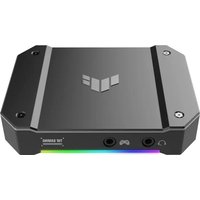
ASUS TUF GAMING CAPTURE BOX-4KPRO - Video Capture Card

TUF GAMING CAPTURE BOX-4KPRO - Video Capture Card ASUS - Free user manual and instructions

Find the device manual for free TUF GAMING CAPTURE BOX-4KPRO ASUS in PDF.
📄 268 pages English EN Download 💬 AI Question
Notice ASUS TUF GAMING CAPTURE BOX-4KPRO - page 3
Pick your language and provide your email: we'll send you a specifically translated version.

User questions about TUF GAMING CAPTURE BOX-4KPRO ASUS

0 question about this device. Answer the ones you know or ask your own.

Ask a new question about this device

The email remains private: it is only used to notify you if someone responds to your question.

No questions yet. Be the first to ask one.

Download the instructions for your Video Capture Card in PDF format for free! Find your manual TUF GAMING CAPTURE BOX-4KPRO - ASUS and take your electronic device back in hand. On this page are published all the documents necessary for the use of your device. TUF GAMING CAPTURE BOX-4KPRO by ASUS.

USER MANUAL TUF GAMING CAPTURE BOX-4KPRO ASUS

for ASUS Video Capture Products

Quick Start Guide

Q20238 / First Edition / August 2022

ASUS

Contents

English....4

繁體中文....15

简体中文 26

Français 37

Deutsch....48

Русский....59

Italiano 70

日本語 81

Please scan the QR code below to get the latest Quick Start Guide.

ASUS TUF GAMING CAPTURE BOX-4KPRO - Contents - 1

text_image QR code image containing encoded data, no visible human-readable text

About ASUS Video Capture Console

ASUS Video Capture Console is an easy-to-use video recording and live streaming software that lets you quickly and painlessly capture video content and broadcast to your audience without a steep learning curve. Also integrated into the software is light and audio control for all connected ASUS video capture products, allowing you to customize the lighting effects of your devices' Addressable RGB (ARGB) elements and enables full audio control from your PC or console. This software takes seamless integration to another level by providing software and firmware updates for connected ASUS capture boxes all from one centralized interface.

Getting Started

After you complete setting up your ASUS video capture product, it is recommended that you download and install ASUS Video Capture Console to your streaming PC.

System Requirements

Refer to your ASUS video capture product's quick start guide for your streaming PC's system requirements.

Downloading the ASUS Video Capture Console Software

Visit https://www.asus.com/support/ to download the software for your ASUS video capture product.

NOTES

  • Make sure the firmware and drivers are updated for your ASUS video capture product. Visit https://www.asus.com/support/ for the latest updates.
  • ASUS Video Capture Console can be used as a standalone or together with a live streaming software, such as OBS™ Console. To download and get more information on OBS™ Console, go to their official website.

ASUS Video Capture Console User Interface

NOTE: The screenshots in this guide are for reference only. The available functions may vary depending on devices connected.

Preview & Record
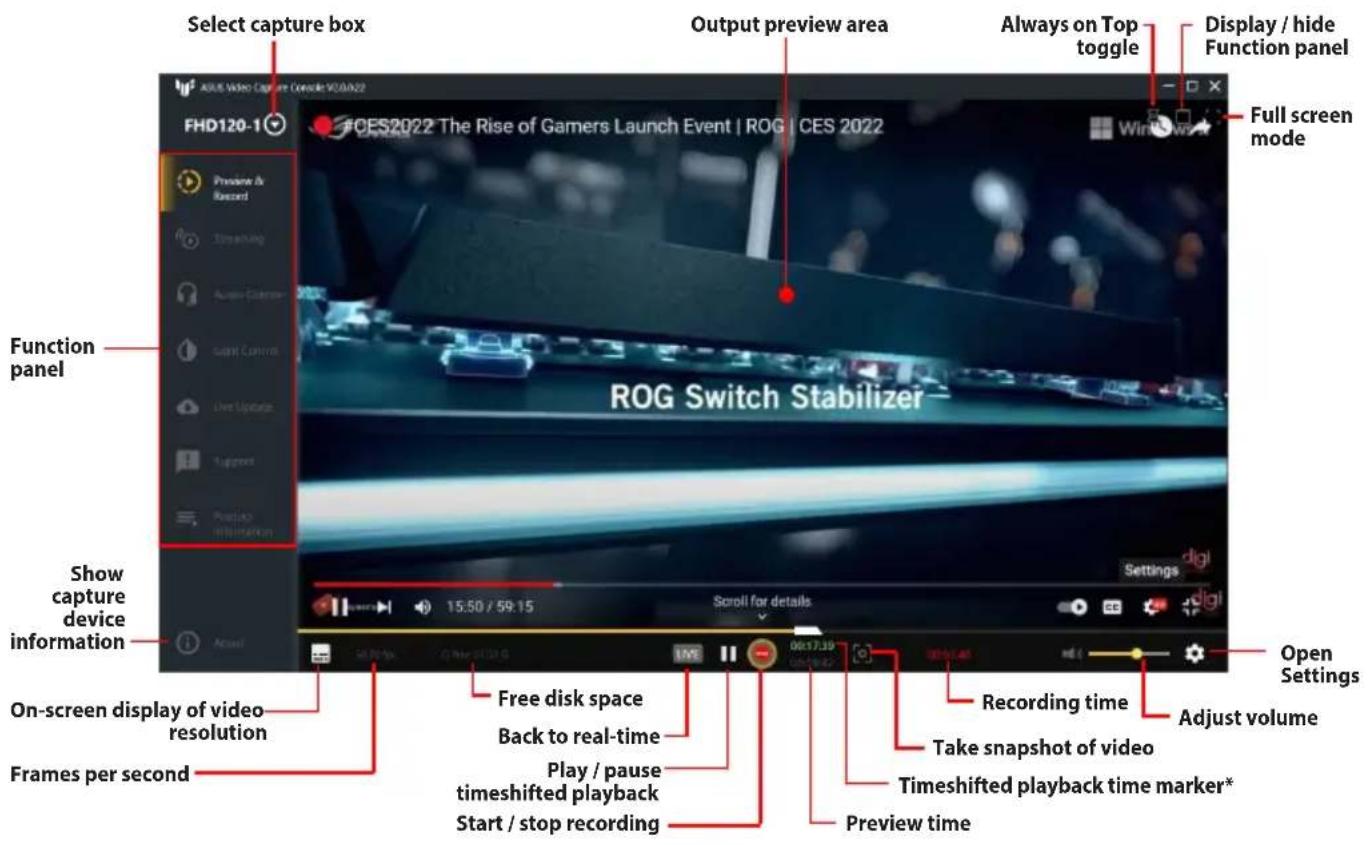
ASUS TUF GAMING CAPTURE BOX-4KPRO - ASUS Video Capture Console User Interface - 1

text_image Select capture box Output preview area Always on Top toggle Display / hide Function panel FHD120-1 ROG Switch Stabilizer Full screen mode Function panel ROG Switch Stabilizer Show capture device information On-screen display of video resolution Frames per second Free disk space Back to real-time Play / pause timeshifted playback Start / stop recording Recording time Adjust volume Open Settings Timeshifted playback time marker* Preview time

* Only available when Enable Timeshift is turned on in Preview & Record Settings.

Preview & Record Settings

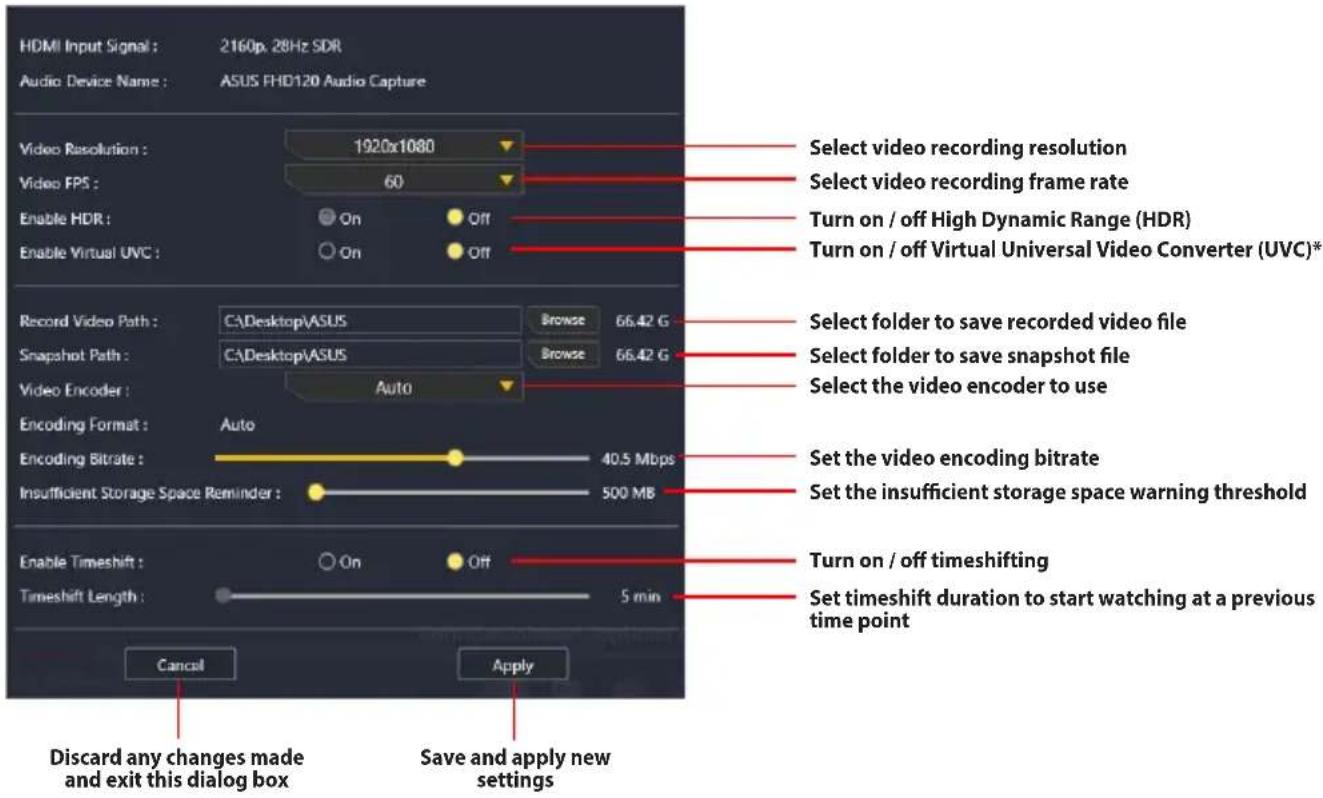
The Settings pane in Preview & Record provides you with various options for video output and video recording.

Accessing the Preview & Record Settings pane:

  1. Click Preview & Record from the Function panel.
  2. Click ✿ in the lower right-hand corner of the window.
ASUS TUF GAMING CAPTURE BOX-4KPRO - Accessing the Preview & Record Settings pane: - 1

text_image HDMI Input Signal : 2160p. 28Hz SDR Audio Device Name : ASUS FHD120 Audio Capture Video Resolution : 1920x1080 Video FPS : 60 Enable HDR : On Off Enable Virtual UVC : On Off Record Video Path : CA\Desktop\ASUS Browse 66.42 G Snapshot Path : CA\Desktop\ASUS Browse 66.42 G Video Encoder : Auto Encoding Format : Auto Encoding Bitrate : 40.5 Mbps Insufficient Storage Space Reminder : 500 MB Enable Timeshift : On Off Timeshift Length : 5 min Cancel Apply Discard any changes made and exit this dialog box Save and apply new settings Select video recording resolution Select video recording frame rate Turn on / off High Dynamic Range (HDR) Turn on / off Virtual Universal Video Converter (UVC)* Select folder to save recorded video file Select folder to save snapshot file Select the video encoder to use Set the video encoding bitrate Set the insufficient storage space warning threshold Turn on / off timeshifting Set timeshift duration to start watching at a previous time point

* Enabling Virtual UVC allows the video content created to be shared and used by other video streaming software, such as OBS.

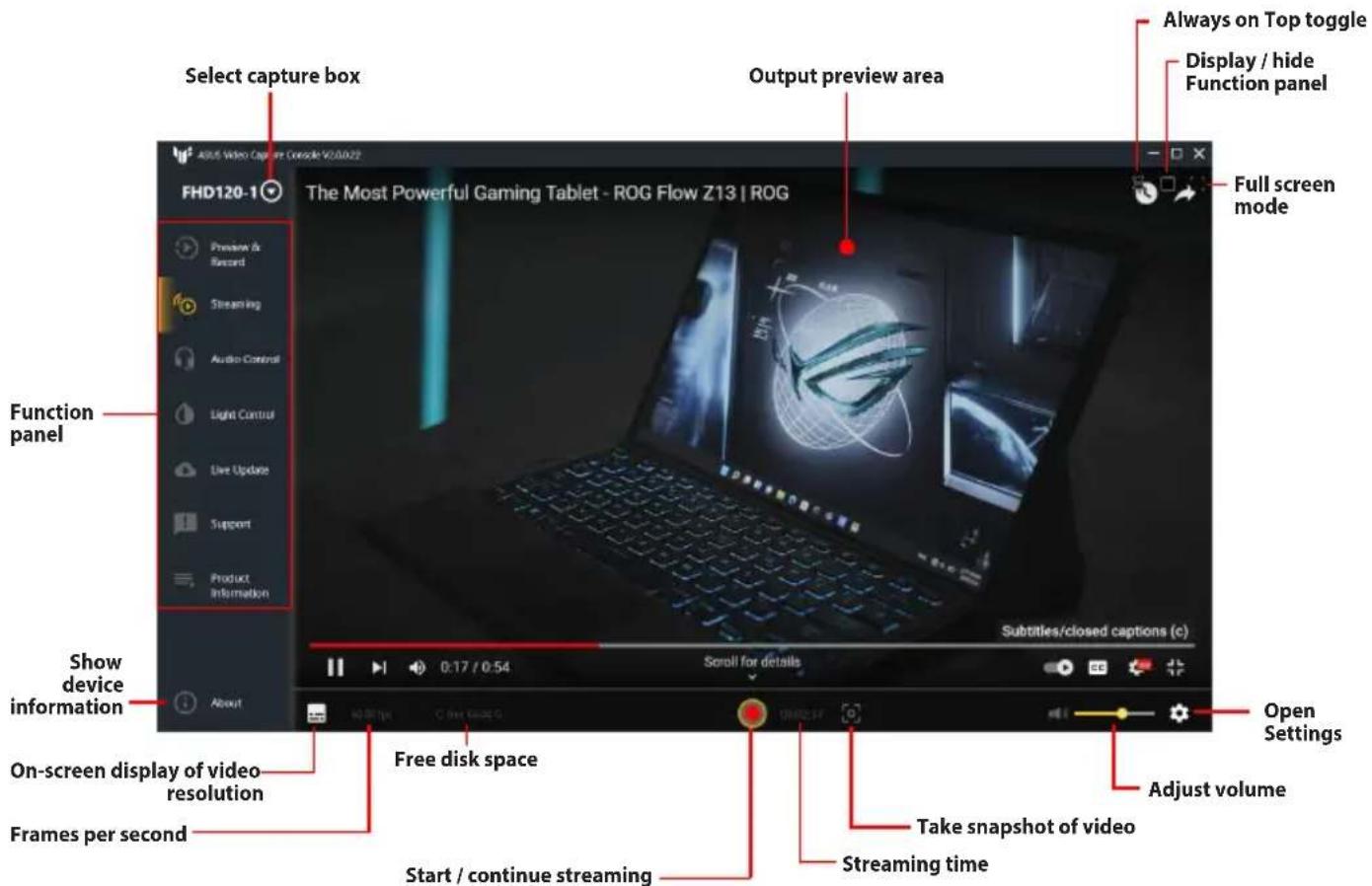
Streaming
ASUS TUF GAMING CAPTURE BOX-4KPRO - Accessing the Preview & Record Settings pane: - 2

text_image Select capture box Output preview area Always on Top toggle Display / hide Function panel Full screen mode FHD120-1 The Most Powerful Gaming Tablet - ROG Flow Z13 | ROG Show device information On-screen display of video resolution Frames per second Free disk space Start / continue streaming Take snapshot of video Streaming time Subtitles/closed captions (c) Open Settings Adjust volume

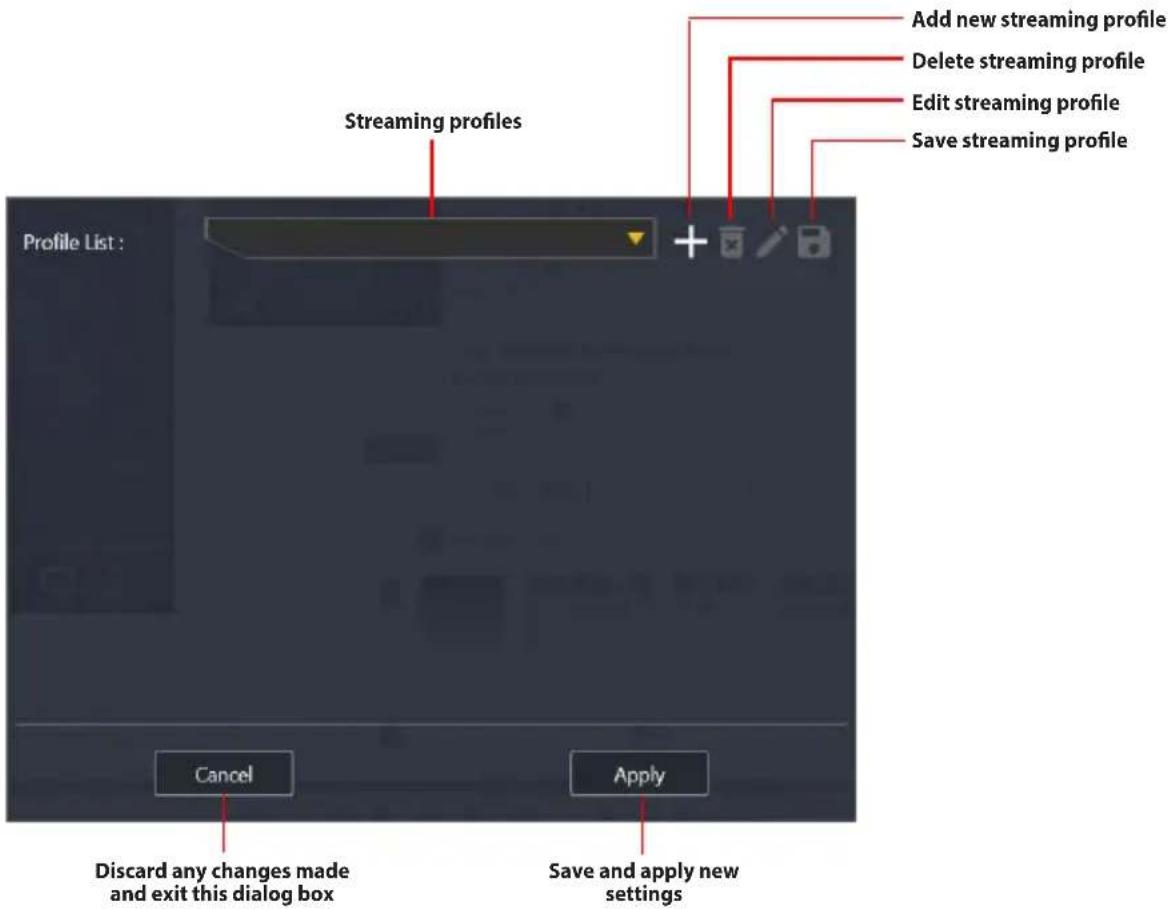
Streaming Settings

Accessing the Streaming Settings pane:

  1. Click Streaming from the Function panel.
  2. Click ⚙ in the lower right-hand corner of the window.
ASUS TUF GAMING CAPTURE BOX-4KPRO - Accessing the Streaming Settings pane: - 1

text_image Add new streaming profile Delete streaming profile Edit streaming profile Save streaming profile Streaming profiles Profile List : Cancel Apply Discard any changes made and exit this dialog box Save and apply new settings

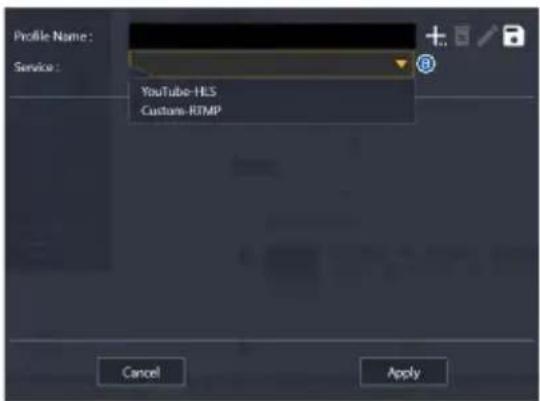
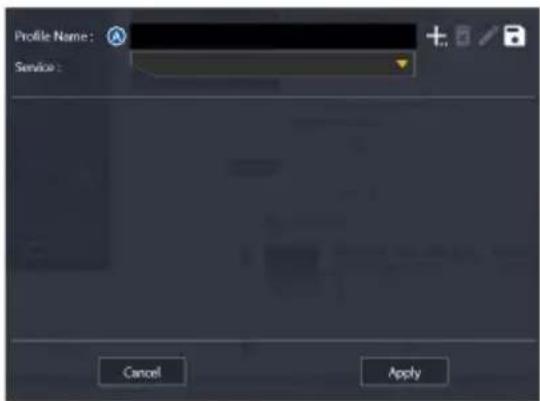
Adding a new streaming profile

  1. Click + next to the Profile List dropdown box.
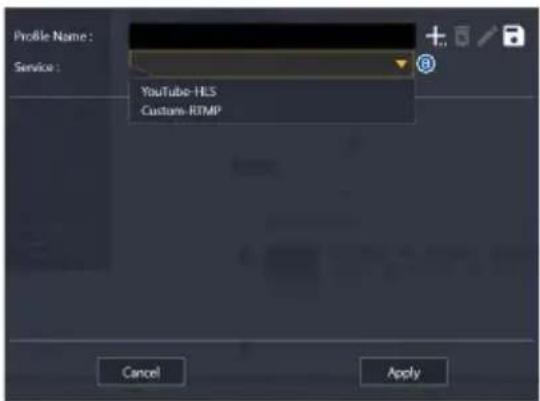
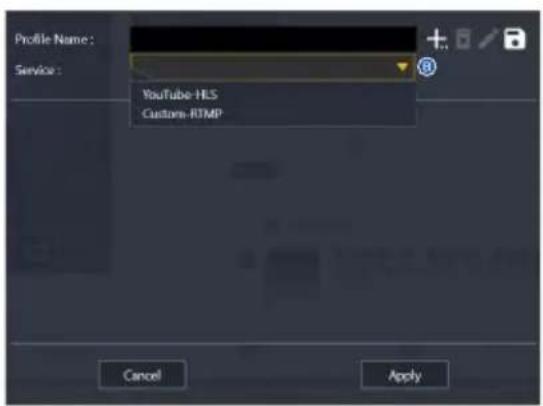
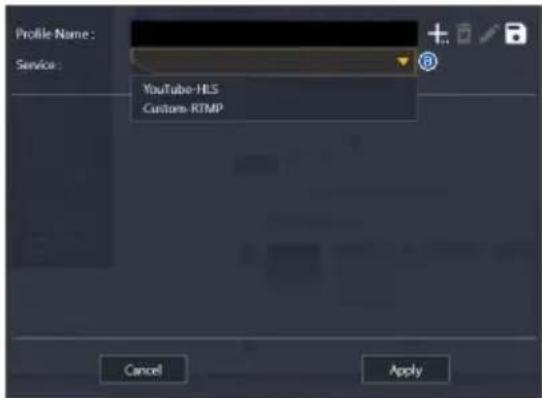
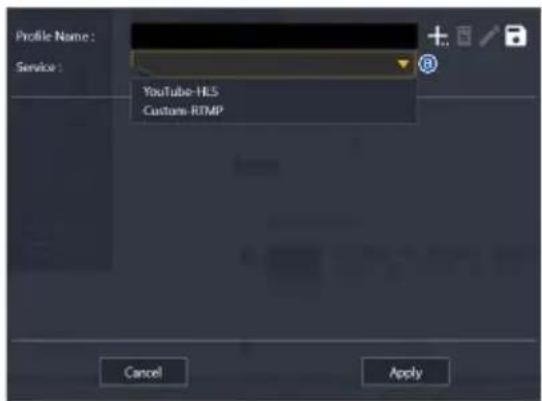
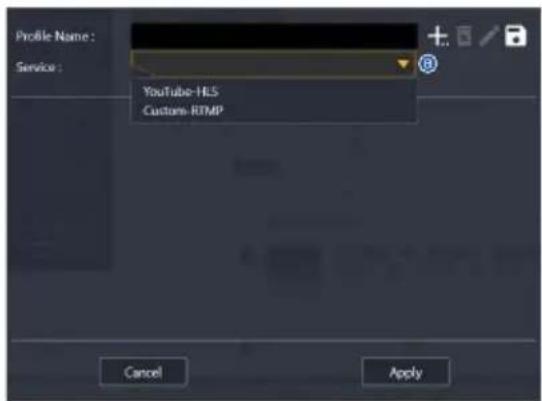
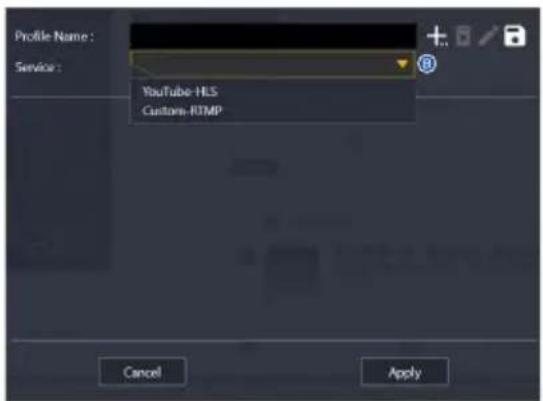
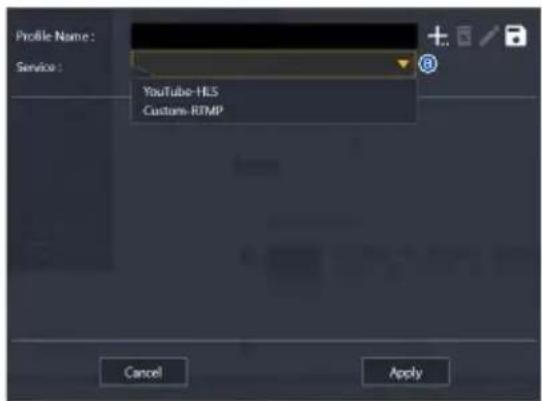
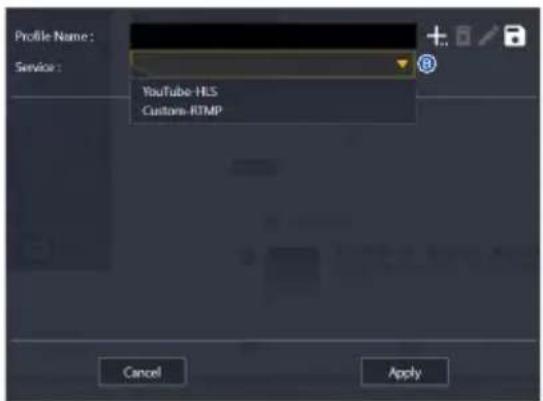
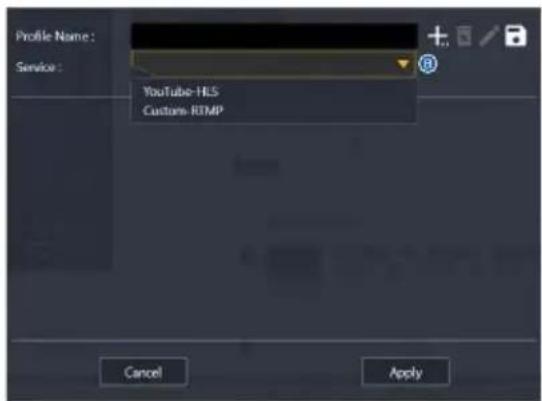
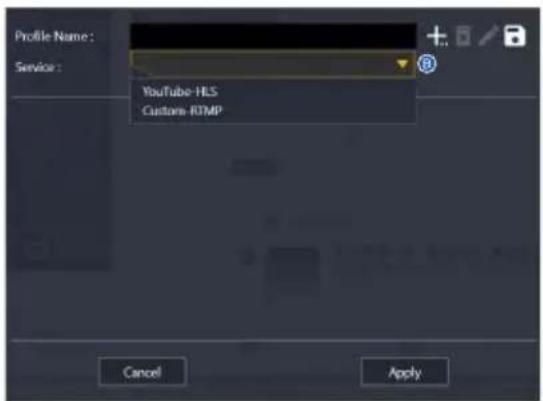
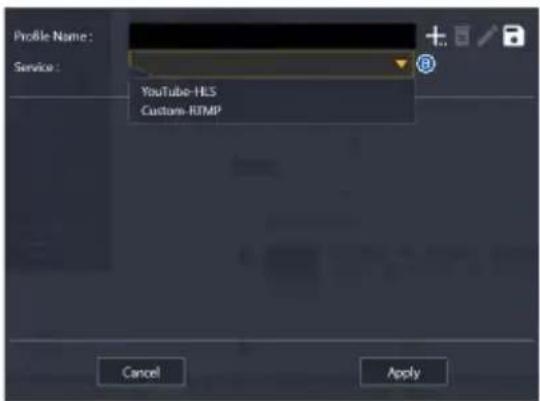
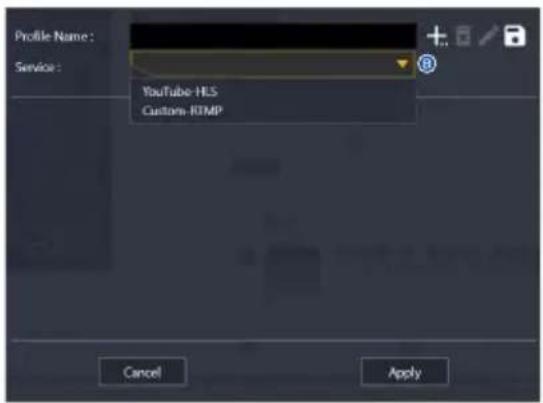
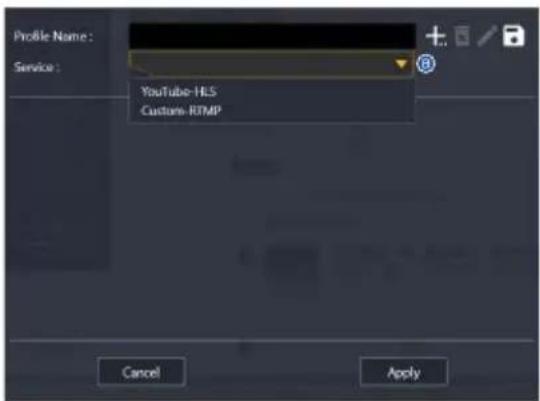
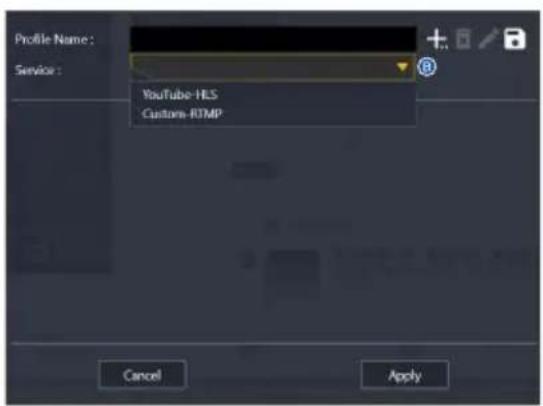
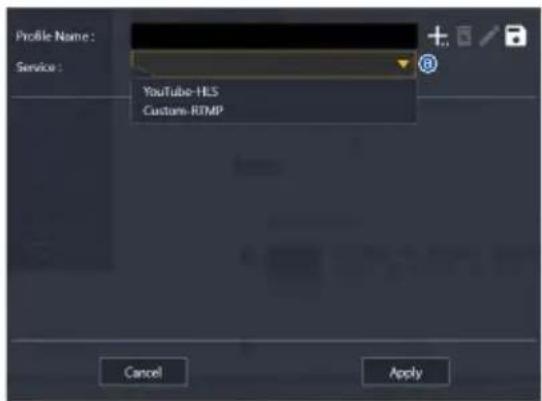
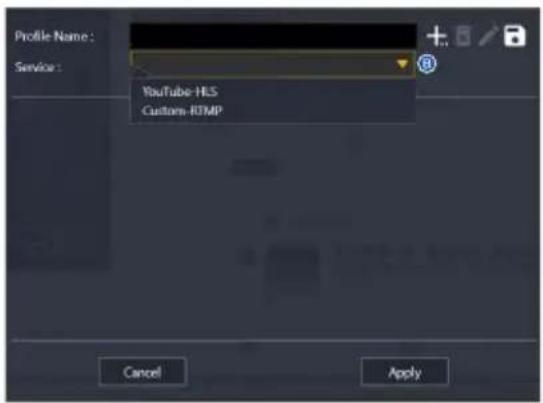
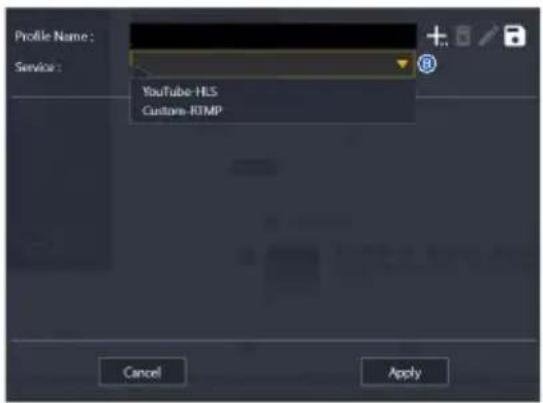
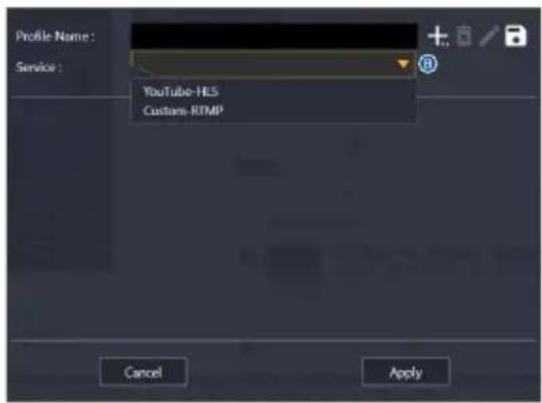
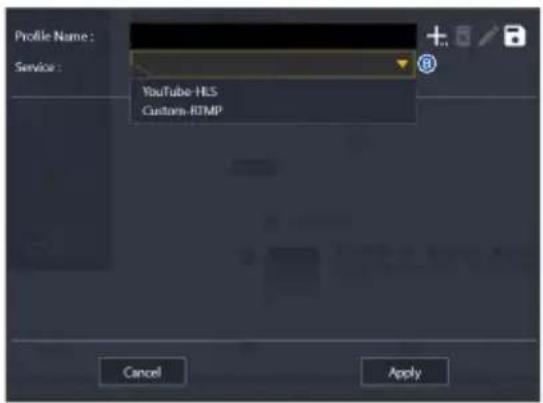
  2. Enter a name for the profile in the Profile Name input box (A) and select a service (B).
ASUS TUF GAMING CAPTURE BOX-4KPRO - Adding a new streaming profile - 1

text_image Profile Name: Service: Cancel Apply

ASUS TUF GAMING CAPTURE BOX-4KPRO - Adding a new streaming profile - 2

text_image Profile Name : Service : YouTube-HLS Customs RTMP Cancel Apply
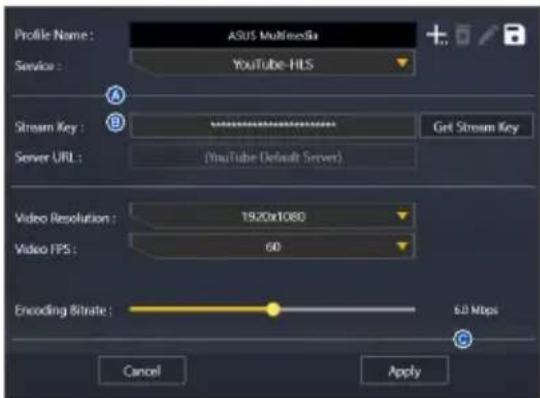
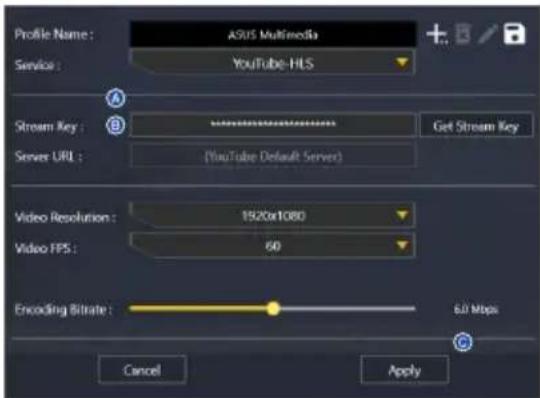
  1. Copy and paste the Stream Key (A) and Server URL (B) from a live streaming service provider, such as YouTube, Facebook, or Twitch, and then click Apply.
ASUS TUF GAMING CAPTURE BOX-4KPRO - Adding a new streaming profile - 3

text_image Profile Name: ASUS Multimedia Service: YouTube-HLS Stream Key: *************** Get Stream Key Server URL: (YouTube Default Server) Video Resolution: 1920x1080 Video FPS: 60 Encoding Bitrate: 6.0 Mbps Cancel Apply

Audio Control
ASUS TUF GAMING CAPTURE BOX-4KPRO - Adding a new streaming profile - 4

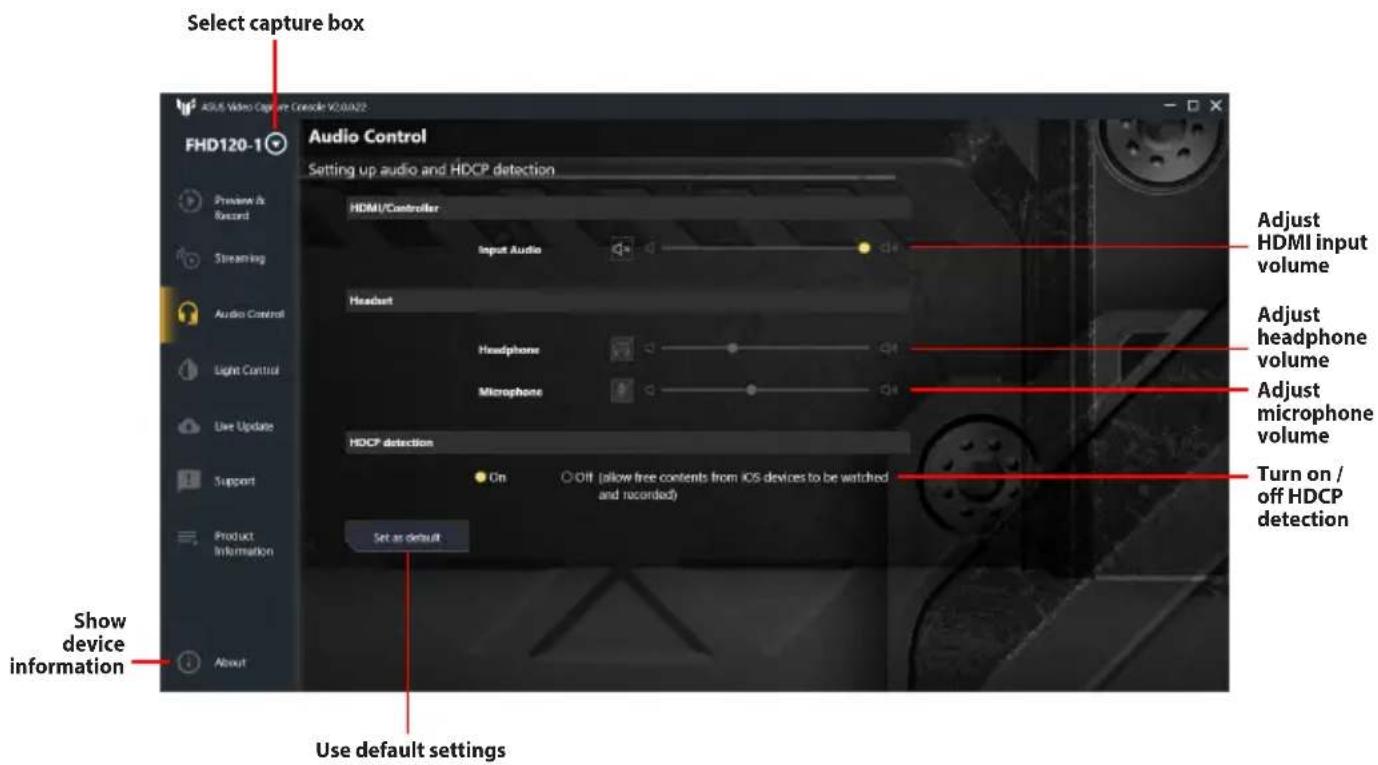
text_image Select capture box FHD120-1 Audio Control Setting up audio and HDCP detection HDMI/Controller Input Audio Headset Headphone Microphone HDCP detection On Off (allow free contents from iOS devices to be watched and recorded) Set as default Adjust HDMI input volume Adjust headphone volume Adjust microphone volume Turn on / off HDCP detection Show device information Use default settings

Light Control

ASUS TUF GAMING CAPTURE BOX-4KPRO - Light Control - 1

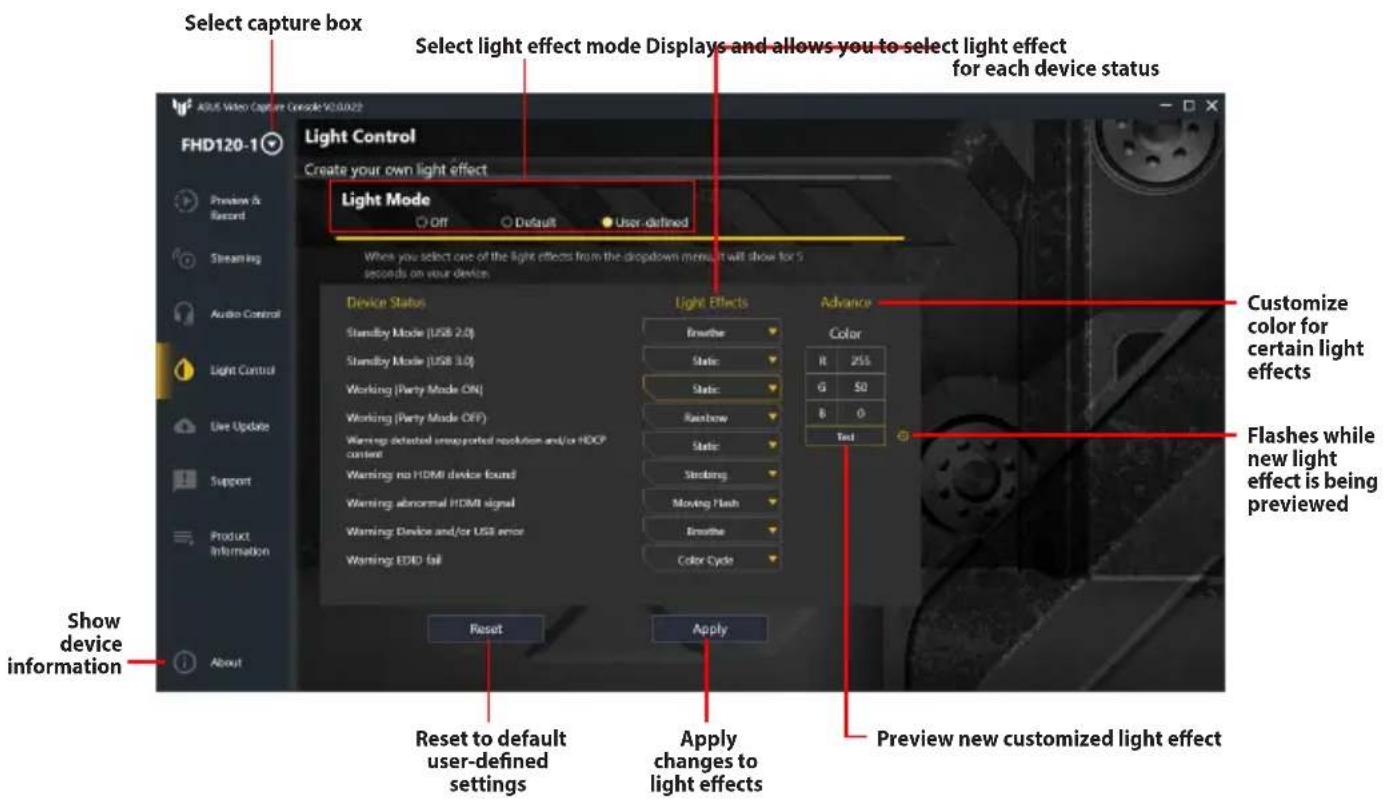
text_image Select capture box Select light effect mode Displays and allows you to select light effect for each device status Light Control Create your own light effect Light Mode Off Default User-defined When you select one of the light effects from the dropdown menu, it will show for 5 seconds on your device Device Status Standby Mode (USB 2.0) Standby Mode (USB 3.0) Working (Party Mode ON) Working (Party Mode OFF) Warnings detected unsupported resolution and/or HODP control Warning no HDMI device found Warning abnormal HDMI signal Warning Device and/or USB error Warning EDIO fail Reset Apply Reset to default user-defined settings Apply changes to light effects Preview new customized light effect Advance Color R 255 G 50 B 0 Test Customize color for certain light effects Flashes while new light effect is being previewed Show device information About

Live Update
ASUS TUF GAMING CAPTURE BOX-4KPRO - Light Control - 2

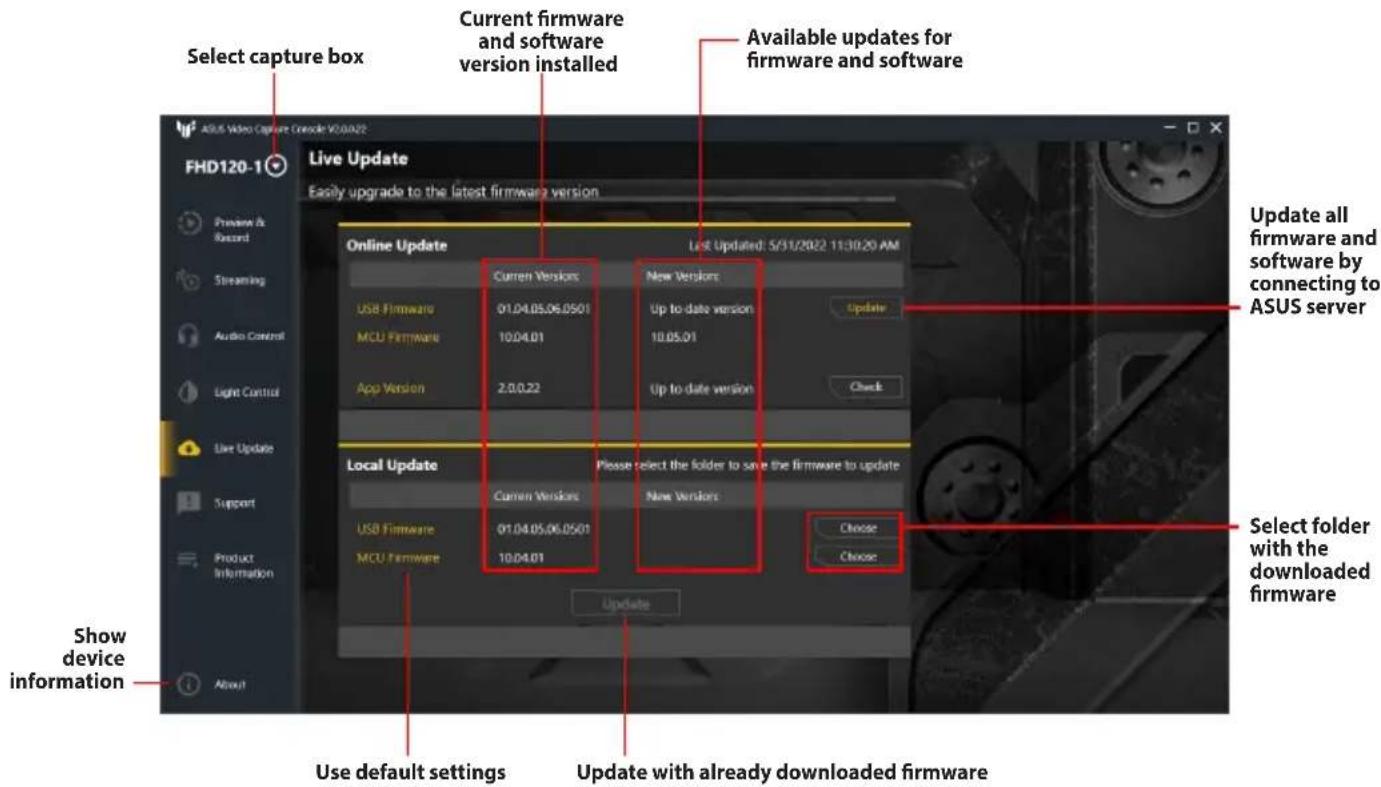
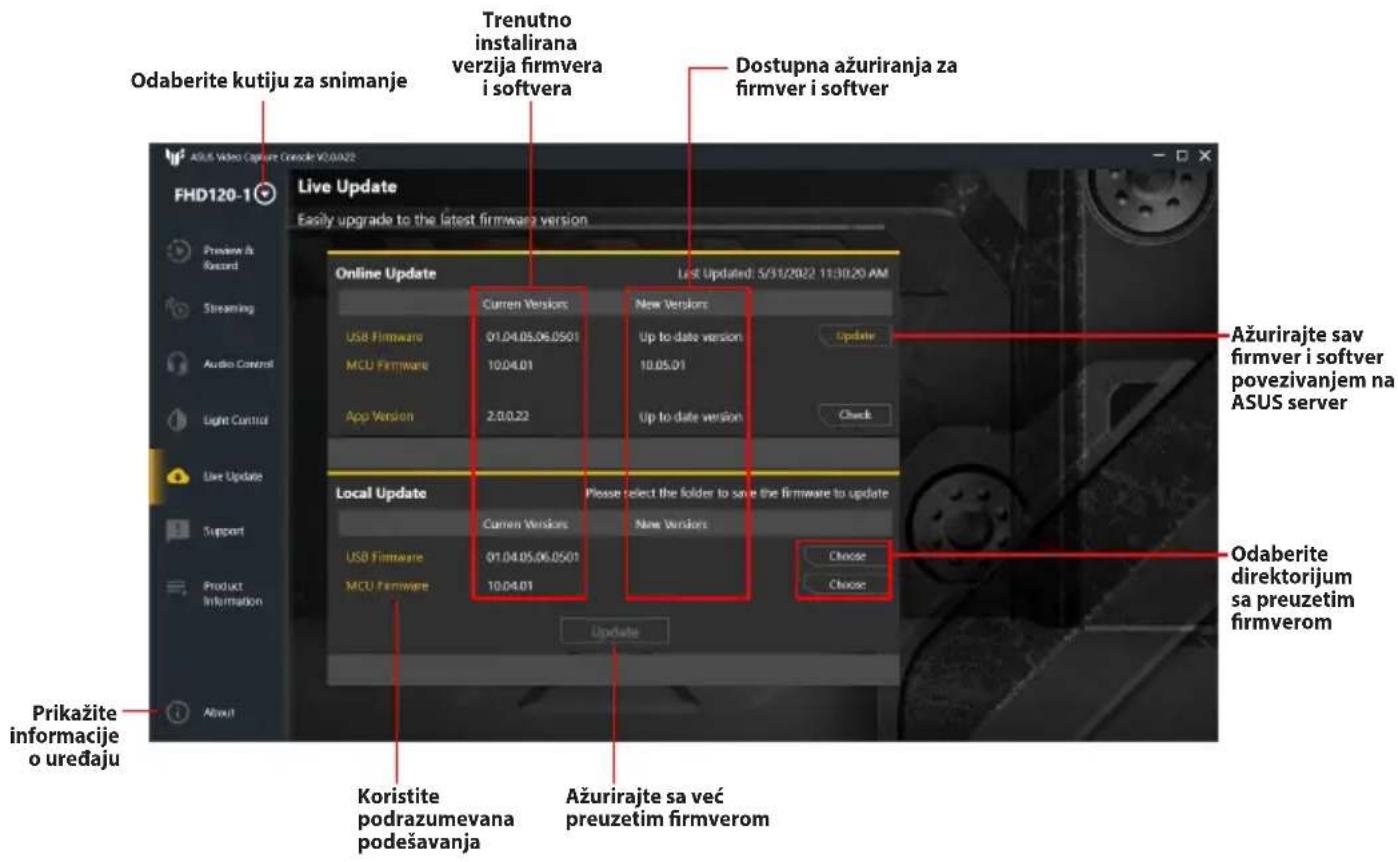
text_image Select capture box Current firmware and software version installed Available updates for firmware and software Live Update Easily upgrade to the latest firmware version Online Update List Updated: 5/31/2022 11:30:20 AM Current Versions New Versions USB Firmware 01.04.05.06.0501 Up to date version Update MCU Firmware 10.04.01 10.05.01 App Version 2.0.0.22 Up to date version Check Local Update Please select the folder to save the firmware to update Current Versions New Versions USB Firmware 01.04.05.06.0501 Choose MCU Firmware 10.04.01 Choose Update all firmware and software by connecting to ASUS server Select folder with the downloaded firmware Show device information Use default settings Update with already downloaded firmware

Support

ASUS TUF GAMING CAPTURE BOX-4KPRO - Support - 1

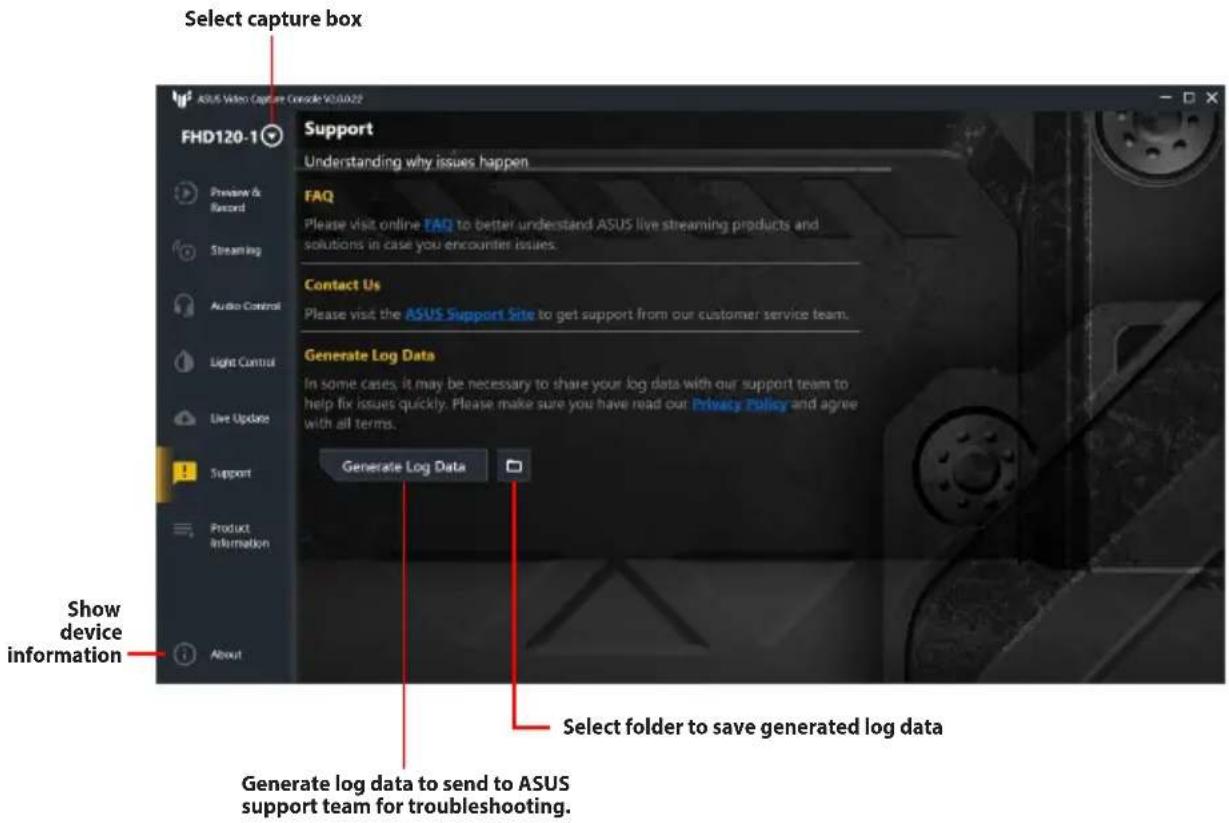
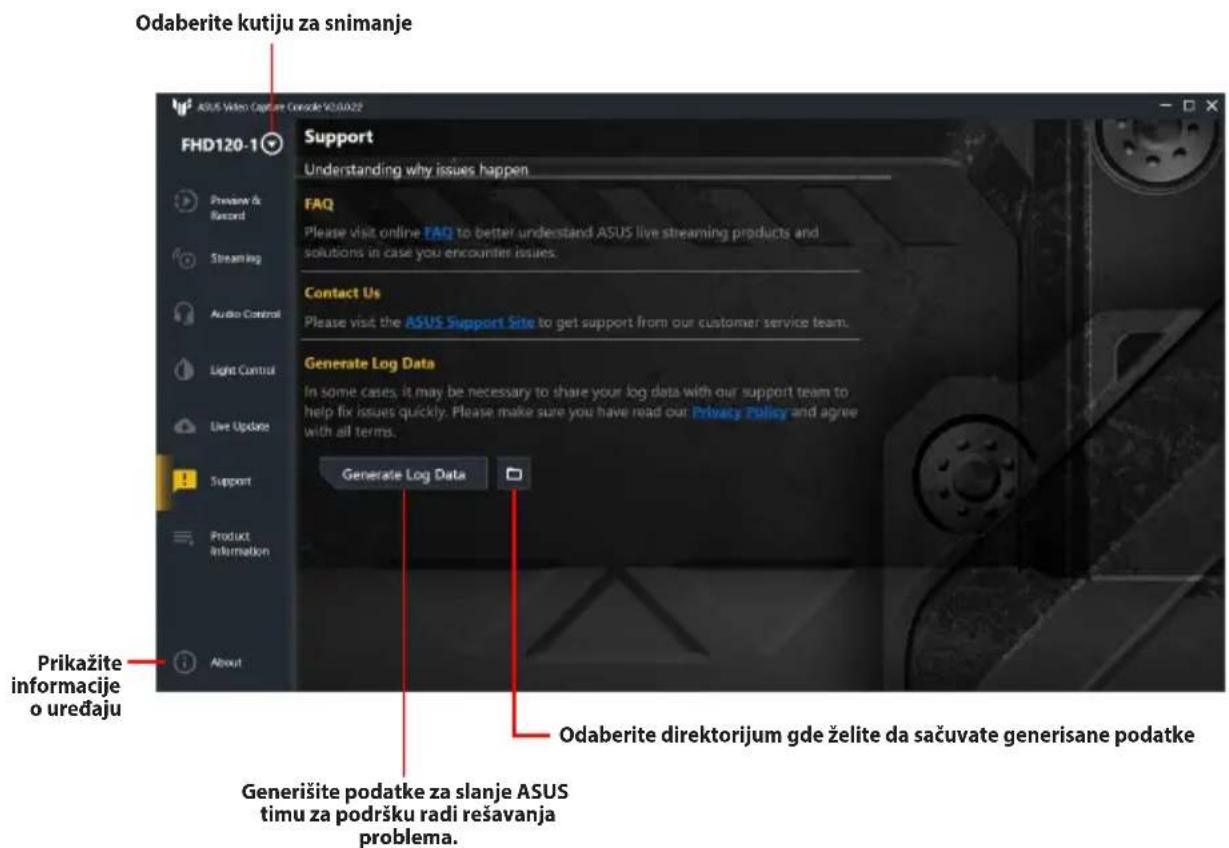
text_image Select capture box FHD120-1 Support Understanding why issues happen FAQ Please visit online FAQ to better understand ASUS live streaming products and solutions in case you encounter issues. Contact Us Please visit the ASUS Support Site to get support from our customer service team. Generate Log Data In some cases, it may be necessary to share your log data with our support team to help fix issues quickly. Please make sure you have read out Privacy Policy and agree with all terms. Generate Log Data Show device information Product Information Select folder to save generated log data Generate log data to send to ASUS support team for troubleshooting.

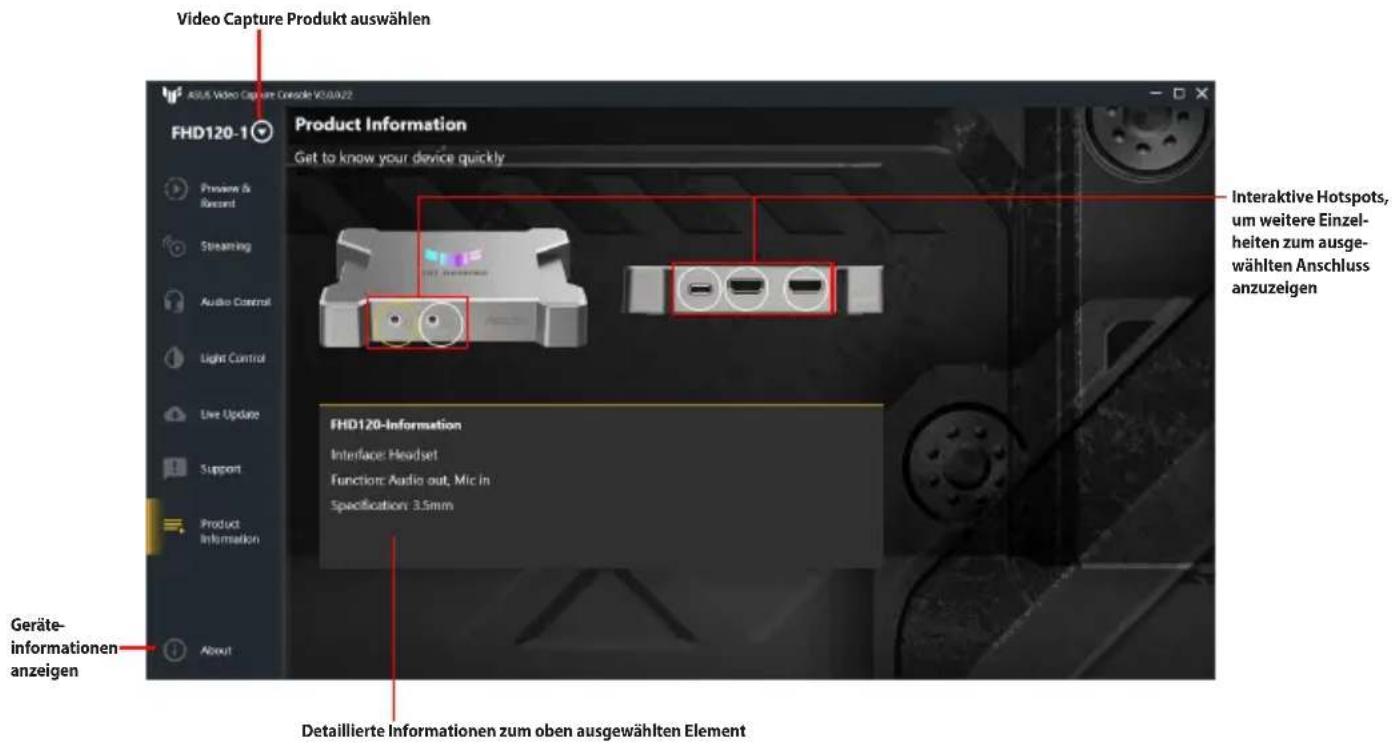
Product Information

ASUS TUF GAMING CAPTURE BOX-4KPRO - Product Information - 1

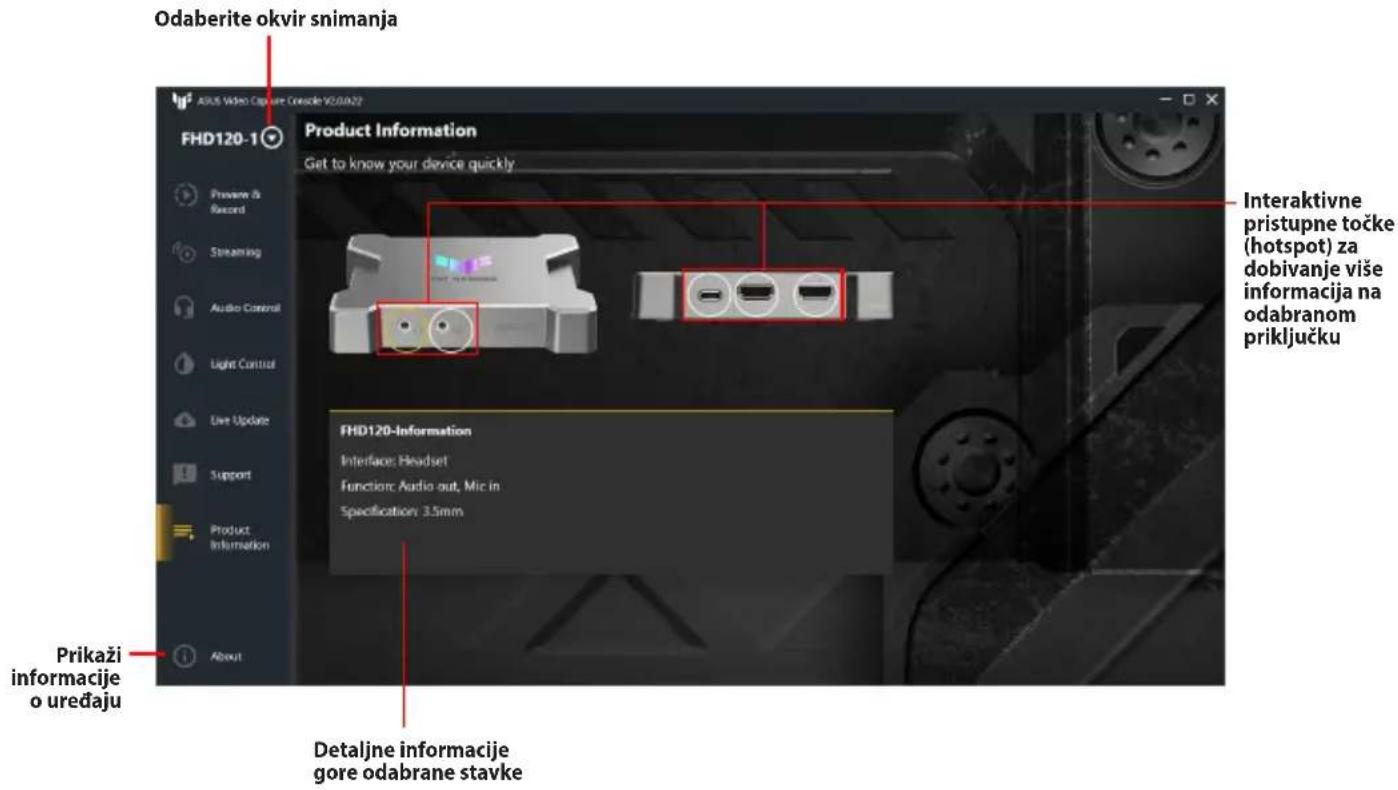
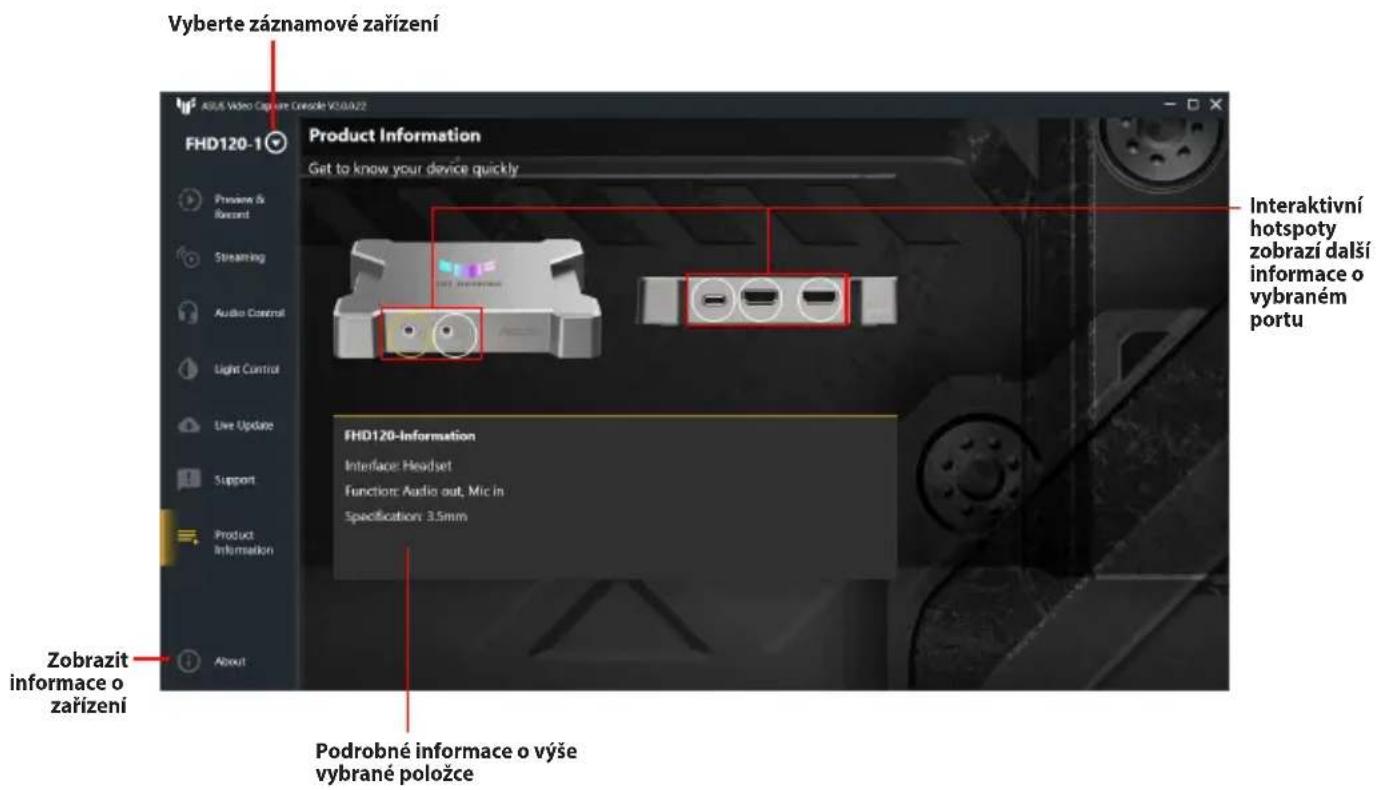
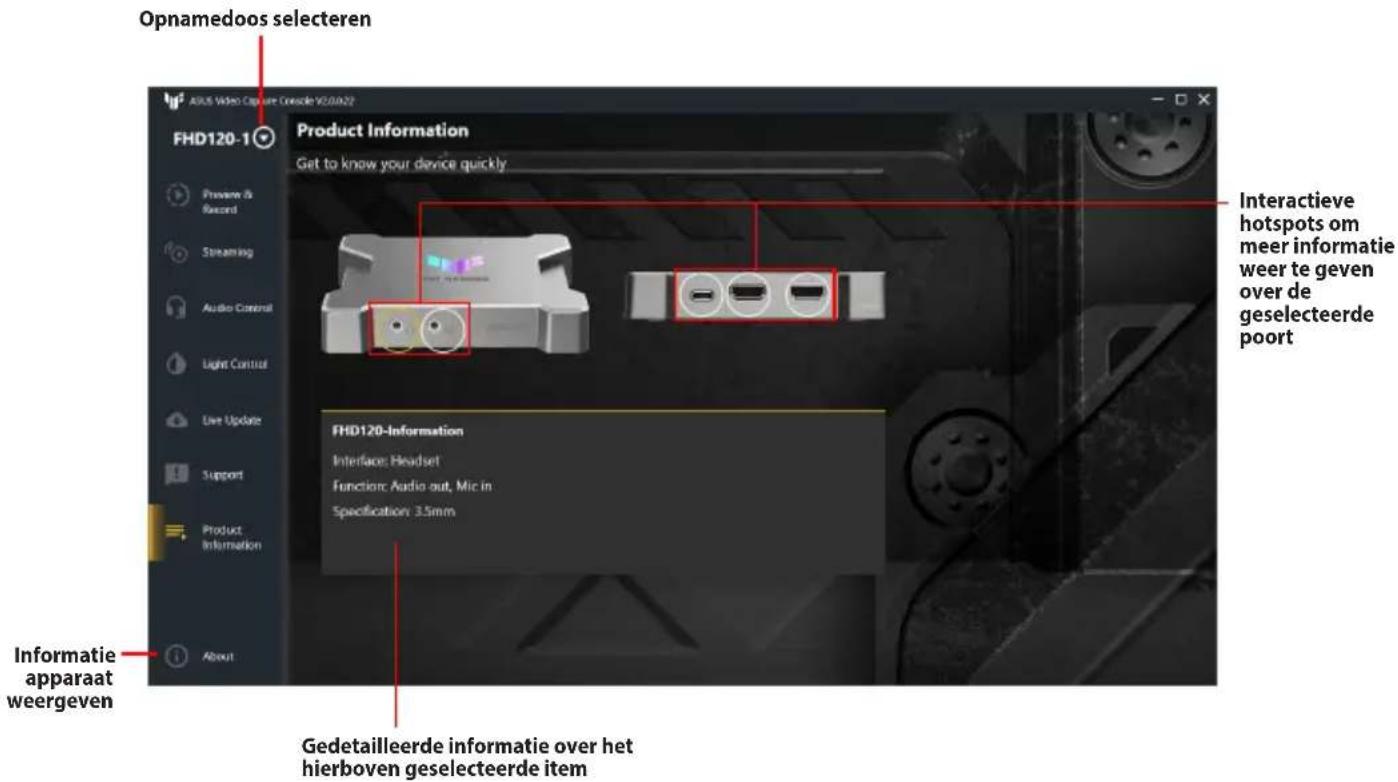
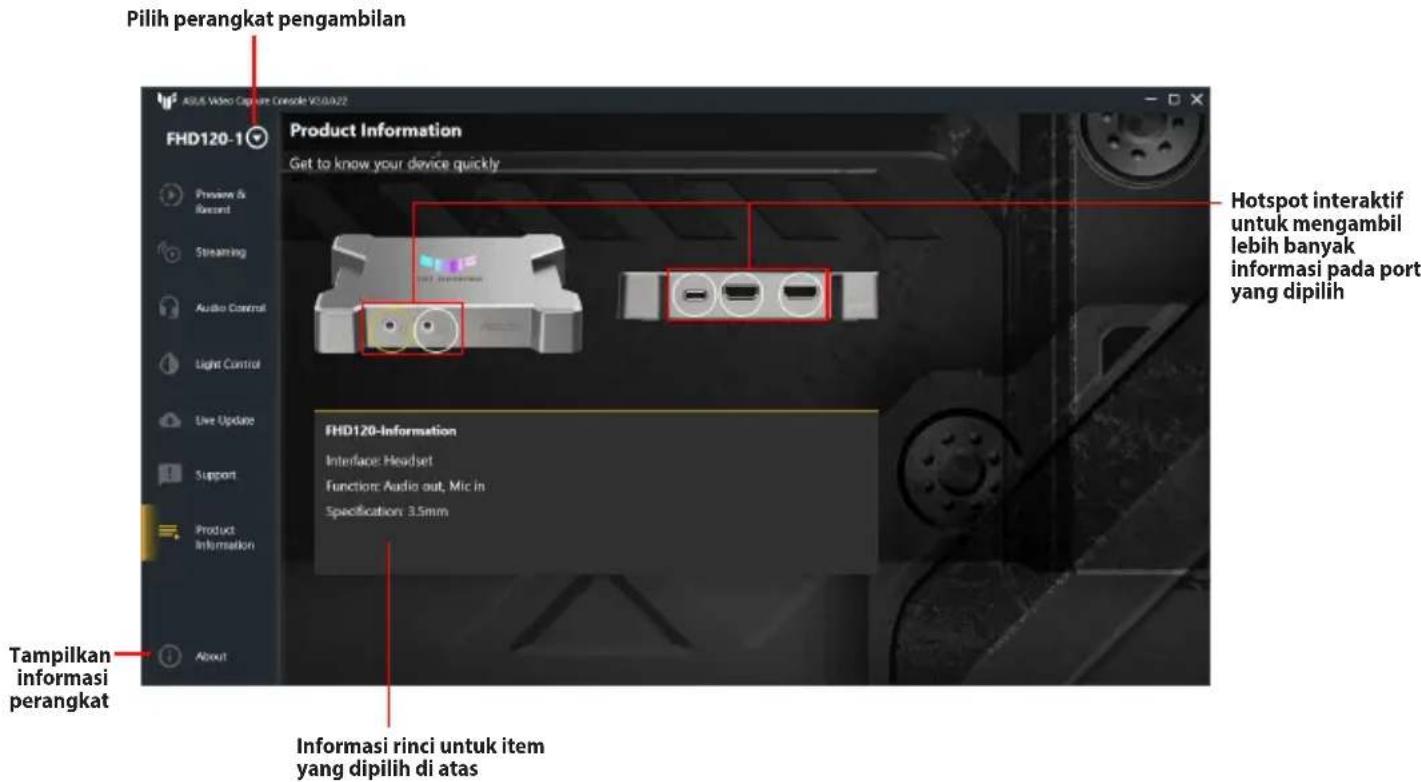
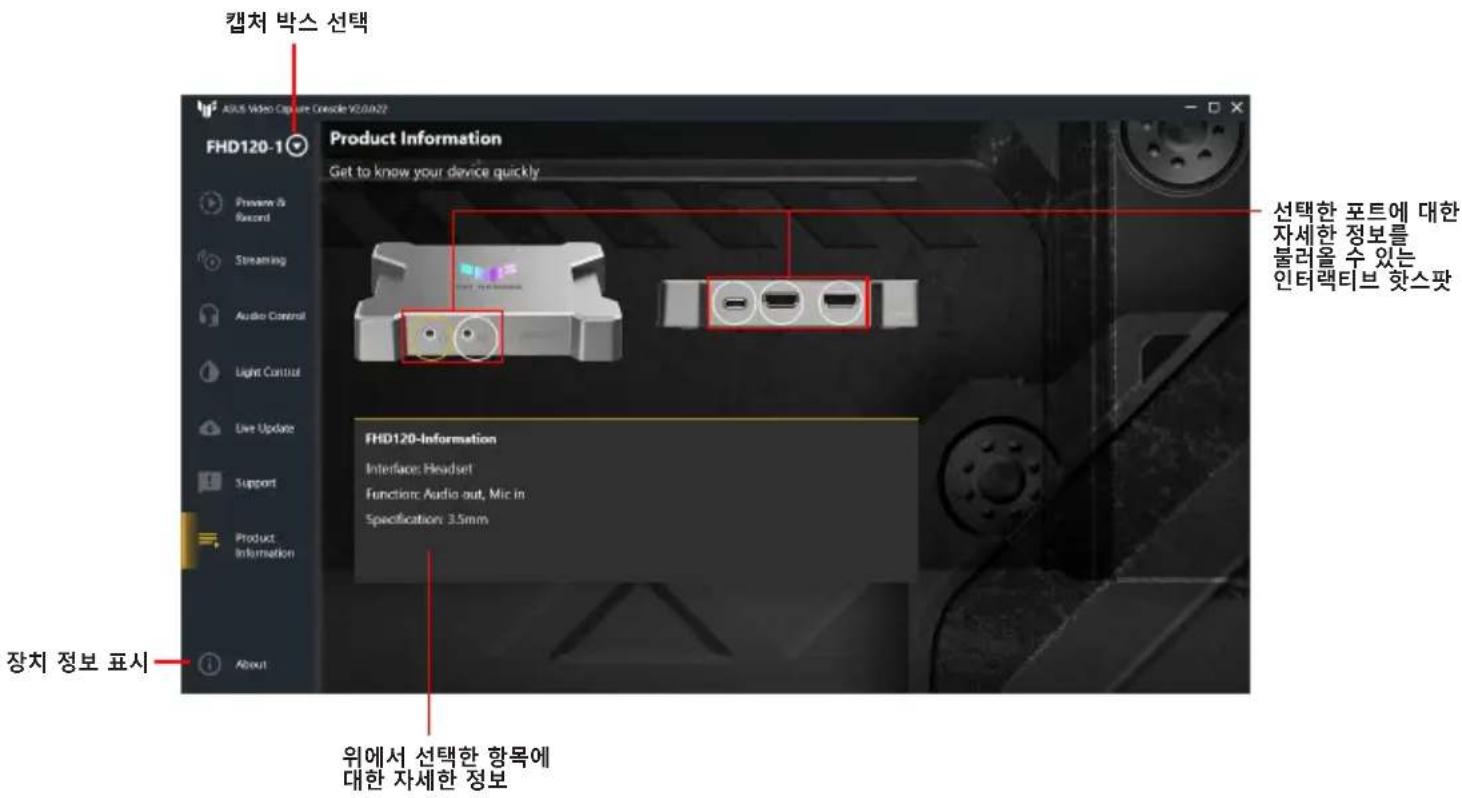
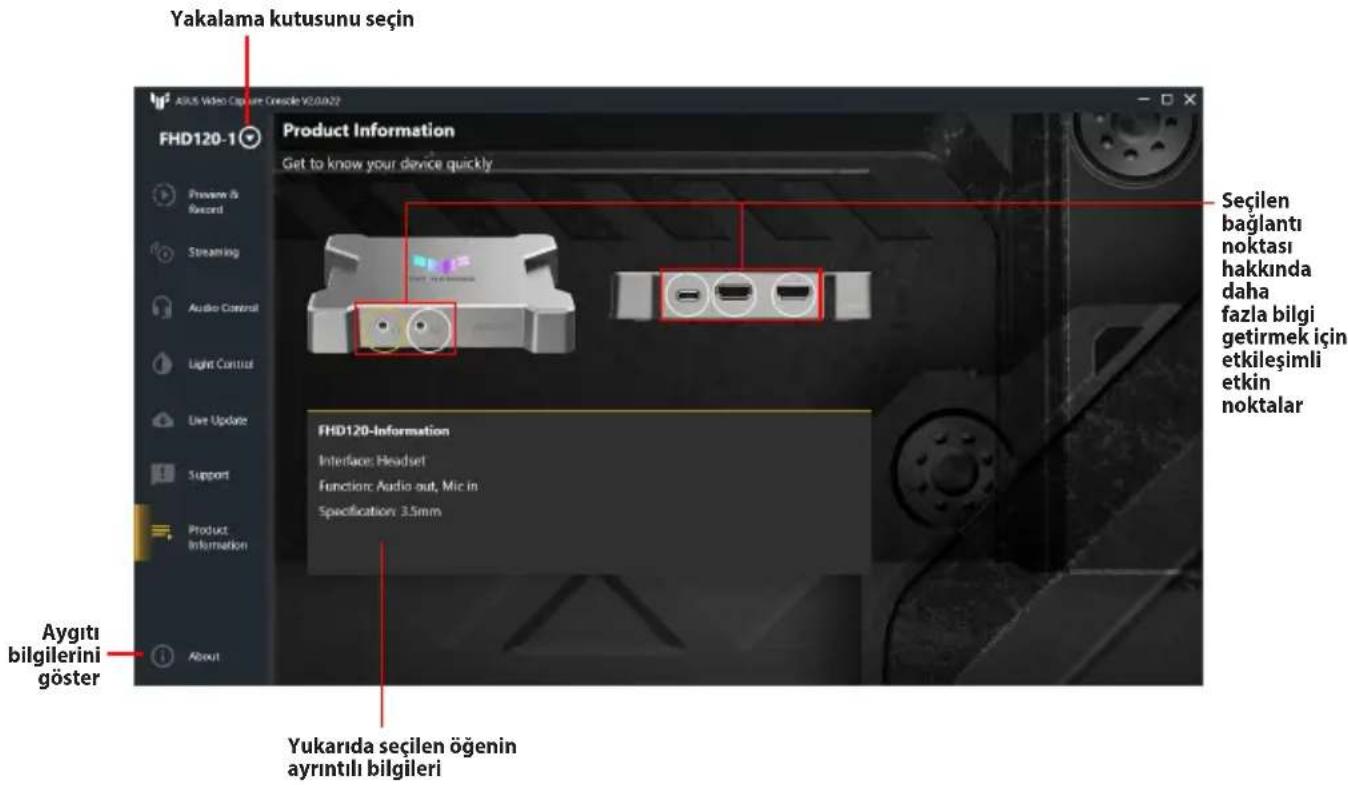
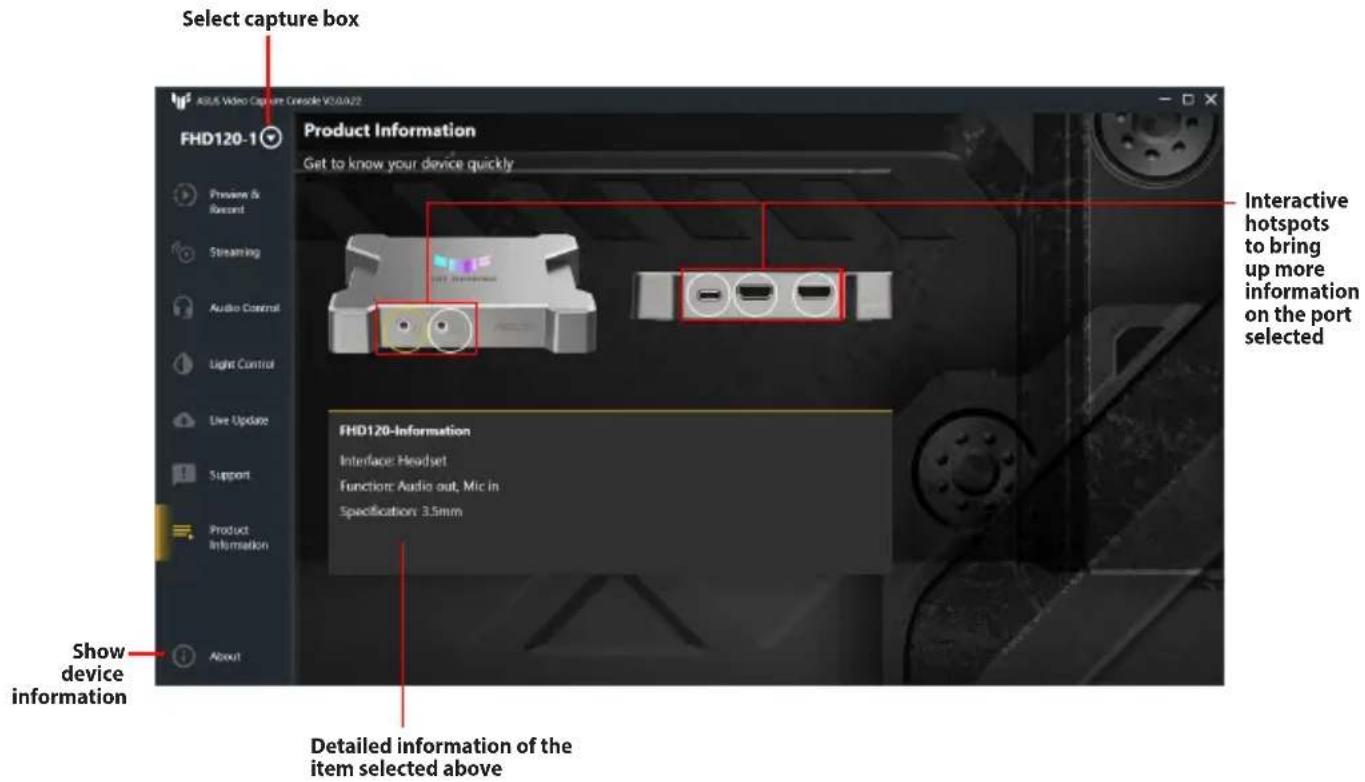
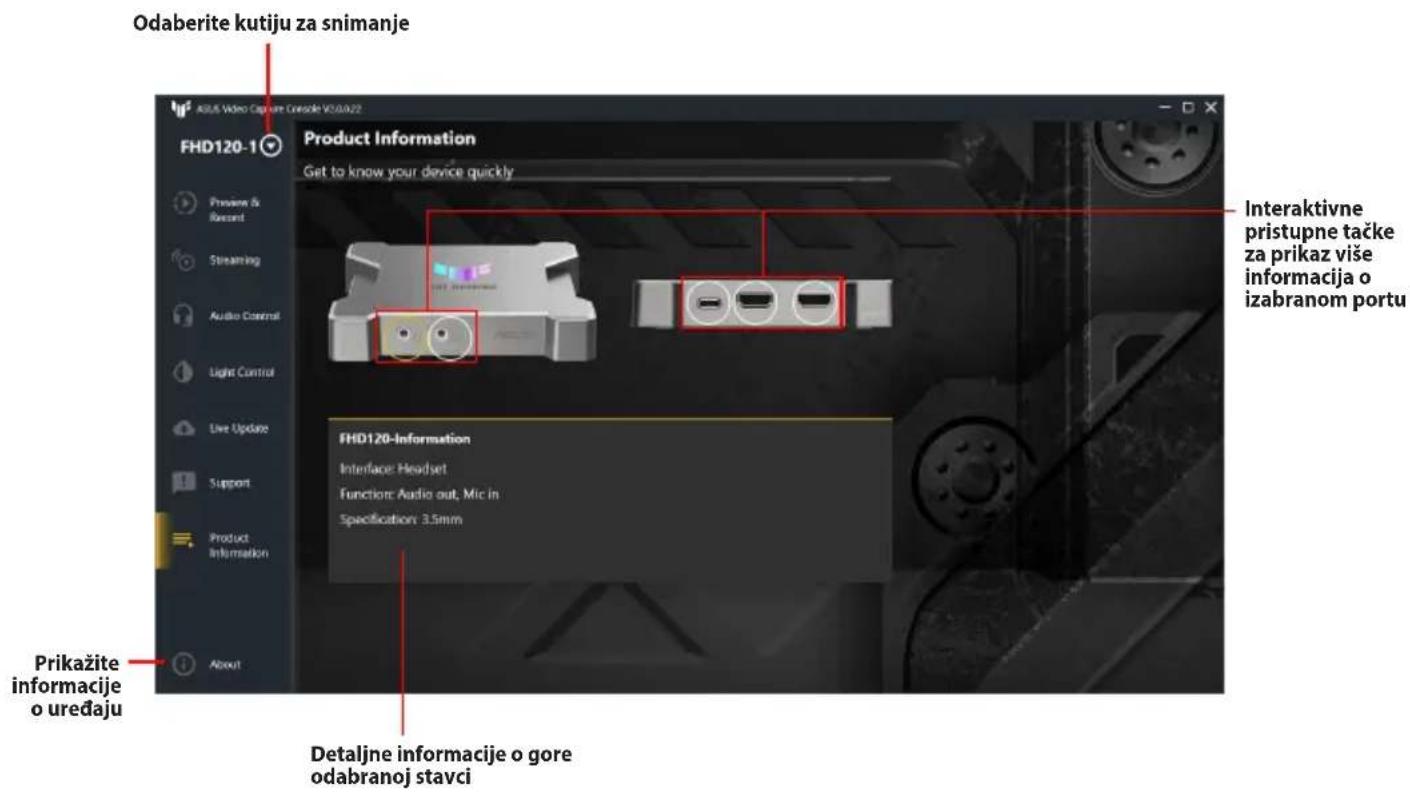
text_image Select capture box Product Information Get to know your device quickly FHD120-1 Preview & Record Streaming Audio Control Light Control Live Update Support Product Information Show device information Detailed information of the item selected above Interactive hotspots to bring up more information on the port selected FHD120-Information Interface: Headset Function: Audio out, Mic in Specification: 3.5mm
關於 ASUS 視頻採集控制台

text_image Profile Name: Service: Cancel Apply

ASUS TUF GAMING CAPTURE BOX-4KPRO - 關於 ASUS 視頻採集控制台 - 1

text_image Profile Name : Service : YouTube-HLS Custom-RTMP Cancel Apply
text_image Profile Name: Service: Cancel Apply

ASUS TUF GAMING CAPTURE BOX-4KPRO - 關於 ASUS 視頻採集控制台 - 2

text_image Profile Name : Service : YouTube-HLS Customs-RTMP Cancel Apply
text_image Video Capture Produkt auswählen FHD120-1 Support Understanding why issues happen FAQ Please visit online FAQ to better understand ASUS live streaming products and solutions in case you encounter issues. Contact Us Please visit the ASUS Support Site to get support from our customer service team. Generate Log Data In some cases, it may be necessary to share your log data with our support team to help fix issues quickly. Please make sure you have read our Privacy Policy and agree with all terms. Generate Log Data Geräte- informationen anzeigen Ordner zum Speichern der generierten Protokolldaten auswählen Protokolldaten generieren, die zur Fehlerbehebung an das ASUS Support Team gesendet werden

Produktinformationen

ASUS TUF GAMING CAPTURE BOX-4KPRO - Produktinformationen - 1

text_image Profile Name: Service: Cancel Apply

ASUS TUF GAMING CAPTURE BOX-4KPRO - Produktinformationen - 2

text_image Profile Name : Service : YouTube-HLS Customs-RTMP Cancel Apply
text_image Profile Name: Service: Cancel Apply

ASUS TUF GAMING CAPTURE BOX-4KPRO - Produktinformationen - 3

text_image Profile Name : Service : YouTube-HLS Customs-RTMP Cancel Apply
text_image Selecione a caixa de captura FHD120-1 Support Understanding why issues happen FAQ Please visit online FAQ to better understand ASUS live streaming products and solutions in case you encounter issues. Contact Us Please visit the ASUS Support Site to get support from our customer service team. Generate Log Data In some cases, it may be necessary to share your log data with our support team to help fix issues quickly. Please make sure you have read out Privacy Policy and agree with all terms. Generate Log Data So Gera registros de dados para enviar à equipe de suporte da ASUS para solução de problemas. Mostrar informações do dispositivo Selecione a pasta para salvar os registros de dados gerados
text_image Profile Name: Service: Cancel Apply

ASUS TUF GAMING CAPTURE BOX-4KPRO - Produktinformationen - 4

text_image Profile Name : Service : YouTube-HLS Customs-RTMP Cancel Apply
text_image Odaberite okvir snimanja FHD120-1 Support Understanding why issues happen FAQ Please visit online FAQ to better understand ASUS live streaming products and solutions in case you encounter issues. Contact Us Please visit the ASUS Support Site to get support from our customer service team. Generate Log Data In some cases, it may be necessary to share your log data with our support team to help fix issues quickly. Please make sure you have read our Privacy Policy and agree with all terms. Generate Log Data Odaberite mapu za spremanje generiranih podataka zapisnika Prikaži informacije o uređaju Generirajte podatke zapisnika kako biste ga poslali ASUS-ovom timu za podršku radi rješavanja problema.

Podaci o proizvodu

ASUS TUF GAMING CAPTURE BOX-4KPRO - Podaci o proizvodu - 1

text_image Odaberite okvir snimanja Product Information Get to know your device quickly FHD120-1 Interaktivne pristupne točke (hotspot) za dobivanje više informacija na odabranom priključku FHD120-Information Interface: Headset Function: Audio out, Mic in Specification: 3.5mm Prikaži informacije o uređaju Detaljne informacije gore odabrane stavke
text_image Profile Name: Service: Cancel Apply

ASUS TUF GAMING CAPTURE BOX-4KPRO - Podaci o proizvodu - 2

text_image Profile Name : Service : YouTube-HLS Customs-RTMP Cancel Apply
text_image Vyberte záznamové zařízení FHD120-1 Support Understanding why issues happen FAQ Please visit online FAQ to better understand ASUS live streaming products and solutions in case you encounter issues. Contact Us Please visit the ASUS Support Site to get support from our customer service team. Generate Log Data In some cases, it may be necessary to share your log data with our support team to help fix issues quickly. Please make sure you have read our Privacy Policy and agree with all terms. Generate Log Data Zobrazit informace o zařízení Vygeneruje data protokolu pro odeslání týmu podpory ASUS k řešení problémů.

Informace o produktu

ASUS TUF GAMING CAPTURE BOX-4KPRO - Informace o produktu - 1

text_image Profile Name: Service: Cancel Apply

ASUS TUF GAMING CAPTURE BOX-4KPRO - Informace o produktu - 2

text_image Profile Name : Service : YouTube-HLS Customs-RTMP Cancel Apply
text_image Opnamedoes selecteren FHD120-1 Support Understanding why issues happen FAQ Please visit online FAQ to better understand ASUS live streaming products and solutions in case you encounter issues. Contact Us Please visit the ASUS Support Site to get support from our customer service team. Generate Log Data In some cases, it may be necessary to share your log data with our support team to help fix issues quickly. Please make sure you have read our Privacy Policy and agree with all terms. Generate Log Data Informatie apparaat weergeven Selecteer de map om gegenererde logboekgegevens op te slaan Genereer logboekgegevens die u verzend naar het ASUS-ondersteuningsteam voor probleemoplossing.

Product Information

ASUS TUF GAMING CAPTURE BOX-4KPRO - Product Information - 1

text_image Profile Name: Service: Cancel Apply

ASUS TUF GAMING CAPTURE BOX-4KPRO - Product Information - 2

text_image Profile Name : Service : YouTube-HLS Customs-REMP Cancel Apply
text_image Profile Name: Service: Cancel Apply

ASUS TUF GAMING CAPTURE BOX-4KPRO - Product Information - 3

text_image Profile Name : Service : YouTube-HLS Custom-RUMP Cancel Apply
text_image Profile Name: Service: Cancel Apply

ASUS TUF GAMING CAPTURE BOX-4KPRO - Product Information - 4

text_image Profile Name : Service : YouTube-HLS Custom-RIMP Cancel Apply
text_image Pilih perangkat pengambilan FHD120-1 Support Understanding why issues happen FAQ Please visit online FAQ to better understand ASUS live streaming products and solutions in case you encounter issues. Contact Us Please visit the ASUS Support Site to get support from our customer service team. Generate Log Data In some cases, it may be necessary to share your log data with our support team to help fix issues quickly. Please make sure you have read our Privacy Policy and agree with all terms. Generate Log Data Tampilkan informasi perangkat Buat data log untuk dikirim ke tim dukungan ASUS agar dapat menyelesaikan masalah. Pilih folder untuk menyimpan data log yang dibuat

Informasi Produk

ASUS TUF GAMING CAPTURE BOX-4KPRO - Informasi Produk - 1

text_image Profile Name: Service: Cancel Apply

ASUS TUF GAMING CAPTURE BOX-4KPRO - Informasi Produk - 2

text_image Profile Name : Service : YouTube HLS Customs ROMP Cancel Apply
text_image 캡처 박스 선택 FHD120-1 Support Understanding why issues happen FAQ Please visit online FAQ to better understand ASUS live streaming products and solutions in case you encounter issues. Contact Us Please visit the ASUS Support Site to get support from our customer service team. Generate Log Data In some cases, it may be necessary to share your log data with our support team to help fix issues quickly. Please make sure you have read our Privacy Policy and agree with all terms. Generate Log Data 장치 정보 표시 생성된 로그 데이터를 저장할 풀더 선택 문제를 해결하려면 로그 데이터를 생성하여 ASUS 지원 팀으로 보내십시오.

제품 정보

ASUS TUF GAMING CAPTURE BOX-4KPRO - 제품 정보 - 1

text_image Profile Name: Service: Cancel Apply

ASUS TUF GAMING CAPTURE BOX-4KPRO - 제품 정보 - 2

text_image Profile Name : Service : YouTube-HLS Customs RTMP Cancel Apply
text_image Selecionar a caixa de captura FHD120-1 Support Understanding why issues happen FAQ Please visit online FAQ to better understand ASUS live streaming products and solutions in case you encounter issues. Contact Us Please visit the ASUS Support Site to get support from our customer service team. Generate Log Data In some cases, it may be necessary to share your log data with our support team to help fix issues quickly. Please make sure you have read out Privacy Policy and agree with all terms. Generate Log Data Exibir informações de dispositivos Gerar dados de registo para enviar para a equipa de apoio ASUS para resolução de problemas. Selecionar a pasta para guardar os dados de registo gerados
text_image Profile Name: Service: Cancel Apply

ASUS TUF GAMING CAPTURE BOX-4KPRO - 제품 정보 - 3

text_image Profile Name : Service : YouTube-HLS Customs-RTMP Cancel Apply
text_image Profile Name: Service: Cancel Apply

ASUS TUF GAMING CAPTURE BOX-4KPRO - 제품 정보 - 4

text_image Profile Name : Service : YouTube-HLS Customs-RIMP Cancel Apply
text_image Selectați dispozitivul de captură FHD120-1 Support Understanding why issues happen FAQ Please visit online FAQ to better understand ASUS live streaming products and solutions in case you encounter issues. Contact Us Please visit the ASUS Support Site to get support from our customer service team. Generate Log Data In some cases, it may be necessary to share your log data with our support team to help fix issues quickly. Please make sure you have read our Privacy Policy and agree with all terms. Generate Log Data Afișare informații despre dispozitivul Generați date de jurnal pentru a le trimite echipei de asistență ASUS în scopuri de depanare. Selectați folderul în care să salvați datele de jurnal generate
text_image Profile Name: Service: Cancel Apply

ASUS TUF GAMING CAPTURE BOX-4KPRO - 제품 정보 - 5

text_image Profile Name : Service : YouTube-HLS Customs-RTMP Cancel Apply
text_image Seleccionar cuadro de captura FHD120-1 Support Understanding why issues happen FAQ Please visit online FAQ to better understand ASUS live streaming products and solutions in case you encounter issues. Contact Us Please visit the ASUS Support Site to get support from our customer service team. Generate Log Data In some cases, it may be necessary to share your log data with our support team to help fix issues quickly. Please make sure you have read our Privacy Policy and agree with all terms. Generate Log Data To Gostrar información del dispositivo Genere datos de registro para enviar al equipo de soporte técnico de ASUS para resolver problemas.
text_image Profile Name: Service: Cancel Apply

ASUS TUF GAMING CAPTURE BOX-4KPRO - 제품 정보 - 6

text_image Profile Name : Service : YouTube-HLS Customs-RIMP Cancel Apply
  1. Kopirajte i nalepite Ključ strima (A) i URL servera (B) od dobavljača usluge za striming uživo, kao što su YouTube, Facebook ili Twitch, a zatim kliknite na Apply(Primeni).

ASUS TUF GAMING CAPTURE BOX-4KPRO - 제품 정보 - 7

text_image Profile Name : ASUS Multimedia Service : YouTube-HLS Stream Key : ******** Server URL : (YouTube Default Server) Get Stream Key Video Resolution : 1920x1080 Video FPS : 60 Encoding Bitrate : 6.0 Mbps Cancel Apply

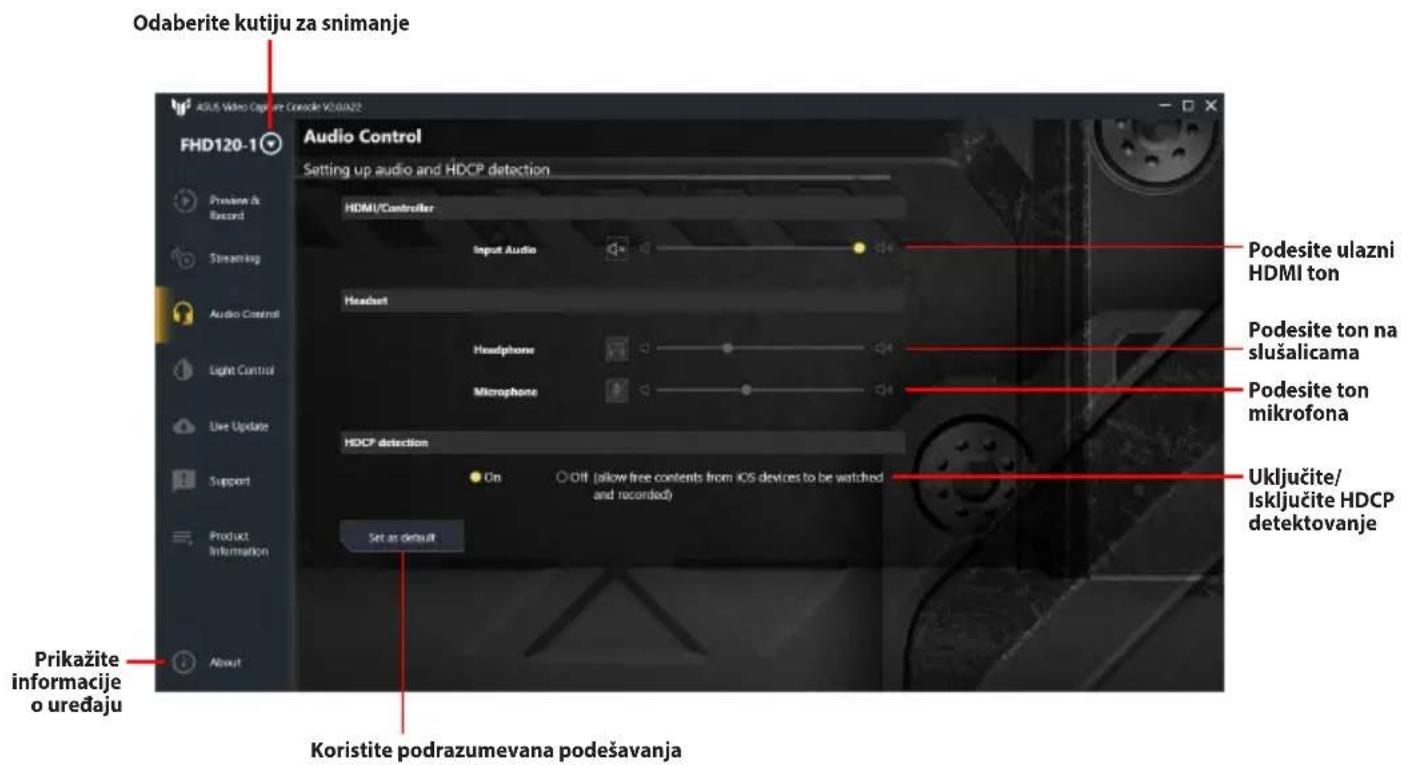
Kontrola zvuka

ASUS TUF GAMING CAPTURE BOX-4KPRO - Kontrola zvuka - 1

text_image Odaberite kutiju za snimanje FHD120-1 Audio Control Setting up audio and HDCP detection HDMI/Controller Input Audio Headset Headphone Microphone HDCP detection On O Off (allow free contents from iOS devices to be watched and recorded) Set as default Pridesite ulazni HDMI ton Podesite ton na slušalicama Podesite ton mikrofona Uključite/ Isključite HDCP detektovanje Prikažite informacije o uređaju Koristite podrazumevana podešavanja

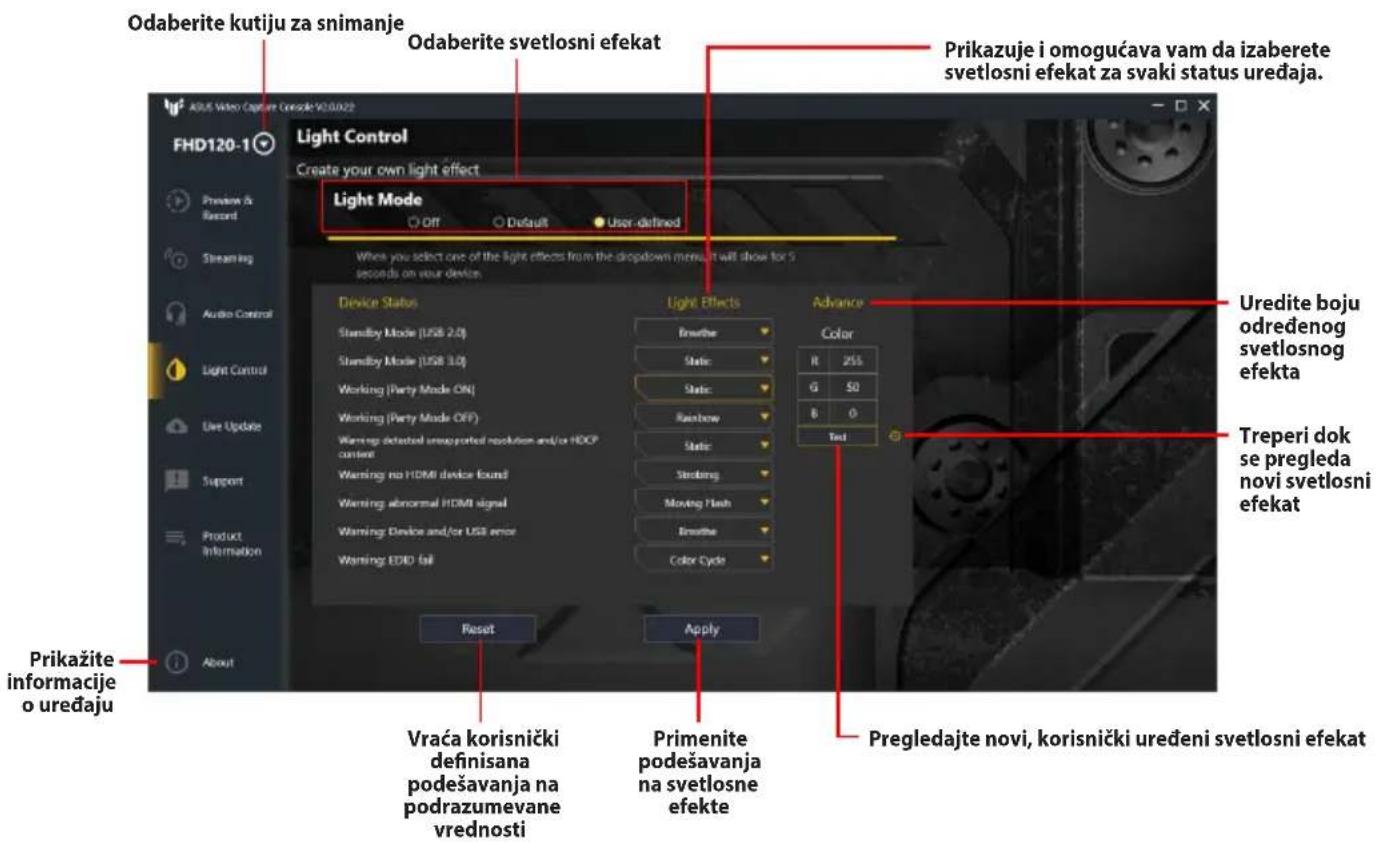
Kontrola svetla

ASUS TUF GAMING CAPTURE BOX-4KPRO - Kontrola svetla - 1

text_image Odaberite kutiju za snimanje Odaberite svetlosni efekat Prikazuje i omogućava vam da izaberete svetlosni efekat za svaki status uređaja. Light Control Create your own light effect Light Mode Off Default User-defined When you select one of the light effects from the dropdown menu it will show for 5 seconds on your device Device Status Standby Mode (USB 2.0) Standby Mode (USB 3.0) Working (Party Mode ON) Working (Party Mode OFF) Warning defected unreported resolution and/or HODP content Warning no HDMI device found Warning abnormal HDMI signal Warning Device and/or USB error Warning EDID fail Reset Apply Prikažite informacije o uređaju Vraća korisnički definisana podešavanja na podrazumevane vrednosti Primenite podešavanja na svetlosne efekte Advance Color R 25% G 50 B 0 Test Uredite boju određenog svetlosnog efekta Treperi dok se pregleda novi svetlosni efekat Pregledajte novi, korisnički uređeni svetlosni efekat

Ažuriranje uživo
ASUS TUF GAMING CAPTURE BOX-4KPRO - Kontrola svetla - 2

text_image Odaberite kutiju za snimanje Trenutno instalirana verzija firmvera i softvera Dostupna ažuriranja za firmver i softver Live Update Easily upgrade to the latest firmware version FHD120-1 Online Update Last Updated: 5/31/2022 11:30:20 AM Current Versions New Versions USB Firmware 01.04.05.06.0501 Up to date version Update MCU Firmware 10.04.01 10.05.01 App Version 2.0.0.22 Up to date version Check Local Update Please select the folder to save the firmware to update Current Versions New Versions USB Firmware 01.04.05.06.0501 Choose MCU Firmware 10.04.01 Choose Odaberite direktorijum sa preuzetim firmverom Update Prikažite informacije o uređaju Koristite podrazumevana podešavanja Ažurirajte sa već preuzetim firmverom

Podrška

ASUS TUF GAMING CAPTURE BOX-4KPRO - Podrška - 1

text_image Odaberite kutiju za snimanje FHD120-1 Support Understanding why issues happen FAQ Please visit online FAQ to better understand ASUS live streaming products and solutions in case you encounter issues. Contact Us Please visit the ASUS Support Site to get support from our customer service team. Generate Log Data In some cases, it may be necessary to share your log data with our support team to help fix issues quickly. Please make sure you have read our Privacy Policy and agree with all terms. Generate Log Data Prikažite informacije o uređaju Generišite podatke za slanje ASUS timu za podršku radi rešavanja problema. Odaberite direktorijum gde želite da sačuvate generisane podatke

Informacije o proizvodu

ASUS TUF GAMING CAPTURE BOX-4KPRO - Informacije o proizvodu - 1

text_image Odaberite kutiju za snimanje Product Information Get to know your device quickly FHD120-1 Preview & Recent Streaming Audio Control Light Control Live Update Support Product Information About Interaktivne pristupne tačke za prikaz više informacija o izabranom portu FHD120-Information Interface: Headset Function: Audio out, Mic in Specification: 3.5mm Prikažite informacije o uređaju Detaljne informacije o gore odabranoj stavci
O programski opremi ASUS Video Capture Console

text_image Profile Name: Service: Cancel Apply

ASUS TUF GAMING CAPTURE BOX-4KPRO - O programski opremi ASUS Video Capture Console - 1

text_image Profile Name : Service : YouTube-HLS Customs-RTMP Cancel Apply
text_image Izberite napravo za zajemanje FHD120-1 Support Understanding why issues happen FAQ Please visit online FAQ to better understand ASUS live streaming products and solutions in case you encounter issues. Contact Us Please visit the ASUS Support Site to get support from our customer service team. Generate Log Data In some cases, it may be necessary to share your log data with our support team to help fix issues quickly. Please make sure you have read our Privacy Policy and agree with all terms. Generate Log Data Izberite mapo za shranjevanje podatkov ustvarjenega dnevnika Pokaži informacije o napravi Ustvari podatke dnevnika, ki bodo poslani ekipi za podporo družbe ASUS za odpravljanje težav

Informacije o izdelku

ASUS TUF GAMING CAPTURE BOX-4KPRO - Informacije o izdelku - 1

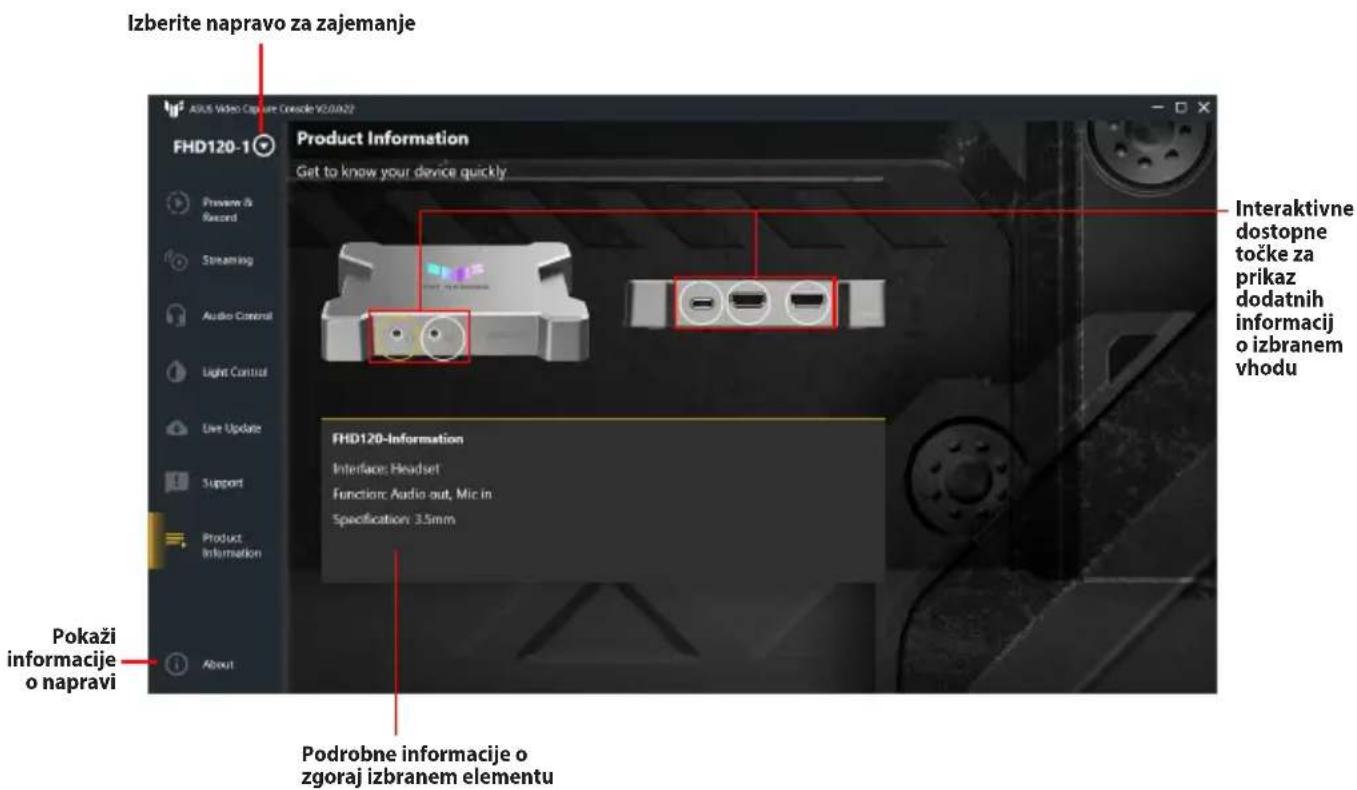
text_image Izberite napravo za zajemanje Product Information Get to know your device quickly FHD120-1 Interaktivne dostopne točke za prikaz dodatnih informacij o izbranem vhodu FHD120-Information Interface: Headset Functions: Audio out, Mic in Specification: 3.5mm Pokazi informacije o napravi Podrobne informacije o zgoraj izbranem elementu

Om ASUS Video Capture Console

text_image Profile Name: Service: Cancel Apply

ASUS TUF GAMING CAPTURE BOX-4KPRO - Om ASUS Video Capture Console - 1

text_image Profile Name : Service : YouTube-ELS Customs-RTMP Cancel Apply
text_image Välj anslutningsenhet FHD120-1 Support Understanding why issues happen FAQ Please visit online FAQ to better understand ASUS live streaming products and solutions in case you encounter issues. Contact Us Please visit the ASUS Support Site to get support from our customer service team. Generate Log Data In some cases, it may be necessary to share your log data with our support team to help fix issues quickly. Please make sure you have read out Privacy Policy and agree with all terms. Generate Log Data Visa enhetsinformation Genererade loggdata för att skicka till ASUS supportteam för felsökning. Välj mapp för att spara genererade loggdata

Produktinformation

ASUS TUF GAMING CAPTURE BOX-4KPRO - Produktinformation - 1

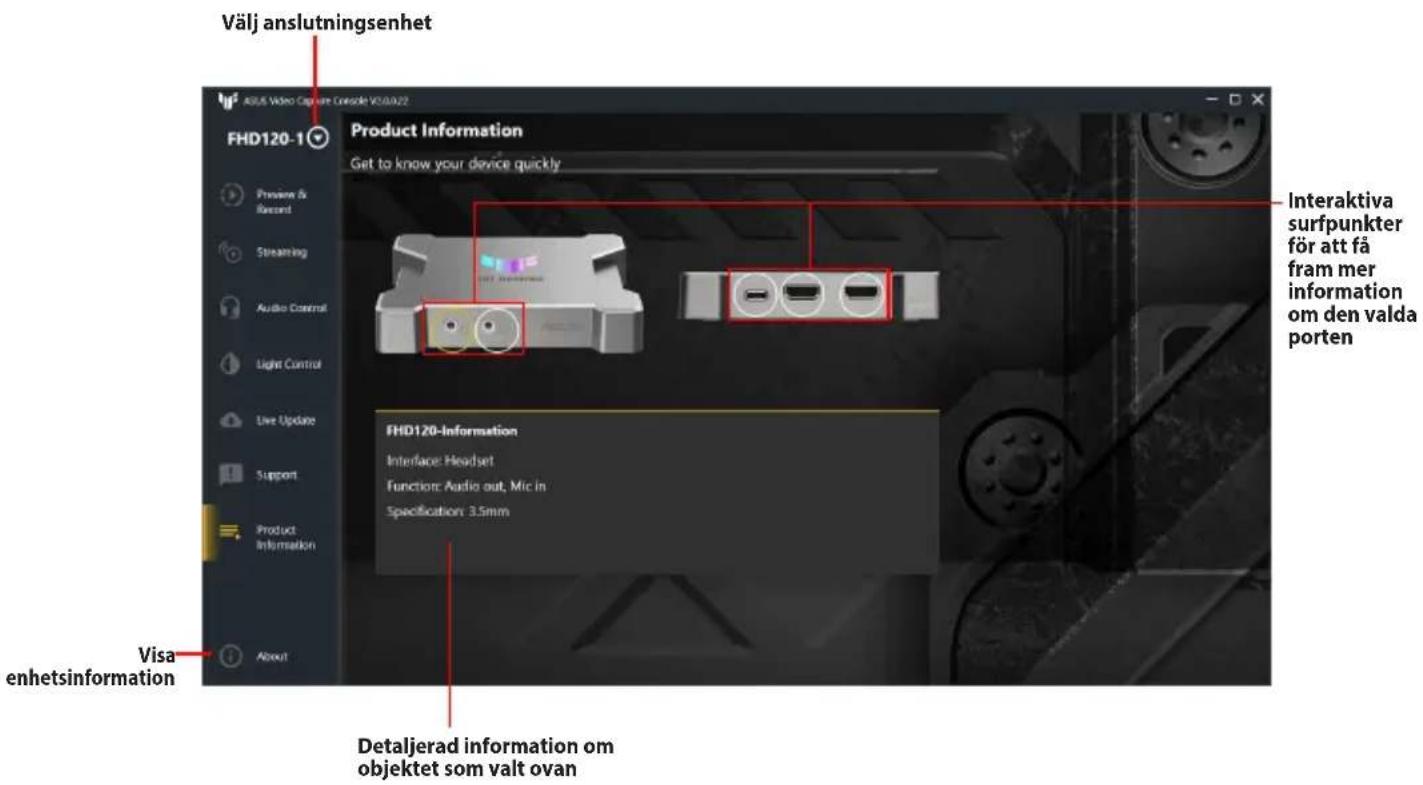
text_image Välj anslutningsenhet Product Information Get to know your device quickly FHD120-1 Interaktiva surfpunkter för att få fram mer information om den valda porten FHD120-Information Interface: Headset Function: Audio out, Mic in Specification: 3.5mm Visa enhetsinformation Detaljerad information om objektet som valt ovan
text_image Profile Name: Service: Cancel Apply

ASUS TUF GAMING CAPTURE BOX-4KPRO - Produktinformation - 2

text_image Profile Name : Service : YouTube-HLS Customs-RTMP Cancel Apply
text_image Yakalama kutusunu seçin FHD120-1 Support Understanding why issues happen FAQ Please visit online FAQ to better understand ASUS live streaming products and solutions in case you encounter issues. Contact Us Please visit the ASUS Support Site to get support from our customer service team. Generate Log Data In some cases, it may be necessary to share your log data with our support team to help fix issues quickly. Please make sure you have read our Privacy Policy and agree with all terms. Generate Log Data Aygıtl bilgilerini göster Oluşturulan günlük verilerinin kaydedileceği klasörü seçin Sorun gidermek için ASUS destek ekibine göndermek üzere günlük verileri oluşturun.

Ürün Bilgisi

ASUS TUF GAMING CAPTURE BOX-4KPRO - Ürün Bilgisi - 1

Manual assistant
Powered by Anthropic
Waiting for your message
Product information

Brand : ASUS

Model : TUF GAMING CAPTURE BOX-4KPRO

Category : Video Capture Card