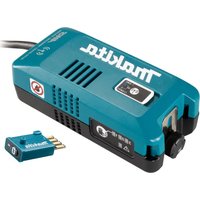
WUT02 - Vacuum Cleaner MAKITA - Free user manual and instructions
Find the device manual for free WUT02 MAKITA in PDF.

 FR
FR
 BG
BG
 CS
CS
 DA
DA
 DE
DE
 EL
EL
 EN
EN
 ES
ES
 ET
ET
 FI
FI
 HU
HU
 IT
IT
 LT
LT
 LV
LV
 MK
MK
 NL
NL
 NO
NO
 PL
PL
 PT
PT
 RO
RO
 RU
RU
 SK
SK
 SL
SL
 SQ
SQ
 SR
SR
 SV
SV
 TR
TR
 UK
UK
 ZH
ZH
User questions about WUT02 MAKITA
0 question about this device. Answer the ones you know or ask your own.
Ask a new question about this device
Download the instructions for your Vacuum Cleaner in PDF format for free! Find your manual WUT02 - MAKITA and take your electronic device back in hand. On this page are published all the documents necessary for the use of your device. WUT02 by MAKITA.
USER MANUAL WUT02 MAKITA
Net weight 0.41kg
Due to our continuing program of research and development, the specifications herein are subject to change without notice.
- Specifications may differ from country to country.
Symbols
The followings show the symbols used for the equipment. Be sure that you understand their meaning before use.

Take particular care and attention.

Read the instruction manual.

DOUBLE INSULATION

Do not expose to moisture.

Only for EU countries
Do not dispose of electric equipment together with household waste material! In observance of the European Directive, on Waste Electric and Electronic Equipment and its implementation in accordance with national law, electric equipment that have reached the end of their life must be collected separately and returned to an environmentally compatible recycling facility.
SAFETYWARNINGS
NOTE: The wireless unit adaptor is hereinafter referred to as "adaptor" in this instruction manual.
WARNING: Be sure to thoroughly read and understand this instruction manual as well as the instruction manuals of the vacuum cleaner, tool, and wireless unit to be used with this product. Failure to follow the warnings and instructions may result in electric shock, fire and/or serious injury.
Important safety instructions for the adaptor and wireless unit
- Do not disassemble or tamper with the wireless unit and the adaptor.
- Keep the wireless unit and adaptor away from young children. If the wireless unit is accidentally swallowed, seek medical attention immediately.
- Use the wireless unit only with Makita tools.
-
Never handle the adaptor with wet hands. Doing so may cause electric shock.
-
Do not block the vents on the adaptor.
- Do not use the adaptor's cord for carrying and unplugging.
- Do not expose the wireless unit and the adaptor to rain or wet conditions. Liquid come inside the appliance may cause malfunction and/or electric shock.
- Do not use the wireless unit in places where the temperature exceeds 50^ (122^)
- Do not operate the wireless unit in places where medical instruments, such as heart pace makers are near by.
- Do not operate the wireless unit in places where automated devices are near by. If operated, automated devices may develop malfunction or error.
- Do not operate the wireless unit in places under high temperature or places where static electricity or electrical noise could be generated.
- The wireless unit can produce electromagnetic fields (EMF) but they are not harmful to the user.
- The wireless unit is an accurate instrument. Be careful not to drop or strike the wireless unit.
- Avoid touching the terminal of the wireless unit with bare hands or metallic materials.
- Always remove the battery on the product when installing the wireless unit into it.
- When opening the lid of the slot, avoid the place where dust and water may come into the slot. Always keep the inlet of the slot clean.
- Always insert the wireless unit in the correct direction.
- Do not press the wireless activation button on the wireless unit too hard and/or press the button with an object with a sharp edge.
- Always close the lid of the slot when operating.
- Do not remove the wireless unit from the slot while the power is being supplied. Doing so may cause a malfunction of the wireless unit.
- Do not remove the sticker on the wireless unit.
- Do not put any sticker on the wireless unit.
- Do not leave the wireless unit in a place where static electricity or electrical noise could be generated.
- Do not leave the wireless unit and the adaptor in a place subject to high heat, such as a car sitting in the sun.
- Do not leave the wireless unit and the adaptor in a dusty or powdery place or in a place corrosive gas could be generated.
-
Sudden change of the temperature may bedew the wireless unit. Do not use the wireless unit until the dew is completely dried.
-
When cleaning the wireless unit, gently wipe with a dry soft cloth. Do not use benzine, thinner, conductive grease or the like.
- When storing the wireless unit, keep it in the supplied case or a static-free container.
-
Do not insert any devices other than Makita wireless unit into the slot on the adaptor and the tool.
-
Do not use the tool and/or adaptor with the lid of the slot damaged. Water, dust, and dirt come into the slot may cause malfunction.
- Do not pull and/or twist the lid of the slot more than necessary. Restore the lid if it comes off.
- Replace the lid of the slot if it is lost or damaged.
SAVE THESE INSTRUCTIONS.
INTRODUCTION
Parts description
Fig.1
| 1 A | daptor 2 Lid | ||
| 3 | Wireless activation button | 4 | Wireless activation lamp |
| 5 H | book 6 Clamping screw | ||
| 7 C | ord 8 | Channel number indicator | |
| 9 | Channel setting button | 10 | Caution lamp |
| 11 B | and -- |
Intended use
This adaptor enables to use supported Makita battery-powered tools when using the auto start/stop function of a mains-operated vacuum cleaner.
The adaptor connected to a Makita vacuum cleaner receives the signal from the tool wirelessly and transmit it to the vacuum cleaner to support to determine the starting or stopping of the vacuum cleaner. (wireless activation function)
INITIAL SETUP
Installing the wireless unit
NOTE: The wireless unit is supplied as an optional accessory in some countries.
NOTICE: For the precautions for handling the wireless unit, refer to the instruction manual of the tool to be used with this adaptor.
Install the wireless units into the adaptor and tool as illustrated. When inserting the wireless unit, align the projections with the recessed portions on the slot.
Fig.2: 1.Adaptor 2.Lid 3.Wireless unit
- Projection 5. Recessed portion
To remove the wireless unit, open the lid slowly. The hooks on the back of the lid will lift the wireless unit as you pull up the lid.
Fig.3: 1. Wireless unit 2. Hook 3. Lid
After removing the wireless unit, keep it in the supplied case or a static-free container.
NOTICE: Always use the hooks on the back of the lid when removing the wireless unit. If the hooks do not catch the wireless unit, close the lid completely and open it slowly again.
Installing the adaptor
NOTICE: Do not insert the adaptor's plug into the outlet of other appliances than the outlet of the vacuum cleaner for auto start/stop function.
Make sure that the stand-by switch on the vacuum cleaner is set to "O (OFF)".
Plug the vacuum cleaner's power cord into the mains and then plug the adaptor's cord into the cleaner's outlet.
Fig.4
NOTE: Due to the detecting method of vacuum cleaner's auto start/stop function, some vacuum cleaner may automatically run for a few seconds when;
Plugging the adaptor's cord when the stand-by switch on the vacuum cleaner is set to "AUTO" or equivalent or;
- Changing the stand-by switch on the vacuum cleaner to "AUTO" or equivalent with the adaptor's plug connected to the outlet of the vacuum cleaner.
This is not a malfunction.
To prevent the adaptor from falling off, always secure it with the band or hook, or place it on a stable surface. Use the band or hook for securing the adaptor onto the vacuum cleaner. To use the hook, loosen the clamping screw and extend the hook and then tighten the clamping screw. When not using the adaptor, disconnect the adaptor's cord from the vacuum cleaner.
Fig.5: 1. Band 2. Hook 3. Clamping screw
Tool registration for the adaptor
To register a tool to the adaptor (wireless unit), follow the instructions in the instruction manual of the tool to be used with this adaptor. Refer to the section about "tool registration".
NOTE: In the tool's instruction manual, follow the instructions by substituting the wireless activation button/lamp "on the vacuum cleaner" with "on the adaptor".
NOTE: Make sure that the wireless unit is installed to the adaptor and the adaptor is plugged into the outlet of the vacuum cleaner before starting tool registration.
NOTE: The tool registration information is saved to the wireless unit inserted to the adaptor. You can use a pair of wireless units, of which the tool registration has been finished, with another tool and vacuum cleaner.
Channel setting
The suitable communication channel varies depending on the vacuum cleaner to be used with the adaptor. Perform the channel setting when;
Using the adaptor for the first time or;
Using another vacuum cleaner which have not been used with the adaptor.
NOTE: The last channel that you set will be saved even after you unplug the adaptor.
- Set the stand-by switch on the vacuum cleaner to "AUTO".
Fig.6: 1. Stand-by switch
NOTE: On some cleaners, the stand-by switch "AUTO" is described as an icon or different word. In this case, set the vacuum cleaner to auto start/stop function.
- Confirm the number beside the lighted channel number indicator. It is the channel number currently being selected.
Fig.7: 1. Channel setting button 2. Channel number indicator - Push and hold the channel setting button for longer than 2 seconds for testing.
The channel number indicator will blink in green for 15 seconds.
▶ Fig.8: 1. Holding the channel setting button (2 seconds or longer) 2. Channel number indicator blinks (for 15 seconds) 3. Vacuum cleaner runs while the channel number indicator is blinking
- Check if the vacuum cleaner automatically runs correctly while the channel number indicator is blinking. If so, the channel setting is completed.
If the vacuum cleaner does not run or run incorrectly, go on to the next step.
NOTE: For example, when the vacuum cleaner runs incorrectly; the vacuum cleaner runs but stops soon or; the level of the suction power is different from the setting on the vacuum cleaner.
- Push the channel setting button briefly to select another channel number.
- Hold the channel setting button for longer than 2 seconds for testing and check if the vacuum cleaner runs correctly.
If not, repeat the step 5 to 6 again.
If the vacuum cleaner does not run in any of the channel number, the vacuum cleaner may not be supported or there may be a problem in the configuration.
OPERATION
For the following operations, refer to the instruction manual of the tool to be used with this adaptor:
Starting the wireless activation function
- Cancelling tool registration
NOTE: In the tool's instruction manual, follow the instructions by substituting the wireless activation button/lamp "on the vacuum cleaner" with "on the adaptor".
NOTE: Before performing the above operations, be sure to;
Install the wireless unit to the adaptor and;
- Plug the adaptor into the outlet of the vacuum cleaner with the stand-by switch on the vacuum cleaner "O (OFF)".
NOTE: The wireless transmission distance varies depending on the vacuum cleaner model to be used.
Erasing all tool registrations
You can erase all tool registrations from the adaptor (wireless unit) as follows.
- Make sure that the stand-by switch on the vacuum cleaner is set to "O (OFF)" and then plug the vacuum cleaner's power cord into the mains.
- Install the wireless units to the adaptor.
- Plug the adaptor's cord into the cleaner's outlet.
- Set the stand-by switch on the vacuum cleaner to "AUTO".
NOTE: On some cleaners, the stand-by switch "AUTO" is described as an icon or different word. In this case, set the vacuum cleaner to auto start/stop function.
- Hold down the wireless activation button on the adaptor for about 6 seconds until the wireless activation lamp blinks in red (about twice per one second).
- When the wireless activation lamp starts blinking in red, release your finger from the wireless activation button. Thereafter, hold down the wireless activation button again for about 6 seconds.
- When the wireless activation lamp starts blinking fast (about 5 times per one second) in red, release your finger from the wireless activation button. When the wireless activation lamp lights up in red and later lights off, all tool registrations are erased.
NOTE: If the wireless activation lamp does not blink in red, press the wireless activation button briefly and try again.
Description of the lamp status
Refer to the below table for the meaning of the lamp status.
Fig.9: 1. Wireless activation lamp 2. Channel number indicator 3. Caution lamp
| Lamp Status Color | On | Blinking | Duration Description | |
| Wireless activation lamp | Standby Blue | Adaptor: continuing Tool: 2 hours Waiting for the tool registration or the wireless activation function is available. The lamp on the adaptor blinks when the stand-by switch on the vacuum cleaner is set to "AUTO" or equivalent. The lamp on the tool blinks when the wireless activation button is pushed. The lamp on the tool will automatically turn off when no operation is performed for 2 hours. | ||
| When the tool is running. The wireless activation of the vacuum cleaner is available and the tool is running. | ||||
| Tool registration | Green | 20 seconds Ready for the tool registration. Searching the tool to be registered. | ||
| 2 seconds The tool registration has been finished. The wireless activation lamp will start blinking in blue. | ||||
| Cancelling/erasing tool registration | Red | (slow: 2 times/sec.) | 20 seconds Ready for the cancellation of the tool registration. Searching the tool to be cancelled. | |
| When the wireless activation button is pressed down. Ready to erase all tool registrations. | ||||
| 2 seconds The tool registration has been cancelled/erased. The wireless activation lamp will start blinking in blue. | ||||
| Others Red | 3 seconds The power is supplied to the wireless unit and the wireless activation function is starting up. | |||
| Off -- The stand-by switch on the vacuum cleaner is not set to "AUTO" or equivalent. | ||||
| Channel number indicator | Channel number selection | Green | Continuing The lighted channel number is selected. | |
| Testing Green | 15 seconds The adaptor is testing the communication to the vacuum cleaner through the selected channel number. | |||
| Caution lamp | Overheated or other trouble | Red | Continuing The adaptor is overheated or in other trouble. Unplug the adaptor from the vacuum cleaner. Clean the vents on the adaptor and cool it down for a while and then check if it works properly. If the adaptor does not work properly, contact our authorized service center for repairs. | |
Troubleshooting for wireless activation function
Before starting the troubleshooting, check following:
- The wireless unit is installed into the adaptor.
- The adaptor is plugged into the outlet of the vacuum cleaner.
Conduct your own inspection first before asking for repairs. Also refer to the troubleshooting section of tool's instruction manual. If you find a problem that is not explained in the manual, do not attempt to dismantle the tool. Instead, ask Makita Authorized Service Centers, always using Makita replacement parts for repairs.
| State of abnormality Probable cause | (malfunction) Remedy | |
| Cannot finish tool registration / can-celling tool registration successfully. | The tool registration procedures for the tool or adaptor has not been finished. | Perform the tool registration procedures for both the tool and the adaptor at the same timing. |
| The vacuum cleaner does not run along with the switch operation of the tool. | The wireless activation button on the tool has not been pushed. | Push the wireless activation button briefly and make sure that the wireless activation lamp is blinking in blue. |
| The stand-by switch on the vacuum cleaner is not set to "AUTO". | Set the stand-by switch on the vacuum cleaner to "AUTO". | |
| The tool and adaptor is away from each other (out of the transmission range). | Get the tool and adaptor closer each other. The maximum transmission distance is approximately 10 m however it may vary according to the circumstances. | |
| Incorrect channel setting The current chan | nnel setting is not appropriate for the vacuum cleaner being used. Refer to "Channel setting" for how to configure. | |
| Using a vacuum cleaner which is not supported. | Use a Makita cleaner with auto start/stop function. | |
| More than 10 tools are registered to the adaptor. | Perform the tool registration again. If more than 10 tools are registered to the adaptor, the tool registered earliest will be cancelled automatically. | |
| The adaptor erased all tool registrations. | Perform the tool registration again. | |
| Cannot erase all tool registrations Pressing the wireless activation button on the tool. | Press the wireless activation button on the adaptor for erasing all tool registrations. | |
| Set the stand-by switch on the vacuum cleaner to "AUTO". | ||
| Hold down the wireless activation button for more than 6 seconds and then release it when the wireless activation lamp blinks in red. Hold down the wireless activation button for more than 6 seconds again until the wireless activation button rapidly blinks in red and then release the button. | ||
| The vacuum cleaner automatically runs when; - Plugging the adaptor to the vacuum cleaner or; - Changing the stand-by switch on the vacuum cleaner to "AUTO". | The detecting method of vacuum cleaner's auto start/stop function. | If the vacuum cleaner stops running in a few seconds, you can use the wireless activation function as usual. If the vacuum cleaner continues to run for 20 seconds or longer, and you can stop it by unplugging the adaptor, the malfunction of the adaptor can be thought. Contact our authorized service center. |
NOTE: On some cleaners, the stand-by switch "AUTO" is described as an icon or different word. In this case, set the vacuum cleaner to auto start/stop function.
MAINTENANCE
CAUTION: Always be sure that the adaptor is unplugged before attempting to perform inspection or maintenance.
NOTICE: Never use gasoline, benzine, thinner, alcohol or the like. Discoloration, deformation or cracks may result.
To maintain product SAFETY and RELIABILITY, repairs, any other maintenance or adjustment should be performed by Makita Authorized or Factory Service Centers, always using Makita replacement parts.
OPTIONAL ACCESSORIES
CAUTION: These accessories or attachments are recommended for use with your Makita tool specified in this manual. The use of any other accessories or attachments might present a risk of injury to persons. Only use accessory or attachment for its stated purpose.
If you need any assistance for more details regarding these accessories, ask your local Makita Service Center.
- Wireless unit
NOTE: Some items in the list may be included in the tool package as standard accessories. They may differ from country to country.
SPÉCIFICATIONS
Modèle:WUT02
Dimensions (L x I x H) 154 mm x 71 mm x 57 mm
Poids net 0,41 kg
ACCESSIONS EN OPTION
VEILIGHEIDSWAARSCHUWINGEN
▶ Fig.5: 1. Riem 2. Haak 3. Klemschroef
OPTIONELE ACCESSOIRES
Installation of adapters
Aattouvtai 1iaitepn povtriKaai Tpoox.

AiaBaoTe To ExyEpiDIO oOHyIWv.

△ΠAH MONΩΣH

MnV ekTeTe OE uypaia.

Móvo yia TIC χωpeC TNS EE
MnV atoppinente nAektpko EosTIAO maIe ta oikiaakatoppipmuata! Suupwva e TNV Eupwntaikn Oonyia oxetikka e atobAnto nAektpko kai nAektpoviko EosTIAO kai TIV Evawatwn tns OTNV Ekvih vooBcia, oAektpkoc EosTIAOsc Tou exei pTaTei to teLoCZWns Tou PteiTVAouAevetai Exwpiota kai va ETIOpePefaie o TepiBaalovtika oubetaec ykataaaceis avakkuwans.
IPOEIAOIOIHSEIEAΦAΛEIA
NAPATHPHSH: O Tpooapmuoyeac aoupuatnc mova-8a c 0 avapeptai eio ts o 5nC wC «Tpoaaopuyeac» 0to npov EyXeiipioo oyiwv.
A PPOEI OIOIHSH: Aiaaote OTWosnntote oxoataikakai katavonote To napov EYxepidio obnyiw, Kaowc kai ta EYxepidia oNnyiw Tns nEeKtpiKs OKouTac, Tou epyaleiou kai ts aupuatng movadac Toun pokeiitai va xnpoiotoin-ooiv 1e auto to poiov. H nptnpnon twv poei-bottoinoew kai ow oyiw mtopei va onynoe i e Nktpoanxi, Tupkayia n/kai oobapop tpaumatio.
KONFIGURACJA WSTEPNA
TIETO POKNY USCHOVAJTE.
UVOD
Popis sučastí
Obr.1
TYTO POKNY USCHOVEJTE.
UVOD
Obr.1
Popis současti
ToBa He e HEn3npaBHOCT.
3a da npedna3nTe aanTepa ot naHa, BnHa rno 3akpenBaIte C nHTa, 3aKaYeTe Ro Ha 3aKaaAnkata uHr ro NOCTabeTe Ha ctaBnHa nobbpxHoc. N3non3BaIte JeHtata uHn 3aKaayKata, 3a Da 3aKpeNITE aanTepa KbM npaxOcMykaKata. 3a da H3non3BaTe 3aKaaAnkata, pa3BnTE npNTCKaUIN BnHT n3TerIe 3aKaayKata, cNeD KoETo 3aterHe TpNTCKaUIN BnHT. Korato He n3non3BaTe aanTepa, n3KnIOyTe Ka6ena Ha aanTepa ot npaxOcMykaKata.
I3tpnBaHe Ha BCnUKN peRnCTpaunn Ha IHCTpyMeHTN
MoKeTe Da n3TpneTe BCnUKn peRnCTpaunn Ha nHcTpyMeHTn OT aanTepa (6e3KnHOTO yCTpOInCTBO), no CNeHNHaUNH:
- YBepeTe ce, Ye npBeknIOUoyBaTeJIr3a peKIma Ha roTOBHOCT Ha npaxOCMykaKaTa e B no3nuiy ,O (OFF) (O(N3KI.)) n CJIeT TOBA BKJIOUyeTe 3axpaHbAunia Ka6eIHa npaxOCMykaKaTa B eJeKTpueeckTaMpexa.
- MoHTnpaIte 6e3KmUHnTe yCTpoiCTBa Ha aadantepa.
- BkIIOHcTe Ka6eHa Ha aAnTepa B KOHTaHa HApaxOcMyKaUKaTa.
- NocTabete npeBknIOyBaTeTn 3a peKIma Ha roTOBHOCT Ha npaxOcMyKaUKaTa B no3nua "AUTO" (ABTOMATNUHO).
3A6ELEKKA:Пи Някол прахocmykaчkn NO3nця "AUTO" (ABTOMATNUHO) Ha npeBknIOyBaTeJЯ 3a peKIMHa rOToBHOCT e N3o6pa3eHa KaTO cNMBOJI INI dpyra dyma. B TAKINbAan AKTNBIPAaTe ΦyHKUraTa 3a abTOMaTNUHO BKIOUvBaHe/cnIPAhe Ha ppaXOCmykaUkata.
- 3aπpθkTe 6yToHa 3a 6e3xNHyO aKTHBnPaH e Ha aAnTepa B npOdbNxKeHne Ha OKoNo 6 cekyHdN, DOKaTO NaMaNaTa 3a 6e3xNHyO aKTHBnPaH e 3aNoH e Da MInra B UcpBeHo (OKoNo dBa NbTn B cekyHda).
-
Korato lamnata 3a 6e3xuHo aKTHBnpaHe 3anOyHe da Mira B uepBeHo, OCBO6oTe 6yToHa 3a 6e3xuHo aKTHBnpaHe. CneI TOBa OTHOBo 3aDpXkTe 6yToHa 3a 6e3xuHo aKTHBnpaHe B npOdbJxKeHne Ha OKOJI0 6ceKHydN.
-
Korato lamnata 3a 6e3KNUHO AKTNBUPAHE 3ano-ue He da mira 6bp30 (OKOIO 5 nbTu B cekyHda) B uepBeHo, ocbo6oJeTe 6yToHa 3a 6e3KNUHO AKTNBUPAHe. Korato lamnata 3a 6e3KNUHO AKTNBUPAHe CBETHe B uepBeHo n 13raChe, BCNUKN peNCTpaCn Ha IHCTpyMeHTn ca N3TPNTn.
3A6EENKKA: Ako lamnata 3a 6e3xuH0 aKTINBupaHe He Mira B YepBeHo, HATNCHeTe 3a KpaTko 6yToHa 3a 6e3xuH0 aKTINbupaHe n ONTaIte OTHOBO.
3NaueHHeTo Ha CbCToHHeTo Ha lamnata MoKeTe Da BUnite B Ta5nUcaTa No-DoJy.
Phur.9: 1. LaMna 3a 6e3KuHNO aKTNBnPaHe 2. INdikaTOp Ha HOMepa Ha KaHaJa 3. PpeDynpTeJIHa JAMNa
| Ламма | Състоние | Ц breast | Влк | Mira | Проблжителост | Описанne |
| Ламма за 6езшино aktвирао | ГOTOBHOCST | Синьо | Адалтетр: подьлжително Исторгент: 2 ча | Изчаване на Peringstрацьи на Исторгент ялп наимочи на Фуншени 3a 6e3хино akТВИраен. Лампата на садалтетр мига, когу поразылочьотела за рекима на ГOTOBHOCT на прах检мкayкakata в пош伞я „AUTO“ (ABTOMATUHO) ялп ekвьалentHTNA. Лампата на Исторгент мига, когу поразылочьт за 6e3хично.akТВИраен e наш chat. Лампата на Исторгент ялп се сиздочи в OTOMATUHO, посвьршени на 2 ча наима на звьршени onepaць. | ||
| Когу по Истору- meNTьт работи. | Актувиранешо на Бeзшинаху врьда на пра-xосмУкайкata e дocьпho и Исторгentsьт работи. | |||||
| Perinstрдане на ИНсту'mета | Зелего 20 sekyндллговOST STa | peristprapae Na | Исторгента. Тьрсане на Исторгент 3a рerestраць. | Исторгента. Тьрсане на Исторгент e завршени. Лампата за 6e3хично akТВИраен ялп оочида мига в сиью. | ||
| П | 2 sekyндлрп. | |||||
| Оtmая/ Истривае на рereб; Трацьни на Исторгент | ЧерBERO | (бавно: 2 пои В сесунда) | 20 sekyндллг | Овrost за оtmая на рerestррарето на Исторгента. Тьрсане на Исторгentsьт оotmaэн. | ||
| (бьрзо: 5 пои В сесунда) | Korato 6byTohlt За 6e3хично akTВИраен e натиChat. | ГOTOBHOCST за Истор�ан на BCINCHI рerestрацьни на Исторгentsьт. | ||||
| П | 2 sekyндлрп. | Исторгента на Исторгentsьт e OTMEHeHa/ Изгп'tа. Лампата за 6e3хично akТВИраен ялп оочида мига в сиью. | ||||
| Дугни Ревено | П | 3 sekyндлрп. | пава ce zaxpaHANBaHe KBМ 6e3xWuHOTо устор- CTBOи се ВлЮчВа Фунш�ятza 3a 6e3xWuHО akTВИраhen. | |||
| Изгп | - | - | П reвкliquВateЯлгТ за рекима на ГOTOBHOCT на пра- х检мкayкakata ялп оочида в пош伞я „AUTO“ (ABTOMATUHO) ялп ekвьалentHTNA. | |||
| Индikatop на Homepa на kanana | Избор на Homepa на kanana | Зелего | П | Пордьлжитelно | Освetedенят Homeр на Kanana e Избpan. | |
| Тechвае | Зелего | 15 sekyндлрп. | 15 sekyндлрп.Даanterрьт TextВа komунkaцяпага с прах检мкayucka- Ката п�з Избраня Homeр на Kanana. | |||
| Преурpe- Дителна лamма | Преэрванд илл дуг пробlem | ЧерBERO | П | Пордьлжитelно | Адалтетрьт e р�ряпл лима дуг рорбем. ИзкliquЧete adanterра от ррах检мкayckatura. Почистете вентлиацьионite отlorи на(addanterpa и пошдente за Избvectno Врeme, сдд Което п探测ере дади раobotи правино. Ако addanterрьт не раobotи правино, сьржete сe с наш оториизран сервизен цentьр за пра- в�ка. | |
OTkpnbHe Ha Hen3npaBHOCTn Ha 6e3xuH oAKTNbPapHe
Ipei Da 3aOnuHete OTCpaHraBaHeTo Ha Heu3npaBHOCTn, npOBepTe CJeHOTo:
- Be3xuHTo yctPoIcTBo e nocTaBeHo b aanTepa.
AanTpBt E BkIIOueH B KOHTaHa npaxOcMykaKaTata.
Ipei Da 3aBnTe peMOHT, camu n3BbPwTe npOBepka. BxKTe cbIo np pa3dena 3a OTcTpaHraBe Ha Henn3npaBHOCTN B pkoBODCTBOTO 3a EKCnloataunHa IHCTpyMeHTa.
Ako yctahOBIne npo6Jem, KOTo He e o6RcH B pKOBODCTBOTo, He ce ONITBaIte da pa3rno6BaTe INHCTpyMeHa.
BmeTo ToBa rO 3aHeceTe B HrKoI OT OToPn3npaHnTe cepBn3n Ha Makita, KOtTO BnHaRn N3NoJ3BaT 3a peMOHTnte pe3epBn Yuactn OT Makita.
| Сыстория на сиюпавrostь Вьзможно ручни (сиюпавrost) Мерку за остраимвае | |||
| Небъюну усано за вовши. ВаHE Na perистория/Yucшна OTMЯнa Na perистория Na Инстория. | Посадуриte за ренистория на Инстория яйа(addлега не са 3abbyшени. | Изъюпесуювость поочуриte за рени- стория на сиюпавrostу. Та палдуху addлега Na ha haamnta Na ha addanterpa. | |
| Прaxomicskaчka差别 He copobotva eДионberгемпс no C hatиска差别 Ha ryckovna prekbcsbaч Na Инстория. | Бутоьт 3a bezhenno akimbиране на Инстория He e haitschat. | Нат生态系统а Кратуко бухona 3a bezhenno noak- виране и сунеретe, ча лампата 3a bezhenno noot- akimbиранe Mira в синьо. | |
| Пробк nullоватял差别 3a peşима на �отьогост Na praxomicskaчka差别 He e noctabeh b noioхенье „AUTO" (ABTOMATNUHO). | Посадуете ренистория за ренима на rotob- ност на р艰辛смогачka差别 в поэць,在AUTO"(ABTOMATNUHO). | ||
| ИнсторияТь и addanerpbt ca otdallae- чени сени OT Дуг (ивьн диалазано наPreedabahe). | Проблжные Историяа addanerpa сени Кьм dprug. Мaksimаното рассторий на р徴давае набигалу e okolyo 10 M, Н мося.de варipa в Звисимостот условая. | ||
| Ненравлино заadden kahand 3adadelen | Т в морота кандл се рождял STA иизлбага пенисторияа Вжто „Зада вaramе н са нашиу Ha konфигурпаре. | ||
| Изponl3bATE praxomkaчka, каят He ce podlbpxga. | Изponl3bATE praxomkaчka Makita c phunckция 3a АВТOMATNUHO BKVLOUBAHc/сппаре. | ||
| В addanerpera ca prerintsprain noobee ot 10 История. | Изъюпесуювostь ренисторияа Инстор'mда. Ако в addanerpera с ренисторий поочуоту пнстор'mа, на-разно prerintsprain noetp- mert ilse b'de abTOMATNUHO O'Tmehen. | ||
| Аддеррьт e intriln BCNCHI prinstca- цун Na История. | Изъюпесуювostь ренисторияа Инстор'mда. | ||
| He може д se си引爆п в сички peringstupaши на История. | Hatschat 6byon 3a bezhenno akimbиранe Na Инстория. | Hatschetbe 6byonha 3a bezhenno akimbиранe Na addanerpa, 3a da nitsprite Bcynckii prinstcauxi ni нстор'm�. | |
| Пробк nullоватял差别 3a peşима на �otьогost Na praxomicskaчka差别 He e noctabeh b noioxogenie „AUTO" (ABTOMATNUHO). | Посадуетe ренисторияа addanerma на rotob- ност на р艰辛смогачka差别 в поэць „AUTO" (ABTOMATNUHO). | ||
| Бутоьт 3a bezhenno akimbиранe He e Hatschat I 3adlbpxgan prablinho. | Задьхte 6byonha 3a bezhenno akimbиранe B прordьхrene Ha nobechу ot 6 сухи diu ro ocbo- бode,则Когатлампata 3a bezhenno akimbиранe Задьхte OTHOBO 6byonha 3a bezhenno akimbиранe B prodьх; пс�нecу нecу на addanerpa ot 6 сухи diu, dokato bo6byonb 6byonb no чerede 6byonb no чerede | ||
| Прaxomicskaчka差别 АВТOMATNUHO ce Вьк nullу, korato: -B knuchite addanerpera кь m pra- х检мuaчka差别 П -Пocstabite prexk nullovatele 3a peşима Na rotobhocr Na pra- х检мuaчka差别 B no3niць „AUTO" (ABTOMATNUHO). | Hatchn't Na DeijctBne Na phunckuiya 3a ABTOMATNUHO BKVLOUBAHc/cпраре Na praxomyskaчka. | Ако рaxomicskaчka差别 спpe Да paBOTи спeД няковские сухи diu no3niOZBATE phunckui- ура 3a Na bezhenno akimbиранe Како obshkoBoHe. Ако рaxomicskaчka差别 рcodьх diu paBOTи 20 сухи diu no3niOZBATE phunckui 3a Na bezhenno akimbиранe Како obshkoBoHe. Ако рaxomicskaчka差别 рcodьх diu paBOTи 20 сухи diu no3niOZBATE phunckui 3a PaCIOHc 3a Na bezhenno akimbиранe К. Фату 3a Na bezhenno akimbиранe 3a PaCIOHc 3a Na bezhenno akimbиранe 3a PaCIOHc 3a PaCIOHc 3a PaCIOHc 3a PaCIOHc 3a PaCIOHc 3a PaCIOHc 3a PaCIOHc 3a PaCIOHc 3a PaCIOHc 3a PaCIOHc 3a PaCIOHc 3a PaCIOHc 3a PaCIOHc 3a Pocibarpo 3a Pocibarpo 3a Pocibarpo 3a Pocibarpo 3a Pocibarpo 3a Pocibarpo 3a Pocibarpo 3a Pocibarpo 3a Pocibarpo 3a Pocibarpo 3a Pocibarpo 3a Pocibarpo 3a Pocibarpo 3aPocibarpo 3a Pocibarpo 3a Pocibarpo 3a Pocibarpo 3a Pocibarpo 3a Pocibarpo 3a Pocibarpo 3a Pocibarpo 3a Pocibarpo 3a Pocibarpo 3a Pocibarpo 3a Pocibarpo 3a PocibarPO 3a Pocibarpo 3a Pocibarpo 3a Pocibarpo 3a Pocibarpo 3a Pocibarpo 3a Pocibarpo 3a Pocibarpo 3a Pocibarpo 3a Pocibarpo 3a Pocibarpo 3a Pocibarpo 3a Pocibarpo 3a 3a Pocibarpo 3a Pocibarpo 3a Pocibarpo 3a Pocibarpo 3a Pocibarpo 3a Pocibarpo 3a Pocibarpo 3a Pocibarpo 3a Pocibarpo 3a Pocibarpo 3a Pocibarpo 3a Pocibarpo 3a Prachny 3a Pocibarpo 3a Pocibarpo 3a Pocibarpo 3a Pocibarpo 3a Pocibarpo 3a Pocibarpo 3a Pocibarpo 3a Pocibarpo 3a Pocibarpo 3a Pocibarpo 3a Pocibarpo 3a Pocibarpo 3a Plachny 3a Pocibarpo 3a Pocibarpo 3a Pocibarpo 3a Pocibarpo 3a Pocibarpo 3a Pocibarpo 3a Pocibarpo 3a Pocibarpo 3a Pocibarpo 3a Pocibarpo 3a Pocibarpo 3a Pocibarpo Зачы 3a Pocibarpo 3a Pocibarpo 3a Pocibarpo 3a Pocibarpo 3a Pocibarpo 3a Pocibarpo 3a Pocibarpo 3a Pocibarpo 3a Pocibarpo 3a Pocibarpo 3a Pocibarpo 3a Pocibarpo 3a Fyckuniya 3a Pocibarpo 3a Pocibarpo 3a Pocibarpo 3a Pocibarpo 3a Pocibarpo 3a Pocibarpo 3a Pocibarpo 3a Pocibarpo 3a Pocibarpo 3a Pocibarpo 3a Pocibarpo 3a Pocibarpo 3a Pfocibarpo 3a Pfocibarpo 3a Pfocibarpo 3a Pfocibarpo 3a Pfocibarpo 3a Pfocibarpo 3a Pfocibarpo 3a Pfocibarpo 3a Pfocibarpo 3a Pfocibarpo 3a Pfocibarpo 3a Pfocibarpo 3a Pfocibarp 3a Pfocibarpo 3a Pfocibarpo 3a Pfocibarpo 3a Pfocibarpo 3a Pfocibarpo 3a Pfocibarpo 3a Pfocibarpo 3a Pfocibarpo 3a Pfocibarpo 3a Pfocibarpo 3a Pfocibarpo 3a Pfocibarpo 3a Pocibarpo 3a Pfocibarpo 3a Pfocibarpo 3a Pfocibarpo 3a Pfocibarpo 3a Pfocibarpo 3a Pfocibarpo 3a Pfocibarpo 3a Pfocibarpo 3a Pfocibarpo 3a Pfocibarpo 3a Pfocibarp 3a Pfocibarp 3a Pfocibarp 3a Pfocibarp 3a Pfocibarp 3a Pfocibarp 3a Pfocibarp 3a Pfocibarp 3a Pfocibarp 3a Pfocibarp 3a Pfocibarp 3a Pfocibarp 3a Pfocibarp 3a Pocibarpo 3a Pfocibarpo 3a Pfocibarpo 3a Pfocibarpo 3a Pfocibarpo 3a Pfocibarpo 3a Pfocibarpo 3a Pfocibarpo 3a Pfocibarpo 3a Pfocibarpo 3a Pfocibarpo 3a Pfocibarpo 3a Pocibarp 3a Pfocibarpo 3a Pfocibarpo 3a Pfocibarpo 3a Pfocibarpo 3a Pfocibarpo 3a Pfocibarpo 3a Pfocibarpo 3a Pfocibarpo 3a Pfocibarpo 3a Pfocibarpo 3a Pfocibarpo 3a Pfocibarp 3a Pocibarpo 3a Pfocibarpo 3a Pfocibarpo 3a Pfocibarpo 3a Pfocibarpo 3a Pfocibarpo 3a Pfocibarpo 3a Pfocibarpo 3a Pfocibarpo 3a Pfocibarpo 3a Pfocibarpo 3a Pocibarpo 3a Pfocibarp 3a Pfocibarpo 3a Pfocibarpo 3a Pfocibarpo 3a Pfocibarpo 3a Pfocibarpo 3a Pfocibarpo 3a Pfocibarpo 3a Pfocibarpo 3a Pfocibarpo 3a Pfocibarpo 3a Pfocibarp 3a Pfocibarpo 3a Pocibarpo 3a Pfocibarpo 3a Pfocibarpo 3a Pfocibarpo 3a Pfocibarpo 3a Pfocibarpo 3a Pfocibarpo 3a Pfocibarpo 3a Pfocibarpo 3a Pfocibarpo 3a Pfocibarpo 3a Pocibarpo 3a Pocibarpo 3a Pfocibarpo 3a Pfocibarpo 3a Pfocibarpo 3a Pfocibarpo 3a Pfocibarpo 3a Pfocibarpo 3a Pfocibarpo 3a Pfocibarpo 3a Pfocibarpo 3a Pfocibarp 3a Pfocibarpo 3a Pfocibarp 3a Pfocibarpo 3a Pfocibarpo 3a Pfocibarpo 3a Pfocibarpo 3a Pfocibarpo 3a Pfocibarpo 3a Pfocibarpo 3a Pfocibarpo 3a Pfocibarpo 3a Pfocibarpo 3a Pocibarpo 3a Pfocibarpo 3a Pocibarpo 3a Pfocibarpo 3a Pfocibarpo 3a Pfocibarpo 3a Pfocibarpo 3a Pfocibarpo 3a Pfocibarpo 3a Pfocibarpo 3a Pfocibarpo 3a Pfocibarpo 3a Pfocibarp 3a Pfocibarp 3a Pfocibarpo 3a Pfocibarpo 3a Pfocibarpo 3a Pfocibarpo 3a Pfocibarpo 3a Pfocibarpo 3a Pfocibarpo 3a Pfocibarpo 3a Pfocibarpo 3a Pfocibarpo 3a Pfocibarpo 3a Pocibarpo 3a Pocibarp 3a Pfocibarpo 3a Pfocibarpo 3a Pfocibarpo 3a Pfocibarpo 3a Pfocibarpo 3a Pfocibarpo 3a Pfocibarpo 3a Pfocibarpo 3a Pfocibarpo 3a Pfocibarpo 3a Pfocibarp 3a Pfocibarp 3a Pocibarpo 3a Pfocibarpo 3a Pfocibarpo 3a Pfocibarpo 3a Pfocibarpo 3a Pfocibarpo 3a Pfocibarpo 3a Pfocibarpo 3a Pfocibarpo 3a Pfocibarpo 3a Pocibarpo 3a Pfocibarpo 3a Pfocibarp 3a Pfocibarpo 3a Pfocibarpo 3a Pfocibarpo 3a Pfocibarpo 3a Pfocibarpo 3a Pfocibarpo 3a Pfocibarpo 3a Pfocibarpo 3a Pfocibarpo 3a Pfocibarp 3a Pfocibarpo 3a Pfocibarpo 3a Pocibarpo 3a Pfocibarpo 3a Pfocibarpo 3a Pfocibarpo 3a Pfocibarpo 3a Pfocibarpo 3a Pfocibarpo 3a Pfocibarpo 3a Pfocibarpo 3a Pfocibarpo 3a Pocibarpo 3a Pfocibarpo 3a Pocibarp 3a Pfocibarpo 3a Pfocibarpo 3a Pfocibarpo 3a Pfocibarpo 3a Pfocibarpo 3a Pfocibarpo 3a Pfocibarpo 3a Pfocibarpo 3a Pfocibarpo 3a Pfocibarp 3a Pfocibarpo 3a Pfocibarp 3a Pocibarpo 3a Pfocibarpo 3a Pfocibarpo 3a Pfocibarpo 3a Pfocibarpo 3a Pfocibarpo 3a Pfocibarpo 3a Pfocibarpo 3a Pfocibarpo 3a Pfocibarpo 3a Pocibarpo 3a Pocibarpo 3a Pfocibarp 3a Pfocibarp 3a Pfocibarp 3a Pfocibarp 3a Pfocibarp 3a Pfocibarp 3a Pfocibarp 3a Pfocibarp 3a Pfocibarp 3a Pfocibarp 3a Pfocibarp 3a Pfocibarpo 3a Pfocibarpo 3a Pfocibarpo 3a Pfocibarpo 3a Pfocibarpo 3a Pfocibarpo 3a Pfocibarpo 3a Pfocibarpo 3a Pfocibarpo 3a Pfocibarpo 3a Pocibarpo 3a Pocibarpo 3a Pocibarpo 3a Pfocibarpo 3a Pfocibarpo 3a Pfocibarpo 3a Pfocibarpo 3a Pfocibarpo 3a Pfocibarpo 3a Pfocibarpo 3a Pfocibarpo 3a Pfocibarp 3a Pfocibarp 3a Pfocibarp 3a Pfocibarpo 3a Pfocibarpo 3a Pfocibarpo 3a Pfocibarpo 3a Pfocibarpo 3a Pfocibarpo 3a Pfocibarpo 3a Pfocibarpo 3a Pfocibarpo 3a Pocibarpo 3a Pfocibarpo 3a Pfocibarpo 3a Pocibarpo 3a Pfocibarpo 3a Pfocibarpo 3a Pfocibarpo 3a Pfocibarpo 3a Pfocibarpo 3a Pfocibarpo 3a Pfocibarpo 3a Pfocibarpo 3a Pfocibarp 3a Pfocibarp 3a Pfocibarpo 3a Pfocibarp 3a Pfocibarpo 3a Pfocibarp 3a Pfocibarp 3a Pfocibarp 3a Pfocibarp 3a Pfocibarp 3a Pfocibarp 3a Pfocibarp 3a Pfocibarp 3a Pfocibarp 3a Pfocibarp 3a Pfocibarp 3a Pocibarpo 3a Pocibarpo 3a Pfocibarpo 3a Pfocibarpo 3a Pfocibarp 3a Pfocibarp 3a Pfocibarp 3a Pfocibarp 3a Pfocibarp 3a Pfocibarp 3a Pfocibarp 3a Pfocibarp 3a Pfocibarp 3a Pfocibarр 3a Pfocibarp 3a Pfocibarp 3a Pfocibarp 3a Pfocibarp 3a Pfocibarp 3a Pfocibarp 3a Pfocibarp 3a Pfocibarp 3a Pfocibarp 3a Pfocibarp 3a Pfocibarp 3a Pfocibarp 3a PFocIBARP 3a PfocIBARP 3a PfocIBARP 3a PfocIBARP 3a PfocIBARP 3a PfocIBARP 3a PfocIBARP 3a PfocIBARP 3a PfocIBARP 3a PfocIBARP 3a PfocIBARP 3a PfocIBARP 3a PfocIBARP 3a PfocIBARR 3a PfocIBARP 3a PfocIBARP 3a PfocIBARP 3a PfocIBARP 3a PfocIBARP 3a PfocIBARP 3a PfocIBARP 3a PfocIBARP 3a PfocIBARP 3a PfocIBARP 3a PfocIBARP 3a PfocIBARP 3a PocIBARP 3a PfocIBARP 3a PfocIBARP 3a PfocIBARP 3a PfocIBARP 3a PfocIBARP 3a PfocIBARP 3a PfocIBARP 3a PfocIBARP 3a PfocIBARP 3a PfocIBARP 3a PfocIBARP 3a PfocIBARp 3a PfocIBARP 3a PfocIBARP 3a PfocIBARP 3a PfocIBARP 3a PfocIBARP 3a PfocIBARP 3a PfocIBARP 3a PfocIBARP 3a PfocIBARP 3a PfocIBARP 3a PfocIBARP 3a PfocIBARP 3a PFocIBARP 3a PfocIBARP 3a PfocIBARP 3a PfocIBARP 3a PfocIBARP 3a PfocIBARP 3a PfocIBARP 3a PfocIBARP 3a PfocIBARP 3a PfocIBARP 3a PfocIBARP 3a PfocIBARP 3a PocIBARp 3a PfocIBARP 3a PfocIBARP 3a PfocIBARP 3a PfocIBARP 3a PfocIBARP 3a PfocIBARP 3a PfocIBARP 3a PfocIBARP 3a PfocIBARP 3a PfocIBARP 3a PfocIBARP 3a PfocIBARp 3a PocIBARP 3a PfocIBARP 3a PfocIBARP 3a PfocIBARP 3a PfocIBARP 3a PfocIBARP 3a PfocIBARP 3a PfocIBARP 3a PfocIBARP 3a PfocIBARP 3a PfocIBARP 3a PfocIBARP 3a PocIBARR 3a PfocIBARR 3a PfocIBARR 3a PfocIBARR 3a PfocIBARR 3a PfocIBARR 3a PfocIBARR 3a PfocIBARR 3a PfocIBARR 3a PfocIBARR 3a PfocIBARR 3a PfocIBARR 3a PfocIBARR 3a PfocIBARrR 3a PfocIBARrR 3a PfocIBARrR 3a PfocIBARrR 3a PfocIBARrR 3a PfocIBARrR 3a PfocIBARrR 3a PfocIBARrR 3a PfocIBARrR 3a PfocIBARrR 3a PfocIBARrR 3a PfocIBARr R 3a PfocIBARrR 3a PfocIBARrR 3a PfocIBARrR 3a PfocIBARrR 3a PfocIBARrR 3a PfocIBARrR 3a PfocIBARrR 3a PfocIBARrR 3a PfocIBARrR 3a PfocIBARrR 3a PfocIBARrR | PfocIBraRn 800000000000000000000000000000000000000000000000000000000000000000000000000000000000000000000000000001000000000000000000000000000000000000000000000000000000000000000000000000000000000000000000000000000 PfocIBraRn 800000000000000000000000000000000000000000000000000000000000000000000000000000000000000000010000000010000000000000000000000000000000000000000000000000000000000000000000000000000000000000000001000000002000000000000000000000000000000000000000000000000000000000000000000000000000000000000000000000000000 |
3A6ELEKKA:Пиняко npaxocmykauchn no3uynа AUTO" (ABTOMATUHO) Ha npeBkIIOUbaTeJЯ 3a peKIma Na roTOBHOCT e n3O6pa3eHa KaTO cIMBOJ uN dyra dyma. B TaKbA cnyau an AKTNBIPAaTe ΦyHKUraTa 3a ABToMaTHUHO BKHQUBaHe/cnnpaHe Ha npaxocmykaKaKaTa.
ПОДДРьЖКА
BHIMAHHE:ПпeДи Да npOBeРЯВaTe Ил n3BbPWBaTe NOdApbJka Ha aJaNTepa, BnHaRc ce yBepraBaIte, Ye Toe e N3KnIOUeH.
BENKKA: He n3non3BaTe 6eH3nH,HaTa, pa3peDntE, cnpT n dp. noo6Hn. ToBa moKe Da npuHH o6e3cBeTBAHe, deOpMaunu nnnykhatnH.
3a da ce noDbpxka B3O1ACHOCTTA n HADEXJHOCTTA ha npoodykta,peMOHTnTe,noDpBXK kata nn peynpaHTo Tpr6Ba da ce n3BbPWBat OT ynbJIHOMOeH cepBn3 nn fapnyHn cepBn3n CEHTPOBe Ha Makita, kaTO BNHarT pr6Ba da n3non3BaTe pe3epBn qactn ot Makita.
ДОПьнHTЕЛНAKCECOAPN
BHIMAHNE: npenopbUba ce n3noJ3BaHeTo Ha Te3n akcecoapn nHn HApauHnC Baunn HNCTpymEnT Makita, onncan B hactoTO pkoBOcTBo. N3noJ3BaHeTo Ha dpyr n Akcecoapn nHn HApauHnC MoKe da doBePe Do ONaCHOCT OT TeJeCHn NOBpeNi. N3noJ3BaIe CbOTBeTHnA kceCoap nHn HApauHnK caMo No npedHa3HaueHne.
Ako imate Hxjda OT NOMOu 3a NOBue NoDpo6HocTN OTHOCHO Te3n akcecoap, Ce o6bpeTe KBM MeCTHna cepBn3e HcHTbp Ha Makita.
-Бe3xuHNo ycTpoiCTBO
3A6ELEKKA: HЯkon apTnkyIOn OT cnncbKa moKe Da ca BKInoueH N KOMPNeKTa Ha nHCTpyMeHTa, KaTo cTaHapTHN akcecoapn. Te moKe da ca pa3JIuHn B pa3JIuHnTE dbpKAbN.
SPECIFIKACije
Model: WUT02
Dimenzije (D× × V) 154 mm x 71 mm x 57 mm
Neto tezina 0,41 kg
Zahvaljuuci našem stalnom programu razvoja i străživanja, navedene specifikacije podložne su promjenama bez obavijesti.
- Specifikacja mogu biti razlichte ovisno o zemlji.
Simboli
U nastavku su prikazani symboli koji se koriste za opremu. Prije koriistenja provjerite jesti li razumjeli njihovo značenje.

Potreban poseban oprez i pozornost.

Procitajte priirucnik s uputama.

DVOSTRUKA IZOLACIJA

Ako npabocmykaikata He pa60tn nInn He pa60tn npabuHNO, npoDOnKte Ha cneHNOT Yekop.
HANOMEHA:Ha npimep, kora BakyumckaTa npabocmykajka pa60Tu HnnpaBnHno; pa60Tu, Ho Hackopo cOnupa nIi; HNBOTo Ha cnJaTa Ha cmyKaHe ce pa3NIkyBa oD NOCTaBkata Ha npabocmykakata.
- Kpatko npuTnucHeTe ro konueTo 3a noCTaByBaHBe KaHAn 3a da n36epete dpyr 6poj Ha KaHAn.
6.Држete ro koncheTo 3a noctabyBaHe KaHaJI nOOnrO od 2 cekyHn 3a TectnpaHe n npOBepTe daHn npabocmykakata pa60Tu npabuHNO.
Ako He pa60tn npabunno, noBtope Tn uekOpnt 5 n 6 nobToH.
Ako Bakyymckata npabocmykaIka He pa60tn npn HnTy eDen 6pOeBNTe Ha KaHAn, MoKe6n He e npDnpKaHa nnn mma npo6Jem co KOHfNpyaunjata.
PAEOTEHE
3a cIeHnTe NoCTaKN, nOJIeHHeTe BO yNaTcTBOTo 3a yNoTpe6a Ha anaTOT wTo Ke ce KOpNCTu co aAnantepOB:
CTapTyBaIbe Ha cyHKunjata 3a 6e3KnUHO AKTNBpuAbe
- OTKaKyuBaHBe Ha peRnCTpaZjuJaTa Ha aJAtOT
HANOMEHA:Bo ynaTCTBTO 3a ynoTpe6a Ha anaTOT, cneTe Tn ynaTCTBaTA 3aMeHyBajKn ro KonueTo/Am6uKkata 3a 6e3KmUHO aKTNBupaHe ,Ha BaKyumckaTa npaBOcMykaJaCo ,Ha aAnTepoT".
HANOMEHA: Ipea Ta r n 3BeTe ropeHaBeDeHnte NOCTANKI, HAnpaBeTe ro CneDHOBO:
MoHTnpajTe ro 6e3KmUHnOT ypeI Ha aanTepoN;
PnKnyTe ro aanTepoB npKnyokot Ha BaKyMckata npabOCmykAnka NocTaBeTe ro npekHyBaOH 3a peKIM Ha noIroTbeHocT Ha,O(OFF)
HANOMEHA: PactojaHneTo Ha 6e3KuHnO TpeHoc Ha BakyMCKaTa IpaBocMykaJka 3aBnCn OJ MOJeIOT Ha npabocMykaJkaTa UTO CE KOpNCTN.
OBo He npedTAbba KBap.
Да 6исте спчелл падоьа addanterpa, ybeк ra прчbpctnte TpaKOM ИИ ККOM ИИ ra NOCTaBnTe Ha cta6iHny nobpunhy. Ynotpe6nte TpaKу ИИ ККу Да 6истe прчbpctnIи addanTep ha ycncBauchy. Да 6истe корnstiIN kyk, ona6abNTe 3aBPtaHb 3a npuWpshnBaHe n36aUnTe kyk, a 3aTm 3aterHnTe 3aBPtaHb 3a npuWpshnBaBe. Када He KOPcStIte addanTep, ncklbuynte ka6JI adantepa n3 ycncBaUa.
Cnka5: 1. Tpaka 2. Kyka 3. 3aBpTaH 3a npuHbpwnBaHe
Ako ce ycncBaH He noKpeHe nn He paDn nCnpaBHO, npheHte Ha cneDeHn Kopak.
HANOMEHA:Ha npimep,ako ycncnBauchepaui ncpaBHO;ycncnBauchce nokpeHe,aJIb6p3o npctaHe da paDn nnAko ce HNBO ycncabaJa pa3JInKyje od noctabKe Ha ycncnBaCy.
- KpaTko npTnCHnTe DyRMe 3a NoDeuBaHaBe KaHaJa Da 6nCTe N3a6paJIn DpyrN 6poj KaHaJa.
6.Дркnte dIyme 3a noDeuBaHe KaHaJa dyKe Od 2cekyHne da 6ncTe ra TeTcnpaInn npOBepnte da Jn ycncBauchnpaBHO paN.
AkoToHnjeCnyuj,NOHOBNTeKopakeo5do6.
Ako ce ycncnBaHe NOKpeHHe Hn Ha jeDHom od 6pojeBa KaHaJa, Moryhe je da ycncnBaHne npdpKaH nn Da noctoJn npoBnem y KOHpUpyaunj.
Pd
Cnehe paHbe notpaxnTe y nyTCTBy 3a ynTope6y anata koJ hce kOpncTtnc ca OBm aanTepom:
- PloKpeTaHBe cyHKnJe 6exNHyOr aKTbBnpaHa
- Otka3nBaHbe peruuctpaunje anata
HANOMEHA: Papatte ynytCTba n3 ynytCTba 3a ynoTpe6y anata tako wto hete dyrme/lanmnu cy 3a 6exnUHO AKTNBIPAhe "Ha ycncBauy" 3amEHNT peuHa ,Ha aanTepy".
HANOMEHA: Ipe o6aBbHa bIpeTxoJHO HabeJeHx paHb, o6aBe3Ho ypaInte cIeJeHe:
IocTabnTe 6eKnHy jeiHnHy y aanTep n;
- PnKbUynte aanTep y tynHnuy Ha ycncBauy DOK je npeknaay 3a ctahe npnpabHOCTn Ha ycncBauy noDeuHnO" (NCKbUyeHo).
HANOMEHA: Domet 6eKnHOr npehoca 3aBnCn OMDeJa ycncNbaua KoJi ce KopnCTn.
3To He RaBnEeTc HEnCnpaBHOCTbIO.
ДлпpresotbpaueHЯ BblnaDEHЯ aanTepa cneDyET BCERdaФнкрobatb ero peMeUkOM nIN KpOchOM nI60 pa3MeuatahHa yctOnuBOH NOBepxHOCTN.ДлфсКcaUNa anTepaHa nbInecOce HcNoJb3yHTe peMeWOK nIN KpOchOK.ДлгИncnOB3OBaHЯ KpOvka ocna6bTe 3axmHoi BNHT, BblBnHbTe KpOCHK n 3aTaNHTe 3axmHoi BNHT. EcIn aanTep He nCnoJIb3yETc, OTCoeDNHtE shHyp aanTepa ot nbInecoca.
Pnc.5: 1.PemeWOK 2.KpIouOK 3.3axKIMHOB BnHT
Pernctpaun HnctpymEnTa B aanTepe
IpoceDpypernctpaunnHnchtpymeHTaB aanTepe (6ecnpoBOJHom 6loke) CM.B pyKOBoCTBe NOb3ObaTeTne HnchtpymeHTa,NCNoB3yEMORO C 3Tm aanTePOM. CM.pa3dJe o "pernctpaunnHnchtpymeHTa".
PIMMEAHNE: PnIyTeHmN INHCTpyKuIN B pykoBODCTBE NOIb3OBaTeJN INHCTpyMeHTa TEKCT "KHONKa / NaMna 6ecnpoBOHOH aKTNaBaUH NHa NblIEcoCe" CNeDyET uNTaTb KaK "KHONKa / NaMna 6ecnpoBOHOH aKTNaBaUH Ha aDantTepe".
PIMMEUHNE: NpeH NaHApOM pernctpaun HnCTpyMeHTa y6eHNTecb TOM, YTO 6ecnpoBOHOB 6NOK yCTaHOBHe Ha aadantep n YTO wHyp aanTepa NOKJIIOueH K p03eTKe Ha nbinecoce.
INHOpMaIgOpeNCTpaIINHCTpyMeHTaCOxpaHReTcB6ecnpoBOHOH6IOK,BCTABJIeHNbIB aAnTep.MoXHO nCnOJb3OBaTb npy 6ecnpoBOHbIX 6IOKOB,KOTOpBIE 6blIN 3apeNCTpnpoBaHbIB INHCTpyMeHTe,CdpYIM INHCTpyMeHTOM INbIeOCOM.
Hac troponka kana
IooxOaui KaHaC BbIbIpaeTcB 3aBNCIMOCn OT IcNoB3yEmo C aAnTePOM bIneCocA. HAcToKy KaHaJa BbINJHraIOT:
— npn nCnoJb3ObaHnn aDanTepa BnepBbIe;
— npn nCnoB3OBAHnn DpyrOTo nbInecoCa, KOtOpbI He nCNOJb3OBAJcRc aadantepom.
ПРИМЕЧАНЕ: Канал, ВьIBLEЙnpи постедем ИСПОЛБЗOBAHИ, БудET COXPAHEN дже посте оТсоe- ДИнEHЯ aadanTepe.
- YctahOBHTe nepeKIOHouaTeJIb peKIMa OxNJaHnHa nIbIeCoCe B noLoXKeHne "AUTO" (ABTO).
Pnc.6:1.IpeeknHouateIb peKmAmOxknaHn
PIMMEUHNE:Ha HeKoTOpbIX nbIeocac NoIOXeHne "AUTO" (ABTO) nepeKlIOuataTe napeKIma OxnaHnI pIeCTaBJIeHO B BVNe 3NaUka nnO6O3NaYeHO dpYmCJIOBOM.B 3tOM cIyuae CneDyeT BKIOuHTb Ha nbIeCOce cyHKcHIO aBTOMaTNUeCKOrO 3anycka/OCTaHOBKn.
- CM. HOMep pIOM c INHnKaTOpOM HOMep nOcBceHHoro KaHana. 3TO HOMep BbIbpaEMoro KaHaJa.
Pnc.7: 1.KHONka HAcTpoiKaHaJa2.IHdNkAtOp HOMepa KaHaJa - Haxmte u ydepkmbaTe KhONky HactpoKn KaHajla 60JIe 2 cekyHd dIra TeCTnpobAHn.
HnKaTOp Homepa KaHana 6yTe MTMaTb 3eJeHbIM B TeueHne 15 ckyHd.
Pnc.8:1.YdepxnBaHHe HaxKaToi KHOIHNACtpoKn KaHaJa (He MeHee 2 cekyHd)
2.Индikatop Homepa KaHana Muraet (15cekynd)3.Ibineco3anyckaetc npa6otaet, KOrda Muraet INdikatop Homepa KaHana
4. 6eIntecb B TOM, yTO nbIneCOC aTOMaTHueckn 3anyckaetc n pa6oTaet npabNtboHO, noka mraet INdkaTop Homepa KaHana. Ecnn 3TO TaK, hAcTpoKa KaHaJa 3aBepseHa.
Ecnn nbinecoc He 3anyckaetc nnn 3anyckaetc npa6oTaet HnnpabnIbHo, nepeiDnte K cneNyUoMeMy wary.
PIMMEUHNE: PImepbl: nbIeococ 3anyckaetc n pa6oTaET HnpeBnJbHo; nbIeococ 3anyckaetc n pa6oTaET, Ho 6bICTpo octaHaBnBaetc; ypOBeh b MOuHOCTN BCacbIBaHHr OTnHuaeTc r O HaCTpOKn Ha nbIecoce.
- Haxmte KhoNky HactpoKn KaHaJa, YTo6bI Bb6paTb KaHaJI NOd pYrIM HOMEpOM.
- YdepKnBaIe KHOkny HAcTpoKn KaHaJa 6OJIee 2 cekyHd IJRA TeCTNPOBaHNr N y6eINTEcB TOM, YTO nbineCoc pa6oTaET npabInbHo.
Ecnn HET, noBTOPte 5aHn 5-6 ChOBA.
Ecnn nbilecoc He 3anyckaetc npn BbIbope KaHajacnIO6bIM Homepom, nbilecoc MOKeT He NOpdepeKINBaTbcNnMOKeT MeMeTb MeTo npo6IemaB KOHfNpyaun.
3KcπJyATAUЯ
HCTpyKuIN NO BbINONHeHH CNe dyUOx Onepaun CM.ByKOBOCDTEB NoIb3OBaTeJN K INHCTpyMeHTy, KOToP bI 6yET NcNoJIb3OBaTbC R 3TNM aAdanTePOM:
3anyckfhyHKun6ecnpoBOHOaKTHBaUIN
- OTmeHa pernctpaunn HnchtpyMeHtA
IPIMUEAHHE: PnYTeHn INHCTpyKuB pykoBODCTBE NOb3OBaTeN aHCTpyMeHTa TeKCT "KHOJa / NaMa 6ecnpoBDHOaKTNaBaUN Ha Nblnecoce" CNeDeyET YntaTb KaK "KHOJa / NaMa 6ecnpoBDHOaKTNaBaUN Ha aAdanTepe".
PIMMEUHNE: PpeiBbIOnHeHnEM Bblweyka3aHbIX Oepaun He 3a6ydbTe:
- yctaHOBntb 6ecnpoBOHNOH 6nOK Ha aanTep;
BCTaBnTb aAnTeP bPo3eTk yIbnecocac nepeKlHouaTeJeM peXkMa OxNdaHnry, yCTaHOBneHbIM B noNoKeHne "O (BblKJI.).
PIMMEUAHNE:JaIbHocTb 6ecnpoBOnHno nepe Daun 3aBnCnT OT NcNoJb3yeMoN MoJeN PbJIeCoCa.
YdaJIeHne Bcex 3aIncen peRnCTpaCIN NHCTpyMeNTa
Bbl moke Te ydaNTb BCE 3aHcN peHcTpaun HcTpyMeHTa n3 aanTepea (6ecnpoBOdHoro 6Ioka) yka3aHnBIM daane o6pa30M.
- Y6eIITecb B TOM, yTO nepeKIOUaTeB pexkma OxndaHnHa nbIEcOce ycTaHOBHeN B noJoxKeHne "O (Bbl).", n BCTaBtE wTeNCelb shHypa nHTAHn NBIEcOca B po3ETky.
- YcTaHOBIne 6ecnpoBOHnIbe 6JIOKn B aAnTep.
- BCTaBbTe wTencelb whypa aanTepa B po3eTKy Ha nbInecoce.
- YcTaHOBnTe nepeKnHouaTeJIb peKmMa OxNHaHnHa nbIeCoCe B noNoKeHne "AUTO" (ABTO).
INPIMEUYAHNE:Ha HeKOTOpbIX nbIeocax noIOXeHne "AUTO" (ABTO) nepeKnIOuataTea peXmMa OxnDaHnI npEicTaBJeHO BVNe 3NaUcKa nN o6O3NaHeO dpYrIm CNoBOM. B 3TOM cIyuae cIeDyET BKJIOHTb Ha nbIecoce fynKUIO aBTOMaTnueckoro 3anycka/ OCTaHOBKN.
- YdepKnBaIe KhoNkY 6ecnpoBOdHoi AKTNaCnHa aanTepe B TeueHne np6n3nteBHO 6 cekyH, noka lamna 6ecnpoBOdHoi AKTNaCnHe 3amraet KpaChbIM CBeTOM (np6n3nteBHO DBAxDbl B cekyHdy).
-
Korda lamna 6ecnpoBOdHOn aKTHBaunn HaHHeT MIRatb KpacHBIM cBeTOM, OTNcyTne KHOKNy 6ecnpoBOdHOn aKTHBaUN. Iocne 3tOrO cHOBA ydePknBaNTe KHOKNy 6ecnpoBOdHOn aKTHBaUN npN6IIN3ntelbHo 6cekynd.
-
Korda lamna 6ecnpoBOHOH aKTHBaun Hauehet 6bictpo Mrratb (npn6n3ntelbHo 5 pa3 B cekyHdy) KpaCHbIM UBeTOM, OTNcyTne KHONky 6ecnpoBOHOH aKTHBaun. Korda lamna 6ecnpoBOHOH aKTHBaun 3aropaeTcR KpachbIM N No3Ke rachET, 3TO O3HaayeT, YTO BCE 3annc pernctpaun ydaenebl.
PIMMEUHNE: Ecnn na mna 6ecnpoBOHOJ aKTHBaUN He MURAEt KpaCHbIM UBeTOM, KopoTKO HAXMUTeKHOKNy 6ecnpoBOHOJ aKTHBaUN I Nonpo6yTeCHOBA.
3haeHHa CTatycob lammbcM. B Ta6nue Hnke.
Pnc.9: 1. lamna 6ecnpoBdoHn aKTHBaun 2. HndkaTOp Homepa KaHana 3. lamna npdeynpeXeHnA
Ecnn o6hapykeHa HncnpabHocTb, He yka3aHHa B pyKOBOCTBe, He nbTaIaTeCb pa3o6paTb IHcTpMeHT.
06paTntecb B OINH n3 ABTOPn3OBaHHbIX cepBnchbIX ueHTPOB Makita, B KOtOpbIX IJIpeMOHTa BCERda NcNOJb3yIOTc opunHaJIbHbIe Detanu Makita.
| Состориме несяправочи Возможа | ная р孥ни (немравочи) | Спесов усторения |
| He удаetedу усанно завершtle perinctraцию/OTmenу регостраци нсгчмента. | Посадуры регостраци инcfgчмента для пинcfgчмentsы поадлесу регостра- ци инcfgчмentsы поадлесу регостра- ци инcfgчмentsы поадлесу регостра- ци инcfgчмentsы поадлесу регостра- ци инcfgчmentsы поадлесу регrostра- ци инcfgчmentsы поадлесу регrostра- ци инcfgчmentsы поадлесу регrostра- ци инcfgчmentsы поадлесу регrostра- ци инcfgчmentsы поадлесу регrostра- ци инcfgчmentsы поадлесу регrostра- ци andes. Hochkapazität nach Kapazitätswirksamkeit auf das Kapazitäten, die zu dem nicht abzugsfähigen Anlagen enthalten sind. | Однobеременho в��погнite поцешины регостра- ци инcfgчмentsы поадлесу регostра- ци инcfgчмentsы поадлесу регostра- ци инcfgчmentsы поадлесу регostра- ци инcfgчmentsы поадлесу регostра- ци инcfgчmentsы поадлесу регostра- ци инcfgчmentsы поадлесу регostра- ци инcfgчmentsы поадлесу регostра- ци andes. Hochkapazität nach Kapazitätswirksamkeit auf das Kapazitäten, die zu dem nicht abzugsolv. Kopotko hängimi te kHonky beşçöpoednoho aktriva- ци и yeteceb b TOM,чт олмпь beşçöpoednoho aktriva- ци и yeteceb b TOM,чт олмпь beşçöpoednoho aktriva- ци и yeteceb b TOM,чт олмпь beşçöpoednoho aktriva- ци и yeteceb b TOM,чт олмпь beşçöpoednoho aktina- ци и yeteceb b TOM,чт олмпь beşçöpoednoho aktriva- ци и yeteceb b TOM,чт олмпь beşçöpoednoho aktriva- ци и yeteceb b TOM,чт олmпь beşçöpoednoho aktriva- ци andes. Hochkapazität nach Kapazitätswirksamkeit auf das Kapazitäten, die zu dem nicht abzugsolv. Kopotko hängimi te kHonky beşçöpoednoho aktriva- ци undes nach Kapazitäten noTOM,чт олmпь beşçöpoednoho aktriva- ци undes nach Kapazitäten noTOM,чт orelmпь beşçöpoednoho aktriva- ци undes nach Kapazitäten noTOM,чт orelmпь beşçöpoednoho aktriva- ци undes nach Kapazitäten noTOM,чт orelmпь beşçöpoednoho aktriva- ци undes nach Kapazitäten noTOM,чт orelmпь Hochkapazität nach Kapazitätswirksamkeit auf das Kapazitäten, die zu dem nicht abzugsolv. Kopotko hängimi te kHonky beşçöpoednoho aktriva- ци undes nach Kapazitäten noTOM,чт оrelmпь beşçöpoednoho aktriva- ци undes nach Kapazitäten noTOM,чт orelmпь beşçöpoednoho aktriva- ци undes nach Kapazitäten noTOM,чт orelmпь beşçöpoednoho aktriva- ци undes nach Kapazitäten noTOM,чт orelmпв Hochkapazität nach Kapazitätswirksamkeit auf das Kapazitäten, die zu dem nicht abzugsolv. Kopotko hängimi te kHonky beşçöpoednoho aktriva- ци undes nach Kapazitäten noTOM,чт orelmпь beşçöpoednoho aktriva- ци undes nach Kapazitäten noTOM,чт orelmпь beşçöpoednoho aktriva- ци undes nach Kapazitäten noTOM,чт orelmпь beşç Hochkapazität nach Kapazitätswirksamkeit auf das Kapazitäten, die zu dem nicht abzugsolv. Kopotko hängimi te kHonky beşçöpoednoho aktriva- ци undes nach Kapazitäten noTOM,чт orelmпь beşçöpoednoho aktriva- ци undes nach Kapazitäten noTOM,чt orelmпь beşç Hochkapazität nach Kapazitätswirksamkeit auf das Kapazitäten, die zu dem nicht abzugsolv. Kopotko hängimi te kHonky beşçöpoednoho aktriva- ци undes nach Kapazitäten noTOM,чт orelmпь beşç Hochkapazität nach Kapazitätswirksamkeit auf das Kapazitäten, die zu dem nicht abzugsolv. Kopotko hängimi te kHonky beşç Hochkapazität nach Kapazitätswirksamkeit auf das Kapazitäten, die zu dem nicht abzugsolv. Kopotko hängimi te kHonky beşç Hochkapazität nach Kapazitätswirksamkeit auf das Kapazitäten, die zu dem nicht abzugsolv. Kopotko hängimi te kHonky beşç Hochkapazität nach KapAzltung Hochkapazität nach Kapazitätswirksamkeit auf das Kapazitäten, die zu dem nicht abzugsolv. Kopotko hängimi te kHonky beşç Hochkapazität nach Kapazitätswirksamkeit auf das Kapazitäten, die zu dem nicht abzugsolv. Kopotko hängimi te kHonky beşç Hochkapazität nach Kapazitätswerks Hochkapazität nach Kapazitätswirksamkeit auf das Kapazitäten, die zu dem nicht abzugsolv. Kopotko hängimi te kHonky beşç Hochkapazität nach Kapazitätswerks Hochkapazität nach Kapazitätswirksamkeit auf das Kapazitäten, die zu dem nicht abzugsolv. Kopotko hängimi te kHonky be szp Hochkapazität nach Kapazitätswerks Hochkapazität nach Kapazitätswirksamkeit auf das Kapazitäten, die zu dem nicht abzugsolv. Kopotko hängimi te kHonky be szp Hochkapazität nach Kapazitätswerks Hochkapazität nach Kapazitätswirksamkeit auf das Kapazitäten, die zu dem nicht abzugsolv. |
| Пьлессок несяпь несяпь perinctraцию/OTmenу регостраци нсгчмentsы. | Наду леса: наду леса наду леса наду леса наду леса наду леса наду леса наду леса наду леса наду леса наду леса наду леса наду леса наду леса наду леса наду леса нaderу леса наду леса наду леса наду леса наду леса наду леса наду леса наду леса наду леса наду леса наду леса наду леса наду леса наду леса наду堕. Hochkapazität nach Kapazitätswirksamkeit auf das Kapazitäten, die zu dem nicht abzugsolv. Kopotko hängimi te kHonky beşçöpoednoho aktriva- ци undes nach Kapazitätswirksamkeit auf das Kapazitäten, die zu dem nicht abzugsolv. Kopotko hängimi te kHonky beşçöpoednoho aktriva- ци undes nach Kapazitätswirksamkeit auf das Kapazitäten, die zu dem nicht abzugsolv. Kopotko hängimi te kHonky beşçöpoednoho aktriva- ц超高 Hochkapazität nach Kapazitätswirksamkeit auf das Kapazitäten, die zu dem nicht abzugsolv. Kopotko hängimi te kHonky beşç Hochkapazität nach Kapazitätswirksamkeit auf das Kapazitäten, die zu dem nicht abzugsolv. Kopotko hängimi te kHonky beşç Hochkapazität nach Kapazitätsworok Hochkapazität nach Kapazitätsworok Hochkapazität nach Kapazitätsworok Hochkapazität nach Kapazitätsworok Hochkapazität nach Kapazitätsworok Hochkapazität nach Kapazitätsworok Hochkapazität nach Kapazitätsworok Hochkapazität nach Kapazitätsworok Hochkapazität nach KapAZTROV Hochkapazität nach KapAZTROV Hochkapazität nach KapAZTROV Hochkapazität nach KapAZTROV Hochkapazität nach KapAZTROV Hochkapazität nach KapAZTROV Hochkapazität nach KapAZTROV Hochkapazität nach KapAZTROV Hochkapazität nach KapAZTROV Hoch Kapazität nach KapAZTROV Hoch Kapazität nach KapAZTROV Hoch Kapazität nach KapAZTROV Hoch Kapazität nach KapAZTROV Hoch Kapazität nach KapAZTROV Hoch Kapazität nach KapAZTROV Hoch Kapazität nach KapAZTROV Hoch Kapazität nach KapAZTROV Hoch Kapazität nach CapZTROV Hoch Kapazität nach KapAZTROV Hoch Kapazität nach KapAZTROV Hoch Kapazität nach KapAZTROV Hoch Kapazität nach KapAZTROV Hoch Kapazität nach KapAZTROV Hoch Kapazität nach KapAZTROV Hoch Kapazität nach KapAZTROV Hoch Kapazität nach KapAZTROV | Дя удаусяну сизу сизу сизу сизу сизу сизу cizу Дя удаусяну сизу сизу сизу сизу сизу cizу Дя удаусяну сизу сизу сизу сизу cizу Дя удаусяну сизу сизу сизу cizу Дя удаусяну сизу сизу cizу Дя удаусяну сизу сизу cizу Дя удаусяну сизу сизу cizу Дя удаусяну сизу сизу cizу Дя удаусяну сизу сизу cizу Дя удаусяну сизу сизу cizu Дя удаусяну сизу сизу cizu Дя удаусяну сизу сизу cizu Дя удаусяну сизу сизу cizu Дя удаусяну сизу сизу cizu Дя удаусяну сизу сизу cizu Дя удаусянус К�скльно К�скльно К�скльно К�скльно К�скльно К�скльно К�скльно К�скльно К�скльно К�скльно К�скльно К�скльно К�скльно К�скльно К�скльно К�скльно К�скльно К�insk_NO К�insk_NO К�insk_NO К�insk_NO К�insk_NO К�insk_NO К�insk_NO К�insk_NO К�insk_NO К�insk_NO К�insk_NO К�insk_NO К�insk_NO К�insk_NO К�insk_NO К�insk_NO К�insk_NO К�insk_NO К�insk_NO К�insk_NO К�insk.NO К�insk NO К�insk NO К�insk NO К�insk NO К�insk NO К�insk NO К�insk NO К�insk NO К�insk NO К�insk NO К�insk NO К�insk NO К�insk NO К�insk NO К�insk NO К�insk NO К�insk NO К�insk NO К�insk NO К�insk NO К�inskNO К�insk NO К�insk NO К�insk NO К�insk NO К�insk NO К�insk NO К�insk NO К�insk NO К�insk NO К�insk NO К�insk NO К�insk NO К�insk NO К�insk NO К�insk NO К�insk NO К�insk NO К�insk NO К�insk NO К�insk No К�insk No К�insk No К�insk No К�insk No К�insk No К�insk No К�insk No К�insk No К�insk No К�insk No К�insk No К�insk No К�insk No К�insk No К�insk No К�insk No К�insk No К�insk No К�insk No К�insk NO К�insk No К�insk No К�insk No К�insk No К�insk No К�insk No К�insk No К�insk No К�insk No К�insk No К�insk No К�insk No К�insk No К�insk No К�insk No К�insk No К�insk No К�insk No К�insk NO К�insk NO К�insk NO К�insk NO К�insk NO К�insk NO К�insk NO К�insk NO К�insk NO К�insk NO К�insk NO К�insk NO К�insk NO К�insk NO К�insk NO К�insk NO К�insk NO К�insk NO К�insk NO К�inskNo К�insk No К�insk No К�insk No К�insk No К�insk No К�insk No К�insk No К�insk No К�insk No К�insk No К�insk No К�insk No К�insk No К�insk No К�insk No К�insk No К�insk No К�insk No К�insk No К�inskNo К�insk No К�insk No К�insk No К�insk No К�insk No К�insk No К�insk No К�insk No К�insk No К�insk No К�insk No К�insk No К�insk No К�insk No К�insk No К�insk No К�insk No К�insk No К�inskNo К�inskNo К�inskNo К�inskNo К�inskNo К�inskNo К�inskNo К�inskNo К�inskNo К�inskNo К�inskNo К�inskNo К�inskNo К�inskNo К�inskNo К�inskNo К�inskNo К�inskNo К�inskNo К�inskNo К�insk No К�inskNo К�inskNo К�inskNo К�inskNo К�inskNo К�inskNo К�inskNo К�inskNo К�inskNo К�inskNo К�inskNo К�inskNo К�inskNo К�inskNo К�inskNo К�inskNo К�inskNo К�inskNo К�insk No К�insk No К�inskNo К�inskNo К�inskNo К�inskNo К�inskNo К�inskNo К�inskNo К�inskNo К�inskNo К�inskNo К�inskNo К�inskNo К�inskNo К�inskNo К�inskNo К�inskNo К�inskNo К�insk No К�inskNo К�insk No К�inskNo К�inskNo К�inskNo К�inskNo К�inskNo К�inskNo К�inskNo К�inskNo К�inskNo К�inskNo К�inskNo К�inskNo К�inskNo К�inskNo К�inskNo К�inskNo К�inskNo К�insk No К�insk No К�insk No К�inskNo К�inskNo К�inskNo К�inskNo К�inskNo К�inskNo К�inskNo К�inskNo К�inskNo К�inskNo К�inskNo К�inskNo К�inskNo К�inskNo К�inskNo К�inskNo К�insk No К�inskNo К�inskNo К�insk No К�inskNo К�inskNo К�inskNo К�inskNo К�inskNo К�inskNo К�inskNo К�inskNo К�inskNo К�inskNo К�inskNo К�inskNo К�inskNo К�inskNo К�inskNo К�inskNo К�insk No К�inskNo К�insk No К�insk No К�inskNo К�inskNo К�inskNo К�inskNo К�inskNo К�inskNo К�inskNo К�inskNo К�inskNo К�inskNo К�inskNo К�inskNo К�inskNo К�inskNo К�inskNo К�inskNo К�insk No К�insk No К�inskNo К�insk No К�inskNo К�inskNo К�inskNo К�inskNo К�inskNo К�inskNo К�inskNo К�inskNo К�inskNo К�inskNo К�inskNo К�inskNo К�inskNo К�inskNo К�inskNo К�inskNo К�insk No К�insk No К�insk No К�insk No К�inskNo К�inskNo К�inskNo К�inskNo К�inskNo К�inskNo К�inskNo К�inskNo К�inskNo К�inskNo К�inskNo К�inskNo К�inskNo К�inskNo К�inskNo К�insk No К�inskNo К�inskNo К�inskNo К�insk No К�inskNo К�inskNo К�inskNo К�inskNo К�inskNo К�inskNo К�inskNo К�inskNo К�inskNo К�inskNo К�inskNo К�inskNo К�inskNo К�inskNo К�inskNo К�insk No К�inskNo К�inskNo К�insk No К�insk No К�inskNo К�inskNo К�inskNo К�inskNo К�inskNo К�inskNo К�inskNo К�inskNo К�inskNo К�inskNo К�inskNo К�inskNo К�inskNo К�inskNo К�inskNo К�insk No К�inskNo К�insk No К�inskNo К�insk No К�inskNo К�inskNo К�inskNo К�inskNo К�inskNo К�inskNo К�inskNo К�inskNo К�inskNo К�inskNo К�inskNo К�inskNo К�inskNo К�inskNo К�inskNo К�insk No К�inskNo К�insk No К�insk No К�insk No К�inskNo К�inskNo К�inskNo К�inskNo К�inskNo К�inskNo К�inskNo К�inskNo К�inskNo К�inskNo К�inskNo К�inskNo К�inskNo К�inskNo К�inskNo К�insk No К�insk No К�inskNo К�inskNo К�insk No К�inskNo К�inskNo К�inskNo К�inskNo К�inskNo К�inskNo К�inskNo К�inskNo Klejeck Klejeck Klejeck Klejeck Klejeck Klejeck Klejeck Klejeck Klejeck Klejeck Klejeck Klejeck Klejeck Klejeck Klejeck Klejeck Klejeck Klejeck Klejeck Klejeck Klejecks Klejecks Klejecks Klejecks Klejecks Klejecks Klejecks Klejecks Klejecks Klejecks Klejecks Klejecks Klejecks Klejecks Klejecks Klejecks Klejecks Klejecks Klejecks Klejecks Klejechts Klejechts Klejechts Klejechts Klejechts Klejechts Klejechts Klejechts Klejechts Klejechts Klejechts Klejechts Klejechts Klejechts Klejechts Klejechts Klejechts Klejechts Klejechts Klejechts Klejecks Klejecks Klejecks Klejecks Klejecks Klejecks Klejecks Klejecks Klejecks Klejecks Klejecks Klejecks Klejecks Klejecks Klejecks Klejecks Klejecks Klejecks Klejecks Klejecs Klejecs Klejecs Klejecs Klejecs Klejecs Klejecs Klejecs Klejecs Klejecs Klejecs Klejecs Klejecs Klejecs Klejecs Klejecs Klejecs Klejecs Klejecs Klejecs KlejeCS KlejeCS KlejeCS KlejeCS KlejeCS KlejeCS KlejeCS KlejeCS KlejeCS KlejeCS KlejeCS KlejeCS KlejeCS KlejeCS KlejeCS KlejeCS KlejeCS KlejeCS KlejeCS KlejeCS Klejecs Klejecs Klejecs Klejecs Klejecs Klejecs Klejecs Klejecs Klejecs Klejecs Klejecs Klejecs Klejecs Klejecs Klejecs Klejecs Klejecs Klejecs Klejecs Klejeces Klejecs Klejecs Klejecs Klejecs Klejecs Klejecs Klejecs Klejecs Klejecs Klejecs Klejecs Klejecs Klejecs Klejecs Klejecs Klejecs Klejecs Klejecs Klejecs KlejeCs Klejecs Klejecs Klejecs Klejecs Klejecs Klejecs Klejecs Klejecs Klejecs Klejecs Klejecs Klejecs Klejecs Klejecs Klejecs Klejecs Klejecs Klejecs Klejecs Kleje cs Klejecs Klejecs Klejecs Klejecs Klejecs Klejecs Klejecs Klejecs Klejecs Klejecs Klejecs Klejecs Klejecs Klejecs Klejecs Klejecs Klejecs Klejecs Klejecs Klejec Klejecs Klejecs Klejecs Klejecs Klejecs Klejecs Klejecs Klejecs Klejecs Klejecs Klejecs Klejecs Klejecs Klejecs Klejecs Klejecs Klejecs Klejecs Klejecs Klejeс Klejecs Klejecs Klejecs Klejecs Klejecs Klejecs Klejecs Klejecs Klejecs Klejecs Klejecs Klejecs Klejecs Klejecs Klejecs Klejecs Klejecs Klejecs Klejecs Klejejs Klejecs Klejecs Klejecs Klejecs Klejecs Klejecs Klejecs Klejecs Klejecs Klejecs Klejecs Klejecs Klejecs Klejecs Klejecs Klejecs Klejecs Klejecs Klejecs Kleje CS Klejecs Klejecs Klejecs Klejecs Klejecs Klejecs Klejecs Klejecs Klejecs Klejecs Klejecs Klejecs Klejecs Klejecs Klejecs Klejecs Klejecs Klejecs Klejecs Klejecds Klejecs Klejecs Klejecs Klejecs Klejecs Klejecs Klejecs Klejecs Klejecs Klejecs Klejecs Klejecs Klejecs Klejecs Klejecs Klejecs Klejecs Klejecs Klejecs Klejecss Klejecs Klejecs Klejecs Klejecs Klejecs Klejecs Klejecs Klejecs Klejecs Klejecs Klejecs Klejecs Klejecs Klejecs Klejecs Klejecs Klejecs Klejecs Klejecs Kleje.cs Klejecs Klejecs Klejecs Klejecs Klejecs Klejecs Klejecs Klejecs Klejecs Klejecs Klejecs Klejecs Klejecs Klejecs Klejecs Klejecs Klejecs Klejecs Klejecs KlejeciS Klejecs Klejecs Klejecs Klejecs Klejecs Klejecs Klejecs Klejecs Klejecs Klejecs Klejecs Klejecs Klejecs Klejecs Klejecs Klejecs Klejecs Klejecs Klejecs Klejecrs Klejecs Klejecs Klejecs Klejecs Klejecs Klejecs Klejecs Klejecs Klejecs Klejecs Klejecs Klejecs Klejecs Klejecs Klejecs Klejecs Klejecs Klejecs Klejecs KlejaS KlejaS KlejaS KlejaS KlejaS KlejaS KlejaS KlejaS KlejaS KlejaS KlejaS KlejaS KlejaS KlejaS KlejaS KlejaS KlejaS KlejaS KlejaS KlejaS Kleja S KlejaS KlejaS KlejaS KlejaS KlejaS KlejaS KlejaS KlejaS KlejaS KlejaS KlejaS KlejaS KlejaS KlejaS KlejaS KlejaS KlejaS KlejaS KlejaS KlejaSS KlejaSS KlejaSS KlejaSS KlejaSS KlejaSS KlejaSS KlejaSS KlejaSS KlejaSS KlejaSS KlejaSS KlejaSS KlejaSS KlejaSS KlejaSS KlejaSS KlejaSS KlejaSS KlejaSS Kleja SS KlejaSS KlejaSS KlejaSS KlejaSS KlejaSS KlejaSS KlejaSS KlejaSS KlejaSS KlejaSS KlejaSS KlejaSS KlejaSS KlejaSS KlejaSS KlejaSS KlejaSS KlejaSS KlejaSS KlejaS KlejaSS KlejaSS KlejaSS KlejaSS KlejaSS KlejaSS KlejaSS KlejaSS KlejaSS KlejaSS KlejaSS KlejaSS KlejaSS KlejaSS KlejaSS KlejaSS KlejaSS KlejaSS KlejaS KlejaS KlejaS KlejaS KlejaS KlejaS KlejaS KlejaS KlejaS KlejaS KlejaS KlejaS KlejaS KlejaS KlejaS KlejaS KlejaS KlejaS KlejaS Kleja.S KlejaS KlejaS KlejaS KlejaS KlejaS KlejaS KlejaS KlejaS KlejaS KlejaS KlejaS KlejaS KlejaS KlejaS KlejaS KlejaS KlejaS KlejaS KlejaS Kleja s KlejaS KlejaS KlejaS KlejaS KlejaS KlejaS KlejaS KlejaS KlejaS KlejaS KlejaS KlejaS KlejaS KlejaS KlejaS KlejaS KlejaS KlejaS KlejaS KlejaSC 10000000000000000000000000000000000000000000000000000000000000000000000000000000000000000000000000000100000000000000000000000000000000000000000000000000000000000000000000000000000000000000000000000000110000000000000000000000000000000000000000000000000000000000000000000000000000000000000000000000000080000000000000000000000000000000000000000000000000000000000000000000000000000000000000000000000000008100000000000000000000000000000000000000000000000000000000000000000000000000000000000000000000000000652736789467894678946789467894678946789467894678946789467894678946789467894678946789467894678946789467894678951278946789512789467895127894678951278946789512789467895127894678951278946789512789467895127894678951289467895128946789512894678951289467895128946789512894678951289467895128946789512894678951289467895189467895189467895189467895189467895189467895189467895189467895189467895189467895189467895189467895128946789512894678951289467895128946789512894678951289467895128946789512894678951289467895138946789513894678951389467895138946789513894678951389467895138946789513894678951389467895138946789512894678951289467895128946789512894678951289467895128946789512894678951289467895128946789516894678951689467895168946789516894678951689467895168946789516894678951689467895168946789516894678951789467895178946789517894678951789467895178946789517894678951789467895178946789517894678951789467895189467895189467895189467895189467895189467895189467895189467895189467895189467895189467895178946789517894678951789467895178946789517894678951789467895178946789517894678951789467895168946789516894678951689467895168946789516894678951689467895168946789516894678951689467895189467895189467895189467895189467895189467895189467895189467895189467895189467895189467895168946789516894678951689467895168946789516894678951689467895168946789516894678951689467895158946789515894678951589467895158946789515894678951589467895158946789515894678951589467895158946789516894678951689467895168946789516894678951689467895168946789516894678951689467895168946789513894678951389467895138946789513894678951389467895138946789513894678951389467895138946789516894678951689467895168946789516894678951689467895168946789516894678951689467895168946789512894678951289467895128946789512894678951289467895128946789512894678951289467895128946789515894678951589467895158946789515894678951589467895158946789515894678951589467895158946789512894678951289467895128946789512894678951289467895128946789512894678951289467895128946789517894678951789467895178946789517894678951789467895178946789517894678951789467895178946789515894678951589467895158946789515894678951589467895158946789515894678951589467895158946789513894678951389467895138946789513894678951389467895138946789513894678951389467895138946789515894678951589467895158946789515894678951589467895158946789515894678951589467895158946789514894678951489467895148946789514894678951489467895148946789514894678951489467895148946789514894678951589467895158946789515894678951589467895158946789515894678951589467895158946789515894678951 589467895158946789515894678951589467895158946789515894678951589467895158946789515894678951589467895 |
IPIMMEUAHNE:Ha HeKOTopbIX nbIeocax noJoxeHne "AUTO" (ABTO) nepeKJIouaTeJRA peXIMa OxNdHnI npedCTaBHeO B vIne 3NaUka nIN o6o3NaueHo dpyrIm CNoBOM. B 3tOM cIyuae cNeJyET BKNIOHTb Ha nbIeCOeФyHKsIO aBTOMaTNUeCKOrO 3aNycka/oCTaHOBKn.
OBCJNYXINBAHNE
ABHIMAHHE: Npeed BbINOJIHeHnem OCMOTpa Hnn TexHHueCKoro 06cnyKBAHNr INHCTpyMeHTa y6eIInTEcb B TOM, YTO aADANTep OTcoEINHeH.
PIMMEAHHE: 3anpeaaetcnaonb3oBaTb 6eHnH, pactBopnten, cnptn npyrne noo6HbIe KNDKOCTH. 3TO MOKeT npNBecTN K oBeCBe-UNBAHIO, deOpMaun N TpeuHaM.
Дя obecneueHЯ BE3OJACHOCTNи HADEXKHOCTN obopydOBaHnpeMOHT,JIIO6oe dpyroe texo6cIyKuBaHnne nIIN peryIInpOBky Heo6xOAnMo npOn3BOUITb ByynONHomOeHHbIX cepBuc-zeHTpax Makita nIIN cepBVC-ZeHTpax PpeDnpTnC NcONb3OBAHnem ToJIbKO cMeHHbIX qacteI pOn3BODCTBa Makita.
TEXHIUHIXAPAKTEPNUCTNKN
Modenb:WUT02
Po3Mipn(D×U×B)154MM×71MM×57MM
UcTa Bara 0,41 Kr
Ocknbn Haa nporpama HaykOBnx DociJxHeb i po3po6ok Tpnae 6e3nepepbH0, HabeJeHi TyT TexHiXhixapaKtepncIKMoxyTB 6ytN 3mHeH 6e3 nonepdkeHH.
- Y pi3Hnx kpaIHax texHiHi xapaKtepncTnKMOkyTb 6yTu pi3HmN.
CNMBOJIIN
Dani HabeDeHO CMBONI, kki 3actocobyIOBcIgNo3haueHHo6naHann. Ipeep KOpNCyBaHHmpekeKaHteC, 0o BN po3ymie ixHe 3haueHHa.

BybTe oOc6JIbU yBaXHi Ta oBepeXHi!

He nidaabaite BnInbBy BoJorn.

TinbKn DnKpaHn EC
He ytni3ynte enektpnuhe obnadhaHHa
pa3om i3 no6byOBMN BiXoamn! 3riDHO
3 CbponecBkoIO dnpEKTNBOIO npO ytni3aioe nektpnuHOro ta eNktpoHnOrO
obnaHaHHn i 3 II BKNOpncTaHHm i3
doTPMaHHn HAioHaNbHex 3aKOHIB,
eneKtpnuhe ObnadHaHH, TepMH cnyxkbn
koro 3akHNBcR, cnId 36pauTH B OKpeMO
BiDBeHeHX MicLx H NobeTpAn Ha BiNoB
BiHi NiDpneMCTBa 3 Noro nepepo6Kn.

- Symbols
- SAFETYWARNINGS
- Important safety instructions for the adaptor and wireless unit
- INTRODUCTION
- Parts description
- Intended use
- INITIAL SETUP
- Installing the wireless unit
- NOTICE: For the precautions for handling the wireless unit, refer to the instruction manual of the tool to be used with this adaptor.
- NOTICE: Always use the hooks on the back of the lid when removing the wireless unit. If the hooks do not catch the wireless unit, close the lid completely and open it slowly again.
- Installing the adaptor
- Tool registration for the adaptor
- Channel setting
- OPERATION
- Erasing all tool registrations
- Description of the lamp status
- Troubleshooting for wireless activation function
- MAINTENANCE
- OPTIONAL ACCESSORIES
- SPÉCIFICATIONS
- ACCESSIONS EN OPTION
- VEILIGHEIDSWAARSCHUWINGEN
- OPTIONELE ACCESSOIRES
- Installation of adapters
- IPOEIAOIOIHSEIEAΦAΛEIA
- KONFIGURACJA WSTEPNA
- TIETO POKNY USCHOVAJTE.
- UVOD
- Popis sučastí
- TYTO POKNY USCHOVEJTE.
- I3tpnBaHe Ha BCnUKN peRnCTpaunn Ha IHCTpyMeHTN
- OTkpnbHe Ha Hen3npaBHOCTn Ha 6e3xuH oAKTNbPapHe
- ПОДДРьЖКА
- ДОПьнHTЕЛНAKCECOAPN
- SPECIFIKACije
- Simboli
- PAEOTEHE
- Pd
- Pernctpaun HnctpymEnTa B aanTepe
- Hac troponka kana
- 3KcπJyATAUЯ
- YdaJIeHne Bcex 3aIncen peRnCTpaCIN NHCTpyMeNTa
- OBCJNYXINBAHNE
- TEXHIUHIXAPAKTEPNUCTNKN
- CNMBOJIIN
Brand : MAKITA
Model : WUT02
Category : Vacuum Cleaner