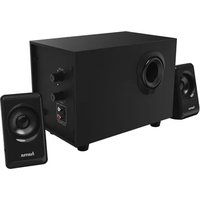
uRage Soundz 2.1 Essential - Speaker HAMA - Free user manual and instructions
Find the device manual for free uRage Soundz 2.1 Essential HAMA in PDF.


| Brand | Hama |
| Model | uRage Soundz 2.1 Essential |
| Product type | 2.1 speaker system |
| Total music power output | 20 W |
| Subwoofer power | 10 W |
| Satellite power | 2 x 5 W |
| Frequency response | 45 Hz - 20 kHz |
| Impedance | 6 Ω |
| Total harmonic distortion | ≥ 0.5% (1 kHz, 1 W) |
| Bluetooth | Bluetooth v4.0, range up to 10 m |
| Audio inputs | AUX (RCA), USB, SD |
| Power supply | 230 V AC, 50 Hz, 0.4 A max |
| Subwoofer dimensions (W x D x H) | 26 x 16.5 x 20 cm |
| Satellite dimensions (W x D x H) | 10 x 10.5 x 16.3 cm |
| Total weight | 3150 g (subwoofer 2250 g, 2 satellites 900 g) |
| Playback functions | AUX, Bluetooth, USB, SD |
| Controls | Volume, Bass, Mode, Play/Pause, Previous/Next, On/Off |
| Auto standby | After 15 minutes of inactivity |
| Maintenance | Clean with a slightly damp, lint-free cloth |
| Safety | Protect from moisture, overheating, shocks; use in dry rooms |
| Warranty | Legal warranty, exclusion for non-compliant use |
Frequently Asked Questions - uRage Soundz 2.1 Essential HAMA
User questions about uRage Soundz 2.1 Essential HAMA
0 question about this device. Answer the ones you know or ask your own.
Ask a new question about this device
Download the instructions for your Speaker in PDF format for free! Find your manual uRage Soundz 2.1 Essential - HAMA and take your electronic device back in hand. On this page are published all the documents necessary for the use of your device. uRage Soundz 2.1 Essential by HAMA.
USER MANUAL uRage Soundz 2.1 Essential HAMA
uRage Soundz 2.1 Essential
Operating Instructions
Bedienungsanleitung
Mode d'emploi
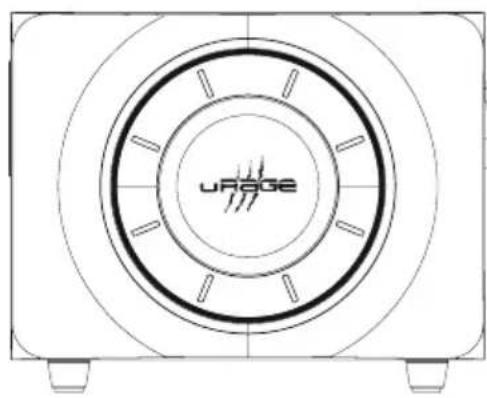
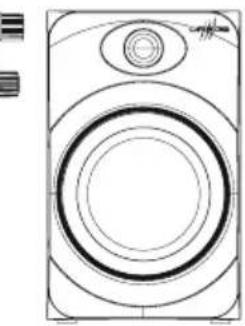
Controls and Displays
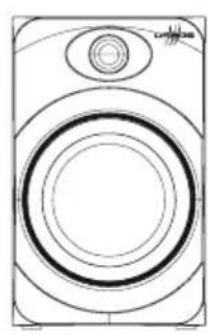
Speakers:
- Subwoofer
- Satellite speakers
- Volume control
- Bass control
- Stereo audio input RCA right/left
- Satellite speaker connection right/left
- ON/OFF, O n/Off switch
- 230 V mains connection
- Power LED 1
- Power LED 2
- Play/Pause button, MODE button
12▶▶I button, jump forward one track - button, jump backward one track
- USB
Thank you for choosing a Hama product.
Take your time and read the following instructions and information completely. Please keep these instructions in a safe place for future reference. If you sell the device, please pass these operating instructions on to the new owner.
1. Explanation of Warning Symbols and Notes

Risk of electric shock
This symbol indicates product parts energized with a dangerous voltage of sufficient magnitude to constitute a risk of electric shock.

Warning
This symbol is used to indicate safety instructions or to draw your attention to specific hazards and risks.

Note
This symbol is used to indicate additional information or important notes.
2. Package Contents
- Subwoofer
2satellitespeakers - Y-adapter audio cable
These operating instructions
3. Safety Notes
- The product is intended for private, non-commercial use only.
- Protect the product from dirt, moisture and overheating and us it in dry rooms only.
- As with all electrical devices, this device should be kept out of the reach of children.
- Do not drop the product and do not expose it to any major shocks.
-
Do not operate the product outside the power limits given in the specifications.
-
Keep the packaging material out of the reach of children due to the risk of suffocation.
- Dispose of packaging material immediately according to locally applicable regulations.
- Do not modify the device in any way. Doing so voids the warranty.

Risk of electric shock
- Do not open the device or continue to operate it if it becomes damaged.
- Do not use the product if the AC adapter, adapter cable or power cable is damaged.
- Do not attempt to service or repair the product yourself. Leave any and all service work to qualified experts.
5. Getting Started
5.1 Speaker
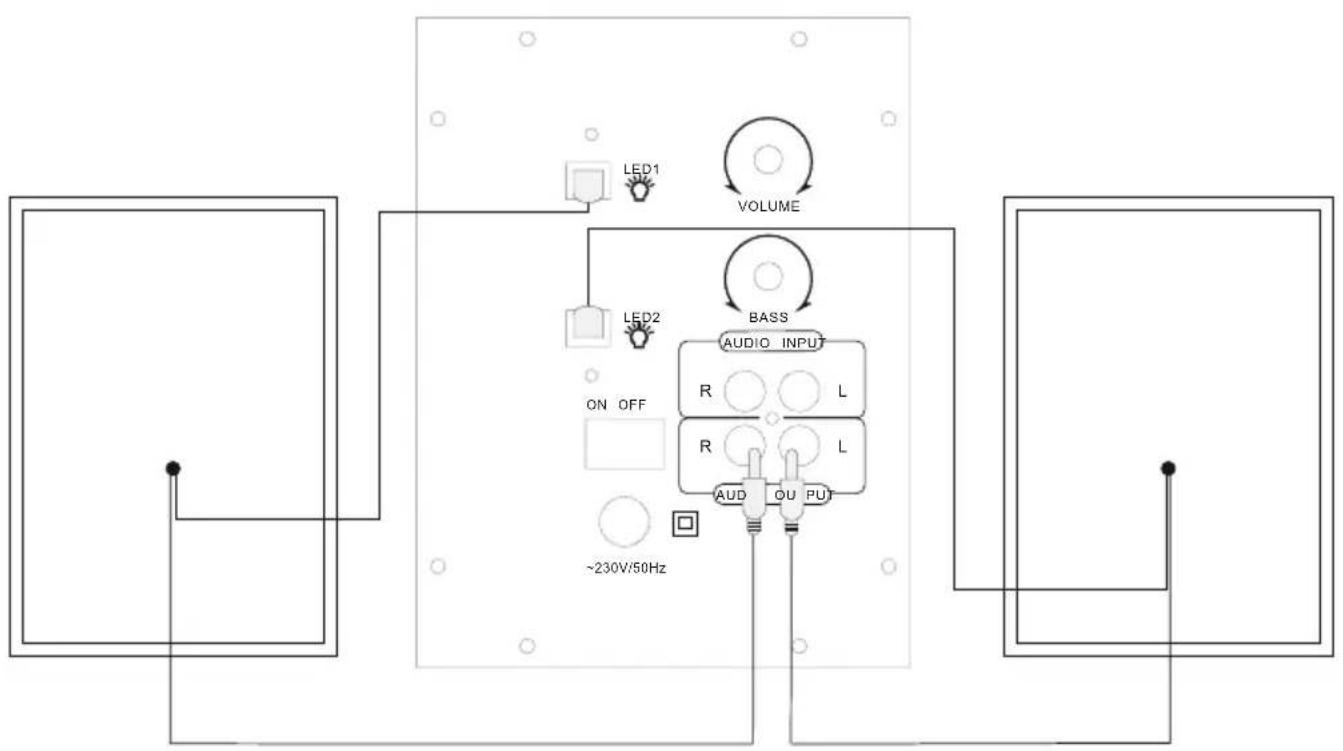
- Connect the two satellite speakers with the corresponding audio outputs at the right side of the subwoofer, as shown in the wiring diagram Point 4.
- Then connect the corresponding AUX audio input with the signal source (computer/DVD/Blueray/MP3 player etc.), with the help of one of the enclosed if audio cables.
- Connect the subwoofer's power supply cable to an undamaged electrical socket which has been installed correctly.

Note
- Only connect the product to a socket that has been approved for the device. The electrical socket must always be easily accessible.
- When using a multi-socket power strip, make sure that the sum power draw of all the connected devices does not exceed its maximum throughput rating.
- If you will not be using the product for a long period of time, disconnect it from mains power.
4. Wiring diagram
5.2 On/off switch / stand by
- Turn the speaker system on by setting the ON/OFF switch on the right side of the subwoofer to ON.
- Turn the speaker system off completely by setting the ON/OFF switch on the right side of the subwoofer to OFF.
- With the speaker system turned on, press the MODE button on the upper side of the subwoofer for approximately 3 seconds to switch the speaker system to standby mode.
- Press the MODE button in standby mode on the upper side of the subwoofer to activate the speaker system.

Note - A automatic standby
- Please note that the speaker system switches to standby mode after 15 minutes of no activity (no audio playback / n o o ther activity).
- Press any button on the subwoofer to re-activate the speaker system.
6. Audio source selection
6.1 AUX playback
- Press the MODE button on the subwoofer for approximately 3 seconds to select the AUX connection as the audio source. The selection is signalled by an 'AUX' speech message.
6.2Playback usingBluetooth
- Press the MODE button on the subwoofer for approximately 3 seconds to select Bluetooth as the audio source. The selection is signalled by a 'Bluetooth' speech message.
6.3 USB playback
- Insert a USB storage medium into the device.
- Or press the MODE button for approximately 3 seconds to select USB as the audio source. The selection is signalled by a 'USB' speech message playback starts directly.
7. Advanced features
7.1 General and individual volume control
- You can turn the volume up or down by turning the VOLUME controller right or left respectively.
7.2 Bluetooth® first connection (pairing)
- Make sure that you Bluetooth®-capable terminal device is on and Bluetooth® is activated.
e Make sure that the speaker is located within the Bluetooth® range of max. 10 metres. - Open theBluetooth® settings on your terminal device E and wait until "uRage Soundz 2.1" appears in the list of Bluetooth® devices found.
- Select "uRage Soundz 2.1" and wait until the speaker is listed as connected in theBluetooth® settings on your terminal device.
- If theBluetooth® has connected successfully BLUE will be shown on the display.

Note
- Check whether your mobile device (MP3 player, mobile phone, etc.) is Bluetooth® capable.
- If not, you can only use the speaker for playback using the included audio cable.
Note that the maximum range B tueoth is 10 metres without obstacles such as walls, people, etc.
8. Care and Maintenance
- Only clean this product with a slightly damp, lint-free cloth and do not use aggressive cleaning agents.
9. Warranty Disclaimer
Hama GmbH & Co KG assumes no liability and provides no warranty for damage resulting from improper installation/mounting, improper use of the product or from failure to observe the operating instructions and/or safety notes.
10. Service and Support
Please contact Hama Product Consulting if you have any questions about this product.
Hotline: +49 9091 502-115 (German/English)
Further support information can be found here:
awww.hama.com
11. Technical Data
| Bluetooth® Technology | Bluetooth® v4.0 |
| Frequency 45 Hz - 20 kHz | |
| Impedance 6 Ω | |
| Distortion factor ≥ 0 .5% (1K, 1W) | |
| Power supply | 230 V A C/50 Hz/ 0,4 A M a x |
| Connections | Cinch, USB (Host, Type A, max. 5V = 130mA), SD |
| Performance | |
| Max. total music performance | 20 W |
| Subwoofer 1x 10 W | |
| Satellites/Centre | 2 x |
| Size (B × T × H) / Weight | |
| Total ca. 3150 g | |
| Subwoofer | 26 x 1 6,5 x20cm ca. 2250 g |
| Satellites/Centre | 10 x 1 0,5 x 1 6,3 cm ca. 450 g |
12. Recycling Information
Note on environmental protection:
After the implementation of the European Directive 2012/19/EU and 2006/66/EU in the national legal system, the following applies: Electric and electronic devices as wellas batteries must not be disposed of with household waste. Consumers are obliged by law to return electrical and electronic devices as well as batteries at the end of their service lives to the public collecting points set up for this purpose or point of sale. Details to this are defined by the national law of the respective country. This symbol on the product, the instruction manual or the package indicates that a product is subject to these regulations. By recycling, reusing the materials or other forms of utilising old devices/Batteries, you are making an important contribution to protecting our environment.
13. Declaration of Conformity
Hereby, Hama GmbH & Co KG declares that the radio equipment type [00113766] is in compliance with Directive 2014/53/EU. The full text of the EU declaration of conformity is available at the following internet address: www.hama.com->00113766->Downloads.
| Frequency band(s) | 2400 - 2 483.5 MHz |
| Maximum radio-frequency power transmitted | 20 dBm |
6.BbI6Op nCTOuHnKa 3Byka
6.1 Bocnpon3BedeHne uepe3 AUX
- Haxmnte n ydepknaite KhoNky MODE (ok. 3 c) Ha Hn3KooyactOTHom rPOMKOROBOpNTe, YTO6bI Bbl6paTb BbIXoAUX B kaueCTBe NCTOuHnKa ayDnOCnHaJa. PpO3ByuHT roLOcoBOu CnHaJ AUX.
6.2 Bocnpoun3BedeHne uepe3Bluetooth
HaxmTe n yepKnBaTKe KhoNky MODE (ok. 3 c) Ha Hn3KoOaCTOTHom rpoMkoROBOpNTe, YTO6bI Bbl6paTb coeINHeHne Bluetooth B KaueCTBe NcToUHnKa ayDnOCnHaJa. Ipo3ByuT roNoCobOu CNrHaJn Bluetooth.
6.3 Bocnpon3BedeHne uepe3 USB
- POnKJIIOHcHTe K y CTPOINCTBy USB-HOCNTeIb DaHHbIX.
- Или НахмITE и уdeckжнави КНОКУ MODE (ok. 3 c) чобы ВьбраТь-coeДиЕне USB в качесТve nTochнka aydnoCnHaJa. Пpo3ByuHT roLocoBoi cnHaJ USВ в OcnpoN3BedeHne NauchETca HemeДлeHNO.
7.Дононтельныеункuni
7.1 06uaHn HnBnDyalbHa npeYnnpOBKa rpoMKoCTn
Bpaaay pyky VOLUME yBeiunyTe (BnpaBO) nIyMeHbwnTe (BnEBO) rPOMKocTb.
7.2 Corlacobahne yctpoNCTB no npotoKony Bluetooth®
- Y6eIntecb B TOM, yTO yCTpOINCTBO BOCnpoIN3BeJeHnC n OndepKkoB/luetooth® BKJIIOUeHO nΦ yHKuNBAuTooth® aKtUNBnPOBaHa
Pa3mecnte 06a yctpoiCTBa B npedeJax paInuCa DeIcTBnB Bluetooth® Ha pacctOarHn He 6oJee 10 METPOB. - OTPoIte HacTpoiKvBluetoothHa yCTpOcTBe BocnpOn3BedeHn N B CnNcKe H aNdeHHbIX yCTPOcTBe Bluetooth® Bbl6epnte "uRage Soundz 2.1".
- BbIePnte "uRage Soundz 2.1" n noJoxdnte, noka rpoMkoTobOpTeJIb He noaBnTCB C nncKe nOdkNIOUeHHbIX yCTPOINCTB NO npOTOKoJIyLueoth
- Ecπn coεπηνΗν ηγταΗΟβληΕΝΟ, ὅ έικηρε οτόβαρχαετς «BLUE».

Птумейане
- Y6eIntecb B TOM, yTO MO6nIbHoe yCTpOuCTBO (MP3-nIeep, MO6nIbHbI TeJefoh nT. n.) noIdepXnBaet cyHKcNIO Bluetooth®.
- Ecni HeT, rPOMKOrOBOpntb MoXHO NcNoJIb3OBArToJIbKO C BXoJaIiM B KOMnJIeKT ayDnoka6eIeM.
- 06paTne BHMaHne, yTO m akCmMaJIbHbI paNyc DeiCTBnBluTooth COCTaBJIeT 10 MeTpOB 6e3 npenrTCTBn (CTeH, JIOJeN T. d.).
8. YxOД n TExHnueckoe 06cnyXnBaHne
- YnCTky n3dJIy npOn3BOJntb TOnbKO 6e3BOPcOBoi CnErKa BnaxHoi caNΦeTKo. 3aPpeaaetc npIMeHrTa arpeccNBhle NCTaUne cpeDCTBa.
9. OTKa3 OT rapaHTnHbIX 06raTeNbCTB
KoMaHnHa Hama GmbH & CoK G Heecet OTBcTBeHHocTb 3a yUep6, BO3HKnWn BCJeIcTBnE He npabNbHO M OHTaJa, POnKJIuOHeHn I NcNoJb3OBaHn N3JeINr He No Ha3NaueHIO, a TaKxe B CLeIcTBn Heco6JIIODeHn INHCTpyKUnn PO EKcNJIyatauIN nTexHnKn Be3OpacHoCTn.
10. OTeJen Texo6cnyxuBaHnA
IIO BONpocam peMOHTa nJIN 3aMeHbI HeNCnpaBbIX n3JeNn O6paUaIteCb K IpoJaBcy nJIN B CepBnCHyO cLyK6y K OMNaHn Hama.
TopyaJINHnOtJeLaTexo6CyXuBaHn:
+49 9091 502-115 (HemeKn, aHrlnckn)
Ponpo6Hee cMOTpne 3ndecb: www.hama.com
11. TexHnueckne xapaKTepeNCTIKN
OnachOCT OT TOKOB yap
To3n CmBOJ npeDynpexJaBa 3a ONaCHOCT OT TOKOB yIap npn DOKOCBaHe Ha HEn3OJIpaH Yuactn Ha npOdyKTA, KOITo e Bb3MOxHO da Ce HaMnpaT NOB BVCOKO H anpexKeHne.

PpeynpekdeHne
N3noJ3BaT ce 3a 06o3HaUaBaHe Ha yKa3aHn8 3a 6e3ONaCHOCT nIi 3a HAcOuBaHe Ha BHIMaHnETo K bM OcOBeHn OnaCHOCTn np NCKOBe.

3a6eJexka
N3noJ3BaT ce3aD onbHnTeHNO 06o3HaHaBaHe Ha HΦopMaunu Baxn yKa3aHn.
2. CbDpKaHne Ha onaKOBkata
- Subwoofer
- 2 cateJInTHn BUCOKOrOBoPntTeJIa
Y-aДaNTep ayDIO
-Ta3n mHCTpykzma 3a ynoTpe6a
3.Инстукшии 3a6e3onachoct
- PódyktbT e n peiBnIeH 3a IINuHa, HeCTOnaHcKa 6ntoBa ynoTe6a.
- Na3eTe npOyKTa OT 3aMbpcBaHe, BJaRa IN ppeprbaHe I rN3nOJI3BaIte Camo B CyxN NOMeUeHn.
KaKTo BCnKn Dpyr EneKtpnueckn ypeN, Taka N To3n npOyKT He 6nBa Da nonaDa B DeTcKn pBce! - Na3eTe npOykTa OT n3nyckaHe n He rO n3JaRaTe Ha cnHn Bn6paun.
-
Пи ecnnoataaHaTo3n ypei He HaBnBaAte Nocouhnte BTEXHueCKnte My daHHn rpaHnHa MOuHOCTTa.
-
Ia3eTe onakOBbHnMaTePnAn daney OT MaIKN Deca, CbIeCTByBa ONaCHOCT OT 3aDyUbaHe.
-3XbPte BeHara onaKOBkata CbrJaCHO MeCTHHe DeIcTBaU pa3nope6n 3a n3XBpJrHe Ha OTnaDbu.
He npabete npomeH B ypea. Taka ue 3ary6nte npabo Ha BCsKaKBN rapaHcnn.

OnachocT OT TOKOB yap
He pa3rIIO6BaIte npOyKta n np noBpea He npOdbJIxKaBaIte da ro n3nOJ3BaTe.
He n3no3BaIte ypea, aKo c a n OBpeHn AC aAnTepbT, Ka6eJIbT Ha aAnTepa nn MpeXOBTo 3axpaHbaHe.
He ce onntBaTe cAm Da n3BbPwBATE noDpBXKa nn peMOHT Ha ypea. Pn Hxka OT texHuecka noDpBXka Ce o6pbuaTe KbM KOMPeTeHTHIne CneunaNCTn.
5. NycKaHe B e KcNlOaTaun
5.1 BucOKoROBOpTeJIi
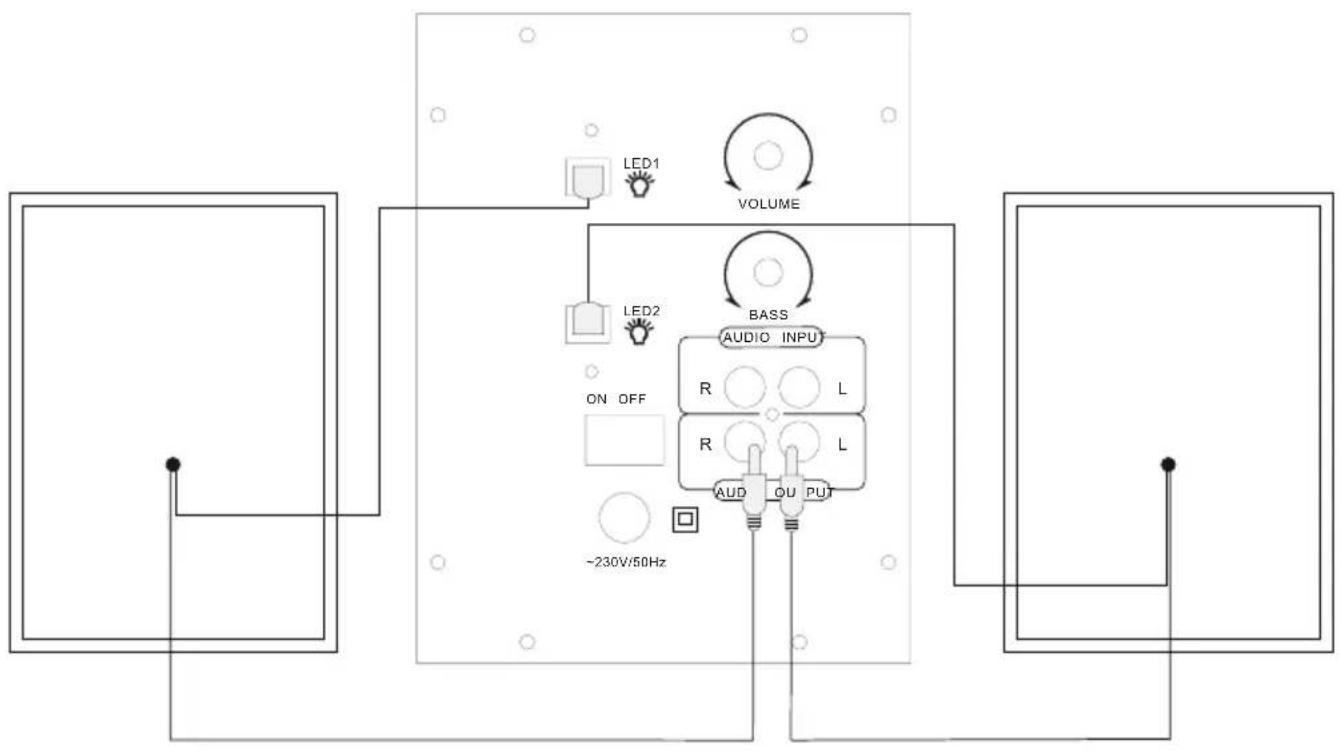
Cbpxte Dbata catenTHn BucOKOROBOpTeJ KbM CboTBHTHe ayDIO N3XoDN Ha 6paTHaTcTpaHa Ha Subwoofer, KaTo e NOKa3aHo Ha cxMaTa 3a Cbbp3BaHe, TocKa 4.
Cnei TOBa CBpKTe CbOTBeTHnA ayIno BXoAUX c NOMOuTa Ha npOn3BOJeH ayDnO Ka6eN C n3ToUHnKa Ha cnHAn (Computer/DVD/Blueray/MP3 npebp n T.H.).
Ceppeempeepnnaeaua SubwofoekMKbM 3npaben H npabnHnHHTanpapBnKKT.

3a6eJekka
Pa6oTeTe c npOdykTa cAmO c pa3peuH 3a ueTAt KOHTaKT.
- Pn n3noJ3BaHe Ha pa3KJIOHnteBHHMaBaIte BKJIHOeHITe KOHCyMaTOpn Da He IpeBnIaBaT OOnyCTUmATA 06u KaOHcympaHa MoUHOCT.
- KoHTaKTbT TpRABa dα e JIeCHO DoCTbPHeN NO BcRAKO BpeMe.
- N3KJIIOUHBAIte npOJyKTA OT MpeXaTAt, KOrATo He r0n3IIOJI3BaTe IIO-NpOdbJIJKHTeJIHO BpeMe.
4.Cxema 3a cBbp3BaHe
5.2 BkIIOUbaHe/ɪn3KlIOUbaHe/Standby
BKNIOHcTe CnCTeMaTa OT BUCOKOROBOpHTeN, KATO NOCTaBNTe ON/OFF npeBKnIOUBaTeJ3a BKNIIOUBAHe/ N3KJIIOUBAHe, KOITo Ce HAMIPA B JIChATA YaCT Ha Subwoofer, B n O3uINr ON.
- N3KJIHOUte I3UJIO CnCTeMaTa OT BUCOKOROBOpNTeJI, KATO NOCTaBtE ON/OFF npeBkIHOyBaTeJI 3a BKJIHOuBaHe/I3KJIHOyBaHe, KOITo Ce HAMIPA B JIAChata YaCT Ha Subwoofer, B n O3NcIg OFF.
- Пи ВКЛюеHa CNTeMa OT BnCOKOrOBOpTeHn HATNCHeTe 6yToH MODE(3a OkOJIO 3 cekyHn) B rOpHaT aYact Ha Subwoofer, 3a dI npemHne CNTeMaTa OT BnCOKOrOBOpTeHn B pexm Standby.
B pexm Standby haTnchete 6yToH MODE B rohpata hact Ha Subwoofer,3a da a KTNBnPate cncTeMaTa OT BNCOKOROBOpTEJI.

3a6eIexka - a BtOMaTnueH Standby
- Имайе пedingи, ча akо сисмата OT BUCOKOROBOPHTEN He pa6OT B npOdbJIxHne Ha 15 MInHyTN (He Bb3npOn3BexJa 3ByK/He n3BbpWBa npyIOnepaun), TЯ пеминава В ржIM Standby.
- HatncheTe npOn3BOJen 6yToH Ha Subwoofer, 3a Da aKtINBupate OTHOB CnCTeMaTAt O T BUCOKOROBOpTeJI.
6. ɪn36op Ha aydno nɪ3tɔuHnK
6.1 AUX b3npo3Bexdane
-Чрз haTnCKaHe ha 6byToH MODE (3a OKoJIo 3 ceKyni) Ha Subwoofer n36epete AUX n3xoJa KaTo aydno n3TouHnK. N36OpbTe ce cnHaJIu3upa Chpe rIacOBaTa INHΦopMaunr "AUX".
6.2 Bb3npoImBexKdAnHe npe3Bluetooth
-Чрз haTnCKaHe ha 6yToH MODE (3a okono 3 cekyHn) Ha Subwoofer n36epete Bluetooth kato aydno n3TouHnK. N36OpbT ce cnHaJIIn3npaЧрз rIacOBaTa INHΦopMaunr „Bluetooth".
6.3 USB Bb3npoU3BexJaHe
- NocTaBeTe USB naMeT By peJa.
- Или натусят otherwise MODE (3a okono 3 cekyн), 3a за изберete USB kaTo aydno источник.Изборьт ссгналиши руpe злacobata Инфорmaць "USB".
7. Pa3wnpeHn ΦyHKcHn
7.1 06po HnHnBnDyaIHO hAcTpoBaHe Ha cnlaTa Ha 3ByKa
-Чрета ВалуМСилТа Ha 3Byka ce yBelenuYaBa (HajrCHO) Или hamalra (HaJRABO).
7.2 IpbBoHaayalHo Bluetooth® Cbbp3BaHe (cDBOyBaHe)
- YBepete ce, Ye BaWeTo noDlbpxaIo Bluetooth® KpaHnO yCTpOInCTBO e BkIIOyeHO n Ye Bluetooth® e AKTINbpuH.
- YBepete ce, Ye BucOKoROBOpuTeJIaT ce HaMnpa Boxbata Ha Bluetooth® ot MaKc. 10 MeTa.
- OTbopete Bluetooth® Habtpoiknte Ha BaWeTo KpaHNo yctpoiCTBO u n3yakaHTe,ДOKaTO B CnncbKa C HamepeHn Bluetooth® yctpoiCTBa ce nokaxe "u R a g e Soundz 2.1".
-Изберетe"uRageSoundz2.1"иИЗчakайTe,ДOKаТО BINGOKOROBOPHTeTbIe NOKa3aH KaTO CBbp3aH B Liueoth® NaCTpoiKITE Ha BaWeTo K paHNo yCTpoiCTBO. - ПиocьшесТBEHa Bluetooth® Врьзka ДИСПЛЕТ NOCTОнно пOKa3Ba Иndикаду BLUE.

3a6eJekka
-П ровере Дали Baшeto M obnilho kpaHoyc troNBO (MP3 nIebp, moBnien TelefoH nT.H.) noDlbpxa Bluetooth®.
Ako He noDbpxa, MoXe Da n3NoI3BaTe BnCOKoROBOpIeJIa 3a Bb3IpOn3BexJaHe caMo Upe3 npInExaunna aydno Ka6eI.
- O 6bpe Te BHMaHne, Ye oxbaTbT h a Bluetooth® e m akc. 10 MeTp a 6e3 npenrTCTBnA, KaTo cTeHn, Xopa nT.H.
8. TexHnuecko 06cnyKbaHe n oDpBkKa
-Почистовп Te TOn И рpoДуКс AmO C JeKO HablaхHeHa Kbpna, KoTo He NpCka BlnaCnHKn, И He n3NoJIstBaIte arpeCnBn Почиствцп npenapatN.
9.ИЗКЛIOУВаHe Ha OTROBOPHOCT
Hama GmbH & Co. KG He noema HnkaKbA OTROBOPHO tI rapaun 3a nobpei B pe3yntaT ha HnnpabuHa nHCTaJau, MOHTax H enpabuHa ynoTp6a Ha npdykTa I nn HeCnna3BaHe Ha ynTBaHTo 3 a o6cnykBaHe N/nn INHCTpyKuInTe 3a be3oNaCHOCT.
10. CepBn3 n noDpBxKa
3a Bbnpocn BvB Bpb3Ka C npOdykTa ce obpHHeTe KbM OTdeJa 3a KOHCyIeta 3a npOdykTu Ha Hama.
Topeu a LInna: +49 9091 502-115 (hem./aHrn.)
OnbHnteHa HOpMaun 3a noDpBxxka ue
Hamepu Te Tk:
www.hama.com
11. Texhnueckn daHHN
| Bluetooth® Technologie | Bluetooth® v4.0 |
| Чеб耗费 45 Hz - 20 k H z | |
| Импедан c 6 Ω | |
| Харmonчно ИЗкрильвае ≥ 0 .5% (1K, 1W) | |
| Енераимно зхсанвае | 230 V A C/50 Hz/0,4 А м akс |
| ИзвODи | Cinch, USB(Host, Type A, max.5V = 130mA), SD |
| Мошиност | |
| Макс. обSETS музICALHA MOUCHOCT | 20 W |
| Subwoofer 1x 10 W | |
| Сателтул/центыр 2x 5W | |
86652 Monheim/Germany
www.hama.com
The Bluetooth® word mark and logos are registered trademarks owned by Bluetooth SIG, Inc. and any use of such marks by Hama GmbH & Co KG is under license. Other trademarks and trade names are those of their respective owners.
All listed brands are trademarks of the corresponding companies. Errors and omissions excepted, and subject to technical changes. Our general terms of delivery and payment are applied.