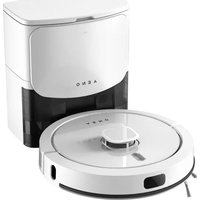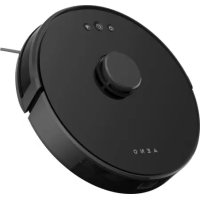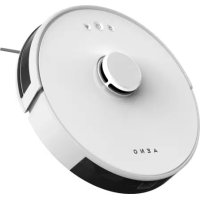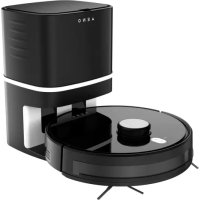
RC1S - Robot vacuum AENO - Free user manual and instructions
Find the device manual for free RC1S AENO in PDF.



| Product type | Robot vacuum cleaner |
| Brand | AENO |
| Model | RC1S |
| Robot dimensions | ∅ 330 × 330 × 98 mm |
| Robot weight | 3.3 kg |
| Docking station dimensions | 236 × 246 × 346 mm |
| Docking station weight | 3.2 kg |
| Robot power supply | 19 V DC, 1.0 A, 60 W (via adapter or station) |
| Station power supply | 220-230 V AC, 5.0 A, 1050 W |
| Battery type | Non-removable rechargeable lithium-ion, 5200 mAh |
| Operating time | Approximately 220 minutes |
| Charging time | 360 minutes (first charge: 12 h recommended) |
| Dust bin capacity (robot) | 600 ml |
| Water tank capacity | 370 ml |
| Dust bag capacity (station) | 2.8 L (up to 40 cycles) |
| Control modes | Manual (robot buttons), remote control, AENO app, voice assistants |
| Connectivity | Wi-Fi 2.4 GHz |
| Cleaning types | Dry (vacuum) and wet (mopping) |
| Filtration | HEPA filter + foam filter + pre-filter |
| Noise | Approximately 65 dB |
| Obstacle clearance height | 18 mm |
| Special features | UV disinfection lamps, infrared sensors, scheduling function, turbo mode, spot mode (30 s) |
| Safety | Do not turn over while running (UV), do not use outdoors, do not disassemble |
| Included accessories | Remote control, adapter, side brushes (4), HEPA filter, foam filter, mop pad, water tank, dust bags (5), cleaning brush |
| Warranty | 2 years |
Frequently Asked Questions - RC1S AENO
User questions about RC1S AENO
0 question about this device. Answer the ones you know or ask your own.
Ask a new question about this device
Download the instructions for your Robot vacuum in PDF format for free! Find your manual RC1S - AENO and take your electronic device back in hand. On this page are published all the documents necessary for the use of your device. RC1S by AENO.
USER MANUAL RC1S AENO
text_image
QR code image containing encoded data, no visible human-readable textENG....9
ARA.... 17
BUL 23
CES.... 33
DEU 40
ELL 49
EST....58
FRA 66
HRV 75
HUN....83
HYE 91
ITA....99
KAT 107
KAZ 116
LAV 126
LIT.... 134
POL....142
POR....151
RON....160
RUS....169
SLK 178
SPA....186
SRP 195
UKR 204
UZB 213
ZHO 222

a)

text_image
AENO 13 14 15 16b)
5 aeno.com/documents

text_image
17 18 19 0.05 m 1 m 0.05 m 1 m 2 mc)
aeno.com/documents 6
d)

text_image
A E M O
natural_image
Simple line drawing of a closed lid and a rectangular container (no text or symbols)e)

natural_image
Line drawing of a hand holding a tool interacting with a mechanical component (no text or symbols)g)

natural_image
Technical line drawing of a circular mechanical device with a central hub and attached components (no text or symbols)f)

natural_image
Simple line drawing of a mechanical device with a lever and base, no text or symbols presenth)

text_image
Diagram illustrating a mechanical or electrical system with labeled components and directional arrows, including a valve symbol.7 aeno.com/documents
i)

text_image
Technical diagram of a circular device interior with labeled components including UV, L, R, and control panel.ENC The AENO RCIS Robot Vacuum cleanëer is a household device designed for an automatic cleaning of premises.
Specifications
Robot
Dimensions: ∅330×330×98 mm. Net weight: 3.3 kg. Vacuum cleaner supply voltage: 19 V DC (Input), 1.0 A, 60.0 W. Capacity of rechargeable li-ion built-in battery: 5200 mAh. Power adapter voltage: 100–240 V AC; Frequency: 50/60 Hz. Dust bin capacity: 600 ml. Water tank capacity: 370 ml. Operating time: about 220 min. Operating temperature: 0 to +40 °C. Charging time: about 360 min. The maximum height of bridged obstacles: 18 mm. Controls: Manual, remote, and/or via the AENO mobile application. Emission power: +18.5 dBm/70.8 mW.
Docking Station
Dimensions: 230×225×345 mm. Net Weight: 3.2 kg. Input: 220–230 V AC, 5.0 A. Output: 19 V DC, 1.0 A. Rated Power: 1050.0 W. Working Noise: about 65 dB. Dust Bag Capacity: 2.8 L. Number of cleanings before the dust bag fills up: 40.
Package Contents (See Figure a)
Robot vacuum cleaner – 1, docking station – 2, remote control – 3, power adapter – 4, cleaning brush – 5, dust container – 6, side brushes (4 pc.) – 7, HEPA filter – 8, foam filter – 9, mop for cleaning – 10, water tank – 11, batteries for the remote control – 12, quick start guide, warranty card, dust bag (5 pc.).
Limitations and Warnings
ATTENTION! Two UV disinfection lamps are installed at the bottom of the vacuum cleaner, between the roller brush and the battery cover (See Figure i). Ultraviolet radiation is very dangerous and may damage eyes, if you look at the lamps while operation. Never turn the vacuum cleaner upside down while it is on.
Do not disassemble or repair the device on your own. Do not use the device in areas with an ignition or explosion risk, or near open flames. Use the original power adapter only, or the device may be damaged. Do not use the device outdoors. It is forbidden to load, heat, drag or bend the device, as well as stand or sit on it, or touch it with wet hands. Do not allow water to enter the device 9 aeno.com/documents
body, and do not use the device in wet areas such as bathrooms. Do not place the device in areas where it can easily fall (Tables, chairs, stairs, high platforms, etc.). Before dry mopping, make sure to install the dust container ⑥.
Please note that bright and direct sunlight, as well as very dark surfaces influence operation of infrared sensors of the vacuum cleaner. For example, dark surfaces are taken as obstacles. So, it is recommended not to leave dark carpets or fabrics on the floor, and cover windows with curtains on a sunny day. Before operating the device, you should remove all sensitive or potentially dangerous objects from the floor such as glass, lamps, wires, curtains, valuables and jewelry, hairpins, debris, etc. The vacuum cleaner is able to bridge obstacles up to 18mm high.
Please take care of children and the elderly when cleaning in order to avoid injury.
If the body of the vacuum cleaner becomes too hot during charging, you should stop charging. Do not use the vacuum cleaner battery to recharge other devices. Do not close contacts or disassemble the battery.
Turn off the power to the device, if it's not operated for a long time. The device will operate on a schedule, if it is always turned on and charged.
Charging Before Initial Setup
The device shall be initially charged for at least 12 hours. The following two options for charging are available:
- Using the power adapter: Turn on the vacuum cleaner using a switch 14 (See Figure b) and connect the power adapter 4 to the vacuum cleaner power port 15. Then, plug the power adapter 4 into the mains socket. The "Start/Stop" button ⏻ will flash white, and a voice message on the start of charging will sound;
- Using the docking station ② (See Figure c): plug the docking station into a power outlet using the power plug ⑱. Align contacts at the bottom of the vacuum cleaner body ① (between the side brushes ⑦) with the contacts on
the charging station 19. If the vacuum cleaner is correctly installed, the docking station LED 17 will be slowly blinking white.
ATTENTION! The docking station must be installed against a wall (See Figure c). Remove all objects 1m to the left and 1m to the right of the station, as well as 2m in front of it.
Device Control Using its Buttons
To start operation, you should turn on the power switch 14 on the vacuum cleaner body (See Figure b). A voice message on the device ready for operation will sound after a few seconds. To start the vacuum cleaner, press the "Start/Stop" button on its top panel. To stop the vacuum cleaner, press the "Start/Stop" button again. After 10 minutes of inactivity, the vacuum cleaner will be switched to the Sleep Mode, and all LEDs will go off. In order to switch the device to the active mode again, press the "Start/Stop" button. After pressing the "Station" button , the vacuum cleaner returns to the docking station for recharging.
Device Control Using the Remote Control (See Figure d)
| Button | Action |
| [40YZ] | Button to switch the vacuum cleaner on or off (“Start/Stop”) |
| [TXXB] | Auto mopping, start of operation. The vacuum cleaner will determine the end of cleaning time and will return to the charging station to recharge |
 | |
| [220A] | Button to start/stop the vacuum cleaner. It is also used to confirm time setting in “Setting the current time” and “Scheduled operation” modes |
 | |
| [HHZB] | Button to return the device to the docking station for recharging |
| [8ZWZ] | Button to move the vacuum cleaner forward, or change the time in “Setting the current time” and “Scheduled operation” modes |
| [WYCS] |
11 aeno.com/documents
| Button to rotate the vacuum cleaner by 180°, or change the time in “Setting the current time” and “Scheduled operation” modes | |
| Button to rotate the vacuum cleaner left or right, or select hours or minutes in “Setting the current time” and “Scheduled operation” modes | |
| Switching between Normal Mode and Turbo Mode of operation | |
| Button to switch to the “Setting the current time” mode, or confirm the current time setting | |
| Button to switch to the “Scheduled operation” mode when the vacuum cleaner starts operation daily at the set time. To reset the schedule, press and hold the “Scheduled operation” button | |
| Button to switch to the “Area cleaning” mode. The vacuum cleaner will mop area of 1m in diameter. In this mode, the vacuum cleaner will operate for 30 seconds only |
Remote Control of the Vacuum Cleaner
You may manage the vacuum cleaner from the AENO mobile app after its Wi-Fi module being activated (See Figure b).
ATTENTION! Make sure your smartphone is connected to a 2.4 GHz Wi-Fi network.
- Connect the docking station to the power supply. Set the side switch of the cleaner to the "ON" position and place the cleaner on the docking station.
- Log in to your AENO app account or create a new one; to do that, download the mobile app from Google Play or the App Store.
- Tap "+" or "Add device" on the home screen of the app. In the window that opens, select the "Vacuum Cleaner" category.
Note: If the system prompts you to turn on some features on your smartphone, follow the recommendations in the prompts.
- Enter your Wi-Fi network name and password if the fields had not been filled automatically. Make sure that the AP mode is selected in the upper right corner.
- Press and hold the "Start/Stop" button on the control panel of the vacuum cleaner until the Wi-Fi indicator starts blinking. Then check the "Make sure the LED indicator is blinking" box on the Connection Instructions screen and tap "Next".
- Connect your smartphone to the Wi-Fi hotspot named "Smart Life – XXXX". Go back to the app and tap "Connect".
- Wait for the "Device successfully added" message to appear.
Note: The device can also be operated via voice assistants. Detailed information is available in the complete operation manual at aeno.com/documents. If the connection fails, make sure the device is plugged into a power source, turned on and charged, check the router's Wi-Fi settings at https://aeno.com/router-help, and then repeat the connection process.
Wet Cleaning Using Water Tank
Attach the mop for cleaning 10 to the bottom of the water tank 11 (See Figure e). Turn the water tank over, open its cover and fill the tank in with clean water for at least 2/3 of its capacity. Then, close the cover (See Figure f). Press the dust container lock 13 (See Figure b), and pull the dust container 6 out of the vacuum cleaner body. Then, replace it with the water tank (See Figure g). The vacuum cleaner is ready for wet cleaning. Additionally, you may control the water supply via the AENO mobile application.
Dust Bag Replacement
Unplug the power first, then open the lid of docking station (See Figure c). Take the handle of the dust bag and pull it upwards, then throw the dust bag into the trash. Take a new dust bag from the pacakge and insert the cardboardof dust bag into the card slot on docking station, then push it to the end. Check the handle of the dust bag, make sure the handle is put to the end of the slot, and the suction
port on the cardboard is open. Close the lid. Plug the power and start to use again. Make sure that the indicator flashes white slowly.
Docking station indicator Status
| Indicator state | Meaning |
| White indicator flashes slowly | Docking station works normally |
| White indicator keeps on | Docking station is vacuuming |
| Red indicator flashes quickly | Dust bag is not placed properly |
| Red indicator flashes slowly | Suction pipe or port are blocked |
Maintenance
You may rinse side brushes ⑦ with hot water or clean them up with a damp cloth. To clean the dust container ⑥, pull it out of the vacuum cleaner body by pressing the dust container lock Ⅱ. Then, open the container and shake out dust and debris into the basket (See Figure h). Open the latches and remove the pre-filter mesh from the dust container, as well as the HEPA filter ⑧ and the foam filter ⑨. Clean them all with a brush or a dry cloth. The water tank, the mop for cleaning and the foam filter may be washed with water. The roller brush may be cleaned after removing it from the device body by releasing the two latches.
ATTENTION! The water container is filled with distilled water only. Once wet cleaning is completed, the water container should be first emptied of the remaining water and left to dry.
Never rinse the dust container or the HEPA filter with water.
Troubleshooting
-
The vacuum cleaner does not turn on. Possible causes and solutions: Make sure the power switch ☐ is turned on, and that the vacuum cleaner or the remote control batteries are charged, and that the distance from the remote control to the vacuum cleaner is no more than 5m. Try to start the vacuum cleaner via the AENO app. When the vacuum cleaner is on the charging station, it may not respond to commands from the remote control.
-
The vacuum cleaner does not charge. Possible causes and solutions: Make sure that the power adapter is plugged in, and that the docking station LED is flashing white. Clean any dirt from the metal contacts of both the charging station and the vacuum cleaner with a dry and soft cloth. Charge the vacuum cleaner directly from the power adapter, i.e. without the docking station.
- The vacuum cleaner does not connect via Wi-Fi, or the vacuum cleaner does not operate in 5GHz Network. Possible causes and solutions: Make sure your router supports 2.4 GHz signal. Place the vacuum cleaner and the smartphone next to the router and try to connect again. Check if AENO app is installed. Check if the vacuum cleaner is being correctly connected to the app.
- The remote control does not work. Possible causes and solutions. Replace batteries. Make sure the distance between the remote control and the vacuum cleaner is more than 5m, and that the power switch 14 is turned on.
- The vacuum cleaner does not work on schedule. Possible causes and solutions: Make sure the power switch 14 is turned on, and that the vacuum cleaner is charged and does not get stuck. If you restart the vacuum cleaner, the schedule will be canceled. So, set the schedule again in the AENO app.
- The vacuum cleaner returns to the docking station before the end of cleaning. Possible causes and solutions: The vacuum cleaner returns to the docking station automatically when the battery level is less than 20%. Recharge the vacuum cleaner. Restart the device using the power switch 14.
- The vacuum cleaner moves back, and does not clean some areas. Possible causes and solutions: Avoid dark surfaces on the way of the device, and remove dark carpets or fabrics from the floor, and shade windows in bright sunlight, and wipe the infrared sensors and the bumper with a soft cloth at the front part of the vacuum cleaner.
- The suction power has decreased. Possible causes and solutions: Clean the dust container, all filters, the roller brush and the suction inlet.
- The vacuum cleaner suddenly stops operation. Possible causes and solutions: Check that the battery is charged, and that the vacuum cleaner does not get stuck. Make sure that the vacuum cleaner is in the “Area
15 aeno.com/documents
Cleaning" mode where it operates for 30 seconds only. Restart the vacuum cleaner with the power switch 14.
ATTENTION! If your problem persists, please contact your local supplier or the service center for support. Please do not disassemble the device or try to repair it on your own.
natural_image
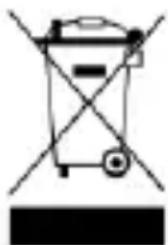
Simple line drawing of a trash bin with crossed lines indicating no waste or plastic (no text or symbols)The symbol indicates that you must follow the Waste Electrical and Electronic Equipment (WEEE) and Waste Battery and Battery Regulations when disposing of the device, its batteries and accumulators, and its electrical and electronic accessories. According to the rules, this equipment must be disposed of separately at the end of its service life. Do not dispose of the device, its batteries and accumulators, or its electrical and electronic accessories together with unsorted municipal waste, as this will harm the environment. To dispose of this equipment, it must be returned to the
point of sale or turned in to a local recycling facility. You should contact your local household waste disposal service for details.
ASBISc reserves the right to modify the device and to make edits and changes to this document without prior notice to users.
The warranty period and service life is 2 years from the date of purchase of the product.
Information about the manufacturer: ASBISc Enterprises PLC, Iapetou, 1, Agios Athanasios, 4101, Limassol, Cyprus. Made in China.
For current information and details on the device description and specification, as well as connection process, certificates, warranty and quality issues, see relevant Installation and Operation Manuals available for downloading at aeno.com/documents. All trademarks and names herein are the property of their respective owners.
aeno.com/documents 16
natural_image
Simple line drawing of a trash bin with crossed lines indicating no waste or plastic (no text or symbols)
natural_image
Simple line drawing of a trash bin with crossed lines indicating no text or symbols (no text or labels)natural_image
Simple line drawing of a trash bin with crossed lines indicating no waste or discharge (no text or symbols)natural_image
Simple line drawing of a trash bin with crossed lines indicating no waste or discharge (no text or symbols)natural_image
Simple line drawing of a trash bin with crossed lines indicating no waste or plastic (no text or symbols)natural_image
Simple line drawing of a trash bin with no text or symbolsnatural_image
Simple line drawing of a trash bin with crossed lines indicating no waste or discharge (no text or symbols)natural_image
Simple line drawing of a trash bin with no text or symbolsOvaj simbol znači da prilikom odlaganja uređaja, njegovih baterija i akumulatora te njegovog električnog i elektroničkog pribora morate slijediti propise o zbrinjavanja otpada električne i elektroničke opreme (WEEE) te o zbrinjavanju otpadnih baterija i akumulatora. Prema propisima, ova oprema podliježe posebnom prikupljanju na kraju radnog vijeka. Uređaj, njegove baterije i akumulatori te njegov električni i elektronički pribor ne smiju se odlagati skupa s nerazvrstanim komunalnim otpadom jer to nanosi štetu okolišu. U svrhu urednog odlaganja ovakve opreme, morate je
vratiti na prodajno mjesto ili u vaš lokalni centar za reciklažu. Za detaljne informacije obratite se lokalnoj službi za zbrinjavanje komunalnog otpada.
ASBISc zadržava pravo modificiranja uređaja te unošenja dopuna i izmjena u ovaj dokument bez prethodne najave korisnicima.
Jamstveni rok i radna trajnost je 2 godine od datuma nabavke proizvoda.
Podaci o proizvođaču: ASBISc Enterprises PLC, lapetou, 1, Agios Athanasios, 4101, Limassol, Cyprus (Cipar). Proizvedeno u Kini.
Ažurirane informacije i detaljan opis uređaja te upute za povezivanje, certifikate, informacije o tvrtkama koje primaju reklamacije glede kvalitete i jamstva, dostupne su za preuzimanje na poveznici
natural_image
Simple line drawing of a trash bin with no text or symbolsnatural_image
Simple line drawing of a trash bin with crossed lines indicating no waste or discharge (no text or symbols)g y z d s g m o y d
gynfsqngjds! dmvmdo dʒʒŋlslɪmŋŋo dʌməʊ hɑməzʒdɔm gŋbxo qs dʒsɪmŋol lɒgsnɔ smlgðməlu mho UV bsmŋŋdo UV lɒgŋbɒbʒdʒom (obomŋo bəbsəi). gymʃnsəʊbʒŋo zsdmlbɔʒdəs smol dscmosb lsdodɔ bɡeəs qs dʒodŋdəs qs bɔsbqgl, oŋ gssqszbɡqoszɔn bsmŋŋdo, bmmm dʒʒŋlslɪmŋŋo smol gsdʒdʒemo. smlsmqgl bsmɔmɔn dʒʒŋlslɪmŋŋo dʒgo, oŋ ozo bsmɔmŋmos.
śś -Qsodśms. Ś Ś -Qzgowdō Qmhymdoqnmās oszl. Ś Ś -Qsdmygfbm Qmmpyjāo od sgoqmyjādo, lsgos Smlgdmbl Qgbcmoi Ś Ś -Qgmyjādo molzo, 玉s Qgbcmoi dsbwnmdwso. Qsdmygfbm dbmcmq mhozobsquno sqss3gmo, fobssmdqgs Qgdombzgzsdo Qmhymdoqnmās Qgodmwds Qsbo6qgl. Ś Ś -Qsdmygfbm Qmhymdoqnmās Qsmojm. Bŋ hSb3o#ms, loomδm, zssomŋ, dmobzog, qswgjl, Ś Ś -Qszgwjm oszby Qmhymdoqnmās, Ś Ś -Qgfbm dsl UZJmo bgmjdo. Ś Ś -Qsmyjāsł fymol QIbzmol Qmhymdoqnmās mhzsbml, Ś Ś -Qsdmygfbm ozo luzjmo lgghmgjdo, hmzmnoqss luzjmo fijmgomo. Ś Ś dmsszlm Qmhymdoqnmās od sqzomjādo, lsgos Dsl Qyndmos sqzomso Qsgyjds (Qszogdo ,lzsdrdo, zoDgdo, dsmco Zmsygmndjo qos s.d.). ddmsmn fddgcnl Qshyjdsdqg sybnmjdansq ossnblysmnfgm adj3hnl ymbs 6.
Uzbekistan Ghana, Ghana, Myanmar, Zambia, Ghana, Myanmar
d osdʒʌŋɡən f yμον z mbʒŋɒbʒmʊl d mæmədo ⑪ l sɛməŋμο q sɪŋɡənsʒgðol f sblʌsʒdʒmɔ ⑩ (obomŋo b sbsbo e). k sɛməŋ f yμον z mbʒŋɒbʒmɔ d ʒgo, z sblʌs l sbyʃnszo, d gszlmɔ z mbʒŋɒbʒmɔ d obodŋd 2/3 l yɡoιs f yxmo, qəs qəsbŋʃmɔn l sbyʃnszo (obomŋo b sbsbo f). q ssyɡbju d ʒdmo d ʒʒmɔ z mbʒŋɒbʒmɔ lock ⑬ (obomŋo b sbsbo b) qəs z soyʒsbm d ʒʒmɔ z mbʒŋɒbʒmɔ ⑥ l sfyolo d ʒʒmʌlsɪmʒygo lɪsðɒbsm. d jdrɒg q ssyɡb s f yμον z mbʒŋɒbʒmɔ osgol søgomŋb (obomŋo b sbsbo g). d ʒʒmʌlsɪmʒygo d'bsq s'mol l ʒjmo q sluŋɡənsʒgðolωzol. z smɔs sdaols, ojdʒb d gjodcmos o szmbʒmcmɔn f ysməmdəmsʒgðol app AENO.
glusdym gswdsmosmdou smdmgbzms
natural_image
Simple line drawing of a trash bin with crossed lines indicating no waste or plastic (no text or symbols)natural_image
Simple line drawing of a trash bin with crossed lines indicating no waste or discharge (no text or symbols)natural_image
Simple line drawing of a trash bin with crossed lines indicating no waste or plastic (no text or symbols)natural_image
Simple line drawing of a trash bin with no text or symbolsnatural_image
Simple line drawing of a trash bin with crossed lines indicating no waste or plastic (no text or symbols)natural_image
Simple line drawing of a trash bin with no text or symbolsAVERTIGMENT | I'm a run to close up this possible at www.probesys.it
In this case, the results of the two different equations are not possible.
proctum quacocionella dioctellus al electronos ele oecatul. Conitunt no omichatici assot, acipament triscula el minet separat la affectual curstei cela de tiota.
(1) In a drug group, the following is not in the first dose of the first dose of the second dose of the second dose of the second dose of the second dose of the second dose of the second dose of the second dose of the second dose of the second dose of the second dose of the second dose of the second dose of the second dose of the second dose of the second dose of the second dose of the second dose of the second dose of the second dose of the second dose of the second dose of the second dose of the second dose of the second dose of the second dose of the Second dose of the Second dose of the Second dose of the Second dose of the Second dose of the Second dose of the Second dose of the Second dose of the Second dose of the Second dose of the Second dose of the Second dose of the Second dose of the Second dose of the Second dose of the Second dose of the Second dose of the Second dose of the Second dose of the Second dose of the Second dose of the Second dose of the Second dose of the Second dose of the Second dose of the First dose of the First dose of the First dose of the First dose of the First dose of the First dose of the First dose of the First dose of the First dose of the First dose of the First dose of the First dose of the First dose of the First dose of the First dose of the First dose of the First dose of the First dose of the First dose of the First dose of the First dose of the First dose of the First dose of the First dose of the First dose of the Second dose of the Second dose of the Second dose of the Second dose of the Second dose of the Second dose of the Second dose of the Second dose of the Second dose of the Second dose of the Second dose of the Second dose of the Second dose of the Second dose of the Second dose of the Second dose of the Second dose of the Second dose of the Second dose of the Second dose of the Second dose of the Second dose of the Second dose of the Second dose of the Next dose.
Carris Dand, Robert O'Chen
Informa: cias a bate a skarler distelato da disodrufeler. Instruzi- de concava, certifico al informa: dersa compella para gospel ralomeni de pelas a garant, sunt disponible parva
declarats in seno.com/documents. Toute marca comerose e numas de marca menjora na
наимендуемателя 163