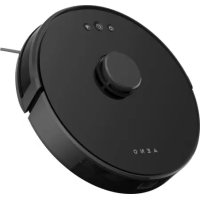
RC3S - Robot vacuum AENO - Free user manual and instructions
Find the device manual for free RC3S AENO in PDF.



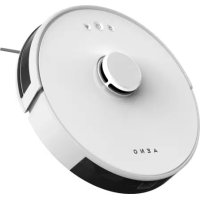
| Product type | Robot vacuum cleaner |
| Brand | AENO |
| Model | RC3S |
| Dimensions (diameter × height) | 330 × 96 mm |
| Weight (without packaging) | 2.7 kg |
| Battery type | Rechargeable Li-ion 3000 mAh |
| Power supply voltage (vacuum) | 14.8 V DC |
| Power adapter | 100–240 V AC, 0.4 A, 50/60 Hz |
| Runtime | 130 minutes |
| Charging time | 300 minutes (first charge: 6.5 hours) |
| Dustbin capacity | 600 ml |
| Water tank capacity | 350 ml |
| Filtration | HEPA filter (2 pieces included) |
| Connectivity | Wi-Fi 2.4 GHz, AENO mobile app |
| Controls | Manual (buttons) and remote via app |
| Sensors | Lidar, bumper sensors, infrared |
| Wet cleaning | Yes (with water tank and cloth) |
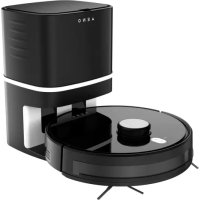
| Docking station | Dimensions 130×130×80 mm, net weight 190 g |
| Included accessories | Docking station, adapter, side brushes (4), HEPA filter (2), cloths (2), water tank, dustbin |
| Maintenance | Clean brushes, dustbin, HEPA filter (do not rinse with water) |
| Safety | Do not use outdoors, avoid humidity, do not disassemble |
Frequently Asked Questions - RC3S AENO
User questions about RC3S AENO
0 question about this device. Answer the ones you know or ask your own.
Ask a new question about this device
Download the instructions for your Robot vacuum in PDF format for free! Find your manual RC3S - AENO and take your electronic device back in hand. On this page are published all the documents necessary for the use of your device. RC3S by AENO.
USER MANUAL RC3S AENO
ENG....9
ARA.... 15
BUL 20
CES.... 27
DEU 33
ELL.... 40
EST 46
FRA.... 52
HRV 59
HUN 65
HYE....72
ITA....78
KAT 85
KAZ 92
LAV 99
LIT....105
NLD....111
POL 117
POR....124
RON....130
RUS....136
SLK 143
SPA....149
SRP 155
UKR.... 161
UZB.... 167
ZHO....174
a)

natural_image
Two identical mechanical components with three blades, one labeled with number 7 (no text or symbols on the parts themselves)5 aeno.com/documents
b)

natural_image
Diagram showing a circular device with internal components before and after hand positioning (no text or symbols)c)

aeno.com/documents 6

7 aeno.com/documents

ENC The AENO robot vacuum cleaner is a household device designed for automatic indoor cleaning.
Article: RC2S/RC3S (Plug Type E/F), RC2S-UK/RC3S-UK (Plug Type G).
Vacuum cleaner specifications
Dimensions: ∅ 330×96 mm. Net weight: 2.7 kg. Power supply voltage of the vacuum cleaner: 14.8 V DC (input); 28.0 W. Rechargeable lithium-ion battery capacity: 3000 mAh. Power adapter input: 100–240 V AC; amperage: 0.4 A; frequency: 50/60 Hz. Dust container capacity: 600 ml. Water tank capacity: 350 ml. Operation time: 130 minutes. Operating temperature range: 0 °C to +40 °C. Charging time: 300 minutes. Wi-Fi module. Control: manual, via the AENO mobile app. Emission power: +16.56 dBm/45.3 mW.
Docking station specifications
Dimensions: 130×130×80 mm. Net weight: 190 g. Output: 19 V DC, 0.6 A. Power: 11.4 W.
Scope of supply (see figure a)
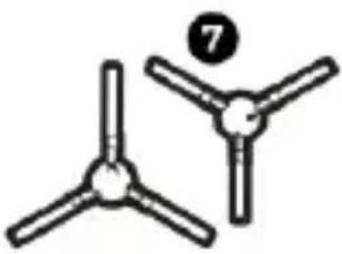
1 robot vacuum cleaner, 2 docking station, 3 power adapter, vacuum cleaner maintenance brush, 5 dust container, 6 documentation (quick start quide and warranty card), 7 side brushes (4 pcs), HEPA filter (2 pcs), 9 floor-cleaning cloth (2 pcs), 10 Water container.
Limitations and warnings
Do not disassemble or repair the device yourself. Do not use the device in rooms with a risk of fire or explosion, or near an open flame. Only use the original power adapter, otherwise the device may be damaged. Do not use the device outdoors. Avoid the entrance of water into the body of the device; do not use the device in rooms with a high humidity, such as bathrooms. Do not
place the device where it can easily fall down from (tables, chairs, stairs, high platforms, etc.).
The vacuum cleaner has several sensors: a lidar located on the surface of the body of the vacuum cleaner and the sensors on the bumper. Do not allow foreign objects to fall on the sensors. During cleaning, make sure children and the elderly are safe to avoid injuries. If the body of the vacuum cleaner gets too hot while charging, stop charging it. Do not use the vacuum cleaner battery with other devices. Do not short-circuit or disassemble the battery.
Power off the device if it has been idle for a while. The vacuum cleaner must be on and charged at all times to operate on a schedule.
Charge before operation
Remove the protective plugs from the body of the vacuum cleaner (see figure b) before operation. Fit the side brushes ⑦ to the device (see figure c).
Connect the docking station to a power outlet using the power adapter (see figure d). Insert the power adapter plug into a power outlet and the power adapter connector into the socket on the body of the docking station. Hold the vacuum cleaner by its body and align the contacts on its bottom between the side brushes with the contacts on the docking station. The robot vacuum cleaner is positioned correctly, the LED on the docking station and the recharge icon on Robot will blink. Once the charge is complete, the recharge icon on Robot will always be on. The first charge from the docking station should last for 6.5 hours.
WARNING! The docking station must be placed by the wall (see figure d). Remove all objects within 0.5 meters to the left and right of the station and 1.5 meters in front of it.
aeno.com/documents 10
Control of the vacuum cleaner using the buttons on its body
To start cleaning, turn on the "START/STOP" button on the body of the vacuum cleaner (see figure e). Press the "START/STOP" button again to stop the device. Upon pressing the "BASE" button, the vacuum cleaner returns to the docking station to recharge.
WARNING! The robot vacuum cleaner automatically stops cleaning and returns to the docking station to recharge if its battery level is too low.
Remote control of the vacuum cleaner
You can control the vacuum cleaner via the AENO mobile app.
ATTENTION! Make sure your smartphone is connected to a 2.4 GHz Wi-Fi network
- Connect the docking station to the power supply.
- Log in to your AENO app account or create a new one; to do that, download the mobile app from Google Play or the App Store.
- Tap "+" or "Add device" on the home screen of the app. In the window that opens, select the "Vacuum Cleaner" category.
Note: If the system prompts you to turn on some features on your smartphone, follow the recommendations in the prompts.
- Enter your Wi-Fi network name and password if the fields had not been filled automatically. Make sure that the AP mode is selected in the upper right corner.
- Press the Start/Stop button to turn on the vacuum cleaner. After 15 seconds, on the control panel, press and hold the Wi-Fi button until the button light starts flashing. Then check the "Make sure the LED indicator is blinking" box on the Connection Instructions screen and tap "Next".
- Connect your smartphone to the Wi-Fi hotspot named "Smart Life – XXXX". Go back to the app and tap "Connect".
- Wait for the "Device successfully added" message to appear.
Note: The device can also be operated via voice assistants. Detailed information is available in the complete operation manual at aeno.com/documents. If the connection fails, make sure the device is plugged into a power source, turned 11 aeno.com/documents
on and charged, check the router's Wi-Fi settings at https://aeno.com/router-help, and then repeat the connection process.
Wet cleaning with the water container
The robot vacuum cleaner comes with a default dust container. It should be replaced with a water container for wet cleaning.
To remove the dust container from the cleaner, press down on the dust container lock (see figure e) and pull it out of the cleaner. Take the water container, turn it over, open its lid, fill the container at least 2/3 full of clean water and close the lid (see figure f). Attach the floor-cleaning cloth to the bottom of the water container. Then replace the dust container with the water container. The vacuum cleaner is ready for wet cleaning. Additionally, you can control the water supply via the AENO app.
WARNING! Do not use the vacuum cleaner in wet cleaning mode to clean carpets.
Vacuum cleaner maintenance
The side brushes can be washed with hot water or cleaned with a damp cloth. To clean the dust container, remove it from the vacuum cleaner by pulling down on the lock. Then open the rear lid of the dust container and shake the rubbish and dust out into the rubbish bin (see figure g). Open the top lid of the container and take out the HEPA filter. Clean the filter and container with the vacuum cleaner maintenance brush of a dry cloth. The water container and the floor-cleaning cloth can be cleaned with water. The roller brush (see figure c) can be cleaned with the vacuum cleaner maintenance brush provided that you remove the roller brush from the body of the device by releasing the two locks (see figure h).
WARNING! Never wash the dust container, HEPA filter and roller brush with water.
aeno.com/documents 12
Troubleshooting
-
The vacuum cleaner does not turn on. Possible reasons and solution: Make sure that the START/STOP button is on, the vacuum cleaner is charged, and the room temperature is between 0 °C and +40 °C. Try turning the vacuum cleaner on via the AENO app. When the vacuum cleaner is docked, it may not respond to commands from the app.
-
The vacuum cleaner does not charge. Possible reasons and solution: Make sure that the docking station is connected to a power outlet via the power adapter, and the LED on the body of the docking station is blinking. Clean any dirt off the metallic contacts on the docking station and the vacuum cleaner with a soft dry cloth.
-
The vacuum cleaner does not connect via Wi-Fi. WARNING! The vacuum cleaner does not support 5 GHz networks.
Possible reasons and solution: Make sure that your router supports the 2.4 GHz signal. Place the vacuum cleaner and smartphone as close to the router as possible and try to reconnect. Check if the AENO app is installed on your smartphone. Check if the vacuum cleaner is connecting to the app properly according to the instructions.
-
The vacuum cleaner does not work on a schedule. Possible reasons and solution: make sure the START/STOP button 15 is on and the vacuum cleaner is charged and not stuck. If you turn the vacuum cleaner off and then on again, the schedule will be cancelled. Set the schedule again via the AENO app.
-
The vacuum cleaner returns to the docking station before cleaning is complete. Possible reasons and solution: The vacuum cleaner automatically returns to the docking station when the battery charge is lower than 15%. Charge the vacuum cleaner.
-
The vacuum cleaner reverses and does not clean up in some areas. Possible reasons and solutions: avoid using the vacuum cleaner on dark surfaces, remove dark carpets and fabrics from the floor, close the curtains if there is
13 aeno.com/documents
bright sunlight, wipe the infrared sensors and bumper at the front of the vacuum cleaner with a soft cloth.
- The suction power has decreased. Possible reasons and solution: clean the dust container, all the filters, the roller brush and suction opening.
- The vacuum cleaner suddenly stopped working. Possible reasons and solution: check if the battery is charged and the vacuum cleaner is not stuck.
Turn the device off and on with the START/STOP button 15
WARNING! If none of the possible solutions eliminates your problem, contact your supplier or service center. Please do not disassemble or attempt to repair the device yourself.

natural_image
Simple line drawing of a trash bin with crossed lines indicating no waste or plastic (no text or symbols)The symbol indicates that you must follow the Waste Electrical and Electronic Equipment (WEEE) and Waste Battery and Battery Regulations when disposing of the device, its batteries and accumulators, and its electrical and electronic accessories. According to the rules, this equipment must be disposed of separately at the end of its service life. Do not dispose of the device, its batteries and accumulators, or its electrical and electronic accessories together with unsorted municipal waste, as this will harm the environment. To dispose of this equipment, it must be returned to the point of sale or turned in to a local recycling facility. You should contact your local household waste disposal service for details.
ASBISc reserves the right to modify the device and to make edits and changes to this document without prior notice to users.
The warranty period and service life is 2 years from the date of the purchase of the product. Information about the manufacturer: ASBISc Enterprises PLC, Iapetou, 1, Agios Athanasios, 4101, Limassol, Cyprus. Made in China.
Current information and a detailed description of the device, as well as connection instructions, certificates, and the information about the companies which accept quality claims and warranties, are available for download at aeno.com/documents. All trademarks and names herein are the property of their respective owners.
aeno.com/documents 14
natural_image
Simple line drawing of a trash bin with crossed lines indicating no waste or restriction (no text or symbols)natural_image
Simple line drawing of a trash bin with no text or symbolsnatural_image
Simple line drawing of a trash bin with crossed lines indicating no waste or discharge (no text or symbols)natural_image
Simple line drawing of a trash bin with crossed lines indicating no waste or plastic (no text or symbols)natural_image
Simple line drawing of a trash bin with crossed lines indicating no waste or plastic (no text or symbols)natural_image
Simple line drawing of a trash bin with crossed lines indicating no text or symbols (no text or labels)natural_image
Simple line drawing of a trash bin with crossed lines indicating no waste or plastic (no text or symbols)natural_image
Simple line drawing of a trash bin with crossed lines indicating no waste or plastic (no text or symbols)Ovaj simbol znači da prilikom odlaganja uređaja, njegovih baterija i akumulatora te njegovog električnog i elektroničkog pribora morate slijediti propise o zbrinjavanja otpada električne i elektroničke opreme (WEEE) te o zbrinjavanju otpadnih baterija i akumulatora. Prema propisima, ova oprema podliježe posebnom prikupljanju na kraju radnog vijeka. Uređaj, njegove baterije i akumulatori te njegov električni i elektronički pribor ne smiju se odlagati skupa s nerazvrstanim komunalnim otpadom jer to nanosi štetu okolišu. U svrhu urednog odlaganja ovakve opreme, morate je
vratiti na prodajno mjesto ili u vaš lokalni centar za reciklažu.Za detaljne informacije obratite se lokalnoj službi za zbrinjavanje komunalnog otpada.
ASBISc zadržava pravo modificiranja uređaja te unošenja dopuna i izmjena u ovaj dokument bez prethodne najave korisnicima.
Jamstveni rok i radna trajnost je 2 godine od datuma nabavke proizvoda.
Podaci o proizvođaču: ASBISc Enterprises PLC, Iapetou, 1, Agios Athanasios, 4101, Limassol, Cyprus (Cipar). Proizvedeno u Kini.
Ažurirane informacije i detaljan opis uređaja te upute za spajanje, certifikati, podaci o tvrtkama koje primaju reklamacije glede kvalitete i jamstva dostupne su za preuzimanje na poveznici
natural_image
Simple line drawing of a trash bin with crossed lines indicating no waste or plastic (no text or symbols)natural_image
Simple line drawing of a trash bin with crossed lines indicating no waste or plastic (no text or symbols)
Uju hunphpnwuh2utp n 62wuwynid t6, np uwppn, dpu wunlnngutpni lymnwuhsutp n ltityunpwulqu u ltityunpnuuhyu wunwquutpnn unhjhquugutjhu wtunp t htunltp ltityunpwulqu u ltityunpnuuhyu wunpwynnuiutph wnwnwnpnjewu pwhnlutph (WEEE) u wunlngh u dwwnlngh pwhnlutph htn uwnltpii ywtntwulwnqtrph: <wudawu jwunbuthph, unjwl wunpwynpnul p dunwnlprjwi duwltyunh wlpwnhg htnn tupwylu t puduu niunhhqughwjh: Uwwppn, dwwnlngutpp n lynnwuhsutpp, hbswtu bwi ltityunpwulqu u ltityunpnuuhyu wunwquutp n sh yuntgh niunhhqugutj sntuwulwnplud puwnpwuhu pwhnlutph htn, puuh np nu lyfuuwh zpwulw uhquwujnh: Uju uwnpn niunhjhqugwhjh hwudw, wyu wtunp t utpwnwnpauh qiwwnph ytn
lywú huhǎbùlǐ h untnwúwú ltpnwúzwlqúwú lytún: Uwúpwwúwú untntlynníjəmítútún uwnwúwní huvów wúhpudtýn t; n̥húti untnwúwú lvtúgwnuŋhú rəwnhúbūtph n̥yúwugúwú dwnwnjnljəniú: ASBISc- ħpwulntúp t ʒltpnuwwuhniú ŋnhnhúli uwnpp n l ywnwnptí ŋnhnhunljaŋniútún l u ŋnhnhunljaŋniútún unyú řhuwnwnjənniú wnuwǔ g āwhúbwlqú ðwūnigúwú.
Gnu2huhpwjhduwuhtnp u duwnwnjpejwi duwuhtnp - 2 wnph wupnwph qfuwh oupuwhg: Upuwnpnnn unjuwuhtnp: ASBISc Enterprises PLC, lapetou, 1, Agios Athanasios, 4101, Limassol, Cyprus (Uhpnu): Tuunpwwnuud t Qhuwwwnwlmui:
Uwnph wnph untglnjynjmluttnp u wuhwuwu bquwnqpnjemlun, huxtu dwu dhwguw hpuhwuguttn, hwluwwuqnptnp, npulh u knwzhph ulnwupjwn ywhuwguln pwnlun npiynjeyntulph ewuh untnlwnjeyntulpp huuwutgh tü ütpptnduwu hwnwp aeno.com/documents hnniuni: U2luw pmnp wuynwlpwuh2tnu ni qnuug wuhwuncutpp hptug hudwwuunwwuwhu uhiwylwutwntptph utahwylwunjynlui tu:
77 aeno.com/documents
natural_image
Simple line drawing of a trash bin with crossed lines indicating no waste or plastic (no text or symbols)natural_image
Simple line drawing of a trash bin with crossed lines indicating no text or symbols (no text or labels)gl bodāmcmgāo zhym obdāmāl, ὡnd oq3j6o dnhgmāommdōl, dolo bsqsmgāol qs szydhymsyimgāol qs dolo gmydym qs gmydymmbymo slgbymsgāol zqosymls l oq3j6 ybqs qso3s o gmydym qs gmydymmbymo slgbyzommdōl bsghgāol s (WEEE) qs bsghgols qs szydhymsyimkou bsghgāol oszop5b dmdmgdōl hygynmszogōn. sgyhmszogōl msbsdax, gl dnhgmāommds yj3gdygdsgās gsm-gsm3j zqosyml s dolo lsshgāommbāol zqon ldmml. sm zqoszqmo dnhgmāommds, dolo bsqsmgāo qs szydhymsyimgāo, slj3j dolo gmydym qs gmydymmbymo slgbymsgāo smlamgōbygym ∂χθοροσεργκό δαςβλυγικηγδύβ, θαραδί γι βοσδι σχθόδι ωσημδι. δ αξγικονδοι ωσηφδ δαμαγδοι δοθδοι, οι γθας φαδικήρις δυαροζοι σχομπι δί ασχθεδι μόχθι κασομαδόσας ασωδγασχδοι χβύσό. ζωθετο, φαγικαδόσας πόχθι κασομαδόσας λυγικονδόσας δαμβδύδοι δασοχοι υδιλυγικηγδύσας.
natural_image
Simple line drawing of a trash bin with diagonal lines crossing it, no text or symbols present.natural_image
Simple line drawing of a trash bin with crossed lines indicating no waste or discharge (no text or symbols)natural_image
Simple line drawing of a trash bin with crossed lines indicating no waste or restriction (no text or symbols)natural_image
Simple line drawing of a trash bin with crossed lines indicating no waste or plastic (no text or symbols)natural_image
Simple line drawing of a trash bin with crossed lines indicating no waste or plastic (no text or symbols)natural_image
Simple line drawing of a trash bin with crossed lines indicating no text or symbols (no text or labels)natural_image
Simple line drawing of a trash bin with crossed lines indicating no waste or discharge (no text or symbols)natural_image
Simple line drawing of a trash bin with crossed lines indicating no waste or plastic (no text or symbols)natural_image
Simple line drawing of a trash bin with crossed lines indicating no text or symbols (no text or labels)natural_image
Simple line drawing of a trash bin with no text or symbolsnatural_image
Simple line drawing of a trash bin with crossed lines indicating no waste or plastic (no text or symbols)natural_image
Simple line drawing of a trash bin with crossed lines indicating no waste or plastic (no text or symbols)natural_image
Simple line drawing of a trash bin with crossed lines indicating no waste or plastic (no text or symbols)Ushbu belgilar qurilma, uning batareyalari va akkumulyatorlari, shuningdek elektr va elektron aksessuarlarini utilisatsiya qilishda (WEEE) elektr va elektron uskunalarning hamda batareyalar va akkumulyatorlarning chqindilaridan foydali narsalar olish qoidalariga amal qilish kerak. Qoidalarga ko'ra, ushbu uskunaning ishlash muddati tugagandan so'ng alohida utilizatsiyaga yotadi. Qurilmani, uning batareyalari va akkumulyatorlari, shuningdek, unung elektrik va elektron aksessuarlarini shahar chiqindilari bilan bir qatorda utilizatsiya qilishga yo'l qo'yilmaydi, chunki bu atrof-muhitga zarar etkazadi. Ushbu uskunani utilizatsiya qilish uchun uni sotish yoki
natural_image
Simple line drawing of a trash bin with crossed lines indicating no waste or discharge (no text or symbols)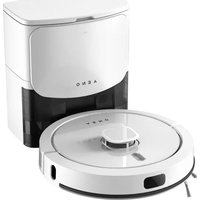

- Vacuum cleaner specifications
- Docking station specifications
- Scope of supply (see figure a)
- Limitations and warnings
- Charge before operation
- Control of the vacuum cleaner using the buttons on its body
- Remote control of the vacuum cleaner
- Wet cleaning with the water container
- Vacuum cleaner maintenance
- Troubleshooting
- aeno.com/documents
Brand : AENO
Model : RC3S
Category : Robot vacuum