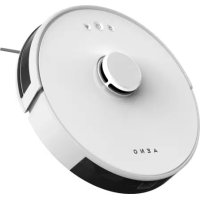
RC2S - Robot vacuum AENO - Free user manual and instructions
Find the device manual for free RC2S AENO in PDF.



| Product type | Robot vacuum |
| Brand | AENO |
| Model | RC2S |
| Dimensions (diameter x height) | 30 cm x 7 cm |
| Weight | 2.5 kg |
| Power supply | Lithium-ion battery 2600 mAh, charging station |
| Battery life | 90 min |
| Dust bin capacity | 300 ml |
| Main functions | Scheduling, automatic return to base, multi-surface suction, anti-collision and anti-drop sensors |
| Cleaning | Main brush, side brushes, HEPA filter |
| Maintenance | Regular cleaning of brushes and filter |
| Safety | Anti-drop sensors, anti-collision, automatic shutdown in case of overload |
| Spare parts and repairability | Filter, side brushes, battery, charging station available as spare parts |
| Connectivity | Wi-Fi, AENO mobile app |
| Voice control | Compatible with Alexa and Google Assistant |
| Noise level | 55 dB |
| Color | Black / Silver |
Frequently Asked Questions - RC2S AENO
User questions about RC2S AENO
0 question about this device. Answer the ones you know or ask your own.
Ask a new question about this device
Download the instructions for your Robot vacuum in PDF format for free! Find your manual RC2S - AENO and take your electronic device back in hand. On this page are published all the documents necessary for the use of your device. RC2S by AENO.
USER MANUAL RC2S AENO
natural_image
Circular diagram with concentric rings and three small icons, labeled 'AENO' at bottom (no other text or symbols)User Manual
Robot Vacuum Cleaner
RC2S/RC3S
(Models: ARC0002S, ARC0002S-UK, ARC0003S, ARC0003S-UK)
v 3.0.3 | 16.04.2025
ENG How to connect
ARA الاتصال كيفية
BOS Kako se povezati
ENG.... 10
ARA 15
BOS....19
BUL 24
CES.... 30
DEU 35
ELL 4
EST 46
FRA....5
HRV 57
HUN 62
HYE 68
ITA.... 73
KAT....79
KAZ 85
LAV....91
LIT 96
NLD 102
POL....108
POR....114
RON....120
RUS.... 126
SLK....132
SLV 137
SPA.... 142
SRP 148
UKR 153
UZB 159

natural_image
Simple line drawing of a circular mechanical component with central bore and two side protrusions (no text or symbols)1

natural_image
Line drawing of a laptop with front panel and side buttons (no text or symbols)2
natural_image
Simple line drawing of a plug with a coiled cable (no text or symbols)3
natural_image
Technical line drawing of a mechanical component (no text or symbols)4

natural_image
Line drawing of a boat hull (no text or symbols)5

natural_image
Two gray semi-circular shapes with textured fill, no text or symbols present6

natural_image
Pure diagram of five propeller-like structures without any text, numbers, or symbols7

natural_image
Two 3D rectangular panels with mesh patterns, no text or symbols visible8

9
A
B

C
natural_image
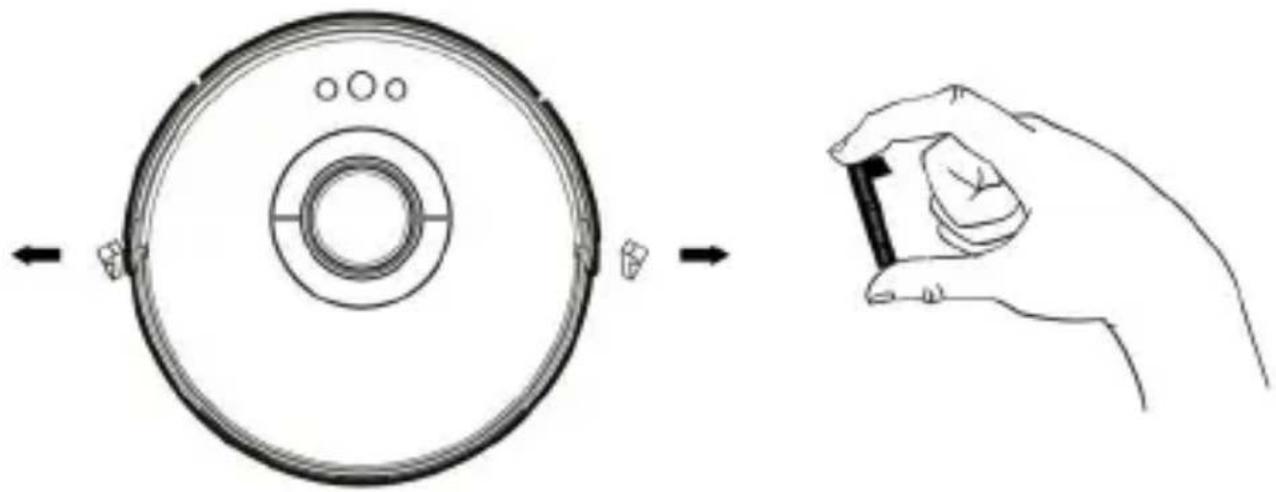
Diagram showing a circular device with internal components before and after hand positioning (no text or symbols)6 aeno.com/documents

C
D

aeno.com/documents 7
E

flowchart
graph TD
    A["Initial Component"] --> B["Cut Cover"]
    B --> C["Close Cover"]
    C --> D["Discharge Disc"]
    D --> E["Final Display"]
8 aeno.com/documents
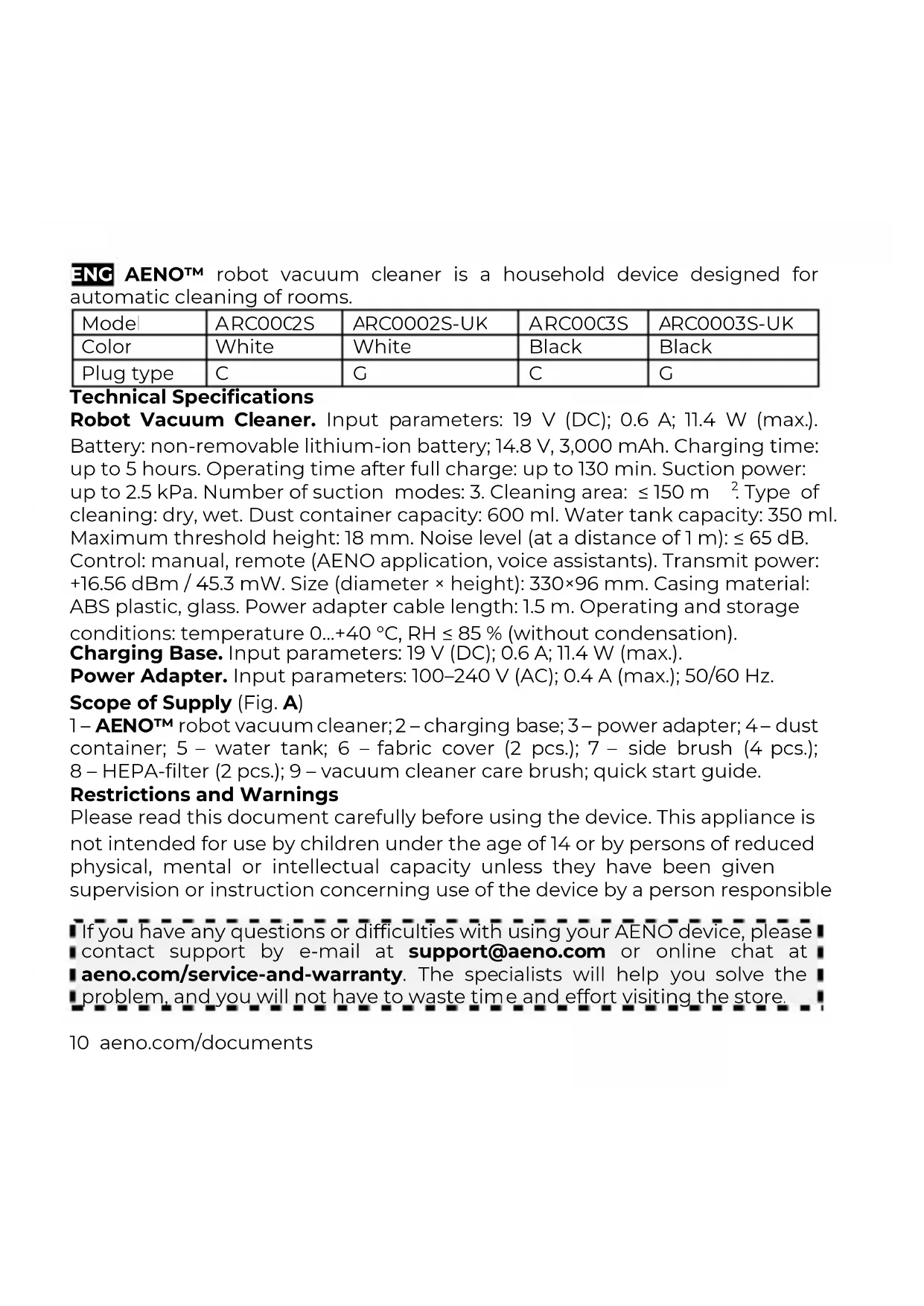
ENG AENOTM robot vacuum cleaner is a household device designed for automatic cleaning of rooms.
| Mode | ARC00C2S | ARC0002S-UK | ARC00C3S | ARC0003S-UK |
| Color | White | White | Black | Black |
| Plug type | C | G | C | G |
Technical Specifications
Robot Vacuum Cleaner. Input parameters: 19 V (DC); 0.6 A; 11.4 W (max.). Battery: non-removable lithium-ion battery; 14.8 V, 3,000 mAh. Charging time: up to 5 hours. Operating time after full charge: up to 130 min. Suction power: up to 2.5 kPa. Number of suction modes: 3. Cleaning area: ≤ 150 m ^-2 . Type of cleaning: dry, wet. Dust container capacity: 600 ml. Water tank capacity: 350 ml. Maximum threshold height: 18 mm. Noise level (at a distance of 1 m): ≤ 65 dB. Control: manual, remote (AENO application, voice assistants). Transmit power: +16.56 dBm / 45.3 mW. Size (diameter × height): 330×96 mm. Casing material: ABS plastic, glass. Power adapter cable length: 1.5 m. Operating and storage conditions: temperature 0...+40 °C, RH ≤ 85 % (without condensation).
Charging Base. Input parameters: 19 V (DC); 0.6 A; 11.4 W (max.). Power Adapter. Input parameters: 100–240 V (AC); 0.4 A (max.); 50/60 Hz.
Scope of Supply (Fig. A)
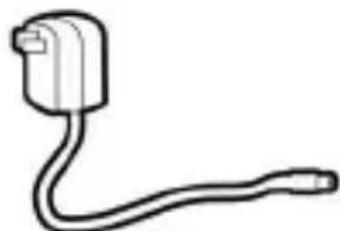
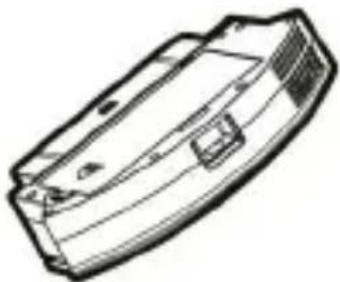
1 – AENOTM robot vacuum cleaner; 2 – charging base; 3 – power adapter; 4 – dust container; 5 – water tank; 6 – fabric cover (2 pcs.); 7 – side brush (4 pcs.); 8 – HEPA-filter (2 pcs.); 9 – vacuum cleaner care brush; quick start guide.
Restrictions and Warnings
Please read this document carefully before using the device. This appliance is not intended for use by children under the age of 14 or by persons of reduced physical, mental or intellectual capacity unless they have been given supervision or instruction concerning use of the device by a person responsible
If you have any questions or difficulties with using your AENO device, please contact support by e-mail at support@aeno.com or online chat at aeno.com/service-and-warranty. The specialists will help you solve the problem, and you will not have to waste time and effort visiting the store.
10 aeno.com/documents
for their safety. Do not use the device outdoors. The device is intended for domestic use only, on dry surfaces. The vacuum cleaner is not designed to pick up dust and debris from construction work, flammable explosive, toxic and/or volatile substances, smoking and/or burning materials, sharp objects, or liquids. Handle the device with dry hands only. Before charging the vacuum cleaner, make sure that the rated voltage and frequency indicated in the technical specifications correspond to the parameters of electricity supply. Make sure that the power adapter cable is not twisted, kinked, pinched, or in contact with hot objects or heat sources. Do not place the device where it can fall from. Do not place or put anything on top of the vacuum cleaner. Do not use a device that is damaged or has been in water. Do not disassemble or repair the device yourself. Repairs must be performed by a qualified technician at an authorized service center. Use only original and manufacturer's recommended accessories, consumables and/or replacement parts. Do not leave the device switched on unattended. Keep pets away from this device when it is in operation. Do not allow children to play with the device and its accessories. Use only purified water to fill the water tank. Do not add fragrances, detergents, alcohols, hot water to the water tank. Do not wet clean on carpeted areas. For scheduled operation, the vacuum cleaner must be on and charged at all times. Clean the dust container after each use of the vacuum cleaner. Do not use chemical and aggressive detergents, abrasive pastes, products containing acids and solvents, or metal sponges to clean the device and accessories. Avoid deep discharge of the battery. If you do not use the vacuum cleaner for a long period of time, charge the battery every 2–3 months. Detailed information can be found in the Installation and Operation Manual, available for download at
aeno.com/documents.
Functions of the buttons (Fig. B)
| Action | Description |
| "Base" button (10) | |
| Press once | Return to base for recharging |
| "Start/Stop" button (11) | |
aeno.com/documents 11
| Action | Description |
| Press once | Starting or stopping cleaning |
Wi-Fi button (12)
| Press and hold | Switching to pairing mode |
Preparing the device for operation (Fig. C, D)
-
Open the packaging and remove the device and accessories. Remove all packing materials and plugs from the sides of the vacuum cleaner.
-
Attach the side brushes.
-
Place the charging base on a flat, stable, horizontal surface.
-
Plug the charging base in by plugging the power adapter connector into the joint on the base and the plug into outlet.
-
Charge the battery by placing the vacuum cleaner on the charging base by connecting the contacts on the vacuum cleaner to the contacts on the base. If the vacuum cleaner is positioned correctly, the indicator on the base will start flashing green and charging will begin. When charging is complete, the indicator will light green continuously.
Note. The first charge takes up to 6.5 hours.
Control the vacuum cleaner with the buttons on the body
WARNING! Remove hazardous objects from the floor before operating the cleaner (see "Restrictions and warnings"), power cables, valuables.
-
Dry cleaning. Press the "Start/Stop" button to start the cleaning. Pressing the button again will pause cleaning.
-
Wet cleaning (Fig. E). Remove the dust container from the vacuum cleaner. Pour purified water into the water tank to at least 2/3 of its volume and close the valve tightly. Attach the fabric cover to the water tank. Insert the water tank into the vacuum cleaner. Press the "Start/Stop" button to start the cleaning. You can additionally control the water supply from the AENO application.
Note. The vacuum cleaner automatically returns to the base to charge after cleaning is complete and when the battery is low. After charging, the cleaner resumes cleaning from where it was interrupted.
12 aeno.com/documents
Remote control
Note. It is recommended that you stay as close as possible to the device and, if possible, to the Wi-Fi router when connecting.
- Plug the charging base in. Place the vacuum cleaner on the charging base by connecting the contacts on the vacuum cleaner to the contacts on the base.
- Connect your smartphone to a Wi-Fi network (2.4 GHz).
- Download the AENO mobile application from Google Play or App Store and register a new account or log in to your user account.
- On the main screen of the application, tap "Add Device". If you have devices already connected to the application, tap "+" in the upper right corner and select "Add Device".
Note. If you receive system prompts to turn on any features on your smartphone, follow the recommendations in the prompts.
- In the window that opens, select the "Vacuum Cleaner" category.
- Enter the name and password of your Wi-Fi network if they are not automatically displayed. Tap "Next".
- On the cleaner, press and hold the "Start/Stop" button until the Wi-Fi network indicator flashes.
- In the application, check the box next to "Confirm" and tap "Next".
- Connect your smartphone to a Wi-Fi hotspot named "Smart Life – XXXX". Go back to the application and tap "Connect".
- Wait until the "Auto Search" screen appears and the message "Successfully added devices: 1" appears. Tap "Done".
Note. If the connection to the application fails, check your Wi-Fi router settings at aeno.com/router-help and reconnect.
Note. The device can also be controlled via voice assistants. Detailed information is available in the Installation and Operation Manual at aeno.com/documents.
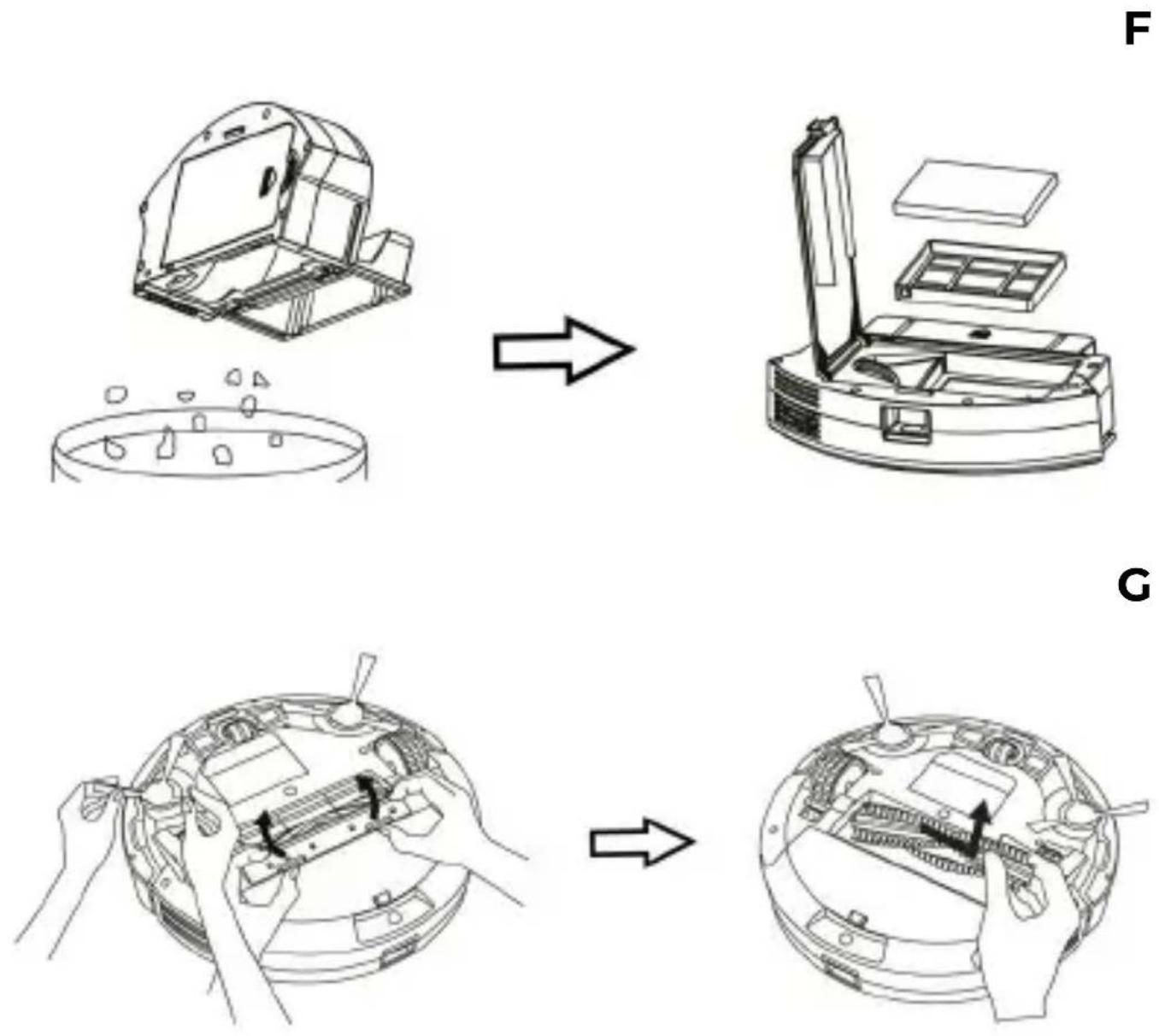
Cleaning and maintenance (Fig. F, G)
WARNING! Do not wash the dust container, HEPA filter and roller brush with water.
aeno.com/documents 13
- Unplug the device before cleaning.
- Remove the dust container or water tank from the vacuum cleaner.
- Empty the contents of the dust container into the waste basket and empty any remaining liquid from the water tank.
- Clean the HEPA filter and pre-filter with a dry brush or cloth.
- Remove and rinse the side brushes and fabric cover with warm water.
- Remove hair and debris from the brush roll using the vacuum cleaner care brush (included).
Dry the component parts away from heaters. Make sure all the parts are completely dry before reinstalling.
Troubleshooting
-
The vacuum cleaner won't charge. Possible causes: the outlet is faulty; the charging base is not plugged in; the contacts on the base and/or vacuum cleaner are dirty. Solution: check the outlet by connecting another device to it, if necessary, connect the adapter to another outlet; verify the connection of the power adapter to the base and to electricity supply; wipe the contacts with a dry soft cloth.
-
The vacuum cleaner returns to the base until cleaning is complete. Possible cause: the battery charge is less than 20 %. Solution: charge the vacuum cleaner.
-
Suction power has decreased. Possible cause: dust container is full; roller brush is clogged. Solution: clean the dust container and/or roller brush.
WARNING! If none of the suggested solutions solve the problem, contact your supplier or an authorized service center. Do not disassemble the device or attempt to repair it yourself.
ASBISC reserves the right to modify the device and to make changes and additions to this document without prior notice to users. This device complies with applicable safety requirements. The warranty period and service life is 2 years from the date of retail sale of the product. For date of manufacture see package. Manufacturer's information: ASBISC Enterprises PLC, lapetou, 1, Agios Athanasios, 4101, Limassol, Cyprus. Tel.: +48732080077, e-mail: info@asbis.com, asbis.com. Made in China. All trademarks and brands mentioned herein are the property of their respective owners. Up-to-date information and a detailed description of the device, as well as connection instructions, certificates, information about companies that accept quality claims and warranties, are available for download at aeno.com/documents.
14 aeno.com/documents
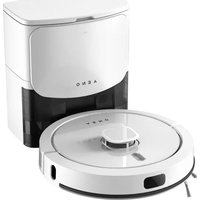
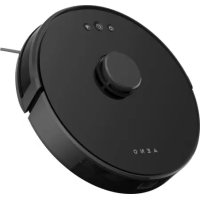
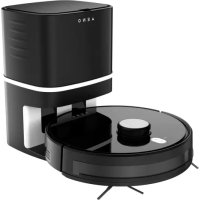

Brand : AENO
Model : RC2S
Category : Robot vacuum