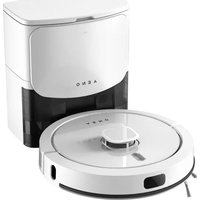
RC4S - Robot vacuum AENO - Free user manual and instructions
Find the device manual for free RC4S AENO in PDF.



| Product type | Robot vacuum cleaner |
| Brand | AENO |
| Model | RC4S |
| Dimensions (diameter × height) | 350 × 98 mm |
| Power supply (robot) | 19 V DC, 1.0 A, 19.0 W max |
| Power supply (charging base) | 200–240 V AC, 50/60 Hz, 1000 W |
| Battery type | Non-removable lithium-ion, 14.4 V, 5200 mAh |
| Charging time | Approx. 4.5 h |
| Runtime | Up to 250 min |
| Suction power | Up to 4 kPa |
| Suction modes | 4 |
| Maximum cleaning area | ≤ 300 m² |
| Cleaning types | Dry and wet |
| Dust container capacity | 300 ml |
| Water tank capacity | 300 ml |
| Water flow levels | 3 |
| Maximum obstacle clearance height | 20 mm |
| Noise level (robot) | ≤ 68 dB |
| Noise level (base) | ≤ 75 dB |
| Control | Mechanical, AENO app, voice assistants |
| Automatic dust collector capacity | 3 l |
| Power cord length | 1.2 m (robot) / 12 m (base) |
| Included accessories | Charging base with self-cleaning station, 3 dust bags, cloth cover module, 2 covers, 2 side brushes, 2 HEPA filters, pre-filter, maintenance brush |
| Warranty | 2 years |
Frequently Asked Questions - RC4S AENO
User questions about RC4S AENO
0 question about this device. Answer the ones you know or ask your own.
Ask a new question about this device
Download the instructions for your Robot vacuum in PDF format for free! Find your manual RC4S - AENO and take your electronic device back in hand. On this page are published all the documents necessary for the use of your device. RC4S by AENO.
USER MANUAL RC4S AENO
natural_image
Line drawing of a robotic vacuum cleaner with a circular base and top-mounted unit (no text or symbols)Quick Start Guide
Robot Vacuum Cleaner
RC4S
Model: ARC0004S
v.1.0.9 | 07.10.2024
ENG How to connect
ARA الاتصال كيفية
BOS Kako se povezati
ENG....17
ARA....T7
BOS.... 2
BUL.... 26
CES.... 32
DEU 37
ELL 43
E ST 49
FRA 54
HRV 60
HUN....65
HYE 71
ITA 77
KAT 83
KAZ 89
LAV....95
L T.... 100
NLD 106
POL.... 112
POR.... 118
RON.... 124
RUS....130
S LK.... 136
SLV 14
SPA....146
SRP 152
UKR.... 157
UZB....163

B

6 aeno.com/documents

aeno.com/documents 7
C
D

8 aeno.com/documents
F

10 aeno.com/documents
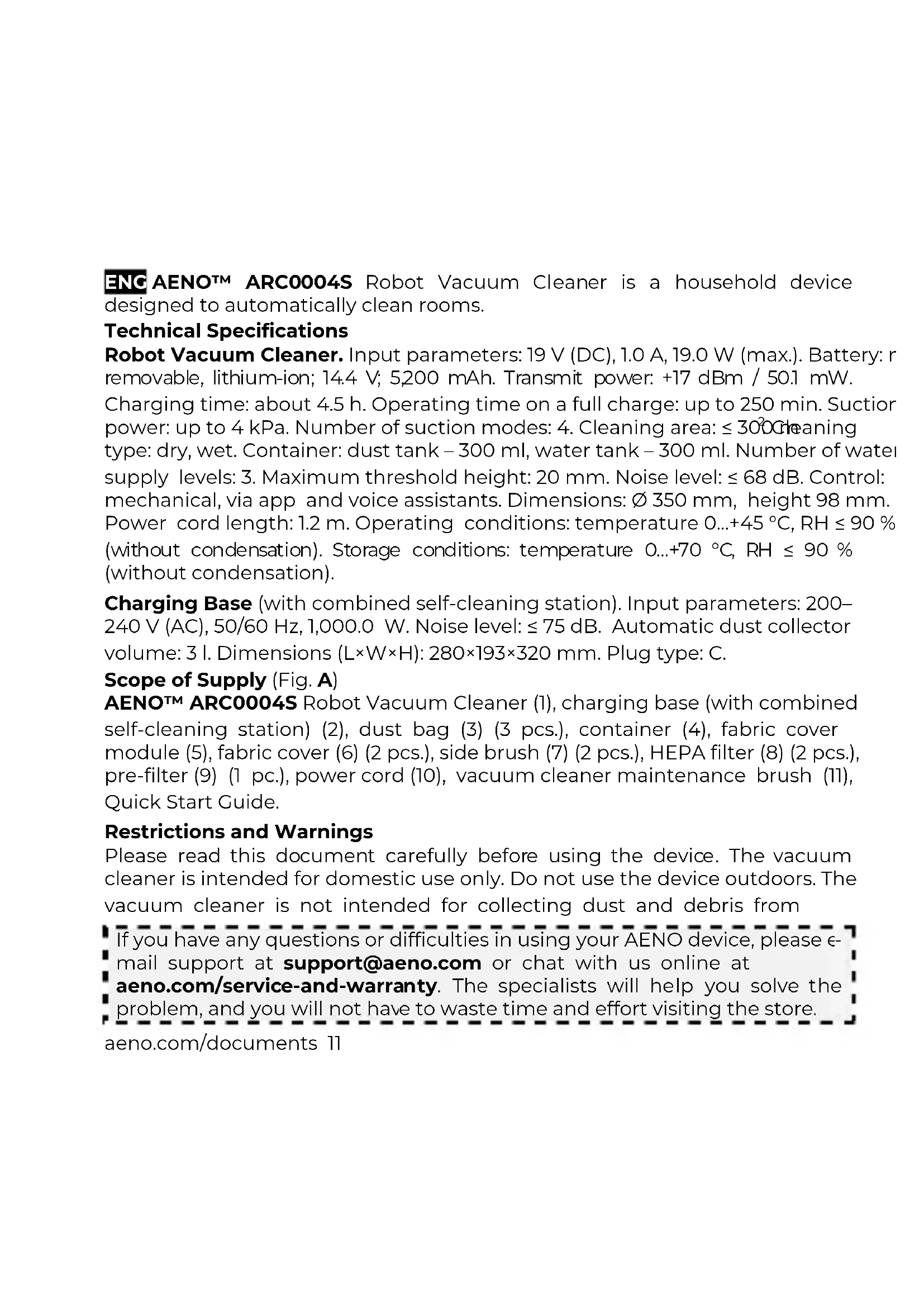
ENC AENO™ ARC0004S Robot Vacuum Cleaner is a household device designed to automatically clean rooms.
Technical Specifications
Robot Vacuum Cleaner. Input parameters: 19 V (DC), 1.0 A, 19.0 W (max.). Battery: r removable, lithium-ion; 14.4 V; 5,200 mAh. Transmit power: +17 dBm / 50.1 mW. Charging time: about 4.5 h. Operating time on a full charge: up to 250 min. Suction power: up to 4 kPa. Number of suction modes: 4. Cleaning area: ≤ 300 cleaning type: dry, wet. Container: dust tank – 300 ml, water tank – 300 ml. Number of water supply levels: 3. Maximum threshold height: 20 mm. Noise level: ≤ 68 dB. Control: mechanical, via app and voice assistants. Dimensions: ∅ 350 mm, height 98 mm. Power cord length: 1.2 m. Operating conditions: temperature 0...+45 °C, RH ≤ 90 % (without condensation). Storage conditions: temperature 0...+70 °C, RH ≤ 90 % (without condensation).
Charging Base (with combined self-cleaning station). Input parameters: 200–240 V (AC), 50/60 Hz, 1,000.0 W. Noise level: ≤ 75 dB. Automatic dust collector volume: 3 l. Dimensions (L×W×H): 280×193×320 mm. Plug type: C.
Scope of Supply (Fig. A)
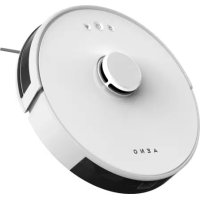
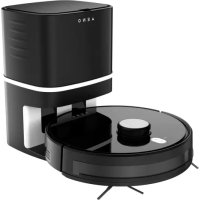
AENOTM ARC0004S Robot Vacuum Cleaner (1), charging base (with combined self-cleaning station) (2), dust bag (3) (3 pcs.), container (4), fabric cover module (5), fabric cover (6) (2 pcs.), side brush (7) (2 pcs.), HEPA filter (8) (2 pcs.), pre-filter (9) (1 pc.), power cord (10), vacuum cleaner maintenance brush (11), Quick Start Guide.
Restrictions and Warnings
Please read this document carefully before using the device. The vacuum cleaner is intended for domestic use only. Do not use the device outdoors. The vacuum cleaner is not intended for collecting dust and debris from
If you have any questions or difficulties in using your AENO device, please email support at support@aeno.com or chat with us online at aeno.com/service-and-warranty. The specialists will help you solve the problem, and you will not have to waste time and effort visiting the store.
aeno.com/documents 11
construction work, flammable and/or volatile substances, smoking and/or burning materials, and sharp objects. Before using the device, make sure that the rated voltage and frequency specified in the technical documentation correspond to the mains parameters. Use only original and manufacturer-recommended battery, charging base, accessories, consumables and/or spare parts. Do not leave the device that has been switched on unattended. Do not connect the device to the mains with wet hands. Do not place anything on top of the vacuum cleaner. Keep pets away from the device while it is in operation. Do not put the device in places from which it can easily fall. If the casing of the vacuum cleaner becomes too hot while charging, stop the charging process and contact the service center. Use only purified water to fill the tank. Do not add fragrances, detergents, alcohols, or hot water to the water tank. Do not wet clean carpeted areas. To operate according to the schedule, the vacuum cleaner must be switched on and charged at all times. Do not use the device if it has previously fallen into water or if its charging base, battery, power cord, and/or plug is damaged. Never attempt to disassemble and/or repair the device yourself. The device should be repaired by a qualified technician. Do not allow children to use the device without adult supervision and/or play with it. For detailed information, see the full User Manual available at
aeno.com/documents.
Preparing the Device for Operation (Fig. B, C)
- Open the packaging and remove the device and accessories.
- Remove all packaging materials, protective film from the bumper and inserts on the sides of the vacuum cleaner.
- Attach the side brush.
- Place the charging base on a flat, stable, horizontal surface.
ATTENTION! Make sure that a dust bag is installed in the self-cleaning station and that the station cover is tightly closed.
- Connect the charging base to the mains by inserting the connector into the port on the base and the plug into a socket.
12 aeno.com/documents
- Make sure that the container is inserted into the vacuum cleaner and proceed to charging. Connect the contacts on the container to the contacts on the charging base as shown in Figure C. If the vacuum cleaner is positioned correctly, the LED indicator on the base will start flashing. When charging is complete, the LED indicator will be lit steadily.
Controlling the Vacuum Cleaner via Buttons on its Casing
ATTENTION! Remove any dangerous objects, power cords, and valuables from the floor before using the vacuum cleaner.
Press and hold the "Start/Stop" button for 3 seconds to turn the device on.
The vacuum cleaner will go into standby mode. Select the type of cleaning:
-
Dry cleaning. Press the "Start/Stop" button to initiate cleaning.
-
Dry and wet cleaning (Fig. D). Remove the container from the vacuum cleaner by first holding down the lock on the container. Open the water tank valve, fill the tank to at least 2/3 of its volume with purified water and tightly close the valve. Attach the fabric cover to the module. Fasten the module with the cover to the container. Insert the container back into the vacuum cleaner. The device can start cleaning. Press the "Start/Stop" button to initiate cleaning. Additionally, you can control the water supply in the AENO app.
Press the “Start/Stop” button to pause cleaning. If no action is performed within 10 minutes, the vacuum cleaner enters sleep mode and all indicators go off. You can resume cleaning by pressing the “Start/Stop” button again. After pressing the “Base” button the vacuum cleaner returns to the charging base.
NOTE. The vacuum cleaner returns to the charging base automatically after clean is complete and when the battery is low. After charging, the vacuum cleaner resur cleaning from where it was interrupted.
Connecting to AENO Mobile App
- Connect your smartphone to a Wi-Fi network (2.4 GHz).
- Connect the charging base to the mains. Make sure that the container is inserted into the vacuum cleaner. Connect the contacts on the container to the contacts on the base.
aeno.com/documents 13
- In the AENO app, log in to your account or create a new one. You can download the app from Google Play or App Store.
- On the main screen of the app, tap "Add device" or "+" and "Add device". In the window that opens, select the "Vacuum Cleaner" category.
NOTE. If the system prompts you to turn on any functions on your smartphone, follow the prompts.
- Enter your Wi-Fi network name and password if these fields are not filled in automatically. Tap "Next".
- Press and hold the "Base" button on the control panel of the vacuum cleaner until its indicator starts flashing. On the smartphone screen, check the "Confirm" box and tap "Next".
- Connect your smartphone to a Wi-Fi hotspot called "Smart Life – XXXX". Go back to the app and tap "Connect".
- Wait until the “Autosearch” screen and the message “Successfully added devices: 1” appear. Tap “Done”.
NOTE. If you cannot connect to the app, make sure the device is connected to a power source, turned on and charged, check your Wi-Fi router settings at aeno.com/router-help and try again.
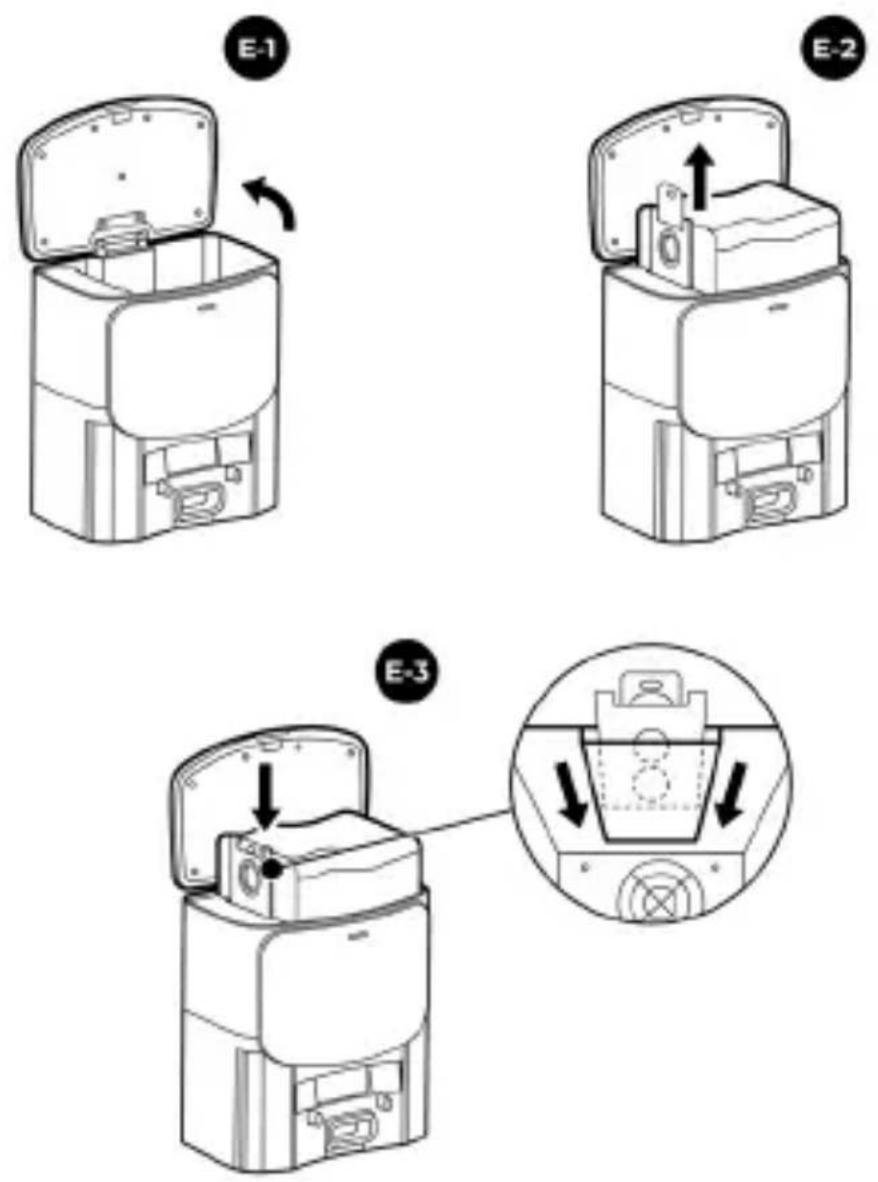
Replacing the Dust Bag (Fig. E)
ATTENTION! First, unplug the charging base.
- Open the cover of the self-cleaning station.
- Remove the bag by pulling the cardboard closure.
- Install a new bag. Make sure the hole on the closure is open. Close the station cover tightly.
Statuses of the LED Indicator on the Charging Base
| Indicator | Status | Description |
| White | On | Charging is complete, the base is in the standby mode |
14 aeno.com/documents
| Indicator | Status | Description |
| Blinking | Charging is in progress; the vacuum cleaner is emptying the debris into the self-cleaning station | |
| Blinking 3 times | The base is connected to the mains | |
| Red | On | The dust bag is missing or not properly installed; the station cover is not closed or closed poorly |
| Blinking | Device malfunction | |
| Off | The device is turned off and disconnected from the mains |
Vacuum Cleaner Maintenance (Fig. F)
- Remove the container from the vacuum cleaner.
- Pour the remaining liquid out of the water tank.
- Empty the contents of the dust tank into the trash.
- Clean the HEPA filter and pre-filter with a dry brush or cloth.
ATTENTION! Do not clean the dust tank and HEPA filter with water.
- Remove the side brush and fabric and rinse them with warm water.
- Remove hair and debris from the roller brush using the vacuum cleaner maintenance brush (included).
Dry the accessories away from heating appliances. Make sure all parts are completely dry before reinstalling.
Troubleshooting
- The vacuum cleaner is not charging. Possible causes: the charging base is not plugged in; the contacts on the base and/or container of the vacuum cleaner are dirty. Solution: check that the power cord is connected to the base and to the mains; wipe the contacts with a dry, soft cloth.
- The vacuum cleaner returns to the charging base before cleaning is complete. Possible cause: the battery charge is less than 20%. Solution: charge the vacuum cleaner.
aeno.com/documents 15
- The suction force has decreased. Possible causes: the dust tank is full; the filter and/or roller brush is clogged. Solution: clean the dust tank, filter and/or roller brush.
ATTENTION! If none of the possible solutions helped to resolve the problem, contact your supplier or a service center. Do not disassemble the device or attempt to repair it yourself.
ASBISC reserves the right to modify the device and to make revisions and changes to this document without prior notice to users.
The warranty period and service life is 2 years from the date of purchase of the product.
Manufacturer: ASBISC Enterprises PLC, Iapetou, 1, Agios Athanasios, 4101, Limassol, Cyprus. Made in China. Manufacture date is indicated on the package.
Up-to-date information and a detailed description of the device, as well as connection instructions, certificates, information about companies that accept quality claims and warranties, are available for download at aeno.com/documents. All trademarks and brand names are the property of their respective owners.
16 aeno.com/documents
Sthuhlywui puniəwqntn
Chang qopini almashtirish (rasm E)
DIQQAT! Quvvatlash bazasini oldindan elektr tarmog'idan uzing.
-
O'zini-O'zi tozalash stantsiyasining qopqog'ini oching.
-
Karton qulfni tortib, qopni chiqarib oling.
-
Yangi qopni rasmda ko'rsatilganidek o'rnating. Qulfdagi so'ruvchi teshik ochiq ekanligiga ishonch hosil qiling. Stansiya qopqog'ini mahkam yoping.
Quvvatlash bazasidagi yorug'lik diod indikatori holati
| Indikator | Holati | Tavsifi |
| Oc | Yonyapti | Quvvatlash yakunlandi, baza kutish rejimi holatida |
| Miltillayapti | Quvvatlash davom etmoqda; robot axlatni o'zini-o'zi tozalash stantsiyasiga tashlamoqda | |
| Miltillayapti (3 marta) | Baza elektr tarmog'îça ulangan | |
| Qizi | Yonyapti | Chang qopchasi yo'q yoki noto'g'ri o'rnatilgan; stansiya qopqog'i yopilmagan yoki yahshi yopilmagan |
| Miltillayapti | Qurilma xatos | |
| Yonmayapti | Qurilma o'chirilgan va tarmoqdan uzilgan |
Changyutgichni parvarish qilish (rasm F)
- Konteynerni changyutgich korpusidan chiqarib oling.
- Qolgan suyuqlikni suv idishidan to'kib tashlang.
- Chang idishining ichidagi chiqindi axlatga to'kib tashlang.
aeno.com/documents 167
- HEPA filtrni va oldindan tozalash filtrini quruq cho'tka yoki safetka bilan tozalang.
DIQQAT! Chang idishni va HEPA filtrini suv bilan yuvmang.
5. Yon cho'tka va matoli nakladkani yechib olib, iliq suv bilan yuving.
6. Changyutgich bilan komplektda keladigan parvarishlash cho'tkasi yordamida cho'tka-valikdan soch va axlatlarni olib tashlang.
ENC SIMPLIFIED DECLARATION OF CONFORMITY. Hereby, ASBISC declares that the device is in compliance with Directive 2014/53/EU. The full text of the EU declaration of conformity is available at the following internet address:
aeno.com/userfiles/files/Certificates/CE/RC4S.pdf.
RoHS Directive. The device complies with the requirements of the Directive 2011/65/EU on the Restriction of Hazardous Substances (RoHS), including the requirements of the RoHS Directive 2015/863/EU.
aeno.com/userfiles/files/Certificates/CE/RC4S.pdf.
RoHS direktiva. Uređaj je usklađen sa zahtjevima Direktive RoHS 2011/65/EU o ograničenju opasnih supstanci, uključujući zahtjeve Direktive RoHS 2015/863/EU.
aeno.com/userfiles/files/Certificates/CE/RC4S.pdf.
RoHS-Richtlinie. Das Gerät entspricht den Anforderungen der RoHS-Richtlinie 2011/65/EU zur Beschränkung gefährlicher Stoffe, einschließlich der Anforderungen der RoHS-Richtlinie 2015/863/EU.
ELL ΑΠΛΟΥΣΤΕΥΜΕΝΗ ΔΗΛΩΣΗ ΣΥΜΜΟΡΦΩΣΗΣ. Δια του παρόντος, η ASBISC δηλώνει ότι η συσκευή συμμορφώνεται με την Οδηγία 2014/53/EU. Το πλήρες κείμενο της Δήλωσης συμμόρφωσης ΕΕ μπορείτε να το βρείτε στην ακόλουθη διεύθυνση στο διαδίκτυο: aeno.com/userfiles/files/Certificates/CE/RC4S.pdf.
Οδηγία RoHS. Η συσκευή συμμορφώνεται με τις πρόνοιες της Οδηγίας RoHS 2011/65/EU σχετικά με τον περιορισμό των επικίνδυνων ουσιών, συμπεριλαμβανομένων των διατάξεων της οδηγίας RoHS 2015/863/EU.
EST LIHTSUSTATUD VASTAVUSDEKLARATSIOON. ASBISC deklareerib käesolevaga, et seade vastab direktiivile 2014/53/EU. ELi vastavusdeklaratsiooni täistekst on kättesaadav järgmisel veebiaadressil: aeno.com/userfiles/files/Certificates/CE/RC4S.pdf.
RoHS direktiiv. Seade vastab ohtlike ainete kasutamise piiramist käsitlevale RoHS-direktiivile 2011/65/EU nõuded, sealhulgas RoHS-direktiivi 2015/863/EU nõuded.
FRA DÉCLARATION DE CONFORMITÉ SIMPLIFIÉE. ASBISC déclare par le présent document que l'appareil est conforme à la directive 2014/53/EU. Le texte complet de la déclaration UE de conformité est disponible à l'adresse internet suivante : aeno.com/userfiles/files/Certificates/CE/RC4S.pdf.
Directive RoHS. L'appareil est conforme aux exigences de la Directive RoHS 2011/65/EU sur la restriction des substances dangereuses, y compris les exigences de la Directive RoHS 2015/863/EU.
HRV POJEDNOSTAVLJENA IZJAVA O SUKLADNOSTI. Ovime ASBISC izjavljuje da je uređaj u skladu as Smjernicom 2014/53/EU. Cijeli tekst EU Izjave o sukladnosti može se naći na sljedećoj web adresi: aeno.com/userfiles/files/Certificates/CE/RC4S.pdf.
Smjernica RoHS. Uređaj je u skladu sa zahtjevima RoHS Smjernice 2011/65/EU o ograničenju opasnih tvari, uključujući zahtjeve RoHS Smjernice 2015/863/EU.
HUN EGYSZERÜSÍTETT MEGFELELŐSÉGI NYILATKOZAT. Az ASBISC kijelenti, hogy a készülék megfelel a 2014/53/EU irányelvnek. A teljes EU-megfelelőségi nyilatkozat a következő weboldalon érhető el: aeno.com/userfiles/files/Certificates/CE/RC4S.pdf.
RoHS irányelv. A készülék megfelel a 2011/65/EU RoHS Irányelv káros anyagok korlátozására vonatkozó követelményeinek, beleértve a 2015/863/EU RoHS Irányelv követelményeit is.
HYE <yuqnsuuhunha-3y# yu26340<nyuq4h: Unjunl ASBISC-p hwunwnwnl, np uwpp hudwwwnwnwnwnl 2014/53/EU <puhwqhu: GU hwudwwwnwnwnwnwnlajw# <nywlqwph wupnngwlw# untpuunh# lwpth t duanpawui htunlywi ubp
170 aeno.com/documents
huugtnu]. aeno.com/userfiles/files/Certificates/CE/RC4S.pdf.
RoHS ηhptlnhul: Uwnpp hwnwwwnwnwhwunl t ywnwwwn np ynlpth wwnnfawnpajw uwhdwwnwhwulqwu ytpwptnjw RoHS 2011/65/EU ηhptlnhul wwhwugutphu, utpwnjw RoHS 2015/863/EU ηhptlnhul wwhwugutnp;
aeno.com/userfiles/files/Certificates/CE/RC4S.pdf.
aeno.com/userfiles/files/Certificates/CE/RC4S.pdf.
aeno.com/userfiles/files/Certificates/CE/RC4S.pdf.
aeno.com/userfiles/files/Certificates/CE/RC4S.pdf.
aeno.com/userfiles/files/Certificates/CE/RC4S.pdf.
aeno.com/userfiles/files/Certificates/CE/RC4S.pdf.
aeno.com/userfiles/files/Certificates/CE/RC4S.pdf.
aeno.com/userfiles/files/Certificates/CE/RC4S.pdf.
natural_image
Simple line drawing of a trash bin with no text or symbolsENG Recycling information. These symbols indicate that you must follow the Waste Electrical and Electronic Equipment (WEEE) and Waste Battery and Battery Regulations when disposing of the device, its batteries and accumulators, and its electrical and electronic accessories. According to the rules, this equipment must be disposed of separately at the end of its service life. Do not dispose of the device, its batteries and accumulators, or its electrical and electronic accessories together with unsorted municipal waste, as this will harm the environment. To dispose of this equipment, it must be returned to the point of sale or turned in to a local recycling facility. You should contact your local household waste disposal service for details.

For devices with a non-removable battery: under normal or abnormal operating conditions, as well as in the event of a single malfunction, the charging voltage and current must not exceed their maximum permissible values. If the battery temperature exceeds the maximum allowable temperature, then, under abnormal conditions, the device will stop charging. If the battery temperature drops below the minimum allowable temperature during charging, then, under abnormal conditions, the current will be limited.
natural_image
Simple line drawing of a house with no text or symbols

natural_image
Simple geometric diagram of two concentric squares (no text or symbols)Please contact our online support team if you have any questions or issues with your AENO device.
This is a better option than visiting the store and will save you time and effort

Get support


aeno.com/service-and-warranty
UKR Отримати підтримку BOS Dobijte podršku BUL Получаване на поддрыкка CES Ziskejte podporu DEU Support erhalten ELL Λήψη υποστήριξης EST Saama toetuse FRA Obtenir de l'aide HRV Tražite pomoć na HUN Támogatás megszerzése HYE Ugwulgripină uunwăw, ITA Ottieni supporto KAT ăbəfiqəsʃgħnău ănggðs KAZ Қɔnday any LAV Saņemt atbalstu LIT Gauti palaikyma NLD Ondersteuning krijgen POL Uzyskaj pomoc POR Obter apoio RON Obtineți asistență RUS Получить поддержку SLK Ziskat podporu SLV Pridobite podporo SPA Obtener apoyo SRP Tražite pomoć na UZB Qe'llab quvvatlash xizmatidan foydalanish الحصول على الدعم ARA

- Robot Vacuum Cleaner
- Technical Specifications
- Scope of Supply (Fig. A)
- Restrictions and Warnings
- aeno.com/documents.
- Preparing the Device for Operation (Fig. B, C)
- Controlling the Vacuum Cleaner via Buttons on its Casing
- Connecting to AENO Mobile App
- Replacing the Dust Bag (Fig. E)
- Vacuum Cleaner Maintenance (Fig. F)
- Troubleshooting
- Sthuhlywui puniəwqntn
- Chang qopini almashtirish (rasm E)
- Changyutgichni parvarish qilish (rasm F)
- aeno.com/userfiles/files/Certificates/CE/RC4S.pdf.
- Please contact our online support team if you have any questions or issues with your AENO device.
Brand : AENO
Model : RC4S
Category : Robot vacuum