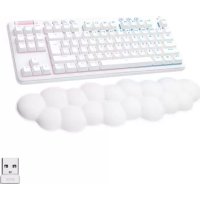
G715 - Gaming Keyboard LOGITECH - Free user manual and instructions
Find the device manual for free G715 LOGITECH in PDF.

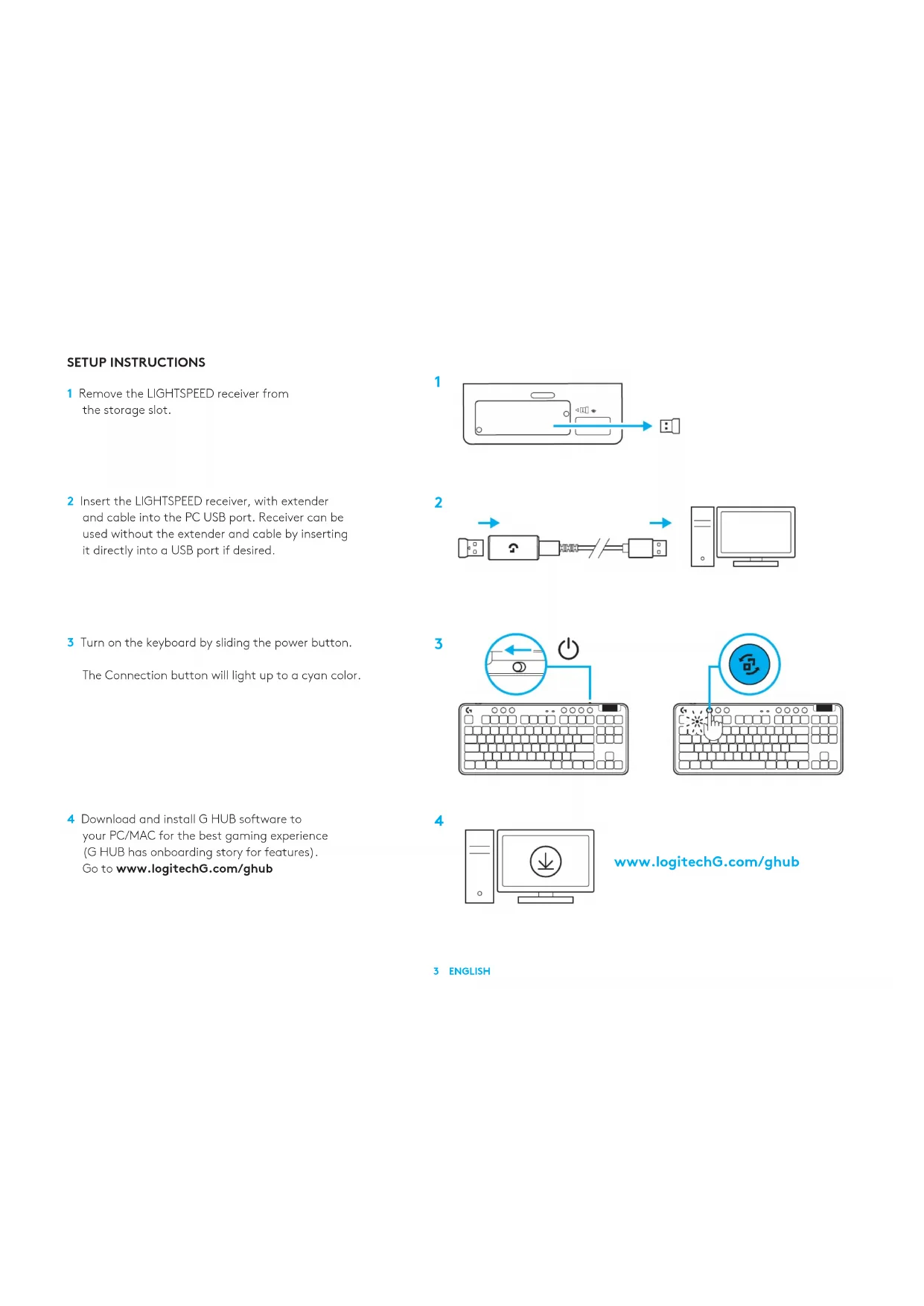


| Product type | Wireless gaming keyboard |
| Brand | Logitech |
| Model | G715 |
| Connectivity | LIGHTSPEED wireless and Bluetooth |
| Battery | Rechargeable via USB-C |
| Lighting | RGB with 8 preset effects (rainbow, cycle, ripple, etc.) |
| Multimedia controls | Back, Play/Pause, Forward, Mute, volume wheel |
| Game mode | Locks Windows and Menu keys |
| Top plate | Removable and interchangeable (optional accessories) |
| Software | G HUB for advanced customization |
| Box contents | Keyboard, LIGHTSPEED receiver, USB-C cable, extender, top plate |
| Maintenance | Clean with a soft dry cloth, avoid liquids |
| Safety | Use a compatible charger, do not expose to moisture |
| Spare parts available | Top plates, USB-C cable (via accessories) |
| Dimensions | Approximately 370 x 150 x 30 mm |
| Weight | Approximately 800 g |
Frequently Asked Questions - G715 LOGITECH
User questions about G715 LOGITECH
0 question about this device. Answer the ones you know or ask your own.
Ask a new question about this device
Download the instructions for your Gaming Keyboard in PDF format for free! Find your manual G715 - LOGITECH and take your electronic device back in hand. On this page are published all the documents necessary for the use of your device. G715 by LOGITECH.
USER MANUAL G715 LOGITECH
Wireless Gaming Keyboard
SETUP GUIDE
natural_image
White computer keyboard with pink and blue edges, partially covered by a cloud-shaped graphic at the bottom (no text or symbols visible)logitech

natural_image
Line drawing of a standard computer keyboard layout with no text or symbols
natural_image
Simple cloud-shaped outline with no text or symbols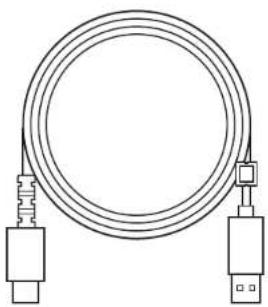
natural_image
Line drawing of a coiled cable with two connectors (no text or symbols)

English 3 108 فارسی
Norsk....66 Srpski....171
Suomi. . . . . . . . . . . 73 Slovenščina. . . . . . . . 178
Ελληνικά. 80 Română .185
По-русски. . . . . . . . . 87 Türkçe . . . . . . . . . . . 192
Po polsku ..... 94 199 .. . .. .. .. .. .. .. .. .. .. .. .. .. .. .. .. .. .. .. .. .. .. .. .. .. .. .. .. .. .. .. .. .. .. .. .. .. .. .. .. .. .. .. .. .. .. .. .. .. .. .. .. .. .. .. .. .. .. .. .. .. .. .. .. .. .. .. .. .. .. .. .. .. .. .. .. .. .. .. .. .. .. .. .. .. .. .. .. .. .. .. .. .. .. .. .. .. .. .. .. .. .
Magyar. . . . . . . . . . . 101 206 . . . . . . . . . . .
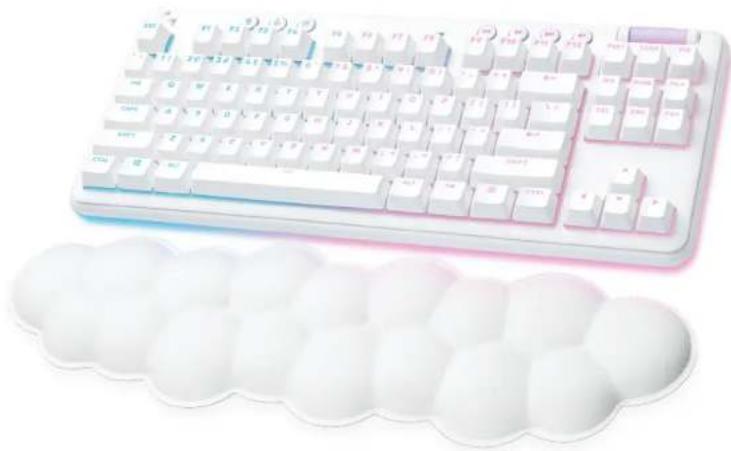
SETUP INSTRUCTIONS
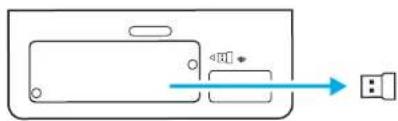
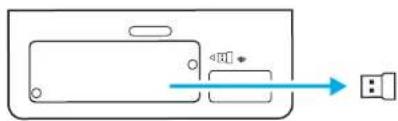
1 Remove the LIGHTSPEED receiver from the storage slot.
2 Insert the LIGHTSPEED receiver, with extender and cable into the PC USB port. Receiver can be used without the extender and cable by inserting it directly into a USB port if desired.
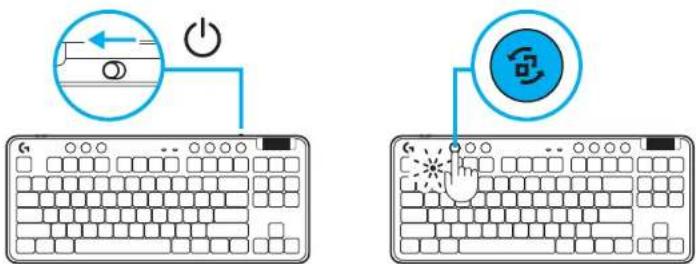
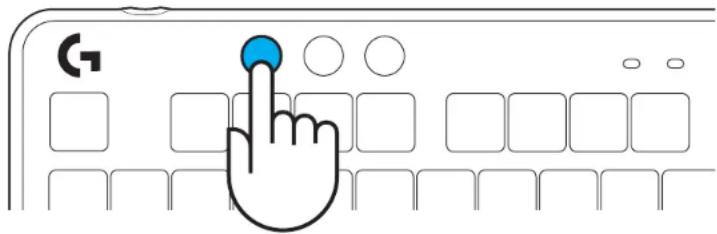
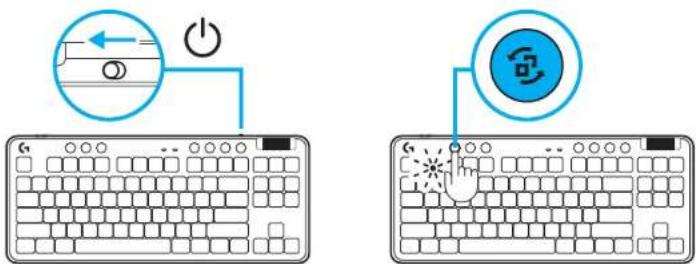
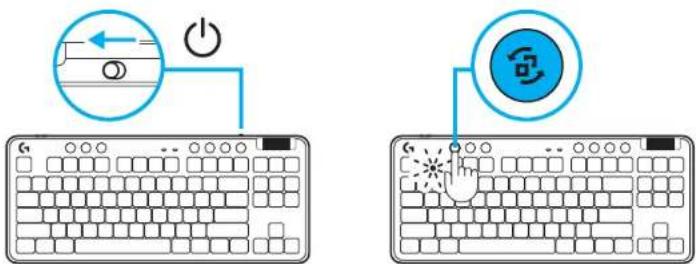
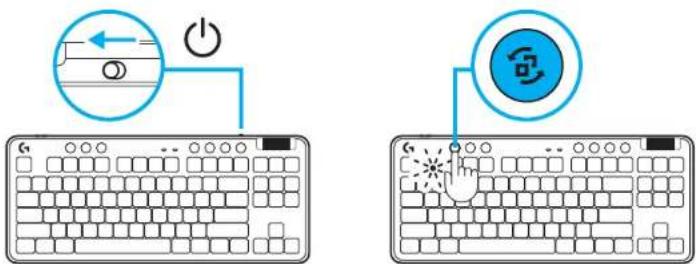
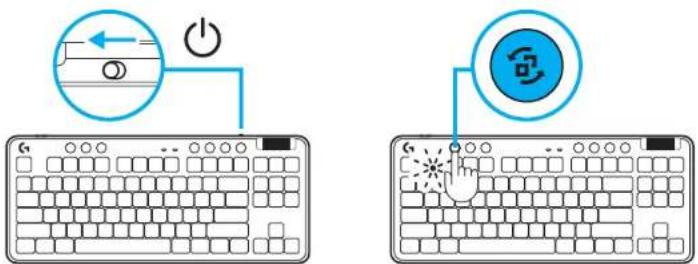
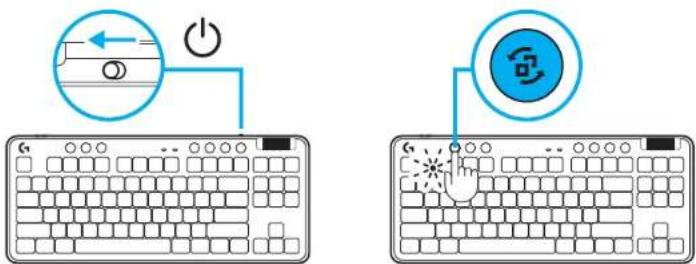
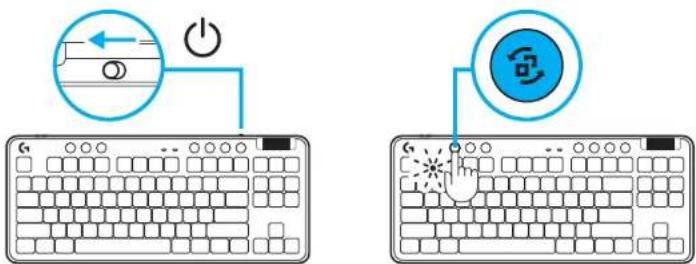
3 Turn on the keyboard by sliding the power button. The Connection button will light up to a cyan color.
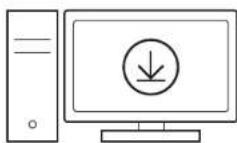
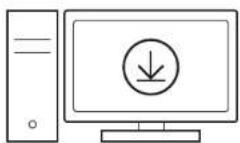
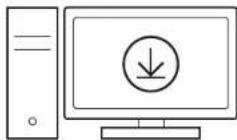
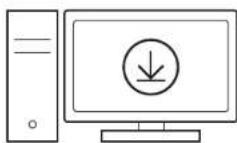
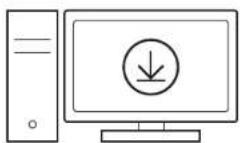
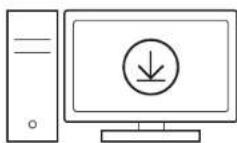
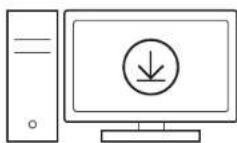
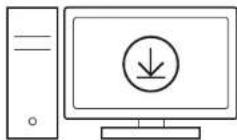
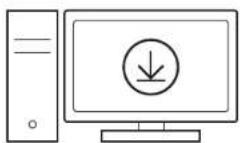
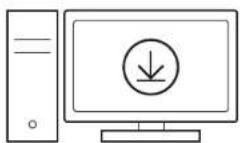
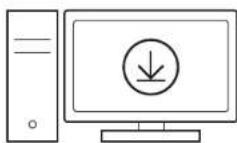
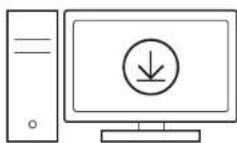
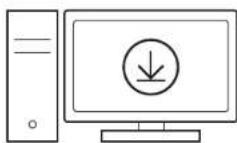
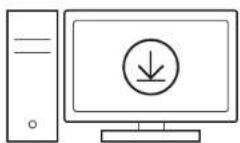
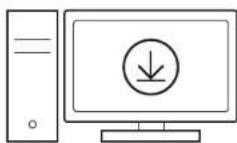
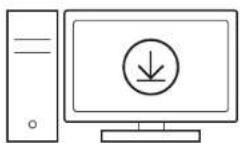
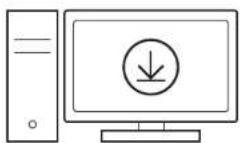
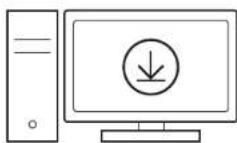
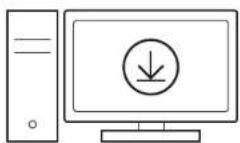
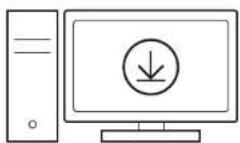
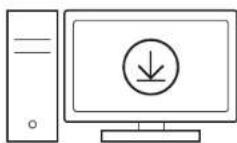
4 Download and install G HUB software to your PC/MAC for the best gaming experience (G HUB has onboarding story for features). Go to www.logitechG.com/ghub
1
natural_image
Simple diagram showing a device with an input arrow and a connector (no text or symbols)2

flowchart
graph LR
    A["Device"] --> B["Serial"]
    B --> C["Computer"]
3
4
www.logitechG.com/ghub
3 ENGLISH
BLUETOOTH® CONNECTIVITY
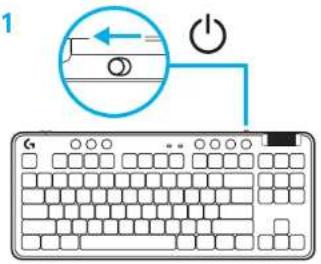
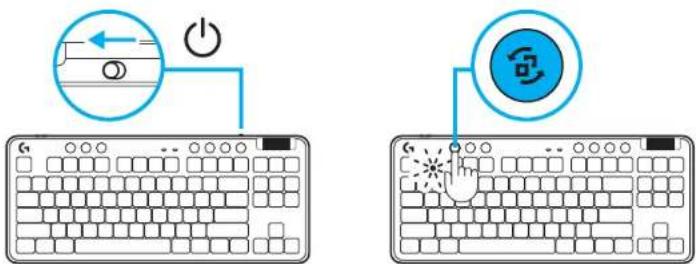
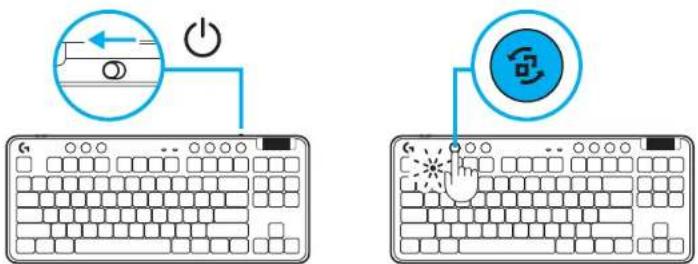
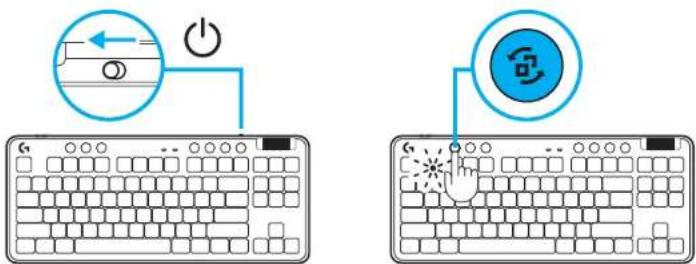
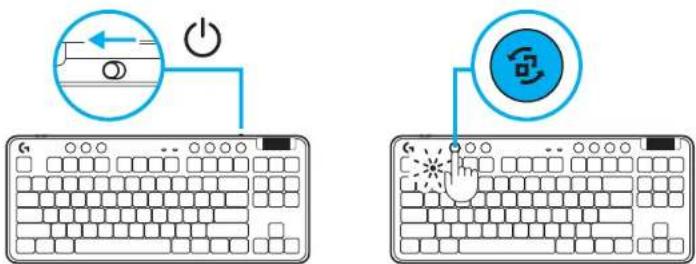
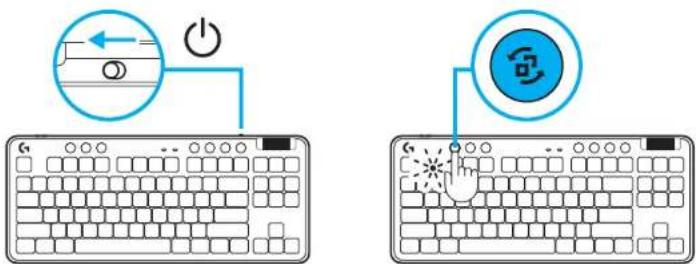
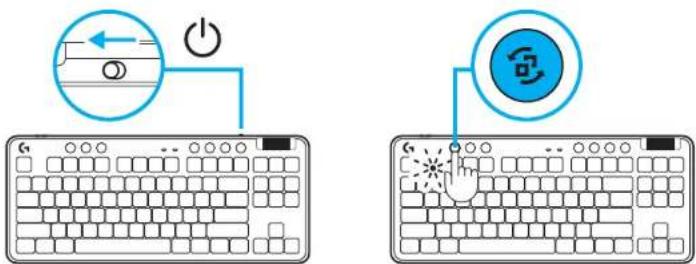
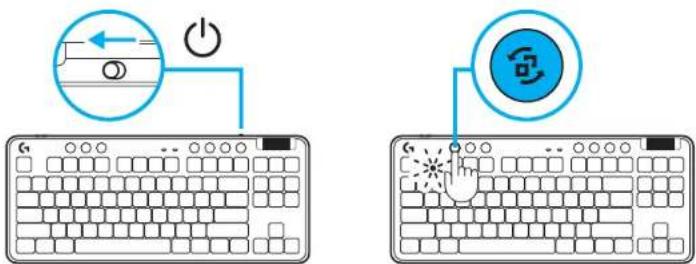
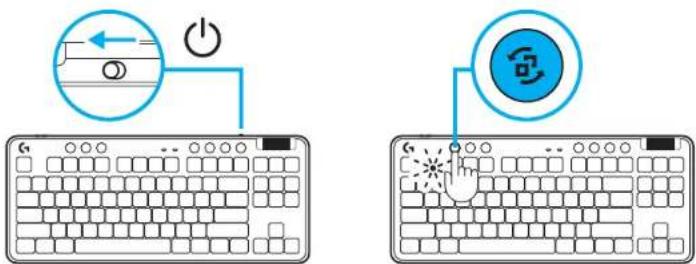
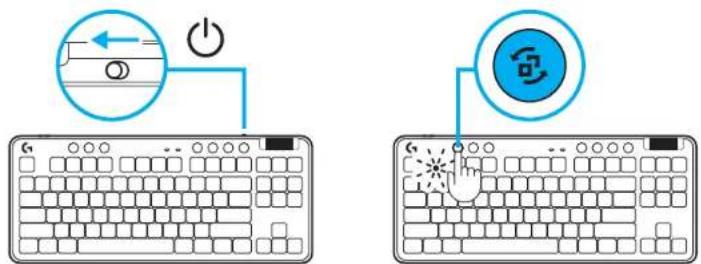
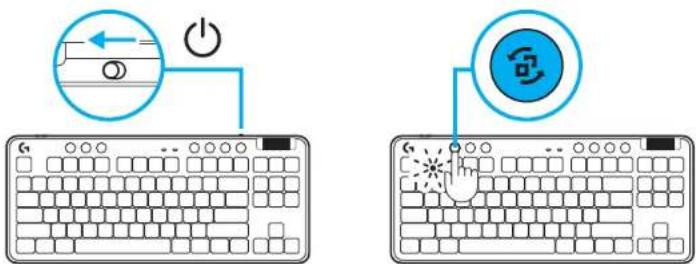
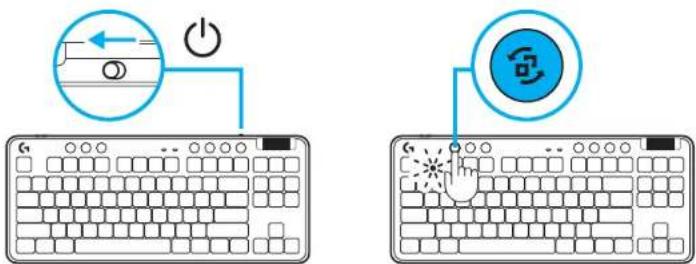
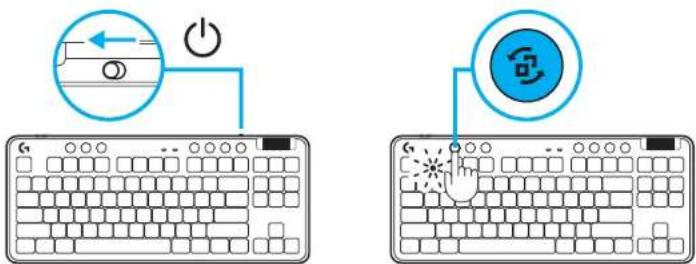
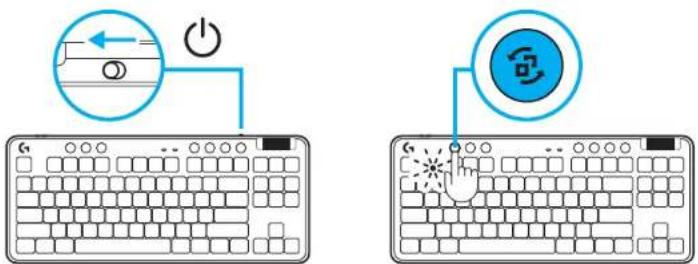
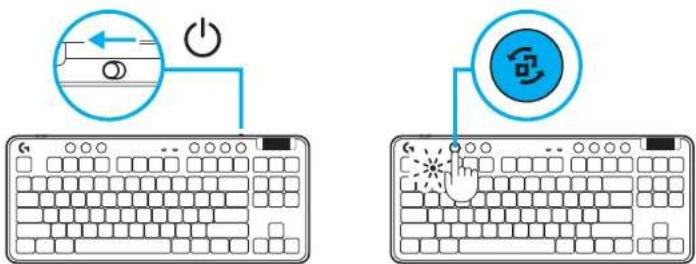
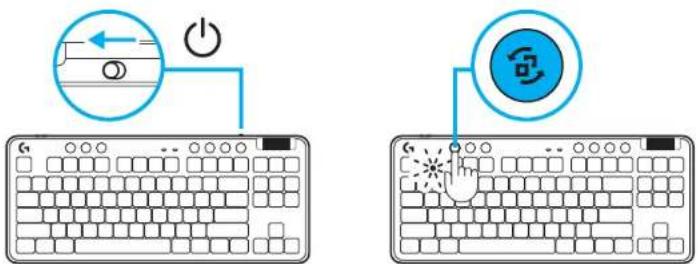
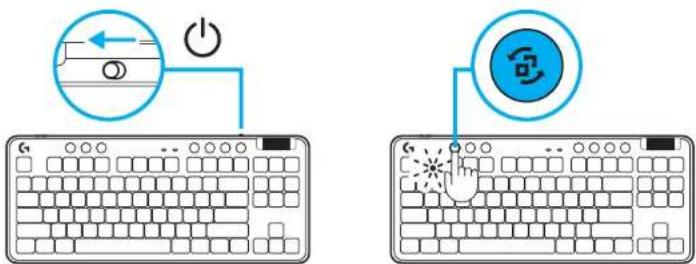
1 Turn on the keyboard by sliding the button.
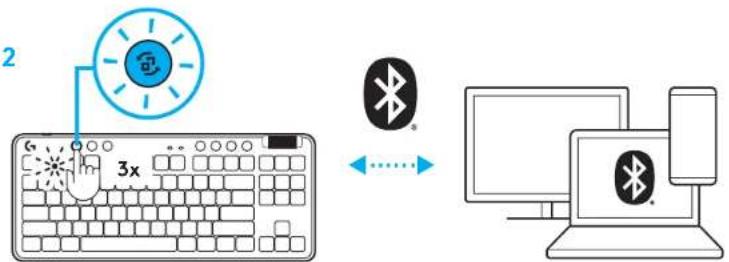
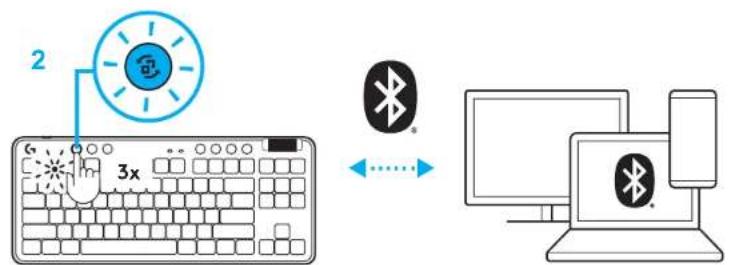
2 Press Connection button to cycle to Bluetooth ^® . Light will turn to light blue and flash quickly - waiting to pair.
Follow Bluetooth ^® connection for your device to pair with the keyboard.
1
2
4 ENGLISH
CHARGING YOUR KEYBOARD
1 Insert the USB-C cable into the port at the front of the keyboard.
2 Connect the cable to your PC.
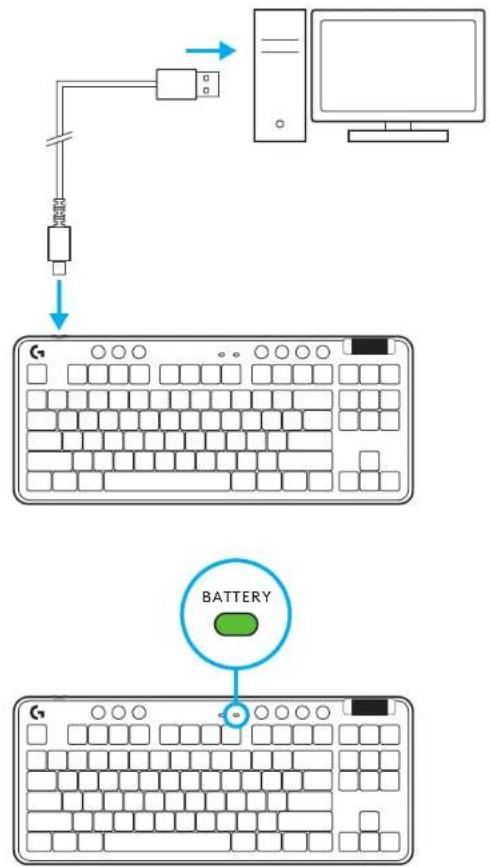
Battery indicator light will pulse green while charging and be solid green when fully charged.
Media Controls
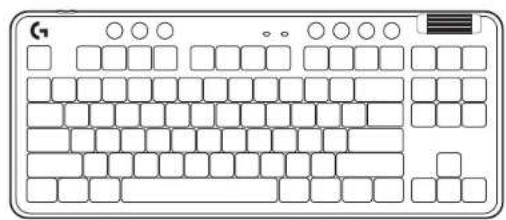
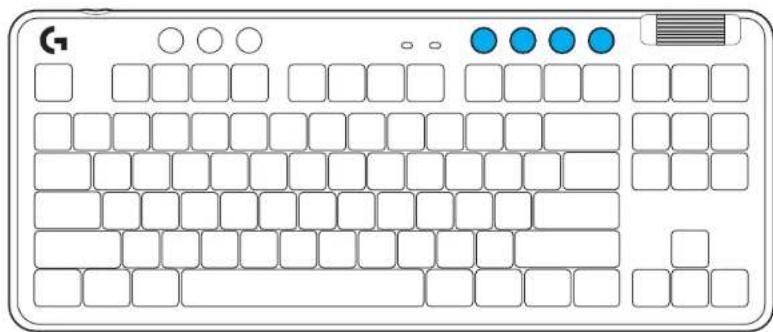
G715 includes media controls. Skip back, play/pause, skip forward and mute key, with a volume roller that controls your device volume.
natural_image
Illustration of a classic computer keyboard layout with no text or symbols on the keys or backgroundGame Mode
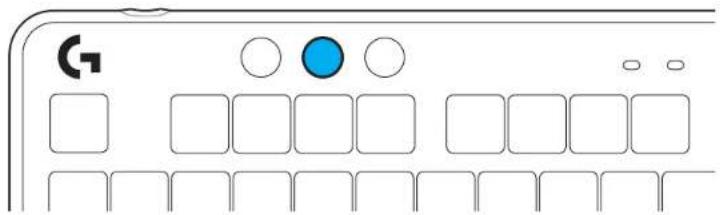
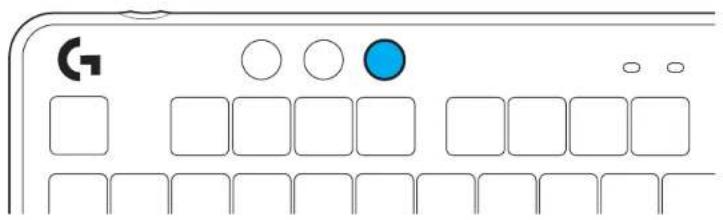
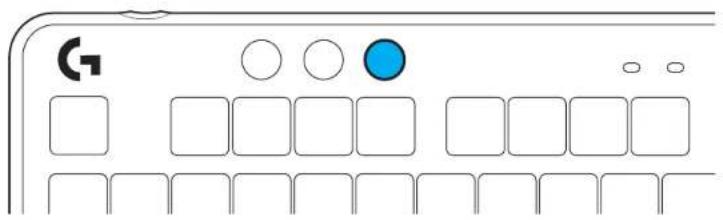
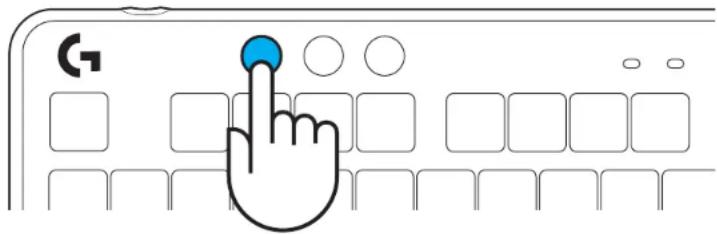
Pressing the Game mode button blocks the Windows and Menu keys when pressed. Additional keys can be blocked using G HUB software.
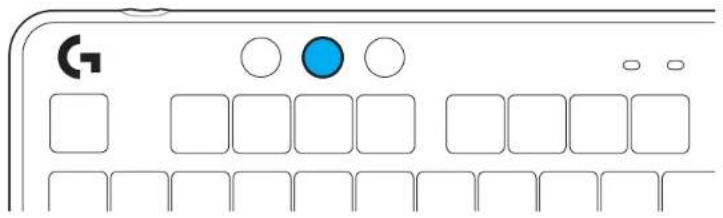
Brightness
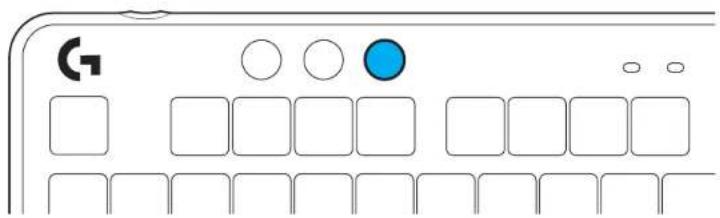
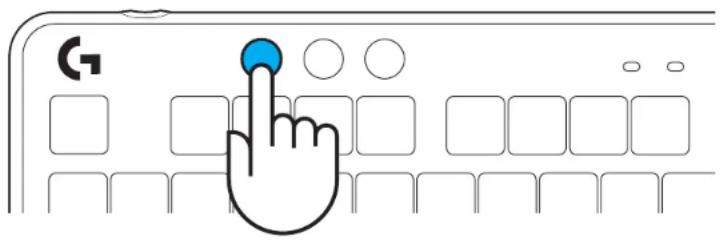
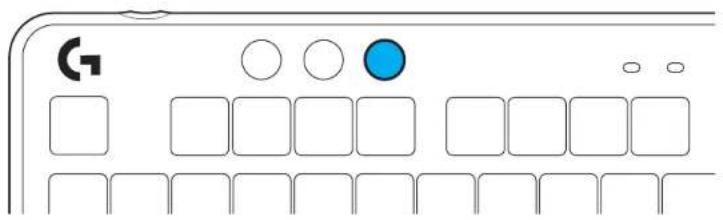
Adjust lighting brightness by pressing the brightness button.
ONBOARD LIGHTING EFFECTS
The keyboard has 8 different lighting effects stored in its onboard memory. You can select and modify these by pressing the Brightness button and these keys:
Brightness + 1 = Rainbow > right
Brightness + 2 = Rainbow > left
Brightness + 3 = Rainbow center out
Brightness + 4 = Rainbow ^ up
Brightness + 5 = Color cycle
Brightness + 6 = Keystroke ripple
Brightness + 7 = Breathing cyan
Brightness + 8 = Custom lighting effect
Brightness + 9 = Custom lighting effect
Brightness + 0 = Solid cyan
Brightness + - = Animation slower
Brightness + = = Animation faster
G HUB lighting controls will override these settings.
CHANGING THE TOP PLATE
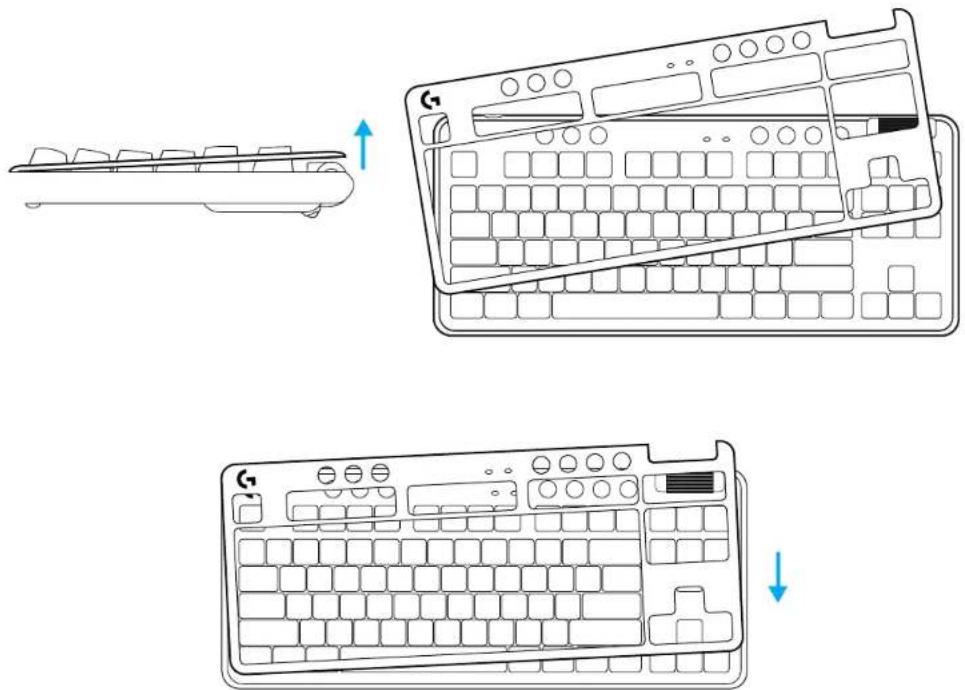
The top plate can be removed and replaced with optional accessory top plates.
SWITCH BETWEEN LIGHTSPEED WIRELESS AND BLUETOOTH® DEVICES
Once connected, press the connect button to toggle connection. It will be a light cyan color for LIGHTSPEED, and a blue color for Bluetooth ^® .
SETUP-ANWEISUNGEN
natural_image
Simple diagram showing a device with an input arrow and a connector (no text or symbols)2

flowchart
graph LR
    A["Device"] --> B["Serial"]
    B --> C["Computer"]
3
4
www.logitechG.com/ghub
SARANKOS INSTRUKCIJOS
flowchart
graph LR
    A["Input Port"] --> B["Processing Port"]
    B --> C["Output Port"]
2

flowchart
graph LR
    A["Device"] --> B["Switch Symbol"]
    B --> C["XHX Symbol"]
    C --> D["Computer"]
3
4
www.logitechG.com/ghub
11 LIETUVIŲ
„BLUETOOTH®“ JUNGTIS
1 Ijunkite klaviatūrq slinkdami mygtuku.
Žaidimų režimas
Ryškumas
VIDINIO APŠVIETIMO EFEKTAI
„LIGHTSPEED WIRELESS“ IR „BLUETOOTH®“ PRIETAISU PERJUNGIMAS
Spielmodus
Helligkeit
AUSTAUSCHBARE OBERSCHALE
UMSCHALTEN ZWISCHEN LIGHTSPEED WIRELESS UND BLUETOOTH®-GERÄTEN
INSTRUCTIONS D'INSTALLATION
natural_image
Simple diagram showing a device with an input arrow and a connector (no text or symbols)2

flowchart
graph LR
    A["Device"] --> B["Max"]
    B --> C["Switch"]
    C --> D["Server"]
3
4
www.logitechG.com/ghub
24 FRANÇAIS
CONNECTIVITÉ BLUETOOTH®
natural_image
Illustration of a classic computer keyboard layout with no text or symbols on the keys or backgroundMode Jeu
EFFET D'ÉCLAIRAGE INTÉGRÉ
BASCULEZ ENTRE LES DISPOSITIFS SANS FIL LIGHTSPEED ET BLUETOOTH®
natural_image
Simple diagram showing a device with an input arrow and a connector (no text or symbols)2

flowchart
graph LR
    A["Device"] --> B["Switch"]
    B --> C["Switch"]
    C --> D["Computer"]
3
4
www.logitechG.com/ghub
31 DEUTSCH
CONNETTIVITÀ BLUETOOTH®
Modalità gioco
Luminosità
PASSAGGIO DAL WIRELESS LIGHTSPEED AL BLUETOOTH®
flowchart
graph LR
    A["Input Port"] --> B["Processing Port"]
    B --> C["Output Port"]
2

flowchart
graph LR
    A["Device"] --> B["Serial"]
    B --> C["Computer"]
3
4
www.logitechG.com/ghub
38 ESPAÑOL
CONECTIVIDAD BLUETOOTH®
natural_image
Illustration of a classic computer keyboard layout with no text or symbols on the keys or backgroundModo de juego
Brillo
ALTERNAR ENTRE DISPOSITIVOS LIGHTSPEED INALÁMBRICOS Y BLUETOOTH®
flowchart
graph LR
    A["Input Port"] --> B["Processing Port"]
    B --> C["Output Port"]
2

flowchart
graph LR
    A["Device"] --> B["Serial"]
    B --> C["Computer"]
3
4
www.logitechG.com/ghub
45 PORTUGUÊS
CONECTIVIDADE BLUETOOTH®
Modo de jogo
Brilho
ALTERNAR ENTRE DISPOSITIVOS COM A TECNOLOGIA SEM FIOS LIGHTSPEED E BLUETOOTH®
4
www.logitechG.com/ghub
BLUETOOTH®-CONNECTIVITEIT
JE TOETSENBORD OPLADEN
Gamemodus
Helderheid
INGEBOUWD LICHEFFECT
SCHAKELEN TUSSEN DRAADLOZE LIGHTSPEED-APPARATEN EN BLUETOOTH®-APPARATEN
flowchart
graph LR
    A["Input Port"] --> B["Processing Port"]
    B --> C["Output Port"]
2

flowchart
graph LR
    A["Device"] --> B["Serial"]
    B --> C["Computer"]
3
4
www.logitechG.com/ghub
BLUETOOTH®-ANSLUTNING
natural_image
Illustration of a classic computer keyboard layout with no text or symbols on the keys or backgroundSpelläge
Ljusstyrka
INBYGGDA BELYSNINGSEFFEKTER
VÄXLA MELLAN TRÅDLÖSA LIGHTSPEED-OCH BLUETOOTH®-ENHETER
flowchart
graph LR
    A["Input Port"] --> B["Processing Port"]
    B --> C["Output Port"]
2

flowchart
graph LR
    A["Device"] --> B["Serial"]
    B --> C["Computer"]
3
4
www.logitechG.com/ghub
66 DANSK
BLUETOOTH®-TILSLUTNING
natural_image
Illustration of a classic computer keyboard layout with no text or symbols on the keys or backgroundGamingtilstand
SKIFT MELLEM TRÅDL∅S LIGHTSPEED-OG BLUETOOTH®-ENHEDER
natural_image
Simple diagram showing a device with an input arrow and a connector (no text or symbols)2

flowchart
graph LR
    A["Device"] --> B["Serial"]
    B --> C["Computer"]
3
4
www.logitechG.com/ghub
73 NORSK
BLUETOOTH®-TILKOPLING
1 Slå på tastaturet med av/på-knappen.
Spillmodus
Lysstyrke
INTEGRERTE LYSEFFEKTER
VEKSLE MELLOM LIGHTSPEED WIRELESS OG BLUETOOTH®-ENHETER
natural_image
Simple diagram showing a device with an input arrow and a connector (no text or symbols)2

flowchart
graph LR
    A["Device"] --> B["Switch"]
    B --> C["Switch"]
    C --> D["Computer"]
3
4
www.logitechG.com/ghub
BLUETOOTH®-YHDISTETTÄVYYS
natural_image
Illustration of a classic computer keyboard layout with no text or symbols on the keys or backgroundPelitila
Kirkkaus
SISÄISET VALAISTUSTEHOSTEET
VAIHTAMINEN LANGATONTA LIGHTSPEED-YHTEYTTÄ JA BLUETOOTH®-YHTEYTTÄ KÄYTTÄVIEN LAITTEIDEN VÄLILLÄ
4
www.logitechG.com/ghub
Φωτεινότητα
4
www.logitechG.com/ghub
natural_image
Illustration of a classic computer keyboard layout with no text or symbols on the keys or backgroundИгровой режим
Яркость
flowchart
graph LR
    A["Input Port"] --> B["Processing Port"]
    B --> C["Output Port"]
2

flowchart
graph LR
    A["Device"] --> B["Serial"]
    B --> C["Computer"]
3
4
www.logitechG.com/ghub
ŁĄCZNOŚĆ BLUETOOTH®
natural_image
Illustration of a classic computer keyboard layout with no text or symbols on the keys or backgroundTryb gry
Jasność
ZAPROGRAMOWANE EFEKTY ŚWIETLNE
natural_image
Line drawing of a computer keyboard and its side view showing the front panel and top view (no text or symbols)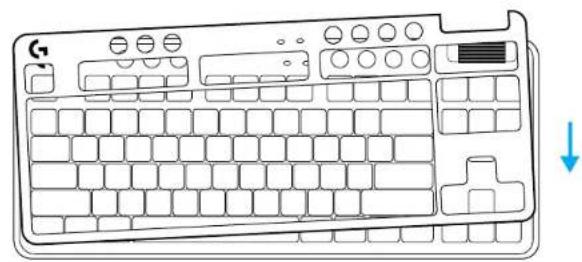
natural_image
Line drawing of a computer keyboard with no text or symbolsPRZEŁĄCZANIE POMIĘDZY MODUŁEM BEZPRZEWODOWYM LIGHTSPEED A BLUETOOTH®
natural_image
Simple line drawing of a device with an arrow pointing to a connector (no text or symbols)2

flowchart
graph LR
    A["Port 1"] --> B["Switch"]
    B --> C["Computer"]
    D["Port 2"] --> E["Switch"]
    E --> F["Computer"]
3
4
www.logitechG.com/ghub
BLUETOOTH®-KAPCSOLAT
natural_image
Illustration of a classic computer keyboard layout with no text or symbols on the keys or backgroundJáték üzemmód
Fényerő
BEÉPÍTETT MEGVILÁGÍTÁSI EFFEKTUSOK
VÁLTÁS A LIGHTSPEED VEZETÉK NÉLKÜLI ÉS A BLUETOOTH® ESZKÖZÖK KÖZÖTT
natural_image
Line drawing of a desktop computer monitor with a download icon (no text or symbols)www.logitechG.com/ghub
BLUETOOTH®
九十 يازى
روشنایی
natural_image
Line drawing of a computer keyboard and its left-side view showing a separate layout (no text or symbols)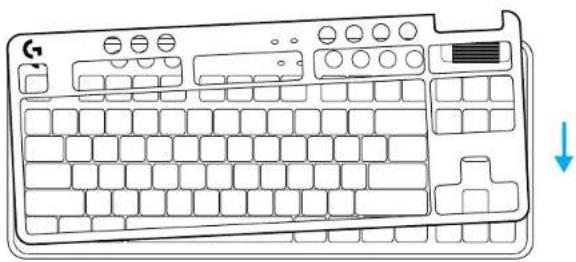
natural_image
Line drawing of a computer keyboard with no text or symbolsPOKYNY PRO NASTAVENÍ
flowchart
graph LR
    A["Input Port"] --> B["Processing Port"]
    B --> C["Output Port"]
2

flowchart
graph LR
    A["Device"] --> B["Serial"]
    B --> C["Computer"]
3
4
www.logitechG.com/ghub
PŘIPOJENÍ BLUETOOTH®
natural_image
Illustration of a classic computer keyboard layout with no text or symbols on the keys or backgroundHerní režim
Jas
INTEGROVANÉ EFEKTY PODSVÍCENÍ
PŘEPÍNÁNÍ MEZI ZAŘÍZENÍMI S BEZDRÁTOVÝM PŘIPOJENÍM LIGHTSPEED A BLUETOOTH®
natural_image
Simple diagram showing a device with an input arrow and a connector (no text or symbols)2

flowchart
graph LR
    A["Device"] --> B["Serial"]
    B --> C["Computer"]
3
4
www.logitechG.com/ghub
PRIPOJENIE BLUETOOTH®
natural_image
Illustration of a classic computer keyboard layout with no text or symbols on the keys or backgroundHerný režim
Jas
132 SLOVENČINA
INTEGROVANÉ EFEKTY PODSVIETENIA
PREPÍNANIE MEDZI ZARIADENIAMI S BEZDRÔTOVÝM PRIPOJENÍM LIGHTSPEED A BLUETOOTH®
4
www.logitechG.com/ghub
Iгровий режим
Яскравість
natural_image
Simple diagram showing a device with an input arrow and a connector (no text or symbols)2

flowchart
graph LR
    A["Device"] --> B["Serial"]
    B --> C["Computer"]
3
4
www.logitechG.com/ghub
BLUETOOTH®-I ÜHENDUVUS
1 Lülitage klaviatuur sisse, libistades nuppu.
Mängurežiim
Heledus
JUHTMETA LIGHTSPEEDI JA BLUETOOTH®-I SEADMETE VAHEL VALIMINE
flowchart
graph LR
    A["Input Port"] --> B["Processing Port"]
    B --> C["Output Port"]
2

flowchart
graph LR
    A["Device"] --> B["Switch"]
    B --> C["Server"]
    D["Data"] -->|Arrow| A
    E["Computer"] -->|Arrow| C
3
4
www.logitechG.com/ghub
BLUETOOTH® SAVIENOJUMS
Spēļu režīms
Spilgtums
Pielāgojiet izgaismojuma spilgtumu, izmantojot spilgtuma pogu.
PÄRSLËGŠANÄS STARP BEZVADU "LIGHTSPEED" UN BLUETOOTH® IERİCËM
flowchart
graph LR
    A["Input Port"] --> B["Processing Port"]
    B --> C["Output Port"]
2

flowchart
graph LR
    A["Device"] --> B["Switch"]
    B --> C["Computer"]
3
4
www.logitechG.com/ghub
BLUETOOTH BPB3KA
ЗАРЕЖДАНЕ НА КЛАВИАТУРАТА
Гейминг режим
Яркост
ВГРАДЕНИ СВЕТЛИННИ ЕФЕКТИ
ПРЕВКЛЮЧВАНЕ МЕЖДУ БЕЗЖИЧНО УСТРОЙСТВО LIGHTSPEED И BLUETOOTH
UPUTE ZA POSTAVLJANJE
natural_image
Simple diagram showing a device with an input arrow and a connector (no text or symbols)2

flowchart
graph LR
    A["Device"] --> B["Switch"]
    B --> C["Switch"]
    C --> D["Computer"]
3
4
www.logitechG.com/ghub
MOGUĆNOST POVEZIVANJA NA BLUETOOTH®
1 Uključite tipkovnicu pomicanjem gumba.
natural_image
Illustration of a classic computer keyboard layout with no text or symbols on the keys or backgroundNačin rada za igranje
Pritiskom gumba načina rada za igranje blokiraju se tipke za Windows i izbornik kada se pritisnu.
Dodatne tipke mogu se blokirati uz pomoć G HUB softvera.
Svjetlina
PROMJENA IZMEĐU LIGHTSPEED BEŽIČNOG I BLUETOOTH® UREĐAJA
UPUTSTVA ZA PODEŠAVANJE
1 Uklonite LIGHTSPEED prijemnik iz otvora za skladištenje.
2 Povežite LIGHTSPEED prijemnik, sa produžetkom i kablom, na USB port računara. Prijemnik može da se koristi bez produžetka i kabla tako što ćete ga direktno povezati na USB port.
3 Uključite tastaturu tako što ćete pomeriti dugme za napajanje.
Dugme za povezivanje će zasvetleti cijan bojom.
4 Preuzmite i instalirajte softver G HUB na PC/MAC računar za najbolji doživljaj igranja (G HUB ima uvodnu priču za isticanje). Posetite www.logitechG.com/ghub
1
flowchart
graph LR
    A["Input Port"] --> B["Processing Port"]
    B --> C["Output Port"]
2

flowchart
graph LR
    A["Device"] --> B["Serial"]
    B --> C["Computer"]
3
4
www.logitechG.com/ghub
171 SRPSKI
BLUETOOTH® VEZA
natural_image
Illustration of a classic computer keyboard layout with no text or symbols on the keys or backgroundRežim igre
Pritiskanje dugmeta za režim igre blokira tastere za Windows i Menu (Meni) u slučaju pritiskanja. Pomoću softvera G HUB moguće je blokirati dodatne tastere.

Osvetljenost
Podesite osvetljenje pritiskom dugmeta za osvetljenost.
PREBACIVANJE IZMEĐU LIGHTSPEED BEŽIČNIH I BLUETOOTH® UREĐAJA
Nakon povezivanja, pritisnite dugme za povezivanje radi promene veze. Biće svetloplave boje za LIGHTSPEED, a plave boje za Bluetooth ^3 .
NAVODILA ZA NAMESTITEV
flowchart
graph LR
    A["Input Port"] --> B["Processing Port"]
    B --> C["Output Port"]
2

flowchart
graph LR
    A["Device"] --> B["Switch"]
    B --> C["Computer"]
3
4
www.logitechG.com/ghub
POVEZLJIVOST BLUETOOTH®
1 Vklopite tipkovnico tako, da potisnete stikalo za vklop.
Igričarski način
Svetlost
Svetlost osvetlitve prilagodite s pritiskom na gumb za osvetlitev.
INTEGRIRANI SVETLOBNI UČINKI
PREKLOPITE MED NAPRAVAMA BREZZIČNI LIGHTSPEED IN BLUETOOTH®
natural_image
Simple diagram showing a device with an input arrow and a connector (no text or symbols)2

flowchart
graph LR
    A["Device"] --> B["Serial"]
    B --> C["Computer"]
3
4
www.logitechG.com/ghub
185 ROMÂNÃ
CONECTAREA PRIN BLUETOOTH®
Tastatura G715 include comenzi media.
natural_image
Illustration of a classic computer keyboard layout with no text or symbols on the keys or backgroundModul joc
Luminozitate
EFECTE DE ILUMINARE INTEGRATE
COMUTATI ÎNTRE DISPOZITIVE LIGHTSPEED WIRELESS ŞI BLUETOOTH®
flowchart
graph LR
    A["Input Port"] --> B["Processing Port"]
    B --> C["Output Port"]
2

flowchart
graph LR
    A["Device"] --> B["Serial"]
    B --> C["Computer"]
3
4
www.logitechG.com/ghub
192 TÜRKÇE
BLUETOOTH® BAĞLANTISI
natural_image
Illustration of a classic computer keyboard layout with no text or symbols on the keys or backgroundOyun Modu
DAHİLİ AYDINLATMA EFEKTLERİ
LIGHTSPEED KABLOSUZ VE BLUETOOTH® CİHAZLARI ARASINDA GEÇİŞ
natural_image
Line drawing of a desktop computer monitor with a download icon (no text or symbols)www.logitechG.com/ghub
BLUETOOTH® اتصال
natural_image
Illustration of a classic computer keyboard layout with no text or symbols on the keys or backgroundوضع الألعاب
السطوع
תְקַרָה בְאָבִי
.izonה FlashlightLIGHTSPEED 1
2 LIGHTSPEED USB USB
natural_image
Line drawing of a desktop computer monitor with a download icon (no text or symbols)www.logitechG.com/ghub
BLUETOOTH®
1
2 Bluetooth®
תְבָרִיֹת אַעּוֹם
הכלה
natural_image
Line drawing of a computer keyboard with an arrow indicating the left side (no text or symbols present)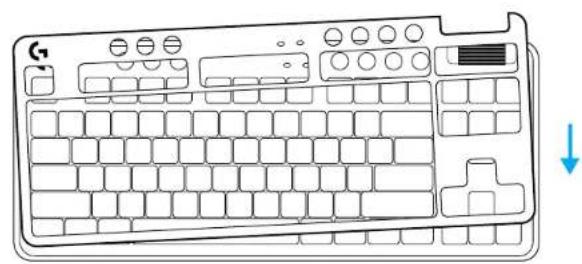
natural_image
Line drawing of a computer keyboard with no text or symbolsהכלה LIGHTSPEED
.BLUETOOTH®-1
.

© 2022 Logitech, Logitech, Logitech G, Logi and their respective logos are trademarks or registered trademarks of Logitech Europe S.A. and/or its affiliates in the U.S. and other countries. All other trademarks are the property of their respective owners. Logitech assumes no responsibility for any errors that may appear in this manual. Information contained herein is subject to change without notice. The Bluetooth ^® word mark and logos are registered trademarks owned by Bluetooth SIO, Inc. and any use of such marks by Logitech is under license.
WEB-621-001991 002
- SETUP INSTRUCTIONS
- BLUETOOTH® CONNECTIVITY
- CHARGING YOUR KEYBOARD
- Media Controls
- Game Mode
- Brightness
- ONBOARD LIGHTING EFFECTS
- CHANGING THE TOP PLATE
- SWITCH BETWEEN LIGHTSPEED WIRELESS AND BLUETOOTH® DEVICES
- SETUP-ANWEISUNGEN
- SARANKOS INSTRUKCIJOS
- „BLUETOOTH®“ JUNGTIS
- Žaidimų režimas
- Ryškumas
- VIDINIO APŠVIETIMO EFEKTAI
- „LIGHTSPEED WIRELESS“ IR „BLUETOOTH®“ PRIETAISU PERJUNGIMAS
- Spielmodus
- Helligkeit
- AUSTAUSCHBARE OBERSCHALE
- UMSCHALTEN ZWISCHEN LIGHTSPEED WIRELESS UND BLUETOOTH®-GERÄTEN
- INSTRUCTIONS D'INSTALLATION
- CONNECTIVITÉ BLUETOOTH®
- Mode Jeu
- EFFET D'ÉCLAIRAGE INTÉGRÉ
- BASCULEZ ENTRE LES DISPOSITIFS SANS FIL LIGHTSPEED ET BLUETOOTH®
- CONNETTIVITÀ BLUETOOTH®
- Modalità gioco
- Luminosità
- PASSAGGIO DAL WIRELESS LIGHTSPEED AL BLUETOOTH®
- CONECTIVIDAD BLUETOOTH®
- Modo de juego
- Brillo
- ALTERNAR ENTRE DISPOSITIVOS LIGHTSPEED INALÁMBRICOS Y BLUETOOTH®
- CONECTIVIDADE BLUETOOTH®
- Modo de jogo
- Brilho
- ALTERNAR ENTRE DISPOSITIVOS COM A TECNOLOGIA SEM FIOS LIGHTSPEED E BLUETOOTH®
- BLUETOOTH®-CONNECTIVITEIT
- JE TOETSENBORD OPLADEN
- Gamemodus
- Helderheid
- INGEBOUWD LICHEFFECT
- SCHAKELEN TUSSEN DRAADLOZE LIGHTSPEED-APPARATEN EN BLUETOOTH®-APPARATEN
- BLUETOOTH®-ANSLUTNING
- Spelläge
- Ljusstyrka
- INBYGGDA BELYSNINGSEFFEKTER
- VÄXLA MELLAN TRÅDLÖSA LIGHTSPEED-OCH BLUETOOTH®-ENHETER
- BLUETOOTH®-TILSLUTNING
- Gamingtilstand
- SKIFT MELLEM TRÅDL∅S LIGHTSPEED-OG BLUETOOTH®-ENHEDER
- BLUETOOTH®-TILKOPLING
- Spillmodus
- Lysstyrke
- INTEGRERTE LYSEFFEKTER
- VEKSLE MELLOM LIGHTSPEED WIRELESS OG BLUETOOTH®-ENHETER
- BLUETOOTH®-YHDISTETTÄVYYS
- Pelitila
- Kirkkaus
- SISÄISET VALAISTUSTEHOSTEET
- VAIHTAMINEN LANGATONTA LIGHTSPEED-YHTEYTTÄ JA BLUETOOTH®-YHTEYTTÄ KÄYTTÄVIEN LAITTEIDEN VÄLILLÄ
- Φωτεινότητα
- Игровой режим
- Яркость
- ŁĄCZNOŚĆ BLUETOOTH®
- Tryb gry
- Jasność
- ZAPROGRAMOWANE EFEKTY ŚWIETLNE
- PRZEŁĄCZANIE POMIĘDZY MODUŁEM BEZPRZEWODOWYM LIGHTSPEED A BLUETOOTH®
- BLUETOOTH®-KAPCSOLAT
- Játék üzemmód
- Fényerő
- BEÉPÍTETT MEGVILÁGÍTÁSI EFFEKTUSOK
- VÁLTÁS A LIGHTSPEED VEZETÉK NÉLKÜLI ÉS A BLUETOOTH® ESZKÖZÖK KÖZÖTT
- BLUETOOTH®
- 九十 يازى
- روشنایی
- POKYNY PRO NASTAVENÍ
- PŘIPOJENÍ BLUETOOTH®
- Herní režim
- Jas
- INTEGROVANÉ EFEKTY PODSVÍCENÍ
- PŘEPÍNÁNÍ MEZI ZAŘÍZENÍMI S BEZDRÁTOVÝM PŘIPOJENÍM LIGHTSPEED A BLUETOOTH®
- PRIPOJENIE BLUETOOTH®
- Herný režim
- INTEGROVANÉ EFEKTY PODSVIETENIA
- PREPÍNANIE MEDZI ZARIADENIAMI S BEZDRÔTOVÝM PRIPOJENÍM LIGHTSPEED A BLUETOOTH®
- Iгровий режим
- Яскравість
- BLUETOOTH®-I ÜHENDUVUS
- Mängurežiim
- Heledus
- JUHTMETA LIGHTSPEEDI JA BLUETOOTH®-I SEADMETE VAHEL VALIMINE
- BLUETOOTH® SAVIENOJUMS
- Spēļu režīms
- Spilgtums
- PÄRSLËGŠANÄS STARP BEZVADU "LIGHTSPEED" UN BLUETOOTH® IERİCËM
- BLUETOOTH BPB3KA
- ЗАРЕЖДАНЕ НА КЛАВИАТУРАТА
- Гейминг режим
- Яркост
- ВГРАДЕНИ СВЕТЛИННИ ЕФЕКТИ
- ПРЕВКЛЮЧВАНЕ МЕЖДУ БЕЗЖИЧНО УСТРОЙСТВО LIGHTSPEED И BLUETOOTH
- UPUTE ZA POSTAVLJANJE
- MOGUĆNOST POVEZIVANJA NA BLUETOOTH®
- Način rada za igranje
- Svjetlina
- PROMJENA IZMEĐU LIGHTSPEED BEŽIČNOG I BLUETOOTH® UREĐAJA
- UPUTSTVA ZA PODEŠAVANJE
- BLUETOOTH® VEZA
- Režim igre
- Osvetljenost
- PREBACIVANJE IZMEĐU LIGHTSPEED BEŽIČNIH I BLUETOOTH® UREĐAJA
- NAVODILA ZA NAMESTITEV
- POVEZLJIVOST BLUETOOTH®
- Igričarski način
- Svetlost
- INTEGRIRANI SVETLOBNI UČINKI
- PREKLOPITE MED NAPRAVAMA BREZZIČNI LIGHTSPEED IN BLUETOOTH®
- CONECTAREA PRIN BLUETOOTH®
- Modul joc
- Luminozitate
- EFECTE DE ILUMINARE INTEGRATE
- COMUTATI ÎNTRE DISPOZITIVE LIGHTSPEED WIRELESS ŞI BLUETOOTH®
- BLUETOOTH® BAĞLANTISI
- Oyun Modu
- DAHİLİ AYDINLATMA EFEKTLERİ
- LIGHTSPEED KABLOSUZ VE BLUETOOTH® CİHAZLARI ARASINDA GEÇİŞ
- وضع الألعاب
- السطوع
- תְקַרָה בְאָבִי
- Bluetooth®
- תְבָרִיֹת אַעּוֹם
- הכלה
Brand : LOGITECH
Model : G715
Category : Gaming Keyboard