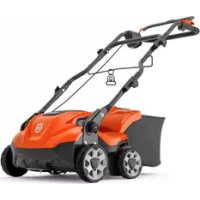
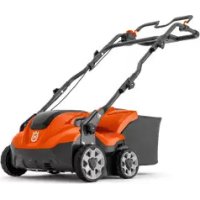
USER MANUAL S 138C HUSQVARNA
EN Operator's manual 9-29


natural_image
Line drawing of a multi-blade propeller or turbine blade assembly (no text or symbols)

natural_image
Technical line drawing of a mechanical assembly with multiple cylindrical components and protruding rods (no text or symbols)

natural_image
Diagram of a cable clamp or connector assembly with an arrow indicating motion (no text or symbols)

natural_image
Technical line drawing of a car gear shift lever assembly (no text or symbols)

natural_image
Diagram of a mechanical device with a directional arrow indicating motion (no text or symbols)

natural_image
Line drawing of a mechanical device with hoses and connectors, no text or symbols present

natural_image
Two identical line drawings of a wheeled vehicle with wheels and a circular motion arrow, no text or symbols present.

natural_image
Two technical illustrations of a wheeled vehicle with wheels and a circular motion arrow indicating rotation (no text or symbols)

natural_image
Technical line drawing of a mechanical component with an arrow indicating a transition or assembly (no text or symbols present)

natural_image
Illustration of a hand using a tool to adjust or install a mechanical component, showing a black arrow indicating the process (no text or symbols present)

natural_image
Technical illustration of a vehicle chassis with a tool box and mechanical components, no text or symbols present

natural_image
Technical illustration of a mechanical device with a cart and lever assembly (no text or symbols)


natural_image
Line drawing of a device with a warning symbol and a terminal block (no text or labels)

natural_image
Line drawing of a portable electronic device with a black arrow pointing to its top panel (no text or symbols present)

natural_image
Diagram of a vehicle chassis with a tool box and mechanical components, showing directional arrows (no text or symbols)


natural_image
Diagram of a mechanical linkage or cable assembly with a directional arrow indicating motion (no text or symbols present)

natural_image
Illustration of two hands holding a device with a downward arrow indicating motion (no text or symbols)


natural_image
Diagram of a mechanical linkage or cable assembly with an arrow indicating direction (no text or symbols present)


natural_image
Technical line drawing of a car interior showing internal compartments and a central control unit (no text or symbols)

natural_image
Diagram of a hand holding a device with wires and connectors, showing a directional arrow (no text or symbols)

natural_image
Line drawing of a bicycle support structure with rope and bracket (no text or symbols)

natural_image
Illustration of hands operating a cable or connector device with a downward arrow indicating motion (no text or symbols)

natural_image
Diagram of a mechanical clamp or clamp device with a directional arrow indicating motion (no text or symbols present)

natural_image
Diagram of a medical or laboratory device with attached tubing and connectors, showing a directional arrow (no text or symbols)

natural_image
Technical illustration of a vehicle chassis with visible wheels and structural components (no text or symbols)


Contents
Introduction....9
Safety....11
Assembly.... 19
Operation.... 20
Maintenance.... 21
Troubleshooting.... 23
Transportation, storage and disposal.... 24
Technical data.... 25
Declaration of Conformity.... 27
Introduction
Product description
The product is a pedestrian-controlled electrical dethatcher. The product removes thatch from the lawn and loosens the soil to let air and water into the lawn. The thatch is collected in a grass catcher or is released on to the lawn. The product has 2 types of dethatcher equipment.
Dethatcher equipment
Refer to To replace the dethatcher equipment on page 23 for information on how to replace the dethatcher equipment.
Delta blades
The delta blades remove thatch and cut the grass roots vertically. Use the delta blades on slopes, terraces and
Product overview of model S 138i
(Fig. 1)
- Motor brake handle
- Upper handle
- Control panel
- Start inhibitor
- Lower handle
- Grass catcher
- Rear cover
- Dethatcher cover
- Battery lid
- Adjustment knob for the work depth
Product overview of model S 138C
(Fig. 2)
- Motor brake handle
- Upper handle
- Start inhibitor
- Power socket
- Lower handle
- Cable clamp
- Grass catcher
- Rear cover
- Dethatcher cover
- Adjustment knob for the work depth
in soils that have a high quantity of clay. The delta blades let the water go down into the lawn and prevent that water collects on the surface
(Fig. 25)
Spring tines
The spring tines carefully remove dead grass and thatch from the lawn with no damage to the grass roots.
(Fig. 26)
Intended use
Use the product to remove thatch and moss and to loosen the soil in private gardens. Do not use the product for other tasks.
- Safety key
- ON/OFF indicator LED
- ON/OFF button
- SavE button
- SavE indicator LED
- Battery charge indicator and battery button
- Spring tines
- Battery (Accessory)
- Battery charger (Accessory)
- Hex key
-
Operator's manual
-
Spring tines
- Hex key
- Operator's manual
Symbols on the product
(Fig. 3)
Warning: Not careful or incorrect use can result in injury or death for the operator or others.
| (Fig. 4) | Read the operator's manual and make sure that you understand the instructions before you use this product. | (Fig. 13) | shock or damage to the product (model S 138C). |
| (Fig. 5) | Look out for thrown objects and ricochets. | (Fig. 14) | This product has protection against splashing water. |
| (Fig. 6) | Keep persons and animals at a safe distance from the work area. | (Fig. 15) | This product agrees with the applicable EAC directives. |
| (Fig. 7) | Warning: Keep hands and feet away from the rotating blade. | (Fig. 16) | This product is in accordance with applicable EC directives. |
| (Fig. 8) | Remove the safety key before you do maintenance on the product (model S 138i). | (Fig. 17) | This product conforms to the applicable UK regulations. |
| (Fig. 9) | Disconnect the product from electrical outlet before you do maintenance on the product (model S 138C). | (Fig. 18) | The product agrees with applicable UkrSEPRO directives. |
| (Fig. 10) | Electrical shock hazard (model S 138C). | | Noise emission to the environment label as per EU and UK directives and regulations, and New South Wales legislation "Protection of the Environment Operations (Noise Control) Regulation 2017". The guaranteed sound power level of the product is specified in Technical data on page 25 and on the label. |
| (Fig. 11) | Do not expose to rain (model S 138i). | |
| (Fig. 12) | Warning: Do not operate the product across the power cord as this can result in electrical | |
(Fig. 19) Double insulation (model S 138C).
| (Fig. 23) | Recycle this product at a recycling location for electrical and electronic equipment. (Applies to Europe only) |
| (Fig. 24) | Start procedure-for model S138i: push the ON/OFF button, loosen the start inhibitor, push the motor brake handle down. |
(Fig. 20) Start procedure for model S 138C: loosen start inhibitor, push motor brake handle down.
| (Fig. 21) | Release the motor brake handle to stop. |
(Fig. 22) Scannable code.
Note: Other symbols/decals on the product refer to certification requirements for some markets.
Product liability
As referred to in the product liability laws, we are not liable for damages that our product causes if:
• the product is incorrectly repaired.
- the product is repaired with parts that are not from the manufacturer or not approved by the manufacturer.
- the product has an accessory that is not from the manufacturer or not approved by the manufacturer.
- the product is not repaired at an approved service center or by an approved authority.
Safety
Safety definitions
Warnings, cautions and notes are used to point out specially important parts of the manual.

WARNING: Used if there is a risk of injury or death for the operator or bystanders if the instructions in the manual are not obeyed.

CAUTION: Used if there is a risk of damage to the product, other materials or the adjacent area if the instructions in the manual are not obeyed.
Note: Used to give more information that is necessary in a given situation.
General safety instructions

WARNING: Read the warning instructions that follow before you use the product.
Work area safety

WARNING: Read the warning instructions that follow before you use the product.
- Remove objects such as branches, twigs and stones
from the work area before you use the product.
- Objects that hit against the dethatcher equipment can eject and cause damage to persons and objects. Keep bystanders and animals at a safe distance from the product.
- Never use the product in bad weather such as fog, rain, strong winds, intense cold and risk of lightning. To use the product in bad weather or in moist or wet locations is tiring. Bad weather can cause dangerous conditions, such as slippery surfaces.
- Look out for persons, objects and situations that can prevent safe operation of the product.
- Look out for obstacles, such as roots, stones, twigs, pits and ditches. Long grass can hide obstacles.
- To operate the product on slopes can be dangerous. Do not use the product on ground that slopes more than 15°.
- Operate the product across the face of slopes. Do not move up and down.
- Be careful when you go near hidden corners and objects that prevent a clear view.
Work safety

WARNING: Read the warning instructions that follow before you use the product.
- Use this product to remove thatch and moss from grass lawns only. It is not permitted to use it for other tasks.
- Use personal protective equipment. Refer to Personal protective equipment on page 14.
- Do not operate the product in rain or wet conditions. The risk of electrical shock increases if water enters the product.
- Do not operate the product unless the dethatcher equipment and all covers are attached correctly. An incorrectly attached dethatcher equipment can come loose and cause personal injury.
-
Make sure that the dethatcher equipment does not hit objects such as stones and roots. This can do damage to the dethatcher equipment and bend the motor shaft. A bent axle causes heavy vibration and a very high risk that the dethatcher equipment becomes loose.
-
If the dethatcher equipment hits an object or if vibrations occur, stop the product immediately. Stop the motor, turn the safety key to 0 and remove the battery (model S 138i) or disconnect the power cord (model S 138C). Examine the product for damages. Repair damages or let an authorised service agent do the repair.
- Never attach the motor brake handle permanently to the handle when the motor is started.
- Put the product on a stable, flat surface and start it. Make sure that the dethatcher equipment does not hit the ground or other objects.
• Always stay behind the product when you operate it.
- Let all the wheels stay on the ground and keep 2 hands on the handle when you operate the product. Keep your hands and feet away from the rotating dethatcher equipment.
- Do not tilt the product when the motor is started.
- Be careful when you pull the product rearward.
- Never lift up the product when the motor is started. If you
must lift the product, first stop the motor, turn the safety key to 0 and remove the battery (model S 138i) or disconnect the power cord (model S 138C).
- Do not walk rearward when you operate the product.
- Stop the motor when you move across areas without grass, for example paths made of gravel, stone and asphalt.
- Do not run with the product when the motor is started. Always walk when you operate the product.
- Stop the motor before you change the work depth. Never make adjustments with the motor started.
- Never let the product stay out of view with the motor started. Stop the motor and make sure that the dethatcher equipment does not rotate.
Safety instructions for operation Personal protective equipment
You must use approved personal protective equipment whenever you use the product. Personal protective equipment cannot eliminate the risk of injury but it will reduce the degree of injury if an accident
does happen. Ask your dealer for help in choosing the right equipment.
Always wear:
- Hearing protection to minimise the risk of hearing impairment.
- Sturdy, non-slip boots or shoes. Do not wear sandals or go barefoot.
- Heavy, long pants. Do not wear shorts.
Wear gloves when required, for example when fitting, inspecting or cleaning the dethatcher equipment.

WARNING: Use approved hearing protection. Long term exposure to noise can result in permanent hearing impairment.
Safety devices on the product

WARNING: Read the warning instructions that follow before you use the product.
- Do not use a product with defective safety devices.
- Do a check of the safety devices regularly. If the safety
devices are defective, speak to your Husqvarna service agent.
To do a check of the covers
The dethatcher cover decreases vibrations in the product and decreases the risk of injury from the dethatcher equipment.
- Examine the side dethatcher cover to make sure that there are no damages such as cracks.
- Examine the rear cover to make sure that there are no damages such as cracks.
Motor brake handle
The motor brake handle stops the motor. When the motor brake handle is released, the motor stops.
To do a check of the motor brake, start the motor and then release the motor brake handle. If the motor does not stop in 3 seconds, let an approved Husqvarna service agent adjust the motor brake.
(Fig. 27)
Safety key
The safety key is found below the battery lid. The safety key is
used to connect the battery that supplies the motor with power.
- Start and stop the motor to do a check of the safety key.
- If the safety key functions correctly, the motor starts only when the key is turned to 1.
(Fig. 28)
To examine the start inhibitor
Do a check of the start inhibitor to make sure that it prevents operation of the motor.
- Push the motor brake handle in the direction of the handlebar. The start inhibitor stops the movement.
- Push the start inhibitor out.
(Fig. 29)
- Release the start inhibitor and make sure that it goes back to its initial position.
To use the power cord holder (model S 138C)
The power cord holder decreases the strain on the power socket and the power cord. The power cord holder also decreases the risk that you fall.
-
Bend the power cord to a small loop.
-
Put the loop in to the hole in the power cord holder.
- Put the loop around the hook.
- Pull the power cord to tighten the loop around the hook. (Fig. 30)
Battery safety

WARNING: Read the warning instructions that follow before you use the product.
- Use Husqvarna rechargeable batteries as a power supply for related Husqvarna products only. To prevent injury, do not use the battery as a power supply for other devices.
- Do not use non-rechargeable batteries.
- Risk of electrical shock. Do not connect the battery terminals to keys, coins, screws or other metal. This can cause a short circuit of the battery.
- Do not put objects into the air slots of the battery.
-
Keep the battery away from sunlight, heat or open flame. The battery can explode and cause burns and/or chemical burns.
-
Keep the battery away from rain and wet conditions.
- Keep the battery away from microwaves and high pressure.
- Do not try to disassemble or break the battery.
- If the battery leaks, do not let the liquid touch your body or eyes. If you have touched the liquid, clean the area with a large quantity of water and get medical aid.
- Use the battery in temperatures between -10°C and 40°C.
- Do not clean the battery or the battery charger with water. See To clean the battery and the battery charger on page 22.
- Do not use a defective or damaged battery.
- Keep batteries in storage away from metal objects such as nails, coins, jewellery.
Battery charger safety

WARNING: Read the warning instructions that follow before you use the product.
- Use the QC battery chargers to charge Husqvarna replacement batteries only.
- Risk of electrical shock or short circuit. Do not put objects into the air slots of the charger. Do not try to disassemble the battery charger. Do not connect the charger terminals to metal objects. Use an approved mains socket.
- This product produces an electromagnetic field during operation. This field may under some circumstances interfere with active or passive medical implants. To reduce the risk of serious or fatal injury, we recommend persons with medical implants to consult their physician and the medical implant manufacturer before operating this product.
- Regularly make sure that the power cord of the battery charger is not damaged and that there are no cracks in it.
- Do not lift the battery charger by the power cord. To disconnect the battery charger from a mains socket, pull out the plug. Do not pull the power cord.
- Keep the power cord and extension cables away from water, oil and sharp edges. Make sure that the cable is not pinched in doors, fences
or equivalent. It can cause the charger to become energized.
- Do not clean the battery charger with water.
- The battery charger can be used by children aged from 8 years and above and persons with reduced physical, sensory, or mental capabilities or lack of experience and knowledge if they have been given supervision or instruction concerning use of the battery charger in a safe way and understand the hazards involved. Children shall not play with the battery charger. Cleaning and user maintenance shall not be made by children without supervision.
- Do not charge non-rechargeable batteries in the battery charger.
- Do not use the battery charger near flammable materials or materials that can cause corrosion. Do not cover the battery charger. Pull out the plug to the battery charger if there is smoke or fire.
- Do not use a defective or damaged battery charger.
- Only charge the battery indoors in a room with good airflow and away from
sunlight. Do not charge the battery in wet conditions.
Power cord safety
For model S 138C.
- The use of a Residual Current Device (R.C.D.) with a tripping current of not more than 30mA is recommended. Even with an R.D.C. installed, 100% safety cannot be guaranteed and safe work procedures must be obeyed at all times. Do a check of your R.C.D. each time you use it.
- Immediately disconnect from the mains if the power cord is cut or the insulation is damaged.
- Do not touch a cut or damaged power cord until the electrical supply is disconnected.
- Do not repair a cut or damaged power cord. Replace it with a new one.
Safety instructions for maintenance

WARNING: Read the warning instructions that follow before you use the product.
- For model S 138i: To prevent accidental start during maintenance, turn the safety key to 0 and remove the battery. Wait at minimum 5 seconds before you start the maintenance.
- For model S 138C: To prevent accidental start during maintenance, disconnect the power cord.
- Do the maintenance work correctly to increase the lifetime of the product and decrease the risk of accidents. Let an approved service agent do the professional repairs. Speak to your nearest service agent for more information.
- Only do the maintenance work written in this operator's manual. More extensive work must be done by an approved service agent.
- Put on heavy duty gloves when you use the dethatcher
equipment. The dethatcher equipment is very sharp and cuts can easily occur.
- Keep the blades on the dethatcher equipment sharp and clean for the best and safest performance.
- Let your service agent regularly examine the product and make necessary adjustments and repairs.
- Replace damaged, worn or broken parts.
- Obey the instructions for how to change accessories. Only use accessories from the manufacturer.
- When not in operation, keep the product, battery and battery charger apart in a dry, indoor and locked area. Make sure that children and persons that are not approved cannot get access to the product, battery or battery charger.
Assembly
Introduction

WARNING: Before you assemble the product, read the safety chapter.

WARNING: For model S 138i: To prevent accidental start during assembly, turn the safety key to 0, remove the battery and wait at minimum 5 seconds.
For model S 138C: To prevent accidental start during assembly, disconnect the power cord.
To assemble the handle
- Loosen the lower knobs.
- Move the knobs to the lower end of the grooves on the left and the right side of the product. (Fig. 31)
- Set the handle height in one of the 2 available positions.
-
Move the knobs up in the direction of the handle until they stop and you hear a click. (Fig. 32)
-
Tighten the knobs fully.
To assemble the grass catcher
- Attach the grass catcher frame to the grass bag with the rigid part of the bag on the bottom. Keep the handle of the frame on top of the grass bag. (Fig. 33)
-
Attach the bottom section of the grass catcher frame in the groove on the bottom of the grass catcher.
-
Attach the grass bag to the grass catcher frame with the clips. (Fig. 34)
- Lift the rear cover.
- Move the grass catcher into the correct position.
(Fig. 35)
- Attach the grass catcher to the top edge of the chassis. Make sure that the rear cover seals against the grass catcher to prevent leakage. (Fig. 36)
Operation
Introduction

WARNING: Before you operate the product, you must read and understand the safety chapter.
Husqvarna Connect
Husqvarna Connect is a free app for your mobile device. The Husqvarna Connect app gives extended functions for your Husqvarna product:
- Extended product information.
• Information about, and help with, product parts and servicing.
To start to use Husqvarna Connect
- Download the Husqvarna Connect app on your mobile device.
- Register in the Husqvarna Connect app.
- Do the instruction steps in the Husqvarna Connect app to connect and register the product.
To set the work depth

WARNING: Do not adjust the work depth when you operate the product.
- Push and turn the adjustment knob for the work depth counterclockwise to increase the work depth.
- Push and turn the adjustment knob for the work depth clockwise to decrease the work depth. (Fig. 37)
Battery

WARNING: Before you use the battery, you must read and understand the safety chapter. You must also read and understand the operator's manual for the battery and the battery charger.
Battery status
The display shows the remaining battery capacity and if there are problems with the battery. The battery capacity
is shown for 5 seconds after the product is switched off or the battery indicator button is pressed. The warning symbol on the battery is on when an error has occurred. See Battery on page 23.
(Fig. 38)
| LED lights Battery status | |
| All LEDs are lit Fully charged (75-100%) |
| LED 1, LED 2, LED 3 are lit | The battery is 50%-75% charged |
| LED 1, LED 2 are lit The battery is 25%-50% charged |
| LED 1 is lit The battery is 0%-25% charged. |
| LED 1 flashes The battery is empty.Charge the battery. |
To charge the battery
Charge the battery before the first use. The battery is only 30% charged when supplied to the customer.
Note: The battery charger must be connected to the voltage and frequency specified on the rating plate.
The battery does not charge if the battery temperature is above 50irc C. The battery charger decreases the temperature of the battery before it starts to charge.
- Connect one end of the power cord for the battery charger into the socket of the battery charger.
- Connect the other end of the power cord for the battery charger in an grounded mains socket. The LED on the battery charger flashes green one time. (Fig. 39)
- Put the battery in the battery charger. The green light on the charger comes on when the battery is correctly connected to the battery charger. (Fig. 40)
- When all LEDs on the battery have come on the battery is fully charged. Charge the battery for maximum 24 hours.
-
To disconnect the battery charger from the mains socket, pull the plug, not the power cord.
-
Remove the battery from the battery charger.
Battery charging status
A Husqvarna Li-ion battery can be charged or used at all charging levels. The battery is not damaged. A fully charged battery will not decrease its charge when the battery is left in the charger.
| LED display Charging status | |
| LED 1 flashes 0%-25% | |
| LED 1 is lit, LED 2 flashes 25%-50% |
| LED 1, LED 2 are lit, LED 3 flashes | 50%-75% |
| LED 1, LED 2, LED 3 are lit, LED 4 flashes | 75%-100% |
| LED 1, LED 2, LED 3, LED 4 are lit | Fully charged |
To operate S 138i
To start the product
- Put a charged battery in battery compartment number 1 below the battery lid. For longer operation time, put a second charged battery in battery compartment number 2.
- Turn the safety key to 1. (Fig. 41)
- Stay behind the product.
- Press the ON/OFF button (A) on the control panel and the green LED (B) comes on. (Fig. 42)
- Loosen the start inhibitor. (Fig. 43)
- Push the motor brake handle in the direction of the handlebar. (Fig. 44)
To use the SavE function
The product has a battery saving function (SavE) that gives longer operation time.
-
Press the SavE button (A) to start the function. The green LED comes on. (Fig. 45)
-
Press the SavE button again to stop the function. The green LED (B) goes out.
To stop the product
The product stops automatically if you do not operate it for 10 minutes. Always turn the safety key to 0 before you let the product out of view.
- Release the motor brake handle to stop the motor.
(Fig. 46)
- Press the ON/OFF button (A) on the control panel and the green LED (B) goes out. (Fig. 42)
- Open the battery lid and turn the safety key to 0. (Fig. 47)
- To remove the battery, press the 2 release buttons at the same time and pull out the battery. (Fig. 48)
- Charge the battery if it is weak. For more information, see To charge the battery on page 20.
To operate S 138C
To start the product
- Connect a power cord to the socket below the handle. (Fig. 49)
- Put the power cord in the power cord holder. Refer to To use the power cord holder (model S 138C) on page 16. (Fig. 30)
- Stay behind the product.
- Loosen the start inhibitor. (Fig. 50)
- Push the motor brake handle in the direction of the handlebar. (Fig. 51)
To stop the product
- Release the motor brake handle to stop the motor.
(Fig. 52)
- Disconnect the power cord from the mains and then from the product. (Fig. 53)

CAUTION: Pull the plug straight out. Do not pull the power cord.
Maintenance
Introduction

WARNING: Before you do maintenance, you must read and understand the safety chapter.
For all servicing and repair work on the product, special training is necessary. We guarantee the availability of professional repairs and servicing. If your dealer is not
a service agent, speak to them for information about the nearest service agent.
Maintenance schedule
The maintenance intervals are calculated from daily use of the product. The intervals change if the product is not used daily.
For maintenance identified with *, refer to Safety devices on the product on page 15.
| S 138i and S 138C | Each use | Monthly | Each season |
| Do a general inspection. X | | | |
| Clean the product. X | | | |
| Examine the dethatcher equipment. X | | | |
| Make sure that the safety devices on the product are not defective. * X | | | |
| Examine the covers. * X | | | |
| Do a check of the motor brake handle. * X | | | |
| Do a check of the start inhibitor. * X | | | |
| S 138i only | Each use | Monthly | Each season |
| Make sure that the ON/OFF button operates correctly and is not defective. X | | | |
| Examine the battery for damage. X | | | |
| Do a check of the battery charge. X | | | |
| Make sure that the release buttons on the battery operates correctly and that the battery locks into the product. | X | | |
| Examine the battery charger for damage and make sure that it operates correctly. | | X | |
| Examine the connections between the battery and the product. Also examine the connection between the battery and the battery charger. | | | X |
To do a general inspection
- Make sure that the nuts and screws on the product are tightened.
- Make sure that the cables on the product are not in a position where they can get damaged.
To clean the product
- Clean plastic parts with a clean and dry cloth.
- Do not use water to clean the product. Water can enter the battery or the motor and cause short circuit or damage to the product.
- Do not use a high pressure washer to clean the product.
- Do not flush water directly on the motor.
- Use a brush to remove leaves, grass and dirt.
To clean the battery and the battery charger

WARNING: Do not clean the battery or the battery charger with water.

WARNING: Do not use any chemical substances to clean the battery.
• Make sure that the battery and the battery charger are clean and dry before you put the battery into the battery charger.
- Clean the battery terminals with compressed air or use a soft and dry cloth.
- Clean the surfaces of the battery and the battery charger with a soft and dry cloth.
To examine the dethatcher equipment

WARNING: For models S 138i: To prevent accidental start, turn the safety key to 0, remove the battery and wait at minimum 5 seconds.
For model S 138C: To prevent accidental start, disconnect the power cord.

WARNING: Use protective gloves when you do maintenance on the dethatcher equipment. The blades on the dethatcher equipment are very sharp and cuts can easily occur.
- Examine the dethatcher equipment for damage or cracks. Always replace a damaged dethatcher equipment.
To replace the dethatcher equipment

WARNING: Use protective gloves when you do maintenance on the dethatcher
equipment. The dethatcher equipment is very sharp and cuts can easily occur
- Put the product on its right side. (Fig. 54)
- Remove the 2 screws (A) and the dethatcher cover (B). Push the dethatcher equipment (C) up and out to remove it. (Fig. 55)
- Push the new dethatcher equipment (C) into the groove and down the hole. Attach the dethatcher cover (B) and the 2 screws (A) (Fig. 56)
Troubleshooting
Battery
| LED on the battery Cause | Solution | |
| The green LED flashes. | The battery voltage is low. Charge the battery. | To charge the battery on page 20. |
| The error LED flashes. | The battery is weak. Charge the battery. | Refer to on page 20. |
| The temperature in the work environment is too high or too low. | Use the battery in temperatures between -10°C and 40°C. |
| Overvoltage. Make sure that the mains | voltage is the same as on the rating plate on the product. |
| Remove the battery from the battery charger. Wait 5 seconds and try again to charge the battery. If the problem continues, speak to an approved service agent. |
| The error LED is on. The | cell difference too much (1V). Speak to | an approved service agent. |
Battery charger
| LED on the battery charger | Cause Solution | |
| The error LED flash-es. | The temperature in the work environment is too high or too low. | Use the battery charger in temperatures between 5°C and 40°C. |
| The error LED is on. S | Speak to an approved service agent. | |
Control panel
For model S 138i
| Error Error code (Number of flashes) | Possible faults Possible action | |
| Error LED flashes 3 | The motor is overloaded. Decrease the work depth. Refer to set the work depth on page 20. If the error LED continues to flash, the dethatcher equipment is blocked. To prevent accidental start turn the safety key to 0, remove the battery and wait a minimum 5 seconds. Make sure that the dethatcher equipment can move freely. If the problem continues, speak to an authorised service agent. |
| 5 The motor speed drops too much, and the motor stops. | |
| 9 The motor control is too hot. Stop the motor and wait until it has become cool. |
| 7 Battery error or no signal from battery. | Put the battery in the product correctly and examine the battery connector. If the error LED on the battery flashes, refer to Battery charging status on page 21. |
| The battery is weak. Charge the battery. Refer to the battery on page 20. |
| The product stops 6 | The battery is weak. | Charge the battery. Refer to | To charge the battery on page 20. |
| 0 Battery connector failure. Examine the battery connector. |
| Other errors If other errors occur, turn the safety key to 0, remove the battery and speak to an approved service agent. |
Transportation, storage and disposal
Transportation
- The Dangerous Goods Legislation requirements apply to the contained Li-ion batteries.
- For commercial transports special requirements on package and labels must be obeyed.
- Make sure that you obey the regulations for dangerous material when you prepare the product for transport. Local regulations can apply.
• Always remove the battery for transport.
- Put tape on the battery connectors and make sure that the battery cannot move around during transport.
- Attach the product during transport.
Storage
• Always remove the battery for storage.
- To prevent accidents, make sure that the battery is not connected to the product during storage.
- Keep the battery charger in a closed and dry space.
- Keep the battery and the battery charger in a dry space where there is no moisture or frost.
- Disconnect the battery from the battery charger during storage.
- Do not keep the battery where static electricity can occur. Do not keep the battery in a metal box.
- Keep the battery where the temperature is between 5ircC and 25ircC and out of sunlight.
- Keep the battery charger where the temperature is between 5ircC and 45ircC and out of sunlight.
- Make sure that the battery is charged to 30% - 50% before you put it in storage for long periods.
- Keep the product, battery and battery charger in a locked area out of reach for children and not approved persons.
- Clean the product and do a complete servicing before you put the product in storage for a long time.
Disposal
Symbols on the product or the packaging of the product indicate that this product cannot be handled as domestic
waste. It must be submitted to an appropriate recycling station for the recovery of electrical and electronic equipment.
By ensuring that this product is taken care of correctly, you can help to counteract the potential negative impact on the environment and people that can otherwise
result through the incorrect waste management of this product. For more detailed information about recycling this product, contact your municipality, your domestic waste service or the shop from where you purchased the product.
(Fig. 57)
Technical data
Technical data
| S 138i S 138C | |
| Motor |
| Motor type BLDC (brushless) 36V Series AC Motor | | |
| Attachment speed - SavE, rpm 3000 N/A | | |
| Attachment speed - Nominal, rpm 3200 4200 | | |
| Motor output - max. kW 1.28 1.8 | | |
| Motor output - Nominal, kW 0.9 1.6 | | |
| Weight |
| Weight, kg 19.5 (without battery) 19.0 | | |
| Battery |
| Type of battery Husqvarna Battery Series N/A | | |
| Battery runtime |
| Battery runtime, min, (free run) with SavE activated, with one Husqvarna 5.2 Ah battery (Bli200). | 115 N/A | |
| Battery runtime, min, (free run) with standard mode activated, with one Husqvarna 5.2 Ah battery (Bli200). | 102 N//A | |
| Noise emissions 1 |
| Sound power level, measured dB (A) 89.2 95.7 | | |
| Sound power level, guaranteed LWA dB (A) 91 | 98 | |
| Sound levels 2 |
| Sound pressure level at the operators ear, dB (A) | 75.3 81.7 | |
| Vibration levels 3 |
| Handle, m/s 2 | 5.5 8.3 | |
| Operation |
| Work depth max/min, mm | -8/+5 | -8/+5 |
| Work width, cm | 37.5 37.5 | |
| Delta blades attachment 5973510-01 5973510-01 | | |
| Spring tines attachment 5973509-01 5973509-01 | | |
| Grass catcher capacity, litre 45 45 | | |
| Approved batteries (S 138i) Type Battery capacity, | Ah | Voltage, V Weight, lb/kg |
| BLi20 Lithium-ion 4.0 36 2.6/1.2 | | |
| BLi200 Lithium-ion 5.2 36 2.8/1.3 | | |
| BLi300 Lithium-ion 9.4 36 4.1/1.9 | | |
| Approved chargers for the specified batteries, BLi (S 138i) | Input voltage, V F | frequency, Hz Power, W |
| QC80 | 100–240 50–60 | 80 | |
| QC80F | 12 | 0 | 80 |
| QC330 | 100–240 50–60 | 330 | |
| QC500 | 100–240 50–60 | 500 | |
We, Husqvarna AB, SE-561 82 Huskvarna, SSWEDEN, tel: +46 36 146500, declare on our sole responsibility that the product:
| Description Scarifier | |
| Brand Husqvarna | |
| Type / Model S 138C | |
| Identification Serial numbers dating from 2022 and onwards |
complies fully with the following EU directives and regulations:
| Directive/Regulation Description | |
| 2011/65/EU "on the restriction of the use of certain hazardous substances in electrical and electronic equipment" | |
| 2006/42/EC "relating to machinery" | |
| 2014/30/EU “relating to electromagnetic compatibility” | |
| 2000/14/EC "relating to the noise emissions in the environment" | |
and that the following standards and/or technical specifications are applied: EN 60335-1:2012/A11:2014/A13:2017, EN 50636-2-92:2014, EN 55014-1:2017/A11:2020, EN 55014-2:2015, EN 61000-3-2:2014, EN 61000-3-11:2000, EN IEC 63000:2018.
For information relating to noise emissions, refer to Technical data on page 25.
Huskvarna, 2022-10-20
Δdu
Claes Losdal
Development Manager/Garden Products
Husqvarna AB
Responsible for technical documentation
CE
We, Husqvarna AB, SE-561 82 Huskvarna, Sweden, tel:
+46-36-146500, declare on our sole responsibility that
the product:
| Description Scarifier | |
| Brand Husqvarna | |
| Type / Model S 138i | |
| Identification Serial numbers dating from 2022 and onwards |
complies fully with the following EU directives and
regulations:
| Directive/Regulation Description |
| 2011/65/EU "on the restriction of the use of certain hazardous substances in electrical and electronic equipment" |
| 2006/42/EC "relating to machinery" |
| 2014/30/EU “relating to electromagnetic compatibility" |
| 2000/14/EC "relating to the noise emissions in the environment" |
and that the following standards and/or technical
specifications are applied: EN 60335-1:2012/
A11:2014/A13:2017/A1:2019/A2:2019/A14:2019, EN
50636-2-92:2014, EN ISO 12100:2010, EN
55014-1:2017/A11:2020, EN 55014-2:2015, EN IEC
63000:2018.
For information relating to noise emission, refer to
Technical data on page 25
Huskvarna, 2022-10-20
Δsdu
Claes Losdal
Development Manager/Garden Products
Husqvarna AB
Responsible for technical documentation

We, Husqvarna AB, SE-561 82 Huskvarna, SWEDEN, Tel. +46 36 146500, declare on our sole responsibility that the product:
| Description Scarifier | |
| Brand Husqvarna | |
| Type / Model S 138i | |
| Identification Serial numbers dating from 2022 and onwards |
complies fully with the following UK regulations:
| Description |
| The Restriction of the Use of Certain Hazardous Substances in Electrical and Electronic Equipment Regulations 2012 |
| The Supply of Machinery (Safety) Regulations 2008 |
| Electromagnetic Compatibility Regulations 2016 |
| The Noise Emission in the Environment by Equipment for use Outdoors Regulations 2001 |
and that the following standards and/or technical specifications are applied: EN 60335-1:2012/A11:2014/A13:2017/A1:2019/A2:2019/A14:2019, EN 50636-2-92:2014, EN ISO 12100:2010, EN 55014-1:2017/A11:2020, EN 55014-2:2015, EN IEC 63000:2018.
For information relating to noise emission, refer to Technical data on page 25.
Huskvarna, 2022-10-20
Δdot 2 m
Claes Losdal
Development Manager/Garden Products
Husqvarna AB
Responsible for technical documentation

UK Importer:
Husqvarna UK Ltd
Preston Road, Co. Durham
DL5 6UP
Съдържание
Въведение.... 30
Безопасност....33
Монтаж....43
Операция.... 44
Поддръжка....46
| LED-display Laadstatus | |
| LED 1 knippert 0%-25% | |
| Led 1 brandt, led 2 knippert | 25%-50% |
| Led 1 en led 2 branden, led 3 knippert | 50%-75% |
| Led 1, led 2 en led 3 branden, led 4 knippert | 75%-100% |
| Led 1, led 2, led 3, led 4 branden | Volledig opgeladen |
S 138i gebruiken
Product starten
Development Manager/Garden Products
Husqvarna AB
Development Manager/Garden Products
Husqvarna AB
- Extended product information.
• Information about, and help with, product parts and servicing.
Verificar as coberturas
Original instructions
Оригинални инструкции
Původní pokyny