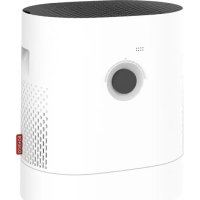
H320 - Humidifier BONECO - Free user manual and instructions
Find the device manual for free H320 BONECO in PDF.



| Product type | Hybrid humidifier and air purifier |
| Model | BONECO H320 |
| Dimensions (W × D × H) | 430 × 280 × 465 mm |
| Empty weight | 6.4 kg |
| Power supply | 220-240 V ~ 50-60 Hz |
| Power consumption (standby) | 0.5 W |
| Power consumption (level 1) | 3.6 W |
| Power consumption (level 6) | 9.6 W |
| Humidification performance | Up to 350 g/h (without pollen filter) |
| CADR particles | < 60 m³/h |
| Max. recommended area | 50 m² / 125 m³ |
| Water tank capacity | 6 L |
| Noise level (level 1) | 28 dB(A) |
| Operating modes | Auto, Sleep, Baby, Manual, Hybrid, Humidification only, Purification only |
| Connected functionalities | BONECO app, Bluetooth, hygrostat, timer, LED dimmer |
| Tank and drum maintenance | Dishwasher-safe up to 50 °C |
| Evaporation pad maintenance | Machine washable at 40 °C (no tumble dryer) |
| Pre-filter maintenance | Cleanable under running water with a brush |
| Replacement parts | Pollen filter AH320, Ionic Silver Stick A7017, evaporation pad AW200 |
| Recommended replacement frequency | Pollen filter: annual; Ionic Silver Stick: annual |
Frequently Asked Questions - H320 BONECO
User questions about H320 BONECO
0 question about this device. Answer the ones you know or ask your own.
Ask a new question about this device
Download the instructions for your Humidifier in PDF format for free! Find your manual H320 - BONECO and take your electronic device back in hand. On this page are published all the documents necessary for the use of your device. H320 by BONECO.
USER MANUAL H320 BONECO
natural_image
White portable air purifier with black lid and control panel (no visible text or symbols)Read and save these instructions
EN Always observe all safety notes (included separately in delivery).
EN Instructions for use 29
FR Mode d'emploi 53
natural_image
Illustration of a white cylindrical device with a circular top and side panel (no text or symbols)BONECO H320
natural_image
Simple line drawing of a folded document with a speech bubble containing an eye (no text or symbols)natural_image
Simple line drawing of a document with an exclamation mark (no text or symbols)
natural_image
Simple line drawing of a plug connected to a cable with a terminal connector (no text or symbols)natural_image
Close-up of a circular mechanical component with a red starburst and dotted pattern (no text or symbols)natural_image
Hand pressing a black button on a white surface, no text or symbols visiblenatural_image
Close-up of a white circular object with a black center and dotted top (no text or symbols visible)natural_image
Hand pressing a black circular button on a white appliance (no text or symbols visible)natural_image
Hand pressing down on a circular button (no text or symbols visible)natural_image
Close-up of a circular mechanical component with a black center and a dashed outline (no visible text or symbols)natural_image
Abstract circular graphic with concentric rings and a dot, no text or symbols presentnatural_image
Person holding a white rectangular object over a cylindrical device (no visible text or symbols)natural_image
Abstract circular graphic with gradient shading and dots (no text or symbols)NUR AH320 POLLENFILTER ("PURIFIER")
natural_image
Abstract circular graphic with green and black segments, no text or symbols presentDIE VERSCHIEDENEN MODI
DIE MODI
natural_image
Hand pouring liquid into a battery on a wooden surface (no text or symbols visible)REINIGUNGSHINWEISE
ÜBER DIE REINIGUNG
natural_image
Hand placing a white plastic clip into a white bucket on a wooden surface (no text or symbols visible)natural_image
Hand placing a white plastic object into a white bucket on a wooden surface (no text or symbols visible)natural_image
Person holding a white textured roller with red arrows indicating rotation (no text or symbols visible)natural_image
Close-up of hands handling a white mesh material on a surface (no text or symbols visible)natural_image
Interior view of a kitchen appliance with a hand placing a white plate into the sink (no visible text or symbols)VORFILTER REINIGEN
ÜBER DEN VORFILTER
natural_image
Hand pressing down on a black textured surface next to a white cylindrical object (no text or symbols visible)natural_image
Hand placing a grid into a device component with an arrow indicating rotation (no text or symbols visible)natural_image
Person cleaning a kitchen sink with a brush (no visible text or symbols)natural_image
Person holding a plastic bag over a dark surface, no visible text or symbolsnatural_image
Hand placing a black plastic tray onto a cylindrical device with a red arrow indicating motion (no text or symbols visible)natural_image
Hand pressing down on a black textured surface with a red arrow indicating the motion (no text or symbols visible)AW200 VERDUNSTERMATTE REINIGEN
ÜBER DIE AW200 VERDUNSTERMATTE
natural_image
Close-up of a white textured cylindrical object with a small white object on top, next to a green checkmark (no text or symbols visible)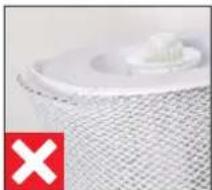
natural_image
Close-up of a white plastic component with a red 'X' symbol in the corner (no text or symbols on the object itself)natural_image
Close-up of hands washing a white cloth over a surface (no text or symbols visible)natural_image
Hand placing a white object into a white container on a wooden surface (no text or symbols visible)Healthy air is a basic need 32
Availability of accessories 32
Overview and part names 33
Technical data 34
Starting up 35
Manual handling 36
About manual handling 36
AUTO mode 36
Adapted AUTO mode 36
Switching on and off 36
Manual control 37
The benefits of the BONECO app 38
About the BONECO app 38
Scope of services 38
Download 39
BONECO app for iOS 39
BONECO app for Android 39
Pairing with the BONECO appliance 40
Getting ready 40
Pairing 40
The various operating modes 41
Hybrid mode ("Hybrid") 41
"Hybrid" LED operating mode 41
Humidification only ("Humidifier") 41
"Humidifier" LED operating mode 41
AH320 pollen filter only ("Purifier") 41
"Purifier" LED operating mode 41
The various comfort modes 42
Comfort modes 42
AUTO mode 42
SLEEP mode 42
BABY mode 42
Using fragrances 43
Basics 43
Adding fragrances 43
Notes on cleaning 44
About cleaning 44
Recommended cleaning intervals 44
Cleaning in the dishwasher 45
Parts not permitted 45
Water base and drum 45
Clean the pre-filter 47
About the pre-filter 47
Clean the pre-filter 47
Clean the AW200 evaporator mat 48
About the AW200 evaporator mat 48
Cleaning in the washing machine 48
Cleaning by hand 48
Replacing the accessories 49
Replacing the A7017 Ionic Silver Stick® 49
Replacing the AH320 pollen filter 49
Malfunctions and troubleshooting 50
Factory default settings 51
About the factory default settings 51
Resetting the appliance 51
ITEMS INCLUDED
HEALTHY AIR IS A BASIC NEED
There is little to which we react with greater sensi tivity than poor air. And yet many people do not pay enough attention to air quality, which has consequences for health and quality of life. This makes us all the more pleased that you have chosen a BONECO appliance to ensure that the basic need for healthy room air is satisfied for you and the people around you.
AVAILABILITY OF ACCESSORIES
You can obtain replacements for worn-out accessories as well as additional accessories from:
- At your BONECO specialist dealer,
• At www.shop.boneco.com or - Directly via the "BONECO healthy air" app.
ITEMS INCLUDED
BONECO H320
Quick Manual Power supply Safety instructions

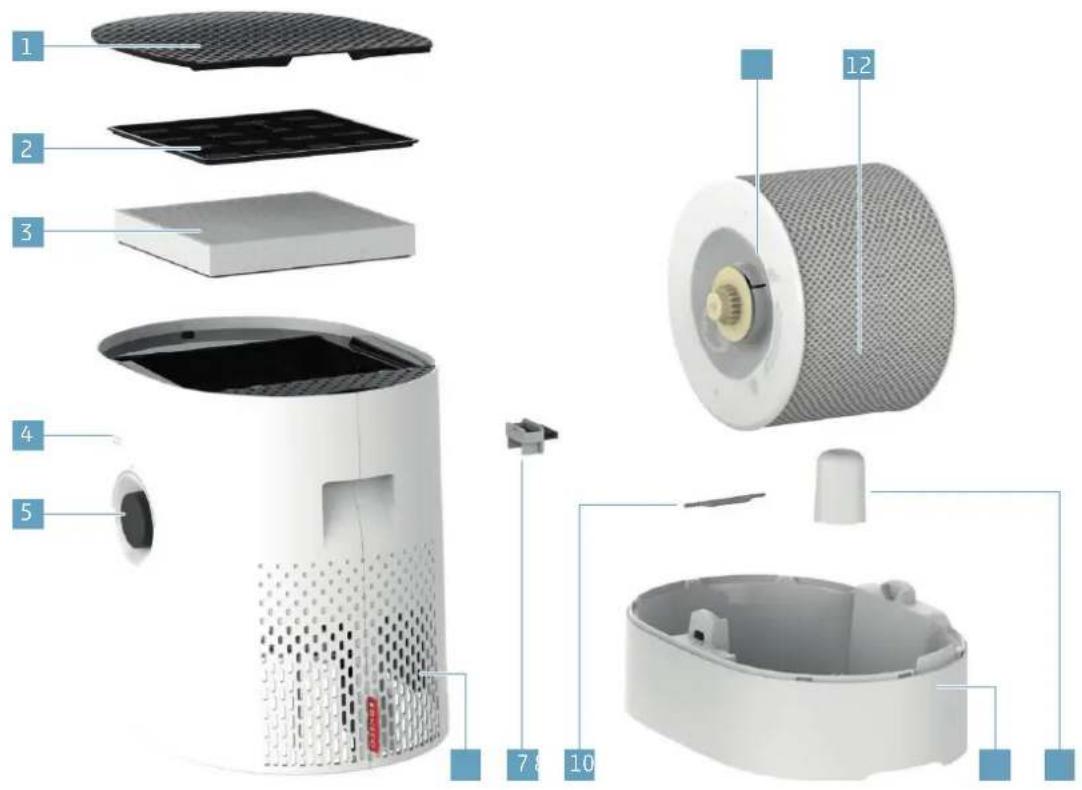
OVERVIEW AND PART NAMES
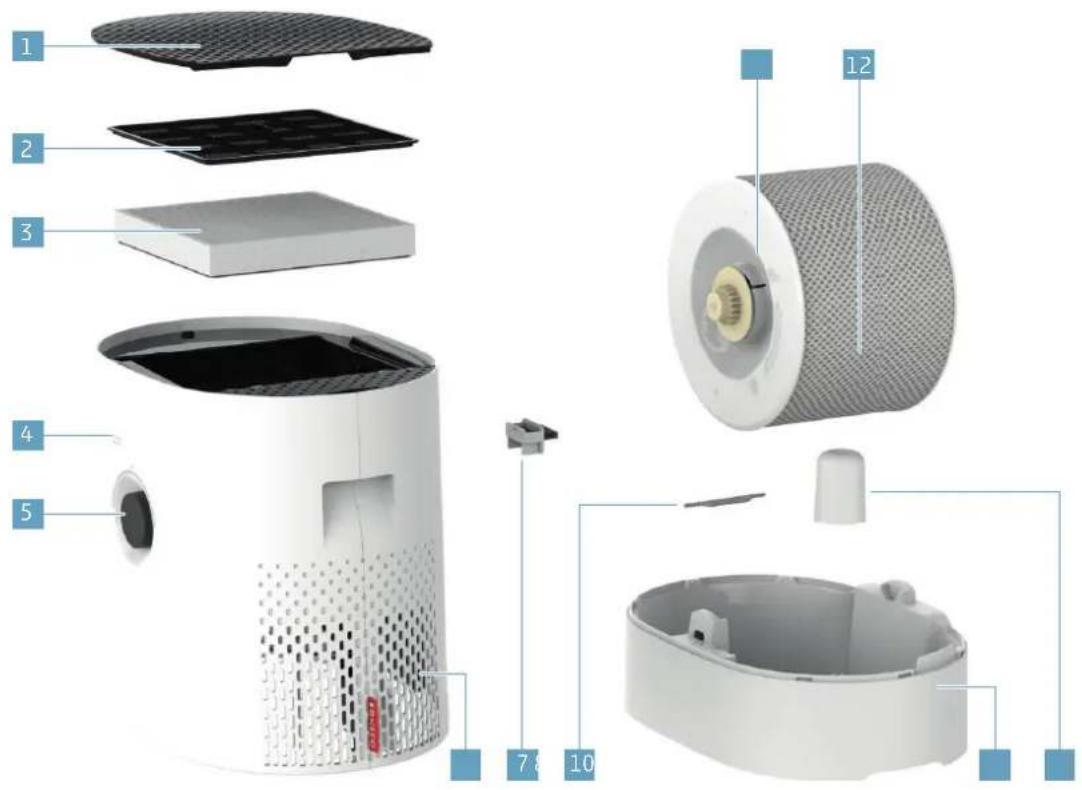
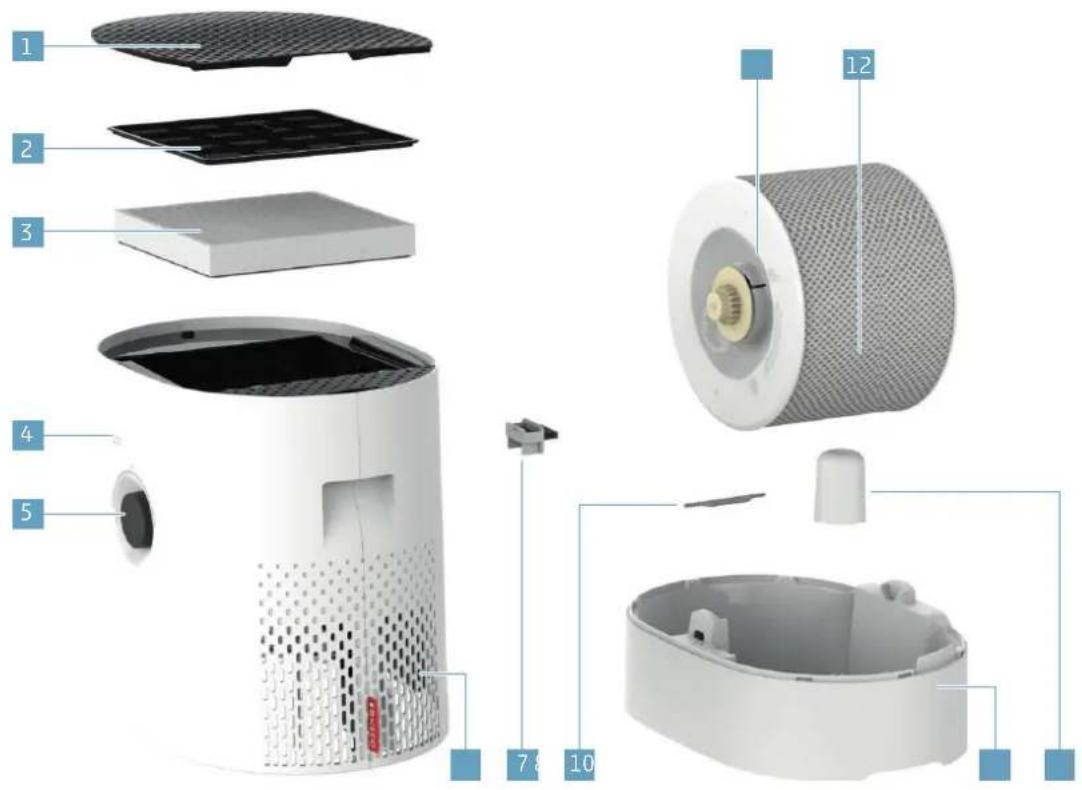
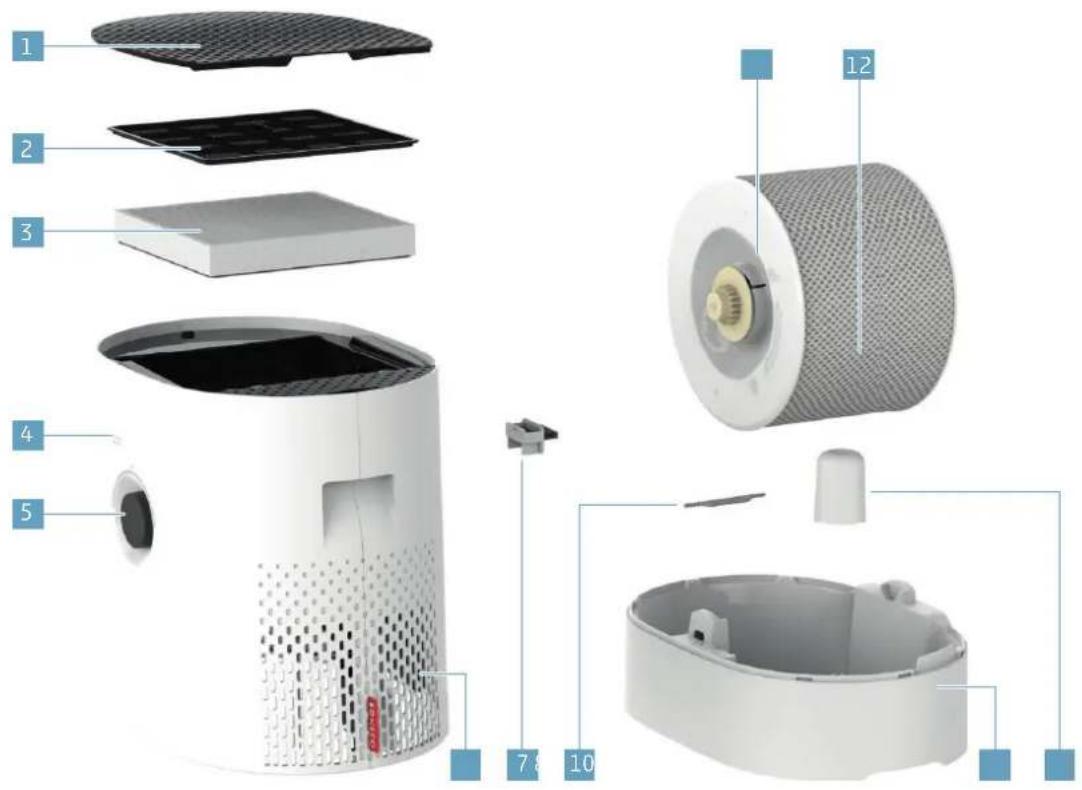
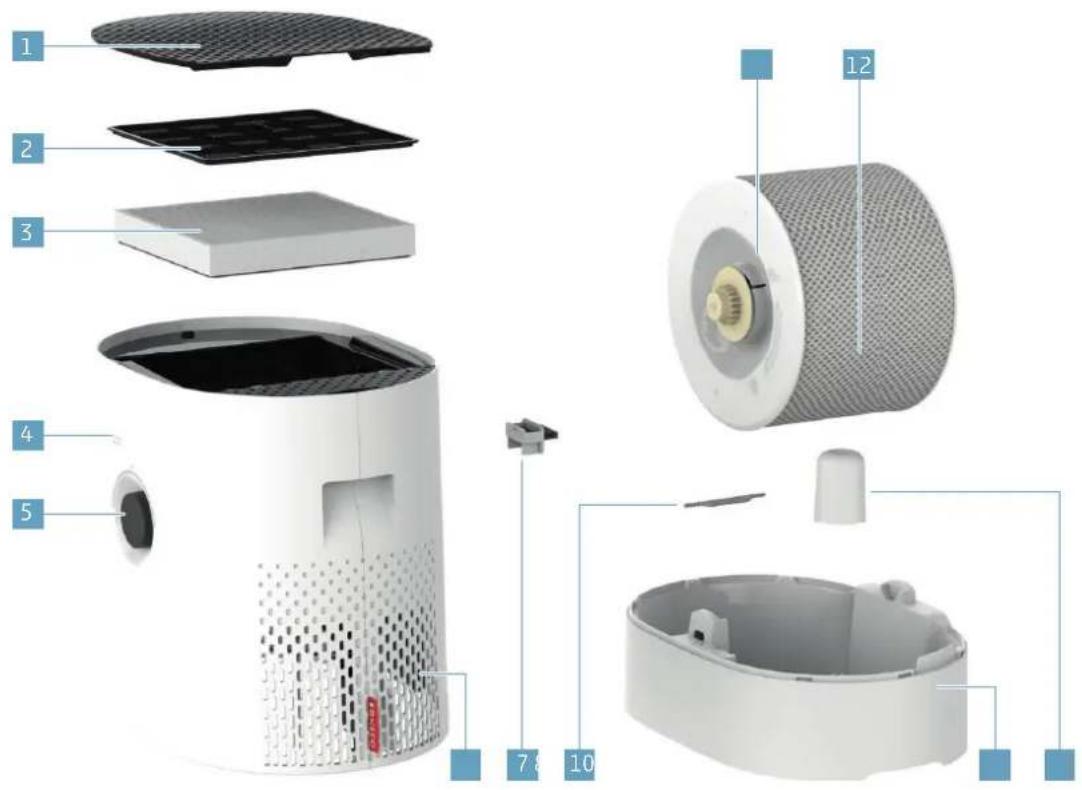
1 Cover/air inlet
2 Pre-filter
3 AH320 pollen filter
4 Hygrostat opening
5 On/Off, knob
6 Air outlet
7 Fragrance container
8 A7017 Ionic Silver Stick ^n
9 Water base*
10 Floatgage*
10 Drum*
12 AW200 evaporator mat**
* Washable in the dishwasher up to 50 °C (122 °F)
** Washable in the washing machine up to 40 °C (104 °F)
TECHNICAL DATA
TECHNICAL DATA™
| Type designation BONECO H320 | |
| Power supply voltage 220 - 240 V ~ 50 - 60 Hz | |
| Power consumption Standby 0.5 W | |
| Level 1 3.6 W | |
| Level 6 9.6 W | |
| Humidity output up to 350 g/h (2.22 gal/day)** | |
| Particle CADR < 60 m | ^3/h |
| For rooms up to 50 m | ^2 (650 sq ft) / 125 m^3 (5300 cu ft) |
| Water capacity max. 6 liters (1.85 gallons) | |
| Dimensions L × W × H | 430 × 280 × 465 mm (17.0 × 11.1 × 18.3 in) |
| Weight (empty) 6.4 kg (14 lbs) | |
| Operating noise level Level 1 28 db(A) | |
| Level 6 52 db(A) | |
* Subject to change
** At 230 V - 50 Hz, Level 6 (humidification only)
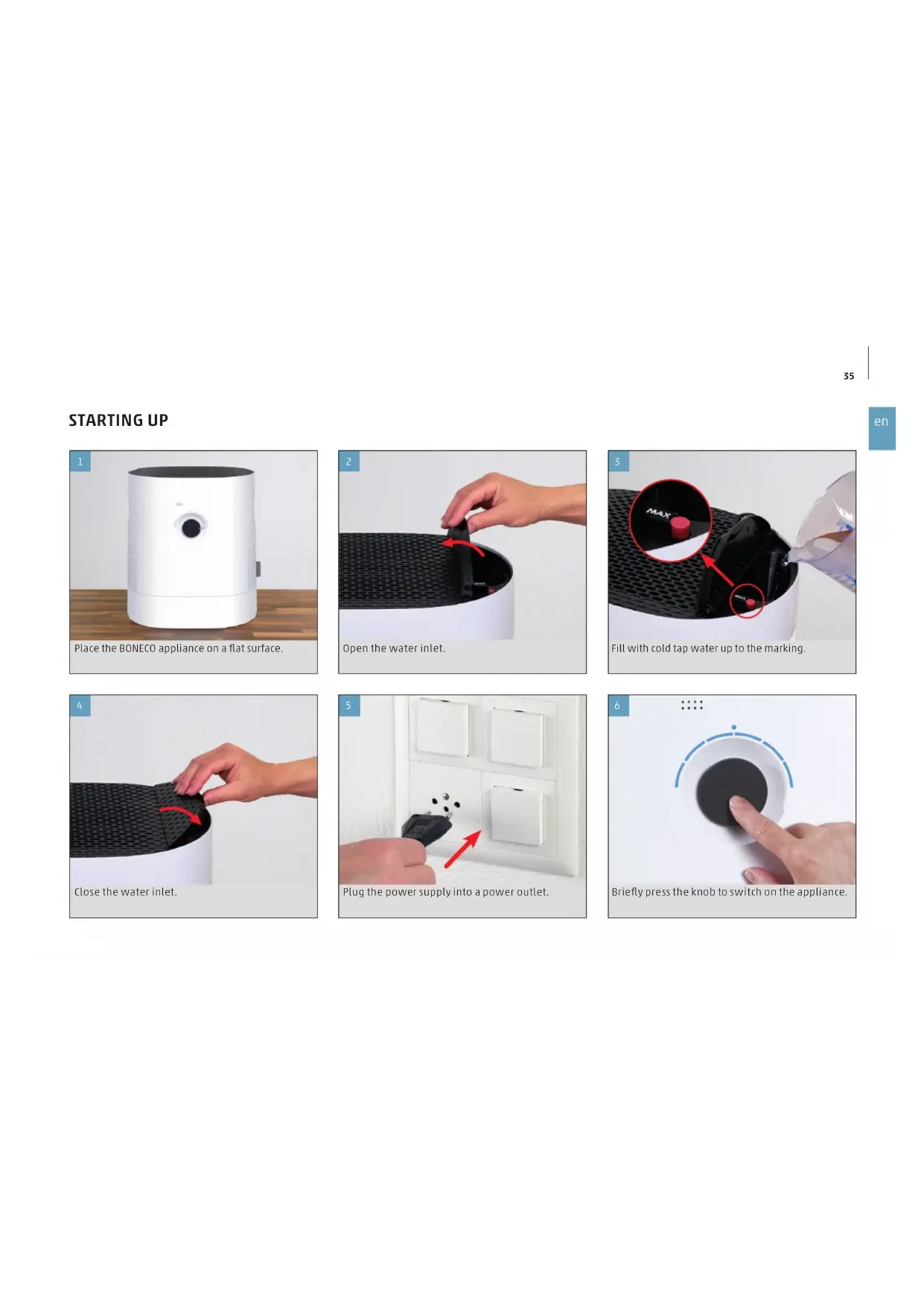
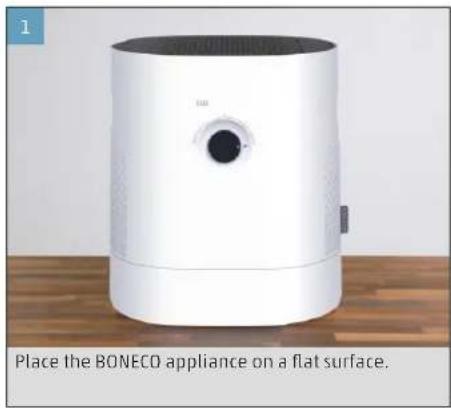
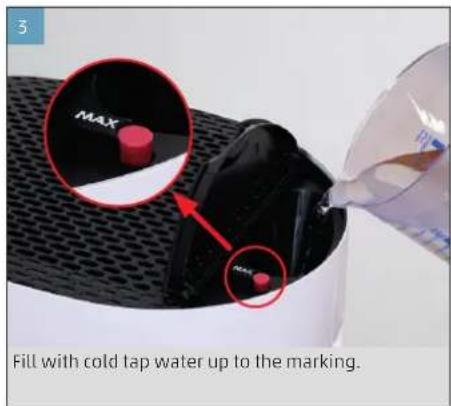
STARTING UP
natural_image
White BONECO air purifier device placed on a flat surface, no visible text or symbols on the device itself.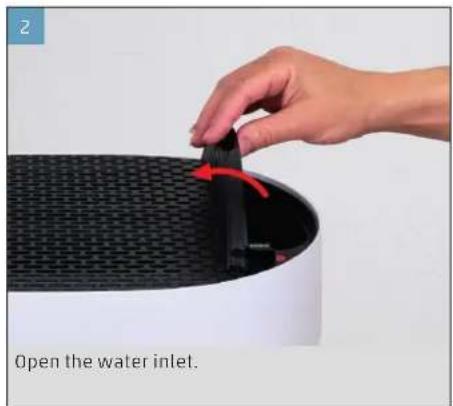
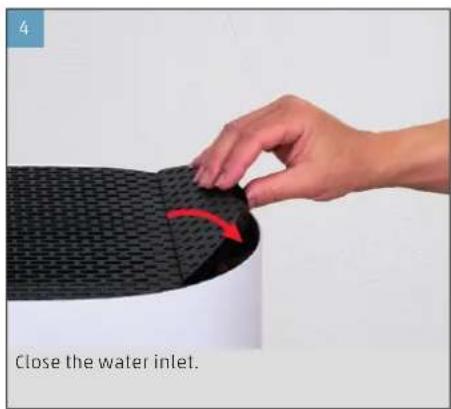
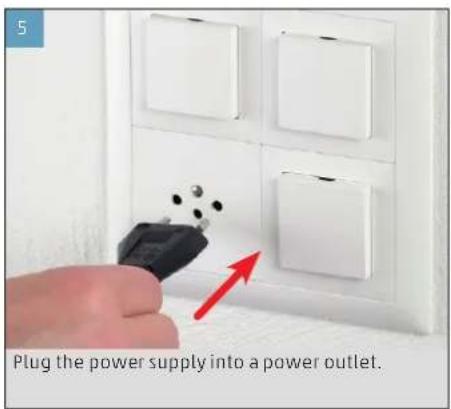
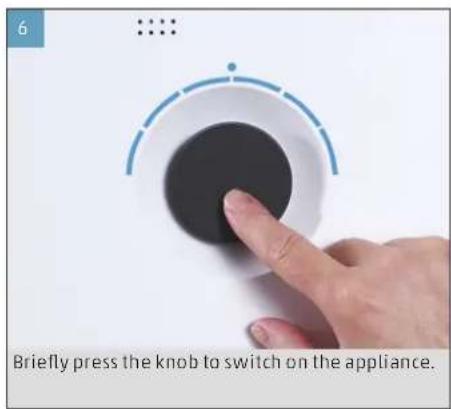
MANUAL HANDLING
ABOUT MANUAL HANDLING
Manual handling works conveniently by the knob on the front side. The BONECO app offers additional extensive options for control and automation of the BONECO appliance.
AUTO MODE
If you have never operated the BONECO appliance with the BONECO app and switch it on for the first time, it starts up in AUTO mode. The appliance is pre-set to a target relative humidity of 50 percent.
The performance level is automatically adapted to the current humidity: The drier the air, the higher the performance level.
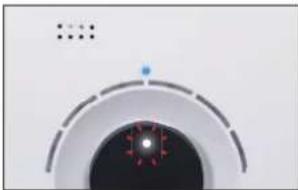
If the preset target humidity is exceeded by 2 per-cent, the appliance switches to standby mode, which is indicated by the pulsing LED:
natural_image
Close-up of a circular mechanical component with a central hub and mounting holes (no visible text or symbols)If the humidity drops below the set level, the BONE-CO appliance resumes operation.
ADAPTED AUTO MODE
If you have already operated the BONECO appliance with the BONECO app and set a different humidity, that value is automatically taken over when the appliance is switched on.
SWITCHING ON AND OFF
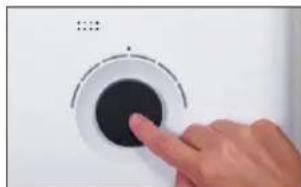
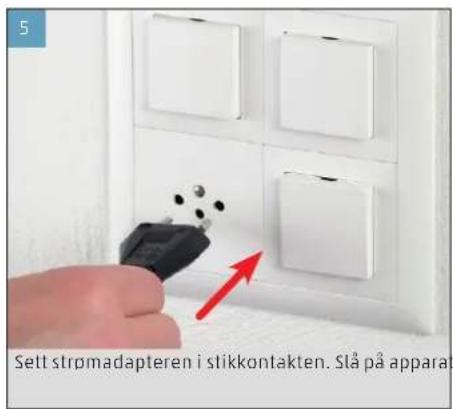
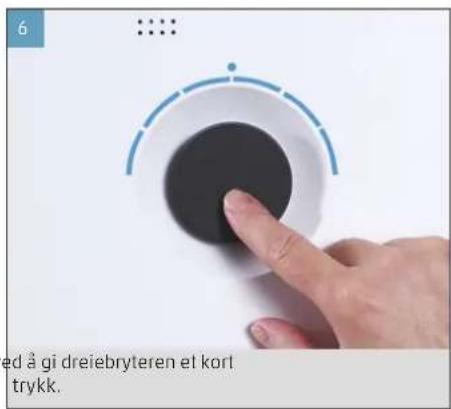
- Brief y press the knob once to switch on the BONECO appliance.
natural_image
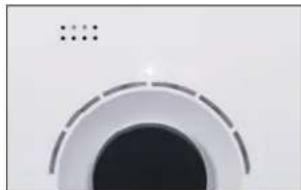
Hand pressing a black button on a white circular dial (no text or symbols visible)The appliance is always in AUTO mode when it is switched on. You can identify active AUTO mode by the small LED that lights up above the knob.
natural_image
Close-up of a circular mechanical component with a black center and dashed outer ring (no text or symbols visible)- To switch off the BONECO appliance while it is in AUTO mode, briefly press the output regulator once.
MANUAL CONTROL
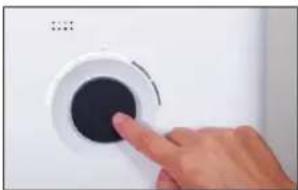
- Briefly press the knob once to switch on the BONECO appliance.
natural_image
Hand pressing a black button on a white circular device (no text or symbols visible)The appliance is always in AUTO mode when it is switched on.
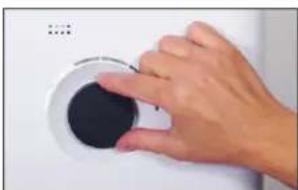
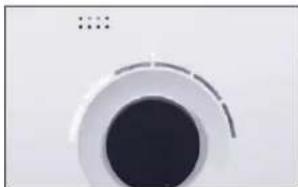
- Adjust the output to your needs by setting the knob to the desired level from 1 to 6. This action exits AUTO mode (AUTO LED is off).
natural_image
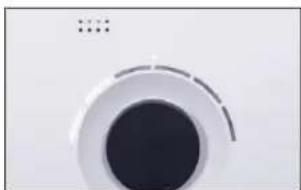
Hand pressing down on a white circular button with black center (no text or symbols visible)The selected performance level is indicated by the number of LEDs that light up above the knob.
natural_image
Close-up of a circular mechanical component with a black center and concentric rings (no visible text or symbols)-
Briefly press the knob once to exit manual mode and to reactivate AUTO mode.
-
Briefly press the knob once more to switch off the BONECO appliance.
If you exit AUTO mode, the BONECO appliance will continue at the selected performance level until the water base is empty, regardless of what the current level of humidity is.
THE BENEFITS OF THE BONECO APP
ABOUT THE BONECO APP
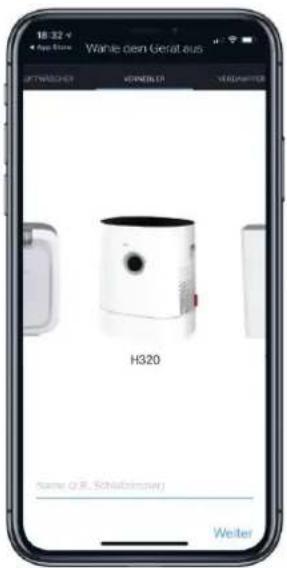
The "BONECO healthy air" app is used for enhanced control of the BONECO appliance and lets you take full advantage of its potential. The app includes functions such as a timer, a humidity preset and the option to switch between various programs. In addition, it provides reminders for the cleaning intervals, filter changes and other recurring tasks.
SCOPE OF SERVICES
| Programs Predefined settings for frequent situations | |
| "Baby" mode The appliance uses fan level 1 through 4 and increases the humidity to 60% | |
| "Sleep" mode The appliance uses fan level 1 only and increases the target humidity to 45% | |
| ON timer The appliance switches on after a set time | |
| OFF timer The appliance switches off after a set time | |
| Programs Predefined settings for frequent situations | |
| Hygrostat Defining the desired humidity | |
| Dimmer Setting the brightness of the status LED | |
| Weather Displays the current weather and outside temperature | |
| Filter change information Indicates when an AH320 pollen filter is used up | |
| A7017 Ionic Silver Stick® | Indicates when an A7017 Ionic Silver Stick® is used up information |
| Accessories and consumables Provides support in replacement orders and further information | |
DOWNLOAD
BONECO APP FOR IOS
Search the App Store for "BONECO healthy air" or scan the QR code below. Reading the QR code under iOS 10 or earlier requires installing a corresponding app. Under iOS 11 and later, the QR code is read automatically whenever you direct the camera at it.
Search the Google Play Store for "BONECO healthy air" or scan the QR code below. Reading the QR code requires installing a corresponding app on your device.





PAIRING WITH THE BONECO APPLIANCE
GETTING READY
Make sure that Bluetooth is activated on your smart phone. During pairing, make sure that the smartphone is in the same room as the BONECO appliance.
Once paired successfully, you can control the BONE CO appliance with your smartphone from the same room or even from an adjacent room. However, the maximum distance between smartphone and BONECO appliance depends on the specific structural conditions.
PAIRING
- Make sure that Bluetooth is activated on your smartphone.
- Start the BONECO app.
- Follow the instructions in the app.
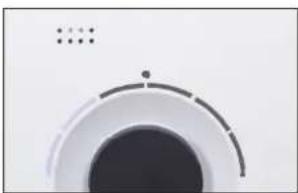
The BONECO appliance combines two functions.
- The AH320 pollen filter cleanses breathing air by removing pollen, household dust and fine particles.
- The AW200 evaporator mat humidifies the room air.
You achieve the best results when the BONECO appliance is humidifying and purifying the air at the same time. Nevertheless it is possible to use just one of the two functions.
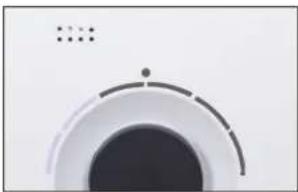
"HYBRID" LED OPERATING MODE
natural_image
Close-up of a circular mechanical component with concentric rings and a central hole (no text or symbols visible)HUMIDIFICATION ONLY ("HUMIDIFIER")
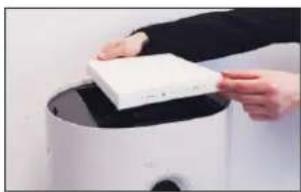
We recommend using the BONECO appliance with inserted AH320 pollen filter even in the winter because, aside from pollen, it also filters household dust out of the air. In order to operate the appliance without the AH320 pollen filter, simply remove the filter from its holder and use the BONECO app to switch to "Humidifier" mode.
natural_image
Person holding a white rectangular object on a cylindrical device (no visible text or symbols)If you remove the AH320 pollen filter, the maximum humidifier output rises from about 200 g/h (1.27 gal/day) to about 350 g/h (2.22 gal/day).
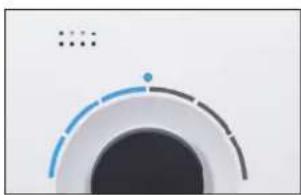
"HUMIDIFIER" LED OPERATING MODE
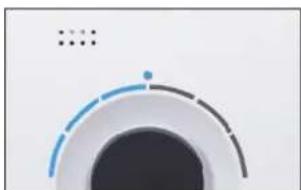
natural_image
Abstract circular graphic with gradient shading and dots (no text or symbols)AH320 POLLEN FILTER ONLY ("PURIFIER")
In summer, humidity is usually sufficient, but pollen gives people with allergies a difficult time. If you only want to use the purifying effect of the AH320 pollen filter, switch the BONECO appliance to "Purifier" operating mode using the BONECO app and remove the water and the drum from the appliance.
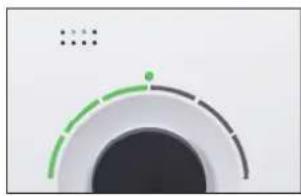
"PURIFIER" LED OPERATING MODE
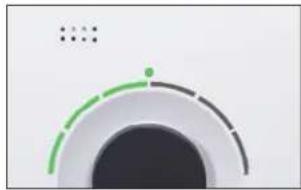
natural_image
Circular gauge or dial with green and black segments, no visible text or symbolsTHE VARIOUS COMFORT MODES
COMFORT MODES
There are three different comfort modes available in each of the three "Hybrid", "Air purification" and "Air humidification" operating modes: AUTO, SLEEP and BABY.
AUTO MODE
In AUTO mode, the BONECO appliance uses all of the fan levels between 1 and 5. The preset humidity is 50%.
SLEEP MODE
In SLEEP mode, the BONECO appliance can even be used in a bedroom at night. The appliance automatically operates at the lowest fan level of 1 to keep the operating noise level to a minimum. The preset humidity is 45%.
BABY MODE
The BABY mode uses fan levels 1 through 4 and in - creases the humidity to 60% . This value is ideal for use in a nursery or baby's room since higher humidity is recommended for babies and small children. The fan also operates quietly enough that it will not trigger a baby monitor.
USING FRAGRANCES
BASICS
Commercially available fragrances and essential oils can be inserted into the fragrance container on the rear side.
Never mix any additives into the water base itself, since doing so can decrease the performance of the BONECO appliance and even cause damage. Such damage is not covered by the warranty.
The fragrance container can be cleaned in the dishwasher. However, the temperature may not exceed 50 °C (122 °F).
ADDING FRAGRANCES
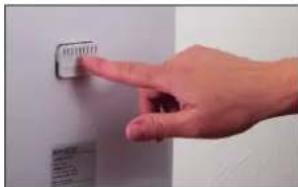
- Press down on the fragrance container to take out the drawer.
- Sprinkle the felt insert in the drawer with the fragrance of your choice.
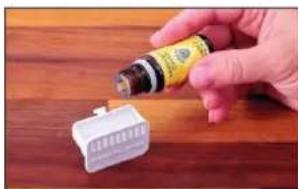
natural_image
Hand pouring liquid into a battery on a wooden surface (no text or symbols visible)NOTES ON CLEANING
ABOUT CLEANING
Regular maintenance and cleaning are necessary for trouble-free and hygienic operation.
Recommended cleaning and maintenance intervals vary depending on air quality, water quality and operating time.
A soft cloth, dish detergent and a scrub brush are recommended for cleaning by hand.

Always unplug the BONECO appliance from the power outlet before you begin cleaning.
Failure to do so can result in electric shock and fatal injury!

If you clean the drum and the water base in the dishwasher, a temperature of 50 °C (122 °F)
may not be exceeded, as temperatures higher than this can cause the plastic parts to deform.
RECOMMENDED CLEANING INTERVALS
| Interval Action | |
| After the third day without operation Empty water base and fill with fresh water | |
| Every 2 weeks Clean water base, drum and AW200 evaporator mat | |
| Clean the pre-filter | |
| Annually Replacing the A7017 Ionic Silver Stick® | |
| Replacing the AH320 pollen filter | |
| Clean the fan and the inner area of the appliance | |
CLEANING IN THE DISHWASHER
PARTS NOT PERMITTED

The following parts cannot be cleaned in the dishwasher.
• Central part with filter cover
- AW200 evaporator mat
- AH320 pollen filter
WATER BASE AND DRUM
- Take off the upper part of the BONECO appliance.
- Remove the drum with the AW200 evaporator mat.
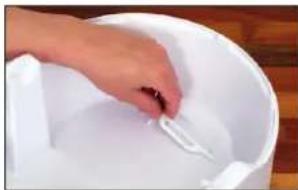
- Take out the A7017 Ionic Silver Stick ^4 .
natural_image
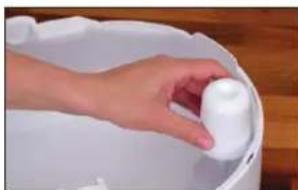
Hand placing a white object into a white container on a wooden surface (no text or symbols visible)- Remove the float gage.
natural_image
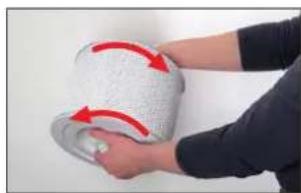
Hand holding a white plastic object in a white basin (no text or symbols visible)- Twist both drum discs to release them. When doing so, note the markings on the outer side of the disc.
natural_image
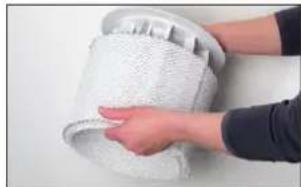
Person holding a rolled-up white object with red arrows indicating rotation (no text or symbols visible)- Remove the AW200 evaporator mat from the drum.
natural_image
Close-up of a hand cleaning a white textured surface with a circular object on top (no text or symbols visible)- With the exception of the central part, the AW320 pollen filter and the AW200 evaporator mat, clean all of the parts either by hand or in the dishwasher at a max. temperature of 50 °C (122 °F).
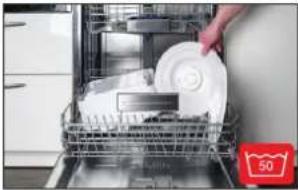
natural_image
Interior view of a kitchen appliance with a hand placing a white plate into a rack (no visible text or symbols)CLEAN THE PRE-FILTER
ABOUT THE PRE-FILTER
The pre-filter cleans the air from coarse contaminants. Clean the pre-filter if it is dusty or dirty.
CLEAN THE PRE-FILTER
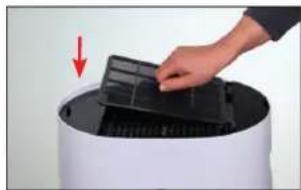
- Press down on the left edge of the cover to unlock it.
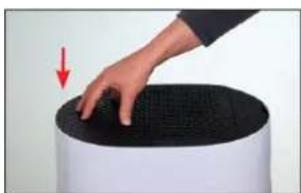
natural_image
Hand pressing down on a black textured surface next to a white cylindrical object (no text or symbols visible)- Remove the pre-filter by pulling it upwards by the lug in its center.
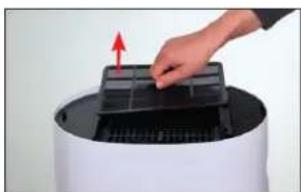
natural_image
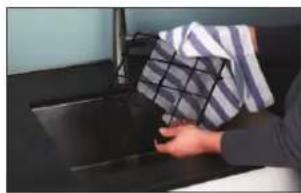
Hand placing a grid into a device component with an arrow indicating the direction (no text or symbols visible)- Wash the pre-filter under running water using a cleaning brush.
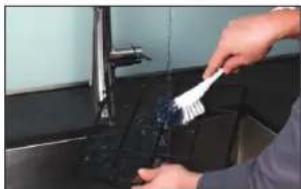
natural_image
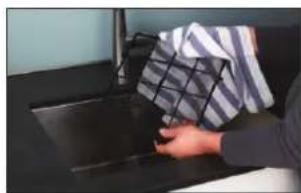
Person cleaning a kitchen sink with a brush (no visible text or symbols)- Dry the pre-filter with a cloth.
natural_image
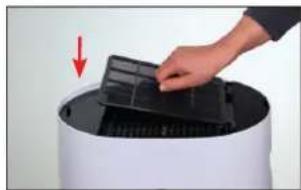
Person holding a box over a dark surface, no visible text or symbols- Insert the pre-filter into the appliance.
natural_image
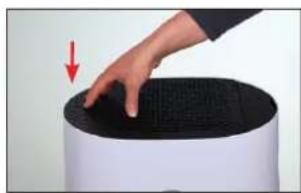
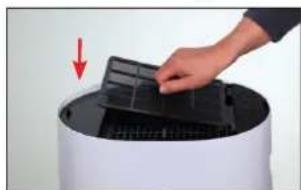
Hand placing a black plastic tray onto a cylindrical device with a red arrow indicating motion (no text or symbols visible)- Attach the cover and press down on the left edge to lock it.
natural_image
Hand pressing down on a black textured surface with a red arrow indicating the motion (no text or symbols visible)CLEAN THE AW200 EVAPORATOR MAT
ABOUT THE AW200 EVAPORATOR MAT
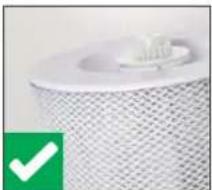
In the case of heavy contamination, limescale build-up or odor formation, the AW200 evaporator mat can be cleaned either by hand or in the washing machine.
When stretching the AW200 evaporator mat on the drum after cleaning, take note of correct position - ing:
natural_image
Close-up of a white textured cylindrical object with a small white object on top, next to a green checkmark (no text or symbols visible)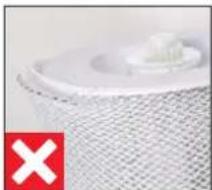
natural_image
Close-up of a white plastic component with a red 'X' symbol in the corner (no text or symbols on the object itself)CLEANING IN THE WASHING MACHINE
The AW200 evaporator mat can be cleaned in the washing machine. Commercially available detergents can be used. We recommend putting the AW200 evaporator mat into a laundry bag or washing it separately because it will collect loose fibers from other pieces of laundry otherwise.
The AW200 evaporator mat must not be washed at a temperature higher than 40 °C (104 °F).
Do not dry the AW200 evaporator mat in the clothes dryer.
CLEANING BY HAND
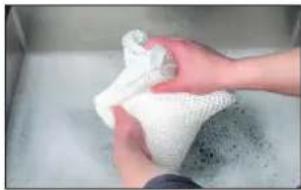
- Add a little detergent to warm water and tumble the AW200 evaporator mat in it thoroughly to get dish detergent on all of it.
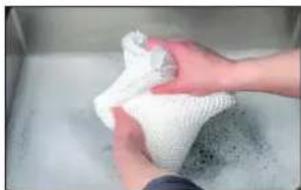
natural_image
Close-up of hands washing white cloth or towel in a metal bowl (no text or symbols visible)- Rinse out the AW200 evaporator mat repeatedly in clean, hand-warm water until suds no longer form.
REPLACING THE ACCESSORIES
REPLACING THE A7017 IONIC SILVER STICK®
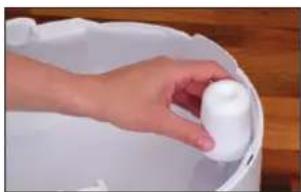
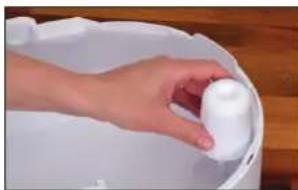
The A7017 Ionic Silver Stick ^* uses the antimicrobial effect of silver for a significant improvement of water hygiene. It is effective as soon as water comes into contact with it – even if the BONECO appliance is switched off.
Replace the A7017 Ionic Silver Stick ^™ annually to guarantee antimicrobial effectiveness.
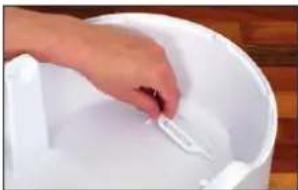
natural_image
Close-up of a hand placing a white plastic object into a white bucket on a wooden surface (no text or symbols visible)The used A7017 Ionic Silver Stick® can be thrown out with your regular household waste.
You can obtain a replacement for your used A7017 Ionic Silver Stick ^™ from your BONECO reseller, from the BONECO online store at the address below or directly through the BONECO app you use to control the BONECO appliance:
www.shop.boneco.com
REPLACING THE AH320 POLLEN FILTER
The AH320 pollen filter cannot be cleaned.
- Dirt is normal and shows that the AH320 pollen filter is working.
- Replace the AH320 pollen filter once a year to maintain the cleaning performance.
- The used AH320 filter can be disposed of with your regular household waste.
You can obtain a replacement for your used AH320 pollen filter from your BONECO reseller, at the address below address below or directly through the BONECO app you use to control the BONECO appliance:
www.shop.boneco.com
MALFUNCTIONS AND TROUBLESHOOTING
Problem Possible cause Action
| Air has an unpleasant odor | Stagnant water in the water base | Drain the water base and clean the appliance and the AW200 evaporator mat |
| No improvement in air quality | Open windows or doors | Close windows and doors |
| AUTO LED on the appliance flashes red The water base is empty Fill the water base | ||
| Appliance cannot be operated in the app. The message "Searching ..." "Cannot be found" appears | Appliance is blocked by another smartphone Close the app on the second smartphone | |
| AUTO LED pulses | The desired humidity has been reached or exceeded | None needed |
| Current display flashes if operation is at - tempted | Operation is blocked Disable the LOCK function in the app | |
| Display remains dark The brightness of the LEDs has been heavily reduced in the app | Increase the brightness of the LEDs in the app | |
FACTORY DEFAULT SETTINGS
ABOUT THE FACTORY DEFAULT SETTINGS
If your BONECO appliance control system is not functioning the way you are expecting, or if you would like to delete all adjustments, you can reset the appliance to the factory settings. This deletes all adjustments and settings.

After the reset, the BONECO appliance has to be paired with the smartphone again so that
the control system can continue working with the app (see page 40).
RESETTING THE APPLIANCE
Reset your BONECO appliance to the factory settings by pressing and holding the black button on the appliance for approx. 30 seconds until the LEDs light up in red. Now the BONECO appliance is in the same state as when it was first started.

MODE D'EMPLOI
SOMMAIRE
natural_image
Close-up of a circular mechanical component with a red starburst and dotted pattern (no text or symbols)natural_image
Hand pressing a black button on a white surface, no text or symbols visiblenatural_image
Close-up of a white circular object with a black center and dotted top (no text or symbols visible)natural_image
Hand pressing a black circular button on a white appliance (no text or symbols visible)natural_image
Hand pressing down on a circular button (no text or symbols visible)natural_image
Close-up of a circular mechanical component with a black center and a dashed line, no visible text or symbols.natural_image
Close-up of a circular mechanical component with concentric rings and a small dot, no visible text or symbols.HUMIDIFICATION SEULEMENT (« HUMIDIFIER »)
natural_image
Person holding a white rectangular object on a cylindrical device (no visible text or symbols)natural_image
Abstract circular graphic with segmented arcs and a dot, no text or symbols presentnatural_image
Circular gauge or dial indicator with green and black segments, no visible text or symbolsLES DIFFÉRENTS MODES
LES MODES
natural_image
Hand pointing at a wall-mounted button (no visible text or symbols)natural_image
Hand pouring liquid into a white plastic container on a wooden surface (no text or symbols visible)PRÉCISIONS CONCERNANT LE NETTOYAGE
INFORMATIONS CONCERNANT LE NETTOYAGE
natural_image
Hand placing a white plastic clip into a white bucket on a wooden surface (no text or symbols visible)natural_image
Hand placing a white plastic object into a white bucket on a wooden surface (no text or symbols visible)natural_image
Person holding a white textured roller with red directional arrows indicating motion (no text or symbols)natural_image
Close-up of hands handling a white mesh material on a surface (no text or symbols visible)natural_image
Interior view of a kitchen appliance with a hand placing a white plate into the rack (no visible text or symbols)NETTOYAGE DU PRÉFILTRE
INFORMATIONS CONCERNANT LE PRÉFILTRE
natural_image
Hand pressing down on a black textured surface next to a white cylindrical object (no text or symbols visible)natural_image
Hand placing a grid into a device component with an arrow indicating the direction (no text or symbols visible)natural_image
Person cleaning a kitchen sink with a brush (no visible text or symbols)natural_image
Person holding a box over a dark surface, no visible text or symbolsnatural_image
Hand placing a black plastic tray onto a cylindrical device with a red arrow indicating motion (no text or symbols visible)natural_image
Hand pressing down on a black textured surface with a red arrow indicating the motion (no text or symbols visible)NETTOYAGE DU TAPIS D'ÉVAPORATION AW200
INFORMATIONS CONCERNANT LE TAPIS D'ÉVAPORATION AW200
natural_image
Close-up of a white textured cylindrical object with a small white object on top, next to a green checkmark (no text or symbols visible)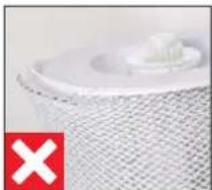
natural_image
Close-up of a white plastic component with a red 'X' symbol in the corner (no text or symbols on the object itself)NETTOYAGE AU LAVE-LINGE
natural_image
Close-up of hands washing a white cloth over a surface (no text or symbols visible)REPLACEMENT DES ACCESSOIRES
REMPLACER L'IONIC SILVER STICK® A7017
natural_image
Hand placing a small white object into a white bucket on a wooden surface (no text or symbols visible)natural_image
Illustration of a white cylindrical device with a circular top and side panel (no text or symbols)BONECO H320
natural_image
Simple line drawing of a folded document with a speech bubble containing an eye (no text or symbols)natural_image
Simple line drawing of a document with a speech bubble containing an exclamation mark (no text or symbols present)
natural_image
Simple line drawing of a plug connected to a cord and cable (no text or symbols)8 Ionic Silver Stick® A7017
natural_image
Close-up of a circular mechanical component with a red starburst and dotted line (no text or symbols)natural_image
Hand pressing a black button on a white circular dial (no text or symbols visible)natural_image
Close-up of a circular mechanical component with a black center and dashed outer ring (no text or symbols visible)natural_image
Hand pressing a black button on a white circular device (no text or symbols visible)natural_image
Close-up of a circular mechanical component with a black center and a dashed arc, no visible text or symbols.LED MODALITÀ "HYBRID"
natural_image
Abstract circular graphic with concentric rings and a dot, no text or symbols presentSOLO UMIDIFICAZIONE ("HUMIDIFIER")
natural_image
Person holding a white rectangular object on a cylindrical device (no visible text or symbols)LED MODALITÀ "HUMIDIFIER"
natural_image
Abstract circular graphic with segmented arcs and a dot, no text or symbols presentSOLO FILTRO ANTIPOLLINE AH320 ("PURIFIER")
LED MODALITÀ "PURIFIER"
natural_image
Abstract circular graphic with green and black segments, no text or symbols presentLE DIVERSE MODALITÀ
LE MODALITÀ
natural_image
Hand pointing at a wall-mounted control panel (no visible text or symbols)natural_image
Hand holding a small electronic device with a yellow label, next to a white connector on a wooden surface (no visible text or symbols)AVVERTENZE PER LA PULIZIA
natural_image
Hand placing a white plastic object into a white bucket on a wooden surface (no text or symbols visible)natural_image
Hand placing a white plastic object into a white bucket on a wooden surface (no text or symbols visible)natural_image
Person holding a white textured roller with red directional arrows indicating motion (no text or symbols)natural_image
Close-up of hands handling a white mesh material on a surface (no text or symbols visible)natural_image
Interior view of a kitchen appliance with a hand placing a white plate into the tray (no visible text or symbols)PULIRE IL PREFILTRO
INFORMAZIONI SUL PREFILTRO
natural_image
Hand pressing down on a black textured surface next to a white cylindrical object (no text or symbols visible)natural_image
Hand placing a grid into a device component with an arrow indicating rotation (no text or symbols visible)natural_image
Person cleaning a kitchen sink with a brush (no visible text or symbols)natural_image
Person holding a box over a dark surface, no visible text or symbolsnatural_image
Hand placing a black plastic tray onto a cylindrical device with a red arrow indicating motion (no text or symbols visible)natural_image
Hand pressing down on a black textured surface with a red arrow indicating the motion (no text or symbols visible)PULIRE IL FELTRO PER EVAPORATORE AW200
INFORMAZIONI SUL FELTRO PER EVAPORATORE AW200
natural_image
Close-up of a white textured cylindrical object with a small white object on top, next to a green checkmark (no text or symbols visible)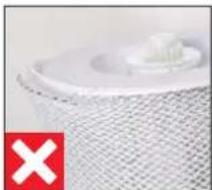
natural_image
Close-up of a white plastic component with a red 'X' symbol in the corner (no text or symbols on the object itself)PULIZIA IN LAVATRICE
natural_image
Close-up of hands washing a white cloth over a surface (no text or symbols visible)natural_image
Hand placing a white plastic object into a white bucket on a wooden surface (no text or symbols visible)natural_image
Close-up of a circular mechanical component with a central blue dot and red dashed lines, no visible text or symbols.natural_image
Hand pressing a black button on a white circular dial (no text or symbols visible)natural_image
Close-up of a circular mechanical component with a black center and dashed outer ring (no text or symbols visible)natural_image
Hand pressing a black button on a white appliance (no visible text or symbols)natural_image
Hand pressing down on a circular button (no text or symbols visible)natural_image
Close-up of a circular mechanical component with a black center and white outer ring, no visible text or symbols.KOPPELING MET HET BONECO-APPARAAT
VOORBEREIDINGEN
natural_image
Abstract circular graphic with concentric rings and a dot, no text or symbols presentALLEEN BEVOCHTIGEN ("HUMIDIFIER")
natural_image
Person holding a white rectangular object on a cylindrical device (no visible text or symbols)natural_image
Abstract circular graphic with gradient lines and a dot, no text or symbols presentALLEEN POLLENFILTER AH320 ("PURIFIER")
natural_image
Abstract circular graphic with green and gray segments, no text or symbols presentnatural_image
Hand pointing at a wall-mounted button (no visible text or symbols)natural_image
Hand holding a small electronic component next to a white plastic housing on a wooden surface (no visible text or symbols)REINIGINGSINSTRUCTIES
OVER DE REINIGING
natural_image
Hand placing a white plastic clip into a white bucket on a wooden surface (no text or symbols visible)natural_image
Hand placing a white plastic object into a white bucket on a wooden surface (no text or symbols visible)natural_image
Person holding a white textured roller with red arrows indicating rotation (no text or symbols visible)natural_image
Close-up of hands handling a white mesh material on a surface (no text or symbols visible)natural_image
Interior view of a kitchen appliance with a hand placing a white plate into the sink (no visible text or symbols)VOORFILTER REINIGEN
OVER HET VOORFILTER
natural_image
Hand pressing down on a black textured surface next to a white cylindrical object (no text or symbols visible)natural_image
Hand placing a grid into a device component with an arrow indicating rotation (no text or symbols visible)natural_image
Person cleaning a kitchen sink with a brush (no visible text or symbols)natural_image
Person holding a box over a dark surface, no visible text or symbolsnatural_image
Hand placing a black plastic tray onto a cylindrical device with a red arrow indicating motion (no text or symbols visible)natural_image
Hand pressing down on a black textured surface with a red arrow indicating the motion (no text or symbols visible)VERDAMPERMAT AW200 REINIGEN
OVER DE VERDAMPERMAT AW200
natural_image
Close-up of a white cylindrical object with a textured surface and a small protrusion, next to a green checkmark (no text or symbols visible)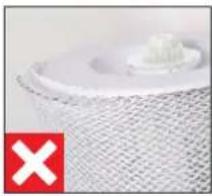
natural_image
Close-up of a white textured surface with a small protrusion and a red 'X' symbol in the corner (no readable text or symbols)REINIGING IN DE WASMACHINE
natural_image
Close-up of hands cleaning a white cloth or towel over a surface (no text or symbols visible)natural_image
Hand placing a small object into a white bucket on a wooden surface (no text or symbols visible)natural_image
Illustration of a white cylindrical device with a circular top and side panel (no text or symbols)BONECO H320
natural_image
Simple line drawing of a folded document with a speech bubble containing an eye (no text or symbols)natural_image
Simple line drawing of a document with an exclamation mark (no text or symbols)
natural_image
Simple line drawing of a plug connected to a cord and cable (no text or symbols)natural_image
Close-up of a circular mechanical component with a central dark area and red starburst pattern (no text or symbols)natural_image
Hand pressing a black button on a white circular dial (no text or symbols visible)natural_image
Close-up of a white circular object with a black center and dotted lines, resembling a stylized camera or button (no text or symbols visible)natural_image
Hand pressing a black button on a white appliance (no visible text or symbols)natural_image
Close-up of a circular mechanical component with a black center and a dashed outline (no visible text or symbols)natural_image
Close-up of a circular mechanical component with concentric rings and a small dot, no visible text or symbols.natural_image
Abstract circular graphic with gradient shading and dots (no text or symbols)SOLO FILTRO DE POLEN AH320 ("PURIFIER")
natural_image
Circular gauge or dial with green and black segments, no visible text or symbolsLOS DISTINTOS MODOS
MODOS
natural_image
Hand pressing a button on a wall, no visible text or symbolsnatural_image
Hand holding a small electronic component next to a white plastic housing on a wooden surface (no visible text or symbols)INSTRUCCIONES DE LIMPIEZA
ACERCA DE LA LIMPIEZA
natural_image
Hand placing a small white object into a white bucket on a wooden surface (no text or symbols visible)natural_image
Hand holding a white cylindrical object inside a white container (no text or symbols visible)natural_image
Person holding a white textured roller with red arrows indicating rotation (no text or symbols visible)natural_image
Close-up of hands holding a white textured object, possibly a cloth or fabric item (no visible text or symbols)natural_image
Interior view of a kitchen appliance with a hand placing a white plate into the sink (no visible text or symbols)LIMPIEZA DEL FILTRO PREVIO
ACERCA DEL FILTRO PREVIO
natural_image
Close-up of a white textured cylindrical object with a small white object on top, next to a green checkmark (no text or symbols visible)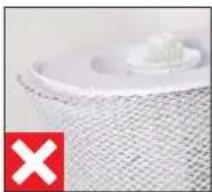
natural_image
Close-up of a textured surface with a small white object and a red 'X' symbol in the corner (no readable text or symbols)LIMPIEZA EN LA LAVADORA
natural_image
Close-up of hands washing a white cloth over a surface (no text or symbols visible)natural_image
Hand placing a white plastic clip into a white bucket on a wooden surface (no text or symbols visible)natural_image
Illustration of a white cylindrical device with a circular top and side panel (no text or symbols)BONECO H320
natural_image
Simple line drawing of a folded document with a speech bubble containing an eye (no text or symbols)natural_image
Simple line drawing of a document with an exclamation mark (no text or symbols present)
natural_image
Simple line drawing of a plug connected to a cord and cable (no text or symbols)natural_image
Close-up of a circular mechanical component with a central spike and dotted pattern (no text or symbols)natural_image
Hand pressing a black button on a white circular dial (no text or symbols visible)natural_image
Close-up of a circular mechanical component with a black center and dotted top (no visible text or symbols)natural_image
Hand pressing a black button on a white circular device (no text or symbols visible)natural_image
Hand pressing down on a circular button (no text or symbols visible)natural_image
Close-up of a circular mechanical component with a black center and a small dot on top (no visible text or symbols)natural_image
Abstract circular graphic with concentric rings and a dot, no text or symbols presentnatural_image
Person holding a white rectangular object over a white cylindrical device (no visible text or symbols)natural_image
Abstract circular graphic with segmented arcs and a central dot (no text or symbols)SÓ FILTRO DE PÓLEN AH320 ("PURIFIER")
natural_image
Abstract circular graphic with green and black segments, no text or symbols presentOS DIFERENTES MODOS
OS MODOS
natural_image
Hand pressing a button on a wall, no visible text or symbolsnatural_image
Hand holding a small electronic component next to a white plastic connector on a wooden surface (no visible text or symbols)INSTRUÇÕES DE LIMPEZA
SOBRE A LIMPEZA
natural_image
Hand placing a white object into a white container on a wooden surface (no text or symbols visible)- Retire o flutuador.
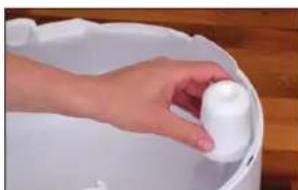
natural_image
Hand holding a white cylindrical object inside a white bucket on a wooden surface (no text or symbols visible)natural_image
Person holding a rolled-up white object with red arrows indicating rotation (no text or symbols visible)natural_image
Close-up of a hand holding a white textured object, possibly a cloth or fabric item, with no visible text or symbols.natural_image
Interior view of a kitchen appliance with a hand placing a white plate into a rack (no visible text or symbols)LIMPAR O PRÉ-FILTRO
SOBRE O PRÉ-FILTRO
O pré-filtro liberta o ar de partículas de sujidade grosseiras. Limpe o pré-filtro se este apresentar pó ou sujidade.
LIMPAR O PRÉ-FILTRO
natural_image
Hand pressing down on a black textured surface next to a white cylindrical object (no text or symbols visible)natural_image
Hand placing a grid into a device component with an arrow indicating rotation (no text or symbols visible)natural_image
Person cleaning a kitchen sink with a brush (no visible text or symbols)natural_image
Person holding a plastic bag over a dark surface, no visible text or symbolsnatural_image
Hand placing a black plastic tray onto a white cylindrical device with a red arrow indicating motion (no text or symbols visible)natural_image
Hand pressing down on a black textured surface with a red arrow indicating the motion (no text or symbols visible)natural_image
Close-up of a white textured cylindrical object with a small protrusion, no visible text or symbols.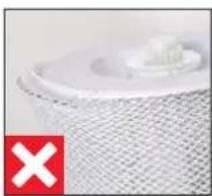
natural_image
Close-up of a white plastic component with a red 'X' symbol in the corner (no text or symbols on the object itself)LIMPEZA NA MÁQUINA DE LAVAR ROUPA
natural_image
Close-up of hands washing a white cloth over a surface (no text or symbols visible)natural_image
Hand placing a small object into a white basin on a wooden surface (no text or symbols visible)MANUÁLIS ÜZEMELTETÉS
A MANUÁLIS ÜZEMELTETÉSRÓL
natural_image
Close-up of a circular mechanical component with a red starburst and dotted pattern (no text or symbols)natural_image
Hand pressing a black button on a white surface, no text or symbols visiblenatural_image
Close-up of a circular mechanical component with a black center and dashed outer ring (no text or symbols visible)natural_image
Hand pressing a black button on a white appliance (no visible text or symbols)natural_image
Close-up of a circular mechanical component with a black center and dotted lines indicating measurement or alignment (no text or symbols visible)natural_image
Abstract circular graphic with concentric rings and a dot, no text or symbols presentnatural_image
Person holding a white rectangular object on a cylindrical device (no visible text or symbols)natural_image
Abstract circular graphic with blue and gray segments, no text or symbols presentCSAK AH320 POLLENSZÜRÖ ("PURIFIER")
natural_image
Circular gauge or dial with green and gray segments, no visible text or symbolsA KÜLÖNBÖZŐ MÓDOK
A MÓDOK
natural_image
Hand pointing at a wall-mounted button (no visible text or symbols)natural_image
Hand holding a small electronic component next to a white plastic connector on a wooden surface (no visible text or symbols)TISZTÍTÁSI ÚTMUTATÓ
A TISZTÍTÁSRÓL
natural_image
Hand placing a white object into a white bucket on a wooden surface (no text or symbols visible)- Vegye ki az úszót.
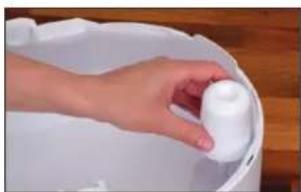
natural_image
Hand holding a white plastic container with a wooden background (no text or symbols visible)natural_image
Person holding a white textured roller with red arrows indicating rotation (no text or symbols visible)natural_image
Close-up of a hand holding a white textured object, possibly a bag or towel, with no visible text or symbols.natural_image
Interior view of a kitchen appliance with a hand placing a white plate into the sink (no visible text or symbols)natural_image
Hand pressing down on a black textured surface next to a white cylindrical object (no text or symbols visible)natural_image
Hand placing a grid into a device component with an arrow indicating rotation (no text or symbols visible)natural_image
Person cleaning a kitchen sink with a brush (no visible text or symbols)natural_image
Person holding a plastic bag over a dark surface, no visible text or symbolsnatural_image
Hand placing a black plastic tray onto a white cylindrical device with a red arrow indicating motion (no text or symbols visible)natural_image
Hand pressing down on a black textured surface with a red arrow indicating the motion (no text or symbols visible)natural_image
Close-up of a white textured cylindrical object with a small white object on top, no visible text or symbols.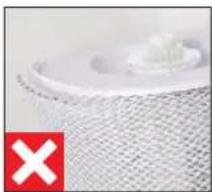
natural_image
Close-up of a textured surface with a small white object and a red 'X' symbol in the corner (no readable text or symbols)natural_image
Close-up of hands cleaning a white cloth or towel over a surface (no text or symbols visible)natural_image
Hand placing a white plastic object into a white bucket on a wooden surface (no text or symbols visible)natural_image
Close-up of a circular mechanical component with a central hub and red starburst pattern (no text or symbols visible)natural_image
Hand pressing a black button on a white circular device (no text or symbols visible)natural_image
Close-up of a circular mechanical component with a black center and dotted top (no visible text or symbols)natural_image
Hand pressing a black button on a white circular device (no text or symbols visible)natural_image
Close-up of a circular mechanical component with a black center and a dashed outline (no visible text or symbols)TO ZAPEWNIA APLIKACJA BONECO
O APLIKACJI BONECO
HYBRYDOWY SPOSÓB PRACY ("HYBRID")
natural_image
Close-up of a circular mechanical component with a central hole and dotted line indicator (no text or symbols)TYLKO NAWILŻANIE ("HUMIDIFIER" (NAWILŻANIE))
natural_image
Person holding a white rectangular object on a cylindrical device (no visible text or symbols)natural_image
Abstract circular graphic with segmented arcs and dots, no text or symbols presentTYLKO FILTR PRZECIWPYŁKOWY AH320 ("PURIFIER")
natural_image
Circular gauge or dial indicator with green and black segments, no visible text or symbolsRÓŻNE TRYBY
TRYBY
natural_image
Hand pointing at a wall-mounted button (no visible text or symbols)natural_image
Hand holding a small electronic component next to a white connector on a wooden surface (no visible text or symbols)natural_image
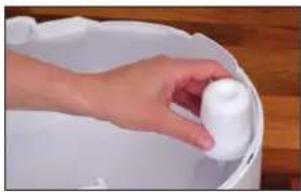
Hand placing a white plastic clip into a white bucket on a wooden surface (no text or symbols visible)- Zdemontuj pływak.
natural_image
Hand holding a white plastic container over a white cylindrical container, placed on a wooden surface (no text or symbols visible)natural_image
Person holding a white textured roller with red directional arrows indicating rotation (no text or symbols)natural_image
Close-up of hands handling a white mesh material on a surface (no text or symbols visible)natural_image
Interior view of a kitchen appliance with a hand placing a white plate into the sink (no visible text or symbols)CZYSZCZENIE FILTRA WSTĘPNEGO
O FILTRZE WSTĘPNYM
natural_image
Hand pressing down on a black textured surface with a red arrow indicating the motion (no text or symbols)natural_image
Hand placing a black plastic tray into a white cylindrical device with a red arrow indicating motion (no text or symbols visible)natural_image
Person cleaning a kitchen sink with a brush (no visible text or symbols)natural_image
Person holding a box over a dark surface, no visible text or symbolsnatural_image
Hand placing a black plastic tray into a white cylindrical device with a red arrow indicating motion (no text or symbols visible)natural_image
Hand pressing down on a black textured surface with a red arrow indicating the motion (no text or symbols visible)CZYSZCZENIE MATY NAWILŻAJĄCEJ AW200
INFORMACJE NA TEMAT MATY NAWILŻAJĄCEJ AW200
natural_image
Close-up of a white plastic filter or cover with a green checkmark icon (no text or symbols on the filter itself)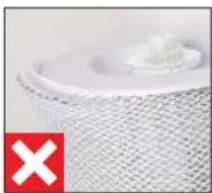
natural_image
Close-up of a textured white object with a small protrusion, marked by a red 'X' symbol (no text or symbols on the object itself)PRANIE MATY W PRALCE
natural_image
Close-up of hands cleaning a white cloth or towel over a surface (no text or symbols visible)natural_image
Hand placing a white object into a white container on a wooden surface (no text or symbols visible)INNEHÅLLSFÖRTECKNING
ÖVERSIKT OCH DELARNAS NAMN
1 Täckkåpa/Luftintag
2 Förfliter
3 Pollenfi lter AH320
4 Öppning hygrostat
5 På/Av, vred
6 Luftutlopp
7 Doftbehållare
8 Ionic Silver Stick* A7017
9 Vattenkar®
10 Flottör*
11 Trumma ^3x
12 Avdunstarmatta AW200**
natural_image
Hand placing a black plastic component into a white cylindrical container with a mesh pattern (no text or symbols visible)
natural_image
Close-up of a circular mechanical component with a red starburst pattern and a blue dot, no visible text or symbols.natural_image
Hand pressing a black button on a white circular dial (no text or symbols visible)natural_image
Close-up of a camera lens with no visible text or symbolsnatural_image
Hand pressing a black button on a white circular device (no text or symbols visible)natural_image
Hand pressing down on a circular button (no text or symbols visible)natural_image
Close-up of a circular mechanical component with a black center and white outer ring, no visible text or symbols.KOPPLA IHOP BONECO-APPARAT OCH TELEFON
FÖRBEREDELSER
natural_image
Abstract circular graphic with concentric rings and a dot, no text or symbols presentENBART LUFTFUKTNING ("HUMIDIFIER" (LUFTFUKTNING))
natural_image
Person holding a white rectangular object on a cylindrical device (no visible text or symbols)natural_image
Abstract circular graphic with segmented arcs and a dot, no text or symbols presentENDAST POLLENFILTER AH320 ("PURIFIER")
natural_image
Abstract circular graphic with green and black segments, no text or symbols presentOLIKA LÄGEN
LÄGEN
natural_image
Hand holding a small electronic component next to a white plastic connector (no visible text or symbols)ANVISNINGAR FÖR RENGÖRING
OM RENGÖRING
natural_image
Hand placing a white object into a white bowl on a wooden surface (no text or symbols visible)- Ta bort flottören.
natural_image
Hand holding a white plastic bottle in a white bucket on a wooden surface (no text or symbols visible)natural_image
Person holding a rolled-up white material with red arrows indicating rotation (no text or symbols visible)natural_image
Close-up of a hand holding a white textured cylindrical object, possibly a filter or mesh device (no visible text or symbols)natural_image
Interior view of a kitchen appliance with a hand placing a white plate into the sink (no visible text or symbols)RENGÖRA FÖRFILTER
OM FÖRFILTRET
natural_image
Hand pressing down on a black textured surface next to a white cylindrical object (no text or symbols visible)natural_image
Hand placing a grid into a device component with an arrow indicating rotation (no text or symbols visible)natural_image
Person cleaning a kitchen sink with a brush (no visible text or symbols)natural_image
Person holding a plastic bag over a dark surface, no visible text or symbolsnatural_image
Hand placing a black plastic tray onto a white cylindrical device with a red arrow indicating motion (no text or symbols visible)natural_image
Hand pressing down on a black textured surface with a red arrow indicating the motion (no text or symbols visible)RENGÖRA AVDUNSTARMATTA AW200
OM AVDUNSTARMATTA AW200
natural_image
Close-up of a white textured surface with a small white object on top, no visible text or symbols.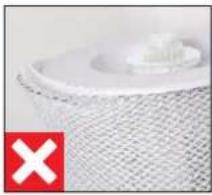
natural_image
Close-up of a white textured surface with a small protrusion, marked by a red 'X' symbol (no text or symbols on the main subject)TVÄTT | TVÄTTMASKIN
natural_image
Close-up of hands washing a white cloth over a surface (no text or symbols visible)natural_image
Hand placing a small white object into a white bowl on a wooden surface (no text or symbols visible)natural_image
Illustration of a white cylindrical device with a circular top and side panel (no text or symbols)BONECO H320
natural_image
Simple line drawing of a folded document with a speech bubble containing an eye (no text or symbols)natural_image
Simple line drawing of a document with a warning symbol (no text or labels)
natural_image
Simple line drawing of a plug connected to a cord and cable (no text or symbols)YLEISKUVA JA OSIEN NIMET
natural_image
White BONECO-laite tukevalle alustalle device on a wooden surface (no text or symbols visible on device body)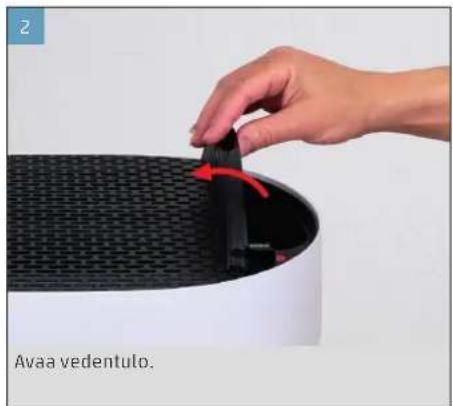
natural_image
Hand placing a black object into a white cylindrical device with a mesh pattern, labeled 'Avaa vedentulo' (no other text or symbols visible)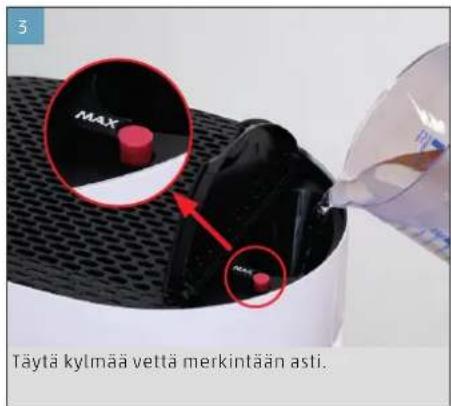
natural_image
Close-up of a circular mechanical component with a red starburst and dotted line, no visible text or symbolsnatural_image
Hand pressing a black button on a white circular dial (no text or symbols visible)natural_image
Close-up of a circular mechanical component with a dashed line and dotted pattern (no text or symbols visible)natural_image
Hand pressing a black circular button on a white appliance (no text or symbols visible)natural_image
Close-up of a hand pressing down on a circular button (no visible text or symbols)natural_image
Close-up of a circular mechanical component with a black center and dotted pattern on top (no text or symbols visible)natural_image
Abstract circular graphic with concentric rings and a dot, no text or symbols presentVAIN KOSTEUTTAMINEN ("HUMIDIFIER" (KOSTUTUS))
natural_image
Abstract circular graphic with a dark center and segmented arcs, no text or symbols present.VAIN AH320-SIITEPÖLYSUODATIN ("PURIFIER")
natural_image
Abstract circular graphic with green and black segments, no text or symbols presentERI TILAT
TILAT
natural_image
Hand pressing a button on a white surface, no visible text or symbolsnatural_image
Hand holding a small electronic component next to a white connector on a wooden surface (no visible text or symbols)PUHDISTUSOHJEET
PUHDISTUSTA KOSKEVIA TIETOJA
natural_image
Hand placing a small object into a white container on a wooden surface (no text or symbols visible)- Poista uimuri.
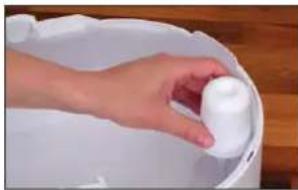
natural_image
Hand placing a white cylindrical object into a white container on a wooden surface (no text or symbols visible)natural_image
Person holding a white textured roll with red arrows indicating rotation (no text or symbols visible)natural_image
Close-up of hands holding a white textured object, possibly a fabric or material sample (no visible text or symbols)natural_image
Interior view of a kitchen appliance with a hand placing a white plate into the sink (no visible text or symbols)ESISUODATTIMEN PUHDISTUS
ESISUODATINTA KOSKEVIA TIETOJA
natural_image
Hand pressing down on a black textured surface next to a white cylindrical object (no text or symbols visible)natural_image
Hand placing a grid into a device component with an arrow indicating rotation (no text or symbols visible)natural_image
Person cleaning a kitchen sink with a brush (no visible text or symbols)natural_image
Person holding a plastic bag over a dark surface, no visible text or symbolsnatural_image
Hand placing a black plastic tray onto a white cylindrical device with a red arrow indicating motion (no text or symbols visible)natural_image
Hand pressing down on a black textured surface with a red arrow indicating the motion (no text or symbols visible)AW200-HAIHDUTINMATON PUHDISTAMINEN
AW200-HAIHDUTINMATTOA KOSKEVIA TIETOJA
natural_image
Close-up of a white plastic filter or mesh component with a green checkmark icon (no text or symbols on the object itself)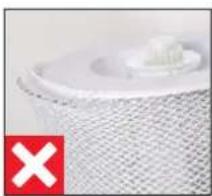
natural_image
Close-up of a white plastic component with a red 'X' symbol in the corner (no text or symbols on the object itself)PUHDISTUS PESUKONEESSA
natural_image
Close-up of hands holding a white cloth over a surface, no visible text or symbolsnatural_image
Hand placing a small object into a white container on a wooden surface (no text or symbols visible)natural_image
Illustration of a white cylindrical device with a circular top and side panel (no text or symbols)BONECO H320
natural_image
Simple line drawing of a folded document with a speech bubble containing an eye (no text or symbols)natural_image
Simple line drawing of a document with a warning symbol (no text or labels)
natural_image
Simple line drawing of a plug connected to a cord and cable (no text or symbols)DELENE OG DERES BENÆVNELSE
1 Afdækning/luftindtag
2 For filter
3 AH320 pollenfilter
4 Åbning hygrostat
5 Til/fra, drejeknap
6 Luftafgang
7 Duftstofbeholder
8 A7017 Ionic Silver Stick®
9 Vandtank*
10 Svommer*
11 Tromle*
12 AW200 fordampermåtte**
natural_image
White BONECO-apparatet device on wooden surface, no visible text or symbols on device body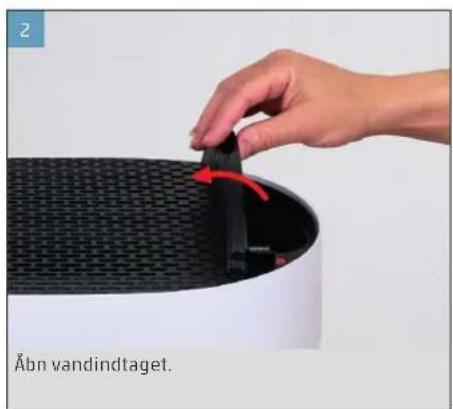
natural_image
Hand placing a black component into a white cylindrical device with a mesh pattern (no text or symbols visible)
natural_image
Close-up of a circular mechanical component with a central highlighted section and dotted lines indicating reference points (no text or symbols)natural_image
Hand pressing a black button on a white circular dial (no text or symbols visible)natural_image
Close-up of a camera lens aperture with no visible text or symbolsnatural_image
Hand pressing a black button on a white circular device (no text or symbols visible)natural_image
Close-up of a circular mechanical component with a black center and dotted top (no visible text or symbols)natural_image
Abstract circular graphic with concentric rings and a dot, no text or symbols presentKUN BEFUGTNING ("HUMIDIFIER" (BELYSNING))
natural_image
Person holding a white rectangular object on a black cylindrical device (no visible text or symbols)natural_image
Abstract circular graphic with gradient shading and dots (no text or symbols)KUN AH320 POLLENFILTER ("PURIFIER")
natural_image
Circular gauge or dial indicator with green and black segments, no visible text or symbolsDE FORSKELLIGE TILSTANDE
TILSTANDENE
natural_image
Hand pouring liquid into a small white plastic component on a wooden surface (no text or symbols visible)RENGÖRINGSHENVISNINGER
OM RENGÖRING
natural_image
Hand placing a white plastic item into a white container on a wooden surface (no text or symbols visible)- Fjern svømmeren.
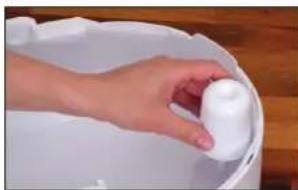
natural_image
Hand holding a white plastic container in a white bucket, placed on a wooden surface (no text or symbols visible)natural_image
Person holding a white textured roller with red directional arrows indicating motion (no text or symbols)natural_image
Close-up of a hand holding a white mesh-wrapped object, possibly a dust collector or filter array (no text or symbols visible)natural_image
Interior view of a kitchen appliance with a hand cleaning the dish into a rack (no visible text or symbols)RENGÖRING AF FORFILTER
OM FORFILTERET
natural_image
Hand pressing down on a black textured surface next to a white cylindrical object (no text or symbols visible)natural_image
Hand placing a grid into a device component with an arrow indicating the direction (no text or symbols visible)natural_image
Person cleaning a kitchen sink with a brush (no visible text or symbols)natural_image
Person holding a plastic bag over a dark surface, no visible text or symbolsnatural_image
Hand placing a black plastic tray onto a white cylindrical device with a red arrow indicating motion (no text or symbols visible)- Anbring afdækningen, og tryk langs kanten i ven -stre side for at låse den.
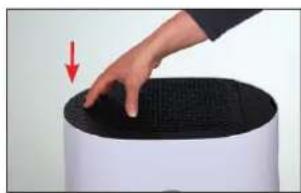
natural_image
Hand pressing down on a black textured surface with a red arrow indicating the motion (no text or symbols visible)RENG∅R AW200 FORDAMPERMÅTTEN
OM AW200 FORDAMPERMÄTTEN
natural_image
Close-up of a white textured surface with a small white object on top, no visible text or symbols.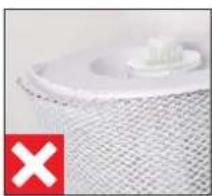
natural_image
Close-up of a white textured surface with a small object on top, marked with a red 'X' in the corner (no text or symbols on the main subject)RENGÖRING I VASKEMASKINEN
natural_image
Close-up of hands washing a white cloth over a surface (no text or symbols visible)UDSKIFTNING AF TILBEH∅R
UDSKIFT A7017 IONIC SILVER STICK®
natural_image
Hand placing a white plastic clip into a white bucket on a wooden surface (no text or symbols visible)NULSTILLING AF APPARAT
1 Deksel/luftinntak
2 For filter
3 Pollenfi lter AH320
4 Åpning hygrostat
5 Av/på, dreiebryter
6 Luftutlap
7 Duftstoff beholder
8 A7017 Ionic Silver Stick®
9 Vannkar ^TM
10 Flottor*
11 Trommel ^27
12 Fordunstermatte AW200**
natural_image
White BONECO-apparatet device with flat top, placed on wooden surface (no visible text or symbols on device body)
natural_image
Hand placing a black vanninntaker onto a white cylindrical device (no text or symbols visible)
natural_image
Close-up of a circular mechanical component with a central hub and mounting holes (no visible text or symbols)natural_image
Hand pressing a button on a white surface, no text or symbols visiblenatural_image
Close-up of a circular mechanical component with a dark center and dashed outer ring (no text or symbols visible)- For å slå av BONECO-apparalet mens det er i AU-TO-modus, gir du dreiebryteren et kort trykk.
MANUELL STYRING
natural_image
Hand pressing a black button on a white circular device (no text or symbols visible)natural_image
Hand pressing down on a circular button (no text or symbols visible)Det valgte effekttrinnet angis med antallet av lysende LED-er over dreiebryteren.
natural_image
Close-up of a circular mechanical component with a black center and dotted top (no visible text or symbols)natural_image
Abstract circular graphic with concentric rings and a dot, no text or symbols presentKUN LUFTFUKTER ("HUMIDIFIER" (FUKTING))
natural_image
Abstract circular graphic with segmented arcs and a dot, no text or symbols presentKUN AH320 POLLENFILTER ("PURIFIER")
natural_image
Abstract circular graphic with green and black segments, no text or symbols presentDIE ULIKE MODUSENE
MODUSER
Du kan velge mellom tre moduser i alle de tre driftstypene "Hybrid", "Luftrensing" eller "Luftfukting": AUTO, SLEEP og BABY.
AUTO-MODUS
natural_image
Hand pointing at a wall-mounted device with a small rectangular component (no visible text or symbols)- Drypp ønsket mengde aromastoff på filtinnlegget i skuffen.

natural_image
Hand pouring liquid into a small white plastic component on a wooden surface (no text or symbols visible)RENGJÖRINGSANVISNINGER
OM RENGJÖRINGEN
natural_image
Hand placing a white plastic object into a white container on a wooden surface (no text or symbols visible)- Fjern flottpren.
natural_image
Hand holding a white cylindrical object inside a white basin, no visible text or symbolsnatural_image
Person holding a white textured roller with red arrows indicating rotation (no text or symbols visible)natural_image
Close-up of a hand holding a white mesh-wrapped object, possibly a filter or dust cover (no text or symbols visible)natural_image
Interior view of a kitchen appliance with a hand placing a white bowl into a rack (no visible text or symbols)RENGJÓRE FORFILTER
OM FORFILTERET
natural_image
Hand pressing down on a black textured surface, with a red arrow indicating the motion direction (no text or symbols)natural_image
Hand placing a black plastic tray into a white cylindrical device with a red arrow indicating motion (no text or symbols visible)natural_image
Person cleaning a kitchen sink with a brush (no visible text or symbols)- Tørk forfilteret med en klut.
natural_image
Person holding a small object over a dark surface, possibly a device or tool, in a car or office setting (no visible text or symbols)- Sett forfilteret inn i apparatet.
natural_image
Hand placing a black plastic tray onto a white cylindrical device with a red arrow indicating motion (no text or symbols visible)natural_image
Hand pressing down on a black textured surface with a red arrow indicating motion (no text or symbols)RENGJÓRE AW200 FORDUNSTERMATTE
OM AW200 FORDUNSTERMATTE
Dersom AW200 fordunstermatte er svært skitten eller forkalket eller har sterk lukt, kan den vaskes i vaskemaskin eller for hånd.
natural_image
Close-up of a white textured surface with a small white object on top, no visible text or symbols.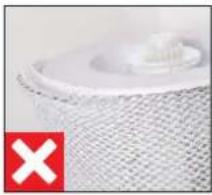
natural_image
Close-up of a white textured surface with a small protrusion, marked by a red 'X' symbol (no text or symbols on the main subject)RENGJÖRING I VASKEMASKIN
AW200 fordunstermatte kan vaskes i vaskemaskin. Tilsett vanlig vaskemiddel. Det anbefales å legge AW200 fordunstermatte i en vaskepose eller vaske den separat fordi den ellers kan ta opp lose fibre fra andre ting som vaskes.

AW200 fordunstermatte må vaskes på maks. 40 °C.

Ikke törk AW200 fordunstermatte i törketrommel.
RENGJÖRING FOR HÅND
- Kna AW200 fordunstermatte grundig i varmt vann som du har tilsatt litt oppvaskmiddel.
natural_image
Close-up of hands cleaning a white cloth or towel over a surface (no text or symbols visible)natural_image
Hand placing a white plastic object into a white bucket on a wooden surface (no text or symbols visible)En brukt A7017 Ionic Silver Stick® kan kastes i hus - holdningsavfallet.
TILBAKESTILLE APPARATET
natural_image
Simple line drawing of a plug connected to a cable with a connector (no text or symbols)natural_image
White BONECO air purifier device on a wooden surface, no visible text or symbols on the device itself.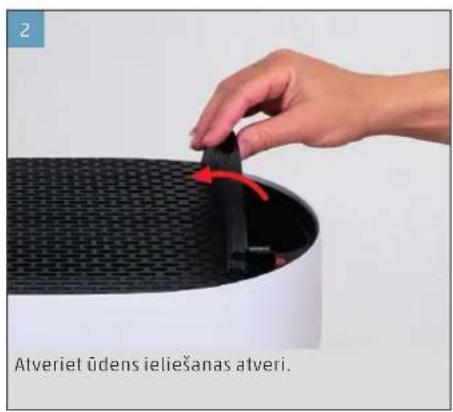
INFORMĂCIJA PAR MANUĂLO VADĪBU
natural_image
Close-up of a circular mechanical component with a central hub and mounting holes (no visible text or symbols)PIELAGOTS REŽIMS "AUTO"
natural_image
Hand pressing a black button on a white surface, no text or symbols visiblenatural_image
Close-up of a camera lens with no visible text or symbolsnatural_image
Hand pressing a black button on a white appliance (no visible text or symbols)natural_image
Hand pressing down on a circular button (no text or symbols visible)natural_image
Close-up of a circular mechanical component with a black center and white outer ring (no visible text or symbols)GAISMAS DIOŽU DARBĪBAS REŽĪMS "HYBRID"
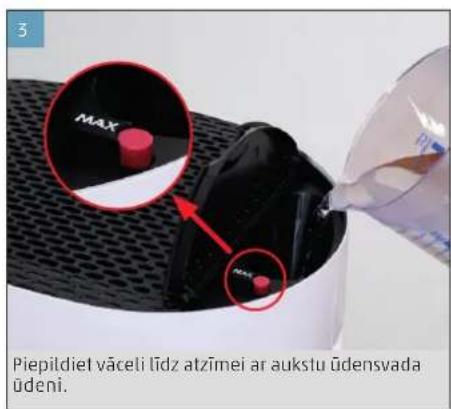
natural_image
Abstract circular graphic with concentric rings and a dot, no text or symbols presentTIKAI MITRINĀŠANA ("HUMIDIFIER")
natural_image
Person holding a white rectangular object on a cylindrical device (no visible text or symbols)natural_image
Abstract circular graphic with concentric arcs and a dot, no text or symbols presentTIKAI ZIEDPUTEKŠNU FILTRS AH320 ("PURIFIER")
natural_image
Circular gauge or dial with green and gray segments, no visible text or symbolsDAŽĀDI REŽĪMI
REŽIMI
REŽİMS "SLEEP" (MIEGS)
natural_image
Hand pouring liquid into a small electronic component on a wooden surface (no text or symbols visible)
TİRİŞANAS NORÄDIJUMI
INFORMĂCIJA PAR TĪRĪŠANU
natural_image
Hand placing a small white object into a white container on a wooden surface (no text or symbols visible)- Iznemiet pludinu.
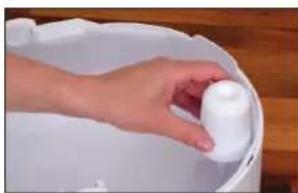
natural_image
Hand placing a white plastic container into a white basin (no text or symbols visible)natural_image
Person holding a white cylindrical object with red arrows indicating rotation or movement (no text or symbols visible)natural_image
Close-up of a hand pressing down on a white mesh cylindrical object (no text or symbols visible)natural_image
Interior view of a kitchen appliance with a hand placing a white plate into a rack (no visible text or symbols)PRIEKŠFILTRA TİRİŞANA
INFORMĂCIJA PAR PRIEKŠFILTRU
natural_image
Hand pressing down on a black textured surface next to a white cylindrical object (no text or symbols visible)natural_image
Hand placing a grid into a device component with an arrow indicating the direction (no text or symbols visible)natural_image
Person cleaning a kitchen sink with a brush (no visible text or symbols)natural_image
Person holding a plastic bag over a dark surface, no visible text or symbols- Ielieciet priekšfiltru ierīcē.
natural_image
Hand placing a black plastic tray onto a white cylindrical device with a red arrow indicating motion (no text or symbols visible)natural_image
Hand pressing down on a black textured surface with a red arrow indicating the motion (no text or symbols visible)MITRINĀTĀJA SIETA AW200 TĪRĪŠANA
INFORMĂCIJA PAR MITRINĂTĂJA SIETU AW200
natural_image
Close-up of a white textured surface with a small white object on top, marked with a green checkmark (no text or symbols)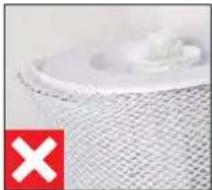
natural_image
Close-up of a textured surface with a small white object and a red 'X' symbol in the corner (no readable text or symbols)MAZGĀŠANA VEŁAS MAZGĀJAMAJĀ MAŠĪNĀ
natural_image
Close-up of hands cleaning a white cloth or towel in a tiled room (no text or symbols visible)natural_image
Hand placing a white object into a white container on a wooden surface (no text or symbols visible)natural_image
Illustration of a cylindrical device with a circular top and side panel (no text or symbols)BONECO H320
natural_image
Simple line drawing of a document with a speech bubble containing an eye (no text or symbols)Trumpa naudojimo instrukcija
natural_image
Simple line drawing of a plug connected to a cord with a cable (no text or symbols)natural_image
Close-up of a circular mechanical component with a red starburst pattern and a blue dot, no visible text or symbols.natural_image
Hand pressing a black button on a white circular dial (no text or symbols visible)natural_image
Close-up of a camera lens aperture with no visible text or symbolsnatural_image
Hand pressing a black button on a white circular device (no text or symbols visible)natural_image
Hand pressing down on a white circular button with black rubber film (no text or symbols visible)natural_image
Close-up of a circular mechanical component with a black center and dotted top (no visible text or symbols)JVAIRÜS DARBO REŽIMAI
natural_image
Abstract circular graphic with concentric rings and a dot, no text or symbols presentTIK DRÉKINIMAS („HUMIDIFIER“ (DRÉKINIMAS))
natural_image
Abstract circular graphic with blue and gray segments, no text or symbols presentTIK AH320 ŽIEDADULKIŲ FILTRAS ("PURIFIER")
natural_image
Circular gauge or dial with green and black segments, no visible text or symbolsSKIRTINGI REŽIMAI
REŽIMAI
natural_image
Hand pointing at a wall-mounted button (no visible text or symbols)natural_image
Hand holding a small electronic component next to a white plastic housing on a wooden surface (no visible text or symbols)
VALYMO NURODYMAI
APIE VALYMA
natural_image
Hand placing a small white object into a white container on a wooden surface (no text or symbols visible)- Išimkite plūdę.
natural_image
Hand holding a white cylindrical object inside a white basin on a wooden surface (no text or symbols visible)natural_image
Person holding a white textured roller with red arrows indicating rotation (no text or symbols visible)natural_image
Close-up of hands handling a white mesh material on a surface (no text or symbols visible)natural_image
Interior view of a kitchen appliance with a hand placing a white plate into the sink (no visible text or symbols)PIRMINIO FILTRO VALYMAS
APIE PIRMINJ FILTRA
natural_image
Hand pressing down on a black textured surface next to a white cylindrical object (no text or symbols visible)natural_image
Hand placing a grid into a device component with an arrow indicating rotation (no text or symbols visible)natural_image
Person cleaning a kitchen sink with a brush (no visible text or symbols)natural_image
Person holding a plastic bag over a dark surface, no visible text or symbolsnatural_image
Hand placing a black plastic tray onto a white cylindrical device with a red arrow indicating motion (no text or symbols visible)natural_image
Hand pressing down on a black textured surface with a red arrow indicating the motion (no text or symbols visible)AW200 GARINTUVO AUDINIO VALYMAS
APIE AW200 GARINTUVO AUDINJ
natural_image
Close-up of a white textured surface with a small circular object on top, marked by a green checkmark (no text or symbols)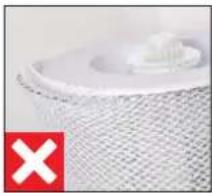
natural_image
Close-up of a textured white surface with a small white object on top, marked with a red 'X' symbol (no text or symbols present)PLOVIMAS SKALBIMO MAŠINA
natural_image
Close-up of hands cleaning a white cloth or towel over a surface (no text or symbols visible)natural_image
Hand placing a white object into a white container on a wooden surface (no text or symbols visible)natural_image
Illustration of a white cylindrical device with a circular top and side panel (no text or symbols)BONECO H320
natural_image
Simple line drawing of a folded document with a speech bubble containing an eye (no text or symbols)natural_image
Simple line drawing of a document with a speech bubble containing an exclamation mark (no text or symbols present)
natural_image
Simple line drawing of a plug connected to a cord and cable (no text or symbols)ÜLEVAADE JA OSADE NIMETUSED
1 Kate / öhu sisselaskeava
2 Eelfiter
3 Öietolmufi lter AH320
4 Hügrostaati ava
5 Sees/Väljas, pöördlüliti
6 Õhu väljumisava
7 Löhnaaine anum
8 Ionic Silver Stick* A7017
9 Veevann*
10 Ujuk*
11 Trummel*
12 Aurustusmatt AW200**
natural_image
Close-up of a circular mechanical component with a central hub and mounting holes (no visible text or symbols)natural_image
Hand pressing a black button on a white circular dial (no text or symbols visible)natural_image
Close-up of a circular mechanical component with a black center and dashed outer ring (no text or symbols visible)natural_image
Hand pressing a black button on a white appliance (no visible text or symbols)Seade on sisselülitamisel alati laadis AUTO.
natural_image
Close-up of a circular mechanical component with a black center and a small dot pattern on top (no text or symbols visible)natural_image
Abstract circular graphic with concentric rings and a dot, no text or symbols presentAINULT NIISUTAMINE ("HUMIDIFIER")
natural_image
Person holding a white rectangular object next to a white cylindrical device (no visible text or symbols)natural_image
Abstract circular graphic with segmented arcs and a dot, no text or symbols presentAINULT ÖIETOLMUFILTER AH320 ("PURIFIER")
natural_image
Abstract circular graphic with green and black segments, no text or symbols presentERINEVAD LAADID
LAADID
natural_image
Hand pouring liquid into a small white plastic component on a wooden surface (no text or symbols visible)PUHASTAMISJUHISED
PUHASTAMISEST
natural_image
Hand placing a white plastic object into a white container on a wooden surface (no text or symbols visible)- Eemaldage ujuk.
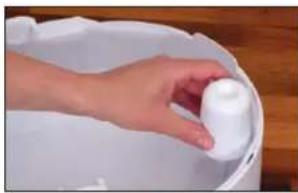
natural_image
Hand placing a white cylindrical object into a white bucket (no text or symbols visible)natural_image
Person holding a white textured roller with red arrows indicating rotation (no text or symbols visible)- Tömmake aurustusmatt AW200 trumlilt maha.
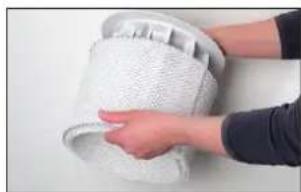
natural_image
Close-up of hands handling a white textured cylindrical object (no visible text or symbols)natural_image
Interior view of a kitchen appliance with a hand placing a white plate into the tray (no visible text or symbols)EELFILTRI PUHASTAMINE
EELFILTRIST
natural_image
Hand pressing down on a black textured surface next to a white cylindrical object (no text or symbols visible)natural_image
Hand placing a grid into a device component with an arrow indicating rotation (no text or symbols visible)natural_image
Person cleaning a kitchen sink with a brush (no visible text or symbols)natural_image
Person holding a plastic bag over a dark surface, no visible text or symbols- Paigaldage eelfilter seadmesse.
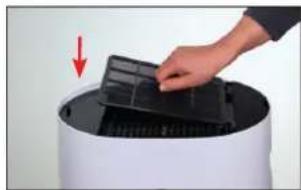
natural_image
Hand placing a black plastic tray onto a white cylindrical device with a red arrow indicating motion (no text or symbols visible)natural_image
Hand pressing down on a black textured surface with a red arrow indicating the motion (no text or symbols visible)AURUSTUSMATI AW200 PUHASTAMINE
AURUSTUSMATIST AW200
natural_image
Close-up of a white textured surface with a small circular object on top, marked with a green checkmark (no text or symbols)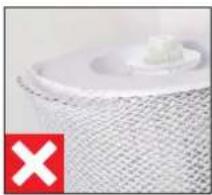
natural_image
Close-up of a white mesh fabric with a small white object on top, marked with a red 'X' (no text or symbols)PESUMASINAS PUHASTAMINE
natural_image
Close-up of hands washing a white cloth over a surface (no text or symbols visible)natural_image
Hand placing a white object into a white bucket on a wooden surface (no text or symbols visible)natural_image
Illustration of a cylindrical device with a circular top and side panel (no text or symbols)BONECO H320
natural_image
Simple line drawing of a folded paper with a speech bubble containing two glasses (no text or symbols)natural_image
Simple line drawing of a document with an exclamation mark (no text or symbols)
natural_image
Simple line drawing of a plug connected to a cord with a cable (no text or symbols)PŘEHLED A NÁZVY DÍLŮ
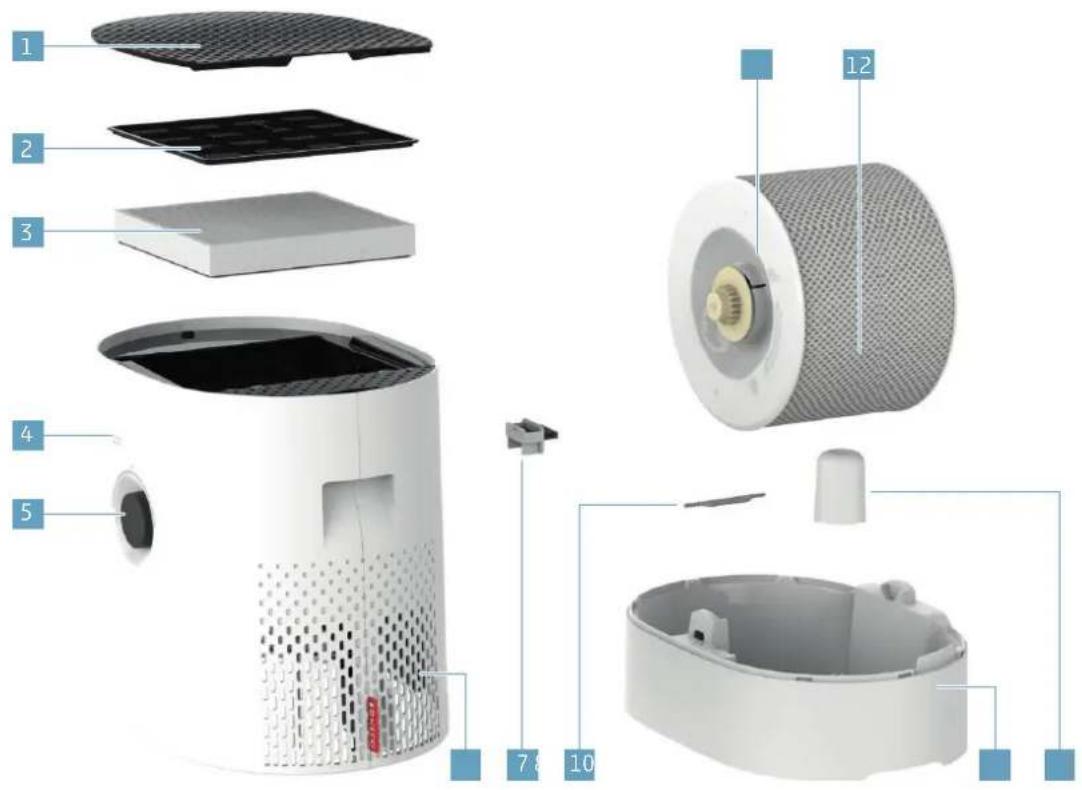
O MANUÁLNÍM OVLÁDÁNÍ
natural_image
Close-up of a circular mechanical component with a central spike and mounting holes (no visible text or symbols)natural_image
Hand pressing a button on a white circular device (no text or symbols visible)natural_image
Close-up of a circular mechanical component with a black center and dashed outer ring (no text or symbols visible)natural_image
Hand pressing a black button on a white circular device (no text or symbols visible)natural_image
Close-up of a circular mechanical component with a black center and dotted lines indicating measurement or alignment (no text or symbols visible)natural_image
Abstract circular graphic with concentric rings and a dot, no text or symbols presentPOUZE ZVLHČOVÁNÍ ("HUMIDIFIER" (ZVLHČOVÁNÍ))
natural_image
Person holding a white rectangular object over a cylindrical device (no visible text or symbols)natural_image
Abstract circular graphic with segmented arcs and a dot, no text or symbols presentPOUZE PYLOVÝ FILTR AH320 („PURIFIER“)
natural_image
Circular gauge or dial indicator with green and black segments, no visible text or symbolsRŮZNÉ REŽIMY
REŽIMY
natural_image
Hand pouring liquid into a small white plastic component on a wooden surface (no text or symbols visible)POKYNY K ČIŠTĚNÍ
O ČIŠTĚNÍ
natural_image
Hand placing a small white object into a white container on a wooden surface (no text or symbols visible)- Vyjměte plovák.
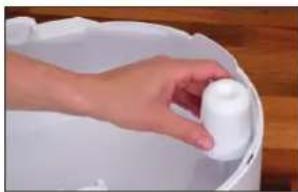
natural_image
Hand placing a white plastic container into a white bucket on a wooden surface (no text or symbols visible)natural_image
Person holding a rolled-up white object with red arrows indicating rotation (no text or symbols visible)natural_image
Close-up of a hand holding a white textured cylindrical object, possibly a filter or dust cover (no text or symbols visible)natural_image
Interior view of a kitchen appliance with a hand placing a white plate into the sink (no visible text or symbols)ČIŠTĚNÍ PŘEDFILTRU
O PŘEDFILTRU
natural_image
Hand pressing down on a black textured surface with a red arrow indicating motion (no text or symbols)natural_image
Hand placing a black tray into a white cylindrical device with a red arrow indicating motion (no text or symbols visible)natural_image
Person cleaning a kitchen sink with a brush (no visible text or symbols)natural_image
Person cleaning a kitchen sink with a cloth and towel (no visible text or symbols)natural_image
Hand placing a grid on top of a cylindrical device with a red arrow indicating downward motion (no text or symbols visible)natural_image
Hand pressing down on a black textured surface next to a white cylindrical device (no text or symbols visible)natural_image
Close-up of a white textured cylindrical object with a small protrusion, next to a green checkmark (no text or symbols visible)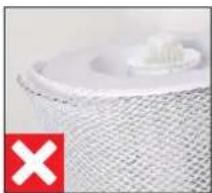
natural_image
Close-up of a white textured surface with a small protrusion, marked by a red 'X' symbol (no text or symbols present)PRANÍ V PRAČCE
natural_image
Close-up of hands holding a white cloth over a white surface, no text or symbols visiblenatural_image
Hand placing a white object into a white container on a wooden surface (no text or symbols visible)natural_image
White BONECO air purifier device on a wooden surface, no visible text or symbols on the device itself.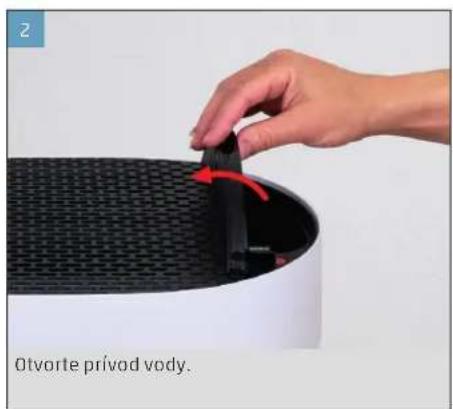
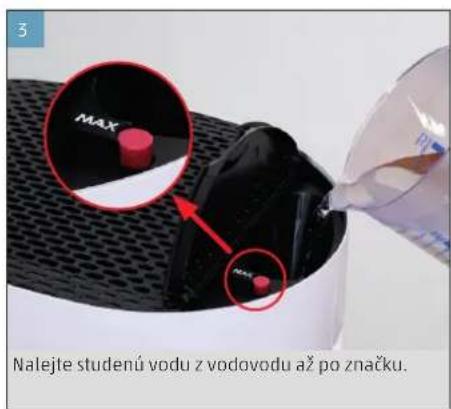
natural_image
Close-up of a circular mechanical component with a central spike and dotted pattern (no text or symbols visible)natural_image
Hand pressing a black button on a white circular dial (no text or symbols visible)natural_image
Close-up of a circular mechanical component with a black center and dotted top (no visible text or symbols)natural_image
Hand pressing a black button on a white appliance (no visible text or symbols)natural_image
Hand pressing down on a circular button (no text or symbols visible)natural_image
Close-up of a circular mechanical component with a black center and white outer ring (no visible text or symbols)natural_image
Abstract circular graphic with concentric rings and a dot, no text or symbols presentLEN ZVLHČOVANIE ("HUMIDIFIER" (ZVLHČOVANIE))
natural_image
Person holding a white rectangular object on a cylindrical device (no visible text or symbols)natural_image
Abstract circular graphic with gradient shading and dots (no text or symbols)IBA PELOVÝ FILTER AH320 („PURIFIER“)
natural_image
Circular gauge or dial with green and black segments, no visible text or symbolsRÔZNE REŽIMY
REŽIMY
natural_image
Hand pointing at a wall-mounted button (no visible text or symbols)natural_image
Hand holding a small electronic component next to a white plastic housing on a wooden surface (no text or symbols visible)POKYNY NA ČISTENIE
O ČISTENÍ
natural_image
Hand placing a white plastic clip into a white bucket on a wooden surface (no text or symbols visible)- Vyberte plavák.
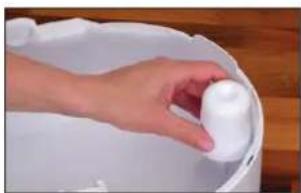
natural_image
Hand placing a white plastic object into a white bucket on a wooden surface (no text or symbols visible)- Pretočte obidva kotúče na bubne, aby ste ich uvoľnili. Všimnite si pritom označenia na vonkajšej strane kotúča.
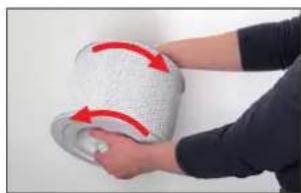
natural_image
Person holding a white textured roller with red arrows indicating rotation (no text or symbols visible)- Vytiahnite vložku odparovacieho zvlhčovača AW200 z bubna.
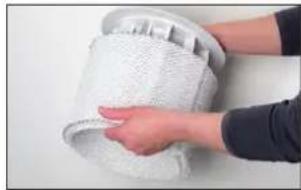
natural_image
Close-up of hands handling a white mesh material on a surface (no text or symbols visible)natural_image
Interior view of a kitchen appliance with a hand placing a white plate into the sink (no visible text or symbols)ČISTENIE PRERADENÉHO FILTRA
O PREDRADENOM FILTRI
natural_image
Hand pressing down on a black textured surface next to a white cylindrical object (no text or symbols visible)- Odstráňte predradený filter tak, že potiahnete jazýček v strede nahor.
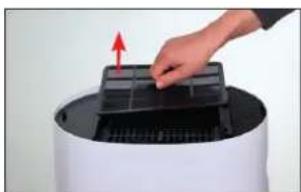
natural_image
Hand placing a grid into a device component with an arrow indicating the direction (no text or symbols visible)- Umyte predradený filter čistiacou kefou pod te čúcou vodou.
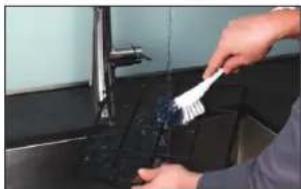
natural_image
Person cleaning a kitchen sink with a brush (no visible text or symbols)- Predradený filter osušte utierkou.
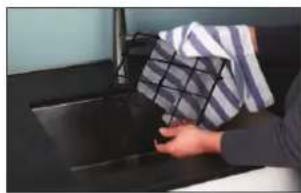
natural_image
Person holding a plastic bag over a dark surface, no visible text or symbolsnatural_image
Hand placing a black plastic tray onto a white cylindrical device with a red arrow indicating motion (no text or symbols visible)natural_image
Hand pressing down on a black textured surface with a red arrow indicating the motion (no text or symbols visible)ČISTENIE VLOŽKY ODPAROVACIEHO ZVLHČOVAČA AW200
O VLOŽKE ODPAROVACIEHO ZVLHČOVAČA AW200
natural_image
Close-up of a white textured cylindrical object with a small white object on top, no visible text or symbols.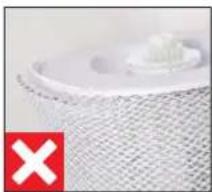
natural_image
Close-up of a white textured surface with a small white object on top, marked with a red 'X' symbol (no text or symbols present)ČISTENIE PRANÍM V PRÁČKE
natural_image
Close-up of hands cleaning a white cloth over a surface (no text or symbols visible)natural_image
Hand placing a white object into a white container on a wooden surface (no text or symbols visible)natural_image
Illustration of a white cylindrical device with a circular top and side panel (no text or symbols)BONECO H320
natural_image
Simple line drawing of a folded document with a speech bubble containing an eye (no text or symbols)natural_image
Simple line drawing of a document with a speech bubble containing an exclamation mark (no text or symbols present)
natural_image
Simple line drawing of a plug connected to a cord and cable (no text or symbols)PREGLED IN POIMENOVANJE DELOV
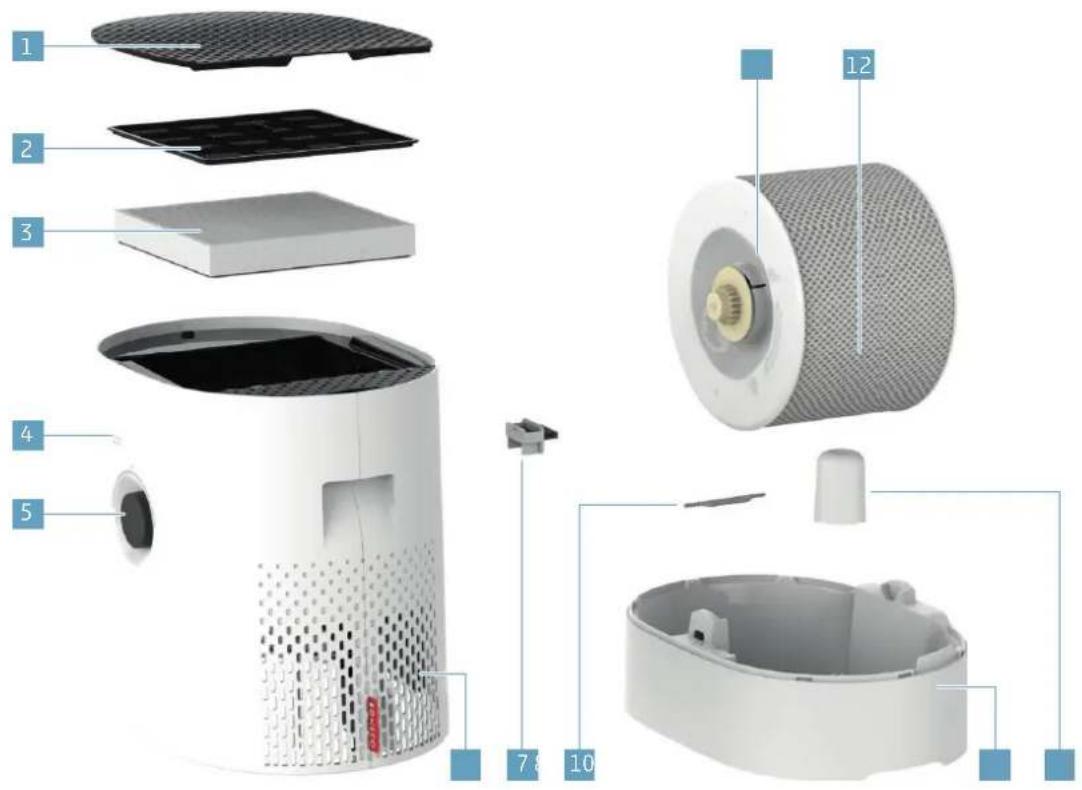
1 Pokrov/dovod zraka
2 Predi Iter
3 AH320 fi lter za cvetni prah
4 Odprtina higrostata
5 Vklop/izklop, vrtljivo stikalo
6 Izstop zraka
7 Posoda za dišave
8 A7017 Ionic Silver Stick®
9 Vodno korita*
10 Plovec*
11 Boben*
12 AW200 vlažilna obloga**
* Pralno v pomivalnem stroju pri temperaturah do 50 °C
** Pralno v pralnem stroju pri temperaturah do 40 °C
TEHNIČNI PODATKI
TEHNIČNI PODATKI
| Tipska oznaka BONECO H320 | |
| Omrežna napetost 220 - 240 V ~ 50 - 60 Hz | |
| Poraba moči Pripravljenost 0,5 W | |
| 1. stopnja 3,6 W | |
| 6. stopnja 9,6 W | |
| Zmogljivost vlaženja do 350 g/h** | |
| Delci CADR < 60 m | ^3/h |
| Primerno za prostore velikosti do 50 m | ^2/125 m^3 |
| Prostornina posode maks. 6 litrov | |
| Dimenzije D × Š × V 430 × 280 × 465 mm | |
| Teža prazne naprave 6,4 kg | |
| Glasnost med delovanjem 1. stopnja 28 dB(A) | |
* Pridržujemo si pravico do sprememb
^** Pri 230 V – 50 Hz, stopnja 6 (samo vlaženje)
PRED UPORABO
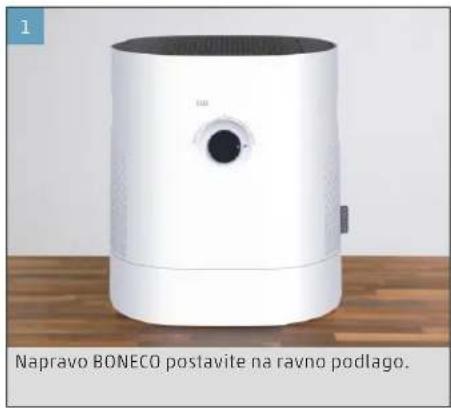
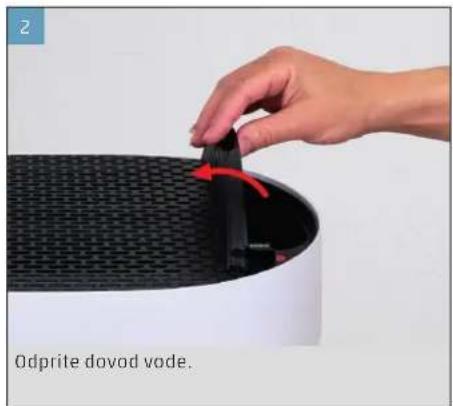
natural_image
Hand placing a black vode component into a white cylindrical device with mesh pattern (no text or symbols visible)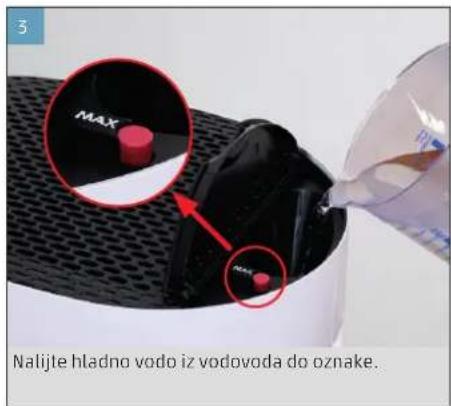
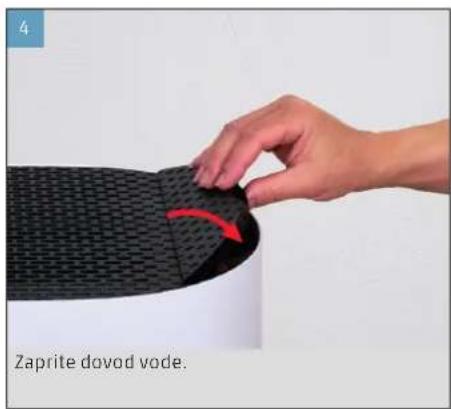
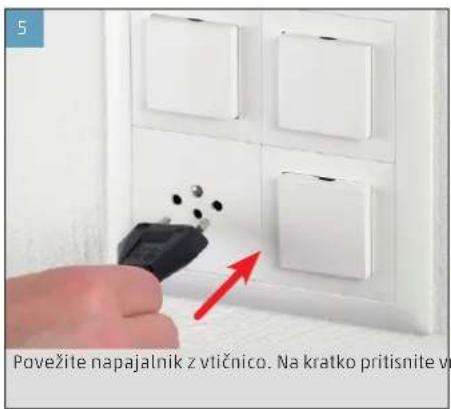
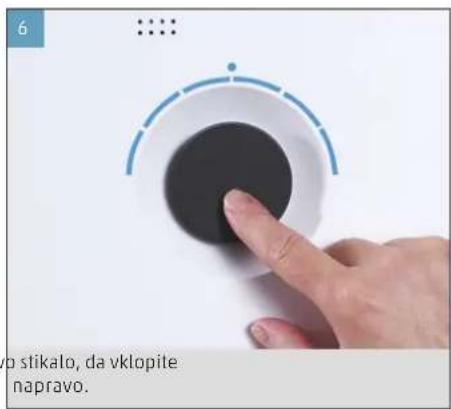
444
si
ROČNO UPRAVLJANJE
O ROČNEM UPRAVLJANJU
natural_image
Close-up of a circular mechanical component with a central hub and mounting holes (no visible text or symbols)natural_image
Hand pressing a black button on a white circular dial (no text or symbols visible)natural_image
Close-up of a camera lens with no visible text or symbolsnatural_image
Hand pressing a black button on a white circular device (no text or symbols visible)natural_image
Hand pressing down on a circular button (no text or symbols visible)natural_image
Close-up of a circular mechanical component with a black center and white outer ring (no visible text or symbols)natural_image
Abstract circular graphic with concentric rings and a dot, no text or symbols presentSAMO VLAŽENJE (»HUMIDIFIER« (VLAŽENJE))
natural_image
Person holding a white rectangular object on a cylindrical device (no visible text or symbols)natural_image
Abstract circular graphic with concentric rings and a dot, no text or symbols presentnatural_image
Circular gauge or dial with green and gray segments, no visible text or symbolsRAZLIČNI NAČINI
NAČINI
natural_image
Hand pressing a button on a wall, no visible text or symbols- Na polsteni vložek v predalu nakapajte dišavo po izbiri.
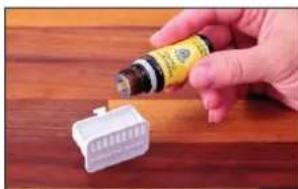
natural_image
Hand holding a small electronic component next to a white plastic connector on a wooden surface (no visible text or symbols)NAPOTKI ZA ČIŠČENJE
O ČIŠČENJU
natural_image
Hand placing a white plastic clip into a white bucket on a wooden surface (no text or symbols visible)- Odstranite plovec.
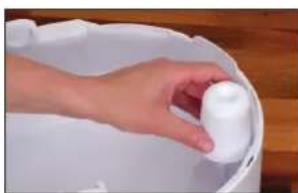
natural_image
Hand holding a white cylindrical object inside a white bucket on a wooden surface (no text or symbols visible)natural_image
Person holding a white cylindrical object with red arrows indicating rotation or movement (no text or symbols visible)- Snemite vlažilno oblogo AW200 z bobna.
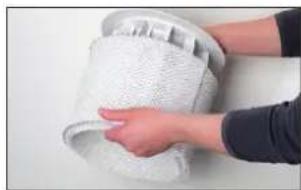
natural_image
Close-up of hands holding a white textured cylindrical object (no visible text or symbols)natural_image
Interior view of a kitchen appliance with a hand placing a white plate into the sink (no visible text or symbols)OČISTITE PREDFILTER
O PREDFILTRU
natural_image
Hand pressing down on a black textured surface, with a red arrow indicating the motion direction (no text or symbols)- Odstranite predfilter tako, da potegnete navzgor jeziček na sredini.
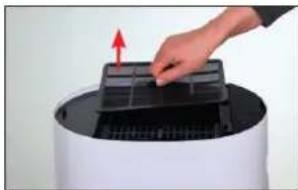
natural_image
Hand placing a grid into a device component with a red arrow indicating motion (no text or symbols visible)natural_image
Person using a brush to clean or store items on a kitchen sink (no visible text or symbols)- S krpo posušite predfilter.
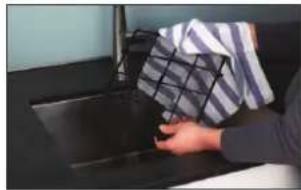
natural_image
Person cleaning a kitchen sink with a cloth and towel (no visible text or symbols)- Vstavite predfilter v napravo.
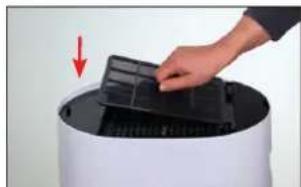
natural_image
Hand placing a black plastic tray onto a cylindrical device with a red arrow indicating motion (no text or symbols visible)- Namestite pokrov in pritisnite na njegov levi rob, da ga zapahnete.
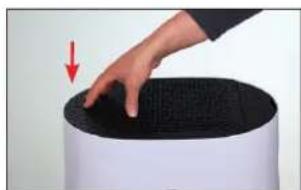
natural_image
Hand pressing down on a black textured surface with a red arrow indicating motion (no text or symbols)OČISTITE VLAŽILNO OBLOGO AW200
O VLAŽILNI OBLOGI AW200
natural_image
Close-up of a white textured surface with a small white object, no visible text or symbols.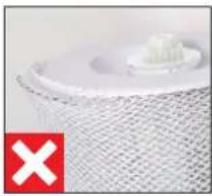
natural_image
Close-up of a white plastic object on a textured surface with a red 'X' symbol in the corner (no text or symbols on the object itself)ČIŠČENJE V PRALNEM STROJU
natural_image
Close-up of hands washing a white cloth or towel in a metal bowl (no text or symbols visible)- Vlažilno oblogo AW200 izpirajte z mlačno in čisto vodo, dokler pena popolnoma ne izgine.
MENJAVA PRIBORA
ZAMENJAJTE VLOŽEK A7017 IONIC SILVER STICK®
natural_image
Hand placing a white plastic object into a white bucket on a wooden surface (no text or symbols visible)1 Poklopac/otvor za zrak
2 Predfi Itar
3 AI1320 fi ltar za pelud
4 Otvor higrostata
5 Uključeno/isključeno, okretna sklopka
6 Izlaz zraka
7 Spremnik za miris
8 A7017 Ionic Silver Stick*
9 Korito za vodu*
10 Plovak*
11 Bubanj ^2
12 AW200 podloga isparivača**
Može se prati u perilici posuda na temperaturi do 50 °C
* Može se prati u perilici rublja na temperaturi do 40 °C
TEHNIČKI PODACI
TEHNIČKI PODACI
| Tipska oznaka BONECO H320 | |
| Mrežni napon 220 - 240 V ~ 50 - 60 Hz | |
| Potrošnja struje Stanje mirovanja 0,5 W | |
| Stupanj 1 3,6 W | |
| Stupanj 6 9,6 W | |
| Učinak vlaženja do 350 g / h** | |
| Čestice CADR < 60 m | ^3 /h |
| Pogodno za prostorije veličine do 50 m | ^2 / 125 m^2 |
| Kapacitet maks. 6 litara | |
| Dimenzije D׊×V 430 × 280 × 465 mm | |
| Težina u praznom stanju 6,4 kg | |
| Glasnoća pri radu Stupanj 1 28 db(A) | |
| Stupanj 6 52 db(A) | |
^19 Zadržavamo pravo na izmjene
** Pri 230 V - 50 Hz, stupanj 6 (samo ovlaživanje)
PUŠTANJE U RAD
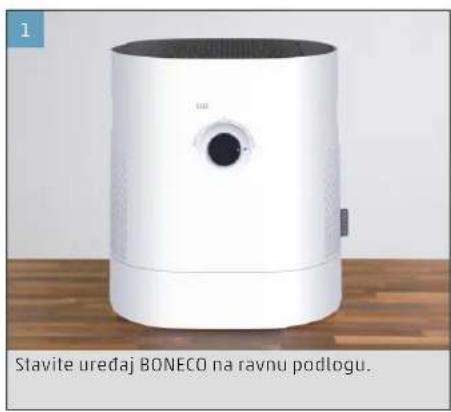
natural_image
White BONECO air purifier device on a wooden surface, no visible text or symbols on the device itself.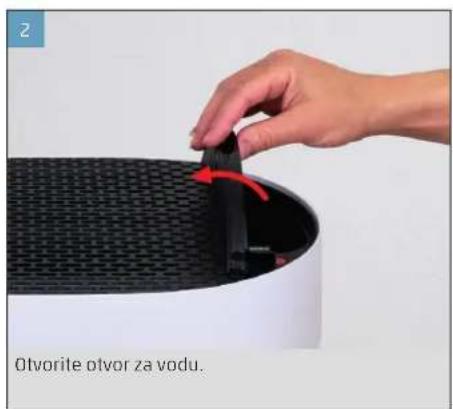

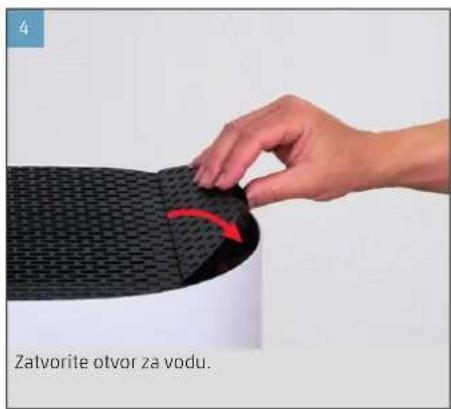
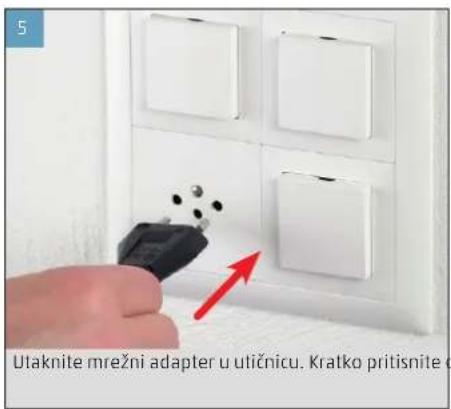
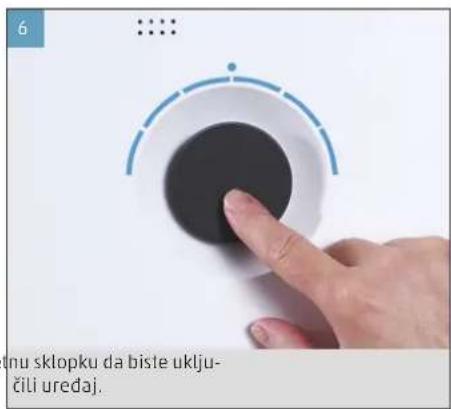
NEAUTOMATSKO RUKOVANJE
O NEAUTOMATSKOM RUKOVANJU
Neautomatsko rukovanje moguće je okretnom sklopkom na prednjoj strani. Aplikacija BONECO nudi dodatne, opsežne mogućnosti upravljanja i automatizacije uređaja BONECO.
NAČIN RADA AUTO
Ako nikada niste upravljali uređajem BONECO s pomoću aplikacije BONECO i prvi put ga uključite, on se pokreće u načinu rada AUTO. Uređaj je unaprijed postavljen na relativnu zadanu vlažnost zraka od 50 posto.
natural_image
Simple diagram of a circular device with a central indicator and red starburst pattern (no text or symbols)natural_image
Hand pressing a black button on a white surface, no text or symbols visiblenatural_image
Close-up of a circular mechanical component with a black center and dashed outer ring (no visible text or symbols)- Da biste isključili uređaj BONECO dok se nalazi u načinu rada AUTO, jednom kratko pritisnite okretnu sklopku.
NEAUTOMATSKO UPRAVLJANJE
- Jednom kratko pritisnite okretnu sklopku da bi ste uključili uređaj BONECO.
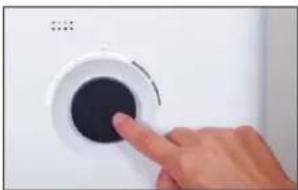
natural_image
Hand pressing a black button on a white circular device (no text or symbols visible)natural_image
Close-up of a circular mechanical component with a central black circle and a small dot pattern on top (no text or symbols visible)-
Jednom kratko pritisnite okretnu sklopku da bi - ste napustili ručni način rada i ponovno aktivirali način rada AUTO.
-
Ponovno pritisnite okretnu sklopku da biste is - ključili uređaj BONECO.
APLIKACIJA BONECO NUDI VAM OVO
O APLIKACIJI BONECO
Aplikacija "BONECO healthy air" upotrebljava se za napredno upravljanje uređajem BONECO i omogućuje vam da iskoristite sav njegov potencijal. Aplikacija nudi funkcije poput brojača vremena, prikaza vlažnosti zraka ili promjenu između različitih programa. Osim toga, podsjetit će vas na intervale čišćenja, zamjenu filtra i druge ponavljajuće zadatke.
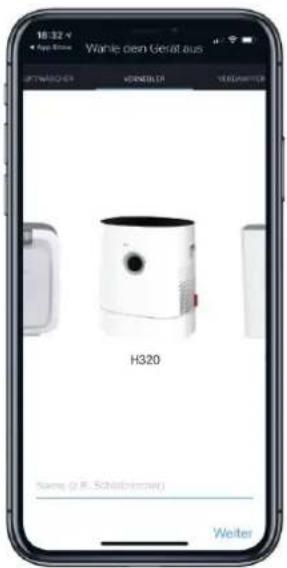
OPSEG DJELOVANJA
natural_image
Abstract circular graphic with concentric rings and a dot, no text or symbols presentSAMO OVLAŽIVANJE ("HUMIDIFIER")
Preporučujemo upotrebu uređaja BONECO i zimi s postavljenim AH320 filtrom za pelud jer, osim peludi, iz zraka filtrira i kućnu prašinu. Da biste upotrebljavali uređaj bez AH320 filtra za pelud, jednostavno izvadite filtar iz držača i prebacite ga u način rada "Humidifier" s pomoću aplikacije BONECO.
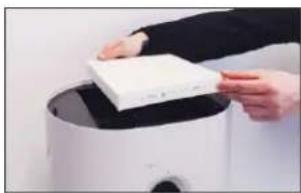
natural_image
Person holding a white rectangular object on a black surface, possibly a digital device or scanner (no visible text or symbols)natural_image
Abstract circular graphic with blue and gray segments, no text or symbols presentSAMO AH320 FILTAR ZA PELUD ("PURIFIER")
Ljeti je vlažnost u zraku obično dovoljno visoka, ali pelud alergičarima uzrokuje poteškoće. Ako želite upotrijebiti samo učinak čišćenja AH320 filtra za pelud, prebacite uređaj BONECO s pomoću BONECO aplikacije u način rada "Purifier" te uklonite vodu i izvadite bubanj iz uređaja.
LED NAČIN RADA "PURIFIER"
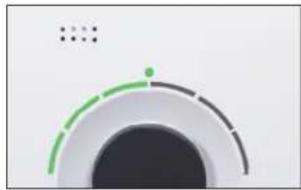
natural_image
Abstract circular graphic with green and black segments, no text or symbols presentRAZLIČITI NAČINI RADA
NAČINI RADA
natural_image
Hand pointing at a wall-mounted device with a small screen (no visible text or symbols)- Uložak od filca u ladici nakapajte mirisnim uljem po svom izboru.
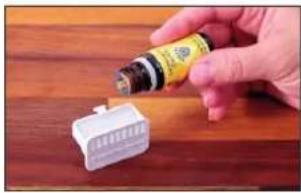
natural_image
Hand holding a small electronic component with a bottle, placed on a wooden surface (no visible text or symbols)NAPOMENE ZA ČIŠĆENJE
O ČIŠĆENJU
natural_image
Hand placing a white object into a white container on a wooden surface (no text or symbols visible)- Izvadite plovak.
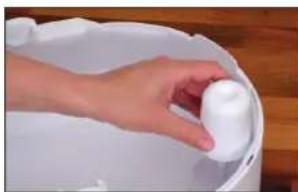
natural_image
Hand holding a white plastic container in a white basin (no text or symbols visible)natural_image
Person holding a white textured roller with red arrows indicating rotation (no text or symbols visible)- Skinite AW200 podlogu isparivača s bubnja.
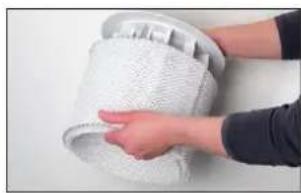
natural_image
Close-up of a hand holding a textured white object, possibly a cloth or fabric item (no visible text or symbols)- Očistite sve dijelove osim središnjeg dijela, AH320 filtra za pelud i AW200 podloge isparivača ručno ili u perilici posuđa pri maksimalno 50 °C.
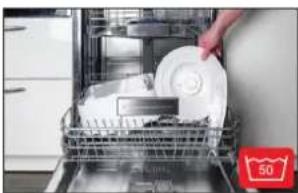
natural_image
Interior view of a kitchen appliance with a hand placing a white plate into a rack (no visible text or symbols)ČIŠĆENJE PREDFILTRA
O PREDFILTRU
natural_image
Hand pressing down on a black textured surface with a red arrow indicating the motion (no text or symbols)- Izvadite predfilter povlačenjem jezička na sredi - ni prema gore.
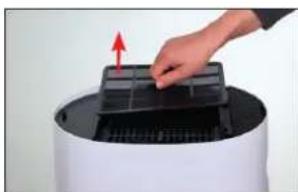
natural_image
Hand placing a black plastic tray into a white cylindrical device with a red arrow indicating motion (no text or symbols visible)- Operite predfilter četkom za čišćenje pod mla - zom vode.
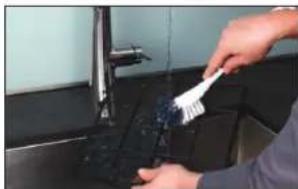
natural_image
Person cleaning a kitchen sink with a brush (no visible text or symbols)- Predfilter obrišite krpom.
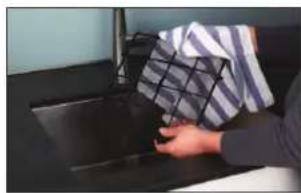
natural_image
Person holding a box over a dark surface, no visible text or symbols- Umetnite predfilter u uredaj.
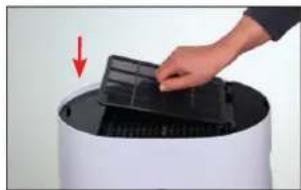
natural_image
Hand placing a black plastic tray into a white cylindrical device with a red arrow indicating motion (no text or symbols visible)natural_image
Hand pressing down on a black textured surface with a red arrow indicating the motion (no text or symbols visible)ČIŠĆENJE AW200 PODLOGE ISPARIVAČA
O AW200 PODLOZI ISPARIVAČA
natural_image
Close-up of a white textured surface with a small white object on top, marked by a green checkmark (no text or symbols)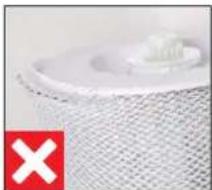
natural_image
Close-up of a white plastic object with a red 'X' symbol on the left (no text or symbols on the object itself)PRANJE U PERILICI RUBLJA
natural_image
Close-up of hands washing a white cloth over a surface (no text or symbols visible)natural_image
Hand placing a white object into a white container on a wooden surface (no text or symbols visible)Zamjenski A7017 Ionic Silver Stick ^x dobit ćete kod svog BONECO trgovca, u BONECO internetskoj trgovini na sljedećoj adresi ili izravno putem aplikacije BONECO koju upotrebljavate za upravljanje uređajem BONECO:
www.shop.boneco.com
ZAMJENA AH320 FILTRA ZA PELUD
natural_image
Illustration of a cylindrical device with a circular top and side panel (no text or symbols)BONECO H320
natural_image
Simple line drawing of a folded paper with a speech bubble containing two glasses (no text or symbols)natural_image
Simple line drawing of a document with a warning symbol (no text or labels)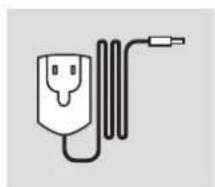
natural_image
Simple line drawing of a plug connected to a cord and cable (no text or symbols)ρεύματος
natural_image
Simple diagram of a device with a glowing red light source and black circular base (no text or symbols)natural_image
Hand pressing a button on a white surface, no text or symbols visiblenatural_image
Close-up of a circular mechanical component with a black center and dashed outer ring (no text or symbols visible)natural_image
Hand pressing a button on a white appliance (no visible text or symbols)natural_image
Hand pressing down on a circular button (no text or symbols visible)natural_image
Close-up of a circular mechanical component with a black center and dotted top (no visible text or symbols)natural_image
Close-up of a circular mechanical component with concentric rings and a small dot, no visible text or symbols.MONO YΓPANΣH («HUMIDIFIER» (YΓPANΣH))
natural_image
Person placing a white rectangular object on a black cylindrical device (no visible text or symbols)natural_image
Abstract circular graphic with segmented arcs and dots, no text or symbols presentnatural_image
Circular gauge or dial with green and black segments, no visible text or symbolsnatural_image
Hand pointing at a wall-mounted button (no visible text or symbols)natural_image
Hand holding a small electronic component next to a white plastic connector on a wooden surface (no visible text or symbols)ΣΥΝΙΣΤΩΜΕΝΑ ΔΙΑΣΤΗΜΑΤΑ ΚΑΘΑΡΙΣΜΟΥ
natural_image
Hand placing a small object into a white container on a wooden surface (no text or symbols visible)natural_image
Hand holding a white cylindrical object over a white basin, placed on a wooden surface (no text or symbols visible)natural_image
Person holding a rolled-up white object with red arrows indicating rotation (no text or symbols visible)natural_image
Close-up of hands holding a white mesh bag (no text or symbols visible)natural_image
Interior view of a kitchen appliance with a hand placing a white plate into a rack (no visible text or symbols)natural_image
Hand pressing down on a black textured surface next to a white cylindrical object (no text or symbols visible)natural_image
Hand placing a grid into a device component with an arrow indicating the direction (no text or symbols visible)natural_image
Person cleaning a kitchen sink with a brush (no visible text or symbols)natural_image
Person holding a plastic bag over a dark surface, no visible text or symbolsnatural_image
Hand placing a black plastic tray onto a white cylindrical device with a red arrow indicating motion (no text or symbols visible)natural_image
Hand pressing down on a black textured surface with a red arrow indicating the motion (no text or symbols visible)natural_image
Close-up of a white textured cylindrical object with a small white component, no visible text or symbols.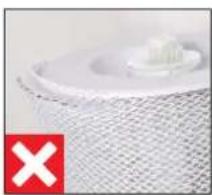
natural_image
Close-up of a white plastic component with a red 'X' symbol in the corner (no text or symbols on the object itself)natural_image
Close-up of hands washing a white cloth over a surface, no text or symbols visiblenatural_image
Hand placing a white object into a white container on a wooden surface (no text or symbols visible)natural_image
Simple line drawing of a document with a speech bubble containing an eyeglasses (no text or symbols)Краткая инструкция
natural_image
Simple line drawing of a document with an exclamation mark (no text or symbols)natural_image
Simple line drawing of a plug connected to a cable with a terminal connector (no text or symbols)natural_image
Close-up of a circular mechanical component with a red starburst pattern on top (no text or symbols visible)natural_image
Hand pressing a button on a white surface, no text or symbols visiblenatural_image
Close-up of a circular mechanical component with a black center and dotted top (no visible text or symbols)natural_image
Hand pressing a black button on a white circular device (no text or symbols visible)natural_image
Hand pressing down on a circular button (no text or symbols visible)natural_image
Close-up of a circular mechanical component with a black center and a small dot on top (no visible text or symbols)natural_image
Abstract circular graphic with concentric rings and a dot, no text or symbols presentnatural_image
Person placing a white rectangular object onto a cylindrical device (no visible text or symbols)natural_image
Abstract circular graphic with gradient shading and a dot, no text or symbols presentnatural_image
Circular gauge or dial indicator with green and black segments, no visible text or symbolsРАЗНЫЕ ПОДРЕЖИМЫ
ПОДРЕЖИМЫ
natural_image
Hand pointing at a wall-mounted button (no visible text or symbols)natural_image
Hand holding a small electronic device next to a white plastic component on a wooden surface (no visible text or symbols)УКАЗАНИЯ ПО ОЧИСТКЕ
ОБ ОЧИСТКЕ
natural_image
Hand placing a white plastic clip into a white bucket on a wooden surface (no text or symbols visible)- Снимите поплавок.
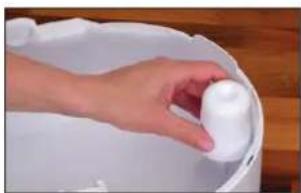
natural_image
Hand placing a white plastic object into a white bucket on a wooden surface (no text or symbols visible)natural_image
Person holding a white textured roller with red directional arrows indicating rotation (no text or symbols)natural_image
Close-up of hands handling a white mesh material on a surface (no text or symbols visible)natural_image
Interior view of a kitchen appliance with a hand placing a white plate into the tray (no visible text or symbols)natural_image
Hand pressing down on a black textured surface with a red arrow indicating motion (no text or symbols)natural_image
Hand placing a black plastic tray into a white cylindrical device with a red arrow indicating motion (no text or symbols visible)natural_image
Person cleaning a kitchen sink with a brush (no visible text or symbols)natural_image
Person holding a box over a dark surface, no visible text or symbolsnatural_image
Hand placing a black plastic tray onto a white cylindrical device with a red arrow indicating motion (no text or symbols visible)natural_image
Hand pressing down on a black textured surface, with a red arrow indicating the motion direction (no text or symbols visible)ОЧИСТКА УВЛАЖНЯЮЩЕГО ХОЛСТА-ФИЛЬТРА АW200
natural_image
Close-up of a white textured surface with a small white object on top, next to a green checkmark (no text or symbols)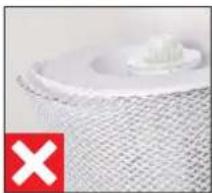
natural_image
Close-up of a textured surface with a small white object and a red 'X' symbol in the corner (no readable text or symbols)natural_image
Close-up of hands washing a white cloth over a surface (no text or symbols visible)natural_image
Hand placing a small white object into a white container on a wooden surface (no text or symbols visible)natural_image
Illustration of a white cylindrical device with a black top and circular vent, emitting sound waves (no text or symbols)BONECO H320
使用说明书 电源适配器安全指南
分解图与部件名称
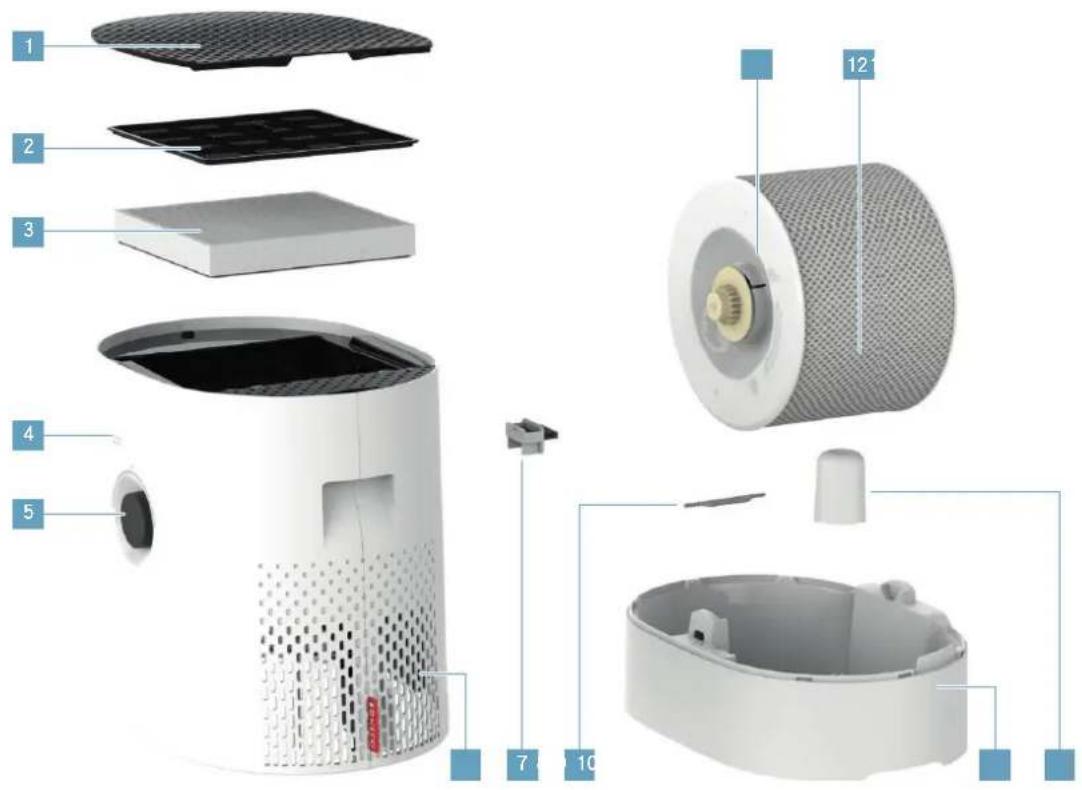
natural_image
Close-up of a circular mechanical component with a central hub and red starburst pattern (no text or symbols)natural_image
Hand pressing a button on a white surface, no text or symbols visiblenatural_image
Close-up of a circular mechanical component with dashed outline and dotted top (no visible text or symbols)natural_image
Hand pressing down on a white circular button with black center (no text or symbols visible)natural_image
Close-up of a circular mechanical component with a central dark center and a small dot pattern on top (no text or symbols visible)
与BONECO设备配对
准备
natural_image
Abstract circular graphic with concentric rings and a dot, no text or symbols present单独加湿(“加湿器”)
natural_image
Person holding a white rectangular object over a cylindrical device (no visible text or symbols)natural_image
Abstract circular graphic with segmented arcs and a dot, no text or symbols presentnatural_image
Abstract circular graphic with green and black segments, no text or symbols present多种运行模式
使用模式
- 将你选择的芳香剂洒在抽屉的毛毡上。
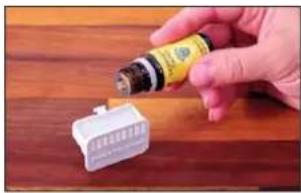
natural_image
Hand holding a small electronic component with a yellow label, placed on a wooden surface (no visible text or symbols)清洁提示
关于清洁
natural_image
Hand placing a white object into a white bucket on a wooden surface (no text or symbols visible)- 取下浮标。
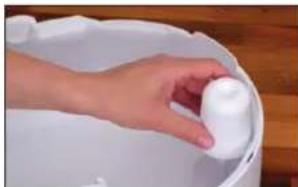
natural_image
Hand holding a white plastic object into a white bucket (no text or symbols visible)- 转动轮毂两侧的盘,按符号松开。
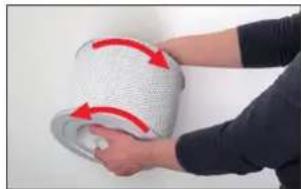
natural_image
Person holding a white textured object with red arrows indicating rotation or movement (no text or symbols visible)- 取下套在轮毂上的AW200蒸发网。
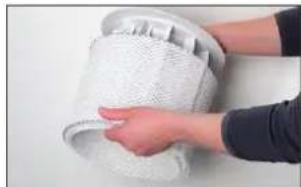
natural_image
Close-up of hands holding a white mesh-wrapped object (no text or symbols visible)natural_image
Interior view of a kitchen appliance with a hand placing a white plate into a rack (no visible text or symbols)清洁预过滤网
关于预过滤网
natural_image
Hand pressing down on a black textured surface, with a red arrow indicating the motion direction (no text or symbols)natural_image
Hand placing a black plastic tray into a white cylindrical device with a red arrow indicating motion (no text or symbols visible)- 在流动的水下用清洁刷清洗预过滤网。
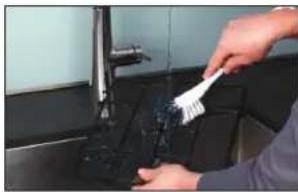
natural_image
Person cleaning a kitchen sink with a brush (no visible text or symbols)- 用一块布擦干预过滤网。
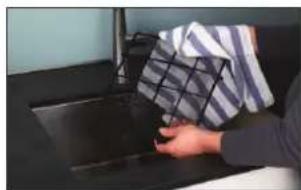
natural_image
Person washing a dark surface with a cloth rack (no visible text or symbols)- 把预过滤网重新装到设备上。
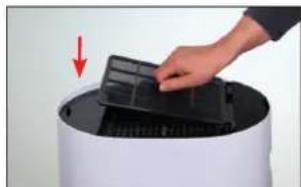
natural_image
Hand placing a black plastic tray onto a white cylindrical device with a red arrow indicating motion (no text or symbols visible)- 盖上盖子,按下左边的边缘锁住它。
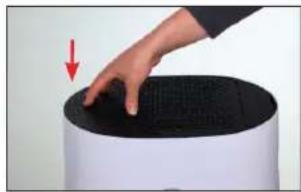
natural_image
Hand pressing down on a black textured surface with a red arrow indicating the motion (no text or symbols visible)清洁AW200 蒸发网
关于AW200 蒸发网
natural_image
Close-up of a white textured surface with a small white object, no visible text or symbols.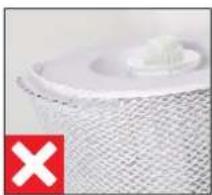
natural_image
Close-up of a textured white object with a small protrusion, marked by a red 'X' symbol (no text or symbols on the object itself)用洗衣机清洁
natural_image
Close-up of hands washing a white cloth over a surface, no text or symbols visiblenatural_image
Hand placing a white plastic object into a white bucket on a wooden surface (no text or symbols visible)BONECO is a registered trademark of BONECO AG, Switzerland BONECO AG, Espenstrasse 85, 9443 Widnau, Switzerland


- NUR AH320 POLLENFILTER ("PURIFIER")
- DIE VERSCHIEDENEN MODI
- DIE MODI
- REINIGUNGSHINWEISE
- ÜBER DIE REINIGUNG
- VORFILTER REINIGEN
- ÜBER DEN VORFILTER
- AW200 VERDUNSTERMATTE REINIGEN
- ÜBER DIE AW200 VERDUNSTERMATTE
- Manual handling 36
- The various operating modes 41
- The various comfort modes 42
- Using fragrances 43
- Notes on cleaning 44
- Cleaning in the dishwasher 45
- Clean the pre-filter 47
- Clean the AW200 evaporator mat 48
- Replacing the accessories 49
- Malfunctions and troubleshooting 50
- Factory default settings 51
- ITEMS INCLUDED
- HEALTHY AIR IS A BASIC NEED
- AVAILABILITY OF ACCESSORIES
- OVERVIEW AND PART NAMES
- TECHNICAL DATA
- STARTING UP
- MANUAL HANDLING
- ABOUT MANUAL HANDLING
- AUTO MODE
- ADAPTED AUTO MODE
- SWITCHING ON AND OFF
- MANUAL CONTROL
- THE BENEFITS OF THE BONECO APP
- ABOUT THE BONECO APP
- DOWNLOAD
- BONECO APP FOR IOS
- PAIRING WITH THE BONECO APPLIANCE
- GETTING READY
- PAIRING
- HUMIDIFICATION ONLY ("HUMIDIFIER")
- AH320 POLLEN FILTER ONLY ("PURIFIER")
- THE VARIOUS COMFORT MODES
- COMFORT MODES
- SLEEP MODE
- BABY MODE
- USING FRAGRANCES
- BASICS
- ADDING FRAGRANCES
- NOTES ON CLEANING
- ABOUT CLEANING
- CLEANING IN THE DISHWASHER
- PARTS NOT PERMITTED
- WATER BASE AND DRUM
- CLEAN THE PRE-FILTER
- ABOUT THE PRE-FILTER
- CLEAN THE AW200 EVAPORATOR MAT
- ABOUT THE AW200 EVAPORATOR MAT
- CLEANING IN THE WASHING MACHINE
- CLEANING BY HAND
- REPLACING THE ACCESSORIES
- REPLACING THE A7017 IONIC SILVER STICK®
- REPLACING THE AH320 POLLEN FILTER
- MALFUNCTIONS AND TROUBLESHOOTING
- FACTORY DEFAULT SETTINGS
- ABOUT THE FACTORY DEFAULT SETTINGS
- RESETTING THE APPLIANCE
- SOMMAIRE
- HUMIDIFICATION SEULEMENT (« HUMIDIFIER »)
- LES DIFFÉRENTS MODES
- LES MODES
- PRÉCISIONS CONCERNANT LE NETTOYAGE
- INFORMATIONS CONCERNANT LE NETTOYAGE
- NETTOYAGE DU PRÉFILTRE
- INFORMATIONS CONCERNANT LE PRÉFILTRE
- NETTOYAGE DU TAPIS D'ÉVAPORATION AW200
- INFORMATIONS CONCERNANT LE TAPIS D'ÉVAPORATION AW200
- NETTOYAGE AU LAVE-LINGE
- REPLACEMENT DES ACCESSOIRES
- REMPLACER L'IONIC SILVER STICK® A7017
- SOLO UMIDIFICAZIONE ("HUMIDIFIER")
- SOLO FILTRO ANTIPOLLINE AH320 ("PURIFIER")
- LE DIVERSE MODALITÀ
- LE MODALITÀ
- AVVERTENZE PER LA PULIZIA
- PULIRE IL PREFILTRO
- INFORMAZIONI SUL PREFILTRO
- PULIRE IL FELTRO PER EVAPORATORE AW200
- INFORMAZIONI SUL FELTRO PER EVAPORATORE AW200
- PULIZIA IN LAVATRICE
- KOPPELING MET HET BONECO-APPARAAT
- VOORBEREIDINGEN
- ALLEEN BEVOCHTIGEN ("HUMIDIFIER")
- ALLEEN POLLENFILTER AH320 ("PURIFIER")
- REINIGINGSINSTRUCTIES
- OVER DE REINIGING
- VOORFILTER REINIGEN
- OVER HET VOORFILTER
- VERDAMPERMAT AW200 REINIGEN
- OVER DE VERDAMPERMAT AW200
- REINIGING IN DE WASMACHINE
- SOLO FILTRO DE POLEN AH320 ("PURIFIER")
- LOS DISTINTOS MODOS
- MODOS
- INSTRUCCIONES DE LIMPIEZA
- ACERCA DE LA LIMPIEZA
- LIMPIEZA DEL FILTRO PREVIO
- ACERCA DEL FILTRO PREVIO
- LIMPIEZA EN LA LAVADORA
- SÓ FILTRO DE PÓLEN AH320 ("PURIFIER")
- OS DIFERENTES MODOS
- OS MODOS
- INSTRUÇÕES DE LIMPEZA
- SOBRE A LIMPEZA
- LIMPAR O PRÉ-FILTRO
- SOBRE O PRÉ-FILTRO
- LIMPEZA NA MÁQUINA DE LAVAR ROUPA
- MANUÁLIS ÜZEMELTETÉS
- A MANUÁLIS ÜZEMELTETÉSRÓL
- CSAK AH320 POLLENSZÜRÖ ("PURIFIER")
- A KÜLÖNBÖZŐ MÓDOK
- A MÓDOK
- TISZTÍTÁSI ÚTMUTATÓ
- A TISZTÍTÁSRÓL
- TO ZAPEWNIA APLIKACJA BONECO
- O APLIKACJI BONECO
- HYBRYDOWY SPOSÓB PRACY ("HYBRID")
- TYLKO NAWILŻANIE ("HUMIDIFIER" (NAWILŻANIE))
- TYLKO FILTR PRZECIWPYŁKOWY AH320 ("PURIFIER")
- RÓŻNE TRYBY
- TRYBY
- CZYSZCZENIE FILTRA WSTĘPNEGO
- O FILTRZE WSTĘPNYM
- CZYSZCZENIE MATY NAWILŻAJĄCEJ AW200
- INFORMACJE NA TEMAT MATY NAWILŻAJĄCEJ AW200
- PRANIE MATY W PRALCE
- INNEHÅLLSFÖRTECKNING
- ÖVERSIKT OCH DELARNAS NAMN
- KOPPLA IHOP BONECO-APPARAT OCH TELEFON
- FÖRBEREDELSER
- ENBART LUFTFUKTNING ("HUMIDIFIER" (LUFTFUKTNING))
- ENDAST POLLENFILTER AH320 ("PURIFIER")
- OLIKA LÄGEN
- LÄGEN
- ANVISNINGAR FÖR RENGÖRING
- OM RENGÖRING
- RENGÖRA FÖRFILTER
- OM FÖRFILTRET
- RENGÖRA AVDUNSTARMATTA AW200
- OM AVDUNSTARMATTA AW200
- TVÄTT | TVÄTTMASKIN
- YLEISKUVA JA OSIEN NIMET
- VAIN KOSTEUTTAMINEN ("HUMIDIFIER" (KOSTUTUS))
- VAIN AH320-SIITEPÖLYSUODATIN ("PURIFIER")
- ERI TILAT
- TILAT
- PUHDISTUSOHJEET
- PUHDISTUSTA KOSKEVIA TIETOJA
- ESISUODATTIMEN PUHDISTUS
- ESISUODATINTA KOSKEVIA TIETOJA
- AW200-HAIHDUTINMATON PUHDISTAMINEN
- AW200-HAIHDUTINMATTOA KOSKEVIA TIETOJA
- PUHDISTUS PESUKONEESSA
- DELENE OG DERES BENÆVNELSE
- KUN BEFUGTNING ("HUMIDIFIER" (BELYSNING))
- KUN AH320 POLLENFILTER ("PURIFIER")
- DE FORSKELLIGE TILSTANDE
- TILSTANDENE
- RENGÖRINGSHENVISNINGER
- RENGÖRING AF FORFILTER
- OM FORFILTERET
- RENG∅R AW200 FORDAMPERMÅTTEN
- OM AW200 FORDAMPERMÄTTEN
- RENGÖRING I VASKEMASKINEN
- UDSKIFTNING AF TILBEH∅R
- UDSKIFT A7017 IONIC SILVER STICK®
- NULSTILLING AF APPARAT
- MANUELL STYRING
- KUN LUFTFUKTER ("HUMIDIFIER" (FUKTING))
- DIE ULIKE MODUSENE
- MODUSER
- AUTO-MODUS
- RENGJÖRINGSANVISNINGER
- OM RENGJÖRINGEN
- RENGJÓRE FORFILTER
- RENGJÓRE AW200 FORDUNSTERMATTE
- OM AW200 FORDUNSTERMATTE
- RENGJÖRING I VASKEMASKIN
- RENGJÖRING FOR HÅND
- TILBAKESTILLE APPARATET
- INFORMĂCIJA PAR MANUĂLO VADĪBU
- PIELAGOTS REŽIMS "AUTO"
- TIKAI MITRINĀŠANA ("HUMIDIFIER")
- TIKAI ZIEDPUTEKŠNU FILTRS AH320 ("PURIFIER")
- DAŽĀDI REŽĪMI
- REŽIMI
- REŽİMS "SLEEP" (MIEGS)
- TİRİŞANAS NORÄDIJUMI
- INFORMĂCIJA PAR TĪRĪŠANU
- PRIEKŠFILTRA TİRİŞANA
- INFORMĂCIJA PAR PRIEKŠFILTRU
- MITRINĀTĀJA SIETA AW200 TĪRĪŠANA
- INFORMĂCIJA PAR MITRINĂTĂJA SIETU AW200
- MAZGĀŠANA VEŁAS MAZGĀJAMAJĀ MAŠĪNĀ
- JVAIRÜS DARBO REŽIMAI
- TIK DRÉKINIMAS („HUMIDIFIER“ (DRÉKINIMAS))
- TIK AH320 ŽIEDADULKIŲ FILTRAS ("PURIFIER")
- SKIRTINGI REŽIMAI
- REŽIMAI
- VALYMO NURODYMAI
- APIE VALYMA
- PIRMINIO FILTRO VALYMAS
- APIE PIRMINJ FILTRA
- AW200 GARINTUVO AUDINIO VALYMAS
- APIE AW200 GARINTUVO AUDINJ
- PLOVIMAS SKALBIMO MAŠINA
- ÜLEVAADE JA OSADE NIMETUSED
- AINULT NIISUTAMINE ("HUMIDIFIER")
- AINULT ÖIETOLMUFILTER AH320 ("PURIFIER")
- ERINEVAD LAADID
- LAADID
- PUHASTAMISJUHISED
- PUHASTAMISEST
- EELFILTRI PUHASTAMINE
- EELFILTRIST
- AURUSTUSMATI AW200 PUHASTAMINE
- AURUSTUSMATIST AW200
- PESUMASINAS PUHASTAMINE
- PŘEHLED A NÁZVY DÍLŮ
- O MANUÁLNÍM OVLÁDÁNÍ
- POUZE ZVLHČOVÁNÍ ("HUMIDIFIER" (ZVLHČOVÁNÍ))
- POUZE PYLOVÝ FILTR AH320 („PURIFIER“)
- RŮZNÉ REŽIMY
- REŽIMY
- POKYNY K ČIŠTĚNÍ
- O ČIŠTĚNÍ
- ČIŠTĚNÍ PŘEDFILTRU
- O PŘEDFILTRU
- PRANÍ V PRAČCE
- LEN ZVLHČOVANIE ("HUMIDIFIER" (ZVLHČOVANIE))
- IBA PELOVÝ FILTER AH320 („PURIFIER“)
- RÔZNE REŽIMY
- POKYNY NA ČISTENIE
- O ČISTENÍ
- ČISTENIE PRERADENÉHO FILTRA
- O PREDRADENOM FILTRI
- ČISTENIE VLOŽKY ODPAROVACIEHO ZVLHČOVAČA AW200
- O VLOŽKE ODPAROVACIEHO ZVLHČOVAČA AW200
- ČISTENIE PRANÍM V PRÁČKE
- PREGLED IN POIMENOVANJE DELOV
- TEHNIČNI PODATKI
- PRED UPORABO
- ROČNO UPRAVLJANJE
- O ROČNEM UPRAVLJANJU
- SAMO VLAŽENJE (»HUMIDIFIER« (VLAŽENJE))
- RAZLIČNI NAČINI
- NAČINI
- NAPOTKI ZA ČIŠČENJE
- O ČIŠČENJU
- OČISTITE PREDFILTER
- O PREDFILTRU
- OČISTITE VLAŽILNO OBLOGO AW200
- O VLAŽILNI OBLOGI AW200
- ČIŠČENJE V PRALNEM STROJU
- MENJAVA PRIBORA
- ZAMENJAJTE VLOŽEK A7017 IONIC SILVER STICK®
- TEHNIČKI PODACI
- PUŠTANJE U RAD
- NEAUTOMATSKO RUKOVANJE
- O NEAUTOMATSKOM RUKOVANJU
- NAČIN RADA AUTO
- NEAUTOMATSKO UPRAVLJANJE
- APLIKACIJA BONECO NUDI VAM OVO
- O APLIKACIJI BONECO
- SAMO OVLAŽIVANJE ("HUMIDIFIER")
- SAMO AH320 FILTAR ZA PELUD ("PURIFIER")
- RAZLIČITI NAČINI RADA
- NAČINI RADA
- NAPOMENE ZA ČIŠĆENJE
- O ČIŠĆENJU
- ČIŠĆENJE PREDFILTRA
- ČIŠĆENJE AW200 PODLOGE ISPARIVAČA
- O AW200 PODLOZI ISPARIVAČA
- PRANJE U PERILICI RUBLJA
- ZAMJENA AH320 FILTRA ZA PELUD
- MONO YΓPANΣH («HUMIDIFIER» (YΓPANΣH))
- РАЗНЫЕ ПОДРЕЖИМЫ
- ПОДРЕЖИМЫ
- УКАЗАНИЯ ПО ОЧИСТКЕ
- ОБ ОЧИСТКЕ
- ОЧИСТКА УВЛАЖНЯЮЩЕГО ХОЛСТА-ФИЛЬТРА АW200
- 分解图与部件名称
- 与BONECO设备配对
- 准备
- 多种运行模式
- 使用模式
- 清洁提示
- 关于清洁
- 清洁预过滤网
- 关于预过滤网
- 清洁AW200 蒸发网
- 关于AW200 蒸发网
- 用洗衣机清洁
Brand : BONECO
Model : H320
Category : Humidifier