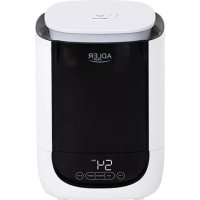
AD 7966 - Humidifier ADLER - Free user manual and instructions
Find the device manual for free AD 7966 ADLER in PDF.



| Product type | Ultrasonic humidifier |
| Brand | Adler |
| Model | AD 7966 |
| Power supply | 220-240 V ~ 50/60 Hz |
| Power | 25 W |
| Water tank capacity | 4.6 liters |
| Humidification capacity | 280 ml/hour |
| Hygrostat adjustment | 40% to 90% (in 5% increments) |
| Timer | 1 to 12 hours |
| Humidification levels | High, medium, low |
| Sleep function | Turns off LCD screen |
| Aromatherapy | Yes (built-in essential oil box) |
| Display | LCD |
| Water shortage indicator | Yes, with automatic shut-off and audible alarm |
| Descaling filter | Included, to be replaced annually |
| Tank material | Antibacterial components |
| Recommended cleaning | Weekly (atomizer, tank, basin) |
| Safety | Automatic shut-off in case of water shortage, level sensor |
| Usage | Household use only |
Frequently Asked Questions - AD 7966 ADLER
User questions about AD 7966 ADLER
0 question about this device. Answer the ones you know or ask your own.
Ask a new question about this device
Download the instructions for your Humidifier in PDF format for free! Find your manual AD 7966 - ADLER and take your electronic device back in hand. On this page are published all the documents necessary for the use of your device. AD 7966 by ADLER.
USER MANUAL AD 7966 ADLER
natural_image
White and black ADLER air fryer with digital display showing 54mm temperature (no text or symbols on device body)AD 7966
natural_image
Line drawing of a cylindrical device with a lid and base, labeled with number 2 (no text or symbols on the diagram itself)




ENGLISH
GENERAL SAFETY CONDITIONS
IMPORTANT SAFETY INSTRUCTIONS READ CAREFULLY AND SAVE FOR FUTURE
The warranty conditions are different, if the device is used for commercial purpose.
- Before using the product please read carefully and always comply with the following instructions. The manufacturer is not liable for damages caused by using the device contrary to its intended purpose or improper operation.
- The device is for home use only. Do not use for other purposes that are not for its intended purpose.
- The device should only be connected to a 220-240 V \~ 50/60 Hz socket.
- Take special care when using the device when children are nearby. Do not allow children to play with the device, do not allow children or people unfamiliar with the device to use it.
- WARNING: This equipment may be used by children over 8 years of age and people with limited physical, sensory or mental ability, or people who have no experience or knowledge of the equipment, if this is done under the supervision of a person responsible for their safety or have been granted them information on the safe use of the device and are aware of the dangers of using it. Children should not play with the equipment. Cleaning and maintenance of the device should not be performed by children, unless they are over 8 years old and these activities are carried out under supervision.
- Always remove the plug from the power socket after use by holding the socket with your hand. DO NOT pull on the power cord.
- Do not immerse the cable, plug, base and the whole device in water or any other liquid. Do not expose the device to atmospheric conditions (rain, sun, etc.) or use in conditions of high humidity (bathrooms, damp mobile homes).
- Periodically check the condition of the power cord. If the power cord is damaged, it should be replaced by a specialist in repair center to avoid danger.
- Do not use the device with a damaged power cord or if it has been dropped or damaged in any other way or if it is not working properly. Do not repair the device yourself, as there is a risk of electric shock. Take the damaged device to an appropriate service center for checking or repair. All repairs may only be carried out by authorized service points. Incorrectly performed repairs can cause serious danger for the user.
- Place the device on a cool, stable surface, away from hot kitchen appliances such as an electric stove, gas burner, etc.
- Do not use the device near flammable materials.
- The power cord may not hang over the edge of a table or touch hot surfaces.
- Never leave the product connected to the power source without supervision. Even when use is interrupted for a short time, turn it off from the network, unplug the power.
-
To provide additional protection, it is advisable to install a residual current device (RCD) in the electrical circuit with a rated residual current not exceeding 30 mA. Ask an electrician for this.
-
Do not use the device near water, e.g. ... in the shower, bath tub or above the
wash basin with water.
-
When the appliance is used in a bathroom, remove the plug from the socket after use, as the proximity of water is a hazard even when the appliance is turned off.
-
Do not allow the device to get wet. In the event that the device falls into water, immediately remove the plug from the wall socket. Do not put your hands in water when the machine is connected to the network. It must be checked by a qualified electrician before using it again.
-
Do not hold the device with wet hands.
-
Always turn off the device after every use. Please switch off power before unplugging.
-
Never turn on the device without water in the water tank.
-
Use only clean, cool water.
-
Do not pour water into the tank above the maximum level.
-
Do not immerse the humidifier base. If water spills on the device, immediately unplug it and allow it to dry.
-
Do not add any chemicals to the water basin, water tank or the mist outlet. Do not add salts, descaling tablets, powders or cleaning substances to the water. The descaling filter included in set should be applied inside water basin only.
-
The mist inlet and water tank cover should always be tightly closed.
-
Make sure the humidifier's mist outlet is not directed directly at walls, furniture, electrical outlets, electrical and electronic devices, or children. Too high humidity in a room can lead to moisture accumulation, causing bacteria and fungi to grow, and damage to walls, furniture, and wallpapers.
-
Do not block the ventilation of the device. Keep a distance of at least 20 cm from the device. Do not block the humidifier water mist outlet.
-
Do not use the device if there is a risk of condensation. Moisture can form on the inside and outside of the device when:
- the device is moved from a cold to a warm place,
- the heating system has just been switched on,
- the device is used in a room with high humidity,
- the device is cooled by the air conditioning cooling system.
When moisture condensation occurs in the device, it may not work properly or may be damaged in extreme cases. In this case, do not use the device and let it dry for a few hours.
-
Do not tilt, turn over or attempt to top up or pour water from the machine during operation.
-
Do not remove the tank from the base of the device during operation of the humidifier.
-
The filled water tank is heavy. When carrying it, keep it underneath as well.
-
Do not use a humidifier if you find water leaks from under the device.
-
Do not leave water in the humidifier when it is not being used.
-
Follow the cleaning instructions in this manual.
-
Never allow sedimentation, moisture or water to remain in the humidifier base tank (this may cause contamination or even damage to the ultrasonic atomizer).
-
During prolonged operation of the device, the water mist emitted by the humidifier may
fall to the floor and cause moisture.
- Do not lift the water tank by the water mist outlet.
- It is prohibited to insert metal chips, wire, needles and other foreign objects into the product or into the housing gaps, otherwise it may cause electric shock or malfunction.
- Be aware that high humidity levels may encourage the growth of biological organisms and fungi in the environment.
- Too much humidity in the room can lead to moisture accumulation causing the damage to walls, furniture, wallpaper and electric other appliances as TV. Do not direct the mist outlet close to such objects.
- Do not permit the area around the humidifier to become damp or wet. If dampness occurs, turn down the mist production. If the mist capacity cannot be turned down, use the humidifier intermittently. Do not allow absorbent materials, such as carpeting, curtains, drapes, or tablecloths, to become damp.
- Do not cover the device. Do not place any objects on the top of the device.
- Do not use the device in association with a programmer, timer or other device that automatically switches the humidifier on.
The device is designed to work in rooms with a temperature of 5-40°C and a relative humidity below 80%.
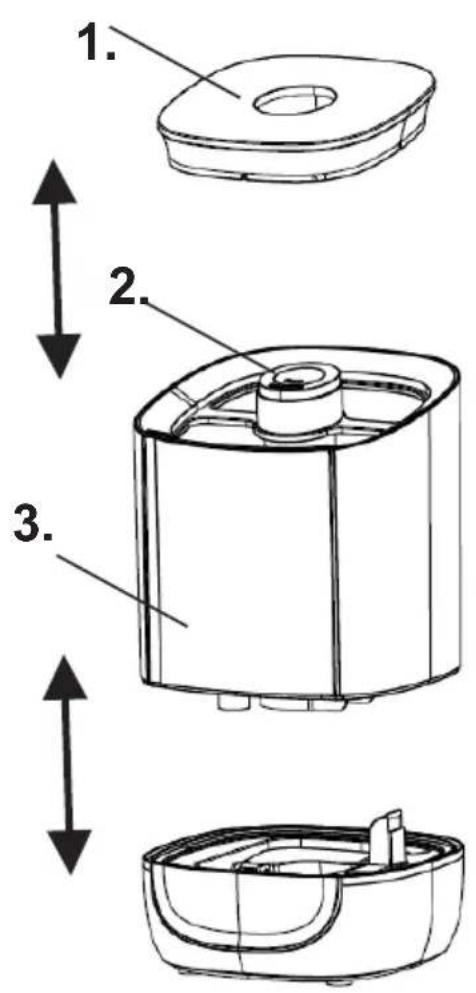
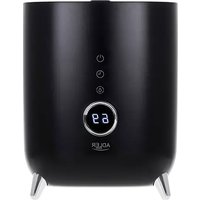
Device description: Humidifier AD7966
- Cover 2. Mist outlet
- Water tank 4,6 liters 4. Control panel
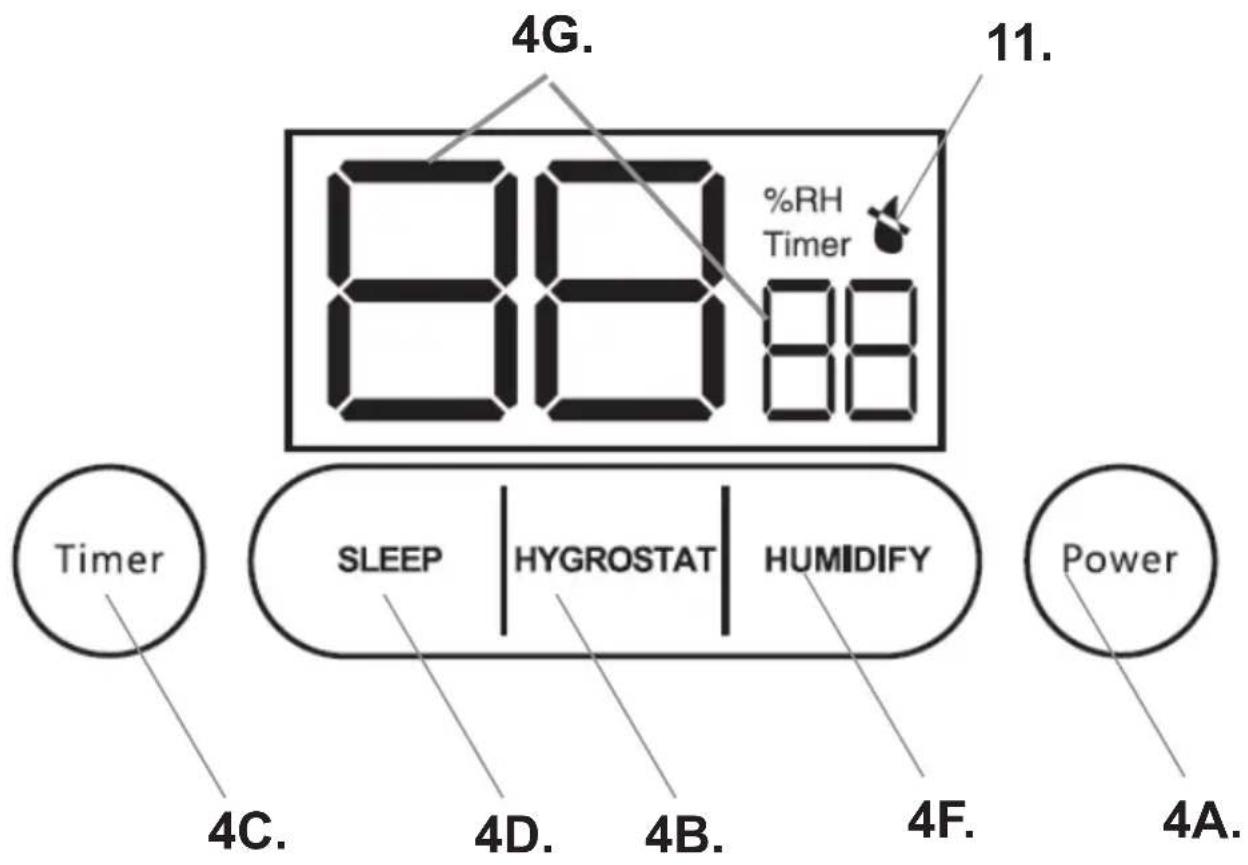
4A. Power button 4B. Hygrostat button
4C. Timer button 4D. Sleep button
4F. Humidify button 4G. LCD display - Aromatherapy oil box 6. Bottom water basin
- Water level control module 8. Water shortage sensor
- Atomizer 10. Descaling filter
- Water shortage indicator
OPERATION
- Stand up the device on stable, flat surface. Remove the water tank (3) from the water basin (6) to take away the protection foam located under the water level control module (7).
- Make sure the descaling filter (10) (grey ring attached in set) is lay on the atomizer (9).
- Fill the water according to instruction in chapter: Filling the water.
- Plug in the device.
- Press the POWER button (4A), the LCD screen (4G) lights up and the device starts to work with high mist. Press again to turn off the device.
- Press the HYGROSTAT button (4B) to select the desired level of humidity. The default humidity is 40%, it can be increased by 5% until 90% by repeated pressing the HYGROSTAT button (4B), the device will stop working when the room humidity reaches desired humidity value.
- Press the TIMER button (4C) repeatedly to adjust the working time from 1 hour to 12 hours in one-hour increments. The device will
switch off automatically after desired time passed.
- Press the SLEEP button (4D) to turn off the LCD display (4G). Press any button to illuminate the LCD display again.
- Press the HUMIDITY button (4F) to adjust the humidifying level: high-medium-low. The default humidification level is high intensity.
- AROMATHERAPY FUNCTION. Before turn on the device add a few drops of essential oil into the aromatherapy box (5). The oil is not included in set.
- To turn off the device press the POWER button (4A).
WATER FILLING
- Unplug the device during relocating and filling the water into water tank.
- In case the water in bottom water basin (6) was finished the water shortage sensor (8) will give 2 sounds. On LCD display will be illuminated the water shortage indicator (11), the device stops operation.
- Take the water tank (3) away the bottom water basin (6). Take the cover of water tank (1) away to fill up water tank (3). Do not exceed the MAX level.
- Always fill the water tank (3) with clean water. Never pour the water into the mist outlet (2). We recommend to use filtered or distilled water to enlarge the product lifetime. Never leave water in the water tank (3) when the device is not in use. The tap water can be used also, in this case it is need to clean the water tank (3), water basin (6), atomizer (9) and filter often in order not to affect the mist efficiency because of scale. The cleaning frequency depends on the degree of limescale in the water.
- Stand up filled water tank (3) on the water basin (6) tightly. Wait a while to let the water drain from water tank (3) to water basin,. Close the cover (1).
- After plug in and switch on the device the water shortage indicator will not be visible at LCD display, the device starts normal operation.
CLEANING
- Unplug the appliance during cleaning the device.
- Do not spray with liquid the device.
- Clean the atomizer (9), water tank (3) and bottom water basin (6) unit every week.
- Descaling filter (10) should be replaced for new one ones a year. During the year it is enough to wipe it by cloths with washing liquid and rinse before lay it back at its position in bottom water basin (6).
- Change the water in water tank (3) once a week or faster if it finished.
- Clean the whole device, and make sure to keep all parts of the device dry completely when the device is not in use.
In case when the water is hard which means water contains too much calcium and magnesium, they can cause “white powder” problem and give heavy sediment on the surface of bottom water basin (6), atomizer (9) and inner surface of the water tank (3). Sediment on the surface of atomizer (9) will make the unit work improperly.
Cleaning the water tank (3):
-
Clean the water tank once a week. Empty the water tank (3) The water tank (3) and bottom water basin (6) raw material consists with the anti-bacterial components inside.
-
Before refilling, clean it with fresh tap water with gentle washing up liquid. Remove any scale, deposits, or film that has formed on the sides of the tank or on interior surfaces, and wipe all surfaces dry.
Cleaning of the atomizer (9):
- Put 5-10 drops of vinegar on the surface of the atomizer (9), wait for 2-5 minutes.
- Brush out the sediment on the surface.
- Rinse the atomizer with clean water.
Cleaning of the bottom water basin (6):
- Clean the bottom water basin (6) once a week with soft cloth and the vinegar if there is sediment in it.
- If the sediment covered the water shortage sensor (8), pour some drops the vinegar on the sediment and clean it out with the brush.
- Rinse the bottom water basin (6) with clean water.
STORAGE
- Empty, clean and dry the device before storage.
- Store the device in a dry, dust-fee place out of direct sunlight.
- Clean the humidifier before next use.
TROUBLE SHOOTING
In case any trouble found in normal operation, please kindly refer to the following points;
Trouble no 1: The devise does not work.
Possible reason: No power supply.
Solution: Connect power supply, switch on the device.
Trouble no 2: The devise does not work.
Possible reason: No water in water tank.
Solution: If the temperature difference between indoor and outdoor is too large, the device cannot work normally. It is recommended to fill up the water tank and wait for 10 minutes for the device to work again. If the temperature difference between indoor and outdoor is not large, it is not necessary to handle in this way. The device can be directly filled up by water and turn on the power supply.
Trouble no 3: The mist is not produced.
Possible reason: Selected humidity level has been reached.
Solution: Deactivate or re-set the required humidity level.
Trouble no 4: The mist is not produced.
Possible reason: Defective device.
Solution: Contact Technical Service.
Trouble no 5: Mist with strange odor.
Possible reason: New device.
Solution: Odor disappears after the first few hours of operation.
Trouble no 6: Mist with strange odor.
Possible reason: Dirty water or long time storaged water.
Solution: Clean water tank, fill with clear water.
Trouble no 7: Mist volume too low
Possible reason: Too much dirt in the water basin.
Solution: Clean the surface of atomizer (9).
Trouble no 8: Mist volume too low
Possible reason: Water is too dirty or water kept too long in the tank.
Solution: Clean the water tank, fill with clear water.
Trouble no 9: Mist volume too low
Possible reason: Low humidifying level.
Solution: Change the humidifying level.
Trouble no 10: Abnormal noise.
Possible reason: Not enough water.
Solution: Fill with water.
Trouble no 11: Abnormal noise.
Possible reason: The device is tilted or on an uneven surface.
Solution: Place the device on a flat, stable surface.
Trouble no 12: Spray mist is coming out of the area around the jets.
Possible reason: Mist outlet or water tank misplaced.
Solution: Re-install the mist outlet or water tank.
Remark:
If the problem cannot bit be found in the list or it persists, please contact service center or a qualified technician for further inspection.
Do NOT open and repair the device by yourself. Use only qualified agents for repairs or services.
Technical data:
Power: 25W
Power supply: 220-240V \~50/60Hz
Water tank capacity: 4,6 liters
Humidification capacity: 280 ml / hour

To protect your environment: please separate carton boxes and plastic bags and dispose them in corresponding waste bins. Used appliance should be delivered to the dedicated collecting points due to hazarsous components, which may effect the environment. Do not dispose this appliance in the common waste bin.
DEUTSCH
Løsning: Fyld med. vand.
Problem nr. 11: Unormal støj.
natural_image
White watermelon-shaped kettle with blue liquid inside, no visible text or symbols on the device itself.Electric Kettle AD 02

natural_image
Exterior view of a modern coffee machine with orange and black casing (no visible text or symbols)Espresso Machine AD 4404

Standing Fan
AD 7305
natural_image
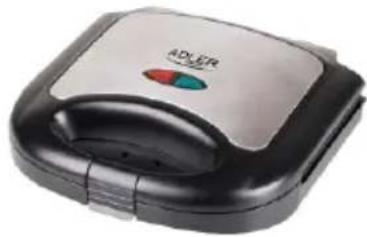
Exterior view of a modern sandwich grater with a black handle and red button (no visible text or symbols)Sandwitch maker AD 3015
natural_image
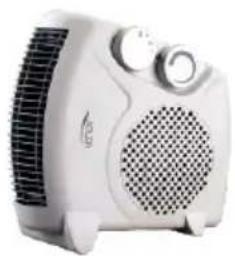
White electric heating fan with control panel and ventilation grille (no visible text or symbols)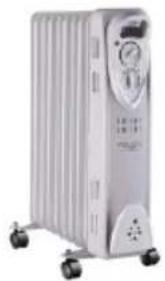
natural_image
White industrial air conditioner unit with cooling fan and wheels (no visible text or symbols)Oil Heater AD 7808

Hair Clipper
AD 2823

Hair Clipper
AD 2825

natural_image
Exterior view of a modern glass coffee maker with a black handle (no visible text or symbols)Dripp Coffee Maker AD 4407

natural_image
Glass water heater with blue liquid, no visible text or symbolsKettle AD 1286
natural_image
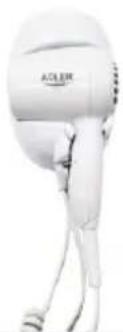
White handheld hairdryer with label 'ACER' on the head (no other text or symbols visible)Hair Dryer AD 2252
natural_image
Black handheld hair clip device with silver filter and black handle (no visible text or symbols)Hair Clipper AD 2832
natural_image
Black flip phone with red strap (no visible text or symbols)Hair Shaver AD 2932

natural_image
Close-up of a stainless steel kitchen pan with digital display (no visible text or symbols)Kitchen Scale AD 8121

natural_image
Black and white photo of a mobile phone keyboard with a grid of circular buttons (no visible text or symbols)Nut Cookie Maker AD 3039
natural_image
A modern blender with pink liquid and black handle, no visible text or symbols on the device.Blender AD 4076
ADLER
EUROPE

natural_image
Glass kettle with blue liquid inside, labeled 'ADLER' on the side (no other text or symbols visible)Electric Kettle AD 1225
natural_image
A textured gray fabric device with a white mouse on top, shown with a loop handle (no text or symbols visible)Electric heating pad AD 7415

natural_image
White electric fan with a perforated grille and a small base (no visible text or symbols)Desktop fan AD 7303

natural_image
Black square waffle with control buttons (red and green) on the side, no visible text or symbols.Waffle Maker AD 3036
natural_image
Blue and white portable washing machine with blue filter cover (no visible text or symbols)Mini washing machine with spinning function AD 8051

natural_image
White ADLER air conditioner fan with a small stand nearby (no visible text or symbols)Desk fan 15 cm with clip AD 7317

natural_image
White portable flat-screen heater with visible heat dissipation and control buttons (no text or symbols)Quartz Heater AD 7709

natural_image
White portable food heater with fruit arranged in a clear glass container (no visible text or symbols)Food dryer AD 6654

natural_image
3D rendered cylindrical device with purple and pink textured surface, no visible text or symbolsBluetooth Speaker
AD 1169
natural_image
White ceramic kettle with blue water splash, no visible text or symbolsWater Kettle 1,0L AD 1283

Steam Iron AD 5032
natural_image
Black countertop oven with two top ovens and control knobs (no visible text or labels)Electric Oven With HOB AD 6020

Bending steam mop
AD 7038

Tower Fan
AD 7319

natural_image
White portable electric heater with grid fan and control knobs (no visible text or symbols)Fan Heater AD 7717

natural_image
White portable air conditioner unit with visible branding and control panel (no text or symbols on device body)Air Conditioner AD 7916

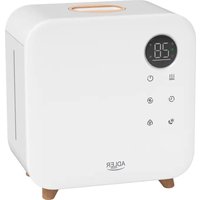
Brand : ADLER
Model : AD 7966
Category : Humidifier