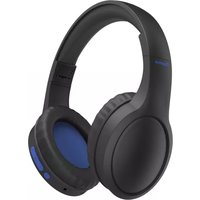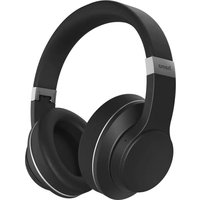
HED2307NCL - Bluetooth Headset HAMA - Free user manual and instructions
Find the device manual for free HED2307NCL HAMA in PDF.



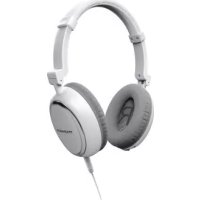
| Product type | Active noise canceling supra-aural headset |
| Brand | Hama |
| Model | HED2307NCL |
| Dimensions (estimated) | 18 x 16 x 5 cm |
| Weight (estimated) | 200 g |
| Battery type | Lithium-polymer 3.7 V / 300 mAh (non-replaceable) |
| Charging time | 2 hours |
| Standby time | 25 hours |
| Music / talk time | 15 hours |
| Connectivity | 3.5 mm jack, micro USB port for charging |
| Cable length | 1.2 m |
| Active noise cancellation | Yes, up to 20 dB |
| Microphone | Omnidirectional, integrated into cable |
| Frequency response | 20 - 20,000 Hz |
| Sensitivity (passive noise isolation) | 104 dB ± 3 dB |
| Sensitivity (active noise cancellation) | 107 dB ± 3 dB |
| Impedance (passive noise isolation) | 32 Ω ± 5% |
| Impedance (active noise cancellation) | 180 Ω ± 5% |
| Speaker diameter | 40 mm |
| Package contents | Headset, audio cable with microphone, USB cable, airplane jack adapter, carrying case, user manual |
| Cleaning | Slightly damp lint-free cloth, no detergent |
| Safety instructions | Do not use while driving, keep out of reach of children, avoid shocks |
| Customer service | Hama GmbH & Co. KG, +49 9091 502-115, www.hama.com |
Frequently Asked Questions - HED2307NCL HAMA
User questions about HED2307NCL HAMA
0 question about this device. Answer the ones you know or ask your own.
Ask a new question about this device
Download the instructions for your Bluetooth Headset in PDF format for free! Find your manual HED2307NCL - HAMA and take your electronic device back in hand. On this page are published all the documents necessary for the use of your device. HED2307NCL by HAMA.
USER MANUAL HED2307NCL HAMA
On-Ear Headphones with Active Noise Cancelling
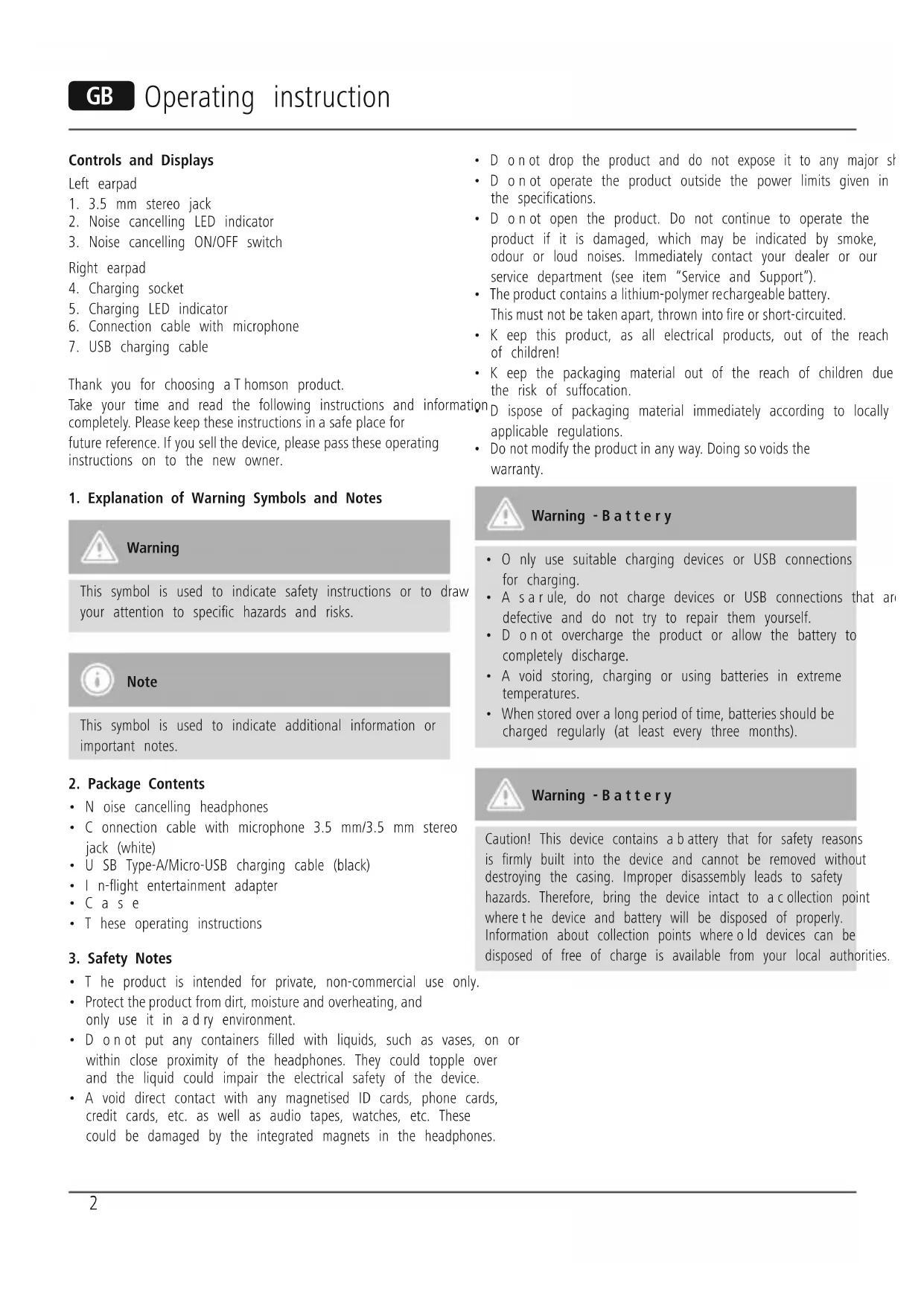
Controls and Displays
Leftearpad
- 3.5 mm stereo jack
- Noise cancelling LED indicator
- Noise cancelling ON/OFF switch
Rightearpad
- Charging socket
- Charging LED indicator
- Connection cable with microphone
- USB charging cable
Thank you for choosing a Thomson product.
Take your time and read the following instructions and information completely. Please keep these instructions in a safe place for future reference. If you sell the device, please pass these operating instructions on to the new owner.
1. Explanation of Warning Symbols and Notes

Warning
This symbol is used to indicate safety instructions or to draw your attention to specific hazards and risks.

Note
This symbol is used to indicate additional information or important notes.
2. Package Contents
- Noise cancelling headphones
- C onnction cable with microphone 3.5mm / 3.5mm stereo jack (white)
- U SB Type-A/Micro-USB charging cable (black)
- I n-flight entertainment adapter
Case - T hese operating instructions
3. Safety Notes
- T he product is intended for private, non-commercial use only.
- Protect the product from dirt, moisture and overheating, and only use it in a dry environment.
- D o n o t put any containers filled with liquids, such as vases, on or within close proximity of the headphones. They could topple over and the liquid could impair the electrical safety of the device.
-
A void direct contact with any magnetised ID cards, phone cards, credit cards, etc. as well as audio tapes, watches, etc. These could be damaged by the integrated magnets in the headphones.
-
D on not drop the product and do not expose it to any major sh
- D o n o t operate the product outside the power limits given in the specifications.
-
D o n ot open the product. Do not continue to operate the product if it is damaged, which may be indicated by smoke, odour or loud noises. Immediately contact your dealer or our service department (see item "Service and Support").
-
The product contains a lithium-polymer rechargeable battery. This must not be taken apart, thrown into fire or short-circuited.
- K eep this product, as all electrical products, out of the reach of children!
- K eep the packaging material out of the reach of children due to the risk of suffocation.
D ispose of packaging material immediately according to locally applicable regulations.
- Do not modify the product in any way. Doing so voids the warranty.

Warning - Battery
- O nly use suitable charging devices or USB connections for charging.
- A sarule, do not charge devices or USB connections that are defective and do not try to repair them yourself.
- D on not overcharge the product or allow the battery to completely discharge.
- A void storing, charging or using batteries in extreme temperatures.
- When stored over a long period of time, batteries should be charged regularly (at least every three months).

Warning - Battery
Caution! This device contains a battery that for safety reasons is firmly built into the device and cannot be removed without destroying the casing. Improper disassembly leads to safety hazards. Therefore, bring the device intact to a collection point where the device and battery will be disposed of properly. Information about collection points where old devices can be disposed of free of charge is available from your local authorities.

Warning - High volumes
- U sing this product limits your perception of ambient noise. For this reason, do not operate any vehicles or machines while using this product.
Always keep the volume at a reasonable level. Loud volumes, even over short periods, can cause hearing loss. - Putting on the headphones with the volume turned up high may result in feedback.
4. Getting started and operation
4.1. Charging
-
Charge the product fully before using it for the first time.
-
C onnect the supplied USB charging cable to the charging socket (4).
-
C onnect the unused plug on the USB cable to an available port on your computer or another suitable USB charger. Please refer to the operating instructions for the USB charger used.
-
The LED indicator (5) is lit red during charging. When the battery is fully charged, the LED indicator (5) goes out.
4.2. Connecting the headphones
- C onnect the included audio cable with the socket (1) on the lower side of the left earpiece and the audio output of your audio device.
- S et the volume on the headphones and your audio device to low level before listening to music for the first time.
4.3. Noise cancelling function:
When noise cancelling is active, two microphones located on the outside of the headphones register the ambient noise, the headphones generate an "antinoise" signal. This essentially cancels out the ambient noise.
In order to switch the noise cancelling function on or off, press the ON/OFF switch on the left earpiece (3).
- W hen the noise cancelling function is enabled, the LED indicator (2) is lit blue.

Note - N oise cancelling
- T his function is available without having the audio cable or an audio device connected to the headphones (for example, engine noises / aircondition on a bus or an airplane can be effectively absorbed).
- W hen the noise cancelling function is switched on, the treble is slightly amplified and the bass frequencies are slightly muffled due to the construction of the headphone.
4.4. Microphone and remote control function
For information on the function, please refer to diagrams A B C o n p aeg 53.
5. Care and Maintenance
Only clean this product with a slightly damp, lint-free cloth and do not use aggressive cleaning agents. Make sure that water does not get into the product.
6. Warranty Disclaimer
Hama GmbH & Co. KG assumes no liability and provides no warranty for damage resulting from improper installation/mounting, improper use of the product or from failure to observe the operati instructions and/or safety notes.
7. Service and Support
the Please contact Hama Product Consulting if you have any questions about this product.
Hotline: +49 9091 502-115 (German/English)
Further support information can be found here:
www.hama.com
8. Technical Data
to a
| Frequency range 20 - 20.000Hz and Sensitivity, p assive ANC 104dB +/-3dB Sensitivity, a c tive ANC 107dB +/-3dB indicator Impedance, passive ANC 32 Ω +/-5% Impedance, active ANC 180 Ω +/-5% Noise cancelling Maximum 20 dB |
| WBCV ≥75 mV | |
| Speaker diameter 40 mm | |
| Cable length 1.2 m | |
| Plug 3.5 mm | |
| Battery | LiPo 3.7 V, 300 mAh (not replaceable) |
| Charging time 2 hours | |
| Standby 25 hours | |
| Music/talk time 15 hours | |
| Microphone frequency 100 - 20.000Hz | |
| Microphone impedance | 2.2 KΩ +/ - 5% |
| Microphone sensitivity | 34dB +/-3dB |
| Microphone features Omnidirectional | |
9. Recycling Information
Note on environmental protection:

After the implementation of the European Directive 2012/19/EU and 2006/66/EU in the national legal system, the following applies: Electric and electronic devices as well as batteries must not be disposed of with household waste. Consumers are obliged by law
to return electrical and electronic devices as well as batteries at the end of their service lives to the public collecting points set up for this purpose or point of sale. Details to this are defined by the national law of the respective country. This symbol on the product, the instruction manual or the package indicates that a product is subject to these regulations. By recycling, reusing the materials or other forms of utilising old devices/Batteries, you are making an important contribution to protecting our environment.
3. Texhnuka 6e3oNaCHOCTN
-ИЗденип dedинануснолбкддомшero npimmehenia.
-BepebOTrpaBn,BlaIINNCTOUYHKNOBTeTJNa.3KcPnyATnpoBaTb TOnbKOBCyXNXYCNOBnX.
He ctabte emkoctn CBOO, Hnnpmep Ba3bI nla cBeTOB, B6n3n HayuHnKOB.Emkoctb MoXeT OnpOKnHyTBcR, IN KIOCTb MOXeT HeaTHBHO CKa3aTbCra Ha 3JIeKTpNueCKo8e30NaCHOCTn.
H ex paHnte MaHHTbIe yIOCTOBepeHna, TeleOHHbIe IN KpeINTHbIe KapTbI, a TaKKe MaHHTofoHbI, Yacbl N. T. B6JIn3N HayuHnKOB. OHmMOrYt 6bITb NobPexJeHb IBO3dEICTBnEM MaHHTOB, BCTPoEHbIX B H ayuHnKn.
HepoHaTb.BepebOTcNlbHbIXyDapOB.
CobJIOdaTbTexHnueckneXapakTepeNTKNI.
3anpeaaetc0KpbBaBkoxyn3deJnn.1pHannu nn DbIMa,HeHOpMaIbHbIXyM0BnOBpeXDeHn DaJIbHeJuae 3KcnIyataaun3anpeueHa.O6paatbcraNpoDaBuynB Cnyk6by cepBvca (cm.nyHtO cnyk6e cepBvca).
- I3dJIne copejxHIT JIHTN-NOLIMepHbI aKKyMylrTop. 3aIpeuaetcpa36uPbT,6pocatbB OOrHb NIN 3aMbKaTb 3OT aKKMylraTOp.
H eIaBaTb TETM!
- YnakOBky He daBaTb TeTAM: onaCHOCTb acDnKcnn.
- Ytunu3npoBaT ynaKOBky B COOTBETCTBUN C MeCTbIMH HOpMaMn.
3 anpeuaetcBHOCTb N3MeHeHnB K OHCTpyKuIO. B npotNBHom clyyae rapaHTnHbIe 063aTeNbctBa aHHynpyoTc.

BHHMaHHe. Texnka 6 e30nacHOCTn
-ПиMuMeHЯТbTOJIbKO COOTBETCTBHyUOuIe 3aPdNHe yCtPoIyCTBa.
- 3 anpeuaetcnaKcnnyaTnPOBaTb npemOHtnPOBaTb HeCNpapBhIe yCTpoNCTBa.
He noDbepraTb akkymyIaTOpbl rny6okoi pa3pIKe npe3apJKe.
Bepb ot Bbcoknx TemnepaTp npxpaehnn, 3apJe n 3KcnpyaTaun.
- PnДnteHOM xpaHEn 3apxKaTb He pexe Ondoro pa3a B Tpn Meca.

BHMaHne. Texnka 6 e30nacHOCTN
BHHMaHHe! 3To n3dennne coepxnt aKKymyIaTOp, KOTopbN 3 coo6paKeHn 6e3onacHOCTn HeNb3r N3BNeYb, He pa3pyuNB Kopnyc. HeHaJIeKaaun demoHTax npedctabIaRt onaCHOCTb. I03Tomy dna HaJIeKaaee yTuIN3aun n3deJNA n AKyMyIaTopa cdaBaIte yCTpoiCTBO B nyHK T pNiEMKn B hepa3O6paHOM BnDe. HΦopMaUIO O npYkTaX 6ecPNaTHo pnEeMKn yCTPOIcTB MOXHO nOlyHt B M yHnUanlhbHbIX opraHax.

BHHMaHHe. Texnka 6 e30nachOCTn
BoBpMa3KcNpyataunnH3dennn CHnxJaTc7Teenb BocnpnTnOKpyXaIOuX 3ByKOB nUyMOB.3anpeuaetcN CnObl30BaTb H3dene Bo BpMa BOxJeHnABTOmObnu npabHeH MaunHaMn.
H enpeBbIaTb HopMaIbHyIO rPOMKoCTb. Bo3JeCTBne rPOMKOrO 3Byka, B T.4. B TeueHne KopoTkoR OpeMeHn,
MOXKeI npBecTn K NOBpeKJeHIO opraHOB cnyxa.
- Pn 60JbwoI rpoMkOCTN MoKET Ha6JIIOaTbc3ΦΦeKT o6paTHoN CBa3N.
4.BBOD B3KcNpyatauH0
4.1.3apnka akkymyITopa
- Npeen Hauanom 3KcPnIyataun aKKymyTOp Heo6xOIMO OINH pa3 3apJntb NOHOCtBu.
- PoiKJIIOUHTe BXOJIaIb N B KOMJIeKT NOCTaBKn 3apA,IHbI Ka6eIb USB K p a3bEmy IJIA 3apA,IKn (4).
-Дугов Конец Кабеля подочи К разьему USB komьюраза Или зараздного устюства с IntерфсйсOM USB.Соблдаип Иструкшино ЗКСПУATAАМИЗ зараздного устюства USB. - Bo Bpem3aPraJa rOpNT KpaChbI CBeToIONoHbI INDnKaTOp (5).KoTda aKKyMylrTOp 6yJeT 3apJxhen nOHOCTbIO, CBeToIONoHbI INDnKaTOp (5) nOrachET.

PpMueaHne
Iocne 3aBepuHnna 3apAKn Bcerda OTKIOUaHte N3dene ot 3apAnHO y CTpOJCTBa BO n36ExaHne nepe3apJa.
4.2. NookKIOUeHne HayuHnKOB
- TAPHNTypa C nomoBIO npnIraeMoro ayNIOka6eIa coEINHTepa3bem (1),KOTOpB paCNOJoxEn Ha HIXHei naHEn IeBOHauyNHkA, C ayDIOBbIXOdom yCTpOINCTBa BOCpON3BeDeHn.
- IepeI Haayalom 3KcIIyataun yCTaHOBnTe rPOMKOCTb HayuHnKOB Ha MmHMaJIbHbIypoBeHb.
Thomson is a trademark of Technicolor or its affiliates used under license to HAMA GmbH & Co KG in 86652 Monheim/Germany
www.thomson-av-accessories.eu