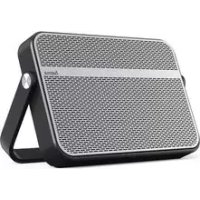
Blade - Speaker HAMA - Free user manual and instructions
Find the device manual for free Blade HAMA in PDF.



| Product type | Portable Bluetooth® speaker |
| Brand | Hama |
| Model | Blade |
| Dimensions | 20 x 2,5 x 13 cm |
| Weight | 460 g |
| Power supply | Li-ion battery 3.7 V, 2150 mAh / 7.96 Wh; charging via micro USB (5V, 500 mA) |
| Charging time | ~6-7 hours |
| Battery life (Bluetooth) | ~5-6 hours |
| Battery life (AUX) | ~10-12 hours |
| Bluetooth technology | Bluetooth® v2.1, profiles A2DP V1.2, AVRCP V1.4, HFP V1.5 |
| Bluetooth range | < 10 m |
| Power | 2 x 5 W (max) / 2 x 3 W (RMS) |
| Frequency response | 160 Hz - 20 kHz |
| Impedance | 4 Ω |
| Distortion | THD ≤ 1% |
| Sound system | Stereo |
| Inputs | 3.5 mm jack (AUX), micro USB (charging) |
| Protection | IPX4 (water splashes) with connector closed |
| Functions | Hands-free kit, playback control, pairing up to 8 devices |
| Package contents | Speaker, micro USB cable, 3.5 mm audio cable, user manual |
| Care and cleaning | Slightly damp non-abrasive cloth, no aggressive detergent |
| Safety | Do not open, do not modify, avoid extreme temperatures |
| Recycling | Compliant with WEEE and battery directives |
Frequently Asked Questions - Blade HAMA
User questions about Blade HAMA
0 question about this device. Answer the ones you know or ask your own.
Ask a new question about this device
Download the instructions for your Speaker in PDF format for free! Find your manual Blade - HAMA and take your electronic device back in hand. On this page are published all the documents necessary for the use of your device. Blade by HAMA.
USER MANUAL Blade HAMA
Mobile Bluetooth Speaker
BLADE
Operating Instructions
Bedienungsanleitung
Mode d'emploi
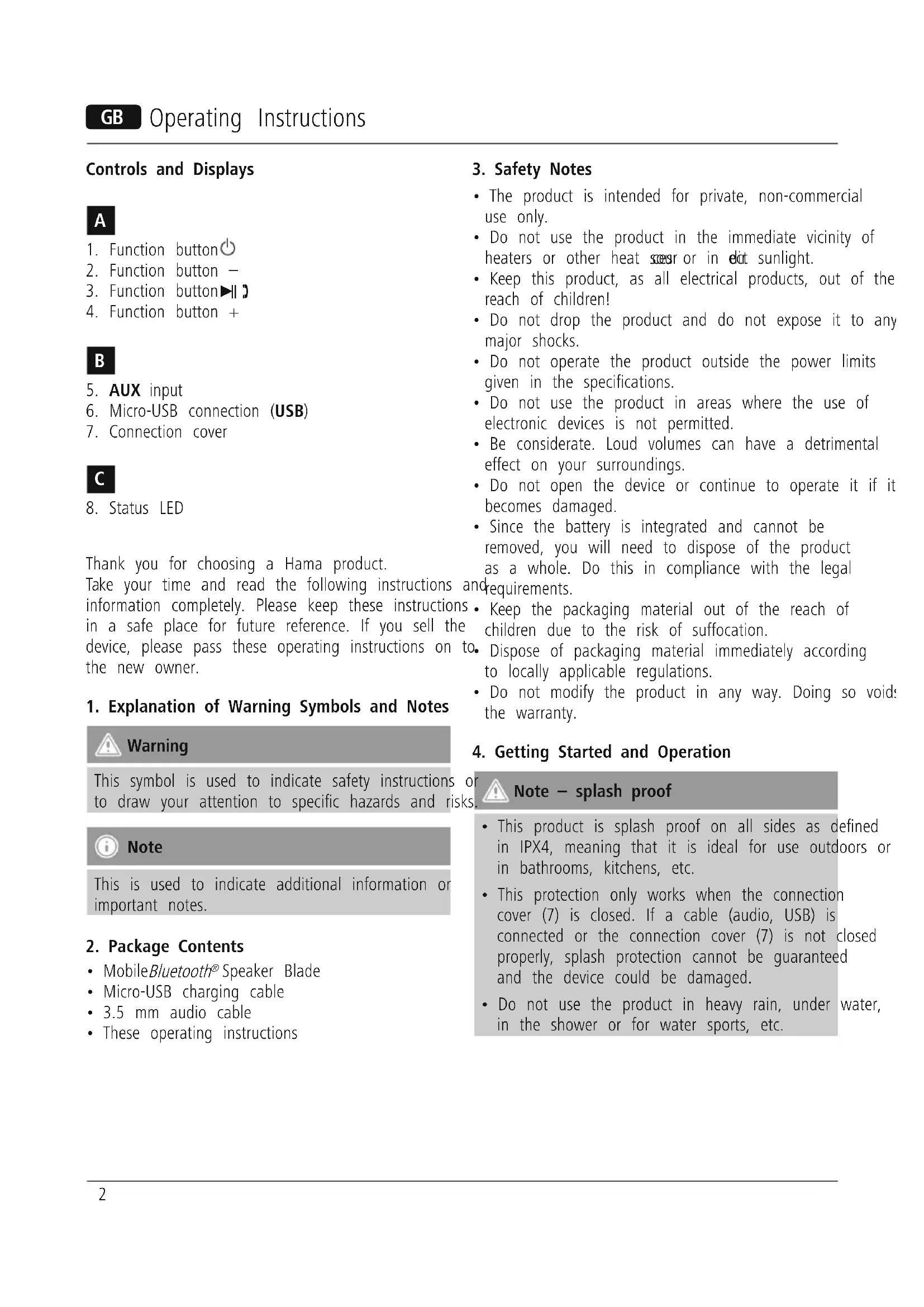
Controls and Displays

- Function button
- Function button -
- Function button
- Function button +

- AUX input
- Micro-USB connection (USB)
- Connection cover

8.Status LED
Thank you for choosing a Hama product.
Take your time and read the following instructions a information completely. Please keep these instructions in a safe place for future reference. If you sell the device, please pass these operating instructions on to the new owner.
1. Explanation of Warning Symbols and Notes

Warning
This symbol is used to indicate safety instructions oto draw your attention to specific hazards and risks

Note
This is used to indicate additional information or important notes.
2. Package Contents
- MobileBluetooth® Speaker Blade
- Micro-USB charging cable
3.5 mm audio cable
These operating instructions
3. Safety Notes
- The product is intended for private, non-commercial use only.
- Do not use the product in the immediate vicinity of heaters or other heat sources or in direct sunlight.
- Keep this product, as all electrical products, out of the reach of children!
- Do not drop the product and do not expose it to any major shocks.
- Do not operate the product outside the power limits given in the specifications.
- Do not use the product in areas where the use of electronic devices is not permitted.
- Be considerate. Loud volumes can have a detrimental effect on your surroundings.
- Do not open the device or continue to operate it if it becomes damaged.
- Since the battery is integrated and cannot be removed, you will need to dispose of the product as a whole. Do this in compliance with the legal requirements.
- Keep the packaging material out of the reach of children due to the risk of suffocation.
D. Dispose of packaging material immediately according to locally applicable regulations. - Do not modify the product in any way. Doing so void: the warranty.
4. Getting Started and Operation

Note - splash proof
- This product is splash proof on all sides as defined in IPX4, meaning that it is ideal for use outdoors or in bathrooms, kitchens, etc.
- This protection only works when the connection cover (7) is closed. If a cable (audio, USB) is connected or the connection cover (7) is not closed properly, splash protection cannot be guaranteed and the device could be damaged.
- Do not use the product in heavy rain, under water, in the shower or for water sports, etc.
4.1 Switching the product on and off
- Press and hold the function button (1) for about seconds to switch the speaker on or off. An acou signal will sound and the status LED (8) will start flashing or go off.

Note - Automatic shutdown
Note that the speaker will automatically switch off after 10 minutes without action (no audio playback/no Bluetooth® function).
4.2 Charging the battery

Warning - Rechargeable battery
- Only use suitable charging devices with USB connections for charging.
- As a rule, do not use charging devices or USB connections that are defective and do not try to repair them yourself.
- Avoid storing, charging or using batteries in extreme temperatures.
-
When stored for a long period of time, batteries should be charged regularly (at least every three months).
-
Charge the speaker fully before using it for the time.
- Connect the included Micro-USB charging cable to the speaker's Micro-USB port (6).
- Connect the unused connector on the Micro-USB charging cable to a suitable USB charger. Please to the operating instructions for the USB charger used.
- The status LED (8) lights up constantly in red during the charging process.
- If the battery is fully charged, the status LED (8) will go out.
refer
ringible is connected.

Note - Charging
stic It takes approx. 6-7 hours to completely charge the product.
- The speaker's battery can be charged whether the speaker is on or off.
-
If the battery capacity is less than 10% , the speaker will emit two acoustic signals. You will only receive this information if the speaker is on.
-
The actual battery life varies depending on use of the device, the settings and the ambient conditions (rechargeable batteries have a limited service life).
4.3 Audio playback via the included audio cable (3.5 mm jack)
- Ensure that the speaker is switched off.
- Connect your mobile terminal device (MP3 player, smartphone, etc.) and the AUX input (5) of the speaker using the included 3.5 mm audio cable.
- Set the volume on your terminal device to a low level
- Switch on the speakers as described in Switching the product on and off the status LED (8) is now green.
- Start and control audio playback on the connected terminal device accordingly.
- Press the function button - (2) to reduce the volume.
- Press the function button + (4) to increase the firstVolume.
- Press the function button to mute the speaker.

Note
Please note that you cannot establishBtttooth connection described under 4.4 and 4.5 if an audio
4.4 Bluetooth® pairing

Note
- Check whether your mobile device (MP3 player, mobile phone, etc.) Bluetooth® capable.
-
If not, you can only use the speaker for playback using the included audio cable.
Note that the maximum range Bfoetooth is 10 metres without obstacles such as walls, people, etc. -
Make sure that bluetooth® capable terminal device is on and bluetooth® is activated.
- Make sure that the speaker is located within the Bluetooth® range of max. 10 metres.
- Switch on the speakers as described in Switching the product on and off.
- The status LED (8) starts to flash in blue. The space searches for a connection.
- Open thBluetooth® settings on your terminal device, and wait until Hama BLADE appears in the list of Bluetooth® devices found.
- Select Hama BLADE and wait until the speaker is listed as connected in Bleetooth^® settings on your terminal device. An acoustic signal confirms that connection was successful.
The status LED (8) now remains blue.

Note -Bluetooth® password
- Some terminal devices require a password in order to connect to another Bluetooth® device.
- If your terminal device requests a password for connection to the speaker, enter 0000.

Note - Connection to a new device
- If you want to connect a Bluetooth® terminal device to the speaker, press the function buttons - (2) and + (4) at the same time until the status LED (8) begins to flash in blue and an acoustic signal sounds.
- The current connection is disconnected and the search for new terminal devices starts.
- The speaker always stores the last eight terminal devices paired.
- The speaker will automatically connect to the last terminal device paired when it is switched on the next time.
4.5 Automatic Bluetooth® connection (after successful pairing)
akake sure that yodluetooth capable terminal device is on anduetooth is activated.
Make sure that the speaker is located within the Bluetooth® range of max. 10 metres.
Switch on the speakers as described in
Switching the product on and off.
After successful connection, the status LED (8) will light up in blue. An acoustic signal confirms that the connection was successful.

Note - Connection impaired
- After the speaker and terminal device have been paired, a connection is established automatically. If the Bluetooth® connection is not established automatically, check the following:
- Check the Bluetooth® settings of your terminal device to see whether Hama BLADE is connected. If not, repeat the steps listed above, pairing.
- Check whether your terminal device and the speaker are less than 10 metres apart. If not, them closer together.
- Check whether obstacles are impairing the range. If so, move the devices closer together.
- Check whether the audio cable is connected to speaker. If so, disconnect it.
4.6 Audio playback (viaBluetooth®)
Start and control audio playback on the connected terminal device accordingly. Alternatively, audio playback can also be controlled on the speaker (if connected device supports this function).
4.7 Hands-free function
You can use the speaker as a hands-free set for your mobile phone. For this function, the mobile phone must be connected to the speaker Bluetooth®.
- Press the function button 3) once to answer an incoming call.
- Press and hold the function button (3) for approx. 2 seconds to reject an incoming call.
- You can put a call on hold by pressing and holding the function button (3) for approx. 2 seconds.
- Press and hold the function button (3) again to continue the call.
move During a call, press the function button(3) once to end the call.
e. Press and hold the function button (3) for approx. 2 seconds to call the most recently dialled the number.

Note - Call quality
To increase the call quality, make sure that you are near the speaker with your mobile phone during the call.
5. Care and Maintenance
- Press the function button (3) to start or pause audio playback.
- Hold down the function button + (4) to skip to next track.
- Hold down the function button - (2) to go back previous track.
- Briefly press the function button + (4) to increase volume.
-
Briefly press the function button - (2) to reduce volume.
-
Only clean this product with a slightly damp, lint-free cloth and do not use aggressive cleaning agents.
6. Warranty Disclaimer
HemtheGmbH & Co. KG assumes no liability and provides no warranty for damage resulting from improper installation/mounting, improper use of the product or from failure to observe the operating instructions and/ or safety notes.
7. Service and Support
Please contact Hama Product Consulting if you have any questions about this product.
Hotline: +49 9091 502-115 (German/English)
Further support information can be found here:
www.hama.com
8. Technical Data
| Mobile Bluetooth® Speaker Blade | |
| Bluetooth® Technology | Bluetooth® v2.1 |
| Supported profiles | A2DP V1.2, AVRCP V1.4 HFP V1.5 |
| Frequency for the Bluetooth® transfers | 2,402 GHz ~ 2,480 GHz |
| Bluetooth® transfers power | Max. 4 dBm |
| Frequency 160 Hz - 20 kHz | |
| Range < 10 m | |
| Maximum number of paired devices | 8 |
| Output | 2 x 5 W 2 x 3 W (Sinus) |
| Charging voltage Max. | 5V = 500 mA |
| Sound System Stereo | |
| Impedanc 4 Ω | |
| Distortion (THD) ≤ 1% | |
| Size 20 x 2,5 x 13 cm | |
| Weight 460 g | |
| Connections | 3.5 mm stereo plug AUX input, Micro-USB f 5 V / 500 mA charging function |
| Battery | |
| Type | 3.7V Li-lon min.: 2150 mAh / 7.96 Wh |
| Charging time ~ 6 - 7 h | |
| Playback | Via Bluetooth®: ~ 5-6 Via AUX: ~ 10-12 (depending on volume and audio content) |
9. Recycling Information
Note on environmental protection:
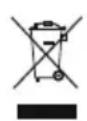
After the implementation of the European Directive 2002/96/EU and 2006/66/EU in the national legal system, the following applies: Electric and electronic devices as well as
batteries must not be disposed of with household waste. Consumers are obliged by law to return electrical and electronic devices as well as batteries at the end of their service lives to the public collecting points set up for this purpose or point of sale. Details to this are defined by the national law of the respective country. This symbol on the product, the instruction manual or the package indicates that a product is subject to these regulations. By recycling, reusing the materials or other forms of utilising old devices/Batteries, you are making an important contribution to protecting our environment.
10. Declaration of Conformity
Hereby, Hama GmbH & Co. KG, declares that this device is in compliance with the essential requirements and other relevant provisions of Directive 1999/5/EC.
See www.hama.com for declaration of conformity according to R&TTE Directive 99/5/EC guidelines.
4.6 Lecture audio (viaBluetooth®)
BHHMaHHe! AkKymyIaTOp
-
Птумени Te Tолько COOTBeTCTByIOUne 3apЯнные устюпсТВа C pa3beMOM USB.
Kateropnueckn 3a npseuaetcNcnoB30BaTb n peMOHTnpoBaTb HeNCppaBHbIe 3apAHybIe yctpoiCTBa nn USB-pa3bEmbl!
He noDBepraTe aKKyMyJrTop BO3JeCTBnIO 3KCTpeMaJIbHbIX TempeaTp npxpaHeHH, 3apdKe IN CNOJIb3OBAHH.
-ПридпinteьномхранениЗаржайTe aKKумлгтОне рөхе оного паЗВ ТрИ Мecяца. -
Pered nepBbIM nCnoJb3OBAHnem Heo6xOdmo OdHpa3 noJIHOCTbIO 3apAaNTb rPOMKOrOBOpnteIb.
- Повлочи Кабел мкpo-USB (Вkomпгte) Кразему мкpo-USB ромковорпетя (6).
- Поdkлочи Te Btopoи Koheц Ka6eЯ Мнкpo-USB K noDxOJaIeMy 3apAnHomy yctpoiCTBy USB. Co6JIIOaIte nHctpyKuINNo EKcNpyaTuIN 3apAnHoro yctpoiCTBa USB.
- Bo BpemЯЗаряда He npepbIBHOrTopuT uHДИKaTOpHaJЯamna (8).
Korda akkymyIaTOp 6yIeT noJIHOCTbIO 3apJxHeN, lamna INHdNkaUIN (8) noracHT.

Yka3aHne - npoecc 3apdKn
-ДяплноиЗардкн Heo6xOДIMо npIM. a6-7ycob.
- AkkymyjTop MOxHO 3apXaTb KaK npBkIIOueHHOM, TaK n npBbIKIOueHHOMДиHaMKe.
- Ecni ocTaToHna emKocTb aKKymyIaTopa coCTaBnAeT MeHee 10%, rPOMKOROBOpTeJIb nOdaet IBOHOn 3ByKOBoi CnHaJ. DaHHaY φyHKZnIpa6ToaET ToJIbKO npN BKNIOUeHHOM rPOMKOROBOpTeJIe.
-ФakTnueckoe BpeMpa60tIaKKymyJrTopa 3aBncuT OT nCNoJIb3OBAHn yCTpOJCTBa,HaCTpoE K yCIOBn EKcNlyaTaUIN (aKKymyJrTopbl NMeOT OTrpaHnueHHbI cPOK Cnyk6bl).
4.3 Bocnpo3BedeHne 3Byka no npnilaraemomy aynoka6eJIO (wTekep 3,5 MM)
- Y6eIntecb B TOM, UTO INHaMVK BblKJIHOUeH.
C nOMOsbIO npuIarAemoro kabeJIa (UTekep 3,5 MM) NOkJIHOHTe yCTPOINCTBO BOCnPOn3BeJeHnA (npoIrpbIBaTeJIb MP3, cMapTfoH n T.Д.) K BXOyAUX (5) rpoMkoROBOpntJIa.
a. YctahOBNTe Ha yCTpOYCTBe MHNMaJIbHyIOI rPOMKOCTb.
BkIIOUHTe yCTpOINCTBO, KaK OINCAHO B pa3JeIe 4.1 «BKnIOUHeHn BBIKIOUHeHneNamna HnDnKaun (8) rOpNT 3eJIeHbIM CBeTOM.
3aynck BOCnpoN3BeHnna ynpabHeHne mOcuyceCTBJIOTcHa ycTpoNCTBe, K KOtOpMy NOdkJIOUeH DInHaMnK.
- Haxmte KhoNky «—» (2) Дя умьшени Грмкости.
- HaxmTe KhoNky «+» (4) Дя увелчehу rpoMkoCTn.
HaxMnte KhoNkII 3) (3) BbIKIOueHn 3ByKa.

PpmeaHne
O6paTnte BnHMaHne, YTO ecn 3ByKOBoi Ka6eJIb NOdkNIOUeyH, yHKcIg CoeINHeHn rBoutooth (nyKtbl 4.4 n 4.5) He pa6oTaet.
4.4 CorlaocBaHne yctpoiCTB no npotoKony Bluetooth®

PpmeaHne
- Y6eIntecb B TOM, yTO MO6nJIbHoe yCTPOiCTBO (MP3-nIeep, Mo6nJIbHbI TeJefoH n T. n.) noIeprXnBaet cyHKuioBluetooth
- Ecni Het, rpoMKorOBopuTeIb MoXHo NCIOJIb3OBArTOJIbKO CBXOJaIiM B KOMJIeKT ayDnOKa6eIeM.
-
06patnte BHHMaHHe, yTO MaKcImMaJIbHbI paDnyc DeiCTBnA Bluetooth®coCTaBJIeT 10 metpoB 6e3 npenrTCTBn (CTeH, JIOJeN T. d.).
-
Y6eIITecb B TOM, UTO yCTpOINCTBO BOCnPOn3BeJeHnC noJIePxxKoB/luetooth@ BKJIIOUeHO nФyHKcNBAuTooth@akTmBnPoBaHa.
Pa3MeCTIte o6a yCTpOInCTBa B IpeJeJax paAnyCa DeiCTBn Bluetooth Ha pacCToHn He 60Jee 10 MeTPOB. - BkJIIOUHTe yCTpOINCTBO, KaK OINCAHO B pa3dJe 4.1 «BkJIIOUHeHne N BbIKJIIOUHeHne»
- INHINKATOPHAR JAMNA (8) HauHnaet MURatb rOJy6bIM CBETOM. POMKOROBOPHTJIb HaunHaet NONCK COeINHENIA.
- OTKpoIte HacTpoIKBluetooth Ha yCTpoIcTBe BOCnpon3BeDeHn I B CnIcKe HauJeHHbIX yCTpoIcTB Bluetooth Bbl6epnte Hama BLADE.
BbI6epnte Hama BLADE n noIOxJnte, noka rPOMKOrOBOpTeJIb He nOABNTcB CnNCKe NOdklHcyTPOINCTB No npOTOKoByeTooth. 3ByKOBoi CNrHaI NOITBePxxJaet ycneuHoe coeDInHeHne. - Лампа ИндIKEци (8) РорNT НеррьIBHyM CINHM CBETOM.

Yka3aHne - napoJIbBluetooth
-Дя yctaHOBKn CoeINHeHnC HeKOTOpbIMN yCTpOInCTBaMm MoXeT Ntpe6oBaTbcra NapoIb Bluetooth®.
- Ecni noTppe6yetyra,ДЯ coeHHeHnC rPOMKOrOBOpHTeJEM BBeDITe napOJIb NO yMOJIaHnI: 0000.

yKa3aHHe - yCTaHOBka CB83N C HOBBIM yCTpOInCTBOM
- Ecnn Heo6xOJIMO coeHHTb HOBOe yCTPOINCTBO Bluetooth® c rPOMKOrOBOpnteM, HaxMMTe OndHOBpeMeHHO KHOKN «—» (2) n «+» (4) uYdepXnBaIte nx Do tex nop, noka JAmna INdNkaCm (8) He NaHET MIRatb roJy6bIM CBetOM n He np03ByuNT cnHaJI.
Tekyuiee coeHHeHne 6yIeT OTKIOUeHO HauHETcN NONCK HObIX yCTPOINCTB.
-「POMKOROBOpHTeJIb BcerIa coXpaHReT BOCEmb NocJeHNIX NOdKNIOUeHHbIX yCTpOINCTB. - Пи сдушем BKluohenn rpOMKOrOBopntelb abTomatnueckn NOdklouaetc K NocJIeHemy yctpoiCTBy, C KOtOpbIM 6blno yCTaHOBJIeHo coeHHHeHne.
4.5 ABTomatueckoe coeHHeHne no npToKoJy Bluetooth® nocne corJaCoBaHnA
- Y6eIITecb B TOM, UTO yCTpOINCTBO BOCnPOn3BeJeHnC nOIIepKoBluetooth® BKJIIOUeHO n ΦyHKuŋa Bluetooth®aKTUBnPoBaHa.
Pa3MeCTIe 06a yCTpOInCTBa B npEeJax paDnyca DeNCTBnB Bluetooth® Ha pacCToHn H e 6oJIee 10 MeTPOB.
BkIIOHTe yCTpOietBO, kak onncaHO B pa34e1e «BkIOUeyHn BBIKIOUYHHe». - Iocne ycneuHoro abTOMaTuYeCKoro CoeHHeHnIaMna Hdkauu (8) 3aropaetc CnHm CBetom.3BykoBoi Cngan noTBePxxJaet ycneuHoe coeHNHeHne.

Yka3aHne - Nobtophoe coeHHeHne
- Pocne ycneHno nepBOy ycTaHOBKn CoeHHeHHrPOMKOrOBOpntelb coxpaHnT npoHnB HAcTpoE, KOTOpblte 6yDyT TakXe BkLIOUeHbI aBTOMaTHueCKn npn CLeNyUoIeM BKLIOUeHn. Ecnn CoeHHeHneBluetooth® aBTOMaTHueCKn He yCTaHaBJIbBaETcR, npOBepbTe HIXeCNeDyUOuIe NyHKTbl.
B NaCTPOINKAX Bluteoth yCTPOINCTBA BOCnpon3BeDeHn npOBepbTe HaJIuHne COeINHeHn C yCTPOINCTBOM Hama BLADE. B nPTINBHOM cIyuee IOBTOpITe ONEpaUNo nepBOv UCTAHOBKn CoeINHeHnBluteoth - Y6eNTecb B TOM, yTO yCTpOINCTBO BOCnpoN3BedeHn I rPOMKOrOBOpTJIb HaxoJrTcHa paCtOaHn He 6oJee 10 MeTPOB. IpOTuBHom Cnyae yMeHbWnte DInCTaHcIIO MExdY yCTpOINCTBaMn.
Clenyet yuHTbIBaTb, YTO npenrTCTBnB bInraHpaDnyc coeHHHeHn. Pnp HAnuHn npenrTCTBnuymehbWnte DnCTaHcHm Mexdy yctpoNCTBaMn. - Поберп, подкюун Ли К ромкогорутелю 3BykoBoK ka6eJb. EcIn Da, otКлчHTe erO.
4.6 Bocnpon3BeJeHne 3Byka (uepeBluetooth®)
3anyck BOCPON3BeHnI ynpaBJIeHne nM OcyuieCTBJIaHTcH Ha yCTpOInCTBe, K KOToPOMy NOKJIIOueH rPOMKOROBOpNTeJb. YnpaBJIeHne BOCPON3BeHnEM MOxHO TaKKe OcyuieCTBJIaTb Yepe3 rPOMKOROBOpNTeJb (ecnnoN oDKnIOUeHHoe yCTpOInCTBO NOIDepXnBaET daHHyo fYHKnIO).
Ipyck/nay3a Bocnpon3BeDeneBkNIOuAeTcMHOOFOyHKUHOHaJIbHOn KHOKNoI
-Дяпесдакселуюшенизаписн havмiteи уdeckхиBaайт ekhony «+» (4).
-Дляпесдакпрдушейзапин нахмITEУдерхиBaite Kногку «—» (2).
-Дя yBeJIuYeHЯ rPOMKoCTn HaxMNTe N OTNyCTnTe KHOKNY «+» (4).
-ДяУMeHBWeHnЯ rPOMKoCTn HaxMnte N OTNyCTNTe KHOKNy «—» (2).
4.7ФункцягромкоCBa3N
rPOMKOrOBOpuTeIb MOxHO npIMeHArB KaueCTBe yCTpoiCTBa rPOMKoCBA3n DJIa Mo6NlBHOTo TEleOHa. JIa 3TOrO Mo6NlBHyI TeJeOHN DoJKeH 6blT coEHHc rPOMKOrOBOpuTeIem No IpOTOKOny Bluetooth
- 4To6bl OTBETNTb Ha 3BOHOK, OdINH pa3 HaxMnte KHONKy (3).
- Yo6bl OTKa3aTbCra OT OTBeta Ha 3BOHOK, HaxMITE N OK. 2 cekyHd ydepXnBaaiTe MHORofoyHKUHOHaJIbHyIO KHOIIky (3).
- Yo6bl OCTaBnTb aBOHeHTa Ha JINHUN, HAXMNTe N OK. 2 cekyHd ydepXnBaIte KHOKNyII (3).
- YTo6bl npOIOJXnTb pa3roBOp, cHOBa HaxMnte N yIepxNBaIte KhoNky (3).
BTO6b3aBepuNTb 3BOHOK,BO Bpempa3ROBopa OIN pa3 HaxMnte KhoNkyI (3). - YTo6bI Bbl3BaTb NocJIeHn HApaHHbI HOMep, HaxMnte n OK. 2 cekyHd yJepXnBaIte MHOFOyHKUHOHaJIbHyO KHOKNy (3).

Yka3aHne - KaueCTBO CnHana
- Yo6bl NOBbICNTb KaueCTBO CnHana, CneJyeh HaxoHTbcB B HeNoCpeDCTBeHHoB 6JIn3OCTn C rPOMKOrOBOpuTeJIeM.
5. YxOД n TexHnueckoe 6cbnyKuBaHne
- YnCTky n3dEJnna npoN3BOOHTb TOnbKO 6e3BOPCOBO cnErKa BnAxxHoi caIΦeTKo. 3anpeuaetc npImeHbTa rpeccNBhie qnctTae cpeCTBa.
6. OTKa3 OT rapaHTnHbIX 06raTeJbCTB
Kompania Hama GmbH & Co. KG He HeceT OTBeTCTBeHHOCTb 3a yUeP6, BO3HNKUn BcJeCTBVe He npAunbHOro MoHTaxa, NOkJIuOHeHn I NcNoJIb3OBaHn I3JeNn He No Ha3HaueHnO, a TaKKe BCJeCTBne HecO6JIuOHeHn IHCTpyKUn PO 3KcNJyatauN IN TexHKn Be3OnaCHOCTN.
7.ОтделTexo6cnyxuBaHnA
No Bopocam pemOnTa nn 3aMeHbI HeNCnpaBbIX
n3deJnn o6paauTecb K npOaBuy nn B cepBncHyo
cnyx6y kOmnaHn Hama.
Topayar LnHnra OTdela Texo6CnyKuBaHnra:
+49 9091 502-115 (HeMeUKN, aHrJnckn)
Piopobhee cMOTpnte 3Decb: www.hama.com
8. TexHnueckne xapaKTepeNCTnKN
Ctepeo-rpomKorOBopnteB Bluetooth® Blade
AkkymyIaTopHa 6atape
4.1 BkIIOUbaHe/N3KJIIOUbaHe
HaTnChete n 3aIpbkTe cyHKcnoHajnHna 6byToH (1) npinbIn3nteJIHO 4 cekyHn, 3a da BKnIOHTe/ n3KlnOHTe TOHKOHOHa. YyBa ce akcyTneH cnHn I CBetoNIOda 3a CTAtyca (8) 3anoYBa Da Mmra/N3rAcBa.

3a6eJexKa - aBTOMaTHUHO n3KJIIOuBaHe
06bpeTe BnMaHne, ye aKO He 6bJe npei npIeTo DeIcTBne (He 6bJe BKIOUeHO ayIOB3npoINBExJaH/Bluetooth), TOHKOHOHaTa ce NkIOuBa CLeI 10 MNHyTu.
4.2 3apekdahe Ha akymylatopnTe 6atepn

IpeDynpexJeHne - akymylaTopn6aTePnn
-Изпольвае само поховши 3ардни устюства c USB ИЗВODи 3a 3apexжданe.
- По пинцин He n3noJ3BaIte DeΦeKTHn 3apJHn yctpoiCtBa nIn USB n3BODn n He ce OOnTBAIte Da n NonpaBTe.
- ɪЗбягваіte сьхpaніе, заразиійи уnotpeba\
prn ekстр'mн Temператур.
- Пи дьлготрайно сбханения пезарждайтешеговно (поны Вених на Трп месда).
- Ppei nbpB0TO BbBekJaHe B eKcIIOaTaun 3apeDeTe TOHKoJOnHaTa HanbJIHO.
CbbpxeTe BkIoueHnB DoCTaBkata Mlro-USB Ka6eI 3a 3apeXdahe KbM Micro-USB n3bOda (6) H a ToHKoJHOHaT.
CbpxTe Cbo6nHa igeKep Ha Micro-USB Ka6eNa 3a 3apeXdaHe KbM npirodoHO USB 3apJHo yctpoiCTBO. 3a ceIta c6blIOJaBaIte pkoBoiCTBoto 3a 06cnyXbaHe Ha n3noJI3BaHOTo USB 3apJHo yctpoiCTBO. - CBeToIIOJbT 3a cTaYca (8) CBeTN NO BpeMe Ha npoueCa Ha 3apexJaHe TpaHOB cepBHeO.
Korato akymylatopnata 6atepnce 3apeiHaHbIHO, CBeToIOIOBt 3a cTaTc n3racBa (8).

YkaaHne - npoec Ha 3apeKdaHe
- Zeinert npoec Ha 3apexdahe Tpae okono 6-7 yaca.
-
Akymylatophata 6aTepy Ha ToHkoJIoHaTa MoKe Da ce 3apexJa KaKTo BbB BKJIouHe, TaKa N Bn3KJIoueHO CbCTOraHne.
Korato kanaTebT ha akymylaTopHaTa 6aTePn e no-Hncbk OT 10% ,ce cyBa DByCTeNeHeh akctuhen CnHan. Ta3n nHOpMaun ye NOJyHTe cAmo npN BKJIoueha TOHKOJHOHa. -
Пордьлжnteелнocт ha pa6ota ha akymylatopnite 6atepn MOxe Da Bapupa Cnopei ekcnloataunra Ha yctpoiCTBOTO, HAcTPOIKNTe n ycNobnTa Ha OKoJIHaTa cpea (akymylatopnite 6atepn Imat orpaHneH XNBOT ha pa6ota).
4.3 Aynobb3npo3Bexdahe npe3 npnlexaunayno Ka6eI (3.5MM KOMyHnKaunOHe HkaK)
- YBepeTe Ce, Ye ToHKOJIOHaTa e N3KJIHOeHa.
Cbbpxe Taaweto Mo6nH0 yctpoiCTBO (MP3 npeb, cMapTphiOn n T.H.) n AUX BxoJa (5) ha TOHKoJHOHaTa Ype3 npJIeXaUma 3,5MM ayDIO ka6eJ. - HacptpoIte cnIaTa Ha 3ByKa Ha BaIeTo KpaHoyctpOJCTBO Ha HaN-HnCKOTo HnBO.
BkIIOUeTe TOHKOJIOHaTa, KaKTo e ONuCAHO B 4.1 OnncAHne BKnIOUbaHe/N3KIOUbaHe-BkJI. CBeToIOIObT 3a CTAtyca (8) CBeTbA B 3eJeHo. - CtaptnpaIte n HacTpoIte aydIOBb3npOu3BeXdaHEToa cbOTBEtHO Ha CBbp3aHOTo KpaIHo yCTPOIcTBO.
- Hatachete cyHKUHOHaJIHHa 6yToH - (2), 3a da HaMaJIte cIIaTa Ha 3ByKa.
- HatncheTe cyHKUHOHaHnna 6yToH + (4), 3a da yBeJIuHTe cnlaTa Ha 3Byka.
- HatncheTe cyHKUHOHaHn6yToH (3), 3a da n3KJIIOuHTe 3ByKa Ha TOHKOJHOHaTa.

3a6eJexka
Obbphete BnMaHne,Ye HactpOuBaHeTo Ha OncaHata B 4.4.n 4Btooth@Bpb3ka He e BB3MOxHO npN BkJIoueH ayDnO Ka6eI.
4.4 ПьрвоналноBluetooth® CBbp3BaHe (Pairing)

3a6eJekka
-Поверete Дали Вашeto MO6nHо КранHo yctpoiCtBO (MP3-nIeYbp,MO6nJIeN TeJefoH n T.H.) NOДьржaBluetooth®.
- Ako He noДьржа, можеда ИЗПОЛ3ВaTeToHКОЛОнATA 3a Вьзпpon3ВexЖдАне CamOЧpe3прИЕжашия ayДио kaБeI.
- Obphe Te BnMaHne, Ye o6cera Bhaetooth® e MaKc. 10 Metpa, 6e3 npenTCTBn KaTO cTeHn, Xopa N T.H.
- YBepete ce, Ye BaunrT noDnbpxaUu Bluetooth® ype e BKJIOueH n cyHKzraBleuoth® e aKTNBupaHa.
- YBepete ce, Ye ToHkoJIoHaTa ce HAMupa B Bluetooth®
obcera Ha MaKc. 10 MeTpa.
BkIIOHToKoJHOHaT, KaKTo e OnncaHO B 4.1 Onncahne BkIOUbaHe/U3KIOUbaHe - BKn.
CBeToIOIObT 3a cTatyc (8) 3aIOuBa da Mmra B CnHbO. ToHKoJHOHaTa TbpCn 3a Bpb3Ka.
Ha BaaHyapeoTbOpeBleetooht HaCTpoKnTe H3yakaIte,doKaTo Ha JInCTaTa Ha HamepeHnte Bluetooth yCTpoNCTBa ce NOKaxe Hama BLADE.
-Изберета Hama BLADEи ИЗчakайу,ДOKATO TOHKOJOHOta 6bde NOKa3aHa KaTO CBbp3aHa BBluetooth®настойпу Ha Baшeto КраимHo yctpoiCTBO.Успшно TCBp3BaHe 6nBa NotTbbpDeHo CakyctueH cnHajl.
CBeToIOIObT 3a CtaTyCa (8)CBETn npOIOBJIIXNTEHOB CINHbO.

3a6eTeXka -Bluetooth® napona
- Hяkon kpaHn yctpoiCTBa ce hyxdaT ot napoJa npn HactpoBHaHeTo Ha Bpb3KaTa C pyro Bluetooth® yctpoiCTBO.
3a Cbbp3BaHeTo c ToHkoJOhATo BbBeJeTe napolata 0000, kOrato 6bJeTe nOdkaHeHn da J BbBeJeTe ot BaWeTo KpaHNo yCTpoiCTBO.

3a6eJexKa - CBbp3BaHe Ha HOBo yCTpOuCTBO
Ako nckate da CbbpkTe Htoeoth yctpoiCTBO c ToHKoJIOHaT, HaTNCHeTe eHOBpeMeHHO cyHKUHOHaJIHnTe 6yToHn - (2) +4),doKATO CBetoIOnOda 3a CTatYca 3aNoHne da MInra B CnHbO n ce yye akCytNueH cnHnL.
- AktyaJIHATA Bpb3ka 6nBa IpeKbChata n CTapTnpa TbpceHeTo Ha HOBn KpaHn YcTpOuCTBa.
ToHKoJHOHaTa 3aNaMaTeYBa BnHaR NOCMeTneNoCNEIHO CBbp3aHn KpaHn yCTpoNCTBa.
-ПислдвашоTO cN BKNIOUbaHe TOHKOLOHaTa ce CBbp3Ba aBtOMaTHuHO C NOCJIeIHO CBbp3aHOTO KpaHOr yCTpoICTBO.
4.5 ABTomatnUHOBluetooth CBbp3BaHe (CneBueye ycneweh Pairing)
- Ybepete ce, Ye BaanrT noDnbpkaaB1e BkHouen H cyHKzraBleoth e aKtBupaHa.
- YBepete ce, Ye ToHkoJOnHaTa ce HAMnpa B Bluetooth®
- OBCera Ha MaKc. 10 MeTpa.
BkIIOUeTe TOHKOJIOHaTakAKTo e ONnCaHO B 4.1 OOncaHne BkIOUOBaHe/M3KIOUOBaHe-BkJI.
CneI ycneHOb CBp3BaHe CBeToIONoBt 3a CTaTyc (8)CBETBA B CnHbO. YcneHOTo CBp3BaHe 6NBa NOTBbpDeHO C akyCTuHc HnHaJ.

3a6eIexka - Bpb3ka hapyuSha
Cnei ycneuho nbpBOHaJHNO CBp3BaHe Ha TOHKoJHOHaTn KpaHHTO YCTPOINCTBOTO OTCeRa HAaTBK CbP3BaHETo Ce N3BbPbBA aBTOMaTHUHO. Ako Bluteoth Bpb3kata He ce Bb3CTaHOBBa aBTOMaTHUHO, IpOBepTe CneHNTE ToKN:
BBluetooth® HacpoiKnte Ha KpaHOTO yctpOCTBO npOBepTe daHama BLADE e CBbp3aHa. Korato He e, NOBTOpeTe NOCOeHNTe CTbnn noBBluetooth® nbpBOHaayalHO CBbp3BaHe.
- Поберета дал Краиноустю n ToHkoLoHaTa ca otДалочен Ha no-MaКо ot 10 MeTp a eHNo OT dpyro. Korato He e, haMaJIeTe pa3CTOЯнeto Mexdny ypeDnTe.
- Повере тдами Има пpenЯтCBия,КоТо пpeчат ha obcera. Korato Има,пoctabeу cTpoiCTbata no-6n30 eHNo Do npуro.
- PpOBepTe dAnyauNo Ka6eNa e BkIIOueH B ToHKoJHOHa. Korato e, n3BaJeTe Ka6eNa.
4.6 Aynobp3npo3Beahe (npe3Bluetooth®)
CtapnpaTe ynpablaBaTe ayIOBb3npoIN3BexJaHTo CbOTBeTHO Ha Cbbp3aHTo KpaHOb yCTpoINCTBO. MoKeTe aNTepHaTNBHO da ynpaBnBaTe ayIOBb3npoIN3BexJaHTo n OT TOHKJIOHaTa (ako fYHKUraTa e NODbpKkaHa ot Cbbp3aHTo yCTpoINCTBO).
- HatncheTe yHKuHaHnna 6yToHII (3), 3a da CTapTnpate mnn cnpete ayIOBb3PpOu3BexKaHeTO.
- HaTnchete ΦyHKUHOHaJIHHa 6yToH + (4), 3a Da npeckoHTe Ha CJIeDbaUata neceH.
- HaTnchete ΦyHKUHOHaJIHHa 6yToH + (2), 3a Da npeckOHTe Ha npeDHaTa necen.
- Hatnche 3a Kpatko yHKnOHaHnHa 6yToH + 3a Da yBEnuHte CnIata Ha 3ByKa.
- Hatnche 3a Kpatko yHKnOHaHnna 6yToH - (2), 3a Da HamaNte CnnaTa Ha 3Byka.
- Hoparlörun kapali oldugundan emin olun.
- Mobil cihazinizi (MP3 calar, akilli telefon, vs.) ve hoparlörun AUX seksisin (5) ekteki 3,5mm ses kablosuyla birbirilerine baglayin.
Cihazinizin sesseviyesini dusukbir degere ayarlayin. - Hoparlorunuzu,4.1 Acma/kapatmaaltinda tarif edildigi gibi açın. Durum LED' (8) yesil renkte yanar.
- Ses Yayinini®,®,®,®,®,®,®,®,®,®,®,®,®,®,®,®,®,®,®,®,®,®,®,®,®,®,®,®,®,®,®,®,®,®,®,®,®,®,®,®,®,®,®,®,®,®,®,®,®,®,®,®,®,®,®,®,®,®,®,®,®,®,®,®,®,®,®,®,®,®,®,®,®,®,®,®,®,®,®,®,®,®,®,®,®,®,®,®,®,®,®,®,®,®,®,®,®,®,®,®,®.
- Ses yayinini®!, bagli!!, olan uç cihazınizda baslatin ve kumanda edin.
- Ses seviyesini Düşürmek icin fonksiyon tuşuna - (2) basin.
- Ses seviyesini artirmak icin fonksiyon tusuna + (4) basin.
- Hoparlorun sesini kesmek icin fonksiyon tusuna (3) basin.

Not
Made 4.4. ve 4.5. alta tarif eBiltooth a baglantisinin duzenlenmesi ses kablosu takilyken mumkun degildir.
Ses Yayinini®,®,®,®,®,®,®,®,®,®,®,®,®,®,®,®,®,®,®,®,®,®,®,®,®,®,®,®,®,®,®,®,®,®,®,®,®,®,®,®,®,®,®,®,®,®,®,®,®,®,®,®,®,®,®,®,®,®,®,®,®,®,®,®,®,®,®,®,®,®,®,®,®,®,®,®,®,®,®,®,®,®,®,®,®,®,®,®,®,®,®,®,®,®,®,®,®,®,®,®,®. Kumanda edin. Alternatif olarak ses Yayinini hoparlordende kumanda edilebilar (baglilan cihaz tarafindandestekleniyorsa).
Avertizare - accumulator
86652 Monheim/ Germany
www.hama.com
The Bluetooth® word mark and logos are registered trademarks owned by Bluetooth SIG, Inc. and any use of such marks by Hama GmbH & Co KG is under license. Other trademarks and trade names are those of their respective owners.
All listed brands are trademarks of the corresponding companies. Errors and omissions excepted, and subject to technical changes. Our general terms of delivery and payment are applied.