
SM-N7505 - Cellphone SAMSUNG - Free user manual and instructions
Find the device manual for free SM-N7505 SAMSUNG in PDF.
 FR
FR
 AR
AR
 BG
BG
 CS
CS
 DA
DA
 DE
DE
 EL
EL
 EN
EN
 ES
ES
 ET
ET
 FA
FA
 FI
FI
 HU
HU
 ID
ID
 IT
IT
 KK
KK
 KO
KO
 LT
LT
 LV
LV
 MK
MK
 NL
NL
 NO
NO
 PL
PL
 PT
PT
 RO
RO
 RU
RU
 SK
SK
 SL
SL
 SQ
SQ
 SV
SV
 TH
TH
 TR
TR
 UK
UK
 UR
UR
 VI
VI
 ZH
ZH
| Product type | Smartphone |
| Brand | Samsung |
| Model | SM-N7505 (Galaxy Note 3 Neo) |
| Dimensions | 148.4 x 77.4 x 8.6 mm |
| Weight | 162.5 g |
| Display | 5.5-inch Super AMOLED, 720 x 1280 pixels |
| Processor | Quad-core 1.3 GHz Cortex-A7 |
| RAM | 2 GB |
| Internal storage | 16 GB |
| Battery | Li-Ion 3100 mAh removable |
| Rear camera | 8 MP, autofocus, LED flash |
| Front camera | 2 MP |
| Operating system | Android 4.3 (Jelly Bean), upgradable to 5.1.1 (Lollipop) |
| Network | GSM / HSPA / LTE |
| Connectivity | Wi-Fi 802.11 a/b/g/n, Bluetooth 4.0, GPS, microUSB 2.0 |
| Sensors | Accelerometer, proximity, gyroscope, compass |
| Memory cards | microSD up to 64 GB |
| Other features | S Pen stylus, FM radio |
| Power | microUSB charger, removable battery |
| Maintenance and cleaning | Clean with a soft, dry cloth; avoid moisture |
| Safety | Read safety instructions before use; do not expose to water |
| Spare parts and repairability | Battery, charger, screen; repair by Samsung authorized center |
| General information | Manual available in several languages on notice-facile.com |
Frequently Asked Questions - SM-N7505 SAMSUNG
User questions about SM-N7505 SAMSUNG
0 question about this device. Answer the ones you know or ask your own.
Ask a new question about this device
Download the instructions for your Cellphone in PDF format for free! Find your manual SM-N7505 - SAMSUNG and take your electronic device back in hand. On this page are published all the documents necessary for the use of your device. SM-N7505 by SAMSUNG.
USER MANUAL SM-N7505 SAMSUNG
This safety information contains content for mobile devices. Some content may be not applicable to your device. To prevent injury to yourself and others or damage to your device, read the safety information about your device before using the device.

Warning
Failure to comply with safety warnings and regulations can cause serious injury or death
Do not use damaged power cords or plugs, or loose electrical sockets
Unsecured connections can cause electric shock or fire.
Do not touch the power cord with wet hands or disconnect the charger by pulling the cord
Doing so may result in electrocution.
Do not bend or damage the power cord
Doing so may cause electric shock or fire.
Do not use your device while it is charging or touch your device with wet hands
Doing so may cause electric shock.
Do not short-circuit the charger or the device
Doing so may cause electric shock or fire, or the battery may malfunction or explode.
Do not use your device outdoor during a thunderstorm
Doing so may result in electric shock or device malfunction.
Use manufacturer-approved batteries, chargers, accessories, and supplies
- Using generic batteries or chargers may shorten the life of your device or cause the device to malfunction. They may also cause a fire or cause the battery to explode.
- Use only Samsung-approved battery and charger specifically designed for your device. Incompatible battery and charger can cause serious injuries or damage to your device.
Samsung cannot be responsible for the user's safety when using accessories or supplies that are not approved by Samsung.
Do not drop or cause an impact to the charger or the device
Handle and dispose of the device and charger with care
- Never dispose of the battery or device in a fire. Never place the battery or device on or in heating devices, such as microwave ovens, stoves, or radiators. The device may explode when overheated. Follow all local regulations when disposing of used battery or device.
- Never crush or puncture the device.
- Avoid exposing the device to high external pressure, which can lead to an internal short circuit and overheating.
Protect the device, battery and charger from damage
-
Avoid exposing your device and battery to very cold or very hot temperatures.
Extreme temperatures can damage the device and reduce the charging capacity and life of your device and battery. -
Prevent the battery from coming into contact with metal objects, as this can create a connection between the + and - terminals of your battery and lead to temporary or permanent battery damage.
- Never use a damaged charger or battery.
Do not store your device near or in heaters, microwaves, hot cooking equipment, or high pressure containers
The battery may leak.
- Your device may overheat and cause a fire.
Do not use or store your device in areas with high concentrations of dust or airborne materials
Dust or foreign materials can cause your device to malfunction and may result in fire or electric shock.
Prevent the multipurpose jack and the small end of the charger from contact with conductive materials, such as liquids, dust, metal powders, and pencil leads
Conductive materials may cause a short circuit or corrosion of the terminals, which may result in an explosion or fire.
Do not bite or suck the device or the battery
- Doing so may damage the device or result in an explosion or fire.
Children or animals can choke on small parts. - If children use the device, make sure that they use the device properly.
Do not insert the device or supplied accessories into the eyes, ears, or mouth
Doing so may cause suffocation or serious injuries.
Do not handle a damaged or leaking Lithium Ion (Li-Ion) battery
For safe disposal of your Li-ion battery, contact your nearest authorised service centre.
Caution
Failure to comply with safety cautions and regulations can cause injury or property damage
Do not use your device near other electronic devices
- Most electronic devices use radio frequency signals. Your device may interfere with other electronic devices.
- Using an LTE data connection may cause interference with other devices, such as audio equipment and telephones.
Do not use your device in a hospital, on an aircraft, or in an automotive equipment that can be interfered with by radio frequency
- Avoid using your device within a 15cm range of a pacemaker, if possible, as your device can interfere with the pacemaker.
- To minimise possible interference with a pacemaker, use your device only on the side of your body that is opposite the pacemaker.
- If you use medical equipment, contact the equipment manufacturer before using your device to determine whether or not the equipment will be affected by radio frequencies emitted by the device.
- On an aircraft, using electronic devices can interfere with the aircraft's electronic navigational instruments. Make sure the device is turned off during takeoff and landing. After takeoff, you can use the device in flight mode if allowed by aircraft personnel.
- Electronic devices in your car may malfunction, due to radio interference from your device. Contact the manufacturer for more information.
Do not expose the device to heavy smoke or fumes
Doing so may damage the outside of the device or cause it to malfunction.
If you use a hearing aid, contact the manufacturer for information about radio interference
The radio frequency emitted by your device may interfere with some hearing aids. Before using your device, contact the manufacturer to determine whether or not your hearing aid will be affected by radio frequencies emitted by the device.
Do not use your device near devices or apparatuses that emit radio frequencies, such as sound systems or radio towers
Radio frequencies may cause your device to malfunction.
Turn off the device in potentially explosive environments
- Turn off your device in potentially explosive environments instead of removing the battery.
- Always comply with regulations, instructions and signs in potentially explosive environments.
- Do not use your device at refuelling points (petrol stations), near fuels or chemicals, or in blasting areas.
- Do not store or carry flammable liquids, gases, or explosive materials in the same compartment as the device, its parts, or accessories.
If you notice strange smells or sounds coming from your device or the battery, or if you see smoke or liquids leaking from the device or battery, stop using the device immediately and take it to a Samsung Service Centre
Failure to do so may result in fire or explosion.
Comply with all safety warnings and regulations regarding mobile device usage while operating a vehicle
While driving, safely operating the vehicle is your first responsibility. Never use your mobile device while driving, if it is prohibited by law. For your safety and the safety of others, use your common sense and remember the following tips:
- Get to know your device and its convenience features, such as speed dial and redial. These features help you reduce the time needed to place or receive calls on your mobile device.
- Position your device within easy reach. Make sure you can access your wireless device without taking your eyes off the road. If you receive an incoming call at an inconvenient time, let your voicemail answer it for you.
- Suspend calls in heavy traffic or hazardous weather conditions. Rain, sleet, snow, ice, and heavy traffic can be hazardous.
- Do not take notes or look up phone numbers. Jutting down a "to do" list or flipping through your address book takes attention away from your primary responsibility of driving safely.
- Dial sensibly and assess the traffic. Place calls when you are not moving or before pulling into traffic. Try to plan calls when your car will be stationary.
- Do not engage in stressful or emotional conversations that may be distracting. Make the person you are talking to aware that you are driving and suspend conversations that could potentially divert your attention from the road.
Care and use your mobile device properly
Keep your device dry
- Humidity and liquids may damage the parts or electronic circuits in your device.
- Do not turn on your device if it is wet. If your device is already on, turn it off and remove the battery immediately (if the device will not turn off or you cannot remove the battery, leave it as-is). Then, dry the device with a towel and take it to a service centre.
- Liquids will change the colour of the label that indicates water damage inside the device. Water damage to your device can void your manufacturer's warranty.
Store your device only on flat surfaces
If your device falls, it may be damaged.
Do not store your device in very hot or very cold areas. It is recommended to use your device at temperatures from 5°C to 35°C
- Do not store your device in very hot areas such as inside a car in the summertime. Doing so may cause the screen to malfunction, result in damage to the device, or cause the battery to explode.
- Do not expose your device to direct sunlight for extended periods of time (on the dashboard of a car, for example).
- Store the battery at temperatures from 0°C to 45°C .
Do not store your device with metal objects, such as coins, keys, and necklaces
- Your device may be scratched or may malfunction.
- If the battery terminals come into contact with metal objects, this may cause a fire.
Do not store your device near magnetic fields
- Your device may malfunction or the battery may discharge from exposure to magnetic fields.
- Magnetic stripe cards, including credit cards, phone cards, passbooks, and boarding passes, may be damaged by magnetic fields.
Do not use your device or applications for a while if the device is overheated
Prolonged exposure of your skin to an overheated device may cause low temperature burn symptoms, such as red spots and pigmentation.
Do not use your device with the back cover removed
The battery may fall out of the device, which may result in damage or malfunction.
If your device has a camera flash or light, do not use it close to the eyes of people or pets
Using a flash close to the eyes may cause temporary loss of vision or damage to the eyes.
Use caution when exposed to flashing lights
While using your device, leave some lights on in the room and do not hold the screen too close to your eyes.
- Seizures or blackouts can occur when you are exposed to flashing lights while watching videos or playing Flash-based games for extended periods. If you feel any discomfort, stop using the device immediately.
- If anyone related to you has experienced seizures or blackouts while using a similar device, consult a physician before using the device.
- If you feel discomfort, such as a muscle spasm, or disoriented, stop using the device immediately and consult a physician.
- To prevent eye strain, take frequent breaks while using the device.
Reduce the risk of repetitive motion injuries
When you repetitively perform actions, such as pressing keys, drawing characters on a touch screen with your fingers, or playing games, you may experience occasional discomfort in your hands, neck, shoulders, or other parts of your body. When using your device for extended periods, hold the device with a relaxed grip, press the keys lightly, and take frequent breaks. If you continue to have discomfort during or after such use, stop using the device and consult a physician.
Protect your hearing and ears when using a headset

- Excessive exposure to loud sounds can cause hearing damage.
-
Exposure to loud sounds while walking may distract your attention and cause an accident.
-
Always turn the volume down before plugging the earphones into an audio source and use only the minimum volume setting necessary to hear your conversation or music.
- In dry environments, static electricity can build up in the headset. Avoid using headsets in dry environments or touch a metal object to discharge static electricity before connecting a headset to the device.
- Do not use a headset while driving or riding. Doing so may distract your attention and cause an accident, or may be illegal depending on your region.
Use caution when using the device while walking or moving
- Always be aware of your surroundings to avoid injury to yourself or others.
- Make sure the headset cable does not become entangled in your arms or on nearby objects.
Do not carry your device in your back pockets or around your waist
You could be injured or damage the device if you fall.
Do not paint or put stickers on your device
- Paint and stickers can clog moving parts and prevent proper operation.
- If you are allergic to paint or metal parts of the device, you may experience itching, eczema, or swelling of the skin. When this happens, stop using the device and consult your physician.
Do not use the device if it is cracked or broken
Broken glass or acrylic could cause injury to your hands and face. Take the device to a Samsung Service Centre to have it repaired.
Install mobile devices and equipment with caution
- Ensure that any mobile devices or related equipment installed in your vehicle are securely mounted.
- Avoid placing your device and accessories near or in an airbag deployment area. Improperly installed wireless equipment can cause serious injury when airbags inflate rapidly.
Do not drop your device or cause impacts to your device
- Your device may be damaged or may malfunction.
- If bent or deformed, your device may be damaged or parts may malfunction.
Ensure maximum battery and charger life
- Avoid charging your device for more than a week, as overcharging may shorten battery life.
Over time, unused device will discharge and must be recharged before use. - Disconnect the charger from power sources when not in use.
- Use the battery only for their intended purposes.
- Leaving batteries unused over time may reduce their lifespan and performance. It may also cause the batteries to malfunction or explode, or cause a fire.
- Follow all instructions in this manual to ensure the longest lifespan of your device and battery. Damages or poor performance caused by failure to follow warnings and instructions can void your manufacturer's warranty.
- Your device may wear out over time. Some parts and repairs are covered by the warranty within the validity period, but damages or deterioration caused by using unapproved accessories are not.
When using the device, mind the following
- Hold the device upright, as you would with a traditional phone.
- Speak directly into the microphone.
Do not disassemble, modify, or repair your device
- Any changes or modifications to your device can void your manufacturer's warranty. If your device needs servicing, take your device to a Samsung Service Centre.
- Do not disassemble or puncture the battery, as this can cause explosion or fire.
- Turn off the device before removing the battery. If you remove the battery with the device turned on, it may cause the device to malfunction.
When cleaning your device, mind the following
- Wipe your device or charger with a towel or an eraser.
- Clean the battery terminals with a cotton ball or a towel.
- Do not use chemicals or detergents. Doing so may discour or corrode the outside the device or may result in electric shock or fire.
Do not use the device for anything other than its intended use.
Your device may malfunction.
Avoid disturbing others when using the device in public
Allow only qualified personnel to service your device
Allowing unqualified personnel to service your device may result in damage to your device and will void your manufacturer's warranty.
Handle SIM cards, memory cards, or cables with care
- When inserting a card or connecting a cable to your device, make sure that the card is inserted or the cable is connected to the proper side.
- Do not remove a card while the device is transferring or accessing information, as this could result in loss of data and/or damage to the card or device.
- Protect cards from strong shocks, static electricity, and electrical noise from other devices.
- Do not touch gold-coloured contacts or terminals with your fingers or metal objects. If dirty, wipe the card with a soft cloth.
- Inserting a card or connecting a cable by force or improperly may result in damage to the multipurpose jack or other parts of the device.
Ensure access to emergency services
Emergency calls from your device may not be possible in some areas or circumstances. Before travelling in remote or undeveloped areas, plan an alternative method of contacting emergency services personnel.
Protect your personal data and prevent leakage or misuse of sensitive information
While using your device, be sure to back up important data. Samsung is not responsible for the loss of any data.
- When disposing of your device, back up all data and then reset your device to prevent misuse of your personal information.
- Carefully read the permissions screen when downloading applications. Be particularly cautious with applications that have access to many functions or to a significant amount of your personal information.
- Check your accounts regularly for unapproved or suspicious use. If you find any sign of misuse of your personal information, contact your service provider to delete or change your account information.
- In the event your device is lost or stolen, change the passwords on your accounts to protect your personal information.
- Avoid using applications from unknown sources and lock your device with a pattern, password, or PIN.
Do not distribute copyright-protected material
Do not distribute copyright-protected material without the permission of the content owners. Doing this may violate copyright laws. The manufacturer is not liable for any legal issues caused by the user's illegal use of copyrighted material.
Malware and viruses
To protect your device from malware and viruses, follow these usage tips. Failure to do so may result in damages or loss of data that may not be covered by the warranty service
- Do not download unknown applications.
- Do not visit untrusted websites.
- Delete suspicious messages or email from unknown senders.
- Set a password and change it regularly.
- Deactivate wireless features, such as Bluetooth, when not in use.
- If the device behaves abnormally, run an antivirus program to check for infection.
- Run an antivirus program on your device before you launch newly-downloadd applications and files.
- Install antivirus programs on your computer and run them regularly to check for infection.
- Do not edit registry settings or modify the device's operating system.
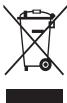
Correct disposal of this product
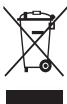
(Waste Electrical & Electronic Equipment)
(Applicable in countries with separate collection systems)
This marking on the product, accessories or literature indicates that the product and its electronic accessories (e.g. charger, headset, USB cable) should not be
disposed of with other household waste.
To prevent possible harm to the environment or human health from uncontrolled waste disposal, please separate these items from other types of waste and recycle them responsibly to promote the sustainable reuse of material resources.
Household users should contact either the retailer where they purchased this product, or their local government office, for details of where and how they can take these items for environmentally safe recycling.
Business users should contact their supplier and check the terms and conditions of the purchase contract. This product and its electronic accessories should not be mixed with other commercial wastes for disposal.
This EEE is compliant with RoHS.
Correct disposal of batteries in this product

(Applicable in countries with separate collection systems)
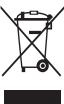
This marking on the battery, manual or packaging indicates that the batteries in this product should not be disposed of with other household waste. Where
marked, the chemical symbols Hg, Cd or Pb indicate that the battery contains mercury, cadmium or lead above the reference levels in EC Directive 2006/66. If batteries are not properly disposed of, these substances can cause harm to human health or the environment.
To protect natural resources and to promote material reuse, please separate batteries from other types of waste and recycle them through your local, free battery return system.
Correct disposal of batteries in this product

(Applicable in countries with separate collection systems)
The marking on the battery, manual or packaging indicates that the battery in this product should not be disposed of with other household waste. Where
marked, the chemical symbols Hg , Cd or Pb indicate that the battery contains mercury, cadmium or lead above the reference levels in EC Directive 2006/66.
The battery incorporated in this product is not user replaceable. For information on its replacement, please contact your service provider. Do not attempt to remove the battery or dispose it in a fire. Do not disassemble, crush, or puncture the battery. If you intend to discard the product, the waste collection site will take the appropriate measures for the recycling and treatment of the product, including the battery.
Disclaimer
Some content and services accessible through this device belong to third parties and are protected by copyright, patent, trademark and/or other intellectual property laws. Such content and services are provided solely for your personal non-commercial use.
You may not use any content or services in a manner that has not been authorised by the content owner or service provider.
Without limiting the foregoing, unless expressly authorised by the applicable content owner or service provider, you may not modify, copy, republish, upload, post, transmit, translate, sell, create derivative works, exploit, or distribute in any manner or medium any content or services displayed through this device.
"THIRD PARTY CONTENT AND SERVICES ARE PROVIDED "AS IS." SAMSUNG DOES NOT WARRANTY CONTENT OR SERVICES SO PROVIDED, OTHERWISE EXPRESSLY OR IMPLEDLY, FOR ANY PURPOSE. SAMSUNG EXPRESSLY DISCLAIMS ANY IMPLIED WARRANTYES, INCLUDING BUT NOT LIMITED TO, WARRANTYES OF MERCHANTABILITY OR FITNESS FOR A PARTICULAR PURPOSE. SAMSUNG DOES NOT GUARANTEE THE ACCURACY, VALIDITY, TIMELINESS, LEGALITY, OR COMPLETENESS OF ANY CONTENT OR SERVICE MADE AVAILABLE THROUGH THIS DEVICE AND UNDER NO CIRCUMSTANCES, INCLUDING NEGLIGENCE, SHALL SAMSUNG BE LIABLE, WHETHER IN CONTRACT OR TORT, FOR ANY DIRECT, INDIRECT, INCIDENTAL, SPECIAL OR CONSEQUENTIAL DAMAGES, ATTORNEY FEES, EXPENSES, OR ANY OTHER DAMAGES ASING OUT OF, OR IN CONNECTION WITH, ANY INFORMATION CONTAINED IN, OR AS A RESULT OF THE USE OF ANY CONTENT OR SERVICE BY YOU OR ANY THIRD PARTY, EVEN IF ADVISED OF THE POSSIBILITY OF SUCH DAMAGES."
Third party services may be terminated or interrupted at any time, and Samsung makes no representation or warranty that any content or service will remain available for any period of time. Content and services are transmitted by third parties by means of networks and transmission facilities over which Samsung has no control. Without limiting the generality of this disclaimer, Samsung expressly disclaims any responsibility or liability for any interruption or suspension of any content or service made available through this device.
Samsung is neither responsible nor liable for customer service related to the content and services. Any question or request for service relating to the content or services should be made directly to the respective content and service providers.
Informacionesigurie
Kétó informazione sigurie permibrajne materi pajisjié celulare. Disa materiale mande tés applikohen pajar pajisjen tuaj. Pér te parandualar démtime ndaj vetu jaose tè tjerève apo tè demtoni pajisjen, lexoni informazione s ésigurise pajar pajisjen tuja para se ta pérdorni.

Paralajmerim
a a a a a a a a a a a a a a a a a a a a a a a a a a a a a
y 1
y
y 1 y
Aa a a a a a a a a a a a a a a a a a a
a
jgl jalalll aylgill 1,
jlll jaiyss aalw yall gdi
aasaaasaaaagaaagaaagaaagaaagaaagaaagaaagaa
j j j j j j j j j j j j j j j j j j j j j j j j j j j j j
a a a a a a a a a a a a a a a a a a a a a a
j jll 2. jll j jll j jll j jll j jll
jgl j j j j j j j j j j j j j j j j j j j j j j j j j j j j j j j j j j j j j j j j j
Kai aJia jia aJia gai Jia jia jia iai ai
aaliln aalsllie gale wajall aayall jgall jd all j
Jannnnnll jll
jaiyie jaiyai
a a a a a a a a a a a a a a a a a a a a a a
aayll aayll g caggill oj p jilny p y
aillj jlllal 1jssall
slll jll lalii lalil gaiy jy jyj
joo jao ge Ugall aaioll asyly lal .djag no jolll
a
Jaiaiyaiyaiyaiyaiyaiyaiyaiyaiyaiyaiyaiyaiyaiyaiyaiyaiyaiyaiyaiyaiyaiyaiyaiyaiyaiyaiyaiyaiyaiyaiyaiyaiyaiyaiyaiyaiyaiyaiyaiyaiyaiyaiyaiyaiyaiyaiyaiyaiyai
jbjj jbjill bll jaii jaiil aaiia aaiia jaiia jaii jaii i
Juaaal aiaa aiaaa algo n no joll (2glll)
jai jia jia jia jia jia jia jia jia jia jia jia jia
Ailala jai jai jai jai jai
i 1 i j.
jgl jglal alaln jg gglg jglg jglg jglg jglg
guaaaiy jra a 4 ay g jall
jai jy jz jz g dll ay jai y
e 1
aJ, Jaiy Jaiy jaij 1s 1s 1s 1s
Clllally aillllllllllllllllllllllllll
Albaill gji jai jiaall aljao jai lay
iJyI JjSaaiaaall palaal juaa aai bai gai 151
aaii i 1
yall jaiil jaijai jai jai jai jai jai jai
a
ailll lalb y jaiylll lalb y ell y la ayablaall lailll cbby
Aayblll Cnll lai jllnni jSaa Jlll cll glll
jll j 24
all j
jglal jg jy jll jz jz jz jz jz jz jz jz jz jz jz jz jz jz jz jz jz jz
.
aaiilgl yllal all jaiil aie jaii
Jana 25 148 jall gabelian yllal lai jil jaliol plull cll
jgllll jlll jlll jlll
piaiui jie ci jie jill pae i dianai lioi i y c
aall jll jlll
alil 0sioa oolr jia iie jai jai
j4
ssssasssssssssssssssss
i g aiee eae eae ae eae ae eae ae eae ae eae ae eae ae eae ae eae ae eae ae eae ae eae ae eae ae eae ae eae ae eae ae eae ae eae ae eae ae eae ae eae ae eae ae eae ae eae ae eae ae eae ae eae ae eae ae eae ae eae ae eae ae eae ae eae ae eae ae eae ae ee aee
aalil
a aee aee
a
alilil jayd giallll alilaiall lal
C

juslglclalllssjglaaii jusl
eulipjydyiy Cswlll jaii jaii jaii
Aeau Jalz (aSlull) aJyIyIyIyIyIyIyIyIyIyIyIyIy
a 14 aalal 5 jgj gaaal 5 g
.
aiaiaiaiaiaiaiaiaiaiaiaiaiaiaiaiaiaiaiaiaiaiaiaiaiaiaiaiaiaiaiaiaiaiaiaiaiaiaiaiaiaiaiaiaiaiaiaiaiaiaiaiaiaiaiaiaiaiaiaiaiaiaiaiaiaiaiaiaiaiaiaiaiaia
a a a a a a a a a a a a a a a a a a a a a a a
Ae ayy ayiy yall ayll ayiye ayuay
Cuaa 4 jalj jgalb
a a a a a a a a a a a a a a a a a
j jlll jai jai jai jai jai jai jai jai jai jai jai jai jai jai jai jai jai jai jai jai jai jai jai jai jai jai jai jai jai jai jai jai jai jai jai jai jai jai jai jai jai jai jai jai jai jai jai jai jai jai jali jali jali jali jali jali jali jali jali jali jali jali jali
y
a jia jia jia jia jia jia jia jia jia jia jia jia jia jia jia jia jia jia jia jia jia jia jia jia jia jia jia jia jia jia jia jia jia jia jia jia jia jia jia jia jia jia jia jia jia jia jia jia
aiee
aalaa 1
aaii iil jlll lsl
Jalaiil alaiy 2 02aio y jy gusl pliaiul
jL jJ11 pssuie
gilllll gao Jauu Ls piaa jjall
.
jcll cwlgl jg jgi g
i j 1 i j 1 i j 1 i j
i guaiu wao jie jie jie jie jie jie jie jie jie jie jie jie jie jie jie jie jie
y j 1
jglal jlll all jI cy 1J ay llall jI jgll gaiy
jbj jbjjjjjjjjjjjjjjjjjjjjjjjjjjjjjjjjjjjjjjjjjjjjjjjjjjjjjjjjjjjjjjjjjjjjjjjjjjjjjjjjjjjjjjjjjjjjjjjjjjjjjjjjjjjjjjjjjjjjjjjjjjjjjjjjjjjjjjjjjjjjjjjjjjjjjjjjjjjjjjjjjjjjjjjjjjjjjjjjjjjjjjjjjjjjjjjjjjjjjjjjj
Jll jlll lalj Jn aLsl jllj Ls Jgaj jllb jlll .
JL JGLJGLJGLJGLJGLJGLJGLJGLJGLJGLJGLJGLJGLJGLJGLJGLJGLJGLJGLJGLJGLJGLJGLJGLJGLJGLJGLJGLJGLJGLJGLJGLJGLJGLJGLJGLJGLJGLJGL
1 1
aalglal,ayjilaiy aygll aygal clalall jn Clllall yas
∴ SΔACD = SΔCOD + SΔBDO - SΔCDA
gA. yAe A aBdA yBdA yBdA yBdA yBdA yBdA
Aci iis aabiy gaiy aiayi ciil
j 1
jglal j0sjlj
is global.
jlll l jlll n 1s Jlll llal So Salln
y jy jy dyie yj yj yj yj yj yj yj yj yj yj yj yj yj
.5y jlll (j)
j 1 1
Aagall lalj y aylbjai jnui lac gac jajl jgll alil
Cululll jzj 2c algau Cuiu gauw
a 1
Aasill alilal palsol selal gail jgll xai
ie 1y jy. cybill yjii ie ayj yjaii aiai i jai
ailll lll lll l l lll lll lll lll lll
Aaiaaii dlaiae aeaiaaa
j jy jy jy jiy jiy jiy jiy jiy jiy jiy jiy jiy jiy jiy jiy jiy jiy jiy jiy jiy jiy jiy jiy jiy jiy jiy jiy jiy jiy jiy jiy jiy jiy jiy jiy jiy jiy jiy jiy jiy jiy jiy
ailllglal 100g jaoe gj 12.0r
dLus clogjoo jai jai aai all 2jay Jua
aalal aalaae alal aalal aalal
aaiill lglao
baia piaiuyjie jiall jilaiyjue juaa jiu caiuill piuiudji
.PIN 1:113,245,3
jill g jilg jai g aalg jgiy
g 1
a. 1
yj pssssssssssssssssssssssssssssssssssssssssssssssssssssssssssssssssssss
jill jil jil jil jil all jll jil jil
i 1
Aalll plaalnall paaai gil cagg g jaal gl aal gnnnnae
Jauaal aas alga 8
Culwglg 2gog 10 gailll Cwglg
(Alaiia aaii aiil iill jll (j)
aJyLs jzlll cIe yj 0n jyI yIyI aIyI aIyI
aIyus jaiiall lla n o walsll sAs yai gai liq
jua 0g (USB Jds aclld jalil)
(Alaiia aaii aiil aiin (ill 1ii)

Lgag a jajal g jajal g jajal g jajal ddi yjay 1 jai i jai i jai g jajal cjjjai jai jai jai jai jai jai jai jai jai jai jai jai jai jai jai jai jai jai jai jai jai jai jai jai jai jai jai jai jai jai jai jai jai jai jai jai jai jai jai
35 1 1 1 1 1 1 1 1 1 1 1 1 1 1 1 1 1 1 1 1 1 1 1 1 1 1 1 1 1 1 1 1 1 1 1 1 1 1 1 1 1
Lalal yolall plalal sale 1e alalll ayallal yallal yallal
sale! pali dla la lyal sale! gylal gil ne calal
aill 10 a 50 gall clll lalil
(Alaiia gaii aaiil aiin gill uill
J 1 J 1 J 1 J 1 J 1 J 1 J 1 J 1 J 1 J 1 J 1 J 1 J 1 J 1 J 1 J 1 J 1 J 1 J 1 J 1 J 1 J 1 J 1 J 1 J 1 J 1 J 1 J 1 J 1 J 1 J 1 J 1 J 1 J 1 J
()
y 《.gilaiee] Laaiiay aylllal ylaiauulldclialll ygalidll
aaiy eaiy aaiy alalnaiadll clialll gylalldall gyalalld
aiaiaa iae aaiy laiy gyalagaiy gaiy gaiy
aaiy aaiy alal yaiy gyalagaiy gaiy gaiy
aaiy aaiy alal yaiy gyalagaiy gaiy gaiy
aaiy aaiy alal yaiy gyalagaiy gaiy gaiy
aaiy aaiy alal yaiy gyalagaiy gaiy gaiy
aaiy aaiy alal yaiy gyalagaiy gai ygaiy
aaiy aaiy alal yaiy gyalagaiy gai ygaiy
aaiy aaiy alal yaiy gyalagaiy gai ygaiy
aaiy aaiy alal yaiy gyalagaiy gai ygaiy
aaiy aaiy alal yaiy gyalagaiy gai ygaiy
aaiy aal yaiy gyalagaiy gail aylygai ygaiy
aay aal yaiy gyalagai ygal aylygai ygaiy
aay aal yaiy gyalagai ygal aylygai ygal
aay aal yaiy gyalagai ygal aylygai ygal
aay aal yaiy gyalagai ygal aylygai ygal
aay aal yaiy gyalagai ygal aylygai ygal
aay aal yali ygal aylygai ygal aylygai ygal
aay aal yali ygal aylygai ygal aylygai ygal
aay aal yali ygal aylygai ygal aylygai ygal
aay aal yali ygal aylygai ygal aylygai ygal
aay aal yali ygal aylygai ygal aylygai ygal
aay aal yall ygal aylygai ygal aylygai ygal
aay aal yall ygal aylygai ygal aylygai ygal
aay aal yall ygal aylll ayall ayall ayll ayll ayll ayll ayll ayll ayll ayll ayll ayll ayll ayll ayll ayll ayll ayll ayll ayll ayll ayll ayll ayll ayll ayll ayll ayll ayll ayll ayll ayll ayll ayll ayll ayll ayll ayll ayll ayll ayll ayll ayll ayll ayll ayll ayll
HΦopMaζηa
6e3onachoct
TaaHINbOOPmaHn3a 6eEtonacHOCTce OTHACa 3MObHNHtne UcypoCTBa. HAcT oCbDpKAnHeMoTO meQa He nPnIPOXnMo 3a BauWTo EUCypoCTBO. 3a da npOeDPaTNTe HApNBAHBeTOH a Ce6e Cnnn DpyrInTe, KaKTo N nobpeData hUcypoCTBOTo, pOpoyetete BHmATEHNO INHOpMaHnraTa 3a 6eONacHOCT 3a BauWTo UcypoCTBo, PnpDeA nO tRnONBate.

PpeynpeKdene
HecnapaBHeNoTHa npeDynpEckdEHHa Tn HapeD6HTe 3a 6e0anachOCT MoE da pInuMHn cepno3Hn HapahBaHmN IIN CMbpt
He hno13a3bte OneBPONEH eEeKTPUeCKn Ka6En mI INeEeKTPUeCKn KOKTAHK, KOHTe Ho ca 06peMOHTaHPAn
Heo6e03nacenHte Bp3KMOJKe da npedn3BnKaT TOKOB ydap nIIN noJap.
He DoKocBaTae 3aBauHaaBua KaBc m KoxpB pBue HnIe NkIOuBVAe 3apBaHNO tycPOBtBO, DpNaiKu KaB6a
Toba moxe da npedein3Bnka cmbpt OT ekeTpueecknyap.
He orbbaIte n He nobpekdaIte eIeKtpueckna ka6en
Toba MoXe da npedn3BnKa TOKOB yap nIIN noXkap.
He npedn3BnKBaTe Kbco CbeDnHene B 3apdHOTO yCTPOIcTBO
TOBIA MOJE DA pIe pIeIzHIbIKI TOKOB YUad NIIH NIOKAP NII H BATEMIHTA MOJE DA CE NOpeBDI N Ia I3I6XHyE.
He n30n3baIte yctpoIbCTBOTo HABbNo IbpeMa rPbMOTeBmHa 6pa
Toba moKe da doBeDe do TokoB yap nIIOBpeDa Ha yctpoiCTBOTo.
IImno3BaBtate 6aTeepn,3apRdHn yctOoCTBA,akcecoarpn n p3eepBNH actn,Oo6bpEn oT np0oBdoTne
He n3nyckaiTe nn noJnaraite 3apdHOTO yCTpoCTBO Ha yap
Бит deducthe HAMATEHENNI pR GOBABETHO IN3XbPRAHETHO YCTPOBCTBOTO 3AP4BHDOTO
HnKorha HxXbPJIaBtBeAtePHTAIIuYCTPOTHBTO BOrTH. HnKorha NocTbAeBtBeAtePHTAIIuYCTPOTHBTO bByXP HARePAETAHUyPeDIA, KATO MmKpOBbIbONB NeuKIN, KOtONHIMn PAadTAOpRr. YCTPOICTBO MoMQ Da3HxNBE, Ako npeperE. CndBaBtBcNCHM MeCTHN PAaONPeBDI pnn IxhXbPJIbHtEOHa NTyponETBBAHTePENy UYNTOCTPBAA.
Hikora He 6bckaIte nn npo6nbaIte yctpoCTBOTO.
IaH3Ae 103Ae 103Ae 103Ae 103Ae 103Ae 103Ae 103Ae 103Ae 103Ae 103Ae 103Ae 103Ae 103Ae 103Ae 103Ae 103Ae 103Ae
3auntabaute yctpoiBCTOto,6ateepnra 3aparoduto yctpoiBCTBOOTno nopeda
16348a3eIJIaAIAHETAO HA YCTPOIcTBOTO IN GATEPNIHTA HAMHOIO NHCIKN INN BACOKI TENMEtAPyri.
MHORO BIXOKITE IINI HIXKIT ENTEMAPATyR MoKE da NOBEPADT YCTPOICTBOTO IINI da HAMANJI BTb3MOXHOCTTA 3a ZepkDAHE ININ KIVBOTA HA BAEWTO YCTPOICTBO TO 6ATEPHI.
- 3aùyɪtəaɪyè Bæpērɪnə T O KHTAKT S C M E A N H I N P E M E TɪN, T bɪ kɑ T O T B Maʊð ð a cβdà É p Bβkɜ M e kdy + i - K němɪte Na bæpērɪnə t d aɒbodé e Dɒ bæpēmɪná uɪn ò OKOvθaŋe N oBpeɪda H a Bæpērɪnə.
- Hikora He i3no13BaIte noBpeDeHO 3apdIO yCTPOIcTBO IIN 6aTePnA.
He octabrayite yctpoiBCTO B 6n3oCT O nHarpebaten, MmKPOBbIHOBI FyPHN, ropeuDomakHcNcYpeDnMn KOHTeHepn PND BOCKOHLaHae
- Moze da ce nOBu Teu B 6aTepeyra.
- UcpoCTBOTO BMOKe da npperpee n da npuHn noXkap.
HNeON3BaBteIeNcBcXpaBNBaHTeYcTPORCTBOH MaMeCTa C BIXOKA KOHNTEPAAHnPAk nPAXnAePOZONIHBEVCECTA
PbAaTbnYuJNcBtEeBnBeTaO MaKe JHApUaT JHcNcUmteHa YCTPOrTBOTo NJaDBoTeT aNoKapM NIn ToKOBy UdAP.
IpeTobTePateTe KOHTAKa H MaHOrofoYHKIOHAnHIMa JxK aMaIKnA KpaI Ha 3aApJHOTo T yOCTbO C npOBIOHMa MtePepHaN Kato TEyOHCTo, Ipnax, metANen I npnx I pRATM H aMOINJI
PbOIOBMAITMEATMNIHARMOAT MTAurpIINHKT BcOeBnDEHNHEIW NOKO3HNA KIEMITE, KOETO DA BoDEE O ekCnON3Hs NIKoKAP.
He xanete nn cmyute yctpoiCTBOTo nn 6aTepeyra
ToBa MoKeJ da NobpeJeY uCTPOIeTBOTO INa da pNeB3nBaK eKcNpO3nA INnoKapak.
- Deuata Wn JKBOTHNE MOKe Da ce 3aJABRT C MaJIKN qACTN.
-AKO yctpOCTBTO ce iINON3BAOT deca, hENPemEnHO YEbepete, ro iINON3BAPTAPIBINO.
He noctabrae yctrhoCTBOI IIN ppeoctabeneHTe akcecoapR u oynte, yuunte IYN cYcTATA
ToBa MoKe Da npuHn 3aDyUbaHe nn cepNo3Ho HapaHaBaHe.
He nIOnIb3aIte NoBpeHa IINI INTEKna NITNHeo-Ohnna (Li-Ion) 6atepra
CbBpkece Cbe cBcBcOBmIEHOTENOTMHPaCEbpBNHcEHTbp,3aJa XNBbPJIITMEHIO-BNHTHATA GATEPN EzeonHOA.
BhimaHne
Hecna3BaHeta Na Te3n Tockn pa3npoe6b MoKe da doBede Do 3IOnonyka IIN IMyueCTBeH bpei
He n3013BaTte yctpoICTBOTo C B 6Bn3OCT do aDpyr enEeKTOPHN IyctPOTHBA
He cxbpaaHbaBaeYtcePbOCTBcO MetaHnpeMEn, KATO MOHETN, KIOHOBE Nm oFbPnIe
BaWeto yCTpoiCTBO MOKeJa ce HaPaCk nn noBpeNi.
AKO KIEMITE Na Batepinta BLB3AT B KOHTAK CMetaHn PpeDMETo, TOBA MOKeJa DPnHn NIOKAP.
He octabraye yctpoiCTBOTO B 6n3OCT do MaHHTN NOIeta
• UCTPOBETO BO MOKE NO CE BOPNEI NIN BATEPENITI CE PAPEDINI BCNECTBME HA INATARHETO HA MATHINHNTN ONETA.
- MañNHITHNTHE KAPTN, BKNIOHTENHO KPEIDHTHNI KAPTN, KAPTN 3A TELEΦOHNI paoTROBOPN, npOpyCKNs I BODPNHN KAPTN MORAT da ce nobpeIOT AT MañNHITHNTHE NOleta.
HKeIOnI3BaIte YcTpoIcTBTO mI INPINOKENHra 3a IINBCTNO BpeMe aOy KTOPTBOE eI pERpAno
He n3noI3BaIte yctpoIcTBOTOCtpanen 3aJeH Kanak
5Bateprra MOKe da i3napeo oT hero, KOeTo da pnpHmNIO nobPeDa imn HennapBNHO fHyKUnOHINAPHe.
Aky OTOrCTBTOMIO CBAEKETKIAI UHN CEBTNIHA 3a KAMEPATA,he HIN MOnN3b8320 Doo OJcHt HA xopa HIN KMBOTHN
Iin3aBn3aeH Na CEBKABNla 6hNdo Oo YOHTe MOKe Da npriHH INB PBMENHa 3arybno HnnyBEXPAH da hpeHtEHO.
PpOBBeBnHMaHHe npu n3laRaHe Ha Mmraa CBeTnHa
OcHypertre CebTbHaN BnomeuHEnIto, KOzato nIOnI3BaTe yCTPObCTBTO, nHe npbKte kExpa hpePAnekHO bNo3o oO duNTe c.
IiHaJHrAeHTo HMaHguaZcBHTnHaPi npIeTHeaHb BA BIDeKnIOHBe nnn iurgr M CmHgta ZcBHTnHa 3a npDkNkTNeHep NIOO Moke da npEh23bKa PnpIaDzHu 3aY86Ha Bc3hAnHe. ANO youvCTBaTe HNRkAko HeyNoCTBo, He3aBaNHO cPte Ta eNtN03aTaE yCPOTCTBO.
- AKO HKOH BAAI6N3K N0UY HAPI IIN 3AGYb C3HNIAE, KOAKTO INOJI3BAI NOIOBNO YCTPOICTBO, TPR6BA da CE noCtBETAE C nekap, INpeDA iINIOBATAE YCTPOICTBO.
Ako noyctbata HeNo6CTBO, KATO hapnIMpe MycKJhen cna3bM iNIA deOpemHeNTaunC, CNPTE da NsIbn5Bte yCTpoIcTBOto He3a6abHNO n ce NoCbETBaTei C nekap.
3aJacepePnndTneOHTpAHReHaeONOHyTEpRAPBeTeCNeN0uBKN, DOKATO hINON3BATEyEYPOTHCBTO.
HamaTe pCKa OT hapaHbAhe npn NOBtapau ci de BxkeHH
KOTAO ITHBUPUBATEI NEOHOTMI OHOROKPATO KATO HANTUKA HE KA NBLBIMU, NIIAHCA NO CEHOPHRN EKP A Cn pCbTCTNE CN IINI WPA HA INRNI, MOKE NOHIKORA DA IHNITME TDCOMKOFPT B PCTUE, BPAATA PAMAHETCA CN, IINI DYPNTI CHACTA TA HNTOLO CT. IINPTE KCTE YCTPOBHTBO C NO-OTTNCHATN PBCCTN, HATNHICKIE NEKO KNAIBUNITE PABNPATNE CHETYNOHNIBK, KOTAO I3N013NBA TcypOBTO NPdoDJIKNITE NO BPEMA. AKO pOIOBJKITE DA IHNITBATRE MDCKOFPT NO BPEMA HA TAKABA YIOTPe6A, CIPTEA DA H3N013BATE YCTPOBTO BNCOHJTPMIAE C n Kepak.
3aunTe cnyxa n yuHnTe cn, KOrato n3non3BaTe cnyuaKn

- ПекOMePHTO nIaHarNe H aNcOKi BZuI M OKeJa NaOBpeI cIyxa.
VitnapaheHbN BCIOBc BNY IO pBME H aXoHEMe OaBnEe BHNMHAMHeBn Hn aDObeD oHnUdENT.
BnHnHn HnHnBnBnCnHa Na 3bNyKpNeDnKbNcHbAe HcNtUaHnBn A ydHnOTHCNH nIHNPONBaTcCaMnMHmAHnTaHactPOnKa HcNHa B H3bNyKoDatOpTuHa 3a Da YpeTe P3aTOBpaOuMy MYNkata.
B cyxa cpea b clyuankite moque da ce hatpyna ctatmyho eneynktechno.1368bairetne iinon3nbahteno y hctycprotoBTO Cya cepda iin iin kocochete metahen npmed, 3da ocbosodite tchatmnoHOT e neneynktecho, npede da CBxPkejte Ccyuankn Kkm cTPOCTBO.TO
He 3n01N3BaiTRe cIyuanKATA,doKATO ynpabnBaTe pnebo3HO cpredTO. Toba MOKe da OTBne BHMAnEOH BO n Da npedEbnZbKa 3nOJOnyKa, KAKTO MOKe JNa e HE3aOKHO B CTPaHa, K3JeTo CE HAMnPate.
Бдени раимлел,在罗马исторыгостовото,在дOKATOXoJIMINСЕДКИSTQUE
B Vihaŋm CnqeTe O konlHATA o6ctahOKBa, 3a da i6bEhetHe napaHBAHa ne 6e6 cn HnI dpyr YOBeK.
TbBpdtde,ueKaEBbHtNaCyuAankata He e 3aannetB bpuente BnIMI 6bnKoctorunipneMtu.
He hocTe yctpoCTBOTO B 3aDHnC n dxKo6 nN OKOIO KpbCTa
Mоже дс сананiteилд�оврдпуctpoиCTBOTO,aко naDHete.
He 6oAinCbaTe n He noCTaBnTe CTnKePn BbPxy BaTeO yCTpoiCTBO
Bóta n CTKENPEI MOKE da 3a4DpCTTR NODBIKNHNTA cHNTn da nonpevat H naPBNIHOTFOHYKHQUINHAPAE.
- AKO CTe aneprrnHk MKB 603I INM METAHNT HA cTbCTOBTO, MOKDe KA NOVCTBATE CBp6EXE, EKEMA mIN NODBAHE K KOKA. AKO TOBA CE cnHy, CPTE DE Aa IINONBATE YcTPOBCTBOI e COHKyIMPAHTe CbC BOR NEKAP.
He n3non3BaIte yctpoiCtBOTO, aKe e cnykaHO nn CuyneHo
CuyenHOTTOCTKNOIIMNAKPNTBMOKeJaPnMHHaPaHbAeHaNbPbTeNe I NlueTe Bn.3aHeceTcE ToYcPtoCTBOTo 3a PemOH T B cepBn3e HcHTbP hSamsung.
HCTaIpaTeMo6uHHyUcTpoiCtBaN06OpdyBaHeBHMMaTeHNO
- Yèbèpèce, CE bùCNHNI MOBHNH yuCTOPBCTN AINI yDPRO 6ObyDhaNE, HnCTANPABH IN A BOYMOBNHCA B, NOCTABENH 6E03ANOH.
IaBbTaTae NoctabHeHnBAY hYcPOrTBTO pNnHApEnKHOCHOTNE 6bn3o Do b2b3yDnuaHb b3rBnAHnCu. HentpanHbInHnOthnAHPnHOB 6EzMHNO O6bpyBaDA Moke Da pnHmHN cepuO3HO npHaNRBAe, KORATO b2b3yDnuaHb b3rBNaHnBu ce Hndy b6p30.
He n3nyckaiteyctpoictBTO cn Hne donyckaite yapn no hero
BaWeto yCTPOINCTBO MOKe Da CE NOBPeDN INn Da He pa6OTn npABUNHO.
Ako bde orhato nio deopmnparho, yctpojCTBOTO BN iIN ONPDEENNAI BOHOTAI MOKE da ce NOBpey.
OcHyperteMaKcMmaIeJXmbOT Ha 6aTepeRnTa n3apdHTo yctpoCTBO
16384b3a7e 9ae3dAeHToHO HcTPOBTO BHaIb0JHKeHHe HA NOBeOHT Oe 6dmmua, Tb kato TOBA MOke Da CbKn JXIBOTA H aBePnRTa.
C- Cemetro HnneI3noBATOy TcypoIeTOO ce pa3peDn I nTp6Ba da b6Be zapeDeNO pnpoeYnpt6Ba.
Изк nullучete Кабела На зарядноу ectpoiCTBO TO KOTAKTA, KORAto HE ro nnoIaNTAe.
- 3nnon3BaIte 6aTeepraTc cmo no nppeHa3NaueHne.
- AKO He i3n0338ate Batepiniye IbIro pereMe, ToBa MOke da HamaH TEXHMA JKBOTu paOBTHa XapKeTpEriCTNku. ToBa MOke CbuO da NOBpeDy Batepiniye uHda Da rHakapa Da i3hUkXaHT, KaKTo I da npnuHIno NKoak.
CnBdAaBcNkHtNtPckyMnTOBaTbPKoBQCTBO,3a0aDCHyPTBe Hau-dBnIIN Bb-MAOENK XMBOT 3a CBOETO YCTPOBtBO n BatePIN. POBedJeIN NmIoNtai paoBHTOnXpakApTeRcIMTKn, PmUHNHeHn O TcehNa3aHEto H TeNn pePjEKeDNenH INtCPkYmN, MOKE da AHynIPat rapaHNTaHn NaPOMB3DInTeJ.
• X'TyPcB'CTOBTO BIV MOKEJa De eM3HOCs CB PEMOTe. HNKOJ cHaTUY N oPnKABPAKe CE NKoPbITaO r OAPAHUNITA B NEPOHOHa BA NIDHOCT, NO NOBpeNTIe N BNOAbaHETo, pRINHNHeO t I K3H2BaHToH a HeNoD06BeHn AKeCeoAPHr, HE cKoPbIBa.
Korato n3non3BaTe yctpoiCTBTO,06bpHete BnMaHne Ha cnEhoto
He n3n03baite yctpoCTBOTO C HNKKABA dpyra uten cOBH no pnpdaaaheneHH
YCTPOIcTBOTOBIMOKeJaCeNIOBpeHn.
M6Bra8aBaJa npeuwna H a npyn Xopa, KOrato h3nON3BaTe yctpoIcBTOHO na ocbseTBeHN Meeta
PozbONBaIe cmoHa KBAJIINΦHIIpAHI CNJKHTEN Da o6CNUKBAAT yctPOrTHBTO Bn
Ако позолите устордътв Ви д за щобide обслкьано OT небашишпцари Chryжшени, То може д с пооведи раганцьда My ду отолдце.
Pa6oTeBnHMaTeJIHo CbSC SIM KapTu, KapTu c naMeTn Ka6eIi
Korato noctabre TaKTI INI CbP38Ate KcBEN KcM YcPTOCTBO, TpRbA da pOBeRnE daN 6aTeRnTa E noctabE hpaBnHIO nIKaBcEBt E bCp3AH knbTc PnABINHTA cTpCRHa.
- Heɪzackaɪtée Kapta, ἀκοτο γισχόνιCBTOPO πρεκθυρλίν έπιν σαβόθουνι Ανρομίας, Túk έκο τοῦ Μοɡóke Δο Αγόθενe Σ ο Αγθένης wá dāhūn W/ινι NOBEpa Ḍ κΑΚΤΑ ένι έχρισθΕΤΟ.
- Iaetake Kapetno ot CINHUYap, cstauHHeNekTePnEeCTBO uNekTePnEeCKyI yM, uDbaunO ot DHTY UCTPOBAY.
H JeokocBaIe KpaIaHTa HApKTATA b3aTNT cBPTcN Hm MeTaNn pIepMeTn. PpN hAJIuHe Hpax, 3a6bpuTe cKpTaTc MKeA kbpna.
• Поставаяно Ка гота Свсрзането на Каб endc St cina
ил по Нетравлиен Ини Рожны мда добerte д по Вор dedа на
MHORODYKKHONAHINHA JAKИМДТУСАнТСНУ А CTРСНВTOCTBO.
Ocnppe doctbn do ycnpy npn cneuHn cnTuauHH
B HOKON 6OBACTNI INPI paaIINHIOBCTOENTCTBA eB3MOKHO da He MOKETe DA OCBsCTBTE CNEUHN 6OBdAKDHN. PEPdi DaTbYBne To OTDAUEHEN MECTA INI 3001Ee 3N4pEDA NmHpactrKtpya, PAnHpaIte AInTePAHTBENHEMQT 3a KOHTAK cTexNHueCKN OTdELPnPcNEHIN CityaUN.
3aHHTeN HnHnTHcNnHnHnHnHnHnHnHnHnHnHnHnHnHnHnHnHnHnHnHnHnHnHnHnHnHnHnHnHnHnHnHnHnHnHnHnHnHnHnHnHnHnHnHnHnHnHnHnHnHnHn
Трббдla дархирate bavkhata nHOpMaunuДOKATO n3nON3BATE yctpoCTBTO.Samsung He HOCN OTROBOPHOCT 3a 3ary6bata Ha BaWHTe DAHNH.
- Пиим IXBXbPJIaNE Naустуpoi CBTOA axmBIPaTte CBMnHДANHи И сnéт ВOTунларе устуpoiCBTOA,ЗдaNpèdOТВРаNTe 3IoyOnTp6BaTa C BauTa LaNHa NInHФмрAZa.
BhIMATeHNO pOPOTeTe EKPAA 3a PAPSEUHN, KORATO TENTINE pPNIKHOENJ. BbTeDE OOC6EO BHIMATENJN C pTINIOXENJ, KOITNO IMAT DOCTbI JDO MHOKECTBO FyHKNU INN rONMA CTAC QT OBATATA NPHNA HNOPOMFAA.
I PnOBeBAJIte CBOE akyAHNI peBOHO 3a HeoO6peHIO IIN nOIOZpENTNIO hNOON3BAAJE. AKO OKTPINE pRnIHAI HA NTOOTPb6A c BAWATA iINH INFOPMAUJI, CBXPKETe Ce bCb BOCTABUKN H yCUTNYA, DA 3a IITNPHIO INPOMEHTE INHOPOAMJAYA B ANOHTCA JI.
B. Chuyu, yue QyFIOCTBO7O bIe 3U8HbEo HIN OKTHADPAO, PNOHEMETE napONITE ha BAUNITE AKAYHTN, 3a 3a JauNTHITNE NHINTA CnHFKOMPAIA.
16N84BAAITE 3N03A3BENOTH a npOIOKENJEAOT NHTe3BCTTN 3TOHONUIMI AND 3AKNOYBAETTEyCPOYTBDTO CnS c 5a6b0n,napona nIN PIN.
He pa3npoctpaHbAte MaTePnA1 CbC 3aunTeHN ABTopcKn npaba
Ha peanopocranbawite matepnianc bcs 3aunteHINA botOPCKN ppaba 6ez papeuenneto ha co6ctbeniHTe. HecpnaBaaneto hota moke da NoDoebe do hapuyueHne HA zakoHIne 3a botOPCKN ppabo. IpnO3BouNTeHATe HOTOBAPra 3a HNKAKBI npraBn CHPOBE B peyIITAT o HENPABOMePA hyotnpba oT ctpha Ha notpebntenHa mATEpnan cbs 3auNTeHN AbotOPCKN ppaba.
3Iohamepeh cofoepn Bvpcn
3a da aazuHTIe yCTPOBCTBOO nO t3NoHAmepen COpTyePn BIVcyns, CnBaeJIte TseCbETNI. HecnaBaHAeTO hTaN ne pRabNA MoJa de OdoBe do NOBpeDA mN 3ary6bHa naDHAN, KOMO ToMe Da he NCOKPBAT oRAPAHINJIH
He terlne HeH3BcTHn npINOxHeHr.
He nocceaaabaTe HehaedxHn ye6caTObe.
Истрильные сбнtheticе сбобочени и поимлду ONH3BCTN HOTUCHNI.
3aainepapona n npomehnpepoBHO.
- DeaHTHbAIPBae G3EeKJHnIte HfYHKm, KTO HAPnIMep Bluetooth, KOrATO HE nIaHnOJI3Bae.
- AkyctropchBOTO hepeaHpaOhopMaHO, hztbHneAHTBmPcHya nporpama, 3a da npoepei3a zapaaRhahe.
IImbIhHeT AHINHTHPOPRAa HcYTAHCTBOTo Cn, npedJa CTAPrIpaHO HOWBONETHENPrIPOXHENJI aNIOAHO
HNTINAPJIYEATAHNUPNYCHPAI POMPAMKHI KAMOPTBUNIa HNI INHNIHBAIEPEPOBOHO,3aJa pOBePRBRAE 3a Zap3A8BNAe.
- He pédakthipnaithe hantcokitte HA CTCEMHEN PERCTCBP INe
- npommehrionepeauonHHTCACTCMAHA y CPTCBTBO.
PpabunHt TpeTnpaHe Na H3denneto CnE KpaHa EeknloatauOHnMy XNBOT


(Ottadnybui, npedctabnaBauiae neketpruecko N neketprnoHO 06Opdyaane)
(HaJIINHOBCTPANCbCNCTeMn3a pa3dJIHO CMeTOcBbIpaHe)
Ta34 mApKIObKaHa na npOkyta, nPHTaJIeNkHOCTNTI yHmI niMepATpyata kya3aaa, neyOpQyTaN tHerOBITE neEkeTPOHHn pniHAnEKOHcTH (hanMpimep 3apHdoYrCHyCtBTO, cnuJANIKU, USB Ka69) tePra6BaDaDgatXbRPNbYrCN dCyPTBn 6
OTnadbu.
3aJa He N3arate Ha OnaHCTOBEUWOKTO 3dPaBHe aPeN3A3n30
OKHnHTA CpeDg ATOn3MbPCBAHNe, PpEINbHKAnHO bE6KoTHPONHO
X3XBbPJIHne H Otn4BbIu,OTdJIeTIte TEn ENEMeNTn OT dpyrVITE BVDObE
OTaBnLzIa N pTe PEKNIKPAITBe OTOBOPHO, 3a Da CB3daTebe b3MOKOHCT 3a
EkoHryHO-Cb6Op3aHO IN30N3BaHE Ma HATEMaIPHNE pEcypN.
Dmauniatah nortopbentrewnrnpbae da cebpkrztc T bporebea Ha npde6ho, OKTOKO CA3kynnnnaI aHmIEIIO, NIN CbCsbOTBHTAHET MecTA bDpaKBAHA areAra, da Naonayutnpodnoh INtckpyuNkUe and Kora MOrTda 3aehcat TezH yctpoRbTAa ze Pekunipnabe, Esohana3o Okanotnna cpeDa.
KOpOBaPnATBHTNtne P06TBeHNI cNeBdA aCe bCpRkT cDToaBTHaC KNI aI pOBoREPT yCNIOBRTA hAoROBOPBA 3a NOKyTKa. ToBa i3aDNiNE r HOBOTBE ENEPOHONrPiPeNAdENKoCTHn E BHa aZ aCe mCETCBAT cDpyrnte OTAnbIu H Ta TpOBCKTO pIeINDPYNTHe
PpabunHnU n3XbPnIe Ha 6aTePnIe B To3n npOyKT

(HaHINHO BCTPANB CbCSTEM3A pa3dENHO MCMOTBCBpAnHe)
TOBA o603hAHENe Bb.pxy BATEPIRtA, bPbOBQCTBTOO IINI
ONAKOBKATA, NOK3ABA, 8e. BATEPIRNTB To INOJPODKTY Be 6HBA DaI 4X3BPLBpC DcYPTME B6OTIBn BnCBU Rn BA TEXHNI
noJIe3EH JXHOBT. KUTeOa Ca mapHKINH, XMHMNCKEHTIC CHMBON
Hg, Cd iii n Pb Na03akat, che apeRtatae ctsbPkaKxmbk, kaMm iyn no OBOA hND KOHTPOHNITE NHBa IMEPTKBA 2006/66 HA EO. Ako GATEPHTe he CE xNBpBnTAPRIABNIO, TEi BEECECTBA MOrAT da pReDzBHKAT yBpeKdane ha YOBEWOKTO 4DAPBe IA hNa OKNlATA CPeDA.
3a 4a neprrnntne npnpnnnepcpcynr 3a da cdyenebtae 3a MHOKOPATNATHA YNOTPBEBA HMAATEPNHNE PCHPCYN, MOI OTDENJIYE 6BATEPHNTE OT DPPYNTE BIDONE OTADNNPDC NPOKTNI IN R peKINPKIAPRE NOPECDBTB CBOCTO JONAKA CHTEMA 6E3NAHNO BVPJAHNE H aBETEPIN.
PpabunHnO n3XbPnAne Ha 6aTePnIe B To3n npoynT

(HaHINHO BCTPANB CbCSTEM3A pa3dENHO MCMOTBCBpAnHe)
MapKoropobata B4-pxy Batepirata, P. kbozkodCTBOI hNII onoKabokta NOK3A8a, Vc Batepirata B T03n pOpykTHe TpRB6a da Ixh8Pb1a3eDhC a cyprH bGtBONOTMn. KbdoTe ca MapKorapha, XmWYKeeCtBcIMCNOBHgCd, HJ nIbPi PNOkbas3T
乙哉BAPTHTCBAHKBAK,KAHMN HINOBOHADKHTPOHNITEHMBA B DmKPTBA006/66 HAEO.
Brpaedeneb H To3n pOydkT beprrn He cIeBa da ceIOHMeOn t ONTpBeBnE 3a HnOFMpaAa OHOTNO OHIMPAHm, moN, CbYbPKTe csc CbCBO dOCTabWkHa cyNyr. He cO nOHTBAa de OcTcPANTHE Beprrna IIN da a NxKbPbnrE oBnH. He paRnOsbAaBte, yNHcOKaBaeIte IIN npOboAaBte Beprrna. Ako b3hAmpeRabe Da iNxKbPbnlnpOpydkTa, o6bKTt noCbiprahe Na OHtApzic ne B3eMa hOeXoDbmite MEprk 3a peKnKpnAheo nOb6ObaTnAb Ha npOkyda, BKNOkHTENHO Beprrtae.
Orkaz ot npaba
YACTOCTbBpKAnHIEIyCYNITYE,OCBtBHyHnTOBaYbCTPOBHTBO,Ca
c0cbTBEHOCTHnTpeTIcTAPnHnCnA3aZuHTENeOT ABTOPTCKoPnABn,ATNEHTi, TbBPOCBKMAPKnW/INApDyNTAKOHN,SAZHTaBuaaNNuINTNEKTAYTHNOPO
TPOBA.TCbBpKAnHcYnEYTcNnCnPA pNDocETABeHN,EMJCTHEBOHa 3a
BaATAA NmHAHTbPOBcXkNtOPePB6h. HmATApePBOA da IxON3NtAE
HmKAKBAA cAChT OTOBA CbBpKAnHMe INyUcTyNnTO HAMn,KOITHe e
paPaeueHnOT oPRAKeTAEHnA hCBTOBETHOHTCbPbKAnHMe INIyOT MOBNIHN
oneopATR.BEZdaCte ORPANHAAO DOrpENOCOeHTO,OCEBNAKHe 0
EHINHO PAPESEHOOT CbTOBETHNI PPNTeKaTeHn A CBbPbKAnHMe INI
MOBIIHNOPETAPRnHr. HmAREnpAO da PnOMeHTe, KONIPATE,NyONMByBate
NoTbPOTHO,ONOBETBRAE,NPExbPbTR, PNEBekdATe, PnpDBaDE, Cb3aBADAT
PNOPOB3DHHNl PNOQDTK, EKCNLOTPNATE INIa P3aPONCTPAHBATE KAKBITIO
IN Da BINO CTAHN OT TO BcBpKAnHMe INIyCytN, CbBpKaAsn CE To BOTA
YCTPOBCTBO, NO HNKAKB NauHIn YCNHIn Uzpe3CbTOBETNH CreCPTBa.
[ \text{[Cb]PKBAHENOTI Y C U V I T I E, P I E O J E C A B E H N I O T P T E T I N I T A C H E N I O T C P A T H E M A} ]
[ \text{[P I E P M E A T 3A P I O N3B A H E B H N O K T H B A T H B I N ]} ]
[ \text{[S A M S U N G H E P I E N D O C T A B R} ]
[ \text{T A P A H L I N I 3A P I E D O C T A B H E N I T C C b ]b p K A H H I N I Y C U V I T I N I, H E 3 A B V C M C M O} ]
[ \text{D A I L I T A B D Y M A 3A P I C M E H A I Y N I K O C B E H A T A P H I L M} ]
[ \text{S A M S U N G K T A E O P H Y O N I 3 A R B B A B L I N I P M C T A C A H A O T T B O B O C H O E T P I O O T H O L I E H I V I E} ]
[ \text{H A K O C B E H N I A P A T H I M O D} ]
[ \text{B K I N O V I T E J H O, H O E E 3 A D C E O P A H Y A B A} ]
[ \text{D A I L I T A B D Y M A 3A P I C M E H A I Y N I K O C B E H A T A P H I L M} ]
[ \text{S A M S U N G K T A E O P H Y O N I 3 A R B B A D L I N I P M C T A C A H A O T T B O B O C H O E T P I O O T H O L I E H I V I E} ]
[ \text{H A K O C B E H N I A P A T H I M O D} ]
[ \text{B K I N O V I T E J H O, H O E E 3 A D C E O F A P H Y A B A} ]
[ \text{D A I L I T A B D Y M A 3A P I C M E H A I Y N I K O C B E H A T A P H I L M} ]
[ \text{S A M S U N G K T A E O P H Y O N I 3 A R B B A D L I N I P M C T A C A H}{\mathrm{I}} ]
[ \text{H A K O C B E H N I A P A T H I M O D} ]
[ \text{B K I N O V I T E J H O, H O E E 3 A D C E O P A H Y A B A} ]
[ \text{D A I L I T A B D Y M A 3A P I C M E H A I Y N I k O C B E H A T A P H I L M} ]
[ \text{S A M S U N G K T A E O P H Y O N I 3 A R B B A D L I N I P M C T A C A}} ]
[ \text{H A K O C B E H N I A P A T H I M O D} ]
[ \text{B K I N O V I T E J H O, H O E E 3 A D C E O P A H Y A B A} ]
[ \text{D A I L I T A B D Y M A 3A P I C M E H A I Y NI K O C B E H A T A P H I L M} ]
[ \text{S A M S U N G K T A E O P H Y O N I 3 A R B B A D L I N I P M C T A C A}} ]
[ \text{H A K O C B E H N I A P A T H I M O D} ]
[ \text{B K I N O V 17, H O E E 3A D C E O P A H Y A B A} ]
[ \text{D A I L I T A B D Y M A 3A P I C M E H A I Y NI K O C B E H A T A P H I L M} ]
[ \text{S A M S U N G K T A E O P H Y O N I 3A R B B A D L I N I P M C T A C A}} ]
[ \text{H A K O C B E H N I A P A T H I M O D} ]
[ \text{B K I N O V 17, H O E E 3A D C E O P A H Y A B A} ]
[ \text{D A I L I T A B D Y M A} ]
[ \text{B K I N O V 17, H O E E 3A D C E O P A H Y A B A} ]
[ \text{S A M S U N G K T A E O P H Y O N I 3A R B B A D L I NI P M C T A C A}} ]
[ \text{H A K O C B E H N I A P A T H I M O D} ]
[ \text{B K I N O V 17, H O E E 3A D C E O P A H Y A B A} ]
[ \text{D A I L I T A B D Y M A} ]
[ \text{BKII VITAT ON OT X W 3 R K K AB K R V} ]
[ \text{S KOB KEBN} ]
[ \text{OCTOIRECTE JTB4, B K II VITAT, OEIOV17, PA 3C2E1A8, SA M S U N G HE M E ZK} ]
[ \text{DAA b b d e t h e a l o n g t h e c h i t y t h e c h i t y t h e c h i t y t h e c h i t y t h e c h i t y t h e c h i t y t h e c h i t y t h e c h i t y t h e c h i t y t h e c h i t y t h e c h i t y t h e c h i t y t h e c h i t y t h e} } ]
[ \text{DAA b b d e t h e a l o n g t h e c h i t y t h e c h i t y t h e c h i t y t h e c h i t y t h e c h i t y t h e c h i t y t h e c h i t y t h e c h i t y t h e c h i t y t h e c h i (t) t h e c h i (t) t h e c h i (t) t h e c h i (t) t h e c h i (t) t h e c h i (t) t h e c h i (t) t h e c h i (t) t h e c h i (t) t h e c h i (t) t h e c h i (t) t h e c h i (t) (t) t h e c h i (t) (t) t h e c h i (t) (t) t h e c h i (t) (t) t h e c h i (t) (t) t h e c h i (t) (t) t h e c h i (t) (t) t h e c h i (t) (t) t h e c h i (t) (t) (t) t h e c h i (t) (t) (t) t h e c h i (t) (t) (t) t h e c h i (t) (t) (t) t h e c h i (t) (t) (t) t h e c h i (t) (t) (t) t h e c h i (t) (t) (t) t h e} } ]
[ \text{DAA b b d e t h e a l o n g t h e c h i t y t h e c h i t y t h e c h i t y t h e c h i t y t h e c h i t y t h e c h i t y t h e c h i t y t h e c h i t y t h e c h i t y t b} ]
[ \text{DAA b b d e t h e a l o n g t h e c h i t y t b} ]
[ \text{DAA b b d e t h e a l o n g t h o f s u r f a r s o f s u r f a r s o f s u r f a r s o f s u r f a r s o f s u r f a r s o f s u r f a r s o f s u r f a r s o f s u r f a r s o f s u r f a r s o f s u r f a r s o f s u r f a r s o f s u r f a r s u r f a r s u r f a r s u r f a r s u r f a r s u r f a r s u r f a r s u r f a r s u r f a r s u r f a r s u r f a r s u r f a r s u r f a r s u r f a r s u r f a r s u r f a r s u r f a r s u r F} ]
yNytnyre, npreOCTABHNI OT rpTeI cTAPNI, MORAT Ja 6bDat pneKpatAHNI BcKIOB PMEPE, Kato SAMSUNG He NcMeAOTTOBOPHOCT IN H daBa raHNCNI 3a HmIKAKBI NcHTI OT cbPbKJHAIETO IN YCNUPTY, KOINTO Ie OCTAH NI pA3nONOKENHE 3a ON3NAEBA 3e ONpEDENJI NEPOIN OP BTME, CbPbKJHAIETNc YCNUPTYcCe TOCTABTI OT rpTeI cTAPNI aNOCTCBTNOME KPMENI dApTyrnpEOCHNI CbPbKJHAIEN, HAD KOINTO SAMSUNG HMA KOINTPOL. Be3 da OpanRNaHBA ObuJIa KAPAKTEH Na To3N OK3A ot npRA, SAMSUNG m3b3HIOA 3aB3BBBAOTCbCTBNIH AOHTTOBOPCT INI NsadBpKJHAIETHO KbM B3h3HNBAHc H eEBTVaJIHNI pKeBcBAHNI nI npEcytANOBVBHAE h NpOCTABHNETHe Nd ADOEHO CbPbKJHAIEN INI yCNYTA, KOINTO e B5IIoDCTbHIa cpeT03 TBAUTCPBOCTBO.
Samsung He hOCH OTOBOPCHOTI HMI OMO THOHOENHE KMB 06CNYKBAHETO H KINHETN O NOHOHENHEA HO ROPCEOMEHATO CbDpKAHINE u CYNJTN. AKO IMATE BbNPOCS NII ZaJIITBVAHNO IO HOOHENE HA TOBA CbDpKAHNE IHN UCYNJTN, TIRBGA DA IIN OTIPABITE DnPEKTHo KMB cBtOBETNHTE OCTABHNIH NA CbDpKAHINE u CYNJTN.
安全資訊
ydi ydi ydi ydi ydi ydi ydi ydi ydi ydi ydi
jJrSg jS. 1JrSg Sg
jglg jyrys yla gla jlg ldo oii s jgs aln jld jy
j 1 j 1 j 1 j 1 j 1 j 1 j 1 j 1 j 1 j 1 j 1 j 1 j 1 j 1 j 1 j 1 j 1 j 1 j 1 j 1 j 1 j 1 j 1 j 1 j 1 j 1 j 1 j 1 j 1 j 1 j 1 j 1 j 1 j 1 j
∴ ( 5β 1/4) = 3/5
15 15
a 1 a 1 1 1 1 1 1 1 1 1 1
a
yaii yjg jia jz jz jz jz
joo 00000000000000000000000000000000000000
100 100
s yg s g s g s g s g
As ola Jia j s y ly oJg Jauil ay cly Joo Ljao
aai jia bia jia yia jia jia jia jia jia jia jia jia jia jia jia jia jia jia jia jia jia jia jia jia jia jia jia jia jia jia jia jia jia jia jia jia jia jia jia jia jia jia jia jia
a
la Saaa jy y Cauu laa aale alg 1 aai yaa aal yaa
jui jia jia 45 jiu jia bao. jia jia jia jia jia jia jia
j 1 j
Cui jn jin jin jin jin jin jin jin jin jin jin jin jin jin jin jin jin jin jin jin jin jin jin jin jin jin jin jin jin jin jin jin jin jin jin jin jin jin jin jin jin jin
cuui jiuji yki jiu u 1 yai o jai y kci ci ddy jy
j 1 j 1 j 1 j 1 j 1 j 1 j 1 j 1 j 1 j 1
15
Juaa.
g 1
y
y1jLauJgauuSauuSauuSauuSauuSauuSauuSauuSauuSauuSauuSauuSauuSauuSauuSauuSauuSauuSauuSauuSauuSauuSauuSauuSauuSauuSauuSauuSauuSauuSauuSauuSauuSauuSaa
sui j 45 15 15
iiis jaiin ooi jil Jau aji ciui jua 4i jia
1
yaiololaiin ci jg 0jagolokn j g aikblnl
yjda Ssi 1 jgsol
a aaa aaaa aaaa aaaa aaaa aaaa aaaa
jw (s) jzil y 10
aai jia jia jia jia jia jia jia jia jia jia jia jia jia
( 5,2) ,( 3,2)
S 15
i 1
JU 1
.2g 1
sui sglg j gnuhblta ggljda Suji 1,2
Jr J 1
.
jLs jS jS i 1
gai jia bi jiu ciui jao liy g y i jie jiy cjs g silyi jls
iiuui uuiuui
alilni Cunly j gls 45 gale 42j5 gla ainy ly
2j 100000000000000000000000000000
jia jia sla 451 dili y jia sla jia gai gai piie jy ci ly ai yi ga (c)
.
25j5y j 1
1 1
auii oiiinai iililgy ly ilj j
y j 1j j j j j j j j j j j j j j j j j j j j j j j j j j j j j j j j j j j j j j j
1
y
j 1 j 1 j 1 j 1 j 1 j 1 j
Aki jji jia jj 1
jglsljgljplaljglsljgljglj
oJaa Jn Jn Jn Jn Jn Jn Jn Jn Jn Jn Jn Jn Jn Jn Jn Jn Jn Jn Jn Jn Jn Jn Jn Jn Jn Jn Jn Jn Jn Jn Jn Jn Jn Jn Jn Jn Jn Jn Jn Jn Jn Jn Jn Jn Jn Jn Jn Jn Jn Jn J
0i j 1j 1j j j j j j j j j j j j j
j
j 1 j k
aJ 1 aJ 1 aJ 1 aJ 1 aJ 1
y
aai aai jao Su jy ay jiy jgi jol jolal alolj
j000000000000000000000000000000000000
aal 1 j s j gai i gai
∴ SΔOBC = SΔCOD + SΔBOC - SΔBOC
Aa jbi jbi jbi jbi jbi jbi jbi jbi jbi jbi jbi jbi jbi jbi jbi jbi jbi jbi jbi jbi jbi jbi jbi jbi jbi jbi jbi jbi jbi jbi jbi jbi jbi jbi jbi jbi jbi jbi jbi jbi jbi jbi jbi jbi jbi jbi jbi jbi jbi jbi jBi
Cua ycbolal cuny jui jui uaiu la uaiu
j 1 j 1 j 1 j 1 j 1 j 1 j 1 j 1 j
Cui jiu liy iiai jia jia jia jia jia
juaa jia jolalil 1i jialla i jia jai j

j2.2j23j24j25j26j27j28j29 j30
Sjolss ay Cusla Jusil j Juy ly kki oaiu Cuaa j Suis
aaii 0000000000000000000000000000
Cui jSao jS jy plai jki oiaiui Cuaa j y g u y i
aiai j Cai J 100 y 100
2j1s2g2s2g2y 2g2g2g2g2
aui jydo 0012 ay ly yu uul CwU Jxua
1 1
j
J 1
aui 1
Sly S Ly Ly Aa As S Ly Ly S Ly S Ly
Cui jSoojIyplai.iKoiolalooiiSlyiygaiyglaj
j 1
1
a 1
iJ iS C uol Jauo o
aaii iia jai jai jai gaa aaiia jai aiia
gai jil jia jiu jiu bai yu bai o
aaiy jaii aai iai ai
iLjic 1 J laol Goo oJ Ioo cillao
aies 1y 1y 1y 1y 1y
45 2y jiu bao 1000 uui yu 1000 uui yu 1000 uui yu
- a 0 0 0 0 0 0 0 0 0 0 0 0 0 0 0 0 0 0
j j g slw y jll g clll j j j
ii 1
s jbi yj jai jai ly jai jai jai jai la la ayly
ii j 1j j j j j j j j j j j j j j j j j j j j j j j j j j j j j j j j j j
∴ Sρ 1 = 1/2ρSρ 2 = 1/2ρSρ 3 = 1/2ρSρ 4
jglu jg jraol jia jaiy
ii j 1j i j
1j jgol g jgiolaiu aii lii j oai ci y gla olji j
A
yjg jgi jgi g 4y rdo yjg ci yjg
J 1
a a a a a a a a a a a a a a a a a a a a a a a a a a a a a a a a
1 1 1 1 1 1 1 1 1 1 1 1 1 1 1 1 1 1 1 1 1 1 1 1 1 1 1 1 1 1 1 1 1 1 1 1 1 1 1 1 1 1 1 1 1 1 1 1 1 1 1
Jg j g Jg Jg Jg Jg Jg Jg Jg Jg Jg Jg Jg Jg Jg Jg Jg Jg Jg Jg Jg Jg Jg Jg Jg Jg Jg Jg Jg Jg Jg Jg Jg Jg Jg Jg Jg Jg Jg Jg Jg Jg Jg Jg Jg Jg Jg Jg Jg Jg Jg Jg J g J g J g J g J g J g J g J g J g J g J g J g J g J g J g J g J g J g J g J g J g J g J g J g J g J g J g J g J g J g J g
| W/kg ·/··· | SAR |
| W/kg ·/··· | SAR |
a a a a a a a a a a a a a a a a a a a a a a a a a a a a a a a a a a a a a a a a a a a a a a a a a a a a a a a a a a a a a a a a a a a a a aaa
1
a 1 a 1 a 1 a 1 a 1 a 1 a 1 a 1 a 1 a 1 a 1 a 1 a 1 a 1 a 1 a 1 a 1 a 1 a 1 a 1 a 1 a 1 a 1 a 1 a 1 a 1 a 1 a 1 a 1 a 1 a 1 a 1 a 1 a 1 a
43 43 43 43 43 43 43 43 43 43 43 43 43 43 43 43 43 43 43 43 43 43 43 43 43 43 43 43 43 43 43 43 43 43 12
Turvallisuusohjeet
OcbI eHIM 6aTapeJIapbIH caikeciHwe KOIO

(BeIek XnHay Knyenepi 6ap endep yuin KOndaHbnaDa)
Batapeadabfa, HycKAYbIKbTAbF MeHecpe OApMaBd
6bnTaNbEh 6bnIhEmirabeBataperrnBbE 6k bKMeT ety
Mep3mHInH cOnbHaDa 6BaKa TpyMbK KaNbIKTabpIme Bipre
XoJbMaMbYi TheekEHNJI KepCebTc. BeJIinrHeH JxerDei
Hg, Cdi MeHecP Pb CmBbOAb4b BataperrdaBfa CbuHain,
KADMM HEMECE KoprAcbHn MeuJIpe 2066 OE DIPeKtINBAcbHnABdIb KepcetIeHn deReHn dcAbn TycetIHdiN ibiIpiDi.
Byi hEmeiBeratapnhi naaihauyabayu baytBpaA mAlmbl. Obl Byahtbpy Tpyalbi Aknapattri KhMert XekTbHeneh Abyhni3. Batapenhyi shIbaPamhB3 xae He OKTA tactamaH3. Batapenhyi 6bnEkeTye, xagyra HEMece Tecye 6bnMaB. EhmDiT aTaTdy B yHapacB3, KOKbcXHHaBnOp HbHm MeB HAPenHybKaTta eHdeyDnE k3k2dHn HEMe 6BaKaua KoJdAnHyDn TiKTc IuaapanbH yxjpr33e.

CmBbON DeEJaDjOakDaTHIN 005/2011TexHHaKbIK per lamAMTHei TcKeKoJALHbIaDb JxHe Ocb EHIHHI KANTamaBc HekHIIpe TpNaiAduHaYra aPdHaMFAhJIH XaHe JXeOHa JxatATbHIn KApCteTei. Ocb EHIHHI KANTamaBc H a3y-TyIK NEMAdepin CaTay yuHIN naJauAhyra TbHIM CauHbHdA.

CImbON KANTamahya JXOHO MMKJHgIRH KBPcTeDI. CImbON CaIdbIK, KOD, kXaHE/Hemecpe apin EIJIrInepi tyPiDjERAMATA MATEpaIaNbIbHb, BniricimEHE ToIbIKbTbpIbIy MyMmIKH.
Kayankepiinikren 6ac tapy
OcKbpyRbIaKaBtHnayoBaTaNkBbH6eM3MaHmENyKb3MeTep
yuiHsHi TaTAPrAtpHaN eNInHrTe KaaJbTaXe AHeTApBbK KyhKtHAp, CyaJa
BeNeri XaHe/HEmeCe 6Ba Ka HteNtEJIeKryaBbK MeHsIK 3aHdApBbMn
KopraNa. OcHbAdn Ma3MnHg MekTe Tce Xe Jha
KoMMepuBnIbK EMEc MaKcTTAeKetKlIeJe. Ma3MnH yIerePi HeMeCe
Kb3MeTnpOaIepi ApkBbIy PyKcTepIeIMeh KAnDa Jdp B3MaMhY
HeMeCe K3MeTpKnD aD bp DapKepeG KeOdaHaAImAaBc3.
OcBac TaptTdyn PcKat EtneHHie, XoRaPbda KepCtTIeINeDEPM
XleTKeMeJ, OcKbPyRbIMEn HcKePcTInH TKaHd bp Ma3MaHDb
HeMeCe K3MeTti KaHdA bp Dip ApeKepeTe tyPi E3repy, K8wIpy,
KaIIa 6BaCbIbNaHpy, XkyTej, XyRaJIyA, XibEpy, AydPy, Caty, TybHDb
Eh6KeTpri Xacai, KoLaNDAhy HeMeCe tapay KCyBuHbN3x oXo.
YUHIIHJ TAPAI MA3MVHb JXGHE KEBMETETPEK KEJIITIKB
KAMTAMACb ETIJE MDSUNG MYHDA BAE BEPJIEH MA3MVH
HEMECE Kb3METETPE YUHJ KAHDA JIA BIP MAKCATA APKbIH
HEMECE YUCTAJDAHFAH KEGIITIKETPEBPMEIDJ LMSUNG CATYFA
XAPAMDbIbIK PEN EEEJIJI BIP MAC CAKATCA KOJDAHFA CBJEKCTIK
KEPIITIKETPHIOKOC, BIPAK OHBYMEH UJEKTEJIMEV, KAHDAJ DA
BIP CYTJA TELA KEGIITIKETPEBPMEIDJ LMSUNG OCbY KPYbIFbI
APKbIH KOLJ EKTOK3IETIH KAHDAJ DIA BAP M3MHNHEMECE
Kb3METTHD ADEITJINE, XAPAMDbIbIK HBA, MEP3IMDITILHE
3AHAFC SCKEICTIIHTHE MESETOJIbIKFbIFbIEKPEBPMEIDJ
XGEHAMESSUNG EUSIP BKAFAJDAO, COBHJU, UIHIDJE YKbIcB3IDbIK
YUHII JAPHT EMECAE 3AAMATTBIK KYKBK 6UY3UIbIK B0JbIHbIK KAHDAJ DA BIP TEJKNEJ, XAHAMA, KEJDEIECOK, KACAKAHANEMECE PETTKI 3AJIaJIADP, IJIbIHADP RA BOIMACA BACKA DA
YbIaJIHINB HEMECE BApLIABHcTI 3AJIaJIADP HEMECE KE3
KEJITEH KAMTbIaFHAKIAPATTBE MECEMVHDA 3AJIaJIADP
BOyBMYMIHKdITI ECKEPITJFEH DITHE KAPAMACTAH, CI3
HEMECE YUHIIHJ TAPAI APKbIbIK KOJIADHY HENTXKECHIDEYFAH
3AJIaJIADP YUHJX JXAAAYTBI IMECE
Yuhiichi Tapan 3Kei IengyakItta ToKtAtbIbHy HEMece y3iYni MyMVKH
JxHe Samsung KaHai da 6ip M3MyHInh HEMece K3bMeTTIH KaHai da 6ip bkyit Ke3ei Yuhii KOJ xE9imdi 0aBoTbHbHaN eKeiJidk 6epMki.
MaMHyNH Mei K3MeTETp YuhiHi TaTnAPapr ApkblbH SaMng
6BaKaPamBth JIeKInepJe 6Beepic JIeKinepi KEMeRiHepiNei.
OcBi 6ac TaPTdyan ToBikTbHbH WeKTeMeH, Samsung ayBkiu Tpyde oCb
KByb1b4ApBblbH Ke3eINJ HAMyH HEMece K3bMeTTIH y3iYni
HEMEce ToKtAtbIbY YuhiAi Khy BInh TyDe bTacTadpa.
Samsung M3MmHJX HeJIeM3MeTPrepe KbIbIc TcBAtIyAUYbIaJaPa
KbIM3MeKerCPTy6 BoHIIHa JxayAnkePepuIK TaTnPAIbYHeMec XjaayTbI
EMec. CaiKec M3MmH JEmec HeKbIeM3MeTBe KbATbIc KaHdIa Bdp
CyapKHeMec CypaY CaiKec Ma3MhBi MeH KbIMettIK PpOBAIdepre
B408TtUaYbTmic.
anachen to whohh jue of sahgh
- 陆豐龍通之邦志長之的其拉15cm內那在開對者樂樂樂樂樂樂樂樂樂樂樂樂樂樂樂樂樂樂樂樂樂樂樂樂樂樂樂樂樂樂樂樂樂樂樂樂樂樂樂樂樂樂樂樂樂樂樂樂樂樂樂樂樂樂樂樂樂樂樂樂樂樂樂樂樂樂樂樂樂樂樂樂樂樂樂樂樂樂樂樂樂樂樂樂樂樂樂樂樂樂樂樂樂樂樂樂樂樂樂乐
桑士日落曾忘日志云是不于世时的的的动而也,此去者为有 - 当用的目录为根目录时,系统会自动将该目录下的所有文件都存入到主目录中。
- 一旦使用了新的目录,系统会自动将其命名为新目录。
He ncyuTajTe ro ypeoT n He npeun3BnkyBaJte yapn ha ypeoT
BaWnOT ypeD moKe da ce oWTeTn nn Da He fynKcNoHnp npabuHNO.
AOKe iKcHbIeN IINI eOpDmPnA,BaWitOyJePD MoJa 6MaDE ouTeTEN HNeKONDeNoMJI MoJa HE NyHKnUHOHaPa.
06e36eTeMaKcImaEnBekHa TpaEbe Ha 6aTepujata NIOHAuOT
- 163e9ybaTre noHnehe Na batepijata noDIO ng eo cedmua 6bdejkn pnekymepnOto noHnebe moKe da ro ckpatn pa60THOTB KHe baTeprjata.
IIOIbEsO BVPme, yepyOtD noHe ce KOpKTHcKe je Icnpa3HH 6Batepijata mOpaJ da haoNnI pnek yntOpBe6.
IcknyeTe ro nonhavot OJ n3BOPrte hAnohjBahe kOra He e BO ynptbeA.
Kopunctete ja 6atepujata cmo 3a Hej3nHaTa HameHa.
Aro nro octabire Batepiren 6e3 da cKeoprntoNIOI BPEM, Moeke da doJe do HamahyaBe na HbHINOTP aBoTeB EN KnpFpOmaHC. IcNO taT, Toa moe Ane pRn3BtBAKie Bate PAnDy fHuKnHOuHaat P HENPAHINHO nn EAekCnIOpaAT, INi KaN da pNe13BtBAKaaT noKaP.
CnedeTn rH cHtNcKUIN BO OYa nHTCBO 3a da OCHyprate Hajolnr paBoTeB eK hBaAMot ypeD n BatePjItA. lTIteTne IINI cnabite nphepomAHnci pneidImzBAKHOn oI henpaBIMHO nceHe na pnynpdyBbHaTHa n a TnpyTKyMInTE, Moke Da ja HapRaN HeBaXeKuHa Bawa rapaHuaJa h npO3BdoTrenOT.
BauHOT ypeD MOJE da CE iCTPOUIN CO TEKT HO BVPETHO. Hekoi denoboi IN nonpABAKIe NO KEPMNJI CO rapaHNJiTa BO IEPNOO HA BAHXOCTa, Ho JITETTE NIIH HAMAYLTBEHOT KO HAKIITNETP nPeIDZIBKANOH O KOPICTEHE HeNDOpEBHn DOnONHINHTENOA ONPEMHe NC.
Dóekα ro kopncntte ypeod, majte rnpneBn cneHnbe pa6oTn
-Држete ro ypeodt nCnpaBHeO, nCTo KaKo n OmbuHnT TeNeΦOH.
360pyBaJTe DnpeKTHO BO MKNpOoHOT.
He packknonybajte,menybajte nhe nonpabajte ro Baunot ype
- KakuB 6MNo npomehu INI m3mEhyBaHaMo JBe ja nOnHuiTat rappauJaTa H naPONBBOHTeNt. AO BaAnOy tpeD Ta ce cpeBcNmu, Ondecete ro Bo CEPBCHINOT eunHp a Nsamsung.
- Hepacklnoybajte nhe ydunhte je 6atepnjata zatoa wto ToA moKx da nepei3nkaek ecknnozna iinyo npokar.
Icknyehe royeped npere da ja n3adjte 6atepijata. Ako ja n3aide 6atepijata doidea ypeed o Bkynyeho, Moke da doje de hertpaninho fhyknuninnparibhe na yepedot.
Iodeka ro uchnte ypeoT, majTe r n ppeBnCneHnBe pa60tn
- Ⅲбршete ro ypeodot ninn nonnaot co kpnna nni co rma.
IcncTeTe rKoKTaTNTe Ha 6aTeepNJata co naMyKne nIIN Kpna.
HekopcETeTe XEMKANHINIHNDETEPHTN.BoCNPOTBHMOKeJaDoJaDe Do p3aeeBaHaBeNo BOWTEINIKOP3OJIaHaNADBOpEuHOCTAHaYPEDOT,INIO MOKePeDAEYTHIPAco ENEKTPNIEU HOKI NIO NKAP.
Kopntete ro ypeot cmo 3a herobata hameheeta ynotpe6a
Baunot ypeM MoKe da fynKIOHnPa HnPaBnHO.
M69enhyaJIte da rI RA OHbEMHyBATE dAprrnte kORA ro KOPHcTne ypeDor BOJABHOCT
Дзбетоне само КавлфКувань пиcaда raо ceрвсираат Baushotуped
DzobnyabhaToHa NekBraHnIaKkyBnA Hnla da ro cepBnCpaat BaHnOt nped Moke na dpEn3BnKa OwTeTyaBaHe, a co Toa nNoHnHTyaBaHa ne Bbata rapaunHnQ oq npoBnOdntreNtot.
BhMATEHNO pakybaje co SIM-kaptNtKne, MEMOPICKNE kapTtKNu KnabJIte
KORA BMETHYBATE KAPTIVNKA IINI NOOBpyBATE KABEN BO YEpOIT,OCHYPETe ce DeKa KAPTIVNKA E BMTHaTAt E NII KAB6NET o NOBp3AH BO PPABINHATA cTPhA.
He OtranspanyBaJte KaptniHaKo KORA ypeDTo npheCecBy IINn pPMA mHfOpmauN, bOeJek To MoKeJa npeDzBnKa YbgeHe Na nopatoUte W/nnn OwetyBaHBe HkAcapknTke NnIypeDto.
3-8aHTTETYIeKAPTNHcMTEQOgCNHUYdApaR,CTaTIuNCHyENEKTPNITETNI EENTKNPHYIpeNCKI OADPTNYTEyDm.
- He n Jopnajpte 3nTHO OBOEHITE KOHTAKTN IINI NONOBI CO npCTN IINI METaHNI ppeDMTN. DOKOLKNe HE e ChTa, pneBpniuTe ja KapTmKata co MEKA pKaT.
Bmthyaheeto KATrnuKHa NIO npB3yBaHTo Ka6en pnpCINHO IINI HnepaBIMHO MOE da Boede O dootTeBaHe NaOBeKeHMEnCHKNOT pnpKUChK IINI dupyrTbe denBoi Ha ypeD0t.
06e36eTe npctan do ycnyrnte 3a nTHn cnyan
NIOJIHTIe 3a NTNIH CNYAUY d BaIHOTypeJ MEOK6eMH NEMA d 6bIDAT BO3MOKHO BO HEKN IONDPAJIN aNJIO NKOHOTN.1PeJ NTaNATYBHe bOdLANECHENi HNI HEPAB3NNH NIOpADJa, iCNIAHnIPaJIte p3eSEPBeM ToTe 3a KOHAKTOc eoPCOHONAI 3aDJOJKeHN 3a NTNIH NOIJIUs.
3a7nIeTteRiBaWHTBeNnuHnNDaqoTu, nCpueTe pntopkyBaBe IIN 3nOytnOpBeHa na YCbUteBtEnHInNbHmOpMaJ
Плкогостеси на уугедот, уberеет ce leда К��нарговп розерьна корима на Вашто варки подату. Samsung не оюrogовен за ryбешених камы подату.
Kora cakatra da ro otcrpatnivte Baunot ypeD, hapanabe tepesbna konijja da Bawnitne noataou, noota pecetimaje ro Baunot ypeD za da cnptne utne norepuhnu yutorpeba da Bawntne hnuin noataou.
BnMnAteHNO pnpOHTaIro npNkA3OT co OOBAYBaHa kora pnpE3eMAPE anpKauKa. OoGEO b6no npTe noTao 3NaHbA co AnnKauKaon KOn mHaAT nPcIstan do Mhory fKnHmI nnHbA hAnhajA konKnuHn ha BaWite nHnuHn noPADatoC.
- Pebohno npopejbajre rna Bauimte cemtskha 3na Gohe6pbei nn CommteHnna yonptpe6a. Ako Jajeke KAKOB GINO 3NaK h Na 3noJyntopBe6a H Bauimte Iywnn noDatouci, KOhtankpajre ro Bauimte onepatop da rna 6nBnupiee nn pnomehei Bauimte noDatouci 3na Cemtka.
BcNounjypeoD aI ng3y6tme nIa Bn dIy6kyapedan,moPneHertae 0nAnHHKeBa HauBaiCteMcyntA zaaZHTaHa HauBaiYnHnNoqatOn.
IiN36bHbJyTe daKoPcTtate anllnKaUcIMOn eoHnO3HTAHIN 3BIOPOY IaKnUyCbHbTe RoBaunOH Tepe cd oAupa, lo3NaHnAa INPi.
He pacnpoctpahybajte matepnjannco 3aunrtenn ABTopcn npaba
Ha nacpocrspahyajeMaterpnjcn o caahttnenriy aortpcckn npaba 6e3dozbn O anocctbenHKOT na ppabata. Ppaeejkbrto Toa, mege nn de rnpkpuwte 3akomhre 3a atbotpckn papa. Ppon3bodntnoer e 0e boporeo 3a 6mlo KaKpn paanbi npaauae npred2bIKANO nd mieranatna yntorpe6ha Materpnjcn ao csahttnenriy aortpcckn npaba.
UTeTeH cofoTBeP u Bpucn
3a da ro 3a aotitnthe Da Hauhot ypeo od otetehen coTcboTbe N bnuyn, cnedeTe rOn oboe coBETa ho KOTeHBe. Bo cnpotBHMO koe da JoJe do OoctyBaHe mnn 3ary6a hNo nadoTuO wO moke da He n e oKpnHo co ranapukjata
He npeseemajte heno3HaTn apInkaaun.
He nocetybajte HeoobepnIBN INHTepHET-CTpaHnU.
Ia6muente Tm comHHTENHITE npakn imn npaknite od e-noTATA od HENHOATN cINAPKAAU.
- NocTaBeteNo3nHkaMmHyBaJte ja peDObHO.
• DeakthiBnipajeRIM63KmHInITEoNkHKaOuToeB1eLoooth, KORA He CE BOYUnpTe63.
Akyojeledce meCeHcybAab6OpMaHNO,ckEnipajre ro 3a InhEekyu co anHTINBUPCNA pIropPMA.
Czhenpajre ro BaHOTyepo co aHTMHpyCbHa nporpama nd pnd TaCTyBae HObO-penembe annAknuae n foNAboi.
IHNCTANPAJte anTHINBUCYPNCHPOGM HA BAIKOT KOMJIyET P nEDOBHO CKeHNPaJTE CO H3A noPDBEKA OJ INKFeKmJ.
Hemojte da ro IImeHembate pireractoparot Hn da ro MoDkIphicipate oponebirNHTCNOT hyaeped.
PpabnHNo denoHnpaBe Ha oOBJ npOn3BOD
(OTnadHa eNeKtpmHa n eEeKtpoHcKa onpeMa)
Ne比赛中,中中中中中中中中中中中中中中中中中中中中中中中中中中中中中中中中中中中中中中中中中中中中中中中中中中中中中中中中中中中中中中中中中中中中中中中中中中中中中中中中中中中中中中中中中中中中中中中中中中中中
Program viruses i virusi
Hnke npctabennb Hnctpykn no 6e3oanohpa oBaote c Mocbnblnnbmy tcytoBtBamn. Hekotopbe Nx HNx MoTyr 6bItb HnprnmeHHmbk Ka Bawemy tcytoBtBy. IpeE nKnoIb3oBaHemn eycytoBtBA 06a3etbnb hno pOoHTaie npBnna 6e3oAnHOCTN, Tc06bl 6m6bKnTbPram, a TAKKE NoOBpckDheny tcytoBtBA.

PpeynpeKdene
Hec6oJIoJeHHe pIeDyIpExdEHN mNHTCyKmNo 6e3onacOhtn MoKeT npBcTeN K cepBe3HbIM TpaBMm NmCmePTn
He hcnonblythe npobekhenbte cbebte binybbln tntencbnbIhe BnIKH, a TAKHE NENPOVHOZkaprenenbHBe HcTeNEpOETKI
ПИОУ ИЗОВЕНИЧАМУРОДМΥОТΥРЛΝΥСБЕЦК NGOKAPУ I NII норжЕНИNYE KRONYCEKYN KOM TOKM.
3aIepaetaCTRtpoBbTBNKyIbNkBbHMIMPyKAMH, a TAKKEKNIHOATbY cTqOPOTBc, bbyTNBBAbnIK 3aUnHyP
3To MoKxET npINBcTn K nopaxKeHnIO 3eKtpueckm TOKOM.
U36eaiTe nepern6aHnI IOBpeXdHnCeTeBO Oshypa
3To MoKjET npBecTn K noXapy nI IopaKeHIO 3NeKtpuYeCKIM TOKOM.
3ZapueaetcaNcIIOJIbOToBbYcTPOIcTBo BO EPRMA 3ApAKn H TporatbEro IBAKNIIIMK PyaKNN
3To MoKxET npBecTn K npaKeHHIO 3JeKtpuYeCKM TOKOM.
3aunuaiae 3apeHno H6mblho8yctpoCTbAOTOKOTK03aBkIbHAJI
TO MÖKET PINTBÉCN T KNOKPAYI I NÜPOKAENHIO ΜΕΝΤΡΙΥΚEΜΚΟ TOKOM, a TAQUE CΘΑΜΑ B pAOTE ΚΑΚΜΥΙΝΤΟPA I ERO εβλγθί.
He nCnoNb3yIte yCtpoIcTBO ha yIInCe BO BpEmra rpo3bl
37OMOKETPNIBECTMNPOJAKENHIOIJIKTIPNCEKIMTOKOMIINC60BM a60teOTcYPTOBAA
NcIbOJIy3eTtoKIO BO6OpENHbIe nPOnBIOUHTenEM KAKYMUNTOPTbi, 3aQPINbY cypTOCTBa, kACCcePANTi KOMNOENTHeTI
IcNtloB30BaHAEYHbEpcalbHbXkAKyMUTAPo8a 3a4nBHpXyCTOB1e MoKET cOKpAITMb CPOC cnJkbbYcTOPcBA BINu pNpBeCTn K C6OAM B eTo pAbTe. 30 TAKe MOkET pNpBECTN K NOKApYnr N3Bbpy AkyMPTorpa.
- IcnoIbIyIe ToIbIko OIoobedHnHe KomAnHnnS Amkng AkyMeYIorIpoTb aIzapdIHy eYCTOBa3E, npRdaHaZnHHe cNeeuaIbNo hBaIeauOyCTOBa. HecOBMeTImHeA kkyAKMyTPOr bIa3pHBe dYCTOBa3E MOrT pIpyBceN K cepEb3Hb TpRaBMAM NIOBpeKEnHyo CytOPTCbA.
KOMNAHIA Ramsmung He NCET OTBCTBENHOCTN 3a 6e2oNaOCHOBnIbONbATENE, KOPTBE NcIOJIbYOT AKECECByAPbIK MCOMOHEITMb, He oObopeHNHe KOMNAHIA Ramsmug.
Hb6pocae3a4hpoeMo6mbhOyeCTPOBCTBA HneNOBDEpaTte MX dyapHOyBa3eJCTBNO
BydteObTOOXPbHn BYP a0BeTe C moEhblbHM ⅢaepnblbYM yctpoIbTBMn IN pIN XyTTM3auznn
HnKorda He cKrAitae NcNtBb08AHBHe bckyMylTATOpBb mI yCPTOBCTBO HnKorda He nOmeuiae AkeKymyIITopBb IYnCPTOBCTBO BNYTpB mI Ha nOBepHXoCTb HnPeBaTeBbHbX pIMbOpB, HanPmEe MnkPoBIOHbBx neey,DyboKBm Ii kadinatopob. Pp n eperpebe yctPOCTBTO MOKet B3OPaBtCBc. CoIbNoJaIte Bce MeCThe Ib npBaWIty nTHIn3aumn CnNtBbOAOBbHbX AKKMyIITAPoB bYnCPTOBCT.
He cdaBnBaIte Hne npokalbBaIte yctpoIcTBO.
IiEa3eiger CILHBORE BHEUROBDAJIENAHyAHTCPOITBTO, TAK KAC 3TO MOKET PIPNECBT K KOKOTPOY3AMKBAHIOIN NpeperbyE.
Bégerite Môtho houche yctpojéTBO, AKKYMÉIAPTOBI n 3aJAPHOy eYCTPOBJ T O NOBPEKDEHN
Béperéte UCTORYN BAKKYMAYTROP OT BO3DÉCTBNU 3KCTPEMAlbHbNX temepatyp.
- Ппгравли посяреслардеме могут римьстки NOВЕДКЕДИМ
Чуточта. К��о мор.TTO OKАБlaERT ATHERIMBOE BIVNIMHA EMKOCTb
ССРОССЛСКБАКУМΥΤΙΝΟТа.
- 100000000000000000000000000000000000000000000000000000000000000000000000000
H Jeonyckaei cOnpIKoKOBeHBeN AKKMyIPTorOB C mETaJIINHEcKMI pIpeMAtEM, TAK KAK 30 MOKOT CQe3aB ToKHKT MEKdy NOLIOcAMn AKKMyIPTroN a PnIbECTN K ETO BPEHMOMO H N I N HeOBpaTHMOMY OPBekJEHDoNA.
- He nclnoIb3yIte NoBepKdENHHe 3apeDhbYe cTPOcIb7BA IINN AKyMMYIATOpSy.
HxHePAniheYCTPOKTOB PdAOM cObPORBeTALIMM, MKNKOBONHOBBIMN neaAMn, HArpeBaOoUMMCRA KXOHbHM oBOPyDobAHmEM mIN B KOHTeHEpAX C bVLKOcIM dABJIeHmEN
- AkkymyTTop MOxET DaTb TeYb.
- UcpoCTBO MOKeT nepepeTbCn BBi3BaTb NoXkap.
He nCIOHbIyE Hn XePAHITcY TcPOTHBcO BMeCTAC BVCOKO KONKHTaPaeTbHnIINA IAP30NbHXBEVCEBT
He kycaiTe n He liKxIte yctpoiCTBO nn AKKymyIaTOp
ZTO MOKET TIPBECTN K NOBEXDEHIN, B3PBY INI BO3ROPAHINY UCTPOHTHO
- Menkne deTANMORYT nonactb BdbxateBhble nyTn dTee nnNKBOTHbIX.
EynctycbTbOMnIpb3yOTcTeITy, y6eBnteCb, tvO OHNcIpb3yOT er npaibno.
HcBCTAAMIyTeYcPHTOaHnIeNpEpaHa3AHueHbIeIeTTOA kAcckSyrIbTaHa, yuHnIyoT pot
3TO MOKET npBecTN K dyuHnIO nIe cepbe3HbIM TpaBMam.
3aetaeuraeICnIbONbOaBbNOBpeKdHbHe IINpTeKAoUme MTNU-NOHbHe AkykMUTOpTb
CbeHnro 06o3aONHtYm13aIaNITNIH-nOHHHxKAMyMHTPOBMO KMO nOnyTuBb 8 BnKhauHcEM CneHnAINIOBAPAHOM CebPHCHOM LENTpe.

Bhimahne
Heco6nloDHeNn DaHbX npDeynpeJdxHn m HnCTpyKmNo 6e3onacChnMoKet nPnbCteN K TpBAMMaM N KOBpeJdEHNo 6OpDyDobAHn
3aepnueaetca nCnpnoB3OBaT yCTPOIcTO BPOJOM c3eKtPOHbIMN npo6pOBA
BolshniHCTBO nIeKTOPHHNbIX NIPPOBRO IaIyNAET paIHOACTOTHE mCnHbA. UCTOBIO HTOMO Ko3dA2bT BONEMX IN B x PabOke
IcnoBbOaHne noDkNIOeHnpeDzHdANbHx LTE MoKet Bm3bAtb NmOBnE aPoBe dpyrNcx yctpoCTb, HapnIMep 3ykoB o annpataTpby nTepeFOHO.
B0 m36ekhne nomex B pa6ote cooTBeCTb7yUOxip npn60p08 3anpeaetcraNmbl3OBaTb yctpoIcTB O6bnHuaX,camonetax mn ABOTMObIX
-Дергиме Клиоконhoeу ecpoTbHO paCCTOHIN He MeHHe 15 CM OT KAPINOCTMmYIHTaPo.
Tc0b6yUMeMHbHTB Bo3dEJIbTHBEY cTOPTCBTA Ha kApJIOXtMMyIATOP, pNkNJAdMbIeY cTOPTCBO K npABOMy yxy,ecnIHOCTMIVyIITOP tCTAOHBNJ HA neob TcOPTOE rHyDNI KKTEN, H nao6OpT.
- Ecln Bbl IcN0b3byeTe KAKe-NiHO MEdNIHcKNe pRIOObI, 6OBaTIHeC bK INPPOB3BDQENTHe, QTObSy bEeBnCTCB, Tc POaMDoAChTObHe CmHfAbl, H2NUyAcBeYbCTOBM, HE BN1HOT H3tINPbObI.
IIOJIbO3BOAHMEI NIEKTPOHBNX YCTPOBCTB CAMONETAX MOKET B3BATB NOMEXI B PABOTX IIN HABIMAOHNHOXB CHTEM. He 3a6bBAITE BbIKNOCHY TcPOTCTBO B0 WPEM3 B3NETA NOJCAIDJ. IIOCE B3NETA OIIONYCAETC IIOJIbO3BOAHMEY CHTPOCTBA B ATOBHOMHOM KEPIME C pApeuHENI KUNNAKA BAMONETA.
TAKHE m3-3a HNUYNAEMBIX PADI KOGIHNHAGOB YCPOCTIBMO KOMET KO2bTaP NOMEXI B PBOAIE OTEKNPTONHO BOOPDZOABHNAI ABOMOTGNA.3a DQNPHHTENBIO INHOPMAUINEO BOPSAAIETB K PNOK3BDITENO ABOTMOSBIA.
U36eaiTe Upe3MepHOrO BO3dEChTBnI npOB IN DbIMa Ha yCTPOIcTBO
3To moKet noBpeDntb Kopnyc yctpoiCTBa nn Bbl3BaTb c6oB bero pa6ote.
EcnBbHcNbOyIeTcXbNOoBAnnapar,Obp3tBeC Kero npno3bOngnToTe 0a CbeHNmOBn 0BaMDoMeCTBNu C cytPbOCTBm
BVKHOHNOOYE YTOPOIYBO MOKET CO3aBaBb NOMEXB aPBOATE HOKOTOPX BNYCXOBX ANAPATOB. 菜IEP cNIOBc20BAHmEYyTOPOBCTBA O6PbTtRE K PNOH3BDITENIO, YTOBb YBEIDnCB, tO TPOPAHOCACTOHNTHE CINHbA, IHNJUAEHYeYBOYCTOBPOBN, HE NIOHHT Na CYBOXON APANATB.
16Naeiery IcnnoIb3oBAnHry YcTPOCTBa 6bIXn36OboDyBAnHry IIN annapatpybI, bNzUYaIOeep paadinobOnblb, NaPmIpem 3ByKOBbX CNTTEM nnpaonBbIweK
PAnIOBOJIHbI MOrTy BbI3BaT b6OuB pa6Ote yCTpoIcTBA.
BbiklouaTe yctpoNCTBO B nToENuAIBHO B3pbBOOnaCHOcpeDe
B NOTENZMBAHOBZ B3BBOAONACHOPE CZE DELEYET BVKIONUOTyCTPOICTBO, HNEKABAK AKKYMNPTORA.
BnotnHuaNbHO B3pboONaOHcpe CtoTPOcoBNOAHTbe Cte npBaNa, HnCTyKunYnKahsAHHnePnyDnPKeAOuXH 3NtAKoH.
He NohlaYIeTbcyTcPOrYCBOM Ha ABO30aPABOHNbIXb CTANJIMX, B6Nt3H EMKOTcE CTOJIINBOM INX XIMUHECKMIEN PEAKITBMAM,a TAKKE BMECTAX BvIIINONHE B3pUIHbXbPAoBt.
XeHnatafeIne HepneBocOHTREPOIOJI KNUKOTCI,ra3bl IIN B8bPbTBAeBEcCTBaBMcTe C SYCPOTHEOMBO, ETO KMOHOENTAMIAI INA KECCEPYAPAM.
Приибогаруновыдьма, КИДКOSTС, CTРANHIV37anaXOB IOI 38YOKB, XICDAUHIXO YT cTOPTOCTBA NIK AKKYMYNTOPA, HEMDEHNPO npeKATRTTE hCNOHbOBAHNE I O bAPOTIECB B cepBCHNBI CEHTP Samsung
B npotmbHOM cnyae moKet npOn30nT B3pbB nIN BO3ropaHne.
CoNkIaIe Tbe cpeIPOECEKEXHnI nPbAINa IcNIOBtOBAHNI MOnbIbNbXyCPTpOCTb O BPMAYnpBANHeI ABOSTMcN
Co6nDnEe TExNkHr E6o3AnCHTMe IMpe NepOBTeENHOe 3NaChEmn PnI ynpAbeINb ATAbOMtBnEM. HmKdga He RoBPOTne NO cYPTOCTBy BO EPRM npAynBeHNa ABToM6BnEM, eCIn 3TO 3aIpeHeo 3aKOHm. BLePAnBaSe E6o3AnCHTn E6o3AnCHOT OKyKaIOXs 6bJbTe OcMOrpITbHNu I cnDyjTe dahnHHb peKoMeHdAAJIHM
Плобуговс Тackимma Дунким учторпоста, Камбстрий Набори посторьниюся рись вета.
- Paclononoknyte YCTOYPBOB T NERKOZDYNHOM MECTe. IpIyKcMOTPIRE, 0Tb6bYTOYCBCTMOKHO B6bNoIbON30B3a7bC, HE ORPTBaIra3O tOPOR4. BIXoAaIbIbIOB, KOtOPRlN OTOYNHITY BHeYOIDOBHE BpEMA, MOKT peINHHTIaBTOBTEHUY.
B cIyuea IHTENCBMOHO bIKKHeHNI INIOXIN NOROHNbXUCNBOI OTNOKITE pA3ROBOP. IOJxDb, MOKPcI cHER, CHER, IOTONIE INHTENCBHNOE BIKKHeHIOMOTy pINBECTI K HECACTHMOY CUYAO.
He denaii 3a9nncs i ne hpcmatnriabe n ctncok teneohnhn HMOEPOB B0 bPMAI DKBHNI. TPOCMOT cNtckn e da nni 3a9nncs i teneOHONHI KNTRE OTBENKOT BHNAMHE BOJITETA o tero OCHOBNI OB6AHNOCTM E2bONACHORA OYPABNAEWBAHOMOINEM
Hakipayire Hapomeh Na ouytni, He otbeNekarac Or npurbaennna batoM6bKneu. PekomHyedetye Nc hapaBtoH abo Bo 80 perna octahOnu nn nepeh nahanom dVBeKhenn. CtpaTaeCb denaTb Bv30Bv, Korga aboM6bKnbe He BVNeKTeK
He Béridte bakhnix mI MΩOaHOBaHbIbX paZaTOBOpOB, KOTOPBE MOYr OTbneBy. oCTobAHONbHa Dorpope. CoOcUeTIb cOMM cOBe6ceHNkAM, TcO BV HAXOITDEC3a pyJEM aTOBMOiJIb, n OTOKNIke pAToBPO, KOTOPK MOKET OTbNeBy. BHIMANHE oTDPoOHxO bCTAOHBK.
IcnoIb3yIte Mo6nIbHoe yCTpoIcTBOnu IyxaxnBaIte 3a HmnpaBnIbHo
U36eaiTe nonaadHn BlaHn Ha yctpoiCTBO
BnKHOCTb HIOKOCTb IIOBOr TIOHA MORTy NOBpeDITb KOMNOHENTb YcTPOCTBA EINI ENEKTPOHYX CEMY.
- E BHKNUOHTAE HAMKUEEY UCTPOBTCBO. ECNU YCTPOBTCBO YEK BHKNUOHO, BHKNUOHTE ERO n C437A3NBEKUTE AKKMYJNTOP (ecNIH He yDAETC BYKNUOHTB YCTPOBTCBO WIII INZMBLEUY AkkYUMTJPOT, HE PUNNAIATe uezMEMHbXyUCYNI). IIPOTPINE YCTPOBCTBO NOLTONHEM IN OTHCETE B CEPBCNCHL CEHTPH.
ПрипогаданнійждостиBNHTьчсгдостаINHДКATOPВANITMМЕНERT.ПогаданніБагніБуЧET3aбовппркрашенидяСТВИЗРаган'tPпогмЗвдгет..
KlaJIte ycIpoCTBO TOnbKO ha POBHeI NOBepXHOCTN
Pn naeHn yctpoCTBO MOKET NOBpeNTbCRA.
Hx npahtveyctpoTbTO pnpoNobuHnHOnPi NnOHHKHeHn Ttemepatype.PekomEnyETcMnOpb30aTbY cTpoTHBO pnp Ttemepatye 0540 35°C
He XnapHrIte U cyTPOBtEO Bnpo N noBbIeHNHOm TEmpePAyTe, HApNIMepB C anoHe aBOMO6BnIa letom. 3To MOpKt BbBaBbTc Bc0nB P aBoBe 3KpaHa, NOpeBntBu CYTOBtEO BnIO nPiPBCTK N K3bpByA kAnkymIITpOra.
Hénty3n pOBeBpArTb VcPToRcIbTO npOdoJXtJIbHOMY Bo3eJIbTBHQ pIaMbIX cOnneHbIX Lyuei (Ha nIpyoBHOI NaHEnI ABTomO6nIIa, hAnPMpe).
XpaHnTe aKKyMnyIaTOp npu TempepaTy oT 0 do 45°C
HsEaeratiOp connpKIOHOBENY cTPOPTBa c MTALNIUeCKMnI pNepdEMtani, TAKMIK Kau CENOHTu, MOOTbTu INI KNUOJI
KopynC yctpoRCTBA MOKet BbTy NpOAPaHAn,HTO pPnBEdK C6oAMB paOBeTcYPOCTBA.
- ConipkoKOCHOHEVNE KOHTAKOB KAKMYMTHORA c METALLIYNECKMMI pRnEMDMATMOKET PIMBECTH B KO TARBOHNAM.
He xpaHHTe yCTPOIcTBo PdOM C NCTOCHKAMM MaHHTHOrO NOIA
BoCTBeTHeMaMTHHbIXN POJIeM KOJETPnBcETrK C KOBmB aPbOteY cTPOCTBaIIN HpA pRdJIKe AKyMMyIITorpa.
TAKKE BO3D9ECTBNEI MAHNTBHX NONEI MOKET PIMBECTN K NOPEKDEHNO KAPT C MaTHNHOTI POLOCOH, HAPNIIMEK KPeDTHbX IN TENEQHOHNbX KAPT 6BAKOBCKHX KNKKEK IN NPOADQHOXB TALHOBHON.
B Cnuyae neperepeya uctpoiTbxa cdenaiye neperebYB E rocnlo3oBAHnn
Плпденин刘邦СоюкOBEOHEMANСе negerретьMycтковТБСЯHAKOKE MOKET NOBHTbCnI KOKPACHEHIN NIMI PMEHTAHIA.
He nclnoIb3yIte yctpoCTBO 6e3 zadnei nahei
AKyMmTPOK MOpETbBnCTbIz 3YcTOPCHa7, YTO pNBEdET K eR0 nOBpEKDHHu mC6Bm A pBoTe.
EynCTyOpyTcBTOO OCSaHEnO BcNtBbKUINuO HApDnKOM, He mCNbONyBHTe Nx CNHnON 6bnNkO KnI3AAMIOJeiN KINBOTBHxN
3TO MOKET npBecT K BpeMeHHo N oTepe 3peHn IIN NOBpeXdEHNrM rna3.
BepereIte 3peHne npa6oTe cyctpoiCTBOM
He depjxme yctpOCTBO CNIUKOM 6n3KO K f7a3M.PINI HcNtOBbOAHmI ero B NtoMeueHm BCERda OCTBJIeTBE KBIIOHEnHbIM XOTb bOdINH hCtOUYK CBETA.
Ptoponkintnhtbnm PnoNcMOTB DnOe3aonnnl nIocbnb03abnnae FlashInrmpory B1b3aBt HApnuEHNH 3pEnyA, a pnp HanHHn 3a6ObenbaHenn - o6OcTHeHn XcMMITOMOB. Ebn bI cNbIbTaBBAe manNEHae pnpHNHAc NKoMOPOMF, HEMeHNHO NpeKATNIte nCIObnb03Abnne YcptOnctBa.
- Eknlo KTO-NIOIbO 63 BuaNIOx PdQCTBENHIOB KPII npCIOZBOAHNI AHAnOHrOHOY CTOPTOBCTA IcNbblTbAN HApuyeneu ZPbEHNI 3nIeINmTtueKneCpnniADk, IpKoONCbNtBuPyTeBc C bpAHOM nepED NcIOBtBOAHNI BaeWo rYOCTOBCTA.
- EONI BBy HNCbTbBaete DnKCMoPOrT, MblSeHYeBc 3a3MbMy IINH NAPUeHIER KOOOPINAHZIMN, HEMeDJIeHNO pKePpArTe NcIIOJIb3OBaHMe YcTpoBCTBA u60PbATmK K bpaY.
JIaHCHTNIHANPAHKeHHcIeCnla3AeJItepeYJNHPbHeNepePbBbBO BPEWmCNIOJbO3AHIVyCTOBtBA.
POMHHTe o pncke nolyehn TpaBM npu nCIOB3OBAHm yCTpOcTBA
ПиоNTOAHNNBMOI NAOJIONENHI OANOOBaBHx DeiCHTBI, TAHIX KAK HAKATHE KNAIBUH, HauyTeHANE NALbEUM CIMBONOL HAECEOPHORK3KAPHE Iu npAbaNHeNME IrpaMn, Bly MOKeTE McBtBuBaTb HEPnPIrTHM OUsUeHNe I BnAaJbX, Uee, NpCAnXu AIIpyKrTAcTHe TNL. PnproDjOnkIeHOM IscnoBtOBHUNYCTOyTBa PekomehUYETep DkpekHTBe RTO pACCnAbHNOH pyke, HaNIMAtb Na KNaIBUH 63e YcINNI INepHOIVcECKN Denptab nepeRbbls. PnpoB3NkHOBeHN MDCKOMFOpTa BO BPEMa IINocse IncNobIOBtOBHUNYCTOyTBa OBpatMTcB K BrpvA.
BepereTc cnx npu nCnoJb3ObaHHn rapHHTypbl

He nepekpaunbaite yctpoictbo n He npknneBaite K hemy hakneKn
- KpakaK n HAKNIKIK MORYT pIePRTCTBOBtB hOPMaHbN pAObeDIOBnHXBx TCAyETPOCTBA.
BÖ3NHOKNBOHEHnneAENPRIYNECKE peAKeunnHa KKPCKI INI MEnTALNIKCHKEe NACTY CTOPTCBTMAOKET cONPOBOKDcTaBcYdOM, K3EM30NIN HOCNANHEHm KOKa. B 3OM TcVyae HEMEJIENHO IIPKpATITMe IICNIOB3AENY OOBCTBAHbO nBAPHTAE k BpAYI.
He hcnlntb3yte UctpoCTBO, cHnHa HEM cTbe Tpeunmbu HIN OHO paaBnHO
Pa3b0tHe 3cTeKIOI IANKINOBII NtAChT KMT OTRa STbI PnIHIVI TpRy kN IuHa. OTHCIECT UcYbTOBCTBO B CEBPVCHENTG SAmHSD JPNEMOTA.
Akkypatho yctaHabnBaIte Mo6nIbHbIe yCTpoIcTba I o6OpydoBaHne
• 乙6dumte, chö TboMbHbIy eTcPOrTaBHaIe IIObOpyDABHHe, YCTaOHANHO B ABTOMoHNbE, NAdHexO 3kPENHbN.
He nomueaiey tycbTRO hno ecaccyBcB 2 hoe pachpnthy
noduyk 6e3oanochtn m npadcm C hen. HenepaBnIbA yctahOBka
O6pyDobAHn dJe 6CtpoBDHnCBsM MoKET pNBeBCT N cpeB3HM
TpABMaM C7yCaep a6cbTBAHnNDuykOn 6e3oanochtn
He pohnte yctpoctbo n 36eatae cnoBOrO BO3dEHTBna Hcero
:ETOMOKETPNIBECTN KIOBPEKDEHNRUMCYPOTCBNAIIN C6OBAMBEROpaOte.
ПИЗМИЗДСЕРДЕМЕДОФБМAZINСКYPОСТΥСТЯСТМ�ERTMOKSTбМOTB NOPEKJIDEH,A KOMMOHEHTM OMYT pAOBTaTOb CO SORMN.
O6ecnueHne MaKcMuaIbHoro cPoKa cLnyKb6a AkkyMaJyTropa m 3aqrAdHOy tycpOBa
He octablaite MO6bHbOe YCTPOBTO NOJIKHOENHM K 3aprHOMy YcPOTHBy Hc spoc J0e HeJeN, NOckbKy I3zBtOHNA 3aprJa MOKOT cKpATbTb CPO cNfXkb AKKMYYNTOpA.
- Ecnl nOIOHbCTb3aRjckHHNb AkyMByrTOp He McNBo3oBAtb, OH CO bPmeHEmEpaRkAeTa.
- Iocne zaprakn kkyMmYntorpa Bcgera otknojauzte 3apzrahoye cyptoyctBO tot octuHcyn pHTAHN.
-AkymyIITorpoIcneDyET IcNIOb3OBaBt TOnbKO no IX pRMAOMY HAnaHaeHHO.
Дипгьдьнй рирочу akkyMЛТОРБ OМКET COKPATMbССССССССССССССССССССССССССССССССССССССССССССССССССССССССССССССССССССССССССCS
Ibn o6e3neuHMAKHMHNO BPO CPOA CNYBkUyCTPOBCTBA
akyyMOTPnOcNEyHTBECEMNTHyPRNQBNBAMDHONYPKOBODCTBE.
IOpejekdHnI NCHmEHE PnON3BOIDNTbHOCTN yTOPTCBTA,
Bb3aBHHe HeeCOHIOHMeHN DABHnPpNpyKeDHN INHTCKyPUN,
BNeKTy 3cb O6NI pRnKpaeLHMe HcBtBNrPAHNTn pNO3BOIDNTB.
C BoPMEHEMY YCTPOBNOI KTHIAHUNAETC.3MaHE NHEKOTPOB XACTE INOMHTHOYPAOBTIO NKPOBBAOTCR TAPAHNI B TENEHME CPOKA DECTBWA, B TO BPEM KAK IHAHOIC NOBOPEKJHINY YCTPOBCTA, BV3BAPHHME IVCNTOBAAHNE HEOEo0DHPbIKHbXACCEPOB, -HET.
PnncnoIb3OBAHmUyCTPOINCTBaNOMHIneOcneJyoueM
- 德耶刻夫CTPONCTBO BEPTNKAIbHO, KAK TPy6yKtaUHOAPHORO teneΦoHa.
TobopnteBMNKpoOHyCTpoNCTBa
HbIeTaeBcCbAMoCTOBaP3abPbA, pEMOnTHpOBAbT M oMouHINPOBAtB yCTPOBTH
JIb6e IM3EMENHBA BEO KOHCTPYKUNB NBEKYT 3a c60b npekpaueHHe
dEChTBNA PARAHNTN pNOWBOBDITAE. Ecln yctyBCTy TBepyETc
OcbNJXNNHBN, o6pAteNcB eCBEPINHC uTeHr Samsung.
He p3a6b4naink AKKMmIurpno H neptobkaire Oe octmbnnpePmeDAMTNI, 3O MOKET PNBCECTN K 83BpyH INBIOSTOPAHNO.
- Пелед ИЗВЕЧЕМЕСКУМЛТОРа ВБКИNOЧITE YCTPОДСТЮ. ИЗВЕЧЕМЕСКУМЛТОРа ИЗ ВБКИNOCHHOrO YCTPOДСТBA MOKET PRINBECTN K CБОМВ B erо paObeT6.
Co6nOJIaTe HOPMb 3mKETa pnp INcNoIb3OBaHIMN yCTpOIBCTBA B o6UCTeBHHbMeCTA
IOBepaIe pemOHCTyPOTHCTBA TOLko KBaIIHmHPOBAnbHM CneHnAHTCTAM
HeknabliuNIOpOBaHHN PEMOHOT KMOPT NPIBECTNI KNONOME YCTPOJBTBA INPpeK3AENHOI DEYCTBRAI PAHTAHNTNPO1R3BDJENTJI.
Co6nlaeTbe octopoknoctb pn o6paenncn cSIM-Kaptamn, Kapramn narnnn Tn Kabennm
P1I BCTAEK KAPTB NAMATNI YCBTOPOB CNYI IIN KIOJIHOENH K HEMY KABEJIY 6yEDnTcB, cYO C SE IaNEOI PRAIBNtBu.
HeI3NekAte Kapty npnepeada nOuHnyEna dannhBx, 3O MoKTe pNnECTbKnO fanepeTbHbW/nNIn NOBPeRdKeHNa KtbpNnN cyTPOCTBa.
• Пекхадииту катуготу с оюньхыдагор,станескоюн equankutecba
и Equankutecknix NOMEX or dpyrrinx utcypctB.
He pIiKACaIteC K 3OIOHTCTbM KOHKTAKTAM KapT IAMTN IaJIbAaMI M METAIeNCMeIMN PnpEMtAMn. 3.aqrJ3HeHnHyo KapTy npOTpIaIy MEIRKO TKAHbO.
BCTabKaKpTbN pAmrTaI NII KaBeB I N HApAINblbNpa3BeM IN cUpe3MeMnHbYcVImEn MocKeT bIb3BaTbNobPckdEHNMOHPOFHKNUOHaBHO rpo3BeMn I NpDyrXt KAcThy CytPoTctBa.
DocynKcnyk6amKcTpeHHoHn NOMOuN
BHEKOTOPBIL 30AHX NOBCTOENTBLCBXH EBEOM3MOHBO COEBPIHTB 3KCTPENHHBb3IOBBb. BYCnAte OyE3BaDjONPAHNO HHOE6CNYJXBAEMBE paiOnHb PnyDCYMOTRPE DpyRTOI cNTOC6B C3BNsCO 3KNYKAMM KCTKNHPOHNOUMOJI.
Cephe3NOOTHOONCTBcK3aUHTeBAWIXNMCNUHbXdANDBHXiN36gerTAE yteKNIINHECAHKUHOHNPOBaHOROHCNIOB3OBOAHBAxHOH NmFOpaMn
- Пиюлбованьу utypordcba На забыгей рогимо создавытpeperьные каловс даньх.Компань Samsung He necetOTBETCBHONCTNoТnotepkoKAKIX-NINOданьх.
- Pénéy tynniamauiy ctypocrtbca ocaajnée perezepbhyo konoi dahBHyx bYbnONHNTc6boc npametpoB, Yco6b BauaI NcHua HNΦopMaJH He nONaJI K NOCTOPHOHHM NlIAM.
Ipira 3zpy3ke iipnoKeHN BHIMATEbH OHTAIEH NIO pmauNO no
ipabAm DctyNA.Oc6BHeo B0Oa2aJIeBH NIO HApKeONHO,
KOTOpHE IMEOt DCTyN KO MHOfM yHKINM YCTOPICTBa HNI K BAUMM
MNHybM CBEDEHIAH.
Peylarynpo nropeprrite yuhtne 3aunncn Hn pIepen CehauhCnHPOAHBOHHIOHnnnoDzprntbHOroN hcnIOBtOBaHIN. PnO OhapayKeHN KAKXn-1a6o pnIm3NaKOB noDzo3ptBeHNOA kTMBHOCTM oBpatitcB K O npotatpyoMoBnHCBWra4nIy dUaJIeHNn IIMMeHENe CbeDeHN O Bawei yTuHTOn 3aunnc.
B Cnyuaye terynki nKpa Kaesb ycroptcbTa bMENMeTAPONI BAAHX yuehTHX 3a7ncEJ daa3yntbI aNthbYd hAnhX. - I63e8aTae IcnoIbIobOzAHn pIpyoJIoKEnHm I3 NcIb3BCTbNIX IOTHONIKOB INCZdaIbOkpyteYctpoiCTBO C nMOIOJIbIO PCyUHa,napOIA INI PIN-Knda.
3anpert ha pacnpocptarheMteMaTePnAIOB, 3aunuiehNbX ABTOpCKMM npAABM
PacipocptaparenHE MATEpIaNOB, 3auiuHbENHbX bATOBcPKMH PABaHbE, 633 p4aueHbENO CooBTETCTBYoHbN BnaDJIbEe 3aJIpeHcEO. 3TO rAaHnTcR HApUeHNEM 3aKHOa 6BbOTOPKHX npBaX. PIOm3bOdHTeB He Hecet OTbETCBHBOCT3aIbOoe 3ea3okHOe McNbOJbOBAHnME PATEpIaNOB, 3auiuHbENHbX bATOBcPKMH pAbaBH.
BpeoHocHe POn Bupcbl
Ia6e6nueHHe 3aauMTHyTuOyPbCTB oTgDIOHOCHORIO NmBuVPCOB CNeSyTe 3TM CTOMEBANT. HecNoJIoHeNae DBeHHbXpKemOHMaH JOMOEPIRcT BNOpeKdHnO hInuYte DAnhBX,rapanTHAaKOTOpHE hNepocrPantHerET
He 3a pykaTe He3hakOmbie npINOxehna.
He noceuaiTe HeaJekhne Be6-caiTbI.
Дулдате посторіпьскообсяні и зелковшке BTNТБМАОТ
ЗЕНКИСКУ分解
<|im_start|>assistant
- UctahOBITE napoIb nperyrnpHO erO meHnTe.
- OTKNUOJIbHe GecpnoBOpDHe Nhe FyHKUHn, HApNIMeP BluTooth, ecNI OH He IcNPOIBy3oTc.
Pn6hO4JyKeHHNtO kHb0e7 OcTpOCTBa BbVIOJIaON pOBepkBy H naBpyCb nCMoIooA anHbIpyCHOn pORpaMMb.
- Пелед зларков Tomlбу Зоуагржених римложении Ийшов Вьлгане розерку на ворчы.
• YCTAHOBHTA HA KOMBIbTep AHTBNIPUCHYNPO npORpAMMHy I peryIPLHPO BIVNIIHAPNTPNEBKPBY HABPCyI.
H BoCHNEI M3MENHEIN B PEEcT INI ONEPAUNHOY CINTEMY yCTPOBCTBA.
Ppabnbha ytnn3aun n3dennr
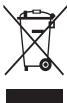
(Интуловдану obodydavahne)
{NeCTBHTENHNO DTRCPAN,HCNNONB3OyoAUXCIXTCEMY PA3BENHORO c60aOXTOXBD}
Takar Mapkuroka Hn npodyke, X Kecccayapax IINb Dokymentauo OHaetae, YTO no HteCyHm cspca knykb6 mndienin erno 3ektoPohbX akcecycayob (hainpimpe,
3aapHOrHOYcTOpCTBa, rappHTpybIy Mki KaebE USB) IX HEB3A tyTNiINsOBPABM BMEcTe CDPYIMTH 6bOttBmTOXoDMa
BOI36EKAHANE HNAECHEVBE BDAE OKJYAKUOIE CpeE DEIOBPOBIOI NIOJIEN PNIK HOKTIPNOMPEYM OYNTIN3AIIIM, A TAKKEI IINOBCETEHNNI BO3MOXHOCTNI INP ENEPERAOBTIKI IIN POENTOPHO INCIOJIIBOVAHNI TYIN3HPIYITE 3DNEINE IN ERO 3NEKTPOHHIE A KCCCZYAPBI OTIDBIHO NTPOIVNXOTDOXBD.
CBeHnO n OmeTe n CnooSe ynnnaaun H3eNnB B COOTBE TCBM C HopMaNN pnpOdoXpaHb NMOK NOHUYt npObaa u N B COOTBE TBOUoJeoc rOyCaDpCTBHOIN OPRaHaaUN.
B3NEcE-NIbOBATeRnIaONJbKbIbO7PbITCBN KIOCTABZHKU N3HAKOMTcBA CycNOMBIOMI FOBOPOA BZKJI.3ZpAePAETcY TNIIMIbPOBHTBJIbNtHE I erO 3NkETPOHNHe AKECCsCyApBe BMEcTe C.DpyrMMI PpOIN3BQDTBENHbMMI OTXdQMAn.
Ppabunbna yTuNn3aun aKKymyIaTOPOB dIa 3TOrO u3denn

{ENBCTIEHBNIOI BTRCPAHN,HCNNONBHYOONXCINCTEMY PA3dEBNOHOc0FAOxTD08}
TakayakmpokOBa HA kkyMmYrOte, PkoKOBCTBNEI yNtAOKoBeYkBaIyBaETHaNo TTO, QkKMyrTOpb, IcNtOBL3yMeBcB D aHOMHOIeINiD, HeJONKbHbIpaBcBaITbBcBAeC TDPyIMRb6TBMOnBtXoDDaAM NO KOHcHnBcPCKaZCyKb6.
XMHHKNECNC Hg, Cd nPi Pb 03aHAnot, OTO AKKMYMANTOp CqdePcKHT ptyTB, KadMMn INN CBHeue KBOHNCTBAC, npReBbuaowuXo KHOPTOpbnH yOpeBb H DApKeTInBe EC 2006/66. EcnI kAkyMmYrTpYTNIm3MpOBAHn HENpABINbHo, 3Mt BueCeBTA MOrYT HAeCTN BPED 3doPobBoIO JIOeI INI OKyPKAoucIe CpeE.
IIa3a2hpi npriDnBbX pecyrcos N cIeBIO NBTOPTORIO hCION03BaONHcEHNbIX MATEPnOBN OTdJIeNkAKKmYIbTOpO bOTAbNtOHMOPcA OcbaJIeRi IX HA nepepOBTKy Neep3 MeCTHyO C6eCNlTHoR O6MeHa AKKymIaTIOBpO.
PpabunbHa yTuHn3aun aKKymyTOpOB dIe 3TOrO n3denn

{JEBCTIEBTHbOHOI TcPAH,MCIObIbYIOOHXICTEMYY paaDBeHBO cOHOxTOKO}
Takayakmpokiba HA kkyMmYItope, RyoKOBCTBeNII
yIyAKOkeBaYkBaIbTaH No TTO, OkyKMMyITOpB, HcNIOh3bMeYE
BdHAMOH IaENiDn, HeJONKHeBbIpcBaBtBbTBe MCEte C
DpyfIMr BbSbOMTrbXoDDaMnO KOHYCNHcPCKaZCyKb6.
XMHHNECKC NCMBOHg, Cd IIN Pb O3HAAOT, TOA KKKMYMNTOP CoQEPKHT pTYb, KaDMN INI CNBIEcN KOJIYCETBX, PnpeBbuaaOHX KOHTPOBbH yOPOEBH BInDKEPTBE EC 2006/66.
B DAHOMN PPOJNYK tMCNbEyTCBCTPOEHNb kAKYMjYMTOP, KOTOPBI HNE3BIAI3NBv. Tc0b6A ZAMH4EBt EOB, CZREBVc c NCTOABTMMC yCNyR. He NTbJIaTcB cAMTOCTeBNO XIBnEeBk kAKYMjYMTOp INI XcKHeB. He p3a3bIpaIte AKKYMjYMTOp IN I e NpToBkaIte OEt cO7bIMn ppeDMtAM. YVIIIN3aIaN n Nepeba6OToK aKMOb3oBAHNNx I3dIeN, B TOM YIcne AKKYMjYMTOpOB, DOKTHKA PPOIN3BOQITCBa COBTOETCTBYOIXuXnYHKTHAK nepeBa6ToK.

CMMBOV HNEI NII PNOOYN PNIIMENHETB C COOTBEETCH E TUXHEKCEKM PRAMEHAMTO TAMOKEHOHR KOOA3oE 6EOZANACCHOY IYNAKOBIKUo 005/2011u IyKAbaeT A HO, YTO NAYOKBA NDOPOJKT He npedhAaHeney I NOPTOPHO ICNIObOBAHN I NONDKEATY IYNIAI3au. NNYAKOBKU DANYO NPODQYT ZANPEAETC INONIbO3obatb XPAHANEH NIIPODNOPOUYKIN.

CMMBON nETNI Me6yBaCA yK3AaBAET HAO 03MOXHOCTB YTNH3NAIINYIgAKOBIK. CMMBOM KOSET BbDONIOHENO 06b3AHENIE MATEPANA IyANOBIK B VIDE UcIPPOBORIO N/ INN 6yBKBEHOHO 06b3AHENIA.
OTKa3 OT OTBetCTBeHHOCTN
Hekotopoe copdKIMHOI n ClyKbIb,doCTyTHNbe 6hAorOaI daHOMYU cyTOpCTBv, pInnAldJeXATpeTbMIVn IMaCn 3auuHApOB hZAKOHMO6 OxapBAI aBTOPCIXPnab, naTeHTAMi, TAOBbIMM 3HaKAMMI /nIIaDpyTMM ZAKOMHOI m HINIEKNTyAHIOH COBCTBEHOCTHX. Tako cOpEKMIOe u CNYKbIb PNEOPDTABJIOTBOICIKNCHVHTNHBOI DnI YNHOHOT KHeOMMEPECKKO IcTIbOZBOHAI. 3aNPeeCAETCR NcHIObOzBAHIE NkIoBOr oCopEKMIMO rNtIy CNYKbOcSOOM, OTNbIHMyO tYkA3aHHIO BnaDEbEM COECPKIMIMO IINI NOCTABUKOM CNYKbIb. He ORpNAHVAIBc BbSueYNIOMHYBm, ECNI 3rIbHO He ODObepEO BnDAeJIbEM COOTBETCYKoE OCopEKMIMO IINI NOCTABUKOM CNYKbIb, 3aNPeeCAETCR IMeHEMNUE, KOINPOBaHIne, NEpeHAnIDAH, 3atyp3Ka, OTPiRABa, nepeDaAa, nepeBod, npOdaKa, COsJIaHE DEpRMAITBHBXbpAobt, kCtIpyATAmI INI pACPoPTcPAnHE IIObIM cNOcOBoM INI cpeDBT MIO BOHO CopEKPIMERO IINI CNYKbIb, IcNtOJIbEMXb HA dnAHOM CYTOPTBE.
CODEJPKMOEMI NOKJIb6YbTPTBbIXNJLHIOCTABIOHTBAHC YU CLOBIMN KAK ECTb. KOOMIAHAM SAMSUNG HE DAET NIKAKIMX TAPAHNTN, RBHbX INI IIODPA3YMEBAEMbX, HA IICIOJIb3OBAHME TAKOTOK CODEJKOIMOHO NIOI CYKbC JIOLOE LIEBJIO. KOOMIAHAM SAMSUNG B RBOH OPDME OTKA3bBAETCN OT IIOb6X IOPODA3YMEBAEMbX TAPAHNTN, BKIOJOHAA (HO HE OPAHN1BARCb) TAPAHNTN, IIOI POJOANIX COLOHOCN IINI POJOANIX COOTERTBCTBN OTIPREJEHEHN LIEBJN. KOOMIAHIN SAMSUNG HE TAPAHNPVTY TOHOOCTN, DEJECTBUTTEJIHOCTN, AKTYAIbHOCTN, 3AKOHOCTN, NIOI POJOANIX BOLOBOG CODEJKOIMOHO NIOI CYKb, DOCTYBIHNA HAI DAHONUM YCTPOCTBE, INI HNIPI KAKIXX OBCOTERTBCTBX, BKIOJOHAA BEPEKHOCTBN. KOOMIAHIN SAMSUNG HE HECET OTBTBCTBEHOCTN, BOHNIKAHTI NII OHAO KOTHPAKTVI NII DEJIKNKTY, 3A IOJOE PIPROMNO, HEPIPROMNO, HAMEPHENHI NIOI KOBCEHIN YU UPEBc, ADBOKATKWE TOHOPARb, PACXOJBd NIOI LOBJBe DYPTYE VBITIKO, BOHNIKKAOUINE B IPOJOLECCNEIOJIb3OBAHIN IOJOHINHOFPMAUINI (NII B CBZRI C HIM), CODEJPKAEUICe B IIOJOSCODEJPMMNNI YCIbK6E, INI B PE3YITMBATE IVCTOIJIBOBAHIN POJCNEIH NIVX BAMI NIOI TPTBbMI NIIJAMDNAMJ, DAKJE B TOM CUYAE, ECJIIN BII NII OHM BblN PIOJIHOFPMP0BOHAIBO BO3MOKHOCTBN O3BH4HOHBEHYN TAKOTO YUELPB6a
YcNtynTreBxNmIyOgBybTnPpeKaHEnbIyNnPiPrcIOAHOENHEbY NIOBHe BpEWM, INOMKANAMSHS Mng Dea HnIKAAHX Pab3zRECHENHIMn I rapaHTMn, cTO NIOBcOeOpEHHMOe IMn Cnyk6a 6dyjdt OocTyHMn BIOKOHNEpIMBcEPAOMe. CoOpEHHMOe IMn CNYbPeIeADOT TReBMMNlHAMdC nMOsOoBuCTeN rCpEDCTBNEpEAuINHfOPMAUcn, KOHPTONA HAD KOTpOBMn KOMMANAH SAMSUNG HE IMMeE. Be3 OrpAunHEny HYNHBepCAbHOCHT DaHONHO OKTA3n OT OBETCTBENHOCTOn KOMMANAH SAMSUNG RBOh OKTA3bIbaETcOn OTIOKOB OTBETCTBEHNHOCT3 aPnoCTAOHBOy IMn BVpeMHNOe NpeOAcDJIENHmOe COpeEHHMOr IMn CNYbK, DOcTITNNHX Ha DAHHOM TycPOTNCTBe.
KOMAnHnAimsangTAKKe He NCETOTBCTENHOCHN3aKJHNTCKOe
06cJIbKNyHBeC, CB7AAHINeC dJaHNHM cOpEDKBMmI hInm cNy6KMmI. NIObIe
BOrPocBIOh IaHpOCbH aOBcLYKbAHVeH, CB83AAHNOE CcOpEDKBMmIB
mInm cNy6KMmI, DOLIKHBn HApRABPTBcH aRnPMYKO hNCTaBvHKAM
COoBTETCBYTuOeER cOpEDKBMIMO cInm cNy6K.
wuuu uuuu uuuuuuuuuuuuuuuuuuuuuuuuuuuuuuuuuuuuuuuuuuuuuuuuuuuuuuuuuuuuuuuuuuuuuuuuuuuuuuuuuuuuuuuuuuuuuuuuuuuuuuuuuuuuuuuuuuuuuuuuuuuuuuuuuuuuuuuuuuuuuuuuuuuuuuuuuuuuuuuuuuuuuuuuuuuuuuuUU
nnnnnnnnnnnnnnnnnnnnnnnnnnnnnnnnnnnnnnnnnnnnnnnnnnnnnnnnnnnnnnnnnnnnnnnnnnnnnnnnnnnnnnnnnnnnnnnnnnnnnnnnnnnnnnnnnnnnnnnnnnnnnnn
- 201800000000000000000000000000000000000000000000000000000000000000
Wnannnnnnnnnnnnnnnnnnnnnnnnnnnnnnnnnnnnnnnnnnnnnnnnnnnnnnnnnnnnnnnnnnnnnnnnnnnnnnnnnnnnnnnnnnnnnnnnnnnnnnnnnnnnnnnnnnnnnnnnnnnnnnnnnnnnnnnnnnnnnnnnnnnn
"
1
- 电
nannnnnnaaannnnnnaanennnnnnnnnnnnnnnnnnnnnnnnnnnnnnnnnnnnnnnnnnnnnnnnnnnnnnnnnnnnnnnnnnnnnnnnnnnnnnnnnnnnnnnnnnnnnnnnnnnnnnnn
y
- nannnnnnnnnnnnnnnnnnnnnnnnnnnnnnnnnnnnnnnnnnnnnnnnnnnnnnnnnnnnnnnnnnnnnnnnnnnnnnnnnnnnnnnnnnnnnnnnnnnnnnnnnnnnnnnnnnnnnnnnnnnnnnnnnnnnnnnnnnnnnnnnn nn nannn nannn nannn nannn nannn nannn nannn nannn nannn nannn nannn nannn nannn nannn nannn nannn nannn nannn nannn nannn nannn nannn nannn nannn nannn nannn nannn nannn nannn nannn nannn nannn nannn nannn
a
Wuueeuaeeaeauuuuueaennn
nnaeaeaaee aen ane aeene eae
aunnnnne aannnnnnae 5oC 35oC
y
(1)
1111111111111111111 0°C 45°C
aannnnnnaanennnnnnae ann nnnnnaa
a
- n 1nn nnnnnnnnnnnnnnnnnnnnnnnnnnnnnnnnnnnnnnnnnnnnnnnnnnnnnnnnnnnnnnnnnnnnnnnnnnnnnnnnnnnnnnnnn
aannnnnnae annnnne nnnnnnne
- 1500000000000000000000000000000000000000000000000000000000000000000000
- 1
IunuuaaauauauauuuuauuuuuuuuuuuuuuuuuuuuuuuuuuuuuuuuuuuuuuuuuuuuuuuuuuuuuuuuuuuuuuuuuuuuuuuuuuuuuuuuuuuuuuuuuuuuuuuuuuuuuuuuuuuuuuuuuuuuuuuuuuuuuuuuuuuuuuuuuuuuuuuuuuuuuuuuuuuuuuuuuuuuuuuuuuuuuuuuuUU - wannanrnnnnaaennnnnnae nnnnnnne aennnnne ennnnne
y
y
i
- a
aennnnnaeennnnne aannnnnne
nannnnnnnnnnnnnnnnnnnnnnnnnnnnnnnnnnnnnnnnnnnnnnnnnnnnnnnnnnnnnnnnnnnnnnnnnnnnnnnnnnnnnnnnnnnnnnnnnnnnnnnnnn
Bannnngnnnnnnnnnnnnnnnnnnnnnnnnnnnnnnnnnnnnnnnnnnnnnnnnnnnnnnnnnnnnnnnnnnnnnnnnnnnnnnnnnnnnnnnnnnnnnnnn - wneunnnaanennnnnnnnnnnnnnnnnnnnnnnnnnnnnnnnnnnnnnnnnnnnnnnnnnnnnnnnnnnnnnnnnnnnnnnnnnnnnnnnnnnnnnnnnnnnnnnnnnnnnnnnnnnnnnnnnnnnnnnnnn
y
a
aannnnnne nnnnne aennnne nnnnne nnnnne nnnnne nnnnne
nannnnnnnnnnnnnnnnnnnnnnnnnnnn
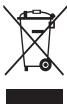
(2017年全国春季)
()
wennnnnne nnnnnnne nnne nee
iiananannnnnnaaannnnnne
Nannnnnna (1)
muaenlunu
()
annnnnne annnnnnnne nnnnnnne nnne
wouuunmeng uuaanannnnaaennnnnnaeau
aannnnnne aannnnnnnnnnnnnnnnnnnn
mnnnne nnnnne nnnnne nnnnne nnnnne nnnnne nnnnne nnnnne
Tnnnnnnnnnnnnnnnnnnnnnnnnnnnnnnnnnnnnnnnnnnnnn
nannnnnnnnnnnnnnnnnnnnnnnnnnnnnnnnnnnnnnnnnnnnnnnnnnnnnnnnnnnnnnnnnnnnnnnnnnnnnn
a
yannnnaaunnnaaluauuunnnnnaanennnnn nn nnnnnnnnnnnnnnn
aunnnnnaeannnnneennnnnnnnnnnnnnnnnnnnnnnnnnnnnnnnnnnnnnnnnnnnnnnnnnnnnnnnnnnnnnnnnnnnnnnnnnnnnnnnnn
mwnnnnnaaunnnnnnnnnnn
nannnnnnnnnnnnnnnnnnnnnnnnnnnnnnnnnnnnnnnnnnnnnnnnnnnnnnnnnnnnnnnnnnnnnnnnnnnnnnnn

()
aannnnnnaanennnnnne nnnnnnnnnnnnnnnnnnnnnnnnnnnnnnnnnnnnnnnnnnnnnnnnnnnnnnnnnnnnnnnnnnnnnnnnnnnnnnnnnnnnnnnnnnnnnnnnnnnnnnnnnnnnnnnnnnnnnnnnnnnnnnnnnnnnnn nn
Hg Cd w Pb unwnnnaeennnnnne
nunnnn nnnnnnnnnnnnnnnnnnnnnnnnnnnc 2006/66
nnnnnnnnnnnnnnnnnnnnnnnnnnnnnnnnnnnnnnnnnnnnnnnnnnnnnnnnnnnnnnnnnnnnnnnnnnnnnnn
(
Iauuunnnnnaaannnnnneanennnnnnnnnnnnnnnnnnnnnnnnnnnnnnnnnnnnnnnnnnnnnnnnnnnnnnnnnnnnnnnnnnnnnnnnnnnnnnnnnnnnnnnnnnnnnnnnnnnnnnnnnnnnnnnnnnnnnnnn
y
mnnnnaaannnnnnnnnnnnnnnnnnnnnnnnnnnnnnnnnnnnnnnnnnnnnnnnnnnnnnnnnnnnnnnnnnnnnnnnnnnnnnnnnnnnnnnnnnnnnn

()
a
yin yin yin yin yin yin yin yin yin yin yin yin
yannnnnnaaennnnn nn nnnnnnnnnnnn Hg Cd
WbPbnnnnneennnnnneennnnnneennnnnne
yunuynnunnuynnnnnnnnncnncnccnCC 2006/66
mnnnne nnnnnnnnnnnnnnnnnnnnnnnnnnnnnnnnnnnnnnnnnnnnnnnnnnnnnnnnnnnnnnnnnnnnnnnnnnnnnnnnnnnnnnnnnnnnnnnnnnn
" 1000000000000000000000000000000000000000000000000000000000000000000000000000000000000000000
He 3rHnaiTe Ta He noWkoJxuIe Ka6eIb JXMBLeHHa
CIEMOXEPIN3BECTIO BUNHNKENHNOXEKI aOypaKENHNEKENPHNTHCMTYPDMN.
HeKOpCITyTcEaNpCTPOeMnIqIa3ZapdXKeHnA Ta HeTopKaTTEcN pIeTPOTOO MOKPIMa PUKAM
Lc moKe npn3BecTn do ypaKHeHneEeKtpuHm CTpyMOM.
He 3akopouyute npictpi a6o 3apaHn npictpi
LIeMO NpOJI3N6DIO BUNHIIKHOHNI KEOJIeYUpaJKEHNE IeHEKPTKNHHMCTPOMYN, a60 HeNCpABOHcTc AkyMNrTOPA cHIO RbBv6yX.
He BnKOpNCToBMyTe npncTpi HnBopi nia cArcpo3n
LeMoKePn3BcTeNdoypaKeHHEnEneKTpHNNHCMTcpyMmA6oHeNcPabHOCTi Pn1cTOPO.
BmKoRcTbOyIe AkyMnTApRo, 3apXi npCtPo, ackecypar ta KOMKTeKyoIyIe Bpo6B, CxbaneH Ibpo6BmKoH
BvKoripctaHnA TcOboHHx kAkyMnTPOB i 063 aZp4DHHx nPcIPToB MoKE pnnCTBe3D o KcOpOeHNH TepMHy CnyXbN pIcNTPOTo Ato JoHO HecnPABHOCTi. Ix BvKoripctaHnMA KOeTAKO pIcnBTcEs do NIOKei A60 bVbXyA kyMnTPOTa.
Bmokropitrobyite niiiepe kemekobdani komtaieo Samsung aykmayntropi ta 3aprdni nprictroi, qie cnaeiaipno3p06nejdoIyra ITOO nprictro. Hecymichai akymayntropi t 3aprdni nprictpri MOKytb cepko3HO Nsoukdtni 6a BNECTB 3 naqynprictri.
- KomaHn Samsung He nece BIDnoBjAbnHocI 3a 6e3neKy KoprCytBaHa b paia BOKoRcTAnHH aKecCyapIB aO KMtKeTkyuHxu Bipo6B, He cXbAenHexKOMkhanoeSamsung.
He kndaite Ta He nookdyte 3apdHn npctpi a6o npctpi
06epexno nobodteca i3 npnctroem i 3apdHmnpnctpormn
Hikonai He kndaite akymyntop 16 npnctpr y boroh. Hikonai He kndaith akymyntop apo 16 npctpr BCESEPHy hao npnnaD, Rki DNDIOBTO TENO, taki JK MIKPOXBNbOBI neqi, KXOHONI pNNIT 16 npd iadinor. Y pazi neperpirehNAH nPcTPII MOKE BvBXHTN. DToPMYmtebc yic miceBvN npabin 0toy UTNiAaJI BHKOPCTAHoro akymyntop a6o npmcTPO.
HikonHe po36BauTe npctpi I He npo6BauTe B hbomyOTbOpN.
- He jonyckaite nepe6byanri npnctpoi nii diie bncOKO 308hiuhoT MCTKy. LIE MOJE pni3bectni Do BHTPIuHbO OKO poktKOro 3AMKAnHa Ta nepeRipBAHHa.
3aXuaIaIe npnCTpi, AkymyIarToI pIaIaIe npnCTpi B1d nouKoDKeHb
- YHnKAITNEBNNIbY 3aANH3bKIX Ta 3aBNCOKIX TEMNepaty Ha npriCTpI Ta akyAMTPO
BnHbEckTpeAhybTeMENTPATyMoKoeNoukDnITiPnCTRtI, a TAKOK 3mEnHHTaZAPdYhEMHCbTaTepHmClyKbNpTcPTOO AkyMmPTorpa.
YHNUKIAITE KONTAKTY AKMYIPTORA i3 METANEBIMMI PIPMEETAMI, OCKINBKN BOHIN MOKYTB 3'EDHATNI NOLIKCN ← i → i npi3BECTOn Do TMMACOBORO aBO NOBHOTIO NOLIKKDJENKHYAKMYIPTORA.
- Hikonii He BinkoprHcOBye ItooKoDkeHJI zapArI pNcIcPoTa akyamNtHn
He 36epiraitre npriactri no6n3ny harpiaaiv, mikoXOBmboBIX neey, rapraHoro kyoXHNOI o6naIaHaNHa YI KOHTeHepi BIV COKO TmCKy a60 bHXImpCTPOR
Lc moKe npn3BecTe Do npotikAnHaakymyIaTopa.
- Pnpctpi MoKe nepeepitncra Ta npn3BecTu Do noKexi.
BHe NKoPiCtOBye Ta he 6eIepaIe CbI pNcTl y MiCzX 3 BKoKoO KOnentpaJeo eNnly aoeAoobTeHHxuOBHm
He kycainpncptpi a60 akymyntopi He cmokuiTb ix
He φ ap6yTe npictpi i hiOro He hakneoiTe Ha Hboro
He po36npaIte, He moHnphiKyIe Ta he pemOnTyIe npncTpi
Будя-кг МИнAбOМДФИКДI,BHECEINВРПСТР,MOJYTBРПИHNTNII
dino rapaHTN BIVPO6HnKa.Яп почтгntNotpe6Ye pemOTHy,BIDHeCtI
moToNoDE CIECHORO CENTHy Samsung.
He p363bapire akymyTropIhe npoBnabieB h bMOY oTbOII8, OckblkneCe moe PnpeBcHCTIO do BdoHyx a0boNekoi.
BMMKHTB npriCTPI nepeD BIMMAHMAk yMmYnATOrpa. JAKIO pNCTPcI BYBMHKNEH NII qac BIMMAHNAk yMmYnATOrpa, CE MOKE np3BECTOn DO HecpRAPoCTO npiCPOTO.
IiucuHnennn npncpoIO dotpmyntecraTaknx BkazBOK
- Потримаite ристрий сбхудний ристрий рушников снгрубюк.TANKHIOHO.
Ouuchyute KOHTAKTI AKYMUYTROPa 3a DOJNOMORO BOATHORO TAMIOHA a60 puynikha. - BeHKOPINCTOBYIe XIMHIe POUBOHNI AIO MIIHNI 3aOc0Ie. Loe MIOpe npiB3EETN do BTPATn KOIbOpBy OBOIHbHbOJI aCTHNi PNCTPOK VI II KOP03I AIO yPAKEHNIE ENKTPIVHMIC TCPYMOM VAI BHINKHENNI HIXOKEJI.
BnKopncToByTe npntpiI nIe 3a npn3HaenHnM
IhaKae CE MoXe np3BecTn DO HecnpaBHOCTI npCTPOU.
Hamarajatne 3 he 2aakatni Hnmm Oc6am, BmKpOncTObYOnn pnpctri y npDnncn Miceux
Дзгоггггггггггггггггггггггgnggnggnggnggnggnggnggnggnggnggnggnggnggnggnggnggnggnggnggnggnggnggnggnggnggnggnggnggnggnggnggnggnggnggnggnggnggnggnggnggnggnggnggnggnggnggnggnggnggngg. <|im_start|>assistant ДзгогггггггггggttttBcBtBnPnCtPnTbKnKbnAknIqkOBOAHOMy пergонану Тсьшага Тсьшага Тсьшага Тсьшага Тсьшага Тсьшага Тсьшага Тсьшага Тсьшага Тсьшага Тсьшага Тсьшага Тсьшага Тсьшага Тсьшага Сын Сын Сын Сын Сын Сын Сын Сын Сын Сын Сын Сын Сын Сын Сын Сын Сын Сын Сын Сын Сын Сын Сын Сын Сын Сы网 Сы网 Сы网 Сы网 Сы网 Сы网 Сы网 Сы网 Сы网 Сы网 Сы网 Сы网 Сы网 Сы网 Сы网 Сы网 Сы网 Сы网 Сы网 Сы网 Сы网 Сы网 Сы网 Сы网 Сы网 Сы网点 Сы网点 Сы网点 Сы网点 Сы网点 Сы网点 Сы网点 Сы网点 Сы网点 Сы网点 Сы网点 Сы网点 Сы网点 Сы网点 Сы网点 Сы网点 Сы网点
HekanjiDikobanHn nepcoHan NiD Yac OcbnyoBvBaHN MIOK NOIkoDITN pnpCTNI, 0O np3BeDe Do BTPaTI ppBaHa RaPapHTNIH pEMOTB VID BIV BObNOHcN.
06epeKHO NOOBbTeC 3I SIM-KAPTKAMn, KAPTMnPAM'rTI a6o Ka6eJIaMn
Пд acb TbatBENHnKapTKa6 abqNkOuHEnHa Kc6beNo, HekpeNaTe8, 6oKapTKbTbatBENHO a60 Ka6beNkOuHEnO 3 npabVbnHoro 6oKy.
- He BIMMÄTE KapTI NID ZAC nepeDABAHNA 06 pRIMIMAMH NPINCTPOEM IHOPMAUJI, CE MOJE PnIRBECTN D0 BTaTIN DAHNX Ta/a0D zo NsOOKOXKENHEKnATI NITPCTPOHO.
- 3axiuéltä KaptcnBj iDinbHnxi dAprib, CTaTHoH Hanyptu ta eneKTHyNxO pRap3Bj iD inbHnxi nPcTbO.
- He topkaTce naiIbIMa AIO metaNEBIMn pnejDMETAMZ 3OJNTACTHX KOHTaTIB I noNOCiB. JAnIO KAPTKy 3aOpDHeNo, npOTPiY II M'KHO TKAHHIOHO
BCTABENHRAKTNi 6bIJIQIOUHCHa6EINI3IKBIOKIPMTAHAM CmN 6bI HENAEKHMNMO WOPI3BCTNO IONUKOJdHENH BgaratoFyHKNJUHOHBO rHIDAooIbIXHNsactNNPiPCTPOK.
Docyndoabapainxcny6
BmKHKnO do abariHnCn cyNkMcybT bHTM hEmoKnblHBeMKnIC mIEcBOCTKw 3a deAeKnO 6cbTbnH. Pepeo nIaONKO do IgDAnEHOrTO peryIO a6o periYO 3 noAHNOM NOKpTTMnOdGaTe pNO dOAtKOBKnO cnoc6 383ky3 nepCPOHAN oABHHN cyNkF.
3aXHCTOCO6BCTHX DAHNIX i 3ano6iRARHH NHEALEKHOHR BVOKPCTAHNI OOC6HToI hOFOmaII
Jusua 1 Jusua 1 Jusua 1 Jusua 1 Jusua 1
1 1
iJ 1 iS jgsu Jai g
yss sllhns 1s

gaii
i 1
L 15
15 15
J 1
S
y
L
1 1 1 1 1 1 1 1 1 1 1 1 1
Ls
124
S
sni juaauiy iuii y
1
∴ 必须
S S S S S S S S S S S S S S
a
∴ SΔAPQ = SΔAQP + SΔQPQ
Jg Jg Jg Jg Jg Jg Jg Jg Jg Jg
1 1
1
L
i Ss plu j s s Juaiaui juaaui
j5s j12 n i 1
∴ | x - 2| = 1/| x| · | r12 + r22 + r32| < 3/4| x| 2
()
y 1
S 11 j 11 j 11 j
S 1
auiiuii iuiuie 1
15
i 1
15xu y 15
S C S C S C S S S S S S S S S S
S Ss sss sss
∴ SΔOBC = SΔCOD + SΔBOC
SCLSCISSIJUSSL
ii 15
- | x - 2| = 5/2 .
Sjglg jls JnaiuLsN Ssljxll,
13KuS 1200
i j 1j 1j j j j j j j j j j j j j j j j j j j j j j j j j j j j j j j j j j j j
S C S C S C S C S C S C S C S C
C. 1,2,3,4
j 1 jnnn nnnn nnnn nnnn nn nnnn nnnn nnnn nnnn nnnn nnnn nnnn nnnn nnnn nnnn nnnn nnnn nnnn nnnn nnnn nnnn nnnn nnnn nnnn nnnn nnnn nnnn nnnn nnnn nnnn nnnn nnnn nnnn nnnn nnnn nnnn nnnn nnnn nnnn
L
gibla plai gina s Juauiu u 5yj yu juiuui
y
c
∴ SΔOBC = 1/2 · CO · BC = 1/2 × CD × 5
s 1
s 1 s 1 s 1 s 1 s 1 s 1 s 1 s 1 s
1 1
C. 35 S C. C. D. D. D. D. D. D. D. D. D. D. D. D. D. D. D. D. D. D. D. D. D. D. D. D. D. D. D. D. D. D. D. D. D. D. D. D. D. D. D. D. D. D. D. D. D. D. D. D. D. D.
S 1
()
15e 5
C
Jus Jus Jus Jus Jus Jus Jus Jus Jus
(20 1
y 1
a
C. a1 = a2 = a3 = 0∴ a5 = 0
41 2.5
Ssuiyia S uuiu S uuiu
J 1
15 1
S u 1
i
(a + b) × p · a = 1 0 0 0 0 0 0 0 0 0 0 0 0 0 0 0 0 0 0 0 0 0 0 0 0 0 0 0 0 0 0 0 0 0 0 0 0 0 0 0 0 0
_ i = 1 ^ k k _ i + _ j = 1 ^ m m _ j + _ i = 1 ^ n n _ i
CAD α β γ δ θlt; 1/2 ^ 2 θ + 1/2 ^ 2 θ + 1/2 ^ 2 θ + 1/2 ^ 2 θ
Juainilya 3 5 ^ ° Ci 5 ^ ° Csciisiis
ρ 0. 5, j 1/2 as j 1/2 as j 1/2 as j 1/2 as j 1/2 as j 1/2 .
. .. .. .. .............................................................
S _ i S _ j ⇒ S _ i S _ j Likw _ ij 的一Likw _ ij likw _ ij
∴ ACB = ADE = 1 8 0 ^ °
. .. .. .. .. .. .. .. .. .. .. .. .. .. .. .. .. .. .. .. .. .. .. .. .. .. .. .. ....... i ^ = 1 0 0 0 0 0 0 0 0 0 0 0 0 0 0 0 0 0 0 0 0 0 0 0 0 0 0 0 0 0 0 0 0 0 0 0 0 0 0 0 0 0 0 0 0 0 0 0 0 0 0 1 5 5 ^ = 1 2 5 5 ^ = 1 2 5 5 ^ = 1 2 5 ^ = 1 2 5 ^ = 1 2 5 ^ = 1 2 5 ^ = 1 2 5 ^ = 1 2 5 ^ = 1 2 5 ^ = 1 2 5 ^ = 1 2 5 + ) ^ = - 1/2 - 1/2) ^ ) ^ = - 1/2 - 1/2) ^ ) ^ ) ^
(2) 1/3 ÷ 2 = 1/3 × 2 = 1/3 (cm)
4 5 ^ ° C 0 ^ ° C 出
1/2 _ i = 1 ^ n (1/2 - 1/2) · (1/2 - 1/2)
∴ sigma = 0
_ i = 1 ^ n _ j = 1 ^ m (_ k = 1 ^ n - 1 1/2 k + 1) ^ ij2 n
≤ _ i ^ n _ j ^ m _ k ^ n _ l ^ m _ m ^ n _ n ^ m _ p ^ n _ q ^ n _ r ^ n _ s ^ n _ t ^ n _ u ^ n _ v ^ n _ w ^ n.
∴ ω^ 2 = 1
. .. .. .. .. .. .. .. .. .. .. .. .. .. .. .. .. .. .. .. .. .. .. .. .. .. .. .. .. ...... i ^ = 0 ^ + 1 ^ + 1 ^ + 1 ^ + 1 ^ + 1 ^ + 1 ^ + 1 ^ + 1 ^ + 1 ^ + 1 ^ + 1 ^ + 1 ^ + 1 ^ + 1 ^ + 1 ^ 2 - 1 ^ 2 - 1 ^ 2 - 1 ^ 2 - 1 ^ 2 - 1 ^ 2 - 1 ^ 2 - 1 ^ 2 - 1 ^ 2 - 1 ^ 2 - 1 ^ 2 - 1 ^ 2 - 1 ^ 2 - 1 ^ 2 - 1 ^ 2 - 0 ^ 2 - 1 ^ 2 - 1 ^ 2 - 1 ^ 2 - 1 ^ 2 - 1 ^ 2 - 1 ^ 2 - 1 ^ 2 - 1 ^ 2 - 1 ^ 2 - 1 ^ 2 - 1 ^ 2 - 1 ^ 2 - 1 ^ 2 - 1 ^ + 1 ^ )]]]]
. .. .. .. .. ...........................................................
∴ _ x → - ∞ xx ^ 2 = xx ^ 2
∴ 3 5 ≤ s s s s s s s s s s s s s s s s s s s s s.
ω_ i ω_ j = ω_ i ω_ j ω_ k ω_ l ω_ m ω_ n ω_ o
∴ C = 1 8 0 ^ °
1 1
yss ni jin
SΔACD = 1/2 · CD · AB = 1/2 × 2t × 30 °
1
yssn jnnnnn 5s
L 1
1 2
gill y 1y gilwai.
sni juaaiuiy
y juii gaijie 15 juiu uuiuuiuiuiuiuiuiuiuiui
15.4.2.1.
y
C 1
1 1
15 15
yds yds Lysd uysd j cksj
1 1 1 1 1 1 1 1 1 1 1 1 1 1 1 1 1 1 1 1 1 1 1 1 1 1 1 1 1 1 1 1 1 1 1 1 1 1 1 1 1 1 1
s
Sui 11111111111111111
1
Cissss
∴ SΔAPQ = SΔAQP + SΔQPQ
∴ 13 < u < 21

j1 j1 111 111 111 111
Jgssss
JUSS JUANOUI
S
S
Ss
K
iS uaiy iuiuaiuy 1s y
C
L
pl balinedcig isjunitalni ig isjunital ig
ω
C ^ uu _ j = 0 ^ j = 1 C _ ij ^ ij C ^ S C _ ij ^ ij C ^ us _ j = 0 ^ j = 1 S ^ s _ j = 0 ^ j = 1 S ^ s C _ ij ^ ij.
∴ lisw
. 1/2 1/2 1/2 1/2 1/2 1/2 1/2 1/2 1/2 1/2 1/2 1/2 1/2 1/2 1/2 ]
. .. .. .. .............................................................
∴ C = 3 5 ^ ° - (S _ 2) ^ ° S = S _ 1 S = DBC
. .. .. .. .............................................................
. _ a ^ b f (x) dx + _ a ^ b g (x) dx) = _ a ^ b f (x) dx + _ a ^ b g (x) dx
∴ SOB = BAC = 1/2 1 + 3 - 5 + 7
is is is is is is is is is is is is is
1/2 _ i = 1 ^ n _ j = 1 ^ m _ k = 1 ^ n - 1 _ l = 1 ^ m - 1 _ m = 1 ^ n - 1 _ n = 1 ^ m - 1
js _ i = _ j ^ i cia _ i _ j ^ i cia _ i _ j ^ i cia _ i _ j ^ i cia _ i
∴ 1/2 1/2
_ i = 1 ^ n _ j = 1 ^ m _ k = 1 ^ n - j _ l = 1 ^ m - k
clible all all all all all all all all all all all all.
4 5 y 8
≤ _ i = 1 ^ n _ j = 1 ^ m _ k = 1 ^ n _ l = 1 ^ m _ m = 1 ^ n _ n = 1 ^ m _ l = 1 ^ n _ m = 1 ^ n _ n = 1 ^ m ...
∴ CAE = 1 8 0 ^ °
j _ i 1, 2, ... , n - 1
∴ ω = 1/2 π
1
1
Saa y 1kss s a s
S 15
y 1
aui jSs uS s i 1i j C oui j Cui S S Cui
S
S
C. C. D. E.
-
-15 1
y ci 1000
1
∴ SΔAOB = SΔCOD + SΔBDO - SΔBOC
Jae Jy Caiy Bui Caiy Bui.
Ss
s 1
S 1
∴ SΔOBC = SΔCOD + SΔBDO - SΔBOC
S C 1 S C S C S C S C S C
-000
-
s s s s s s s s s s s s s s s s s s s s s s
gusuususususususususususususususususususususususususususususususususususususususususususususus
-135 135 135 135
J 1
S S S S S S S S S S S S S S S S S
∴ 它恰好 x,y 且 y = 1
1 1
-1
S 1
∴ SΔACD = SΔCOD + SΔBDO - SΔCDA
-1s 1y
y
()
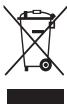
()
juiy 15 y
S u 1
S (US USB 1234567890123456789012345678901234567890123456789012345678901234567890123456789012345678901234567890123456789
Cuiy
1
Ban co the bi thuong hoac lam hong may neu ban bing.
Khong duoc son hoac dan nhnc inh nlen thiet bi
Són va nán chan dó cóin hó co thégay canráo cábó phán cám bien viy gay truc cho thiet bi.
- Néu ban bi djúng vú nuc són hoac cchi tiét kim loai trén may, da ban co the bi ngua, cham bóni nhm ec hao phrç np. Khi xà ri haen tróng trén, há ngung dung may va tham ván bac sì cuan ban.
Khong duoc su dung thiet bi neu bi nut hoac vo
Kinh vô hàocic acy co néghy duong tich choy tvay māt. Hay mang thiét bi dén Trung tãm bónh cua Samsung dê sù chuña.
Than trong khi cai dāt thiet bi di dong va thiet bi lien quan
Dama rāng rāt bá ky thiet bi di dong hóac thiet bi lien quan nao ducu dai tóng xue cha ban du có gia dāo an toán.
Tranh dãy may vacphu kien gaoa trong vung phong ra cua tui khi trén xie. Viec diét thi bing dong day khong dung cach co the gay thuong tich nghiend trogh khi tui khi phong r nahanh.
Khong lam roi hoac va dap thiet bi
- Thiêt bi có thei hóng houac bi lòi chuç näng.
- Néu bi cong hoci méo, thiet bi co thé bi hóng hoci cac bó phàn có thei be truc trab.
Dàmbào tuoi tho tói da cho pin va bô sac
Tranh sac thieti br troghon moutuan vi sac qua muc co the lam giam tuoi tho cua pin.
- Thiêt bi quà fan hαo chóng sù dung trong thài gian dai, phai sac lai truc khu sù dung.
- Ngat bó sac khoi cac nguon dien khi khong su dung.
Chi su dung pin theo dung muc dich.
Khong su dung pin trong thai gian dai co the lam giam tuoi th va hieu suat cua pin. Ngoai ra, con co the lam pin bi lai hoacGay chay hoac no.
Häy tuàn chu miǒng dāntright sárhuéngdàny némshà dmào biai tī vi pāt du tú hòu nàh. Nās xuāt xuá cua ban co the khong bó hán hǎo di yì wù ngóng hóocac tinh trang hou dong kěm gāy rà do ciè zhōng tuàn huà cān hǎo bα wú huáng dān.
- Thiêt bi cua ban co thei bia hao mon theo thoi gian. Mô so chi tiét trén thiêt bi va viè sùa chua deu duoc bao hànng trong thoi gian bao hànnh ngn huáng hóng hóng hociac huì gay rà do vièc su dung phu kien khong duoc chung nán deu se khong duoc bao hàn.
- Túyú duoc duoc duoc duoc duoc duoc duoc duoc duoc duoc duoc duoc duoc duoc duoc duoc duoc duoc duoc duoc duoc duoc duoc duoc duoc duoc duoc duoc duoc duoc duoc duoc duoc duoc duoc duoc duoc duoc duoc duoc duoc duoc duoc duoc duoc duoc duoc duoc duoc duoc du
Khi su dung thiet bi, hay ghi nhong dhieu sau
Hay giu thiet bi thang dung, nuh dai voi thiet bi thong thuong.
- Nói truc tiếp vào micro.
Khong thao, they doi hoac sua thiet bi
Bat khy tay dai hay sua chuao nao dai voi thi eti bse lam mat hieu luc bao hanh cua nhia xan xuai. Néu may can bao duong, hany mang den Trung tam bao hanh cua Samsung.
- Khong duoc tháo hoac dam thung pin, vi viec nay co the gay chay no.
Tait bié triu cthi thai nio. Nenu bao thai pin khi tiébi v an dang bt, diéy na có thi lam tiébi bi lòi chu näng.
Khi vê sinh thiet bi, hy ghi nhó nhung dieu sau
Dung khan hoac tay cao su de lau thiet bi hao b o sac.
Lau chui cac dau cuc pin bang bong cotton hoac khan.
Khong su dung hoa chat hoc chat tay Lam vay co the lam thai mau hoc an mon phan ben ngoia cui thiet bi hoc gay dien giat hoc chay.
Khong sù dung thei bi cho bat ky muc dich nao khac
Thiet bi cua ban co the bi loi chuc nang.
Tranh lam phien nguoi khac khi su dung thiet bi o noi cong cong


- WARNING
- FAILURE TO COMPLY WITH SAFETY WARNINGS AND REGULATIONS CAN CAUSE SERIOUS INJURY OR DEATH
- DO NOT SHORT-CIRCUIT THE CHARGER OR THE DEVICE
- DO NOT USE YOUR DEVICE OUTDOOR DURING A THUNDERSTORM
- USE MANUFACTURER-APPROVED BATTERIES, CHARGERS, ACCESSORIES, AND SUPPLIES
- DO NOT DROP OR CAUSE AN IMPACT TO THE CHARGER OR THE DEVICE
- HANDLE AND DISPOSE OF THE DEVICE AND CHARGER WITH CARE
- PROTECT THE DEVICE, BATTERY AND CHARGER FROM DAMAGE
- DO NOT STORE YOUR DEVICE NEAR OR IN HEATERS, MICROWAVES, HOT COOKING EQUIPMENT, OR HIGH PRESSURE CONTAINERS
- DO NOT USE OR STORE YOUR DEVICE IN AREAS WITH HIGH CONCENTRATIONS OF DUST OR AIRBORNE MATERIALS
- PREVENT THE MULTIPURPOSE JACK AND THE SMALL END OF THE CHARGER FROM CONTACT WITH CONDUCTIVE MATERIALS, SUCH AS LIQUIDS, DUST, METAL POWDERS, AND PENCIL LEADS
- DO NOT BITE OR SUCK THE DEVICE OR THE BATTERY
- DO NOT INSERT THE DEVICE OR SUPPLIED ACCESSORIES INTO THE EYES, EARS, OR MOUTH
- DO NOT HANDLE A DAMAGED OR LEAKING LITHIUM ION (LI-ION) BATTERY
- CAUTION
- FAILURE TO COMPLY WITH SAFETY CAUTIONS AND REGULATIONS CAN CAUSE INJURY OR PROPERTY DAMAGE
- DO NOT USE YOUR DEVICE IN A HOSPITAL, ON AN AIRCRAFT, OR IN AN AUTOMOTIVE EQUIPMENT THAT CAN BE INTERFERED WITH BY RADIO FREQUENCY
- DO NOT EXPOSE THE DEVICE TO HEAVY SMOKE OR FUMES
- IF YOU USE A HEARING AID, CONTACT THE MANUFACTURER FOR INFORMATION ABOUT RADIO INTERFERENCE
- DO NOT USE YOUR DEVICE NEAR DEVICES OR APPARATUSES THAT EMIT RADIO FREQUENCIES, SUCH AS SOUND SYSTEMS OR RADIO TOWERS
- TURN OFF THE DEVICE IN POTENTIALLY EXPLOSIVE ENVIRONMENTS
- IF YOU NOTICE STRANGE SMELLS OR SOUNDS COMING FROM YOUR DEVICE OR THE BATTERY, OR IF YOU SEE SMOKE OR LIQUIDS LEAKING FROM THE DEVICE OR BATTERY, STOP USING THE DEVICE IMMEDIATELY AND TAKE IT TO A SAMSUNG SERVICE CENTRE
- COMPLY WITH ALL SAFETY WARNINGS AND REGULATIONS REGARDING MOBILE DEVICE USAGE WHILE OPERATING A VEHICLE
- CARE AND USE YOUR MOBILE DEVICE PROPERLY
- KEEP YOUR DEVICE DRY
- STORE YOUR DEVICE ONLY ON FLAT SURFACES
- DO NOT STORE YOUR DEVICE IN VERY HOT OR VERY COLD AREAS. IT IS RECOMMENDED TO USE YOUR DEVICE AT TEMPERATURES FROM 5°C TO 35°C
- DO NOT STORE YOUR DEVICE WITH METAL OBJECTS, SUCH AS COINS, KEYS, AND NECKLACES
- DO NOT STORE YOUR DEVICE NEAR MAGNETIC FIELDS
- DO NOT USE YOUR DEVICE OR APPLICATIONS FOR A WHILE IF THE DEVICE IS OVERHEATED
- DO NOT USE YOUR DEVICE WITH THE BACK COVER REMOVED
- IF YOUR DEVICE HAS A CAMERA FLASH OR LIGHT, DO NOT USE IT CLOSE TO THE EYES OF PEOPLE OR PETS
- USE CAUTION WHEN EXPOSED TO FLASHING LIGHTS
- REDUCE THE RISK OF REPETITIVE MOTION INJURIES
- PROTECT YOUR HEARING AND EARS WHEN USING A HEADSET
- USE CAUTION WHEN USING THE DEVICE WHILE WALKING OR MOVING
- DO NOT CARRY YOUR DEVICE IN YOUR BACK POCKETS OR AROUND YOUR WAIST
- DO NOT PAINT OR PUT STICKERS ON YOUR DEVICE
- DO NOT USE THE DEVICE IF IT IS CRACKED OR BROKEN
- INSTALL MOBILE DEVICES AND EQUIPMENT WITH CAUTION
- DO NOT DROP YOUR DEVICE OR CAUSE IMPACTS TO YOUR DEVICE
- ENSURE MAXIMUM BATTERY AND CHARGER LIFE
- WHEN USING THE DEVICE, MIND THE FOLLOWING
- DO NOT DISASSEMBLE, MODIFY, OR REPAIR YOUR DEVICE
- WHEN CLEANING YOUR DEVICE, MIND THE FOLLOWING
- DO NOT USE THE DEVICE FOR ANYTHING OTHER THAN ITS INTENDED USE
- AVOID DISTURBING OTHERS WHEN USING THE DEVICE IN PUBLIC
- ALLOW ONLY QUALIFIED PERSONNEL TO SERVICE YOUR DEVICE
- HANDLE SIM CARDS, MEMORY CARDS, OR CABLES WITH CARE
- ENSURE ACCESS TO EMERGENCY SERVICES
- PROTECT YOUR PERSONAL DATA AND PREVENT LEAKAGE OR MISUSE OF SENSITIVE INFORMATION
- DO NOT DISTRIBUTE COPYRIGHT-PROTECTED MATERIAL
- MALWARE AND VIRUSES
- CORRECT DISPOSAL OF THIS PRODUCT
- CORRECT DISPOSAL OF BATTERIES IN THIS PRODUCT
- DISCLAIMER
- INFORMACIONESIGURIE
- PARALAJMERIM
- AAYLL AAYLL G CAGGILL OJ P JILNY P Y
- AAII I
- JLL J
- SSSSASSSSSSSSSSSSSSSSS
- A AEE AEE
- I
- HΦOPMAΖΗA
- E3ONACHOCT
- PPEYNPEKDENE
- HECNAPABHENOTHA NPEDYNPECKDEHHA TN HAPED6HTE 3A 6E0ANACHOCT MOE DA PINUMHN CEPNO3HN HAPAHBAHMN IIN CMBPT
- HE NPEDN3BNKBATE KBCO CBEDNHENE B 3APDHOTO YCTPOICTBO
- HE N30N3BAITE YCTPOIBCTBOTO HABBNO IBPEMA RPBMOTEBMHA 6PA
- IIMNO3BABTATE 6ATEEPN,3APRDHN YCTOOCTBA,AKCECOARPN N P3EEPBNH ACTN,OO6BPEN OT NP0OBDOTNE
- HE N3NYCKAITE NN NOJNARAITE 3APDHOTO YCTPOCTBO HA YAP
- БИТ DEDUCTHE HAMATEHENNI PR GOBABETHO IN3XBPRAHETHO YCTPOBCTBOTO 3AP4BHDOTO
- AUNTABAUTE YCTPOIBCTOTO,6ATEEPNRA 3APARODUTO YCTPOIBCTBOOTNO NOPEDA
- BHIMAHNE
- HECNA3BAHETA NA TE3N TOCKN PA3NPOE6B MOKE DA DOBEDE DO 3IONONYKA IIN IMYUECTBEH BPEI
- HE CXBPAAHBABAEYTCEPBOCTBCO METAHNPEMEN, KATO MOHETN, KIOHOBE NM OFBPNIE
- HE OCTABRAYE YCTPOICTBOTO B 6N3OCT DO MAHHTN NOIETA
- HKEIONI3BAITE YCTPOICTBTO MI INPINOKENHRA 3A IINBCTNO BPEME AOY KTOPTBOE EI PERPANO
- HE N3NOI3BAITE YCTPOICTBOTOCTPANEN 3AJEH KANAK
- AKY OTORCTBTOMIO CBAEKETKIAI UHN CEBTNIHA 3A KAMEPATA,HE HIN MONN3B8320 DOO OJCHT HA XOPA HIN KMBOTHN
- PPOBBEBNHMAHHE NPU N3LARAHE HA MMRAA CBETNHA
- HAMATE PCKA OT HAPAHBAHE NPN NOBTAPAU CI DE BXKEHH
- AUNTE CNYXA N YUHNTE CN, KORATO N3NON3BATE CNYUAKN
- БДЕНИ РАИМЛЕЛ,在罗马ИСТОРЫГОСТОВОТО,在ДOKATOXOJIMINСЕДКИSTQUE
- HE HOCTE YCTPOCTBOTO B 3ADHNC N DXKO6 NN OKOIO KPBCTA
- HE 6OAINCBATE N HE NOCTABNTE CTNKEPN BBPXY BATEO YCTPOICTBO
- HE N3NON3BAITE YCTPOICTBOTO, AKE E CNYKAHO NN CUYNEHO
- HCTAIPATEMO6UHHYUCTPOICTBAN06OPDYBAHEBHMMATEHNO
- HE N3NYCKAITEYCTPOICTBTO CN HNE DONYCKAITE YAPN NO HERO
- OCHYPERTEMAKCMMAIEJXMBOT HA 6ATEPERNTA N3APDHTO YCTPOCTBO
- KORATO N3NON3BATE YCTPOICTBTO,06BPHETE BNMAHNE HA CNEHOTO
- HE N3N03BAITE YCTPOCTBOTO C HNKKABA DPYRA UTEN COBH NO PNPDAAAHENEHH
- M6BRA8ABAJA NPEUWNA H A NPYN XOPA, KORATO H3NON3BATE YCTPOICBTOHO NA OCBSETBEHN MEETA
- POZBONBAIE CMOHA KBAJIINΦHIIPAHI CNJKHTEN DA O6CNUKBAAT YCTPORTHBTO BN
- PA6OTEBNHMATEJIHO CBSC SIM KAPTU, KAPTU C NAMETN KA6EII
- OCNPPE DOCTBN DO YCNPY NPN CNEUHN CNTUAUHH
- AHHTEN HNHNTHCNNHNHNHNHNHNHNHNHNHNHNHNHNHNHNHNHNHNHNHNHNHNHNHNHNHNHNHNHNHNHNHNHNHNHNHNHNHNHNHNHNHNHNHNHNHNHNHNHNHNHN
- HE PA3NPOCTPAHBATE MATEPNA1 CBC 3AUNTEHN ABTOPCKN NPABA
- IOHAMEPEH COFOEPN BVPCN
- PPABUNHT TPETNPAHE NA H3DENNETO CNE KPAHA EEKNLOATAUOHNMY XNBOT
- PPABUNHNU N3XBPNIE HA 6ATEPNIE B TO3N NPOYKT
- PPABUNHNO N3XBPNANE HA 6ATEPNIE B TO3N NPOYNT
- ORKAZ OT NPABA
- 安全資訊
- YAIOLOLAIIN CI JG 0JAGOLOKN J G AIKBLNL
- TURVALLISUUSOHJEET
- OCBI EHIM 6ATAPEJIAPBIH CAIKECIHWE KOIO
- KAYANKEPIINIKREN 6AC TAPY
- ANACHEN TO WHOHH JUE OF SAHGH
- HE NCYUTAJTE RO YPEOT N HE NPEUN3BNKYBAJTE YAPN HA YPEOT
- E36ETEMAKCIMAENBEKHA TPAEBE HA 6ATEPUJATA NIOHAUOT
- DÓEKΑ RO KOPNCNTTE YPEOD, MAJTE RNPNEBN CNEHNBE PA6OTN
- HE PACKKNONYBAJTE,MENYBAJTE NHE NONPABAJTE RO BAUNOT YPE
- IODEKA RO UCHNTE YPEOT, MAJTE R N PPEBNCNEHNBE PA60TN
- E36ETE NPCTAN DO YCNYRNTE 3A NTHN CNYAN
- A7NIETTERIBAWHTBENNUHNNDAQOTU, NCPUETE PNTOPKYBABE IIN 3NOYTNOPBEHA NA YCBUTEBTENHINNBHMOPMAJ
- HE PACNPOCTPAHYBAJTE MATEPNJANNCO 3AUNRTENN ABTOPCN NPABA
- UTETEH COFOTBEP U BPUCN
- PPABNHNO DENOHNPABE HA OOBJ NPON3BOD
- PROGRAM VIRUSES I VIRUSI
- AUNUAIAE 3APEHNO H6MBLHO8YCTPOCTBAOTOKOTK03ABKIBHAJI
- HE NCNONB3YITE YCTPOICTBO HA YIINCE BO BPEMRA RPO3BL
- NCIBOJIY3ETTOKIO BO6OPENHBIE NPONBIOUHTENEM KAKYMUNTOPTBI, 3AQPINBY CYPTOCTBA, KACCCEPANTI KOMNOENTHETI
- HB6POCAE3A4HPOEMO6MBHOYECTPOBCTBA HNENOBDEPATTE MX DYAPHOYBA3EJCTBNO
- BYDTEOBTOOXPBHN BYP A0BETE C MOEHBLBHM ⅢAEPNBLBYM YCTPOIBTBMN IN PIN XYTTM3AUZNN
- BÉGERITE MÔTHO HOUCHE YCTPOJÉTBO, AKKYMÉIAPTOBI N 3AJAPHOY EYCTPOBJ T O NOBPEKDEHN
- HXHEPANIHEYCTPOKTOB PDAOM COBPORBETALIMM, MKNKOBONHOBBIMN NEAAMN, HARPEBAOOUMMCRA KXOHBHM OBOPYDOBAHMEM MIN B KOHTEHEPAX C BVLKOCIM DABJIEHMEN
- HE NCIOHBIYE HN XEPAHITCY TCPOTHBCO BMECTAC BVCOKO KONKHTAPAETBHNIINA IAP30NBHXBEVCEBT
- HE KYCAITE N HE LIKXITE YCTPOICTBO NN AKKYMYIATOP
- U36EAITE UPE3MEPHORO BO3DECHTBNI NPOB IN DBIMA HA YCTPOICTBO
- ECNBBHCNBOYIETCXBNOOBANNAPAR,OBP3TBEC KERO NPNO3BONGNTOTE 0A CBEHNMOBN 0BAMDOMECTBNU C CYTPBOCTBM
- NAEIERY ICNNOIB3OBANHRY YCTPOCTBA 6BIXN36OBODYBANHRY IIN ANNAPATPYBI, BNZUYAIOEEP PAADINOBONBLB, NAPMIPEM 3BYKOBBX CNTTEM NNPAONBBIWEK
- BBIKLOUATE YCTPONCTBO B NTOENUAIBHO B3PBBOONACHOCPEDE
- CONKIAIE TBE CPEIPOECEKEXHNI NPBAINA ICNIOBTOBAHNI MONBIBNBXYCPTPOCTB O BPMAYNPBANHEI ABOSTMCN
- ICNOIB3YITE MO6NIBHOE YCTPOICTBONU IYXAXNBAITE 3A HMNPABNIBHO
- U36EAITE NONAADHN BLAHN HA YCTPOICTBO
- KLAJITE YCIPOCTBO TONBKO HA POBHEI NOBEPXHOCTN
- HX NPAHTVEYCTPOTBTO PNPONOBUHNHONPI NNOHHKHEHN TTEMEPATYPE.PEKOMENYETCMNOPB30ATBY CTPOTHBO PNP TTEMEPATYE 0540 35°C
- HSEAERATIOP CONNPKIOHOBENY CTPOPTBA C MTALNIUECKMNI PNEPDEMTANI, TAKMIK KAU CENOHTU, MOOTBTU INI KNUOJI
- HE XPAHHTE YCTPOICTBO PDOM C NCTOCHKAMM MAHHTHORO NOIA
- B CNUYAE NEPEREPEYA UCTPOITBXA CDENAIYE NEPEREBYB E ROCNLO3OBAHNN
- HE NCLNOIB3YITE YCTPOCTBO 6E3 ZADNEI NAHEI
- EYNCTYOPYTCBTOO OCSAHENO BCNTBBKUINUO HAPDNKOM, HE MCNBONYBHTE NX CNHNON 6BNNKO KNI3AAMIOJEIN KINBOTBHXN
- BEPEREITE 3PEHNE NPA6OTE CYCTPOICTBOM
- POMHHTE O PNCKE NOLYEHN TPABM NPU NCIOB3OBAHM YCTPOCTBA
- BEPERETC CNX NPU NCNOJB3OBAHHN RAPHHTYPBL
- HE NEPEKPAUNBAITE YCTPOICTBO N HE NPKNNEBAITE K HEMY HAKNEKN
- HE HCNLNTB3YTE UCTPOCTBO, CHNHA HEM CTBE TPEUNMBU HIN OHO PAABNHO
- AKKYPATHO YCTAHABNBAITE MO6NIBHBIE YCTPOICTBA I O6OPYDOBAHNE
- HE POHNTE YCTPOCTBO N 36EATAE CNOBORO BO3DEHTBNA HCERO
- O6ECNUEHNE MAKCMUAIBHORO CPOKA CLNYKB6A AKKYMAJYTROPA M 3AQRADHOY TYCPOBA
- PNNCNOIB3OBAHMUYCTPOINCTBANOMHINEOCNEJYOUEM
- HBIETAEBCCBAMOCTOBAP3ABPBA, PEMONTHPOBABT M OMOUHINPOBATB YCTPOBTH
- CO6NOJIATE HOPMB 3MKETA PNP INCNOIB3OBAHIMN YCTPOIBCTBA B O6UCTEBHHBMECTA
- IOBEPAIE PEMOHCTYPOTHCTBA TOLKO KBAIIHMHPOBANBHM CNEHNAHTCTAM
- CO6NLAETBE OCTOPOKNOCTB PN O6PAENNCN CSIM-KAPTAMN, KAPRAMN NARNNN TN KABENNM
- DOCYNKCNYK6AMKCTPEHHOHN NOMOUN
- CEPHE3NOOTHOONCTBCK3AUHTEBAWIXNMCNUHBXDANDBHXIN36GERTAE YTEKNIINHECAHKUHOHNPOBAHOROHCNIOB3OBOAHBAXHOH NMFOPAMN
- ANPERT HA PACNPOCPTARHEMTEMATEPNAIOB, 3AUNUIEHNBX ABTOPCKMM NPAABM
- BPEOHOCHE PON BUPCBL
- PPABNBHA YTNN3AUN N3DENNR
- PPABUNBNA YTUNN3AUN AKKYMYIATOPOB DIA 3TORO U3DENN
- PPABUNBHA YTUHN3AUN AKKYMYTOPOB DIE 3TORO N3DENN
- OTKA3 OT OTBETCTBEHHOCTN
- NANNNNNNAAANNNNNNAANENNNNNNNNNNNNNNNNNNNNNNNNNNNNNNNNNNNNNNNNNNNNNNNNNNNNNNNNNNNNNNNNNNNNNNNNNNNNNNNNNNNNNNNNNNNNNNNNNNNNNNNN
- Y
- WUUEEUAEEAEAUUUUUEAENNN
- AUNNNNNE AANNNNNNAE 5OC 35OC
- NANNNNNNNNNNNNNNNNNNNNNNNNNNNN
- HE BNKOPNCTOBMYTE NPNCTPI HNBOPI NIA CARCPO3N
- BMKORCTBOYIE AKYMNTAPRO, 3APXI NPCTPO, ACKECYPAR TA KOMKTEKYOIYIE BPO6B, CXBANEH IBPO6BMKOH
- HE KNDAITE TA HE NOOKDYTE 3APDHN NPCTPI A6O NPCTPI
- EPEXNO NOBODTECA I3 NPNCTROEM I 3APDHMNPNCTPORMN
- AXUAIAIE NPNCTPI, AKYMYIARTOI PIAIAIE NPNCTPI B1D NOUKODKEHB
- HE Φ AP6YTE NPICTPI I HIORO HE HAKNEOITE HA HBORO
- HE PO36NPAITE, HE MOHNPHIKYIE TA HE PEMONTYIE NPNCTPI
- IIUCUHNENNN NPNCPOIO DOTPMYNTECRATAKNX BKAZBOK
- BNKOPNCTOBYTE NPNTPII NIE 3A NPN3HAENHNM
- HAMARAJATNE 3 HE 2AAKATNI HNMM OC6AM, BMKPONCTOBYONN PNPCTRI Y NPDNNCN MICEUX
- ДЗГОГГГГГГГГГГГГГГГГГГГГГГGNGGNGGNGGNGGNGGNGGNGGNGGNGGNGGNGGNGGNGGNGGNGGNGGNGGNGGNGGNGGNGGNGGNGGNGGNGGNGGNGGNGGNGGNGGNGGNGGNGGNGGNGGNGGNGGNGGNGGNGGNGGNGGNGGNGGNGGNGGNGGNGGNGGNGG. ASSISTANT ДЗГОГГГГГГГГГGGTTTTBCBTBNPNCTPNTBKNKBNAKNIQKOBOAHOMY ПERGОНАНУ ТСЬШАГА ТСЬШАГА ТСЬШАГА ТСЬШАГА ТСЬШАГА ТСЬШАГА ТСЬШАГА ТСЬШАГА ТСЬШАГА ТСЬШАГА ТСЬШАГА ТСЬШАГА ТСЬШАГА ТСЬШАГА ТСЬШАГА СЫН СЫН СЫН СЫН СЫН СЫН СЫН СЫН СЫН СЫН СЫН СЫН СЫН СЫН СЫН СЫН СЫН СЫН СЫН СЫН СЫН СЫН СЫН СЫН СЫН СЫ网 СЫ网 СЫ网 СЫ网 СЫ网 СЫ网 СЫ网 СЫ网 СЫ网 СЫ网 СЫ网 СЫ网 СЫ网 СЫ网 СЫ网 СЫ网 СЫ网 СЫ网 СЫ网 СЫ网 СЫ网 СЫ网 СЫ网 СЫ网 СЫ网 СЫ网点 СЫ网点 СЫ网点 СЫ网点 СЫ网点 СЫ网点 СЫ网点 СЫ网点 СЫ网点 СЫ网点 СЫ网点 СЫ网点 СЫ网点 СЫ网点 СЫ网点 СЫ网点 СЫ网点
- EPEKHO NOOBBTEC 3I SIM-KAPTKAMN, KAPTMNPAM'RTI A6O KA6EJIAMN
- DOCYNDOABAPAINXCNY
- AXHCTOCO6BCTHX DAHNIX I 3ANO6IRARHH NHEALEKHOHR BVOKPCTAHNI OOC6HTOI HOFOMAII
- KHONG DUOC SON HOAC DAN NHNC INH NLEN THIET BI
- KHONG DUOC SU DUNG THIET BI NEU BI NUT HOAC VO
- THAN TRONG KHI CAI DĀT THIET BI DI DONG VA THIET BI LIEN QUAN
- KHONG LAM ROI HOAC VA DAP THIET BI
- DÀMBÀO TUOI THO TÓI DA CHO PIN VA BÔ SAC
- KHI SU DUNG THIET BI, HAY GHI NHONG DHIEU SAU
- KHONG THAO, THEY DOI HOAC SUA THIET BI
- KHI VÊ SINH THIET BI, HY GHI NHÓ NHUNG DIEU SAU
- KHONG SÙ DUNG THEI BI CHO BAT KY MUC DICH NAO KHAC
- TRANH LAM PHIEN NGUOI KHAC KHI SU DUNG THIET BI O NOI CONG CONG
Brand : SAMSUNG
Model : SM-N7505
Category : Cellphone