G2613C-1S - Cellphone SAMSUNG - Free user manual and instructions
Find the device manual for free G2613C-1S SAMSUNG in PDF.


Pick your language and provide your email: we'll send you a specifically translated version.
| Type of product | Mobile phone |
| Brand | Samsung |
| Model | G2613C-1S |
| Display | 2.4-inch TFT LCD |
| Resolution | 320 x 240 pixels |
| Rear camera | VGA (0.3 MP) |
| Battery | Li-ion 1000 mAh |
| Talk time | Up to 10 hours |
| Standby time | Up to 300 hours |
| SIM card | Single standard SIM |
| Memory card slot | microSD up to 32 GB |
| Connectivity | GSM 900/1800, Bluetooth 2.0 |
| Dimensions | 115 x 48 x 12 mm |
| Weight | 90 g |
| Power supply | Rechargeable via micro USB |
| Maintenance | Clean with a soft dry cloth |
| Security | Keep away from water and heat |
| Spare parts and repairability | Battery, charger port and screen replaceable |
| General information | User manual available in PDF format |
Frequently Asked Questions - G2613C-1S SAMSUNG
How do I insert the SIM card?
Turn off the phone, remove the back cover and the battery. Slide the SIM card into the designated slot and replace the battery and cover.
How can I extend the battery life?
Reduce the screen brightness, close unused apps and enable the power saving mode in the settings. This can significantly improve battery performance.
Can I expand the phone memory?
Yes, the G2613C-1S supports microSD cards up to 32 GB. Insert the card into the memory slot under the back cover.
How do I reset the phone to factory settings?
Go to Settings > Backup & reset > Factory data reset. Confirm the action. Your personal data will be erased, so make a backup first.
How long does it take to fully charge the battery?
Using the supplied charger, the 1000 mAh battery reaches a full charge in approximately 3 hours. The phone indicates charging status on screen.
Can I use Bluetooth headphones with this phone?
Yes, the phone supports Bluetooth 2.0 connectivity. Pair your headphones from the Bluetooth menu in Settings.
How do I take a photo?
Open the Camera app, aim at the subject and press the centre navigation button. Photos are stored in the gallery automatically.
How can I set an alarm?
Navigate to Clock > Alarm tab, create a new alarm by setting the time and pressing Save. The alarm will ring at the specified time even if the phone is in silent mode.
Why is the FM radio not working?
The FM radio requires a wired headset to act as an antenna. Plug in your earphones, then launch the FM radio app.
How should I maintain the phone?
Keep the phone away from humidity, direct sunlight and dust. Clean the exterior with a soft dry cloth. Never use harsh chemical cleaners.
User questions about G2613C-1S SAMSUNG
0 question about this device. Answer the ones you know or ask your own.
Ask a new question about this device
No questions yet. Be the first to ask one.
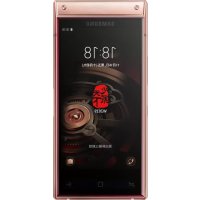
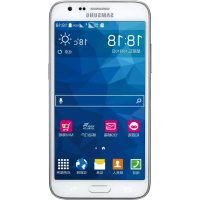
Download the instructions for your Cellphone in PDF format for free! Find your manual G2613C-1S - SAMSUNG and take your electronic device back in hand. On this page are published all the documents necessary for the use of your device. G2613C-1S by SAMSUNG.
USER MANUAL G2613C-1S SAMSUNG

Manual assistant
Powered by Anthropic
Waiting for your message
Product information
Brand : SAMSUNG
Model : G2613C-1S
Category : Cellphone