SCH-X859 - Cellphone SAMSUNG - Free user manual and instructions
Find the device manual for free SCH-X859 SAMSUNG in PDF.


Pick your language and provide your email: we'll send you a specifically translated version.
| Product Type | Mobile phone (cellphone) |
| Brand | Samsung |
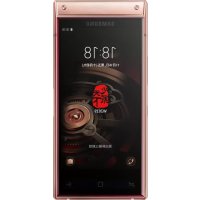
| Model | SCH-X859 |
| Form Factor | Clamshell |
| Dimensions (H x W x D) | 85 x 45 x 22 mm (approx.) |
| Weight | 90 g (approx.) |
| Battery Type | Removable Li-Ion |
| Battery Capacity | 800 mAh |
| Talk Time | Up to 3 hours |
| Standby Time | Up to 200 hours |
| Display | Internal color LCD |
| Network | CDMA |
| Connectivity | Cellular network only |
| Main Functions | Calls, SMS, Phonebook, Calculator, Alarm |
| Additional Features | Polyphonic ringtones, Vibration mode |
| Care and Cleaning | Wipe with a soft, dry cloth; avoid harsh chemicals. |
| Safety | Do not expose to extreme temperatures or moisture; use only approved chargers. |
| Spare Parts | Available through Samsung service centers; replaceable battery, charger. |
| Repairability | User-replaceable battery; other repairs by qualified technicians. |
| General Information | Refer to the user manual for detailed instructions. |
Frequently Asked Questions - SCH-X859 SAMSUNG
How do I charge my Samsung SCH-X859 for the first time?
Connect the adapter to the phone and plug into a wall outlet. Charge for at least 2 hours until the battery indicator shows full. Use only a charging adapter approved by Samsung.
Why is my phone not turning on?
Check if the battery is properly installed and charged. If it still does not turn on, try a soft reset by removing the battery and reinserting it after 30 seconds.
How can I adjust the ringtone volume?
Use the volume keys on the side of the device. Alternatively, go to Settings > Sound and adjust the ringtone volume.
Can I set a custom ringtone?
Yes, if you have compatible audio files. Transfer the file to the phone via data cable and select it in Settings > Sound > Ringtone.
How do I clean my phone?
Wipe the outer surfaces with a soft, dry cloth. Do not use abrasive cleaners or chemical solvents, as they may damage the casing.
Is it safe to use the phone during charging?
Your device is designed for safe use while charging. However, using the original charger and avoiding prolonged exposure to heat is recommended.
How do I store my phone when not in use?
Turn off the device and store it in a cool, dry place away from direct sunlight and moisture.
Where can I purchase replacement parts?
Authorized Samsung service centers offer replacement batteries, chargers, and other parts. Contact your local distributor.
How do I perform a factory reset?
In the Settings menu, select Reset and follow the instructions on screen. Note that this will erase all user data.
What should I do if the phone gets wet?
Turn off the phone immediately, remove the battery, and dry the components with absorbent material. Do not use a hairdryer; allow the device to dry naturally.
User questions about SCH-X859 SAMSUNG
0 question about this device. Answer the ones you know or ask your own.
Ask a new question about this device
No questions yet. Be the first to ask one.
Download the instructions for your Cellphone in PDF format for free! Find your manual SCH-X859 - SAMSUNG and take your electronic device back in hand. On this page are published all the documents necessary for the use of your device. SCH-X859 by SAMSUNG.
USER MANUAL SCH-X859 SAMSUNG

Manual assistant
Powered by Anthropic
Waiting for your message
Product information
Brand : SAMSUNG
Model : SCH-X859
Category : Cellphone