CL 2000 18.0 - Lighting Flex - Free user manual and instructions
Find the device manual for free CL 2000 18.0 Flex in PDF.


| Product type | Cordless LED construction site floodlight |
| Brand | Flex |
| Model | CL 2000 18.0 |
| Light source | LED |
| Power supply | 18.0 V lithium-ion battery (2.5 or 5.0 Ah) |
| Rated voltage | 18.0 V |
| Battery capacity | 2.5 Ah or 5.0 Ah |
| Runtime | ~2.5 h (2.5 Ah) / ~5 h (5.0 Ah) |
| Total luminous flux | 1200 / 2000 lm (adjustable) |
| Weight (without battery) | 2.4 kg |
| Dimensions (L x W x H) | 230 x 182.3 x 189.3 mm |
| Protection rating | IP54 |
| Protection class | III / ◆ |
| Max. mounting height | ≤ 3 m |
| Max. illuminated area | 80 m² |
| Head rotation | 360° |
| Wall / tripod mounting | Yes (mounting holes and 5/8" thread) |
| Charge level display | Yes (LED) |
| Cleaning | Brush or dry cloth (no water/liquids) |
| Repairs | Authorized Flex service center |
| Spare parts | www.flex-tools.com |
| Safety instructions | Read the manual before use |
Frequently Asked Questions - CL 2000 18.0 Flex
User questions about CL 2000 18.0 Flex
0 question about this device. Answer the ones you know or ask your own.
Ask a new question about this device
Download the instructions for your Lighting in PDF format for free! Find your manual CL 2000 18.0 - Flex and take your electronic device back in hand. On this page are published all the documents necessary for the use of your device. CL 2000 18.0 by Flex.
USER MANUAL CL 2000 18.0 Flex
natural_image
Illustration of a mechanical device with transparent glass and mounting brackets (no text or symbols)natural_image
Two-panel illustration showing a rocket engine with bright light reflections, no text or symbols present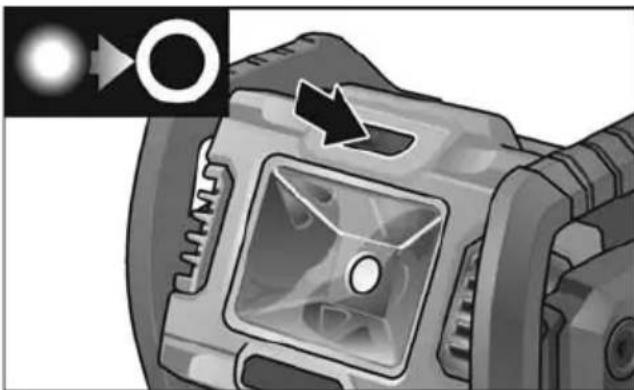
natural_image
Close-up of a camera lens with a circular aperture and an arrow pointing to the lens (no text or symbols visible)natural_image
Mechanical component diagram showing a rotating assembly with directional arrows indicating motion (no text or symbols)Montage
Wartung und Pflege
Reinigung

WARNUNG!
Symbols used in this manual ..... 8
Symbols on the power tool....8
For your safety 8
Technical specifications ..... 9
Overview 10
Instructions for use 11
Maintenance and care 12
Disposal information 12
Exemption from liability 12
Symbols used in this manual

WARNING!
Denotes impending danger.
Non-observance of this warning may result in death or extremely severe injuries.

CAUTION!
Denotes a possibly dangerous situation.
Non-observance of this warning may result in slight injury or damage to property.

NOTE
Denotes application tips and important information.
Symbols on the power tool

Before switching on the power tool, read the operating manual!

Disposal information (see page 12)!

Do not look into the light source!

Rough service luminaires
IP54
Dust-proof degree 5 and protection against ingress of water 4
For your safety

WARNING!
Before using the power tool, please read and follow:
– these operating instructions,
- the "General safety instructions" on the handling of power tools in the enclosed booklet (leaflet-no.: 315.915),
– the currently valid site rules and the regulations for the prevention of accidents.
Intended use
The rechargeable LED work light
CL 2000 18.0 is designed
-for commercial use in industry and trade,
-for targeted illumination of the workplace,
-for illuminating rooms.
The rechargeable LED work light
CL 2000 18.0 is not suitable
-for use as a headlight.
Safety instructions for rechargeable LED work light

WARNING!
Read all safety warnings and all instructions. Failure to follow the warnings and instructions may result in electric shock, fire and/or serious injuries. Save all warnings and instructions for future reference.
■ Do not use the rechargeable LED work light in a potentially explosive environment.
■ Do not point the light beam at people or animals and do not look into the light beam, even from far away.
■ Do not cover the lamp head while the rechargeable LED work light is in use. The lamp head heats up when in use and the accumulating heat may cause burns.
■ Do not use the rechargeable LED work light as a headlight.
■ Before performing any work on the rechargeable LED work light (e.g. installation, maintenance, etc.) or transporting or storing it, take the battery out of the rechargeable LED work light.
■ Do not let children use the rechargeable LED work light. It is designed for professional use. Children may be accidentally blinded or may blind others.
■ Do not open the battery. There is a risk of a short-circuit.
■ Protect the battery from heat, e.g. from continuous exposure to sunlight, fire, water and humidity.
There is a risk of explosion.
If the battery is damaged or used improperly, fumes may be emitted. Provide fresh air and consult a doctor if you feel unwell. The fumes may irritate the respiratory tract.
■ Recharge only with the charger specified by the manufacturer. A charger that is suitable for one type of battery pack may create a risk of fire when used with another battery pack.
- Pointed objects, such as nails or screw-drivers, or external forces may damage the battery. This may cause an internal short-circuit and the battery to burn, smoke, explode or overheat.
■ The light source contained in this luminaire shall only be replaced by the manufacturer or his service agent or a similar qualified person.
Technical specifications
| CL 2000 18.0 | ||
| Machine type Rechargeable LED work light | ||
| Lithium-ion battery V/Ah | 18.0 /2.5 or 18.0/5.0 | |
| Lighting duration 2.5 Ah 5.0 Ah | h | ~ 2.5 ~ 5 |
| Total flux lm 1200/2000 | ||
| Weight according to “EPTA Procedure 01/2003” (without battery) | kg 2.4 | |
| Size (LxWxH) mm 230x182.3x189.3 | ||
| Maximum projected area of the floodlight | m3 | 80 |
| Installation height (Indoor use only) | m | ≤3 |
| Protection class | III / ◆ | |
Overview
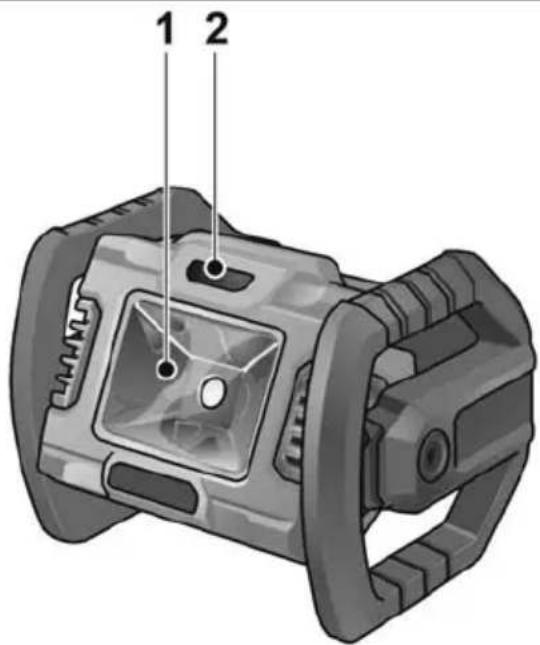
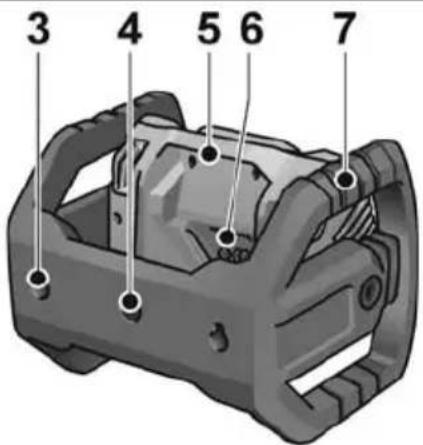
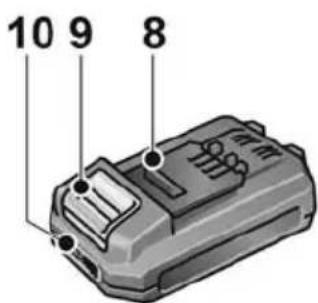
1 Protective glass of lamp head
2 On/Off switch
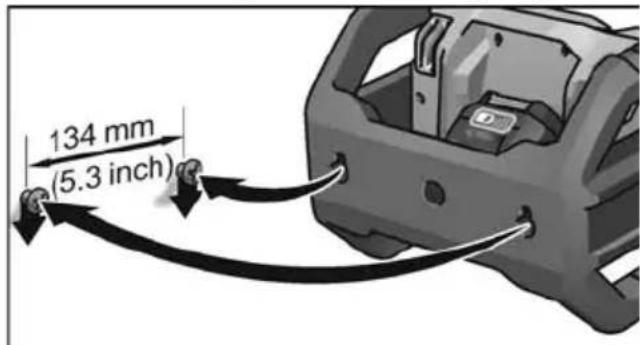
3 Wall mounting holes
4 Threads (5/8") for stand
5 Lamp head
6 Slot for battery
7 Frame
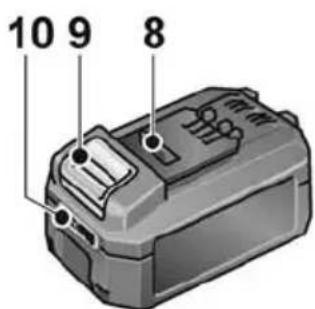
8 Li-ion battery (2.5 Ah or 5.0 Ah)
9 Release button for battery
10 State of charge indicator
Instructions for use

WARNING!
Remove the battery before carrying out any work on the power tool.
Before switching on the power tool
Unpack power tool and accessories and check that no parts are missing or damaged.
Inserting/replacing the battery
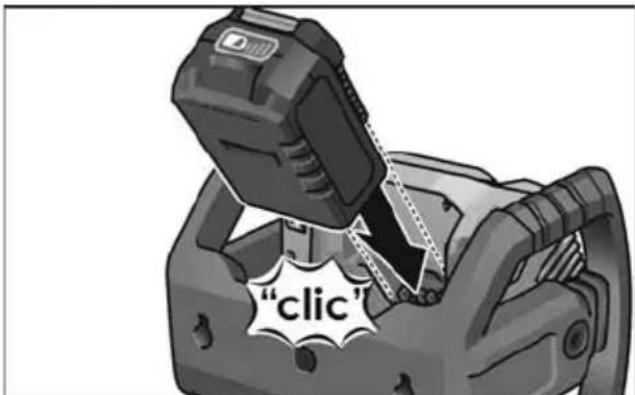
■ Press charged battery fully into the power tool.
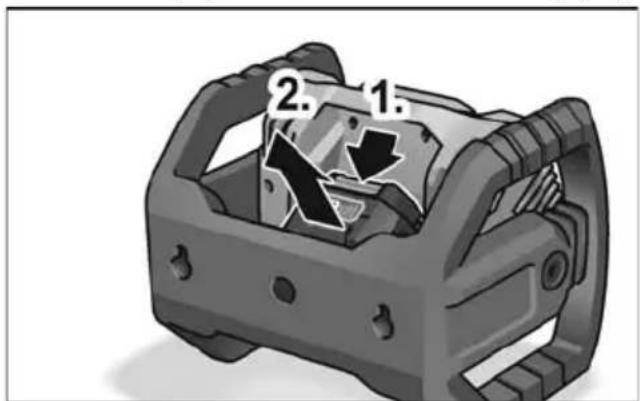
■ To remove the battery, press the release buttons (1.) and pull out the battery (2.).

CAUTION!
When the device is not in use, protect the battery contacts. Loose metal parts may short-circuit the contacts; there is a risk of explosion and fire!
Battery state of charge
■ Press the button to check the state of charge at the state of charge indicator LEDs.
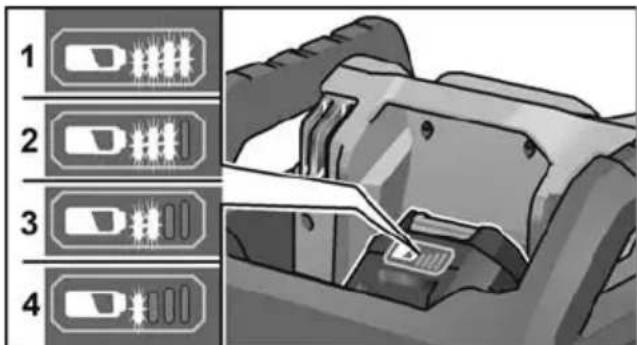
The indicator goes out after 5 seconds. If one of the LEDs flashes, the battery must be recharged. If none of the LEDs light up after the button is pressed, the battery is faulty and must be replaced.
Switching on and off
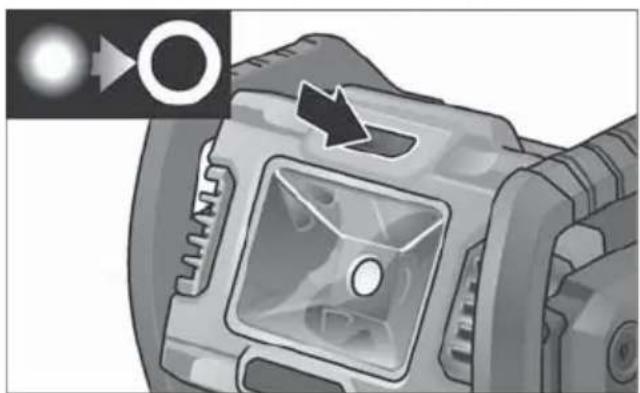
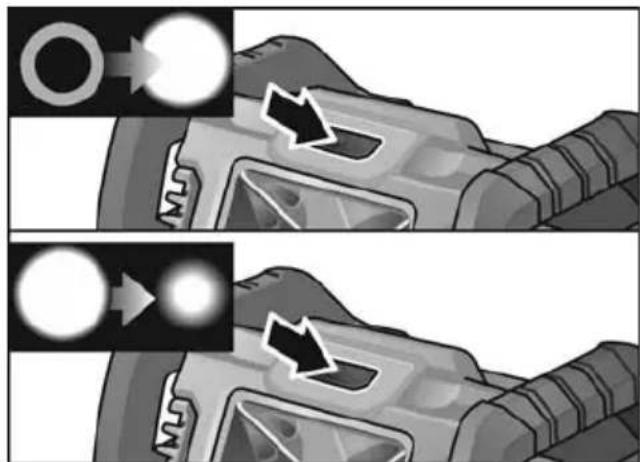
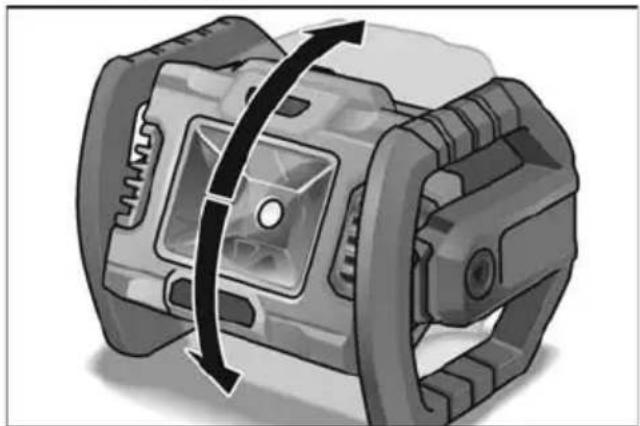
■ Switch the rechargeable LED work light on and off by pressing the on/off switch. Press again to adjust the light intensity.
natural_image
Two-panel illustration showing a rocket engine with light emission and motion arrows, no text or symbols present.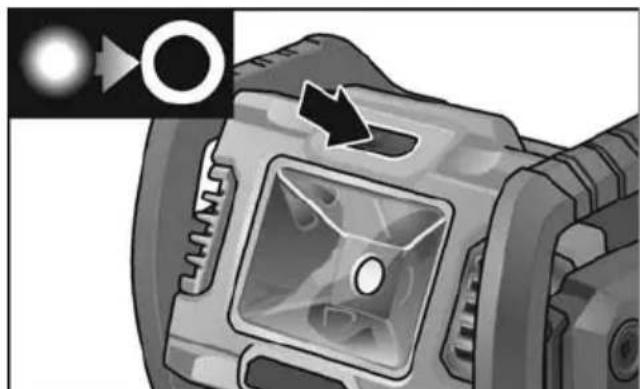
natural_image
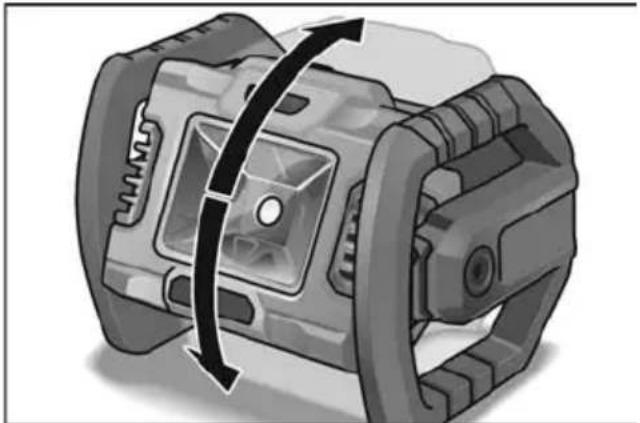
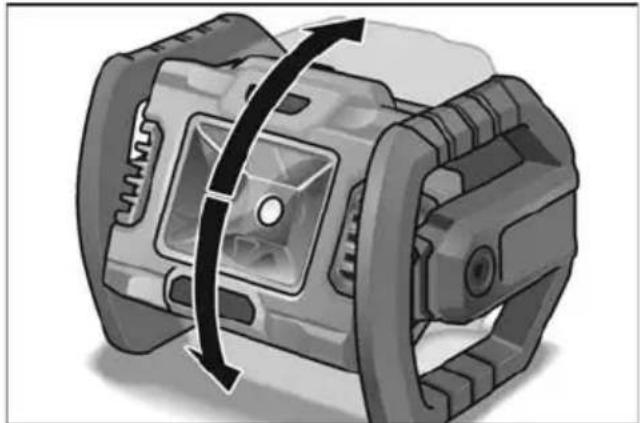
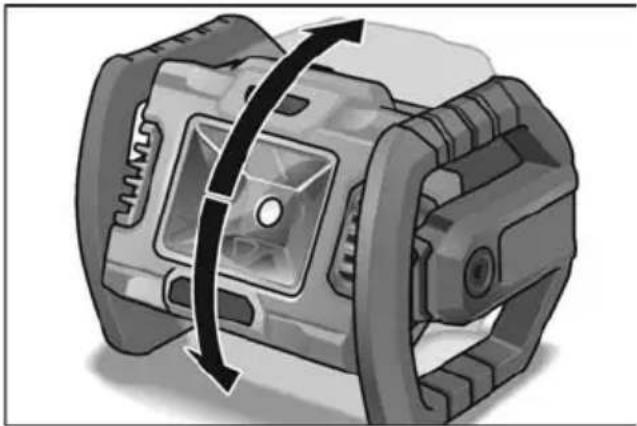
Close-up of a camera lens with a black arrow pointing to the lens area (no text or symbols visible)■ The lamp head can be turned 360^ in the frame.

natural_image
Mechanical component diagram showing a rotating shaft and housing assembly (no text or symbols)Mounting
■ To mount the rechargeable LED work light on the wall or on a stand, use the wall mounting holes/threads (5/8").
Maintenance and care
Cleaning

WARNING!
Before performing any work, pull out the mains plug. Do not use water or liquid detergents.
■ Remove dirt and dust from the housing with a paint brush or dry cloth.
Repairs
Repairs may be carried out by an authorised customer service centre only.
Spare parts and accessories
Exploded drawings and spare-part lists can be found on our homepage:
www.flex-tools.com
Disposal information

WARNING!
Render redundant power tools unusable:
- mains operated power tool by removing the power cord,
- battery operated power tool by removing the battery.

EU countries only:
Do not dispose of electric power tools in the household waste!
In accordance with the European Directive 2012/19/EU on Waste Electrical and Electronic Equipment and its incorporation into national law, used power tools must be collected separately and recycled in an environmentally friendly manner.

Raw material recovery instead of waste disposal.
Device, accessories and packaging should be recycled in an environmentally friendly manner. Plastic parts are identified for recycling according to material type.

WARNING!
Do not throw batteries into the household waste, fire or water. Do not open used batteries.
Accumulators/batteries should be collected, recycled or disposed of in an environmentally friendly manner.

EU countries only:
In accordance with Directive 2006/66/EC defective or used batteries must be recycled

NOTE
Please ask your dealer about disposal options!
Exemption from liability
The manufacturer and his representative are not liable for any damage and lost profit due to interruption in business caused by the product or by an unusable product.
The manufacturer and his representative are not liable for any damage which was caused by improper use of the power tool or by use of the power tool with products from other manufacturers.
Table des matières
natural_image
Two-panel illustration showing a vehicle under load with light reflections, no text or symbols present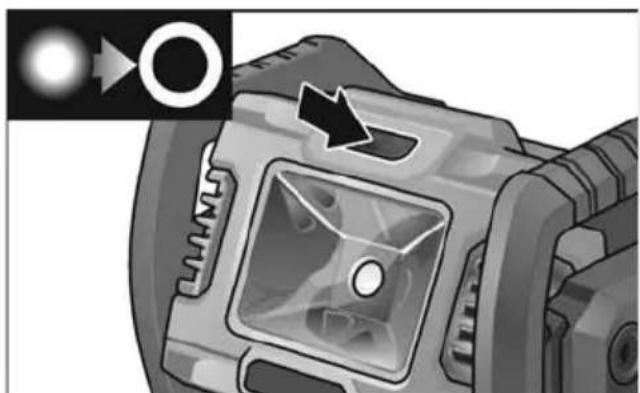
natural_image
Close-up of a camera lens with a circular aperture and directional arrow (no text or symbols)natural_image
Mechanical component diagram showing a rotating shaft and housing with directional arrows indicating motion (no text or symbols)Montage
natural_image
Two-panel illustration showing a vehicle under load with arrows indicating motion, no text or symbols present.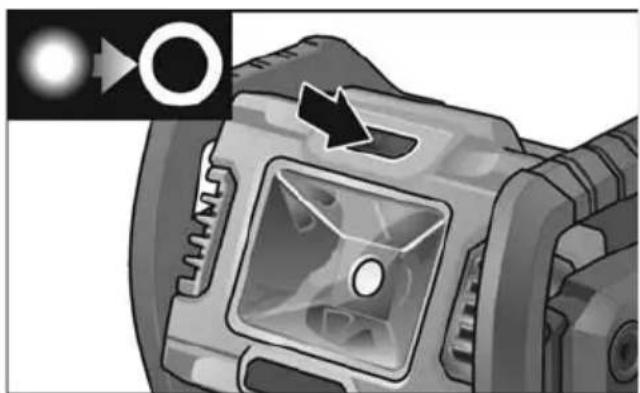
natural_image
Close-up of a camera lens with a circular inset showing light source and arrow (no text or symbols)natural_image
Mechanical component diagram showing a rotating shaft and housing with directional arrows indicating motion (no text or symbols)Montaggio
Manutenzione e cura
Pulizia
AVVERTENZA!
natural_image
Two-panel illustration showing a vehicle under load with arrows indicating motion, no text or symbols present.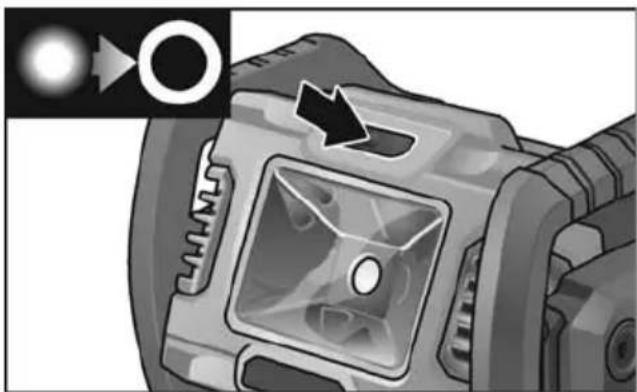
natural_image
Close-up of a camera lens with a square aperture and directional arrow (no text or symbols)natural_image
Mechanical component diagram showing a rotating shaft and housing with directional arrows indicating motion (no text or symbols)Montaje
natural_image
Two-panel illustration showing a vehicle under different lighting conditions, with arrows indicating light effects (no text or symbols present)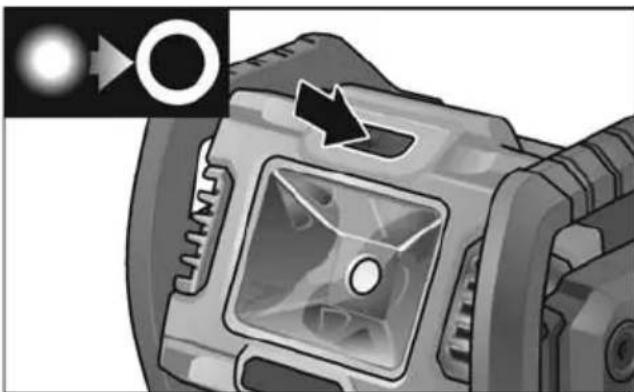
natural_image
Close-up of a camera lens with a circular aperture and an arrow pointing to the lens (no text or symbols visible)natural_image
Mechanical component diagram showing a rotating assembly with directional arrows (no text or symbols)Montagem
natural_image
Two-panel illustration showing a gun firing process with arrows indicating light emission (no text or symbols)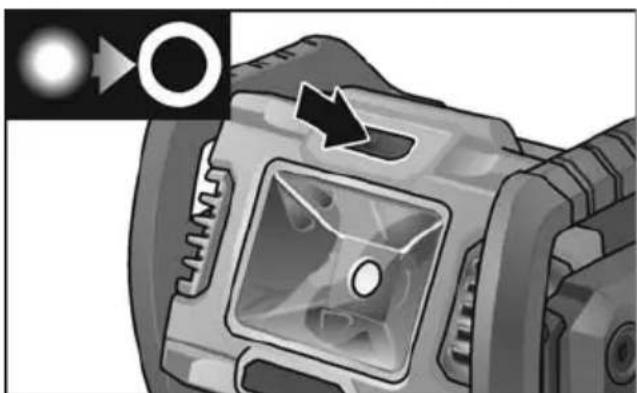
natural_image
Close-up of a camera lens with a circular inset showing internal components (no text or symbols visible)natural_image
Mechanical component diagram showing a rotating shaft and housing (no text or symbols)Montage
natural_image
Two-panel illustration showing a vehicle under load with arrows indicating motion, no text or symbols present.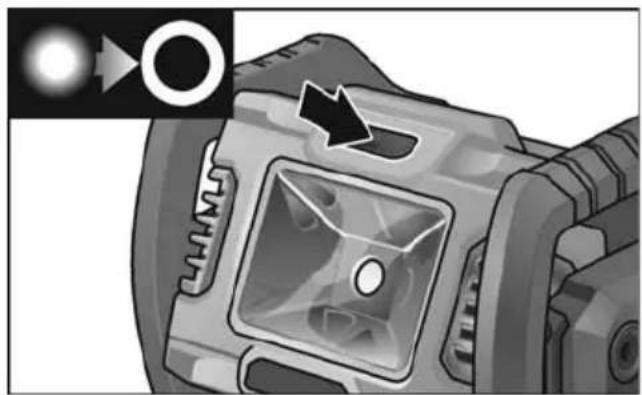
natural_image
Close-up of a camera lens with a circular aperture and directional arrow (no text or symbols)■ Lampehovedet kan drejes i trin a 360°.
natural_image
Mechanical component diagram showing a rotating assembly with no visible text or symbolsMontering
natural_image
Two-panel illustration showing a gun with arrows indicating motion or force, no text or symbols present.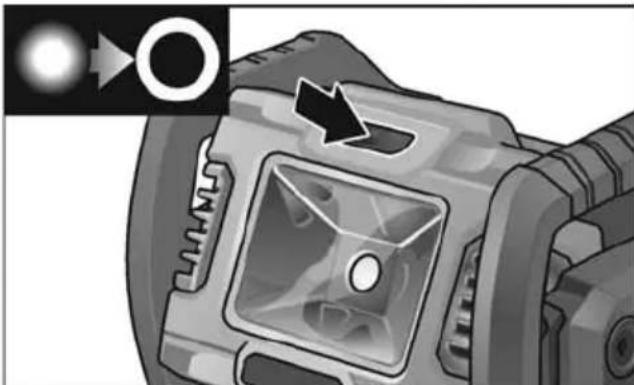
natural_image
Close-up of a camera lens with a highlighted aperture and an arrow pointing to the lens (no text or symbols visible)■ Lyshodet kan dreies 360° i holderen.
natural_image
Mechanical component diagram showing a rotating shaft and housing assembly (no text or symbols)Montere
natural_image
Two-panel illustration showing a vehicle under load with arrows indicating motion, no text or symbols present.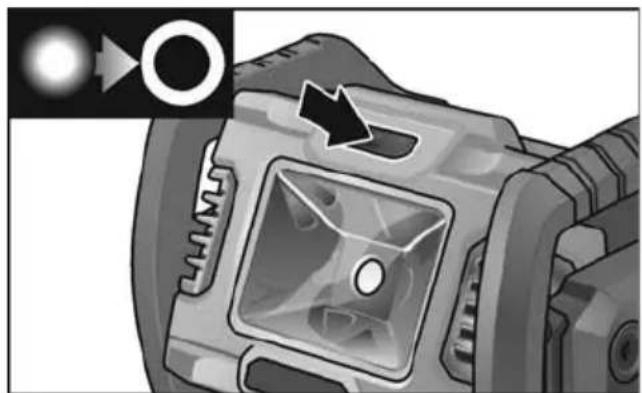
natural_image
Close-up of a camera lens component with a black arrow pointing to the aperture (no text or symbols visible)natural_image
Mechanical component diagram showing a rotating shaft and housing with directional arrows indicating motion (no text or symbols)Montering
natural_image
Two-panel illustration showing a vehicle under load with highlighted components and directional arrows (no text or symbols)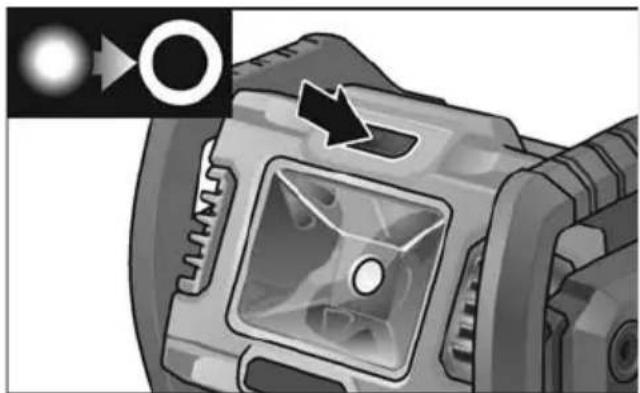
natural_image
Close-up of a camera lens component with a highlighted aperture and arrow indicator (no text or symbols)natural_image
Mechanical component diagram showing a rotating assembly with directional arrows (no text or symbols)Kiinnitys
Huelto ja hoito
Puhdistus

VAROITUS!
natural_image
Two-panel illustration showing a vehicle under attack with light reflections, no text or symbols present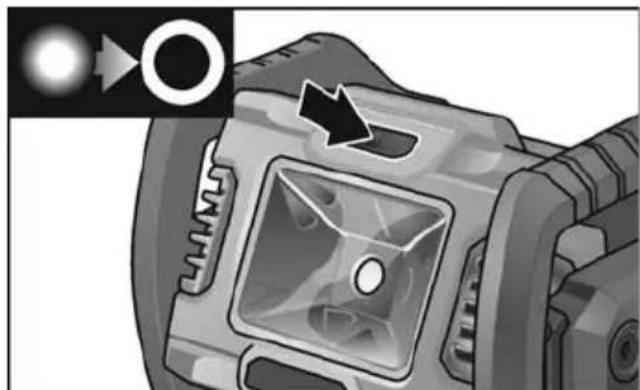
natural_image
Close-up of a camera lens with a black arrow pointing to the aperture (no text or symbols visible)natural_image
Mechanical component diagram showing a rotating assembly with a curved arrow indicating rotation direction (no text or symbols)Τοποθέτηση
natural_image
Two-panel illustration showing a vehicle with illuminated components and directional arrows, no text or symbols present.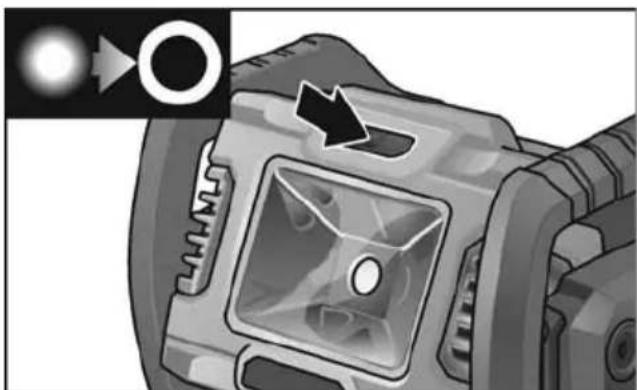
natural_image
Close-up of a camera lens component with a black arrow pointing to the lens area (no text or symbols visible)natural_image
Mechanical component diagram showing a rotating shaft with directional arrows indicating motion (no text or symbols)Montaj
Bakım ve muhafaza
Temizleme

UYARI!
natural_image
Two-panel illustration showing a vehicle under different lighting conditions, with arrows indicating light emission (no text or symbols)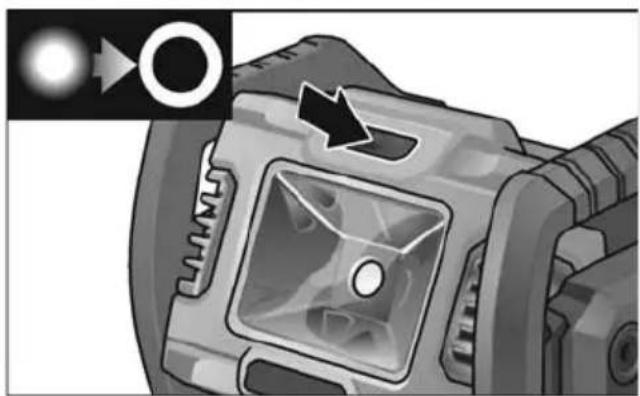
natural_image
Close-up of a camera lens component with a circular inset showing light source and arrow (no text or symbols)natural_image
Mechanical component diagram showing a rotating assembly with directional arrows (no text or symbols)Montaż
natural_image
Two-panel illustration showing a vehicle under load with arrows indicating motion or flow direction (no text or symbols)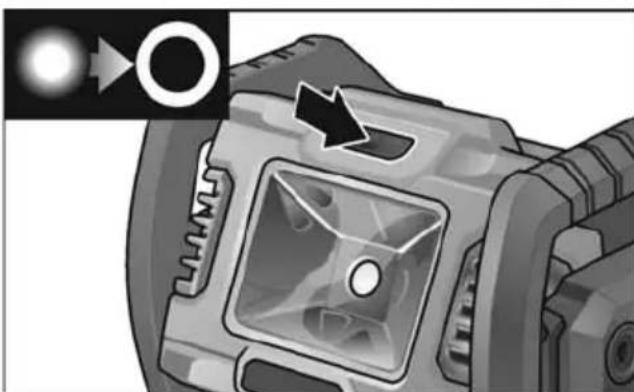
natural_image
Close-up of a camera lens component with a circular inset showing light source and arrow (no text or symbols)natural_image
Mechanical component diagram showing a rotating shaft and housing (no text or symbols)Felszerelés
natural_image
Two-panel illustration showing a vehicle's front view and side view of the engine, with arrows indicating motion direction (no text or symbols)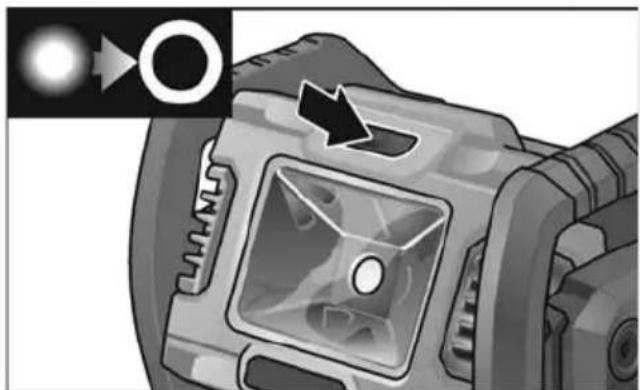
natural_image
Close-up of a camera lens component with a highlighted square aperture and an arrow pointing to it (no text or symbols visible)natural_image
Mechanical component diagram showing a rotating assembly with directional arrows (no text or symbols)Montáž
Údržba a ošetřování
Čistění
VAROVÁNÍ!
natural_image
Two-panel illustration showing a vehicle under load with arrows indicating motion, no text or symbols present.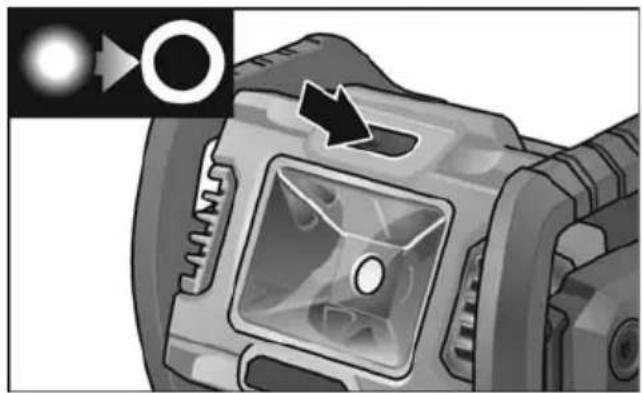
natural_image
Close-up of a camera lens with a highlighted aperture and directional arrow (no text or symbols)■ Hlavu svietidla možno na podstavci otáčat' v rozsahu 360°.
natural_image
Mechanical component diagram showing a rotating shaft and housing assembly (no text or symbols)Montáž
natural_image
Two-panel illustration showing a vehicle's front view and side view of the engine, with no visible text or symbols.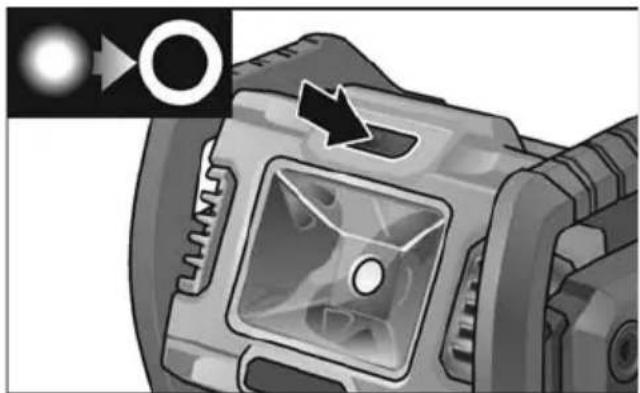
natural_image
Close-up of a camera lens with a highlighted aperture and arrow indicator (no text or symbols)natural_image
Mechanical component diagram showing a rotating assembly with directional arrows (no text or symbols)Montaža
Održavanje i njega
Čišćenje

UPOZORENJE!
natural_image
Two-panel illustration showing a vehicle under load with arrows indicating motion, no text or symbols present.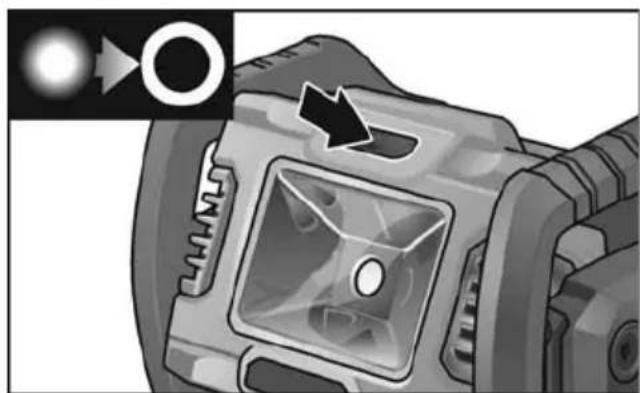
natural_image
Close-up of a camera lens component with an arrow pointing to the aperture (no text or symbols visible)natural_image
Mechanical component diagram showing a rotating shaft and housing (no text or symbols)Montaža
Vzdrževanje in nega
Čiščenje

OPOZORILO!
natural_image
Two-panel illustration showing a rocket engine under different lighting conditions (no text or symbols)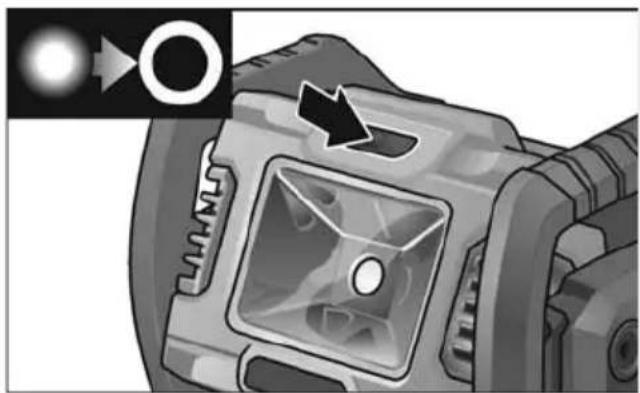
natural_image
Close-up of a camera lens with a circular aperture and an arrow pointing to the lens (no text or symbols visible)natural_image
Mechanical component diagram showing a rotating assembly with a curved arrow indicating rotation direction (no text or symbols)Montarea
natural_image
Two-panel illustration showing a rocket engine with light emission and motion arrows, no text or symbols present.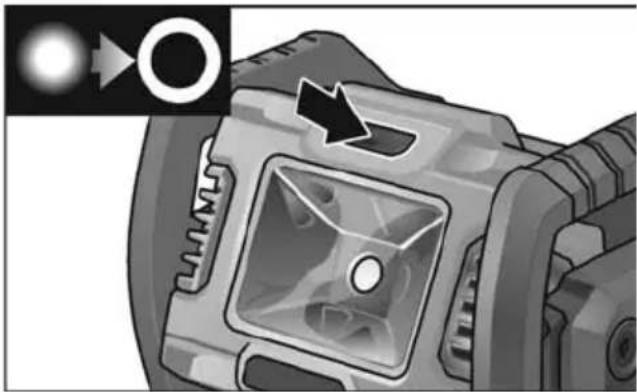
natural_image
Close-up of a camera lens component with a circular aperture and directional arrow (no text or symbols)natural_image
Mechanical component diagram showing a rotating assembly with a curved arrow indicating motion (no text or symbols)Монтаж
natural_image
Two-panel illustration showing a vehicle under attack with light reflections, no text or symbols present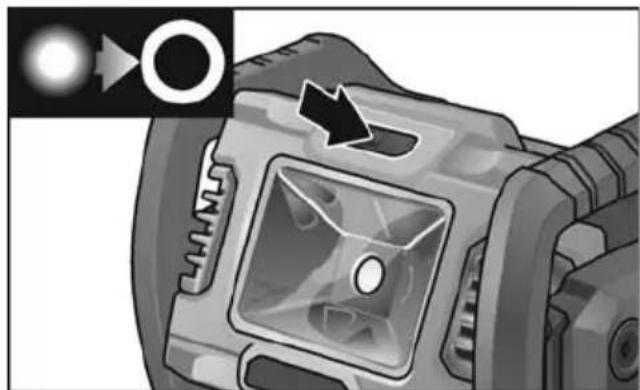
natural_image
Close-up of a camera lens component with a black arrow pointing to a circular button (no text or symbols visible)natural_image
Mechanical component diagram showing a rotating assembly with a curved arrow indicating rotation direction (no text or symbols)Установка
natural_image
Two-panel illustration showing a vehicle under load with light reflections, no text or symbols present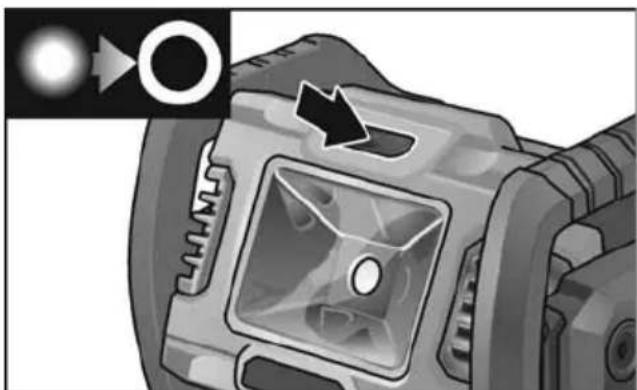
natural_image
Close-up of a camera lens with a highlighted aperture and directional arrow (no text or symbols)natural_image
Mechanical component diagram showing a rotating assembly with no visible text or symbolsPaigaldamine
natural_image
Two-panel illustration showing a vehicle under attack with arrows indicating motion (no text or symbols)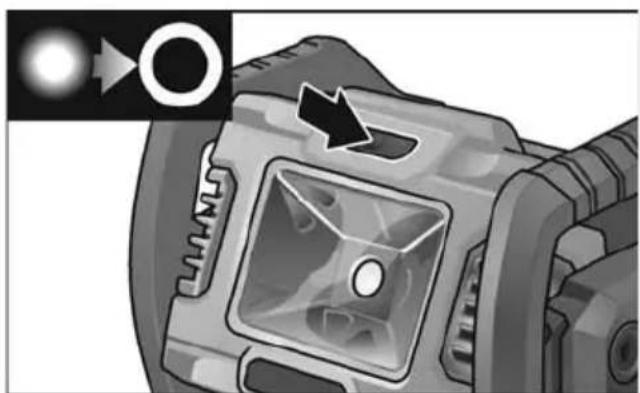
natural_image
Close-up of a camera lens with a circular aperture and directional arrow (no text or symbols)■ Lempos galvutę stove galima pasukti 360° kampu.
natural_image
Mechanical component diagram showing a rotating assembly with no visible text or symbolsMontavimas
natural_image
Two-panel illustration showing a vehicle under load with arrows indicating motion, no text or symbols present.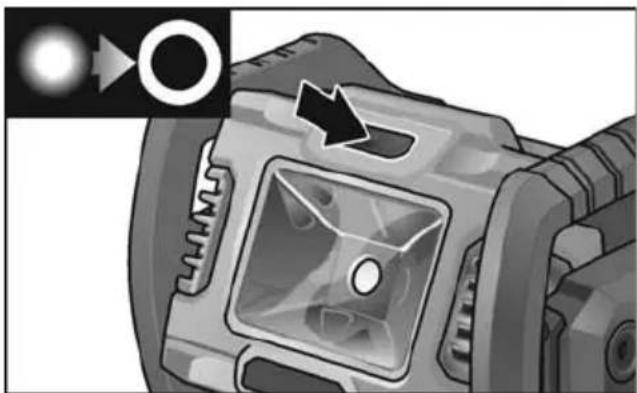
natural_image
Close-up of a camera lens component with a circular button and arrow indicator (no text or symbols)natural_image
Mechanical component diagram showing a rotating assembly with no visible text or symbolsMontāža
natural_image
Mechanical component diagram showing a rotating assembly with directional arrows (no text or symbols)
الصيانة والعنابة
التنظيف
خذیر!
natural_image
Illustration of a vehicle's front bumper with a circular arrow pointing to the head (no text or symbols)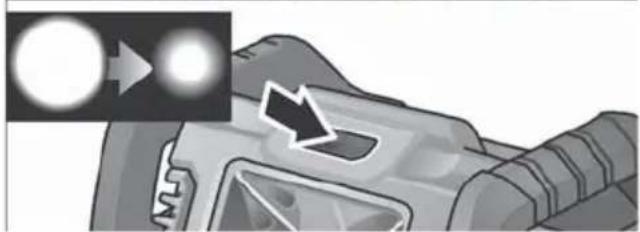
natural_image
Illustration of a vehicle's front bumper with a magnified inset showing light reflections (no text or symbols)