GAA-E 20 Li OA - Saw Gardol - Free user manual and instructions
Find the device manual for free GAA-E 20 Li OA Gardol in PDF.



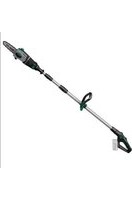
| Product type | Cordless pruner saw |
| Brand | Gardol |
| Model | GAA-E 20 Li OA |
| Power supply | 20 V DC lithium-ion battery (Power-X-Change series) |
| Cutting frequency | 1500 - 2800 rpm |
| Stroke height | 20 mm |
| Cutting depth (without holding bracket) | 90 mm |
| Cutting depth (with holding bracket) | 70 mm |
| Maximum blade width | 1.6 mm |
| Weight | 1.2 kg |
| Warranty period | 84 months |
| Main functions | Universal saw and pruning saw (with holding bracket) |
| Compatible materials | Wood, metals, non-ferrous metals, plastics (suitable blade) |
| Maintenance and cleaning | Clean regularly with a damp cloth; do not use harsh detergents; no internal parts requiring maintenance |
| Wear parts | Saw blade, battery |
| Storage conditions | Dark, dry, frost-free place, out of reach of children; optimal temperature 5-30 °C |
| Noise level | Sound pressure level LpA = 73.9 dB(A); sound power level LWA = 84.9 dB(A) |
| Vibration | Emission value ah = 21.251 m/s², uncertainty K = 1.5 m/s² |
| Safety | Switch with lock, protection against unintentional starts; wear hearing protection, eye protection, dust mask |
Frequently Asked Questions - GAA-E 20 Li OA Gardol
User questions about GAA-E 20 Li OA Gardol
0 question about this device. Answer the ones you know or ask your own.
Ask a new question about this device
Download the instructions for your Saw in PDF format for free! Find your manual GAA-E 20 Li OA - Gardol and take your electronic device back in hand. On this page are published all the documents necessary for the use of your device. GAA-E 20 Li OA by Gardol.
USER MANUAL GAA-E 20 Li OA Gardol
GB Original operating instructions Cordless tree pruning saw
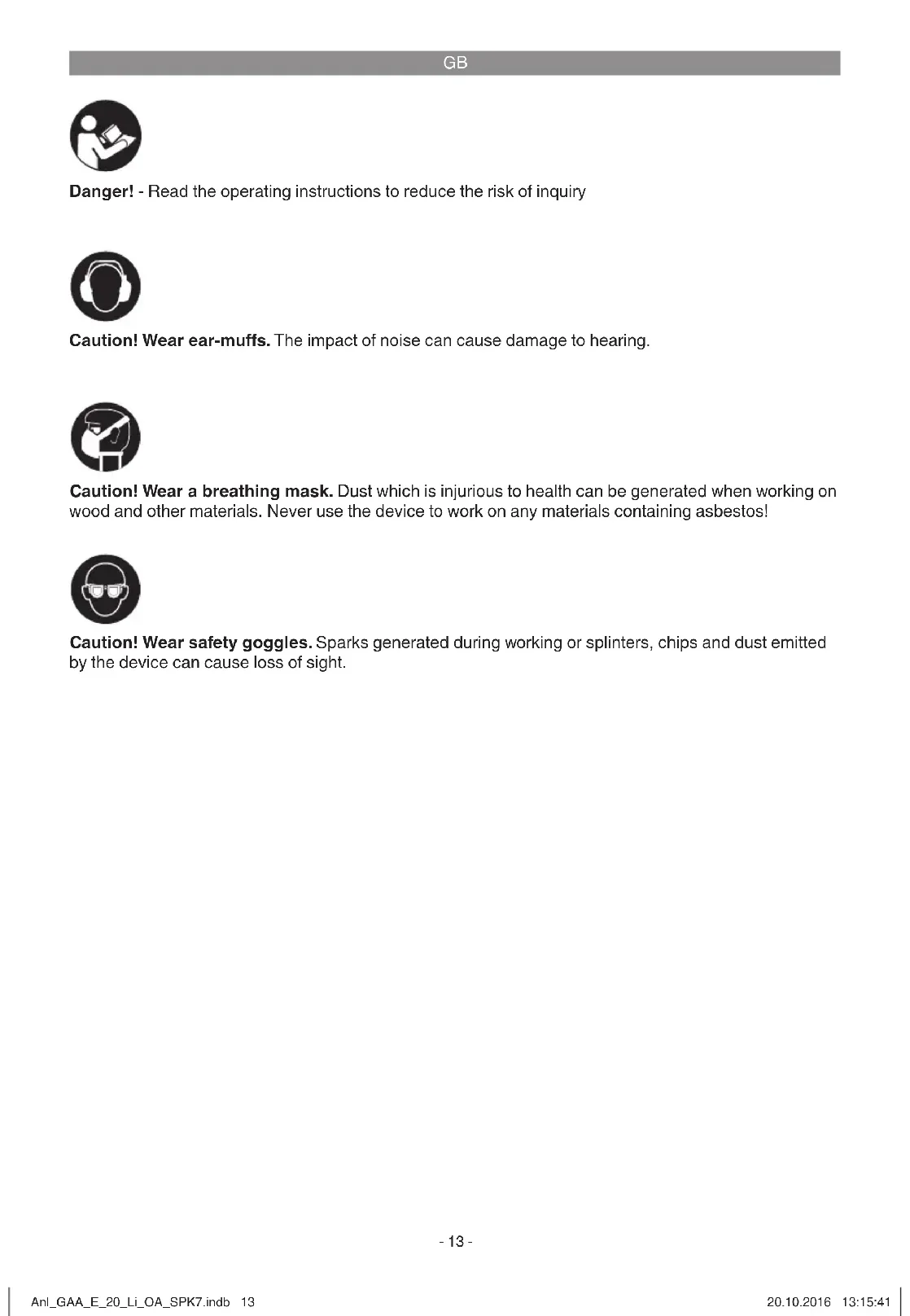
Danger! - Read the operating instructions to reduce the risk of inquiry

Caution! Wear ear-muffs. The impact of noise can cause damage to hearing.

Caution! Wear a breathing mask. Dust which is injurious to health can be generated when working on wood and other materials. Never use the device to work on any materials containing asbestos!

Caution! Wear safety goggles. Sparks generated during working or splinters, chips and dust emitted by the device can cause loss of sight.
GB
Danger!
When using the equipment, a few safety precautions must be observed to avoid injuries and damage. Please read the complete operating instructions and safety regulations with due care. Keep this manual in a safe place, so that the information is available at all times. If you give the equipment to any other person, hand over these operating instructions and safety regulations as well. We cannot accept any liability for damage or accidents which arise due to a failure to follow these instructions and the safety instructions.
1. Safety regulations
The corresponding safety information can be found in the enclosed booklet.
Danger!
Read all safety regulations and instructions. Any errors made in following the safety regulations and instructions may result in an electric shock, fire and/or serious injury.
Keep all safety regulations and instructions in a safe place for future use.
2. Layout and items supplied
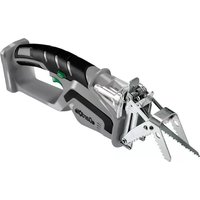
2.1 Layout (Fig. 1/2)
1 On/Off switch
2 Locking button for On/Off switch
3 Soleplate
4 Blade holder
5 Branch jaw clamp
6 Sawblade
2.2 Items supplied
Please check that the article is complete as specified in the scope of delivery. If parts are missing, please contact our service center or the sales outlet where you made your purchase at the latest within 5 working days after purchasing the product and upon presentation of a valid bill of purchase. Also, refer to the warranty table in the service information at the end of the operating instructions.
- Open the packaging and take out the equipment with care.
- Remove the packaging material and any packaging and/or transportation braces (if available).
Check to see if all items are supplied. - Inspect the equipment and accessories for
transport damage.
If possible, please keep the packaging until the end of the guarantee period.
Danger!
The equipment and packaging material are not toys. Do not let children play with plastic bags, foils or small parts. There is a danger of swallowing or suffocating!
- Cordless tree pruning saw
- Saw blade for wood (1x)
Original operating instructions - Safetyinstructions
3. Proper use
The universal saw is designed for sawing wood, iron, non-ferrous metals and plastics using the appropriate saw blades.
The equipment is to be used only for its prescribed purpose. Any other use is deemed to be a case of misuse. The user / operator and not the manufacturer will be liable for any damage or injuries of any kind caused as a result of this.
Please note that our equipment has not been designed for use in commercial, trade or industrial applications. Our warranty will be voided if the machine is used in commercial, trade or industrial businesses or for equivalent purposes.
4. Technical data
Motor power supply: 20 V DC
Stroke speed: 1500-2800 min Stroke height: 20 mm
Cutting depth without branch jaw clamp: ... 90 mm
Cutting depth with branch jaw clamp: ... 70 mm
Maximum saw blade width: ... 1.6 mm
Weight: ... 1.2kg
Important!
The equipment is supplied without batteries and without a charger is allowed to be used only with the lithium-ion batteries of the Power-X-Change series!
GB
Power-X-Change
20 V, 1.5 Ah .5 lithium-ion cells
20 V, 3.0 Ah .10 lithium-ion cells
20 V, 4.0 Ah .10 lithium-ion cells
The lithium-ion batteries of the Power-X-Change series are allowed to be charged only with the Power-X charger.
Charging unit
Mains voltage 200-250 V ~ 50-60 Hz
Output
Rated voltage 21 V d. c.
Rated current 3000 mA
Danger!
Sound and vibration
Sound and vibration values were measured in accordance with EN 60745.
LpA sound pressure level 73,9 dB(A) KpA uncertainty 3 dB L_WA sound power level 84,9 dB(A) K_WA uncertainty .3 dB
Wear ear-muff s.
The impact of noise can cause damage to hearing.
Total vibration values (vector sum of three directions) determined in accordance with EN 60745.
Vibration emission value a_h = 21,251~m / s^2 K uncertainty = 1.5m / s^2
The specified vibration value was established in accordance with a standardized testing method. It may change according to how the electric equipment is used and may exceed the specific value in exceptional circumstances.
The specified vibration value can be used to compare the equipment with other electric power tools.
The specified vibration value can be used for initial assessment of a harmful effect.
Keep the noise emissions and vibrations to a minimum.
- Only use appliances which are in perfect working order.
Service and clean the appliance regularly.
Adapt your working style to suit the appliance. - Do not overload the appliance.
- Have the appliance serviced whenever necessary.
- Switch the appliance off when it is not in use.
- Wear protective gloves.
Caution!
Residual risks
Even if you use this electric power tool in accordance with instructions, certain residual risks cannot be rules out. The following hazards may arise in connection with the equipment's construction and layout:
- Lung damage if no suitable protective dust mask is used.
- Damage to hearing if no suitable ear protection is used.
- Health damage caused by hand-arm vibrations if the equipment is used over a prolonged period or is not properly guided and maintained.
5. Before starting the equipment
Warning!
Always remove the battery pack before making adjustments to the equipment.
5.1 Changing the saw blade (Fig. 3a)
Warning!
Switch off the universal saw and pull out the battery pack each time before doing any work on the machine and changing the blade.
Open the cover (Fig. 3a/Item A) by pressing it together slightly at the front and then swinging it up.
Turn the ring (B) on the blade holder (4) as shown in Fig. 3a until the blade (6) lets itself be slipped into the slot of the blade holder (4). When you now let go of the ring (B) again, the ring (B) should return to its starting position. If this fails to happen, try turning the ring (B) by hand into its starting position.
Now pull on the blade to check whether it is tightly seated in the holder.
GB
5.2 Fitting the branch jaw clamp (Fig. 3b/3c) The branch jaw clamp (Fig. 1/Item 5) helps you to guide the equipment when cutting branches. The equipment can be used either with or without the branch jaw clamp.
To fit the branch jaw clamp, press the lock release (Fig. 3b/Item A) and push the branch jaw clamp onto the soleplate from above. Make sure that the two pins (Fig. 3c/Item A) are correctly seated in the related recesses (Fig. 3c/Item B) of the soleplate. Then check that the branch jaw clamp is securely seated.
5.3 Charging the Li battery pack (Fig. 4-5)
- Remove the battery pack (A) from the handle, pressing the pushlock button (B) downwards to do so.
- Check that your mains voltage is the same as that marked on the rating plate of the battery charger. Insert the power plug of the charger (C) into the socket outlet. The green LED will then begin to blink.
- Push the battery pack onto the battery charger.
In section 10 (Charger indicator) you will find a table with an explanation of the LED indicator on the charger.
If the battery pack fails to charge, check for the following:
- voltage at the power socket
whether there is good contact at the charging contacts of the charging unit.
If the battery pack still fails to charge, send
the charger and charging adapter
and the battery pack
to our customer service center.
5.4 Battery capacity indicator (Fig. 4/Item D)
Press the button for the battery capacity indicator (E). The battery capacity indicator (D) will indicate the charge status of the battery by means of 3 LEDs.
All 3 LEDs are lit:
The battery is fully charged.
2 or 1 LED(s) are lit:
The battery has an adequate remaining charge.
1 LED blinks:
The battery is empty, recharge the battery.
GB
7. Cleaning, maintenance and ordering of spare parts
Hazard!
Always pull out the battery pack before starting any cleaning work.
9. Storage
Store the equipment and accessories in a dark and dry place at above freezing temperature. The ideal storage temperature is between 5 and 30
°C. Store the electric tool in its original packaging.
7.1 Cleaning
- Keep all safety devices, air vents and the motor housing free of dirt and dust as far as possible. Wipe the equipment with a clean cloth or blow it with compressed air at low pressure.
We recommend that you clean the device immediately each time you have finished using it.
Clean the equipment regularly with a moist cloth and some soft soap. Do not use cleaning agents or solvents; these could attack the plastic parts of the equipment. Ensure that no water can seep into the device. The ingress of water into an electric tool increases the risk of an electric shock.
7.2 Maintenance
There are no parts inside the equipment which require additional maintenance.
7.3 Ordering replacement parts:
Please quote the following data when ordering replacement parts:
Type of machine
Article number of the machine
Identification number of the machine
- Replacement part number of the part required For our latest prices and information please go to www.isc-gmbh.info
8. Disposal and recycling
The equipment is supplied in packaging to prevent it from being damaged in transit. The raw materials in this packaging can be reused or recycled. The equipment and its accessories are made of various types of material, such as metal and plastic. Never place defective equipment in your household refuse. The equipment should be taken to a suitable collection center for proper disposal. If you do not know the whereabouts of such a collection point, you should ask in your local council offices.
10. Charger indicator
| Indicator status | Explanations and actions | |
| Red LED Green LED | ||
| Off | Flashing | Ready for use The charger is connected to the mains and is ready for use; there is no battery pack in the charger |
| On Off Charging | The charger is charging the battery pack in quick charge mode. | |
| Off On The battery is 85% charged and ready for use. (Charging time for 1.5 Ah battery: 30 min) (Charging time for 3.0 Ah battery: 60 min) (Charging time for 4.0 Ah battery: 80 min) The unit then changes over to gentle charging mode until the battery is fully charged. (Total charging time for 1.5 Ah battery: approx. 40 min) (Total charging time for 3.0 Ah battery: approx. 75 min) (Total charging time for 4.0 Ah battery: approx. 100 min) Action: Take the battery pack out of the charger. Disconnect the charger from the mains supply. | ||
| Flashing Off | Adapted charging | The charger is in gentle charging mode. For safety reasons the charging is performed less quickly and takes more than 1 hour. The reasons can be: - The battery pack has not been used for a very long time or an already fl at battery was further discharged (exhaustive discharge). - The battery pack temperature is outside the ideal range (between 10°C and 45°C). Action: Wait for the charging to be completed; you can still continue to charge the battery pack. |
| Flashing Flashing Fault | Charging is no longer possible. The battery pack is defective. Action: Never charge a defective battery pack. Take the battery pack out of the charger. | |
| On On Temperature fault | The battery pack is too hot (e.g. due to direct sunshine) or too cold (below 0°C). Action: Remove the battery pack and keep it at room temperature (approx. 20°C) for one day. | |
GB

For EU countries only
Never place any electric power tools in your household refuse.
To comply with European Directive 2012/19/EC concerning old electric and electronic equipment and its implementation in national laws, old electric power tools have to be separated from other waste and disposed of in an environment-friendly fashion, e.g. by taking to a recycling depot.
Recycling alternative to the return request:
As an alternative to returning the equipment to the manufacturer, the owner of the electrical equipment must make sure that the equipment is properly disposed of if he no longer wants to keep the equipment. The old equipment can be returned to a suitable collection point that will dispose of the equipment in accordance with the national recycling and waste disposal regulations. This does not apply to any accessories or aids without electrical components supplied with the old equipment.
The reprinting or reproduction by any other means, in whole or in part, of documentation and papers accompanying products is permitted only with the express consent of the iSC GmbH.
Subject to technical changes
GB
Service information
We have competent service partners in all countries named on the guarantee certificate whose contact details can also be found on the guarantee certificate. These partners will help you with all service requests such as repairs, spare and wearing part orders or the purchase of consumables.
Please note that the following parts of this product are subject to normal or natural wear and that the following parts are therefore also required for use as consumables.
| Category Example | |
| Wear parts* Battery | |
| Consumables* Saw blade | |
| Missing parts |
- Not necessarily included in the scope of delivery!
In the effect of defects or faults, please register the problem on the internet at www.isc-gmbh.info. Please ensure that you provide a precise description of the problem and answer the following questions in all cases:
Did the equipment work at all or was it defective from the beginning?
Did you notice anything (symptom or defect) prior to the failure?
What malfunction does the equipment have in your opinion (main symptom)?
Describe this malfunction.
GB
Warranty certificate
Dear Customer,
All of our products undergo strict quality checks to ensure that they reach you in perfect condition. In the unlikely event that your device develops a fault, please contact our service department at the address shown on this guarantee card or the sales outlet from where you bought the device. Please note the following terms under which guarantee claims can be made:
- These guarantee terms apply to consumers only, i.e. natural persons intending to use this product neither for their commercial activities nor for any other self-employed activities. These warranty terms regulate additional warranty services, which the manufacturer mentioned below promises to buyers of its new products in addition to their statutory rights of guarantee. Your statutory guarantee claims are not affected by this guarantee. Our guarantee is free of charge to you.
- The warranty services cover only defects due to material or manufacturing faults on a product which you have bought from the manufacturer mentioned below and are limited to either the rectification of said defects on the product or the replacement of the product, whichever we prefer. Please note that our devices are not designed for use in commercial, trade or professional applications. A guarantee contract will not be created if the device has been used by commercial, trade or industrial business or has been exposed to similar stresses during the guarantee period.
-
The following are not covered by our guarantee:
-
Damage to the device caused by a failure to follow the assembly instructions or due to incorrect installation, a failure to follow the operating instructions (for example connecting it to an incorrect mains voltage or current type) or a failure to follow the maintenance and safety instructions or by exposing the device to abnormal environmental conditions or by lack of care and maintenance.
- Damage to the device caused by abuse or incorrect use (for example overloading the device or the use or unapproved tools or accessories), ingress of foreign bodies into the device (such as sand, stones or dust, transport damage), the use of force or damage caused by external forces (for example by dropping it).
-
Damage to the device or parts of the device caused by normal or natural wear or tear or by normal use of the device.
-
The guarantee is valid for a period of 84 months starting from the purchase date of the device. Guarantee claims should be submitted before the end of the guarantee period within two weeks of the defect being noticed. No guarantee claims will be accepted after the end of the guarantee period. The original guarantee period remains applicable to the device even if repairs are carried out or parts are replaced. In such cases, the work performed or parts fitted will not result in an extension of the guarantee period, and no new guarantee will become active for the work performed or parts fitted. This also applies if an on-site service is used.
-
To make a claim under the guarantee, please register the defective device at: www.isc-gmbh.info. Please keep your bill of purchase or other proof of purchase for the new device. Devices that are returned without proof of purchase or without a rating plate shall not be covered by the guarantee, because appropriate identification will not be possible. If the defect is covered by our guarantee, then the item in question will either be repaired immediately and returned to you or we will send you a new replacement.
Also refer to the restrictions of this warranty concerning wear parts, consumables and missing parts as set out in the service information in these operating instructions.
FR

Chere cliente, cher client,
1 Interruptor ON/OFF
Voeding motor: 20 V DC
Aantal slagen: 1500-2800 min
Slaghoogte: 20 mm
Nominate stroom 3000 mA
Gevaar!
Geluid en vibratie
Akumulator je uplnne nability.
- punjac, adapter
- iakumulator
posalite naosj sluzbi za korsnike.
5.4 Prikaz kapaciteta akumulatora (sika 4/ poz.D)
Pritisnite sklopekza prikaz kapaciteta akumulatora (E). Prikaz kapaciteta akumulatora (D) signalizira vam stanje napunjenosti akumulatorapomocu 3 LE diode.
1. INHctpyKuIN 3a 6e3onacHOCT
CbOTBeHTHnTe HnCTpyKun 3a 6e3oNaCHOCT ue HamepuTE B npIIOKeHaTa 6poUpa.
Onachoct!
Ipooyetete BcHKn yHa3aHn 3a
6e3oNaCHOCT n HcTpyKn. IpnOycknte npn
Cna3BaHeTo Ha yHa3aHnYra 3a 6e3oNaCHOCT n
InCHtpyKnIte MoRat da HmAt KaTO nocLeNuca
eJeKTPnuCeCKn Udp, NOpHapN/NIu TeKKN
HapaRaBHn.CbXpAnete 3a B 6bDee
BCNKn YHa3aHn 3a 6e3oNaCHOCT n
HHCTpyKnH.
2.ОпсанеHaуретаиобemHadoctabha
2.1 OnncanHe Na ypega (nir. 1/2)
1 NycOB npeBknOyBaTeN
2 BLOKINPOBka Ha nycOBnI pEBKIOUbaTeI
3 ΠeTa
4 DbpaHau 3a HOKa
5 Pnictabka 3a 3aIbPkaHe Ha KIOHHTe
6 HOK HA TPNOHA
2.2 06em Ha doCTaBka
Molna, npOBepete OKOMnIeKToBaHocTtHa apTNkUla c NOMOuTa Ha OINcAHNA oBem Ha doCTaBA. PnI IINCbauN uactH, MOnla, oBbPHTe ce Hau-KbCHO B pAMKnTe Ha 5 pa6oTHn dHcN eOKyNkHa apTNkUla KbM HauNra CEHTbP 3a oCcyKbaHe NlN KbM pyNKta Ha npOdaKa, Kato npEcdTaNBe BAInDa pa3NnCKa 3a NOkYNa peCn. nIaTeJhen DOkyment. MoIA, oBbPHTe BHMaHne 3a CeJIaHa rapaunOHnata TaBnIca B INHOpMaunrTa
OTHOCHO 06cIyKBAHETO B KpaHa YytBtAHETO.
OTBOPeTe ONaKOBkTaN BHNMaTeJIHO 3BaIe Te ypea OT ONaKOBkTa.
- OtctpaheTe onakOBbHnMaTepnAaKaTO n onakOBbHnTe/N TpaHCnOPTHN OCNrpyOBKn (ako NMa TaKnBa).
IpoBepete daJIH o6eMbT ha doCTabKa e nJbJeH.
- PpOBepeTe daniynyeIbT n npHnAaJIeXHOCTHTe HmAt NOBpeN O TpaHCnpTnpaHe.
IIOBb3MOHNOCT3aNa3eTeOnakOBKaTaDoN3TNHaHeHa rapaHcNoHHnCpOK.
Onachoct!
YpebI h onaKOBbUHHrMaTePnAhl He ca detChn HrpauHn! Dea He 6Nba Da HrpAaT C nlaactMacOBn Top6uHn, FOJHo MaKn DetaiHn! CbueCTByBa OAnachOCT da rH rBtHaT n da ce3aDywar!
AkhymlyaTopen rpaHnckn TpnoH
16p.HoK3aDbpBecnHa
OpunHaHNo ymbTbaHe 3a ynoTpe6a
- Yka3aHnHa 3a TeXnHa Ha 6e3onacHOCT
3.уnotpe6a no npeHa3HaueHne
YHnBepcaHnIaT TpnoH e npedHa3NaeH 3a pR3aHe Ha DbPBeCnHa, YepHn N CbETHm MetaIn IPiactMaCa npHn H3NoJ3BaHe Ha CbOTBETHn HOK.
MaunHaTa Tp6Ba Da ce n3no3Ba cAmo no npedHa3NaeHEnTo B.CsKa no-HaTaBtSha HbTOBA yNtpe6a He e no npedHa3NaeHEn. 3a nped3BvKAHn OT TOBA uTeHnn HapahRaBHnOT BCsKaBb BVd OTROBOPHOCT HcO nOTpe6BnTJr/06CnyBxaQTO Jnue, a He npOn3BOAnTeJIr.
Molna, mmaTe npedBn, Ye haunTe ypeDn CbIaCHO npeHa3NaueHneTO cn He ca npOn3BeHeN 3a pOmNiUHe, 3aHaTmckHa NIn HNDcPnHa YnoTpbe. Hne He NoeMaMe OTROBOPHOCT, aKO ypeDbT ce I3NoI3BA B pOMPiJeHn, 3aHaTChnCKn IIn NNDcTpnaHn npEiPnTn, KaKTo N Prn paBHocToHn DeHOCTH.
BG
4. TexHHueeKn daHHN
BxodnO HanpeJHHe Ha DnBaTEnI....20V d.c. YeCTota Ha xODOBete: 1500-2800 MInH.-1
XoHa HoHa: 20 MM
DblboOnHa Ha pr3aHe 6e3 npictabKaTa:90 MM
DblboOnHa Ha p3aHe C npictabKaTa:70 MM
MaHCmJaHa De6eHnHa Ha HoHa:1,6 MM
TeTIO: 1,2K
BHUMAHNE!
YpeBcT Ce DoCTaB6e3 BaTePnN 6e3 3aprAHO yCTpOcTB0 N MoKe Da ce H3NoI3Ba cAmO C IHTHeBO HoHH6aTePnOT cepraTApower-X- Change!
Power-X-Change
20V,1,5Ah 5IHTHeBOHONHHKLeTHN
20V,3,0Ah 10IHTHeBOHOHNHHKLeTHN
20V,4,0Ah 10IHTHeBOOHNNKLeTHN
JIITHeBO HONHInTe 6aTeepnO nT cepnTa Power-X-Change mOrat da 6bDat apeKdaHn cAmo C Power-X-Charger.
3apnHO yctpOCTBO
MpekoHnpeKeHne.....200-250V\~50-60Hz
H3xO4
HomHaJIHO HaIpeKeHne 21Vd.c. HomHaJIeH ToK 3,000mA
Onachoct!
Wym Nb6paunr
CTOINOCHTe 3aIyM N Bb6paunca nOnyuHn CbrnaCHO EN 60745.
HnBOHa3ByKOHOHaJIraHe LpA 73,9dB(A) Kone6aHneK 3dB
HnBOHa3BvKOBAMoHOCT Lw 84,9dB(A) KoJIe6aHHe Kw 3 dB
Hocete3aunTa3a cnyxa.
BnHHeTo Ha yMa MoHe Da npuHn 3ary6a Ha cnYxa.
O6uHTe CToHOCTH Ha TpeNTEHn (BekTOpHa cyMa Ha TpTe nocOH) noLyueHN cbrraCHO EN 60745.
CTOHOCT Ha emnca Ha TpeTteHnna a_b = 21,251~m / c^2
KoIe6aHne K=1,5M/c²
IocOeHATA CToHIOCT Ha N3JIbYBaHN Bn6paunu E M3MepeHa NO HOpMnpan KOnTpNoEH MeTO IN 3aBNCIMoCT OT HAUnHa, NO KOIto Ce N3NoJ3Ba eJeKTPnuecknT INCTpymEn, MOKe Da ce npOMeHa, a B IN3KnOChTeHN CInyau MoKeJa npBeHsaBA NocOeHATA CToHIOCT.
Iocoheta ctoHocHa n3bVbaHN Bn6paun MoHe da Ce n3no3Ba 3a cpaBHeHne Ha eDIn EeHTpueckn HnCTpyMeT C dpyr.
IocohetaCTOHoCTHaH3JIbYBaHNB6paunmMOHe da BCE H3NOJ3Ba CbIoo 3a HauJaHaOeHa HA OTRnCaTeLHO BnRHe.
OrpaHcyte 6pa3yBaHeto Ha yM n Bn6paunrTa do MNHMym!
- I3noI3BaIte cAmo 6e3ynpeuHOn
- yHKnOHHpaUypeN.
IopdbpkaTe n nouchBaTe ypeapedOBHO.
- yHKnOHHpaUypeN.
- PnirroTe NaHnHa cn Ha pa6Ota cnPramo ypea.
He npetobapbaTe ypea.
Hocete ypea npn Heo6xOIMOCST 3a npOBepka. - N3KIOUBAIte ypeDa, aHO He ce H3NoJ3Ba.
HocTe pKaBn.
BhimaHne!
OctaTbHn pncOBe
Dopn aHO o6cIyHbATE To3n eJeKtpNueeCKn HNCTpyMeT CbIaCHO npedncaHnraTa, BHNar CbIeCTByBAT OCTaTBHN pCHOBe.Morat Da Bb3HHaTcCneHnTe OAnachOCTNaBb Bp3Ka c KOHCTpyKnraTa N IINbJIHeHNETo Ha To3n eJeKtpNueeCKn HNCTpyMeHT:
- YbpeKdAHe Ha 6eInte DpoOBe, aHO He ce Hocn IIOxOJa7aUHTHa MaCha npOTNB npax.
- YBpeHdane Ha cnlyxa, aKo He ce Hocn NOxOJa 3aunTa.
- YbpeJdHnHa 3dpaBETO, pe3yIITpaaN O T B6paunTE Bbpxpy bKaTa, aKO ypeDbT Ce IINIOJ3Ba IPOdbJIHNTeHIO Bpeme H He Ce BOHN IOIDbPka KaKTo TpRbBA.
BG
5.3 3apeHdahe Ha NTHeBO-IOHHata aKymlaToPHaT6aTePN (fHr.4-5)
- N3baTe akyMylatopHata 6atepna(A) O pBkoXbAtkata, KaTo HaTnchete HanoJy fKnCnpaun6ytoh(B).
- PpOBepeTe DaHn NocOeHTo Ha
Ha6pnHATA TaEHa NaHpeHHeNe CbBnaDa
C ToBA OT MpeHata.BKIOUcTe UeNceLa
Ha 3aprAnHOTo yCTPoIcTBO (C) B KOHTaTA.
3eNEHnT HnDnKATOp 3anOyBa Da npeMnRbA. - NocTaBeTe aHymyIaTOPHaTb 6aTePnBa 3apJHOTo yCTpOInCTBO.
BToka10(Ioka3aHnHa3apAnHOyCTpoCTBO)ue Hamepnte Ta6Inca CbC3NaHeHnTa Ha CBETINHHaTnHnKaunHa3apAnHOyCTpoCTBO.
Ako He ce ocbuieCTBa 3apeKaDaHe Ha akymlyaTopHaTa6aTepy, npoBepe:
Дали Има HanpeKeHne B KOHTaKTa;
ДалиВрьзкаТаHAKOHTAHTTEHa3aprHOTO yctpoiCTBOE Bn3npaBHOCT.
B clyaeyce oce oce ce ocbuectbrba 3apejdahe h akymylaatophata 6atepna, n3npateTe:
3aprHTo yCtPoICTBO n aanTepa;
- n akymylaToPnHaTa 6aTepeHra;
Ha Haaata cepBn3Ha cnyK6a.
5.4 Nokaahne 3a KaanuTeHa anymyataopnata 6atepna (fHr. 4/no3.D)
HaTnchTe npeBknIOyBaTeIa 3a INdnkaun 3a kanaunTeTa Ha akyMnaTOpHata 6aTePnra (E). INdnKaTOpBT 3aapDa Ha akyMnaTOpHATA 6aTePnra (D) NokaBa CbCToRHeTo Ha 3apeJdahe Ha 6aTePnra TocpeCTBOM TPN LED INdnkaTopa.
Tpnte HnHkAtopa CBETT:
AkymynaTopHata 6aTePnE HnBnHO 3apeHeHa.
CBETT2Hn1HHNkATOp:
AkymaIatopnata6aTepeRaPaznoaraC DOCTaTbHIO 3apJ.
1 HndnkaTop npemrBa:
AkymylaTopnata 6aTePn e pa3peDHa. Tpa6Ba da a 3apeDnTe.
BcnHn HndHaTOpn npemrBaT:
AkyMnyaTopHaTa 6aTepeHn e HAnbNo pa3peHa n e NobpeHa. He n3no3BaIte n He 3apeKaIte NoBpeHa AkyMnyaTopHa 6aTepeHa!
BG
6.06cnyHbAHe
6.1 NyckOB npEeKnIOuBaTeI (nir. 1/no3.1)
BkIOUcBaHe:
HaTnchTe 6Iokpaun6yToH (2) n yckobny npBkIIOuBaTeI (1).
CnyckOBnI pEBHIOUByaTeI (1) MoKeTe Da perylnapate 6bcteneHHo YcETOTATA Ha XoBDeTe. KIoKTo NOBcE HaTHcKaTe KIOHOA, TOnKOBA no-BMcOKA e cYCTOTATA.
N3HIOUyBaHe:
OcbobodeTe 6loKnpauny 6yToH (2) nyncOBn npBknUoyBaTeJ (1).
6.2PnnoKeHne KaTo yHnBepcaJen TpnoH (fnr.6)
IocTabete TpnoHa Bbpy MaTePnAna 3a pr3aHe, KaT0 e noka3aHO Ha fHr.6.BhIOHcTe TpMOHa Hro BoTe npITCHa KbM MaTePnAna, KoToTO peKeTe.CchOpCTTa Ha pr3aHe ce onpeEde CnpoeMaTePnAna.
6.3PnnoJHHe Hato rpaHnCn TpnoH (fur.7)
IocTabete TpnoHa Bbpxy KIOHa, KoITo igepekeTe, KaHTO e nOKa3aHO Ha qH.7.BKIOUeTe TpNOHa I Go HATNCHE T KbM KIOHa. PnCTabKaTc cOnmara 3a BoDene Ha TpNOHa B npaba LInHn. CkopoCTTa Ha pHaane Ce onpeDeJe cNopeMaTePhana.
TnypeA
ApTNKHyneH Omep Ha ypei
VdENTnФнKaUHOHeH OHomepHa ypeI Homep Ha Heo6xOuIMaTa pe3epBHa Yact
AkyaHnueHN HOpMaunue OTKpneHa www.isc-gmbh.info
8. Eknolorocbo6pa3Ho
OTCTpaHbAne H peuKlnpaHe
YpeBt e onaKOBan c zeI npedotbpaTBAHe Ha noBpeHn npin TpaHcnpTnpaHeto. OanaOBHa e CypOBHa n MoKe Da ce N3N0J3Ba OTHOBO Hn da Ce npepabOTn. YpeBt n pinaHdJeHXoHCTNe My Ce CbCTOAT OT pa3JIuHn MaTePHaLI, HanpImeM peMaI n IaCTMaC. He N3XBpJnTe noBpeDeHnTE ypeHn 3aeNoC 6bTOBte OTnDaCb. TprBaDa n ppeJaTe ypeDa B nodXoJa n pInemH nyHt, KbTeTo ypeBt 6bTe yHmIoHc HcBoPa3Ho N3NCBAAHnTa.AkO He 3HaTe KbTe HMa npinem HnyHT, MOKe Ta nOnyHnE IHΦOpMaunB O bUHNaTA.
9. Cbxpahene Ha cHnaI
CklaHpaIte ypea n npHaJIeHHOCTHe My HA TbMHO, cyxo MRCTO, KbTeO HMa ONaCHOCTOT 3amPb3BaHe n KOeTO da e HeoCTbNHO 3a Deu. ONtMaJIHATA TemnepaTypa Ha CklaHpaIe e MeJdy 5 n 30^ . CbXpaHraBaTc eEJeKTPnuEcckn INCTpymEt B oprHnHaHata My onaKOBka.
BG
10. INHnHaun Ha 3aprHnTo yCTpoCTBO
| Сатус на Иndиань | Знayени и мярна | ||||
| ЧервенSBETODиоД | 3еленCSBETODиоД | ||||
| Изкл | Мига | Готовноста онлайнаonline 3ардуното усторь e с蜱лразно в мрека та и e rotobov3a онлайнаonline, akumylatopь t He e haileчен b Зардноусторь | |||
| Вк! Изкл | Заржданe | Зардуното усторьстю заржда akumylatopа в ржим на б蜱рз0заржданe. | |||
| Изкл | Вк! | Акumsулatorsbт e зашипен на 85% и e rotobов за онлайна http://www.acumylatorp:30min)(Пордунлігелост http://www.acumylatorp:60min)(Пордунлігелost http://www.acumylatorp:80min)След ТОВа ce певк nullува http://www.piblnoto3аржданe.(Пордунлігелост http://www.acumylatorp:OK.40min)(Пордунлігелost http://www.acumylatorp:OK.75min)(Пордунлігелost http://www.acumylatorp:OK.100min)Мярна за онлайна http://www.mprakata. | |||
| Мига | Изкл | Зарждане по залиtresпале 3ардуното усторь сизнира http://www.acumylatorp:30min(Пордунлігелost http://www.acumylatorp:OK.40min)(Пордунлігелost http://www.acumylatorp:OK.75min)(Пордунлігелost http://www.acumylatorp:OK.100min)Мярна за онлайна http://www.mprakata. | |||
| Мига Мига | Гrewнka | Проблемы http://www.acumylatorpь t http://www.acumylatorpь thttp://www.acumylatorpь thttp://www.acumylatorpь thttp://www.acumylatorpь thttp://www.acumylatorpь thttp://www.acumylatorpь thttp://www.acumylatorpь thttp://www.acumylatorpь thttp://www.acumylatorpь thttp://www.acumylatorpь thttp://www.acumylatorpь thttps://www.acumylatorpь thttps://www.acumylatorpь thttps://www.acumylatorpь thttps://www.acumylatorpь thttps://www.acumylatorpь thttps://www.acumylatorpь thttps://www.acumylatorpь thttps://www.acumylatorpь thttps://www.acumylatorpь thttps://www.acumylatorpь t https://www.acumylatorpь thttps://www.acumylatorpь thttps://www.acumylatorpь thttps://www.acumylatorpь thttps://www.acumylatorpь thttps://www.acumylatorpь thttps://www.acumylatorpь thttps://www.acumylatorpь thttps://www.acumylatorpь thttps://www.acumylatorpь thttp://www.acumylatorpь thttps://www.acumylatorpь thttps://www.acumylatorpь thttps://www.acumylatorpь thttps://www.acumylatorpь thttps://www.acumylatorpь thttps://www.acumylatorpь thttps://www.acumylatorpь thttps://www.acumylatorpь t https://www.acumylatorpь t https://www.acumylatorpь thttps://www.acumylatorpь thttps://www.acumylatorpь thttps://www.acumylatorpь thttps://www.acumylatorpь thttps://www.acumylatorpь thttps://www.acumylatorpь thttps://www.acumylatorpь thttps://www.acumylatorpь t https://www.acumylatorpь thttp://www.acumylatorpь thttps://www.acumylatorpь thttps://www.acumylatorpь thttps://www.acumylatorpь thttps://www.acumylatorpь thttps://www.acumylatorpь thttps://www.acumylatorpь thttps://www.acumylatorpь thttps://www.acumylatorpь thttp://www.acumylatorpь t https://www.acumylatorpь thttps://www.acumylatorpь thttps://www.acumylatorpь thttps://www.acumylatorpь thttps://www.acumylatorpь thttps://www.acumylatorpь thttps://www.acumylatorpь thttps://www.acumylatorpь thttps://www.acumylatorpь thttp://www.acumylatorpь thttp://www.acumylatorpь thttps://www.acumylatorpь thttps://www.acumylatorpь thttps://www.acumylatorpь thttps://www.acumylatorpь thttps://www.acumylatorpь thttps://www.acumylatorpь thttps://www.acumylatorpь t https://www.acumylatorpь thttps://www.acumylatorpь t https://www.acumylatorpь thttps://www.acumylatorpь thttps://www.acumylatorpь thttps://www.acumylatorpь thttps://www.acumylatorpь thttps://www.acumylatorpь thttps://www.acumylatorpь thttps://www.acumylatorpь t https://www.acumylatorpь thttps://www.acumylatorpь thttp://www.acumylatorpь thttps://www.acumylatorpь thttps://www.acumylatorpь thttps://www.acumylatorpь thttps://www.acumylatorpь thttps://www.acumylatorpь thttps://www.acumylatorpь thttps://www.acumylatorpь t https://www.acumylatorpь t https://www.acumylatorpь t https://www.acumylatorpь thttps://www.acumylatorpь thttps://www.acumylatorpь thttps://www.acumylatorpь thttps://www.acumylatorpь thttps://www.acumylatorpь thttps://www.acumylatorpь thttps://www.acumylatorpь t https://www.acumylatorpь t https://www.acumylatorpь thttp://www.acumylatorpь thttps://www.acumylatorpь thttps://www.acumylatorpь thttps://www.acumylatorpь thttps://www.acumylatorpь thttps://www.acumylatorpь thttps://www.acumylatorpь thttps://www.acumylatorpь t https://www.acumylatorpь thttp://www.acumylatorpь t https://www.acumylatorpь thttps://www.acumylatorpь thttps://www.acumylatorpь thttps://www.acumylatorpь thttps://www.acumylatorpь thttps://www.acumylatorpь thttps://www.acumylatorpь thttps://www.acumylatorpь t https://www.acumylatorpь thttp://www.acumylatorpь thttp://www.acumylatorpь thttps://www.acumylatorpь thttps://www.acumylatorpь thttps://www.acumylatorpь thttps://www.acumylatorpь thttps://www.acumylatorpь thttps://www.acumylatorpь thttps://www.acumylatorpь thttp://www.acumylatorpь thttps://www.acumylatorpь t https://www.acumylatorpь thttps://www.acumylatorpь thttps://www.acumylatorpь thttps://www.acumylatorpь thttps://www.acumylatorpь thttps://www.acumylatorpь thttps://www.acumylatorpь thttps://www.acumylatorpь thttp://www.acumylatorpь thttps://www.acumylatorpь thttp://www.acumylatorpь thttps://www.acumylatorpь thttps://www.acumylatorpь thttps://www.acumylatorpь thttps://www.acumylatorpь thttps://www.acumylatorpь thttps://www.acumylatorpь thttps://www.acumylatorpь thttp://www.acumylatorpь thttp://www.acumylatorpь t https://www.acumylatorpь thttps://www.acumylatorpь thttps://www.acumylatorpь thttps://www.acumylatorpь thttps://www.acumylatorpь thttps://www.acumylatorpь thttps://www.acumylatorpь thttps://www.acumylatorpь thttp://www.acumylatorpь thttp://www.acumylatorpь thttp://www.acumylatorpь thttps://www.acumylatorpь thttps://www.acumylatorpь thttps://www.acumylatorpь thttps://www.acumylatorpь thttps://www.acumylatorpь thttps://www.acumylatorpь t https://www.acumylatorpь thttps://www.acumylatorpь thttps://www.acumylatorpь t https://www.acumylatorpь thttps://www.acumylatorpь thttps://www.acumylatorpь thttps://www.acumylatorpь thttps://www.acumylatorpь thttps://www.acumylatorpь thttps://www.acumylatorpь t https://www.acumylatorpь thttps://www.acumylatorpь thttps://www.acumylatorpь thttp://www.acumylatorpь thttps://www.acumylatorpь thttps://www.acumylatorpь thttps://www.acumylatorpь thttps://www.acumylatorpь thttps://www.acumylatorpь thttps://www.acumylatorpь t https://www.acumylatorpь thttps://www.acumylatorpь t https://www.acumylatorpь t https://www.acumylatorpь thttps://www.acumylatorpь thttps://www.acumylatorpь thttps://www.acumylatorpь thttps://www.acumylatorpь thttps://www.acumylatorpь thttps://www.acumylatorpь t https://www.acumylatorpь thttps://www.acumylatorpь t https://www.acumylatorpь thttp://www.acumylatorpь thttps://www.acumylatorpь thttps://www.acumylatorpь thttps://www.acumylatorpь thttps://www.acumylatorpь thttps://www.acumylatorpь thttps://www.acumylatorpь t https://www.acumylatorpь thttps://www.acumylatorpь thttp://www.acumylatorpь t https://www.acumylatorpь thttps://www.acumylatorpь thttps://www.acumylatorpь thttps://www.acumylatorpь thttps://www.acumylatorpь thttps://www.acumylatorpь thttps://www.acumylatorpь t https://www.acumylatorpь thttps://www.acumylatorpь thttp://www.acumylatorpь thttp://www.acumylatorpь thttps://www.acumylatorpь thttps://www.acumylatorpь thttps://www.acumylatorpь thttps://www.acumylatorpь thttps://www.acumylatorpь thttps://www.acumylatorpь t https://www.acumylatorpь t https://www.acumylatorpь thttps://www.acumylatorpь t https://www.acumylatorpь thttps://www.acumylatorpь thttps://www.acumylatorpь thttps://www.acumylatorpь thttps://www.acumylatorpь thttps://www.acumylatorpь thttps://www.acumylatorpь t https://www.acumylatorpь t https://www.acumylatorpь thttps://www.acumylatorpь thttp://www.acumylatorpь thttps://www.acumylatorpь thttps://www.acumylatorpь thttps://www.acumylatorpь thttps://www.acumylatorpь thttps://www.acumylatorpь thttps://www.acumylatorpь t https://www.acumylatorpь t https://www.acumylatorpь t https://www.acumylatorpь t https://www.acumylatorpь t https://www.acumylatorpь t https://www.acumylatorpь t https://www.acumylatorpь t https://www.acumylatorpь t https://www.acumylatorpь t https://www.acumylatorpь thttps://www.acumylatorpь t https://www.acumylatorpь t https://www.acumylatorpь t https://www.acumylatorpь t https://www.acumylatorpь t https://www.acumylatorpь t https://www.acumylatorpь t https://www.acumylatorpь t https://www.acumylatorpь thttps://www.acumylatorpь thttps://www.acumylatorpь t https://www.acumylatorpь t https://www.acumylatorpь t https://www.acumylatorpь t https://www.acumylatorpь t https://www.acumylatorpь t https://www.acumylatorpь t https://www.acumylatorpь thttps://www.acumylatorpь t https://www.acumylatorpь thttps://www.acumylatorpь t https://www.acumylatorpь t https://www.acumylatorpь t https://www.acumylatorpь t https://www.acumylatorpь t https://www.acumylatorpь t https://www.acumylatorpь t https://www.acumylatorpь thttps://www.acumylatorpь thttps://www.acumylatorpь thttps://www.acumylatorpь t https://www.acumylatorpь t https://www.acumylatorpь t https://www.acumylatorpь t https://www.acumylatorpь t https://www.acumylatorpь t https://www.acumylatorpь thttps://www.acumylatorpь t https://www.acumylatorpь t https://www.acumylatorpь thttps://www.acumylatorpь t https://www.acumylatorpь t https://www.acumylatorpь t https://www.acumylatorpь t https://www.acumylatorpь t https://www.acumylatorpь t https://www.acumylatorpь thttps://www.acumylatorpь t https://www.acumylatorpь thttps://www.acumylatorpь thttps://www.acumylatorpь t https://www.acumylatorpь t https://www.acumylatorpь t https://www.acumylatorpь t https://www.acumylatorpь t https://www.acumylatorpь t https://www.acumylatorpь thttps://www.acumylatorpь thttps://www.acumylatorpь t https://www.acumylatorpь thttps://www.acumylatorpь t https://www.acumylatorpь t https://www.acumylatorpь t https://www.acumylatorpь t https://www.acumylatorpь t https://www.acumylatorpь t https://www.acumylatorpь thttps://www.acumylatorpь thttps://www.acumylatorpь thttps://www.acumylatorpь thttps://www.acumylatorpь t https://www.acumylatorpь t https://www.acumylatorpь t https://www.acumylatorpь t https://www.acumylatorpь t https://www.acumylatorpь thttps://www.acumylatorpь t https://www.acumylatorpь t https://www.acumylatorpь t https://www.acumylatorpь thttps://www.acumylatorpь t https://www.acumylatorpь t https://www.acumylatorpь t https://www.acumylatorpь t https://www.acumylatorpь t https://www.acumylatorpь thttps://www.acumylatorpь t https://www.acumylatorpь t https://www.acumylatorpь thttps://www.acumylatorpь thttps://www.acumylatorpь t https://www.acumylatorpь t https://www.acumylatorpь t https://www.acumylatorpь t https://www.acumylatorpь t https://www.acumylatorpь thttps://www.acumylatorpь t https://www.acumylatorpь thttps://www.acumylatorpь t https://www.acumylatorpь thttps://www.acumylatorpь t https://www.acumylatorpь t https://www.acumylatorpь t https://www.acumylatorpь t https://www.acumylatorpь t https://www.acumylatorpь thttps://www.acumylatorpь t https://www.acumylatorpь thttps://www.acumylatorpь thttps://www.acumylatorpь thttps://www.acumylatorpь t https://www.acumylatorpь t https://www.acumylatorpь t https://www.acumylatorpь t https://www.acumylatorpь t https://www.acumylatorpь thttps://www.acumylatorpь thttps://www.acumylatorpь t https://www.acumylatorpь t https://www.acumylatorpь thttps://www.acumylatorpь t https://www.acumylatorpь t https://www.acumylatorpь t https://www.acumylatorpь t https://www.acumylatorpь t https://www.acumylatorpь thttps://www.acumylatorpь thttps://www.acumylatorpь t https://www.acumylatorpь thttps://www.acumylatorpь thttps://www.acumylatorpь t https://www.acumylatorpь t https://www.acumylatorpь t https://www.acumylatorpь t https://www.acumylatorpь t https://www.acumylatorpь thttps://www.acumylatorpь thttps://www.acumylatorpь thttps://www.acumylatorpь t https://www.acumylatorpь thttps://www.acumylatorpь t https://www.acumylatorpь t https://www.acumylatorpь t https://www.acumylatorpь t https://www.acumylatorpь t https://www.acumylatorpь thttps://www.acumylatorpь thttps://www.acumylatorpь thttps://www.acumylatorpь thttps://www.acumylatorpь thttps://www.acumylatorpь t https://www.acumylatorpь t https://www.acumylatorpь t https://www.acumylatorpь t https://www.acumylatorpь thttps://www.acumylatorpь t https://www.acumylatorpь t https://www.acumylatorpь t https://www.acumylatorpь t https://www.acumylatorpь thttps://www.acumylatorpь t https://www.acumylatorpь t https://www.acumylatorpь t https://www.acumylatorpь thttps://www.acumylatorpь thttps://www.acumylatorpь t https://www.acumylatorpь t https://www.acumylatorpь t https://www.acumylatorpь t https://www.acumylatorpь thttps://www.acumylatorpь t https://www.acumylatorpь t https://www.acumylatorpь thttps://www.acumylatorpь t https://www.acumylatorpь thttps://www.acumylatorpь t https://www.acumylatorpь t https://www.acumylatorpь t https://www.acumylatorpь t https://www.acumylatorpь thttps://www.acumylatorpь t https://www.acumylatorpь t https://www.acumylatorpь thttps://www.acumylatorpь thttps://www.acumylatorpь thttps://www.acumylatorpь t https://www.acumylatorpь t https://www.acumylatorpь t https://www.acumylatorpь t https://www.acumylatorpь thttps://www.acumylatorpь t https://www.acumylatorpь thttps://www.acumylatorpь t https://www.acumylatorpь t https://www.acumlyatorpь t https://www.acumlyatorpь t https://www.acumlyatorpь t https://www.acumlyatorpь t https://www.acumlyatorpь t https://www.acumlyatorpь t https://www.acumlyatorpь t https://www.acumlyatorpь t https://www.acumlyatorpь t https://www.acumlyatorpь t https://www.acumlalorpь t https://www.acumlyatorpь t https://www.acumlyatorpь t https://www.acumlyatorpь t https://www.acumlyatorpь t https://www.acumlyatorpь t https://www.acumlyatorpь t https://www.acumlyatorpь t https://www.acumlyatorpь t https://www.acumlyatorpь t https://www.acumlyatorium p. <|im_start|>assistant | Бк! Вк! | Tempepatурип | Смучения Акumsулоть e CBырде rapeц (нар!. Дир!) http://nvd.н.dip.н.dip.н.dip.н.dip.н.dip.н.dip.н.dip.н.dip.н.dip.н.dip.н.dip.н.dip.н.dip.н.dip.н.dip.н.dip.н.dip.н.dip.н.dip.н.dip.н.dip.н.dip.н.dip.н.dip.н.dip.н.dIP.н.dIP.н.dIP.н.dIP.н.dIP.н.dIP.н.dIP.н.dIP.н.dIP.н.dIP.н.dIP.н.dIP.н.dIP.н.dIP.н.dIP.н.dIP.н.dIP.н.dIP.н.dIP.н.dIP.н.dIP.н.dIP.н.dIP.н.dIP.н.dIP.н.dI. <|im_start|>assistant |
BG

Cama 3a Ctpan OTEC
He n3xBbPJIte eIeHTponHcTpymEnTe npn 6ntOBNTe OTnaDbun!
CbIaHcO Ebponeckata DnpeKTHBa 2012/19/EO 3a eJektpnueckn n eJektpoHHn CTapn ypeu n npnaaraneB HauhoHaHTo npabo ynoTpe6eHte eJektpoHHCTpyMeHTn Tp8ba da ce Cb6npat OTdEHO n da ce DoCTABRT 3a ekolorHnHa NoBTOPA yNoTpe6a.
AnTePHaTnBa 3a peuKlnpaHne no OTHoWeHHe Ha npn3nBa 3a BpTaHae:
CobCTBeHnKbT Ha eIeKTPoypeda BMeTO BpBlaHa eAInTePHaTHBHO C cIeNcBdEeCTBHe e 3aDbJIHe NO OTHOWENHe HA cIeNcBo6pa3HOTO ONON3OTBOPRABaHE B CIIyau HA OTKa3 OT CO6CTBeHOCT.
CTapnIypeIa 3a ceIa Ta Ka MoHe Da Ce npdeOCTaB INyHKT 3a ObpaTHo B3eMaHe, KbTeOeN3BbPbBaOTcPaHraBaHe NO CMNCbHa Na HauMOHaJIHMe 3aKHOHa 3cBnpaHeto, M3BO3BaHTo, CnlaHpaHe To peuKnInpaHeto Ho ATNaDbu. ToBe He 3acra PnIOHOHeKeTbM CTapnE ypeiOnOTdJIHN YactOn OT pInhaJNeXHOCTHe N NOMOUn cpeCTBa 6be eJeHTprHEckn KOMNoHEnTH.
IpeenuaTbaHTo NnI npyBn pa3mHOxBaHa Ha DOkyMeHTaun I cbnpoBOuTeJIHN DOkyMeHTn Ha npOdyKTIne, CbIO Taka Ha yactn E donyCTHMo cmo C n3pnuHOTc Bgrlacne Ha iSC Gmb/HCH Tm6X/.
3anaeHO e npaBTo 3a H3BpWbAHe Ha TexHneckn npomeHH
BG
HΦopMaun OTHOCHO6cnyHbHeTo
Bb BCnHKn DbpKaBn, KOnto Ca yIOnMeHaTH B rapaHNoHHaT aKapTa, Hne pa3noIarame C KOMNEHTHN B O6cLyKbAHeTo napThbOpN, YIHTO KOHTaKTN Ie HamePte B rapaHIOHHaT aKapTa. CbIITe ca Ha BaIe pa3noJIoKeHHe 3a BCKaKbB bN cepBn3Hn pa60TN kato peMOHT, HabABHe Ha pe3epBnH nI3HocBaUe Ce qAcTn IIN ChAbdABeC KOHCymATNBn.
HeoXoHMo e da ce B3eMe noD BHMaHne, Ye cJeHNTE qaTn npTo NpOdyKT nOpLeKaHa hecTeCTBeHO 3NcOBA He IIN TaKOBa BCJeCDTBHe Ha yIOTpe6aTa Hm pecn. CJeHNTE qaCTn Ca HeoXoHm KaTO KOHCyMaTbN.
| Катерия Пrimер | |
| Износваши се часту* | Актулатор |
| Консу matини матерпалы/Консу matини* | Рекци ленти |
| Линсваши части |
*He Ce BKNIOUbaT 3aIbJIINHTEJIHO BIOCTABeHnKOMPJIeKT!
Пин HeIoOCTaTbUH NII DeΦeKTH Bn MOJIM Da yBeDOMITE 3a CnyaHа DeΦeKTH B INHTepHET Ha WwW. isc-gmbh.info.MoJI,ObbpHete BHMaHne Ha ToHOTo ONCaHne Ha DeΦeKTA N BbB BCEKn CnyaI OTROBOpTe 3a ZeIHa Ha CnejHte BbNpOci:
- YpeBbT pa60tHnIe Bce HnIeΦeKbT ce I npOBnB nCBamO hauHa?
Heio hnpabnlo n Bn e Bneaytne Hpeyn da ce npoBn deeKbTb (Hndkaun 3a deeKta)?
CnopeBac B KaKBO ce CbCTOn DeFeKTbT Ha ypeHa (OCHOBHa HnHnKaun)? OnnweTe DeFeKeTa.
BG
TapaHcNoHHa KapTa
YBaKaemKJHeHTN,
HaWnte npOyKTH nOJLeHAT Ha cTpor KaucctBEN KOHTpO. B cIyua, Ye bIbnpeKn TOBa TOn Hyei HkORA He yHKnUHnHa 6e3ynpeHNO, To MHORo CbXaJIbAme 3a TOBa H Bu MoINM da ce oBpHeTe KbM HaaTata cepBns3Ha cLyKbHa aIadpc, NocOeyen B Ta3n rapaHUnHHa KapTa NIn KbM NyHKTa Ha npOdaHb, KbTeTo cTe 3aKynnn IyPeHa. OTHOCHO ppeRBAHeto Ha rapaHUnHn PpeTeuNm E B cnla cIeHTO:
- RapaHnOHHTe yCIOBnCe OTHACr Camo 3a Notpe6ntIn, Toec3 a Hn3Nueckn Iua, KOHTHMA Da IN3NO3BAT yPeDa HtTO 3a npOn3BODCTBEHN CEIN, HtTO 3a Dpyr BND CAMOCOTEnHaDeHocT. TeHraPauHOHH YcIOBn peIamaHTnpaT DOrbJIHnTEJIHN rapaHnOHn YcLyTr, KOHTO NO-dOJy NocOeHnT pOn3BODIn TOpbJIHnTEINO6eUaBA KbM 3aKHObAra rapaHnHaKynBaHTne Ha HerOBnTE HOBn yPeDi. BaWnta 3aKoHOBn rapaHnOHH npaba He ce 3acRarot OT Ta3n rapaHn. Hawata rapaHnOHH ycLyra e 6e3NlAtha 3a Bac.
2.「papauohnata ycnyra o6xbaa ca mo HeocTaTbun no 3akyneH OT Bac HOB ypeHa DolynoocoeHH npu3Bodntel, KOHTo DoKa3yeMo Ce dIhKAT Ha npu3BODCTBEN IIN OTHACsCe do MaTePnAHa DePeKT, IN No Hau N3Op Ce Orpanuaba DO TcTpaHBAHeTo HA TAKBa HeocTaTbun no ypeHa nnNo do N0mHaTnHa YapeHa. MoJI, ImaTe npeDbN, ye HaWite ypeDn Cnped npeHa3haueHHeTo CN He Ca KOHcTpynpuHa 3 npomuJHe, 3aHaarTuCKa IIN HducTpnaHn YnOtpe6a. FapauHOneH DoRop Bopnap ToBa HE ce peAIn3npaTORaba, KOrato ypeDbT e 6bn I3noJ3BaN B pAMnTE Ha rapaHooHHne PepNOB B pOmnUHeH, 3aHaTtNckn IIN HducTpnaHn npeDnprnTnIe E 6bn I3NoKeH Na IIOObEH Bd HATOBapBaHe. -
OT haata rapaunCe n3KIOUoBaT:
-
LjETn no ypeDa, Bb3HKnKaIaN BCJeCTBHe Ha HeCb6JIOdaBaHETo Ha yIbTBaHETo 3a MOHTaK IIN b3 OCHOBa HA TExNHcEKe HekOMNETeHTa INCTAuaIaIHa, Ha HeCNa3BaHETo Ha pKOBODTBOTO 3a yNoTpeBa (KAto HApN. NocPeDCTCBM CbIbp3BaHe KbM HenpAbNIHO MpeXHO IInneHIO HanpeKeHne IIN BnD EJIeKTPueCTBo) IIN BCJeCTBHe Ha HeCb6JIOdaBEHo HA pAnOpE6Ite 3a NoIdpBkn Ka IN TEXHKnHa Be3ObaNCHOT IIN NocPeDCTBm IIN3IgArHTo Ho ypeDa Ha aHOpMaIIHN YcIOBn, XapAHTepHn 3a OKoIHnATA CpeDa IIN NopAdn IINNCBaUaI NOdPbKNa I IOcbNyKBaHe.
-
L'ETN no ypea, B3HnKHaIb CLeECTBHe Ha Heo3BoIeHa IIN npOphiCNoHaIHO HEOMnTeHTHa ynotpe6a (kato Hnnp. npetobapBaHe Ha ypea IIN nI3no3BaHe Ha hepA3peSeHH INCTpyMeHTn 3a ynotpe6a IIN o6OpyBaHe), npOHKBaHe Ha yxJIn TEa B ypea (kato Hnnp. nrcbK, KaMbHI IIN npax, TpaHCnopTTH uETn), npnilaraHe Ha cnla IIN yHKDN B6dEChTBnra (kato Hnnp. lETN BCLECTBHe Ha naDane).
-
IeTn no ypea nn no qactn Ha ypea, bnaa ce Ha n3HocBaHe BCJeCTBHe Ha noI3BaHe, Ha oNuaHNO npyro eCTcBeHO n3HocBaHe.
-
TapaHcHnHnHT nepoD b3Jln3a Ha 84 Meceua n 3anOyBa da Teue ot DaTata Ha NOKynHa Ha ypeDa. TapaHcHnHn npTeHcNn CneBda da ce npedRbBAT npEn n3TnAHeTo Ha rapaHcHnHn npEoBnHe Ha pTaCte OTKpHn DePeKtA. PpeRbBAHeTo Ha rapaHcHnHn npTeHcNn CneD n3TnuAHe Ha rapaHcHnHn npEo E n3KNoyeHo. PeMOHTbT nIe NOmHaTa Ha ypeDa HTO BODn DO YdJIkaBaHe Ha rapaHcHnHn npEo, HTO Ce CTApTnp HO BapaHcHNOHE npEo B peyTat Ha ta3n ycLyra, n3BbPwHa no oTHoWeHme Ha ypeDa IIN eBEHTyaJHO MOHTnpaHN pe3epBnYacTn. Toba BaHH cIpo npi NoI3BaHeTo Ha cepBn3HO 06CJyKBaHe Ha MRCTo.
- 3a da npedBnTe rapaHOnHa npetehnir, Tpa6Ba da perncptpate nobpeHnryeepHa ha www.isc-gmbh.info. PnroTBeTe Kacobata 6beJHKa nn Dpyr DOKymeHTN, ydoCTOBeprau nokynkata Ha ypeA. Ypey, KOnto 6bDat n3npateHn 63 cBoTBHeHTe DOKymeHTN nn 6e3 fabpnHa TabElna, Hmra Da 6bDat B3ETn NOD BHIMAHne 3a rapaHIOHOO BCsyKBaHE nopadn HeB3MOHOC3 a nd EHTHnDnIpaHETO mCJe, KaTO HAIMRT rapaHIOHOH cepBn3 yctahOBn NOBpeDaTa, Behdara ige Bn n3npaTHM nonpaBHeHnye nHn HOYpe.
IIO OTHOJEHHe Ha n3HOCBaUe Ce, yNOTpe6BaHn HIN DeΦeKTHu qACTn O6pbJaMe BHNMaHHe Ha orpaHnueHnTa Ha Ta3n rapaHnca CbO6pa3Ho INΦOpMaunrTa OTHOc HO 06CnyKbaHTo B TOBa yTbTbAte 3a yNtpe6a.
BA

- punjac, adapter
- iakumulator
posalite naosj sluzbi za korsnike.
5.4 Prikaz kapaciteta akumulatora (slika 4/ poz.D)
Pritisnite sklopekza prikaz kapaciteta akumulatora (E). Prikaz kapaciteta akumulatora (D) signalizira vam stanje napunjenosti akumulatorapomocu 3 LE diode.
Svetle sve 3 LE diode:
HeonpeenHHOCTbK=1,5M/ceK
PnBBeHHe 3HaueHne 3MnCCn Bn6paunn
N3MepeHO CTAHdpTHbIM MToDOM npOBeHeHH
HCbTAnH, OHO MOHTn3MeHHTbCn
B 3aBNCMOCnT O BNda N Cnocob
NcNoIb30BaHN 3eKtpnueCKo NHCtpymEHa
N B NcKIOUHTeNbHbIX CnYyAnx PpEBbIaTaB
yKa3aHHyBO BENuHy.
PnBedeHHe 3HaueHne 3MnCCm Bn6paun MOnHET 6bITb HcNOb3ObaHO dIra CpaBHeHr OdHOrO 3NeKtpueeCKoHO INCTpyMeHTaC dpYHM.
PnBBeHHe 3HaueHHe 3MnCCnBn6paun MoKet 6bTb NCNoJIb3OBAHO JnIpeBaPnteJbHO OcEHKn HeaTHBHOBnHn.
Cbeinte 6pa3OBaHne WymoB n Bn6paun K MmHmMyy!
VcnoIb3yIteToIbKO6e3yKOpn3HeHHo paOtaUneycTpoIcTBa.
PeyIaRHO npoBOAnTe texHnueckoe 06cLyHMBaHHe n OChTy yCtpoCTBA.
- Pnp pa60Te yuHTbIaIte OcObeHHocTn BaJero yCTpoIcTbA.
He noDBepraTe yCTpoiCTBO neperpyKe.
Pn Heo6xOIMOCn daTe npOBepntb yctpoCTBO CNEuaIINCTam.
- OTHJIUOaIte yCTpoIcTBO, eCNI Bbl erO He HcNoJIb3yete.
NcnoJb3yIte nepaTkn.
RU
Octopomno!
OctaToHbIe onaCHOCTn
AaHe B TOM Cnyae,ecnBb HcnoNb3yeTe ONHcMbAeMbI 3JeHTpHueChn HNCTpyMeHT B COOTBeTCTBnC PpeDnHCAnHem,TO H TOrDa BCERda OctaTeC MeTo DnPCKa.HnHe npHBedeH CNHCOOctatoHbIX ONaCHoCTei, CBzAHbIX C KOHCTpyKneH HactoJero 3JeHTpHueCHO HNCTpyMeHTa:
- 3a60JIeBaHHe IeKHX, B TOM cIyue ae cIIN He HcNoJIb3YeTCa COOTBETCTByIOuNpeCnupATOp.
- NopexKdHHe Cnyxa, B TOM cIyae ecn He HcNoJIb3yETcA COOTBeTCTByIOUeE cpeCTBO 3aunTbI CNYxA.
3.HapuueHn 3doOpBbB Bpe3yIbTaTe BO3deJCTBnB N6bpauH na ypy npi DInTeHbOM HCNOJIb3OBAHN ycTPOcTBA Hnn PnHePpAIBHbM NOJIb3OBAHN HHeaDNeKaUeM TEXHmYeCKOM yxoJe.
5. Npepe BBOOM B 3Kcnnyatauio
PpeynpeHene!
Bcergda n3Blekaite aHHymyIaTOp nepei NaCTpOoiKOYycTPOIcTBa.
5.1 3aMeHa NIIbHoro NOIOTHa (pnc. 3a) IpeynpeKdHeHne!
Ipeep BbINHeHem IIO6bIX pa60c yCTPOINCBOM INpeep 3aMeHOH NIBHOrONoTHBaIKIOUaTe YHBePcAHyTO 3JIeKTPOnNHy N3BNeKaHTe AKNMyJATOP.
OTkpOte KpbIHy (pnc.3a, no3.A), cIerKa CdaNB ee cnepeu, a 3aTeM OTKNHvB Bepx.
BpaaTe KoIbO (B) Ha KpEnIeHn NIIbHoro nIoTHa (4), KaN oKa3aHO Ha PNC. 3a, noka HeIb3a 6ydt BCTaBNb NIIbHOe NOIOTHO (6) B npope3b KpEnIeHn NIIbHoro NOIOTHa (4).
3aTeM cHObA OTnycTHe KOIbUo (B), KOIbUo (B) DOJIHKHO BepHytbcra B IcxOJHoe NOLOXHeHne. EcIn 3TOrO He npOn3oJET, nonpObyte BpaueHem BepHytbc KOBuO (B) B IcxOJHoe NOLOXHeHne.
Iocne 3TOro npOBepbTe, nOraHyB 3a nIIbHoe noIoTHo, HaeKHO IIO OHO yDepKnBaETcB KpePHeHH.
5.2 MoHTaH dyHKn (pnc. 3b/3c)
DyKHa (pnc.1, no3.5) cIyHnT BCNOMORAteJIbHbIM HaprabIAUHM pIpcnOcO6JIeHHem yCTpoiCTBa IJn 6Obe3Kn BETBey. UCTPOICTBO MOHO NcIOJIb3OBaTB n BblbOpCy dIyIKoHnn6E3 Hee.
Длma MoTAtka DyKn yctaHOBtE ee CBepx npn HauHaTOM YcTpoICTBe dJa pa36NoHIOPOBn (pnc. 3b, no3.A) Ha 6aImak Nmbl. PnT aTOM CneInTe 3a npaBnJIbHOCTbO NOcaKn DByx cAnΦ (pnc. 3c, no3.A) B COOTBCTByuOuXh OTBepCTnx (pnc. 3c, no3.B) BaImaka Nmbl. 3aTe m pOBepbTe npOCHb KpeNHeHrydKKn.
5.3 ZapraHaJIHTN-MOHHORO
aKMyIHTOPHO6nOHA(pnc.4-5)
1.N3BJIeKHeTKeAkhymyIaTOpHbIb6IOK(A) H3pyHOaTHN,0DHOBPMeHHoHaHKMaJ PHKcnpyUOuyKlaBnUy(B)BHN3.
2. 乙6eHITecb TOM, YTO yKa3aHHoe HaΦnIpMeHHoTabIuHKe 3HaueHHe HAnpJxHEnCetN COOTBETCTByET NMeHOUcEy3HaueHIO HAnpJxHEnCetN. BCTaBtSe TtKeP 3apJHoro yCtpoiCTBa (C) B WtENCeJIbHyO pO3eTKy. 3eJIeHbI CBETODIOH NaHTe MfTaTb.
3. BCTaBtBe aKHyMylrTop B 3apArdHoe yCTpoIcTBo.
Bpa3dene10(NnHnKaTOpb3apnHoro yctpoCTBa)npBeHaTa6nuaCykaaHHeM 3naeHH CBeTOIOHOH INHnKaun Ha 3apnHOM yctpoCTbe.
Ecnn aKkymyIaTOpHbI 6NoK He 3apJHaeTc, HEOxOIMO npOBepuTb CJeDyUoee:
HAIINHHe HAnpJKeHnCeTnB 3JIeKTPnueckOuP0eTke;
HaJIINHNEIINOTHORO CoEINHEHNHA KOHTaKTax 3apJdHORO yCTPOcTbA.
Ecnn AkkymyIaTOpHb6Iok Bce eue He 3apxHaetc, npoc6ba OTnpaBtB
3apAHOe yCTpOcTBO n 3apAHyb aanTep
n aKMyTOpHbI 6nOK
BHaUOTdIeIobcIyKINBaHnA.
RU
5.4 INHINHATOP 3apraa aHHyMylrTopa (pnc. 4, no3.D)
HaKMMTe KhoNky INDnKaun 3apRda aHHyMylrTopa(E).INHnKAtop 3apRda aHHyMylrTopa(D) nOKaKeT yPoBeHb 3apRda aHHyMylrTopa npn NOMOu 3-x CBEToNDoOB.
ToprBce 3 CBeToaNoa:
AkkymyIaTOp noJIHOCTbIO 3apRHeH.
Topr2 nnn 1 cBeToaNoa(a):
OctaToHbI 3apAaKKMyIaTopa DoCTaTOeH.
Mnraet 1CBeToaHoD:
AkkymyTop pa3pRKeH, Heo6xOdmo 3aprntb ero.
Mrraot BCE cBetoNooJI:
AkkymyTOp noHocTbO pa3pJKeH n noBpeKdEe.3anpeSeHO npoDoJIkaTb HcNoIb3ObaHne I 3apKaTb HeHCnpaBHbI aKKymyTOp!
6.06paueHne c yctpoiCTBOM
6.1 NpeKIOUOATEIb «BKNIOUHO BbIKIOUHO» (PNC. 1, no3. 1)
BkIIOueHHe:
HaKaTb OJHOBpEmeHn Ha KKnHny FHKcaunn (2) nHa nepeKIOUaTeJIb «BKNIOUeHO-BbIKIOUeHO" (1).
Pn nOMOuIN nepeKIOUaTeIe BIKIOUHO1)MOHNO PIAIBHO peyIINPOBaTb CKOPoCTb BpaueHNA. Yem CInbHee HAnkmaetcN nepeKIOUaTeJIb,TEM Bblwe CKOPoCTb BpaueHNA.
BbIKIOueHHe:
OTnyctntb OJHOBpeMeHHO KHOHKy HnKCaun (2) npeKJIIOUcATEb «BbIIOUeHO-BbIKIOUeHO» (1).
6.2 HcnoB3OBaHne B KaueCTBe
yHnBepcaIbHoN 3JeKtpoNNbl (pnc.6)
YctaHOBHTyeHbEpcalbHyO 3eKTPponIy, KaK nOKa3aHO Ha pnc.6,Ha MaTePnA JnIINHeNIA. BkIOHTe yHbEpcalbHyO 3eKTPponIy IN nepemeuaJte ee NO MaTePnA JnIINHeNIA. AaNTpyTe ChOpocTb pe3aHN B 3aBNCmOCtN OT MaTePnAJa.
6.3 NcnoIb3OBAHHe B HauceCTBe nHJI bI dJI 06pe3HN BetBei (pnc.7)
YcTaHOBnTE nIy Ia Iobe3Hn BtBe, KaK nOKa3aHO Ha pnc.7,Ha BetHy, KOtOpyo HJxHo OTnInMb. BbIOuTe nIy Ia Iobe3Hn BtBe nPiNMeTee K BetHe. PnIstOM dyKHa cLyKnIT dIra POBHOro HanpaBleHn yCTpOCTBA.
AaTpynte cKOpocb pe3aHnB 3aBcHmOCTN OT MaTePnAla.
7.ЧИстka,Текичесhoe обслунване ИЗаз 3апachbix YacTei
OnachocTb!
IpeepBCEMn pa60amn no OCHTE He Heo6xOIMO n3BLeybAHHyMylTOp H3ycTpOJCTBa.
7.1 OvHCTKa
CopeKHTe 3aunTHbIe npncnOc6JIeHnI, BEHTINIAIOHNbIe IeIN H KOpNc DIBITAE CBO6OJHbIM HAckOBJIbHO 3TO BO3MOJHXO OT NblIN n TpR3N. IpOTPInTe yCTpOINCTBO YNCtOI BETOBJIO INI pOdyTE CKaTbIM BO3dYOM ND Hn3KM DaJIeHNEM.
MbpeKomeHnyem OunuatayctpoNCTBO cpa3y nocLe KaJDoRo HcNoJIb3OBAHN.
PeyIaRHO OuHuaTe yCTpoNCTBO BlaHKnOB BeToBbO C HeoBbIM KOnHeCTBOM HnKOro MblA. He NcNoB3yIte cpeDCTBa DJIa OChTkn HIn PaCTBOpBi; OHn MOrYT NOBpeNTb PnactMaccobble Yactn ycPoNCTBa.CneIte 3a Tem, YTObi BOJa He nonana BOHyTp b yCTpoNCTBa. IonaDaHne BOBbI B aJeKTPnueckoe yCTpoNCTBO NOBbHaet OnaCHOCTb NoJUeHEny ydapa TOkOM.
7.2 Texo6cnyKHBaHne
BHytpn yctpnoCTBa HET NHKaKnx DeTaJIe, HJXdaIOUxC8 B TEXHnueChom yxoJe.
7.33aHa3 3aNaChbix qacteH npHaadJeHHoCTe
Pn3aKa3e 3anaChbix qacte Heo6xOymo yKa3aTb CNeDyUoNne DaHhIe:
TNYcTPONCTBA
apTNkyIbHbH HOMep yCTpOcTBA
HNTnKauHOHHbHOMepyCTpOCTBa
HOMEPHEO6XoIMo3aNaCHOaCTN
AkyaIbHbIe HeBn INHOpMaIIO MOXHO HaHTNa caTte www.isc-gmbh.info.
RU
9.YtHn3aunBTOpHHe NCIOb3OBAHne
UcTpoCTBO NOCTaBIAIeTC B ynaKOBHe
dI npedOTbpaueHn NOBpeKeHn npi
TpaHCnpTIpOBHe. 3Ta ynaKOBKa ABJIeTCs
cbIpbem HNO3OMy MOKeT 6bITb HCNoJIb3OBAHa
BHOb bNn HApPabLeHa H NoTOBpHyIO
nepepaBOTky CbIPy.B.YcTPOICTBO Hero
pInHaJNeXHocTH N3ROTOBJeHbI H3 pa3JIuHbIX
MaTePnAIOB, HAnPImE, MetaJIaN I NlaCTMacc.
He bIbPaCbIaBeIte DeOpKThIbe YcTPOCTBa
BMeCe C 6bITobBIMM OxToDAmN.ДЯ npABINbHOYtIN3aun yctPoCTBO Heo6XoDmO cdaTb BnoDxoJaun nyHKT npHema.EcIn Bbl He 3Haete,
rDe HaxOJNTcI PyHKT npHema,yTOCHnte 3TO B
OpraHax KOMMyHaJIbHOrO ynpabLeHnR.
10. Xpachenne
XpaHnTe yCTpoCTBO I erO npHaJleHHoCTN B TEMHOM, CYXOM HENOpBepKeHHOM BO3eCTBHO MOpO3a, a TaHKe HeDcTynHOM dIeTe MeTe. ONTHMaJIbHaT TempePaTypa XpaHHeH NaxoDITcMeJy 5 C n 30 C. XpaHnTe JIeKTPOnHCTpyMeHT B OpRHaJIbHoY yNaKOBke.
RU
10. INHINHaTOPbI 3apArdHO yCTpoiCTBa
| Состорическая Restацational | 3начени и Deяства Зрасный Светоград He ropит | |
| Израсный Светоград | Зелень Светоград | |
| He ropит | Мигаét | Готовносы К зхллуатаци Зардhoe усточью ров подочью к сети иrotobо К зхллуатаци, анку мелаг对接 He в Зардом усточь. Г事故发生 3ардhoe усточью зарллай对接 в розиме бicitто Зарды. |
| He ropит | Торит | Актулгат对接 зарллей на 85 % иrotob К Incрльбизовию. (Проблjetеловость зарды akку мелаг对接а 1,5 A-ч: 30 min) (Проблjetеловость зарды akку мелаг对接а 3,0 A-ч: 60 min) (Проблjetеловostь зарды akку мелаг对接а 4,0 A-ч: 80 min) Посл eтого akтывиретс розиме берекший за палон Зарды. (Овсан对接 зарды akку мелаг对接а 1,5 A-ч: ok. 40 min) (Овсан对接 зарды akку мелаг对接а 3,0 A-ч: ok. 75 min) (Овсан对接 зарды akку мелаг对接а 4,0 A-ч: ok. 100 min) Демства Извлиенте akку мелаг对接 ИЗ зардого усточь. Оtmocdnihte Зардhoe усточь对接 о сети. |
| Miraet | He ropит | Берекни зарды Зардhoe усточь В розиме Берекни При зтом akку мелаг对接 зарллай сда медлесп. сообразений Ребочь сда зарды Требуетс сда сда 1 чaca. Это может поисхдь по несяков: причимам: - akку мелаг对接 He zarллал сда в чужни Длітelve СВЕМЕни, плірразжени akку мелаг对接 розд; Розд; Розд; Розд; Розд; Розд; Розд; Pозд; Pозд; Pозд; Pозд; Pозд; Pозд; Pозд; Pозд; Pозд; Pозд; Pозд; Pозд; Pозд; Pозд; Pозд; Pозд; Pозд; Pозд; Pозд; Pозд; Pозд; Pозд; Pозд; Pозд; Pозд; Rozhniel Демства Демства Демства Демства Демства Демства Демства Демства Демства Демства Демства Демства Демства Демства Демства Демства Демства Демства Демства Демства Демстobia Демстobia Демстobia Демстobia Демстobia Демстobia Демстobia Демстobia Демстobia Демстobia Демстobia Демстobia Демстobia Демстobia Демстobia Демстobia Демстobia Демстobia Демстobia Демстobia Демстossa Демстobia Демстobia Демстobia Демстobia Демстobia Демстobia Демстobia Демстobia Демстobia Демстobia Демстobia Демстobia Демстobia Демстobia Демстobia Демстobia Демстobia Демстobia Демстobia Демстivia Демстobia Демстobia Демстobia Демстobia Демстobia Демстobia Демстobia Демстobia Демстobia Демстobia Демстobia Демстobia Демстobia Демстobia Демстobia Демстobia Демстobia Демстobia Демстobia Демстavia Демстobia Демстobia Демстobia Демстobia Демстobia Демстobia Демстobia Демстobia Демстobia Демстobia Демстobia Демстobia Демстobia Демстobia Демстobia Демстobia Демстobia Демстobia Демстobia Демстoria Демстobia Демстobia Демстobia Демстobia Демстobia Демстobia Демстobia Демстobia Демстobia Демстobia Демстobia Демстobia Демстobia Демстobia Демстobia Демстobia Демстobia Демстobia Демстobia Демстisia Демстobia Демстobia Демстobia Демстobia Демстobia Демстobia Демстobia Демстobia Демстobia Демстobia Демстobia Демстobia Демстobia Демстobia Демстobia Демстobia Демстobia Демстobia Демстobia ДемстORIA Демстobia Демстobia Демстobia Демстobia Демстobia Демстobia Демстobia Демстobia Демстobia Демстobia Демстobia Демстobia Демстobia Демстobia Демстobia Демстobia Демстobia Демстobia Демстobia Демстías Демстobia Демстobia Демстobia Демстobia Демстobia Демстobia Демстobia Демстobia Демстobia Демстobia Демстobia Демстobia Демстobia Демстobia Демстobia Демстobia Демстobia Демстobia Демстobia Демстibia Демстobia Демстobia Демстobia Демстobia Демстobia Демстobia Демстobia Демстobia Демстobia Демстobia Демстobia Демстobia Демстobia Демстobia Демстobia Демстobia Демстobia Демстobia Демстobia Демстadia Демстobia Демстobia Демстobia Демстobia Демстobia Демстobia Демстobia Демстobia Демстobia Демстobia Демстobia Демстobia Демстobia Демстobia Демстobia Демстobia Демстobia Демстobia Демстobia Демстania Демстobia Демстobia Демстobia Демстobia Демстobia Демстobia Демстobia Демстobia Демстobia Демстobia Демстobia Демстobia Демстobia Демстobia Демстobia Демстobia Демстobia Демстobia Демстobia Демстonia Демстobia Демстobia Демстobia Демстobia Демстobia Демстobia Демстobia Демстobia Демстobia Демстobia Демстobia Демстobia Демстobia Демстobia Демстobia Демстobia Демстobia Демстobia Демстobia Демстidia Демстobia Демстobia Демстobia Демстobia Демстobia Демстobia Демстobia Демстobia Демстobia Демстobia Демстobia Демстobia Демстobia Демстobia Демстobia Демстobia Демстobia Демстobia Демстobia Демстbia Демстobia Демстobia Демстobia Демстobia Демстobia Демстobia Демстobia Демстobia Демстobia Демстobia Демстobia Демстobia Демстobia Демстobia Демстobia Демстobia Демстobia Демстobia Демстobia Демстalia Демстobia Демстobia Демстobia Демстobia Демстobia Демстobia Демстobia Демстobia Демстobia Демстobia Демстobia Демстobia Демстobia Демстobia Демстobia Демстobia Демстobia Демстobia Демстobia Демстabella Демстobia Демстobia Демстobia Демстobia Демстobia Демстobia Демстobia Демстobia Демстobia Демстobia Демстobia Демстobia Демстobia Демстobia Демстobia Демстobia Демстobia Демстobia Демстobia ДемстRIA Демстobia Демстobia Демстobia Демстobia Демстobia Демстobia Демстobia Демстobia Демстobia Демстobia Демстobia Демстobia Демстobia Демстobia Демстobia Демстobia Демстobia Демстobia Демстobia Демстinia Демстobia Демстobia Демстobia Демстobia Демстobia Демстobia Демстobia Демстobia Демстobia Демстobia Демстobia Демстobia Демстobia Демстobia Демстobia Демстobia Демстobia Демстobia Демстobia Демстodia Демстobia Демстobia Демстobia Демстobia Демстobia Демстobia Демстobia Демстobia Демстobia Демстobia Демстobia Демстobia Демстobia Демстobia Демстobia Демстobia Демстobia Демстobia Демстobia ДемстIAL Демстobia Демстobia Демстobia Демстobia Демстobia Демстobia Демстobia Демстobia Демстobia Демстobia Демстobia Демстobia Демстobia Демстobia Демстobia Демстobia Демстobia Демстobia Демстobia Демстialis Демстobia Демстobia Демстobia Демстobia Демстobia Демстobia Демстobia Демстobia Демстobia Демстobia Демстobia Демстobia Демстobia Демстobia Демстobia Демстobia Демстobia Демстobia Демстobia Демстials Демстobia Демстobia Демстobia Демстobia Демстobia Демстobia Демстobia Демстobia Демстobia Демстobia Демстobia Демстobia Демстobia Демстobia Демстobia Демстobia Демстobia Демстobia Демстobia Демстiosis Демстobia Демстobia Демстobia Демстobia Демстobia Демстobia Демстobia Демстobia Демстobia Демстobia Демстobia Демстobia Демстobia Демстobia Демстobia Демстobia Демстobia Демстobia Демстobia Демстroids Демстobia Демстobia Демстobia Демстobia Демстobia Демстobia Демстobia Демстobia Демстobia Демстobia Демстobia Демстobia Демстobia Демстobia Демстobia Демстobia Демстobia Демстobia Демстobia Демстeria Демстobia Демстobia Демстobia Демстobia Демстobia Демстobia Демстobia Демстobia Демстobia Демстobia Демстobia Демстobia Демстobia Демстobia Демстobia Демстobia Демстobia Демстobia Демстobia Демстiosa Демстobia Демстobia Демстobia Демстobia Демстobia Демстobia Демстobia Демстobia Демстobia Демстobia Демстobia Демстobia Демстobia Демстobia Демстobia Демстobia Демстobia Демстobia Демстobia Демстperia Демстobia Демстobia Демстobia Демстobia Демстobia Демстobia Демстobia Демстobia Демстobia Демстobia Демстobia Демстobia Демстobia Демстobia Демстobia Демстobia Демстobia Демстobia Демстobia Демстapia Демстobia Демстobia Демстobia Демстobia Демстobia Демстobia Демстobia Демстobia Демстobia Демстobia Демстobia Демстobia Демстobia Демстobia Дemosstobia Дemosstobia Дemosstobia Дemosstobia Дemosstobia Дemosstobia Дemosstobia Дemosstobia Дemosstobia Дemosstobia Дemosstobia Дemosstobia Дemosstobia Дemosstobia Дemosstobia Дemosstobia Дemosstobia Дemosstobia Дemosstobia Дemosstobia Дemosстobia Дemosstobia Дemosstobia Дemosstobia Дemosstobia Дemosstobia Дemosstobia Дemosstobia Дemosstobia Дemosstobia Дemosstobia Дemosstobia Дemosstobia Дemosstobia Дemosstobia Дemosstobia Дemosstobia Дemosstobia Дemosstobia Дemosstobia Д hemosstobia Дemosstobia Дemosstobia Дemosstobia Дemosstobia Дemosstobia Дemosstobia Дemosstobia Дemosstobia Дemosstobia Дemosstobia Дemosstobia Дemosstobia Дemosstobia Дemosstobia Дemosstobia Дemosstobia Дemosstobia Дemosstobia Дemosstobia Д hemos/stobia Дemosstobia Дemosstobia Дemosstobia Дemosstobia Дemosstobia Дemosstobia Дemosstobia Дemosstobia Дemosstobia Дemosstobia Дemosstobia Дemosstobia Дemosstobia Дemosstobia Дemosstobia Дemosstobia Дemosstobia Дemosstobia Дemosstobia Дemosstsia Дemosstobia Дemosstobia Дemosstobia Дemosstobia Дemosstobia Дemosstobia Дemosstobia Дemosstobia Дemosstobia Дemosstobia Дemosstobia Дemosstobia Дemosstobia Дemosstobia Дemosstobia Дemosstobia Дemosstobia Дemosstobia Дemosstobia Дemosstoria Дemosstoria Дemosstoria Дemosstoria Дemosstoria Дemosstoria Дemosstoria Дemosstoria Дemosstoria Дemosstoria Дemosstoria Дemosstoria Дemosstoria Дemosstoria Дemosstoria Дemosstoria Дemosstoria Дemosstoria Дemosstoria Дemosstoria Дemosstaria Дemosstoria Дemosstoria Дemosstoria Дemosstoria Дemosstoria Дemosstoria Дemosstoria Дemosstoria Дemosstoria Дemosstoria Дemosstoria Дemosstoria Дemosstoria Дemosstoria Дemosstoria Дemosstoria Дemosstoria Дemosstoria Дemosstoria Дemosstria Дemosstoria Дemosstoria Дemosstoria Дemosstoria Дemosstoria Дemosstoria Дemosstoria Дemosstoria Дemosstoria Дemosstoria Дemosstoria Дemosstoria Дemosstoria Дemosstoria Дemosstoria Дemosstoria Дemosstoria Дemosstoria Дemosstoria Дemossturia Дemosstoria Дemosstoria Дemosstoria Дemosstoria Дemosstoria Дemosstoria Дemosstoria Дemosstoria Дemosstoria Дemosstoria Дemosstoria Дemosstoria Дemosstoria Дemosstoria Дemosstoria Дemosstoria Дemosstoria Дemosstoria Дemosstoria Дemosstilia Дemosstoria Дemosstoria Дemosstoria Дemosstoria Дemosstoria Дemosstoria Дemosstoria Дemosstoria Дemosstoria Дemosstoria Дemosstoria Дemosstoria Дemosstoria Дemosstoria Дemosstoria Дemosstoria Дemosstoria Дemosstoria Дemosstoria Дemosstelia Дemosstoria Дemosstoria Дemosstoria Дemosstoria Дemosstoria Дemosstoria Дemosstoria Дemosstoria Дemosstoria Дemosstoria Дemosstoria Дemosstoria Дemosstoria Дemosstoria Дemosstoria Дemosstoria Дemosstoria Дemosstoria Дemosstoria Дemosstiona Дemosstoria Дemosstoria Дemosstoria Дemosstoria Дemosstoria Дemosstoria Дemosstoria Дemosstoria Дemosstoria Дemosstoria Дemosstoria Дemosstoria Дemosstoria Дemosstoria Дemosstoria Дemosstoria Дemosstoria Дemosstoria Дemosstoria Дemosstorian Дemosstoria Дemosstoria Дemosstoria Дemosstoria Дemosstoria Дemosstoria Дemosstoria Дemosstoria Дemosstoria Дemosstoria Дemosstoria Дemosstoria Дemosstoria Дemosstoria Дemosstoria Дemosstoria Дemosstoria Дemosstoria Дemosstoria Дemosstoriasa Дemosstoria Дemosstoria Дemosstoria Дemosstoria Дemosstoria Дemosstoria Дemosstoria Дemosstoria Дemosstoria Дemosstoria Дemosstoria Дemosstoria Дemosstoria Дemosstoria Дemosstoria Дemosstoria Дemosstoria Дemosstoria Дemosstoria ДemosstORIA Дemosstoria Дemosstoria Дemosstoria Дemosstoria Дemosstoria Дemosstoria Дemosstoria Дemosstoria Дemosstoria Дemosstoria Дemosstoria Дemosstoria Дemosstoria Дemosstoria Дemosstoria Дemosstoria Дemosstoria Дemosstoria Дemosstoria Дemosstavia Дemosstoria Дemosstoria Дemosstoria Дemosstoria Дemosstoria Дemosstoria Дemosstoria Дemosstoria Дemosstoria Дemosstoria Дemosstoria Дemosstoria Дemosstoria Дemosstoria Дemosstoria Дemosstoria Дemosstoria Дemosstoria Дemosstoria Дemosst西亚 Дemosstoria Дemosstoria Дemosstoria Дemosstoria Дemosstoria Дemosstoria Дemosstoria Дemosstoria Дemosstoria Дemosstoria Дemosstoria Дemosstoria Дemosstoria Дemosstoria Дemosstoria Дemosstoria Дemosstoria Дemosstoria Дemosstoria Дemosstonia Дemosstoria Дemosstoria Дemosstoria Дemosstoria Дemosstoria Дemosstoria Дemosstoria Дemosstoria Дemosstoria Дemosstoria Дemosstoria Дemosstoria Дemosstoria Дemosstoria Дemosstoria Дemosstoria Дemosstoria Дemosstoria Дemosstoria Дemosstacia Дemosstoria Дemosstoria Дemosstoria Дemosstoria Дemosstoria Дemosstoria Дemosstoria Дemosstoria Дemosstoria Дemosstoria Дemosstoria Дemosstoria Дemosstoria Дemosstoria Дemosstoria Дemosstoria Дemosstoria Дemosstoria Дemosstoria Дemosst利亚 Дemosstoria Дemosstoria Дemosstoria Дemosstoria Дemosstoria Дemosstoria Дemosstoria Дemosstoria Дemosstoria Дemosstoria Дemosstoria Дemosstoria Дemosstoria Дemosstoria Дemosstoria Дemosstoria Дemosstoria Дemosstoria Дemosstoria Дemosstisia Дemosstoria Дemosstoria Дemosstoria Дemosstoria Дemosstoria Дemosstoria Дemosstoria Дemosstoria Дemosstoria Дemosstoria Дemosstoria Дemosstoria Дemosstoria Дemosstoria Дemosstoria Дemosstoria Дemosstoria Дemosstoria Дemosstoria Дemosstroida Дemosstoria Дemosstoria Дemosstoria Дemosstoria Дemosstoria Дemosstoria Дemosstoria Дemosstoria Дemosstoria Дemosstoria Дemosstoria Дemosstoria Дemosstoria Дemosstoria Дemosstoria Дemosstoria Дemosstoria Дemosstoria Дemosstoria Дemos,storia Demosstoria Demosstoria Demosstoria Demosstoria Demosstoria Demosstoria Demosstoria Demosstoria Demosstoria Demosstoria Demosstoria Demosstoria Demosstoria Demosstoria Demosstoria Demosstoria Demosstoria Demosstoria Demosstoria Demosstoria Demos,storia Demosstoria Demosstoria Demosstoria Demosstoria Demosstoria Demosstoria Demosstoria Demosstoria Demosstoria Demosstoria Demosstoria Demosstoria Demosstoria Demosstoria Demosstoria Demosstoria Demosstoria Demosstoria Demosstoria DAIem storia DAIem storia DAIem storia DAIem storia DAIem storia DAIem storia DAIem storia DAIem storia DAIem storia DAIem storia DAIem storia DAIem storia DAIem storia DAIem storia DAIem storia DAIem storia DAIem storia DAIIem storia DAIIem storia DAIIem storia DAIIem storia DAIIem storia DAIIem storia DAIIem storia DAIIem storia DAIIem storia DAIIem storia DAIIem storia DAIIem storia DAIIem storia DAIIem storia DAIIem storia DAIIem storia DAIIem storia |
RU

ToIbKO dIa CTpaH EC
3anpeuho BbIbpaBt bJIeHTponHCTpyMeNT BobHHbI DomaunHm Mycop.
Cornacno ebponecko dnpkeTbE 2012/19/EG oNcNoIb3OaHbIX 3JeKtpuechnx H3JeKtpoHHbix yctpoCTBax npeaIIN3aun B npabOBn CnCTeME COOTBeTCTByUoJe CTPaHbI Heo6xOIMMO HCNoIb3OaHHbI 3JeKtpuCheKn INCHTpymEt YTHIN3nPOBaTb OTDeJIbHO NHaPpABIArTa Ha BTOpHHyIO nepepaOToKy dIra OxpaHbIKpyKaioSe cpebl.
Btopuha nepepaobtka - aIbTePhaTHBa 063aTeNbHOn OTCbLnke yCTpoNCTBa Ha3ad H3rotOBnTeJIIO: BnaIeue anEhTprueckoro yCTpoNCTBa B cIyae n36abLeHnra OT CO6CTBeHHOCTn 063aH,B HAeCTBe aIbTePhaTHbbl OTCbLnKn HA3ad n3rTOBnTEJIO, CoeJeCTBOBaTb HADJIeKaUe YTHIN3aUHN. PInpweJeeB HerOJHOCTyCTPONCTBO MOKeT 6bITb NepeDaHO B pInpemHbIM NHT, KOTopBn OcyuectBNT LkBNduAaHBO CootBeTcTBnC 3aKOHOM CTpaHbIO UKNHLHOM pOnH3BODCTBE n 60paauhenm C Mycopom. 3To He OTHOCNTCR K npInLOHeHHbIM K npIneDuMeY B HerOJHOCTb 60bpOuBaHAnIO donoONHteMbHM yCTpoNCTBaM H BCNOMaTeHBm CpeCDTBam, He CoepJauH M aneKTPnuCeKnHe qactn.
IpeeneaTbBAHne IINI pOue BnDpa3MHOKeHNA DOKUMeHTaUNI COpOBoNTbHBIX NtCTOB npOdyuN HmPbI, NOHOCbIO INI HAcTHUHO, pa3peSeHNO pOn3BOIDt TOlbKO C OdHO3HaHOrO pa3peSeHnI SC GmbH.
CoxpaHReTcI npaBO HaTexHnueckne H3MeHeHH
RU
HΦopMaζηo cepBnCHOM o6cIyHnBaHH
Bo Bcex ctpaHax, yKa3aHHbIX B rapaHTnHOM CBnTeJIbCTBe, y Hac IMeIOTcKOMNeTeHTHbIE cepBnCHbe napThepbI, KOHTAChBE daHHle KOTOpbIX Bbl HauDeT B rapaHTnHOM CBnTeJIbCTBe. OHN Bcerda B Baewm pacnopJKeHN II peSeHInra IIObIX BonpocOB, CB3aHHbIX C o6cIyKnBaHNEM, HanPIMep, dIrapeMOHaT, NoCTaBN 3aNpactei N b6ICTpon3HaUNBaOuXcx DeTaJe, a TaHOke npno6peTeHN paCXoNDbIX MaTePnaIOB.
CneyetobHbMaHHeHaTo,HTOB3OMn3deLmCneDyoUeNE DetAInnoDBepKeHbI cTeCTBeHHOMy H3HOcYnn H3HOcy BCBa3n Ceknnyatauue / CneDyoUeNe DetAIn Tpe6yOTcB KaeeCTBe paCXoDhBix MaTePnaNoB.
TapaHTnHoe CBnTeJIbCTBO
YbKaemnokyntelbHua,yBaKaemnokyntelb
Haun npodykbl npoxoJr taateJIbHeuHm KOhtpoJI kauecTBA.EcIy 30 yctpoCTBO BCE He 6dyet FHyHKUHOPOBAt 6e3ynpeHNO, Mbl pOcIMn Bac o6patntbc B haw cepBNCbY otJeNo aDpcy, yka3aHHOM By TOM rapaHTNHom TaIOHe, HnB Ma3aHg, B KOTopom Bbl npno6penn YcTPOJCTBO. Pnp npdeBLaHEnn rapaHTNbHbXTre6OBaHm DeiCTByOT CneDyoHue ycLOBn.
- HactoIe npaBnla rapaHTn DeECTByOT NcHIOHTelbHO B OTHOWeHN NOB3ObaTeJe, T.e. fH3MHeCHNX LIuC, KOtOpBe He HaMepeBaTOcNcNoB3ObaTb HactoJIeEE N3dJIeNE B pAMKax CBOeIN npoFecCHNOHaBn HIn nDpyrO camocToTbeHJDeTaeHbOCTn. HactoJIe npaBnA rapaHTn peYlnpIOT dONlHntBeHbIy cOa3AHnRA rapaHTnHbIX yCny, KOTOpBE HnKeYOMnHYtB INpnO3BDmTeB ObceNeuBAeT NOKyATAeLM CBOXn HOBbX yCTpoCTB B DOOnIOHeNk YcNobmR rapaHTn B COOTBETCTBN C 3aKOHOM. 3TN rapaHTnHbIE O63ATEbCTBa HE 3atparNAbOT Baun 3aKOHbIe rapaHTnHbIe Tpe6OBaHHa. HaUNr rapaHTnHbIe ycLyr n DnBac 6ecnLaTHbl.
- TapaHTnHbIe ycIyIpaCpOcTpaHJOTcToIbKOHa deEeKtBHOBOY cTPOINCTBa HKeynOMaHyTO npOn3BOInTeJI, KOTopeB bI npNo6peJI, CB3aHHbIe C HeIOCTaTHOM MaepnAa Hn npOn3BOcTBeHHbIM 6paHOM, N OrpAHuHBAOTcN IO HaWemy BblOpby YcTpaHeHem TaHx DeEeKtOB yCpOcTBA Hn HIm 3aMeHOY yCtPOcTBA. YUHTe, Yo HaWi NycPoIcTBa HnepeHa3HuHbI dJIr HCNOb3OBAHnB INPOMbIIeHHbIX cIeX, B peMeCEHHom npOn3BOCTBe Hn pNoeCCnoHbHO OH OChOBe. PoToMY rapaHTnHbI DOROBOP cHTaETcN HeJeCTBInbHbIM, ecNI yCpOcTBo HcNOb3OBAIOCb B TeUeHne rapaHTmHoro Cpoka Ha KycTapbIX, npOMbIIeHHbIX npEipnPrnTIAHX INB PeMeCEHHom npOn3BOcTBe, a TaHoKe NODBepraIOcb CONOCtABmOH Harpy3ke.
-
Hawa rapaHTnHe paocpOCTpaHAreTcHa:
-
NOBpeKdEHHy yCtpoiCTBa, BO3HKnUHe B pe3yIbTaTe HecO6JIIODeHHa pyKOBODCTBa N0 MOHTaKy IHN HeNpaBnIbHOro MOHTaHa, HecO6JIIODeHHa pyKOBODCTBa No 3HCINPyatauNN (HApPIMep, PnPi NOkHIIOeHHN K Cetn C HepPaBnIbHbIM HapPaeHeHem NIn PoDM TOKa), HecO6JIIODeHHa Tpe6OBaHn KacaTeJIbHO TexNuecCKOrO OcbLyHnBAHn N Tpe6OBaHn TexNkn Be3OnaCHocTn, BO3dEChTBn HaYcTPOCTBo aHOMaIbHbX yCLOBn OKpyJauOe cpeDbI NHEoCTaTOHORO YxOda N TexNuecCKOrO OcbLyHnBAHn;
- NOBpeKJdeHn yCTPOIcTBA, BO3HKnUWne B pe3yIbTaTe HnnpAunlbHOro HnHeHaJIeKaIeRcNcNoIb3OBAHHa (HapnpMEp, nepePry3Ka YCTPOIcTBA HnnpMeHEHHe DOnyUeHNbIX KNCIOb3OBAHnIO HacaOK Hn pNuaDNeKHOCTe), NoPAaDHaB Y cTPOIcTBO NocTOPOHNx npdMeTOB (HapnpMEp, NECKa, KamHeN Hn PbJIn, NOBpeKJdeHn Pn TpaHCNOPTOpOBKe), pNmuMeHHeCNbl Nn BHeUNHX Bo3DeICTBHn (HapnpMEp, NOBpeKJdeHn Pn NaDEHn);
- NOBpeHdHn yCTpoiCTBa HIN YACTeY yCTpoiCTBa, CB3aHHbIe C N3HOCOM B CBAH C 3KcNpyataueH, O6bHbIM IN DpyHM ECTECTBEHHbIM N3HOCOM.
RapaHTnHbI cpoK coCTaBlaeT 84 MeCA, OTCyET HauHaAetCg CO hN oKynKn yCTpoiCTBa.
RapaTHnHbI epaba Heo6xOdMIO npdeBraBtB Do nCTeueHn CPOKa rapaHTnB TeueHN
DbYx HeJeB NoCte TORO KAK 6yET ObHApUKeHa HeNCnPabHocTb.3aBLeHN Ha rapaHTnHOe
ObcLyKnBaHne NocSe IcTeueHn CPOKa rapaHTn He npHIMaHOrTc.PeMOHT Hn 3aMeHa
yCTpoiCTBa HE BeET K IpOJleHNO rapaHTnHorO cPOKa, TaHOpe Pn Oka3aHN ToK OyLnyn
OTChET HOBO rapaHTnHorO cPOKa HA yCTpoiCTBO HIN BO3MOHX OYCTaHOBHe HBe T aTaNN He
HaHnHaetc 3aHOBO. 3To yCNoBHe DeIcTBeyT TaHOe Pn ObaaeHN B MecThbI cepBnCHbI
OTDen. - InpeBbIeHra pAHINbIX Tpe6oBaHm COo6uHte O HeNCpabHOCTNb Ha caIte www.isc-gmbh.info. PnproTOBBe KBBtAHUO O NOyUHe NII DpyrNe DOka3aTeIbCTBa npNo6peTHeN Bamn HOBO YcPOIcTBa. OKa3aHne rapaHTn HbIX ycYr nPIMEHNTeJIbHO K ycToIcTBam, HappaJIeHbIM Ha pacCMOTpeHne 6e3 COOTBEcTBYIOUX DOHa3aTeIbCTB INI fIpmeHHo TaBNUHk, NCHIOUaETCBA BNDy HeOCTa Ka dHbX IINeHTNfKauuN TaKx YcPoITCB. Ecnl HaHa rapaHTn paCpNOCTpaHReTcHr Ha HeNCpABHOCTb YcPoIcTBa, Bbl HEmdJIeHHo NOUYHTE OTpemOHtnPOBaHHOe NII HOBOyeYcPoIcTBO.
TcKacaetc 6bIcTpOu3HaunBaUoXxCra, pacxoHbIX DeTaJIeN HeoctAoXx KOMHOENTOB, Mbl ObaPaaem BnHMaHHe Ha OrpaHueHn EToI rapaHTn COIaCHO HOpMaun O cepBCHOM 0cbNyHbAHn HactoJzero pykoBOdCTBa nO hKnLyataun.
DK

Fare! - Læs betjeningsvejledningen for at reducere risikoen for personskade

2 ether 1 lysdiode lyser:
Det er fortsatt en tilstrekkelig mange de strøm på batteriet.
1 LED blinker:
2.1 Taekislysing (myndir 1/2)
1 Hofudrofi
2 Laesing fyir hofurofa
3 Sagarskó
4 Sagarblaösop
5 Greinahaldari
6 Sagarbla
2.2 Innihald
20 V, 3,0 Ah 10 Li-jon-celler
20 V, 4,0 Ah 10 Li-jon-celler
Li-jon-batterierna i seriien Power-X-Change farr endast laddas med Power-X-laddaren.
Laddare
Natspanning 200-250 V 50-60 Hz
Utgang
Nominell spanning 21 V DC
Nominell strom 3000 mA
Fara!
20 V, 3,0 Ah .10 litium-ionikennoa
20 V, 4,0 Ah .10 litium-ionikennoa
GB explains the following conformity according to EU directives and norms for the following product
Standard references: EN 60745-1;
EN 60745-2-11; EN 55014-1; EN 55014-2
Subject to change without notice
Archive-File/Record: NAPR015085
Documents registrar: Alexander Scheifl
Wiesenweg 22, D-94405 Landau/Isar

EH 10/2016 (01)