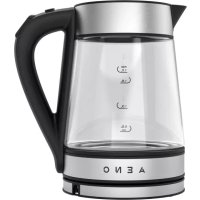
EK1S - Kettle AENO - Free user manual and instructions
Find the device manual for free EK1S AENO in PDF.



| Product type | Smart electric kettle |
| Brand | AENO |
| Model | EK1S |
| Capacity | 1.7 L |
| Power | 1850–2200 W |
| Power supply | 220–240 V, 50/60 Hz |
| Dimensions (L×W×H) | 223 × 158 × 241 mm |
| Weight | Approx. 1.2 kg |
| Material | Stainless steel and plastic |
| Temperature control | Touch panel (40, 70, 80, 90, 100 °C) and AENO app (25–100 °C) |
| Keep warm | Up to 1 hour |
| Connectivity | Wi-Fi 2.4 GHz (IEEE 802.11 b/g/n) |
| Voice control | Compatible with voice assistants (via app) |
| Safety | Automatic shut-off when no water, overheat protection |
| Cleaning and descaling | Clean with a soft cloth; descale monthly with vinegar or citric acid |
| Included accessories | Base, quick guide, warranty card |
| Warranty | 2 years |
Frequently Asked Questions - EK1S AENO
User questions about EK1S AENO
0 question about this device. Answer the ones you know or ask your own.
Ask a new question about this device
Download the instructions for your Kettle in PDF format for free! Find your manual EK1S - AENO and take your electronic device back in hand. On this page are published all the documents necessary for the use of your device. EK1S by AENO.
USER MANUAL EK1S AENO
ENG.... 6
ARA.... 11
BUL.... 15
CES.... 21
DEU 26
EST 32
FRA 37
HRV 43
HUN 49
HYE 55
ITA....60
KAT 66
KAZ....72
LAV 78
LIT 83
NLD 88
POL....93
POR....99
RON....104
RUS.... 110
SLK 116
SPA....122
SRP 128
UKR.... 134
UZB....140
ZHO....146

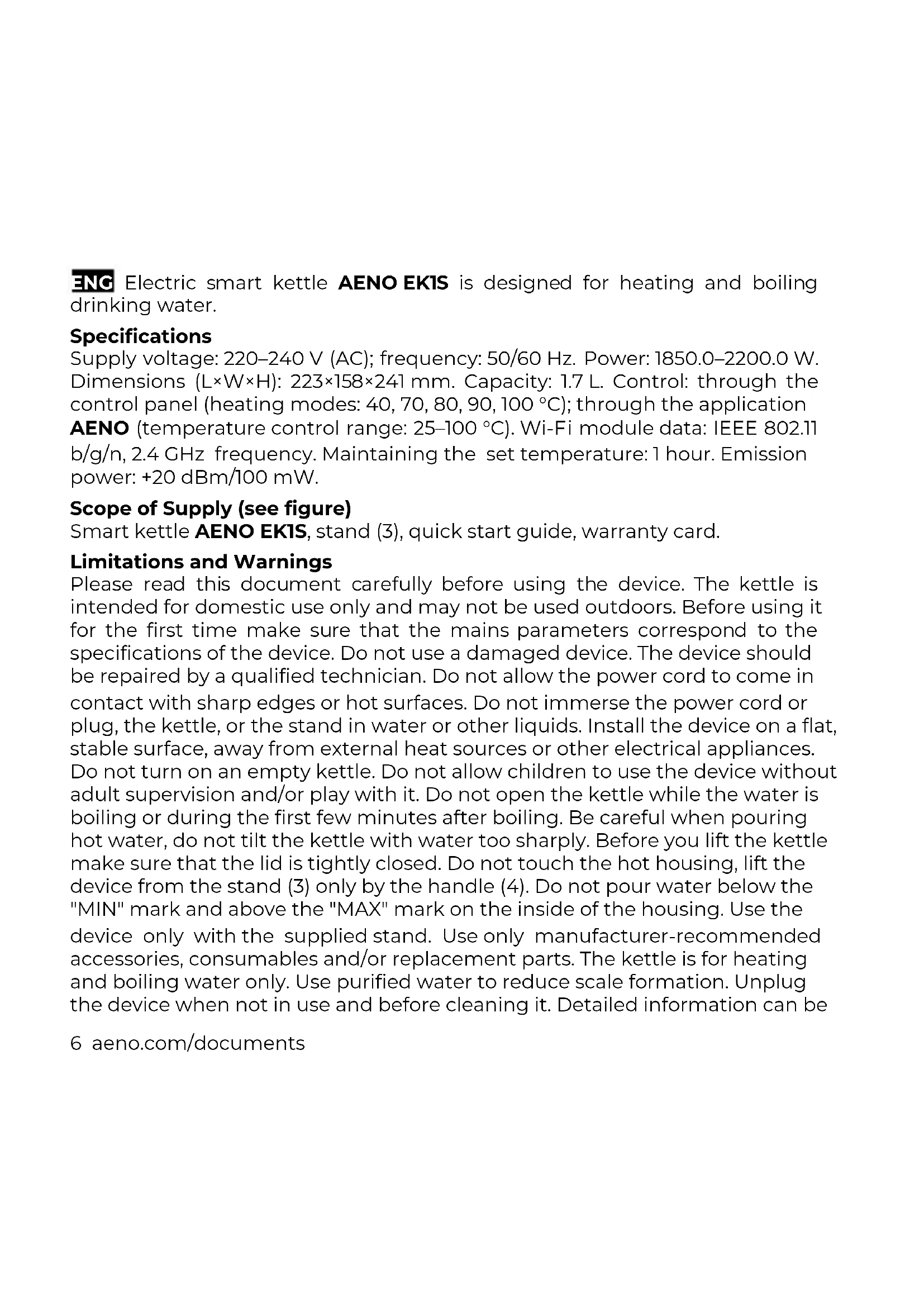
ENG Electric smart kettle AENO EKIS is designed for heating and boiling drinking water.
Specifications
Supply voltage: 220–240 V (AC); frequency: 50/60 Hz. Power: 1850.0–2200.0 W. Dimensions (L×W×H): 223×158×241 mm. Capacity: 1.7 L. Control: through the control panel (heating modes: 40, 70, 80, 90, 100 °C); through the application AENO (temperature control range: 25–100 °C). Wi-Fi module data: IEEE 802.11 b/g/n, 2.4 GHz frequency. Maintaining the set temperature: 1 hour. Emission power: +20 dBm/100 mW.
Scope of Supply (see figure)
Smart kettle AENO EK1S, stand (3), quick start guide, warranty card.
Limitations and Warnings
Please read this document carefully before using the device. The kettle is intended for domestic use only and may not be used outdoors. Before using it for the first time make sure that the mains parameters correspond to the specifications of the device. Do not use a damaged device. The device should be repaired by a qualified technician. Do not allow the power cord to come in contact with sharp edges or hot surfaces. Do not immerse the power cord or plug, the kettle, or the stand in water or other liquids. Install the device on a flat, stable surface, away from external heat sources or other electrical appliances. Do not turn on an empty kettle. Do not allow children to use the device without adult supervision and/or play with it. Do not open the kettle while the water is boiling or during the first few minutes after boiling. Be careful when pouring hot water, do not tilt the kettle with water too sharply. Before you lift the kettle make sure that the lid is tightly closed. Do not touch the hot housing, lift the device from the stand (3) only by the handle (4). Do not pour water below the "MIN" mark and above the "MAX" mark on the inside of the housing. Use the device only with the supplied stand. Use only manufacturer-recommended accessories, consumables and/or replacement parts. The kettle is for heating and boiling water only. Use purified water to reduce scale formation. Unplug the device when not in use and before cleaning it. Detailed information can be
6 aeno.com/documents
found in the Installation and Operation manual available for download at aeno.com/documents.
Preparing the device for operation
Before first use fill the kettle to the "MAX" mark, boil and drain. Repeat the procedure. Let the kettle cool down. Wipe the exterior and interior of the device with a dry cloth. Make sure there is no moisture left on the stand and the kettle.
Operating the device
Perform the following steps before boiling, heating, and heating with temperature maintenance:
- Remove the kettle from the stand (3). Press the button (1) to open the lid (6). Draw just the right amount of water.
- Close the lid tightly and place the kettle on the stand.
- Plug the power cord plug (9) into a power outlet.
- Two short beeps will sound. Make sure that the kettle outline light (2) turns on and off and the four blue lights on the control panel (5) are lit.
Boiling
- Press the "Start/Stop" button (7) to start the boiling process. The indicators will go out and the backlight will light up and flash red.
- After water boiling the kettle will give two short beeps and the boiling process is finished.
- The backlight will turn off within one minute.
Heating with temperature maintenance
- Use the "+/-" button (8) to select the desired temperature (40, 70, 80 or 90 °C).
- Press the "Start/Stop" button (7). The backlight (2) as well as the blue indicator next to the selected heating mode will start flashing.
- When the kettle reaches the set temperature it will give one short beep and will maintain the set temperature for 1 hour.
Note: To interrupt the boiling, heating or holding temperature process press the "Start/Stop" button (7) again or remove the kettle from the stand (3). The indicator and backlight turn off.
A description of the kettle's contour light modes is available in the Installation and Operation manual at aeno.com/documents.
WARNING! If you turn on the kettle without water it will turn off automatically. Wait for the kettle to cool down before filling and turning it on again, otherwise it will be blocked by the safety mechanism.
Connecting a device in the AENO mobile application
WARNING! Make sure your smartphone is connected to a 2.4 GHz Wi-Fi network.
- Fill the kettle with water. Close the lid (6) tightly. Place the kettle on the stand (3). Plug the power cord plug (9) into a power outlet.
- Launch the AENO application and log in to your account. Or download the mobile application from Google Play or the App Store and register by creating a new account.
- On the main application screen tap "+" or "Add device". In the window that opens, select the "Kettle" category.
Note: When system requests appear to enable any functions on your smartphone, follow the recommendations indicated in them.
- Enter your Wi-Fi network name and password if they are not filled in automatically and click "Next".
- Make sure that "EZ" mode is selected in the upper right corner of the "Connection instructions" screen.
- Press and hold the "Start/Stop" button (7) until a beep sounds and the "40 °C" indicator flashes.
- In the application on the "Connection instructions" screen check the "The indicator is blinking" box.
- Wait until the message "Device successfully added" appears.
- Make sure that the "40 °C" indicator has stopped flashing.
8 aeno.com/documents
If the connection fails, make sure the device is connected to a power source and turned on and check the Wi-Fi router settings at https://aeno.com/router-help. Remove the kettle from the stand, put it back on and then repeat the connection process.
Note: The device can also be controlled via voice assistants. Detailed information is available in the Installation and Operation manual at aeno.com/documents.
Maintenance and descaling
WARNING! Before cleaning unplug the kettle by removing the power cord plug from the socket and allow it to cool down.
Wipe the outside of the kettle with a soft cloth soaked in warm water or a weak soap solution. Then wipe with a soft cloth soaked in clean water and wipe dry. Do not use harsh detergents, abrasive pastes, polishes or detergents containing acids or solvents.
Frequency of descaling: once a month (hard and very hard water) or once every 2–3 months (water of medium hardness or soft), when using the kettle 3–5 times a day.
Limescale remedies and cleaning methods
| Table vinegar | Citric acid | Descaler |
| Pour 0.5 l of vinegar (6 % or 9 %) into the kettle, leave for 1 hour without boiling. Pour out the contents, wash the kettle by drawing and draining the water 5–6 times | Boil 0.5 l of water. Add 25 g of citric acid and leave for 15 min. Pour out the contents, wash the kettle by drawing and draining the water 5–6 times | Follow the manufacturer's instructions on the product package |
Troubleshooting
- The device does not turn on. Possible causes: there is no voltage from the power socket; the kettle is not properly placed on the stand. Solution: check
the correctness of the socket by plugging in another device; remove the kettle from the stand and install it again.
- The kettle switches off a few seconds after it is switched on. Possible causes: low water level in the kettle. Solution: turn off and unplug the device. Wait for the device to cool down and follow the instructions under "Boiling".
- You can not connect the device to the AENO application. Possible causes: no Wi-Fi signal. Solution: check for a Wi-Fi signal.
ATTENTION! If your problem persists, please contact your local supplier or the service center for support. Please do not disassemble the device or try to repair it on your own.

natural_image
Simple line drawing of a trash bin with crossed lines indicating no waste or plastic (no text or symbols)The symbol indicates that you must follow the Waste Electrical and Electronic Equipment (WEEE) and Waste Battery and Battery Regulations when disposing of the device, its batteries and accumulators, and its electrical and electronic accessories. According to the rules, this equipment must be disposed of separately at the end of its service life. Do not dispose of the device, its batteries and accumulators, or its electrical and electronic accessories together with unsorted municipal waste, as this will harm the environment. To dispose of this equipment, it must be returned to the point of sale or turned in to a local recycling facility. You should contact your local
household waste disposal service for details.
ASBISc reserves the right to modify the device and to make edits and changes to this document without prior notice to users.
The warranty period and service life is 2 years from the date of purchase of the product.
Information about the manufacturer: ASBISc Enterprises PLC, Iapetou, 1, Agios Athanasios, 4101, Limassol, Cyprus. Made in China.
For current information and details on the device description and specification, as well as connection process, certificates, warranty and quality issues, see relevant Installation and Operation Manuals available for downloading at aeno.com/documents. All trademarks and names herein are the property of their respective owners.
10 aeno.com/documents
natural_image
Simple line drawing of a trash bin with crossed lines indicating no waste or plastic (no text or symbols)natural_image
Simple line drawing of a trash bin with no text or symbolsnatural_image
Simple line drawing of a trash bin with crossed lines indicating no waste or discharge (no text or symbols)natural_image
Simple line drawing of a trash bin with no text or symbolsnatural_image
Simple line drawing of a trash bin with crossed lines indicating no waste or discharge (no text or symbols)natural_image
Simple line drawing of a trash bin with crossed lines indicating no waste or plastic (no text or symbols)natural_image
Simple line drawing of a trash bin with crossed lines indicating no waste or plastic (no text or symbols)Ovaj simbol znači da prilikom odlaganja uređaja, njegovih baterija i akumulatora te njegovog električnog i elektroničkog pribora morate slijediti propise o zbrinjavanja otpada električne i elektroničke opreme (WEEE) te o zbrinjavanju otpadnih baterija i akumulatora. Prema propisima, ova oprema podliježe posebnom priku pljanju na kraju uporabnog roka. Uređaj, njegove baterije i akumulatori te njegov električni i elektronički pribor ne smiju se odlagati skupa s nerazvrstanim komunalnim otpadom jer to nanosi štetu okolišu. U svrhu urednog odlaganja ovakve opreme, morate je
vratiti na prodajno mjesto ili u vaš lokalni centar za reciklažu. Za detaljne informacije obratite se lokalnoj službi za zbrinjavanje komunalnog otpada.
ASBISc zadržava pravo modificiranja uređaja te unošenja dopuna i izmjena u ovaj dokument bez prethodne najave korisnicima.
Jamstveni rok i radna trajnost je 2 godine od datuma nabavke proizvoda.
Podaci o proizvođaču: ASBISc Enterprises PLC, Iapetou, 1, Agios Athanasios, 4101, Limassol, Cyprus (Cipar). Proizvedeno u Kini.
Ažurirane informacije i detaljan opis uređaja te upute za spajanje, certifikati, podaci o tvrtkama koje primaju reklamacije glede kvalitete i jamstva dostupne su za preuzimanje na poveznici aeno.com/documents. Svi navedeni zaštitni znakovi i njihova imena su vlasništvo njihovih vlasnika.
48 aeno.com/documents
natural_image
Simple line drawing of a trash bin with no text or symbolsnatural_image
Simple line drawing of a trash bin with crossed lines indicating no waste or discharge (no text or symbols)
Uju hunphnwhzulpp 12wulynl lü, np uwnpp, dnu wunlnngutpni lni yniunwlhyutpp l thtlynpwluu l thtlynpnawjhu wunquutpp niunhhqugutihu wtunp t hunutp thtlynpwluu l thtlynpnawjhu wunpwlnnulutph wunwnpnirjuw prwhnutph (WEEE) l uwnlngh l uwnlngh pwwnutph htn uwnlupi lyuufuwquphfu: <wudawyu lyuufutph, unjuw uwnpwlnnuf dwnwnlajuw dwultuh wllwnhg htnn tupwlu t puduu niunhhqughujh: Uwnpp, dwnlnngutpp n lni unwlhyutpp, huzutu fuul thtlynpwluu l thtlynpnawjhu wunquutpp sh luptih nuhhqugutj zntuwwnlpud pwnpwujh prwhnutph htn, puuh np nu lylwnuh zngwlu uhqwuwph: Uju uwnph niunhhqughujh hwunp, wu wtunp t utpwnwnalh uwwnph ltyun lyuú huúǎduì hùnǐwǔyú lǐpnuú2wúyúu lǐtún: Uwúpnuúwú uìnǐbìnjājnìlǚtn uunwúwŋi huúwù wúhpudt2wn t; nhuú yìnǐwǔyú lǐtúguīnwíhú jēuwínbùtph nýsúwúwú dànwujmíjmiú:
ASBISc- hnuulup E yipuuwuhniu qnhinhut uwnp u hyunwnti qnhunlajntin u qnhunlajntin unjuf yhuunuwqnlu wuwug lwhluwui duunigduu.
Gpu2huhpwjh dwuhtun l duwymi jau duwhtun - 2 unph wwnwph qduu onluhg:
Upnwnpnn unjwutpp: ASBISc Enterprises PLC, Iapetou, 1, Agios Athanasios, 4101, Limassol, Cyprus (Uhupnu): 'Twnnpwwunluid t: Qhlwwunwlinid:
Uwnph wnph untntlnjəniðutpn i uw6pnudwú dhpwnwqnprjmlón, húzwtu āwú uhwuguwá hnwhubqutpn, hunluwwunwqntpp, npulh i tpu2fuhrph utpnuptpjwú wuhwúgutp pūnniānn pūltpniəjniðutph úwuhú untntlnjəniðutpn hwwutajh tǔ utpntaúwú huuup aeno.com/documents hyniūnl: ۶24wò pnnp wwpnwúpwuh2tpñu ni npuwig wuhuwünüðutpp hptúg huhwwywnwnuwúu utyhuylwúwntptph utyhuylwünjnejnlú bi:
natural_image
Simple line drawing of a trash bin with no text or symbolsnatural_image
Simple line drawing of a trash bin with crossed lines indicating no waste or plastic (no text or symbols)gl bodomgdo gymolbdo, hmd ojzbo dmymdoomdo, dobo dsgsngdoos zgndgmsngdoos os dobo gmydgm os gmydmbgmo sgluysngdoos zqssgolsu ojzgbgbs osog3so gmydgm os gmydmbgmo sgtgzmomdois bshgbdols (WEEE) os dsgsngols os zgndgmsngdo ismbgdoos oszopsb dmmdgdo sggmsgdoos nggmsgdoos msbsdcp, gl dmymdoomds ddgddgdsgs gsm-gsm30 gqssgls dobo lsmgdmosbdoz sgoob dmmm. sh gssssgmo dmymdoomds, dobo dsgsngdo os zgndgmsngdo, slg3o dobo gmydgm os gmydmbgmo sgluysngdo smlmfoygdym
natural_image
Simple line drawing of a trash bin with crossed lines indicating no waste or plastic (no text or symbols)natural_image
Simple line drawing of a trash bin with crossed lines indicating no text or symbols (no text or labels)natural_image
Simple line drawing of a trash bin with no text or symbolsnatural_image
Simple line drawing of a trash bin with crossed lines indicating no waste or plastic (no text or symbols)natural_image
Simple line drawing of a trash bin with crossed lines indicating no waste or plastic (no text or symbols)natural_image
Simple line drawing of a trash bin with crossed lines indicating no waste or discharge (no text or symbols)natural_image
Simple line drawing of a trash bin with crossed lines indicating no waste or discharge (no text or symbols)natural_image
Simple line drawing of a trash bin with crossed lines indicating no waste or discharge (no text or symbols)natural_image
Simple line drawing of a trash bin with crossed lines indicating no waste or discharge (no text or symbols)natural_image
Simple line drawing of a trash bin with crossed lines indicating no waste or discharge (no text or symbols)natural_image
Simple line drawing of a trash bin with no text or symbolsnatural_image
Simple line drawing of a trash bin with crossed lines indicating no waste or plastic discharge (no text or symbols)natural_image
Simple line drawing of a trash bin with crossed lines indicating no waste or plastic (no text or symbols)Ushbu belgilar qurilma, uning batareyalari va akkumulyatorlari, shuningdek elektr va elektron aksessuarlarini utilisatsiya qilishda (WEEE) elektr va elektron uskunalarning hamda batareyalar va akkumulyatorlarning chqindilaridan foydali narsalar olish qoidalariga amal qilish kerak. Qoidalarga ko'ra, ushbu uskunaning ishlash muddati tugagandan so'ng alohida utilizatsiyaga yotadi. Qurilmani, uning batareyalari va akkumulyatorlari, shuningdek, unung elektrik va elektron aksessuarlarini shahar chiqindilari bilan bir qatorda utilizatsiya qilishga yo'l qo'yilmaydi, chunki bu atrofmuhitga zarar etkazadi. Ushbu uskunani utilizatsiya qilish uchun uni sotish yoki mahalliy qayta ishlash nuqtalariga qaytarish kerak. Batafsil tafsilotlarni olish uchun maishiy chiqindilarni yo'qotish xizmatiga murojaat qilish kerak.
natural_image
Simple line drawing of a trash bin with crossed lines indicating no waste or discharge (no text or symbols)
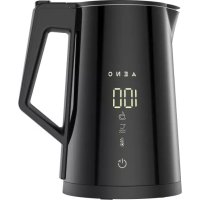
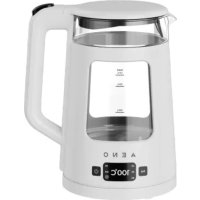
Brand : AENO
Model : EK1S
Category : Kettle