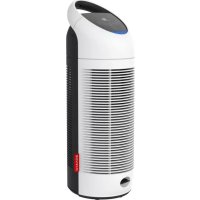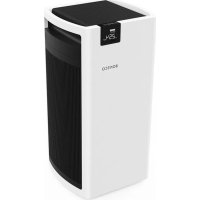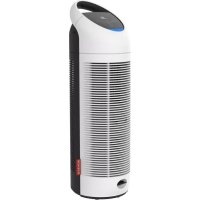
P370 - Air purifier BONECO - Free user manual and instructions
Find the device manual for free P370 BONECO in PDF.



| Product type | Air purifier |
| Brand | Boneco |
| Model | P370 |
| Dimensions (L×W×H) | 225 × 218 × 692 mm |
| Weight | 4.67 kg |
| Power supply | 220 - 240 V ~ 50 Hz |
| Power consumption | 48 W |
| Air flow rate | 240 m³/h |
| Noise level | 62 dB(A) |
| Filter type | Combined filter AP370 |
| Filter lifetime | Approximately 4000 hours |
| UV lamp lifetime | Approximately 12000 hours |
| Operating modes | Automatic, Manual, Night |
| Timer | 24-hour programmable |
| Ionizer | Integrated, switchable |
| UV lamp | Integrated, switchable |
| Air quality sensor | Fine particulates (color LED) |
| Display | Screen with icons |
| Maintenance | Dry cleaning, vacuum filter every 2 weeks |
| Safety | Automatic shut-off, disconnect before maintenance |
| Included accessories | Simplified manual, safety instructions |
Frequently Asked Questions - P370 BONECO
User questions about P370 BONECO
0 question about this device. Answer the ones you know or ask your own.
Ask a new question about this device
Download the instructions for your Air purifier in PDF format for free! Find your manual P370 - BONECO and take your electronic device back in hand. On this page are published all the documents necessary for the use of your device. P370 by BONECO.
USER MANUAL P370 BONECO
Read and save these instructions
Availability of accessories 29
Items included 29
Overview and part names 30
Technical data 31
Indicators on the display 32
Button panel on the appliance 33
Starting up and switching off 34
Auto mode and manual control 35
Night mode 36
24-hour timer 37
Canceling the timer 37
Measuring the air quality 38
Switching the ionizer on and off 39
About the ionizer 39
Switching the ionizer on and off 39
Switching the UV lamp on and off 40
About the UV lamp 40
Switching the UV lamp on and off 40
Notes on care 41
Care instructions 41
Cleaning 42
Cleaning 42
Replacing the AP370 filter 43
About the AP370 filter 43
Replacing the AP370 filter 43
Replacement filters 44
Replace the UV lamp 45
About the UV lamp 45
Removing a used UV lamp 45
Inserting a new UV lamp 46
Replacement UV lamp 46
Disposing of a UV lamp 47
INTRODUCTION
HEALTHY AIR IS A BASIC NEED
There is little to which we react with greater sensitivity than poor air. And yet many people do not pay enough attention to air quality, which has consequences for health and quality of life. This makes us all the more pleased that you have chosen a BONECO appliance to ensure that the basic need for healthy room air is satisfied for you and the people around you.
AVAILABILITY OF ACCESSORIES
You can obtain replacements for spent accessories as well as additional accessories:
- At your BONECO specialist dealer,
At www.shop.boneco.com or - Directly via the "BONECO healthy air" app.
ITEMS INCLUDED
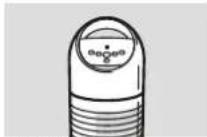
BONECO P370
Quick Manual Safety instructions

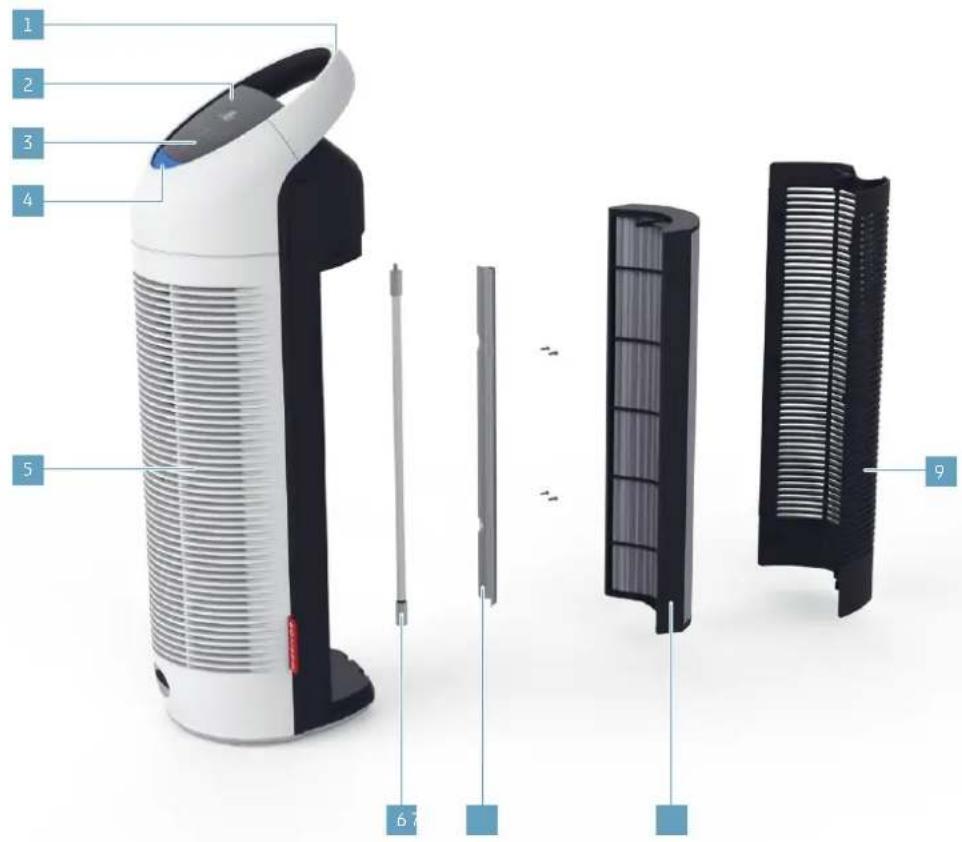
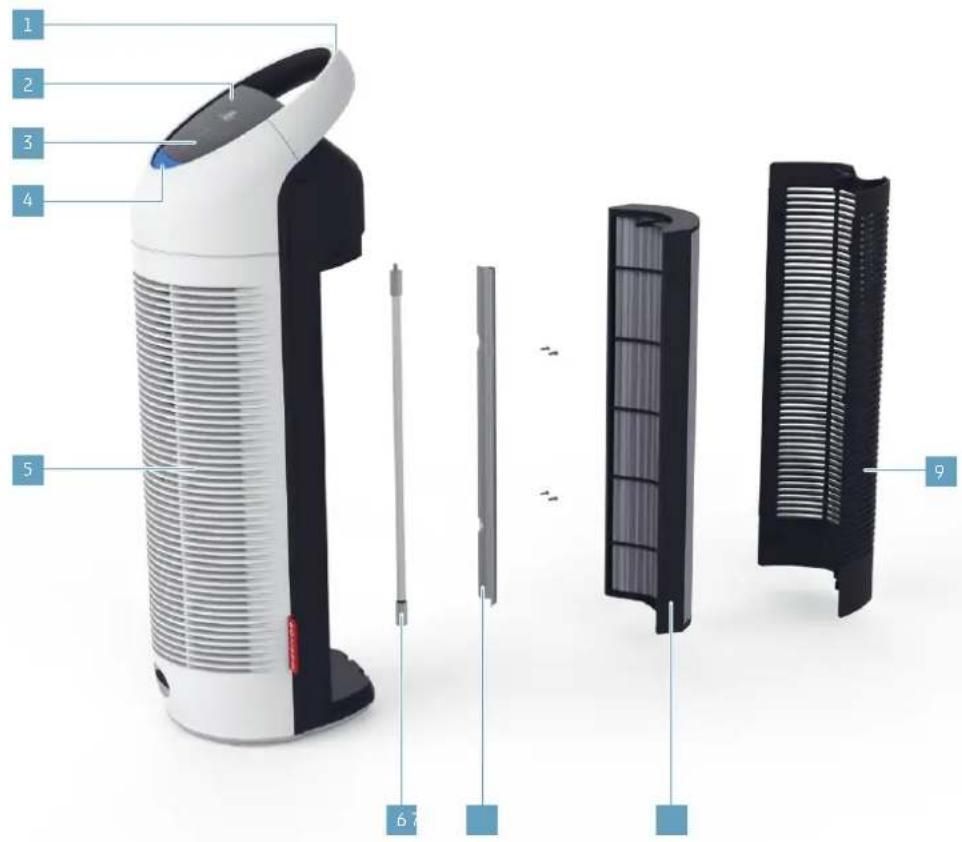
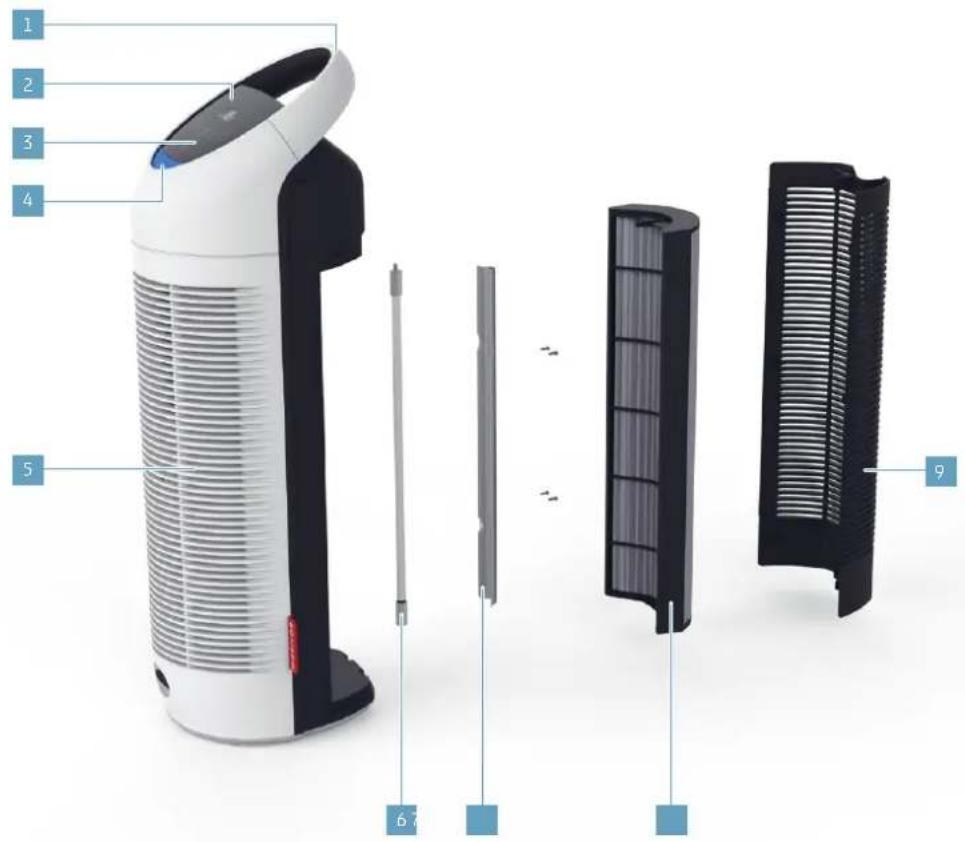
1 Transport handle
2 Display
3 Function buttons
4 Air quality indicator
5 Air outlet
6 UV lamp
7 UV Lamp cover
8 AP370 filter
9 Air inlet/ rear cover
TECHNICAL DATA
TECHNICAL DATA
Mains voltage 220 - 240V 50Hz
Power consumption 48 W
Filter performance 240 m /h (1411 ft/min)
Dimensions L× W× H225× 218× 692mm(8.86× 8.58× 27.24in)
Weight (empty) 4.67kg (10.3 lbs)
Operation noise level 62 dB(A)
Subject to change
@230V\~50Hz

32
en
INDICATORS ON THE DISPLAY
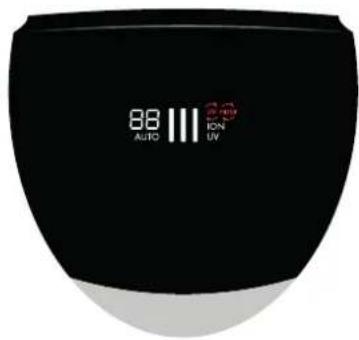
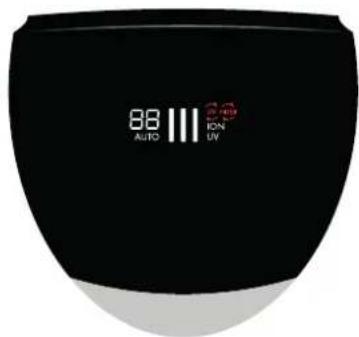
Symbol Meaning

88
Timer's remaining time indicator 37
11
Current performance level 35
UV
UV lamp is activated 40
ION
lonizer is activated 39
AUTO
Automatic mode is activated 35
Symbol Required action


Replace the filter 43

Replace the UV lamp 45

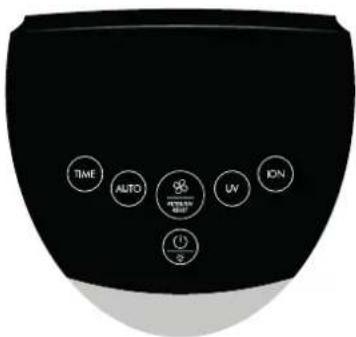
BUTTON PANEL ON THE APPLIANCE

Button Function

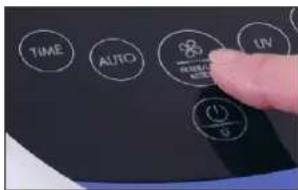
TIME
Set remaining time on timer 37
AUTO
Switch on "AUTO" mode 35
Uv
Switch UV lamp on/off 40
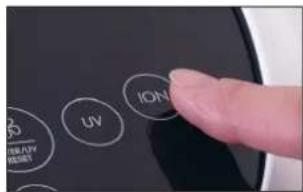
ON
Switch ionizer on/off 39
Button Function


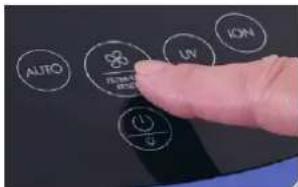
Regulate the performance 35
Clear warning for filter / UV lamp 45

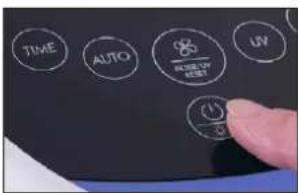
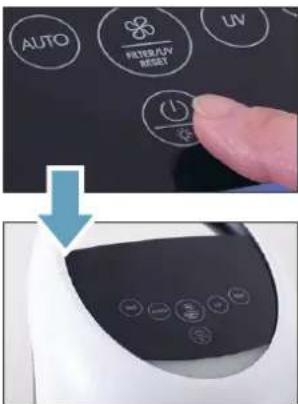
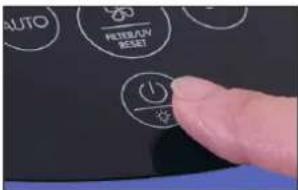
On/off switch 34
Night mode on/off 36
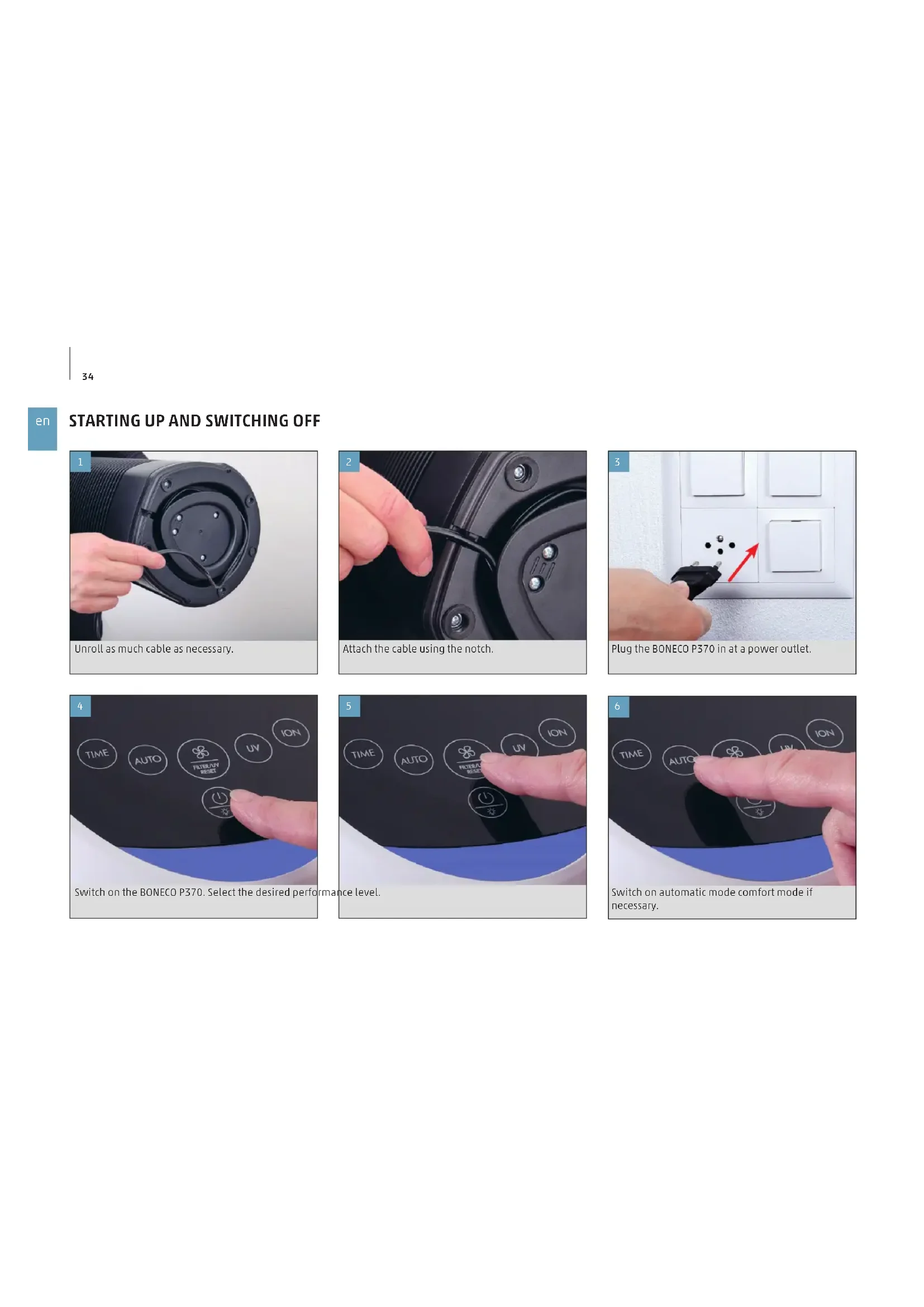
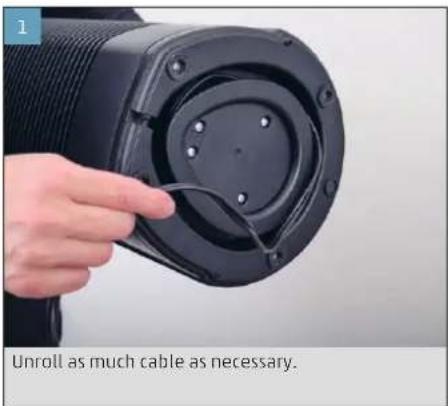
STARTING UP AND SWITCHING OFF
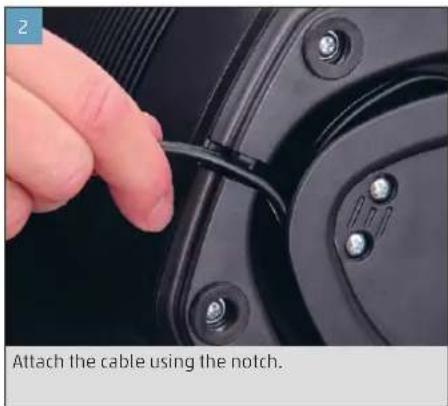
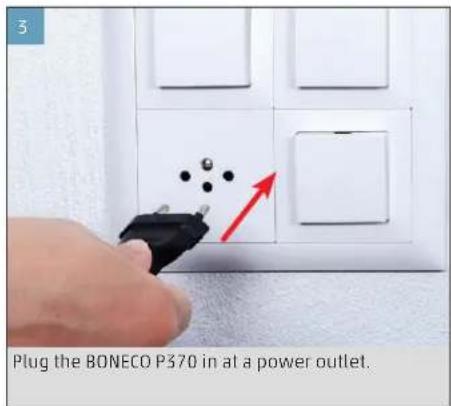
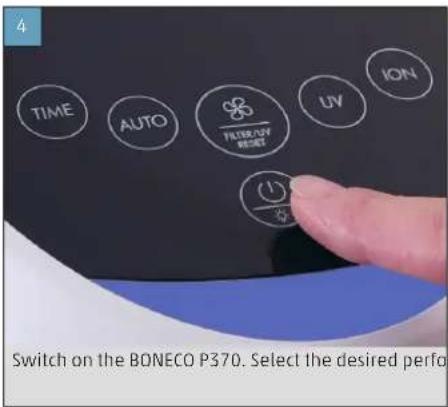
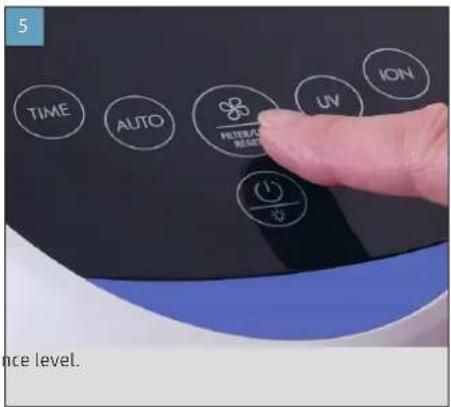
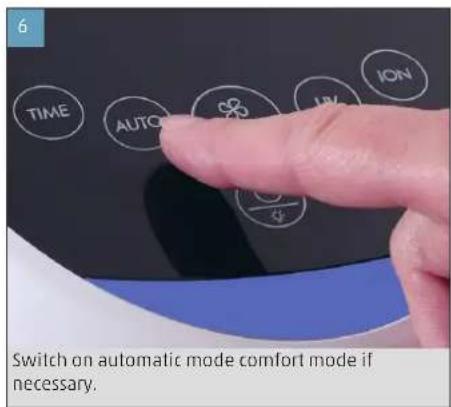
AUTO MODE AND MANUAL CONTROL
The BONECO P370 has an Auto mode in which the appliance controls its performance independently.
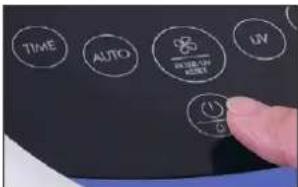
- Switch on the BONECO P370.
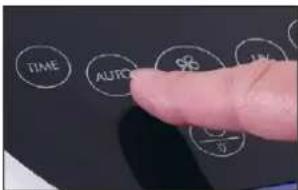
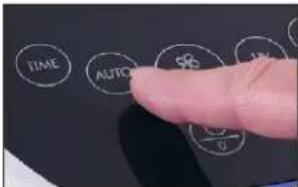
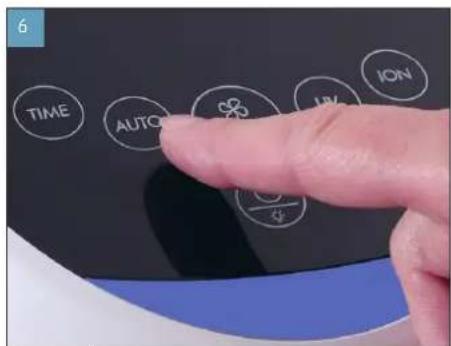
- To switch the appliance to Auto mode, tap the AUTO button. The AUTO indicator appears on the display.
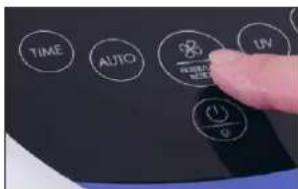
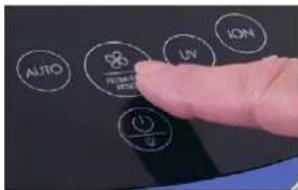
- To exit automatic mode and switch to manual mode, tap the button for the performance level. Each time you tap, you switch between the performance levels: I > II > III > I
The last setting is saved when you switch off the appliance and restored the next time you switch it on. On the other hand, if you disconnect the BONECO P370 from the power outlet, automatic mode will be activated the next time you switch the appliance on.
NIGHT MODE
Night mode deactivates the air quality indicator when the appliance is used in a bedroom, but night mode does not affect the function in any way.
- Switch on the BONECO P370.
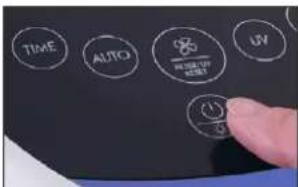
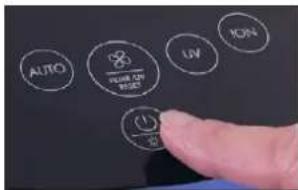
- To activate night mode, press the on/off switch for five seconds.
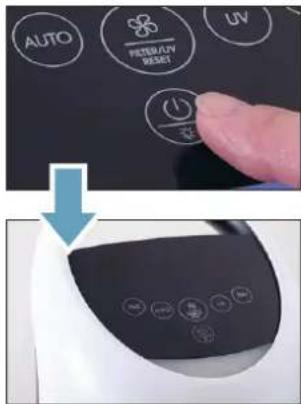
- To switch off night mode, press the on/off switch again for five seconds.
The last setting is saved when you switch off the appliance and restored the next time you switch it on. On the other hand, if you disconnect the BONECO P370 from the power outlet, night mode will be deactivated the next time you switch the appliance on.
24-HOUR TIMER
The BONECO P370 has a 24-hour timer, which is controlled by the hour. After the desired time has elapsed, the appliance is switched off automatically.
- Switch on the BONECO P370.
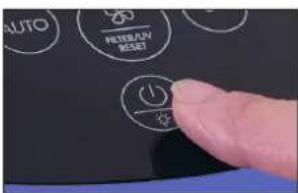
- Press the TIME button repeatedly until the desired number of hours is set.
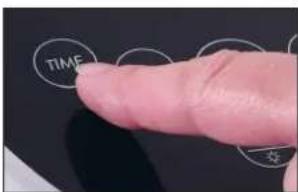
After the desired time has elapsed, the BONECO P370 is switched off automatically.

MEASURING THE AIR QUALITY
The BONECO P370 has an integrated particle sensor that measures the air quality. The result is indicated by the color of the LED under the control panel.
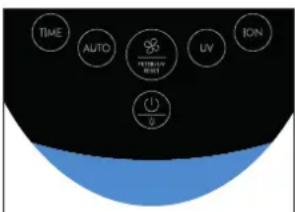
The air quality is good; no noteworthy air pollution is measured.
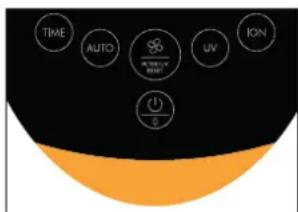
The air is moderately polluted by particles. Increase the performance of the appliance.
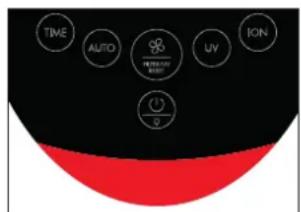
The air is highly polluted by particles. Thoroughly ventilate the room and set the BONECO P370 to the maximum performance level.
SWITCHING THE IONIZER ON AND OFF
ABOUT THE IONIZER
The BONECO P370 has a built-in ionizer that can be switched on and off. It outputs negatively charged ions into the air, which attach to the fine dust. The negatively charged fine dust particles attract other particles in the air, so they become too heavy to stay in the air and fall to the floor, where they get wiped up along with the household dust.
The ionizer generates a very low amount of ozone. Do not use the ionizer if someone around you is allergic to ozone.
SWITCHING THE IONIZER ON AND OFF
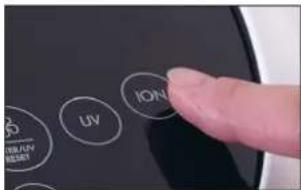
- To switch the ionizer on, tap the ION button.
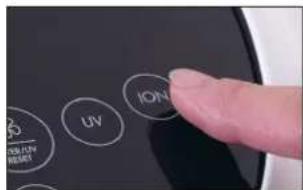
The ION indicator appears on the display:
ION
- To switch the ionizer off, press the ION button again.

SWITCHING THE UV LAMP ON AND OFF
ABOUT THE UV LAMP
The BONECO P370 has a built-in UV lamp that can be switched on and off. The lamp's high-energy properties help remove specific viruses and bacteria. Thus the UV lamp contributes to the hygiene of your living space.

The UV lamp generates a low amount of CO_2 ozone. Do not use the UV lamp if someone is in and you is allergic to ozone.
SWITCHING THE UV LAMP ON AND OFF
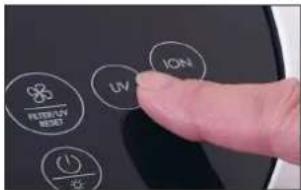
- To switch the UV lamp on, tap the UV button.
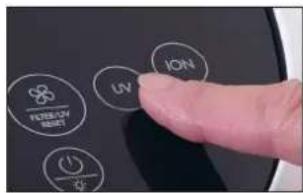
The UV indicator appears on the display:
UV
- To switch the UV lamp off, press the UV button again.
NOTES ON CARE
CARE INSTRUCTIONS
The BONECO P370 is a low-maintenance appliance, which needs only a very small amount of attention. Accordingly, it is easy to care for.
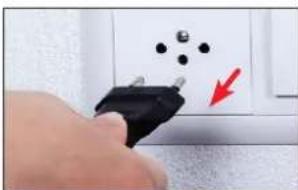
Always unplug the BONECO P370 from the power outlet before you start cleaning or doing maintenance! Failure to do so can result in electric shock and fatal injury! When liquid is used, there is a danger of electric shock. Unplug the power plug every time before cleaning.
All parts inside and outside the BONECO P370 are designed for dry cleaning. Use a damp cloth only for removing dirt on the outside.
Interval Task
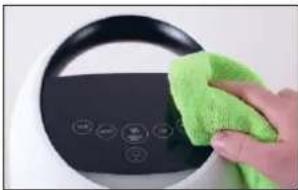
Weekly Wipe off the appliance with a dry cloth
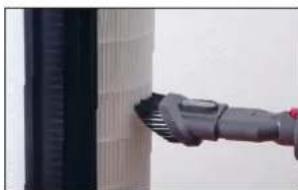
Every 2 weeks Clean the ventilation slots and the AP370 filter with a vacuum cleaner
As needed Replace the UV lamp or the filter
CLEANING
CLEANING
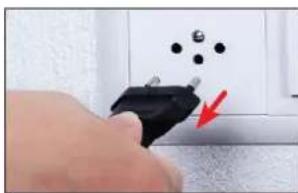
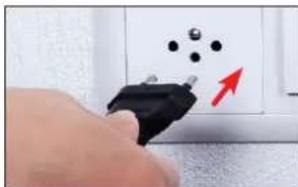
- Disconnect the BONECO P370 from the power outlet.
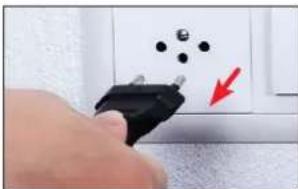
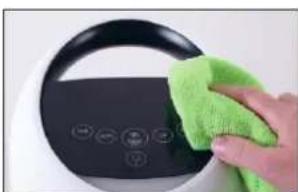
- Wipe off the outside of the appliance with a dry cloth.
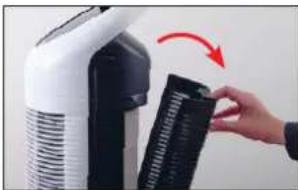
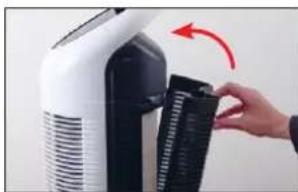
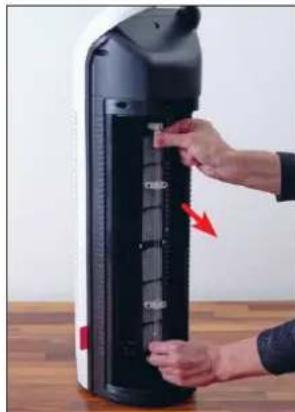
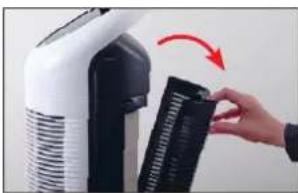
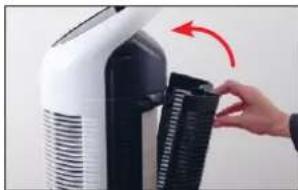
- Open the rear cover.
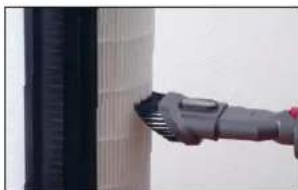
- Remove coarse dirt and dust from the AP370 filter using a vacuum cleaner.
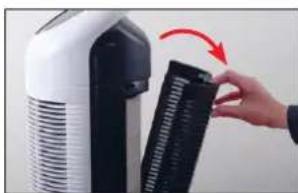
- Close the rear cover.
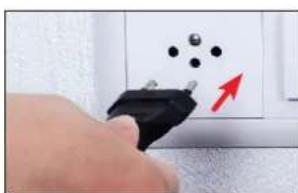
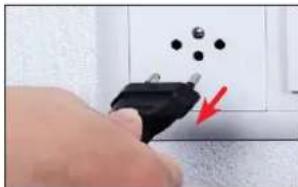
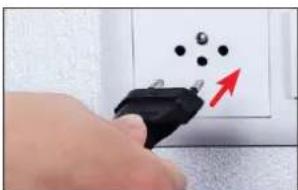
- Plug the BONECO P370 in at a power outlet.
REPLACING THE AP370 FILTER
ABOUT THE AP370 FILTER
The AP370 filter is a consumable and must be replaced after a certain amount of time. The BONECO P370 has an internal timer. After an operating time of 4000 hours, the appliance alerts you to the upcoming filter change with the filter warning on the display:

If you continue to use the spent filter for a longer time, the cleaning output of the BONECO P370 will decrease significantly.
The spent AP370 filter can be disposed of with your regular household waste.
REPLACING THE AP370 FILTER
- Disconnect the BONECO P370 from the power outlet.
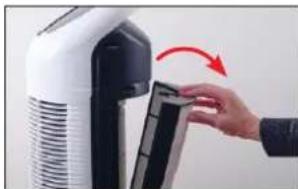
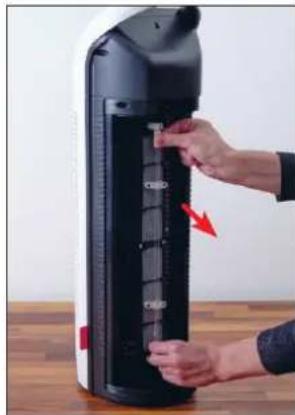
- Open the rear cover.
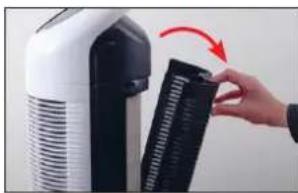
- Remove the spent filter and dispose of it with your household waste.
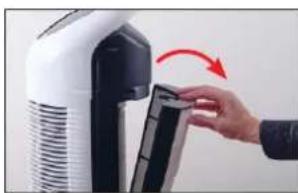
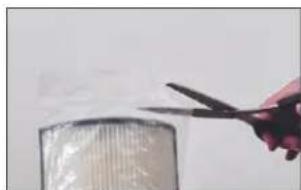
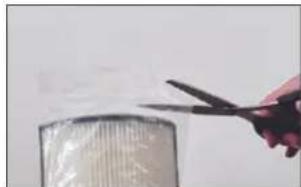
- Remove the protective foil of the new filter.
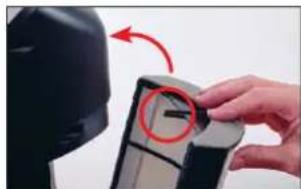
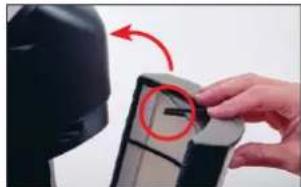
- Insert the new filter and pay attention to the position of the pin.
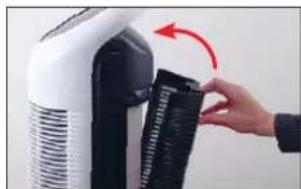
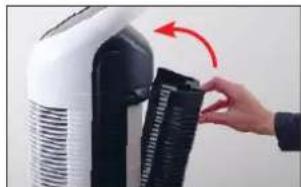
- Close the rear cover.

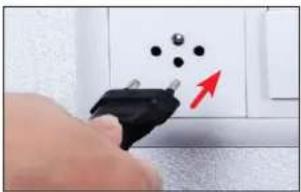
- Connect the BONECO P370 to the power outlet.
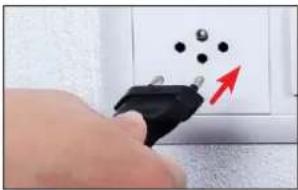
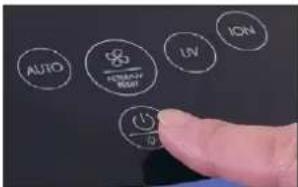
- Switch on the BONECO P370.
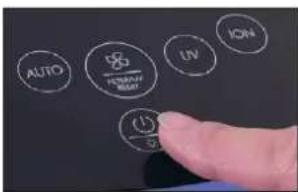
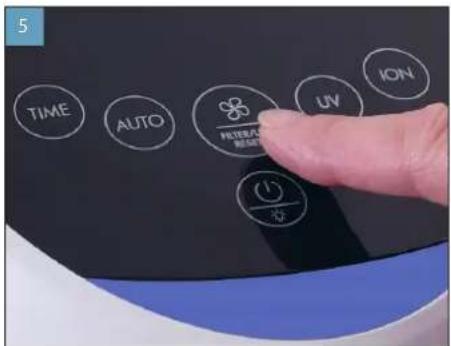
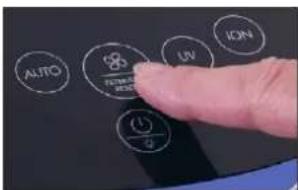
- Press and hold the button for the performance control for about 5 seconds until the filter warning on the display goes out.
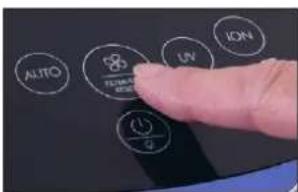
REPLACEMENT FILTERS
You can obtain the AP370 filter from your BONECO specialist dealer or the BONECO online store at www.shop.boneco.com.
REPLACE THE UV LAMP
ABOUT THE UV LAMP
The UV lamp is a consumable and must be replaced after a certain amount of time. The BONECO P370 has an internal timer. After an operating time of 12,000 hours, the appliance alerts you to the upcoming lamp change with the UV warning on the display:


If you continue to use the spent UV lamp for a longer time, the effectiveness of the disinfect will decrease significantly.

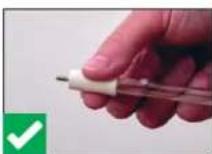
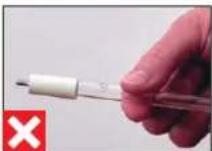
Only touch the new UV lamp at the ends. Touching the glass tube can shorten the serfie.
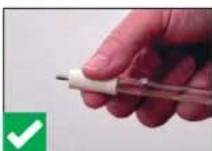

REMOVING A USED UV LAMP
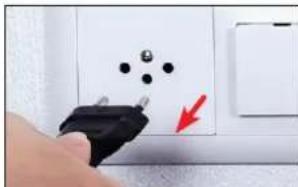
- Disconnect the BONECO P370 from the power outlet.
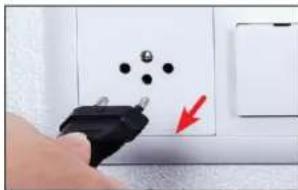
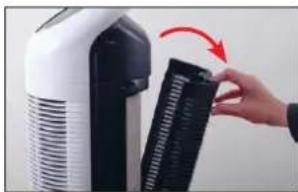
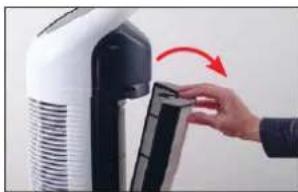
- Open the rear cover.
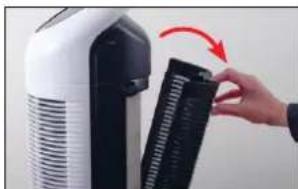
- Wait 5 minutes and let the used UV lamp cool down.
- Remove the filter.
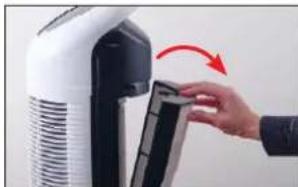
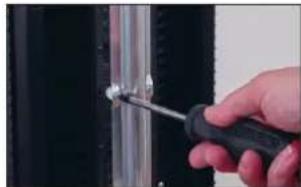
- Unscrew the four screws to remove the cover of the UV lamp.
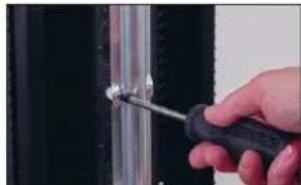
- Simultaneously hold both ends of the used UV lamp and rotate them clockwise until the lamp can be removed.

INSERTING A NEW UV LAMP
- Remove the new UV lamp from the packaging and make sure you only touch the ends of it.
- Insert both ends into the BONECO P370 and rotate the UV Lamp counterclockwise as far as it will go.
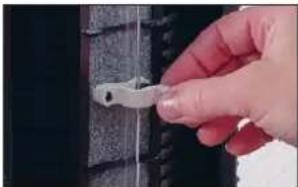
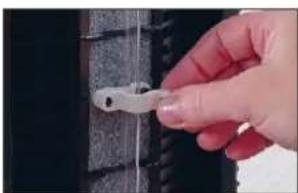
- Make sure the holder is fastened correctly.
- Put the appliance back together by following the steps in reverse order.
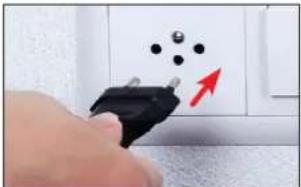
- Connect the BONECO P370 to the power outlet.
- Switch on the BONECO P370.
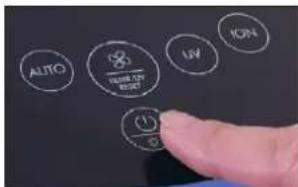
- Press and hold the button for the performance control for about 5 seconds until the UV warning signal on the display goes out.
REPLACEMENT UV LAMP
You can obtain a new UV lamp from your BONECO specialist dealer or the BONECO online store at www.shop.boneco.com.
DISPOSING OF A UV LAMP
Contact your local waste disposal authority to get instructions about recycling and proper disposal of the old lamp.

Do not throw your used lamp in the household waste. Objects containing mercury must be disposed of in accordance with the applicable laws and regulations of your place of residence.
If the UV lamp breaks, switch off the appli- ance. Do not operate the appliance with a broken lamp. Do not use a vacuum cleaner to remove broken pieces. Sweep the debris into a plastic bag and dispose of it properly.


MODE D'EMPLOI

SOMMAIRE
Introduction
51
REEMPLACEMENT DU FILTRE AP370
FILTRDE REMPLACEMENT
REEMPLACEMENT DE LA LAMPE UV
INFORMATIONS CONCERNANT LA LAMPE UV
REEMPLACEMENT DE LA LAMPE UV
BESCHIBBARE ACCESSORIES
INDICAÇESESNODISPLAY
Simbolo Significado

88
INNEHALLSFÖRTECKNING
Intedning 205
Tillbehör 205
Byta filter AP370 219
0m filter AP370 219
Byta filter AP370 219
Reservfilter 220
Byta UV-lampa 221
0m UV-lampan 221
SATTATEN NY UV-LAMPA
AJASTIMENTOIMINNAN KESKEYTTAMINEN
UV-LAMPUN VAICTAMINEN
UV-LAMPPUA KOSKEVIATIETOJA
- Tryk pa knappen UV gen for at deaktivere UV-lampen.
HENVISNINGER OM PLEJE
PLEJEANVISNINGER
UDSKIFTNING AF UV-LAMPE
OM UV-LAMPEN
ISAETNING AF NY UV-LAMPE
AUTO-MODUS OG MANUELL STYRING
BONECO P370 erutstyrt med en auto-modus, der apparatet selv styre effekten.
1.Sa pa BONECO P370.
INFORMASION OM VEDLIKEHOLD
VEDLIKEHOLDSINFORMASION
SETTE INN NY UV-LAMPE
Luhijuhend Ohtusjuhised

338
ee
ULEVAADE JA OSADE NIMETUSED
1 Transpondikäepide
2 Ekraan
3 Funktsioninupud
4 Ohu kvaliteedi nait
5 Ohu valjalase
6 UV-valgusti
7 UV-valgustikate
8 Filter AP370
9 Ohu sisselase / tagumine kate
TEHNILISED ANDMED
TEHNILISED ANDMED
Toitepinge 220-240 V~50 Hz
Voiimsustarve 48W
Filtreerimisjoudlus 240 m 3 / h^*
Mööttmed P×L×K225×218×692 mm
Tuhikaal 4,67 kg
Tömmür 62dB(A)
JUHISED HOOLDAMISEKS
HOOLDUSJUHISED
UV-VALGUSTI JÄATMEKÄITLUS
AIAQEEMOTHTA AEEYOAP
AvtaAakraVicpaeu npooBtacEou apnopeite vbetae:
- 0to e16ko katoaotma tnc BONECO,
σην έκτρονικό δεύθυναν www.shop.boneco.com
aneuBefacpeowtncepapouynic BONECO healthy air.
NEPIAMBANONTAI
BONECO P370
Quick Manual Dnyieac aphialeic
gr
ENIEKONHKHAI ONOMAIA TQN EAPTMATN
1Aβπμεταφραc
2 08avn
3 NkpaAetoupyiac
4EvEeEn nnc noiortac aepa
5 Eaeawyn aepa
6 AuXviα UV
7KaunuuauxvlaucV
8PhiAtpo AP370
9 Eiaayyn aepa/naou kaumu
1.Eepyonoiate to BONECO P370.
- NIEOTe OuvToa To NkToPO AUTO, YIA VA ΕeTe Tn OauKeun Atv Autoat Aetoupyia. STNV OboVn Emaicai TaI unOdeiEn AUTO.
- Niate ouvtoua to nkykpo yia tov Baeo ane0oanc, yia va aphiote tyn autouatn Aeioupyia kai vaetaeite otnt xiepokivtnn Aeioupyia. Me kaeuovtounieon evaaadoeae avouea otouc baeouoc ano0oanc:
|>||>||
H taeutai puBmu anoNkeueta kata nTv anepeyonoian kai anokaiotatai kata nTv eoeyn evpyonoian. Av avtie, anouuv deoet to BONEC0 P370 antpvpiacpuatoc, epeyoiaei autoatn aeitoupyia kata nTv eoueyn evpyonoian.
NYXTEPINH AEITOYPTIA
H vuxtepi n aevepvnoei tnv ev- eien yia tvn aoiota aepa,otav nuokuen xpanmaonai otnovuauio. H vuxtepi n aeioupi dev ennpae wotoo tn aeitoupi.
- Evpyonoiate to BONECO P370.
- NIEATE TOV SIAKON On/Off yia neve deute-poAenta, yia va eevpyonoiBei n vuxtepiN Aietoupyia.
- Néote tov δiakontn On/Off Evá yα πévte δeutepeλentα, yα vα πeνεpyoŋoɪŋθeɪ n vux tepiv λεitoupyia.
H taeutai puoan anoNkeuertai kata ntv anevepyoonan kai anokaiotatai kata ntv enoeyn eveyoonan. Av avtie, anouv-6eote to BONECO P370 ano tv npia peuatoc, aneveyonoiitai n vxtepivn aeitoupyika kata ntv enoeyn eveyoonan.
XPONOIAKONTHE24QPQN
To BONECO P370 61aTei Evx xpvodiaKoTn 24
awv ou eayxetai avw npa. Meta ano tn AnEn
tou enuugntou xpovou n auekeun anepepyonoi
ei tai autoata.
- EvpyonoiTATE TO BONECO P370.
- Niéte to nλntpo TIME, mexvi paθμiote o eɪθμιntoc αριθμος ρwv.

Meta ano tn Anen autou tou xpovou, to BONECO P370 anevepyonoleitea autopata.
AIAKONXPONODIAKONTH
TIA via biakowite npawopv xpvovbiokottn, mieteTO pAnktoPO TIME, mexipet a ano Tnv E8ie19 24vaavbaoojnye nEv6eiNwap.
METPHSHTNOIOTHTAAEPA
- Pte to nKpo ION, yia va evpyonnoe Toovoiatn.
TnV Oovn EmaivcEaun uno6eIeION:
ION
- Niate to nAnktpo ION EaVa, yia va aenevepyo- nonpoTe tovioiOri.
gr
ENEPTONIOIHKHAI ANENEPTONOIHHEYXNIAUV
EXETIKA METH AYXNJIA UV
STOBONEPC370EXIToOnTeNtEiAuxviuV NOUepepyoaneiTExwpiotaTa uPnAevepyntikcncxapaktipitKa BonBouv atny anopakpvon Eikov Iow KαBktnpiw.Hauxvi UV auβaAeiEtoAtnvuyieivnOtovXapoKtoKIOIC.
H Luxviua UV npayeiuiu kpnnooortao 0cavtoc.Mn xnpaonoeite tn Lxvua UV, av Kanoic ato nepiaalov aoc avtbpaaepyika oto cov.
ENEPROONIOIHKHAIANEENEPRONOIHHEAYXNIAEUV
Khoonouhnahehha np6ope 473
Iodrotobka kpa6oTe N BbIKIOHHe 474
ABTomatueckn peKm npyHoeynpaBneHne 475
Houhopekm 476
24-achobon TaHmep 477
OTKIOUeHMeTaMepa477
OnpeelenneKeaueCTBa Bo3dyxa 478
BkIIOueHne N BbIKIOueHne IOHN3aTopa 479
06 mohuaTope 479
BkIIOueHnE N BbIKIOueHnE NOHN3aTopa 479
BkIouHe/HbIKIOueHne yΦ-naMnbl 480
06yΦ-namne 480
BkIIOueHHe/BbIKNoueHneYΦ-NAmNb480
ykaaannno yxoy481
yka3aHnno yxOdy 481
OuNTKa 482
OuicKa 482
3aMeHaΦnIbIpaAP370 483
0ФильтpeAP370 483
3aMeHaΦnIbTpApAP370 483
3aacnoi 484
3aMeHa yΦ-naMnbl 485
06YΦ-Jamme 485
I3BneueHnncpepnaBwepepcypy-485
YCTAHOBKa HOBOy YΦ-NAmNbI 486
3aMeHa yΦ-naMnbl 486
ytnnn3aun yΦ-namnbl 487
BBEDEHNE
3IDOPOBBI B03NYX-3TO XN3HEHHA HEO6XODIMOCTb
MaHa HTo Mbpearpyem TAK 6ypHo, KaHnNoxO B03DyB OOKpyr. OdHako MHOrne yDeIaIOTeHOCTAOHoe BHIMHHe KAcETBy OKpyKaHcEeTO B03DyxA,BeBbMHeHHo OH OKa3bIbAeT3HaHTenBHeO BnHHe HsDopOBBe NKAcETBO Xm3HN.Tem CInBHeH e Ha panyer, HTo 6NarOdaP npNbOpam BONECO Bu MoXeTe Co3DaTb 3DopOBy oTMocΦepy B Dome -nna Ce6n CBOx 6nKnx.
BO3MOXHOCTb NcIOJIb3OBAHnI DOnOIHNHTeNbHbIX PmHAADJEXHOCTEIN
BbMoXeTeaZaHMeHTOcLByMnBe,aaTke PnboEcbTeDonOpHntenbHeIbPnHAdJeKHOCTo:
- ydnepa BONECO,
Ha caiTe www.shop.boneco.com
HnncpeCBeHHoYepe3 npuioKeHne BONECO healthy air
KOMNNEKT NOCTABKU
BONECO P370
KpatKoepykoBouCTBO
MnctpykunnoTneXHnke 6eBnAHOCHU

U
DeiCTBNE, KOtOpoe Heo6xOuMo BblNoHNHTb

3aMeHaФmNbTp4 483

3aMeHa yΦ-naMnbl 485

KHONOCHA PAHEJIb HA IPNBOPE

KhoNkaФyHKcua

TIME
HactpoikBpeMeHH TaMepa 477
AUTO
BkJIueHHepeXmuaAUTO》475
Uv
BkJIOUHMe/8bIKJIIOUHeYΦ-JaMnIb480
ON
BkHueHne/HbIKHoueHne HnH3aTopa 479
KhoNKKaФyHKcua


PerynpoBKa MoouHocTn
475
ydaunb npedynpekxeHne nnahtpa/ yΦ- lamnbi 485

BbIKHouateIb 474
BknHouHe/HbIKnIOueHeHouHOpeKm
476
U
IPOIROBKA K PABOTE I BBIKJIHOYEHNE
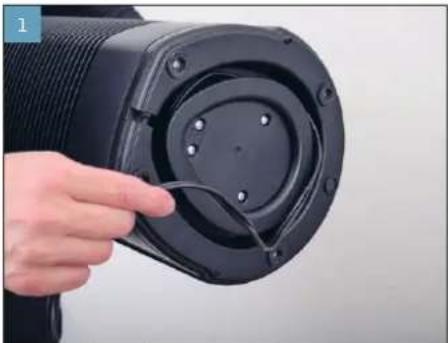
PazMotaTe Ka6eJIb HactoJIbKO, HacKoJIbKO 3TO He06xOdmo.
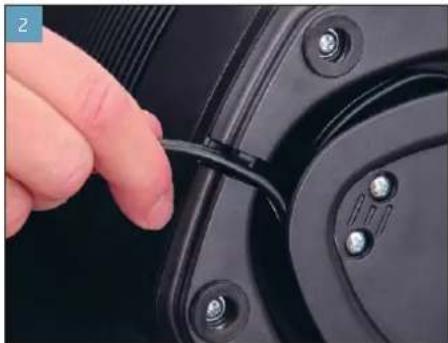
3aФнсугteKa6eB8BbIeMke.
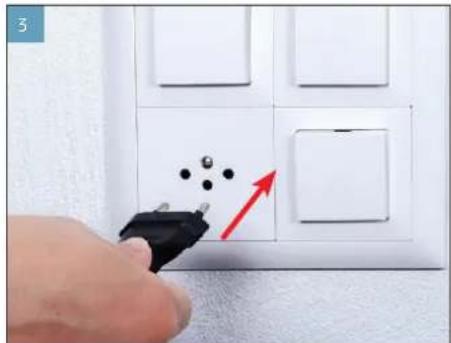
IopKIOHHTe BONECO P370 Kpo3eKcEneKtpocetN.
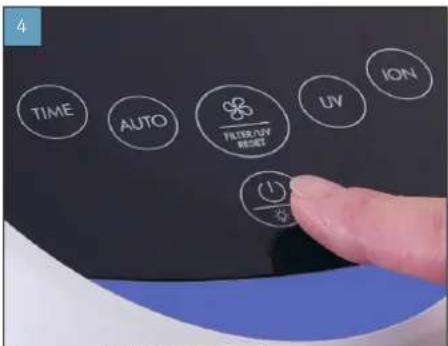
BknoHnE BONECO P370. Bb6epnte Hxhyo npon3BOAHTenbHOCTb.
INTeJIbHOCTb.
Pn Heo6xOaMocTN BkHouHTe
ABTOMATUeCKnIpeKIM.
ABTOMATUHECKI PEXKIM I PYHOE YNPABJEHNE
BONECO P370 IMeET ATOMATUeCKM pEKIM, B KOTOP mnp6op cam perynpyet npn3BOHntJIbHOCTb.
- HaxMTe KhoNky ION, YTObbl BKNIOHTb MoHn3aTOp.
HaDnCnJee noBUTcHnDnKaqIION:
ION
- HaxMATE KhoNky ION CHOBa, YTO6bI BbIKNoHTb MOHN3ATOp.

BKJIIOUHNE/BbIKJIIOUHNEYΦ-JAMnbl
OBYΦ-ⅠA MNE
B BONECO P570 cMOHTnPOBaHa NODKIOHaeMaY Φ-Namna. Ee BcOKo3HEpretTneckoe M3nyHe NmOraet YbNbTaB onpeDeneHHhe BnPcybI N 6aKeepn. 3a Cte TTO RΦ-NaMnCnOcObCTByet NOBbIeHNO TnMIeHb BHyTpNkJIbX NOMEeHn

YF-namna rehepnpyet He6oIbwoe konu-ecTBO 030Ha. He nnonbnyte YF-namny,
ecnn KTO-TOBBAWEMOKpyxehnCTpdaetannepe Tmew Ha03OH.
BKIOUOHEH/BBIKIOUOHEHVEΦ-IAAMNbl
- HaxmTe KhoNky UV, 4To6bI BKIOHHTb YΦ-NaMny.
Ha dncnnee noBntcHdkacuuv:
UV
2.HaMMTE KHOKNY UV CHOBa, YTObI BBKIOHHTb yΦ-NAmny.
YKA3AHmNo yXoDy
YKA3AHNIOYXOy
Pnp6op BONECO P370 He tpe6yet KaKoro-Jn6o oco6orO yxoJa.
Neped Hauanom OvnCTKN NnTexHuecko
ro 6cbnyuBAHnBcerda OncoeHNHte
BONECO P370 OT nekTPOecNT! Heco6IIOJeHne
dHaHHOrO npabunla MoKet pnbEcTe K ydpy 3NeK
TPueckm TOkOM npeCTaBnEYrpo3y dIa
Xn3HN! Pn cNoNb3OBaHn XnDkOCTn Cyue
CTByET onacCHocb Ydapa 3NeKTPnuEckm TOKOM.
KaJdb pa3 neped OvncTKOn BnEkaKeTa BUNKy
cTeBorO 3NeKtPoka6En.
Bce BHTpeHHme HApkyHbte DeTannBONEPC370 npEnnoarot cyxuyO uNCTKy.1CnObl3yTe CmOeHNy caFekTy TOnkBo Dny ydaJIeHnBHeuHnx 3aRpa3HeHn.
INTEPBAOnepaun
EkeHeeIbNo IpoTnPaHne npBopca cyxOcnFekKo
KaKdIe 2 HeJeO OYnCTKa BENTnJIaCIOHbIX UeJeN I PhINbTpa AP370 c nOMoUbIO nbinecoCa
No mepe Heo6xOaMocTn 3aMeHa YΦ- lamnb nn nIbnbtpa
OYNCTKA
OUMCTKA
1.OTcoeHnHTBONECOP370OT3neKtpocetm
- Ipotpnte HApyKbIe NobepxHocTn npubopa cyXoN canfetkoN.
- 0TKpoTe 3aDHIIO KpbIuKy.
4.Cnmoohno hneocaydane terpybte acntu b3aqr3HeHm nblncfnnbtpAp370.
5.3aKpOte 3aHIOKpbIky.
6.ПОДКИСТЕ BONECO P370 K pO3eTKe 3NeKTePOCETN.
3AMEHAΦNJIbTPAAP370
OΦMnblbTPEAP370
Фильт AP370 ABHЯТС раххOnьМ MaTeрmaIOM ПИ NO ICTeEHN ONpeHEnHOR BpEmeH NОДLEX KNT 3aMeH. BONECO P370 OCHaSe HCTpoeHHbIM Taimepom. П NO ICTeEHN 4OQHacOB PaBtBJ Ha DINnEE nPbOpa NOBbIeTc NpEduPexdHeH O ppeCToAueJ 3aMeH ΦNtbpTa:

B cnyuae npoDOnJXeHHN nCnONb3OaHn Hncyepnabwero CBoi pecypc fNbtpa B Te-HeHne npoDOnJXeTbeHOro BPemehn 0fEketNBHOctb BONECO P370 3amEtHO CHXaTeC.
Mchepnabm CBOB pecypc Fmbltp AP370 MoXHO yTNINHPOBaTb CbIbOBIM Mycopom.
3AMEHAΦNbTPAAP370
- OToeHnHTe BONECO P370 ot 3neKtpocetn.
2.OTKpoIe 3aHIOU KpbIuKy.
- N3BNeKKeTHeNcpePnAbWm CBOupeCypcФnIbTpynyTNUN3NPuyTe CObHbHM 6bTOBbIM Mycopom.
4.CHUMNTe3aunTHyIO nneHkyHOBOrO qnIbTpA.
5.YcTaHOBnTe HObIyΦmbltp nCneDnTe 3a npabHbHbIM NIOJXeHHeM mTbipr.
6.3aKpoIte 3aHIOKpbIiKy.
484
TU
7.NoKIOUHTe BONECO P370 KneKTPOcETN.
8.BkIIOHTe BONECO P370.
9.YdepeKnBaTe KhoNky BbBopa ctyneH npOn3- BODaTeNbHOCTNaKaToI npMepHo 5c, noKa Ha DnCnnee He Norachet npDynpExdHee O 3AmHe CnBtpa.
3ANACHOHΦNJIbTP
ФИьт AP570 MOKHО РПОБPECTN y ДИпЕР BONECO ИВ B INHTEPHER-MARAZHE BONECO HA www.shop.boneco.com.
3AMEHA yΦ-JIAMnbl
OBYΦ-ⅠA MNE
yΦ-namna aBnIETcpaXoDnHbIM MATEpuaNOM n no ICTeEHm ONpeJeNEHORO BPEMeH NIOJENKNT 3aMEHe. BONECO P370 OCHaEHN BCPTPOeHHbM TaJImePOM. No ICTeEHm 12 000 HacOB p6oTBi Ha dncnne npnpopa noBnIeTc npdynpexdHe nOpnpctOraue 3aMeHe yΦ-nambl:

B Cnyae npoDOnKHeH NcNoB3OBAHn NC HcpnABWe CBoePycyQF-NaMnbl B TceHne PpOOnKTeNbHO BPeMeHn 3ΦΦeKt DeEHN-ΦeKuun 3AmETHo CHXHaetC.
Bepute HObyo YF-JaMnTI TOJbKO 3a KOHJI. KaCahme CTeKAAHHo TpykMoKm KOpET npBeCTN KcOPaueHNO cPoka CnyjkbMaNbJI.
M3BNEEHMENCHEPNABWEIPECYPCYΦ-JIAMTIbI
- OToeHNHHe BONECO P370 OT 3nEeKtpocetn.
2.OTKpoTe3aHIOU KpbiKy
- NIOOJNTe 5 MUN H DaHTe OCTbTb NcHepnAB WEN CBOH PecypCyF-NAmne.
4.N3BnKeKnteΦnNbTp.
5.OTnyCTnTe YeTbe BnHTa, YTO6bl CHrTB KpbluKy yΦ-NAmMb.
- YdepKbBnAChepNaBwUcBOBpeCyPcΦ-namy3KaKoHbU,OHOBpEmHoNOOBepHnTe ee noacobonctpEnke,QTObIINBnEe.

486
YCTAHOBKA HOBOI yΦ-JAMNbl
- N3BneKnte HOByO yHnamny n3 ynakobKn. PpN 30m6epnte ee tonbko 3a KOHIbl.
2.BCTaBteo6aKoHa7P-NAmNbB BONECO P370 nOBepHHe e npOTNB acoBOI cTpeJIK do yno pa.
3.Y6eHntecbB npabnblHom noNoXeHH npeoXpaHnten.
4.Cobepntnpn6op,cnedya onncahbim 3tanam B o6patHom npraKe.
5.ПодклioчITE BONECO P370КэнктpoceTи.
6.BKJIOUHTBE BONECO P370.
- YdepKnaBte KhoNky BbIbOpa CtyneH npOn3-BoDntenBbHOCTn Haxato npmepHo 5 c, noKa HA dncPnee He noracet npedynpexdHeH e 3aMeHe yΦ-Nambl.
3AMEHAyΦ-AMNbl
Hobyo yΦ-JaAMnIy MoXHo npNoOpSeCTy y DnnepaBONECO nnn B nHTepHer-MarAnHe BONECO Hawww.shop.boneco.com.
YTNJN3AUJyΦ-JAMnbl
06paTncB MeCTHyO OprAHN3aUNo yTNnN3aUuONTOXoIOB JIJI NOyHEnH NHTpyKUIN OHOTcNEbHO BTOpHNO HepepaBToK IN HApJHexaUeYTNn3aUuN cHePnABWe CBO pccypCnAmbl.

He Bb6paCbBaIte NcHepnAbWyIO CBOIpePcpcNAMpyBMeTe C bblTOBIM MYCOPOM.UTININ3AUN pPeDMeTOB, COepeKaaunpTyTB,DOJNHAOCUeCTBnTBCBnCOOTBeCTBNN C3AKOHAMN IN PpeNDCAHNAHN,DeiUMMBeCEBWAero npOxNBAHN.
EcnnyΦ-namnpa36bnacb,blkniountepn-bop.He kcnnyatpyte npn60p cpa36btonnamno. He nonbytebc bnyncocm ncbopa ockonkoB.Cmetne ockonkn BnactNKOBn Naket nytnin3nyte nx Hndnxuam m obpa3om.


使用说明书
目录
序言 491
接通和关闭紫外线灯 502
关于紫外线灯 502
接通和关闭紫外线灯 502
维护提示 503
维护提示 503
清洁 504
清洁 504
更换AP370滤清器 505
关于AP370滤清器 505
更换AP370滤清器 505
滤清器备件 506
更换紫外线灯 507
关于紫外线灯 507
取出旧紫外线灯 507
装入新紫外线灯 508
紫外线灯备件 508
对紫外线灯进行废弃处理 509
BONECO is a registered trademark of BONECO AG, Switzerland
BONECO AG, Espenstrasse 85, 9443 Widnau, Switzerland