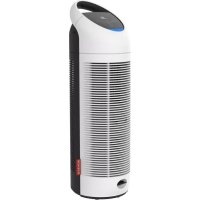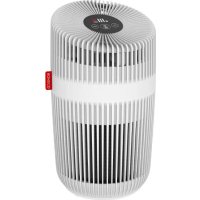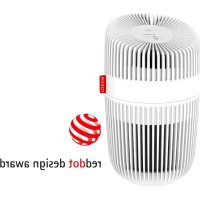
P130 - Air purifier BONECO - Free user manual and instructions
Find the device manual for free P130 BONECO in PDF.



| Product type | Air purifier |
| Brand | Boneco |
| Model | P130 |
| Dimensions (L × W × H) | 162 × 162 × 276 mm |
| Net weight | 1.15 kg |
| Power supply | 230 V ~ 50 Hz |
| Power consumption (standby) | 0.5 W |
| Power consumption (min-max) | 5 - 9 W |
| Sound level | 48 dB(A) |
| Purified air flow rate | 60 m³/h |
| Filtration type | HEPA filter + pre-filter + UV light |
| Controls | On/off button, speed button (L/H), filter reset |
| Filter replacement indicator | Indicator light |
| Appliance care | Clean the exterior with a soft, damp cloth. Unplug before cleaning. |
| Filter cleaning | Vacuum cleaner or soft dry cloth for the filter and pre-filter |
| Filter replacement | When the filter indicator light turns on |
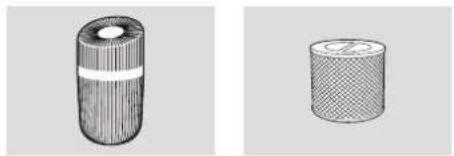
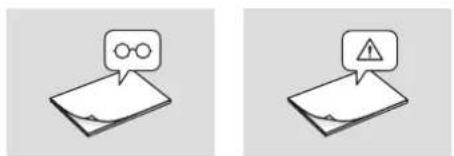
| Delivery contents | Air purifier, HEPA filter AP130, safety instructions, simplified manual |
| Safety | Unplug before cleaning. Do not use alcohol or harsh detergent. |
Frequently Asked Questions - P130 BONECO
User questions about P130 BONECO
0 question about this device. Answer the ones you know or ask your own.
Ask a new question about this device
Download the instructions for your Air purifier in PDF format for free! Find your manual P130 - BONECO and take your electronic device back in hand. On this page are published all the documents necessary for the use of your device. P130 by BONECO.
USER MANUAL P130 BONECO
natural_image
White cylindrical object with vertical ribbed pattern and a red label, no visible text or symbolsRead and save these instructions
text_image
Exploded view diagram of a smart air purifier with labeled parts in Chinesenatural_image
Close-up of a hand pressing down on a white electrical outlet with a red arrow pointing to a button (no text or symbols visible)FILTERFACH
natural_image
Hand placing a white cylindrical object with red and black striped pattern, placed on a surface (no text or symbols visible)natural_image
Close-up of a hand pressing down on a cylindrical object with a red upward arrow, no visible text or symbols.natural_image
Hand cleaning a green cloth on a surface, no text or symbols visiblenatural_image
Hand touching a circular object with radial lines, possibly a sensor or sensor device (no visible text or symbols)
INSTRUCTIONS FOR USE
TABLE OF CONTENTS
Technical data 15
Introduction
16
Scope of delivery 16
Overview and part names 17
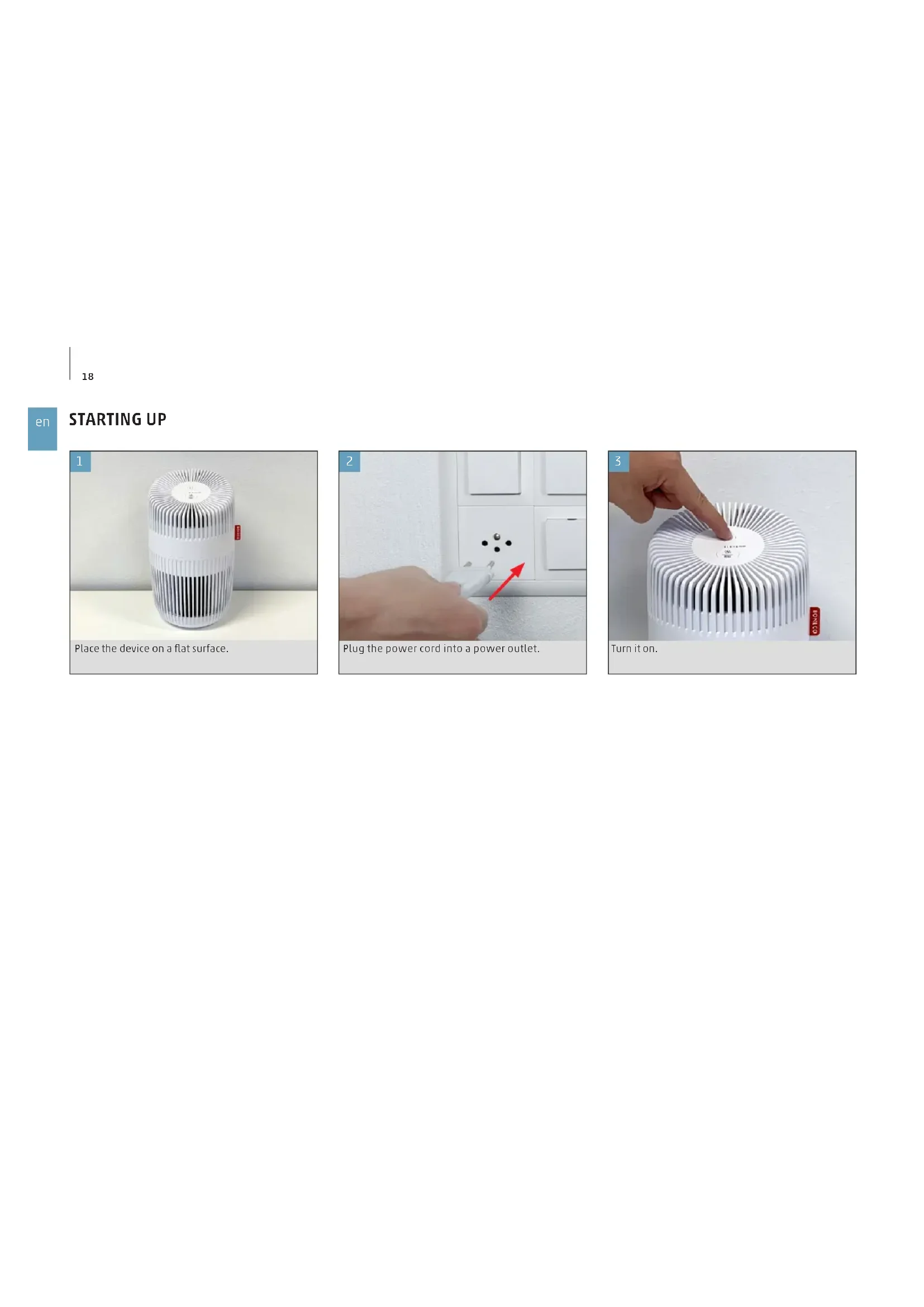
Starting up 18
Symbols and displays 19
Cleaning and maintenance 20
Care instructions 20
Filter compartment 20
Cleaning the Filter and Pre-Filter 20
Replacing the Filter 20
TECHNICAL DATA
TECHNICAL DATA*
| Mains voltage 230 V ~ 50 Hz | |
| Power consumption Standby: 0.5 W | |
| Min - Max: 5 - 9 W | |
| Operation noise level 48 dB(A) | |
| CADR 60 m | ^3/h |
| Dimensions L×W×H 162 × 162 × 276 mm | |
| Weight (empty) 1.15 kg | |
* at 230 V \~ 50 Hz
INTRODUCTION
Thank you for purchasing the BONECO P130 air purifier. With UV light and filtration to clean the air, the BONECO P130 air purifier will greatly improve the quality of the air in your home, office, or other environments. Once you've experienced the purity of BONECO P130 air, visit us at our website to find out more ways to improve the quality of your air and your life with our premium products and upgrades. Please be sure to read the following instructions carefully to ensure optimal performance and safety.
SCOPE OF DELIVERY
natural_image
Two 3D-rendered cylindrical objects with textured surfaces, one with a white center and the other with a circular pattern (no text or symbols)Air Purifier BONECO P130 AP130 HEPA Filter
natural_image
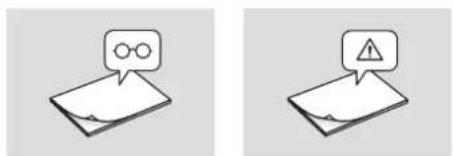
Two identical isometric diagrams showing a document with an eye icon and a warning sign, no text or symbols present.Safety instructionsQuick Manual
OVERVIEW AND PART NAMES
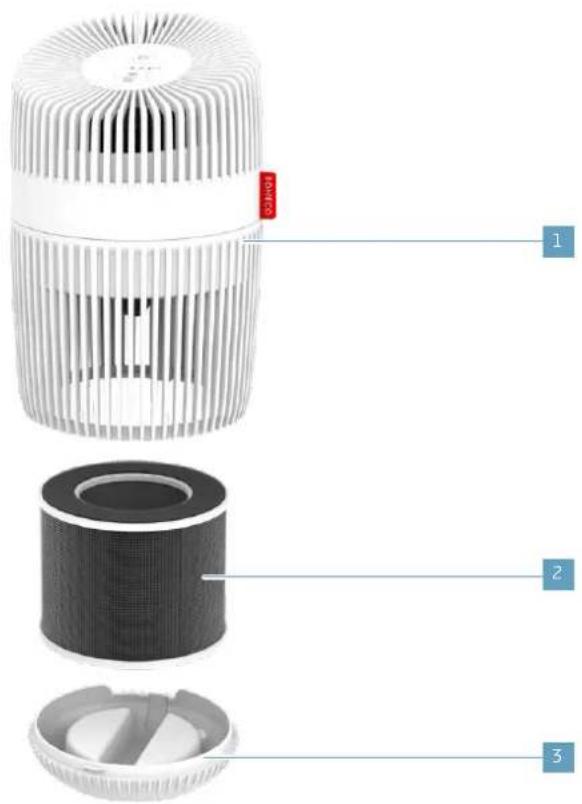
text_image
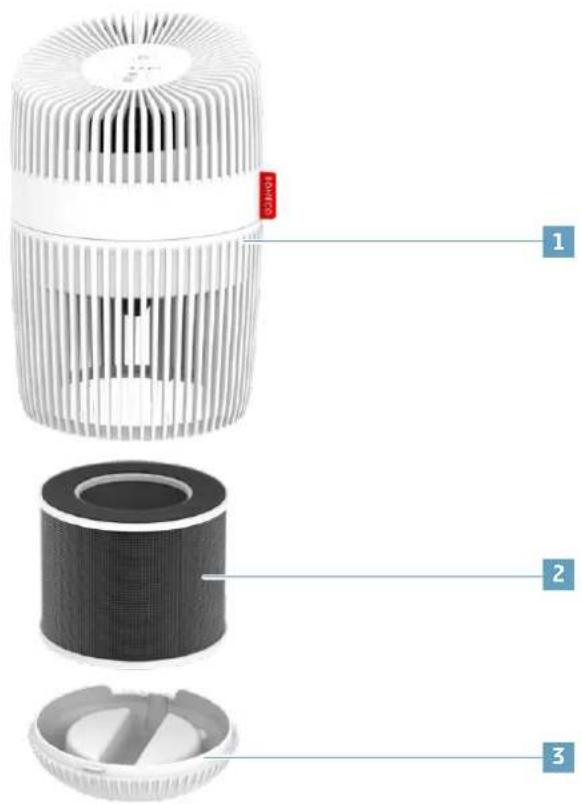
Exploded view diagram of a smart air purifier with labeled parts in Chinese1 BONECO P130
2 Filter & Prefilter
3 Bottom Cover
STARTING UP
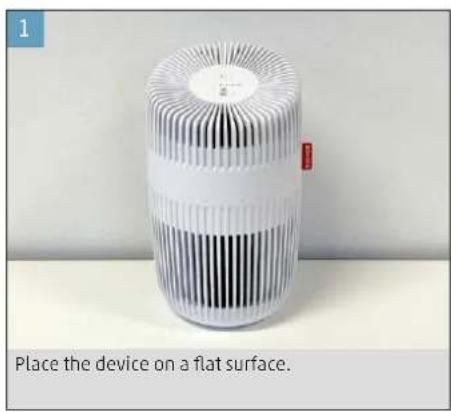
text_image
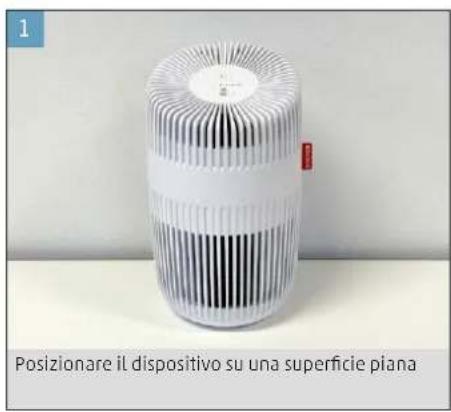
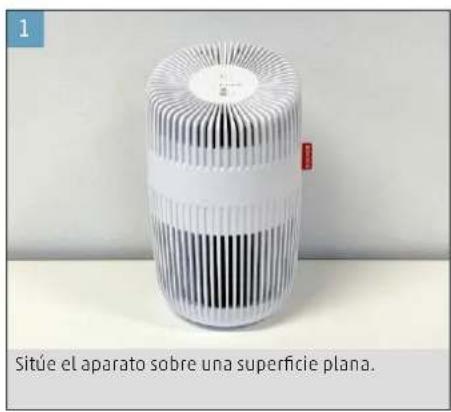
Place the device on a flat surface.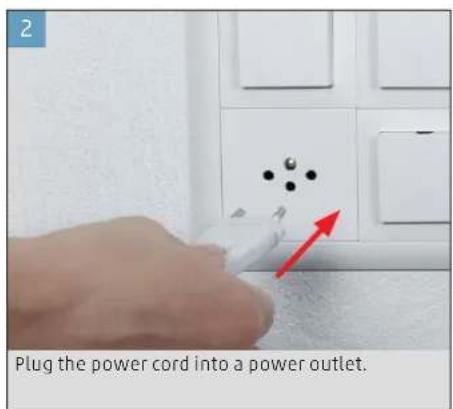
text_image
Plug the power cord into a power outlet.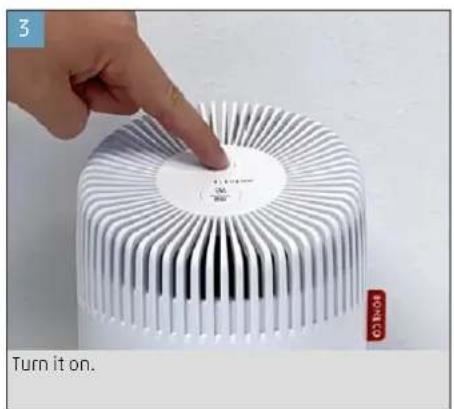
text_image
3 Turn it on. HONATOSYMBOLS AND DISPLAYS
Power Button Switch the appliance on and off
Fan Level / Filter Reset Button Tapping once switches the fan levels L and H
Hold for 3 sec. to reset the filter light
CLEANING AND MAINTENANCE
CARE INSTRUCTIONS

Do not use alcohol or corrosive cleaning agents for cleaning.

Always unplug the appliance from the power outlet before cleaning.
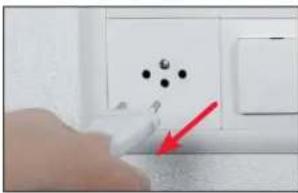
natural_image
Close-up of a hand pressing down on a white electrical outlet with black dots and a red arrow pointing to the outlet (no text or symbols visible)FILTER COMPARTMENT
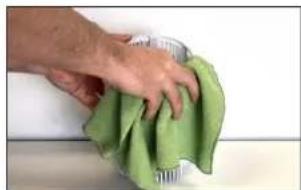
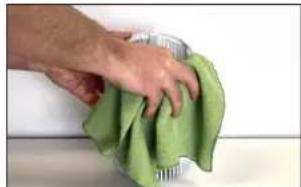
Use a soft, damp cloth to clean the exterior.
- Place your device upside down.
- Turn the bottom cover anti-clockwise until it un- locks.
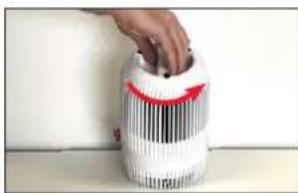
natural_image
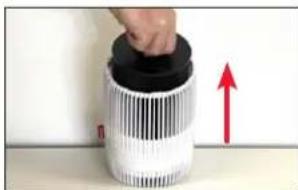
Hand placing a button into a white cylindrical container with black and red markings (no visible text or symbols)- Remove the filter.
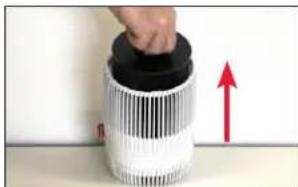
natural_image
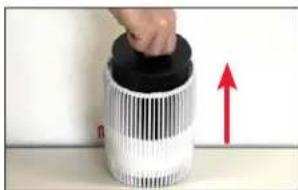
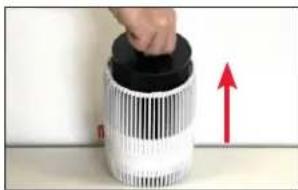
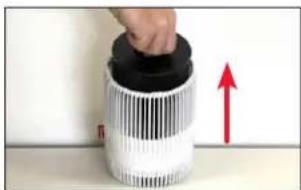
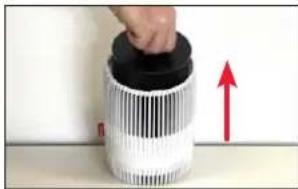
Hand holding a cylindrical object with a black lid, next to a white striped cylindrical container with a red upward arrow (no text or symbols visible)- Use a dry soft towel to clean the filter compartment.
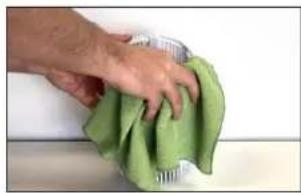
natural_image
Hand cleaning a green cloth with a metal container (no text or symbols visible)- Place the filter back in the device and lock the bottom cover.
CLEANING THE FILTER AND PRE-FILTER
After removing the combination Filter and Pre-Filter from the device it can be cleaned with a vacuum cleaner and/or with a dry soft towel.
REPLACING THE FILTER
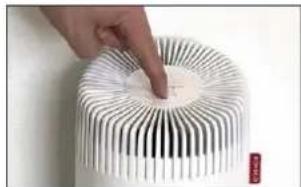
The filter should be replaced after the filter light turns on. After replacing the filter press the Reset Filter button for 3 seconds to reset the filter re - minder.
natural_image
Close-up of a hand pressing down on a white cylindrical electronic device with radial black and white stripes (no text or symbols visible)
MODE D'EMPLOI
SOMMAIRE
text_image
Exploded view diagram of a smart air purifier with labeled parts in Chinesenatural_image
Hand pointing at a white LED heat sink with a circular label, no visible text or symbols on the device itself.SYMBOLES ET AFFICHAGES
natural_image
Close-up of a hand pressing down on a white electrical outlet with black dots and a red arrow pointing to a button (no text or symbols visible)COMPARTIMENT DU FILTRE
natural_image
Hand placing a white cylindrical object with black and red markings, placed on a surface (no text or symbols visible)- Enlevez le filtre.
natural_image
Close-up of a hand pressing down on a cylindrical object with a red upward arrow, no visible text or symbolsnatural_image
Hand cleaning a green cloth on a surface (no text or symbols visible)natural_image
Hand placing a circular object onto a white cylindrical surface with radial black stripes (no text or symbols visible)
ISTRUZIONI PER L'USO

INDICE
Dati tecnici 31
Introduzione
32
text_image
Exploded view diagram of a smart air purifier with labeled parts in Chinese1 BONECO P130
2 Filtro e prefiltro
3 Coperchio inferiore
MESSA IN FUNZIONE
natural_image
Hand pointing at a white LED heat sink with a circular label, no visible text or symbols on the device itself.natural_image
Close-up of a hand pressing down on a white electrical outlet with black dots and a red arrow pointing to the button (no text or symbols visible)VANO DEL FILTRO
natural_image
Hand placing a red arrow on a white cylindrical object with black and white striped pattern (no text or symbols visible)natural_image
Close-up of a hand pressing down on a white cylindrical object with a red upward arrow, no visible text or symbols.natural_image
Hand cleaning a green cloth on a surface, no text or symbols visiblenatural_image
Hand touching a white cylindrical object with radial black lines, no visible text or symbols
GEBRUIKSAANWIJZING
INHOUDSOPGAVE
text_image
Exploded view diagram of a smart air purifier with labeled parts in Chinesenatural_image
Close-up of a hand pressing down on a white electrical outlet with black dots and a red arrow pointing to the outlet (no text or symbols visible)FILTERCOMPARTIMENT
natural_image
Hand placing a white cylindrical object with black bars and red arrow on top (no text or symbols visible)natural_image
Close-up of a hand pressing down on a cylindrical object with a red upward arrow, no visible text or symbolsnatural_image
Hand cleaning a green cloth on a surface (no text or symbols visible)natural_image
Hand placing a small circular object onto a white cylindrical surface with radial black patterns (no text or symbols visible)es
INSTRUCCIONES DE USO
ÍNDICE
Datos técnicos 47
Instrucciones 48
Contenido 48
text_image
Exploded view diagram of a smart air purifier with labeled parts in Chinese1 BONECO P130
2 Filtro y filtro previo
3 Cubierta inferior
PUESTA EN MARCHA
natural_image
Close-up of a hand pressing down on a white wall-mounted device with a red arrow pointing to a black dot pattern (no text or symbols visible)COMPARTIMENTO DEL FILTRO
natural_image
Hand placing a white plastic bag with red arrow on its side, placed on a surface (no text or symbols visible)- Extraiga el filtro.
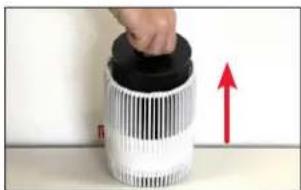
natural_image
Close-up of a cylindrical object with a black lid and red upward arrow, no visible text or symbolsnatural_image
Hand cleaning a green cloth on a surface (no text or symbols visible)natural_image
Hand touching a circular object with radial lines, resembling a sensor or filter device (no text or symbols visible)pt
text_image
Exploded view diagram of a smart air purifier with labeled parts in Chinese1 BONECO P130
2 Filtro e pré-filtro
3 Tampa inferior
natural_image
Close-up of a hand pressing down on a white wall-mounted device with black dots and a red arrow pointing to the next component (no text or symbols visible)natural_image
Hand placing a white plastic bag with red arrow on top, against a plain wall (no text or symbols visible)- Retire o filtro.
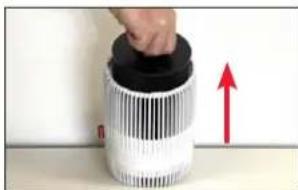
natural_image
Hand placing a black cylindrical object into a white cylindrical container with a red upward arrow (no text or symbols visible)natural_image
Hand cleaning a green cloth on a surface, no text or symbols visiblenatural_image
Close-up of a hand pressing down on a white cylindrical object with radial black lines (no text or symbols visible)
HASZNÁLATI ÚTMUTATÓ
TARTALOMJEGYZÉK
Müszaki adatok 63
Bevezetés
64
text_image
Exploded view diagram of a smart air purifier with labeled parts in Chinesenatural_image
Close-up of a hand pressing down on a white surface with black dots and a red arrow pointing to a textured surface (no text or symbols visible)SZÜRÖREKESZ
natural_image
Hand placing a small object into a cylindrical container with striped pattern (no visible text or symbols)- Vegye ki a szüröt.
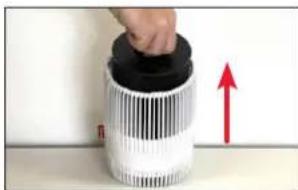
natural_image
Close-up of a hand pressing down on a cylindrical object with a red upward arrow, no visible text or symbols.natural_image
Hand cleaning a green cloth with a metal container (no text or symbols visible)natural_image
Hand touching a white cylindrical electronic component with radial black and white bands (no text or symbols visible)
INSTRUKCJA OBSŁUGI
SPIS TREŚCI
Dane techniczne 71
Wstep 72
Zakres dostawy 72
text_image
Exploded view diagram of a smart air purifier with labeled parts in Chinesenatural_image
Close-up of a hand pressing down on a white electrical outlet with black dots and a red arrow pointing to a button (no text or symbols visible)FILTR
natural_image
Hand placing a white cylindrical object with red arrow on top, next to a striped cylindrical container (no text or symbols visible)- Wyjmij filtr.
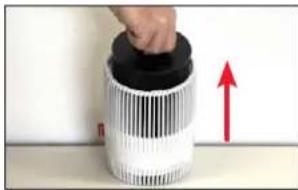
natural_image
Close-up of a hand pressing down on a cylindrical object with a red upward arrow, no visible text or symbolsnatural_image
Hand cleaning a green cloth on a surface (no text or symbols visible)natural_image
Hand pressing down on a white cylindrical device with radial black and white stripes (no text or symbols visible)
BRUKSANVISNING
INNEHÅLLSFÖRTECKNING
Tekniska data 79
Inledning 80
text_image
Exploded view diagram of a smart air purifier with labeled parts in Chinesenatural_image
Close-up of a hand pressing down on a white electrical socket with black dots and a red arrow pointing to the button (no text or symbols visible)FILTERFACK
natural_image
Hand placing a white cylindrical object with black and red striped patterns, no visible text or symbols- Ta bort filtret.
natural_image
Close-up of a hand pressing down on a cylindrical device with a red upward arrow, no visible text or symbols.natural_image
Hand cleaning a green cloth with a metal container (no text or symbols visible)natural_image
Hand touching a circular object with radial black and white stripes, no visible text or symbols
KÄYTTÖOHJE
SISÄLLYSLUETTELO
Teknisettiedot 87
Johdanto 88
Toimituslaajuus 88
text_image
Exploded view diagram of a smart air purifier with labeled parts in Chinesenatural_image
White cylindrical electronic device with ribbed internal structure, labeled 'Aseta laite tukevalle alustalle' (no other text or symbols visible)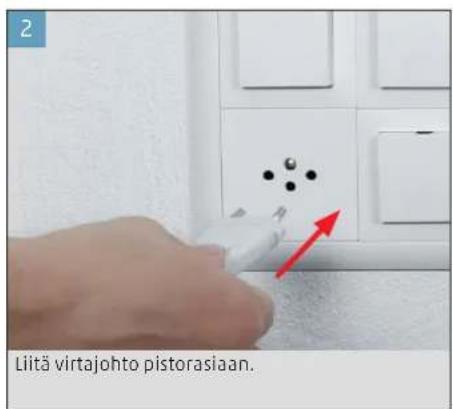
natural_image
Close-up of a hand pressing down on a white electrical outlet with black dots and a red arrow pointing to the button (no text or symbols visible)SUODATINLOKERO
natural_image
Hand placing a white object into a cylindrical container with red arrows, no visible text or symbols- Poista suodatin.
natural_image
Close-up of a hand pressing down on a cylindrical object with a red upward arrow, no visible text or symbolsnatural_image
Hand cleaning a green cloth on a surface (no text or symbols visible)natural_image
Hand touching a circular object with radial black and white stripes, no visible text or symbolsdk
BRUGSANVISNING
INDHOLDSFORTEGNELSE
Tekniske data 95
Indledning 96
Leveringsomfang 96
natural_image
Two 3D-rendered cylindrical objects with textured surfaces, one with a white center and the other with a circular pattern (no text or symbols)Luftrenseren BONECO P130 AP130 HEPA-filter
natural_image
Two identical isometric diagrams showing a document with an eye icon and a warning sign, no text or symbols present.text_image
Exploded view diagram of a smart air purifier with labeled parts in Chinesenatural_image
Close-up of a hand pressing down on a white electrical outlet with black dots and a red arrow pointing to the button (no text or symbols visible)FILTERRUM
natural_image
Hand placing a white cylindrical object into a container with red and black striped patterns (no text or symbols visible)- Fjern filteret.
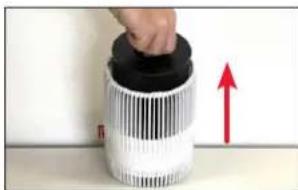
natural_image
Hand placing a black lid onto a white cylindrical device with a red upward arrow, no visible text or symbolsnatural_image
Hand cleaning a green cloth on a surface (no text or symbols visible)natural_image
Hand pressing a circular component into a white cylindrical device with black and white radial lines (no text or symbols visible)no
BRUKSANVISNING
INNHOLDSFORTEGNELSE
Tekniske data 103
Innledning 104
I denne pakken 104
text_image
Exploded view diagram of a smart air purifier with labeled parts in Chinese1 BONECO P130
2 Filter og forfilter
3 Bunndeksel
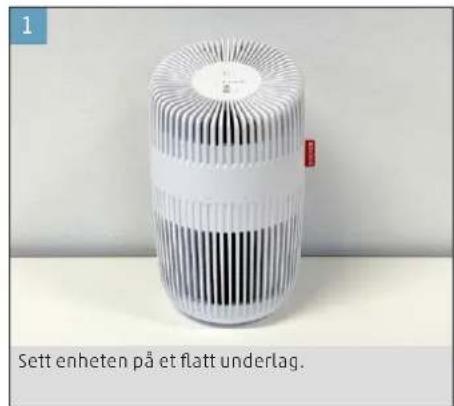
natural_image
Hand pointing at a circular component with a white LED display, no visible text or symbols on the object itself.SYMBOLER OG INDIKATORER
RENGJÖRING OG VEDLIKEHOLD
VEDLIKEHOLDSINFORMASJON

natural_image
Close-up of a hand pressing down on a white wall-mounted device with a red arrow pointing to the button (no text or symbols visible)FILTERKAMMER
natural_image
Hand placing a white cylindrical object with red markings, placed on a surface (no text or symbols visible)- Ta ut filteret.
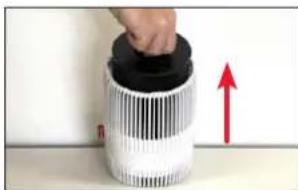
natural_image
Close-up of a cylindrical device with a black lid and white patterned body, showing a red upward arrow (no text or symbols visible)natural_image
Hand wiping a green cloth on a surface (no text or symbols visible)natural_image
Hand touching a circular object with radial black and white stripes, no visible text or symbolsLIETOŠANAS INSTRUKCIJA
SATURA RĀDĪTĀJS
Tehniskie dati 111
levads 112
text_image
Exploded view diagram of a smart air purifier with labeled parts in Chinese1 BONECO P130
2 Filtrs un priekšfiltrs
3 Apakšdajas pârsegs
EKSPLUATĀCIJAS SĀKŠANA
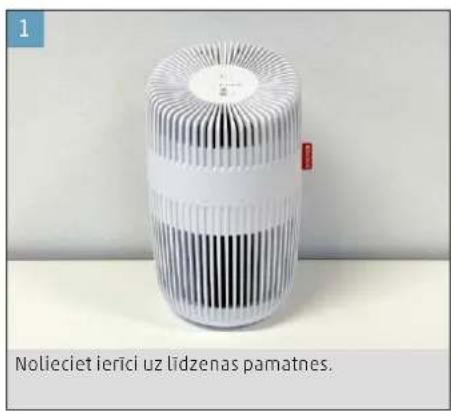
text_image
Nolieciet ieriči uz lidzenas pamatnes.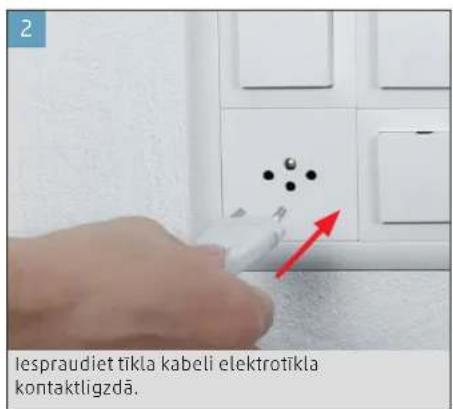
text_image
lespraudiet tikla kabeli elektrotikla kontaktligzdä.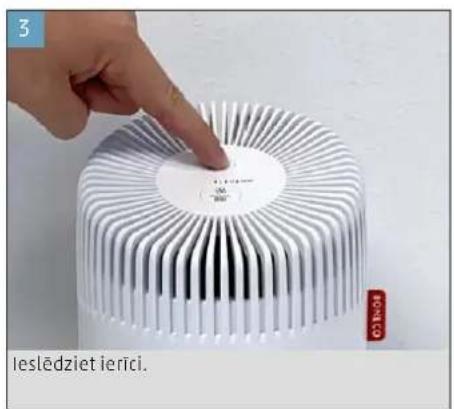
text_image
3 leslédziet ieriči.SIMBOLI UN INDIKĀCIJAS
natural_image
Close-up of a hand pressing down on a white wall-mounted device with black dots and a red arrow pointing to the next component (no text or symbols visible)FILTRA NODALIJUMS
natural_image
Hand placing a white cylindrical object with black and red striped pattern, placed on a surface (no text or symbols visible)- Iznemiet filtru.
natural_image
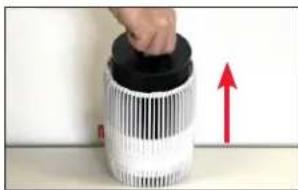
Hand placing a black lid onto a white cylindrical object with a red upward arrow, no visible text or symbols- Iztiriet filtra nodalijumu ar sausu, mikstu dvieli.
natural_image
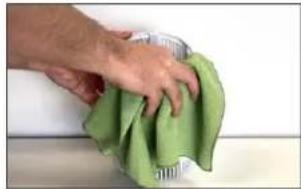
Hand cleaning a green cloth with a metal container (no text or symbols visible)natural_image
Hand touching a circular object with radial lines, possibly a sensor or filter component (no text or symbols visible)
NAUDOJIMO INSTRUKCIJA
TURINYS
text_image
Exploded view diagram of a smart air purifier with labeled parts in Chinesenatural_image
Hand pointing at a white LED heat sink with a circular label, labeled 'Jjunkite' and 'HONATO' (no other text or symbols visible)SIMBOLIAI IR RODINIAI
natural_image
Close-up of a hand pressing down on a white surface with black dots and a red arrow pointing to a small object (no text or symbols visible)FILTRO SKYRIUS
natural_image
Hand placing a white cylindrical object with red and black striped pattern, placed on a surface (no text or symbols visible)- Išimkite filtrą.
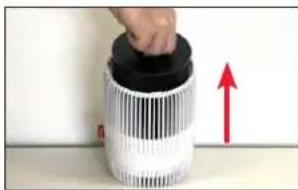
natural_image
Close-up of a hand pressing down on a cylindrical object with a red upward arrow, no visible text or symbolsnatural_image
Hand cleaning a green cloth on a surface (no text or symbols visible)natural_image
Hand pressing down on a white cylindrical object with black radial lines (no text or symbols visible)KASUTUSJUHEND
SISUKORD
Tehnilised andmed 127
Sissejuhatus 128
Tarnekomplekt 128
natural_image
Two 3D-rendered cylindrical objects with textured surfaces, one with a white center and the other with a circular pattern (no text or symbols)Ohupuhasti BONECO P130 AP130 HEPA filter
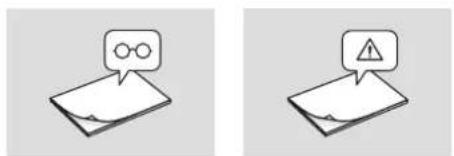
natural_image
Two identical isometric diagrams showing a document with an eye icon and a warning sign, no text or symbols present.text_image
Exploded view diagram of a smart air purifier with labeled parts in Chinese1 BONECO P130
2 Filter ja eelfilter
3 Alumine kate
KASUTUSELEVÖTT
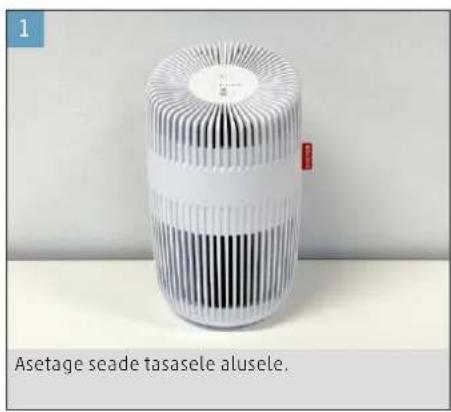
text_image
1 Asetage seade tasasele alusele.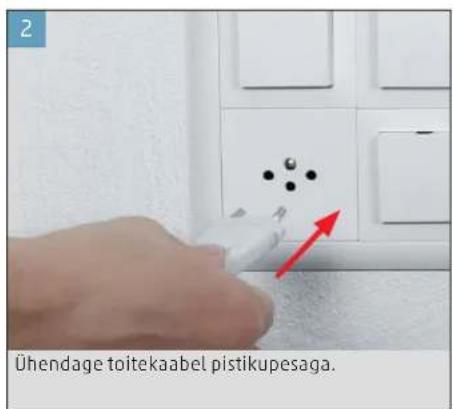
text_image
Ühendage toitekaabel pistikupesaga.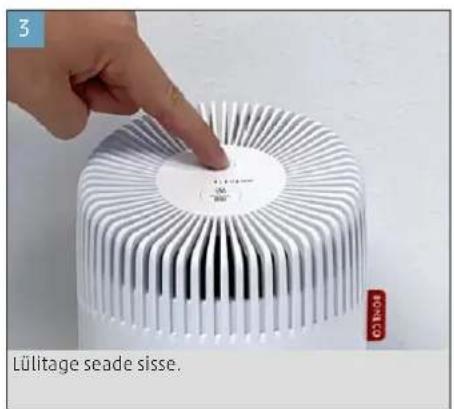
text_image
3 Lülitage seade sisse.SÜMBOLID JA NÄIDIKUD
natural_image
Close-up of a hand pressing down on a white electrical outlet with a red arrow pointing to a button (no text or symbols visible)FILTRI PESA
natural_image
Hand placing a white cylindrical object with red arrows on its side, against a plain background (no text or symbols visible)- Eemaldage filter.
natural_image
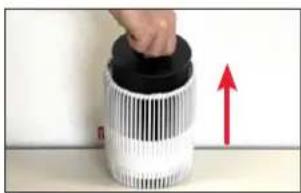
Close-up of a hand holding a black cylindrical object with a red upward arrow, next to a white plastic container (no text or symbols visible)natural_image
Hand wiping a green cloth on a surface (no text or symbols visible)natural_image
Hand pressing down on a circular metallic component with radial ridges (no text or symbols visible)
NÁVOD K POUŽITÍ
OBSAH
Technické údaje 135
Úvod 136
Rozsah dodávky 136
text_image
Exploded view diagram of a smart air purifier with labeled parts in Chinesenatural_image
Hand pointing at a white LED heat sink with a circular label, next to a red 'HONATO' tag (no readable text on device)SYMBOLY A ZOBRAZENÍ
natural_image
Close-up of a hand pressing down on a white wall-mounted device with black dots and a red arrow pointing to the component (no text or symbols visible)FILTRAČNÍ ČÁST
natural_image
Hand placing a white cylindrical object with red markings, against a plain wall (no text or symbols visible)- Odstraňte filtr.
natural_image
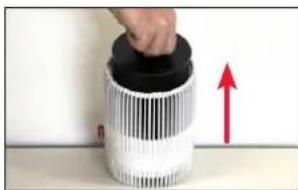
Close-up of a hand pressing down on a cylindrical object with a red upward arrow, no visible text or symbols.natural_image
Hand cleaning a green cloth with a metal cup (no text or symbols visible)natural_image
Close-up of a hand pressing down on a white cylindrical object with radial black patterns (no text or symbols visible)NÁVOD NA POUŽÍVANIE
OBSAH
Technické údaje 143
Úvod 144
Rozsah dodávky 144
text_image
Exploded view diagram of a smart air purifier with labeled parts in Chinesenatural_image
Hand pointing at a white LED display with a circular label, next to a red 'HONATO' tag (no readable text on device)SYMBOLY A DISPLEJE
natural_image
Close-up of a hand pressing down on a white surface with black dots and a red arrow pointing to a textured surface (no text or symbols visible)PRIESTOR FILTRA
Na čistenie vonkajších častí použite mäkkú, vlhkú handričku.
natural_image
Hand placing a button into a cylindrical container with striped pattern and red arrow (no text or symbols visible)- Vyberte filter.
natural_image
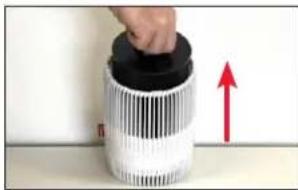
Close-up of a hand pressing down on a white cylindrical device with a red upward arrow, no visible text or symbols.natural_image
Hand cleaning a green cloth with a metal container (no text or symbols visible)- Vložte filter spät do zariadenia a zaistite spodný kryt.
ČISTENIE FILTRA A PREDRADENÉHO FILTRA
natural_image
Hand pressing a button on a white cylindrical object with black and white ribbed texture (no text or symbols visible)NAVODILA ZA UPORABO
KAZALO VSEBINE
text_image
Exploded view diagram of a smart air purifier with labeled parts in Chinese1 BONECO P130
2 Filter in predfilter
3 Spodnji pokrov
PRED UPORABO
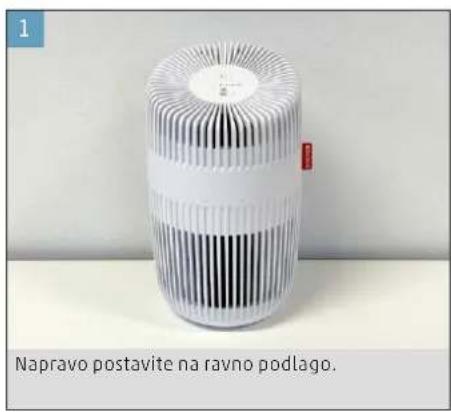
text_image
1 Napravo postavite na ravno podlago.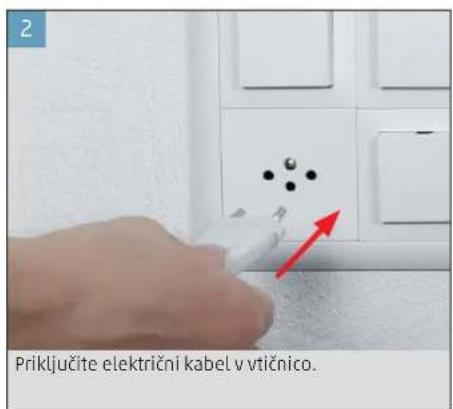
natural_image
Close-up of a hand pressing down on a white wall-mounted device with black dots and a red arrow pointing to the component (no text or symbols visible)PREDAL ZA FILTER
natural_image
Hand placing a white cylindrical object with black and red striped pattern, no visible text or symbols- Odstranite filter.
natural_image
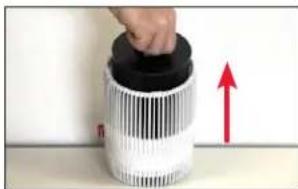
Hand holding a cylindrical object with a black lid, next to a red upward arrow on a surface (no text or symbols visible)- Očistite predal za filter s suho mehko krpo.
natural_image
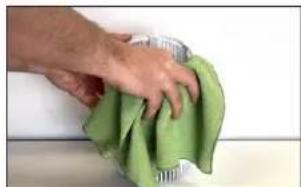
Hand cleaning a green cloth on a surface (no text or symbols visible)- Znova namestite filter v napravo in zaprite spo - dnji pokrov, da se zaskoči.
ČIŠČENJE FILTRA IN PREDFILTRA
natural_image
Hand pressing down on a white cylindrical device with black and white ribbed contents (no text or symbols visible)
UPUTE ZA UPORABU
SADRŽAJ
Tehnički podaci 159
Uvod 160
Opseg isporuke 160
text_image
Exploded view diagram of a smart air purifier with labeled parts in Chinese1 BONECO P130
2 Filtar i predfiltar
3 Donji poklopac
PUŠTANJE U RAD
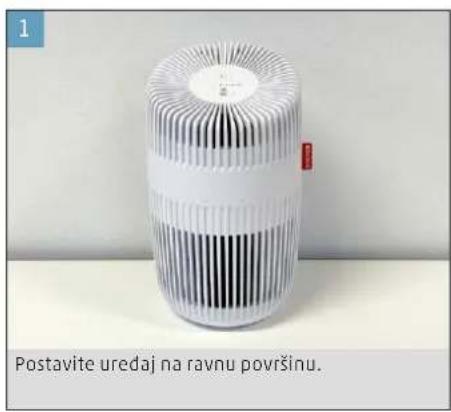
text_image
Postavite uredaj na ravnu površinu.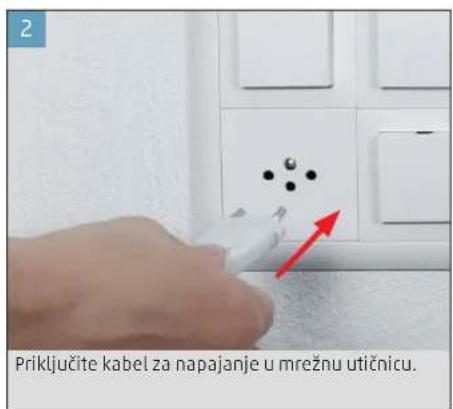
text_image
2 Priključite kabel za napajanje u mrežnu utičnicu.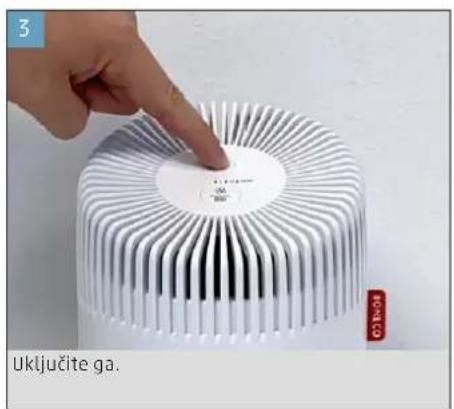
text_image
3 Uključite ga. HONATOSIMBOLI I PRIKAZI
natural_image
Close-up of a hand pressing down on a white wall-mounted device with black dots and a red arrow pointing to the button (no text or symbols visible)ODJELJAK FILTRA
Za vanjsko čišćenje upotrebljavajte meku, vlažnu krpu.
natural_image
Hand placing a button into a white cylindrical container with black and red markings (no text or symbols visible)- Skinite filtar.
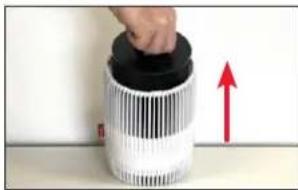
natural_image
Hand placing a black object into a white cylindrical container with a red upward arrow, placed on a surface (no text or symbols visible)- Očistite odjeljak filtra suhim mekim ručnikom.
natural_image
Hand cleaning a green cloth on a surface (no text or symbols visible)- Vratite filtar u uređaj i zaključajte donji poklopac.
ČIŠĆENJE FILTRA I PREDFILTRA
Nakon što uklonite kombinaciju filtra i predfiltra iz uređaja, možete ga očistiti usisavačem i/ili suhim mekim ručnikom.
ZAMJENA FILTRA
natural_image
Hand pointing at a circular object with radial black and white patterns, resembling a stylized thermometer or sensor device (no text or symbols visible)gn
ΟΔΗΓΙΕΣ ΧΡΗΣΗΣ
text_image
Exploded view diagram of a smart air purifier with labeled parts in Chinesenatural_image
Close-up of a hand pressing down on a white surface with black dots and a red arrow pointing to a small object (no text or symbols visible)ΧΩΡΟΣ ΦΙΛΤΡΟΥ
natural_image
Hand placing a white plastic container with black and red striped material, no visible text or symbolsnatural_image
Close-up of a hand pressing down on a cylindrical device with a red upward arrow (no text or symbols visible)natural_image
Hand cleaning a green cloth on a surface (no text or symbols visible)natural_image
Close-up of a hand pressing down on a white cylindrical object with radial black lines (no text or symbols visible)text_image
Exploded view diagram of a smart air purifier with labeled parts in Chinesenatural_image
Close-up of a hand pressing down on a white wall with black dots and a red arrow pointing to a textured surface (no text or symbols visible)ОТСЕК ДЛЯ ФИЛЬТРА
natural_image
Hand placing a white cylindrical object with a red arrow on its side, against a plain background (no text or symbols visible)3.Извлеките фильтр.
natural_image
Close-up of a hand pressing down on a cylindrical object with a red upward arrow, no visible text or symbolsnatural_image
Hand cleaning a green cloth on a surface (no text or symbols visible)natural_image
Hand touching a circular object with radial black lines, possibly a sensor or component (no text or symbols visible)cn
使用说明书
目录
技术数据 183
序言 184
供货清单 184
产品概览和部件名称 185
开机 186
图标和显示 187
清洁和保养 188
养护指南 188
滤网槽 188
清洁滤网和预滤网 188
更换滤网 188
技术数据
技术数据*
natural_image
Two cylindrical mechanical components with textured surfaces, one with a white center and the other with a patterned cap (no text or symbols visible)natural_image
Two identical isometric diagrams showing a document with a speech bubble and an exclamation mark, no text or symbols present.安全指南快速入门手册
产品概览和部件名称
text_image
Exploded view diagram of a smart air purifier with labeled parts in Chinesenatural_image
Close-up of a hand pressing a small electronic component with a red arrow pointing to it (no visible text or symbols)滤网槽
用柔软的湿抹布清洁外壳。
natural_image
Hand placing a white plastic bag with red arrow and black barcode on a surface (no text or symbols visible)- 取出滤网。
natural_image
Close-up of a hand pressing down on a cylindrical object with a red upward arrow, no visible text or symbols- 使用柔软的干毛巾清洁滤网槽。
natural_image
Hand cleaning a green cloth on a surface (no text or symbols visible)natural_image
Hand touching a circular object with radial lines, no visible text or symbolsBONECO
healthy air
www.boneco.com
BONECO is a registered trademark of BONECO AG, Switzerland BONECO AG, Espenstrasse 85, 9443 Widnau, Switzerland