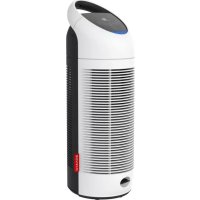
P300 - Air purifier BONECO - Free user manual and instructions
Find the device manual for free P300 BONECO in PDF.



| Product type | Air purifier |
| Brand | Boneco |
| Model | P300 |
| Dimensions (L × W × H) | 225 × 218 × 621 mm |
| Net weight | 4.23 kg |
| Power supply | 220-240 V ~ 50 Hz |
| Power consumption | 67 W |
| Airflow (filter performance) | 170 m³/h |
| Maximum noise level | 60 dB(A) |
| Filter type | AP300 (fine particles) |
| Filter lifespan | Approximately 4000 hours (with warning) |
| UV lamp | Yes, switchable (disinfection) |
| UV lamp lifespan | Approximately 12,000 hours (with warning) |
| Ionizer | Yes, switchable |
| Timer | 24 hours, adjustable in steps |
| Operating modes | Auto, manual (3 speeds), night |
| Air quality sensor | Integrated (particles) with LED indicator (green/yellow/red) |
| Display | Screen with icons (speed, timer, UV, ionizer, filter, lamp) |
| Maintenance | Dry cleaning, vacuum filter every 2 weeks, replace filter and lamp |
| Included accessories | Simplified manual, safety instructions |
| Warranty | Consult the retailer (not specified) |
Frequently Asked Questions - P300 BONECO
User questions about P300 BONECO
0 question about this device. Answer the ones you know or ask your own.
Ask a new question about this device
Download the instructions for your Air purifier in PDF format for free! Find your manual P300 - BONECO and take your electronic device back in hand. On this page are published all the documents necessary for the use of your device. P300 by BONECO.
USER MANUAL P300 BONECO
Read and save these instructions
Availability of accessories 30
Items included 30
Overview and part names 31
Indicators on the display 32
Button panel on the appliance 33
Starting up and switching off 34
Auto mode and manual control 35
Night mode 36
24-hour timer 37
Canceling the timer 37
Measuring the air quality 38
Switching the ionizer on and off 39
About the ionizer 39
Switching the ionizer on and off 39
Switching the UV lamp on and off 40
About the UV lamp 40
Switching the UV lamp on and off 40
Notes on care 41
Care instructions 41
Cleaning 42
Cleaning 42
Replacing the AP300 filter 43
About the AP300 filter 43
Replacing the AP300 filter 43
Replacement filters 44
Replace the UV lamp 45
About the UV lamp 45
Removing a used UV lamp 45
Inserting a new UV lamp 46
Replacement for AP301 UV Lamp 46
Disposing of a UV lamp 47
en
TECHNICAL DATA
TECHNICAL DATA
Mains voltage 220 - 240V 50Hz
Power consumption 67 W
Filter performance 170 m ^3/h( 100ft^3/min)
Dimensions L × W × H 225 × 218 × 621 mm (8.86 × 8.58 × 24.45 in)
Weight (empty) 4.23kg (9.33 lbs)
Operation noise level 60 dB(A)
Subject to change
At 230V 50Hz


INTRODUCTION
HEALTHY AIR IS A BASIC NEED
There is little to which we react with greater sensitivity than poor air. And yet many people do not pay enough attention to air quality, which has consequences for health and quality of life. This makes us all the more pleased that you have chosen a BONECO appliance to ensure that the basic need for healthy room air is satisfied for you and the people around you.
AVAILABILITY OF ACCESSORIES
You can obtain replacements for spent accessories as well as additional accessories:
- At your BONECO specialist dealer,
At www.shop.boneco.com
ITEMS INCLUDED
BONECO P300

Quick Manual Safety instructions
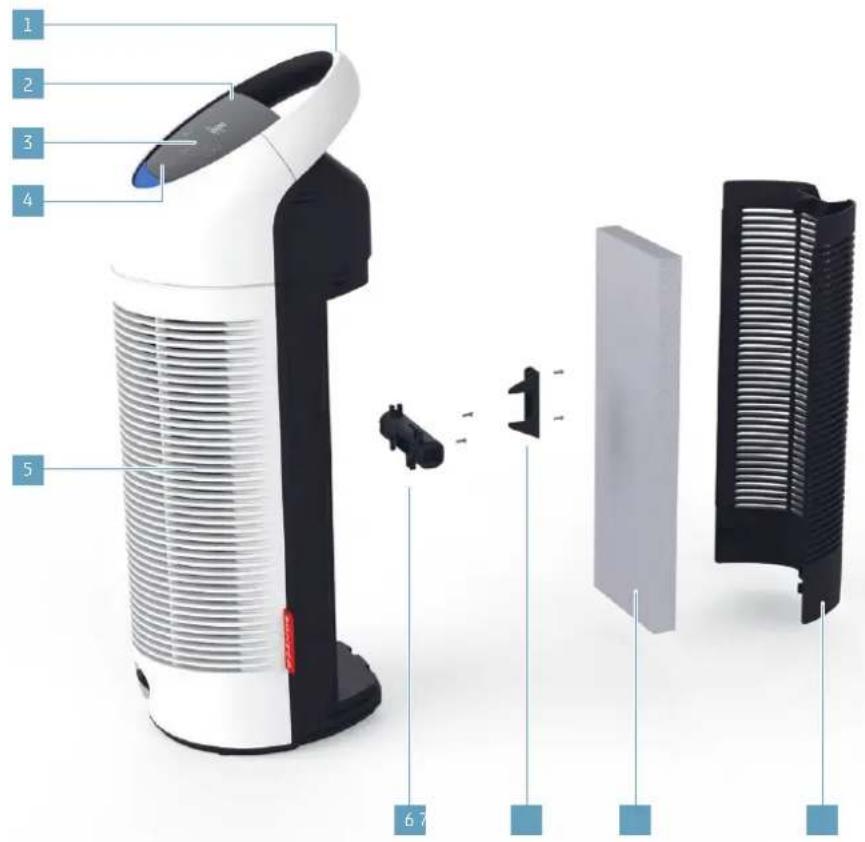
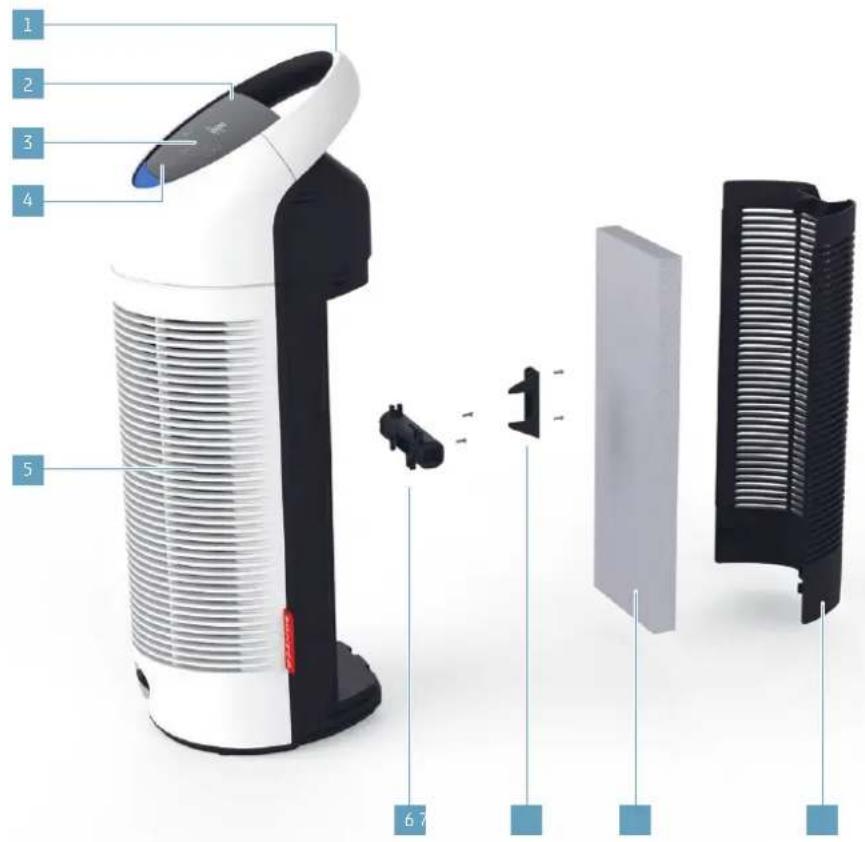
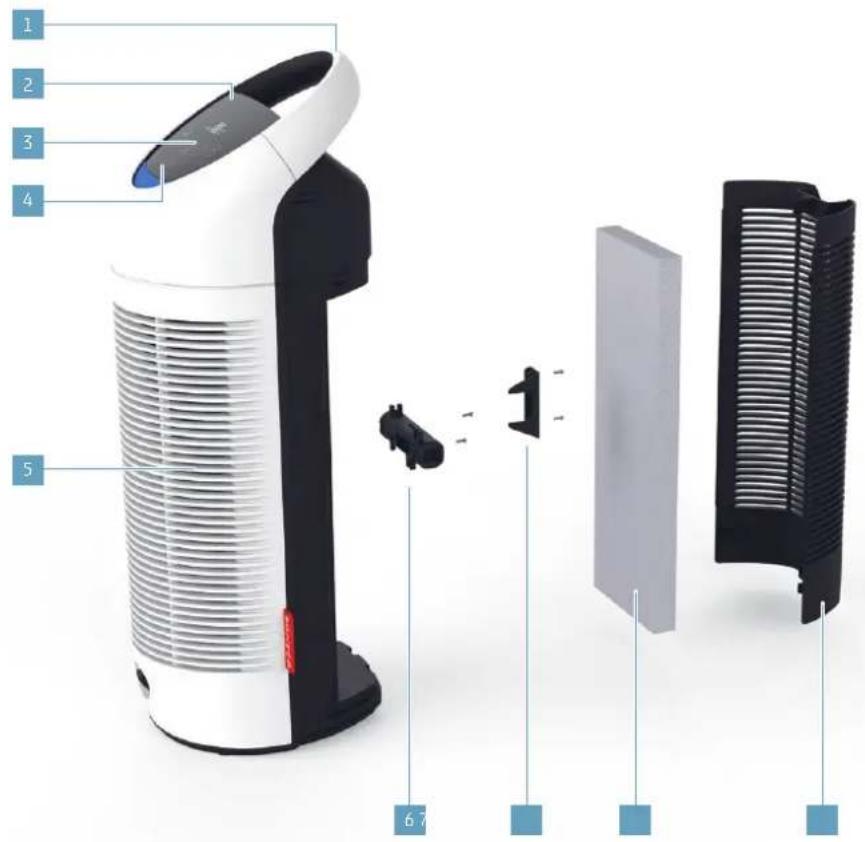
OVERVIEW AND PART NAMES
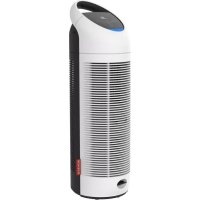
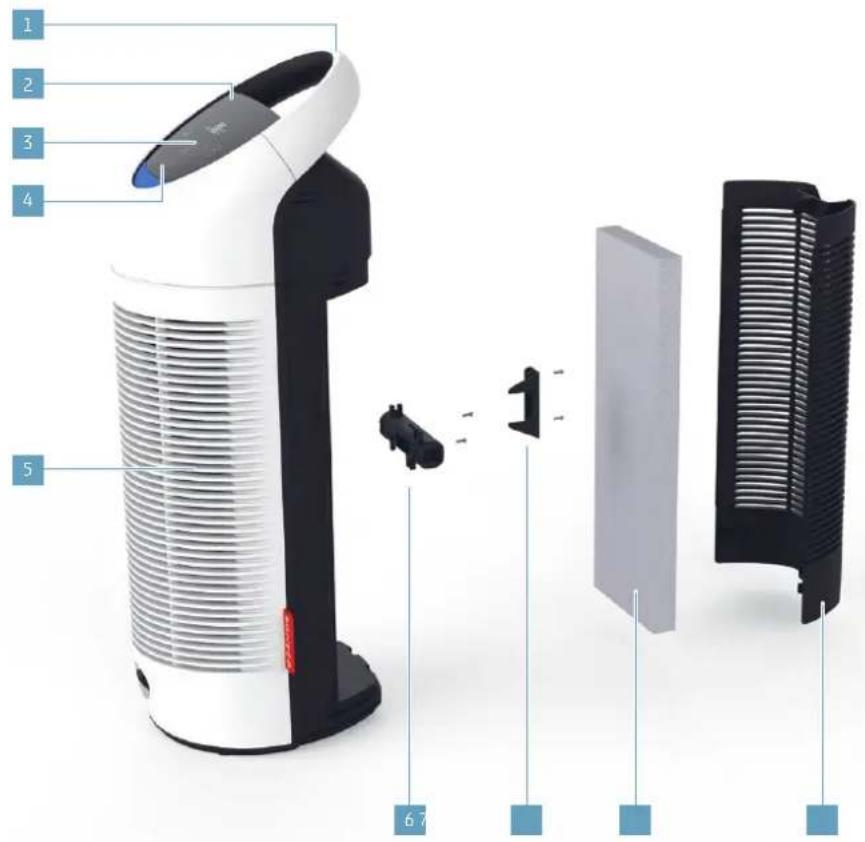
1 Transport handle
2 Display
3 Function buttons
4 Air quality indicator
5 Air outlet
6 UV lamp
7 UV lamp cover
8 AP300 filter
9 Air inlet / rear cover
32
en
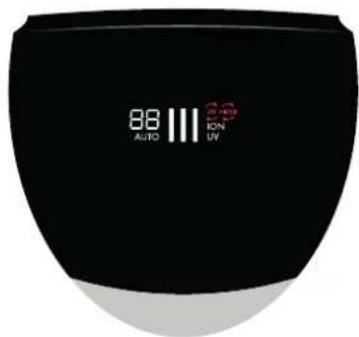
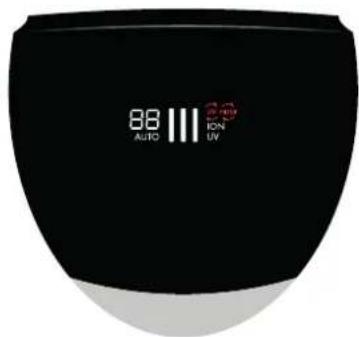
INDICATORS ON THE DISPLAY
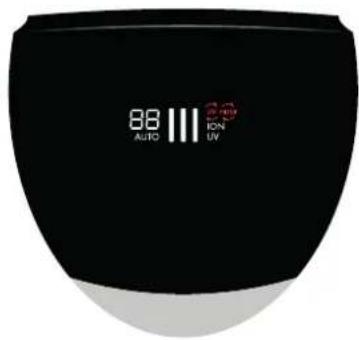
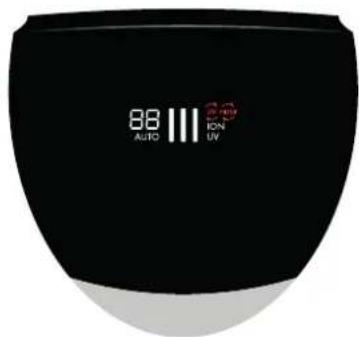
Symbol Meaning

88
Timer's remaining time indicator 37
11
Current performance level 35
UV
UV lamp is activated 40
ION
Ionizer is activated 39
AUTO
Automatic mode is activated 35
Symbol Required action


Replace the filter 43

Replace the UV lamp 45
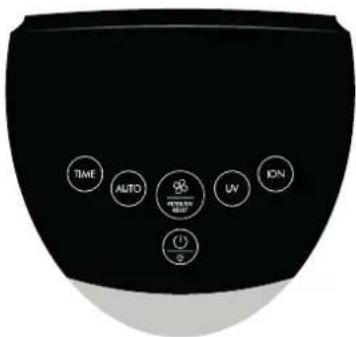
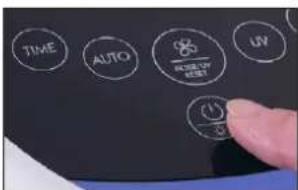
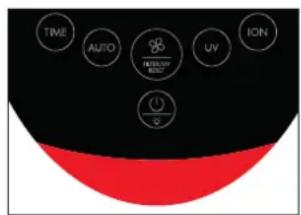
BUTTON PANEL ON THE APPLIANCE

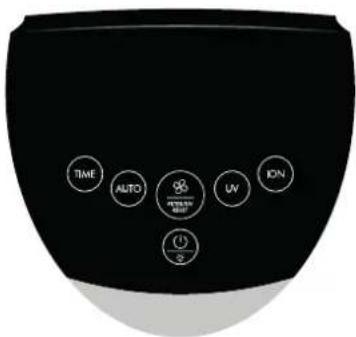
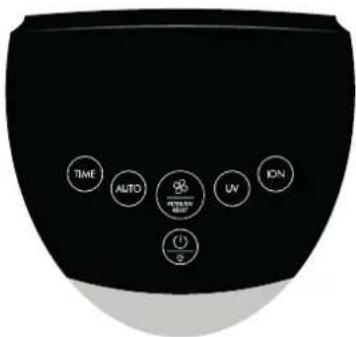
Button Function

TIME
Set remaining time on timer 37
AUTO
Switch on "AUTO" mode 35
Uv
Switch UV lamp on/off 40
ON
Switch ionizer on/off 39
Button Function


Regulate the performance 35
Clear warning for filter / UV lamp 45

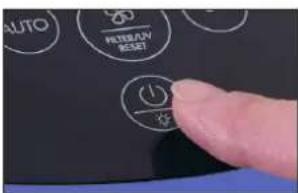
On/off switch 34
Night mode on/off 36
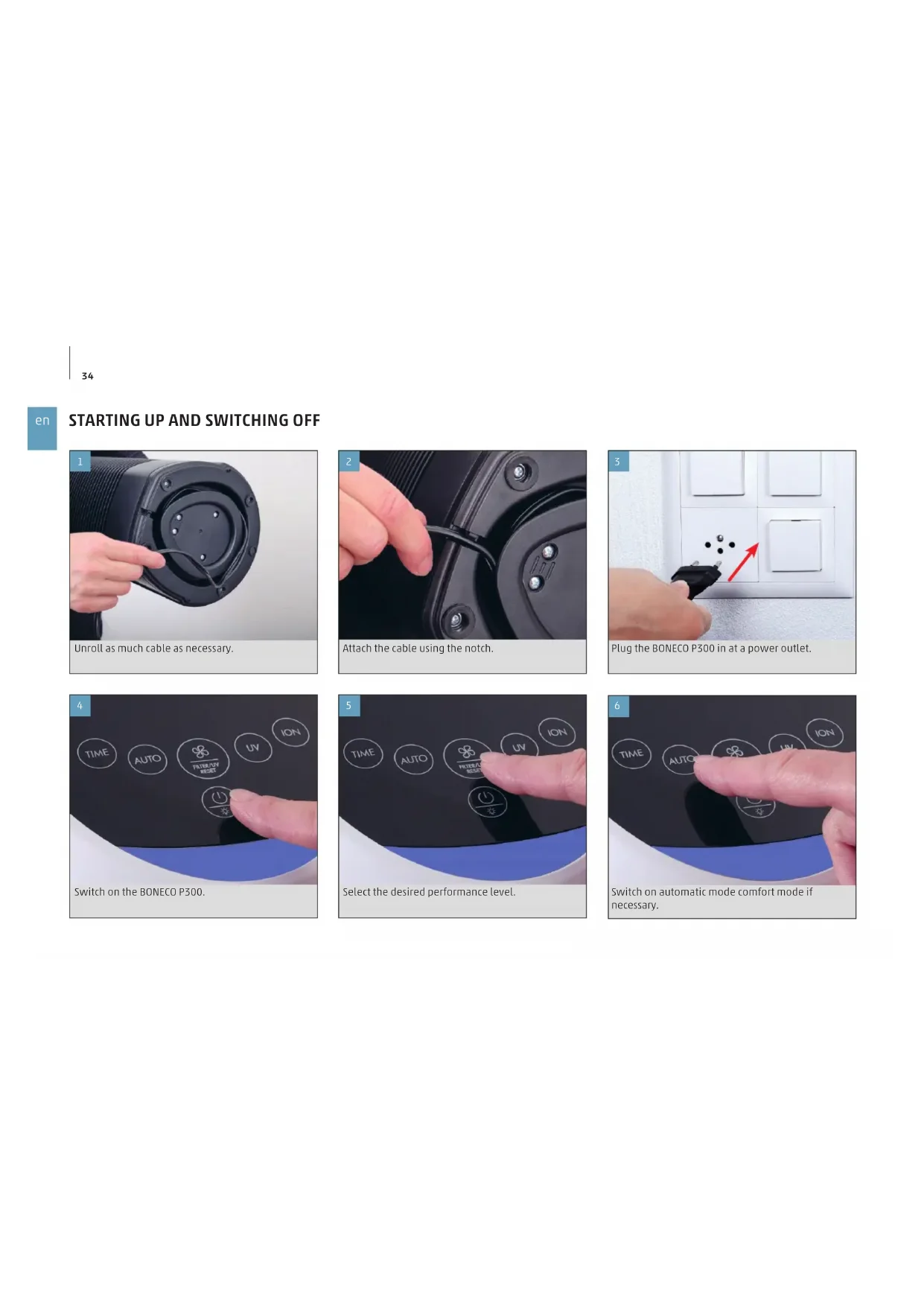
STARTING UP AND SWITCHING OFF
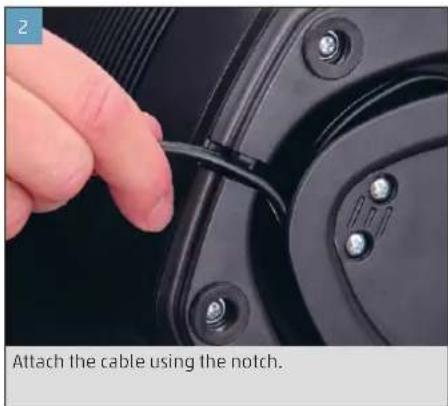
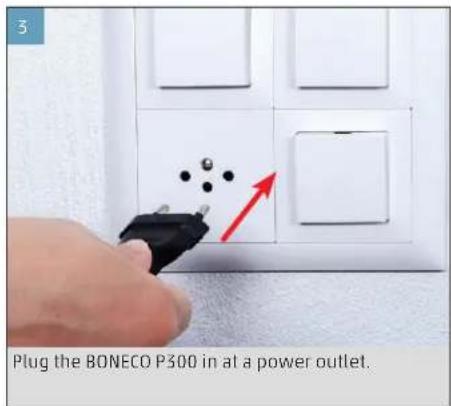
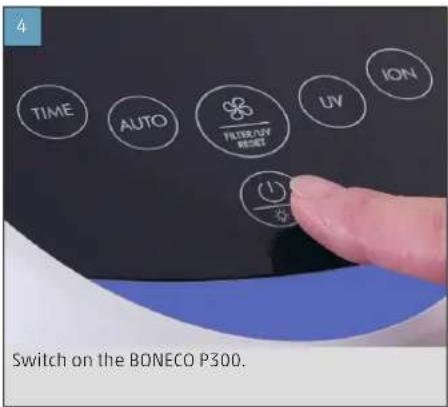
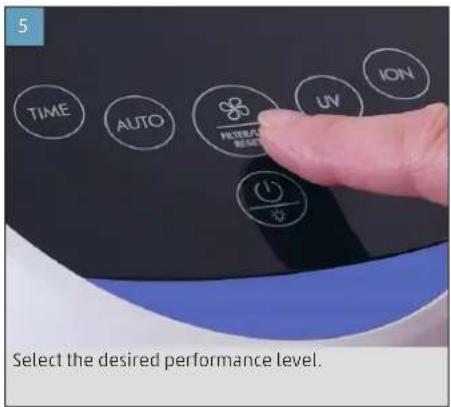
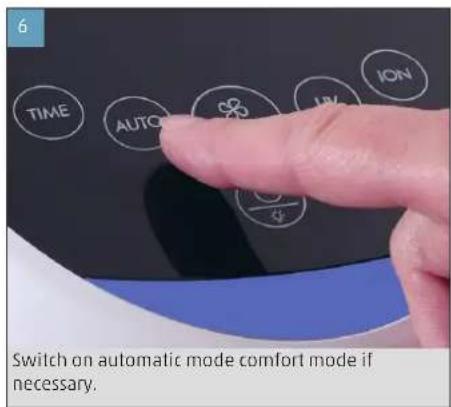
AUTO MODE AND MANUAL CONTROL
The BONECO P300 has an Auto mode in which the appliance controls its performance independently.
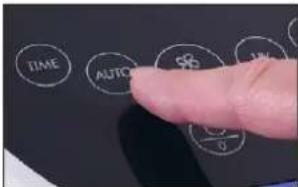
- Switch on the BONECO P300.
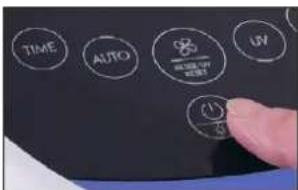
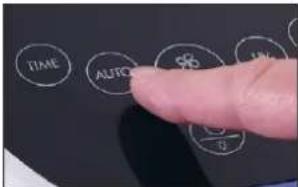
- To switch the appliance to Auto mode, tap the AUTO button. The AUTO indicator appears on the display.
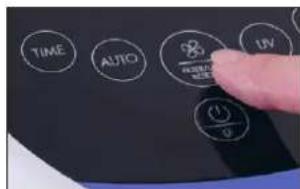
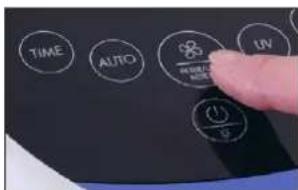
- To exit automatic mode and switch to manual mode, tap the button for the performance level. Each time you tap, you switch between the performance levels: I > II > III > I
The last setting is saved when you switch off the appliance and restored the next time you switch it on. On the other hand, if you disconnect the BONECO P300 from the power outlet, automatic mode will be activated the next time you switch the appliance on.
NIGHT MODE
Night mode deactivates the air quality indicator when the appliance is used in a bedroom, but night mode does not affect the function in any way.
- Switch on the BONECO P300.
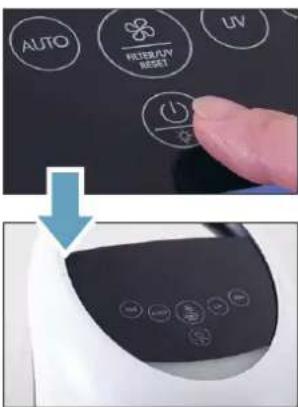
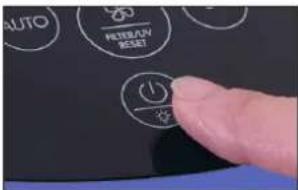
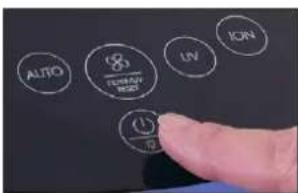
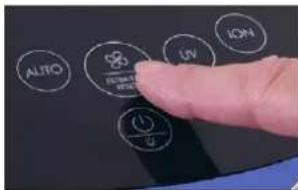
- To activate night mode, press the on/off switch for five seconds.
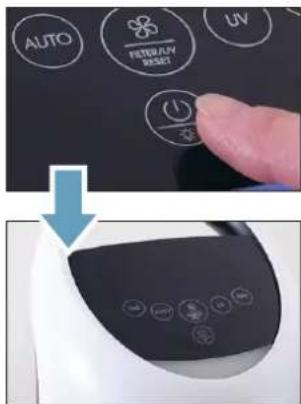
- To switch off night mode, press the on/off switch again for five seconds.
The last setting is saved when you switch off the appliance and restored the next time you switch it on. On the other hand, if you disconnect the BONECO P300 from the power outlet, night mode will be deactivated the next time you switch the appliance on.
24-HOUR TIMER
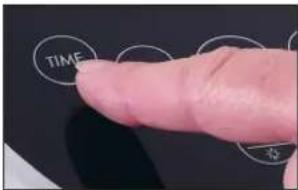
The BONECO P300 has a 24-hour timer, which is controlled by the hour. After the desired time has elapsed, the appliance is switched off automatically.
- Switch on the BONECO P300.
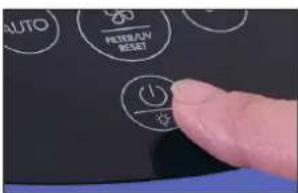
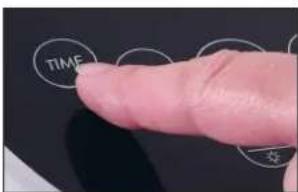
- Press the TIME button repeatedly until the desired number of hours is set.
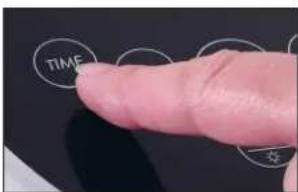
After the desired time has elapsed, the BONECO P300 is switched off automatically.

MEASURING THE AIR QUALITY
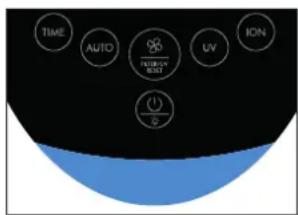
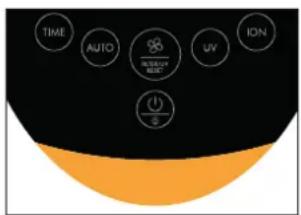
The BONECO P300 has an integrated particle sensor that measures the air quality. The result is indicated by the color of the LED under the control panel.
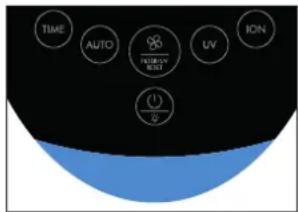
The air quality is good; no noteworthy air pollution is measured.
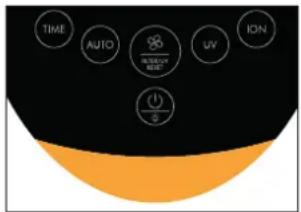
The air is moderately polluted by particles. Increase the performance of the appliance.
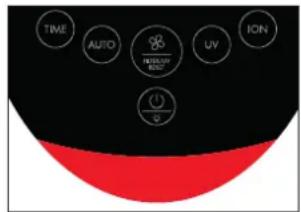
The air is highly polluted by particles. Thoroughly ventilate the room and set the BONECO P300 to the maximum performance level.
SWITCHING THE IONIZER ON AND OFF
ABOUT THE IONIZER
The BONECO P300 has a built-in ionizer that can be switched on and off. It outputs negatively charged ions into the air, which attach to the fine dust. The negatively charged fine dust particles attract other particles in the air, so they become too heavy to stay in the air and fall to the floor, where they get wiped up along with the household dust.
The ionizer generates a very low amount of ozone. Do not use the ionizer if someone around you is allergic to ozone.
SWITCHING THE IONIZER ON AND OFF
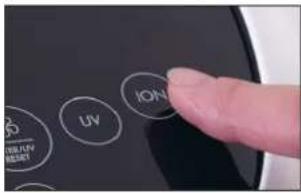
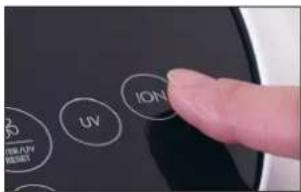
- To switch the ionizer on, tap the ION button.
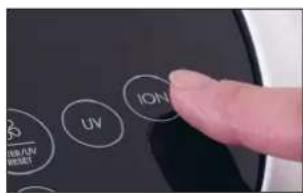
The ION indicator appears on the display:
ION
- To switch the ionizer off, press the ION button again.

SWITCHING THE UV LAMP ON AND OFF
ABOUT THE UV LAMP
The BONECO P300 has a built-in UV lamp that can be switched on and off. The lamp's high-energy properties help remove specific viruses and bacteria. Thus the UV lamp contributes to the hygiene of your living space.

The UV lamp generates a low amount of UV ozone. Do not use the UV lamp if someone is and you is allergic to ozone.
SWITCHING THE UV LAMP ON AND OFF
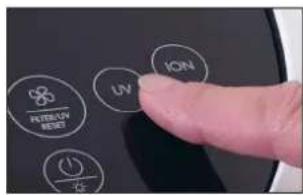
- To switch the UV lamp on, tap the UV button.
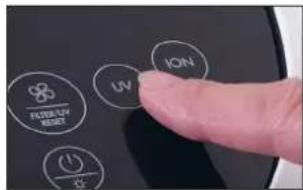
The UV indicator appears on the display:
UV
- To switch the UV lamp off, press the UV button again.
NOTES ON CARE
CARE INSTRUCTIONS
The BONECO P300 is a low-maintenance appliance, which needs only a very small amount of attention. Accordingly, it is easy to care for.
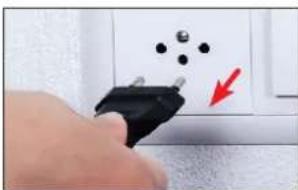
Always unplug the BONECO P300 from the power outlet before you start cleaning or doing maintenance! Failure to do so can result in electric shock and fatal injury! When liquid is used, there is a danger of electric shock. Unplug the power plug every time before cleaning.
All parts inside and outside the BONECO P300 are designed for dry cleaning. Use a damp cloth only for removing dirt on the outside.
Interval Task
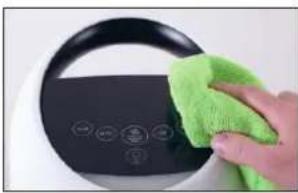
Weekly Wipe off the appliance with a dry cloth
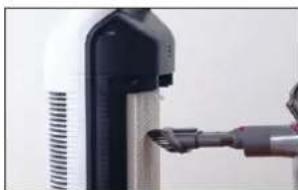
Every 2 weeks Clean the ventilation slots and the AP300 filter with a vacuum cleaner
As needed Replace the UV lamp or the filter
en
CLEANING
CLEANING
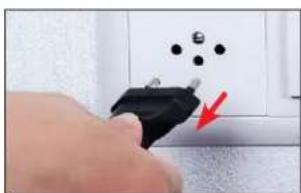
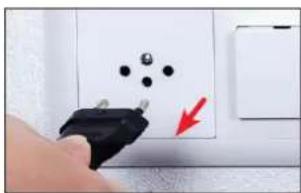
- Disconnect the BONECO P300 from the power outlet.
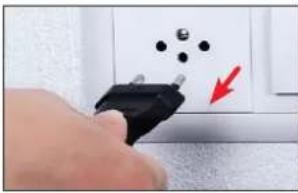
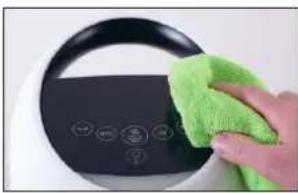
- Wipe off the outside of the appliance with a dry cloth.
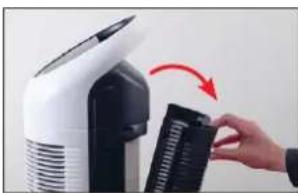
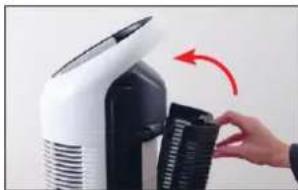
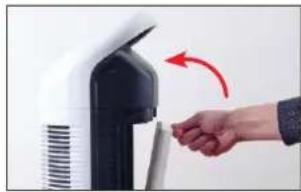
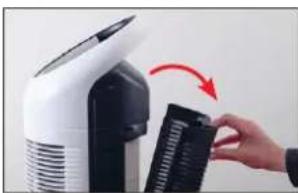
- Open the rear cover.
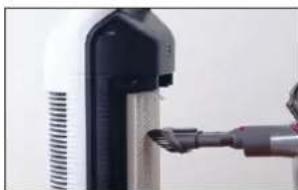
- Remove coarse dirt and dust from the AP300 filter using a vacuum cleaner.
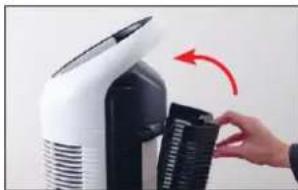
- Close the rear cover.
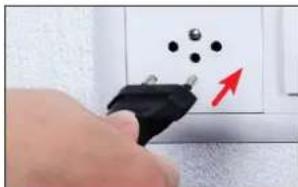
- Plug the BONECO P300 in at a power outlet.
REPLACING THE AP300 FILTER
ABOUT THE AP300 FILTER
The AP300 filter is a consumable and must be replaced after a certain amount of time. The BONECO P300 has an internal timer. After an operating time of 4000 hours, the appliance alerts you to the upcoming filter change with the filter warning on the display:

If you continue to use the spent filter for a longer time, the cleaning output of the BONECO P300 will decrease significantly.
The spent P300 filter can be disposed of with your regular household waste.
REPLACING THE AP300 FILTER
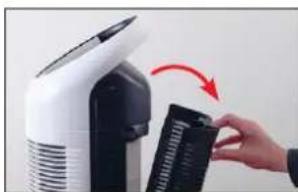
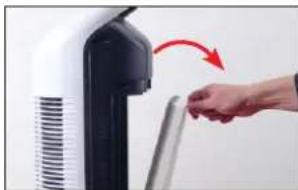
- Disconnect the BONECO P300 from the power outlet.
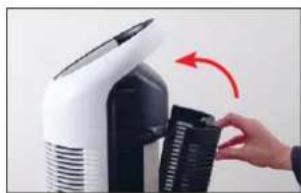
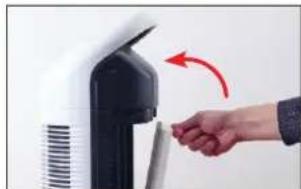
- Open the rear cover.
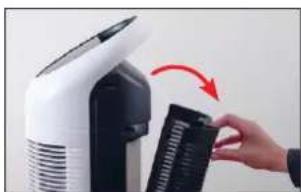
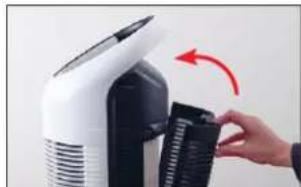
- Remove the spent filter and dispose of it with your household waste.
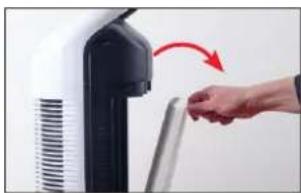
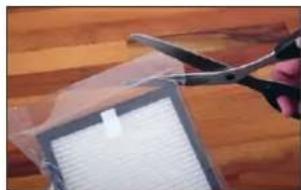
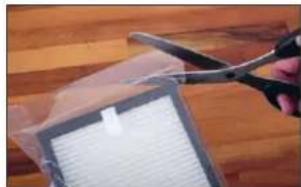
- Remove the protective foil of the new filter.
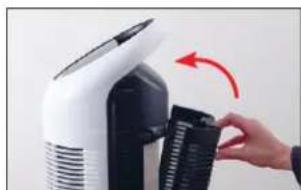
- Insert the new filter.
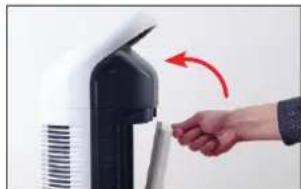
- Close the rear cover.

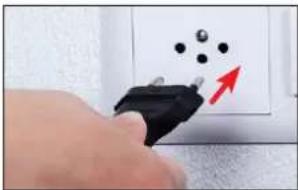
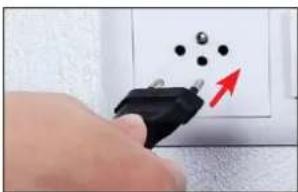
- Connect the BONECO P300 to the power outlet.
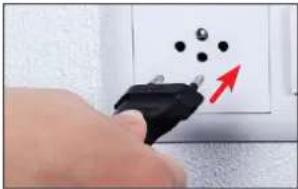
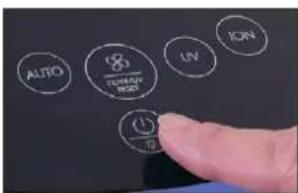
- Switch on the BONECO P300.
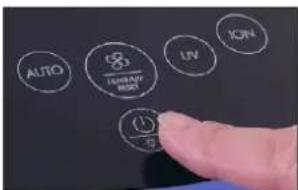
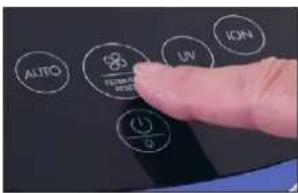
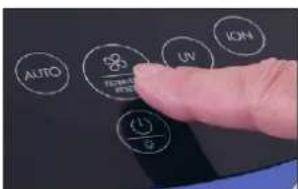
- Press and hold the button for the performance control for about 5 seconds until the filter warning on the display goes out.
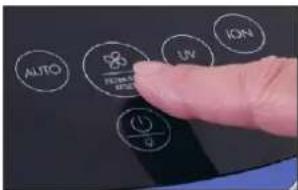
REPLACEMENT FILTERS
You can obtain the AP300 filter from your BONECO specialist dealer or the BONECO online store at www.shop.boneco.com.
REPLACE THE UV LAMP
ABOUT THE UV LAMP
The UV lamp is a consumable and must be replaced after a certain amount of time. The BONECO P300 has an internal timer. After an operating time of 12,000 hours, the appliance alerts you to the upcoming lamp change with the UV warning on the display:

If you continue to use the spent UV lamp for a longer time, the effectiveness of the disinfection will decrease significantly.
REMOVING A USED UV LAMP
- Disconnect the BONECO P300 from the power outlet.
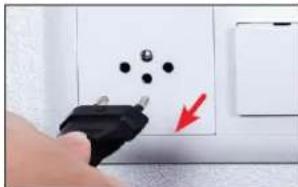
- Open the rear cover.
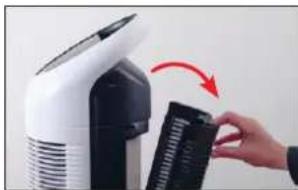
- Wait 5 minutes and let the used UV lamp cool down.
- Remove the filter.
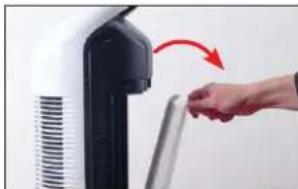
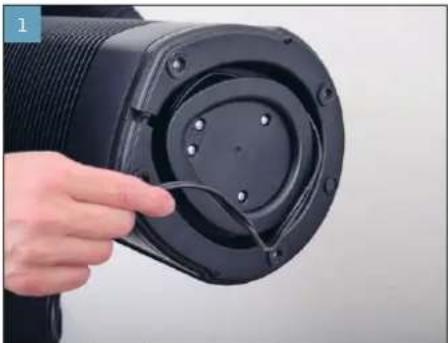
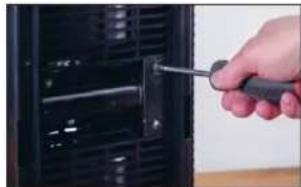
- Unscrew the four screws to remove the cover of the UV lamp.
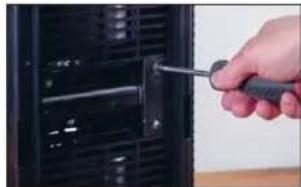
- Pull the UV lamp out of the housing.
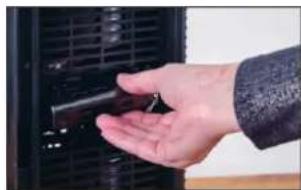
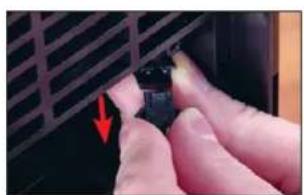
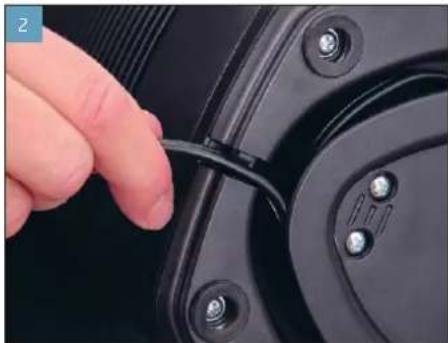
- Open the clip on the cable to disconnect the UV lamp from the appliance.
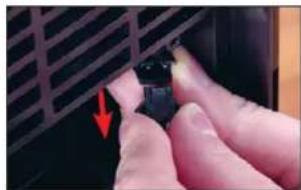

INSERTING A NEW UV LAMP
- Remove the new UV lamp from the packaging.
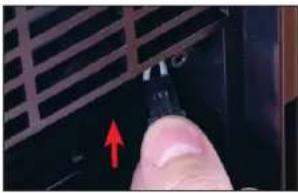
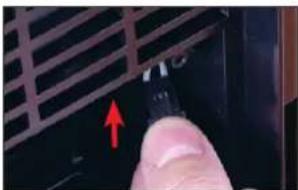
- Connect the clip of the new UV lamp to the cable in the P300. Make sure the clip noticeably engages.
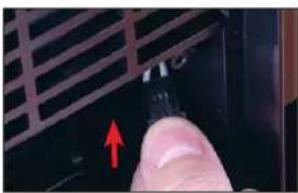
- Put the appliance back together by following the steps in reverse order.
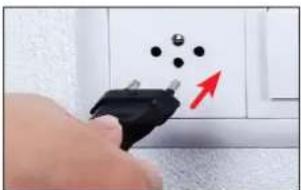
- Connect the BONECO P300 to the power outlet.
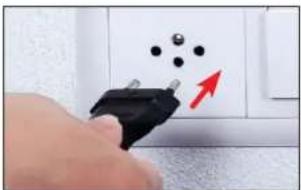
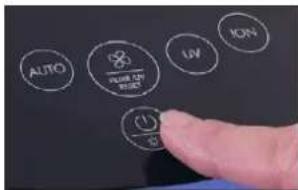
- Switch on the BONECO P300.
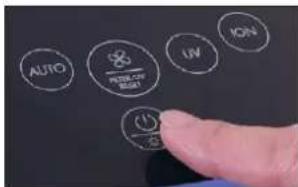
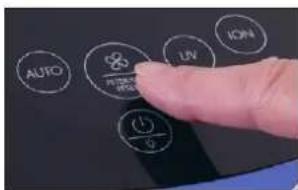
- Press and hold the button for the performance control for about 5 seconds until the UV warning signal on the display goes out.
REPLACEMENT FOR AP301 UV LAMP
You can obtain a new AP301 UV lamp from your BONECO specialist dealer or the BONECO online store at www.shop.boneco.com.
DISPOSING OF A UV LAMP
Contact your local waste disposal authority to get instructions about recycling and proper disposal of the old lamp.

Do not throw your used lamp in the household waste. Objects containing mercury must be disposed of in accordance with the applicable laws and regulations of your place of residence.
If the UV lamp breaks, switch off the appliance. Do not operate the appliance with a broken lamp. Do not use a vacuum cleaner to remove broken pieces. Sweep the debris into a plastic bag and dispose of it properly.


MODE D'EMPLOI

SOMMAIRE
FILTRDE REMPLACEMENT
REEMPLACEMENT DE LA LAMPE UV
INFORMATIONS CONCERNANT LA LAMPE UV
BESCHIKBARE ACCESSORIES
Remover a luz UV 157
DADOS TECNICOS
DADOS TECNICOS
Tensao de rede 220-240V 50 Hz
Consumo de energia 67 W
Capacidade de filtragem 170m
3/h
DimensoesC×L×A225×218×621mm
Peso (vazio) 4,23 kg
INDICAÇÖES NO DISPLAY
Simbolo Significado

88
AZ UV-IZZO ARTALMATLANITASA
Byta filter AP300 219
0m filter AP300 219
Byta filter AP300 219
Reserviflter 220
Byta UV-lampa 221
Om UV-lampan 221
SATTAI EN NY UV-LAMPA
AJASTIMENTOIMINNAN KESKEYTTAMINEN
UV-LAMPUN VAICTAMINEN
UV-LAMPPUA KOSKEVIATIETOJA
UDSKIFTNING AF UV-LAMPE
OM UV-LAMPEN
ISAETNING AF NY UV-LAMPE
Sette inn ny UV-lampe 288
AUTO-MODUS OG MANUELL STYRING
INFORMASION OM VEDLIKEHOLD
VEDLIKEHOLDSINFORMASION
SETTE INN NY UV-LAMPE
- Ta den nye UV-lampen ut av emballasjen.
- Koble klipsen pa den nye UV-lampen til kabelen i P300.Pass pa at klipsen klikker merkbart papiass.
RESERVE TIL AP301 UV-LAMPEN
Du far ny AP301 UV-lampe hos din BONECO-forhand-ler ell via BONECO nettbutikken pa www.shop. boneco.com.
KASTE UV-LAMPEN
Reserves AP301 UV Lampa 310
UV lampasutilizeshana 311
TEHNISKIE DATI
TEHNISKIE DATI
Tikla spiregums 220-240 V - 50 Hz
Jaudas paterin67 W
Filtra veiktspeja 170 m 3/h
ImeriG×P×A225×218×621mm
Tuk'siierces swars 4,23kg
Daribabstroknis 60 dB(A)
Irrezervetasiesibvasveiktizmainas
Ar230V 50Hz

IEVADS
VESELIGS GAISS IR PAMATVAJADZIBA
Uz sliktu gaisu més reagéjam patiešam jutigi. Tomér daudzi gaisa kvalitatei pievērs āpak maz uzmanibas. Tas ietekme veselbu un dzives kvaliti. Tâpec esam gandariti, ka ar BONECO ierici sava apkärtné nodrosinat veselīgu gaisu telpās.
PIEDERUMU PIEEJAMIBA
Nolietoto pigeonum rezerves dalas, ka ari papildu pigeonum varat iegadaties:
pie BONECO specializetairdzniecibas parrstayja,
- vietnê www.shop.boneco.com
PIEGADES KOMPLEKTACIJA
BONECO P300

Isaietoanas instrukcija Droibas noradijumi
DALU PÄRSKATS UN NOSAUKUMI
1 Transportesanas rokturis
2 Displejs
3 Funkciju taustini
4 Gaisa kvaliataes indicacja
5 Gaisa Izpludes atyere
6 UV Lampa
7 UV lampas parsegs
8 AP300 filters
9 Gaisa iepludes atvere/ aizmugures pards
296
lv
INDIKACIJAS DISPLEJÄ
Simbols Nozime

88
Atlikusā taimera laika indikacija 301
11
Pašreizejais jaudas limenis 299
UV
UV lampa ir aktivizeta 304
ION
Jonizators ir aktivizets 303
AUTO
Automatiskais rezims ir aktivizets 299
Simbols Veicama darbiba


Filtrama 307

UV Lampas maina 309
IERICES TAUSTINU PANELIS

Taustins Funkcija

TIME
Atlikusataimera Laika iestatishana 301
AUTO
Rezima "AUTO" ieslegsana 299
Uv
UV lampas iestegsana/izstegsana 304
ON
Jonizatoriaieslegsana/izslegsana 303
Taustins Funkcija


Jaudas regulešana 299
Filtra/UV lampas bridinajuma dzesana 309

leslegsanas/izslegsanas sledzis 298
Nakts rezima ieslegsana/izslegsana 300
lv
EKSPLUATACIJAS SAKSANA UN IERICES IZSLEGSANA
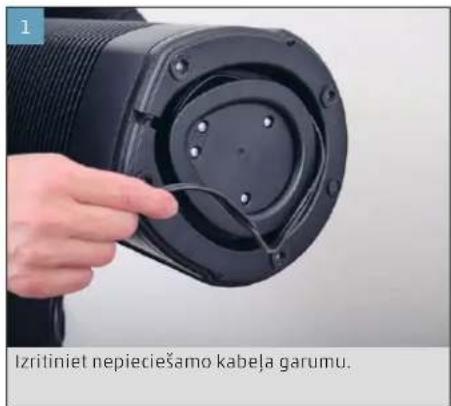
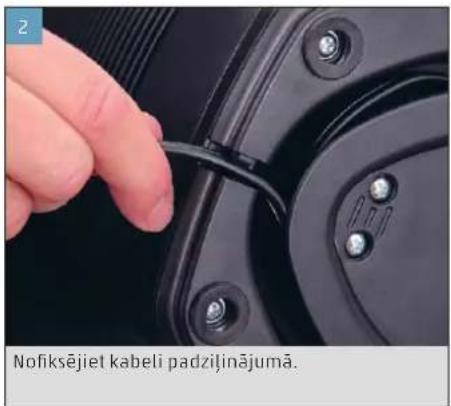
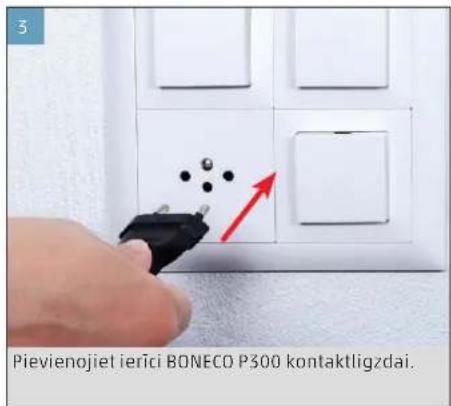
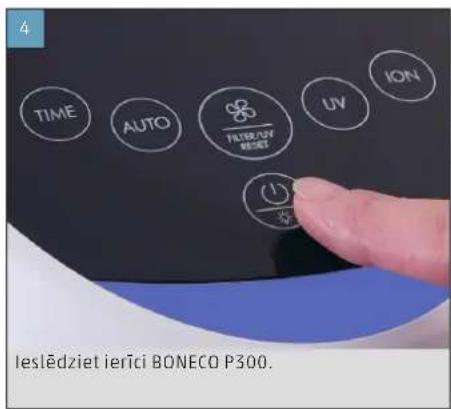
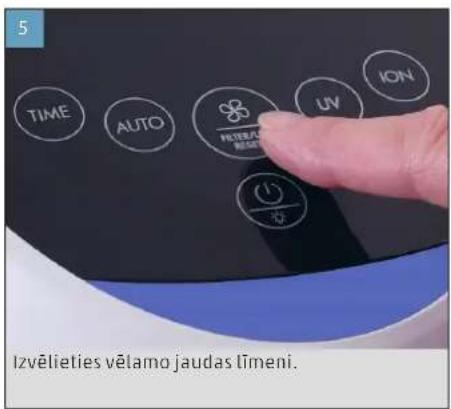
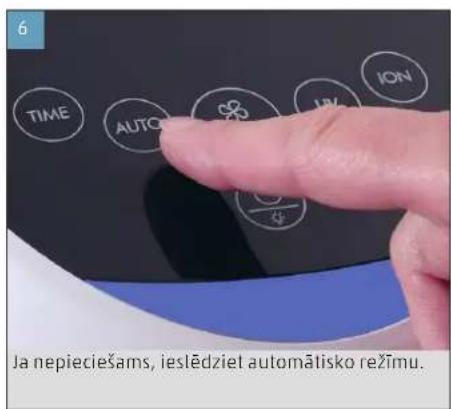
AUTOMATISKAIS REZIMS UN MANUALA VADIBA
Ieriei BONECO P300 ir automatiskais rezims, kura laikierice pati regulejaudas vadibu.
- lesledziet erici BONECO P300.
- Pieskarieties taustinam AUTO, lai parslegtu ieriei automatiskaja rezima. Displeja paradas norade AUTO.
- Pieskarieties jaudas limena taustinam, lai iz slegtu automatisko rezimu un parietu uz manualo rezimu. Pec katras pieskarstanis tiek parslegts jaudas limenis: I I I I I
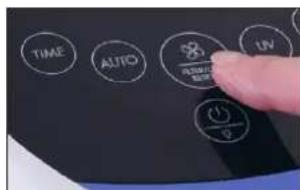
Pedejais iestatijums tiek saglabats izslegsanas bridi un atjaunots nikamajia ieslegsanas reize. Ja atvie nojat ierie BoneCO P300 no elektrotikla, nikamajia ieslegsanas reize tiek aktivizets automatiskais rezims.


NAKTS REZIMS

Luhijuhend Ohtusjuhised

ÜLEVAADE JA OSADE NIMETUSED
1 Transpondikäepide
2 Ekraan
3 Funktsioninupud
4 Ohu kvaliteedi nait
5 Ohu valjalase
6 UV-valgusti
7 UV-valgustikate
8 Filter AP300
9 Ohu sisselase / tagumine kate
340
ee
NAIDUD EKRAANIL
Sumbol Tähendus

88
JUHISED HOOLDAMISEKS
HOOLDUSJUHISED
VARU-UV-VALGUSTI AP301
Uue UV-valgusti AP501 saate oma BONECO-edasilmujalt voi BONECO veebipoest www.shop.boneco.com alt.
UV-VALGUSTI JÄATMEKÄITLUS
- Vstavite nov filter.
- Zaprite zadnjiPokrov.
418
SI
- Prikljucite napravo BONECO P300 na elektricno omreje.
8.Vklopite napravo BONECO P300.
- Pritisnite in drzite tipko za nadzorzmogljivosti priblino 5 sekund, dokler opozorilo o filtru nazaslonu ne ugasne.
NADOMESTNI FILTER
Filter AP300 je na voljo pri vasem prodajalcu BONECO ali v sletni trgovini BONECO na naslovu www.shop.boneco.com.
MENJAVA UV-LUCKE
O UV-LUCKI
UV-lucka je potrošni material in je je treba po do lofcenem casu zamenjati. Naprava BONECO P300 ima notranji casovnik. Po 12.000 urah delovanja vas naprava z opozorilom UV na zaslonu opozori na blizajoco se menjavo:


NADOMESTNA UV-LUČKA AP301
Nova UV-lucka AP501 je na voljo pri vašem prodajalcu BONECO ali v spljeti trgovini BONECO na naslovu www.shop.boneco.com.
ODLAGANJE UV-LUCKE
Za navodila o reciklaranju in pravilnem odlaganju stare lucke se obrnite na lokalni organ za ravnanje z odpadki.

AIAOEEIMOTHTA AEEYOAP
AvtaAakraVicpaeu npo0eTa aEou apnopeite vBpeie:
- 0to e16ko katoaotma tnc BONECO,
- Μην έκτρονική δεύθυναπ www.shop.boneco.com
IEPIAAMBANONTAI
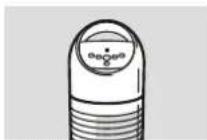
BONECO P300

Quick Manual Dnyieac aphialeic

ENIEKONHEH KAI ONOMAIA TQN EAPTHMATQN
1Aββμεταφρδε
2 08ovn
3 NanktpaAelitoupyiac
4 EvSeIEnTnc noiotntac aepa
5 Eaeawyn aepa
6 AuXviα UV
7KaunuuauxvicU
8PhiAP300
9 Eiaaywn aepa/ntaw kaumu
450
gr
1.Eepyonoiate to BONECO P300.
- NIEOTe OuvToa To NkToPO AUTO, YIA VA ΕeTe Tn OauKeun Atv AutouaTn Aetoupyia. STNV OboVn EmuavciTaI uTOnBeiEN AUTO.
- Niote ouvtoua to nankpo ia tvosBao anoanc, ia va aphiene tyn autoualphaeoupyia kai va aetaeite otn xepokintnaeoupaia.Mkoe ouvtoun niocenvaaadaege avaeaaatouc Baoouc anofoanc: I>II>III>1
H TEAEUTaPUBOaon anoBKeTuT aKa TnV aTEVEpyooinan Ka anokaiotatai KaTaN EojeynEvepyooinan Av aviTea, anouvdeet to BONEPC300 Ano tv npiaeupatoc, eeyPOeIaTn autouatn aeitoupyia KaTaN ENeVNEyOioin.
NYXTEPINH AEITOYPTIA
H vuxtepi n aevepvnoei tnv ev- eien yia tvn aoiota aepa,otav nuokuen xpnaonaiata ovouauio. H vuxtepi n aetoupiya dev ennpaeoi wotoo tn aeitoupiy.
- Evpyonoiate to BONECO P300.
- NIEATE TOV SIAKON On/Off yia neve deute-poAenta, yia va eevpyonoiBei n vuxtepiN Aietoupyia.
- NATE TOV DIAKONTN ON/Off cova ia NVE TE SEUTPOLENTA, iα va aTEVEPVONIOBei n vuxTePENAEIOTUPYIA.
H taeutai puon anoNkeetai kata ntv anepeyoonan kai anokaiotatai kata ntv enoeyn eveyoonan. Av avtie, anouv 6eote to BONECO P300 ano tv npiaepuatoC, anepeyoitei na vxtepivn aeitoupia kata nTV enoeyn eveyoonan.
XPONOIAKONTHE 24 OPQN
To BONECO P300 61a8eTeivxovxpvodkontn24 wovou EAEyXeTAt avw npA. Meta ano Tn AnEn Tou eBmuTu xpvou n oukeunanevepyonoi- iai autuOata.
1.Evepyonoiate TO BONECO P300.
- Niéte to nλntpo TIME, mexvi paθμiote o eɪθμιntoc αριθμος ρwv.
Meta ano tn Anen autou tou xpovou, to BONECO P300 anevepyonoleitea autouata.
AIAKONXPONODIAKONTH
TIA via biakowite npawopv xpvovbiokottn, mieteTO pAnktoPO TIME, mexipet a ano Tnv E8ie19 24 vavaoobnoye nEv6e19 wapw.
METPHSHTNOIOTHTAAEPA
- Pte to nKpo ION, yia va evpyonnoe Toovoiatn.
TnV oOvN eFavCetau nOno6EiENI0N:
ION
- NATE TO NIKPO ION EaV, Vα vα aenepepyo nonpoTe Tov oviotn.

gr
ENEPTONIOIHKHAI ANENEPTONOIHHEYXNIAUV
EXETIKA METH AYXNIA UV
STOBONEPC500EXEToaTeTneiuauxviaUV nou epeyanoieitaiExwpiotaTu npiaevypntika TcXapaktipotika BonBoov atny anoakpuovn Eikov wKai Bkntpivv.Hauxvia UV aubaaei tOAtnv uYieivn oTov Xapo KaTOkiQc.
H Luxviua UV npayeiuiu kpnnooortao 0cavtoc.Mn xnpaonoeite tn Lxvua UV, av Kanoic ato nepiaalov aoc avtbpaaepyika oto cov.
ENEPRONIOHEKAI ANENEPRONOIHHEH AYXNIAUV
8.Evepyooinote to BONECO P300.
- Kpatnote nieouvo to nIjktpo yia tnpuBua ano0ocvia nepinou 5 8eutepoAentax, uexpu va aBnei npoeisOoian fAtpou otnv oBovn.
ANTAAAKTIKΦIATPO
Bpeiteo foAtpo AP300 0to Eiikok katatauBONCO n eou Tou BONEO onl. Shop atny nEkpovici dieuuyan www shop.boneco.com.
ANTIKATAZAH AYXNIAE UV
EXETIKA METHAYXNIA UV
Hauxia UV eivai avawoiu uikok npenei va atkiotatai meta ano eva opioevo xpvikko xpvobkontn. Metao xpovo aeitoupyiac 12000 wov, n aukueun ac cepota tyn npaoyn onny enkeeynn aaayn neyn pnoedonoinan UV atny obov:

Av ouvexioe va xpouimonoite tn metaXepiopoeuvuxia UV ia neyao xpvikoi diaotnua, meiwetai aonnta n anoan tnc anoauvacn.
AΦAIPEESH METAXEPIIEMENH ΛYXNIAE UV
1.Aoouvse to BONECO P300 ano tyn npicpEmuotc.
2.AvoiEToTnioWkAuaμα.
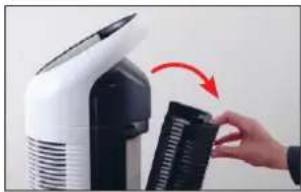
- Nepuveve 5 Aentα kai αΦnote tn μetaxeipouevn auviua UV va kpuwoi.
4.AaipepoTe tophiTo.
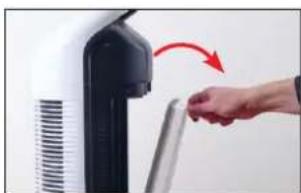
- Naote tic tedeepic bidec, yia va ox aipopeet to KaAumua Tnc Auxviac UV.
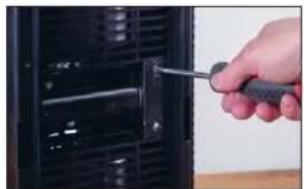
- ApaipoeTe Tn Auxvia UV ano To npia nua.
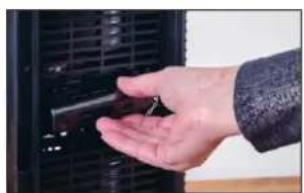
7.AvoIETe To KAIIO TO KAALDBIO,VA VA ANOouvDE- 0ETn AUXVIA UV ano TN oukeun.
464
gl
TOnooETEH NEAANYXNIAUV
- Apaipoe t ne vae auxyia UV ano tn ouokua
- SUVSEOTO KAIN TNC VEC AUXVAC UV TE KALWIO TO P300. NPOETE WOT TO KAIN VA aopaaiaei aioihta.
- Suvaapuaoynate tn ouakeun otnv avtioptpoanepia.
- SuVbEOTe TO BONECO P300 uTnv npIa pEuα-TOC.
- EvpeyonttoTO BONECO P300.
6.KpatnoTe nieouoTo nAnktpo yia tn pubuon ano0ocn yia nepinou 5 deutepOaIenTa, uexipva aBna to npoeIoantoiq oHa UV otyn oBovn.
ANTIKATAETAH TIA AYXNIA UV AP301
Oa Bpeite iua vα Auxviu UV AP301 aTO Eiiko KaTatao nua BONECO nueaw tou BONECO Online-Shop oTNv nAektpovikndeltauovan www.shop.boneco. com.
ANOPPIHAYXNIAUV
Aneuuvbeite atnv tonk npxh diaeocn anopmuatowv oac, via va abetae onnyiec via tnu avakkaan kai tn owatn anoppin nnc naiaoc luxvic.

Mny anoppieta n eaxepiaevn Lyxvi a ta oikka aonoppmuata. H anopplu anvtkeivuv nou nepiexouv ubapyuopa npenei va yivea oauoowvia touc vououc kai tic npodaypaopecnou xouov axoiac
Av onaei n auviu, anevepyoioane Tn oukeun. Mn xnpaouonoiene Tn oukeun ie oanepvn auviu. Mn xnpaouonoiene tneAektpkn aokouta, via va aphiapeote ta onaoevua utoalemuata. 2uaaTe ta Opaouoate ae mua naotik aakouka kal npoppipte ta owota.

PYKOBODCTBO NO 3KCNJYATAUIN
COДEPЖAHNE
TexHuecknexapakTepcntnK 469
BVeDene 470
Bo3MOXHOCTbVCNOB3OBAHNAONONHHTbHBIX
npuHaJnxKHOCTe 470
KOMNNEKT NOCTABKN 470
063op HauMeHOBaHne deTanei 471
HdNkAToPbHa dncnnee 472
Khoonouha naheh ha npnbope 473
IodrotOBkaKpa6oTe N BbIKNoHcHne 474
A B T O M A T N U E C K N P E K N M P U H O E Y N P A B J E H N E 475
Houhopekm 476
24-achoboi TaHmep 477
OTKJIIOUeHHeTaMepa477
OnpeelenneKeaueCTBa Bo3dyxa 478
BkIIOueHne N BbIKIOueHne IOHN3aTopa 479
06 mohuaTope 479
BkIIOueHnE N BbIKIOueHn EONH3aTopa 479
BkIouHe/HbIKIOUeHneYΦ-naMnbl 480
06yΦ-namne 480
BkIIOueHHe/BbIKNoueHneYΦ-NAmNb480
yka3aHno yxoy 481 yka3aHno yxoy 481
OuNTKa 482 OuaCTKa 482
3aMeHaΦnIbIpaAP300 483
0ФильтpeAP300 483
3aMeHaΦnIbTpApAP300 483
3anacnoi 484
3aMeHa yΦ-naMnbl 485
06YΦ-λamne 485
I3BnueHne nCpePnaBwe pecypc YΦ-λamnb485
YCTAHOBKa HOBOy YΦ-NAmNbI 486
3aMeHa yΦ-naMnbl AP301 486
ytnnn3aun yΦ-naMnbl 487
TEXHNUECKNEXAPAKTEPNCTUKN
TEXHNUECKXEXAPAKTEPNCUK
TekyaCTyneHbMOuHOCTn 475
UV
DeiCTBNE, KOtOpoe Heo6xOuMo BblNoHNHTb

3aMeHa fHbTp4 483

3aMeHa yΦ-JamNbl 485

KHONOCHA PAHEJIb HA IPNBOPE

KhoNkaФyHKcua

TIME
Hactpoika BpeMeHH TaMepa 477
AUTO
BkJIIOueHnpeXmAmA«AUTO»475
Uv
BkJIOueHne/BbIKJIOueHneYΦ-JaMnIb480
ON
BkIIOueHHe/BbIKIOueHHe NOHn3aTopa 479
KhoNKKaФункця


PerynpoBkAMOouHocTn
475
ydaunb npedynpekxeHne nnfNtpa/ yΦ- lamnbl 485

BbIKHouateIb 474
BknHouHe/HbIKnIOueHeHouHOpeKm
476
U
IIOIROBKA K PABOTE IN BbIKJIHOYEHNE
PazMotaTe Ka6eJIb HactoJIbKO, HacKoJIbKO 3TO He06XoIMmo.
3aФИKcpyuTKeKa6eBbBbIeMKe.
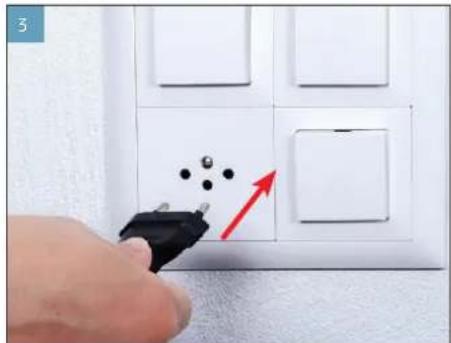
NoKnHouTe BONECO P300 Kpo3eTKe 3NeKtpocetN.
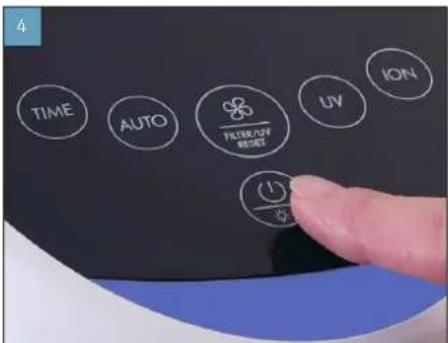
Bknoute BONECO P300.
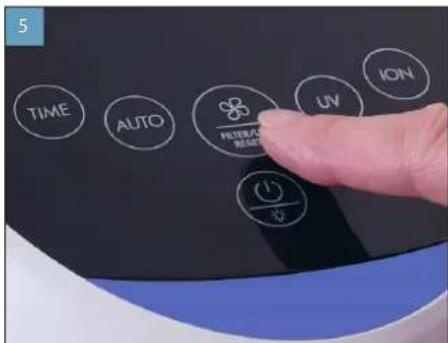
Bbepnte HxHky npon3BODunTeNbHOCTb.
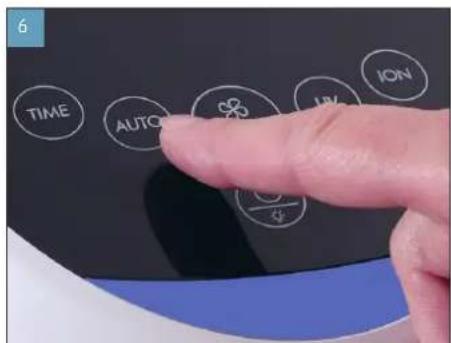
PnHeo6xOaMOnCTBKNIOHNTe ABTomATuCeCKNpEkmM.
ABTOMATUHECKI PEXKIM I PYHOE YNPABJEHNE
BONECO P300 MMeET ABTOMATMueckn peKm, B KO-Topom np6op cam perynpyet npoun3BOuNTenbHOCTb.
1.BKIOHOTBE BONECO P300.
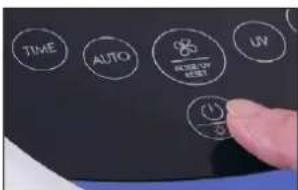
2.HaMMTE KONKY AUTO InepeKIOUeHHN npbopa B ATOmatueckn pexum. Ha dncnnnee noBnTc HnDkaunAUTO.
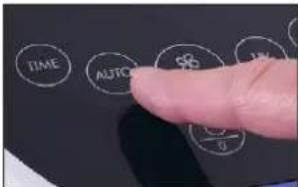
3.HaKMTe KHOKNy BbIbopa CTynen npOn3BODnTeNbHcTn,YTObblBIMN N3 ABTomATneCKORopeKmna npeKJIOnHCTB BYHNOPEKM.PnKaXdOM HaxATNN BbINONHReTCE pKeNIOUeHcNTyHcHnPON3BOIDNTBbHOCTN:|II>III>1
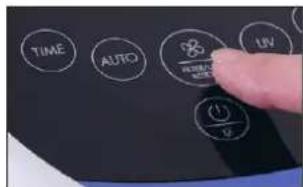
NocnHnHahtpOka CoxpaHnTc npn BbKnIO- Hnnnp6opn A kTNBpyETpcn npn ero cndyU OEM BkKIOHenn. B Cnye oTOcoEnHHn BONECO P300 03NekptocTe npn cIeDyUoem BkKIOHenn aKTNBpyETc ABOMaHTueckn pexm.


HOHOOPEKMM
B Hohom pexime OTKIOVAeTc HNDKATOp Ka-ecTBa BO3dyxa, eCn npbOp cnoNb3yETc B cnAhe. Ho yHkyuHNOHPoBAHe np6opa HOHpyeKm He OK3a3b3BaT HNKAKORe BNNHnA.
1.BKIOUHTBE BONECO P300.
2.HaMMTe BbKIOHApTeB NyepxNBaiTe erO HaaKATbM YteHeN PnTc KcyHd DnA kTNBaU HNOHOPEKIMNA.
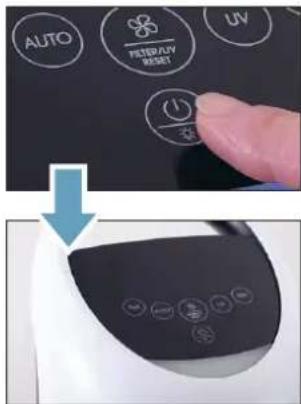
- CHOBA HAXMNTB BbIKHOaTeNb UyepKXBnTe ero HaxaTbM B TeueHne IaN CekYH, DIIeAekTINBaUN HOHORO pexmna.
NocnHnHa HAcTpoKa CoXpAHaTeTc npn BbKIO-HeHH np6opn A KtNBbpyeTc npn erO cneJyUoem BkIOeHnB Cnyae otcoeINHeHH BONECD P300 O3NKePocTe n pC neDyIOeM BkIOueHH AKTNbpyeTc HOHOpeHH
24-ACOBOI TAIMEP
BONECO P300 ochauehen 24-ycobbim TaMepom, KOtpoHMOxHO HACTPAMBaTc CuaROM BOUHnac. NoNCTeEHm 3aHaHHoro Bpemehn npNoBOP abTomATueckn BkIKIOHTNC.
1.BKIOUHTBE BONECO P300.
2.HaKMaTe KONky TIME Do HAcTpOuKn HyXHo- ro 3HaueHnuaocB.
No nCTeueHm 3TO rO BpemeHn BONECO P300 aTOMaTHeCKN BBKIOHOaETcR.
OTKJIIOUOHEHNTAUMEPA
JIIOIOIOIOIOIOIOIOIOIOIOIOIOIOIOIOIOIOIOIOIOIOIOIOIOIOIOIOIOIOIOIOIOIOIOIOIOIOIOIOIOIOIOIOIOIOIOIOIOIOIOIOIOIOIOIOIOIOIOIOIOIOIOIOIOIOIOIOIOIOIOIOIOIOIOIOIOIOIOIOIOIOIOIOIOIOIOIOIOIOIO

ONPENEJEHNEKAUECTBA BO3yXA
BONECO P300 Ocahen BCTpoehhblm daTNYKOM 3a- pHnene, KOTOpbOn nppeJenr KaeycTBO BO3- duX. PeynbI rAT OTo6paJaeTc uBETom CBetOJnOda NOD naneIbO ynpabneHn.
KaehetoB03yxaXopoOee; HOMHHaHbHbYpOBeHb3arpAHeHnA B03yxa He openerDetnC.
YMEPHHNE PNPCTBVE
ACTINU B03Dyue.YBENuTbe
PnnpoBDOJNTeJIbHOctI npNoBa
3HaHTeNbHoe npCytCTBnHactu B03dyXue.TuaTeNbHnPpOBePTn NOMEeHHeNOTpyrNPyTBE BONEPC300 HA MAKmMnAbHyo Ppon3BDaNTeNBcctb.
BKJIIOUHNE IM BbIKJIIOUHNE MOHN3ATOPA
06MOH3ATOPE
B BONECO P300 BCTPOeH NOKkOaembNoHN3aTOp. OH BvIeJIeR B 0B3Jxy OTPuATeINbHO 3ApXHHBe NoHb, KOTOpBE CBAIBaIOrCA MEnKOdNCnepCHOBnIbIbIO. OTPuATeINbHO 3ApXKeHHeNbMeNkne HACTNUbIbIN pPITARNBaOT K c6eDpyRue ACTNu, NpCYTCTBYUoNE B 0B3Jxye, BCNECTBne Yero CTAnOBATCR CNIKOM TAKKeHBM, YTO6bOcTAbatCBa B 0B3Jxye, IN OCeAOT HA non, rDe y6bnpaTcry JyE BmecTe C b6tBOBnIbIbIO.
HouH3aTOp reHepupyet KpaHne He3HaHuTe HbHOe KOunCCTBO 03OH.He NcNoJb3yIe NOH3aTOp,ecm KTO-TO B BAWeM OKpyXeHHN CTpAaTe aannepnme Ha 03OH.
BKIOUOHEHNE BbIKJIOUOHEHNEHOHN3ATOPA
- HaxMTe KhoNky ION, YTObbl BKNIOHTb MoHn3aTOp.
HaDnCnnee NOBNTcHnDnKacnaION:
ION
- HaxMATE KONKY ION CHOBA, YTO6bI BbIKNIOHTb MOHN3ATOp.

BKJIIOUHNE/BbIKJIIOUHNEYΦ-JAMnbl
OBYΦ-ⅠA MNE
B BONECO P500 cMOHTnpOBaHa NOdKnKUoHaemy UΦ-namna. Ee BbKOcO3HePretnueckoe M3nyeHne NOMORAeYbNbBaTbOpedeNCHHe BUPCybI N6kTeepn. 3a CetrTO rOyΦ-namna cnocOcbCTByet NOBbIeHmIO rIMMeHb BHytpn KJbnx NOMEeHm.

yΦ-namna reHeppyet He6oNbWoe KOnnueCTBO O30Ha. He nOIOB3yIe YΦ-nAmny, KTO-TO B Baewem OKpyKeHH CTpaJaTeAaJIep-HA O3OH.
BKIOUOYHE/BBIKIOUOYEHVEVΦ-AMNbI
- HaxMMTe KhoNky UV, qTo6bI BKIOUHTb yΦ-NAmny.
HaDnCnIe NoBnTc HnDnKaun UV:
UV
2.HaMMTE KONky UV CHOBA, YTO6bI BbIKIOHTb YΦ-namny.
YKA3AHmNo yXoDy
YKA3AHIN NO YXOy
Pnp6op BONECO P300 He tpe6yet KaKoro-n6o oco6orO yxoJa.
Neped Hauanom Ouyctkn Nm Texnuecko 406cbnyuBAHNA Bcnera OTOeouHNHte BONECO P300OT nektpocetn! HecobioJeHe DAnHORO npabnnMOKETnpNBcETN Kydpy3nKTPnueckm TOkOM INpeCTABnIET yipO3y nnX3HN! PnncnoB3OBAHNN XnKOCToC cyueCTByET onachOCTb Ydapa 3nEeTPOeCKM TOKOM. KaJdb paepd OuycTKOnBnKeKaTe BUNKy ceteBOrO 3neKTpOKa6En.
Bce BHYtpenHmE HApyKhIe DeTannBONEPC0P300npednonaraot cyxyo ouctky.UCnOJIb3yTe CMOeHHyo candofky TOnkO DnyUdANHRE BHeuHNx 3aqr3Henn.
INTEPBAn Onpaunr
ExeneIbNo IpoTnpaHne npBopca cyxou canfcko
Kaxdbie 2 Heen OuchkBAeHTnnaOHHbIXueIeNΦnBtpa AP300 c nmoou bno neceocca
No Mepe Heo6xOuMoCTn 3aMeHa YΦ-naMnbl nllnΦnIbTpA
OYNCTKA
OUMCTKA
1.OTcoeMHHTBONECOP300OT3neKtpocetm
- IpoIpuTe HApyKhIe NOBepxHocTn npu6pa cyXoI canfetkoI.
3.OTkpoTe 3aHIOKpbIuKy
4.Cnmoohno hneocaydane terpybte acntu b3aqr3HeHm nblncfnnbtpa AP300.
5.3akpoIte3aHIOKpbIky.
6.ПОДКИЧNTE BONECO P300 K PO3ETKE 3NEKTPOCETN.
3AMEHAΦNJIbTPAAP300
OΦMJIbTPEAP300
Фильт AP300 ABHЯетс расхдьм MATEPNANOMI NO INCTeHIM ONPENEHNO BPEHm NOJENKNT 3aMeHe. BONECO P300 OCHaSeH BCTpoEHbIM TaMepom. NO INCTeHm 400O cOBpABoTBHaDINCnEe np6bopa NoBnAETc npeDynpExdHnO npedctOraeJ 3aMeHe ΦNtbpTa:

B cnyuae npoDOnJXeHHN mCnONb3OBaHHN nCepnabWero CBoi pecyp cHnBtpa B TeYHeHne npOdoJIxTeBHO rBpeMeHN aΦeKtNBHOCTb BONECO P300 3amEtHO CHXaTaTc.
Mchepnabw CBOB pecyp cHbtp AP300 MoXHO yTNINNUPOBATc 6bITOBMb MYCOPOM.
3AMEHAΦιMbTPAAP300
- OToeHnHTe BONECO P300 OT3neKtpocEt.
- OTkpoIe 3aHIOU KpbIuKy.
- 3Bbneknte nchepnabwn CBOB pecypc fnnbtpu ytnnunnyte c obyhhim bblTOBBM Mycopom.
4.CHUMNTe3aunTHyIO nneHkyHOBOrO qnIbTpA.
5.BCTABBeHOBBInbTp.
6.3akpoTe 3aHIOKpbIky
484
TU
- NooknueTe BONECO P300 KneKtpocetn.
8.BknoyntBONECOP300
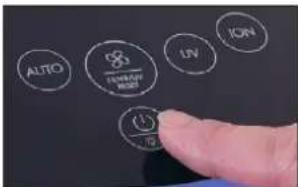
9.YeepKBAIe KhoNky BbIbopa cTyneH npOn3BODaTeNbOCTn Haxato npMepHO 5c, noKaHa dncnnee He norachet npEnynpeJdHeNe o 3aMeHeΦnIbTa.
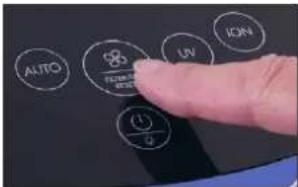
3ANACHOHΦNJIbTP
ФИльт AP500 Moxho npno6pctn yДипета BONECO ИИ ВИнт elect-Marazne BONECO Ha www.shop.boneco.com.
3AMEHA yΦ-JIAMnbl
OBYΦ-ⅠA MNE
yΦ-namna aBnIETcpaXoHbIM MATEpuaON m no nCTeHEm ONpeJenEHoro BPEMeHN NOJNEXKNT 3aMeHe. BONECO P300 ochaue H BCTpoEHbIM TaMepom. No nCTeHEm 12 000 cabOBtBu Ha dncnEe np6bopa noBnJIeTc npdynpekdeHne O npedctOaee 3aMeHe yΦ-nambl:

B Cnyuae npoDOnkEHHN NCNoB3OBAHn Nc HcpnAWee CBOI PecypC YP-NaMnBb TteHne pOdoJIeTEnbHO BpeMeHn 3ΦΦeKt DeEH-ΦeKUHN3AmETHO CHXHaETCA.
N3BJEUHEMUCHEPNAWEPECYPCy-AMNbl
- OToeHNHHe BONECO P300 OT 3nEeKtpocTeN.
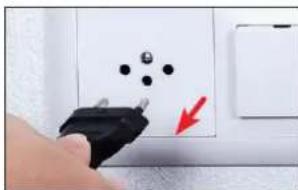
- 0TKpoIte3aDHHIOKpbIshky
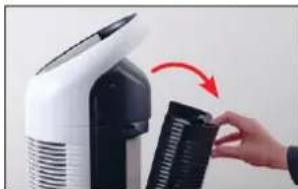
3.NoDOKNTe5MHNJaHTeOCTbTBNCyepnAB WENCBONPECYPCyΦ-namne.
4.NBNEKNTeΦNtTp.

- OTnyCTnTE YeTbpe BnHTa, YTO6bl CHrTB KpbluKy yΦ- lamblb.
BONECO is a registered trademark of BONECO AG, Switzerland
BONECO AG, Espenstrasse 85, 9443 Widnau, Switzerland