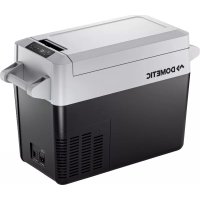
CFF20 - Fridge DOMETIC - Free user manual and instructions
Find the device manual for free CFF20 DOMETIC in PDF.



| Product type | Portable compressor refrigerator |
| Brand | Dometic |
| Model | CFF20 |
| Total volume | 20 liters |
| Power supply | 12/24 V DC (via battery) and 100-240 V AC (mains) |
| Dimensions (with handles) | 596 × 388 × 423 mm (H × W × D) |
| Dimensions (without handles) | 548 × 336 × 451 mm (H × W × D) |
| Weight | 11 kg |
| Temperature range | From -18 °C to +10 °C (adjustable in 1 °C steps) |
| Display | LCD screen with temperature in °C or °F, brightness adjustable |
| Battery protector | 3 levels (Low, Med, Hi) to prevent deep discharge |
| Priority connection | Automatic switch to AC mains if available |
| Refrigerant | R134a or R513A (flammable, ozone-friendly) |
| Climate class | N, ST |
| Permissible ambient temperature | +16 °C to +43 °C |
| Power consumption (nominal) | ~3.2 A (12 V), ~1.8 A (24 V), ~1.0 A (230 V) |
| Main functions | Refrigeration, freezing, digital display, battery protection, manual defrosting |
| Care and cleaning | Clean with a damp cloth; do not immerse; defrost regularly |
| Safety | Reverse polarity protection, built-in fuse, cut-out in case of overvoltage |
| Spare parts and repairability | Replaceable fuses; repairs reserved for authorized service |
| General information | Suitable for camping, vehicles and boats; legal warranty |
Frequently Asked Questions - CFF20 DOMETIC
User questions about CFF20 DOMETIC
0 question about this device. Answer the ones you know or ask your own.
Ask a new question about this device
Download the instructions for your Fridge in PDF format for free! Find your manual CFF20 - DOMETIC and take your electronic device back in hand. On this page are published all the documents necessary for the use of your device. CFF20 by DOMETIC.
USER MANUAL CFF20 DOMETIC
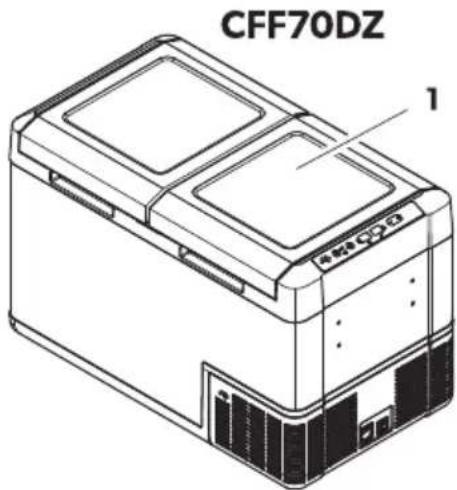
CFF12, CFF18, CFF20, CFF35, CFF45, CFF70DZ
EN
Mobile refrigerating appliance
Operating Manual......
DE
ragbare! Kühlgerät
L MNOPQR SPTUOPQR VWQU
./01234567 89:40;ло919567......
E
ei! al( ata- jah9t9! -4ülm9t9!! ea( e
asutusjuhend....
E3
A BCBD E ometic Group. The visual appearance of the contents of this manual is protected b" cop" right and design law. The underl"ing technical design and the products contained herein ma" be protected b" designH patent or pending patent. The trademarks mentioned in this manual belong to E ometic I weden J B. J ll rights are reserved.
Engli!h
K Important notes....N
B LMplanation of s" mbols.... N
N LMplanation of s"mbols on the device....D
D | a'et" instructions....D
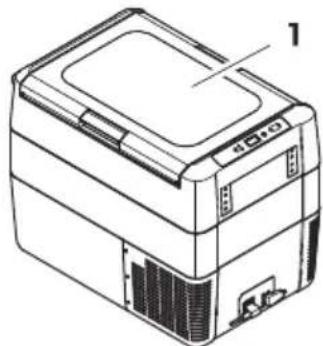
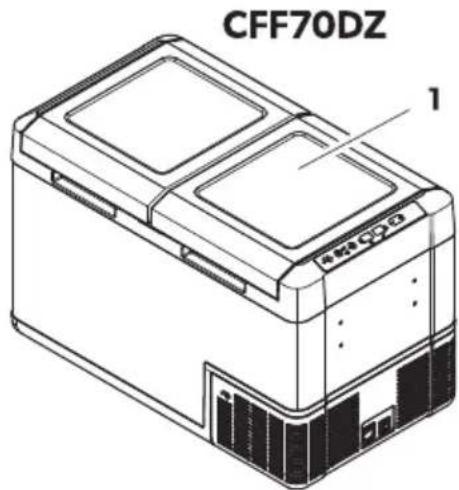
O I cope of deliver"....P
P Intended use.....Q
Q Fechnical description..... Q
R Before Srst use....KK
T Operation.... KP
KC Uleaning and maintenance....BB
KK Froubleshooting...... BB
KB V arrant"......BD
KN Esposal...... BD
KD Fechnical data.... BO
1 Important note!
"Please read these instructions carefully and follow all instructions guidelines and warnings included in this product manual in order to ensure that "ou install use and maintain the product proper" at all times. These instructions MUI F sta with this product.
B" using the product "ou hereb" conSrm that "ou have read all instructions guidelines and warnings careful" and that "ou understand and agree to abide b" the terms and conditions as set forth herein. You agree to use this product onl" for the intended purpose and application and in accordance with the instructions guidelines and warnings as set forth in this product manual as well as in accordance with all applicable laws and regulations. J failure to read and follow the instructions and warnings set forth herein ma result in an injur" to "oursels and othersl damage to "our product or damage to other propert" in the vicinit". This product manual including the instructions guidelines and warnings and related documentation ma be subject to changes and updates. Yor up-to-date product information please visit documents.dometic.com.
2 Explanation of !7mbol!
signal word will identify "sæt" messages and propert damage messages and also will indicate the degree or level of hazard seriousness.

D' NKE&!
Indicates a hazardous situation that H is not avoidedH will result in death or serious injur".

W' &NINK!
Indicates a hazardous situation that H is not avoided H could result in death or serious injur".

C' D 1: N!
Indicates a hazardous situation that H is not avoidedH could result in minor or moderate injur".

N: 1CE!
Indicates a situation that H iG not avoided- can result in propert" damage.

N: E | complementar" information for operating the product.
3 Explanation of !7mbol! on the (e-ice
V arningZ Risk of Sre. Ylammable materials.
4 Safet7 in! tr9ction!

D' NKE&! Electroc9tion ha2ar(
On boats: If the device is powered b" the mains- ensure that the power suppl" has a residual current device (RUE)H a residual current circuit breaker (RUUB)- or a ground fault circuit interrupter (GYUI). Installation- especiall" in potentiall" damp areasH must be in accordance with all applicable installation regulations.
E o not touch e imposed cables with "our bare hands. This applies especially" when operating the device from the J U mains.
Before starting the deviceH ensure that the power suppl" line and the plug are dr".

W' &N|NK! Explo! ion ha2ar(
E o not store an" eMPlosive substances such as spra" cans with a flammable propellant in the cooling device.

W' &NINK! Electroc9tion ha2ar(
E o not operate the cooling device if it is visibl" damaged.
Is the cooling device's power cable is damaged it must be replaced with a suitable power cable or assembl" available from the manufacturer or its service agent to prevent safety hazard.
This cooling device ma" onl" be repaired b" aualiSed personnel. Improper repairs can lead to considerable hazards.
"Wlug the device to sockets that ensure proper connection especially" when the device needs to be earthed.

W' &NINK! Fire ha2ar(
V hen positioning the cooling device H ensure that the suppl" cord is not trapped or damaged.
E o not locate multiple portable socket-outlets or portable power supplies at the rear of the device.
In the event of an" damage to the refrigerant circuit:
b eep open flames and potential ignition sources awa" from the cooling device.
b centilate the room well.
b | witch od the cooling device.
Yor cooling devices with flammable refrigerant: The refrigeration circuit contains a small a-quantit" of an environmentall" friendl" but flammable refrigerant. It does not damage the ozone la" er and does not increase the greenhouse edect. J n" leaking refrigerant ma" ignite.
eep the ventilation openings on the device housing or in installations free of obstructions.
E o not use an" mechanical objects or other means to speed up the defrosting processH unless the" have been recommended b" the manufacturer for this purpose.
E o not open or damage the refrigerant circuit.
E o not use electrical devices inside the cooling device unless the "are recommended b" the manufacturer for that purpose.

W' &NINK! Cealth ha2ar(
This cooling device can be used b" children aged from R "ears and above and persons with reduced ph"sicalH sensor" or mental capabilities or lack of experience and knowledge is the" have been given supervision or instruction concerning use of the cooling device in a safe wa" and understand the hazards involved.
\Children aged from N to R "ears are allowed to load and unload cooling devices. \
\Uhildren must be supervised to ensure that the "do not pla" with the device. \
Uleaning and user maintenance must not be carried out b" unsupervised children.

C' D 1: N! Electroc9tion ha2ar(
Before starting the cooling device ensure that the power suppl" line and the plug are dr".
E isconnect the cooling device from the power suppl"
b Before each cleaning and maintenance
b J eer ever" use

C' D 1: N! Cealth ha2ar(
Fo avoid contamination of GoodH observe the following instructions:
b Uheck is the cooling capacit" of the cooling device is suitable for storing the good to be cooled.
b Yood ma" onl" be stored in its original packaging or in suitable containers.
b Opening the cooling device for long periods of time can cause signiScant increase of the temperature in the compartments of the device.
b Ulean regularl" surfaces that can come in contact with food and accessible drainage s" stems.Is the cooling device is lee empt" for long periods:
b | witch od the cooling device.
b E e rost the cooling device.
b Ulean and dr" the cooling device.
b Leave the lid open to prevent mold from developing within the cooling device.

N: 1CE! Damage ha2ar(
Uheck that the voltage speciScation on the data plate corresponds to that of the energ" suppl".
Onl" connect the cooling device as follows:
b V ith the EU connection cable to a EU power suppl" in the vehicle
b V ith the J U connection cable to an J U power suppl"
&ever pull the plug out of the socket b" the cable.
Is the cooling device is connected to a EU outlet disconnect the cooling device and other power consuming devices from the batter" before connecting a quick charging device.
Is the cooling device is connected to a E U outlet disconnect the cooling device or switch it od when turning od the engine. Otherwise the batter" ma" be discharged.
The cooling device is not suitable for transporting caustic materials or materials containing solvents.
The insulation of the cooling device contains flammable c" clopentane and reaures special disposal procedures. E eliver the cooling device at the end of its liê-e-c"cle to an appropriate rec" cling center.
E o not place the cooling device near open flames or other heat sources (heaters direct sunlight gas ovens etc.).
&i!4 of o-erheating! Ensure at all times that there is a minimum o ^6 OC mm ventilation on all sides of the cooling device. Keep the ventilation area free o ^6 an" objects that could obstruct the air flow to the cooling components. Eo not use or store the cooling device in closed compartments or areas with none or minimal air flow.
E o not Sll the inner container with ice or fluids.
&ever immerse the cooling device in water.Wprotect the cooling device and cables against heat and moisture.
The cooling device shall not to be imposed to rain.
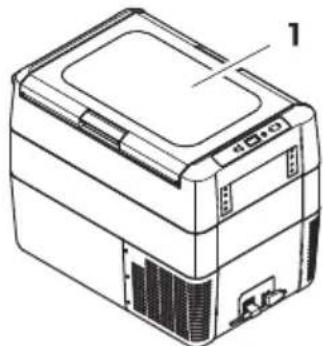
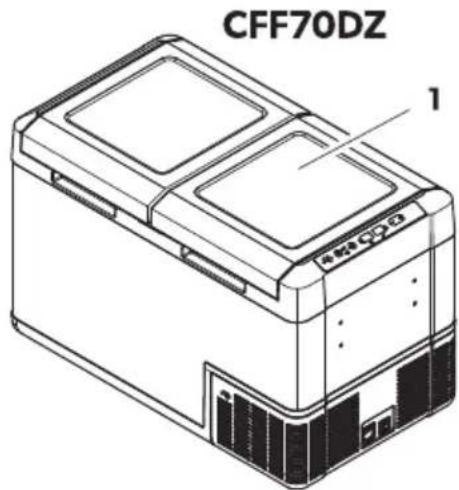
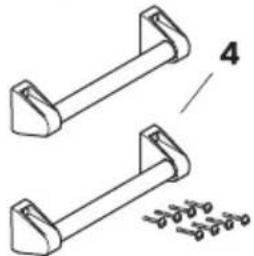
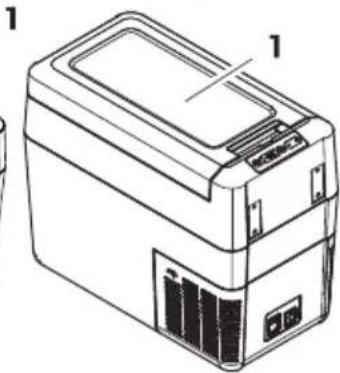
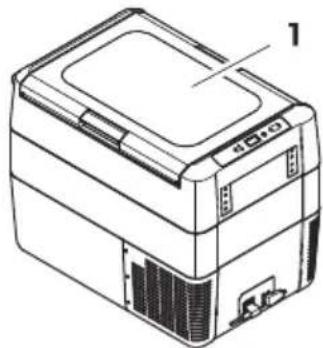
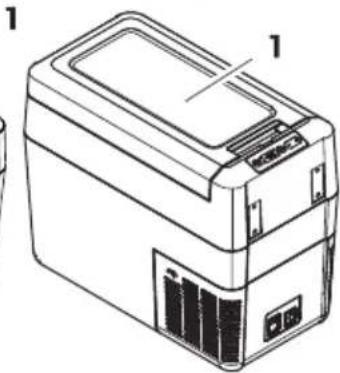
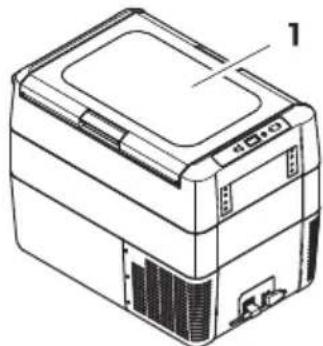
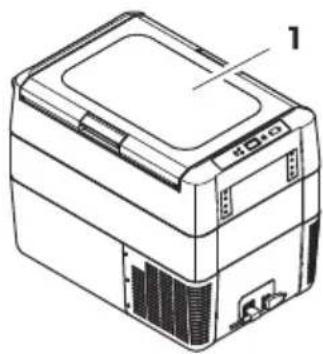
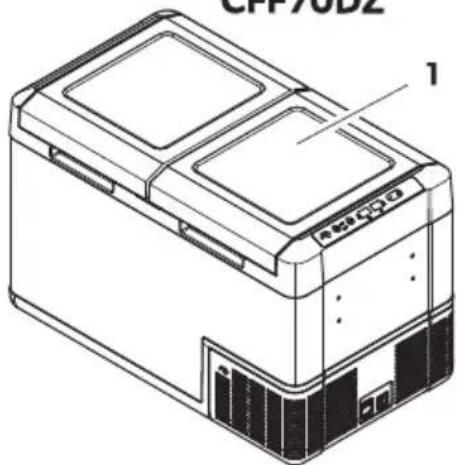
5 Scope of ( eli- er7
□

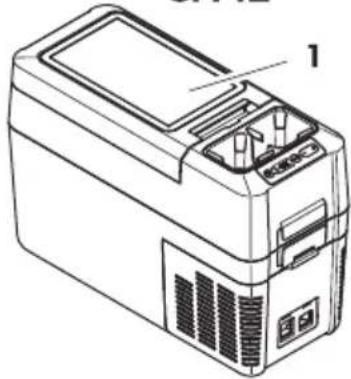
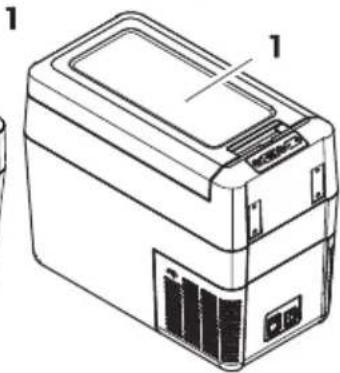
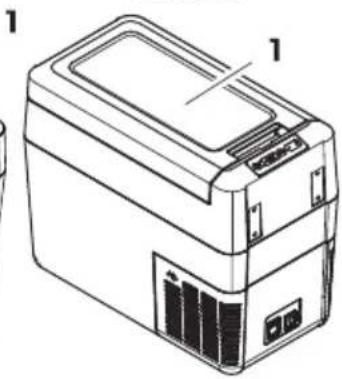
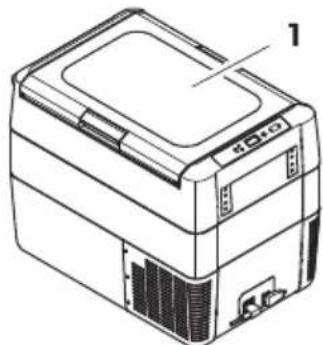
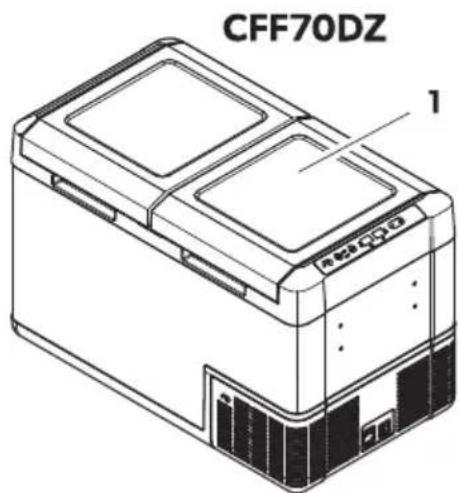
CFF12
natural_image
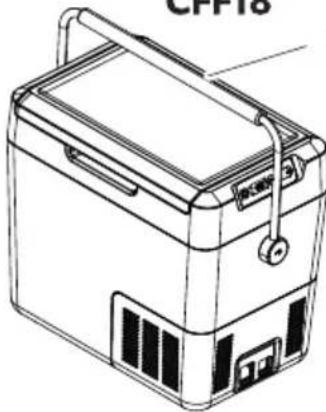
Line drawing of a portable electronic device with labeled components (no text or symbols)CFF18
natural_image
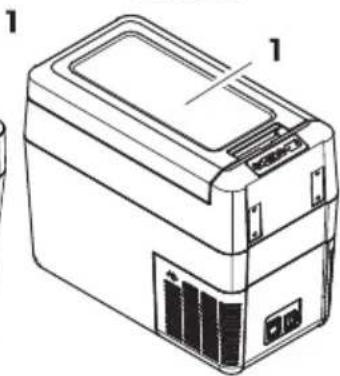
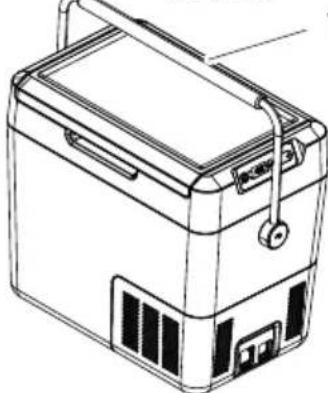
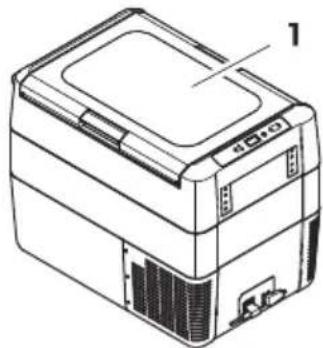
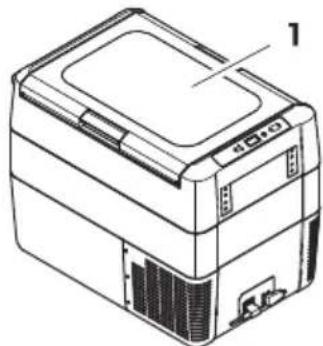
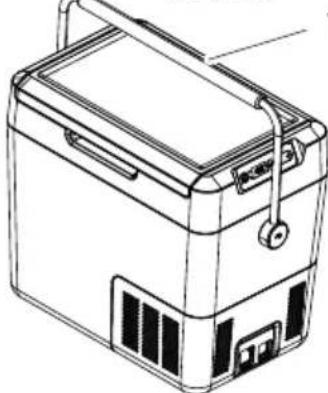
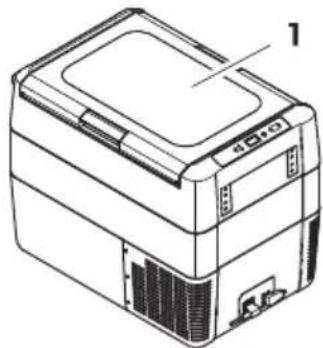
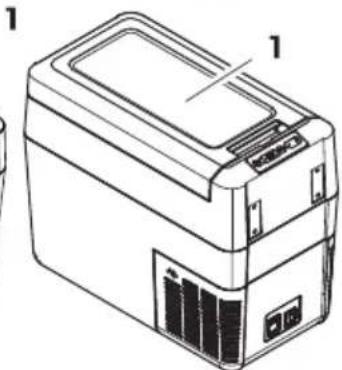
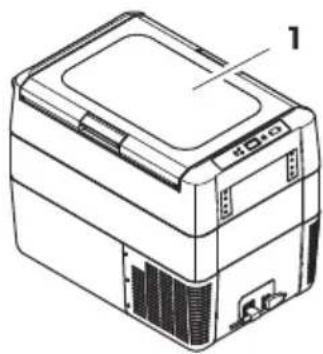
Line drawing of a portable electronic device labeled 'CPP18' (no text or symbols on the device itself)CFF20
natural_image
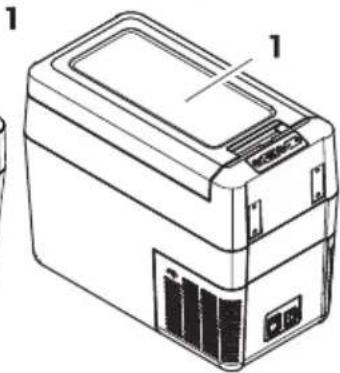
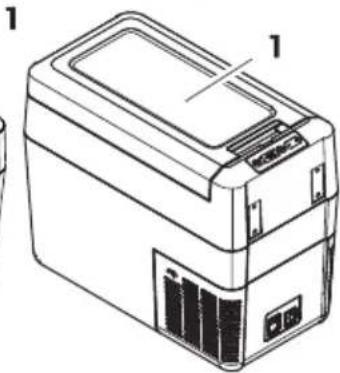
Line drawing of a portable electronic device with labeled parts (no text or symbols present)CFF35, CFF45
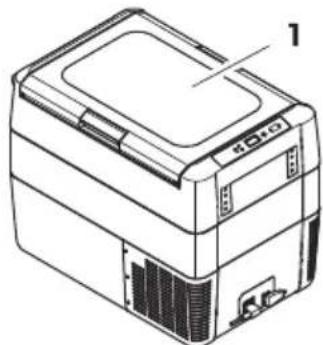
natural_image
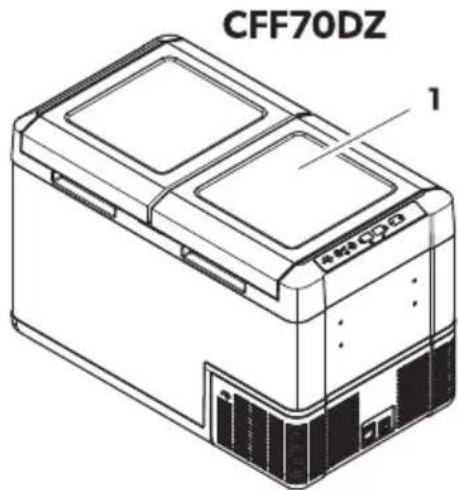
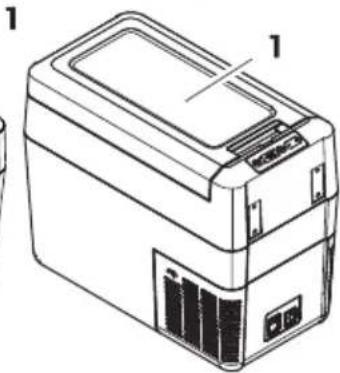
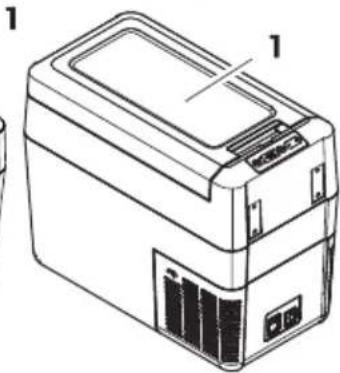
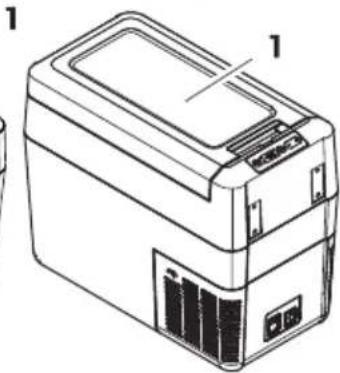
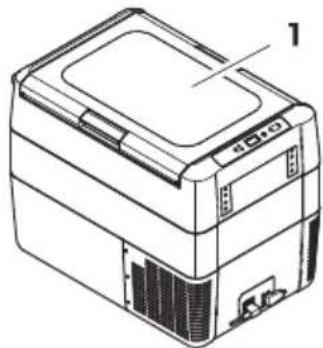
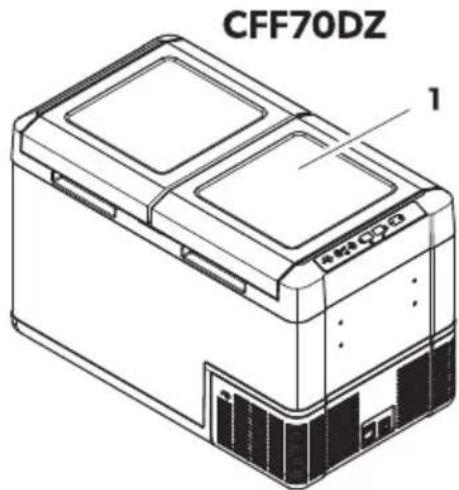
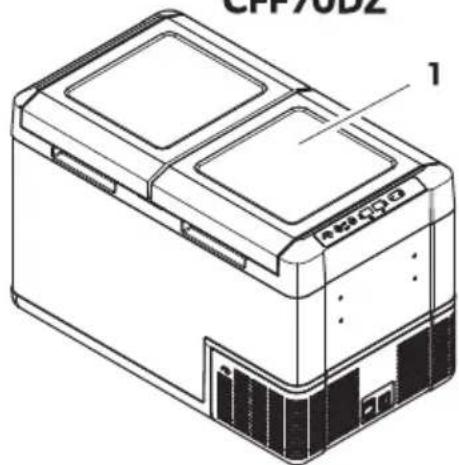
Line drawing of a rectangular electronic device with labeled part '1' (no text or symbols on the device itself)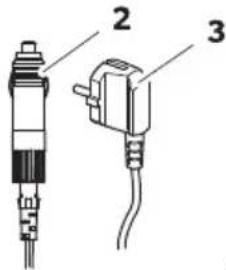
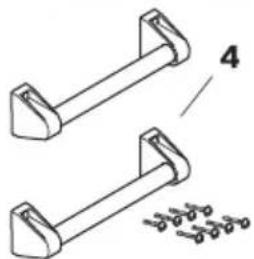
CFF20, CFF35, CFF45, CFF70DZ
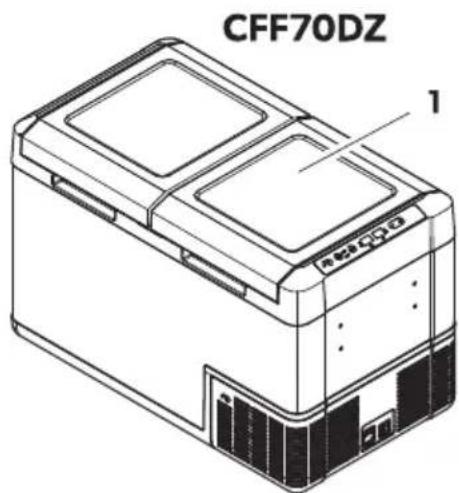
natural_image
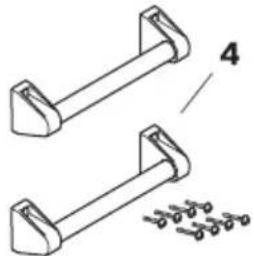
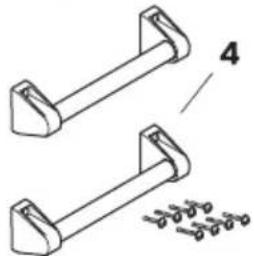
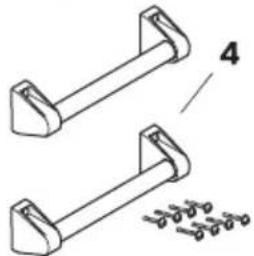
Technical line drawing of two mechanical components with fasteners, no text or symbols present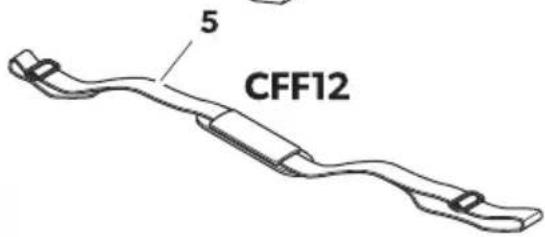
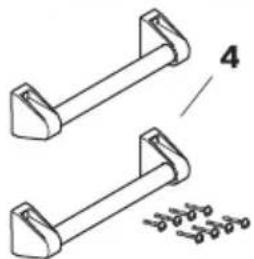
| Item in on page16 | Q9antit7 De!cription |
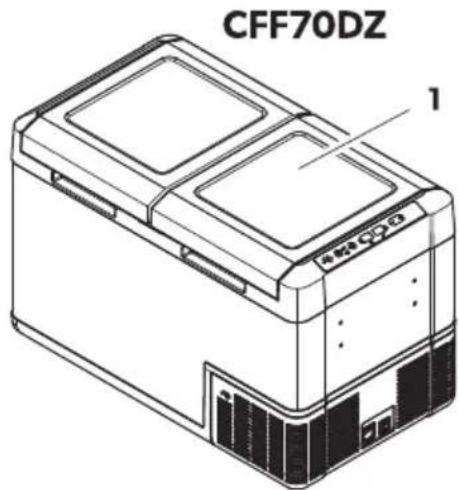
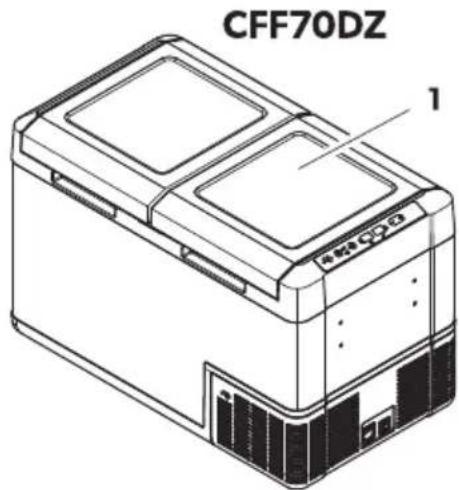
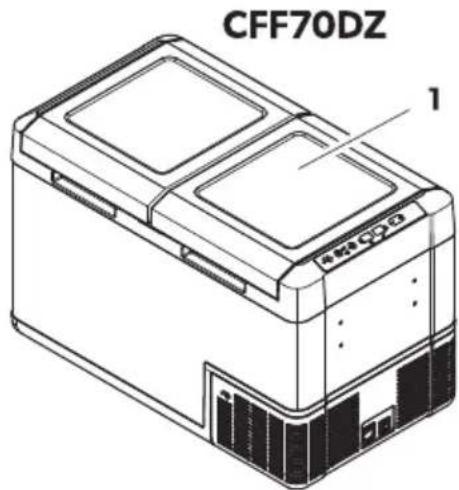
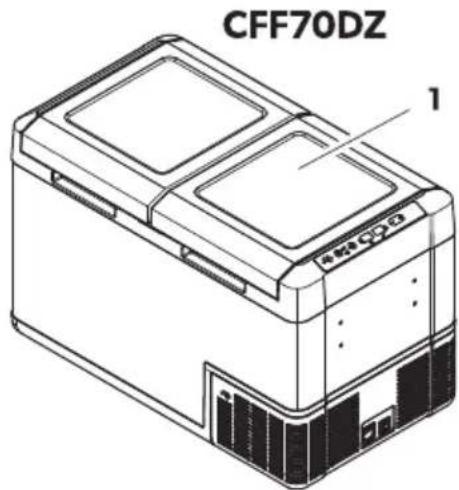
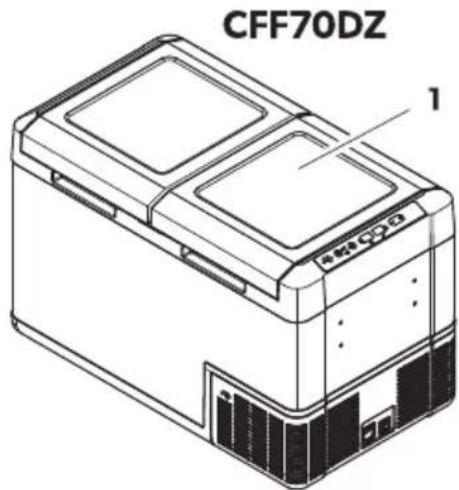
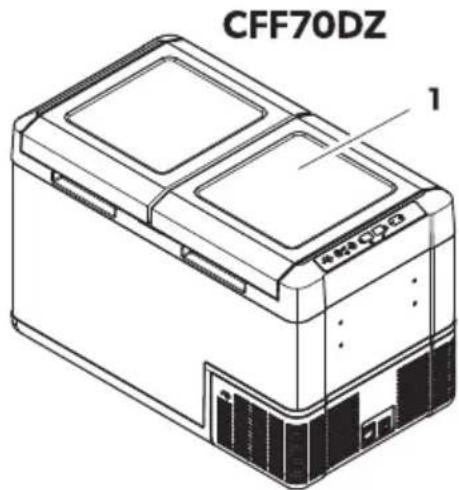
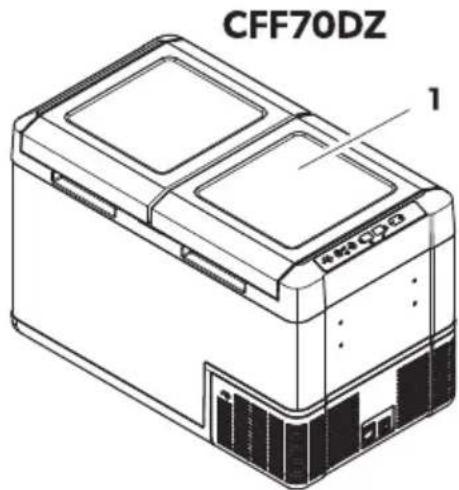
| K K Uooler | |
| B K Uonnection cable for EU connection | |
| N K Uonnection cable for J U connection | |
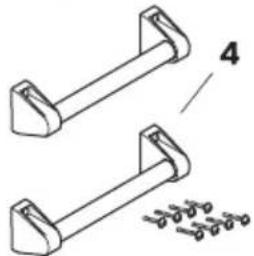
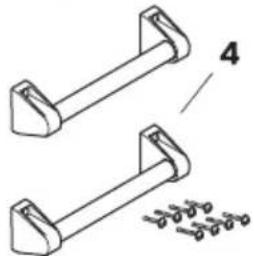
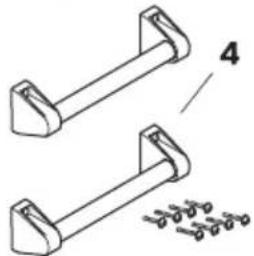
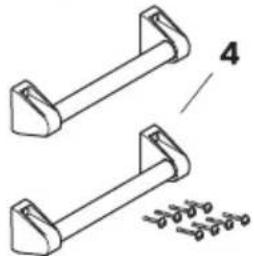
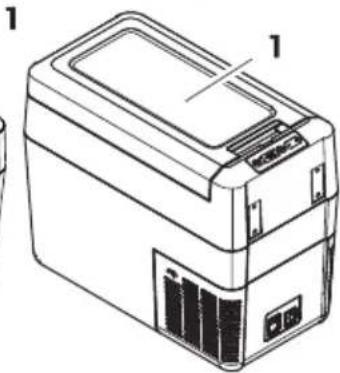
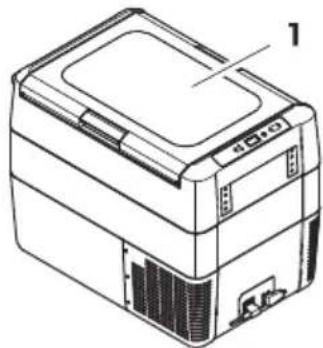
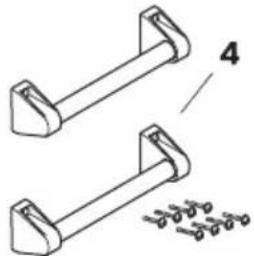
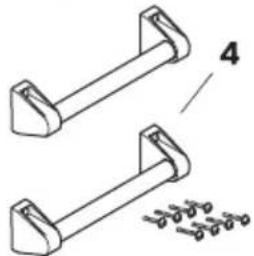
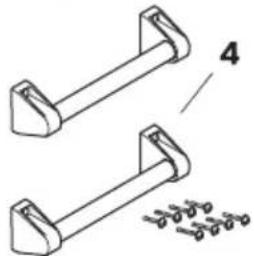
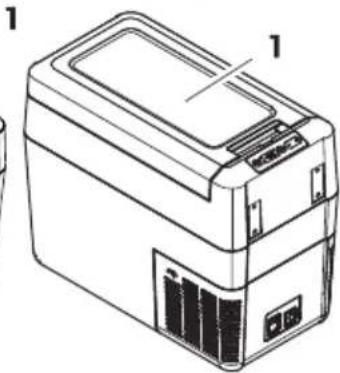
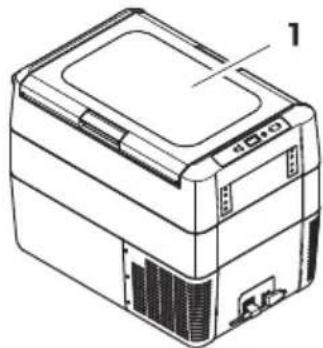
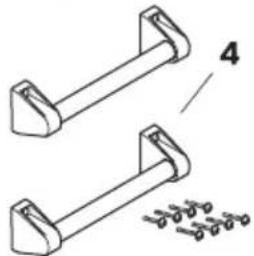
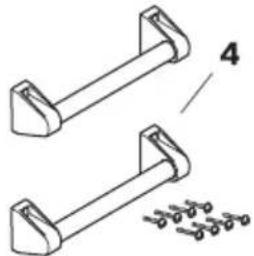
| D B CFF20, CFF35, CFF45, CFF70DZ onl7: | Uarr" handle setH consisting o):b D holders (UYYBC onl")b B handlesb R fastening screwsb K J llen wrench |
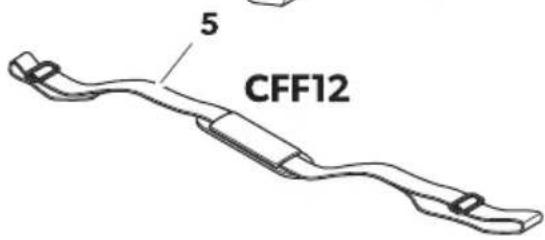
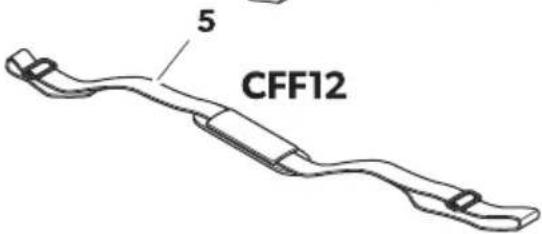
| O K CFF12 onl7: I houlder strap | |
| g K Operating manual |
6 Inten( e( 9!e
The cooling device is suitable for cooling food. The cooling device is also suitable for use on vehicles.
The cooling device is designed to be operated from a EU on-board power suppl" of a vehicle or boat from a EU auMiliar" batter" or from an J U power suppl".
The cooling device is suitable for camping or other similar recreational uses.
The cooling device is intended to be used in household and similar applications such as:
b | tad kitchen areas in shopsH oh ces and other working environments
b Yarm houses
b Ulients in hotelsH motels and other residential t"pe environments
b Bed and breakfast t"pe environments
b Uatering and similar non-retail applications
This product is onl" suitable for the intended purpose and application in accordance with these instructions.
This manual provides information that is necessary for proper installation and/or operation of the product. Woor installation and/or improper operation or maintenance will result in unsatisfactor performance and a possible failure.
The manufacturer accepts no liabilit" for an" injur" or damage to the product resulting from:
b Incorrect installation assembl" or connection including eMcess voltage
b Incorrect maintenance or use of spare parts other than original spare parts provided b" the manufacturer
b J Iterations to the product without eMpress permission from the manufacturer
b Use for purposes other than those described in this manual
E ometic reserves the right to change product appearance and product speciScations.
7 echnical (e!cription
J low maintenance refrigerant circuit with compressor provides the cooling. The generous insulation and the powerful compressor ensure eh cient and fast cooling.
The cooling device is portable.
The cooling device can withstand a short-term inclination of NCjH for eMample on boats.
7a1 Scope of f9nction!
b Wower suppl" with priorit" circuit for connecting to the J U power suppl"
b Three-level batter" monitor to protect the vehicle batter" (switches od automaticall" at low batter" voltage)
b E ispla" with temperature gauge in j U and j Y
b Femperature setting: In steps oô KjU (KjY)
b E ispla" dimming function with N brightness levels
b Removable cup holder bCFF12 onl7c
b Removable divider bCFF18 onl7c
b Removable wire basket bCFF35, CFF45, CFF70DZ onl7c
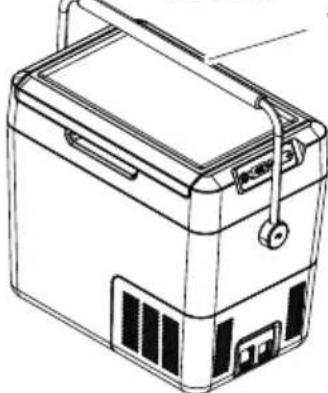
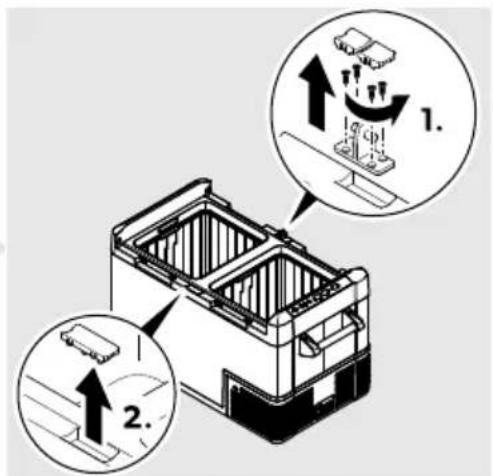
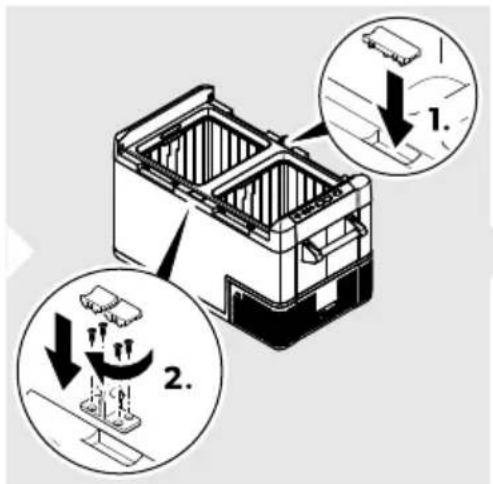
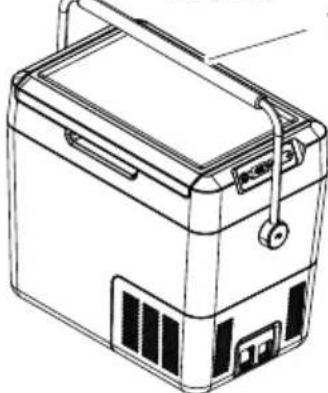
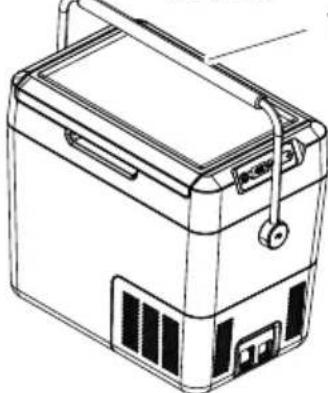
b Removable carr" handles bCFF20, CFF35, CFF45, CFF70DZ onl7c
7a2 : perating an( ( i!pla7 element!
3i( latche!
□
: perating panel
□
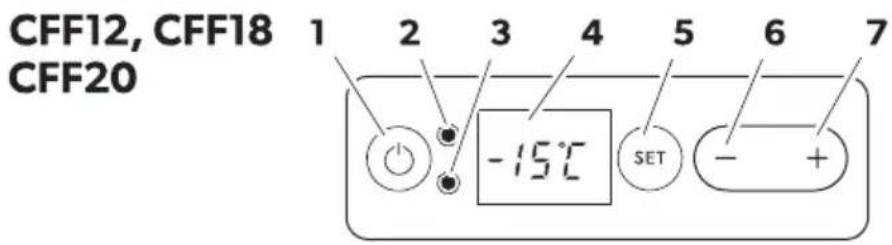
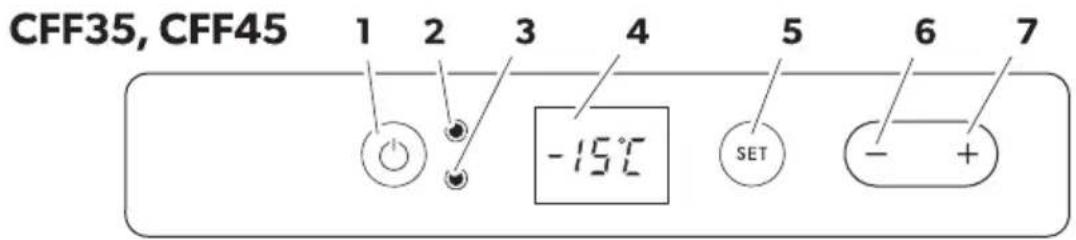
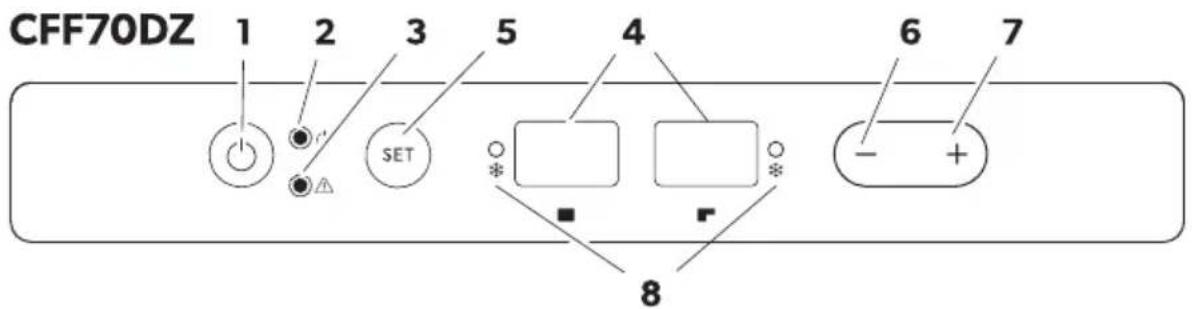
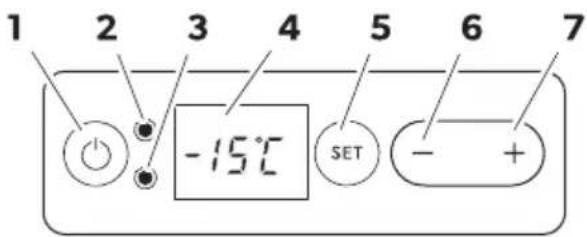
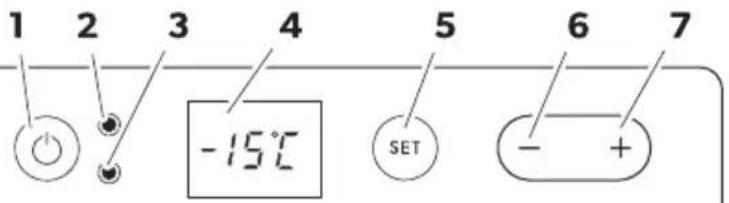
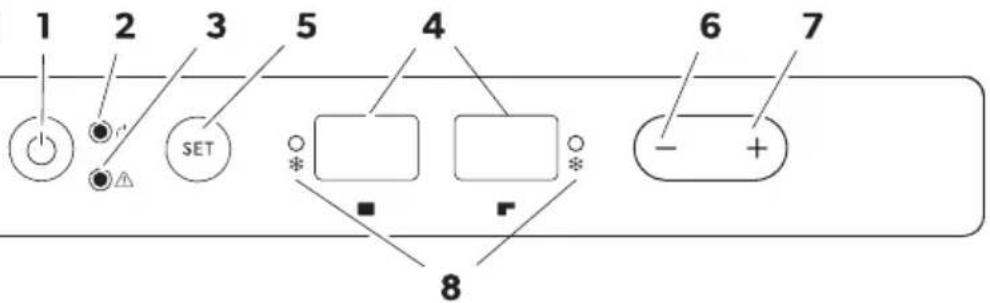
| Item De!cription Explanation | |
| K I witches the cooling device on or od when the button is pressed for between one and two seconds | |
| B | I tatus indication |
| LLE lights up green: Uompressor is onLLE lights up orange: Uompressor is odLLE @lashes orange: E ispla" switched od automaticall" due to low bat-ter" voltage | |
| N LRROR LLE @lashes red: E evice is switched on but not read" for operation | |
| D g E ispla+F shows the information | |
| O SET I elects the input mode | b F emperature settingb Uelsius or Yahrenheit displa" b l et batter" monitorb l et brightness of displa" |
| P - Wress once to decrease the value | |
Item De!cription Explanation
Q + Wress once to increase the value
R D9al 2one bDZc: status indication: LLE lights up blue when the compartment is cooling
Connection !oc4et!
[]
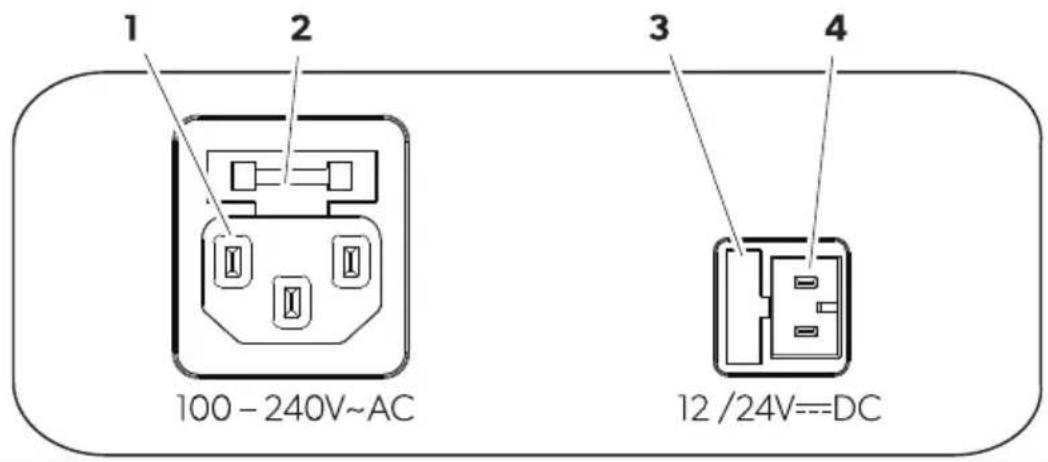
Item De!cription
K Uonnection socket J U voltage suppl"
BJ U Guse holder
NEU use cover
D Uonnection socket EU voltage suppl"
8 J efore fir!t 9!e

N: E Before starting the cooling device for the Srst time clean it inside and outside with a damp cloth for h"gienic reasons (see Uleaning and maintenance on pagefBB).
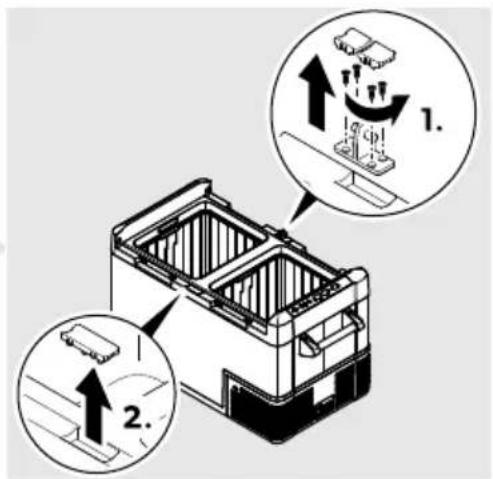
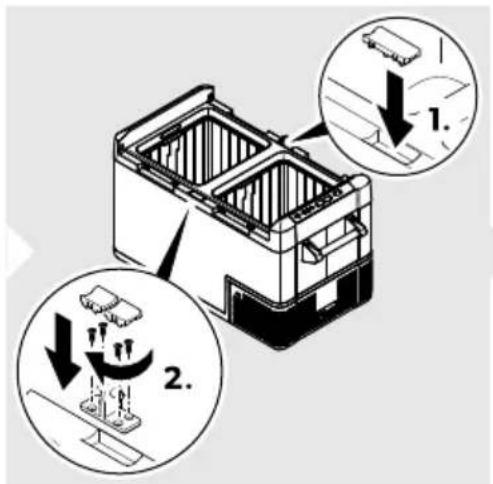
Mo9nting the han( le!
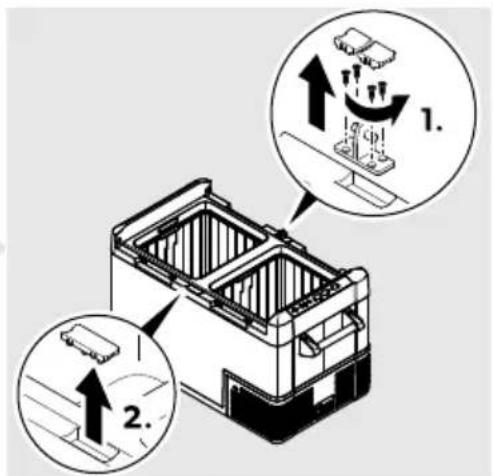
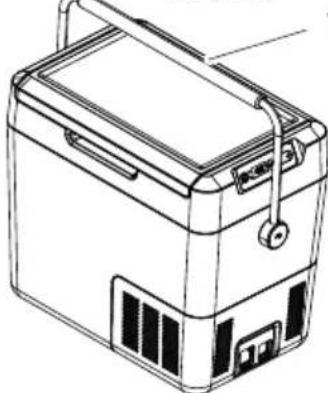
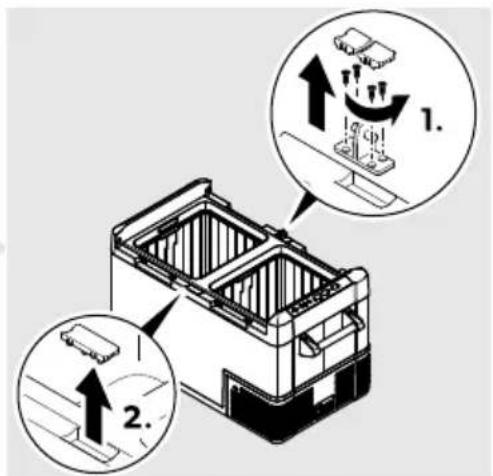
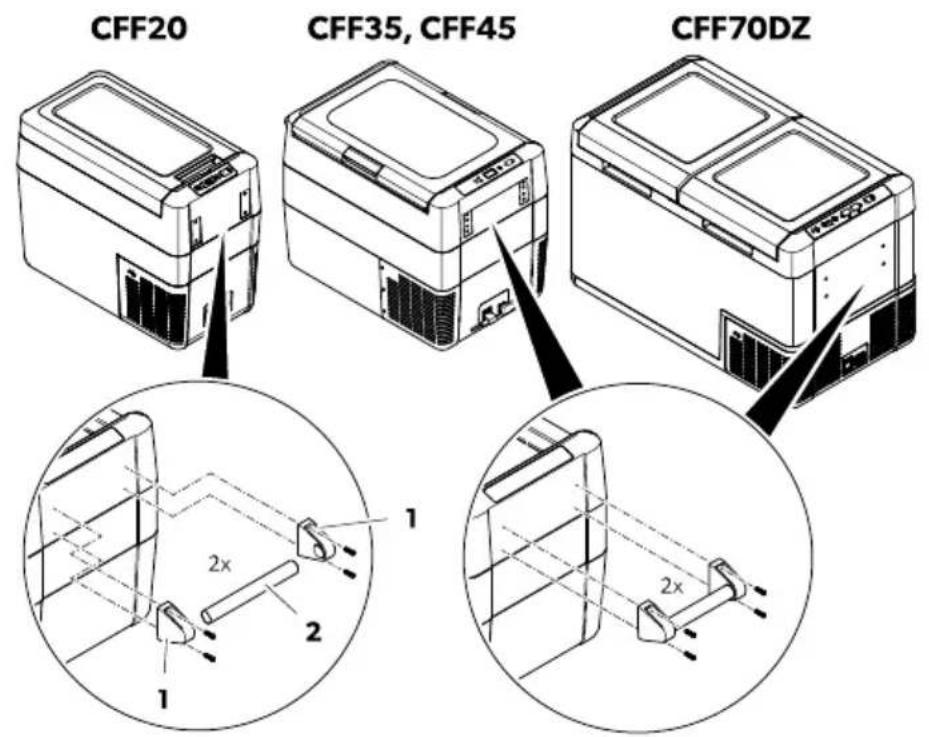
K. UYYBC: J ssemble a handle b" putting two holders b1c and a handle b2c together. Yasten the holders with the enclosed screws in the holes provided.
B. UYYNOH UYYDO- UYYQCEI : Yasten the handle with the enclosed screws in B of the round holes.
□
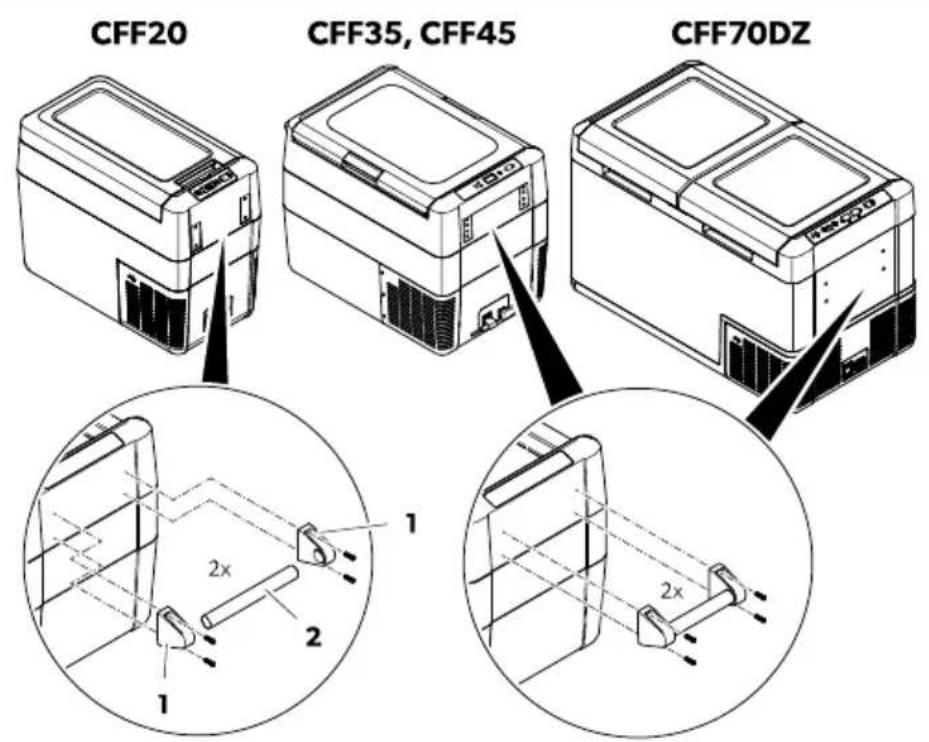
N. Yasten the handle with the enclosed screws in B of the waist shaped holes.
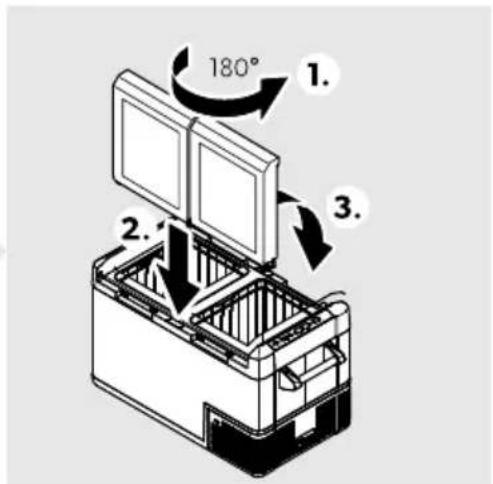
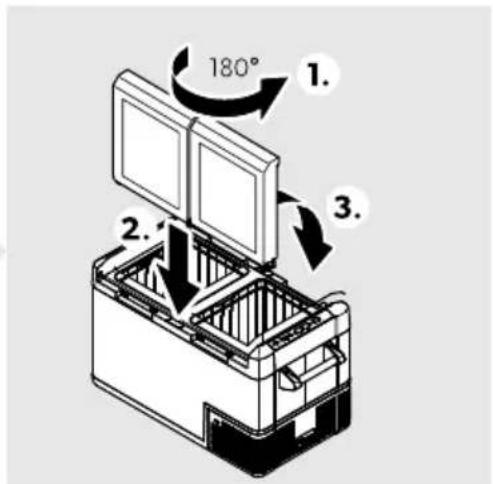
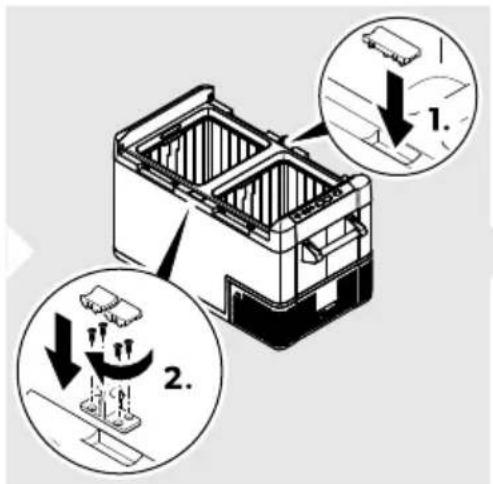
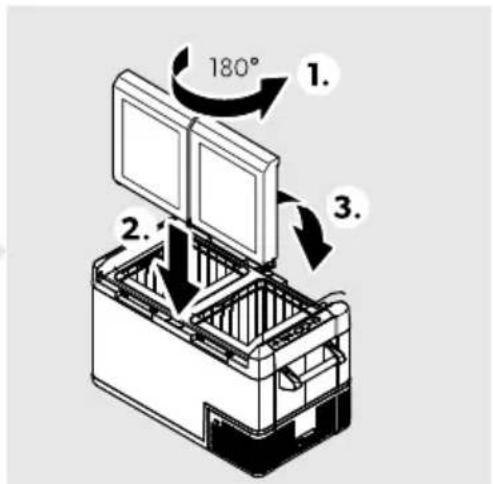
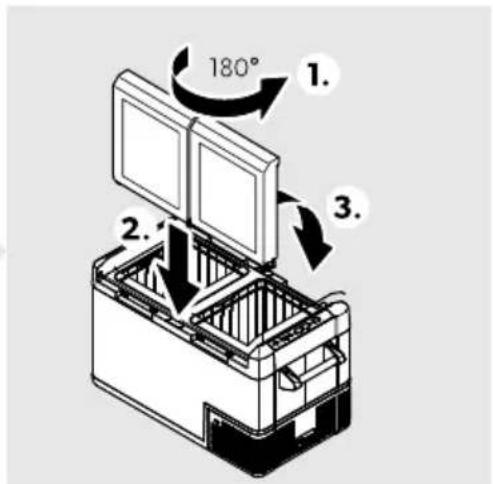
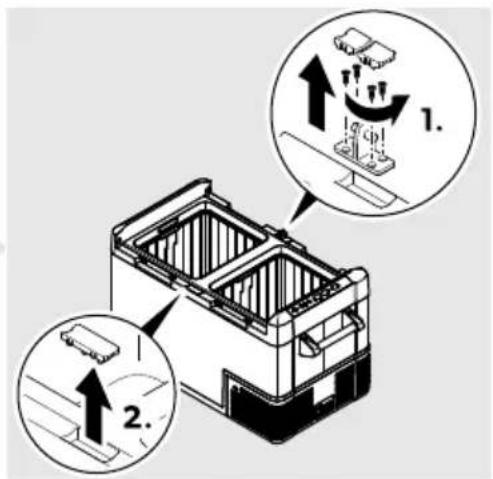
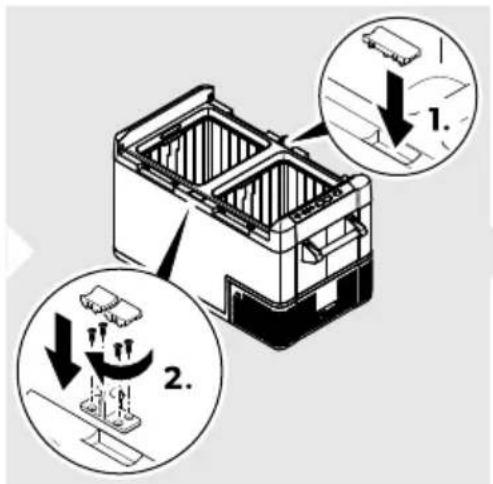
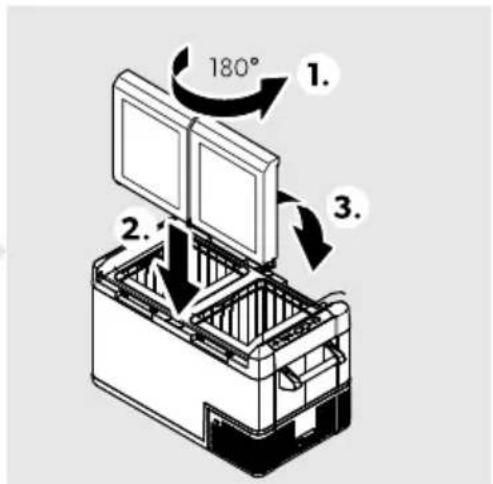
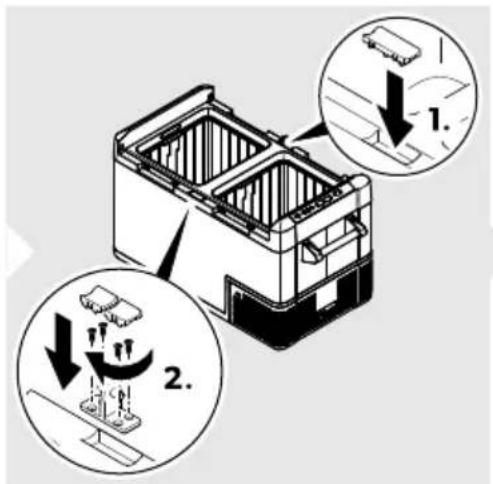
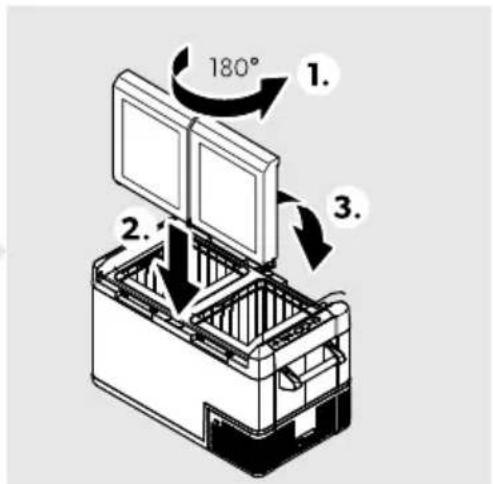
&e- er!ing the li( opening bD9al Zone onl7c
□
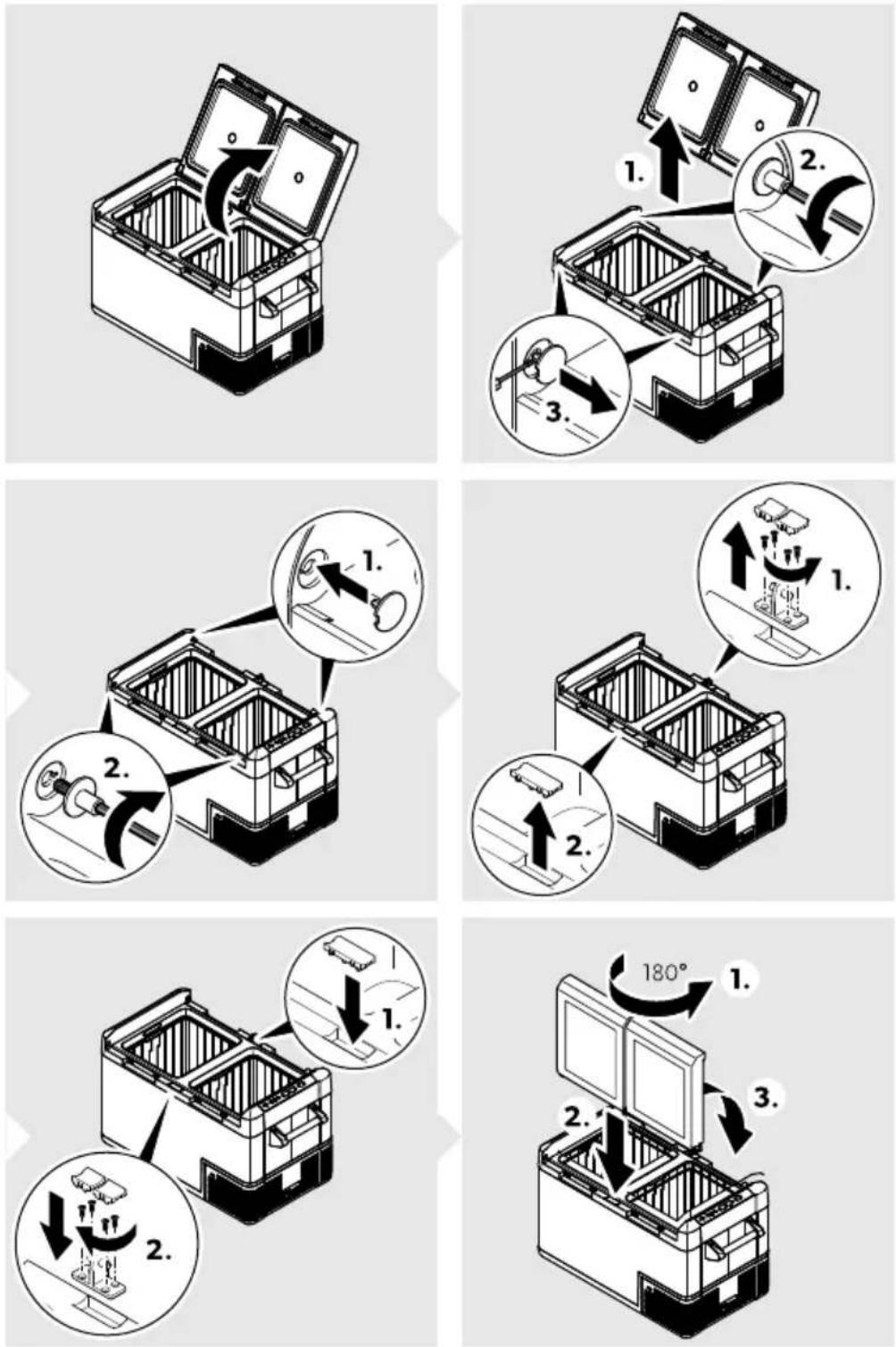
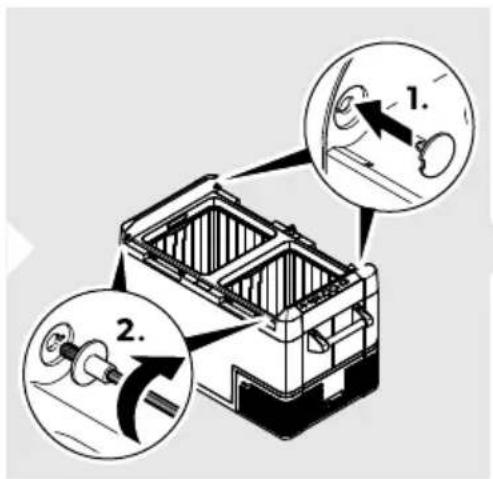
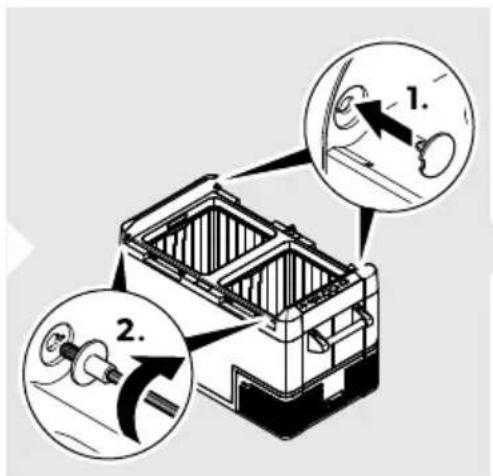
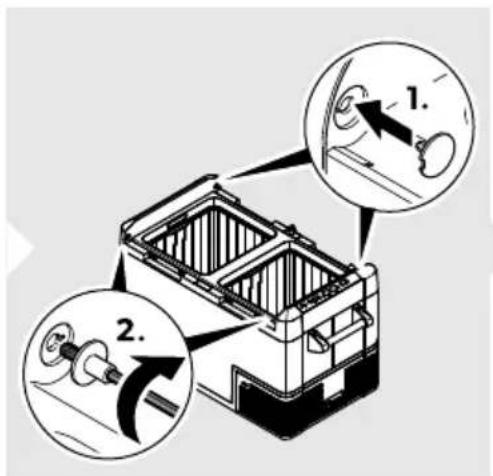
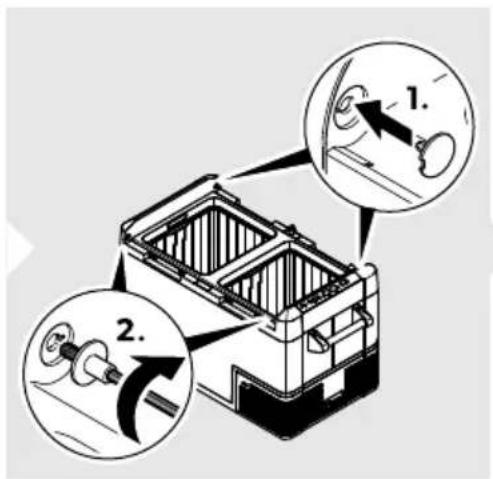
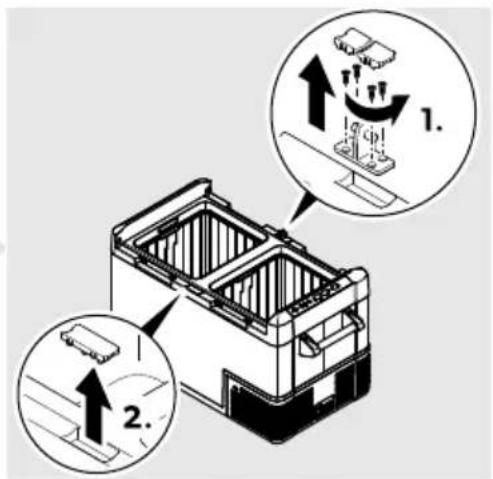
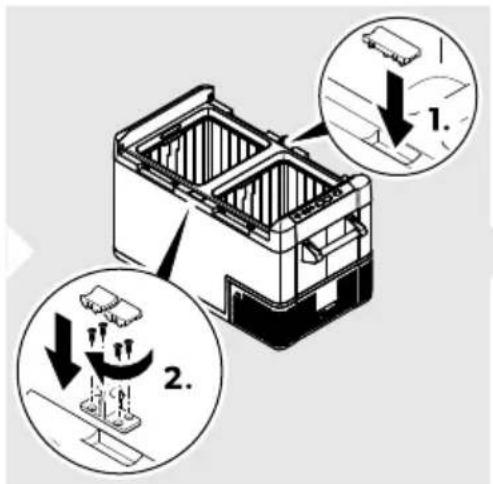
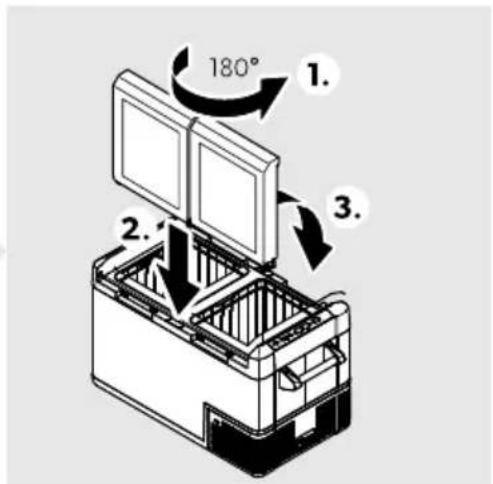
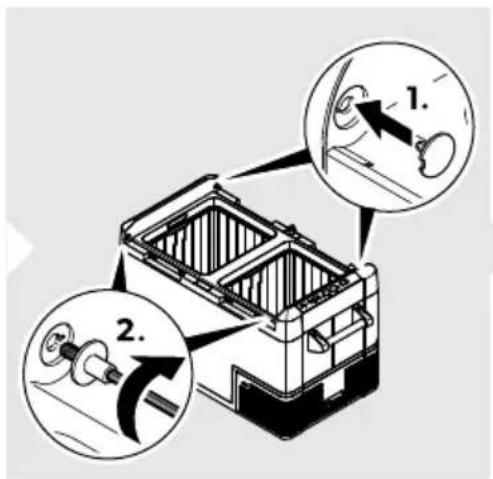
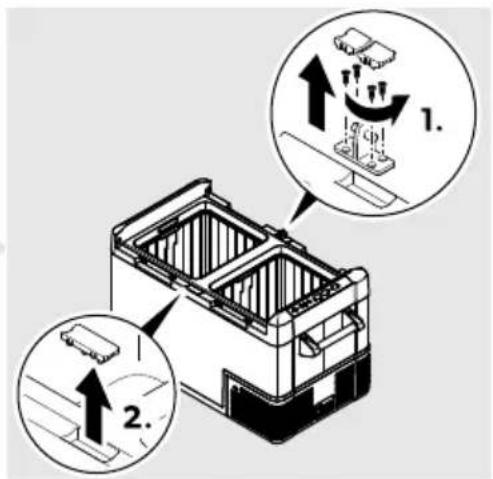
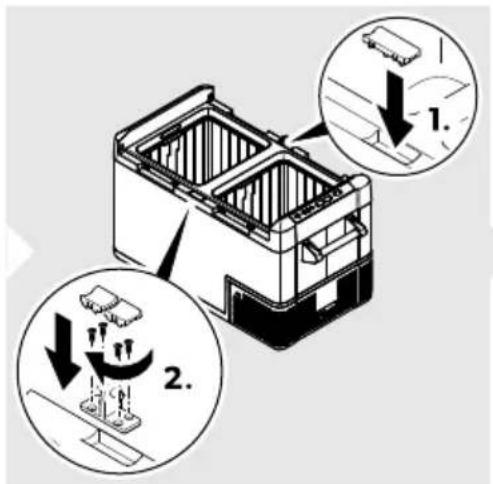
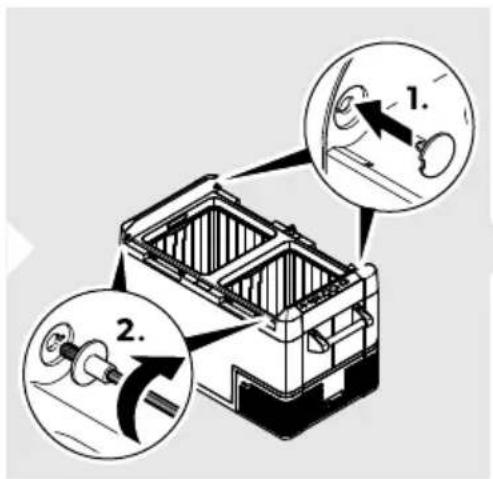
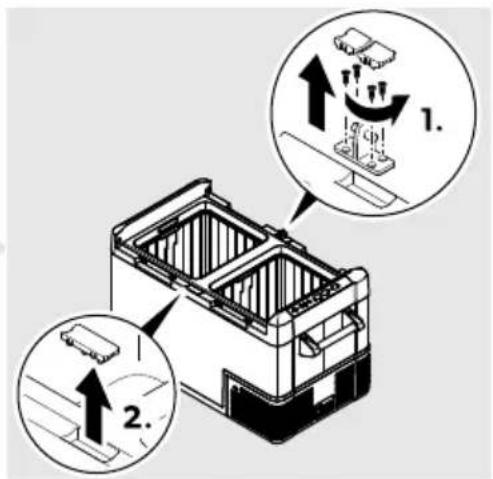
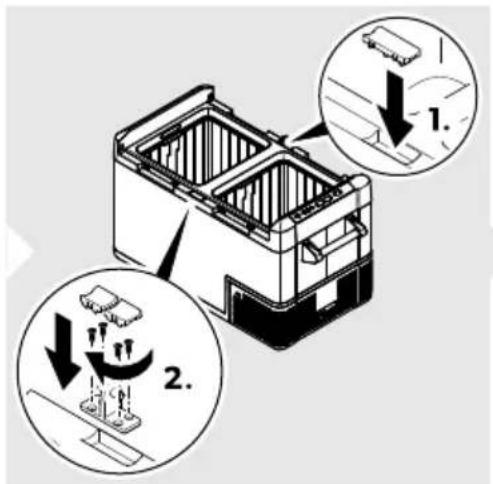
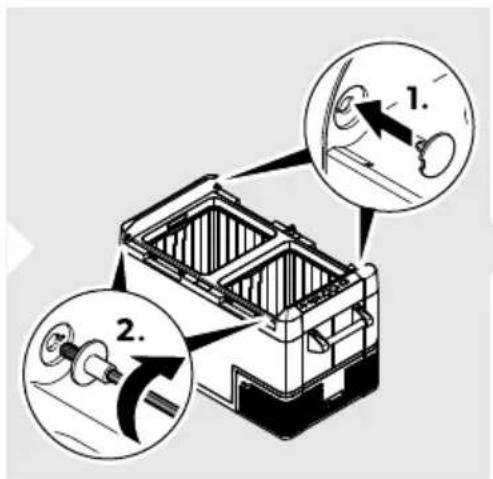
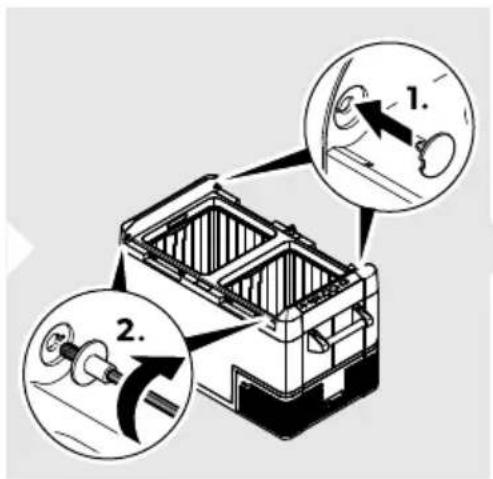
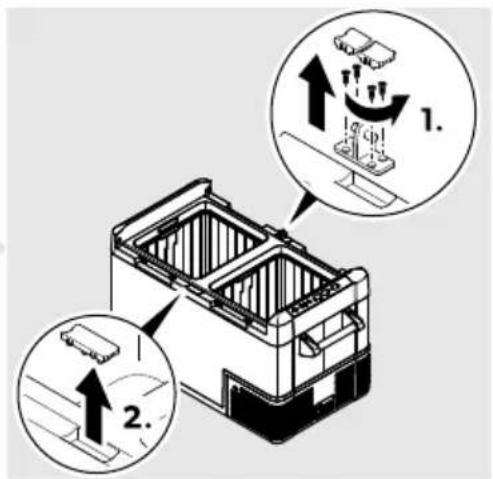
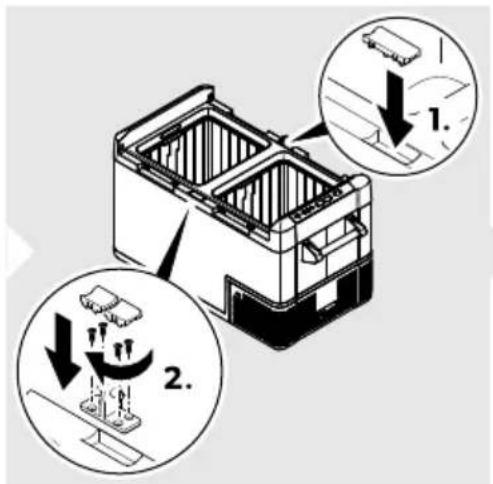
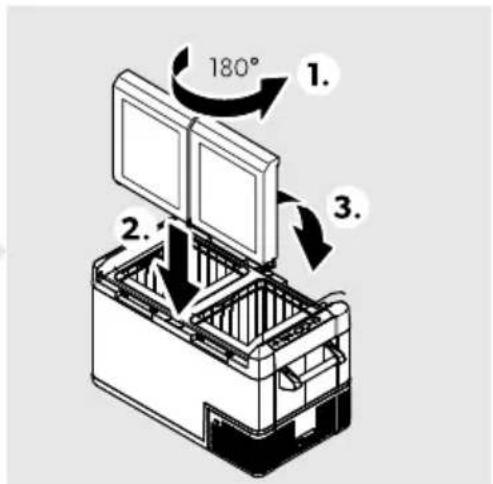
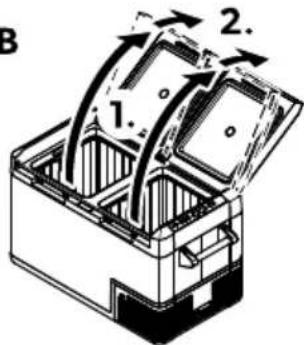
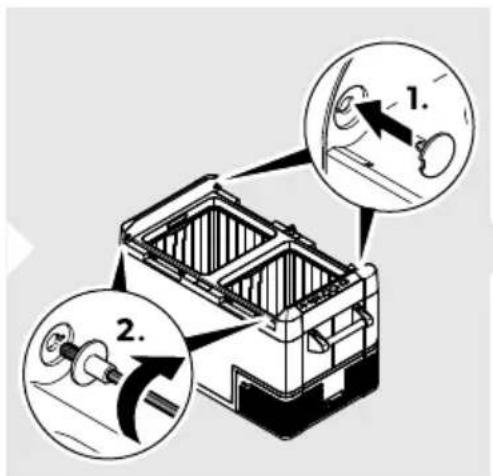
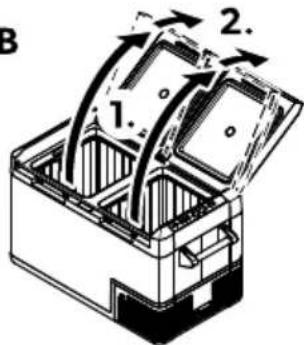
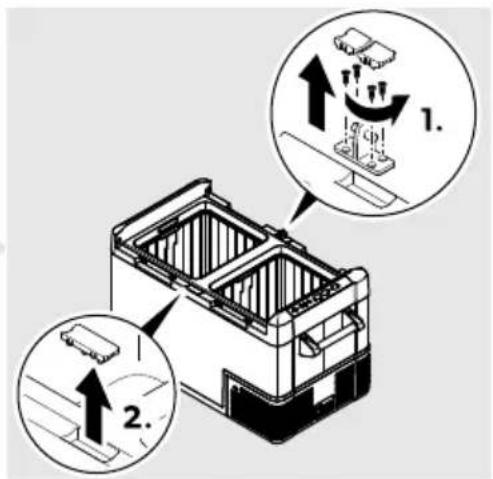
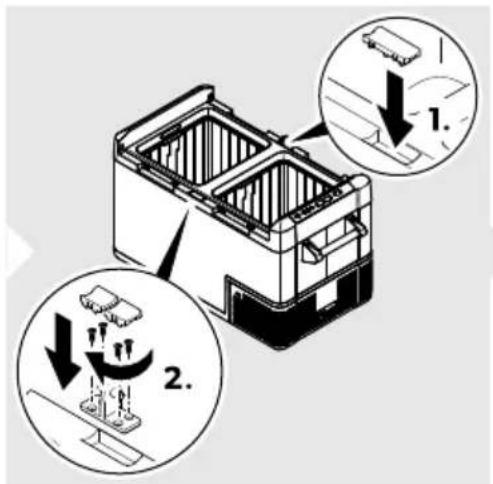
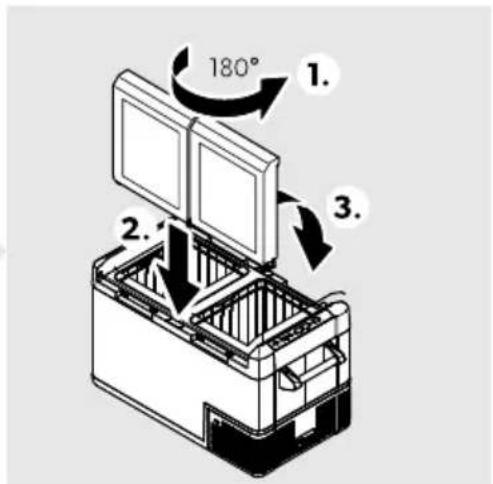
Fo reverse the lid opening proceed as shown (☑ on pagefKN).
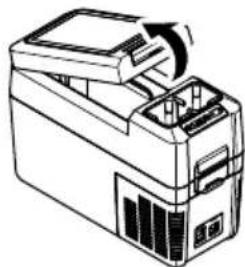
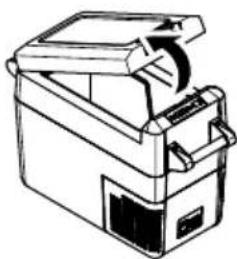
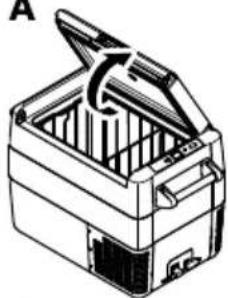
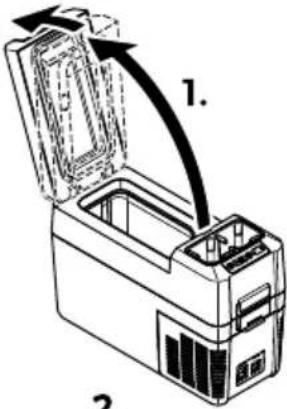
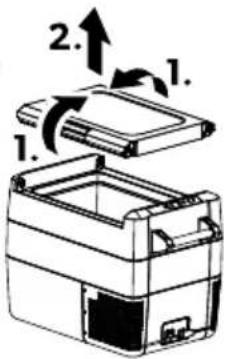
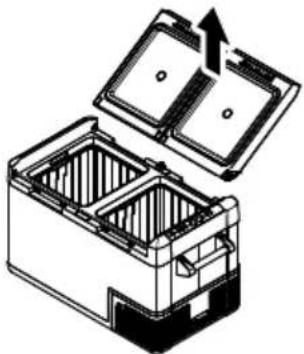
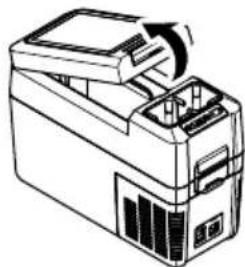
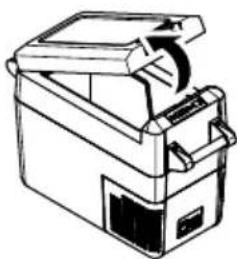
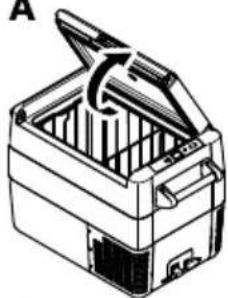
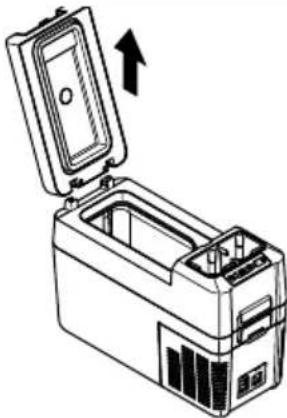
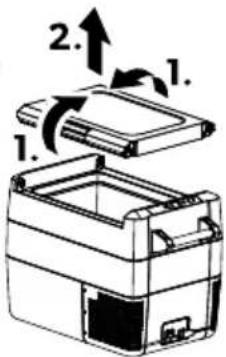
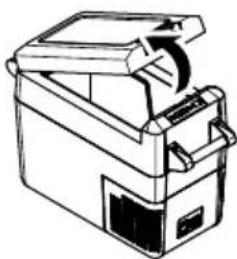
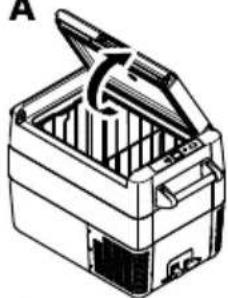
: pening or remo- ing the li(
□
CFF12
A
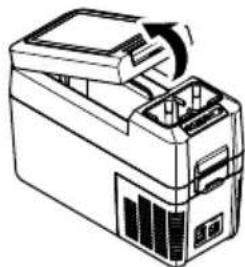
natural_image
Line drawing of a mechanical device with an arrow indicating rotation or assembly (no text or symbols)CFF20
A
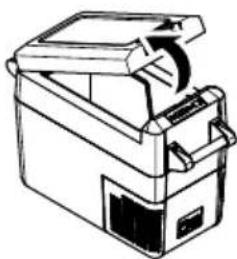
natural_image
Line drawing of a mechanical device with a handle and internal components (no text or symbols)CFF35, CFF45
A
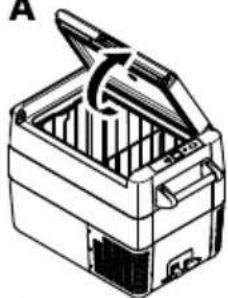
natural_image
Line drawing of a closed toolbox with open lid and internal compartments (no text or symbols)CFF70DZ
A
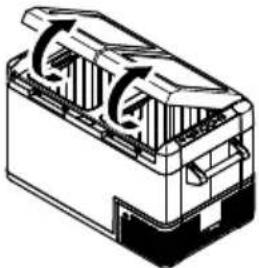
natural_image
Technical line drawing of a mechanical component with internal flow arrows (no text or symbols)- B
2.
natural_image
Line drawing of a printer with an open lid and internal components (no text or symbols)B
natural_image
Line drawing of a portable electronic device with an open lid and internal casing, showing no text or symbols.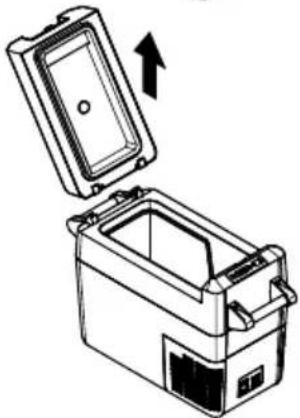
natural_image
Diagram of a portable appliance with an open lid and internal compartments, showing an upward arrow (no text or symbols)B
natural_image
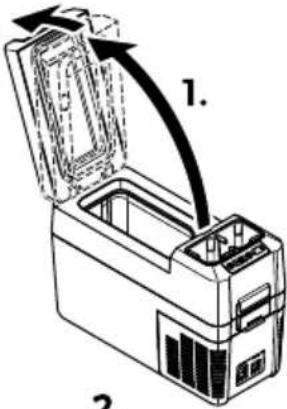
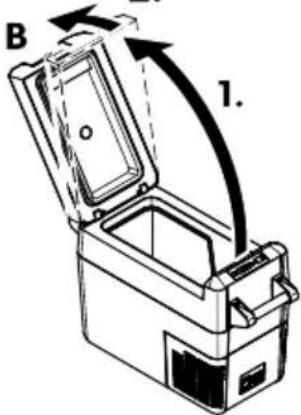
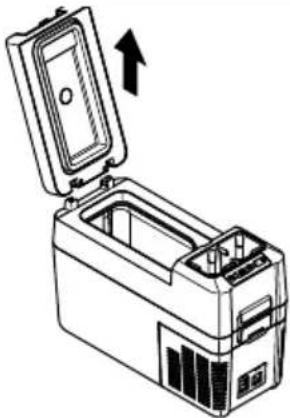
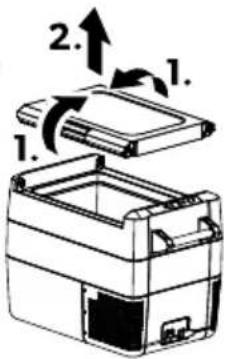
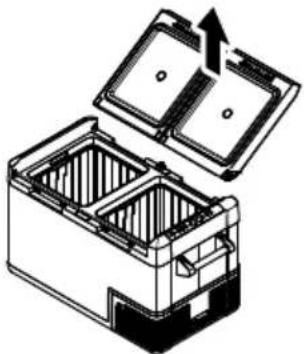
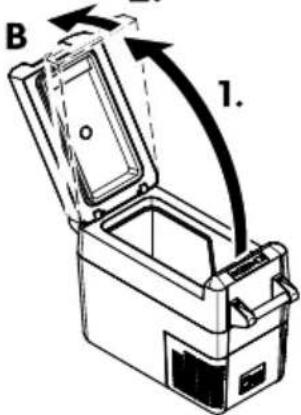
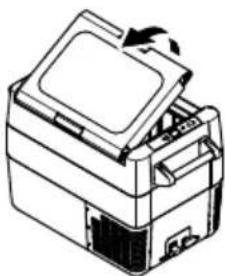
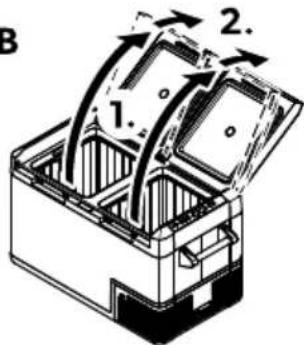
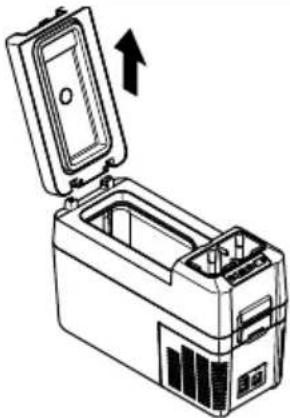
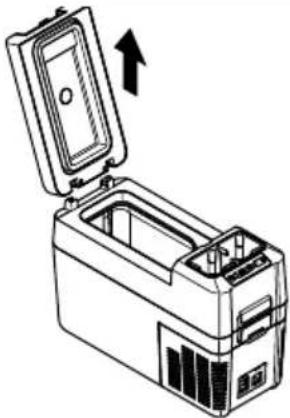
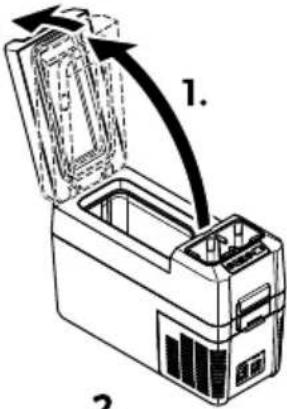
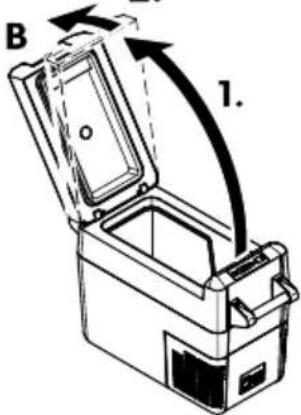
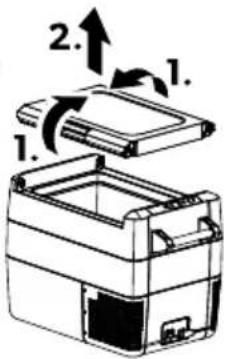
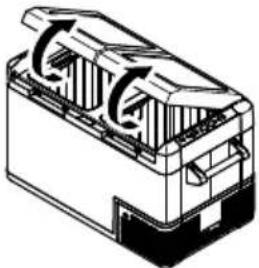
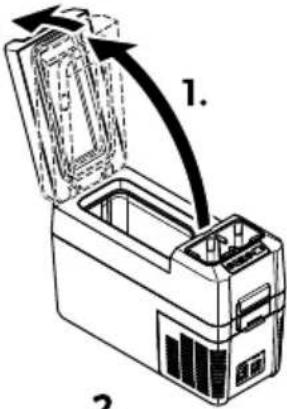
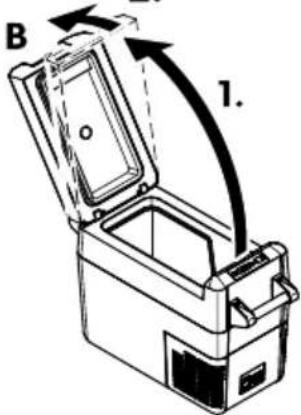
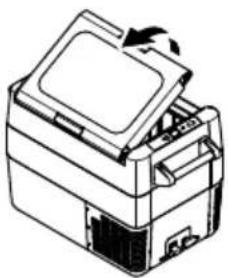
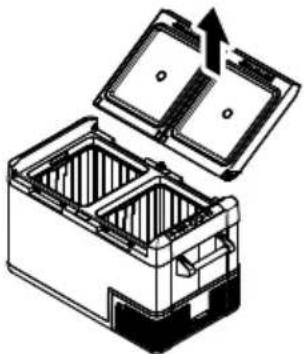
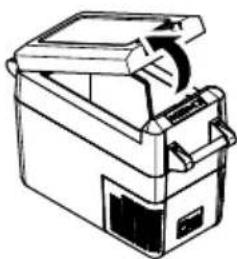
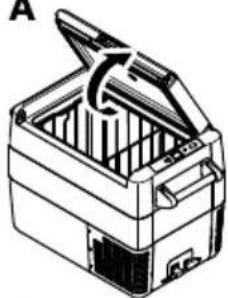
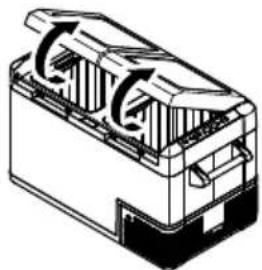
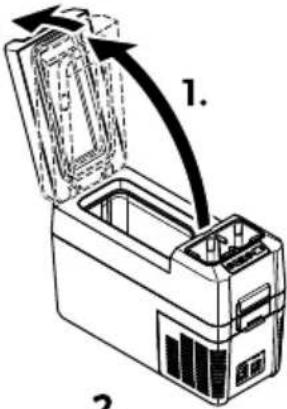
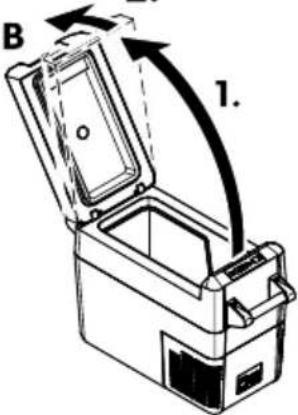
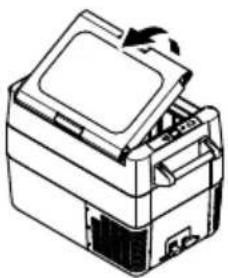
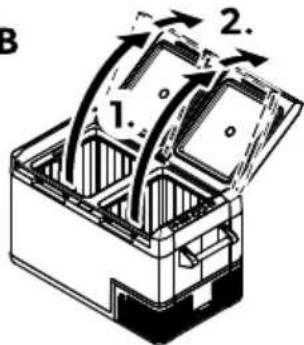
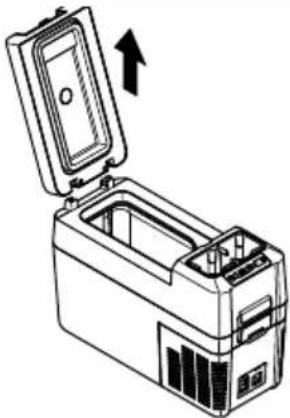
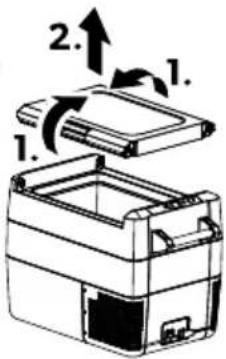
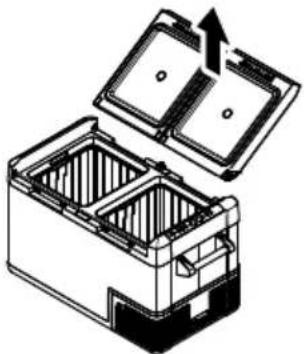
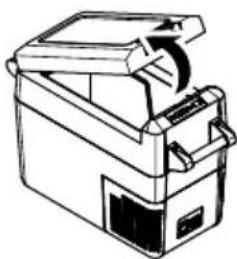
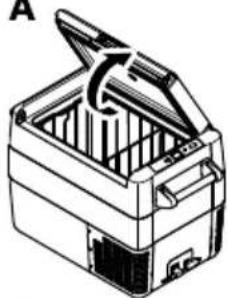
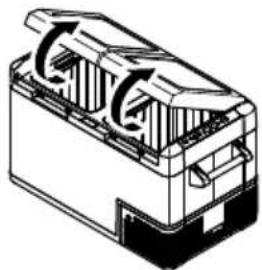
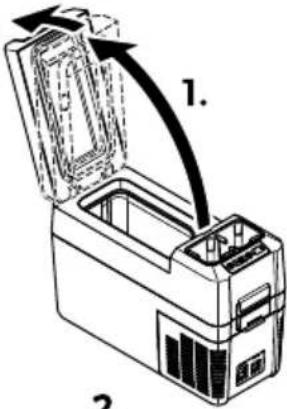
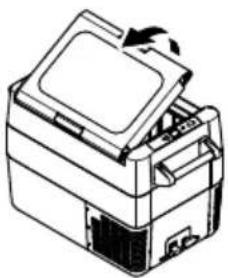
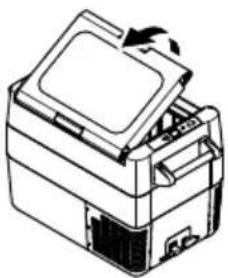
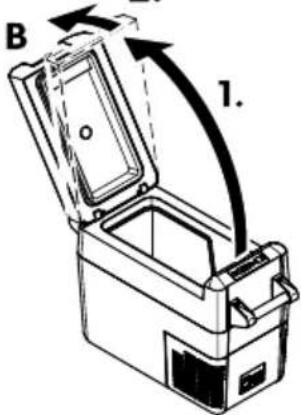
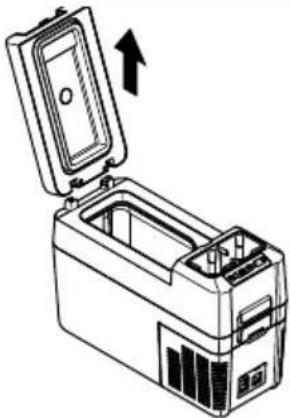
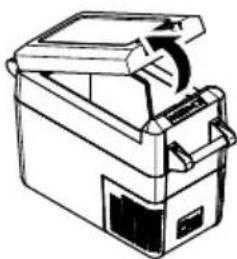
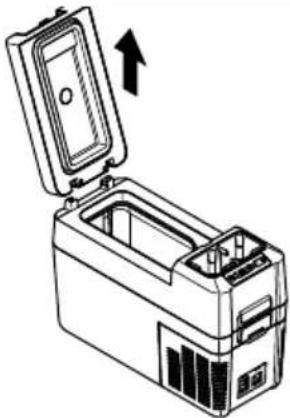
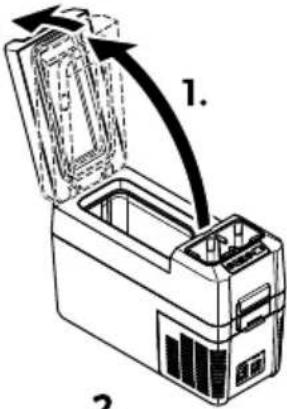
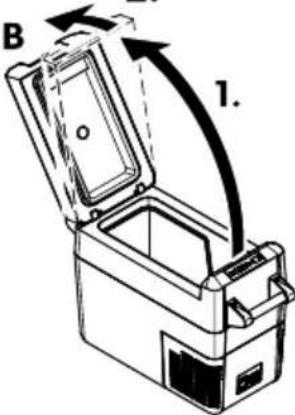
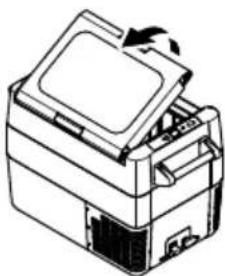
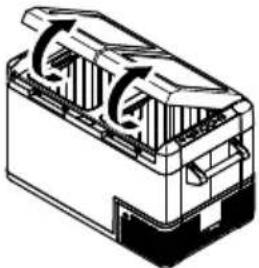
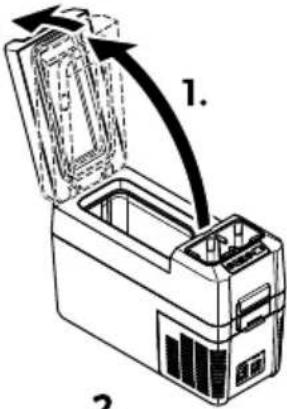
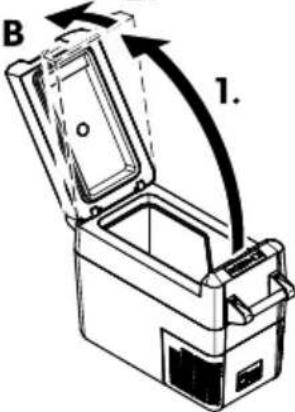
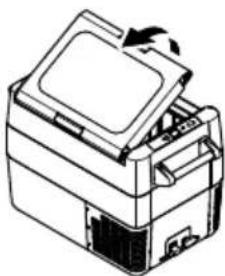
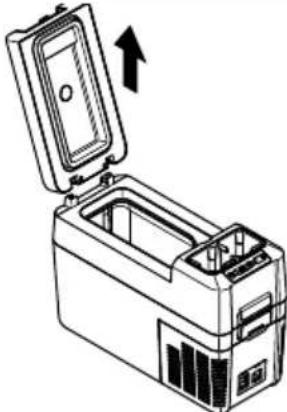
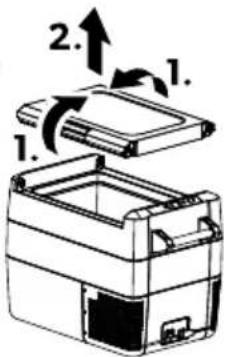
Diagram of a battery pack with open lid and internal compartments, showing internal structure and upward arrow (no text or symbols)Fo open the lid unlatch b' c.
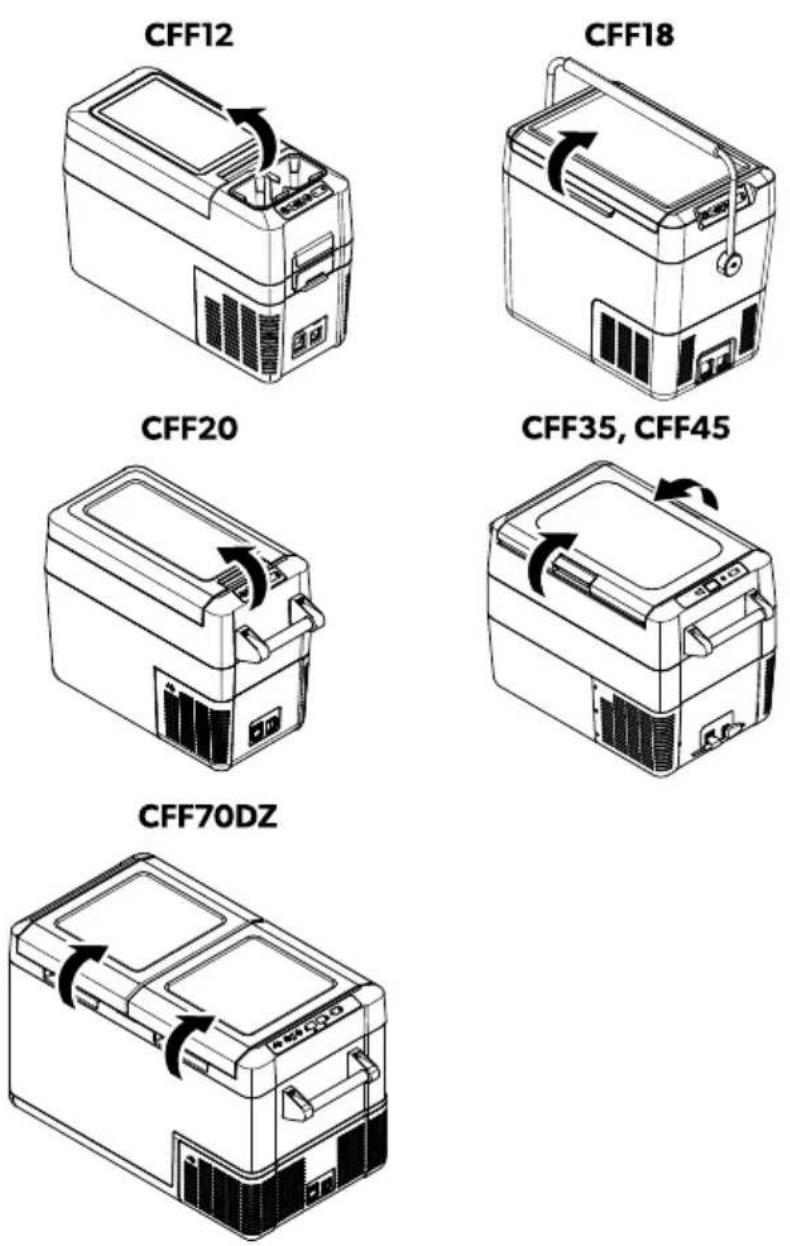
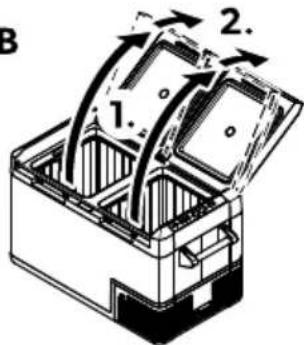
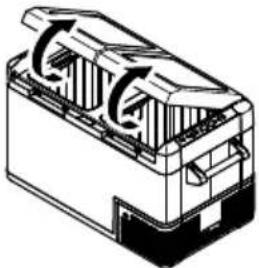
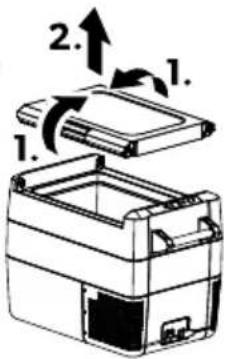
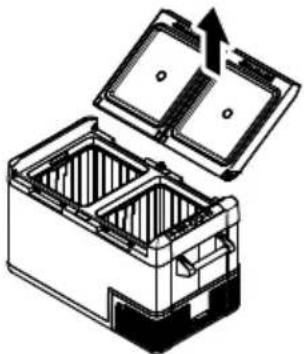
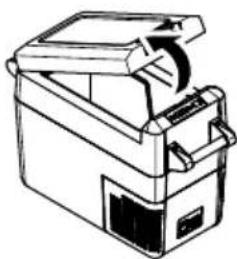
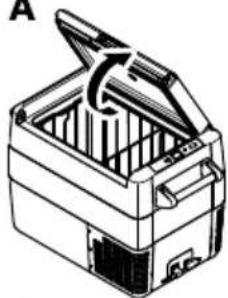
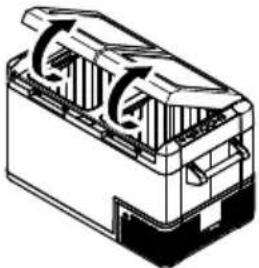
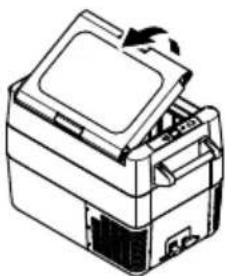
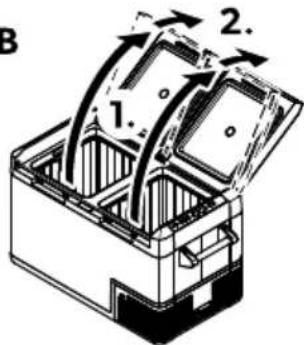
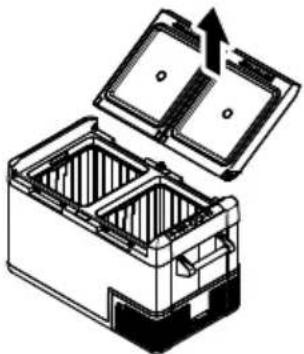
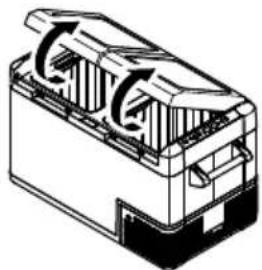
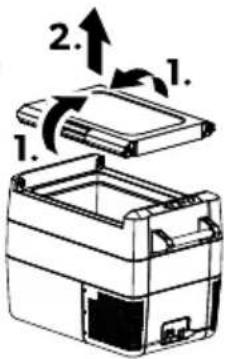
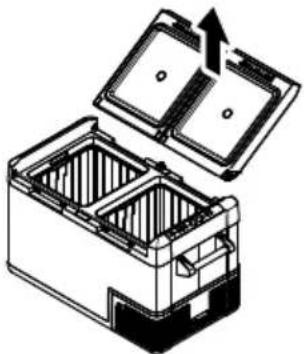
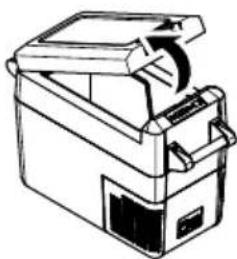
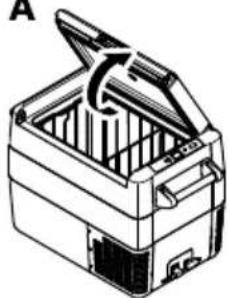
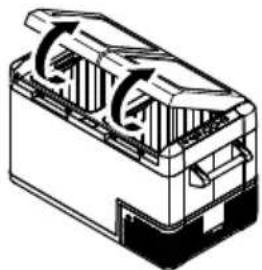
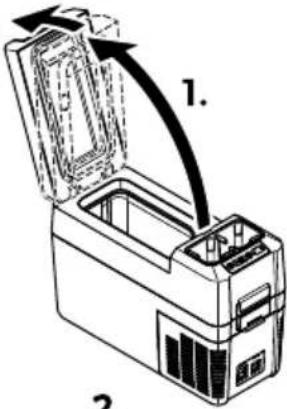
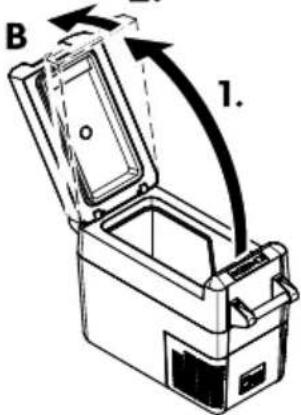
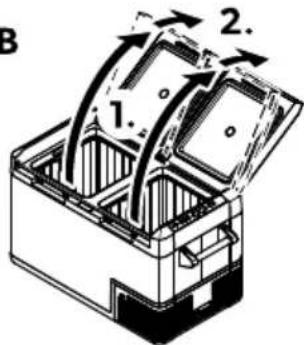
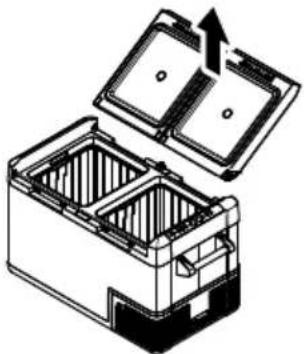
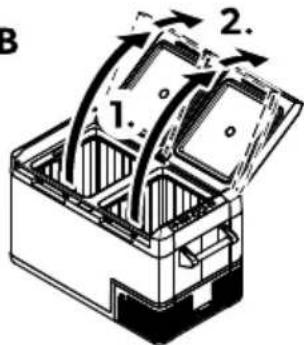
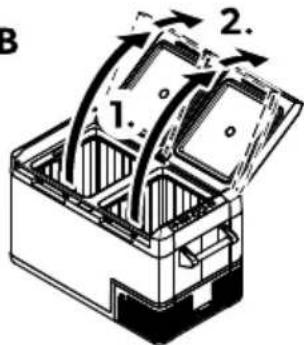
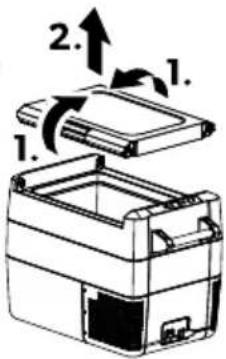
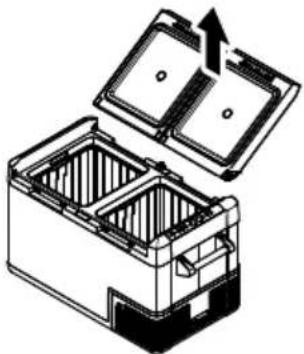
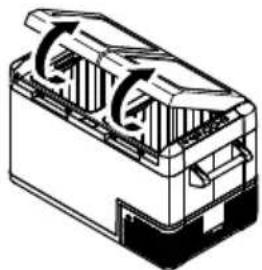
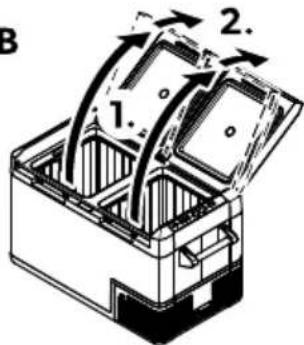
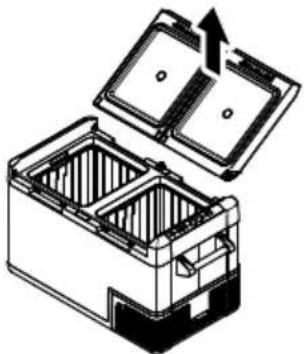
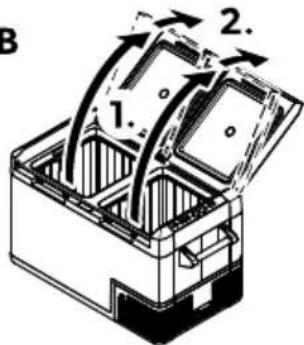
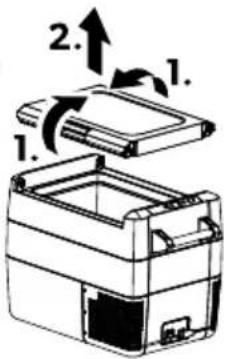
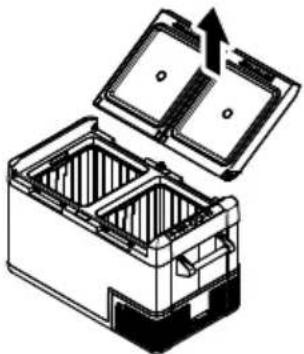
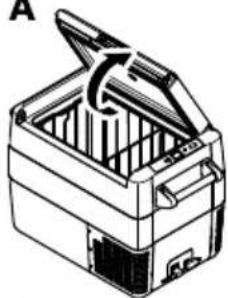
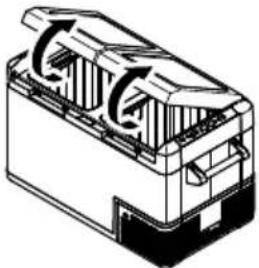
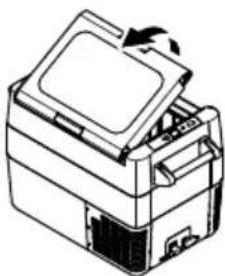
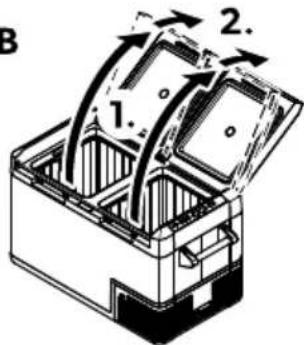
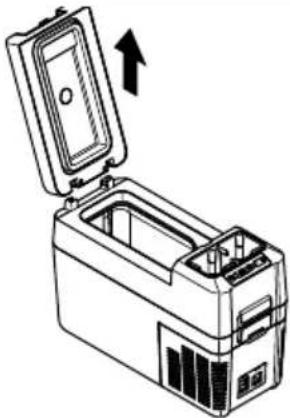
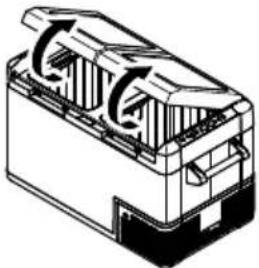
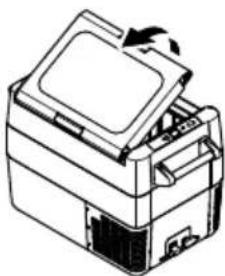
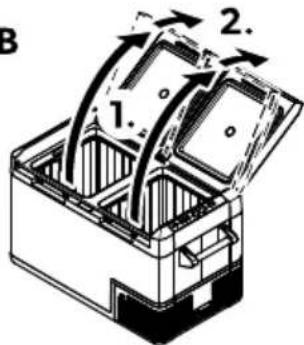
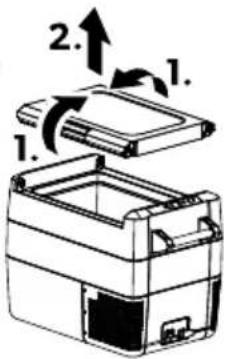
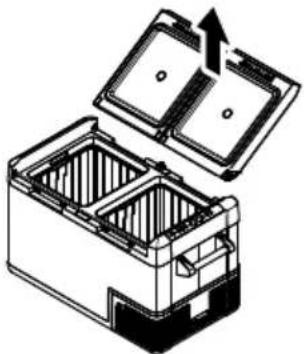
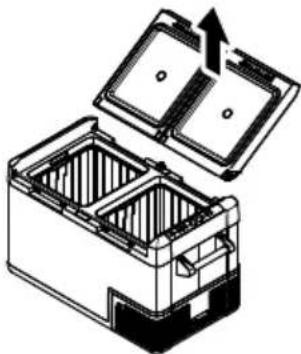
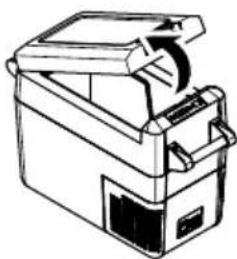
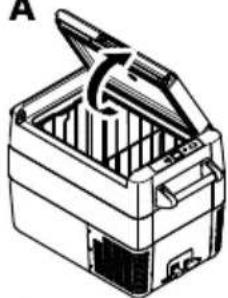
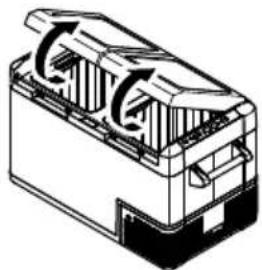
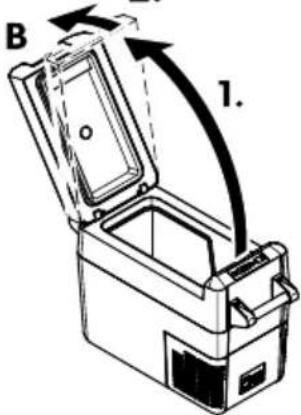
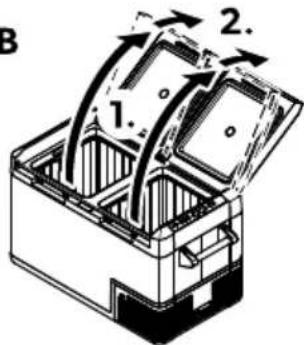
CFF35, CFF45: The lid can be opened from either side.
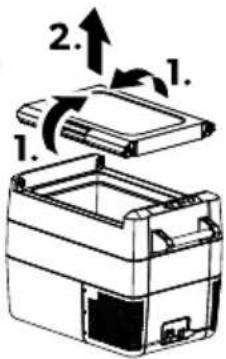
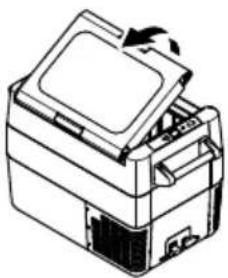
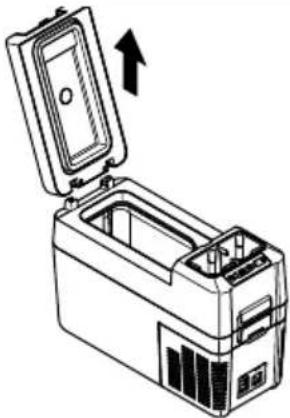
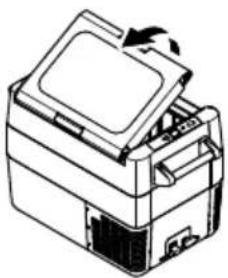
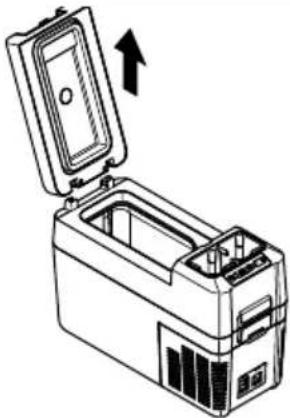
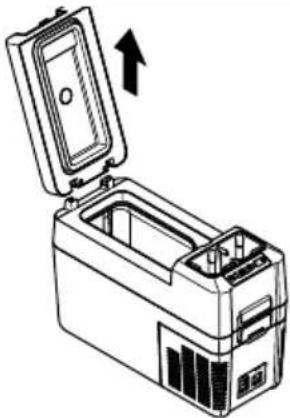
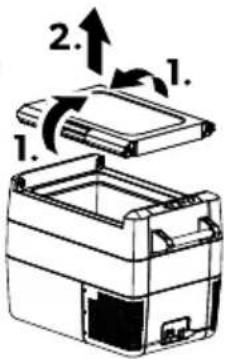
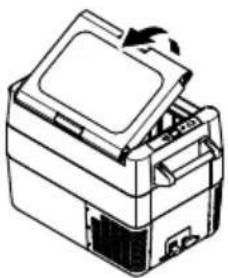
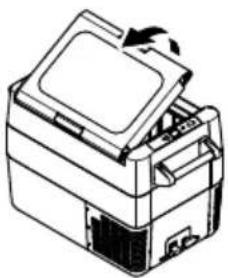
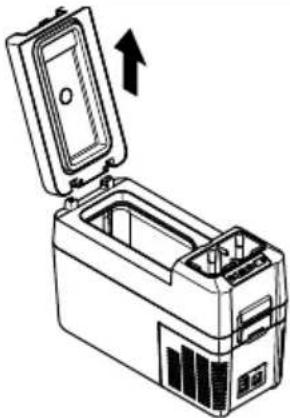
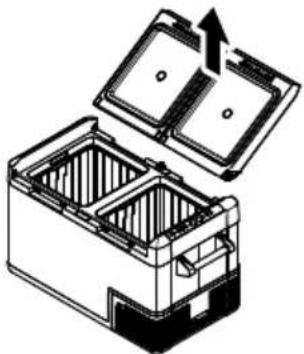
CFF35, CFF45: Fo remove the lidH unlatch both sides at the same time bJ c.
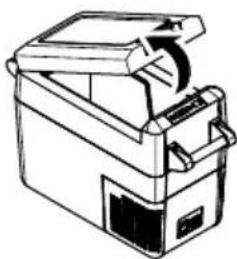
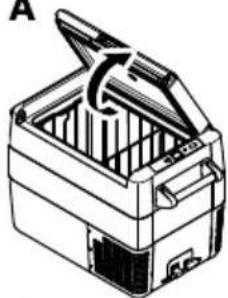
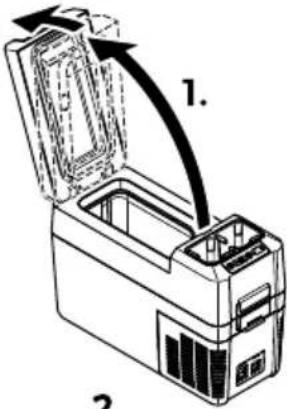
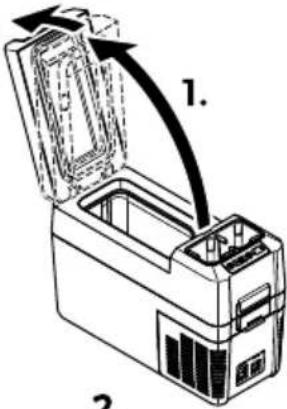
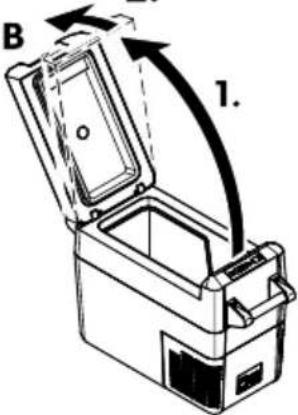
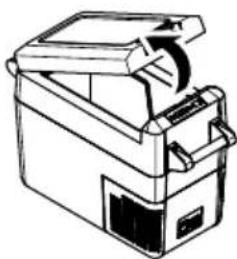
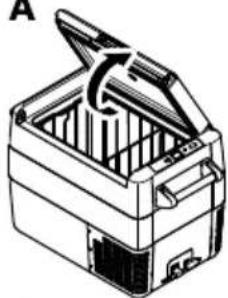
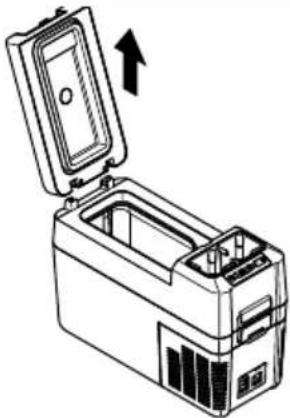
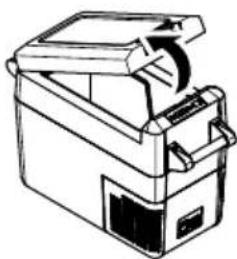
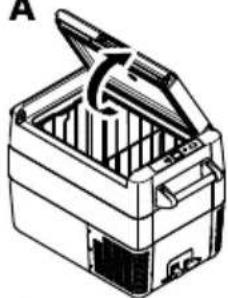
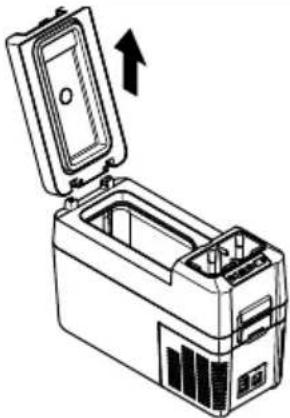
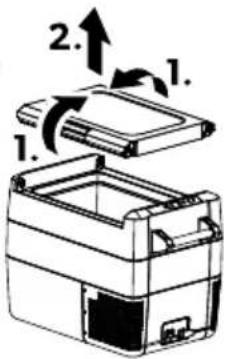
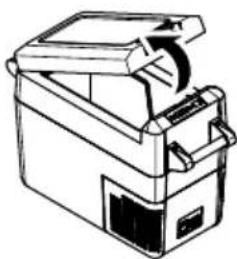
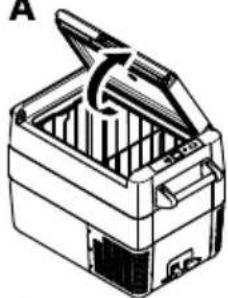
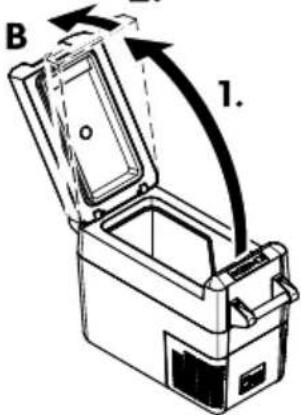
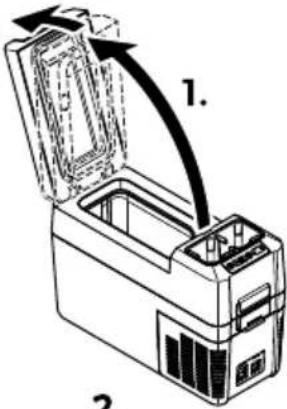
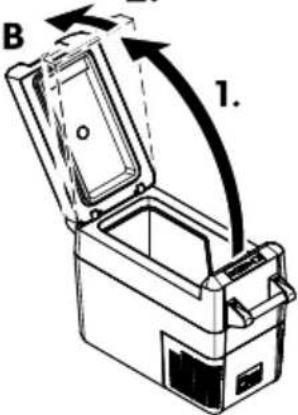
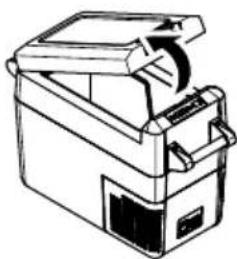
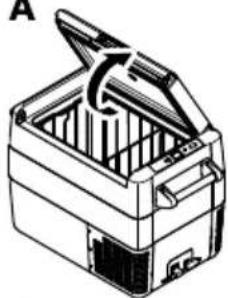
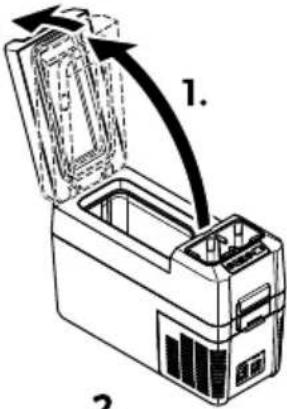
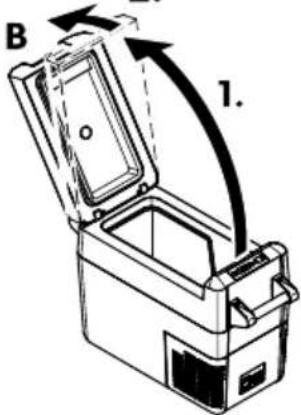
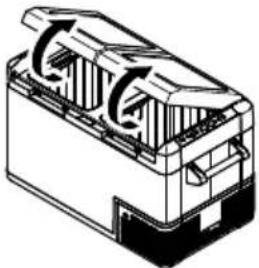
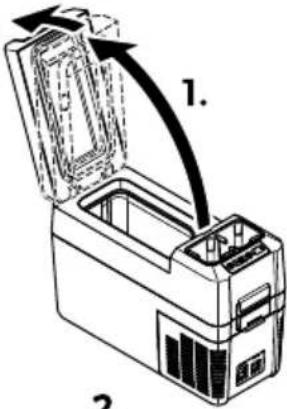
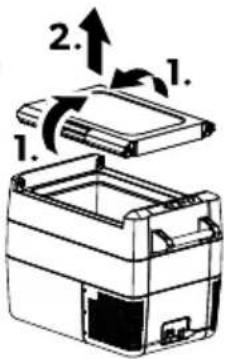
CFF12, CFF18, CFF20, CFF70DZ: "Wush the lid be" and the lid stop position bJ c.
3i(!top position
The lid has a built-in stop position (') . E o not force the lid past the built-in stop (J ).
□
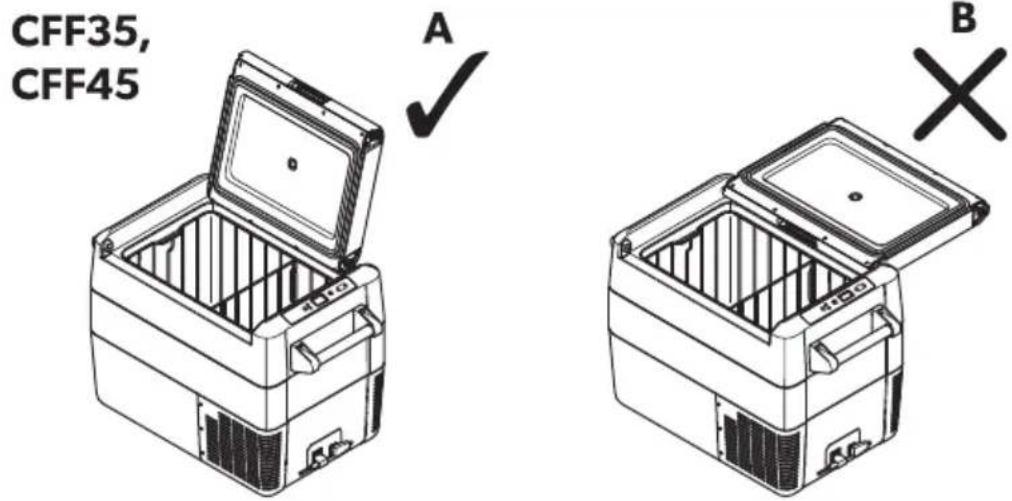

N: 1CE! Damage ha2ar(
Is the lid has been forced too can follow the steps described in Lid past built-in stop (UYYNOH UYYDO) on pagefBN.
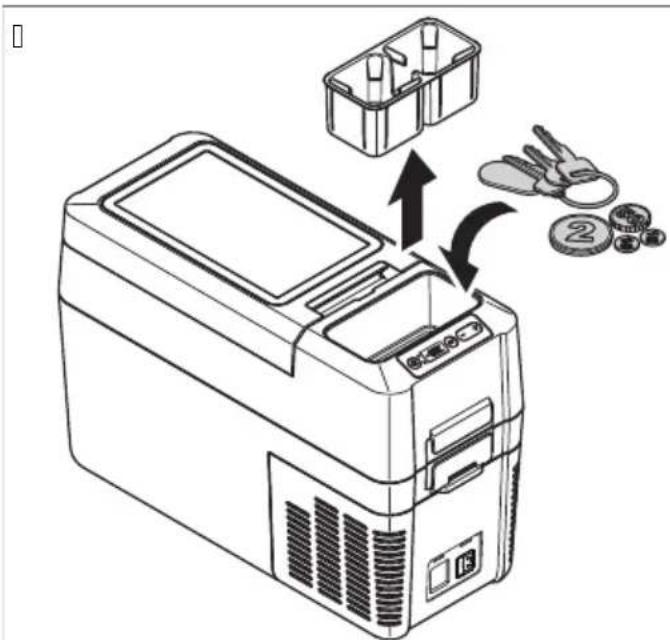
&emo-ing the c9p hol(er bCFF12 onl7c
Lie the cup holder out to access an convenient storage area.
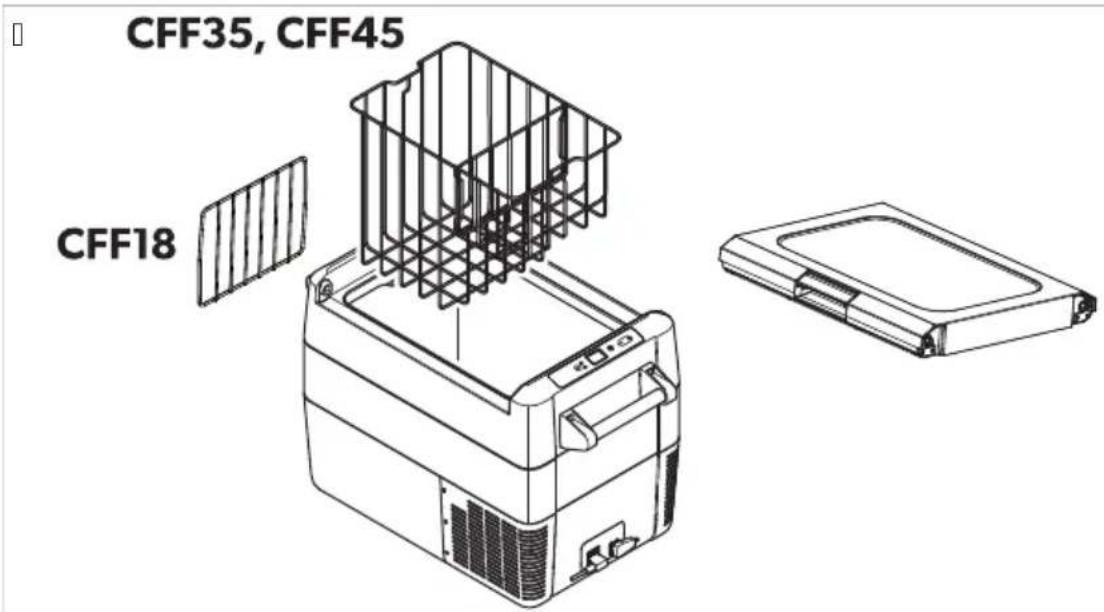
&emo-ing the ba!4et bCFF35 an( CFF45 onl7c an( ( i- i( er bCFF18 onl7c

N: 1CE! Damage ha2ar(
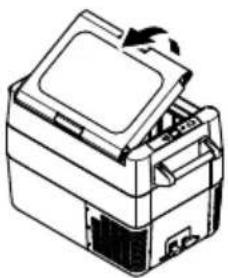
Removing the basket with the lid open ma" scratch the lid and deform the basket. It is recommended to remove the lid before removing the basket.
Wroceed as shown ( 📄.f on pagefKP).
Selecting the temperat9re 9nit!
Femperature displa" units can be switched between Uelsius and Yahrenheit as follows:
K. I witch on the cooling device.
B. Wress the SET button:
a) CFF12, CFF18, CFF20, CFF35, CFF45: Twice.
b) CFF70DZ: Three times.
N. Use the + or - buttons to select Uelsius or Yahrenheit.
√ The selected temperature unit then appears in the displa" for a few seconds. The displa" flashes several times before it returns to the current temperature.
d: peration
da1' - oi( ing foo( e a! te
Fo avoid Good wasteH note the Gollowing
eep temperature fluctuation as low as possible. Onl" open the cooling device as oeen and for as long as necessar". I tore the goodstud in such a wa" that the air can still circulate well.
J adjust the temperature to the auantit" and t"pe of the goodstud.
Yoodstud can easil" absorb or release odor or taste. J Iwa"s store Goodstud covered or in closed containersi bottles.
da2 Sa-ing energ7
Uchoose a well ventilated location which is protected from direct sunlight.
J llow warm food to cool down Srst before placing it in the cooling device to keep cool.
E o not open the cooling device more oeen than necessar".
E o not leave the cooling device open for longer than necessary".
Is the cooling device has a basket: Yor optimal energ" consumptionH position the basket according to its position on deliver".On a regularl" basisH ensure the lid seal still Sts properl".
J void unnecessaryil" low temperatures.
da3 Connecting the cooling (e-ice
Connecting to a batter7 b-ehicle or boatc
The cooling device can be operated with KB c = or BD c =:Yor safet" reasons the cooling device is equipped with an electronic s"stem to prevent polarit" reversal. This protects the cooling device against short-circuiting when connecting to a batter".

N: 1CE! Damage ha2ar(
Yor protection of the device the EU cable supplied includes a fuse inside the plug. Eo not remove the fused EU plug. Onl" use the EU cable supplied.
K. Plug the EU connection cable (Yig.f on pagefP B) into the EU voltage socket of the cooling device (Yig.f on pagefKK D).
B. Uconnect the connection cable to a EU power outlet.
Connecting to an ' C poe er !9ppl7
The cooling device has an integrated multi-voltage power suppl" with priorit" circuit for connecting to an J U voltage source. The priorit" circuit automaticall" switches the cooling device to J U operation if the device is connected to an J U power suppl"H even if the E U connection cable is still attached.
V hen switching between the J ∪ power suppl" and the batter" suppl"H the red LLE ma" light up briefl".
K. Wlug the J U connection cable ( ☐ Sg. K N) into the J U voltage socket of the cooling device ( ☐ Sg. D K). B. Uconnect the connection cable to an J U power outlet.
da4 D! ing the batter7 monitor
The cooling device is equipped with a multi-level batter" monitor that protects the vehicle batter" against excessive discharging when the cooling device is connected to the on-board EU suppl".
Is the cooling device is operated when the vehicle ignition is switched on the cooling device switches on automatically as soon as the suppl voltage falls below a set level. The cooling device will switch back on once the batter has been recharged to the restart voltage level.

N: 1CE! Damage ha2ar(
V hen switched od b" the batter" monitor the batter" will no longer be full charged. J void starting repeatedl" or operating current consumers without longer charging phases. Ensure that the batter" is recharged.
In the m( IG( n mode the batter" monitor responds faster than in the LOV and MLE modes (see the following table).
| J atter7 monitor mo( e 3: W MED CIKC | |||
| I witch-od voltage at KB c | KCK c | KK.B c | KK.R c |
| Restart-voltage at KB c | KK.D c | KB.B c | KB.P c |
| I witch-od voltage at BD c | BK.O c | BD.K c | BD.P c |
| Restart voltage at BD c | BN c | BO.N c | BP.B c |
The batter" monitor mode can be selected as follows:
K. I witch on the cooling device.
B. Wress the SET button three times.
Yor dual zone cooling devices press the SET button four times.
N. Use the + or - buttons to select the batter" monitor mode.
Fhe displa" shows the selected mode for a few seconds: Lo (LOV) H Nd (MLEIUM) H Hi ((IG()
The displa" flashes several times before it returns to the current temperature.

N: E V hen the cooling device is supplied b" the starter batter"H select the batter" monitor mode m(IG(n. IS the cooling device is connected to a suppl" batter"H the batter" monitor mode mLOV n will suh ce.
da5 D!ing the cooling (e-ice

N: 1CE! &i!4 of o-erheating
Lnsure at all times that there is sub cient ventilation so that the heat that generated during operation can dissipate. Lnsure that the ventilation slots are not covered. Lnsure that the device is sub cientl" &ar awa" from walls and other objects so that the air can circulate.

N: 1CE! Damage ha2ar( from excel i-el7 loe temperat9re
Lnsure that onl" those objects are placed in the cooling device that are intended to be cooled at the selected temperature.

N: 1CE! Damage ha2ar(
Wace the cooling device as shown (Yig.10 on pagePK). If "ou operate the cooling device in a diferent orientationH it can be damaged.

N: E ∨ hen operating with the batter"H the displa" switches od automaticall" is the batter" voltage is low. Fhe ⒶLE flashes orange.
Before Srst use on pagefKK
K. Wlace the cooling device on a Srm Gondation.
B. Uconnect the cooling device (see Uconnecting the cooling device on pagefKQ).
N. Wress the button for between one and two seconds.
Fhe LLE lights up.
Fhe displa" ( Yig.f on pagefKC D) switches on and shows the current temperature.
The cooling device starts cooling the interior.
3atching the cooling (e-ice li)

N: E
CFF35, CFF45: V hen latching the lidH ensure that both latch side pins are full" engaged to ensure a good lid seal. One latch ma" engage slightly" before the other.
Is the lid is not closed ea uall" at both sides press until a second click is heard.
K. Ulose the lid.
B. Wress the latch (Yig.f on pagef) down until it latches in place audibl"
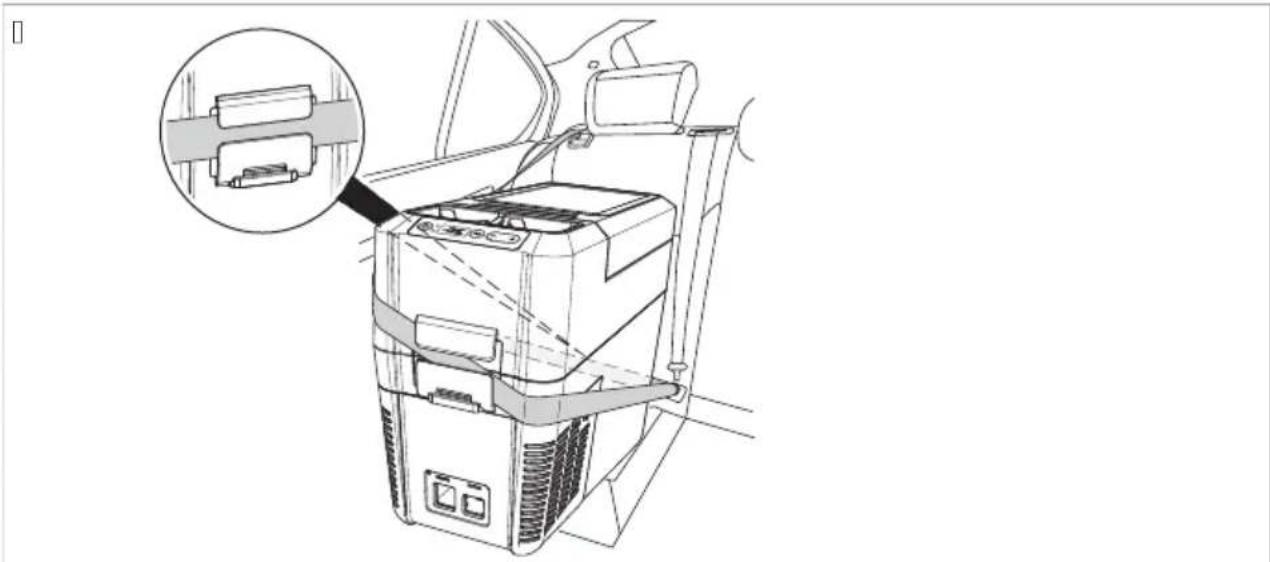
da6 Fixing the cooling (e- ice e hile tran! porting bCFF12 onl7c

W' &NINK! &i!4 of inj9r7
Lnsure that the cooling device is SMed correctl". Otherwise it could be dislodged and cause severe injuries to passengers when a hard break occurs.
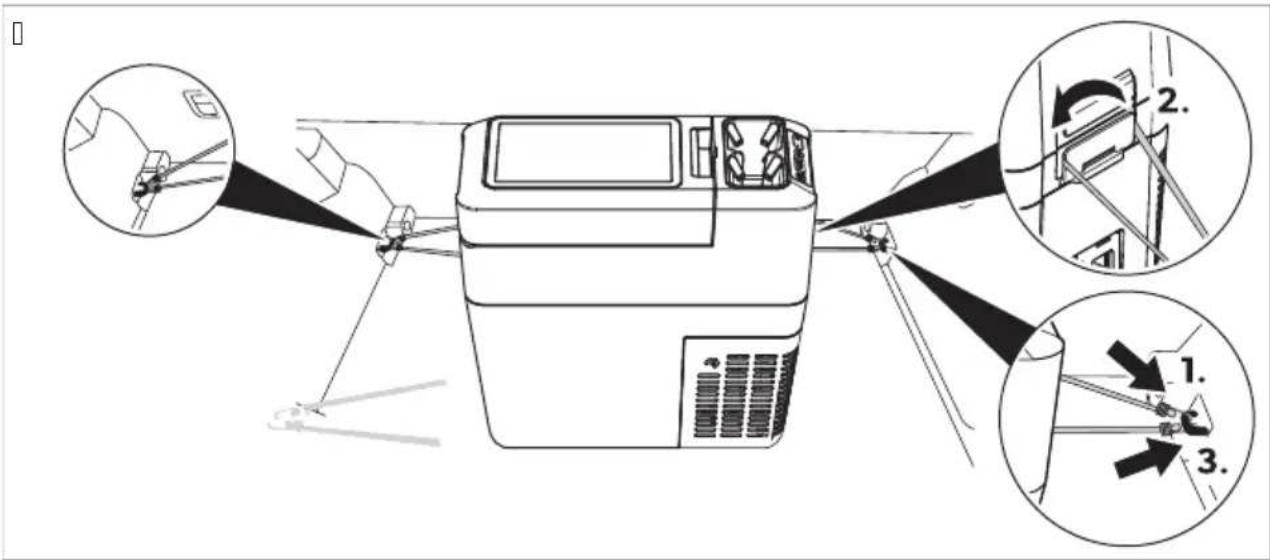
V hen transporting the cooling device in a vehicle "ou can SM the device with the safet" seat belt or with luggage tighteners so that it remains in its position.
V hen Simg with a !afet7 !eat belt proceed as shown (fig.1 on pageKT).
natural_image
Line drawing of a car interior with a device and a magnified inset showing a connector detail (no text or symbols)V hen SMing with l9ggage tightener! proceed as shown ( [img.fo on pagefKT]).
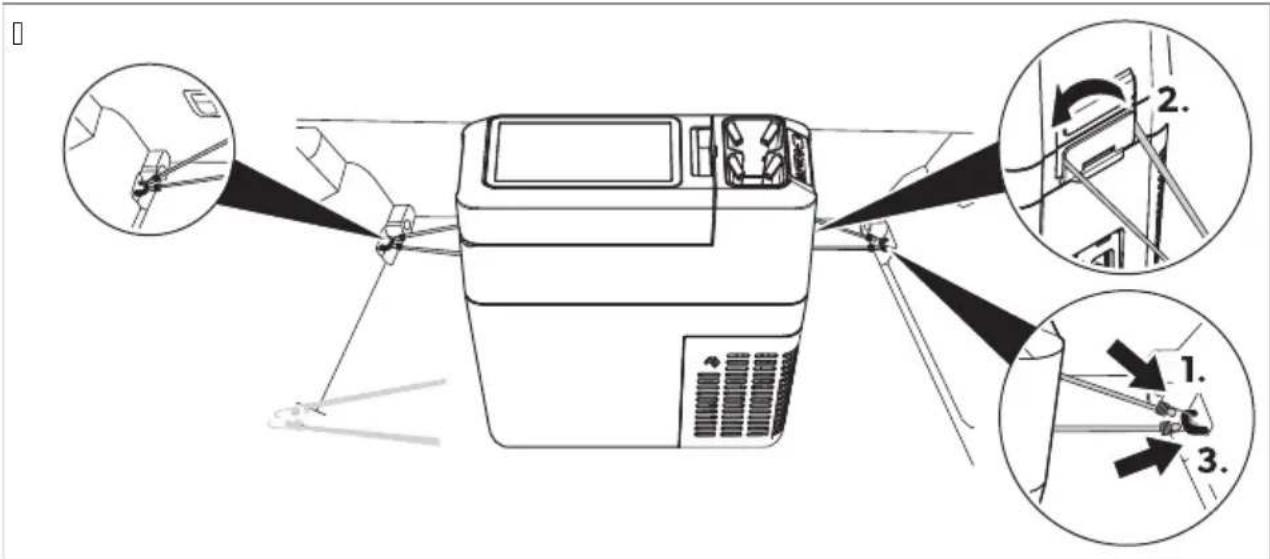
da7 Setting the temperat9re
Wress the SET button once.
Use the + and - buttons to select the cooling temperature.
√ The cooling temperature appears in the displa" for a few seconds. The displa" flashes several times and then the current temperature is displa"ed again.
D9al 2one cooling (e-ice!
K. Wress the SET button once for the large compartment or twice for the small compartment.
Fhe chosen compartment's displa" blinks.
B. Use the + and - buttons to select the cooling temperature.
Lach compartment can be set to work as a refrigerator or a freezer compartment.
√ The cooling temperature appears in the chosen compartment's displa" for a few seconds. The displa" flashes several times and then the current temperature is displa"ed again.
da8 Se itching a compartment off or on b(9al 2one cooling (e-ice!c
If only one compartment is required the other compartment can be switched od to save energ".
Se itching off a compartment
K. Wress the SET button once for the large compartment or twice for the small compartment.
√ Fhe chosen compartment's displa" blinks.
B. Wress the button.
√ OFF flashes for Sve seconds on the displa" of the respective cooling compartment then OFF is displa"ed.
Se itching on a compartment
Is the displa" of the compartment shows OFFH "ou can switch on the compartment as follows:
K. Wress the SET button once for the large compartment or twice for the small compartment.
√ Fhe chosen compartment's displa" blinks.
B. Wress the button.
√ The cooling temperature appears in the displa" for a few seconds. The displa" flashes several times and then the current temperature is displa"ed.
dad Setting the ( i!pla7 brightne!!
The displa" brightness can be dimmed for low ambient light conditions.
Fo set the dimming level of the displa" proceed as follows:
K. I witch on the cooling device.
B. Wress the SET button Gour times.
Yor dual zone cooling devices press the SET button Sve times.
N. Use the + and - buttons to set the brightness of the displa".
Fhe displa" will show as follows: d0 (default)H d1 (medium)H d2 (dark).
The displa" shows the set mode for several seconds. The displa" flashes twice before it returns to the current temperature.

N: E Fhe displa"s' factor" setting of brightness is d0.
Is a fault occurs the brightness automaticall" reverts to brightness d0. J eer troubleshooting the set brightness is reactivated.
da10 Se itching off the cooling (e-ice
K. Lmpt" the cooling device.
B. I witch the cooling device od.
N. Wull out the connection cable.
Is "ou do not want to use the cooling device for a longer period of time: Leave the lid slight" open. This prevents odor build-up.
da11 Defro! ting the cooling (e- ice
( umidit" can form frost in the interior of the cooling device or on the evaporator. This reduces the cooling capacit".

N: 1CE! Damage ha2ar(
&ever use hard or pointed tools to remove ice or to loosen objects which have frozen in place.
Fo defrost the cooling device proceed as follows:
K. Remove the contents of the cooling device.
B. If necessary"H place the contents in another cooling device to keep them cold.
N. I witch od the cooling device.
D. Leave the lid open.
O. V ipe od deßrosted water.
da12 &eplacing the ' C f9!e

D' NKE&! Electroc9tion ha2ar(
E isconnect the power suppl" and the connection cable before "ou replace the device fuse.
K. E isconnect the power suppl" to the device.
B. Remove the connection cable.
N. Wr" out the Guse insert (Fig.f on pageKC) with a screwdriver.
D. Replace the defective glass fuse with a new one of the same t"pe and rating (DJ HBOC c).
O. Wress the Guse insert back into the housing.
P. Reconnect the power suppl" to the device.
da13 &eplacing the DC f9!e
K. E isconnect the power suppl" to the cooling device.
B. Wr" out the Guse cover (fog.f on pageKC) with a screwdriver.
N. Reverse the fuse cover and use hook to remove the defective blade fuse.
D. Wush in a new Guse of the same t"pe and rating.
O. Re-St the fuse cover.
P. Reconnect the power suppl" to the cooling device.
da14 &eplacing the DC pl9g f9!e
Replace the defective fuse with a new fuse of the same t" pe and rating as shown ( ☐ Yig.☐ on pagefBB).
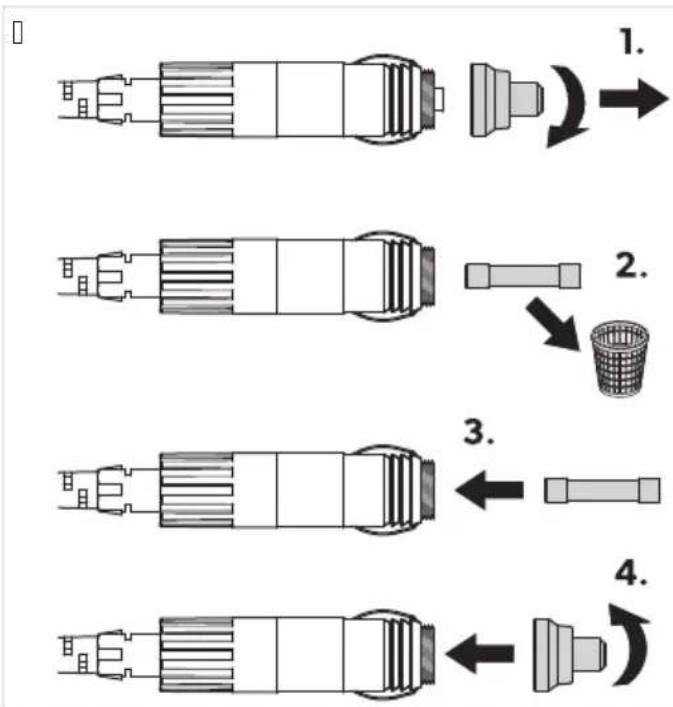
da15 &eplacing the light . CJ

N: 1CE! Damage ha2ar(
The lamp can onl" be replaced b" the manufacturer a service agent or similar "aualiSed person to avoid hazard.
10 Cleaning an( maintenance

C' D 1: N! Electroc9tion ha2ar(
Ensure that the cooling device is disconnected from the power suppl" before an" cleaning or maintenance work.

N: 1CE! Damage ha2ar(
&ever clean the cooling device under running water or in dish water.
E o not use abrasive cleaning agents or hard objects during cleaning.
Occasionall" clean the device interior and e"terior with a damp cloth.
Ensure that the air inlet and outlet vents on the cooling device are free of an" dust and dirt so that heat can be released and the cooling device is not damaged.
11 ro9ble!hooting
| . roblem . o!!ible ca9!e S9gge!te( reme( 7 | |||
| E evice does not function# LLE does not glow. | &o voltage present in the connected power outlet. | K. Wlugged in EU power outlet: In most vehicles the ignition must be | |
| . problem . o!!ible ca9!e S9gge!te( reme( 7 | |||
| turned on before power will be supplied to the EU power outlet.B. Wlugged in J U power outlet: Fr" using another plug outlet. | |||
| One of the device uses is defective. Replace the defective device useHsee Replacing the J U use on pagefBK or Replacing the EUuse on pagefBK. | |||
| The integrated J U adapter is defective. | This can onl" be repaired b" an authorized repair center. | ||
| The device does not cool (plug is insertedH LLE is lit). | Effective compressor. | This can onl" be repaired b" an authorized repair center. | |
| The device does not cool (plug is insertedH LLE clashes orange displa" is switched od). | Batter" monitor is set too high. I elect a lower batter" monitor setting. | ||
| Batter" voltage is too low. Fest the batter" and charge it as needed. | |||
| When operating from the EU outlet: The ignition is on and the device is not working and the LLE is not lit. | The EU outlet is dirt". This results in a poor electrical contact. | > Is the plug of the cooling device becomes ver" warm in the EU outlet either the EU outlet must be cleaned or the plug has not been assembled correctl". | |
| The use of the EU plug has blown. Replace the use in the EU plugsee Replacing the EU plug use on pagefBB. | |||
| The device EU use has blown. Replace the defective useHsee Replacing the EU use on pagefBK. | |||
| The vehicle use has blown. Replace the vehicle's EU outletuse. Please refer to "our vehicle's operating manual. | |||
| The displa" shows an error message (e.g.H mLrrKn) and the appliance does not cool. | The appliance has switched od due to an internal fault. | This can onl" be repaired b" an authorized repair center. | |
3i( pa!t b9ilt-in !top bCFF35, CFF45c

C' D 1: N! &i!4 of inj9r7
Beware pinching "our thumb while closing the lid.

N: 1CE! Damage ha2ar(
Yailure to observe these instructions can cause the lid to break od.
If the lid has been forced past the built-in stopH proceed as follows ( ☐ Yig.f on pagefBD):
□
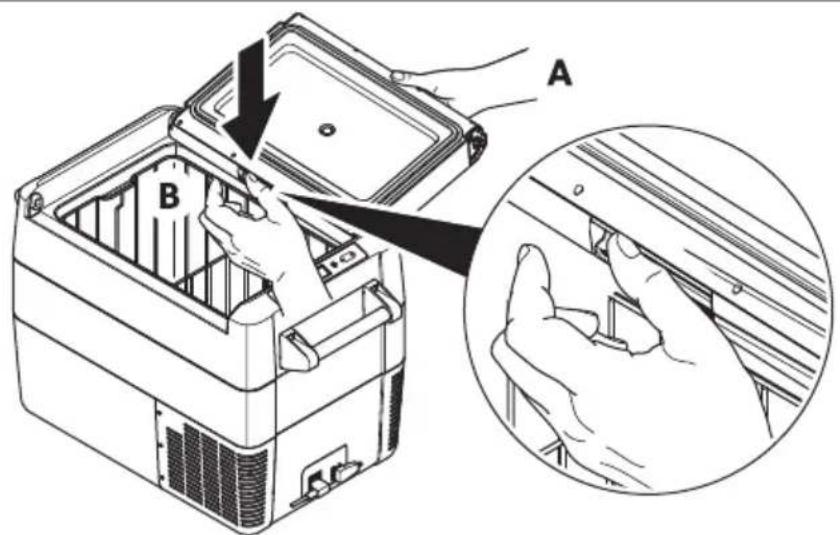
b | support the lid with one hand (J).
b ( old the latch down with the other hand (B).
b Ulose the lid as 3ar as possible without pinching "our thumb" while still holding the latch down to keep it from breaking.
b Fhe lid should now be approMimatel" at the angle shown (Sg. e- page KB).
b Remove the hand from the latch (B) and continue closing the lid all the wa".
i
N: E Fhe hinges ma" release from the correct position during the Snal closing action. Reposition the lid as follows:
b Operate the latches on both sides of the lid simultaneous".
b Lie and reposition the lid.
12 Warrant7
The statutor" warrant" period applies. If the product is defective, please contact the manufacturer's branch in "our countr" (see dometic.comi dealer) or "our retailer."
Yor repair and warrant" processingH please include the following documents when "ou send in the device:
b J cop" oô the receipt with purchasing date
b J reason for the claim or description of the Gault
&ote that self-repair or nonprofessional repair can have safety consequences and might void the warrant".
13 Di! po! al

Rec"cling packaging material: Wlace the packaging material in the appropriate rec"cling waste bins wherever possible.
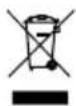
16 "ou wish to Snall" dispose the product ask "our local rec" cling center or specialist dealer for details about how to do this in accordance with the applicable disposal regulations. The product can be disposed free of charge.

Is the product contains an" non-replaceable batteriesH rechargeable batteriesH or light sourcesH "ou don't have to remove them before disposal.
14 echnical (ata
The refrigeration circuit contains a small a-quantit" oô an environmentall" friendl" but flammable refrigerant. It does not damage the ozone la" er and does not increase the greenhouse effect. J n" leaking refrigerant ma" ignite.
| CFF12 | |
| Fotal volume KN L | |
| KB c= BD cU connection voltage | |
| KCC c= BDC c ~ | |
| Rated current KB c=(RKNDa) P J | |
| Rated current KB c=(RPCCa) O.P J | |
| Rated current BD c=(RKNDa) N.N J | |
| Rated current BD c=(RPCCa) B.O J | |
| Rated current BDC c=q OC ( z (RKNDa) C.NO J | |
| Rated current BDC c=q OC ( z (RPCCa) C.OB J | |
| Refrigerant RKNDa or RPCCa (see t"pe label) | |
| Uooling capacit" (RKNDa) KCj Ufp g | KRj U |
| Uooling capacit" (RPCCa) BCj Ufp g | KRj U |
| Ultimate class &H F | |
| J mbient temperature KPj Ufp DNj U | |
| UO_B e a uivalent C.CNQ t (RKNDa) | |
| Global warming potential (GV W) | KDNC (RKNDa) |
| Refrigerant volume (RKNDa) | BP g |
| Refrigerant volume (RPCCa) | KC g |
| E imensions (V M ( M E) without handles | OPB mmfr NRC mmfr BNO mm |
| V eight | T.Q kg |
| Uertificates | CE UK CA |
| CFF18 | |
| Fotal volume KT L | |
| KB c= BD cU connection voltage | |
| KCC c= BDC c ~ | |
| Rated current KB c= | D.O J |
| Rated current BD c= | B.K J |
| Rated current BDC c~ | C.O J |
| Uooling capacit" | BCj Ufp g KRj U |
| Ultimate class &H F | |
| J mbient temperature KPj Ufp DNj U |
ENDometic CFF
| CFF18 | |
| Refrigerant | RKNDa or RPCCa (see t" pe label) |
| Refrigerant volume (RKNDa) BC g | |
| Refrigerant volume (RPCCa) KC g | |
| UO _B eauivalent C.CBT t (RKNDa) | |
| Global warming potential (GV W) KDNC (RKNDa) | |
| E imensions | |
| V M( ME (including handles) | OCR mmfr OBO mmfr NCC mm (handle up) |
| V M( ME (without handles) | OCR mmfr DBB mmfr NKP mm |
| V eight KC.D kg | |
| Uertificates |  |
| CFF20 | |
| Fotal volume BK L | |
| KB c= BD cU connection voltage | |
| KCC c= BDC c ~ | |
| Rated current KB c=(RKNDa) P.O J | |
| Rated current KB c=(RPCCa) O.P J | |
| Rated current BD c=(RKNDa) N.D J | |
| Rated current BD c=(RPCCa) B.O J | |
| Rated current BDC c= OC ( z (RKNDa) C.NR J | |
| Rated current BDC c= OC ( z (RPCCa) C.OB J | |
| Uooling capacit" BCj Ufp g | KRj U |
| Ultimate class | &+F |
| J mbient temperature | KPj Ufp DNj U |
| Refrigerant | RKNDa or RPCCa (see t"pe label) |
| Refrigerant volume (RKNDa) BR g | |
| Refrigerant volume (RPCCa) KC g | |
| UOβeauivalent C.CDC t (RKNDa) | |
| Global warming potential (GV W) KDNC (RKNDa) | |
| E imensions | |
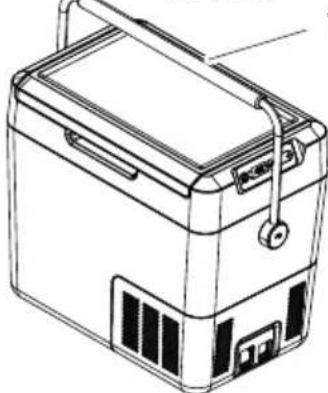
| V M(M E (including handles) | PPC mmfr DNC mmfr BRN mm (handle up) |
| V M(M E (without handles) | ONN mmfr DNC mmfr BRN mm |
| V eight | KK kg |
| Uertificates | CE UK CACFF35 |
| Fotal volume ND L | |
| KB c= BD cU connection voltage | |
| KCC c= BDC c ~ | |
| Rated current KB c=(RKNDa) Q.R J | |
| Rated current KB c=(RPCCa) P.O J | |
| Rated current BD c=(RKNDa) N.O J | |
| Rated current BD c=(RPCCa) N J | |
| Rated current BDC c=q OC ( z (RKNDa) C.D J | |
| Rated current BDC c=q OC ( z (RPCCa) C.OD J | |
| Uooling capacit" BCj Ufp g | KRj U |
| Ultimate class &H F | |
| J mbient temperature KPj Ufp DNj U | |
| Refrigerant | RKNDa or RPCCa (see t"pe label) |
| Refrigerant volume (RKNDa) ND g | |
| Refrigerant volume (RPCCa) KD g | |
| UOB eauivalent C.CDT t (RKNDa) | |
| Global warming potential (GV W) KDNC (RKNDa) | |
| E imensions | |
| V M(M E (including handles) | QCD mmfr DCQ mmfr NTR mm |
| V M(M E (without handles) | OTC mmfr DCQ mmfr NTR mm |
| V eight | KO.N kg |
| Uertificates |  |
| CFF45 | |
| Fotal volume DD L | |
| KB c= BD cU connection voltage | |
| KCC c= BDC c ~ | |
| Rated current KB c=(RKNDa) | R.P J |
| Rated current KB c=(RPCCa) P.Q J | |
| Rated current BD c=(RKNDa) N.R J | |
| Rated current BD c=(RPCCa) N J | |
| Rated current BDC c~fq OC ( z (RKNDa) | C.DK J |
| Rated current BDC c=q OC ( z (RPCCa) C.00 J | |
| Uooling capacit" BCj Ufp g | KRj U |
| Ultimate class &H F | |
| J mbient temperature KPj Ufp DNj U | |
ENDometic CFF
| CFF45 | |
| Refrigerant | RPCCa or RKNDa (see t"pe label) |
| Refrigerant volume (RKNDa) DN g | |
| Refrigerant volume (RPCCa) KO g | |
| UO _B e a uivalent C.CPK t (RKNDa) | |
| Global warming potential (GV W) KDNC (RKNDa) | |
| E imensions | |
| V M( ME (including handles) | QCD mmfr DQO mmfr NTR mm (handle up) |
| V M( ME (without handles) | OTC mmfr DQO mmfr NTR mm |
| V eight KP.Q kg | |
| Uertificates | |
| CFF70DZ | |
| Fotal volume QC L (NC Li DC L) | |
| KB c= BD cU connection voltage | |
| KCC c= BDC c ~ | |
| Rated current KB c=(RKNDa) T J | |
| Rated current KB c=(RPCCa) Q J | |
| Rated current BD c=(RKNDa) D J | |
| Rated current BD c=(RPCCa) N.B J | |
| Rated current BDC c= OC ( z (RKNDa) C.DD J | |
| Rated current BDC c= OC ( z (RPCCa) C.P J | |
| Uooling capacit" | BCj Ufp g KRj U |
| Ultimate class | &+F |
| J mbient temperature | KPj Ufp DNj U |
| Refrigerant | RKNDa or RPCCa (see t"pe label) |
| Refrigerant volume (RKNDa) ND g | |
| Refrigerant volume (RPCCa) KD g | |
| UO B eauivalent | C.CDT t (RKNDa) |
| Global warming potential (GV W) KDNC (RKNDa) | |
| E imensions | |
| V M(M E (including handles) | TCN mmfr OCC mmfr DDN mm (handle up) |
| V M(M E (without handles) | QRO mmfr OCC mmfr DDN mm |
| V eight | BN.R kg |
| Uertificates | CE UK CA |

N: E If the ambient temperature is above NBj U the minimum temperature cannot be attained.
RKNDa is a fluorinated greenhouse gas.
The cooling unit is hermeticall" sealed.
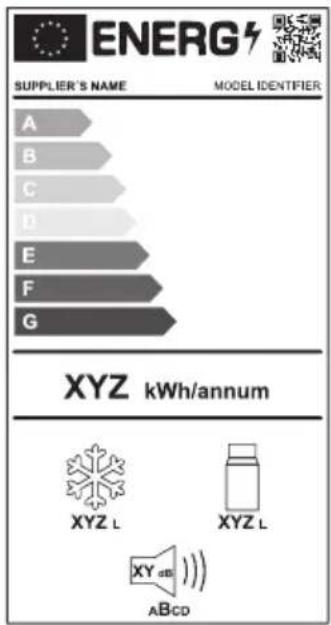
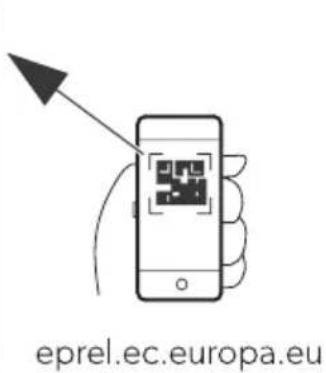
Yurther product information can be accessed via s R code on the energ" label or via eprel.ec.europa.eu.
□
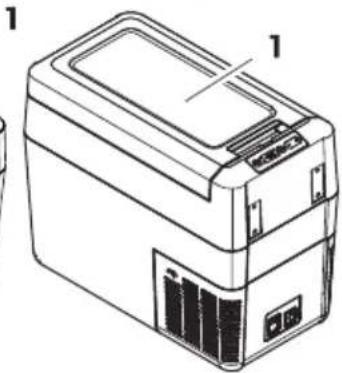
De9t! ch
natural_image
Line drawing of a portable electronic device with front panel and side ports (no text or symbols)CFF20
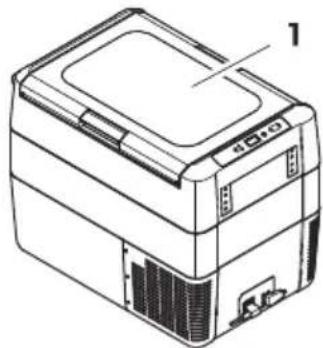
natural_image
Line drawing of a portable electronic device with labeled parts (no text or symbols present)CFF35, CFF45
natural_image
Line drawing of a printer or scanner device with no visible text or symbols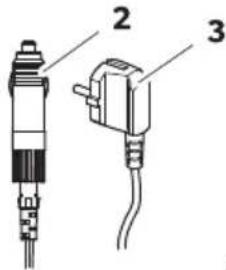
CFF20, CFF35, CFF45, CFF70DZ
natural_image
Technical line drawing of two mechanical components with mounting brackets and a separate detail view (no text or symbols)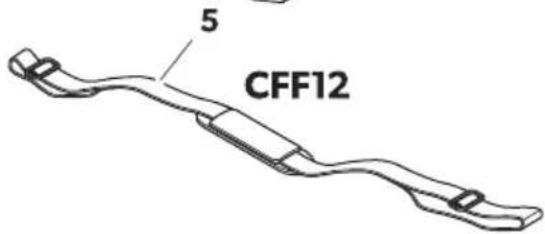
natural_image
Line drawing of a mechanical device with an arrow indicating rotation or assembly (no text or symbols)CFF20
A
natural_image
Line drawing of a mechanical device with a handle and internal components (no text or symbols)CFF35, CFF45
A
natural_image
Line drawing of a closed toolbox with open lid and internal compartments (no text or symbols)CFF70DZ
A
natural_image
Technical line drawing of a mechanical component with internal flow arrows (no text or symbols)- B
2.
natural_image
Line drawing of a printer with an open lid and base, showing internal components (no text or symbols)B
natural_image
Line drawing of a portable electronic device with an open lid and internal casing, showing no text or symbols.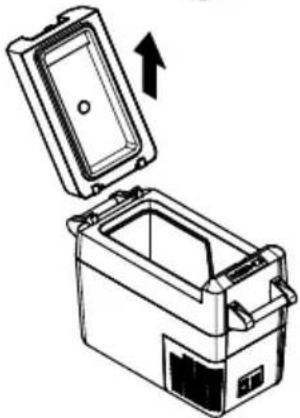
natural_image
Diagram of a portable appliance with an open lid and internal compartments, showing an upward arrow (no text or symbols)B
natural_image
Diagram of a battery pack with open lid and internal compartments, showing internal structure and upward arrow (no text or symbols)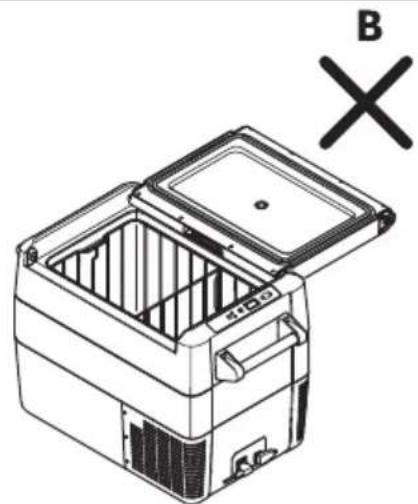
natural_image
Line drawing of a refrigerator with open lid and internal compartments, marked with 'B' and 'X' symbols (no text or labels on the diagram itself)
' CC DNK! J e! chä( ig9ng! gefahr
Korbein! at2 bn9r CFF35 9n( CFF45c 9n( renne an( bn9r CFF18c hera9! nehmen

' CC DNK! J e! chä( ig9ng! gefahr
natural_image
Line drawing of a car interior with a device and a magnified inset showing a connector detail (no text or symbols)natural_image
Line drawing of a portable electronic device with labeled ports and panel (no text or symbols beyond label)CFF18
natural_image
Line drawing of a portable battery with lid, casing, and front panel (no text or symbols)CFF20
natural_image
Line drawing of a rectangular electronic device with labeled components (no text or symbols present)CFF35, CFF45
natural_image
Line drawing of a printer or scanner device with no visible text or symbols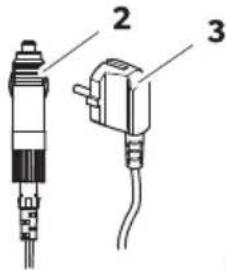
CFF20, CFF35, CFF45, CFF70DZ
natural_image
Technical line drawing of two mechanical components with mounting brackets and a separate detail view (no text or symbols)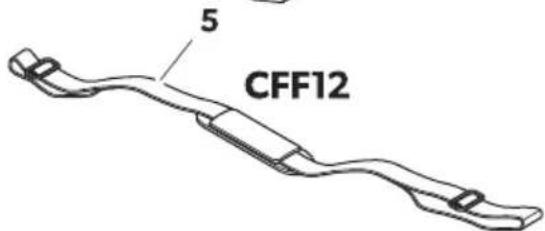
kl) ment ( an!

Q9antit) De!cription
I la page63
K K Glacière
FRDometic CFF
[ ]
CFF12, CFF18 CFF20
CFF35, CFF45
CFF70DZ
natural_image
Isometric line drawing of an open mechanical device with internal compartments and a curved arrow indicating rotation (no text or symbols)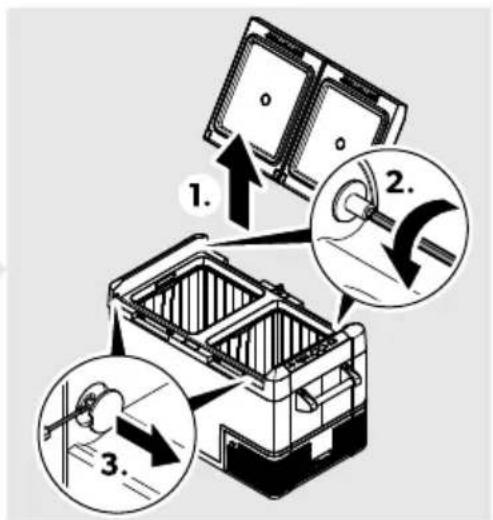
natural_image
Line drawing of a mechanical device with an arrow indicating rotation or assembly (no text or symbols)CFF20
A
natural_image
Line drawing of a mechanical device with a handle and internal components (no text or symbols)CFF35, CFF45
A
natural_image
Line drawing of a closed toolbox with open lid and internal compartments (no text or symbols)CFF70DZ
A
natural_image
Technical line drawing of a mechanical component with internal flow arrows (no text or symbols)- B
2.
B
natural_image
Line drawing of a printer with an open lid and base, showing internal components (no text or symbols)B
natural_image
Line drawing of a portable electronic device with an open lid and internal casing, showing no text or symbols.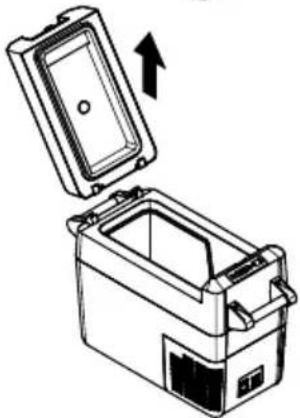
natural_image
Diagram of a portable appliance with an open lid and internal compartments, showing an upward arrow (no text or symbols)B
natural_image
Diagram of an open battery pack with internal compartments and a directional arrow indicating flow (no text or symbols)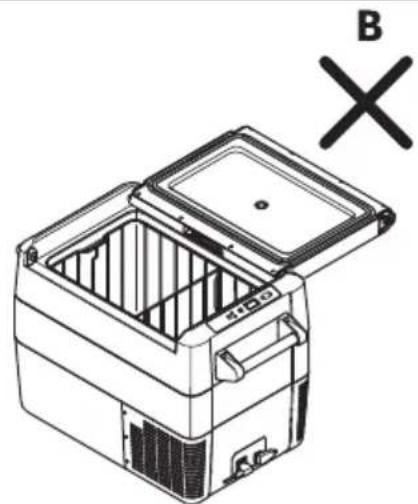
natural_image
Line drawing of a refrigerator with open lid and internal compartments, marked with 'B' and 'X' symbols (no text or labels on the diagram itself)
'81S! &i!i 9e (jen(ommagement
natural_image
Line drawing of a device interior with a magnified inset showing a connector detail (no text or symbols)da7 &) glage ( e la temp) rat9re
da15 & emplacement ( e la platine ( e comman( e l9mine9! e

' 81S ! &i! i 9e ( jen( ommagement
natural_image
Line drawing of a portable battery with lid, casing, and front panel (no text or symbols)CFF20
natural_image
Line drawing of a rectangular electronic device with labeled components (no text or symbols present)CFF35, CFF45
natural_image
Line drawing of a computer or electronic device with labeled components (no text or symbols present)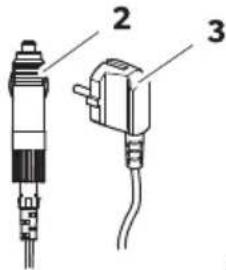
CFF20, CFF35, CFF45, CFF70DZ
natural_image
Technical line drawing of two mechanical components with mounting brackets and a separate detail view (no text or symbols)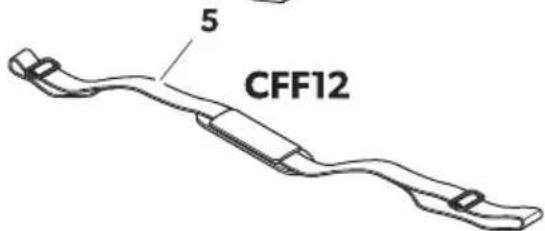
natural_image
Line drawing of a mechanical device with an arrow indicating rotation or assembly (no text or symbols)CFF20
A
natural_image
Line drawing of a portable electronic device with handle and control panel (no text or symbols)CFF35, CFF45
A
natural_image
Line drawing of a closed toolbox with open lid and internal compartments (no text or symbols)CFF70DZ
A
natural_image
Technical line drawing of a mechanical component with internal flow arrows (no text or symbols)- B
2.
natural_image
Line drawing of a printer with an open lid and internal components (no text or symbols)B

natural_image
Line drawing of a portable electronic device with an open lid and internal casing, showing no text or symbols.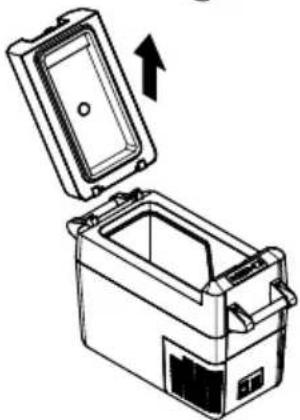
natural_image
Diagram of a portable appliance with an open lid and internal compartments, showing an upward arrow (no text or symbols)B
natural_image
Diagram of a battery pack with open lid and internal compartments, showing internal structure and upward arrow (no text or symbols)&etira( a ( e la ce! ta b! olo en CFF35 7 CFF45c 7 el ! epara( or b! olo en CFF18c

q' 81S: ! . eligro ( e ( apo!
natural_image
Line drawing of a device interior with a magnified inset showing a connector detail (no text or symbols)da7 ' j9!te ( e la temperat9ra
da15 S9! tit9ci, n (el circ9ito impre! o (e l9ce!

q' 81S: ! . eligro ( e ( apo!
natural_image
Line drawing of a portable electronic device with labeled ports and panel (no text or symbols beyond label)CFF18
natural_image
Line drawing of a portable battery with lid, casing, and front panel (no text or symbols)CFF20
natural_image
Line drawing of a rectangular electronic device with labeled components (no text or symbols present)CFF35, CFF45
natural_image
Line drawing of a printer or scanner device with no visible text or symbols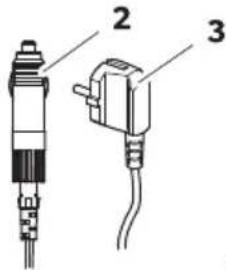
CFF20, CFF35, CFF45, CFF70DZ
natural_image
Technical line drawing of two mechanical components with a numbered detail (no text or symbols)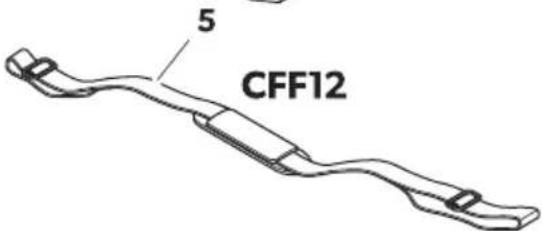
| . o! i/0o na 9@na psginal121 | Q9anti( a( e De! cri/0o |
| K K Geleira |
PTDometic CFF
natural_image
Isometric illustration of a mechanical device with open lid and internal compartments, showing internal structure (no text or symbols)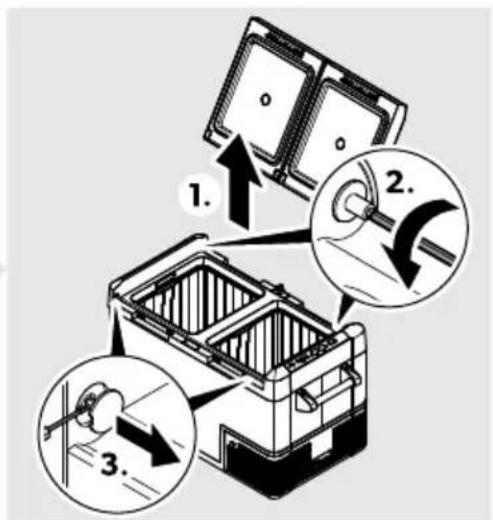
Wara inverter a abertura da tampaH proceda como ilustrado ( Sg. f0 na p' ginafKBR).
' brir o9 remo- er a tampa
□
CFF12
A
natural_image
Line drawing of a mechanical device with an arrow indicating rotation or assembly (no text or symbols)CFF20
A
natural_image
Line drawing of a portable electronic device with handle and control panel (no text or symbols)CFF35, CFF45
A
natural_image
Line drawing of a closed toolbox with open lid and internal compartments (no text or symbols)CFF70DZ
A
natural_image
Technical line drawing of a mechanical component with internal flow arrows (no text or symbols)- B
2.
natural_image
Line drawing of a printer with an open lid and internal components (no text or symbols)B
natural_image
Line drawing of a portable electronic device with an open lid and internal casing, showing no text or symbols.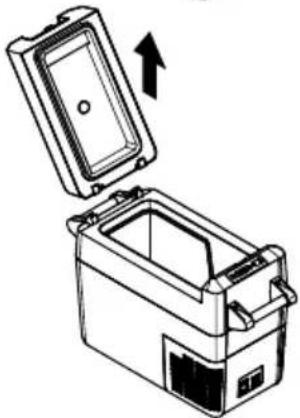
natural_image
Diagram of a portable appliance with an open lid and internal compartments, showing an upward arrow (no text or symbols)B
natural_image
Diagram of a battery pack with open lid and internal compartments, showing internal structure and upward arrow (no text or symbols)&emo- er o ce! to bapena! CFF35 e CFF45c e ( i- i!, ria bapena! CFF18c

N: ' ! &i! co ( e ( ano!
natural_image
Technical line drawing of a car interior showing a device with a close-up inset of its cable (no text or symbols)da7 Definir a temperat9ra
da15 S9b! tit9ir a placa (e circ9ito impre!! o (e l92

N: ' ! &i! co ( e ( ano!
natural_image
Line drawing of a portable battery with lid, side panel, and front panel (no text or symbols)CFF20
natural_image
Line drawing of a rectangular electronic device with labeled components (no text or symbols present)CFF35, CFF45
natural_image
Line drawing of a computer or electronic device with labeled components (no text or symbols present)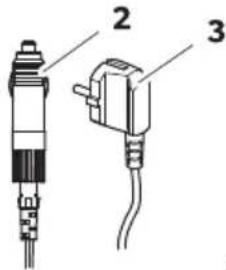
CFF20, CFF35, CFF45, CFF70DZ
natural_image
Technical line drawing of two mechanical components with mounting brackets and a separate detail view (no text or symbols)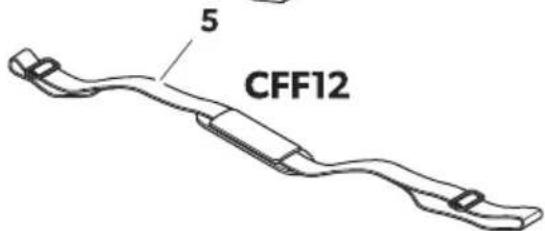
. o! i2ione nella

Q9antitl De!cri2ione
alla paginal150
natural_image
Isometric illustration of a mechanical device with open lid and internal compartments, showing internal structure (no text or symbols)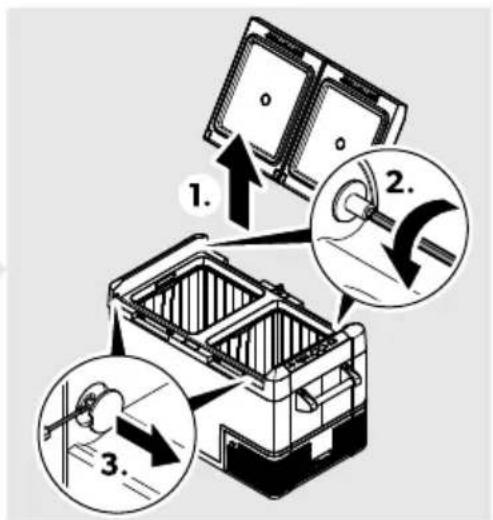
natural_image
Line drawing of a mechanical device with an arrow indicating rotation or assembly (no text or symbols)CFF20
A
natural_image
Line drawing of a mechanical device with a handle and internal components (no text or symbols)CFF35, CFF45
A
natural_image
Line drawing of a closed toolbox with open lid and internal compartments (no text or symbols)CFF70DZ
A
natural_image
Technical line drawing of a mechanical component with internal flow arrows (no text or symbols)- B
2.
natural_image
Line drawing of a printer with an open lid and internal components (no text or symbols)B
natural_image
Line drawing of a portable electronic device with an open lid and internal casing, showing no text or symbols.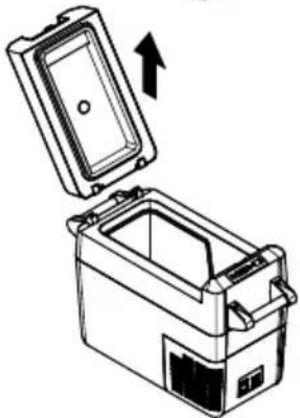
natural_image
Diagram of a portable appliance with an open lid and internal compartments, showing an upward arrow (no text or symbols)B
natural_image
Diagram of a battery pack with open lid and internal compartments, showing internal structure and upward arrow (no text or symbols)&imo2ione ( el ce! tello b! olo CFF35 e CFF45c e ( ella ( i- i! oria b! olo CFF18c

natural_image
Technical line drawing of a car interior showing a device with a close-up inset of its internal components (no text or symbols)da7 &egola2ione ( ella temperat9ra
da15 So! tit92ione (el circ9ito ! tampato (elle l9ci

natural_image
Line drawing of a portable electronic device with labeled ports and panel (no text or symbols beyond label)CFF18
natural_image
Line drawing of a portable battery with lid, casing, and front panel (no text or symbols)CFF20
natural_image
Line drawing of a rectangular electronic device with labeled components (no text or symbols present)CFF35, CFF45
natural_image
Line drawing of a printer or scanner device with no visible text or symbols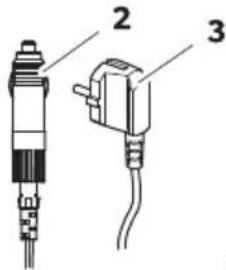
CFF20, CFF35, CFF45, CFF70DZ
natural_image
Technical line drawing of two mechanical components with mounting brackets and a separate detail view (no text or symbols)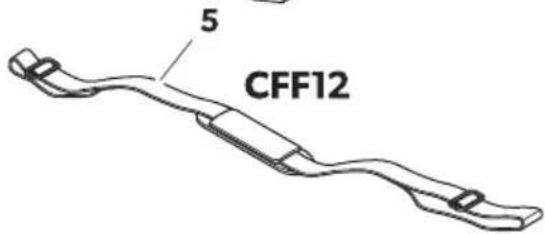
| Nra in op pagina17d | ' antal J e! chrij- ing |
| K K oelboM |
NLDometic CFF
b bed and breakfast-accommodities
natural_image
Isometric line drawing of an open mechanical device with internal compartments and a curved arrow indicating rotation (no text or symbols)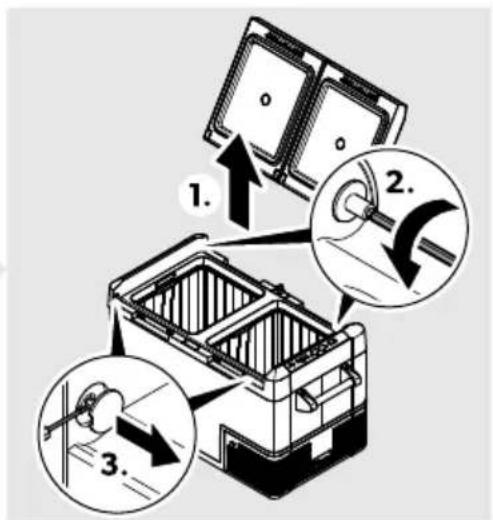
natural_image
Line drawing of a mechanical device with an arrow indicating rotation or assembly (no text or symbols)CFF20
A
natural_image
Line drawing of a portable box with handle and lid, no text or symbols presentCFF35, CFF45
A
natural_image
Line drawing of a closed toolbox with open lid and internal compartments (no text or symbols)CFF70DZ
A
natural_image
Technical line drawing of a mechanical component with internal flow arrows (no text or symbols)- B
2.
B
natural_image
Line drawing of a printer with an open lid and internal components (no text or symbols)B
natural_image
Line drawing of a portable electronic device with an open lid and internal casing, showing no text or symbols.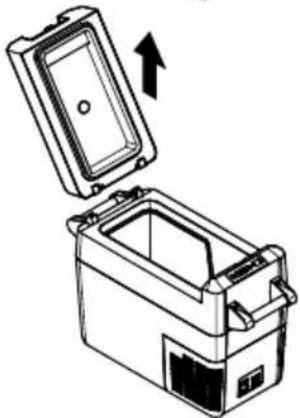
natural_image
Diagram of a portable appliance with an open lid and internal compartments, showing an upward arrow (no text or symbols)B
natural_image
Diagram of a battery pack with open lid and internal compartments, showing internal structure and upward arrow (no text or symbols)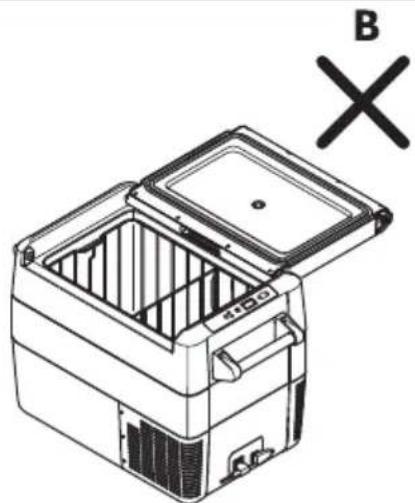
natural_image
Line drawing of a refrigerator with open lid and internal compartments, marked with 'B' and 'X' symbols (no text or labels on the diagram itself)
natural_image
Technical line drawing of a vehicle rearview device with a magnified inset showing internal components (no text or symbols)da7 emperat99r in! tellen
F' &E! Fare for ele4tri!4 !t5(
natural_image
Line drawing of a portable electronic device with labeled ports and panel (no text or symbols beyond label)CFF18
natural_image
Line drawing of a portable battery with lid, casing, and front panel (no text or symbols)CFF20
natural_image
Line drawing of a rectangular electronic device with labeled components (no text or symbols present)CFF35, CFF45
natural_image
Line drawing of a printer or scanner device with no visible text or symbols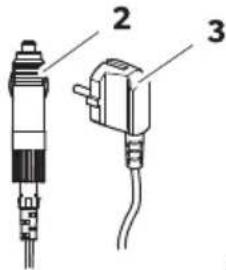
CFF20, CFF35, CFF45, CFF70DZ
natural_image
Technical line drawing of two mechanical components with mounting brackets and a separate assembly detail (no text or symbols)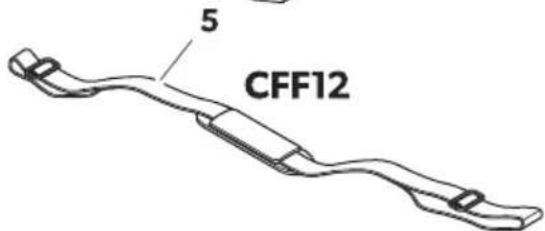
| . o! ition pz $pz ! i( e 207 | ' ntal J e!4ri- el!e |
| K K øleboks |
DAM Dometic CFF
natural_image
Isometric line drawing of an open mechanical device with internal compartments and a curved arrow indicating rotation (no text or symbols)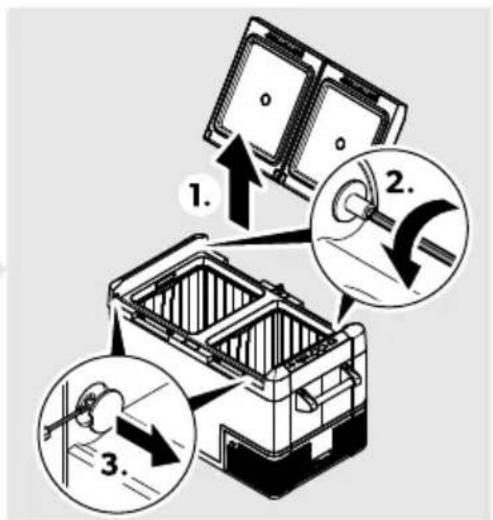
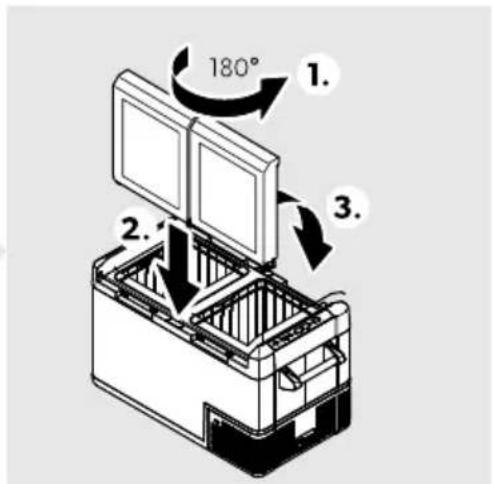
Gør som vist ðor at vende lågets åbning (☐ på side BKD).
natural_image
Line drawing of a mechanical device with an arrow indicating rotation or assembly (no text or symbols)CFF20
A
natural_image
Line drawing of a portable electronic device with handle and control panel (no text or symbols)CFF35, CFF45
A
natural_image
Line drawing of a closed toolbox with open lid and internal compartments (no text or symbols)CFF70DZ
A
natural_image
Technical line drawing of a mechanical component with internal flow arrows (no text or symbols)- B
2.

natural_image
Line drawing of a printer with an open lid and internal components (no text or symbols)B
natural_image
Line drawing of a portable electronic device with an open lid and internal casing, showing no text or symbols.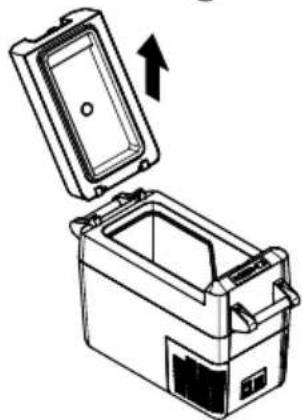
natural_image
Line drawing of a rectangular appliance with an open lid and internal compartments, showing an upward arrow (no text or symbols)B
natural_image
Diagram of a battery pack with open lid and internal compartments, showing internal structure and upward arrow (no text or symbols)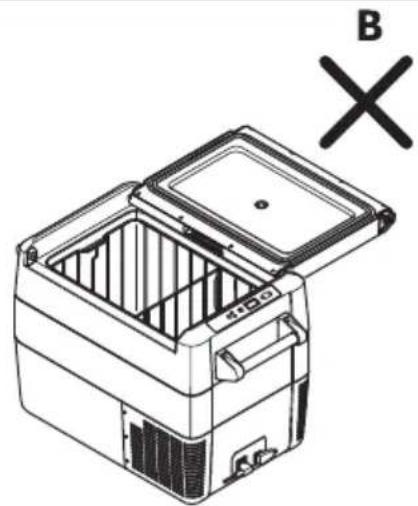
natural_image
Line drawing of a closed storage unit with lid open, showing internal compartments and a cross symbol (no text or labels)
81K 1K ! Fare for be!4a( igel!e
natural_image
Line drawing of a device interior with a magnified inset showing a connector detail (no text or symbols)da7 ln(!tilling af temperat9ren
natural_image
Line drawing of a portable electronic device with labeled ports and panel (no text or symbols beyond label)CFF18
natural_image
Line drawing of a portable battery with lid, casing, and front panel (no text or symbols)CFF20
natural_image
Line drawing of a rectangular electronic device with labeled components (no text or symbols present)CFF35, CFF45
natural_image
Line drawing of a printer or scanner device with no visible text or symbols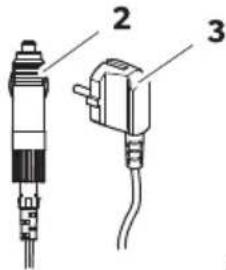
CFF20, CFF35, CFF45, CFF70DZ
natural_image
Technical line drawing of two mechanical components with mounting brackets and a separate assembly detail (no text or symbols)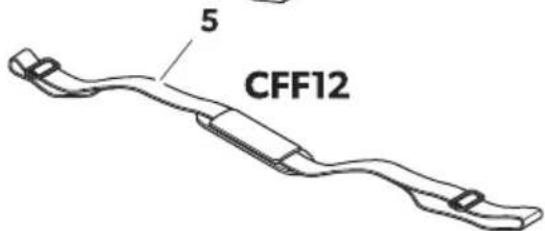
| 'rti4el i lò.fò !i( al234 | Mäng( J e!4ri- ning |
| K K "IboM'rti4el i hɔl. ß ! i( al234 | |
| Mäng( J e! 4ri- ning | |
| B KJ nslutningskabel Gör likströmsanslutning | |
| N KJ nslutningskabel Gör v! Melströmsanslutning | |
| D B En( a!t CFF20, CFF35, CFF45, CFF70DZ: | |
| B! rhandtagssetH bestående av:b D hållare (endast UYYBC)b B handtagb R Ø! stskruvarb K inseMn "ckel | |
| O K En( a!t CFF12: J Melrem | |
| g K Bruksanvisning |
natural_image
Line drawing of a mechanical device with an arrow indicating rotation or assembly (no text or symbols)CFF20
A
natural_image
Line drawing of a portable box with handle and lid, no text or symbols presentCFF35, CFF45
A
natural_image
Line drawing of a closed toolbox with open lid and internal compartments (no text or symbols)CFF70DZ
A
natural_image
Technical line drawing of a mechanical component with internal flow arrows (no text or symbols)- B

2.
natural_image
Line drawing of a printer with an open lid and internal components (no text or symbols)B
natural_image
Line drawing of a portable electronic device with an open lid and internal casing, showing no text or symbols.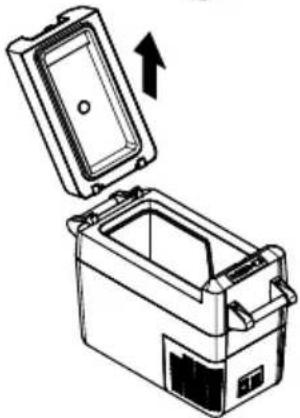
natural_image
Diagram of a portable appliance with an open lid and internal compartments, showing an upward arrow (no text or symbols)B
natural_image
Diagram of a battery pack with open lid and internal compartments, showing internal structure and upward arrow (no text or symbols)natural_image
Technical line drawing of a vehicle rearview device with a magnified inset showing internal components (no text or symbols)da15 J 7ta lj9!4ret!4ort

: J SE&8E&' ! &i!4 fhr !4a( a
F' &E! Fare for ele4tri!4 !t5t
F: &S1K 1K! Fare for ele4tri!4!t5t
natural_image
Line drawing of a portable electronic device with labeled ports and panel (no text or symbols beyond label)CFF18
natural_image
Line drawing of a portable battery with lid, casing, and front panel (no text or symbols)CFF20
natural_image
Line drawing of a rectangular electronic device with labeled components (no text or symbols present)CFF35, CFF45
natural_image
Line drawing of a printer or scanner device with no visible text or symbols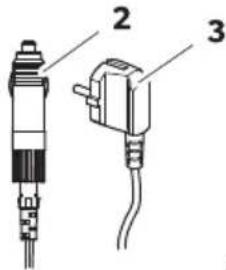
CFF20, CFF35, CFF45, CFF70DZ
natural_image
Technical line drawing of two mechanical components with mounting brackets and a separate detail view (no text or symbols)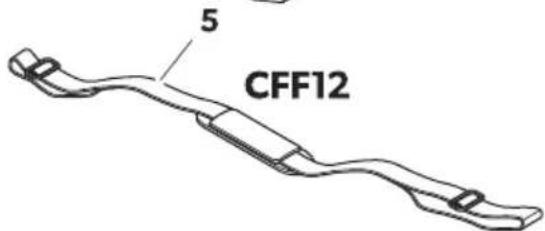
. o! i! jon i

pz !i( el261
' ntall J e! 4ri- el! e
K K jøleboks
| . o! i! jon i [IMAGE]pz ! i( el261 | ' ntall J e! 4ri- el! e |
| B K Filkoblingskabel Gor likestrøm-kontakt | |
| N K Filkoblingskabel Gor vekselstrøm-kontakt | |
| D B K9n CFF20, CFF35, CFF45, CFF70DZ: | Bærehåndtaksett bestående av:b Dfholdere (kun UYYBC)b B håndtakb Rfesteskruerb K unbrakonøkkel |
| O K K9n CFF12: | kulderreim | |
| g K Bruksanvisning |
6 For! 4rift! me!!ig br94
natural_image
Isometric line drawing of an open mechanical device with internal compartments and a curved arrow indicating rotation (no text or symbols)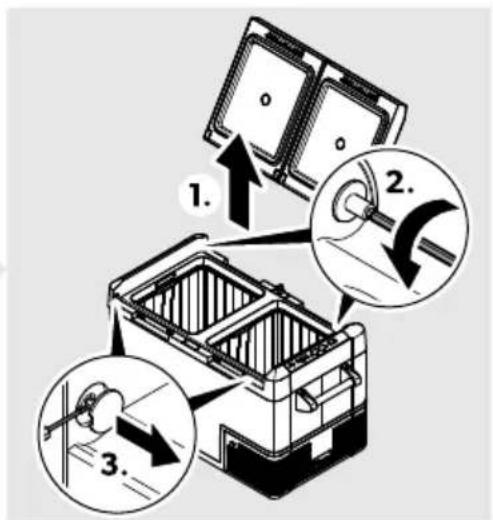
natural_image
Line drawing of a mechanical device with an arrow indicating rotation or assembly (no text or symbols)CFF20
A
natural_image
Line drawing of a box with a handle and lid, no text or symbols presentCFF35, CFF45
A
natural_image
Line drawing of a closed toolbox with open lid and internal compartments (no text or symbols)CFF70DZ
A

natural_image
Technical line drawing of a mechanical component with internal flow arrows (no text or symbols)- B
2.
natural_image
Line drawing of a printer with an open lid and internal components (no text or symbols)B
natural_image
Line drawing of a portable electronic device with an open lid and internal casing, showing no text or symbols.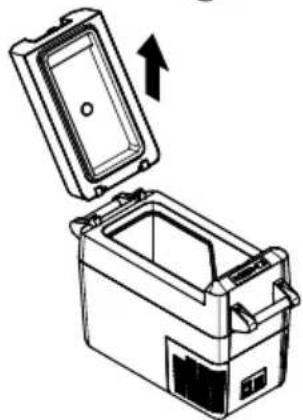
natural_image
Line drawing of a mechanical device with an open lid and internal casing, showing an upward arrow (no text or symbols)B
natural_image
Diagram of a battery pack with open lid and internal compartments, showing internal structure and upward arrow (no text or symbols)Fjerne 49r- en b49n CFF35 og CFF45c og !4ille- egg b49n CFF18c

.' SS . Å! Fare for !4a( er
natural_image
Technical line drawing of a vehicle rearview device with a magnified inset showing internal components (no text or symbols)&år du fester med baga! je! trammere gå frem som vist (g. f: på sidefBQD).
da7 lnn! tilling a- temperat9r
F' &E! Fare for ele4tri!4!t5t
da15 S4ifte l7!4ortet

.' SS . Å! Fare for !4a( er
F: &S1K 1K! Fare for ele4tri!4!t5t
natural_image
Line drawing of a portable refrigerator with front panel and side door (no text or symbols)CFF20
natural_image
Line drawing of a computer device with labeled parts (no text or symbols present)CFF35, CFF45
natural_image
Line drawing of a rectangular electronic device with labeled components (no text or symbols beyond label)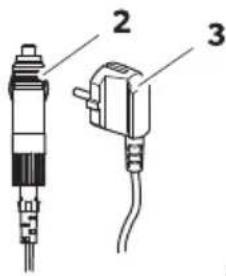
CFF20, CFF35, CFF45, CFF70DZ
natural_image
Technical line drawing of two mechanical components with mounting brackets and a separate detail view (no text or symbols)CFF70DZ
natural_image
Isometric line drawing of an open mechanical device with internal compartments and a curved arrow indicating rotation (no text or symbols)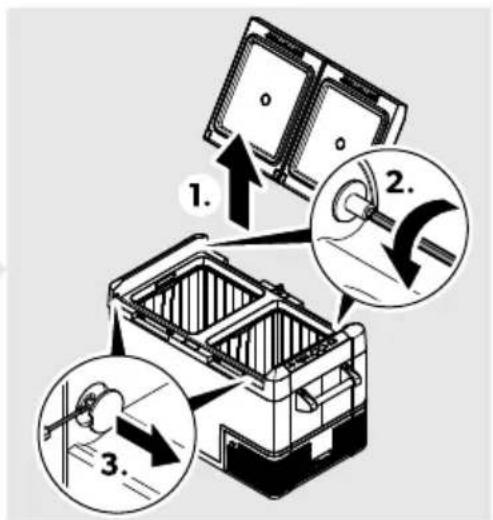
natural_image
Line drawing of a mechanical device with an arrow indicating rotation or assembly (no text or symbols)CFF20
A
natural_image
Line drawing of a mechanical device with a handle and internal components (no text or symbols)CFF35, CFF45
A
natural_image
Line drawing of a closed toolbox with open lid and internal compartments (no text or symbols)CFF70DZ
A
natural_image
Technical line drawing of a mechanical component with internal flow arrows (no text or symbols)- B
2.
B
natural_image
Line drawing of a printer with an open lid and base, showing internal components (no text or symbols)B
natural_image
Line drawing of a portable electronic device with an open lid and internal casing, showing no text or symbols.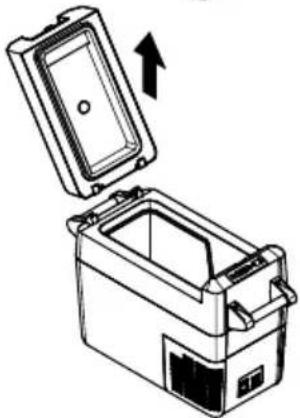
natural_image
Line drawing of a mechanical device with an open lid and internal compartments, showing an upward arrow (no text or symbols)B
natural_image
Diagram of a battery pack with open lid and internal compartments, showing internal structure and upward arrow (no text or symbols)natural_image
Line drawing of a car interior showing a device with a close-up inset of its cable (no text or symbols)da7 3ämphtilan ! ääth
natural_image
Line drawing of a portable battery with lid, casing, and front panel (no text or symbols)CFF20
natural_image
Line drawing of a rectangular electronic device with labeled components (no text or symbols present)CFF35, CFF45
natural_image
Line drawing of a computer or electronic device with labeled part '1' (no text or symbols on the device itself)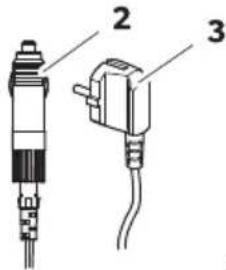
CFF20, CFF35, CFF45, CFF70DZ

natural_image
Technical line drawing of two mechanical components with mounting brackets and a separate detail view (no text or symbols)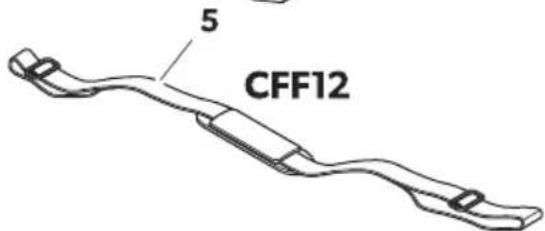
natural_image
Line drawing of a mechanical device with an arrow indicating rotation or assembly (no text or symbols)CFF20
A
natural_image
Line drawing of a mechanical device with a handle and internal components (no text or symbols)CFF35, CFF45
A
natural_image
Line drawing of a closed toolbox with open lid and internal compartments (no text or symbols)CFF70DZ
A
natural_image
Technical line drawing of a mechanical component with internal flow arrows (no text or symbols)- B
2.
natural_image
Line drawing of a printer with an open lid and base, showing internal components (no text or symbols)B
natural_image
Line drawing of a portable electronic device with an open lid and internal casing, showing no text or symbols.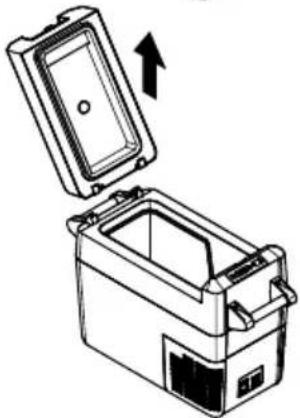
natural_image
Diagram of a portable appliance with an open lid and internal compartments, showing an upward arrow (no text or symbols)B
natural_image
Diagram of a battery pack with open lid and internal compartments, showing internal structure and upward arrow (no text or symbols)W7jmoe anie 4o!2a bt7l4o CFF35 ilCFF45c ilpr2egro(7 bt7l4o CFF18c

DW' K' ! &7274o 9!24o( 2enia
natural_image
Line drawing of a car interior showing a vehicle seatbelt with a magnified inset highlighting the component (no text or symbols present)da7 D! tae ianie temperat9r7
eprel.ec.europa.eu
Slo-en!47
K E ôležité ozn' menia....NDK
B c "svetlenie s" mbolov....NDK
N c"svetlenie s"mbolov nafzariaden).... NDB
D Bezpečnostné pok" n"......NDB
O Rozsah dod' vk"...... NDO
P Wouž)vanie vfsúlade sfurčen)m.... NDP
Q Fechnický opis....NDP
R Wred prvým použit)m......NOC
T Operation......NOO
KC Čistenie afúdržba....NPB
KK Odstra' ovanie porúch.... NPB
KB l'ruka....NPD
KN Likvid' cia....NPD
KD Fechnické údaje....NPD
1 Dôležit) o2ns menia
natural_image
Line drawing of a portable battery with lid, casing, and front panel (no text or symbols)CFF20
natural_image
Line drawing of a rectangular electronic device with labeled components (no text or symbols present)CFF35, CFF45
natural_image
Line drawing of a computer or electronic device with labeled part '1' (no text or symbols on the device itself)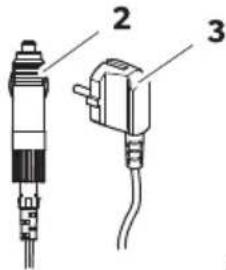
CFF20, CFF35, CFF45, CFF70DZ
natural_image
Technical line drawing of two mechanical components with mounting brackets and a separate detail view (no text or symbols)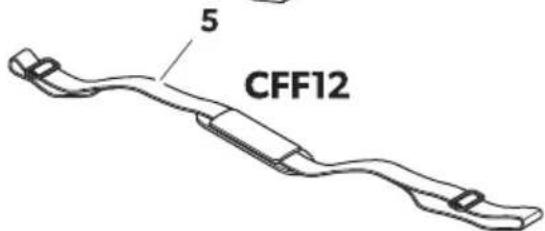
. olož4a na

na !tranel345
. očet : pi!
KKUhladiaci boM
SKDometic CFF
| . olož4a na ol#1na ! trane345 | . očet : pi! | |
| B K Wrip' jac) k' bel prefpr)pojku sfjednosmerným prúdom | ||
| N K Wrip' jac) k' bel prefpr)pojku so striedavým prúdom | ||
| D B 3en mo( el7 CFF20, CFF35, CFF45, CFF70DZ: | ||
| O K lba mo( el CFF12: Ramenný popruh | ||
| g K &' vod nafobsluhu | ||
6. o9žA- anie - z! wla( e !z9rčenAm
| . olož4a : pi! 87! - etlenie | ||
| K | apne afv" pne chladiaci boVH ked' sa tlačidlo podrž) stlačené jednu až dve sekund" | ||
| B | ∅ | Indik' cia stavu |
| LLE svieti zeleno: ompresor je zapnutýLLE svieti oranžovo: ompresor je v"pnutýLLE blik' oranžovo: E isplej sa prifn}zkom nap! t) batérie automatick" v"pne | ||
| N LRROR LLE blik' červeno: | apnuté zariadenie nie je pripravené nafprev' dz-ku | ||
| D g E isplejl- zobrazuje hodnot" | D-oj2, no-) bDZc: dispoz\cii iba jeden displej nafzónu | |
| O SET | vol) režim zad' vania | b &astavenie teplot"b l obrazenie stup' ov Uelzia alebo Yahrenheitab &astavenie indik' tora batérieb &astavenie jasu displeja | |
| P – | xedno stlačenie zn)ži hodnotu zadania | |
SKDometic CFF
. olož4a : pi! 87! - etlenie
natural_image
Isometric line drawing of an open mechanical device with internal compartments and a curved arrow indicating rotation (no text or symbols)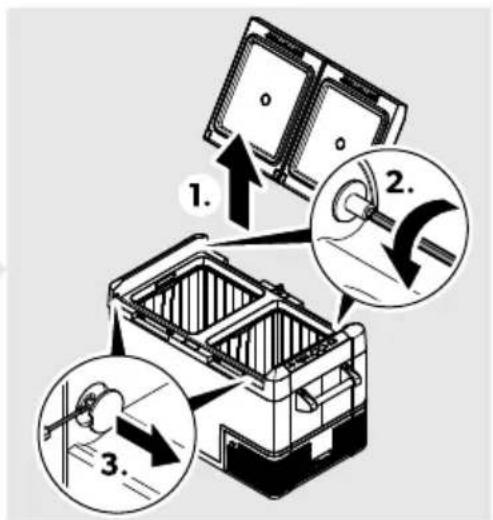
Wri zmene smeru otv' rania veka postupujte podl'a obr' zku (obr. na stranefNOB).
: t- orenie alebo ( emontsž - e4a
□
CFF12
A
natural_image
Line drawing of a mechanical device with an arrow indicating rotation or assembly (no text or symbols)CFF20
A
natural_image
Line drawing of a mechanical device with a handle and internal components (no text or symbols)CFF35, CFF45
A
natural_image
Line drawing of a closed toolbox with open lid and internal compartments (no text or symbols)CFF70DZ
A
natural_image
Technical line drawing of a mechanical component with internal flow arrows (no text or symbols)- B
2.
B
natural_image
Line drawing of a printer with an open lid and base, showing internal components (no text or symbols)B
natural_image
Line drawing of a device with an open lid and internal compartments, showing an upward arrow (no text or symbols)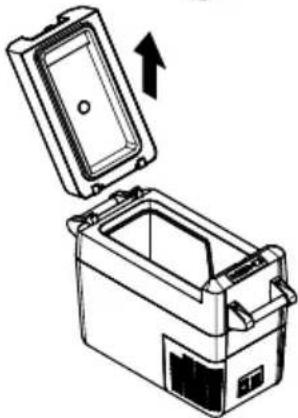
natural_image
Illustration of a closed storage container with an open lid and an arrow indicating upward motion (no text or symbols)B
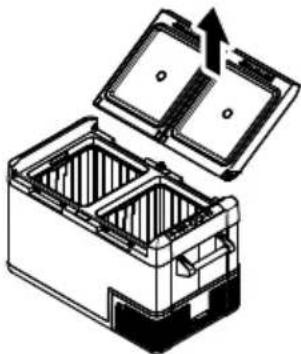
natural_image
Diagram of a battery pack with open lid and internal compartments, showing internal structure (no text or symbols)87bratie 4ošA4a biba mo( el7 CFF35 a2CFF45c alpre( el9 biba mo( el CFF18c

.: Z: &! Nebe2pečen! t-o poš4o( enia
natural_image
Line drawing of a car interior with a device and a magnified inset showing a connector detail (no text or symbols)Wri upev' ovan) pomocou 9pAnačo- batožin7 postupujte podl'a obr' zka ( [br.đ na stranefNOT]).
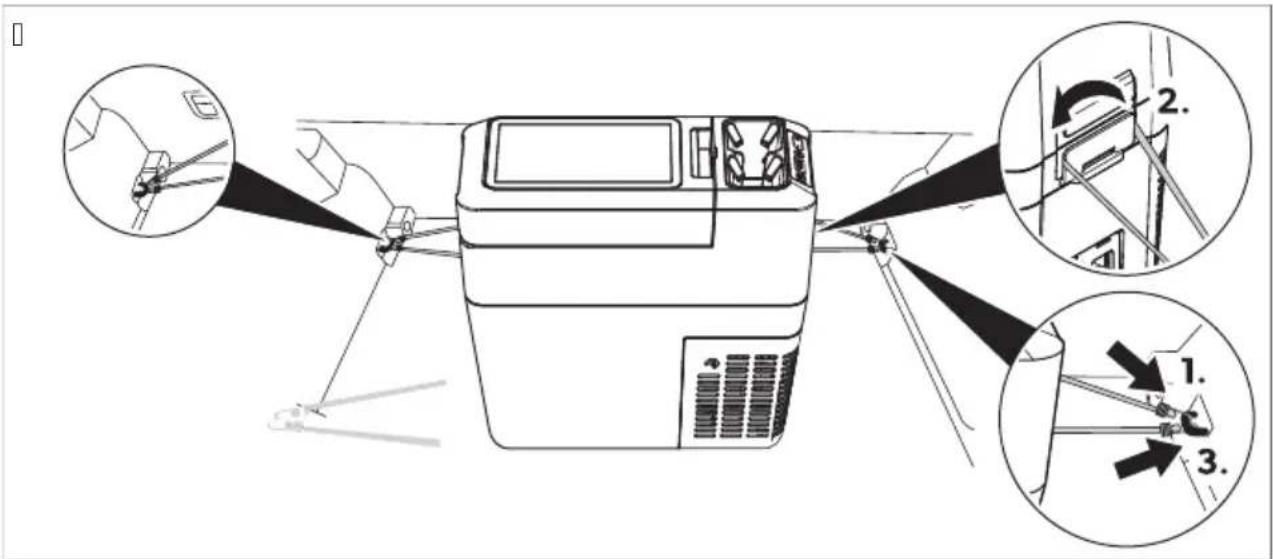
da7 Na! ta- enie teplot7
xedenkr' t stlačte tlačidlo SET.
Flačidlami + af– nastavte teplotu chladenia.
E isplej zobraz) nafniekol'ko sekúnd zvolenú teplotu chladenia. E isplej niekol'kokr' t zablik' afpotom sa znova zobraz) aktu' Ina teplota.
Zaria( enia ! (-oj2, no-ým chla( ičom
K. xedenkr' t stlačte tlačidlo SET pre vel'kú priehradku alebo dvakr' t pre malú priehradku.
E isplej v"branej priehradk" blik'.
B. Flačidlami + af – nastavte teplotu chladenia.
aždú priehradku je možné nastavi« takh ab" Žungovala ako priehradka chladničk" alebo priehradka mrazničk".
b Wodoprite veko jednou rukou (J).
b E ruhou rukou pridržte z' padku dole (B).
b | atvorte veko čo najviac tak H ab" ste si neprivreli palec H pritom pridržiavajte z' padku dole H ab" ste zabr' nili jej zlomeniu.
b ceko b" teraz malo b" « približne v zobrazenom uhle (obr. eH str. KB).
b Odtiahnite ruku zo z' padk" (B) afpokračujte vfzatv' ran) veka pofcelej dr' he.

natural_image
Line drawing of a portable electronic device with labeled components (no text or symbols)CFF18
natural_image
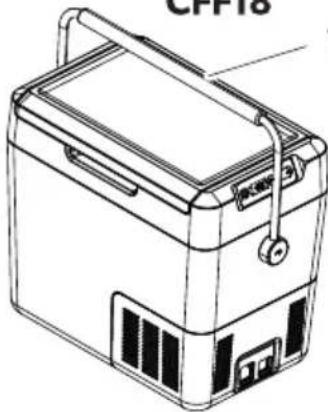
Line drawing of a portable electronic device labeled 'CPP18' (no text or symbols on the device itself)CFF20
natural_image
Line drawing of a portable electronic device with labeled components (no text or symbols beyond labels)CFF35, CFF45
natural_image
Line drawing of a rectangular electronic device with labeled components (no text or symbols beyond label)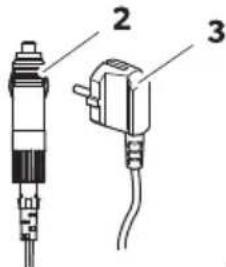
CFF20, CFF35, CFF45, CFF70DZ
natural_image
Technical line drawing of two mechanical components with mounting brackets and a separate detail view (no text or symbols)CFF70DZ
CSDometic CFF
natural_image
Isometric illustration of a mechanical device with open lid and internal compartments, showing internal structure and rotation arrow (no text or symbols)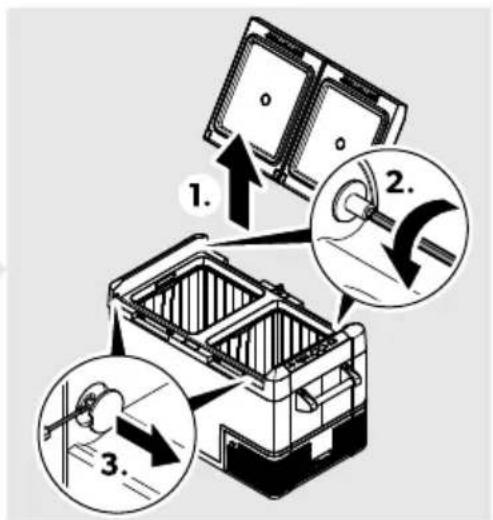
natural_image
Line drawing of a mechanical device with an arrow indicating rotation or assembly (no text or symbols)CFF20
A
natural_image
Line drawing of a mechanical device with a handle and internal components (no text or symbols)CFF35, CFF45
A
natural_image
Line drawing of a closed toolbox with open lid and internal compartments (no text or symbols)CFF70DZ
A
natural_image
Technical line drawing of a mechanical component with internal flow arrows (no text or symbols)- B
2.
B
natural_image
Line drawing of a printer with an open lid and base, showing internal components (no text or symbols)B
natural_image
Line drawing of a device with an open lid and internal compartments, showing an upward arrow (no text or symbols)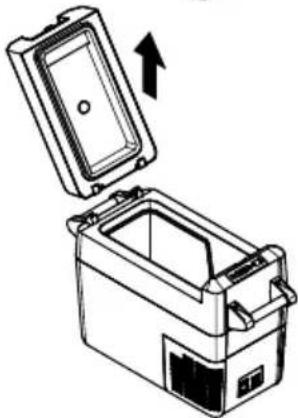
natural_image
Illustration of a closed storage container with an open lid and an upward arrow indicating rotation (no text or symbols)B
natural_image
Diagram of a battery pack with open lid and internal compartments, showing internal structure (no text or symbols)Uhcete-li v)ko otevř)t- odjistěte ho b' c.
CFF35, CFF45: c)ko lze otevř)t zfobou stran.
CFF35, CFF45: Uhcete-li v)ko sejmout- odjistěte obě stran" najednou bj c.
CFF12, CFF18, CFF20, CFF70DZ: | atlačte v)ko za jeho dorazovou polohu bj c.
Dora2o-s poloha - A4a
87jm9tA 4oše bpo92e CFF35 a1CFF45c alpBepsž47 bpo92e CFF18c

.: Z: &! Nebe2pečA poš4o2enA
natural_image
Technical line drawing of a device with a magnified inset showing internal components (no text or symbols)da7 Na! ta- enA teplot7
natural_image
Line drawing of a portable electronic device with labeled ports and panel (no text or symbols beyond label)CFF18
natural_image
Line drawing of a portable battery with lid, casing, and front panel (no text or symbols)CFF20
natural_image
Line drawing of a rectangular electronic device with labeled components (no text or symbols present)CFF35, CFF45
natural_image
Line drawing of a printer or scanner device with no visible text or symbols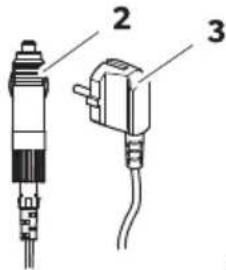
CFF20, CFF35, CFF45, CFF70DZ
natural_image
Technical line drawing of two mechanical components with mounting brackets and a separate detail view (no text or symbols)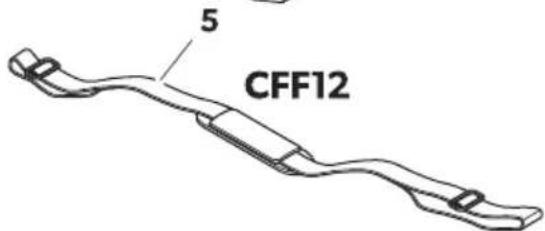
| . o2kci, itt: 'brafl 401alol( al | Menn7i!) g 3eArs! | |
| K K ( út•l' da |
HUDDometic CFF
natural_image
Isometric line drawing of an open mechanical device with internal compartments and a curved arrow indicating rotation (no text or symbols)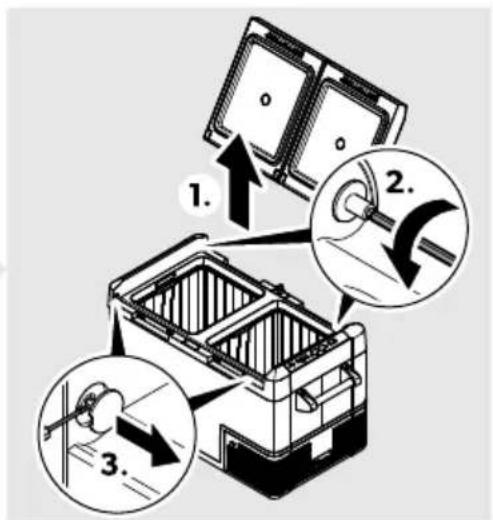

natural_image
Line drawing of a mechanical device with an arrow indicating rotation or assembly (no text or symbols)CFF20
A
natural_image
Line drawing of a portable box with handle and lid, no text or symbols presentCFF35, CFF45
A
natural_image
Line drawing of a closed toolbox with open lid and internal compartments (no text or symbols)CFF70DZ
A
natural_image
Technical line drawing of a mechanical component with internal flow arrows (no text or symbols)- B
2.
natural_image
Line drawing of a printer with an open lid and internal components (no text or symbols)B
natural_image
Line drawing of a portable electronic device with an open lid and internal casing, showing no text or symbols.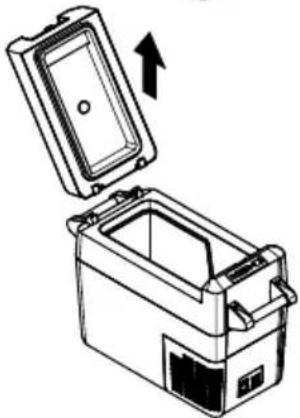
natural_image
Diagram of a portable appliance with an open lid and internal compartments, showing an upward arrow (no text or symbols)B
natural_image
Diagram of a battery pack with open lid and internal compartments, showing internal structure and upward arrow (no text or symbols)' 4o!sr bc!a4 CFF35 ) ! CFF45c ) ! a2 o!2t, bc!a4 CFF18c elts- olAts! a

F1K YE3EM! Ksro!o( s! - e!2) l7e
natural_image
Technical line drawing of a car interior showing a device with a close-up inset of its internal components (no text or symbols)da7 ' hFm) r!) 4let besllAts! a
natural_image
Line drawing of a portable electronic device with labeled components (no text or symbols)CFF18
natural_image
Line drawing of a portable electronic device labeled 'CPP18' (no text or symbols on the device itself)CFF20
natural_image
Line drawing of a rectangular electronic device with labeled components (no text or symbols present)CFF35, CFF45
natural_image
Line drawing of a rectangular electronic device with labeled part '1' (no text or symbols on the device itself)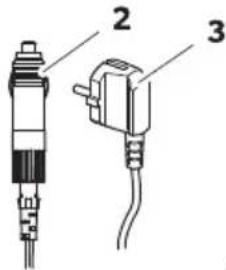
CFF20, CFF35, CFF45, CFF70DZ
natural_image
Technical line drawing of two mechanical components with fasteners, no text or symbols present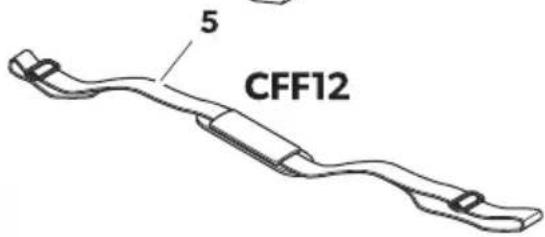
HRDometic CFF
| . o2a na sna ! tranici42d | Količina : pi! | |
| K K ( ladnjak | ||
| B K Wriključni kabel za priključak istosmjerne struje | ||
| N K Wriključni kabel za priključak izmjenične struje | ||
| D B Samo 2a CFF20, CFF35, CFF45, CFF70DZ: | ||
| komplet ručke za prenošenje koji obuhvaća:b D držača (samo za UYYBC)b B ručkeb R pričvrsnih vijakab K imbus ključ | ||
| O K Samo CFF12: pojas za rame | ||
| g K Upute za rukovanje | ||
6 Namjena
Ovaj rashladni uređaj prikladan je za hlađenje hrane. Rashladni uređaj prikladan je i za upotrebu u vozilima.
8. rije pr-e 9porabe

D. D ' Wrije prvog pokretanja rashladnog uređaja iz higijenskih ga razloga očistite vlažnom krpom izvana i iznutra (pogledajte Čišćenje i održavanje na stranicifDDP).
Montaža r9č4i
K. UYYBC: I astavite ručku tako da spojite dva držača b1c i ručku b2c. Wričvrstite držače priloženim vijcima u postojećim otvorima.
B. UYYNOH UYYDO- UYYQCEI : Wričvrstite ručku priloženim vijcima u dvije okrugle rupe.
□
natural_image
Isometric illustration of a mechanical device with open lid and internal compartments, showing internal structure and rotation arrow (no text or symbols)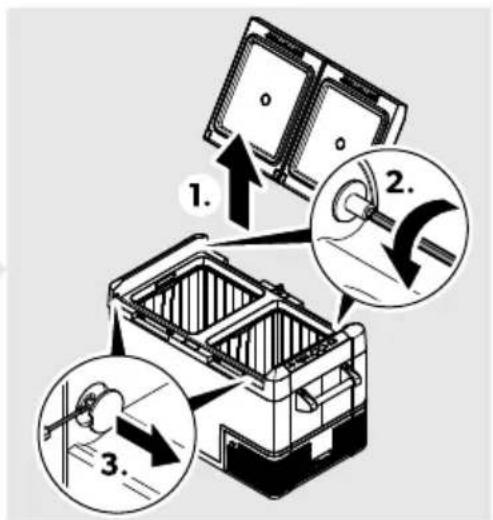
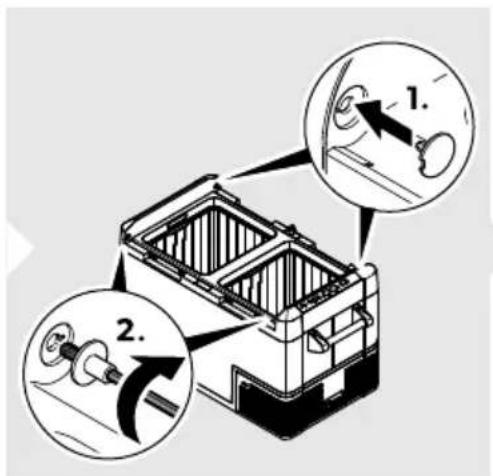
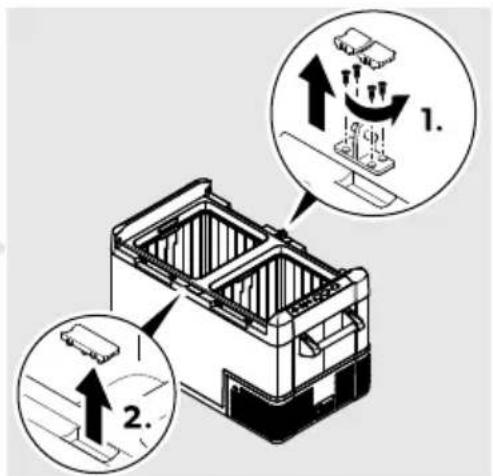
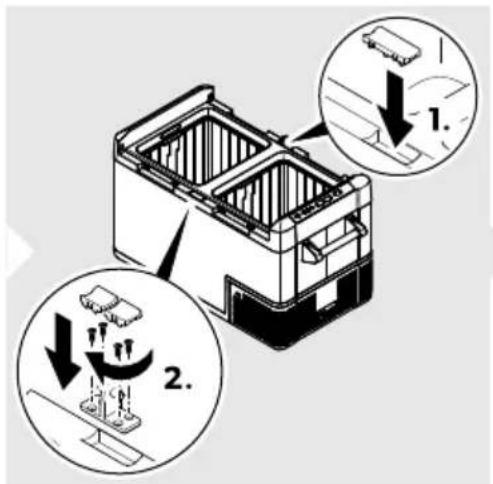
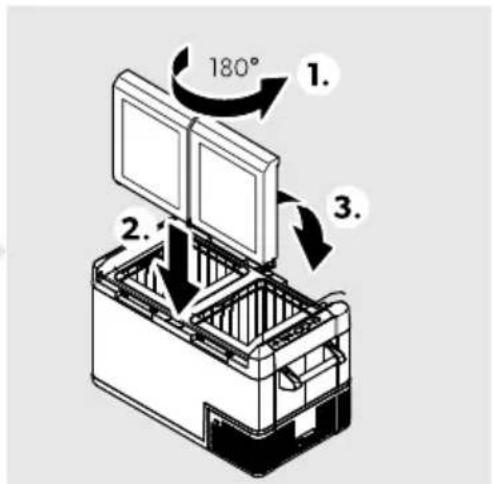
natural_image
Line drawing of a mechanical device with an arrow indicating rotation or assembly (no text or symbols)CFF20
A
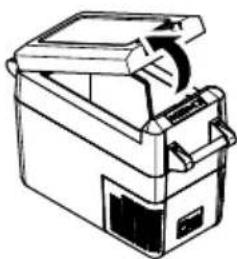
natural_image
Line drawing of a portable electronic device with handle and spool (no text or symbols)CFF35, CFF45
A
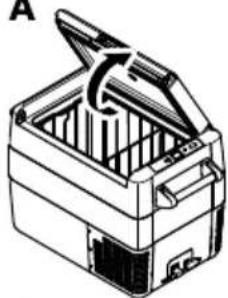
natural_image
Line drawing of a closed toolbox with open lid and internal compartments (no text or symbols)CFF70DZ
A
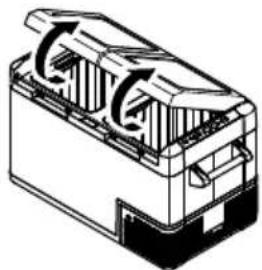
natural_image
Technical line drawing of a mechanical component with internal flow arrows (no text or symbols)- B
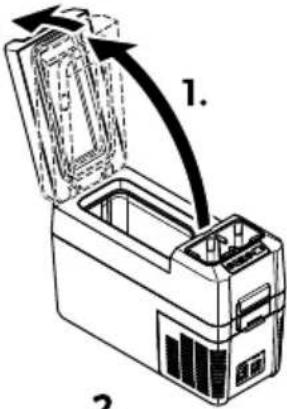
2.

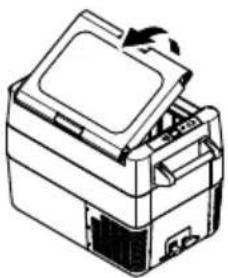
natural_image
Line drawing of a printer with an open lid and internal components (no text or symbols)B
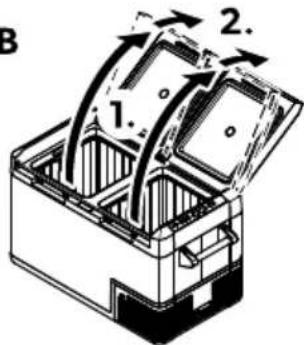
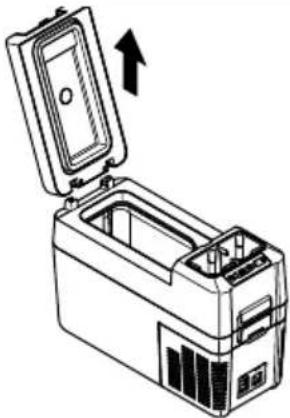
natural_image
Line drawing of a portable electronic device with an open lid and internal casing, showing no text or symbols.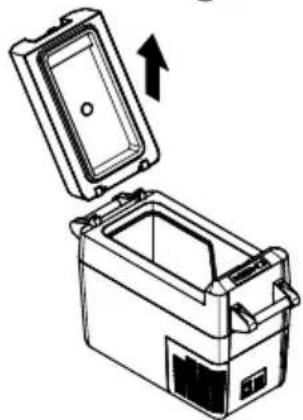
natural_image
Line drawing of a mechanical device with an open lid and internal casing, showing an upward arrow (no text or symbols)B
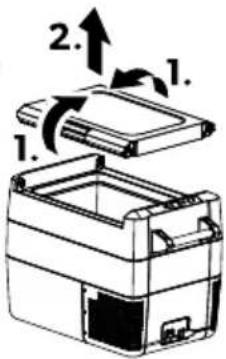
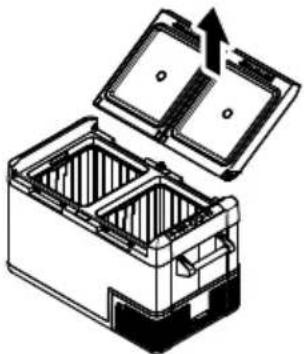
natural_image
Diagram of a battery pack with open lid and internal compartments, showing internal structure and upward arrow (no text or symbols)E a biste otvorili poklopach otključajte zasun b' c.
CFF35, CFF45: poklopac je moguće otvoriti s bilo koje strane.
CFF35, CFF45: E a biste skinuli poklopach istovremeno otključajte zasun s obje strane bj c.
CFF12, CFF18, CFF20, CFF70DZ: gurnite poklopac dalje od položaja za zaustavljanje poklopca bj c.
HRDometic CFF
. oložaj 2a 2a9! ta- ljanje po4lopca
Woklopac ima ugrađen položaj za zaustavljanje (’). &emojte gurati poklopac dalje od ugrađenog položaja za zaustavljanje (J).
□
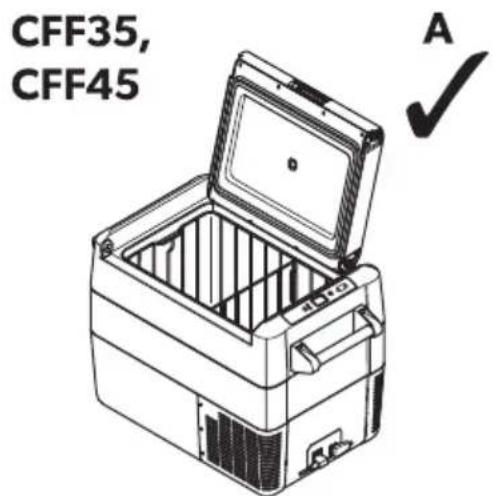
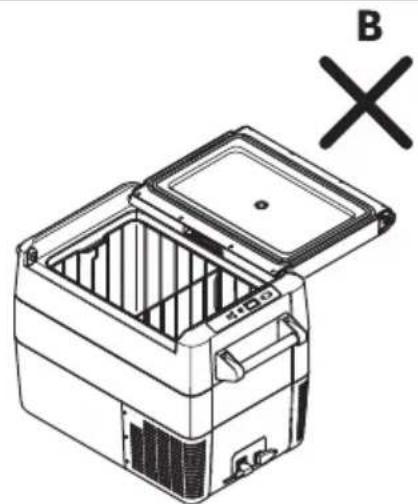
natural_image
Line drawing of a refrigerator with open lid and internal compartments, marked with 'B' and 'X' symbols (no text or labels on the diagram itself)
D4lanjanje 4ošare b! amo 2a CFF35 i CFF45c i pregra( e b! amo 2a CFF18c

natural_image
Line drawing of a car interior with a device and a magnified inset showing a connector detail (no text or symbols)J ko ga Sksirate uz pomoć 2ate2ača prtljage postupite kao što je prikazano ( 📄.f̄ na stranicifDDN).
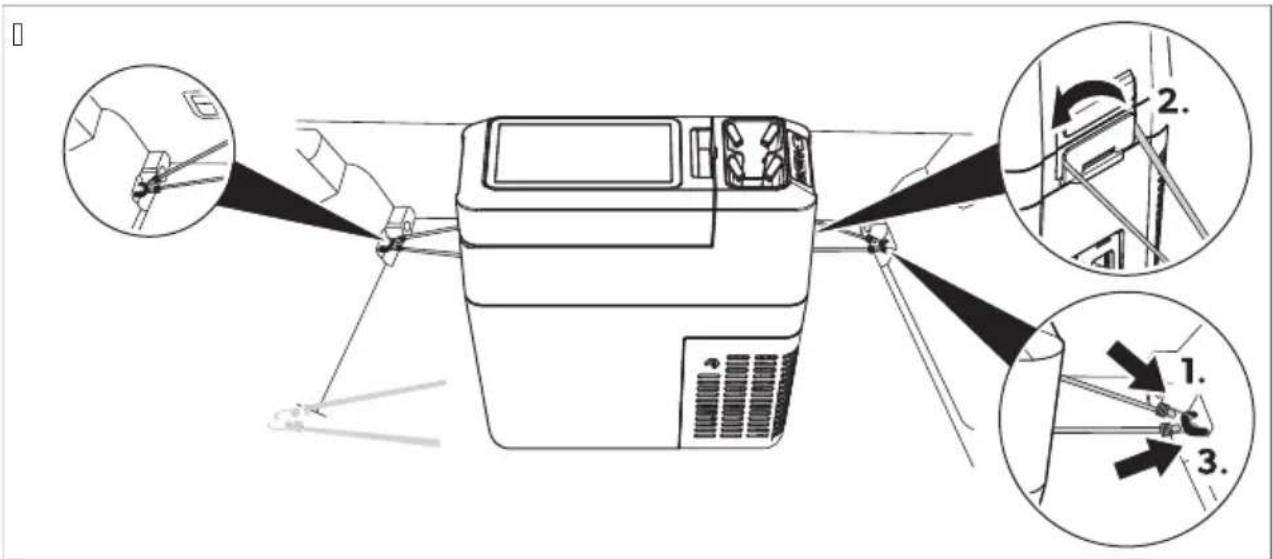
da15 Zamjena ti! 4ane pločice 2a ra! - jet9

b xednom rukom zadržite poklopac (J).
b E rugom rukom zadržite zasun prema dolje (B).
b I atvorite poklopac što bolje možete bez da uhvatite svoj palac- a da pri tome i dalje držite poklopac pritisnut prema dolje da se ne bi odlomio.
b Woklopac bi sada trebao biti otprilike pod prikazanim kutom (sl. e- str. KB).
b Maknite ruku sa zasuna (B) i nastavite do kraja zatvoriti poklopac.

natural_image
Line drawing of a portable electronic device with labeled ports and panel (no text or symbols beyond label)CFF18
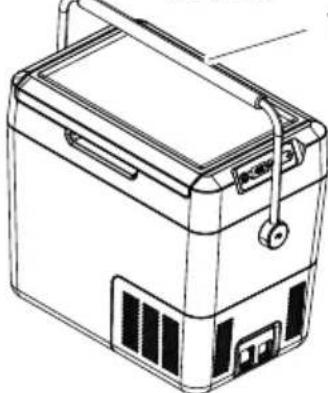
natural_image
Line drawing of a portable battery with lid, casing, and front panel (no text or symbols)CFF20
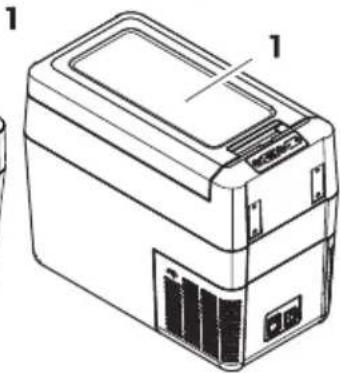
natural_image
Line drawing of a rectangular electronic device with labeled components (no text or symbols present)CFF35, CFF45
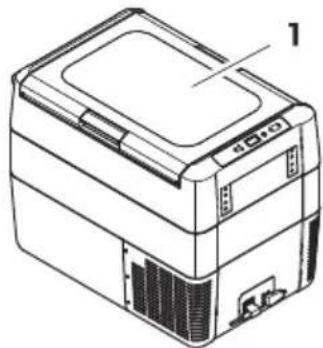
natural_image
Line drawing of a printer or scanner device with no visible text or symbols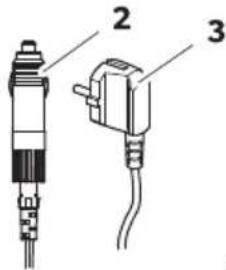
CFF20, CFF35, CFF45, CFF70DZ
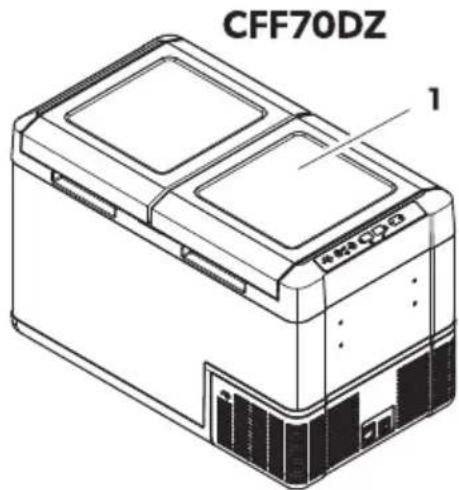
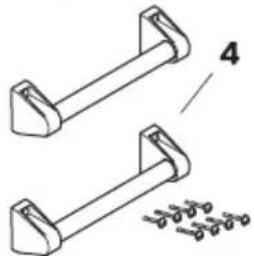
natural_image
Technical line drawing of two mechanical components with mounting brackets and a separate detail view (no text or symbols)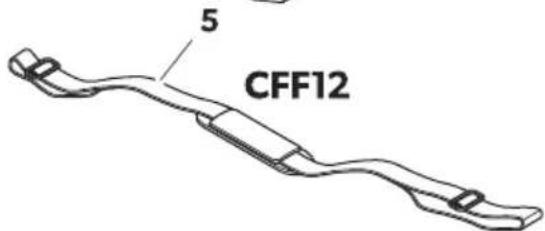
| i/in( e4i po2i! 7on9»ekilò !a7fal457 | Mi4tar' (I | |
| K K I o" utucu |
TRDometic CFF
natural_image
Isometric line drawing of an open mechanical device with internal compartments and a curved arrow indicating rotation (no text or symbols)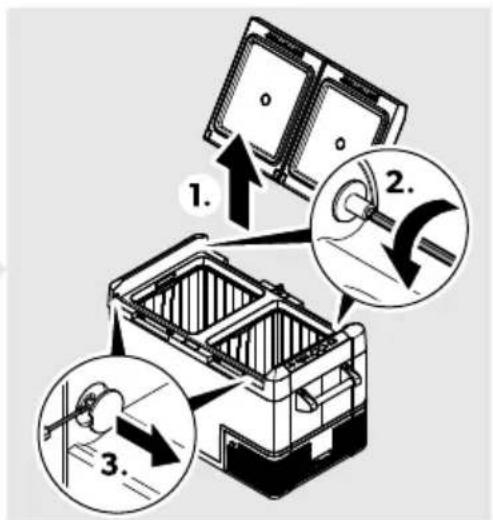
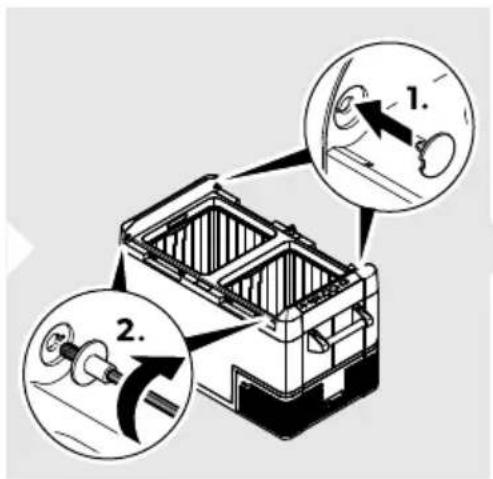
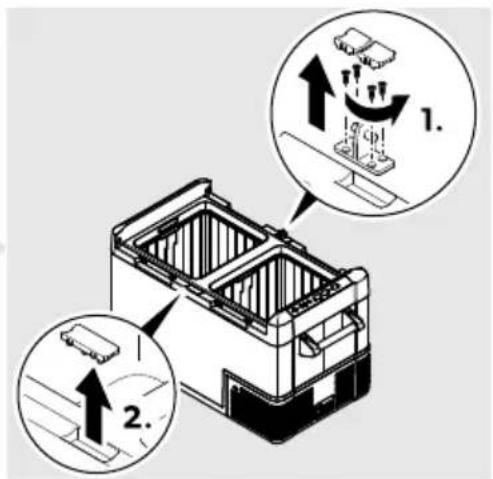
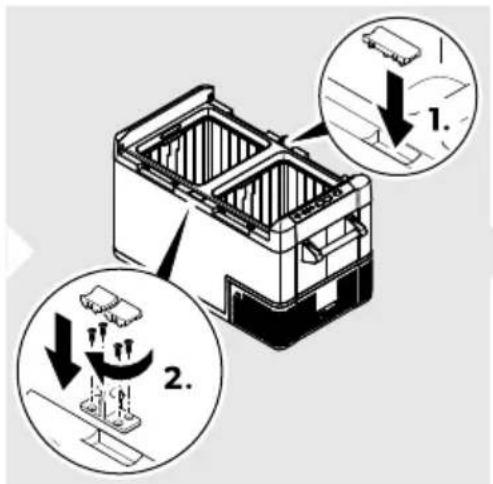
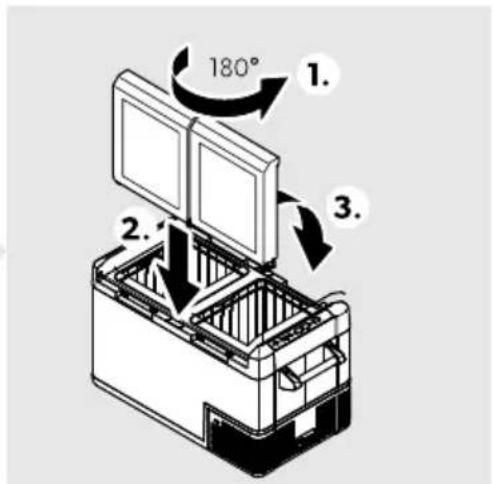
natural_image
Line drawing of a mechanical device with an arrow indicating rotation or assembly (no text or symbols)CFF20
A

natural_image
Line drawing of a mechanical device with a handle and internal components (no text or symbols)CFF35, CFF45
A
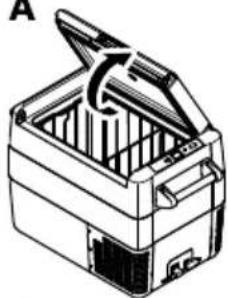
natural_image
Line drawing of a closed toolbox with open lid and internal compartments (no text or symbols)CFF70DZ
A
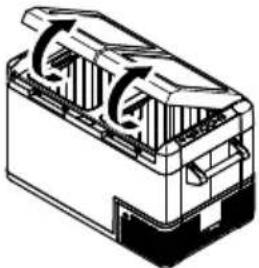
natural_image
Technical line drawing of a mechanical component with internal flow arrows (no text or symbols)- B
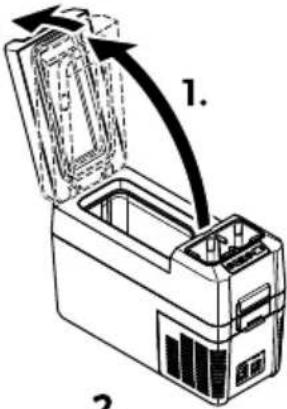
2.
B
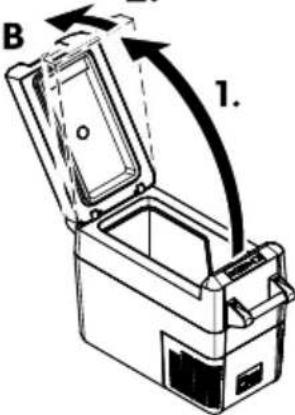
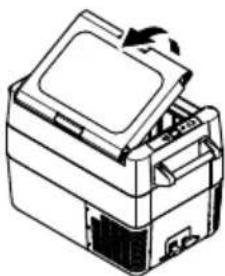
natural_image
Line drawing of a printer with an open lid and base, showing internal components (no text or symbols)B
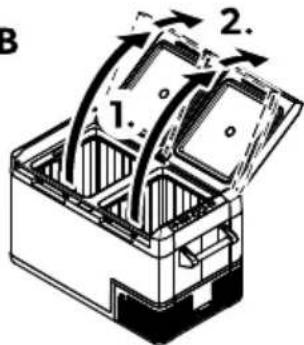
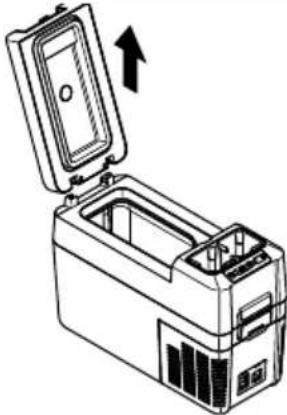
natural_image
Line drawing of a device with an open lid and internal casing, showing a directional arrow (no text or symbols)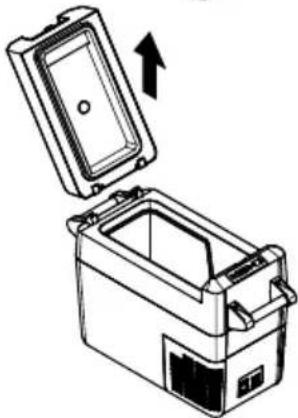
natural_image
Illustration of a closed storage container with an open lid and an arrow indicating upward motion (no text or symbols)B
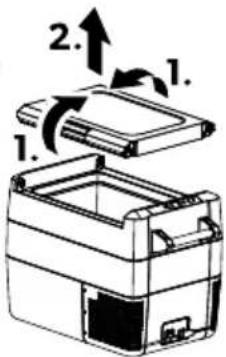
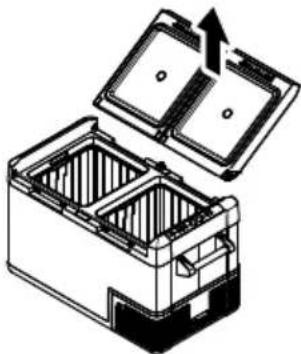
natural_image
Diagram of a battery pack with open lid and internal compartments, showing internal structure (no text or symbols)Sepetin b7alnl2ca CFF35 - e CFF45c - e bhlücünün b7alnl2ca CFF18c /l4artllma!

İK' Z! Ca! ar tehli4e! i
natural_image
Technical line drawing of a car interior showing a device with a close-up inset of its cable (no text or symbols)da7 Slca4llHIn a7arlanma!
natural_image
Line drawing of a portable electronic device with labeled components (no text or symbols)CFF18
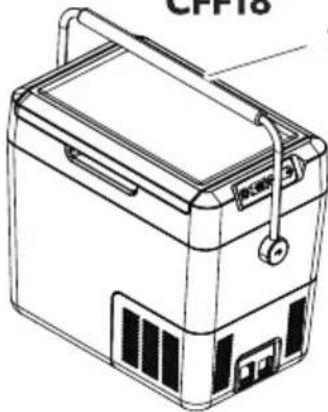
natural_image
Line drawing of a portable electronic device labeled 'CPP18' (no text or symbols on the device itself)CFF20
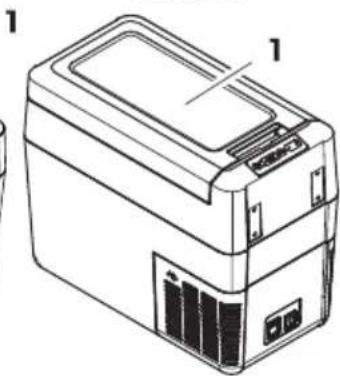
natural_image
Line drawing of a portable electronic device with labeled parts (no text or symbols present)CFF35, CFF45
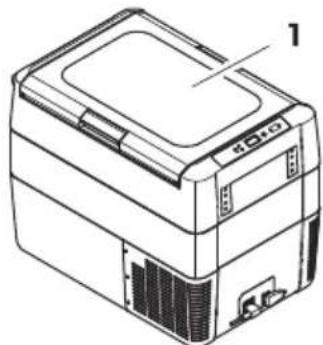
natural_image
Line drawing of a rectangular electronic device with labeled part '1' (no text or symbols on the device itself)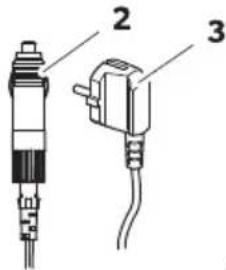
CFF20, CFF35, CFF45, CFF70DZ
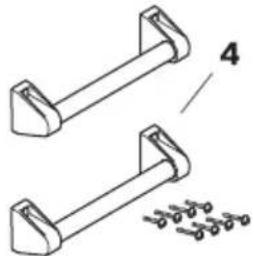
natural_image
Technical line drawing of two mechanical components with fasteners, no text or symbols presentCFF70DZ
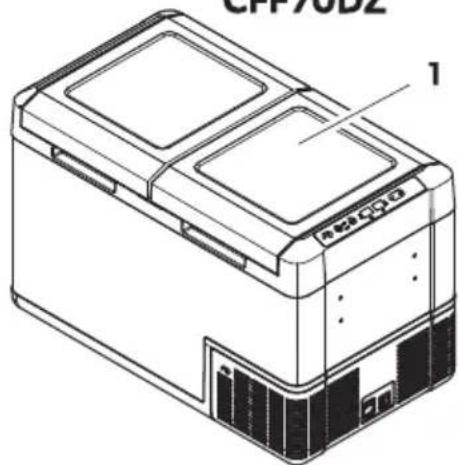
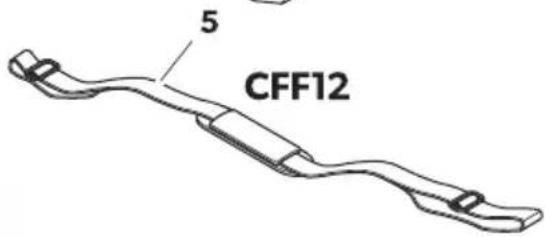
natural_image
Line drawing of a mechanical device with an arrow indicating rotation or assembly (no text or symbols)CFF20
A
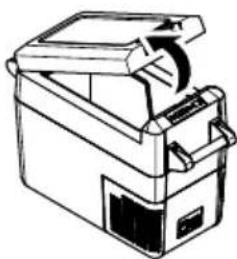
natural_image
Line drawing of a mechanical device with a handle and internal components (no text or symbols)CFF35, CFF45
A
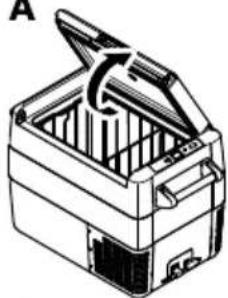
natural_image
Line drawing of a closed toolbox with open lid and internal compartments (no text or symbols)CFF70DZ
A
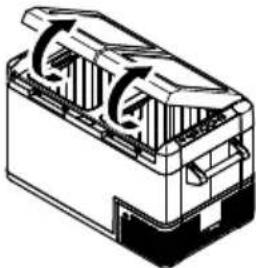
natural_image
Technical line drawing of a mechanical component with internal flow arrows (no text or symbols)- B
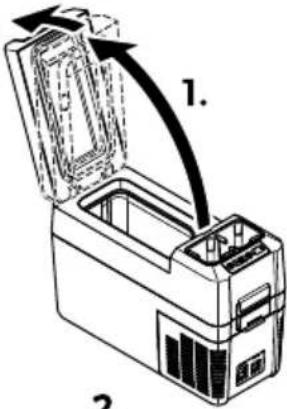
2.
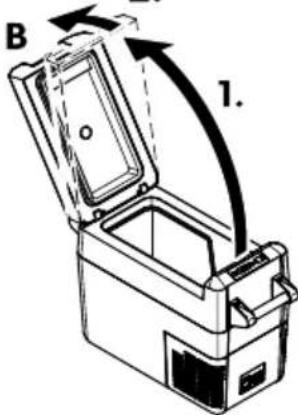
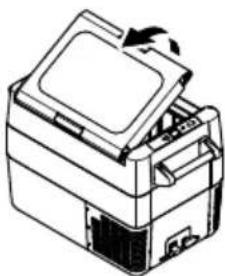
natural_image
Line drawing of a printer with an open lid and base, showing internal components (no text or symbols)B
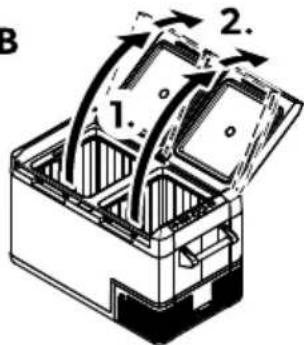
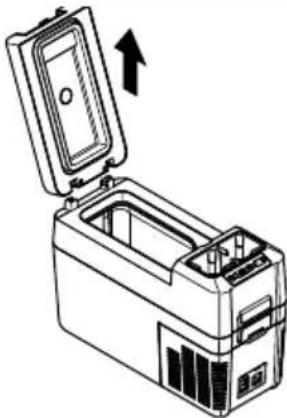
natural_image
Line drawing of a device with an open lid and internal compartments, showing an upward arrow (no text or symbols)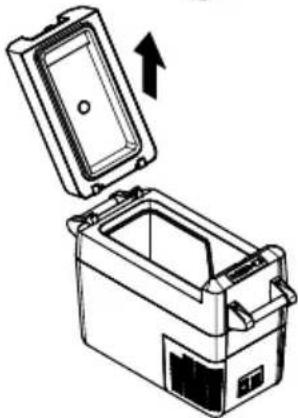
natural_image
Illustration of a closed storage container with an open lid and an upward arrow indicating rotation (no text or symbols)B
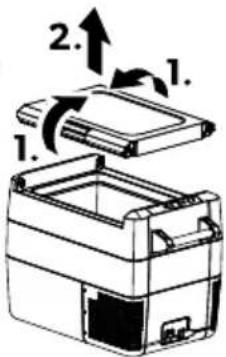
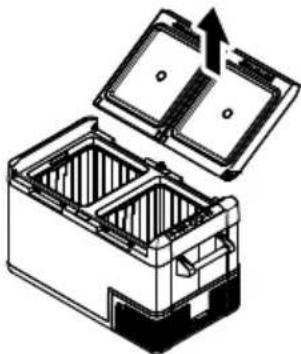
natural_image
Diagram of a battery pack with open lid and internal compartments, showing internal structure (no text or symbols): (! tranje- anje 4ošarice b! amo CFF35 in CFF45c in pregra( e b! amo CFF18c

: J 8ES 13: ! Ne- arno! t poš4o( b
B. Writisnite gumb SET:
a) CFF12, CFF18, CFF20, CFF35, CFF45: dvakrat.
b) CFF70DZ: trikrat.
N. I gumboma + ali - izberite stopinje Uelzija ali Yahrenheita.
- Izbrana enota za prikaz temperature se nato za nekaj sekund prikaže na zaslonu. | aslon nekajkrat utripne- preden se znova prikaže trenutna temperatura.
d: peration
natural_image
Line drawing of a car interior with a device and a magnified inset showing a connector detail (no text or symbols)&apravo z nate2alnim pa! om 2a prtljago pritrdite na spodnji način ( 📄 no stranifDTQ).
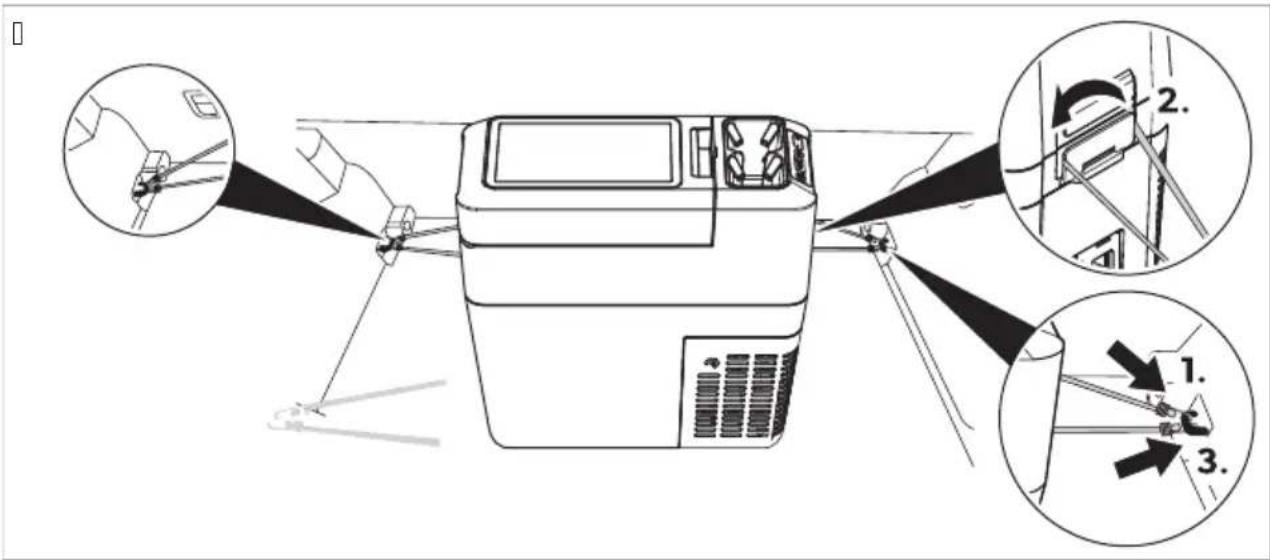
da7 Na! ta- ljanje temperat9re
da15 Zamenja- a plošče ti! 4anega - e2ja 2a o! - etlja- o

: J 8ES 13: ! Ne-arno!t poš4o( b
natural_image
Line drawing of a portable electronic device with labeled ports and panel (no text or symbols beyond label)CFF18
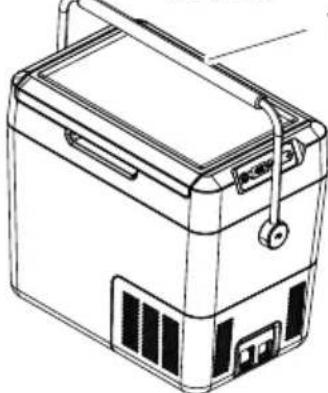
natural_image
Line drawing of a portable battery with lid, casing, and front panel (no text or symbols)CFF20
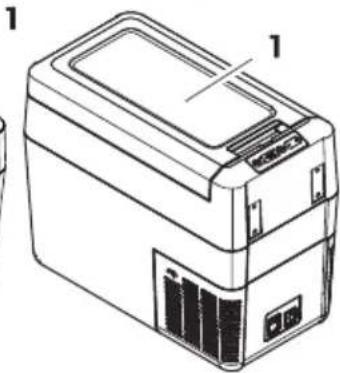
natural_image
Line drawing of a rectangular electronic device with labeled components (no text or symbols present)CFF35, CFF45
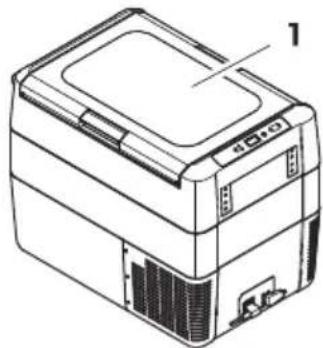
natural_image
Line drawing of a printer or scanner device with no visible text or symbols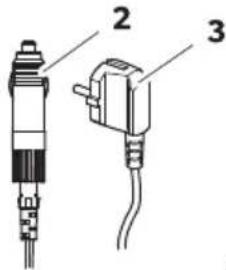
CFF20, CFF35, CFF45, CFF70DZ
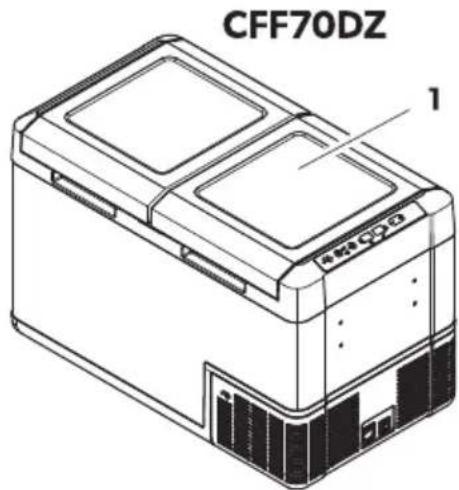
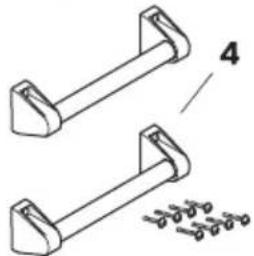
natural_image
Technical line drawing of two mechanical components with mounting brackets and a separate detail view (no text or symbols)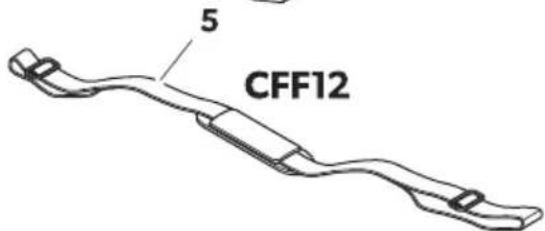
. o2a în

paginăl512
N9mär9l Den9mire
KKJ parat de răcire
natural_image
Isometric line drawing of an open mechanical device with internal compartments and a curved arrow indicating rotation (no text or symbols)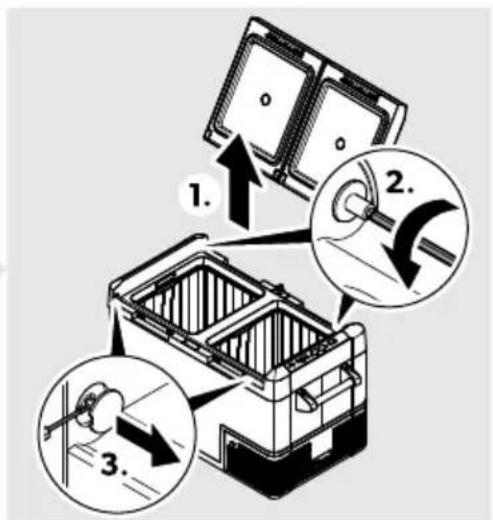
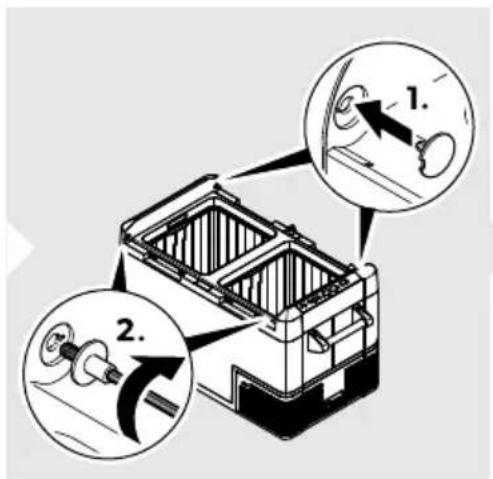
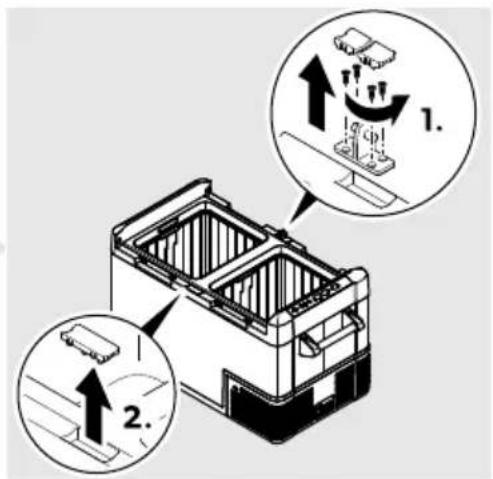
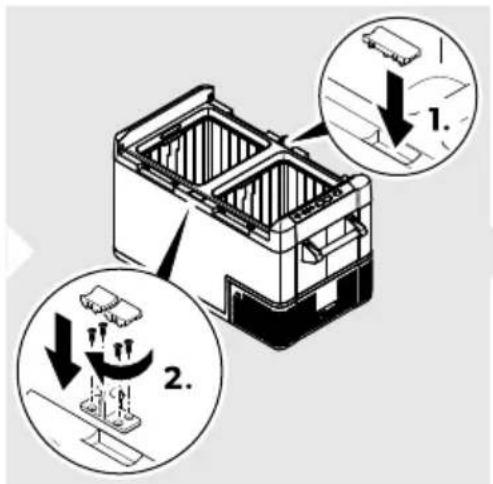
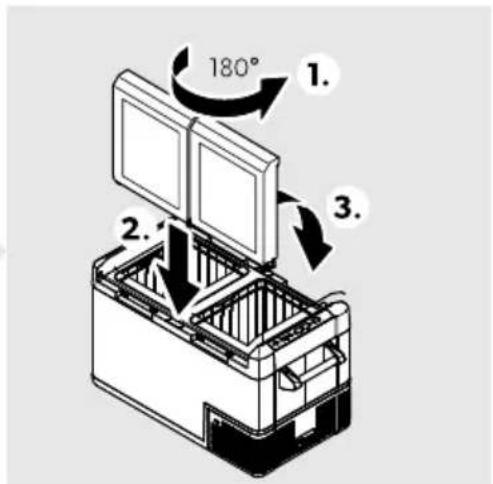
natural_image
Line drawing of a mechanical device with an arrow indicating rotation or assembly (no text or symbols)CFF20
A
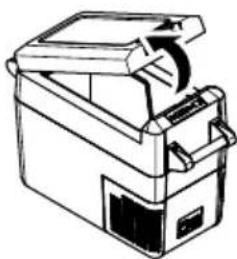
natural_image
Line drawing of a portable electronic device with handle and spool (no text or symbols)CFF35, CFF45
A
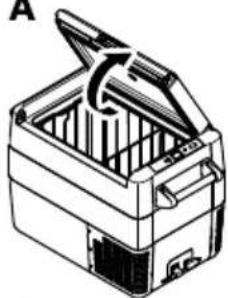
natural_image
Line drawing of a closed toolbox with open lid and internal compartments (no text or symbols)CFF70DZ
A
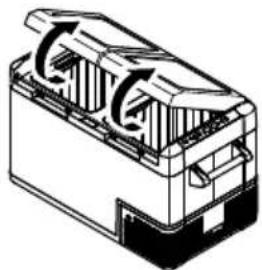
natural_image
Technical line drawing of a mechanical component with internal flow arrows (no text or symbols)- B
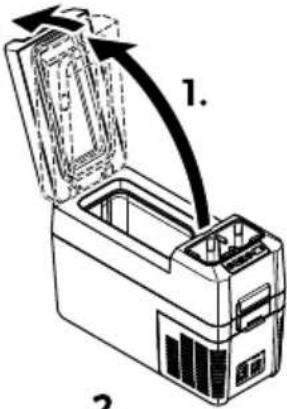
2.
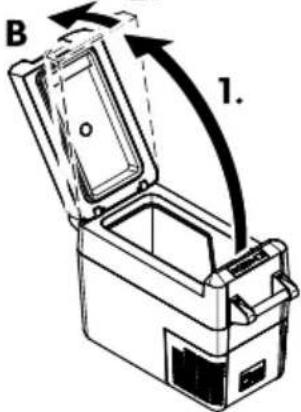
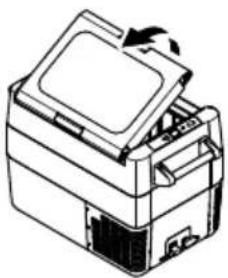
natural_image
Line drawing of a printer with an open lid and internal components (no text or symbols)B
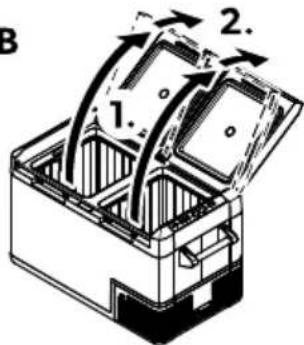
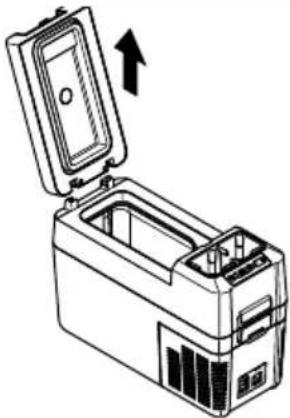
natural_image
Line drawing of a portable electronic device with an open lid and internal casing, showing no text or symbols.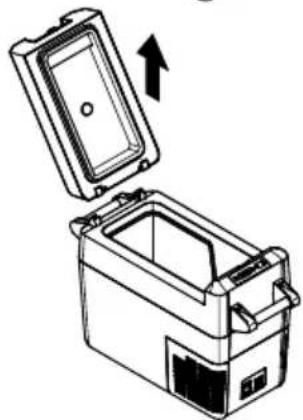
natural_image
Line drawing of a mechanical device with an open lid and internal casing, showing an upward arrow (no text or symbols)B
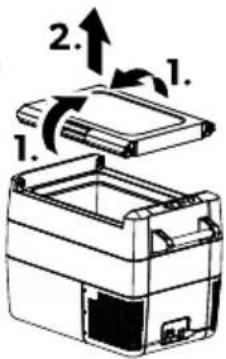
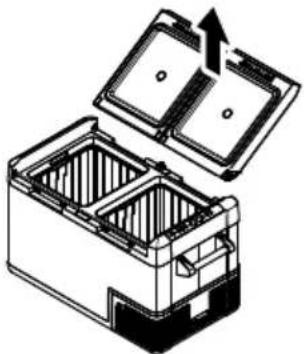
natural_image
Diagram of a battery pack with open lid and internal compartments, showing internal structure and upward arrow (no text or symbols)natural_image
Technical line drawing of a device interior with a magnified inset showing a component detail (no text or symbols)La SMarea cu chingile pentr9 bagajeH proceda-i conform indica-iilor (g.f0 paginăfOBP).
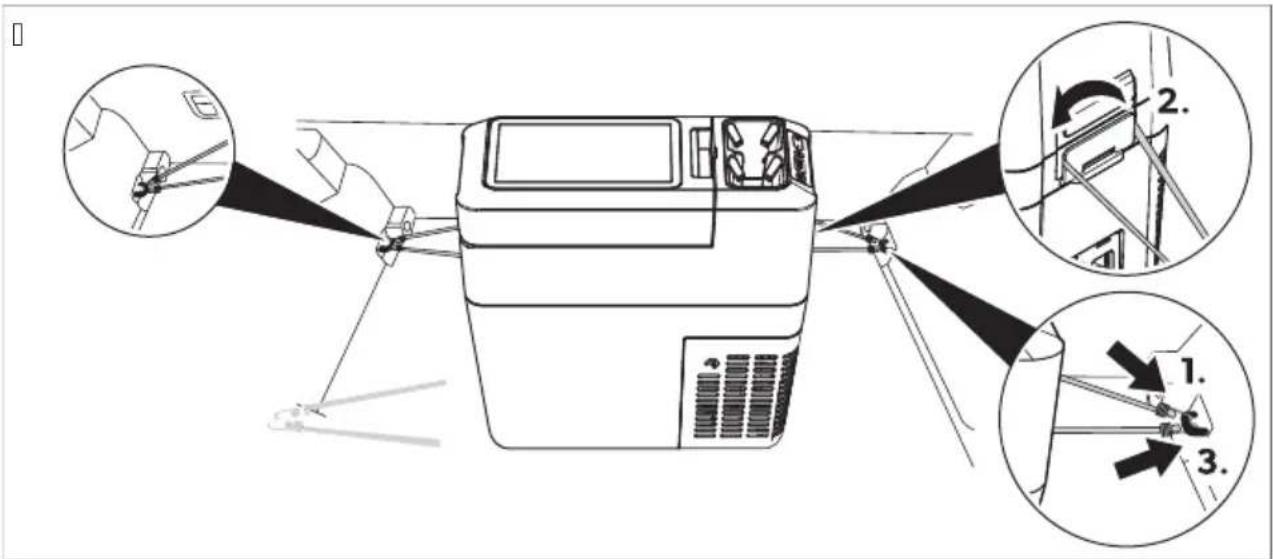
da7 Setarea temperat9rii
5 ONSBTT RT UMiT TBKT T
□


12/24VDC
100-240 V AC
CFF12
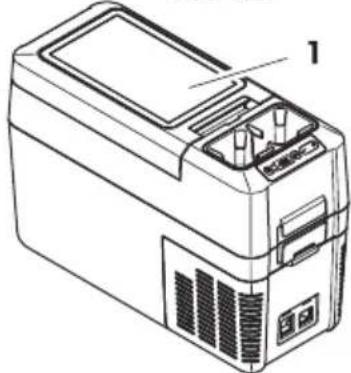
natural_image
Line drawing of a portable electronic device with labeled ports and panel (no text or symbols beyond label)CFF18
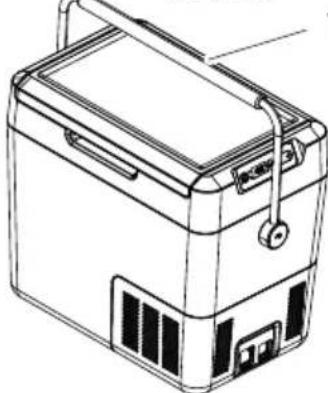
natural_image
Line drawing of a portable battery with lid, casing, and front panel (no text or symbols)CFF20
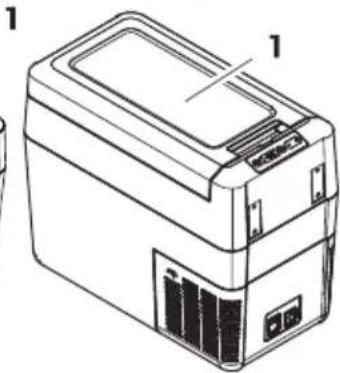
natural_image
Line drawing of a rectangular electronic device with labeled components (no text or symbols present)CFF35, CFF45

natural_image
Line drawing of a printer or scanner device with no visible text or symbols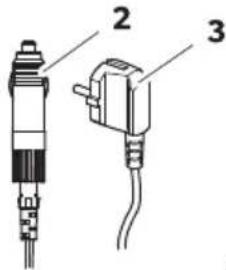
CFF20, CFF35, CFF45, CFF70DZ
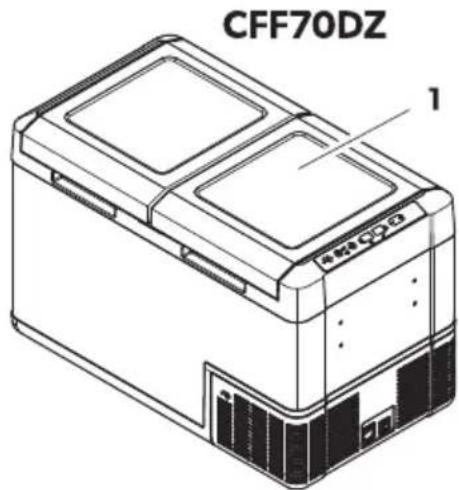
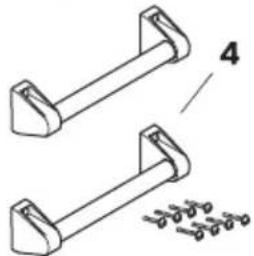
natural_image
Technical line drawing of two mechanical components with mounting brackets and a separate detail view (no text or symbols)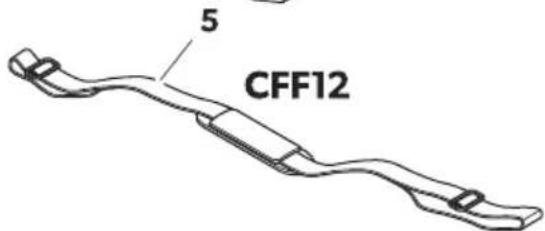
BSMUящ kMRTTKT

KMPO4Qi TBM OIOi TROQ
RT iTWTROU T 541
KKK; M; 2:002/9 хл9д6л/9 ч9/19
BGDometic CFF
| BSMUящ kMRТТКТRT¡тWTROцТ 541 | KMPOчQi твM ОпOi | TROQ |
| В К К96: л 89 0въ28в9/: 4ъм ; о01о7/: / 1о4 | ||
| N К К96: л 89 0въ28в9/: 4ъм ; 2ом: /л6в 1о4 | ||
| D В СТмМ зТ CFF20, CFF35, CFF45, CFF70DZ: ¡ТмМ зТ | Ком; л: 41 д2ъж46 89 /о0: /: Н0ъ01о7щ 0: о1:b D дъ2ж9ч9 (09мо 89 UYYBC)b В д2ъж46b R 8942: ; в9щ6 в6/19b К г9: ч: / 4люч | |
| О К СТмМ зТ CFF12: 2: мъ4 89 /о0: /: ; 2: 8 29моло | ||
| g К . /01234567 89 : 40; ло919567 | ||
6 ИзMP3BTRQ пМ пWQURT3RTЧQROQ
Охл9жд9щ671 32: д : ; одход7щ 89 охл9жд9/: /9 x29/61: л/6 ; 2од3416. Охл9жд9щ671 32: д мож: д9 0: 68; ол8в9 6 в ; 2: во8/6 02: д01в9.
У012ой01в01о 89 охл9жд9/: : ; 2о: 41629/о д9 0: 3; 29вл7в9 о1 ; о01о7/: / 104 /9 бо2д9 /9 ; 2: во8/о 02: д01во 6л6 лод49H о1 0; ом9г91: л: / 943м3л91о2 /9 ; о01о7/: / 104 бл6 о1 ; 2ом: /л6в01о4ово 89х29/в9/: .
Охл9жд9щоло 3012ой0во : ; одход7що 89 4ъм; 6/г 6лб д23г6 ; одоб/6 298вл: 491: л/6 5: л6.
Охл9жд9щ671 32: д : ; 2: д/98/9ч: / 89 68; ол8в9/: в дом946/01в01о 6 ; одоб/6 ; 26лож: /67Н 491о:
b K3x/6 89 ; : 20o/9л9 в м9г986/6H оф606 6 д23г6 29б01/6 ; ом: щ: /67
b C: л04о01о; 9/046 ; о012ой46
b 39 4л6: /16 /9 хол: л6H мол: л6 6 д23г6 ж6л6щ/6 8о/6
b П9/06о/6 16; пл: гло 6f8943049п
b K: 1ъ26/г 6f; одоб/6 /: 1ъ2гов046 ; 26лож: /67
То86 ; 2од341 : ; одход7щ 09мо 89 ; 2: дв6д: /919 5: л 6 ; 26лож: /6: 0ъгл90/о /901о7щ61: 6/01234566.
Тов9 2ъ4овод01во ; 2: до019в7 6/фо2м9567H /: обход6м9 89 ; 29в6л/919 6/019л9567 6і 6л6 : 40; ло919567 /9
; 2од3419. Лошо 6/019л629/: 6i 6л6 /: ; 29в6л/9 3; 012: 69 6f; одд2ъж49 щ: дов: д91 dof/: 89довол61: л/9 29б019 6f: в: /139л/о dof; ов2: д6.
П2068вод61: л71 /: f/о06 о1гово2/о01 89 /929/7в9/67 6f; ов2: д6 ; of; 2од3419H ; 26ч6/: /6 o1:
b H: ; 29в6л: / мо/19жн 0глоб7в9/: 6л6 0въ28в9/: н в4люч61: л/о 1въ2д: в6004о /9; 2: ж: /6:
b H: ; 29в6л/9 ; одд2ъж49 6л6 68; ол8в9/: /9f2: 8: 2в/6 ч9016Н 298л6ч/6 олfo26г6/9л/61: Н ; 2: до019в7/6 olf; 2068вод61: л7
b. 8M: /: /67 /9f; 20d3419 б: 8 6826ч/о 2982: ш: /6: olf; 2068вод61: л7
b. 8; ol8B9/: 89 5: л6-298л6ч/6 olfo; 609/61: bfloB9 2ъ4овод01во
E ometic 06 89; 98B9 ; 29Bolo d9 ; 20M: /7 вь/ш/67 в6д 6f0; : 56ф6495661: /9f; 2од3419.
7 TQSROЧQ¡ кМ МПО¡ TROQ
Охл9жд9/: 10 0: о0ьщ: 01в7в9 01 4ом; 2: 0о2/9 охл9д61: л/9 0601: м9 0 м9л49 /3жд9 01 ; одд2ъж49. Олбч/919 68ол9567 6 мощ/671 4ом; 2: 0о2 о06г327в91 бъ28о 6 : ф6490/о охл9жд9/: .
Охл9жд9щ671 32: д : ; 2: /о06м.
Охл9жд9щ671 32: д мож: д9 68дъ2ж6 /9 42914ов2: м: /: / /94ло/ о1 NCj H /9; 26м: 2 /9 лод46.
7a1 ONSBTT RT φVRKΩOQTQ
b 39x29/в9/: 0 ; 260261: 1/9 в: 26г9 89 0вь28в9/: 4ъм ; 2ом: /л6во104ов9 м2: ж9
b T26 /6B9 /9 89щ619 89 943м3л91029H ; 2: д; 98в9щ6 943м3л91029 /9 ; 2: во8/о10 02: д01во (684лючВ9 0: 9в1ом916ч/о ; 26 /604о /9; 2: ж: /6: /9 943м3л91029)
b Д60; л: й 0 ; o4989/6: 89 1: м; : 29132919 в j U 6 j Y
b H9012o849 /9 1: M; : 29132919: H9 01b; 46 o1 Kj U (Kj Y)
b Φ3/4567 89 891bM/7B9/: /9 д60; л: 70 N /6B9 /9 724001
b Св9л7щ 0: дъ2ж9ч 89 ч9ш6 bj ТмМ зТ CFF12c
ДОТЙР ОПО; TROQ ONЯ; RQROQ
| К В4лючв9 6л6 684лючв9 охл9жд9що1о 3012ой01во+ 4ог91о 631о/ъ1 : /9160/91 м: жд3 : д-/9 6 дв: 0: 43/д6 | |
| В | . /д649567 89 0ъ01о7/6: 1о |
| Св: 1одбодъ1 0в: 1в9 в 8: л: /о: 4ом; 2: 0о2ъ1 : в4люч: /Св: 1одбодъ1 0в: 1в9 в 029/ж: во: 4ом; 2: 0о2ъ1 : 684люч: /Св: 1одбодъ1 м6г9 в 029/ж: во: д60; л: 71 0: 684лючв9 9в1ом916ч/о ; о29д6 /60-4о /9; 2: ж: /6: /9 943м3л91о29 | |
| N LRROR (ГРЕШКА) Св: 1одбодъ1 м6г9 в ч: 2в: /о: 32: дъ1 : в4люч: /+ /о /: : голов 89 29б019 | |
| D g Д60; л: йН ; о498в9 6/фо2м956719 | |
| ДвVзMRМВО bDZc: 6м9 ; о : д6/ д60; л: й /9 8о/9 | |
| O SET . 86629 2: ж6м9 /9 във: жд9/:b H9012ой49 /9 1: м; : 29132919b По498в9/: /9 Ц: л86й 6л6 Ф92: /х9й1b 39д9в9/: /9 89щ61919 /9 943м3л91о29b 39д9в9/: /9 724о0119 /9 д60; л: 7 | |
| P – H9160/: 1: в: д/ъж+89 д9 /9м9л61: 01ой/о0119 | |
ДОТЙР ОПО; TROQ ONЯ; RQROQ
Q + H9160/: 1: в: д/ъжH 89 д9 3в: л6ч61: 01ой/о0119
R ДвVзMRMВО bDZФ-6/д649567 89 0ъ01о7/6: 1о: 0в: 1одбодъ1 0в: 1в9 в 06/ьо+4ог91о 01д: -л: /6: 1о 0: охл9жд9
KMRTKTRO ΓRQ3UT
□
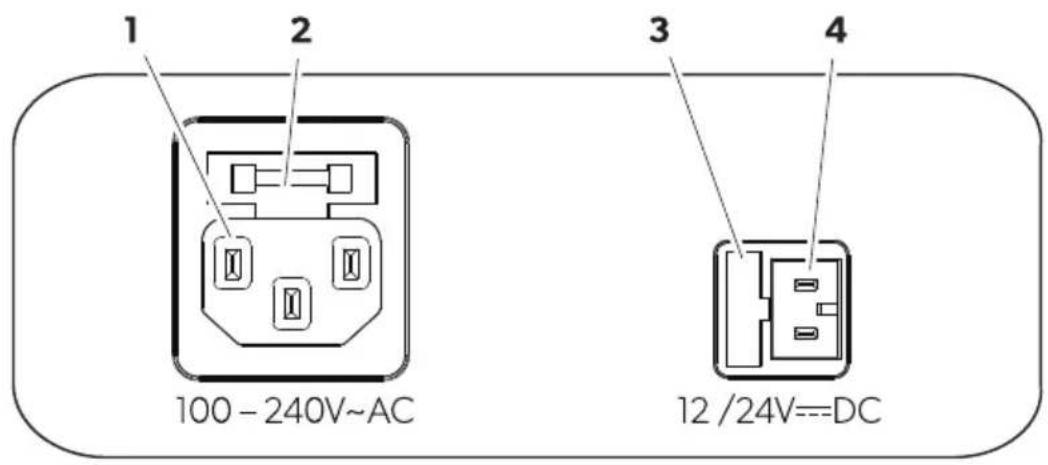
ДОТЙР ОПО; TROQ
К Ко/1941/о г/: 8до 89 ; 2ом: /л6в01040во 89х29/в9/:
В Дъ2ж9ч /9 ; 2ом: /л6в01040в67 б3шо/
N К9; 94 /9 ; о01о7//о1040в67 б3шо/
D Ко/1941/о г/: 8до 89 ; о01о7//о1040во 89х29/в9/:
8 ПWQUO ПЪWВТТ VПМТWQNT

УКАЗАНИЕ П2: д6 д9 019216291: охл9жд9щ67 32: д 89; ъ2в6; ъ1- го; оч601:1: олвъ12: 6 олвъ/0 вл9ж/9 4ъ2; 9 о1 х6г6: //6 0ъоб29ж: /67 (в6ж1: Поч601в9/: 6f; одд2ъж49 /9 0129/659 OOR).
L MRTOWTRQ RT UWЪЖКОТQ
K. UYYBC: Сглоб: 1: д2ъж49H 4910 оъб: 2: 1: дв9 дъ2ж9ч9 b1c 6 д2ъж49 b2c. Ф640629й1: дъ2ж9ч61: 0; 2: до019в: /61: в6/10в: в; 2: до019в: /61: о1во26.
В. UYYNOH UYYDOH UYYQCEI : 3942: ; : 1: д2ъж4919 0 ; 2: до019в: /61: в6/пов: в В о1 42ъгл61: о1во26.
□
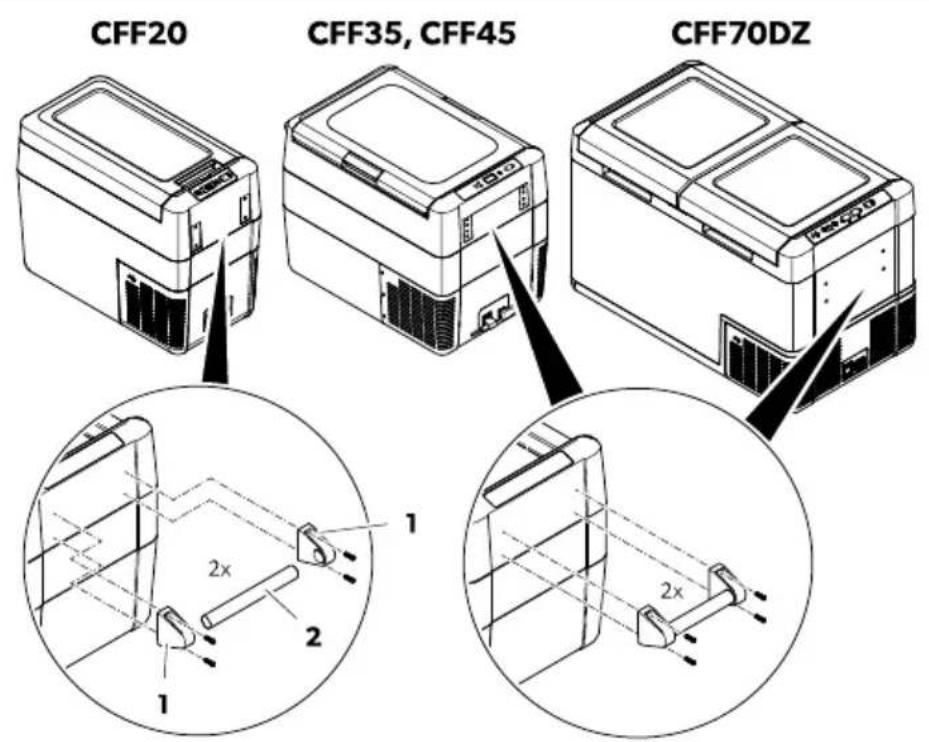
natural_image
Isometric illustration of a mechanical device with open lid and internal compartments, showing internal structure and rotation arrow (no text or symbols)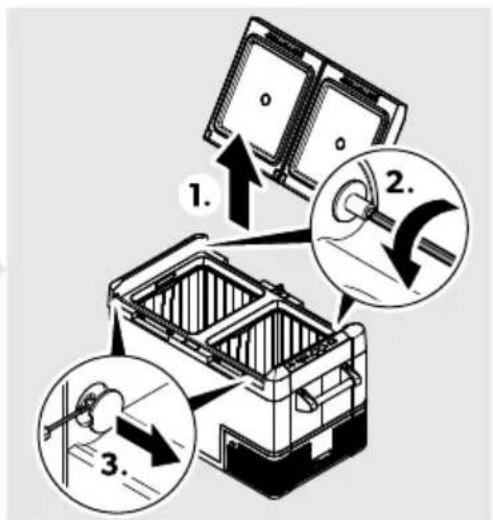
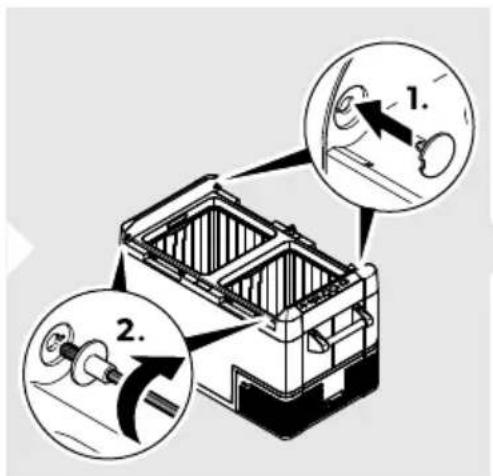
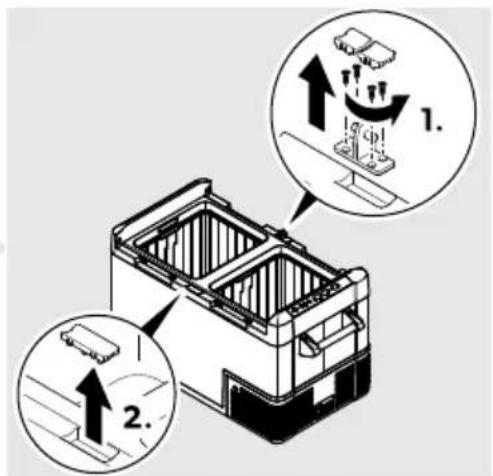
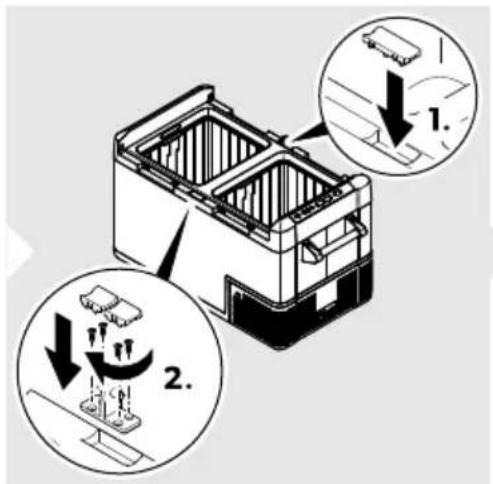
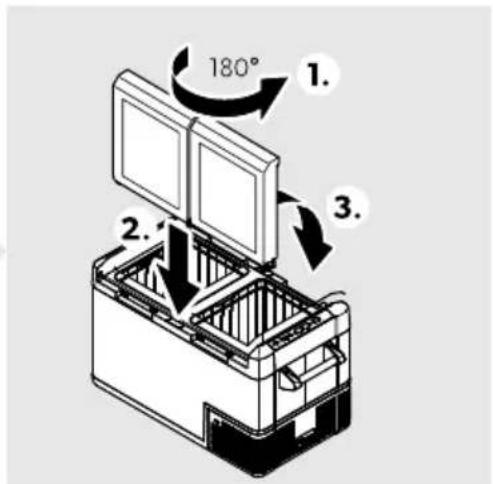
39 д9 объ2/: 1: ; о0о4919 /9 о1в927/: /9 49; 949Н ; 205: д629й1: - 4941о : ; о4989/о (ф6г.н /9 0129/659 ODR).
natural_image
Line drawing of a mechanical device with an arrow indicating rotation or assembly (no text or symbols)CFF20
A
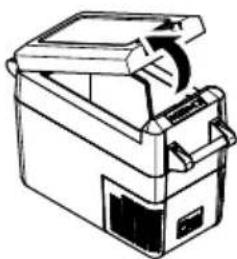
natural_image
Line drawing of a mechanical device with a handle and internal components (no text or symbols)CFF35, CFF45
A
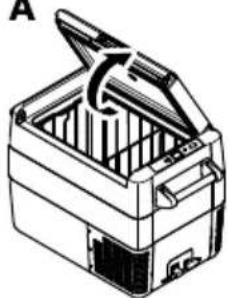
natural_image
Line drawing of a closed toolbox with open lid and internal compartments (no text or symbols)CFF70DZ
A
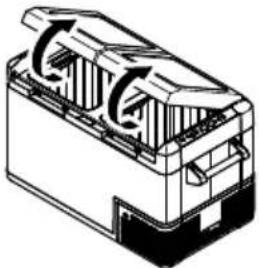
natural_image
Technical line drawing of a mechanical component with internal flow arrows (no text or symbols)- B
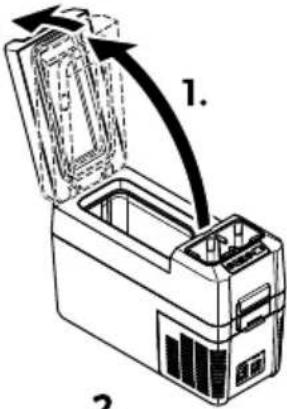
2.
B
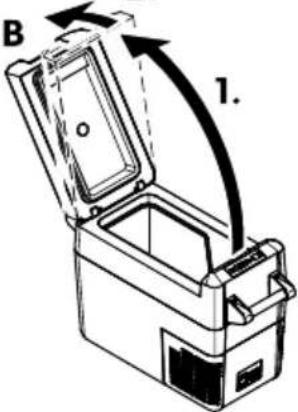
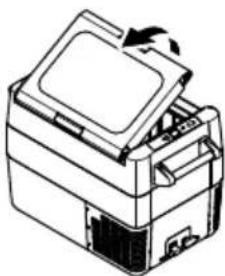
natural_image
Line drawing of a printer with an open lid and base, showing internal components (no text or symbols)B
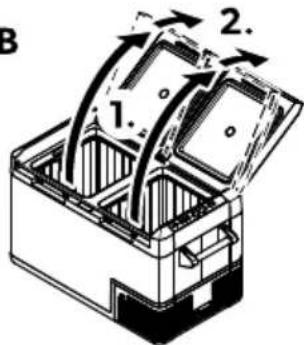
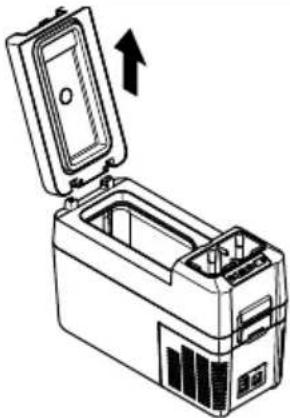
natural_image
Line drawing of a portable electronic device with an open lid and internal casing, showing no text or symbols.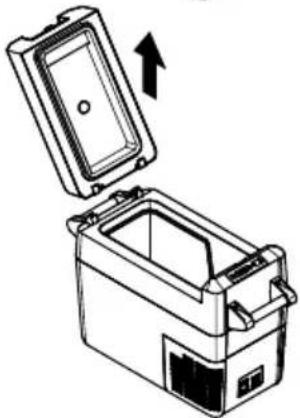
natural_image
Line drawing of a rectangular appliance with an open lid and internal compartments, showing an upward arrow (no text or symbols)B

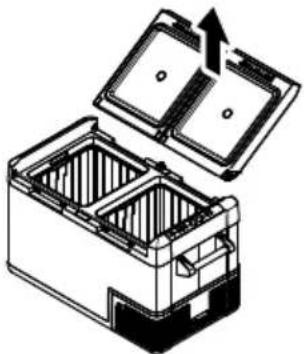
natural_image
Diagram of an open battery pack with internal compartments and a directional arrow indicating flow (no text or symbols)39 д9 о1во261: 49; 949Н о14люч: 1: b' c.
CFF35, CFF45: 49; 94b1 мож: д9 0: о1во26 6 01 дв: 1: 0129/6.
CFF35, CFF45: 39 д9 о10129/61: 49; 949Н о14люч: 1: дв: 1: 0129/6 : д/ов2: м: //о вj с.
CFF12, CFF18, CFF20, CFF70DZ: H9160/: 1: 49; 949 /989д 0л: д ; олож: /6: 1о /9 ог29/6ч61: л7 /9 49; 949 bj c.
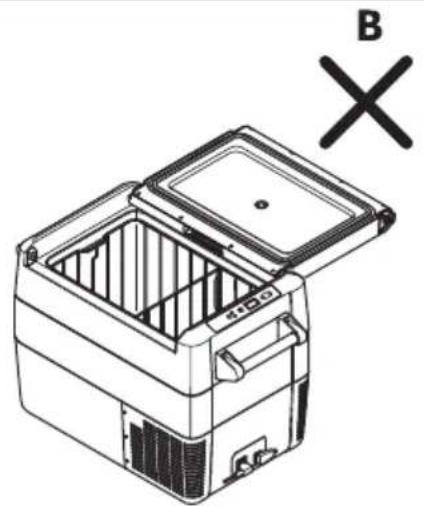
natural_image
Line drawing of a closed storage unit with lid and internal compartments, marked with 'B' and 'X' symbols (no text or labels on the diagram itself)
ВНИЛ АНИЕ! ОпТ¡ RM¡ т Мт¿пМвWQUT
A4o 49; 94b1: 66l /9160/91 0b0 06n9 1b2d: d9l: чн 0л: дв9й1: 01b; 461: но; 609/6 в К9; 94 89д вг29д: /67 or29/6ч61: л (UYYNOH UYYDO) /9 0129/659 OOT.
L TSTRQ RT UbWжтчт 3T чтшо bj TMM 3T CFF12c
Повд6г/: 1: дъ2ж9ч9 89 ч9ш6н 89 д9 ; ол3ч61: до01ъ; до 3доб/9 80/9 89 0ъх29/: /6:.
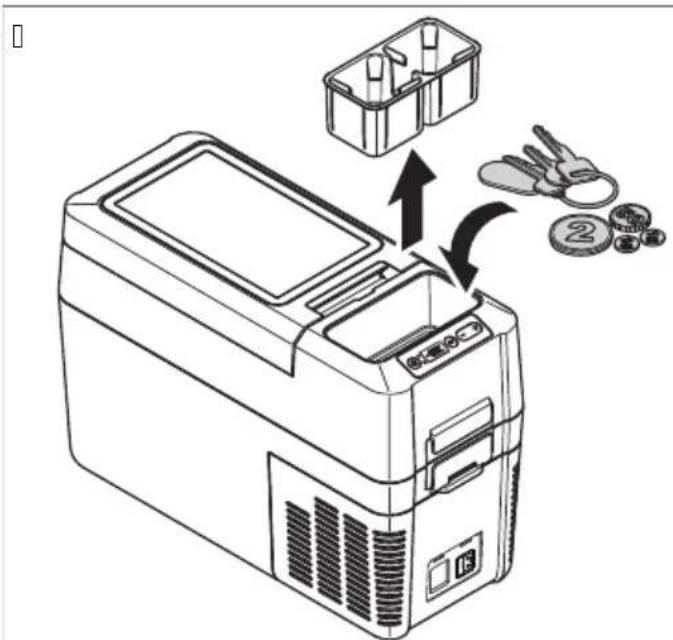
От¡ tWTRЯВ TRQ RT кМШРОЦТТ b¡ ТмМ 3T CFF35 O CFF45c O WT3UQPOТQPЯ b¡ ТмМ 3T CFF18c

ВНИЛ АНИЕ! ОпТ¡ RM¡ т Мт¿ПМвWQUT
O10129/7B9/: 10 /9 40ш/65919 0 01в02: / 49; 94 мож: д9 /9д29049 49; 949 6 д9 д: фо2м629 40ш/65919.
П2: ; о2ъчв9м: д9 о10129/61: 49; 949Н; 2: д6 д9 о10129/61: 40ш/65919.
Д: й01в9й1: 4941о : ; о4989/о (фбг.ф /9 0129/659 00К).
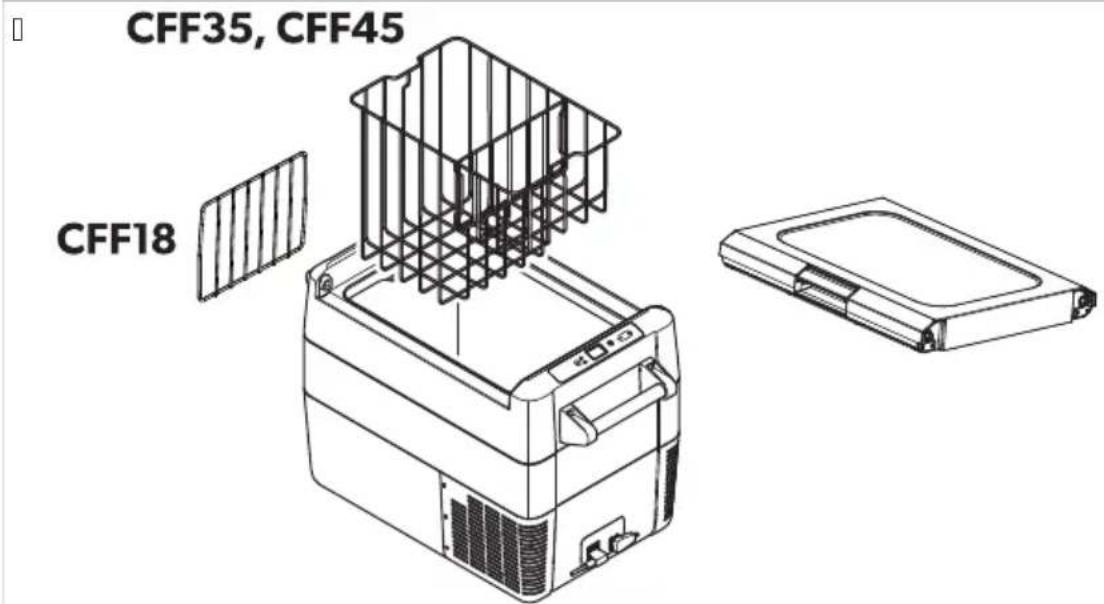
ИзNMW RT QUOROЦОТQ 3T ТОМПQWTTVWT
Ед6/6561: 89; о498в9/: /91: м; : 29132919 мог91 д90: ; 2: в4лючв91 м: жд3 Ц: л86й 6 Ф92: /х9й1Н 4941о Ол: дв9:
К. В4люч: 1: охл9жд9щоло 3012ой01во.
B. H9160/: 1: 631o/9 SET:
a) CFF12, CFF18, CFF20, CFF35, CFF45: Дв9; Ь16.
b) CFF70DZ: 126 ; b16.
N. . 8; ол8в9й1: б31о/61: + бл6-Н89 д9 68б: 2:1: Ц: л86й 6л6 Ф92: /х9й1.
Сл: д 10в9 68629/919 : д6/659 89 1: м; : 29132919 0: ; о7в7в9 /9 д60; л: 7 89 /74ол4о 0: 43/д6. Д60; л: 71 м6г9 /74ол4о ; ъ16Н; 2: д6 д9 0: въ2/: 4ьм 1: 43щ919 1: м; : 291329.
d: peration
da1 ИзNЯгВТРО RT WTЗВТРЯRQТМ RT SWTROТQPРО ПWMUVКТО
39 д9 686: г/: 1: 298в9л7/: 10 /9 х29/61: л/6 ; 2од3416-6м9й1: ; 2: дв6д 0л: д/оло
. 867гв9й1: 4ол4оло : въ8мож/о 4ол: 69/67 вл: м; : 29132919. О1в927й1: охл9жд9щ67 32: д 09мо 4ог9ло : /: обход6мо. Под2: жд9й1: х29/61: л/61: ; 2од3416 1949Ч: въ8д3хъ1 д9 56243л629 0вобод/о.
H9012ой1: 1: м; : 29132919 0; 27мо в6д9 6f4ол6ч: 01в0о /9fx29/61: л/61: ; 2од3416.
X29/61: л/61: ; 2од3416 мог91 д9 ; о: м91 бл6 д9 68; 30491 м6268м9 бл6 в430. В6/9г6 0ъх29/7в9й1: х29/61: л/61: ; 2од3416 ; 042616 бл6 bf891во2: /6 0ъдов: і б316л46.
da2 ИкMRММОЯ RTZQRQWГОЯ
. 86: 2: 1: доб2: ; 20B: 12: /о м7010- 89щ61: /о olfд62: 41/9 0ль/ч: в9 0в: 1л6/9.
O019в7й1: 10; л9 x29/9 д9 68016/: ; 2: д6 д9 7 о019в61: вfoхл9жд9ш67 32: д.
H: olv927й1: охл9жд9щ67 32: д 4or9lo /: f: /: обходбмо.
H: o019в7й1: охл9жд9щ67 32: д 01во2: / ; о-дълго- 014ол4о1о : /: обход6мо.
A4o xл9д6л/671 32: д 6м9 40ш/659: 39 о; 16м9л/9 4о/03м9567 /9f: /: 2г67 ; о019в: 1: 40ш/65919 4941о : 66л9 ; 26 до019в4919.
BGDometic CFF
P:дов/о ; 20в: 27в9й1: д9л6 3; ль1/: /6: 1о /9 в291919 ф3/456о/629 ; 29в6л/о.
. 867гв9й1: /: /3ж/о /6046 1: м; : 291326.
da3 СвъWзвTRQ RT MSPTжUTщОЯ VWQU
natural_image
Line drawing of a car interior with a device and a magnified inset showing a connector detail (no text or symbols)Kor91o ф6406291: 0 кТОшко зТ NTгТжн ; 2одълж: 1: H 4941о : ; o4989/о (ф6г.р. /9 0129/659 000).
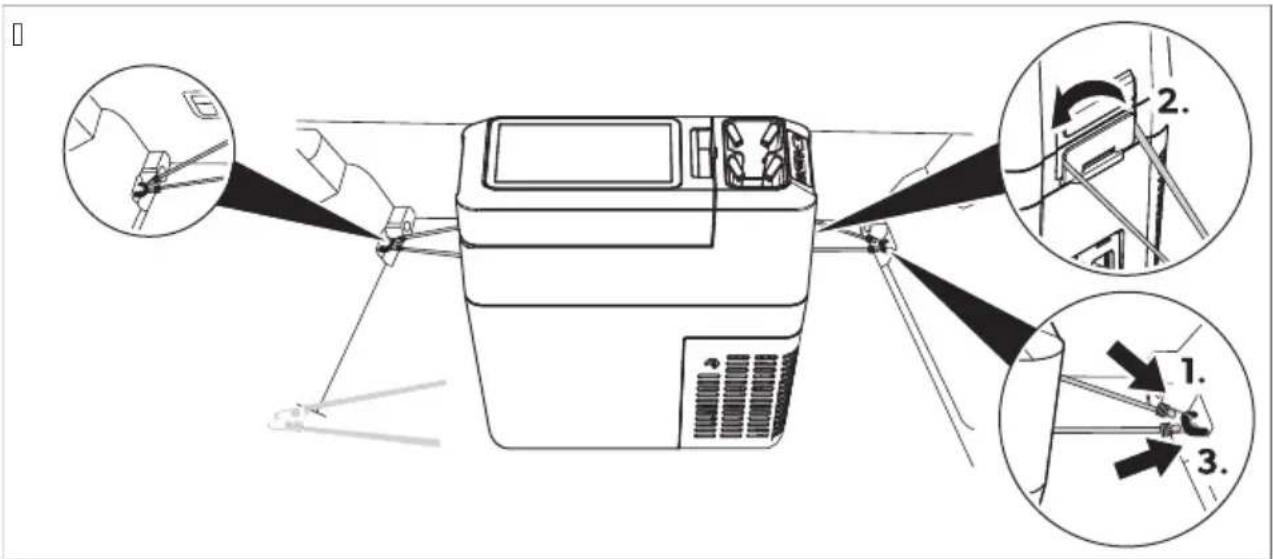
da7 HTi tWMiKT RTtQmNQWTtVWTtT
H9160/: 1: 631o/9 SET в: д/ъж.
. 8; ол8в9й1: 6310/61: + 6л6 -+89 д9 686: 2:1: 1: м; : 29132919 /9 охл9жд9/:
T: M; : 29132919 /9 охл9жд9/: 0: ; 07в789 /9 д60; л: 7 89 /74ол4о 0: 43/д6. Д60; л: 71 м6г9 /74ол4о ; ъ16 6 0л: д 10в9 01/ово 0: ; 0498в9 1: 43щ919 1: м; : 291329.
ДВV3MRMBO MSPTUOTQPRO VWQUO
K. H9160/: 1: 631o/9 SET в: д/ъж 89 гол7молоold: л: /6: 6лб дв9; ъ16 89 м9л4олоold: л: /6: .
Д60; л: 71 /9 68629/olo old: л: /6: м6г9.
В. . 8; ол8в9й1: 6310/61: + 6л6 -Н 89 д9 686: 2: 1: 1: м; : 29132919 /9 охл9жд9/:
natural_image
Line drawing of a portable electronic device with labeled components (no text or symbols)CFF18
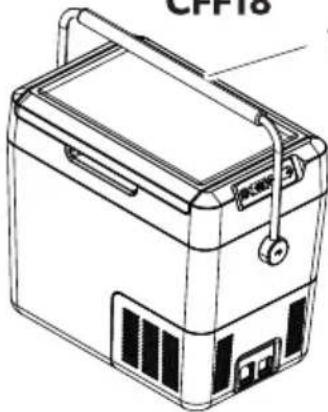
natural_image
Line drawing of a portable electronic device labeled 'CPP18' (no text or symbols on the device itself)CFF20
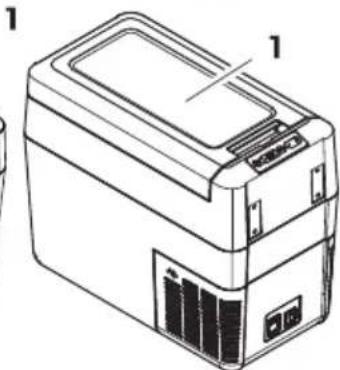
natural_image
Line drawing of a portable electronic device with labeled components (no text or symbols beyond labels)CFF35, CFF45
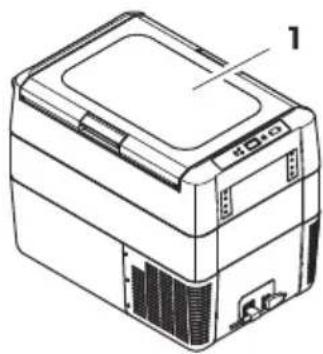
natural_image
Line drawing of a rectangular electronic device with labeled components (no text or symbols beyond label)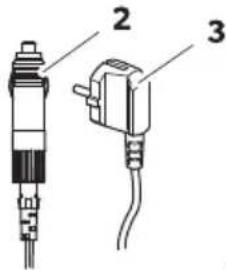
CFF20, CFF35, CFF45, CFF70DZ
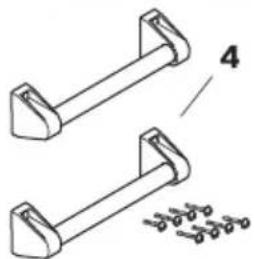
natural_image
Technical line drawing of two mechanical components with mounting brackets and a separate detail view (no text or symbols)CFF70DZ
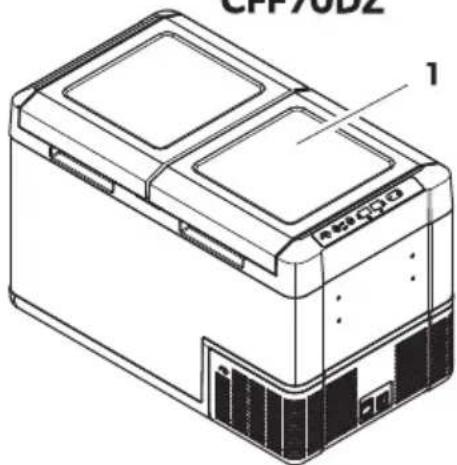
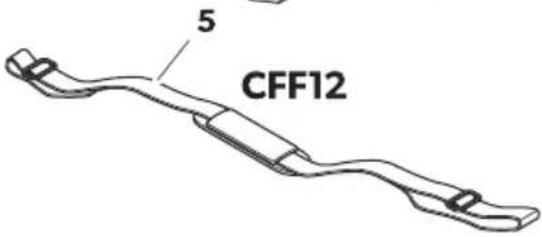
ETDometic CFF
natural_image
Isometric line drawing of an open mechanical device with internal compartments and a curved arrow indicating rotation (no text or symbols)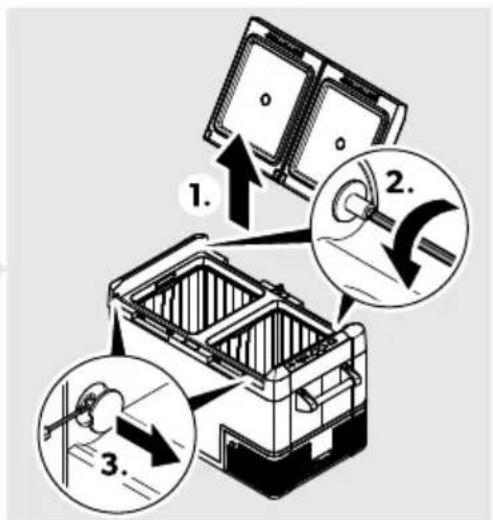
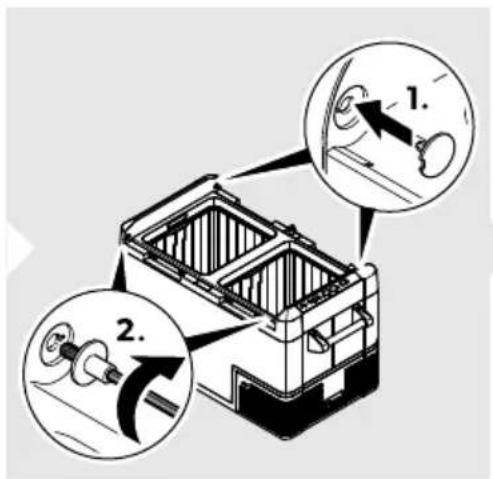
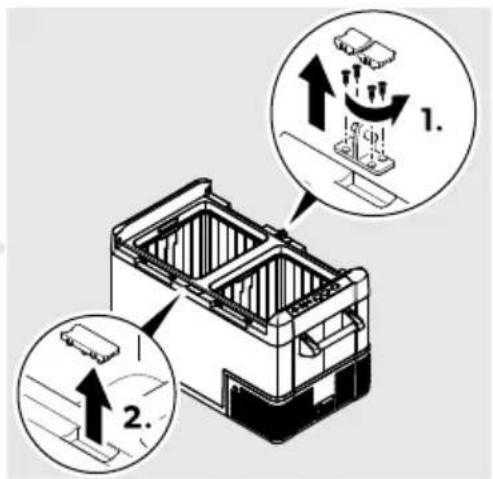
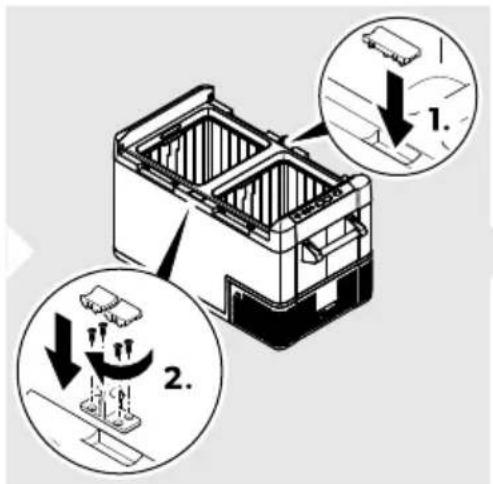
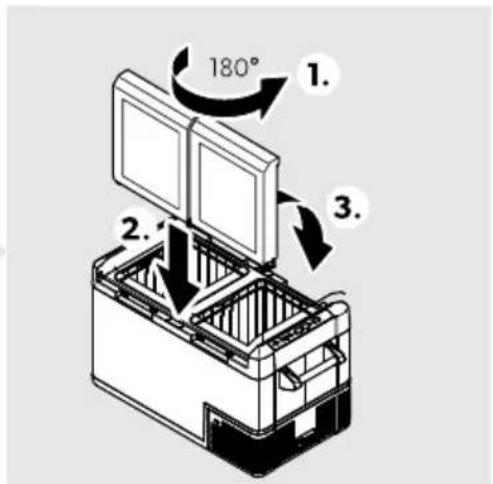
natural_image
Line drawing of a mechanical device with an arrow indicating rotation or assembly (no text or symbols)CFF20
A
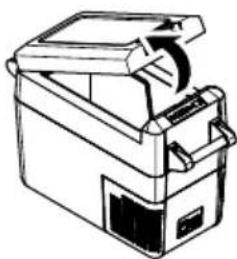
natural_image
Line drawing of a mechanical device with a handle and internal components (no text or symbols)CFF35, CFF45
A
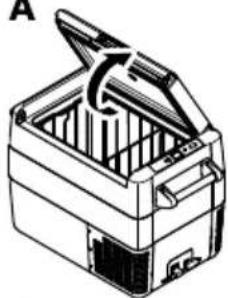
natural_image
Line drawing of a closed toolbox with open lid and internal compartments (no text or symbols)CFF70DZ
A
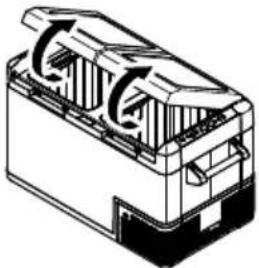
natural_image
Technical line drawing of a mechanical component with internal flow arrows (no text or symbols)- B
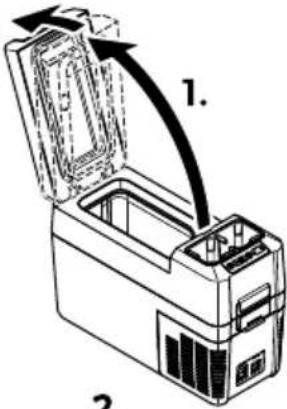
2.
B
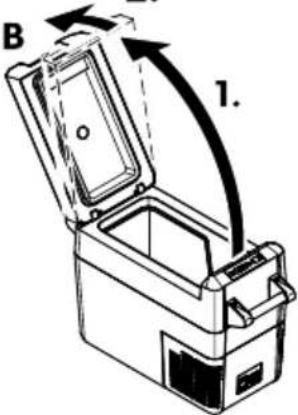
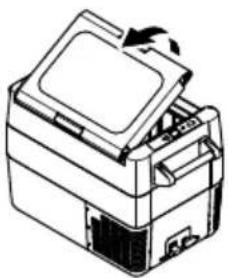
natural_image
Line drawing of a printer with an open lid and internal components (no text or symbols)B
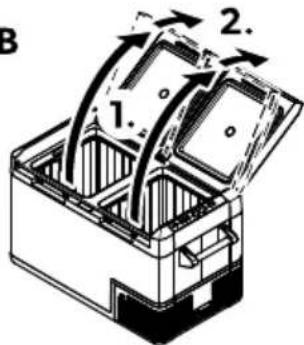
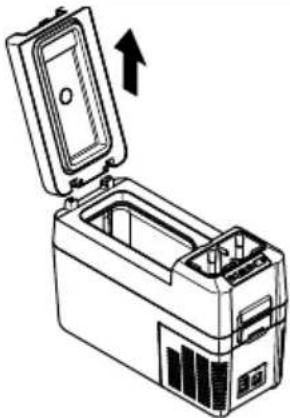
natural_image
Line drawing of a portable electronic device with an open lid and internal casing, showing no text or symbols.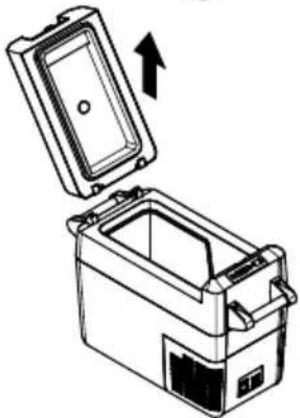
natural_image
Diagram of a portable appliance with an open lid and internal compartments, showing an upward arrow (no text or symbols)B

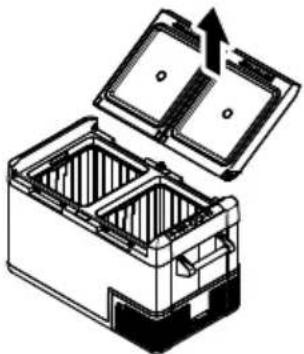
natural_image
Diagram of a battery pack with open lid and internal compartments, showing internal structure and upward arrow (no text or symbols)Kor- i bain9lt CFF35 ja CFF45c ning - ahe( etaili bain9lt CFF18c eemal( amine

natural_image
Line drawing of a car interior with a device and a magnified inset showing a connector detail (no text or symbols)da7 emperat99ri!ea( mine
da15 8alg9! t9! e trü44plaa( i - ahetamine

natural_image
Line drawing of a portable electronic device with front panel and side ports (no text or symbols)CFF20
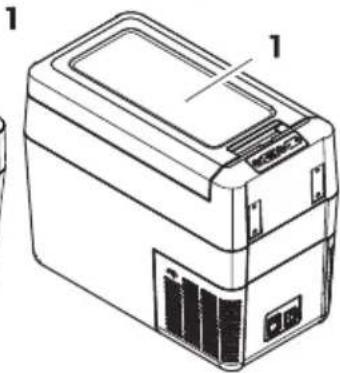
natural_image
Line drawing of a rectangular electronic device with labeled components (no text or symbols present)CFF35, CFF45
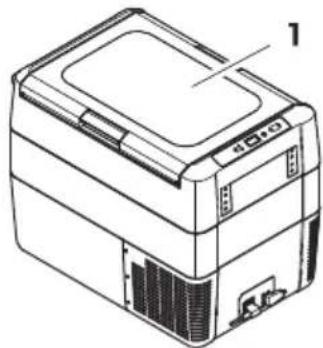
natural_image
Line drawing of a printer or scanner device with no visible text or symbols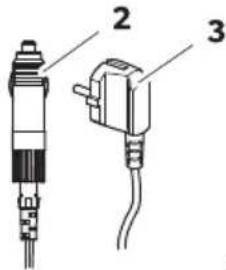
CFF20, CFF35, CFF45, CFF70DZ
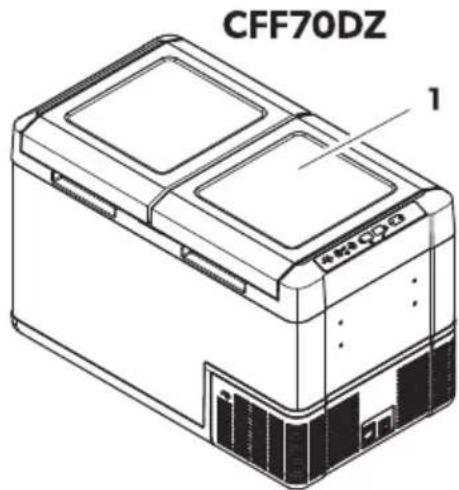
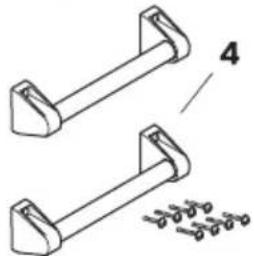
natural_image
Technical line drawing of two mechanical components with mounting brackets and a separate detail view (no text or symbols)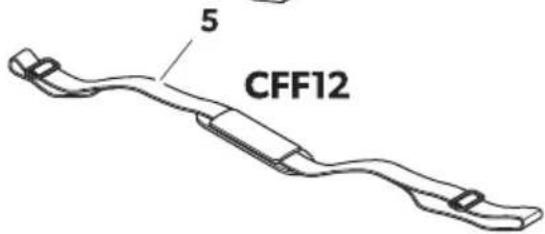
natural_image
Line drawing of a mechanical device with an arrow indicating rotation or assembly (no text or symbols)CFF20
A
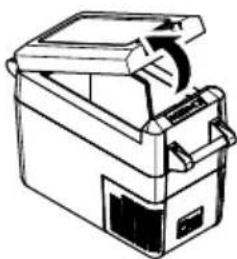
natural_image
Line drawing of a mechanical device with a handle and internal components (no text or symbols)CFF35, CFF45
A
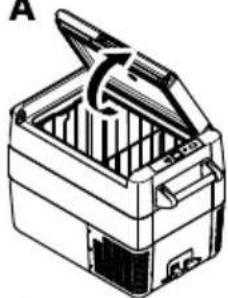
natural_image
Line drawing of a closed toolbox with open lid and internal compartments (no text or symbols)CFF70DZ
A
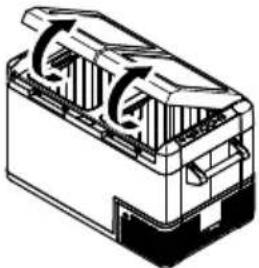
natural_image
Technical line drawing of a mechanical component with internal flow arrows (no text or symbols)- B
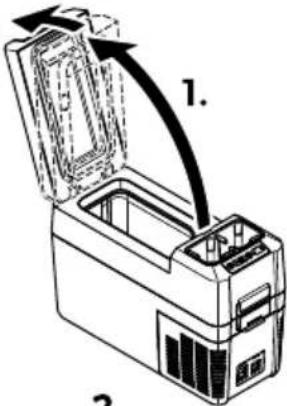
2.
B
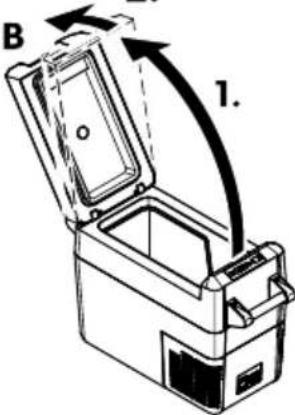
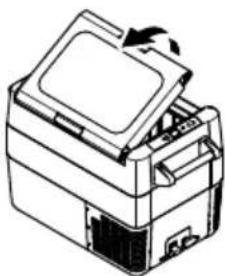
natural_image
Line drawing of a printer with an open lid and base, showing internal components (no text or symbols)B
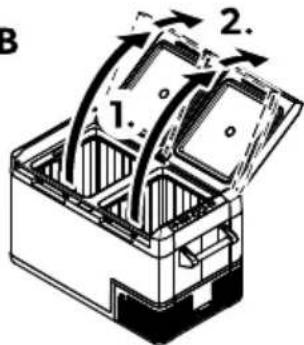
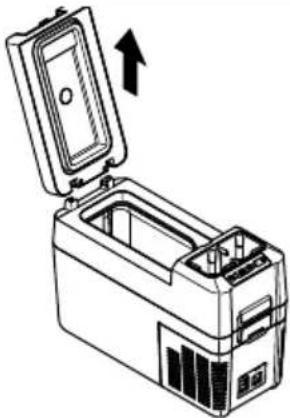
natural_image
Line drawing of a portable electronic device with an open lid and internal casing, showing no text or symbols.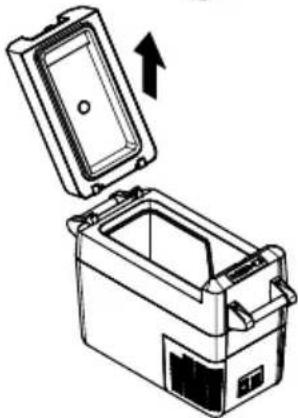
natural_image
Illustration of a closed storage container with an open lid and an arrow indicating upward motion (no text or symbols)B
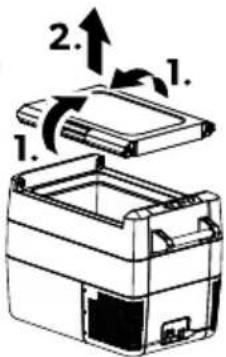
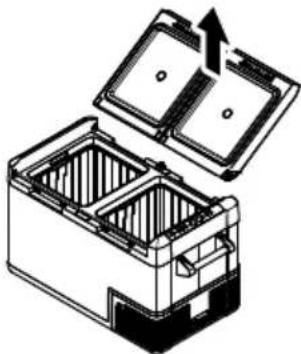
natural_image
Technical illustration of a battery pack with open lid and internal compartments (no text or symbols)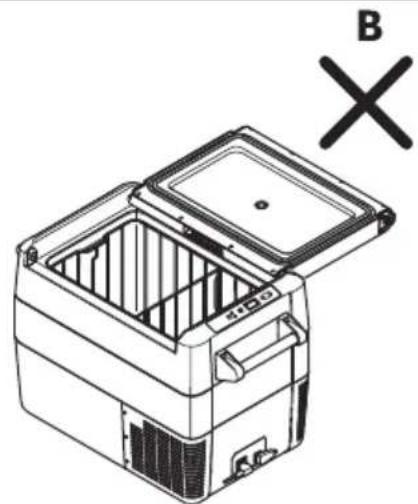
natural_image
Line drawing of a refrigerator with open lid and internal compartments, marked with 'B' and 'X' symbols (no text or labels on the diagram itself)
natural_image
Line drawing of a car interior with a device and a magnified inset showing a connector detail (no text or symbols)flowchart
graph TD
    A["Component 1: Rear塞接头"] --> B["Component 2: Cable pin"]
    B --> C["Component 3: Wire basket with cable"]
    C --> D["Component 4: Final assembly with curved arrow"]
natural_image
Line drawing of a mechanical device with an arrow indicating rotation or assembly (no text or symbols)CFF20
A
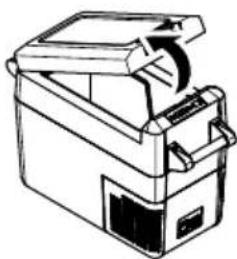
natural_image
Line drawing of a mechanical device with a handle and internal components (no text or symbols)CFF35, CFF45
A
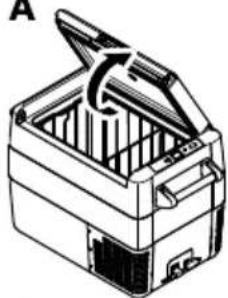
natural_image
Line drawing of a closed toolbox with open lid and internal compartments (no text or symbols)CFF70DZ
A
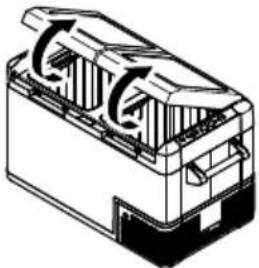
natural_image
Technical line drawing of a mechanical component with internal flow arrows (no text or symbols)- B
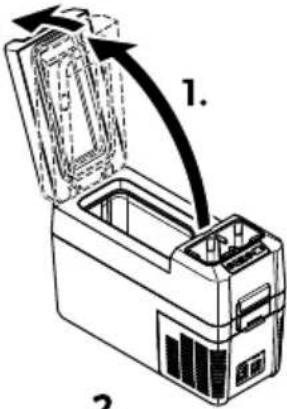
2.
B
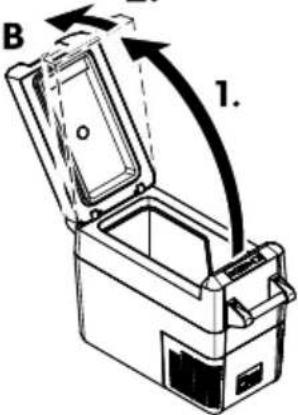
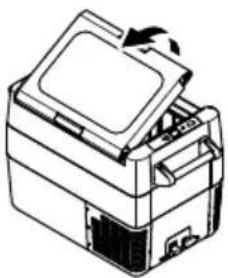
natural_image
Line drawing of a printer with an open lid and internal components (no text or symbols)B
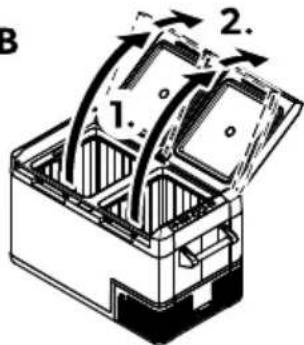
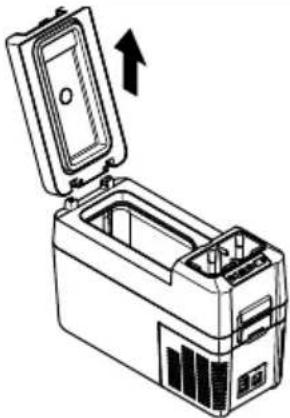
natural_image
Line drawing of a portable electronic device with an open lid and internal casing, showing no text or symbols.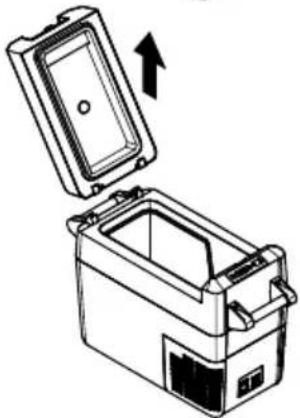
natural_image
Diagram of a portable appliance with an open lid and internal compartments, showing an upward arrow (no text or symbols)B
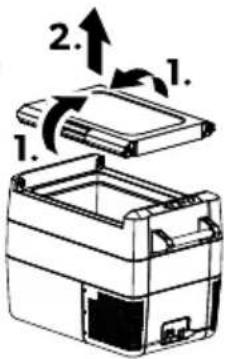
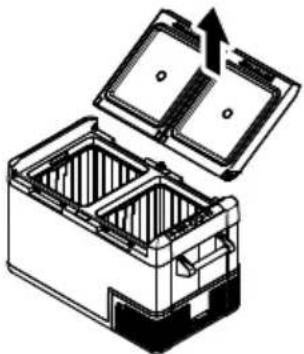
natural_image
Diagram of a battery pack with open lid and internal compartments, showing internal structure and upward arrow (no text or symbols)natural_image
Line drawing of a car interior with a device and a magnified inset showing a connector detail (no text or symbols)natural_image
Line drawing of a portable battery with lid, side panel, and front panel (no text or symbols)CFF20
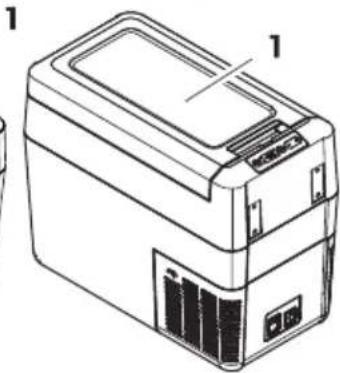
natural_image
Line drawing of a rectangular electronic device with labeled components (no text or symbols present)CFF35, CFF45
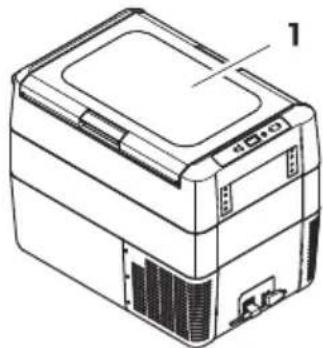
natural_image
Line drawing of a printer or scanner device with no visible text or symbols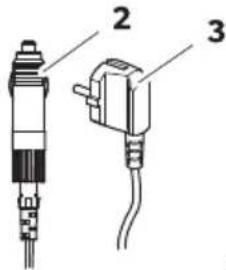
CFF20, CFF35, CFF45, CFF70DZ
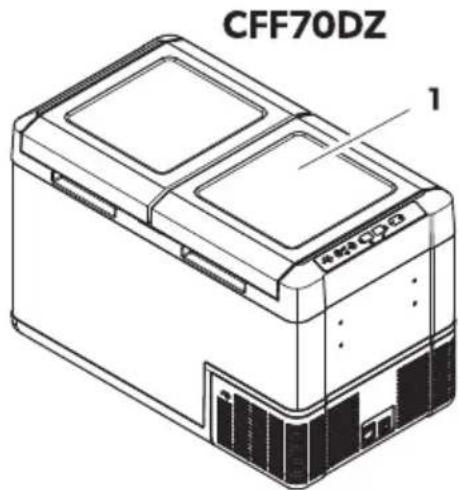
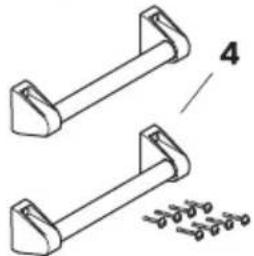
natural_image
Technical line drawing of two mechanical components with mounting brackets and a separate detail view (no text or symbols)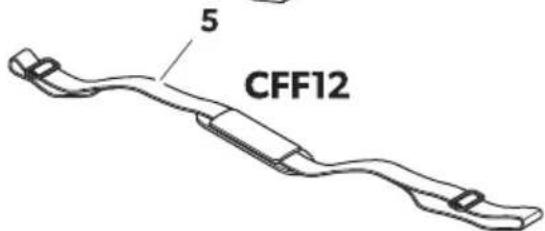
Element!

lppal655
Da9(29m! ' pra4!t!
natural_image
Line drawing of a mechanical device with an arrow indicating rotation or assembly (no text or symbols)CFF20
A
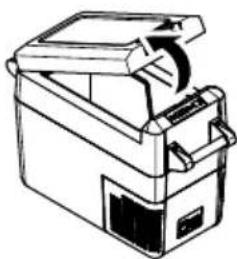
natural_image
Line drawing of a portable electronic device with handle and control panel (no text or symbols)CFF35, CFF45
A
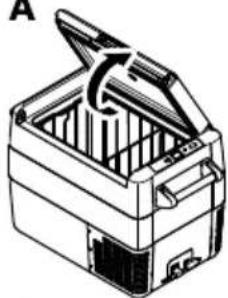
natural_image
Line drawing of a closed toolbox with open lid and internal compartments (no text or symbols)CFF70DZ
A
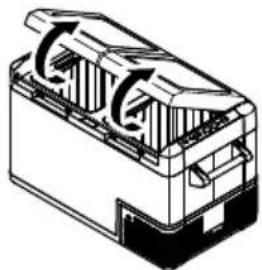
natural_image
Technical line drawing of a mechanical component with internal flow arrows (no text or symbols)- B
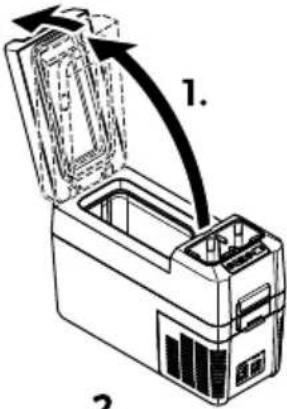
2.
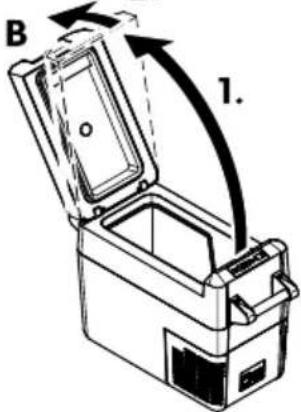
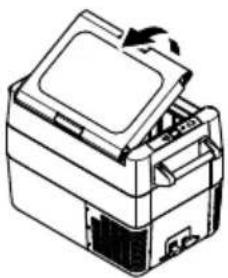
natural_image
Line drawing of a printer with an open lid and internal components (no text or symbols)B
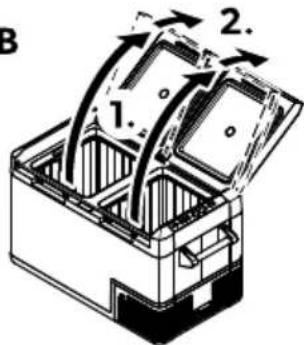
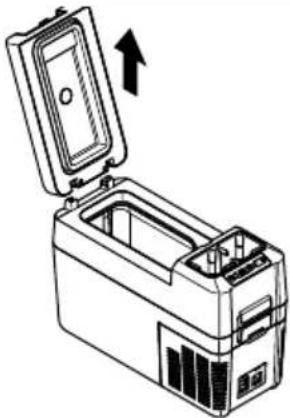
natural_image
Line drawing of a portable electronic device with an open lid and internal casing, showing no text or symbols.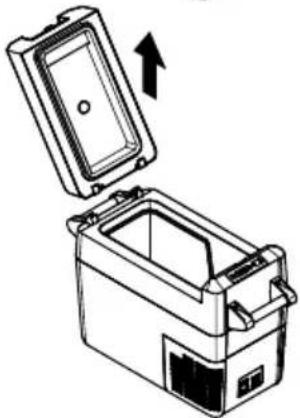
natural_image
Diagram of a portable appliance with an open lid and internal compartments, showing an upward arrow (no text or symbols)B
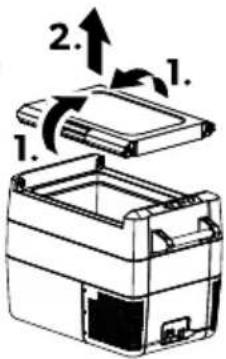
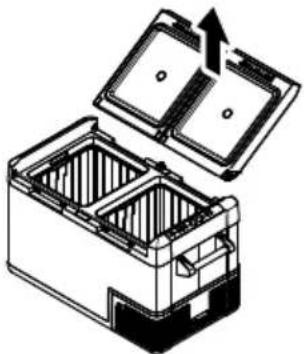
natural_image
Diagram of a battery pack with open lid and internal compartments, showing internal structure and upward arrow (no text or symbols)Kro2a bti4ai CFF35 9n CFF45 mo( elimc 9n !a( alītYja bti4ai CFF18 mo( elimc i2ņemšana

NEMIE 8E&A! J ojYj9m9 ri! 4!
natural_image
Technical line drawing of a car interior showing a device with a zoomed-in inset (no text or symbols)&ostiprinot ar bagYža! !i4! nYmH rīkojietiesH k@ par@dīts ( att.f0 lpp.fPPT).
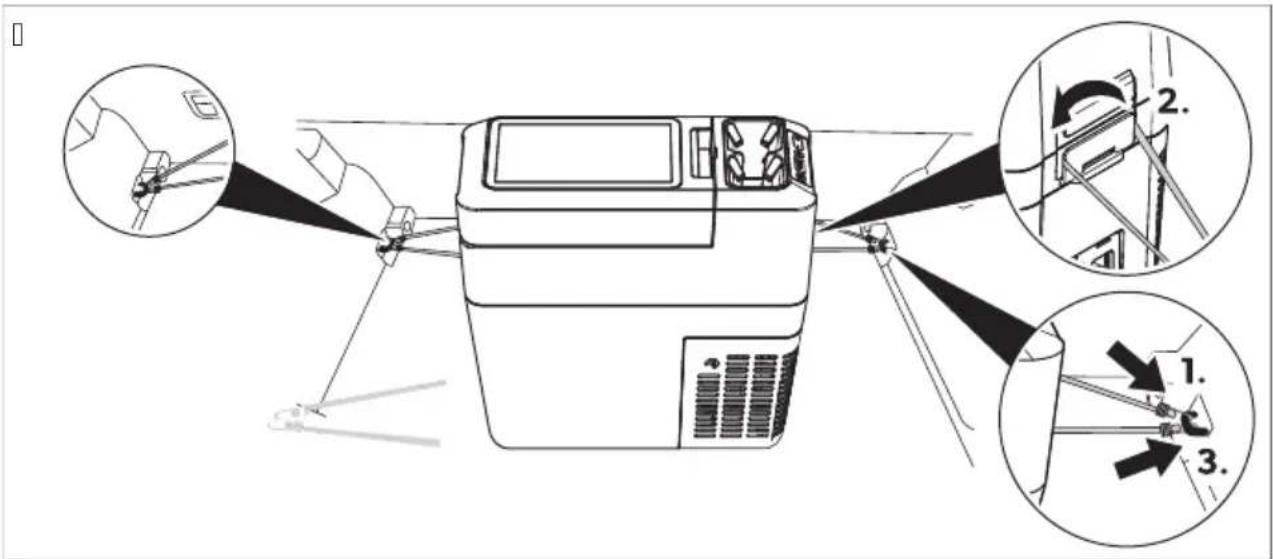
da15' pgai! moj9ma !hēma! plate! nomainišana

NEMIE 8E&A! J ojYj9m9 ri! 4!
b J tbalstiet v@ku ar vienu roku (J).
b J r otru roku turiet Sksatoru nospiestu uz leju (B).
b Furiet Sksatoru nospiestu lai to nesalauztu un aizveriet v@ku tik t@lu cik iespējams- neiespiežot ikški.
b Fagad v@kam vajadzētu atrasties aptuveni par@dītaj@ leækī (e att. H KB. lpp.).
b & oæemiet roku no Sksatora (B) un aizveriet v@ku līdz galam.

natural_image
Line drawing of a CFF18 battery casing with handle and internal components (no text or symbols)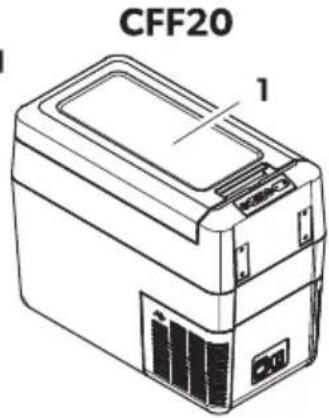
CFF35, CFF45
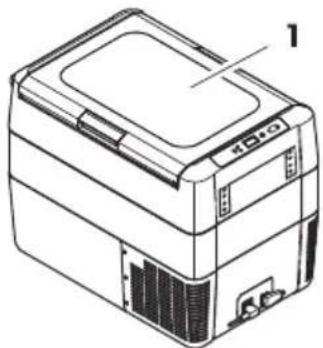
natural_image
Line drawing of a rectangular electronic device with labeled component '1' (no text or symbols on the device itself)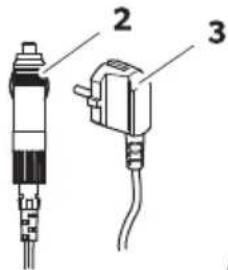
CFF20, CFF35, CFF45, CFF70DZ
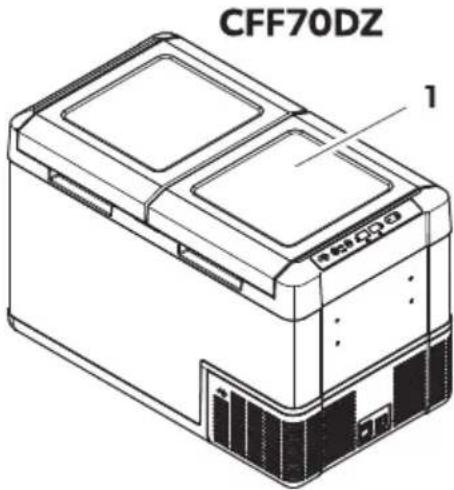
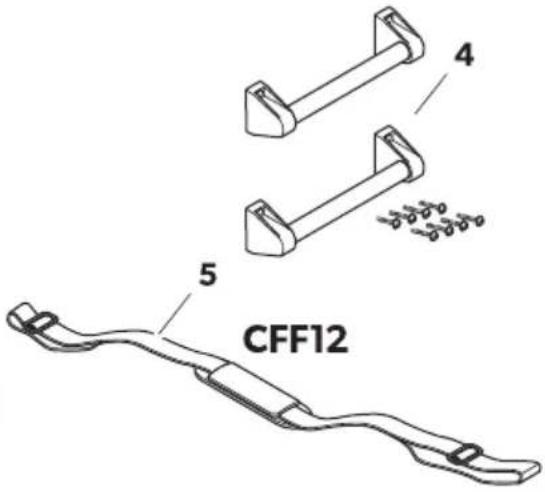
الوصقالكمية
شکل
الموضي
683 بالصفحة
جهاز التبريد 11
| الشرحالوصف العصر | |
| ٥٠٥٥٥٥٥٥٥٥٥٥٥٥٥٥٥٥٥٥٥٥٥٥٥٥٥٥٥٥٥٥٥٥٥٥٥٥٥٥٥٥٥٥٥٥٥٥٥٥٥٥٦١٢٣٤٥٥٥٥٥٥٥٥٥٥٥٥٥٥٥٥٥٥٥٥٥٥٥٥٥٥٥٥٥٥٥٥٥٥٥٥٥٥٥٥٥٥٥٥٥٥٥٥٥٢٢٣٤٥٥٥٥٥٥٥٥٥٥٥٥٥٥٥٥٥٥٥٥٥٥٥٥٥٥٥٥٥٥٥٥٥٥٥٥٥٥٥٥٥٥٥٥٥٥٢٢٣٥٥٥٥٥٥٥٥٥٥٥٥٥٥٥٥٥٥٥٥٥٥٥٥٥٥٥٥٥٥٥٥٥٥٥٥٥٥٥٥٥٥٥٥٥٥٥٥٥٤٢٣٤٥٥٥٥٥٥٥٥٥٥٥٥٥٥٥٥٥٥٥٥٥٥٥٥٥٥٥٥٥٥٥٥٥٥٥٥٥٥٥٥٥٥٥٥٥٥٦١٢٢٣٤٥٥٥٥٥٥٥٥٥٥٥٥٥٥٥٥٥٥٥٥٥٥٥٥٥٥٥٥٥٥٥٥٥٥٥٥٥٥٥٥٥٥٥٥٥٦١٢٣٥٥٥٥٥٥٥٥٥٥٥٥٥٥٥٥٥٥٥٥٥٥٥٥٥٥٥٥٥٥٥٥٥٥٥٥٥٥٥٥٥٥٥٥٥٥٥٦٢٣٤٥٥٥٥٥٥٥٥٥٥٥٥٥٥٥٥٥٥٥٥٥٥٥٥٥٥٥٥٥٥٥٥٥٥٥٥٥٥٥٥٥٥٥٥٥٥٤٢٣٣٤٥٥٥٥٥٥٥٥٥٥٥٥٥٥٥٥٥٥٥٥٥٥٥٥٥٥٥٥٥٥٥٥٥٥٥٥٥٥٥٥٥٥٥٥٥٥٥٦١٣٣٤٣٤٣٤٣٤٣٤٣٤٣٤٣٤٣٤٣٤٣٤٣٤٣٤٣٤٣٤٣٤٣٤٣٤٣٤٣٤٣٤٣٤٣٤٣٤٣٤٣٣٤٣٤٣٤٣٤٣٤٣٤٣٤٣٤٣٤٣٤٣٤٣٤٣٤٣٤٣٤٣٤٣٤٣٤٣٤٣٤٣٤٣٤٣٤٣٤٢٣٤٢٢٢٢٢٢٢٢٢٢٢٢٢٢٢٢٢٢٢٢٢٢٢٢٢٢٢٢٢٢٢٢٢٢٢٢٢٢٢٢٢٢٢٢٢٢٢٢٢٢٩٠٠٠٠٠٠٠٠٠٠٠٠٠٠٠٠٠٠٠٠٠٠٠٠٠٠٠٠٠٠٠٠٠٠٠٠٠٠٠٠٠٠٠٠٠٠٠٠٠٠١٢٢٢٢٢٢٢٢٢٢٢٢٢٢٢٢٢٢٢٢٢٢٢٢٢٢٢٢٢٢٢٢٢٢٢٢٢٢٢٢٢٢٢٢٢٢٢٢٢٣٢٢٢٢٢٢٢٢٢٢٢٢٢٢٢٢٢٢٢٢٢٢٢٢٢٢٢٢٢٢٢٢٢٢٢٢٢٢٢٢٢٢٢٢٢٢٢٢٢٦١٢٢٢٢٢٢٢٢٢٢٢٢٢٢٢٢٢٢٢٢٢٢٢٢٢٢٢٢٢٢٢٢٢٢٢٢٢٢٢٢٢٢٢٢٢٢٢٢٣٣٣٣٣٣٣٣٣٣٣٣٣٣٣٣٣٣٣٣٣٣٣٣٣٣٣٣٣٣٣٣٣٣٣٣٣٣٣٣٣٣٣٣٣٣٣٣٣٣٢٢٢٢٢٢٢٢٢٢٢٢٢٢٢٢٢٢٢٢٢٢٢٢٢٢٢٢٢٢٢٢٢٢٢٢٢٢٢٢٢٢٢٢٢٢٢٢٣١٢٢٢٢٢٢٢٢٢٢٢٢٢٢٢٢٢٢٢٢٢٢٢٢٢٢٢٢٢٢٢٢٢٢٢٢٢٢٢٢٢٢٢٢٢٢٢٢٦٠٠٠٠٠٠٠٠٠٠٠٠٠٠٠٠٠٠٠٠٠٠٠٠٠٠٠٠٠٠٠٠٠٠٠٠٠٠٠٠٠٠٠٠٠٠٠٠٠٧١٢٢٢٢٢٢٢٢٢٢٢٢٢٢٢٢٢٢٢٢٢٢٢٢٢٢٢٢٢٢٢٢٢٢٢٢٢٢٢٢٢٢٢٢٢٢٢٢٩١٢٢٢٢٢٢٢٢٢٢٢٢٢٢٢٢٢٢٢٢٢٢٢٢٢٢٢٢٢٢٢٢٢٢٢٢٢٢٢٢٢٢٢٢٢٢٢٢١٢٢٢٢٢٢٢٢٢٢٢٢٢٢٢٢٢٢٢٢٢٢٢٢٢٢٢٢٢٢٢٢٢٢٢٢٢٢٢٢٢٢٢٢٢٢٢٢٨١٢٢٢٢٢٢٢٢٢٢٢٢٢٢٢٢٢٢٢٢٢٢٢٢٢٢٢٢٢٢٢٢٢٢٢٢٢٢٢٢٢٢٢٢٢٢٢٢٤ ^1 | |
| الشرقالوصف العصر | |
| رّة واحدة لزيادة القيمة 7+ | |
| ※ | ق عندا يتم تبريد القسم 8 |
مقياس التوصيل
[]
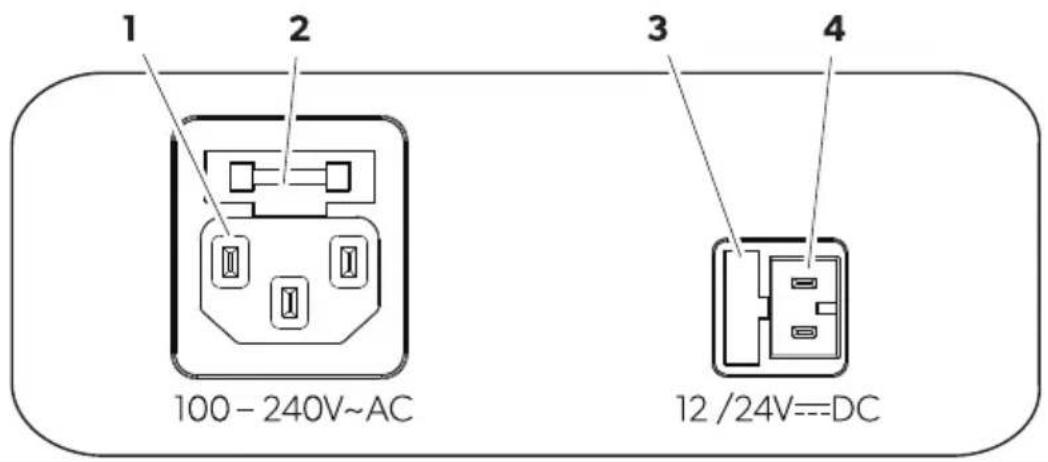
natural_image
Line drawing of a mechanical device with an open lid and internal components, no text or symbols present.CFF20
A
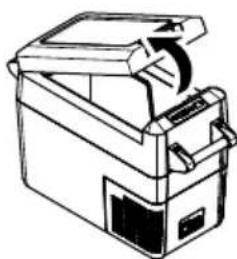
natural_image
Line drawing of a mechanical device with a handle and internal components (no text or symbols)CFF35, CFF45
A
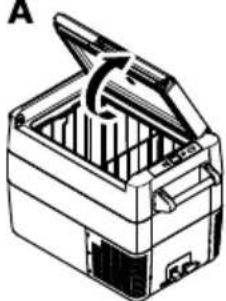
natural_image
Line drawing of a closed toolbox with open lid and internal compartments (no text or symbols)CFF70DZ
A
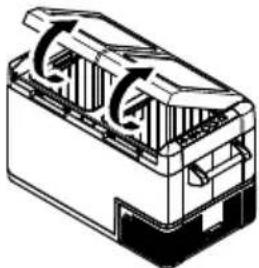
natural_image
Technical line drawing of a mechanical component with internal flow arrows (no text or symbols)- B
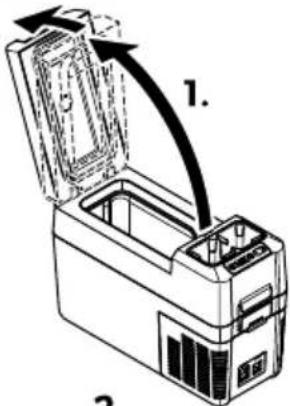
2.
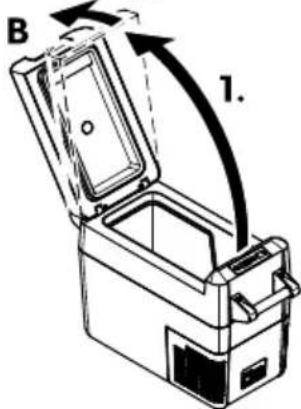
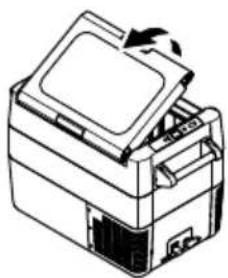
natural_image
Line drawing of a printer with an open lid and base, showing internal components (no text or symbols)B
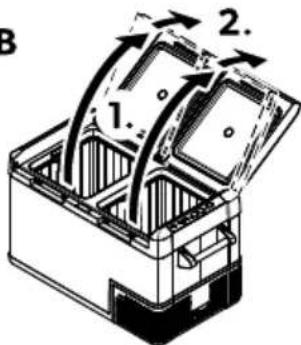
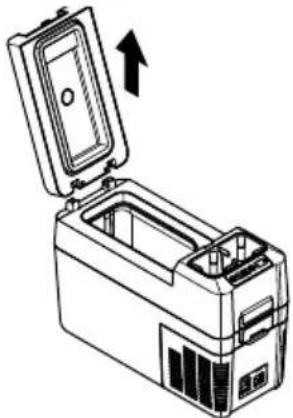
natural_image
Line drawing of a device with an open lid and internal casing, showing a directional arrow (no text or symbols)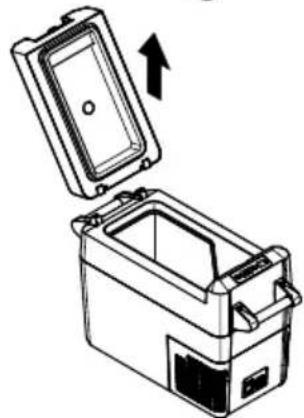
natural_image
Technical line drawing of a mechanical device with an open lid and internal casing, showing an upward arrow (no text or symbols)B
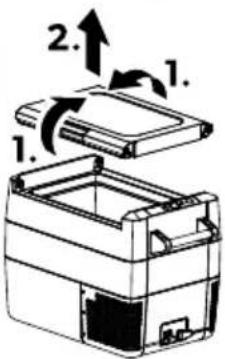
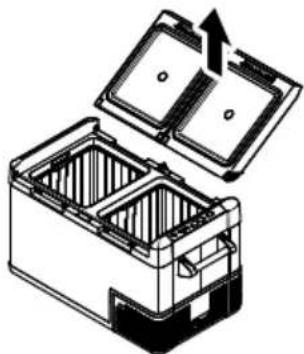
natural_image
Diagram of an open battery pack with internal compartments and a directional arrow indicating flow (no text or symbols)(Β) :CFF12, CFF18, CFF20, CFF70DZ <
وضع إيقاف الغطاء
natural_image
Line drawing of a closed storage unit with open lid and internal compartments, marked with 'B' and 'X' symbols (no text or labels on the diagram itself)
تحذير! خطر التلف
natural_image
Diagram of a car interior showing a device with a close-up inset of its seatbelt (no text or symbols present)eprel.ec.europa.eu
dometic.com
YOUR LOCAL DEALER
dometic.com/dealer
YOUR LOCAL SUPPORT
dometic.com/contact
dometic.com/sales-offices
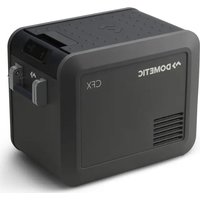

- CFF12, CFF18, CFF20, CFF35, CFF45, CFF70DZ
- Engli!h
- Important note!
- Explanation of !7mbol!
- Explanation of !7mbol! on the (e-ice
- Safet7 in! tr9ction!
- D' NKE&! Electroc9tion ha2ar(
- W' &N|NK! Explo! ion ha2ar(
- W' &NINK! Electroc9tion ha2ar(
- W' &NINK! Fire ha2ar(
- W' &NINK! Cealth ha2ar(
- C' D 1: N! Electroc9tion ha2ar(
- C' D 1: N! Cealth ha2ar(
- N: 1CE! Damage ha2ar(
- Scope of ( eli- er7
- Inten( e( 9!e
- echnical (e!cription
- 7a1 Scope of f9nction!
- Connection !oc4et!
- J efore fir!t 9!e
- Mo9nting the han( le!
- &e- er!ing the li( opening bD9al Zone onl7c
- 3i(!top position
- &emo-ing the c9p hol(er bCFF12 onl7c
- Selecting the temperat9re 9nit!
- d: peration
- da1' - oi( ing foo( e a! te
- da2 Sa-ing energ7
- da3 Connecting the cooling (e-ice
- da4 D! ing the batter7 monitor
- da5 D!ing the cooling (e-ice
- 3atching the cooling (e-ice li)
- D9al 2one cooling (e-ice!
- da8 Se itching a compartment off or on b(9al 2one cooling (e-ice!c
- Se itching off a compartment
- Se itching on a compartment
- dad Setting the ( i!pla7 brightne!!
- da10 Se itching off the cooling (e-ice
- da11 Defro! ting the cooling (e- ice
- da12 &eplacing the ' C f9!e
- da13 &eplacing the DC f9!e
- da14 &eplacing the DC pl9g f9!e
- da15 &eplacing the light . CJ
- Cleaning an( maintenance
- ro9ble!hooting
- 3i( pa!t b9ilt-in !top bCFF35, CFF45c
- Warrant7
- Di! po! al
- echnical (ata
- De9t! ch
- da7 &) glage ( e la temp) rat9re
- da7 ' j9!te ( e la temperat9ra
- PTDometic CFF
- da7 Definir a temperat9ra
- da7 &egola2ione ( ella temperat9ra
- da15 So! tit92ione (el circ9ito ! tampato (elle l9ci
- NLDometic CFF
- da7 emperat99r in! tellen
- F' &E! Fare for ele4tri!4 !t5(
- DAM Dometic CFF
- 81K 1K ! Fare for be!4a( igel!e
- da15 J 7ta lj9!4ret!4ort
- F' &E! Fare for ele4tri!4 !t5t
- F: &S1K 1K! Fare for ele4tri!4!t5t
- For! 4rift! me!!ig br94
- Fjerne 49r- en b49n CFF35 og CFF45c og !4ille- egg b49n CFF18c
- da7 lnn! tilling a- temperat9r
- da15 S4ifte l7!4ortet
- da7 3ämphtilan ! ääth
- W7jmoe anie 4o!2a bt7l4o CFF35 ilCFF45c ilpr2egro(7 bt7l4o CFF18c
- da7 D! tae ianie temperat9r7
- Slo-en!47
- Dôležit) o2ns menia
- SKDometic CFF
- o9žA- anie - z! wla( e !z9rčenAm
- 87bratie 4ošA4a biba mo( el7 CFF35 a2CFF45c alpre( el9 biba mo( el CFF18c
- da7 Na! ta- enie teplot7
- Dora2o-s poloha - A4a
- 87jm9tA 4oše bpo92e CFF35 a1CFF45c alpBepsž47 bpo92e CFF18c
- da7 Na! ta- enA teplot7
- da7 ' hFm) r!) 4let besllAts! a
- Namjena
- rije pr-e 9porabe
- Montaža r9č4i
- HRDometic CFF
- D4lanjanje 4ošare b! amo 2a CFF35 i CFF45c i pregra( e b! amo 2a CFF18c
- da15 Zamjena ti! 4ane pločice 2a ra! - jet9
- Sepetin b7alnl2ca CFF35 - e CFF45c - e bhlücünün b7alnl2ca CFF18c /l4artllma!
- da7 Slca4llHIn a7arlanma!
- da7 Na! ta- ljanje temperat9re
- da15 Zamenja- a plošče ti! 4anega - e2ja 2a o! - etlja- o
- da7 Setarea temperat9rii
- ONSBTT RT UMiT TBKT T
- ИзMP3BTRQ пМ пWQURT3RTЧQROQ
- TQSROЧQ¡ кМ МПО¡ TROQ
- 7a1 ONSBTT RT φVRKΩOQTQ
- ПWQUO ПЪWВТТ VПМТWQNT
- L MRTOWTRQ RT UWЪЖКОТQ
- L TSTRQ RT UbWжтчт 3T чтшо bj TMM 3T CFF12c
- От¡ tWTRЯВ TRQ RT кМШРОЦТТ b¡ ТмМ 3T CFF35 O CFF45c O WT3UQPOТQPЯ b¡ ТмМ 3T CFF18c
- ИзNMW RT QUOROЦОТQ 3T ТОМПQWTTVWT
- da1 ИзNЯгВТРО RT WTЗВТРЯRQТМ RT SWTROТQPРО ПWMUVКТО
- da2 ИкMRММОЯ RTZQRQWГОЯ
- BGDometic CFF
- da3 СвъWзвTRQ RT MSPTжUTщОЯ VWQU
- da7 HTi tWMiKT RTtQmNQWTtVWTtT
- ДВV3MRMBO MSPTUOTQPRO VWQUO
- da7 emperat99ri!ea( mine
- da15 8alg9! t9! e trü44plaa( i - ahetamine
Brand : DOMETIC
Model : CFF20
Category : Fridge