
CFX5 55 - Fridge DOMETIC - Free user manual and instructions
Find the device manual for free CFX5 55 DOMETIC in PDF.
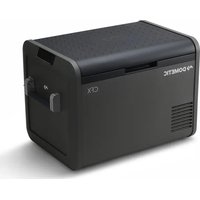


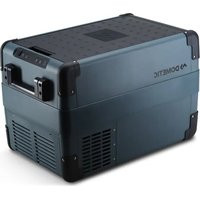
| Product type | Portable compression refrigerator |
| Brand | Dometic |
| Model | CFX5 55 |
| Total capacity | 55 liters |
| Dimensions (L x W x H) | 848 x 590 x 680 mm |
| Net weight | 25.5 kg |
| Power supply | 12/24 V DC and 100-240 V AC |
| Power consumption | Approx. 4.5 A at 12 V / 2.1 A at 24 V / 1.1 A at 230 V |
| Temperature range | From -18 °C to +10 °C (adjustable in 1 °C increments) |
| Climate class | SN, T (from +10 °C to +43 °C) |
| Refrigerant | R290 (isobutane), 32 g |
| Battery protection | 3 levels (low, medium, high) to prevent excessive discharge |
| Connectivity | Built-in Bluetooth and Wi-Fi for control via the Mobile Cooling app |
| Display functions | LED display with temperature in °C/°F, screen lock, battery indicator |
| USB port | 1 USB-A port (5 V, 2.1 A) for charging mobile devices |
| Handles | Integrated folding handles |
| Included accessories | DC cable (12/24 V) and AC cable (100-240 V) |
| Maintenance | Clean interior and exterior with a damp cloth; defrost regularly |
| Safety | Automatic shut-off in case of abnormal temperature; surge protection |
| Repairability | Replaceable fuses (DC and AC); spare parts available through authorized service |
| Warranty | Legal 2-year warranty (subject to conditions) |
| Certifications | Compliant with European directives; CE marking |
Frequently Asked Questions - CFX5 55 DOMETIC
User questions about CFX5 55 DOMETIC
0 question about this device. Answer the ones you know or ask your own.
Ask a new question about this device
Download the instructions for your Fridge in PDF format for free! Find your manual CFX5 55 - DOMETIC and take your electronic device back in hand. On this page are published all the documents necessary for the use of your device. CFX5 55 by DOMETIC.
USER MANUAL CFX5 55 DOMETIC
CFX5 25, CFX5 35, CFX5 45, CFX5 55, CFX5 55IM, CFX5 75DZ, CFX5 95DZ
EN Cooling box Operating Manual...... OM DE Kühlbox Bedienungsanleitung...... KN FR Manuel d'utilisation....LP ES Nevera Instrucciones de uso....00 PT Geleira Manual de instruções.....0CK IT Frigorifero portatile Istruzioni per l'uso..... CBL NL Koelbox Gebruiksaanwijzing...... QDN DA Køleboks Betjeningsvejledning.....QMP SV Kylbox Bruksanvisning...... QPC NO Kjøleboks Bruksanvisning......B00 FI Kylmälaatikko Käyttöohje...... BKB PL Lodówka turystyczna Instrukcja obsługi.... BLK SK Chladiaca box Návod na obsluhu...... BNL
CS Chladicí box Návod k obsluze......BPM HU Hűtőláda Használati utasítás.... KON HR Rashladna torba Upute za rukovanje....KKP RS Rashladna torba Uputstvo za rukovanje......KMC SL Hladilna torba Navodilo za uporabo......K00 RO Cutie frigorifică Instrucțiuni de operare....DCB RU Холодильная сумка Руководство по эксплуатации......DBK ET Lahutusjuhend......DDL EL Ψυγείο Οδηγίες χειρισμού...... DMM LT Šaldymo dėžutė Naudojimo vadovas...... DOP LV Saldēšanas soma Lietošanas rokasgrāmata....LOC AR دليل التشغيل
AR دليل التشغيل
Copyright
Copyright Dometic Group. The visual appearance of the contents of this manual is protected by copyright and design law. The underlying technical design and the products contained herein may be protected by design, patent or pending patent. The trademarks mentioned in this manual belong to Dometic Sweden AB. All rights are reserved.
List of Figures [] CFX5 25, CFX5 35, CFX5 45, CFX5 55, CFX5 55IM, CFX5 75DZ, CFX5 95DZ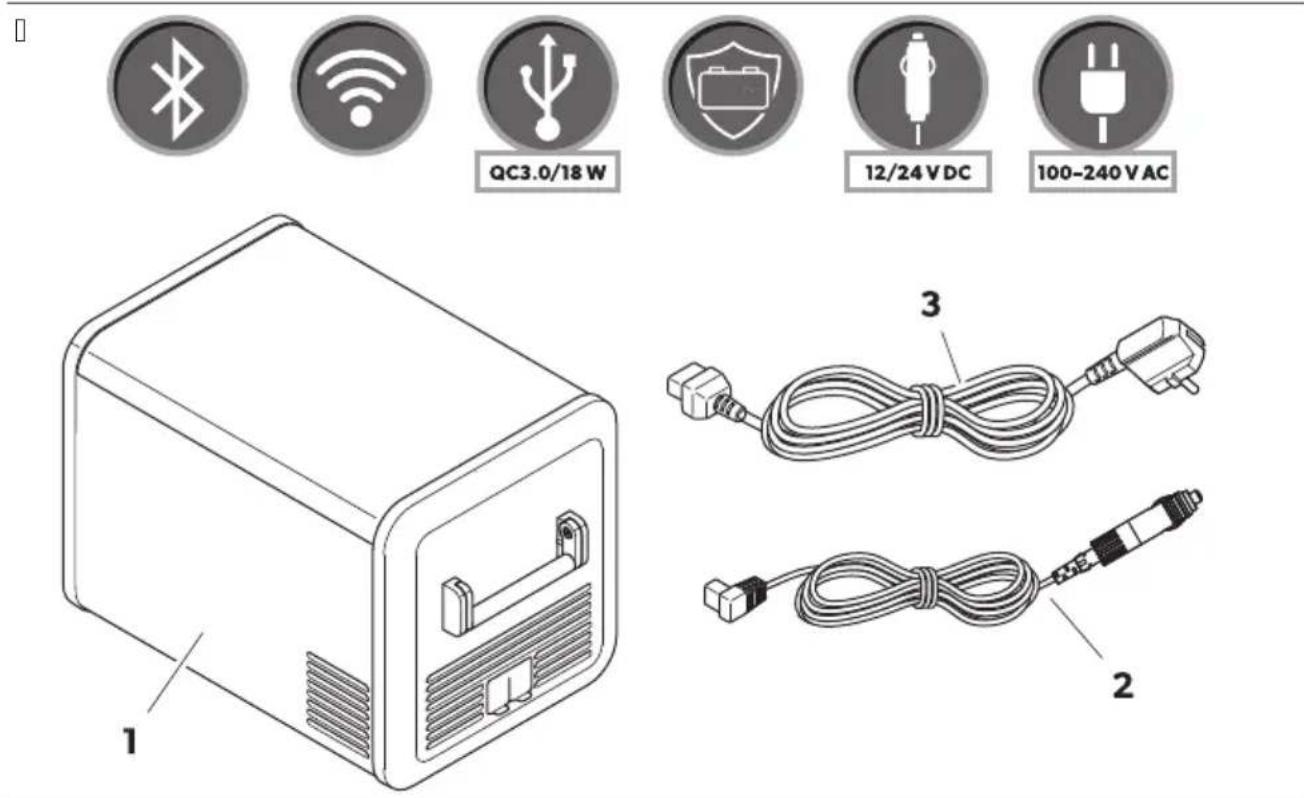
CFX5 25, CFX5 35, CFX5 45, CFX5 55
CFX5 55 IM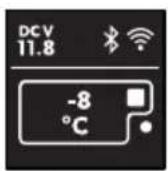
CFX5 75DZ, CFX5 95DZ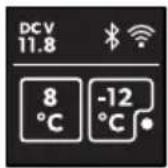
| Low | Medium | High | ||
12V | OFF | 10.1 V | 11.2 V | 11.8 V |
| ON | 11.4 V | 12.2 V | 12.6 V | |
24V | OFF | 21.5 V | 24.1 V | 24.6 V |
| ON | 23.0 V | 25.3 V | 26.2 V |
CFX5 25/CFX5 35/CFX5 45/CFX5 55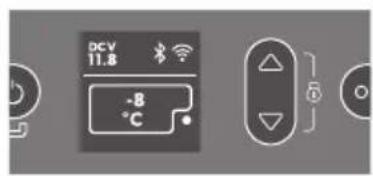

CFX5 55IM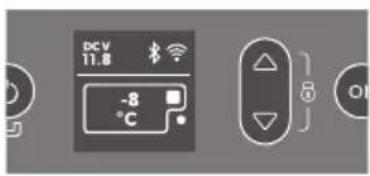


CFX5 75DZ/CFX5 95DZ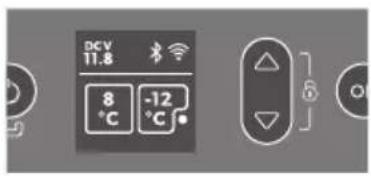

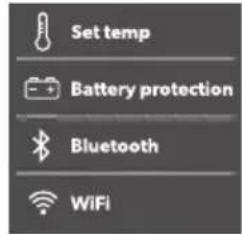
CFX5 25/CFX5 35/CFX5 45/CFX5 55/CFX5 55IM![graph TD A["DCV 11.8°C"] --> B["Set temp"] B --> C["Battery protection"] B --> D["Bluetooth"] B --> E["WIFI"] C --> F["Set temp"] D --> F E --> F F --> G["-6°C"] G --> H["Set temp"] H --> I["-6°C"] I --> J["OK"] style A fill:#f9f,stroke:#333 style J fill:#bbf,stroke:#333](/content/2026/04/715627/images/73cccc90321ba9a6a7ad169510b64fb1d13c9e6337332caf91b187dbbbef90b5.jpg)
CFX5 75DZ/CFX5 95DZ![graph TD A["DCV 11.8, 8°C, -12°C"] --> B["Set temp 6°C"] B --> C["Set temp 6°C, Battery protection, Bluetooth, WiFi"] C --> D["Set temp 8°C, -12°C"] D --> E["Set temp 8°C, -12°C"] E --> F["Set temp 8°C, -12°C"] F --> G["Set temp 8°C, -12°C"] G --> H["Set temp 8°C, -12°C"] H --> I["Set temp 8°C, -12°…](/content/2026/04/715627/images/67f11528d7d7da1f797811b1522b38b1971fcb9399ee239355bb4cdda2fb65fb.jpg)
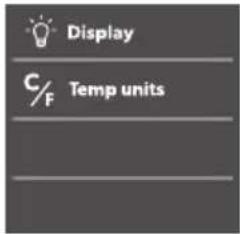
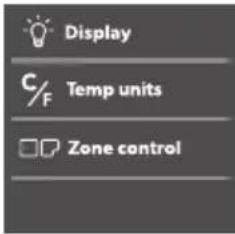
CFX5 75DZ/CFX5 95DZ![graph TD A["DCV 11.8"] --> B["Display"] B --> C["Zone control"] C --> D["Zone control"] D --> E["Zone control"] E --> F["..."] B --> G["Temp units"] G --> H["Zone control"] H --> I["Only On"] I --> J["Large On"] J --> K["Only On"] K --> L["Small On"] L --> M["Only On"] M --> N["All"] style A fill:#f…](/content/2026/04/715627/images/e4a6edda8d5530fb328dcd25074d541cea49bd9344e1d1c7127cd34220bd3f9f.jpg)
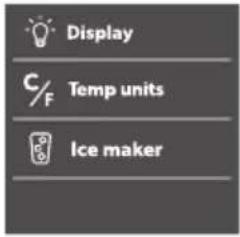
CFX5 55 IM![graph LR A["DCV 11.8"] --> B["Display"] B --> C["Ice maker"] C --> D["Ice maker"] D --> E["Display"] style A fill:#f9f,stroke:#333 style B fill:#ccf,stroke:#333 style C fill:#cfc,stroke:#333 style D fill:#fcc,stroke:#333 style E fill:#ffc,stroke:#333](/content/2026/04/715627/images/23fd08befe896d4d415562c264e5f866d5654196b0cb3fa9b1e4e5bb61580270.jpg)
[ ]
□![graph TD A["DCV 11.8°C"] --> B["Set temp"] B --> C["Battery protection"] B --> D["WiFi"] C --> E["Bluetooth ON OFF PAIR"] D --> E E --> F["Bluetooth ON OFF PAIR"] G["Smartphone"] --> H["DCV 11.8°C"] H --> I["Set temp"] I --> J["Battery protection"] I --> K["WiFi"] J --> L["Bluetooth ON OFF PAIR"] K…](/content/2026/04/715627/images/59c5be35ce47c71796bc0e58c7319ac6fb59aa32f5ccb4f6b79fd92a314eba85.jpg)
□![graph TD A["DCV 11.8 -8°C"] --> B["Set temp"] B --> C["OK"] B --> D["OK"] C --> E["Battery protection"] D --> F["Bluetooth"] D --> G["WIFI"] E --> H["ON"] F --> I["OFF"] G --> J["RESET"] H --> K["WiFi ON"] I --> L["WiFi ON"] J --> M["WiFi ON"] K --> N["ON OFF RESET"] L --> O["ON OFF RESET"] M --> P[…](/content/2026/04/715627/images/1fa9f32fc59dff7c1fd251f45bb8972a3b5c705e3b408ce499c601c124e98d47.jpg)
□![graph LR A["DCV 11.8°C"] --> B["-8 °C"] B --> C["3 sec"] C --> D["△ + OK"] D --> E["FACTORY RESET"]](/content/2026/04/715627/images/e5ea83e163038ef901611f0276200e0ee21a572916c78ff56153291162eadc90.jpg)
□
[]![graph TD A["Component 1"] --> B["Component 2"] B --> C["Component 3"] C --> D["Component 4"]](/content/2026/04/715627/images/fc150e7305b72ed9f7a329f3f5e87619af9443019cc89310f2fc18690a7d8b31.jpg)
[]
□
English
Important notes.....QM B RSplanation of symbols...... QM K | a et " instructions......ON D RSplanation of symbols on the device....00 L | cope of deliver"....QP M J accessories.....QP N Intended use.....QP O Fechnicial description....BC P Before Trst use....BQ QC Operation....BB QQ Uleaning and maintenance....BO QB Froubleshooting...... BO QK V arrant"KC QD E isposal....KC QL Fechnical data....KC
P I4) ortant note/
"Please read these instructions carefully and follow all instructions guidelines and warnings included in this product manual in order to ensure that "ou install user and maintain the product proper" at all times. These instructions MUI F sta" with this product.
B" using the product "ou hereb" conTrm that "ou have read all instructions guidelines and warnings careull" and that "ou understand and agree to abide b" the terms and conditions as set forth herein. You agree to use this product onl for the intended purpose and application and in accordance with the instructions guidelines and warnings as set forth in this product manual as well as in accordance with all applicable laws and regulations. J failure to read and follow the instructions and warnings set forth herein ma result in an injur" to "oursels and others damage to "our product or damage to other propert" in the vicinit". This product manual including the instructions guidelines and warnings and related documentation ma be subject to changes and updates. Yor up-to-date product information please visit documents.dometic.com.
2 Ex) lanation o(/14 bol/
J signal word will identify "sæt" messages and propert" damage messagesH and also will indicate the degree or level of hazard seriousness.

Indicates a hazardous situation that, if not avoided, will result in death or serious injury.

Indicates a hazardous situation that, if not avoided, could result in death or serious injury.

Indicates a hazardous situation that, if not avoided, could result in minor or moderate injury.

Indicates a situation that, if not avoided, can result in property damage.

Note: Additional information for operating the product.

On boats: If the device is powered by the mains, ensure that the power supply has a residual current device (RCD), a residual current circuit breaker (RCCB), or a ground fault circuit interrupter (GFCI). Installation, especially in potentially damp areas, must be in accordance with all applicable installation regulations. Do not touch exposed cables with your bare hands. This applies especially when operating the device from the AC mains. Before starting the device, ensure that the power supply line and the plug are dry.

Do not store any explosive substances such as spray cans with a flammable propellant in the cooling device.

Do not operate the cooling device if it is visibly damaged. If the cooling device's power cable is damaged, it must be replaced with a suitable power cable or assembly available from the manufacturer or its service agent to prevent safety hazards. This cooling device may only be repaired by qualified personnel. Improper repairs can lead to considerable hazards. Plug the device into sockets that ensure proper connection, especially when the device needs to be earthed.

When positioning the cooling device, ensure that the supply cord is not trapped or damaged. Do not locate multiple portable socket-outlets or portable power supplies at the rear of the device. In the event of any damage to the refrigerant circuit, keep open flames and potential ignition sources away from the cooling device. Ventilate the room well. Switch off the cooling device. For cooling devices with RMC refrigerant, the refrigeration circuit contains a small quantity of an environmentally friendly but flammable refrigerant. It does not damage the ozone layer and does not increase the greenhouse effect. Any leaking refrigerant may ignite. Keep the ventilation openings on the device housing or in installations free of obstructions. Do not use any mechanical objects or other means to speed up the defrosting process, unless they have been recommended by the manufacturer for this purpose. Do not open or damage the refrigerant circuit. Do not use electrical devices inside the cooling device unless they are recommended by the manufacturer for that purpose.

WARNING: Health hazard
This cooling device can be used by children aged from 8 years and above and persons with reduced physical, sensory or mental capabilities or lack of experience and knowledge if they have been given supervision or instruction concerning use of the cooling device in a safe way and understand the hazards involved. Children aged from 3 to 8 years are allowed to load and unload cooling devices. Children must be supervised to ensure that they do not play with the device. Cleaning and user maintenance must not be carried out by unsupervised children.

Before starting the cooling device, ensure that the power supply line and the plug are dry. Disconnect the cooling device from the power supply
Before each cleaning and maintenance
After every use

CAUTION: Health hazard
To avoid contamination of food, observe the following instructions:
Check if the cooling capacity of the cooling device is suitable for storing the goods to be cooled. Food may only be stored in its original packaging or in suitable containers. Opening the cooling device for long periods of time can cause significant increase of the temperature in the compartments of the device. Clean regularly surfaces that can come in contact with food and accessible drainage systems.
If the cooling device is left empty for long periods:
Switch off the cooling device. Defrost the cooling device. Clean and dry the cooling device. Leave the lid open to prevent mold from developing within the cooling device.

NOTICE: Damage hazard
Check that the voltage specification on the data plate corresponds to that of the energy supply. Only connect the cooling device as follows:
With the EU connection cable to a EU power supply in the vehicle
With the DC connection cable to a DC power supply
Never pull the plug out of the socket by the cable. If the cooling device is connected to a EU outlet, disconnect the cooling device and other power consuming devices from the battery before connecting a quick charging device. If the cooling device is connected to a EU outlet, disconnect the cooling device or switch it off when turning off the engine. Otherwise the battery may be discharged. The cooling device is not suitable for transporting caustic materials or materials containing solvents. The insulation of the cooling device contains flammable cyclopentane and requires special disposal procedures. Deliver the cooling device at the end of its life-cycle to an appropriate recycling center. Do not place the cooling device near open flames or other heat sources (heaters, direct sunlight, gas ovens, etc.). Risk of overheating. Ensure at all times that there is a minimum of 5 cm ventilation on all sides of the cooling device. Keep the ventilation area free of any objects that could obstruct the air flow to the cooling components. Do not use or store the cooling device in closed compartments or areas with none or minimal air flow.
Do not fill the inner container with ice or fluids. Never immerse the cooling device in water. Protect the cooling device and cables against heat and moisture. The cooling device shall not be exposed to rain.
4 Explanation of symbols on the device

Warning: Risk of fire / Flammable materials
A2L
5 Scope of delivery
Fig. 5 on page 3
| Ite4 in [IMAGE] | T 9antit1 De/ ri) tion |
| Q Q Uooler | |
| B Q Uconnection cable for EU connection | |
| K Q Uconnection cable for J U connection |
User manual
Available as accessory (not included in scope of delivery)
| De/ignation Re(no Mo6el | ||
| Prote tive over | ||
| WUBL PMBCCQBOCO UYgL BL | ||
| WUKL PMBCCQBOCM UYgL KL | ||
| WUDL PMBCCQBOCL UYgL DL | ||
| WULL PMBCCQBOQC UYgL LL | ||
| UYgL LLIM | ||
| WUNL PMBCCQBOQQ UYgL NLEh | ||
| WUPL PMBCCQBOCN UYgL PLEh | ||
| Fri6ge /li6e | ||
| I>ELKLDLU | PMBCCQBDLD UYgL KL | |
| UYgL DL | ||
| I>ELLU | PMBCCQBDLL UYgL LL | |
| UYgL LLIM | ||
| I>ENLU | PMBCCQBDLM UYgL NLEh | |
| I>EPLQCCU | PMBCCQBDLN UYgL PLEh | |
| T 9i . (ixing . it | ||
| i Y BL | PMCCCCCQMM UYgL BL | |
| i Y KLDL | PMCCCBPLPP | UYgL KL |
| UYgL DL | ||
| Mobile Uooling app | j | suits all models |
Note that the app may not be available in your country.
7 Intended use
The cooling device is suitable for cooling goods. The cooling device is also suitable for use on vehicles.
The cooling device is designed to be operated from a EU on-board power supply of a vehicle or boat, from a EU auxiliary battery, or from an EU power supply.
The cooling device is suitable for camping or other similar recreational uses.
The cooling device is intended to be used in household and similar applications such as:
a | small kitchen areas in shops, offices, and other working environments; a | farm houses; a | clients in hotels, motels, and other residential type environments; a | bed and breakfast type environments; a | catering and similar non-retail applications
This product is only suitable for the intended purpose and application in accordance with these instructions.
This manual provides information that is necessary for proper installation and/or operation of the product. Poor installation and/or improper operation or maintenance will result in unsatisfactory performance and a possible failure.
The manufacturer accepts no liability for any injury or damage to the product resulting from:
a | Incorrect installation, assembly, or connection including excess voltage; a | Incorrect maintenance or use of spare parts other than original spare parts provided by the manufacturer; a | Alterations to the product without express permission from the manufacturer; a | Use for purposes other than those described in this manual
Dometic reserves the right to change product appearance and product specifications.
Technical description
A low maintenance refrigerant circuit with compressor provides the cooling. The generous insulation and the powerful compressor ensure efficient and fast cooling.
The cooling device is portable.
The cooling device can withstand a short-term inclination of 30° for example on boats.
Scope of delivery
a | Power supply with priority circuit for connecting to the AC power supply; a | Three-level battery monitor to protect the vehicle battery (switches off automatically at low battery voltage); a | Display with temperature gauge in °C and °F; a | Temperature setting in steps of 1 °C (1 °F); a | Integrated Bluetooth and Wi-Fi function hence controllable using an app; a | Foldable carry handles; a | USB charger for portable devices such as mobile phones; a | Removable wire basket; a | Integrated bottle opener; a | CFX 55IM only: Ice maker
Operating and display elements
2) operating panel Fig.10Y
Fig.50 on page 04
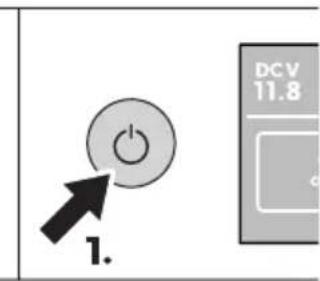
Switches the cooling device on when the button is pressed briefly.
Switches the cooling device off when the button is pressed for three seconds.
Returns to the previous menu.
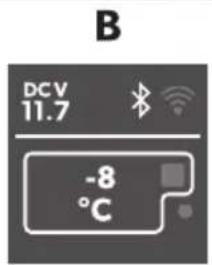
Display shows that the power supply is connected.
DC voltage power supply is connected.
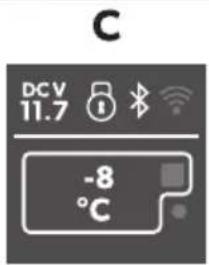
Bluetooth is activated.
Wi-Fi is activated.
Display is locked.
Compressor is working.
Ice maker is working (only for models with ice maker).
Press to navigate upwards or to increase the selected value.
Press to navigate downwards or to decrease the selected value.
Press and hold for 3 seconds to lock or unlock the display.
Press to select a menu or to save the selected value.

Before starting the cooling device for the first time, clean it inside and outside with a damp cloth for hygienic reasons (see Cleaning and maintenance).
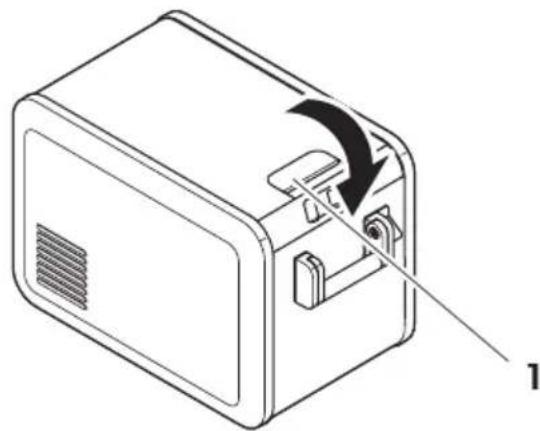
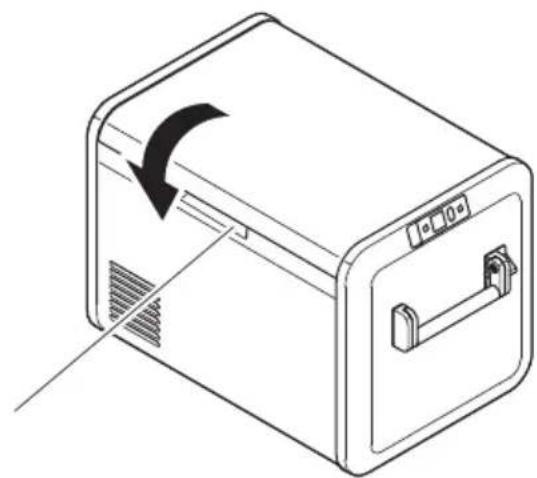
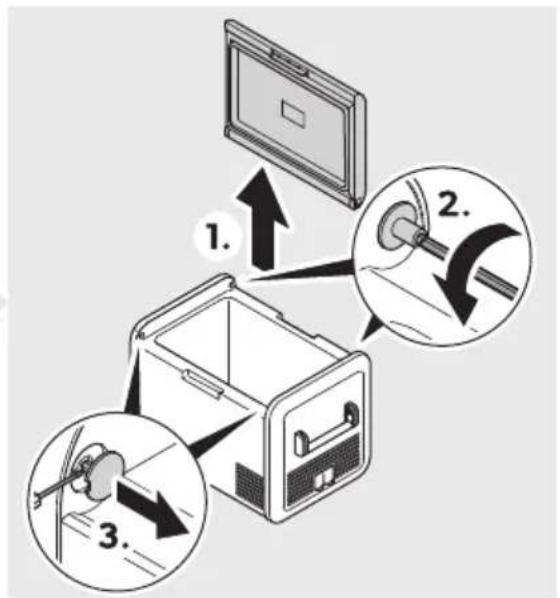
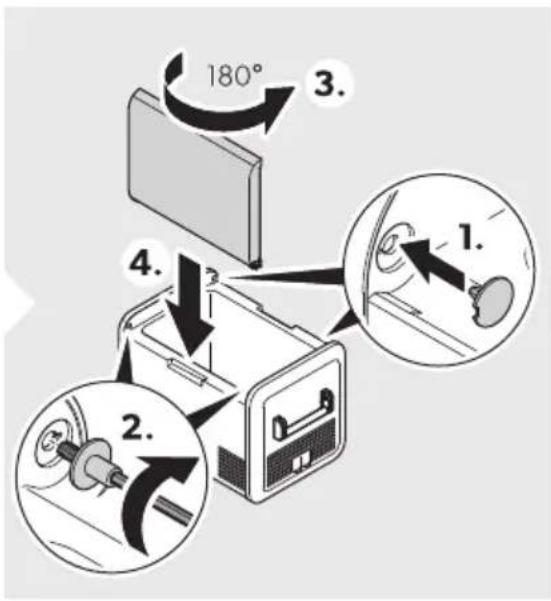
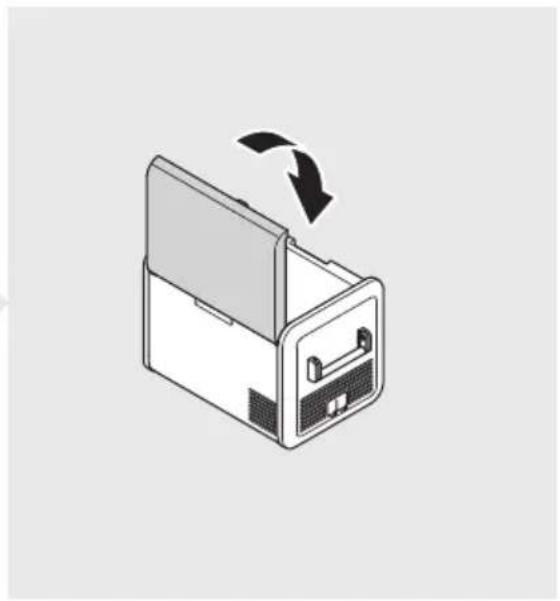
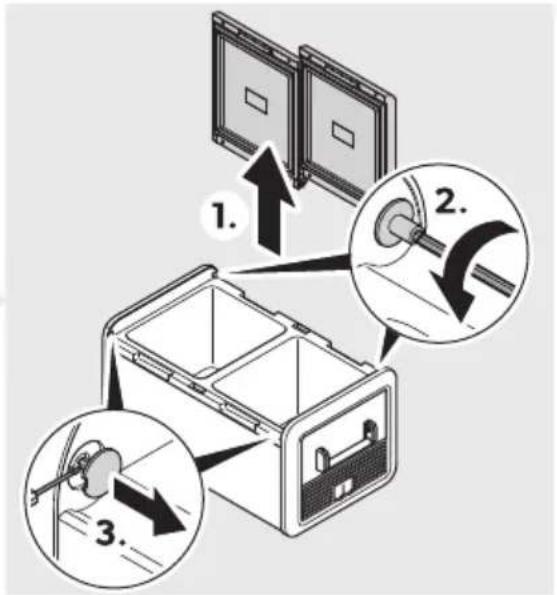
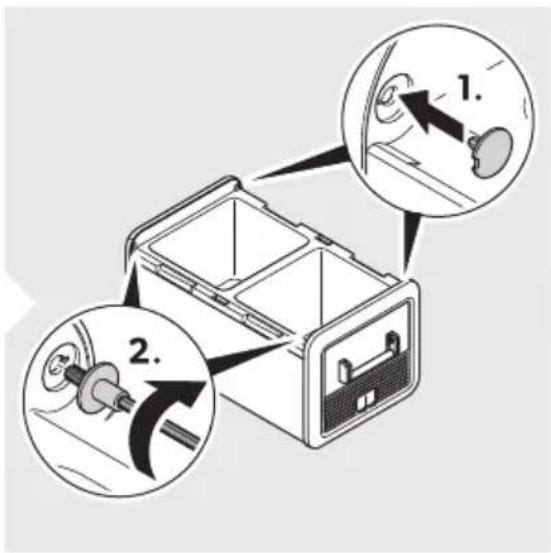
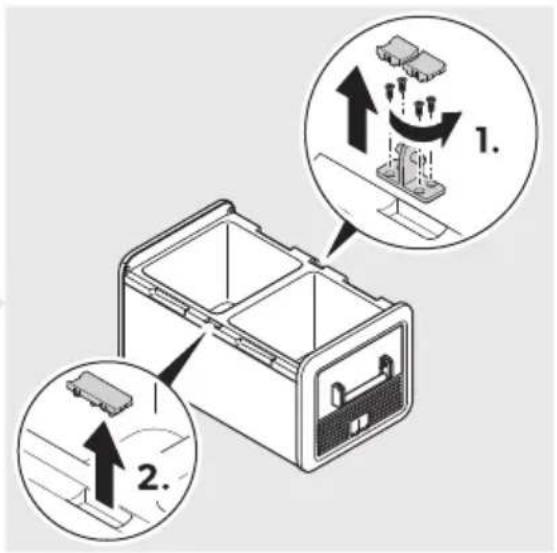
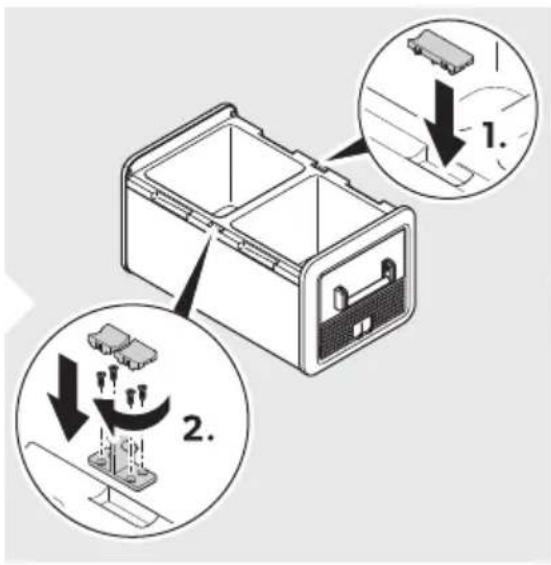
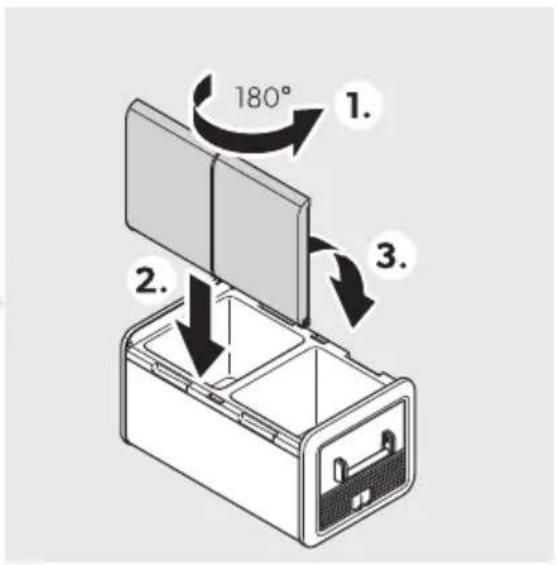
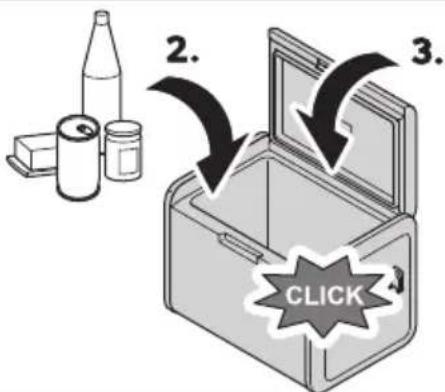
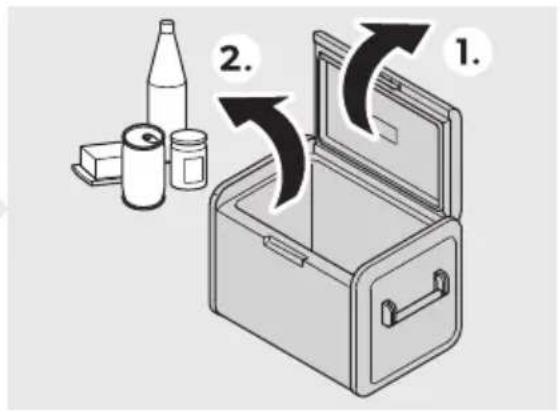
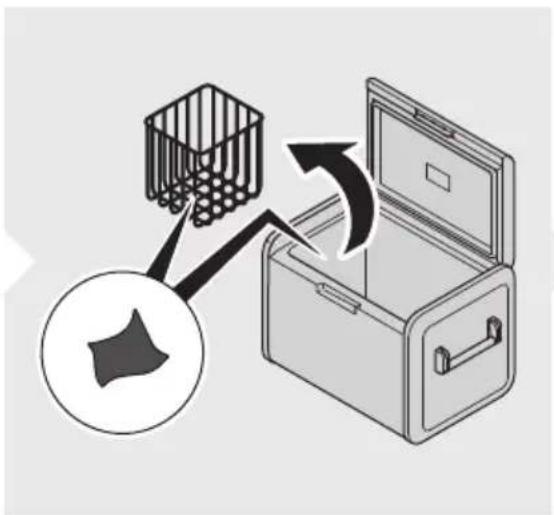
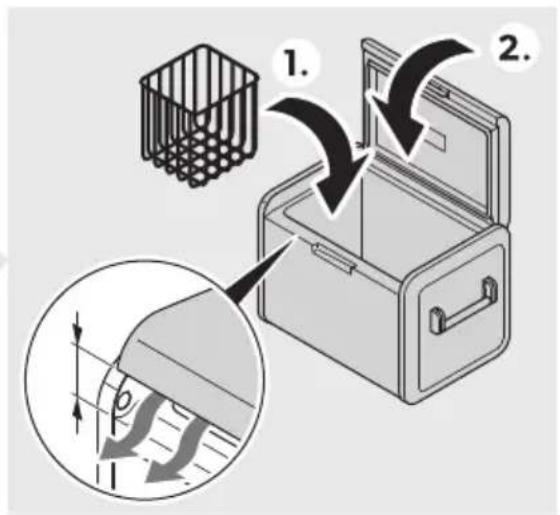
Reversing the lid opening
To reverse the lid opening, proceed as shown.
a CFX5 55, CFX5 55IM
Fig. 50 on page 05
a CFX575DZ, CFX5 95DZ
Fig. 5 on page U
Selecting the temperature unit
Proceed as shown.
Fig. 0 on page 07
Operation
Storing foodstuffs correctly
To avoid food waste, note the following:
Keep temperature fluctuation as low as possible. Only open the cooling device as often and for as long as necessary. Store the foodstuffs in such a way that the air can still circulate well. Adjust the temperature to the quantity and type of the foodstuffs. Foodstuffs can easily absorb or release odor or taste. Always store foodstuffs covered or in closed containers/bottles.
PZ$2 Saving energy
Choose a well ventilated location which is protected from direct sunlight. Allow warm food to cool down first before placing it in the cooling device to keep cool. Do not open the cooling device more often than necessary. Do not leave the cooling device open for longer than necessary. If the cooling device has a basket, for optimal energy consumption, position the basket according to its position on delivery. On a regular basis, ensure the lid seal still fits properly. Avoid unnecessarily low temperatures.
PZ$3 Connecting the cooling device
Connecting to a DC power supply

N2' ICEQ Da4 age ha: ar6
For protection of the device, the EU cable supplied includes a fuse inside the plug. Do not remove the fused EU plug. Only use the EU cable supplied.
Proceed as shown?
Fig. 50 on page 07
Connecting to an AC power supply

Never handle plugs and switches with wet hands or if you are standing on a wet surface.
If necessary, seek advice from a trained technician.
Proceed as shown?
Fig. 50 on page 07
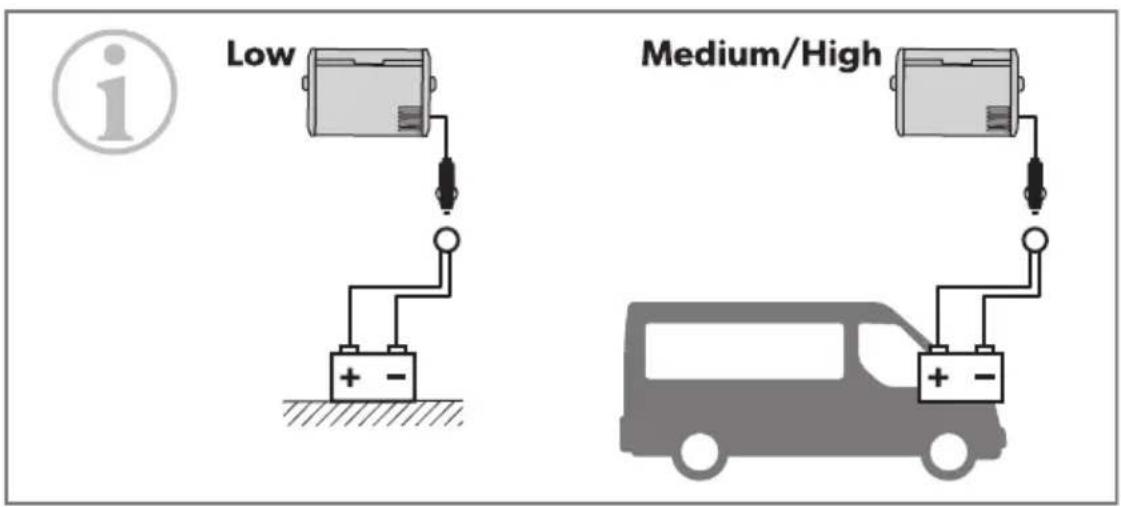
PZ$4 Using the battery monitor
The cooling device is equipped with a battery monitor that provides a multi-stage battery protection. The battery protection prevents excessive discharging when the cooling device is connected to a vehicle starter battery or maximizes the use of a supply battery.
If the cooling device is operated when the vehicle ignition is switched off, the cooling device switches off automatically as soon as the supply voltage falls below a set level. The cooling device will switch back on once the battery has been recharged to the restart voltage level.

When switched off by the battery monitor, the battery will no longer be fully charged. Avoid starting repeatedly or operating current consumers without longer charging phases. Ensure that the battery is recharged.

When the cooling device is supplied by the starter battery, select the battery monitor mode m(IG)n. If the cooling device is connected to a supply battery, the battery monitor mode m>OV n will suffice.
Proceed as shown?

Fig. 50 on page 50
Using the cooling device

Risk of overheating
Ensure at all times that there is sufficient ventilation so that the heat generated during operation can dissipate. Ensure that the ventilation slots are not covered. Ensure that the device is sufficiently far away from walls and other objects so that the air can circulate.

Risk of damage (from excessively low temperature)
Ensure that only those objects are placed in the cooling device that are intended to be cooled at the selected temperature.

When operating with the battery:
When voltage is off, the display switches off automatically.
When voltage is ≥ 0 V and ≤ QB V, the display may show meJ >RRF - voltage low depending on the battery monitor mode setting.
Switch the cooling device on?

Switch the cooling device on.

Press using the keypad.
Keypad state.

Item Description
J | Standby
EN00 CFX5
Item Description
B Idle
U Locked
Display overview
Navigating through the menu.
The highlighted menu is selected.
Press △ to navigate upwards. Press to navigate downwards.
Choosing a menu
Press to select the required menu.
Changing settings
The highlighted value or setting is selected.
Press to increase the selected value or to choose the previous setting. Press to decrease the selected value or to choose the next setting.
Returning to the previous menu
Press ← to return to the previous menu without saving.
PZ\$7 Locking/unlocking the display
Press and hold simultaneously for 3 seconds to lock or unlock the display.
Fig. 50 on page 0PZ
PZSV Setting the display brightness
Proceed as shown?
Fig. 50 on page 0PZ
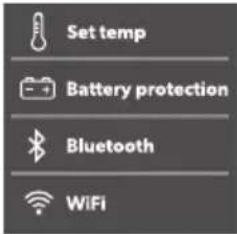
Setting the temperature
Proceed as shown?
Fig. 50 on page 99
PZSPZ S8: fitting a partment off or on (CFX5 75DZ, CFX5 95DZ only)
You can activate each zone individually or both of them.
Proceed as shown?
Fig. 50 on page 92
PZSPP: using the ice maker (CFX5 55IM only)

Independent of the main compartment's temperature setting, the ice maker zone is designed for making ice cubes if the ice maker is switched on. The cooling device's energy consumption increases with the ice maker on. Therefore, you should switch off the ice maker if it is not needed. The factory setting for the ice maker is OFF.
Tips for using the ice maker
The ice maker makes ice fast for a number of hours after switching on and then automatically goes into an ice maintenance mode to reduce energy consumption. If multiple batches of ice are required as quickly as possible, switching the ice maker off and back on will set it back into fast ice making mode. Repeat as required.
Lower freezer temperature settings in the main compartment may not be maintained in high ambient temperature conditions with the ice maker switched on.
To turn the ice maker on or off, proceed as shown?

Fig. 50 on page 92
Filling the ice tray with water
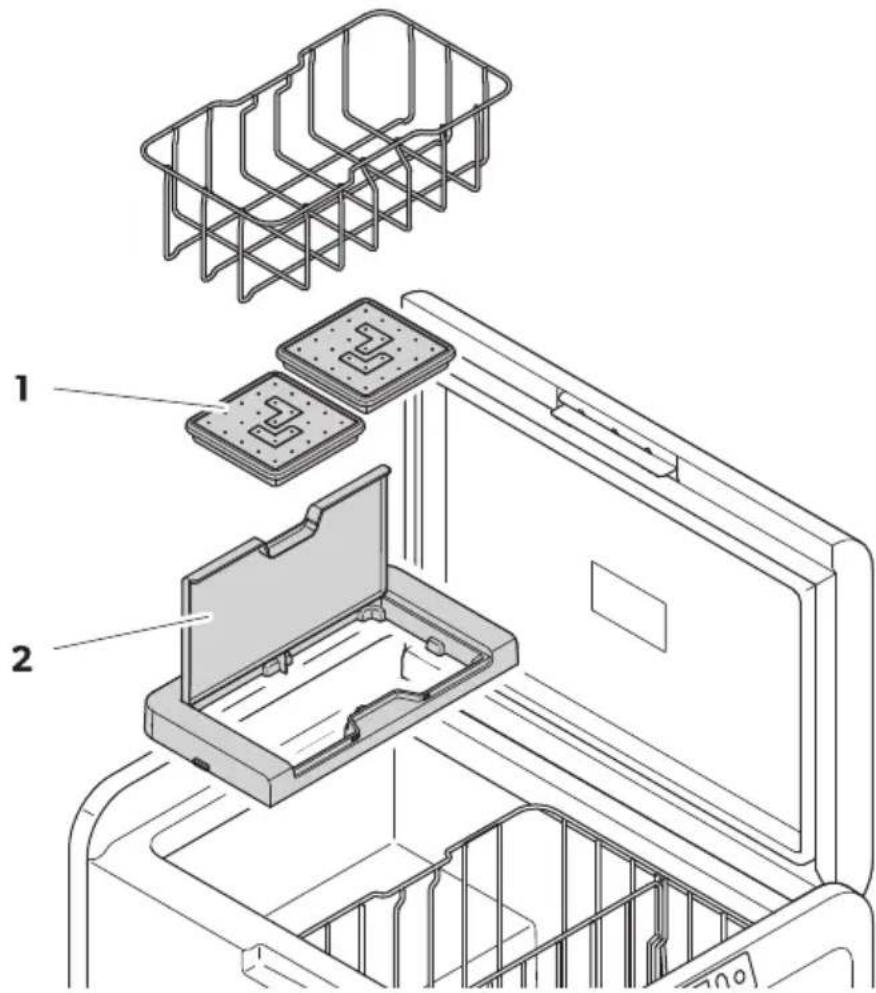
Remove the ice trays (Fig. P) from the ice maker housing (Fig. Q).

Fig. Q on page 2
Removing the ice tray

NOTE
Removal may require additional force using two hands in high humidity conditions which may create an ice bond underneath the ice trays.
A. Open the ice maker housing lid and lid under the front of the ice trays. B. Remove the ice tray covers and twist trays to release the ice cubes.
Removing the ice maker housing
The ice maker housing can be removed for cleaning or when not in use to increase usable space inside the cooling device.
Lift the housing at one end until the lug unclips then remove. Reverse procedure for re-fitting, pushing down on lugs to snap into position.
Cleaning and drying the ice maker
When not in use clean and dry the ice trays and inside the ice maker housing to prevent mould. After extended periods of non-use clean the inside of the ice trays with a mild dish washing solution and rinse with clean water prior to use.
Using Bluetooth and Wi-Fi
Downloading the Mobile Cooling app
The cooling device can be monitored and controlled via Bluetooth or Wi-Fi using an app that you can install on a compatible device.

Download the Mobile Cooling app.
Setting the Bluetooth signal and connecting to the app
The cooling device can be monitored and controlled via Bluetooth. To do so, pair the cooling device with your Bluetooth device.

NOTE
Pairing must be done within the Mobile Cooling app, not in device settings. There is no password required for Bluetooth connection.
Proceed as shown?

Fig. 500 on page OP3
Setting the Wi-Fi signal
Proceed as shown?

Fig. 500 on page OP3
Operating Bluetooth and Wi-Fi
Follow the instructions in the mobile cooling app. The Bluetooth or Wi-Fi LED lights up when the cooler is connected.
PZSP3 Resetting to factory settings
The reset function changes all display menu and app fields to the original factory settings.
Proceed as shown?

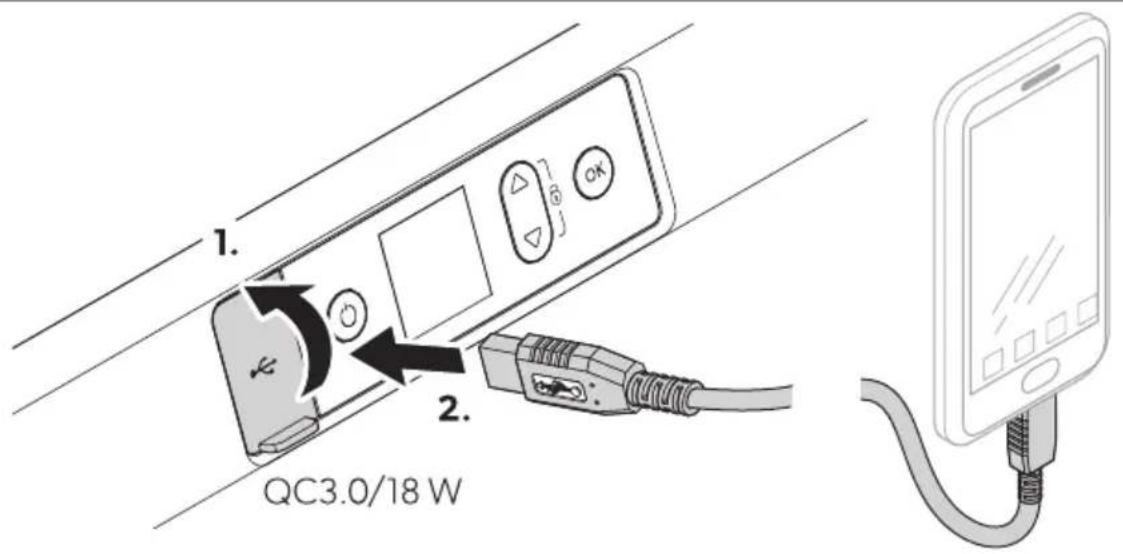
The USB port allows you to charge small devices like mobile phones and MP3 players.

Ensure that any small device connected to the USB port is compatible with USB operation.
Proceed as shown?

Defrosting the cooling device
Humidity can form frost in the interior of the cooling device or on the evaporator. This reduces the cooling capacity.

Never use hard or pointed tools to remove ice or to loosen objects which have frozen in place.
To defrost the cooling device proceed as follows:
A. Remove the contents of the cooling device. B. If necessary, place the contents in another cooling device to keep them cold. C. Switch off the cooling device. D. Leave the lid open. E. Wipe off defrosted water.
Replacing the fuse

Disconnect the power supply and the connection cable before you replace the device fuse.
A. Disconnect the power supply to the device. B. Remove the connection cable. C. Pry out the fuse insert (Fig. 2) with a screwdriver. D. Replace the defective glass fuse with a new one of the same type and rating (fast acting HDC HBC). E. Press the fuse insert back into the housing. F. Reconnect the power supply to the device.
A. Disconnect the power supply to the cooling device. B. Wrout the fuse cover (Fig.43) with a screwdriver. C. Reverse the fuse cover and use hook to remove the defective blade fuse. D. Push in a new fuse of the same type and rating. E. Re-fit the fuse cover. F. Reconnect the power supply to the cooling device.
a UYgL BLH UYgL KLH UYgL DLH UYgL LLH UYgL LLIMZ QC J
a UYgL NLE hH UYgL PLE hZ QL J
Replace the defective fuse with a new fuse of the same type and rating as shown.
PZSP9 Replacing the light

The lamp can only be replaced by the manufacturer, a service agent, or a similarly qualified person to avoid hazard.
Cleaning and maintenance

Ensure that the cooling device is disconnected from the power supply before any cleaning or maintenance work.

Never clean the cooling device under running water or in dish water.
Do not use abrasive cleaning agents or hard objects during cleaning.
Occasionally clean the device interior and exterior with a damp cloth. Ensure that the air inlet and outlet vents on the cooling device are free of any dust and dirt, so that heat can be released and the cooling device is not damaged.
P2 Troubleshooting
| Proble4 Po//ible a9/e S9gge/te6 re4 e61 | ||
| Fhe device does not function (EU modeH ignition on). | &o voltage was detected in the EU power outlet | > In most vehicles the ignition must be turned on before power will be supplied to the EU power outlet. |
| Fhe EU outlet is dirt". This results in a poor electrical contact. | > Is the plug of the device becomes ver" warm in the EU outlet either the EU outlet must be cleaned or the plug has not been assembled correctl". | |
| Fhe use of the EU plug has blown. Replace the defective use in the EU plug see Replacing the EU plug use. | ||
| Fhe device EU use has blown. Replace the EU device use see Replacing the EU use. | ||
| Fhe vehicle use has blown. Replace the vehicle's EU outlet use. Refer to "our vehicle's operating manual. | ||
| Evice does not function (J U mode). | &o voltage was detected in the J U voltage socket. | > Fr" using another plug outlet. |
| Fhe device J U use has blown. Replace the J U device use see Replacing the J U use. | ||
| Fhe integrated J U adapter is defective. | This can onl" be repaired b" an authorized repair center. | |
| Fhe displa" does not respond to ke"-strokes. | Fhe displa" is locked. Unlock the displa"F see >ockingf un locking the displa". | |
| Fhe app cannot control the device. | Bluetooth or V i-Yi is not connected. | > Uconnect to Bluetooth (see | et ting the Bluetooth signal and con necting to the app) or connect to V i-Yi (see | etting the V i-Yi signal. |
| Fhe displa" shows an alert message or warning code. | j | ee the following tables. | > |
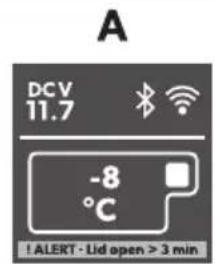
P2S1 Alert message
Sample 2

Fig. 5 on page 4
Alert message Description Possible cause Suggested remedy
| ej >RRF - >id open r K min | >id open more than K min | >id not full" latched | Uheck lid latched full" |
| Internal fault J authorized repair center in-spection re' uired | |||
| ej >RRF - boltage low | The device has stopped work-ing on EU due to low voltage | Insufficient suppl" voltage Uheck voltage drop from bat-ter" to power outlet and in-crease wiring gauge if neces-sar" | |
| Batter" voltage is too low Fest the batter" and charge as needed | |||
| Batter" protection is set too high | I elect a lower batter" protec-tion setting | ||
| The device has stopped work-ing on EU due to abnormal-l" high voltage r KQL b (un-likel" event j for electronicsprotection onl" j uses samealert message as low voltageabove) | Vrong EU suppl" voltagespecification | Rnsure EU suppl" voltagespecification matches productrating label | |
| Vault" suppl" volt-age | Uheck EU voltage suppl" andrepair or replace it fault" | ||
| Internal fault J authorized repair center in-spection re' uired | |||
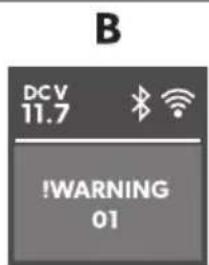
P2S2 Warning
Sample 2

Fig.
| R arning o6e | Fa9lt Po//ible a9/e S9gge/te6 re4 e61 | ||
| eV J R&I&G CQ | &FU open circuit I h s Eh >J RGR | Internal fault | J authorized repair center in-spection re' uired |
| eV J R&I&G CB | &FU short circuit I h s Eh >J RGR | ||
| eV J R&I&G 0Q | &FU open circuit Eh | MJ >> | ||
| eV J R&I&G 0B | &FU short circuit Eh | MJ >> | ||
| eV J R&I&G CKf DK | Uommunication error | Wower oc the device for at least 0 min then restart. Is the problem persists authorized repair center inspection is re-’ uired. | |
| eV J R&I&G CP | Eh valve or Ice maker valve fault" | ||
Warning Fault Possible cause Suggested remedy
| eV J R&I&G KB Yan over-current | Internal Gault Wower oc the device for at least L minH then restart. If the problem persistsH authorized repair center inspection is re- uired. | |
| eV J R&I&G KK Uompressor start Gail | ||
| eV J R&I&G KD Uompressor speed low | a (igh ambient temperature a) ir vent blocked or insuici- cient clearance a Internal Gault | a Wower oc the device for at least KC min or move to a cooler locationH then restart. a Ulear the vents a) authorized repair center inspection re' uired |
P3 Warranty
The statutory warranty period applies. If the product is defective, please contact the manufacturer's branch in your country (see dometic.com/dealer) or your retailer.
For repair and warranty processing, please include the following documents when you send in the device:
a copy of the receipt with purchasing date
a reason for the claim or description of the fault
Note that self-repair or nonprofessional repair can have safety consequences and might void the warranty.

Recycling packaging material: Place the packaging material in the appropriate recycling waste bins wherever possible.

Before disposing of your old cooling device, dismantle the lid. Leave the baskets in place so that children may not easily climb inside.
If you wish to finally dispose of the product, ask your local recycling center or specialist dealer for details about how to do this in accordance with the applicable disposal regulations. The product can be disposed of free of charge.

If the product contains any non-replaceable batteries or rechargeable batteries, you don't have to remove them before disposal.
P5 Technical data

Note: The minimum temperature shown in the cooling capacity may be attained if the ambient temperature is above KBI U.
Test certificates:




Yellow RWJ use conditions.
| CFX5 25 | |
| Uonnection voltage | QB b≠f BD b=QQCC b≠t BDC b~ |
| Rated current | QB b≠P.BJBD b≠D.BJQCC b≠0.QJBDC b≠C.DM J |
| Uooling capacit" BCI Uzt j | BBI U |
| Ultimate class &H F | |
| bolume BL > | |
| J mbient temperature QMI Uct DKI U | |
| Refrigerant RMCCa | |
| Refrigerant 'uantit" QL g | |
| Yre' uenc" range V iYiZ BDCC M( zzt BDOK.L M( zBluetooth f B>RZ BDCC M( zzt BDOK.L M( z | |
| Yre' uenc" band (V iYi) B.D G( z | |
| RY output power V iYiZ QP.PQ dBm (OCB.00b)H | QP.PQ dBm (OCB.00g)+QP.PQ dBm (OCB.00n)+Bluetooth Z QQ.BK dBmBluetooth >RZ QQ.BK dBm |
| E imensions V S E S ( (including handles)V eight QM kg | KDB mmμu LMP mmμu DBC mm |
| CFX5 35 | |
| Uonnection voltage | QB b≠f BD b=QQCC b≠t BDC b~ |
| Rated current | QB b≠0.P JBD b≠K.O JQCC b≠0.JBDC b≠C.DG J |
| Uooling capacit" BCI Uzt j | BBI U |
| Ultimate class &H F | |
EN000 CFX5
| CFX5 35 | |
| bolume KM > | |
| J mbient temperature QMI Uct DKI U | |
| Refrigerant RMCCa | |
| Refrigerant 'uantit" ON g | |
| Yre' uenc" range V iYiZ BDCC M( zt BDOK.L M( z | Bluetoothf B>RZ BDCC M( zt BDOK.L M( z |
| Yre' uenc" band (V iYi) B.D G( z | |
| RY output power V iYiZ OP.PQ dBm (OCB.00b)H | QP.PQ dBm (OCB.00g)+QP.PQ dBm (OCB.00n)+Bluetoothz 00.BK dBmBluetooth >RZ 00.BK dBm |
| E imensions V S E S ( (including handles) | KPO mmμu MPD mmμu DCN mm |
| V eight OP.O kg | |
| CFX5 45 | |
| Uonction voltage | QB b≠f BD b =GCC b≠ BDC b ~ |
| Rated current | QB b≠P.D JBD b≠D.Q JQCC b≠Q.CM JBDC b≠C.DD J |
| Uooling capacit" BCI Ujt j | BBI U |
| Ultimate class &H F | |
| bolume DM > | |
| J mbient temperature QMI Uct DKI U | |
| Refrigerant RMCCa | |
| Refrigerant 'uantit" BC g | |
| Yre' uenc" range V iYiZ BDCC M( zt BDOK.L M( z | Bluetoothf B>RZ BDCC M( zt BDOK.L M( z |
| Yre' uenc" band (V iYi) B.D G( z | CFX5 45 |
| RY output power V iYiZ QP.PQ dBm (OCB.00b)‡ | QP.PQ dBm (OCB.00g)+QP.PQ dBm (OCB.00n)+Bluetooth Z 00.BK dBmBluetooth >RZ 00.BK dBm |
| E imensions V S E S (including handles) | KPO mmqu MPD mmqu DNM mm |
| V eight B0.N kg | |
| CFX5 55 | |
| Uonnection voltage | QB b≠ BD b ==QCC b≠ BDC b ~ |
| Rated current | QB b≠ P.M JBD b≠ D.B JQCC b≠ Q.CO JBDC b≠ C.DM J |
| Uooling capacit" BCI Uct j | BBI U |
| Ultimate class &H F | |
| Fotal volume LL > | |
| J mbient temperature OMI Uct DKI U | |
| Refrigerant RMCCa | |
| Refrigerant 'uantit" BB g | |
| Yre' uenc" range V iYiZ BDCC M( z:t BDOK.L M( z | Bluetooth f B>RZ BDCC M( z:t BDOK.L M( z |
| Yre' uenc" band (V iYi) B.D G( z | |
| RY output power V iYiZ QP.PQ dBm (OCB.00b)‡ | QP.PQ dBm (OCB.00g)+QP.PQ dBm (OCB.00n)+Bluetooth Z 00.BK dBmBluetooth >RZ 00.BK dBm |
| E imensions V S E S (including handles) | NBC mmqu DLL mmqu DOC mm |
| V eight BK.O kg |
EN00 CFX5
| CFX5 55IM | |
| Uonnection voltage | QB b≠f BD b=QCC b≠t BDC b~ |
| Rated current | QB b≠P.MJBD b≠D.BJQCC b≠Q.COJBDC b≠C.DMJ |
| Uooling capacit" BCI U≠t j | BBI U |
| Ultimate class &H F | |
| Fotal volume LL > | |
| J mbient temperature QMI U≠t DKI U | |
| Refrigerant RMCCa | |
| Refrigerant 'uantit" BB g | |
| Yre' uenc" range V iYiZ BDCC M( z≠t BDOK.L M(z | Bluetoothf B>RZ BDCC M( z≠t BDOK.L M(z |
| Yre' uenc" band (V iYi) B.D G(z | |
| RY output power V iYiZ OP.PQ dBm (OCB.00b)H | QP.PQ dBm (OCB.00g)+QP.PQ dBm (OCB.00n)+Bluetoothz 00.BK dBmBluetooth >RZ 00.BK dBm |
| E imensions V S E S ( (including handles) | NBC mmμ DLL mmμ DOC mm |
| V eight BL kg |
| CFX5 75DZ | |
| Uonnection voltage | QB b≠f BD b =QCC b≠t BDC b ~ |
| Rated current | QB b≠P.O JBD b≠D.M JQCC b≠0.Q JBDC b≠C.DN J |
| Uooling capacit" BCI U≠t j | BBI U |
| Ultimate class &H F | |
| Fotal volume NL > (DL >f KC >) | |
| J mbient temperature QMI Uct DKI U | |
| ReGrigerant RMCCa | |
| ReGrigerant 'uantit" BN g | |
| Yre' uenc" range V iYiZ BDCC M( z,t BDOK.L M( z | Bluetoothf B>RZ BDCC M( z,t BDOK.L M( z |
| Yre' uenc" band (V iYi) B.D G( z | |
| RY output power V iYiZ QP.PQ dBm (OCB.00b)H | QP.PQ dBm (OCB.00g)H |
| QP.PQ dBm (OCB.00n)H | |
| Bluetoothz 00.BK dBm | |
| Bluetooth >RZ 00.BK dBm | |
| E imensions V S E S ( (including handles) | OPB mmqu DPL mmqu DNB mm |
| V eight K0.0 kg |
| CFX5 95DZ | |
| Uonnection voltage | QB b≠f BD b =QCC b≠ BDC b ~ |
| Rated current | QB b≠0C.D JBD b≠D.N JQCC b≠0.BB JBDC b≠ C.L Q J |
| Uooling capacit" BCI Uzt j | BBI U |
| Ulimate class &H F | |
| Fotal volume PD > (LL >f KP >) | |
| J mbient temperature QMI Uct DKI U | |
| Refrigerant RMCCa | |
| Refrigerant 'uantit" KC g | |
| Yre' uenc" range V iYiZ BDCC M( zzt BDOK.L M( z | Bluetoothf B>R2 BDCC M( zzt BDOK.L M( z |
| Yre' uenc" band (V iYi) B.D G( z |
EN000 CFX5
| CFX5 95DZ | |
| RY output power V iYiZ QP.PQ dBm (OCB.QGb)H | QP.PQ dBm (OCB.QGg)H |
| QP.PQ dBm (OCB.QGn)H | |
| Bluetoothz 00.BK dBm | |
| Bluetooth >RZ 00.BK dBm | |
| E imensions V S E S ( (including handles) | PMB mmμu LKC mmμu DNB mm |
| V eight KK.K kg |
Dometic declares that the radio equipment type UYgL is in compliance with Directive BCQDf L Kf RU. The full text of the RU declaration of conformity is available at the following internet address: documents.dometic.com
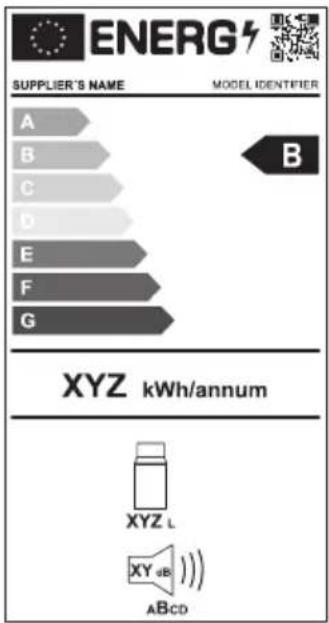
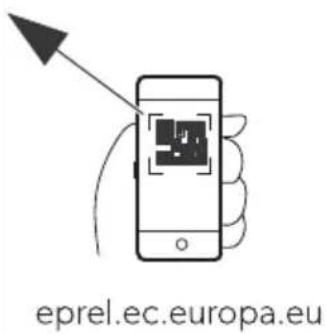
Further product information can be accessed via the QR code on the energy label or via eprel.ec.europa.eu.
Depth
WUBL PMBCCQBOCO UYgL BL
WUKL PMBCCQBOCM UYgL KL
WUDL PMBCCQBOCL UYgL DL
WULL PMBCCQBOQC UYgL LL
UYgL LLIM
WUNL PMBCCQBOQQ UYgL NLEh
WUPL PMBCCQBOCN UYgL PLEh
Kühl/ hran. / hiene
I > E L K L D L U PMBCCQBDL D UYgL KL
UYgL DL
I>ELLU PMBCCQBDLL UYgL LL
UYgL LLIM
I >ENLU PMBCC0BDLM UYgL NLEh
Possible causes and solutions for the error
Possible causes and solutions for the error
Possible causes and solutions for the error
Modification of settings
| C9bierta 6e) rote i7n | ||
| WUBL PMBCCQBOCO UYgL BL | ||
| WUKL PMBCCQBOCM UYgL KL | ||
| WUDL PMBCCQBOCL UYgL DL | ||
| WULL PMBCCQBOQC UYgL LL | ||
| UYgL LLIM | ||
| WUNL PMBCCQBOQQ UYgL NLEh | ||
| WUPL PMBCCQBOCN | UYgL PLEh | |
| Riel 6e/li: ante ) ara nevera | ||
| I >ELKLDLU | PMBCCQBDLD UYgL KL | |
| UYgL DL | ||
| I >ELLU | PMBCCQBDLL UYgL LL | |
| UYgL LLIM | ||
| I >ENLU | PMBCCQBDLM | UYgL NLEh |
| I >EPLQCCU | PMBCCQBDLN | UYgL PLEh |
Denomination in accordance with the Model
Kit of (3a i7n rá) i6a
i Y BL PMCCCCCQMM UYgL BL
i Y KLDL PMCCCBPLPP UYgL KL
UYgL DL
WUBL PMBCCQBOCO UYgL BL
WUKL PMBCCQBOCM UYgL KL
WUDL PMBCCQBOCL UYgL DL
WULL PMBCCQBOQC UYgL LL
UYgL LLIM
WUNL PMBCCQBCQQ UYgL NLEh
WUPL PMBCCQBOCN
UYgL PLEh
Shelf for: front (rigorously)
De/ignacno NSk art\$ Mo6elo
| UYgL DL | |
| I>ELLU PMBCCQBDLL UYgL LL | |
| UYgL LLTM | |
| I>ENLU PMBCCQBDLM UYgL NLEh | |
| I>EPLQCCU PMBCCQBDLN UYgL PLEh | |
| Kit 6e (ixaçno rá) i6a | |
| i Y BL PMCCCCCQMM UYgL BL | |
| i Y KLDL PMCCCBPLPP UYgL KL | |
| UYgL DL |
| Co) ert9ra 6i ) rote: ione | ||
| WUBL PMBCCQBOCO UYgL BL | ||
| WUKL PMBCCQBOCM UYgL KL | ||
| WUDL PMBCCQBOCL UYgL DL | ||
| WULL PMBCCQBOQC UYgL LL | ||
| UYgL LLIM | ||
| WUNL PMBCCQBOQQ UYgL NLEh | ||
| WUPL PMBCCQBOCN | UYgL PLEh | |
| S ivolo (rigori(ero) | ||
| I >ELKLDLU | PMBCCQBDLD UYgL KL | |
| UYgL DL | ||
| I >ELLU | PMBCCQBDLL UYgL LL | |
| UYgL LLIM | ||
| I >ENLU | PMBCCQBDLM | UYgL NLEh |
| I >EPLQCCU | PMBCCQBDLN | UYgL PLEh |
PZS7 Clo are//blo are il 6i/) la1
| , an69i6ing , rti. elnr$ Mo6el | ||
| Ce/ her4 . a) | ||
| WUBL PMBCCQBOCO UYgL BL | ||
| WUKL PMBCCQBOCM UYgL KL | ||
| WUDL PMBCCQBOCL UYgL DL | ||
| WULL PMBCCQBOQC UYgL LL | UYgL LLTM | |
| WUNL PMBCCQBOQQ UYgL NLEh | ||
| WUPL PMBCCQBOCN UYgL PLEh | ||
| S h9i( . oel. a/t | ||
| I >ELKLDLU | PMBCCQBDLD UYgL KL | UYgL DL |
| I >ELLU | PMBCCQBDLL UYgL LL | UYgL LLTM |
| I >ENLU | PMBCCQBDLM UYgL NLEh | |
| I >EPLQCCU PMBCCQBDLN UYgL PLEh | ||
| Snelbeve/tiging//et | ||
| i Y BL | PMCCCCCCQMM UYgL BL | |
| i Y KLDL | PMCCCBPL PP | UYgL KL |
| UYgL DL | ||
, an69i6ing, rti. elnr\$ Mo6el
a bed and breakfast-accommodities
V'e hni/ he be/ hri3ving
Ce6iening/) aneel X a(150Y
a(bS0o)agina04
0IG' IG' Q Fare (or be/. a6igel/e
WUBL PMBCCQBOCO UYgL BL
WUKL PMBCCQBOCM UYgL KL
WUDL PMBCCQBOCL UYgL DL
WULL PMBCCQBOQC UYgL LL
UYgL LLIM
K-le/.ab/gli6er
I > E L K L D L U
PMBCC0BDLD UYgL KL
UYgL DL
I>ELLU
PMBCCQBDLL UYgL LL
UYgL LLIM
I >ENLU
PMBCCQBDLM UYgL NLEh
I >E P L Q CCU
PMBCCQBDLN UYgL PLEh
L1n(a/tg-rel/e//u t
i Y BL
a Bed-and-breakfast-pensioner
Cet3ening/) anel X (ig)
(igS01) t /i6e 4
OIG' IG' Q Fare (or be/. a6igel/e
OIG' IG' Q Fare (or be/. a6igel/e
s n6ring a(in6/tillinger
OIG' IG' Q Fare (or be/. a6igel/e
0IG' IG' Q Fare (or be/. a6igel/e
OIG' IG' Q Fare (or be/. a6igel/e
P2 U6be6ring a( (e3l
Snabb4 ontering//at/
Jppen Mobile Uooling
(!mta appen Mobile Uooling.
St5lla in Cl9etooth-/ignalen o h an/l9ta till a) ) en
a UYgL BLH UYgL KLH UYgL DLH UYgL LLH UYgL LLIMZ QC J
WUBL PMBCCQBOCO UYgL BL
WUKL PMBCCQBOCM UYgL KL
WUDL PMBCCQBOCL UYgL DL
WULL PMBCCQBOQC UYgL LL
UYgL LLIM
WUNL PMBCCQBOQQ UYgL NLEh
WUPL PMBCCQBOCN UYgL PLEh
I > E L K L D L U
PMBCCQBDLD UYgL KL
UYgL DL
I>ELLU
PMBCCQBDLL UYgL LL
Mobile app for cooling
fits all models
Electrical connection for wiring
Power supply for adapter
To protect the device, the included DC cable has a fuse inside the plug. Use only the included fused DC plug. Use only the included DC cable.
Proceed as shown
Connection to a wall outlet

Power supply for electrical outlet
Never touch plugs or switches with wet hands or if the area where you are standing is wet.
Ask for advice from an electrician if necessary.
Proceed as shown?
Power supply for adapter
Power supply for overheating
Download the mobile app for cooling.
Connecting the Cle9etooth signal and connecting to a) ) en
PZSP4 USC connection (or/) enning/(or/1ning
P, SS Pw0 Fare (or /. a6er
a UYgL BLH UYgL KLH UYgL DLH UYgL LLH UYgL LLIMZ QC J
a UYgL NLEhH UYgL PLEhZQL J
P, SS Pw0 Fare (or /. a6er
P, SS Pw0 Fare (or /. a6er
P4, v(all/ht n6tering

Recycling of packaging: Always recycle packaging as far as possible.

, DO, RSELQ Fare (or at barn blir inne/tengt
0, R2 I' USQ Palovaara
WUBL PMBCCQBOCO UYgL BL
WUKL PMBCCQBOCM UYgL KL
WUDL PMBCCQBOCL UYgL DL
WULL PMBCCQBOQC UYgL LL
Mobile cooling application
WUBL PMBCCQBOCO UYgL BL
WUKL PMBCCQBOCM UYgL KL
WUDL PMBCCQBOCL UYgL DL
WULL PMBCCQBOQC UYgL LL
UYgL LLIM
WUNL PMBCCQBOQQ UYgL NLEh
WUPL PMBCCQBOCN UYgL PLEh
2: na : enie Nr . atalogo8 1 Mo6el
| UYgL LLIM | |
| I >ENLU PMBCCQBDLM UYgL NLEh | |
| I >EPLQCCU PMBCCQBDLN UYgL PLEh | |
| Ze/ta8 6o /: 1b. iego 4 ontay9 | |
| i Y BL PMCCCCCQMM UYgL BL | |
| i Y KLDL PMCCCBPLPP UYgL KL | |
| UYgL DL |
ontrolaf cert "Tkat"Z
WUBL PMBCCQBOCO UYgL BL
WUKL PMBCCQBOCM UYgL KL
WUDL PMBCCQBOCL UYgL DL
WULL PMBCCQBOQC UYgL LL
UYgL LLIM
WUNL PMBCCQBOQQ UYgL NLEh
WUPL PMBCCQBOCN UYgL PLEh
| WUNL PMBCCQBOQQ | UYgL NLEh |
| WUPL PMBCCQBOCN | UYgL PLEh |
Key: na vo6ili a : a hla6n3a.
I > E L K L D L U
PMBCCQBDLD UYgL KL
UYgL DL
I>ELLU
PMBCCQBDLL UYgL LL
UYgL LLIM
I >ENLU
PMBCCQBDLM UYgL NLEh
I >E P L Q CCU
PMBCCQBDLN
UYgL PLEh
Ko4) let: a br: o (i. /iran3e
Mobile Cooling application
fits all models
Please note that the application may not be available in your country.
This cooling device is suitable for cooling food. The cooling device is also suitable for use in vehicles.
Drča : a hla6ilno torbo
I > E L K L D L U
PMBCCQBDLD UYgL KL
UYgL DL
I>ELLU
PMBCCQBDLL UYgL LL
UYgL LLIM
I >ENLU
PMBCCQBDLM UYgL NLEh
| Den94 ire Nrart Mo6el | ||
| Car a/B 6e ) rote ție | ||
| WUBL PMBCCQBOCO UYgL BL | ||
| WUKL PMBCCQBOCM UYgL KL | ||
| WUDL PMBCCQBOCL UYgL DL | ||
| WULL PMBCCQBOQC UYgL LL | ||
| UYgL LLIM | ||
| WUNL PMBCCQBOQQ UYgL NLEh | ||
| WUPL PMBCCQBOCN UYgL PLEh | ||
| Co4 ) arti4 ent (rigi6er | ||
| I >ELKLDLU | PMBCCQBDLD UYgL KL | |
| UYgL DL | ||
| I >ELLU | PMBCCQBDLL UYgL LL | |
| UYgL LLIM | ||
| I >ENLU | PMBCCQBDLM UYgL NLEh | |
| I >EPL0CCU | PMBCCQBDLN UYgL PLEh | |
| Kit 6e (ixare ra) i6B | ||
| i Y BL | PMCCCCCQMM UYgL BL | |
| i Y KLDL | PMCCCBPLPP | UYgL KL |
| UYgL DL | ||
| J plica-ie Mobile Oooling | j | se potrivește tu-turor modelelor |
| ЗFuHKeI кFEбф | |
| WUBL PMBCCQBOCO UYgL BL | |
| WUKL PMBCCQBOCM UYgL KL | |
| WUDL PMBCCQBOCL UYgL DL | |
| WULL PMBCCQBOQC UYgL LL | |
| UYgL LLIM | |
| WUNL PMBCCQBOQQ UYgL NLEh | |
| WUPL PMBCCQBOCN UYgL PLEh | |
| „oEHJ кF | |
| I >ELKLDLU | PMBCCQBDLD UYgL KL |
| UYgL DL | |
| I >ELLU | PMBCCQBDLL UYgL LL |
| UYgL LLIM | |
| I >ENLU | PMBCCQBDLM UYgL NLEh |
The device has dimensions of 39x29/в9/: 0; 26о261: 1/9 в: 26г9 89 0вь28в9/: 4ъм; 2ом: /<6во104ов9 м2: ж9 a T26 /6B9 /9 89щ619 89 943м3<91о29H ; 2: д; 98в9щ6 943м3<91о29 /9 ; 2: во8/о1о 02: д0lво (684<ючв9 0: 9в1ом916ч/о ; 26 /604о /9; 2: ж: /6: /9 943м3<91о29) а Д60; <: й 0 ; 04989/6: 89 1: м; : 29132919 в IU 61Y a H90120й49 /9 1: м; : 291329197 H9 01ъ; 46 01 Q I U (QI Y) a. /1: r2629/6 Bluetooth 6 V i-Yi φ3/4567 89 40/120<629/: 42: 8 мобб</о; 26<ож: /6: а Сгъв9: м6 д2ъж46 89 /о0: /: a UI B 892: жд9ч49 89 моб6</6 3012ой01в9Н /9; 2. 1: <: фо/ а Подвбж/91: <: /9 40ш/659 a Br29d: /9 o1b929449 89 6316<46 a CF" o 3F CFX5 55IMW Л: дог: /: 29102
Подч: 219/olo m: /ю : 68629/о.
H9160/: 1: 89 д9 ; 2: м6/: 1: /9го2:.
H9160/: 1: ▽89 д9 ; 2: м6/: 1: /9 до<3.
ИзбНрFl e I F "eI ю
H9160/: 1: 89 д9 686: 2: 1: ж: <9/оло м: /ю.
Про"яI F I F I F i КройкНКе
Подч: 219/919 0108/001 6<6 /9012049 : 68629/9.
H9160/: 1: 189 д9 3в: <6ч61: 68629/919 01ой/о01 6<6 д9 686: 2: 1: ; 2: д6ш/919 /9012ой49.
PZSP2 ИзпоE3BFI e I F Cl9etooth H R i-Fi
ИзКегЕяI e I F прНЕожеI НеКо Mobile Cooling
Ох<9жд9щ671 32: д мож: д9 0: 4o/12o<629 6 3; 29в<7в9 ч2: 8 Bluetooth 6<6 V i-Yi 0 ; омощ19 /9 ; 26<ож: /6:H 6/019<629/o /9 ; одход7що 3012ой01во.

. 81: r<: 1: ; 26<ож: /6: lo Mobile Uooling.
HF¡КройкF I F Cl9etooth ¡HrI FEF H ¡вързвFl e ¡прНЕожел НеКо
Ох<9жд9ш671 32: д мож: д9 0: 40/120<629 6 3; 29в<7в9 ч2: 8 Bluetooth. 39 д9 /9; 29в61: 10в9Н 0дво: 1: ох<9жд9ш67 32: д 0 В9ш: 10 Bluetooth 3012ой01во.

У„АЗАНИЕ
a Сдво7в9/: 10 1276в9 д9 0: о0ыщ: 01в6 в ; 26<ож: /6: 10 Mobile Uooling↑9/: в /9012ой461: /9 32: д9. а 39 о0ыщ: 01в7в9/: 10 /9 Bluetooth 0вь28в9/: : : /: обход6м9 ; 92о<9.
Д: й01в9й1: 4941о 0<: дв97

фHrS0□ I F ; KpFI HцF P3
HFi KpOikFIFR i-Fi; HrI FEF
Д: й01в9й1: 4941о 0<: дв97

φHrS0 IF;KpFIH4F P3
PF6oKF i Cl9etooth HR i-Fi
C<:дв9й1: 6/012345661: в мобб6</ою; 26<ож: /6: 89 ох<9жд9/: Св: 1одбодъ1 89 Bluetooth 6<6 V >J & 0в: 1в9-4ог91о x<9д6</919 ч9/19 : 0въ289/.
WUBL PMBCCQBOCO UYgL BL
WUKL PMBCCQBOCM UYgL KL
WUDL PMBCCQBOCL UYgL DL
WULL PMBCCQBOQC UYgL LL
UYgL LLIM
WUNL PMBCCQBOQQ UYgL NLEh
WUPL PMBCCQBOCN UYgL PLEh
Kül4 i. 9 li9gal9/
I > E L K L D L U
PMBCC0BDLD UYgL KL
UYgL DL
I>ELLU
PMBCC0BDLL UYgL LL
UYgL LLIM
I >ENLU
PMBCCQBDLM UYgL NLEh
I >EPLQCCU
PMBCCQBDLN UYgL PLEh
Kiir. innit9/. o4) le. t
i Y BL PMCCCCCQMM UYgL BL
i Y KLDL
PMCCCBPLPP
UYgL KL
UYgL DL
Kaane . innit9/e6 X 3d SOIY
3oonS00 lehe. ül3el03
L9ht) aneel X 3d SOY
3oonS00 lehe. ül3el04
ET000 CFX5
It applies to all models
- COPYRIGHT
- ENGLISH
- P I4) ORTANT NOTE
- EX) LANATION O(/14 BOL
- WARNING: HEALTH HAZARD
- CAUTION: HEALTH HAZARD
- NOTICE: DAMAGE HAZARD
- EXPLANATION OF SYMBOLS ON THE DEVICE
- SCOPE OF DELIVERY
- USER MANUAL
- INTENDED USE
- TECHNICAL DESCRIPTION
- OPERATING AND DISPLAY ELEMENTS
- REVERSING THE LID OPENING
- OPERATION
- STORING FOODSTUFFS CORRECTLY
- PZ$2 SAVING ENERGY
- PZ$3 CONNECTING THE COOLING DEVICE
- PZ$4 USING THE BATTERY MONITOR
- USING THE COOLING DEVICE
- RISK OF OVERHEATING
- RISK OF DAMAGE (FROM EXCESSIVELY LOW TEMPERATURE)
- WHEN OPERATING WITH THE BATTERY
- PRESS USING THE KEYPAD
- EN00 CFX
- PZSPP: USING THE ICE MAKER (CFX5 55IM ONLY)
- TIPS FOR USING THE ICE MAKER
- NOTE
- REMOVING THE ICE MAKER HOUSING
- CLEANING AND DRYING THE ICE MAKER
- USING BLUETOOTH AND WI-FI
- DOWNLOADING THE MOBILE COOLING APP
- PZSP3 RESETTING TO FACTORY SETTINGS
- DEFROSTING THE COOLING DEVICE
- REPLACING THE FUSE
- PZSP9 REPLACING THE LIGHT
- CLEANING AND MAINTENANCE
- P2 TROUBLESHOOTING
- P2S1 ALERT MESSAGE
- P2S2 WARNING
- P3 WARRANTY
- P5 TECHNICAL DATA
- DEPTH
- PZS7 CLO ARE//BLO ARE IL 6I/) LA
- V'E HNI/ HE BE/ HRI3VING
- IG' IG' Q FARE (OR BE/. A6IGEL/E
- OIG' IG' Q FARE (OR BE/. A6IGEL/E
- P2 U6BE6RING A( (E3L
- P4, V(ALL/HT N6TERING
- R2 I' USQ PALOVAARA
- PZSP2 ИЗПОE3BFI E I F CL9ETOOTH H R I-FI
- HF¡КРОЙКF I F CL9ETOOTH ¡HRI FEF H ¡ВЪРЗВFL E ¡ПРНЕОЖЕЛ НЕКО
- HFI KPOIKFIFR I-FI; HRI FEF
- PF6OKF I CL9ETOOTH HR I-FI
- ET000 CFX
Brand : DOMETIC
Model : CFX5 55
Category : Fridge