
CFX5 35 - Fridge DOMETIC - Free user manual and instructions
Find the device manual for free CFX5 35 DOMETIC in PDF.
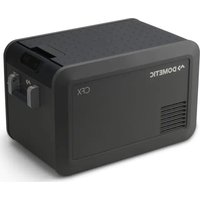


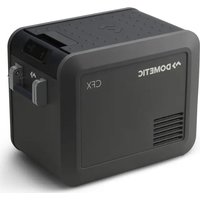
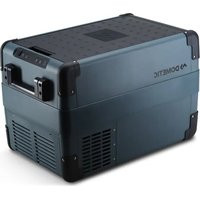
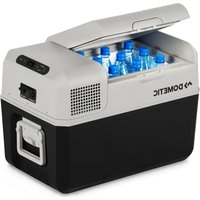
| Product Type | Mobile Compression Refrigerator |
| Brand | Dometic |
| Model | CFX5 35 |
| Net Volume | 35 liters |
| Dimensions (W x D x H) | 818 x 535 x 558 mm |
| Weight | 17.0 kg |
| Power Supply | 12/24 V DC and 100-240 V AC |
| Power Consumption (12 V) | 4.5 A (nominal) |
| Temperature Range | From -18 °C to +10 °C |
| Climate Class | N and T |
| Refrigerant | R1234yf (38 g) |
| Main Functions | Powerful compressor, 3-level battery protection, digital display, adjustment in 1 °C increments, built-in Bluetooth/WiFi, Mobile Cooling app, USB charging port, foldable handles, removable basket, reversible lid |
| Maintenance and Cleaning | Clean with a damp cloth, defrost regularly, do not use hard objects |
| Safety | Screen lock, safety fuse, automatic low voltage shutdown, minimum ventilation 50 mm |
| Spare Parts and Repairability | Replaceable fuses (glass 15 A for AC, blade for DC), repair by qualified personnel only |
| General Information | Legal warranty, disposal via recycling center, compliant with EU directives |
Frequently Asked Questions - CFX5 35 DOMETIC
User questions about CFX5 35 DOMETIC
0 question about this device. Answer the ones you know or ask your own.
Ask a new question about this device
Download the instructions for your Fridge in PDF format for free! Find your manual CFX5 35 - DOMETIC and take your electronic device back in hand. On this page are published all the documents necessary for the use of your device. CFX5 35 by DOMETIC.
USER MANUAL CFX5 35 DOMETIC
CFX5 25, CFX5 35, CFX5 45, CFX5 55, CFX5 55IM, CFX5 75DZ, CFX5 95DZ
EN Cooling box Operating Manual...... OM DE Kühlbox Bedienungsanleitung...... KN Gla il re FR Manuel d'utilisation....LP ES Nevera Instrucciones de uso....00 P' Geleira Manual de instruções.....0CK 1' Frigori(ero) ortatile Istruzioni per l'uso..... CBL NL Koelbox Gebruiksaanwijzing...... QDN D, K-lebo./ Betjeningsvejledning.....QMP SO K1lbox Bruksanvisning...... QPC N2 K3- lebo. / Bruksanvisning......B00 FI K114 5laati..o !"ttöohje...... BKB PL Lo678. a t9r1/t1 :na Instrukcja obsługi.... BLK SK Chla6ia i box &'vod na obsluhu...... BNL
CS Chla6i í box &'vod k obsluze......BPM HU Hütőlá6a (aszn' lati utas)t's.... KON HR Ra/hla6na . 9ti3a Upute za rukovanje....KKP R SoA9t4 a . 9t9/9 ullanma ,lavuzu.... KMC SL Hla6ilna torba &avodilo za uporabo......K00 R2 C9tie (rigori(i B Instruc-iuni de operare....DCB DEFGHEI F J FI KF ./01234567 89 : 40; <o919567......DBK E' Lah9t9/. a/t asutusjuhend....DDL EL Ψυγείο Οδηγίες χειρισμού...... DMM L' Malt. re) Ni/ &audojimo vadovas...... DOP L0 , 9. /t94 . a/te
ietošanas rokasgrāmata....LOC , R L KO ____ دليل التشغيل
Co) 1right
A BCBD E ometic Group. The visual appearance of the contents of this manual is protected b" cop" right and design law. The underl"ing technical design and the products contained herein ma" be protected b" designH patent or pending patent. The trademarks mentioned in this manual belong to E ometic I weden J B. J ll rights are reserved.
Li/t o( Fig9re/ [] CFX5 25,
CFX5 35, CFX5 45 CFX5 55, CFX5 55IM,
CFX5 75DZ, CFX5 95DZ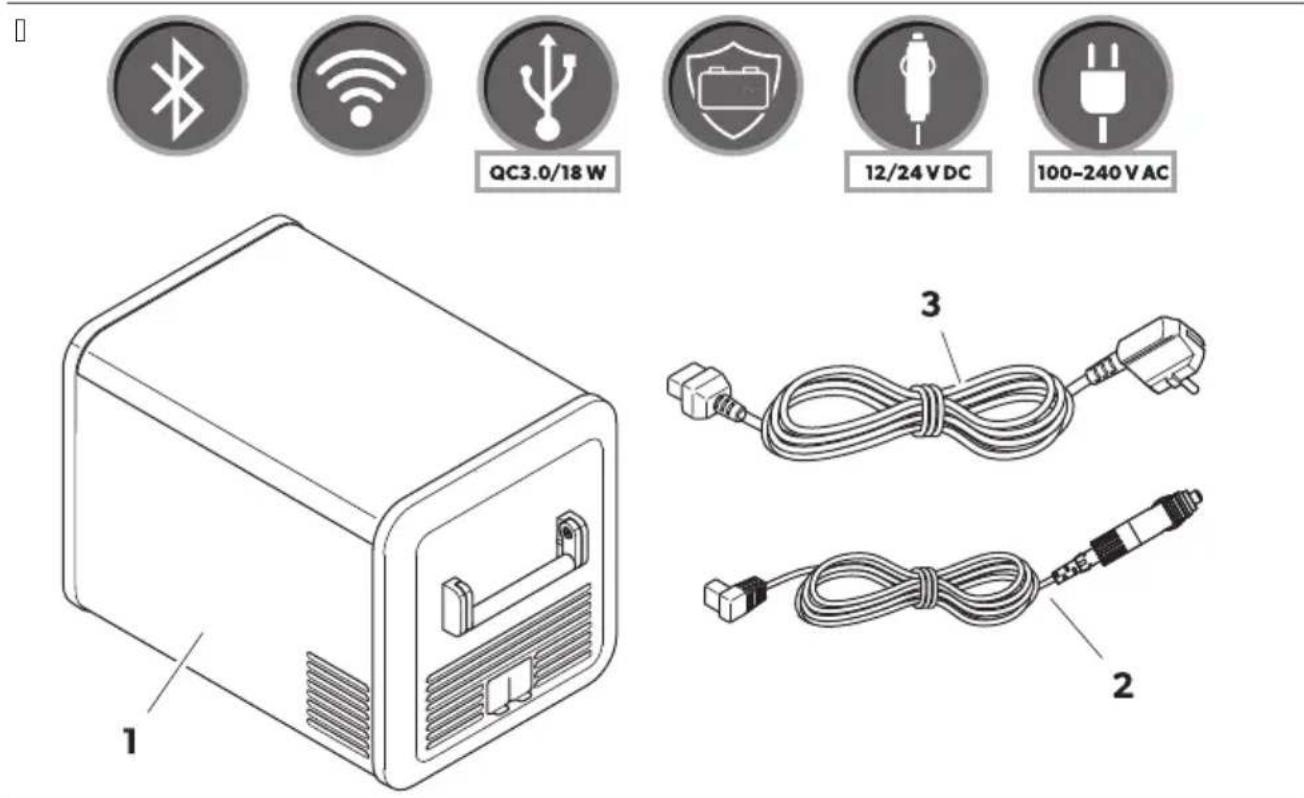

□
□
□
□
□![graph TD A["DCV 11.8"] --> B["Display"] B --> C["Celsius"] C --> D["Fahrenheit"] D --> E["Celsius"] E --> F["Fahrenheit"] F --> B B --> G["OK"] C --> H["OK"] D --> I["OK"] E --> J["OK"] F --> K["OK"] B <--> L["Temp units"] C <--> M["Fahrenheit"] D <--> N["Celsius"] E <--> O["Fahrenheit"]](/content/2026/04/715630/images/3954d603e67a70926934a30953aba3d1134bb20beccdcb92b532f83fd2e538c9.jpg)
[]![graph TD A["Electric Vehicle"] --> B["Battery"] B --> C["Switch"] C --> D["Car (with + and - polarity) and Solar Panel (with + and - polarity)"] D --> E["Warning symbol: ⚪️, X, √, 1, 2, 3, 4, 5, 6, 7, 8, 9, 10, 11, 12, 13, 14, 15, 16, 17, 18, 19, 20"] style A fill:#f9f,stroke:#333 style B fill:#ccf,…](/content/2026/04/715630/images/af096434b3b3af7c3c70a9cd2b9c495fabb736b6488d2ac076d17901ffdf29df.jpg)
[]
□![graph LR A["DCV 11.8"] --> B["Set temp"] B --> C["Battery protection"] B --> D["Bluetooth"] B --> E["WiFi"] C --> F["Battery protection"] D --> F E --> F F --> G["High"] F --> H["Medium"] F --> I["Low"] G --> J["Battery protection"] H --> J I --> J J --> K["High"] J --> L["Medium"] J --> M["Low"] K…](/content/2026/04/715630/images/440276bc0ac2f75cbf8772986a5469d422ef3f4823ef14487e02b2dae31e7560.jpg)
| Low | Medium | High | ||
12V | OFF | 10.1 V | 11.2 V | 11.8 V |
| ON | 11.4 V | 12.2 V | 12.6 V | |
24V | OFF | 21.5 V | 24.1 V | 24.6 V |
| ON | 23.0 V | 25.3 V | 26.2 V |
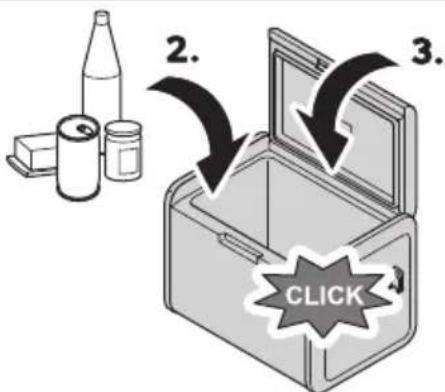
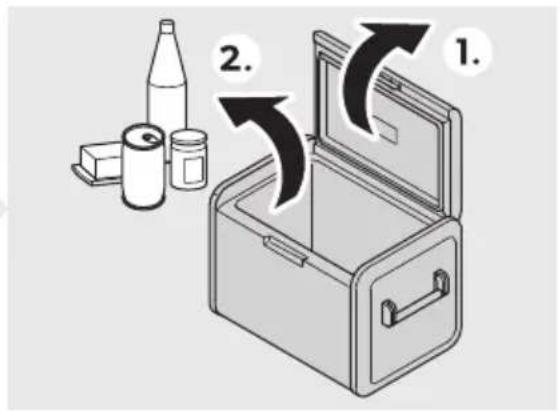
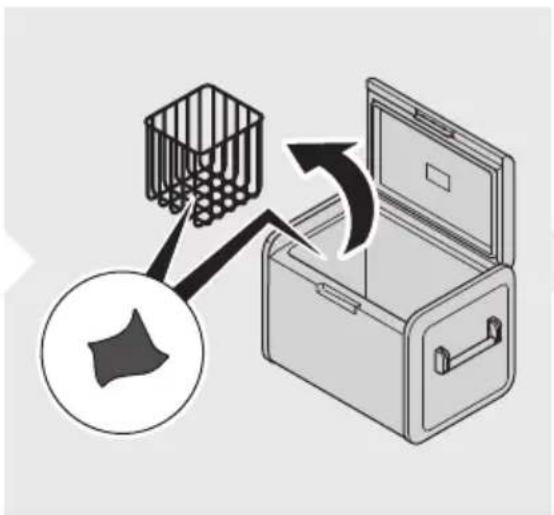
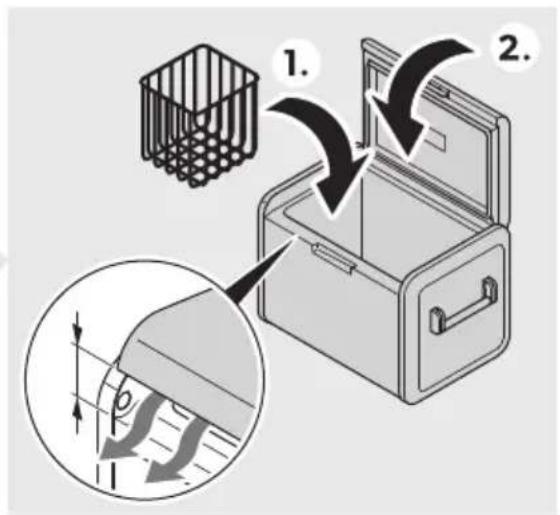
CFX5 25/CFX5 35/CFX5 45/CFX5 55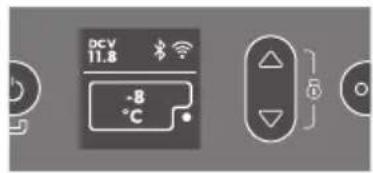

CFX5 55IM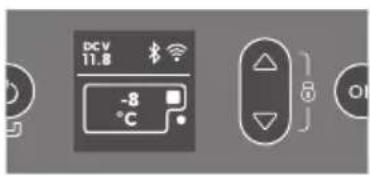

CFX5 75DZ/CFX5 95DZ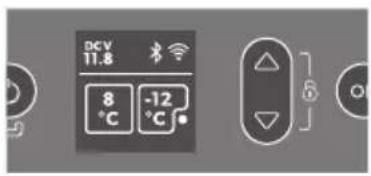

CFX5 75DZ/CFX5 95DZ![graph TD A["DCV 11.8"] --> B["Display"] B --> C["Zone control"] C --> D["Zone control"] D --> E["Zone control"] E --> F["..."] B --> G["Temp units"] G --> H["Zone control"] H --> I["Only On"] I --> J["Large On"] J --> K["Only On"] K --> L["Small On"] L --> M["Only On"] M --> N["All"] style A fill:#f…](/content/2026/04/715630/images/e4a6edda8d5530fb328dcd25074d541cea49bd9344e1d1c7127cd34220bd3f9f.jpg)
CFX5 55 IM![graph LR A["DCV 11.8"] --> B["Display"] B --> C["Ice maker"] C --> D["Ice maker"] D --> E["Display"] style A fill:#f9f,stroke:#333 style B fill:#ccf,stroke:#333 style C fill:#cfc,stroke:#333 style D fill:#fcc,stroke:#333 style E fill:#ffc,stroke:#333](/content/2026/04/715630/images/23fd08befe896d4d415562c264e5f866d5654196b0cb3fa9b1e4e5bb61580270.jpg)
English
Important notes.....QM B RSplanation of symbols...... QM K | a et " instructions......ON D RSplanation of symbols on the device....00 L | cope of deliver"....QP M J accessories.....QP N Intended use.....QP O Fechnicial description....BC P Before Trst use....BQ QC Operation....BB QQ Uleaning and maintenance....BO QB Froubleshooting...... BO QK V arrant"KC QD E isposal....KC QL Fechnical data....KC
Important note
Please read these instructions carefully and follow all instructions, guidelines, and warnings included in this product manual in order to ensure that you install, use, and maintain the product properly at all times. These instructions must stay with this product.
By using the product, you hereby confirm that you have read all instructions, guidelines, and warnings carefully and that you understand and agree to abide by the terms and conditions as set forth herein. You agree to use this product only for the intended purpose and application and in accordance with the instructions, guidelines, and warnings as set forth in this product manual as well as in accordance with all applicable laws and regulations. If you fail to read and follow the instructions and warnings set forth herein, it may result in an injury to yourself or others, damage to your product, or damage to other property in the vicinity. This product manual, including the instructions, guidelines, and warnings and related documentation, may be subject to changes and updates. For up-to-date product information, please visit documents.dometic.com.
Explanation of symbols
A signal word will identify safety messages and property damage messages, and also will indicate the degree or level of hazard seriousness.

DANGER
Indicates a hazardous situation that, if not avoided, will result in death or serious injury.

WARNING
Indicates a hazardous situation that, if not avoided, could result in death or serious injury.

Indicates a hazardous situation that, if not avoided, could result in minor or moderate injury.

Indicates a situation that, if not avoided, can result in property damage.

Safety and installation instructions

On boats, if the device is powered by the mains, ensure that the power supply has a residual current device (RCD), a residual current circuit breaker (RCCB), or a ground fault circuit interrupter (GFCI). Installation, especially in potentially damp areas, must be in accordance with all applicable installation regulations. Do not touch exposed cables with your bare hands. This applies especially when operating the device from the AC mains. Before starting the device, ensure that the power supply line and the plug are dry.

WARNING: Explosion hazard
Do not store any explosive substances such as spray cans with a flammable propellant in the cooling device.

Do not operate the cooling device if it is visibly damaged. If the cooling device's power cable is damaged, it must be replaced with a suitable power cable or assembly available from the manufacturer or its service agent to prevent safety hazards. This cooling device may only be repaired by qualified personnel. Improper repairs can lead to considerable hazards. Plug the device into sockets that ensure proper connection, especially when the device needs to be earthed.

WARNING: Fire hazard
When positioning the cooling device, ensure that the supply cord is not trapped or damaged. Do not locate multiple portable socket-outlets or portable power supplies at the rear of the device. In the event of any damage to the refrigerant circuit, keep open flames and potential ignition sources away from the cooling device. Ventilate the room well. Switch off the cooling device. For cooling devices with R600a refrigerant: The refrigeration circuit contains a small quantity of an environmentally friendly but flammable refrigerant. It does not damage the ozone layer and does not increase the greenhouse effect. Any leaking refrigerant may ignite. Keep the ventilation openings on the device housing or in installations free of obstructions. Do not use any mechanical objects or other means to speed up the defrosting process, unless they have been recommended by the manufacturer for this purpose. Do not open or damage the refrigerant circuit. Do not use electrical devices inside the cooling device unless they are recommended by the manufacturer for that purpose.

WARNING: Health hazard
This cooling device can be used by children aged from 8 years and above and persons with reduced physical, sensory or mental capabilities or lack of experience and knowledge if they have been given supervision or instruction concerning use of the cooling device in a safe way and understand the hazards involved. Children aged from 3 to 8 years are allowed to load and unload cooling devices. Children must be supervised to ensure that they do not play with the device. Cleaning and user maintenance must not be carried out by unsupervised children.

Before starting the cooling device, ensure that the power supply line and the plug are dry. Disconnect the cooling device from the power supply
a) Before each cleaning and maintenance
a) After every use

C, U'12 NQ Health ha: ar6
To avoid contamination of food, observe the following instructions:
a) Check if the cooling capacity of the cooling device is suitable for storing the goods to be cooled. a) Food may only be stored in its original packaging or in suitable containers. a) Opening the cooling device for long periods of time can cause significant increase of the temperature in the compartments of the device. a) Clean regularly surfaces that can come in contact with food and accessible drainage systems.
If the cooling device is left empty for long periods:
a) Switch off the cooling device. a) Defrost the cooling device. a) Clean and dry the cooling device. a) Leave the lid open to prevent mold from developing within the cooling device.

N2' ICEQ Da4 age ha: ar6
Check that the voltage specification on the data plate corresponds to that of the energy supply. Only connect the cooling device as follows:
a) With the EU connection cable to a EU power supply in the vehicle
a) With the DC connection cable to a DC power supply
Never pull the plug out of the socket by the cable. If the cooling device is connected to a DC outlet, disconnect the cooling device and other power consuming devices from the battery before connecting a quick charging device. If the cooling device is connected to a DC outlet, disconnect the cooling device or switch it off when turning off the engine. Otherwise the battery may be discharged. The cooling device is not suitable for transporting caustic materials or materials containing solvents. The insulation of the cooling device contains flammable cyclopentane and requires special disposal procedures. Deliver the cooling device at the end of its life-cycle to an appropriate recycling center. Do not place the cooling device near open flames or other heat sources (heaters, direct sunlight, gas ovens, etc.). Risk of overheating. Ensure at all times that there is a minimum of 50 mm ventilation on all sides of the cooling device. Keep the ventilation area free of any objects that could obstruct the air flow to the cooling components. Do not use or store the cooling device in closed compartments or areas with none or minimal air flow.
Do not fill the inner container with ice or fluids. Never immerse the cooling device in water. Protect the cooling device and cables against heat and moisture. The cooling device shall not be exposed to rain.
4 Explanation of the symbols on the device

Warning: Risk of fire / Flammable materials
A2L
5 Scope of delivery
Fig. 5 on page 3
| Ite4 in [IMAGE] | T 9antit1 De/ ri) tion |
| Q Q Uooler | |
| B Q Uconnection cable for EU connection | |
| K Q Uconnection cable for J U connection |
User manual
Available as accessory (not included in scope of delivery)
| De/ignation Re(no Mo6el | ||
| Prote tive over | ||
| WUBL PMBCCQBOCO UYgL BL | ||
| WUKL PMBCCQBOCM UYgL KL | ||
| WUDL PMBCCQBOCL UYgL DL | ||
| WULL PMBCCQBOQC UYgL LL | ||
| UYgL LLIM | ||
| WUNL PMBCCQBOQQ UYgL NLEh | ||
| WUPL PMBCCQBOCN UYgL PLEh | ||
| Fri6ge /li6e | ||
| I>ELKLDLU | PMBCCQBDLD UYgL KL | |
| UYgL DL | ||
| I>ELLU | PMBCCQBDLL UYgL LL | |
| UYgL LLIM | ||
| I>ENLU | PMBCCQBDLM UYgL NLEh | |
| I>EPLQCCU | PMBCCQBDLN UYgL PLEh | |
| T 9i . (ixing . it | ||
| i Y BL | PMCCCCCQMM UYgL BL | |
| i Y KLDL | PMCCCBPLPP | UYgL KL |
| UYgL DL | ||
| Mobile Uooling app | j | suits all models |
Note that the app may not be available in your country.
7 Intended use
The cooling device is suitable for cooling goods. The cooling device is also suitable for use on vehicles.
The cooling device is designed to be operated from a 12 V on-board power supply of a vehicle or boat, from a 12 V auxiliary battery, or from a 230 V power supply.
The cooling device is suitable for camping or other similar recreational uses.
The cooling device is intended to be used in household and similar applications such as:
a) Staff kitchen areas in shops, offices, and other working environments; b) Farm houses; c) Clients in hotels, motels, and other residential type environments; d) Bed and breakfast type environments; e) Catering and similar non-retail applications.
This product is only suitable for the intended purpose and application in accordance with these instructions.
This manual provides information that is necessary for proper installation and/or operation of the product. Poor installation and/or improper operation or maintenance will result in unsatisfactory performance and a possible failure.
The manufacturer accepts no liability for any injury or damage to the product resulting from:
a) Incorrect installation, assembly, or connection, including excess voltage; b) Incorrect maintenance or use of spare parts other than original spare parts provided by the manufacturer; c) Alterations to the product without express permission from the manufacturer; d) Use for purposes other than those described in this manual.
The manufacturer reserves the right to change product appearance and product specifications.
Technical description
A low maintenance refrigerant circuit with compressor provides the cooling. The generous insulation and the powerful compressor ensure efficient and fast cooling.
The cooling device is portable.
The cooling device can withstand a short-term inclination of up to 30° for example on boats.
Scope of delivery
• Power supply with priority circuit for connecting to the 12 V power supply • Three-level battery monitor to protect the vehicle battery (switches off automatically at low battery voltage) • Display with temperature gauge in °C and °F • Temperature setting in steps of 1 °C (1 °F) • Integrated Bluetooth and Wi-Fi function, hence controllable using an app • Foldable carry handles • USB charger for portable devices such as mobile phones • Removable wire basket • Integrated bottle opener • CFX 55IM only: Ice maker
Operating and display elements
Item Description
Fig. 1 on page 3
Operating panel (Fig. 2)
Switches the cooling device on when the button is pressed briefly.
Switches the cooling device off when the button is pressed for three seconds.
Returns to the previous menu.
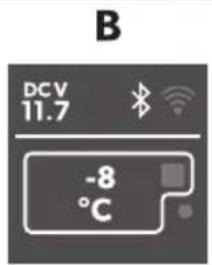
The display shows that the power supply is connected.
The display shows that the DC power supply is connected.
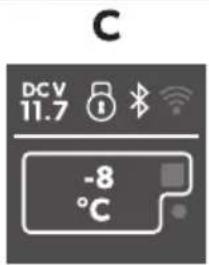
Bluetooth is activated.
Wi-Fi is activated.
The display is locked.
The compressor is working.
The ice maker is working (only for models with ice maker).
Press to navigate upwards or to increase the selected value.
Press to navigate downwards or to decrease the selected value.
Press and hold for 3 seconds to lock or unlock the display.
Press to select a menu or to save the selected value.

Before starting the cooling device for the first time, clean it inside and outside with a damp cloth for hygienic reasons (see Cleaning and maintenance).
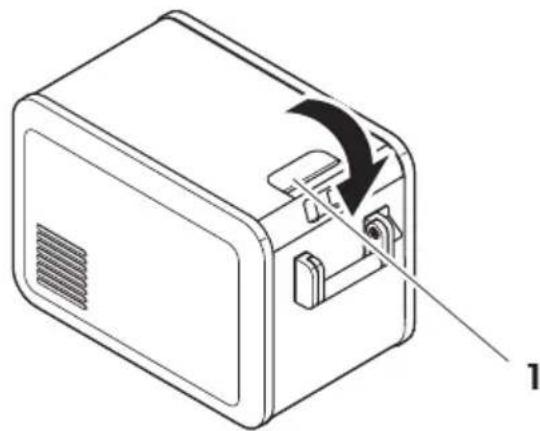
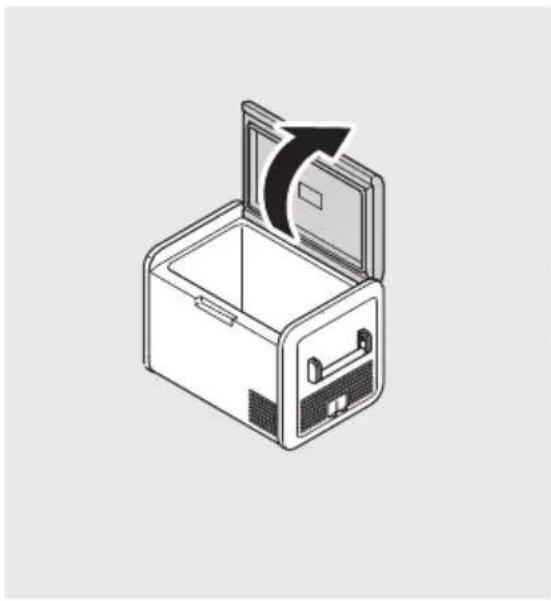
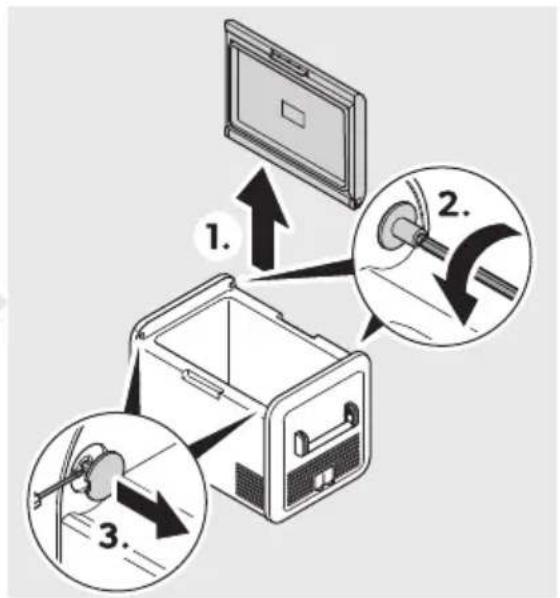
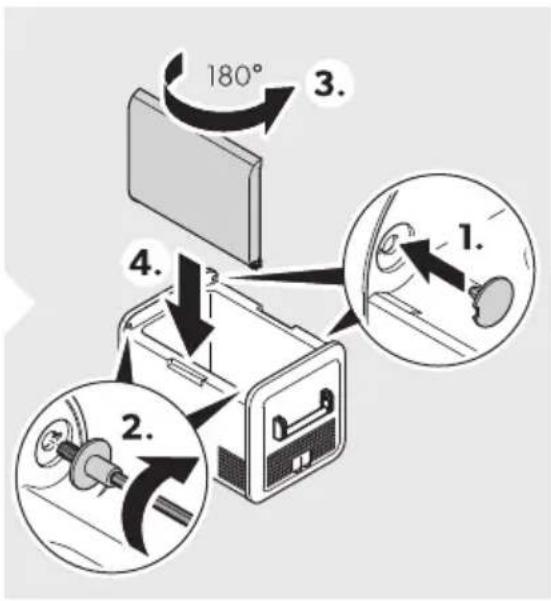
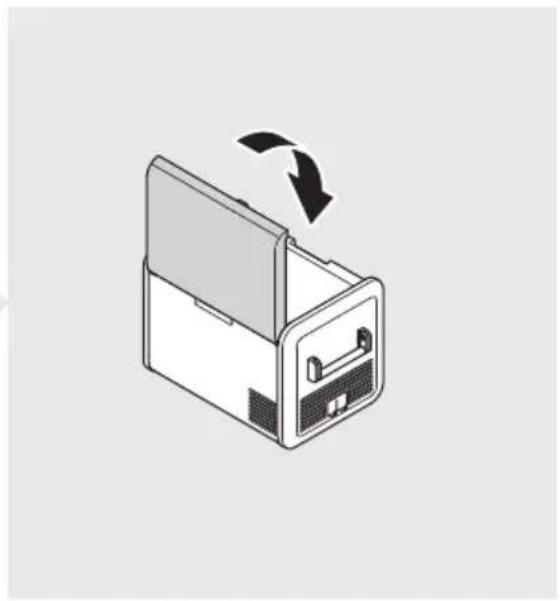
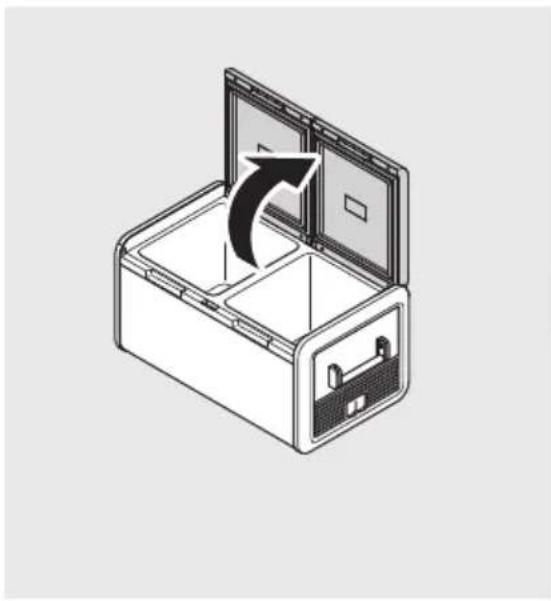
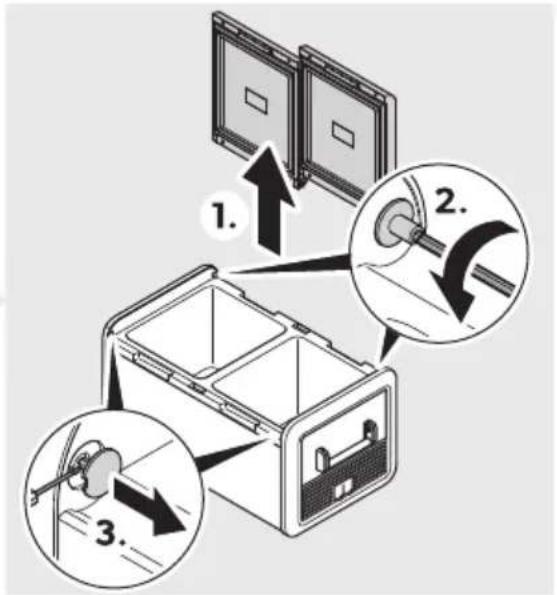
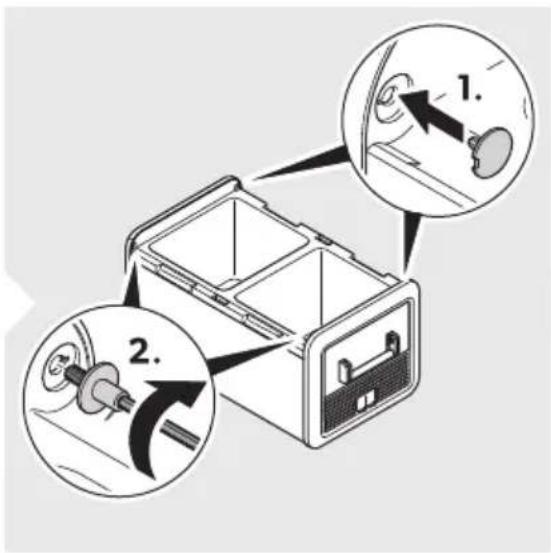
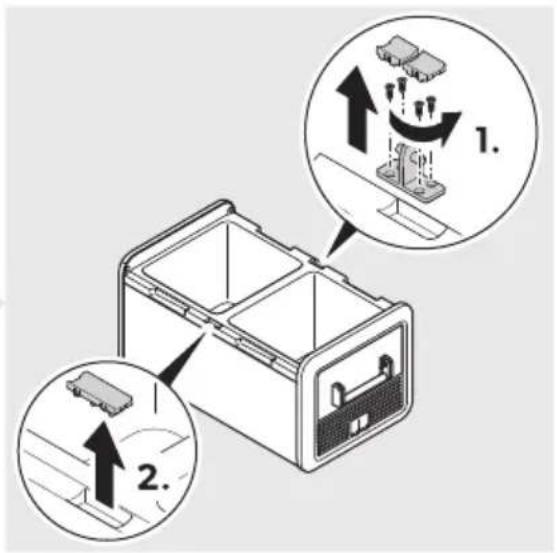
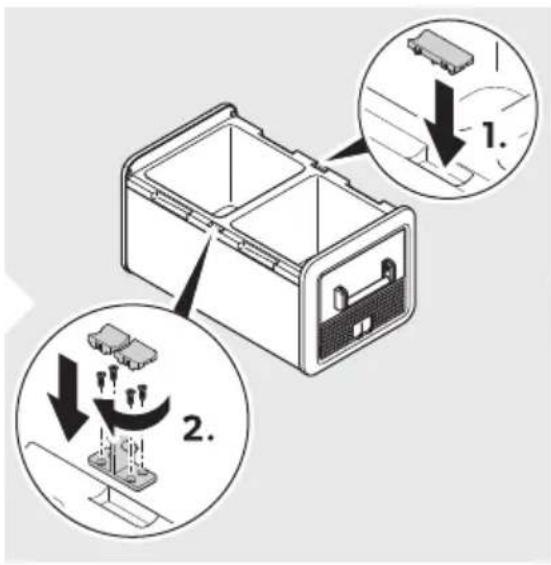
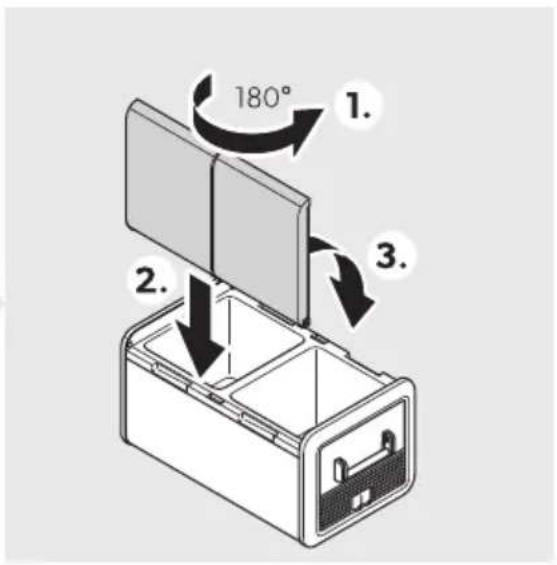
Reversing the lid opening
To reverse the lid opening, proceed as shown.
a CFX5 55, CFX5 55IM
Fig. 5 on page 5
a CFX575DZ, CFX5 95DZ
Fig. 5 on page 4
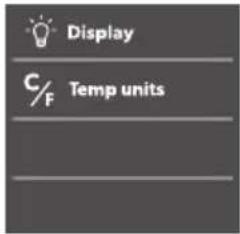
Selecting the temperature unit
Proceed as shown.
Fig. 0 on page 7
Operation
Storing food correctly
To avoid food waste, note the following:
Keep temperature fluctuation as low as possible. Only open the cooling device as often and for as long as necessary. Store the foodstuffs in such a way that the air can still circulate well. Adjust the temperature to the quantity and type of the foodstuffs. Foodstuffs can easily absorb or release odor or taste. Always store foodstuffs covered or in closed containers/bottles.
Saving energy
Choose a well ventilated location which is protected from direct sunlight. Allow warm food to cool down first before placing it in the cooling device to keep cool. Do not open the cooling device more often than necessary. Do not leave the cooling device open for longer than necessary. If the cooling device has a basket, for optimal energy consumption, position the basket according to its position on delivery. On a regular basis, ensure the lid seal still fits properly. Avoid unnecessarily low temperatures.
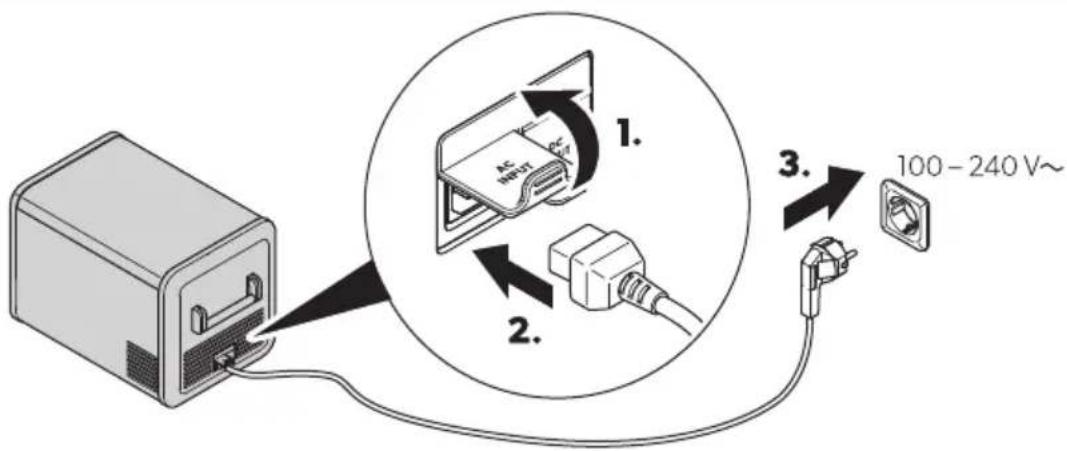
PZS3 Connecting the cooling device
Connecting to a DC power source

N2' ICEQ Da4 age ha: ar6
For protection of the device, the EU cable supplied includes a fuse inside the plug. Do not remove the fused EU plug. Only use the EU cable supplied.
Proceed as shown?
Fig. 50 on page 07
Connecting to an AC power source

Never handle plugs and switches with wet hands or if you are standing on a wet surface.
If necessary, seek advice from a trained technician.
Proceed as shown?
Fig. 50 on page 07
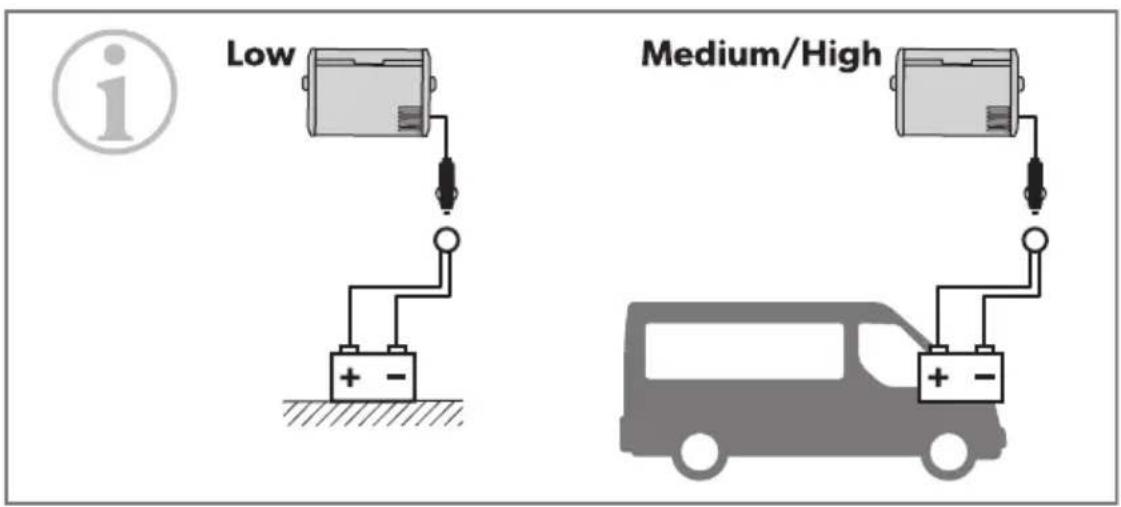
PZS4 Using the battery monitor
The cooling device is equipped with a battery monitor that provides a K-stage battery protection. The battery protection prevents excessive discharging when the cooling device is connected to a vehicle starter battery or maximizes the use of a supply battery.
If the cooling device is operated when the vehicle ignition is switched on, the cooling device switches off automatically as soon as the supply voltage falls below a set level. The cooling device will switch back on once the battery has been recharged to the restart voltage level.

When switched on by the battery monitor, the battery will no longer be fully charged. Avoid starting repeatedly or operating current consumers without longer charging phases. Ensure that the battery is recharged.

When the cooling device is supplied by the starter battery, select the battery monitor mode m( IG( n. If the cooling device is connected to a supply battery, the battery monitor mode m>OV n will suffice.
Proceed as shown?

Fig. 50 on page 0V
Using the cooling device

Risk of overheating
Ensure at all times that there is sufficient ventilation so that the heat generated during operation can dissipate. Ensure that the ventilation slots are not covered. Ensure that the device is sufficiently far away from walls and other objects so that the air can circulate.

Risk of damage from excessively low temperatures
Ensure that only those objects are placed in the cooling device that are intended to be cooled at the selected temperature.

When operating with the battery
When voltage is off, the display switches off automatically.
When voltage is ≥ 0 V and ≤ QB V, the display may show meJ >RRF - Voltage low, depending on the battery monitor mode setting.
Switch the cooling device on?

Fig. □ on page 0V
with the cooling device ocZ

Fig. 0 on page 09
PZSU using the 6i/) la1
Di/) la1 /tate/W

Fig. 0 on page 09
Item Description
J | stand b"
EN00 CFX5
Item Description
B Idle
U >ocked
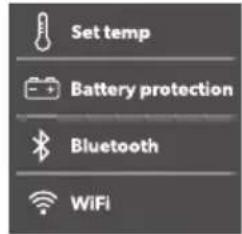
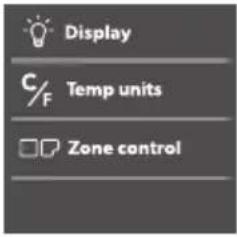
Display overview
Fig. 0 on page 09
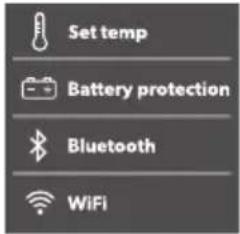
Navigating through the menu
The highlighted menu is selected.
Press △ to navigate upwards. Press to navigate downwards.
Choosing a menu
Press to select the required menu.
Changing settings
The highlighted value or setting is selected.
Press to increase the selected value or to choose the previous setting. Press to decrease the selected value or to choose the next setting.
Returning to the previous menu
Press ← to return to the previous menu without saving.
PZ$7 Locking/unlocking the display
Press and simultaneously for 3 s to lock or unlock the display.
Fig. 50 on page 0PZ
PZSV Setting the display brightness
Proceed as shown?
Fig. 50 on page 0PZ
PZ$9 Setting the temperature
Proceed as shown?
Fig. 50 on page 0PP
PZSPZ S8 it hing a o4) art4 ent o(( or on XCFX5 75DZ, CFX5 95DZ onl1Y
You can activate each zone individually or both of them.
Proceed as shown?
Fig. 50 on page 0P2
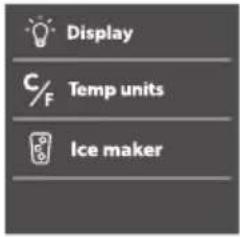
PZSPP U/ing the i e 4 a. er XCFX5 55IM onl1Y

N2'E
Independent of the main compartment's temperature setting, the ice maker zone is designed for making ice cubes if the ice maker is switched on. The cooling device's energy consumption increases with the ice maker on. Therefore, you should switch off the ice maker if it is not needed. The factory setting for the ice maker is OFF.
Tips for using the ice maker
The ice maker makes ice for a number of hours after switching on and then automatically goes into an ice maintenance mode to reduce energy consumption. If multiple batches of ice are required as quickly as possible, switching the ice maker off and back on will set it back into ice-making mode. Repeat as required.
Lower freezer temperature settings in the main compartment may not be maintained in high ambient temperature conditions with the ice maker switched on.
To turn the ice maker on or off, proceed as shown?

Fig. 50 on page 0P2
Filling the ice tray with water
Remove the ice trays (Fig. P) from the ice maker housing (Fig. 2).

Fig. 0 on page 2
Removing the ice tray

N2'E
Removal may require additional force using two hands in high humidity conditions which may create an ice bond underneath the ice trays.
A. Open the ice maker housing lid and lid under the front of the ice trays. B. Remove the ice tray covers and twist trays to release the ice cubes.
Removing the ice maker housing
The ice maker housing can be removed for cleaning or when not in use to increase usable space inside the cooling device.
Lift the housing at one end until the lug unclips then remove. Reverse procedure for re-fit, pushing down on lugs to snap into position.
Cleaning and drying the ice maker
When not in use, clean and dry the ice trays and inside the ice maker housing to prevent mould. Under extended periods of non-use, clean the inside of the ice trays with a mild dish washing solution and rinse with clean water prior to use.
PZSP2 Using Bluetooth and Wi-Fi
Downloading the Mobile Cooling app
The cooling device can be monitored and controlled via Bluetooth or Wi-Fi using an app that you can install on a compatible device.

Download the Mobile Cooling app.
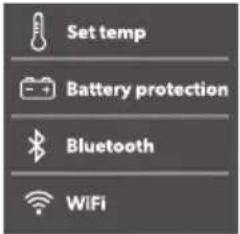
Setting the Bluetooth signal and connecting to the app
The cooling device can be monitored and controlled via Bluetooth. To do so, pair the cooling device with your Bluetooth device.

N2'E
Pairing must be done within the Mobile Cooling app, not in device settings. There is no password required for Bluetooth connection.
Proceed as shown?

Fig. 500 on page 103
Setting the Wi-Fi signal
Proceed as shown?

Fig. 500 on page 103
Operating Bluetooth and Wi-Fi
Follow the instructions in the mobile cooling app. The Bluetooth or Wi-Fi LED lights up when the cooler is connected.
PZSP3 Resetting to factory settings
The reset function changes all display menu and app fields to the original factory settings.
Proceed as shown?

Fig. 500 on page 103
The USB port allows you to charge small devices like mobile phones and MP3 players.

Ensure that any small device connected to the USB port is compatible with USB operation.
Proceed as shown.

Fig. 50 on page 104
Defrosting the cooling device
Humidity can form frost in the interior of the cooling device or on the evaporator. This reduces the cooling capacity.

Never use hard or pointed tools to remove ice or to loosen objects which have frozen in place.
Never use hard or pointed tools to remove ice or to loosen objects which have frozen in place.
To defrost the cooling device proceed as follows:
A. Remove the contents of the cooling device. B. If necessary, place the contents in another cooling device to keep them cold. C. Switch off the cooling device. D. Leave the lid open. E. Wipe off defrosted water.
Replacing the device fuse

Disconnect the power supply and the connection cable before you replace the device fuse.
A. Disconnect the power supply to the device. B. Remove the connection cable. C. Pry out the fuse insert (Fig. 2) with a screwdriver. D. Replace the defective glass fuse with a new one of the same type and rating (fast acting HDC H BLC b). E. Press the fuse insert back into the housing. F. Reconnect the power supply to the device.
Replacing the DC fuse
Disconnect the power supply to the cooling device. Remove the fuse cover (Fig. 43) with a screwdriver. Reverse the fuse cover and use a hook to remove the defective blade fuse. Push in a new fuse of the same type and rating. Re-fit the fuse cover. Reconnect the power supply to the cooling device.
a UYgL BLH UYgL KLH UYgL DLH UYgL LLH UYgL LLIMZ QC J
a UYgL NLE hH UYgL PLE hZ QL J
Replacing the DC plug
Replace the defective fuse with a new fuse of the same type and rating as shown.
Fig. 50 on page 04
Replacing the light

See Fig. 04, page 16
The lamp can only be replaced by the manufacturer, a service agent, or a similarly qualified person to avoid hazard.
Cleaning and maintenance

Ensure that the cooling device is disconnected from the power supply before any cleaning or maintenance work.

See Fig. 04, page 16
Never clean the cooling device under running water or in dishwater.
Do not use abrasive cleaning agents or hard objects during cleaning.
Occasionally clean the device interior and exterior with a damp cloth. Ensure that the air inlet and outlet vents on the cooling device are free of any dust and dirt so that heat can be released and the cooling device is not damaged.
Troubleshooting
| Proble4 Po//ible a9/e S9gge/te6 re4 e61 | ||
| Fhe device does not function (EU modeH ignition on). | &o voltage was detected in the EU power outlet | > In most vehicles the ignition must be turned on before power will be supplied to the EU power outlet. |
| Fhe EU outlet is dirt". This results in a poor electrical contact. | > Is the plug of the device becomes ver" warm in the EU outlet either the EU outlet must be cleaned or the plug has not been assembled correctl". | |
| Fhe use of the EU plug has blown. Replace the defective use in the EU plug see Replacing the EU plug use. | ||
| Fhe device EU use has blown. Replace the EU device use see Replacing the EU use. | ||
| Fhe vehicle use has blown. Replace the vehicle's EU outlet use. Refer to "our vehicle's operating manual. | ||
| Evice does not function (J U mode). | &o voltage was detected in the J U voltage socket. | > Fr" using another plug outlet. |
| Fhe device J U use has blown. Replace the J U device use see Replacing the J U use. | ||
| Fhe integrated J U adapter is defective. | This can onl" be repaired b" an authorized repair center. | |
| Fhe displa" does not respond to ke"-strokes. | Fhe displa" is locked. Unlock the displa"F see >ockingf un locking the displa". | |
| Fhe app cannot control the device. | Bluetooth or V i-Yi is not connected. | > Uconnect to Bluetooth (see | et ting the Bluetooth signal and con necting to the app) or connect to V i-Yi (see | etting the V i-Yi signal. |
| Fhe displa" shows an alert message or warning code. | j | ee the following tables. | > |
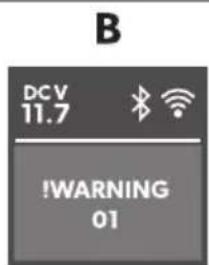
P2SP, alert 4 e//age/
RSampleZ

FigSO on) ageOP4
, alert 4 e//age De/ ri) tion Po//ible a9/e S9gge/te6 re4 e61
| ej >RRF - >id open r K min | >id open more than K min | >id not full" latched | Uheck lid latched full" |
| Internal fault J authorized repair center in-spection re' uired | |||
| ej >RRF - boltage low | The device has stopped work-ing on EU due to low voltage | Insufficient suppl" voltage Uheck voltage drop from bat-ter" to power outlet and in-crease wiring gauge if neces-sar" | |
| Batter" voltage is too low Fest the batter" and charge as needed | |||
| Batter" protection is set too high | I elect a lower batter" protec-tion setting | ||
| The device has stopped work-ing on EU due to abnormal-l" high voltage r KQL b (un-likel" event j for electronicsprotection onl" j uses samealert message as low voltageabove) | Vrong EU suppl" voltagespecification | Rnsure EU suppl" voltagespecification matches productrating label | |
| Vault" suppl" volt-age | Uheck EU voltage suppl" andrepair or replace it fault" | ||
| Internal fault J authorized repair center in-spection re' uired | |||
P2S2 R arning o6e/
RSampleZ

Yig.
| R arning o6e | Fa9lt Po//ible a9/e S9gge/te6 re4 e61 | ||
| eV J R&I&G CQ | &FU open circuit I h s Eh >J RGR | Internal fault | J authorized repair center in-spection re' uired |
| eV J R&I&G CB | &FU short circuit I h s Eh >J RGR | ||
| eV J R&I&G 0Q | &FU open circuit Eh | MJ >> | ||
| eV J R&I&G 0B | &FU short circuit Eh | MJ >> | ||
| eV J R&I&G CKf DK | Uommunication error | Wower oc the device for at least 0 min then restart. Is the problem persists authorized repair center inspection is re-’ uired. | |
| eV J R&I&G CP | Eh valve or Ice maker valve fault" | ||
R arning o6e Fa9lt Po//ible a9/e S9gge/te6 re4 e61
| eV J R&I&G KB Yan over-current | Internal Gault Wower oc the device for at least L minH then restart. If the problem persistsH authorized repair center inspection is re- uired. | |
| eV J R&I&G KK Uompressor start Gail | ||
| eV J R&I&G KD Uompressor speed low | a (igh ambient temperature a) ir vent blocked or insuici- cient clearance a Internal Gault | a Wower oc the device for at least KC min or move to a cooler locationH then restart. a Ulear the vents a) authorized repair center inspection re' uired |
P3 R arrant1
The statutory warranty period applies. If the product is defective, please contact the manufacturer's branch in your country (see dometic.com/dealer) or your retailer.
For repair and warranty processing, please include the following documents when you send in the device:
a copy of the receipt with purchasing date
a reason for the claim or description of the fault
Note that self-repair or nonprofessional repair can have safety consequences and might void the warranty.
P4 Di/) o/al

Recycling packaging material: Place the packaging material in the appropriate recycling waste bins wherever possible.

Before disposing of your old cooling device, dismantle the lid. Leave the baskets in place so that children may not easily climb inside.
If you wish to finally dispose of the product, ask your local recycling center or specialist dealer for details about how to do this in accordance with the applicable disposal regulations. The product can be disposed of free of charge.

If the product contains any non-replaceable batteries or rechargeable batteries, you don't have to remove them before disposal.
Technical Data

Note: The minimum temperature shown in the cooling capacity may be attained if the ambient temperature is above [KBI U].
Test certificates:




Yellow [RWJ] use conditions.
| CFX5 25 | |
| Uonnection voltage | QB b≠f BD b=QCC b≠t BDC b~ |
| Rated current | QB b≠P.BJBD b≠D.BJQCC b≠0.QJBDC b≠C.DMJ |
| Uooling capacit" BCI Uzt j | BBI U |
| Ultimate class &H F | |
| bolume BL > | |
| J mbient temperature QMI Uct DKI U | |
| Refrigerant RMCCa | |
| Refrigerant 'uantit" QL g | |
| Yre' uenc" range V iYiZ BDCC M( zzt BDOK.L M( zBluetoothf B>RZ BDCC M( zzt BDOK.L M( z | |
| Yre' uenc" band (V iYi) B.D G( z | |
| RY output power V iYiZ QP.PQ dBm (OCB.00b)H | QP.PQ dBm (OCB.00g)+QP.PQ dBm (OCB.00n)+Bluetoothz QQ.BK dBmBluetooth >RZ QQ.BK dBm |
| E imensions V S E S ( (including handles)V eight QM kg | KDB mmμu LMP mmμu DBC mm |
| CFX5 35 | |
| Uonnection voltage | QB b≠f BD b=QCC b≠t BDC b~ |
| Rated current | QB b≠0.P JBD b≠K.O JQCC b≠0.JBDC b≠C.DG J |
| Uooling capacit" BCI Uzt j | BBI U |
| Ultimate class &H F | |
EN000 CFX5
| CFX5 35 | |
| bolume KM > | |
| J mbient temperature QMI Uct DKI U | |
| Refrigerant RMCCa | |
| Refrigerant 'uantit" ON g | |
| Yre' uenc" range V iYiZ BDCC M( zt BDOK.L M( z | Bluetoothf B>RZ BDCC M( zt BDOK.L M( z |
| Yre' uenc" band (V iYi) B.D G( z | |
| RY output power V iYiZ OP.PQ dBm (OCB.00b)H | QP.PQ dBm (OCB.00g)+QP.PQ dBm (OCB.00n)+Bluetoothz 00.BK dBmBluetooth >RZ 00.BK dBm |
| E imensions V S E S ( (including handles) | KPO mmμu MPD mmμu DCN mm |
| V eight OP.O kg | |
| CFX5 45 | |
| Uonction voltage | QB b≠f BD b =GCC b≠ BDC b ~ |
| Rated current | QB b≠P.D JBD b≠D.Q JQCC b≠Q.CM JBDC b≠C.DD J |
| Uooling capacit" BCI Ujt j | BBI U |
| Ultimate class &H F | |
| bolume DM > | |
| J mbient temperature QMI Uct DKI U | |
| Refrigerant RMCCa | |
| Refrigerant 'uantit" BC g | |
| Yre' uenc" range V iYiZ BDCC M( zt BDOK.L M( z | Bluetoothf B>RZ BDCC M( zt BDOK.L M( z |
| Yre' uenc" band (V iYi) B.D G( z | CFX5 45 |
| RY output power V iYiZ QP.PQ dBm (OCB.00b)‡ | QP.PQ dBm (OCB.00g)+QP.PQ dBm (OCB.00n)+Bluetooth Z 00.BK dBmBluetooth >RZ 00.BK dBm |
| E imensions V S E S (including handles) | KPO mmqu MPD mmqu DNM mm |
| V eight B0.N kg | |
| CFX5 55 | |
| Uonnection voltage | QB b≠ BD b ==QCC b≠ BDC b ~ |
| Rated current | QB b≠ P.M JBD b≠ D.B JQCC b≠ Q.CO JBDC b≠ C.DM J |
| Uooling capacit" BCI Uct j | BBI U |
| Ultimate class &H F | |
| Fotal volume LL > | |
| J mbient temperature OMI Uct DKI U | |
| Refrigerant RMCCa | |
| Refrigerant 'uantit" BB g | |
| Yre' uenc" range V iYiZ BDCC M( zzt BDOK.L M( z | Bluetooth f B>RZ BDCC M( zzt BDOK.L M( z |
| Yre' uenc" band (V iYi) B.D G( z | |
| RY output power V iYiZ QP.PQ dBm (OCB.00b)‡ | QP.PQ dBm (OCB.00g)+QP.PQ dBm (OCB.00n)+Bluetooth Z 00.BK dBmBluetooth >RZ 00.BK dBm |
| E imensions V S E S (including handles) | NBC mmqu DLL mmqu DOC mm |
| V eight BK.O kg |
EN00 CFX5
| CFX5 55IM | |
| Uonnection voltage | QB b≠f BD b=QCC b≠t BDC b~ |
| Rated current | QB b≠P.MJBD b≠D.BJQCC b≠Q.COJBDC b≠C.DMJ |
| Uooling capacit" BCI U≠t j | BBI U |
| Ultimate class &H F | |
| Fotal volume LL > | |
| J mbient temperature QMI U≠t DKI U | |
| Refrigerant RMCCa | |
| Refrigerant 'uantit" BB g | |
| Yre' uenc" range V iYiZ BDCC M( z≠t BDOK.L M(z | Bluetoothf B>RZ BDCC M( z≠t BDOK.L M(z |
| Yre' uenc" band (V iYi) B.D G(z | |
| RY output power V iYiZ OP.PQ dBm (OCB.00b)H | QP.PQ dBm (OCB.00g)+QP.PQ dBm (OCB.00n)+Bluetoothz 00.BK dBmBluetooth >RZ 00.BK dBm |
| E imensions V S E S ( (including handles) | NBC mmμ DLL mmμ DOC mm |
| V eight BL kg |
| CFX5 75DZ | |
| Uonnection voltage | QB b≠f BD b =QCC b≠t BDC b ~ |
| Rated current | QB b≠P.O JBD b≠D.M JQCC b≠0.Q JBDC b≠C.DN J |
| Uooling capacit" BCI U≠t j | BBI U |
| Ultimate class &H F | |
| Fotal volume NL > (DL >f KC >) | |
| J mbient temperature QMI Uct DKI U | |
| ReGrigerant RMCCa | |
| ReGrigerant 'uantit" BN g | |
| Yre' uenc" range V iYiZ BDCC M( z,t BDOK.L M( z | Bluetoothf B>RZ BDCC M( z,t BDOK.L M( z |
| Yre' uenc" band (V iYi) B.D G( z | |
| RY output power V iYiZ QP.PQ dBm (OCB.00b)H | QP.PQ dBm (OCB.00g)H |
| QP.PQ dBm (OCB.00n)H | |
| Bluetoothz 00.BK dBm | |
| Bluetooth >RZ 00.BK dBm | |
| E imensions V S E S ( (including handles) | OPB mmqu DPL mmqu DNB mm |
| V eight K0.0 kg |
| CFX5 95DZ | |
| Uonnection voltage | QB b≠f BD b =QCC b≠ BDC b ~ |
| Rated current | QB b≠0C.D JBD b≠D.N JQCC b≠0.BB JBDC b≠ C.L Q J |
| Uooling capacit" BCI Uzt j | BBI U |
| Ulmiate class &H F | |
| Fotal volume PD > (LL >f KP >) | |
| J mbient temperature QMI Uct DKI U | |
| Refrigerant RMCCa | |
| Refrigerant 'uantit" KC g | |
| Yre' uenc" range V iYiZ BDCC M( zzt BDOK.L M( z | Bluetoothf B>R2 BDCC M( zzt BDOK.L M( z |
| Yre' uenc" band (V iYi) B.D G( z |
EN000 CFX5
| CFX5 95DZ | |
| RY output power V iYiZ QP.PQ dBm (OCB.QGb)H | QP.PQ dBm (OCB.QGg)H |
| QP.PQ dBm (OCB.QGn)H | |
| Bluetoothz 00.BK dBm | |
| Bluetooth >RZ 00.BK dBm | |
| E imensions V S E S ( (including handles) | PMB mmμu LKC mmμu DNB mm |
| V eight KK.K kg |
Dometic declares that the radio equipment type [UYgL] is in compliance with Directive [BCQDf L Kf RU]. The full text of the EU declaration of conformity is available at the following internet address: documents.dometic.com
Further product information can be accessed via the QR code on the energy label or via eprel.ec.europa.eu.
Fig. 50 on page 5
WUBL PMBCCQBOCO UYgL BL
WUKL PMBCCQBOCM UYgL KL
WUDL PMBCCQBOCL UYgL DL
WULL PMBCCQBOQC UYgL LL
UYgL LLIM
WUNL PMBCCQBOQQ UYgL NLEh
WUPL PMBCCQBOCN UYgL PLEh
Kühl/ hran. / hiene
I > E L K L D L U PMBCCQBDL D UYgL KL
UYgL DL
I>ELLU PMBCCQBDLL UYgL LL
UYgL LLIM
I >ENLU PMBCC0BDLM UYgL NLEh
I >EPLQCCU PMBCCQBDLN UYgL PLEh
Schnellver/ /9//-Ce(e/tig9ng/. it
i Y BL PMCCCCCQMM UYgL BL
i Y KLDL PMCCCBPL PP UYgL KL
R am4 el69ng Ce/ hreib9ng Mögli he Ur/a he Lö/9ng/vor/ hlag
R arn o6e Stör9ng Mögli he Ur/a he Lö/9ng/vor/ hlag
R arn o6e Stör9ng Mögli he Ur/a he Lö/9ng/vor/ hlag
WUBL PMBCCQBOCO UYgL BL
WUKL PMBCCQBOCM UYgL KL
WUDL PMBCCQBOCL UYgL DL
WULL PMBCCQBOQC UYgL LL
UYgL LLIM
WUNL PMBCCQBOQQ UYgL NLEh
WUPL PMBCCQBOCN UYgL PLEh
Mo6i(i ation 6e/raglage/
PZS7 0erro9illage/6averro9illage 6e lba ran
| C9bierta 6e) rote i7n | ||
| WUBL PMBCCQBOCO UYgL BL | ||
| WUKL PMBCCQBOCM UYgL KL | ||
| WUDL PMBCCQBOCL UYgL DL | ||
| WULL PMBCCQBOQC UYgL LL | ||
| UYgL LLIM | ||
| WUNL PMBCCQBOQQ UYgL NLEh | ||
| WUPL PMBCCQBOCN | UYgL PLEh | |
| Riel 6e/li: ante ) ara nevera | ||
| I >ELKLDLU | PMBCCQBDLD UYgL KL | |
| UYgL DL | ||
| I >ELLU | PMBCCQBDLL UYgL LL | |
| UYgL LLIM | ||
| I >ENLU | PMBCCQBDLM | UYgL NLEh |
| I >EPLQCCU | PMBCCQBDLN | UYgL PLEh |
Deno4 ina i7n NSk 6e art\$ Mo6elo
Kit 6e (i3a i7n rá) i6a
i Y BL PMCCCCCQMM UYgL BL
i Y KLDL PMCCCBPLPP UYgL KL
UYgL DL
WUBL PMBCCQBOCO UYgL BL
WUKL PMBCCQBOCM UYgL KL
WUDL PMBCCQBOCL UYgL DL
WULL PMBCCQBOQC UYgL LL
UYgL LLIM
WUNL PMBCCQBCQQ UYgL NLEh
WUPL PMBCCQBOCN
UYgL PLEh
Prateleira 6e/li: ante ) ara (rigorí(i o
I > E L K L D L U
De/ignacno NSk art\$ Mo6elo
| UYgL DL | |
| I>ELLU PMBCCQBDLL UYgL LL | |
| UYgL LLTM | |
| I>ENLU PMBCCQBDLM UYgL NLEh | |
| I>EPLQCCU PMBCCQBDLN UYgL PLEh | |
| Kit 6e (ixaçno rá) i6a | |
| i Y BL PMCCCCCQMM UYgL BL | |
| i Y KLDL PMCCCBPLPP UYgL KL | |
| UYgL DL |
| Co) ert9ra 6i ) rote: ione | ||
| WUBL PMBCCQBOCO UYgL BL | ||
| WUKL PMBCCQBOCM UYgL KL | ||
| WUDL PMBCCQBOCL UYgL DL | ||
| WULL PMBCCQBOQC UYgL LL | ||
| UYgL LLIM | ||
| WUNL PMBCCQBOQQ UYgL NLEh | ||
| WUPL PMBCCQBOCN | UYgL PLEh | |
| S ivolo (rigori(ero) | ||
| I >ELKLDLU | PMBCCQBDLD UYgL KL | |
| UYgL DL | ||
| I >ELLU | PMBCCQBDLL UYgL LL | |
| UYgL LLIM | ||
| I >ENLU | PMBCCQBDLM | UYgL NLEh |
| I >EPLQCCU | PMBCCQBDLN | UYgL PLEh |
PZS7 Clo are//blo are il 6i/) la1
| , an69i6ing , rti. elnr$ Mo6el | ||
| Ce/ her4 . a) | ||
| WUBL PMBCCQBOCO UYgL BL | ||
| WUKL PMBCCQBOCM UYgL KL | ||
| WUDL PMBCCQBOCL UYgL DL | ||
| WULL PMBCCQBOQC UYgL LL | UYgL LLTM | |
| WUNL PMBCCQBOQQ UYgL NLEh | ||
| WUPL PMBCCQBOCN UYgL PLEh | ||
| S h9i( . oel. a/t | ||
| I >ELKLDLU | PMBCCQBDLD UYgL KL | UYgL DL |
| I >ELLU | PMBCCQBDLL UYgL LL | UYgL LLTM |
| I >ENLU | PMBCCQBDLM UYgL NLEh | |
| I >EPLQCCU PMBCCQBDLN UYgL PLEh | ||
| Snelbeve/tiging//et | ||
| i Y BL | PMCCCCCCQMM UYgL BL | |
| i Y KLDL | PMCCCBPL PP | UYgL KL |
| UYgL DL | ||
, an69i6ing, rti. elnr\$ Mo6el
a bed and breakfast-accommodities
V'e hni/ he be/ hri3ving
Ce6iening/) aneel X a(150Y
a(bS0o)agina04
OIG' IG' Q Fare (or be/. a6igel/e
WUBL PMBCCQBOCO UYgL BL
WUKL PMBCCQBOCM UYgL KL
WUDL PMBCCQBOCL UYgL DL
WULL PMBCCQBOQC UYgL LL
UYgL LLIM
WUNL PMBCCQBOQQ UYgL NLEh
a Bed-and-breakfast-pensioner
Cet3ening/) anel X (ig)
(igS01) t /i6e 4
OIG' IG' Q Fare (or be/. a6igel/e
OIG' IG' Q Fare (or be/. a6igel/e
s n6ring a(in6/tillinger
OIG' IG' Q Fare (or be/. a6igel/e
0IG' IG' Q Fare (or be/. a6igel/e
OIG' IG' Q Fare (or be/. a6igel/e
P2 U6be6ring a( (e3l
WUBL PMBCCQBOCO UYgL BL
Snabb4 ontering//at/
Jppen Mobile Uooling
(!mta appen Mobile Uooling.
St5lla in Cl9etooth-/ignalen o h an/l9ta till a) ) en
a UYgL BLH UYgL KLH UYgL DLH UYgL LLH UYgL LLIMZ QC J
a UYgL NLEhH UYgL PLEhZQL J
WUBL PMBCCQBOCO UYgL BL
WUKL PMBCCQBOCM UYgL KL
WUDL PMBCCQBOCL UYgL DL
WULL PMBCCQBOQC UYgL LL
UYgL LLIM
WUNL PMBCCQBOQQ UYgL NLEh
WUPL PMBCCQBOCN UYgL PLEh
I > E L K L D L U
PMBCCQBDLD UYgL KL
UYgL DL
I>ELLU
PMBCCQBDLL UYgL LL
UYgL LLIM
Mobile app for cooling
fits all models
For your protection, the included DC power cable has a fuse inside the plug. Use only the included fused DC power plug. Use only the included DC power cable.
Proceed as shown.
Connection to a wall outlet

Never insert plugs or operate switches with wet hands or when standing on a wet surface.
Seek advice from an electrician if necessary.
Proceed as shown.
Download the mobile app for cooling.
Setting the Bluetooth signal and connecting to the app
PZSP4 USC-til. obling (or/) enning/(or/1ning
P, SS Pw0 Fare (or /. a6er
a UYgL BLH UYgL KLH UYgL DLH UYgL LLH UYgL LLIMZ QC J
a UYgL NLEhHUYgL PLEhZQL J
P, SS Pw0 Fare (or /. a6er
P, SS Pw0 Fare (or /. a6er
P4, v(all/ht n6tering

Recycling of packaging 2 >recycle packaging as much as possible.

, DO, RSELQ Fare (or at barn blir inne/tengt
0, R2 I' USQ Palovaara
WUBL PMBCCQBOCO UYgL BL
WUKL PMBCCQBOCM UYgL KL
WUDL PMBCCQBOCL UYgL DL
WULL PMBCCQBOQC UYgL LL
UYgL LLIM
Mobile Cooling application
a UYgL BLH UYgL KLH UYgL DLH UYgL LLH UYgL LLIM QC J
a UYgL NLEhH UYgL PLEhZQL J
WUBL PMBCCQBOCO UYgL BL
WUKL PMBCCQBOCM UYgL KL
WUDL PMBCCQBOCL UYgL DL
WULL PMBCCQBOQC UYgL LL
UYgL LLIM
WUNL PMBCCQBOQQ UYgL NLEh
2: na : enie Nr . atalogo8 1 Mo6el
| UYgL LLIM | |
| I >ENLU PMBCCQBDLM UYgL NLEh | |
| I >EPLQCCU PMBCCQBDLN UYgL PLEh | |
| Ze/ta8 6o /: 1b. iego 4 ontay9 | |
| i Y BL PMCCCCCQMM UYgL BL | |
| i Y KLDL PMCCCBPLPP UYgL KL | |
| UYgL DL |
ontrolaf cert "Tkat"Z
Gas/9v loudspeaker.1
I > E L K L D L U
PMBCCQBDLD UYgL KL
UYgL DL
I>ELLU
PMBCCQBDLL UYgL LL
UYgL LLIM
I >ENLU
PMBCCQBDLM
UYgL NLEh
I >E P L Q C C U
PMBCCQBDLN
UYgL PLEh
WUBL PMBCCQBOCO UYgL BL
| WUNL PMBCCQBOQQ | UYgL NLEh |
| WUPL PMBCCQBOCN | UYgL PLEh |
I > E L K L D L U PMBCC0BDLD UYgL KL
UYgL DL
I > ELLU PMBCC0BDLL UYgL LL
UYgL LLIM
I >ENLU PMBCCQBDLM UYgL NLEh
I >EPLQCCU PMBCCQBDLN UYgL PLEh
G1or/ rög: ita/i . a/: let
i Y BL PMCCCCCQMM UYgL BL
i Y KLDL PMCCCBPL PP UYgL KL
UYgL DL
WUBL PMBCCQBOCO UYgL BL
WUKL PMBCCQBOCM UYgL KL
WUDL PMBCCQBOCL UYgL DL
WULL PMBCCQBOQC UYgL LL
__SUPPIMER__
Mobile Cooling application
compatible with all models
Please note that the application may not be available in your country.
This cooling device is suitable for cooling food. The cooling device is also suitable for use in vehicles.
WUBL PMBCCQBOCO UYgL BL
WUKL PMBCCQBOCM UYgL KL
WUDL PMBCCQBOCL UYgL DL
WULL PMBCCQBOQC UYgL LL
UYgL LLIM
WUNL PMBCCQBOQQ UYgL NLEh
WUPL PMBCCQBOCN UYgL PLEh
Drča : a hla6ilno torbo
I > E L K L D L U
PMBCCQBDLD UYgL KL
UYgL DL
I>ELLU
PMBCCQBDLL UYgL LL
UYgL LLIM
I >ENLU
Ko4) let: a hitro) ritr6itev
| Den94 ire Nrart Mo6el | ||
| Car a/B 6e ) rote ție | ||
| WUBL PMBCCQBOCO UYgL BL | ||
| WUKL PMBCCQBOCM UYgL KL | ||
| WUDL PMBCCQBOCL UYgL DL | ||
| WULL PMBCCQBOQC UYgL LL | ||
| UYgL LLIM | ||
| WUNL PMBCCQBOQQ UYgL NLEh | ||
| WUPL PMBCCQBOCN UYgL PLEh | ||
| Co4 ) arti4 ent (rigi6er | ||
| I >ELKLDLU | PMBCCQBDLD UYgL KL | |
| UYgL DL | ||
| I >ELLU | PMBCCQBDLL UYgL LL | |
| UYgL LLIM | ||
| I >ENLU | PMBCCQBDLM UYgL NLEh | |
| I >EPL0CCU | PMBCCQBDLN UYgL PLEh | |
| Kit 6e (ixare ra) i6B | ||
| i Y BL | PMCCCCCQMM UYgL BL | |
| i Y KLDL | PMCCCBPLPP | UYgL KL |
| UYgL DL | ||
| J plica-ie Mobile Oooling | j | se potrivește tu-turor modelelor |
a UYgL BLH UYgL KLH UYgL DLH UYgL LLH UYgL LLIMZ QC J
a UYgL NLEhH UYgL PLEhZQL J
| ЗFuHKeI кFEбф | |
| WUBL PMBCCQBOCO UYgL BL | |
| WUKL PMBCCQBOCM UYgL KL | |
| WUDL PMBCCQBOCL UYgL DL | |
| WULL PMBCCQBOQC UYgL LL | |
| UYgL LLIM | |
| WUNL PMBCCQBOQQ UYgL NLEh | |
| WUPL PMBCCQBOCN UYgL PLEh | |
| „oEHJ кF | |
| I >ELKLDLU | PMBCCQBDLD UYgL KL |
| UYgL DL | |
| I >ELLU | PMBCCQBDLL UYgL LL |
| UYgL LLIM | |
| I >ENLU | PMBCCQBDLM UYgL NLEh |
V TexI HJ e¡ ko onHi FI He
Ох<9жд9/: 10 0: о0ъщ: 01в7в9 01 4ом; 2: 0о2/9 ох<9д61: </9 0601: м9 0 м9<49 /3жд9 01 ; одд2ъж49. О1<6ч/919 68о<9567 6 мощ/671 4ом; 2: 0о2 о06г327в91 бъ28о 6 : ф6490/о ох<9жд9/: .
Ox<9жд9щ671 32: д : ; 2: /о06м.
The device can be used with a smartphone or tablet via the application. The application is available for download from the App Store or Google Play. To connect, enable Bluetooth on your device and pair it with the device. The device supports Bluetooth 4.0 and Wi-Fi. The battery can be charged via the USB port. The device has a range of up to 10 meters. The device is compatible with iOS and Android operating systems.
Connect the device to power.
Press the button to turn on.
Press the button to turn off.
Press the button to reset the device.
Check the device manual for instructions on how to use Bluetooth with your mobile device.

See the section on Mobile Cooling.
Bluetooth connection is established automatically.
Check the device manual for instructions on how to use Bluetooth. For more information, see the Bluetooth section of the manual.

NOTE
Connect the device to the Mobile Cooling unit using the cable. Do not connect via Bluetooth as it may cause interference.
Device specifications

Bluetooth version 4.0
Bluetooth range 10 m
Device specifications

Bluetooth version 4.0
Bluetooth and Wi-Fi
Connect the mobile cooling unit to the device. The Bluetooth connection will be established automatically within 10 seconds.
WARNING
WARNING
WUDL PMBCCQBOCL UYgL DL
WULL PMBCCQBOQC UYgL LL
UYgL LLIM
WUNL PMBCCQBCQQ UYgL NLEh
WUPL PMBCCQBOCN UYgL PLEh
Kül4 i. 9 li9gal9/
I > E L K L D L U
PMBCC0BDLD UYgL KL
UYgL DL
I>ELLU
PMBCC0BDLL UYgL LL
UYgL LLIM
I >ENLU
PMBCCQBDLM UYgL NLEh
I >E P L Q C C U
ET000 CFX5
EL000 CFX5
WUBL PMBCCQBOCO UYgL BL
WUKL PMBCCQBOCM UYgL KL
WUDL PMBCCQBOCL UYgL DL
WULL PMBCCQBOQC UYgL LL
UYgL LLIM
WUNL PMBCCQBOQQ UYgL NLEh
WUPL PMBCCQBOCN UYgL PLEh
Mal61t9vo veži4 éli/
I > E L K L D L U
PMBCC0BDLD UYgL KL
UYgL DL
I>ELLU
PMBCCQBDLL UYgL LL
UYgL LLIM
I >ENLU
Greito30 tvirtini4 o rin. in1/
Programme "Mobile Cooling"
it fits all models
- CO) 1RIGHT
- ENGLISH
- IMPORTANT NOTE
- EXPLANATION OF SYMBOLS
- SAFETY AND INSTALLATION INSTRUCTIONS
- WARNING: EXPLOSION HAZARD
- WARNING: FIRE HAZARD
- WARNING: HEALTH HAZARD
- C, U'12 NQ HEALTH HA: AR
- N2' ICEQ DA4 AGE HA: AR
- EXPLANATION OF THE SYMBOLS ON THE DEVICE
- SCOPE OF DELIVERY
- USER MANUAL
- INTENDED USE
- TECHNICAL DESCRIPTION
- OPERATING AND DISPLAY ELEMENTS
- REVERSING THE LID OPENING
- OPERATION
- STORING FOOD CORRECTLY
- SAVING ENERGY
- PZS3 CONNECTING THE COOLING DEVICE
- PZS4 USING THE BATTERY MONITOR
- USING THE COOLING DEVICE
- RISK OF OVERHEATING
- RISK OF DAMAGE FROM EXCESSIVELY LOW TEMPERATURES
- WHEN OPERATING WITH THE BATTERY
- PZSU USING THE 6I/) LA
- EN00 CFX
- PZSPP U/ING THE I E 4 A. ER XCFX5 55IM ONL1Y
- N2'E
- TIPS FOR USING THE ICE MAKER
- REMOVING THE ICE MAKER HOUSING
- CLEANING AND DRYING THE ICE MAKER
- PZSP2 USING BLUETOOTH AND WI-FI
- DOWNLOADING THE MOBILE COOLING APP
- PZSP3 RESETTING TO FACTORY SETTINGS
- DEFROSTING THE COOLING DEVICE
- NEVER USE HARD OR POINTED TOOLS TO REMOVE ICE OR TO LOOSEN OBJECTS WHICH HAVE FROZEN IN PLACE
- REPLACING THE DEVICE FUSE
- REPLACING THE DC FUSE
- REPLACING THE DC PLUG
- REPLACING THE LIGHT
- SEE FIG. 04, PAGE
- CLEANING AND MAINTENANCE
- TROUBLESHOOTING
- P2SP, ALERT 4 E//AGE
- P2S2 R ARNING O6E
- P3 R ARRANT
- P4 DI/) O/AL
- TECHNICAL DATA
- PZS7 0ERRO9ILLAGE/6AVERRO9ILLAGE 6E LBA RAN
- PZS7 CLO ARE//BLO ARE IL 6I/) LA
- V'E HNI/ HE BE/ HRI3VING
- OIG' IG' Q FARE (OR BE/. A6IGEL/E
- P2 U6BE6RING A( (E3L
- P4, V(ALL/HT N6TERING
- R2 I' USQ PALOVAARA
- V TEXI HJ E¡ KO ONHI FI HE
- BLUETOOTH CONNECTION IS ESTABLISHED AUTOMATICALLY
- BLUETOOTH RANGE 10 M
- BLUETOOTH AND WI-FI
- ET000 CFX
- EL000 CFX
Brand : DOMETIC
Model : CFX5 35
Category : Fridge