Live Free HXEP909 - Earplug JAM - Free user manual and instructions
Find the device manual for free Live Free HXEP909 JAM in PDF.


| Product Type | True Wireless Earbuds |
| Brand | JAM |
| Model | Live Free HXEP909 |
| Connectivity | Bluetooth 5.0 (estimated) |
| Earbud Battery Life | Up to 6 hours |
| Total Battery Life with Case | 54 hours |
| Earbud Charging Time | Approx. 2 hours |
| Charging Case Charging Time | Approx. 2 hours |
| Weight (each earbud) | Approx. 5 g (estimated) |
| Weight of Case | Approx. 40 g (estimated) |
| Case Dimensions | Approx. 6 x 4 x 2 cm (estimated) |
| Built-in Microphone | Yes |
| Controls | Multifunction button (play/pause, power on/off, calls, voice assistant) |
| Main Functions | Play/pause, next track, call management, activate Siri/Google Assistant, mono mode |
| Eartips Provided | 3 sizes (S, M, L) |
| Box Contents | 2 earbuds, charging case, micro USB cable, 3 pairs of eartips, welcome card, legal card |
| Warranty | 1 year (US and Canada) / 2 years (UK and Europe) |
| Care and Cleaning | Clean with a dry cloth, do not immerse in water |
| Safety | Do not immerse in water, do not expose to excessive heat, keep out of reach of children |
| Spare Parts and Repairability | Non-replaceable battery, contact customer service for repairs |
Frequently Asked Questions - Live Free HXEP909 JAM
User questions about Live Free HXEP909 JAM
0 question about this device. Answer the ones you know or ask your own.
Ask a new question about this device
Download the instructions for your Earplug in PDF format for free! Find your manual Live Free HXEP909 - JAM and take your electronic device back in hand. On this page are published all the documents necessary for the use of your device. Live Free HXEP909 by JAM.
USER MANUAL Live Free HXEP909 JAM
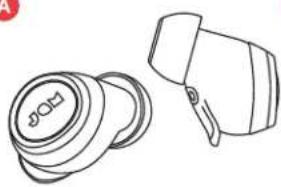
A-2 earbuds
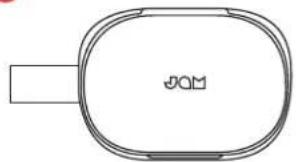
B - Portable charging case
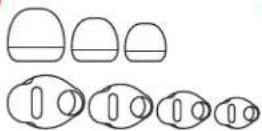
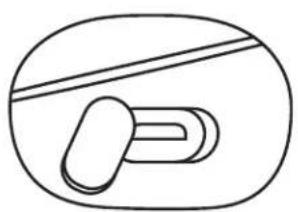
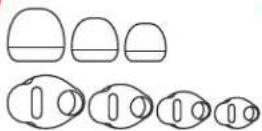
C-3 sizes of eartips, 4 sizes of wings
D - Micro USB cord
E-Welcome card
F - Legal card
A - Power on/off/play/pause button
B-Earbud status light
C-Earbud charging contacts
D - Micro USB charging port - to charge the portable case
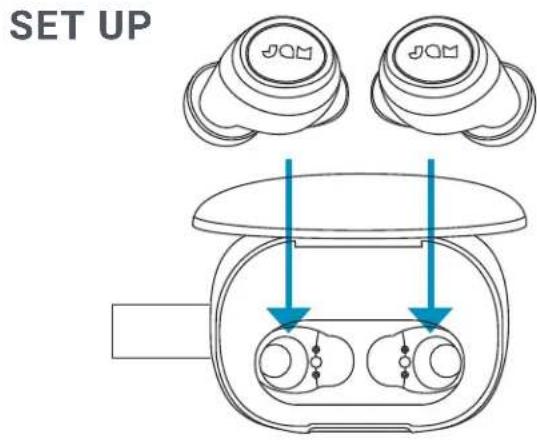
To charge your earbuds, place them into the portable case. The red LEDs show that they are charging. If the red LEDs do not appear when placed in the case, adjust the earbuds to make sure they are in line with the charging contacts. When fully charged, the LEDs will shut off. It will take approximately 2 hours to charge.
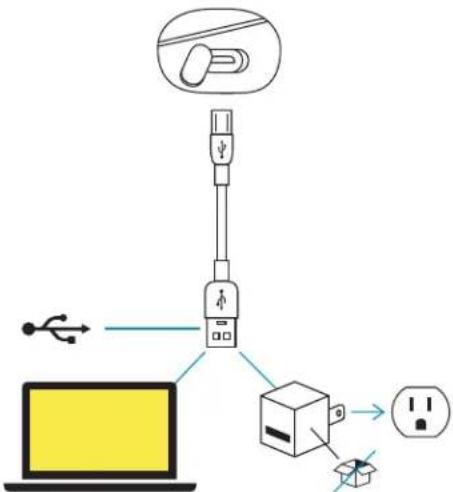
CHARGING YOUR PORTABLE CASE
Plug the small end of the micro USB cable into the micro USB port, located on the right side of the case. The LED on the case will show solid red when charging. When the portable case is fully charged, the three LED lights will remain on. Once the USB cord is unplugged, the lights will turn off.
CONNECT BOTH EARBUDS
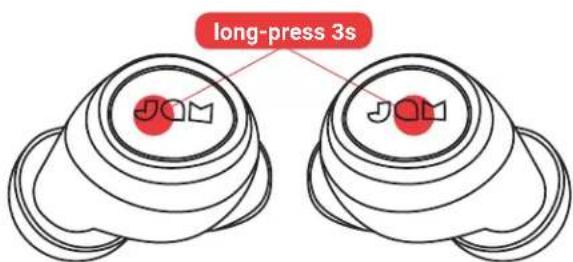
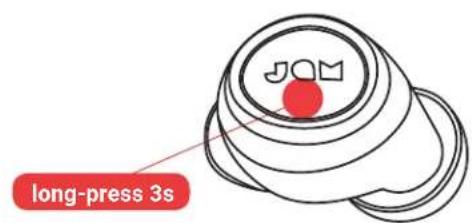
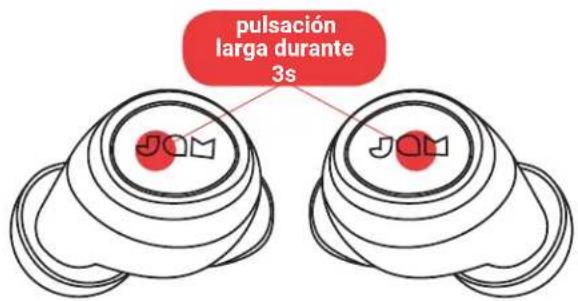
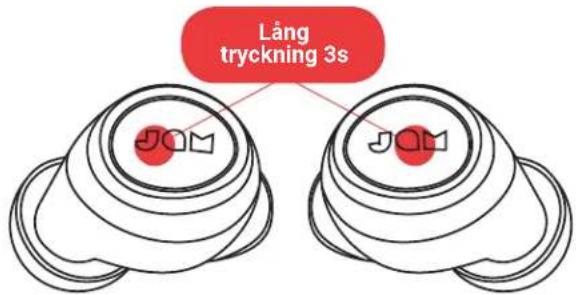
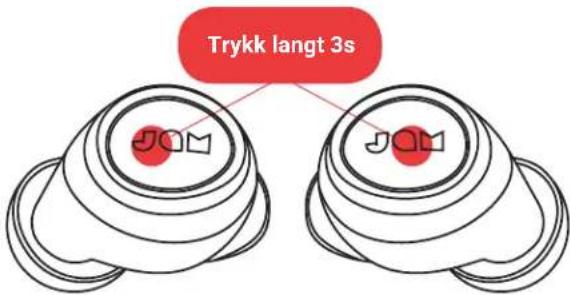
Your earbuds will automatically turn on when taken out of the portable charging case. If you need to turn them on manually, you can longpress the "play/pause" for 3 seconds on both earbuds.
STEP 2 - CONNECTING THE EARBUDS TO EACH OTHER
When you take the earbuds out of their case, they will automatically sync to each other. The master earbud (left) LED will flash blue and red alternatively, while the slave earbud (right) LED will slow flash blue. Your earbuds are now in pairing mode and searching for a Bluetooth® device to connect to.
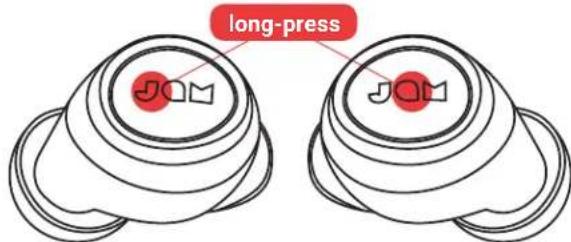
If your earbuds don't sync to each other automatically, long-press the "play/pause" button on both earbuds at the same time. This will put your earbuds into sync mode, and the LEDs will pulse blue once they are connected. Once the earbuds connected, the master earbud (left) LED will flash blue and red alternatively, while the slave earbud (right) LED will slow flash blue. Your earbuds are now in pairing mode and searching for a Bluetooth® Device to connect to.
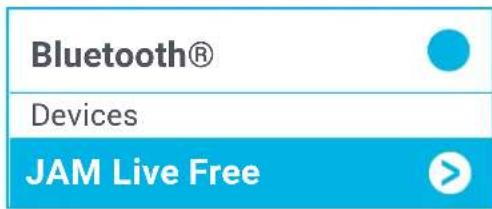
STEP 3 - CONNECTING TO A DEVICE Enable Bluetooth® on your device. From the Bluetooth® menu, select "Jam Live Free" When the device and Live Free are connected, you will hear a tone and the LED's will slow flash blue. This means pairing is complete.
CONNECT 1 EARBUD
Connect the left earbud for mono sound. This is a great option if you want to hear your surroundings as well as your music.
STEP 1 - TURNING ON THE EARBUD
Your earbud will automatically turn on when taken out of the portable charging case. If you need to turn it on manually, you can long-press the "play/ pause" button for 3 seconds on the earbud.
STEP2-PAIRINGMODE
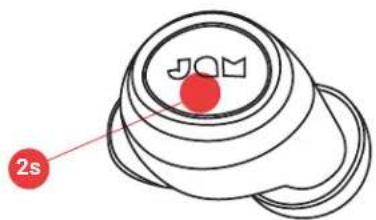
Once the left earbud is taken out of the case or manually turned on, it should enter into pairing mode. The LED will flash red and blue. This will indicate your earbud is in pairing mode with your device. If it does not enter pairing mode automatically, press and hold the "play/pause" button on the earbud for 2 seconds and the LED will flash red and blue.
STEP3-CONNECTING TO A DEVICE
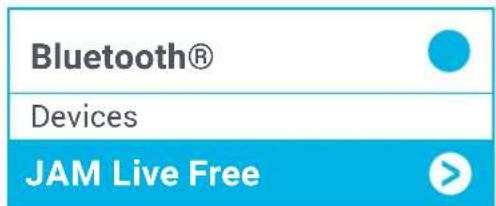
Enable Bluetooth® on your device. From the Bluetooth® menu, select "JAM Live Free." When the device and JAM Live Free are connected, you will hear a tone and the LED's will slow flash blue. This means pairing is complete.
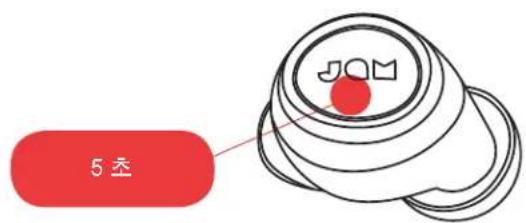
To turn off your earbuds, place the earbuds back in your case, or press and hold the "play/pause" button on the earbuds for 5 seconds.
USING YOUR PORTABLE CHARGING CASE
With a full charge, your portable case can recharge your earbuds up to 8 times, giving you up to 54 hours total of listening time.
LED INDICATORS BASIC FUNCTIONS
EARBUDS IN CHARGING CASE
| Solid red Charging | |
| LED off Charging complete |
PORTABLE CHARGING CASE
| Solid red Charging | |
| 3 LED's on Charging complete |
EARBUDS IN USE
| Master (left earbud) flash blue and red alternatively, Slave (right earbud) slow flash blue | Earbuds in sync with each other and in pairing mode |
| Slow flash blue Paired with device |
EARBUDS IN MONO USE
| Flashing red/blue Left earbud is | in pairing mode with device |
| Slow flash blue Left earbud is paired with device | |
TROUBLESHOOTING
- Turn off Bluetooth® on your device.
- Take earbuds out of your case.
- Press and hold "play/pause" button for 5 seconds on both earbuds to turn them off.
- Long press the "play/pause" button once on both earbuds for 6-8s. You will see the blue LED flash three times and then be powered on automatically.
- Earbuds will automatically go into pairing mode once they are powered on. The master earbud (left) LED will
MUSIC
| Play/Pause Press either play/pause button once |
| Forward Track Quickly double click either play/pause button |
CALLS
| Pick up a call Press either play/pause button once |
| Decline a call Press and hold play/pause button for 2 seconds |
| End a call Press either play/pause button once |
| Take a second incoming call Press either play/pause button once |
| Decline a second incoming call Press and hold play/pause button for 2 seconds |
OTHER
| Activate Siri/Google Assist | Quickly triple-press either play/pause button |
| Check battery level of earbuds | Look at smartphone |
| Turn off earbud | Press and hold play/pause button for 5 seconds |
flash blue and red alternatively, while the slave earbud (right) LED will slow flash blue.
- Turn on Bluetooth® on your device.
- Pair to "JAM Live Free"
- Earbuds not disconnecting from your device? The Live Free earbuds may automatically connect to your device if put in a charging case that has no battery left. For the best experience, periodically charge the case to ensure that it always has battery life.
LEGAL INFORMATION
READ ALL INSTRUCTIONS BEFORE USE AND SAVE THESE INSTRUCTIONS FOR FUTURE REFERENCE.
FCC Warning:
This equipment has been tested and found to comply with the limits for a Class B digital device, pursuant to Part 15 of the FCC Rules. These limits are designed to provide reasonable protection against harmful interference in a residential installation. This equipment generates, uses, and can radiate radio frequency energy and, if not installed and used in accordance with the instructions, may cause harmful interference to radio communications. However, there is no guarantee that interference will not occur in a particular installation. If this equipment does cause harmful interference to radio or television reception, which can be determined by turning the equipment off and on, the user is encouraged to try to correct the interference by one or more of the following measures:
- Reorient or relocate the receiving antenna.
- Increase the separation between the equipment and receiver.
- Connect the equipment into an outlet on a circuit different from that to which the receiver is connected.
- Consult the dealer or an experienced radio/TV technician for help.
Any changes or modifications not expressly approved by the party responsible for compliance could void the user's authority to operate the equipment.
This device complies with Part 15 of the FCC Rules. Operation is subject to the following two conditions:
(1) This device may not cause harmful interference, and
(2) This device must accept any interference received, including interference that may cause undesired operation.
FCC RF Exposure Statement:
This equipment complies with FCC radiation exposure limits set forth for an uncontrolled environment. This transmitter must not be co-located or operating in conjunction with any other antenna or transmitter.
ISEDC Caution:
This device complies with Innovation, Science, and Economic Development Canada licence-exempt RSS standard(s). Operation is subject to the following two conditions:
(1) This device may not cause interference, and
(2) This device must accept any interference, including interference that may cause undesired operation of the device.
ISEDC RF Exposure Statement:
The device is in compliance with RF exposure guidelines; users can obtain Canadian information on RF exposure and compliance.
1-YEAR LIMITED WARRANTY - US & CANADA
WARRANTY - US & CANADA
JAM warrants this product free from defect in material and workmanship for a period of 1 year from the date of purchase. This warranty does not cover damage caused by misuse or abuse, accident, the attachment of any unauthorized accessory, alteration to the product, or any other conditions whatsoever that are beyond the control of JAM.
For detailed Warranty instructions and information, visit: www. jamaudio.com/customer-support/warranty-1yr. To obtain warranty service on your JAM product, contact a Consumer Relations representative by the telephone number or email address for your country of residence. Please make sure to have the model number of the product available.
For service in the USA
Email:
8:30am-7:00pm EST M-F
For service in Canada
Email:
cservice@homedicsgroup.ca
Tel: 1-888-225-7378
8:30am-5:00pmESTM-F
WARRANTY - UK & EUROPE
JAM warrants this product free from defect in material and workmanship for a period of 2 years from the date of purchase. This warranty does not cover damage caused by misuse or abuse, accident, the attachment of any unauthorised accessory, alteration to the product, or any other conditions whatsoever that are beyond the control of JAM. Distributed in the EU by FKA Brands Ltd, Somerhill Business Park, Tonbridge, TN11 0GP, UK. Tel: 020 3538 0768 Email: uksupport@jamaudio.com.
WARRANTY - AUSTRALIA
(1-YEAR LIMITED WARRANTY)
We or Us means HoMedics Australia Pty Ltd ACN 31 103 985 717 and our contact details are set out at the end of this warranty; You means the purchaser or the original end-user of the Goods. You may be a domestic user or a professional user; Supplier means the authorized distributor or retailer of the Goods that sold you the Goods in Australia and New Zealand; and Goods means the product or equipment which was accompanied by this warranty and purchased in Australia and New Zealand.
For Australia:
Our Goods come with guarantees that cannot be excluded under the Australian Consumer Law. You are entitled, subject to the provisions of the Australian Consumer Law, to a replacement or refund for a major failure and for compensation for any other reasonably foreseeable loss or damage. You are also entitled, subject to the provisions of the Australian Consumer Law, to have the Goods repaired or replaced if the goods fail to be of acceptable quality and the failure does not amount to a major failure. This is not a complete statement of your legal rights as a consumer.
For New Zealand:
Our Goods come with guarantees that cannot be excluded under the Consumer Guarantees Act 1993. This guarantee applies in addition to the conditions and guarantees implied by that legislation.
The Warranty
Jam sells its products with the intent that they are free of defects in manufacture and workmanship under normal use and service. In the unlikely event that your Jam product proves to be faulty within 1 year from the date of purchase due to workmanship or materials only, we will replace it at our own expense, subject to the terms and conditions of this guarantee. The warranty period is limited to 3 months from the date of purchase for products used commercially/professionally.
Terms and Conditions:
In addition to the rights and remedies that you have under the Australian Consumer Law, Consumer Guarantees Act of New Zealand or any other applicable law and without excluding such rights and remedies warranty against defects:
- The Goods are designed to withstand the rigors of normal household use and are manufactured to the highest standards using the highest quality components. Whilst unlikely, if, during the first 12 months (3 months commercial use) from their date of purchase from the Supplier (Warranty Period), the Goods prove defective by reason of improper workmanship or materials and none of your statutory rights or remedies apply, we will replace the Goods, subject to the terms and conditions of this warranty.
- We do not have to replace the Goods under this Additional Warranty if the Goods have been damaged due to misuse or
abuse, accident, the attachment of any unauthorised accessory, alteration to the product, improper installation, unauthorised repairs or modifications, improper use of electrical/power supply, loss of power, malfunction, or damage of an operating part from failure to provide manufacturer's recommended maintenance, transportation damage, theft, neglect, vandalism, environmental conditions, or any other conditions whatsoever that are beyond the control of Jam.
- This Warranty does not extend to the purchase of used, repaired, or secondhand products, or to products not imported or supplied by HoMedics Australia Pty Ltd, including but not limited to those sold on offshore internet auction sites.
- This Warranty extends only to consumers and does not extend to Suppliers.
- Even when we do not have to replace the Goods, we may decide to do so anyway. In some cases, we may decide to substitute the Goods with a similar alternative product of our choosing. All such decisions are at our absolute discretion.
- All such replaced or substituted Goods continue to receive the benefit of this Additional Warranty for the time remaining on the original Warranty Period (or 3 months, whichever is the longest).
- This Additional Warranty does not cover items damaged by normal wear and tear, including but not limited to chips, scratches, abrasions, discolouration, and other minor defects, where the damage has negligible effect on the operation or performance of the Goods.
- This Additional Warranty is limited to replacement or substitution only. As far as the law permits, we will not be liable for any loss or damage caused to property or persons arising from any cause whatsoever, and shall have no liability for any incidental, consequential, or special damages.
- This warranty is only valid and enforceable in Australia and New Zealand.
Making a Claim:
In order to claim under this Warranty, you must return the Goods to the Supplier (place of purchase) for replacement. If this is not possible, please contact our Consumer Relations department by email (cservice@homedics.com.au) or at the address below.
-
All returned Goods must be accompanied by satisfactory proof of purchase that clearly indicates the name and address of the Supplier, the date and place of purchase, and identifies the product. It is best to provide an original, legible, and unmodified receipt or sales invoice.
-
You must bear any expense for return of the Goods or otherwise associated with making your claim under this Additional Warranty.
Distributed in Australia by HOMEDICS AUSTRALIA PTY LTD, 14 Kingsley Close, Rowville, Victoria 3178. Distributed in New Zealand by Phoenix Distribution NZ Ltd, 7B Orbit Drive, Albany / North Shore 0757, Auckland, New Zealand.
For service in Australia
Email:
cservice@homedics.com.au
Tel: 03-87566500
8:30am-5:00pm AEST M-F
www.jam-audio.com.au
IMPORTANT SAFETY INSTRUCTIONS
READ ALL INSTRUCTIONS BEFORE USING.
WARNING: Do not place speakers too close to ears. May cause damage to ear drums, especially in young children.
- Use this product only for its intended purpose as described in this manual. Do not use attachments not recommended by Jam.
- Jam is not liable for any damage caused to smartphones, iPod/MP3 players, or any other devices.
- Do not place or store this product where it can fall or be dropped into a tub or sink without shutting waterproof doors.
EN7
- Do not place or drop into water or any other liquid without shutting waterproof doors.
Not for use by children. THIS IS NOT A TOY. - Never operate this product if it has a damaged cord, plug, cable, or housing.
- Keep away from heated surfaces.
- Only set on dry surface. Do not place on surface wet from water or cleaning solvents if waterproof doors are open.
WARNING:
This product has an internal, non
replaceable lithium battery. Please dispose in accordance with your local, state, province, and country guidelines. Batteries (battery pack or batteries installed) shall not be exposed to excessive heat such as sunshine, fire, or the like.
BATTERY REPLACEMENT
Your speaker includes a rechargeable battery designed to last the lifetime of the product. In the unlikely event that you should require a replacement battery, please contact Consumer Relations, which will supply details of the warranty and out-of-warranty replacement battery service. This product contains small parts that may present a choking hazard for young children.
CAUTION: All servicing of this product must be performed by
authorized Jam Audio service personnel only. For complete user guide and to register your product, visit www.jamaudio.com (USA), canada.jamaudio.com (Canada), or uk.jamaudio.com/instructionbooks (UK).

To prevent possible hearing damage, do not listen at high volume for long periods.
WEEE EXPLANATION
This marking indicates that this product should not be disposed with other household wastes throughout the EU. To prevent possible harm to the environment or human health from uncontrolled waste disposal, recycle it responsibly to
promote the sustainable reuse of material resources.
BATTERY DIRECTIVE
This symbol indicates that batteries must not be disposed of in the domestic waste as they contain substances that can be damaging to the environment and health. Please dispose of batteries in designated collection points.
Hereby, FKA Brands Ltd, declares that this radio device is in compliance with the essential requirements and other relevant provisions of Directive 2014/53/EU. A copy of the Declaration of Conformity can be obtained from uk.jamaudio.com/DoC.
© 2019 HMDX. All rights reserved. JAM is a registered trademark of HMDX. HMDX is a registered trademark of FKA Distributing Co. The Bluetooth® word mark and logos are registered trademarks owned by Bluetooth® SIG, Inc. and any use of such marks by HMDX is under license.



Operating frequency band: 2402 - 2480MHz
HX-EP909: Maximum radio-frequency power transmitted: maximum radiofrequency power transmitted 2.99 dBm for Left Earbud; 0.61dBm for Right Earbud.
Distributed by HMDX.
3000 N Pontiac Trail
Commerce Township, MI 483
All rights reserved.
IB-HXEP909
LIVE FREE
HX-EP909
cservice@homedicalsgroup.ca
Telephone: 1-888-225-7378
CONECTE AMBOS AUDIFONOS
PASO 1 - ENCENDER LOS AUDIFONOS
LED-MERKKIVALOT PERUSTOIMINNOT
KUULOKKEET KOTELOSSA MUSIKKI
LED'ise yavasa mavi yanip soner.
ANSLUT BÄDA HÖRLURARNA
STEG1-AKTIVERINGAVHORLURARNA
BbIKJIIOUeyHnE HAYuHnKOB
YTo6bI BbIKJIOUHTb HayuHnKn,CHOBA NOMeCTNTe INB YexoN IIN HaxMMTe N ydepXnBaTKe KHONKy《BOcnpOn3BeDeHne/ nay3a》Ha HayuHnKax B TeueHne 5 cekyHd,
ИСПОЛьЗOBAHNE BAШERO ПОТATиВHOTo 3APЯДА
Ipn noJHOn 3apRdKe nepeHoCHoYexOJ MoXeT 3apXKaTb HayuHnKn Do 8 pa3, no3BOJra CnyuTaB My3bIKy Do 54 YacOB.
CBETOBbIE INHdNKATOPbIOCHOBHbIE ΦyHKcN
HAYUHHKINB3APRANOMYEXJIE
KOBLE TIL BEGGE ØREPROpper
TRINN 1 - SLÄ PÅ ØREPROPPENE
AIABASE OAE TIO OHHIEI PIN TH XPHKAI FYAAETE AYTE TIO OHHIIEIIA MEAMONTIKH ANAOPA.
EITYHSH-HNMQMENOBASIAEIO&EYPQINH
ELSO LEPES - A FULHALLGATO BEKAPCSOLASA
CONECTAREA AMBELOR MINI-CASTI
PASUL 1 - PORNIREA MINI-CÁSTILOR
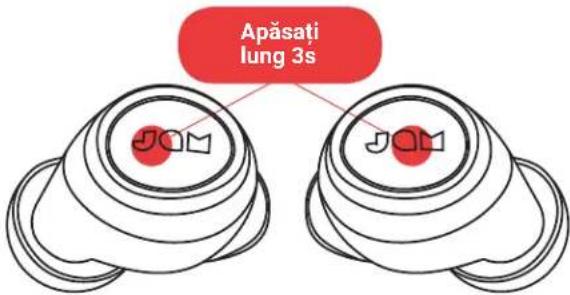
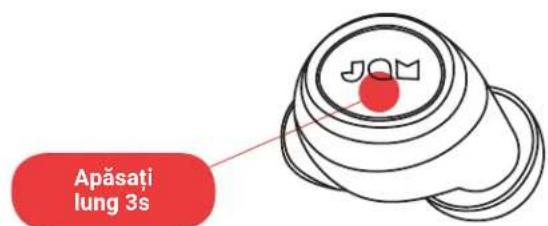
Mini-castile vor porni automat la scoaterea acestora din accumulatorul portabil. Daca este necessitiesa le porniti manual, puteti apasa rapid o data butonul "redare/pauza" pe ambele mini-casti.
PASUL 2 - CONECTAREA MINI-CASTILOR INTRE ELE
Cand scoatei mini-castile din cutie, acestea se vor sincroniza intre ele automat. LED-ul mini-castii master (stanga) va clipi alternativ in albastru si rosu, in tampce LED-ul mini-castii slave (dreapta) va clipi rar in albastru. Mini-castile sunt acum in modul imperechere si cauta un dispositiv Bluetooth® la care sa se conecteze.
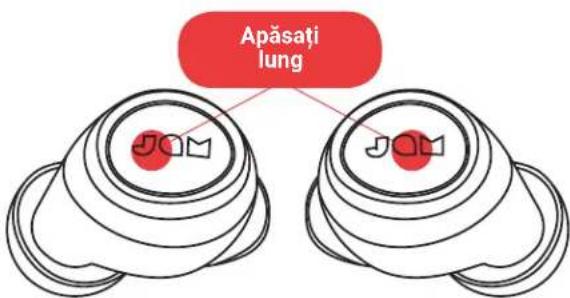
Daca mini-castile nu se sincronizeaza intre ele automat, apasati lung butonul de redare/pauza al ambelor mini-casti in acelaasi temp. Acest lucru va pune mini-castile in modul de sincronizare si LED-urile vor clipi lent in albastru odata ce sunt conectate. Odata ce mini-castile sunt conectate, LED-ul mini-castii master (stanga) va clipi alternativ in albastru si rosu, in tamp ce LED-ul mini-castii slave (dreapta) va clipi rar in albastru. Mini-castile sunt acum in modul imperechere si cauta un disposizitiv Bluetooth® la care sa se conecteze.
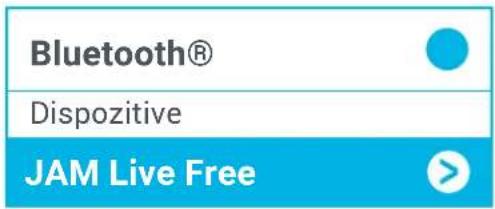
PASUL 3 - CONNECTAREA LA UN DISPOZITIV
CONECTAREA UNEI MINI-CASTI
MINI-CASTI IN FUNCTIUNE
j001g j001g 00000000000000000000
jslal aclaw gdu wul plowl jogw loi yglilly
.
jglgblgblgblgblgblg
"JAM Live Free" 7
jslwl Jlaw Jaa jfJg jz Jaua y jslwl .8
Goo 1 Joo aue 3 15 jolau Live Free
aai joo. aoi Jaa Jgauu
LgU
40xolg.1b5y1 2
d1l2 = d1d2 = g1g2 = g1g2L
.
jbjgclawdeogagb1ooaebblalgljjdgabol.3
logelj5 5 oua dc bai jao
0olg 0yoo "Cgl 1/1j
Jogg
Lal ala aIbJ jSJI aclow
Joljill Jl lalil jll kclw Ug 5
aigla loglo
Jaaa 1
logjg j 2021 2516-1
joln o joln gaiiaglglgaiy lgl gai jam JAM jai
egggi: jalil daliy gl plaoowngw gai jall jaiu y. alld
jiala jglw gaiy gl gai: jaliu gai yrao ciadao gl plaoe gai: ciao
asll FKA Brands Ltd 25j adg ygssloj Jgdo gji JAM aS.8y0
0768 3538 020: sall .Somerhill Business Park, Tonbridge, TN11 0GP, UK .support. row@fkabbrands.com :jgrjy
aogoo
pUeWuJU JUeWuJUeWuJUe
jao jao jao jao jao jao jao jao jao jao jao jao jao jao jao jao jao jao jao jao jao jao jao jao jao jao jao jao jao jao jao jao jao jao jao jao jao jao jao jao jao jao jao jao jao jao jao jao jao jao jao
alssll j. Jluiuuiu uaiy aiaa gaa ayjlae gauu lus gios yuuyuuey dye aaygai yagai yagai yagai yagai yagai yagai yagai yagai yagai yagai yagai yagai yagai yagai yagai yagai yagai yagai yagai yagai yagai yagai yagai yagai yagai yagai yagai yagai yagai yagai yagai yagai yagai yagail
aJbU
aaiy aaii yaiiaai iaiyaiaiyaiyaiyaiyaiyaiyaiyaiyaiyaiyaiyaiyaiyaiyaiyaiyaiyaiyaiyaiyaiyaiyaiyaiyaiyaiyaiyaiyaiyaiyaiyaiyaiyaiyaiyaiyaiyaiyaiyaiyaiyaiyaiyaiyaiyaiyaiyaiyaiyaiyai
aLl lalb1e gglggljllnla FKA Brands Ltd 52
LIVE FREE
HX-EP909
内容
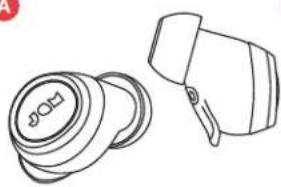
A
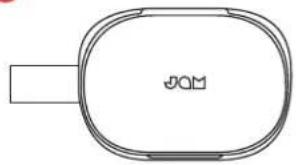
B
C
D


E
F
I|Hoei I KJrnnn I Hoei of "J"
Bertns 23e 10000000000000000000000000000000000000000000000000000000000000000000000000000000000
3.3.2.1 - 4.1.1.1
HiJH 1
0|0-0-0-1
Iohon 1000000000000000000000000000000000000000000000000000000000000000000000000
高代用
I 1 E U T A T A T A T A T A T A T A T A T A T A T A T A T A T A T A T A T A T A T A T A T A T A T A T A T A T A T A T A T A T A T A T A T A T A T A T A T A T A T A T A T A T A T A T A T A T A T A T A T A T A T

BHTRIJ
ihi是h的tRlIgHcHJfHgHgHgHgHgHgHgHgHgHgHgHgHgHgHgHgHgHgHgHgHgHgHgHgHgHgHgHgHgHgHgHgHgHgHgHgHgHgHgHgHgHgHgHgHgHgHgHgHgHgH
natahni.
FKA Brands Ltd.是i末,目DA Directive 2014/53/EU的数
OgKJfTtA TnRnEeHbD.

民中
首番/名:默长:(早
郑庄马自庄国:FKA Distributing CO.,LLC/China 员中回:R-CRI-DMV-HX-EP900
``
Model):HX-EP900
蓝牙蓝牙芯片 (Operation Frequency): Bluetooth® (2402 - 2480 MHz)
频道 (Radio Channel): 79 channels
蓝牙座套 (Bluetooth® Mode): BT: 4.1
Chalr (Output Power): Left ear: 0.07mW/MHz; Right ear: 0.03mW/ MHz
AnetNaI (Antenna Gain): Left ear: 0.66dBi; Right ear: -0.43dBi
Baujoing (Modulation Type): GFSK, /4 -DQPSK, 8DPSK
電 (Power Supply):DC 3.7 V from battery
多国的国
IB-HXEP909
LIVE FREE
HX-EP909
使用說明
目錄
A
B
C
D


E
F