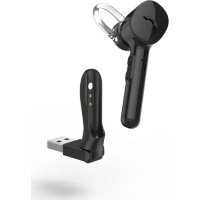
MyVoice1300 - Bluetooth Headset HAMA - Free user manual and instructions
Find the device manual for free MyVoice1300 HAMA in PDF.

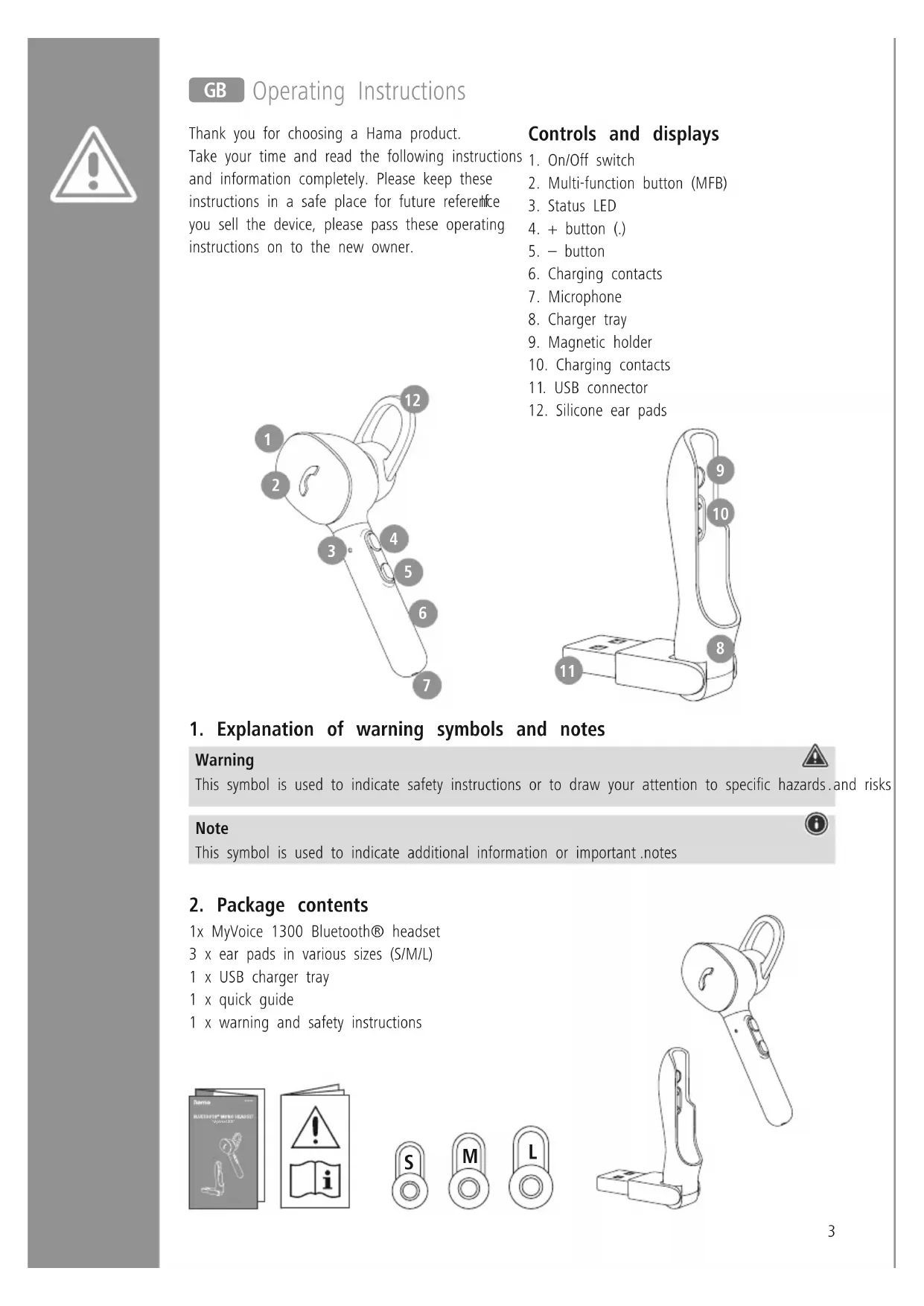


| Product Type | Bluetooth Headset |
| Brand | Hama |
| Model | MyVoice1300 |
| Weight | Approx. 12 g |
| Bluetooth Technology | Bluetooth® v5.0 |
| Supported Bluetooth Profiles | A2DP, AVRCP, HFP, HSP |
| Bluetooth Frequency | 2,402 - 2,480 MHz |
| Bluetooth Range | Less than 10 m |
| Battery Type | Lithium-polymer 3.7 V |
| Battery Capacity | 60 mAh (min.) |
| Charging Time | Approx. 2 hours |
| Music Playback Time | Approx. 3 hours |
| Talk Time | Approx. 4 hours |
| Standby Time | Approx. 80 hours |
| Built-in Microphone | Yes |
| Multipoint Function | Yes (simultaneous connection to 2 devices) |
| Voice Assistant | Siri / Google Assistant |
| Hands-free Function | Yes |
| Auto Shut-off | After 3 minutes without connection |
| Charging Type | USB charging dock |
| Package Contents | Headset, 3 ear tips (S/M/L), charging dock, manuals |
| Care and Cleaning | Slightly damp lint-free cloth |
| Safety | Do not use at high volume for prolonged periods, avoid moisture |
| Repairability | Not user repairable, no spare parts provided |
Frequently Asked Questions - MyVoice1300 HAMA
User questions about MyVoice1300 HAMA
0 question about this device. Answer the ones you know or ask your own.
Ask a new question about this device
Download the instructions for your Bluetooth Headset in PDF format for free! Find your manual MyVoice1300 - HAMA and take your electronic device back in hand. On this page are published all the documents necessary for the use of your device. MyVoice1300 by HAMA.
USER MANUAL MyVoice1300 HAMA
BLUETOOTH® MONO HEADSET
"MyVoice1300"
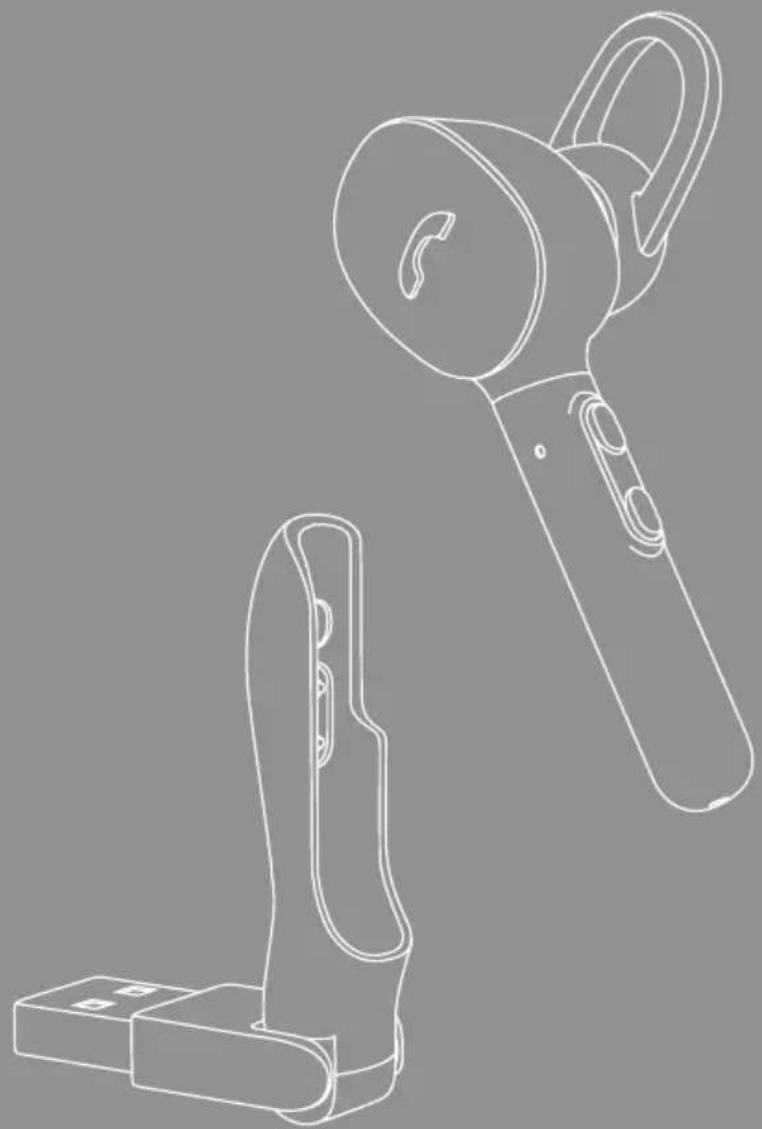
GB
Operating Instructions
D
Bedienungsanleitung
F
Mode d'emploi
E
GB Operating Instructions
Thank you for choosing a Hama product.
Take your time and read the following instructions and information completely. Please keep these instructions in a safe place for future reference you sell the device, please pass these operating instructions on to the new owner.
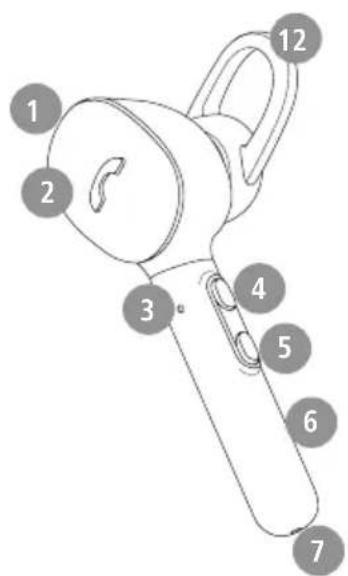
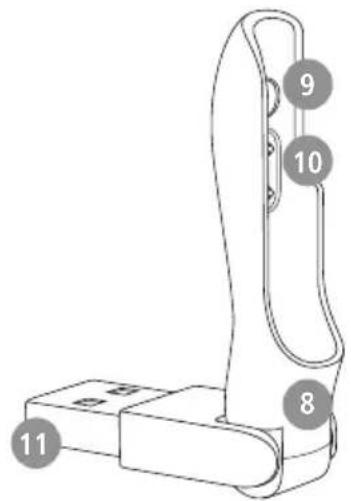
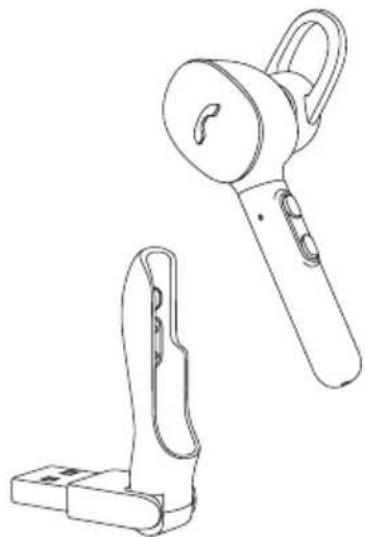
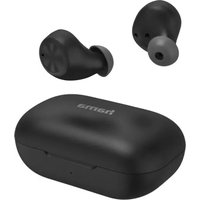
Controls and displays
- On/Off switch
- Multi-function button (MFB)
3.StatusLED -
- button (.
-
- button
- Charging contacts
- Microphone
- Charger tray
- Magnetic holder
- Charging contacts
- USB connector
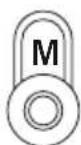
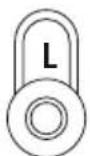
- Silicone ear pads
1. Explanation of warning symbols and notes
Warning

This symbol is used to indicate safety instructions or to draw your attention to specific hazards and risks
Note

This symbol is used to indicate additional information or important. notes
2. Package contents
1x MyVoice 1300 Bluetooth® headset
3 x ear pads in various sizes (S/M/L)
1 x USB charger tray
1 x quick guide
1 x warning and safety instructions
3. Safety instructions
The product is intended for private, non-commercial use only
- Use the product only for the intended purpose.
Children should be supervised to ensure that they do not play with the product
- Do not use the product in areas in which electronic products are not permitted
- Do not attempt to service or repair the product yourself. Leave any and all service work to qualified experts
- Do not open the device or continue to operate it it becomes damaged
- Do not bend or crush the cable.
- Do not drop the product and do not expose it any major shocks.
- Dispose of packaging material immediately in accordance with the locally applicable regulations.
- Do not modify the product in any way. Doing so voids the warranty
- Protect the product from dirt, moisture and overheating and use it in dry environments only
- Do not use the product in the immediate vicinity of heaters, other heat sources or in direct sunlight
Only use the article under moderate climatic conditions.
- As with all electrical products, this device should be kept out of the reach of children
- Do not operate the product outside the power limits specified in the technical data
- Do not use the product in a damp environment and avoid splashing water
While driving a car or using sports equipment, do not allow yourself to be distracted by your product and keep an eye on the traffic situation and your surroundings.
- The battery is permanently installed and cannot be removed; dispose of the product as a whole in accordance with the statutory regulations
- Do not incinerate the battery or the product.
- Do not tamper with or damage/heat/disassemble the batteries/rechargeable batteries
- Do not use the product during the charging process!
Warning - rechargeable battery
- Only use suitable charging devices or USB ports to charge the product.
- Do not use defective chargers or USB ports and do not attempt to repair them
- Do not overcharge the product or allow the battery to completely discharge.
- Avoid storing, charging and using in extreme temperatures and at extremely low atmospheric pressures (such as at high altitudes).
- Charge regularly (at least quarterly) during periods of prolonged storage.
Warning - magnets


- This product generates magnetic fields. Persons with a cardiac pacemaker should consult a doctor before using this product, as the pacemaker's proper function could be affected.
- Do not store bank or similar cards with magnetic strips near the charging box or earphones. The data on the cards could be damaged or completely deleted
Warning - high volume

High sound pressure!
- There is a risk of hearing damage.
- To prevent any loss of hearing, avoid listening at loud volumes for prolonged periods.
Always keep the volume at a sensible level. Loud volumes, even over short periods, can cause hearing loss.
Using this product limits your perception of
ambient noise You should therefore not drive or operate machinery while using them.

4. Switching on/off
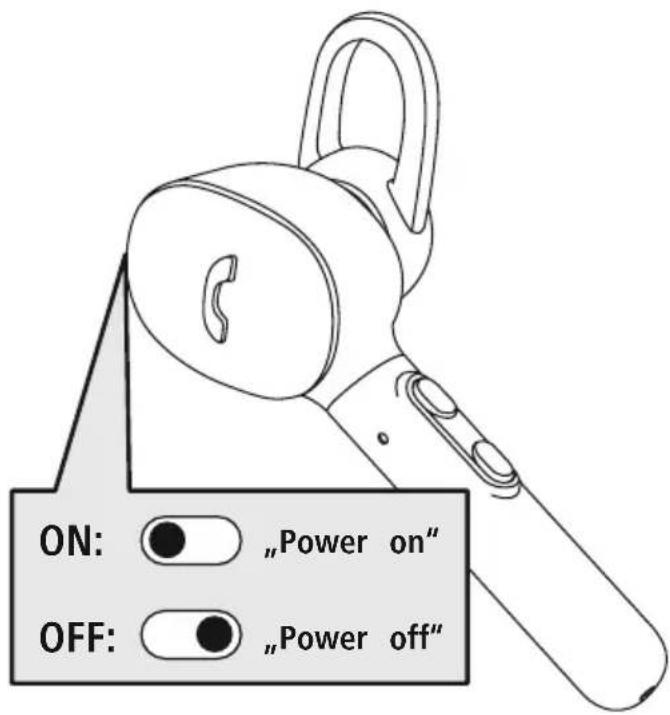
ON
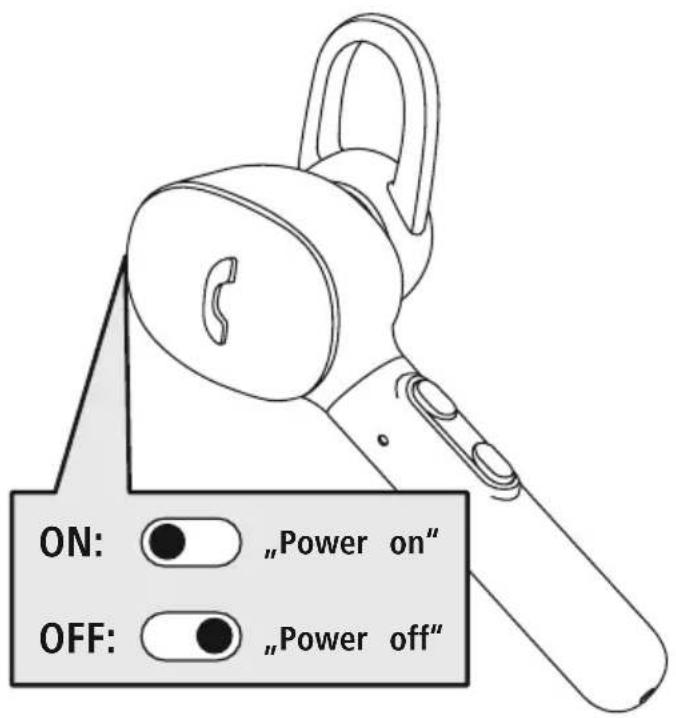
Switch the headset on using the On/Off switch (1).
You will hear the announcement "Power on" and the LED (3) flashes white.
OFF
Switch the headset off using the On/Off switch (1).
The status LED (3) briefly lights up white and the announcement "Power off" is heard.
Note - Automatic switch-off of the product

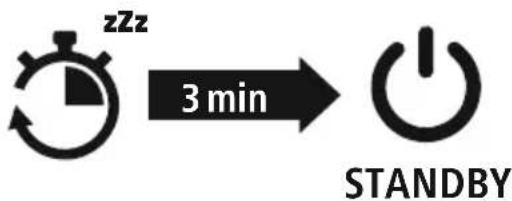
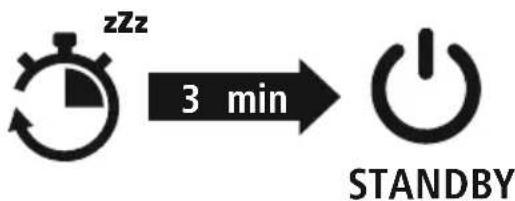
The product is equipped with an automatic switch-off mechanism there is no connection to your device within 3 minutes, it switches itself off automatically.

5. Charging
Fully charge the headset once before using it for the first time
1 Switch off the headset and connect it
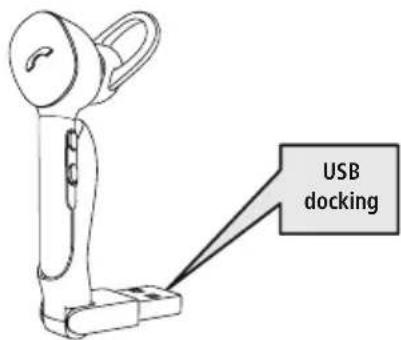
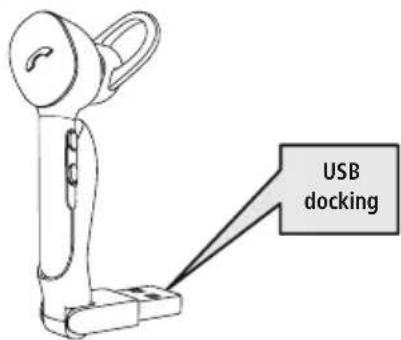
Ensure that the headset is switched off before charging it. Place the headset in the charging tray (8). Connect the USB plug (11) to a suitable USB charger do this, consult the operating instructions for the USB charger you are using.
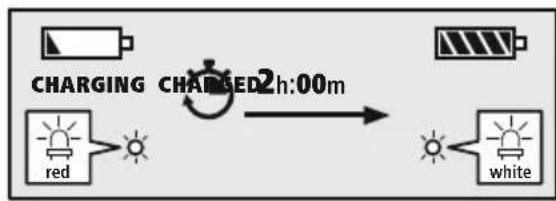
2 Headset charging process
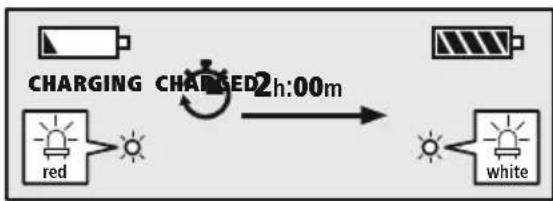
The status LED (3) lights up solid red during the charging process. Once the charging process is complete, the LED (3) lights up white. It can take up to 2 hours for the battery to be fully charged.
3 Battery capacity
When the headset's battery capacity is low, the LED (3) flashes red and the announcement "Battery Low" is heard.
Note

If you have not used the product for a few months, it can take up to 15 - 30 minutes until the status LED (3) lights up red during the charging process
6. Bluetooth pairing
Note - Pairing

- Make sure that your Bluetooth capable device is switched on and that Bluetooth activated.
- For more information, please refer to the operating instructions of your device.
The headset and the device should not be more than 1 metre apart.
The shorter the distance, the better.
Switch the headset on using the On/Off switch (1).
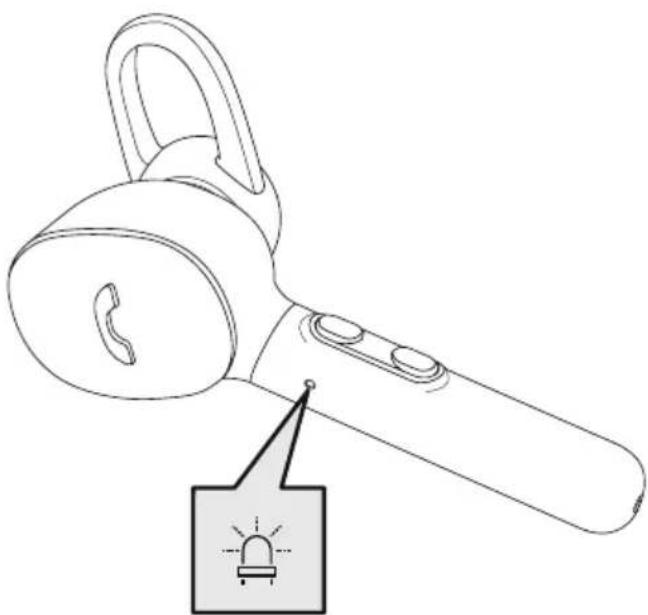
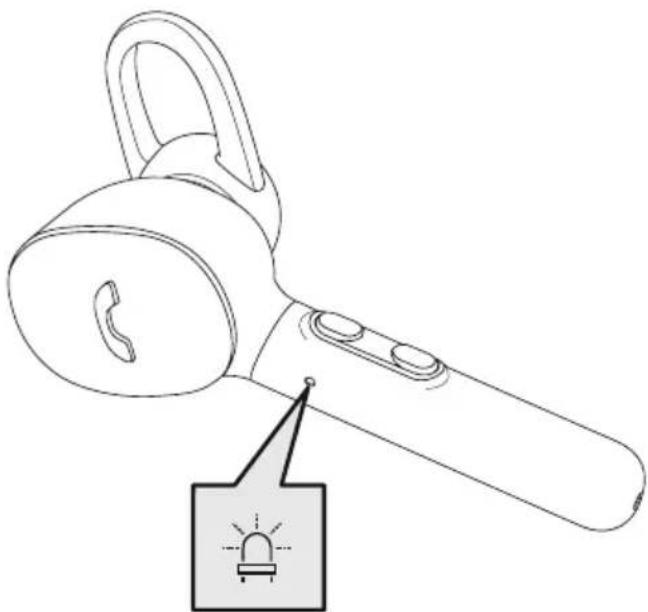
Check the status of the status LED (3) and the announcements
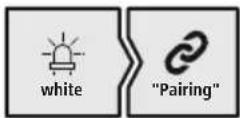
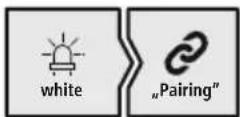
If the LED (3) is flashing quickly and the announcement is: Headset searching for a Bluetooth connection.
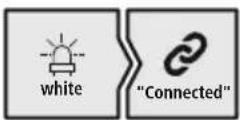
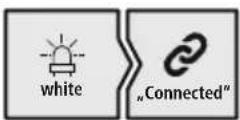
If the LED (3) is flashing slowly and the announcement is: The headset is already paired with a Bluetodevice.
Search using your device for the headset (only required on the first connection)
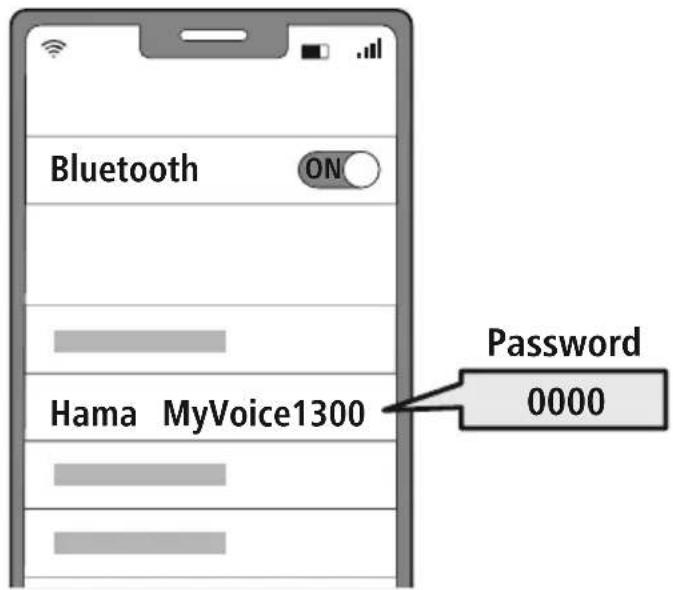
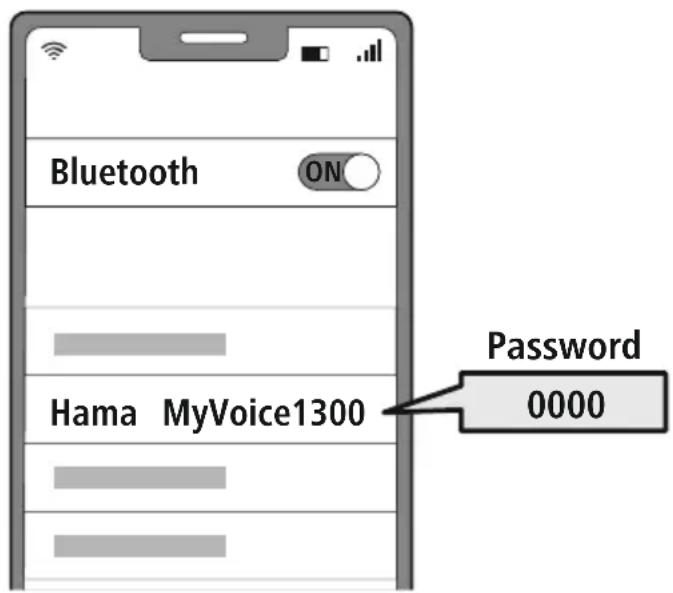
Open the Bluetooth settings on your device and wait until the list of found Bluetooths shows Hama MyVoice1300 The announcement "Pairing" is heard.
Select Hama MyVoice1300 and wait until headset is listed as connected in the Bluetooth settings of your device. The announcement "Connected" is heard.
Note - Bluetoothpassword

Some devices require a password in order to connect to another Bluetdevice.
If your device requests a password to connect to the product, enter 0000.
3 Multi-point technology
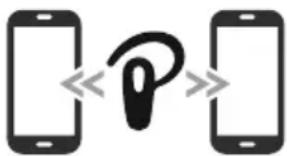
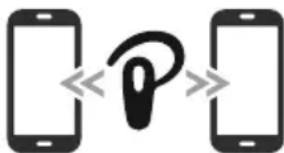
This headset can connect to two Bluetooth-enabled devices simultaneously (multi-point).
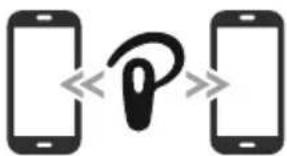
- First connect the first device to the headset.
- Then deactivate the Bluetooth function on this device
- Then connect the second device to the headset.
- Activate the Bluetooth function on the first device against the headset then connects to this device too.
7. Controls
Note

- Please be aware that your terminal device must support some functions if they are to be used.
- For more information, please refer to the operating instructions of your device.
7.1 Voice assistant function
Siri/ Google

Press and hold the MFB button (2) for around a second to initiate communication with Siri or the Google Assistant. As soon as you hear a signal tone, your voice assistant is ready to assist you.
Note - Siri

Siri is only available on suitable devices running iOS 5 (iPhone 4s or later) or higher.
Note - Google Assistant

- The Google Assistant is only available on suitable devices running Android 5.0 or higher with Google Play Services, >1.5 GB of free memory and a minimum screen resolution of 720P.
- The Google Assistant App must be available on your device and be set as the default voice assistant.
7.2 Hands-free function
It is possible to use the headset like a hands-free facility for your device.
Make a call
Dial the number directly via your device to make a call.
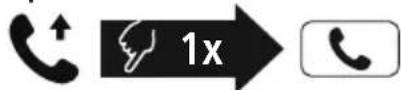
2 Accept a call

Press the MFB button (2) to accept an incoming call.
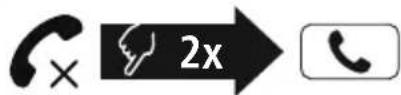
3 Reject a call

Press and hold the MFB button (2) twice or use your device to reject an incoming call
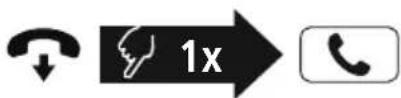
4 End a call

During the call, press the MFB button (2) once to end the call. Alternatively, you can also place the headset in the charger tray to end the call. To do this, the charger tray must be connected to a ready-to-operate USB connection
5 Last number radial

Press the MFB button (2) twice to radial the last number
Note

The "Last number radial" function is only available for the device which was paired first with the product in a multi-pairing situation.
7.3 Audio playback
1 Start playback on your device.
2 Play / Pause

Press the MFB button (2) once to pause or start audio playback.
3 Next track


Press and hold the + button (4) for around 1 second to skip to the next track.
4 Previous track

Press and hold the - button (5) for around 1 second to skip to the previous track.
7.4 Volume control
1 Increase volume

Press the ^+ button (4) once to increase the volume. Once the maximum volume is reached, you will hear "beep".
2 Reduce volume

Press the -button (5) once to reduce the volume. Once the minimum volume is reached, you will hear "beep".

8. Technical data
| Bluetooth® Headset | |
| Bluetooth technology Bluetooth® v5.0 | |
| Profiles supported A2DP, AVRCP, HFP, HSP | |
| Frequency for Bluetooth transmissions | 2402 - 2480 MHz |
| Range < 10 m | |
| Rechargeable battery | |
| Battery type 3 | .7V Li polymer |
| Min. capacity 60 mAh | |
| Power consumption max | .5 €=60 mA |
| Charging time ~ 2 | h |
| Standby * ~ 80 h | |
| Music playing * ~ 3 | h |
| Call time * ~ 4 h | |
| Weight | approx. 12 g |
- Once fully charged

9. Care and maintenance
Only clean this product with a slightly damp, lint-free cloth and do not use aggressive cleaning agents
10. Warranty disclaimer
Hama GmbH & Co KG assumes no liability and provides no warranty for damage resulting from improper installation/mounting, improper use of the product or from failure to observe the operating instructions and/or safety notes
11. Service and Support
Please contact Hama Product Consulting if you have any questions about this product.
Hotline: +49 9091 502-0 (German/English)
Further support information can be found here: wwwama.com
12. Declaration of Conformity
CE Hama GmbH & Co KG hereby declares that the radio equipment type [00184149] is in compliance with Directive 2014/53/EU. The full text of the EU declaration of conformity is available at the following Internet address:
www.hama.com->00184149->Downloads.
Frequency band(s) 2402MHz - 2480MHz
Maximum radio-frequency power transmitted 2.5 mW E.I.R.P.

6. Bluetooth Verbinding (Pairing)
Hinweis - Pairing

Remarque - Assistant Google

Wskazowska - Google Assistant

Avertizare - Accumulator

7.1 Funcão Voice Assistant
Siri/ Google

Varning - magnetizer


He pa36npaIte akKymyIaTOpbI/6aTapeiKN
He nCnoJIb3yIte n3dJIe BO BpEm 3apJdkn!
PpeynpexdHne - aKKymyIaTOp

Pa3pe7aetc nCnoB3OBaTb IJn 3apAnKn TOnbKO COBmecTmblc 3apHbIe yCTpoiCTBa N USB-pa3beMbl.
He nCnoB3yIe HeNCpAxBHbIe 3apnHbIe yCTpoiCTBa IIN USB-pa3bEmbl N He NItaTecb INx pEMOHtnpoBaTb
He donyckaIte n36bItoHOn 3apdKn I rlybokO pa3pAkn u3deInn.
He xpaHnte, He 3apJxAaTe n He nCnObl3yIte yCTPOINCTBO npn OueHb Hn3Knx N OueHb BbICOKnx TEMepaTypax N OueHb Hn3KOM aTMocΦepHom DaBHeHH (HaNPmEp, Ha 6oJIbux BBICOTax).
- PpN dIInTeIbHOM xpaHeHH peryJnPHo 3apXaIte n3dJIeNe (He pexe OndHoro pa3a B KBaPTaJ).
PpeynpexdeneMaHHTbl


- N3dene co3daet MarHHTbIe noJI. Pn INcNoJIb3OBaHN KapINOCUMyJrTOPOB INpOKOHcyJIbTnpyITecb C BpaHOM Ha npeIMet COBMeCTUMOCTN IN3dJIIna C TaKIMU yCTPOINCTBAMN.
He xpaHnTe 6aHKOBCKne nnn aHaJOrnHbIe KapTb C MaHHTHOI NOLOCO prdOM C 3apAHyBIM 6OKCOM NNN HAYUHKAMN. To MoXET npNBecTN K NOBPexJeHHIO Kap T nn ydaJIeHHIO COxpaHeHHo Ha Hnx INHOpMaun.
PpeynpeXeHne BBICOKa rpoMKoCTb

- BbICOKa 3ByKOba Happyka!
CyuEcTByeT pnck yxuWeHn cnyxa.
YTO6bI He donyctntb noTe np Cnyxa,He nCnOJIb3yIe HAYUHNI npu BbICOKOM ypOBHe rPOMKoCTN B TeueHne DInTeJbHO BpeMeHN
-ПодзгьиВаTe HopMaJIbHyI rPOMKocTb.Bo3dIeCTBnE rPOMKOrO 3ByKa, B T.Y. B TeYeHNeKOpOTKOro BpeMeHn, MoKeT npNBecTn KNOBpeXdeHnO opraHOB cIyxa
-Bo Bpem3Kcnpnyataunn 3ndenna cHnxkaetcTCTepehB BocnpnTnOKpyKaIOuix 3ByKO B
UyMOB. TOrmy BO BpemnncNoIb3OBAHnHe ynpabJnTeTpahCnOpTHbIMn CpeCTBaMnNJN O60pyDoBaHnEM


4. BkIIOueHne/BBIKIOueHne

BkIIOHTe raphHTpy haxaTneM KhoNKn "BKn./BbIKn." (1).
Pa3daetc onoBeueHne "Power on" ("Pnp6op BkIIOeH") n CBeToIOID (3) MInraet 6eIbIM.

BbIKHouHTe raphHTpy HaxaTne KhoNk "BKn./BbIKn." (1).
Ha kopotkoe Bpem 6ebim 3aopntc cBeodno (3), npa3daTc onoBeueHne "Power off" ("Pnp6op BbIKNoyeH").
yKa3aHne - aBTOMaTHueeCKoe BbIKJIOUeHne rapHnTypbl

I3dJIeO OchaSeHO CnCTeMoA bTOMaTHueCKOro BbIKNoUeHnEcnn B TeueHne 3 MmH CoeINHeHne c OKoHeHbIM yCTpOiCTBOM OTCyTCTByeT, OHn aTOMaTHueCKN BbIKNoUaOTca.

5.Заряда
IpeepnepBbIM npmHeHem OINH pa3 noJIHOCTbIO 3apAaTe rAPHNyPy
BbIKJIOUeHne n noKJIIOUeHne rapHNTypbl
Y6eIntecb B TOM, YTO nepei 3apAnKoI rapHNTypa BBIKIOUyeHa.
BcTaBbTe raphnIpy B 3apAHyO CTaHcHIO (8). NpokNouHTE USB-Wekep (11) K pOnxOJaemy 3apAnHomy yCTpoiCTBy C USB-noptom. Co6JnoJaTe pyKoBOdCTBO nO EKnnyatauinn cNoJIb3yeMOrO 3apAnHoro USB-yctpoiCTBa
2 Ipouecc 3apnKn raphNtypbl
Bo Bpem 3apJKn CBeToOnoHbI INHnKaTOp COCTOHN (3) NOCTOHHO ropnt KpaCHbIM. Pocne 3aBepWeHn 3apJKn CBeToOnoD (3) ropnt 6eblm. IJIIOHON 3apJKN aKKMyJlAToPA moKet nOTpe6OBaTbc 2 yacob.
3 EMKoctb aKKymyIaTopa
Ipn Hn3kOM ypOBHe 3apra aKKymyIaTopa raphHtpyb CBeToDnOd (3) Mrraet KpaChbIM npa3daetc yCThoe onOBeueHne "Battery Low".
Yka3aHne EcnBHeckoJIbKO MecaeB He nIb3OBAJIncb n3dennm, MoKet npoiTu 15-30 MInyT, noka CBTeODnOHDhIM HnDnKaTop COCTOHHN (3) npn 3apJKe 3arOpNTc KpaChbIM

6. CoeHHHeHne Bluetooth(conpJxKeHne)
Yka3aHne — conpJxKeHne

- Y6eHntecb, yTO OKOHeuHoe yCTpOInCTBO C BO3MOXHOCTbIO COeHNHeHnA yepe3 BluTeoTHouHcNnBluToothCoEHNHeHne yCTaHOBNeHo.
Cobnoate cootBcTByuune yka3aHn pykoBocTBa no 3Kcnnyataun Baewero OKoHeHoro yctpoNCTBa.
TapHnIpya n OKoHeuHoe yCTpOInCTBO DOJXHbI HaxOINbCra Ha pacCTOHN He 60JIbWe 1 M npyr ot pyra. Yem MeHbWe pacCTOHN, TeM LyUWe.
BkIouHTe raphHTpy haxaTneM KhONKn "Bkn./BbIKn." (1).
1 PpOBepbTe cTatyc CBeToaHOnHO HnMkAtopa CoCTOHN (3) n yCThble onoBeueHn.
Ipn 6bICTpOM MmraHn CBeToDnOda (3) n yCTHom ONOBeueHnn: rapHntypa nbItaeTcraYCTaHOBtB coeINHeHne Bluetooth
Ipn MeJneHOM MmraHn CBeToDnOda (3) n yCTHOM onOBeueHnn:
raptnypa yxe yctahOBuJa coeHHeHne (cHxpoHn3npoBaHa) c OKOHeHbIM ycTPOJCTBOM C Bluetooth
2 HauTe Ha BaWeM OKOHeHOM yCTpoIcTBe raphNtpy (Tpe6yETc TOnbKo npn nepBOM coeHNHeHn).
OTKpoTe MeHIO HAcTpoEe Bluetooth Ha BaWeM OKOHeuHom yCTpoiCTBe N NOoXdIte, NOKa B Cnue K He NoBtC Hama MyVoice1300Pa3daetc ONOBeueHne "Pairing".
Bb6epnte Hama MyVoice1300 n nooXnTe, noka raphHntypa He OTo6pa3ntcB KaueCTBe NOKluHHeHHoro yctpoiCTBa B Hactpoikax BluetoothBaawero OKoHeHoro yctpoiCTBa Pa3daetcra ONOBseHne "Connected" ("CoedHHeHne yctaHOHeHO").
YkaaHne -napoJb Bluetooth

Дя HeKOTOpbIX OKOHeuHbIX yCTpOiCTB npu yCTaHOBJIeHN coEINHeHn C pyrUm Bluteoth yCTpOiCTBOM Tpe6yETc npoIb.
- Ecnn BaWe OKoHeuHoe yCTpOInCTBO Tpe6yET erO BBODa, BBeINTe IJn COeINHeHn C n3dennem npoNb 0000.
3 TexHojorma Multipoint
3Ty raphHTpy moXHO cnHXPOHn3IPOBaTb OndOBpeMeHHo C DByMRA OKOHeyHbIMN yCTpoNCTBaMn, noDepxNBauuumn fynKuio Bluetooth (TexHONorma Multipoint).
- Chauana cnHxpoHn3npuYte c raphNtypoN nepBoe oKOHeuHoe yCTpOJCTBO.
- 3aTeM DeakTbBpyTe cyHKuIO BluteoTHa 3Tom OKOHeHOM yCTpOJCTBe.
- После зTORO снхронириte с rapнтуpos Вторе okoneчhoe yстюctBO.
- Choba akTbBpyuTe cyHKcHIO Bluteo0hHa nepBOM OKOHeHOM yCTpOInCTBe. Teepb raphNtypa cnHXPOHN3npyeTcN C 3TNM OKOHeHbIM ycTpoINCTBOM.
7. Θлем entbl ynpabneHnA
Yka3aHne

- 06patnte BHMaHne, YTO NOdepXka HeKOTopbIX yHKcN 3aBNCNT OT BaWero OKoHeuHorO yCTpOJCTBa.
CobIouaTe COOTBeTCTByUoUne yKa3aHnpyKOBoDCTBa nO EKcNpyTaUuBaUero OKoHeuHOyCTpoiCTBa.
7.1ФункциИнтелктуальHorO rOLOCOBOrO nOMOuHnKa
Siri/ Google

Haxmte u ydepxmbaute MHOFOyHKUHOHaJIbHyO KhoNky (MFB) (2) haxatoon okono oDho CEkyHdbI, YTO6bl 3anyctntb CBy3b c Siri nn Google AccnCTeHToKorda pa3dactc 3Byk CNrHaNa, 3To 6ydt O3HaTaTb, 4TO BaW IROLOBOH NOMOuHK TOTOB NOMOvB Bam.
ykaaHne — Siri

CepBnc Siri doctyneH toIbKO Ha COOTBeTCTByOuX OKOHeHbIX yCTpOcTBax c iOS 5 (HaHHa c iPhone 4s) nnn 6oJee no3dHeB BepnEe
Yka3aHne - Google Assistant

CepBnC Google Assistant IOCTyNeH TOJbKO Ha COOTBeTCTByIOUx OKOHeuHbIX yCTpoiCTBax C Android 5.0 nnn 6oJee no3dneB Bepcne c cepBncamn Google Play Services, >1,5 T6 CBO6OHN pAmrN mMHmAJbHbIM pa3peWeHem kpaHa 720 nKceJe.
- PpIIOXeHne Google Assistant 0JxHO 6bITb DOCTyHNO Ha BaWEM OKOHeHOM yCTpoiCTBe HAcTpoEHO B KaueCTBE CTAHApTHORO rOLOCOBOrO NOMOIHNka.
7.2ФункцягомковCB3N
BbI TAKKe MoXeTe NcNoJIb3OBAbTb rApHHTpy B KaueCTBe yCTpoNCTBa IJr TpOMKoI TeJeΦoHHO CBa3n IJa CBOero OKoHeuHOrO yCTpoNCTBa.
1 CoBepuNTb Bbl3OB
Bb6epTe Hmep HenocpeDCTBeHHo Ha OKoHeuHOM yCToPcIeTB, YTO6bl COeBpUHTb Bb3OB
2 PpHbBb3OB

Ondokpatno haxmte KhoNky MFB (2), yTo6bl npHnTb BXoJusn Bbl3OB
3 OTKJIOHHTb Bbl3OB

ДвждынхмITE KONky MFB (2) nnn nCnoNb3ynte Bawe OKOHeHoe yCTPOINCTBO, YTO6bl OTKIOHNtB BXODIIM Bbl3OB.
4 3aBepuNTb Bbl3OB

Bo Bpempa3roBopa OndHOKpatHO HaxMITE KhONky MFB (2), 706bl 3aBepuNTb Bbl3OB. Bbl TaKxpe MoXeTe BCTaBnTb rapHnTypy B 3apdHyIO CTAHUIO, 706bl 3aBepuNTb pa3roBop. IINr 3TOO 3apdHaI CTAHUINoJXHa 6bl TnoKJIIOHeHa K rTOBOMy K pa6ote USB-pa3bemy.
5 NOBTOpHbIn Ha6Op

Двжды нахмITE конky MFB (2), утоби habpaьпоследни habpanьн Homep.
yka3aHne

Функця NOВTOPHOrO Habopa DoCTyHa TOnbKO IЯ OkoHeuHOrO yCTpoiCTBa, KOTOpoe 6blno ChauJa CnHXPOHN3IupoBaHo C n3dJIeM
7.3 Bocnpoun3BepeHne aydn03anncen
1 BkIIOUHTe BOCnpon3BeDeHne Ha OKOHeuHOM yCTpoiCTBe.
2 Bocnpon3BedeHne/nay3a

OndokpatHO HaxMnte KhoNky MFB (2),yTo6bl npnoctaHOBNTb Nn 3aNyCTNTb npOnrpbBaHne My3bIKn.
3 Cnedyuount Tpek


Haxmte u yepkubte KhONky "+" (4) B teueHne OK. 1 cekyndbI dI npexoDa K cIeNyUOeMy Tpeky.
4 Ppeblyuyn Tpek


Haxmte u ydepxnbAte KhoKy "-" (5) B TeueHne ok. 1 cekyndbI dIe npexoJa K npdebluyemy Tpeky.
7.4 PerynipoBka rpomKocTn
1 YBeIuHne IrpOMKocTn

Дя NOвьиЕнг rPOMKOCr OJHOKpaTHO HaxMITE KHOKNy + (4).Пр nOCTnxKeHN MaKcUmJaIbHoN rPOMKOCr pa3daetcra "beep"
2 yMeHbWeHne rpOMKoCTn

Дя умьшени ГрмкгоTN ODHOKpaTHO HaxMITE Kногу "-(5).Пи ДOCТИЖЕHIM MHHIMaJIbHOI Грмкггп pa3daetcra "beep".
8. Texhnueckne xapaKTePnCTnKn
10. NCKJIIOUeHHe OTBeTCTBeHHOCTn
Hama GmbH & Co. KG He HeceT OTBeTCTBHeHOctn 3a NOBpeXJdeHn, BO3HnKUne B pe3yIbTaTe HeHaJIeXaIeYcTAHOBKn, MOHTaxa N HeHaJIeXaIeero IcNoJIb3OBAHn I3JeIIN NII HeCo6JIIODeHn Tpe6oBaHn pykoBOdCTBa no EKcPnyatauN n/nn yKa3aHn no TexHke 6e3OnaCHOCTn.
11. CepBnchHoe 06cIyKnBaHne n noIePkKa
PnB03HKnHOBeHN BOpocOB no 3dennIO oBaauTecb B cyx6y noepKn Hama.
3 TexHolorma Multipoint
Tazn cnyuzaika moxe da ce cBbpxe eHOBpeMeHHo c dBe kpaHn yctpoiCTBa c Bl@tooth (Multipoint).
CbpxkeTe npboTo KpaHObyctBO Cbc CnyaKata.
- Cnéi TOBa De3aKTbBnPaIe BluetoothФyHKcIgraTa Ha TOBa KpaHocYCTPOIcTBO.
- CBbpXeTe BtOpoTo KpaHNo yCTpOInCTBO CbC CnyuAaKata.
- AKTINBIPaIe OTHOBO BluetoothФункцЯТа Ha nbpBoTo KpaHOr yCTpoNCTBO. Cera cnyuwaIkata ce CBbp3Ba n c TOba KpaHOr yCTpoNCTBO.
7. Elenentn 3a ynpabJeHne
yka3aHne

- 06bpheBHHMaHHe, Ye noDlbpxaHTo Ha Haryon OT dyHKunTe 3aBnCn ot BaWeto KpaHo yctpOCTBO.
- 3a ta3n cen cna3BaIe yka3aHnraT aO pkoBOcTBOTo 3a ynoTpe6a Ha BaWeto kpaHoo yctpoiCTBO
7.1Функцязглacob acncteHT
Siri/ Google

HaTnchTe n 3aDpBxTe 6yToHa MFB (2) 3a OK. eHa cekyHda, 3a Da CTaptnpate KOMyHkaun C Baun Siri nn Google AcnteHT Korato yyeTe 3ByKOB cnHan, Baunr rJacob acnctent e roTOB da Bn nomara.
Yka3aHne - Siri

Siri ce npednara cmo Ha noxodn knpHn ycTpoCTBa c iOS 5 (ot iPhone 4s) nno no-Bncoka.
YkaaHne - Google AcnCTeHT

Google Assistant ce npednara cmo Ha noxopn KpaHn yctpoCTBa C Android 5.0 mnn noBncoKa c ynyra Google Play, >1.5GB cbo6oHa namet mMHmHa pa3dienTeHa cnoc6hoCT Ha ekpana 720P.
- PpIIOXeHMeTo Google Assistant TpI6Ba Da e HAIuH Ho Ha BaIeTo KpaH O yCTpoIcTBo n Da e NaCTPOeHO KaTO CTaHdApTeH rIacOB acNCTeHT.
7.2Функця "cbo6oHn pbue"
CbIeCTByBa Bb3MOxHocTtA Da n3nOJ3BATE CnyuJaKata Kato yCTpOInCTBO "CBO6oHN pue" 3a BaJeTo KpaHNO yCTpOInCTBO.
1 06axdahe
HahepeHomepa Hapabo OT BaJeto KpaHo yCTpoIcTBO, 3a Ja Hapabnte o6aJaHe.
2 PnpemaHe Ha NOBUKBaHe
HaTnCHeTe BeHbX 6yToH MFB (2), 3a da npneMeTe BXoJauO NOBnKBaHe.
3 OTka3BaHe Ha NOBnKBaHe
HaTnchete IBa nBtN 6yToH MFB (2) nIu n3noJ3BaIte BaWTe O KpaHNO yCTpOiCTBO, 3a Da OTKaXeTe npneMaHeTO Ha BxOJaIO o6aXdaHe.
4 PnNKIOUBaHe Ha NOBUKBaHe
No Bpeme Ha pa3roBopa HATnCHete BeHbX 6yToH MFB (2), 3a Da npNKIOUHTe o6axJaHeTO. 3a Da npNKIOUHTe pa3roBopa, aItePHaTINBHO MOKeTe Da NOCTABNTe CnyuAkkata N B 3apJHOTo rHe3do. 3a cEInTa 3apJHOTO rHe3do Tp8Ba Da e CBbp3aHo C rOtOBa 3a pa60Ta USB Bpb3ka.
5 NobTapAne Ha H6upaHepo
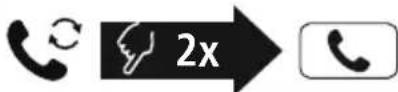
HaTnchete IBa IIbTu 6yToH MFB (2), 3a Ja Ha6epTe OTHOBO nocJeHnra Habipan Homep
Yka3aHne

MaKcImaJIHa 3IbYBaTeJIHa MoUHOCr 2,5mW E .I.R.P.

GR Eeyxepipio oyniow
- BLUETOOTH® MONO HEADSET
- GB Operating Instructions
- Controls and displays
- Explanation of warning symbols and notes
- Warning
- Note
- Package contents
- Safety instructions
- Warning - rechargeable battery
- Warning - magnets
- Warning - high volume
- Switching on/off
- Note - Automatic switch-off of the product
- Charging
- Switch off the headset and connect it
- Headset charging process
- Battery capacity
- Bluetooth pairing
- Note - Pairing
- Search using your device for the headset (only required on the first connection)
- Note - Bluetoothpassword
- Multi-point technology
- Controls
- Voice assistant function
- Note - Siri
- Note - Google Assistant
- Hands-free function
- Make a call
- Accept a call
- Reject a call
- End a call
- Last number radial
- Audio playback
- Volume control
- Technical data
- Care and maintenance
- Warranty disclaimer
- Service and Support
- Declaration of Conformity
- Bluetooth Verbinding (Pairing)
- Hinweis - Pairing
- Remarque - Assistant Google
- Wskazowska - Google Assistant
- Avertizare - Accumulator
- Funcão Voice Assistant
- Varning - magnetizer
- PpeynpexdHne - aKKymyIaTOp
- PpeynpexdeneMaHHTbl
- PpeynpeXeHne BBICOKa rpoMKoCTb
- BkIIOueHne/BBIKIOueHne
- yKa3aHne - aBTOMaTHueeCKoe BbIKJIOUeHne rapHnTypbl
- 5.Заряда
- BbIKJIOUeHne n noKJIIOUeHne rapHNTypbl
- Ipouecc 3apnKn raphNtypbl
- EMKoctb aKKymyIaTopa
- CoeHHHeHne Bluetooth(conpJxKeHne)
- Yka3aHne — conpJxKeHne
- YkaaHne -napoJb Bluetooth
- TexHojorma Multipoint
- Θлем entbl ynpabneHnA
- Yka3aHne
- 7.1ФункциИнтелктуальHorO rOLOCOBOrO nOMOuHnKa
- ykaaHne — Siri
- Yka3aHne - Google Assistant
- 7.2ФункцягомковCB3N
- CoBepuNTb Bbl3OB
- PpHbBb3OB
- OTKJIOHHTb Bbl3OB
- 3aBepuNTb Bbl3OB
- NOBTOpHbIn Ha6Op
- Bocnpoun3BepeHne aydn03anncen
- PerynipoBka rpomKocTn
- Texhnueckne xapaKTePnCTnKn
- NCKJIIOUeHHe OTBeTCTBeHHOCTn
- CepBnchHoe 06cIyKnBaHne n noIePkKa
- TexHolorma Multipoint
- Elenentn 3a ynpabJeHne
- 7.1Функцязглacob acncteHT
- Yka3aHne - Siri
- YkaaHne - Google AcnCTeHT
- 7.2Функця "cbo6oHn pbue"
- 06axdahe
- PnpemaHe Ha NOBUKBaHe
- OTka3BaHe Ha NOBnKBaHe
- PnNKIOUBaHe Ha NOBUKBaHe
- NobTapAne Ha H6upaHepo
- GR Eeyxepipio oyniow
Brand : HAMA
Model : MyVoice1300
Category : Bluetooth Headset