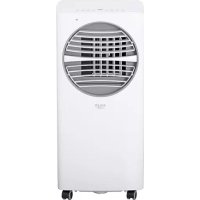
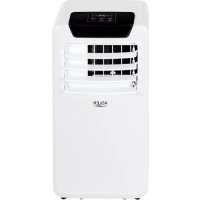
AD 7925 - Air Conditioning ADLER - Free user manual and instructions
Find the device manual for free AD 7925 ADLER in PDF.



| Product type | Portable air conditioner (monoblock) |
| Brand | Adler |
| Model | AD 7925 |
| Cooling capacity | 12 000 BTU/h (3 500 W) |
| Power consumption (cooling) | 1 300 W |
| Power supply | 220-240 V ~ 50 Hz |
| Noise level | ≤ 65 dB |
| Airflow | 450 m³/h |
| Energy class | A |
| Refrigerant | R290 (210 g max) |
| Dehumidification capacity | 28 L/day |
| Operating modes | Auto, Cool, Dry, Fan |
| Fan speeds | 2 (low and high) |
| Timer | Programmable from 1 to 24 hours |
| Oscillation | Yes (vertical louvers) |
| Sleep mode | Yes |
| Child lock | Yes |
| Remote control | Yes (range 5 m) |
| Air filter | Washable, clean every 2 weeks |
| Full tank indicator | Error code E4 |
| Refrigerant weight | 210 g |
Frequently Asked Questions - AD 7925 ADLER
User questions about AD 7925 ADLER
0 question about this device. Answer the ones you know or ask your own.
Ask a new question about this device
Download the instructions for your Air Conditioning in PDF format for free! Find your manual AD 7925 - ADLER and take your electronic device back in hand. On this page are published all the documents necessary for the use of your device. AD 7925 by ADLER.
USER MANUAL AD 7925 ADLER
natural_image
White ADLER air conditioner unit with circular vent and grid pattern (no visible text or symbols)AD 7925
natural_image
Diagram of a cylindrical object with internal parallel grooves and a marked point (no text or symbols)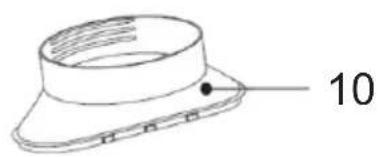
natural_image
Technical line drawing of a mechanical component with a numbered label (10) pointing to a circular feature on the top surface.PICTURE B
PICTURE C
PICTURE D
natural_image
Pure mechanical diagram showing a rectangular block with internal grooves and two opposing arrows indicating force or displacement (no text or symbols)1.
natural_image
Technical line drawing of a threaded mechanical component (no text or symbols)2.
natural_image
Technical line drawing of a mechanical device with internal channels and a central shaft (no text or symbols)3.
PICTURE E
natural_image
Technical illustration of a multi-tiered industrial machine with internal components and external solar panels (no text or symbols)PICTURE F
ENGLISH
SAFETY CONDITIONS. IMPORTANT INSTRUCTIONS ON SAFETY OF USE PLEASE READ CAREFULLY AND KEEP FOR FUTURE REFERENCE
- Before using the device, read the operating manual and follow the instructions contained in it. The manufacturer is not liable for damages caused by using the device contrary to its intended purpose or improper operation.
- The device is for home use only. Do not use for other purposes that are not for its intended purpose.
- The device should only be connected to an AC outlet with a grounded 220 240V \~ 50Hz. To increase operational safety, multiple electrical devices should not be connected to one current circuit at the same time.
- Use extreme caution when using the device when children are nearby. Do not allow children to play with the device, do not allow children or people unfamiliar with the device to use it.
- WARNING: This equipment may be used by children over 8 years of age and people with limited physical, sensory or mental ability, or people who have no experience or knowledge of the equipment, if this is done under the supervision of a person responsible for their safety or have been granted them information on the safe use of the device and are aware of the dangers of using it. Children should not play with the equipment. Cleaning and maintenance of the device should not be performed by children, unless they are over 8 years old and these activities are carried out under supervision.
- Always disconnect the power plug by holding the socket with your hand after use. DO NOT pull on the power cord.
- Do not immerse the cable, plug and the whole device in water or any other liquid. Do not expose the device to atmospheric conditions (rain, sun, etc.) or use in conditions of high humidity (bathrooms, damp mobile homes).
- Periodically check the condition of the power cord. If the power cord is damaged, it should be replaced by a specialist repair shop to avoid danger.
- Do not use the appliance with a damaged power cord or if it has been dropped or damaged in any other way or if it is not working properly. Do not repair the device yourself, as there is a risk of electric shock. Take the damaged device to an appropriate service center for checking or repair. All repairs may only be carried out by authorized service points. Incorrectly performed repairs can cause serious danger for the user.
- Place the device on a cool, stable surface, away from hot kitchen appliances such as: electric stove, gas burner, etc.
- Make sure that nothing is blocking the air inlet and outlet of the device
- Use the device only on a level surface to prevent the condensation from spilling out
- To provide additional protection, it is advisable to install a residual current device (RCD) in the electric circuit with a rated residual current not exceeding 30mA. Ask an
electrician for this.
- Clean the air filter regularly. The frequency of cleaning depends on the cleanliness of the air.
- After turning off the machine, wait at least 5 minutes before turning it back on.
- Do not use the device in sunny places. When the device overheats, the overheat protection will switch on the device.
- To ensure effective cooling, a distance of at least 60 cm should be kept between the side walls of the device and the wall or furniture or curtains.
- Due to the limited performance of the device, if the difference between the target temperature and the ambient temperature is too great, the target temperature may not be reached.
- To reduce the risk of fire, electric shock or injury when using the air conditioner, observe the following basic precautions:
a) Connect to a grounded outlet with 3 pins.
b) Do not remove the grounding prong.
c) Do not use the adapter.
d) Do not use an extension cord.
e) Disconnect the air conditioner before servicing.
f) Use two or more people to move and install the air conditioner.
-
Do not use agents accelerating the defrosting or cleaning process other than those recommended by the manufacturer.
-
The device should be stored in a room without constantly operating sources of ignition, for example: open fire, gas appliances or electric heaters.
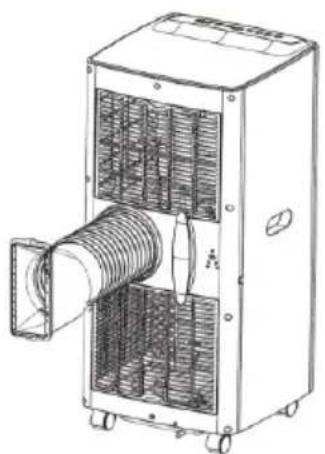
BEFORE FIRST USE – (picture E)
Connect the connectors to the air exhaust duct as follows:
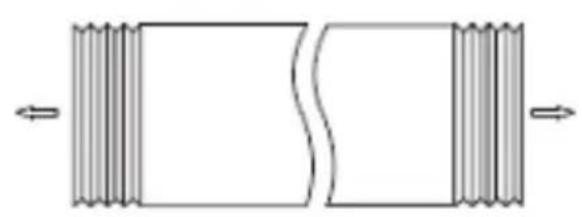
- Extend the air exhaust duct (9) by drawing out the two ends of the duct.
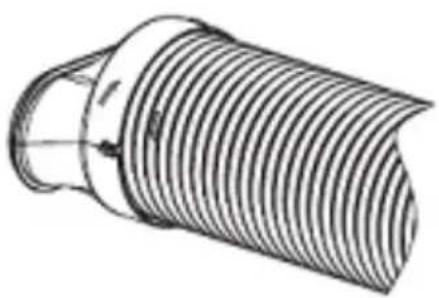
- Screw the air exhaust duct (9) into the connector of air exhaust duct (10).
- Connect the air exhaust duct (9) to the device directly.
REMARKS:
- Keep the unit at least 1 meter away from TV or radios to avoid electromagnetic interference.
- Do not expose the unit under direct sun light to avoid surface color fading.
-
Do not tilt the unit for more than 35^ or upside-down while transporting. If the device has been turned over during transport, put it down correctly and wait 2-4 hours before starting it.
-
Place the unit on a flat surface with less than 5^ inclination.
-
The unit operates more efficiently in certain room locations, select the best location:
-
Beside a window, a door or a French window.
- Keep the required distance from the return air outlet to the wall or other obstacles at least 60 cm.
- Extend the air hose to ensure that other end of the air hose has clearance between the window door, or French window, or wall hole.
- Air outlet or intake cannot be blocked by protective grid or any obstacle.
To extend the life of the unit, drain the condensed water from the down drain holes (8) before putting the unit into storage at the end of the
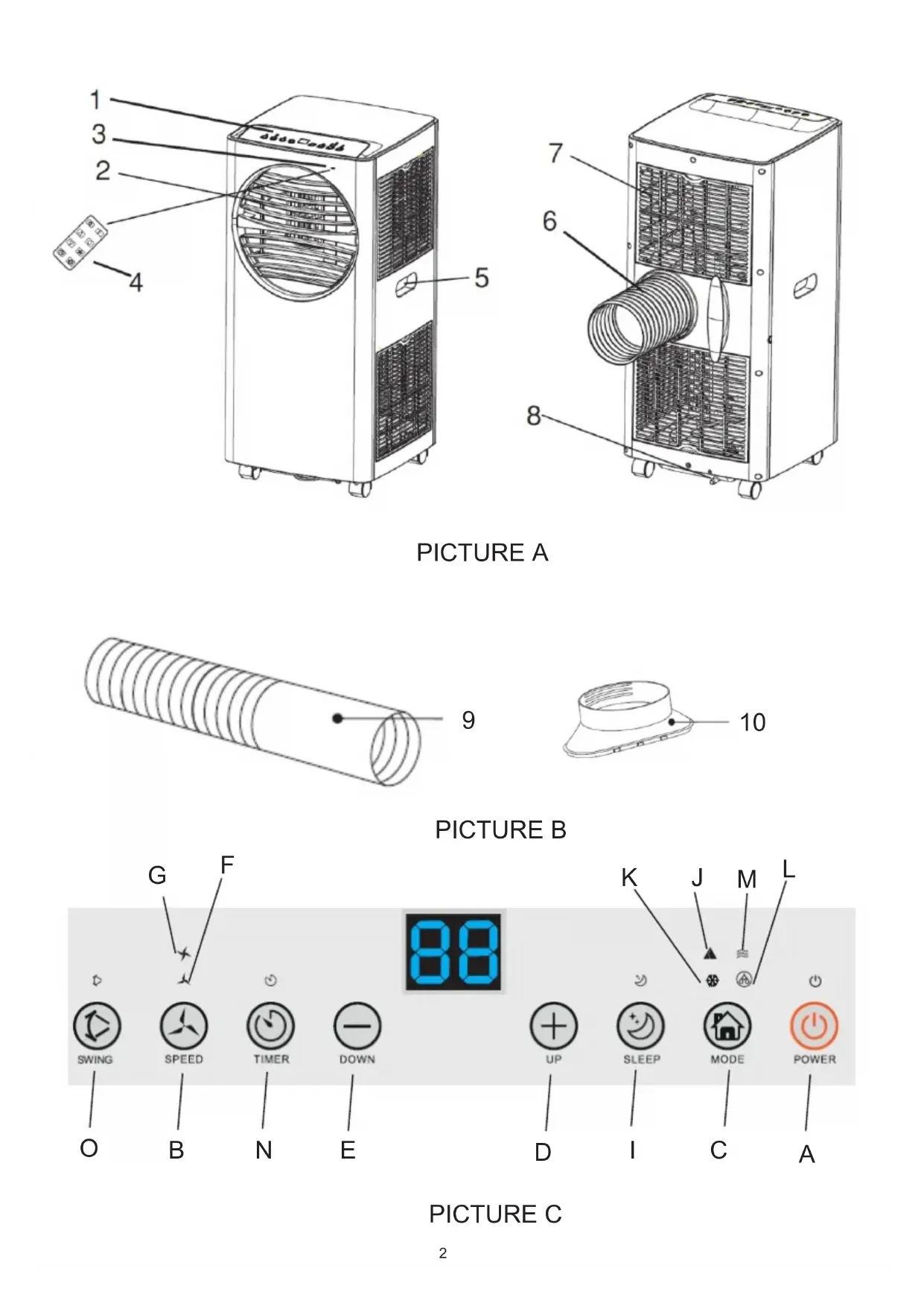
DEVICE DESCRIPTION (pictures A and B)
- Control panel 2. Cold air outlet
- Signal receptor 4. Remote controller
- Transport handle 6. Exhaust duct
- Evaporator inlet 8. Down cooler Drain hole
- Air exhaust duct 10. Window exhaust adapter
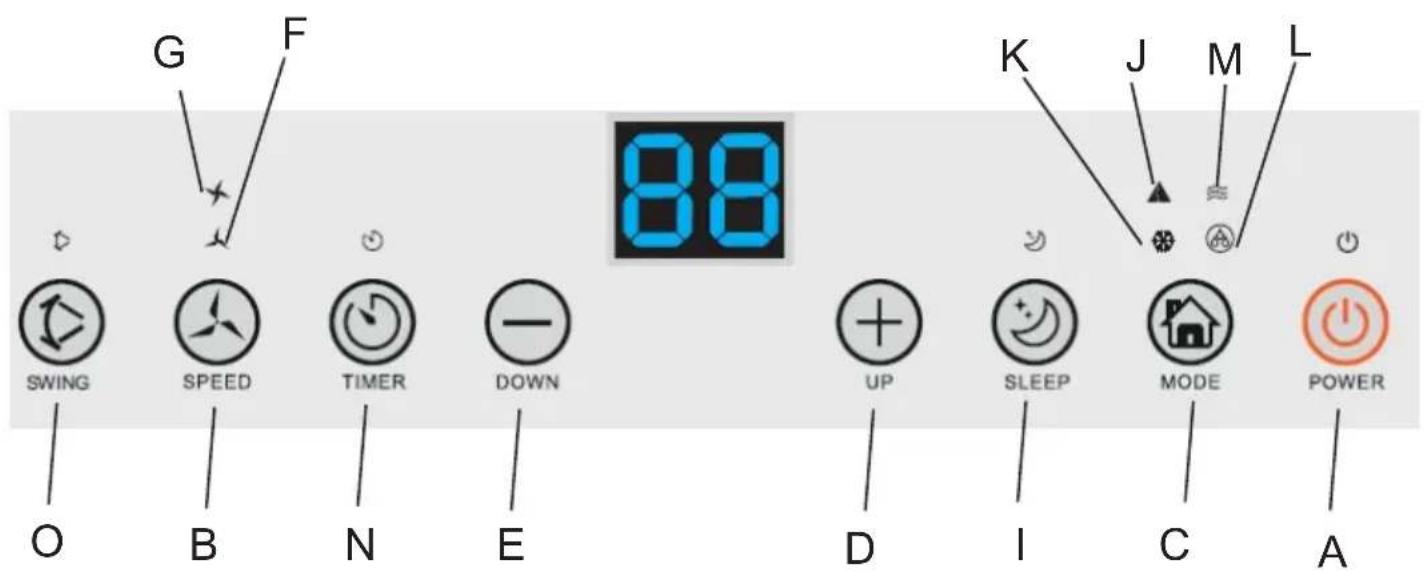
CONTROL PANEL (picture C)
A. Power button ON/OFF B. Fan speed button
C. Mode button D. Timer / Temperature up button
E. Timer / Temperature down button F. Low speed lamp
G. High speed lamp I. Sleep button and child lock
J. Automatic mode K. Cool mode
L. Dry mode M. Fan mode
N. Timer button O. Oscillation button
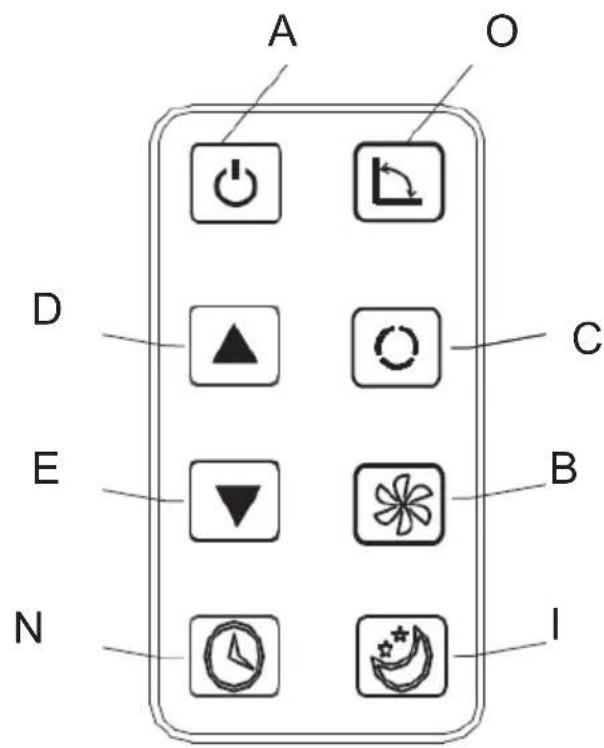
REMOTE CONTROLLER – picture D
The remote controller transmits signals to the system.
Button "A" - the appliance will be started when it is energized or will be stopped when it is in operation, if you press this button.
Button "B" - press it to select fan speed in sequence.
Button "C" - press it to select operation mode: "J", "K", "L" or "M".
Button "D" / "E" - press to adjust the room temperature and the timer.
Button "I" - press to set or cancel sleep mode.
Button "N" - press to set the time of automatic off and automatic on.
Button "O" - press to set or cancel louvers swing mode.
- Turn on the device.
a) Connect the device.
b) Press the "A" button, then the device beeps once and turn on.
c) LED diode displays room temperature and starts working in automatic mode.
2. Choose the operating mode
Press the "C" button to select the desired mode of operation by sequence:
Automatic mode "J" -> Cooling mode "K" -> Drying mode "L" -> Fan mode "M"
3. Adjust temperature
The temperature can be set within a range 15^-31^ . Press "D" or "E" button to increase or decrease the temperature by 1^ by pressing
once. The device LED panel shows the target temperature for 5 seconds and then displays the room temperature.
4. Adjust fan speed
Press the button "B" to select a desired fan speed shows by sequence:
Low speed "F" -> High speed G
5. Power
When you press the "A" button again, the device will sound "di" and stop working.
-
Press this button "I" to enter the sleep mode of device.
-
Press this button "N" to set a timed shutdown.
Press this button "O" to set air swing oscillation in left-right directions.
Each mode working principle:
AUTO "J" mode:
Once the "J", operation is selected, the indoor temperature sensor operates automatically and it selects one of below operation modes:
- When the room temperature ≥ 24^ the unit will automatically select cool mode "K" mode.
or
- When the room temperature < 24^ , the unit will automatically select high fan speed mode "M..".
Dry "L" mode:
- The up centrifugal fan will run at low speed, and the speed can't be adjusted.
- The compressor will stop after running 8 minutes, then run again after 6 minutes.
- The device adopts constant temperature dehumidifying mode, and the adjustment of temperature is no effective.
COOL "K" mode:
- When the room temperature is higher than set temperature on control panel, the compressor starts to run.
- When the room temperature is lower than set temperature on control panel, the compressor stop and upper fan operates at original set speed.
Fan "M" mode.
- The up centrifugal fan runs at set speed, and the compressor does not run.
- The adjustment of temperature is no effective.
Timer operation "N":
- Press "N" button to set Automatic Off time while the unit is running.
- Press "N" button to set Automatic On time while the unit is ready.
- The time can be adjusted within a range of 1 hour to 24 hours by pressing the button "D" (+) or "E" (-).
Sleep mode "I" operation:
- The sleep mode operations when the unit is under cooling "K" mode.2. Press the button "I" in cool mode "K", then the unit will work
under sleep mode and the fan will turn to low speed automatically. The set temperature will increase by 1 °C after one hour, and increase 2 °C after two hours. After six hours the unit will stop running.
Child Lock operation:
- Press the button and hold "I" in cool mode "K" for 3 seconds to enter the child lock state. On screen will be shown "LC" after active this function.
- Again press the button and hold "I" in cool mode "K" for 3 seconds to exist the child lock state. On screen will be shown present room temperature after deactivate child lock function.
Swing "O" mode operation:
When the device is on, press button "O", the vertical louver will on or off. When it is on, the louver can swing the left and the right sides. Press the button "O" again, the louver will stop swinging.
Notice:
The main control board has memory function, when the device is ready to run but in stop status, the main control board can memorize the initialization of working mode. When you turn on the unit, it will work as the same enactment of working-mode as last time, no need to reset the working mode again.
REMOTE CONTROLLER
- Slide the back cover to open and take off the isolating film on the batteries.
- Put the batteries inside the slot, must be corresponding to the signs of "+" and "-" on the remote control.
- For long time no use, take out the batteries.
- To prevent environmental pollution, take out the used batteries and dispose safety and appropriately.
To operate the device, aim the remote controller (4) at the signal receptor (3). The remote controller will operate the device at distance 5 meters when pointing at signal receptor of the device.
PROTECTIVE DEVICES
The protective device may trip and stop the appliance in the cases listed below:
- at cooling mode: indoor air temperature is over 43^ C ( 109^ F)
- at cooling mode: room temperature is below 15^ C ( 59^ F)
- at dehumidifying mode: room temperature is below 15^ C ( 59^ F).
If the device runs in cooling "K" or dry "L" mode with door or window opened for a long time when relative humidity is above 80%, dew may drip down from the outlet.
The protective device will work in the following cases:
- Restarting the device immediately after stopping work or changing the selected mode while working, you must wait 3 minutes.
- If the plug has been removed, after restarting the device will return to the original mode, TIMER ON and TIMER OFF - must be set again.
REMARK: there is condensing water recycling hidden within this unit. The condensing water is partly kept recycling between the condenser and the water plate. When the water level rises to the upper level, the float switch and water full indicator (E4) lights on to remind draining water. Please cut off the power supply, move the appliance to a suitable place, remove the drain plug, drain water completely. After the
drain, re-install the plug, or the appliance may leak and make your room wet.
If the appliance is placed in a position admitting drain water, you also can connect the drain hole to the drain port to drain the water. Drain pipe is added to kit, with inner diameter 9mm, outer diameter 12mm, material: PVC.
Troubleshooting
1) Trouble: Do not work.
Analysis:
a) maybe the protector trip or fuse is blown, please wait for 3 minutes and start again, protector device may be preventing device from working.
c) maybe batteries in the remote controller are exhausted.
d) maybe the plug is not properly plugged in.
2) Trouble: works for a short time only
Analysis:
a) if the set temperature is close to room temperature, you can lower the set temperature.
b) maybe air outlet is blocked by obstacle. Take the obstacle away.
3) Trouble: Works but not cools
Analysis:
a) maybe door or window are open.
b) maybe in close distance there is another appliance heat-working like heater or lamp, etc.
c) the air filter is dirty, please clean it.
d) air outlet or intake is blocked.
f) set temperature is too high.
4) Trouble: Water leak during moving.
Analysis:
a) drain the condensate before moving.
b) to avoid water leakage, please locate the device on flat ground.
5) Trouble: Do not work and water full indicator "E4"
Analysis:
a) pull out rubber plug to drain water.
b) if it is often in this state, please contact qualified service technical.
Troubleshooting
6) Trouble: Device fails to start up.
Analysis:
a) maybe not plugged. So, plug in it.
b) maybe plug or socket damages. Replace by service provider.
c) maybe fuse broken. Replace the fuse by service provider (specification: 3,15A/250VAC).
7) Trouble: Device automatically stops.
Analysis:
a) timing shut down or set temperature reached. Restart it or wait for auto-switch.
8) Trouble: no cold air under COOL "K" mode.
Analysis:
a) room temperature is lower than set temperature. It is a normal phenomenon, the machine will auto-switch while the room temperature is higher than the set temperature.
b) Device enters into anti-frost protection. The device will auto switch after anti-frost protection is over.
9) Trouble: LED displays failure code "E2"
Analysis:
a) room temperature sensor fails or damages. Replace the room temperature sensor by service provider.
10) Trouble: LED displays failure code "E3"
Analysis:
a) the evaporator oil pipe sensor fails or damaged. Replace the evaporator coil pipe sensor by service provider.
11) Trouble: LED displays failure code "E4"
Analysis:
a) water-full warning. Drain out the water.
CLEANING AND MAINTENANCE
Device maintenance
- Turn off the device first before disconnecting from power supply.
- Wipe with a soft and dry cloth. Use lukewarm water below 40C to clean if the appliance is very dirty.
- Never use volatile substance such as gasoline or polishing powder to clean the device.
Air filter maintenance
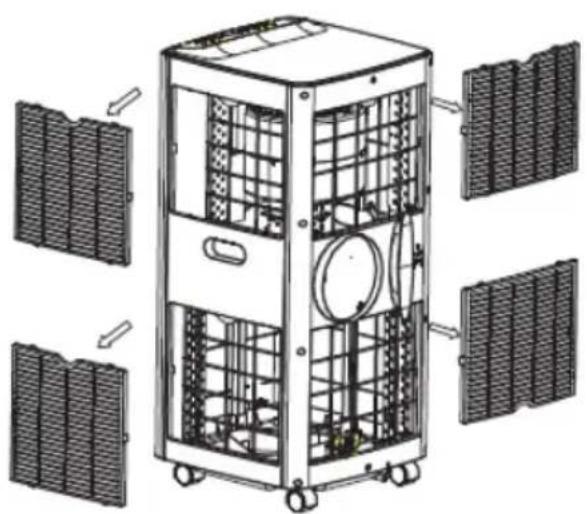
It is necessary to clean the air filter every 2 weeks if the device operates in an extremely dusty environment. Clean as follows:
- Stop the device first, push up the air filter (Picture F).
- Clean and reinstall the air filter.
- If the dirt is conspicuous, wash it with a solution of detergent in lukewarm water. After cleaning dry it in a shaded and cool place, then reinstall it.
Maintenance after using
- If the device is not going to be used for a long time, remove the rubber plug from the drain hole (8) to drain the water.
- Keep the appliance running with fan only for a half day during a sunny day to dry the appliance inside and prevent from going moldy.
- Stop the device and pull out the power cord plug, then take out the batteries of remote controller and store device properly.
- Clean the air filter and reinstall it.
- Remove the air hoses and store them properly, and cover the hole tightly.
TECHNICAL DATA:
Cooling capacity at BTU: 12.000 BTU / hour
Cooling capacity in watts: 3500 W
Energy consumption (cooling) W: 1300 W
Volume: <= 65dB
Air flow: 450 m3 / hour
Energy class: A
Timer: 24 hours
R290 coolant weight: max. 210 grams
Capacity of drying function: 28 liters / day
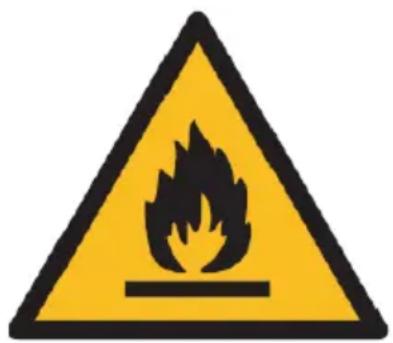

Caution, risk of fire.
Do NOT pierce or burn.
Be aware that the refrigerant may not contain an odour.
The maximum refrigerant charge amount: 210g.
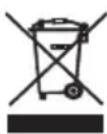
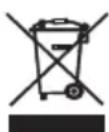
Please transfer cardboard packaging to waste paper. Pour the polyethylene bags (PE) into the plastic container Worn device should be returned to the appropriate point storage because it is dangerous in the device ingredients may pose a threat to the environment. The electrical device should be handed over to limit its reuse and use. If in the device there are batteries you have to take out and give to the point stored separately.
DEUTSCH

Zems ātrums "F" -> Liels ātrums G
- Jauda
Varo, tulipalon vaara.
Oprez, opasnost od požara
Ventilator "M." -tilstand.
Child Lock-operation:

natural_image
White portable air conditioner unit with black ventilation grilles and wheels (no visible text or symbols)AIR COOLER AD 7913
natural_image
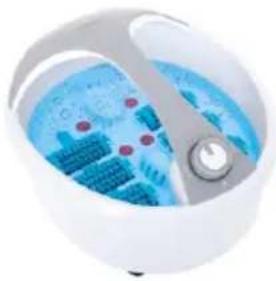
Close-up of a white spherical device with blue internal components and a central knob (no visible text or symbols)FOOT SPA AD 2177
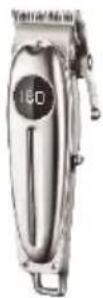
HAIR CLIPPER
AD 2831
natural_image
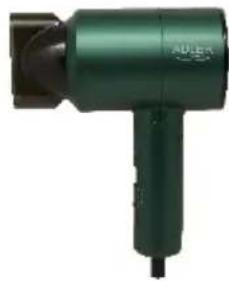
Green handheld hair dryer with black handle and logo (no visible text or symbols on body)HAIR DRYER AD 2265
natural_image
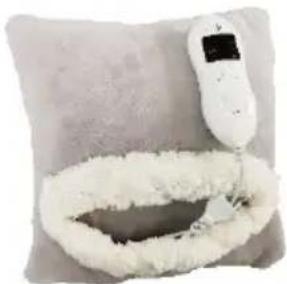
Close-up of a white cream-colored pillow with a small digital remote control on top (no text or symbols visible)HEATED PAD AD 7412
CERAMIC FAN HEATER
AD 7731
natural_image
White industrial electrical heater with cooling fan and wheels (no visible text or symbols)OIL-FILLER RADIATOR
AD 7811
KITCHEN SCALE AD 3171
natural_image
White industrial water heater with black filter and control knob (no visible text or symbols)CHOCOLATE FOUNTAIN AD 4487

HAND BLENDER
AD 4617
natural_image
White handheld hairdryer with circular filter and mesh head (no text or symbols visible)LINT REMOVER AD 9616
natural_image
Close-up of a handheld vacuum cleaner with black handle and pink body (no visible text or symbols)VACUUM CLEANER AD 7044
natural_image
Black kitchen grater with handle and blade (no visible text or symbols)MEAT MINCER AD 4811
Blender AD 4078
natural_image
Exterior view of a modern kitchen grater with food and a glass lid (no text or symbols visible)ELECTRIC GRILL AD 6610
natural_image
Glass coffee kettle with water splash inside, placed on a stand (no text or symbols visible)ELECTRIC KETTLE AD 1293
ADLER
EUROPE
natural_image
Black cylindrical container with a circular logo and the brand name 'ADULT' on its side (no additional text or symbols visible)COFFEE GRINDER AD 4446
natural_image
Exterior view of a modern stainless steel toaster with a digital display (no visible text or symbols)TOASTER 2 SLICE AD 3214

HAND BLENDER
Ad4625
natural_image
Close-up of a stainless steel kitchen mixer with a control knob (no visible text or symbols)MIXER WITH BOWL AD 4222
natural_image
Exterior view of a modern kitchen oven with digital display (no visible text or symbols)AIR FRYER OVEN AD 6309
natural_image
Front view of a white microwave oven with control knobs and a blank screen (no visible text or symbols)MICROWAVE OVEN AD 6205
natural_image
Black square portable electronic device with ventilation slots and a handle (no visible text or symbols)WAFFLE MAKER AD 3049
natural_image
White digital kitchen scale with a digital display showing 2.78 (no visible text or symbols)KITCHEN SCALE AD 3170
natural_image
Glass water heater with blue liquid splashing inside, no visible text or symbolsELECTRIC KETTLE AD 1286
natural_image
Black rectangular electronic device with a handle and ventilation slots (no visible text or symbols)SANDWICH MAKER
AD 3043
natural_image
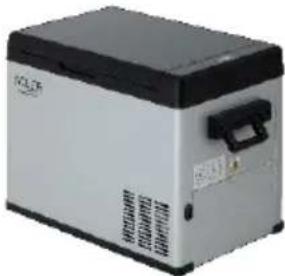
Exterior view of a modern industrial vacuum cleaner (no visible text or symbols)PORTABLE FRIDGE AD 8077
natural_image
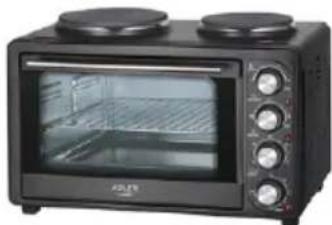
Black countertop oven with two top ovens and control knobs (no visible text or labels)Electric Oven With HOB AD 6020
natural_image
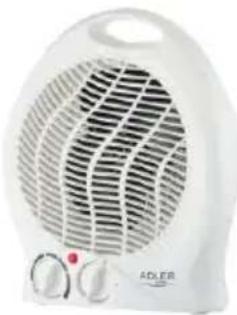
White ADLER electric heater with visible grille and control knobs (no text or symbols)FAN HEATER AD 7728
natural_image
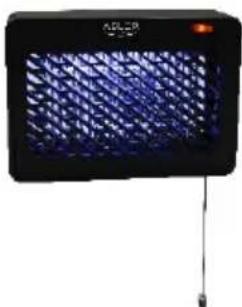
Black rectangular electronic device with blue mesh pattern and a small orange indicator light (no visible text or symbols)MOSQUITO LAMP AD 7938
natural_image
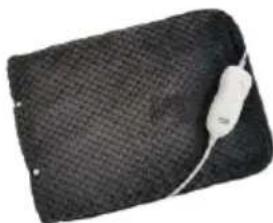
Black textured fabric with a white cable attached, resembling a pillow or cushion (no text or symbols visible)HEATED PAD AD 7433
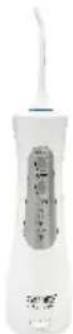
ORAL IRRIGATOR
AD 2176
ADLER
EUROPE
natural_image
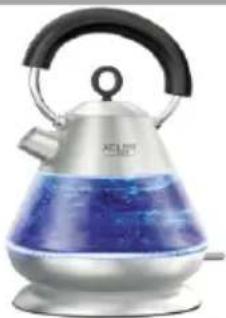
Exterior view of a modern silver kettle with blue liquid, no visible text or symbolsElectric Kettle AD 1282
natural_image
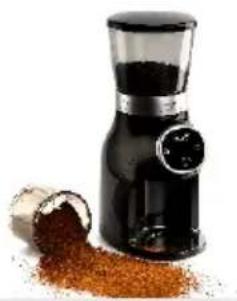
Close-up of a black and white grainer with a pile of brown granular powder nearby (no text or symbols visible)Burr Coffee Grinder AD 4450
Milk Frother
AD 4491
natural_image
Black hard drive with visible battery cover and ventilation slots (no text or symbols)Sandwich Maker AD 3055
natural_image
Exterior view of a modern single-tier social toaster (no visible text or symbols)TOASTER 2 SLICE AD 3222
natural_image
Exterior view of a rectangular electronic device with a black and white casing (no visible text or symbols)ELECTRIC GRILL AD 3052
natural_image
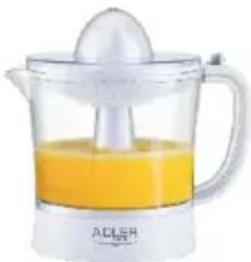
Glass juice organizer with orange liquid and a white squeegee (no text or symbols visible)CITRUS JUICER AD 4009
natural_image
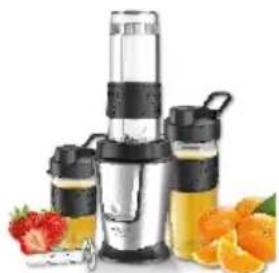
Product photo of a blender with orange juice and fruit in foreground (no visible text or symbols)PERSONAL BLENDER AD 4081
natural_image
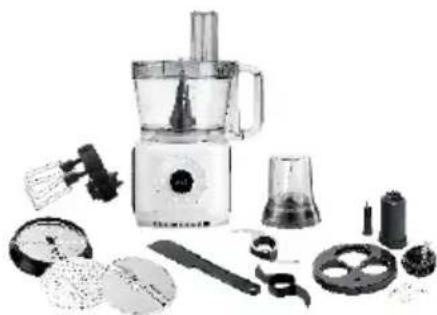
Assorted kitchen appliances including a blender, keyboard, and cleaning tools (no visible text or labels)FOOD PROCESSOR AD 4224
natural_image
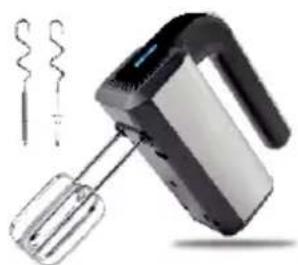
Black and silver electric mixer with coiled wire nearby (no text or symbols visible)MIXER AD 4225
natural_image
Black air fryer with control knob (no visible text or symbols)AIR FRYER AD 6310
natural_image
Exterior view of a stainless steel coffee maker with black lid and control buttons (no visible text or symbols)PASTEURIZATION POT AD 4496
natural_image
White portable air conditioner unit with visible cooling fan and control panel (no text or symbols)AIR CONDITIONER AD 7916
natural_image
Close-up of a black cylindrical device with a white lid and a small scale indicator (no visible text or symbols)AIR HUMIDIFIER AD 7966
natural_image
White portable heating fan with ventilation grille and two heat sinks (no visible text or symbols)FAN HEATER AD 7725
natural_image
Top-down view of a stainless steel kitchen scale with digital display (no text or symbols visible)KITCHEN SCALE AD 3166
- AD 7925
- ENGLISH
- SAFETY CONDITIONS. IMPORTANT INSTRUCTIONS ON SAFETY OF USE PLEASE READ CAREFULLY AND KEEP FOR FUTURE REFERENCE
- REMARKS:
- DEVICE DESCRIPTION (pictures A and B)
- CONTROL PANEL (picture C)
- REMOTE CONTROLLER – picture D
- Choose the operating mode
- Adjust temperature
- Adjust fan speed
- Power
- AUTO "J" mode:
- Dry "L" mode:
- COOL "K" mode:
- Fan "M" mode.
- Timer operation "N":
- Sleep mode "I" operation:
- Child Lock operation:
- REMOTE CONTROLLER
- PROTECTIVE DEVICES
- Troubleshooting
- Analysis:
- CLEANING AND MAINTENANCE
- Device maintenance
- Air filter maintenance
- Maintenance after using
- TECHNICAL DATA:
- DEUTSCH
- Ventilator "M." -tilstand.
- Child Lock-operation:
- ADLER
- EUROPE
Brand : ADLER
Model : AD 7925
Category : Air Conditioning