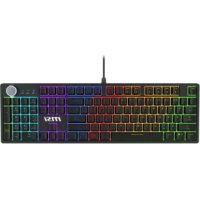
USER MANUAL FORGE GK320 MSI
1 Magnetic upper cover 2 Indicator light 3 Knob
4 Stand 5 Footpad 6 Side light bar
5 Groups of Built-in Game Lighting Effects
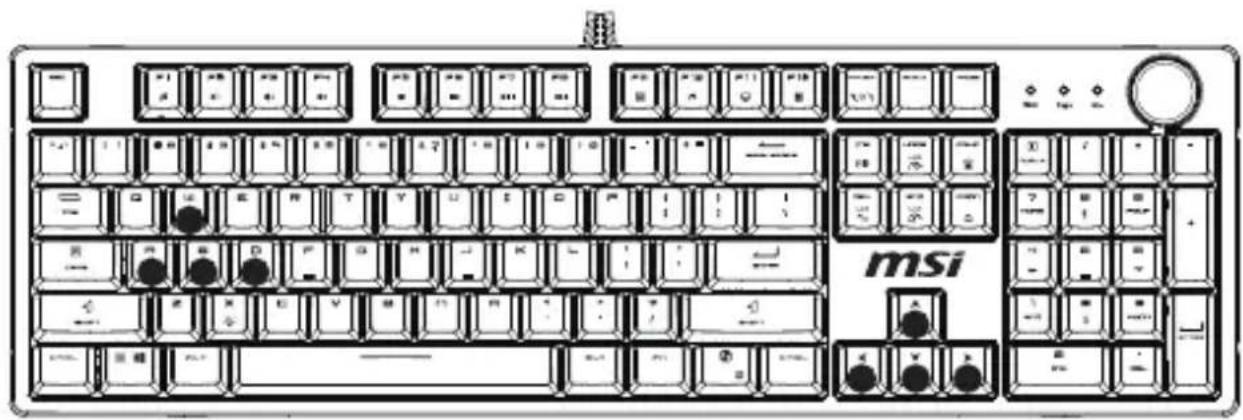
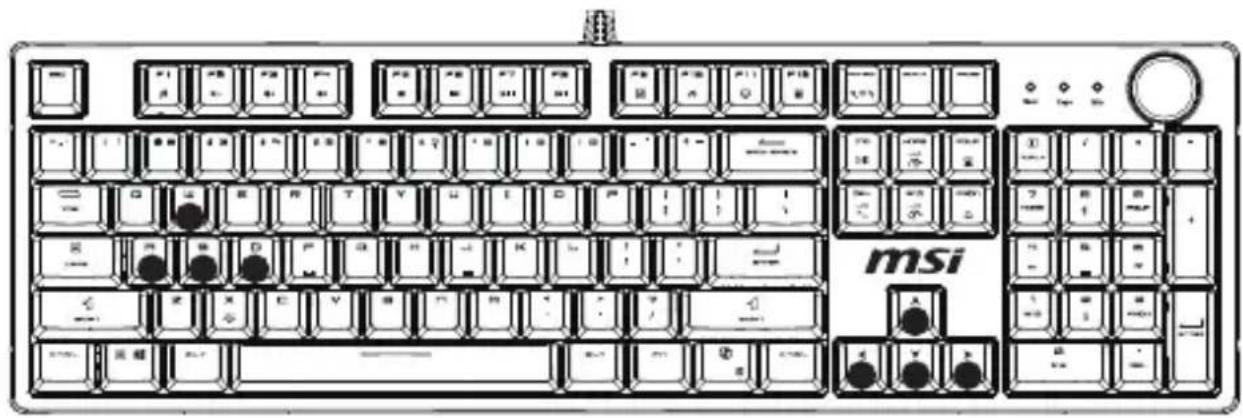
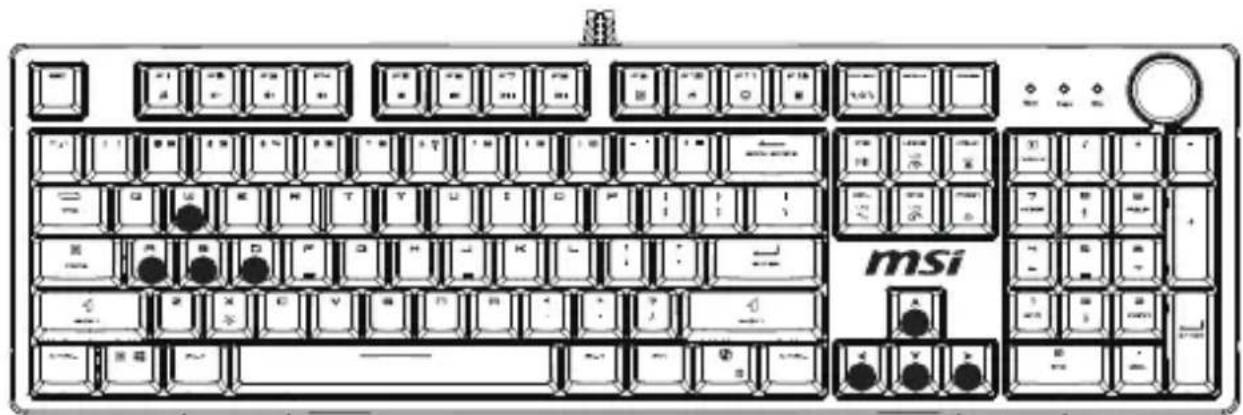
Please note that the black dots indicating lighting effects are for reference only.
1 Game Mode 1 (FN + 1), Light on: W, A, S, D, ↑, ↓, ←, →

2 Game Mode 2 (FN + 2), Light on: ESC, 1, 2, 3, 4, 5, TAB, Q, W, E, R, A, S, D, F, G, SHIFT-L, CTRL-L, Space
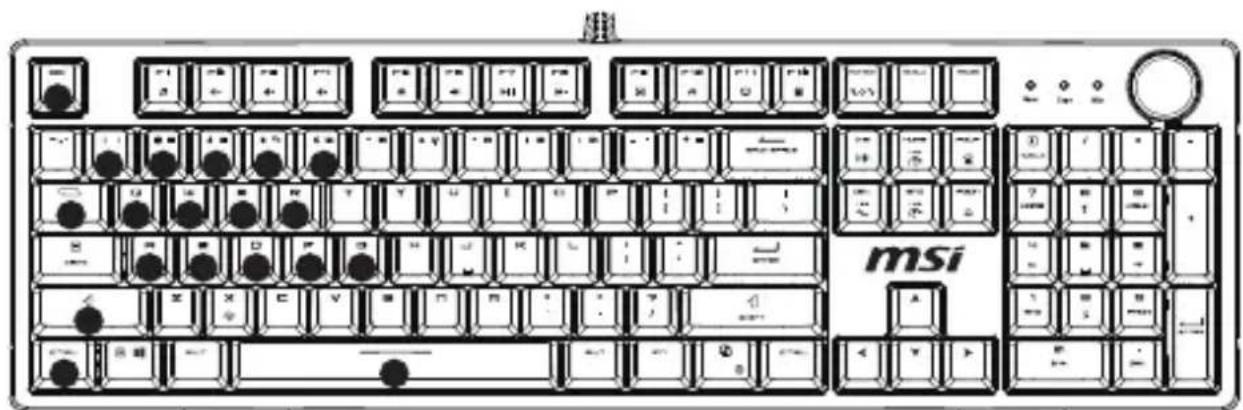
3
Game Mode 3 (FN + 3), Light on: ESC, ~, 1, 2, 3, 4, 5, TAB, Q, W, E, P, A, S, D, F, G, V, B, CTRL-L, Space
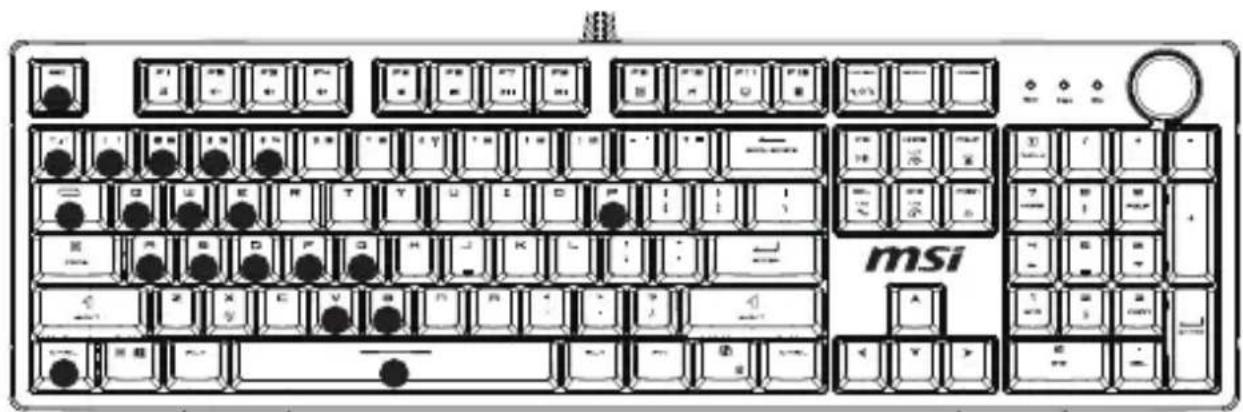
4 Game Mode 4 (FN + 4) (by default), Light on: W, A, S, D, ↑, ↓, ←, → 5 Game Mode 5 (FN + 5) (by default), Light on: W, A, S, D, ↑, ↓, ←, →
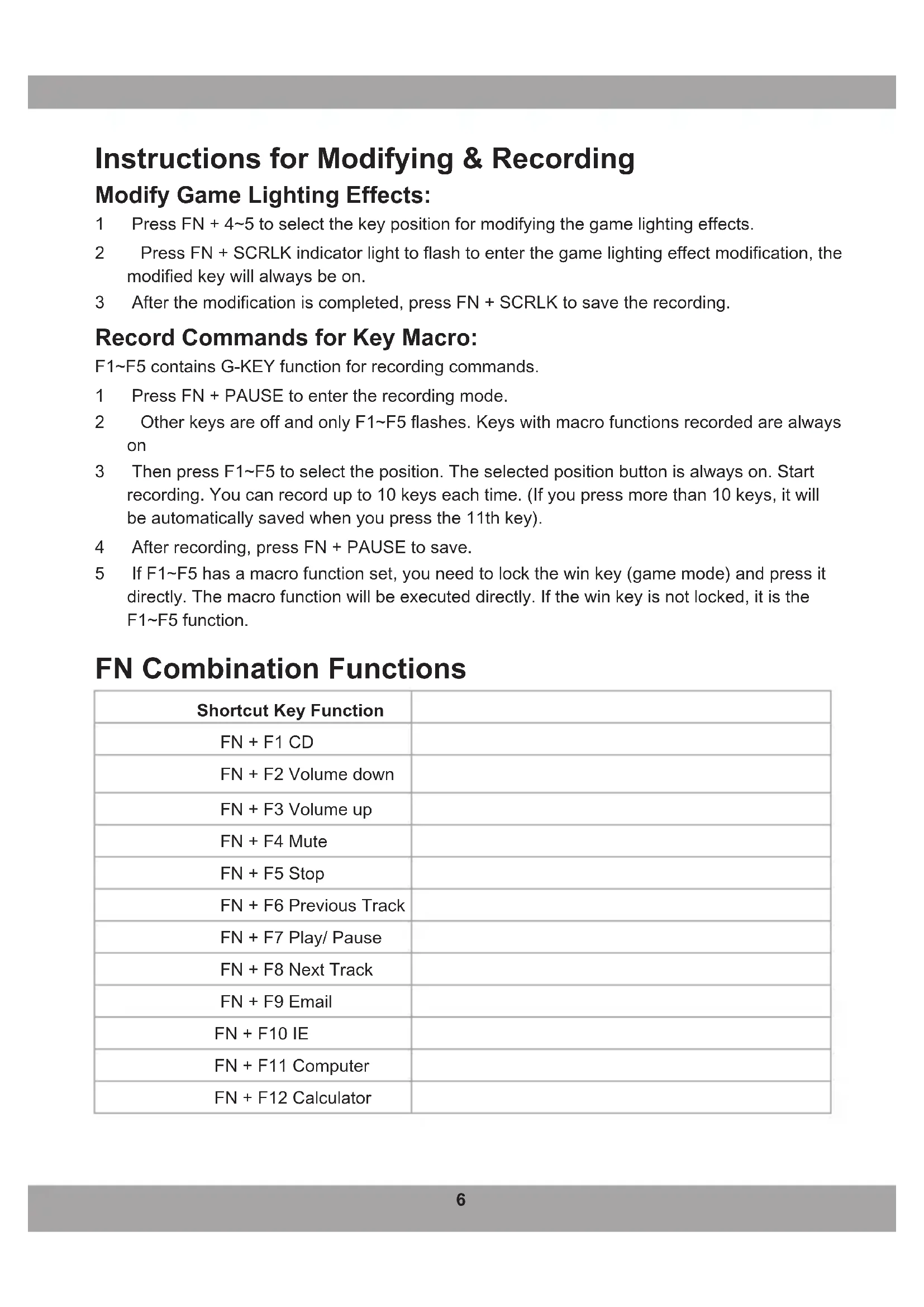
Instructions for Modifying & Recording
Modify Game Lighting Effects:
1 Press FN + 4~5 to select the key position for modifying the game lighting effects. 2 Press FN + SCRLK indicator light to flash to enter the game lighting effect modification, the modified key will always be on. 3 After the modification is completed, press FN + SCRLK to save the recording.
Record Commands for Key Macro:
F1~F5 contains G-KEY function for recording commands.
1 Press FN + PAUSE to enter the recording mode. 2 Other keys are off and only F1~F5 flashes. Keys with macro functions recorded are always on 3 Then press F1~F5 to select the position. The selected position button is always on. Start recording. You can record up to 10 keys each time. (If you press more than 10 keys, it will be automatically saved when you press the 11th key). 4 After recording, press FN + PAUSE to save. 5 If F1~F5 has a macro function set, you need to lock the win key (game mode) and press it directly. The macro function will be executed directly. If the win key is not locked, it is the F1~F5 function.
FN Combination Functions
| Shortcut Key Function | |
| FN + F1 CD | |
| FN + F2 Volume down | |
| FN + F3 Volume up | |
| FN + F4 Mute | |
| FN + F5 Stop | |
| FN + F6 Previous Track | |
| FN + F7 Play/ Pause | |
| FN + F8 Next Track | |
| FN + F9 Email | |
| FN + F10 IE | |
| FN + F11 Computer | |
| FN + F12 Calculator | |
| FN + WIN-L WIN Lock | |
| FN + DEL Lighting effect switch (Loop) | |
| FN + X Lighting On/ Off | |
| FN + PRTSC Knob lighting effect switch | |
| FN + INS Side lighting color switch | |
| FN + PGUP Increase lighting brightness | |
| FN + PGDN Decrease lighting brightness | |
| FN + HOME Increase lighting speed | |
| FN + END Decrease lighting speed | |
For more information, please visit MSI official website.
Appearance Overview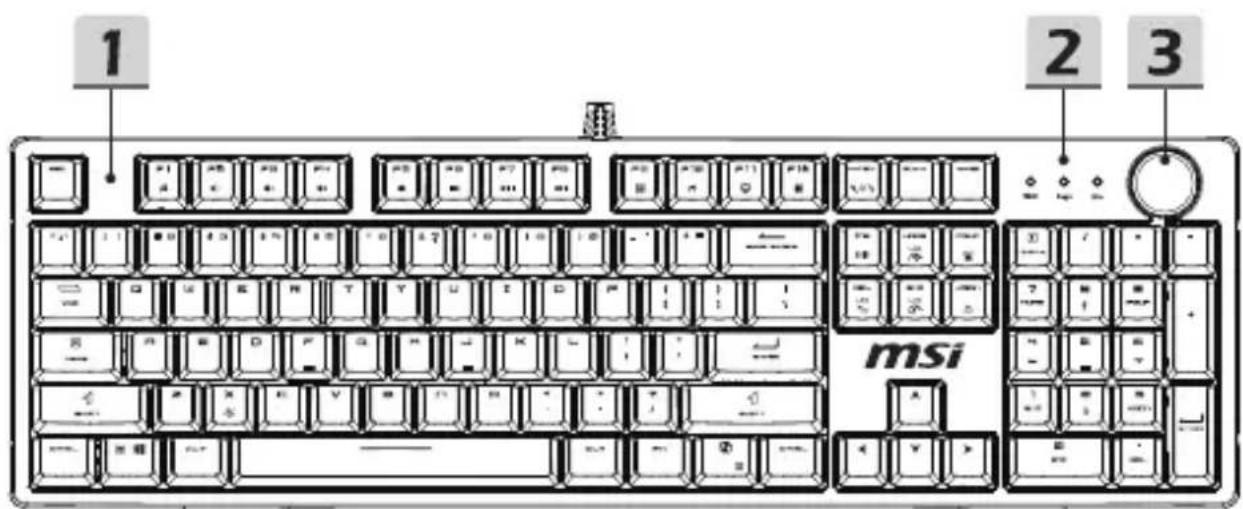
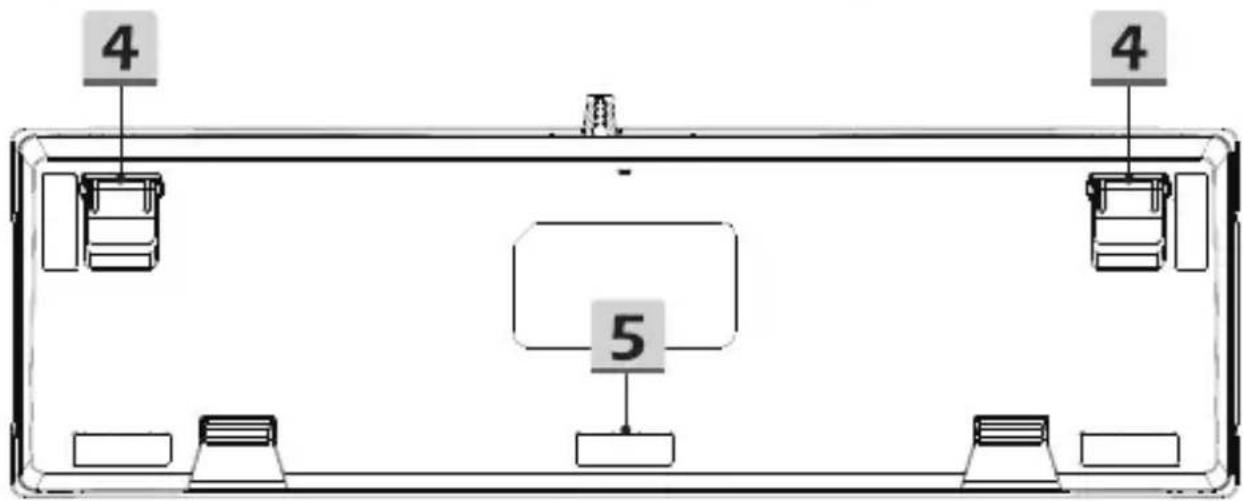
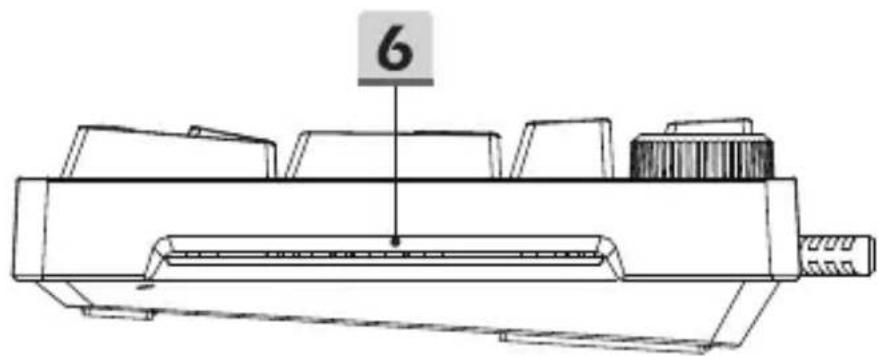
1 Magnetic top cover 2 Indicator light 3 Knob
4 Kickstand 5 Kick pad 6 Side light
Five Built-in Game Lighting Effects
Please note that the black dots indicating lighting effects are for reference only.
1 1 (FN + 1), Keys: W, A, S, D, ↑, ↓, ←, →
2 Game Mode 2 (FN + 2), Keys: ESC, 1, 2, 3, 4, 5, TAB, Q, W, E, R, A, S, D, F, G, SHIFT-L, CTRL-L, Space
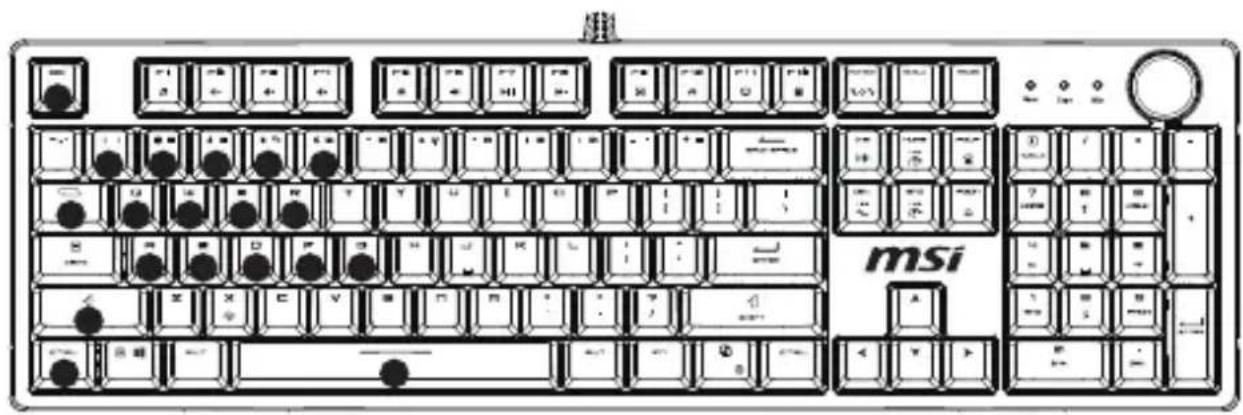
B, CTRL-L, Space
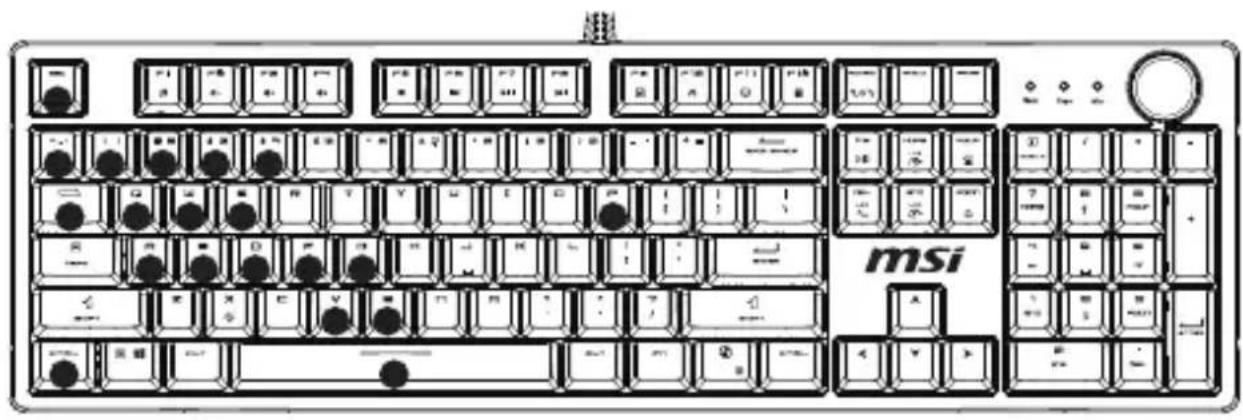
- Game Mode 3 (FN + 3), Lights: ESC, ~, 1, 2, 3, 4, 5, TAB, Q, W, E, P, A, S, D, F, G, V, B, CTRL-L, Space
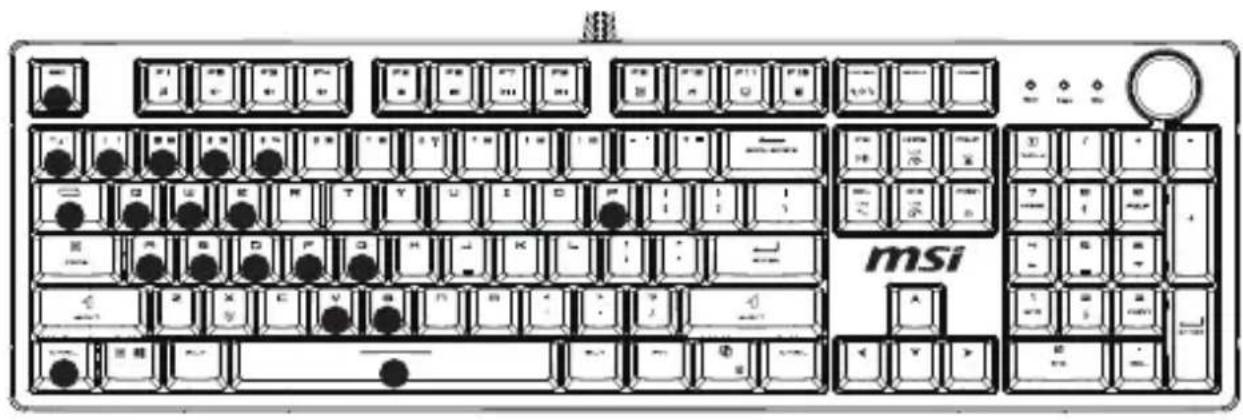
- Game Mode 4 (FN + 4) (default), Lights: W, A, S, D, ↑, ↓, ←, →
- Game Mode 5 (FN + 5) (default), Lights: W, A, S, D, ↑, ↓, ←, →
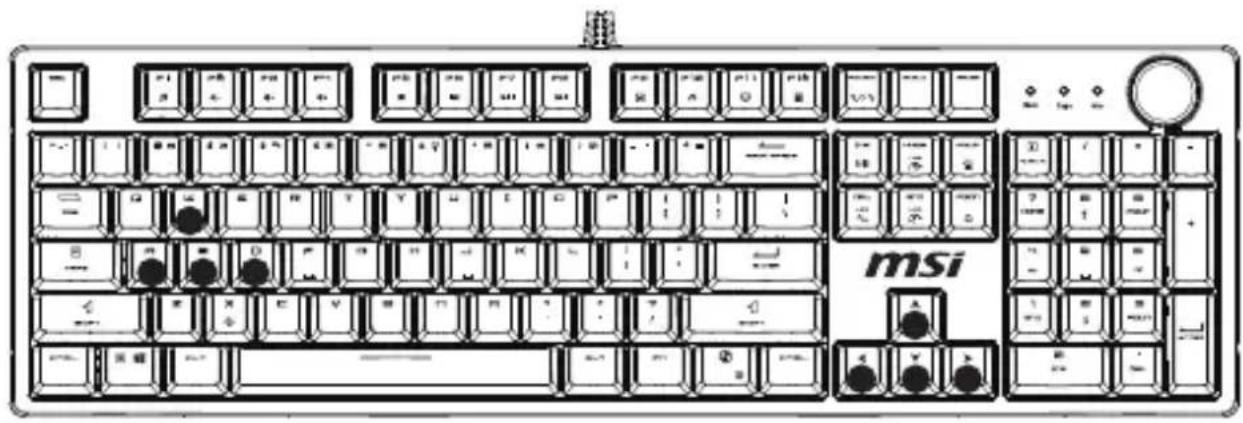
Game mode 3 (FN + 3), backlight off: ESC, ~, 1, 2, 3, 4, 5, TAB, Q, W, E, P, A, S, D, F, G, V, B, CTRL-L, space
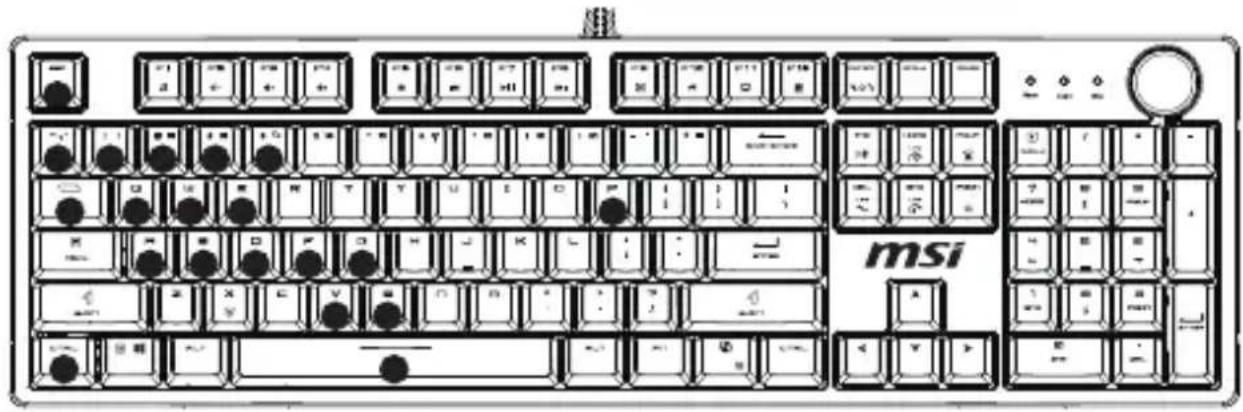
Game mode 4 (FN + 4) (default), backlight on: W, A, S, D, ↑, ↓, ←, → 5 Game mode 5 (FN + 5) (default), backlight on: W, A, S, D, ↑, ↓, ←, →
F1~F5 have the G-KEY function by default.
1 Press FN + PAUSE to enter recording mode. 2 While the key is pressed, press F1-F5. Keys with recorded macro functions are backlit. To save the assignment, press the selected key again. The selected key assignment is backlit. Recording starts. You can record up to 10 keys at once. (If you press more than 10 keys, it will be saved automatically when you press the 11th key.) 4 After recording, press FN + PAUSE to save. 5 If F1-F5 have a set of macro functions, you can lock the Win key (game mode) and press it directly. The macro function will execute directly. If the Win key is not locked, it will be the F1-F5 function.
Function of FN
Complying with the REACH (Registration, Evaluation, Authorisation, and Restriction of Chemicals) regulatory framework, we published the chemical substances in our products at msi REACH website at https://csr.msi.com/global/Product-Chemical-Management.
Safety & Warning Instructions
Read the safety instructions carefully and thoroughly. All cautions and warnings on the equipment or user's manual should be noted.
- Do not leave the product in an unconditioned environment with a storage temperature above 60°C (140°F) or below 0°C (32°F) , which may damage the product.
- Use this product in environments with ambient temperatures between 0°C(32°F) and 40°C(104°F) .
- Refer to the rating label on the bottom of your product and ensure your power source complies with this rating.
- DO NOT place on uneven or unstable work surfaces. Seek servicing if the casing has been damaged. DO NOT place or drop objects on top and do not shove any foreign objects into the product. DO NOT expose to or use near liquids, rain, or moisture.
- DO NOT cover the vents on the product to prevent the system from getting overheated.
Declaration of the Presence Condition of the Restricted Substances Marking
| 設備名稱:有線延線型號(型式):MS-8ZAAEquipment name Type designation (Type) |
| 單元 Unit | 限用物質及其化學符號Restricted substances and its chemical symbols |
| 鉛Lead(Pb) | 汞Mercury(Hg) | 鎘Cadmium(Cd) | 六個別Hexavalent chromium(Cr³⁺) | 多溴聯苯Polybrominated biphenyls (PBB) | 多溴二苯醚Polybrominated diphenyl ethers (PBDE) |
| 印刷電路及電子組件 | ○ | ○ | ○ | ○ | ○ | ○ |
| 外殼 | ○ | ○ | ○ | ○ | ○ | ○ |
| 配件 | ○ | ○ | ○ | ○ | ○ | ○ |
| 線材 | ○ | ○ | ○ | ○ | ○ | ○ |
| 備考1. “超出0.1 wt X” 及 “超出0.01 wt X” 依指限用物質之百分比含量超出百分比含量基準值。Note 1: “Exceeding 0.1 wt X” and “exceeding 0.01 wt X” indicate that the percentage content of the restricted substance exceeds the reference percentage value of presence condition。備考2. “○” 依指該項限用物質之百分比含量未超出百分比含量基準值。Note 2: “○” indicates that the percentage content of the restricted substance does not exceed the percentage of reference value of presence。備考3. “一” 依指該項限用物質為排除項目。Note 3: The “-” indicates that the restricted substance corresponds to the exemption。 |
Names and contents of toxic and hazardous substances or elements in the product