
Vigor GK30 - Keyboard MSI - Free user manual and instructions
Find the device manual for free Vigor GK30 MSI in PDF.
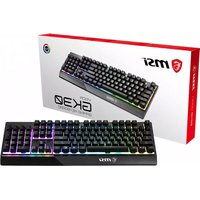


| Product Type | Wired Gaming Keyboard |
| Brand | MSI |
| Model | Vigor GK30 |
| Interface | USB 2.0 with gold-plated connector |
| Cable Length | 1.8 m (5.9 ft) |
| Dimensions (L x W x H) | 438 x 157 x 38 mm (17.24 x 6.18 x 1.50 in) |
| Weight | Approximately 800 g (1.76 lbs) |
| Power Supply | USB bus power |
| Key Switch Type | Membrane |
| Backlight | RGB LED with multiple lighting modes |
| Lighting Modes | Steady, Breath, Wave, Radar, Ripple, Reactive, Customize, Off |
| Lighting Direction Control | Yes |
| Lighting Speed Adjustment | 3 levels (up/down) |
| Brightness Adjustment | 4 levels (up/down) |
| Quick Color Change | Yes |
| Media Keys | Previous, Play/Pause, Stop, Next, Mute, Volume Down, Volume Up |
| Windows Lock Key | Yes (Fn + Windows key) |
| System Requirements | Windows 10/8.1/8/7, OSX 10.10 or later, available USB port, 256 MB storage |
| Package Contents | Gaming Keyboard, Multi-language Quick User Guide |
| Warranty | 1 year limited (varies by region) |
| Cleaning Instructions | Unplug keyboard, use soft dry cloth to clean surface, avoid liquids |
| Safety | Keep away from moisture and extreme temperatures. Do not disassemble. |
Frequently Asked Questions - Vigor GK30 MSI
User questions about Vigor GK30 MSI
0 question about this device. Answer the ones you know or ask your own.
Ask a new question about this device
Download the instructions for your Keyboard in PDF format for free! Find your manual Vigor GK30 - MSI and take your electronic device back in hand. On this page are published all the documents necessary for the use of your device. Vigor GK30 by MSI.
USER MANUAL Vigor GK30 MSI
Thank you for choosing the well-designed gaming keyboard, MSI Vigor GK30, to be your companion. This exquisite gaming keyboard will surely give you a delightful and professional experience in PC games.
This guide provides instructions and illustrations to help you get the most from the keyboard, and it is recommended to read this guide before using it.
Package Contents
▶ GAMING Keyboard ▶ Multi-language Quick User Guide
System Requirements
▶ PC with available USB port ▶ Windows 10/8.1/8/7, OSX 10.10 or latest ▶ At least 256MB storage space
Specifications
▶ Interface: USB Port 2.0 with gold-plated connector ▶ Cable Length: 1.8M ▶ Dimensions: 438 x 157 x 38mm
Introductions to Function Keys
LED Indicators Adjustment
Use the keyboard hot keys listed below to customize the backlit configurations.
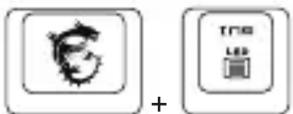
LED Lighting Mode Control (Steady/Breath/Wave/Radar/Ripple/Reactive/ Customize/ Off)
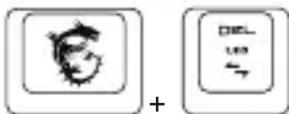
LED Lighting Direction Control
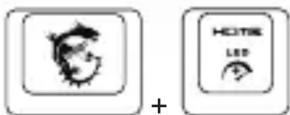
LED Lighting Effect Speed Up (3 Levels)
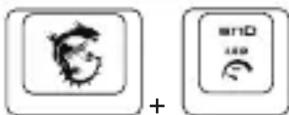
LED Lighting Effect Speed Down (3 Levels)
Increase brightness (4 Levels)
Decrease brightness (4 Levels)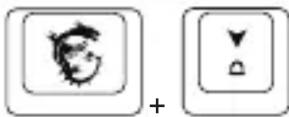
Reset KB Setting back to Default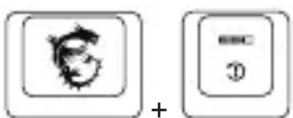
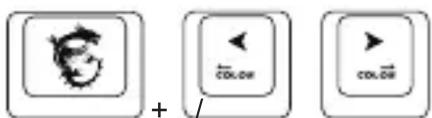
Quick change Color
Media Function
Previous Track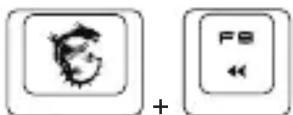
Play/Pause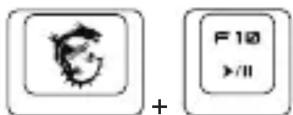
Stop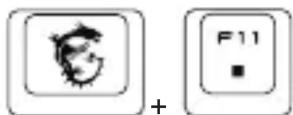
Next Track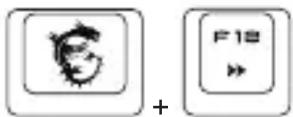
Mute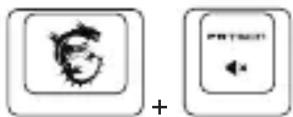
Volume Down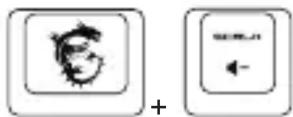
Volume Up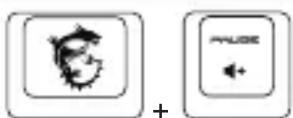
Windows Lock / Unlock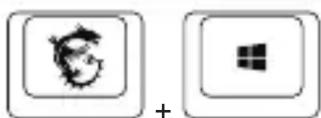

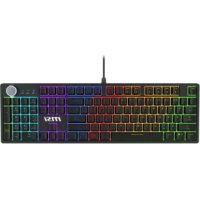
Brand : MSI
Model : Vigor GK30
Category : Keyboard